Someone finds your tutorial, tries a useful tip and leaves. Your paid download could help them take the next step, but nothing connects the two.
That gap leaves you publishing more content while visitors have to work out the buying journey alone. Adding more software can make the gap more expensive without closing it. Here’s how to give those visitors a route from useful advice to purchase and repeat sales, with tools that fit your budget and checks to find where buyers get stuck.
Map the Path From Discovery to Repeat Purchase
Start by drawing the route you want people to follow:
Helpful content → free resource and signup → email follow-up → product page → checkout → automatic delivery → customer follow-up.
Give ready buyers a direct link to the product page, too. They shouldn’t need to collect a free download before they can pay you.
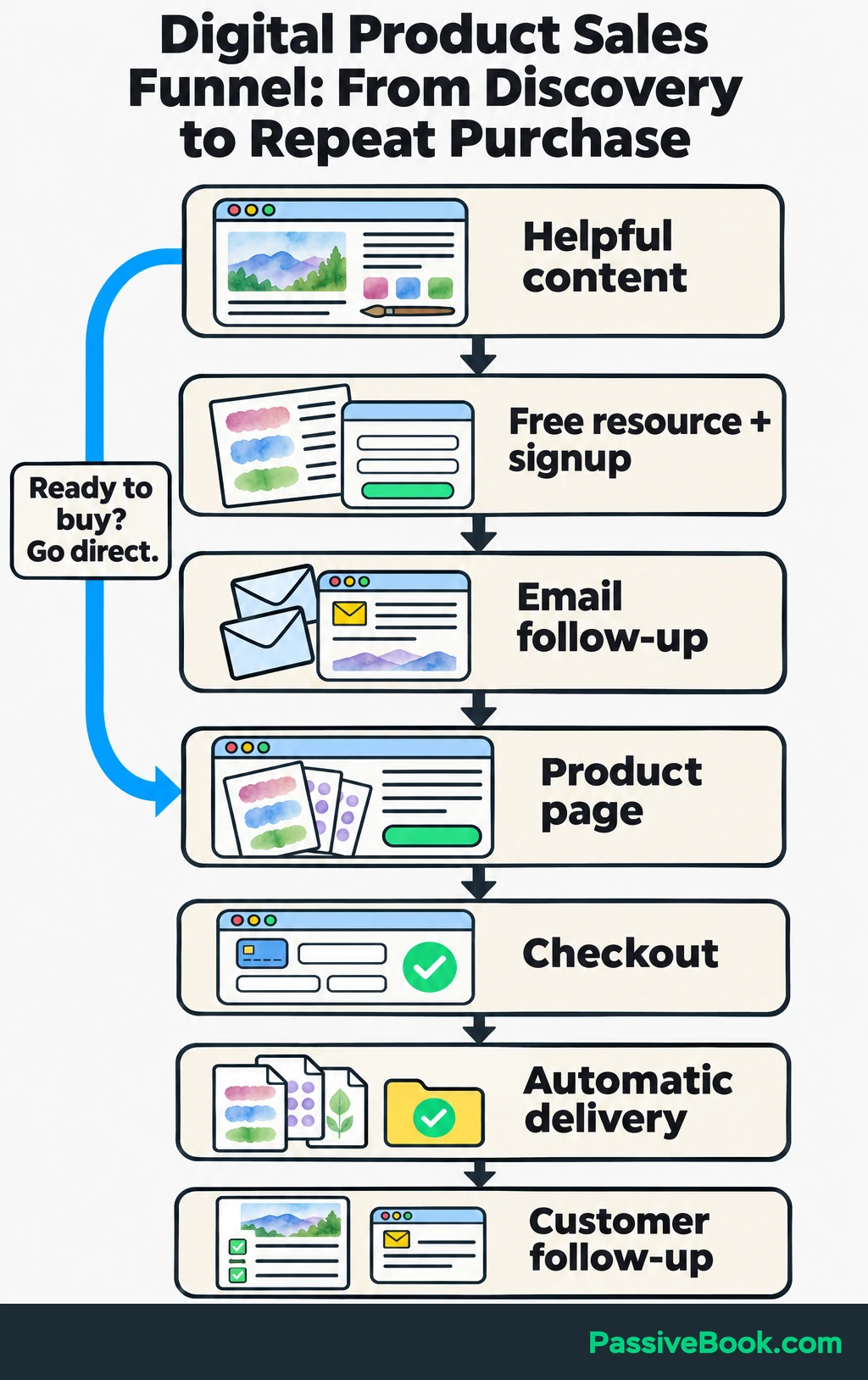
These five stages help you see what each part must do:
| Stage | What the customer needs | What you build |
|---|---|---|
| Awareness | Help with a specific problem | An article, demonstration or other useful content |
| Lead capture | A reason to share their email address | A relevant free resource and signup form |
| Consideration | Answers about whether the product suits them | Helpful emails, previews and a clear product page |
| Purchase | A straightforward way to pay and get access | Checkout, receipt and automatic delivery |
| Retention | Help using the purchase and a useful next step | Starting instructions, support and relevant later offers |
The stages describe the customer’s journey. The nine steps below explain how to build the system behind it.
Start with one product, one organic traffic channel and one prospect email sequence. Automate delivery and follow-up, but keep answering questions. Those questions tell you what the system still needs to explain.
For the running example, imagine you sell a beginner watercolor practice kit with guided exercises, printable practice sheets and a progress tracker. The business, copy, $29 price and later sales figures are illustrations.
1. Validate One Clear Product Offer
Before building pages, find out what someone would pay you to help them do.
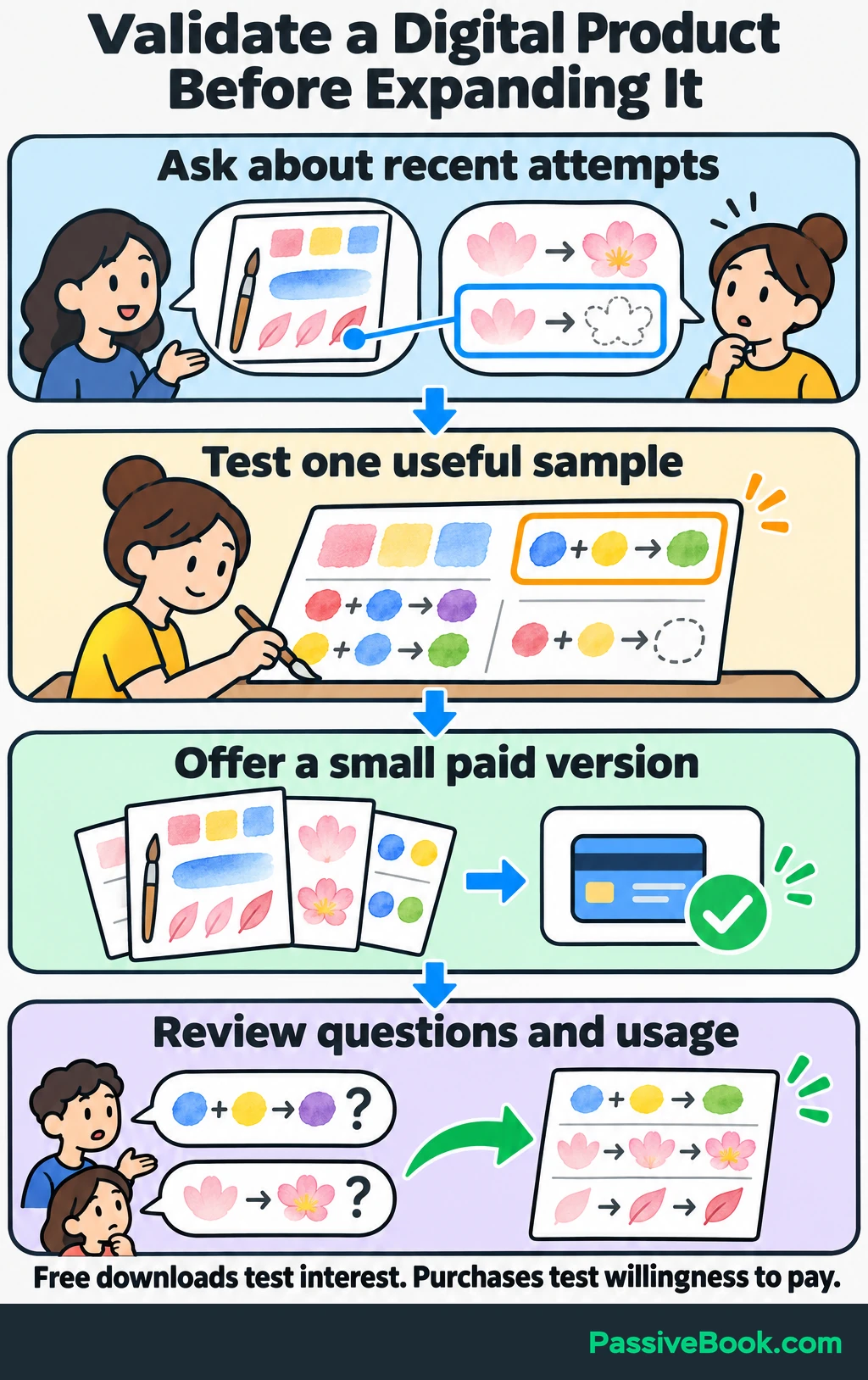
Talk to people who have the problem. Ask about their recent actions rather than whether they like your idea:
- What did you last try?
- Where did you get stuck?
- How are you handling that now?
- Have you paid for anything to help?
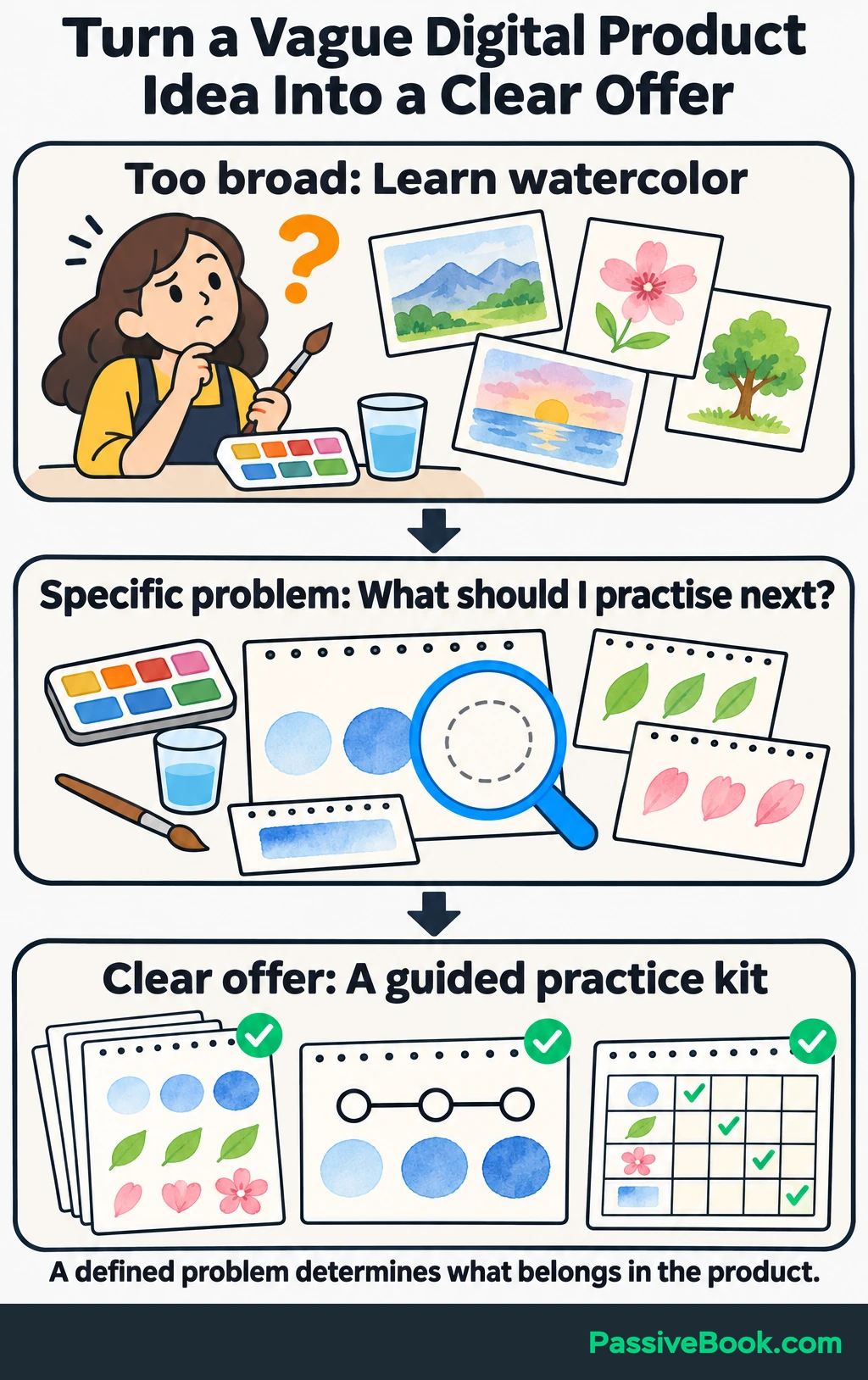
For the watercolor kit, “learn watercolor” is too broad to guide the product. A more useful problem is having supplies and scattered tutorials but no clear exercise to practise next.
That gives you a concrete offer:
A printable watercolor practice kit that gives beginners a clear exercise to follow each session.
Now define what delivers that result: guided exercises, printable PDF sheets, a suggested order and a progress tracker. List the materials buyers need and the skill level you expect.
I once rushed a course into production without validating it. It attracted few sales and a bad review, and I took it down. I had spent my time making lessons before finding out whether the offer deserved that work.
I would now test one useful sample and a small paid version before expanding. Watch whether people buy, what they ask before paying and where they struggle afterward. A free download can show interest, but payment tests a different decision.
If you already sell the product, start with support messages and customer feedback. Tighten the promise around what it actually helps people do, then set a price that accounts for its scope, support needs and selling costs.
2. Choose a Lean Tool Stack
Your tools need to cover six jobs: pages, signup forms, automated emails, payment, product delivery and reporting.
Choose the complete setup by its total cost and upkeep. A cheap email tool becomes less cheap if connecting purchases requires another subscription.
First, confirm that you can receive payments and payouts. For a Stripe setup, check your business location and any access restrictions against Stripe’s supported locations before building around it.
These are the two setups I would consider:
| Setup | Tools and jobs | Costs to budget for | Upkeep |
|---|---|---|---|
| Hosted: no established website | MailerLite for pages, forms, emails, PDF delivery and reports; Stripe for payments | Free plan for a small test; paid plan for more capacity; optional domain; Stripe processing and applicable currency or cross-border charges | Providers maintain software; you manage content, settings and connections |
| Existing WordPress site | GenerateBlocks for pages; Fluent Forms for signup; FluentCRM Pro for emails; WooCommerce for checkout, downloads and order reports; FluentSMTP connects the site to Amazon SES for email delivery | Hosting, domain, sending and plugin licenses; payment processing; optional gateway or tax services | You manage updates, backups, security and connections |
MailerLite’s free plan has limited subscribers, sending, products and automation steps. Check its plan comparison against the sequence you intend to run, including buyer exclusions.
The WordPress setup needs FluentCRM Pro for WooCommerce purchase triggers. Its regular single-site license is $129/year before introductory discounts; check current renewal terms before budgeting.
I would choose the hosted route for a first test without a website. If you already maintain WordPress, use the site you have.
Start with the connections built into your tools. Make and n8n can connect apps when a handoff is missing, such as updating a customer record after a confirmed purchase. I’d wait until you find that gap.
3. Build the Purchase Path
Write a Product Page That Answers Buying Questions
The product page should help someone decide whether the download fits their needs.
Lead with the usable outcome, then show the product. For the watercolor kit, a preview of an exercise tells buyers more than a decorative ebook cover.
Arrange the page in this order:
- Explain the problem and the outcome.
- Show sample pages.
- List the contents and requirements.
- Provide customer evidence or a demonstration.
- Answer buying questions.
- Give a clear purchase action.
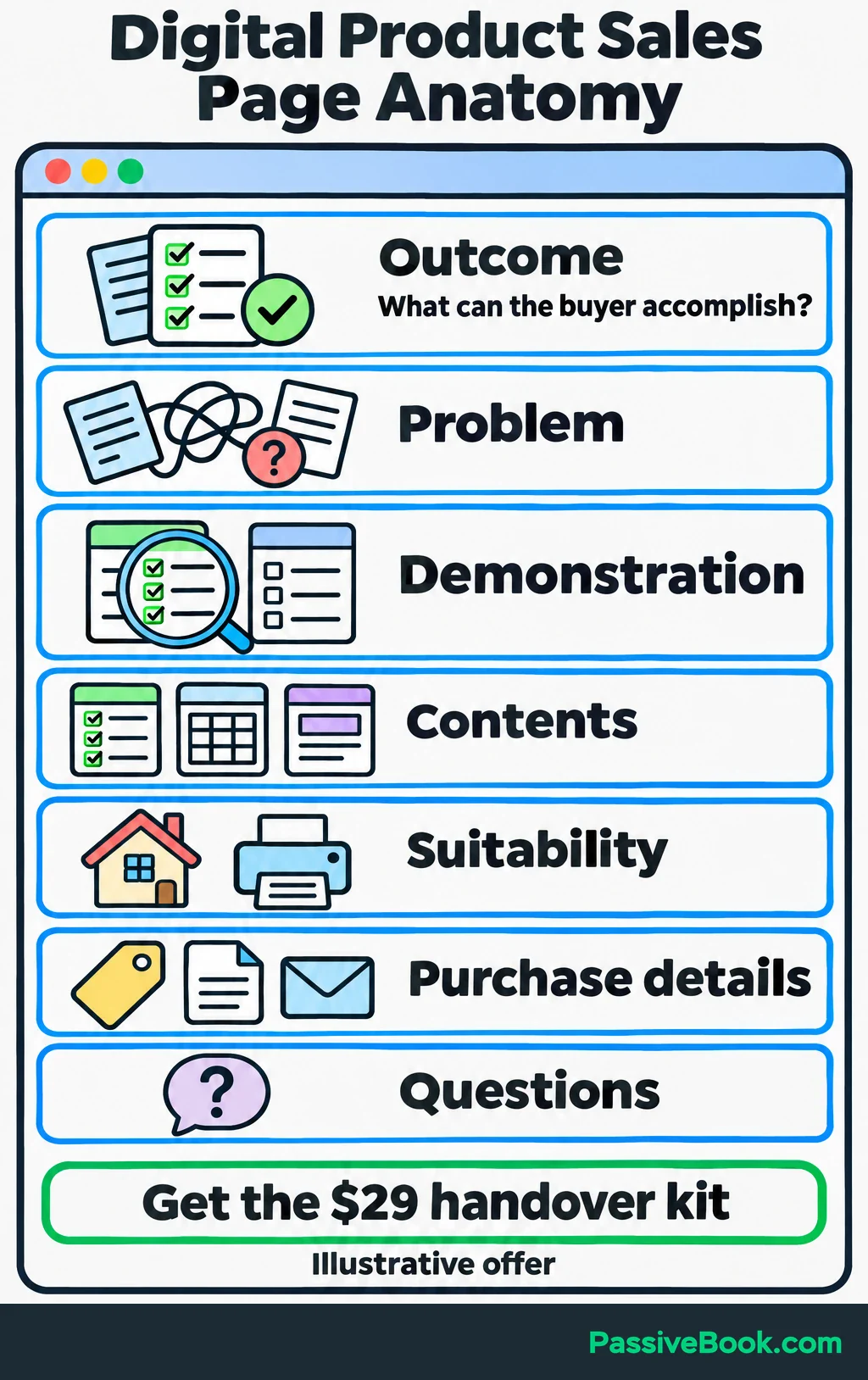
Include the intended skill level, file formats, required materials, price, access method, support contact and refund terms.
On one of my template products, I kept receiving questions about which software opened the files. I had explained that in the delivery email, where it was wonderfully useless to anyone deciding whether to buy. I moved the requirement onto the product page.
For this kit, answer questions such as:
- Can I use it as a complete beginner?
- Do I need a printer?
- Which paints, brushes and paper do I need?
- What does the exercise order provide that separate free tutorials don’t?
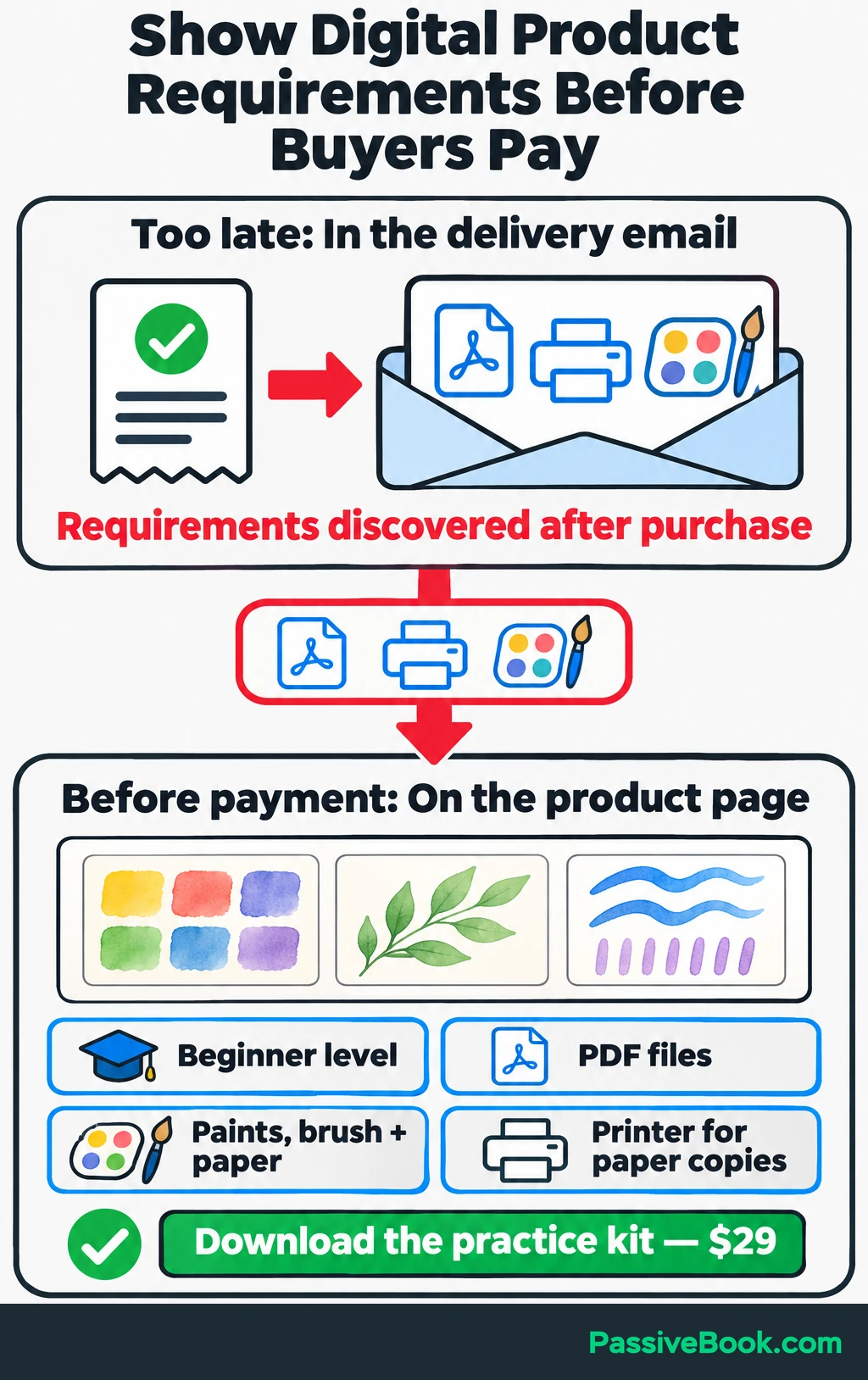
Use a specific button such as:
Download the practice kit — $29
Link it to the correct checkout and repeat it where useful on a longer page.
If you have genuine customer feedback, use it with permission. Otherwise, show the pages and demonstrate an exercise. A preview can do useful selling work without a testimonial being invented to fill the layout.
Connect Checkout to Automatic Delivery
Keep the product name, contents and price consistent between the page and checkout. Show the total payable amount before payment and collect only the information needed for the transaction.
A confirmed payment should produce three things:
- A receipt or order confirmation.
- Access to the complete product.
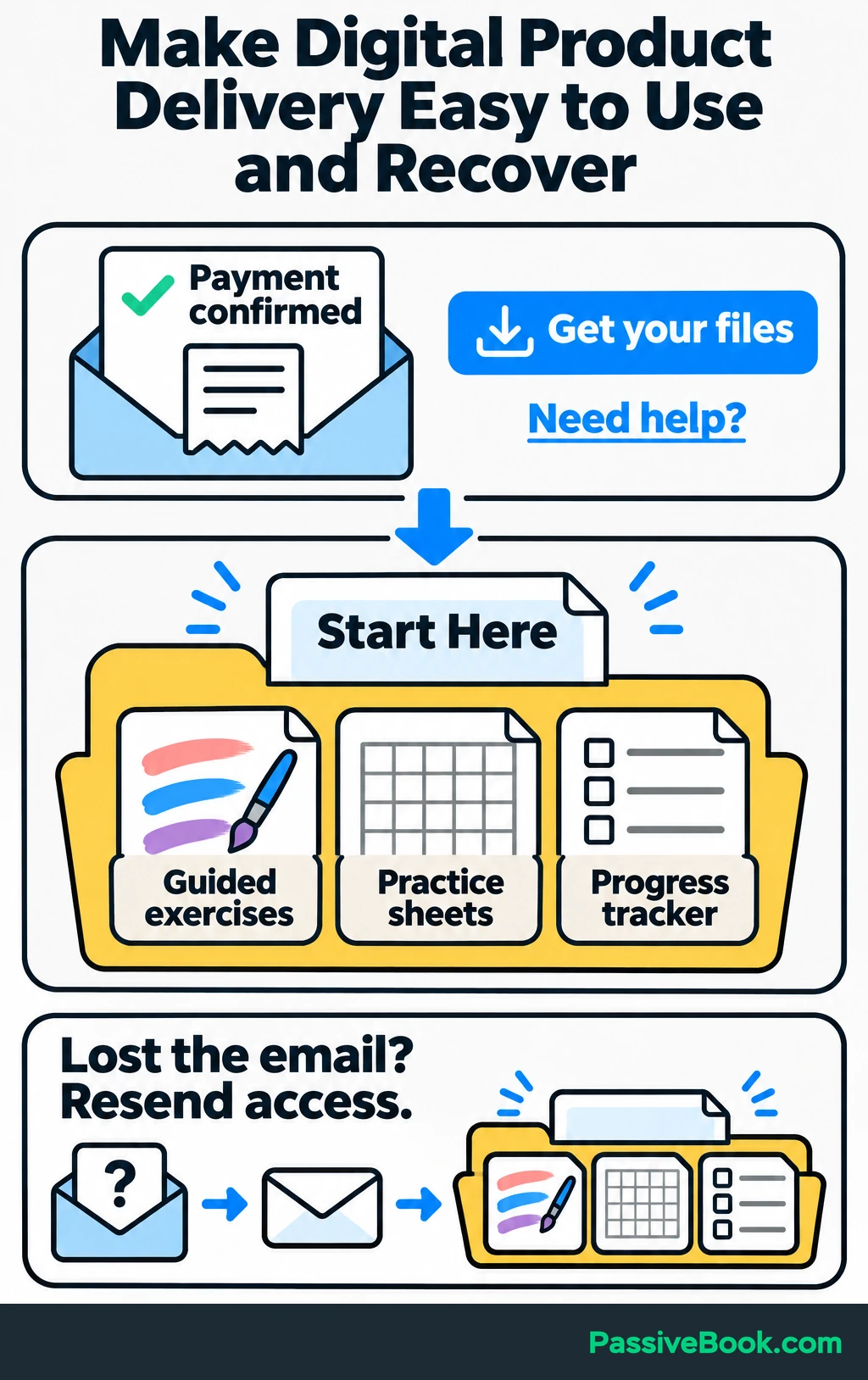
- Clear instructions for getting started and requesting help.
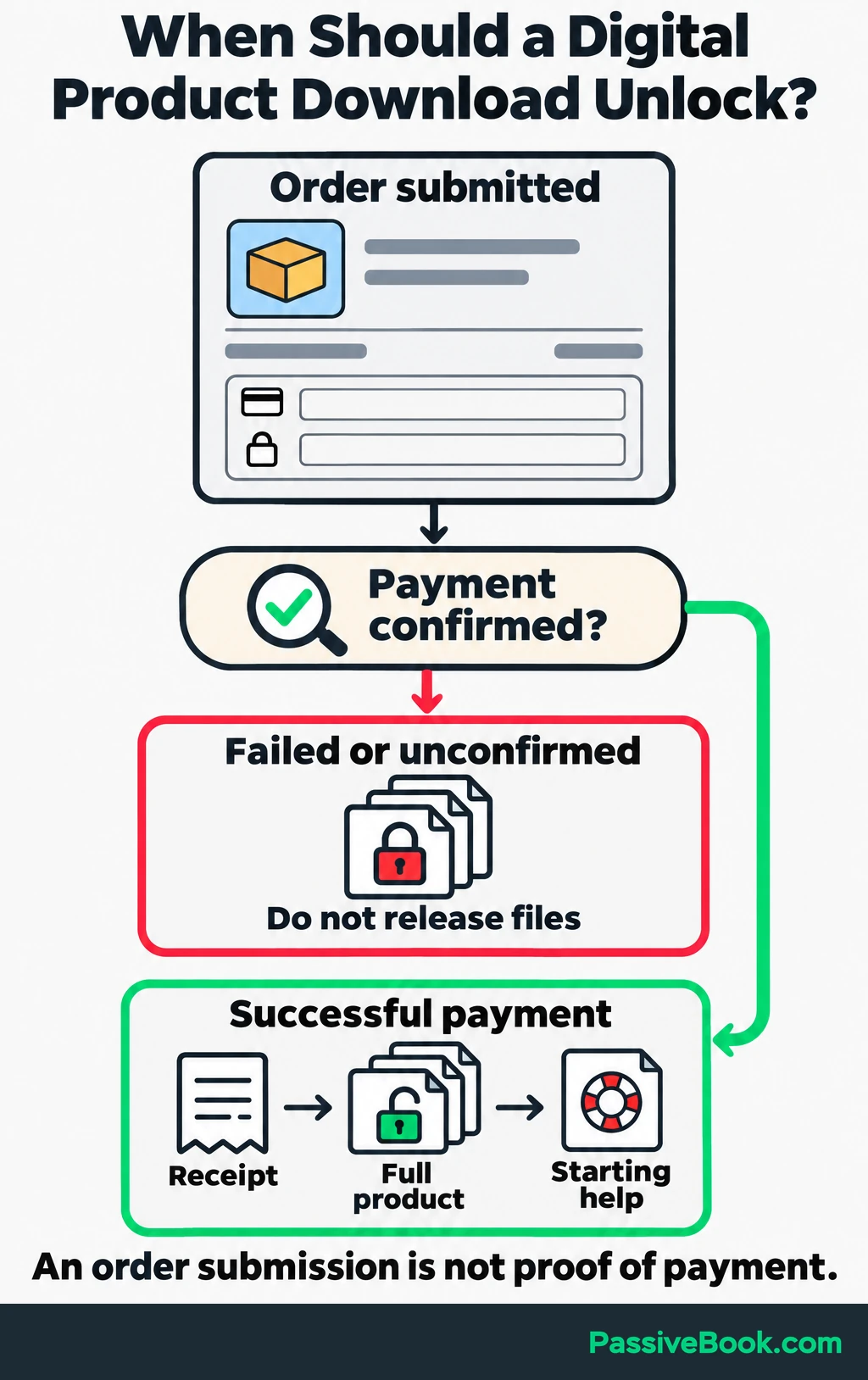
For the kit, deliver the exercises, practice sheets and tracker together. Name the files clearly and make the first exercise easy to find. Keep a way to resend access when a buyer loses the email.
Release the files after successful payment. Submitting an order is not proof that payment succeeded.
Your refund terms also need to respect applicable consumer rights. For EU digital content, the immediate-download exception to the withdrawal right requires express agreement to begin delivery and acknowledgment that this loses the withdrawal right. A blanket “no refunds on downloads” statement does not replace that process. See the EU withdrawal rules.
Before accepting orders, establish who handles sales-tax, VAT or GST registration, collection, filing and payment to the authorities. Turning on tax collection does not complete all those jobs, as Stripe’s filing guidance makes clear.
4. Create a Free Resource That Leads Naturally to the Product
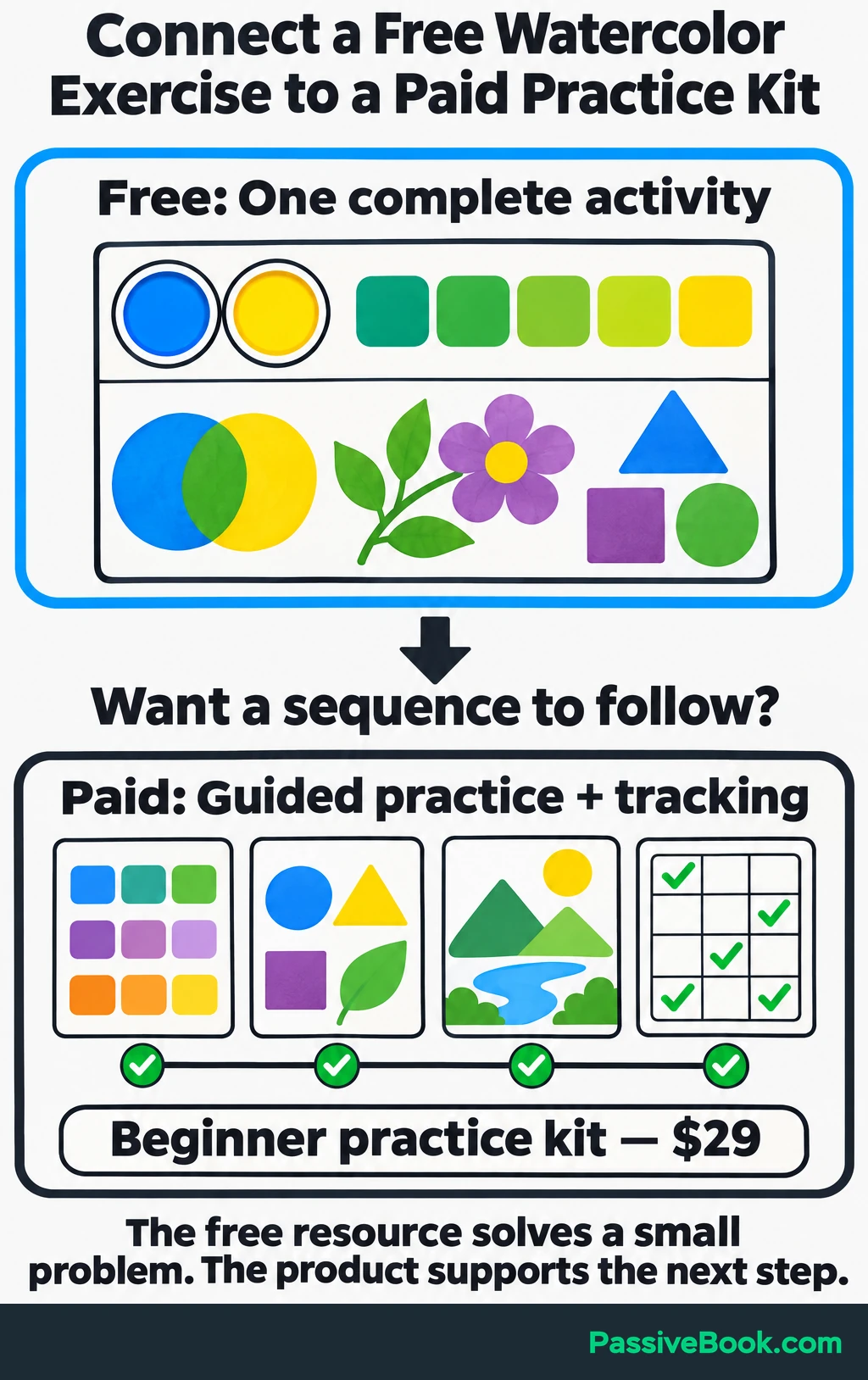
Choose one small problem the paid product helps solve, then make the free resource useful on its own.
For the watercolor kit, offer a one-page color-mixing exercise. It gives readers an activity to try and lets them experience how you teach.
Keep the signup page focused:
- State what the exercise helps them do.
- Show a preview.
- Ask for an email address.
- Give one clear action.
A suitable headline is:
Practise mixing watercolor colors with one guided exercise.
Explain the difference in scope. The free sheet provides one activity, while the paid kit supplies a guided sequence and tracking sheets. You don’t need to make the free version frustrating to create that distinction.
Deliver it through the confirmation page or an immediate email. The confirmation page can also introduce the paid kit as an optional next step.
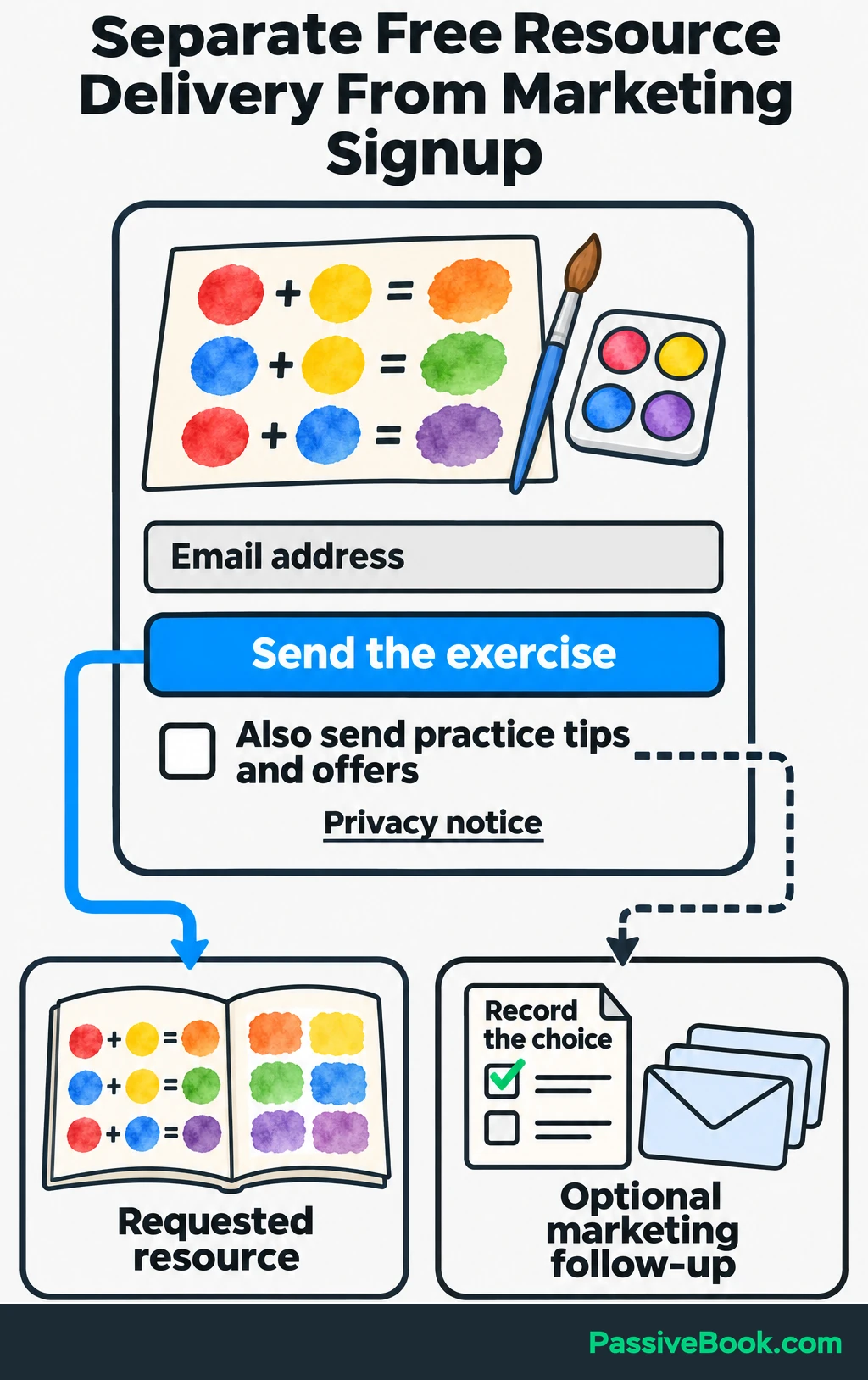
Explain any marketing follow-up clearly and link your privacy notice. For example, an optional, unticked consent box could say:
Email me watercolor practice tips and offers for your practice kits. I can unsubscribe at any time.
Keep consent separate from purchase terms and retain a record of what people agreed to. For UK individual subscribers, unsolicited email marketing requires consent unless you meet the conditions of a soft opt-in exception. The ICO’s guidance explains those conditions.
Someone requesting a file should understand whether they are also joining a marketing list.
5. Write Email Follow-up That Helps Subscribers Decide
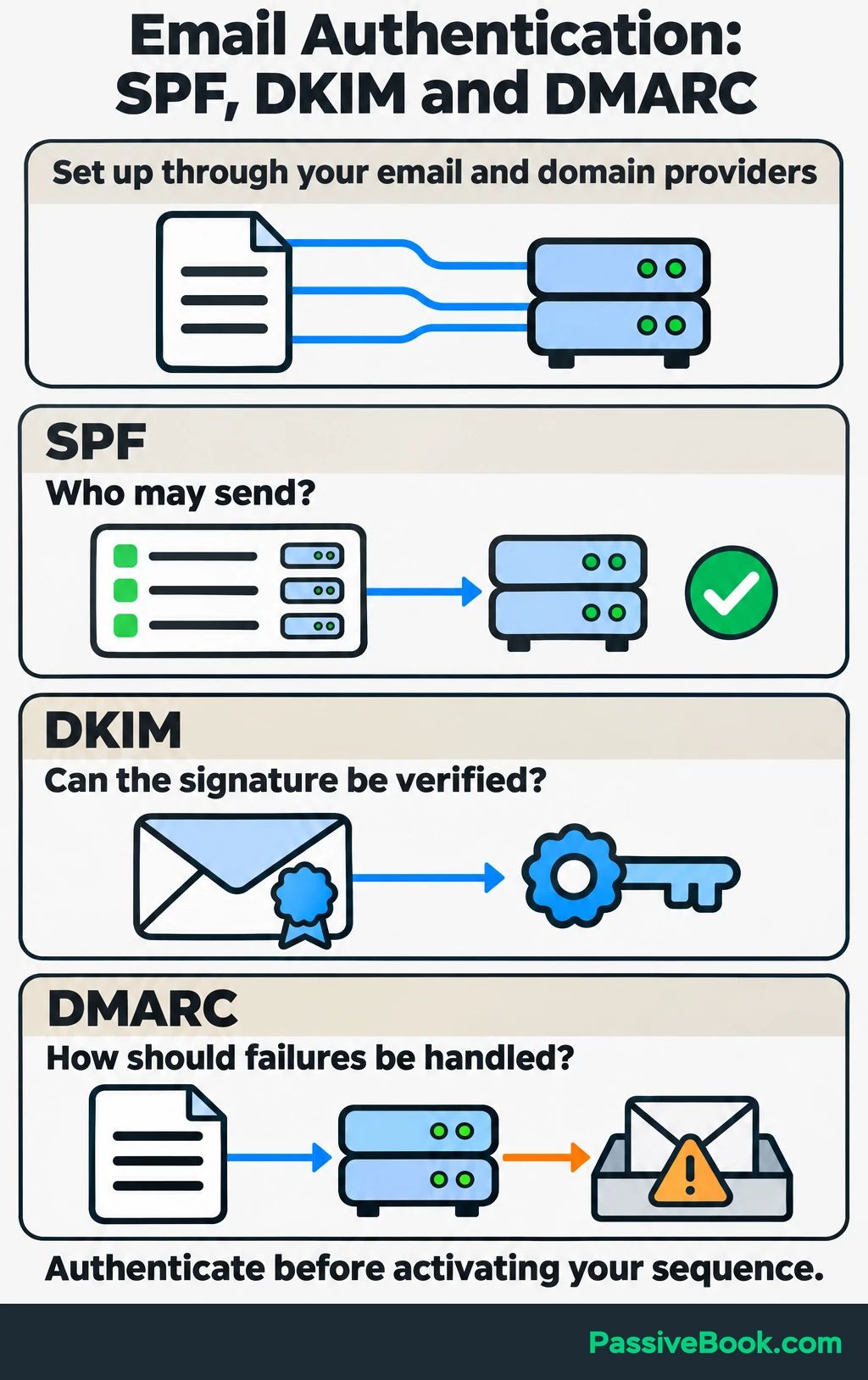
Before activating the sequence, authenticate your sending domain through your email provider.
That usually means adding records at your domain provider. SPF identifies authorized senders, DKIM adds a verifiable signature, and DMARC tells receiving services how to handle authentication failures. Google recommends setting up all three authentication methods.
Then give each email one purpose and one primary action.
| Message | Buying Question | Content | Next Action |
|---|---|---|---|
| Deliver the exercise | What did I sign up for? | The one-page color-mixing exercise and where to begin | Open the exercise |
| Help them use it | Can I follow this approach? | Explain how to mix two colors in different proportions and record the results | Try the task |
| Demonstrate the kit | What would I get by paying? | Preview the later exercise that uses mixed colors in simple painted shapes | View the product page |
| Answer the main objection | Can I start as a complete beginner? | Show the starting exercise and explain the required materials | Check the kit’s materials list |
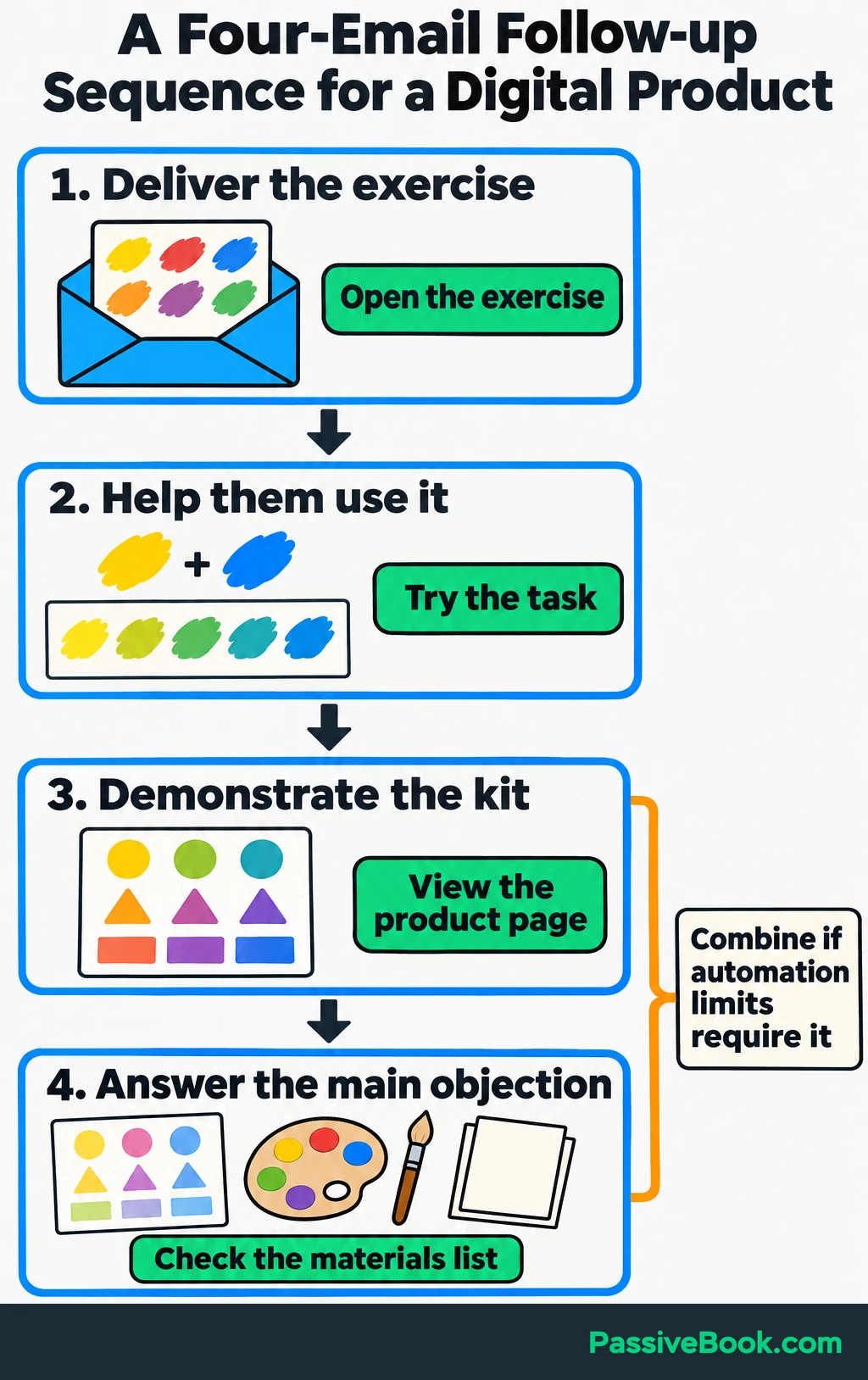
Allow time between messages for readers to try the material. For this example, I would start with delivery immediately, practical help two days later and the product introduction a few days after that.
If your plan’s automation limit won’t fit four emails and their delays, combine the demonstration and objection answer into a third email.
Here is a complete third email you can adapt after replacing the bracketed details:
Subject: What comes after the mixing exercise?
Hi,
The free exercise gives you one way to practise mixing colors. The beginner watercolor practice kit gives you a sequence to follow when you want to keep going.
Inside are guided exercises, printable practice sheets and a progress tracker. A later exercise takes the colors you mixed and uses them in simple painted shapes, so you can practise applying them.
You can start as a complete beginner. You’ll need the paints, brush and paper listed on the product page, and a printer if you want to use the printable sheets.
Take a look at the sample pages and materials list before deciding.
[See the practice kit — $29]
[Your name]
[Business name and valid postal address]
[Unsubscribe]
AI can help draft messages from your product contents, customer questions and intended tone. Give it those materials first, remove unnecessary personal customer details and review the result before switching anything on.
If adapting the watercolor example still leaves you staring at a blank email, the AI Ecommerce Copy Studio can draft a sequence around your own offer. You’ll get the messages to review before adding them to your email tool.
Free AI Ecommerce Copy Studio




Use honest subject lines, clear sender identification and an easy unsubscribe option. US commercial email also requires a valid postal address and honoring opt-outs within ten business days under the FTC’s CAN-SPAM guidance.
6. Set up Customer Follow-up
Help Buyers Start Using the Product
A purchase should change what the person receives from you.
Record the product they bought and stop prospect promotions for it. Then help them begin. The delivery message for the kit might say:
Download the files, open “Start Here,” and gather the materials listed for the first exercise. Print the practice sheet if you want to work from a paper copy.
Keep purchased access independent of optional marketing enrollment.
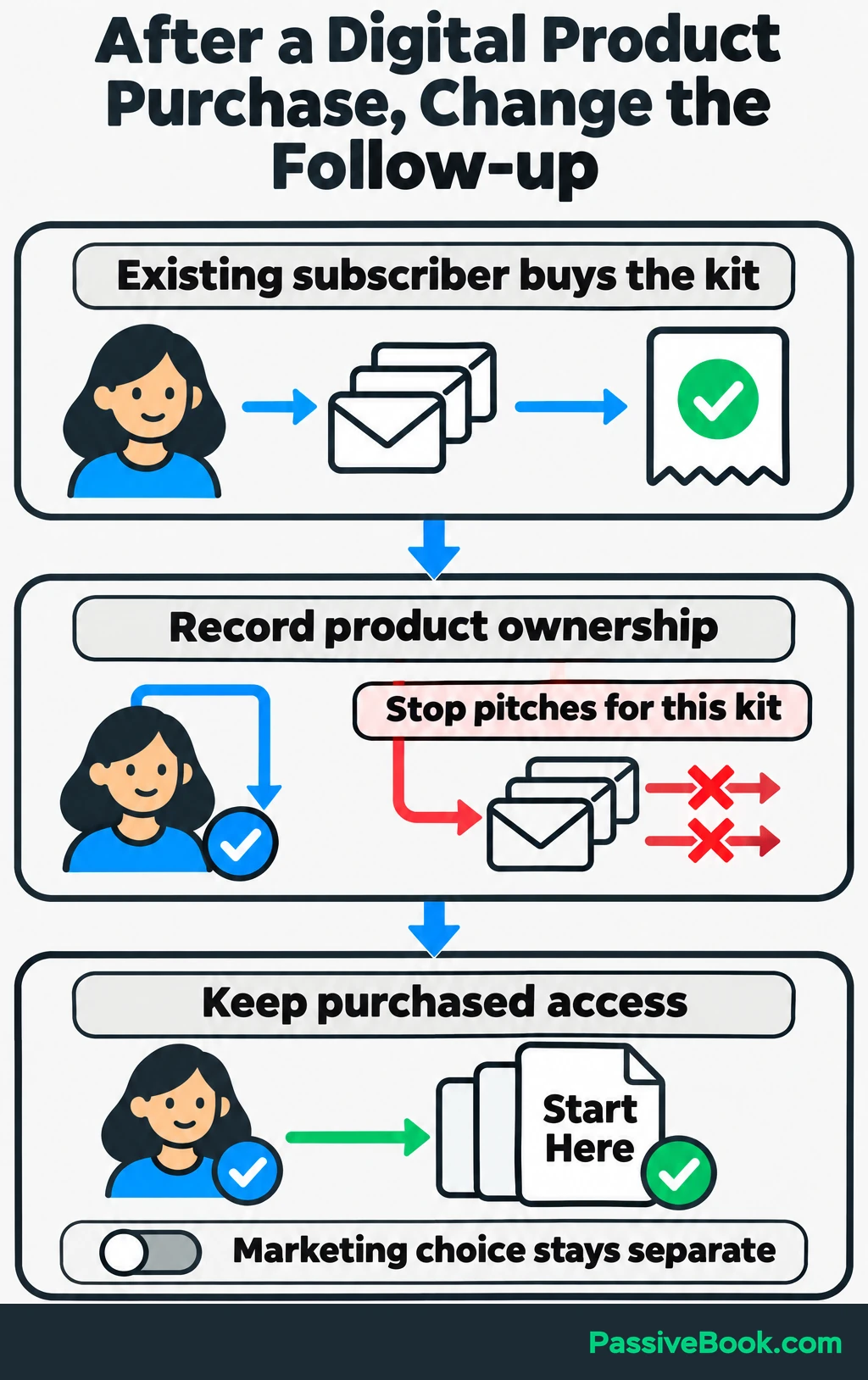
MailerLite’s product delivery system sends an order confirmation after successful purchase. Its purchase-triggered marketing automations require checkout consent. To record the purchase separately, use the product’s Action after checkout setting to add purchasers to a buyer group.
Exclude that group from the prospect sequence. For a workflow triggered by joining a group, also enable the setting that removes subscribers when they join an excluded group, so queued sales emails stop.
Test this with an existing subscriber who buys and declines additional marketing. They still need their files, and the purchase should still stop further pitches for the same kit.
Offer a Relevant Next Product
Give customers time to use the purchase before asking what they need next.
A useful question is:
Which exercise did you try, and where did you get stuck?
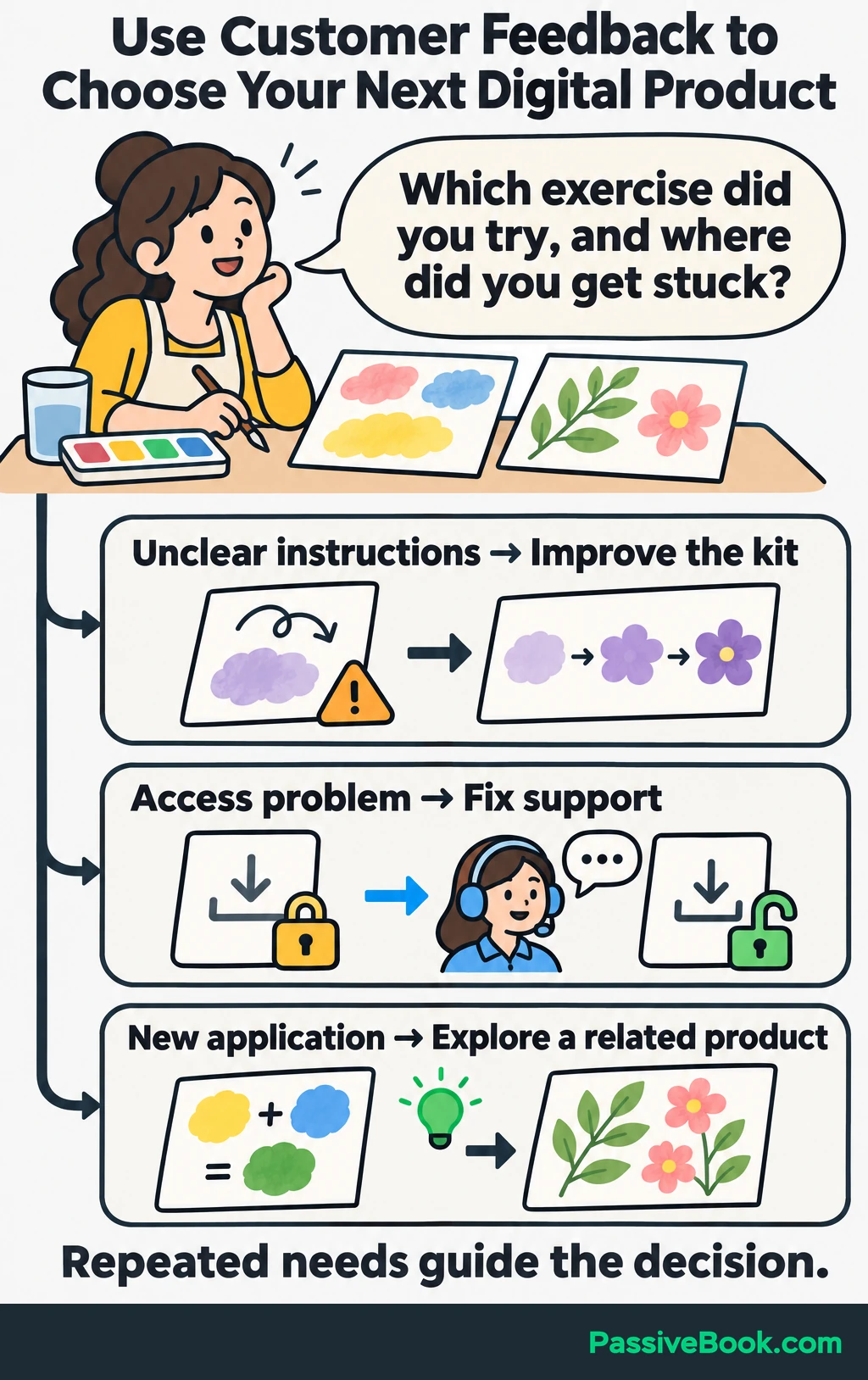
Repeated answers can reveal missing instructions, a support problem or demand for another product.
If customers want help applying the basics to plant shapes, a botanical watercolor practice pack could make sense. Explain that connection when you offer it, and exclude people who already own it.
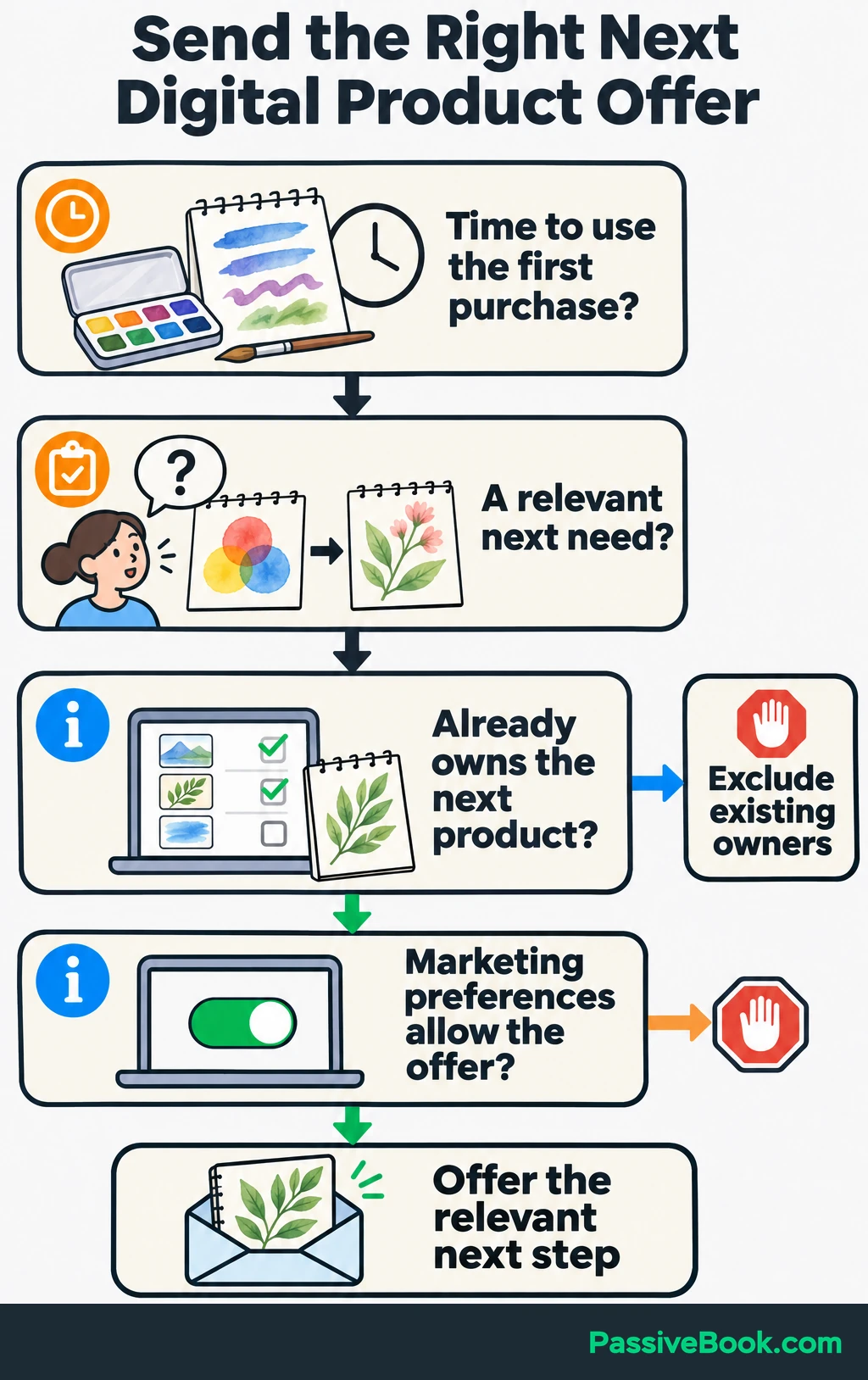
I would improve the first kit before building a second one to fill an empty slot in the funnel. More products create more files, questions and upkeep.
Once the next offer proves useful, automate its timing and send it according to purchase history and marketing preferences.
7. Test the Complete Funnel Before Sending Traffic
Start a simple spreadsheet with signup-page visitors, completed signups, product-page visitors, paid orders and refunds. Use platform reports where available, and treat sales records as the source for orders and revenue.
Then travel through the funnel yourself:
- Submit the signup form with a fresh email address.
- Check that the free resource opens and the correct sequence starts.
- Follow every email link through to the product page.
- Complete a purchase using the platform’s supported testing method.
- Check the total, payment status, receipt, files and starting instructions.
- Confirm that the purchase identifies the buyer and stops prospect promotions.
- Unsubscribe and confirm that marketing stops while purchased access remains.
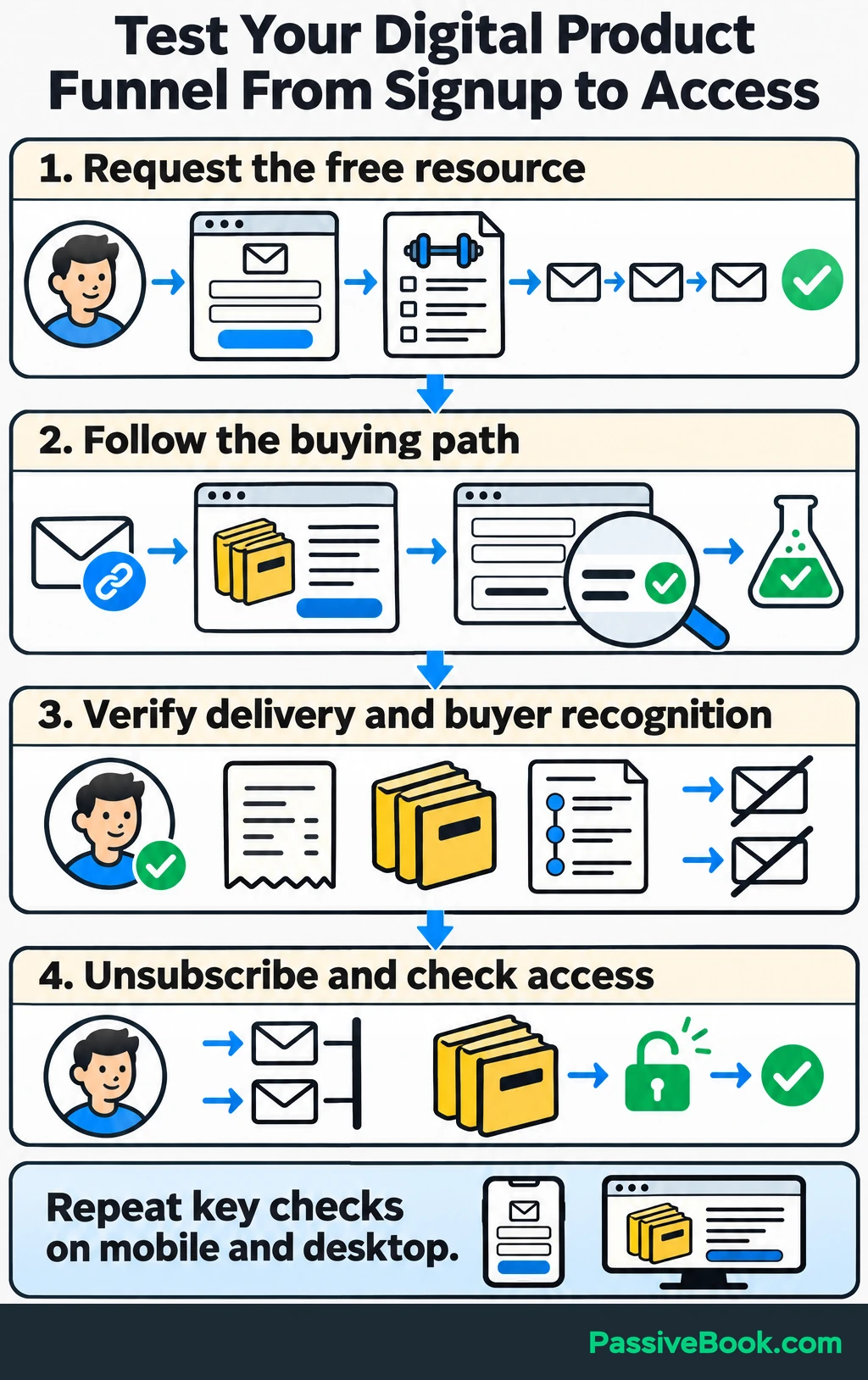
Repeat the important steps on mobile and desktop.
Also test an unsuccessful payment and a repeated form submission. A failed payment must not unlock the kit, and one order should not create duplicate purchase records.
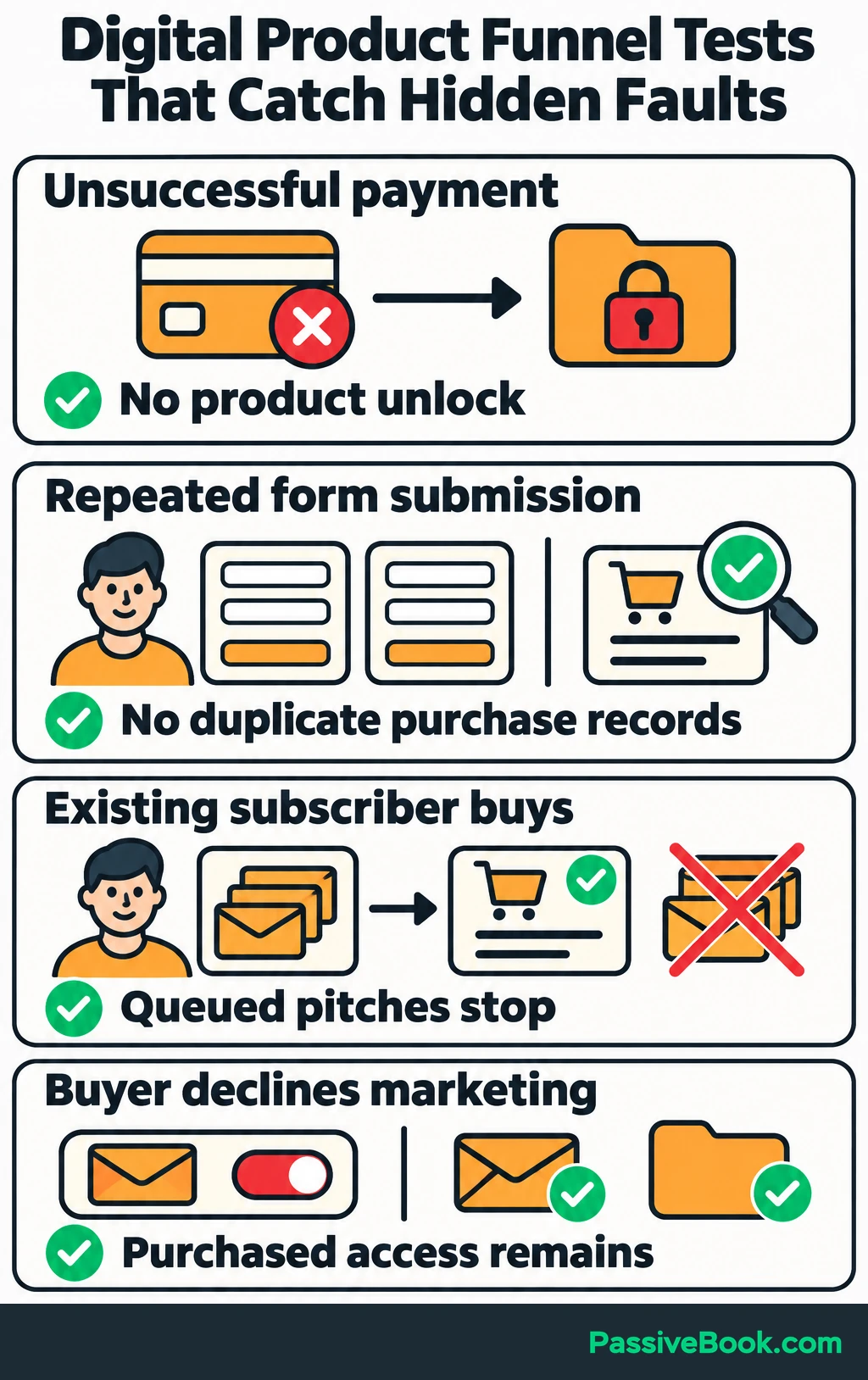
Use the email address already receiving the prospect sequence for one purchase test. Otherwise, you can prove that delivery works without proving that the system recognizes an existing subscriber as a buyer.
Fix broken connections before publishing acquisition content. Traffic gives you more people experiencing the same fault.
8. Attract Qualified Prospects Through One Organic Channel
Choose a channel where potential buyers already look for help and a format you can keep producing.
That might be search-focused articles, Pinterest, screen or overhead demonstrations, or useful participation in a relevant community. If you already have an audience interested in the product’s subject, start there.
List questions close to the problem your product solves. For the watercolor kit:
- How do I practise mixing watercolor colors?
- Which exercise should I try first?
- How can I plan a practice session?
Answer each question properly, then place the relevant next step where it helps.
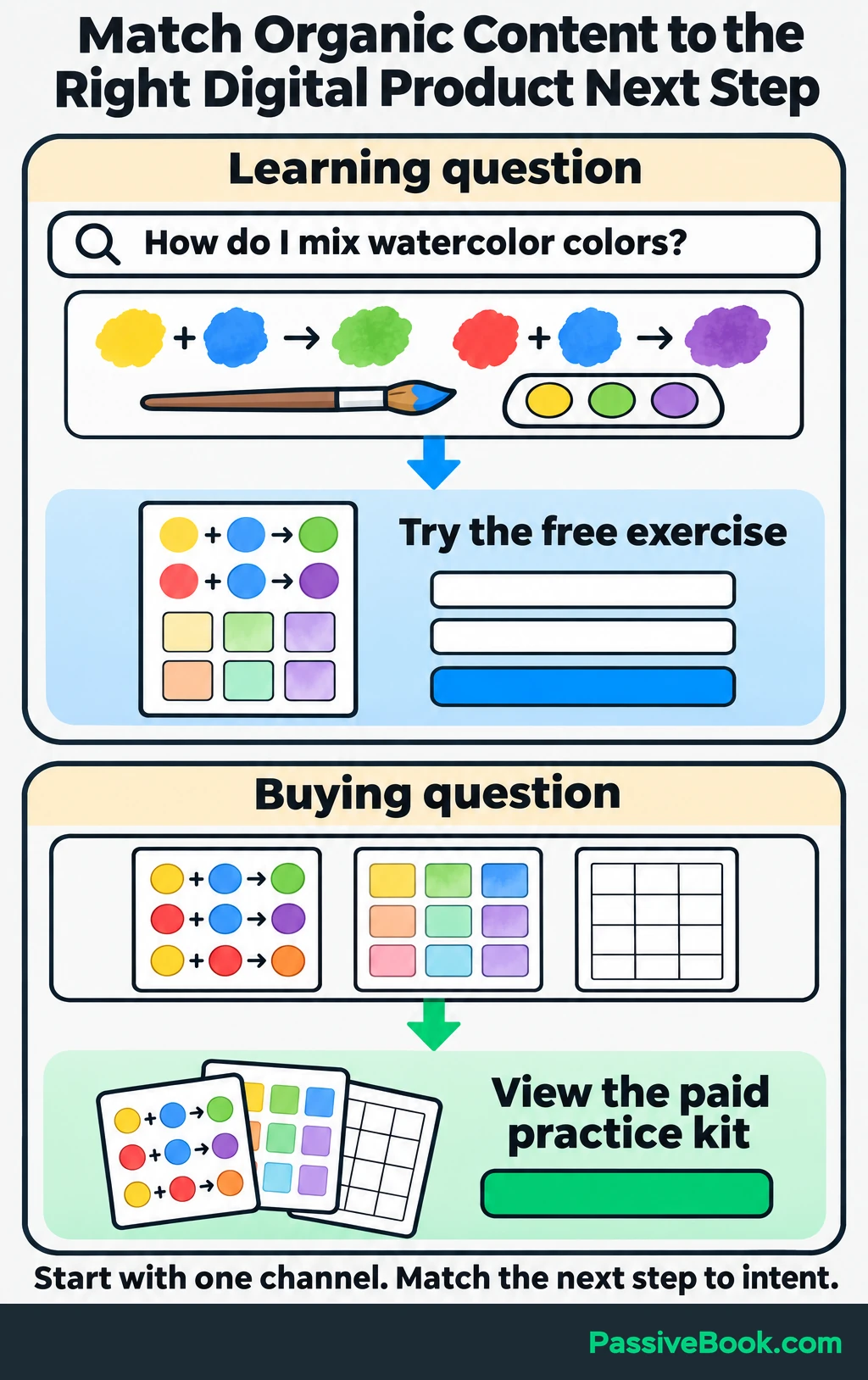
A color-mixing tutorial could introduce the free exercise beside the instructions readers can practise. An article comparing practice resources could link directly to the paid kit because it addresses a buying decision.
Blog content and Pinterest are my active channels at Passive Book. For this watercolor example, I would begin with search-focused articles, then consider Pinterest once the route from article to purchase works. You don’t need both channels to launch.
Use consistent tracking tags on links shared outside your site so reports can identify where visits came from. In Google Analytics, these tags distinguish the source, such as pinterest or newsletter, from the campaign, such as practice_kit. Use page reports to compare individual articles.
Compare the signups and purchases those sources produce before adding another channel.
Organic traffic still needs creation and maintenance work. Automated follow-up handles what happens after someone arrives; it does not supply the visitors.
9. Improve the Stage That Limits Sales
Count each person once within each group. For signup conversion, count how many of the signup-page visitors became subscribers. For subscriber-to-buyer conversion, count how many people who entered the sequence bought within a fixed time after joining. Give every subscriber the full window before comparing results.
If you also measure product-page conversion, divide buyers from the product-page visitors you counted by those visitors, then multiply by 100. Keep the visits and purchases within the same reporting window.
Suppose 500 people visit the watercolor signup page and 100 join the email sequence. Of those 100 subscribers, five each buy one $29 kit within 30 days of entering the sequence.
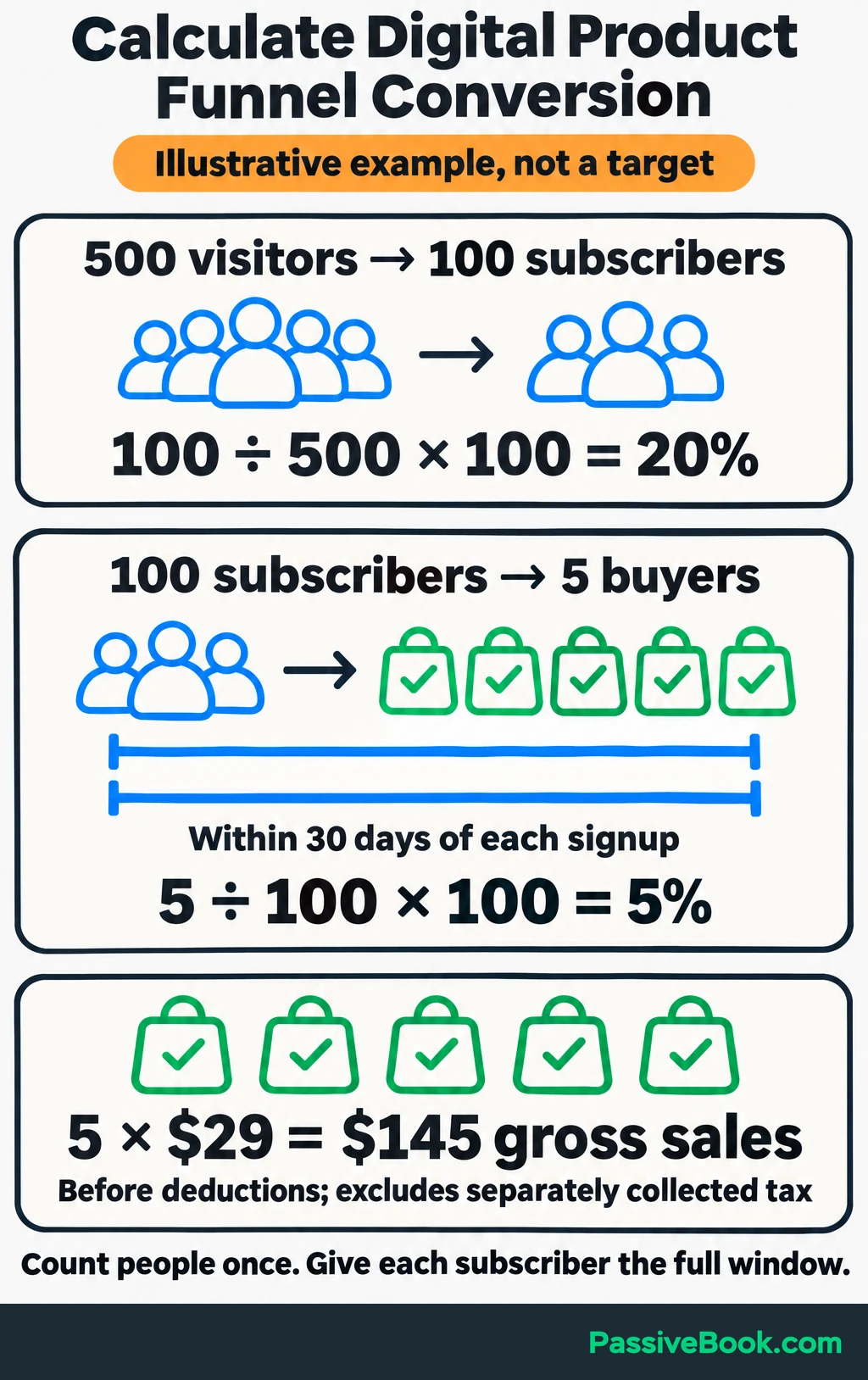
The illustrative results are:
- Signup conversion: 100 ÷ 500 × 100 = 20%.
- Subscriber-to-buyer conversion: 5 ÷ 100 × 100 = 5%.
- Gross product sales: 5 × $29 = $145, before deductions and excluding any separately collected tax.
These figures show the calculation. They are not targets or evidence that the kit will sell.
To work out what remains, subtract refunds, platform and payment fees, variable selling costs and recurring software expenses for the period. Record your working time separately so you can judge whether expanding makes sense.
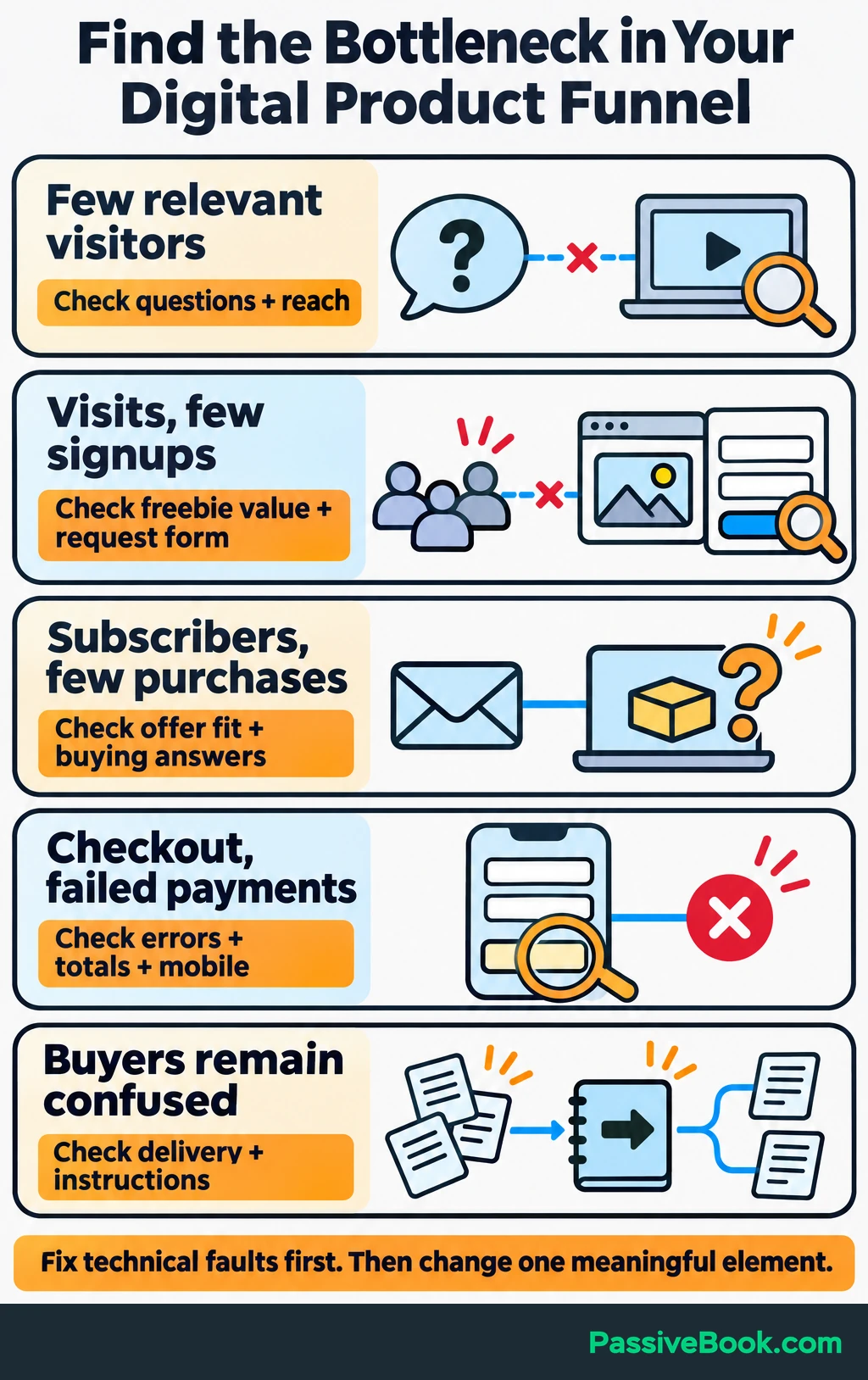
Then match the problem to the repair:
| What You Observe | What I Would Check First |
|---|---|
| Few relevant visitors | Whether your content answers questions potential buyers actually ask and reaches them |
| Visits but few signups | Whether the free exercise is useful, clearly described and easy to request |
| Subscribers but few purchases | Offer fit, product previews and unanswered buying questions |
| Checkout starts but failed payments | Payment settings, errors, unexpected totals and mobile usability |
| Purchases followed by repeated confusion | Delivery instructions, product organization and missing explanations |
Fix technical problems first. Then change one meaningful element, record what changed and review the result before changing something else.
With only a few sales, percentages can swing sharply. Read customer questions and inspect the actual journey alongside the numbers.
Add a bundle, checkout extra or complementary product when customers give you a reason to create it and the expected proceeds justify the work. I would rather have one useful product with a working purchase path than a catalog that needs a guided tour.
What Next?
Draw your product’s route from first visit to delivered files on one page, then mark the first missing connection you can fix.
Use the social buttons to share this guide when you want to compare funnel plans or help a discussion move from tool shopping to a working sales path.
Which connection in your funnel feels least reliable right now? Tell me in the comments, and bring any other questions along.
Share this post with your friends & followers:

