You find a plan that covers your subscriber list, then discover the welcome sequence needs a paid upgrade. Another tool includes automation but charges for contacts you weren’t planning to email.
The monthly price stops being useful when each platform counts something different.
Moving your forms, contacts and follow-ups later is a fairly annoying way to discover what you needed. This comparison helps you avoid that move by weighing the tools against your email workflow, the cost at your list size and the connection between a signup and a sale.
Best Email Marketing Tools at a Glance
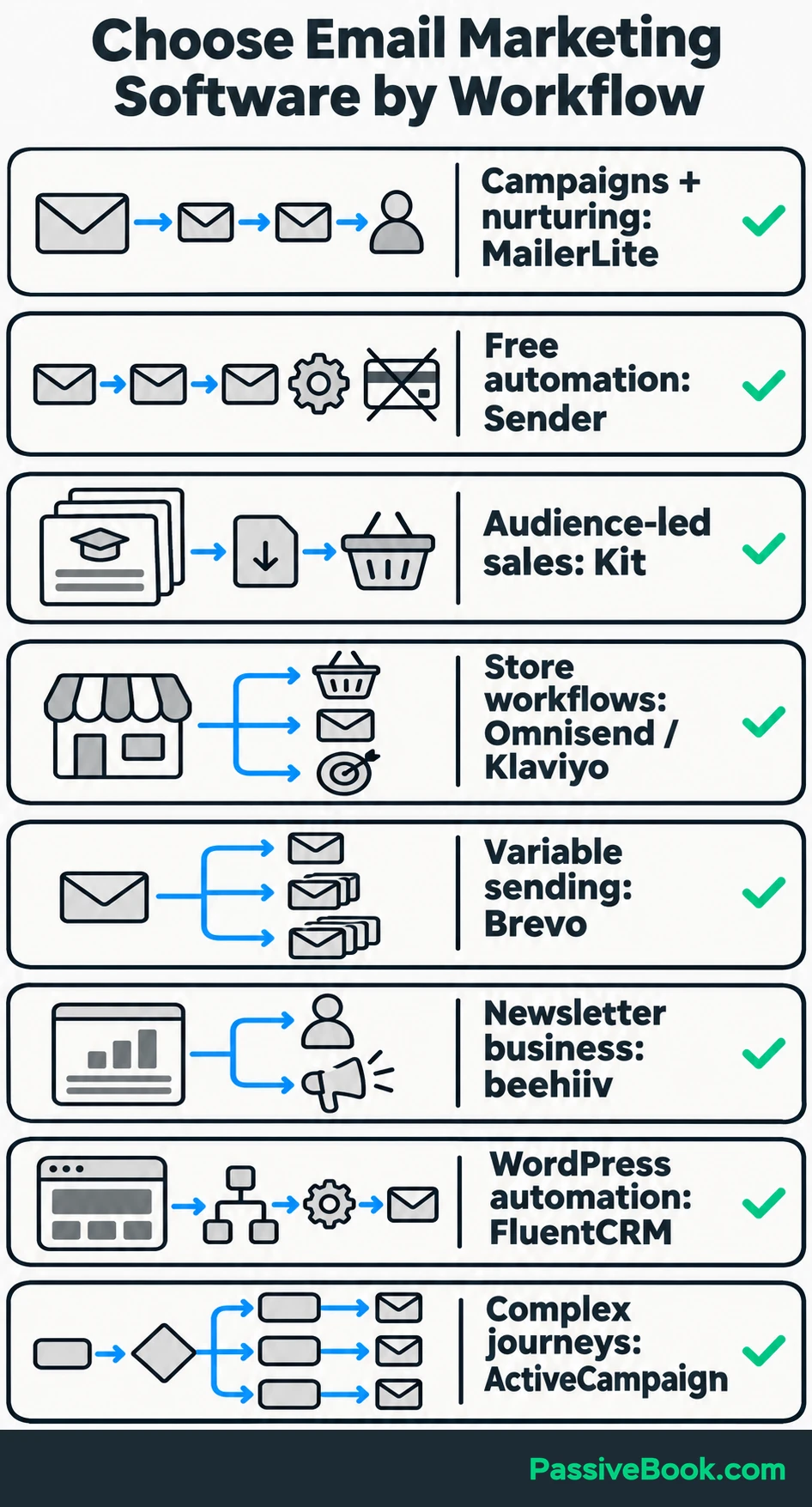
MailerLite is my starting recommendation for everyday campaigns and subscriber nurturing. But I would choose differently when another job matters more:
- Everyday campaigns: Start with MailerLite for newsletters, signup forms and automated follow-ups.
- Free automation: Shortlist Sender when a welcome sequence needs to run without a subscription.
- Audience-led sales: Consider Kit when useful emails lead readers toward your digital products.
- Store workflows: Compare Omnisend for ready-made follow-ups and Klaviyo for more detailed targeting based on shopping activity.
- Flexible sending: Look at Brevo when sending volume varies or you want campaigns and messages such as receipts with one provider.
- Newsletter publishing: Choose beehiiv when the publication itself is the business.
- WordPress automation: Consider FluentCRM when your site already runs WordPress and you can maintain the sending setup.
- Complex journeys: Shortlist ActiveCampaign when several conditions or connected systems must work together.
These are editorial recommendations based on documented capabilities. They aren’t the results of a comparative hands-on test.
For a straightforward product business, I would usually test MailerLite and Sender first. FluentCRM enters my shortlist when WordPress ownership and maintenance already make sense. I would add the more specialized platforms only when I could name the job that justifies them.
How to Compare Email Marketing Plans
Match the Software to Your Workflow
Write down what should happen after someone subscribes, clicks or buys. That gives you something concrete to compare with each platform’s feature list.
Imagine you sell downloadable beginner patchwork patterns through WooCommerce, a plugin that adds a store to WordPress. A free fabric-cutting checklist attracts subscribers, and your emails introduce a table-runner pattern.
A few terms matter here:
- Broadcast: One campaign sent to a selected audience, such as a weekly newsletter.
- Sequence: A series of scheduled emails, such as three welcome messages.
- Behavioral automation: A journey that changes after an event, such as a purchase.
- Tag: A label attached to a contact, such as “requested cutting checklist.”
- Segment: A group selected by rules, such as subscribers who requested the checklist but haven’t bought a pattern.
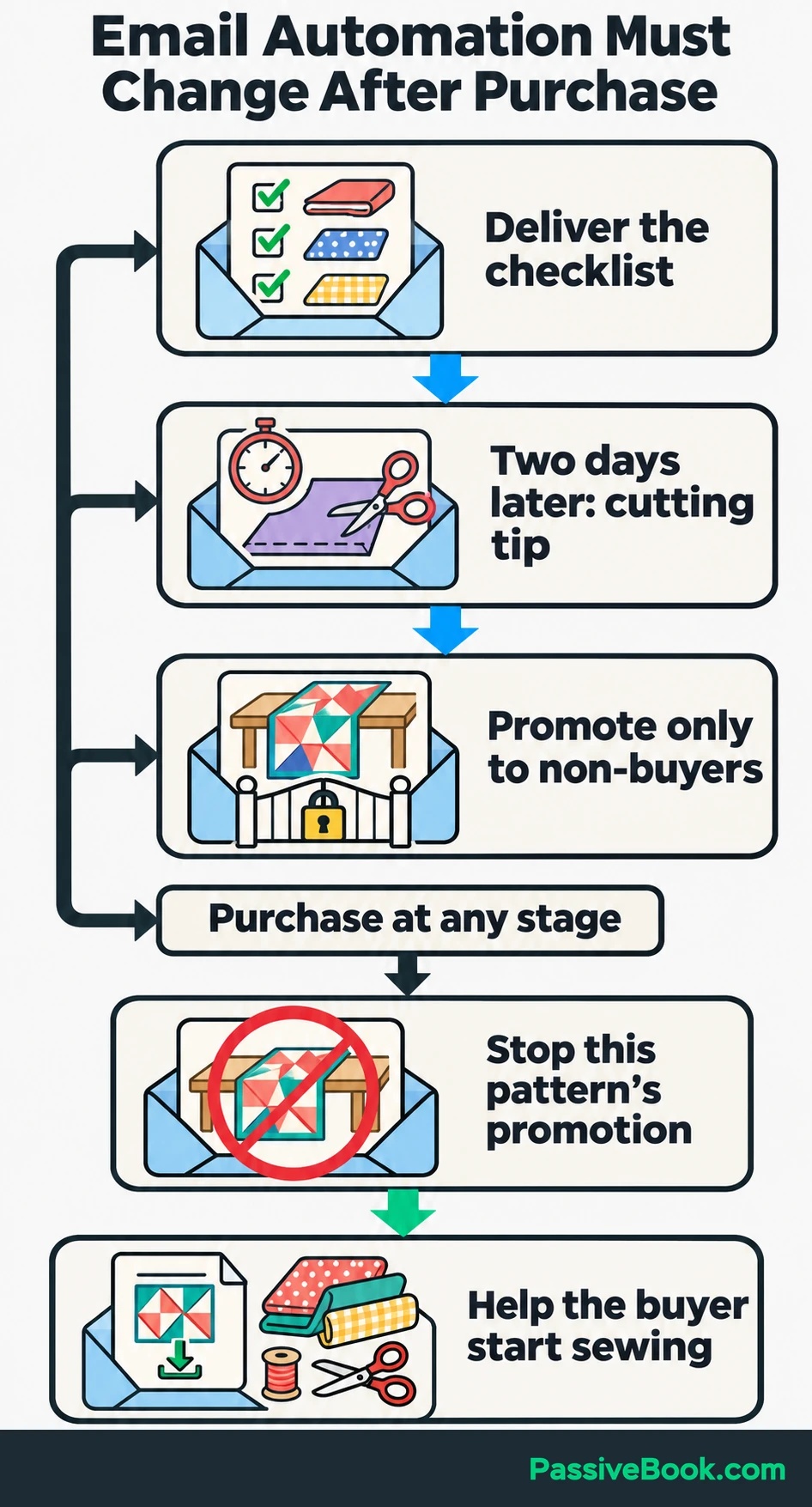
Your essential workflow might be:
- Deliver the checklist in the first welcome email.
- Send a useful cutting tip two days later.
- Introduce the table-runner pattern to subscribers who haven’t bought it.
- Recognize a purchase and stop that product’s sales messages.
- Move the buyer into a follow-up that helps them start sewing.
That last part matters as much as sending the welcome emails.
On one of my digital-product sites, I had grouped people by the download they requested but hadn’t clearly defined what should change after a purchase. Buyers could remain in the same promotional group as everyone else. I had organized the entrance and neglected the exit.
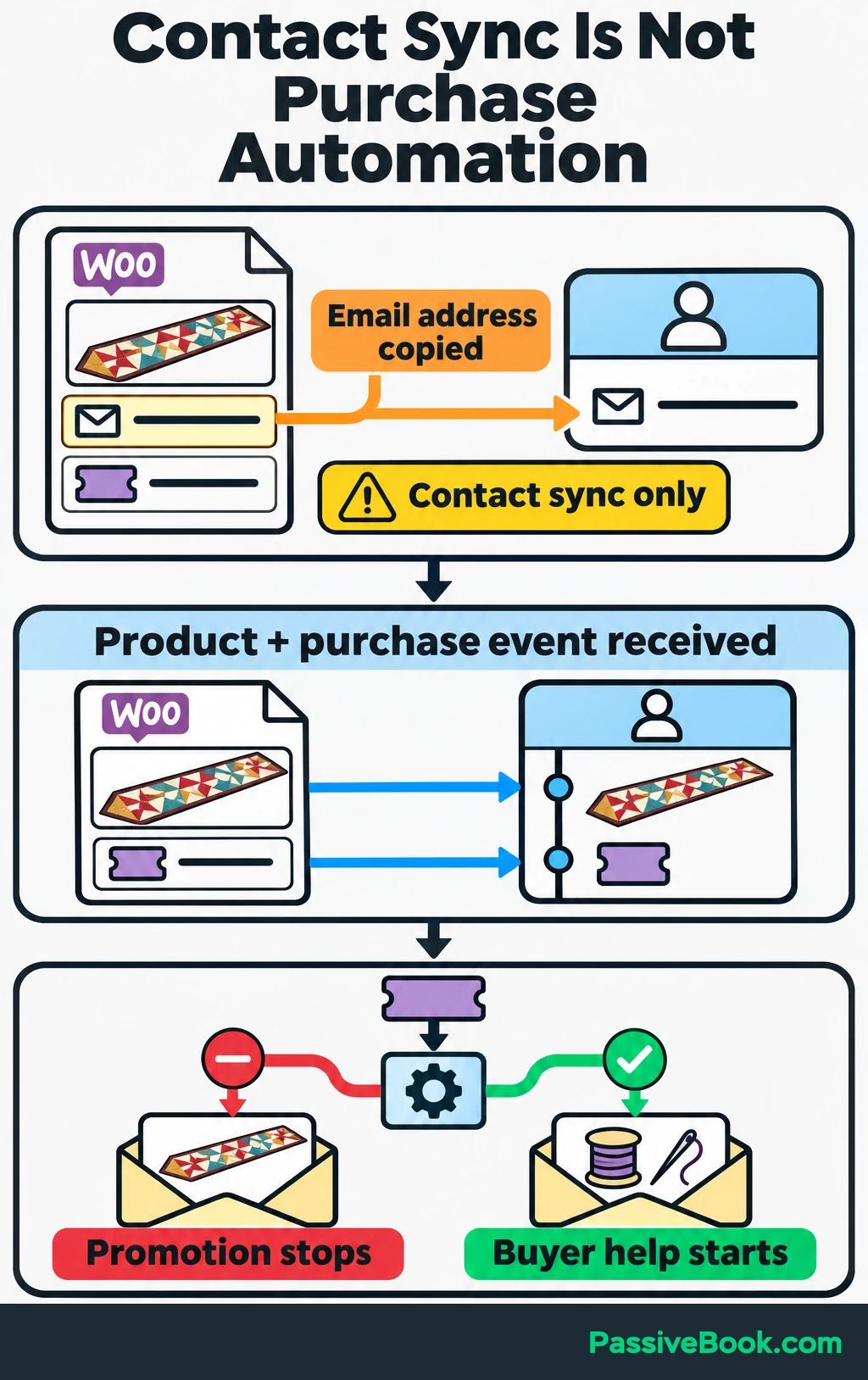
Now I write the purchase rule before choosing the software. For this shop, it is simple: “Once someone buys the table-runner pattern, stop promoting that pattern and send the getting-started help.”
An integration must carry enough information to apply that rule. Copying an email address from WooCommerce proves that contact syncing works. It doesn’t prove the platform receives the purchased product or can remove someone from a sequence.
Newsletter publishing, shopping-data analysis and WordPress automation are useful extras when you need them. They shouldn’t decide the purchase just because they occupy more space on the sales page.
Price the Plan You Will Actually Need
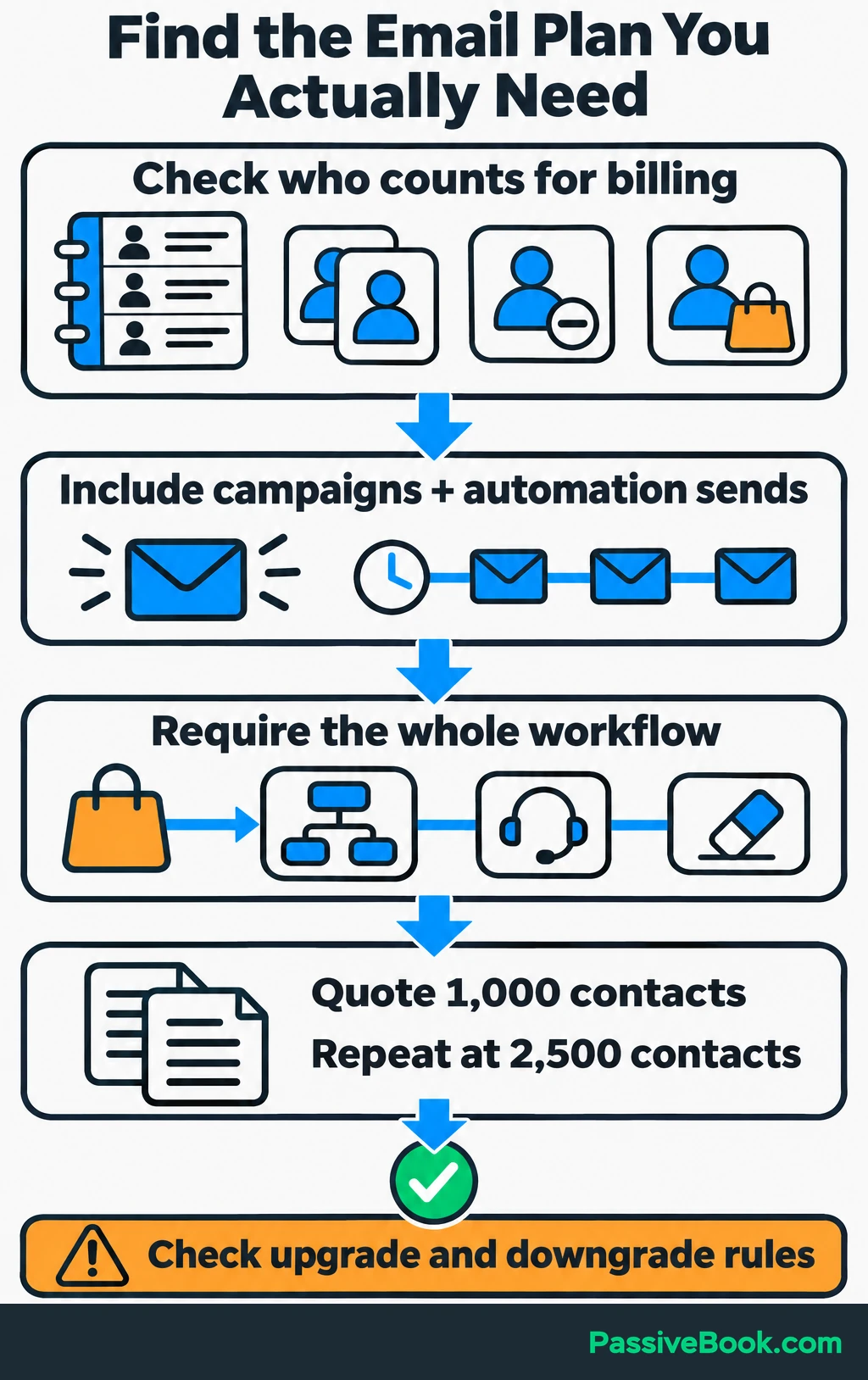
Start with two separate counts: billable contacts and email sends.
For contacts, check what happens to duplicate addresses, unsubscribed people, customers who haven’t subscribed and one person appearing in several lists. Don’t assume every provider counts them the same way.
For your sending estimate, count one email per recipient, including automated messages. Don’t subtract bounced messages: a provider may count them toward your allowance.
Suppose the patchwork shop has 1,000 subscribers after 100 new people join at the start of the month. It sends four broadcasts to all 1,000, and each new subscriber receives all three welcome emails that month.
| Email activity | Monthly sends |
|---|---|
| Four broadcasts to 1,000 subscribers | 4,000 |
| Three welcome emails to 100 new subscribers | 300 |
| Total before buyer follow-ups or other messages | 4,300 |
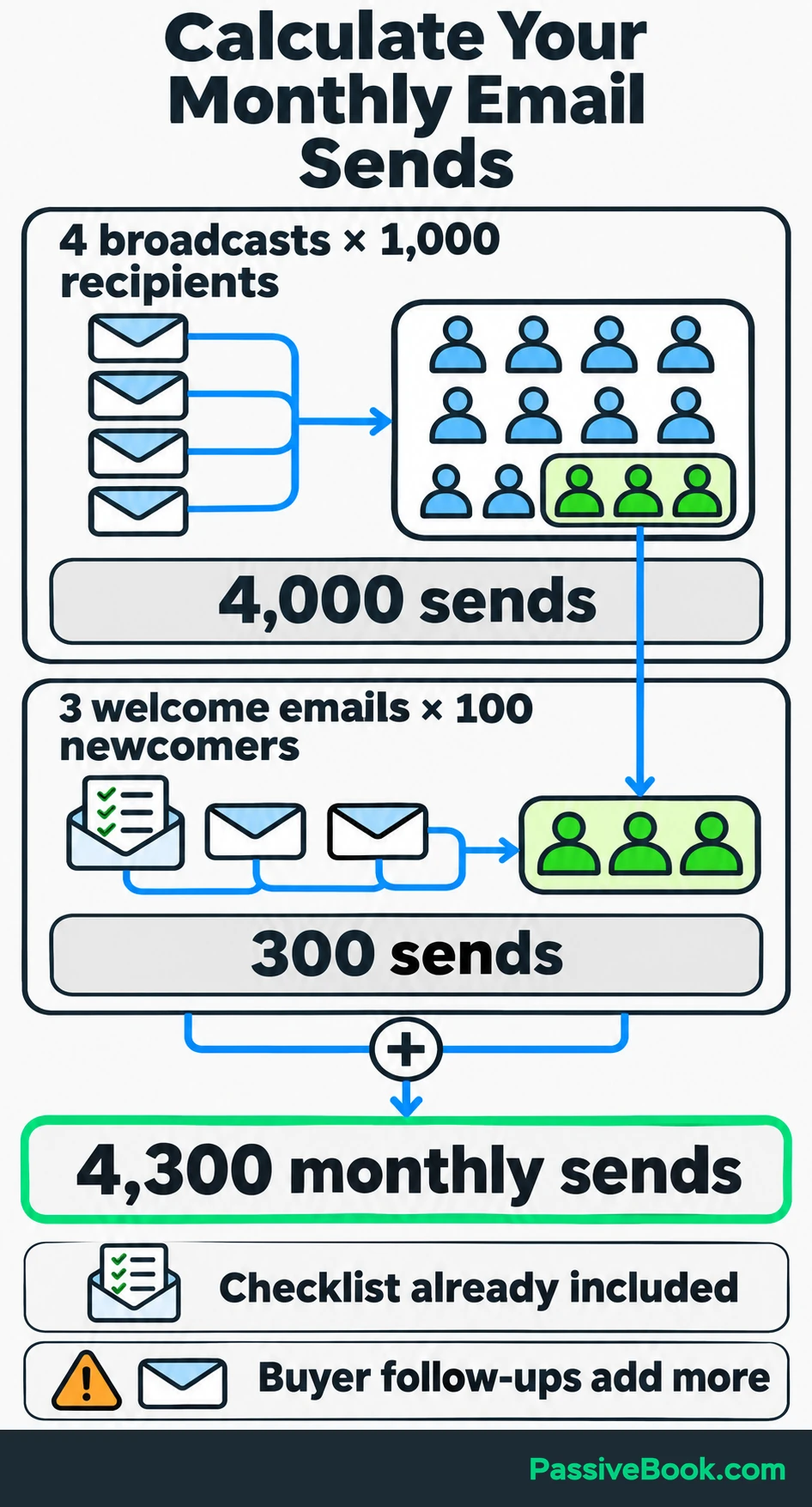
The checklist arrives in the first welcome email, so it isn’t an extra message in this calculation. Buyer follow-ups would add to the total.
The table below separates published entry tiers from that 1,000-contact workload.
Prices are USD before applicable taxes, and temporary promotions are excluded. Annual equivalents require the stated upfront payment. Check the linked pages for current prices and limits.
| Tool | Free Allowance | Paid Plans and Billing | Automation Access | Main Tradeoff |
|---|---|---|---|---|
| MailerLite | 250 subscribers; 2,500 emails/month | Comfort for 500 subscribers: $12/month, or $129.60/year upfront ($10.80/month equivalent) | Free: three active automations, five steps each; Comfort: 50 active automations | The entry price covers 500 subscribers, so reprice for 1,000 |
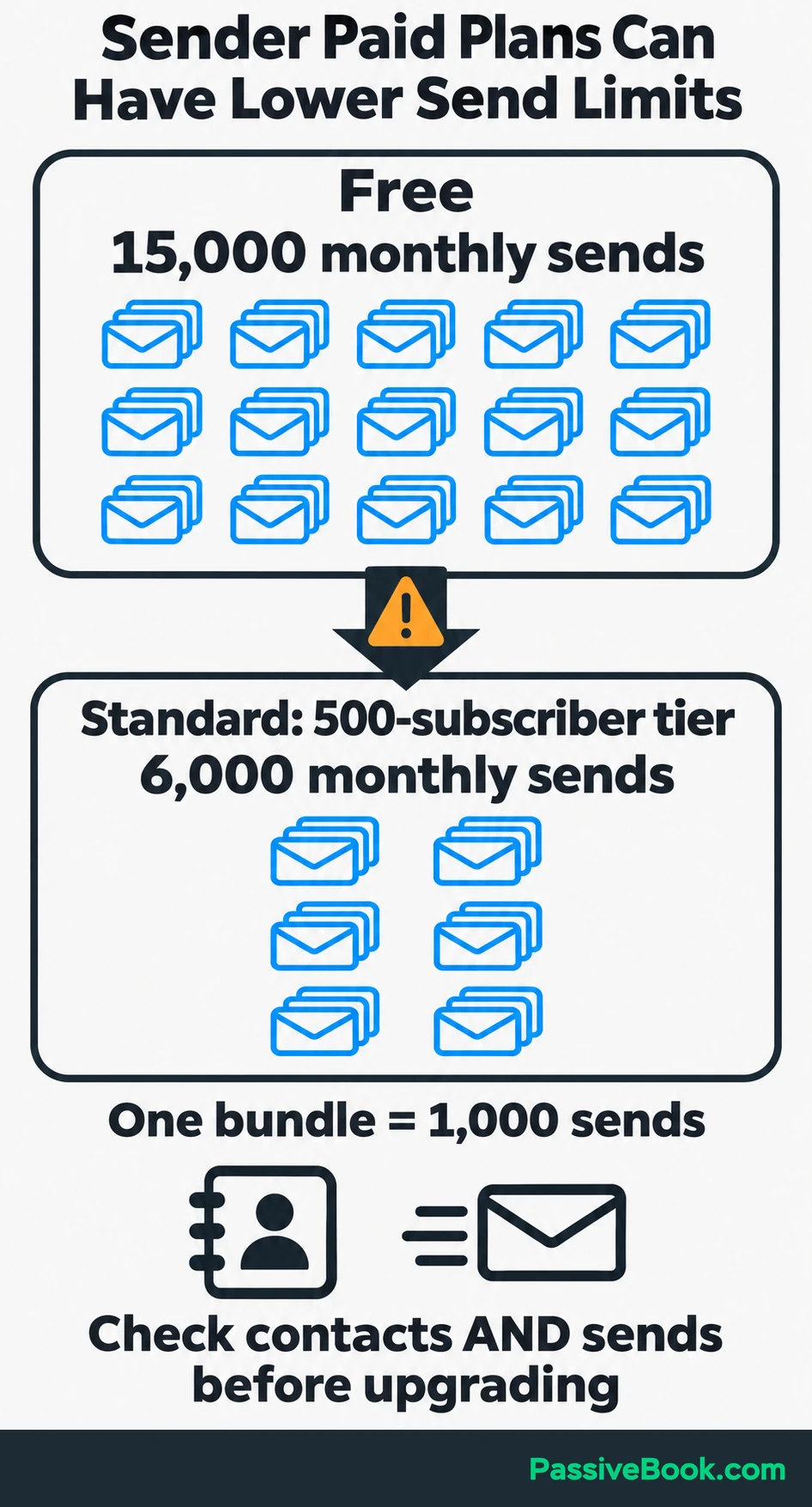
| Sender | 2,500 subscribers; 15,000 emails/month | Standard: quote at checkout; entry tier covers 500 subscribers and 6,000 emails/month. Monthly, annual or multiyear billing | Automation included on Free | Free includes branding; a small paid tier can have a lower sending allowance |
| Kit | 10,000 subscribers; unlimited broadcasts | Creator for 1,000 subscribers: $39/month, or $390/year upfront ($32.50/month equivalent) | Automated sequences require Creator or higher | Free won’t run the shop’s welcome sequence |
| Brevo | 100,000 stored contacts; 300 emails/day | Starter from $9/month; Standard from $18/month. Both start with 500 stored contacts and 5,000 emails/month; confirm the billing term | Free and Starter: up to 2,000 automation contacts; Standard removes that cap | Paid storage limits can force a larger sending tier |
| beehiiv | 2,500 subscribers; unlimited email sends | At 1,000 subscribers, annual billing: Lite $588 upfront ($49/month equivalent); Pro $1,140 upfront ($95/month equivalent) | Automations start on Lite; webhooks require Pro | Check whether the store connection supports purchase recognition and buyer follow-up |
| FluentCRM | Free plugin; delivery allowance comes from your connected sender | Regular single-site Pro license: $129/year; no subscriber-based license tier. Sending and infrastructure cost extra | Basic Free automation; budget for Pro for the WooCommerce workflow | You maintain WordPress and the delivery connection |
| Omnisend | 500 emails/month to at most 250 unique contacts | Standard: regular $16/month for 500 contacts and 6,000 emails/month; monthly billing | Prebuilt automation available on Free; paid plans expand capacity and features | Billable contacts can include non-subscribers receiving automated messages |
| Klaviyo | 250 active profiles; 500 emails/month | Email: $20/month for 500 active profiles and 5,000 emails/month; monthly billing | Campaigns and automated workflows available on Free | Profile growth and added products or channels increase costs |
| ActiveCampaign | No ongoing free plan; trial available | For 1,000 contacts, annual billing: Starter $180 upfront ($15/month equivalent); Plus $588 upfront ($49/month equivalent) | Starter: five actions per automation; Plus: unlimited actions | Starter is unavailable to existing customers |
Sender’s non-promotional paid checkout total isn’t shown here because it varies with the selected tier and billing term. Its free allowance is enough to make the first comparison useful without relying on a sale price.
If those 1,000 subscribers are the shop’s only billable contacts, here is how the plans compare for its 4,300 sends before buyer follow-ups:
- Sender Free fits the stated volume and includes automation.
- Kit Free fits the audience size but leaves out the sequence.
- MailerLite needs its 1,000-subscriber paid tier.
- Brevo needs the 10,000-send paid tier because that tier stores 1,500 contacts, even though the shop sends fewer messages.
- Omnisend and Klaviyo need tiers above their 500-contact paid entry plans.
- FluentCRM needs its license, delivery service and sufficient website capacity.
Compare the lowest plan that completes the whole workflow. Include branding removal, the support channel you need and any paid connection between your store and email platform.
Then repeat the quote for one realistic growth scenario, such as 2,500 contacts. Record the next tier, sending allowance and upgrade rules. Also check whether cleaning your list reduces the bill automatically or requires a manual downgrade.
I would pay monthly while testing. An annual discount becomes useful once the software has earned a place in the business.
Once you have two plans that cover the workflow, compare what you would pay over the same period. Keep the upfront bill separate from the monthly equivalent.

Free Software Cost Calculator




The Best Email Marketing Software by Use Case
MailerLite: Best for Everyday Campaigns and Subscriber Nurturing
MailerLite is where I would begin when you need campaigns, forms, landing pages and follow-ups in one place. The appeal is having the main jobs covered without making newsletter publishing or shopping analysis the center of the system.
Its WooCommerce integration supports customer syncing, product blocks, abandoned-cart emails and purchase tracking. That makes it worth testing for the patchwork shop rather than treating it as a broadcast-only option.
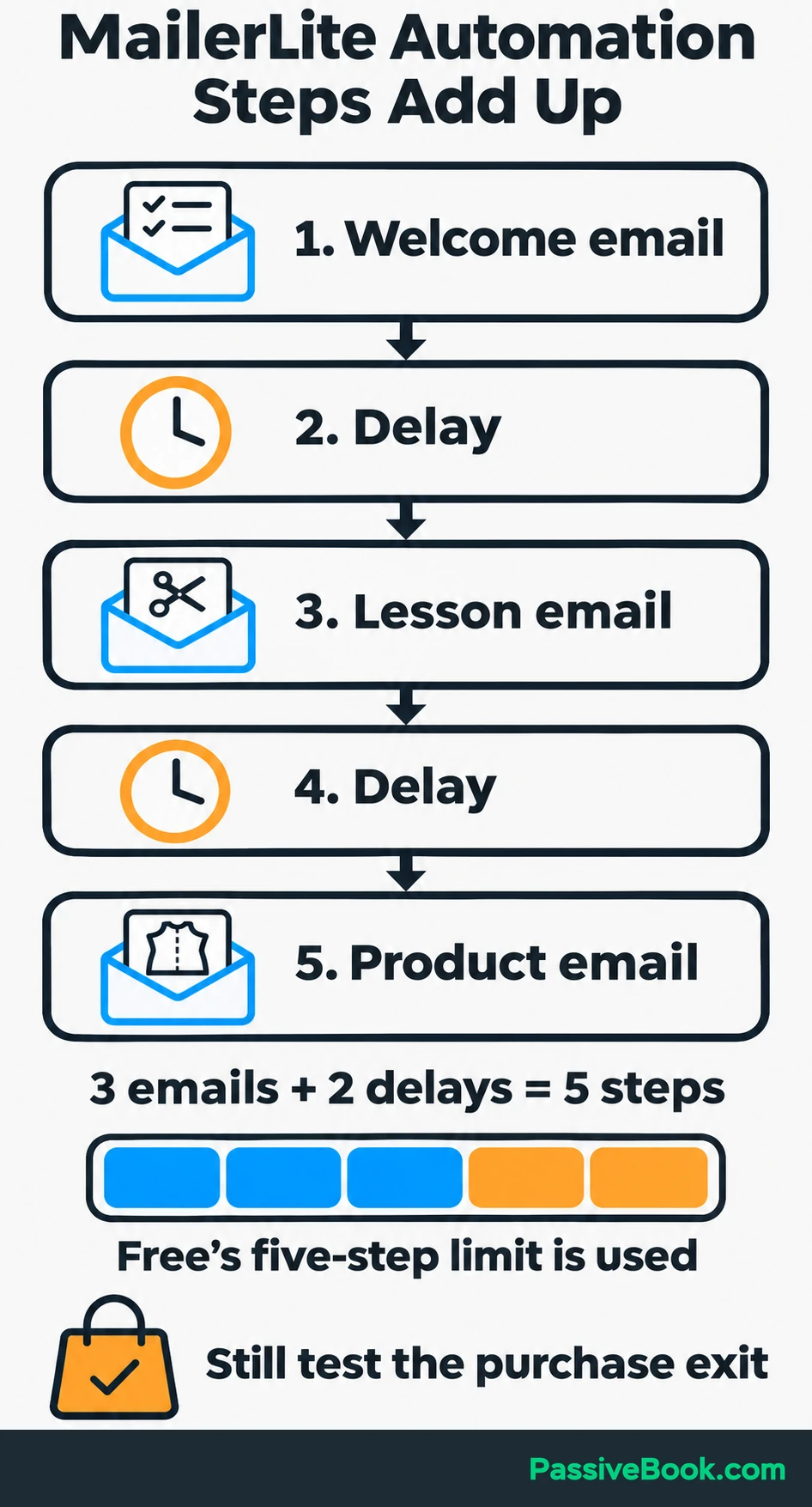
I would shortlist Comfort and test whether a purchase stops that product’s sales messages and starts the buyer follow-up. Free’s five-step automation limit is easy to underestimate: three email steps and two delays already use five steps.
Comfort provides 50 active automations and email support. Its monthly sending allowance is ten times the subscriber-tier ceiling, so the up-to-1,000 tier provides 10,000 sends.
Power adds unlimited active automations, multiple triggers and 24/7 live chat. Its unlimited sending is subject to fair use.
I would upgrade when a specific limit blocks useful work. A larger feature list isn’t a reason to pay more.
Sender: Best for Free Email Automation
Sender is my first alternative when automation must fit an ongoing free plan.
Its free allowance covers the example shop’s stated contact and sending volume. Forms, landing pages, segmentation and automation are included, with Sender branding and one seat.
The important store detail is that its WooCommerce plugin supports purchase and abandoned-cart triggers when tracking is enabled. I would test the purchase trigger and the stop-promotion rule before settling in.
Paid plans become relevant when you need branding removal, more seats or campaign A/B testing, which compares versions of a campaign.
Check both allowances before upgrading. The displayed 500-subscriber Standard tier includes 6,000 monthly sends, while Free allows 15,000 overall. Paying changes the package; it doesn’t guarantee that every limit gets larger.
I would keep the branding while validating the workflow unless removing it serves a clear business need.
Kit: Best for Audience-led Digital Product Sales
Kit, formerly ConvertKit, deserves a place on your shortlist when people buy because they follow your teaching, ideas or recommendations.
For the patchwork shop, that could mean sending useful lessons about fabric choices and cutting before introducing a pattern. The relationship leads the sale.
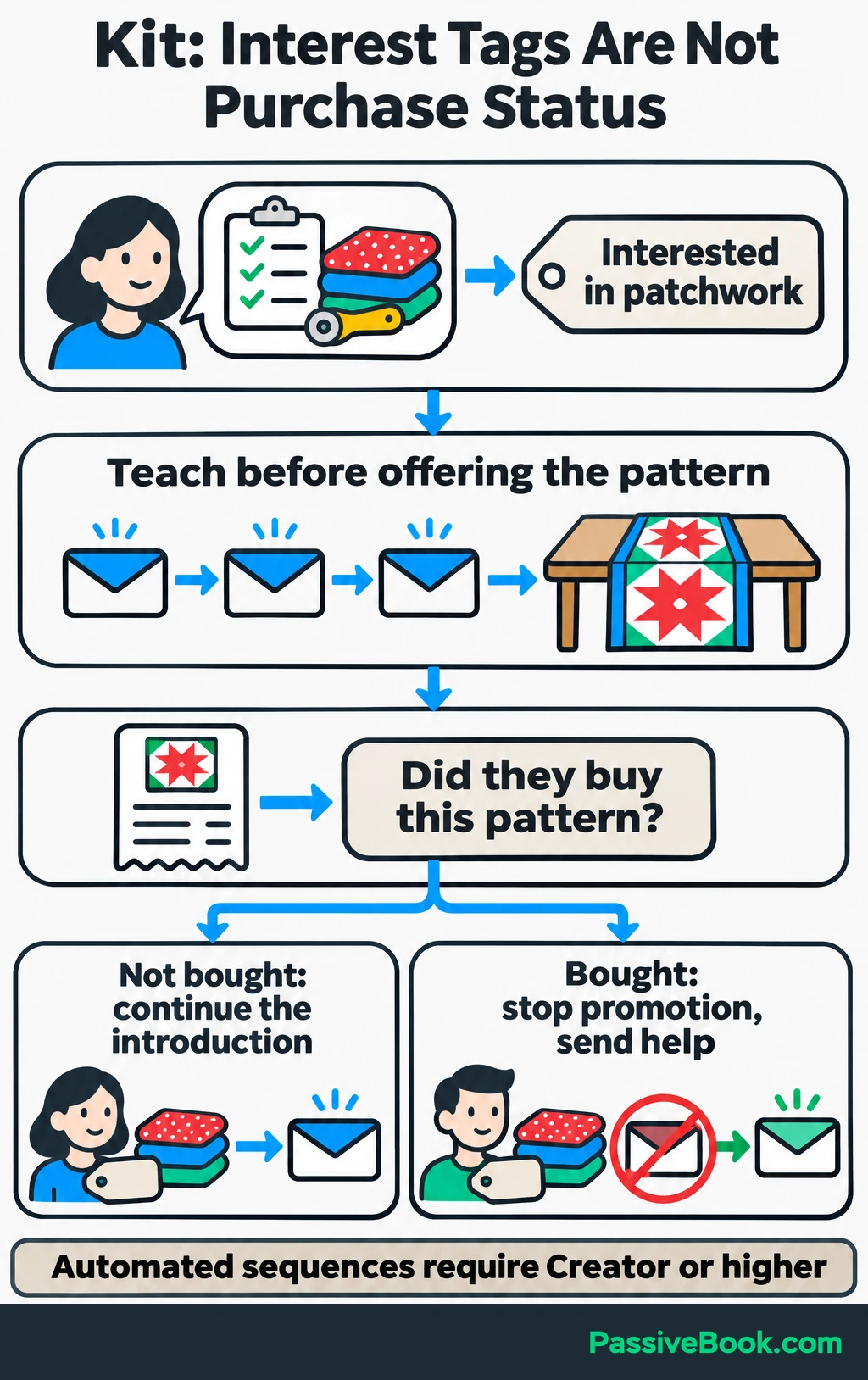
Kit’s Purchases feature can trigger automations for specific products and separate customers from non-customers. That supports the distinction the shop needs: help buyers use the pattern while continuing the introduction for people who haven’t bought.
Free is suitable for broadcasts, tagging, forms and digital-product sales. It doesn’t include automated sequences, so I would compare Creator for this workflow.
Creator includes unlimited sequences and visual automations—workflows you build by arranging steps in a diagram—plus 24/7 email and chat support.
One billing detail deserves attention as the list grows: Kit moves accounts into higher subscriber tiers automatically, but an eligible move to a lower tier requires you to select it. The lower price begins on the next billing date.
I would choose Kit over a cheaper alternative when its way of organizing lessons, interests and offers makes the work easier during the trial.
Brevo: Best for Flexible Sending-volume Plans
Brevo is worth considering when sending frequency varies or you want one provider for marketing and transactional messages. Transactional messages include things such as receipts and password resets.
But price contact storage alongside sending volume.
The free plan’s daily cap matters more than its large storage allowance for a broadcast. Sending to 1,000 recipients takes at least four days when no other messages consume that allowance. I would skip Free for a time-sensitive whole-list campaign.
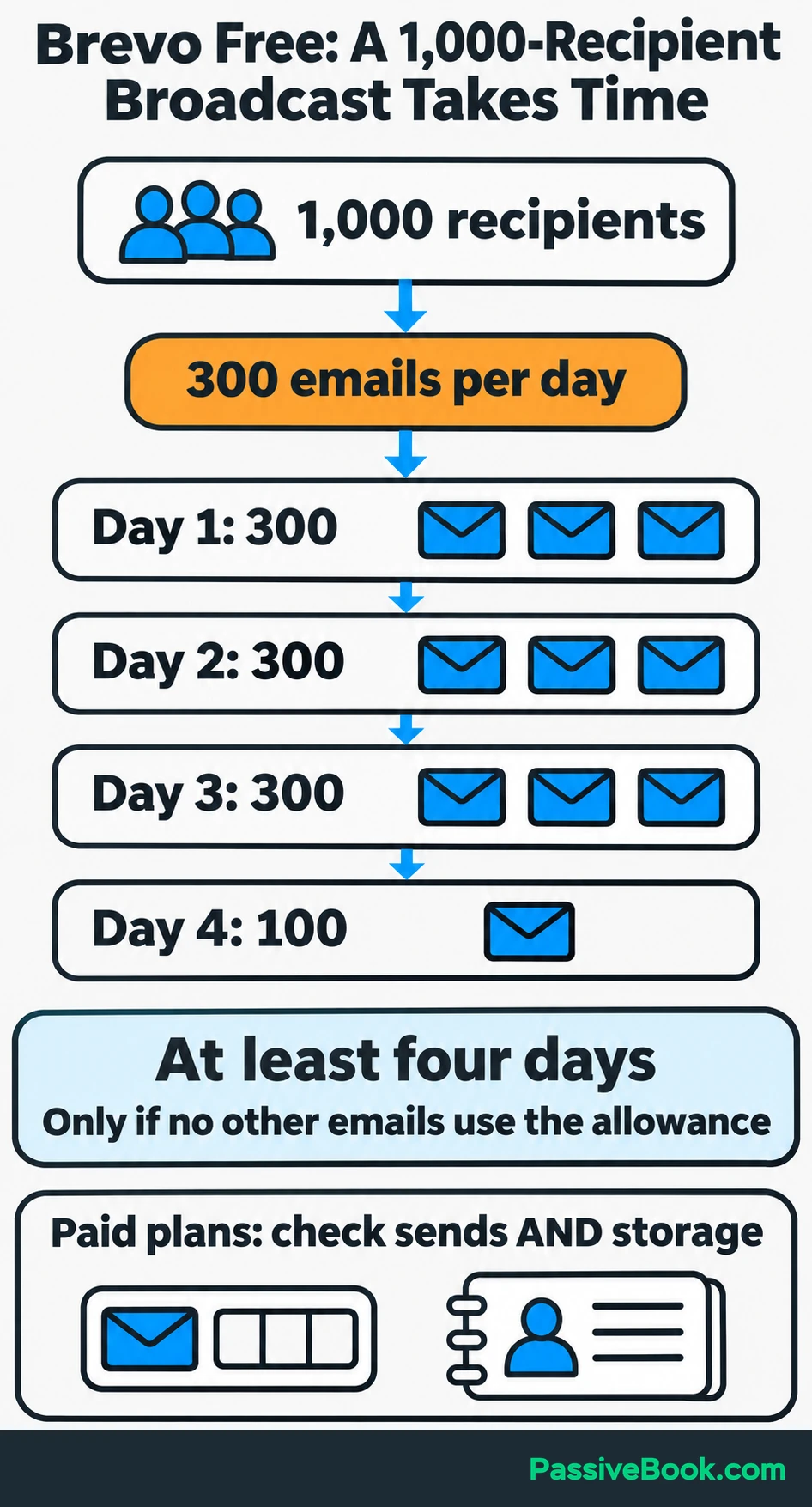
The paid entry tier presents a different constraint. Its sending allowance covers the example’s monthly message count, but its contact storage doesn’t. The shop needs the larger tier shown in the comparison.
Starter also charges separately for branding removal, while Standard includes it and removes the automation-contact cap.
I would shortlist Brevo when its combined sending and storage quote fits the workload. I wouldn’t choose it on the assumption that contacts never affect the price.
Beehiiv: Best for a Newsletter Business
I would choose beehiiv when publishing and monetizing the newsletter is the main business.
Its website, recommendation network and paid newsletter features serve that model. Lite adds automations, paid subscriptions and advertising monetization.
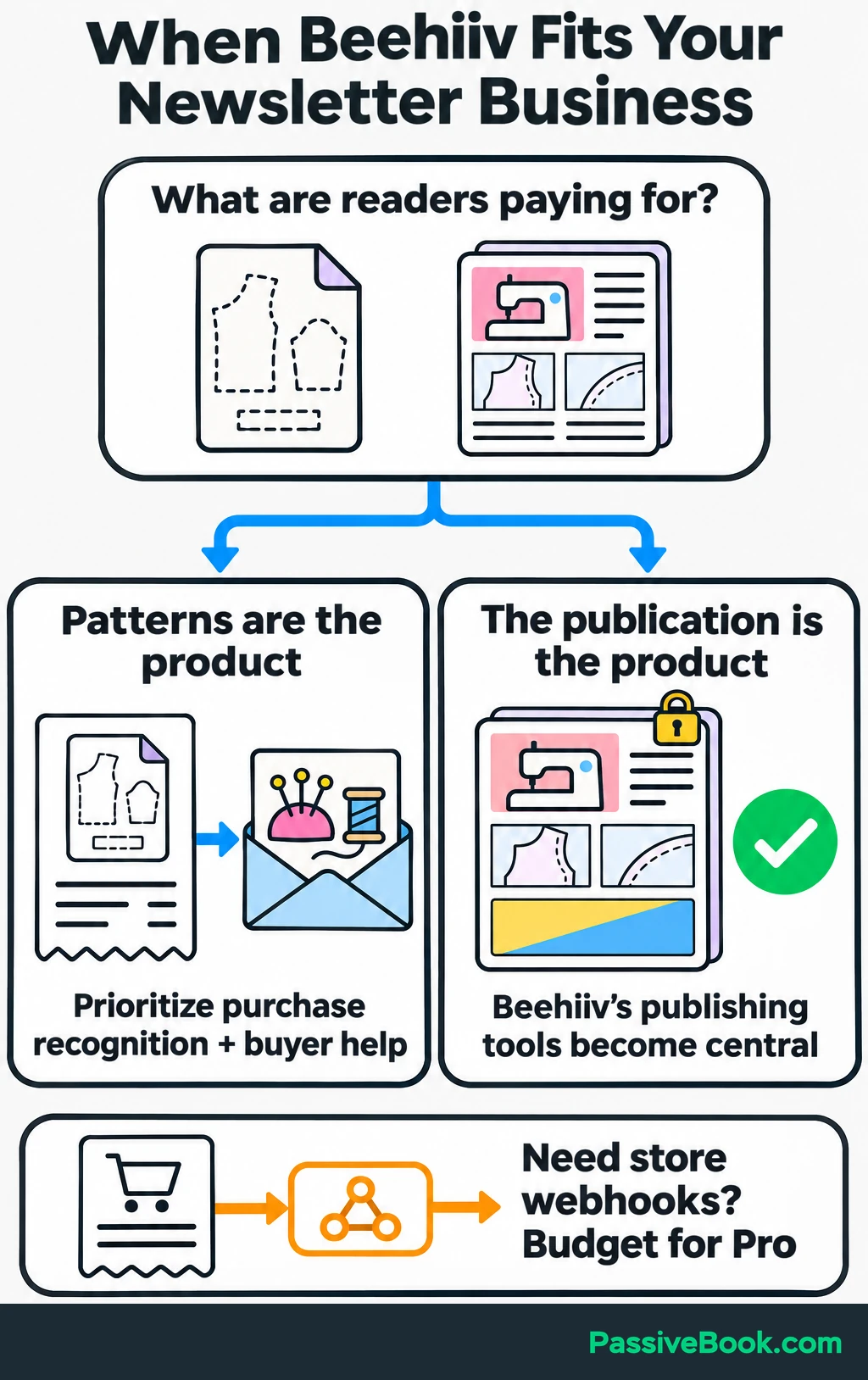
For the patchwork example, beehiiv becomes more relevant if the main offer changes from downloadable patterns to a paid publication with lessons and project ideas. The software choice should follow that change.
If pattern sales remain the main job, I would prioritize purchase recognition and buyer follow-up.
If your store connection needs webhooks to pass purchase information between systems, budget for Pro. Its annual cost is in the comparison table.
I wouldn’t pay for a publishing and monetization package merely to run a small store’s welcome sequence. Those features need a job of their own.
FluentCRM: Best for Email Automation Inside WordPress
FluentCRM is the option I favor when WordPress is already central to the business and maintaining it is part of the routine.
FluentCRM is part of my Passive Book stack, though my newsletter experience comes from other niches.
FluentCRM manages contacts and workflows, FluentSMTP connects WordPress to the sending service, and Amazon SES delivers the email.
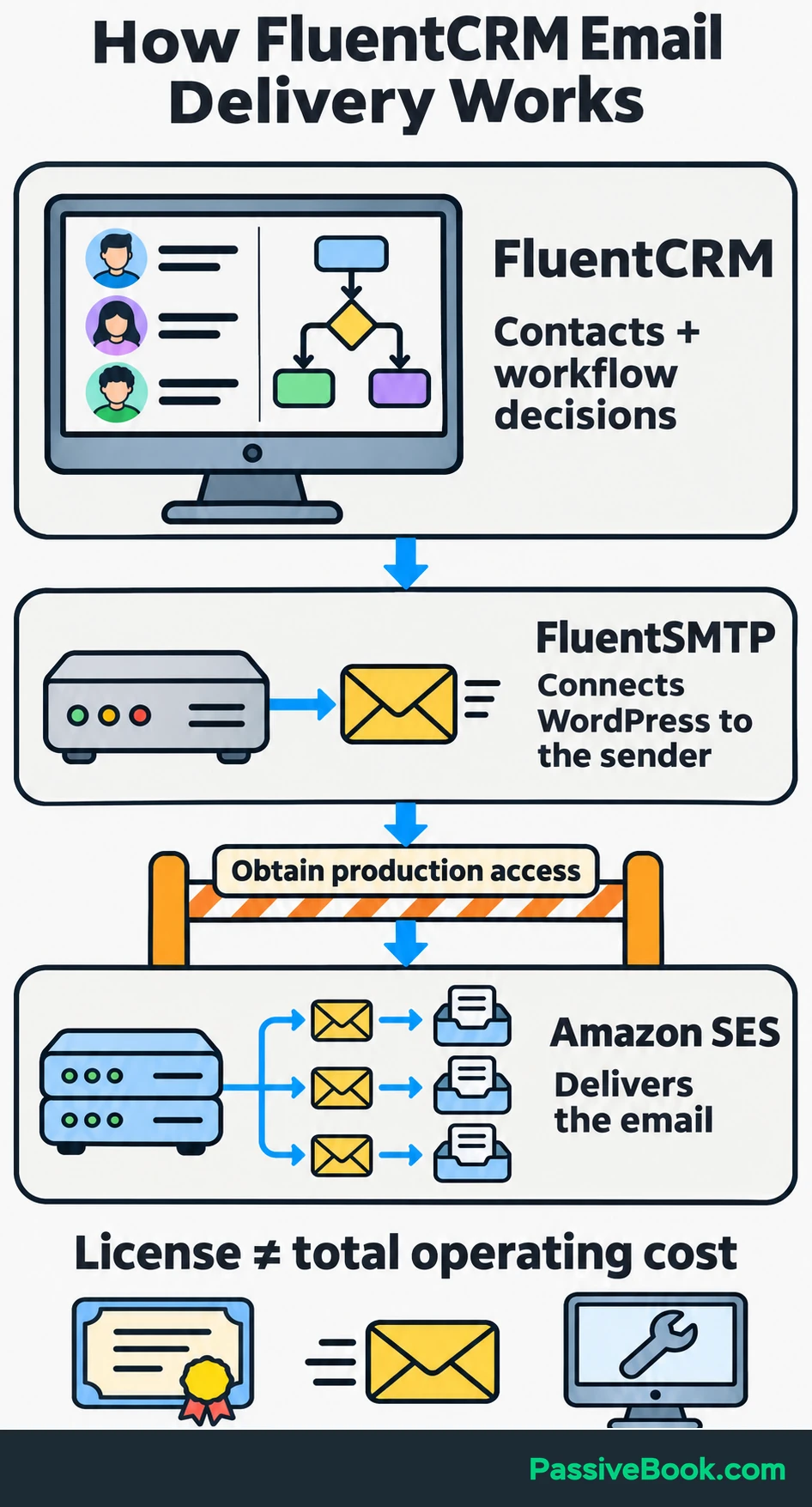
For the patchwork shop, I would budget for Pro. Its paid WooCommerce features include purchase conditions, order triggers and purchase goals, which matter more here than basic contact storage.
The license is based on website count rather than subscribers. That removes one source of rising subscription costs, but delivery, hosting capacity and maintenance still belong in the budget.
If you use Amazon SES, obtain production access before relying on it for subscriber campaigns. New accounts start with restrictions on recipients and sending volume in each sending region, as explained in Amazon’s production-access requirements.
I would choose FluentCRM for ownership and its place inside WordPress. If configuring delivery sounds like a project you will keep postponing, I would choose a hosted platform instead.
Omnisend: Best for Ready-made Store Workflows
Omnisend is my shortlist choice when the store needs familiar journeys—welcome, abandoned cart and post-purchase—and ready-made workflows could reduce setup work.
For the patchwork shop, I would start with welcome and post-purchase emails. A buyer needs help finding the download, preparing fabric and beginning the project. There is no prize for activating every available flow.
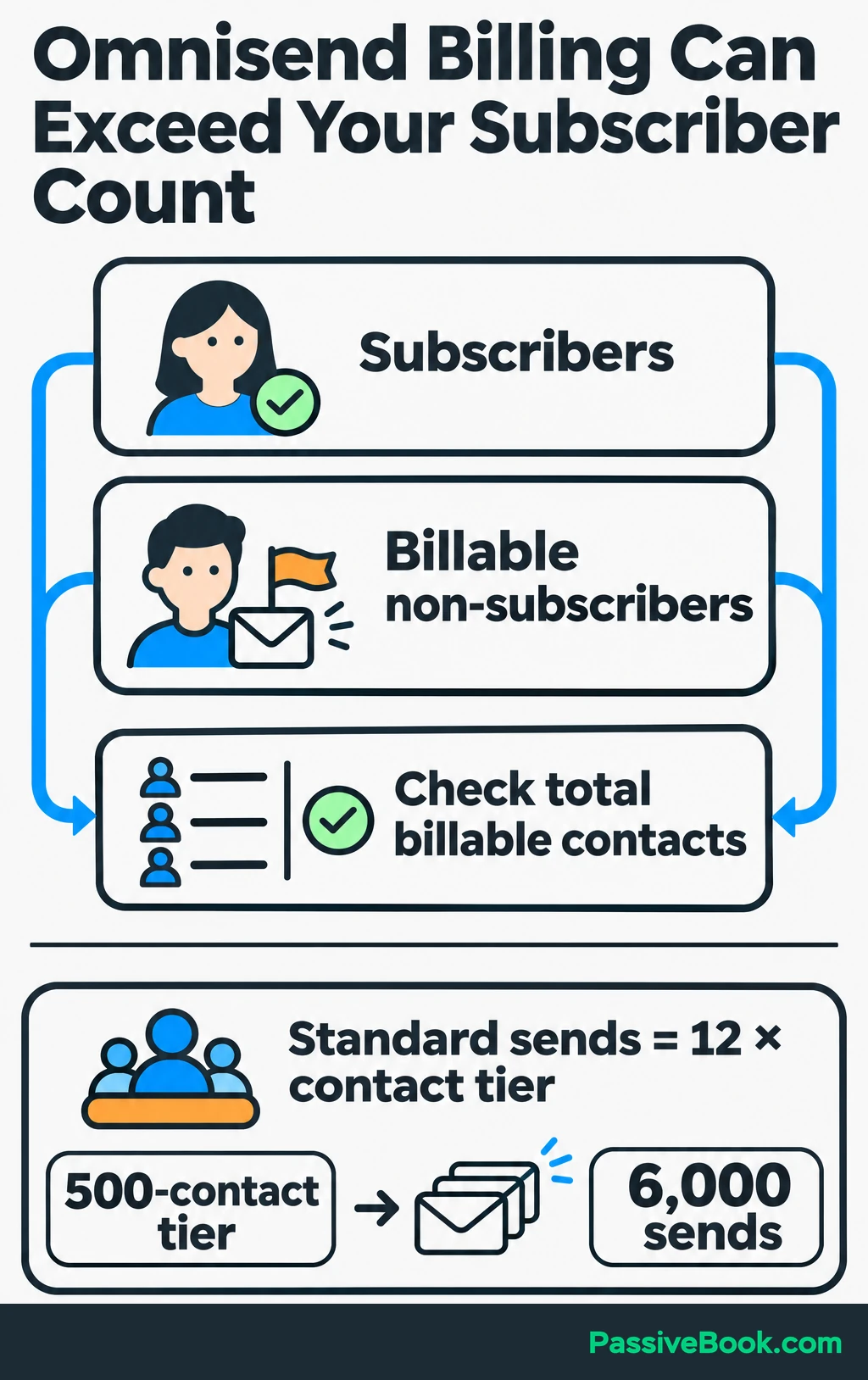
Free gives you room to test, but its volume limits won’t cover the example shop’s regular sending. Standard’s allowance scales at 12 times the contact tier.
Pay attention to the audience used for billing. Omnisend includes subscribers and billable non-subscribers in its pricing rules, so the store’s total can exceed its marketing-subscriber count.
Live chat and email support are available around the clock, including on Free. I would use that access during the test and ask about the exact WooCommerce event needed.
Choose Omnisend when adapting established store workflows gets you to a working system with less effort.
Klaviyo: Best for Detailed Shopping-data Segmentation
Klaviyo earns consideration when shopping activity changes what you send.
Its WooCommerce integration supports store data syncing, checkout events and website activity tracking, including product views.
That creates a useful test for the patchwork shop: can you identify table-runner buyers who viewed a second pattern but haven’t purchased it?
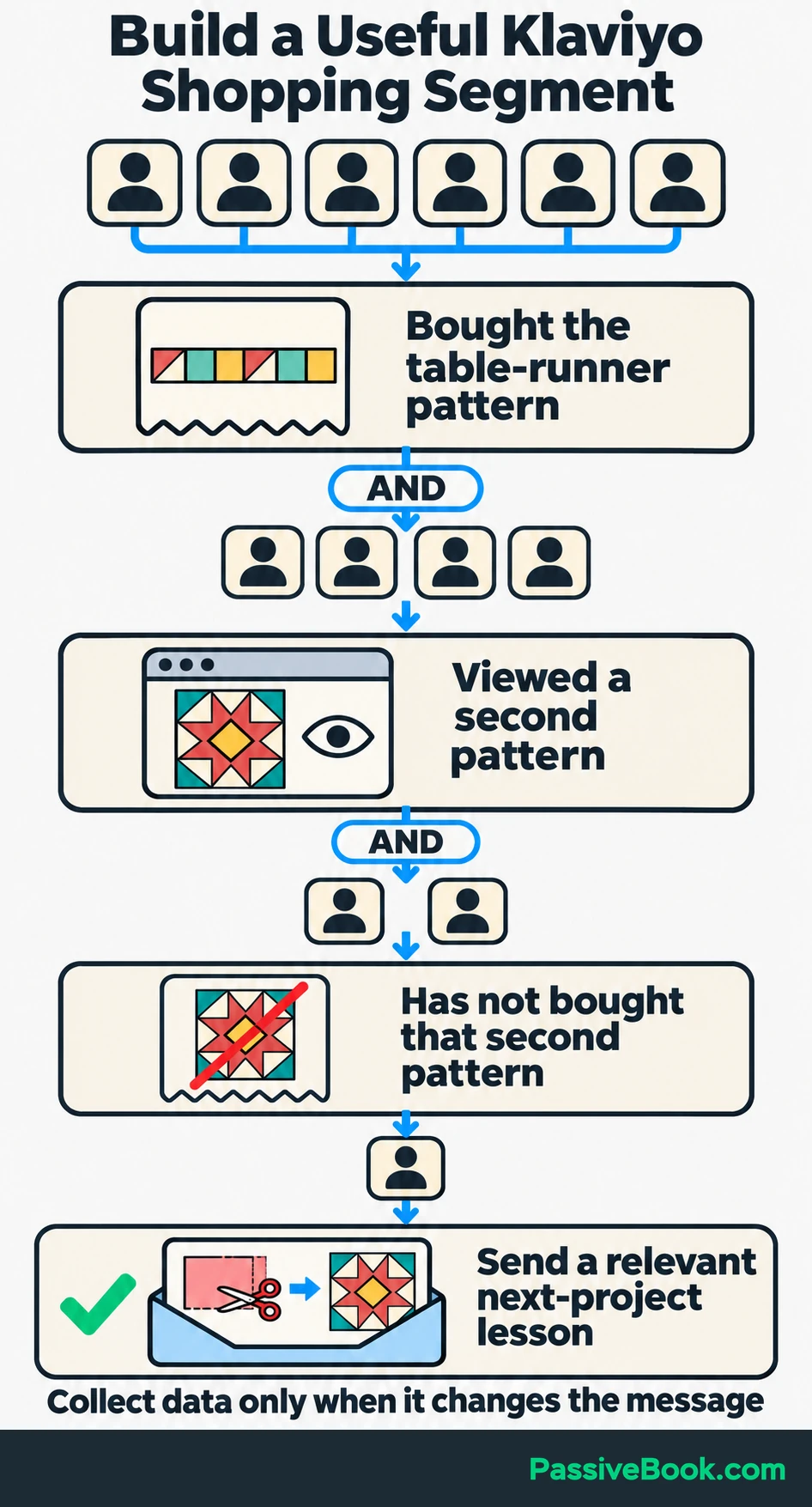
Then ask what you would send them. Perhaps the follow-up explains how the second project builds on the cutting skills they already used. If you would send everyone the same general newsletter, that extra detail may have little value.
Also understand “active profile” before forecasting costs. Under Klaviyo’s billing definition, it means a contact with an email address that hasn’t been excluded from email sending. This can include customers who haven’t subscribed, as well as subscribers who haven’t opened or clicked recently.
I would choose Klaviyo when the targeting produces messages I can name and intend to use. Collecting more data is not, by itself, a sales strategy.
ActiveCampaign: Best for Complex Automation
ActiveCampaign belongs on the shortlist when a journey needs several conditions or coordination across connected systems.
For example, the patchwork business might eventually connect pattern purchases, course enrollment and access to different learning materials. That is a stronger reason to investigate advanced automation than a basic three-email welcome series.
Check which automation actions each plan includes. Starter permits five actions per automation and is unavailable to existing customers. Plus removes that action limit. Pro adds tracking for events you define, email content that varies by recipient and tests that compare versions of an automation.
Migration costs also need a contact-count check. For accounts created on or after 3 November 2025, all contacts count toward the limit regardless of list status. Earlier accounts can follow different rules.
I would write the journey on paper before opening the builder. If I couldn’t explain why the extra branches were needed, I would stay with a simpler tool. A complicated diagram can automate a confused plan quite efficiently.
Test Your Final Two Choices
Run the Same Signup-to-purchase Workflow
Test two finalists with the same task. Browsing different templates in each one won’t tell you which system fits.
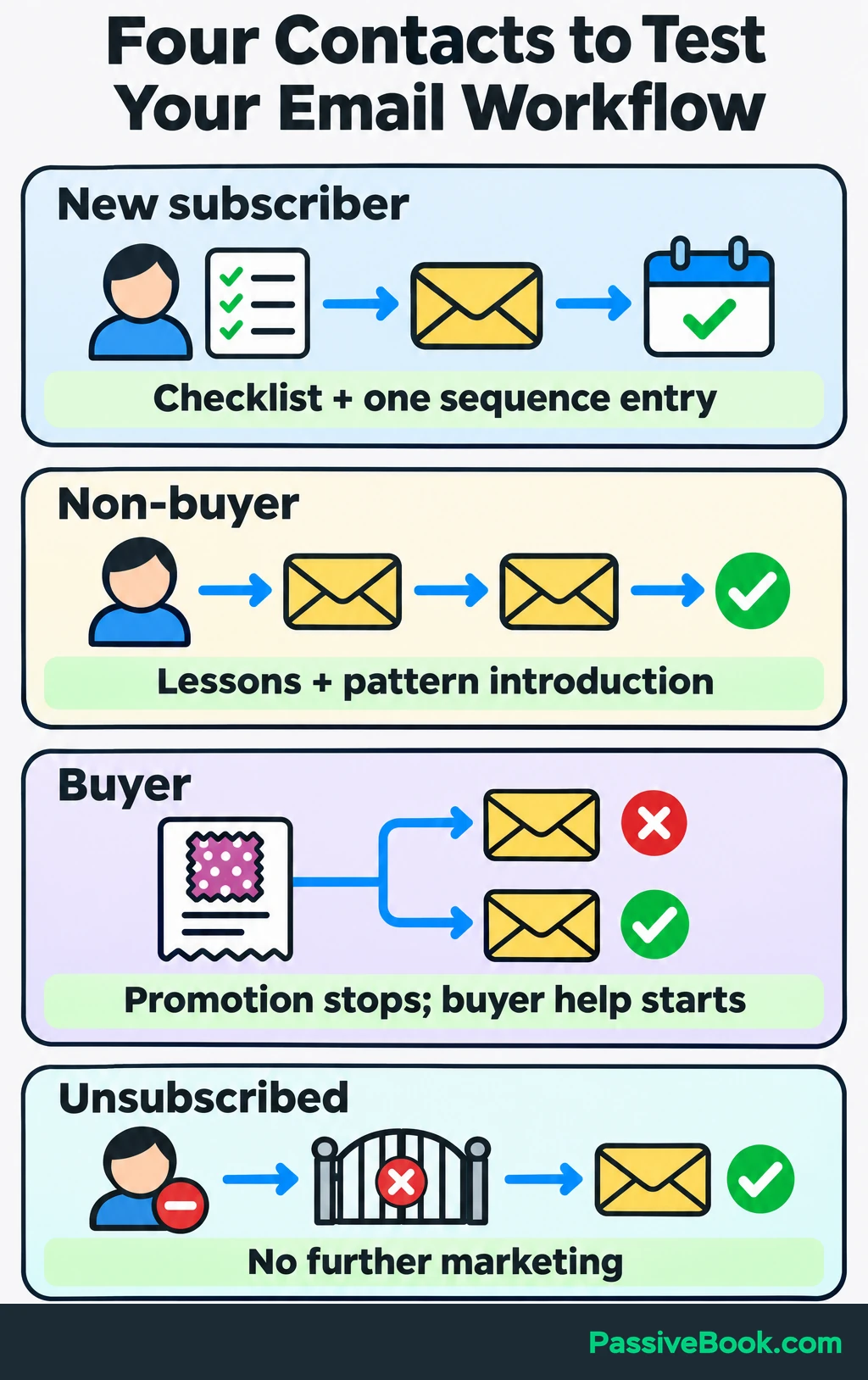
Build one form, one broadcast and the essential automation. For the patchwork shop, use separate test contacts to check each outcome:
| Test Contact | Action | Expected Result |
|---|---|---|
| New subscriber | Requests the fabric-cutting checklist | Receives the checklist and enters the welcome sequence once |
| Non-buyer | Remains subscribed without buying | Receives the planned lessons and pattern introduction |
| Buyer | Purchases the table-runner pattern during the sequence | Stops receiving that pattern’s sales messages and receives buyer help |
| Unsubscribed contact | Unsubscribes before the next marketing email | Receives no further marketing messages |
Complete a test purchase. Look for the actual product information in the email platform, then check the next message the buyer would receive.
Read the received emails on mobile and desktop. Check the download link, product link, sender name, reply address and unsubscribe link.
Also make one ordinary change: edit the second email, change a delay or adjust the non-buyer segment. Notice whether the software makes that task clear or turns a small edit into an investigation.
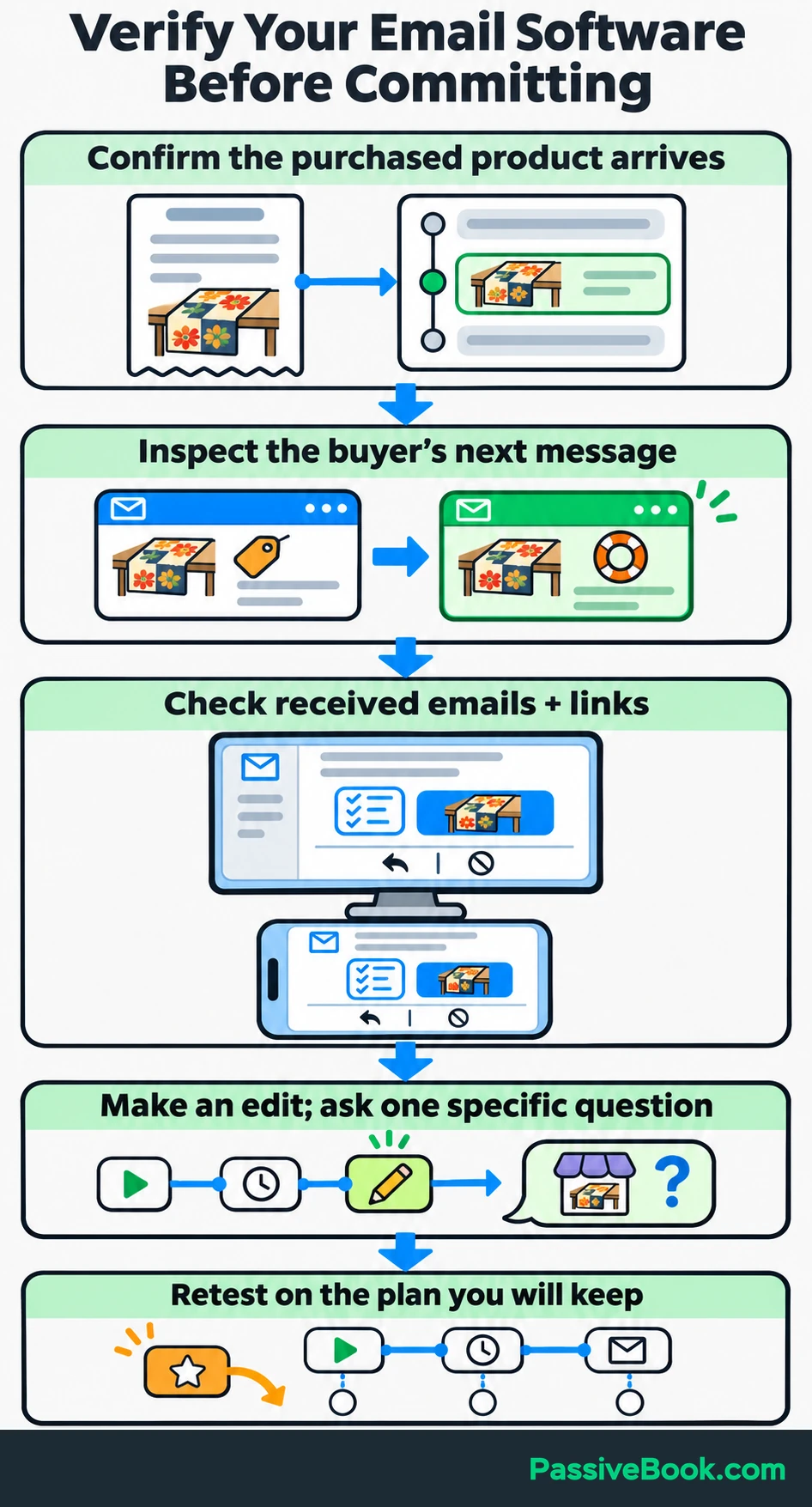
Ask support one concrete question through the channel included in your intended plan:
“I use WooCommerce. Can a purchase of one specific pattern stop its promotional sequence and start a buyer follow-up on this plan?”
Judge whether the answer resolves the question. A quick reply that sends you back to a general feature page still leaves the work with you.
Finally, check what remains after trial features expire. Your test should represent the plan you intend to keep.
Check Delivery Setup and Data Portability
Confirm that you can authenticate your sending domain and handle bounces, complaints and unsubscribes.
Authentication uses records in your domain settings to identify authorized senders. SPF and DKIM help establish that authorization, while DMARC adds a policy and reporting around authentication.
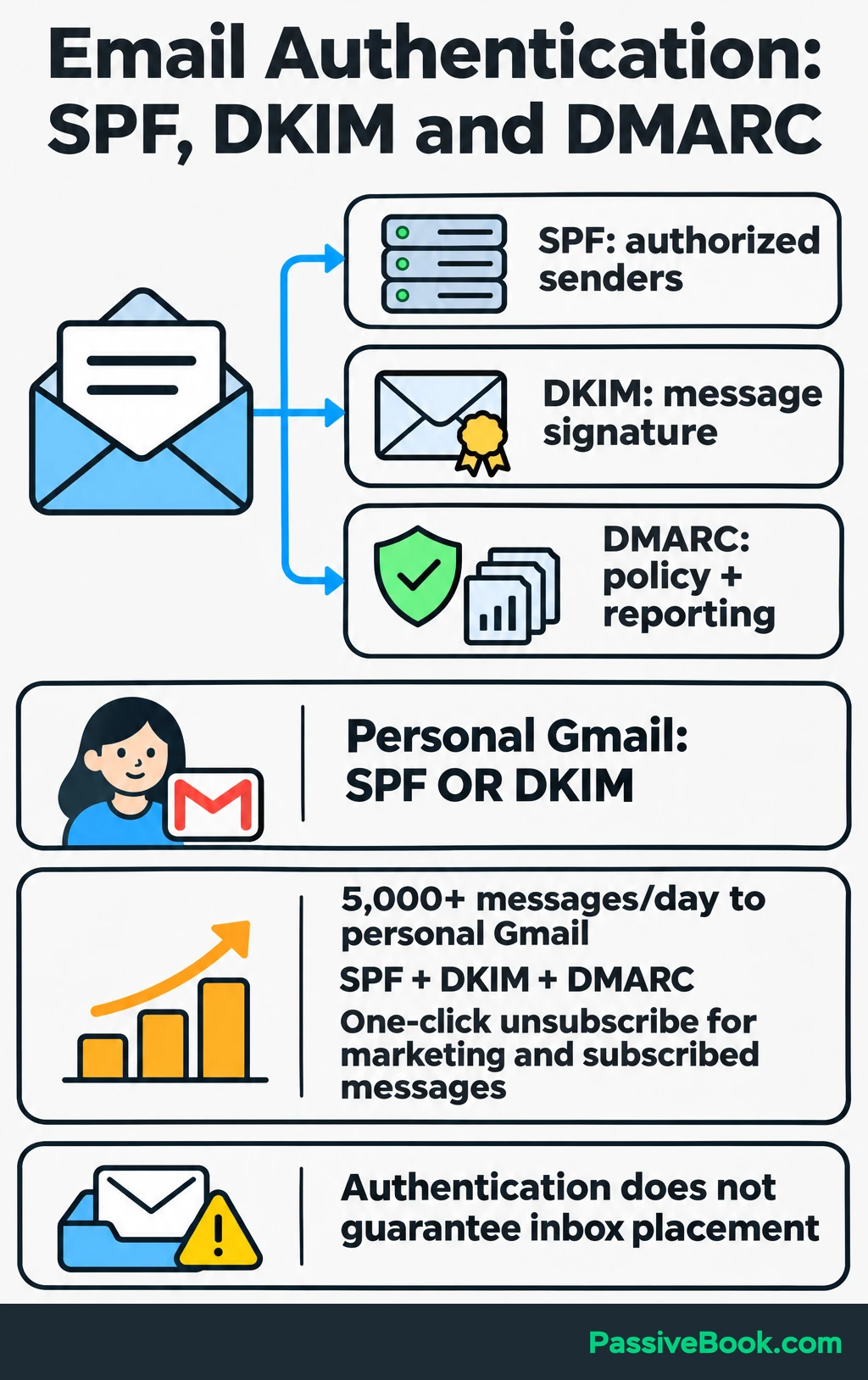
Google’s sender requirements call for SPF or DKIM for email sent to personal Gmail accounts. If you send at least 5,000 messages a day to those accounts, Google requires SPF, DKIM and DMARC, plus one-click unsubscribe for marketing and subscribed messages.
A received-message check can reveal broken formatting or a configuration problem. A small trial cannot establish a reliable platform-wide inbox-placement ranking.
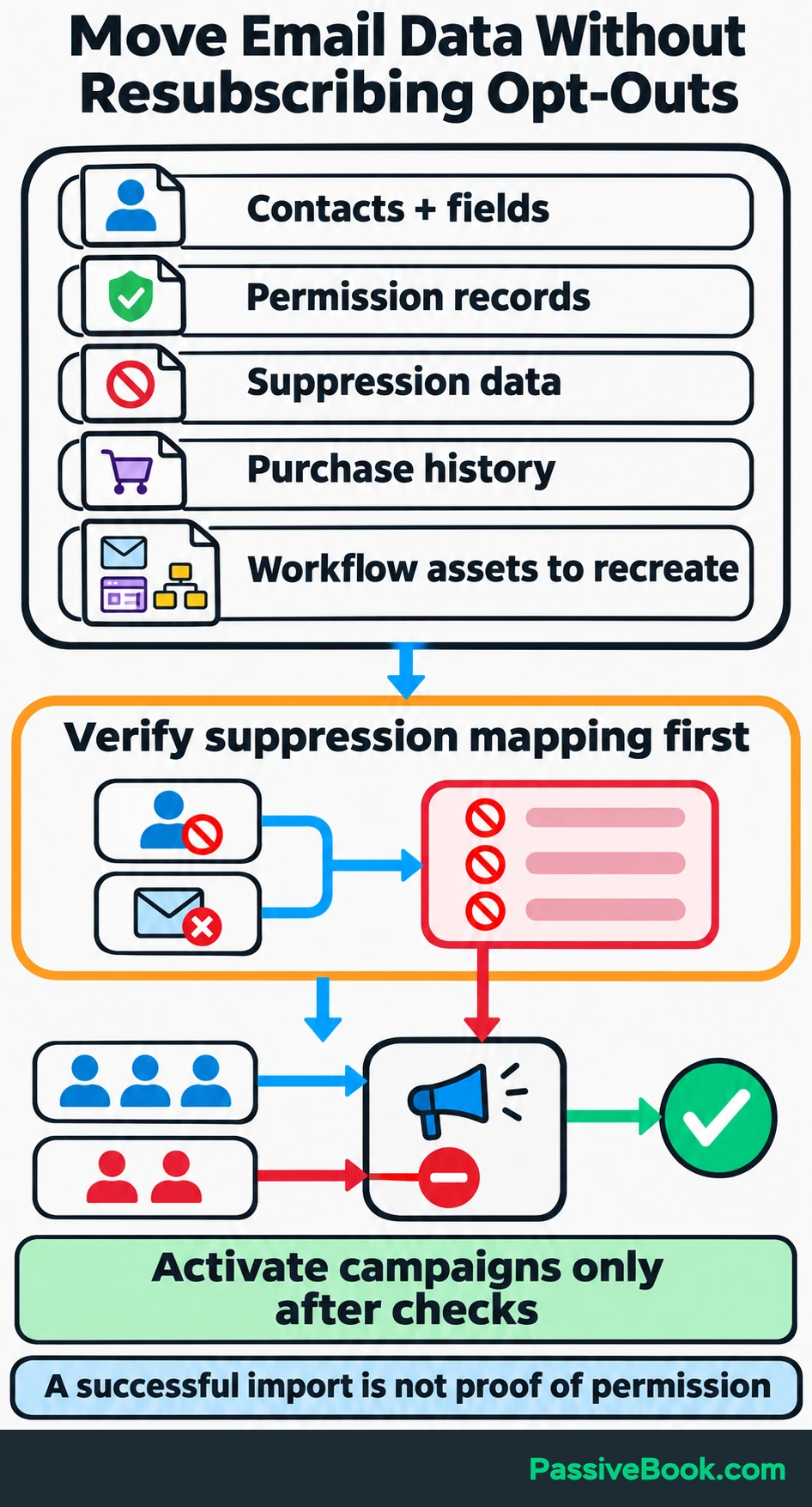
Before importing your full list, test an export too. Look for:
- Contact details: Email addresses, custom fields, tags and groups.
- Permission records: Subscription status and available consent information.
- Suppression data: Records that prevent future email to people who opted out or whose addresses cannot receive messages.
- Purchase history: Product and order information needed for buyer exclusions.
- Workflow assets: Emails, templates and automation logic you would need to recreate elsewhere.
When switching, confirm how suppression data moves before activating campaigns. A successful contact import should not put unsubscribed people back into marketing emails.
I would choose the lowest-cost plan that passes the workflow, support, sending and export checks. Before taking an annual deal, write down the specific limits that would trigger an upgrade. That turns “room to grow” into something you can actually evaluate.
Frequently Asked Questions
Is Mailchimp Still Free?
Yes. Mailchimp’s Free Marketing plan includes up to 250 contacts and 500 monthly sends, with a daily cap of 250 sends.It doesn’t include marketing automation flows, so it won’t complete the patchwork shop’s welcome-and-purchase workflow.I would consider it for a small broadcast-only list when those limits fit. For ongoing free automation, I would test Sender first rather than choose Mailchimp purely because the name is familiar.
What Next?
Write down your essential signup-to-purchase workflow and test it in two tools from this list. Start with MailerLite and Sender unless a specific requirement points elsewhere.
Use the social buttons to share this comparison when a software discussion needs to get past the advertised starting price.
Which part of your email workflow takes the most manual work right now? Tell me in the comments, and bring any other questions about choosing or switching tools.
Share this post with your friends & followers:

