A newsletter sounds manageable until every send needs a new idea, a finished draft, and a reason for readers to care. You can spend your only free evening assembling an email and still have no clear way to judge whether it helped your business.
The harder problem is keeping that effort useful after the first few issues. A publishing schedule alone won’t tell you what to send, who should receive it, or where it should lead. This guide turns those unanswered questions into a newsletter plan you can keep publishing, with lessons readers want and a clear path to website visits or sales.
1. Choose the Business Outcome Your Newsletter Will Support
Start with the action you want the newsletter to support. Choose one primary outcome:
- Returning visits to useful website content.
- Purchases of a product.
- Inquiries about a service.
- Donations to a specific program.
- Repeat bookings or orders.
Subscriber growth helps you reach more people, but it doesn’t tell you whether the newsletter is doing its job. A bigger list can also mean a bigger bill.
Connect that business outcome to a task readers need help with repeatedly.
Throughout this guide, imagine you run a dog-friendly day-trip blog and sell a printable outing planner. The copy, targets, and calculations are illustrations, not observed results or benchmarks.
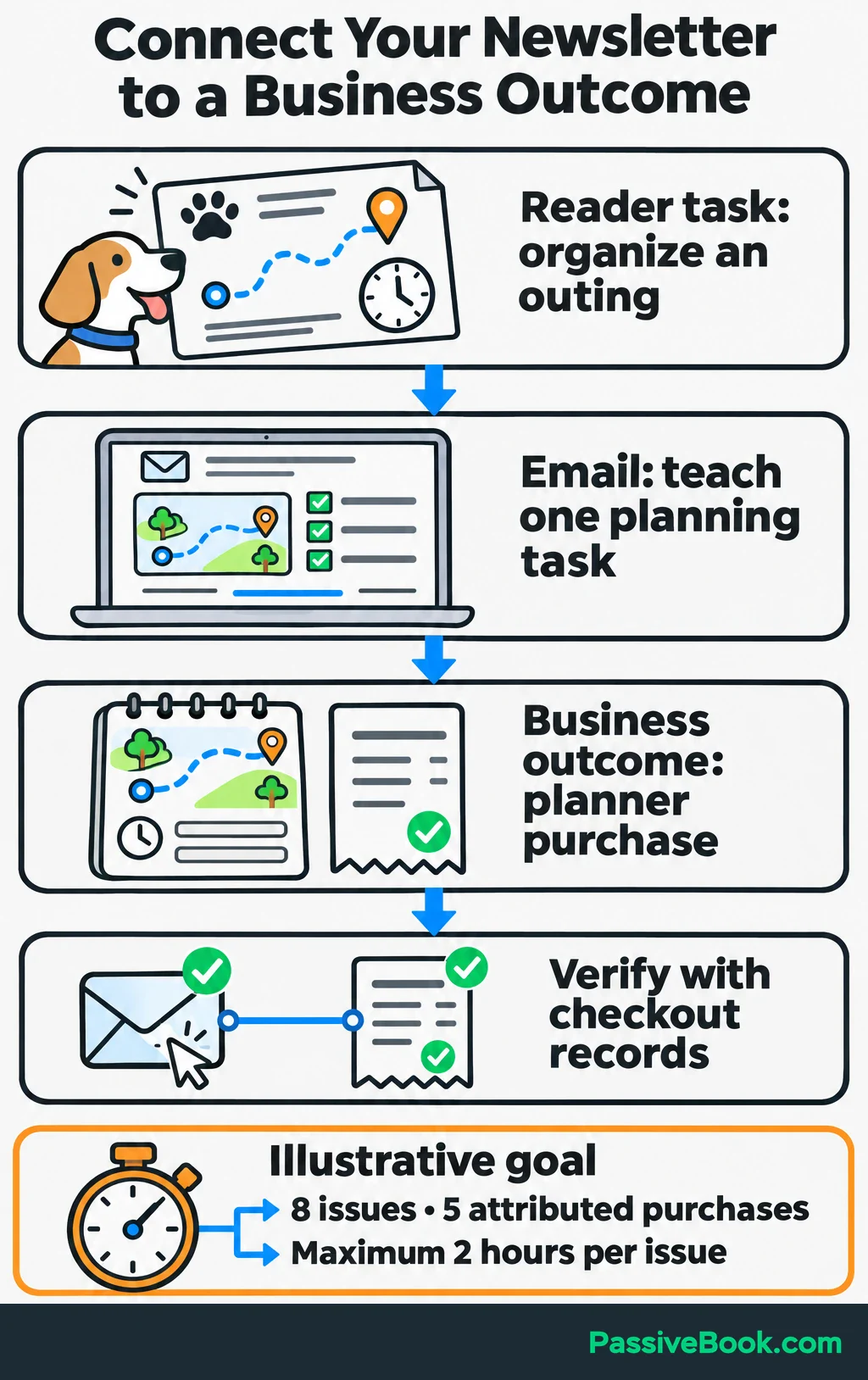
Your readers want help organizing trips. Your business needs planner purchases. A useful email can answer one planning question, link to a fuller guide, and introduce the planner when it helps with the same task.
Give the goal a target, a workload limit, and a review point:
Over the next eight issues, generate five planner purchases credited to newsletter clicks while keeping production within two hours per issue.
Choose numbers that fit your reach. With a new list, your first test might focus on getting useful replies and visits before setting a sales target.
Decide where you’ll verify the outcome. Use website analytics for visits and checkout records for purchases. For inquiries or bookings, use the system where you already record them.
Keep a one-page strategy as you work through the guide. It should capture the goal, audience, promise, content, schedule, signup journey, tools, workflow, and review point. There’s a completed example near the end.
2. Define Your Audience and Newsletter Promise
An audience description should help you choose what belongs in the next issue.
“People who like dogs” leaves you with almost every possible topic. “People planning occasional day trips with their dogs who struggle to organize destination rules and travel details” gives you something useful to work with.
Look for recurring questions in:
- Comments and reader replies.
- Customer conversations.
- Searches on your website.
- Questions attached to relevant articles.
- A short survey asking what readers find hardest.
Then write a promise using this structure:
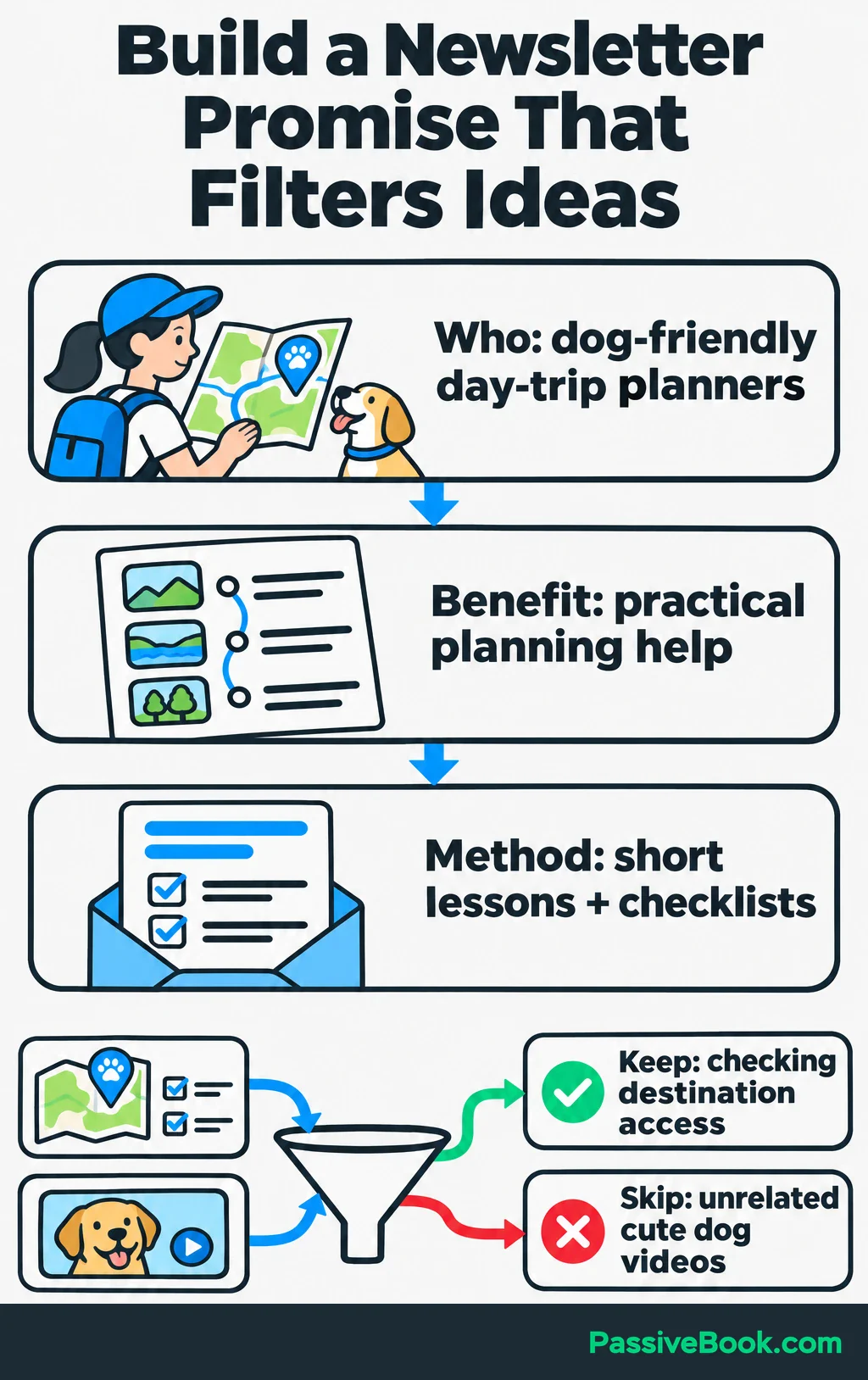
For [reader situation], this newsletter provides [recurring benefit] through [distinctive approach].
For the day-trip blog:
For people organizing dog-friendly day trips, this newsletter provides practical planning help through short lessons and reusable checklists.
That promise gives you an editorial filter. A lesson about checking destination access fits. A general collection of cute dog videos probably doesn’t.
Read a few comparable newsletters and look for a useful difference you can sustain. I would choose clearer planning instructions over a promise to discover endless “hidden gems.” One depends on a repeatable process, and the other can become a second job.
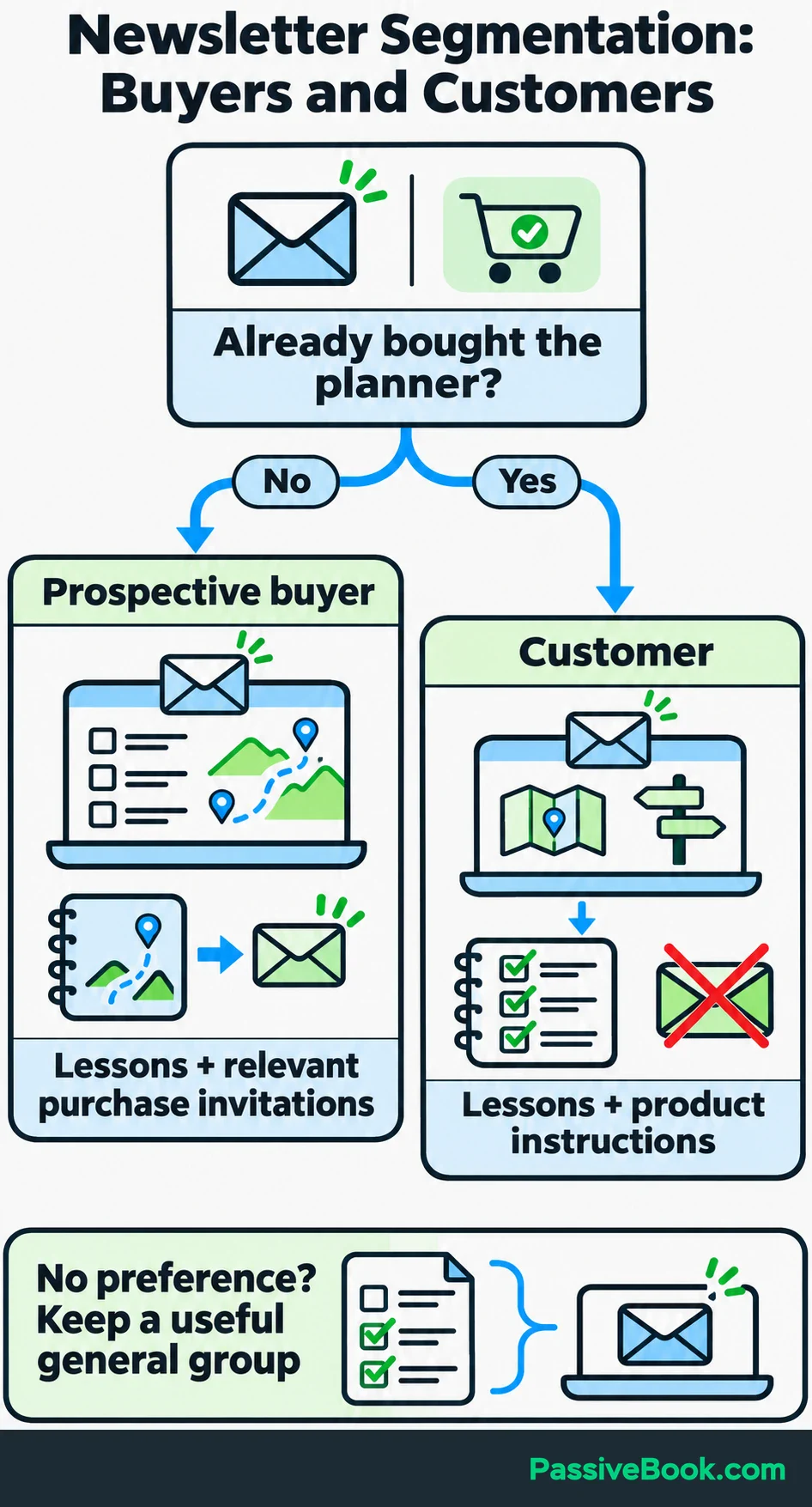
Next, decide whether different subscribers need different messages. This is segmentation: grouping subscribers when their needs or next actions differ.
Start with prospective planner buyers and existing customers. Customers can still receive planning lessons, but they should get product instructions instead of repeated invitations to buy the same planner.
Add interest preferences only when you have different content to send. Every extra checkbox creates a promise you have to keep. Leave subscribers who haven’t chosen a preference in a useful general group.
3. Build a Sustainable Publishing Plan
Choose Your Format and Cadence
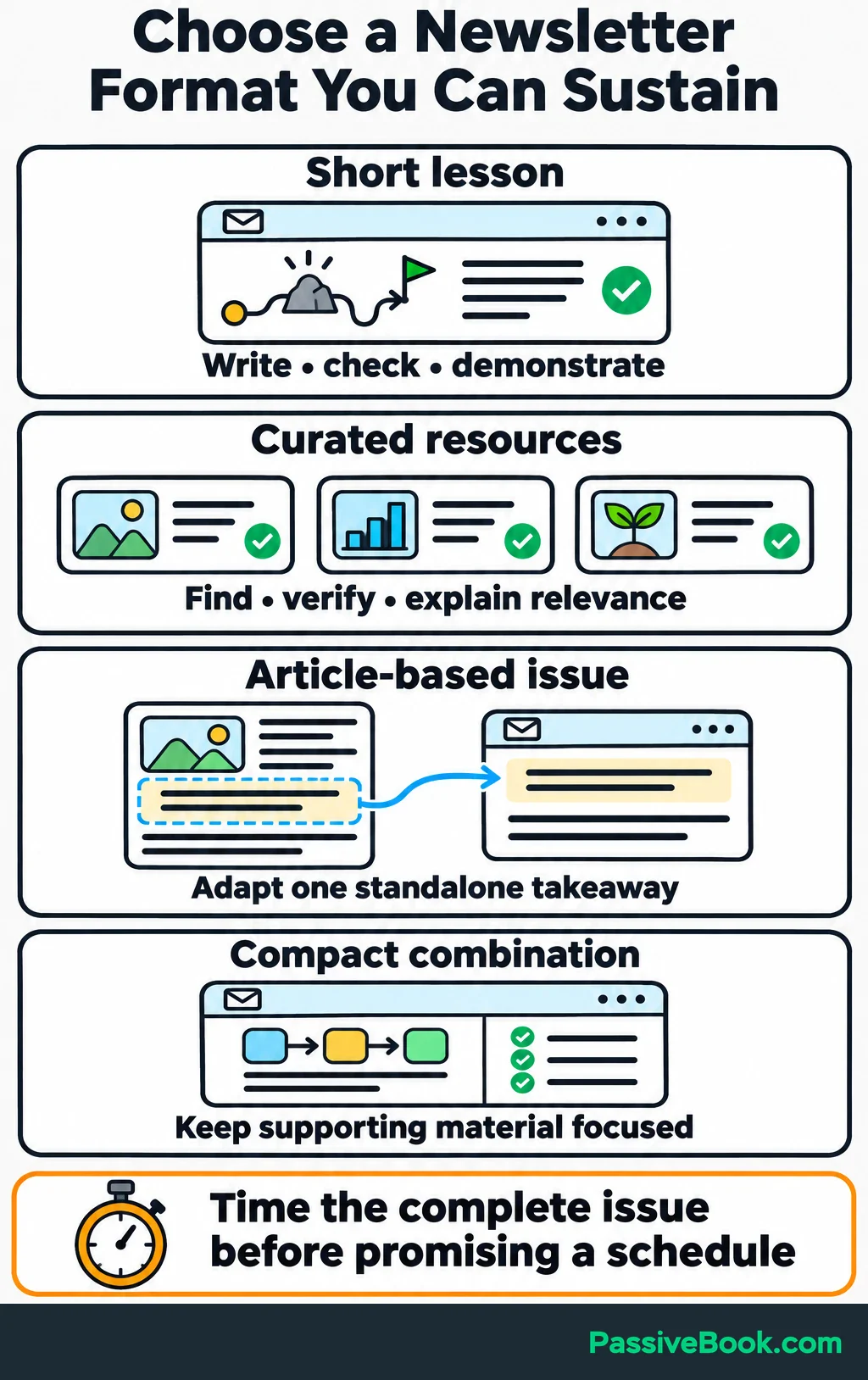
Choose a format you can produce with the material and time you already have.
| Format | What Readers Receive | Work You Need to Allow For |
|---|---|---|
| Short lesson | One problem explained and one useful action | Writing, checking, and a clear example |
| Curated resources | A few selected links with reasons to use them | Finding and checking every resource |
| Article-based issue | A useful takeaway from existing content | Adapting the lesson so the email stands alone |
| Compact combination | One lesson and a small supporting resource | Keeping the issue focused as material accumulates |
For the day-trip blog, I would use one planning lesson, a short checklist, and one relevant next action. Put enough value inside the email that readers benefit even if they don’t click.
Before announcing a schedule, produce a complete issue and time the work. Count research, writing, checking, formatting, testing, scheduling, and reviewing results. Timing only the draft gives you a flattering estimate.
I spent six months building a membership site alongside corporate work, and the ongoing content commitment became unsustainable. Looking back, I had planned what I could build without giving the same attention to what I could keep producing. That’s the decision I would settle before promising frequent emails.
Start every other week if that gives you room to check the content and handle interruptions. Weekly can work when you already have a steady supply of useful material. Monthly can suit a more detailed issue.
Choose the schedule you can maintain during an ordinary busy month.
Turn Reader Questions Into an Editorial Calendar
Pick a few themes that fulfill your promise. For the running example, those are choosing destinations, organizing travel details, and preparing for an outing.
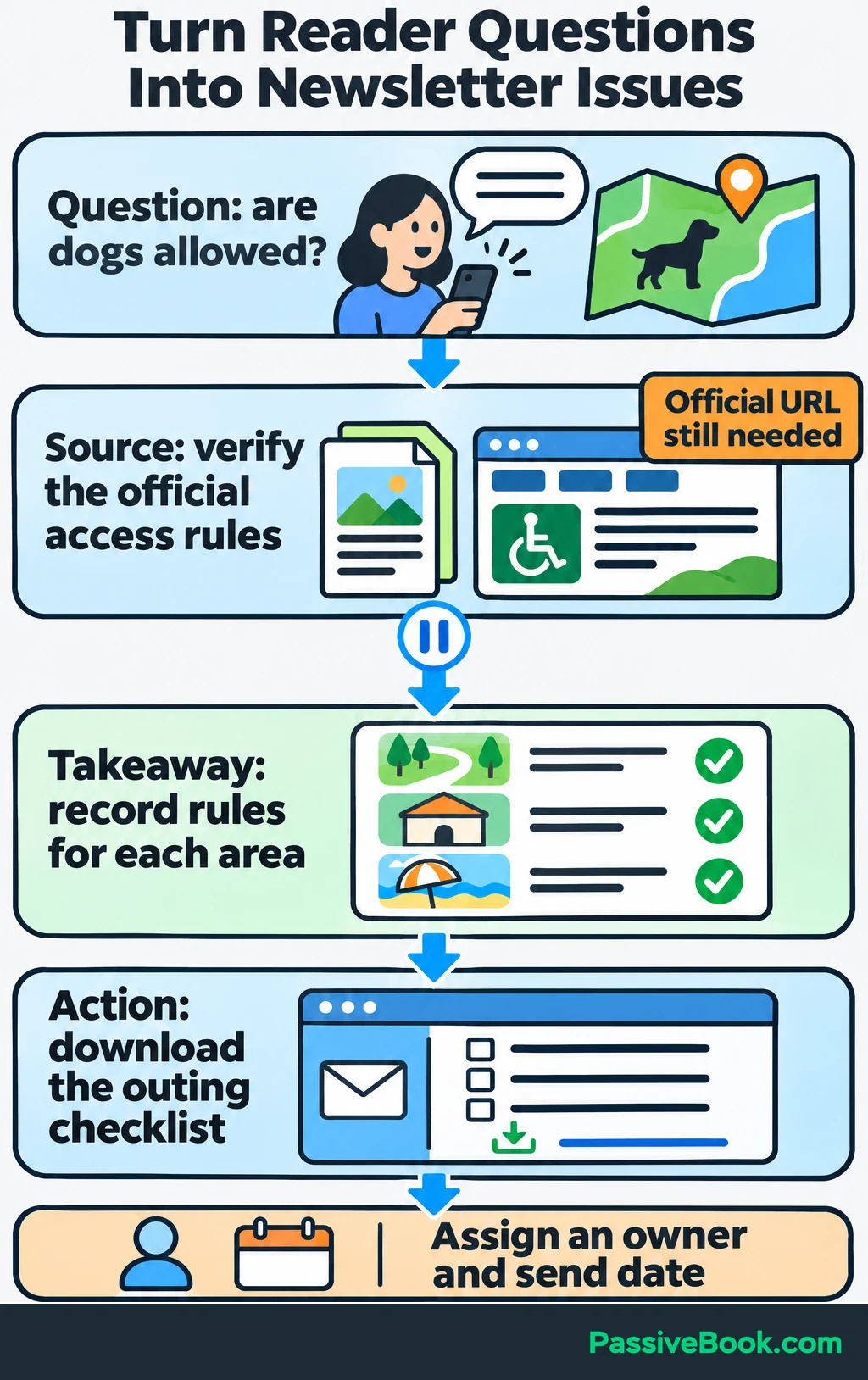
Build the calendar around questions and useful answers before writing subject lines.
| Reader Question | Useful Takeaway | Source Material | Main Action | Audience |
|---|---|---|---|---|
| How do I check a destination’s dog-access rules? | Record the rules for the specific areas you plan to visit | Your destination-checking guide; the destination’s official access-page URL is still needed | Download the outing checklist | All subscribers |
| What should I organize before leaving? | Put timings, stops, and booking details together | Your preparation guide; operator booking-page URLs are still needed | Read the preparation guide | All subscribers |
| How do I keep the details together? | Use one place to record the plan | A demonstration of the printable planner | View the planner | Prospective buyers |
Add an owner and send date to each row. Even if you do everything, those fields turn a topic list into a publishing commitment.
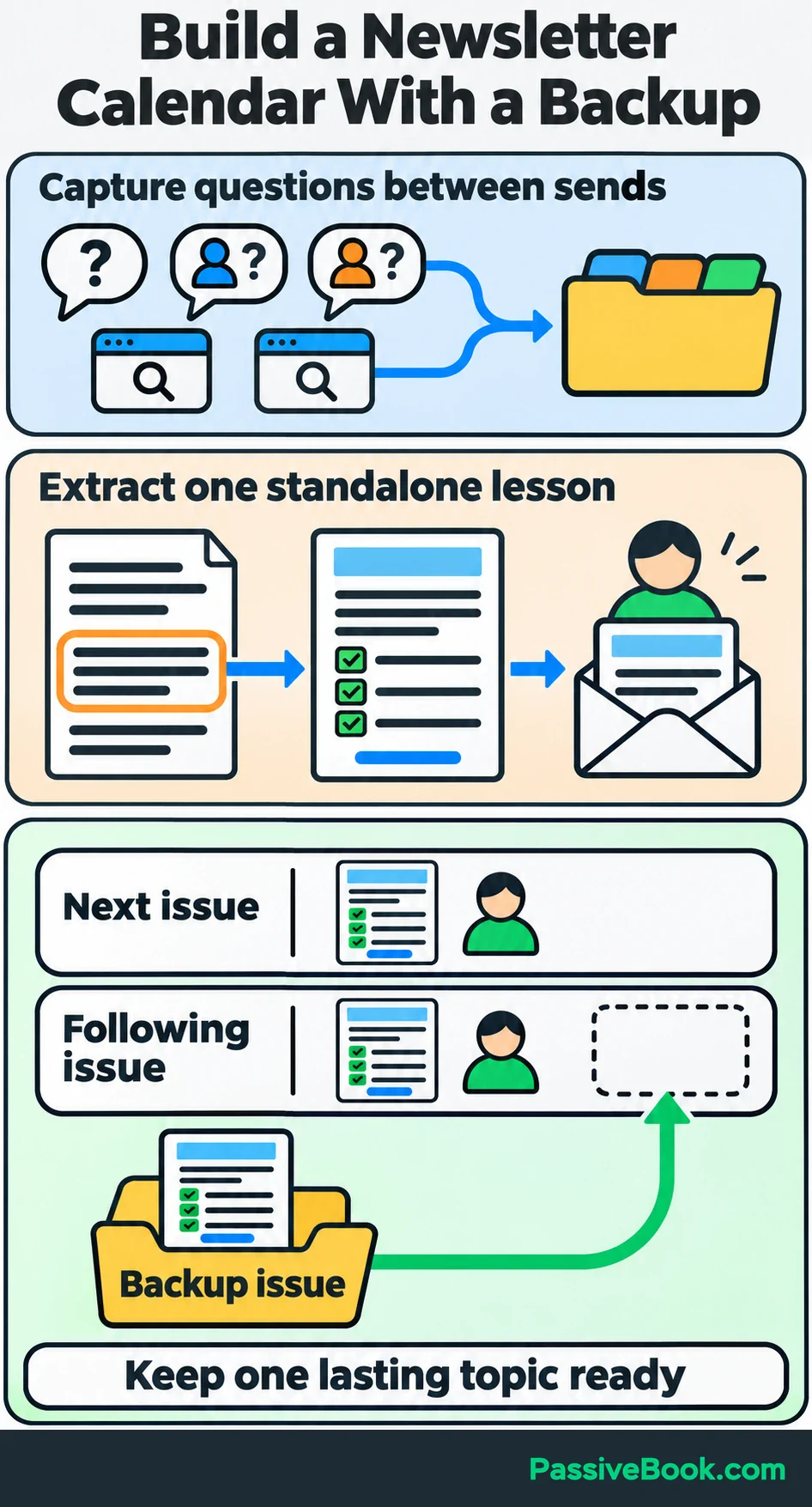
Each issue should answer its question without requiring readers to remember an earlier email. People miss issues. Your newsletter shouldn’t assign homework.
Keep an idea bank for questions that arrive between sends, plus one backup issue on a lasting planning task. Reuse existing articles by extracting one useful lesson rather than pasting an entire post into the email.
4. Create a Repeatable Issue Template
A template removes layout decisions so you can spend your time on the lesson.
Use this structure:
- A subject line that names the issue’s value.
- Preview text that adds a useful detail.
- A brief opening that introduces the task.
- A lesson readers can apply.
- One primary call to action.
A call to action is the next step you ask readers to take. It might be a click, reply, purchase, or booking. Choose it because it follows from the lesson.
Here’s a complete sample issue you can adapt. Replace the bracketed details and connect the checklist, preference, and unsubscribe links before sending.
Subject: Check these details before your next dog-friendly outing
Preview: Put access rules, opening times, and stops in one place.
Hi,
Before you commit to a destination, check its current visitor information for the areas you actually plan to use.
A general “dog-friendly” description may leave questions unanswered. Use this short check:
– Confirm access. Look for rules covering the route, building, beach, or other area you want to visit. Note any restrictions that affect your plan.
– Check the timing. Record opening hours and any booking requirements for your chosen day.
– Organize the stops. Check visitor information for planned stops and save the relevant details with your route.
If something is unclear, contact the operator before making plans around it.
Put those answers in one place so you can find them when you need them.
Get the free day-trip planning checklist: [checklist link]
[Your name]
[Blog name]
You’re receiving this because you signed up for practical day-trip planning tips every other week.
[Manage preferences] · [Unsubscribe]
[Valid postal address]
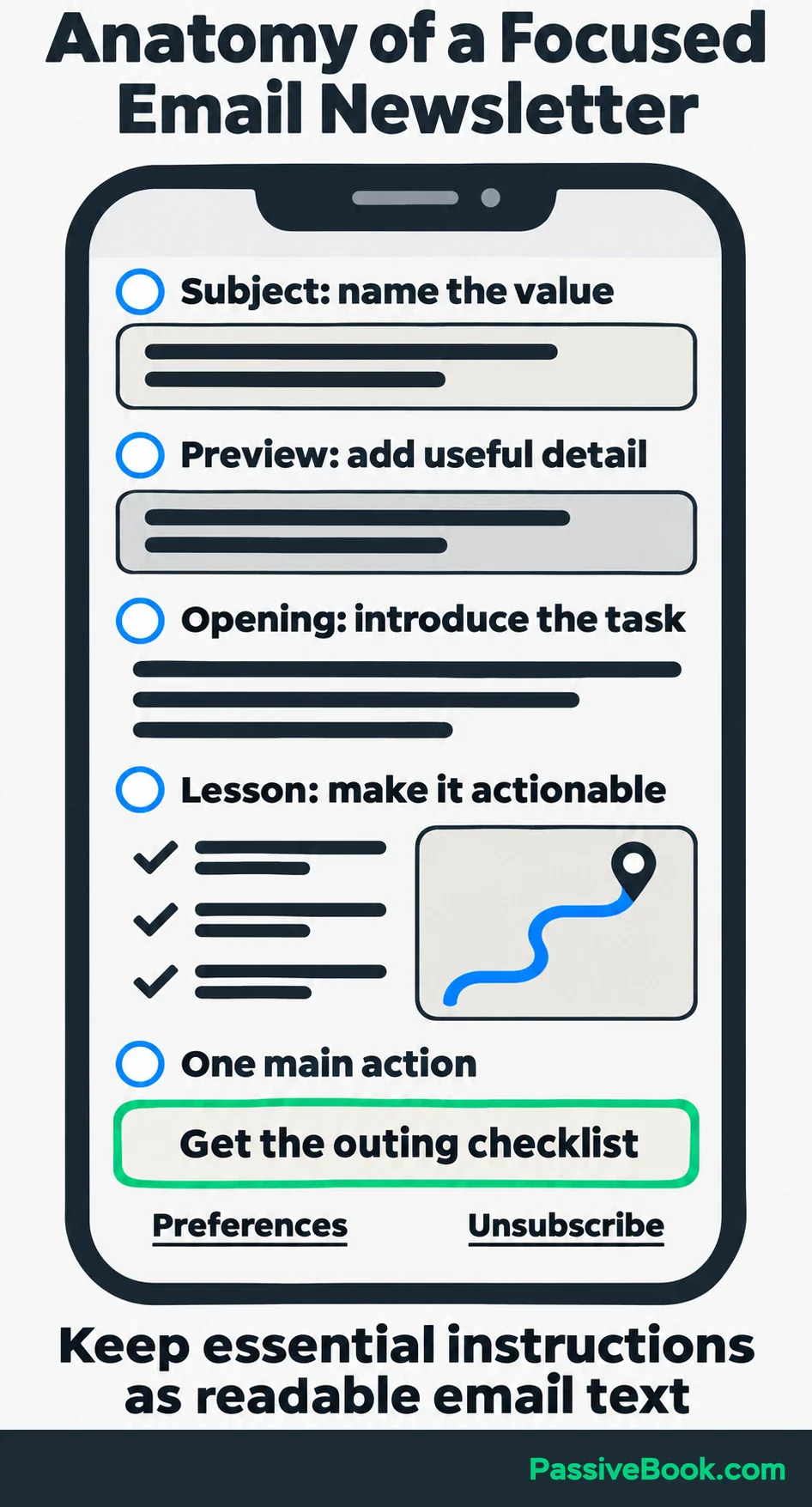
The lesson answers a question and the checklist helps readers act on it. A planner pitch can wait for an issue about keeping a whole outing organized.
The example shows the structure, but your first issue still needs your own lesson and next step. AI Messaging Studio turns your checked notes into a draft you can review and edit.

Free AI Messaging Studio




Keep secondary links visually quieter than the main action. Use short paragraphs and check the layout on a phone.
Essential instructions should remain readable as text. Use descriptive links and useful alternative text for informative images, following W3C’s accessible-writing guidance. A large graphic containing the entire email makes a simple lesson harder to access.
5. Plan the Signup and Welcome Journey
Attract Subscribers Through Relevant Touchpoints
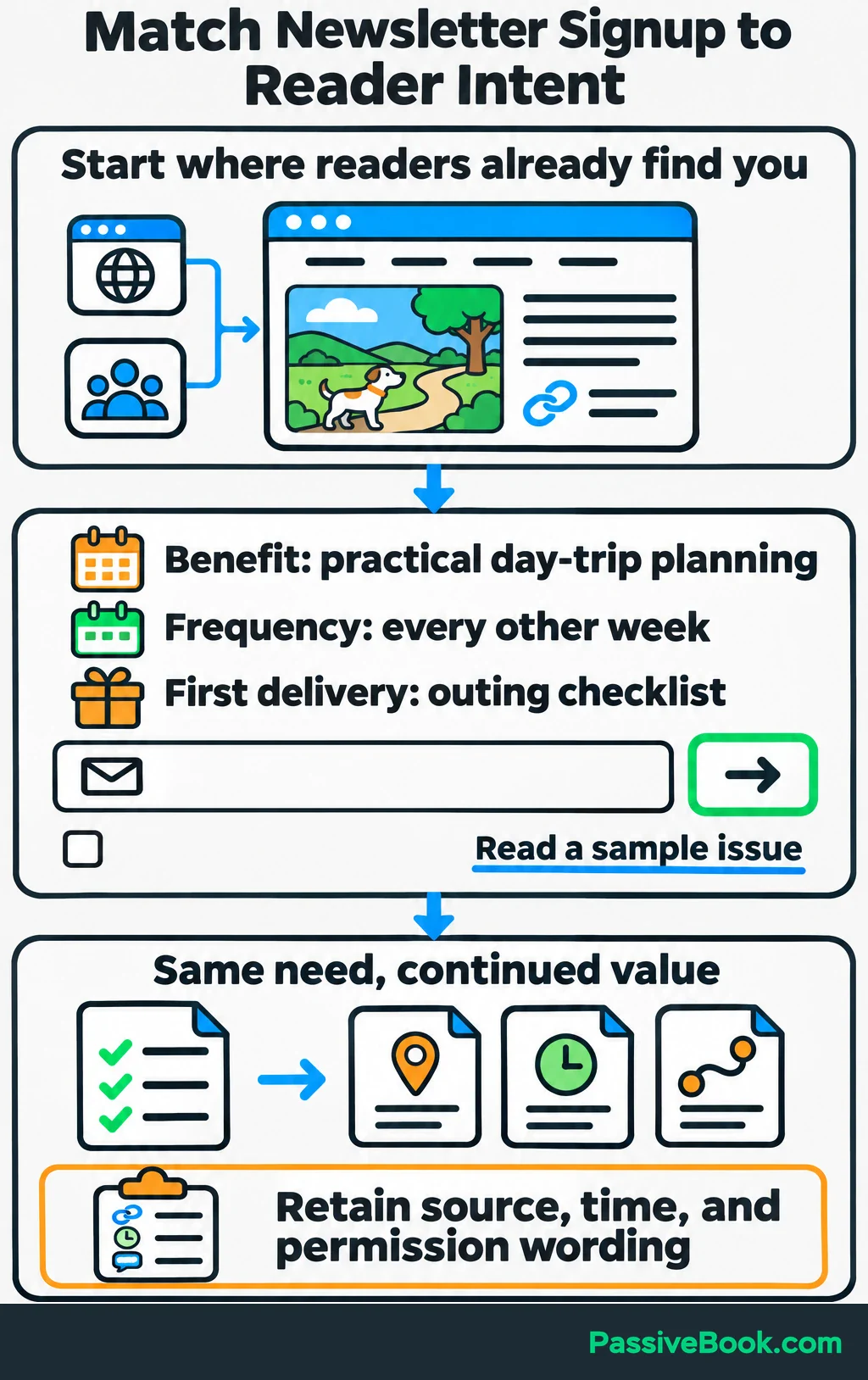
Your signup invitation should state the recurring benefit, frequency, and what arrives first.
For example:
Get one practical dog-friendly day-trip planning tip every other week. Start with a free outing checklist to organize destination details, timings, and stops.
Place that invitation where the next step makes sense: beside a relevant article, on a dedicated signup page, in website navigation, and on existing social profiles. Link to a sample issue so visitors can see what they’re choosing.
I would start with those existing touchpoints before buying traffic. They let you test whether the promise attracts interested readers without adding an advertising bill.
If you offer a free resource, make it a small introduction to the ongoing newsletter. The outing checklist serves the same need as future planning lessons. An unrelated giveaway would test interest in the prize.
Use permission-based signup and retain the source, time, and wording of that permission. Keep the newsletter choice clear at checkout rather than assuming every customer wants marketing emails.
Follow the laws that apply to your activity and recipients. For U.S. commercial email, requirements include accurate sender details and subject lines, appropriate advertising identification, a valid postal address, and a clear opt-out process. The FTC’s CAN-SPAM guide explains these requirements, including honoring opt-outs within 10 business days.
Give Each Welcome Message a Clear Job
Map the welcome journey before building an automation.
Your first message can deliver the checklist, explain the newsletter schedule, and point to one useful starting guide. Those jobs don’t automatically need three separate emails.
A second message might demonstrate how to use the checklist. Add it if readers need that help. I would skip a longer sequence until you can name the distinct job of each message.
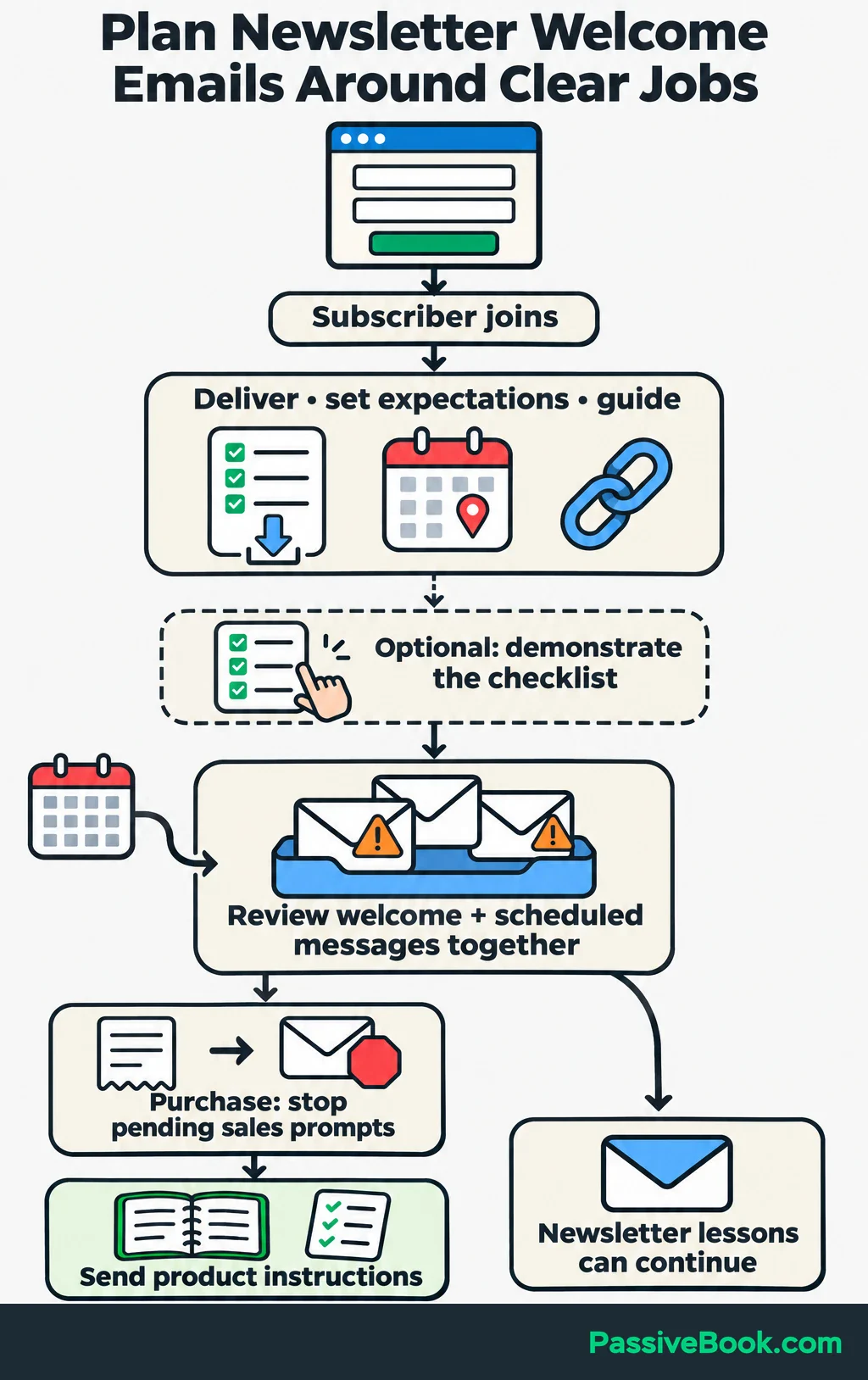
Separate two kinds of sending:
- Signup-triggered messages arrive because someone joined or took another action.
- Scheduled issues go to the eligible audience on your publishing calendar.
A subscriber can receive both, so review their combined experience. Someone who joins just before an issue goes out shouldn’t accidentally receive several messages in quick succession because separate workflows ignored one another.
Define the purchase handoff too. When a subscriber buys the planner, stop pending purchase prompts and replace them with product instructions. Keep ordinary planning lessons available while their newsletter subscription remains active.
6. Choose an Email System That Supports the Plan
Now compare tools against the journey you’ve mapped.
Check that the plan can collect signups, group subscribers, send scheduled and welcome emails, stop sales prompts after purchases, report results, and export subscribers. Your checkout must also pass purchase details to the email system.
| System | Suitable Workflow | Relevant Plan Limits or Costs | Maintenance Responsibility |
|---|---|---|---|
| Kit | Creator newsletters using broadcasts, tags, and subscriber groups | Free supports up to 10,000 subscribers and unlimited broadcasts; sequences and visual automations require a paid plan | Kit hosts the system; you manage domain setup, integrations, and sending rules |
| MailerLite | A small list needing forms, campaigns, and welcome automation | Free supports 250 active subscribers, 2,500 monthly emails, and three active automations; campaign and automation emails share the allowance | MailerLite hosts the system; you monitor limits and maintain your workflows |
| beehiiv | A newsletter publication that also needs a hosted website | Free supports up to 2,500 subscribers and unlimited sends; automations require Lite or higher | beehiiv hosts the publication; you manage configuration and integrations |
| FluentCRM | A WordPress business wanting email and customer workflows within its site | Paid licenses depend on website count rather than contact count; hosting and delivery add costs | You manage WordPress, updates, backups, sending configuration, and delivery monitoring |
Use the linked pages for current details, and test the workflow you need before committing to a paid plan.
For a small hosted setup that needs welcome automation, I would start by evaluating MailerLite. Kit is worth considering when its creator tools suit your work, but include the paid automation cost in that decision. Choose beehiiv when the newsletter itself is the main publication.
For an existing WordPress business, my preference is FluentCRM when someone can maintain it. It manages contacts and email workflows; a separate service delivers the messages. FluentCRM’s documentation recommends a dedicated sending provider. One option is Amazon SES, connected through FluentSMTP, a WordPress plugin.
Compare total cost at your expected list size and sending volume. Count welcome messages, integrations, delivery charges, and maintenance time. A low subscription price loses some charm when it buys you another technical chore.
7. Set up and Test Your Publishing Workflow
Write down who chooses the topic, checks sources, drafts, reviews, tests, schedules, and records results. Assign each task, even when every assignment has your name on it.
Use a recognizable sender name and a reply address you monitor.
Before launch, authenticate your sending domain using your provider’s instructions. SPF lists authorized senders, DKIM adds a verifiable signature, and DMARC sets a policy for messages that fail authentication and alignment checks. Google recommends setting up all three.
Automate repeatable actions once their rules are clear.
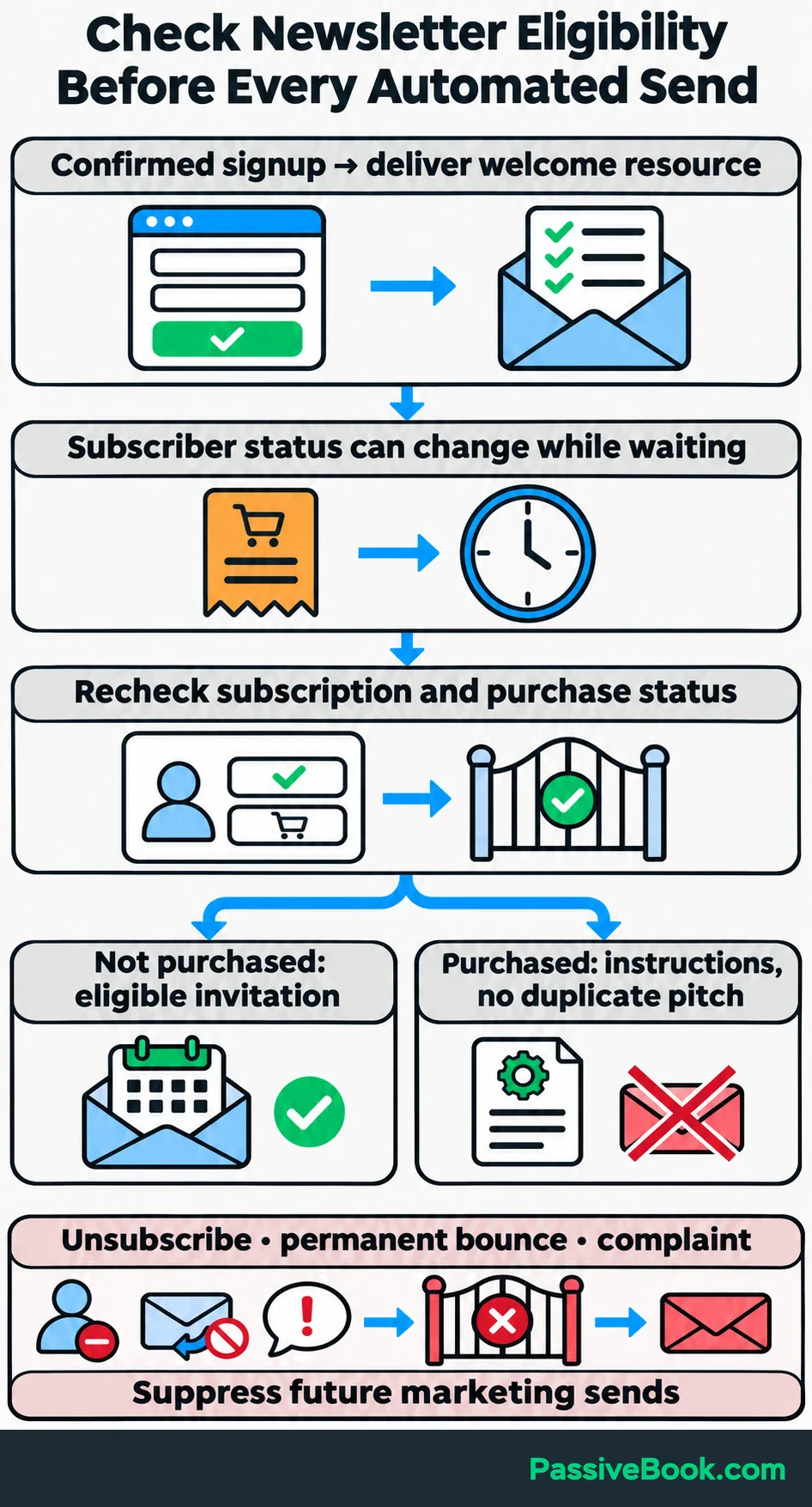
| Trigger | Condition | Action and Stopping Point |
|---|---|---|
| Newsletter signup is confirmed | Subscription remains active | Deliver the checklist and welcome message; finish after delivery |
| A subscriber changes a preference | The selected content group exists | Update the group used for future sends |
| Checkout records a planner purchase | The order matches the contact | Mark as a customer, cancel pending planner pitches, and send product instructions |
| Unsubscribe, permanent bounce, or complaint | The event is recorded | Suppress future marketing sends |
Check eligibility immediately before automated messages send. Someone can purchase while waiting between two welcome emails.
Use your email platform’s built-in automation first. Add a tool such as n8n or Make to connect systems only when a needed connection is missing—for example, to pass purchase details from checkout to your email platform.
AI can organize reader questions, suggest subject lines, or draft from approved material. I would give it checked notes and a defined lesson, then review the result. For destination content, verify access details against current operator information rather than letting AI fill gaps.
Add consistent tracking tags to links leading to your website. These identify the traffic source and issue in analytics. For example:
?utm_source=newsletter&utm_medium=email&utm_campaign=destination_checkKeep the source and medium consistent, and change the campaign name for each issue. Google’s campaign-tagging guidance explains how these values appear in acquisition reports.
Finally, test the complete subscriber path with a test address:
- Signup and confirmation, where used.
- Resource delivery and welcome messages.
- Preferences and subscriber-group changes.
- Purchase handoff and cancellation of sales prompts.
- Unsubscribe and suppression.
- Mobile and desktop layout, links, and personalization.
- Website tracking and the intended conversion report.
A preview email checks appearance. It doesn’t prove the journey works.
8. Measure Results and Improve the Strategy
Track Outcomes and List Health
For each issue, record the goal’s outcome, delivered emails, clicks, unsubscribes, complaints, bounces, and production time. Keep counts beside rates: one person can move a small list’s percentage sharply.
For click rate, count distinct recipients from the issue’s delivered audience who clicked within seven days of sending. Count each person once.
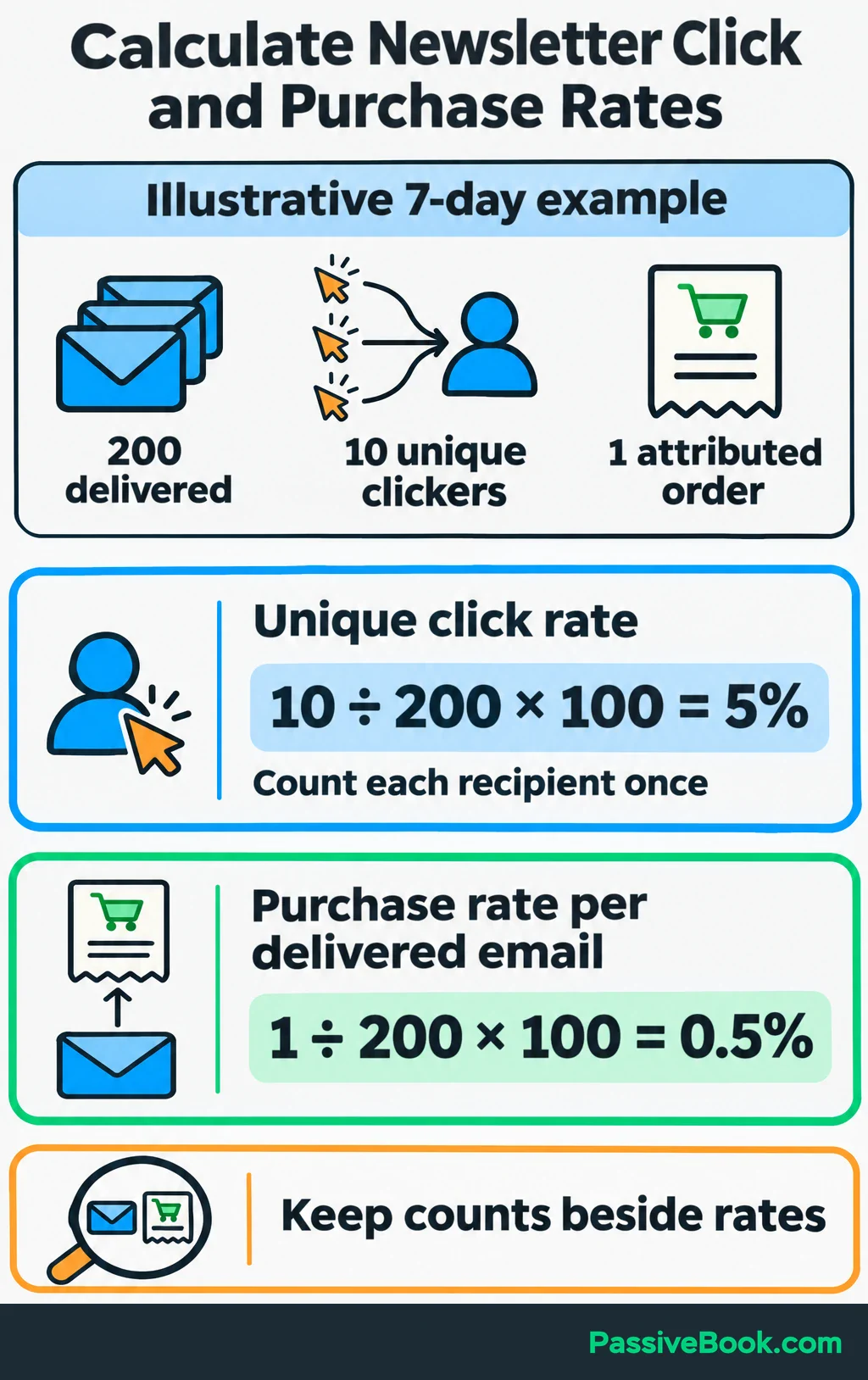
Suppose 200 emails were delivered, 10 recipients clicked within seven days, and one placed an attributed planner order in that period.
- Unique click rate: 10 ÷ 200 × 100 = 5%.
- Purchase rate per delivered email: 1 ÷ 200 × 100 = 0.5%.
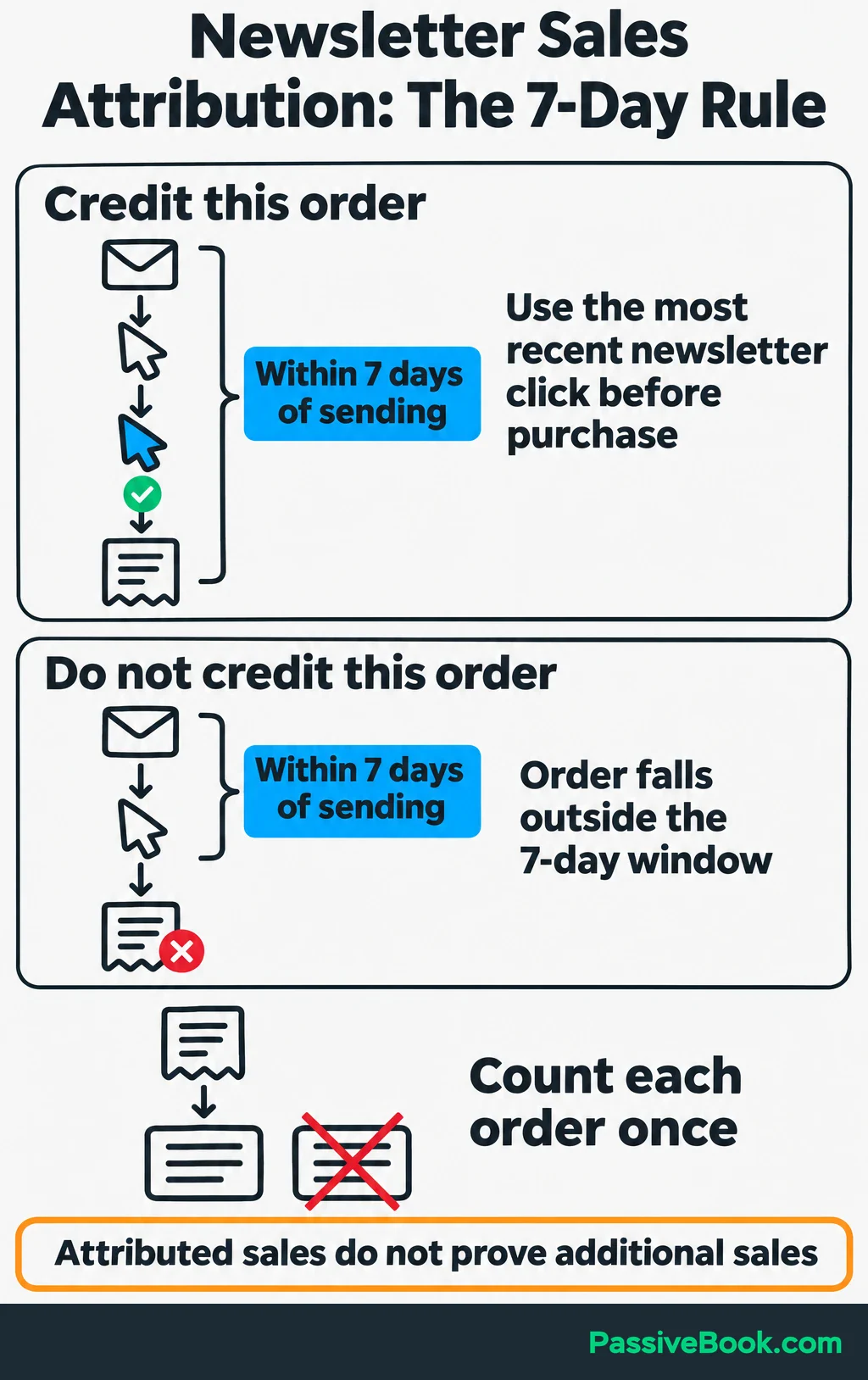
Credit an order only if it and the most recent newsletter click before it fall within seven days of that issue’s send. Count each order once. This records attributed sales; it doesn’t prove additional sales.
Privacy features and security tools can inflate opens and clicks, as Mailchimp explains. Compare filtered reports with visits, replies, and orders. Don’t remove subscribers solely for low recorded opens.
Subtract product costs, refunds, transaction fees, and email-system costs from attributed revenue. Review the remainder beside production time.
Use the Results to Choose the Next Change
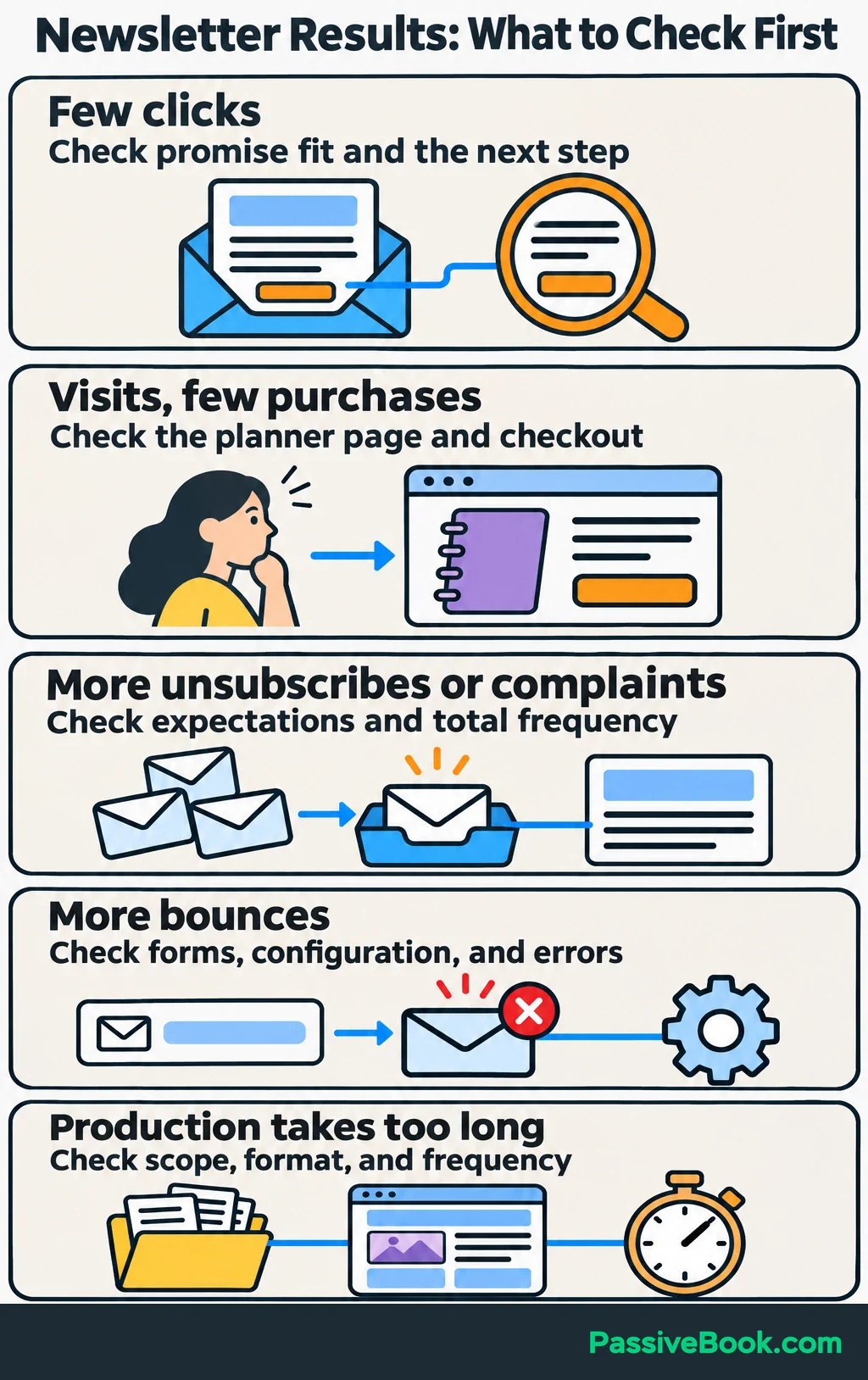
Compare similar issues at your review point.
| What You Observe | What I Would Check First |
|---|---|
| Few clicks | Lesson matches signup promise; main link offers a useful next step |
| Visits without purchases | Planner page is clear; checkout works |
| More unsubscribes or complaints | Signup expectations and combined message frequency |
| More bounces | Signup forms, sending configuration, and delivery errors |
| Production takes too long | Research scope, format complexity, and frequency |
Change one thing at a time, such as replacing “Learn more” with “Download the outing checklist.” Compare similar sends before declaring a winner.
Repeated reader questions can reveal missing lessons or unclear product explanations.
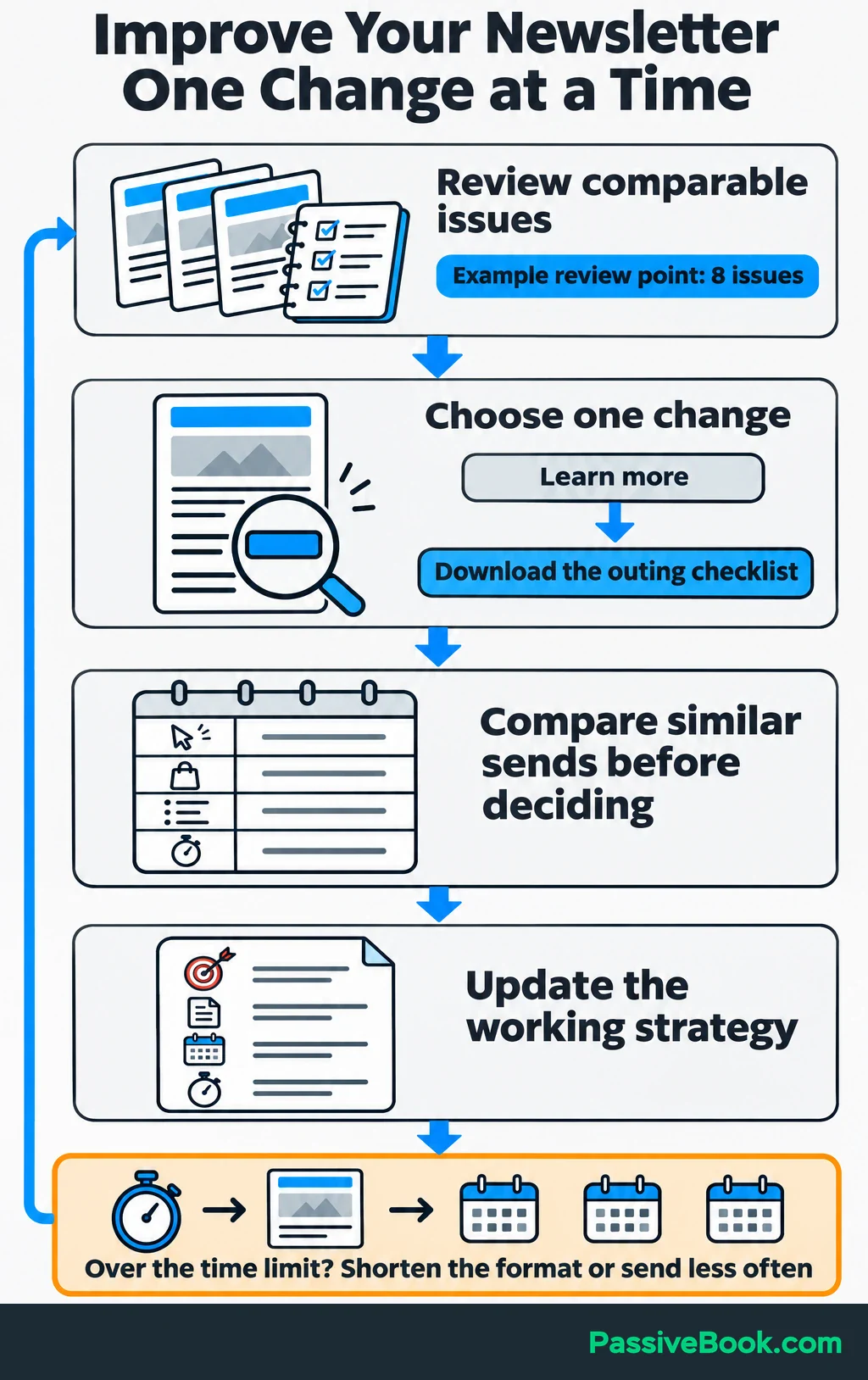
Use those findings to update your strategy. Here’s the completed page for the day-trip blog:
| Decision | Working Strategy |
|---|---|
| Business goal | Five attributed planner purchases across eight issues |
| Audience | People organizing occasional dog-friendly day trips |
| Promise | Short planning lessons and reusable checklists |
| Content themes | Destinations, travel details, and outing preparation |
| Format | One lesson, a short checklist, and one main action |
| Cadence | Every other week |
| Main actions | Use a guide or checklist; view the planner when relevant |
| Signup sources | Related articles, website navigation, and existing social profiles |
| Subscriber groups | Prospective buyers and customers |
| Welcome journey | Deliver the checklist, explain the schedule, and offer a useful starting guide |
| System | MailerLite for the initial hosted test, after verifying checkout integration |
| Workflow and workload | One owner; check, draft, test, and schedule within two hours per issue |
| Measurement | Seven-day reporting window, attributed purchases, clicks, list health, costs, and time |
| Review point | After eight issues, with delivery problems checked after every send |
If the workload keeps exceeding the limit, shorten the format or send less often. A strategy should help you make that choice before the newsletter becomes another abandoned project.
What Next?
Write your newsletter promise and one business goal on a single page, then draft one issue and time the complete process. That gives you something concrete to use when choosing a schedule and system.
Use the social buttons to share this guide when you want to turn a vague newsletter idea into a workable publishing plan.
Which part would be hardest for you to sustain: finding useful topics, sending consistently, or measuring the payoff? Tell me in the comments, and bring any other newsletter questions too.
Share this post with your friends & followers:

