You spend an evening writing a useful newsletter, but the next send brings a handful of clicks and another unsubscribe. Meanwhile, your subscriber count keeps growing, so the list looks healthier than the conversations around it.
Sending more often means more work, and you still don’t know what readers are missing. To make that writing time count, these 29 tactics help you find where interest fades and improve your content, subject lines, and follow-ups so readers have a reason to click, reply, and return.
Which Engagement Problem Should You Fix First?
If you’re deciding how to increase newsletter engagement and retention, start with a few comparable sends. Compare regular issues with regular issues, rather than judging a welcome email against a product launch.
Give each send the same response window, such as seven days, and keep your tracking filters consistent.
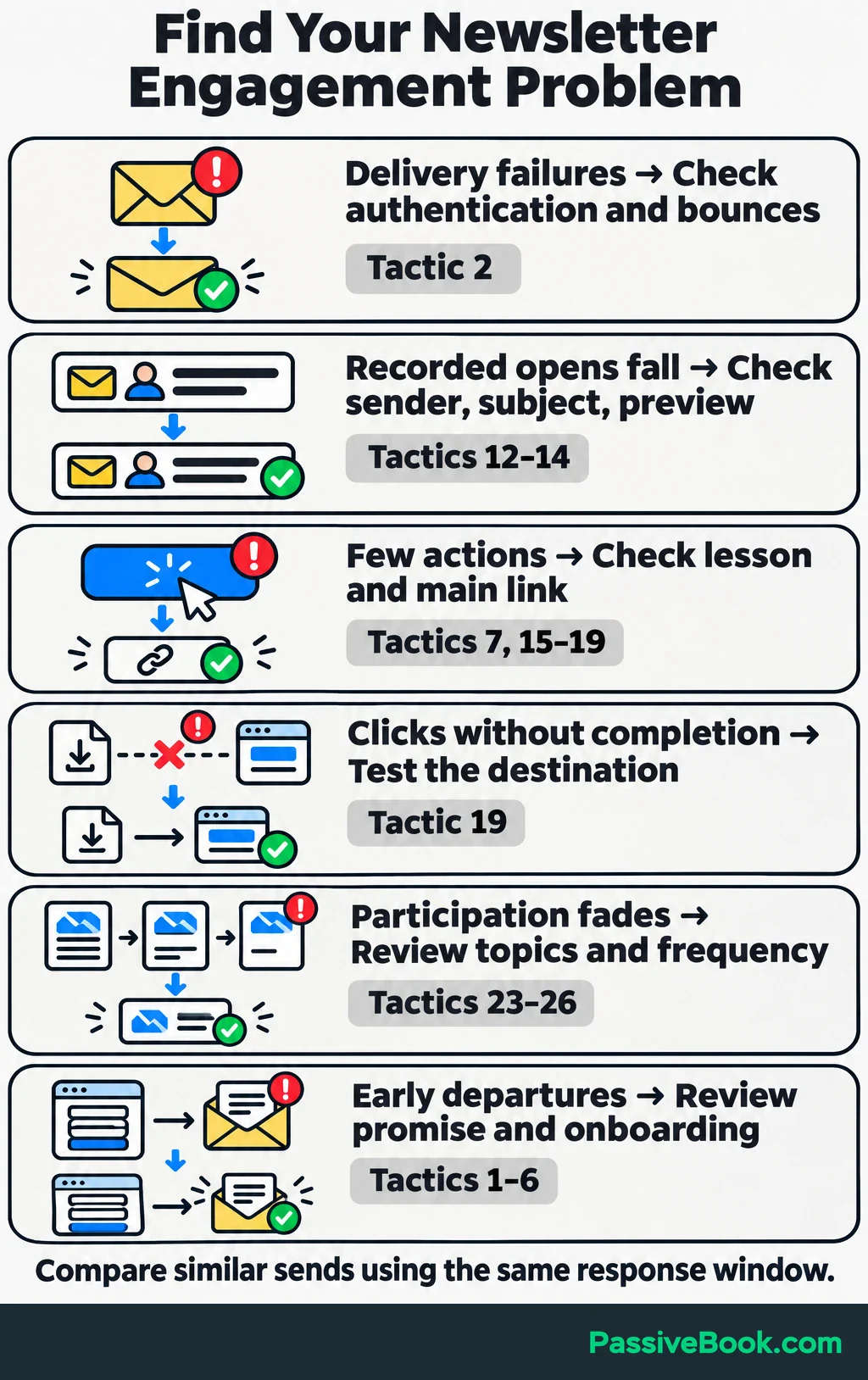
| What You Notice | What to Check First | Where to Start |
|---|---|---|
| Delivery failures suddenly increase | Whether authentication passed and what bounce messages say | Tactic 2 |
| Recorded opens fall but delivery looks steady | Whether readers recognize the sender and understand the subject and preview | Tactics 12–14 |
| Few readers take the intended action | Whether the lesson helps readers and the main link clearly names the next step | Tactics 7 and 15–19 |
| Readers click but rarely buy or complete a form | Whether the linked page matches the offer and its form or checkout works | Tactic 19 |
| Participation fades across several issues | Which topics readers requested and how many emails each received | Tactics 23–26 |
| New subscribers leave early | Whether the first emails deliver what the signup form promised | Tactics 1–6 |
Count people rather than repeated actions. A reader who clicks five times should count once in your unique click rate.
Mailchimp defines click rate as the percentage of delivered emails that registered at least one click. For example, suppose 30 of the 1,000 recipients whose emails were delivered clicked within seven days:
30 unique clickers ÷ 1,000 delivered emails × 100 = 3%
For the same issue and response window, calculate reply rate using unique human respondents divided by delivered emails. Use unsubscribes divided by delivered emails for unsubscribe rate.
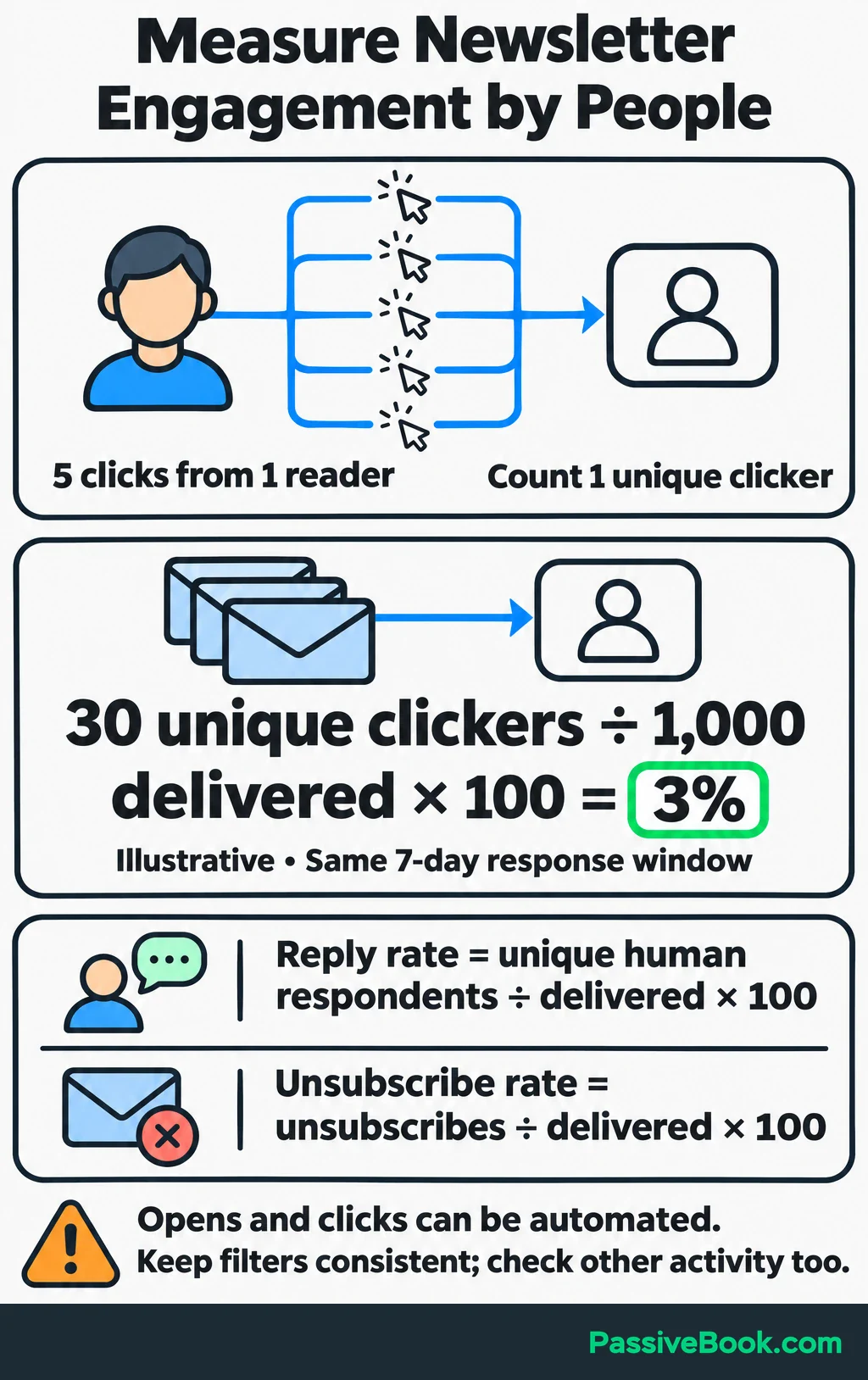
These reports have limits that affect your decisions. Apple Mail Privacy Protection downloads remote content regardless of engagement, and automated security tools can inflate clicks. Apply available bot filtering consistently and look at replies, website activity, and purchases alongside email reports.
Remaining subscribed also differs from participating repeatedly. Tactic 29 shows how to track clicks and replies across several issues. Those records cannot identify everyone who quietly reads.
For context, MailerLite’s benchmark report gives median click and unsubscribe rates of 2.09% and 0.22%. Its data covers more than 3.6 million campaigns from 181,000 approved accounts during December 2024–November 2025. Use those as background; your own comparable sends are the better target.
Throughout this article, imagine you run Everyday Dog Walks, a blog sharing route-planning tips and selling printable walk logs. Its sample copy and calculations are illustrative.
Build Trust From Signup to the First Email
1. Make the Signup Promise Specific
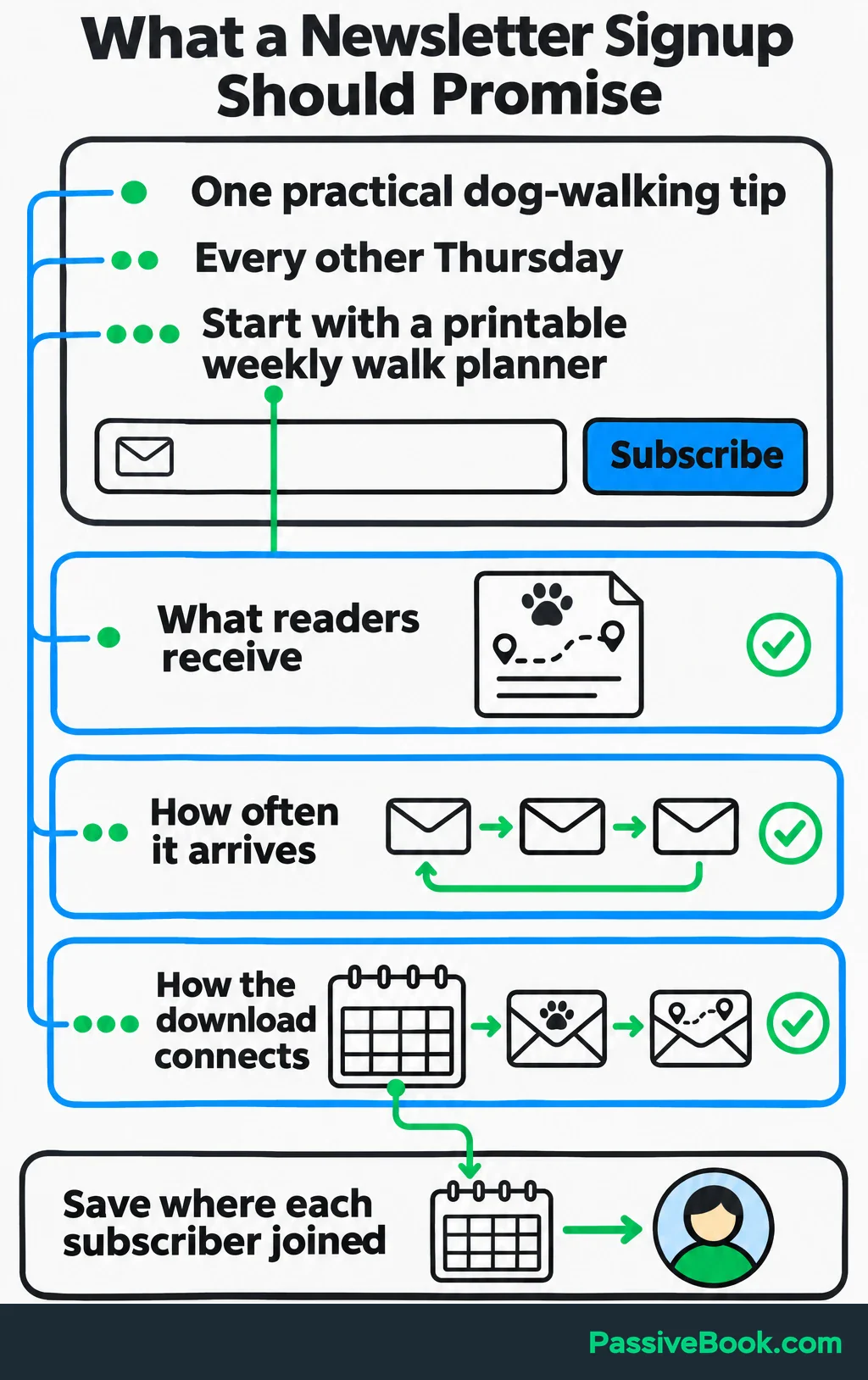
Tell people what they will receive, how it helps, and how often it arrives. A free download should lead naturally into the ongoing newsletter.
For Everyday Dog Walks, that might be:
Get one practical dog-walking tip every other Thursday, starting with a printable weekly walk planner.
“Join my newsletter” leaves the reader to invent the benefit. Give them something clearer to agree to.
Use a dedicated signup form and save where each subscriber joined. Later, you can check whether people who requested the planner stay interested in the newsletter.
2. Authenticate Your Sending Domain
Authentication helps receiving services check that your emails come from an authorized sender. Complete your sending service’s SPF, DKIM, and DMARC setup, which involves adding or updating records with your domain provider.
Then send a test message and inspect its authentication results.
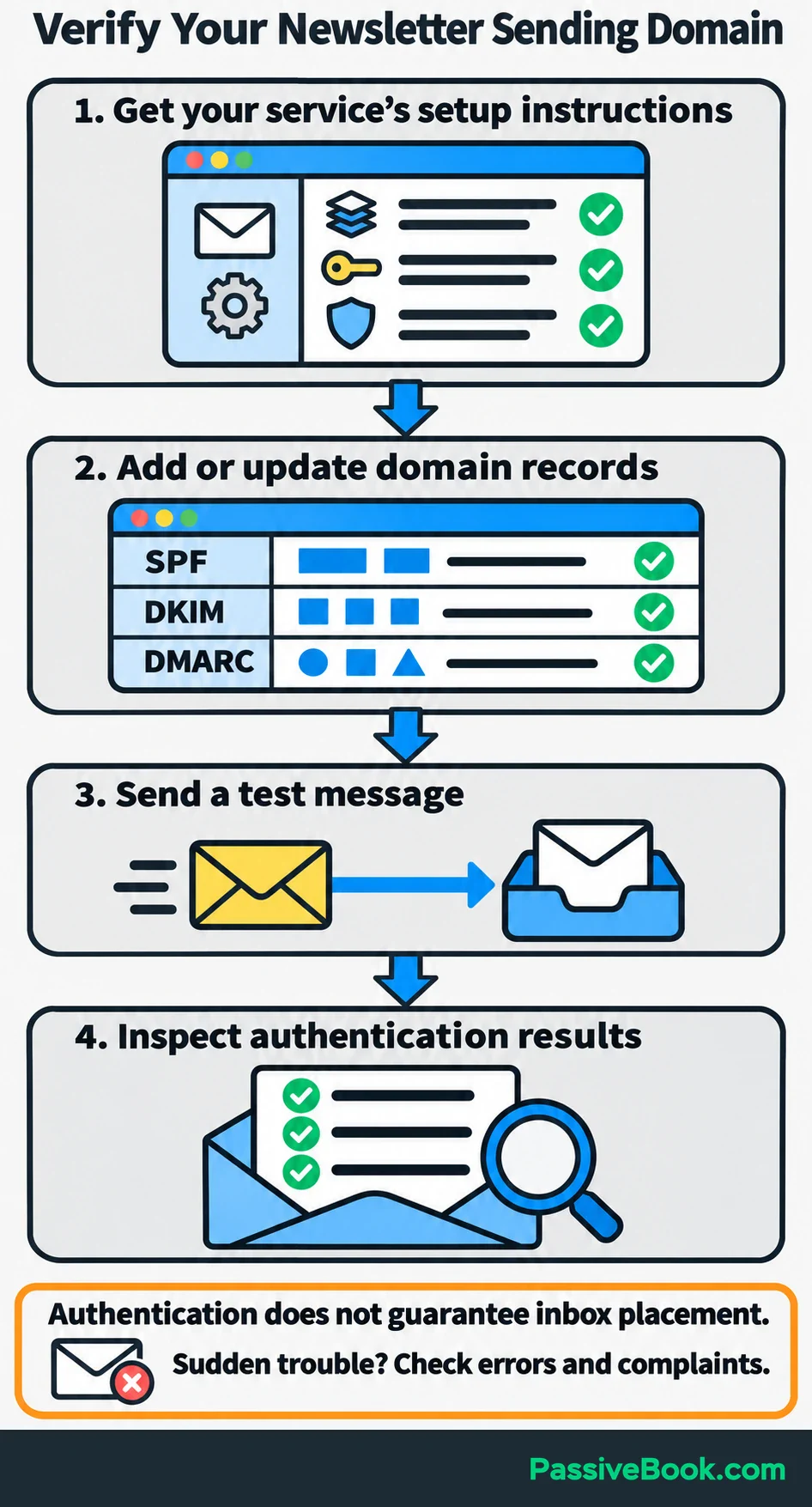
Google recommends all three methods, although its minimum requirements differ for ordinary and bulk senders. Authentication reduces a preventable delivery problem, but it does not guarantee inbox placement.
When engagement drops suddenly, check delivery errors and complaints before spending your weekend rewriting subject lines. Better copy cannot help a rejected message.
3. Deliver an Immediate Result in the Welcome Email
Send the promised resource as soon as someone completes your signup process. Put access near the beginning, explain what comes next, and suggest one small use for it.
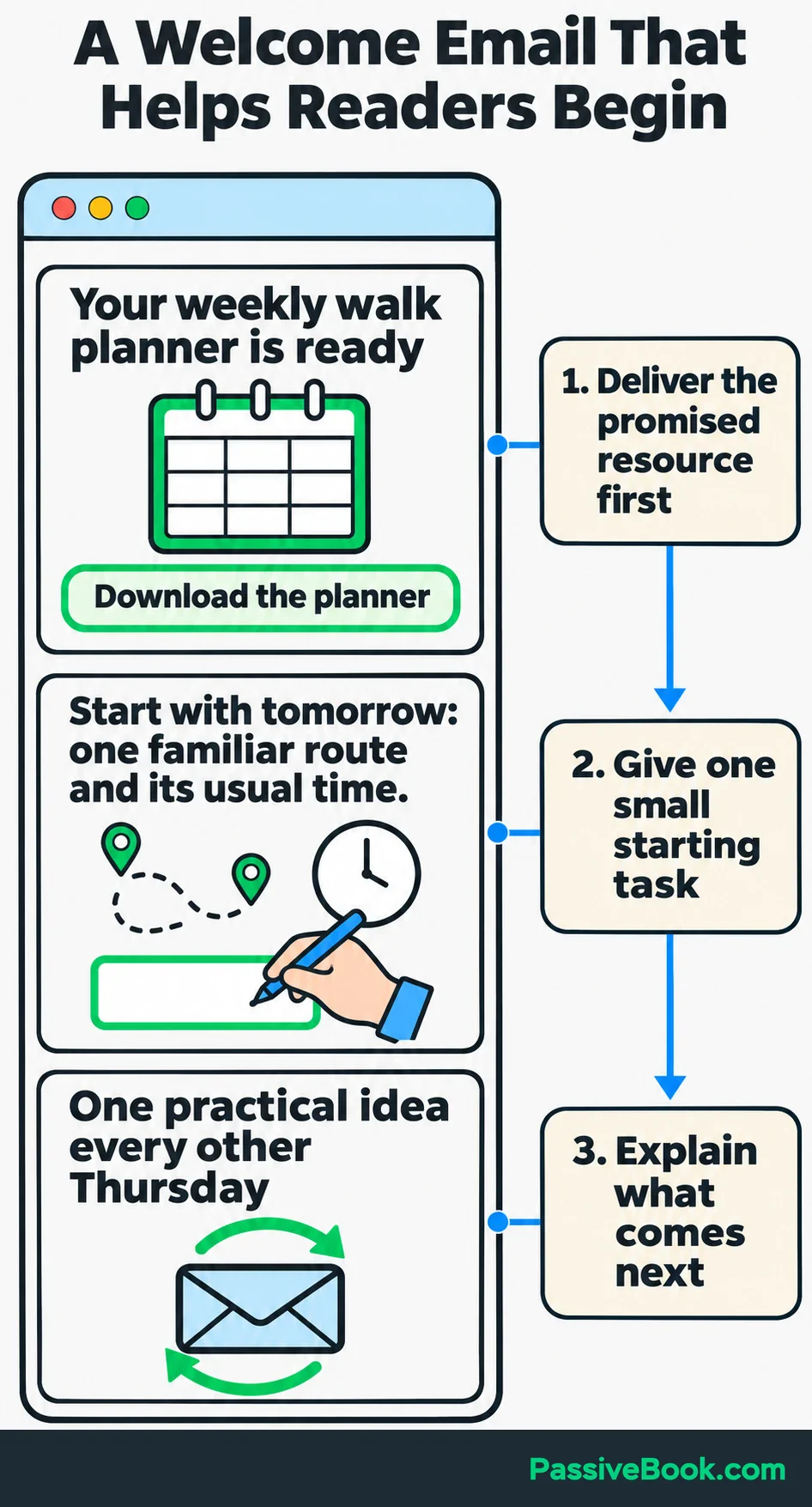
For the walk planner:
Your weekly walk planner is ready: [download link].
Start with tomorrow. Write down one familiar route and roughly how long you usually spend on it. You can fill in the rest of the week later.
Every other Thursday, I’ll send one practical idea for organizing your walks.
The first email should help someone begin. Save the full tour of your content library for another time.
4. Ask for One Useful Preference
Ask a question only if the answer will change what you send.
“Which would help you more: neighborhood walks or weekend outings?” gives you a useful choice. Collect it through a short form with a save button, and let readers change it later.
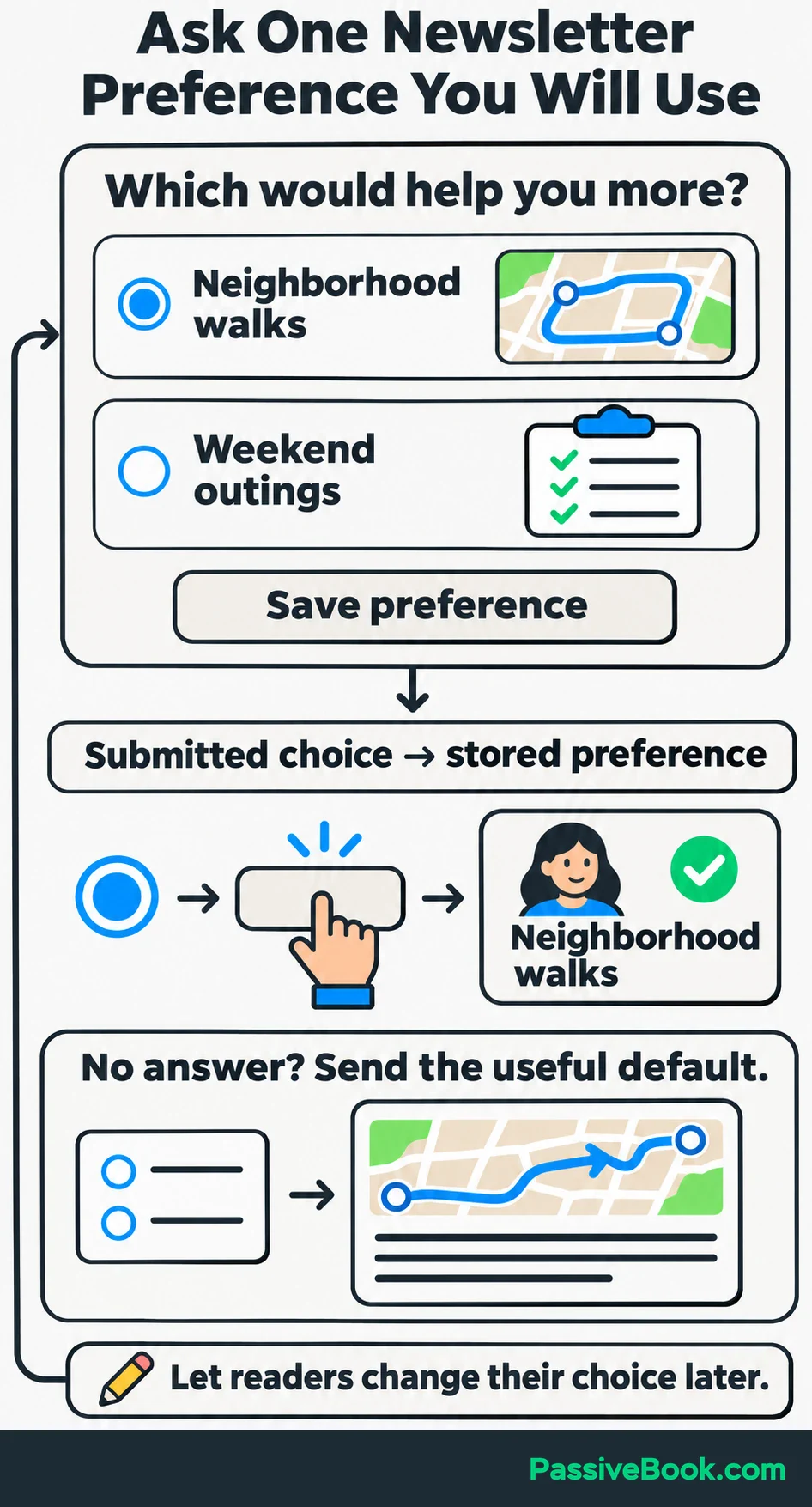
People who skip the question should still receive a helpful default newsletter. Don’t make completing a profile the price of receiving the resource they requested.
I would start with one preference. You need enough information to improve the next email, and that rarely requires an interrogation.
5. Segment by Meaningful Interests
A segment is simply a group of subscribers who should receive something different.
Begin with the preference you collected. Keep the main lesson shared, then change the relevant example or optional resource:
- Neighborhood readers receive a worksheet for organizing familiar routes.
- Weekend readers receive a checklist for planning an outing.
- Readers without a stated preference receive the general version.
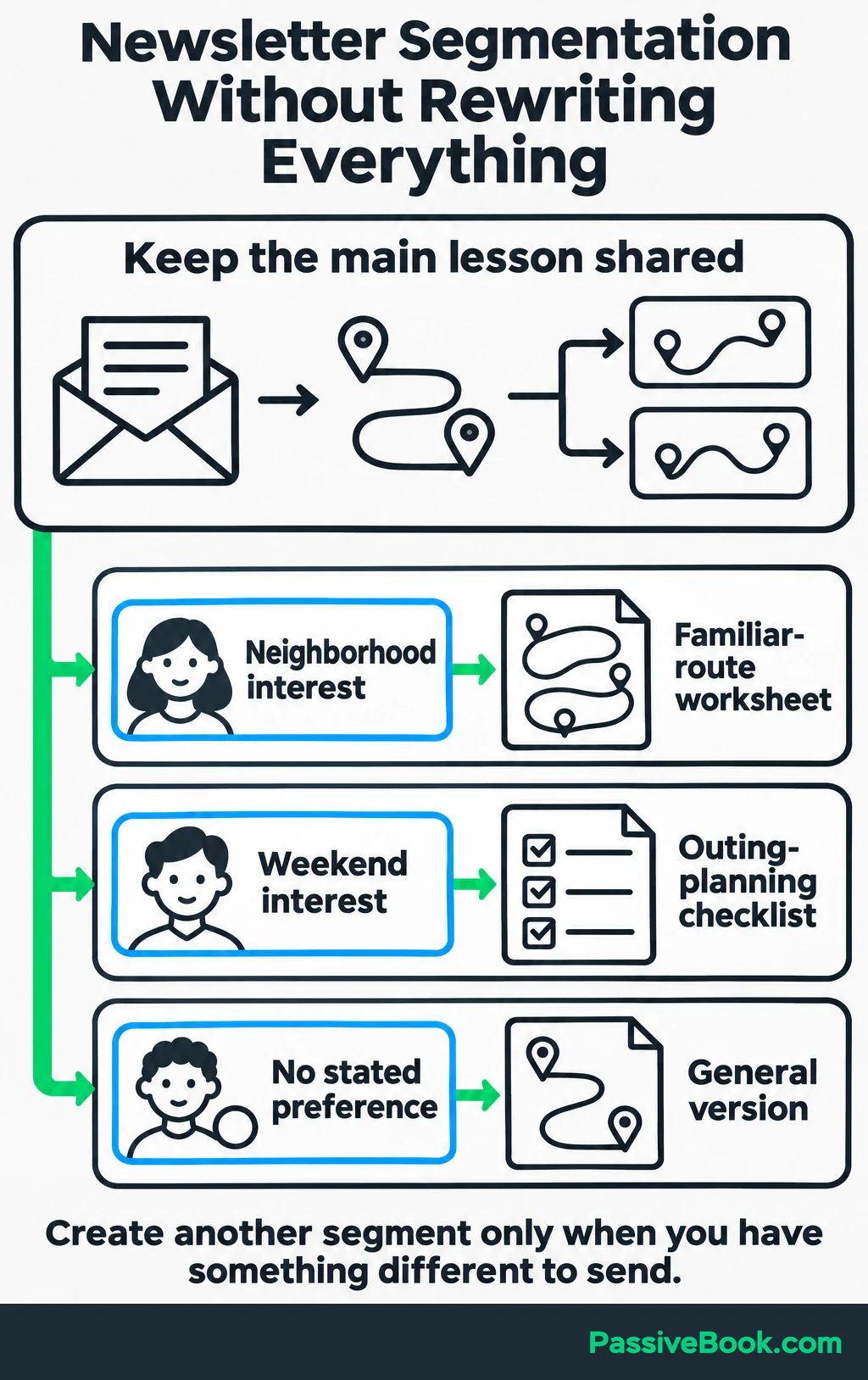
That is useful personalization. Adding a first name to an irrelevant message achieves considerably less.
Start in your existing email service and check how it stores preferences and selects recipients. Build another segment only when you have a real difference to send.
6. Adapt Follow-Ups to the Reader’s Stage
Use stated needs and confirmed actions to choose the next message.
Someone who has bought your printable walk logs needs help using them. Remove that person from the sequence promoting the same purchase and send a short setup lesson instead.
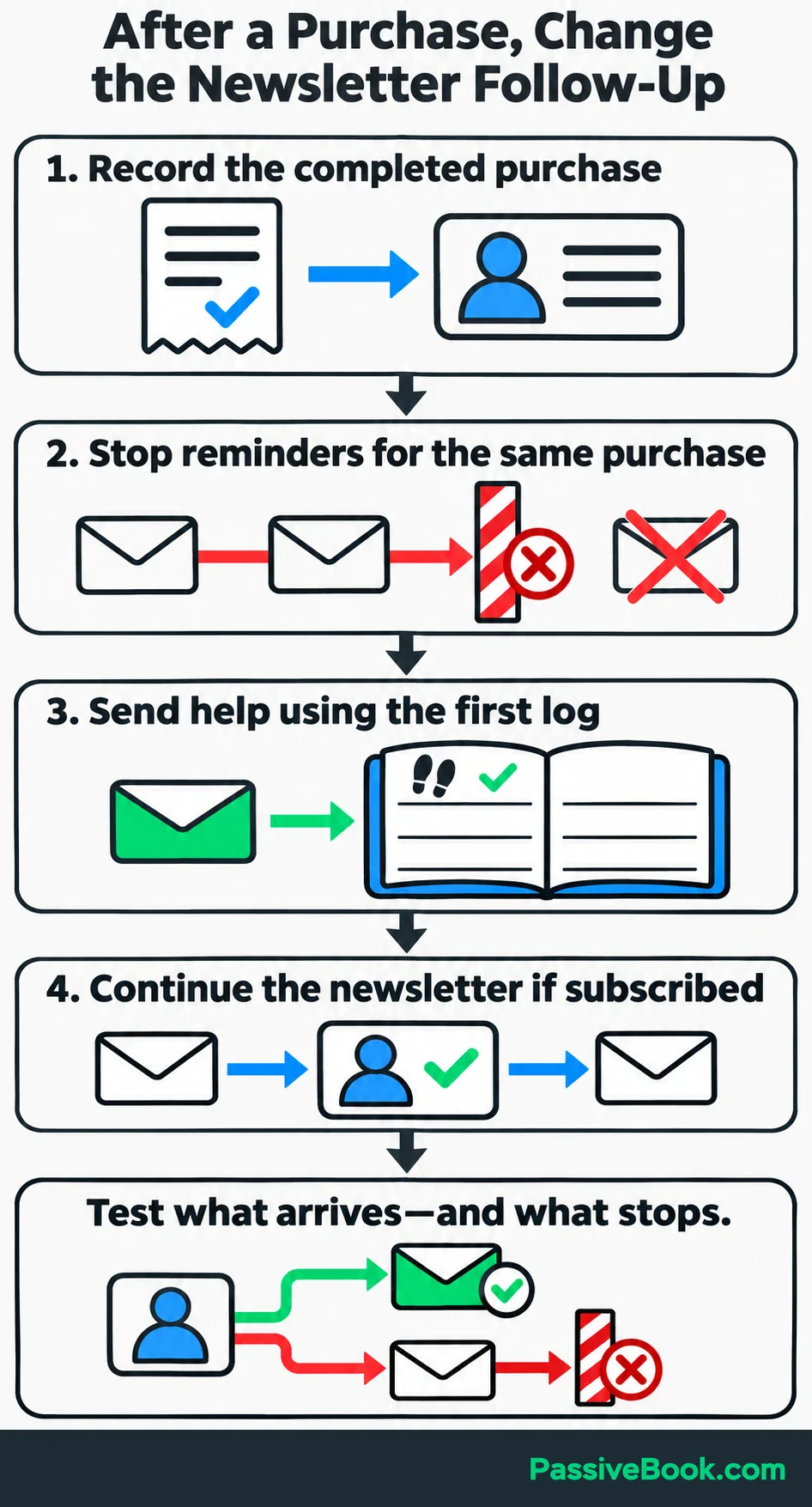
A simple workflow is enough:
- Record the completed purchase.
- Exclude the buyer from remaining purchase reminders.
- Send instructions for filling in the first log.
- Continue the regular newsletter if they subscribed to it.
Test this with your own contact record. Check both the email that should arrive and the promotion that should stop.
Publish Content Readers Want to Return To
7. Solve One Problem Inside Each Email
Choose the reader’s problem before choosing the links. Then include enough instruction for useful progress inside the email.
On a newsletter I ran in another niche, I kept adding links because leaving something out felt wasteful. When I reduced a draft to its main lesson, I found that most of the useful instruction was still on the website. The email was asking for attention without doing much with it.
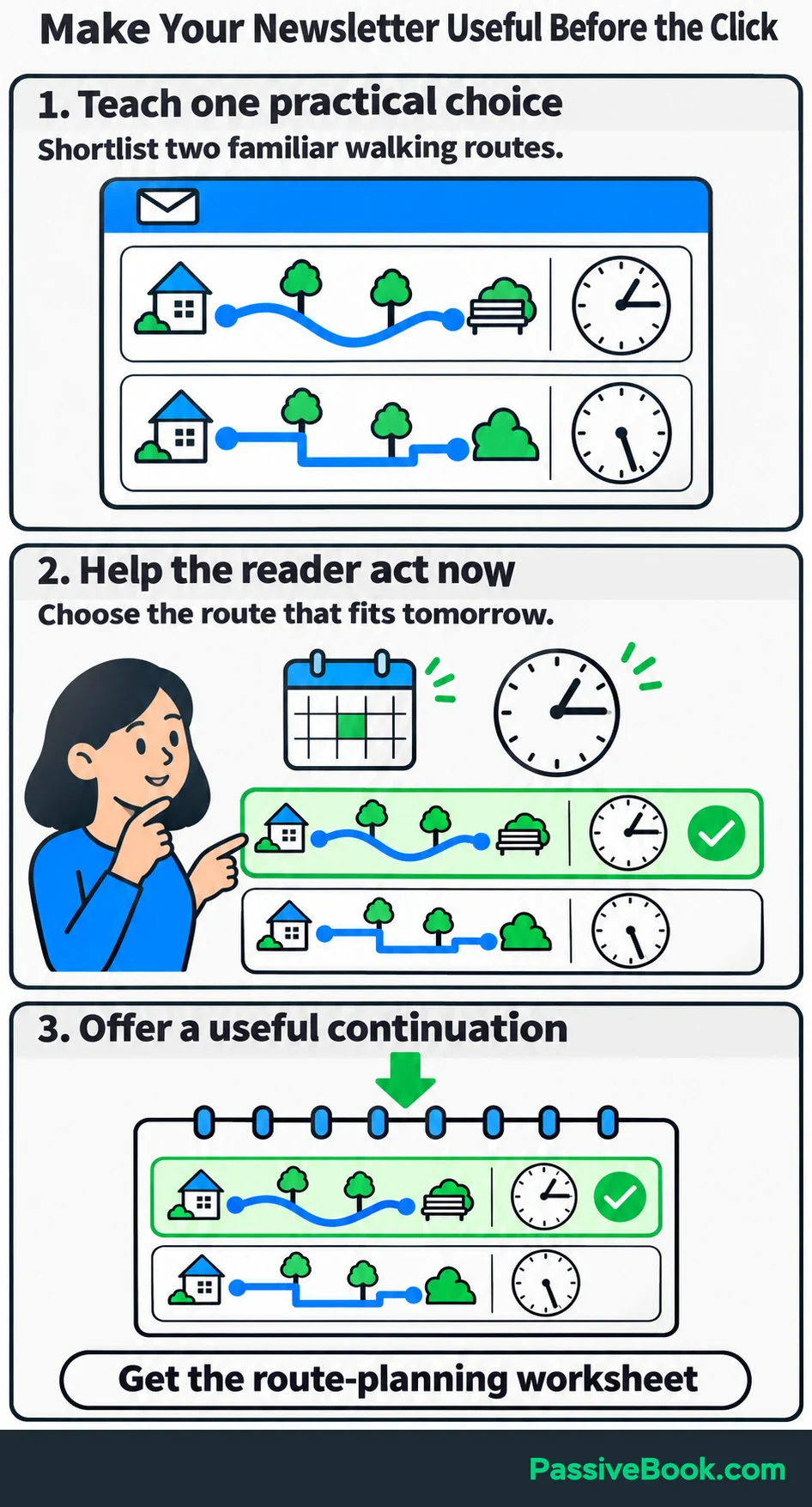
Now I ask what someone can use before clicking.
For a route-planning issue, teach readers to shortlist two familiar routes and choose one that fits tomorrow’s available time. Offer the worksheet for organizing the choice.
8. Add a Recognizable Editorial Perspective
Explain why you chose the idea or where you think readers waste effort. Your judgment gives the lesson a point of view.
For example:
Saving more routes does not help when you still have to choose one at the door. This week, we’re making that choice smaller.
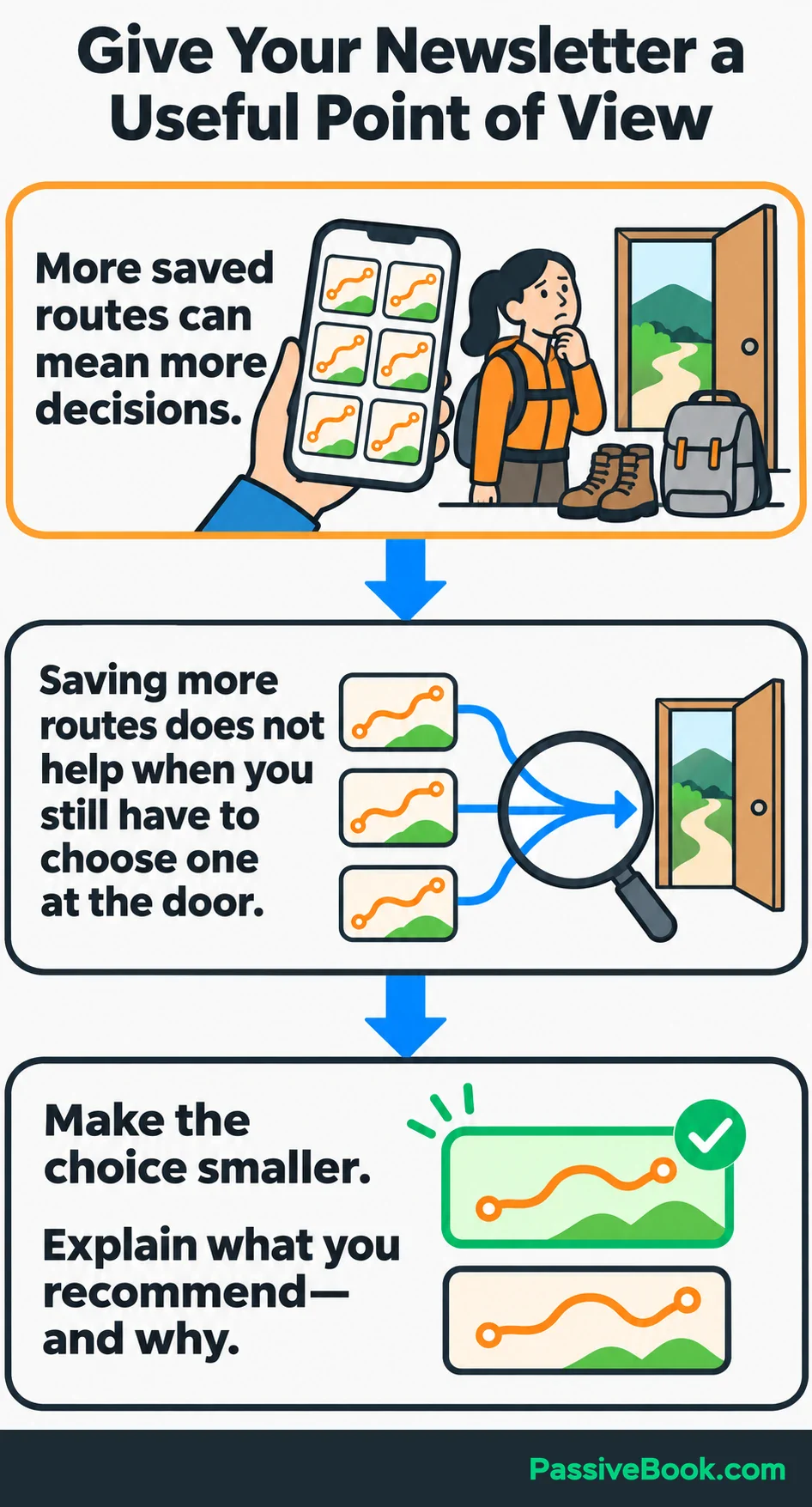
That opening takes a position and leads into a practical task. It does more work than announcing that route planning is important.
You don’t need a dramatic personal story in every issue. A clear explanation of what you recommend, and why, can carry your voice.
9. Curate Resources With a Clear Purpose
Choose resources that help with the issue’s central task, and explain what each one contributes.
If you link to an official public trail map, tell readers what they can find there: entrances, route connections, or posted access information. Point them toward the part relevant to the lesson.
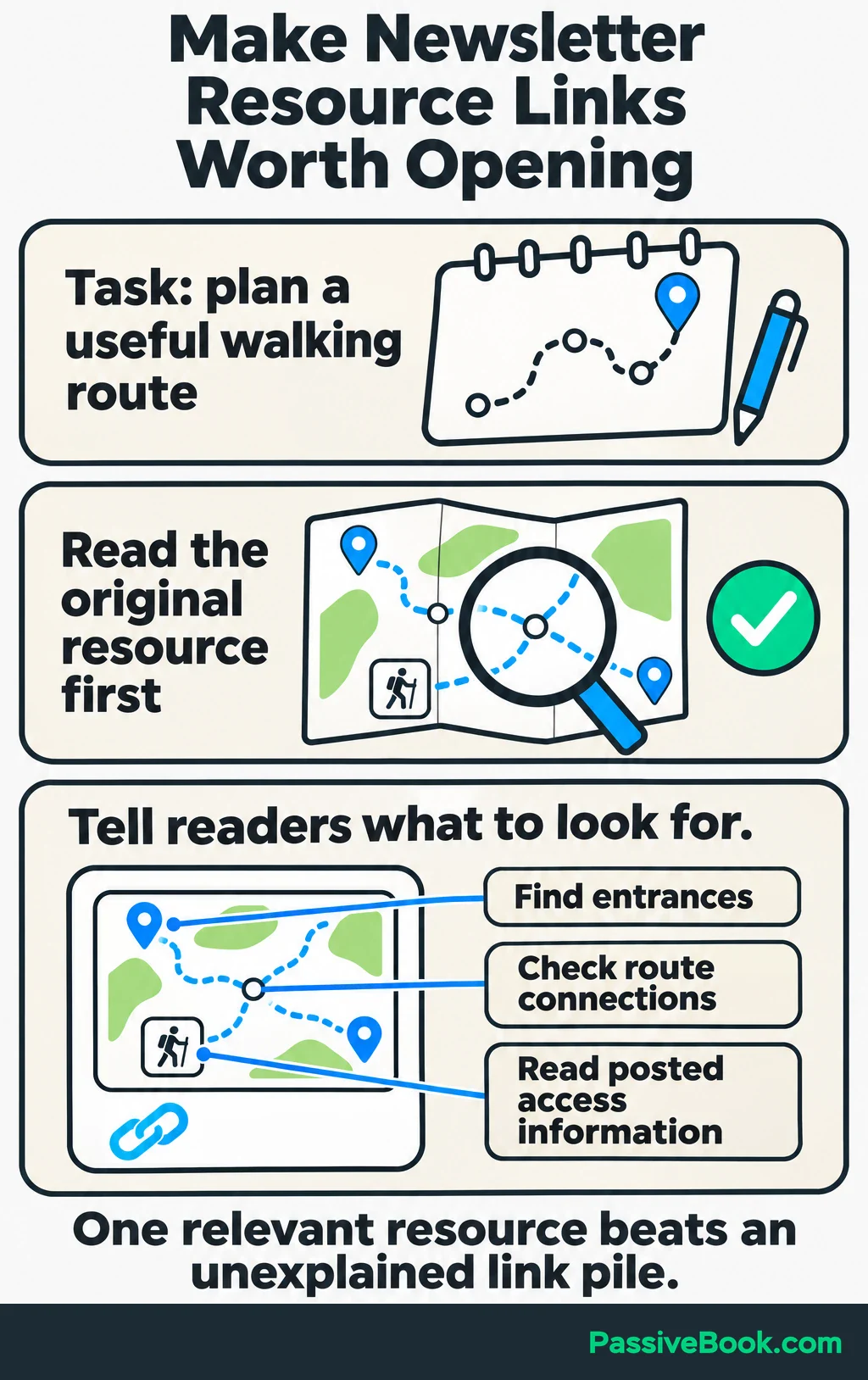
Read the original material before recommending it. A promising headline is not enough.
I would rather send one useful resource with a clear reason to open it than six links accompanied by “worth a read.” Readers already have an internet.
10. Create Recurring Features and Short Series
Give your newsletter a familiar shape so readers know how to use it.
Everyday Dog Walks could follow this structure:
- One planning problem.
- One practical adjustment.
- One optional worksheet or resource.
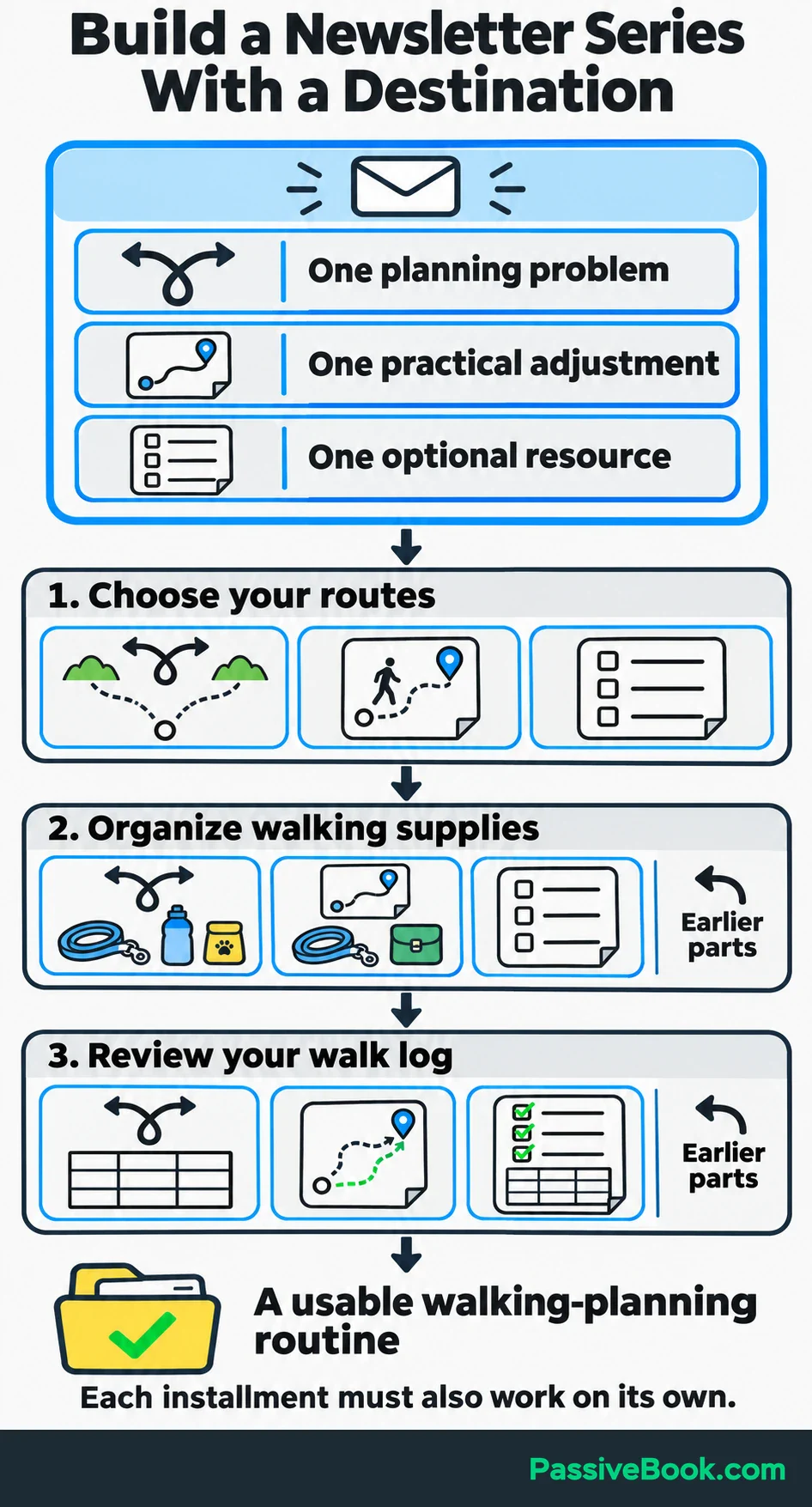
Keep the structure steady while changing the substance.
When lessons connect, turn them into a finite series. You might cover choosing routes, organizing walking supplies, and reviewing a week’s walk log. Each installment should work on its own, link to earlier parts, and explain the next useful outcome.
A series needs a destination. Otherwise, it becomes another publishing commitment with no end in sight.
11. Make Promotions Extend the Lesson
Introduce a product when it helps someone continue the task you just taught.
After explaining how to organize route choices, you could write:
You can keep these notes on any sheet of paper. If you’d prefer ready-made pages for recording routes and reviewing your week, the printable walk logs are here:
.
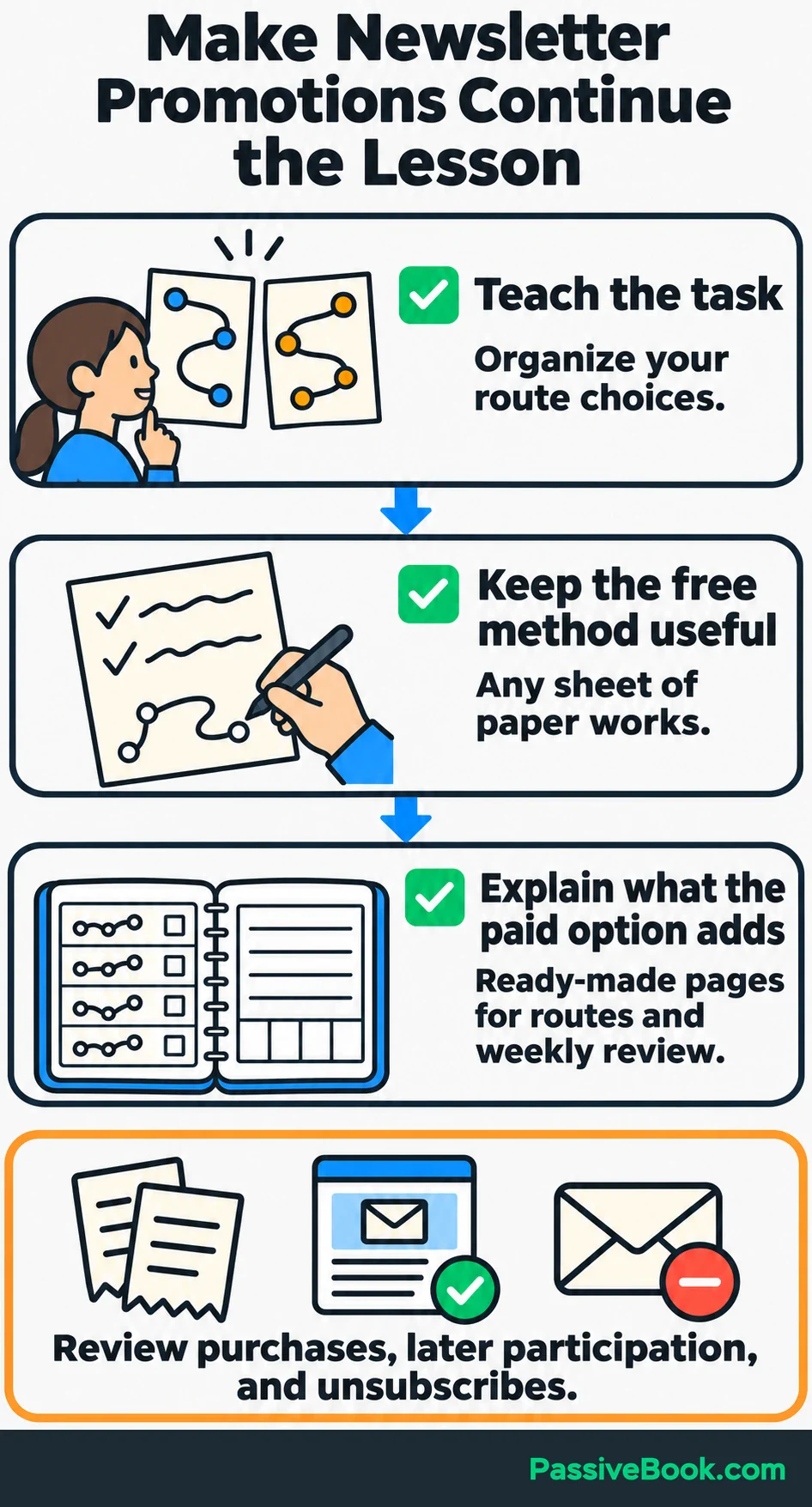
Explain what the paid product adds and who would find that useful.
Watch purchases alongside later participation and unsubscribes. An issue can sell a product and still leave you with a question about whether the promotion suited the wider list.
Help Readers Recognize and Open Your Emails
12. Keep the Sender Identity Familiar
Choose a sender name that connects the person and publication, then keep using it.
“Maya at Everyday Dog Walks” gives readers both pieces of information. It should match the identity they saw when subscribing.
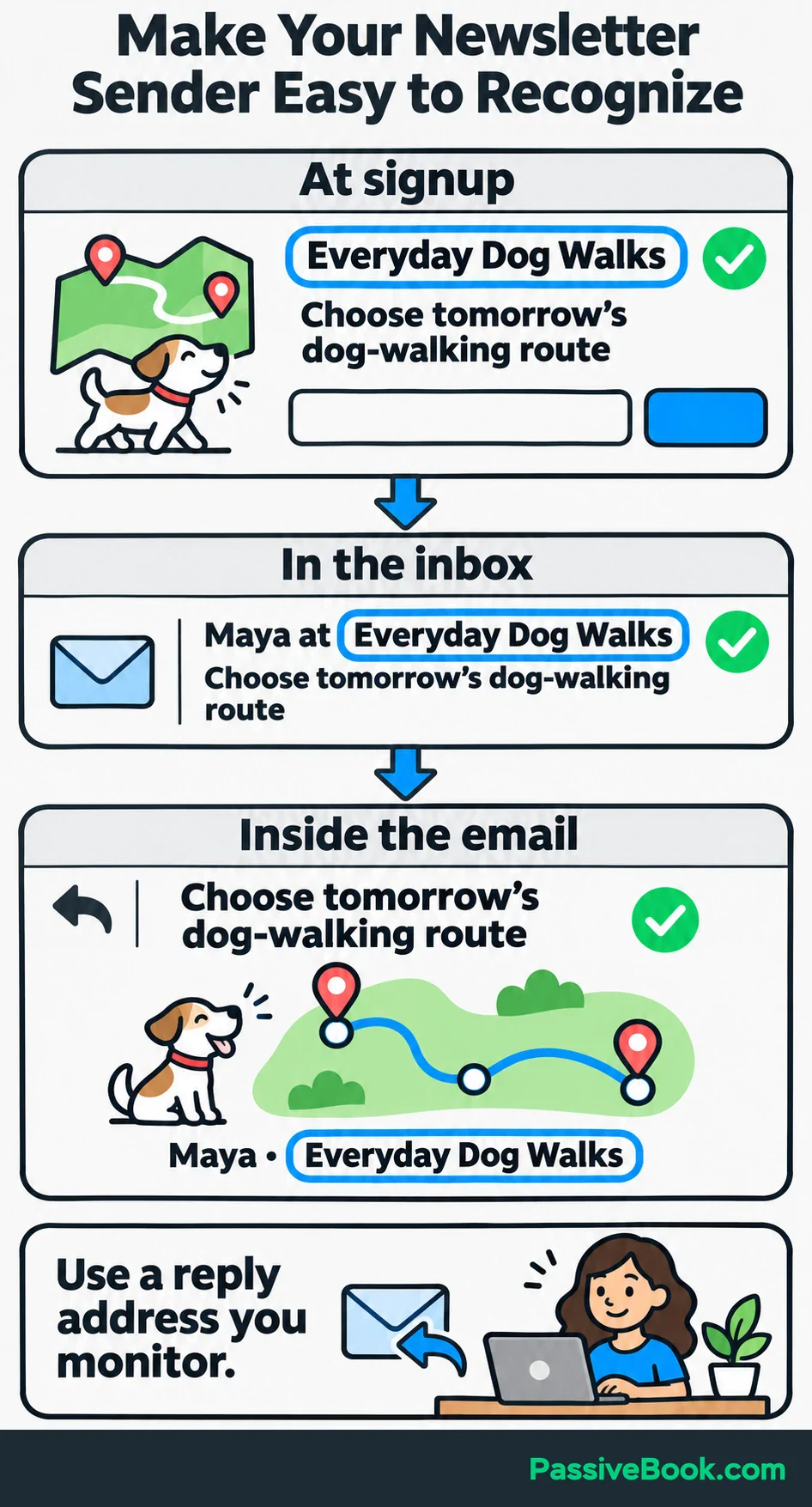
Use a reply address you monitor, and keep the newsletter name and signature consistent. Your design can evolve without making every send look like it came from a different business.
Before changing the sender name, ask whether the change makes recognition easier. A clever campaign name can hide the very identity readers were expecting.
13. Write Subject Lines Around a Concrete Benefit
Write the subject after you know the email’s useful outcome. Draft several options and choose the clearest accurate promise.
For the same route-planning issue:
| Subject Line | What It Communicates |
|---|---|
| Your latest update | A new email exists, but gives no reason to open |
| Choose tomorrow’s dog-walking route | Names the task readers will complete |
| Two familiar routes, one easier choice | Introduces the method |
| Stop choosing your route at the door | Names the frustration the lesson addresses |
I would start with “Choose tomorrow’s dog-walking route.” It is easy to understand and matches the content.
Put the essential meaning early so it survives a shortened inbox display. There is no need to force every subject into the same character count or formula.
14. Make Preview Text Add Useful Detail
Preview text is the short excerpt many inboxes show beside or beneath the subject. Use it to extend the promise.
Pair:
Choose tomorrow’s dog-walking route
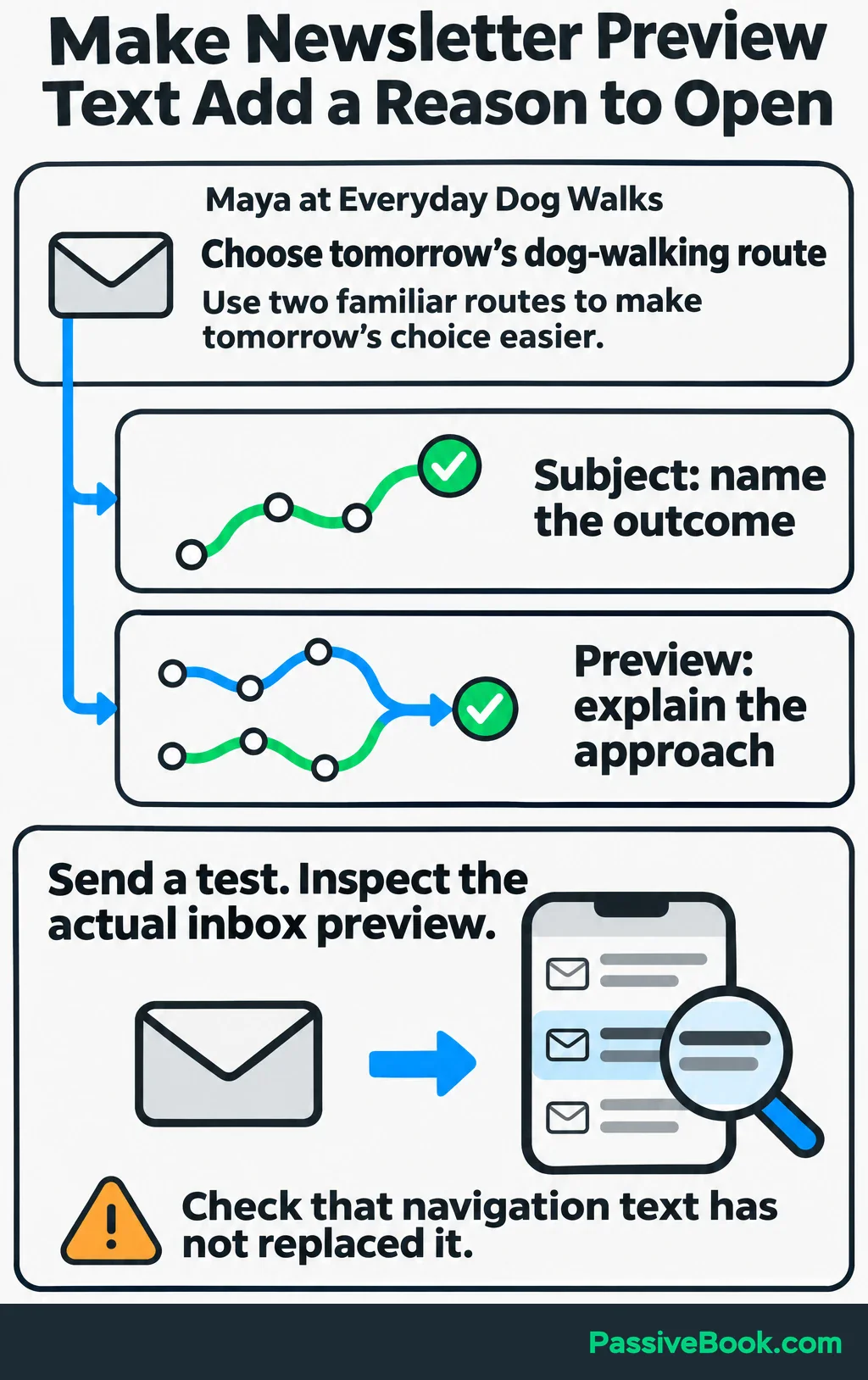
With:
Use two familiar routes to make tomorrow’s choice easier.
The subject names the outcome and the preview explains the approach.
Send yourself a test and check the inbox view. Make sure the intended preview appears, rather than an opening navigation link or “View this email in your browser.”
Make Every Issue Easy to Read and Act On
15. Put the Payoff First and Make the Copy Scannable
Open with the useful task. Readers should not have to work through an announcement about your publishing schedule to find it.
Compare:
Welcome to another edition of our newsletter. This week, we’re talking about planning.
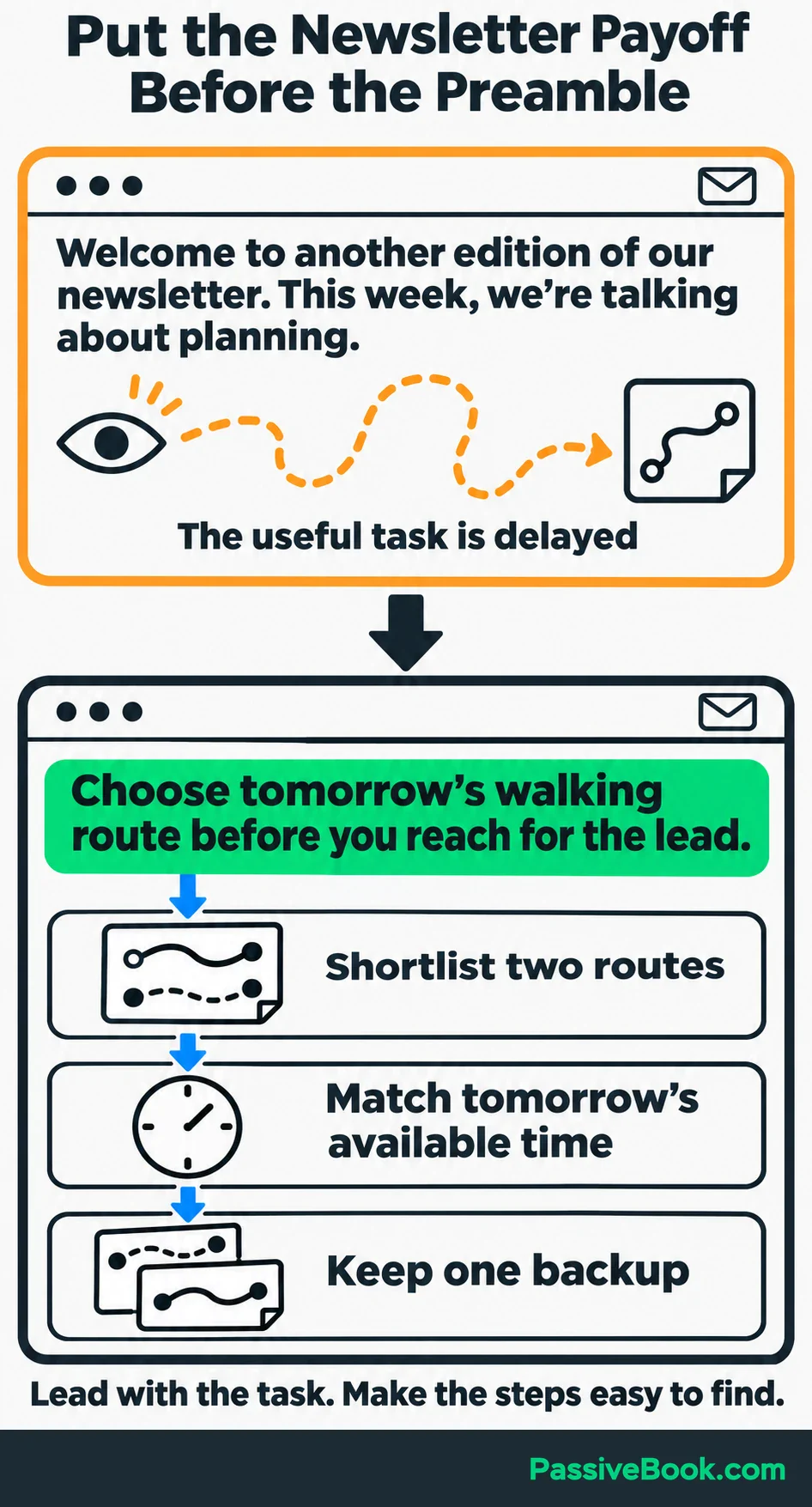
With:
Choose tomorrow’s walking route before you reach for the lead.
Follow that opening with short paragraphs and a concise list when the lesson involves steps. Use descriptive subheadings for a longer issue.
16. Check the Reading Experience on a Phone
Send a test email and read it on an actual phone. Check whether you can follow the lesson without zooming, scroll comfortably, and tap the intended link.
I would use a simple single-column layout unless the content gives you a clear reason for something else.
Keep text readable, leave space between links, and avoid tiny footer controls. Use strong text contrast and underline text links so color is not their only identifying feature. These choices follow W3C’s accessibility design guidance.
The test is practical: can someone read and use the email while holding their phone normally?
17. Use Visuals to Explain Something
Add an image when it makes the instruction clearer.
A filled-in corner of the walk planner can show readers what to write. A generic photograph above the same instructions may simply add scrolling.
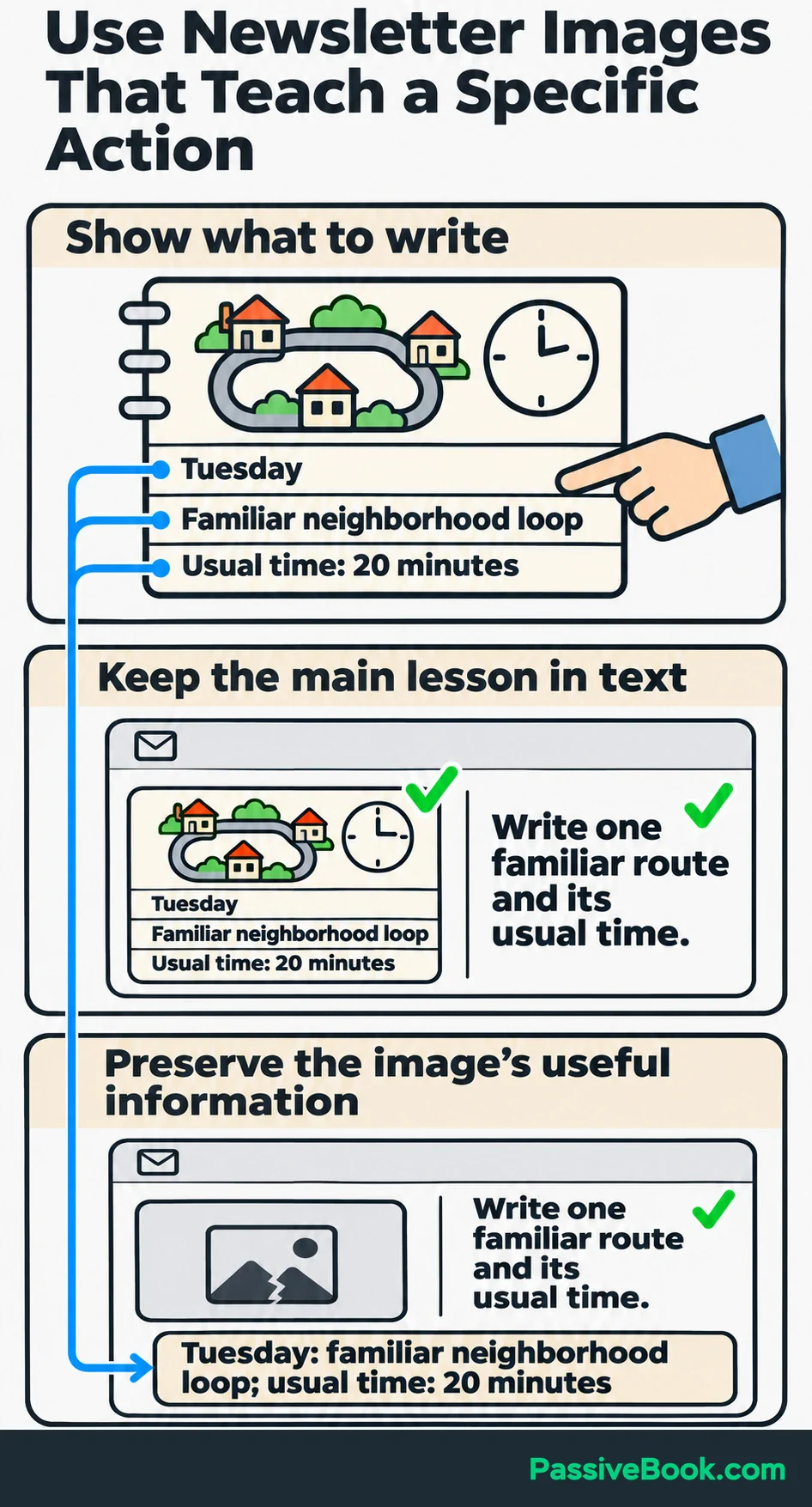
Keep the main lesson in readable text. If images fail to load, the reader should still know what to do.
Give informative images a text alternative that conveys their useful information. Decorative images should have an empty alternative, following W3C’s image guidance.
For a planner example, “Tuesday: familiar neighborhood loop; usual time: 20 minutes” tells the reader more than “Planner image.”
18. Choose One Primary Call to Action
Decide what matters most before adding buttons. The main action might be using a worksheet, replying, reading a walkthrough, or buying a product.
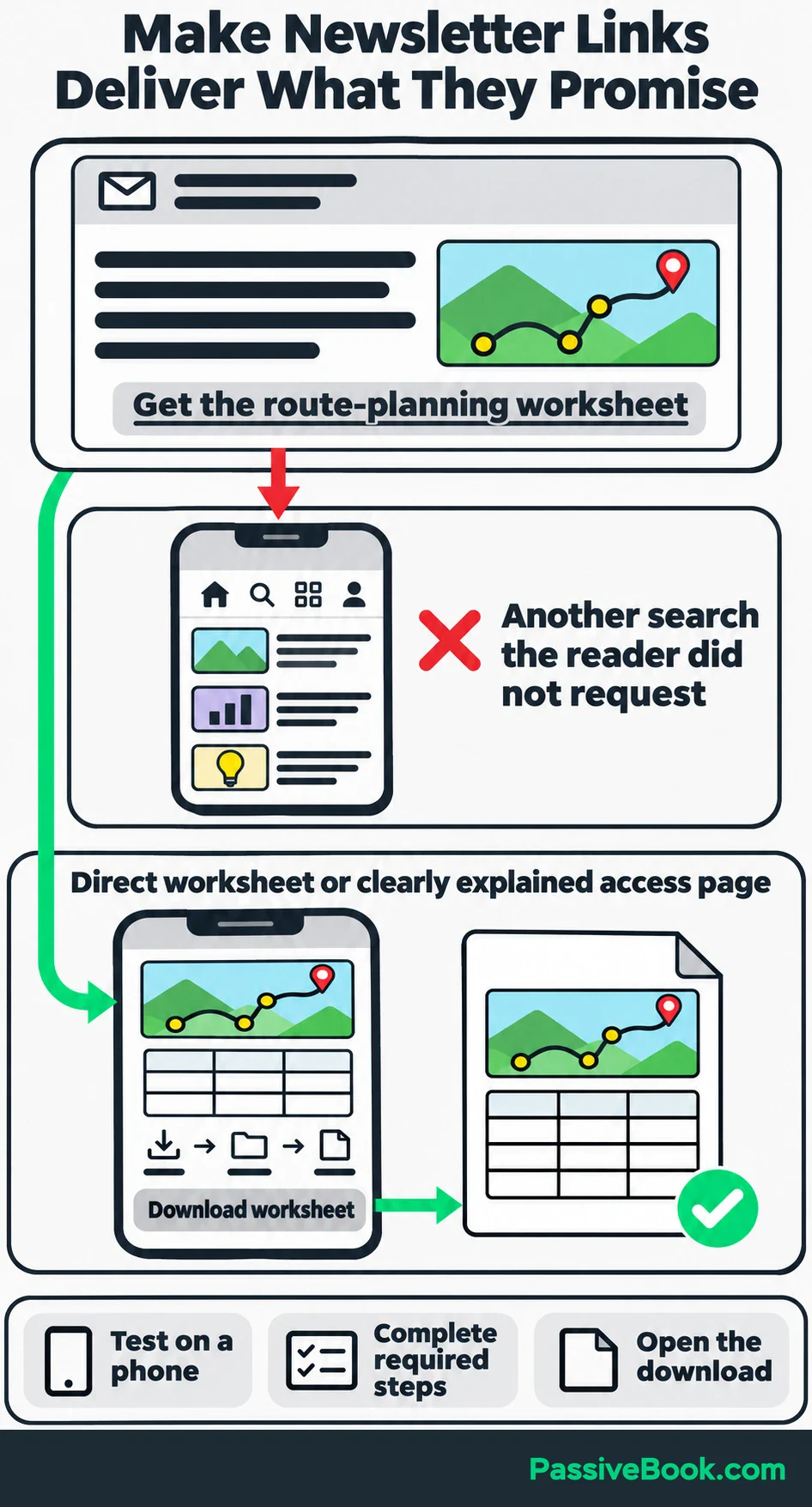
Name the action clearly. “Get the route-planning worksheet” explains more than “Learn more.”
Here is a complete issue you can adapt. Replace the bracketed fields and use your service’s working preference and unsubscribe links.
Subject: Choose tomorrow’s dog-walking route
Preview: Use two familiar routes to make tomorrow’s choice easier.
Hi,
Choose tomorrow’s walking route before you reach for the lead.
Start with two routes you already know. Write down the usual time you spend on each, then compare them with the time you expect to have tomorrow.
1. Pick the route that fits your plans.
2. Keep the other as a backup if your schedule changes.
3. Put your choice beside your walking supplies so you don’t have to make it again at the door.
You can do this on scrap paper. If you’d like a page to keep the choices together, use the worksheet:
Get the route-planning worksheet: [worksheet link]
In the next issue, we’ll organize those notes so they’re easy to find again.
Maya
Everyday Dog Walks
You’re receiving this because you signed up for a practical walking tip every other Thursday.
Preferences: [preferences link]
Unsubscribe: [unsubscribe link]
[Valid business postal address]
This issue gives readers something useful before the click, and its main link continues the same task. If the task happens entirely inside the email, low clicks alone would not establish that the issue failed.
If your own issue still feels like a collection of links, AI Messaging Studio can turn your notes into a draft built around one useful lesson. It gives you copy for your audience rather than another example to translate.

Free AI Messaging Studio




19. Make the Destination Fulfill the Promise
Follow every main link as though you were a subscriber. Check the page on your phone, test the download, and complete any form or purchase steps involved.
A worksheet link should lead directly to the worksheet or a clearly explained access page. Sending readers to your homepage creates another search they did not agree to do.
Add consistent campaign tags to website links:
utm_source=newsletter&utm_medium=email&utm_campaign=route-choice
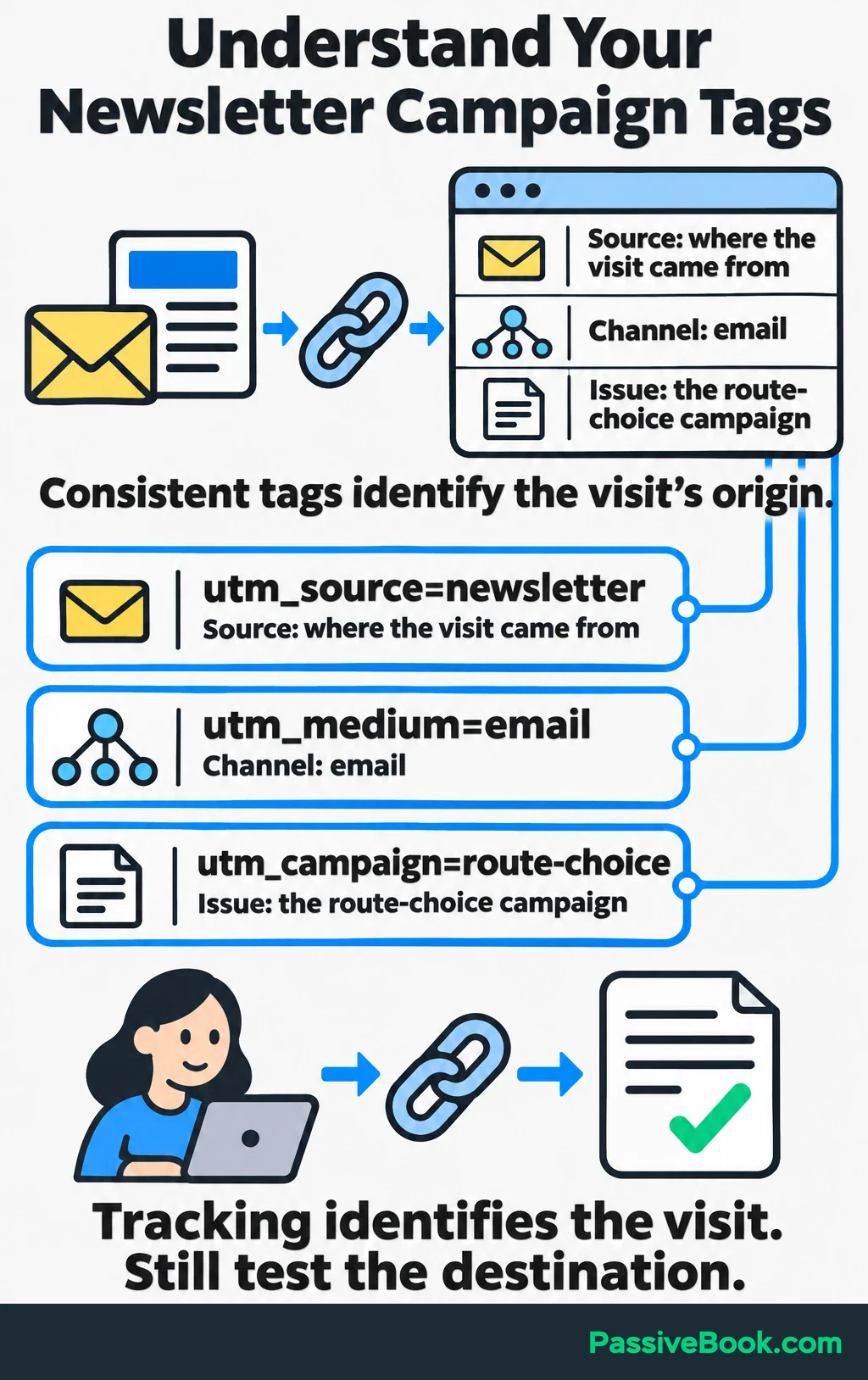
These identify the source, channel, and issue in your analytics, as explained in Google’s campaign-parameter guidance.
When clicks produce little website activity or few completed actions, inspect the destination before rewriting the email.
Give Readers a Role in the Newsletter
20. Ask One Easy-to-Answer Reply Question
Ask about something readers can answer briefly from their own experience.
“What usually makes choosing a walking route difficult?” gives them a clear starting point. “What are your thoughts?” asks them to invent the topic as well as the answer.
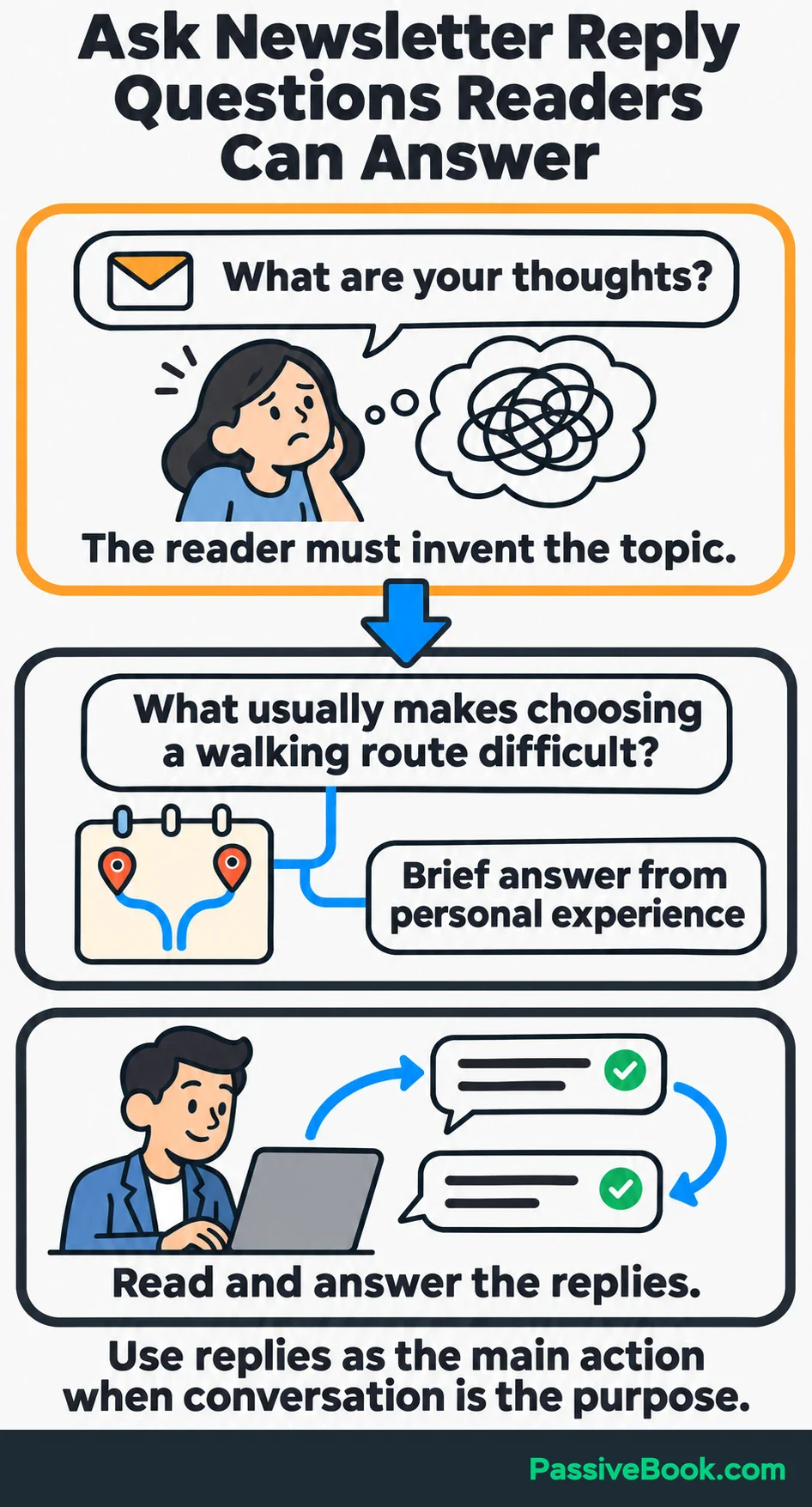
Use a reply question as the main action when conversation is the issue’s purpose. You don’t need to add one to every email.
Set aside time to read and answer the replies. Asking for a conversation and then ignoring it is an odd retention strategy.
21. Feature Useful Reader Contributions
Invite contributions that help explain a lesson: a question, a planning adjustment, or a short account of what someone tried.
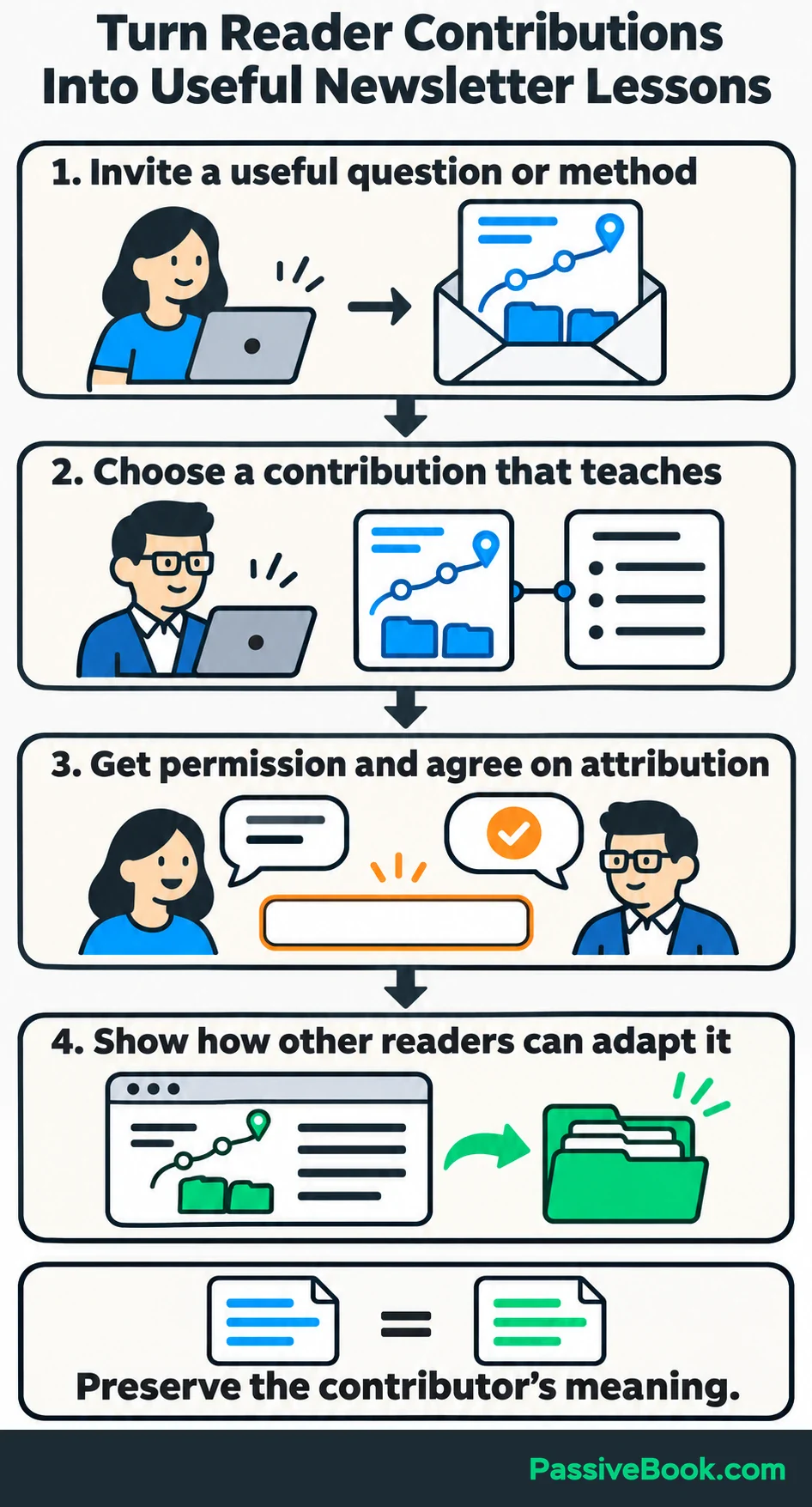
For example, you could ask readers how they keep route notes easy to find. If a submitted method fits a future issue, explain how others could adapt it.
Get permission before publishing an identifiable story or photograph, and agree on the attribution. Preserve the contributor’s meaning when editing.
22. Show Readers How Their Feedback Shapes Future Issues
Save recurring reader questions in a list of future topics, then use that list to choose upcoming lessons.
When the connection is real, make it visible:
You asked for an easier way to organize saved routes, so this issue covers a simple filing method.
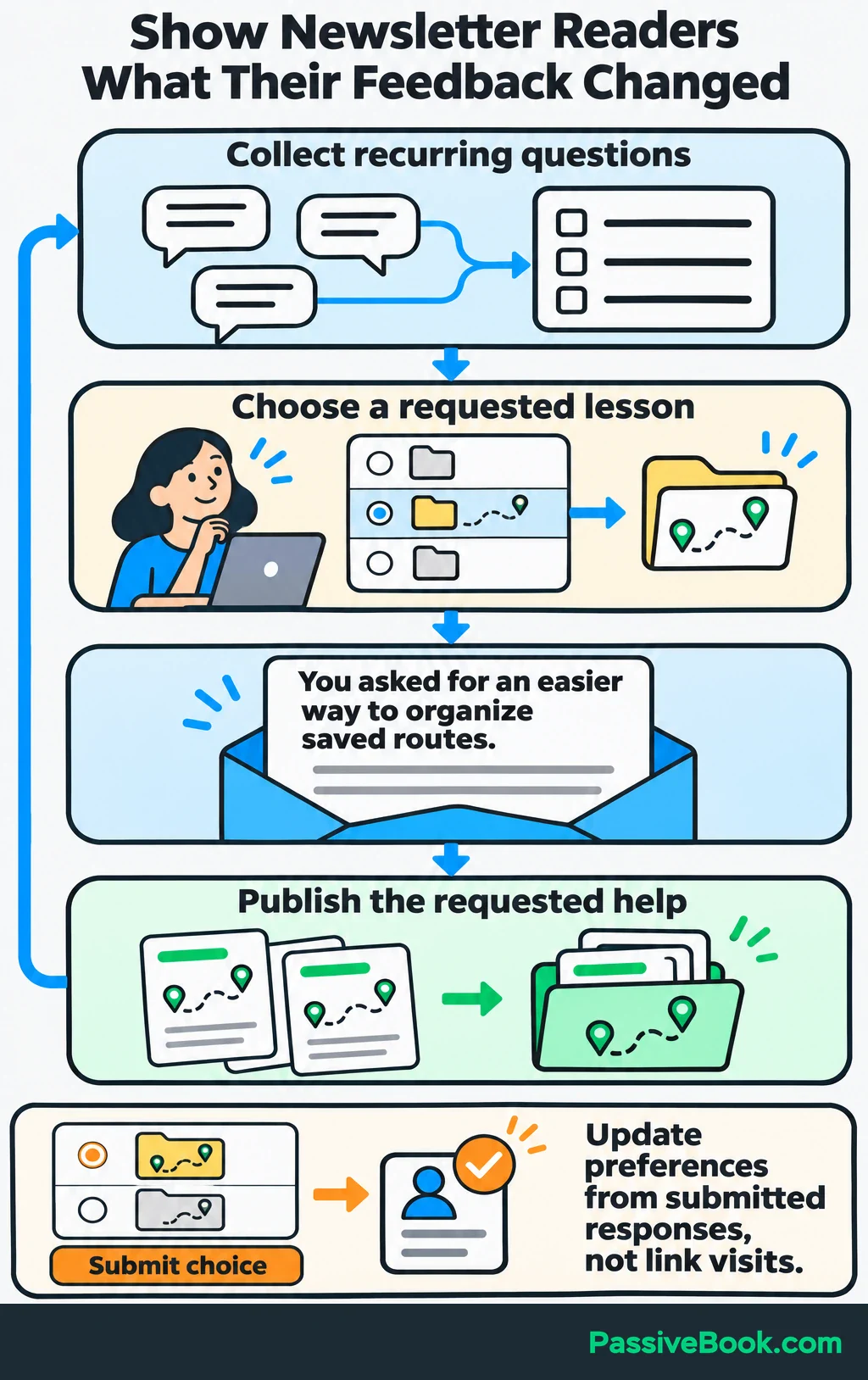
A short poll can also help when readers have a meaningful choice between topics. Confirm selections through a submitted response before changing stored preferences, because an automated link visit should not decide what someone wants.
Close the loop by publishing the requested help. Otherwise, the poll becomes another task you gave readers without a useful result.
Keep Subscribers Engaged Over Time
23. Choose a Cadence You Can Sustain
Pick a frequency you can support with useful material, then make that promise at signup.
I spent six months building a membership site alongside corporate work, and I abandoned it because the constant content demand was unsustainable. That experience shapes how I plan publishing commitments: I look at the work required during an ordinary busy week.
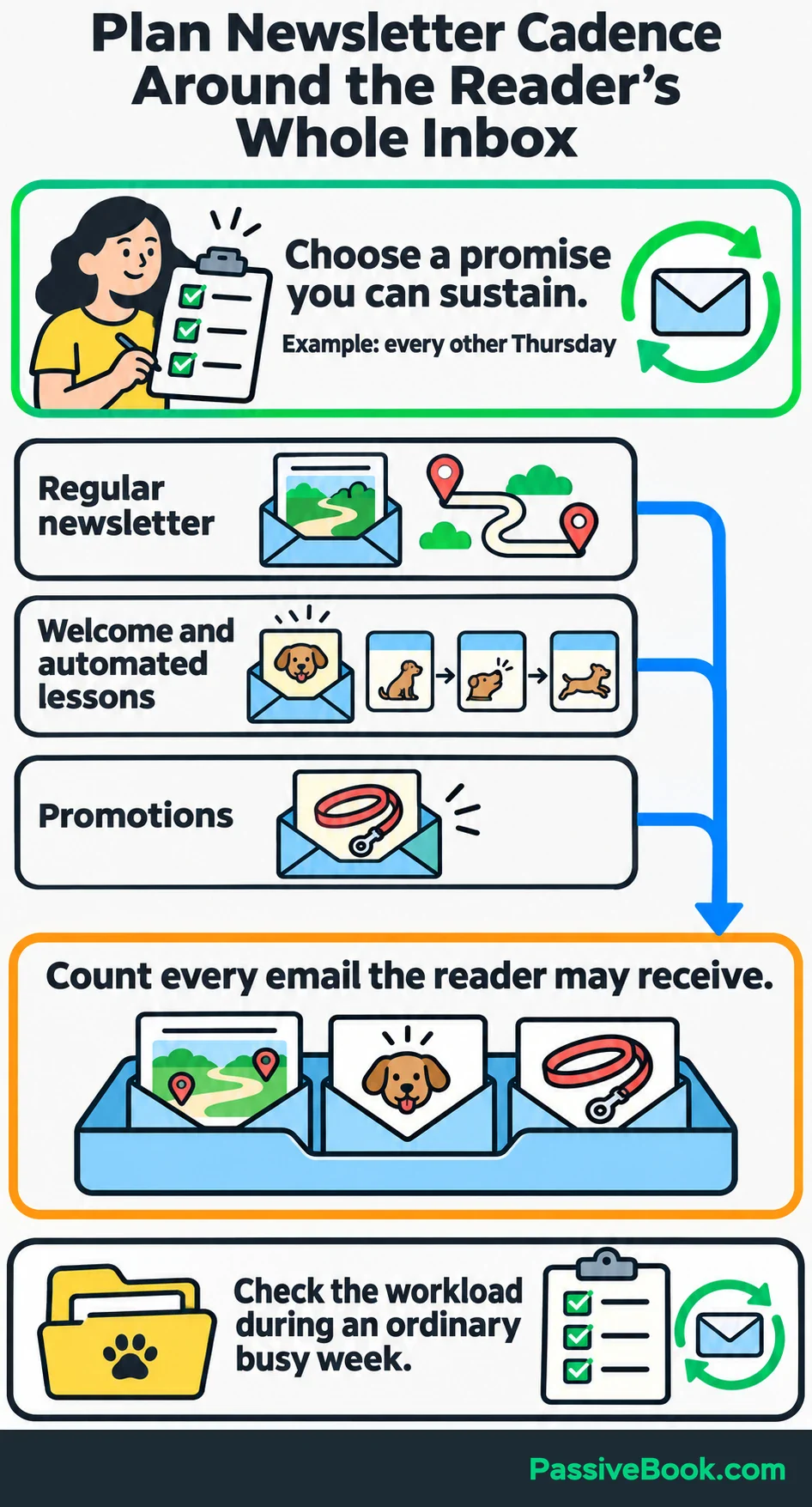
For Everyday Dog Walks, an issue every other Thursday could leave room to prepare ahead. That is a workable example, rather than an ideal frequency for every newsletter.
Count all emails a reader may receive, including welcome messages, automated lessons, and promotions. A quiet broadcast calendar can still hide a crowded inbox.
24. Offer a Lower-Frequency Option
If you can maintain it, offer a clearly described alternative, such as one monthly digest of selected lessons.
Apply the choice across regular campaigns and relevant automations. A “fewer emails” preference is useless if the promotional sequence keeps sending at full speed.
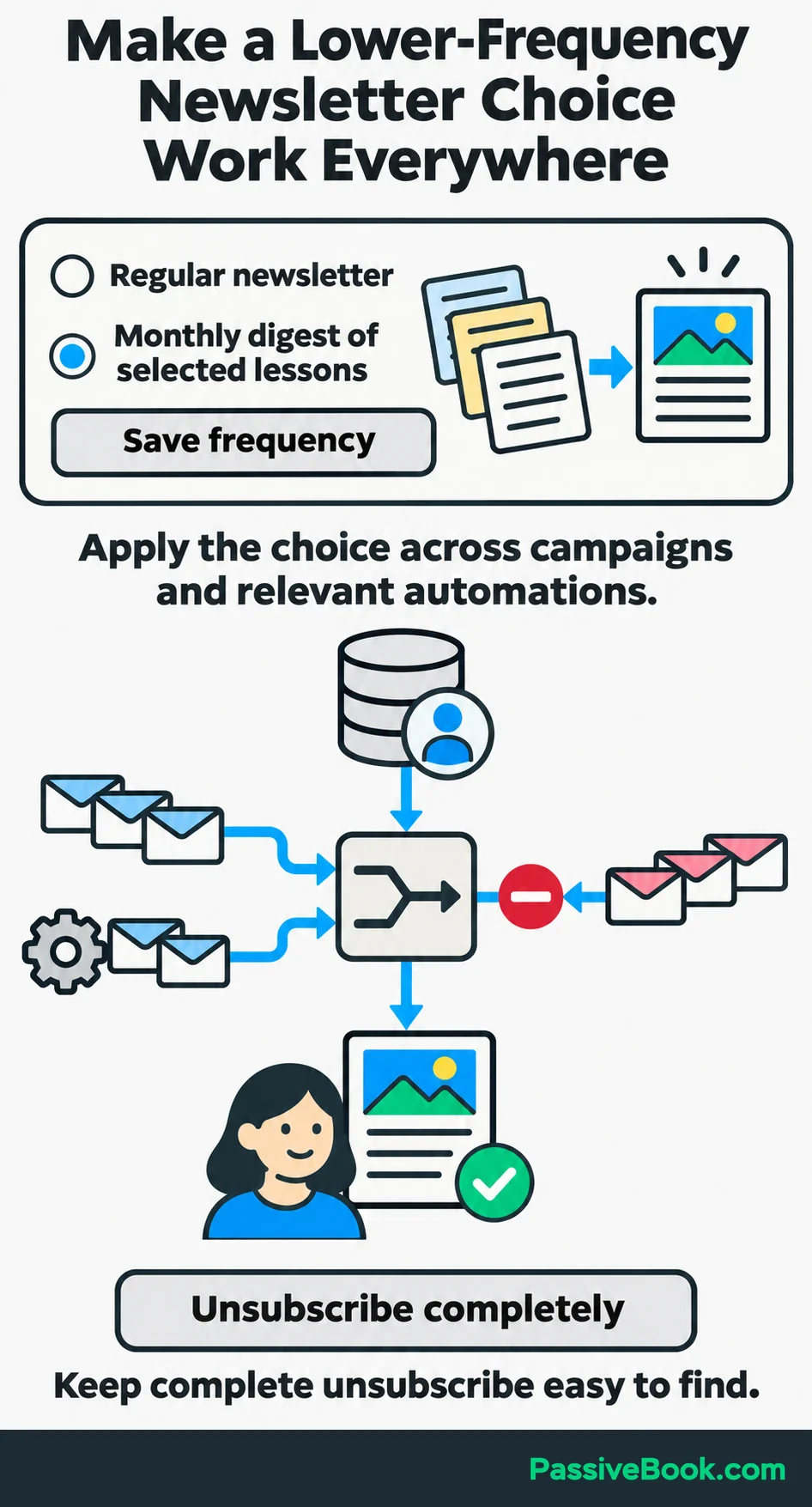
Keep complete unsubscribe available and easy to find. Enable your service’s one-click unsubscribe support; Google requires it, alongside a visible body link, for qualifying bulk marketing and subscribed messages sent to personal Gmail accounts.
For U.S. commercial email, include accurate sender information, a valid postal address, and an effective opt-out. The FTC requires opt-out requests to be honored within 10 business days. I would have the system stop marketing sends immediately.
25. Identify Fading Engagement Before It Becomes Churn
Set a review trigger based on your sending schedule and meaningful recorded activity.
For the fortnightly newsletter, you could review a subscriber after six delivered issues without a recorded click, human reply, or submitted preference. This is a working rule for the example, not a universal inactivity threshold.
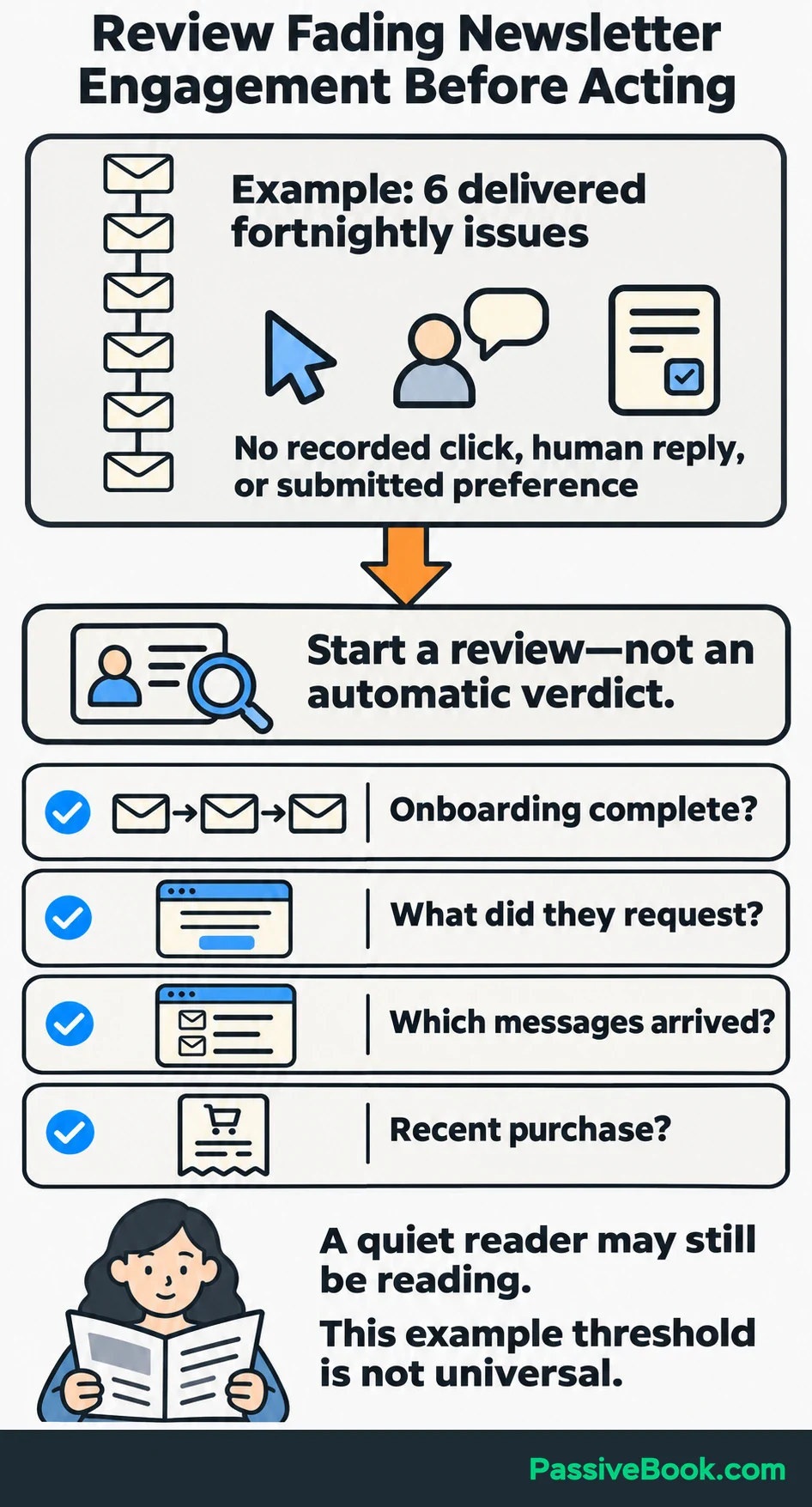
Give new subscribers time to finish onboarding. Before sending a follow-up, check what they requested, which messages they received, and whether they recently bought something.
The trigger should start a review. It should not automatically declare that a quiet reader has lost interest.
26. Send a Focused Re-Engagement Message
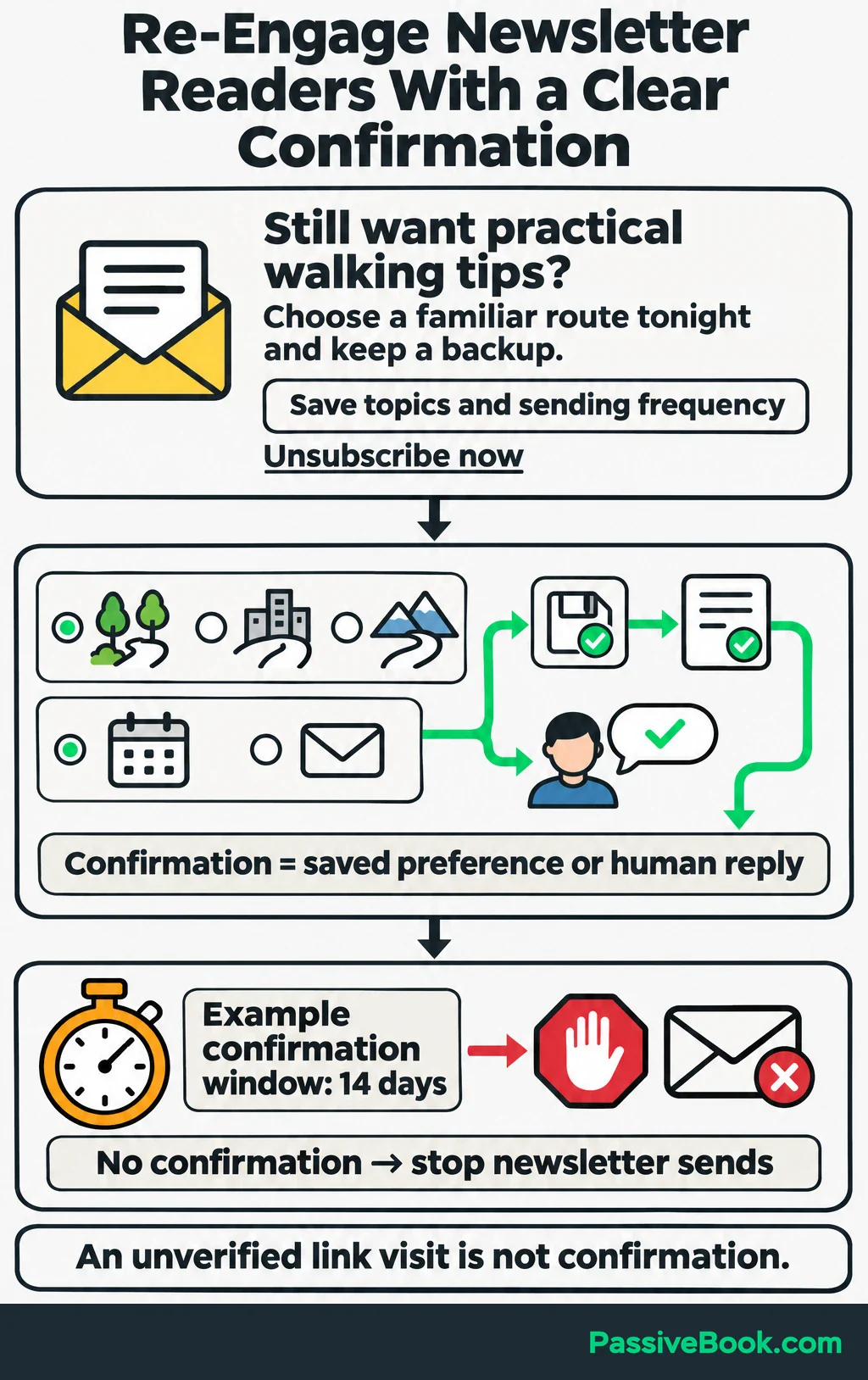
Remind readers why they joined, provide a small piece of useful help, and offer a clear way to continue.
For example:
Still want practical walking tips?
One idea to use tomorrow: choose a familiar route tonight and keep a backup beside it.
To keep receiving these emails, save your topics and sending frequency here: [preference link]. Choose neighborhood walks or weekend outings, then pick the regular newsletter or a monthly digest.
If you don’t confirm within 14 days, I’ll stop sending the newsletter. You can also unsubscribe now: [unsubscribe link].
After 14 days, stop newsletter sends to readers who have neither saved a preference nor replied that they want to stay. An unverified link visit should not count as confirmation.
27. Suppress Invalid and Persistently Unresponsive Contacts
Suppression means excluding a contact from future sends while keeping a record of that exclusion to prevent accidental sending.
Stop newsletter sends to unsubscribes, complaints, and addresses that hard-bounce, meaning delivery failed permanently. After your re-engagement process ends, suppress contacts who remain unresponsive under the policy you described.
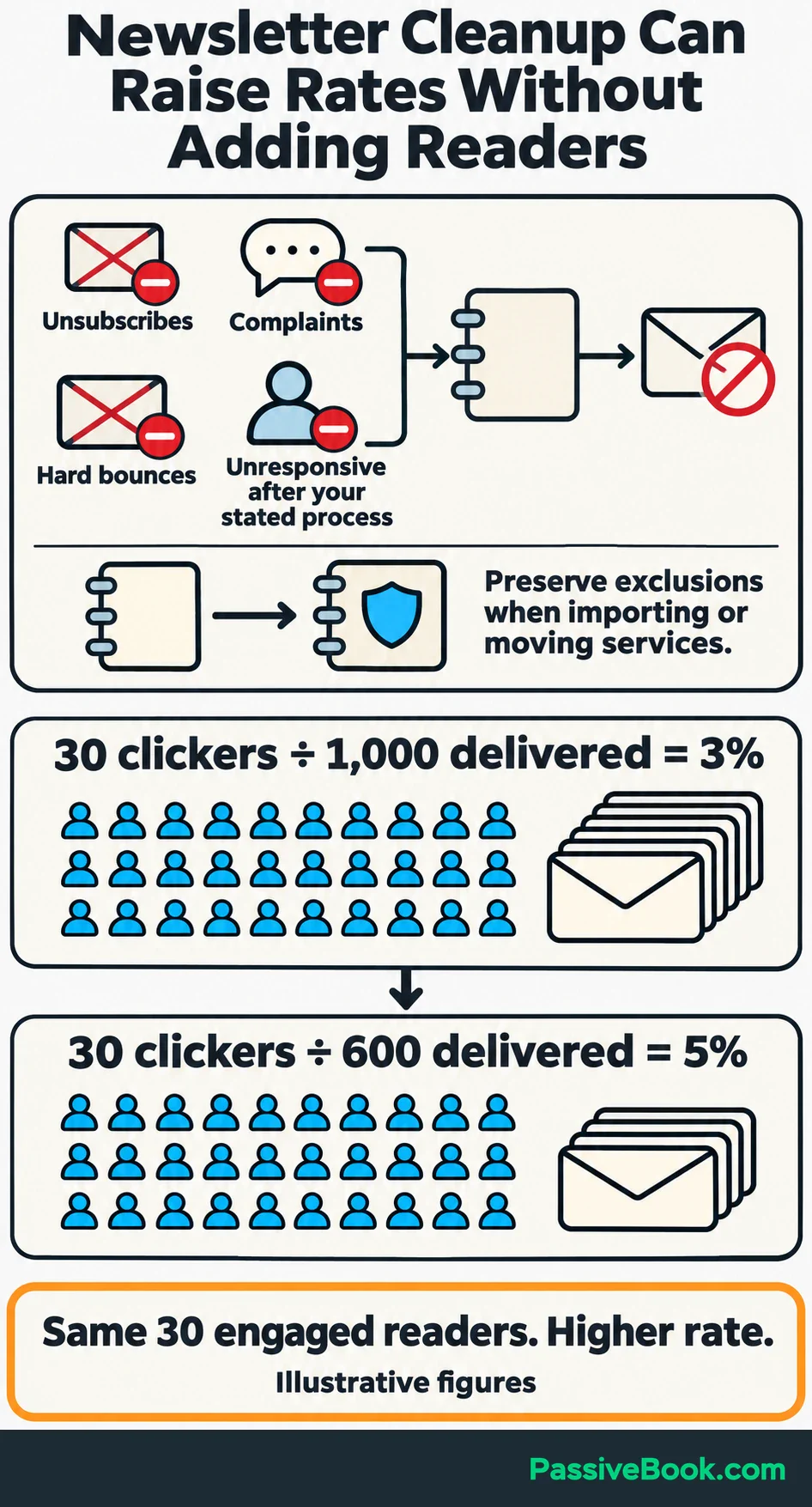
Preserve those exclusions when importing contacts or moving services.
Compare the number of engaged readers as well as the rate after cleanup. For illustration, 30 clickers among 1,000 delivered emails is 3%. The same 30 among 600 is 5%.
The percentage improved, but you did not gain another engaged reader. That distinction keeps list maintenance from masquerading as audience growth.
Use Results to Choose the Next Improvement
28. Test One Meaningful Change at a Time
Write down the question and success measure before sending.
For example: “Does a task-focused subject bring more readers to the worksheet than a frustration-focused subject?”
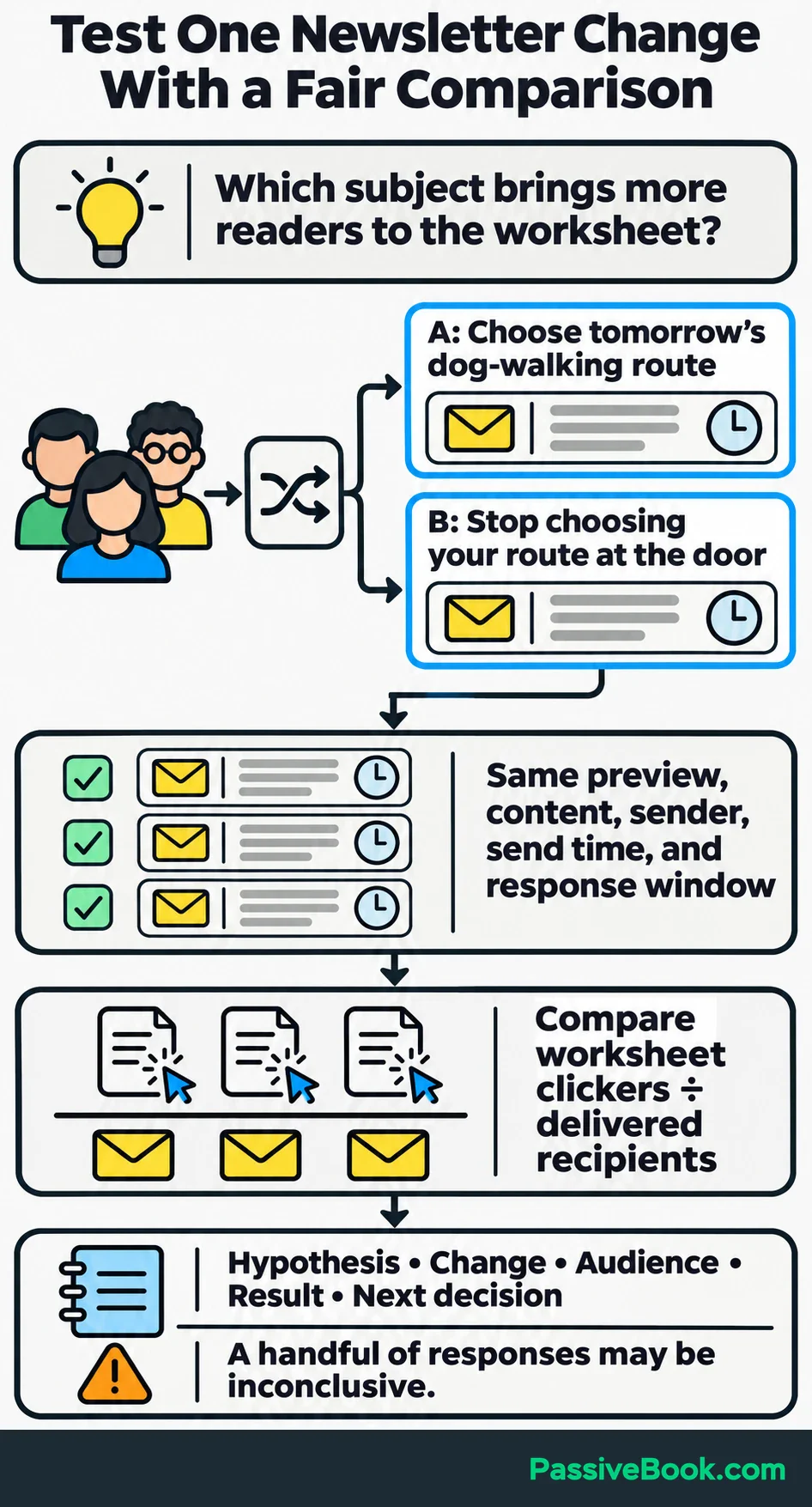
Randomly split comparable subscribers and change only the subject. Keep the preview text, content, sender, and send time steady, and give both groups the same response window. Compare the percentage of delivered recipients in each group who clicked the worksheet link.
For content tests, use clicks, replies, or the intended downstream action. Mailchimp recommends clicks rather than opens when testing content, because the open happens before someone sees the email body.
Record the hypothesis, change, delivered audience, result, and next decision. Small differences based on a handful of responses are inconclusive. I would keep a working approach until there is enough evidence to justify replacing it.
29. Compare Retention by Signup Cohort and Source
A signup cohort is a fixed group of people who joined during the same period. Comparing cohorts helps you see whether a particular signup source attracts readers who stay involved.
Compare groups at the same elapsed age, such as 90 days after signup. Keep later subscribers out of the original group.
First, count how many original subscribers remain subscribed:
80 still subscribed ÷ 100 original subscribers × 100 = 80% subscription retention
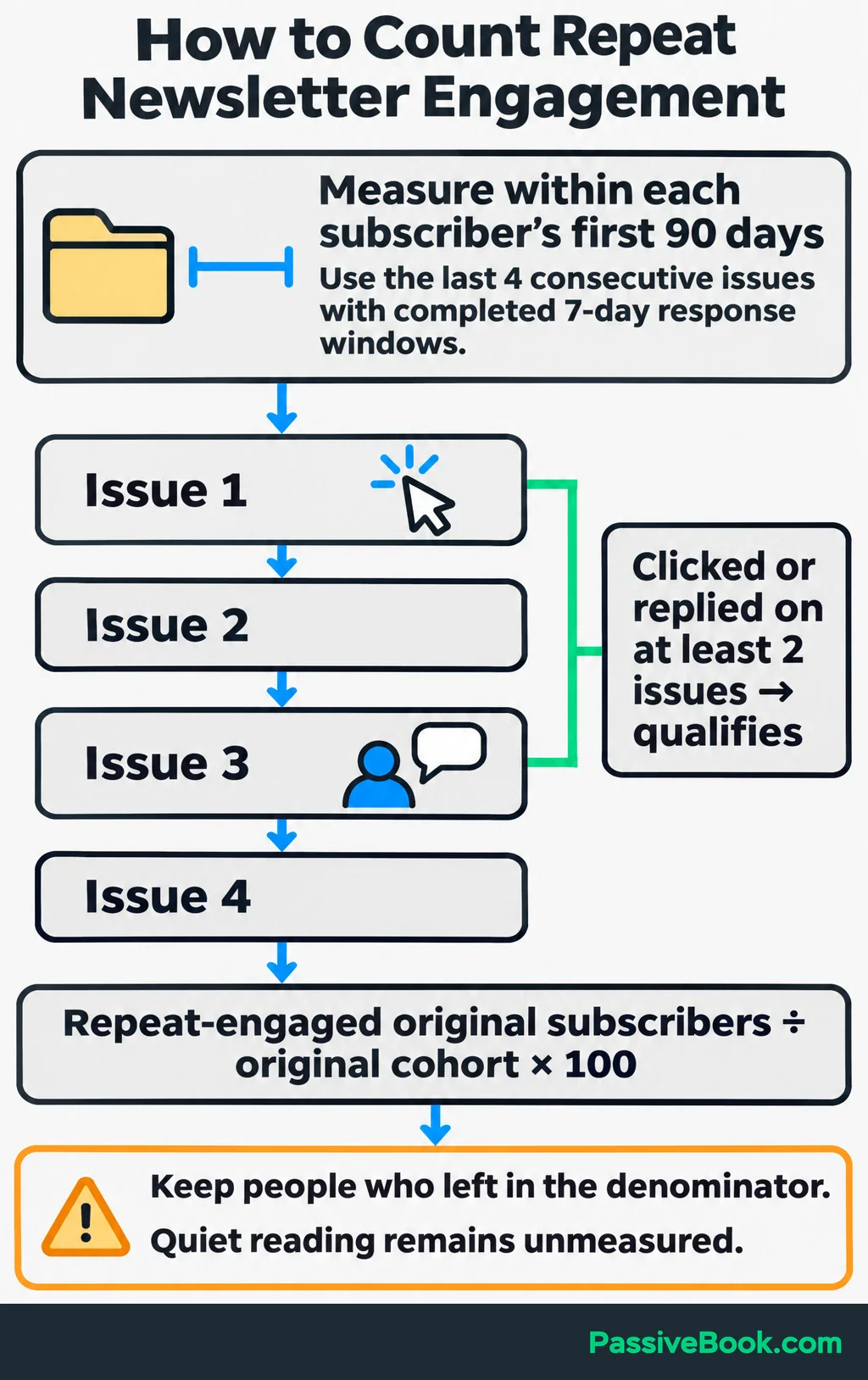
For repeat engagement, use the last four consecutive issues whose seven-day response windows ended within each subscriber’s first 90 days. Count original subscribers who clicked or replied on at least two of those issues. If 30 of the original 100 qualify, repeat engagement is 30%; keep people who left in the denominator.
The illustrative table follows the every-other-Thursday newsletter. Purchasers are members of the original group who bought within their first 90 days.
| Signup Cohort | Source | Starting Subscribers | Elapsed Time | Still Subscribed | Repeat-Engaged Subscribers | Purchasers |
|---|---|---|---|---|---|---|
| January signups | Planner form on route guide | 100 | 90 days | 80 | 30 | 6 |
| January signups | Planner form on Pinterest landing page | 80 | 90 days | 56 | 12 | 2 |
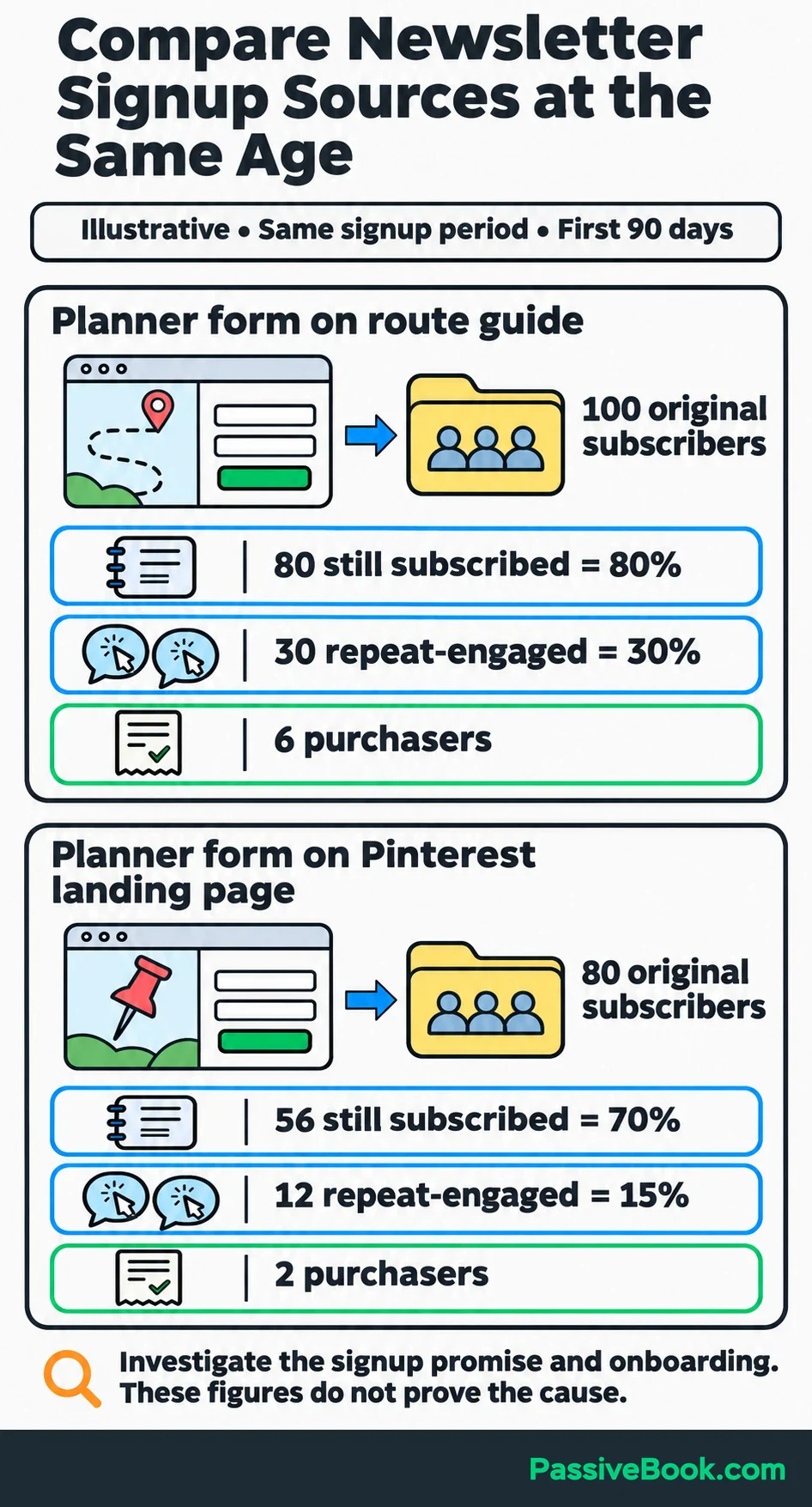
These figures would give you a reason to investigate the second source’s signup promise and onboarding. They would not establish the cause by themselves.
Match your next change to the pattern:
- Early departures suggest reviewing expectations and the first emails.
- Fading participation suggests reviewing content and total frequency.
- Weak results from one source suggest reviewing how its signup resource connects to the newsletter.
Keep opt-outs and administrative suppressions separate. An address excluded from sends has not necessarily unsubscribed. Save signup and exit dates to track subscriber tenure, and mark active subscriptions as ongoing rather than treating them as completed lifetimes.
What Next?
Choose one recent issue and follow its main action from the inbox to the destination page. Fix the first clear obstacle, then choose one measure to review after your next comparable send.
Use the social buttons to share this guide when you want to compare newsletter improvements with other people building an audience.
Where does participation seem to break down in your newsletter: getting attention, prompting action, or keeping readers involved over time? Share your answer in the comments, and add any other questions there too.
Share this post with your friends & followers:

