You have a marketplace idea and can already picture the sellers you would invite. The harder question is why buyers would shop there instead of buying from those sellers directly.
Without a clear answer, you could spend months building a website that nobody needs. Even a promising idea can stall when shipping, commissions or seller payments don’t work as expected. We’ll follow a small product marketplace from its first buyer conversations to a live order and seller payment, so your launch tests both demand and the transaction before you pay to expand.
Step 1: Validate a Narrow Marketplace Niche
Find a Purchase Problem Worth Solving
Start with a buyer, a purchase problem and a small selling region. “A marketplace for everything handmade” gives you too many problems to solve at once.
A multi-vendor marketplace brings independent sellers together on one website. They supply the products or services, and you manage how buyers find them, purchase and get help.
Your reason for bringing those sellers together needs to be useful.
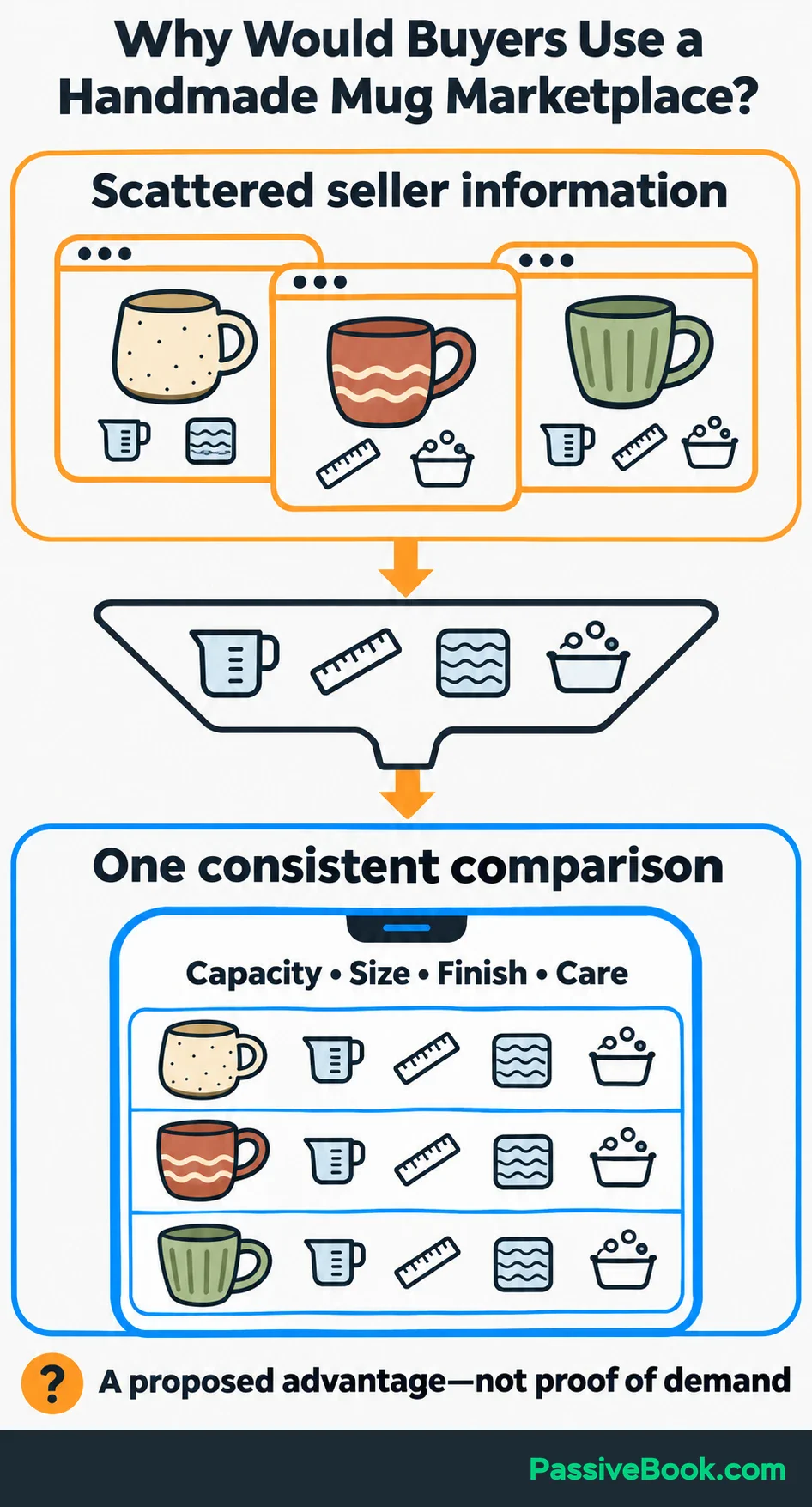
For our running example, imagine a marketplace for handmade ceramic mugs. Independent potters hold their own stock and ship orders. The proposed advantage is that buyers can compare capacity, size, finish and care instructions without searching through dozens of separate websites.
That advantage still needs testing. The business and its financial examples below are illustrative.
Speak to prospective buyers about what they have already done:
- What mug did you last buy, and where?
- What information was difficult to find?
- What nearly stopped you from ordering?
- What did you pay, including delivery?
Then ask potters about available stock, packaging, dispatch times and margins. Find out whether they would accept a commission—a fee on each sale—and what they would need in return.
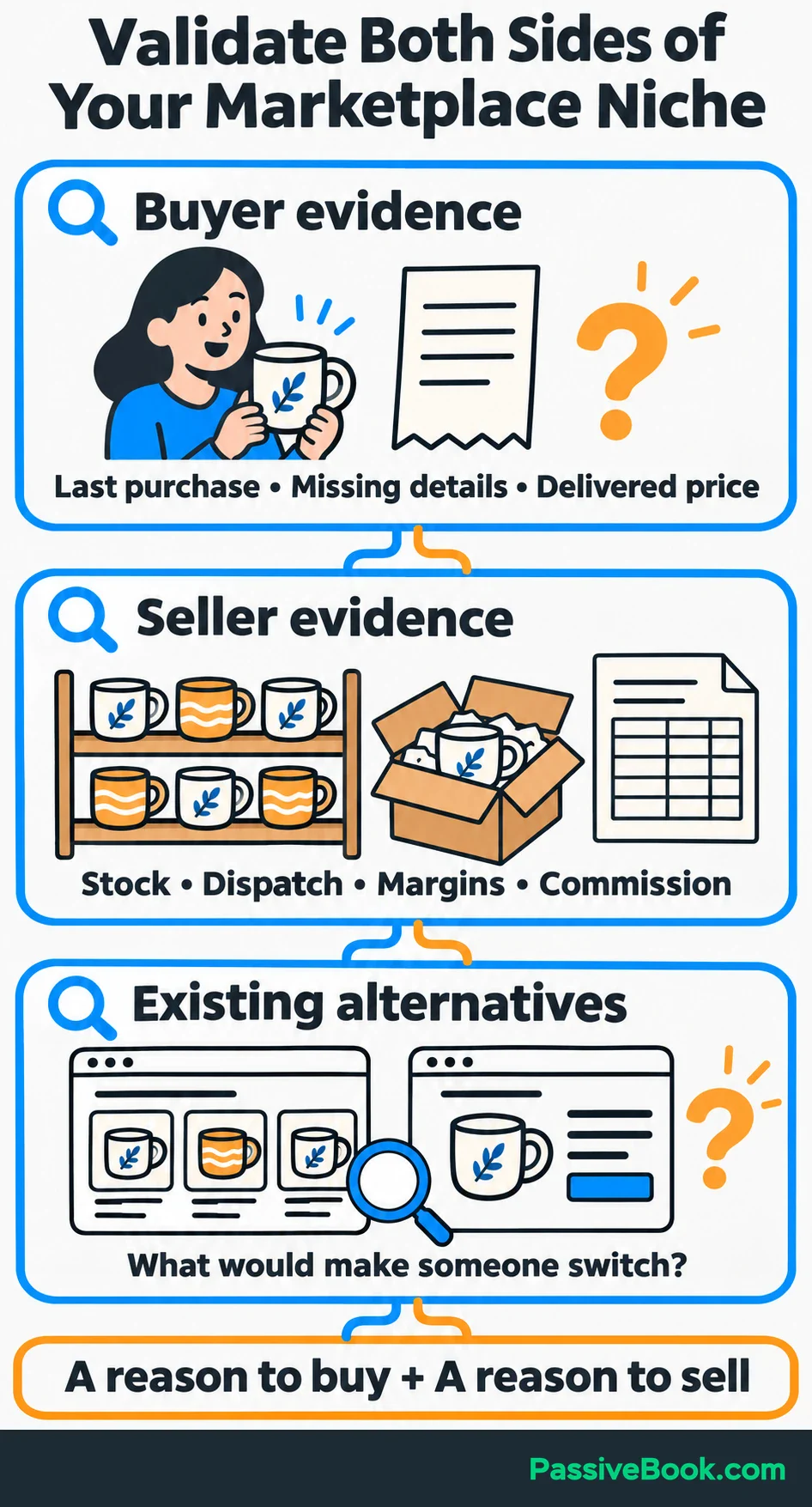
Compare their answers with existing marketplaces and direct seller websites. You need a reason buyers would switch and a reason sellers would participate.
You do not need a finished website to ask for a conversation. The AI Skill below drafts separate buyer and seller invitations from your idea, without claiming demand you have not proved.

Free AI Copywriting Studio




I invested about $1,200 in my jewellery store without doing market research. I chose stock I thought would sell, ended up with unsold inventory and lost most of the investment. Choosing products gave me the feeling of progress, but it answered none of the questions that mattered.
That experience is why I would investigate the purchase before choosing the platform.
Test Buyer and Seller Participation Before Building
Run a small version of the service manually.
With sellers’ permission, assemble a simple catalog using a landing page or your existing website. Include accurate prices, stock and delivery details, and help interested buyers find a suitable product. Sellers can handle these early purchases through their existing checkout.
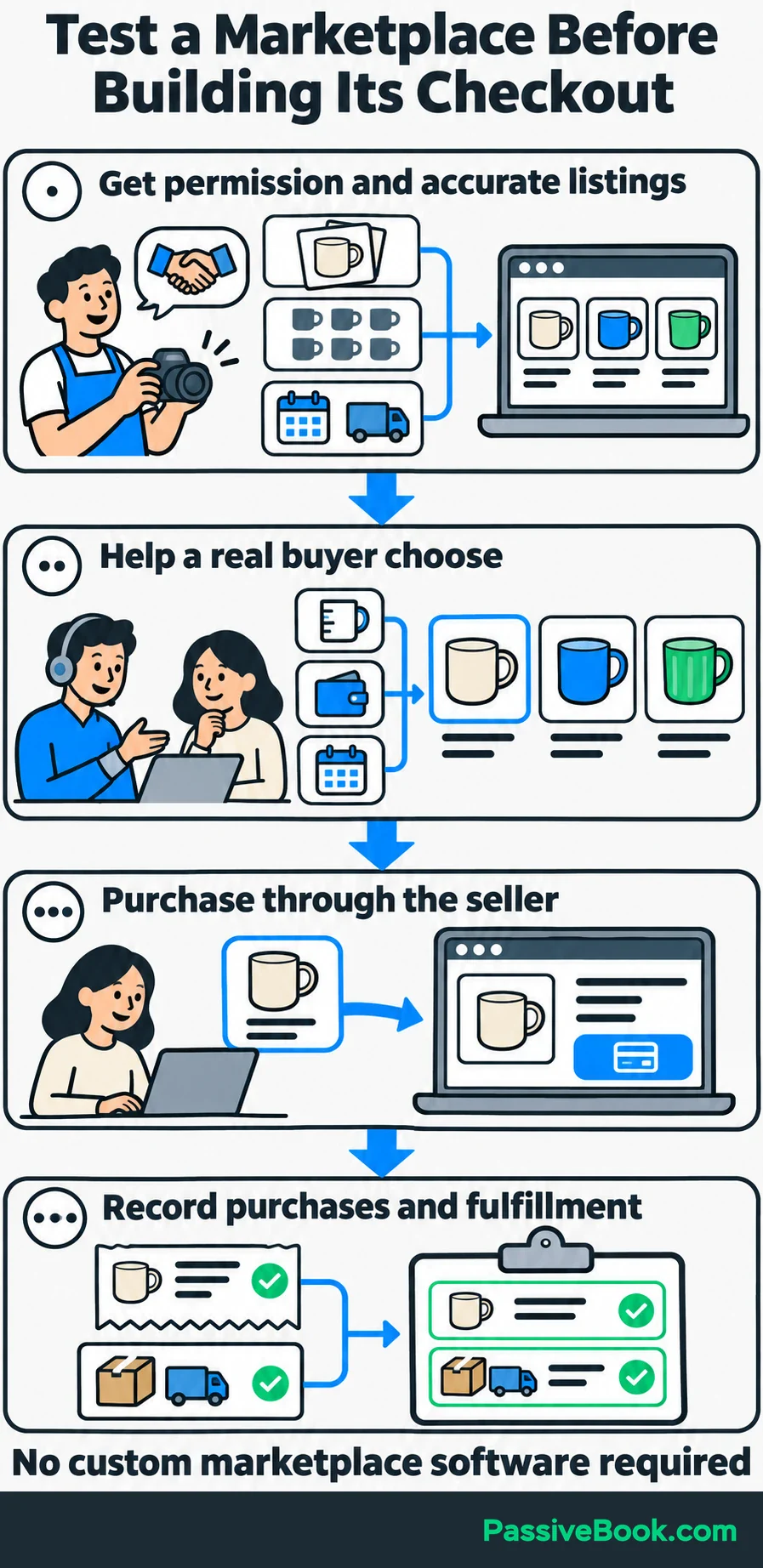
For the mug marketplace, you might help a buyer compare three large mugs that fit their budget and delivery deadline.
Record what happens:
- Buyers who request help.
- Products they consider.
- Purchases confirmed by buyers or sellers.
- Sellers who provide usable information and fulfill orders.
- Reasons a purchase falls through.
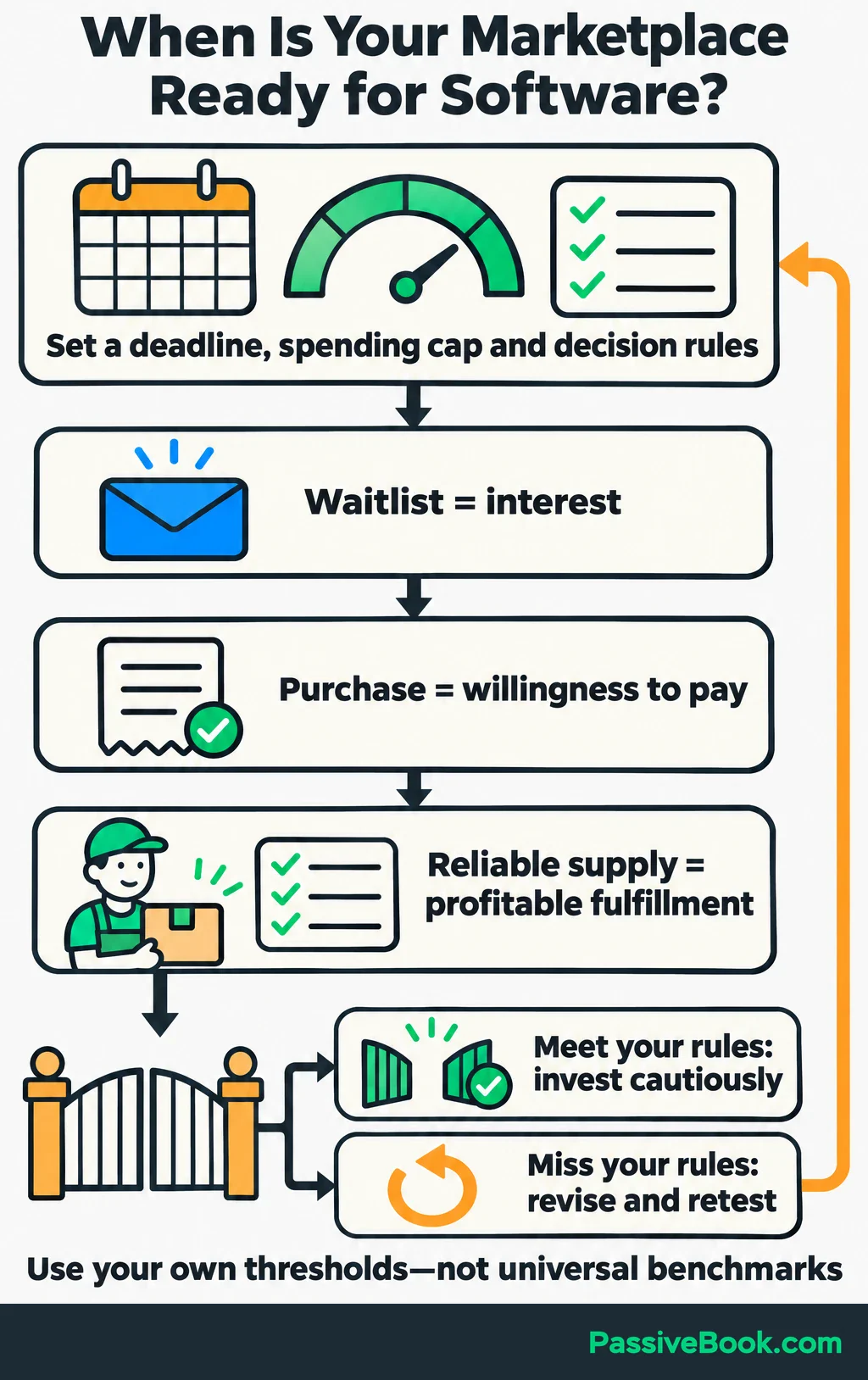
A waitlist shows interest. A completed purchase shows someone was willing to pay. You want evidence of both demand and reliable supply.
Set a test deadline and spending cap before starting. Also decide what would justify the next investment. For example, you might require purchases from several unrelated buyers and confirmation that participating sellers can fulfill profitably under your proposed commission.
Those are your decision rules, not universal benchmarks. If buyers repeatedly decline or sellers cannot make the margins work, revise the offer before buying software.
Step 2: Define the Transaction Before Choosing Software
Write down what a successful transaction involves. This becomes your software checklist.
Physical products need stock control and shipping. Services need availability, booking and cancellation rules. Rentals also need booking periods, returns and a process for late or damaged items.
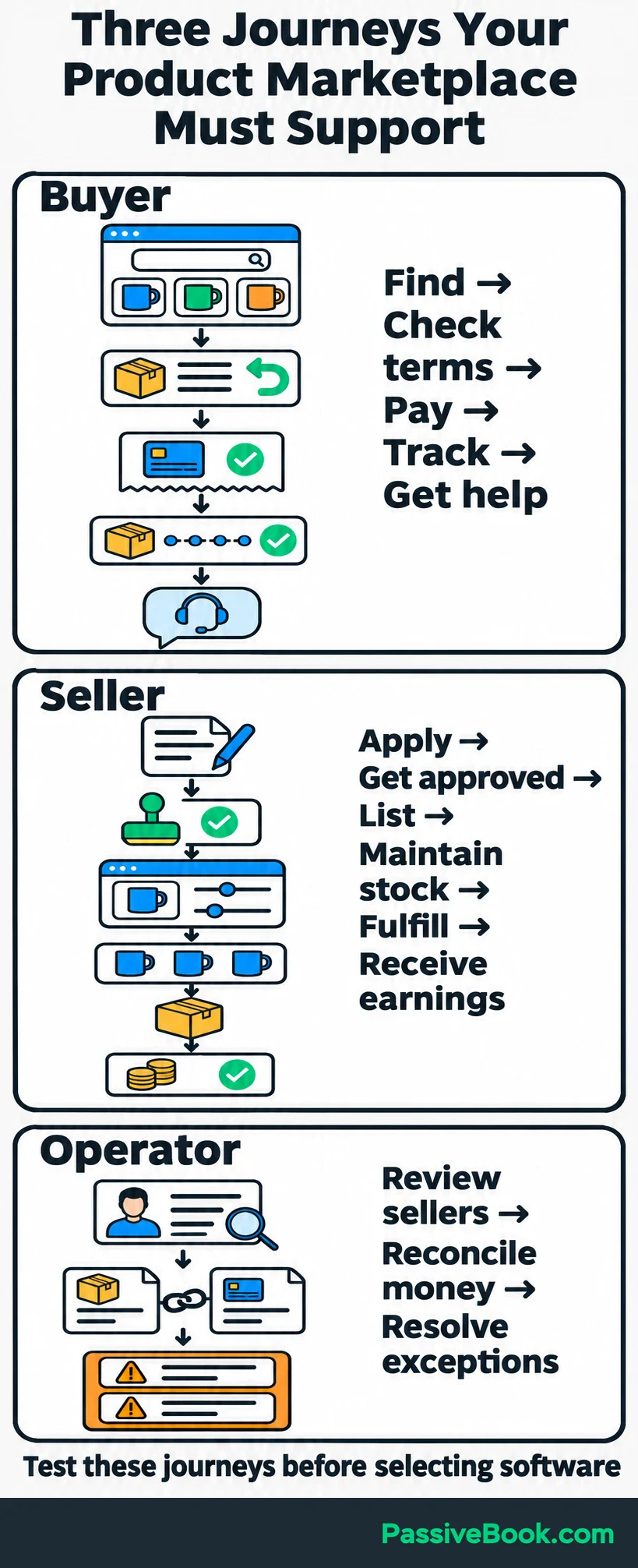
For the mug marketplace, map three journeys:
| Participant | Journey the marketplace must support |
|---|---|
| Buyer | Find a suitable mug → check delivery and returns → pay → receive tracking → get help if needed |
| Seller | Apply → receive approval → publish listings → maintain stock → fulfill orders → receive earnings |
| Operator | Review sellers → match commissions to orders and payments → handle failed payments and complaints |
Next, define the launch boundaries: seller countries, buyer delivery regions, currency, allowed products and fulfillment responsibility.
Check payment eligibility before committing to software. Your chosen integration must support your business location, seller locations and planned movement of money. Stripe’s cross-border payout availability, for example, depends on the regions involved and the supported payment setup. A processor being available in a country does not establish that every marketplace arrangement will work there. Stripe cross-border payout requirements.
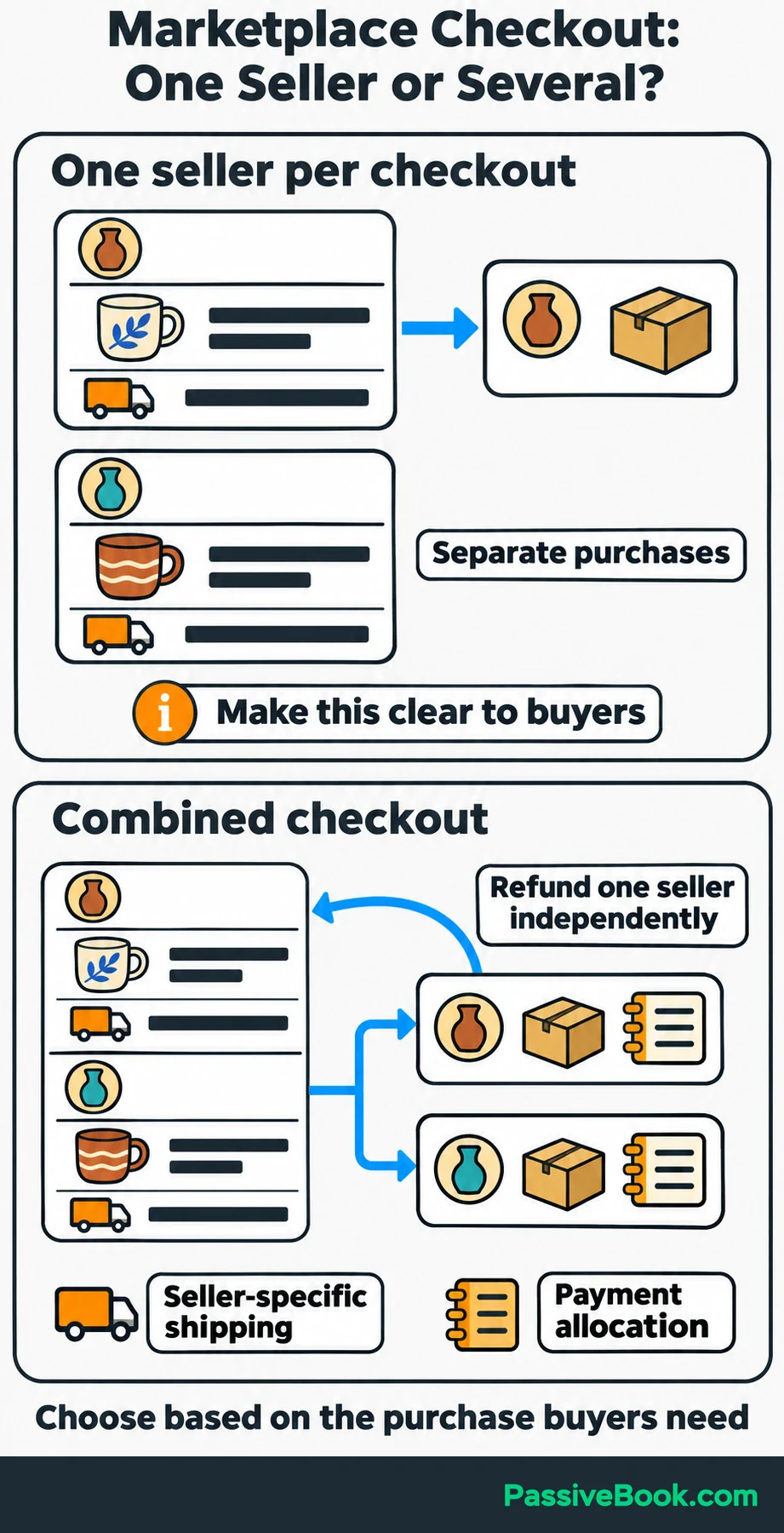
Decide whether buyers need one payment covering several sellers. Separate checkouts can simplify launch, but buyers must understand that they are making separate purchases. A combined checkout needs seller-specific shipping, payment allocation and refunds that can affect just one seller.
I would start the mug marketplace with one seller per checkout unless validation showed that buying across potters was central to its appeal.
Finally, assign responsibility for stock accuracy, dispatch, customer questions, cancellations, damaged deliveries and refunds. “The seller handles it” is incomplete unless the seller knows the rule and the buyer knows where to get help.
Step 3: Set Commissions and Check the Economics
I would begin with one clear transaction commission. Sellers pay when they make a sale, and you can test whether each order leaves enough money to operate.
Subscriptions and listing fees can work, but they need a benefit worth paying for before sales arrive. An empty marketplace with a monthly seller bill is a difficult pitch.
Define exactly what your commission applies to. State how shipping, discounts, taxes and refunds affect it, and who pays processing charges.
Here is an illustrative mug order, excluding tax:
| Item | Amount |
|---|---|
| Product price | $50.00 |
| Shipping charged to buyer | $5.00 |
| Total buyer payment | $55.00 |
| Marketplace commission: 15% of product price | $7.50 |
| Seller allocation, including all shipping revenue | $47.50 |
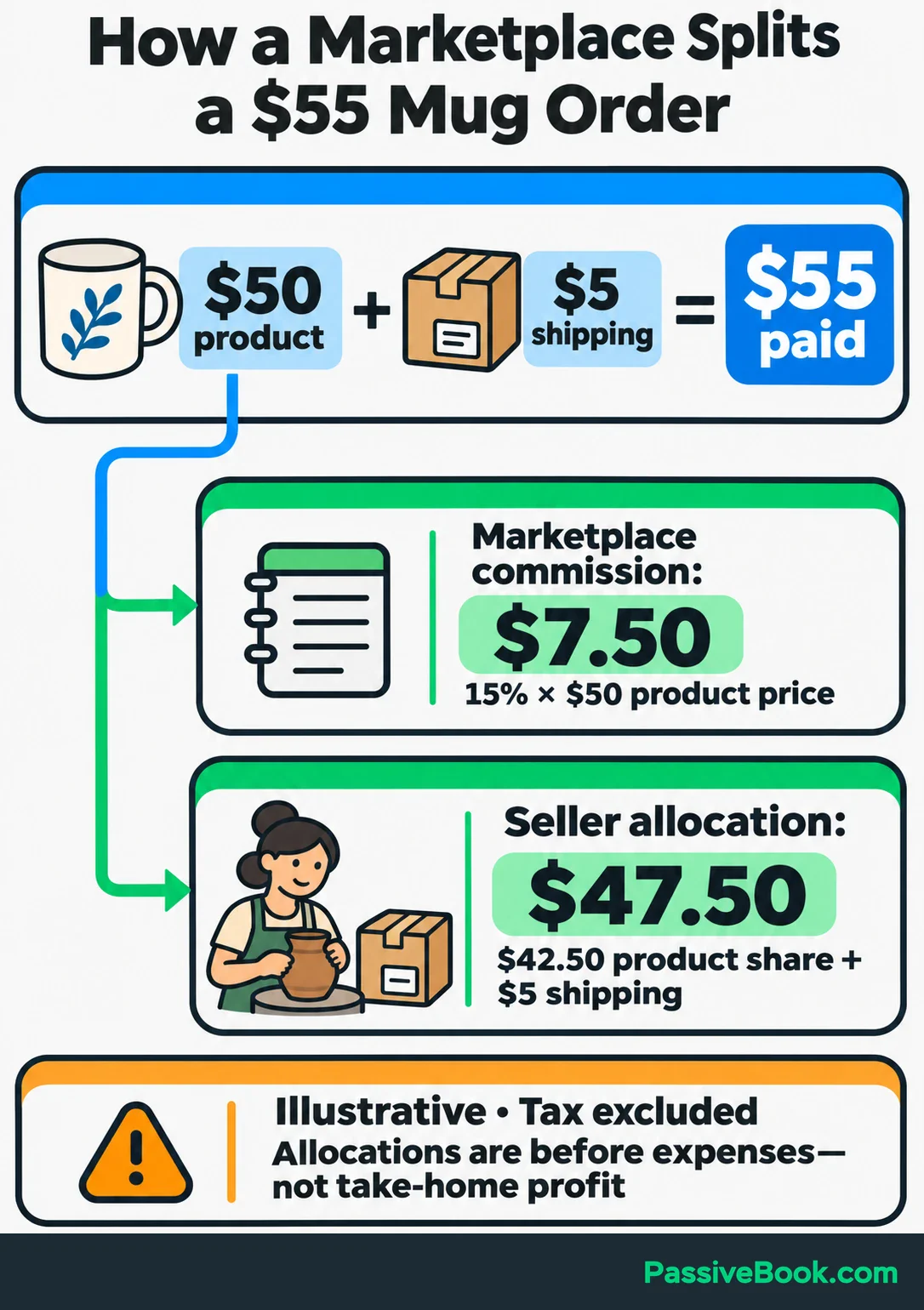
The seller allocation comes before the seller’s production, packaging, delivery and other expenses. The commission rate is a teaching assumption, not a recommended rate.
Now calculate what the marketplace keeps after costs caused by that order. This amount is called contribution, and it helps pay fixed expenses.
Include payment processing, applicable seller-account and payout charges, support time, incentives, unrecovered losses and acquisition spending allocated to the order. Payment costs vary with the integration and pricing arrangement. Stripe Connect pricing.
Using assumed costs:
| Marketplace income or cost | Per order |
|---|---|
| Commission revenue | $7.50 |
| Allocated payment costs | −$2.50 |
| Support cost | −$1.00 |
| Expected unrecovered losses | −$0.50 |
| Allocated acquisition spending | −$1.00 |
| Contribution toward fixed expenses | $2.50 |
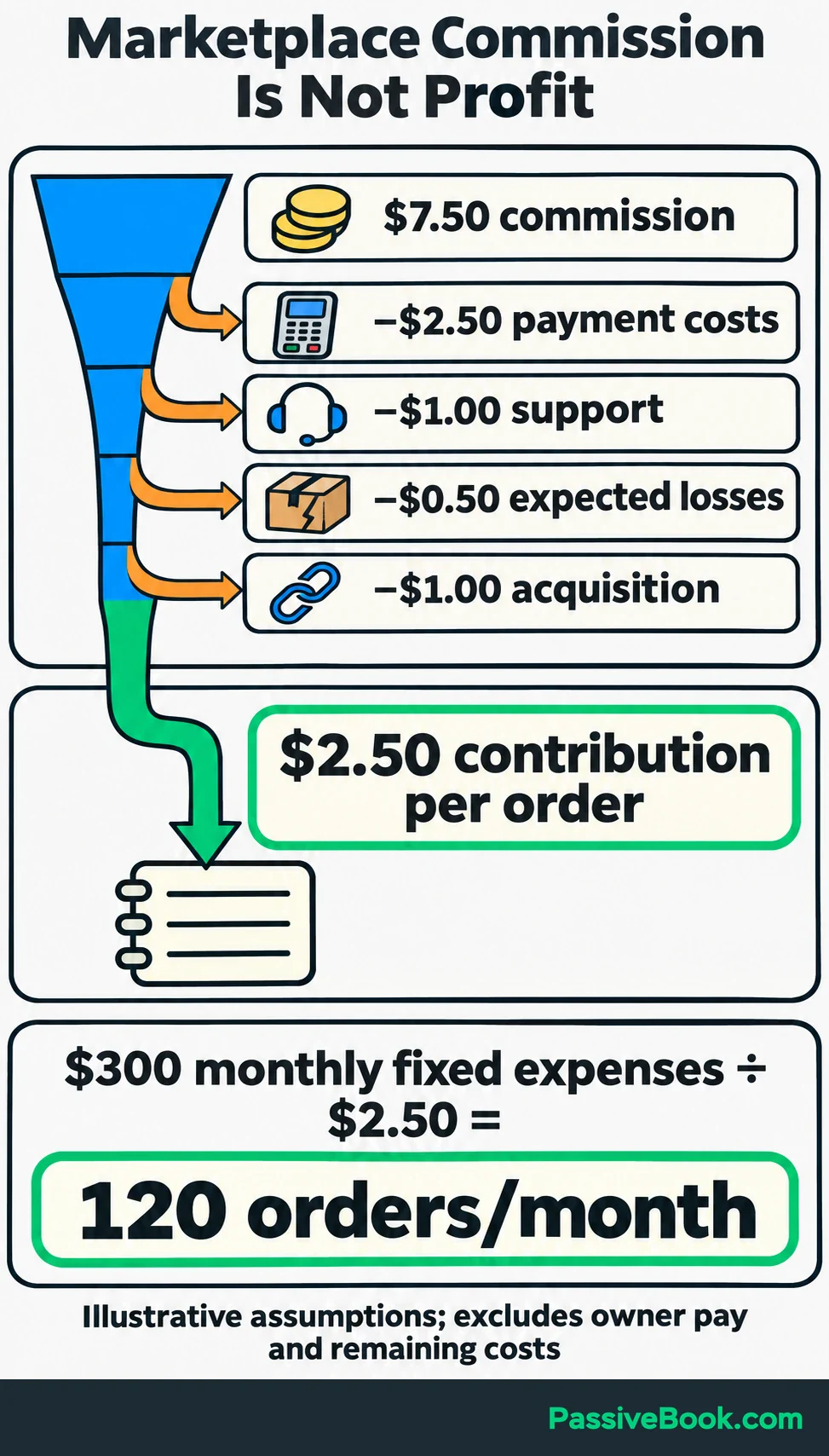
These costs are planning assumptions, including the payment allowance.
If monthly fixed cash expenses are $300, divide that amount by the $2.50 contribution. You would need 120 comparable orders a month to cover those expenses.
That still excludes owner compensation and any remaining costs. Product sales value, marketplace revenue and take-home income are three different numbers.
If the required order volume looks implausible beside your validation results, change the economics now. A nicer homepage will not repair a loss on every order.
Covering software bills is different from paying yourself. Use this calculator to check your income target against your available hours and, if you have seller cost estimates, the commission they could support.
Free Marketplace Profit Calculator
Step 4: Choose a Platform Within Your Launch Budget
Which Platform Fits Your Transaction?
Choose software by testing the purchase you need to support. A long feature list is less useful than one working order that reaches the correct seller and produces the correct payment.
| Approach | When I’d consider it | What to verify |
|---|---|---|
| Sharetribe: hosted marketplace software | Its built-in purchase or booking flow fits your offer | Seller countries, commissions and refunds |
| WordPress, WooCommerce and Dokan | Sellers need product listings, stock control and shipping tools | The payment integration routes money to sellers |
| Shopify with Shipturtle | You want Shopify’s commerce tools and seller dashboards supplied by an app | Seller payment routing and required add-ons |
| Custom development | Existing software cannot handle an essential workflow you have validated | Build scope, payment handling and ongoing maintenance |
Sharetribe’s default flow uses “Buy now,” and its built-in Stripe integration supports one seller per transaction. A combined payment across sellers requires additional development. Sharetribe checkout capabilities.
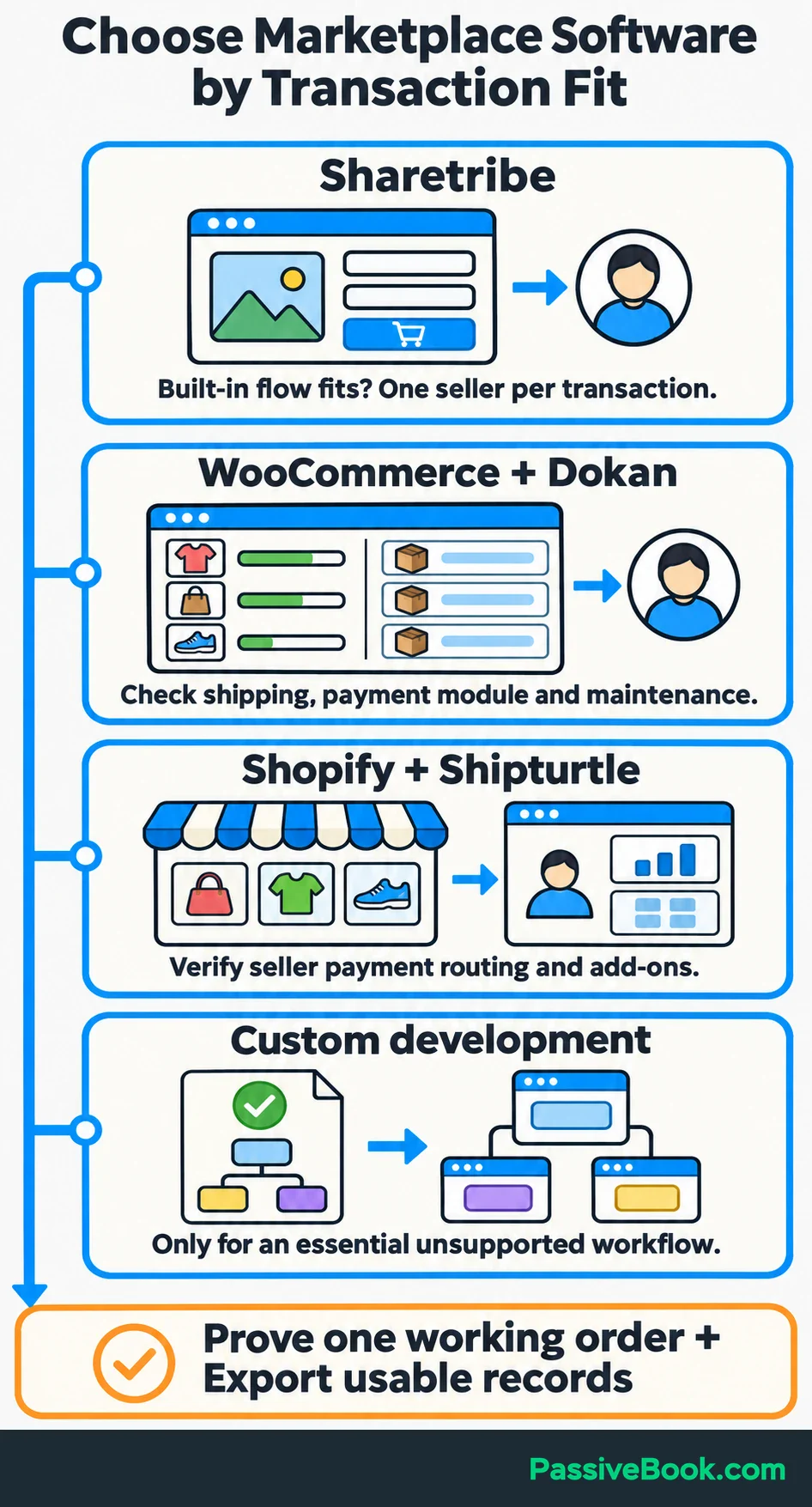
I use WordPress and WooCommerce for direct sales, so I would trial Dokan for the mug shop’s stock and shipping needs. I haven’t operated a Dokan marketplace. Dokan adds seller accounts and dashboards; its Stripe Connect payment module requires WooCommerce, Dokan Lite and a qualifying paid plan. Dokan Stripe Connect requirements.
WordPress leaves hosting, updates, backups and compatibility to you. I’d choose hosted software if maintenance would crowd out seller recruitment.
Custom development would be my last choice at launch. Get a scope covering testing, deployment, maintenance, documentation and code ownership.
Before committing, test customization limits and export seller, listing, order and financial records. Check that you can use those records to move the business or match payments to orders.
How Much Will the Marketplace Cost to Launch?
Budget for cash due at launch as well as recurring bills. Check the linked prices and required features before buying.
| Route | Software commitment | Costs to add |
|---|---|---|
| Sharetribe | Build: $39/month for testing. Live: $259/month, or $199/month billed annually. | Standard hosting included; add payment fees, excess usage and customization. Pricing and inclusions, billing terms |
| WooCommerce with Dokan | Dokan Professional: $249/year; check module requirements. | Hosting, domain, maintenance, payment fees and extensions. Dokan pricing |
| Shopify with Shipturtle | Shopify subscription plus Shipturtle, starting at $49/month. | App add-ons, payment fees and configuration. Shopify pricing, Shipturtle plans |
| Custom development | Written estimate for a defined scope. | Hosting, testing, maintenance and future changes. |
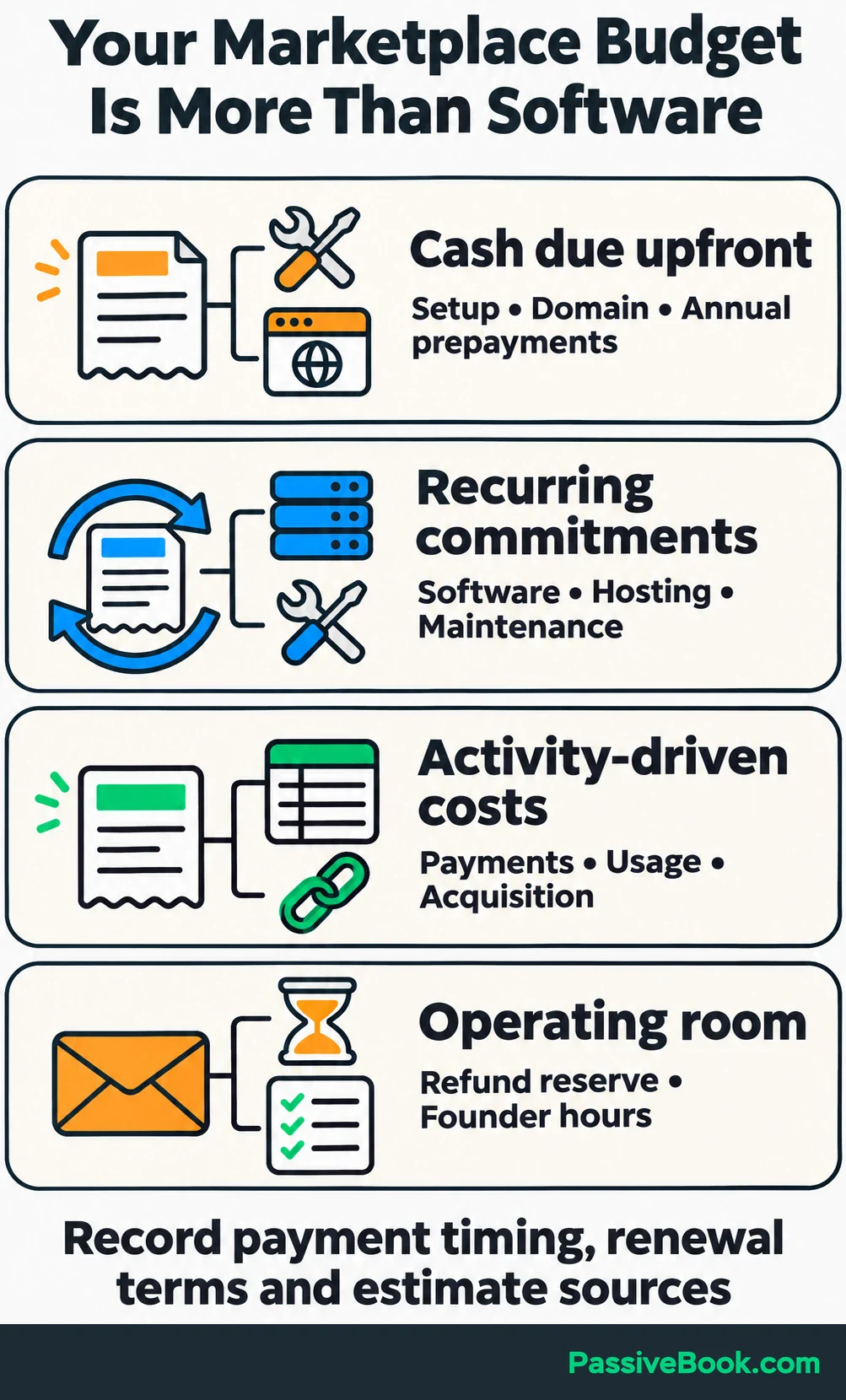
For Sharetribe, three monthly Live payments total $777; annual billing requires $2,388 upfront. Here is an illustrative three-month planning subtotal using monthly billing:
| Expense | Cash allocated |
|---|---|
| Configuration help | $300 |
| Domain | $20 |
| Three months of hosted software | $777 |
| Seller onboarding and buyer acquisition | $150 |
| Refund or payment-delay reserve | $200 |
| Planning subtotal | $1,447 |
The configuration, domain, marketing and reserve amounts are assumptions. Add applicable taxes, transaction and usage charges, email services, professional advice and other required services before treating this as a complete budget.
Record upfront payments, recurring bills, transaction charges, renewal terms and estimate sources. I would cap founder hours alongside cash; saving on software is pointless if maintenance consumes every weekend.
Step 5: Build the Smallest Usable Marketplace
Create the Storefront and Product Discovery
Build the pages needed to complete the transaction you defined in Step 2.
Connect your domain, enable HTTPS to encrypt information sent between visitors and your site, and configure your software. On WordPress, that means arranging hosting, installing WooCommerce and your vendor extension, then configuring the store and seller pages.
Your first release needs:
- A catalog with useful search or filters.
- Product pages and seller profiles.
- Checkout and buyer account access.
- Order status and support contact details.
- Shipping, return and marketplace terms.
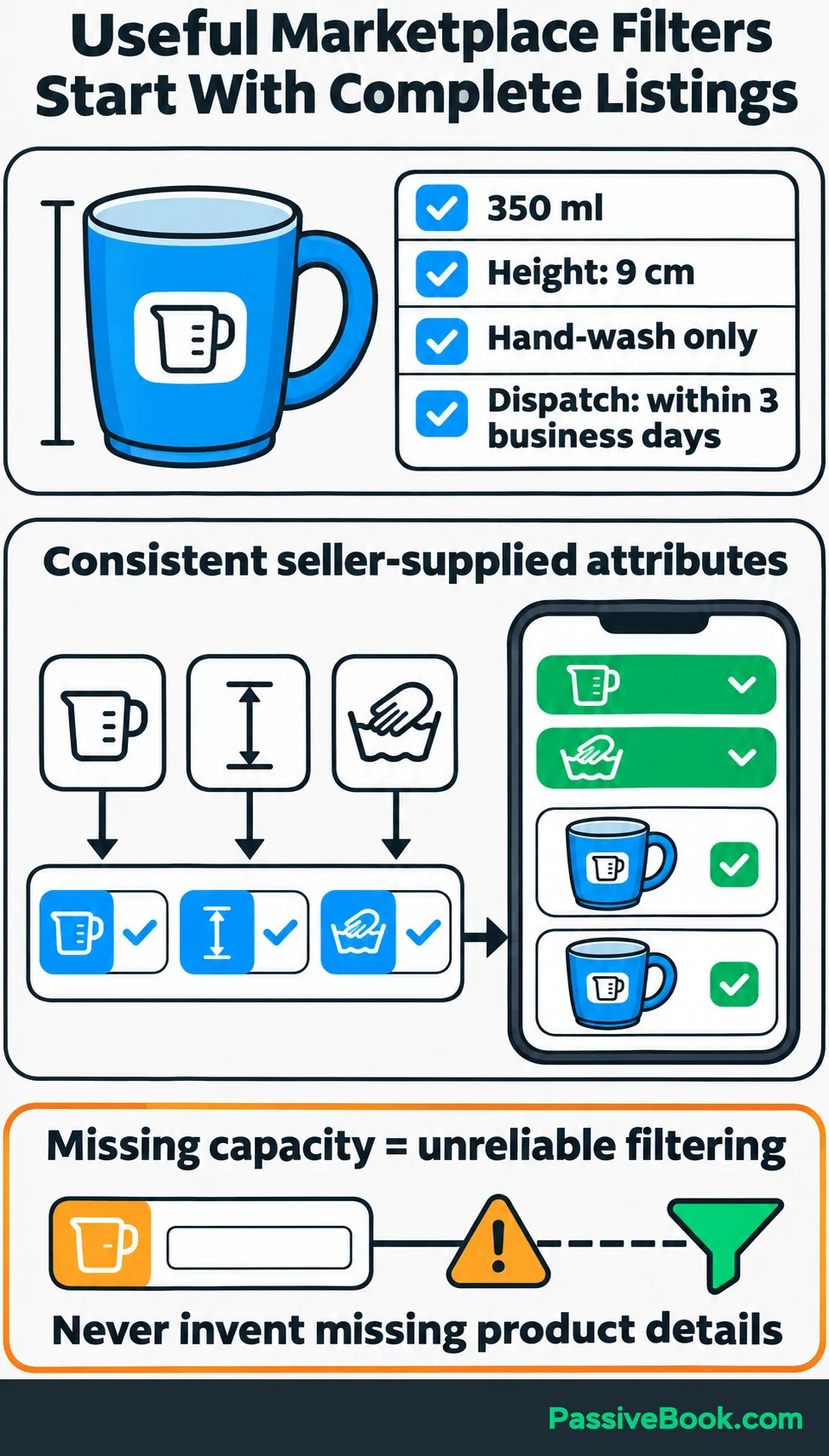
For mug listings, require capacity, dimensions, material, finish, care instructions, clear photographs, price, stock, delivery coverage and dispatch expectations.
Show sellers what useful detail looks like:
Capacity: 350 ml. Height: 9 cm. Care: hand-wash only. Dispatch: within three business days.
Use information the seller has approved. Do not let AI fill missing fields with plausible guesses.
Build filters from attributes sellers can supply consistently. A capacity filter is useless when half the catalog leaves capacity blank.
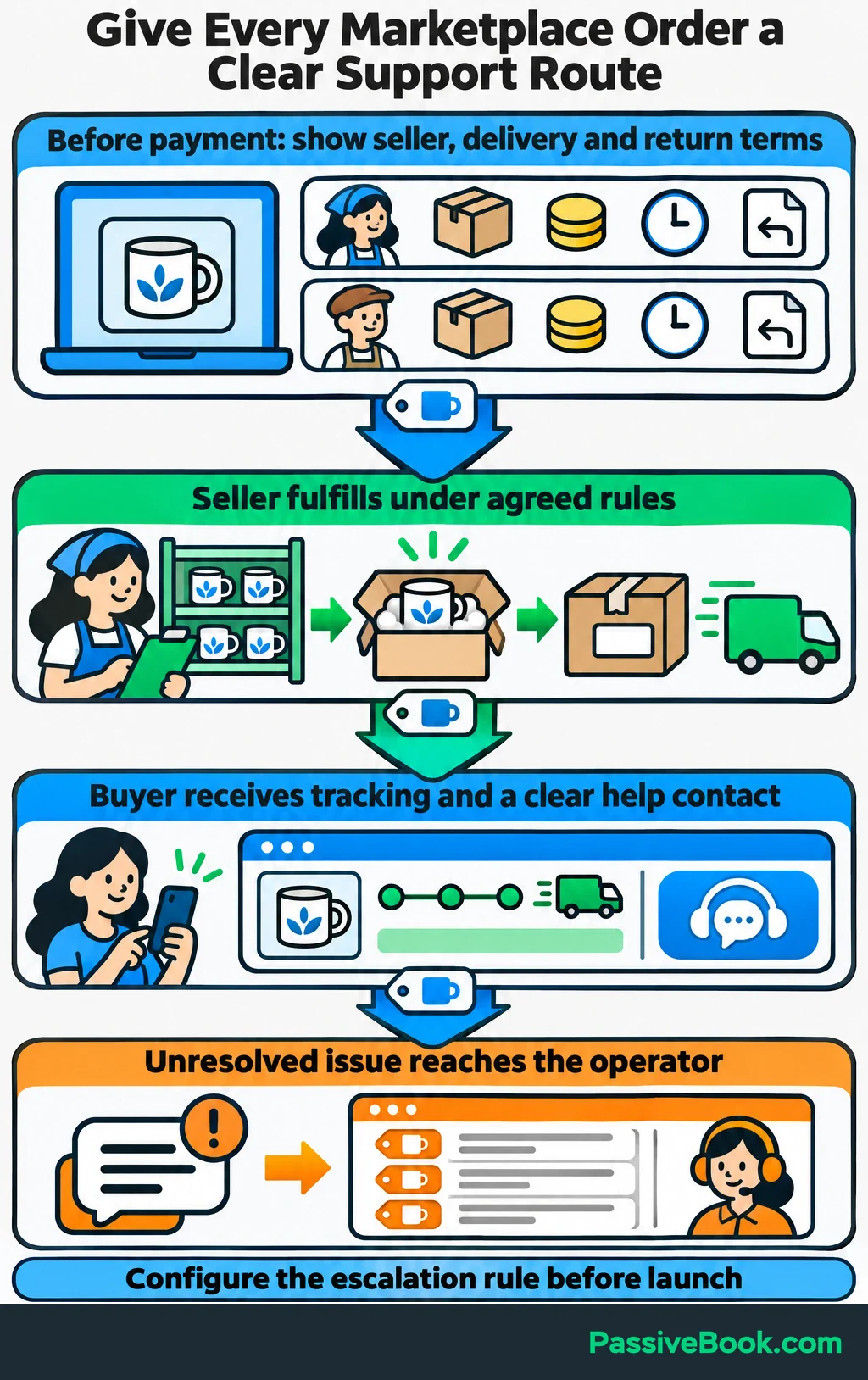
Before checkout, buyers should see who sells the item, delivery charges, expected timing and return conditions. Explain where they can get help and what any marketplace protection actually covers.
Check the shop on a phone and navigate it using a keyboard. Give forms clear labels, use readable contrast and provide useful image descriptions. These checks belong in the first version because they affect whether people can shop.
Configure Seller and Operator Access
Enable seller applications, approval, listing submission, stock updates, order handling and earnings visibility.
I would approve new sellers and their initial listings manually. You need to learn what sellers misunderstand before deciding which checks can safely run without you.
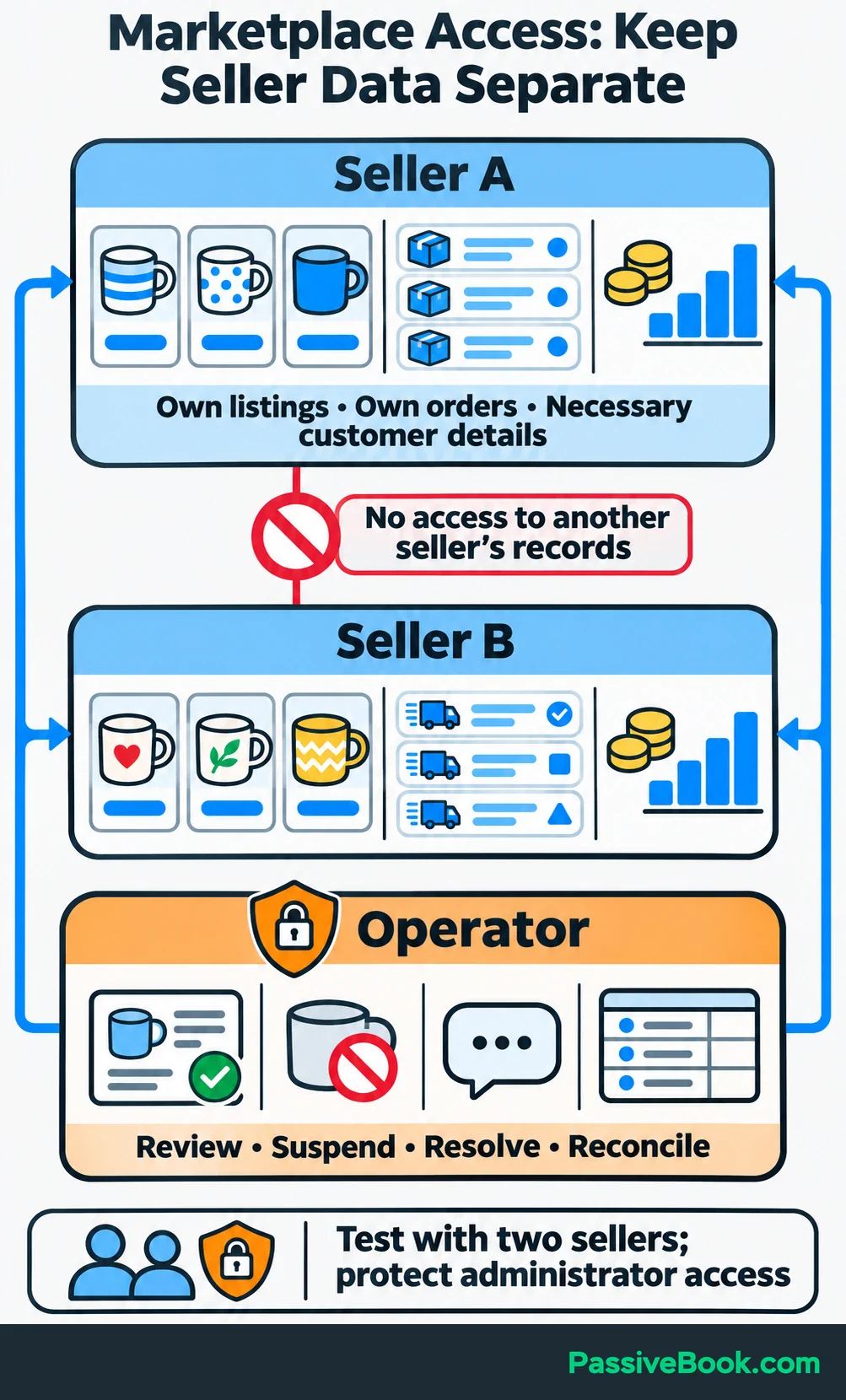
Sellers should see only their own listings, orders and necessary customer information. Test that separation using two seller accounts.
The operator needs access to review listings, suspend selling, handle complaints and reconcile commissions.
Protect administrator accounts with strong authentication. Keep software updated and set up backups with a restoration procedure. On a hosted platform, establish what the provider restores and what records you must preserve yourself.
Step 6: Configure Payments and Order Rules
Connect Payments and Seller Payouts
Activate the marketplace-specific payment integration and complete your operator verification.
Use the provider’s seller onboarding flow for required identity and business information. For example, Stripe-hosted onboarding collects verification information according to the seller’s country, business type and requested payment capabilities. Stripe-hosted onboarding.
Then configure:
- Commission rates and their calculation base.
- Seller payment-account connections.
- Payment-event notifications that keep orders and refunds updated.
- Payout timing and failed-payout alerts.
- Reports for matching orders, fees, seller allocations and bank deposits.
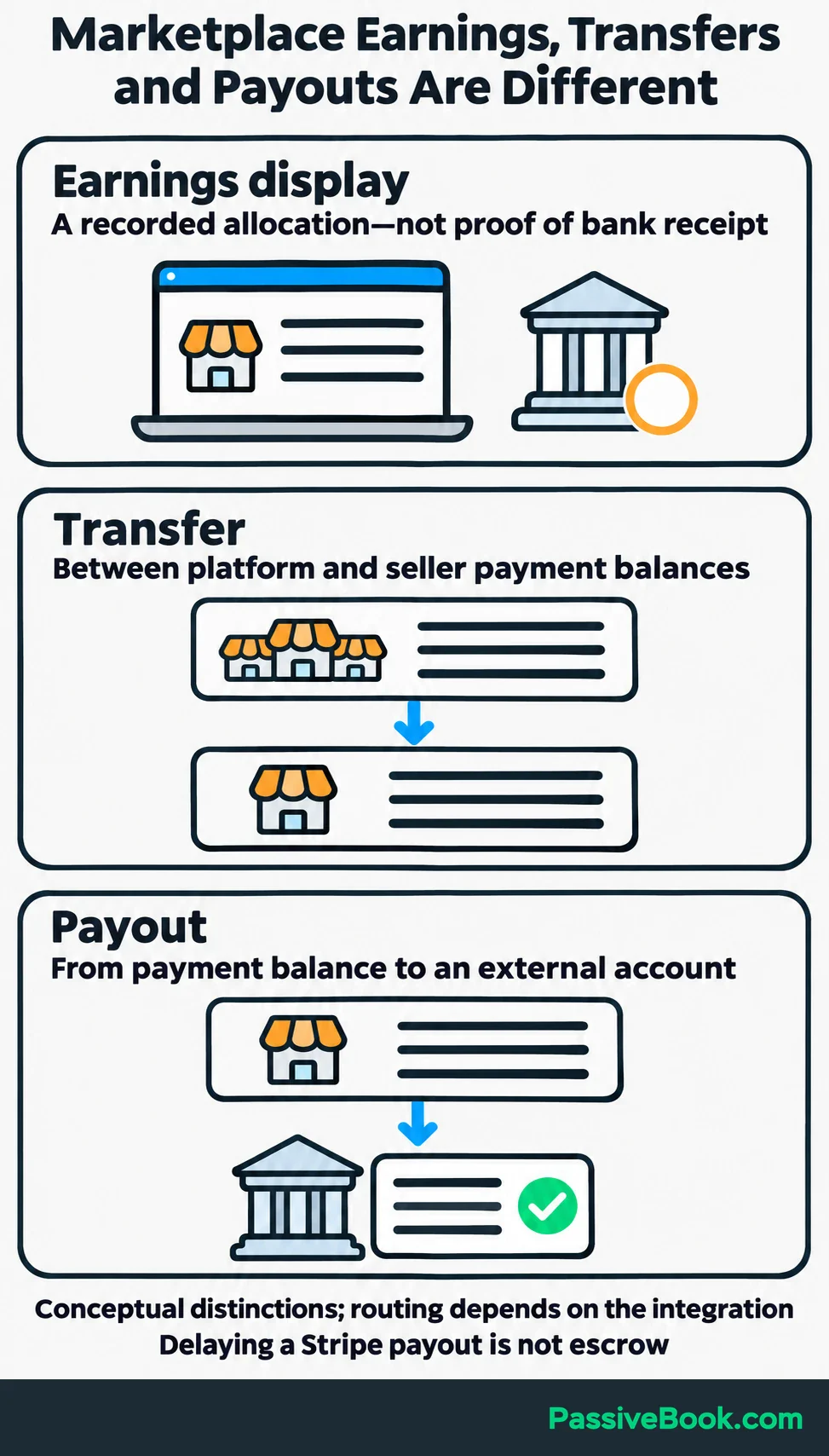
A number appearing under “seller earnings” does not prove that money will reach the seller.
Ask which account pays processing fees and covers refunds, negative balances and chargebacks—payment reversals after a buyer disputes a charge with their bank. In Stripe Connect, the way your integration charges buyers and routes funds affects which balance is debited for refunds and disputes. Confirm that this matches the responsibilities in your seller agreement. Stripe Connect charge types.
Also distinguish a transfer from a payout. A transfer moves funds between platform and seller payment balances; a payout moves money to an external account, such as a bank account.
Choose a provider-supported schedule that fits fulfillment and refund handling. Delaying a Stripe payout is not escrow, where a neutral third party holds money until agreed conditions are met. Stripe transfers, payouts and escrow distinction.
Set Fulfillment, Refund and Support Rules
Configure shipping regions, seller-specific charges, inventory deductions, notifications and tracking.
For mugs, different potters may dispatch separately. Show separate deliveries and their charges clearly, even if buyers use a combined checkout.
Write rules that answer practical questions:
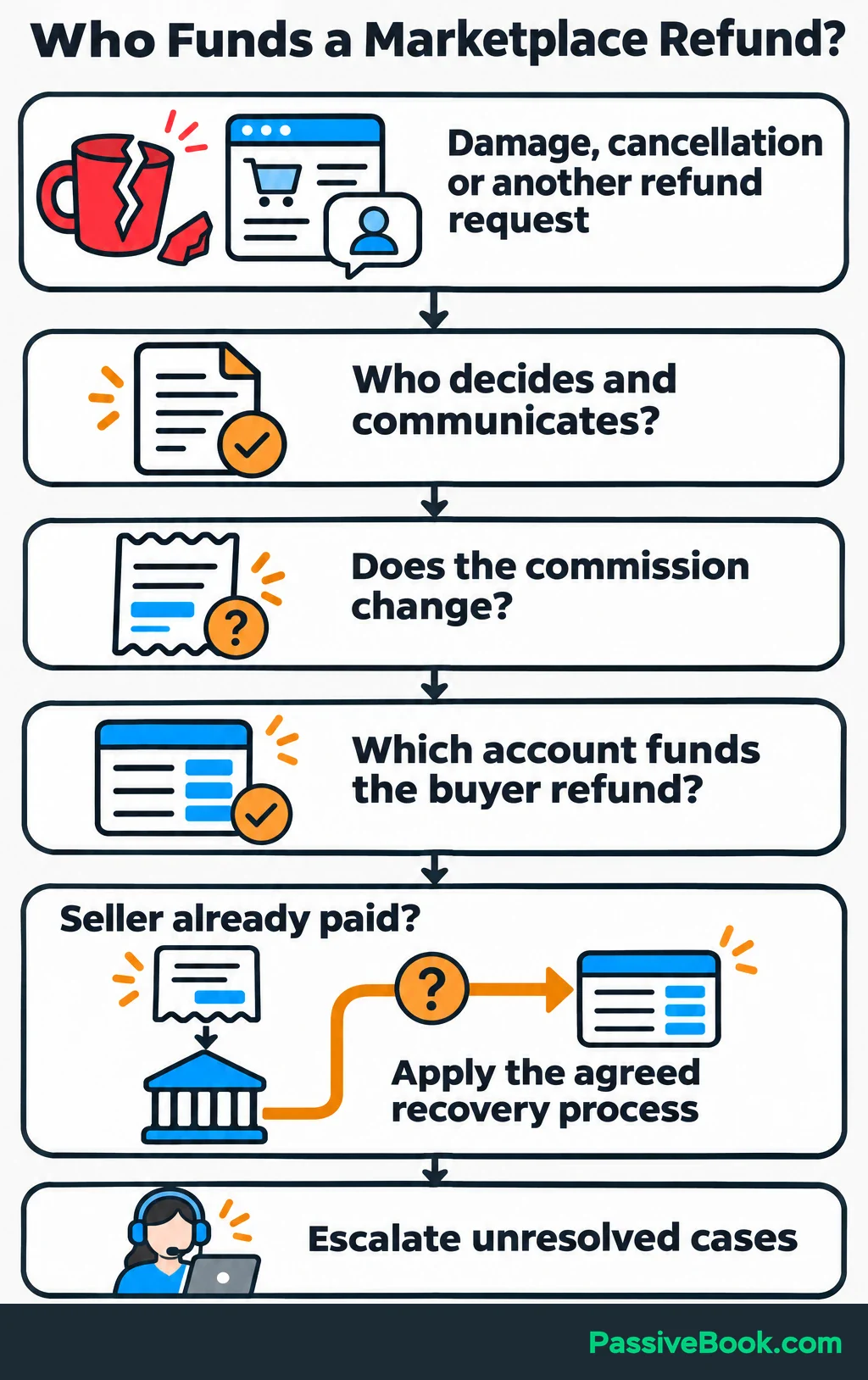
- Can a buyer cancel before dispatch?
- Who handles a broken mug?
- Does a partial refund reduce the commission?
- How are seller funds recovered after a refund if the seller has already been paid?
- When does an unanswered buyer complaint reach the operator?
Give buyers one clear escalation route. They should not have to work out which dashboard contains their problem.
Publish buyer terms, a seller agreement, return conditions and privacy information that match your actual operation. Obtain advice for your launch markets on business registration, consumer duties and product requirements.
Determine tax registration, collection, remittance and reporting responsibilities before switching on automated tax settings. Marketplace obligations depend on the markets served and the operator’s role; sellers shipping their own products does not settle those duties. Marketplace tax responsibilities.
Step 7: Recruit and Onboard Launch-ready Sellers
Return to the sellers who helped validate the idea. Recruit additional sellers to fill specific gaps in the catalog.
For the mug marketplace, that might mean finding larger capacities, lower price points or delivery coverage that buyers requested. Another registration is useful only if it improves what buyers can purchase.
Explain the offer plainly:
Buyers can compare mugs by capacity, size and care instructions. You keep your inventory and handle shipping, and the marketplace takes an agreed commission on completed sales.
Add the actual commission calculation, payout timing, seller responsibilities and onboarding help. Describe the purchases or buyer requests you confirmed during validation.
Walk each seller through account setup, agreement acceptance, payment verification, store details, listings, stock, shipping and returns. Offer to prepare draft listings from seller-approved information, then ask the seller to check them.
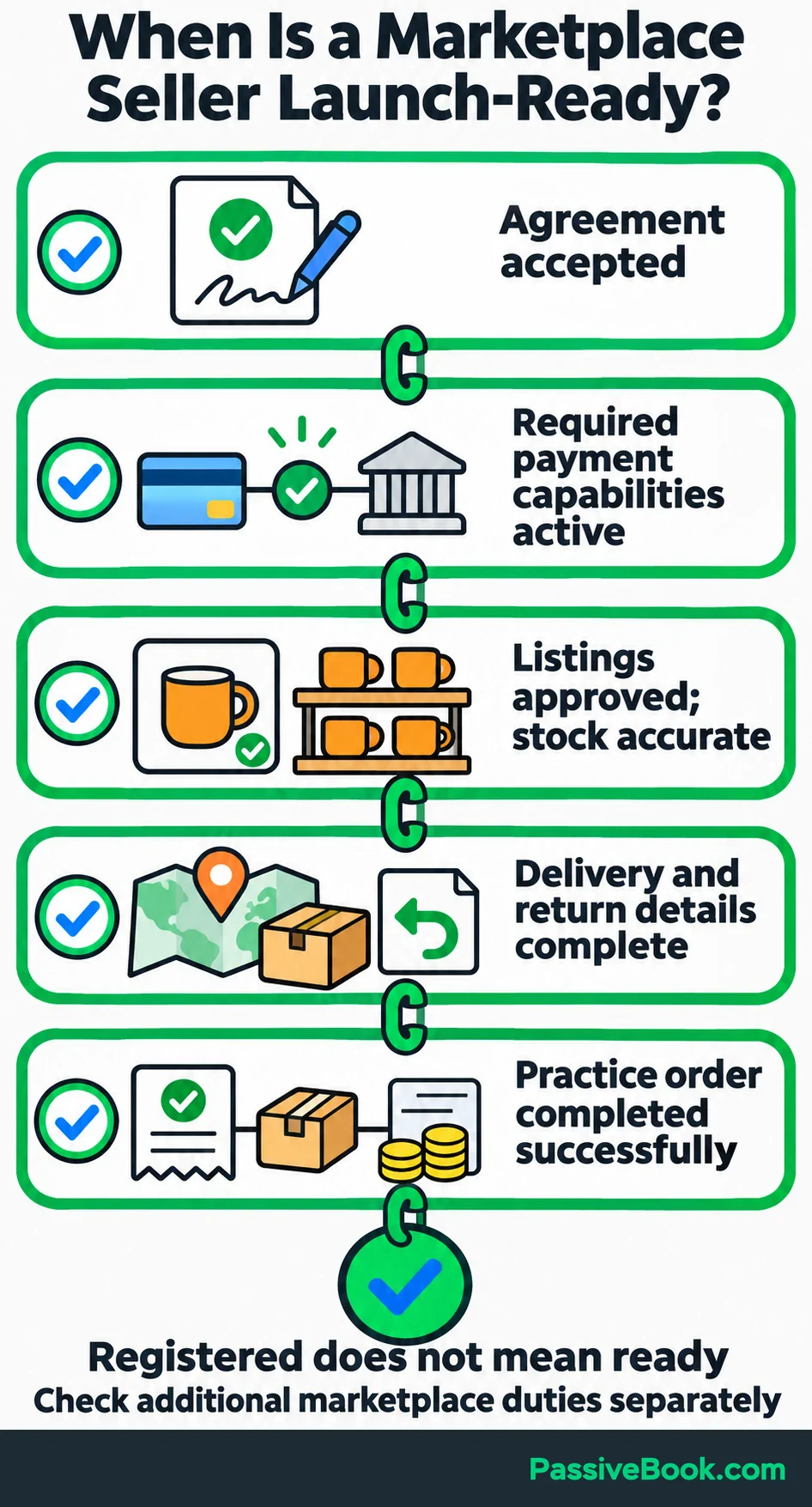
Count a seller as ready only when:
- The agreement is accepted.
- Payment capabilities required for selling are active.
- Listings are approved and stock is accurate.
- Delivery and return details are complete.
- A practice order has been completed successfully.
Check any additional seller-verification and disclosure duties in your market. For example, covered U.S. marketplaces have obligations under the INFORM Consumers Act involving qualifying high-volume sellers, required disclosures and a suspicious-activity reporting mechanism. Payment-provider verification alone does not establish that you have met every marketplace duty. FTC INFORM Consumers Act guidance.
A smaller catalog that can fulfill orders is a better launch asset than a large directory of unfinished seller profiles.
Step 8: Test the Purchase-to-payout Workflow
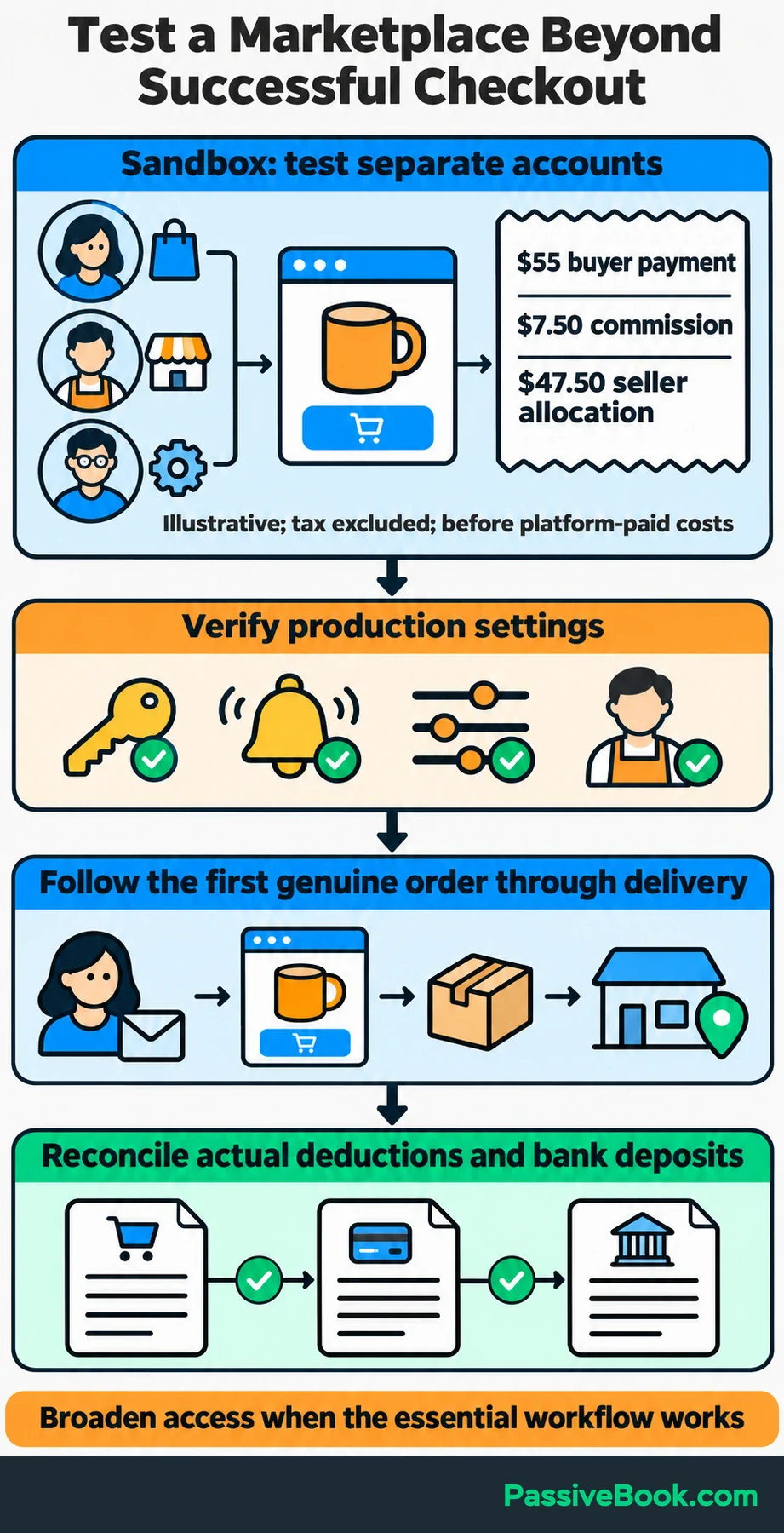
Use separate buyer, seller and operator accounts. Walk through application, approval, listing publication, product discovery, purchase, fulfillment and seller payment.
For the mug order from Step 3, verify the $55 buyer payment, $7.50 commission and $47.50 seller allocation before the assumed platform-paid costs. Match the actual processor deductions separately.
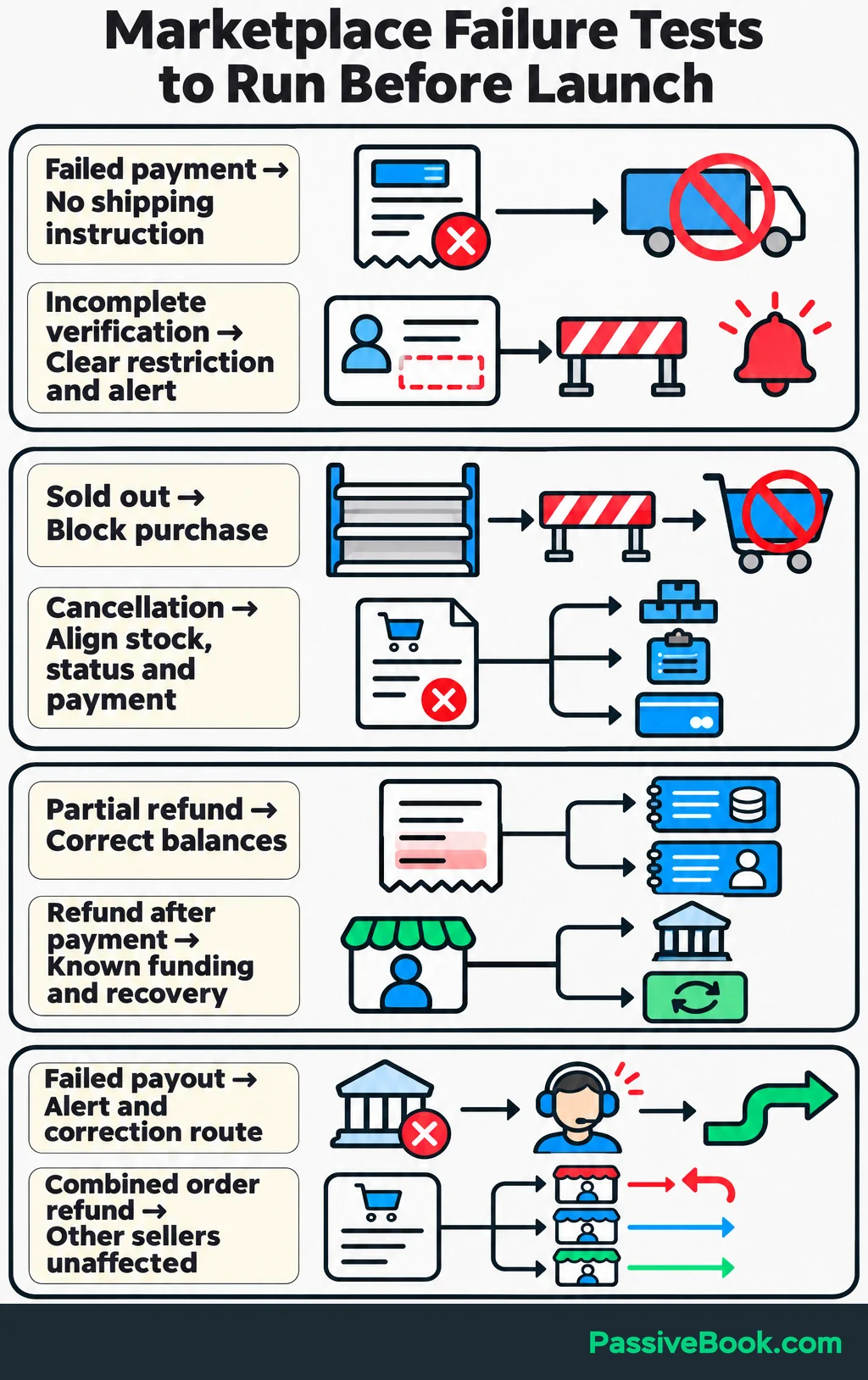
Do more than test a successful payment:
| Test | What must work |
|---|---|
| Payment fails | The order stays unpaid and the seller receives no instruction to ship |
| Seller verification is incomplete | The system handles the restriction clearly and alerts the right person |
| Stock sells out | Another buyer cannot purchase unavailable inventory |
| Order is canceled | Stock, order status and any payment changes agree |
| Partial refund is issued | Buyer refund, commission adjustment and seller balance match your rules |
| Refund follows seller payment | You can identify who funds it and how seller recovery works |
| Seller payout fails | The failure reaches an operator and the seller has a correction route |
| One seller’s item is refunded in a combined order | Other sellers’ allocations remain correct |
Ask someone unfamiliar with the site to buy a product and complete a seller task. Watch where they hesitate, especially on mobile. Check emails, support contact details and seller data separation.
Run provider-supported sandbox tests first. Then verify production credentials, payment notifications, commission settings and seller readiness.
Open to a small invited group and follow the first genuine live order through delivery and bank reconciliation. Broaden access when the essential workflow works. A successful checkout is only part of that proof.
Step 9: Launch to Buyers Who Match the Available Catalog
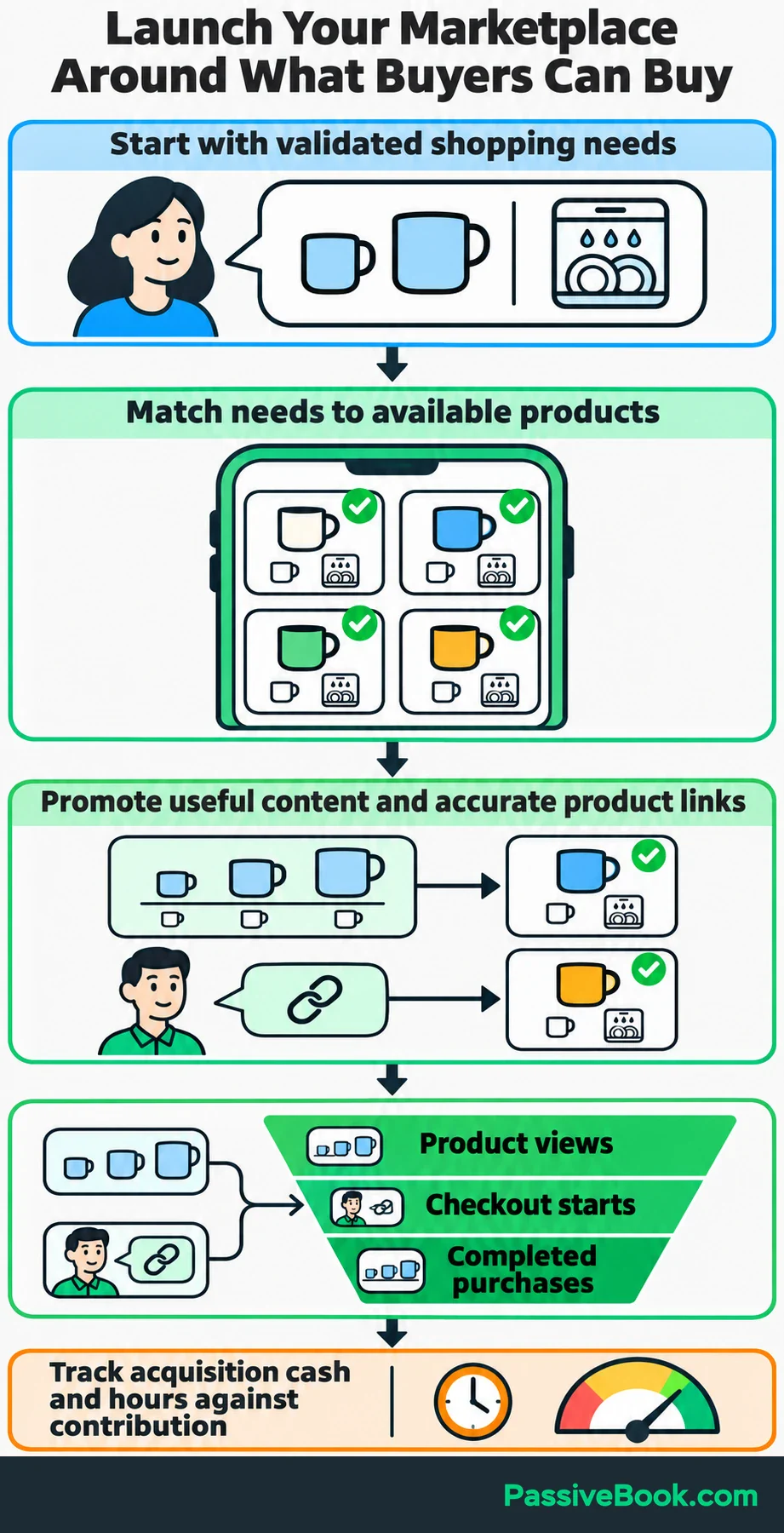
Invite the buyers involved in validation once your sellers can fulfill the selection you promised.
Lead with the shopping advantage you tested. For the mug marketplace, that could be easier comparison of capacity and care requirements. “We have launched a marketplace” describes your milestone; it gives buyers little reason to visit.
Choose one or two acquisition channels you can maintain around your existing commitments:
- Participating sellers’ audiences.
- Relevant communities where promotion is permitted.
- Partnerships with complementary businesses.
- Search content that answers purchase questions.
- Visual discovery through Pinterest.
For mugs, I would begin with useful comparison content and seller participation. A guide to choosing mug capacity can lead directly to in-stock products. Give sellers accurate product links and simple launch materials they can share.
Add an opt-in email list so interested visitors have a reason to return. If you use WordPress, FluentCRM is my preference for managing that follow-up within the site.
Track product views, checkout starts and completed purchases by acquisition channel. Keep buyer consent and tracking requirements in mind when configuring analytics.
Help early buyers personally and record unanswered searches, checkout problems and delivery questions. That work tells you what the website still fails to explain.
Use your contribution calculation to control promotion spending. Organic acquisition also consumes time, so record those hours alongside cash costs.
Step 10: Improve Operations Before Expanding
Review whether buyers can find suitable products and whether sellers receive worthwhile orders.
I would keep a short weekly report:
| Measure | What to count or review |
|---|---|
| Purchase conversion | Sessions with a completed purchase divided by all measured buyer sessions in the same period |
| Unsuccessful searches | Searches returning no results, plus requests for products you cannot supply |
| Sellers making sales | Launch-ready sellers receiving at least one completed order during the review period |
| Fulfillment | Orders dispatched within the seller’s stated window |
| Refunds and complaints | Reasons, financial cost and the sellers or products involved |
| Repeat purchasing | Buyers placing another completed order within a chosen follow-up window |
| Contribution | Marketplace revenue less the variable costs defined in Step 3 |
| Manual workload | Support hours and orders requiring operator intervention |
For repeat purchasing, compare buyer groups that have had the same follow-up window. Someone who purchased yesterday has not had the same opportunity to return as someone who purchased three months ago.
Use the report to choose the next fix. Missing stock calls for recruitment. Incomplete listings call for better information. Checkout abandonment calls for investigation of the purchase flow. Late dispatch calls for work with the seller.
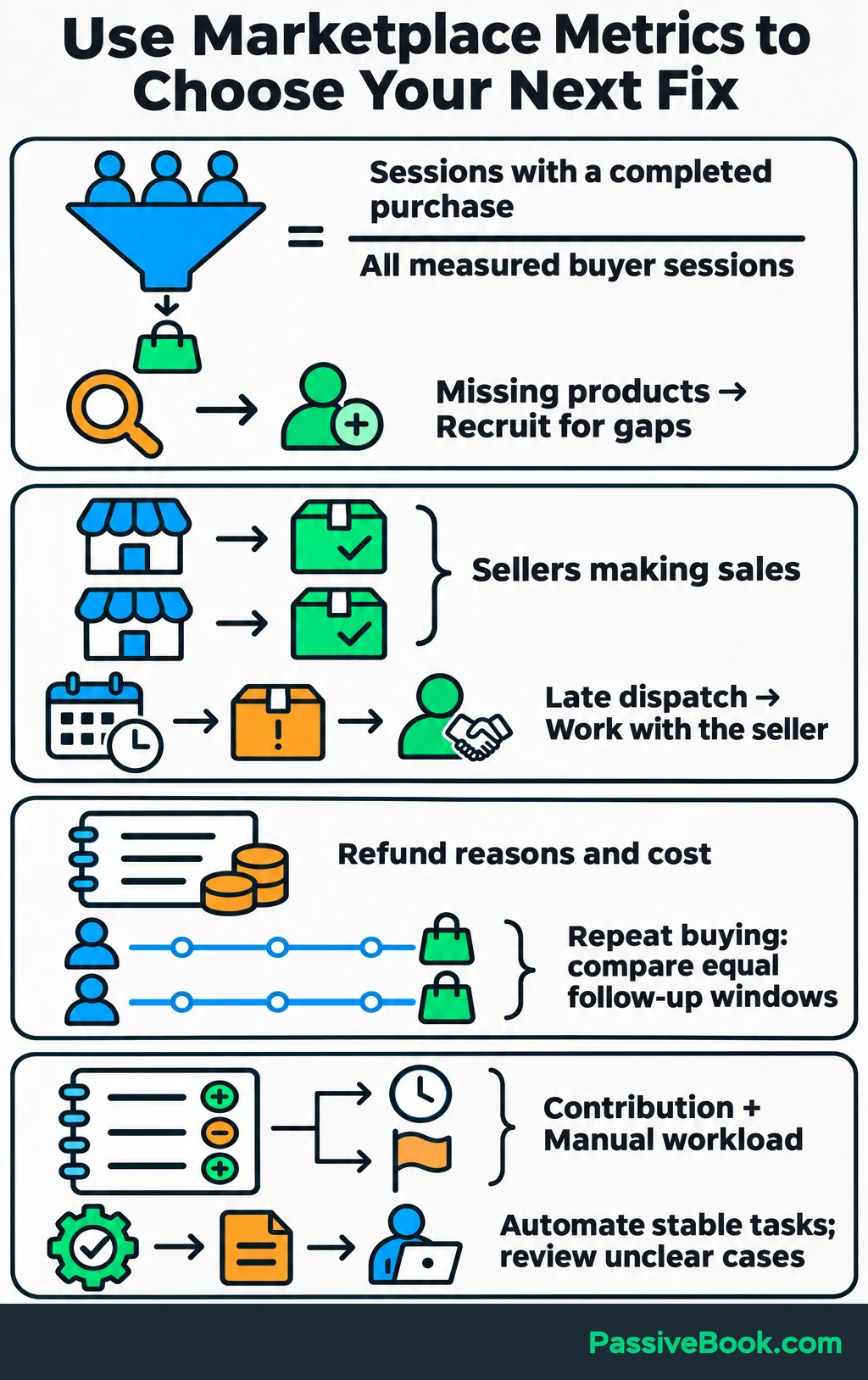
Once a task is stable, document it and automate it. I use n8n to connect tools, and Make is another option when you want a visual setup without managing hosting.
Good early automations include onboarding reminders, order notifications, overdue-dispatch alerts and reconciliation exports. Every failure still needs to reach a named person.
I would keep disputed refunds and unclear seller complaints under human review. Automating a confused process mostly makes the confusion arrive faster.
Expand one category, region or transaction feature at a time after the current offering produces reliable orders and workable economics. Fund custom development when a repeated, valuable requirement justifies both the build and its ongoing maintenance.
Keep usable seller, listing, order and financial exports. And measure progress toward lower manual work through support hours and exception rates. Commission income depends on continuing transactions; it does not become a subscription simply because payments are automated.
What Next?
Write a one-page launch brief with your buyer’s purchase problem, initial selling region, seller offer and validation spending cap. Use it to arrange your first buyer and seller conversations before paying for a platform.
Use the social buttons to share this guide with your launch group so everyone can work from the same transaction and cost plan.
Which part of your proposed marketplace still needs proof: buyer demand, seller participation or the economics? Share your answer in the comments, and bring any other questions too.
Share this post with your friends & followers:

