A store can look ready to sell before you know whether its product is worth buying. AI makes that gap easier to miss because it can produce a name, logo and polished product page in an afternoon.
The expensive questions remain: will customers want it, will the supplier deliver it, and will anything be left after the costs?
I lost most of the money I put into an early ecommerce store and was left with unsold stock. This guide uses one product to show what an AI-assisted launch costs and how its store, marketing and supplier workflows can fit together within a spending limit.
What AI Does in a Dropshipping Business
A customer buys from your store, you pay a supplier, and the supplier ships directly to the customer. You avoid buying stock upfront, but you still run the retail business and carry its responsibilities. Shipping problems and refunds come back to you. Shopify’s dropshipping guidance explains those responsibilities.
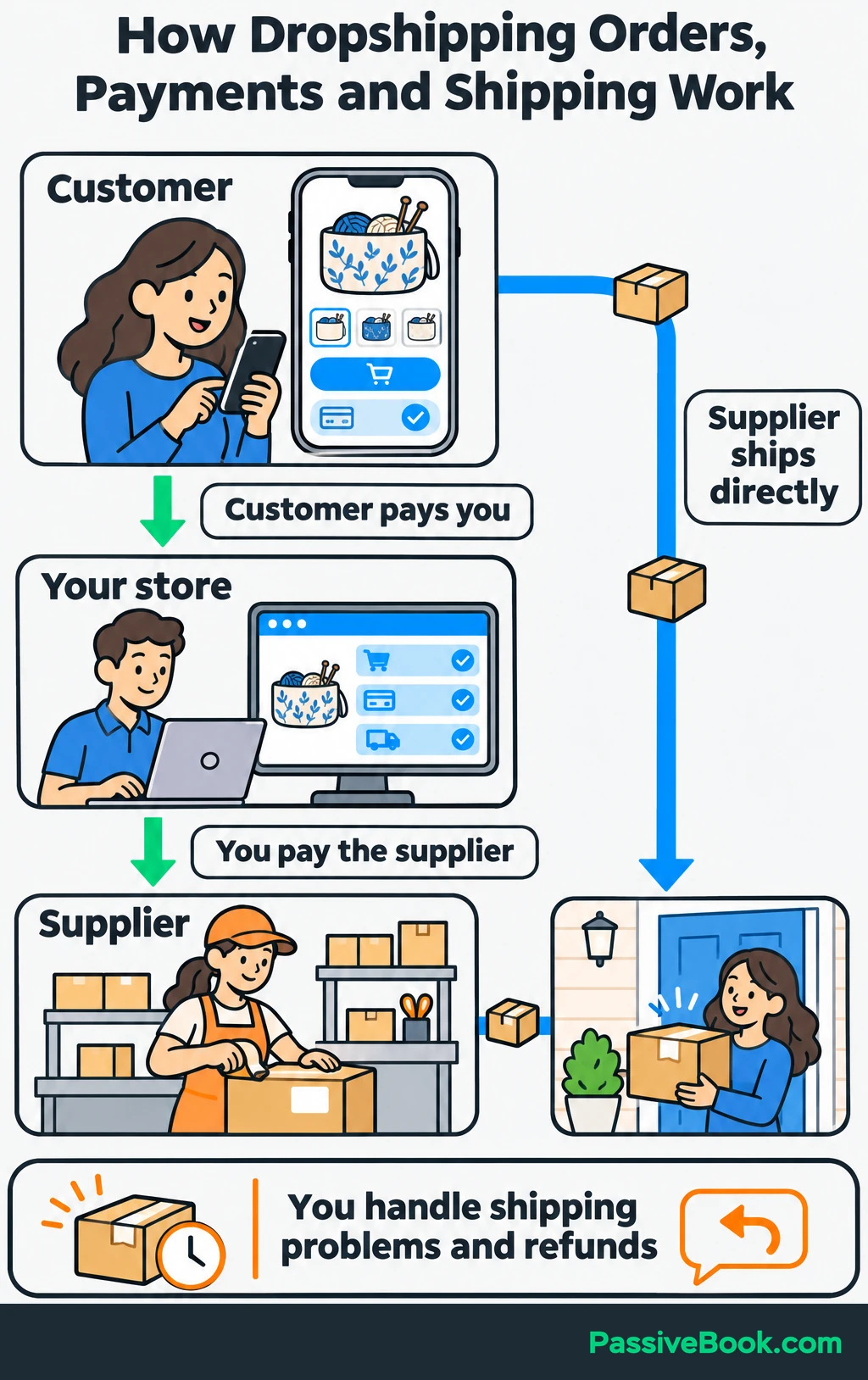
AI helps with the work around that transaction:
| Task | Useful AI contribution | Decision you keep |
|---|---|---|
| Product research | Group complaints from reviews you collect | Whether the evidence supports testing a product |
| Supplier selection | Compare quotes and flag missing answers | Which supplier meets your requirements |
| Store content | Draft pages from verified product facts | Which claims and images you publish |
| Marketing | Turn a demonstration into several content drafts | Whether each draft shows the product accurately |
| Customer support | Sort questions and prepare replies | Refunds, disputes and unusual cases |
Order integrations do another job: they transfer order details and tracking information between systems. A writing assistant alone does not arrange fulfillment.
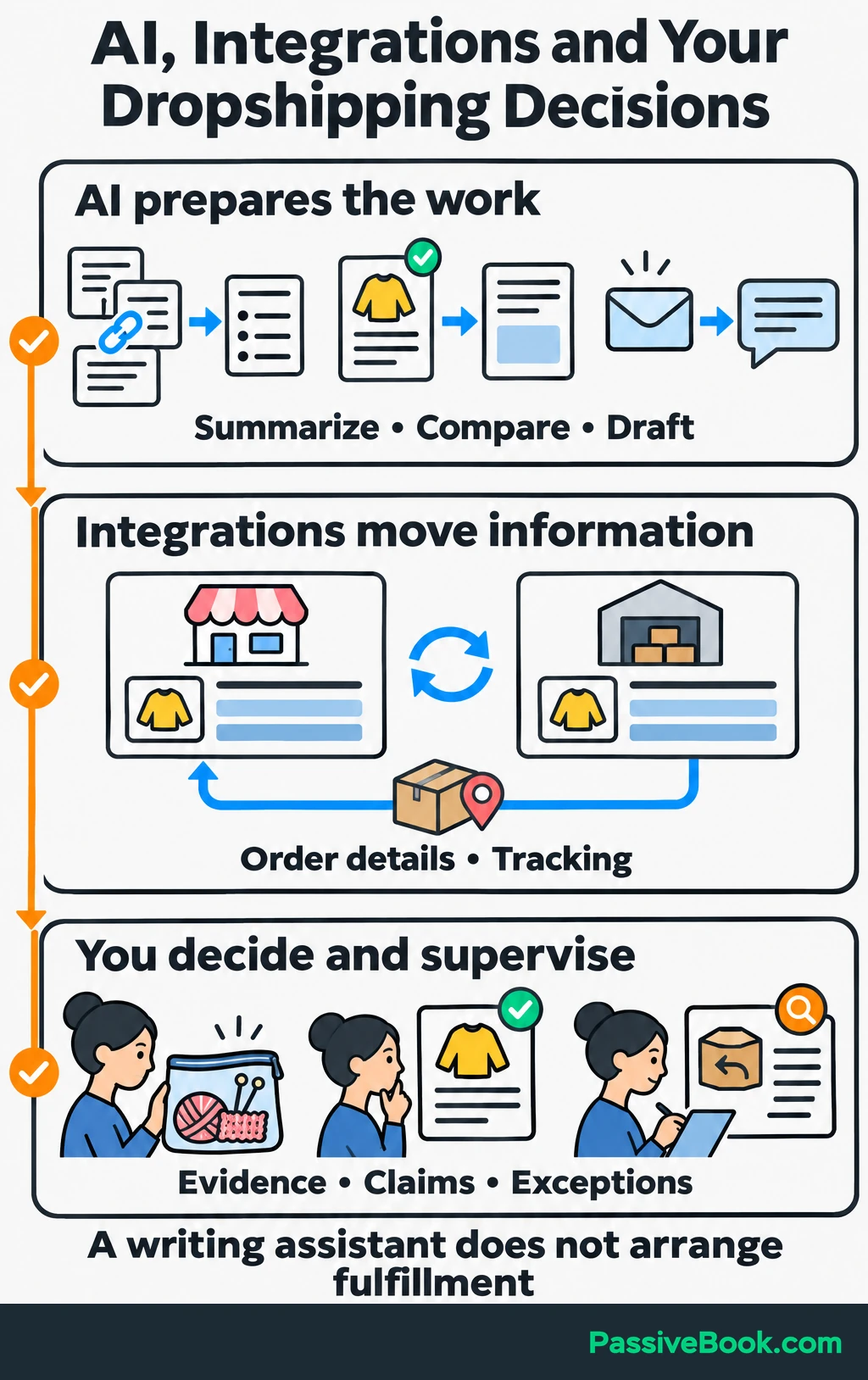
To make these decisions concrete, imagine opening a knitting-accessory store and testing one zippered project bag. The store, supplier terms and financial figures below are illustrative, except for linked provider prices.
AI can reduce repetitive work, but it cannot prove demand or guarantee earnings. I would treat this as a small retail experiment with supervised automation. Plan a daily check of orders and messages, even when sales are slow.
1. Set a Startup Spending Limit
Choose one delivery market and selling currency first. Before paying for a storefront, confirm that a payment provider supports your business location, business type and products. For example, Shopify Payments has eligibility requirements; access to Shopify does not automatically mean access to Shopify Payments.
List each expense and when you must pay it, separating planned spending from cash held in reserve.
| Budget item | Example amount | Payment timing | Purpose |
|---|---|---|---|
| Shopify Basic, US monthly billing | $39 | Monthly once activated | Storefront |
| Domain | $15 assumed | Annual renewal | Store address |
| Samples and fulfillment tests | $60 assumed | Before launch | Check quality and the delivery route |
| Working cash and refund buffer | $150 assumed | Held in reserve | Fund supplier orders and customer refunds |
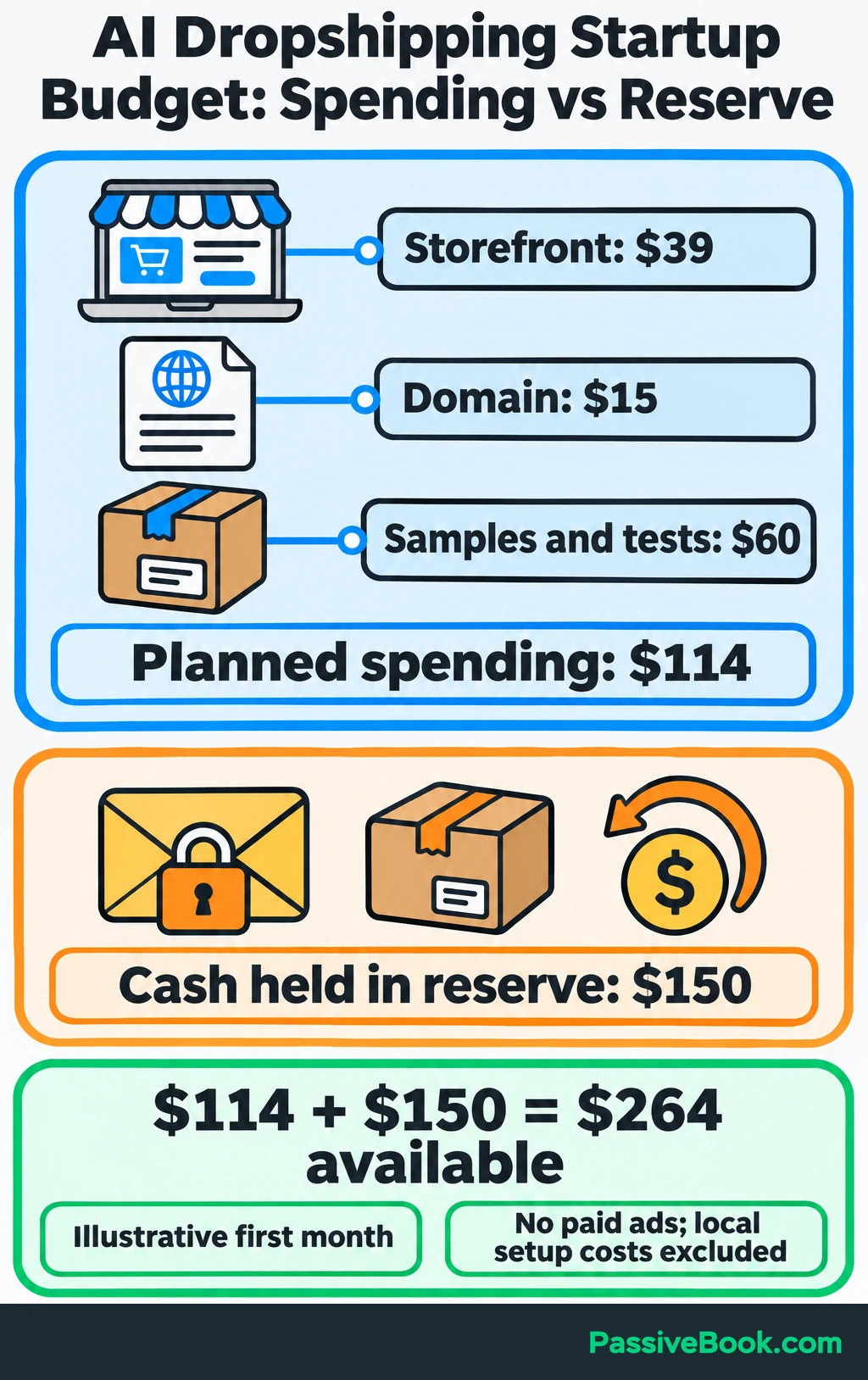
The storefront figure uses Shopify’s regular US monthly price. Its lower advertised monthly equivalent requires annual billing. Check the linked page for current terms and avoid building your budget around an introductory offer.
In this example, the first month’s planned spending totals $114. With the reserve, you need $264 available. That excludes location-specific registration, tax advice or other required costs and assumes a free theme, existing AI access and no paid advertising.
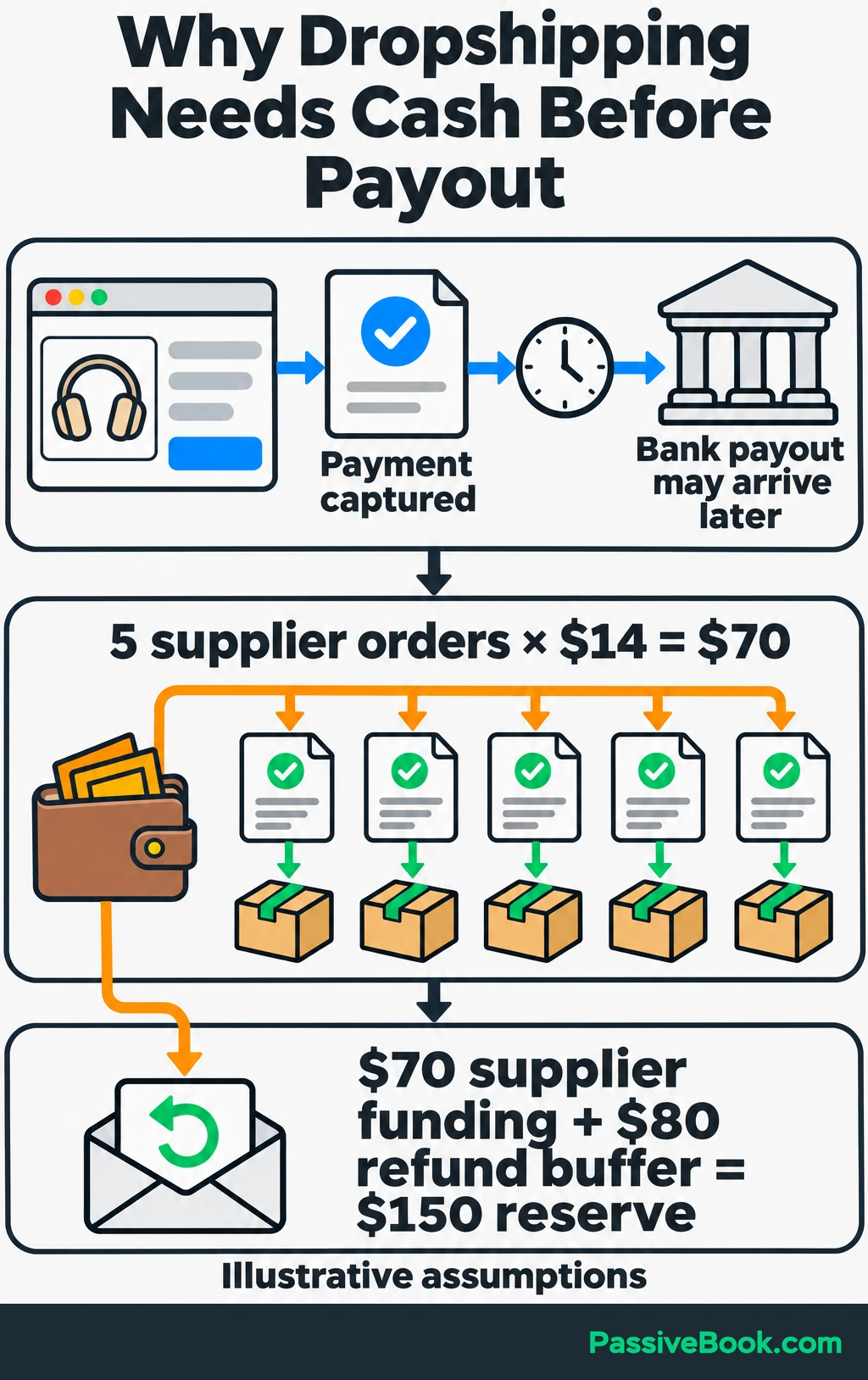
Your reserve should reflect orders you may need to fund before customer payments reach your bank. Shopify’s payout guidance explains why payment capture and available cash are different events.
For illustration, five supplier orders costing $14 each would need $70. Adding an $80 refund buffer produces the $150 reserve above. Replace those assumptions with your supplier costs and expected payout timing.
Set a maximum testing loss you can afford, and decide when you will review it. Delay activating paid subscriptions until the work requires them. A product shortlist does not need a storefront subscription.
2. Find a Product Customers Have a Reason to Buy
Build a Shortlist Around a Specific Problem
Start with a problem you can observe. Look for what people are trying to do, what they buy now, and what still frustrates them.
For the knitting store, investigate carrying an unfinished project between home, a class and a café. The possible problem is tangled yarn, loose tools or uncertainty about which bag will fit a particular project.
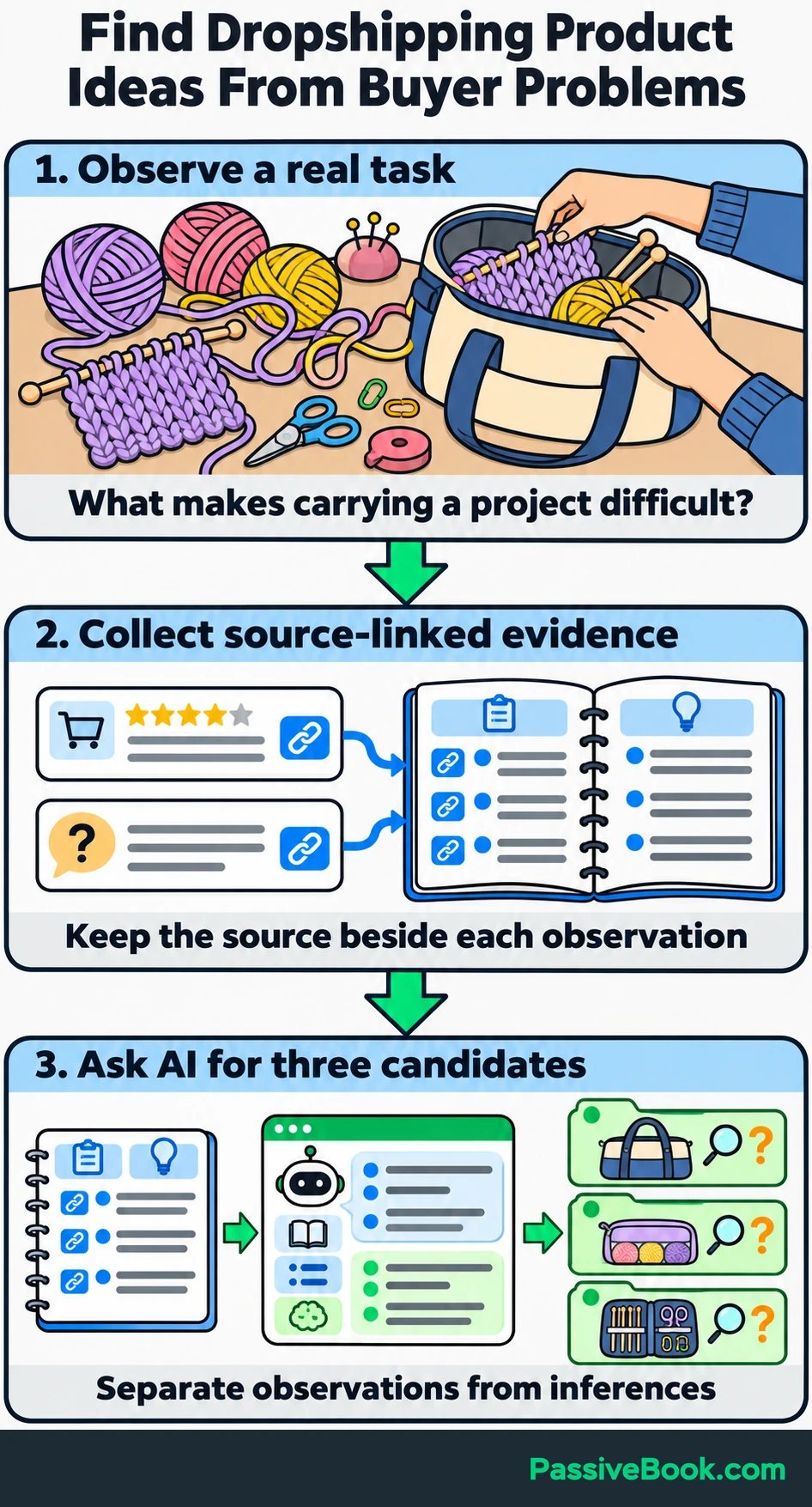
Collect review excerpts and buyer questions, keeping their source links. Then ask AI to organize them:
Group these customer problems and suggest three products to investigate. Keep the source beside each observation. Separate what customers actually said from your inferences, and flag missing evidence.
Give it your delivery market and practical limits too. I would favor products whose size, quality, shipping costs and likely support questions I could assess through a sample. I would skip a complicated product simply because a research tool called it a winner.
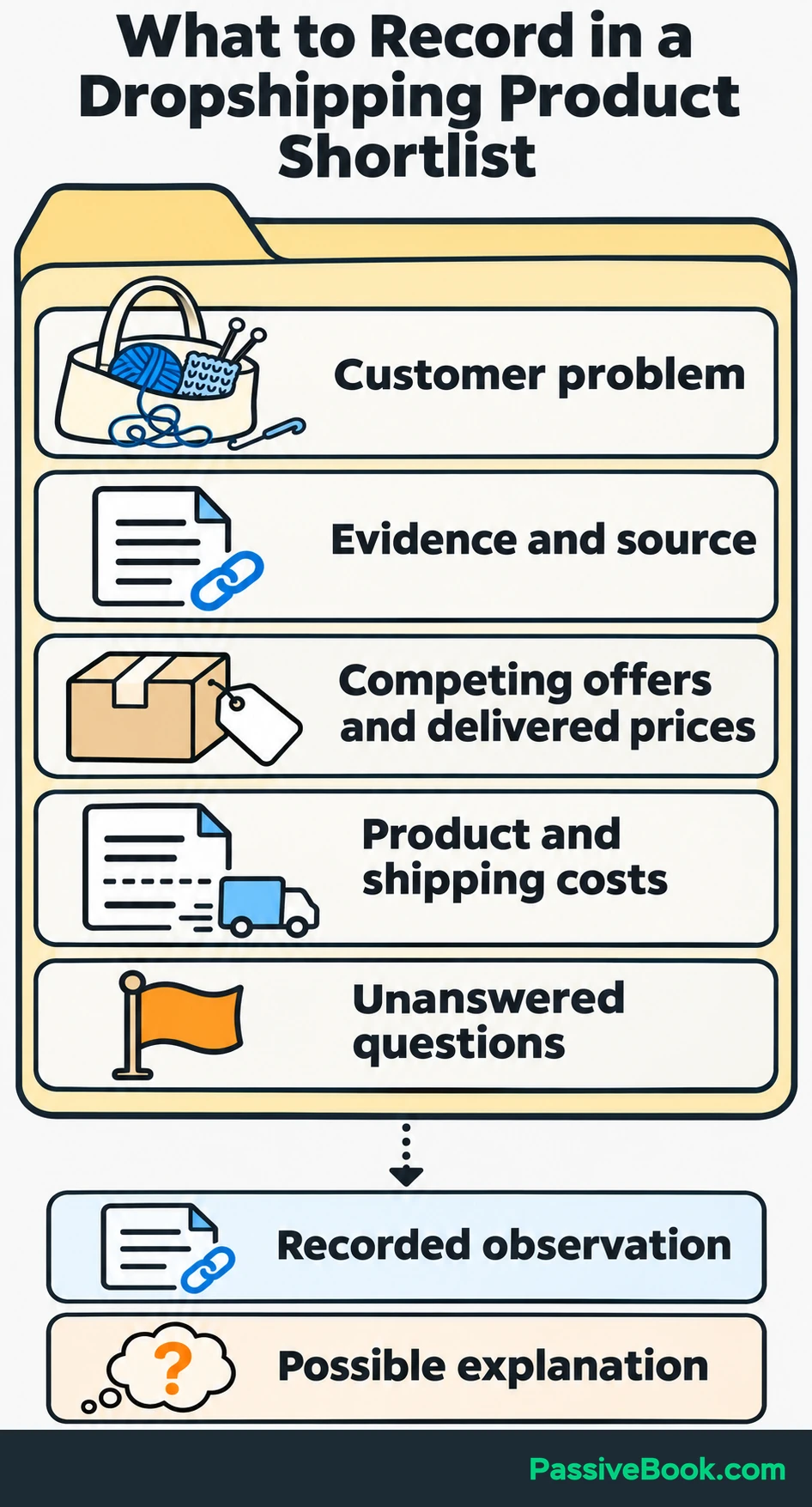
Keep a shortlist with these columns:
- Customer problem.
- Evidence and source.
- Competing offers and delivered prices.
- Estimated product and shipping cost.
- Questions still unanswered.
My jewellery store started with roughly $1,200 and no proper market research. I bought inventory, much of it stayed unsold, and I lost most of the investment. That was an inventory-based business, but the lesson applies here: removing the stock purchase does not remove the need to understand buyers.
Validate Demand and Your Offer
Investigate whether people already spend money solving the problem. Read recent reviews, examine competing stores and speak with potential customers.
Useful questions include:
- What do you use to carry your current knitting project?
- What bothers you about it?
- What would you need to know before replacing it?
- What have you already paid for a similar bag?
Keep records of actual answers. A friendly “that sounds nice” is easy to collect and difficult to deposit.
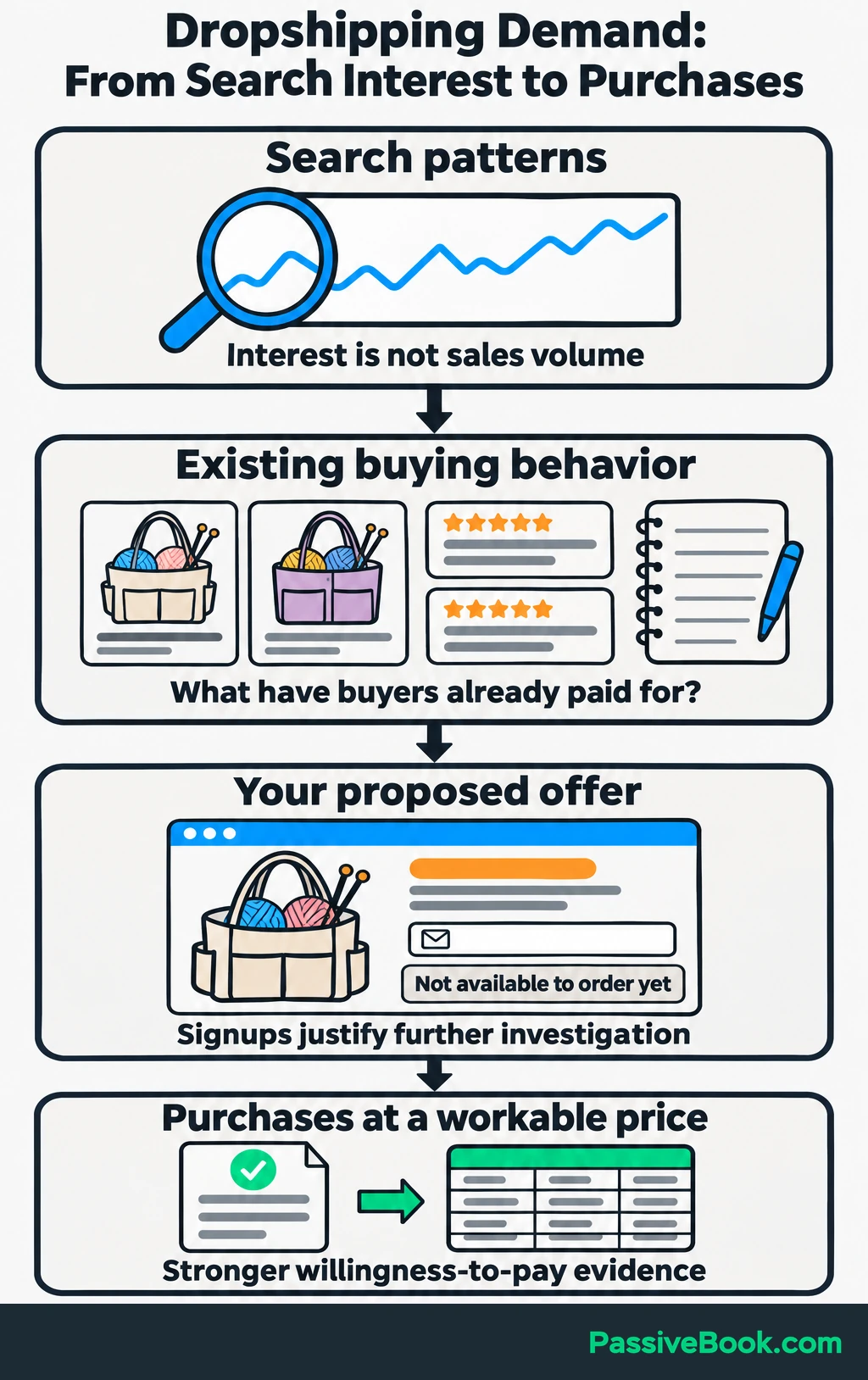
Use Google Trends to compare search patterns in your chosen market. Its scores show relative search interest, not sales volume, so use them alongside buying behavior and customer conversations. Google explains how Trends data works.
Next, ask AI to compare the offers you collected. Look for an advantage you can deliver. For the project bag, that might be clear capacity photos showing exactly which supplies fit.
Before building the full store, discuss that offer with potential buyers or make a simple interest page. Describe the proposed product and price, and make clear that it is not available to order yet.
You do not need a full storefront to explain the offer. The AI Skill below turns your product idea, intended buyer and proposed price into an interest-page draft or a message you can send to potential buyers.
Free AI Ecommerce Copy Studio




Signups can justify further investigation. Purchases at a workable price provide stronger evidence of willingness to pay.
Advance one candidate when you can explain who needs it, what supports demand, and why someone would choose your offer.
3. Verify the Supplier and Order a Sample
Compare suppliers for the exact product and variant you plan to sell. Similar photos do not establish that two listings contain the same bag.
Get written answers covering:
- Product cost and shipping to your delivery market.
- Processing time before dispatch and estimated transit time.
- Tracking availability and packaging.
- Stock availability for each variant.
- Procedures for damaged, missing or incorrect items.
- Return destination, return postage and refund arrangements.
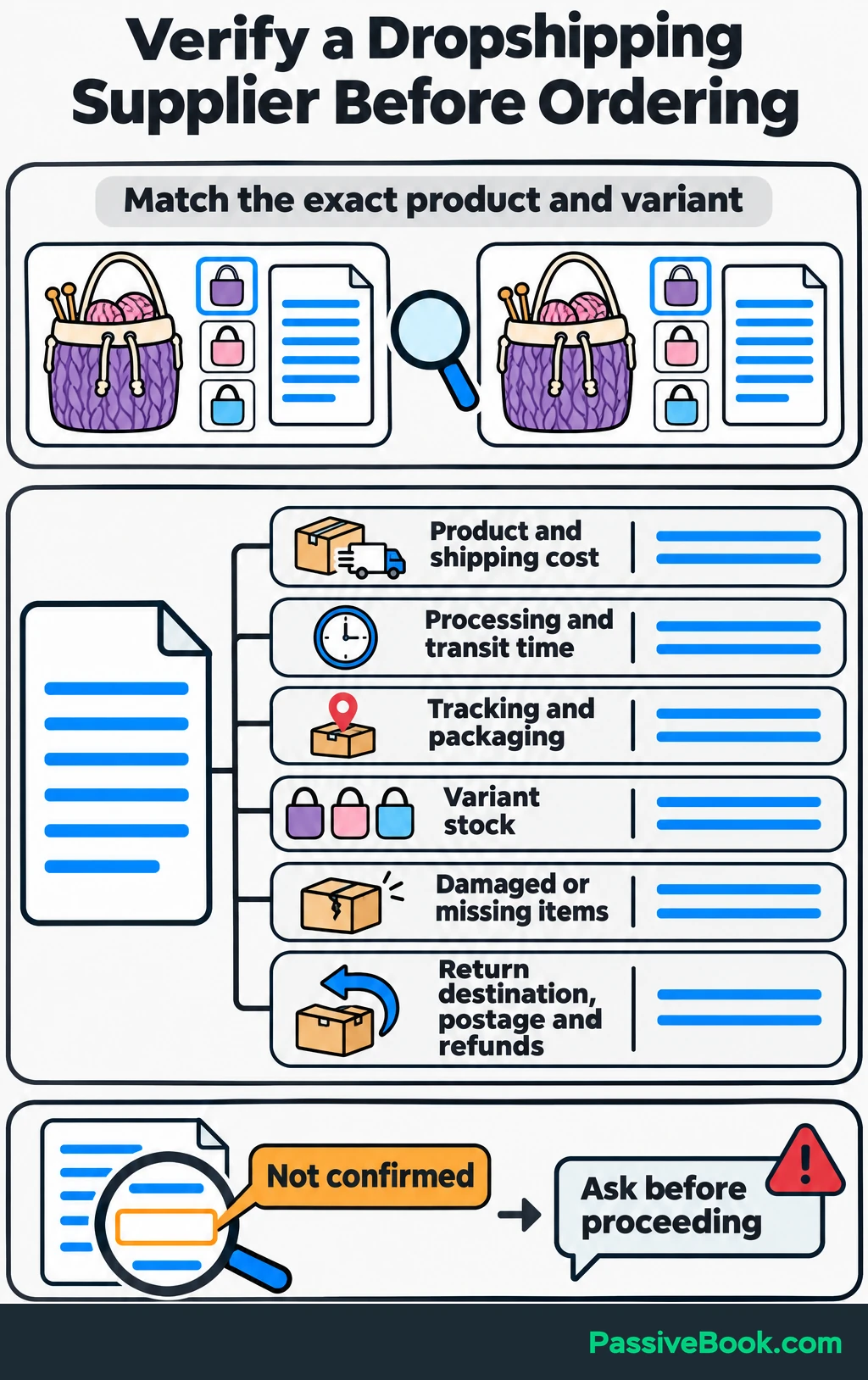
AI can turn replies into a comparison table and flag gaps. If one supplier leaves return postage unanswered, the table should say “not confirmed.” Ask the supplier directly before proceeding.
Then order a sample through the shipping route you intend to use. Record when you ordered, when it shipped and when it arrived. Processing and transit are separate parts of the wait.
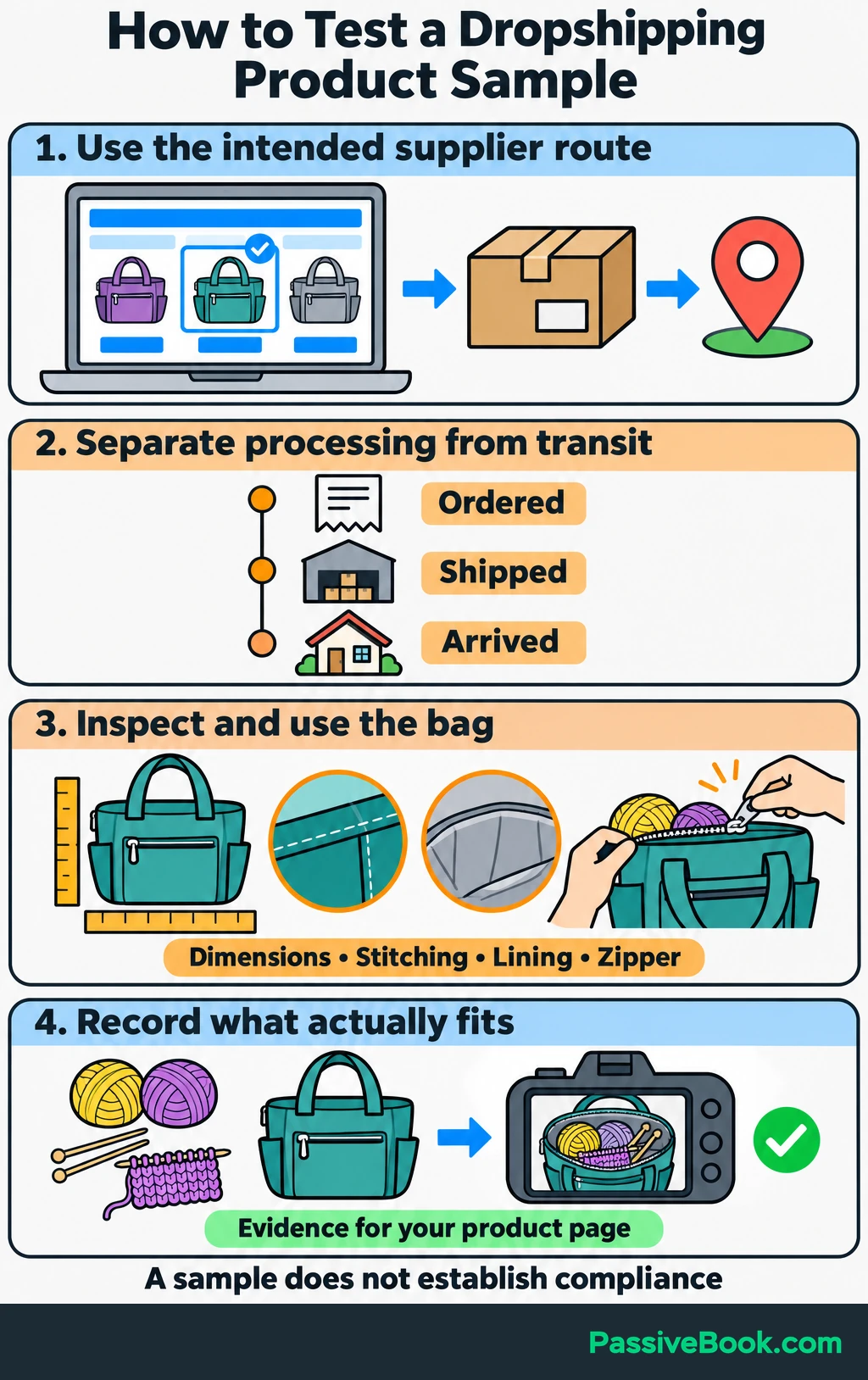
For the project bag, inspect the dimensions, stitching, lining and zipper. Pack actual knitting supplies, carry it around and photograph what fits. Check whether needles snag the lining or the zipper catches yarn.
A sample also gives you evidence for the product page. It does not establish compliance by itself. Check applicable safety, labeling, documentation and recall requirements before listing. For US sales, the CPSC’s Regulatory Robot helps identify product-safety requirements to investigate.
I would reject a supplier whose sample, communication or return arrangements fail the requirements set before ordering. A low quote does not compensate for a problem you already know you cannot resolve.
4. Price the Product for a Positive Contribution
Work out how much each order leaves toward running the business.
Start with revenue after discounts, excluding taxes collected for the authorities. Subtract the product, shipping, any import duties you pay, payment and platform transaction fees, and expected return losses. Also subtract customer acquisition costs: what you spend to bring in that customer.
For the project bag, assume the customer pays $30 with shipping included. This illustration has no paid acquisition, discounts or seller-paid duties.
| Per-order item | Amount |
|---|---|
| Revenue, excluding collected taxes | $30.00 |
| Product cost | −$9.00 |
| Supplier shipping | −$5.00 |
| Payment and transaction fees | −$1.20 |
| Allowance for expected return losses | −$1.80 |
| Contribution toward fixed expenses | $13.00 |
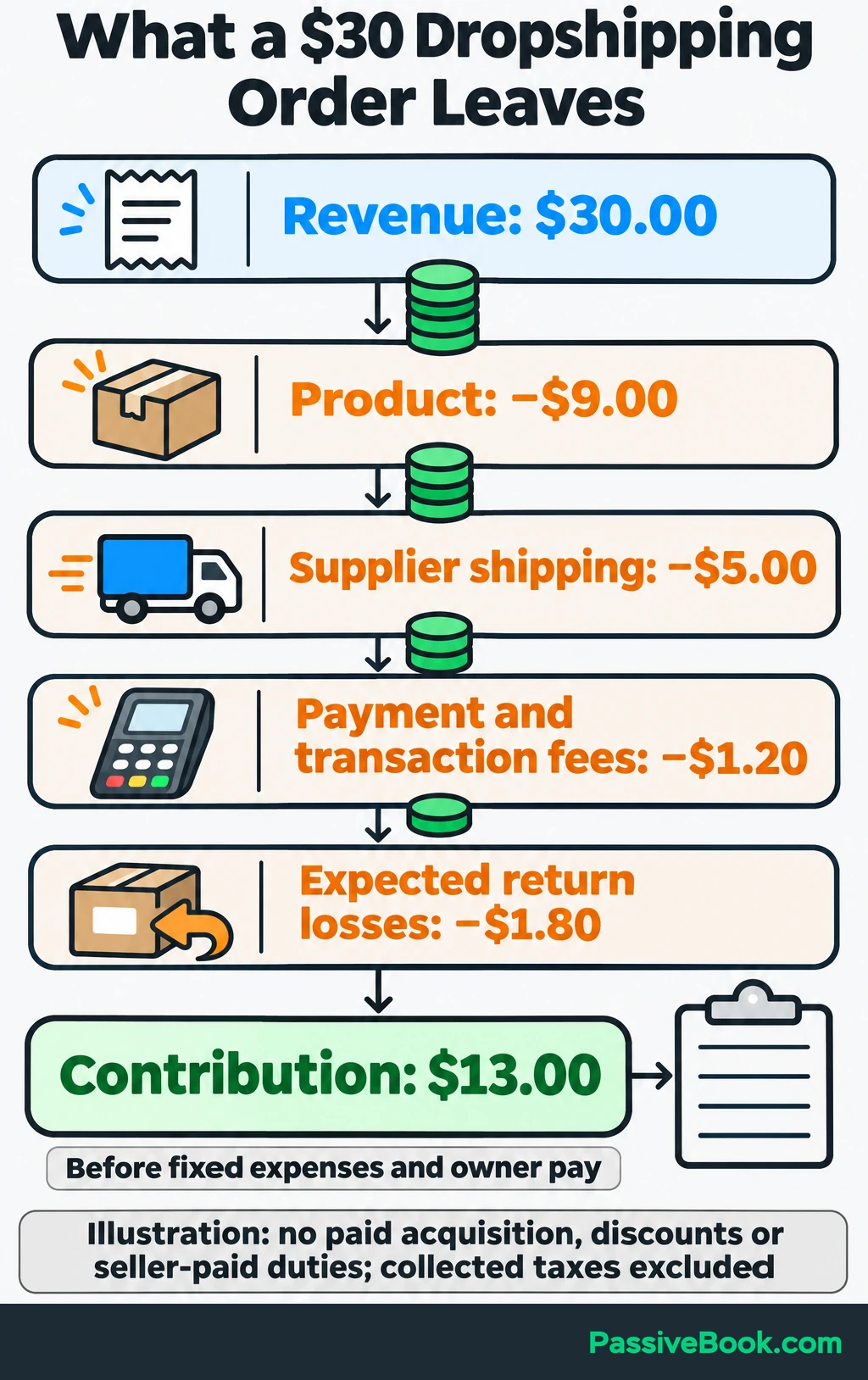
The return allowance spreads expected losses across orders. It does not mean an individual refund costs only $1.80. Start with an explicit planning assumption and replace it with your records.
Use your provider’s actual fees and destination-specific supplier quotes. If customers pay separately for shipping, include both that revenue and the shipping expense.
To estimate operating break-even, divide monthly fixed expenses by contribution per order and round up. If the storefront in the budget were the only fixed monthly expense, three orders at this contribution would cover it.
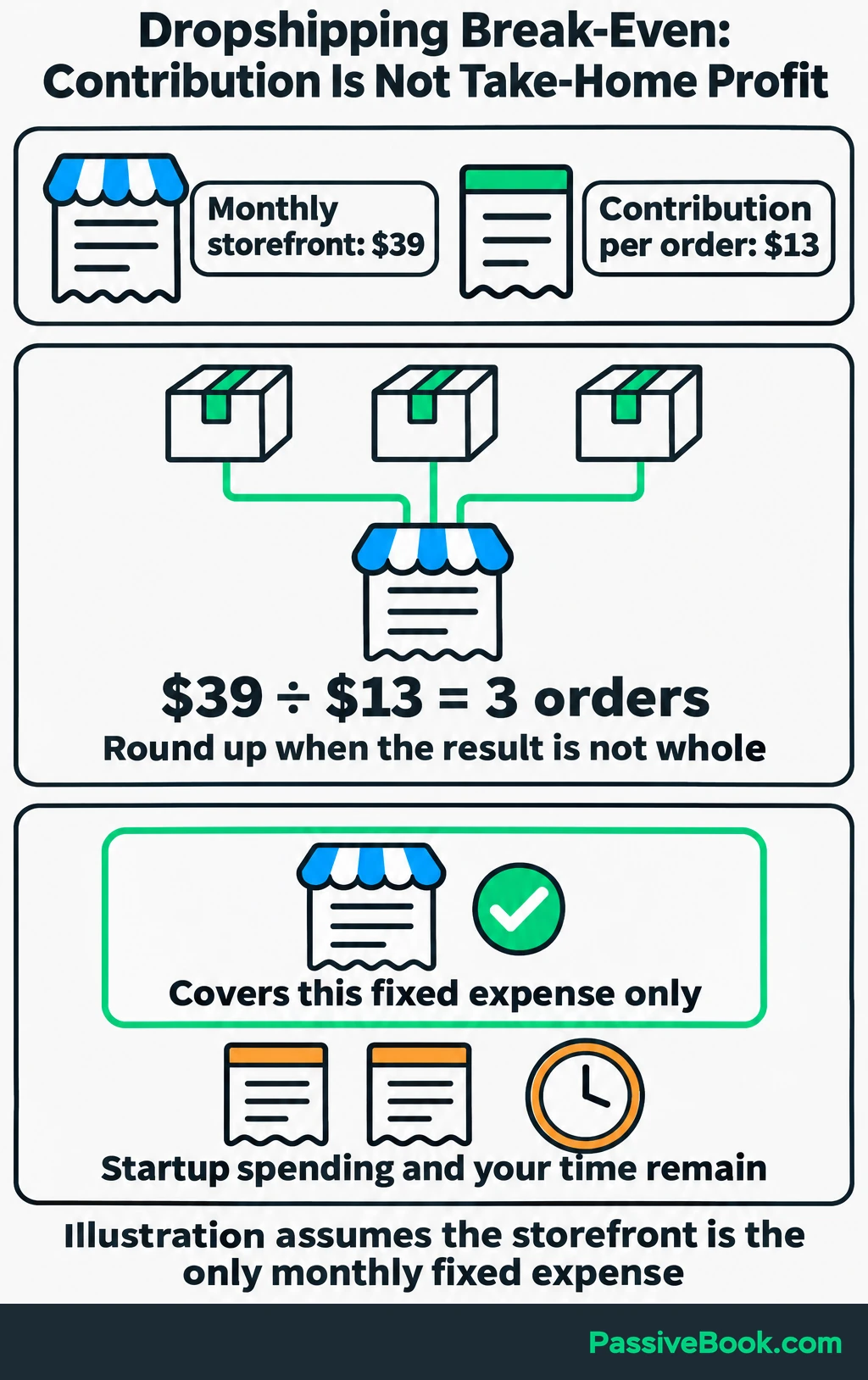
Those orders would not recover all startup spending or pay you for your time. Contribution is not take-home profit.
Give AI the spreadsheet and ask it to test a lower selling price, more expensive shipping and larger return losses. Check the formulas yourself. If a competitive price leaves too little room, revise the offer or reject it before building the store.
A refund without a return and a replacement shipment affect your margin differently. Use your own estimates in the calculator below to see what your proposed price leaves in each case.
Free Pricing Profit Calculator
5. Build a Branded Store With AI
Choose a Small, Compatible Tool Stack
Choose the storefront after checking payments, supplier compatibility, total cost and maintenance.
I generally prefer WordPress for control, and WooCommerce makes sense if you already maintain a WordPress site. You arrange its hosting and maintenance. For a beginner testing physical products with limited setup time, I would usually choose Shopify’s hosted setup if the required payments and supplier connection work.
Keep the starting stack small:
| Need | Starting choice |
|---|---|
| Storefront | Shopify, or WooCommerce on an existing suitable WordPress setup |
| Research summaries and drafts | Claude, or an AI assistant you already use |
| Order transfer and tracking | An integration compatible with the chosen supplier |
| Product graphics | Original sample photos and Canva |
| Costs and order records | A spreadsheet |
Shopify’s built-in AI assistant, Sidekick, can also draft product descriptions from supplied details on desktop. Use it or your existing assistant before buying separate tools for names, descriptions and marketing drafts.
Connect your domain, supported payments, currency and delivery regions. Check that the proposed brand name is available and does not conflict with another business. Then use readable text, consistent colors and simple navigation: shop, product information and contact details.
Turn Verified Product Facts Into a Clear Offer
Create a product fact sheet before asking AI to write sales copy. Include dimensions, materials, variants, package contents, care instructions, tested capacity, processing time, delivery estimates and return arrangements.
Use a prompt like this:
Draft a product page using only this fact sheet. Explain the purpose, practical benefits, dimensions, contents and common purchase questions. Mark missing information instead of filling it in. Do not invent certifications, testimonials or performance claims.
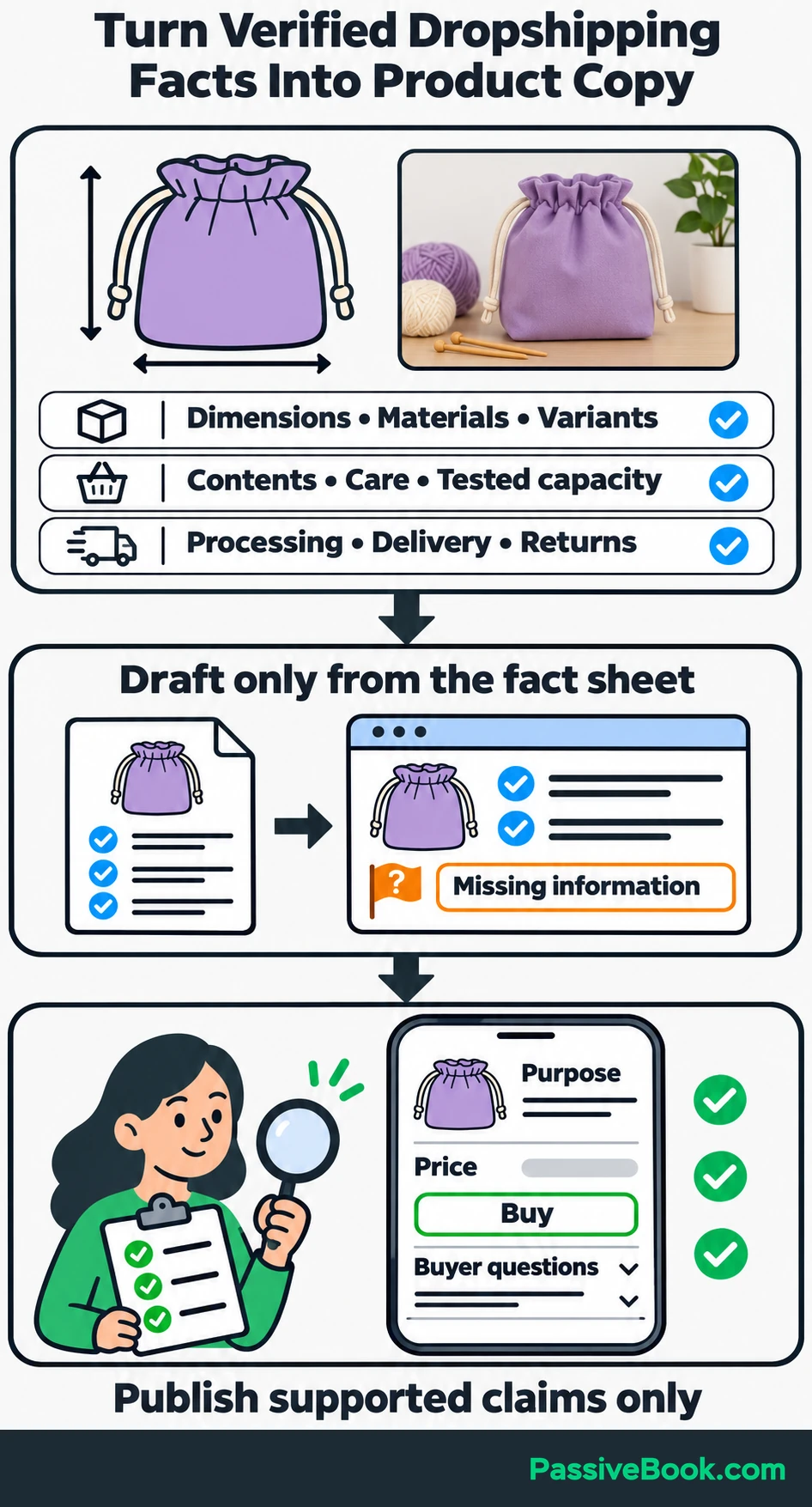
Make the product’s purpose, price and purchase button easy to find. Follow with original photos and answers to the objections discovered during research.
For the bag, a useful excerpt might read:
Keep your current knitting project together between sessions. See the packing photos below to check whether this bag suits the supplies you carry.
Add measured dimensions and a photographed list of contents once verified. State whether the yarn and tools shown are included.
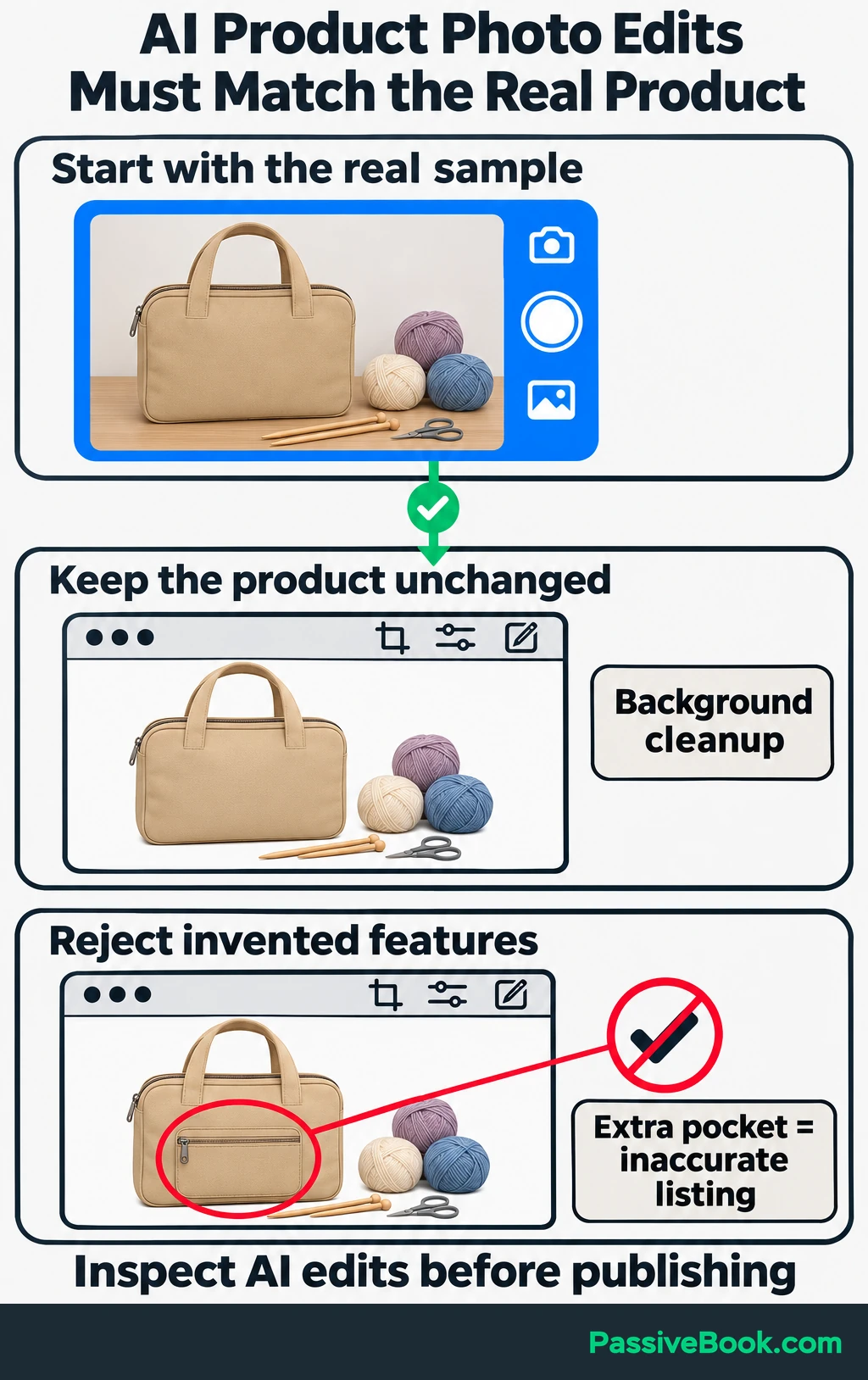
Use AI for layout ideas or background cleanup, but inspect edits carefully. An extra pocket generated into a photograph becomes a customer-service problem with a zipper.
Publish claims you can support and testimonials from real experiences. The FTC’s review and testimonial guidance explains US rules addressing fake reviews. A new store can launch without testimonials.
Add clear contact, shipping, returns and privacy information. Before accepting orders, resolve the registration, tax, consumer and privacy requirements that apply to your business and customer locations.
6. Connect and Test Your Order Workflows
Map Payment, Supplier Ordering, and Tracking
Start by mapping each store variant to the correct supplier item. A customer choosing a blue bag must trigger an order for that exact bag.
For an AliExpress example, DSers connects store orders with supplier ordering and tracking. Its Basic plan is free and includes tracking-number synchronization, but automatic supplier price and inventory updates require a paid plan. Basic users must check those changes and update their stores. DSers’ plan comparison lists the differences.
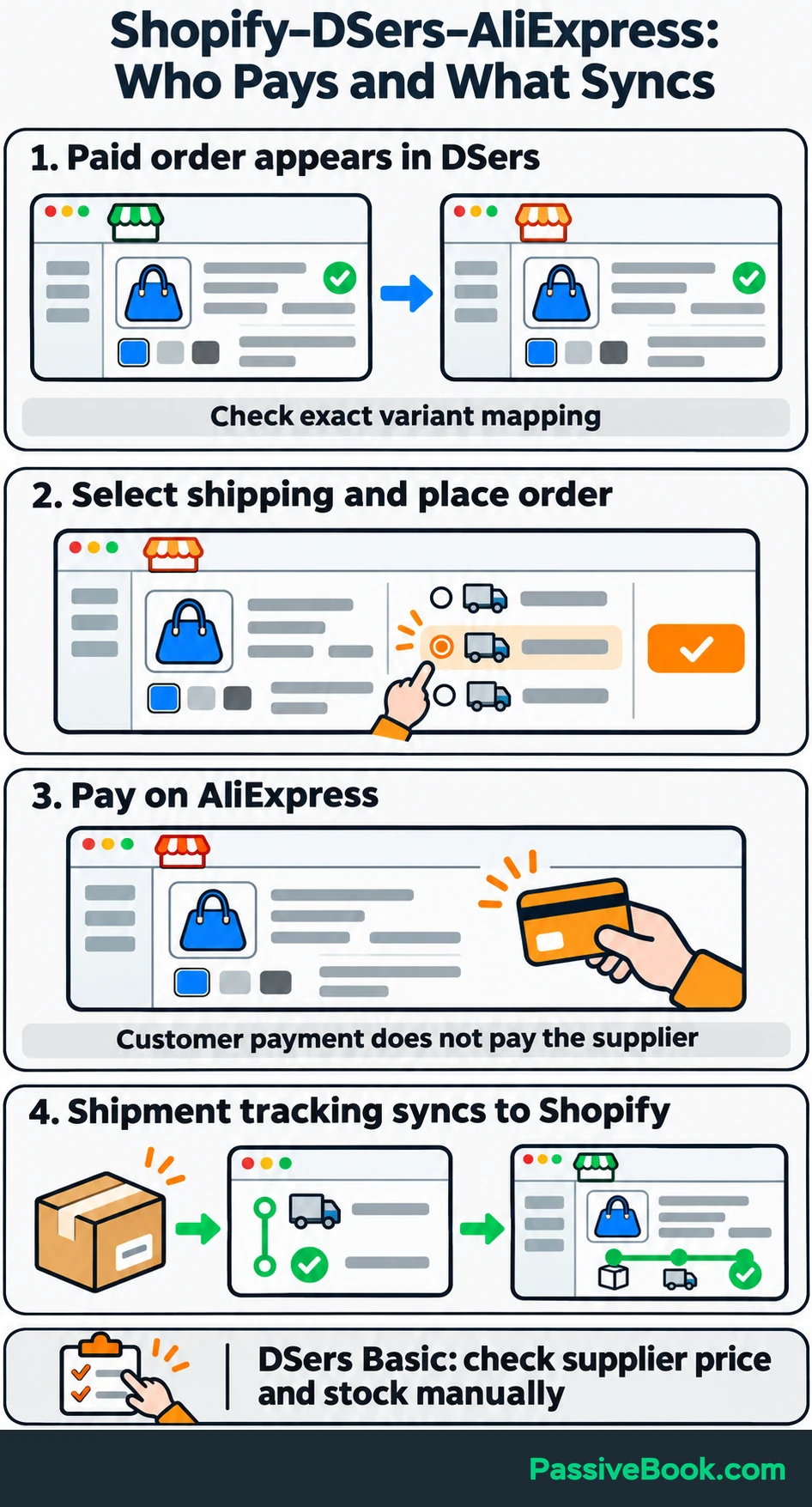
In the documented Shopify–AliExpress workflow:
- The paid customer order appears in DSers.
- You select the shipping method and place the supplier order.
- You complete payment on AliExpress.
- After shipment, DSers synchronizes tracking with Shopify.
You still pay the supplier manually in this workflow. The customer’s payment to you does not pay the supplier automatically.
Create a review list for unpaid supplier orders, unavailable stock, address problems, missing tracking and late shipments. Give each problem a recovery action, such as contacting the supplier or asking the customer to confirm an address.
Start with your store integration’s built-in alerts. I would add another automation tool only for a repeated task those features cannot handle.
Use AI for Repetitive Support
Build a support reference from approved product facts, shipping terms, return procedures and reliable order-status information.
AI can classify messages and draft replies from that reference. Keep those replies under review while you learn what customers ask.
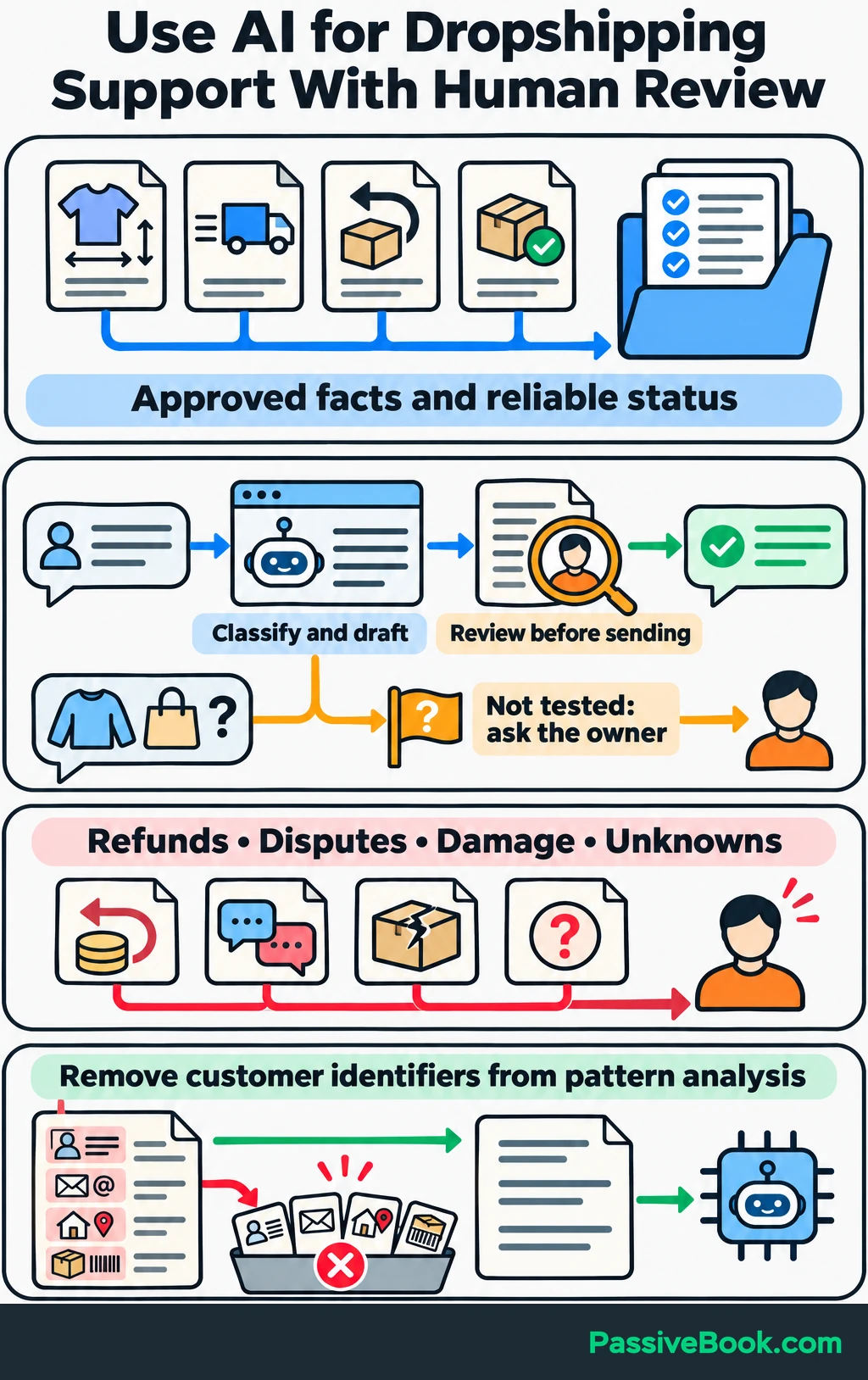
For a capacity question, the assistant should refer to measured dimensions and your packing demonstration. If you have not tested a large sweater project, it should flag that gap rather than confidently declaring that everything fits.
Handle refunds, disputes, damaged-item claims and unanswered questions yourself. Give customers a reliable contact method and check it daily.
Share only the customer information each connected service needs. Remove names, email addresses, addresses and order identifiers before giving a general AI assistant support patterns to analyze.
Test the Complete Purchase Before Launch
Test the store on a phone, including:
- Variant selection, delivery regions and shipping charges.
- Payment, order records and confirmation messages.
- Contact links and tracking information.
- Cancellation and refund handling.
Then run a real fulfillment test through the connected store and intended supplier route. Simulated checkout cannot tell you whether the right bag arrives.
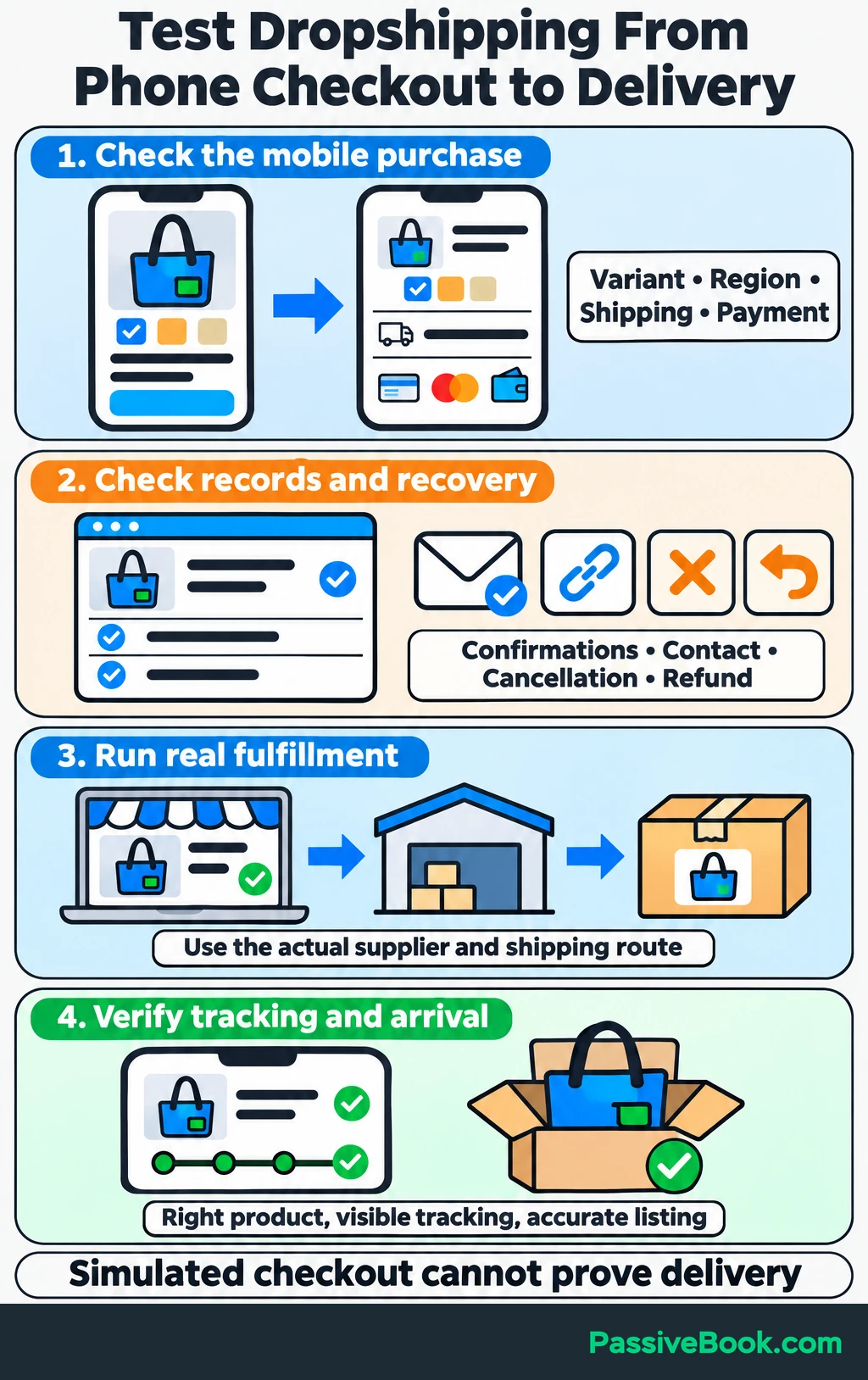
Confirm that tracking reaches the customer-facing order page and that the package matches your listing. If this test is separate from the sample purchase, include both in your budget.
Base published delivery information on supplier evidence and the tested route. Avoid treating one fast sample as a guaranteed delivery time.
For US orders, shipment promises need a reasonable basis. If you cannot ship on time, follow the required delay-consent or refund procedures in the FTC’s online merchandise order guidance.
Launch after the purchase, delivery and support process works.
7. Attract Your First Buyers
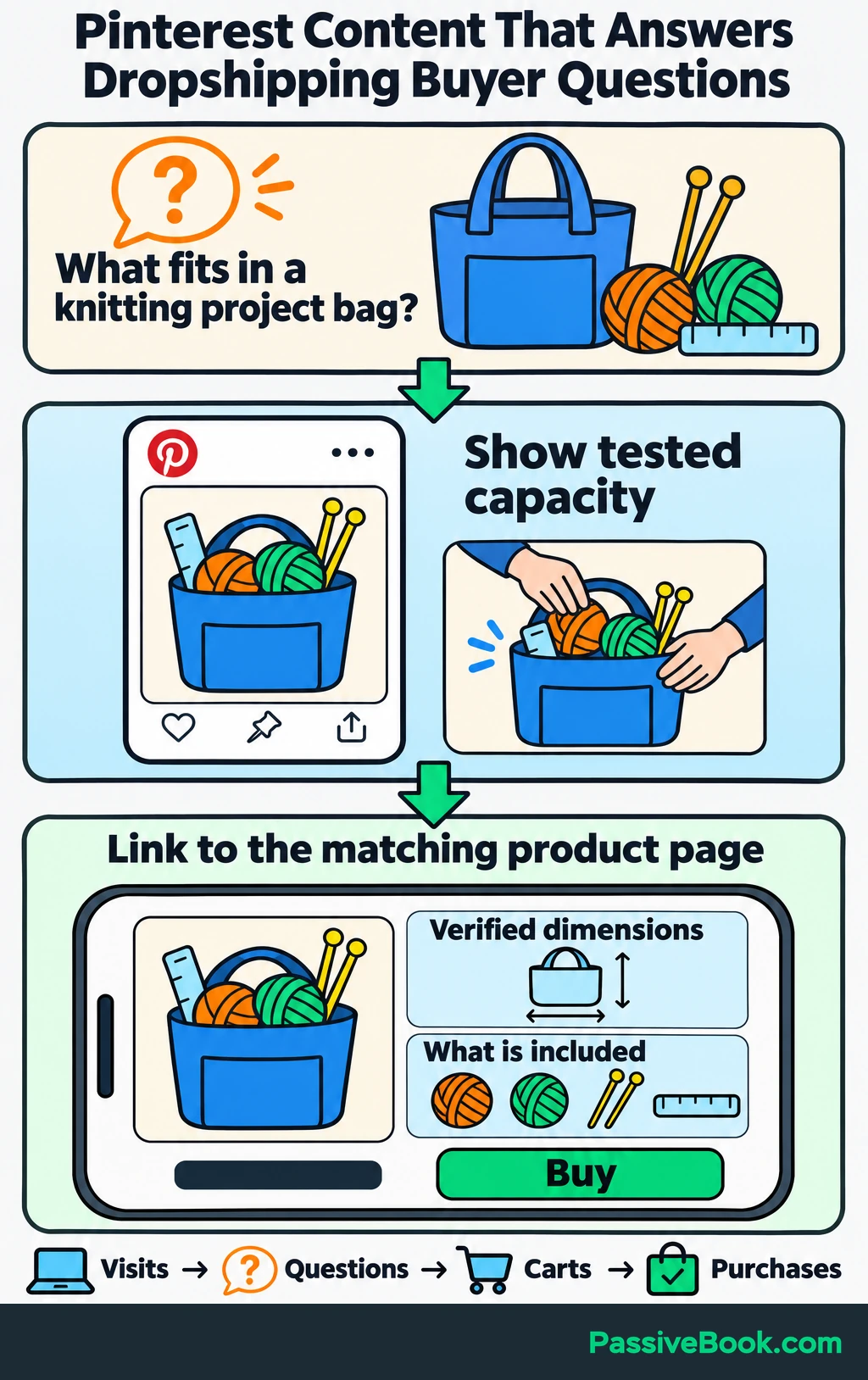
Choose one channel where potential customers already seek relevant ideas. Start with a purchase question, demonstrate the answer and send interested people to the matching product page.
For the knitting store, I would test Pinterest with:
- A packing photo showing the supplies inside the bag.
- A hands-only demonstration of packing and unpacking a project.
- A short capacity guide explaining measurements and what was tested.
You can make these without appearing on camera. Use the sample, your own photos and the questions collected during research.
Ask AI to turn those materials into drafts:
Create three Pin concepts and a short demonstration script from these verified observations. Each should answer one buyer question and suggest one next action. Do not add product features or capacity claims.
For example, make a Pin titled “What fits in a knitting project bag?” using your packing photo. Link it directly to the product page, where matching photos and dimensions answer the question and the price and purchase button are easy to find.
Use Canva for simple graphics and Pinterest’s native scheduler to publish a manageable batch. I would rather maintain a useful set of demonstrations than start five channels and abandon four.
Track which topics produce product visits, questions, carts and purchases. Organic traffic takes work and its timing is uncertain, so give the test a review date without assuming a sale must arrive by then.
Paid traffic is optional. If you use it, set a total spending cap and a maximum ad cost per order. Calculate contribution before deducting ad costs, then set your maximum below that amount to leave room for fixed expenses and earnings.
8. Use Real Orders to Choose Your Next Improvement
Track product-page visits, add-to-cart actions, checkout starts, purchases and delivered orders. Label promotional links by source and content piece so you can trace visits back to the material that brought them.
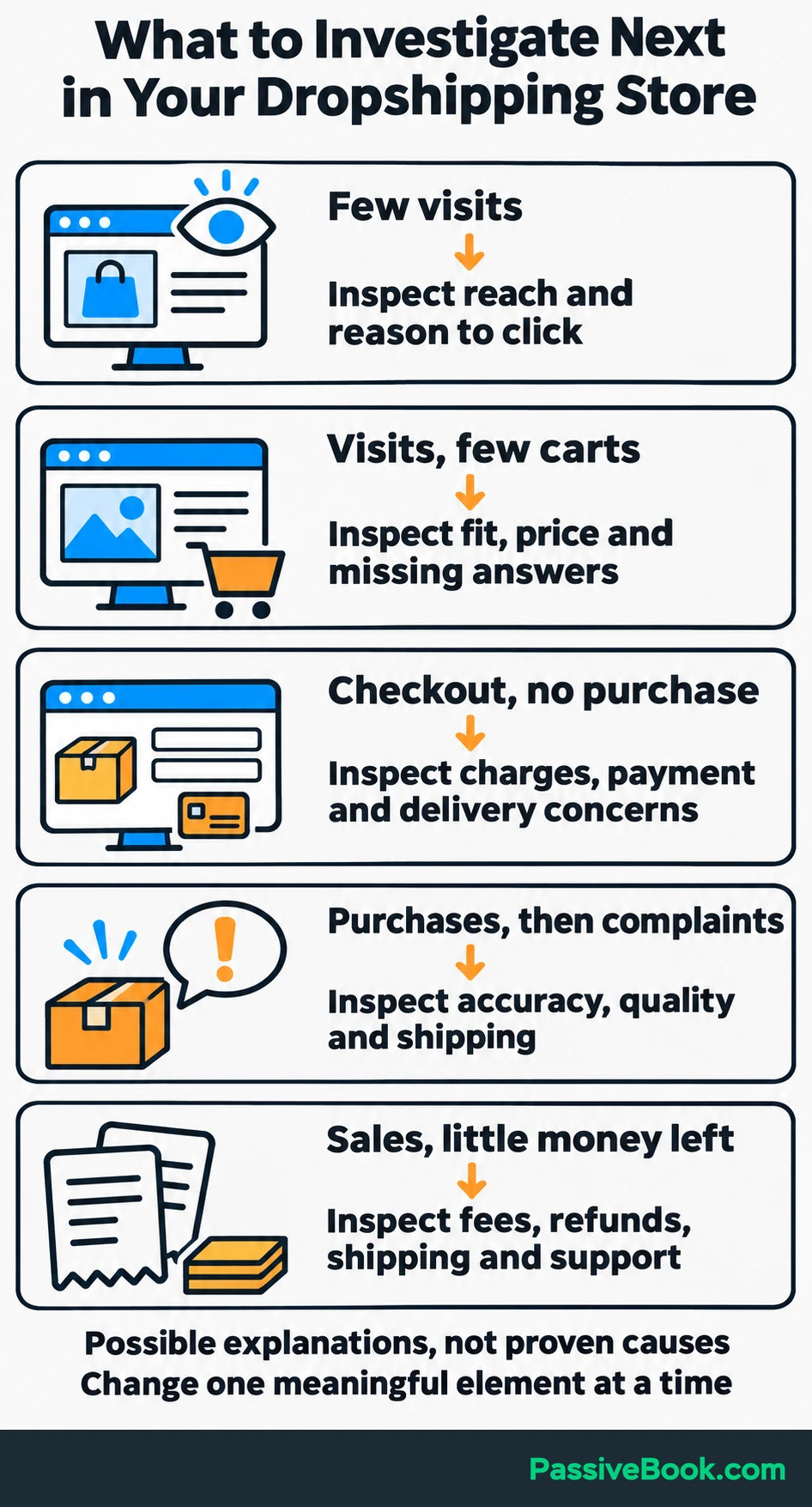
Use the observed problem to choose your next investigation:
| What you observe | What to inspect next |
|---|---|
| Few product-page visits | Whether content reaches relevant people and gives them a reason to click |
| Visits but few cart additions | Product fit, price, capacity information and unanswered objections |
| Checkout starts without purchases | Unexpected shipping charges, payment problems and delivery concerns |
| Purchases followed by complaints | Product accuracy, supplier quality and shipping performance |
| Sales but little money left | Actual fees, refunds, shipping costs and support workload |
These are possible explanations to investigate. A handful of visits cannot tell you precisely why people left.
Keep an order ledger with revenue, supplier charges, shipping, payment fees, acquisition costs and refunds. Track fixed expenses separately, and record how much support each order needs.
Give AI a summary without customer identifiers:
Check these calculations, identify the largest observed bottleneck, and suggest one next test. Separate recorded facts from possible explanations. Flag conclusions the data cannot support.
Change one meaningful element at a time. If customers repeatedly ask what fits, add a clearer packing demonstration before redesigning the whole store.
Review delivered orders for actual contribution, quality, delivery performance and support demands before increasing spending. A first sale proves that one person bought. Delivery and support show more of what serving that customer costs.
Use your original spending limit to decide whether to continue, revise or stop. Expand the catalog and automation after the first offer works through the full customer experience.
What Next?
Write down your maximum testing loss and collect five sourced examples of the problem your first product would solve. Use those notes to decide whether a supplier sample deserves your money.
Use the social buttons to share this guide when a conversation about AI dropshipping needs a practical budget and fulfillment plan.
Which part of your proposed offer still needs the most evidence: demand, supplier quality or margin? Share your answer in the comments, and bring any other questions there too.
Share this post with your friends & followers:

