A shopper adds a product to their cart, but no order follows. Your reports record the abandoned cart without explaining why the shopper left.
Perhaps shipping cost more than expected. Perhaps payment failed. Or perhaps they were comparing options and weren’t ready to buy.
You could spend money on a discount and still lose the sale if the checkout button is broken. The eleven fixes below focus on clearer checkout decisions and automated reminders, with a way to judge whether extra orders leave you more money.
Find the Friction Before Choosing a Fix
Cart abandonment counts carts that don’t become orders. Checkout abandonment counts only checkouts that begin but don’t finish.
Count unique carts and track which produce an order within a chosen window—for example, seven days after creation. Wait until every cart has had the full window before comparing results.
If 200 carts produce 60 orders within that window, divide the 140 abandoned carts by all 200 carts:
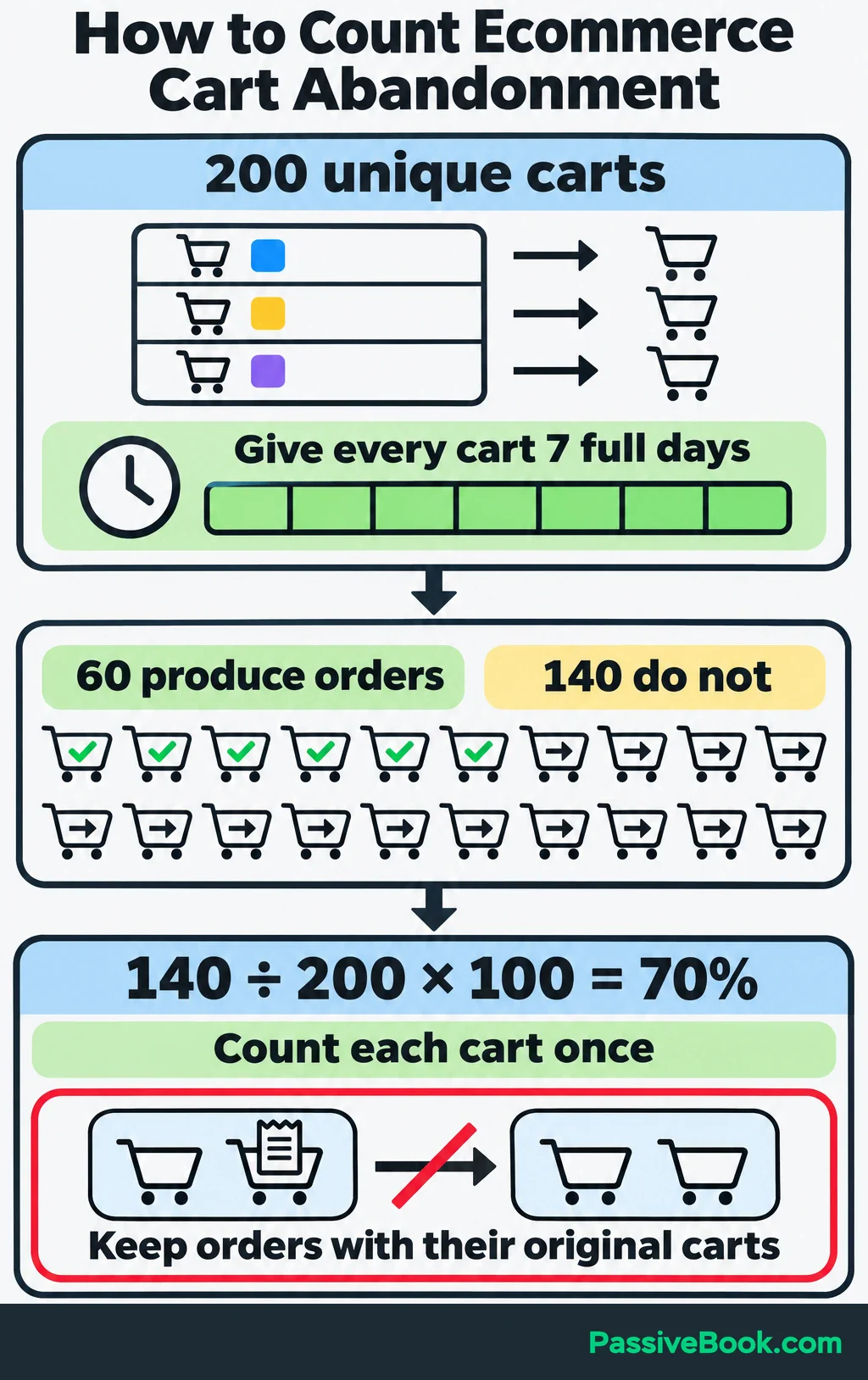
140 ÷ 200 × 100 = 70% abandonment
Count each cart once. Don’t divide this week’s total orders by this week’s cart additions, because those orders may belong to older carts.
Then compare the path from cart to checkout to purchase on mobile and desktop. Your existing store reports are the first place I would look.
| What You Notice | What to Investigate |
|---|---|
| Many carts, few checkout starts | Shipping costs, delivery information, cart controls, and product doubts |
| Plenty of checkout starts, few purchases | Required accounts, form problems, payment failures, and shipping restrictions |
| Mobile completion trails desktop | Covered buttons, typing problems, slow interactions, and wallet failures |
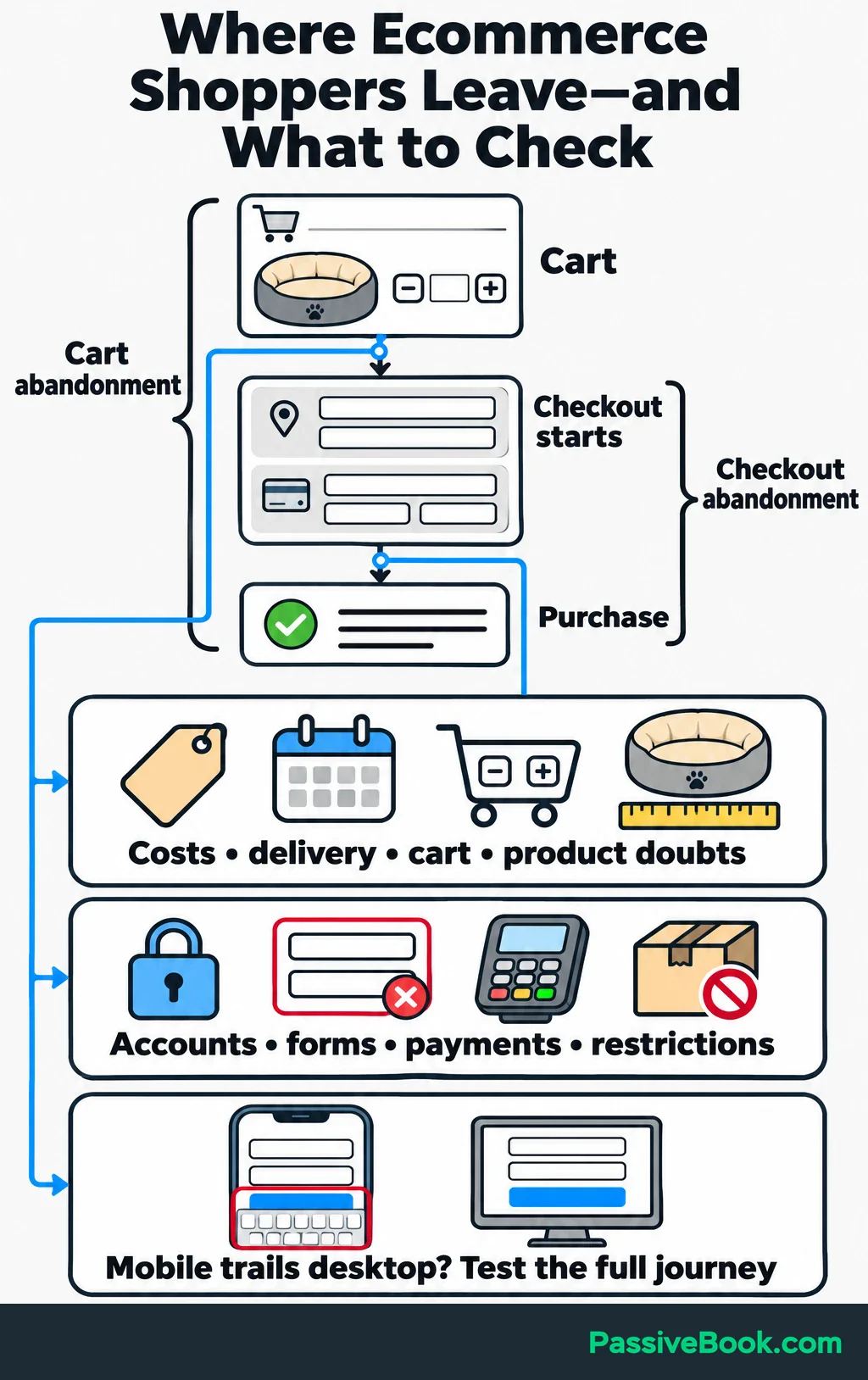
Use customer questions, error records, and test purchases to understand why shoppers leave. Fix purchasing errors first, then recurring obstacles affecting the most shoppers. Try existing settings before buying another app.
And don’t aim for zero abandonment. Baymard’s research identifies browsing and being unready to buy as reasons people leave. Your useful target is preventable friction. Baymard’s abandonment research
Throughout this guide, imagine you run a store selling washable cat beds. Its prices, copy, and results are illustrations.
1. Show the Total Cost Before Checkout
Let shoppers see what they will pay before asking them to work through checkout.
Beside the cart subtotal, show shipping, mandatory fees, and any available tax estimate. If you need a destination to calculate charges, ask for only the location details needed for that estimate. Confirm the final total before payment.
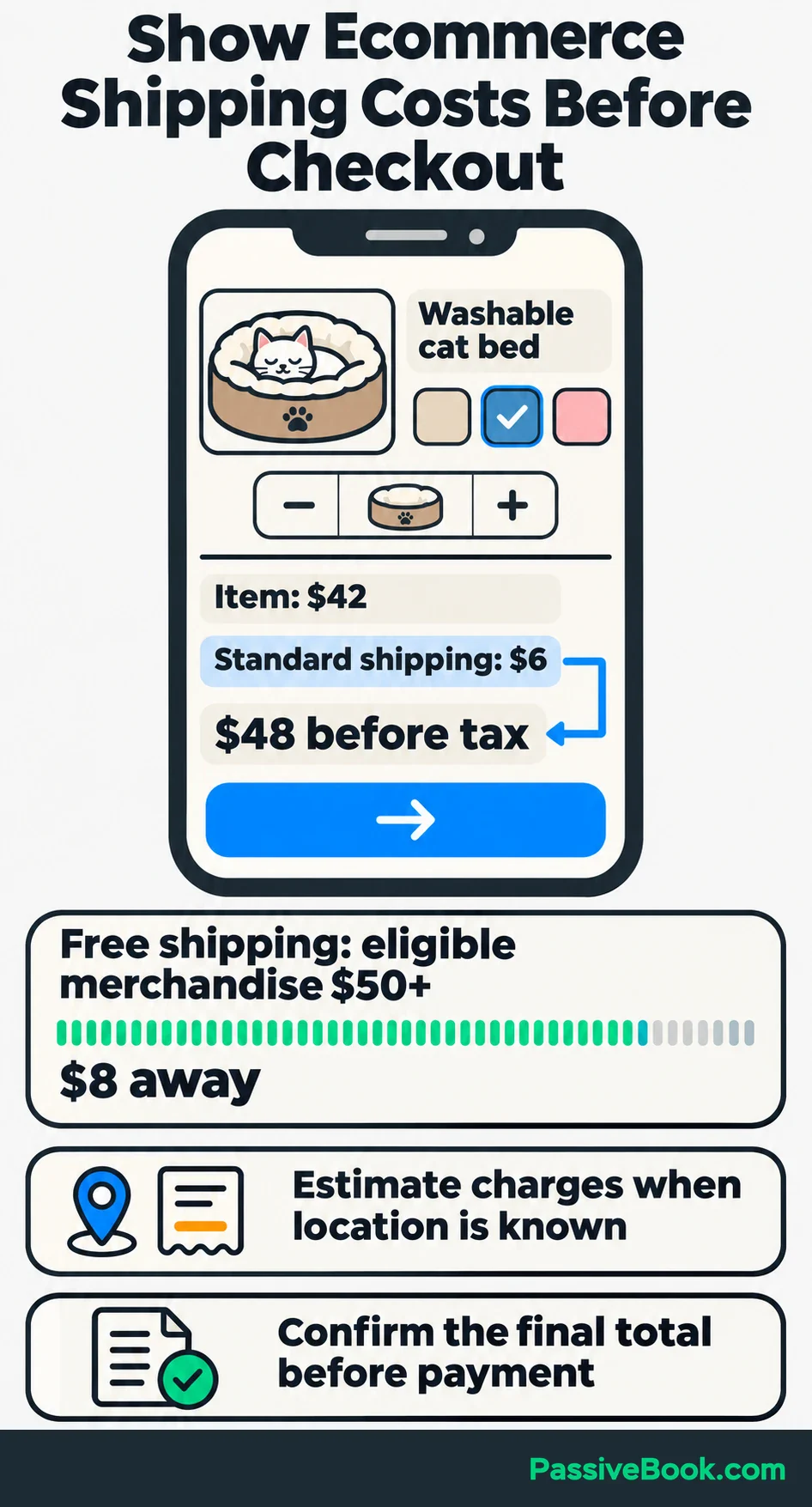
For the example store, a cart might show:
- Washable cat bed: $42
- Standard shipping: $6
- Subtotal plus shipping: $48, before tax
- Free shipping on eligible merchandise orders of $50 or more
You could also show “$8 away from free shipping,” but keep the current shipping charge visible. The threshold message should explain an option, not conceal the cost of buying the bed alone.
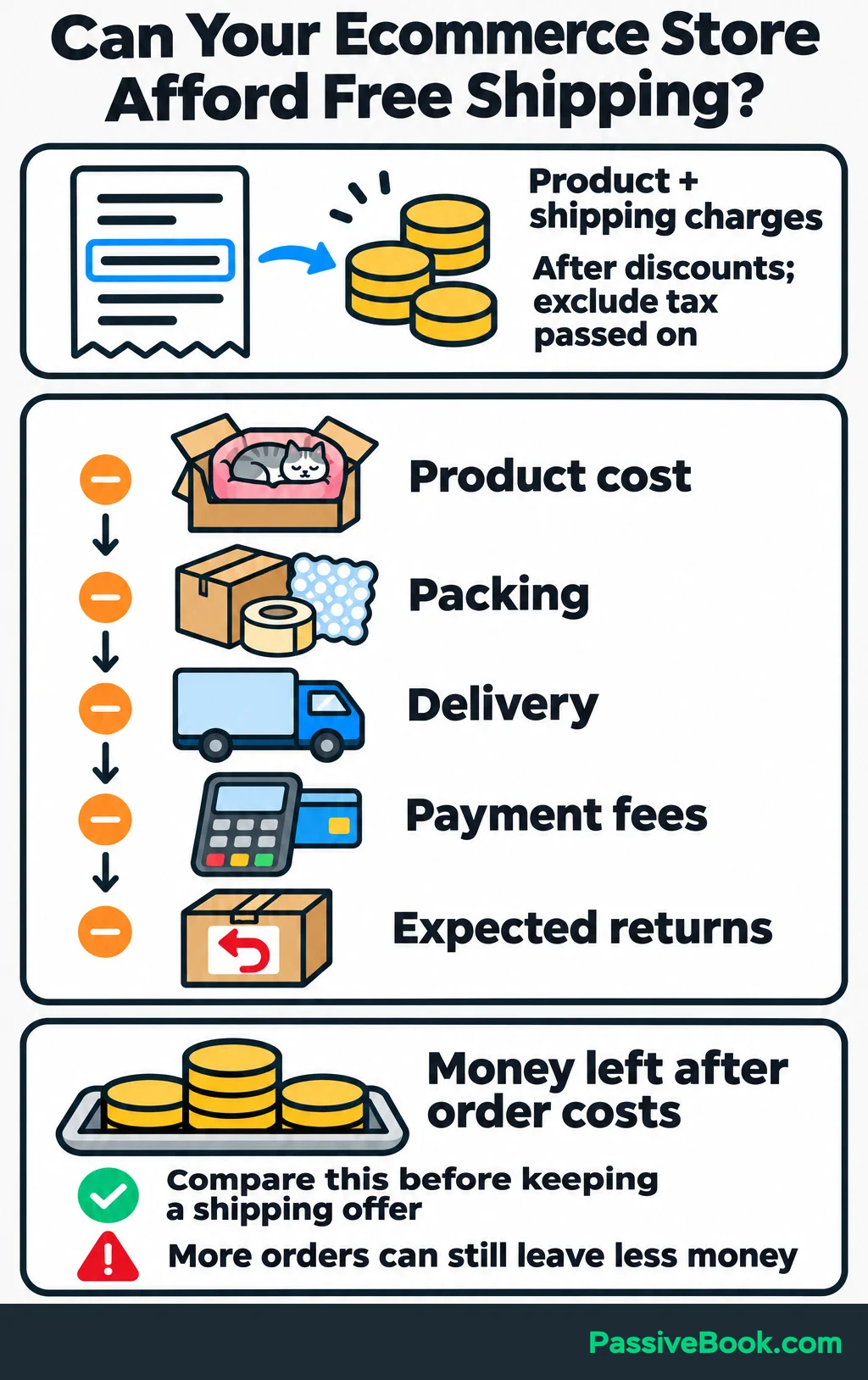
Unexpected shipping and expensive shipping are separate problems. Showing a high charge earlier fixes the surprise, but you may still need to test a flat rate or a different threshold.
Before offering free shipping, start with the order’s product and shipping charges after discounts, excluding tax you pass on. Subtract product costs, packing, delivery, payment fees, and expected return costs to see what remains. A higher conversion rate is less exciting when you pay for every extra order yourself.
2. Make Delivery Dates Clear
Show an estimated arrival date or range beside each delivery option and its price.
“Three-day shipping” leaves shoppers doing calendar arithmetic. Does that include processing? Does the weekend count? Has the order cutoff passed?
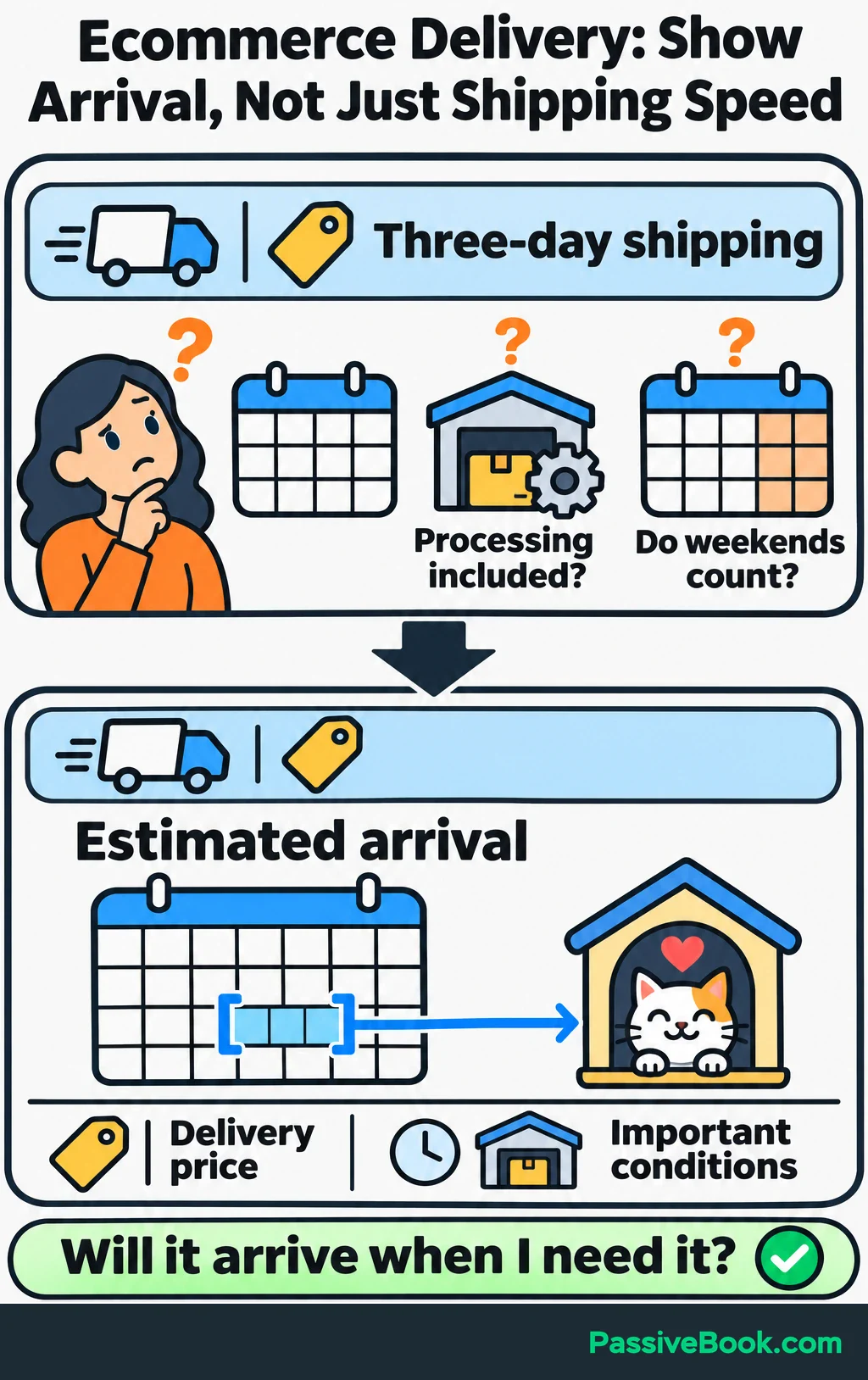
Baymard’s checkout testing found that shoppers struggled to turn shipping speeds into expected arrival dates. Providing the arrival estimate removes that task. Baymard’s delivery-date research
Build estimates from your actual processing time, destination, carrier schedule, cutoffs, and non-delivery days. Put important conditions beside the estimate.
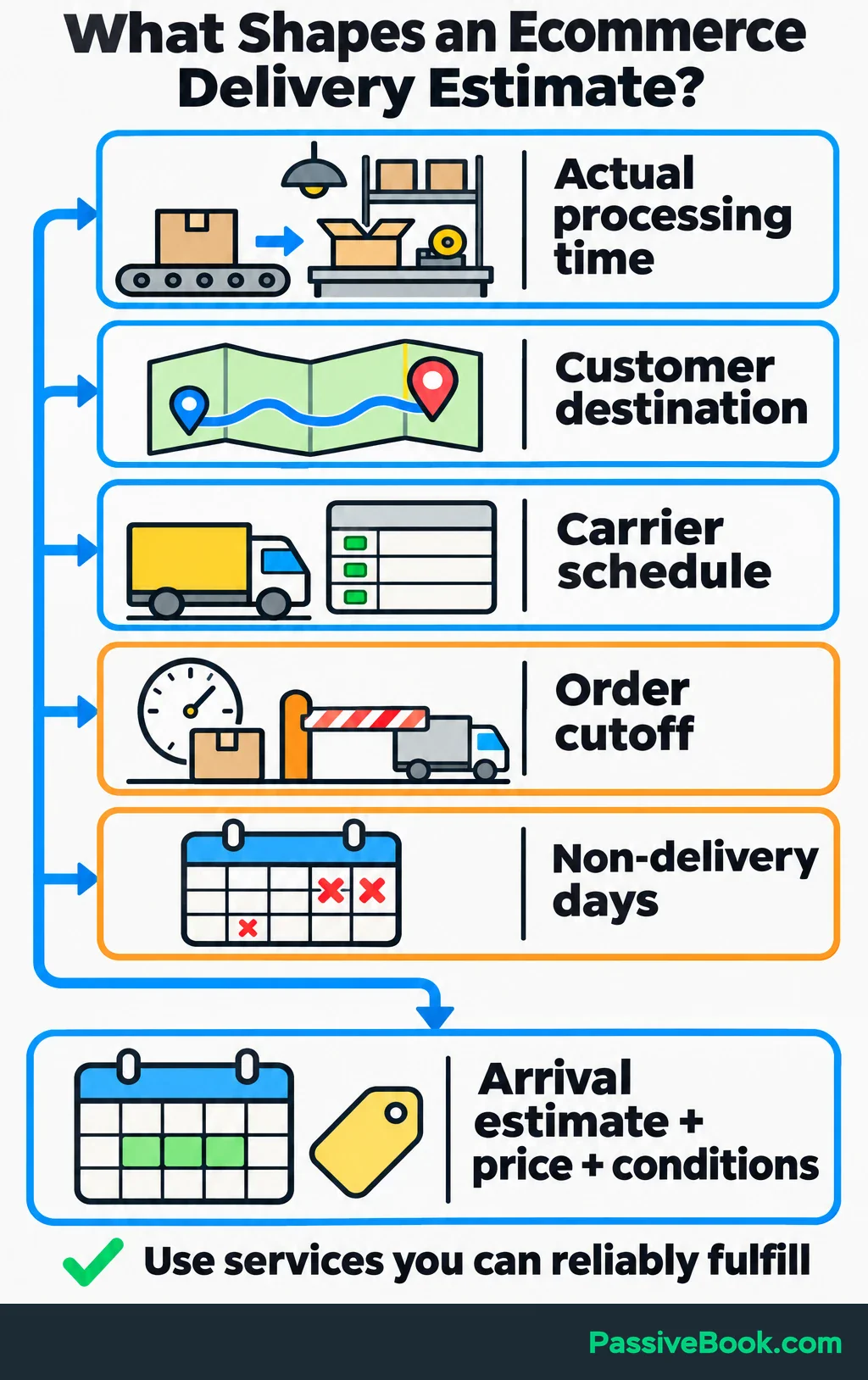
For the cat-bed store, this helps a shopper decide whether the bed will arrive before their adopted cat comes home. They need a usable answer, not a carrier service name.
If delivery really is too slow, clearer wording won’t solve it. Improve dispatch time or offer an existing faster service that you can reliably fulfill.
3. Resolve Product and Trust Doubts Before Purchase
Answer recurring questions where shoppers make the related decision.
Start with support messages and return reasons. List the questions people ask before buying, then check whether the product page answers them clearly.
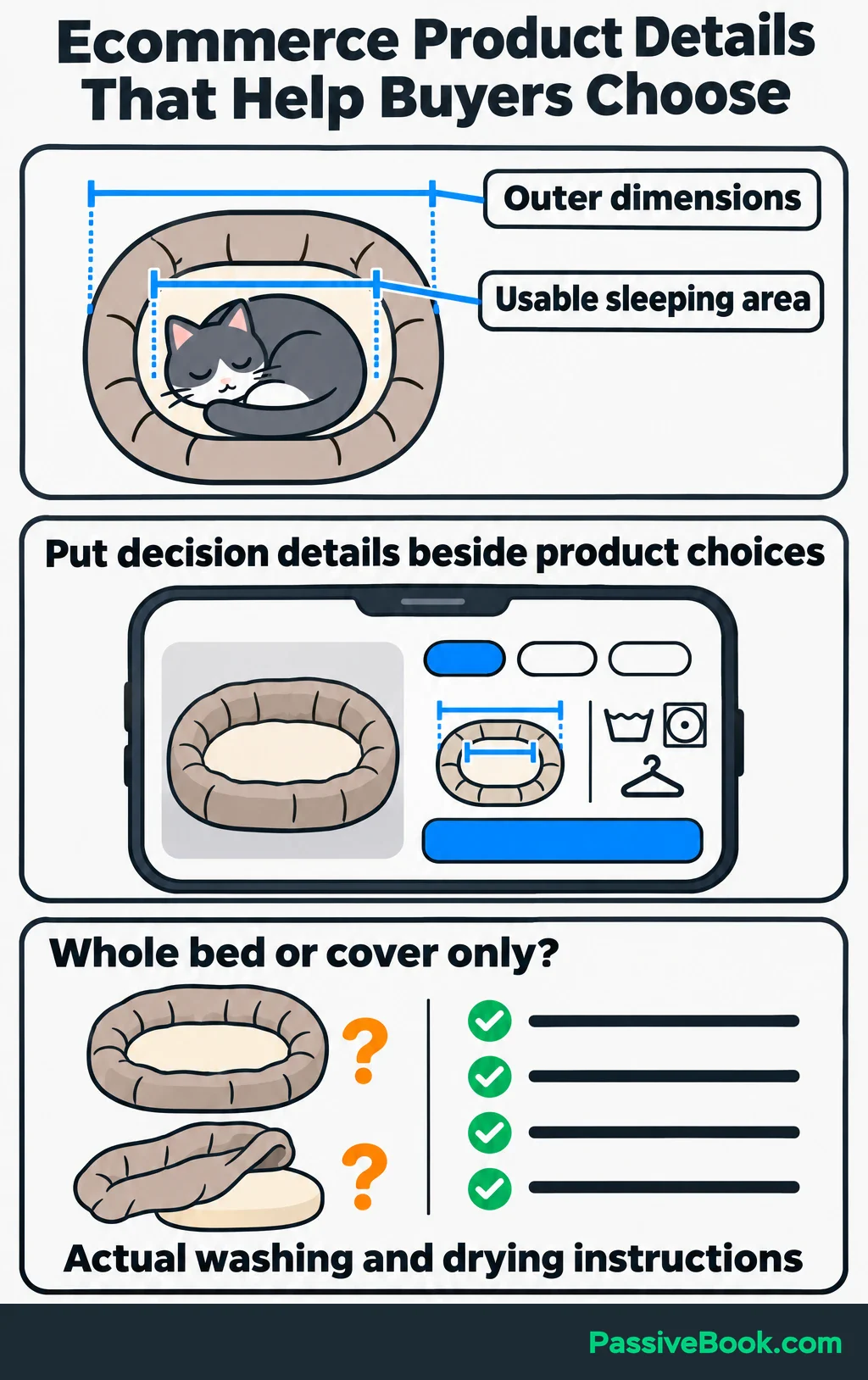
For the cat bed, that could mean:
- Showing the usable sleeping area separately from the outer dimensions.
- Including a photograph that makes the bed’s size easy to judge.
- Explaining whether the whole bed or only its cover can be washed.
- Giving the actual washing and drying instructions.
In my jewellery-store days, I spent time rewriting descriptions around how pieces looked. When I reviewed a listing as a buyer, I noticed that the measurements were buried beneath the sales copy. I moved them beside the product choices because the buyer needed them before deciding.
That is the check I would apply here: can someone choose confidently without contacting you?
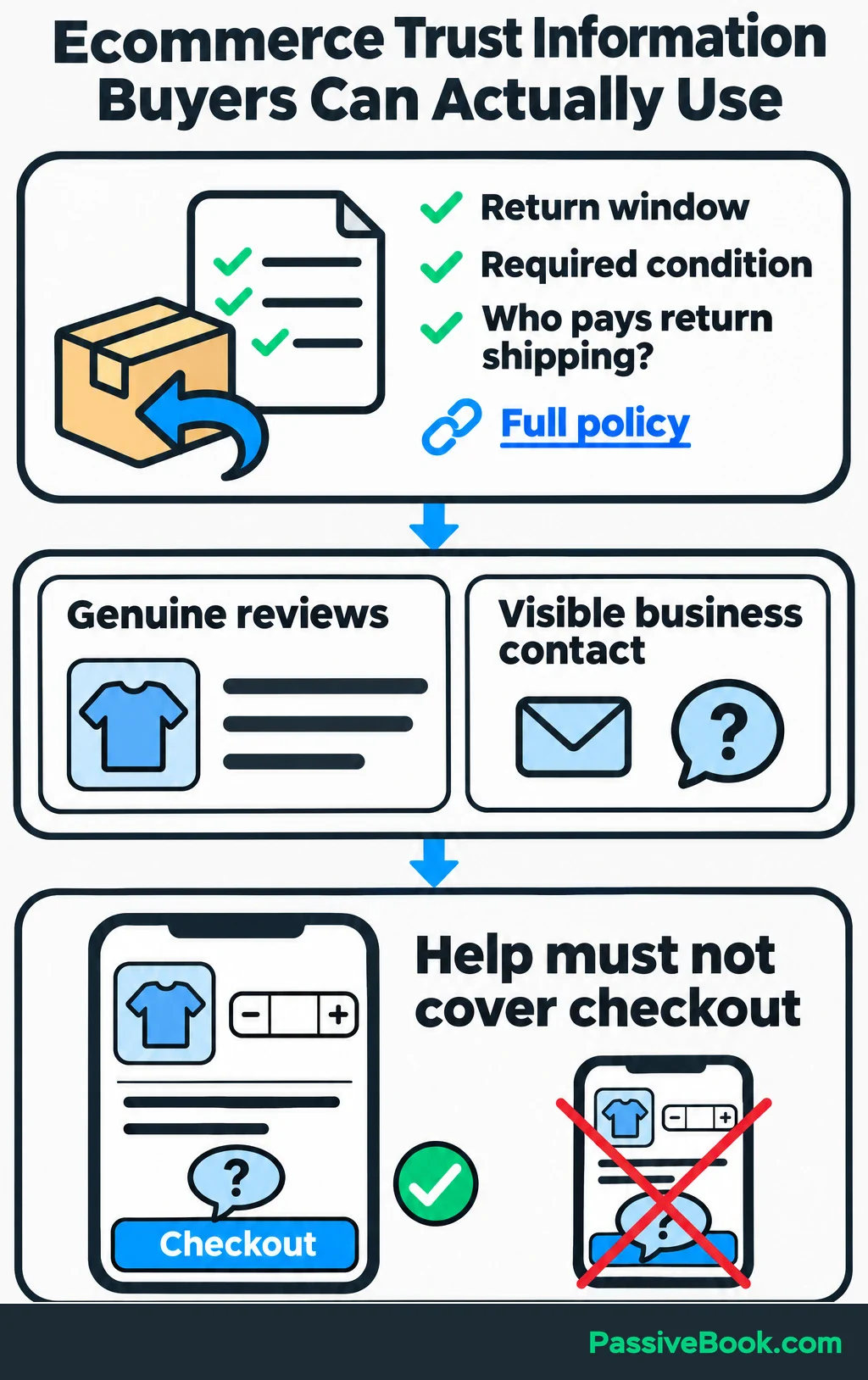
Near the cart, summarize the return window, required condition, and who pays return shipping, with access to the full policy. Make business contact details and genuine customer reviews easy to find.
Keep the route to help visible, but move any chat bubble that covers the checkout button. Support should help people buy without standing on the till.
4. Keep Carts Editable and Easy to Resume
Let shoppers correct their order without starting again.
Show a thumbnail, product name, selected size, quantity, and current price. Make size changes and item removal straightforward, and update totals when quantities change.
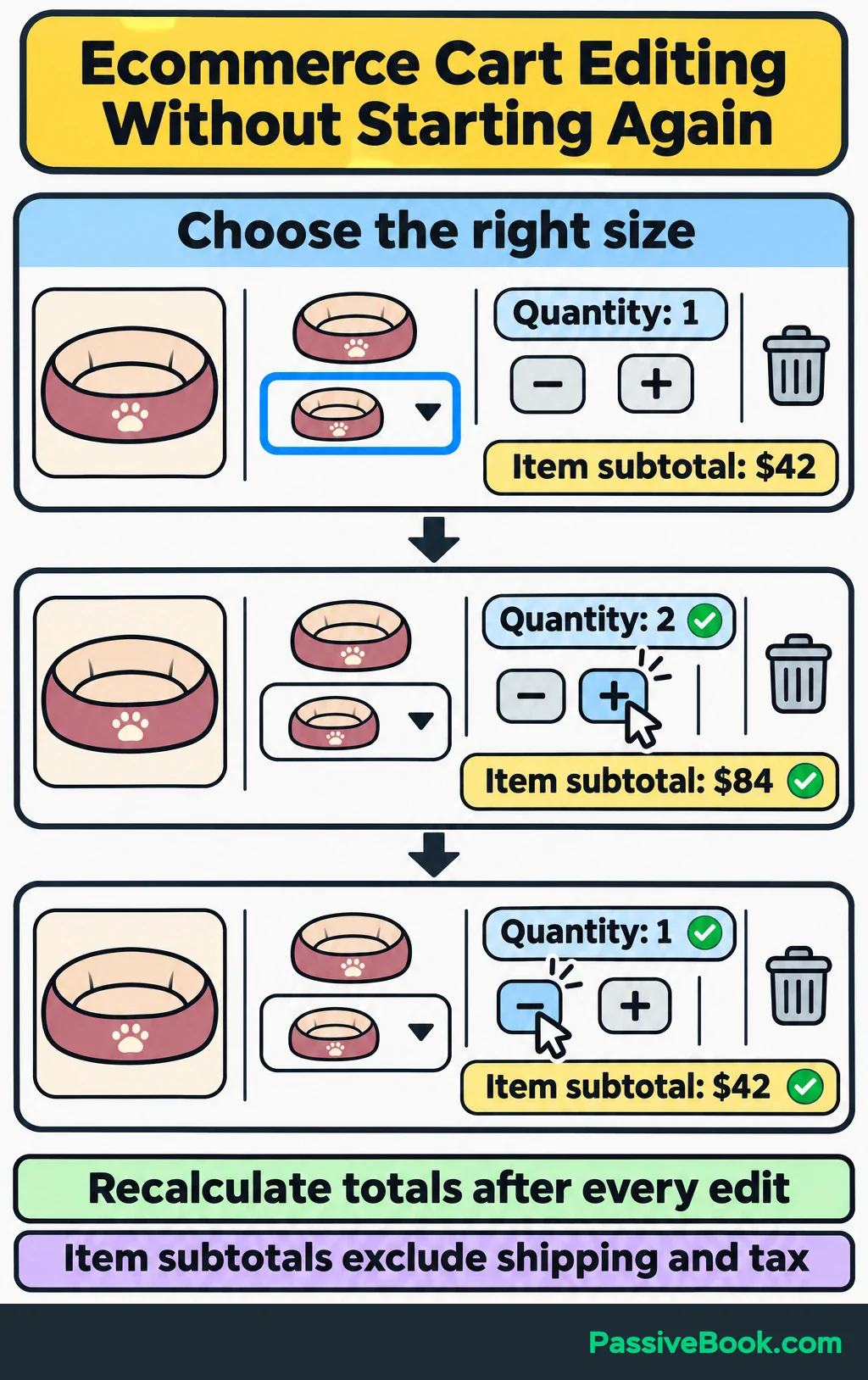
I would use clear plus and minus buttons, with a number field if shoppers may order larger quantities. Baymard’s testing found these controls easier to use than quantity fields that caused typing or updating problems. Baymard’s cart-editing research
Test the whole sequence:
- Add a cat bed and change its size.
- Increase the quantity, then remove the extra item.
- Visit another page and return.
- Refresh the cart.
- Leave and revisit later.
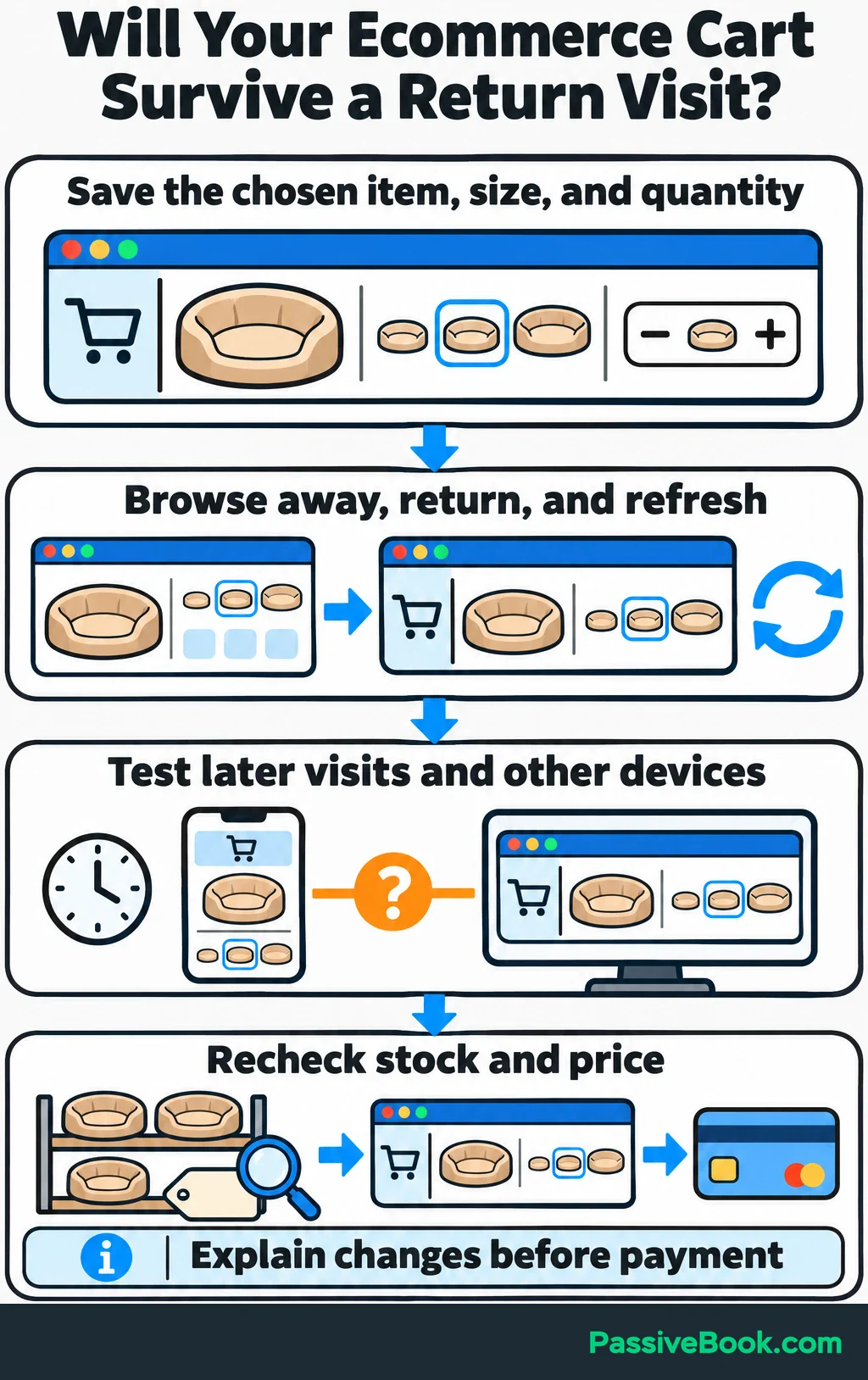
Check that the selected bed and its options survive.
Test whether saved carts survive a change of device or browser, too. When someone returns, recheck stock and prices, and explain any changes before they pay.
5. Make Guest Checkout Easy to Find
Allow shoppers to buy without registering or choosing a password.
If checkout presents an account choice, make “Checkout as guest” prominent. Keep returning-customer sign-in available, but don’t make it look compulsory.
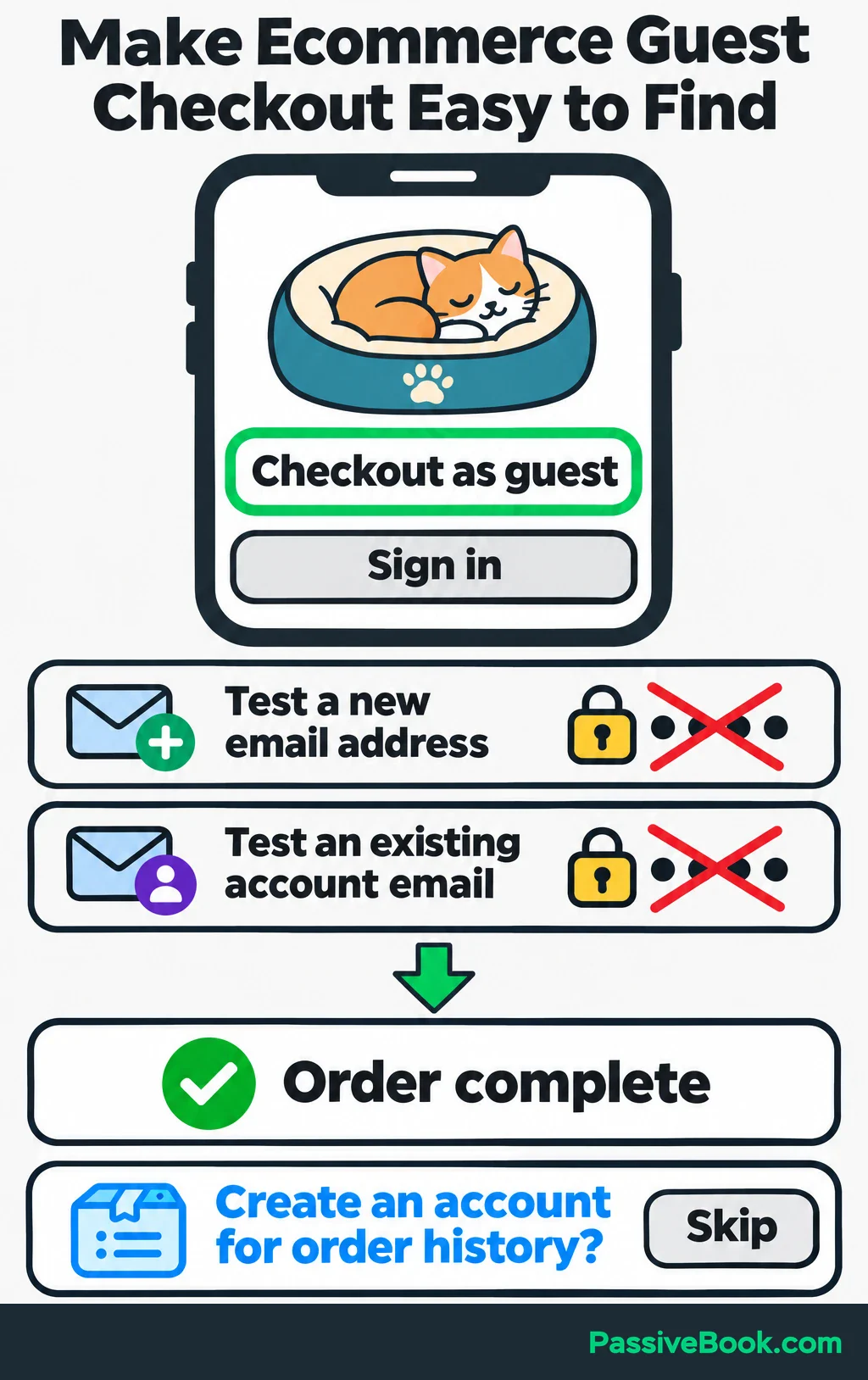
Baymard’s testing found that shoppers could overlook guest checkout when its wording or placement made it hard to recognize. Having the option somewhere on the page isn’t enough. Baymard’s guest-checkout research
Test while signed out using both a new email address and one already associated with an account. An existing customer should not discover that remembering an old password is now part of buying a cat bed.
Offer optional account creation after purchase, when the order is complete. Give a useful reason, such as easier access to order history, and let the buyer decline.
6. Reduce Typing and Unnecessary Fields
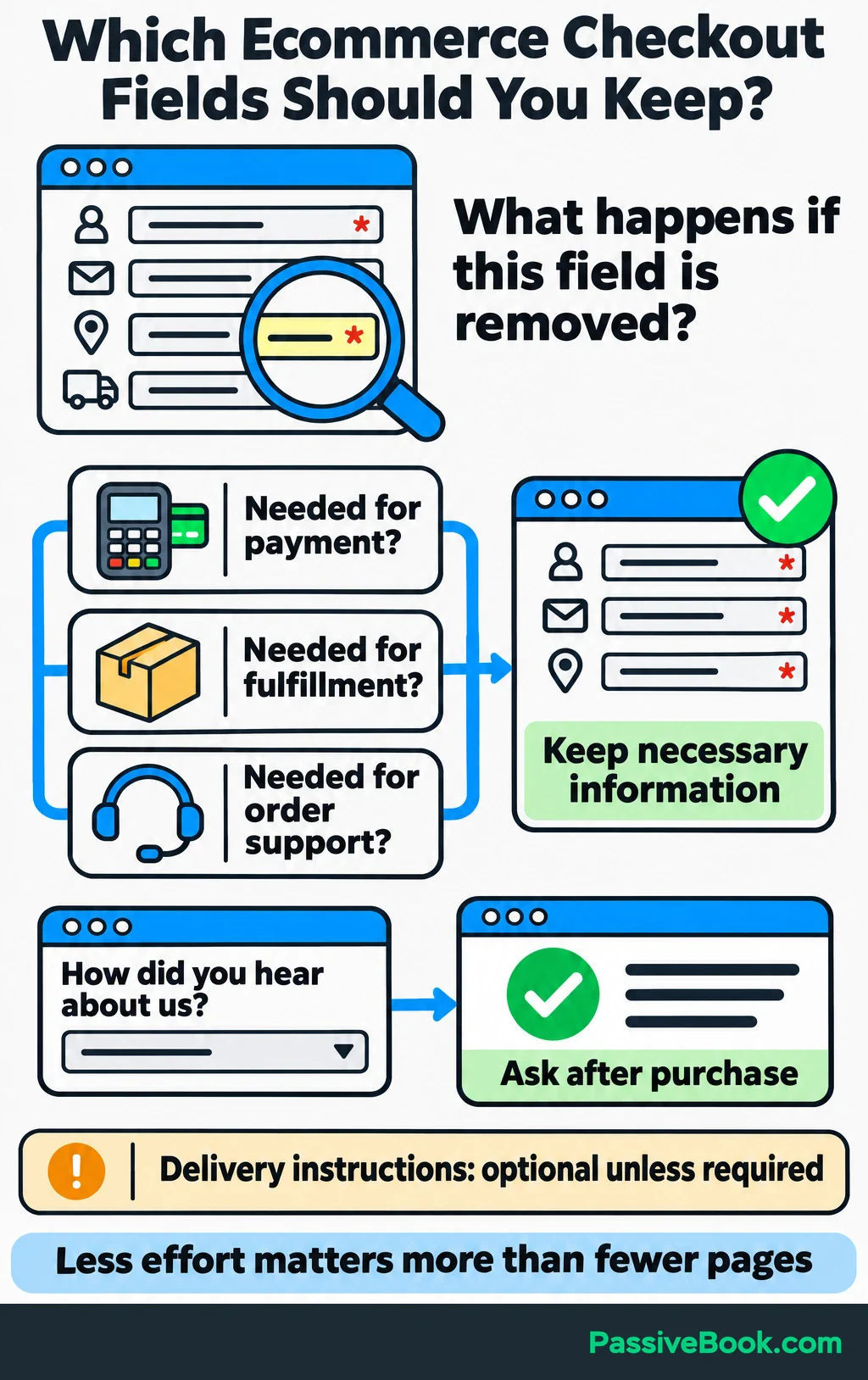
Review every required checkout field and ask what would happen if you removed it.
Keep information needed for payment, fulfillment, or necessary order support. Move marketing questions elsewhere. “How did you hear about us?” can wait until someone has successfully bought something.
For the remaining fields:
- Enable browser autofill.
- Use a suitable mobile keyboard for each input.
- Mark optional information clearly.
- Explain unusual requirements, such as a phone number required by the carrier.
- Default billing to the shipping address while allowing a different one.
- Let shoppers correct an address manually if suggestions are wrong.
For the cat-bed order, delivery instructions can be optional unless the delivery service requires them.
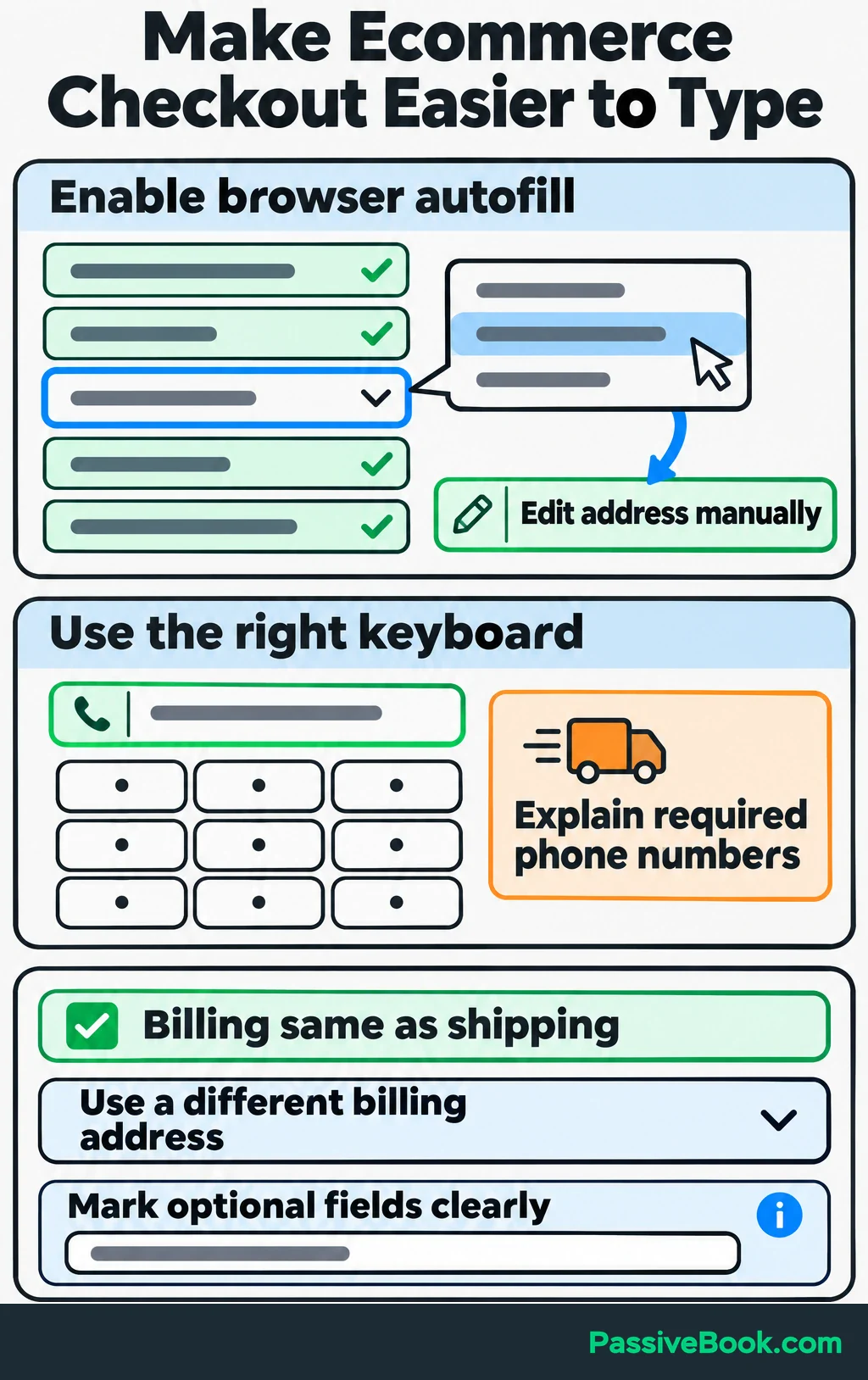
I would reduce this effort before paying to turn a multistep checkout into one long page. Baymard’s research found that the fields shoppers must consider matter more to checkout usability than the number of steps. Baymard’s checkout-field research
A shorter-looking checkout can still ask too much.
7. Keep Checkout Focused on Completing the Order
Give each stage one obvious next action.
Use button wording that explains what happens next, such as “Continue to payment.” In a multistep checkout, show progress so shoppers can see what remains.
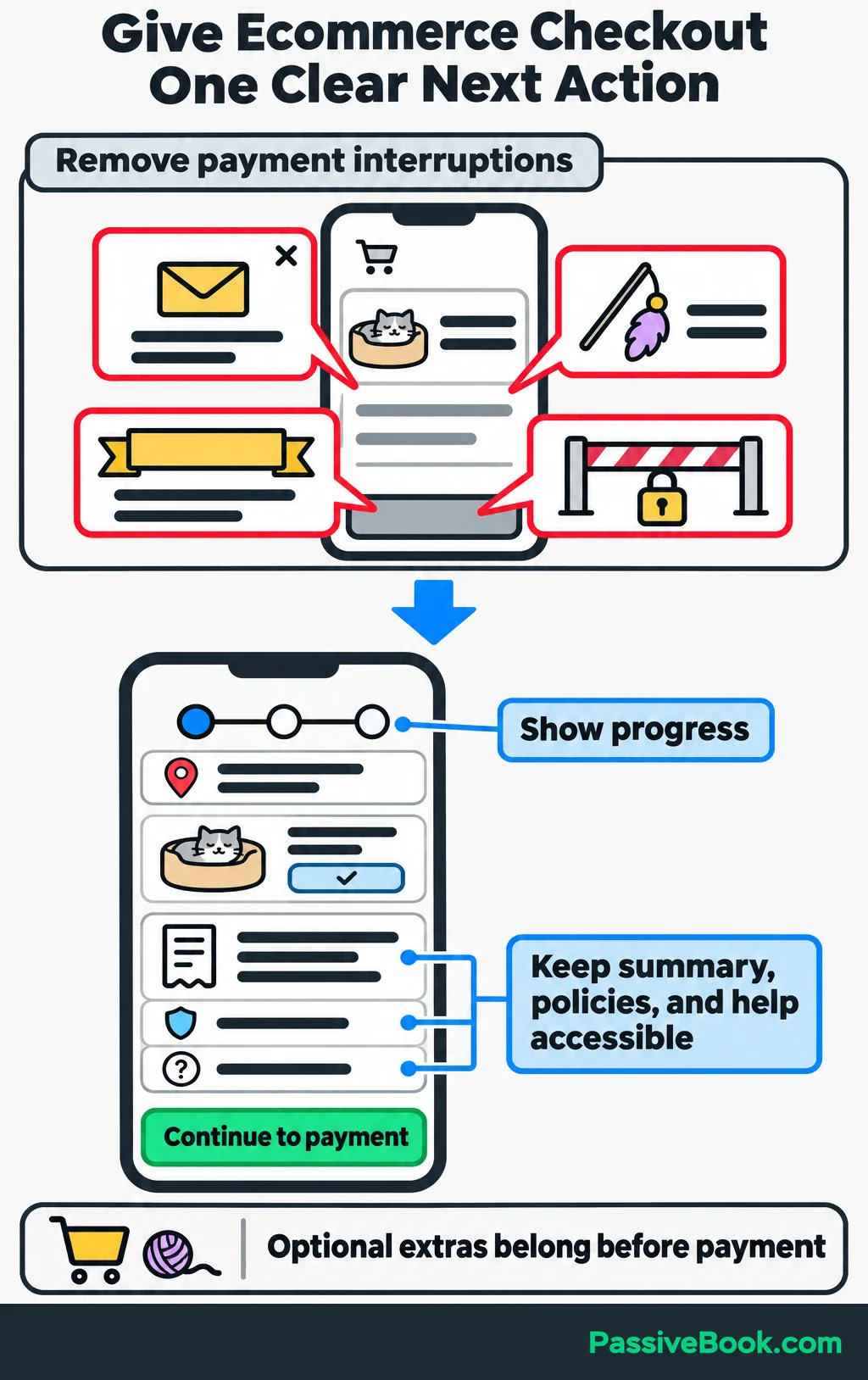
Keep the order summary, essential policies, and help accessible, but remove interruptions that delay payment:
- Mandatory upsell screens.
- Newsletter pop-ups.
- Unrelated product promotions.
- Banners that compete with the next checkout action.
For the cat-bed store, I would keep an optional accessory suggestion on the cart page rather than forcing shoppers through another offer after they choose to pay.
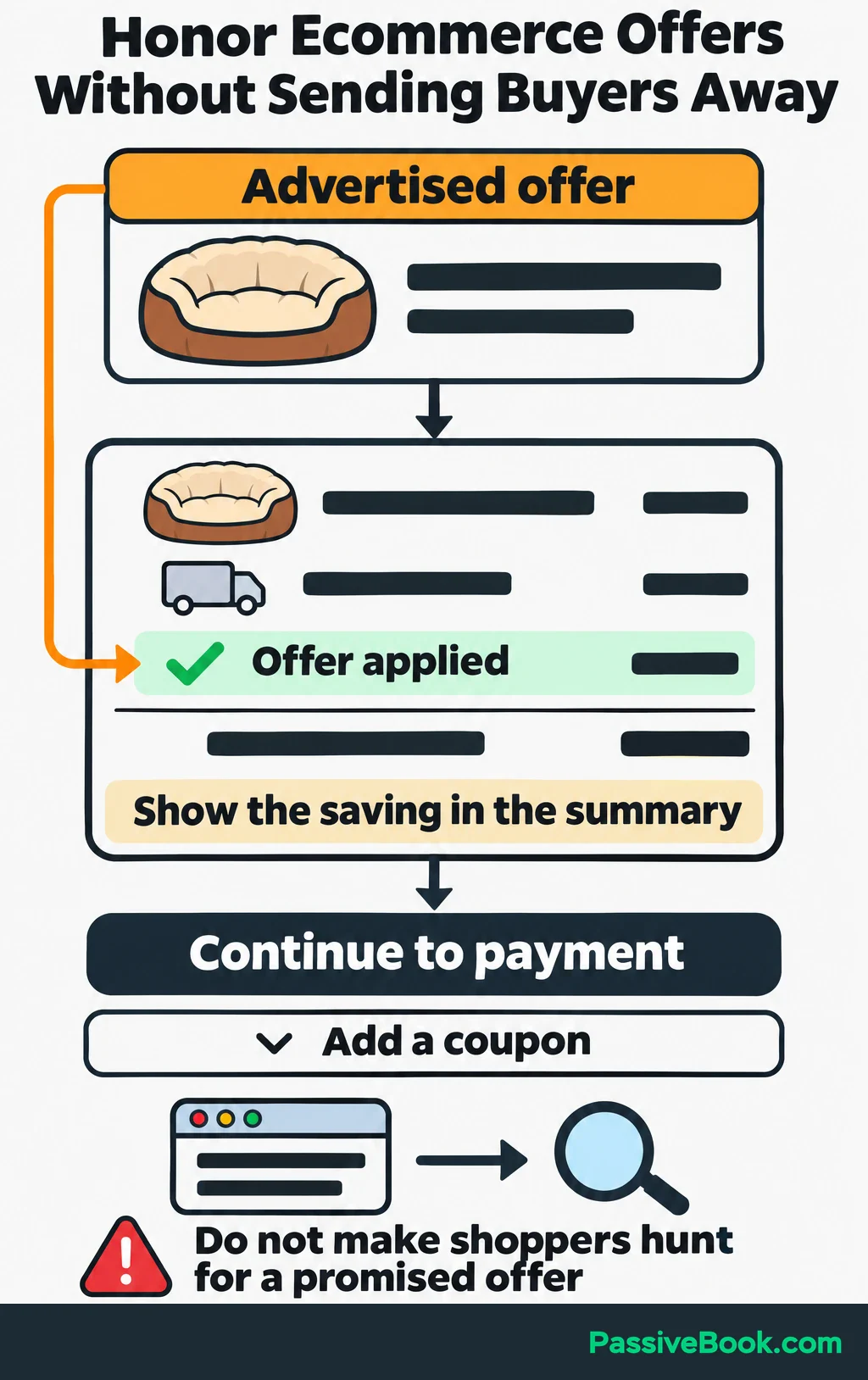
Coupon entry should remain available, but visually secondary. Where practical, apply advertised offers automatically and show the saving in the summary.
If your banner promises a promotion, make sure checkout honors it. Asking shoppers to leave and hunt for the code gives them another task at exactly the wrong moment.
8. Make Mobile Checkout Fast and Usable
Complete a purchase on a real phone using the browsers your customers use.
Start at the product page and continue through size selection, cart editing, address entry, payment authentication, and confirmation. Don’t stop testing when the checkout page loads.
Watch for:
- Small controls that are hard to tap.
- Totals that require zooming.
- Keyboards covering fields or buttons.
- Banners blocking the next action.
- Product options disappearing from the order summary.
- Pages moving while you try to tap.
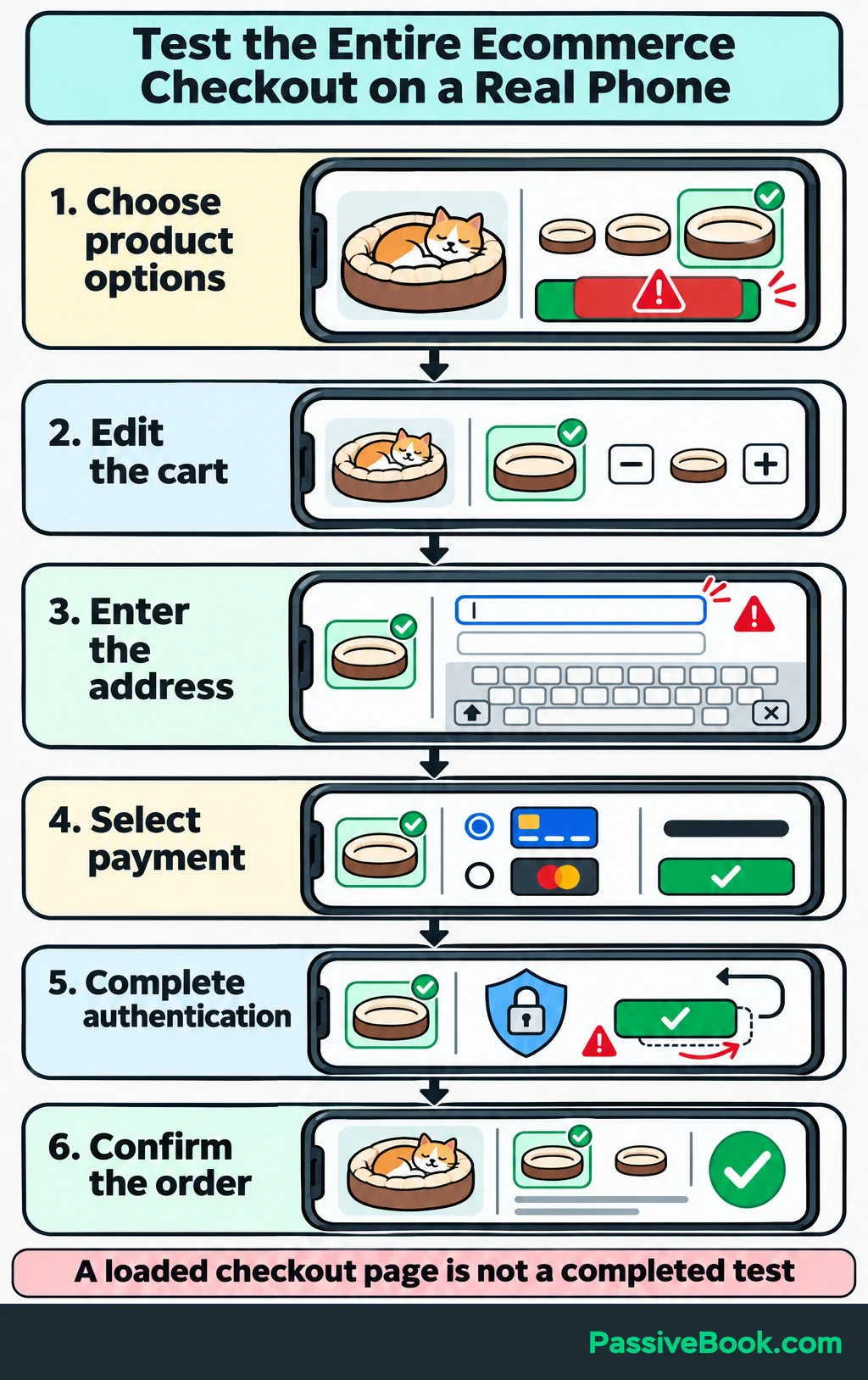
The chosen cat-bed size should remain visible and editable throughout the journey.
Use PageSpeed Insights, Google’s page-performance tool, to investigate product and cart pages it can access. Google’s Core Web Vitals measure loading speed, response to taps or clicks, and unexpected page movement. Google’s Web Vitals guidance
Start with oversized images and unused apps or scripts where your platform allows changes. Remove or adjust one thing, then repeat the purchase journey.
I would judge the work by whether people can complete checkout and whether mobile completion improves. A better performance score is useful evidence, but it doesn’t confirm that payment works.
9. Offer Payment Methods Customers Want
Choose payment methods from customer requests, your main markets, and existing purchase data.
Start by making card payments reliable. Then consider a relevant wallet or a secondary option such as PayPal if shoppers ask for it or already use it.
Show supported methods before the final payment screen so people can check whether their preferred option is available.
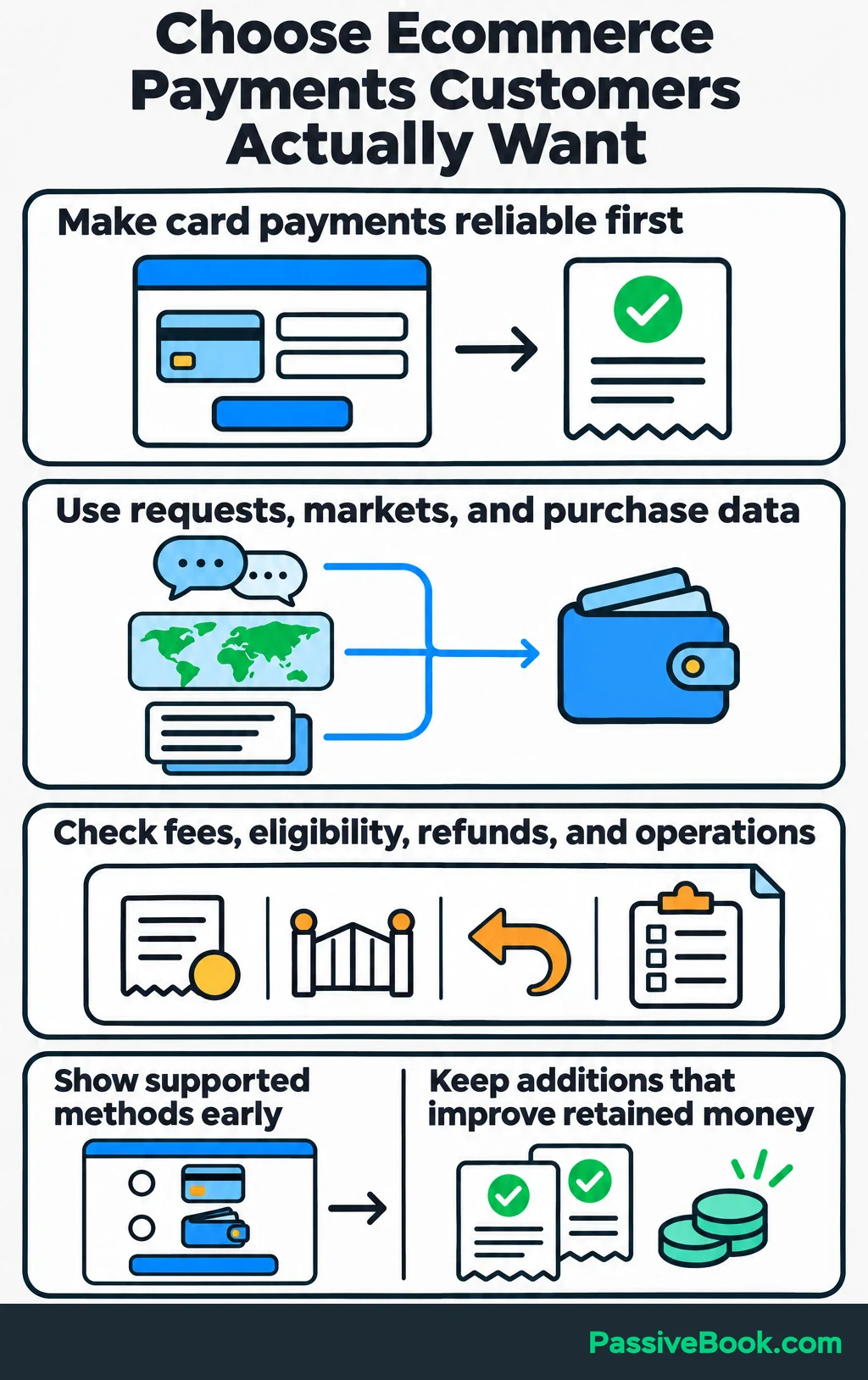
Before enabling another method, review its processing costs, eligibility, refunds, and operational requirements. More logos create little value if the new method is rarely used or difficult to manage.
Test express payments on compatible devices. Confirm that they collect the correct address, calculate shipping, handle authentication, and return shoppers to a clear confirmation.
For the cat-bed store, I would prioritize a requested payment method over installments unless affordability repeatedly appears in customer feedback. Compare completed orders and the money retained after variable costs before keeping an addition.
10. Help Shoppers Recover From Checkout Errors
An error should explain the next useful action and preserve the work the shopper has already done.
Review failed-payment records alongside address, shipping, and discount errors. Reproduce recurring problems, especially those that prevent otherwise eligible orders.
Put corrections beside the affected field. “Enter a valid postal code” is more useful there than “Something went wrong” at the top of the page.
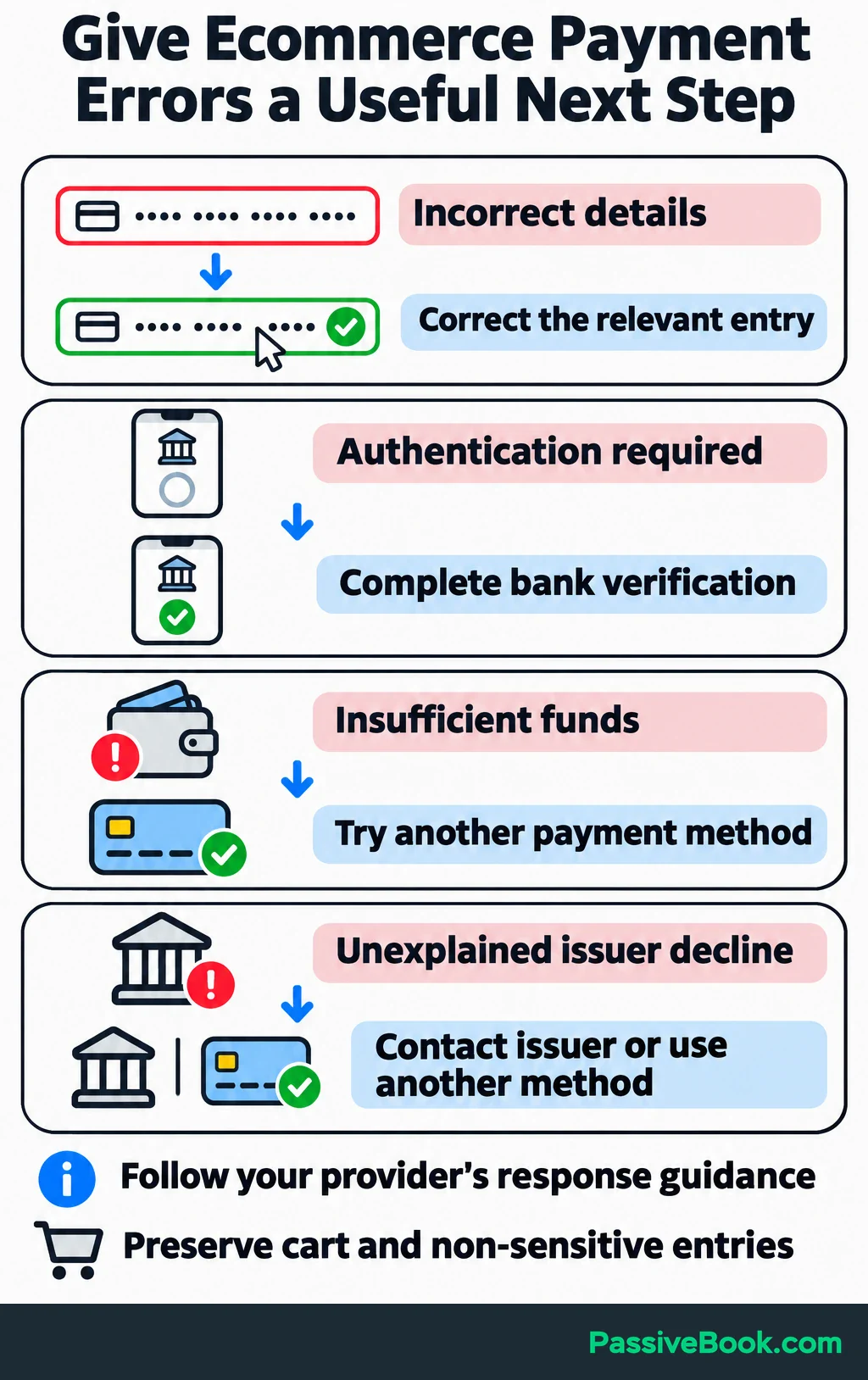
Payment failures need different responses. Stripe, which processes card payments for stores, lists different responses for incorrect details, required bank verification, insufficient funds, and declines that require contacting the card issuer. Show the next step your payment provider recommends. Stripe’s decline-code guidance
For example:
- Invalid card details: ask the shopper to correct the relevant entry.
- Required authentication: help them complete the bank’s verification.
- Insufficient funds: offer another payment method.
- An unexplained issuer decline: suggest contacting the issuer or using another method.
Preserve the cart and other non-sensitive entries when someone retries.
Use your processor’s approved testing process to check successful payments, declines, interrupted authentication, and retries. Confirm that repeated clicks or retries don’t create duplicate orders.
11. Automate Helpful Abandoned-Cart Emails
A reminder can help someone return, but first make sure the store can identify an eligible recipient and restore the right items.
I would start with the recovery feature already available in your store or connected email system. A separate subscription needs to solve a problem your current setup cannot handle.
Set Eligibility and Stop Conditions
Check exactly what starts the automation. Some systems detect abandoned carts, while others only detect checkouts where someone entered an email address.
Send recovery marketing only when you have a usable address and permission under the rules that apply. Entering an address during checkout does not automatically establish permission everywhere.
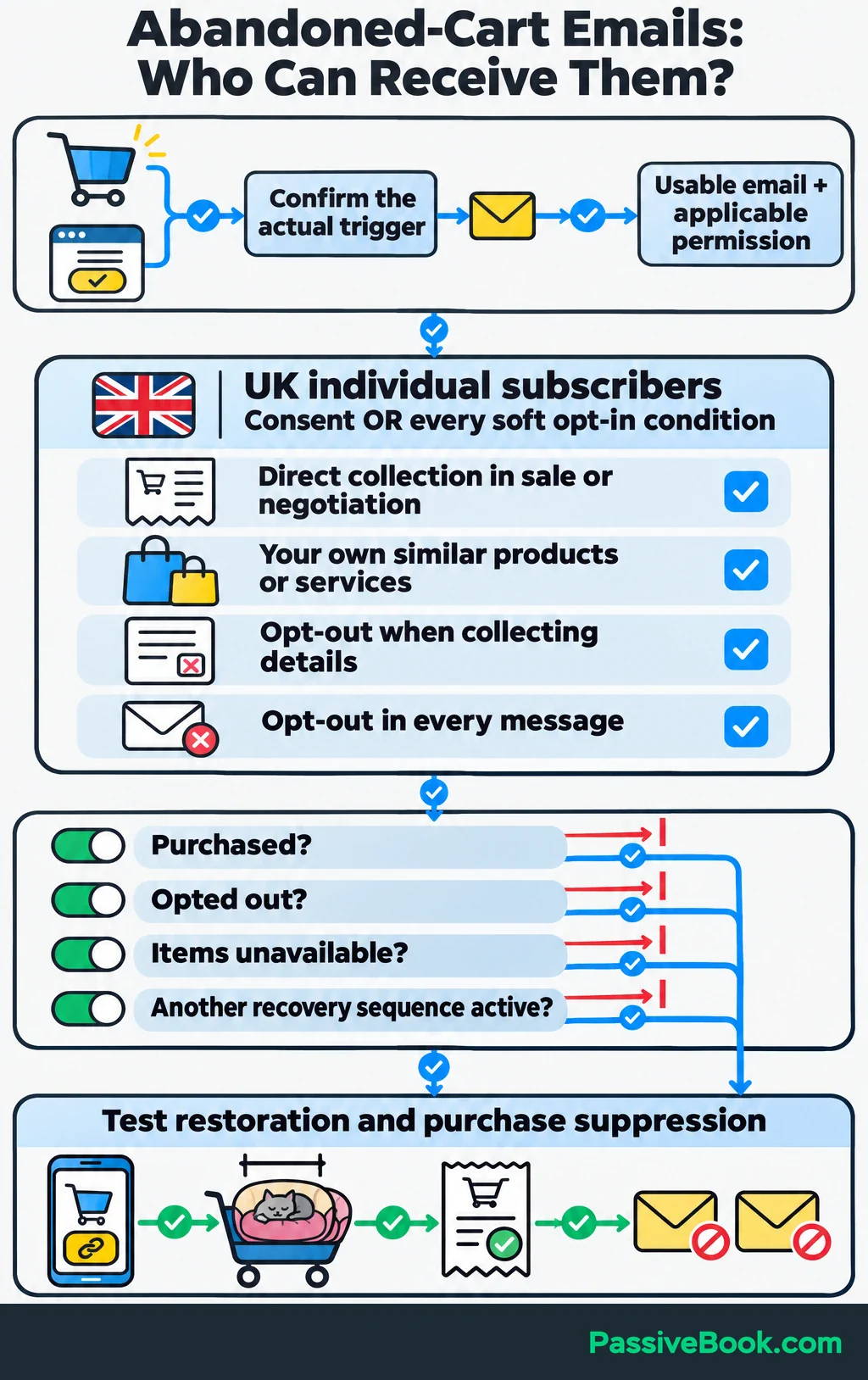
For UK individual subscribers, confirm consent or eligibility under every condition of the products-and-services soft opt-in. That exception requires direct collection during a sale or sales negotiation, marketing of your own similar products or services, an opt-out when collecting the details, and an opt-out in each message. ICO’s electronic marketing guidance
Before each send, recheck:
- Whether the shopper has purchased.
- Whether they have opted out.
- Whether the intended items are available.
- Whether another recovery sequence is already contacting them.
Test a purchase after the first reminder and verify that later messages stop. Also click the recovery link on a phone and confirm that it restores the intended bed, size, and quantity.
Send Useful Reminders Before Offering Discounts
Build the first message around the saved items, one clear return link, and a likely unanswered question.
A reasonable starting test is one reminder after an hour and one follow-up the next day. Treat that as a configuration to test, not an established best time.
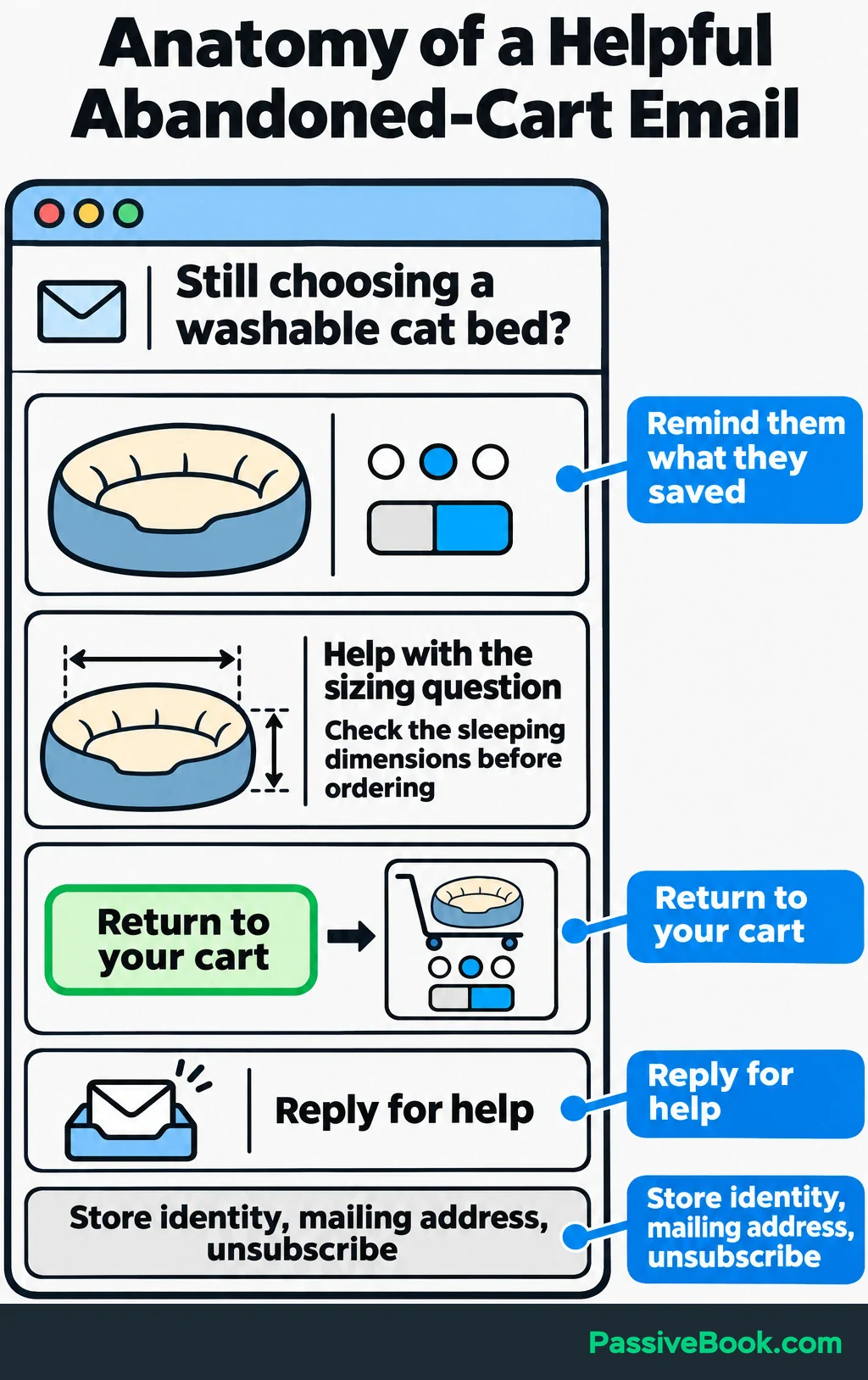
Here is a complete first email to adapt. Replace the bracketed details and links with your store’s information:
Subject: Still choosing a washable cat bed?
Hi,
You left a washable cat bed in your cart.
If you’re still deciding on the size, check the sleeping dimensions on the product page before ordering.
Return to your cart: [Restore-cart link]
Have a question about washing or choosing a size? Reply to this email and we’ll help.
Thanks,
[Name]
[Store name]
[Store mailing address]
Unsubscribe: [Unsubscribe link]
Use a monitored reply address so shoppers can get help by replying.
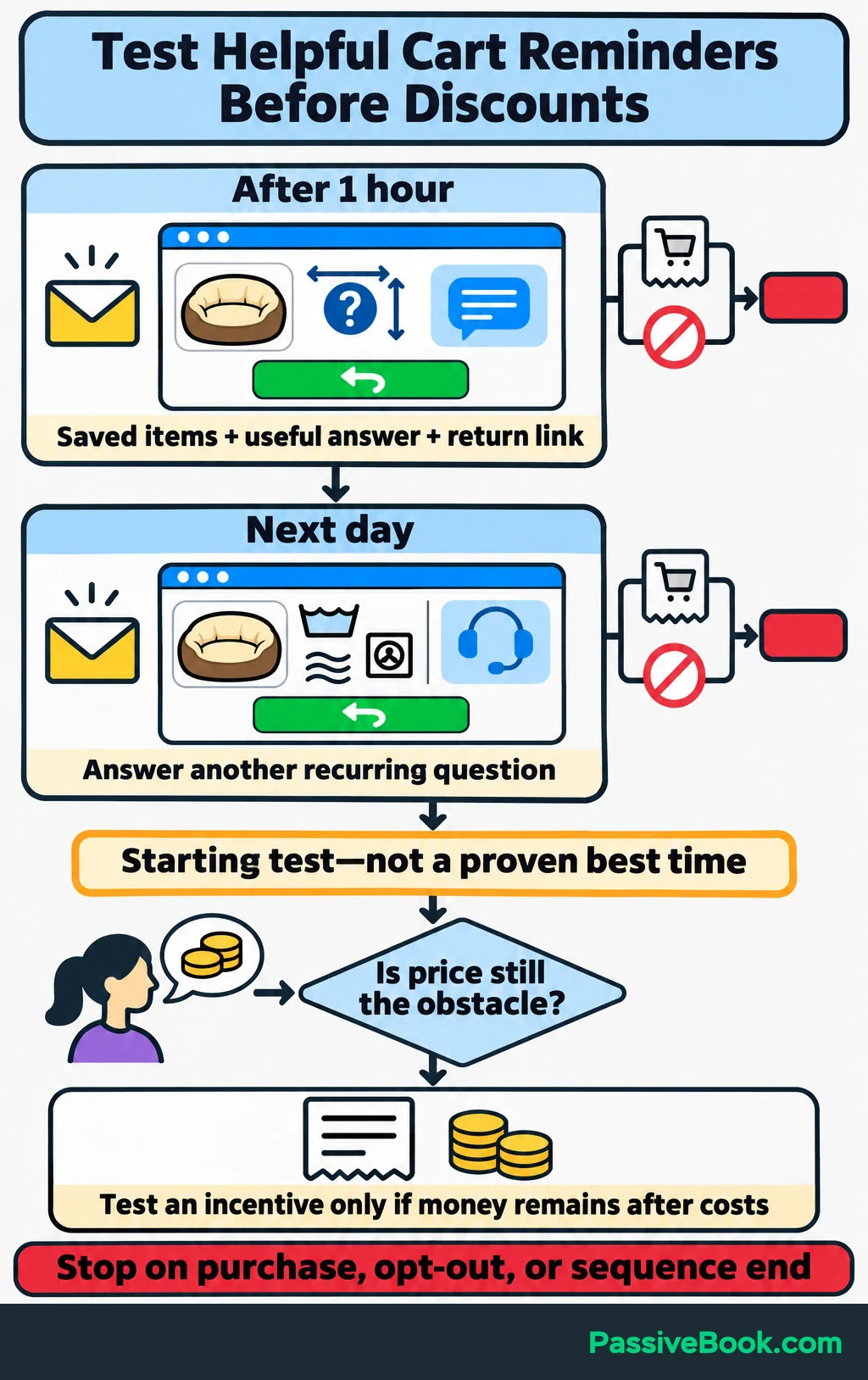
For the follow-up, answer another recurring question, such as whether the whole bed or only its cover can be washed. Include the answer from your product-care instructions, link to the full details, and keep one clear return-to-cart action.
If you’re struggling to turn your own product questions into emails, the AI Ecommerce Copy Studio can write each reminder using your answers. You’ll have store-specific copy to paste into the recovery system you already use.

Free AI Ecommerce Copy Studio




I would test useful reminders before adding a discount. If price remains an obstacle, try an incentive that still leaves money after the order costs. Stop sending when the sequence ends.
Measure Whether Changes Produce More Profitable Orders
Before making a change, write down the problem, the proposed fix, and what improvement would count as success.
For example: “Show shipping estimates in the cart, then compare checkout starts, completed orders, and money left after costs.”
Preview changes, complete test purchases, and keep a way to restore the previous configuration. Fix confirmed bugs immediately; test uncertain design or offer changes one at a time where practical.
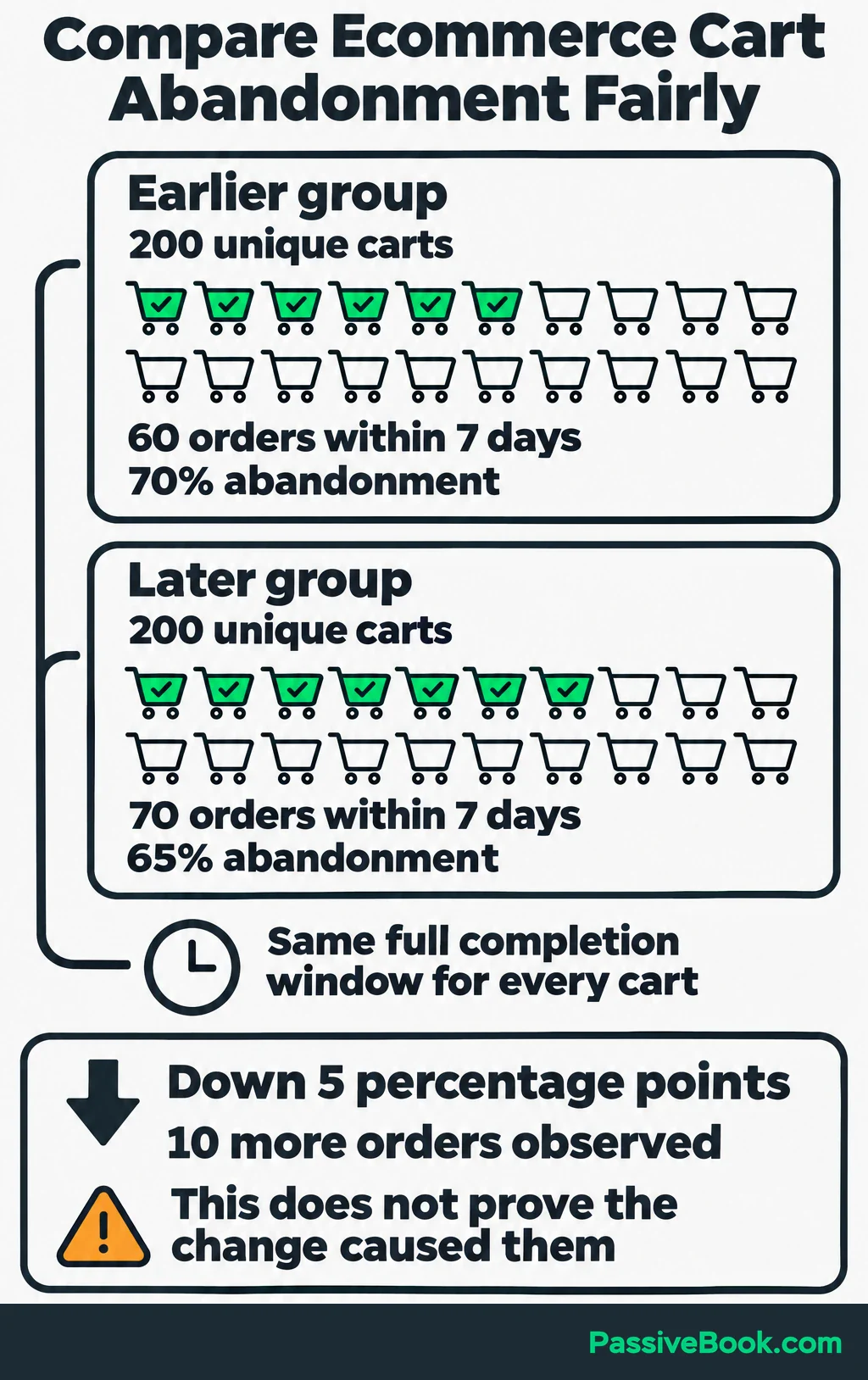
Compare two groups of unique carts from the cat-bed store, giving every cart the same seven-day completion window:
| Measure | Earlier Group | Later Group |
|---|---|---|
| Unique carts | 200 | 200 |
| Carts producing orders within seven days | 60 | 70 |
| Cart abandonment | 70% | 65% |
That is a fall of five percentage points, with 10 more orders observed. It doesn’t prove your change caused those orders. If traffic allows, randomly split shoppers between the original and changed checkout. Otherwise, compare similar periods and note differences in promotions, traffic sources, stock, and seasonality.
Track checkout completion separately: among checkouts that began, how many produced an order within your chosen window?
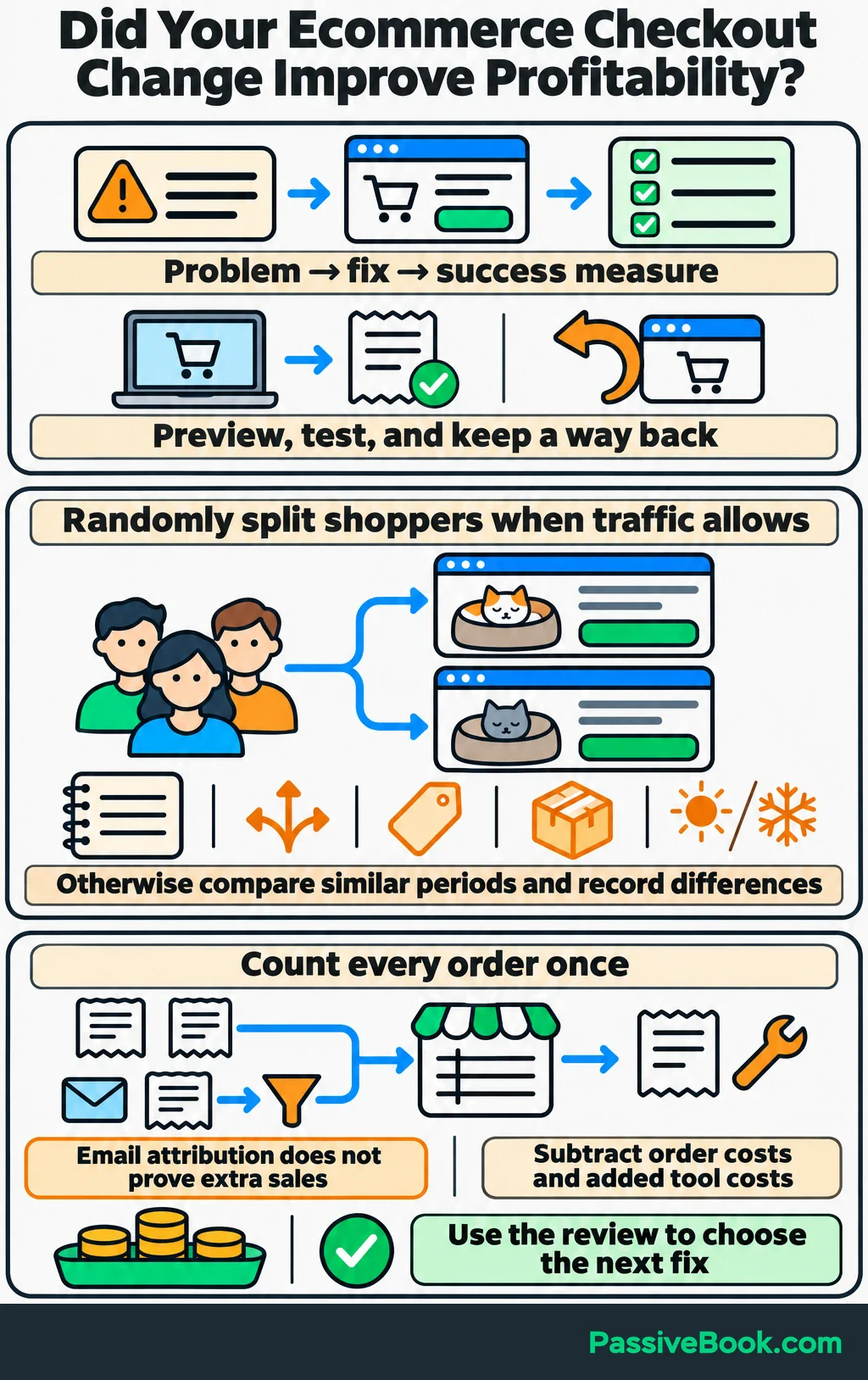
Keep a sheet with the issue, change, date, cart and order counts, rates, money left after costs, and next action. Use the costs in section 1 and subtract any added tool costs.
Track recovery-email clicks, purchases, and opt-outs separately, counting each order once in store totals. Email-attributed purchases may have happened without the reminder.
Let that review choose the next fix. You don’t need eleven projects running at once.
What Next?
Place one test order on your phone while signed out, and write down the first point where cost, delivery, or the next action becomes unclear. Fix a confirmed purchasing error first, or choose that obstacle for your next measured change.
Use the social buttons to share this guide and turn checkout guesswork into a practical review.
Which part of your checkout would make you hesitate as a buyer? Tell me in the comments, and bring any other questions there too.
Share this post with your friends & followers:

