You finish packing the day’s orders, but the work keeps going. Tracking details need sending, a customer wants a delivery update, and the same sales figures need copying into another spreadsheet.
Hiring help feels early, but adding five subscriptions can create another job: keeping five tools working together. A cheap plan is expensive enough when it doesn’t support the task you bought it for. This shortlist compares the jobs each tool handles, the plan you need, and the integration limits that could leave you doing the work anyway.
Best Ecommerce Automation Tools at a Glance
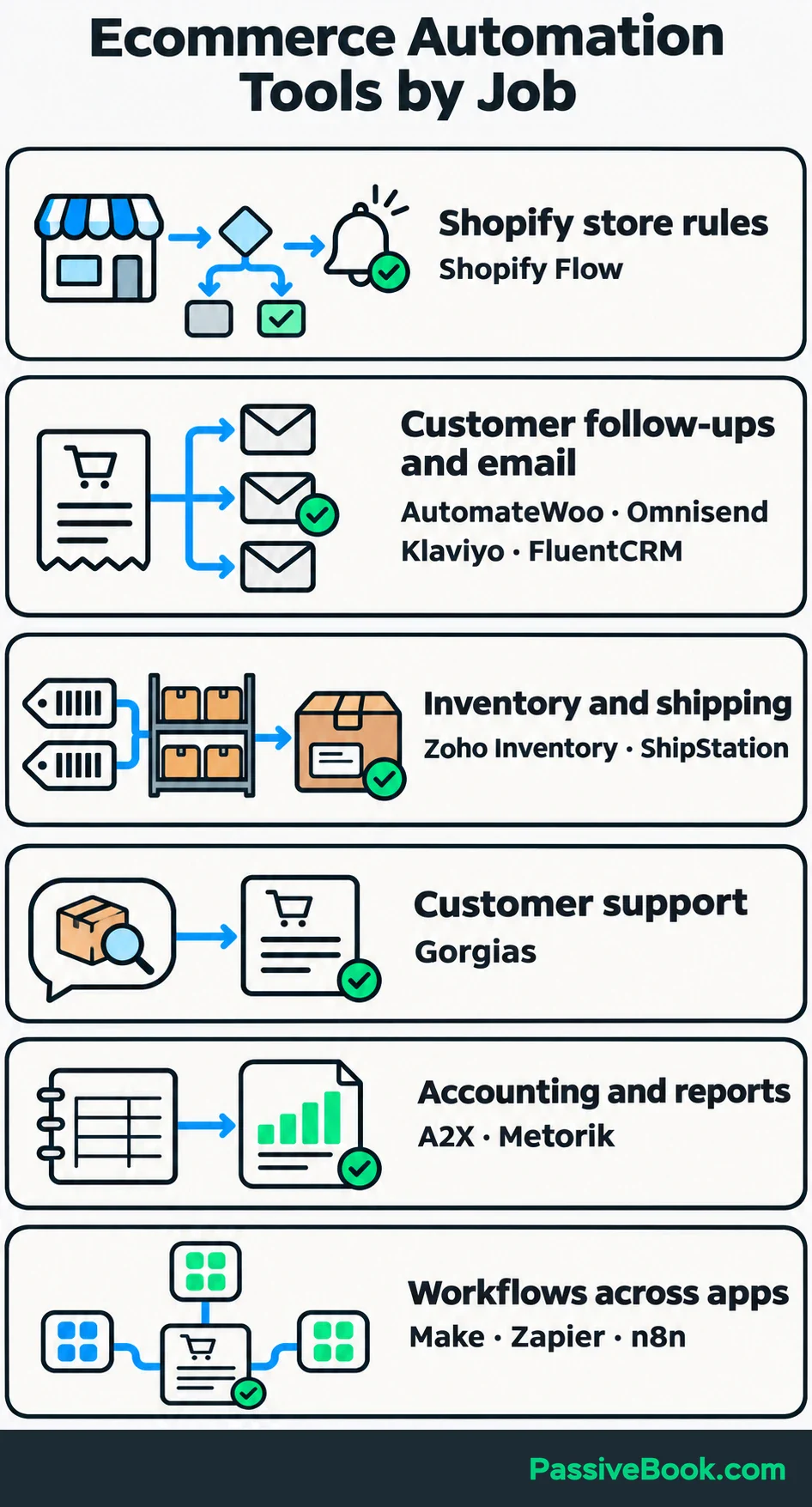
The best ecommerce automation tools remove a recurring job you already understand. Shipping software, email software and accounting software serve different purposes, so start with the work that takes too much of your week.
My first choices would be:
- Shopify Flow for rules inside a Shopify store.
- AutomateWoo for WooCommerce order follow-ups.
- Omnisend for ready-made marketing workflows, Klaviyo for detailed customer groups, or FluentCRM for email within WordPress.
- Zoho Inventory, ShipStation, Gorgias, A2X or Metorik for their specific operational jobs.
- Make for connecting apps visually, with Zapier and n8n worth comparing against the same workflow.
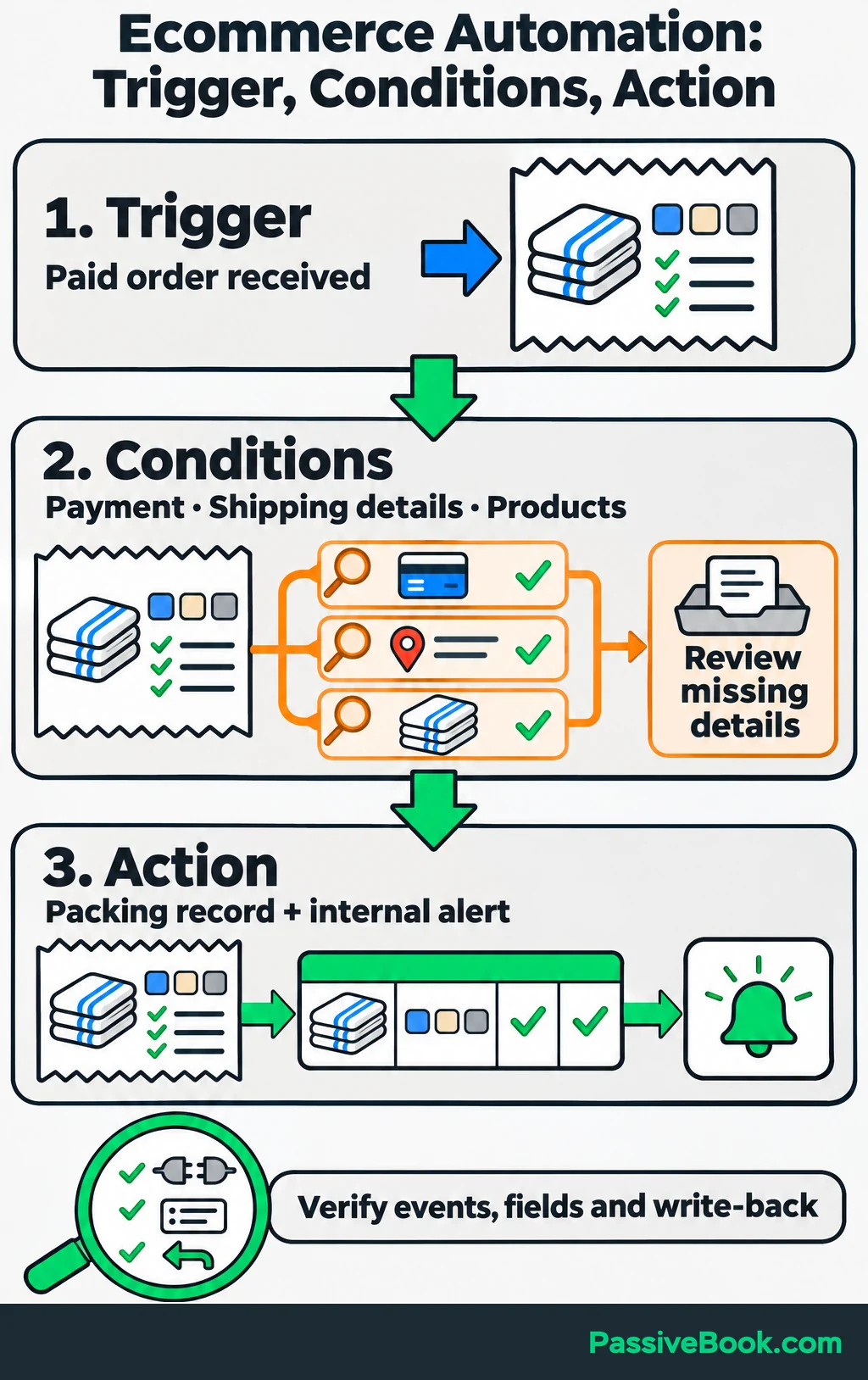
Before comparing subscriptions, write down three things:
- Trigger: What starts the workflow?
- Conditions: What must be true before it continues?
- Action: What should happen?
Then check the actual integration. “Connects with Shopify” doesn’t tell you whether it receives paid-order events, includes product variants, or sends updates back to your store.
For the examples below, imagine your shop sells cotton kitchen towels. The Shopify and WooCommerce examples are alternative versions of that shop, and the proposed workflows are illustrations.
The “best for” labels are my judgments about fit, based on documented capabilities. The numbers identify entries. Setup estimates cover a useful first workflow: low means a template and testing, medium means more configuration or field mapping, and high means substantial data checks or hosting work.
Prices and relevant allowances appear together here. Use the linked vendor pages for current terms. ShipStation figures are for US plans, and Zoho figures use its US-dollar pricing.
| Tool | Best Use | Store Compatibility | Relevant Plan Price and Billing Basis | Free Option or Trial | Estimated Setup Effort | Main Limitation |
|---|---|---|---|---|---|---|
| Shopify Flow | Store rules and internal alerts | Shopify | Free on Basic, Grow, Advanced and Plus; store subscription and paid apps cost extra | Free app on eligible plans | Low | External actions have connector and plan restrictions |
| AutomateWoo | Order-based follow-ups | WooCommerce | US$159 for a one-year subscription; hosting and email delivery extra | 30-day money-back guarantee | Medium | Focuses on store lifecycle messages rather than full email-list management |
| Omnisend | Ready-made ecommerce messaging | Shopify, WooCommerce, BigCommerce and others | Standard from US$16 per 30-day cycle for 500 contacts and 6,000 emails; new paid SMS customers need Pro, from US$59, plus SMS charges | 500 emails monthly to 250 unique contacts | Low–medium | Billable contacts can exceed newsletter subscribers |
| Klaviyo | Detailed customer segmentation | Shopify and WooCommerce | Email from US$20 monthly for 251–500 active profiles; other channels and products extra | Up to 250 active profiles and 500 emails monthly | Medium | Profile growth can increase costs without more newsletter signups |
| FluentCRM | Email automation within WordPress | WordPress; WooCommerce automation requires Pro | Single-site license: US$129 yearly regular price; US$103 first-year promotion; sending and hosting extra | Free plugin available; WooCommerce triggers require Pro | Medium | You manage email delivery and WordPress upkeep |
| Zoho Inventory | Coordinating multichannel stock | Shopify and WooCommerce integrations | Standard: US$29 per organization monthly, billed annually; 500 monthly orders, two users and two locations | Free: 50 monthly orders, one user and two locations | High | Custom automation may require a higher tier |
| ShipStation | Shipping rules and labels | Shopify, WooCommerce and other channels | US Starter: US$14.99 monthly for 50 shipments; Standard: US$29.99 monthly for 50 shipments; postage extra | 30-day trial | Medium | Advanced rules and existing carrier accounts require Standard |
| Gorgias | Shopify support automation | Shopify-focused; AI Agent requires Shopify | Basic: US$60 monthly for 300 tickets and basic automation rules | Seven-day trial | Medium | AI usage and ticket overages add to the bill |
| A2X | Payout reconciliation | Shopify with QuickBooks Online or Xero | Shopify Mini: US$29 monthly; one store, up to 200 monthly orders and three months of history | Free trial offered | Medium | Mini excludes cost-of-goods-sold functionality |
| Metorik | Automated store reports | Shopify and WooCommerce | Starter: US$25 monthly for one store and up to 100 average monthly orders; next tier US$75 for up to 500. Uses the previous three months’ average. Australian prices include GST | 30-day trial | Low–medium | Useful profit reports require complete cost inputs |
| Make | Visual workflows across apps | Shopify and WooCommerce connectors | Paid price depends on credit allowance, location and billing term; select these in its calculator | 1,000 monthly credits; scheduled runs have a 15-minute minimum interval | Medium | Several modules can consume credits for one order |
| Zapier | Straightforward app connections | Shopify; WooCommerce through a paid connector plugin | Professional from US$19.99 monthly, billed annually, with 750 tasks and multi-step workflows | Free includes 100 monthly tasks; Shopify requires a paid plan | Low–medium | Each successful billable action consumes tasks |
| n8n | Custom workflows and hosting control | Shopify and WooCommerce nodes | Cloud Starter: €20 monthly, billed annually; 2,500 workflow executions with unlimited steps | Community Edition is free to self-host; infrastructure and maintenance extra | Medium on Cloud; high when self-hosting | Hosting control comes with maintenance responsibilities |
Compare the full cost at your expected volume. That includes the subscription, usage charges, required store plan, email delivery or postage, connected services, and time spent maintaining the workflow.
You don’t need one tool from every category. An unused subscription is just a very punctual expense.
The 13 Best Ecommerce Automation Tools
1. Shopify Flow: Best for Shopify Store Workflows
I would check Shopify Flow first when the task happens inside Shopify. It uses store events, conditions and actions, and compatible installed apps can extend what a workflow does.
Start with an internal task before handing it customer-facing work. A stock notification is a useful first project because you can inspect the result without sending anything to a buyer.
For the towel shop, the workflow could be:
- Trigger: A variant’s inventory quantity changes.
- Condition: Its available quantity falls below your reorder threshold.
- Action: Send an internal notification identifying the size and color.
Start from a suitable template, set the threshold, and create a test event. Then inspect the workflow history to confirm which conditions passed and what action ran.
The boundary matters when another app enters the process. Flow needs a supported action or another available connection. Its Send HTTP Request action, which sends a request to an external service, requires Grow, Advanced or Plus. Check that before designing a workflow around it.
2. AutomateWoo: Best for WooCommerce Order-based Follow-ups
AutomateWoo makes sense when you want customer follow-ups managed inside WooCommerce. It supports workflows such as cart reminders, product-specific messages, review requests and win-back emails.
Build the sequence around an order event, then narrow who should receive it. Choose the relevant products, order status, delay and recipient eligibility before writing the message.
For a completed towel order, you could send the product’s washing instructions and request a review later. A useful opening might be:
“Here are the care instructions for your new kitchen towels.”
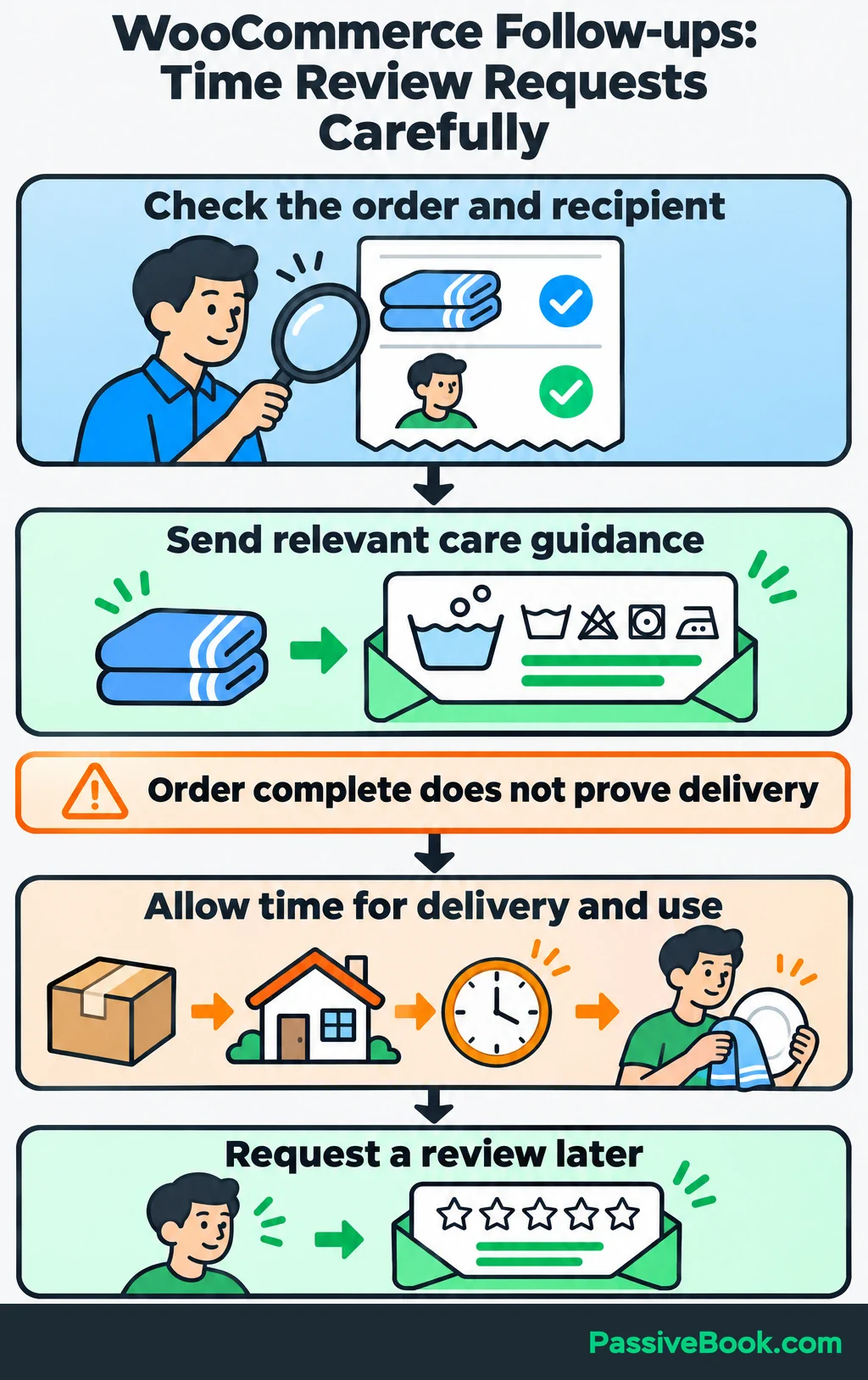
Set the review delay around when the customer is likely to have received and used the product. An order marked complete doesn’t prove the package has reached their kitchen.
I would choose AutomateWoo for these store-based messages. If signup forms, newsletters and detailed audience management are the main job, I would compare a broader email platform instead.
Budget for dependable email delivery alongside the plugin. A workflow log showing “sent” is only part of the check; test receipt in an actual inbox.
3. Omnisend: Best for Ready-made Ecommerce Messaging Workflows
Omnisend is my pick when you want established ecommerce workflows without building every journey from an empty canvas. Its native integrations include Shopify, WooCommerce and BigCommerce.
Begin with one customer journey. Connect the store, confirm that product and order data arrive correctly, and adapt the relevant template.
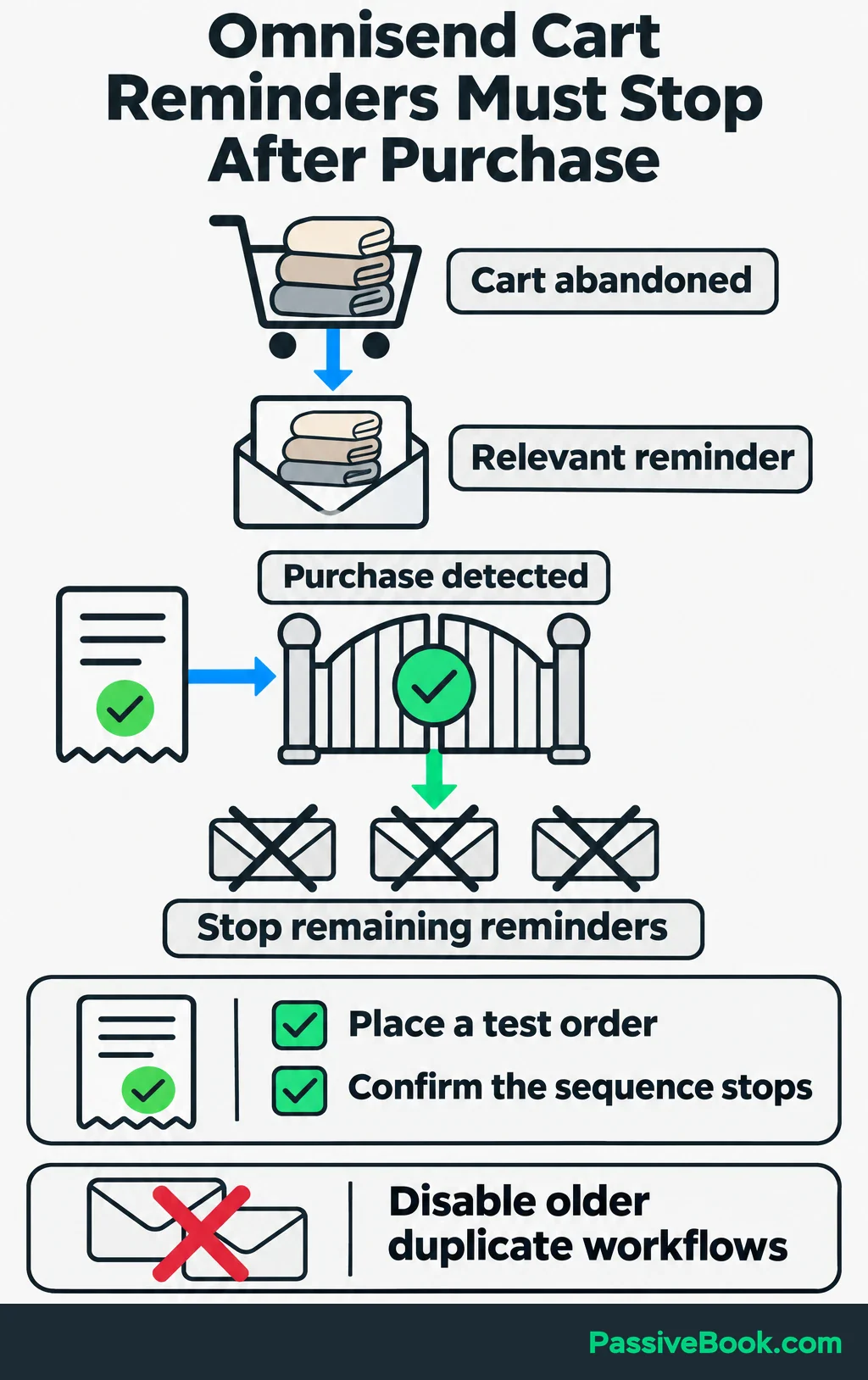
For the towel shop, that could be a cart reminder showing the items left behind. The important test happens after checkout: place an order and confirm that the purchase stops the remaining reminders.
Before activation, switch off any older workflow doing the same job. Two tools sending cart reminders create a customer experience nobody deliberately designed.
Watch the billable audience, too. Omnisend counts subscribed and non-subscribed contacts for billing, including checkout customers who haven’t joined your newsletter. Unsubscribed contacts are excluded.
That makes the newsletter subscriber count a poor basis for estimating your bill. Use the billable-contact total, and check SMS eligibility separately if texting is part of your plan.
4. Klaviyo: Best for Detailed Customer Segmentation
Choose Klaviyo when differences between customers should change the message they receive. Its Shopify and WooCommerce integrations supply shopping activity and purchase history for customer groups and automated flows.
Define those groups before building anything. “People who bought towels” is a start, but the useful distinction might be first-time buyers versus customers completing a matching set.
The first group could receive care guidance. The second might receive a message focused on the new addition, without another introduction to products they already own.
I would pay for that extra setup only when it serves a clear purpose. If every group will receive essentially the same email, a simpler workflow may be enough.
Klaviyo bills for profiles with email addresses unless they are suppressed, meaning blocked from receiving email through the platform. That can include customers who supplied an address at checkout without opting into marketing, so your billable count may exceed your subscriber count. Being billable doesn’t give you permission to send marketing. Klaviyo explains its active-profile billing rules here.
5. FluentCRM: Best for Email Automation Within WordPress
FluentCRM is my preference when email belongs inside an existing WordPress business. That is how I use it at Passive Book: as part of my WordPress and email work.
One mistake I’ve made is treating a contact appearing in the database as proof that a signup works. It proves the contact was saved. I still need to check that the promised email reaches the inbox and that later messages follow correctly.
That distinction matters with FluentCRM because you arrange the sending service. In my stack, FluentSMTP connects WordPress to Amazon SES, which sends the emails. I include delivery setup in the work from the beginning.
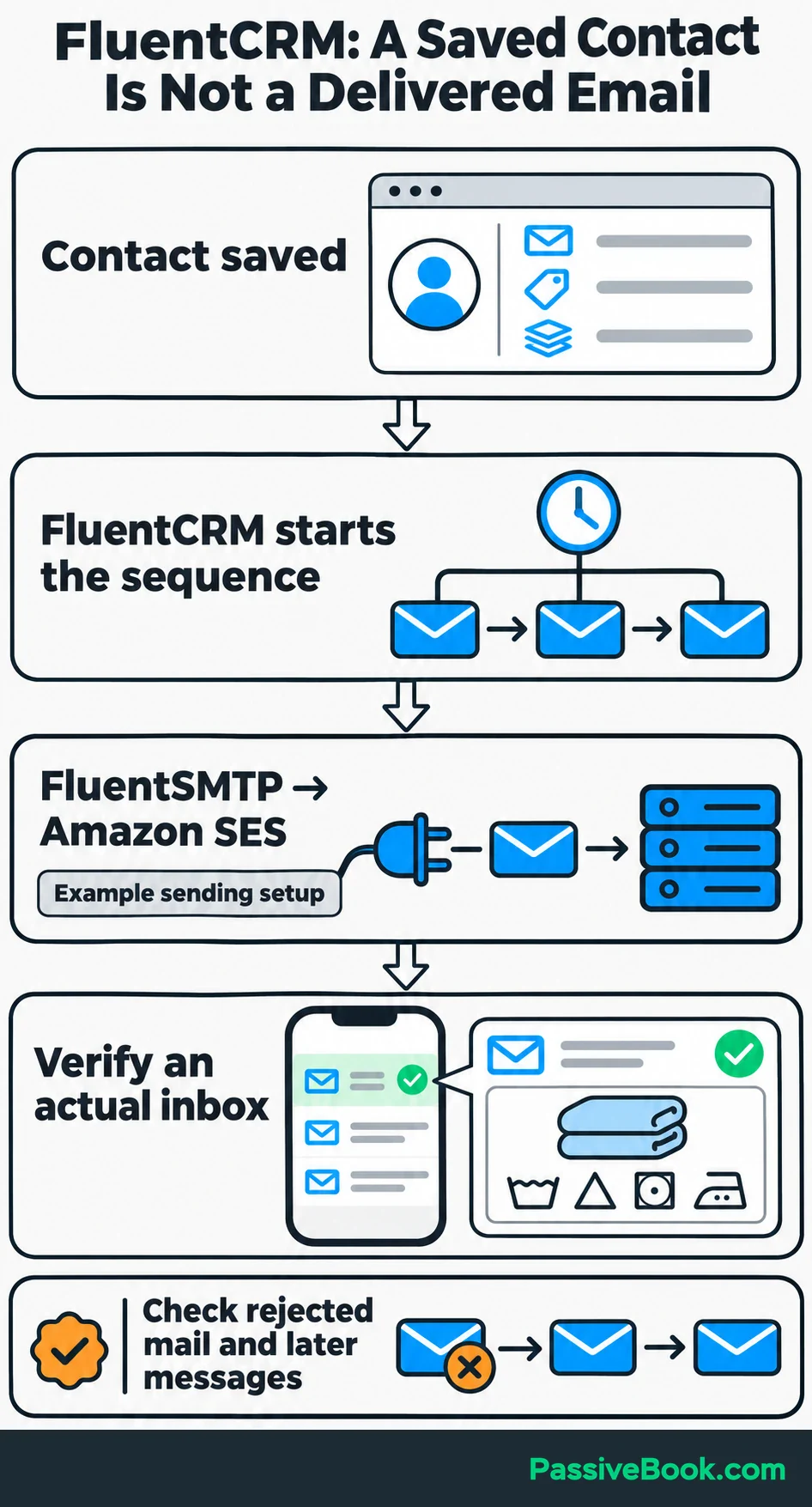
For the WooCommerce version of the towel shop, you could place buyers into a purchase-based group and start a care sequence. The WooCommerce ecommerce triggers require FluentCRM Pro.
Set up email delivery and backups, and check how the sending service handles rejected emails. Then test the full sequence before activating customer messages.
The license follows website count rather than subscriber count, which suits my preference for controlling costs. But sending charges and website maintenance still belong in the comparison with hosted email services.
6. Zoho Inventory: Best for Coordinating Multichannel Stock
Zoho Inventory becomes useful when stock records across connected sales channels need one place to stay organized. Its Shopify and WooCommerce integrations can bring in orders and send stock updates.
The setup starts with your catalog. Give each distinct product variant a consistent SKU—the code you use to identify it—and reconcile the quantities you actually hold.
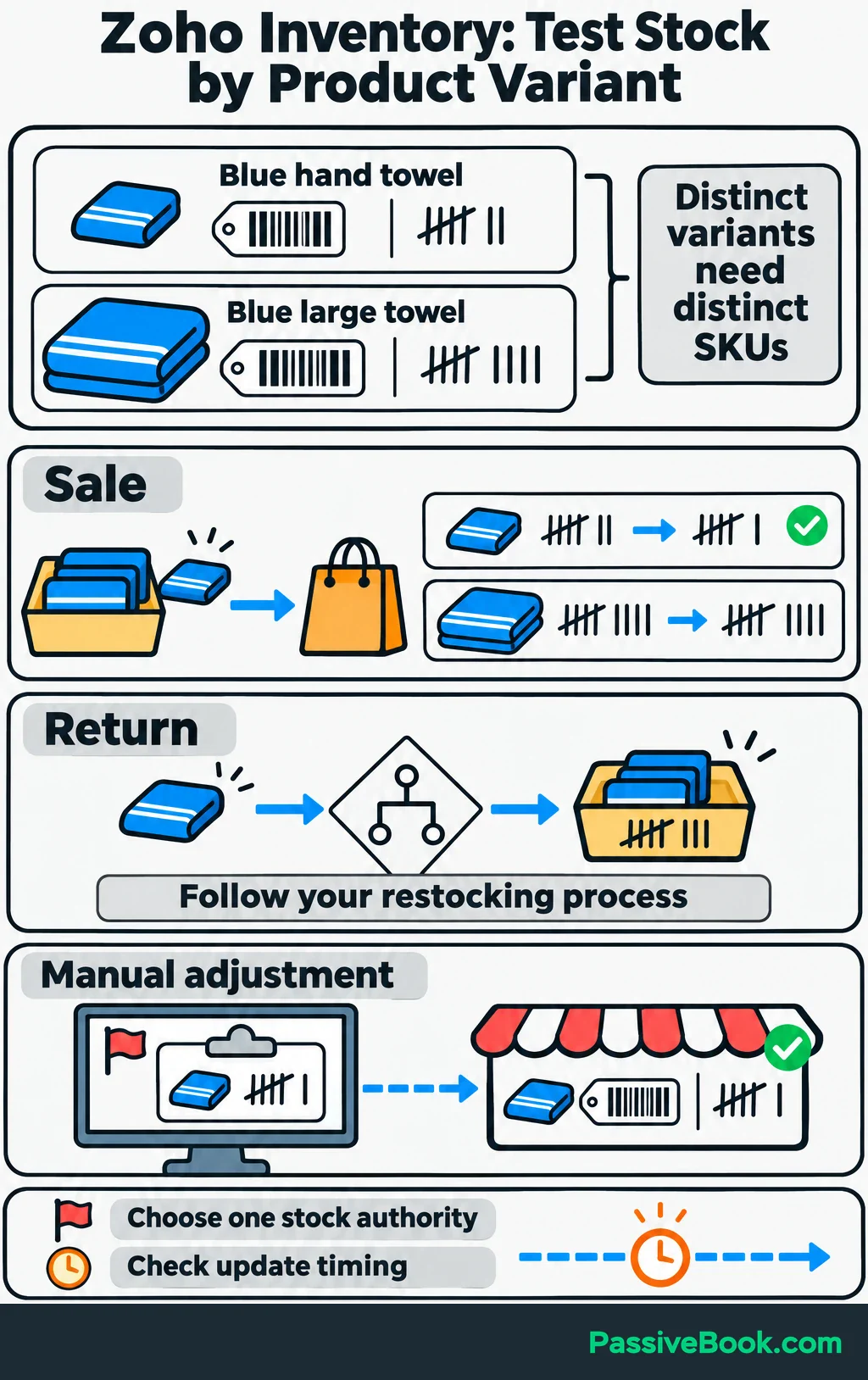
For the towel shop, a blue hand towel and a blue large towel need separate records. If their codes are inconsistent across channels, connecting the software won’t resolve the confusion.
Choose which system controls stock updates, then test three cases:
- A sale reduces the correct variant’s quantity.
- A return follows your chosen restocking process.
- A manual stock adjustment reaches the connected store.
Also check update timing. Don’t assume every type of data moves instantly.
I would use Zoho for coordinating stock, then evaluate custom workflows separately. Its pricing distinguishes ordinary inventory features from higher-tier customization and automation. Paying for stock synchronization doesn’t automatically buy every rule you might want to build.
7. ShipStation: Best for Shipping Rules and Label Processing
ShipStation is worth comparing when importing orders, selecting services and preparing labels consume too much of your day. It connects with Shopify, WooCommerce and other sales channels.
Start by recording accurate packed weights and dimensions. The software needs the package you will actually hand to the carrier, including the packaging.
For the towel shop, a rule could apply a package preset to a qualifying order. Orders with unusual quantities or incomplete addresses should go to review rather than inherit a convenient guess.
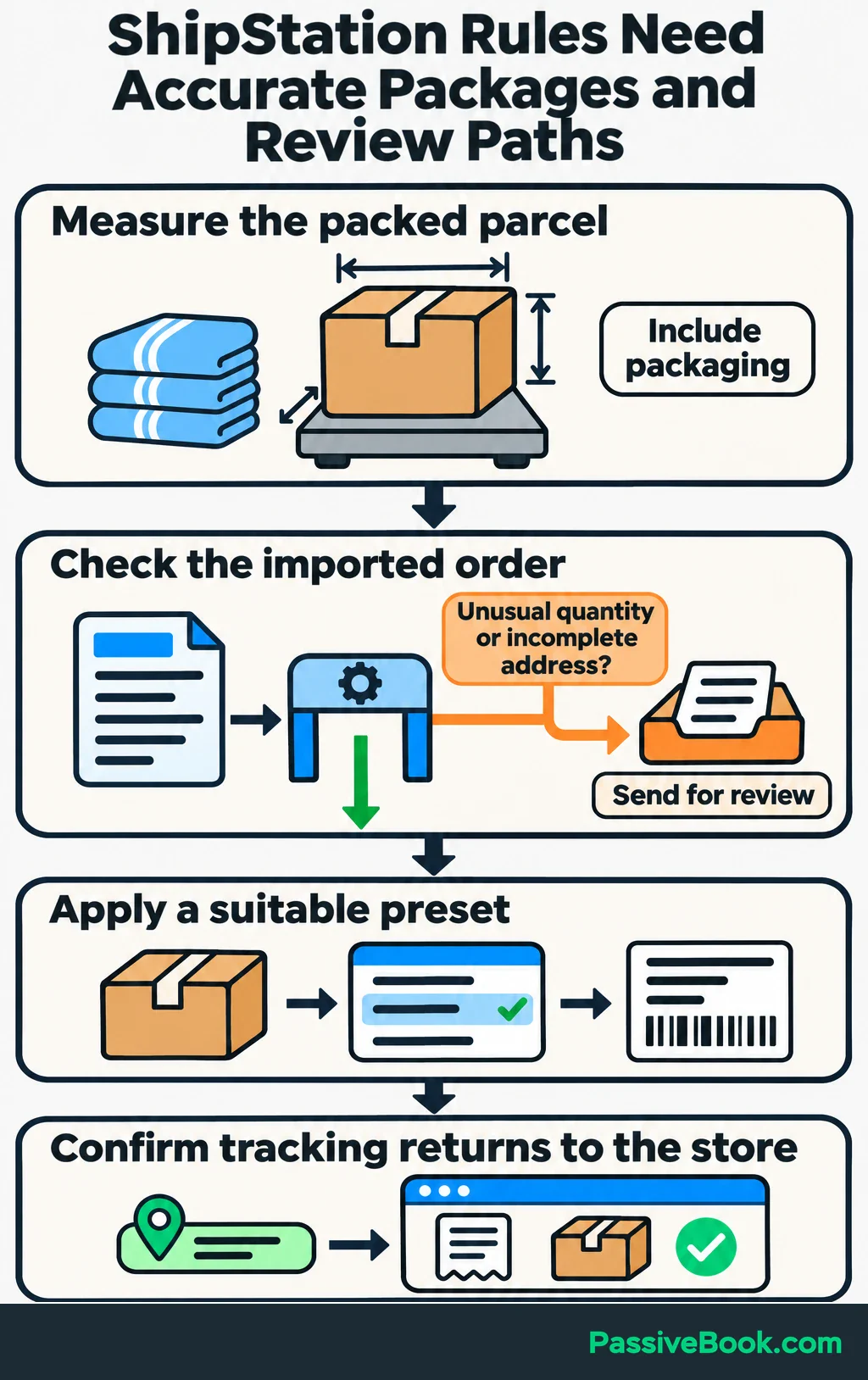
Test the whole journey: order import, service selection, label creation and the tracking update returned to the store.
I would choose the subscription around the rules and carrier accounts required. Starter includes basic automations, while Standard adds unlimited automations and connections to existing carrier accounts.
Check carrier availability for your shipping country before committing, too. A strong workflow built around an unavailable service is still unavailable.
If your store’s existing shipping tools already handle the job comfortably, keep them. More shipping software earns its place by removing work.
8. Gorgias: Best for Shopify Support Automation
Gorgias fits when answering customer questions repeatedly involves looking up orders, checking shipping information and typing familiar replies. Its Shopify connection brings that context into the conversation.
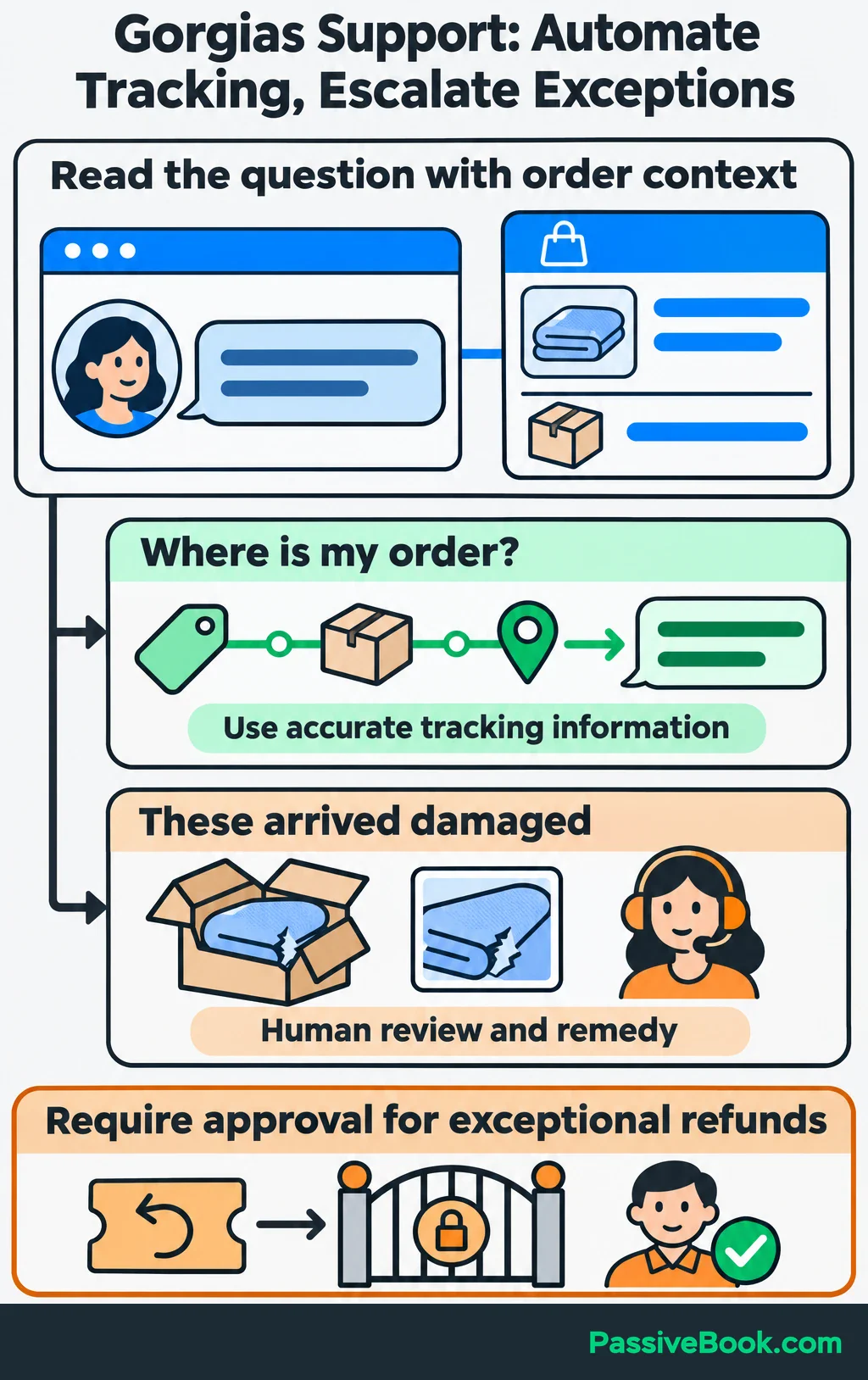
Begin with routing and reusable answers. Give routine delivery questions a clear path, and send damaged-item complaints or disputed refunds to a person.
For the towel shop, the distinction is practical. “Where is my order?” may need tracking information. “These arrived damaged” needs judgment about the item, evidence and remedy.
Gorgias supports rules and personalized replies, but its Starter plan omits the basic automation rules included with Basic. AI Agent also requires a connected Shopify store.
I would prepare accurate shipping and returns information before enabling automated answers. Set clear handoff conditions and require approval for exceptional refunds.
Estimate AI costs carefully. A conversation resolved entirely by AI Agent can incur both a helpdesk ticket charge and an outcome-based automation charge. Overages can add further costs. Gorgias’s billing guide explains when those charges overlap.
9. A2X: Best for Ecommerce Payout Reconciliation
A2X addresses a different problem from inventory or shipping software: explaining the money deposited by your ecommerce platform.
A payout can contain several sales, refunds, payment fees and other adjustments. Recording the bank deposit as sales revenue loses those distinctions.
For the Shopify towel shop, A2X can turn payout information into accounting entries for QuickBooks Online or Xero. That gives you a way to match the settlement to the bank deposit while keeping its components separate.
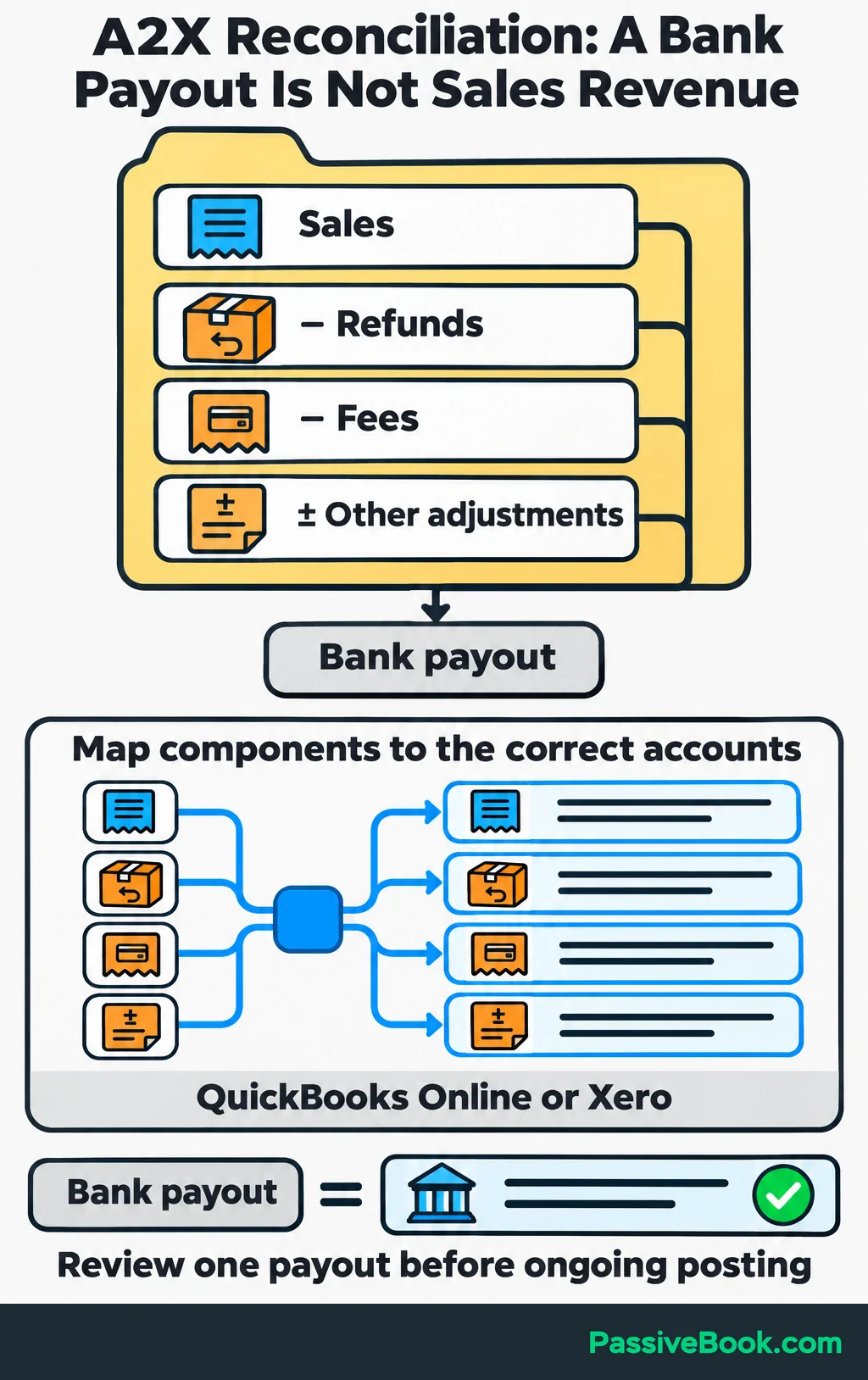
Start with one payout. Check that sales, fees and refunds go to the correct accounts, then match that payout to the bank deposit before allowing ongoing posting. If a bookkeeper maintains your accounts, have them review those account choices.
I would choose A2X when settlement reconciliation has become a recurring chore. It won’t replace the accounting subscription or your stock-management process.
The Mini plan also excludes cost-of-goods-sold functionality—the accounting for the product costs attached to items sold. Include that distinction when choosing a tier.
10. Metorik: Best for Automated Store Reports
Metorik is useful when you repeatedly assemble the same Shopify or WooCommerce sales report. It can deliver scheduled reports to email or Slack and filter them using customer or order segments.
Choose the decision first. A report should help you decide what to reorder, which products deserve attention, or where refunds need investigation.
For the towel shop, I would start with a weekly review covering sales, refunds and which sizes and colors sold the most units. That is more useful than receiving every available number because the software has room for it.
Compare the result with your store’s existing reports during the trial. If those already answer the question, another subscription needs a stronger reason.
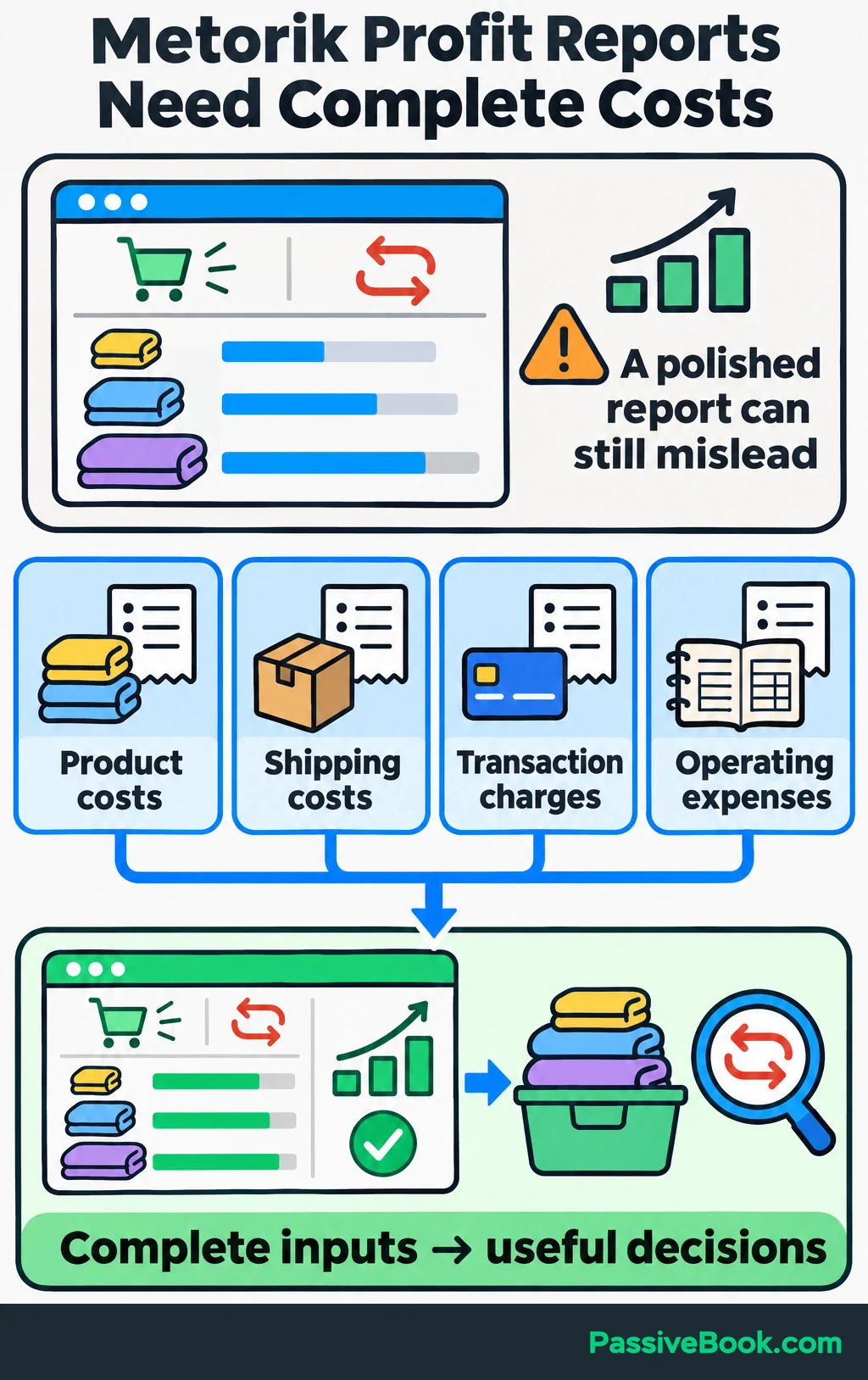
Profit reporting also needs the relevant costs: products, shipping, transaction charges and operating expenses. A polished report can still give you the wrong impression when those inputs are missing.
Watch the pricing step as order volume grows. Metorik uses recent average monthly orders and connected-store allowances, so estimate the subscription using those figures rather than one quiet week.
11. Make: Best for Visual Workflows Across Store Apps
Make is where I would start when a workflow needs to move information between apps and a visual builder makes the logic easier to follow. It has Shopify and WooCommerce connectors, with filters and branches for different outcomes.
Define the complete job before adding modules—the individual steps that read data or perform actions in Make. For the towel shop, suppose you need qualifying paid orders in a packing spreadsheet and an internal notification.
The workflow would be:
- Receive an order event.
- Confirm payment, required shipping details and the products you intend to handle.
- Check whether that order ID is already in the packing sheet.
- Add the order, variants and quantities if it hasn’t been recorded.
- Send a notification with the order ID and a link to the packing record.
- Send missing information or failed steps to a review queue.
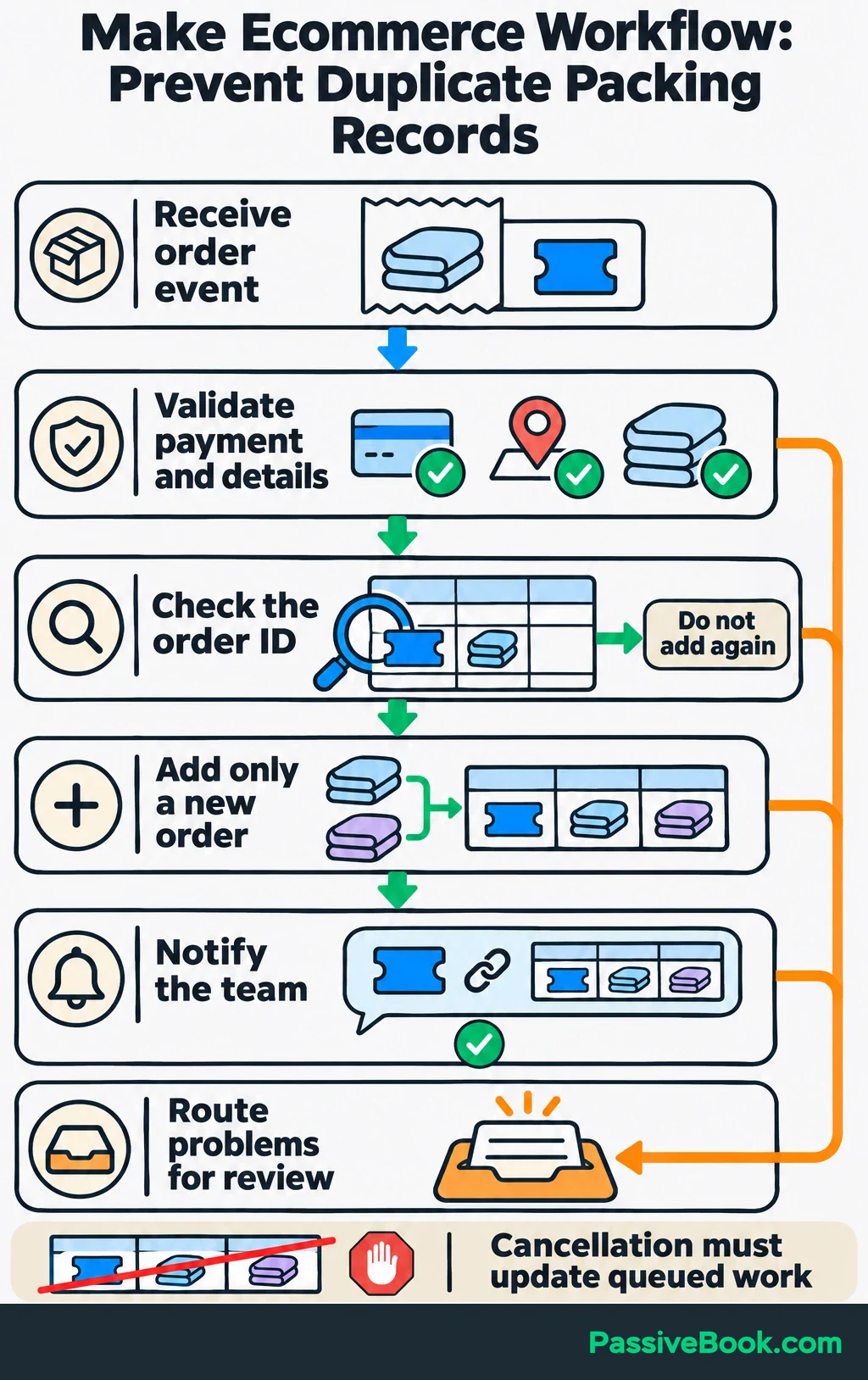
Test a repeated event so you can see whether the order is added twice. Keep cancellation handling clear, too: a packing row shouldn’t remain ready to ship after the order is cancelled.
Make’s credit allowance is not an order allowance. Reading, checking and writing data can involve several module operations for one order. AI steps may use more credits or incur provider charges.
Inspect actual credit use during testing before estimating monthly cost. And skip this workflow if your shipping system already provides the packing queue and notifications you need.
12. Zapier: Best for Straightforward Connections Between Business Apps
I would choose Zapier when its available trigger and actions complete the job with less configuration. The connector’s exact capabilities matter more than the size of its app directory.
Use the same packing workflow to compare it with Make: identify a qualifying paid towel order, add the packing record, and send the internal notification.
Before subscribing, check that the event supplies payment status, variants, quantities and the order ID. You may need to retrieve more information before the workflow can continue.
Shopify is a premium Zapier integration, so its connection requires a paid plan. WooCommerce also brings a separate connector-plugin cost.
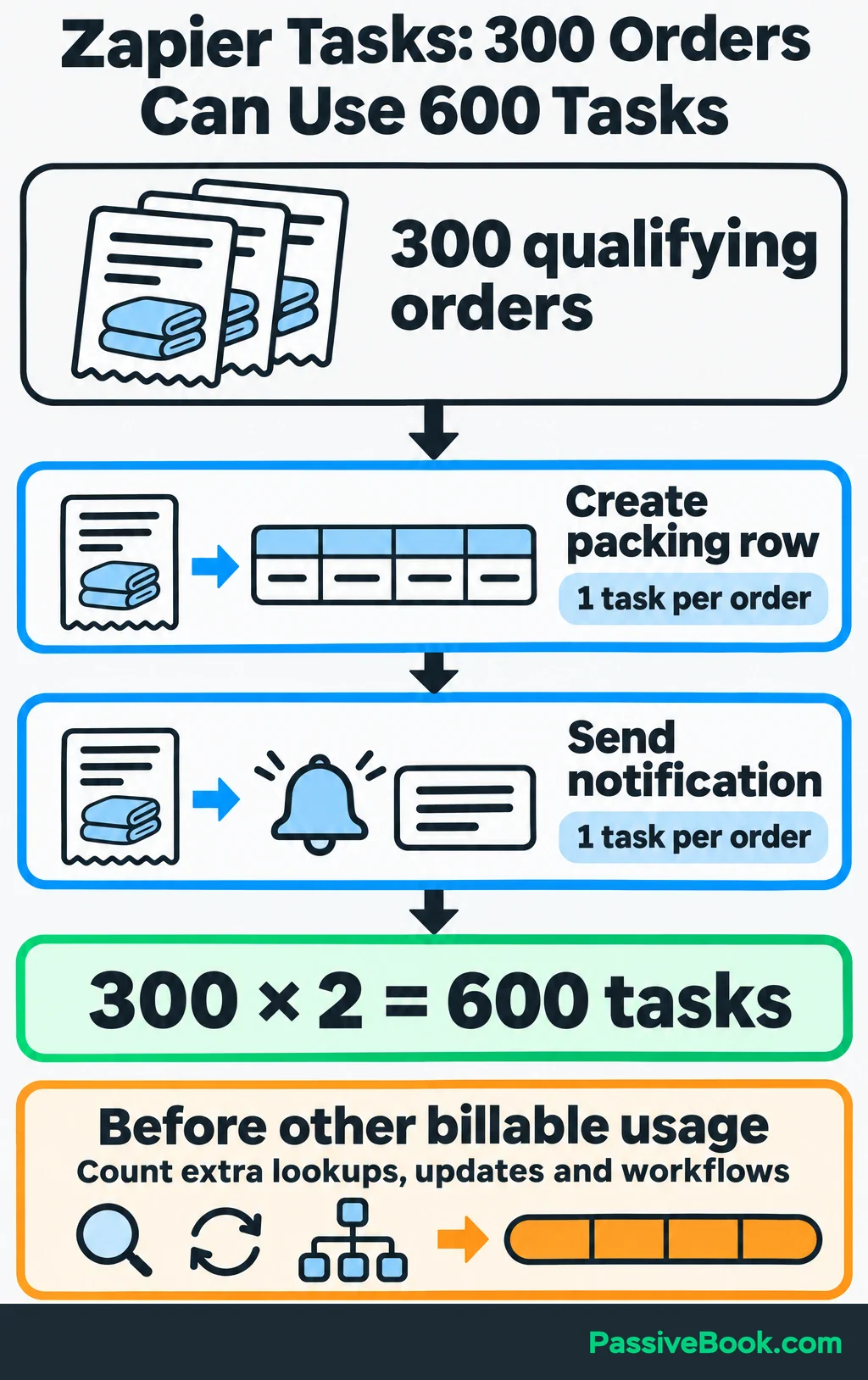
For usage, count successful billable actions. Suppose 300 qualifying orders each reach two ordinary actions that consume one task apiece: creating the spreadsheet row and sending the notification.
That produces 300 × 2 = 600 tasks, before other billable usage. Extra billable lookups, updates and other workflows need their own allowance.
I would accept a higher subscription when it clearly saves setup and upkeep. I wouldn’t pay it simply because Zapier was the first name I recognized.
13. n8n: Best for Custom Workflows and Hosting Control
n8n suits workflows that need more control over data checks, branching and custom connections. Its Shopify and WooCommerce nodes—the building blocks that work with those apps—support order and product operations.
I use n8n to connect tools across broader business automation. One lesson came from a workflow that created another internal record when I ran the same input again. The first run looked fine. The second exposed the missing check.
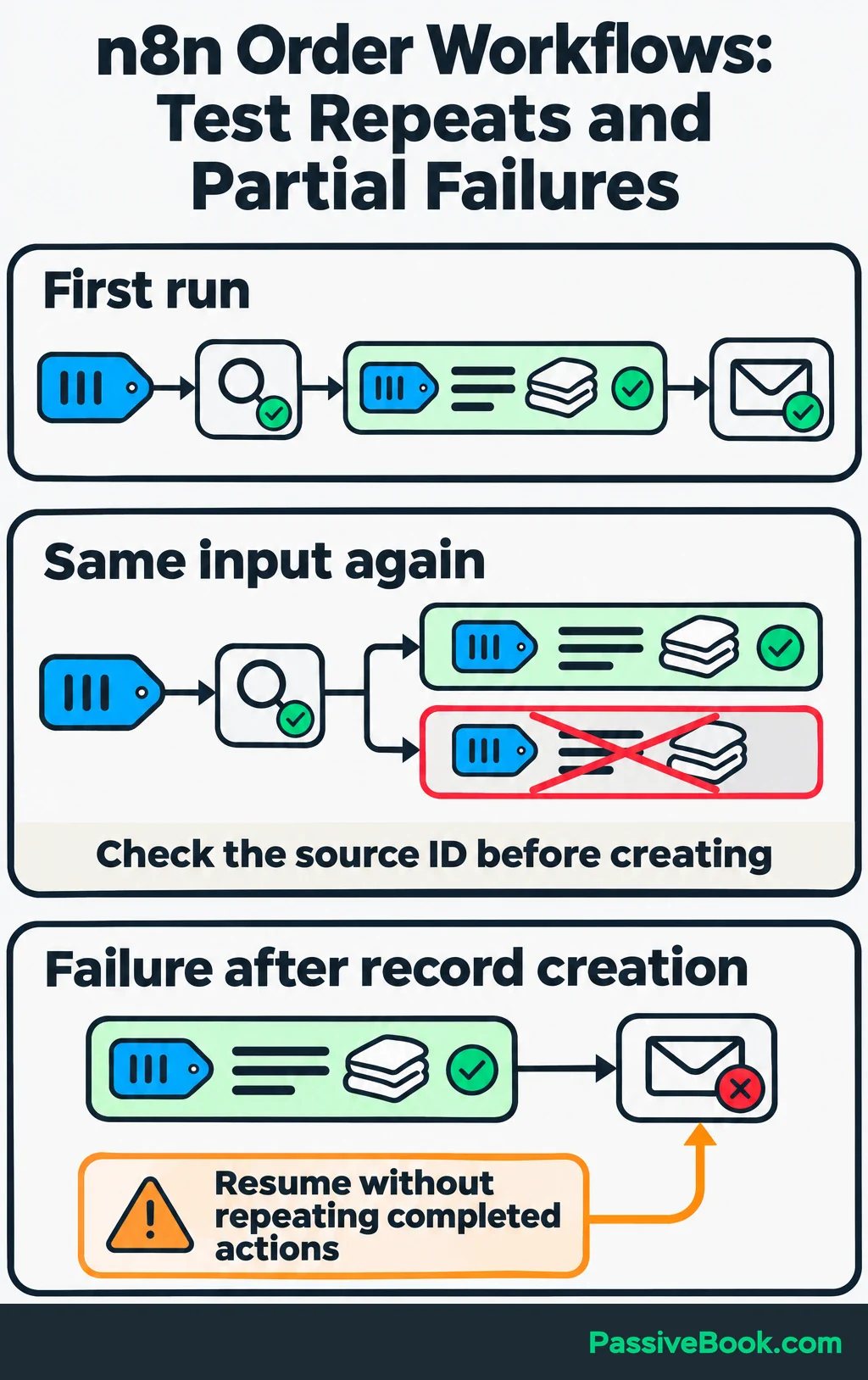
I added a source-ID check before creating the record, and repeated-input testing became part of my setup routine.
Apply that lesson to the same towel-order workflow. Validate the order, check its ID, add the packing record and send the notification. Configure failure alerts and decide how to resume a partly completed run.
When a built-in node lacks an operation, an API request may help. An API is the connection a service provides for software to exchange data, and configuring it can require more technical work.
I like self-hosting for control, but it brings updates, backups and availability into your workload. I would choose managed hosting when maintaining another server costs more attention than the control is worth.
Choose and Trial the Tool That Removes Your Bottleneck
Start with your largest recurring task and check whether something you already pay for can handle it. Add a connector when the workflow needs to cross applications.
For the towel shop, repeated stock mismatches point toward inventory work. Hours spent preparing labels point toward shipping. Neither problem gets solved by a more elaborate welcome email.
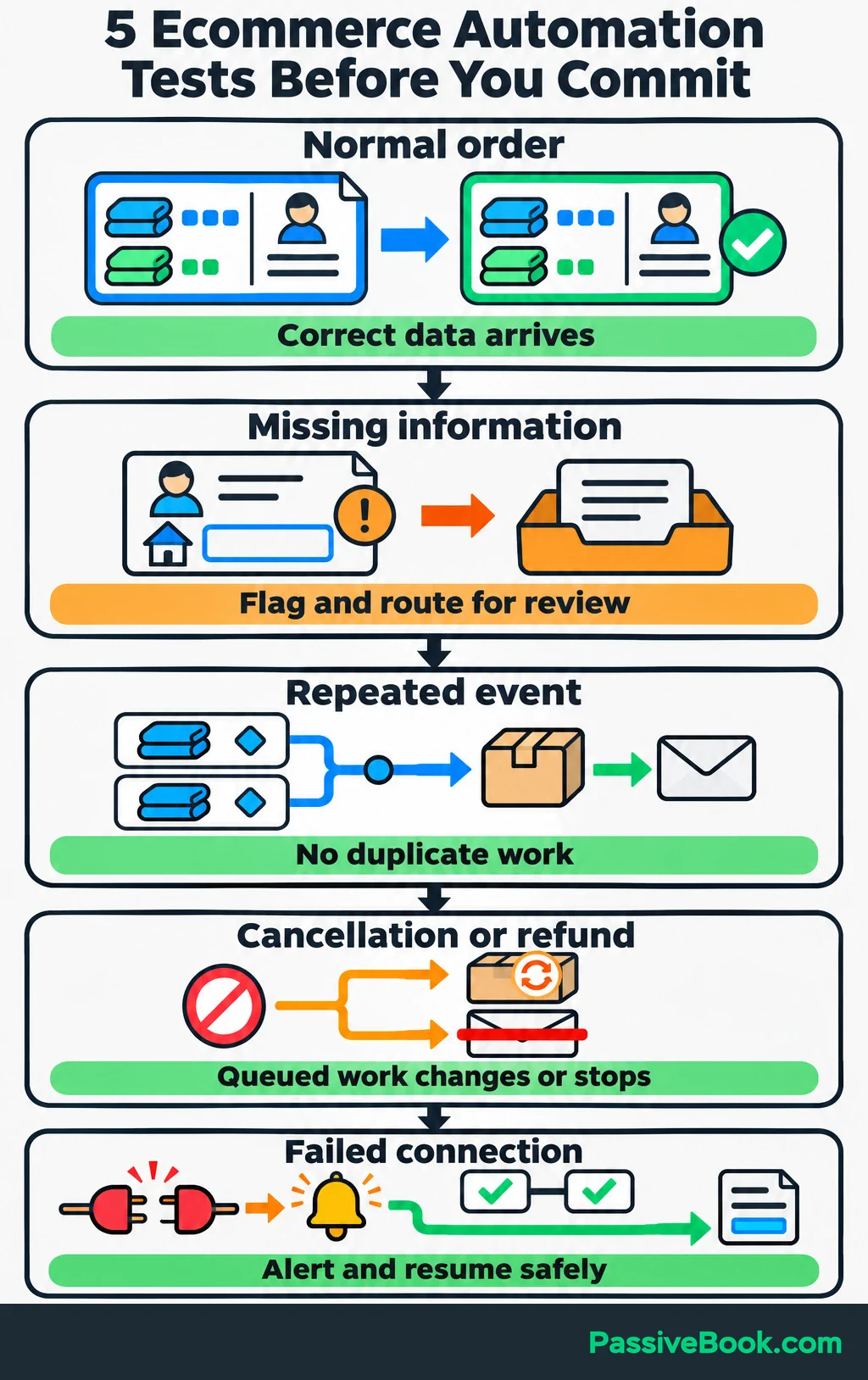
During the trial, test outcomes you can inspect:
| Test | What You Should Confirm |
|---|---|
| A normal order | The correct variants, quantities and customer details reach the intended destination |
| Missing information | The workflow flags the problem and sends it for review |
| A repeated event | The same order doesn’t create another packing record or repeated message |
| A cancellation or refund | Relevant queued work changes or stops |
| A failed connection | You receive an alert and can resume without repeating completed actions |
Give one system responsibility for each action. Choose which tool updates stock and which sends cart reminders. Overlapping tools make it harder to explain why something happened.
Also confirm how to pause the workflow and finish the work manually. Keep those instructions short enough to use while dealing with an actual problem.
For customer messages, apply the consent and unsubscribe rules governing your markets. Carry those choices into the connected tools so an imported contact doesn’t quietly enter the wrong sequence.
Use fixed rules for predictable actions, such as applying a package preset. AI can help interpret a question or draft a response, but I would keep human review for consequential refunds and unusual order decisions.
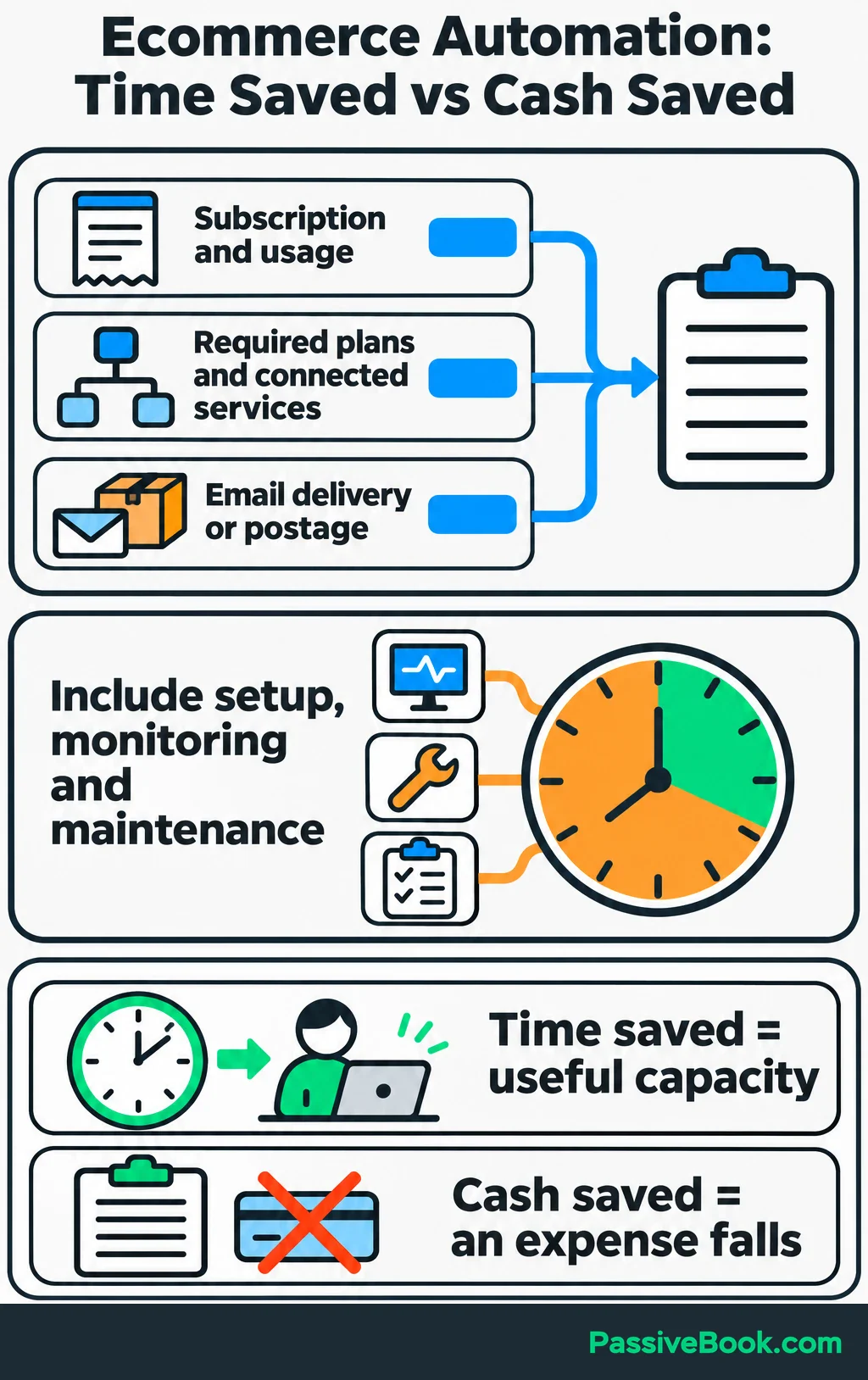
Then compare the full cost with the time recovered. Include monitoring and maintenance in that calculation. If you recover an hour of your own time, that is useful capacity; it becomes cash savings only when an expense actually falls.
Put your trial results into a time-and-cost check before committing to a plan. Include the review, corrections and upkeep the workflow still needs.
Free Automation Value Calculator




Before committing for longer, check:
- Export options for the data and workflow settings you need.
- Cancellation and renewal terms.
- Usage charges at a busier order volume.
- Who will maintain connections and investigate failures.
Buy the tool that removes the bottleneck you can name. Leave room to add the next one when the work earns it.
What Next?
Write down one task you repeated this week, including its trigger, conditions and intended action. Use that note to choose one tool from the comparison and test one workflow.
Use the social buttons to share this shortlist when your next tool discussion needs a clearer starting point than another app directory.
Which recurring store task would you most like to hand over, and what would make you trust the automation? Leave your answer, along with any other questions, in the comments.
Share this post with your friends & followers:

