Your next product launch needs descriptions, cleaner photos, customer replies, and a decision about how much stock to order. AI tools promise help with all four, but choosing and checking them can become another job.
A fast draft saves little if you spend longer correcting it. An instant customer reply can create more work if it promises something your store cannot deliver. The examples and tool comparisons below help you weigh that extra work against the time AI could save, so you can choose a useful starting point without changing your whole operation.
What Can AI Do for an Ecommerce Store?
AI can help you write listings, edit photos, answer routine questions, suggest products, draft emails, and compare stock orders or pricing options. Those benefits matter when they reduce your total work or improve the customer experience after you include checking and corrections.
Three different things often get sold under the same AI label:
| Approach | What it does | Store example |
|---|---|---|
| Generative AI | Creates text or images from instructions and supplied information | Drafts a description from a product record |
| Predictive AI | Uses past data to estimate likely outcomes | Estimates demand from sales history |
| Automation | Moves information and carries out steps according to rules | Sends an approved email after an order |
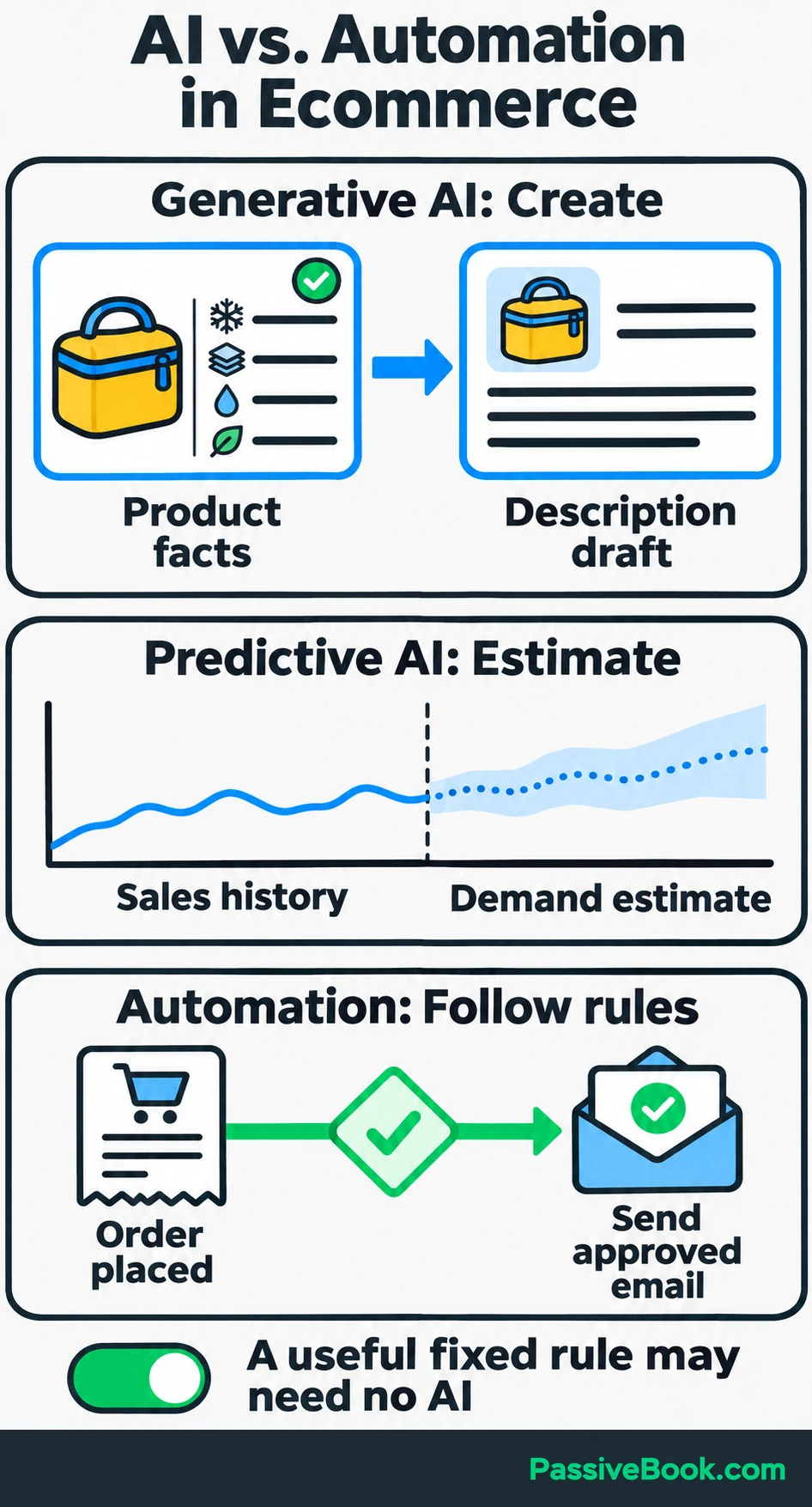
They can work together, but a scheduled email or fixed low-stock alert does not need AI. I would keep a simple rule when it already does the job.
The examples below follow a store selling insulated lunch bags and compatible ice packs. Its scenarios and figures are illustrations, not measured results.
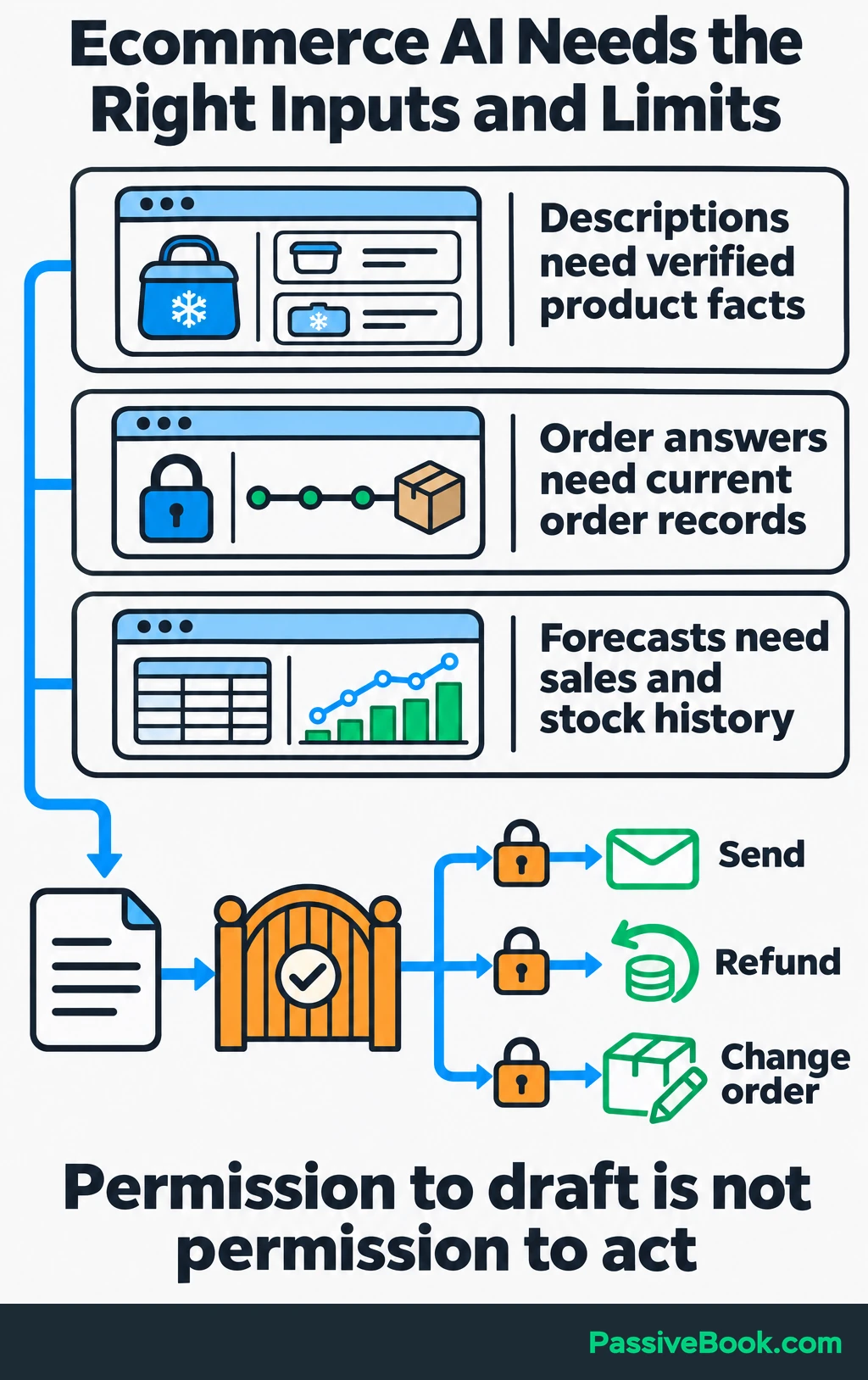
Each task needs different information. Descriptions need verified product facts. Order answers need current order records. Inventory forecasts need sales and stock history.
Each task also needs a clear boundary. Permission to draft a reply should not automatically include permission to send it, issue a refund, or change an order.
You can begin by supplying information manually. You do not need to connect your whole store before finding out whether one task gets easier.
Practical AI Uses and Tools for Ecommerce Stores
Choose a tool for a job you already need done. A writing assistant and an inventory planner solve different problems, so comparing them as competing “best AI tools” tells you very little.
Draft Product Descriptions From Verified Specifications
Give the assistant a product record, the intended use, your writing style, and the format you need. Keep missing details visible so they do not get filled with confident guesses.
For the lunch bag, a useful starting prompt is:
Write a product description of up to 80 words using only these facts: insulated lunch bag, 8-litre capacity, zip closure, ice pack sold separately. Use plain, friendly language. Do not infer materials, dimensions, cleaning instructions, or cooling duration. List missing information separately from the description.
A suitable excerpt might read:
An 8-litre insulated lunch bag with a zip closure. Ice packs are sold separately.
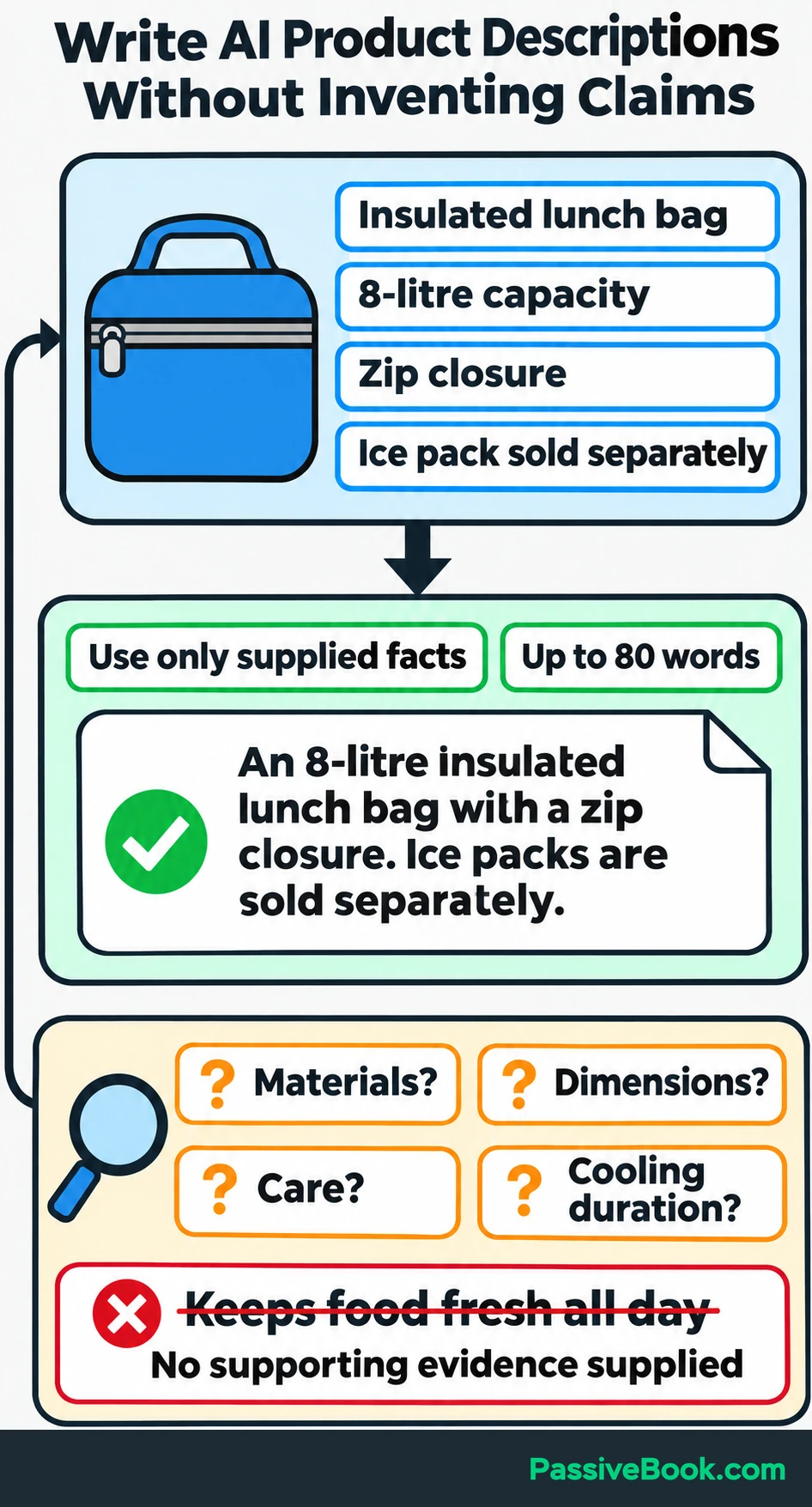
That sounds less exciting than “keeps food fresh all day,” but you have not supplied evidence for an all-day claim.
Check materials, measurements, accessories, care instructions, and performance claims against the original record before publishing.
If you want to try this with your own products, AI Ecommerce Copy Studio gives you a draft and shows which supplied facts it used. You can test one writing task without connecting your store or changing your publishing process.
Free AI Ecommerce Copy Studio




I use Claude for long-form writing and content strategy, so I would try it for this kind of controlled drafting too. Its free plan gives you a way to test the task before adding a subscription.
If you use Shopify, try Sidekick first. It can help write product copy and is included with Shopify plans, though features and usage allowances vary.
Measure time per approved listing. The draft is an intermediate step; the checked listing is the result you need.
Edit Product Photos While Preserving Product Details
Start with a clear photograph of the actual item. Use AI to improve the setting or remove distractions, then compare the edited version with the original.
Canva’s AI photo editor offers background removal and prompted edits, so it is worth trying if you already use Canva for store graphics. Check that your plan includes the specific feature you need before paying for an upgrade.
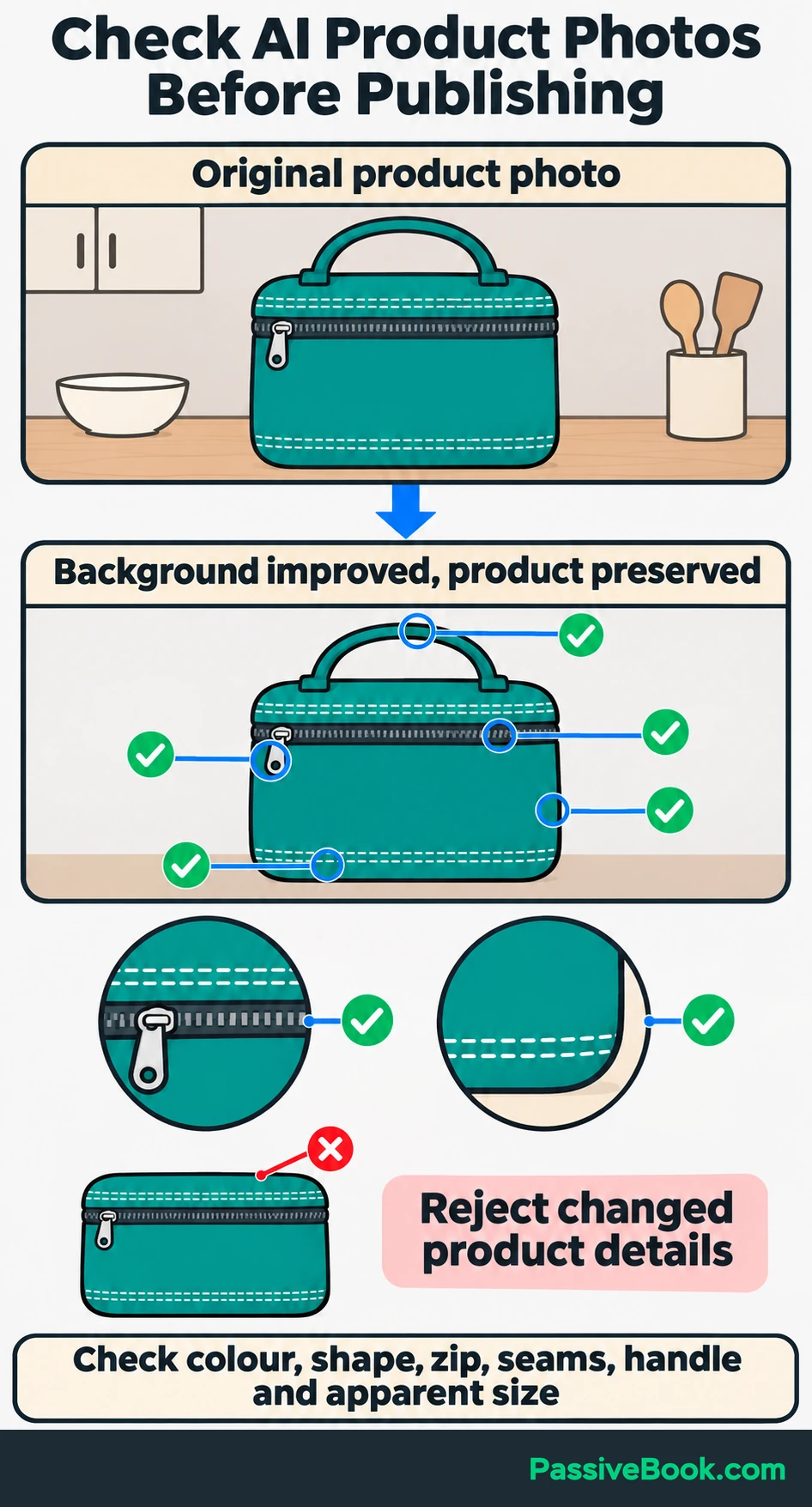
For the lunch-bag store, you could replace a cluttered kitchen background with a plain surface. The bag’s colour, shape, zip, seams, and apparent size should remain accurate.
Inspect the edges and small details closely. A tidy image that quietly removes a handle is an image of a different product.
I would keep accurate product photos as the main listing images and use edited settings only when they still show what the buyer receives. Avoid adding an ice pack beside the bag unless the image makes clear that it is sold separately.
Compare editing time per approved image with your existing process. Include rejected edits because they took your time too.
Answer Routine Customer Questions
Begin with questions whose answers exist in an approved care guide or policy. Give the assistant that information and a clear route to a person when the answer is missing or the situation needs judgment.
For example, it could answer a lunch-bag cleaning question from the care guide. A complaint about a damaged delivery should reach a person who can assess the problem and approve the remedy.
Order-specific answers need authenticated access to current order information. A general writing assistant cannot know where a parcel is because you pasted your shipping policy into a chat.
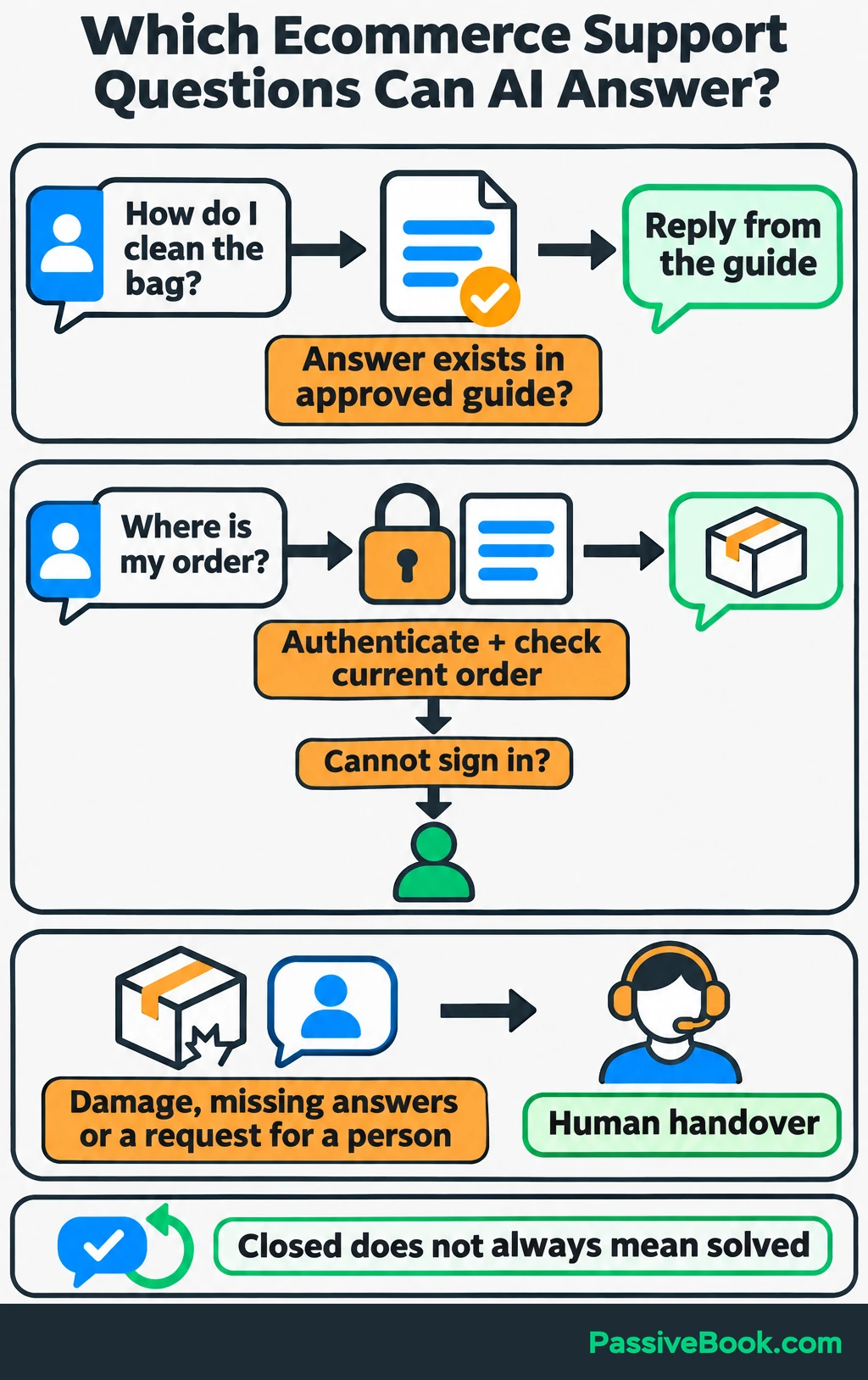
Gorgias AI Agent is worth considering when repetitive support takes enough time to justify a dedicated helpdesk. Its chat documentation describes store knowledge, customer authentication, and human handover. That AI chat feature requires a connected Shopify store, so check feature compatibility rather than relying on a general integration badge.
Test what happens when a customer asks for a person, reports damage, or cannot sign in. Check the message customers receive outside your support hours too.
Track correct resolutions, reopened conversations, customer feedback, and staff time. A closed conversation is not proof of a solved problem.
Include both helpdesk and AI costs. Gorgias’s billing guidance explains that an automated resolution can incur a ticket fee plus an additional AI fee.
Help Shoppers Find Suitable Products
Search helps shoppers find what they ask for. Recommendations suggest other items that may suit them. Both depend on useful catalogue information.
Prepare consistent attributes such as capacity, internal dimensions, colour, compatibility, and availability. Behaviour-based recommendations also need shopper interaction data.
For the lunch-bag store, a search for “8-litre lunch bag” should return products with that verified capacity. An ice-pack recommendation should respect the bag’s internal dimensions. “Frequently bought together” is not a substitute for checking that the items fit.
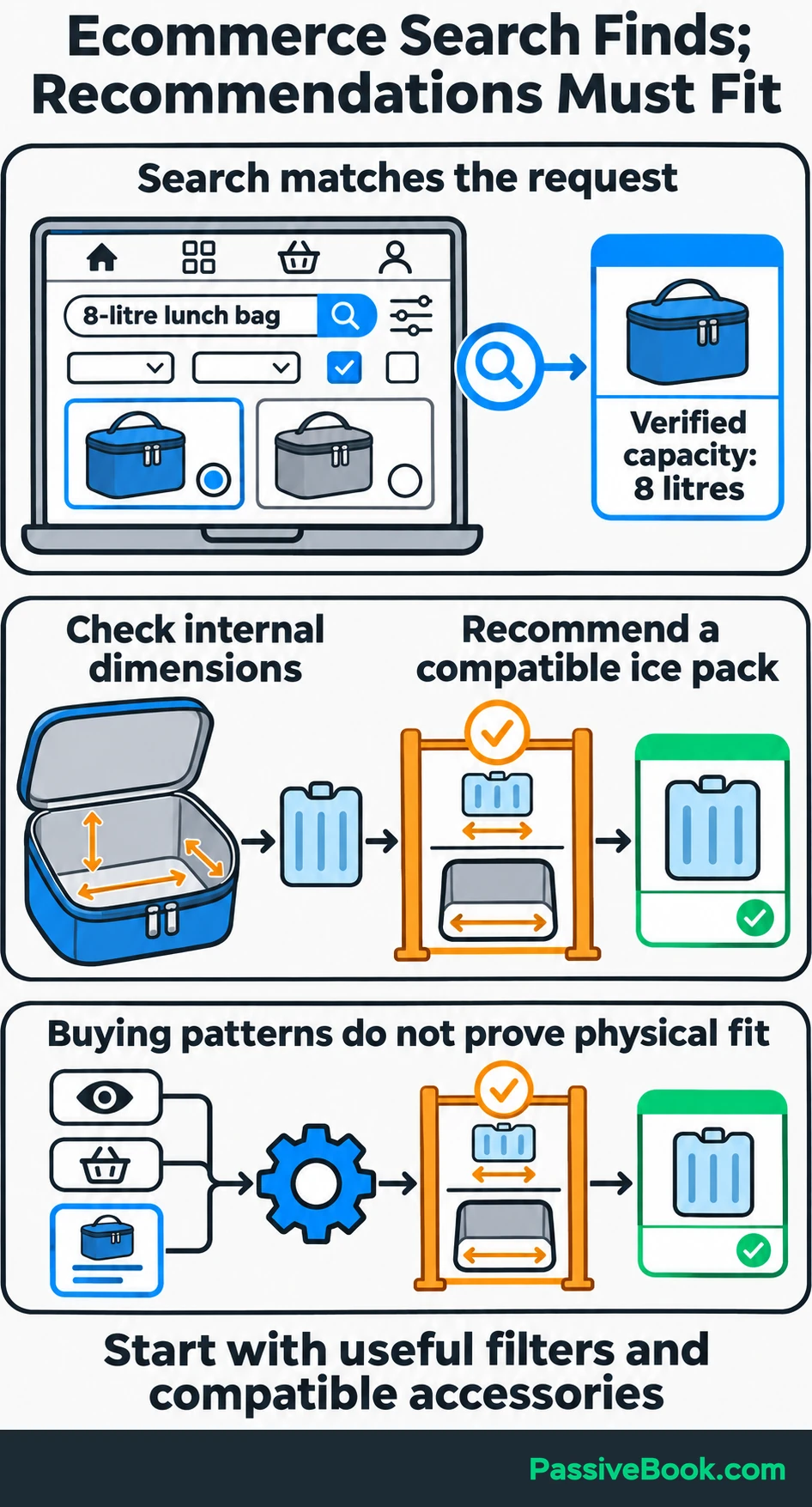
Algolia’s recommendation engine uses catalogue content and behavioural signals such as views and purchases. Consider a specialist like this when product discovery is a meaningful problem and you can support the data collection and implementation.
For a small catalogue, I would first improve filters and manually select compatible accessories. You may solve the problem without another subscription.
Judge the result by whether shoppers find suitable items and complete purchases. Also check how much each order leaves after product, packing, fulfilment, and payment costs. More clicks on recommendations are useful only when they lead somewhere worthwhile.
Create More Relevant Email Campaigns
Choose the audience and purpose before asking AI to write. Supply the relevant products, approved facts, genuine offer, and customer questions.
Then let your email platform control who receives the message and when it goes out. AI drafting and email delivery are separate jobs.
For the lunch-bag store, you could draft:
- A post-purchase email explaining care instructions from the approved guide.
- A separate email suggesting an ice pack that fits the purchased bag.
- A follow-up answering a recurring question about using the bag.
Exclude customers who already bought the suggested accessory. Check that the item is available before sending the recommendation.
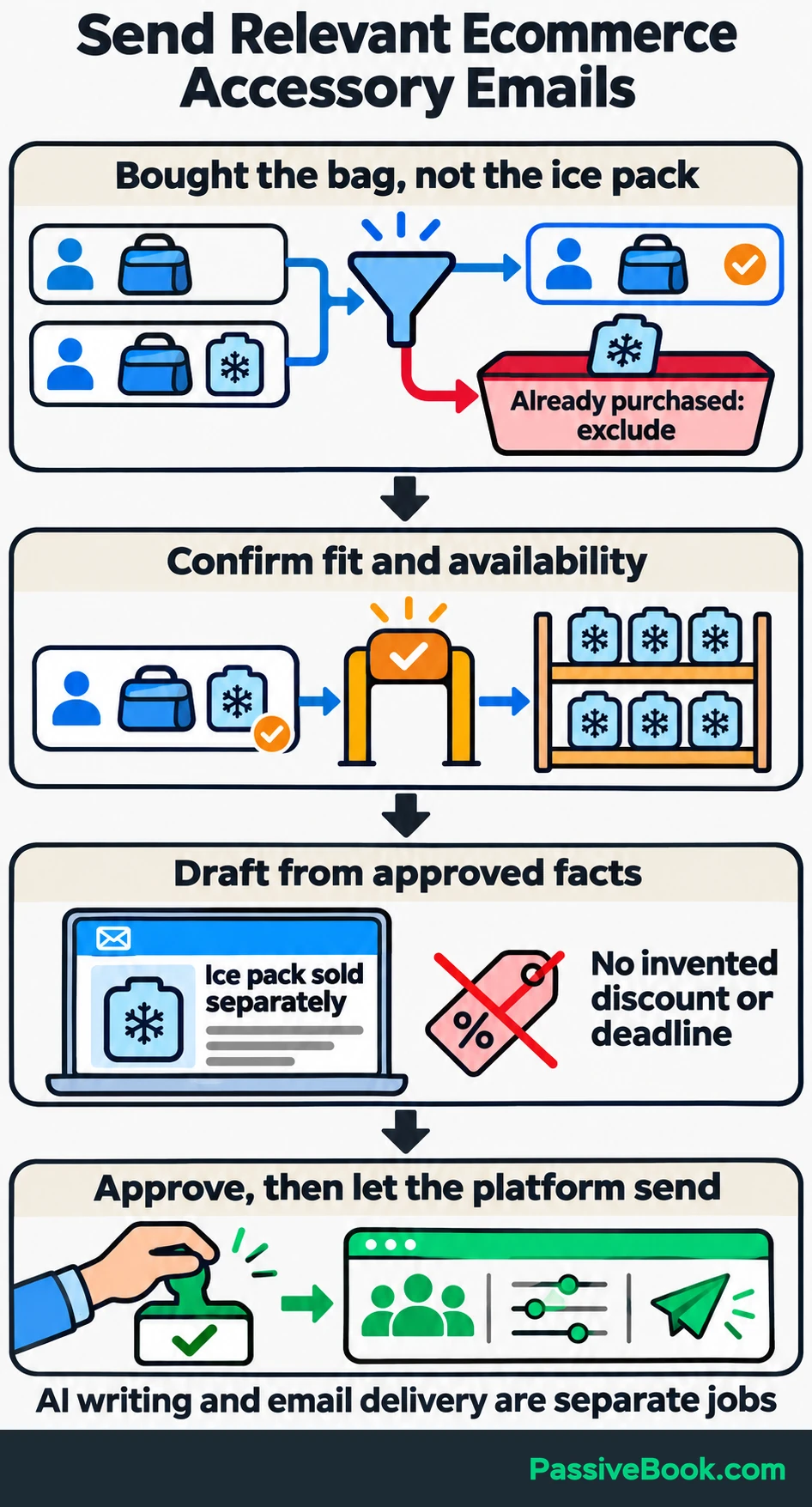
A useful drafting instruction would be:
Write a short accessory email for customers who bought this lunch bag but no ice pack. Use the attached compatibility record. State that the ice pack is sold separately. Do not invent a discount or deadline.
Reuse your writing assistant rather than buying another one for email. If you already use Klaviyo, its subject-line assistant can suggest options within your existing workflow.
I use FluentCRM for email on my WordPress setup, so I would keep that sending system and draft elsewhere before switching platforms for an AI writing feature.
Measure drafting time separately from campaign results. For performance, compare purchases per recipient and the money left per recipient after product, packing, fulfilment, payment, and campaign costs. Track unsubscribes too.
Support Inventory Purchasing Decisions
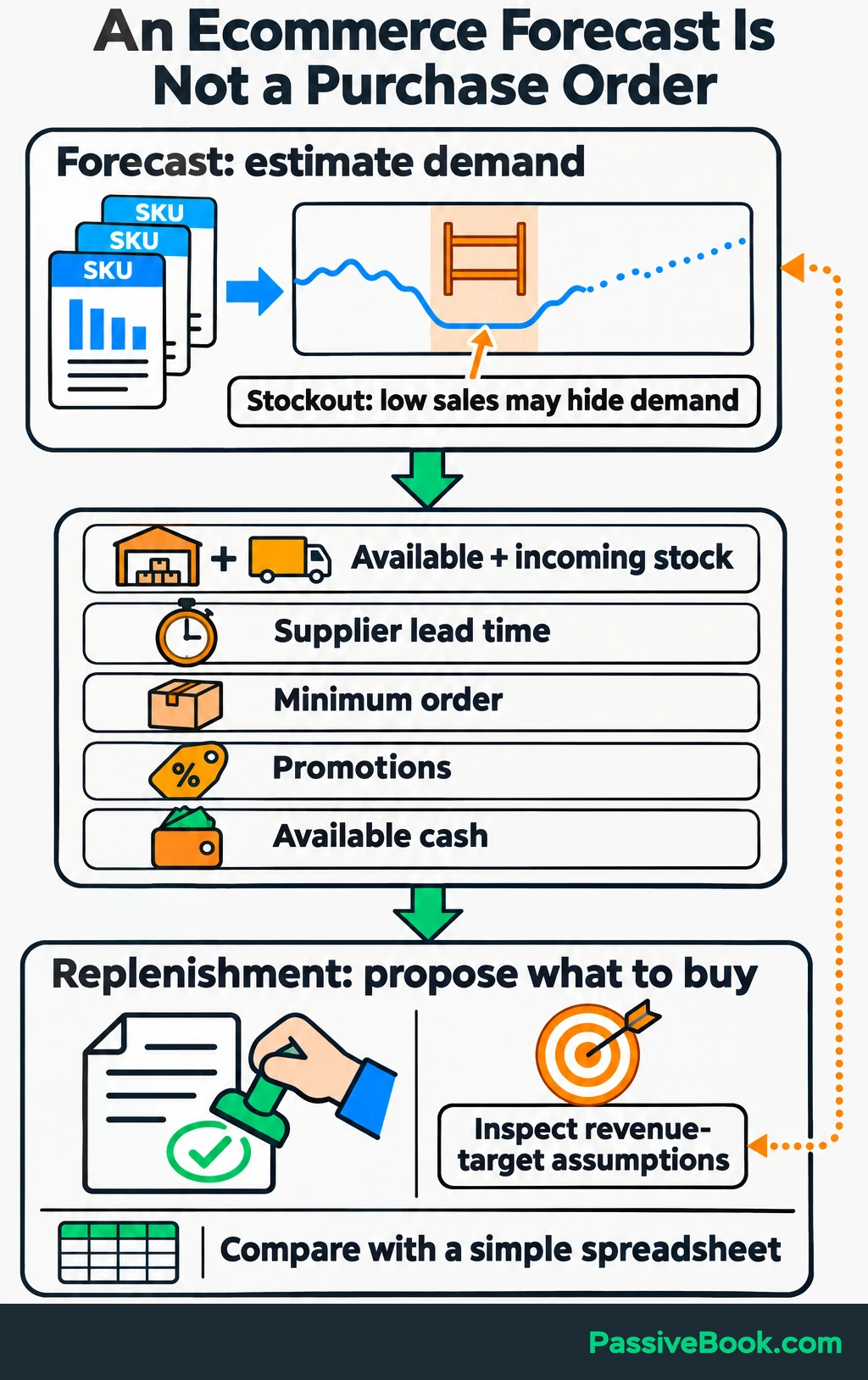
Forecasting estimates demand. Replenishment planning turns that estimate into a proposed purchase. You need both sales information and the practical limits on buying stock.
Useful inputs include:
- Sales by stock-keeping unit, or SKU: the code for each product or variant.
- Stock available and stock already ordered.
- Supplier lead times and minimum order quantities.
- Planned promotions and known seasonal changes.
- Cash available for purchasing.
My jewellery store taught me how expensive weak purchasing decisions can be. Around 2013–2014, I invested roughly US$1,200, skipped market research, and ended up with unsold inventory. I lost most of the investment.
I would not claim AI would have prevented that loss. I had not established enough demand to justify the stock in the first place.
Prediko is an option for Shopify inventory planning, but inspect the assumptions behind its suggestions. Its Smart Model documentation explains that it uses sales history and scales the forecast to a revenue target supplied by the merchant. An ambitious target can therefore influence the purchasing plan.
For the lunch-bag store, compare a proposed reorder with recent demand, incoming stock, supplier lead time, and available cash. Also check periods when products were unavailable: low sales during a stockout do not show low demand.
I would compare the tool with a simple replenishment spreadsheet before trusting a more complex plan. Track stockout days, excess stock, and purchasing time.
Compare Prices and Promotions
AI can organize pricing scenarios, but give it the actual costs and verify its arithmetic in a spreadsheet.
Count the money left from each order after costs that change with that order, such as the product, packing, fulfilment, and payment fees. This is the order’s contribution toward fixed costs and profit.
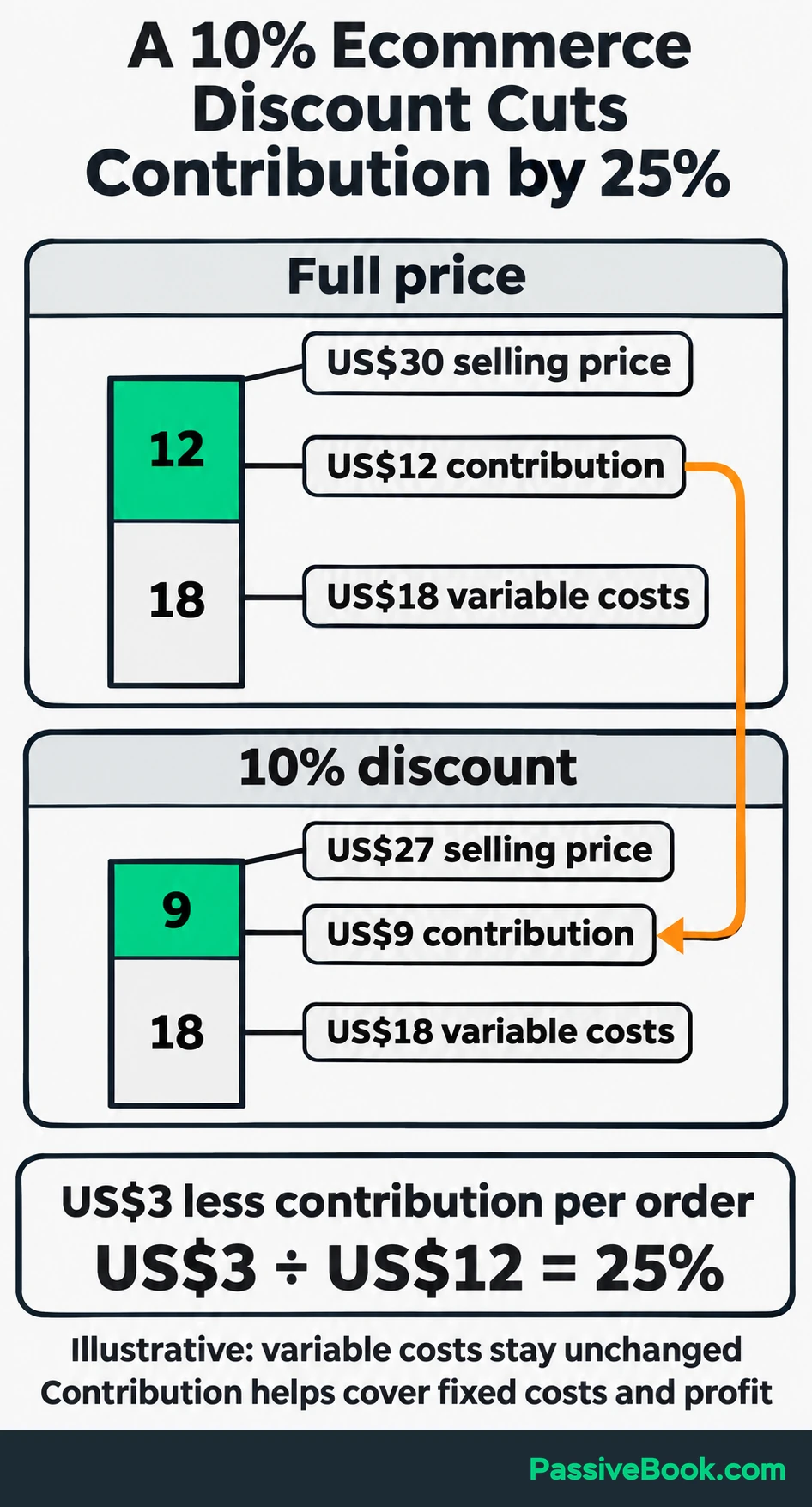
Here is an illustrative comparison for the lunch-bag store. Assume variable costs remain at US$18 per order under both prices.
| Item | Full price | With a 10% discount |
|---|---|---|
| Selling price | US$30 | US$27 |
| Variable costs per order | US$18 | US$18 |
| Contribution per order | US$12 | US$9 |
| Orders needed to reach at least US$1,200 contribution | 100 | 134 |
The discount reduces contribution by a quarter. You need 134 discounted orders to exceed the contribution from 100 full-price orders under these assumptions.
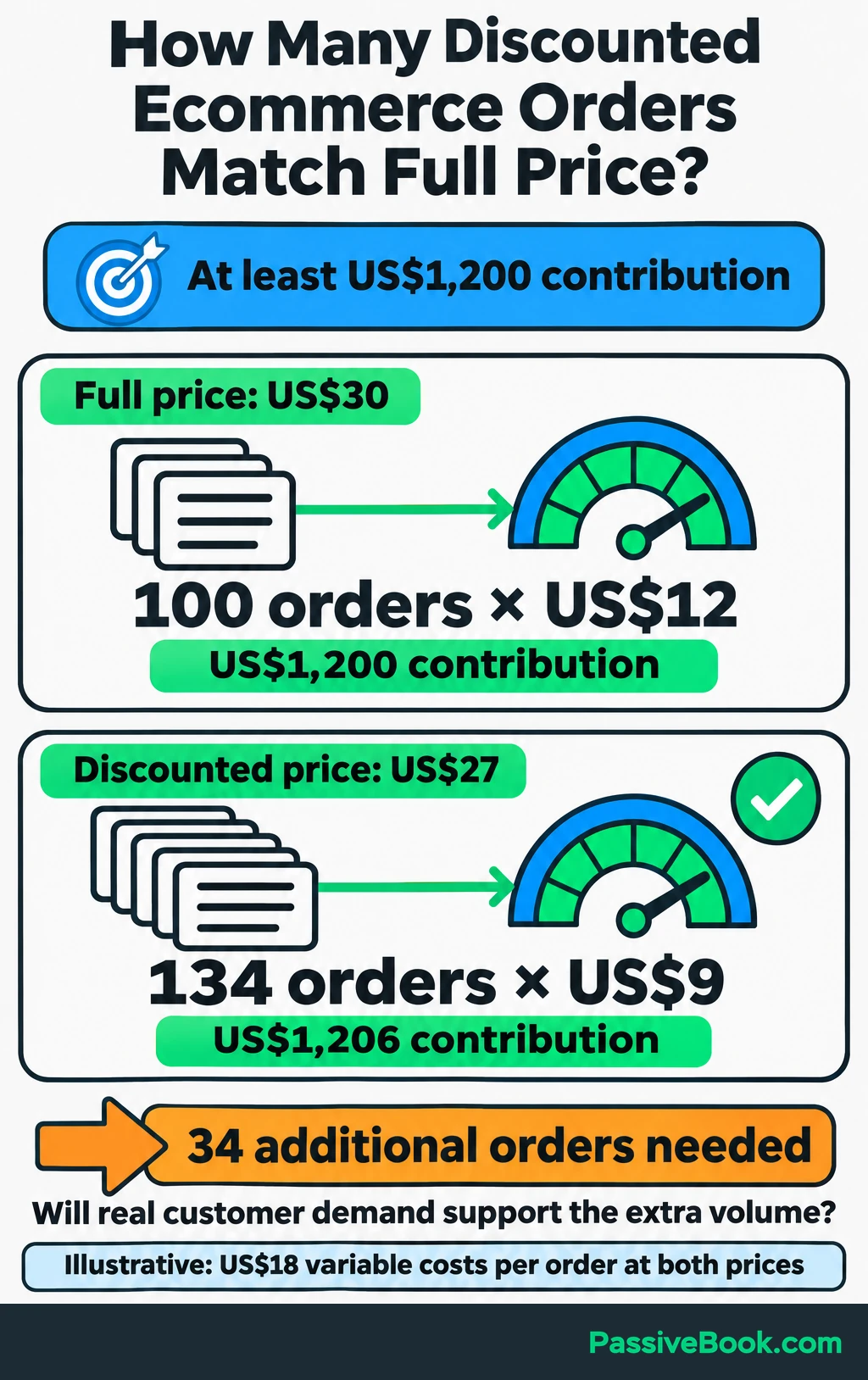
That does not make the offer bad. It tells you how much extra volume it needs.
Use observed customer response to judge the promotion. An assistant’s suggested price does not establish demand.
Keep live price changes under approval. Also distinguish a model predicting customer response from a repricing rule that simply follows a competitor’s price. Automatic does not necessarily mean predictive.
How to Choose an AI Tool for Your Store
Choose the workflow before the subscription. I would test an included platform feature or an existing assistant first, then add a specialist when the current setup cannot handle the job economically.
Compare alternatives using the same product records, questions, or planning period. Otherwise, you are comparing demonstrations chosen to make each tool look good.
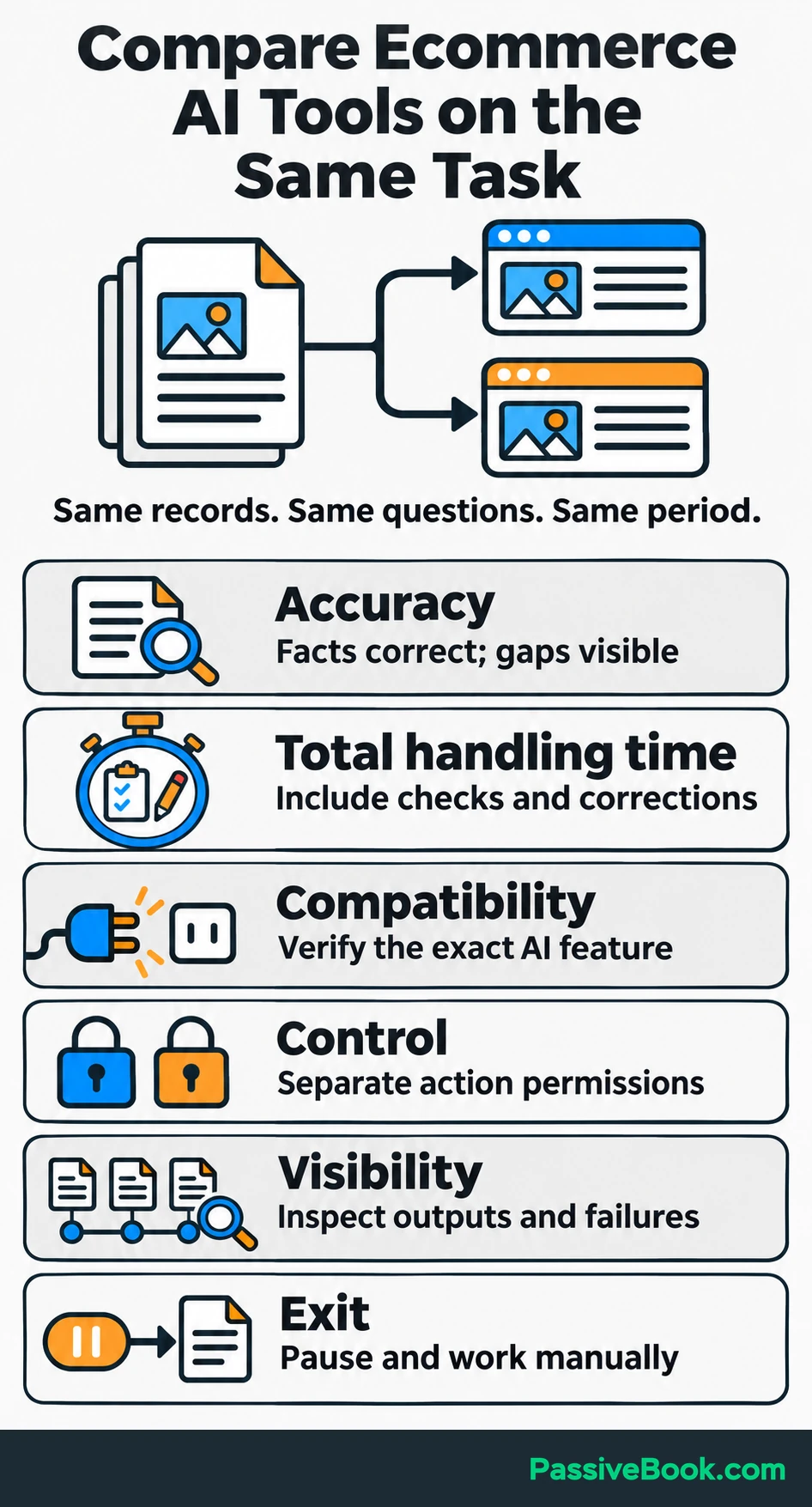
Use a small scorecard:
| Check | What to look for |
|---|---|
| Accuracy | Correct facts and clear identification of missing information |
| Total handling time | Preparation, checking, corrections, and manual transfers |
| Store compatibility | Support for your platform in the specific AI feature you need |
| Control | Separate permissions for drafting, sending, refunds, and other changes |
| Visibility | Accessible output history and a way to inspect failures |
| Exit | A pause control and a workable manual process |
Ask for evidence of the exact feature you plan to use. A helpdesk might connect to your store while its AI agent supports fewer platforms.
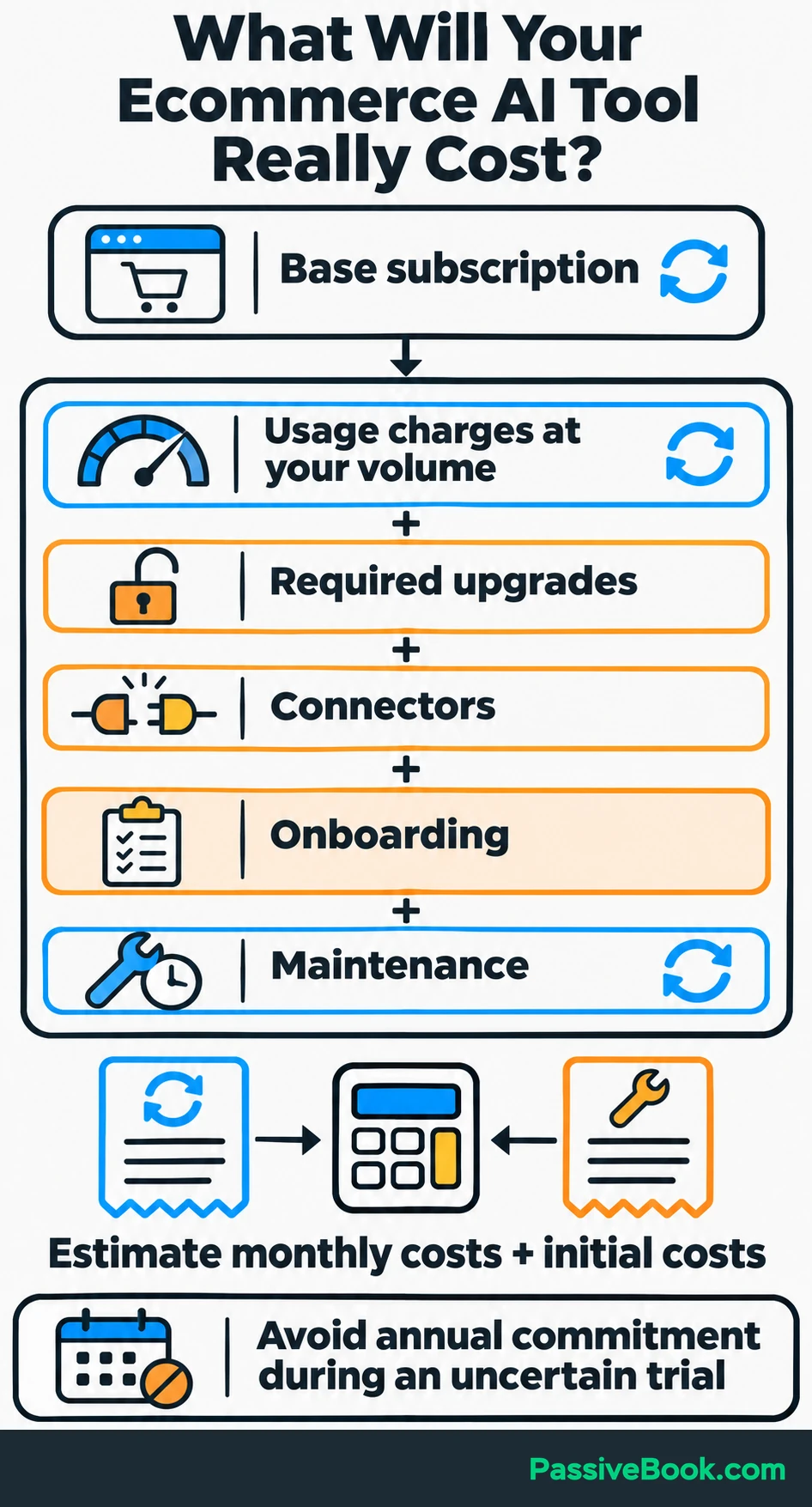
Then calculate the likely monthly bill at your volume. Include subscription fees, usage charges, required upgrades, connectors, onboarding, and maintenance. A cheap base plan can become expensive once every step generates another charge.
I would skip annual billing during an uncertain trial. Paying less per month is poor compensation for keeping a tool you stopped using.
You also do not need to move your store to get started. A writing or image-editing trial can happen outside the platform while you keep publishing under your own control.
How to Start With One AI Workflow
Choose a Recurring Task and Define Success
List the tasks you repeat, how often they occur, how long they take, and what happens when they go wrong.
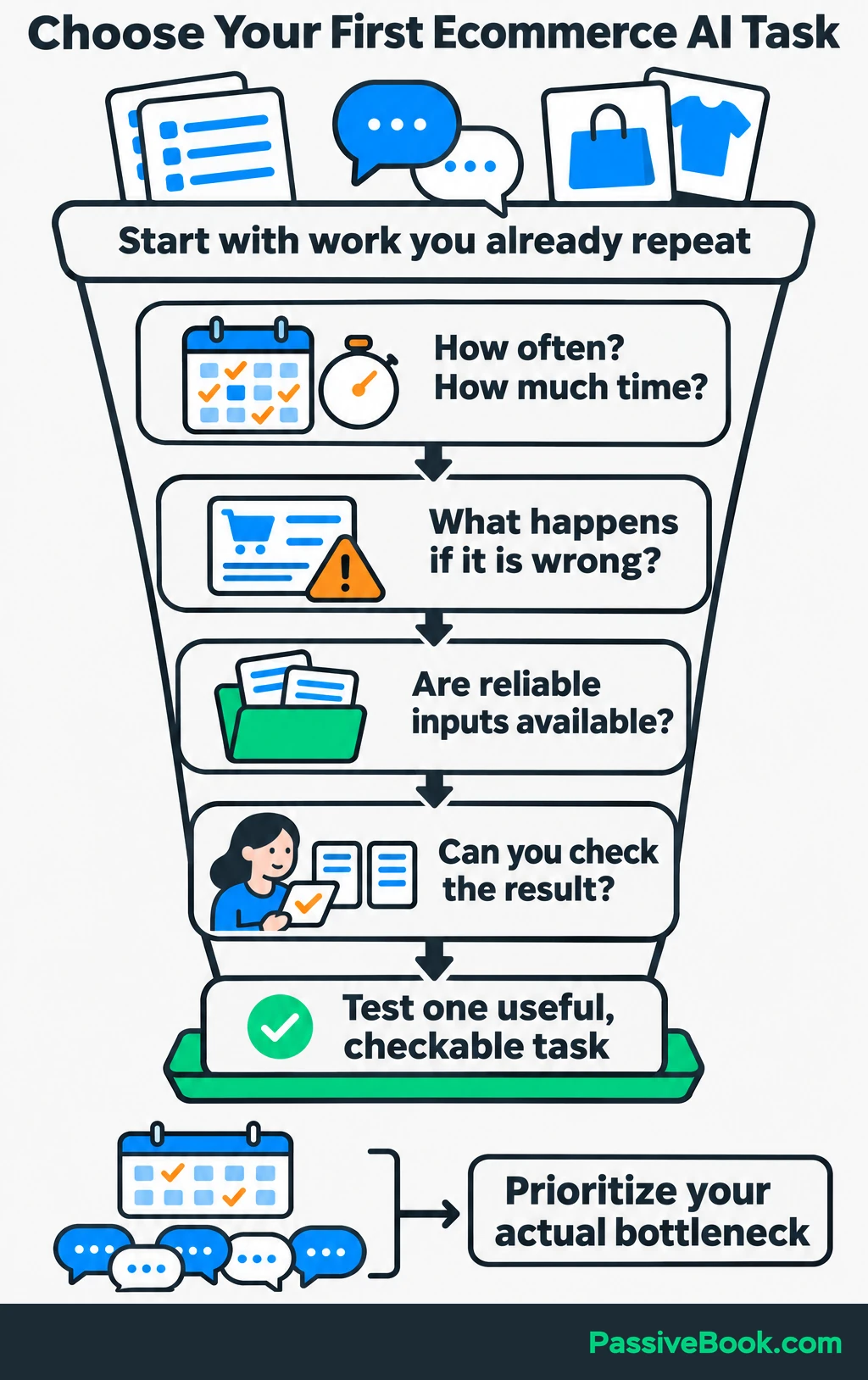
Choose one with accessible inputs and a result you can check. Product-description drafts are a reasonable starting point when writing listings actually delays your work. They are a poor choice if you publish two new products a year and spend every evening answering support emails.
For the lunch-bag store, the trial might cover a batch of new listings. Record the current time needed to produce an approved listing, including fact-checking.
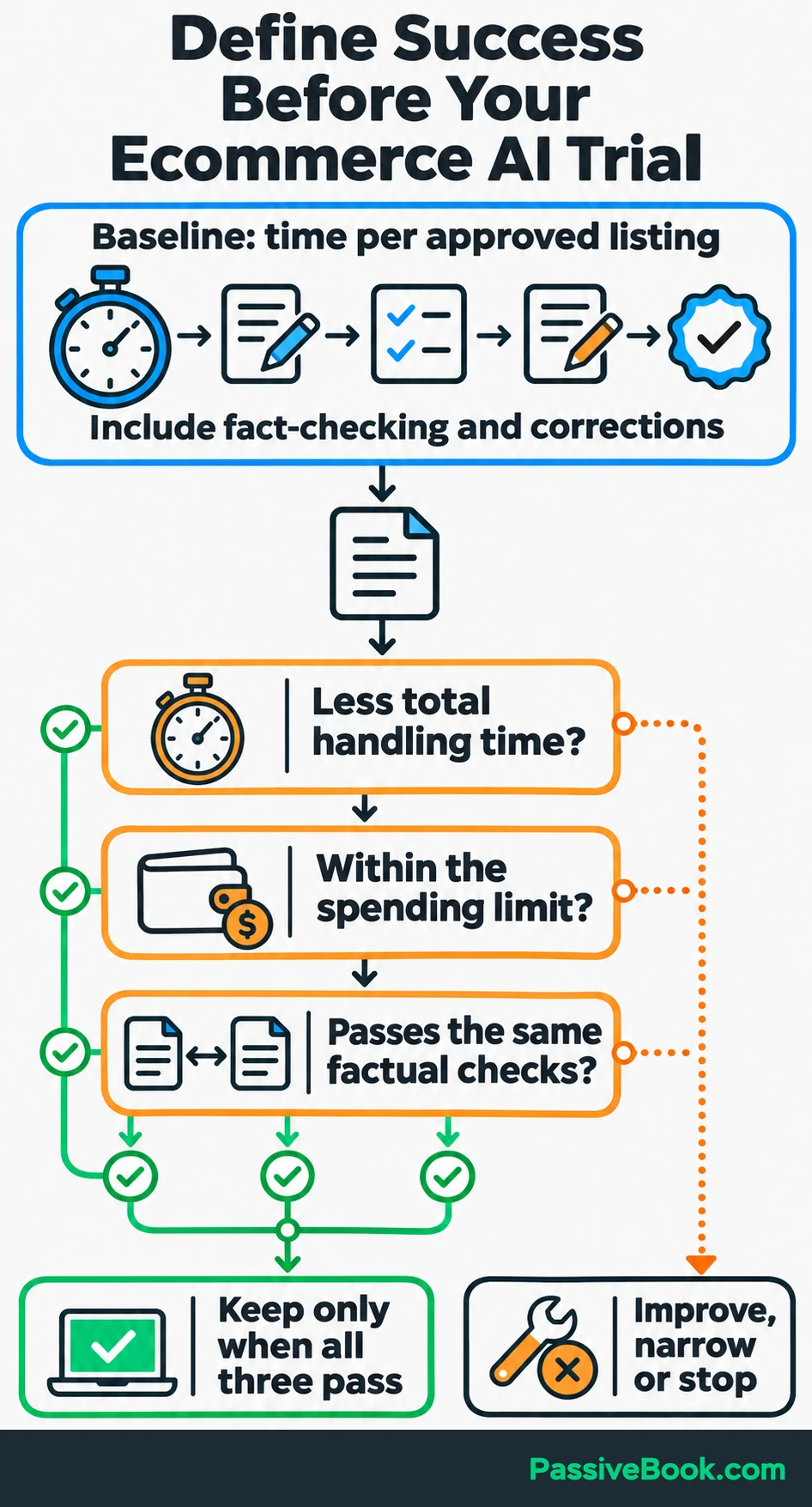
Set the continuation rule before testing:
Keep the workflow if it reduces total handling time, stays within the spending limit, and produces listings that pass the same factual checks as the current process.
That gives you a decision to make at the end. “The drafts sound good” leaves too much room for an unused subscription.
Prepare the Inputs and Test Difficult Cases
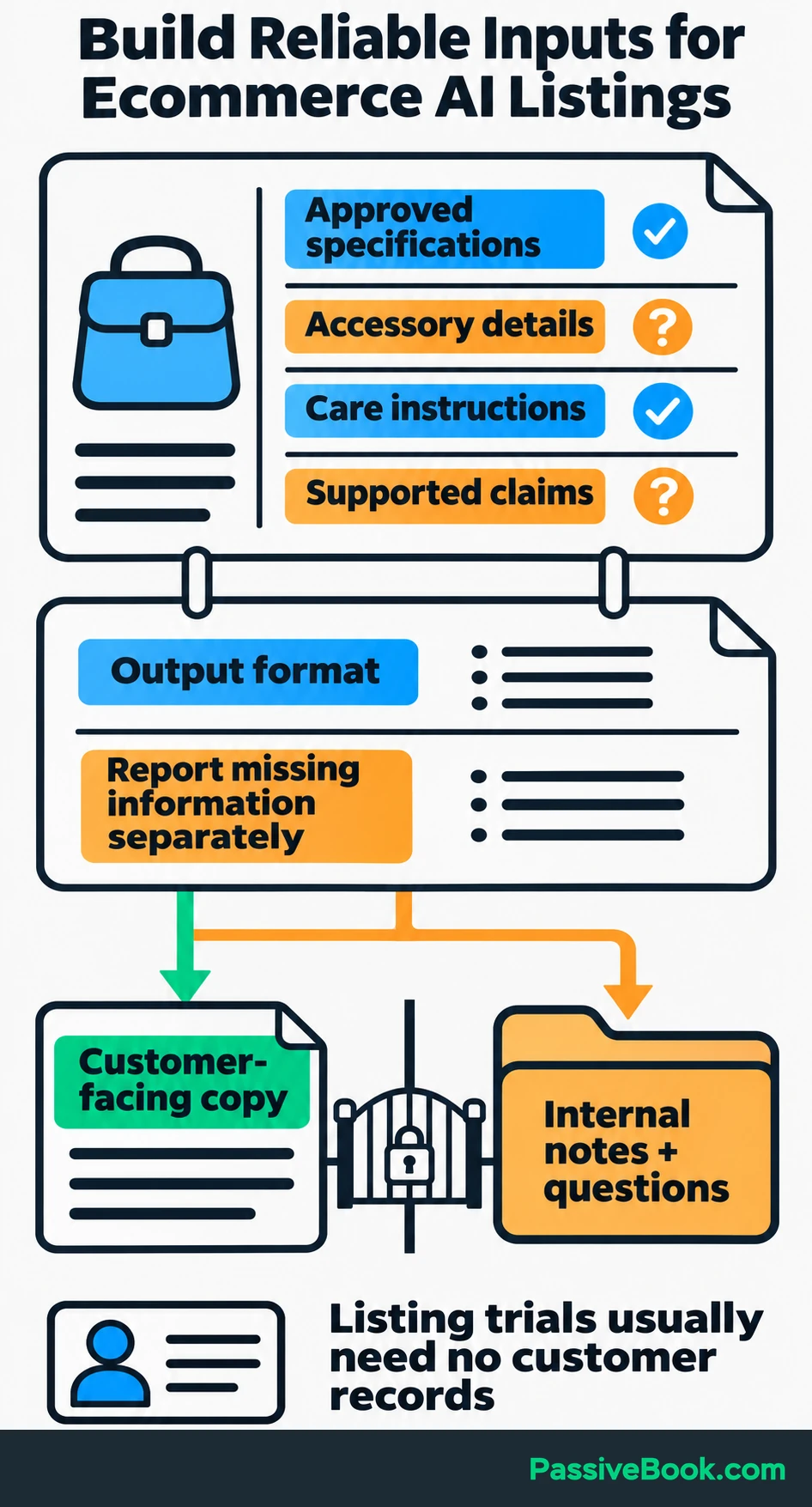
Build a reliable product record before polishing the prompt. Include approved specifications, accessory details, care instructions, and any claims you can support.
Write reusable instructions for the output format and missing information. Keep internal notes separate from copy that could reach customers.
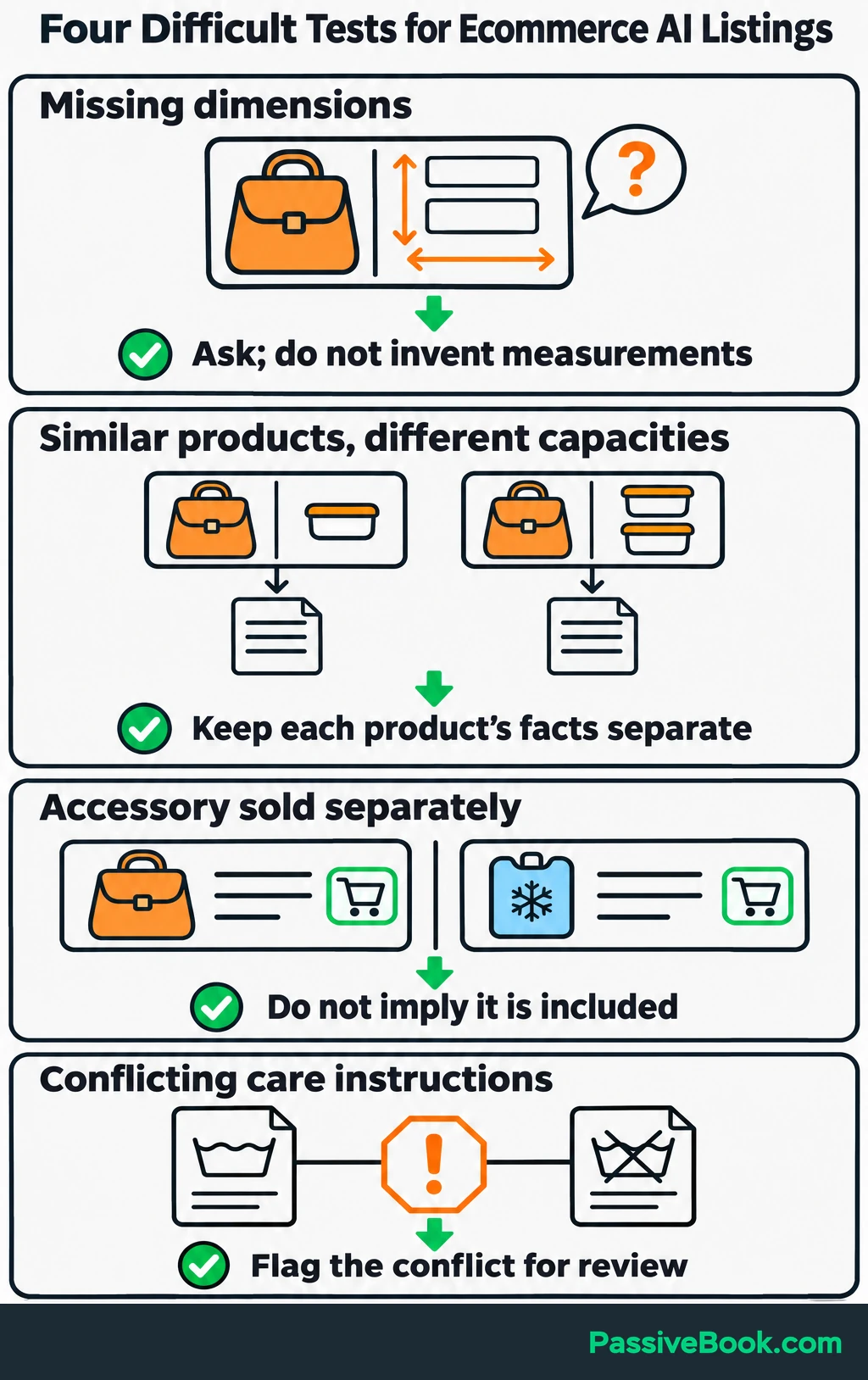
Then test the awkward records too:
- A lunch bag with missing internal dimensions.
- Two similar bags with different capacities.
- An accessory sold separately from the main product.
- A record with conflicting care instructions.
The useful response to missing dimensions is a request for dimensions. A plausible measurement is a failed test.
If customer records are involved, remove identifiers the task does not need. Check the tool’s data-use, retention, and access terms before sharing the remaining information. A setting that limits model training does not itself give you permission to share customer data.
For a listing trial, you can usually avoid customer records altogether.
Connect the Workflow After the Trial Works
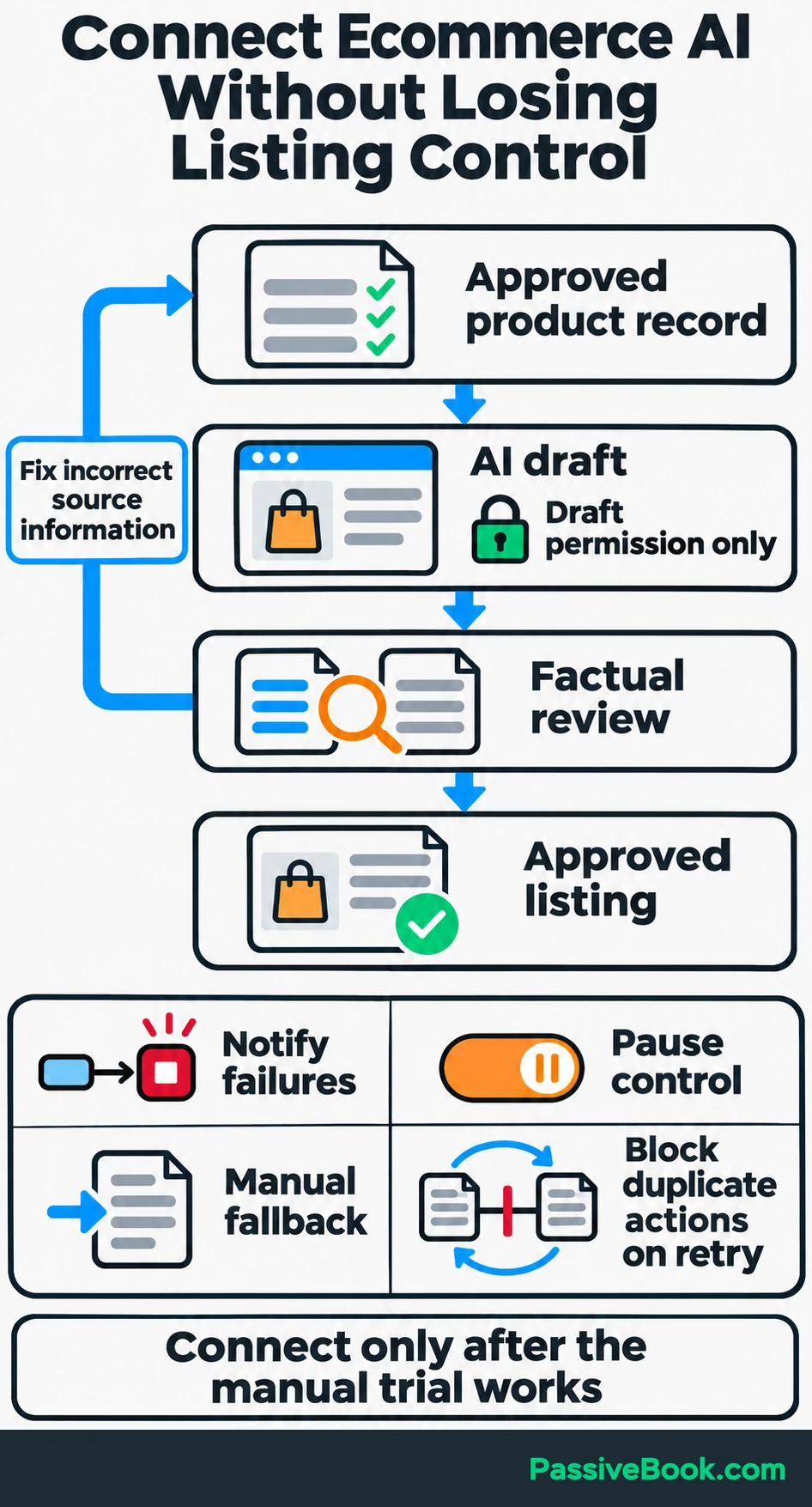
Once manual testing works, map each handoff:
Approved product record → AI draft → factual review → approved listing.
Decide who checks the draft and who fixes the source record when information is wrong. If you work alone, those are still separate steps, even though you occupy both chairs.
Add a connector only when copying information becomes a real bottleneck. Make connects apps through visual workflows, and it would be my first option for a quick setup when suitable integrations are available.
I use n8n for automation in my content work. My custom AI content pipeline cut production from days to hours, but that is content-production experience, not a tested ecommerce integration. I would still trial the store workflow separately.
n8n also offers a self-hosted Community edition, which brings hosting and administration work. Choose it when the control is useful and you can maintain it.
Start with permission to create drafts. Add a failure notification, a pause control, and a manual fallback. Check that a retry cannot publish the same listing or send the same message twice.
If the workflow fails, you should know where it stopped and what needs your attention.
Keep the Workflow Only When Its Value Exceeds Its Cost
Count all the work the AI process requires. Subtract preparation, review, corrections, and ongoing maintenance from the time the old process took. Keep initial setup time separate so you can see how long it takes to recover that investment.
Here is an illustrative monthly calculation for the lunch-bag store:
| Work | Time |
|---|---|
| Previous process: 40 approved listings at 15 minutes each | 10 hours |
| AI preparation, review, and corrections: 40 listings at six minutes each | 4 hours |
| Additional workflow maintenance | 1 hour |
| Net time saved | 5 hours |
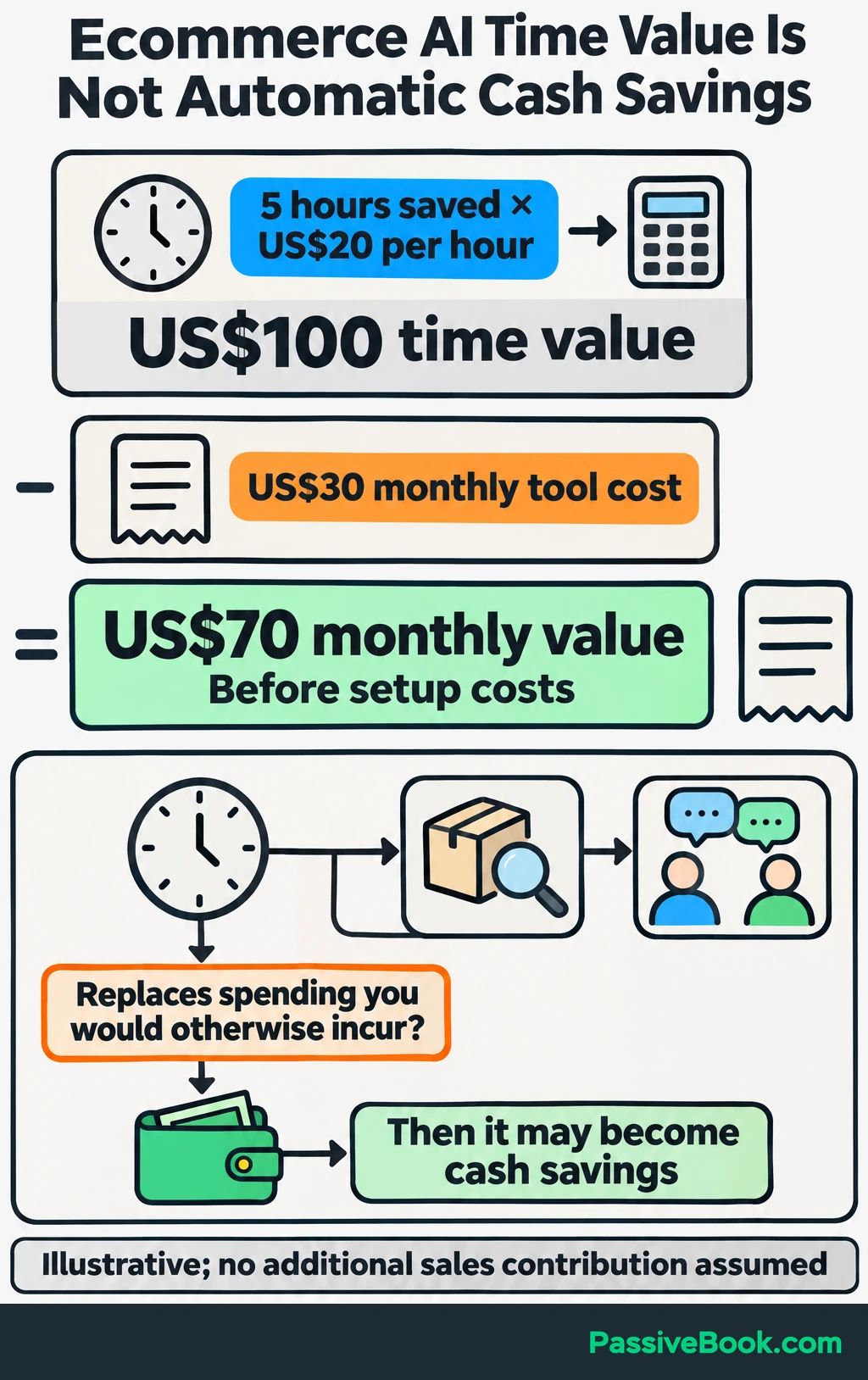
Suppose you value that freed time at US$20 an hour and the workflow costs US$30 a month. Assume no additional sales contribution.
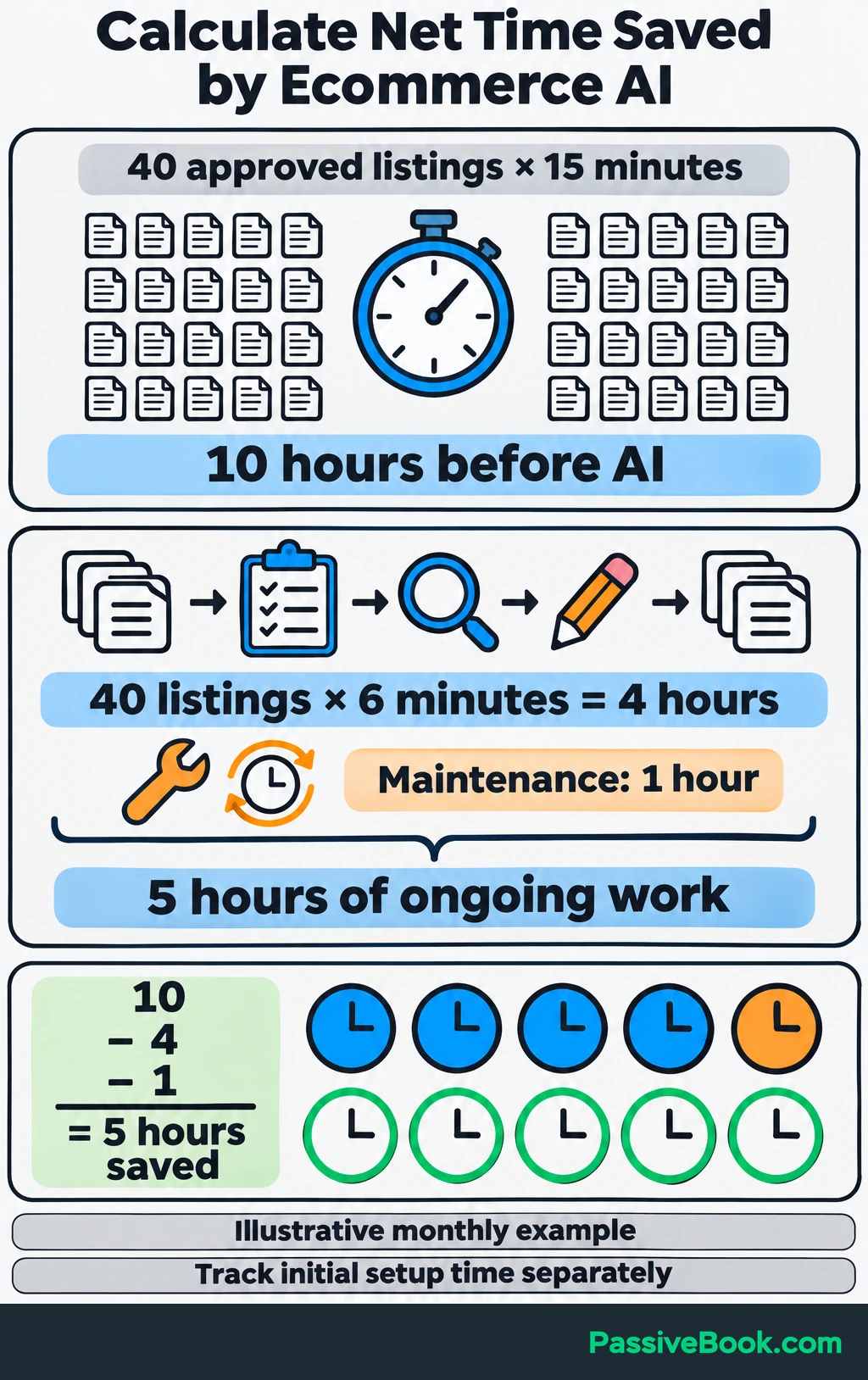
At your chosen hourly value, the five saved hours are worth US$100. After tool costs, that leaves US$70 of monthly value before setup costs.
That is useful, but it is not US$70 added to your bank account. Freed owner time becomes a cash saving only when it replaces spending you would otherwise incur. It can also be worthwhile because you use those hours for product research, customer conversations, or an evening away from the store.
You can work backwards from your budget before you have trial results. The calculator below gives you a review-time limit to test, while keeping the value of your time separate from actual cash savings.
Free Automation Value Calculator
For workflows intended to increase sales, count additional contribution after variable costs rather than revenue alone. When traffic permits, keep an unchanged comparison group so you have a better basis for judging the result.
Expand only when quality and value meet the targets you set. If they do not, improve the inputs, narrow the task, or cancel the tool.
A failed trial can still save money if it stops you building a larger system around the wrong job.
What Next?
Pick one recurring store task and time the next three completed attempts, including checking and corrections. That gives your first AI trial something useful to beat.
If this helped you choose a smaller, clearer starting point, use the social buttons to share that approach. A manageable trial is easier to act on than another long shopping list of tools.
Which task would you test first, and what result would make it worth keeping? Share your answer in the comments, and bring any other questions too.
Share this post with your friends & followers:

