A software deal can save you money and still be the wrong purchase. You pay for the year, start setting it up, and discover that the feature you need belongs to a more expensive plan.
Now you have another bill and the same unfinished job. A lifetime license can create the same problem, just with a larger payment upfront. This shortlist compares free plans, subscription discounts, and lifetime offers by the work they cover, their limits, and their upfront and ongoing costs.
Best Online Business Tool Discounts at a Glance
My shortlist starts with free plans for email and light automation. Annual AI subscriptions, introductory storefront pricing, lifetime SEO software, and startup offers become useful when they support work you have already planned.
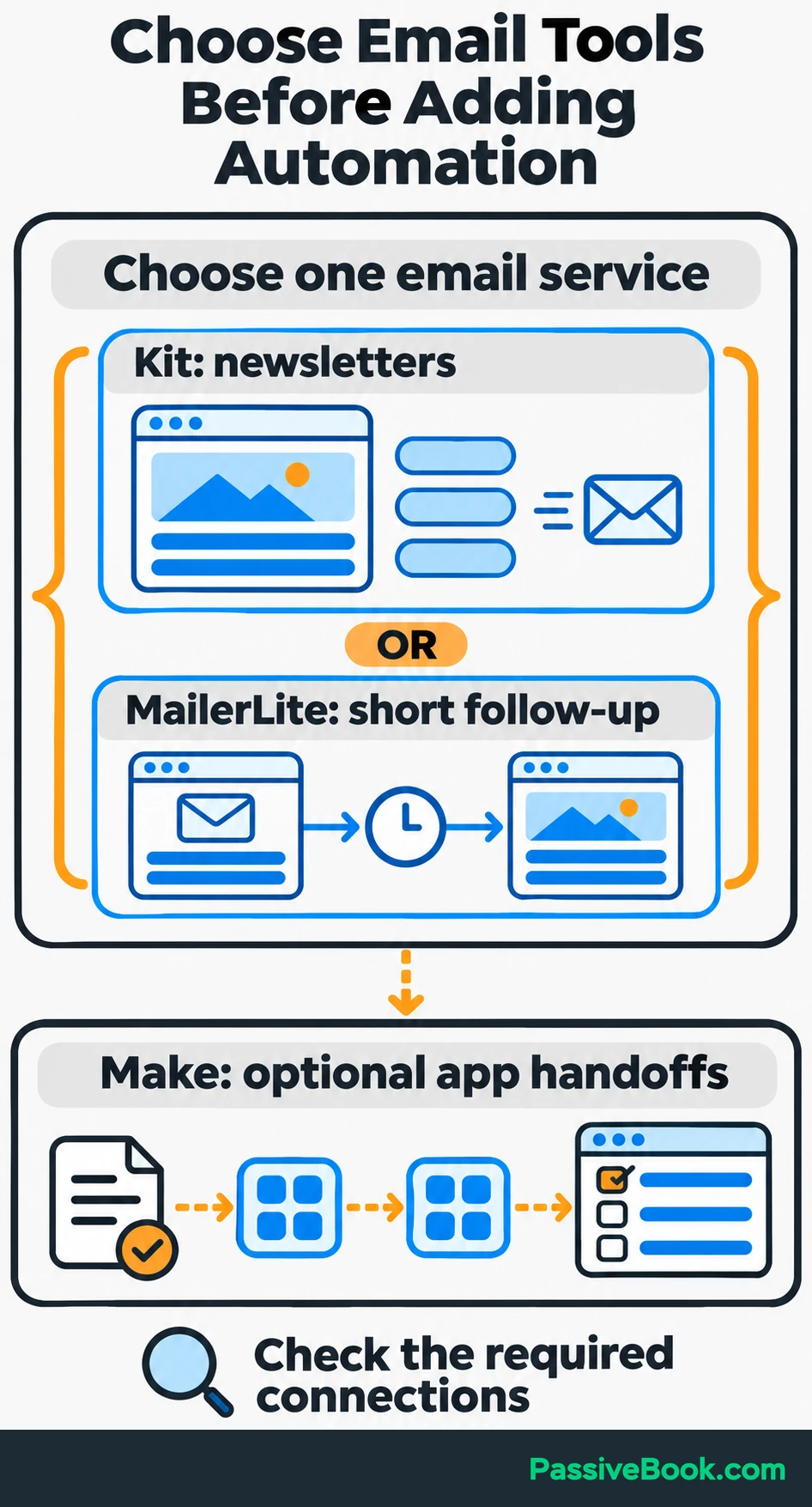
These tools handle different jobs. Kit and MailerLite are email alternatives. Make connects applications and could work alongside either one. Buying all seven would defeat the point.
All dollar figures below are USD. Claude and Shopify prices are US prices. Subscription figures exclude applicable taxes, payment processing, and separately billed services.
| Tool | Business Task | Offer Type | Offer Terms | Eligibility | Payment Due Upfront | Key Limit | Ongoing Cost |
|---|---|---|---|---|---|---|---|
| Kit | Signup forms and newsletters | Ongoing free plan | Up to 10,000 subscribers; unlimited broadcasts | Free-plan accounts within subscriber allowance | $0 | Email sequences and visual automations require payment | $0 within Free limits; paid plan needed for automation or a larger list |
| MailerLite | Small-list email follow-up | Ongoing free plan | 250 active subscribers, 2,500 emails monthly, three active automations | Free-plan accounts within usage limits | $0 | Subscriber, sending, and feature limits can restrict sending | $0 within Free limits; paid cost depends on list size and features |
| Make | Connect apps and move information | Ongoing free plan | 1,000 credits monthly | Free-plan accounts | $0 | Scheduled runs have a 15-minute minimum interval | $0 within allowance; extra capacity and some connected services cost more |
| Claude Pro | AI writing and editing | Annual billing discount | $200 annually versus $20 monthly | Individual accounts in supported locations | $200 for annual access | Usage limits apply | $200 per annual term at listed pricing, or $20 monthly |
| Shopify | Run a dedicated storefront | Introductory promotion | Three days free, then $1 monthly for three months | Eligible merchants and plans; offer varies by location | $0 during trial, then promotional monthly charges | Standard subscription and selling costs follow | US Basic: $39 monthly or $348 annually, equivalent to $29 monthly |
| Ubersuggest | Keyword and competitor research | Lifetime license | Individual access for one website and one user | Individual-tier purchase | $290 | 125 tracked keywords, 150 daily searches; non-refundable lifetime purchase | No recurring base-license payment; optional add-ons may recur |
| Notion | Content planning and business documents | Conditional startup or small-business offer | One, three, or six months of Business, including monthly AI credits | New, non-paying customers who meet the relevant requirements | Eligible Business charges waived for approved period | Longer offers target qualifying technology businesses | Standard Business charges per billable member after the offer |
Read the table by business task first. Then compare the required features, expected usage, integrations, payment commitment, and cost after the offer.
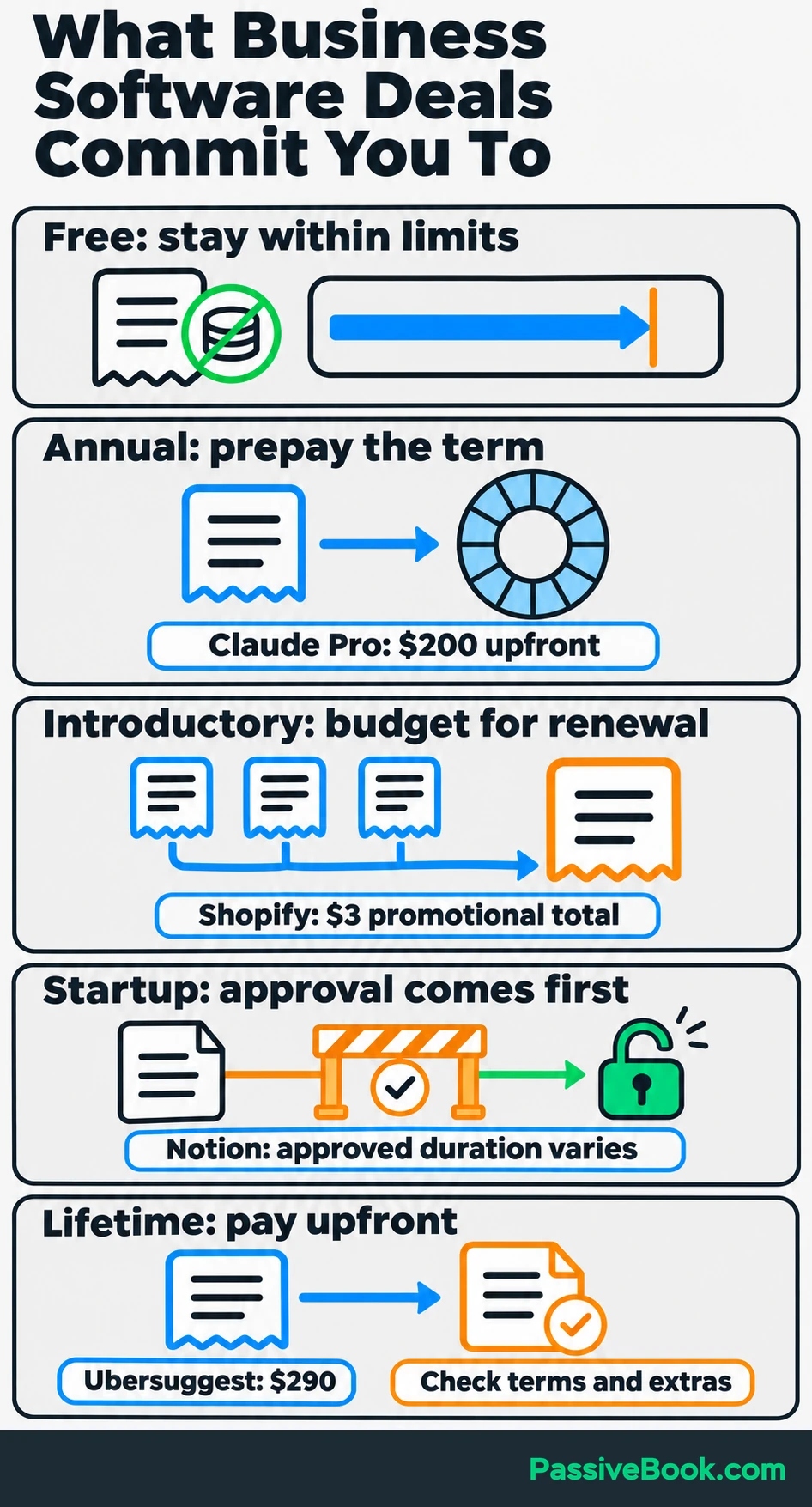
An ongoing free plan removes a recurring charge while you stay within its limits. Annual billing reduces the price in exchange for prepayment. An introductory promotion lowers early bills, and a startup offer depends on approval. A lifetime license replaces recurring base payments under the vendor’s definition of “lifetime.”
For the examples, imagine you run an aquarium-care website. You publish articles, bring visitors from Pinterest, collect email subscribers, and sell printable tank-maintenance logs. The business and its example figures are illustrative.
For that business, each purchase should help you publish, attract readers, follow up, or deliver a product. You do not need a separate subscription for every box on a software comparison page.
Best Free Plans for Everyday Business Tasks
Start with the smallest setup that can finish your work. Free software can support a serious business, but the plan must cover the task you are promising customers.
I would choose one email service, use existing design and reporting tools, and add automation when a repeated handoff needs it.
Kit: Free Newsletters for Up to 10,000 Subscribers
Kit is my choice when you want signup forms and scheduled newsletters without paying as the list begins to grow.
Its Free plan includes unlimited forms, landing pages, and broadcasts, plus tagging and segmentation. You can organize readers by interest and send relevant newsletters without building an automated sequence.
The dividing line is follow-up. Email sequences, visual automations, and rules require a paid plan. Growing beyond the free subscriber allowance also means budgeting for an upgrade to continue sending.
For the aquarium site, a regular newsletter linking to new articles could fit Free. A timed series that introduces the maintenance log needs a different plan or service.
I would choose Kit for newsletters and price its paid tier before planning a sequence. A large free list allowance does not help if the emails you need cannot run.
MailerLite: Free Automation for a Smaller Email List
MailerLite is the stronger starting choice when automatic follow-up matters more than a large subscriber allowance.
Its free automations have a five-step limit. Delays count alongside emails, so three emails separated by two delays use all five steps. Adding a purchase check or another action may require a paid plan. See the plan comparison before building a longer sequence.
For the aquarium site, that simple sequence could:
- Deliver a free maintenance checklist.
- Wait two days.
- Explain how to record tank-care tasks.
- Wait another two days.
- Introduce the printable maintenance log.
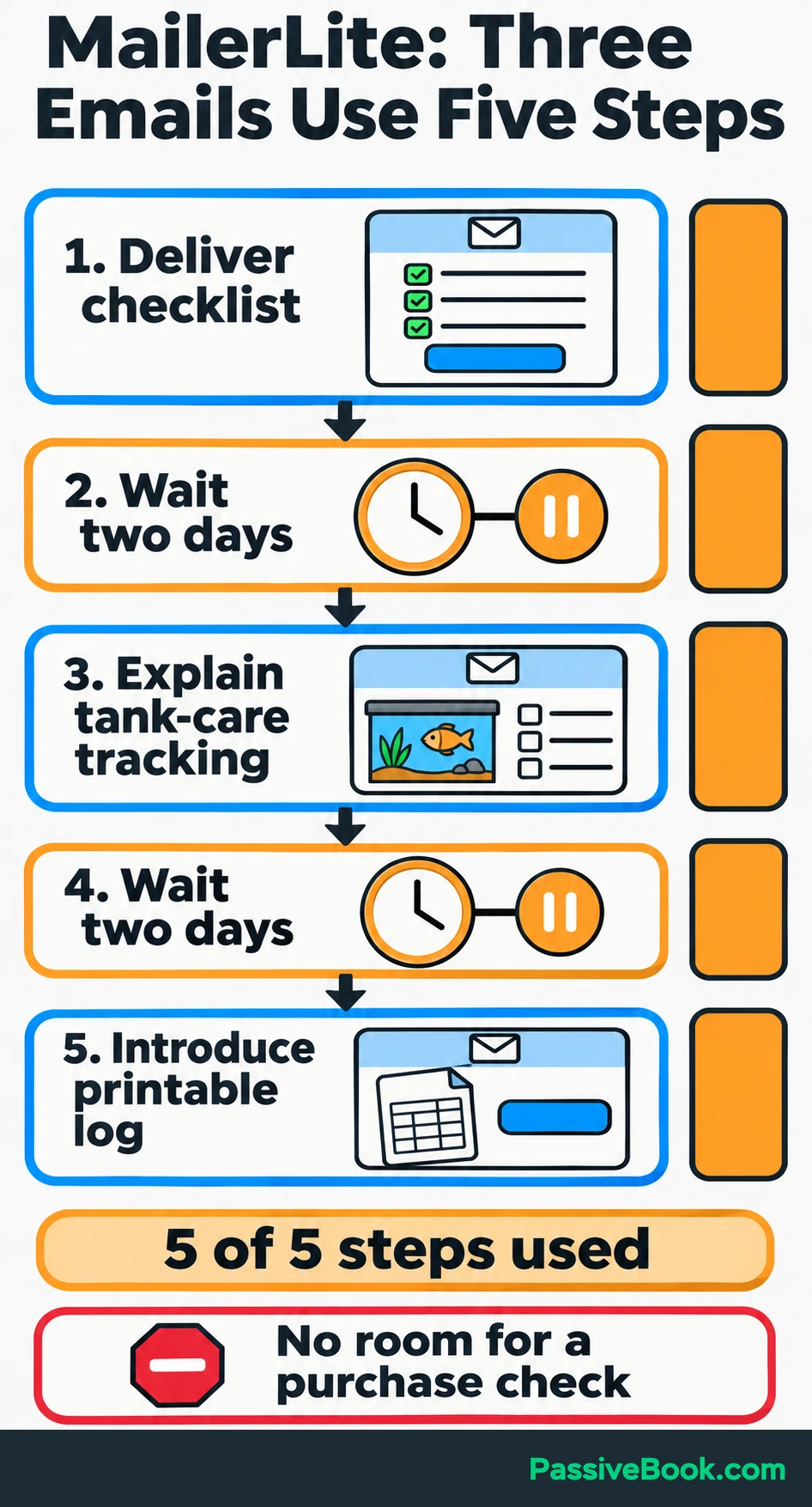
That uses all five steps, leaving no room for a purchase check. If buyers need different follow-up, test whether the plan supports moving them out of this sequence.
Count newsletters and automation messages together against the monthly sending allowance. Exceeding subscriber or sending limits can pause campaigns and automations, so know the next suitable tier before the free plan becomes central to sales.
MailerLite also offers a year-round 10% discount for annual billing. Compare paid services at the same subscriber count and sending volume, and commit annually only after the workflow works.
Make: Free Credits for Light Automation
Make connects applications through a visual workflow builder. It can move approved information between tools without making you copy it by hand.
The important word in its free allowance is “credits.” One finished business task can involve several billable actions.
For example, your aquarium article workflow might find an approved record, read its details, and add them to a distribution tracker. Those actions consume credits separately. Frequent checks for new work can also affect usage, so inspect the workflow’s actual consumption.
AI can use credits faster. When Make supplies the AI connection, credits can cover both actions and tokens—the text sent to and generated by the model. Connecting your own AI account can add a separate provider bill. In Make’s AI Toolkit, which handles tasks such as summarizing text, that option also requires a paid Make plan. The credit rules explain how each connection is billed.
I would begin with one small workflow and check its run history before expanding it. Use the free allowance to learn what your process consumes, rather than assuming it covers a thousand completed jobs.
Free Design, Analytics and Distribution Tools
Check what you already have before shopping for another dashboard.
Canva Free is a sensible starting point for simple printable layouts and promotional graphics. For the aquarium site, I would build a clear maintenance log and a reusable Pin design before paying for premium design features.
Google Analytics and Search Console answer different questions:
- Google Analytics helps you examine activity on your website.
- Search Console shows Google search performance and indexing information.
Use the question to choose the report. To review visits from Pinterest, examine referral traffic. To investigate whether an article appears in Google search, open Search Console.
For distribution, try the Pinterest business account’s native scheduler before adding a paid scheduling service. Pay when you can name the missing capability, such as a workflow that needs more scheduling capacity or coordinated approval.
A subscription should remove a real task from your week. “It has a nicer calendar” needs a little more persuasion.
Best Paid Discounts and Lifetime Offers
Paid offers become useful when you know both the task and the likely period of use.
I prefer monthly access while testing a new tool. Once it becomes part of a working process, annual billing or a suitable lifetime license may reduce the cost.
Claude Pro: Save $40 With Annual Billing
Claude Pro’s annual discount is straightforward. Twelve monthly payments total $240, so annual billing saves $40, or about 16.7%, at the US prices in the table.
The advertised monthly equivalent is rounded. Your card is charged for the full annual term upfront.
Ten monthly payments equal the annual price, so annual billing becomes cheaper when paid use extends beyond ten months. If you only need a short burst of product-copy work, monthly access can cost less overall.
I use Claude for long-form writing and content strategy, but I would still test your own tasks before prepaying. Give it an article brief, a draft to edit, and a product description. Check how much useful work remains after your review.
Pro also has usage limits and does not include Claude Console API usage. An API lets another application send requests to Claude, and those requests are billed separately. That matters if you plan to run Claude inside Make or another automated workflow. See Pro’s usage and API boundaries.
Shopify: Three Introductory Months at $1 per Month
Shopify’s promotion makes a dedicated storefront inexpensive to try. The promotional subscription payments total $3 after the free trial.
The decision is whether you want the storefront at its standard cost. The annual Basic option in the table requires a full year’s payment, and payment processing, a domain, and required apps add to the bill.
Confirm the eligible plan, promotional period, and first standard-price charge in the offer shown to your account. Shopify notes that trial length and promotional pricing can vary by location and eligibility in its trial terms.
For one printable aquarium log, I would first compare selling through the existing website or a suitable email platform. A separate storefront needs to justify its setup and ongoing bill.
If the business needs a fuller catalog and dedicated store management, the promotion gives you a low-cost testing period. Start it when the products and test plan are ready, because the trial clock starts at signup.
Ubersuggest: A $290 Lifetime Option for SEO Research
Ubersuggest’s Individual lifetime offer is worth considering when you already do recurring keyword research for one website.
For the aquarium site, I would test whether it helps you compare article topics, review competing pages, and track the search terms that matter to the business. The daily search allowance alone does not tell you whether the results are useful.
The commitment deserves attention. Ubersuggest defines lifetime access as 50 years, and its lifetime purchases are non-refundable. Its monthly subscription has a one-time seven-day trial, which must be canceled before it ends to avoid a charge. Those conditions appear in its subscription and trial terms.
Use that trial to investigate real topics, then compare lifetime access with the subscription cost over your likely use period. Include necessary add-ons in both options.
I would skip the lifetime purchase if you are still deciding whether to publish regularly. A long license cannot make that decision for you.
Startup Offers: Check Eligibility Before Counting the Savings
Startup offers can remove eligible charges for a while, but advertised credit is useful only when it pays for work you would otherwise buy.
Notion’s program offers six months of Business to eligible partner-affiliated startups, three months to eligible non-partner startups, and a possible one-month offer for qualifying small businesses or teams under ten employees. Monthly AI credits are included.
Applicants must be new, non-paying customers. Partner applicants also need a public company website, company email, and fewer than 100 employees. The longer offers target scalable technology products or services, so I would assess the aquarium site through the small-business route.
For that site, Notion could hold article briefs, a publishing calendar, and product updates. I would start with Free unless a specific Business feature earns the later bill.
Before accepting an offer, record its approved duration, billable members, AI allowance, and post-offer total. Set a reminder to compare continued Business access with Free before the promotion ends.
Best Websites for Finding More Software Deals
Deal websites are useful search tools once you have defined the job. Browse them with a requirement such as “exportable customer records and automatic download delivery,” rather than “something useful for the business.”
That small change keeps the discount from writing your shopping list.
AppSumo: Lifetime Deals With Listing-Specific Protection
AppSumo is worth checking for a specific software need, especially when you can test a smaller vendor’s product before moving important work into it.
Its lifetime deals cover the product’s lifetime. If the product shuts down, access ends. Included features come from the written deal terms and plan features, so a feature promised only in comments or a roadmap should not determine your purchase. See AppSumo’s lifetime-deal terms.
Check the deal’s plan details for usage limits, integrations, data exports, updates, support, and the deadline for activating your license. A higher license tier may change the real price substantially.
Refund protection also follows the individual listing, and some purchases are non-refundable. AppSumo’s refund policy makes that distinction explicit.
Redeem and test promptly. A purchase sitting unused in your account can outlast its refund window just as easily as a disappointing one.
FounderPass: Partner Discounts Through Membership
FounderPass provides access to partner offers. It lists a free membership, Premium at $99 annually, and lifetime membership at $499 upfront on its membership page.
Those payments buy membership access. Each partner’s software offer still has its own eligibility, duration, and renewal terms.
I would browse the free offers first. Before paying, choose a specific offer, confirm that you qualify, and compare it with the vendor’s direct promotion.
Then subtract the membership fee from the savings you can actually use. If the result does not beat the direct offer, membership adds a cost.
For the aquarium site, I would not count unused hosting credits or discounts on tools outside the planned setup. A large perks total is not a smaller bank charge.
Dealify: Another Marketplace for Targeted Purchases
Dealify is another place to compare software offers against a defined need.
For software bought directly through Dealify, its terms give you 30 days from purchase to request a refund. You normally also have 30 days from purchase to activate the license with the software vendor, unless the deal states otherwise. Check both deadlines in the purchase terms.
Compare the exact license tier with the vendor’s direct option. Check included usage, required add-ons, and whether the integration you need belongs to that tier.
For the aquarium business, a discounted product-delivery tool would need to send the correct download after payment and let you retrieve order records. I would test those actions immediately.
Do not buy a queue of tools to investigate later. The deadlines keep moving while the tools wait.
Calculate the Real Savings Before Buying
Count the money you expect to spend on a working setup, then compare it with the cheapest suitable alternative you would actually use.
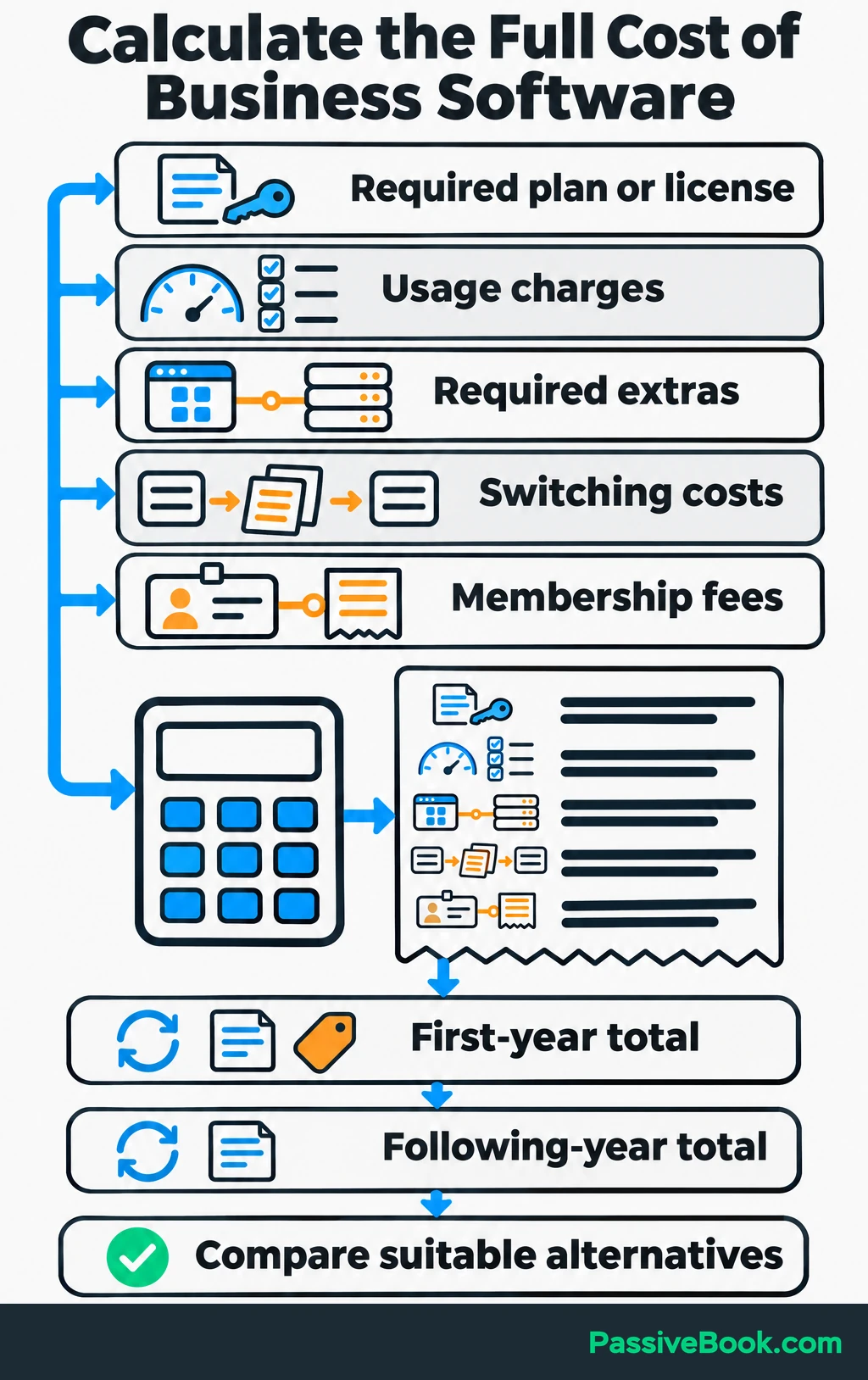
For each option, include:
- Subscription or License: The amount charged for the required tier and billing period.
- Usage: Expected credits, AI requests, email delivery, or other metered charges.
- Required Extras: Apps, integrations, hosting, and features needed to complete the task.
- Switching Costs: Data cleanup, migration, and temporary overlap between services.
- Membership Fees: Any payment required to access the offer.
Calculate the first year and the following year separately. A promotion can make the first year attractive while leaving you with a bill you would never have chosen at full price.
Lifetime comparisons need the same discipline. Count the upfront license payment and compare it with the recurring cost that would actually disappear.
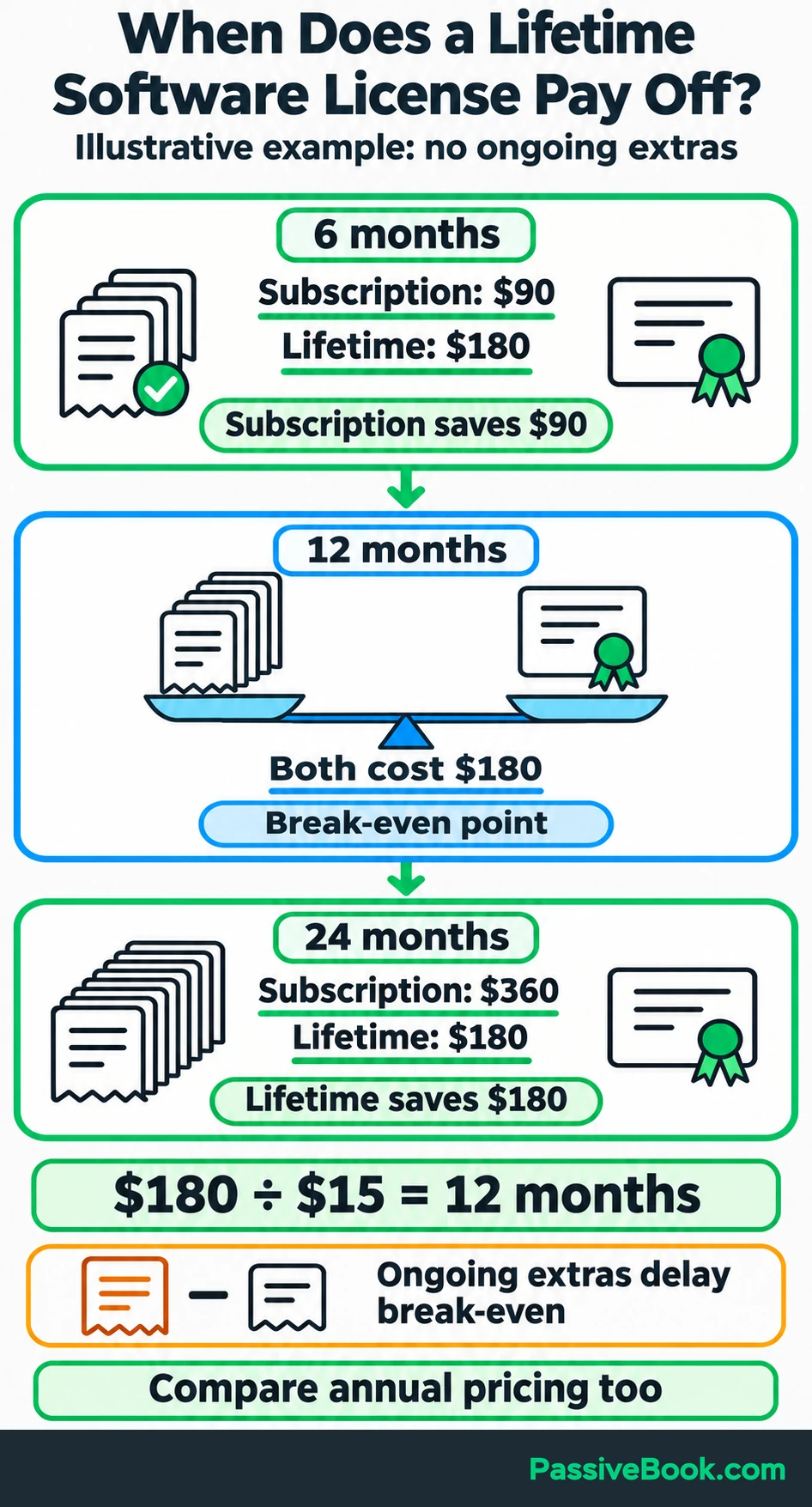
Suppose the aquarium business is considering an illustrative $180 license that fully replaces a $15 monthly subscription, with no ongoing extras:
| Period of Use | Monthly Subscription Cost | Lifetime License Cost | Cheaper Option |
|---|---|---|---|
| Six months | $90 | $180 | Subscription by $90 |
| Twelve months | $180 | $180 | Equal |
| Twenty-four months | $360 | $180 | Lifetime license by $180 |
The license breaks even after twelve months: $180 divided by the $15 monthly cost avoided.
That calculation changes if the license requires paid hosting or an integration. Subtract those ongoing extras from the monthly cost avoided before working out the break-even point. Also compare against annual subscriptions, which may be cheaper than twelve monthly payments.
The cheaper option can change when you stop early or use more than expected. Our calculator compares those scenarios and shows the cash each offer would actually require.

Free Software Cost Calculator




If the existing suitable tool is free, a discounted paid replacement increases spending. It may still be worthwhile, but the added capability has to earn its place.
I use self-hosted n8n to connect tools across my businesses. It gives me control over the workflows, but I still have to account for hosting and maintenance.
While building my content pipeline, I found that making text faster was only part of the job. Moving approved work into the next stage still needed attention. That is why I now assess a tool by the complete handoff it improves, and include the work needed to keep that handoff running.
Verify the Offer and Workflow Before Committing
Price checks and workflow checks answer different questions. One confirms what you will pay. The other confirms whether the purchase can do the job.
Complete both before moving important business activity into a new service.
Confirm Coupons and Renewal Terms at Checkout
Start with the vendor’s official offer page, its emails, or an authorized partner. For a seasonal promotion, use published terms for the active offer rather than a coupon copied from a previous sale.
Compare checkout totals for the same plan, usage allowance, and billing period. A cheaper total may reflect a smaller plan or a longer commitment.
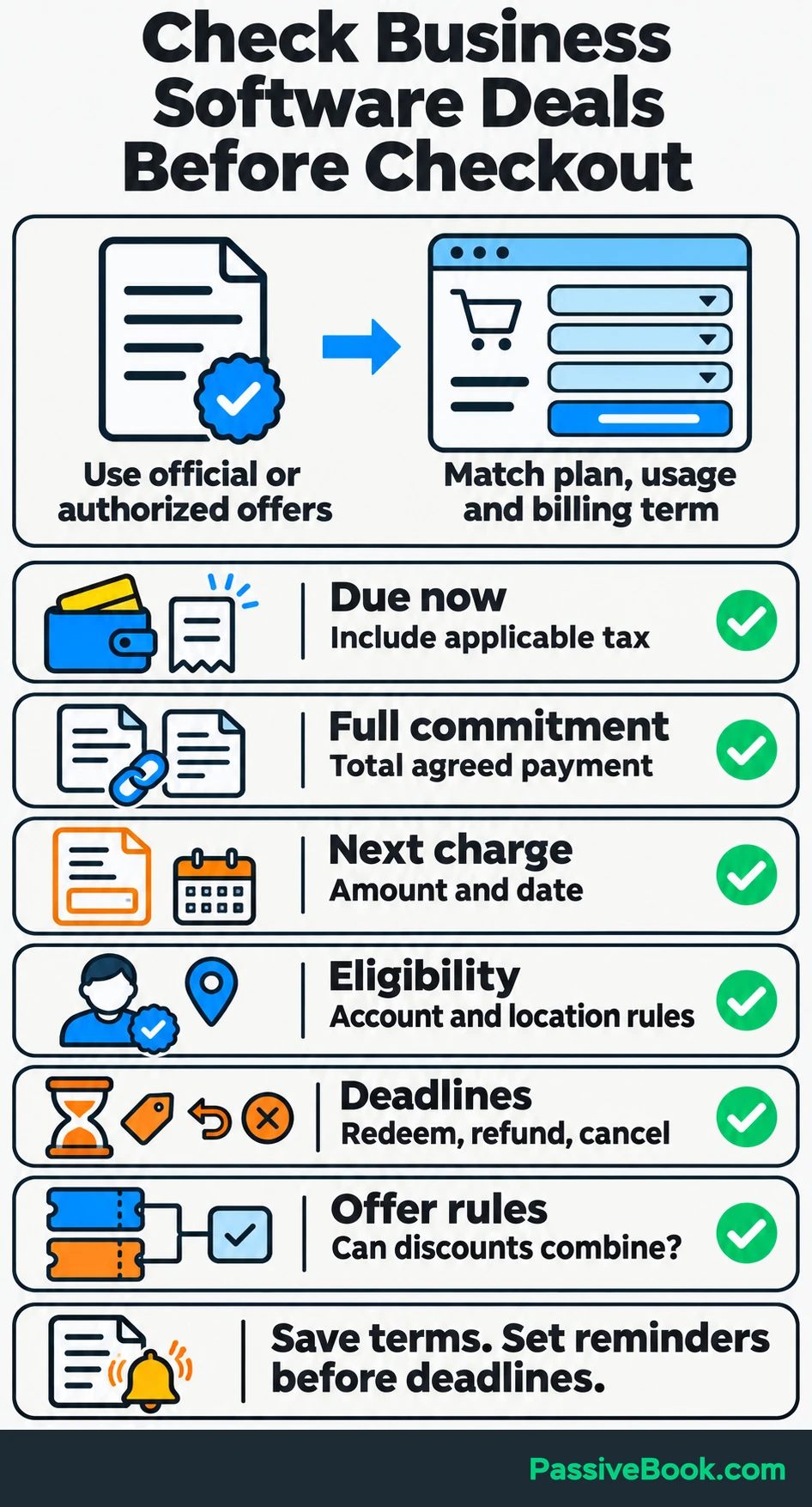
Before paying, save a copy of the offer and record:
- Due Now: The amount charged immediately, including applicable tax.
- Full Commitment: Any amount you are agreeing to pay across the term.
- Next Charge: The amount and date after the trial, promotion, or paid term.
- Eligibility: Customer status, location, and other qualifying conditions.
- Deadlines: Redemption, refund, and cancellation dates.
- Offer Rules: Whether another coupon or promotion can combine with it.
Put the cancellation reminder before the deadline, with enough time to act.
The discount shown in a search result is a lead. The eligible offer and total presented to your account are what you need to evaluate.
Test One Complete Business Task
Write down the required input, output, and connections before starting a trial.
For example: “A confirmed subscriber receives the promised checklist, can buy the maintenance log, and receives the correct follow-up.”
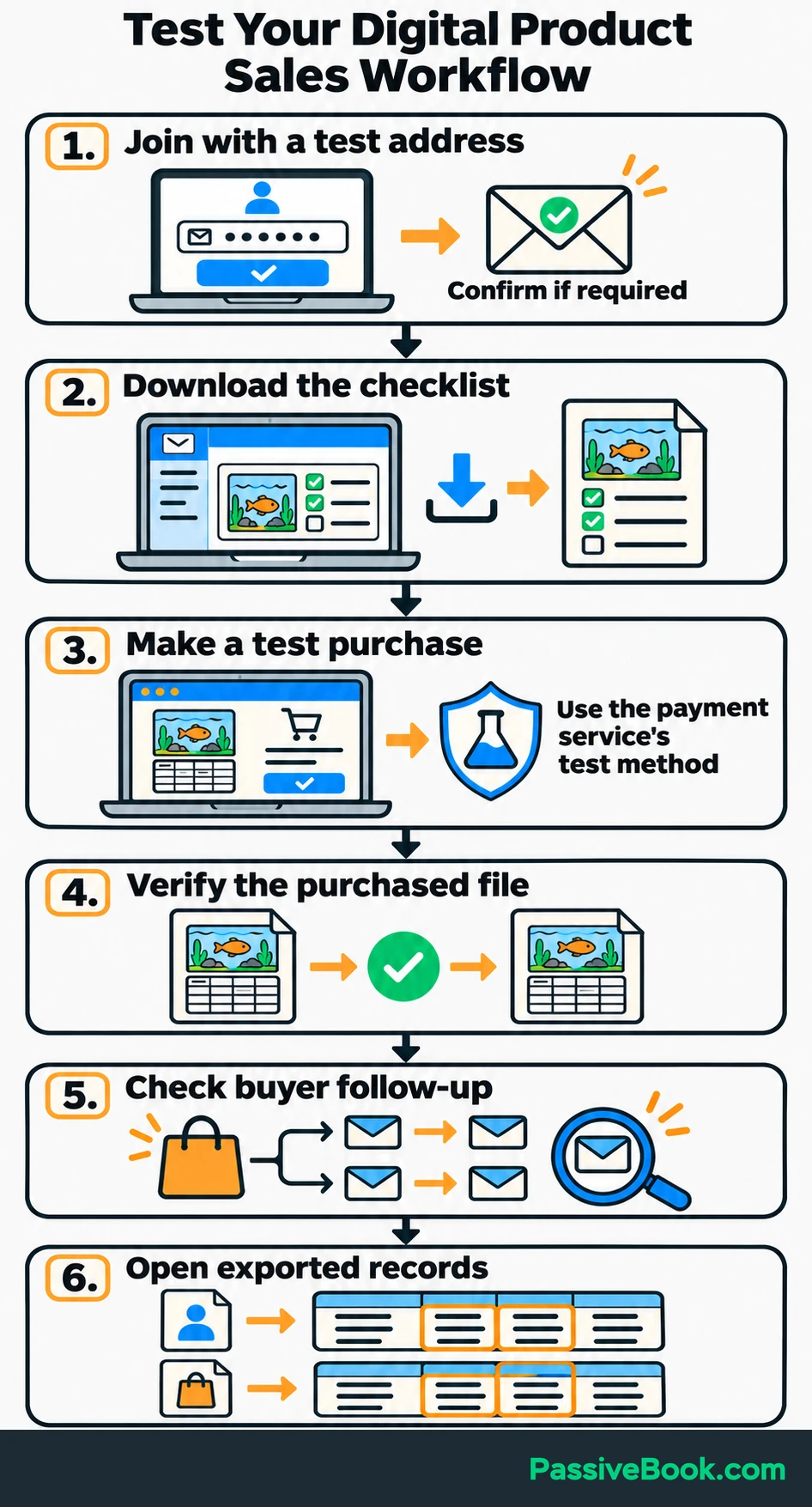
Then test that whole path:
- Join the aquarium site’s list with a fresh test address and complete confirmation if required.
- Check that the checklist arrives and its download works.
- Follow the product link and complete a test purchase using the payment service’s testing method.
- Retrieve the purchased maintenance log and confirm that it is the correct file.
- Check the subscriber’s follow-up, including any intended change after purchase.
- Export sample contact and order records, then open the files to confirm the needed fields are present.
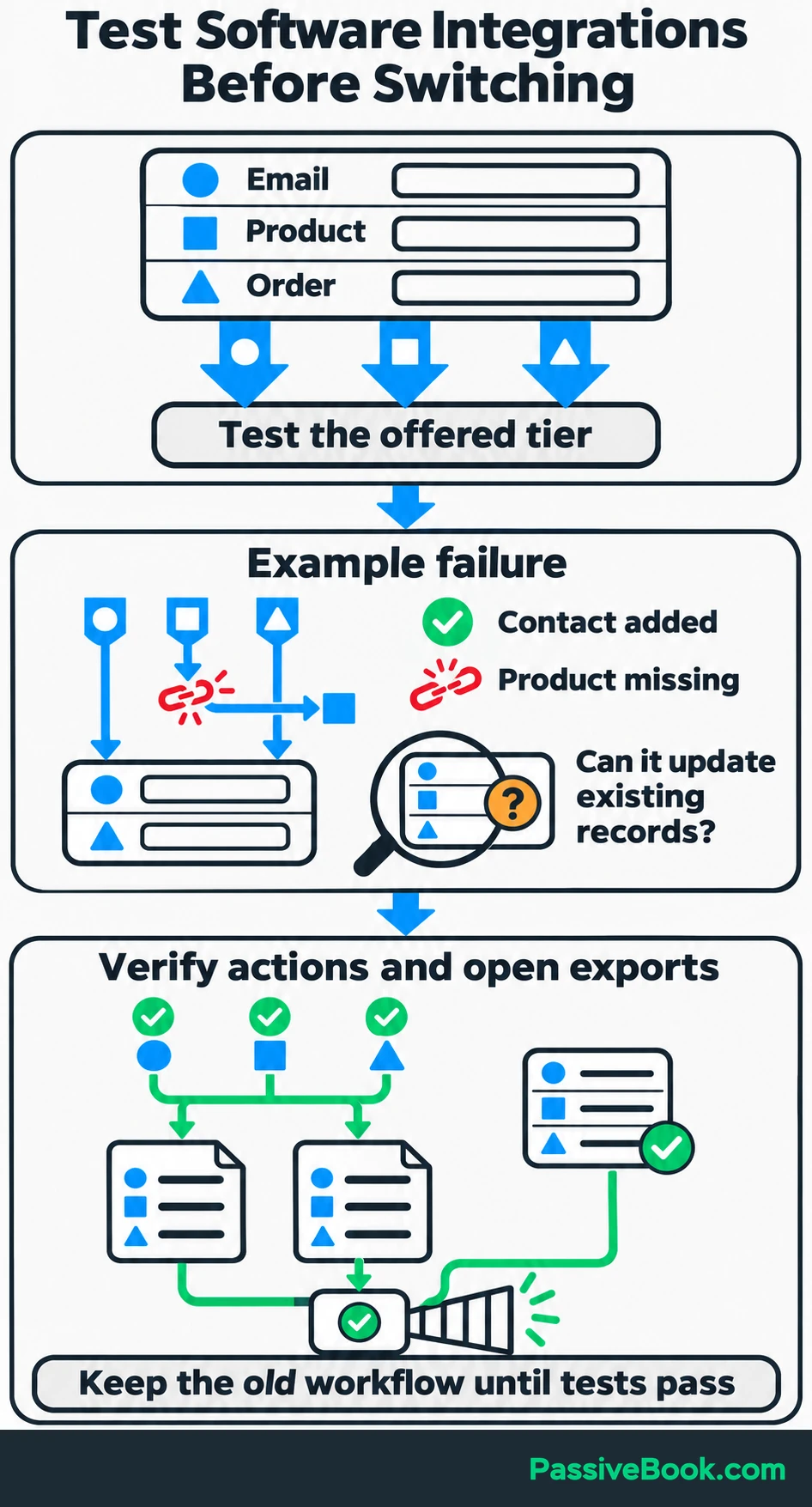
Test essential integrations on the offered tier. A connector’s presence does not prove it supports your required action. A tool might add a contact but fail to pass the product purchased or update an existing record.
Recent demonstrations and reviews can help you identify questions, but your own task determines whether the setup works.
Keep the existing workflow available until the replacement passes. Then cancel overlapping subscriptions before their next charge and retain the records you need.
What Next?
Choose one software bill or repeated task and compare its current cost with one offer from this shortlist. Write down the required feature, payment due now, and cost after the offer before opening checkout.
Use the social buttons to share this guide when your next software-deal discussion needs a clearer view of the bill after the discount.
Which task would make the biggest difference if you could handle it for less? Leave your answer—and any other questions—in the comments.
Share this post with your friends & followers:

