Your product is ready, but the email announcing it still feels harder than it should. AI fills the page quickly. Then you notice a promise you never made, an opening that could sell anything, and a button with no clear reason to click.
Now you’re checking every sentence instead of getting the email out, and the quick draft has become another editing job. This guide follows one promotional email from a product brief to copy ready to publish, with tool comparisons, reusable prompts, and a complete sample you can adapt while keeping the facts and your voice intact.
Choose One AI Tool to Start
Start with one general AI assistant you can afford. Use it to organize research, explore messages, draft copy, and revise. You supply the offer, evidence, and judgment.
I use Claude primarily for long-form writing and content strategy, ChatGPT for brainstorming and quick tasks, and Gemini for research and checking sources. Those are my preferences, and their abilities overlap. You don’t need three subscriptions to write one email.
| Tool | Useful Capability | Task to Test | Free or Paid Access Considerations |
|---|---|---|---|
| Claude | Projects hold reference documents and shared instructions across chats. | Draft and revise an email using an approved brief and voice sample. | Projects are available on free accounts. Consider paying when recurring usage or document needs justify it. |
| ChatGPT | Web search provides current information with source links. | Organize research notes and propose concise headline variations. | Search is available on the free plan, subject to usage limits. |
| Gemini | Deep Research uses Google Search by default and accepts uploaded files. | Find original sources for factual gaps in an assignment. | Research limits apply, and paid plans offer higher limits. |
Once you have an approved brief, compare tools on the same assignment. Check whether they preserve facts, follow instructions, match your voice, and offer meaningfully different ideas. Count the editing time, too. A fast draft that needs rebuilding is expensive in a less obvious currency.
For this walkthrough, imagine you sell a printable sewing project planner. It includes a fabric-and-supplies checklist, a project schedule, and notes pages. We’ll write an email encouraging readers to visit its product page. The product details and copy are illustrative, and no customer findings or performance results are implied.
Build a Reusable Brief From Real Evidence
Keep a reusable brief with the offer, audience, evidence, voice, and next action.
Record the Offer and Desired Action
State what you’re writing, who will read it, and the one action they should take.
Record the product facts separately from the benefits you hope to communicate. “Includes a project schedule” is a fact. “Helps you plan project steps” describes its use. “Cuts sewing time in half” needs evidence you don’t have.
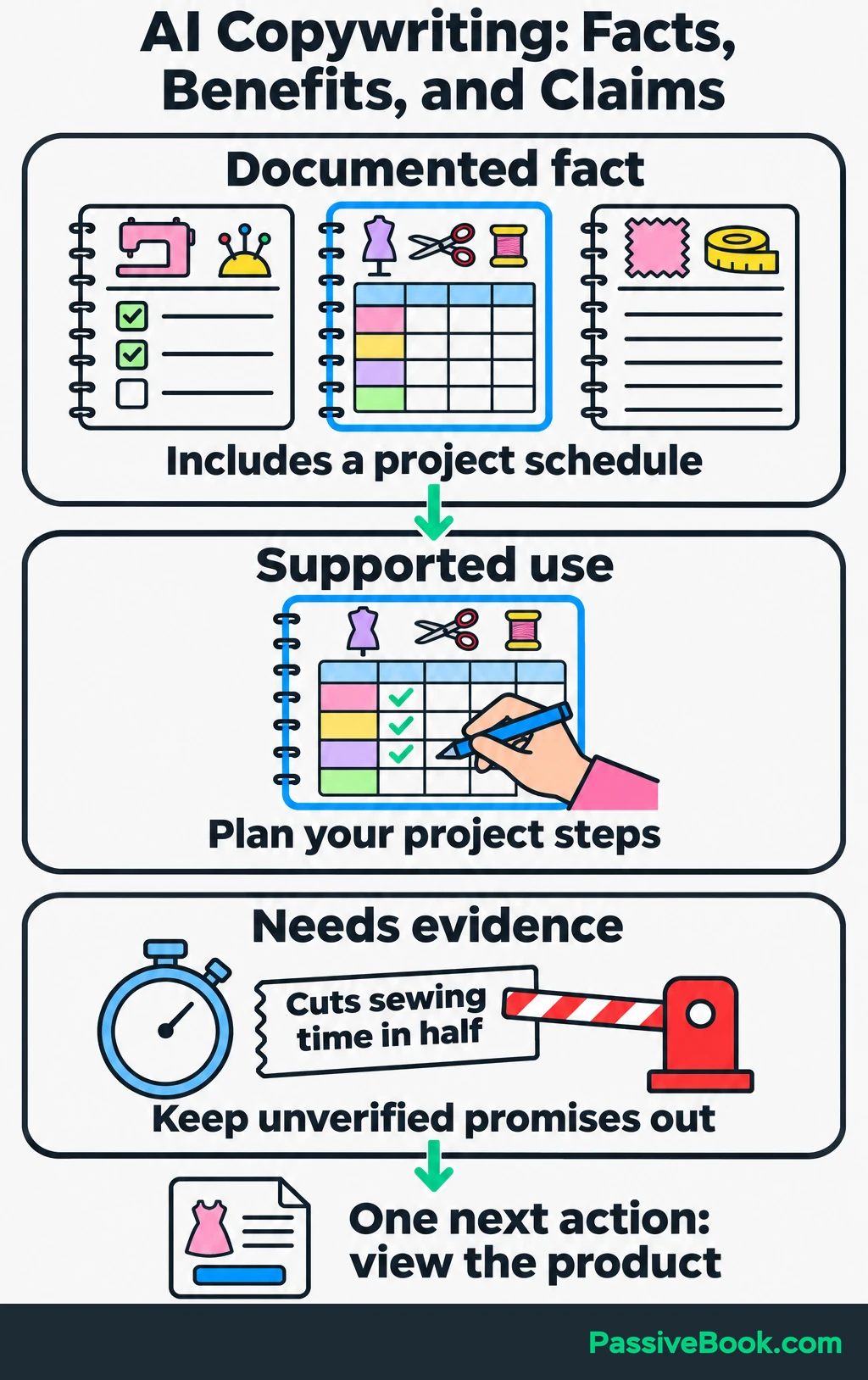
For the planner email, the starting brief is simple:
- Asset: A promotional email for people interested in planning sewing projects.
- Offer: A printable sewing project planner.
- Contents: A fabric-and-supplies checklist, project schedule, and notes pages.
- Desired Action: Visit the product page to see what’s included.
- Available Proof: The planner itself and its documented contents.
- Unknown Details: Price, purchase terms, printing requirements, and customer feedback.
You can draft this email without a price. Leave unconfirmed purchase terms out.
Before uploading material, remove customer identifiers and confidential details, and check that the account is approved for the work. Anthropic’s consumer training policy covers paid personal plans; its commercial policy has different data-use terms.
Find the Customer’s Problem and Objections
Product facts explain what you sell. Customer evidence helps you decide which parts deserve attention.
Gather relevant questions, interview notes, survey responses, support messages, and reviews. Give each record a simple ID, such as R01 or R02, so you can trace a summary back to its source.
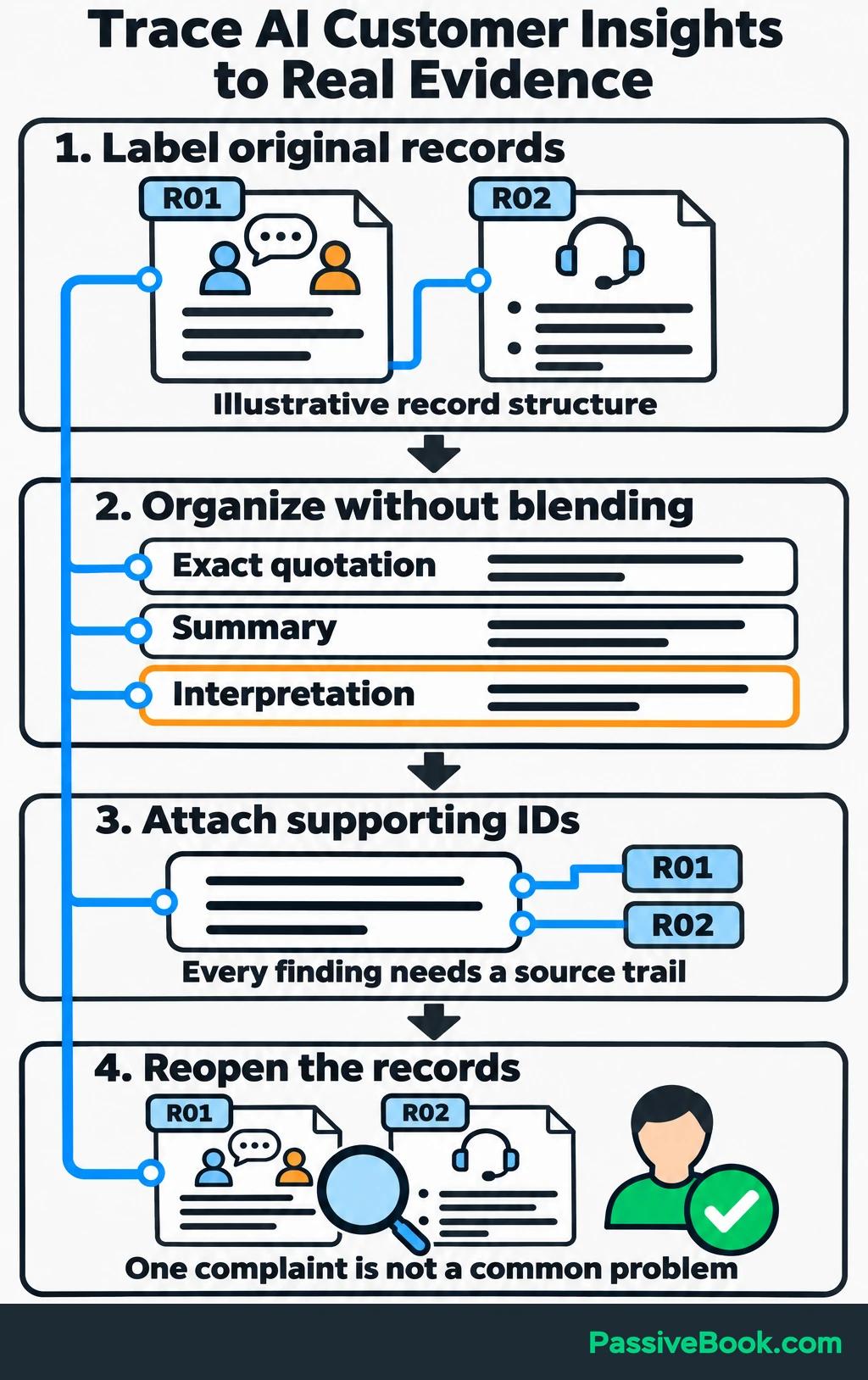
Then ask AI to organize the material:
Using only these records, group customer problems, desired outcomes,
objections, and useful phrases.

Attach supporting record IDs to each finding. Separate exact quotations
from summaries and interpretations. List unanswered questions.

Records:
[Paste approved, anonymized material.]
Read the records behind each finding before choosing a message; one complaint does not establish a common problem.
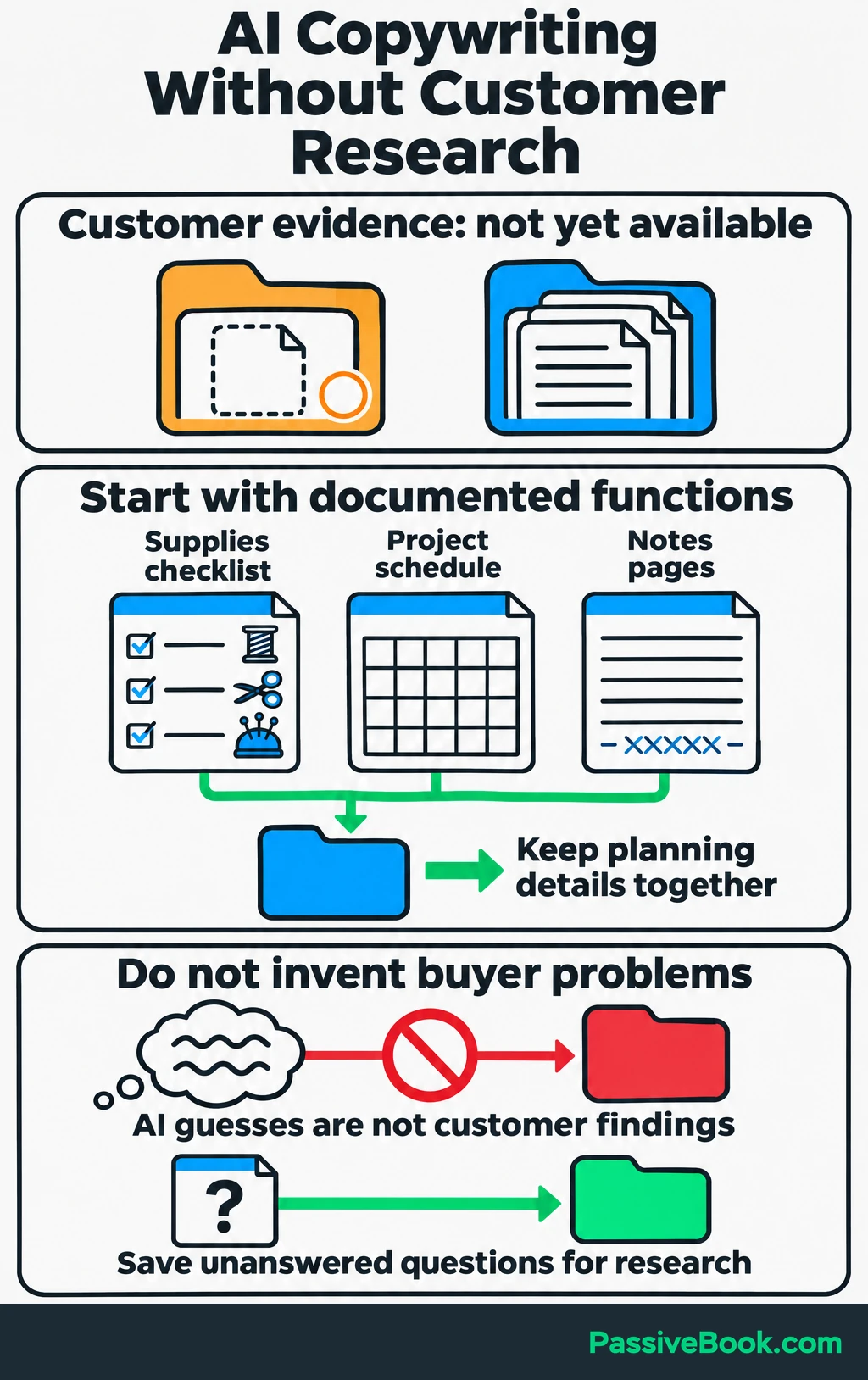
If customer records are unavailable, say so in the brief and work from documented product functions. AI-generated customer worries are not research. For our planner, describe how the pages keep supplies, scheduling, and notes together without claiming buyers regularly lose notes or abandon projects.
Use outside research only when a factual gap affects the copy. Open original sources and check the exact claim.
Set the Voice and Assemble the Brief
Give AI a short piece of approved writing and a few rules it can follow. “Friendly and professional” leaves a lot of room. “Use plain words, short paragraphs, and specific product details; avoid exaggerated praise” gives it something to work with.
Label writing samples separately from instructions, product facts, and customer evidence so their offers don’t migrate into the new copy.
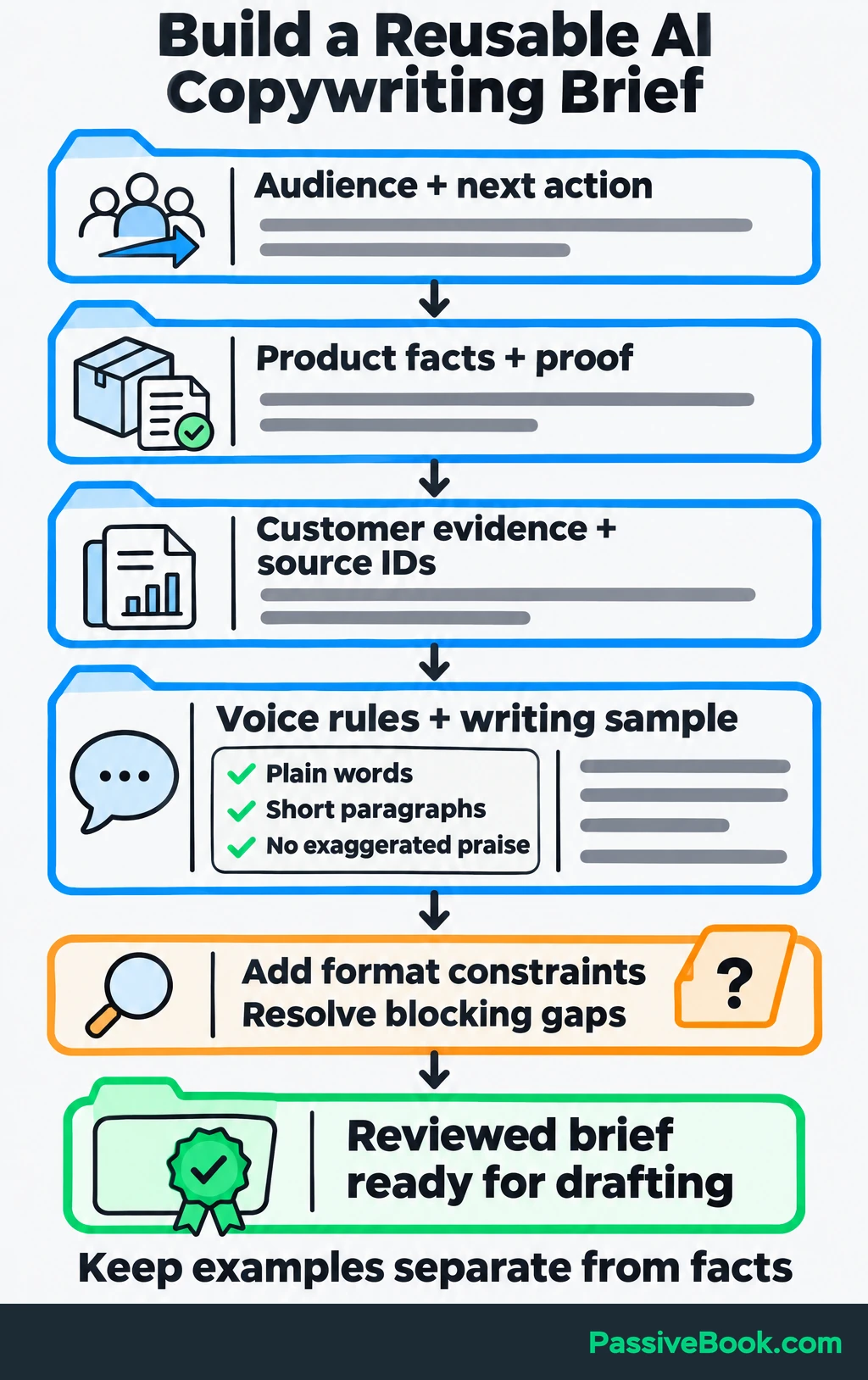
Use this prompt to assemble the brief:
Create a copywriting brief for [asset and channel].

Audience situation:
[Who will read this, and what relevant context is known?]

Desired action:
[One next step.]

Product facts:
[Approved contents, format, price, and conditions.]

Customer evidence:
[Findings with supporting record IDs, or "not yet available."]

Approved proof:
[Sources or product material.]

Voice rules and sample:
[Rules and approved writing.]

Format constraints:
[Length, placement, and required elements.]

Identify missing information that blocks drafting.
Keep unsupported details out of publishable copy.
Review the result before saving it. Resolve contradictions that affect the promise or next action.
Choose the Message Before Drafting
Before asking for paragraphs, decide why the reader should care.
While revising one of my digital-product pages, I kept asking AI for a stronger opening. Each version sounded more excited, but the offer stayed just as unclear. I went back to the product contents and rebuilt the opening around what buyers would receive.
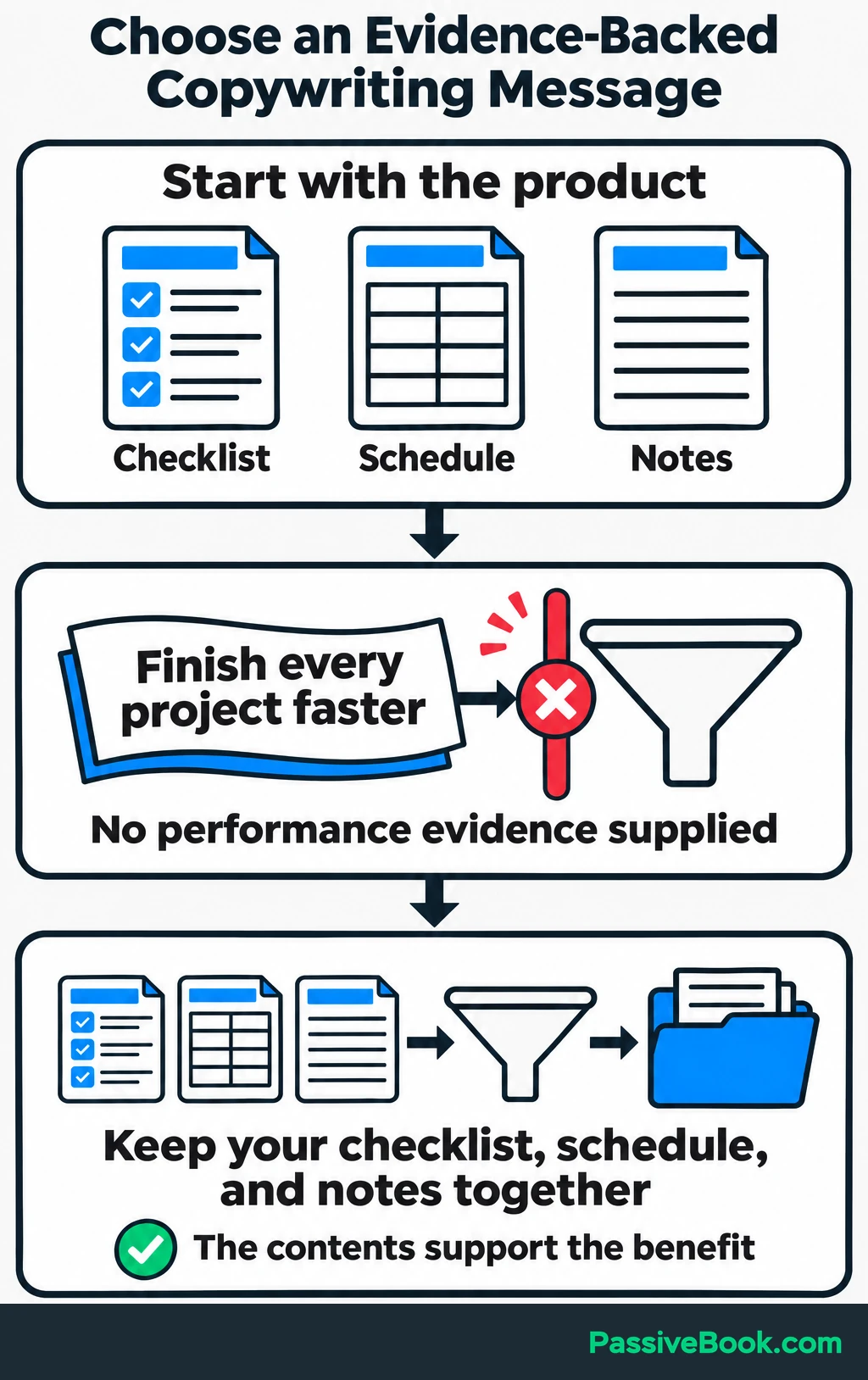
That experience is why I settle the message first. More enthusiasm cannot repair a missing reason to buy.
Ask for distinct message angles:
Using the approved brief, propose three distinct message angles.

For each, give:
- The audience concern
- The main benefit
- The supporting product fact or source ID
- The objection to address, if evidence supports one
- A possible headline

Identify promises the evidence does not support.
Judge the angles against the evidence, rather than choosing whichever sounds most dramatic.
For the planner, “finish every project faster” reaches beyond the facts. “Keep your supplies checklist, project schedule, and notes together” follows directly from the included pages. I would choose the second.
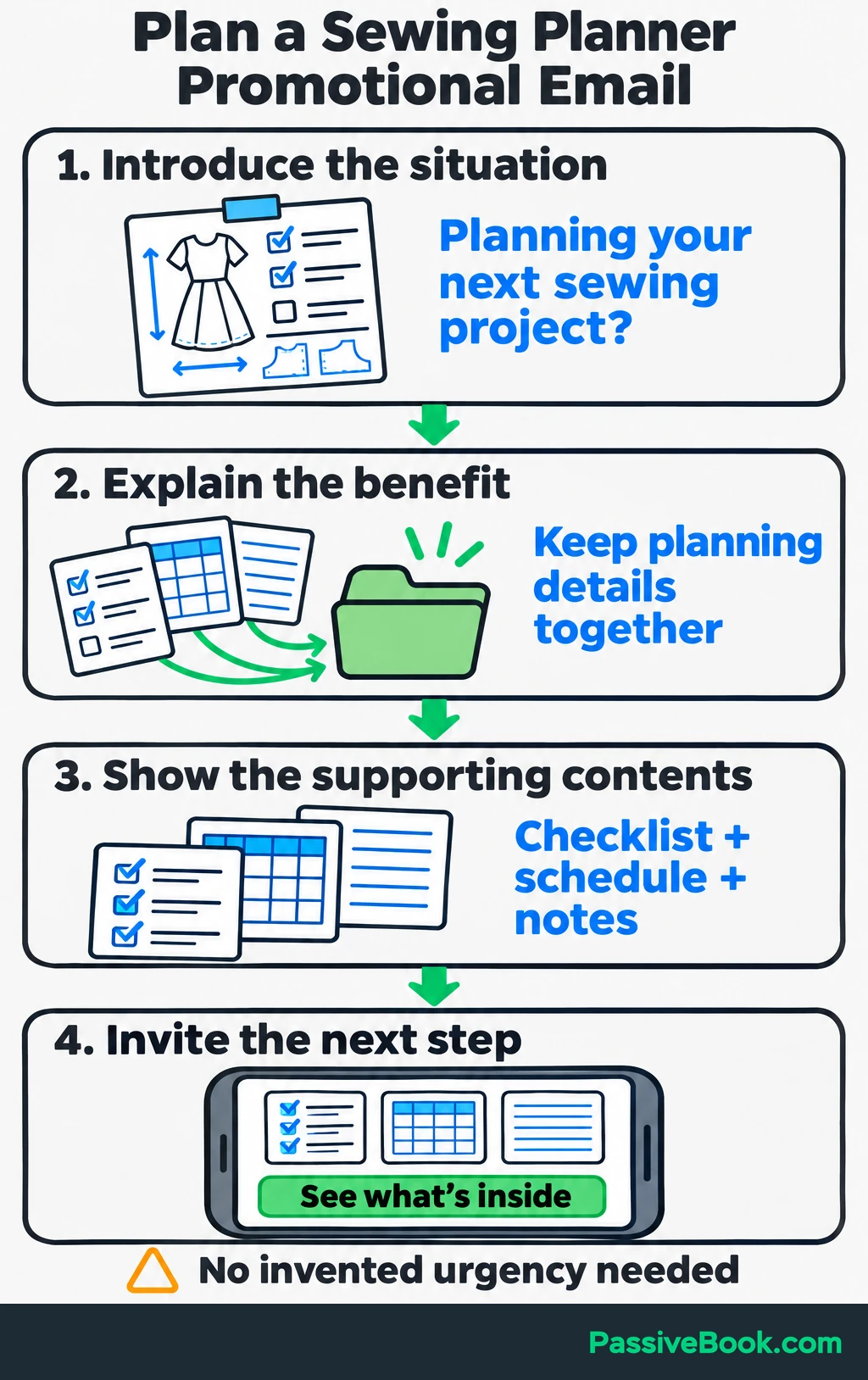
Arrange the argument in a short sequence:
- Introduce planning a sewing project.
- Explain the benefit of keeping the planning details together.
- Show which pages support that benefit.
- Invite the reader to view the product.
You can use AIDA—attention, interest, desire, action—as a planning aid. I would skip any part that requires padding or invented urgency. A printable planner does not need a dramatic villain.
Draft One Copy Asset at a Time
Approve the message sequence before requesting the full draft. That gives you a chance to correct the direction while the cost is still a few lines.
Then make the drafting request specific:
Using the approved brief and selected angle, draft a promotional email
of about 100 words.

Include three subject-line options, preview text, and one call to action
to the product page.

Match the approved voice sample. Use only supplied facts.
Do not invent testimonials, guarantees, deadlines, scarcity, or capabilities.

Put unresolved questions after the draft.
Give variations a purpose. “Write ten better subject lines” tends to create a pile you must sort. Try this instead:
Write three subject lines: one about putting the plan on paper, one about the planner’s contents, and one about preparing for the next sewing project. Preserve the same supported benefit.
For example:
- Your next sewing project, on paper
- A checklist, schedule, and notes for your next project
- Plan what you need before you start sewing
Here’s a complete illustrative email you can adapt. Replace the button destination and sender name before using it.
Subject: Your next sewing project, on paper

Preview: A supplies checklist, project schedule, and space for notes.

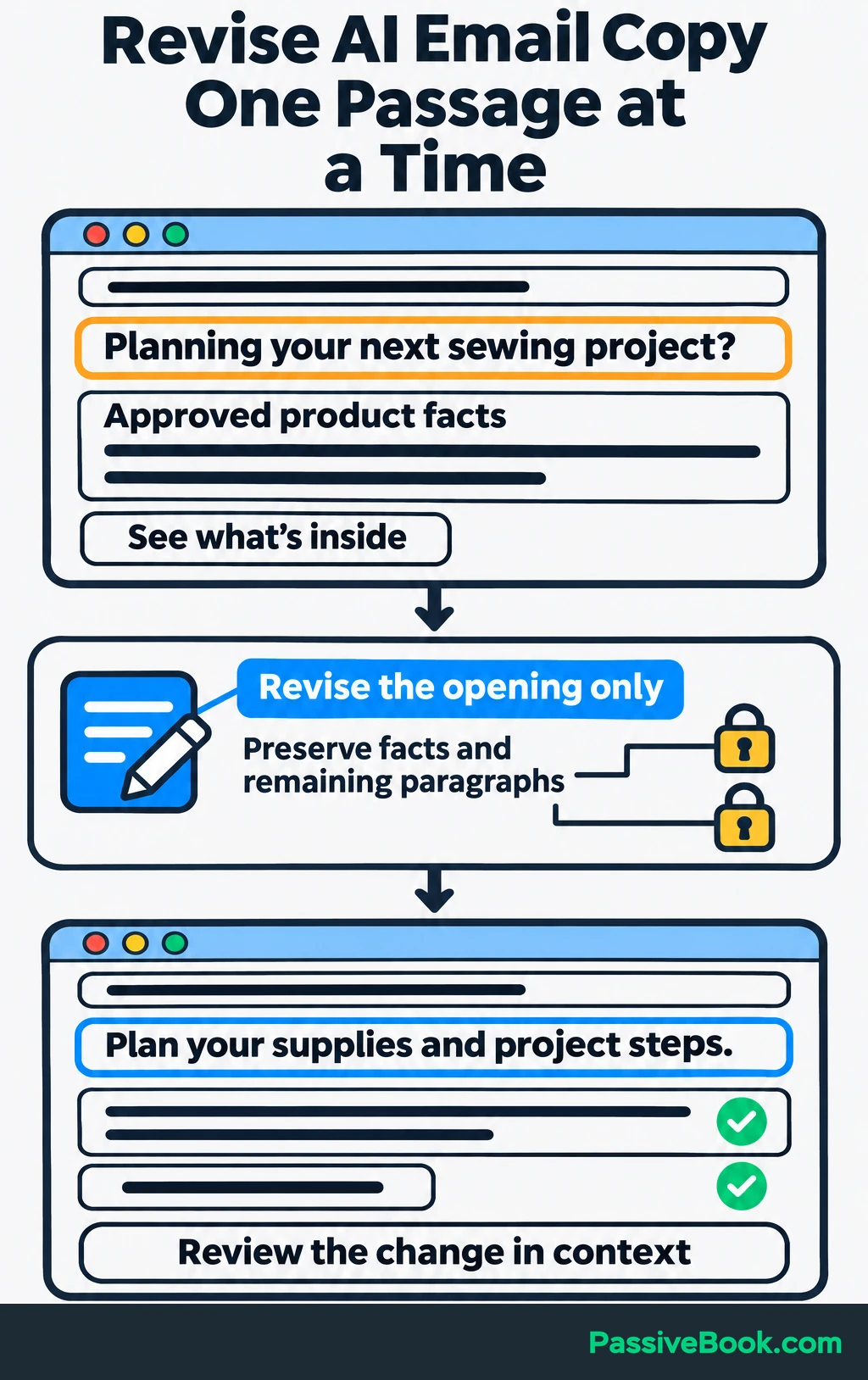
Planning your next sewing project?

Keep your fabric-and-supplies checklist, project schedule, and notes
together in one printable planner.

Use the checklist to write down what you need, the schedule to plan
your project steps, and the notes pages for details you want to keep
with the project.

Before you decide whether it suits the way you work, take a look at
the included pages on the product page.

[See what’s inside]

[Your name]
If the opening is weak, correct that part before generating another full draft:
Replace the vague opening with a concrete reference to planning supplies and project steps. Preserve the product facts and remaining paragraphs.
The same approach works for other assets. For a landing page, approve the section order and draft substantial sections separately. For an ad, specify its placement, length constraints, and destination promise. Each asset needs enough context to do its own job.
AI Copywriting Studio turns your offer notes into a draft for the channel you choose. It also shows which supplied facts support the copy, so you have a clearer starting point for your review.

Free AI Copywriting Studio




Edit for Accuracy, Persuasion, and Voice
Treat the draft as material to work with. First check what it claims, then check whether the argument is clear and sounds like you.
Check Claims Against the Original Material
Compare every checkable claim with the approved facts or original source. Look closely at prices, quantities, conditions, comparisons, quotations, and product capabilities.
AI can help identify problems:
Compare this draft with the approved brief and sources.

List each unsupported claim, contradiction, missing condition,
or altered quotation.

Show the sentence and relevant source ID.
Suggest a supported revision or recommend removal.

Draft:
[Copy]

Brief and sources:
[Material]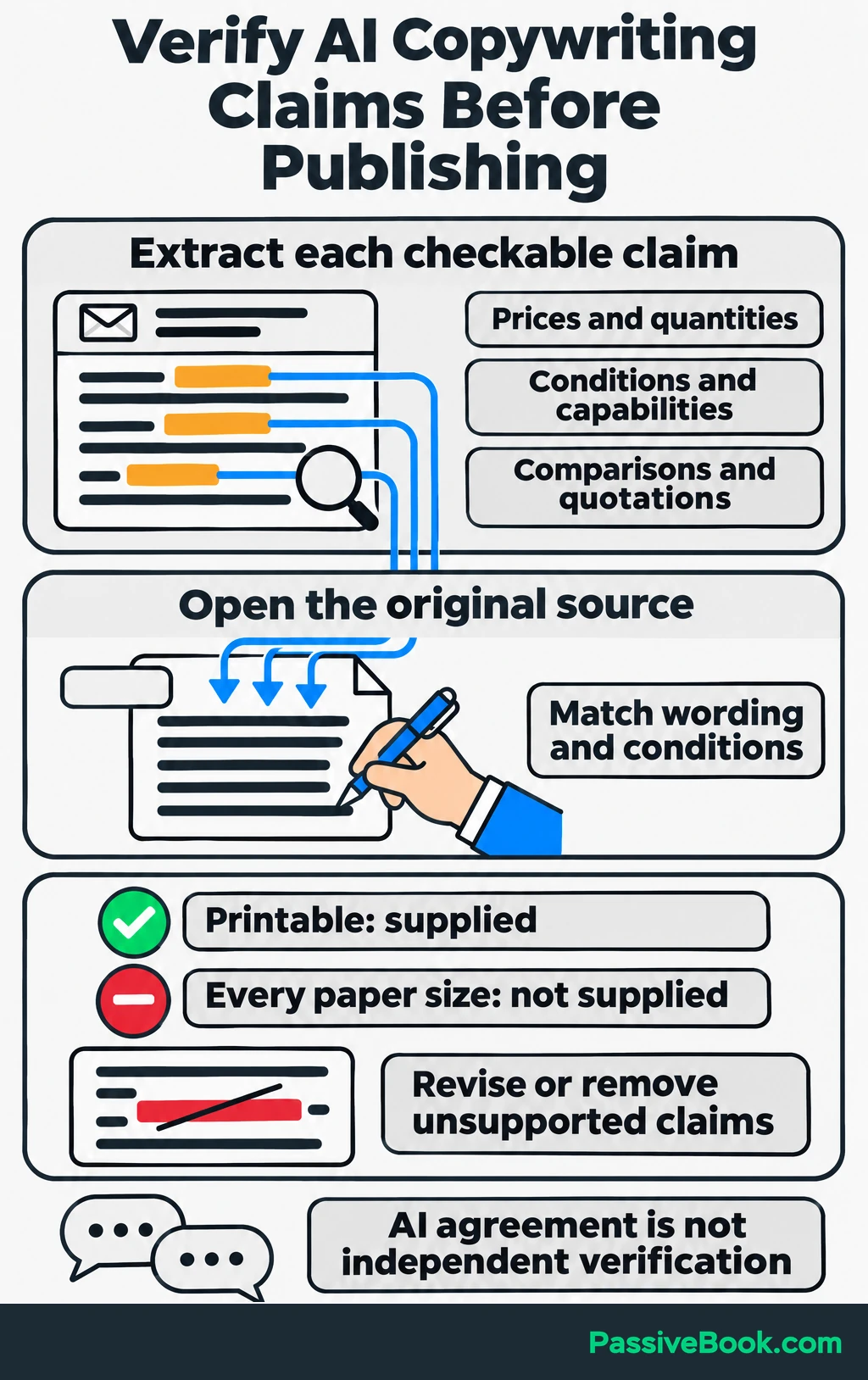
Resolve the flags yourself. Agreement from another AI response does not independently verify the first.
For the planner, “printable” is supplied. “Works with every paper size” is not. Neither are “instant download,” “lifetime updates,” or “trusted by thousands.” Familiar sales language can quietly introduce unfamiliar obligations.
For advertising directed at U.S. consumers, the FTC requires a reasonable basis for objective claims before publication. That includes implied claims, so check what a reader would reasonably take your wording to mean. FTC advertising substantiation policy
Replace Generic Promises With Concrete Benefits
Fix the argument before polishing individual words. Check that the copy has one main promise, enough supporting detail, and a clear next step.
Then ask for a focused edit:
Identify vague benefits, repetition, voice mismatches, weak transitions,
and unclear next steps.

Show the original phrase, a specific revision, and the reason.
Preserve verified facts.

Copy:
[Draft]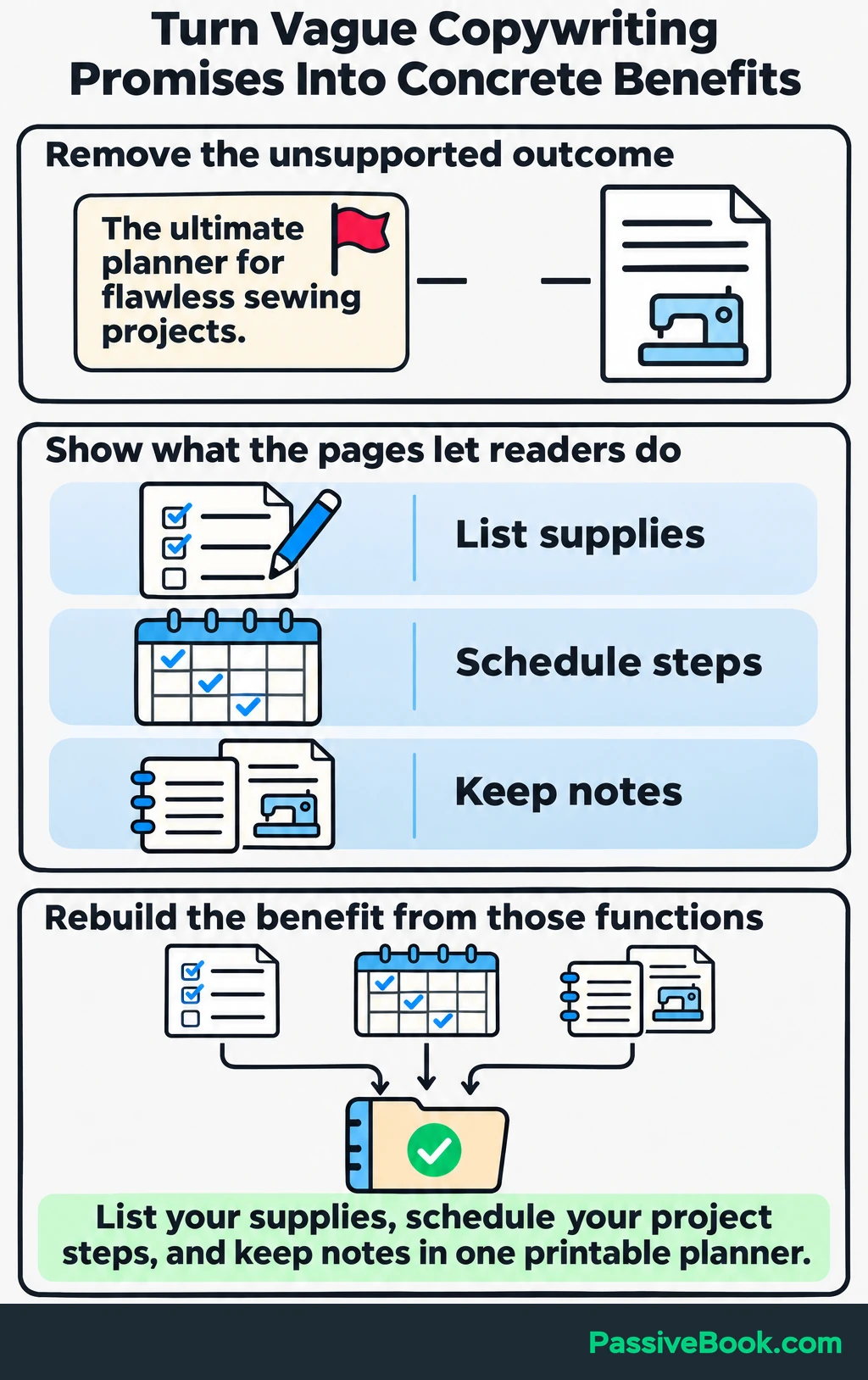
Here’s a constructed editing demonstration:
| Before | After | Why I’d Change It |
|---|---|---|
| “The ultimate planner for flawless sewing projects.” | “List your supplies, schedule your project steps, and keep notes in one printable planner.” | Replaces an unsupported outcome with the product’s actual use. |
| “Transform your creative journey.” | “Keep your fabric-and-supplies checklist, project schedule, and notes together.” | Explains what the buyer can do with the pages. |
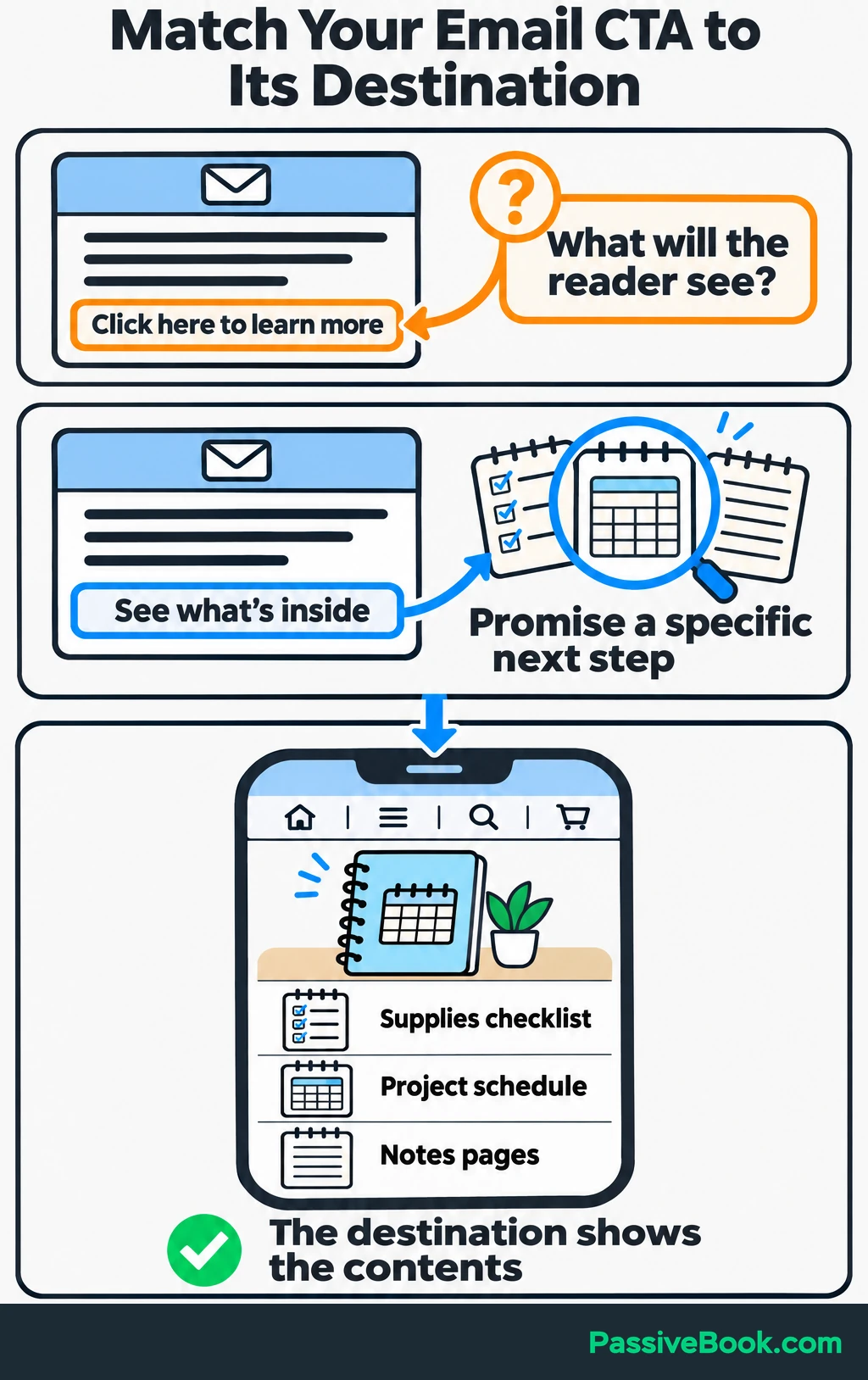
| “Click here to learn more.” | “See what’s inside.” | Gives the reader a clear reason to visit the product page. |
These edits illustrate a decision process; they aren’t recorded model outputs or tested conversion improvements.
The core email can be as short as:
Planning your next sewing project? Keep your fabric-and-supplies checklist, project schedule, and notes together in one printable planner. See what’s inside.
That may be enough when the reader already understands the offer. Add detail when it answers a real question.
Read the copy aloud and compare it with your approved voice sample. Rewrite phrases you would never say. If distinctive wording came from research or another source, check it and write your own version rather than carrying it into the draft.
Finally, follow the call to action. “See what’s inside” should lead to a page that shows or explains the planner’s contents. The destination has to keep the promise.
Adapt Approved Copy for Another Channel
Once the message is approved, reuse it. Keep the facts and central benefit, but adjust the opening, context, length, and next action for the new placement.
Use a prompt like this:
Adapt this approved sewing planner email into a short product-page
introduction.

Preserve its facts, central benefit, and voice.
Make it understandable without the email.
Add no new claims.

Approved copy:
[Paste final email.]
The introduction might become:
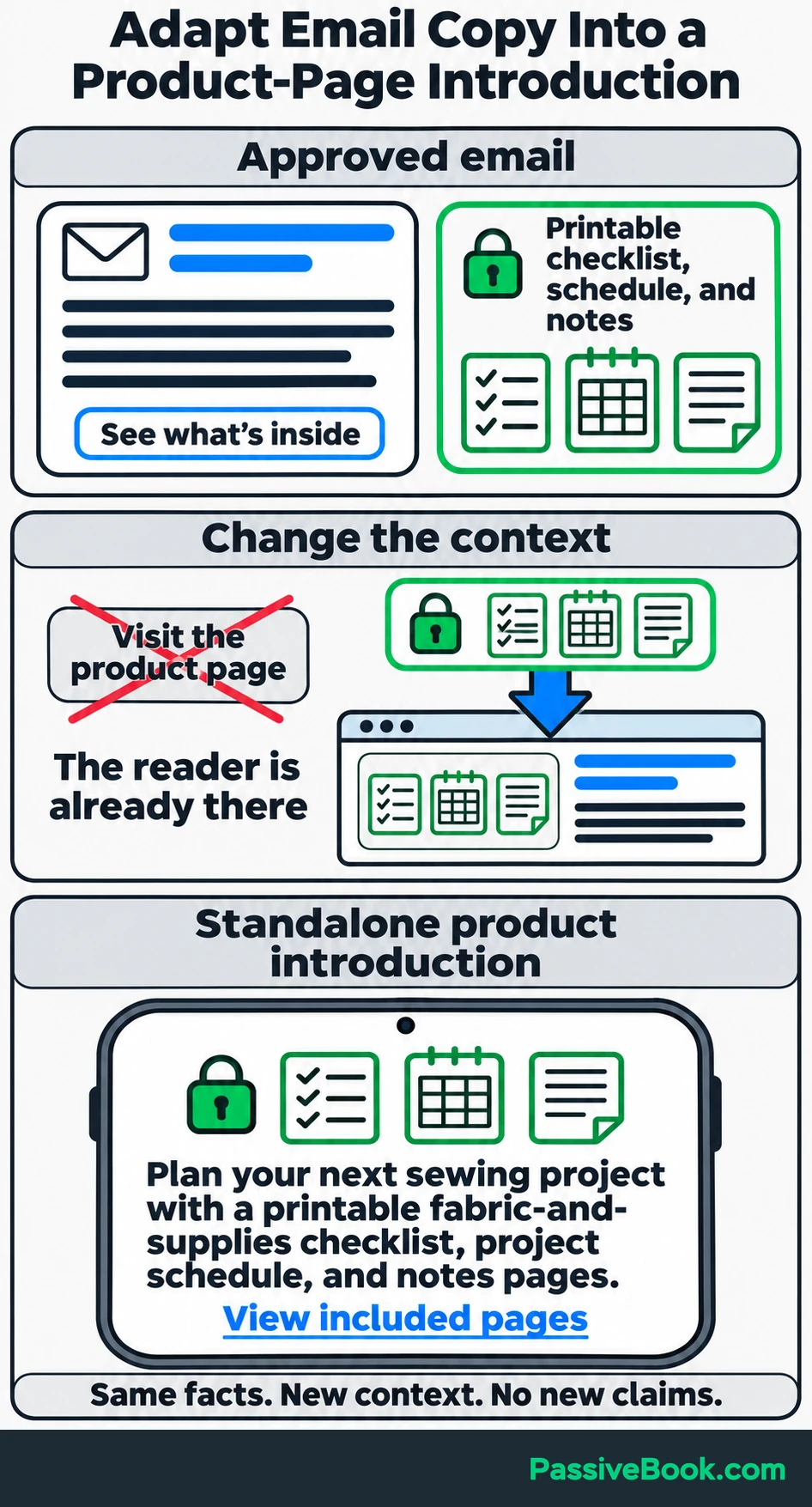
Plan your next sewing project with a printable fabric-and-supplies checklist, project schedule, and notes pages.
On the product page, inviting readers to visit the product page makes no sense. Replace that invitation with the next available action, such as viewing the included pages or adding the planner to their cart.
Review the adaptation as a fresh asset. It should make sense without the original email, fit its placement, and describe the same offer. Reusing a message saves work, but copied context can create strange little dead ends.
Publish, Measure, and Reuse What Works
Preview the copy where readers will see it. Check mobile readability, formatting, links, buttons, and offer details, and complete any required client or editorial approval.
Choose a success measure before publishing. For the planner email, I would watch product-page clicks and resulting purchases, alongside unsubscribes or complaints. Clicks help assess the invitation; purchases help assess the broader path through the offer and checkout.
When testing messages, change one meaningful thing at a time. You might compare an opening about the included pages with one about preparing for the next project. Keep the offer and destination consistent, and use randomized audience splits when available. A few extra clicks are a reason to keep learning, not enough to declare a permanent winner.
Measure time savings separately from sales performance. Count research, prompting, verification, editing, and approval, then compare similar assignments.
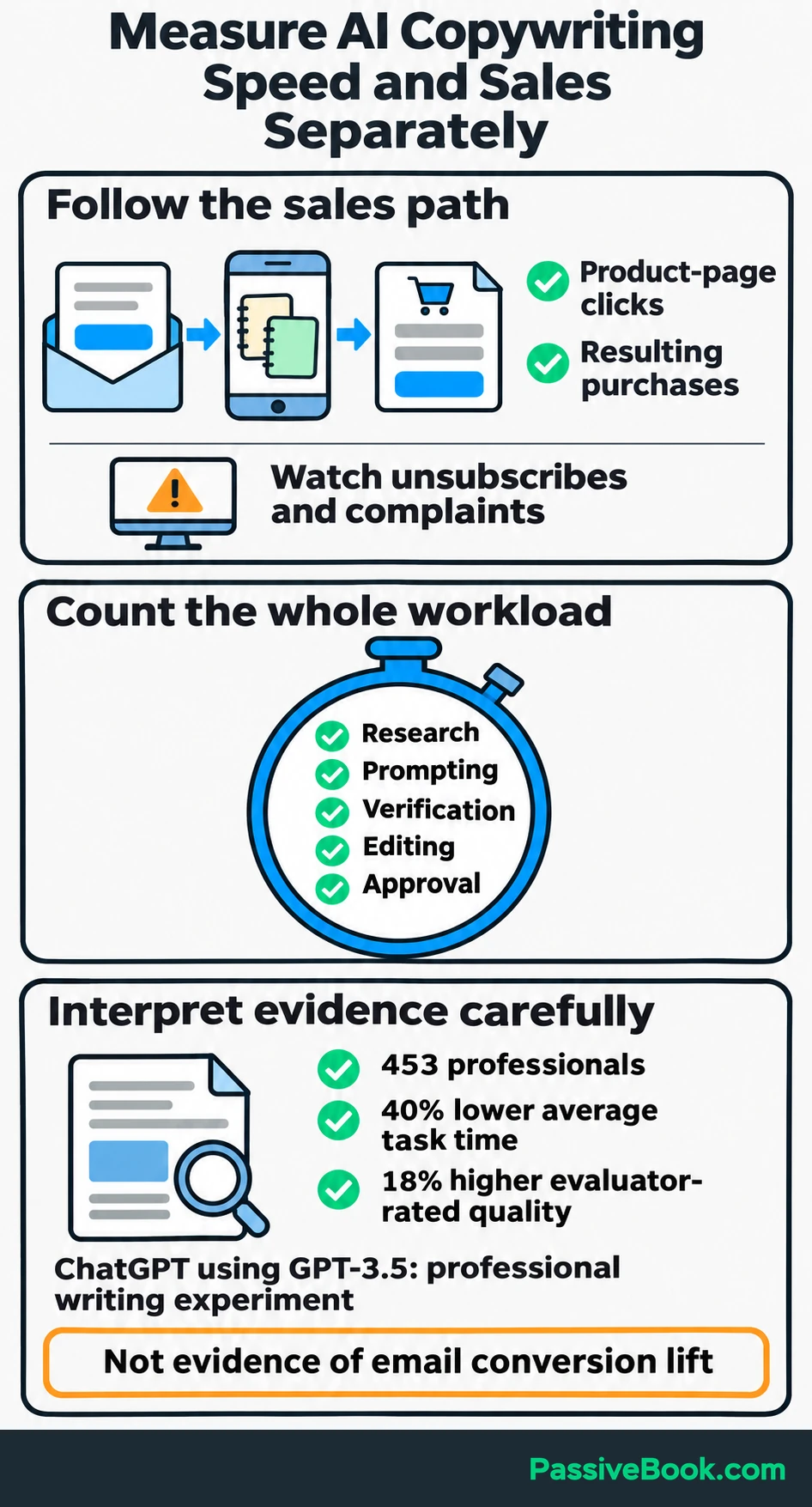
There is evidence that AI can speed up writing. In a randomized experiment involving 453 college-educated professionals, access to ChatGPT using GPT-3.5 reduced average task time by 40% and increased evaluator-rated quality by 18%. The short professional writing tasks did not require precise factual accuracy or measure sales conversions, so those results don’t establish a conversion lift for your email. Noy and Zhang’s original research report
My custom AI content pipeline took article production from days to hours. That experience comes from my article workflow, and I would measure an email workflow on its own terms.
Save the materials that made the approved result possible:
- Brief and Facts: The approved brief and product facts with a last-reviewed date.
- Evidence: Original research records and supporting sources.
- Voice: Approved samples and useful writing rules.
- Prompts and Copy: Prompts, final assets, and reasons for important edits.
- Results: Performance observations and total time through approval.
Turn repeated corrections into clearer instructions. If you keep removing invented urgency, add that rule to the brief. If readers keep asking whether the planner is printable, make the format easier to spot.
Once the process works reliably, use n8n or Make to connect your apps and move approved copy into a draft in your publishing tool. Keep an approval step before publication. Automate the handoff you already understand.
What Next?
Choose one email or page you need to publish and write its offer, supported benefit, and next action in three plain sentences. Use those sentences to start the brief before asking AI for copy.
Use the social buttons to share this workflow and make the next round of AI drafts easier to review.
Which part takes you longest: choosing the message, drafting, or editing? Tell me in the comments, and bring any other questions about your workflow.
Share this post with your friends & followers:

