You find a discussion your latest article could help with, but sharing it feels awkward. Should you answer the question, post the link, or leave before someone calls it spam?
Guess wrong and your contribution may disappear. Spend too long worrying and you miss a useful conversation with people already interested in your subject. To make those conversations less of a guessing game, this guide shows what a useful contribution can look like on Reddit, Facebook Groups, and forums—and how to judge whether the traffic it brings deserves your time.
Find Communities Discussing the Problem Your Post Solves
Start with the problem your article answers. A community about your broad subject may contain potential readers, but a discussion about the exact problem gives you a clearer reason to contribute.
Throughout this guide, imagine you run a dog-travel blog. You want to promote “How to Pack Dog Supplies for a Weekend Road Trip,” which includes an optional printable packing checklist. The sample contributions and results below are illustrations.
Search Reddit, Facebook Groups, and independent forums using phrases such as:
- “Packing for a trip with a dog”
- “Dog-friendly road trips”
- “Traveling with dogs”
- “What to bring for a weekend with a dog”
Then search inside promising communities. Read recent questions and their replies. Are several members sharing useful answers? Does your article add something the conversation needs?
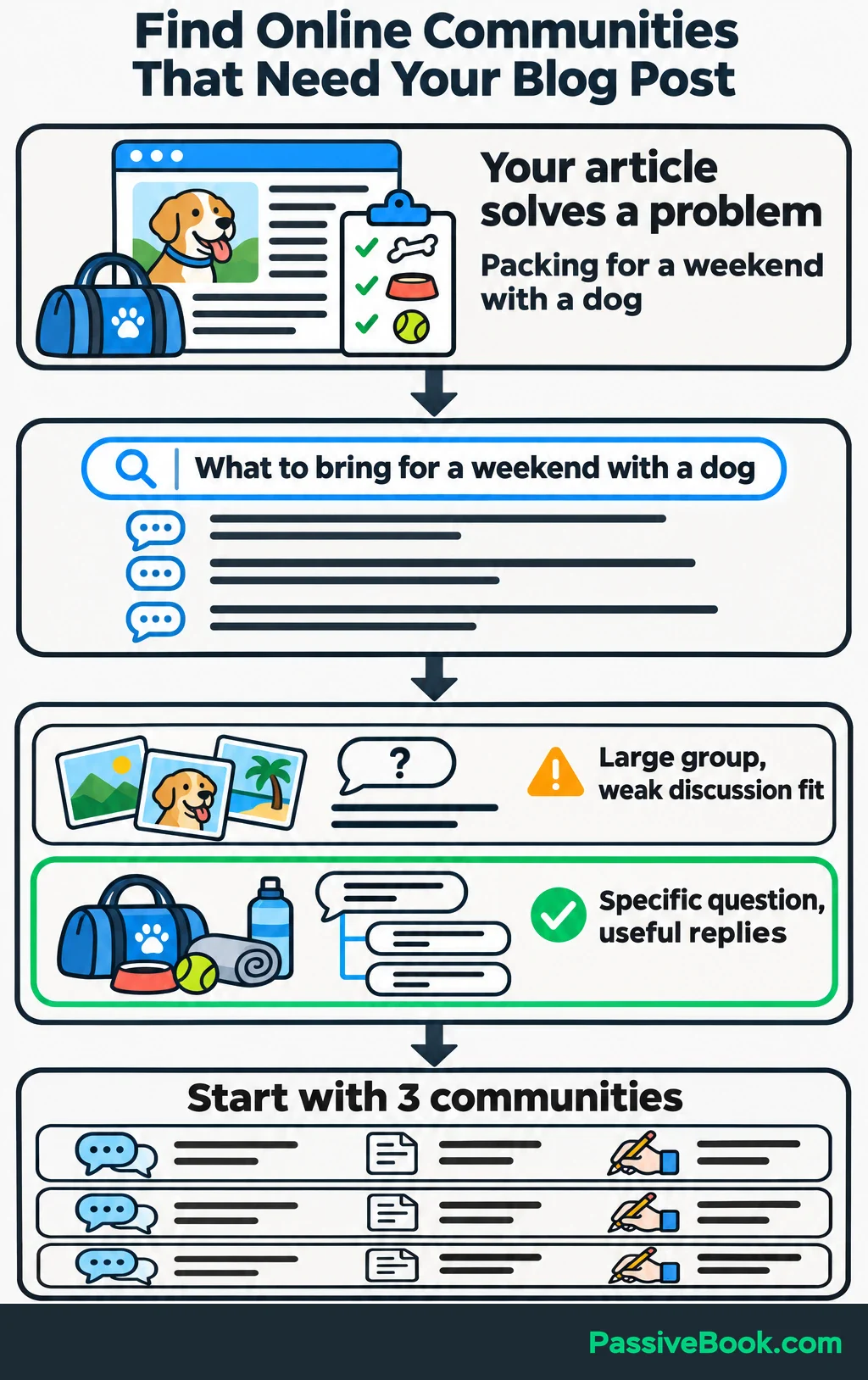
Look beyond the obvious dog groups. A road-trip community discussing how to organize supplies for pets could be a better fit than a large dog group filled with photos.
I would start with three communities you can follow consistently. A spreadsheet is enough to record:
- Community name and URL
- A relevant discussion and its date
- Whether recent questions receive useful replies
- Rules about promoting your own work
- The specific contribution you could make
Skip groups built around exchanging blog links. Your packing guide needs people planning trips, and another blogger dropping a link is not evidence that those readers are there.
Membership totals would be my last consideration. A small, active discussion about your exact subject gives you more to work with than a huge group where relevant questions go unanswered.
Check Where Self-promotion Is Allowed
A useful article still needs permission to be shared.
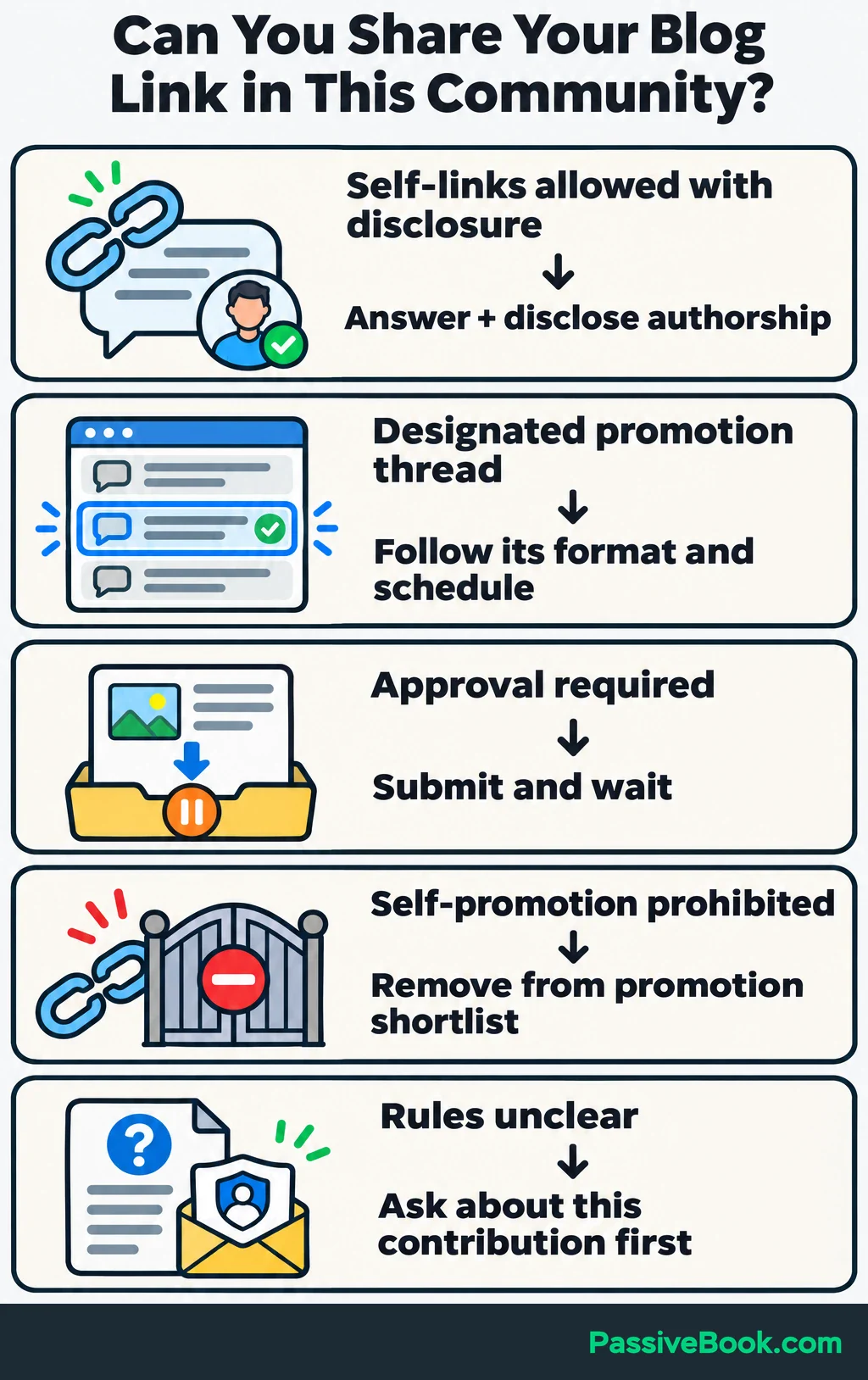
Read the platform’s policies, the community’s rules, pinned posts, and any instructions attached to promotional threads. Check whether restrictions cover comments as well as new posts.
Record each community’s position:
| Sharing Conditions | Your Next Move |
|---|---|
| Relevant self-links are allowed with disclosure | Answer the question and explain that you wrote the linked article. |
| Promotion belongs in a designated thread | Use that thread and follow its format and posting schedule. |
| Moderator approval is required | Submit the proposed contribution through the stated channel and wait. |
| Self-promotion is prohibited | Remove the community from your promotion shortlist. |
| The rules do not clearly address your contribution | Ask about the specific post before sharing it. |
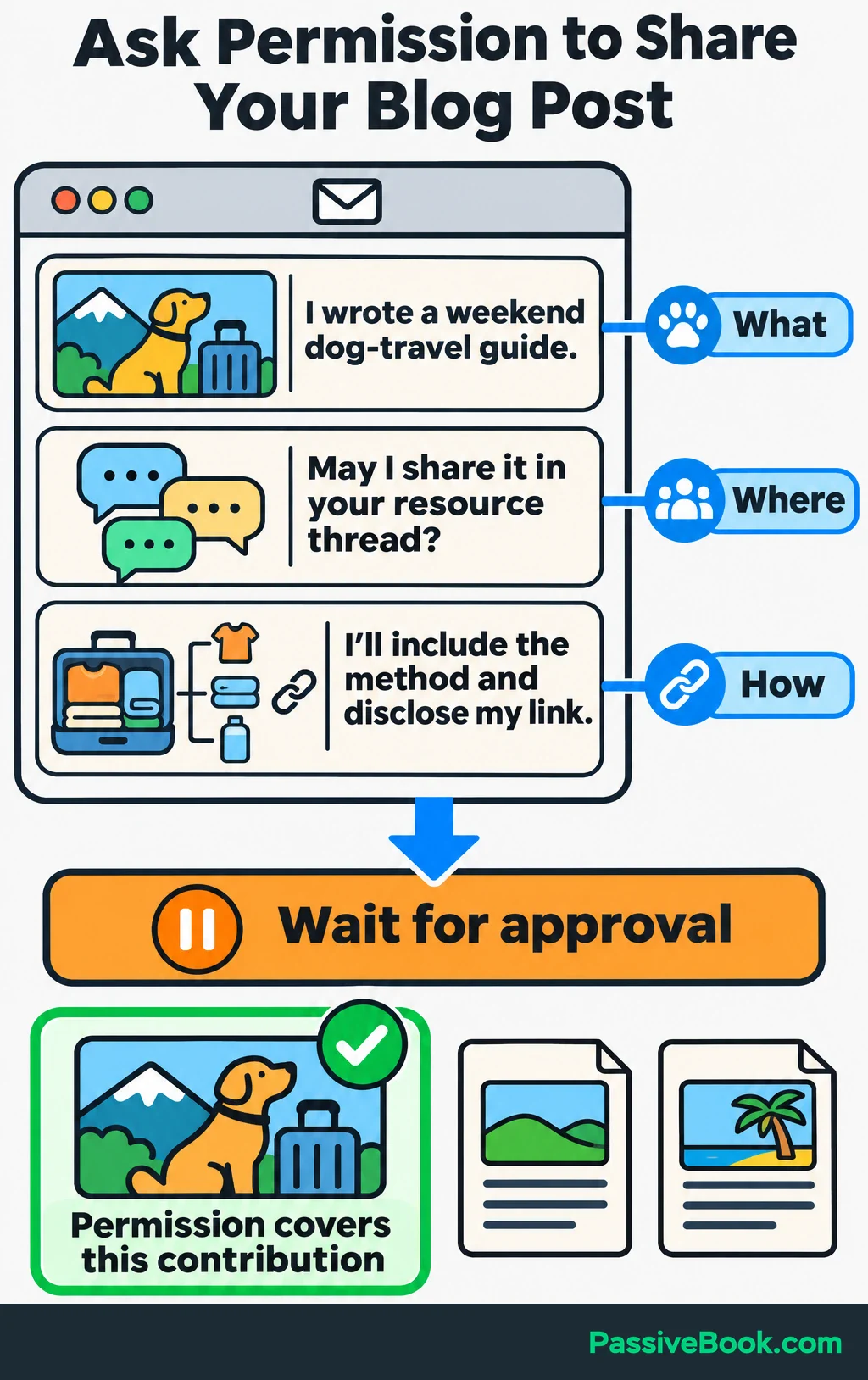
A short, specific permission request is easier to assess than “Can I promote my blog?”
I wrote a weekend packing guide for traveling with dogs. May I share the packing method and a link in your resource thread? The post would include the method itself, and I would disclose that the article is mine.
Approval applies to what you asked to share. It does not give you an open invitation to post every future article.
Reddit: Follow Each Subreddit’s Rules
Reddit says promotional content is not inherently spam, but individual communities can prohibit it. Some use participation ratios, but there is no universal ratio that makes a prohibited link acceptable. Follow the subreddit’s own rules. Reddit’s guidance on promotion and spam.
Before contributing, check the permitted format, required post labels—called flair—and any account requirements. A text post with a disclosed link may be treated differently from a post consisting only of a link.
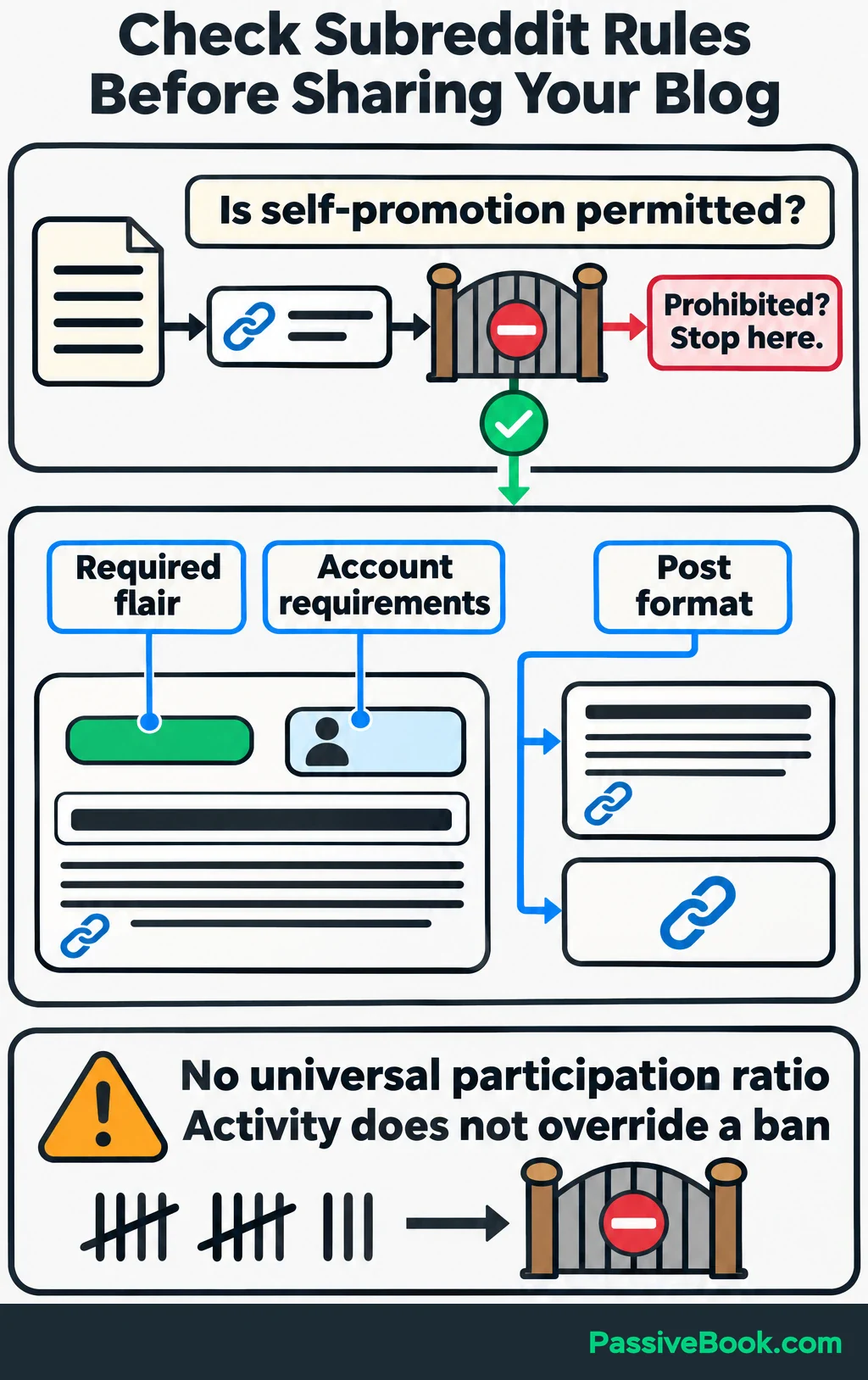
For a concrete example, r/puppy101 prohibits promoting your own blog, website, or business, and its restrictions also cover business-related accounts. A relevant puppy article would not override that prohibition. r/puppy101’s community rules.
I would cross it off the promotion list and keep looking. Trying to outsmart a clear rule is a remarkably inefficient traffic strategy.
Facebook Groups: Follow the Group’s Sharing Conditions
Read the group rules and pinned announcements before preparing a post. Look for distinctions between educational posts, outside resources, and promotion of your own work.
“Educational posts welcome” does not automatically mean “links to your blog welcome.”
For the packing guide, check whether you can share your own resources, whether links belong in a weekly thread, and whether an admin must approve the contribution. Read the thread instructions too; a promotional window may have its own conditions.
Meta gives group admins tools to decline posts and comments containing particular links, so seeing other links in a group does not establish permission for yours. Meta’s explanation of group moderation tools.
Keep the conversation in the group unless a member requests another form of contact and the rules permit it. Sending unsolicited messages is not a sensible backup plan for a link you cannot post publicly.
Turn Your Article Into a Useful Contribution
Read the conversation before extracting anything from your article. Notice the question’s details, what members have already suggested, and how much explanation people expect.
Then choose the smallest useful part of your article that answers the immediate need.
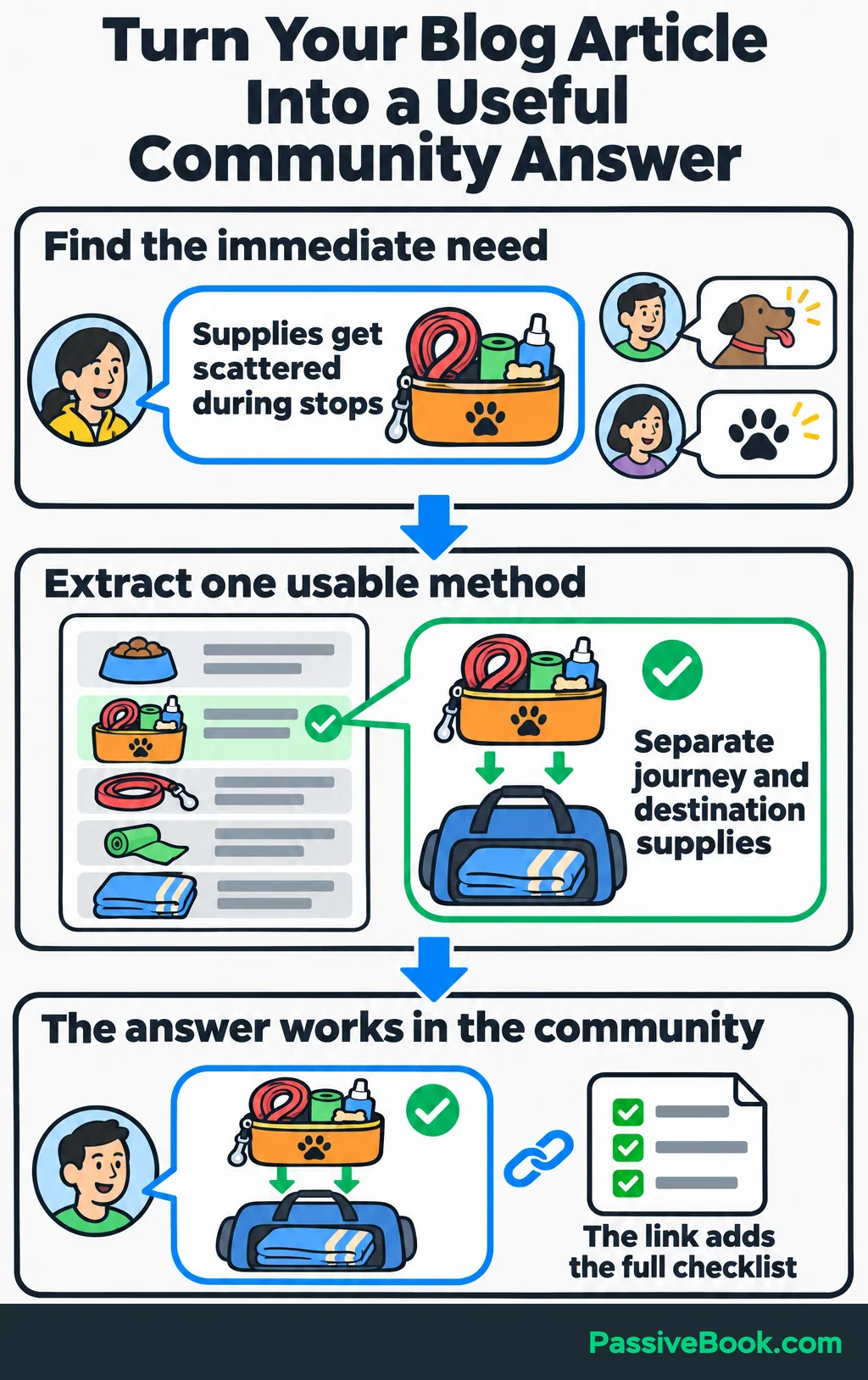
For the packing guide, that might be a way to separate supplies needed during the journey from supplies needed at the destination. Members should be able to use that method without opening your website.
The link can offer something additional: the full packing list, a labeled photo, or the printable checklist.
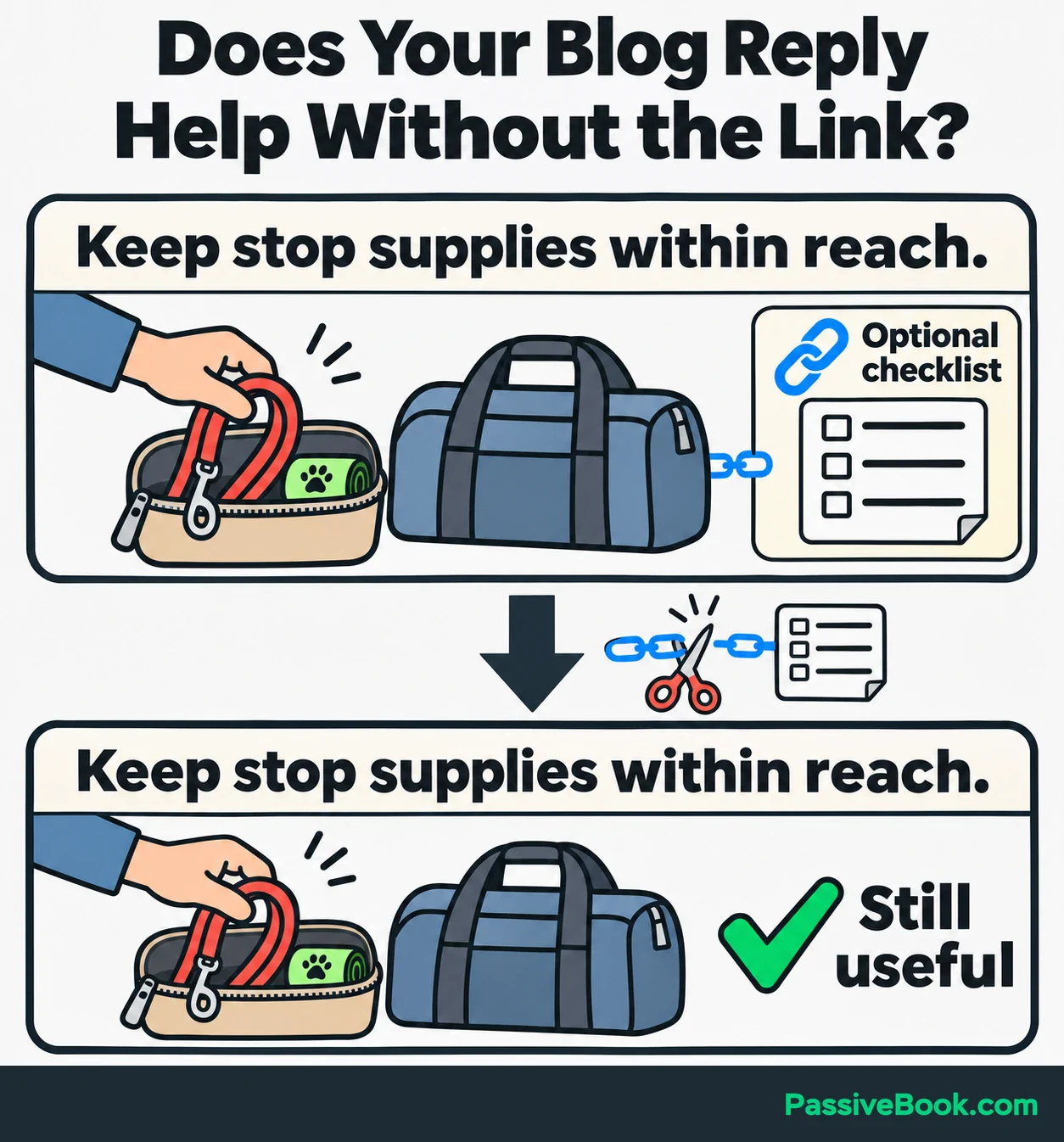
On one of my side-niche sites, I caught myself drafting a community post around everything my article covered. It read like a table of contents with enthusiasm added. When I returned to the member’s question, most of that introduction had nothing to do with it.
That is the check I use now: if I remove the link, does the contribution still help?
Also participate when you have no article to share. Answer questions you understand and acknowledge useful advice from others. Choose when to link based on relevance and permission, rather than completing a comment quota and expecting a promotional reward.
Answer an Existing Question
Start with the member’s circumstances. Someone struggling to find supplies during roadside stops needs a different answer from someone asking how to pack lightly.
Use a simple sequence:
- Answer the immediate question.
- Explain how to apply the answer.
- Offer your article for a specific addition, where permitted.
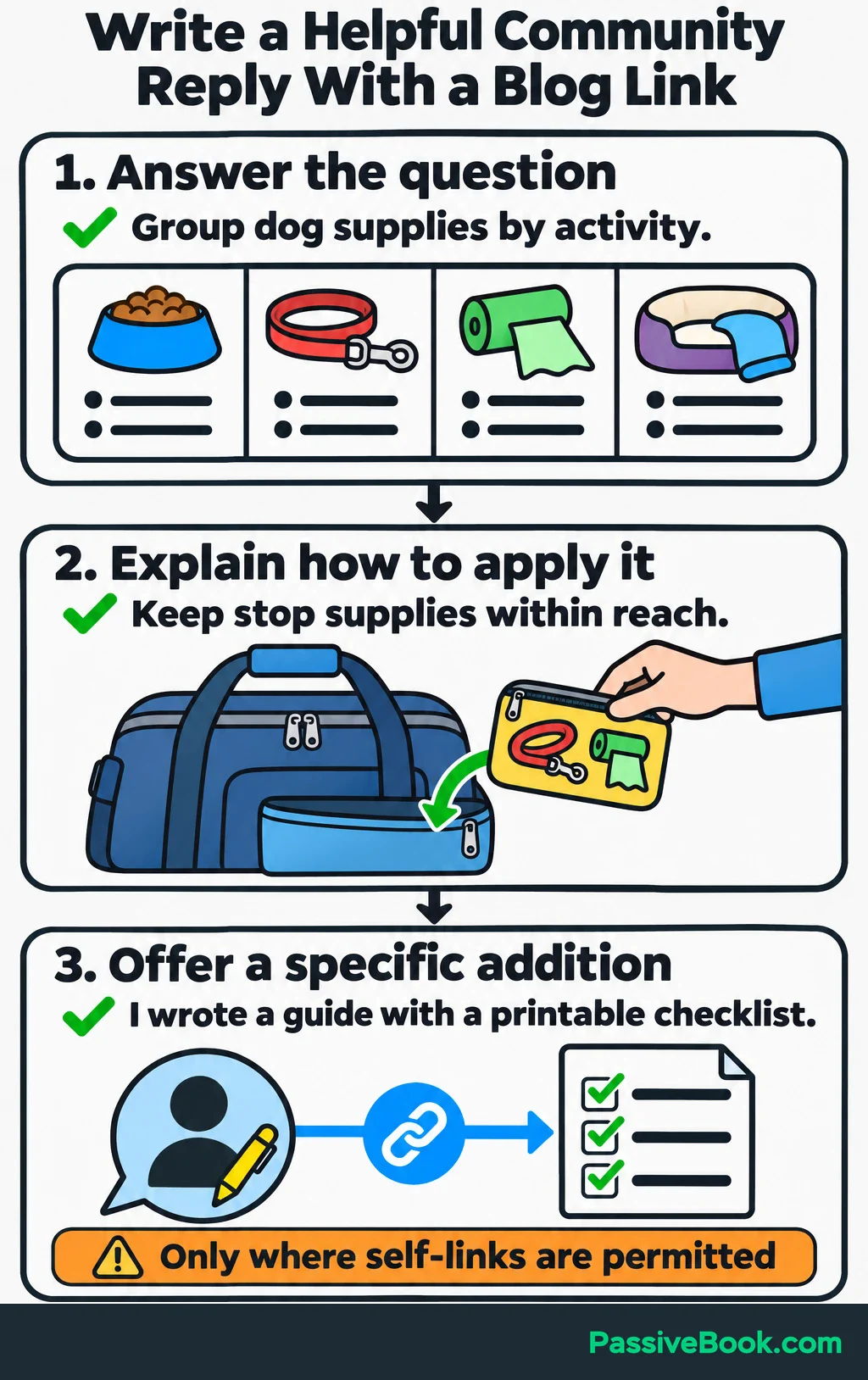
For someone whose supplies keep getting scattered, a reply could say:
Group your packing list by activity: feeding, walks, cleanup, and overnight stays. Keep the things needed during stops together and easy to reach, so you do not have to unpack the main bag each time.
I wrote a weekend packing guide with a printable checklist if having the full list would help: [link to your guide].
The link has a clear purpose, and the member already has something useful.
Adapt that reply to the actual question. If someone has already suggested organizing supplies by activity, add a missing detail or move on. Repeating a complete answer just to attach your link gives the conversation very little.
Start a Standalone Discussion
A new post makes sense when educational contributions are welcome and your article answers a recurring question without a suitable active thread.
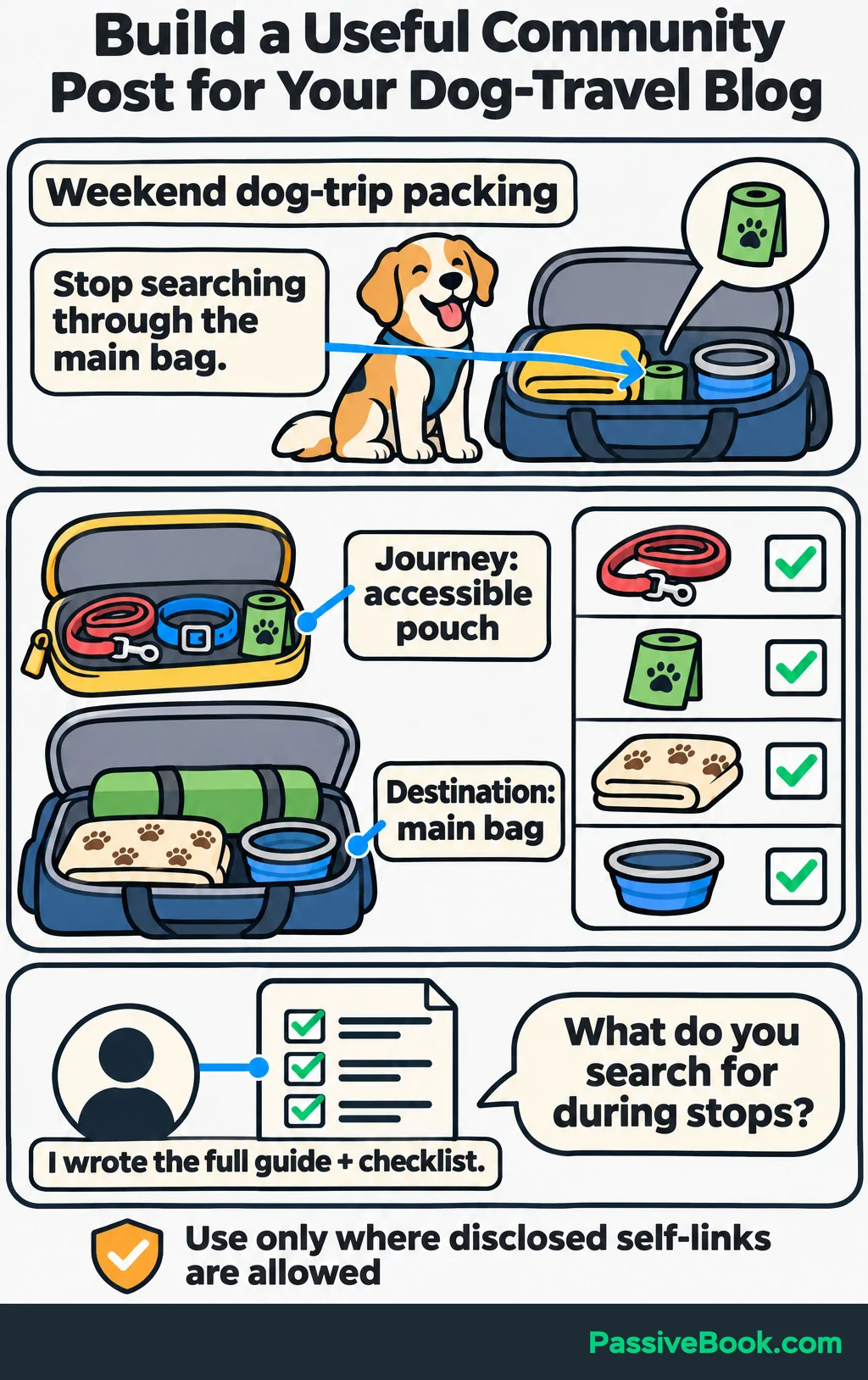
Give the post a descriptive title and include a usable method. Here is a complete sample to adapt in a community that permits disclosed self-links:
A simple packing system for a weekend trip with your dog
If you keep searching through the main bag during stops, try packing around when you will need each item.
First, list the activities your trip involves: feeding, walks, cleanup, and overnight stays.
Then split the supplies into two groups:
– Things you need during the journey
– Things you need after arriving
Keep walking and cleanup supplies in an accessible pouch. Group overnight supplies together in the main bag, and check both groups against your list before loading them.
This gives each item a place and makes it easier to see what is missing.
I wrote “How to Pack Dog Supplies for a Weekend Road Trip,” which includes the full packing list and an optional printable checklist: [link to your guide].
Which item do you always end up searching for during a stop?
For an existing question, use the shorter reply from the previous section. In a designated resource thread, follow the requested format and keep only the method and link description that fit.
If you’re struggling to turn your own article into a contribution, AI Community Contributor can draft it around the conversation you want to join. It also handles permission requests and follow-up replies, so you don’t have to start each one from scratch.

Free AI Community Contributor




A labeled packing photo could make the arrangement clearer. I would skip a decorative graphic that adds nothing beyond the article title.
Publish When You Can Answer Replies
Before posting, open your article on your phone. Confirm that the page loads, the promised answer is easy to find, and the checklist form works.
Keep the article’s main answer available without an email signup. The optional download can save readers time, but the page should deliver what your community contribution promised.
Choose one primary outcome before sharing. For the packing guide, I would track completed checklist signups. Qualified visits and useful replies still matter, but choosing one main outcome makes the review easier.
Test that a successful signup is recorded. Count the completed action rather than a click on the signup button. If you use Google Analytics to track website visits, record the completion as an event and mark it as a key event—an action to include in your results reports.
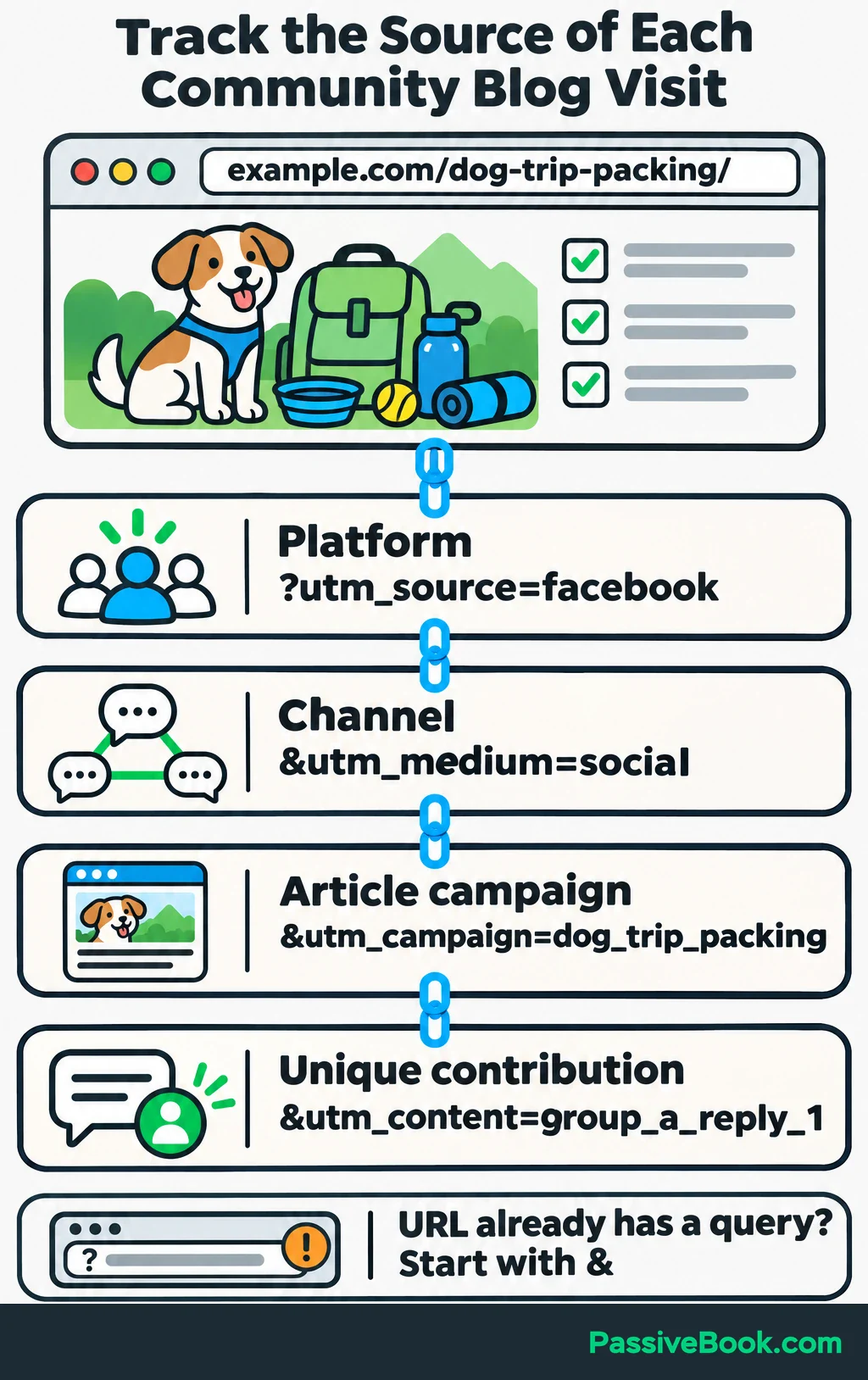
Next, prepare a trackable link where the community permits tracking parameters. These labels tell Google Analytics which contribution brought a visit. Replace the example address below with your article’s URL:
https://example.com/dog-trip-packing/?utm_source=facebook&utm_medium=social&utm_campaign=dog_trip_packing&utm_content=group_a_reply_1Change utm_source to reddit for Reddit, and give each contribution its own utm_content value. If your article’s URL already contains a ?, add the labels after an & instead. Google Analytics uses these parameters to report referring campaigns. Google’s campaign URL guidance.
In the Traffic acquisition report, review the session source and campaign. Use the session manual ad content dimension to distinguish placements carrying different utm_content values.
Then choose a posting time based on the conversation and your availability. A relevant question you can answer now is more useful than a generic “best time to post” chart.
Before publishing, make sure you can return to handle replies. Afterward:
- Save the contribution’s URL and date.
- Answer substantive questions and acknowledge helpful corrections.
- Improve the article if replies reveal a confusing or missing step.
- Check for pending approval before treating silence as rejection.
If moderators remove the contribution, read the reason and use the designated moderation channel if clarification is needed.
Do not resubmit the same post repeatedly or hide the destination behind a redirect to bypass a domain restriction. Reddit specifically identifies repeated posting and attempts to circumvent domain blocks as potential spam. Reddit’s spam examples.
Measure Which Communities Deserve More Time
Keep community response, website activity, and business results separate.
A thoughtful discussion may teach you what readers need while producing few visits. A busy comment thread may also produce no signups. Those are different outcomes, and combining them into “engagement” hides the decision you need to make.
I spent six months chasing Instagram and Twitter/X followers in a side niche without meaningful financial progress. I had activity to point at, but the bank account gave a much shorter presentation. That experience is why I keep audience response and business results in separate columns.
Use your spreadsheet as a contribution log. One illustrative entry could look like this:
| Field | Example Entry |
|---|---|
| Community and placement | Road-trip group A; reply to a packing question |
| Contribution URL and posting date | No live reply URL or posting date; this entry is illustrative. |
| Community response | Published; three substantive replies; no removal |
| Website results | 40 attributed sessions; four completed new signups |
| Review window | First seven days after publication |
| Total work | Two hours, including discovery, writing, and replies |
| Next action | Follow the discussion and watch for another relevant question |
Choose the same review window when comparing contributions. Count the preparation and follow-up time too; writing the post is only part of the work.
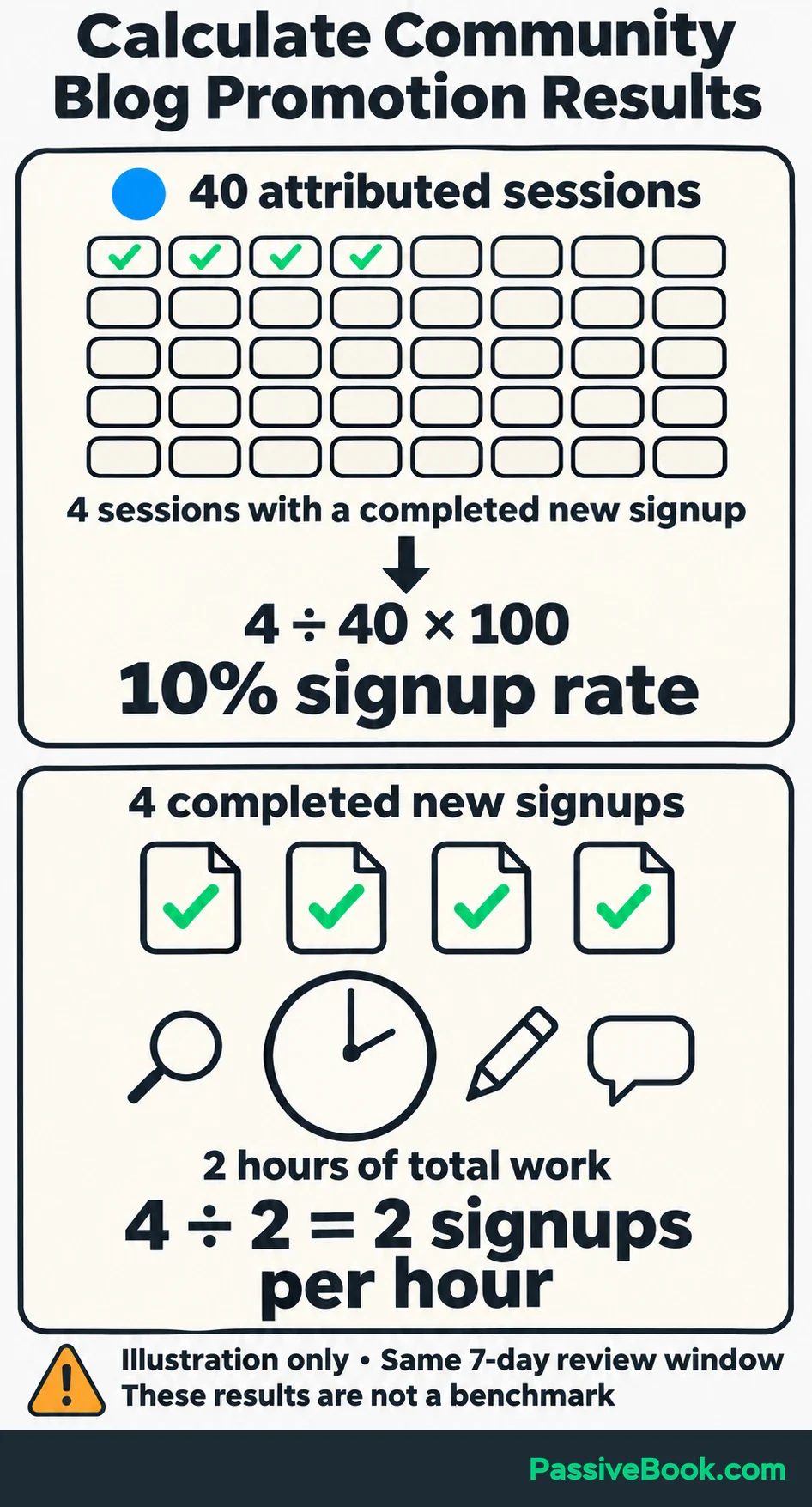
For a signup rate, count how many attributed sessions included at least one completed new signup. Divide those sessions by all attributed sessions in the same review window.
In this illustration, four of the 40 sessions each produced one new signup:
4 ÷ 40 × 100 = 10% signup rateTo compare effort, divide the four completed new signups by the two hours spent:
4 ÷ 2 = 2 signups per hour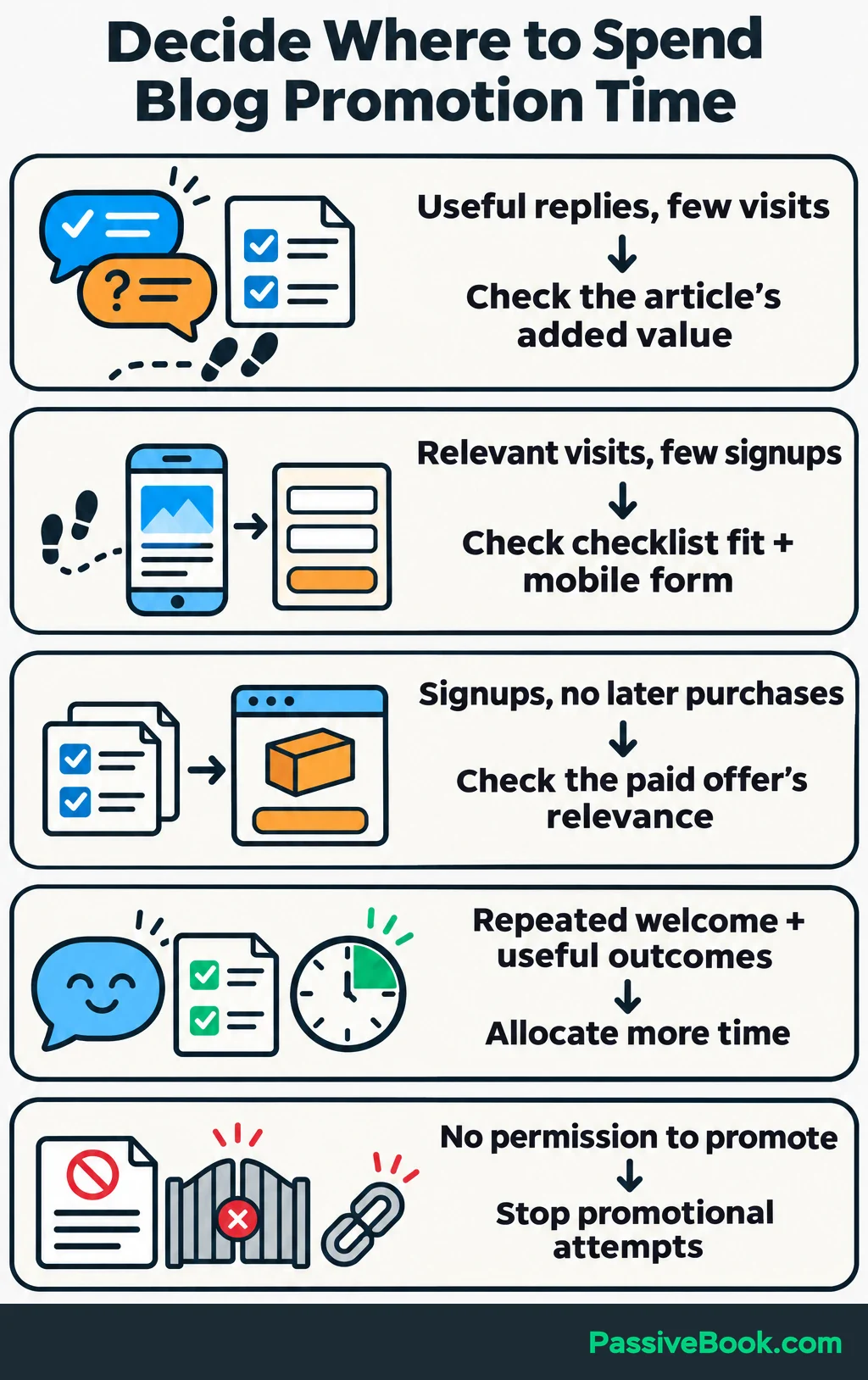
These are sample figures, not expected results. Use the visits and actions your setup actually attributes, and avoid treating one small result as proof of consistent performance.
Your next move should follow what you observe:
| What You See | What I Would Check |
|---|---|
| Useful replies, but few visits | Does the article offer a clear addition beyond the community answer? |
| Relevant visits, but few signups | Does the checklist match the article, and does the form work on mobile? |
| Signups, but no later purchases | Does the paid offer solve a related need for these readers? |
| Repeatedly welcome contributions and useful outcomes | Give the community more of your available time. |
| No permission to promote | Stop promotional attempts there. |
Start with a short weekly routine: review saved searches, contribute where you can help, answer replies, and update the log.
I would automate reminders and spreadsheet summaries before automating community replies. The repeated admin work is a good candidate for automation. Reading the actual question still earns its place on your calendar.
What Next?
Find one recent question your article answers and record the community’s sharing rules beside it. Then draft an answer that remains useful with the link removed, and share it when the rules permit.
Use the social buttons to pass this guide along when your next discussion turns to getting blog traffic without buying ads.
Which part needs the most work in your process: finding the right conversation, writing the contribution, or measuring what happens afterward? Share your answer—and any other questions—in the comments.
Share this post with your friends & followers:

