Another article is published, but the visits barely move. You have a growing archive and a shrinking supply of evenings to spend on it.
The frustrating part is not knowing what deserves your next hour. A better topic? A stronger headline? More promotion? Publishing again feels productive, but it can leave the real problem untouched. The five strategies below make those choices concrete through one dog-friendly travel article, showing how to attract interested readers and bring them back without paid ads or daily videos.
Why Is Your Blog Not Getting Traffic?
Before writing another post, check whether people can reach the ones you already have.
Open your important articles on a phone. Check for broken pages, unreadable checklists, and forms that cover the answer. Then use Google Search Console, Google’s free search-monitoring tool, to inspect articles missing from search and investigate any reported blocks.
Once those basics work, match the symptom to the next task:
| What You See | What to Investigate First |
|---|---|
| Almost no impressions for relevant searches | Whether your topics match real questions and your pages answer them |
| Search impressions but few clicks | Which queries show your page, its ranking, and how the result describes it |
| Very few visits from other websites or platforms | Whether you have a regular way to promote each article |
| Visitors arrive but rarely return | Whether related articles and a useful email offer give them somewhere to go |
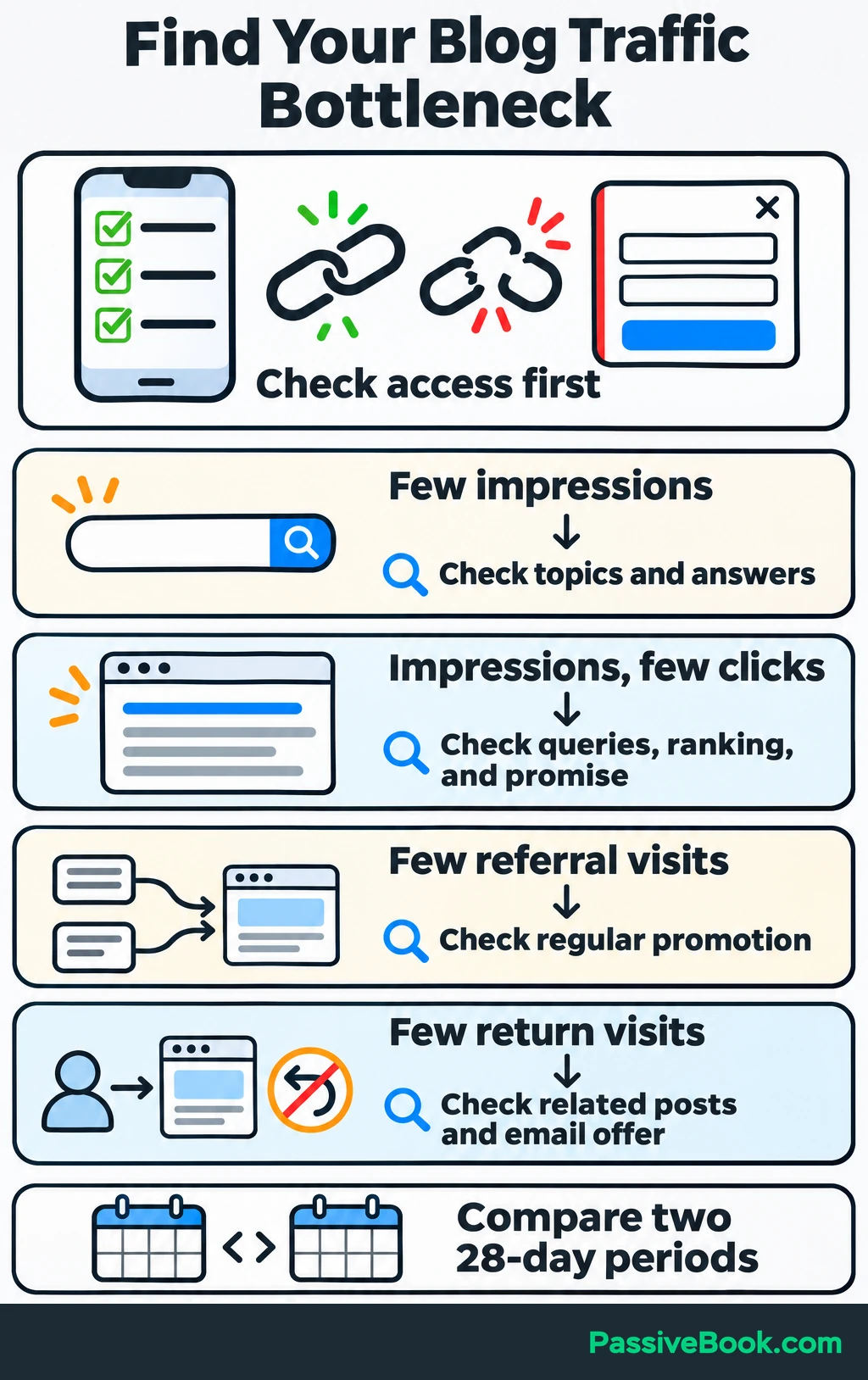
Search Console reports impressions—appearances in search results—and clicks to your site. Compare them to see whether pages are rarely shown or shown but seldom clicked. Google explains these metrics here.
For visits, use Google Analytics or another website analytics tool. A session is a visit and can include several page views. Neither number counts unique people.
Record traffic, subscribers, and tracked sales for the same period before making changes.
Throughout this guide, imagine you run a dog-friendly day-trip blog that sells printable outing planners. Its topics, copy, and figures are illustrations. A baseline row for its packing article might look like this:
| Traffic Source | Landing Page | Sessions | New Confirmed Subscribers | Tracked Revenue | Time Spent |
|---|---|---|---|---|---|
| Google organic search | Dog day-trip packing checklist | 1,000 | 20 | Not tracked yet | 2 hours improving the article |
A landing page is the first page someone visits during a session. Add a row for each source and article you want to assess.
Start with the last 28 days and compare them with the previous 28. For seasonal topics, also check the same season last year when that data exists.
1. Target Searches That Attract the Right Readers
Choose a reader problem before choosing a keyword.
Start with questions from reader emails, comments, relevant communities, and your own Search Console queries. Search suggestions can supply more ideas, but treat them as leads to investigate.
For each idea, ask:
- What is this person trying to do?
- Can I give them a useful answer?
- Does that task connect to the rest of my blog?
- Is there a sensible next step after they read?
For the day-trip blog, “dog day-trip packing checklist” is worth investigating. Someone preparing an outing has a clear task, and a printable planner could help them with the larger job. An article about an unrelated animal fact has a weaker connection, even if it attracts attention.
Next, inspect the search results. Notice whether readers are being shown checklists, route guides, product comparisons, or explanations. Open several pages and look for something useful you can add.
Perhaps the existing checklists are difficult to print. Perhaps they mix overnight travel with short outings. Those are possible improvements to assess, rather than reasons to make another version of the same list.
Keyword tools can help you compare estimated demand and competition. I would use those estimates to narrow a list, then judge the actual results. A low difficulty score cannot tell you whether you have a better answer.
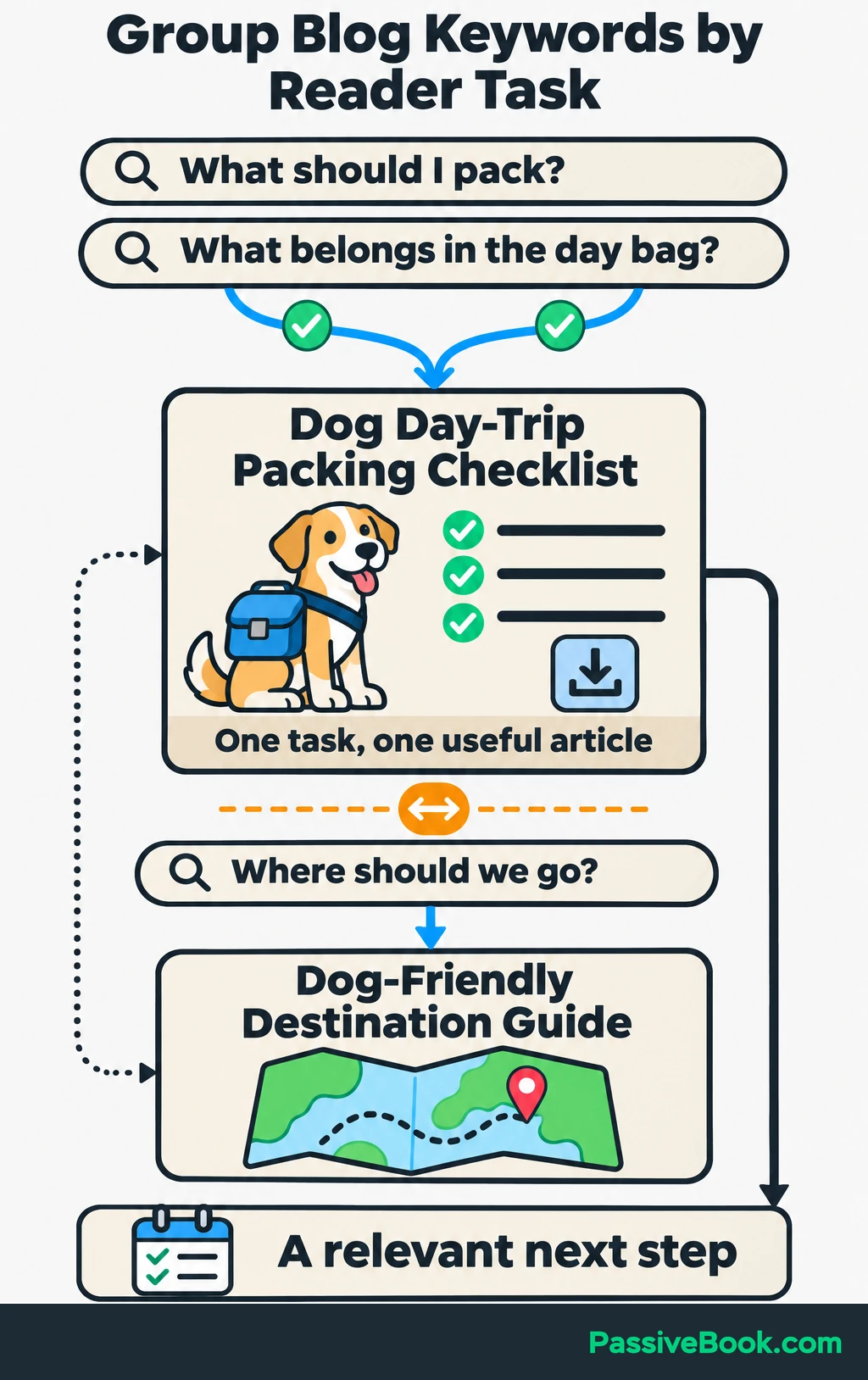
Group closely related questions into one article when they serve the same task. “What should I pack?” and “What belongs in the day bag?” may belong together. Choosing a dog-friendly destination is a separate task and may deserve its own guide.
I learned this lesson through my productivity blog. I spent eight months publishing more than 127 posts, but the niche was too competitive and difficult for me to monetize. I had made finishing articles the job, so every finished article felt like progress.
Now I want a clear reason for a topic to exist before it enters the publishing queue. An arbitrary post count does not earn that place.
2. Publish Answers Worth Clicking and Reading
Solve the Searcher’s Main Problem
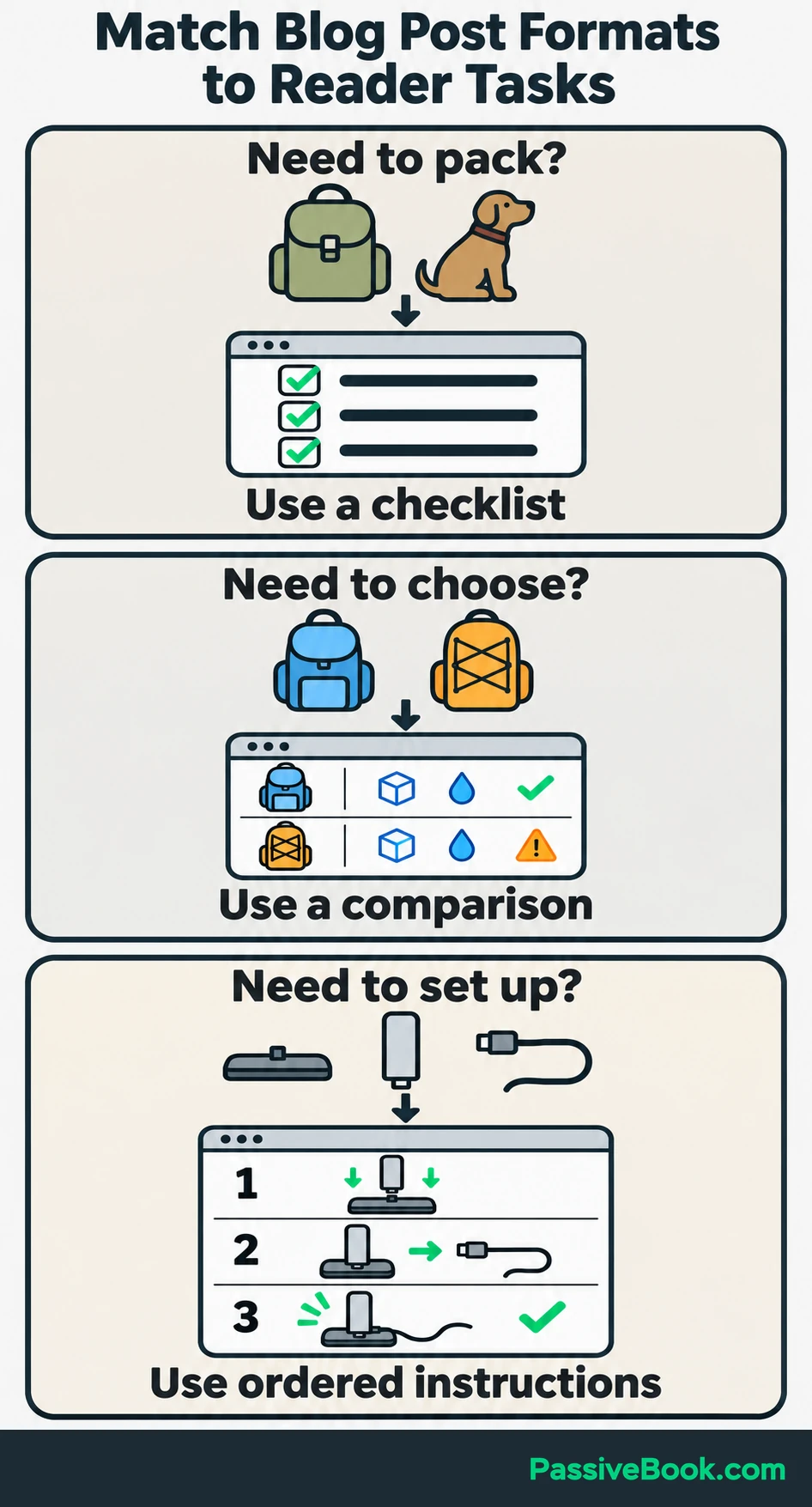
Write down what someone should be able to do after reading. Let that outcome determine the article’s format.
A packing question calls for a checklist. A choice between two products calls for a comparison. A setup problem needs instructions in the order someone will follow them.
Answer the main question early. In the packing article, put the checklist near the top, then explain how readers can adapt it to their outing. They should not have to scroll through your philosophy of adventure before finding the bag.
Supporting sections should resolve the questions that remain:
- Which items belong in the main bag?
- What changes with the outing’s length or location?
- What should readers check before leaving?
- Where can they get a printable version?
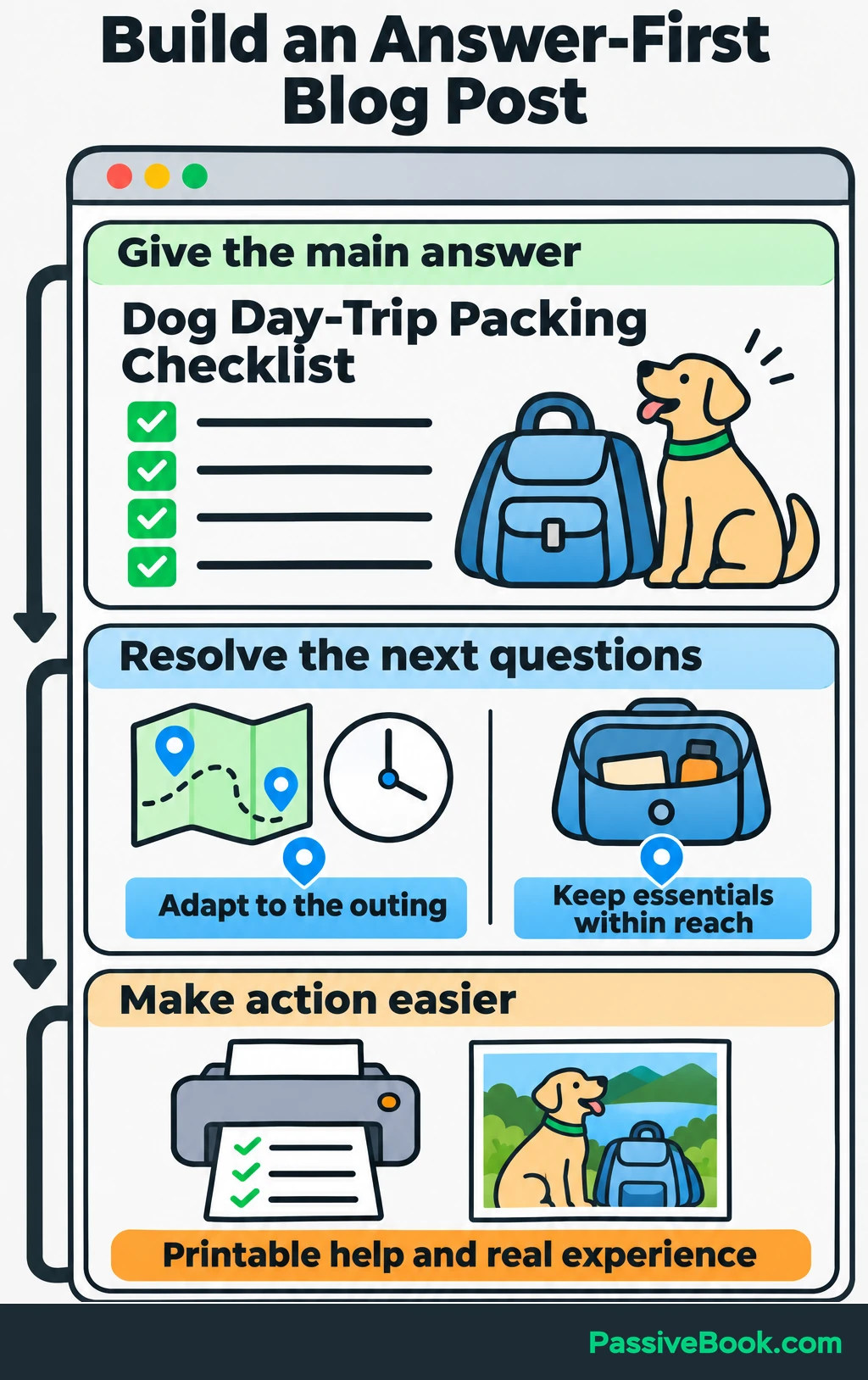
Add material that makes the task easier. That might be a printable checklist, a clearly labeled packing photograph, or observations from trips you have actually taken and documented.
The point is to contribute something useful beyond another summary. Google’s people-first content guidance asks whether a page offers original information and substantial added value. It also states that Google has no preferred word count.
I would stop writing when the reader can complete the task. Extra sections need to earn their space.
Make the Page’s Value Clear
Your title should tell readers what they will get.
“Dog Day-Trip Packing Checklist” is clearer than “Adventure Essentials.” You can add a meaningful detail, such as “With a Printable List,” if the page delivers it.
Use that same clear promise in the main on-page heading. In your SEO plugin, add a meta description: a short summary Google may show below the title in search results. For example:
Pack for a dog-friendly day trip with a practical checklist, notes for different outings, and a printable list to use before you leave.
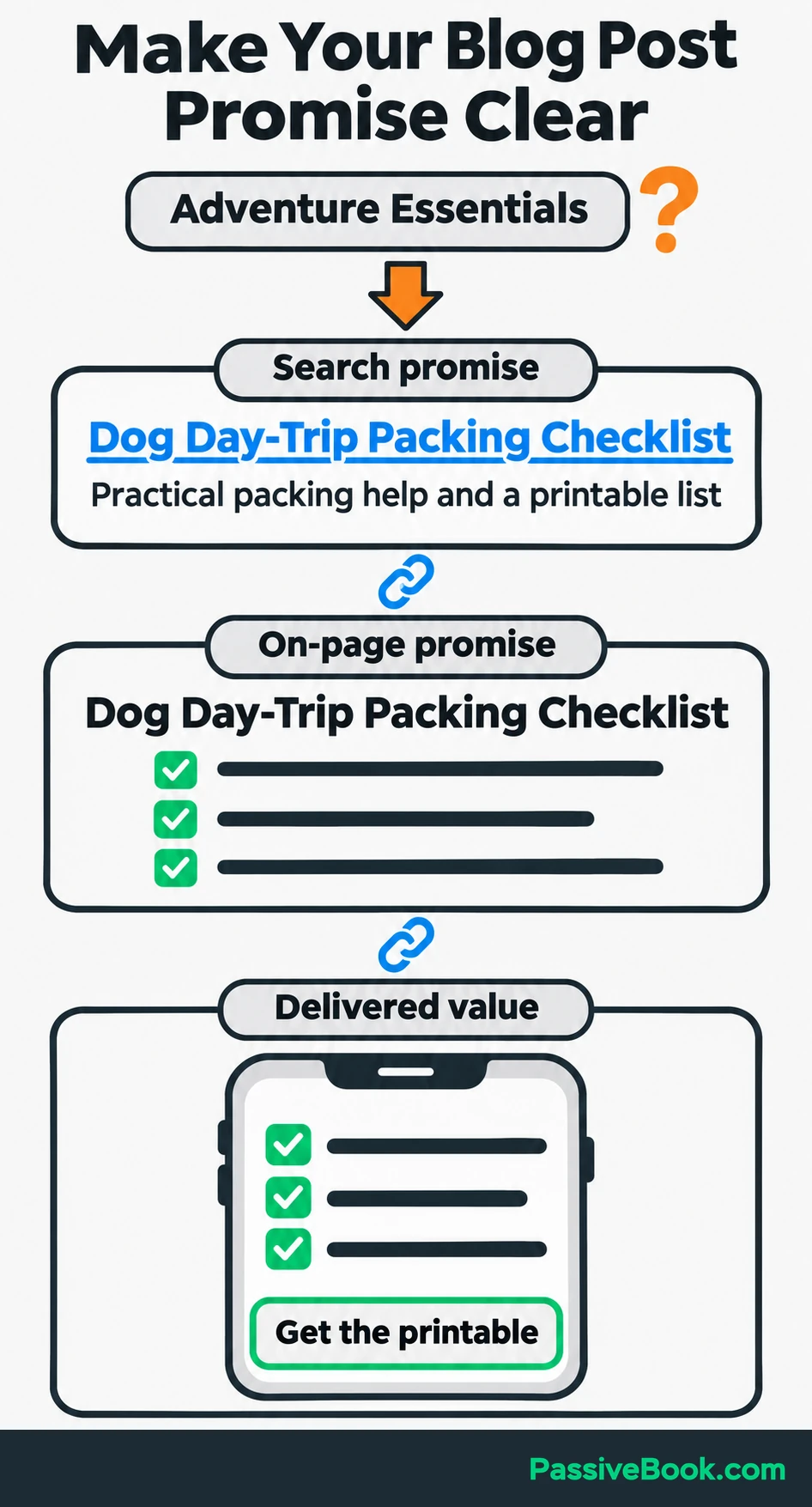
That description supports the page’s promise without turning into a pile of keywords.
Give each section a heading that describes its contents. “What to Keep Within Reach” helps someone scan a packing guide. “A Few More Thoughts” makes them work.
Finally, test the page on your phone. Can you read the checklist without zooming? Does the download work? Are links easy to tap? Can you close the signup box?
I would fix an unusable download before polishing the introduction again.
3. Improve Existing Posts and Connect Related Articles
Your next useful article may already be published.
Start with pages that receive relevant search impressions, have lost useful traffic, or leave their main question partly unanswered. Check the queries bringing those pages into search results before deciding what to change.
Few clicks do not automatically mean a bad headline. A page appearing far down the results needs a different investigation from one ranking prominently for the right question.
Choose one article and make the answer better:
- Correct information that is no longer accurate.
- Replace vague instructions with clear actions.
- Add a missing detail that prevents readers from finishing.
- Repair broken resources and awkward formatting.
- Remove sections that delay the answer.
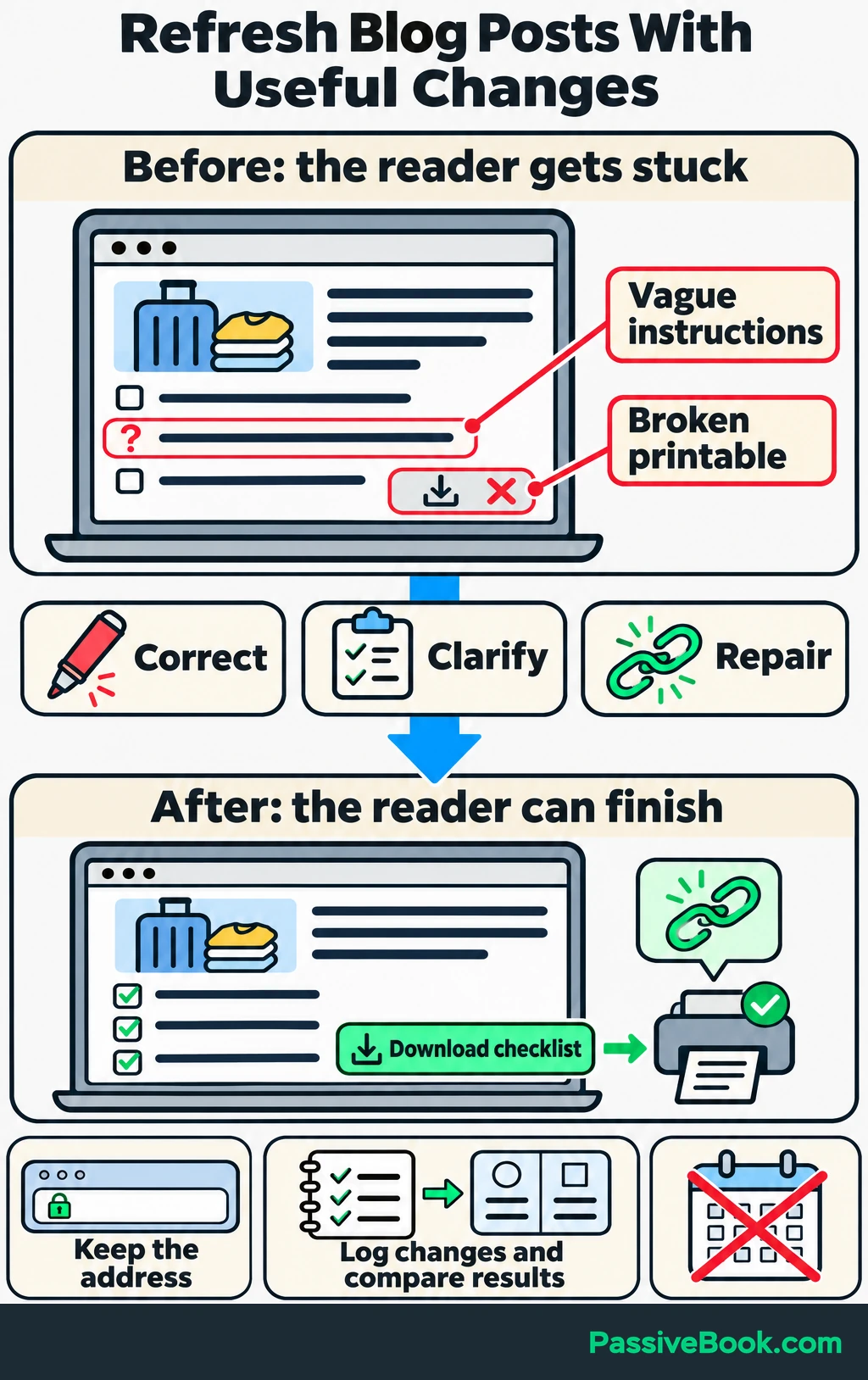
For the packing article, that could mean explaining unclear items or adding a printable checklist that readers can actually use. Changing the displayed date does not repair either problem.
Keep the existing address when the article still serves the same purpose. Then connect it to related posts.
In a day-trip planning guide, link to the packing checklist where readers begin preparing supplies. In the checklist, link back where someone needs help planning the outing. Use descriptive wording such as “plan your dog-friendly day trip” so readers know where the link leads.
These links also help Google discover pages. Its internal-link guidance recommends linking to every important page from at least one other page on your site.
Record what you changed and when. Compare relevant search clicks and landing-page sessions with your baseline, rather than relying on a sitewide traffic total.
Give search changes time to show an effect. Google advises waiting a few weeks to assess them, and some changes can take months or produce no noticeable search improvement. Its SEO starter guide explains that timing.
That is a reason to keep a change log. Otherwise, you can spend three evenings rewriting a page because Tuesday looked disappointing.
4. Promote Posts Where Interested Readers Already Gather
Pick one promotion channel to test first. Choose it because interested readers use it and your content fits—not because maintaining five accounts sounds like a proper marketing plan.
For a visual planning topic, I would investigate Pinterest. For a narrow local guide, a relevant newsletter or community may be a better starting point.
Pinterest brings meaningful referral traffic to Passive Book, so it remains one of my active channels. That experience gives me a reason to keep using it, but your own referral data should decide whether it deserves your time.
Turn a useful part of the article into a preview that stands on its own.
For the packing guide, a Pin could show a readable section of the checklist with the title:
Dog Day-Trip Packing Checklist
Get the full list and printable version
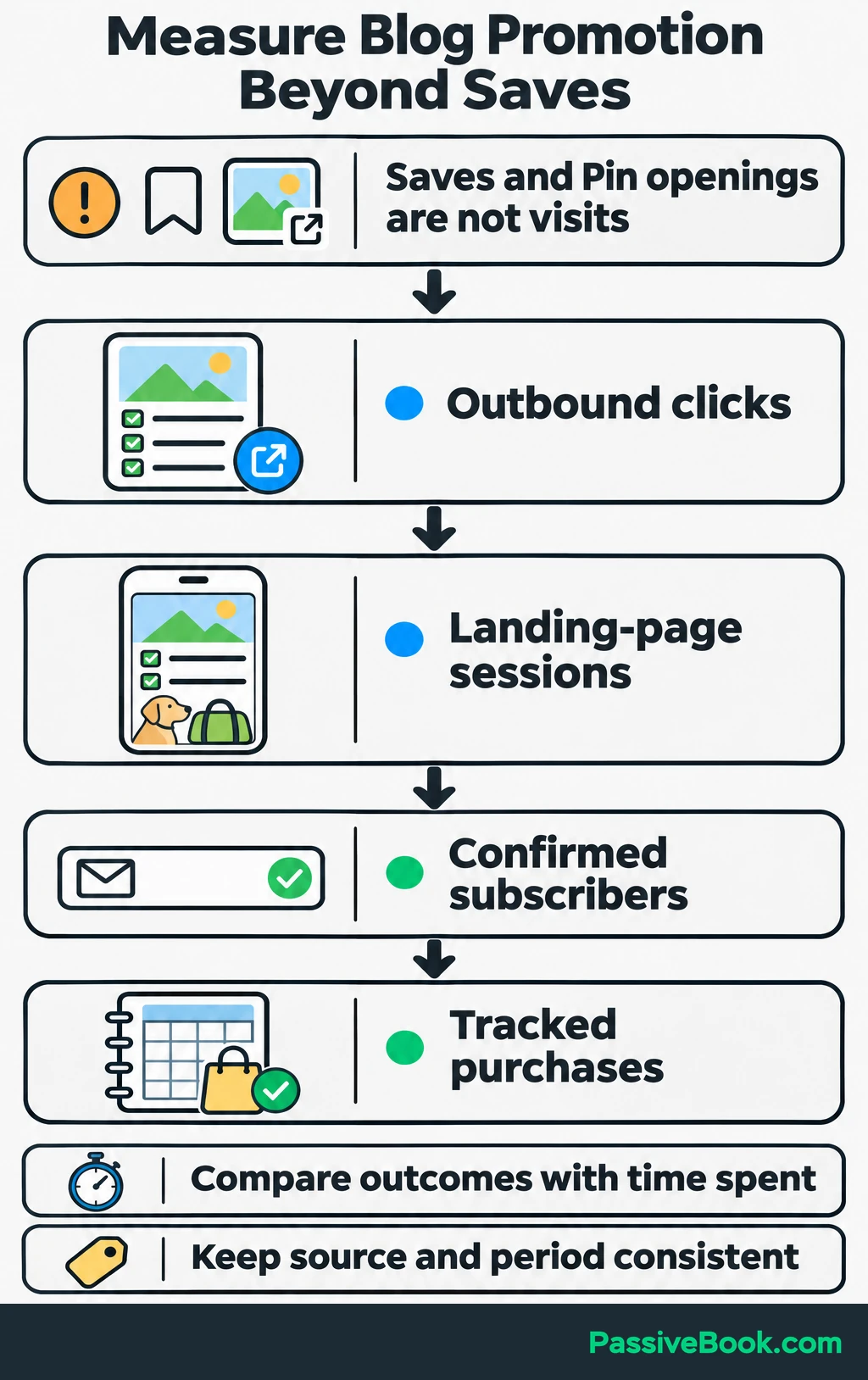
Link directly to the article. Sending people to the homepage adds another search between the promise and the answer.
Measure outbound clicks, then check the visits recorded on your website. Pinterest defines outbound clicks as actions leading to a destination outside Pinterest. Saves and Pin openings measure different behavior, so they cannot tell you how many visits the blog received. Pinterest’s metric definitions explain the difference.
You can also reach readers through people who already serve them:
- Newsletter contribution: Offer a short packing-checklist excerpt to a local dog-friendly travel newsletter, after checking its submission rules.
- Community answer: Answer an outing question within the discussion. If the community permits links, share the guide when it adds detail that helps answer that question.
- Blog collaboration: Offer a short packing checklist for a dog-friendly destination guide that covers places to visit but not what to bring.
I would skip generic messages asking strangers to “check out my latest post.” Give the recipient a clear reason their readers would benefit.
If you have an article ready but keep putting off the promotion, AI Copywriting Studio can draft the words for your chosen channel. Start with one draft you can review and use, rather than another account to maintain.

Free AI Copywriting Studio




I would also skip bought ranking links and automated link placement. Those tactics, along with excessive link exchanges, fall under Google’s link-spam policy. A relevant contribution should have a reason to exist beyond influencing search rankings.
Compare the sessions, confirmed subscribers, and tracked purchases from each promotion with the time it took. Repeat contributions that bring interested readers. Stop feeding channels that generate activity without useful visits.
Once an approach earns its place, batch the repeatable work. For Pinterest, that might mean preparing several clear graphics and using its own scheduler. Prove that the work helps before making more of it.
5. Bring Readers Back Through Email
Offer a Useful Reason to Subscribe
Make the email offer a useful extension of the article.
Someone reading a packing guide has an immediate reason to want a printable checklist. “Join my newsletter” asks for more commitment while explaining much less.
Keep the free resource focused. The checklist can help with packing, while the paid outing-planner collection supports the larger planning task.
Place the invitation beside the part of the article where it becomes useful. Explain what arrives immediately and what future emails contain. For example:
Get the printable dog day-trip packing checklist, plus occasional outing-planning tips and new guides by email. Unsubscribe whenever you like.
Ask clearly for permission to send those emails and provide an easy way to unsubscribe.
For a WordPress site, I would consider FluentCRM, an email marketing tool that runs inside WordPress. Choose a setup you can maintain, and test the signup, confirmation, and delivery before promoting the offer.
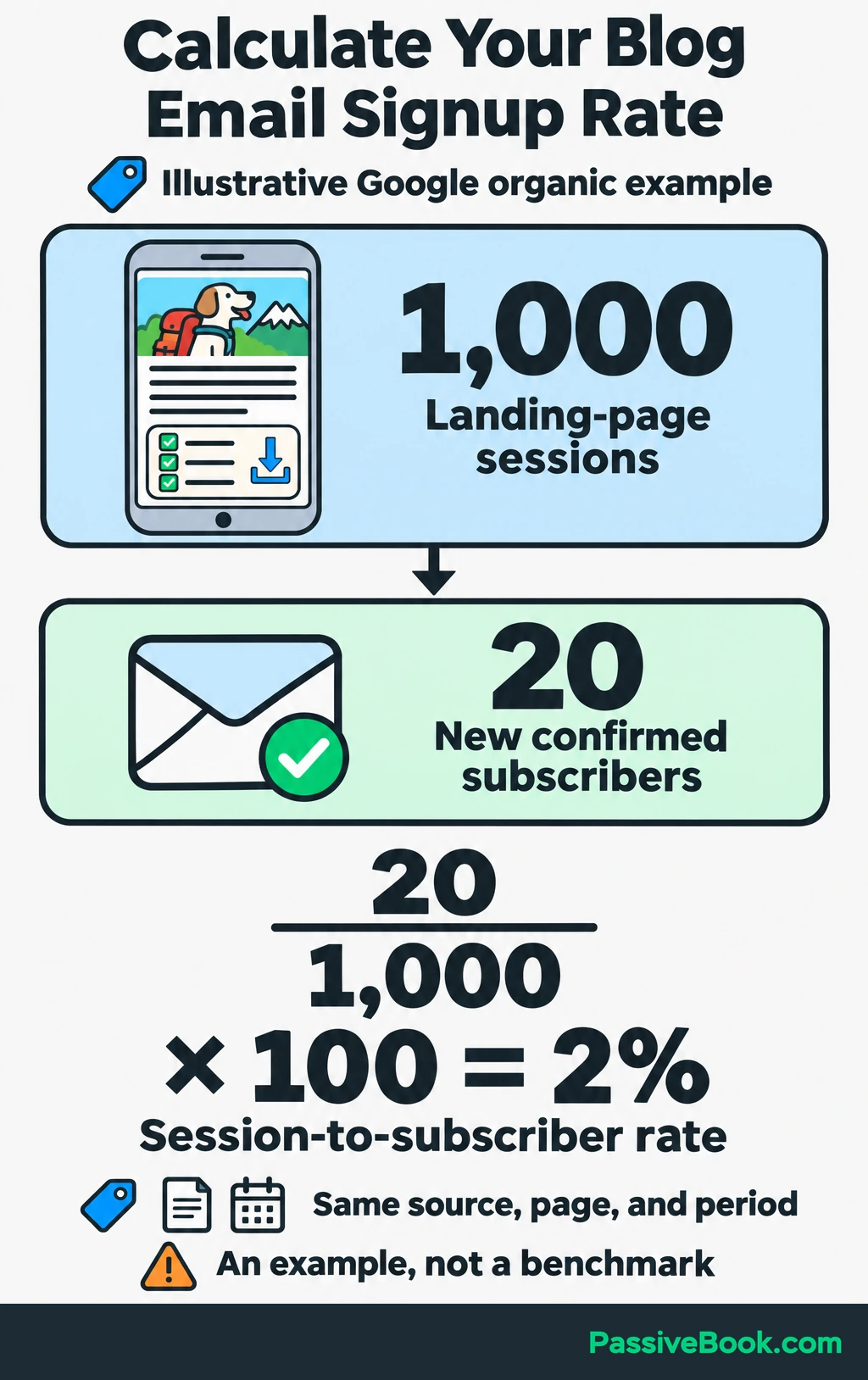
To measure how often visits lead to subscriptions, count new confirmed subscribers attributed to the sessions you are measuring. Keep the source, landing page, and reporting period the same for both counts.
For the illustrative Google organic search row above:
20 new confirmed subscribers ÷ 1,000 landing-page sessions × 100 = 2%
Use your own rate as a starting point. If relevant visits grow but subscriptions stay flat, inspect the offer, its placement, and the signup process before chasing more traffic.
Send Emails That Give Readers a Reason to Return
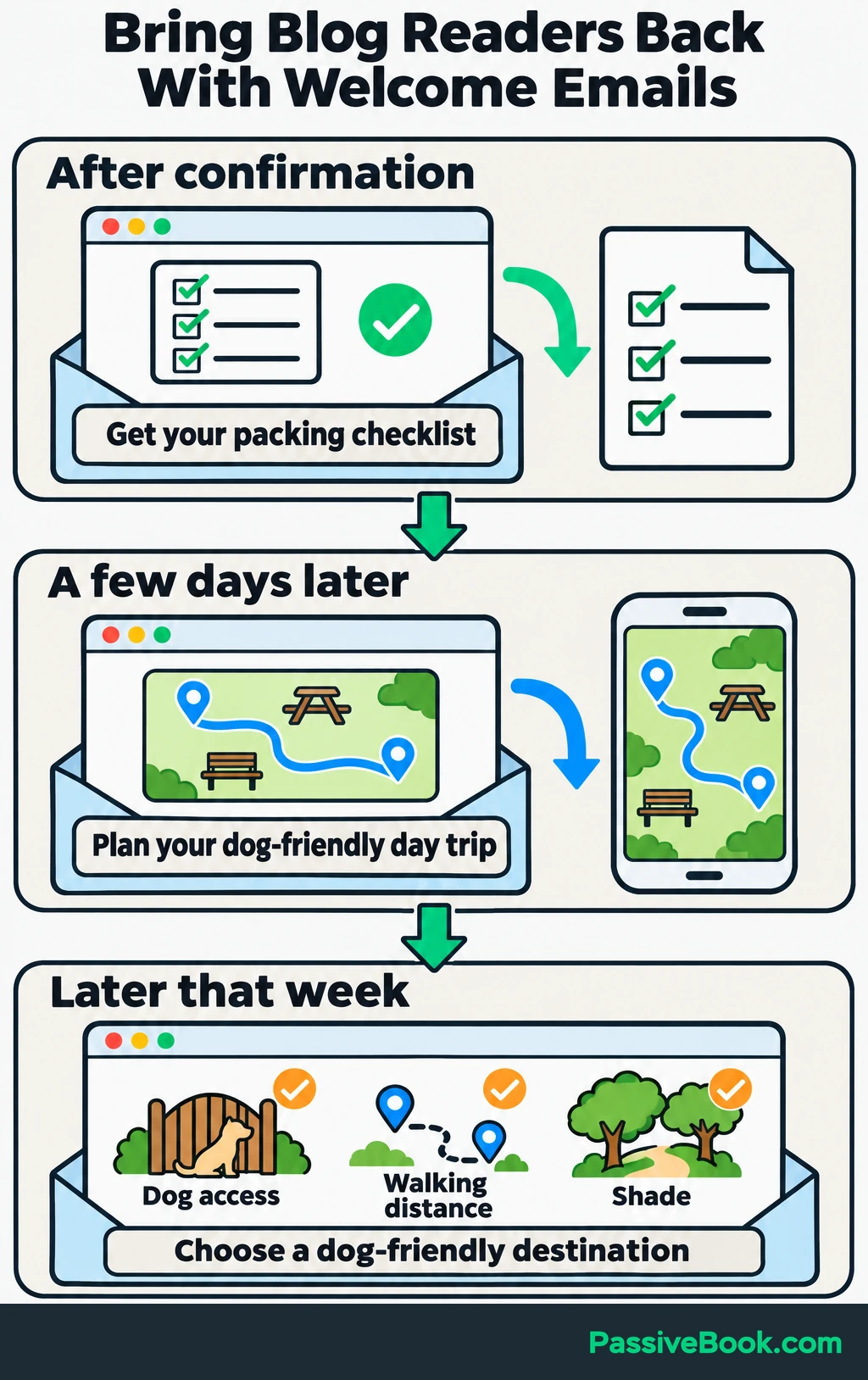
Automate a short welcome sequence around the task that earned the subscription.
For the day-trip blog, I would start with:
| What It Delivers | Where It Leads | |
|---|---|---|
| Immediately after confirmation | The promised printable checklist | The checklist download |
| A few days later | A reminder to plan the route and rest stops | The day-trip planning guide |
| Later that week | Three destination checks: dog access rules, walking distance, and shade | The guide to choosing a dog-friendly destination |
Each email should explain why the linked article helps. A subject line alone does not do that work.
My newsletter experience comes from other niches. In one project, I caught myself drafting a fresh email lesson while a relevant guide was already sitting on the site. I sent readers to that guide instead. That became a useful workload check: does this email need new content, or does it need a better recommendation?
Send useful new posts and substantially improved older ones to subscribers interested in those subjects. You do not need a second publishing treadmill inside your email tool.
Add consistent tracking tags to email links so analytics can identify visits from the sequence. These labels in the address specify the source, medium, and campaign—for example, day_trip_newsletter, email, and day_trip_welcome.
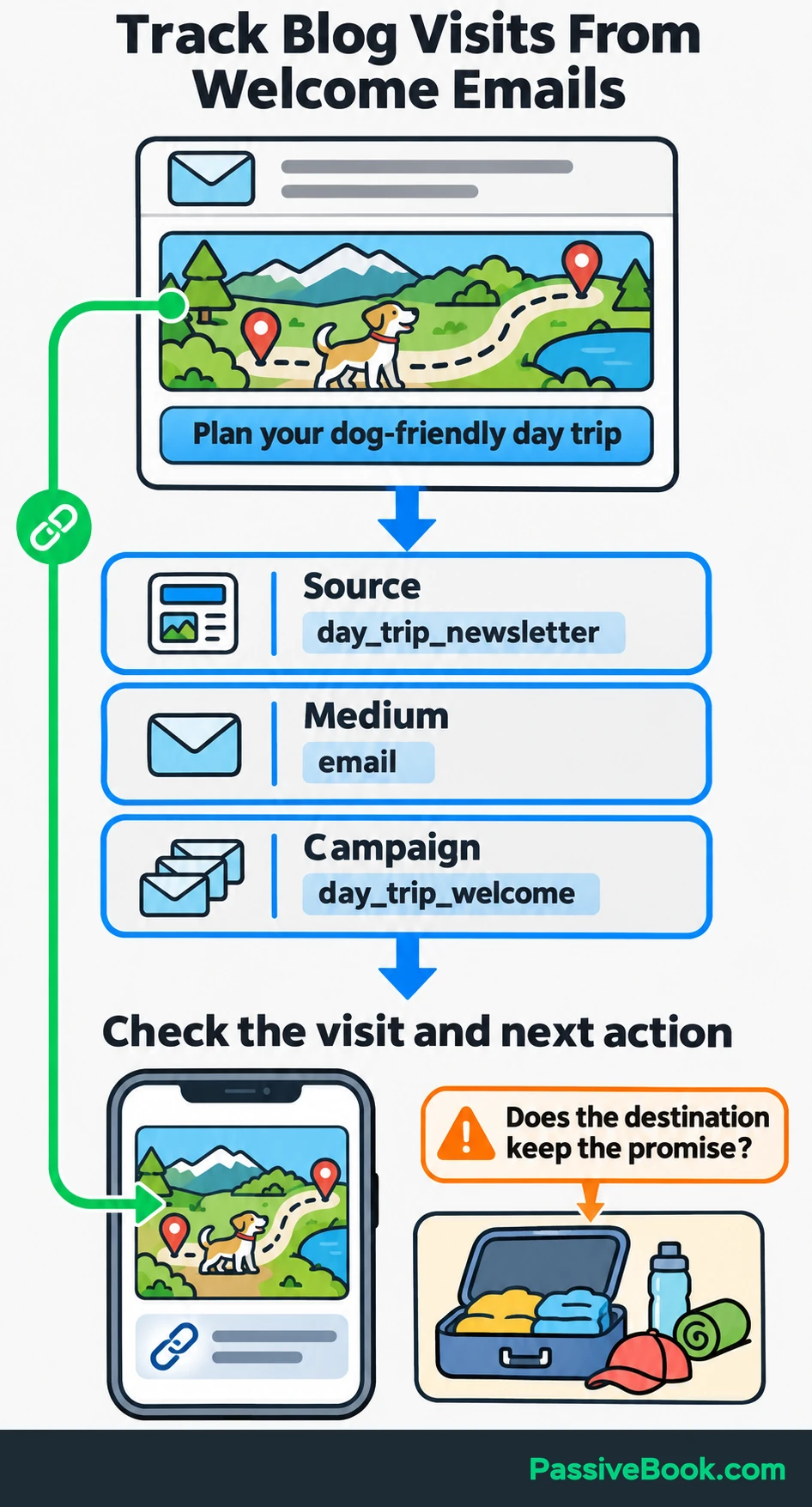
Review those visits and what readers do afterward. Do they read another guide, download a resource, or buy a planner where purchases are tracked?
If an email earns clicks but readers go nowhere useful, check whether its promise matches the destination and whether the next step is clear.
Keep attracting new readers through search and promotion. Email gives those acquired readers a return path, so each useful article has another chance to be read.
What Next?
Choose one published article and record its last 28 days of traffic, confirmed subscribers, and tracked revenue. Then use the symptom table to pick one improvement. Put that task on this week’s calendar before adding another post.
Use the social buttons to share this guide if it would help turn a scattered publishing routine into a clearer traffic plan.
Which part of your blog needs attention first: getting discovered, earning the click, or bringing readers back? Tell me in the comments, and bring any other questions with you.
Share this post with your friends & followers:

