You publish a useful post, share it once, and move on to the next article. People who liked your earlier advice may never see it, and you have another post to promote next week.
Email seems like a way to bring those readers back. But when subscribers ignore a message, it is hard to know whether the article, the email, or the timing missed the mark.
That uncertainty can turn each send into another round of guesswork. This guide shows how to give subscribers a reason to visit your blog again and build an email routine you can repeat without promoting every post by hand.
How Email Turns Subscribers Into Blog Visits
The basic loop is simple: someone finds useful advice, subscribes for more, receives a relevant article recommendation, and clicks through to your blog. You measure those visits and use what you learn to choose the next recommendation.
Two kinds of email support that loop:
- Welcome emails introduce useful existing posts when someone subscribes.
- Regular updates give subscribers fresh reasons to return over time.
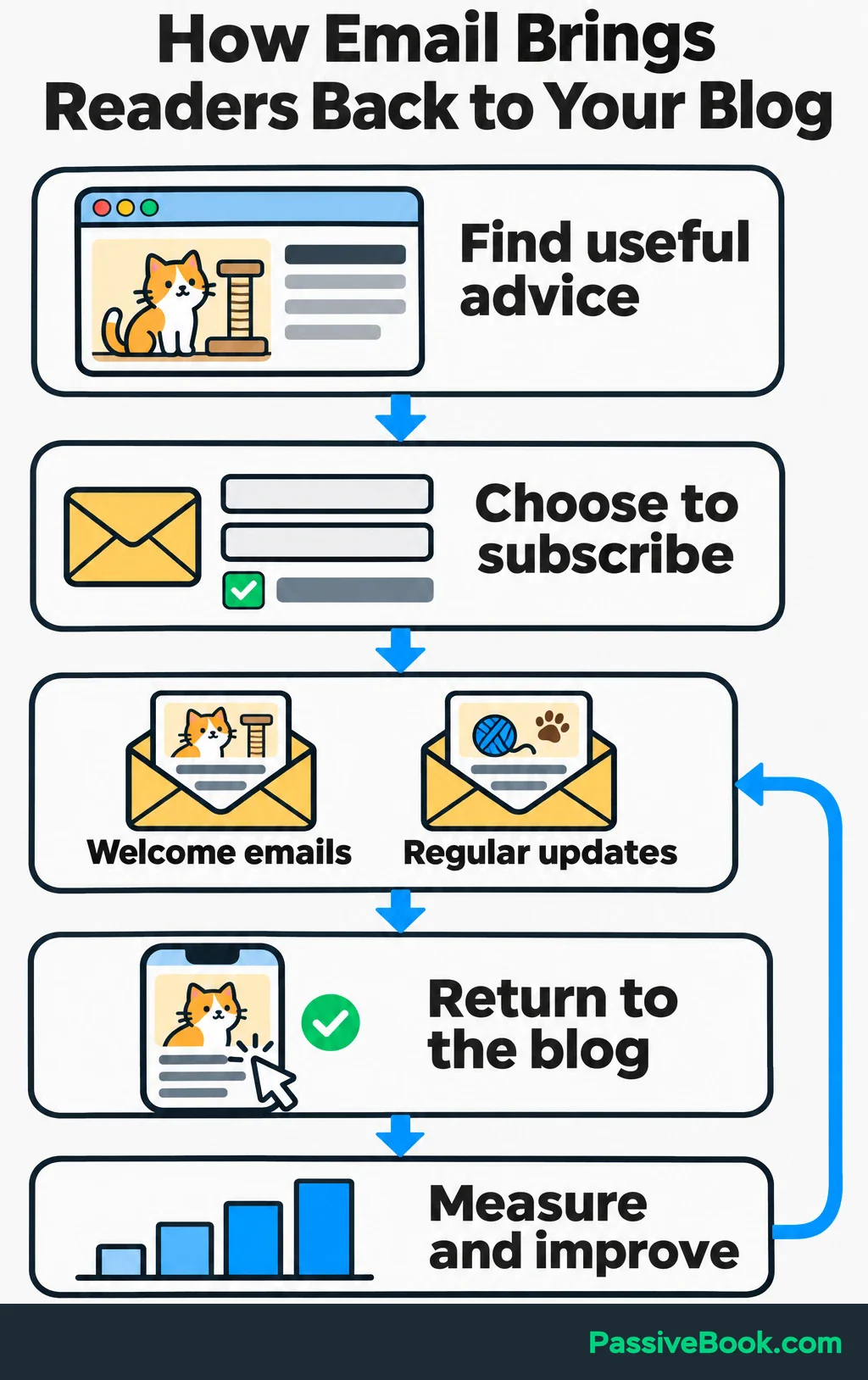
You can build both around articles you already have. Publishing constantly is optional. Giving people a clear reason to read is not.
Throughout this guide, imagine you run an indoor-cat care blog called Indoor Cat Notes. Visitors can request a home-preparation checklist, followed by guides to scratching-post placement and litter-box setup. The copy, timing, and figures below are illustrations.
Start with subscribers who agreed to receive your emails. A larger list gives you more potential readers, but you can test the whole process with a modest one. You need an interested audience and a useful destination before you need a complicated automation diagram.
Build a List of Readers Who Want Your Posts
Choose a Service That Supports Your Workflow
Choose an email marketing service that handles signup forms, subscribers, scheduled emails, click reports, unsubscribes, and welcome automation.
A broadcast is one email sent to a selected audience. An automation sends emails when something happens, such as a subscriber confirming their signup. You need both for this workflow.
I would choose among these options:
| Service | When I Would Choose It | What to Budget For |
|---|---|---|
| MailerLite | You want a hosted service for forms, newsletters, and a short welcome sequence. | Subscriber count, monthly sends, and automation limits. Welcome emails count toward sending volume too. |
| Kit | You want a straightforward creator email platform and expect to build more sequences later. | The free plan supports broadcasts, but automated sequences require a paid plan. |
| FluentCRM | You already use WordPress and are comfortable managing email marketing within your site. | The plugin, a separate email delivery service, and the time needed to maintain the setup. |
My preference for a WordPress setup is FluentCRM. For a beginner who wants less technical work, I would start with MailerLite.
Check the linked plan details against the workflow you intend to run. A generous subscriber allowance does little for you if the plan cannot send your welcome sequence.
Offer a Relevant Reason to Subscribe
Your signup offer should attract people who will also want your articles.
Start with one small resource that helps readers do something concrete. Then explain what follows, including the frequency. For Indoor Cat Notes, the form could say:
Get the indoor-cat home-preparation checklist, two follow-up setup guides, and then one practical care email each week.
That promise connects the download to the newsletter. “Get updates” asks readers to imagine the benefit themselves.
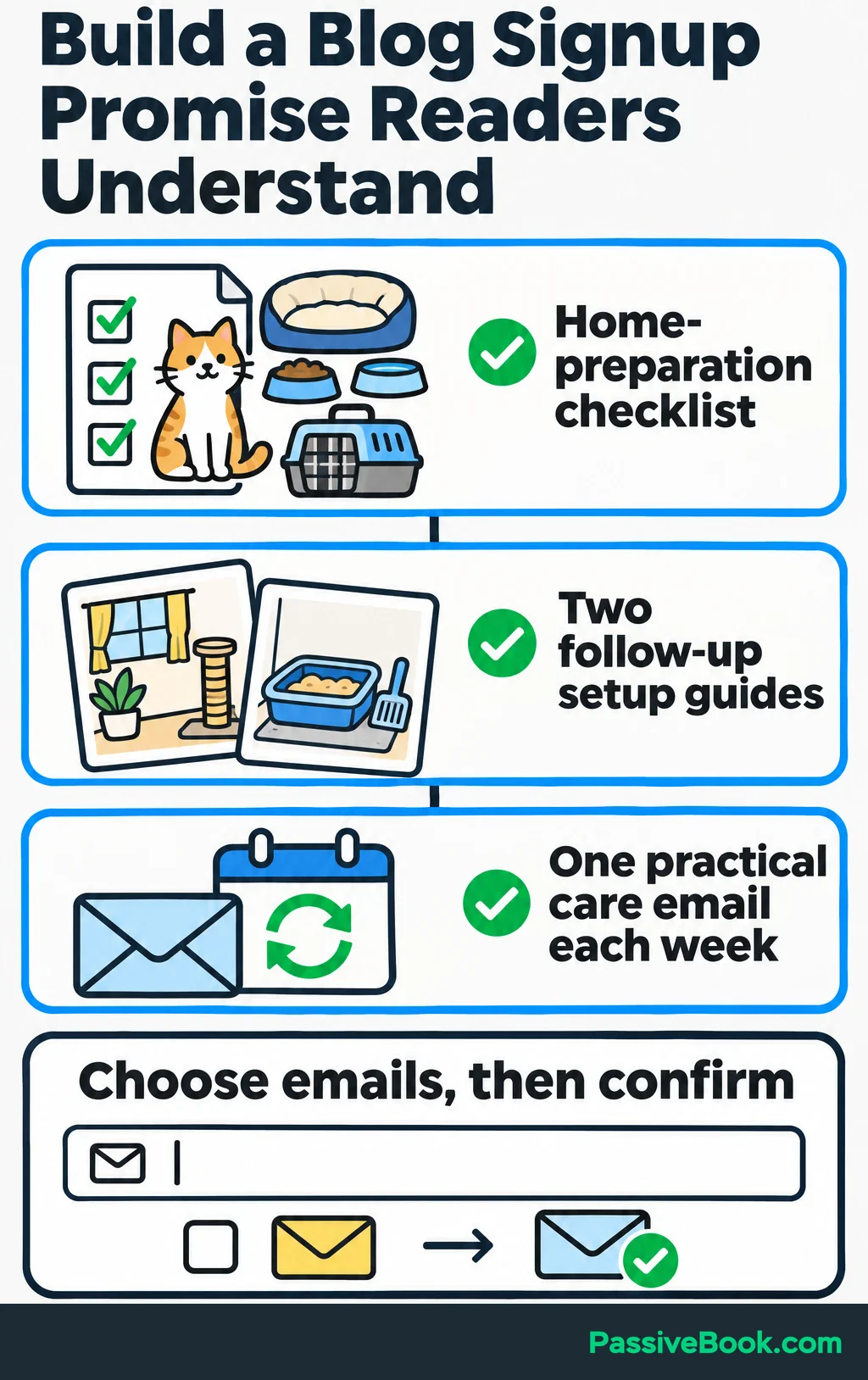
Place a short form inside relevant articles, after you have given useful advice, and at the end. Link to the same offer from places where you already share your content.
Give readers a clear choice to receive your ongoing emails and retain records of what they agreed to, when, and through which form. I would skip purchased lists and scraped addresses entirely. A comment or inquiry also does not establish permission to join your newsletter.
For example, UK rules generally require consent for unsolicited email marketing to individual subscribers unless a defined exception applies. The ICO explains those consent rules and exceptions.
Use a confirmation email so subscribers verify their address before entering the welcome sequence. Explain this beside the form so they know to check their inbox.
Choose a Post That Answers the Reader’s Next Question
Choose the destination before writing the email.
Ask what the subscriber is trying to do and what question comes next. Then select an article that answers it. The article can be new, but it does not need to be.
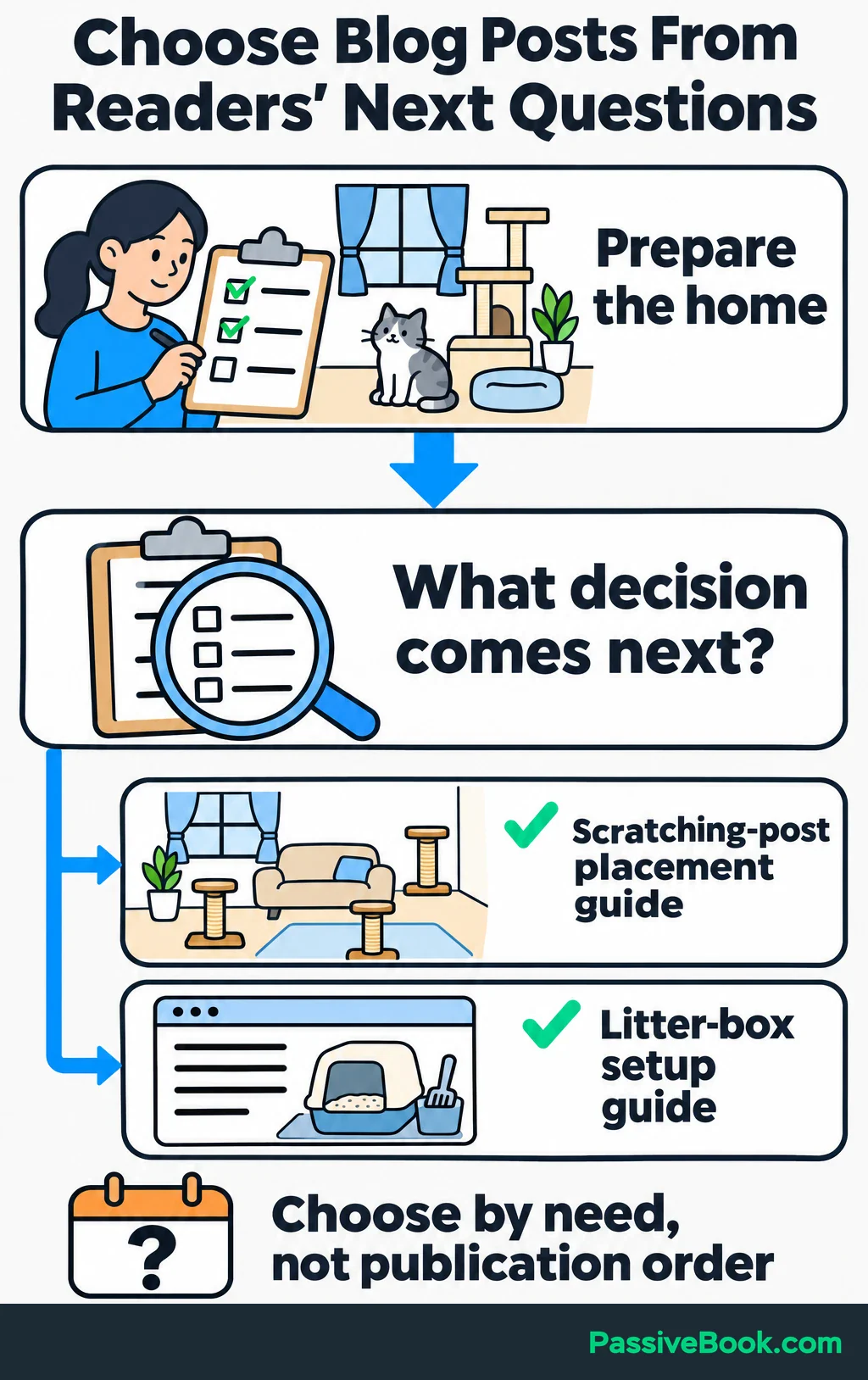
For the indoor-cat example, the checklist helps someone prepare their home. Scratching-post placement and litter-box setup are natural follow-up questions because they turn items on that checklist into decisions about the room.
In newsletter work for another niche, I used to choose posts by publication date. Then I would spend far too long trying to explain why readers should care. Choosing the reader’s question first gave me a clear angle before I started drafting.
Before promoting a post, check that it:
- Answers the question the email will promise to answer.
- Reads comfortably on a phone.
- Contains working links and current advice.
- Gets to the useful information without a long detour.
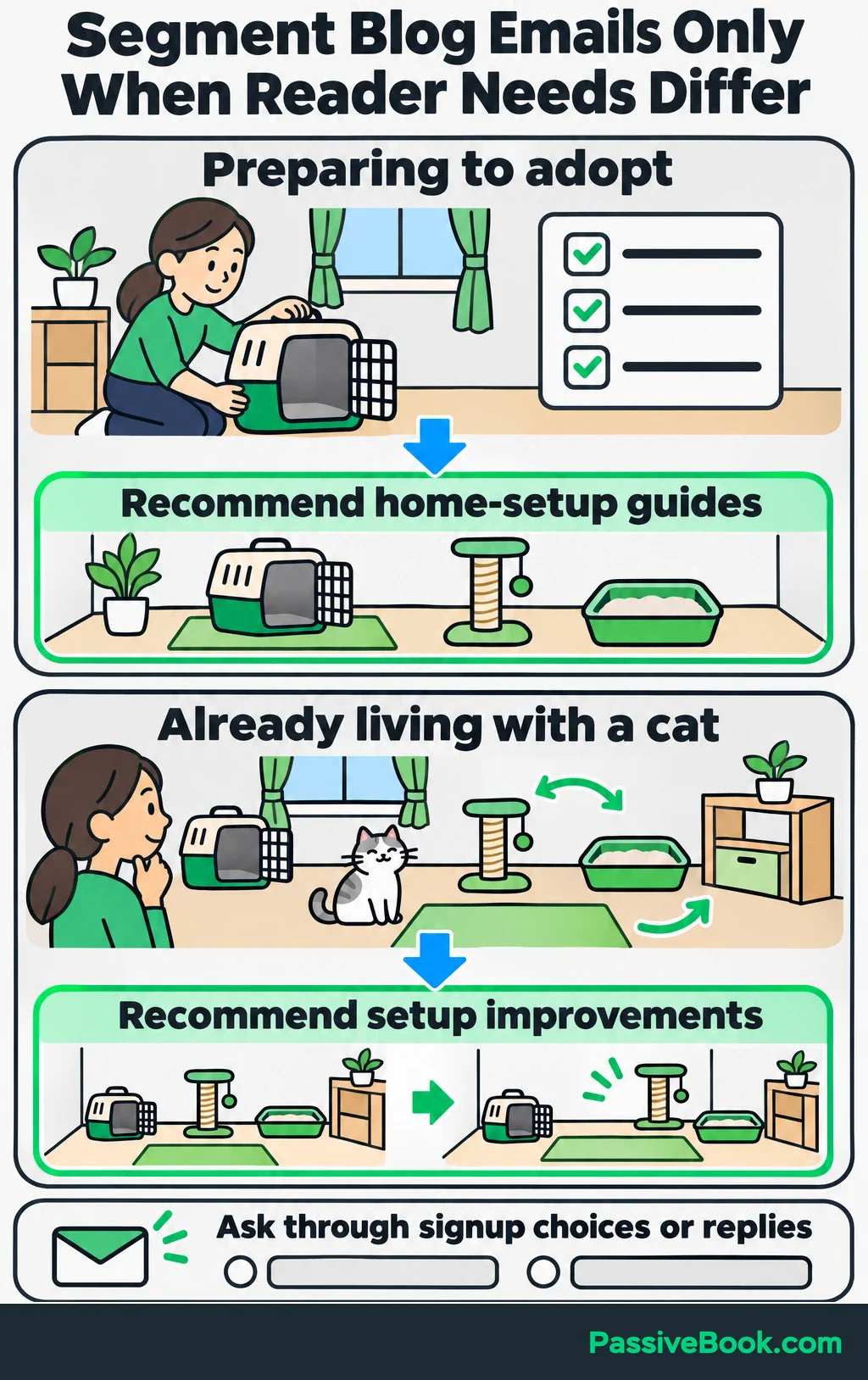
Start with one audience if subscribers share the same needs. Add interest groups only when they change what you recommend.
For example, someone preparing to adopt may need the home-setup articles immediately. Someone already living with a cat may prefer advice about improving an existing setup. A simple signup choice or a reply can reveal that difference. You do not need twelve audience groups to send two useful recommendations.
Write an Email That Earns Opens and Clicks
Make the Subject Line and Preview Specific
The subject should tell readers what problem, task, or outcome the email concerns. The preview—the short text many inboxes show beside it—should add useful detail.
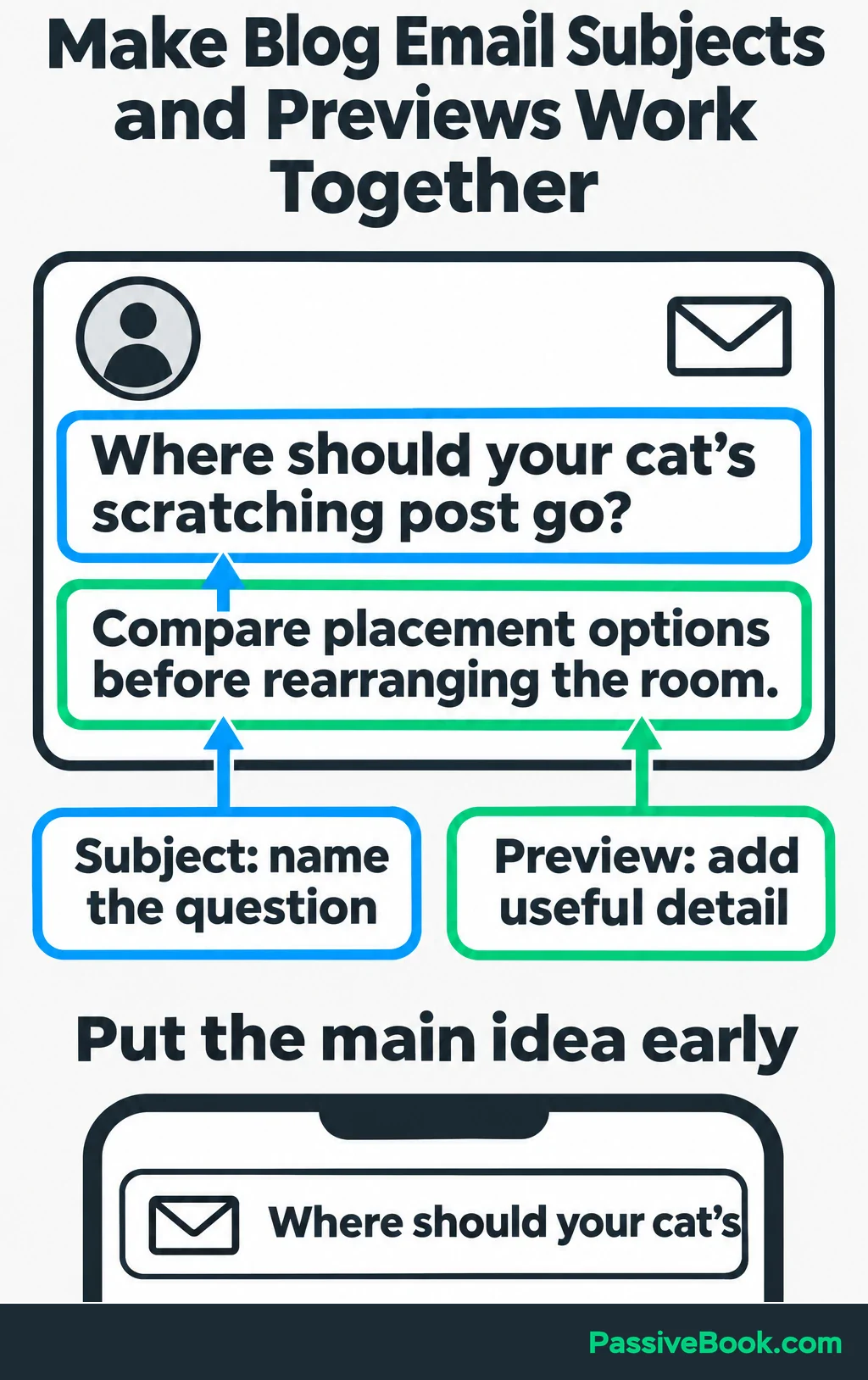
For the scratching-post article:
Subject: Where should your cat’s scratching post go?
Preview: Compare placement options before rearranging the room.
That gives subscribers enough information to decide whether the message matters to them.
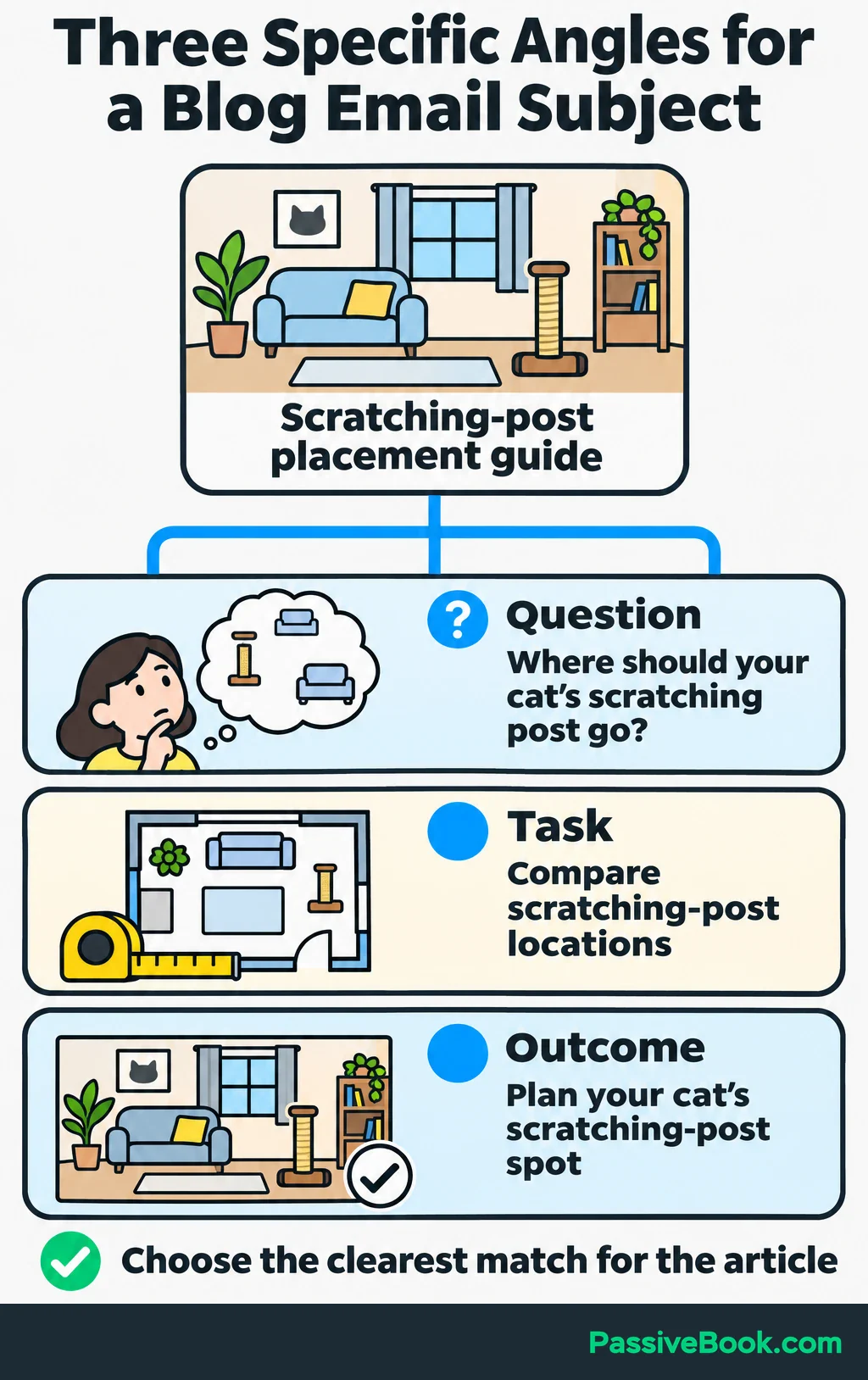
Draft a few angles, then choose the clearest match for the article. I would skip vague curiosity lines such as “You’re doing this wrong.” They spend trust before delivering anything useful.
Put the main idea early. If the inbox shortens the subject, readers should still understand the topic.
Give Useful Context and One Clear Next Step
A focused article email needs four parts:
- Recognize the reader’s problem.
- Share one useful takeaway.
- Explain what the full article adds.
- Invite the reader to open it.
Give enough help that the email feels worthwhile, but leave a clear reason to visit the article. Withholding the entire answer makes the message feel like a toll booth.
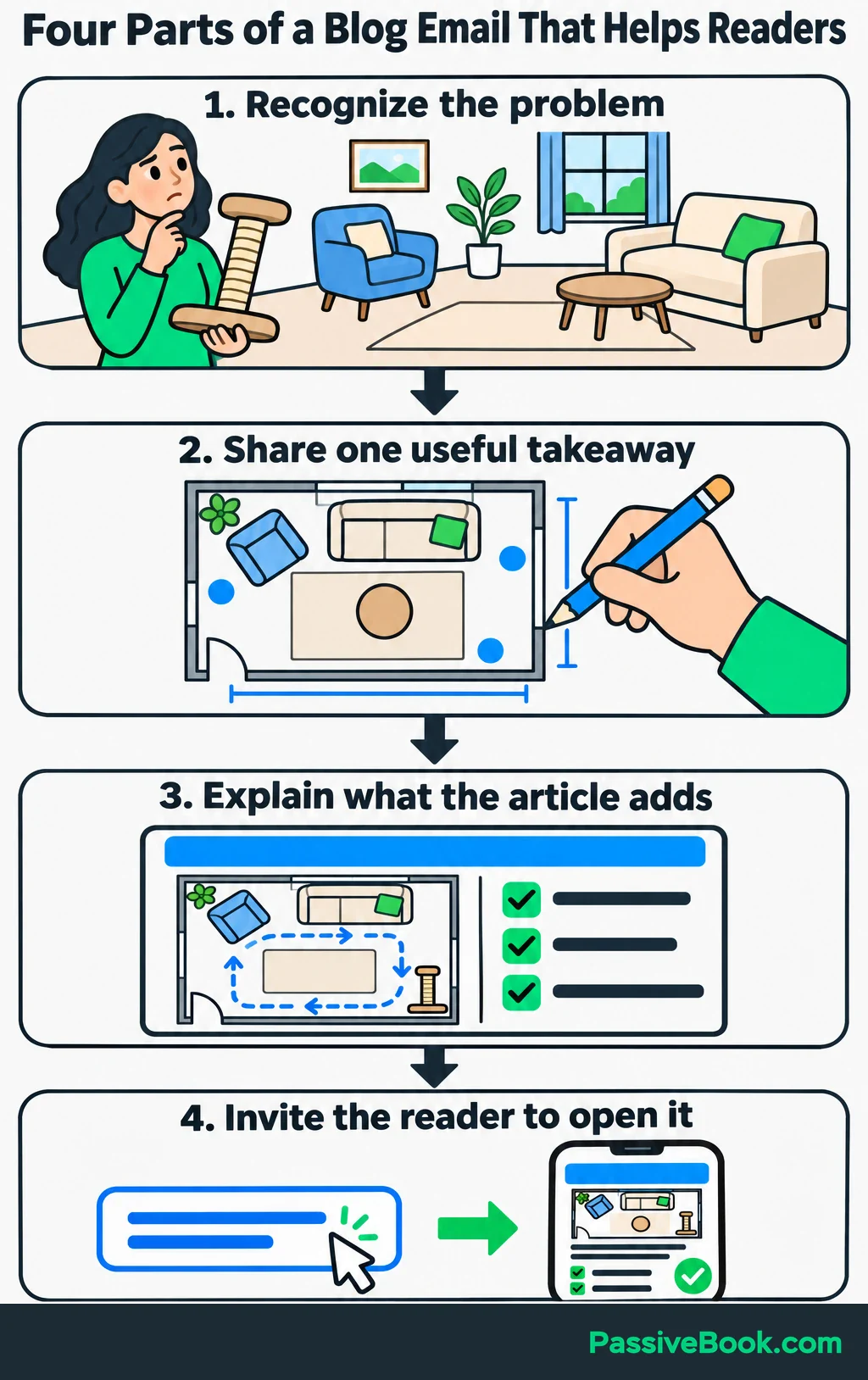
Here is a complete example you can adapt. Replace the sender, article URL, and footer placeholders before sending.
From: Maya at Indoor Cat Notes
Subject: Where should your cat’s scratching post go?
Preview: Compare placement options before rearranging the room.
Hi there,
You have a scratching post ready, but finding a place for it can turn into a furniture-moving exercise.
Before shifting anything, sketch the room and mark the spots you’re considering. Add measurements so you can compare the options without moving the same chair three times.
I’ve put together a scratching-post placement guide to help with the next decision. It walks through space, access, and furniture layout, with a checklist for comparing possible spots.
Maya
Indoor Cat Notes
You’re receiving this because you subscribed to Indoor Cat Notes.
[Your valid postal address]
[Your email service’s unsubscribe link]
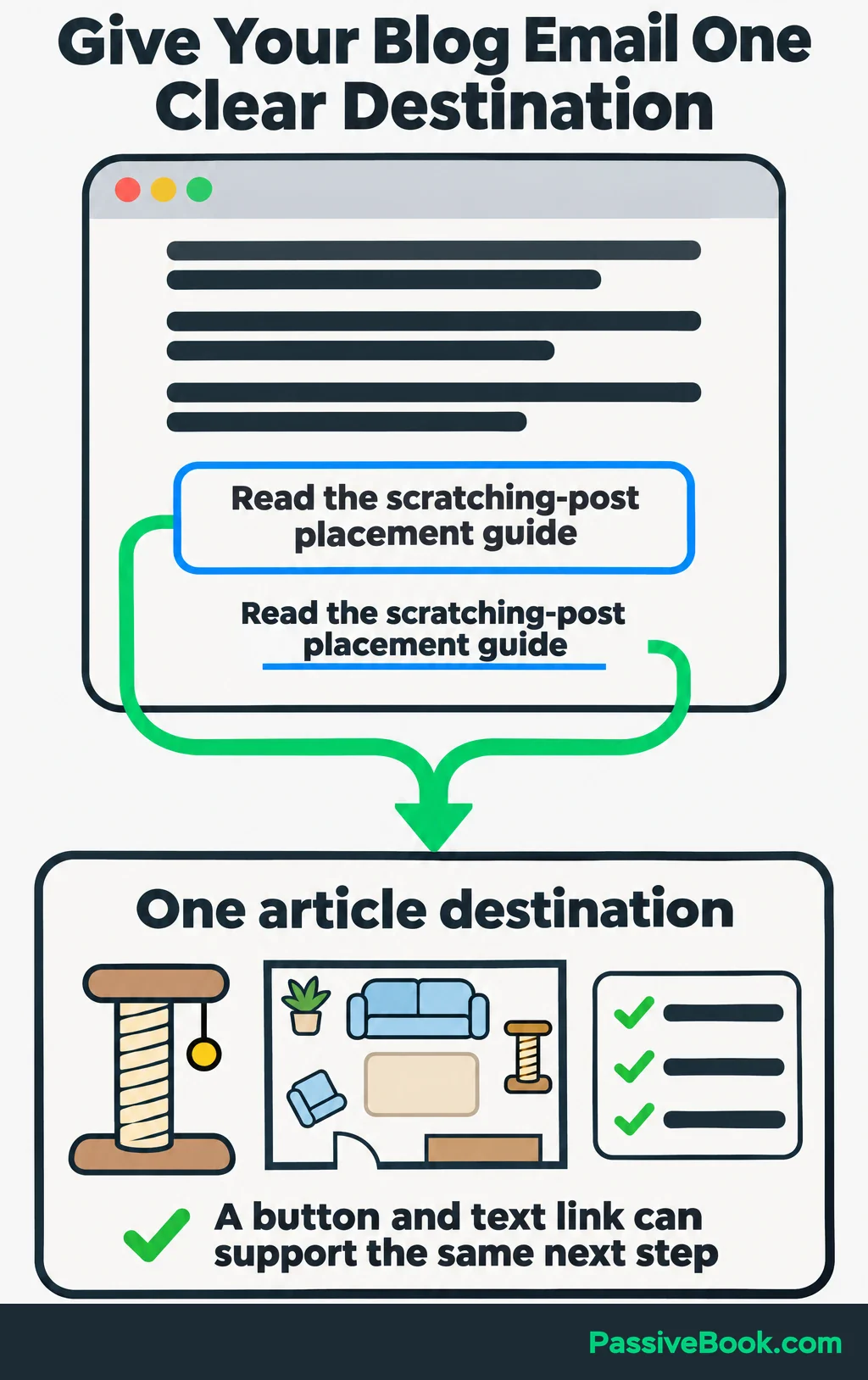
The email has one primary destination. A button and a text link can both lead to that article, but a request to follow three social accounts would compete with the reason you sent it.
If you’re struggling to turn your own post into a message like this, AI Messaging Studio can draft it from your article. You’ll have something concrete to review instead of another blank email.

Free AI Messaging Studio




Keep paragraphs short and make the invitation understandable without images. “Read the scratching-post placement guide” tells readers more than “Click here.”
Prepare Your Email for Sending
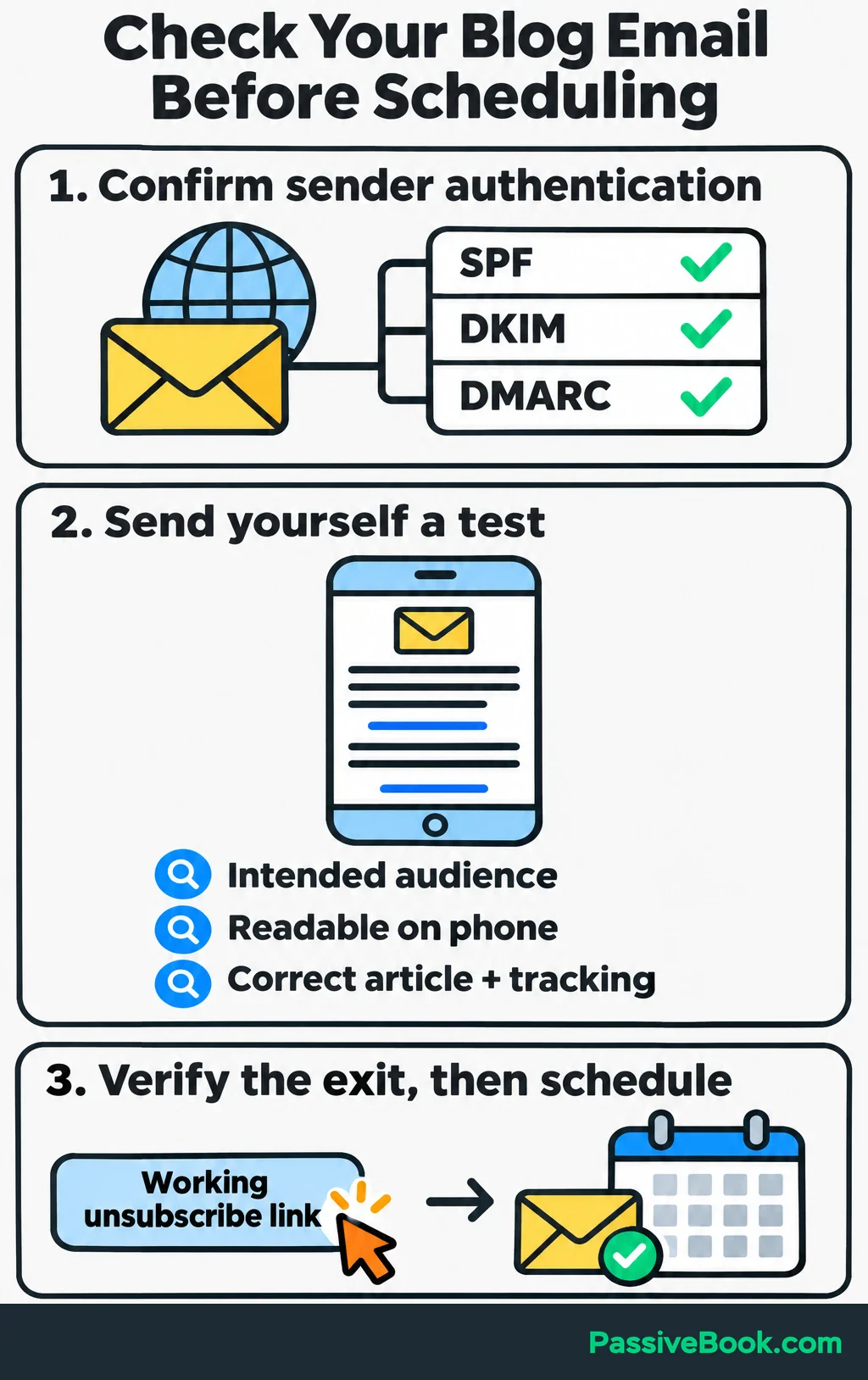
Use a recognizable sender name and an address on your blog’s domain. Complete your service’s domain authentication checks before sending.
SPF identifies approved sending services, DKIM adds a signature that helps verify the message, and DMARC tells receiving services how to handle authentication failures. Follow your provider’s setup instructions and confirm that its checks pass. Google recommends setting up all three.
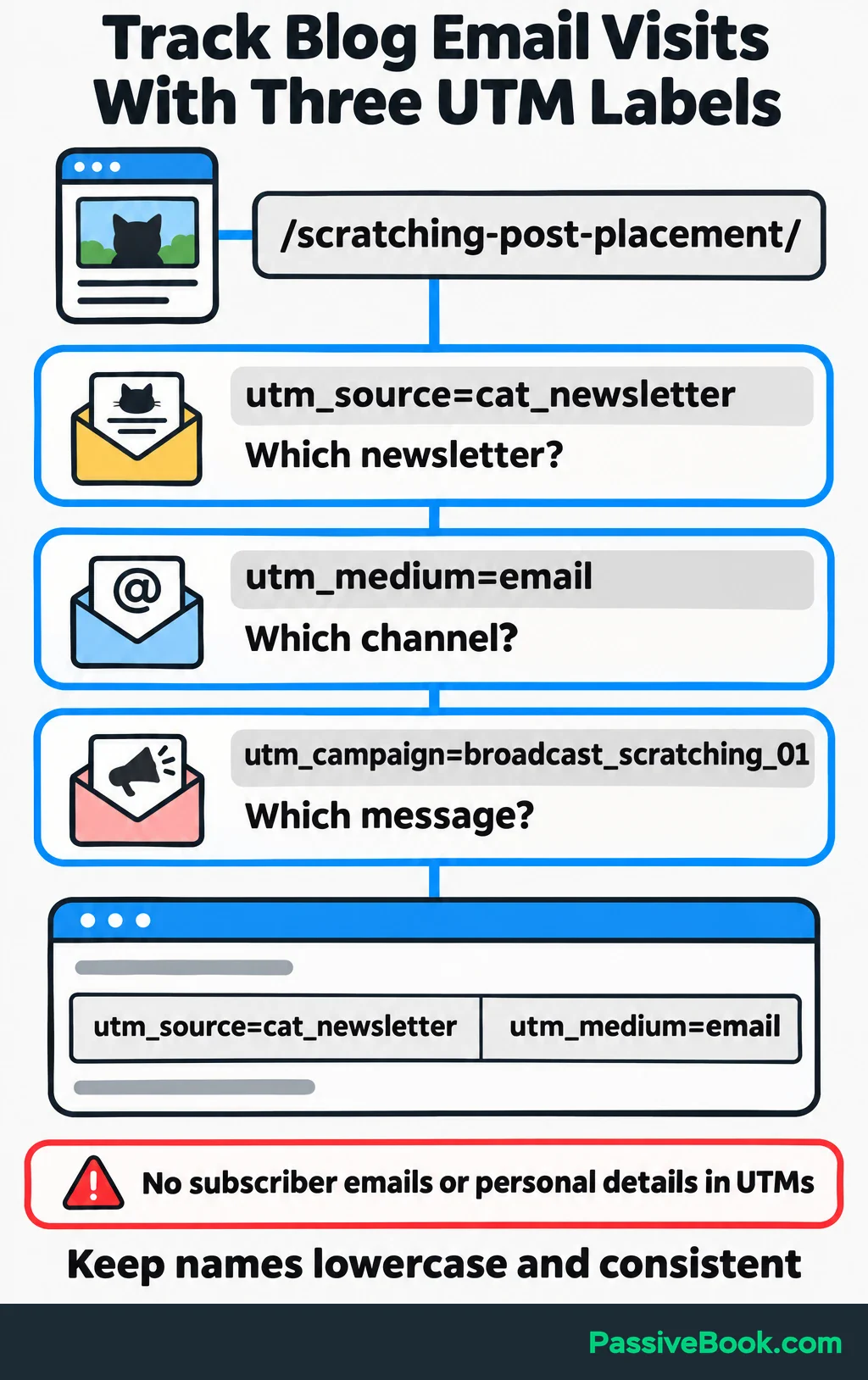
Next, confirm that your website analytics records visits. Add tracking labels, called UTM parameters, to your article link so you can identify the email traffic later.
Use three consistent labels:
utm_sourcenames the newsletter.utm_medium=emailidentifies the channel.utm_campaignidentifies the particular broadcast or automated message.
For example, append this to your article URL:
/scratching-post-placement/?utm_source=cat_newsletter&utm_medium=email&utm_campaign=broadcast_scratching_01Keep names lowercase and consistent. These labels describe the traffic source; they should never contain subscriber email addresses or other personal details.
Keep the unsubscribe link obvious and working. For US commercial email, CAN-SPAM requirements cover accurate sender information, truthful subjects, advertising identification, a valid postal address, and a working opt-out process. Opt-out requests must be honored within ten business days. The FTC’s guide explains the requirements.
Before scheduling, send yourself a test and check:
- The selected audience includes only the intended subscribers.
- The email is readable on your phone.
- The main link opens the correct article.
- The tracking labels survive any redirects.
- The unsubscribe link works.
I would save that checklist beside the email template. It is much cheaper to catch the wrong destination before the send.
Build a Repeatable Blog Email Workflow
Welcome New Subscribers With Useful Existing Posts
Map a short path from the signup promise to related articles. Each email should do a different job and have one clear destination.
For Indoor Cat Notes, the sequence could look like this:
| Email Purpose | Delay After Previous Email | Destination | Main Call to Action | Campaign Tag |
|---|---|---|---|---|
| Deliver the promised resource | Immediately after confirmation | Home-preparation checklist page | Get your home-preparation checklist | welcome_home_01 |
| Help with the next setup decision | Two days | Scratching-post placement article | Read the placement guide | welcome_scratching_02 |
| Cover another preparation task | Three days | Litter-box setup article | Read the litter-box setup guide | welcome_litter_03 |
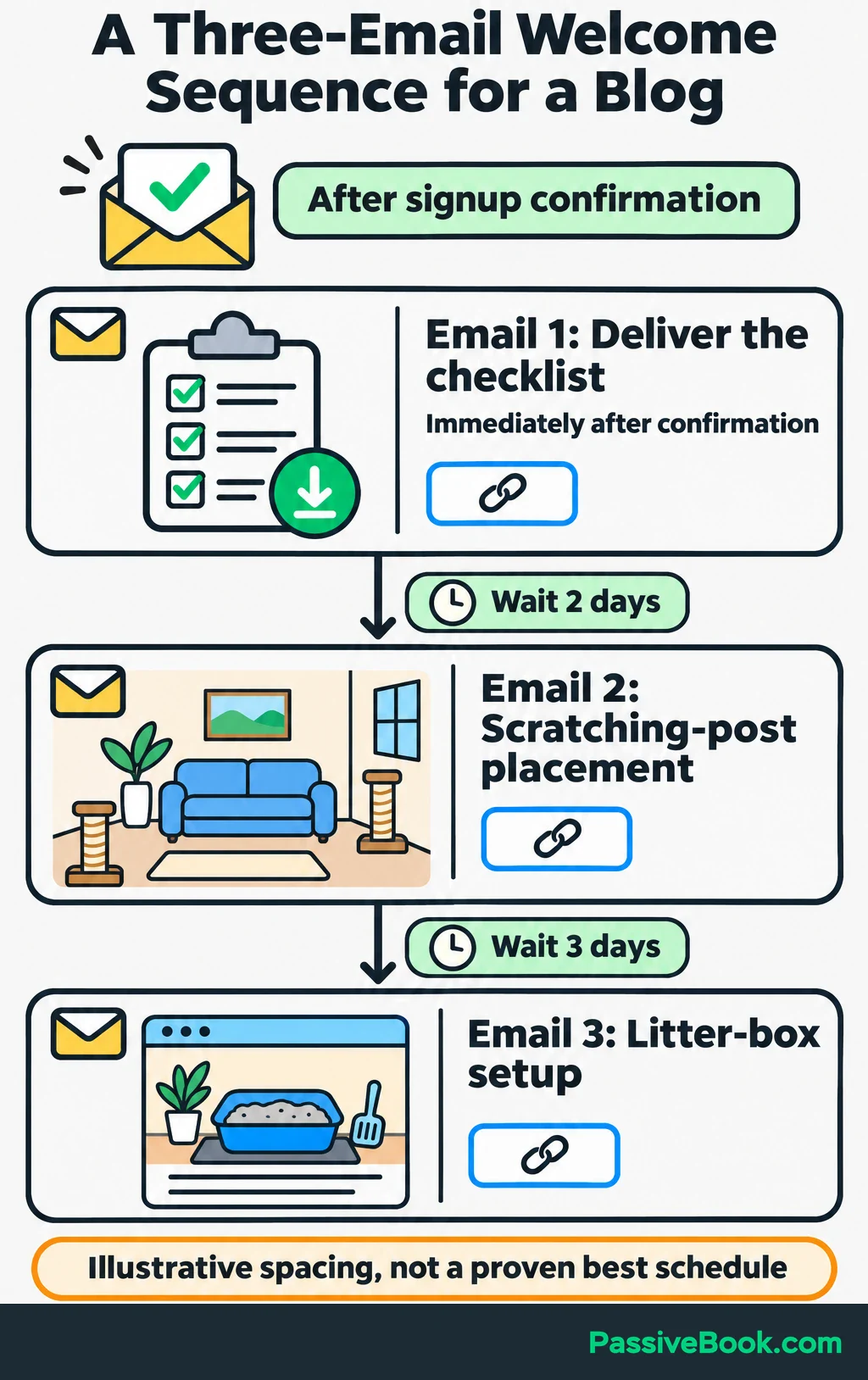
The spacing is a starting point, not a proven best schedule. Use the expectations you set at signup and the time readers need between tasks.
Trigger the sequence after confirmation and prevent accidental repeat enrollment. Use a fresh signup to test the whole path, including delivery, delays, links, and the move into your regular newsletter audience.
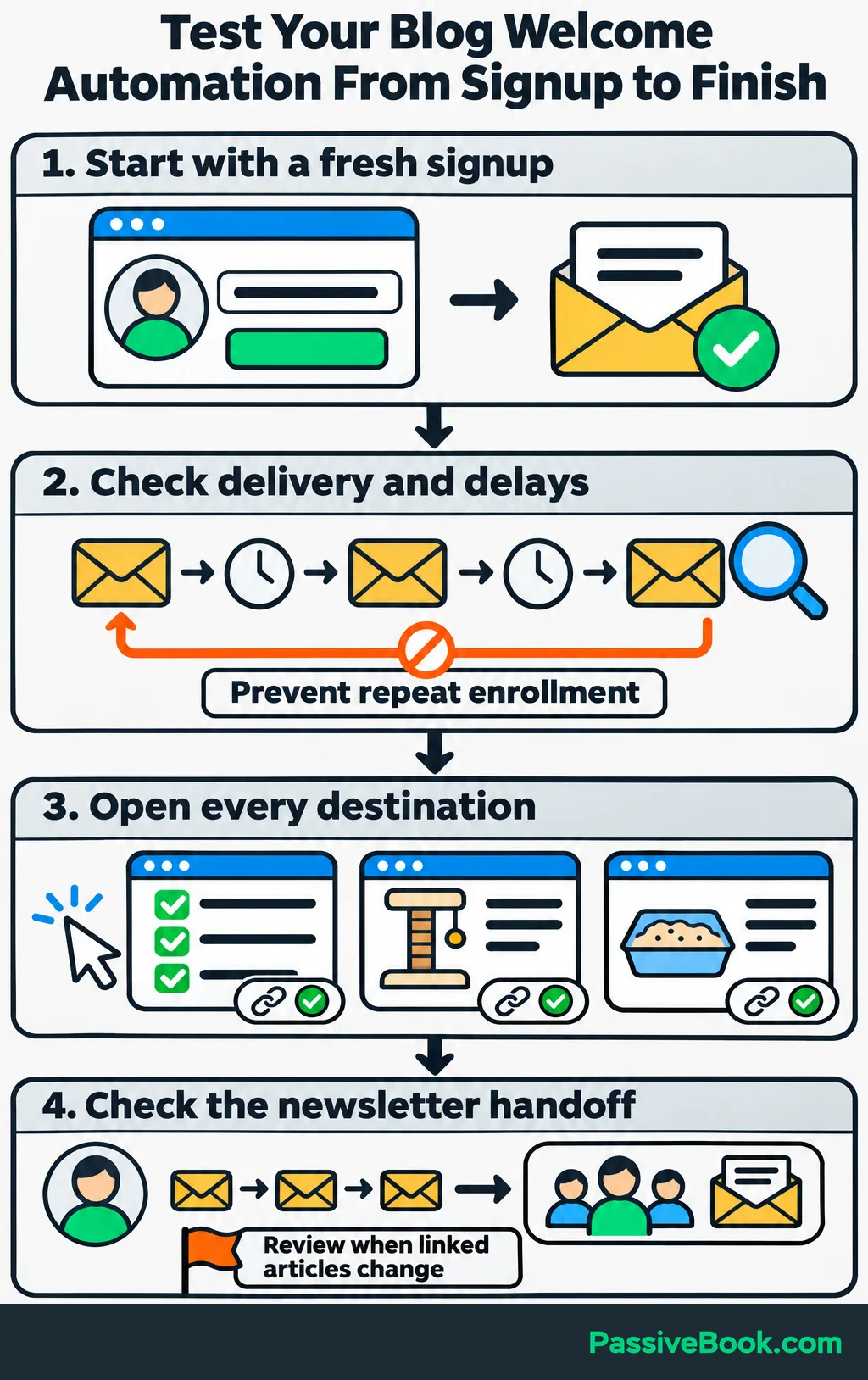
Choose a plan that can hold the sequence you mapped. In some services, delays count as automation steps alongside emails.
Once the sequence works, it can introduce your archive without a fresh manual send for every subscriber. Review it whenever a linked article changes. An automated email can keep recommending outdated advice with impressive consistency.
Schedule Regular Updates From Your Content Archive
Choose a rhythm you can sustain with useful content. I would start weekly or fortnightly and match the promise beside the signup form.
Use a focused email when one article deserves attention. A short digest makes sense when several related posts help with the same task. Feature one article and give brief reasons to read the others.
Older posts need a current reason to return to them. For Indoor Cat Notes, rearranging a room gives you an angle for revisiting the scratching-post guide:
Moving furniture this weekend? Compare your scratching-post placement options before settling on the new layout.
You have reused an article, but the email still answers a specific question.
Keep a small queue containing:
- The reader’s question and destination article.
- The email angle and intended audience.
- The planned send date.
Batch a few drafts and reuse the same layout. If you use an AI writing tool such as Claude or ChatGPT, provide the actual article and ask for subject options and a short preview.
Keep scheduling within your email service at first. Tools such as Make and n8n connect different apps; add one only when it removes a recurring task you have already identified.
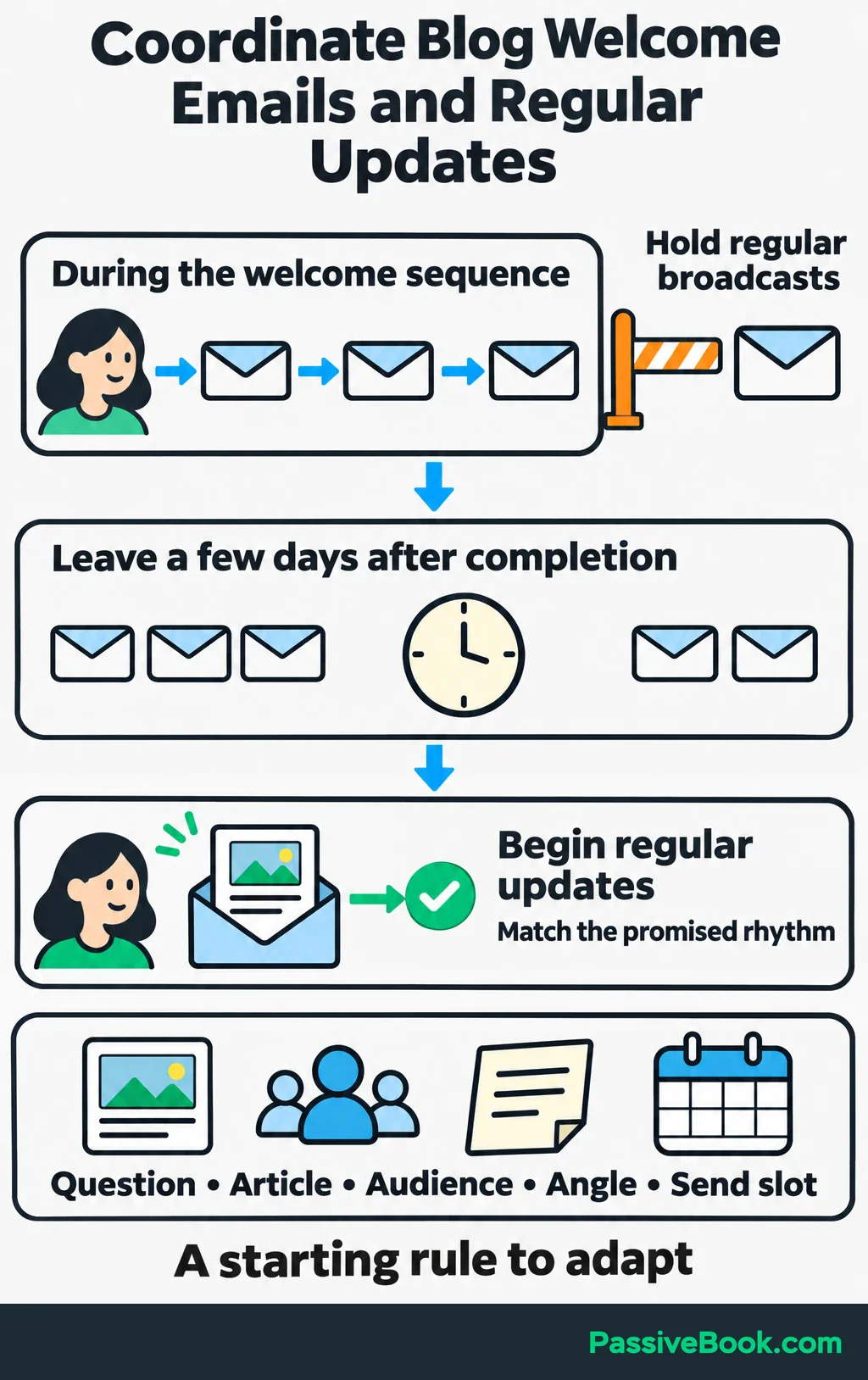
Coordinate regular updates with welcome emails too. A simple starting rule is to keep new subscribers out of broadcasts while their welcome sequence runs, then leave a few days before their first regular update. That avoids sending the same article twice in one afternoon.
Measure Blog Visits and Improve the Next Send
Track Clicks and Returning Readers
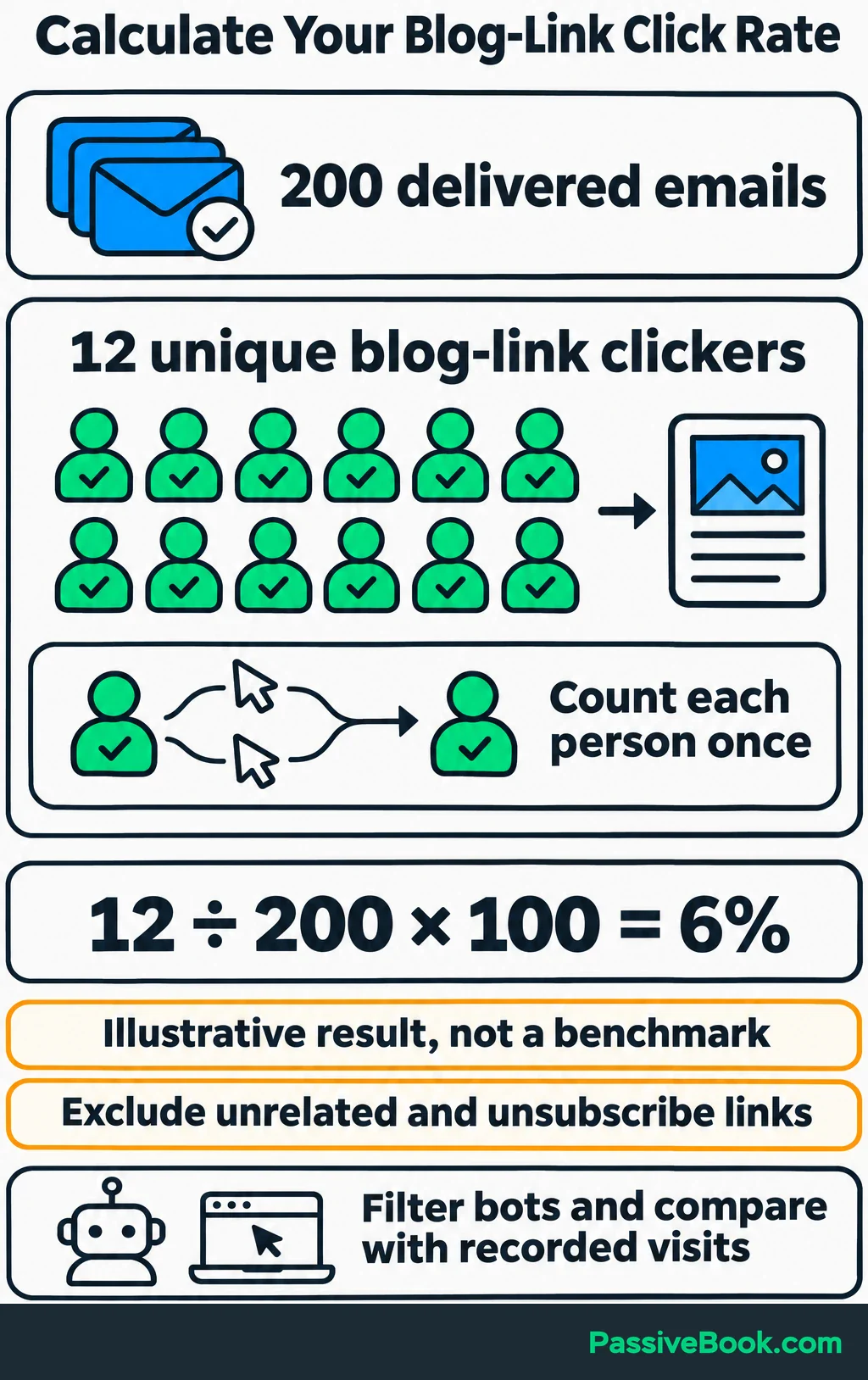
For each send, count recipients of successfully delivered emails who clicked at least one blog link during your reporting window. Count each person once and exclude unsubscribe links or unrelated destinations. Divide those clickers by the emails delivered in that send, then multiply by 100.
For example, 12 blog-link clickers from 200 delivered emails gives:
12 ÷ 200 × 100 = 6% blog-link click rateThat is an example, not a target your list must hit.
In Google Analytics 4, open the Traffic acquisition report to find visits from each email. Select Session source/medium, find cat_newsletter / email, and add Session campaign to distinguish messages.
Compare broadcasts over the same period after sending, such as their first seven days. Report welcome emails separately because they send continuously as people join.
To track repeat visits, use an exploration—a custom report—filtered to Session medium = email, and add Returning users. Google defines returning users as people with a previous session. Their earlier visit may have come from another channel.
Keep a reporting sheet with the send date, article, audience, delivered emails, unique blog-link clickers, click rate, email-attributed sessions, unsubscribes, and complaints.
Mailchimp explains that automated security scans can inflate click reports. Use available bot filtering and compare clicks with recorded website visits. The counts can still differ because analytics may miss visits and one reader can visit more than once.
For a small list, I would use your first few comparable sends as a baseline. Keep raw counts beside percentages. One extra click can move a small-list percentage enough to look like a breakthrough.
Fix the Weakest Part of the Path
Use the reports to choose one useful change.
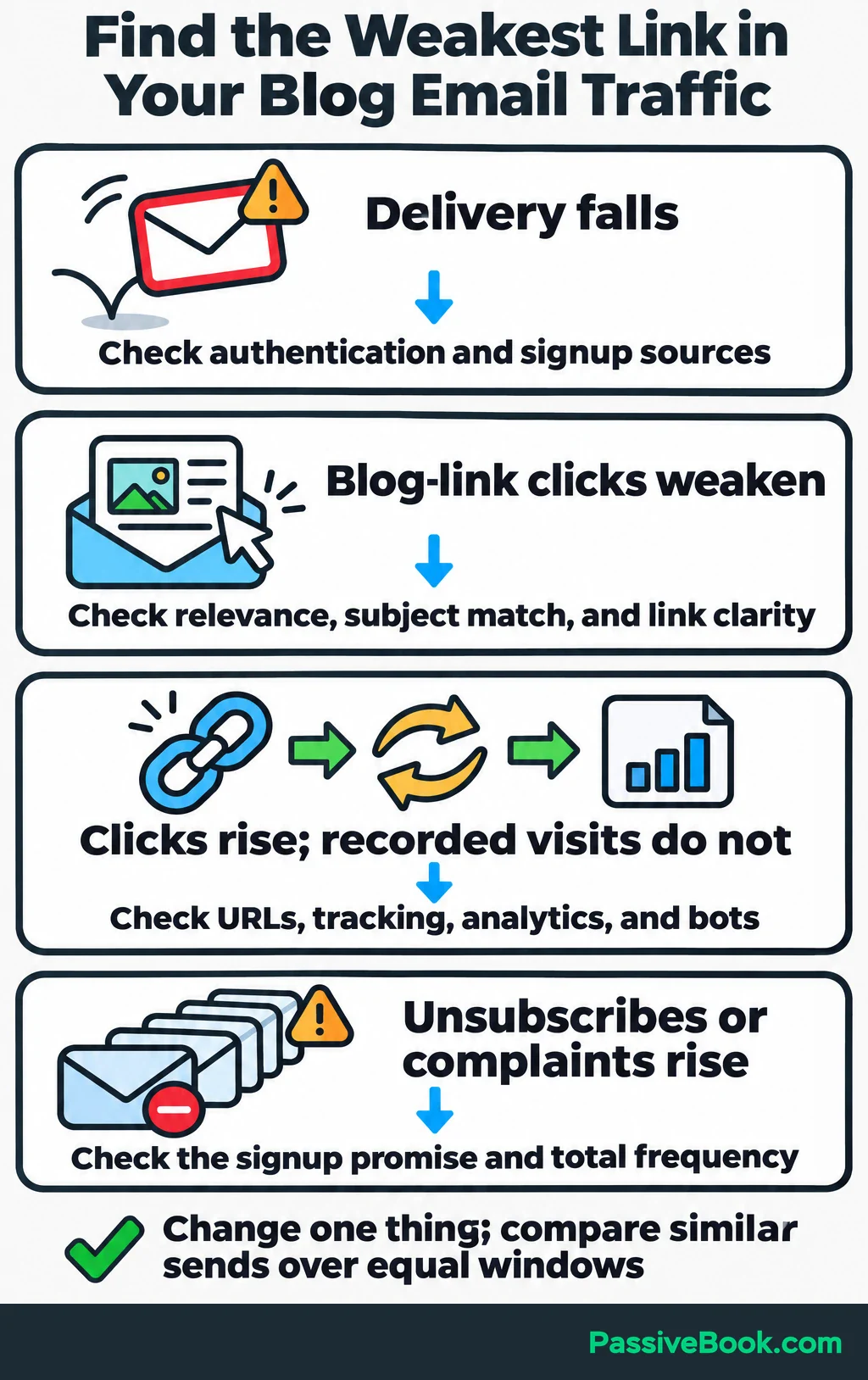
| What You Notice | What I Would Check First |
|---|---|
| Delivery falls or bounces rise | Authentication, signup sources, and the provider’s delivery reports. Suppress hard-bounced addresses and keep unsubscribed people excluded. |
| Delivery holds steady but blog-link clicks weaken | Whether the topic matches subscriber interests, the subject matches the article, and the main link is easy to find. |
| Clicks rise but recorded visits do not | The destination URL, redirects, tracking labels, analytics collection, and possible automated clicks. |
| Unsubscribes or complaints rise | Whether the topics and combined welcome-plus-broadcast frequency match what people requested. |
Compare similar audiences and article purposes over equal reporting windows.
Test a more specific subject, a more relevant article, or a clearer call to action, and keep other elements steady across several sends.
Individual unsubscribes are not a reason to abandon email. But a repeated increase deserves attention before you send more. The goal is a useful reading habit that people choose to keep.
What Next?
Choose one useful article from your archive and draft an email that answers why a subscriber should read it now. Add a tracked link, send yourself a test, and schedule it for your permission-based audience.
Use the social buttons to share this guide if a repeatable promotion routine would help your blogging circle spend less time starting from scratch.
Which part of your email-to-blog path needs the most work: attracting subscribers, earning clicks, or measuring visits? Share your thoughts in the comments, and bring any other questions too.
Share this post with your friends & followers:

