You need to change a function, but its documentation leaves out the detail that matters: what happens when the input falls outside the normal case? So you read the implementation, trace its callers and rebuild the explanation yourself.
AI can help with that writing, but a clear sentence can still describe behavior the code never promised. A misleading example gives the next person another problem to untangle. To catch those mistakes before someone relies on them, we’ll work through one small pricing function’s documentation, with adaptations for setup instructions, API references and updates when the code changes.
Start With One Documentation Task
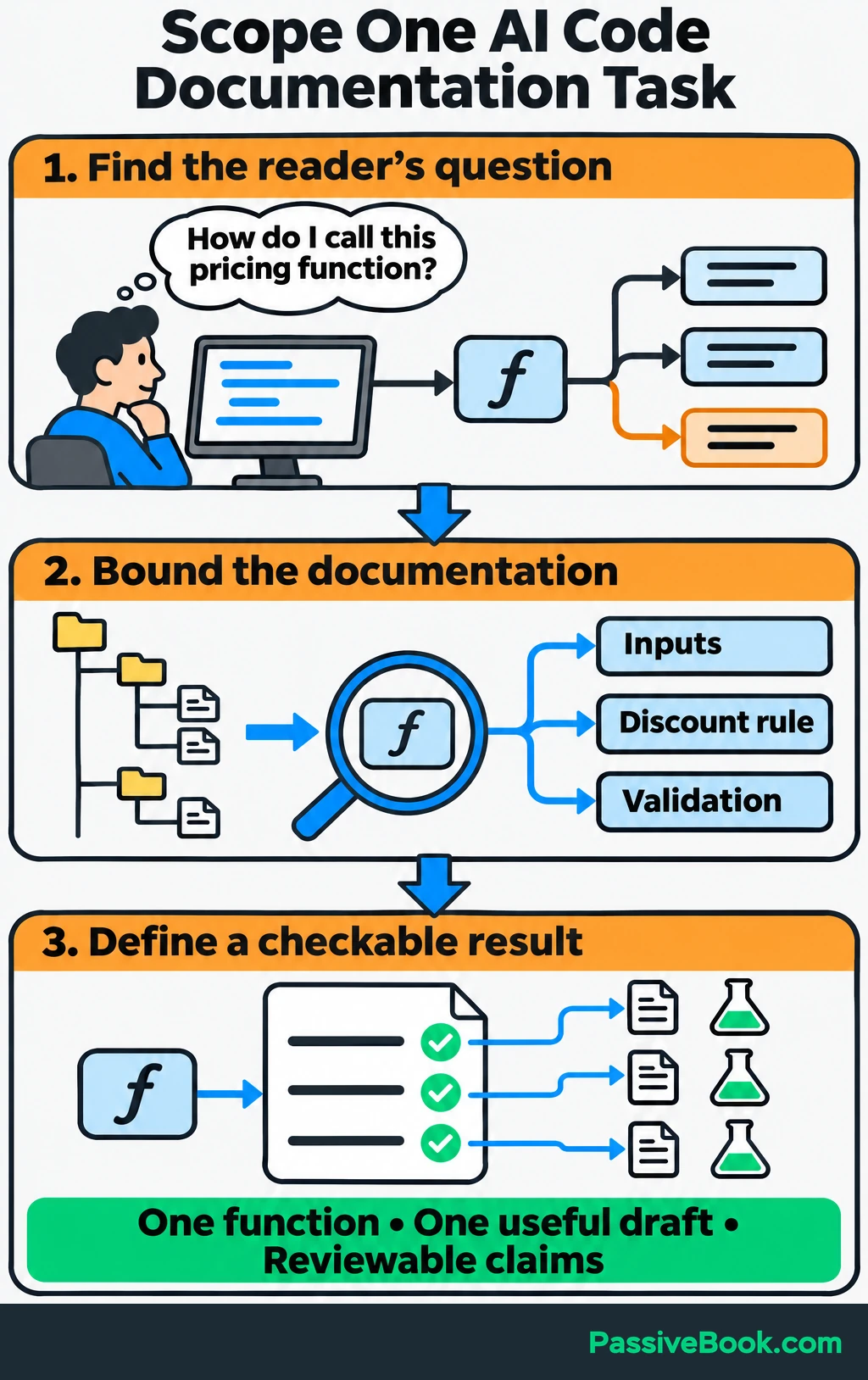
Choose one thing a reader needs to do and document enough for them to complete it. Start with a gap whose answer you can check.
“Document this repository” gives the assistant too much room to decide what matters. “Explain how to call this pricing function, including its discount rule and validation” gives you a useful draft to review.
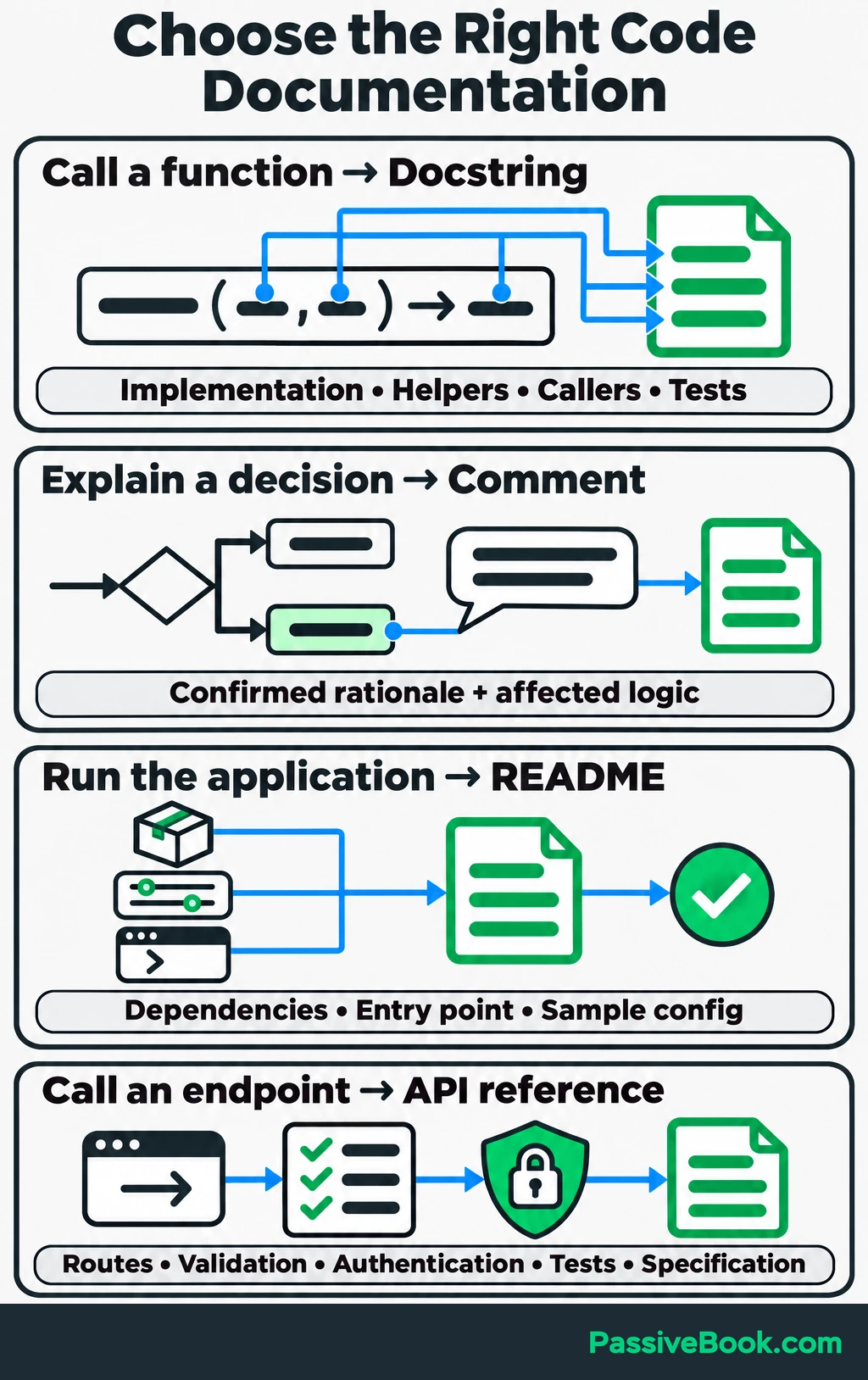
Match the format to the reader’s task:
| Reader Task | Documentation Format | Source Material |
|---|---|---|
| Call a function correctly | Docstring: text inside a function explaining how to call it | Implementation, relevant helpers, callers and tests |
| Understand a surprising decision | Comment near the affected logic | Confirmed rationale and the code it explains |
| Run the application | README quick start | Dependency files, entry point and sample configuration |
| Call an HTTP endpoint | API reference | Routes, validation, authentication rules, tests and interface specification |
For the running example, imagine you sell downloadable sourdough recipe books. A small Python application calculates bundle prices, but its pricing function needs documentation.
The shop, code, prompts and proposed outputs below are illustrations. We’ll finish the function documentation first, then adapt the process to other documentation tasks.
Choose an AI Tool That Fits Your Workflow
Start with an approved assistant you already use. A new subscription needs to save enough drafting and review work to justify itself.
I already use Claude Code, an AI coding assistant, for my Python content pipeline, so I would try that before adding another tool. Apply the same rule to your own workflow: can your current assistant read the necessary files and produce edits you can inspect?
These working methods can overlap:
| Working Method | Suitable Option | Review Method |
|---|---|---|
| Share selected code excerpts | An approved chat assistant | Compare the draft with the source and apply the accepted edits yourself |
| Work from a terminal | GitHub Copilot CLI, whose documentation includes a documentation-generation example | Inspect the version-control diff before committing |
| Work inside an editor | Cursor Agent, which can search a codebase and edit several files | Review each change in its diff view |
For one missing docstring, selected excerpts may be enough. For a change spread across several files, repository access can make gathering context easier. Either way, check that the assistant actually read the files needed for this task.
Before sharing code, confirm that your organization permits the tool and account settings. Remove secrets, customer records and production configuration, and check the provider’s training, retention and processing terms.
An editor interface does not mean the processing stays on your computer. For example, Cursor says requests pass through its backend even when you supply your own API key. That distinction matters before you hand it proprietary code.
Give AI the Relevant Code Context
Supply enough source material to explain the behavior, then add surrounding files when a specific question requires them.
For a function, that usually means:
- Its implementation and any helpers that affect the result.
- Representative callers showing how inputs reach it.
- Tests covering ordinary use, errors and important boundaries.
- Configuration or dependency versions that change its behavior.
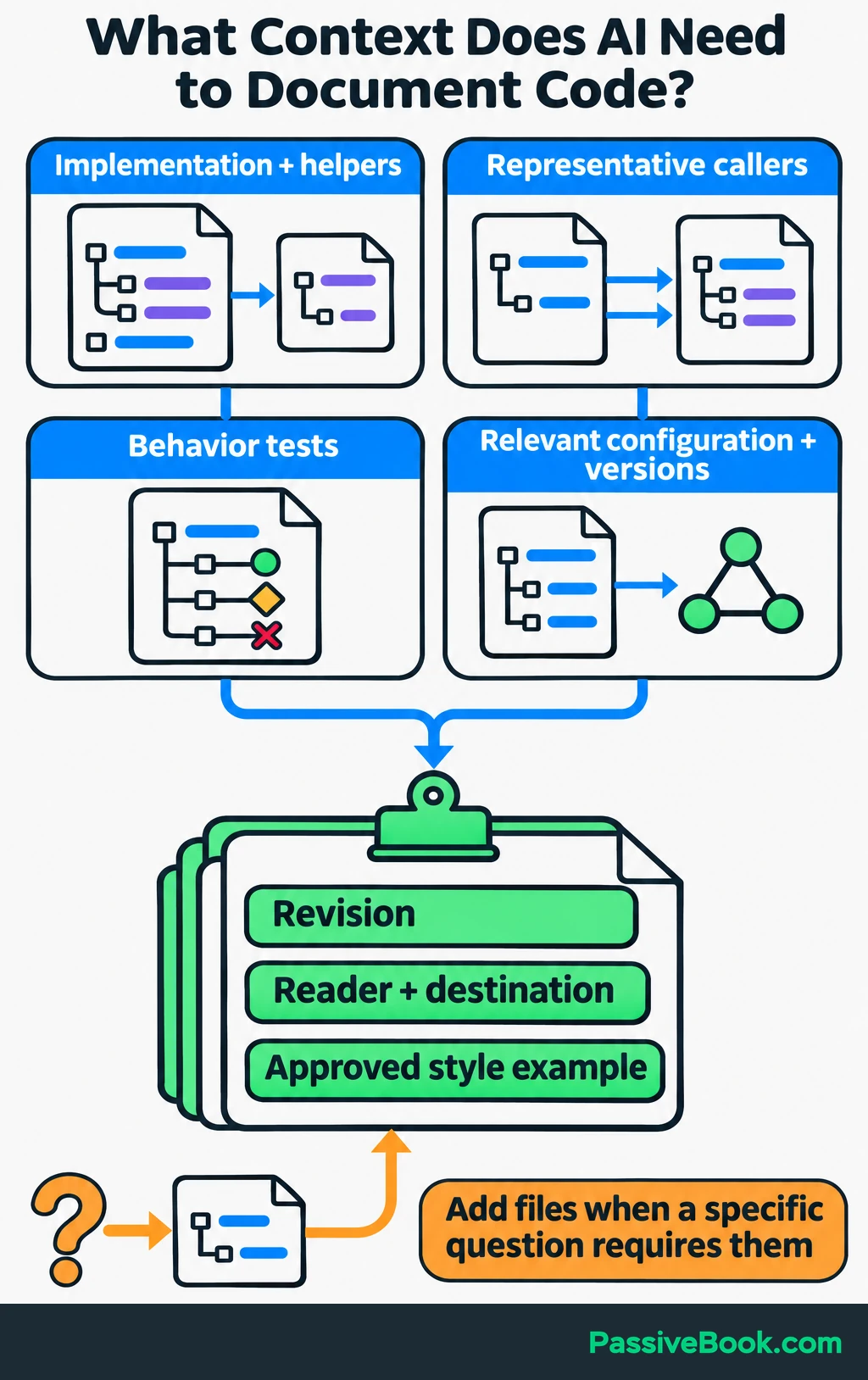
Also identify the code revision, intended reader and destination. “For a developer calling this function, as a docstring in pricing.py” is much clearer than “Explain this code.”
An approved documentation example helps the assistant match your project’s terms and formatting.
I ran into this while maintaining my Python content pipeline. I asked for a broad explanation of a module and got a readable overview, but when I returned to change it, I still had to trace the inputs and outputs.
That experience changed what I ask for. I now name the task the documentation must support before supplying the code.
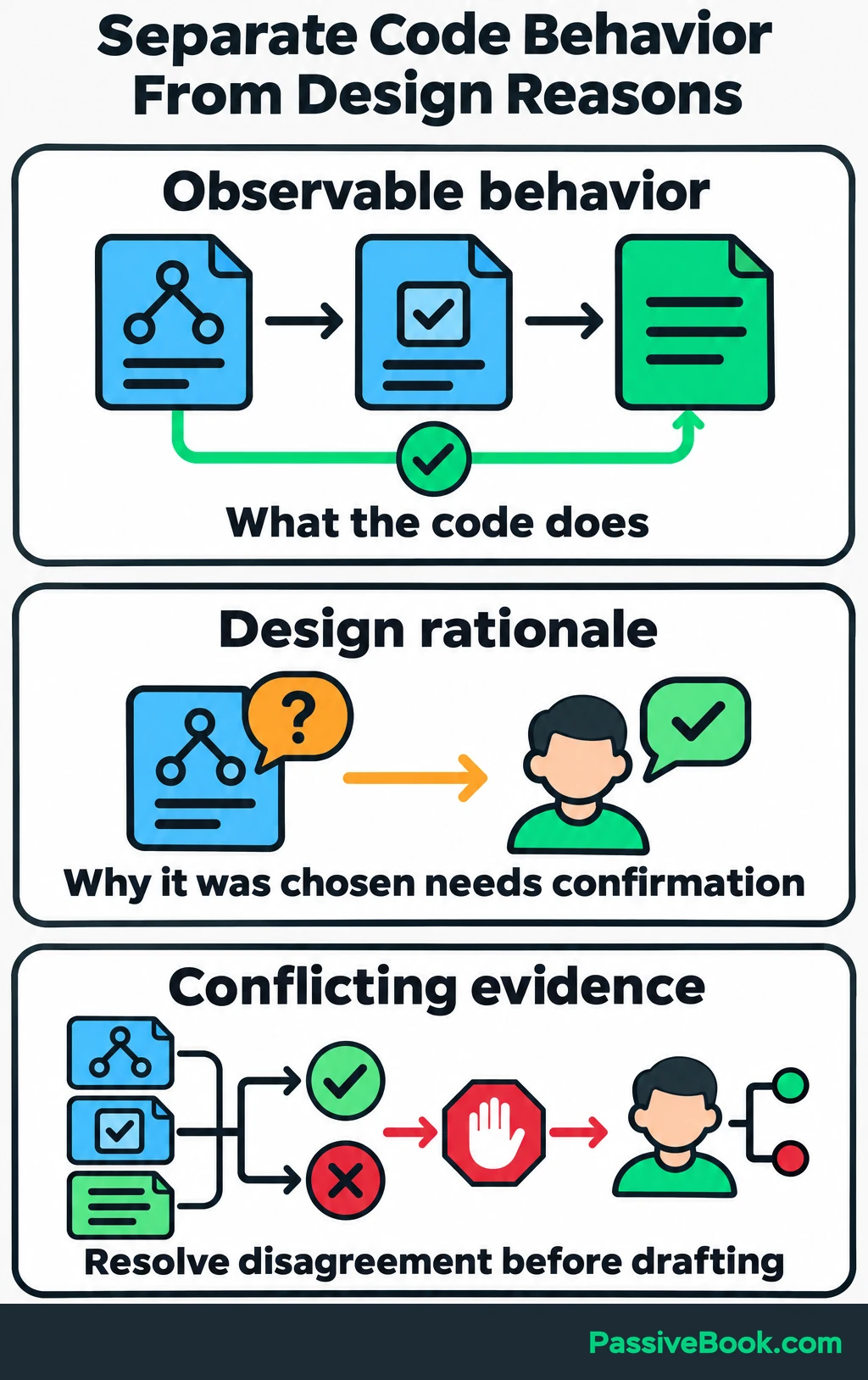
Keep confirmed design reasons separate from observable behavior. Code can show that a discount starts at three books, but it cannot establish why that threshold was chosen. If the code, tests and existing documentation disagree, have the responsible maintainer resolve the conflict before turning it into confident prose.
Write a Prompt With a Clear Output Contract
Tell the assistant what to document, what evidence to use and what the finished result should contain. Give it somewhere to put questions so missing context does not become invented behavior.
Use this reusable prompt:
Document [symbol or workflow] at [revision] for [intended reader].

Use these supplied sources:
[implementation, relevant helpers, callers, tests and configuration]

Produce [documentation format] for [destination].
Match the terminology and style of [approved example].

Describe implemented behavior, including relevant inputs, outputs,
defaults, errors and side effects.

Do not infer business reasons or undocumented guarantees.
Put missing context and unresolved questions in a separate review list.

Make documentation-only edits.

In a separate review note, connect consequential claims to the
source symbols, files or tests that support them.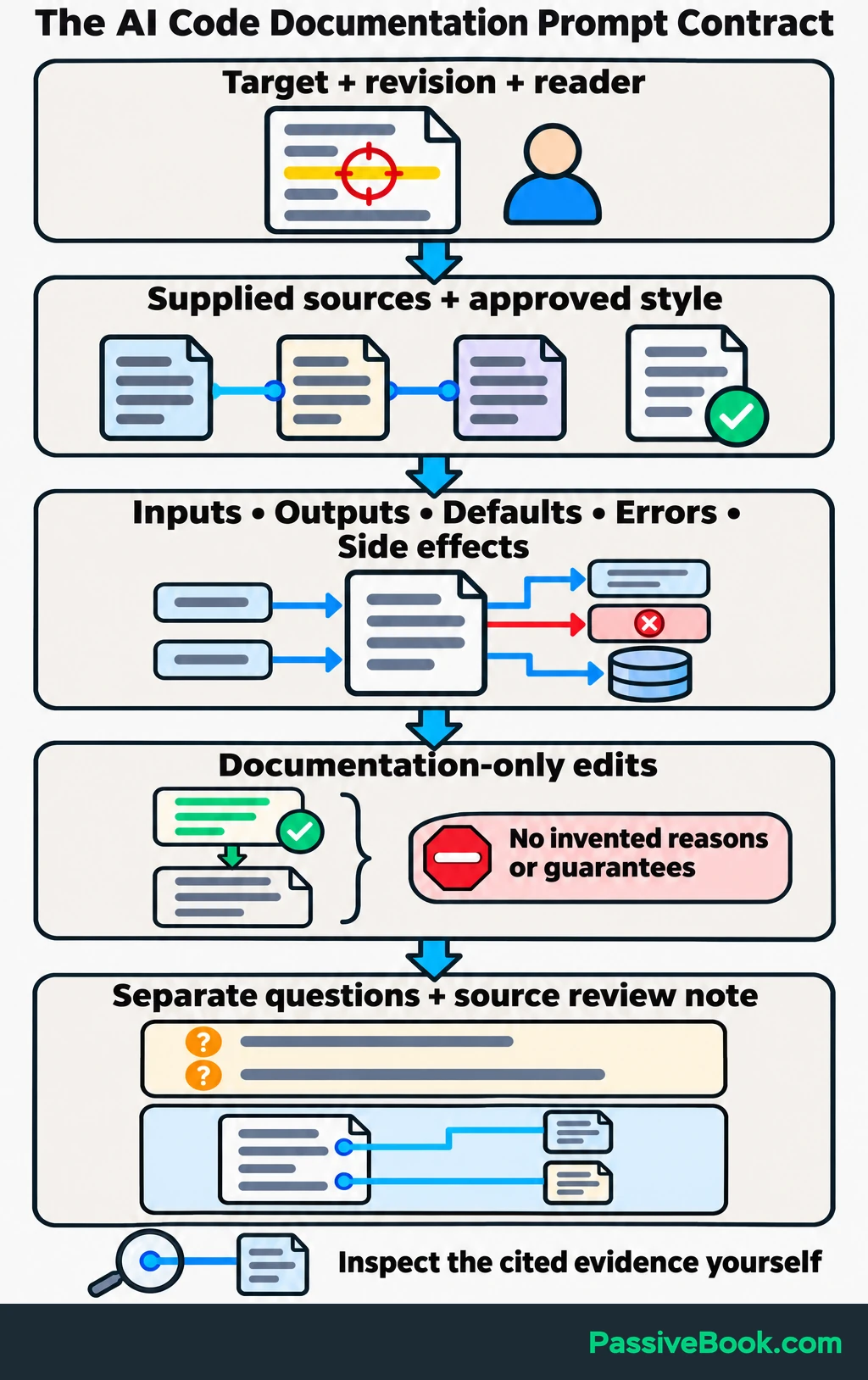
The review note helps you find supporting code, but inspect those references yourself. A file name beside a claim is only useful if the file supports it.
Refine specific weaknesses after reading the first draft. “Clarify whether prices are dollars or cents” gives the assistant a concrete correction. “Make this more detailed” may just produce a longer version of the same omission.
Generate the Documentation Your Reader Needs
Write Docstrings and Useful Comments
A docstring should explain the function’s contract: what callers provide, what they receive, which conditions raise errors and whether anything outside the function changes.
Follow the style already used in the repository. Python’s PEP 257 covers docstring content and structure without requiring a particular markup style such as Google or NumPy.
For the shop’s function, a focused request would be:
Write a docstring for quote_bundle_cents using the supplied
implementation and tests.

Cover the intended integer-cent inputs, discount threshold,
rounding, return value and explicit validation.

Include one executable example. Keep review questions separate.
Do not change the implementation.
Here is a complete illustrative function with a proposed docstring:
def quote_bundle_cents(unit_cents: int, quantity: int) -> int:
    """Return the bundle total in cents.

    unit_cents is the price per book in whole cents, and quantity
    is the number of books.

    Apply a 10% discount when quantity is at least three.
    Round the discounted total down to whole cents.

    Raise ValueError if unit_cents is negative or quantity is
    below one. The function does not change external state.

    >>> quote_bundle_cents(999, 3)
    2697
    """
    if unit_cents < 0:
        raise ValueError("unit_cents must be non-negative")
    if quantity < 1:
        raise ValueError("quantity must be at least one")

    subtotal = unit_cents * quantity
    if quantity >= 3:
        return subtotal * 90 // 100
return subtotalThe example counts three books priced at 999 cents each. Their subtotal is 2,997 cents, and the discounted total comes from 2997 * 90 // 100, which produces 2697.
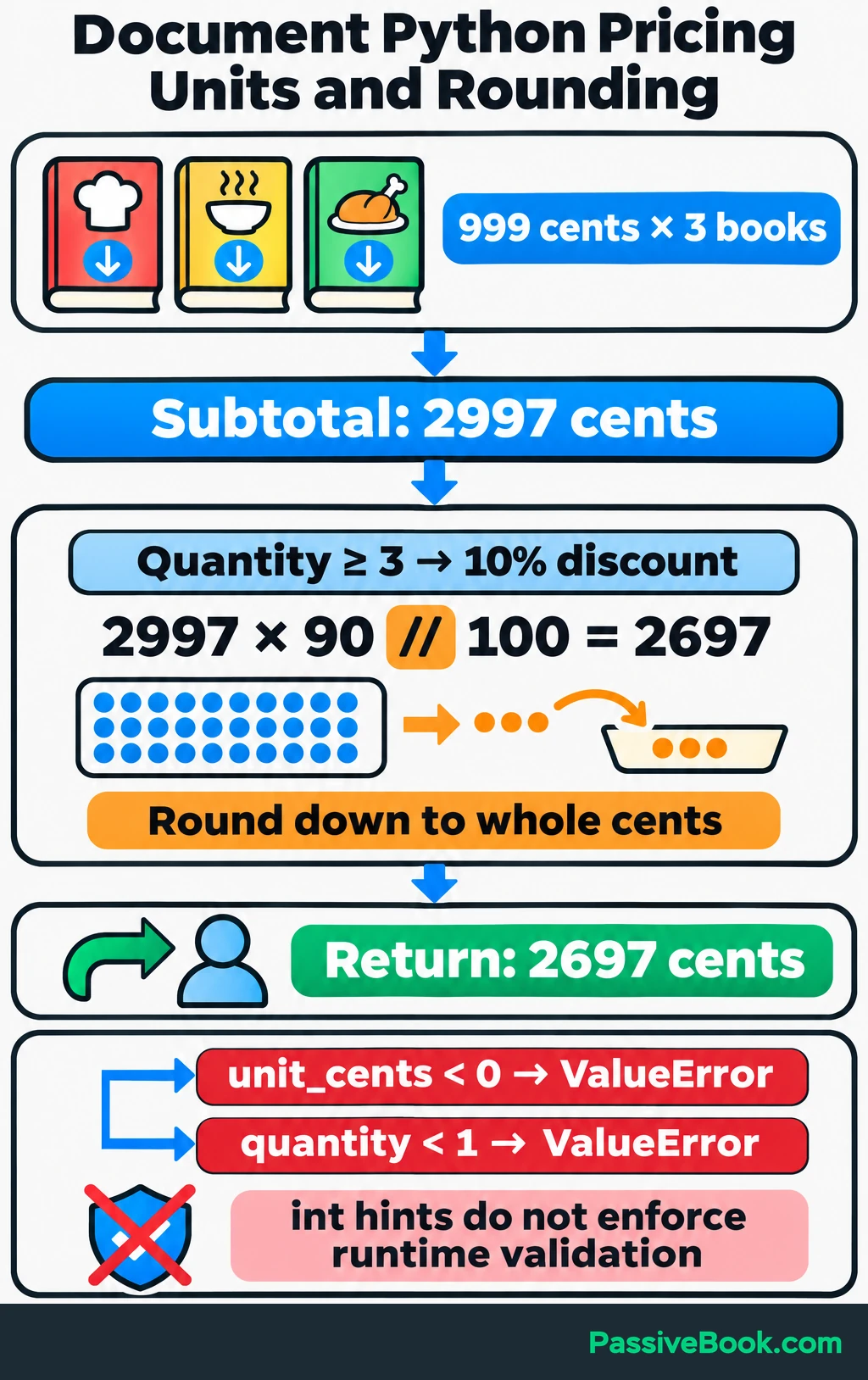
The rounding detail belongs in the documentation because a caller could reasonably expect a different treatment of fractional cents.
There is also a claim to reject: “Raises an error for every non-integer input.” The function does not implement that check. Python does not enforce type annotations at runtime, so the int hints describe intended inputs without validating them.
Comments serve a different purpose. Use them for confirmed reasons or constraints that would otherwise be hard to recover. If the maintainer confirms why the discount rounds down, that reason may deserve a comment. A comment saying “multiply price by quantity” adds little beside the multiplication.
I would leave this short function without inline comments unless there is a useful, confirmed reason to record.
To apply this to your own code, the AI Code Documenter can draft one documentation task and put the claims that need checking beside their supporting sources. It also handles quick starts, API references and updates when behavior changes.
Free AI Code Documenter




Draft README Instructions From Working Project Files
A README quick start should take someone from obtaining the project to one successful run. Give AI the files that establish how that happens:
- Dependency declarations and the supported runtime.
- The application’s actual entry point.
- Safe sample configuration.
- A working invocation and its expected result.
Then ask:
Draft the shortest complete quick start from these project files.

Include prerequisites, installation, configuration and one successful
bundle-pricing example.

Use three books at 999 cents each, with an expected total of 2697 cents.
Use only commands and settings supported by the supplied files.

Put missing installation, entry-point or configuration details
in a separate review list.
The function above does not establish an application launch command. If no entry point has been supplied, the assistant should ask for it rather than invent python app.py.
Once the real command is known, keep the success check visible: the three-book example should produce 2697 cents. Link to the function documentation for the full pricing contract instead of copying it into several places.
Document APIs From the Implemented Contract
If the pricing application later exposes an HTTP endpoint, give AI the route handler, request validation, authentication configuration and relevant tests.
The documentation needs to describe the interface callers can actually use:
- The method and path.
- Required and optional inputs, including units.
- Authentication requirements.
- Supported response fields, status codes and errors.
- Request and response examples that match those rules.
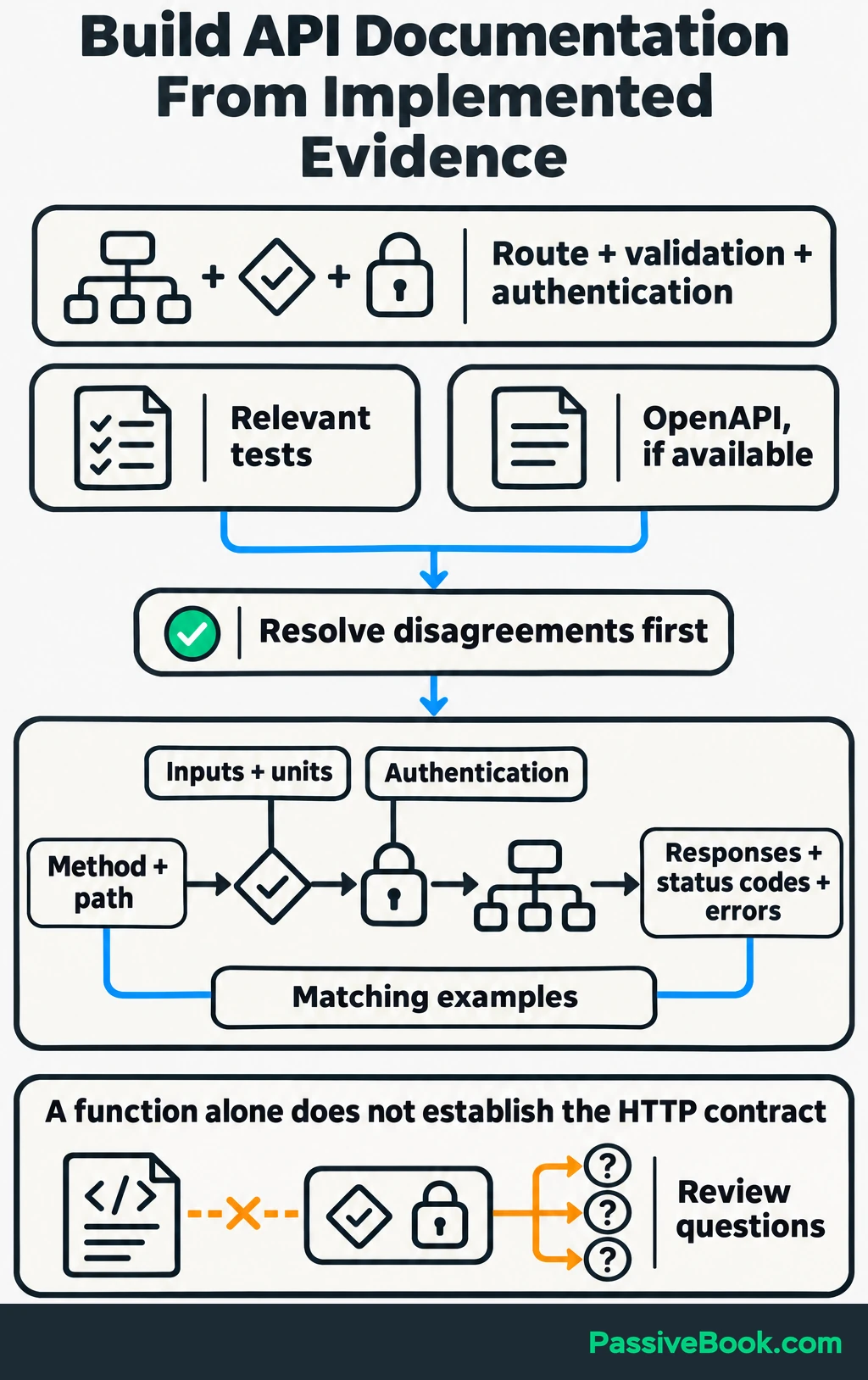
If the project already has an OpenAPI description, include it. OpenAPI provides a standard description of HTTP interfaces, and it gives the assistant structured material to work from.
Compare that description with the implementation and tests before asking AI to improve its wording. A tidy specification can still disagree with the running application.
For the shop, the Python function alone does not tell us whether a request uses unit_cents, whether authentication is required or which HTTP status represents invalid input. Those details belong in the review questions until the endpoint’s contract supplies them.
Verify the Draft Before Merging
Review the documentation against the same code revision used to generate it. Start with claims that could make someone call the code incorrectly.
Use this checklist:
- Do names, paths and signatures match the code?
- Are units, defaults and return values clear?
- Do error descriptions match the implemented conditions?
- Are side effects described accurately?
- Do examples cover important boundaries?
- Does the diff contain only the intended documentation changes?
- Has every unresolved assertion been corrected, confirmed or removed?
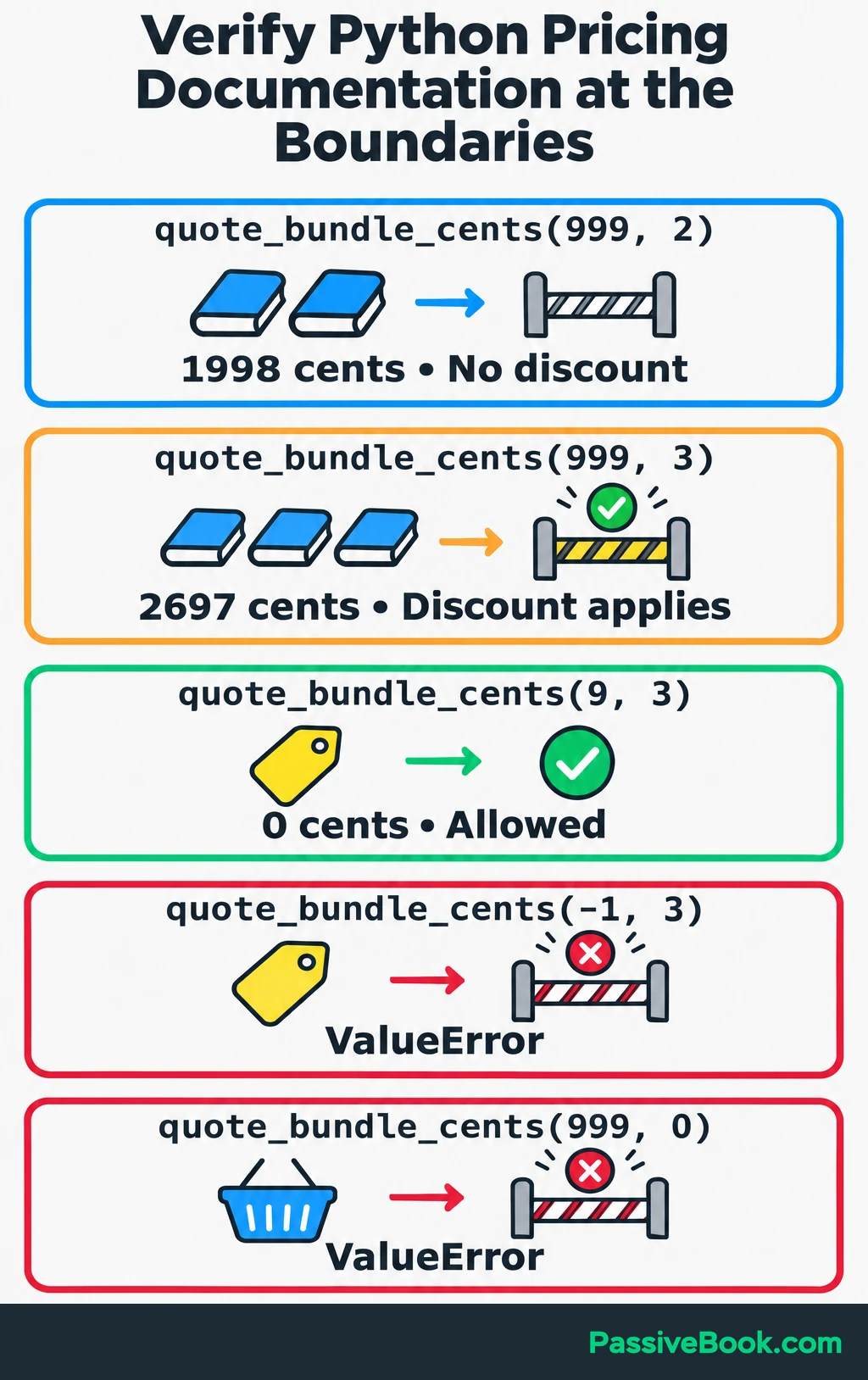
For the pricing example, check the discount boundary and validation:
| Check | Expected Result |
|---|---|
quote_bundle_cents(999, 2) | 1998, with no discount |
quote_bundle_cents(999, 3) | 2697, with the discount applied |
quote_bundle_cents(0, 3) | 0, because zero is an allowed price |
quote_bundle_cents(-1, 3) | ValueError |
quote_bundle_cents(999, 0) | ValueError |
Run the documented examples as well. If you save the worked function as pricing.py, you can check its interactive example with:
python -m doctest -v pricing.pyPython’s doctest module executes interactive examples and compares their results with the stated output. A passing example checks that example; it does not prove every sentence in the docstring.
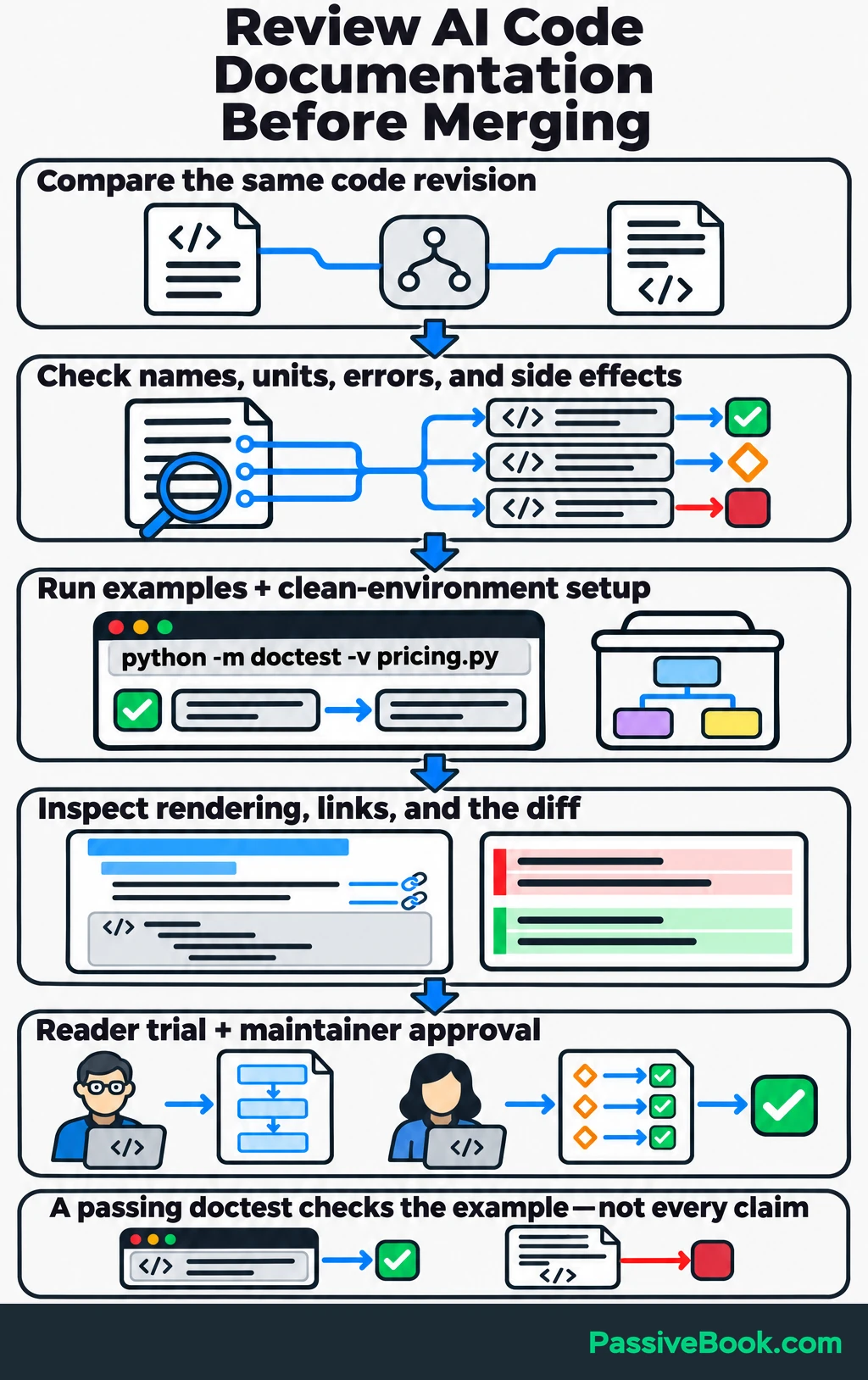
Follow README instructions in a clean environment with safe sample configuration. Your usual development environment may already contain a dependency that the instructions forgot.
Check the rendered documentation too, because broken formatting and links can hide otherwise useful instructions. Then have another developer attempt the documented task. Ask where they had to guess.
The responsible maintainer should resolve ambiguous behavior and approve the result. Asking AI whether its own draft is correct does not replace that decision.
Keep Documentation Current as Code Changes
Keep documentation beside the code where practical, and update affected documentation in the same pull request as a behavior change.
Give the assistant the code diff, current implementation, changed tests and relevant documentation. Then ask:
Identify documentation passages affected by this change.

Propose the smallest necessary documentation edits.
Check related examples against the current implementation.

Make documentation-only edits and list unresolved questions separately.
Suppose the shop changes its discount threshold from three books to five. The update needs to reach both the rule and the examples.
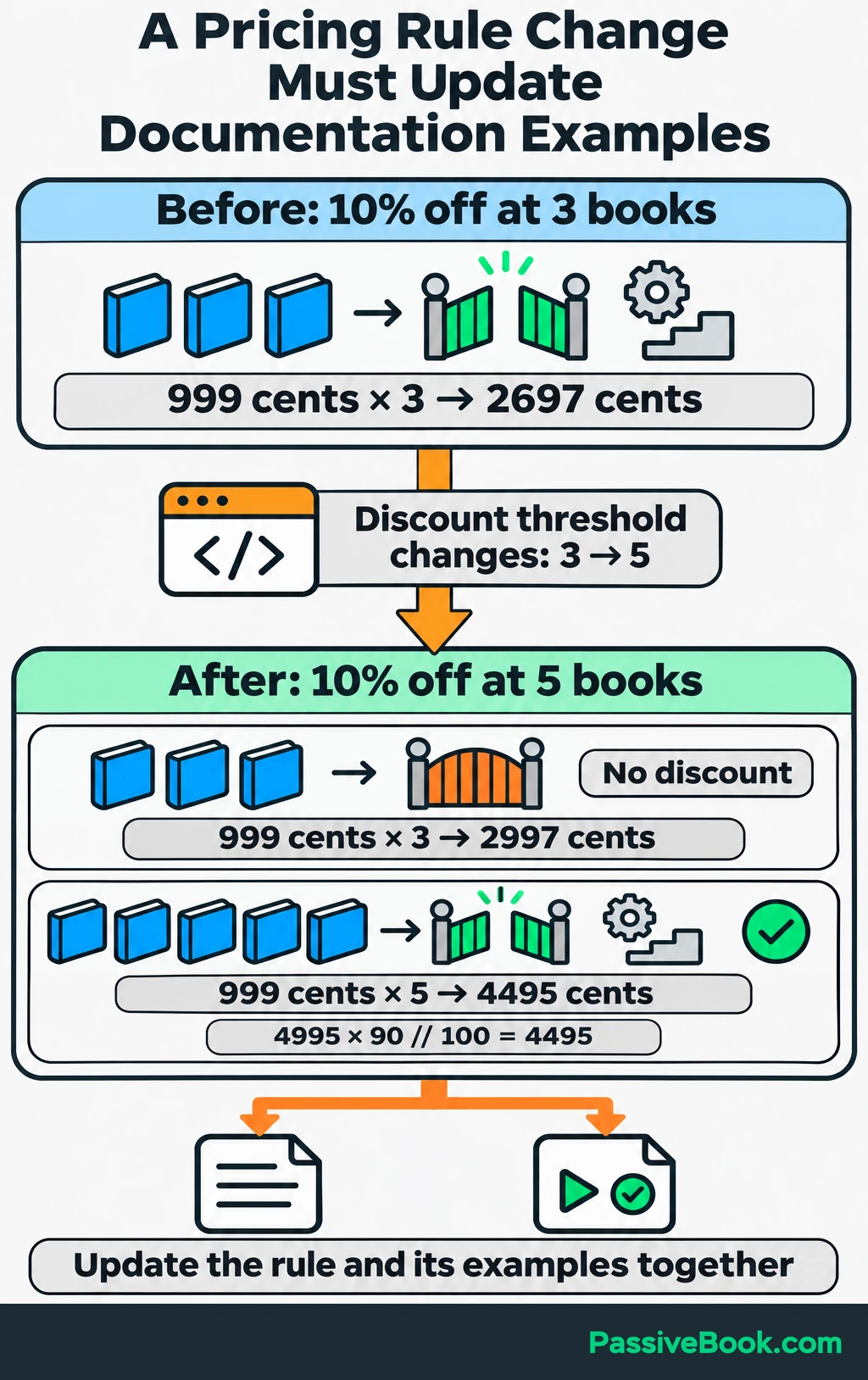
The three-book order now stays at its undiscounted subtotal of 2,997 cents. Five books have a subtotal of 4,995 cents, and applying the discount with the same rounding rule produces 4,495 cents.
| Example | Updated Expected Result |
|---|---|
quote_bundle_cents(999, 3) | 2997 |
quote_bundle_cents(999, 5) | 4495 |
Update the docstring and its executable example, then search the README, API documentation and other examples for the old threshold. Search for the function name and discount wording too, because a stale explanation may never mention the number three.
Save reusable prompts and documentation conventions in the repository. Include the required style, terminology, review expectations and rule that unsupported claims become questions. If you use Copilot, repository custom instructions can provide project guidance automatically in supported environments.
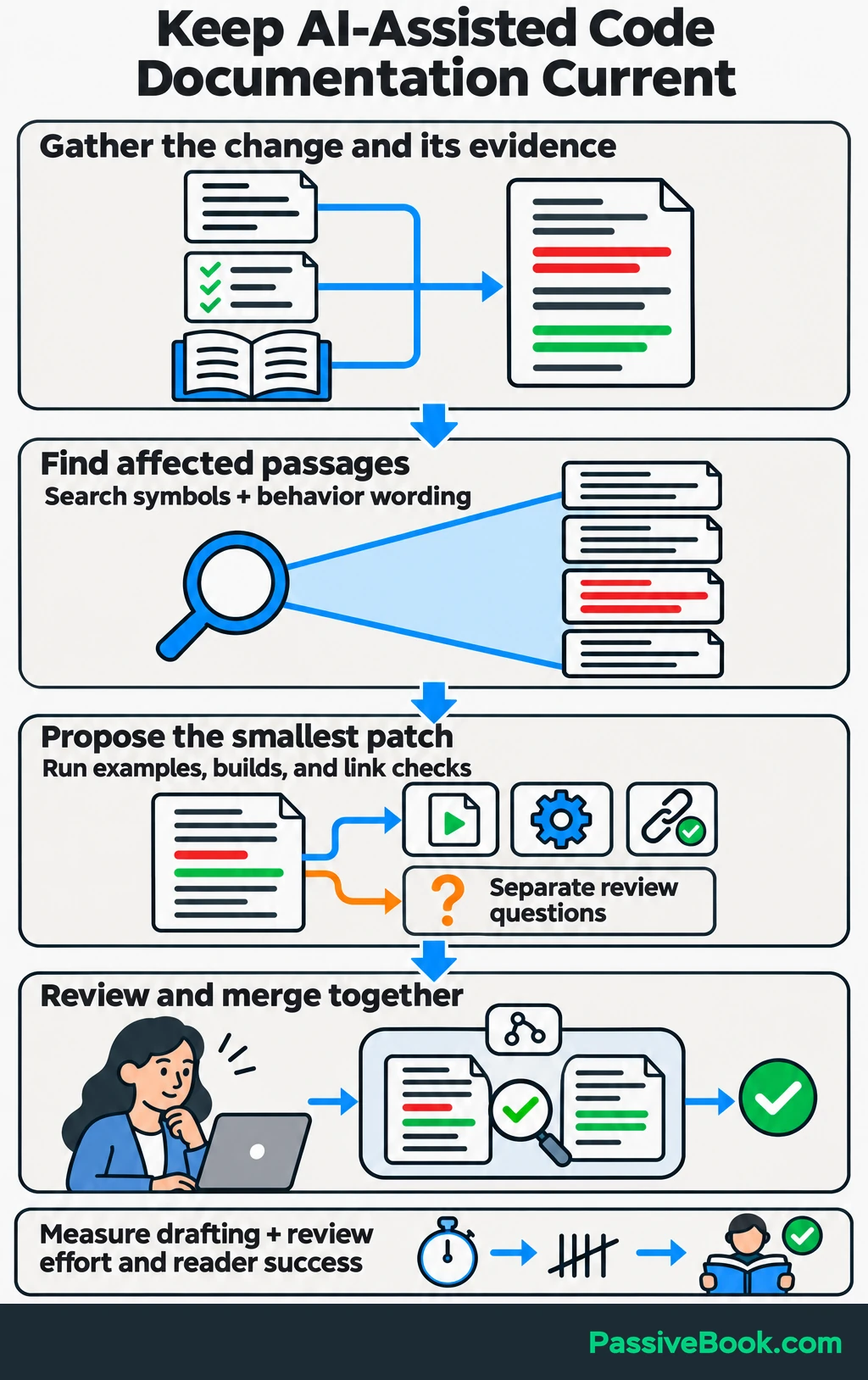
Once the manual process works, add documentation builds, link checks and executable examples to the project’s existing checks. Then automate AI update proposals as patches that a maintainer reviews.
I would automate finding affected passages before automating broad rewrites. It is easier to assess a small proposed change than to discover which useful sentence disappeared from a freshly rewritten page.
Judge the workflow by total work. Compare drafting and review time across similar tasks, record substantive corrections and check whether another developer can complete the documented task. A draft produced in seconds is poor value if it creates an afternoon of repair work.
Expand automation when it reduces that combined effort and the documentation remains usable.
What Next?
Pick one function with unclear documentation and prepare its implementation, relevant callers and tests. Use the prompt above to draft its contract, then verify one ordinary case, one boundary and one error before accepting it.
Use the social buttons to share this workflow when your team is discussing how to reduce documentation work without losing accuracy.
Which part of your documentation currently requires the most guesswork? Tell me in the comments, and include any other questions about applying this process to your project.
Share this post with your friends & followers:

