You spend half an hour adding up records in a spreadsheet and think, “Surely a script could do this.” AI produces one in seconds, but now you have another problem: deciding whether its totals are right.
A program can finish without an error and still leave out a day, count the wrong rows, or overwrite a file you needed. To catch those mistakes before relying on the report, this guide walks through developing one, from your first request to checking the weekly totals and fixing errors.
Start With a Task You Can Verify
Choose a task whose answer you can check without trusting the code. State what goes in, what should come out, and what must stay untouched.
“Automate my business” gives AI too much room to guess. “Read completed walks from a file and total the minutes for each dog during a selected week” gives you something you can inspect.
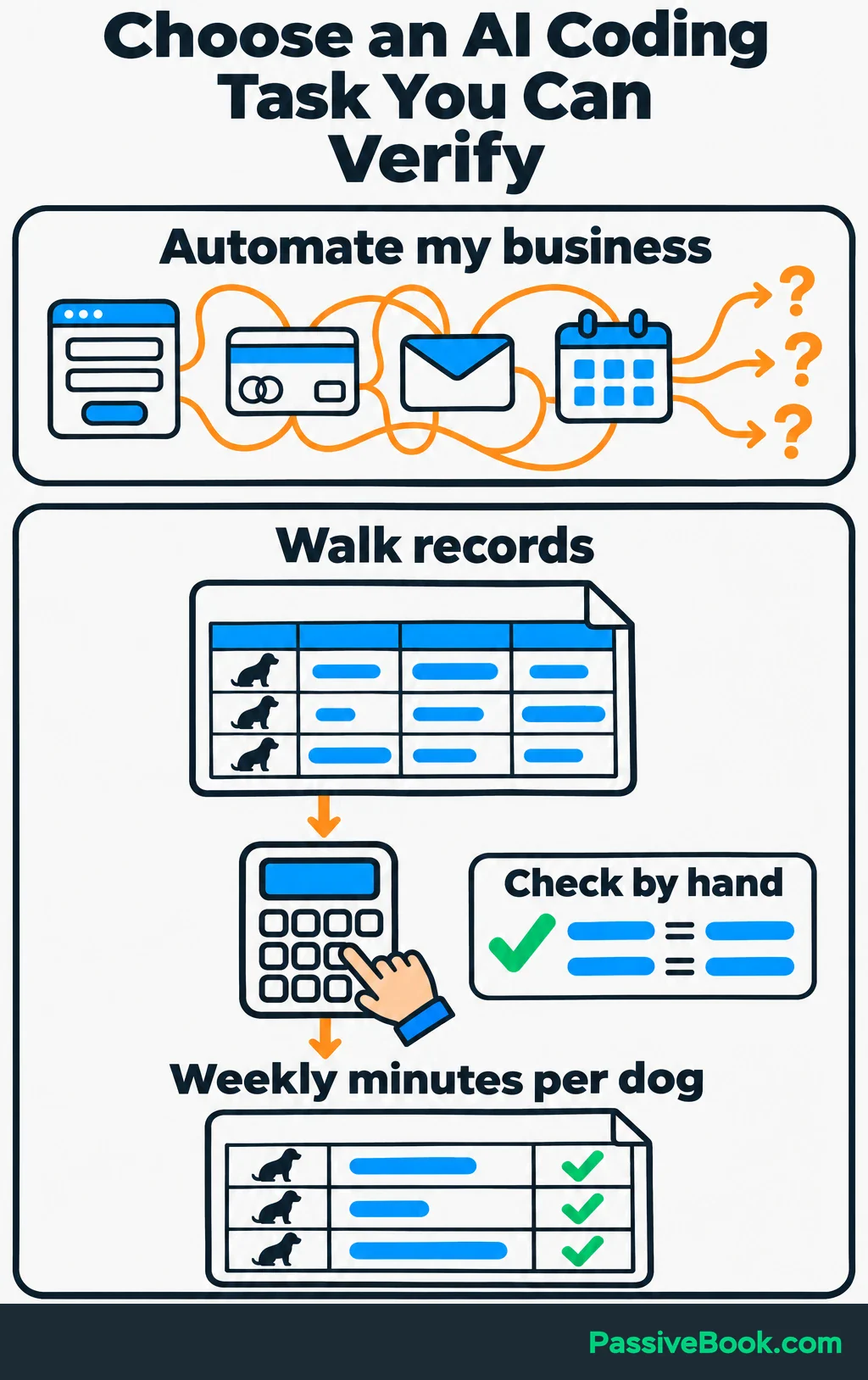
For the running example, imagine you run a dog-walking business and keep completed walks in a CSV, a plain-text file with one record per row. You want a Python script that produces weekly totals. The example records use made-up dog IDs and contain no customer contact details.
Keep the first version small:
- Read an existing CSV.
- Check every record.
- Select one seven-day period.
- Add up minutes for each dog.
- Write a separate report.
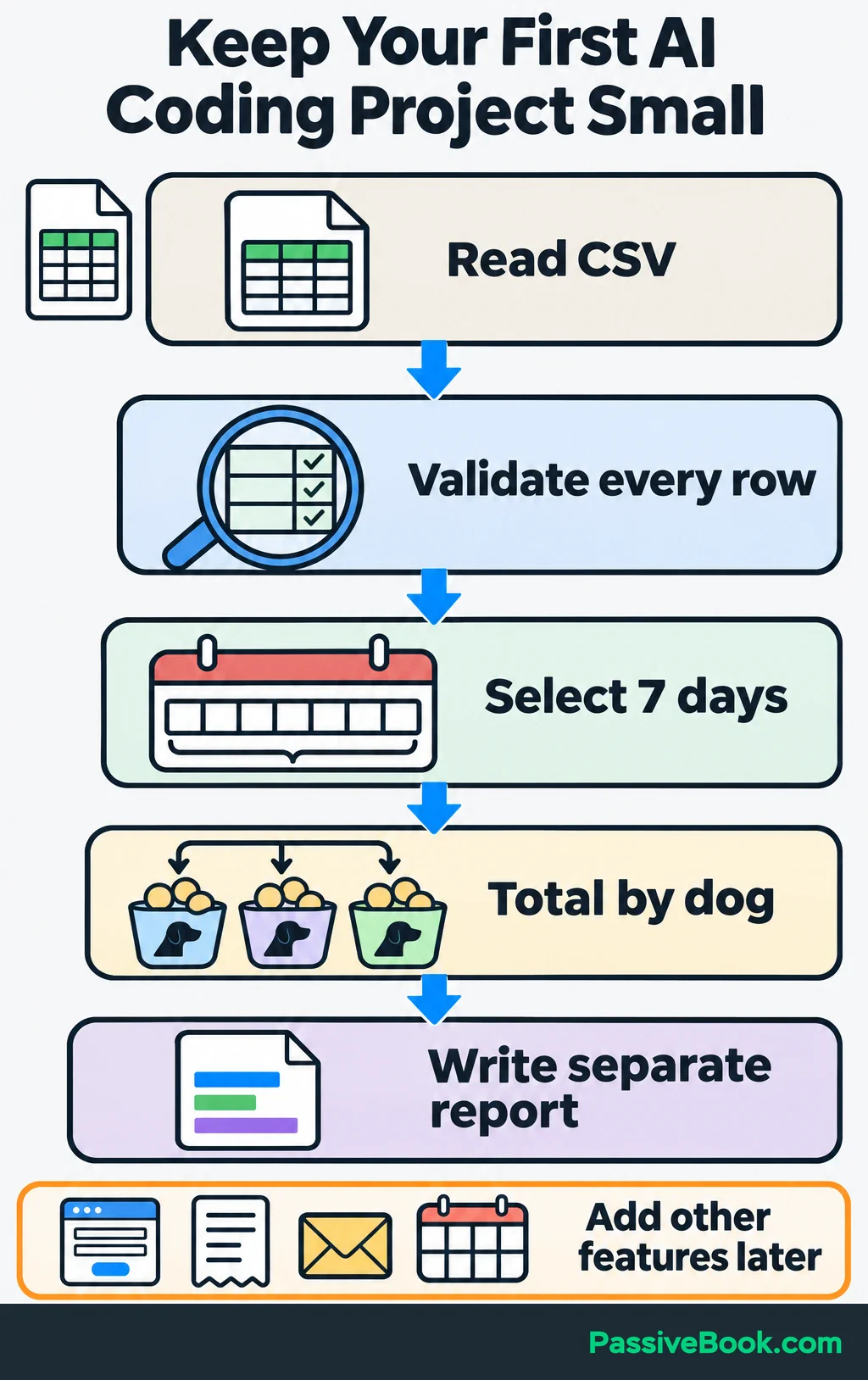
Leave booking forms, invoices, email delivery, and scheduling for later. Each adds another place where something can break.
AI helps you develop this script, but the finished utility runs without calling an AI service. Adding numbers does not require a model subscription.
For a first project, I would choose this over payment processing or customer login code. Arrange experienced review before relying on generated code for payments, access control, sensitive records, or anything that deletes or changes important data.
Choose an AI Coding Assistant That Fits the Task
Choose the kind of help you need before comparing products.
| What You Need | A Suitable Approach | What You Still Check |
|---|---|---|
| Explain unfamiliar code or draft a short script | Chat with an assistant such as Claude | Supply relevant code and review the draft before running it |
| Get suggestions while writing | GitHub Copilot suggests code inside VS Code, a code editor | Read each proposed addition before accepting it |
| Make a bounded change across project files | Claude Code is an agent: an assistant that can read files, edit code, and run commands | Review its plan, changes, commands, and results |
These approaches overlap. You can discuss a problem in chat, accept an editor suggestion, and use an agent for a focused change.
I used Claude Code to build a custom Python content pipeline that reduced my article production from days to hours. That was my experience with a particular workflow. For your first project, the useful question is whether you can understand, check, and maintain what the assistant produces.
Start with one assistant and one small task. I would skip paying for several tools until you can name a job your current setup cannot handle.
Check subscription costs and usage limits before paying. Keep those development costs separate from the finished application’s costs. A local reporting script may need no hosting or paid API, while a public web application may need both.
If you are changing an existing project, keep its language and tools. For our standalone report, Python, a code editor, and a working Python installation are enough.
Turn the Task Into a Testable Prompt
Define Inputs, Outputs, and Acceptance Criteria
Describe the behavior before asking for an implementation. Acceptance criteria are simply the conditions the finished code must meet.
Each input row records a dog ID, a walk date, and the duration in minutes. The selected week includes its start date and the following six days. All matching walks belong in the totals, grouped by dog ID.
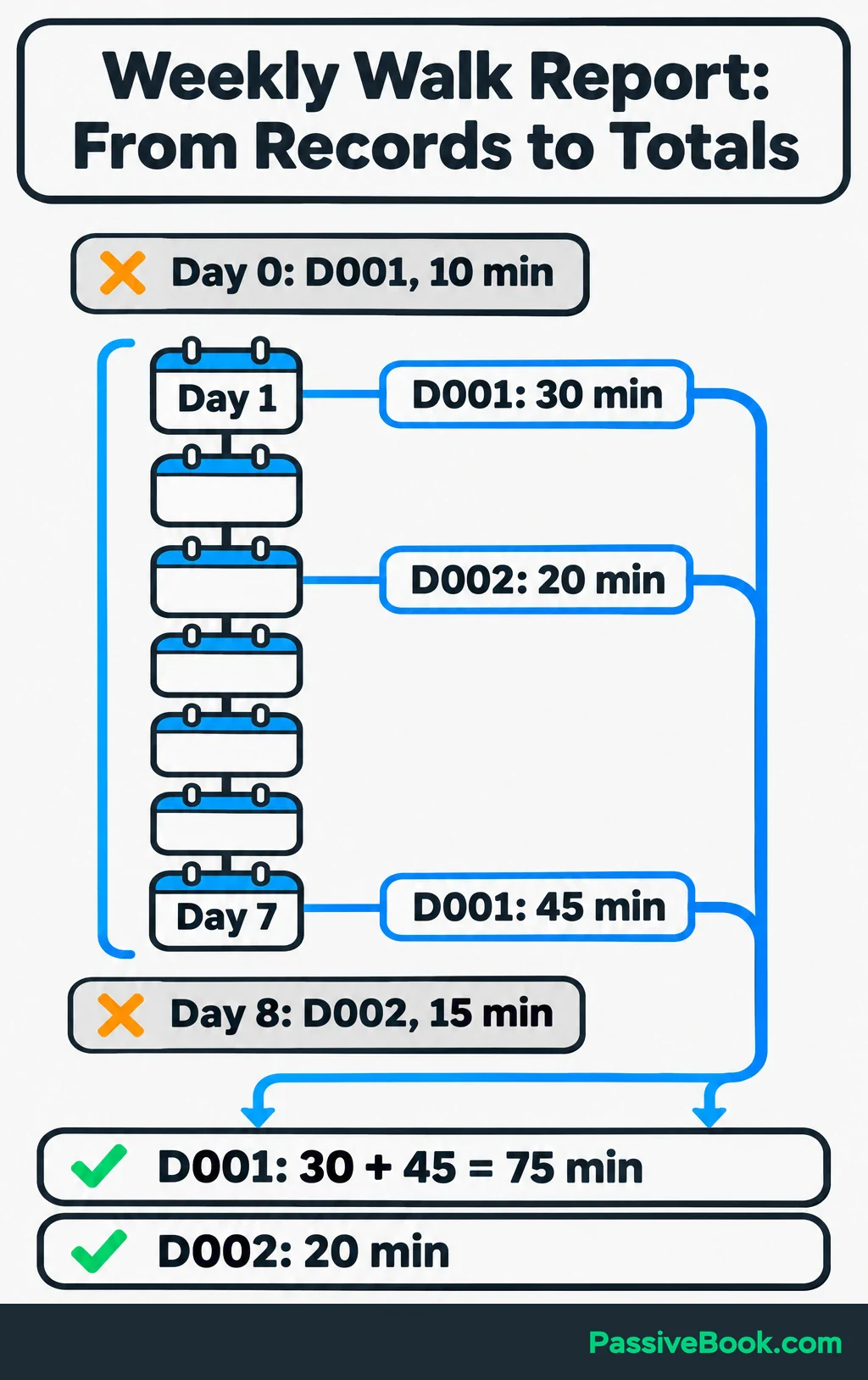
Save this sample as walks.csv:
dog_id,walk_date,minutes
D001,2026-11-02,30
D001,2026-11-08,45
D002,2026-11-04,20
D001,2026-11-01,10
D002,2026-11-09,15
For a week starting November 2, the report should contain:
dog_id,total_minutes
D001,75
D002,20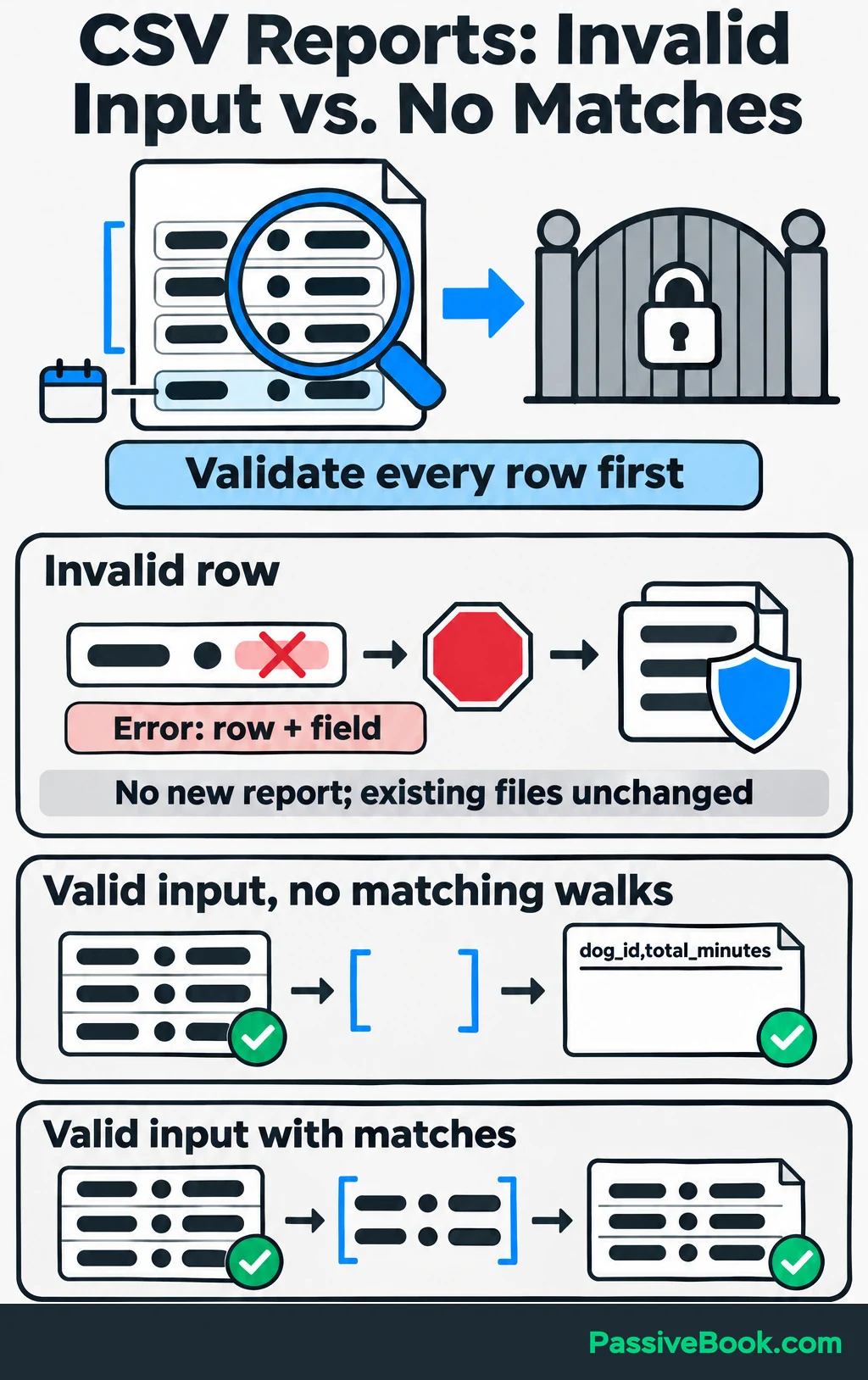
The November 1 and November 9 walks fall outside the selected week.
I would require the script to check every row before opening the report for writing. Invalid input should trigger an error identifying the row and field, with existing files unchanged. Valid input with no walks in the selected week should instead produce a report containing only:
dog_id,total_minutesWhen a request grows to include several changes, split it into smaller prompts, as GitHub’s prompting guidance recommends.
Supply Relevant Context and Boundaries
Tell the assistant where the code will run and what it may change. Include your operating system, Python version, sample files, and intended command. To check your Python version, open a terminal—the window where you type commands—and enter python3 --version; on Windows, try py --version.
Attach the sample walks.csv above, then adapt this prompt:
Build a Python command-line utility that totals walking minutes
per dog for a selected seven-day period. Use the attached walks.csv
in a project folder called walk-report.

Confirm my operating system and Python 3 version before giving
setup and run instructions.

Requirements:
- Require columns dog_id, walk_date, and minutes.
- Trim dog IDs, reject blank IDs, and preserve their case.
- Require real dates in exactly YYYY-MM-DD format and positive
  whole-minute durations.
- Include the start date and following six days.
- Count each row once; group totals by dog_id.
- Output dog_id,total_minutes, sorted by dog_id.
- For start 2026-11-02, the sample must yield D001,75 and D002,20.
- Validate every row, including those outside the week, before
  opening the report for writing. Errors must identify row and field,
  leave existing files unchanged, and create no report.
- Valid input with no matching walks must yield a header-only report.
- Reject output destinations pointing to the source file.

Boundaries:
Use only Python's standard library, its built-in modules.
Keep walks.csv unchanged. Edit only weekly_walks.py,
test_weekly_walks.py, and README.md. Use temporary files for tests.
Do not install packages, contact external services, or run generated
code before my review.

Verification:
Use unittest, Python's built-in test framework, to check totals,
date boundaries, invalid input, empty results, and file preservation.
Command interface:
python3 weekly_walks.py walks.csv --start 2026-11-02 --output weekly_totals.csv

First identify unresolved requirements and propose a short plan.
Do not edit files yet.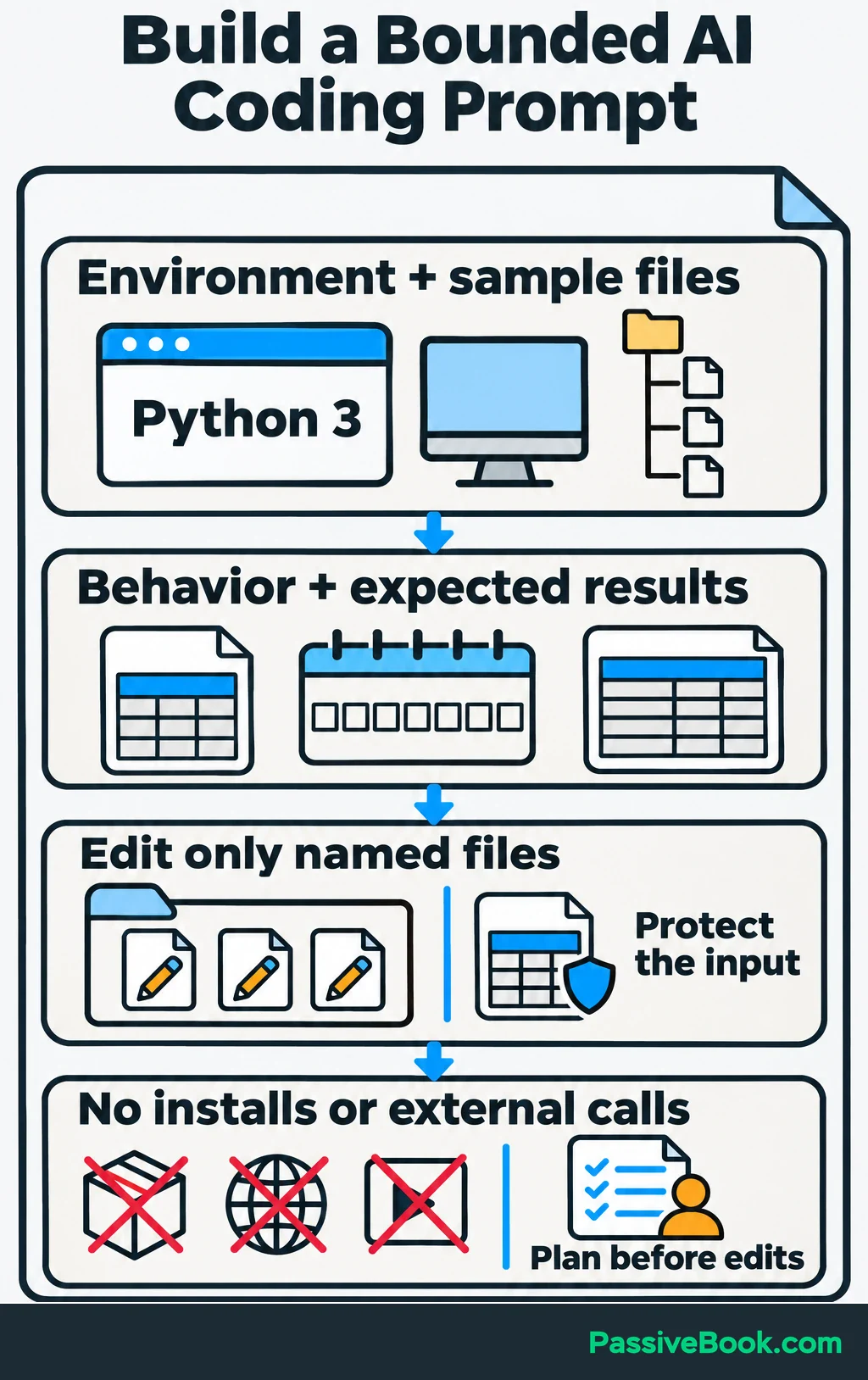
For an existing project, replace the standalone setup with the relevant functions, the code that calls them, nearby tests, and project conventions.
Your files may need different rules from the dog-walking example. This AI Skill uses your sample records and expected result to draft a small automation with tests, so you have something concrete to review.

Free AI Automation Code Studio




Ask for an explanation before edits when you do not understand the flow:
Trace how a walk row reaches the weekly total. Identify the relevant files and functions, explain the flow, and make no edits.
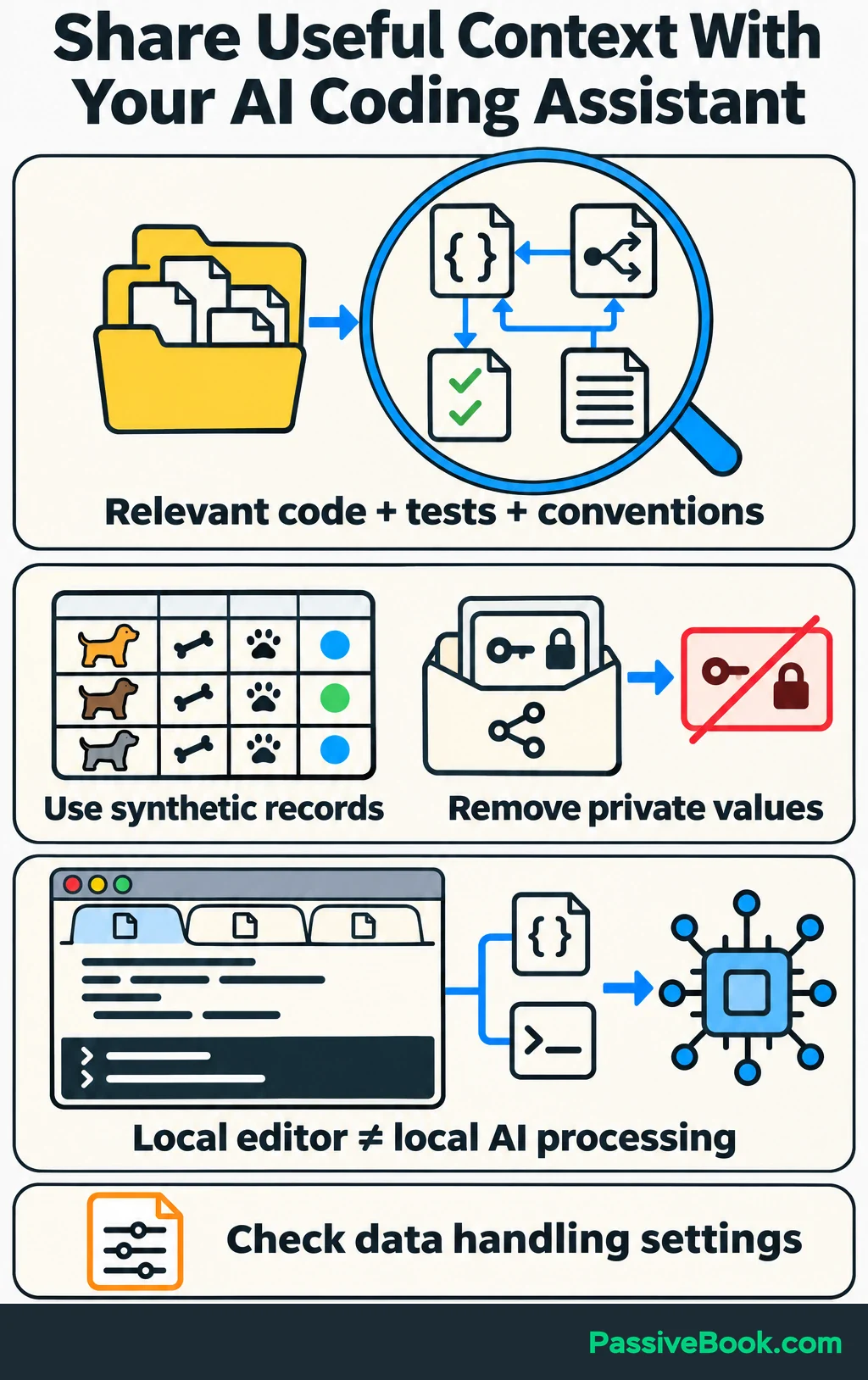
Remove credentials and private records before sharing context, and check the provider’s data handling and retention settings. A local editor does not necessarily keep AI context local: VS Code documents that file contents and terminal output can be sent to models and tools.
Build and Understand One Small Change at a Time
Prepare a Recoverable Working Environment
First, confirm that Python runs a simple file. Save this as hello.py:
print("Python is working")Run it with python3 hello.py, or py hello.py on Windows. Resolve setup errors before adding reporting logic. Otherwise, you may spend an evening debugging code that never started.
Create a separate project folder and add the synthetic CSV. Save a known-good version of your code with Git, which records changes you can restore, or keep a clearly named backup copy. Back up input data separately.
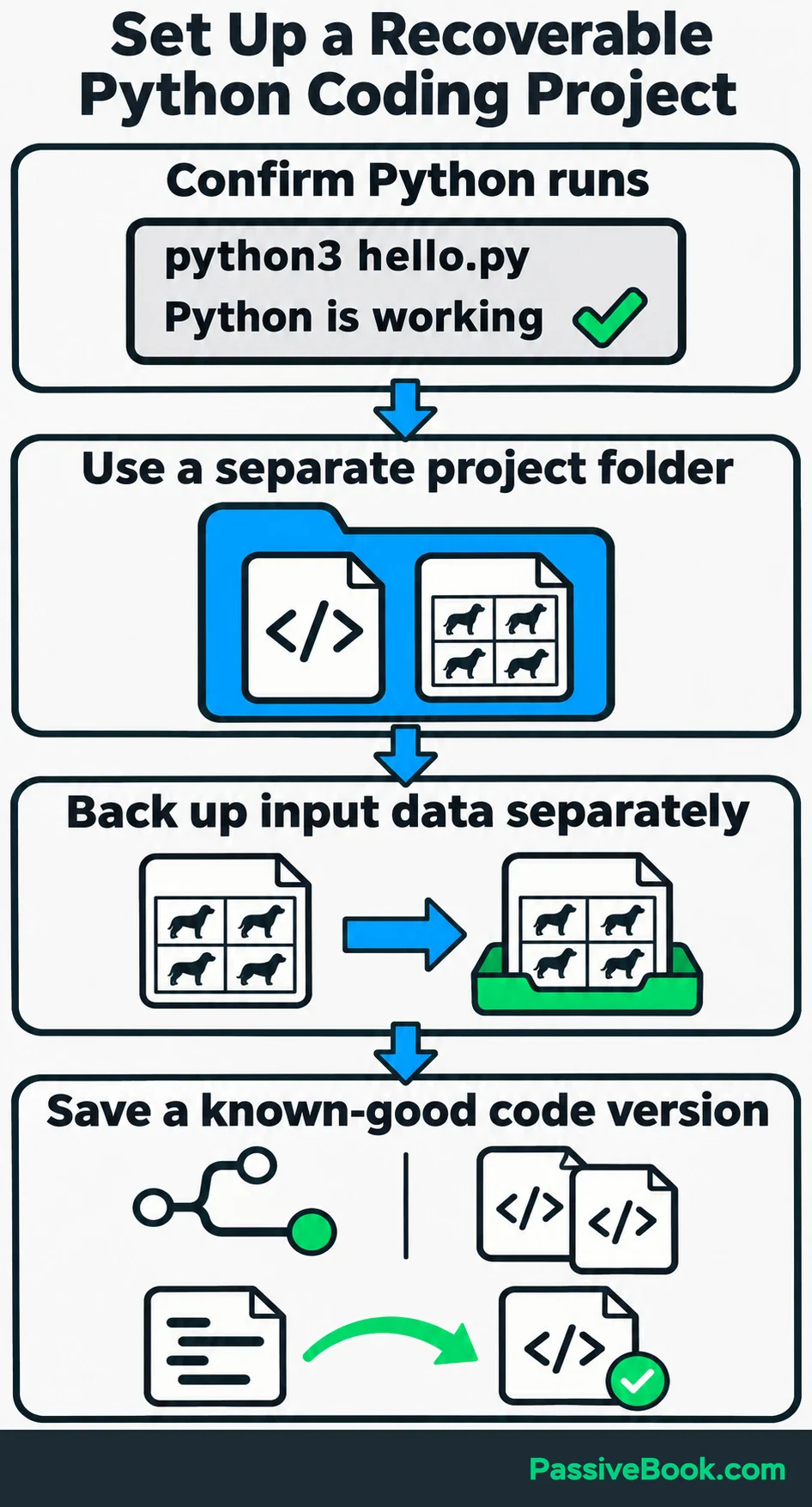
For an agent, restrict access to the project folder and the commands it needs. Permissions decide which actions are allowed, while a sandbox restricts shell access to files and networks at the operating-system level. Claude Code documents how these controls work together.
Keep execution approval enabled while learning. Check the configuration because some modes automatically allow commands. A sentence asking the agent to wait is useful, but it does not replace enforced controls.
Before approving a command, understand whether it runs your script, installs software, deletes files, or contacts an outside service. Our report needs no package installation and no network connection.
Review the Code Before Running It
After reviewing the plan, request one small change:
Implement CSV reading and validation only. Show the changed lines and explain how I can check this part. Do not add report writing yet.
Then add filtering and totals, and finish with output writing. Each stage should have a runnable check, even before the whole utility is complete.
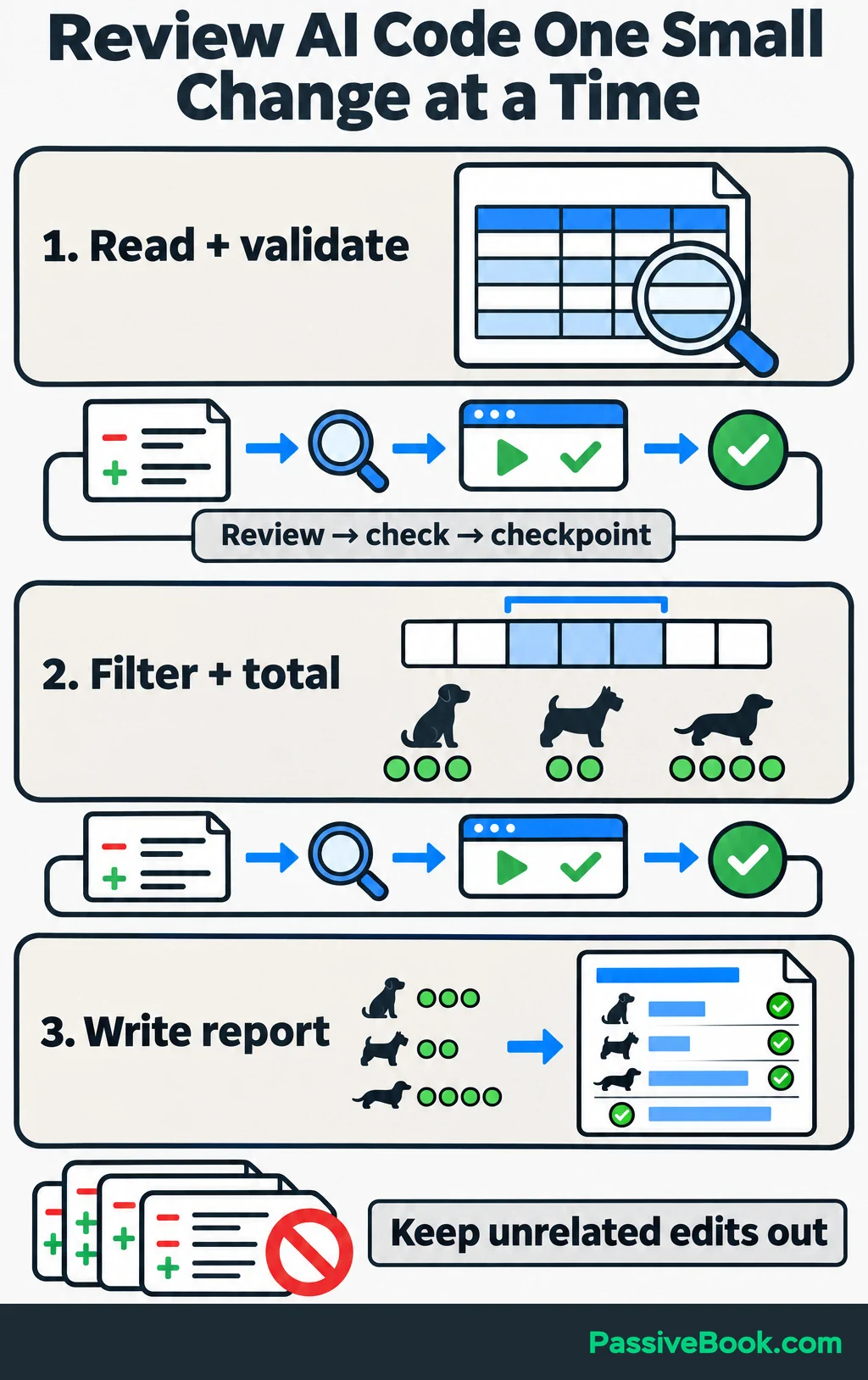
Ask for the changed files, a short explanation, and instructions for your operating system. Inspect the diff, which shows added and removed lines. Look for unrelated edits, new dependencies, and changes to file destinations.
I once asked AI to tidy a small reporting script and accepted a much larger rewrite than I needed. It changed the output format, so the next tool could no longer read the file. I restored the working version and made the cleanup separately. Now I name the behavior that must survive a cleanup request.
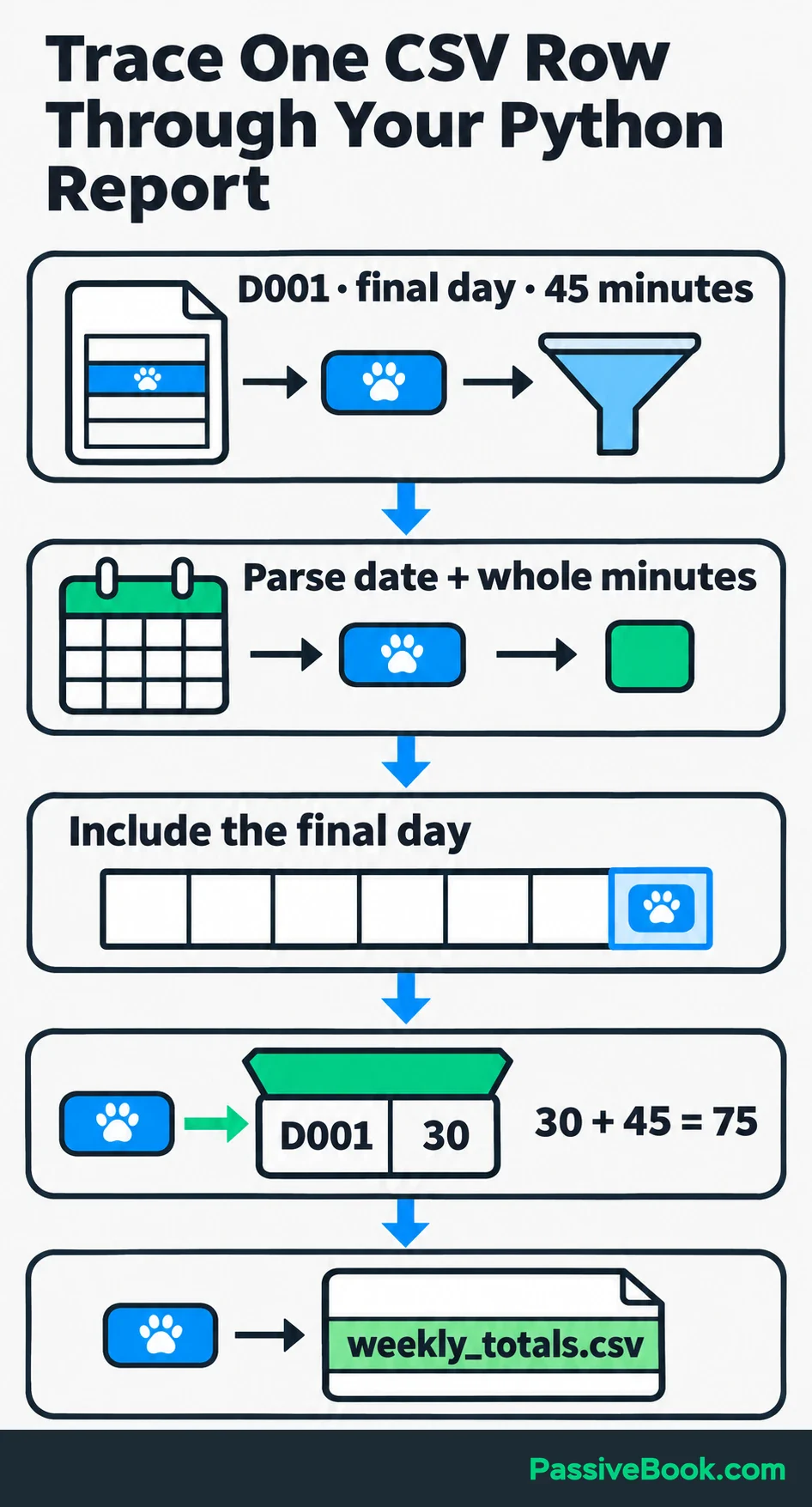
For the walk report, trace the November 8 row through the code:
- Does the date become a date value?
- Does the selected period include November 8?
- Does
45become a whole number? - Is it added to
D001, rather than replacing the earlier 30? - Where does the report get written?
Use AI to explain anything you cannot follow:
Explain this function’s inputs, outputs, decisions, and failure behavior. Walk through
D001,2026-11-08,45and show where each requirement is enforced.
You need enough understanding to predict the result. A dictionary holds totals under dog IDs, a loop visits rows, conditions select dates, and exceptions stop processing when input is invalid.
If you cannot explain the current change in your own words, reduce it. Save a working checkpoint after each verified stage.
Test Against Independently Calculated Results
Work out the answers before asking AI to write tests. Otherwise, the implementation and its tests can agree on the same mistake.
For our sample, count only walks from November 2 through November 8. D001 has 30 and 45 minutes, so its total is 75. D002 has 20 minutes. Together, the included walks total 95 minutes.
Use those figures as fixed expectations. Ask AI to write checks against them, rather than derive expected answers using the same logic as the report.
Keep an existing project’s test framework. For a new Python script, the standard-library unittest framework avoids another dependency.
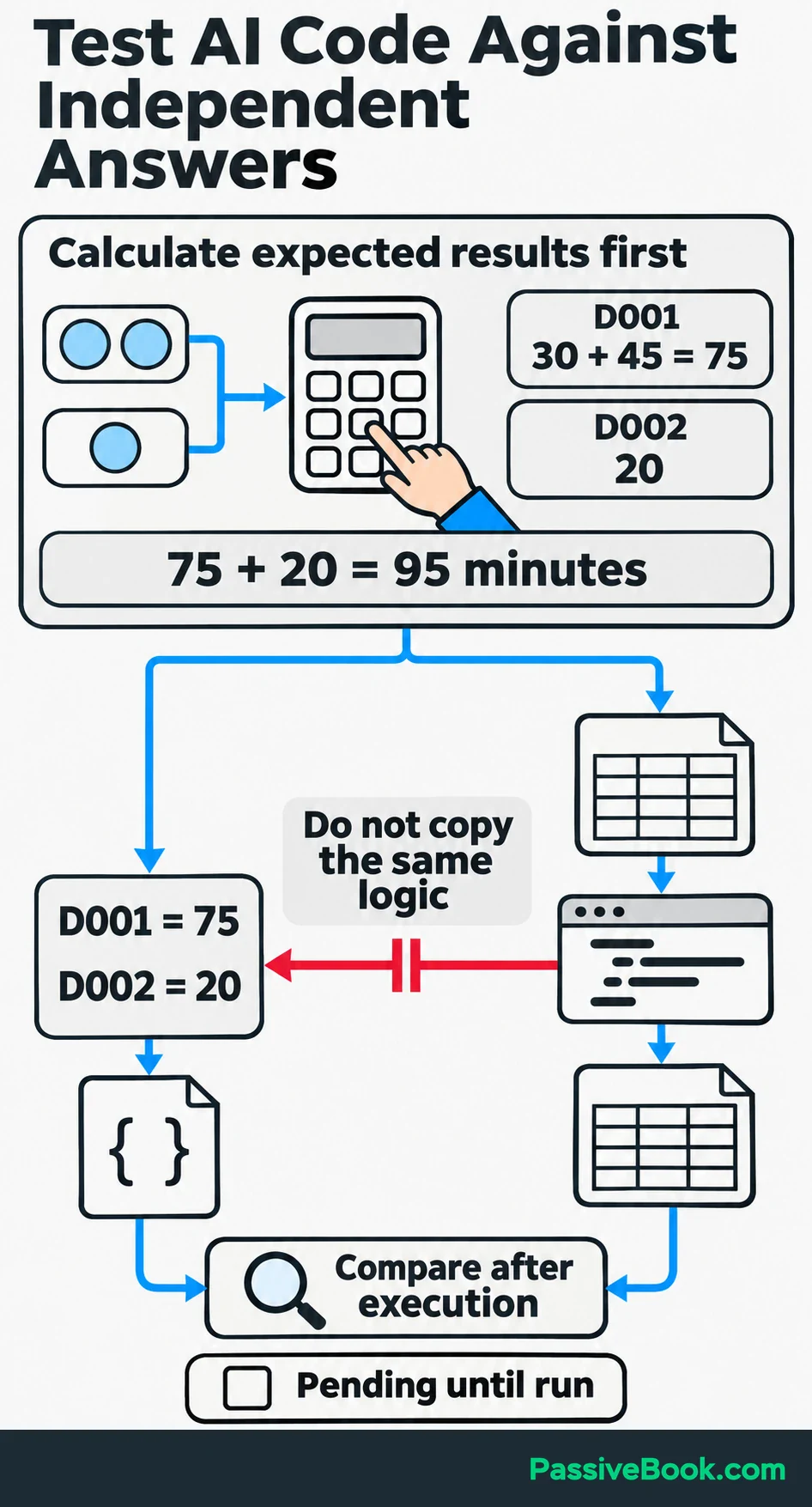
Use a compact test record like this. The execution columns remain pending until you run the checks; they are not results from a tested implementation.
| Scenario | Sample Input | Expected Result | Actual Result | Pass/Fail |
|---|---|---|---|---|
| Full selected week | The five-row sample above | D001 = 75; D002 = 20 | Not run | Pending |
| Last included day | D001,2026-11-08,45 | D001 = 45 | Not run | Pending |
| Invalid row outside the week | D001,2026-11-09,0 | Row error; existing report unchanged | Not run | Pending |
| No matching walks | Only D001,2026-11-01,10 | Header-only report | Not run | Pending |
| Source used as destination | Input and output both point to walks.csv | Error; source unchanged | Not run | Pending |
Add checks for missing columns, blank IDs, impossible dates, fractional or negative durations, and missing files. Test both the first included date and dates just outside the period.
Failure tests matter as much as totals. For example, put a recognizable line in an existing report, run the script with invalid input, and confirm that line survives unchanged. Repeat with no existing report and confirm none is created. Check that the source file stays unchanged in both cases.
Once the files are ready, run:
python3 -m unittest -v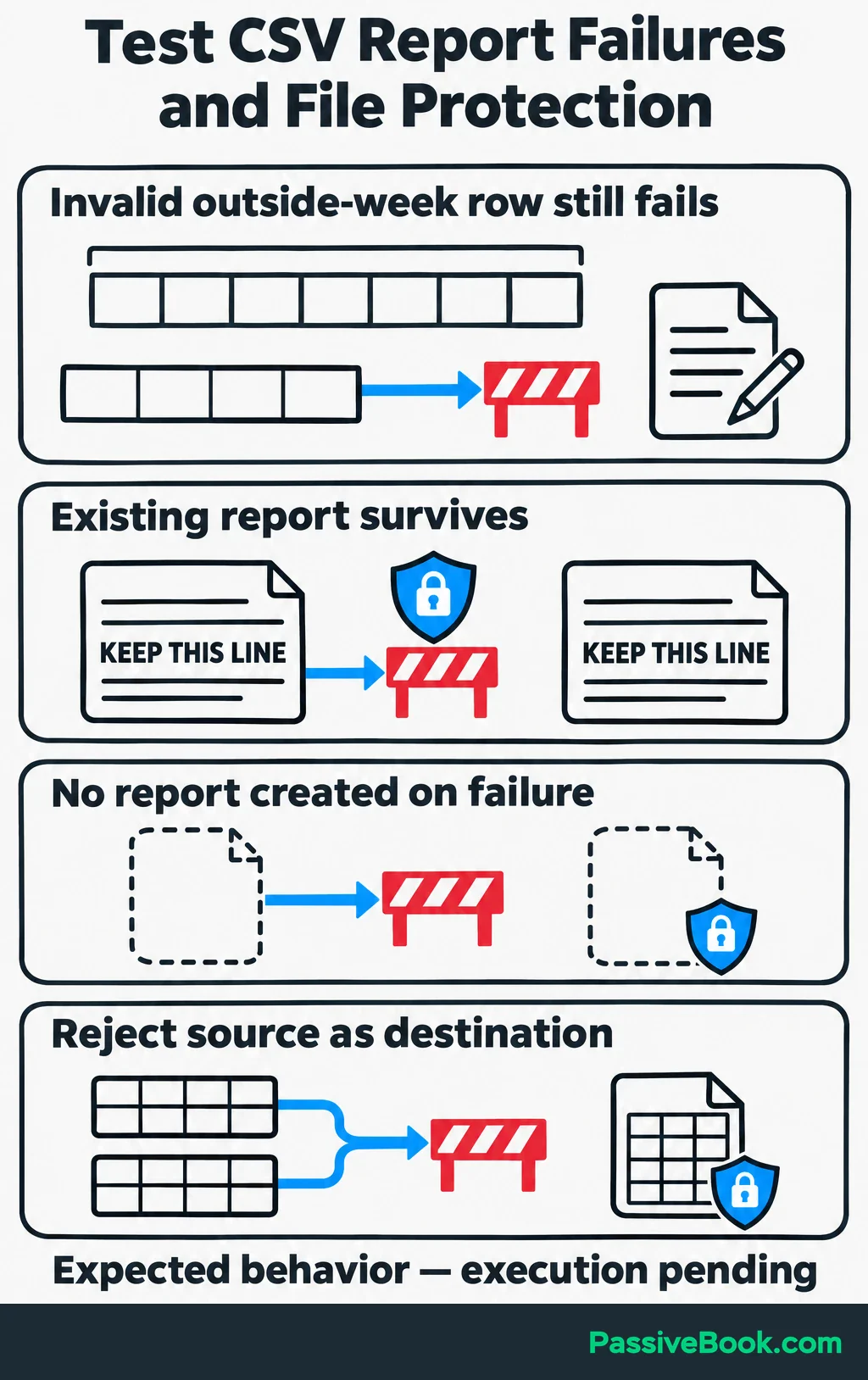
Then run the complete script:
python3 weekly_walks.py walks.csv --start 2026-11-02 --output weekly_totals.csvUse py instead of python3 on Windows if that is how your installation starts Python. Read the test output and open weekly_totals.csv yourself. A message saying “report saved” proves very little about its contents.
AI review can provide another check, but investigate its findings before accepting changes. GitHub warns that Copilot review can miss problems and report problems that do not exist.
When you first use real records, compare the report with a manual calculation for the same period.
Debug With Evidence Instead of Repeated Guesses
When something fails, stop adding features. Find the smallest input that reproduces the problem.
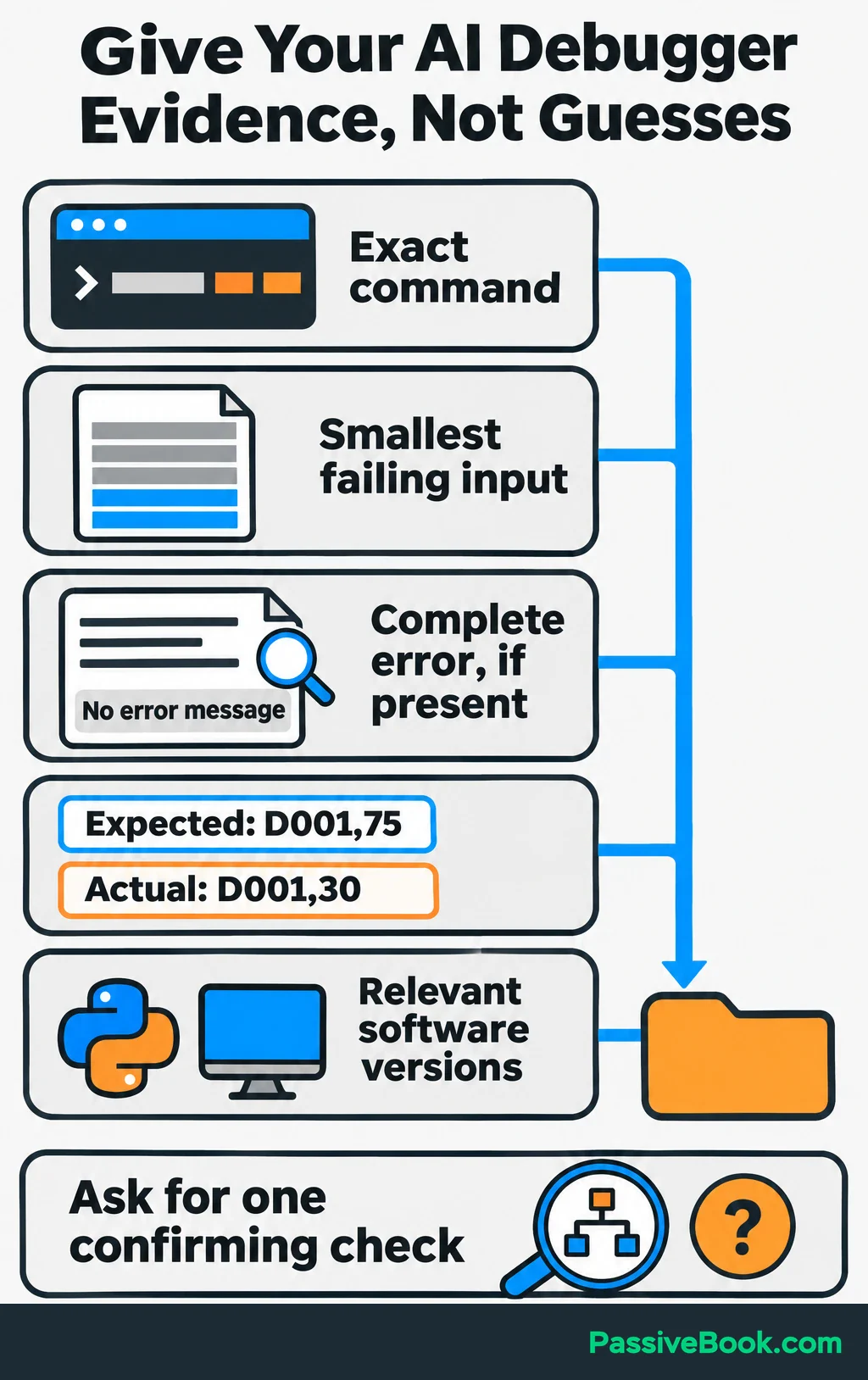
Keep a short record of:
- The exact command.
- The smallest failing input.
- The complete error message, if there is one.
- The expected and actual results.
- Relevant software versions.
Remove private values before sharing it. Then ask for a diagnosis and one check that could confirm it.
Suppose the sample report shows D001 = 30 instead of 75. A useful request would be:
Command:
python3 weekly_walks.py walks.csv --start 2026-11-02 --output weekly_totals.csv

Smallest failing input:
dog_id,walk_date,minutes
D001,2026-11-02,30
D001,2026-11-08,45

Expected: D001,75
Actual: D001,30
No error message appeared.

Identify the likely cause and one check that would confirm it.
Inspect the parsed dates and reporting boundaries first.
Explain the evidence before proposing the smallest correction.
Do not rewrite unrelated code.
The missing November 8 walk suggests a date-boundary problem, but it does not prove one. Inspect the parsed date and the condition that selects rows.
If end_date is November 8, this comparison includes the final day:
start_date <= walk_date <= end_date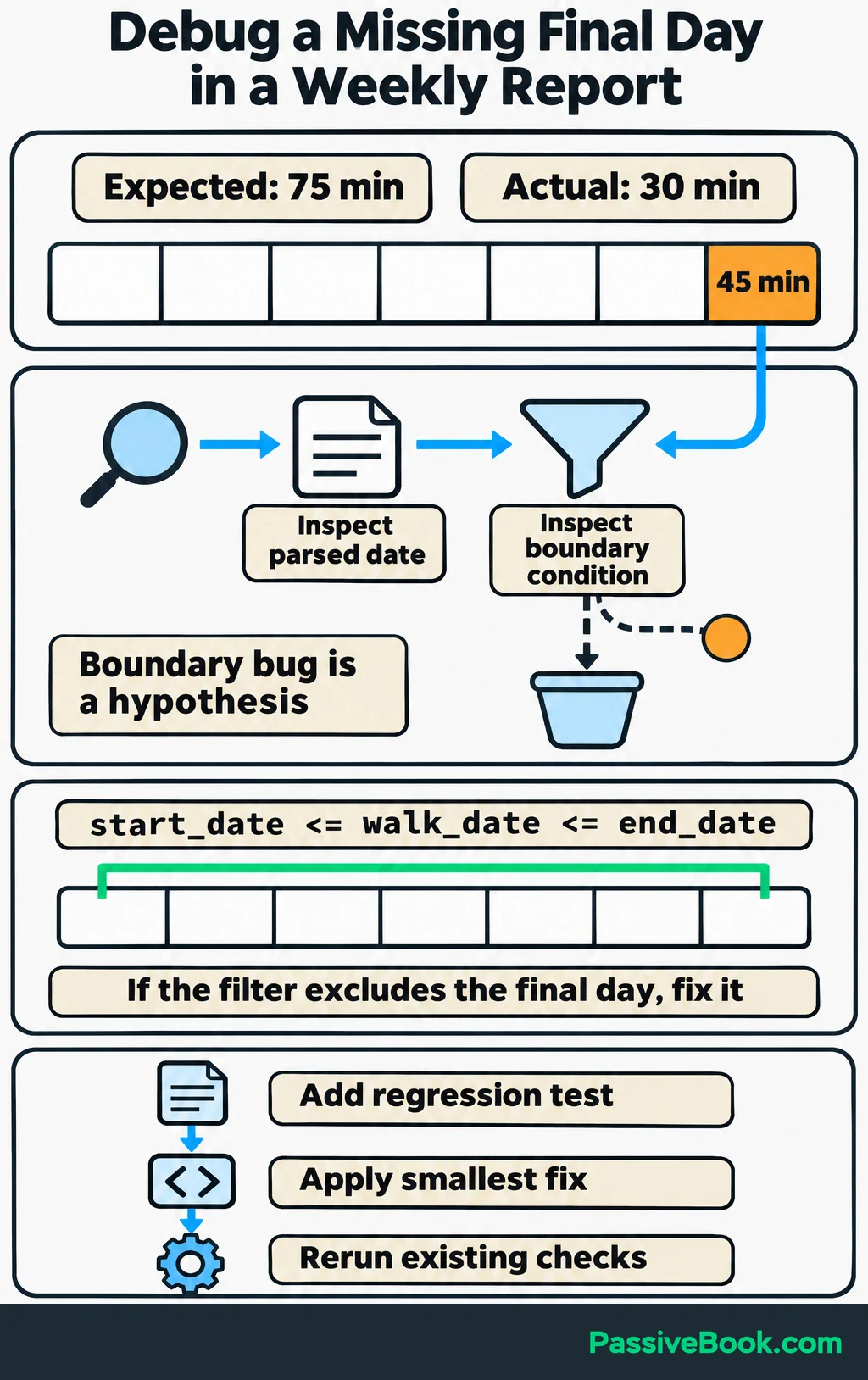
Changing aggregation code would not help if the row never reaches it.
Add a regression test, a check that reproduces this specific failure, before applying the fix. Then rerun that test and the existing checks.
If each correction creates another failure, return to the last working version and reassess the assumptions. For an unfamiliar function or API, check its official documentation. A fifth speculative patch is still a guess, just with more code attached.
Improve Working Code Without Losing Its Behavior
Once the report works, establish passing checks before changing its structure. Refactoring means reorganizing code while preserving its behavior.
Ask for one concrete improvement:
Extract weekly aggregation into a function without changing inputs, outputs, dependencies, or error behavior. Keep validation before report writing. Explain the diff and run the existing tests.
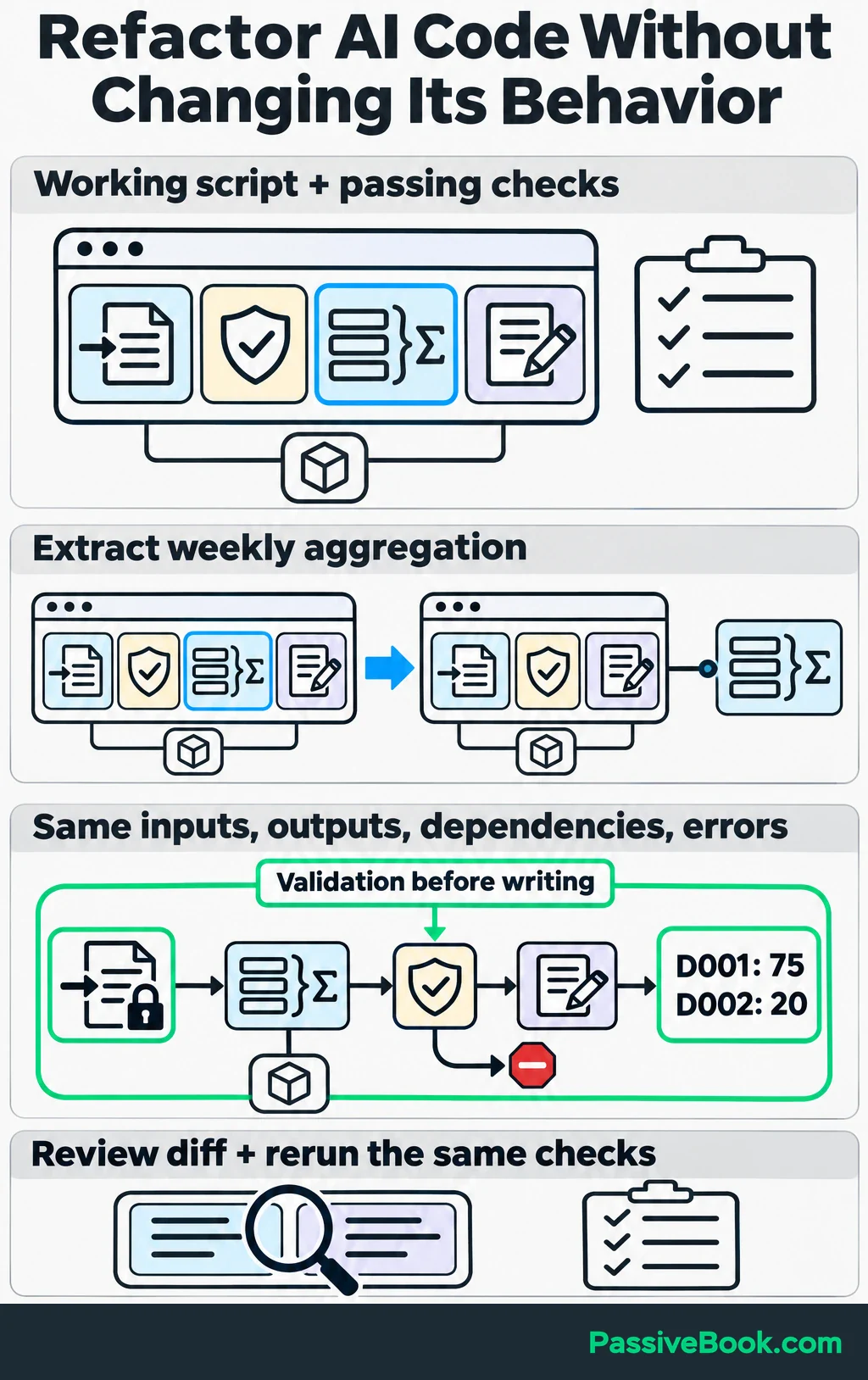
Review the change and rerun the same checks. I would skip performance work until you have measured a slow operation using representative input. A clear script that finishes comfortably within your available time does not need cleverness added as a hobby.
Ask AI to update the usage instructions with:
- Required software and setup.
- Input columns and accepted values.
- Run and test commands.
- Output location.
- What happens on invalid input or other errors.
Follow those instructions yourself from a fresh project copy. Missing setup steps become obvious when you stop relying on your memory.
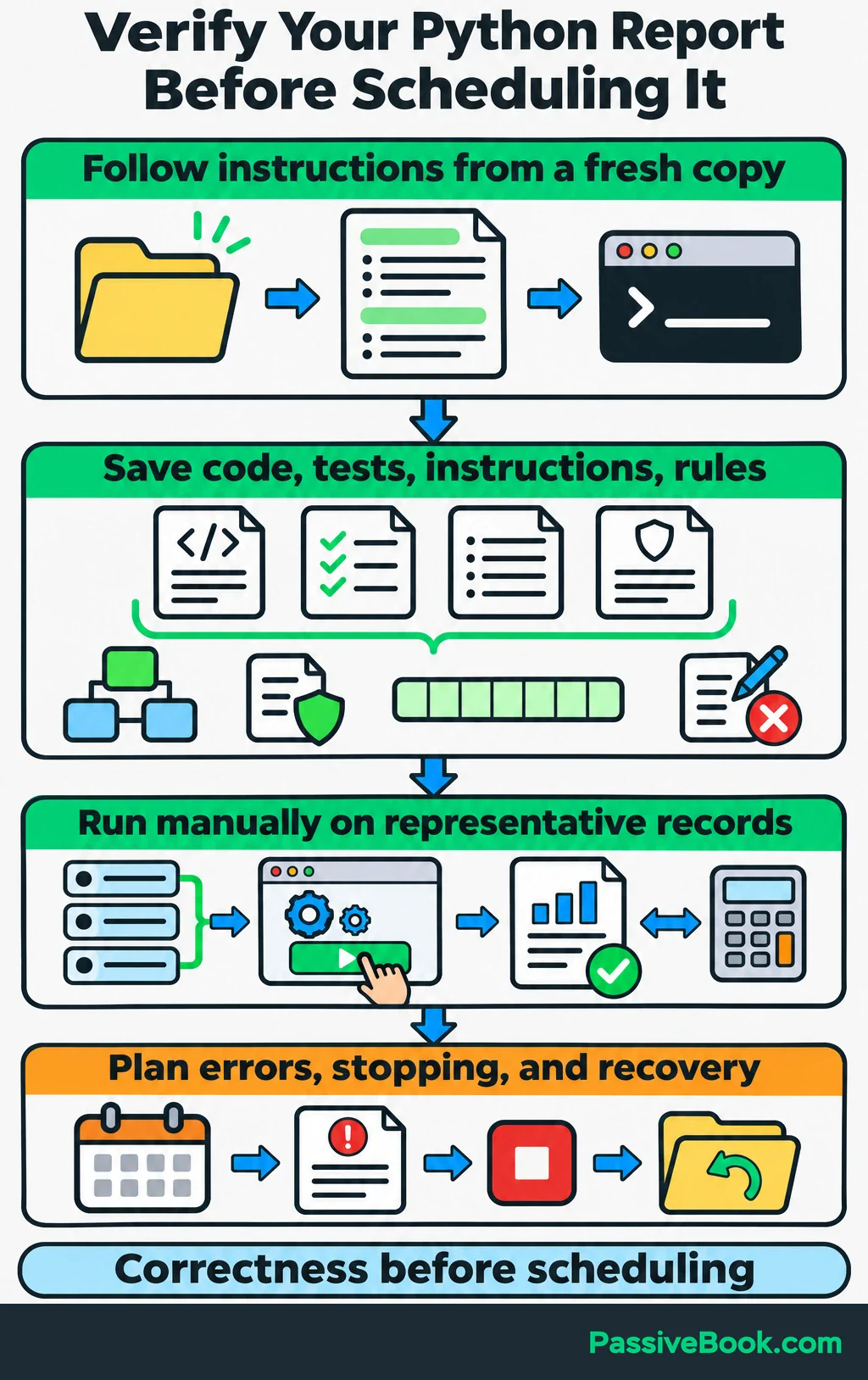
Save the reviewed code, tests, and instructions together. Record the project rules for future AI sessions: standard library only, input files protected, seven inclusive dates, and no report changes after validation failure.
Run the utility manually on representative records before scheduling it. For unattended use, decide where errors will appear, how you will stop the job, and how you will restore the working version.
If you already use n8n to connect business tools, it can sit around a tested utility later. I would get the report right first. Scheduling incorrect totals simply makes them arrive more reliably.
What Next?
Choose one recurring spreadsheet task and write down its input, expected output, and one result you can calculate by hand. Use those notes to request a plan before requesting code.
Use the social buttons to share this workflow when you want to make checking AI-generated code part of the conversation about building faster.
Which small task would you trust yourself to verify first, and what would make you confident enough to use the result? Leave your answer, along with any other questions, in the comments.
Share this post with your friends & followers:

