“Dog lovers” sounds like an obvious audience for a dog product. But loving dogs doesn’t mean someone needs what you sell, can use it or wants to buy it now.
With a small ad budget, paying to discover those differences gets expensive. We’ll follow an online shop selling washable dog car-seat covers, using illustrative audiences, messages and financial figures rather than measured results or industry benchmarks. Those examples will show how to reach people with a reason to buy and decide whether the resulting sales justify the ad spend.
Find out Why People Buy Your Offer
Start with the situation that makes your offer useful. Ask what happened before someone began looking for a solution.
For the cover shop, “owns a dog” tells you very little. “Drives home after muddy walks and keeps cleaning the back seat” gives you a problem, a setting and a reason to consider buying.
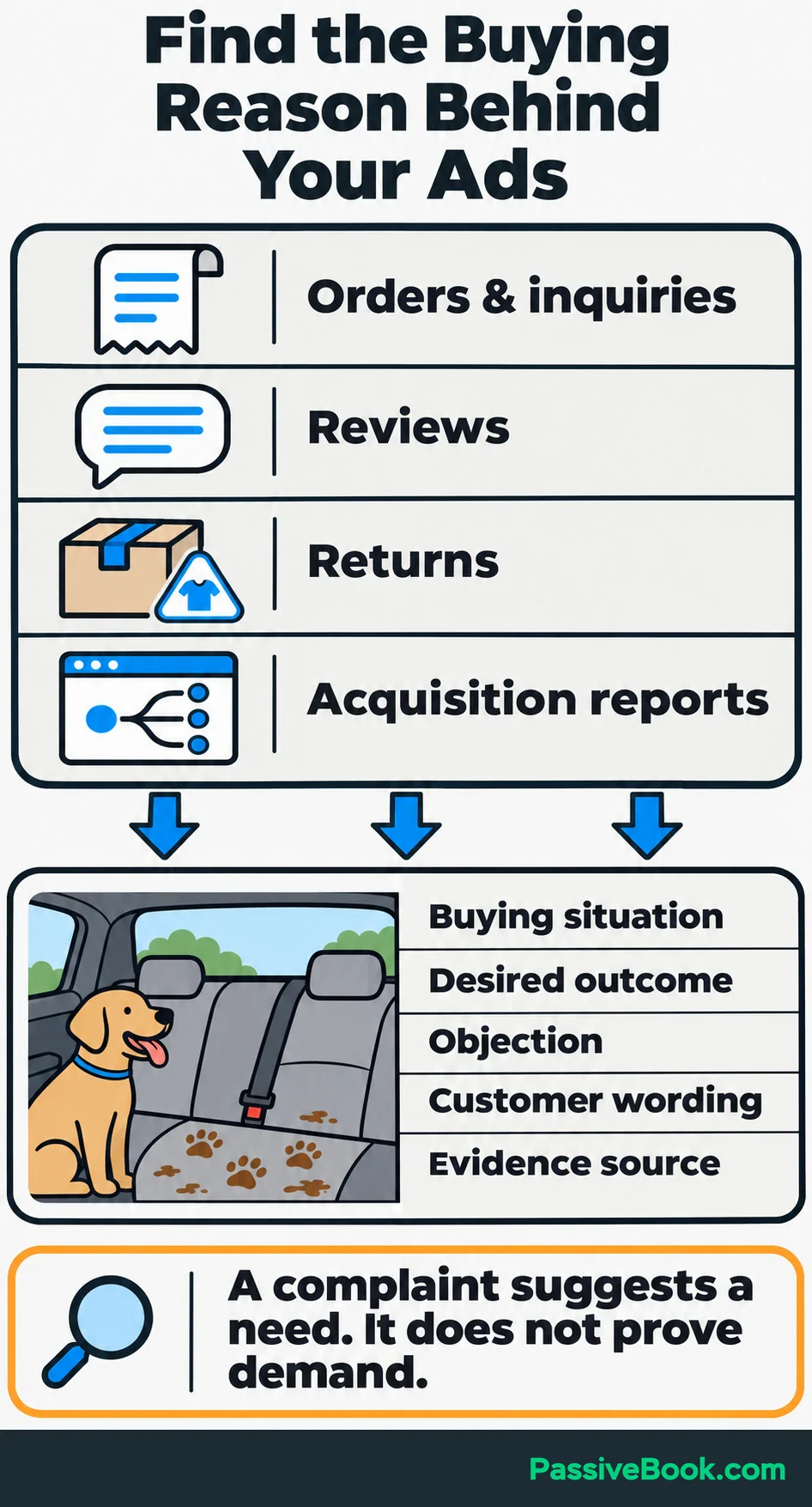
Look for those details in records you already have:
- Orders and inquiries show what people bought or asked about.
- Reviews reveal what buyers valued after using the product.
- Returns expose problems with fit, expectations or product quality.
- Website acquisition reports help connect paying customers to the searches, links or campaigns that brought them.
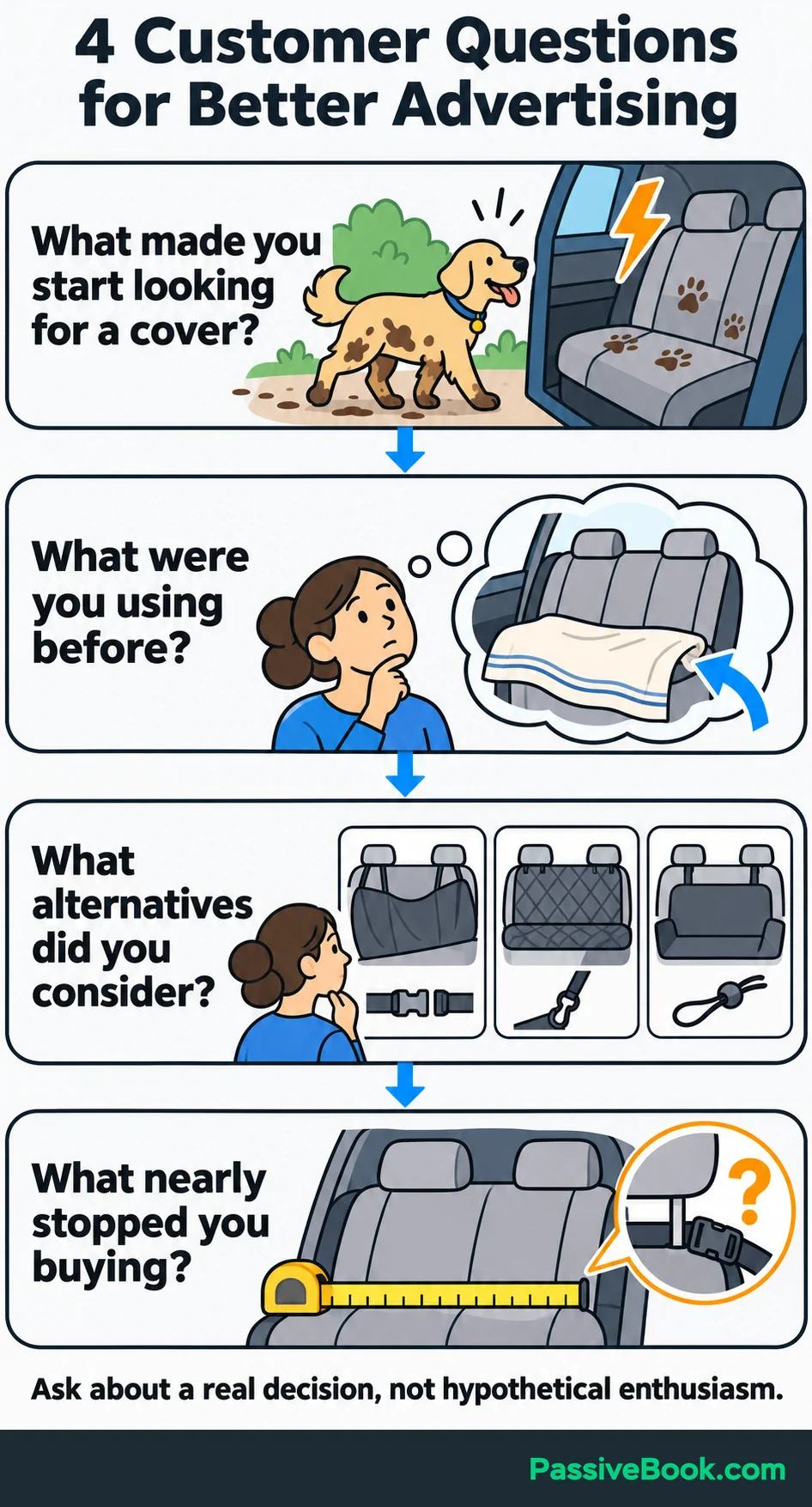
Then talk to customers about recent decisions. I would ask:
- “What made you start looking for a cover?”
- “What were you using before?”
- “What alternatives did you consider?”
- “What nearly stopped you buying?”
These questions are more useful than “Would you buy this?” Someone can politely admire a product without wanting it anywhere near their credit card.
If you have no customers, read reviews of comparable products and relevant community discussions. Use recurring complaints to prepare questions for prospective buyers. A complaint suggests a need worth investigating; it doesn’t prove demand for your particular offer.
Keep a simple spreadsheet with columns for buying situation, desired outcome, objection, customer wording and evidence source. Record whether each entry came from a purchase, an inquiry or a general comment.
I entered the online jewellery business without market research and lost most of my investment in unsold inventory. Looking back, I could explain why I liked the products, but I had little evidence for why customers would choose them. That mistake happened before advertising entered the picture.
Research gives you something better to advertise than your own enthusiasm.
Choose a Specific Audience Segment
A segment is a group whose shared needs change how you present or sell the offer.
Group people by meaningful differences: what prompted the purchase, which product features matter, what might stop them buying and whether you can serve them. Add location or demographic details when they affect those decisions.
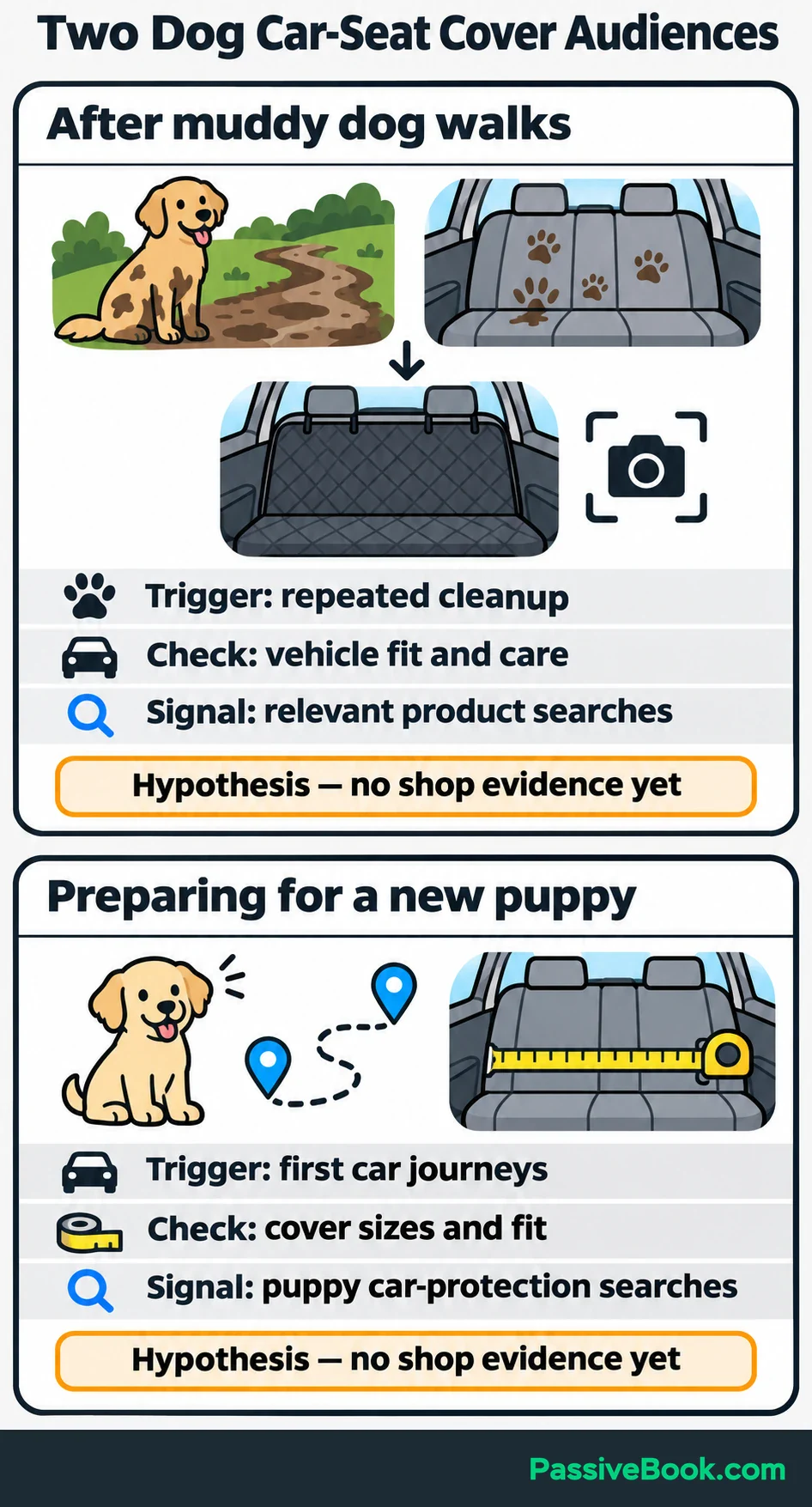
For the cover shop, compare two possible segments before choosing one:
| Segment | Buying Trigger | Supporting Evidence | Product Fit | Reachable Signal | Message |
|---|---|---|---|---|---|
| People driving home after muddy dog walks | Repeated back-seat cleanup | No shop evidence yet; investigate cleanup complaints and ask recent buyers | Plausible if the cover fits their vehicle and its cleaning instructions suit them | Relevant product searches; visits to the cover page | “Muddy walks? See our washable back-seat cover.” |
| New puppy owners buying their first car protection | Preparing for early car journeys | No shop evidence yet; investigate preparation questions and first-purchase inquiries | Plausible for seat protection; does not establish suitability for other needs | Product searches mentioning puppies or car-seat protection | “Preparing your car for a puppy? Check cover sizes and fit.” |
I would investigate the muddy-walk segment first because it gives the demonstration a clear job: show what happens after the walk. That is a starting hypothesis, and customer evidence could change the choice.
Write your selected audience in one sentence:
People facing [buying situation] who want [outcome], can buy within [constraints], and are considering [solution].
For the shop:
People who drive their dogs home after muddy walks, want easier back-seat cleanup, have a compatible vehicle, and live within our delivery area.
Notice what’s missing: an invented age, salary and favourite coffee order.
Keep age, gender or income restrictions only when they affect eligibility or buying needs. Use the cleanup problem to decide what the ad says. To reach people who may have that problem, use signals the platform can identify, such as relevant searches or visits to your product page.
Set an Affordable Cost per Acquisition
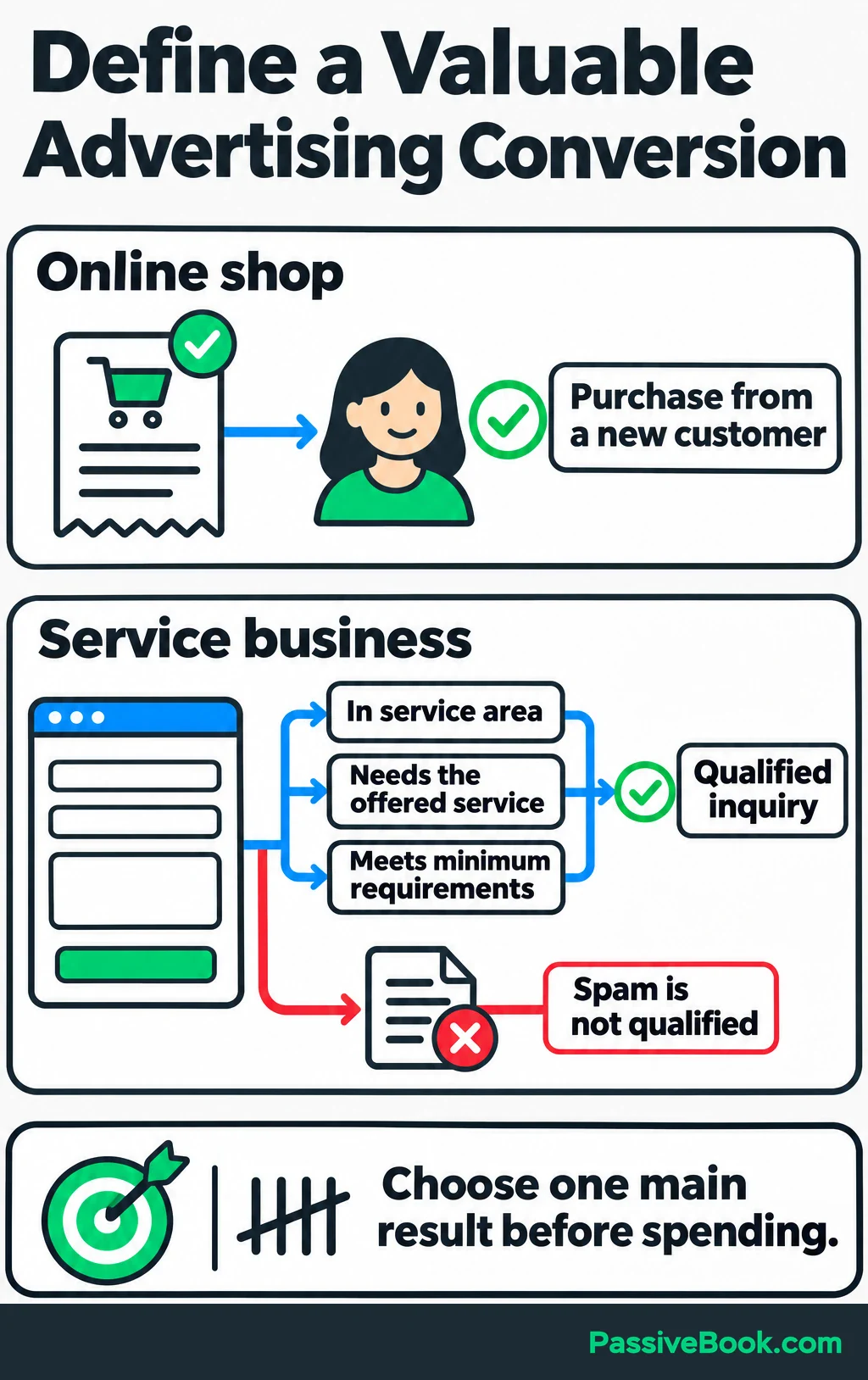
Choose one main result before you spend. For the shop, that is a purchase from a new customer.
If you sell a service, you might choose a qualified inquiry instead. Define “qualified” first: someone in your service area who needs the service you offer and meets your minimum requirements. A spam form submission doesn’t become valuable because the dashboard counts it.
Next, work out what one sale leaves before advertising. Start with the net selling price and subtract costs that come with fulfilling that sale.
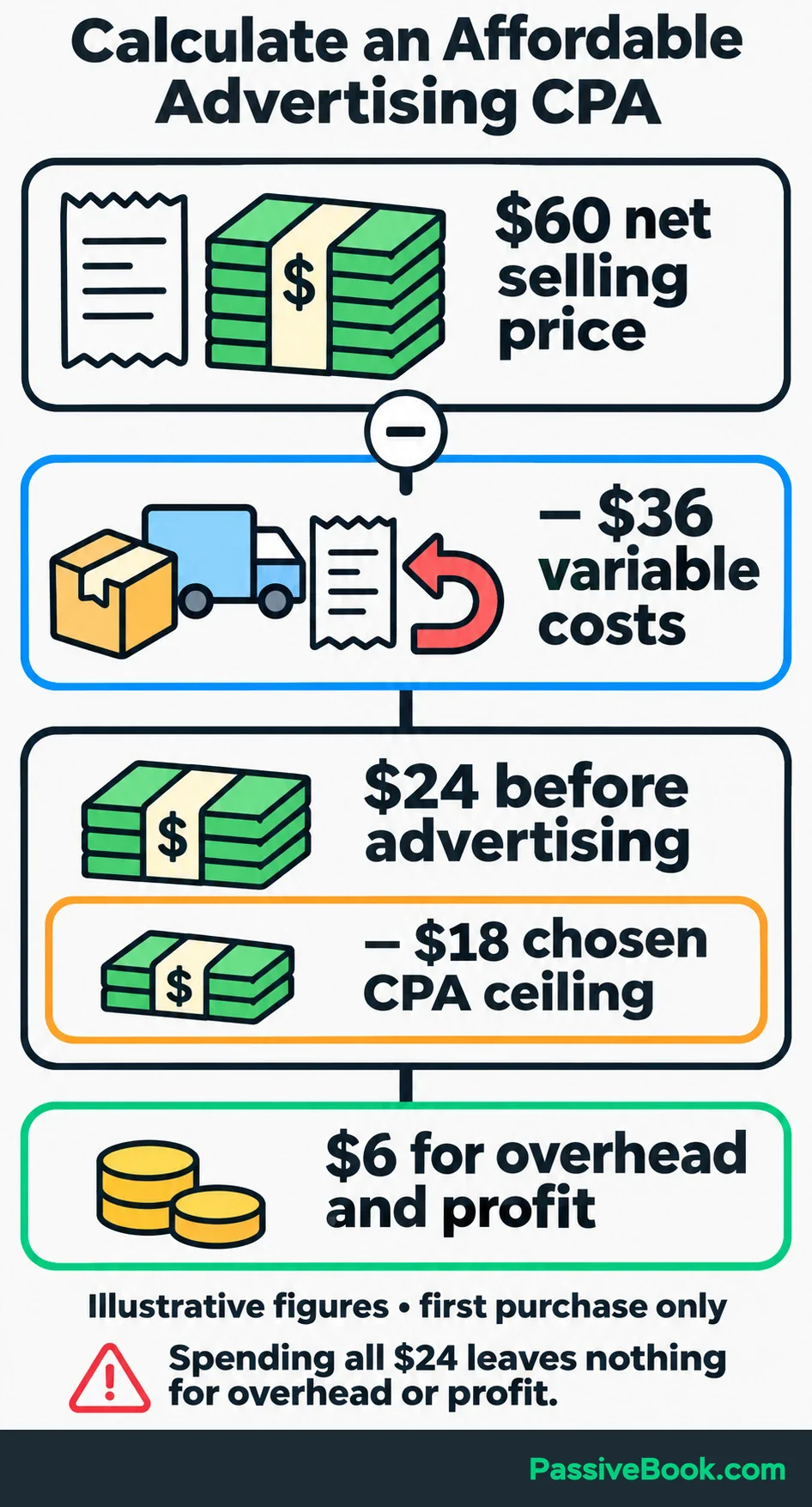
Here is the shop’s illustrative calculation:
| Item | Amount per Order |
|---|---|
| Net selling price | $60 |
| Product cost, shipping subsidy, payment fees, expected returns and other variable costs | $36 |
| Contribution before advertising | $24 |
| Chosen acquisition-cost ceiling | $18 |
| Amount left at that ceiling for overhead and profit | $6 |
Cost per acquisition, or CPA, is what you spend to get one counted result.
The $24 contribution is not an invitation to spend $24 acquiring each customer. Doing that would leave nothing for overhead or profit. An $18 ceiling leaves $6, and you still need to decide whether that is enough for your business.
Base the first test on the first purchase. I would skip optimistic repeat-purchase assumptions until customer records support them. A washable cover is not automatically a monthly subscription just because the forecast needs help.
Your own costs provide a more useful starting benchmark than another advertiser’s average CPA.
An acquisition ceiling is useful, but you also need to know what it means for the clicks or inquiries you’ll be buying. This calculator works backward from your margins and lets you compare assumptions before spending.
Free Marketing Profit Calculator




Choose a Channel That Matches Buying Behavior
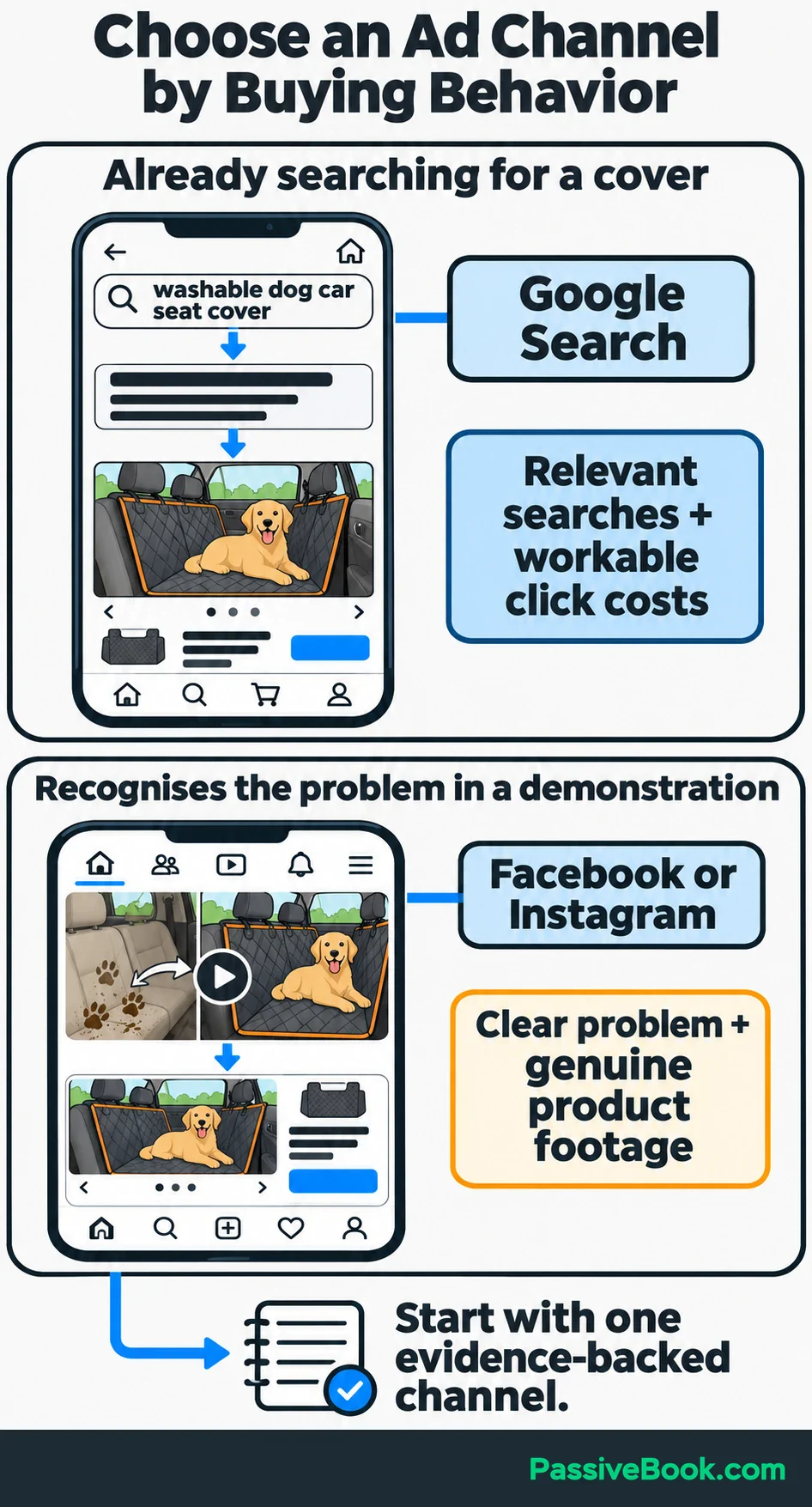
Choose a channel based on how people find a solution to the problem you identified.
Search advertising can meet someone already looking for a product. Visual discovery advertising can introduce an offer by showing a familiar problem and how the product addresses it.
| Channel | Buying Signal | Creative Required | Reason to Choose It |
|---|---|---|---|
| Google Search | A query such as “washable dog car seat cover” | Relevant text ads and a clear product page | You have evidence of product searches and the estimated click costs justify a test |
| Facebook or Instagram | No explicit product search required; the demonstration introduces the offer | Photos or a short video showing the cover after a muddy walk | You can show the problem clearly and have suitable product footage |
For a Search candidate, use Google Keyword Planner to examine relevant searches, your delivery locations and estimated costs. Access requires completed account setup, including billing information. Its figures are estimates, so use them to assess a possible test rather than treat a forecast as proof of profit. Google explains Keyword Planner access and forecasts here.
For this shop, I would start with Search if customer research supports those buying queries and the likely costs fit the margin. If the strongest evidence comes from people responding to a product demonstration, I would consider Facebook or Instagram first.
You do not need to appear everywhere. One channel gives a small budget a clearer question to answer. Three underfunded campaigns mostly give you three reports to decipher.
Translate the Audience Into Targeting Settings
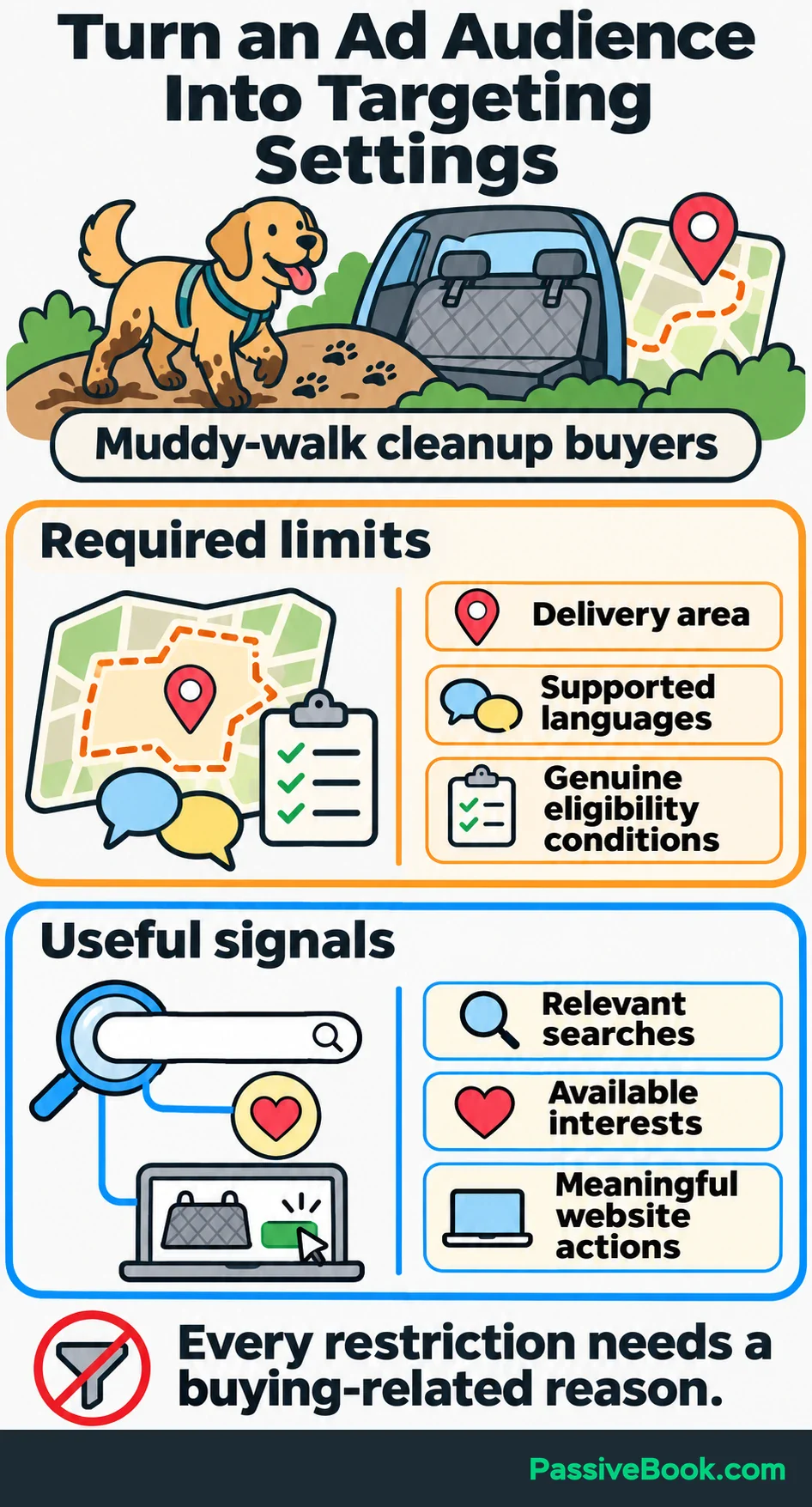
Turn your audience statement into two lists:
- Required limits: Where you deliver, languages you support and any genuine eligibility conditions.
- Useful signals: Relevant searches, available interests or meaningful actions on your website.
Avoid stacking restrictions simply because the platform offers them. Each restriction should have a reason connected to the purchase.
Before enabling advertising trackers, check the privacy requirements that apply to your visitors. For UK visitors, get consent before advertising cookies or similar technologies store information on, or read information from, their devices. This also covers associated tracking and profiling. Configure your consent tools to block those technologies until visitors agree and respect any later withdrawal. The ICO explains the advertising consent requirement.
Once those foundations are ready, apply the settings for your chosen channel.
Google Search: Reach Relevant Buying Intent
Build a small keyword group around the product and buying task. The quotation marks below indicate phrase match, and square brackets indicate exact match. These settings control how closely a search must match your keyword.
For the shop, candidate keywords could include:
[washable dog car seat cover]"dog back seat cover""car seat protector for dogs"
These are illustrative candidates to investigate, not verified search opportunities.
I would begin with phrase or exact match for a narrower initial scope. Phrase match can match searches that include the keyword’s meaning. Exact match can include searches with the same meaning or intent, so it does not mean identical wording only. Google’s match-type definitions explain the distinction.

Then check three settings:
- Select the locations you serve.
- Review the location option, not just the place names.
- Add audience segments only where they have a clear purpose.
When customers need to be in your service area, choose the location option called “Presence.” The default “Presence or Interest” can also reach people who have shown interest in that area. Google describes these location options here.
For relevant audience segments, I would usually start with “Observation.” It lets you examine their performance without further restricting eligible searches. “Targeting” narrows delivery to the selected audience, so use it when that restriction is intentional. Google explains Observation and Targeting.
After launch, review the actual search terms that triggered your ads. Someone looking for a car-cleaning service has a different buying task from someone shopping for a cover. Add negative keywords to exclude demonstrated mismatches.
A cheap irrelevant click still costs money.
Facebook and Instagram: Distinguish Suggestions From Restrictions
For the cover shop, choose a sales campaign and have Meta seek completed purchases. Select the purchase event—the tracking signal for a completed order—rather than making engagement the main result.
Next, set delivery locations as audience controls and review any other genuine requirements.
Advantage+ audience is Meta’s automated audience setting. It can reach beyond the interests or audiences you suggest. Use audience controls for restrictions such as delivery locations. Meta explains the difference between suggestions and controls.
Write down which role each input has in your setup. Otherwise, you might describe a campaign as “targeting dog enthusiasts” when Meta is free to reach beyond that suggestion.
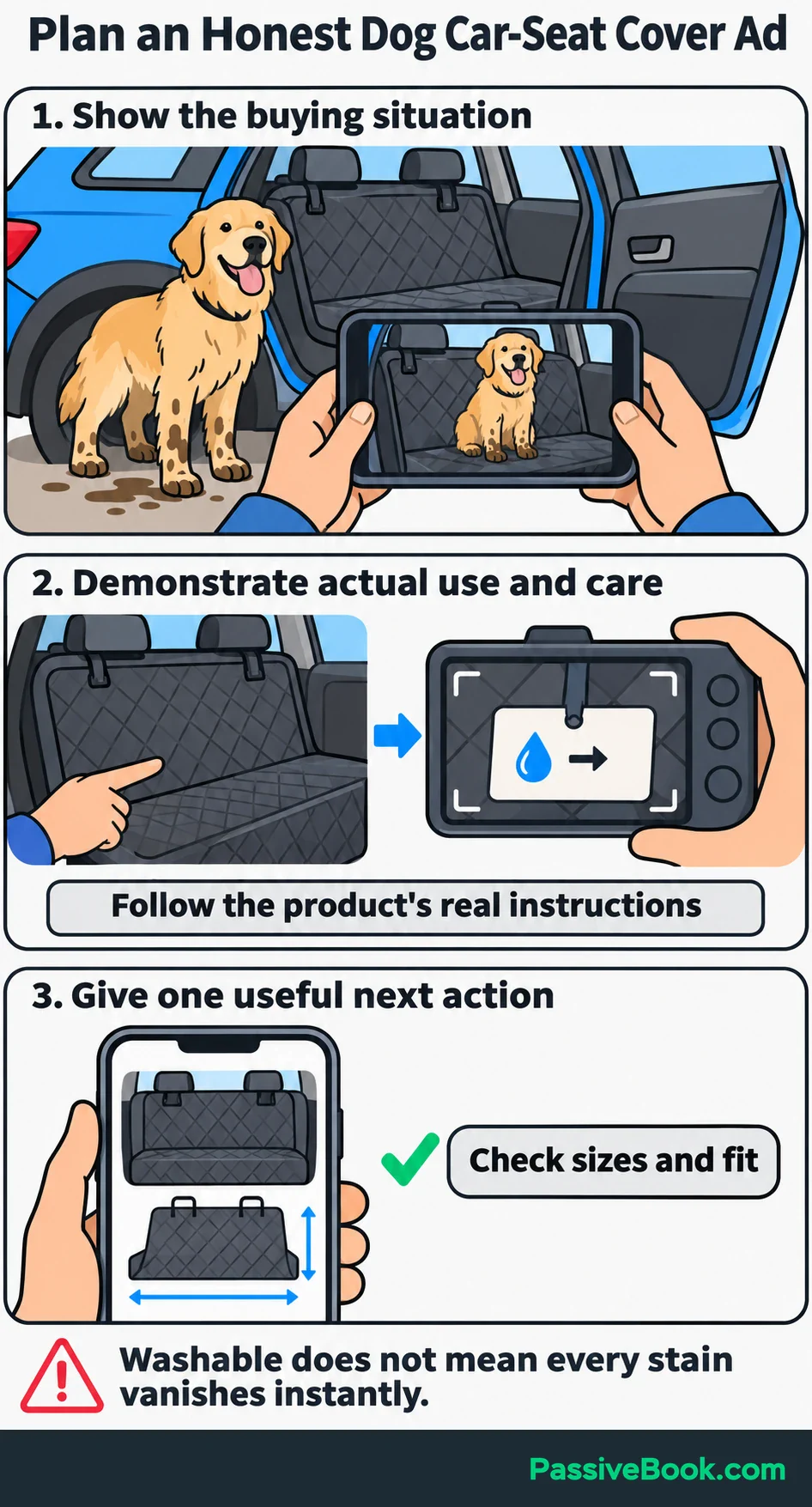
Your creative should still make the buying situation obvious. Show the cover after a muddy walk and demonstrate its actual cleaning process. You can make that useful with product footage and hands; there is no need to become the presenter.
I would skip a stack of loosely related interests. A clear demonstration gives the proposed buyer something concrete to recognise, and purchases tell you whether the campaign found customers.
Retargeting: Reach Interested Visitors Again
Retargeting gives previous visitors another chance to consider the offer.
Start with a meaningful action, such as viewing the cover’s product page without purchasing. Match the audience membership period to how long customers normally take to decide, and exclude purchasers when the campaign is meant to acquire first-time buyers.
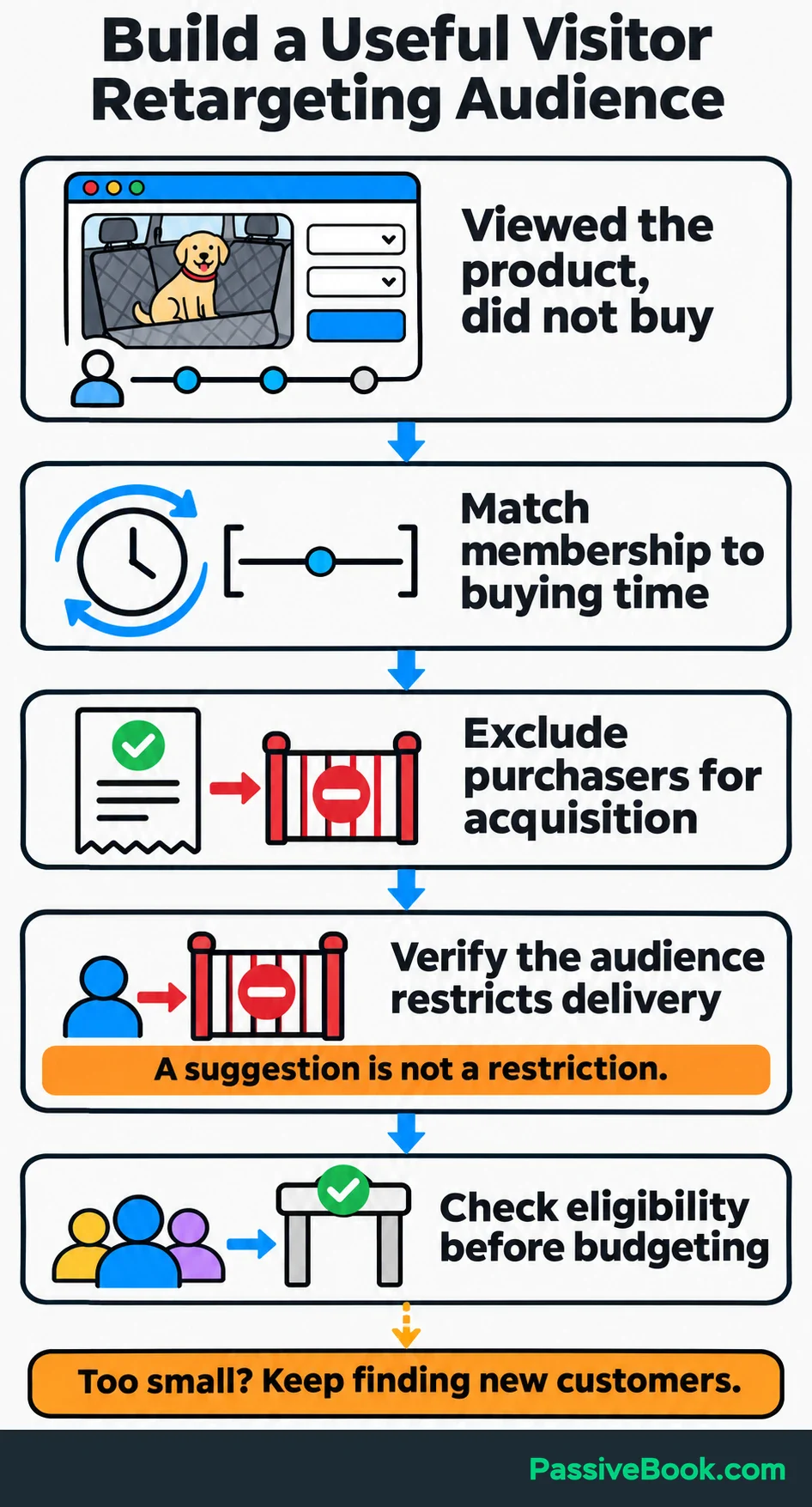
If you want delivery only to previous visitors, verify that the audience restricts delivery. Adding a visitor audience as a suggestion does not accomplish that.
Check whether the audience is eligible to serve before assigning it a separate budget. Visitor segments can be too small for delivery, and splitting them further can make that worse. Google explains visitor segments and eligibility.
I would keep the initial focus on finding new customers if the visitor pool cannot support a useful retargeting campaign.
Match the Ad and Landing Page to the Buying Reason
Build the message from four things you learned during research:
- The situation that prompts someone to look.
- The result they want.
- The concern that could stop them buying.
- One next action.
For the muddy-walk segment, a short ad excerpt could be:
Muddy paws after every walk? See our washable back-seat cover and check the fit for your car.
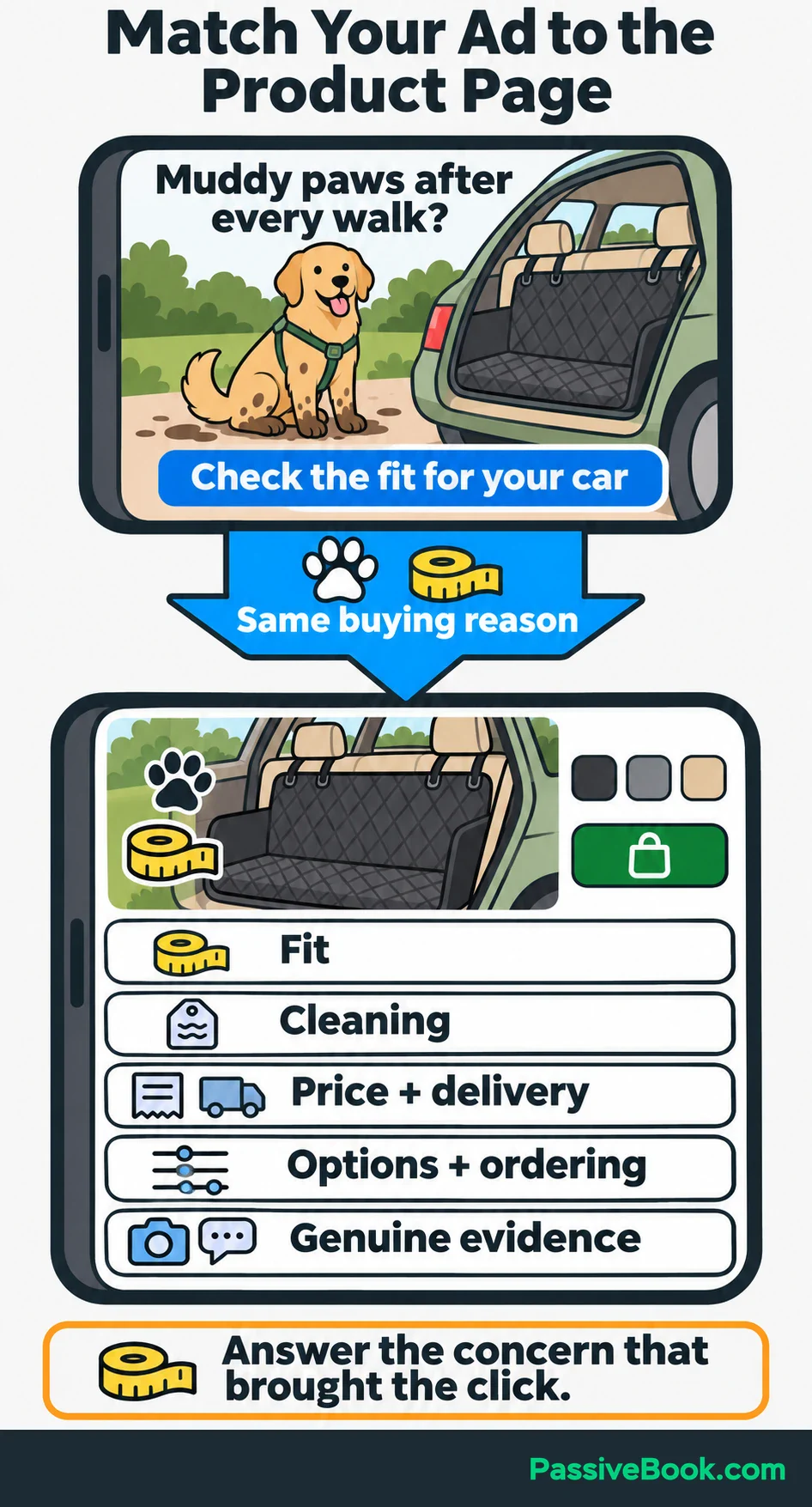
Pair that with a genuine product demonstration. Show what the cover does and follow its actual care instructions. Don’t turn “washable” into an unsupported promise that every stain disappears instantly.
Send the click to the advertised product, and carry the same reason for buying onto the page.
The visitor should be able to find:
- Fit: Dimensions, installation details and compatibility information.
- Cleaning: The actual washing and care instructions.
- Cost: The price and delivery charges.
- Purchase: Available options and a clear way to order.
- Evidence: Genuine photos, demonstrations and customer reviews when available.
For the puppy segment, the emphasis would shift toward preparation and fit. You would not need a completely different shop, but the ad and page should answer the concern that brought that visitor there.
I would fix missing dimensions before making another ad variation. More persuasive copy cannot resolve a measurement the customer cannot find.
Once the essential product details are available, you can use them to write the ad and page together. AI Advertising Studio turns your offer facts and chosen audience into a matched first draft, with gaps marked for review.

Free AI Advertising Studio
Launch a Bounded Test With Reliable Tracking
Complete a test journey before spending. Check that a purchase records once, with the correct value and currency, and connects to the corresponding order.
If you measure qualified inquiries, test both the form submission and the process that marks an inquiry as qualified.
Tell Google Ads which results should guide bidding. For the shop, select a standard purchase goal and set the purchase action to “Primary.” Mark page views and other diagnostic actions “Secondary,” and keep them out of custom goals. Actions in custom goals are used for bidding even when marked secondary. Google explains primary and secondary conversion actions.
Use consistent campaign tags, often called UTM parameters, in destination links. These labels tell analytics which source, campaign and ad variation brought a visit. Preserve any platform click tracking already in place. Google Analytics can help inspect visits, while your shop’s order records confirm that sales occurred.
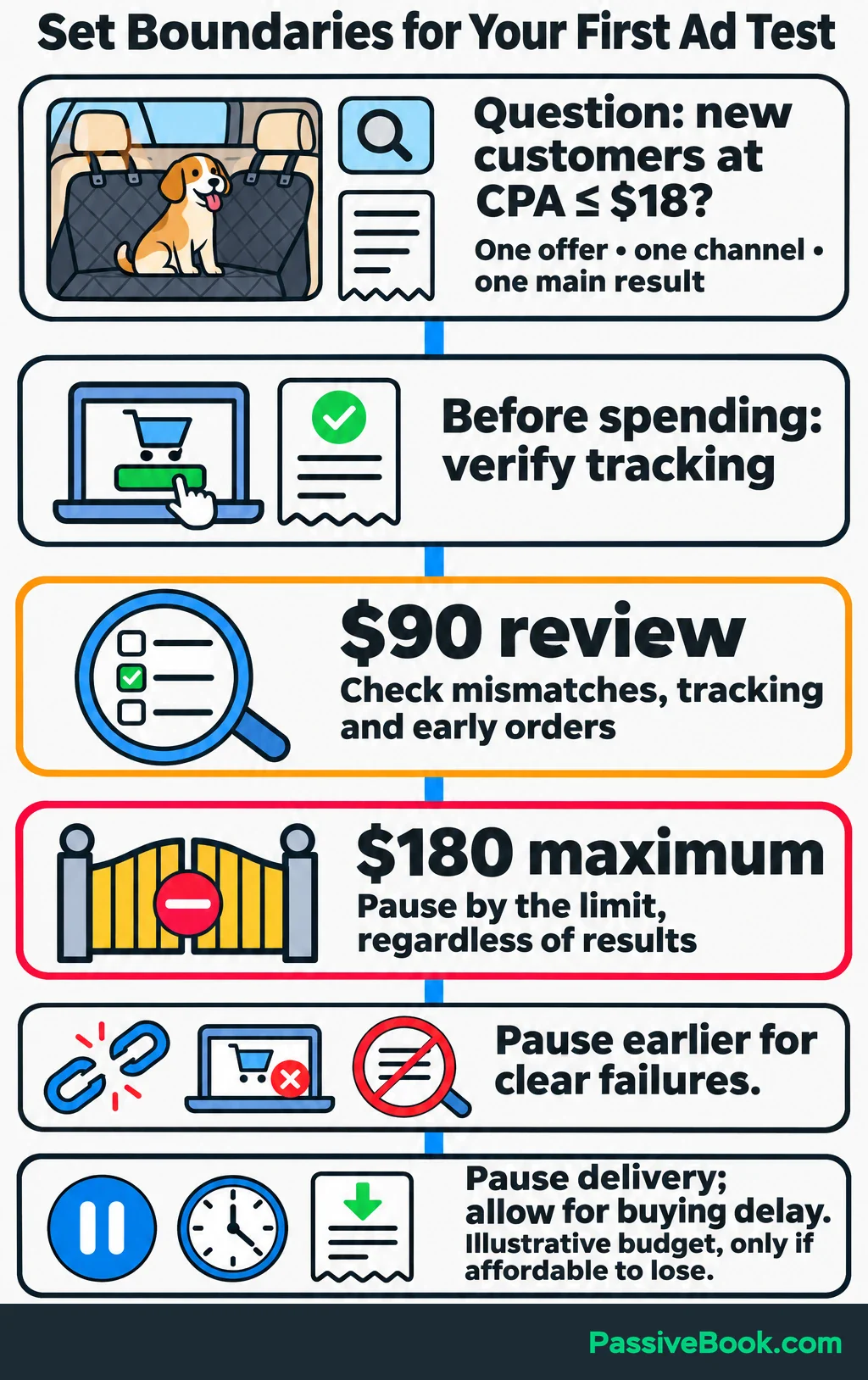
Then write a short test brief. For the cover shop, it could look like this:
| Decision | Illustrative Test |
|---|---|
| Question | Can relevant product searches bring new customers at a CPA of $18 or less? |
| Offer | One washable dog car-seat cover |
| Starting audience | People seeking a cover for back-seat cleanup after dog walks |
| Channel | Google Search |
| Main result | Confirmed first-time customer purchases |
| Total spend limit | $180, only if losing that amount is affordable |
| Review point | Review at $90 spent for mismatches, tracking problems and early purchases |
| Stopping rule | Pause by $180 regardless of results; pause earlier for broken tracking, checkout failure or clearly irrelevant traffic |
That $180 is a spending limit for this illustration, not a recommended minimum.
Allow for the usual delay between a click and a purchase, but do not increase the limit just to keep collecting data. You can pause delivery and wait for outstanding purchases to appear.
Record the targeting settings, creative, spend and resulting orders together. That makes the next decision possible without reconstructing the campaign from memory.
Improve Targeting Using Customer Quality and Cost
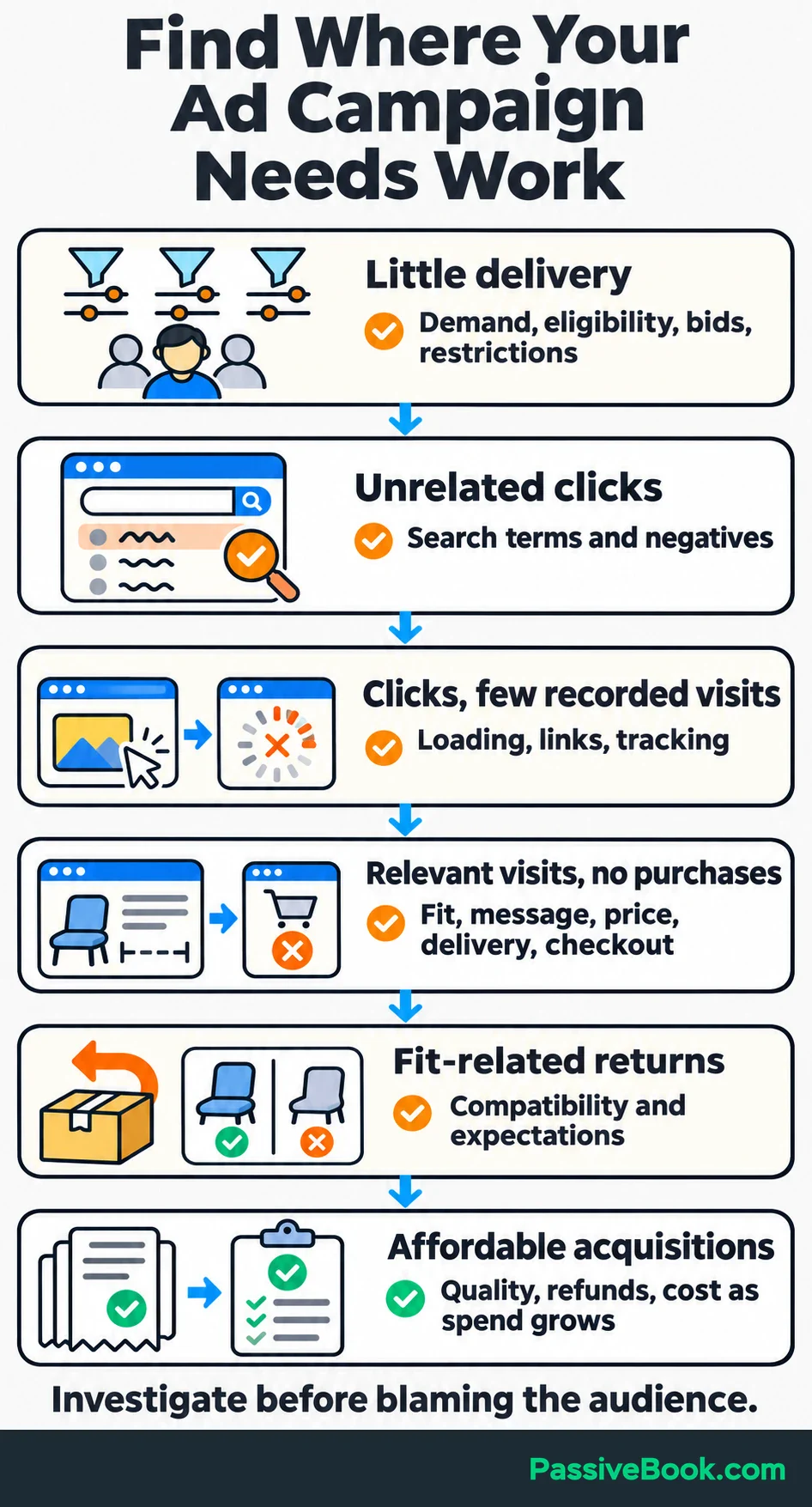
Review results in the order people experience the campaign: delivery, clicks, landing-page visits and purchases.
Each stage suggests a different place to investigate:
| What You See | What to Check |
|---|---|
| Very little delivery | Search demand, audience eligibility, bids and unnecessary restrictions |
| Clicks from unrelated searches | Keyword meaning, actual search terms and negative keywords |
| Ad clicks but few recorded page visits | Page loading, broken links and tracking |
| Relevant visits without purchases | Product fit, message, price, delivery charges and checkout |
| Purchases followed by fit-related returns | Compatibility information, expectations and the audience’s product requirements |
| Orders at an affordable acquisition cost | Customer quality, refunds and whether results hold as spending increases |
Do not reject an audience because a relevant visitor reached a confusing page and left. First check whether the page gave them enough information to buy.
Customer questions are useful here. If people repeatedly ask whether the cover fits a particular seat arrangement, add that answer to the page and your research sheet.
To calculate the shop’s CPA, divide campaign spend by the number of confirmed new customers credited to that campaign. Use the same rule throughout the test to decide which campaign gets credit when several ads contributed to a purchase. Match purchases to the clicks covered by the spending report, allow for the buying delay and count each new customer once.
Continuing the illustration, suppose the campaign spends $180 and produces 12 confirmed first-time customer purchases attributed to it. If those purchases remain valid after checking cancellations and refunds:
$180 ÷ 12 purchases = $15 per acquisition.
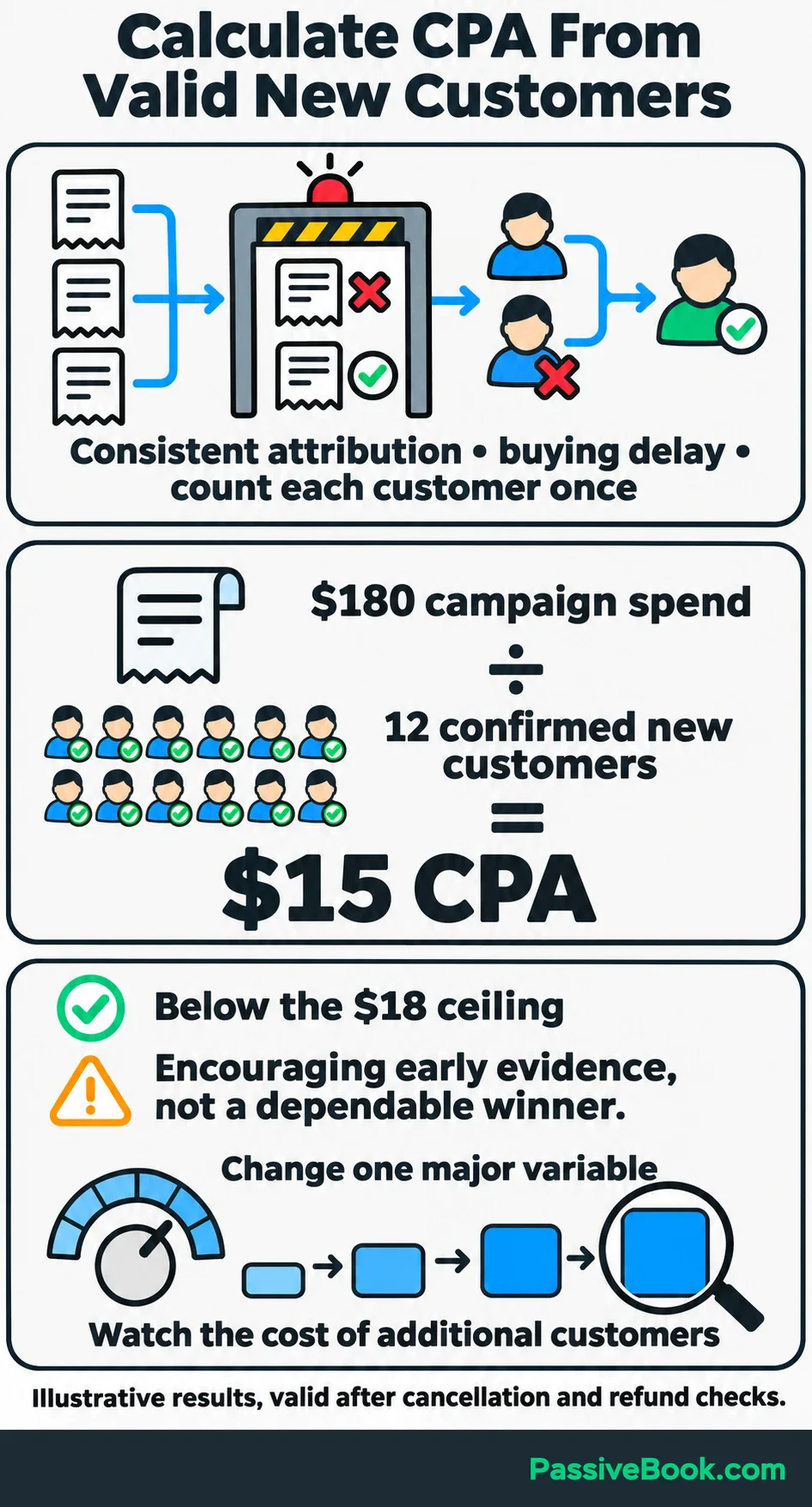
That is below the shop’s $18 ceiling. It is an encouraging early result, but 12 purchases do not establish a dependable winner.
Use early results to decide whether to stop, fix a problem or run another bounded test. When comparing targeting settings, keep the offer, creative, landing page and conversion definition consistent. Use a platform experiment to separate groups when the budget can support a meaningful comparison.
I would change one major variable at a time. Rewriting the ad, changing the audience and discounting the product together makes a result much harder to explain.
Once customer quality and acquisition cost meet your target, increase spending gradually. Watch what the additional customers cost. A healthy average can hide a recent rise that makes further spending unprofitable.
What Next?
Write one audience statement for your offer and attach the strongest buying evidence you have. Then calculate what you can afford to spend acquiring that customer before opening an ad campaign.
Use the social buttons to share this guide when a campaign discussion needs a clearer audience and a firm spending limit.
What evidence would give you confidence to test your first segment? Share your answer, and any other questions, in the comments.
Share this post with your friends & followers:

