Paying to put your dog-cover Pin in front of more people sounds straightforward. Deciding how much to spend before you know whether anyone will buy is harder.
Pinterest’s campaign tool, Ads Manager, asks for objectives, budgets and targeting choices before you have results to guide them. A setting that sounds right can still use your limited budget to pursue a result you don’t need. To make those choices concrete, this guide follows one washable dog back-seat cover through account setup, tracking, ad formats, targeting and launch, then shows how to judge its costs and sales.
1. Set up Your Pinterest Business and Ad Account
Start by checking whether advertising is available where your business operates. Some locations support accounts directly through Pinterest, while others use an advertising partner. Check Pinterest’s advertising availability before preparing a campaign.
You need a free Pinterest business account. Create one or convert an existing personal account, then add your business name, website and recognizable branding. You don’t need to build a large following first.
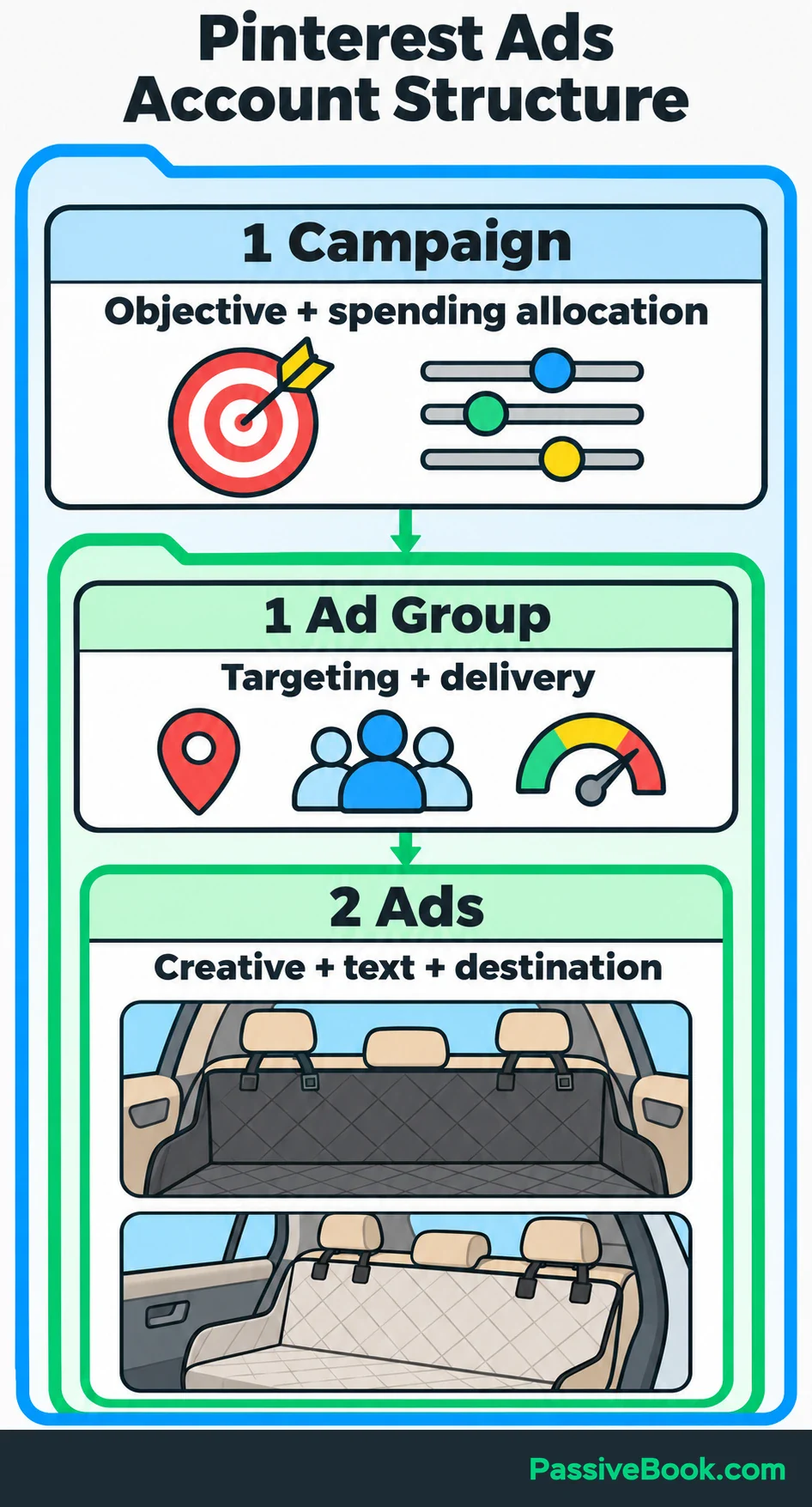
Create your ad account on desktop: open Business Manager, select Ad accounts and choose Create ad account. Confirm its country and billing currency before adding payment details. Choose carefully because changing the currency requires a new ad account. Enter the business information you need on your billing receipts.
Pinterest organizes advertising into three levels:
- Campaign: Sets the main objective and campaign spending allocation.
- Ad Group: Holds targeting, optimization and delivery settings.
- Ad: Contains the image or video, text and destination.
For your first test, I would use one campaign, one ad group and two ads. That gives you something manageable to review.
Pinterest brings meaningful referral traffic to Passive Book through my organic Pins. That experience gives me a reason to take the platform seriously, but it doesn’t prove that paid traffic will be profitable for another offer. Paid ads need their own test.
Throughout this guide, imagine running an online shop selling washable dog back-seat covers. Its prices, costs, keywords, copy and campaign results are teaching examples.
2. Choose the Result You Want From Your Ads
Decide what someone should do after seeing the ad: visit a page, submit a form or complete a purchase. Pinterest calls the campaign’s main goal its objective. The optimization setting tells Pinterest which action to seek within that goal.
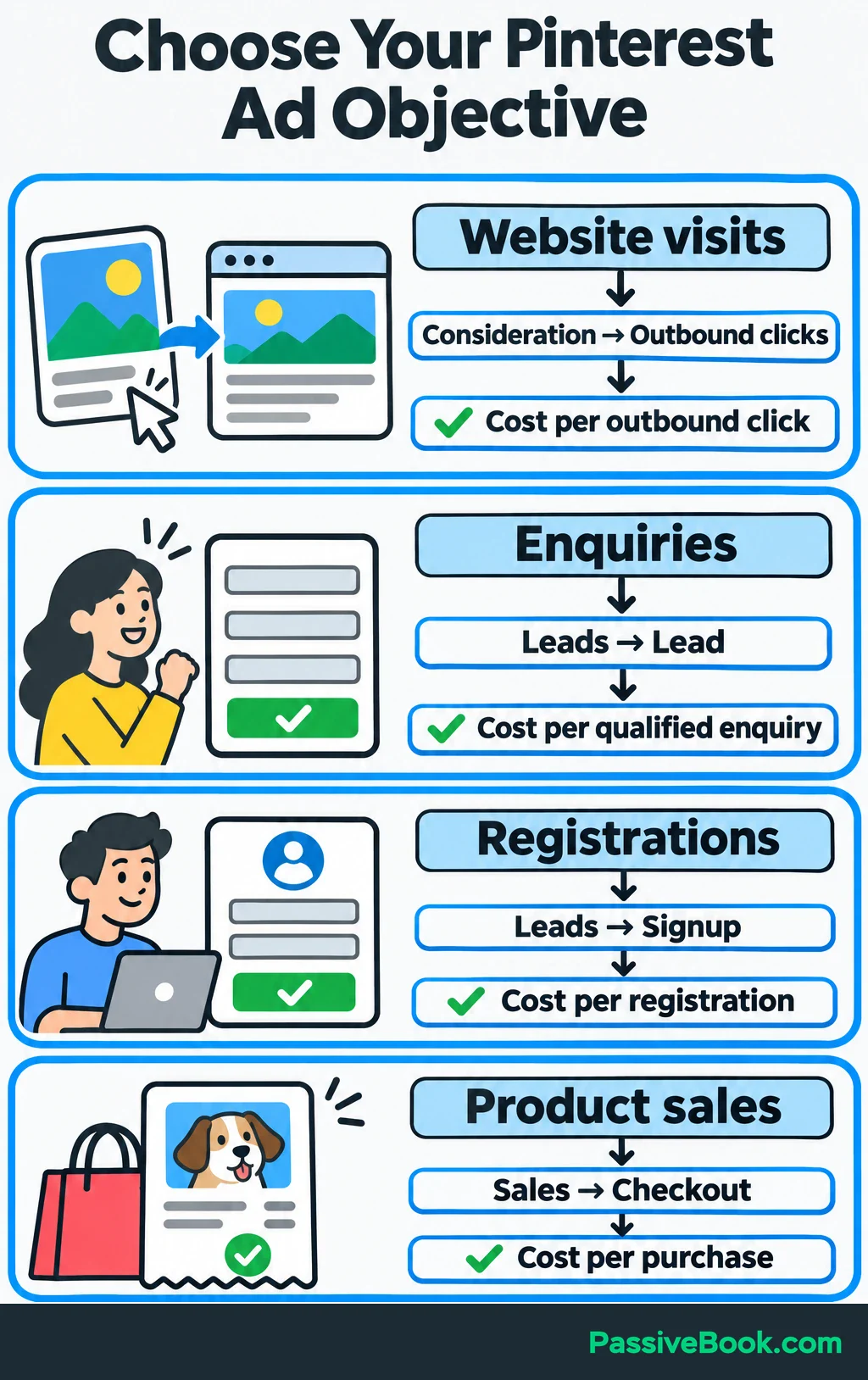
Pinterest uses Leads for non-transactional actions and Sales for transactional actions. These replace the older Conversions and Catalog sales objectives. Sales campaigns can promote ordinary Pins or use a product catalog, a list of products with details such as price and availability. Pinterest’s objective mapping explains the distinction.
| Business Goal | Campaign Objective | Optimization Result | Primary Metric |
|---|---|---|---|
| Bring people to a website | Consideration | Outbound clicks | Cost per outbound click |
| Collect enquiries | Leads | Lead | Cost per qualified enquiry |
| Collect registrations | Leads | Signup | Cost per completed registration |
| Sell products | Sales | Checkout | Cost per purchase |
Brand awareness serves a different purpose: exposure. Video completion focuses on completed video viewing. I would choose either only when that outcome is the point of the campaign.
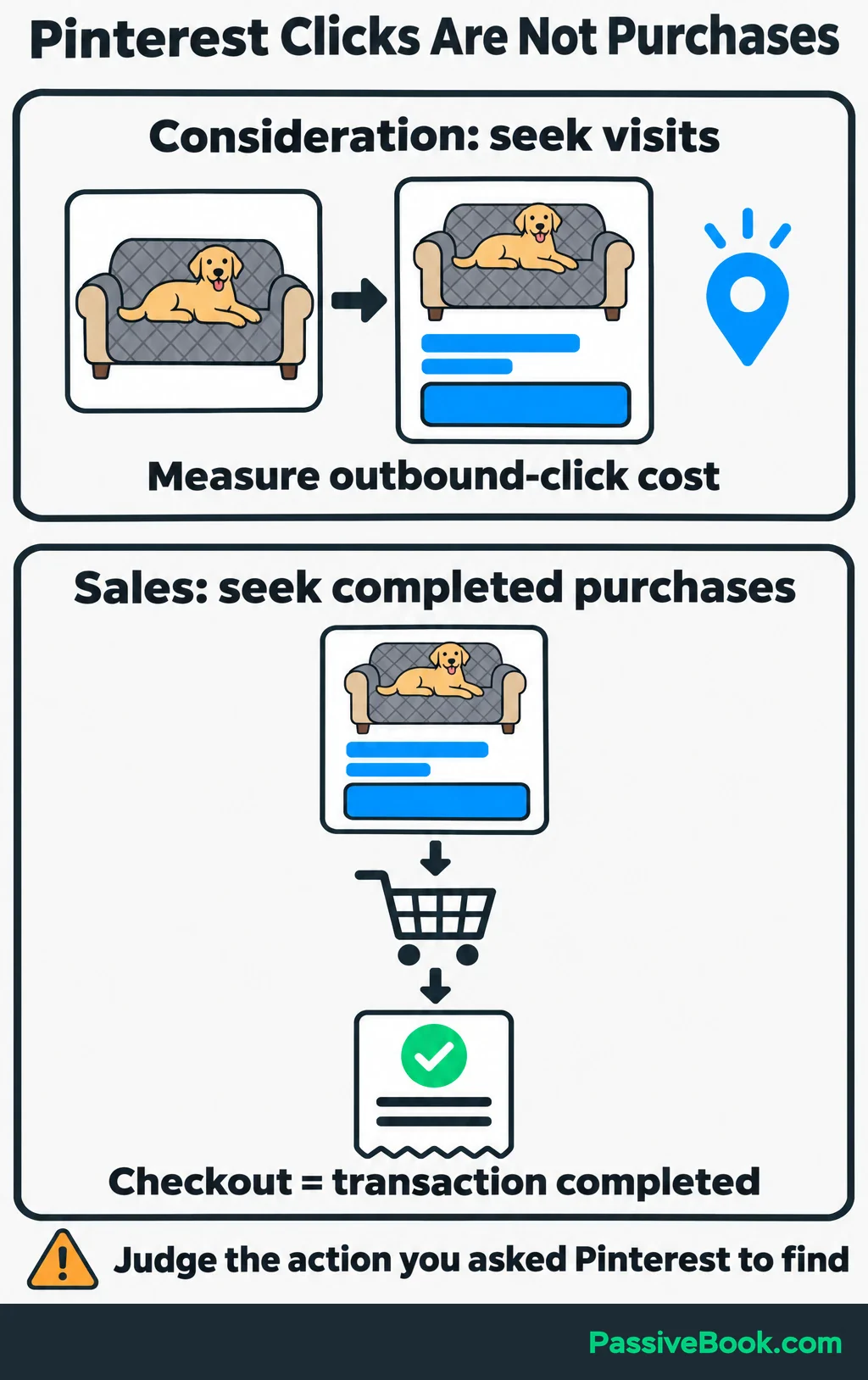
For the dog-cover shop, choose Sales and optimize for Checkout. Despite its name, Checkout means a completed transaction, not someone opening the checkout page.
Don’t select traffic simply because clicks look cheaper than purchases. You would be asking Pinterest to find people likely to visit, then judging it on a different action. If you deliberately run a traffic test, treat it as a test of visits and page response.
3. Prepare Your Landing Page and Tracking
Match the Destination to the Ad
Send people directly to the page that fulfills the ad’s promise. An ad for one cover should lead to that cover’s product page, where the visitor can check it and buy it.
Before paying for traffic, make sure the page answers the questions that could stop a purchase:
- What does the cover look like installed?
- Will it fit this vehicle?
- How is it attached, removed and washed?
- What is the total price, including delivery?
- When will it arrive, and how do returns work?
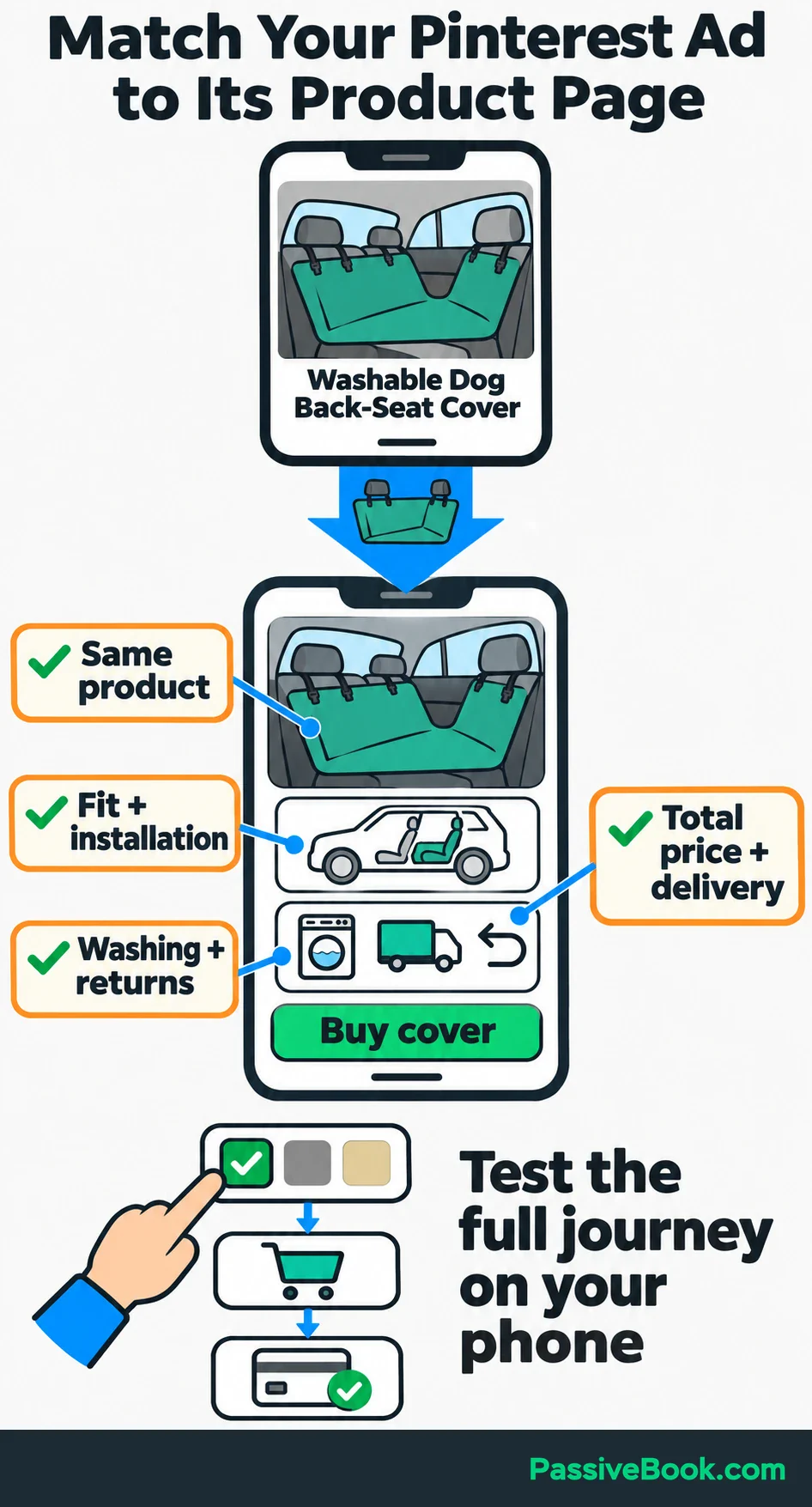
Put the purchase button where visitors can find it, and test the entire journey on your phone. Select a variant, add it to the cart and complete payment. Check links and error messages along the way.
On one of my digital-product sites, I changed a bundle’s contents but left an older preview on its sales page. The page still worked, yet it described the wrong package. Since catching that, I check the promise and destination together whenever I change an offer.
For enquiries or sign-ups, use the same approach. The form page should explain what people receive or what happens after they submit it. Ask for the information you need to take that next step.
Verify Your Conversion Events
The Pinterest tag is website code that reports actions such as purchases and sign-ups to Pinterest so you can connect them with ad views and clicks. Each recorded action is called an event. Install the tag through your website’s supported integration where possible. I would try that before maintaining a manual installation.
For manual setup, the base code belongs across the site and event code should run when the matching action happens:
- Checkout: A completed transaction, with the actual purchase value and currency.
- Signup: A completed registration.
- Lead: A completed enquiry or other genuine expression of interest.
Conversion optimization needs event tracking. Consideration campaigns can run without conversion events, although you still need measurement to understand what those visits produce. These distinctions follow Pinterest’s event definitions and requirements.
Complete a test purchase or form submission, then inspect the event received in Ads Manager. Confirm that the event name, value and currency are correct. If checkout happens on another domain or a hosted payment page, include that part of the journey.
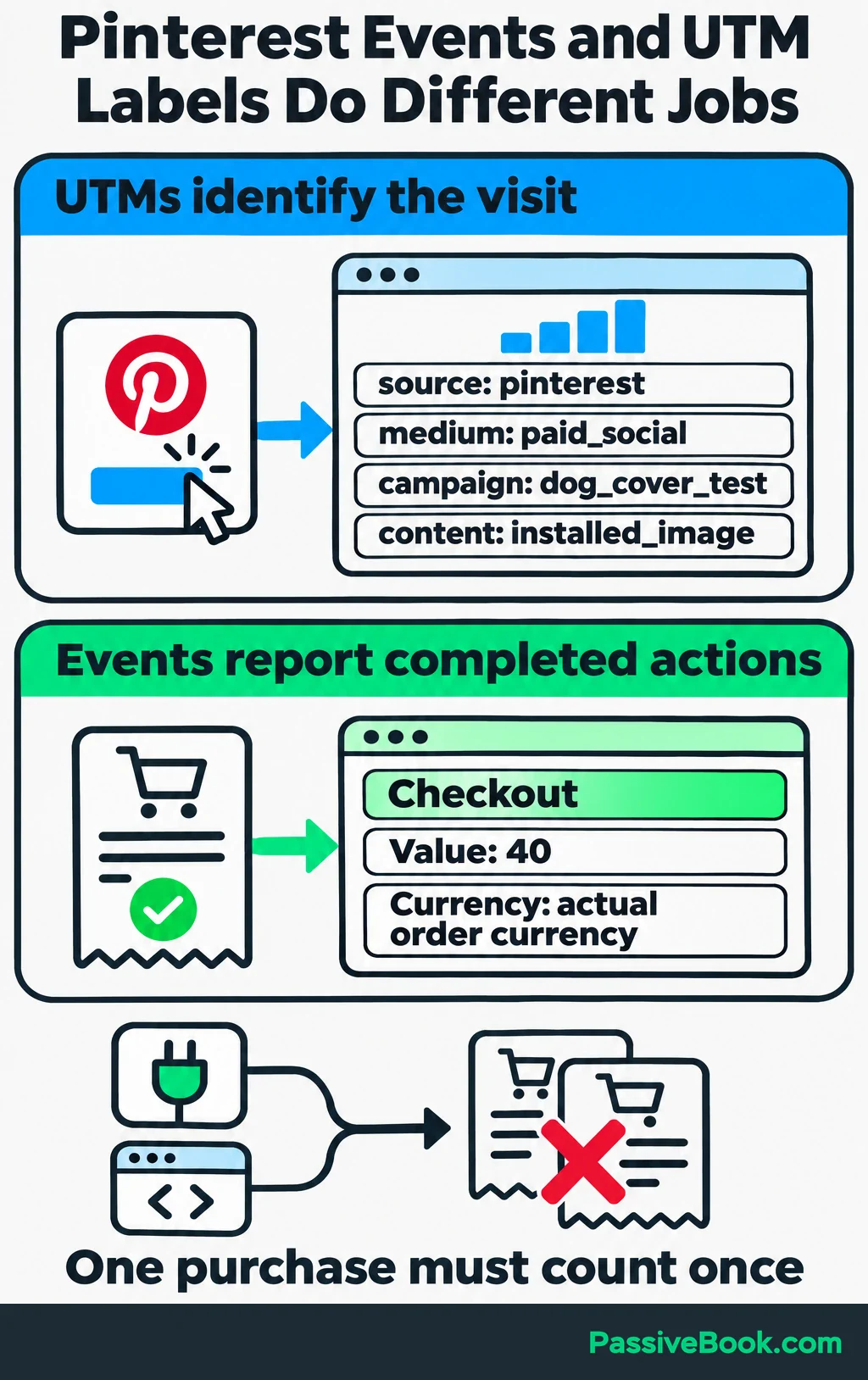
One purchase should appear once. A plugin and a second manual installation can leave you counting the same action twice.
Also add UTM parameters to your destination links. These are labels that let Google Analytics or another website analytics tool identify the source, campaign and ad. For example:
utm_source=pinterest
utm_medium=paid_social
utm_campaign=dog_cover_test
utm_content=installed_image
Use a different utm_content value for the second creative so you can compare visits.
Before collecting or sharing tracking data, provide clear disclosure, obtain legally required consent and explain the required advertising opt-out options. Configure your consent controls accordingly. These are requirements under Pinterest’s Ad Data Terms.
4. How Much Do Pinterest Ads Cost?
Understand What Determines the Price
Pinterest ads run through an auction, so there is no fixed price per visitor or customer. Competition and bidding affect delivery costs, and your creative and destination affect how much useful business you get from that delivery.
Your budget sets how much you allocate. Your bid helps determine how Pinterest competes for opportunities to show the ad. Neither guarantees sales.
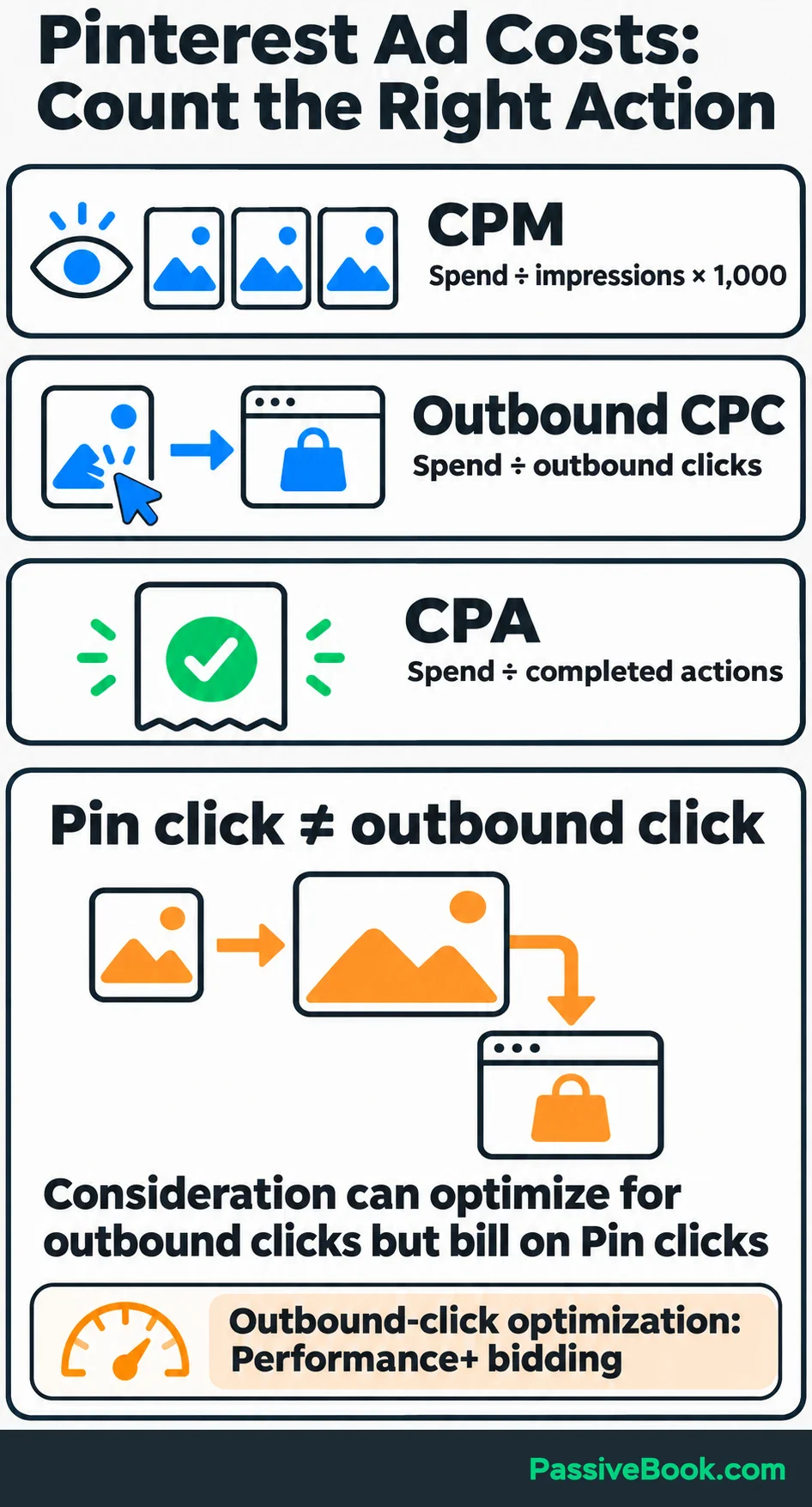
When comparing costs, name what you are counting:
| Measure | What It Counts | Calculation |
|---|---|---|
| CPM | Cost for 1,000 ad impressions | Spend ÷ impressions × 1,000 |
| CPC | Cost for a specified kind of click | Spend ÷ those clicks |
| CPA | Cost for a specified completed action | Spend ÷ those actions |
“Cost per click” needs more detail. A Pin click can open the Pin or take someone to its destination, while an outbound click takes someone off Pinterest. Use cost per outbound click to assess traffic sent to your website.
Pinterest can seek one action while charging for another. For Consideration campaigns, prioritizing visits to your website requires Performance+ bidding, which manages auction bids automatically. Pinterest still bills on Pin clicks whether you optimize for Pin clicks or outbound clicks. Pinterest explains click optimization and billing here.
Include creative production and landing-page work in your overall test cost too. Ad spend is only one part of the bill.
Calculate What You Can Afford per Customer
Start with the money an order leaves before advertising. Subtract the costs that come with fulfilling that order: the product, payment fees, packing, fulfillment, shipping you cover and an allowance for returns.
For the sample cover:
| Item | Amount per Order |
|---|---|
| Sale revenue | $40 |
| Variable costs | $24 |
| Contribution before advertising | $16 |
| Amount you want to retain | $6 |
| Target customer acquisition cost | $10 |
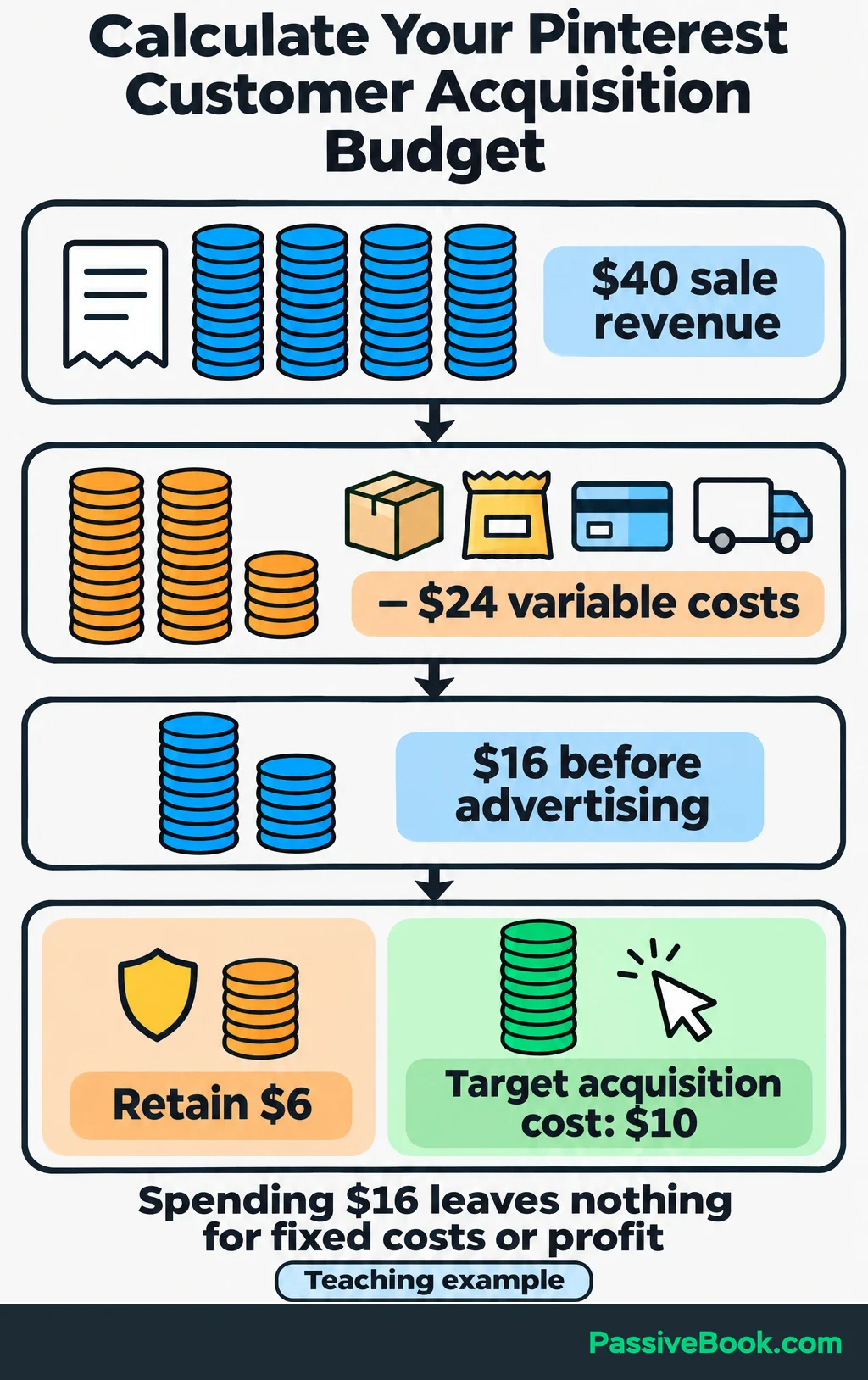
You could spend $16 to acquire this order and cover its variable costs, but nothing would remain for fixed costs or profit. Keeping $6 means aiming to acquire a customer for $10 or less.
That target also helps you assess click costs. Estimate what share of paid outbound clicks will lead to a purchase, then multiply that rate by your target acquisition cost.
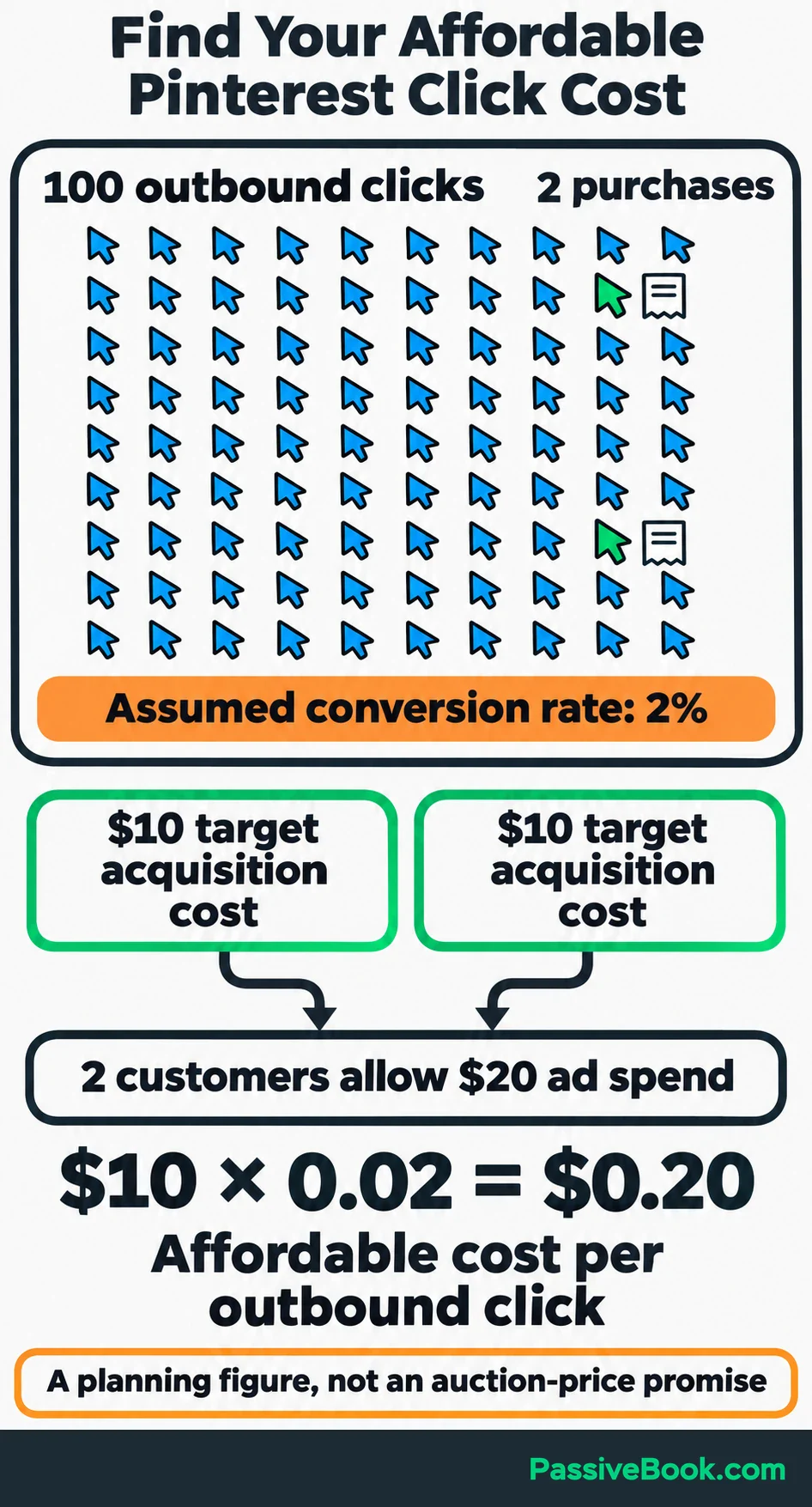
With an assumed 2% click-to-purchase rate:
$10 target acquisition cost × 0.02 = $0.20 per outbound clickAt those assumptions, $0.20 is the affordable outbound-click cost. It is your planning figure, not a promised auction price. Replace the assumed conversion rate with your own results as evidence builds.
I would use first-order economics until repeat purchases are supported by actual customer records. Future sales are easy to imagine and harder to use for paying this month’s invoice.
Set a Spending Ceiling
Choose an amount you can afford to lose, an end date and clear reasons to pause before you launch.
The example uses a $100 lifetime allocation. That is neither a platform minimum nor a budget recommendation for every business. A small test may uncover a broken checkout or weak ad without producing enough purchases to establish repeatable performance.
A spending ceiling limits your exposure, but it doesn’t tell you how much evidence that budget might buy. Use the calculator to compare a few scenarios before committing the money.
Free Marketing Profit Calculator




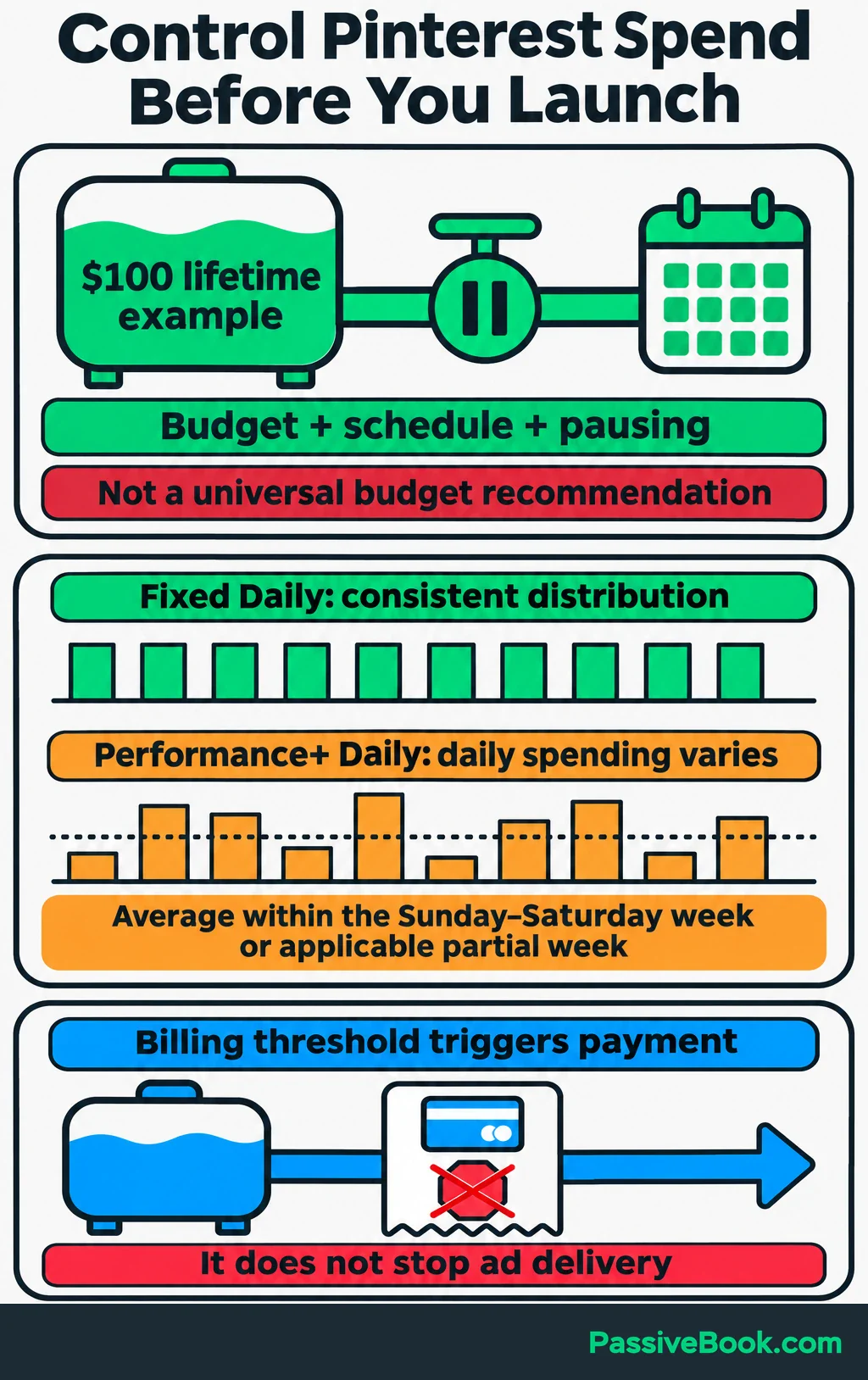
For a defined total allocation, I would choose a lifetime budget. If you choose a daily budget, check which type you are using:
- Fixed Daily: Distributes spending consistently each day.
- Performance+ Daily: Can spend above the entered amount on individual days while keeping the daily average within it over Pinterest’s Sunday–Saturday week, or the applicable partial week after launch or a budget change.
These differences are covered in Pinterest’s campaign-budget rules.
A billing threshold serves another purpose: it triggers payment for accumulated spend. It does not stop delivery. Use campaign budgets, schedules and pausing to control advertising spend. Pinterest’s billing rules make that distinction clear.
5. Choose an Ad Format and Prepare Your Creative
Match the Format to the Selling Task
Choose the format that makes the offer easy to understand using assets you can produce well. A clear product photo is a sensible starting point. Check which formats your selected objective offers before preparing assets.
| Format | What It Could Show | Assets to Prepare |
|---|---|---|
| Standard image | The cover installed across a back seat | One clear product photo |
| Standard video | How to attach and remove the cover | A short demonstration video |
| Carousel | The installed cover, attachment straps and fabric details | Several photos showing those features |
| Shopping | Products with their current prices and availability | An eligible product catalog with product images or video |
| Collections | The cover alongside related dog-travel products | One main image or video plus at least three supporting product images; a catalog for automated product selection |
For standard images, use Pinterest’s recommended 2:3 ratio, such as 1,000 × 1,500 pixels. Its recommended standard-video length is 6–15 seconds. Put essential selling information in the image or video and title because ad descriptions help determine relevance but don’t appear in feeds or ad close-ups. Check Pinterest’s format specifications for current requirements.
For the dog cover, I would start with a photograph showing it installed. A short installation demonstration is the next option if you already have clear footage. I would skip collections for this first single-product test.
Shopping ads need more preparation. You need a product catalog, a claimed website, the Pinterest tag and a site that meets merchant requirements, including accessible contact, shipping and refund information. Resolve product-feed errors before promotion. See Pinterest’s retail-catalog prerequisites.
Make the Benefit Clear Before the Click
Show the product doing the job people are buying it for. A folded cover on a white background may show its color, but an installed cover makes its use easier to understand.
Build the creative around one benefit and a clear next action. For the example:
- Image: The actual cover installed across a back seat.
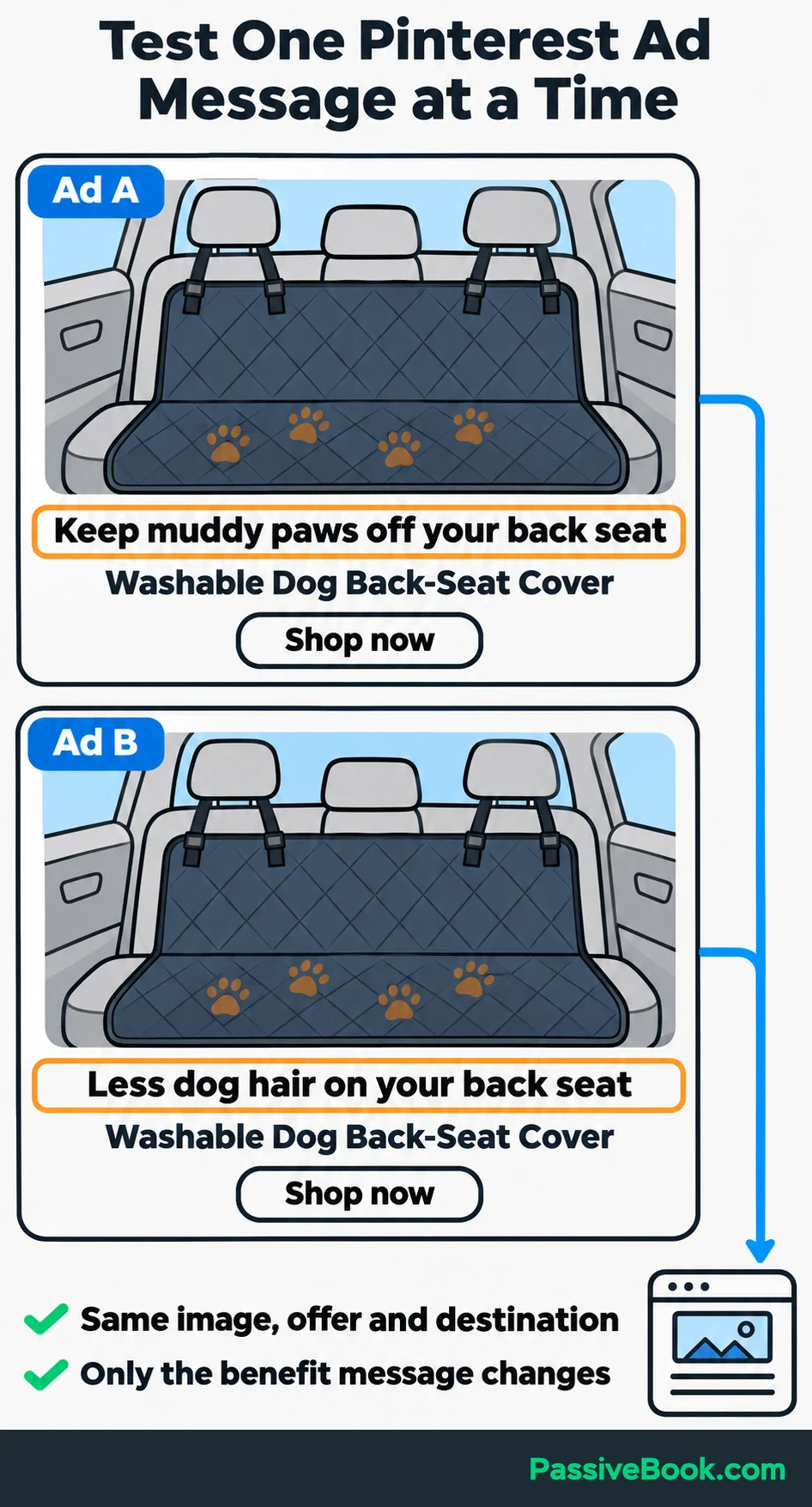
- Text Overlay: “Keep muddy paws off your back seat.”
- Title: “Washable Dog Back-Seat Cover.”
- Call to Action: “Shop now.”
- Destination: The matching cover’s product page.
Use genuine product photos and demonstrations. Claims about fit, washing or protection should match what the product can do.
Canva is enough for a simple image layout. Keep the text readable on a phone, leave space around essential details and check the ad preview for interface elements that cover them. Make video demonstrations understandable without sound.
Prepare two versions that change one meaningful element. You could keep the same image and compare the muddy-paws message with “Less dog hair on your back seat.”
Keep the offer and destination the same. If you change the photo, message, price and page together, the result gives you very little guidance about what helped.
If you’re stuck turning your offer into those two messages, AI Pinterest Studio can draft them from your product details and page copy. You’ll get the overlay, title and supporting copy for each version while keeping the offer consistent.
Free AI Pinterest Studio
6. Build and Publish Your Campaign in Ads Manager
Enter Your Campaign Settings
Open Ads Manager on desktop and start a campaign using manual creation so you can review each setting.
For this test:
- Choose Sales as the objective and Pins as the creative source.
- Enter a descriptive name, such as
Dog Cover | Purchase Test. - Set the $100 lifetime allocation, start date and end date.
- Confirm the time zone used for the schedule.
- Create one ad group and select Checkout as the optimization event.
- Confirm that your tracking setup receives completed purchases for that event.
Pinterest also offers Performance+ automated campaign setup for Consideration, Leads and Sales. It bundles automation features, but Performance+ bidding and targeting also exist as separate settings. Choosing manual campaign creation does not mean every feature becomes manual.
For a first campaign, I would use manual creation to inspect the settings and Performance+ bidding to manage auction bids.
Where custom bidding is available, read the field carefully. A maximum click bid and a target average acquisition cost serve different purposes. Neither is the campaign’s total budget, and a target CPA is not a hard ceiling on the cost of each purchase.
Target People Who Can Buy the Offer
Start with the places where you can ship the product or deliver the service. Review language settings and other defaults before adding interests or keywords.
A dog-cover ad shown outside your delivery area can attract a relevant visitor who still cannot buy. Fix that boundary first.
Then choose topics and searches related to the offer. Interests describe relevant subjects, while keywords help reach people searching for relevant ideas. They can work together.

For the cover, possible keyword ideas include “dog car seat cover” and “protect car seats from dog hair.” These are starting points to assess, not verified demand estimates.
Match types give you more control:
| Keyword Entry | Purpose |
|---|---|
"dog car seat cover" | Phrase match, including close variations with the same word order |
[dog car seat cover] | Exact match, including close variations |
-"DIY seat cover pattern" | Negative phrase to exclude searches containing that phrase |
I would begin with purchase-relevant terms and exclude clearly unsuitable searches. Broad phrases such as “cute dogs” give you little reason to expect interest in this product. Pinterest’s keyword-match guidance explains how each type works.
Also review Performance+ targeting. It is enabled by default for new campaigns and can expand beyond selected interests and keywords, while retaining other restrictions such as location. For a test intended to assess a defined group of search topics, I would switch it off so those boundaries remain useful. Pinterest describes targeting expansion here.
Keep the first test concentrated in one manageable audience. Splitting a limited budget across many ad groups can leave each with too little evidence to assess.
The audience estimate shows potential reach. It is not a forecast of customers.
Review and Launch Your Ads
Upload the two prepared creatives or select eligible existing Pins. Give each ad a reporting name you will recognize, such as Installed Cover | Muddy Paws.
If you promote an existing Pin, it must be saved to your business profile on a public board, have a destination URL and avoid link shorteners.
Before publishing, check:
- The objective and optimization event match your intended result.
- Geography matches your delivery area.
- Targeting expansion is set as intended.
- Budget, dates and time zone are correct.
- Each ad has the right destination, call to action and UTM labels.
- The mobile preview is readable and its link leads through a working purchase or submission process.
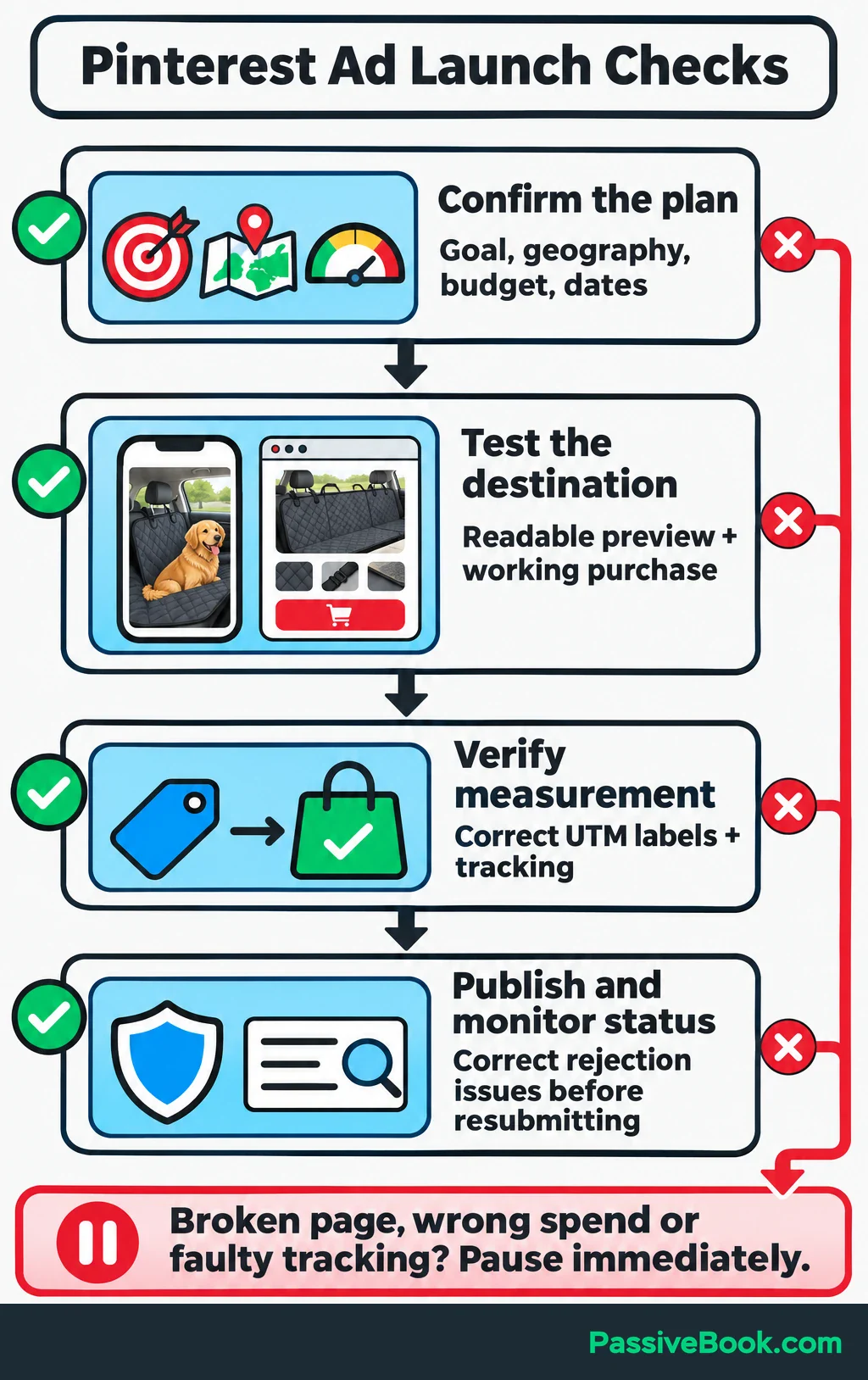
Check both the ad and its destination against Pinterest’s Advertising Guidelines. For pet offers, pay particular attention to unsupported health or safety claims. Pinterest also prohibits ads for live animals and products designed to cause physical harm during training.
Publish, then watch the approval and delivery status. If an ad is rejected, correct the issue named in the notice before resubmitting it.
Pause immediately if you discover a broken destination, incorrect spending settings or faulty tracking. There is no useful lesson in paying for more of a known technical failure.
7. Measure Results and Improve Your Next Test
Connect Spend to Business Outcomes
Start with spend and the result you chose. Then use the other metrics to explain what happened.
For purchases, review outbound clicks, completed purchases, purchase revenue, cost per outbound click, CPA and return on ad spend, or ROAS. For leads, connect submissions to qualified enquiries and eventual sales. A low submission cost can hide a form full of unsuitable enquiries.
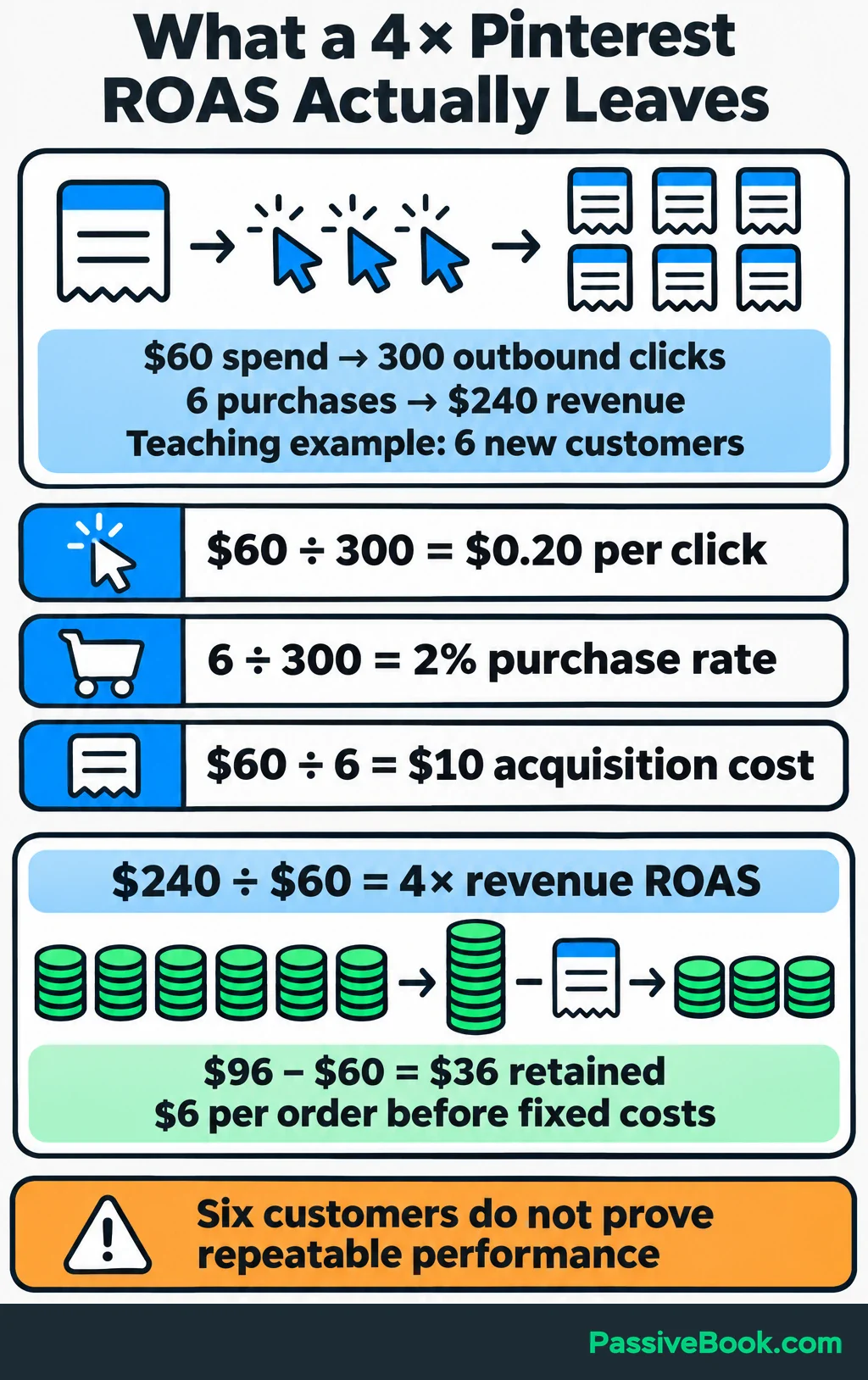
Review campaigns, ad groups and individual ads over consistent dates, time zones and attribution settings. Attribution is how a platform assigns credit for a conversion. Pinterest can credit purchases after ad views as well as clicks, so its attributed sales can differ from purchases linked to clicked visits. Separate purchases credited to views from those credited to clicks before comparing Pinterest’s totals with store orders. Pinterest’s conversion-window guidance explains how the selected window affects which purchases are counted.
Here are the example campaign’s results after spending $60 of its $100 budget. Count the 300 paid outbound clicks and the six purchases tied to those clicks within the chosen conversion window. Assume each purchase came from a different new customer.
| Measure | Example Result |
|---|---|
| Ad spend | $60 |
| Outbound clicks | 300 |
| Completed purchases from those clicks | 6 |
| Revenue from those purchases | $240 |
| Cost per outbound click: $60 ÷ 300 | $0.20 |
| Click-to-purchase rate: 6 ÷ 300 | 2% |
| Customer acquisition cost: $60 ÷ 6 | $10 |
| Revenue ROAS: $240 ÷ $60 | 4× |
The 4× ROAS looks encouraging, but now check what remains.
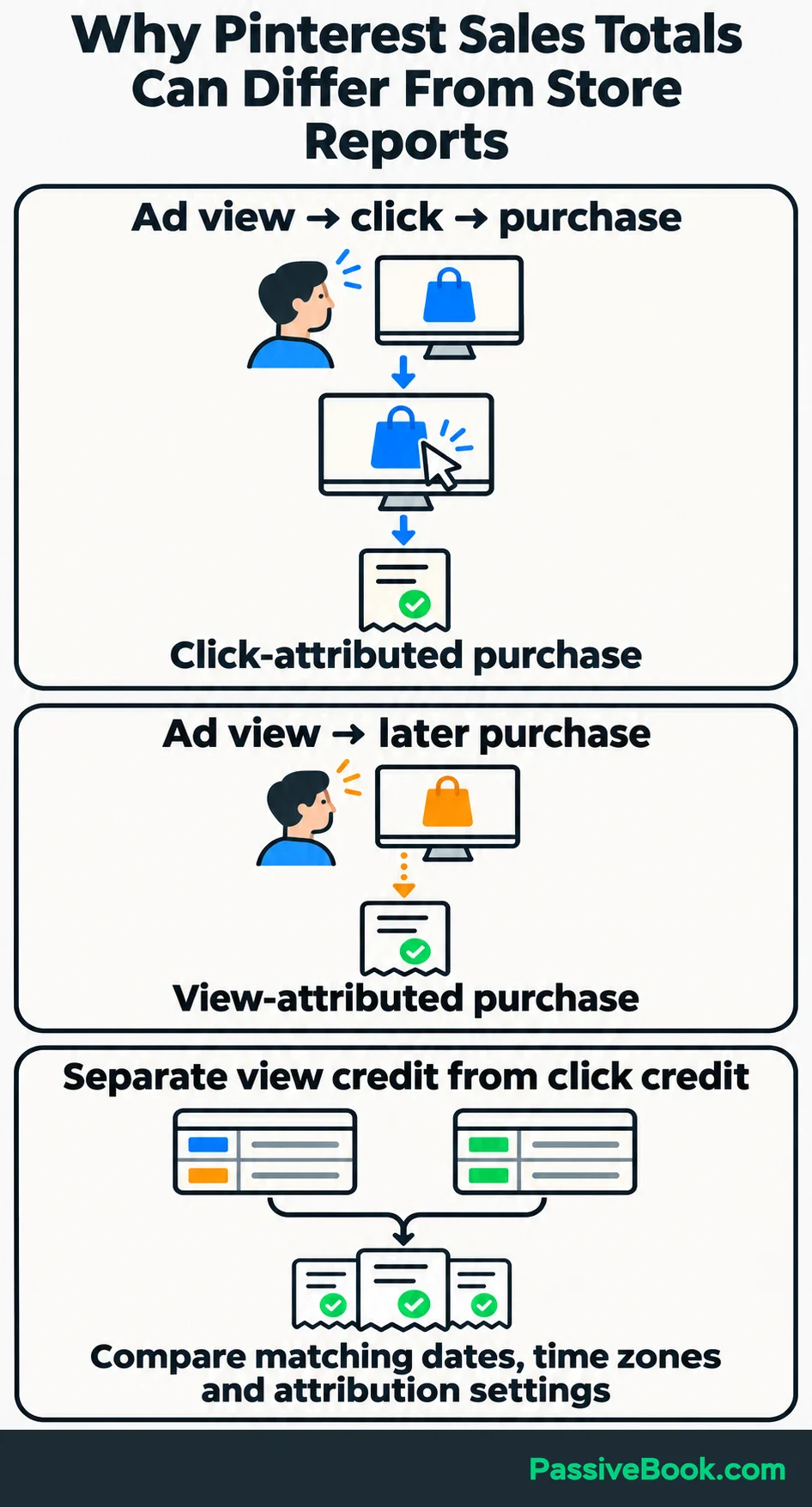
Each order leaves $16 before advertising, so six orders contribute $96. Subtract the $60 ad spend and you retain $36 before fixed costs:
6 orders × $16 contribution − $60 advertising = $36That is $6 per order, which meets the example target.
This result supports another controlled review. Six customers alone do not establish that the same cost will hold as spending increases.
Fix the Weakest Part Before Increasing Spend
Use the point where progress stops to choose your next change.
| What You See | What to Check First |
|---|---|
| Little or no delivery | Approval, payment status, schedule, audience restrictions and bidding |
| Impressions but few outbound clicks | Image clarity, benefit, message and targeting relevance |
| Visits but no recorded conversions | Tracking, then the mobile page, offer, total cost and checkout |
| Enquiries that rarely become customers | Geography, qualification, expectations and follow-up |
| Sales at an unaffordable cost | Order contribution, conversion rate and acquisition cost |
Check operational faults promptly and review commercial performance on a weekly schedule. I would keep a short record of the change made, spend since that change and the business result.
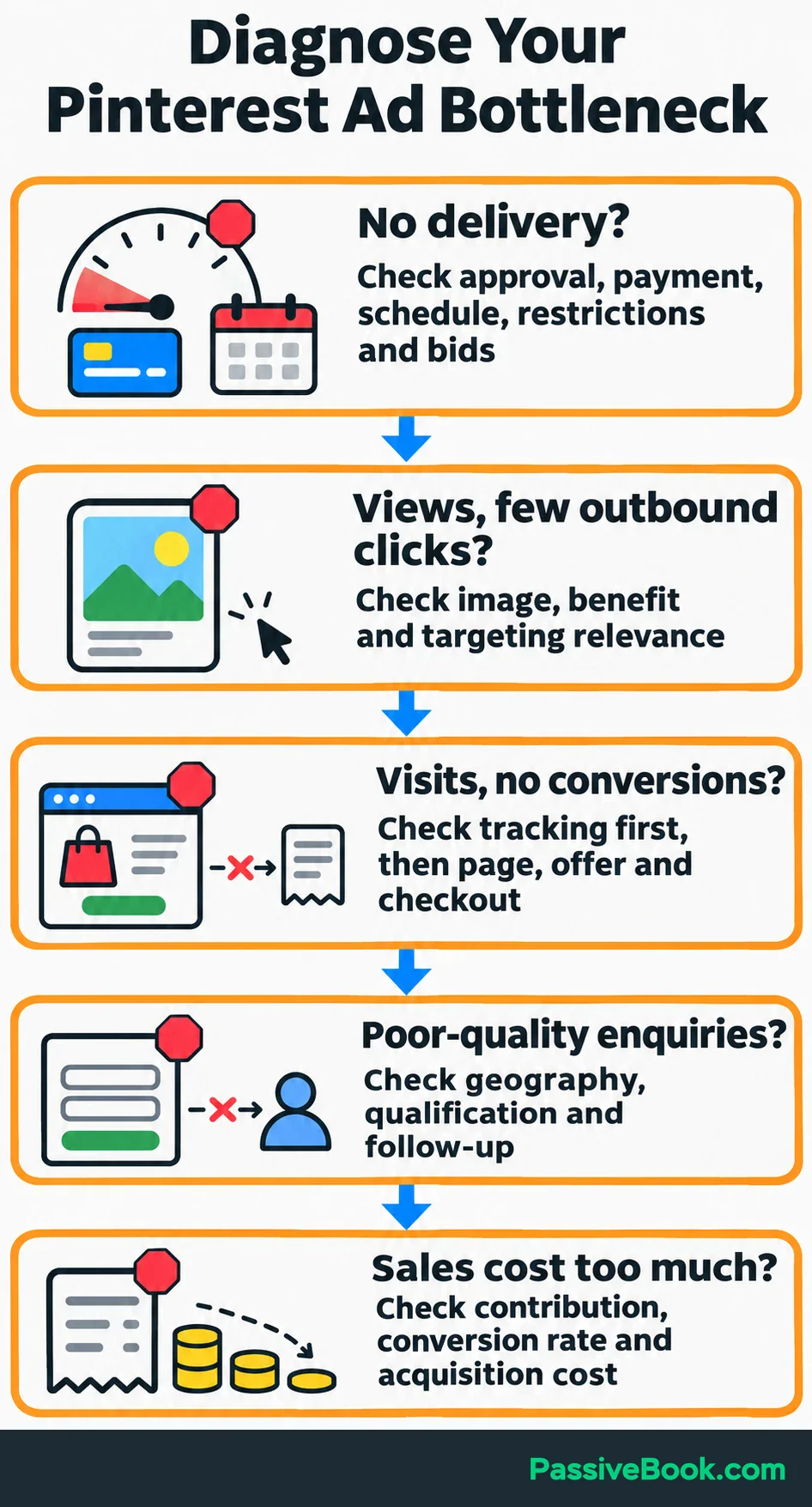
Change one meaningful variable at a time. If the ad attracts relevant visits but buyers leave when delivery charges appear, making another Pin is unlikely to answer the problem.
Avoid repeated edits just because a day looks weak. Changes during learning can reset the process and delay a useful assessment, as Pinterest’s learning-mode guidance explains. Your spending ceiling still applies.
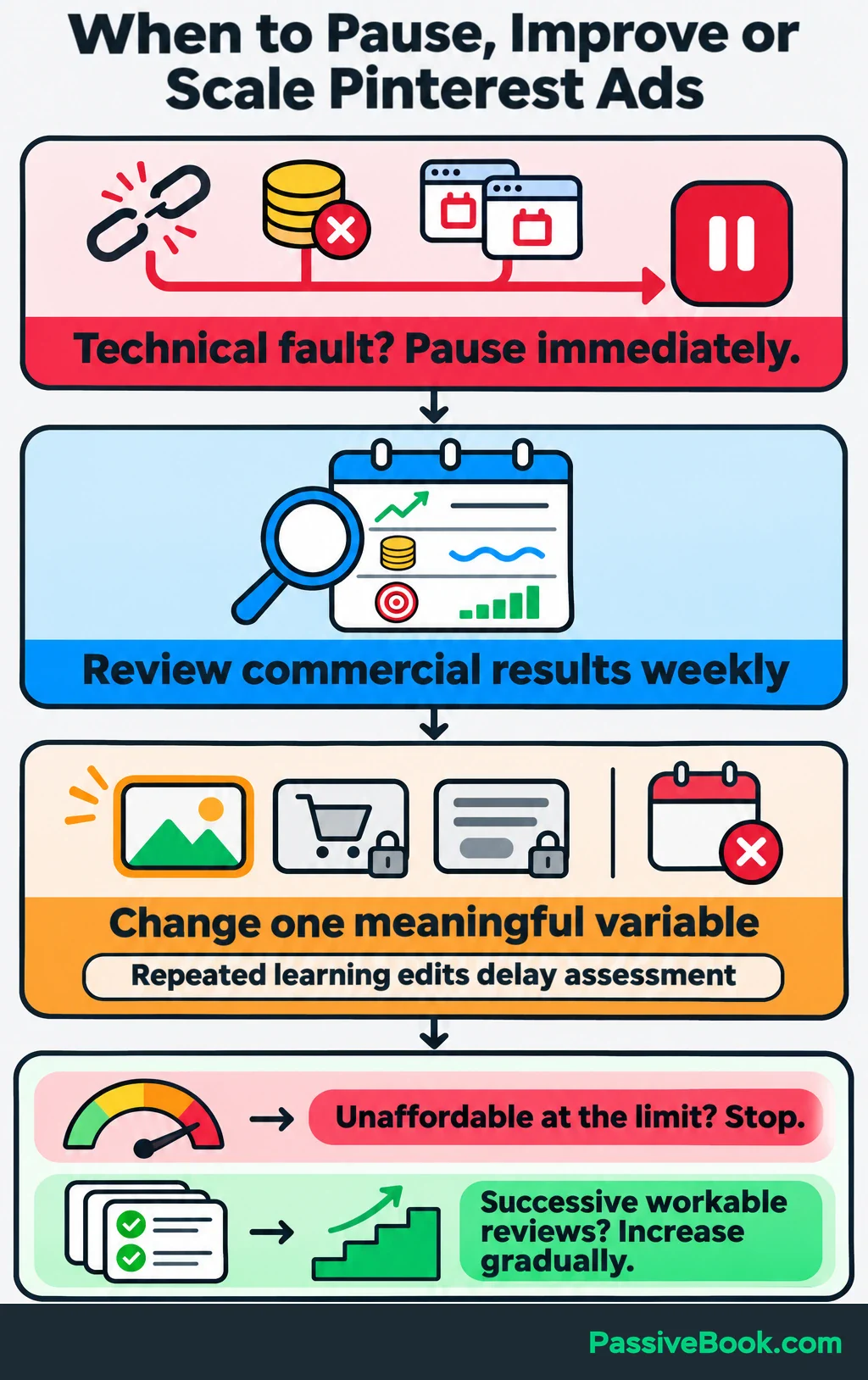
Stop at the planned limit when acquisition remains unaffordable. Increase spending gradually only after successive reviews show that customers or qualified enquiries arrive at a workable cost.
Impressions, saves and clicks help you diagnose the campaign. Contribution after advertising and lead quality tell you whether the business can afford it.
What Next?
Write down your target acquisition cost and maximum test spend, then complete one purchase or form submission on your phone. Those checks give you a concrete starting point before you launch.
Use the social buttons to share this guide when you want to compare campaign plans and spending limits with other business owners.
Which part of your offer would you check first before paying for traffic? Share your answer in the comments, and bring any other Pinterest advertising questions too.
Share this post with your friends & followers:

