Your ad account shows more clicks, but your order list barely moves. Before you raise the budget—or blame bots—you need to know what those clicks actually represent.
Fake activity can waste money, but broken tracking and poor targeting can produce similar symptoms. Block too broadly and you may shut out real customers while leaving the original problem untouched. To help you protect that spend, this guide follows a shop selling downloadable beginner sewing patterns through an investigation, showing how to distinguish tracking faults from suspicious traffic and choose safeguards worth paying for.
What Counts as Ad Fraud?
Ad fraud deliberately manipulates where ads appear, how people interact with them, or which source gets credit for a sale or lead. Someone may be trying to collect advertising payments, drain another advertiser’s budget, or claim credit for sales they did not generate.
Invalid traffic, often shortened to IVT, is broader. It includes fraudulent activity, but also accidental clicks and automated activity that does not represent genuine advertising interest. The Media Rating Council’s (MRC) invalid-traffic standards explain which activity should be excluded from measurement.
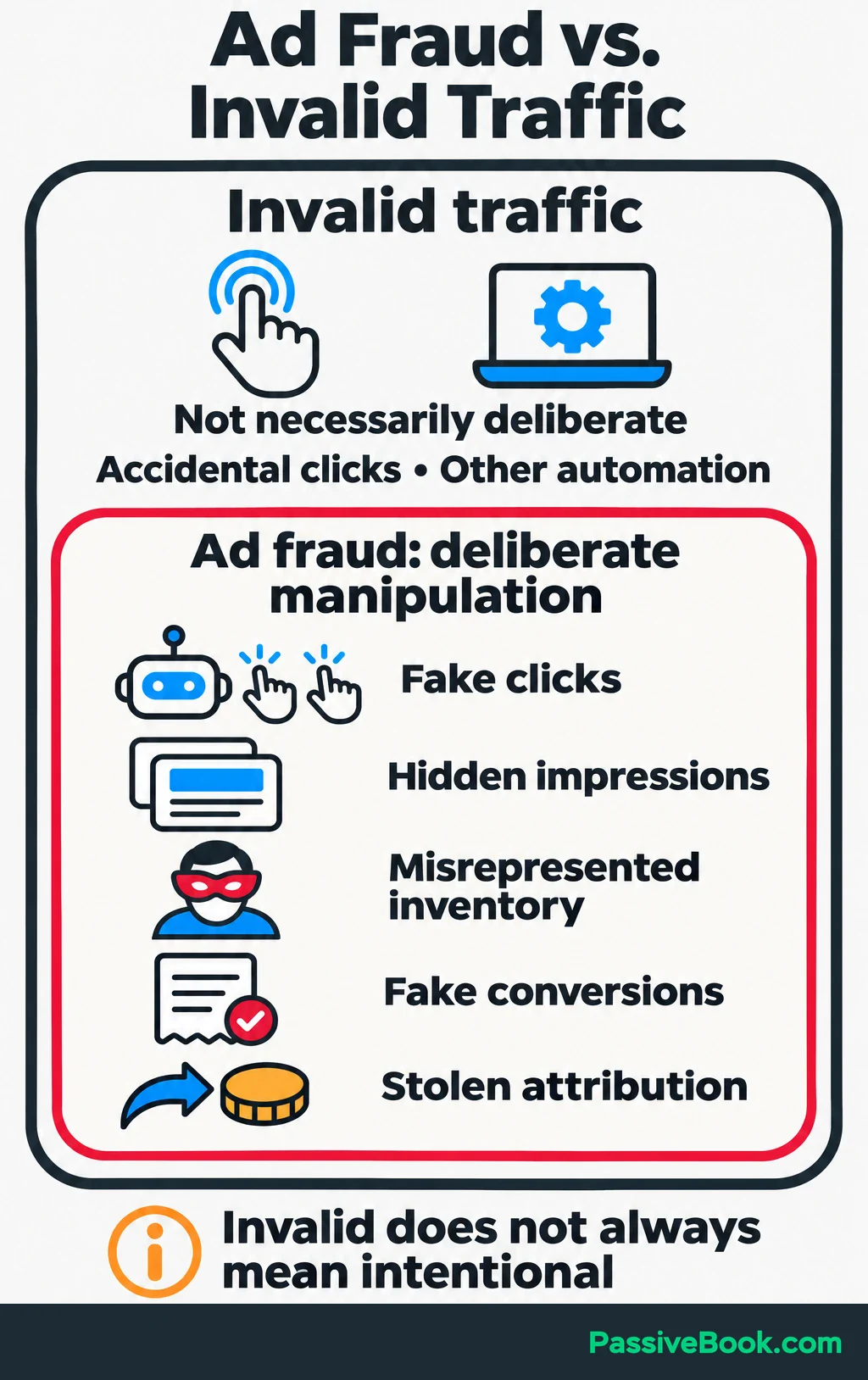
These are the main forms worth recognizing:
| Fraud type | How it works | Where to investigate |
|---|---|---|
| Bot or coordinated human clicks | Automated systems or paid participants generate clicks without buying interest. | Compare click timestamps with repeated website requests and browsing patterns. |
| Hidden or stacked impressions | Ads load invisibly or behind other ads. | Ask the buying platform or an ad-verification service to check whether ads were visible or hidden behind other ads. |
| Misrepresented domains or apps | Inventory is sold as though it belongs to another publisher. | Compare the reported site or app with the publisher’s authorized-seller records. |
| Fabricated conversions | Fake submissions or events imitate valuable customer actions. | Match reported purchases or leads with paid orders or contact records. |
| Stolen attribution | A source falsely claims credit for an existing customer action. | Compare click and referral times with the customer action the source claims to have caused. |
Deceptive ads impersonating your business create a separate problem. Fake engagement requires a traffic and billing investigation. An unauthorized ad using your name requires checks on the advertiser and destination domain, followed by an impersonation report.
Detect Suspicious Patterns in Campaign Data
Start by finding where purchased activity stops lining up with useful customer behavior. An unusual number gives you somewhere to look; it does not establish fraud.
Compare Ad Activity With Real Business Outcomes
For each campaign, identify two things: what you pay for and what you want to happen afterward.
You might pay for clicks and want paid orders. A display campaign might bill for impressions while supporting later purchases. Keep those distinctions clear because website visits cannot tell you whether every billed impression was valid.
Build a working sheet with these columns:
- Date and campaign or traffic source.
- Spend and billable activity, such as clicks or impressions.
- Recorded website sessions.
- Reported conversions.
- Validated orders or qualified leads.
Use the ad platform for purchased delivery, Google Analytics or your existing analytics tool for visits, and your store or customer relationship management system for outcomes. Available server or Cloudflare logs add another view: the requests reaching your site.
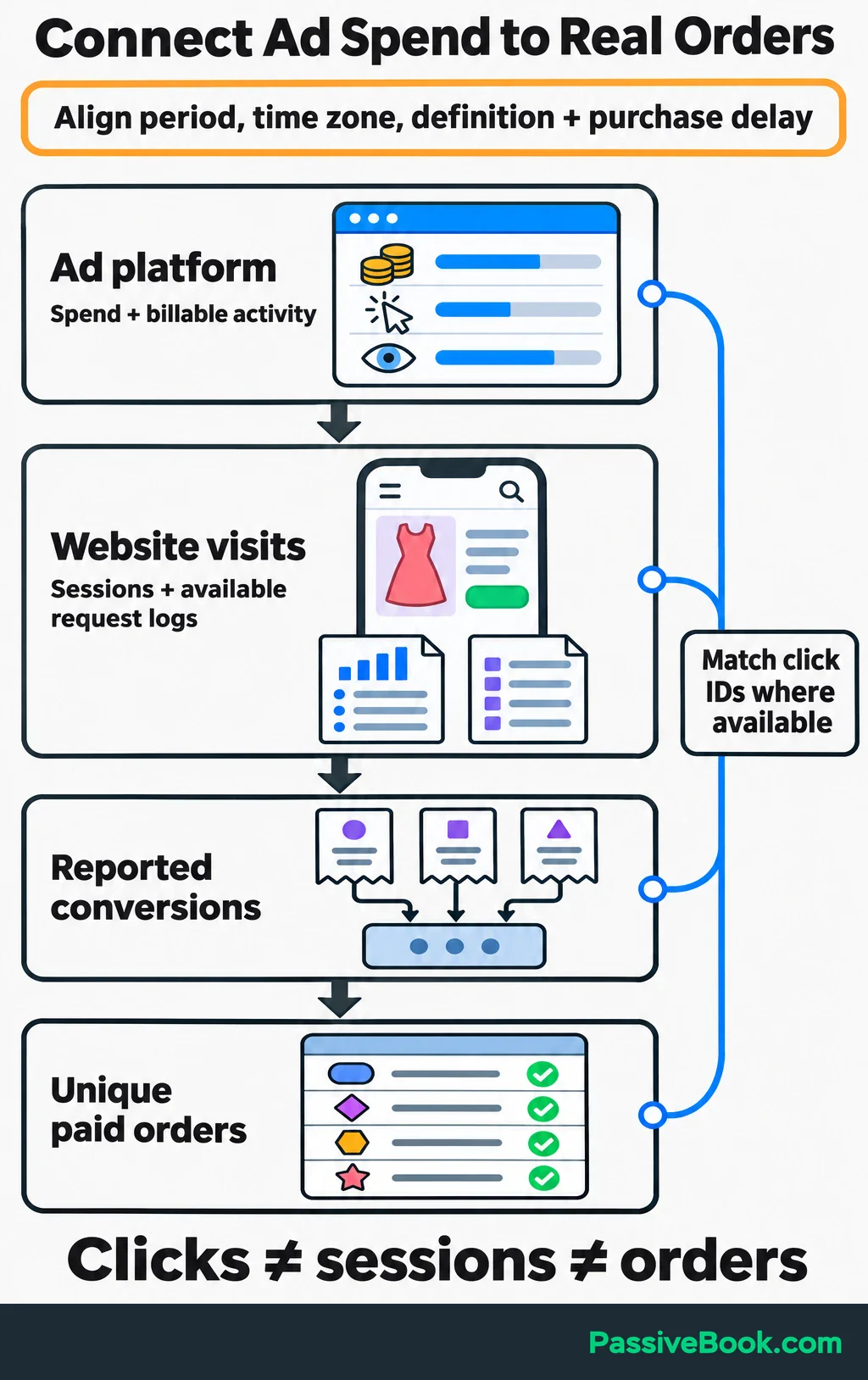
Retain available click identifiers with the relevant records. These are tracking values attached to ad interactions, and they can help connect a visit with a later order.
Before comparing totals, align the time zone, reporting period, and conversion definition. Allow the usual purchase delay, too. Yesterday’s clicks should not be judged against a week of completed purchases.
Clicks and sessions will not match perfectly. Repeat clicks can belong to one session, while browser restrictions, redirects, or incomplete page loads can prevent a session from being recorded. Google’s discrepancy guide explains these common differences.
On one of my digital-product sites, I used confirmation-page visits as a quick stand-in for sales. Then I reloaded the page during a check and watched another event appear without another payment. I replaced that shortcut with order records. That experience is why I check what a conversion actually counts before trusting its label.
You can use our Ad Performance Workbook to compare one campaign with your own sales or lead records. Start with totals you can already see; transaction-level matching is optional.
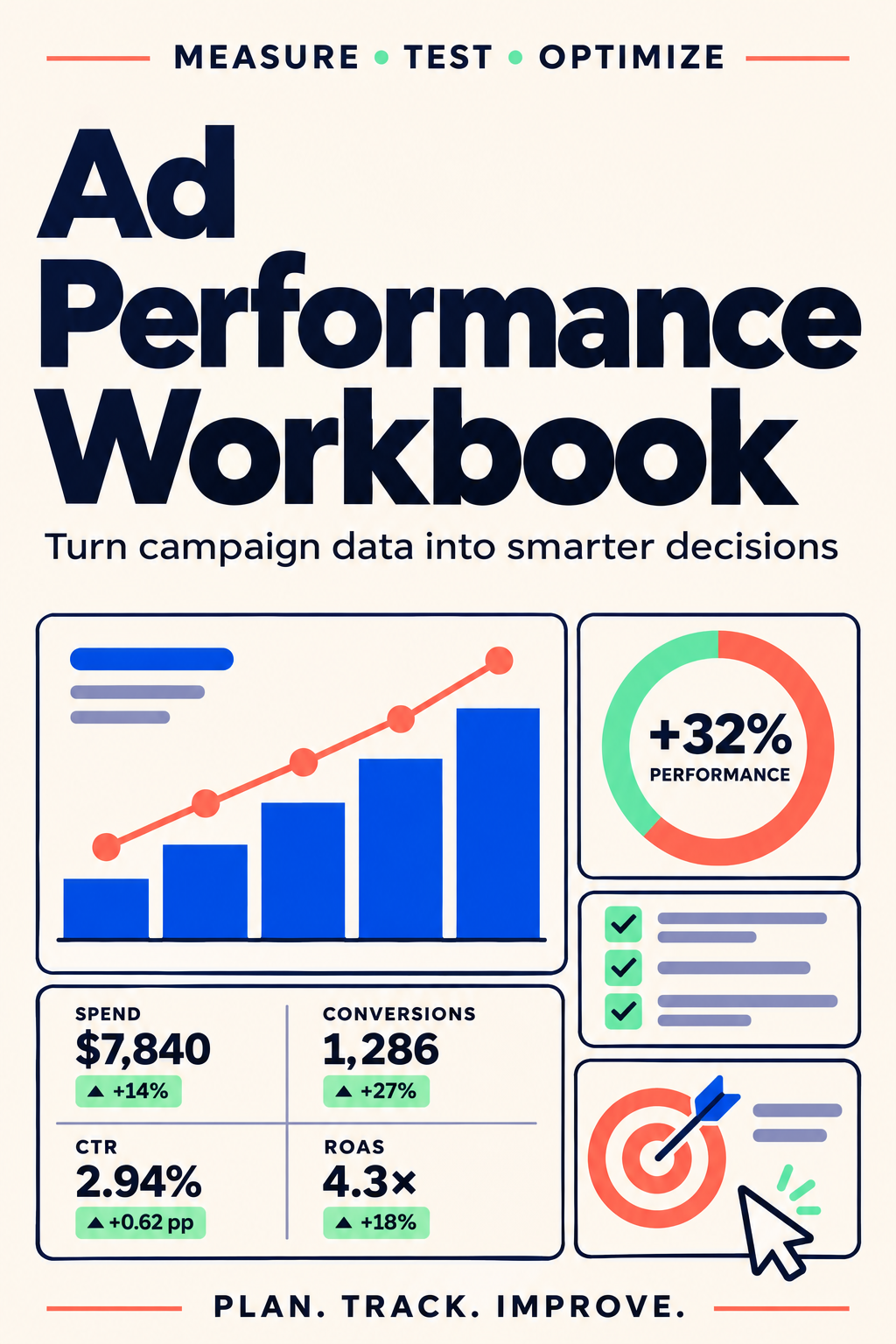
Free Ad Performance Workbook




For the sewing-pattern shop, the outcome is a unique paid order. A product-page visit or checkout start helps explain the journey, but neither counts as a purchase. All shop scenarios and figures below are illustrative.
Look for Corroborating Warning Signs
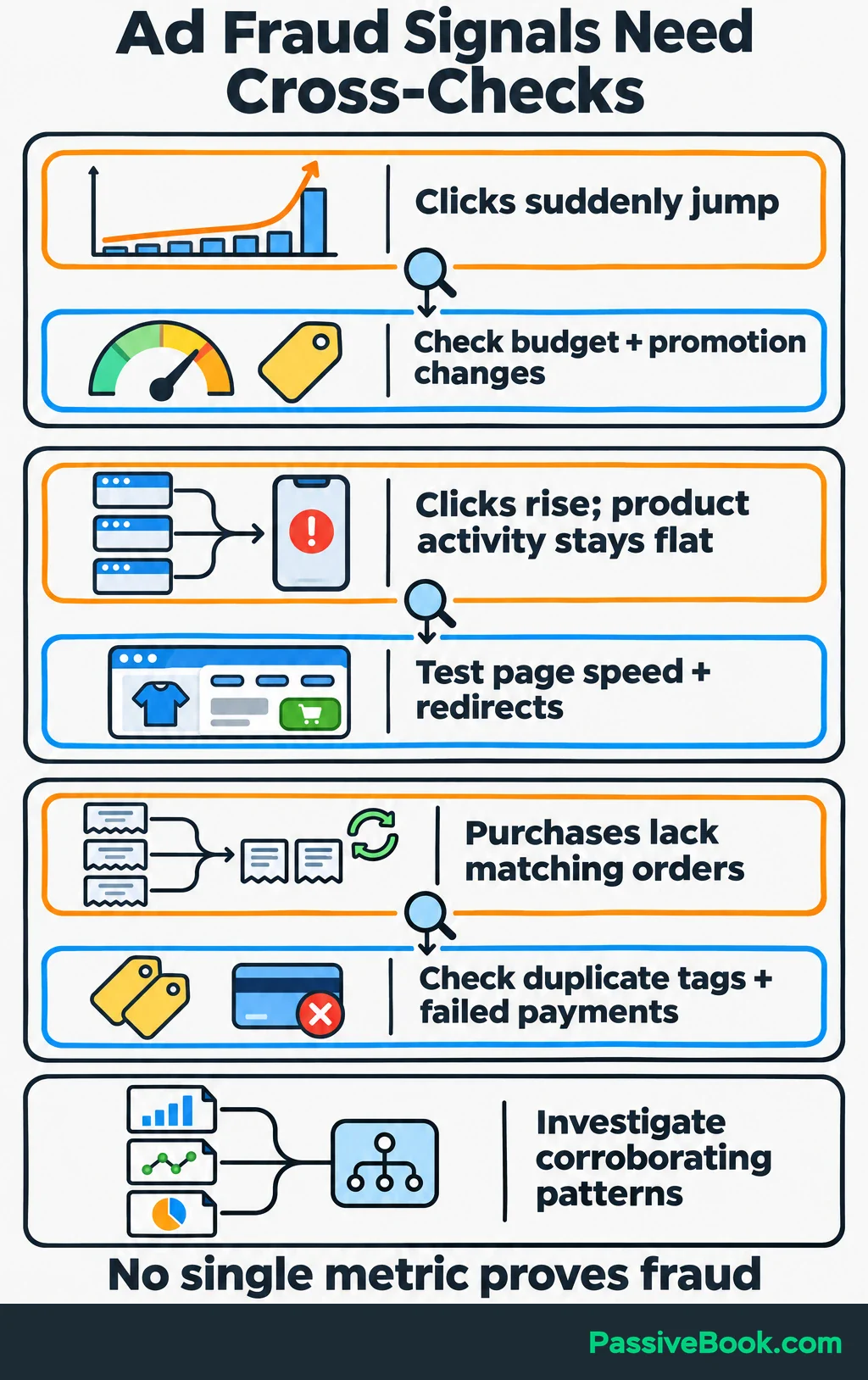
Compare each source with its own history and with similar traffic. For ads appearing on other sites or apps, compare individual placements too—the sites, apps, or videos where your ads appeared. A sudden change deserves attention, especially when several reports point to the same source.
| Warning sign | Evidence to inspect | Legitimate explanation to check | Next action |
|---|---|---|---|
| Clicks or spending jump suddenly | Timestamps and concentration by placement or source. | A promotion, budget increase, or wider distribution. | Isolate the source driving the increase. |
| Visitors appear in unexpected locations | Geographic reports and campaign location settings. | Broader targeting settings or imprecise location estimates. | Correct targeting, then review the remaining anomaly. |
| Requests repeat with similar browser details | Timing, requested pages, and navigation sequences. | Shared devices, monitoring services, or normal retries. | Look for repeated patterns across several signals. |
| Clicks rise without product activity | Landing-page requests, product views, and page errors. | A slow page, broken redirect, or missing tracking. | Test the visitor journey before restricting traffic. |
| Reported purchases lack matching orders | Event timestamps, order references, and payment status. | Duplicate tags, test orders, or failed payments. | Reconcile events with unique paid orders. |
No single click-through rate, visit duration, or conversion rate proves fraud.
For display and video, also inspect the buying platform’s or verification provider’s placement reports for invalid traffic and viewability. Viewability measures whether ads had a chance to be seen. Website analytics cannot observe an ad impression that never leads to your site. Low viewability deserves investigation, but it does not by itself establish deliberate fraud.
Suppose one placement sends the sewing-pattern shop a sharp increase in clicks while product views, checkout activity, and orders stay flat. Put it near the top of the investigation list if it accounts for meaningful spending. A tiny anomaly should not consume the afternoon while a costly one runs unchecked.
Investigate the Suspicious Source
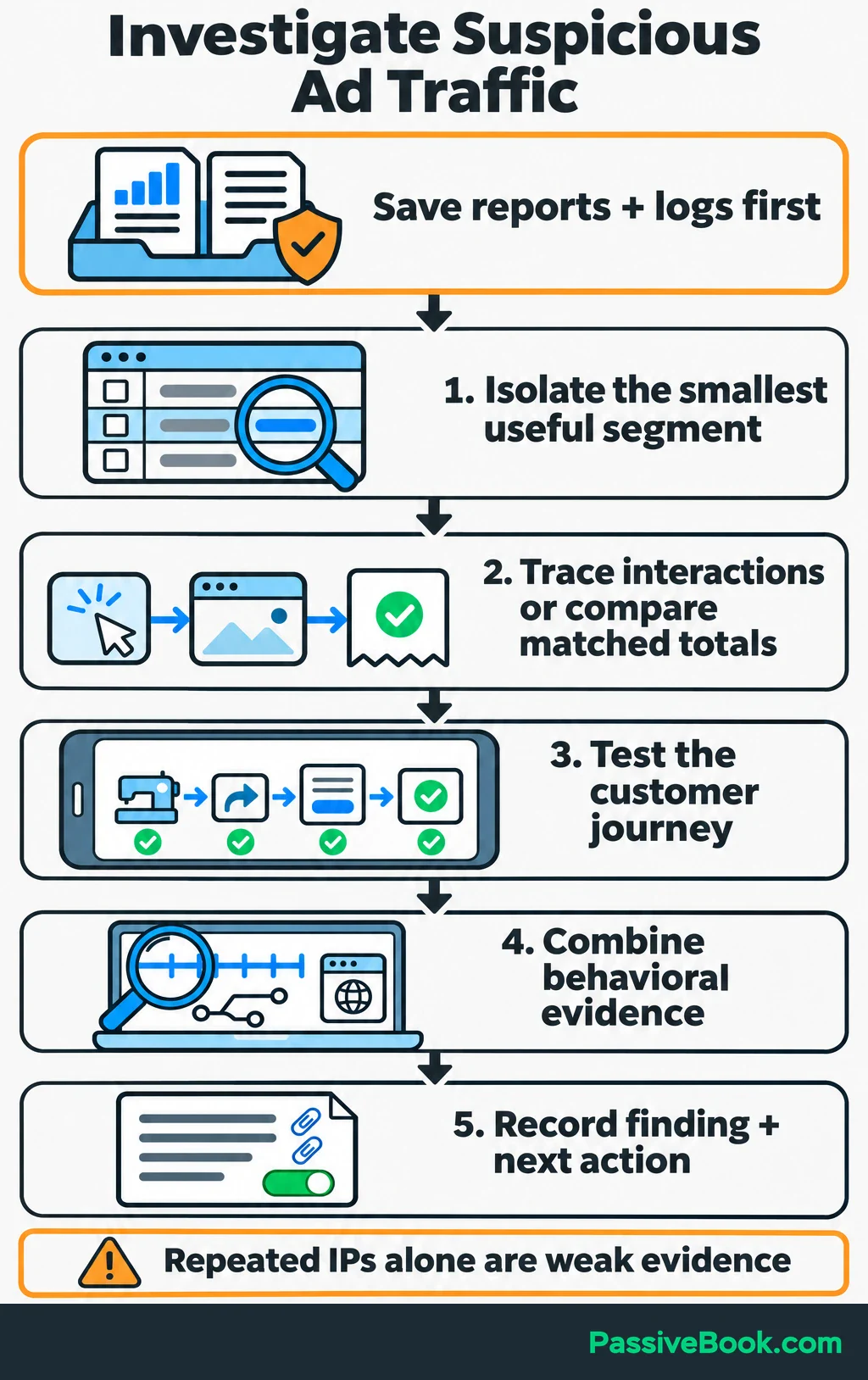
Save the evidence before changing settings. Export the affected reports and preserve relevant logs, including the dates, time zone, campaign identifiers, and when the pattern began.
Then work through the source in this order:
- Isolate the smallest useful segment. Start with a placement, publisher, device group, location, or time interval. Compare it with unaffected traffic using the same offer and landing page.
- Trace available interactions. Follow click identifiers and timestamps through website requests to order or lead records. When individual matching is unavailable, compare the same source and time window in aggregate.
- Test the customer journey. Check the landing page, redirects, campaign tags, checkout, and conversion events on the affected devices.
- Examine behavior together. Look at request frequency, timing, browser details, navigation, and source concentration. Repeated IP addresses alone are weak evidence because legitimate visitors can share an address.
- Record the finding and next action. Separate measurement faults, irrelevant targeting, suspected invalid activity, and activity confirmed invalid by the platform.
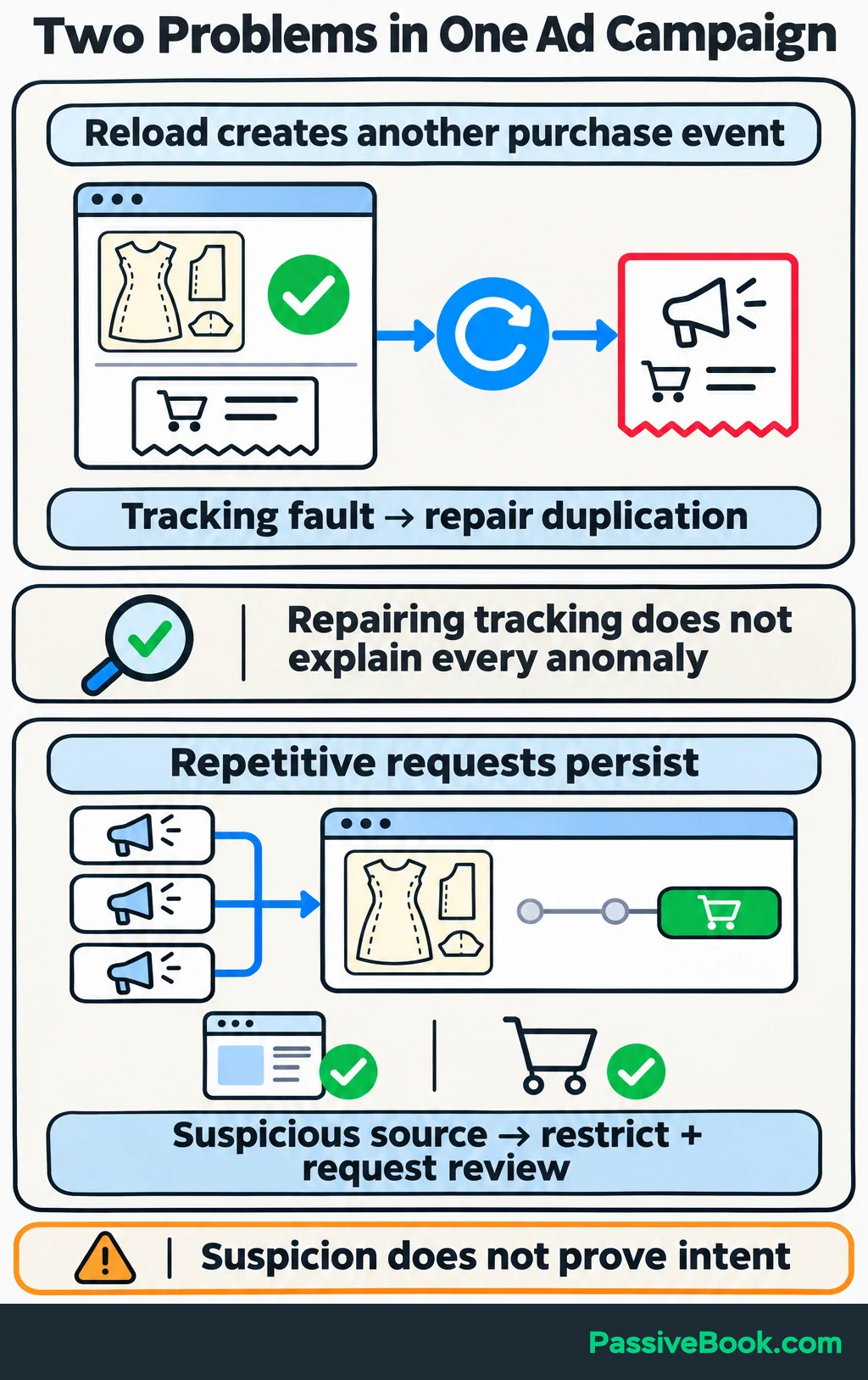
In the sewing-pattern example, testing reveals that reloading the order-confirmation page sends another purchase event. That explains some unmatched purchases, so the measurement needs repair. It does not explain the placement’s repetitive landing-page requests.
The placement remains suspicious if those requests continue at regular intervals, show little navigation, and concentrate in the same source after page-loading problems have been ruled out. Together, those findings support restricting the source and requesting review. They still do not identify who caused the activity or prove intent.
I would keep a short case note:
Placement A: click increase began Monday afternoon. Landing page and checkout passed testing. Repetitive requests continue with little product activity. Duplicate purchase tracking found separately and repaired. Restrict placement pending platform review.
That note makes the decision reviewable. “Looks like bots” does not.
Collect only the investigation data you need, limit access, and set a deletion point. Avoid exporting full customer records when timestamps and order references will answer the question.
Stop Further Exposure and Request a Billing Review
Restrict the Affected Traffic
Pause or cap affected spending when leaving the suspected source running would risk more money than you can afford to lose. You can limit exposure while the platform investigates.
Use the narrowest restriction supported by the evidence. If one placement is responsible, exclude that placement where the platform allows it. If source-level controls are unavailable, a temporary campaign pause may be necessary.
For the sewing-pattern shop, I would restrict the identified placement and keep unaffected campaigns running.
Record what changed, why, when it changed, and when you will review it. Afterward, test legitimate access, forms, and purchases. A rule that stops customers reaching checkout needs attention immediately.
Submit an Evidence-based Investigation Request
Check existing filtering and billing adjustments first.
Google’s “Invalid clicks” column shows clicks already filtered from billing. Multiplying that count by average cost per click does not establish a loss. Third-party reports may also flag activity the platform has already excluded.
For a review request, gather:
- Account, campaign, and ad-group identifiers.
- Exact dates and time zone.
- Suspicious placements, keywords, or other sources.
- Available click identifiers and relevant log extracts.
- Conversion discrepancies and the technical checks you completed.
Google accepts invalid-traffic investigation requests for activity within the preceding 60 days. Its investigation and billing guidance explains the required evidence and official submission process.
Describe what you observed rather than accusing a competitor. Keep charges associated with the suspicious segment separate from confirmed credits, and retain the support response beside the original evidence. A submitted request is not a promised refund.
Prevent Fraud at Its Entry Points
Tighten Campaign Distribution
Review where ads can appear before expanding the budget. Check search terms, placements, network distribution, and geographic targeting, then remove irrelevant sources and those supported by your investigation.
Test unfamiliar traffic suppliers with controlled spending. Ask an agency or supplier:
- Can I see the placements and underlying publishers receiving the spend?
- How do you filter invalid traffic?
- What evidence can you provide when a source looks suspicious?
- How do investigation findings affect billing and credits?
I would skip a cheap traffic package that cannot answer the first question. Low-cost clicks are less appealing when nobody can explain where they came from.
For display campaigns, an allowlist—a reviewed list of approved placements—can provide tighter control. It also reduces reach and needs maintenance, so use it where that trade is worthwhile.
Apply IP exclusions selectively and only with supporting evidence. Google supports account-level IP exclusions across campaigns, including Performance Max, while campaign-level coverage is narrower. Choose the scope carefully because an account-wide exclusion affects more than the campaign under investigation. Google’s exclusion documentation lists the supported coverage.
Check Programmatic Inventory
Programmatic buying uses software to purchase ad space across publishers. If you buy this way, ask the buying platform to verify who is authorized to sell that space.
The relevant records serve different purposes:
ads.txtandapp-ads.txtidentify authorized sellers for website and app inventory.sellers.jsonidentifies selling businesses and intermediaries.- The SupplyChain object records the parties involved in selling a particular advertising opportunity.
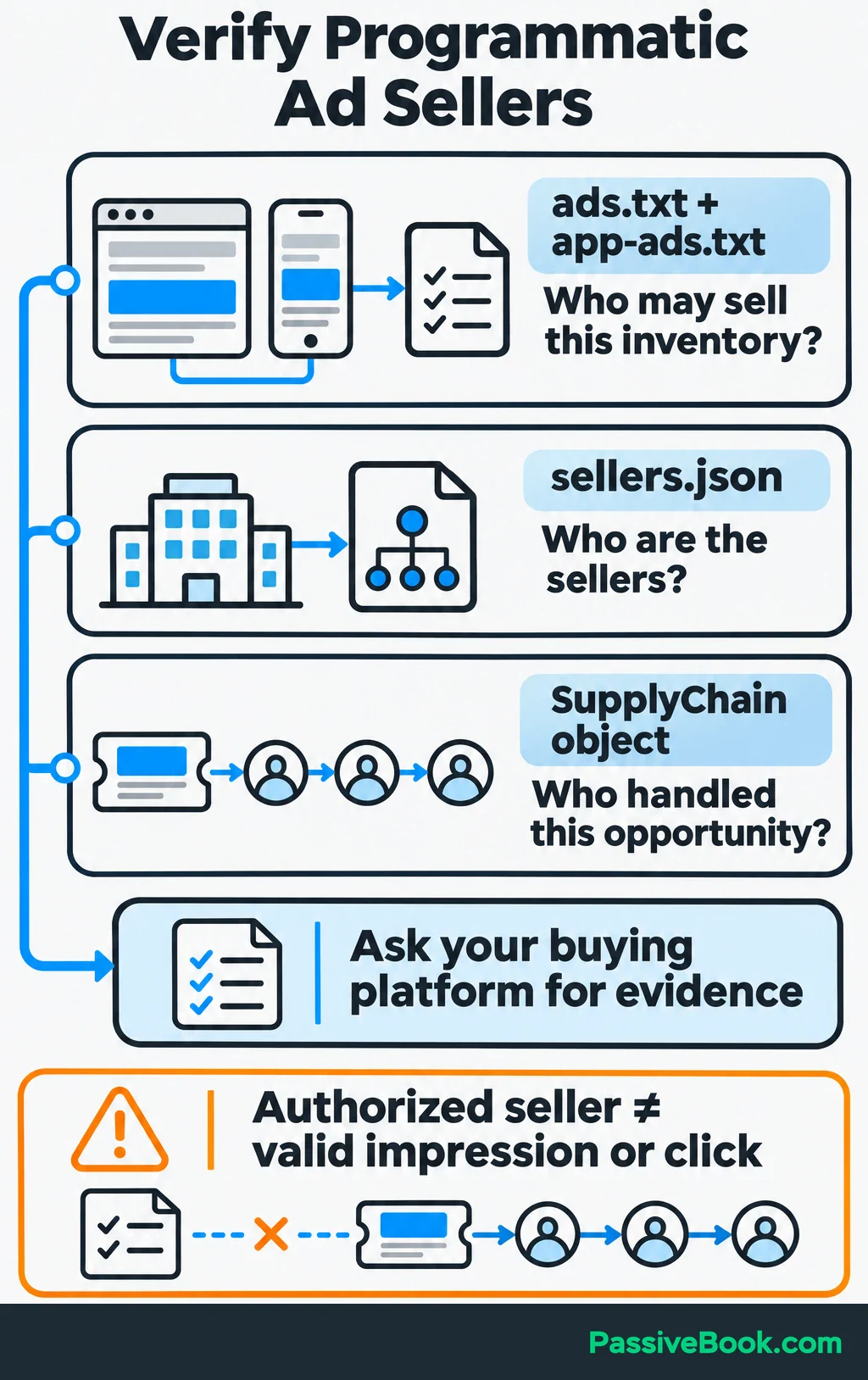
IAB Tech Lab’s buyer guidance explains how these records work together. Seller authorization helps address misrepresented inventory; it does not validate every impression or click.
Also ask when the protection acts. Does it avoid bidding on suspect inventory, block an ad before it renders, or report invalid delivery afterward? Get a clear explanation of how each action affects your bill.
I would make the buying platform handle these checks and provide evidence. Adding an authorization file to your own landing page does not validate the traffic you purchase.
Protect Forms and Conversion Events
Website safeguards help protect what happens after a visitor arrives.
Apply rate limits to forms or other parts of your website receiving abusive requests. A rate limit restricts how often an action can be attempted. Use a targeted bot check where repeated submissions justify it, rather than putting every customer through extra friction.
Cloudflare Turnstile is one option for checking form submissions for bots. Adding it to the page is only part of the setup: your server must verify the response Turnstile sends before accepting the submission. Cloudflare’s validation documentation explains this required check.
Purchase tracking needs its own protection:
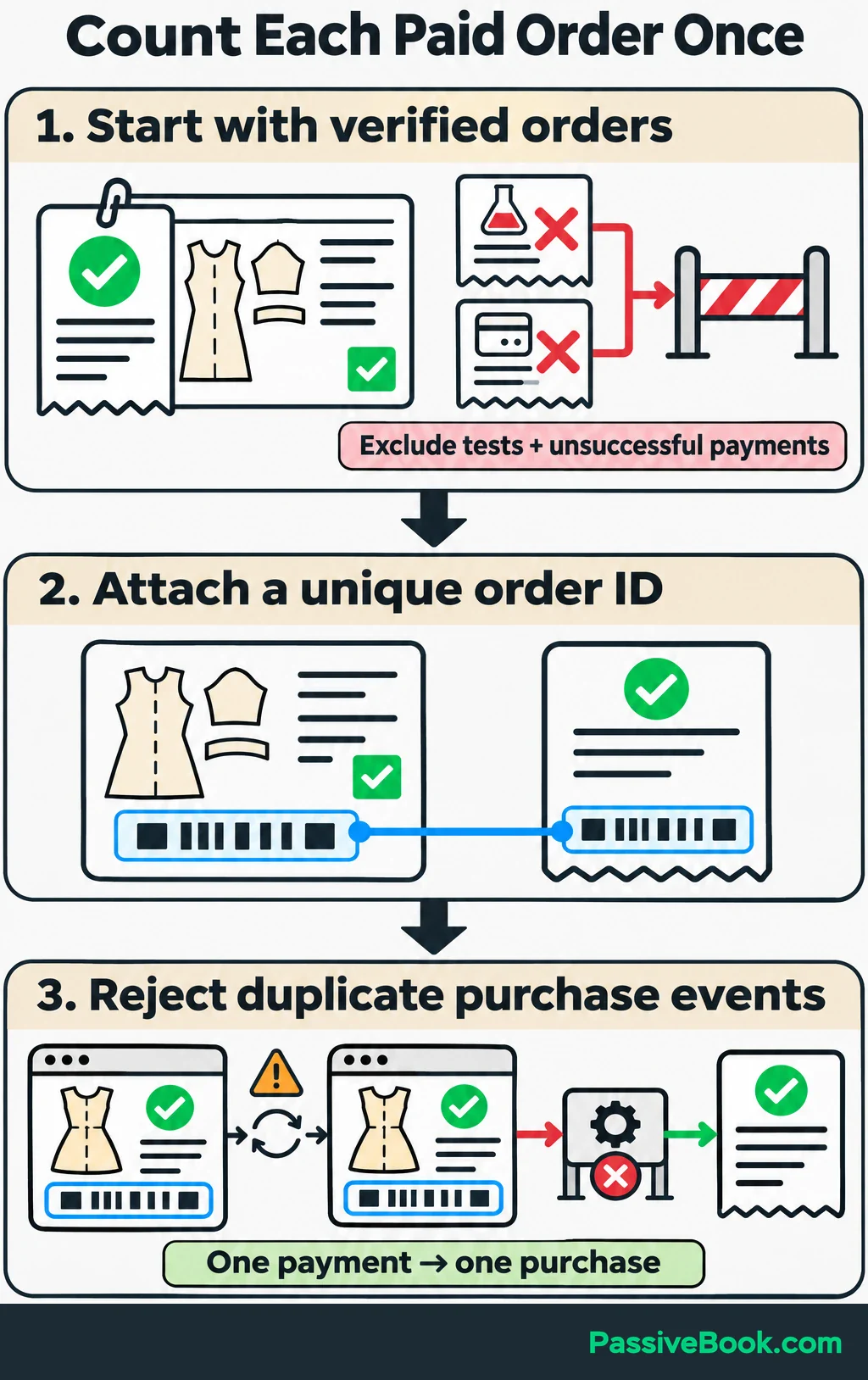
- Generate purchase signals from verified order records.
- Include a unique order identifier.
- Prevent the same order from generating duplicate purchase events.
- Keep test and unsuccessful orders out of the paid-order count.
For the sewing-pattern shop, reloading a confirmation page should not create another purchase. The order reference should connect the event to one completed payment.
If you collect leads, distinguish a submitted form from a qualified lead before using it to guide automated bidding. A convincing-looking submission is not necessarily a useful prospect.
These controls protect website activity and conversion data. A landing-page challenge cannot undo an earlier billable click, so keep advertising controls and billing review in the process.
When Is a Paid Fraud-detection Tool Worth It?
Start with native platform protections, order reconciliation, placement reviews, and logs you already have. Add a specialist when a recurring problem remains unresolved or investigations consume too much time.
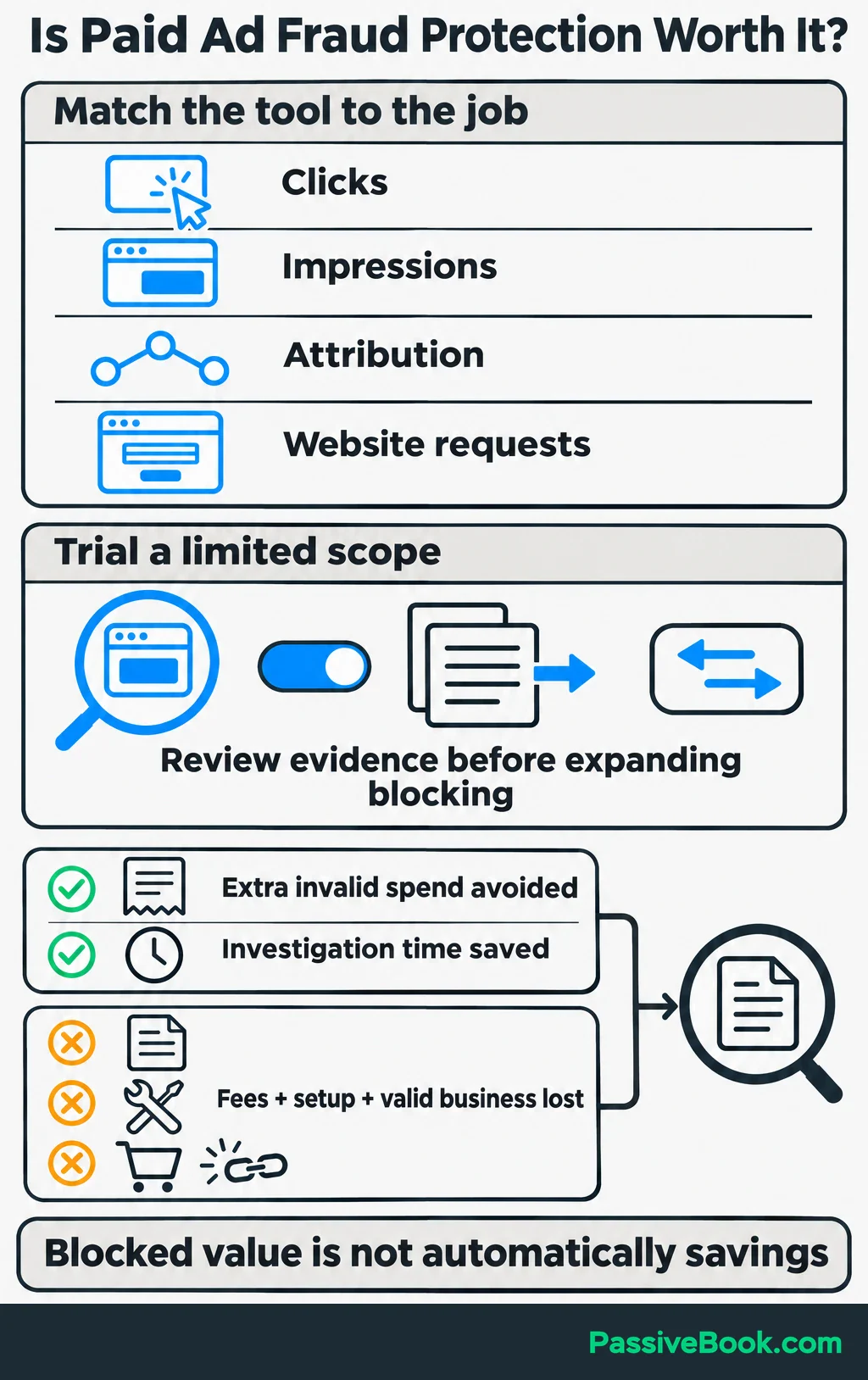
Choose the required job first. Click monitoring, impression verification, app-attribution protection, and website bot controls act at different points. A product doing one job should not be assumed to cover the others.
Use this checklist when comparing services:
| Comparison point | What to establish before buying |
|---|---|
| Required capability | Whether you need click analysis, impression verification, attribution checks, or website protection. |
| Intervention point | Whether it observes activity, prevents delivery, changes exclusions, or challenges website requests. |
| Supported campaigns | The exact networks, campaign types, devices, and environments covered. |
| Evidence exports | Whether you can export timestamps, source identifiers, reasons, and action histories. |
| Integration effort | Required tags, account permissions, developer work, and ongoing maintenance. |
| Total price | Subscription charges, usage fees, setup work, and any separate verification costs. |
| Blocking and reversal controls | Whether you can begin in observation mode, review decisions, and quickly undo restrictions. |
For example, TrafficGuard’s Google Ads detection mode reports findings without automated action. Its paid prevention mode updates IP exclusions. That distinction changes what you are buying, so confirm the mode and campaign coverage rather than relying on the product name. TrafficGuard’s protection-mode documentation describes those actions.
For impression verification, check the MRC digital accreditation directory for the specific service, metric, and environment. Accreditation applies to a defined scope.
I would trial a service on a limited campaign scope, using observation mode where available. Review its classifications against existing platform filtering, actual billing adjustments, and validated orders before expanding automated blocking.
Judge the purchase by the extra spending on invalid activity it helps you avoid and the investigation time it saves. Weigh those gains against fees, setup work, and genuine sales or leads lost through restrictions. A dashboard’s “blocked value” is not automatically money saved. Product documentation establishes features, not comparative accuracy or guaranteed savings.
How to Spot Ads Impersonating Your Business
Check unfamiliar ads using your name, images, or offers against your authorized advertisers and destination domains. A familiar logo does not establish who placed the ad.
For the sewing-pattern shop, compare a suspicious promotion’s destination with the shop’s actual checkout domain. Confirm whether an authorized partner is running it before treating it as impersonation.
Preserve:
- Screenshots of the ad and destination.
- Advertiser details and destination URLs.
- Ad identifiers, where available.
- Dates and where the ad appeared.
Report deceptive ads through the hosting platform’s official process. For Google ads, you can inspect the advertiser and report an ad through the Ads Transparency Center.
Give customers a clear contact route for suspicious promotions. If unfamiliar ads or charges appear inside your own advertising account, review account access, remove unauthorized users, and secure the account with multifactor authentication.
Monitor Whether the Safeguards Improve Results
Measure the result in genuine business outcomes.
Track net billed spend after credits, validated orders or qualified leads, protection costs, and investigation time. Keep the original reports, reconciled outcomes, and billing adjustments identifiable so you can explain differences later.
To calculate cost per validated order, count unique paid orders belonging to the traffic being evaluated. Allow its normal purchase delay, then divide net ad spend by those orders.
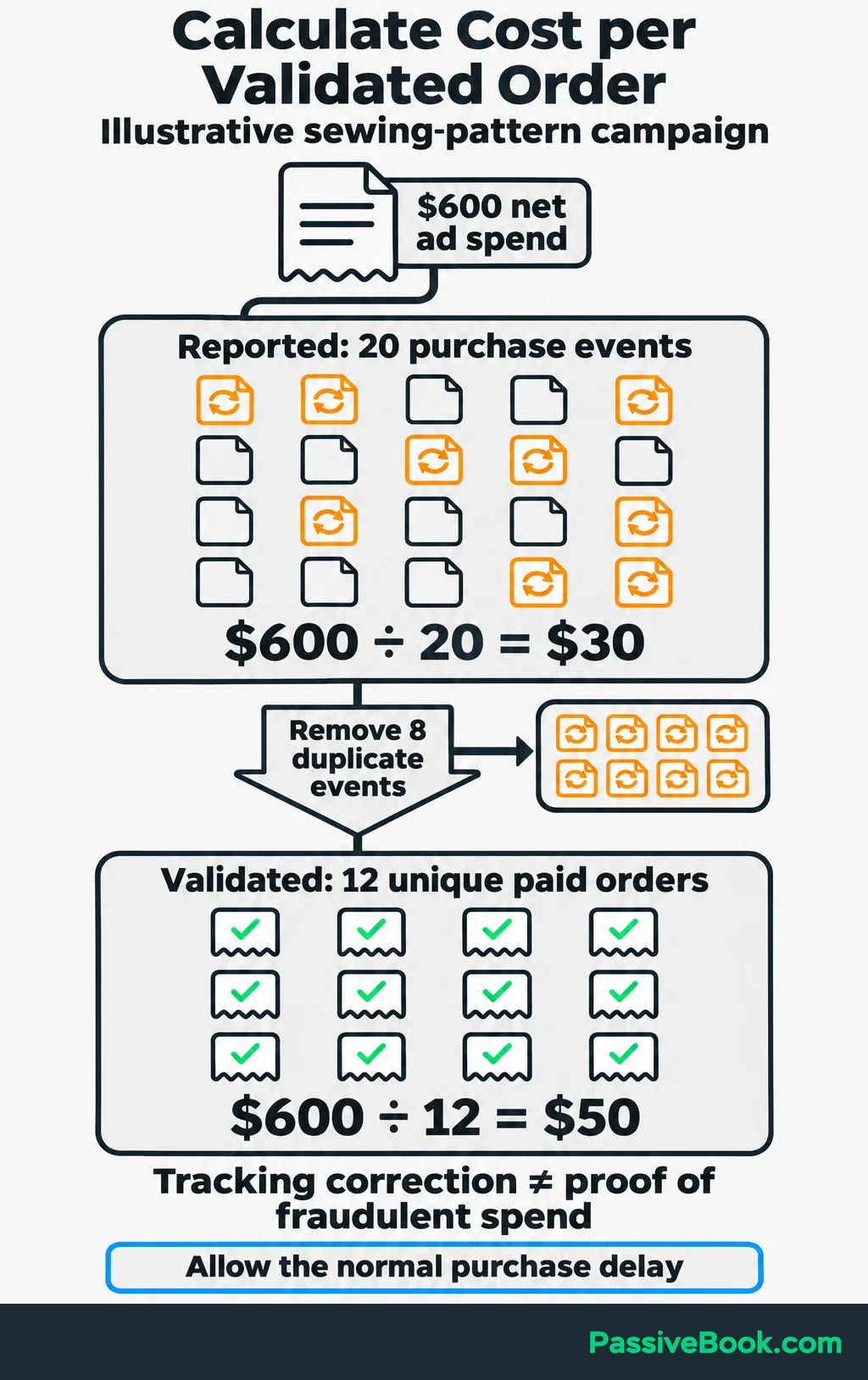
For the illustrative sewing-pattern campaign, suppose net spend is $600:
| Measurement | Calculation | Cost per outcome |
|---|---|---|
| Reported purchase events | $600 ÷ 20 events | $30 |
| Validated paid orders | $600 ÷ 12 unique orders | $50 |
Here, eight events were duplicates. Removing them corrects the apparent cost per purchase, but it does not establish that the spending was fraudulent.
Count credits once. If the spending figure already includes an adjustment, do not subtract it again.
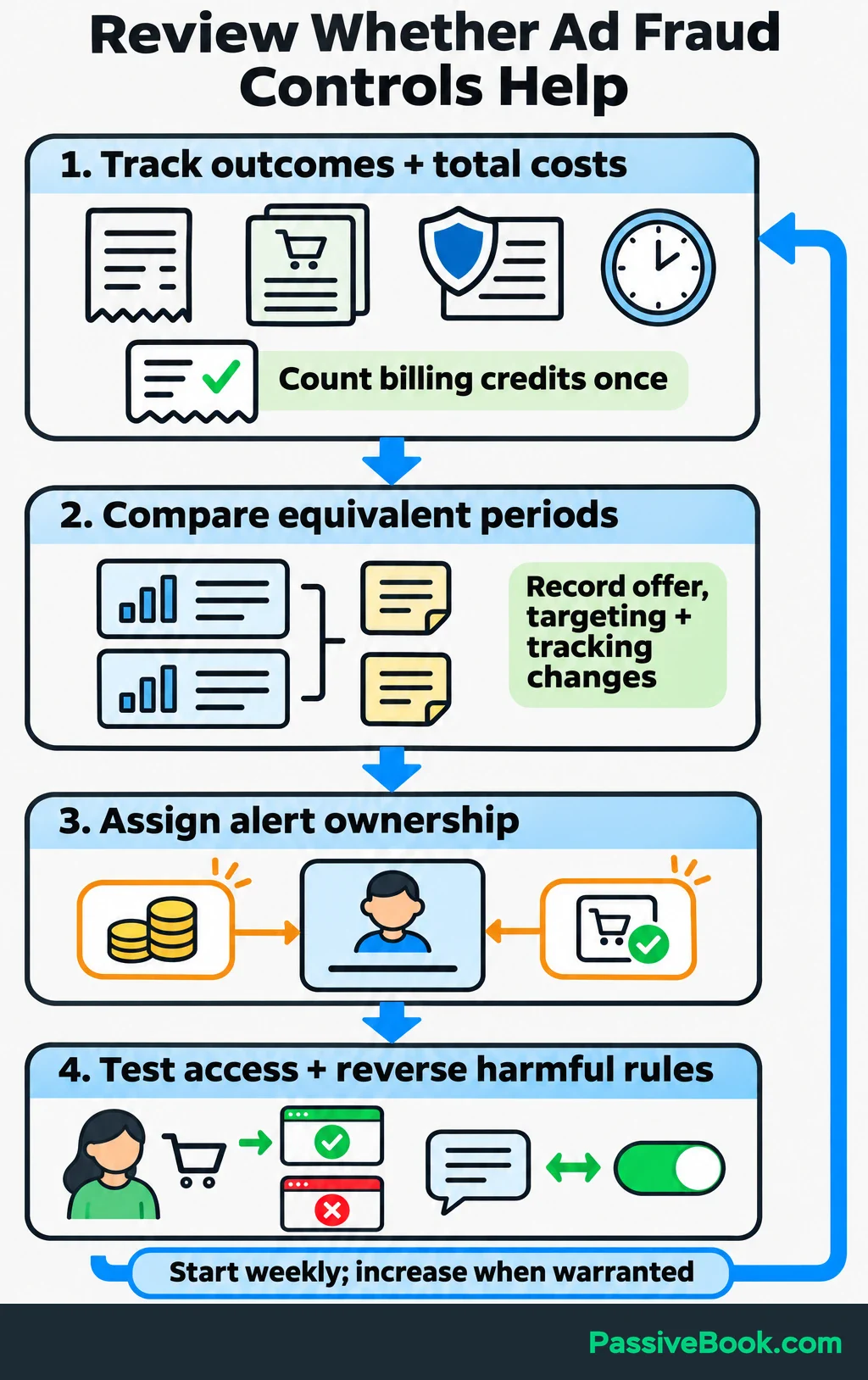
Compare equivalent campaign periods and record changes to offers, creative, targeting, and tracking alongside fraud controls. Better results after several simultaneous changes do not tell you which change helped.
I would start with a weekly review, plus alerts for spending or outcome changes large enough to justify interrupting the week. Increase the frequency when spending or active exposure warrants it.
Assign someone to review each alert. Check legitimate purchases and customer complaints after restrictions, and reverse rules that obstruct valid customers. If reviews become repetitive, automate the report collection and alerts while keeping uncertain blocking decisions subject to review.
The safeguards earn their place when validated results and total costs improve.
What Next?
Export one active campaign’s spending and conversion report, then match its reported purchases or leads with your own records. Investigate the largest unexplained gap first.
Use the social buttons to share this guide when your next campaign review needs a clearer way to separate suspicious traffic from tracking problems.
Which part of your advertising data is hardest to trust right now? Tell me in the comments, and bring any other questions about investigating or preventing ad fraud.
Share this post with your friends & followers:

