Launching one ad campaign can leave you juggling a product brief, three copy drafts, tracking checks, and a budget spreadsheet. Then a small change arrives, and you have to check everything again.
The tempting fix is to connect an AI tool and let it handle the lot. But a workflow that copies the wrong budget can spend real money before you notice.
That risk can make even routine handoffs feel too costly to automate. This guide follows a small shop’s campaign from brief to launch, reporting, and optimization, showing where AI can save work and where errors need catching before money moves.
What Can AI Automate in Advertising Operations?
AI can turn approved product facts into draft ads, identify missing information, summarize reports, and suggest changes. Rules can check required fields, calculate metrics, move records between tools, and carry out approved actions.
Give each a clear job:
| Work | AI’s Role | Rules and Human Control |
|---|---|---|
| Campaign preparation | Interpret the brief and draft copy | Require complete inputs and review claims |
| Campaign creation | Help prepare structured draft content | Map approved settings into a paused campaign |
| Reporting | Explain checked numbers | Import, reconcile, and calculate before summarizing |
| Optimization | Suggest actions and possible causes | Enforce spending limits and require approval where needed |
Keep the business objective, spending authority, targeting strategy, and creative approval with a person. If you work alone, that person is still you. Approval can be a short review of one record rather than another meeting.
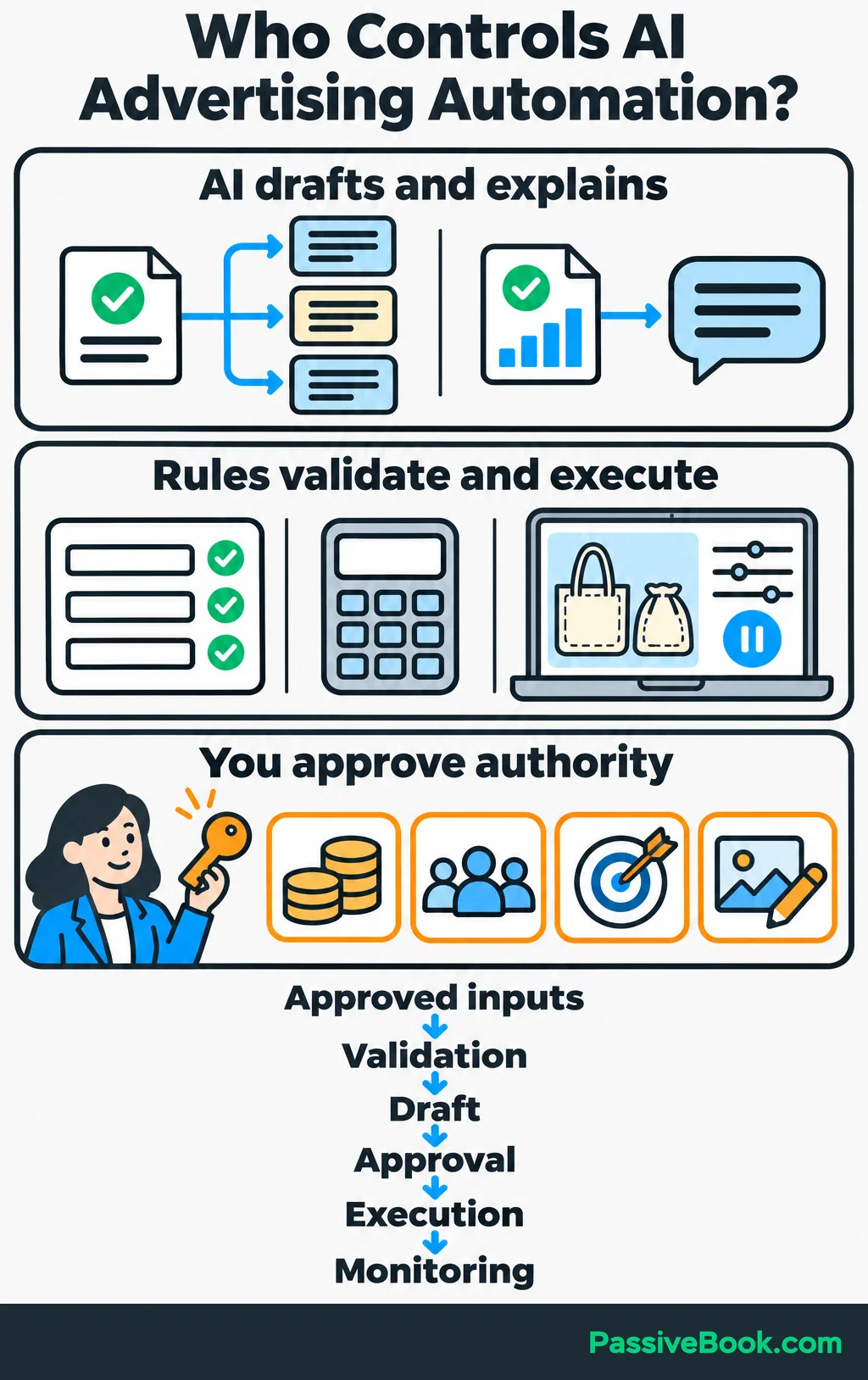
The sequence is:
Approved inputs → validation → draft → approval → execution → monitoring.
Throughout this guide, imagine your shop sells downloadable beginner sewing patterns. You’re advertising a bundle containing tote-bag and drawstring-bag patterns. The shop, copy, budgets, and results are illustrations.
1. Choose Your First Automation
Map One Repetitive Workflow
Choose work you repeat often and can check easily.
If campaigns already produce reliable data, start with reporting. If you’re preparing a launch, start with campaign drafts. I would leave automatic budget changes until much later.
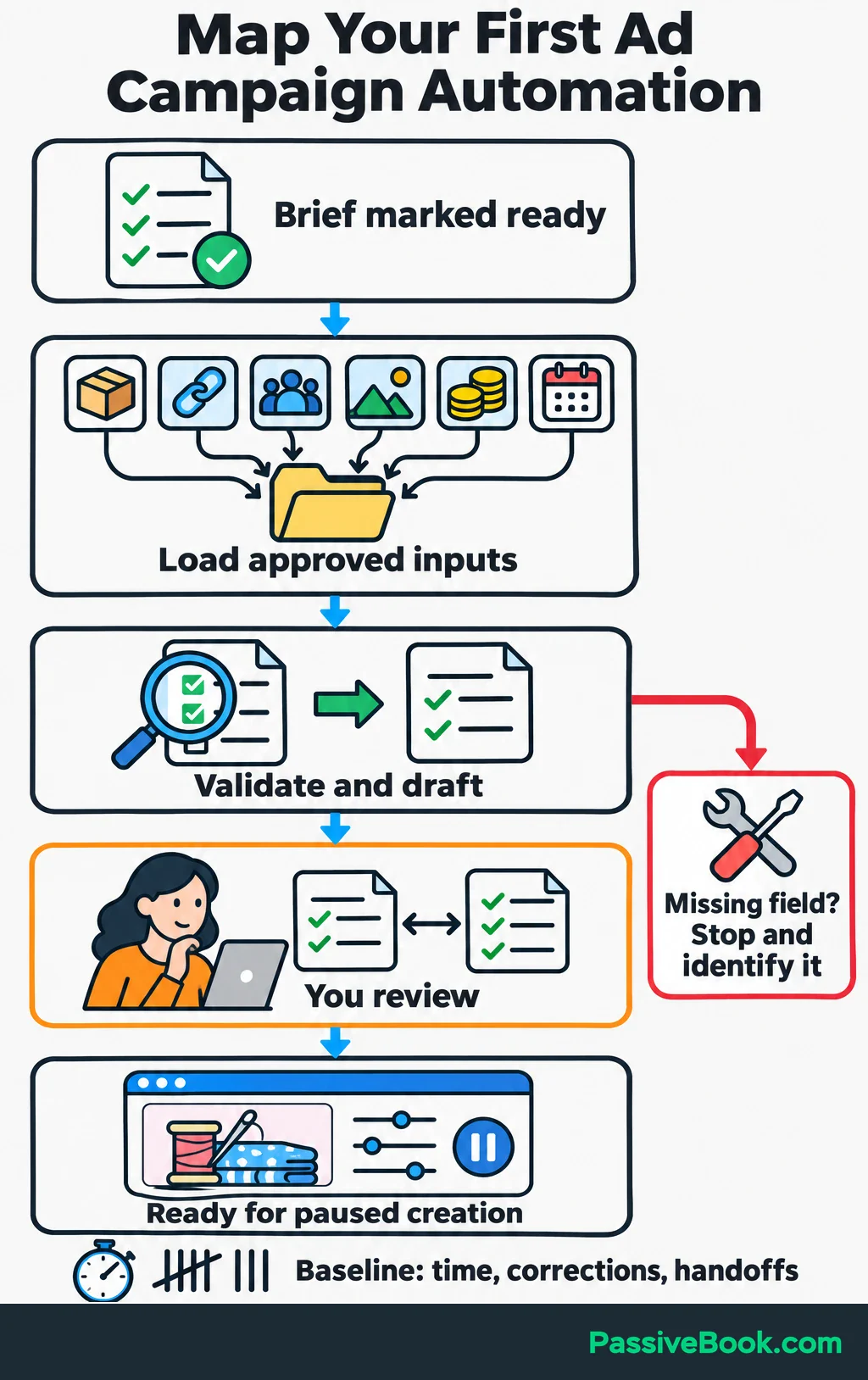
Write down what starts the workflow, what it needs, what it produces, who checks it, and what happens when it fails.
For the sewing bundle, that might look like this:
| Item | Campaign-Draft Workflow |
|---|---|
| Trigger | A campaign brief is marked ready |
| Inputs | Approved product facts, destination, audience, assets, budget, and schedule |
| Output | Checked copy and settings ready for a paused campaign |
| Owner | You review the draft and resolve missing information |
| Failure response | Stop and identify the field that needs attention |
| Baseline | Record preparation time, corrections, and handoffs across comparable launches |
Keep the first workflow small. Producing a checked draft is a useful result even if you still create the campaign yourself.
Match Tools to the Required Actions
Start inside the advertising platform when the whole task can stay there. Google Ads automated rules can change statuses, budgets, and bids, and send conditional email alerts. Those capabilities don’t require a separate workflow builder. Google Ads automated rules
Make and n8n connect apps into workflows. Add one when information needs to move between your brief, advertising account, reporting sheet, and notifications.
| Tool | Work to Assign It | Control to Keep | Ongoing Cost |
|---|---|---|---|
| Native platform rules | Alerts and narrowly defined changes | Preview actions on selected campaigns | Review and monitoring time |
| Make | Read briefs, check fields, and retrieve or update campaigns | Require approval before changes | Subscription, usage, and maintenance |
| n8n | Retrieve campaigns and connect custom steps | Keep preparation separate from approved changes | Hosting, updates, and maintenance |
| Claude or ChatGPT | Draft copy and explain checked metrics | Review output; keep account credentials outside the model | AI usage and review time |
Check the exact action you need before choosing. Make supports campaign retrieval and updates, plus advanced creation and API calls—requests sent directly to the platform’s software interface. Those advanced options can require more setup than a ready-made action. Make’s supported operations
I use n8n to connect tools without code, but its built-in Google Ads node only retrieves campaigns. Other actions need custom API requests. For a quick beginner setup, I would try Make after confirming it supports the campaign actions you need. n8n’s supported operations
If creation needs custom development, keep that step manual during the pilot. You can automate the preparation without adopting a software project.
2. Turn Approved Briefs Into Campaign Drafts
Create One Structured Campaign Record
Put the campaign instructions in one record. A spreadsheet is enough if it supports clear fields and a protected approved version.
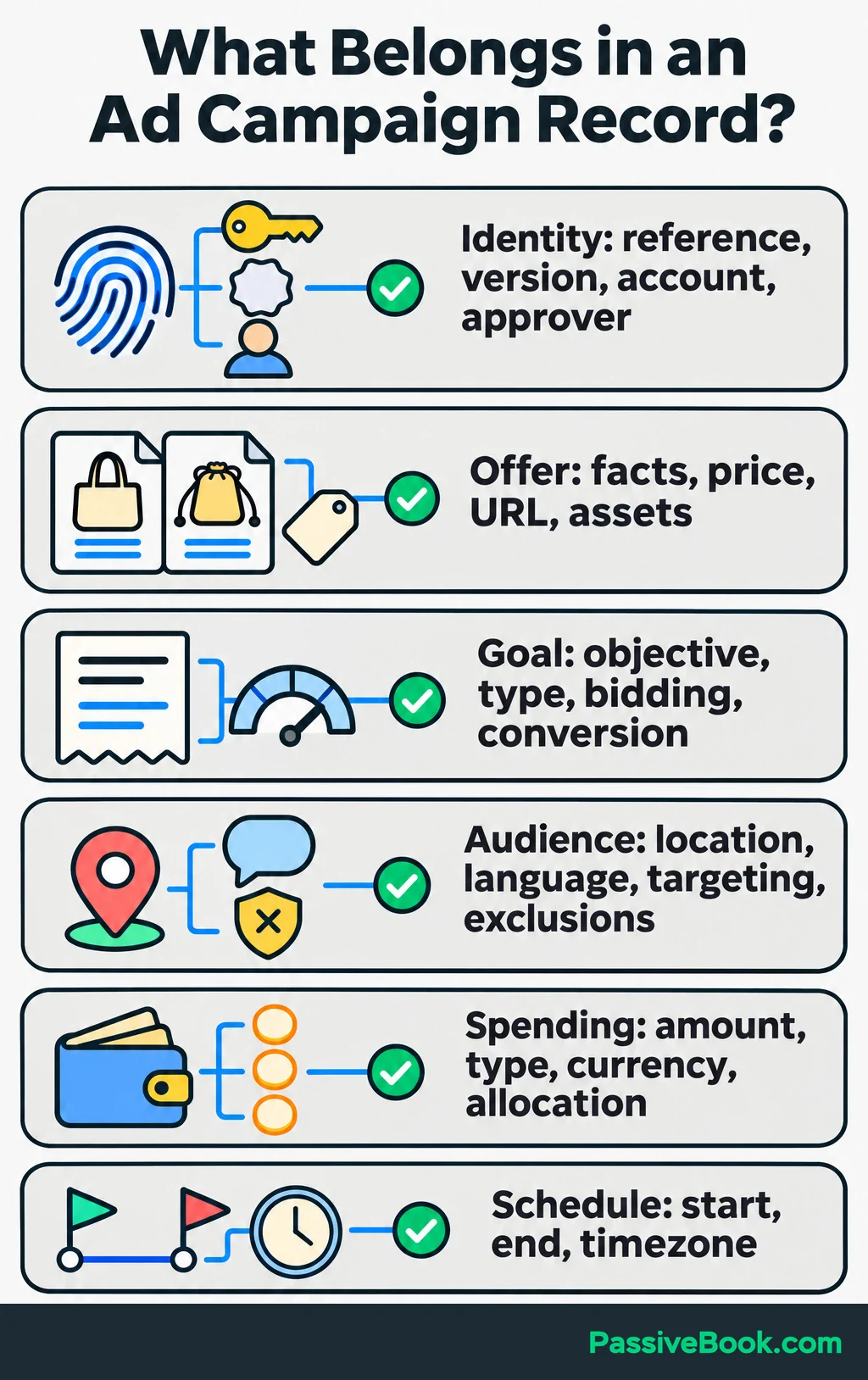
Include:
- Identity: Unique campaign reference, version, advertising account ID, and approver.
- Offer: Product, approved facts, price, destination URL, and creative references.
- Goal: Business objective, campaign type, bidding strategy, and the exact conversion action—the purchase or other event you want to measure. The bidding strategy determines how the platform sets bids.
- Audience: Locations, languages, targeting instructions, and exclusions.
- Spending: Budget amount, budget type, currency, and total authorized allocation.
- Schedule: Start date, end date, and account timezone.
For the sewing campaign, the offer fields could read:
Reference: SEW-001, version 1
Product: Beginner Bag Pattern Bundle
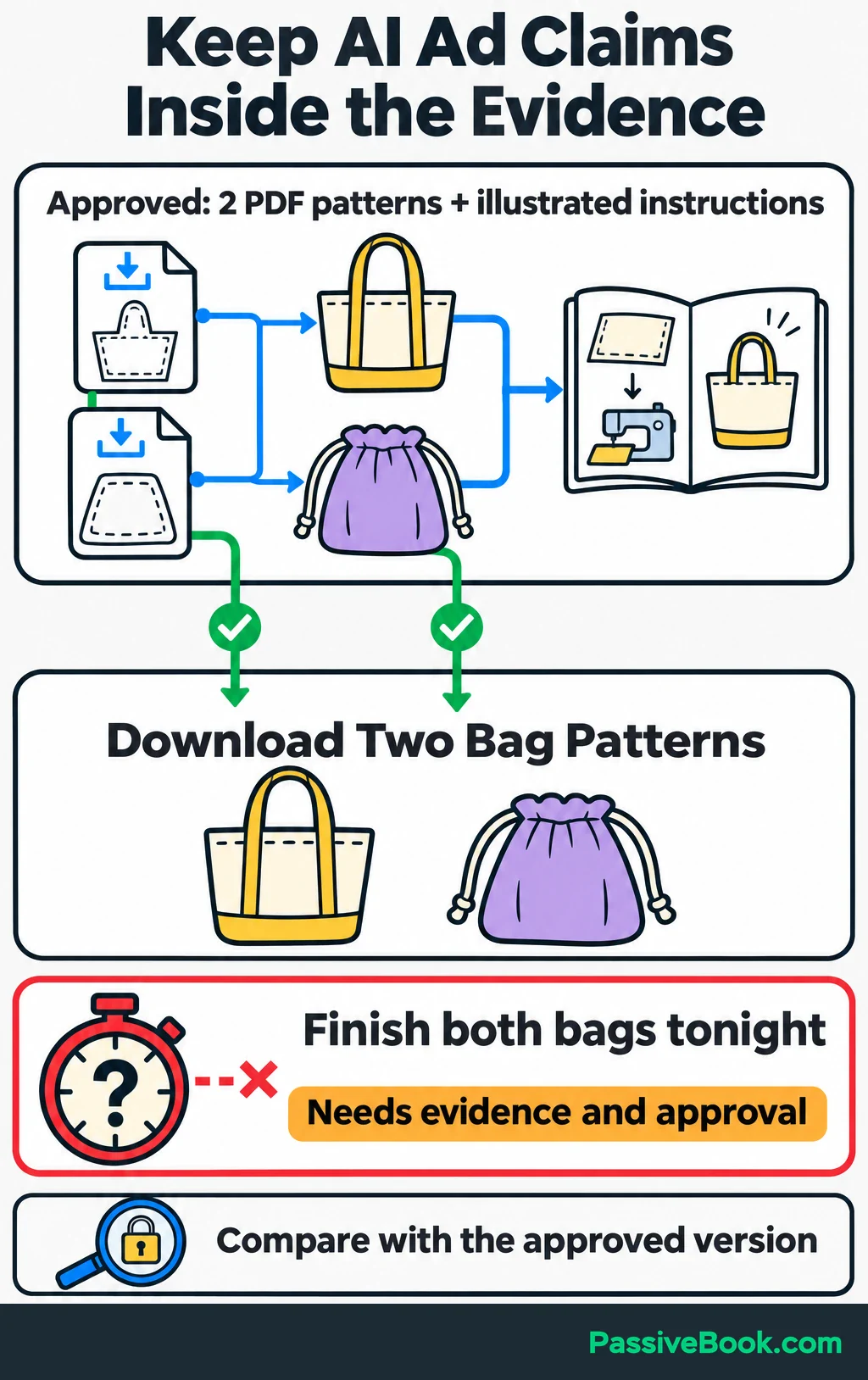
Approved facts: Two downloadable PDF patterns—one tote bag and one drawstring bag—with illustrated instructions.
Price: $40 USD
Goal: Completed bundle purchase
Authorized allocation: $600 across a 30-day pilot
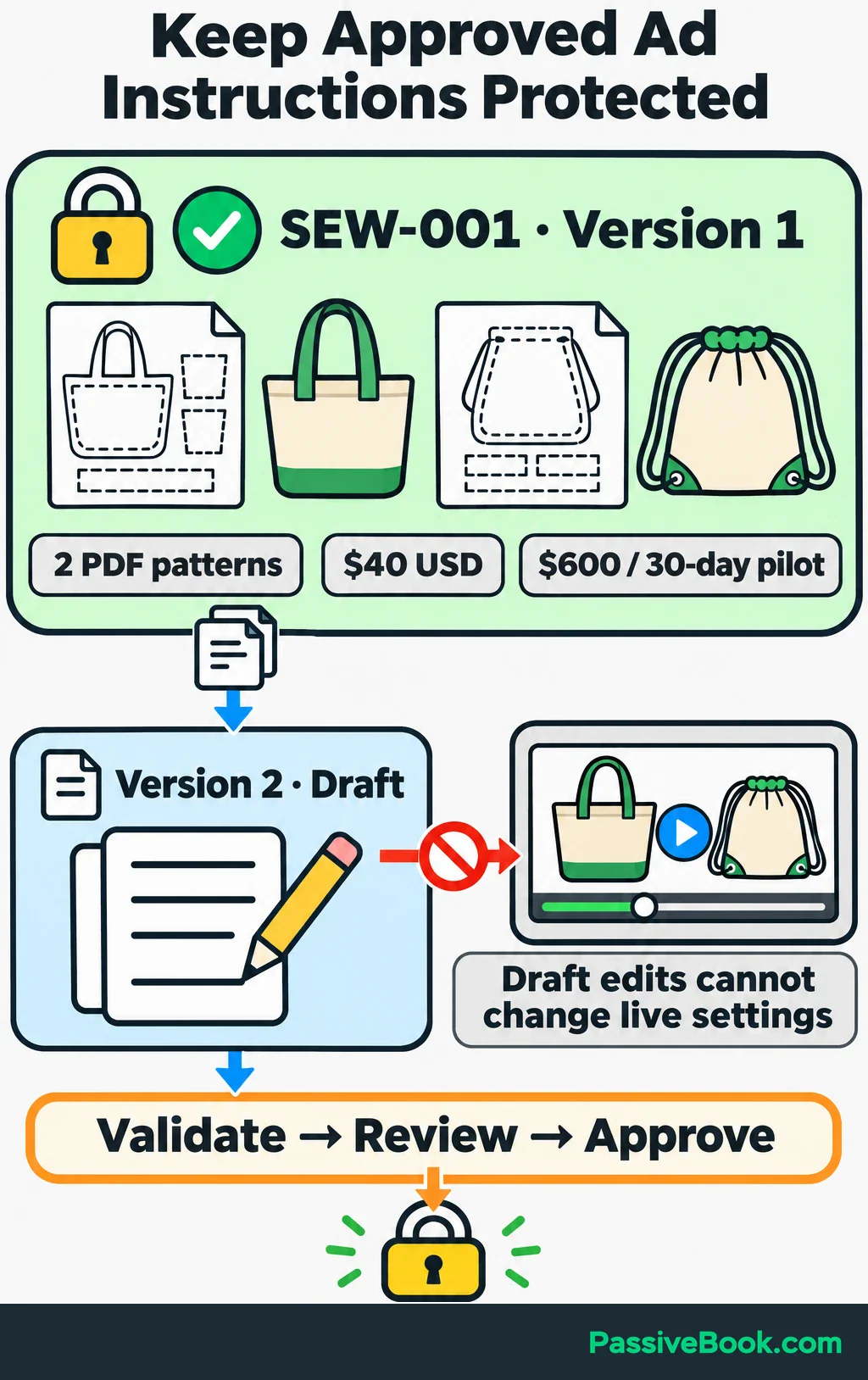
Keep editable drafts separate from approved instructions. Changing a spreadsheet cell should create a new draft version, not silently change a live campaign.
Require valid values before continuing. Generate campaign names and URL tracking tags—the parts of a link that identify the campaign—from fixed fields, such as the campaign reference and channel. AI doesn’t need creative freedom over an account ID.
Generate and Check the Creative
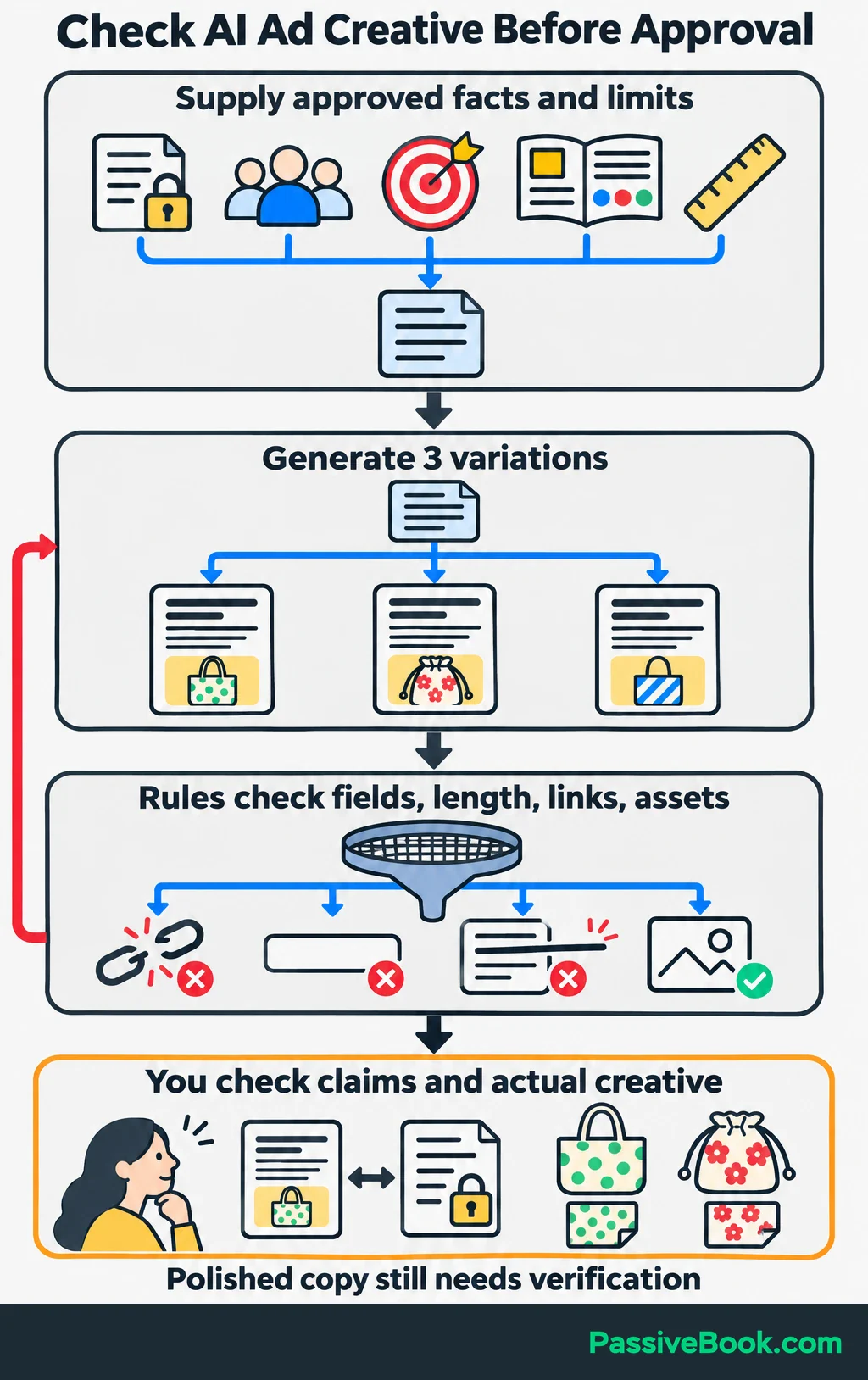
Give AI the approved facts, audience, objective, brand guidance, platform character limits, and required output format.
A reusable prompt excerpt is:
Using only the approved brief, produce three ad-copy variations within the supplied character limits. Return headlines, descriptions, asset references, and missing information. Do not fill factual gaps.
For the bundle, a draft headline might be:
Download Two Bag Patterns
And a description might be:
Sew a tote bag and a drawstring bag with downloadable PDF patterns and illustrated instructions.
The draft must stay inside the product facts. “Finish both bags tonight” would need evidence and approval. It should not appear because the model thought it sounded more exciting.
Use rules to check character counts, missing fields, unresolved placeholders, destination URLs, and asset references. Then review the copy beside the product facts and the actual creative.
In my content pipeline, I once had a polished draft carry through an instruction I had already changed upstream. The output looked finished, which made the old detail easier to miss. I now check drafts against the approved record rather than relying on how convincing they sound.
If your brief and copy are still scattered across documents, AI Advertising Studio can bring them into one review packet. It drafts the ads and approval request together, with missing details marked for your attention.
Free AI Advertising Studio




Create a Paused Campaign
Connect the workflow builder to the advertising account, retrieve its identity, and confirm the account ID before allowing changes. Store credentials in the builder’s credential store.
Enforce permissions through account access and workflow controls. A prompt saying “don’t launch anything” is not an access control.
Build the creation sequence in this order:
- Load the approved record and validate it.
- Map its fields into a tested campaign template.
- Create the campaign with status explicitly set to paused.
- Add the required ads, targeting, and exclusions.
- Save the platform IDs and retrieve the resulting settings.
- Notify the reviewer.
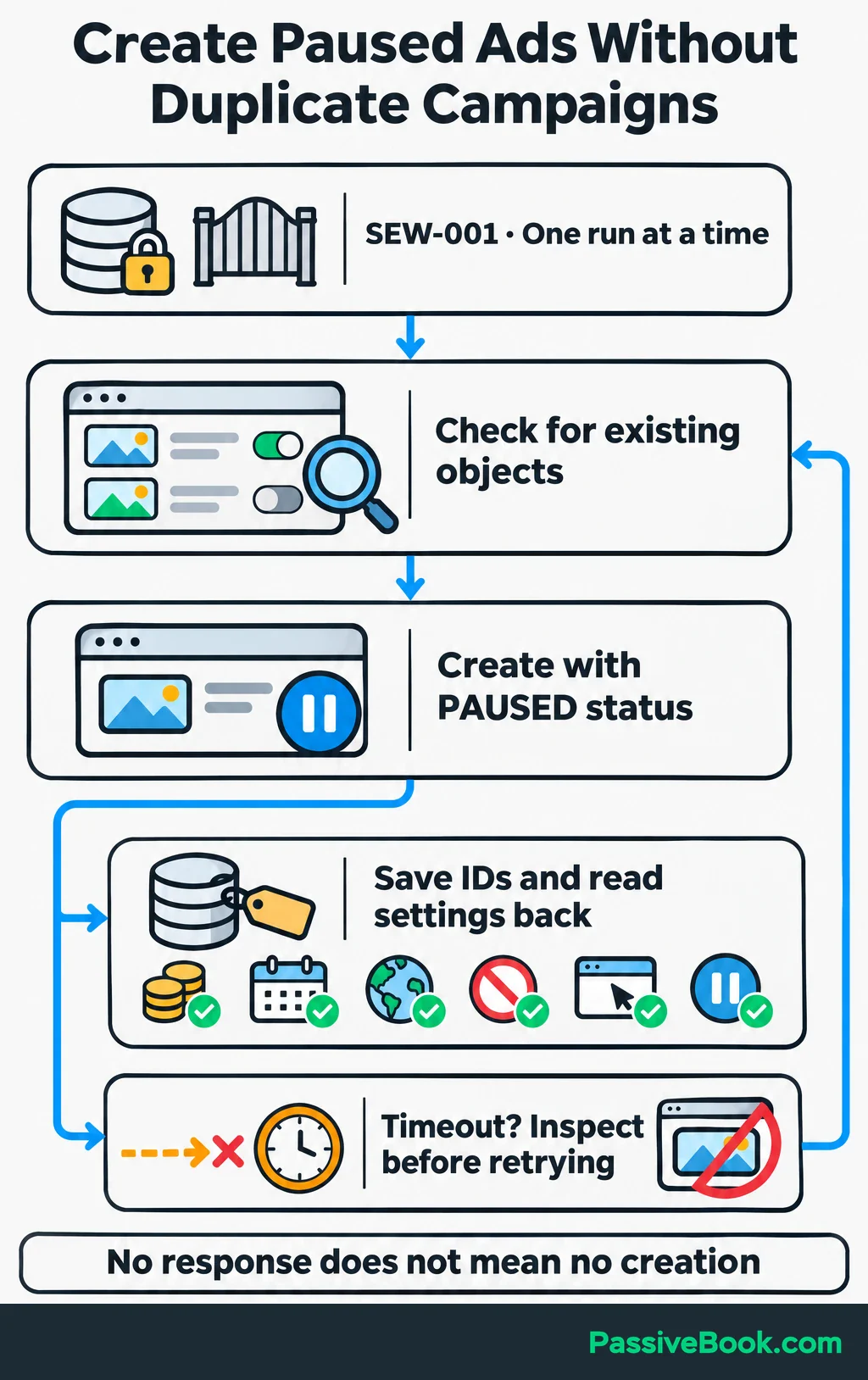
Google’s campaign-creation documentation recommends creating campaigns paused while ads and targeting are prepared. Set that status explicitly and read it back before continuing. Google Ads campaign creation
Map budget amounts into the units the connector expects, then check the displayed amount in the account. Also verify dates, timezone, geography, exclusions, and destination.
Save every returned platform ID against SEW-001. Prevent overlapping runs for the same reference and check for existing objects before creating new ones. If a request times out, inspect the account before retrying. A missing response does not prove that nothing was created.
Complete unsupported steps manually and include them in the review.
3. Test the Campaign and Its Safeguards
Verify the Purchase Signal
Test the full journey from landing page to checkout and confirmation.
For the bundle, a purchase event should represent a completed order. Check its value, currency, and unique transaction ID. Reload the confirmation page and test duplicate handling.
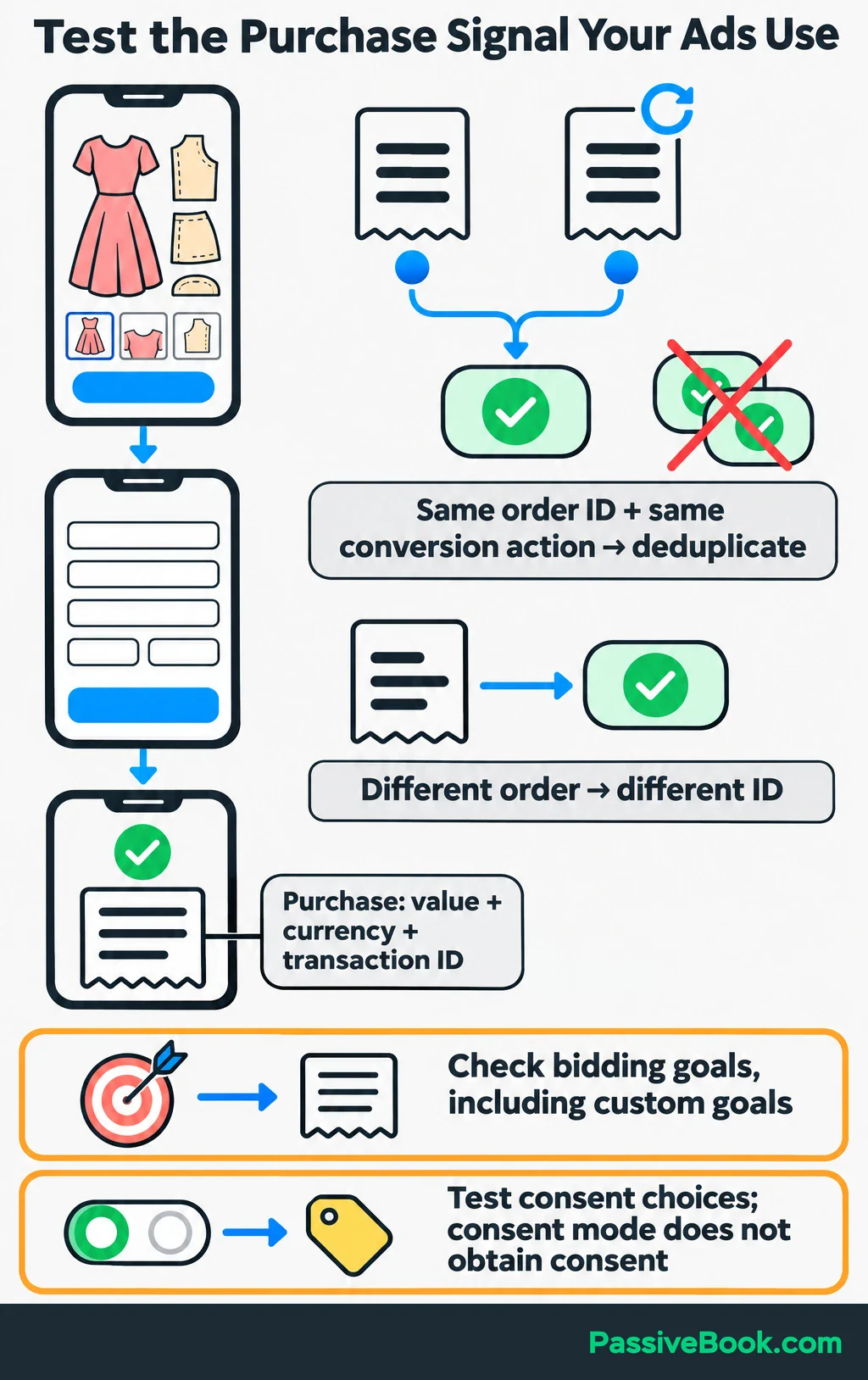
Google Ads uses matching transaction IDs to identify duplicate conversions within the same conversion action. Each separate order needs its own ID, or legitimate purchases may be missed. Google Ads transaction-ID guidance
Next, check what the campaign actually uses for bidding. The intended purchase action should be included, while an incidental event such as a product-page view should not become the success signal by accident.
Inspect custom goals too. In Google Ads, an action included in a custom goal can be used for bidding even when it is labeled secondary. Google Ads conversion-action settings
Apply the consent requirements for the audience you serve and test whether tags respect recorded choices. Google consent mode adjusts tag behavior; it does not obtain consent for you. Google consent-mode documentation
Set Spending Boundaries
Record the total allocation, how often spending is checked, the alert threshold, the permitted response, and who handles the alert.
For the sewing pilot, check spending hourly and request review when spending exceeds 120% of the amount planned by that point. Require approval for any increase in the $600 allocation. These are example settings; choose the check frequency and threshold for your budget.
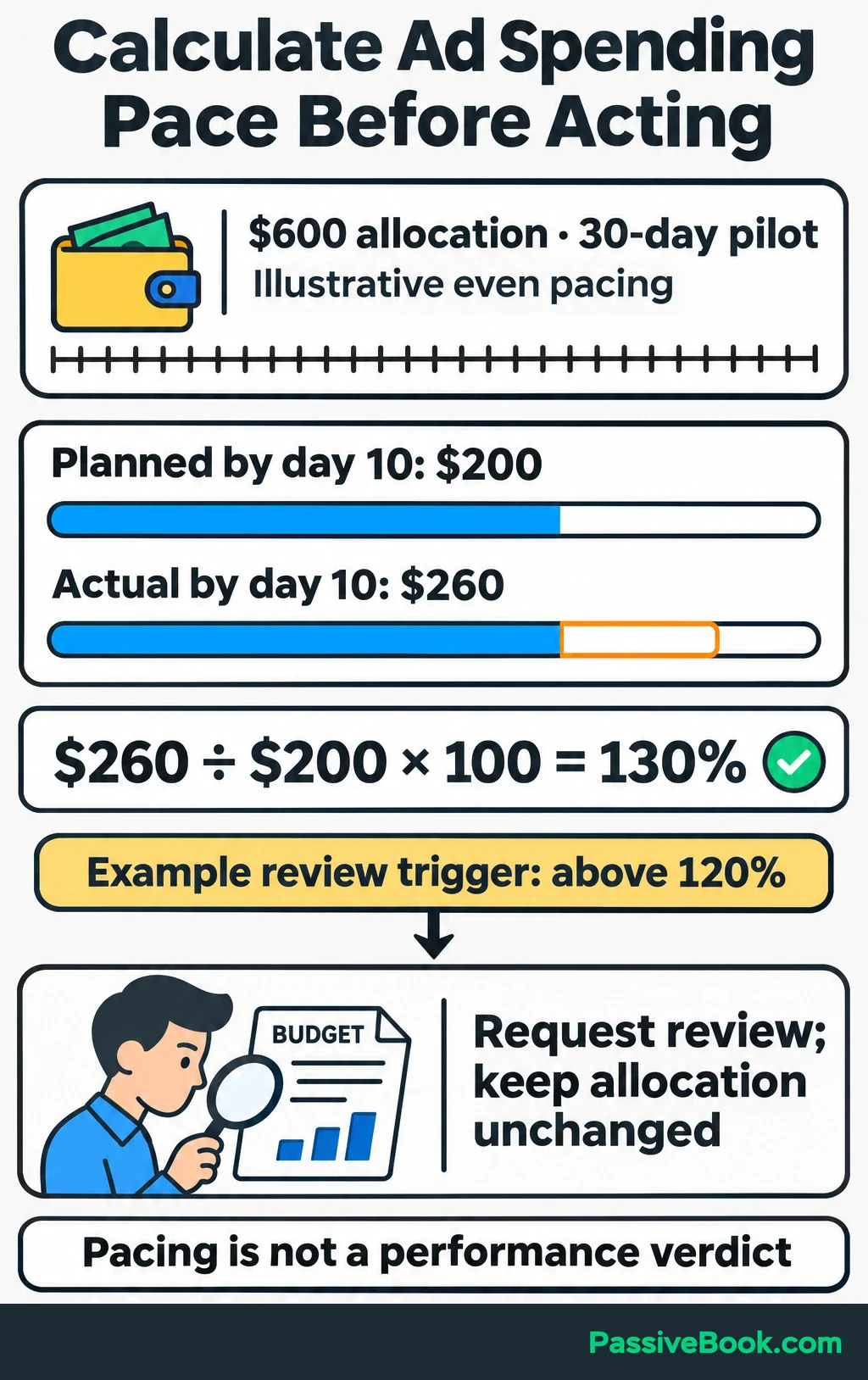
Understand the platform’s budget behavior before setting the amount. Most Google Ads campaigns can bill up to twice their average daily budget on a particular day. An average daily budget is therefore different from a strict daily ceiling. Google Ads spending limits
Leave room for reporting and execution delays. Google says scheduled rules normally run within two hours after their trigger, so a pause rule cannot guarantee an exact spending cutoff. Google Ads rule timing
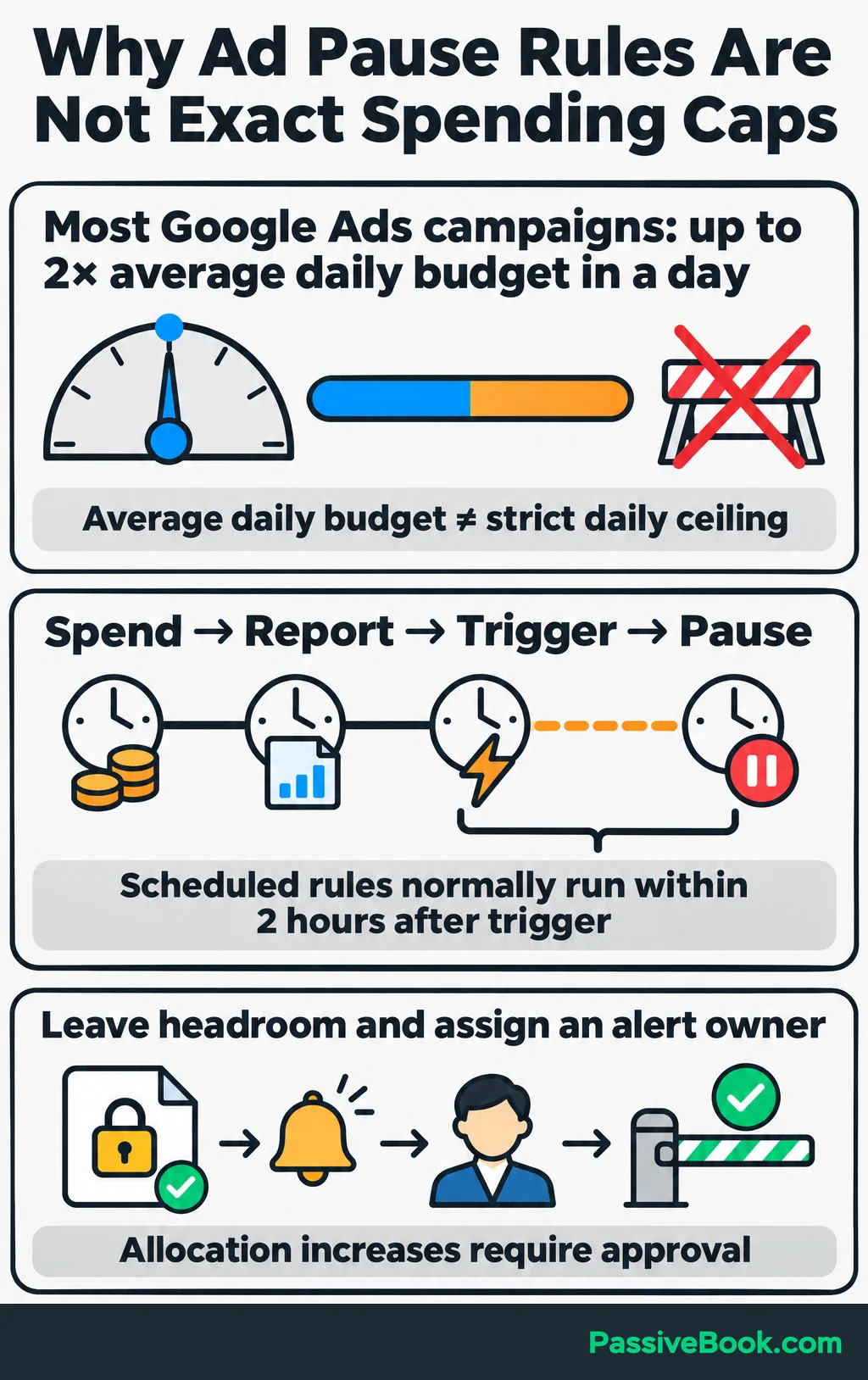
Pacing compares actual spending with the amount planned by that point:
- Planned spending: At an even pace, $600 across 30 days means $200 planned by the end of day 10.
- Actual spending: $260 by the same point.
- Pacing: $260 ÷ $200 × 100 = 130%.
That triggers a spending review. It does not automatically justify a budget increase or prove poor advertising performance.
Test Failure Detection and Recovery
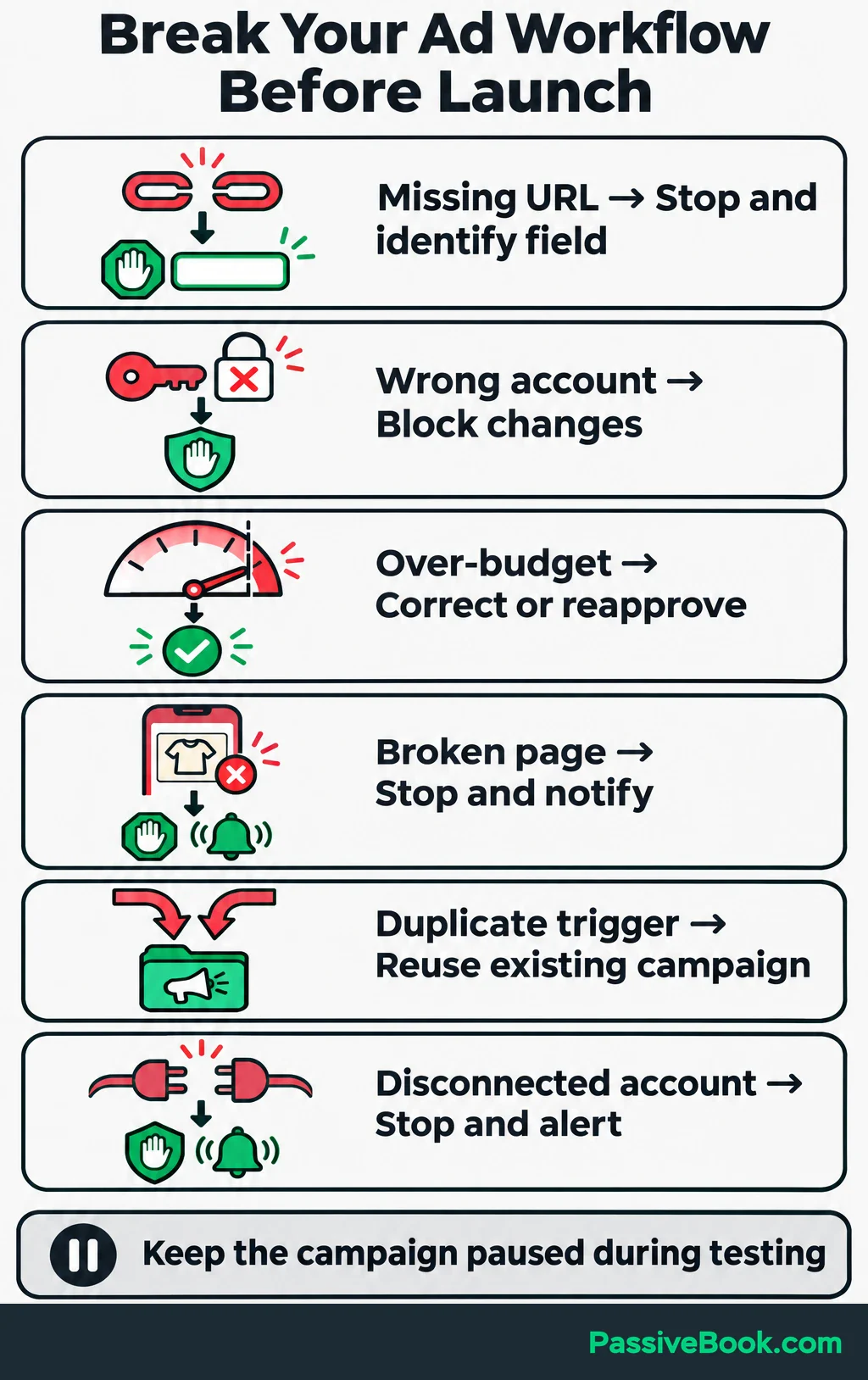
Run the workflow while the campaign remains paused. Deliberately break the inputs and check the response.
| Test | Expected Result |
|---|---|
| Missing destination URL | Stop before creation and identify the missing field |
| Wrong account ID | Block all changes |
| Budget above approved amount | Require correction or new approval |
| Broken landing page | Stop and notify the owner |
| Duplicate trigger | Find the existing campaign instead of creating another |
| Disconnected account | Stop dependent actions and send a recovery alert |
Also monitor rejected ads, unexpected inactivity, stale imports, and incomplete actions.
Each alert should identify the campaign, failed step, last successful run, responsible person, and recovery action. Test that the notification actually arrives.
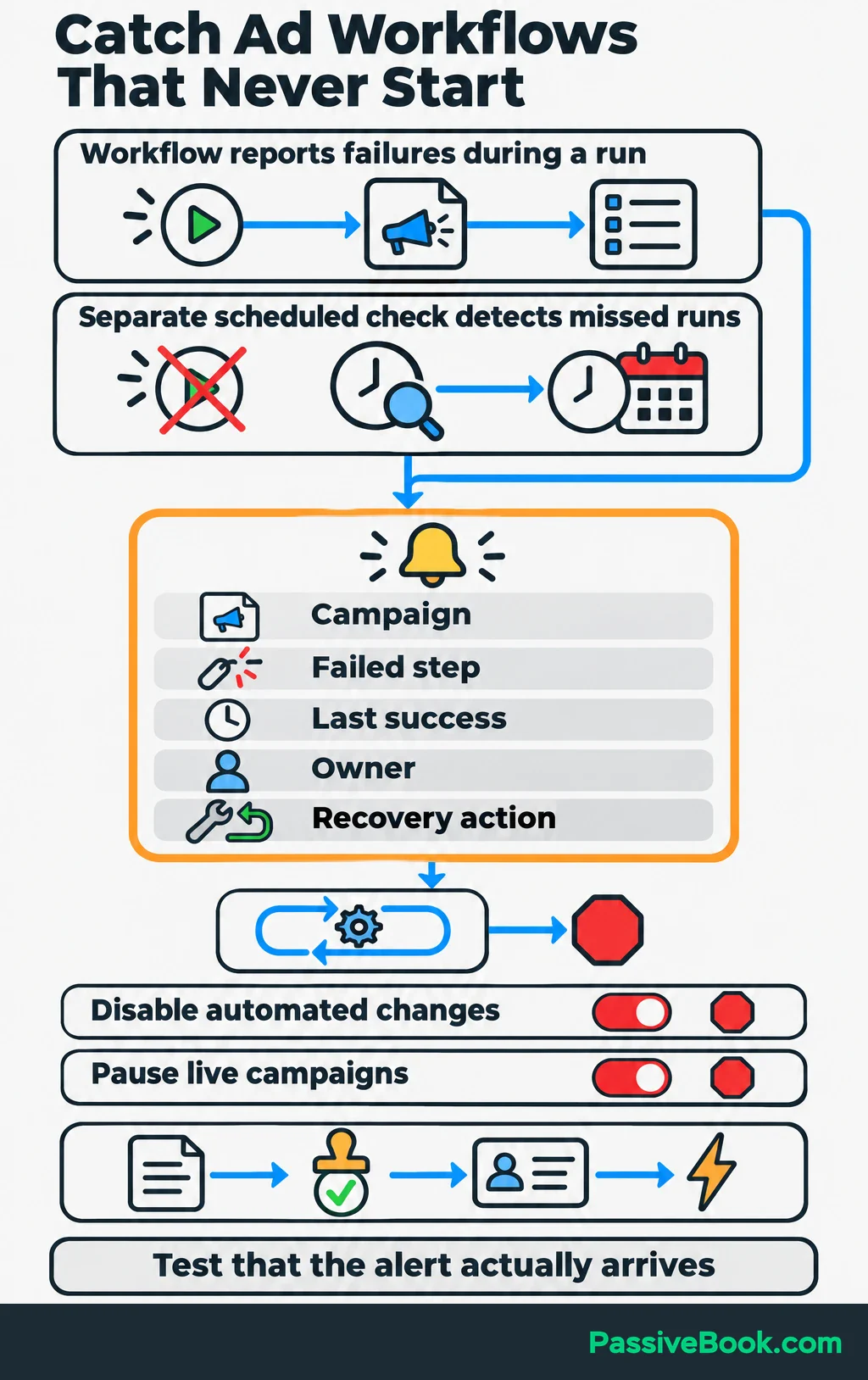
Use a separate scheduled check to detect missed runs. A workflow that never starts may never send its own error message.
Limit retries and provide separate controls to disable automated changes and pause live campaigns. Keep a log connecting the input version, approval, platform IDs, and actions so you can recover without guessing.
4. Approve and Launch the Campaign
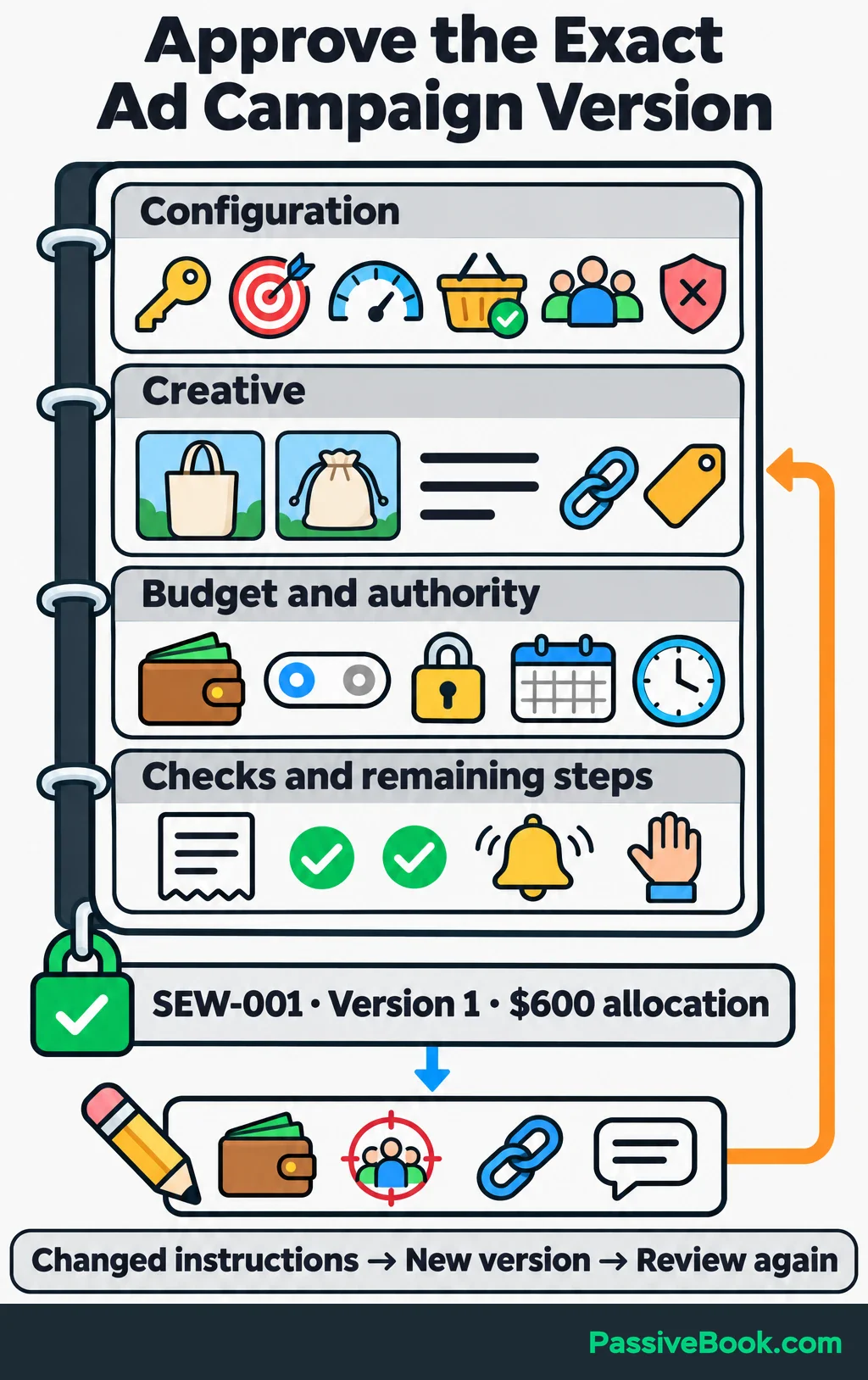
Show the reviewer one clear view of the exact campaign version:
- Configuration: Account, objective, campaign type, bidding strategy, conversion goal, audience, and exclusions.
- Creative: Copy, assets, destination, and offer.
- Authority: Budget amount and type, total allocation, schedule, and timezone.
- Checks: Tracking results, validation results, monitoring, and remaining manual steps.
Bind approval to that version. If the budget, targeting, destination, or claims change, send the revised version back for review.
For the sewing pilot, approval might read:
Approve SEW-001, version 1, for the recorded account and schedule, within the $600 allocation.
Activate that configuration through the tested connector or an explicit manual handoff. Then retrieve its actual settings and compare them with the approved record.
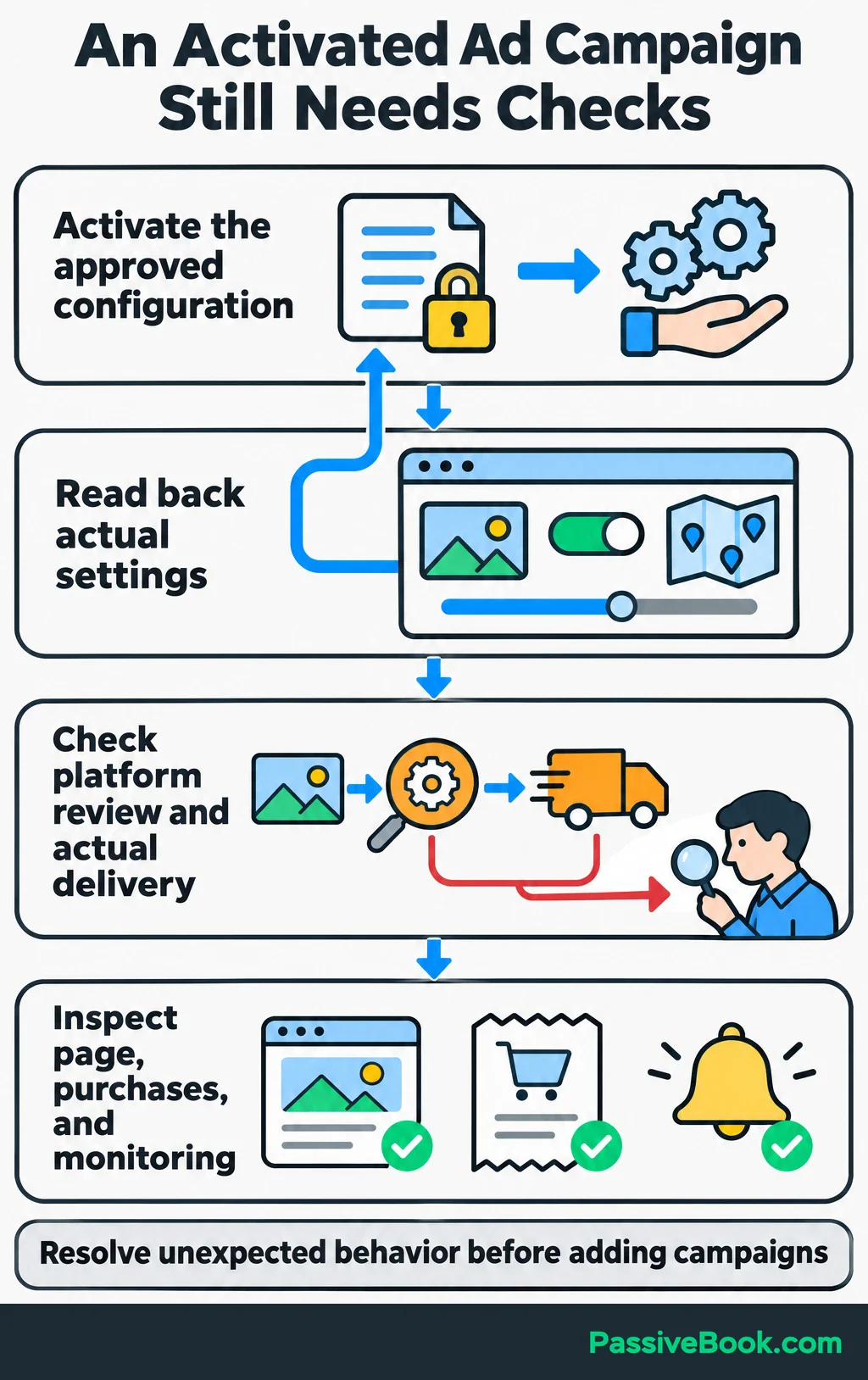
A successful activation request only confirms that the setting changed. Check separately whether ads passed platform review and began delivering.
After activation, inspect review status, delivery, the landing page, purchase tracking, and monitoring. Resolve unexpected behavior before adding another campaign. The first launch is where you prove the handoffs work.
5. Automate Reporting From Checked Numbers
Build a Consistent Reporting Dataset
Schedule imports of spending, clicks, purchases, and attributed revenue.
Store the source, account ID, campaign ID, reporting period, currency, timezone, and retrieval time with each record. These fields let you tell which numbers belong together.
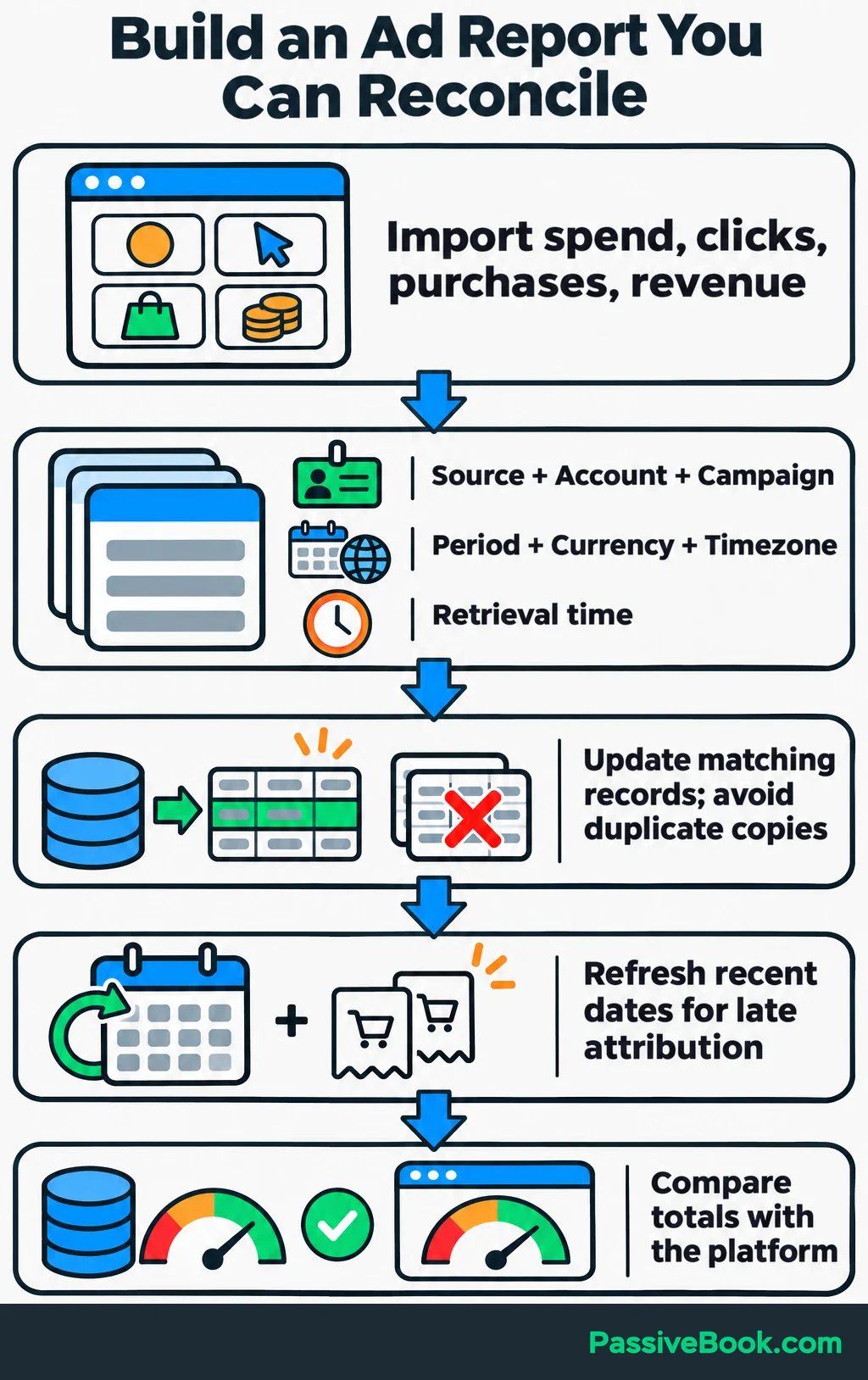
Update existing records rather than appending a fresh copy on every run. Refresh recent reporting dates because attributed results can arrive later, and compare imported totals with the platform before relying on the report.
Keep platform-attributed purchases and store orders separately labeled. Two channels may each claim credit for the same order, so adding their purchase totals does not produce a count of unique customers.
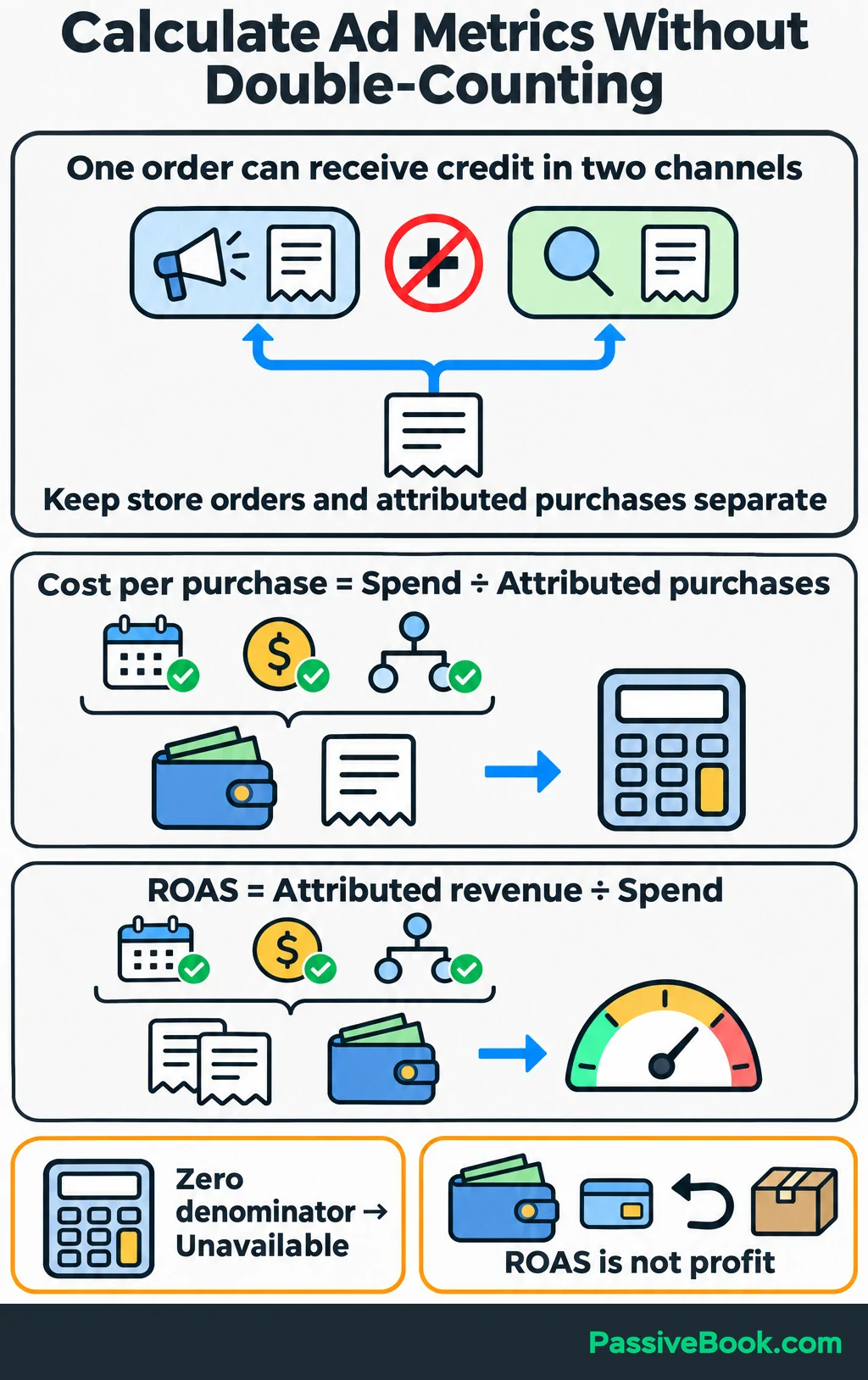
Use the same reporting periods and rules for crediting purchases to ads when comparing results.
Calculate metrics from matching data:
- Cost per purchase: Campaign spending divided by its attributed purchases for the selected period.
- Return on ad spend: Attributed revenue divided by spending for that same period, often shortened to ROAS.
Show “unavailable” when the denominator is zero. ROAS also leaves out costs such as payment fees, refunds, and fulfillment, so it is not a profit figure.
Turn the Dataset Into an Actionable Update
Send AI the checked metrics, approved targets, data status, and change log.
Ask it to report observed changes, supporting figures, issues, and proposed actions. Possible causes should be labeled as hypotheses. “Purchases fell after the landing-page change” is an observation; “the new page caused the fall” needs more evidence.
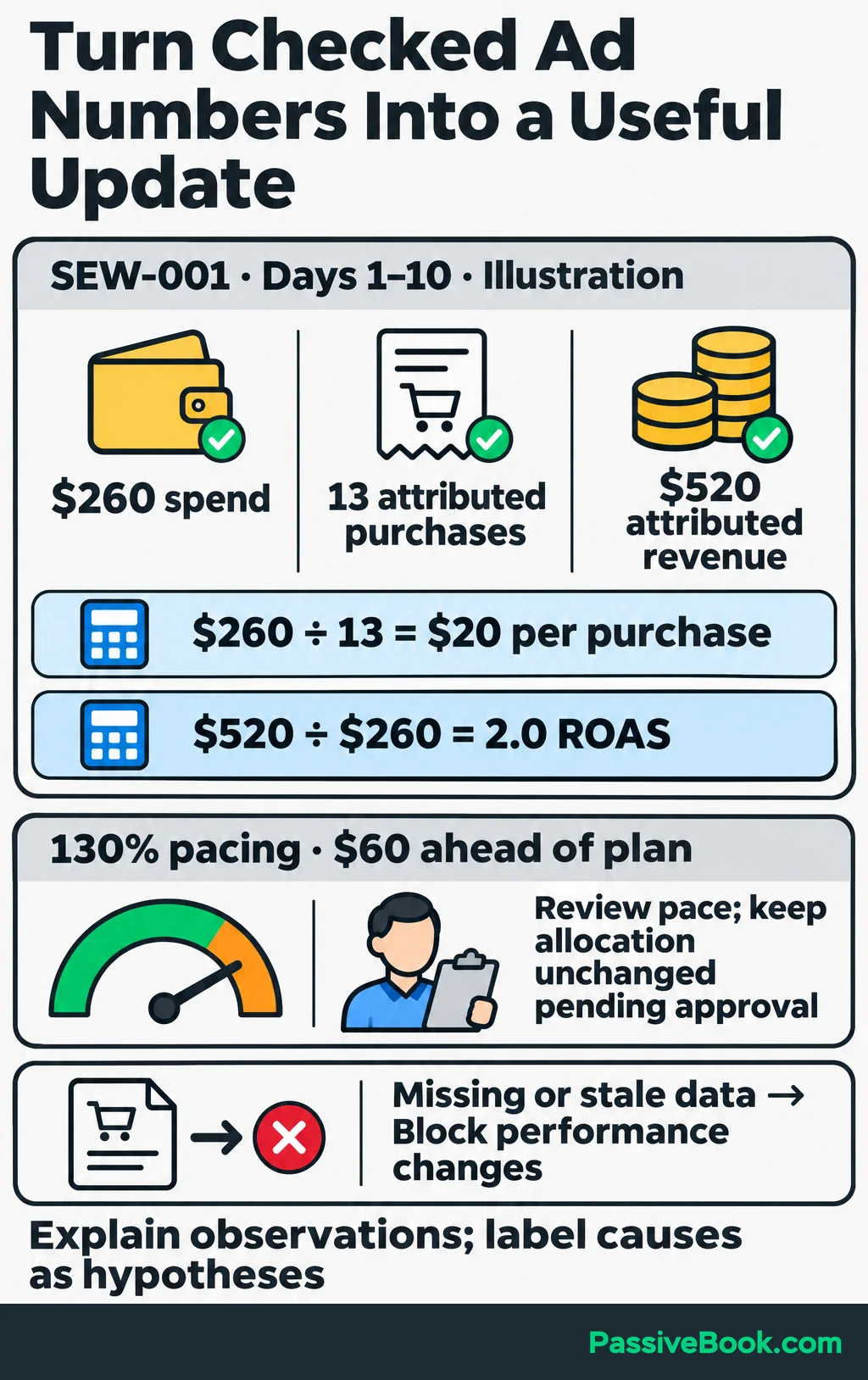
Continue the sewing example through day 10. The campaign has spent $260 and recorded 13 attributed purchases worth $520. That gives a $20 cost per purchase and 2.0 ROAS.
| Campaign | Spend | Purchases | Attributed Revenue | Cost per Purchase | ROAS | Data Status | Next Action | Owner |
|---|---|---|---|---|---|---|---|---|
| SEW-001, days 1–10 | $260 | 13 | $520 | $20 | 2.0 | Imported totals checked; recent conversions may still arrive | Review 130% pacing; keep allocation unchanged pending approval | You |
A useful update would say:
Spending is $60 ahead of the day-10 plan. Recorded cost per purchase is $20, but the campaign is using its allocation faster than planned. Review spending pace before approving any increase.
If the purchase import fails, report a data problem. Do not turn missing rows into “sales collapsed” and let an optimization rule act on them.
Block performance-based changes while required data is missing or stale. Spending alerts can still operate if their own data is current.
6. Add Optimization Within Approved Limits
Set an acceptable cost per purchase from the offer’s economics before asking AI to judge performance.
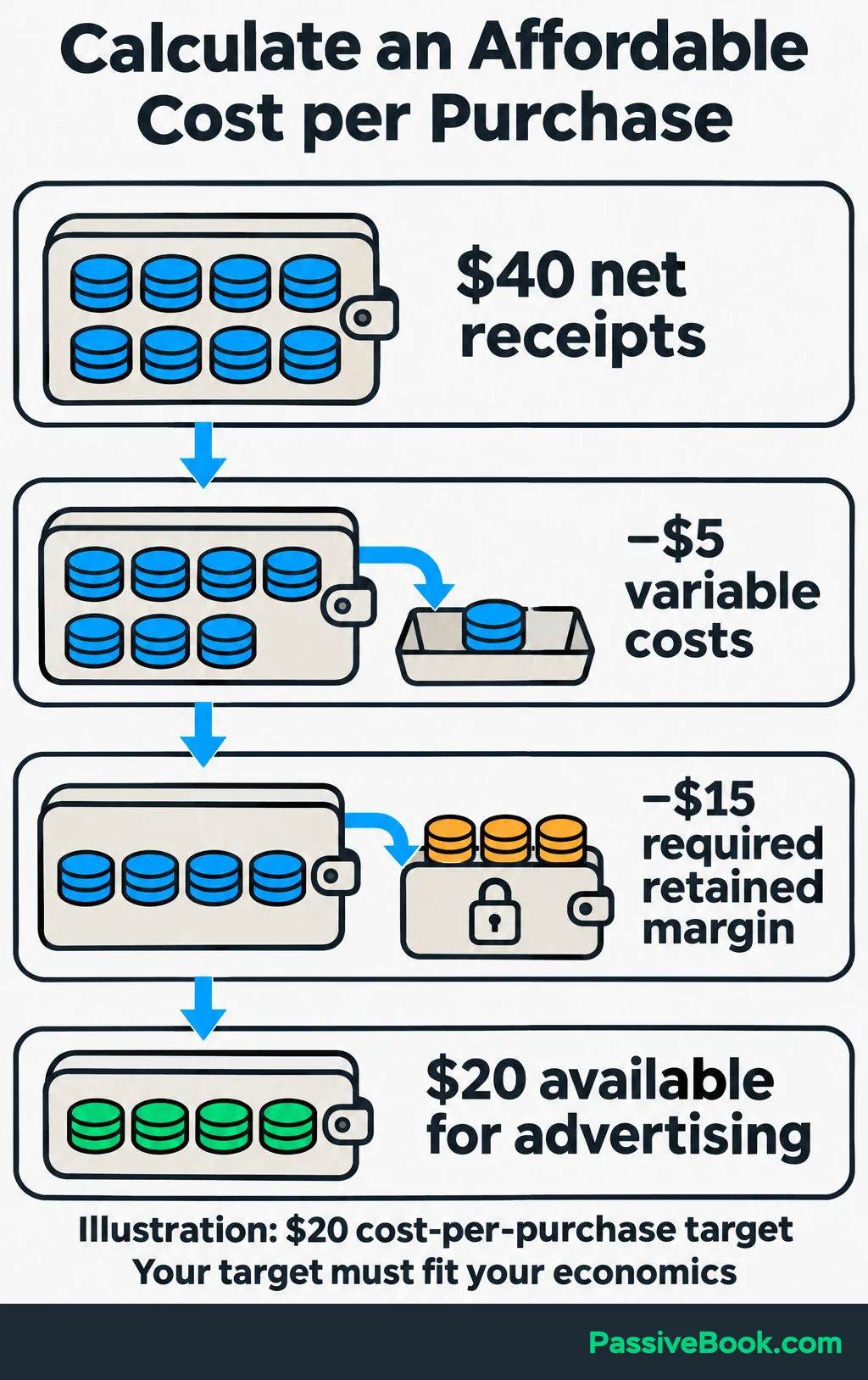
Start with the money retained from an order, subtract variable costs, and reserve the margin you need. What remains is available for advertising.
For this bundle illustration:
| Item | Per Order |
|---|---|
| Net receipts | $40 |
| Variable costs | −$5 |
| Required retained margin | −$15 |
| Available for advertising | $20 |
I would use $20 as the cost-per-purchase target for this example. A target has to fit the business; a platform recommendation cannot decide how much margin you need.
Write each optimization rule with a condition, evaluation window, action, maximum change, repeat interval, notification, and approval requirement. Start by generating recommendations and compare them with your own decisions.
Allow for conversion delay when choosing the reporting window. Recent clicks may still produce purchases, so their current cost per purchase can look worse than the eventual result. Use the account’s observed delay to choose a suitable cutoff. Google Ads conversion-delay guidance
An initial rule for the sewing campaign could be:
- Window: Seven complete days ending far enough in the past for most purchases to be reported, based on the account’s observed conversion delay.
- Conditions: Required data is current, at least 20 attributed purchases appear in that window, and cost per purchase exceeds $25 against the $20 target.
- Action: Create one review request per day with the supporting figures.
- Maximum change: No automatic budget change during the pilot.
- Owner and approval: You review and approve any proposed adjustment.
Twenty purchases is an illustrative filter, not proof that the result is statistically reliable. If volume is too low, keep the rule advisory and review a longer useful window.
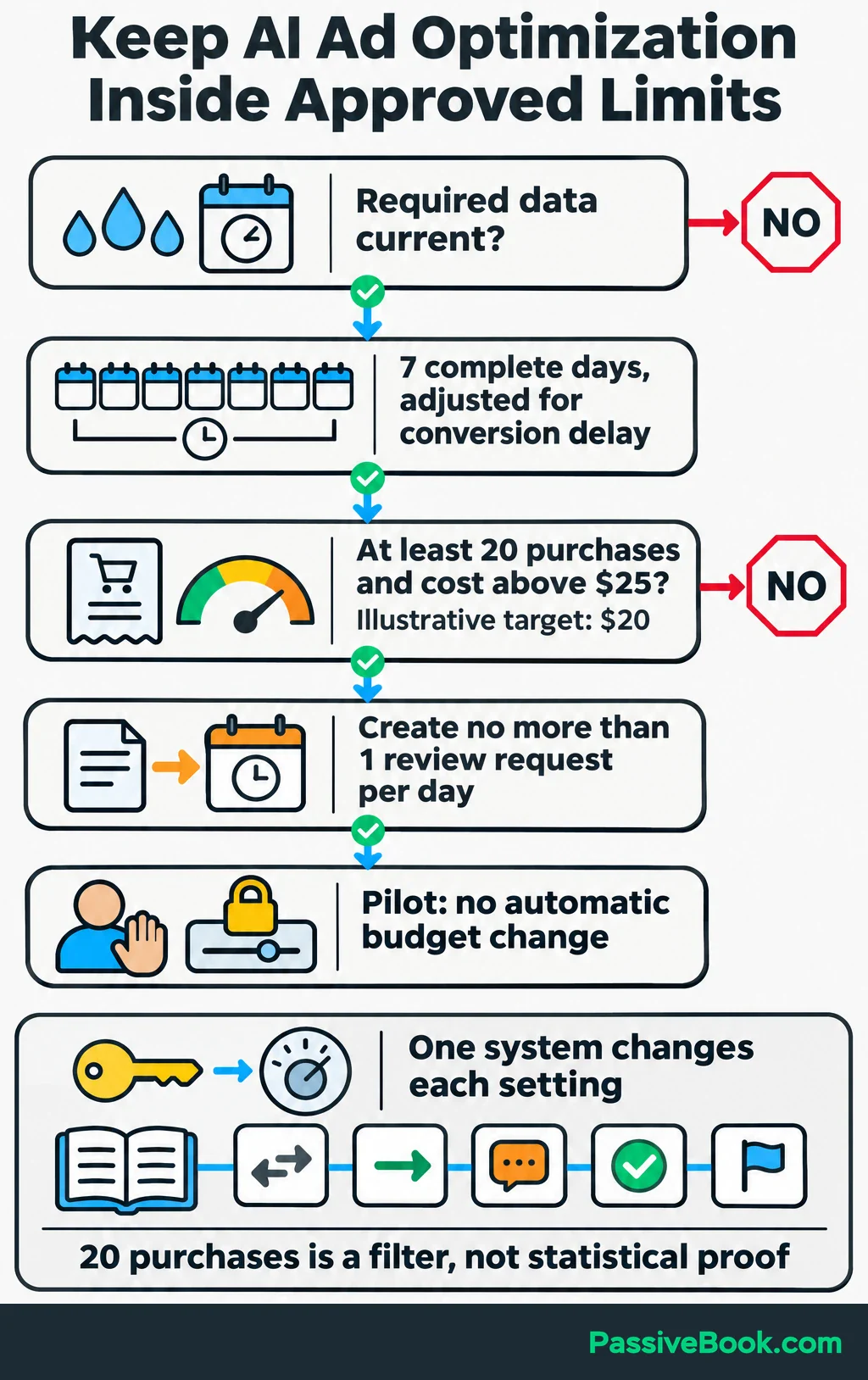
Let only one system change each adjustable setting. Google Smart Bidding sets bids at auction time, so I would keep an external workflow focused on monitoring and approved campaign changes rather than adding competing bid adjustments. Google Smart Bidding
Once recommendations behave sensibly, introduce narrow executable actions. Pausing a separately approved promotion at its recorded expiry is easier to govern than letting AI invent a new audience or increase the budget.
Keep new claims, new targeting, and major spending changes behind approval. Preview each rule and set explicit limits.
Log the previous value, new value, reason, approval, and subsequent outcome. Decide in advance when to reverse a change or return control to a person—for example, when the landing page breaks or required tracking stops working.
7. Measure Net Savings Before Expanding
Measure whether the workflow reduces work after you include the work of running it.
Compare equivalent campaigns using preparation time, approval-to-launch time, configuration errors, reporting corrections, and exception handling. Track advertising performance separately. Faster preparation does not prove better ads.
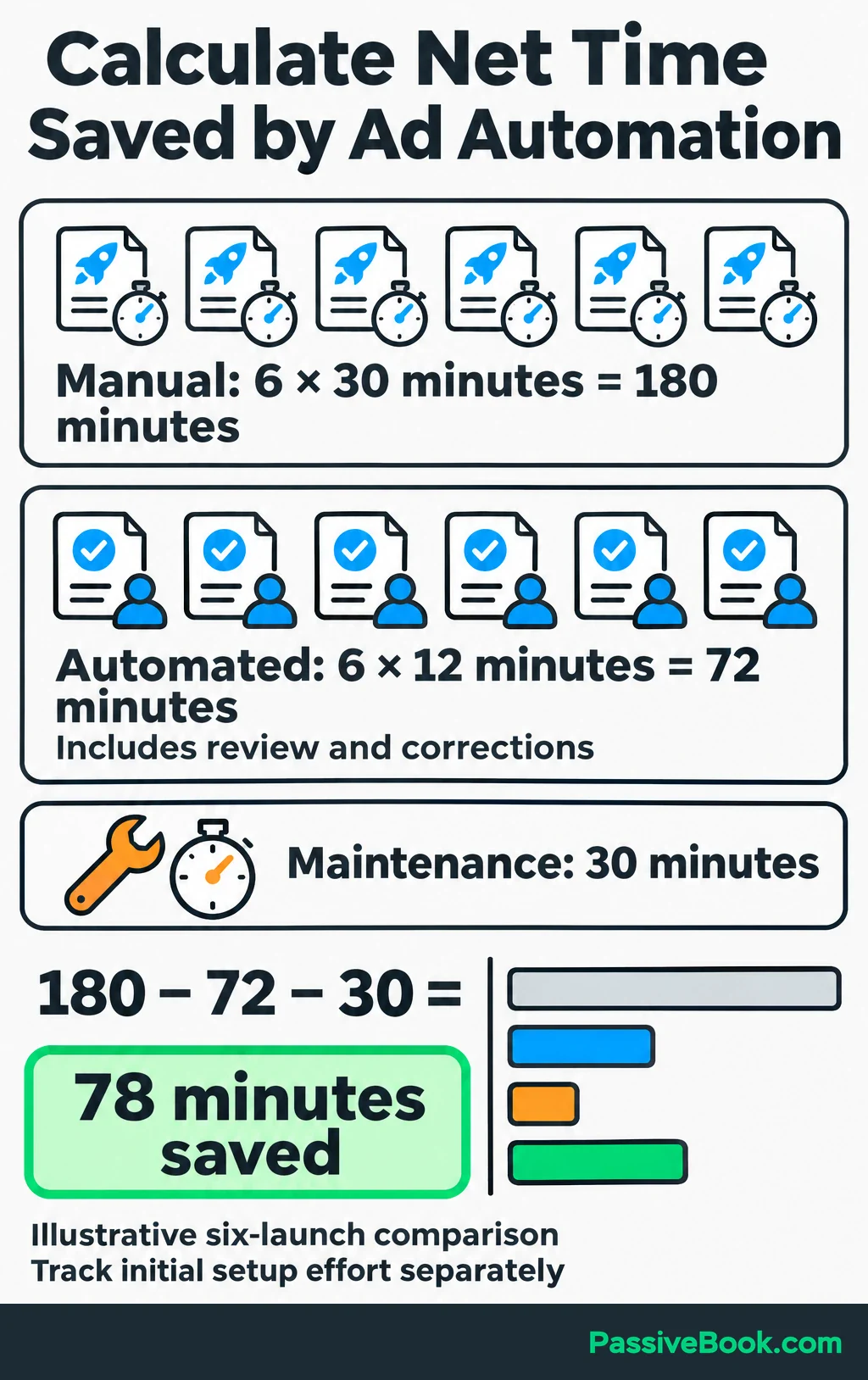
Count all hands-on time before calculating savings.
Suppose six manual launches take 30 minutes each. That is 180 minutes.
With the workflow, each launch takes 12 minutes, including review and corrections. Six launches take 72 minutes, and maintenance adds another 30 minutes:
| Measure | Time |
|---|---|
| Manual workload | 180 minutes |
| Automated workload, including review | 72 minutes |
| Workflow maintenance | 30 minutes |
| Net labor time saved | 78 minutes |
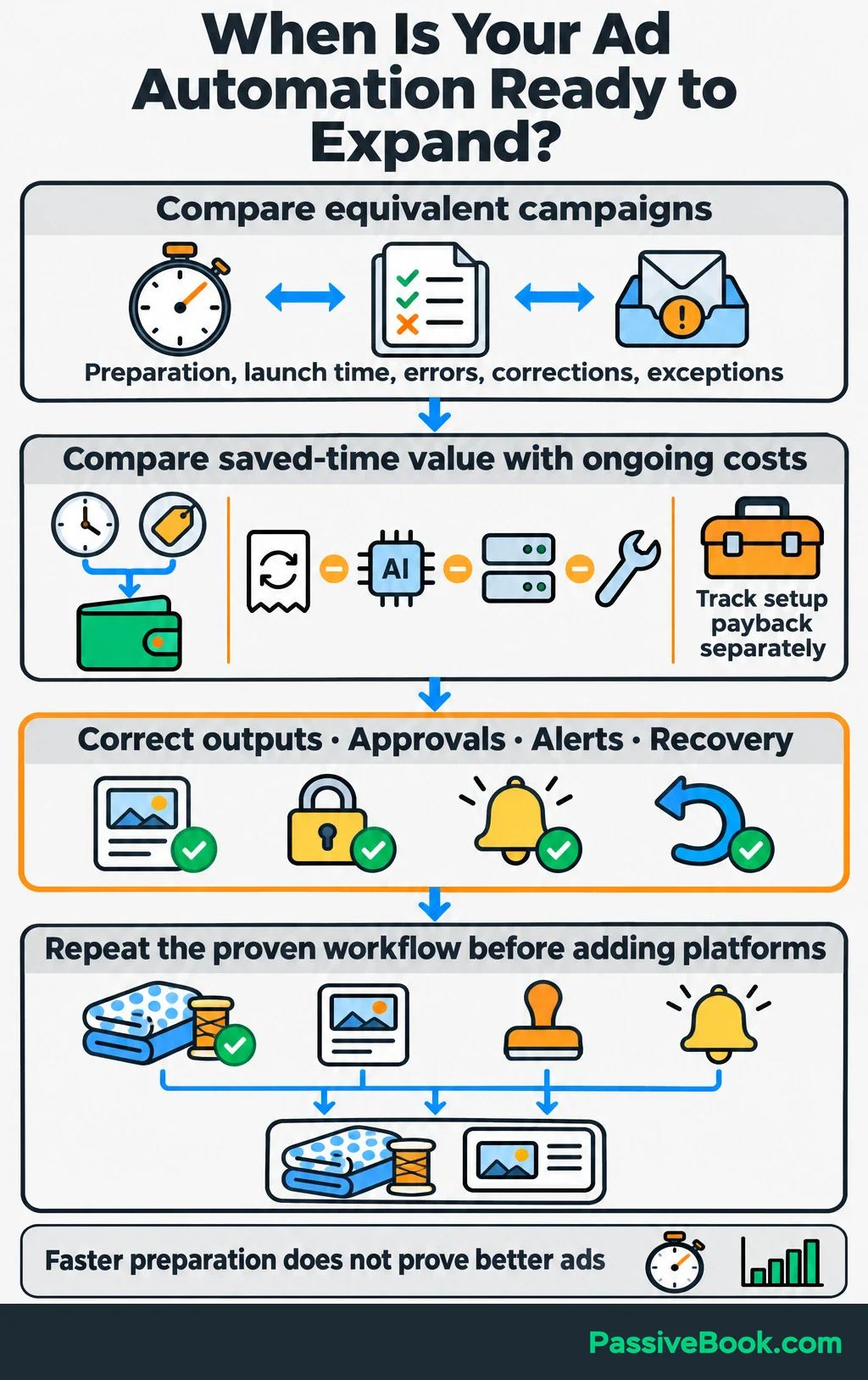
Keep initial setup effort separate so you can judge how long it takes to recover. Include subscriptions, AI usage, hosting, and maintenance when comparing the value of saved time with ongoing costs.
Expand when the pilot consistently produces correct outputs, requires the intended approvals, delivers alerts, and recovers from tested failures.
For the sewing shop, reuse the checked record, template, approval process, and monitoring for the next bundle. I would do that before adding another advertising platform. Repetition gives you a clearer test of the system and usually requires less setup.
What Next?
Choose one campaign task and write down its trigger, inputs, output, reviewer, and failure response. Then build a pilot that produces something you can inspect before it changes a live account.
Use the social buttons to share this guide when a campaign handoff needs clearer checks and fewer repeated tasks.
Which advertising task would you automate first, and what would you need to see before trusting it? Share your answer—or any other questions—in the comments.
Share this post with your friends & followers:

