You have a product page, a few photos and an afternoon to make an ad. AI can produce twenty versions before you finish your coffee, but you still have to decide which one deserves your money.
A polished draft can hide an invented feature, a misleading image or a message that gives people no reason to click. Faster production can make those mistakes easier to repeat.
This guide takes one offer from product facts to finished copy and visuals, then through a small spending test. You’ll have a way to judge both the ads and the time AI saves.
1. Build a Brief Around One Advertising Goal
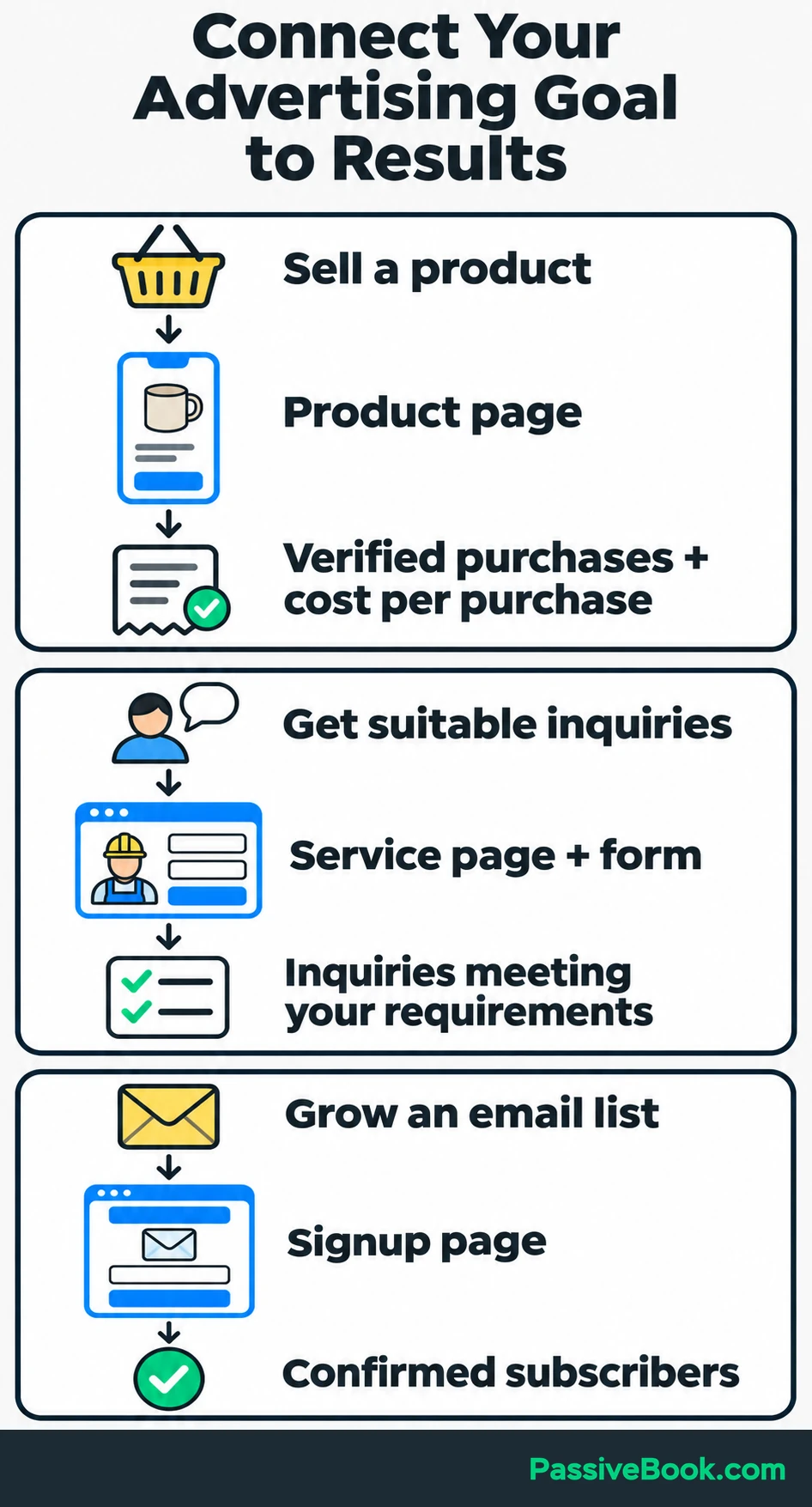
Choose the action you want before asking AI to write anything. That action should guide the message, the page people visit and the result you measure.
Keep those pieces connected:
| Goal | Destination | Main success measure |
|---|---|---|
| Sell a product | Its product page | Verified purchases and cost per purchase |
| Get suitable inquiries | A page explaining the service and inquiry form | Inquiries that meet your stated requirements |
| Grow an email list | A signup page with a clear promise | Confirmed subscribers |
I would start with one offer and one placement. A search ad can answer an existing product query, while a social image can introduce the product through a situation people recognize.
My old jewellery store failed because I did too little market research and ended up with unsold inventory. That experience makes me wary of polishing a message before checking whether the offer deserves attention. AI gives you more ways to describe a product, but you still need a reason people would want it.
Build a reusable brief with:
- Customer Situation: What is happening when someone might want the offer?
- Verified Facts: What does the buyer receive, and which features can you confirm?
- Useful Benefits: What can those features help someone do?
- Offer Terms: Price, delivery charges, availability and relevant restrictions.
- Evidence: Product photographs, demonstrations and genuine customer feedback.
- Voice and Format: How the business sounds and where the ad will appear.
- Destination: The exact page that delivers the advertised offer.
For the running example, imagine your online shop sells a pair of ceramic coffee mugs for $40. The product details, sample copy, costs and results below are illustrative.
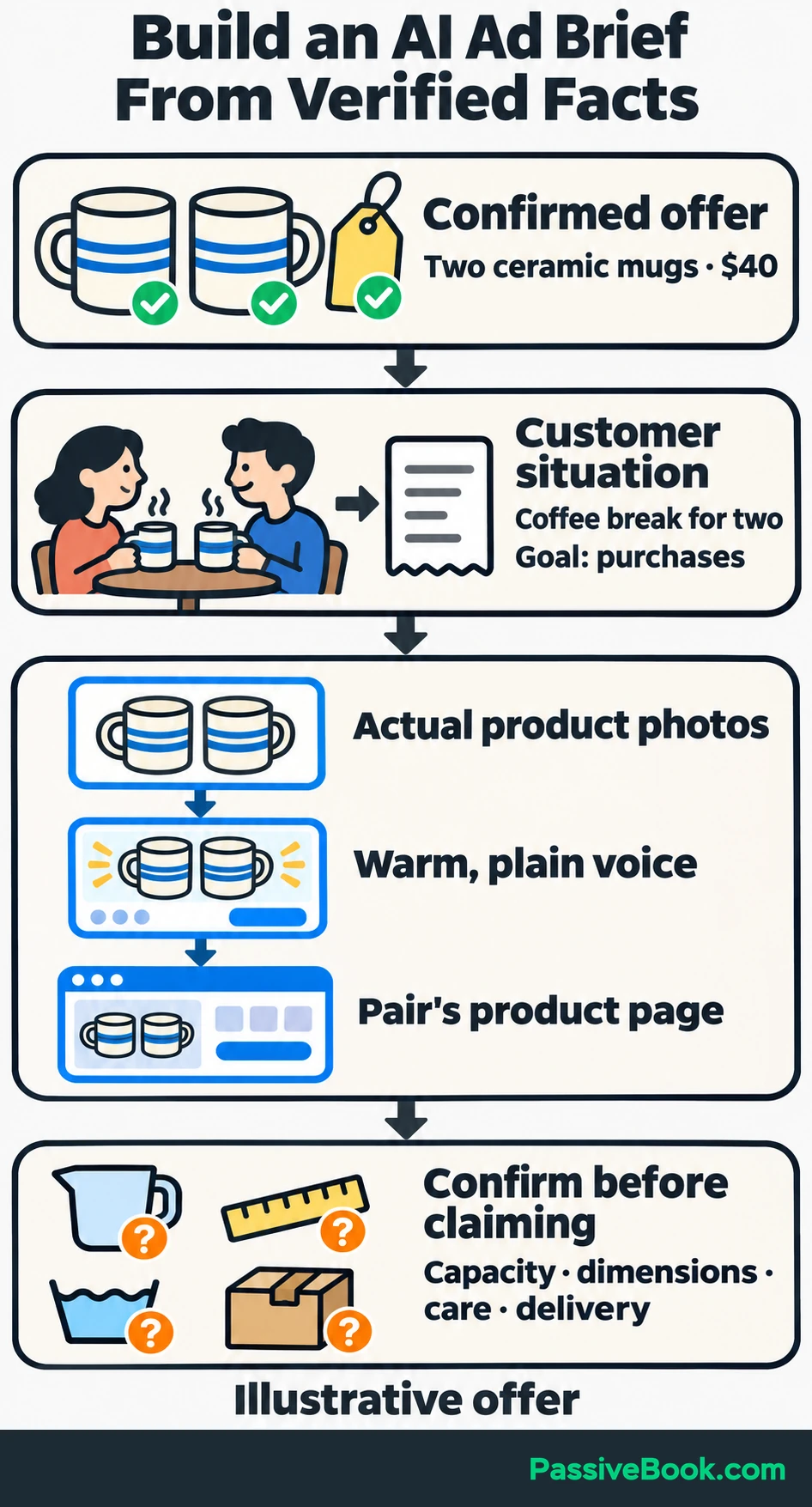
Your first brief might look like this:
| Brief Item | Mug Shop Example |
|---|---|
| Goal | Purchases of the mug pair |
| Placement | One social feed image ad |
| Customer situation | Setting up a coffee break for two |
| Confirmed offer | Two ceramic mugs for $40 |
| Assets | Your photographs of the actual pair |
| Voice | Warm, plain and specific |
| Destination | The pair’s product page |
| Details to confirm before using | Capacity, dimensions, available colours, care instructions and delivery terms |
Customer questions can help sharpen the message. If people keep asking whether the price covers one mug or two, make the quantity obvious.
Remove names, contact details and order information before giving customer excerpts to AI.
2. Choose Tools for the Assets You Need
Start with a writing assistant, a design editor and the advertising platform where you will publish. Those three jobs do not require three new subscriptions.
I use Claude for writing and Canva for graphics in my content work, so I would try them for the first ad.
| Job | My Starting Choice | What I Would Check |
|---|---|---|
| Concepts, copy and scripts | Claude | Can I get useful drafts from the brief and revise them easily? |
| Image layouts and video assembly | Canva | Can I keep the product accurate and edit every word? |
| Publishing and reporting | The chosen ad platform | Can I track the intended action and control spending? |
Claude offers a free plan with usage limits. I would upgrade only when a limit repeatedly interrupts useful work. Check its plans and pricing before paying.
Canva’s free plan includes a range of AI tools, while paid plans add features and higher usage. Its AI overview explains the available options.
Complete one sample ad before buying anything. Export it and inspect the result. Check for watermarks, blurred details, editable text and any extra charges for revisions or generations.
Keep subscriptions, generation credits, licensed media, outside help and advertising spend separate in your budget. A cheap tool becomes expensive if every usable image takes an afternoon.
For the mug pair, I would make a still image first. Two mugs do not need a film crew to explain themselves.
3. Generate Distinct Concepts and Refine the Copy
Prompt AI With Verified Facts and a Clear Deliverable
Ask for different reasons to buy before asking for headline variations. Ten ways to say “beautiful mugs” still give you one idea.
A useful concept connects a customer situation to a supported product fact. Ask AI to show that connection so you can judge it.
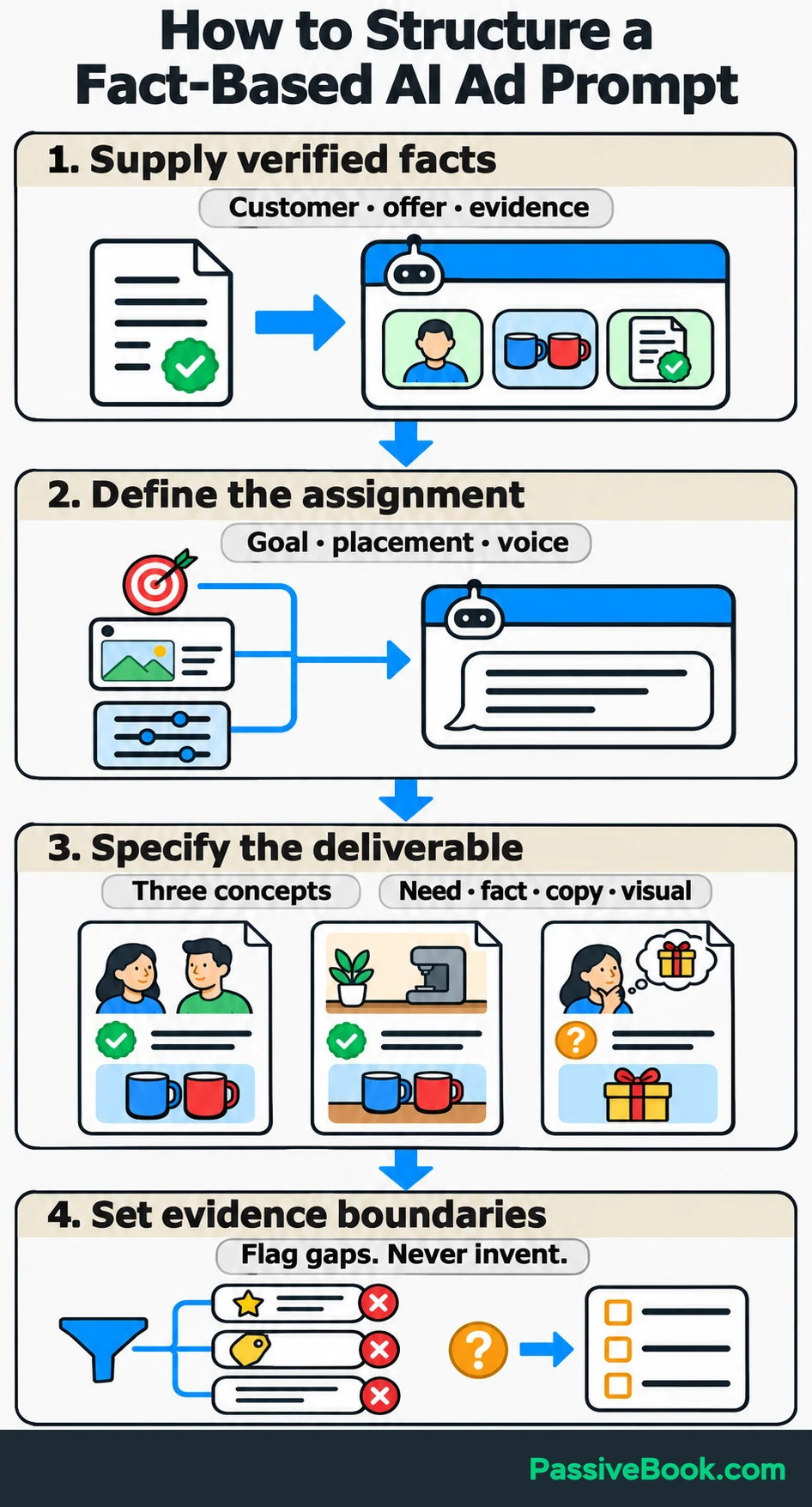
Use this prompt with your brief:
Using only the verified product brief below, propose three distinct ad concepts for [customer situation] on [placement]. The goal is [purchase, qualified inquiry or signup].
Follow this voice: [voice description].
For each concept, provide the customer need, message angle, supporting product fact, opening, body copy, headline, call to action and visual direction.
Flag missing information and leave unsupported details out. Do not invent reviews, discounts, urgency, product features or performance claims.
Brief: [paste your verified brief].
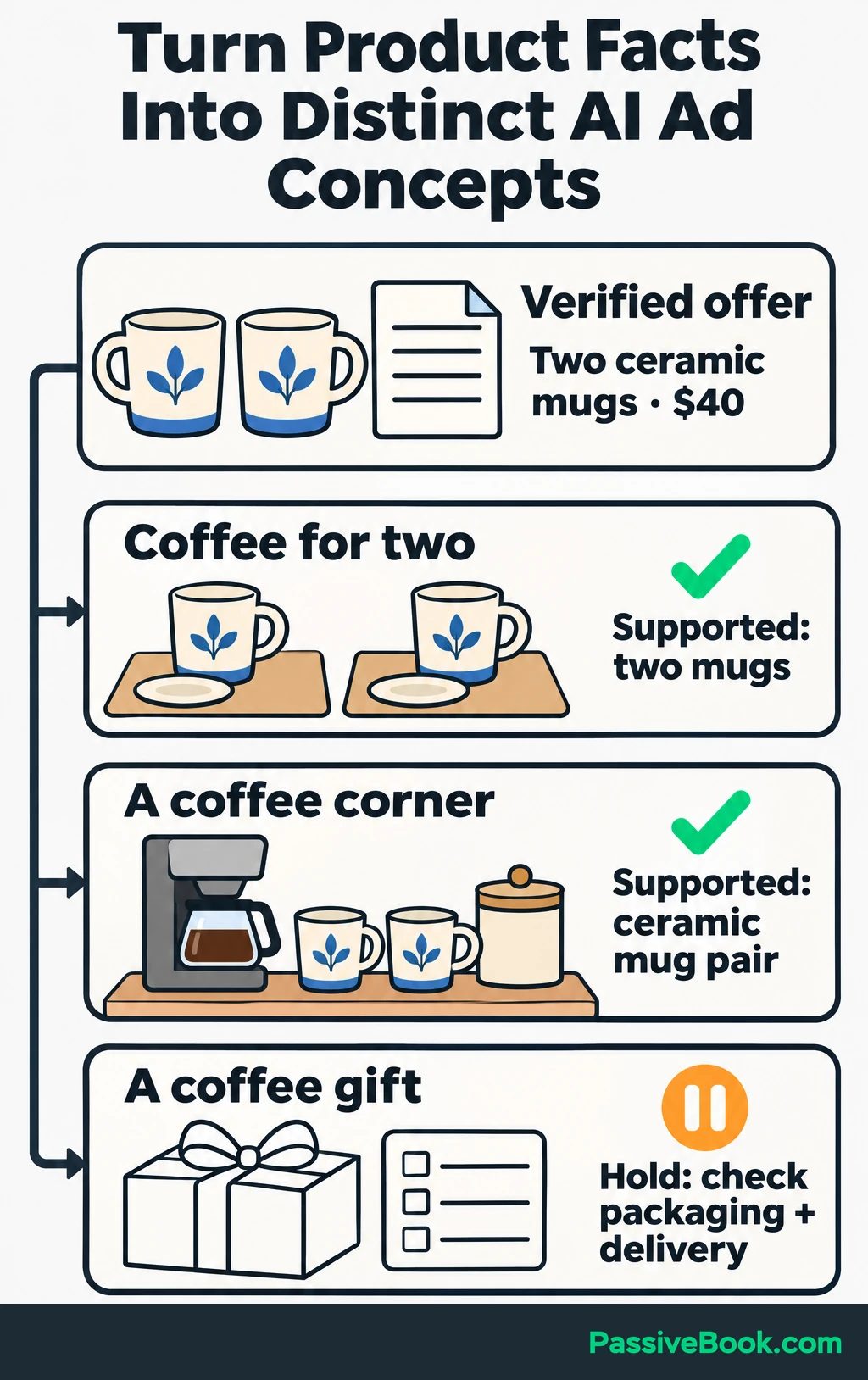
For the mug pair, these directions offer different starting points:
| Concept | Customer Need | Supported Connection | Visual Direction |
|---|---|---|---|
| Coffee for two | Put out a mug for each person | The offer contains two mugs | Show the actual pair together |
| A coffee corner | Add mugs to a coffee setup | The product is a ceramic mug pair | Show the pair beside a simple coffee setup |
| A coffee gift | Find a suitable present | Requires checking packaging and delivery details | Show the actual package if it supports the idea |
I would explore the first two immediately and hold the gift angle until the purchase experience supports it. An attractive gift message is little help if the package arrives looking like a warehouse disagreement.
Choose concepts that fit the customer situation, use concrete facts and agree with the destination page. Discard any concept that needs a feature you cannot confirm.
Edit the Strongest Concepts Into Usable Ads
Give each draft an opening, a concrete use, a supporting detail and one action.
On a digital-product draft, I once caught “lifetime updates” in copy that sounded perfectly reasonable. I had supplied no such promise. I removed it, then compared the other claims with the actual offer. That is the review habit I would carry into advertising: check what the sentence promises, even when you like how it sounds.
Give focused revision instructions:
Replace “transform your mornings” with a specific use supported by the brief. Keep the two-mug quantity, the $40 pair price and one call to action.
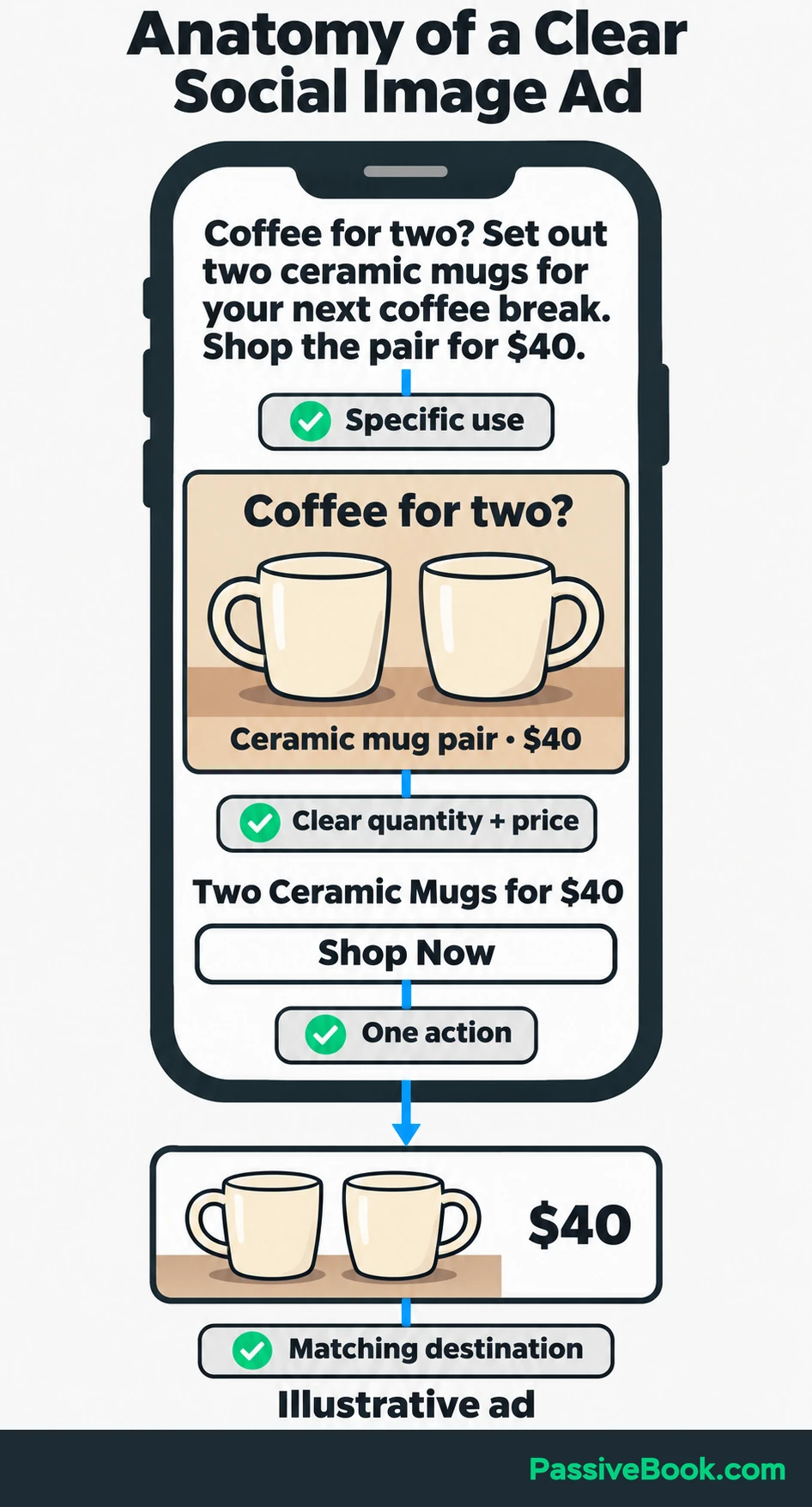
Here is a complete social image ad for the example shop:
| Ad Component | Ready-to-Use Copy |
|---|---|
| Primary text | Coffee for two? Set out two ceramic mugs for your next coffee break. Shop the pair for $40. |
| Image headline | Coffee for two? |
| Image detail | Ceramic mug pair · $40 |
| Ad headline | Two Ceramic Mugs for $40 |
| Button | Shop Now |
The button should lead straight to the pair’s product page. Check that the photograph and page make clear which two mugs the buyer receives.
A compact adaptation for the coffee-corner concept could open with:
A pair for your coffee corner. Explore our ceramic mug pair for $40.
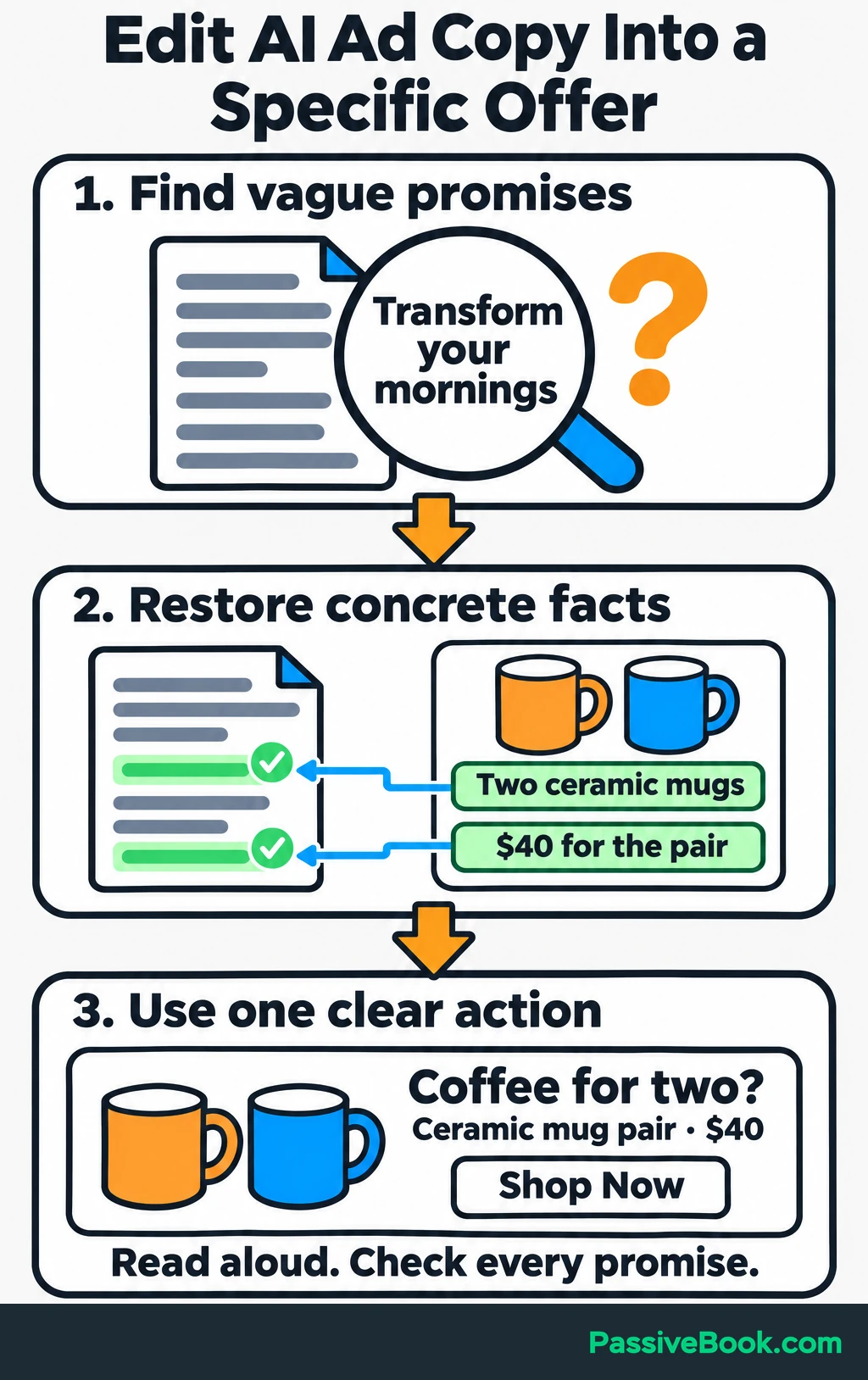
That changes the use being pictured. Swapping “lovely” for “beautiful” would barely change the message.
The mug example gives you the shape, but your own offer needs its own message. AI Advertising Studio gives you drafts and matching layout instructions to review against what you actually sell.
Free AI Advertising Studio




Adapt the approved copy to the placement. For Google responsive search ads, headlines allow up to 30 characters and descriptions up to 90. Google can combine assets in different orders, so each needs to make sense alone and alongside the others. See its responsive search ad requirements.
Check character counts after editing and read the copy aloud. If you trip over a sentence, simplify it.
4. Create Visuals That Support the Chosen Message
Build an Image Ad Around Accurate Product Assets
Start with a photograph of the actual product. Keep it on a separate layer while you explore backgrounds and layouts.
For the mugs, give the image tool a narrow job:
Create a bright kitchen coffee-corner background with soft morning light, an uncluttered counter for a separate product photograph, and clear space above for a short headline. Do not add mugs or text.
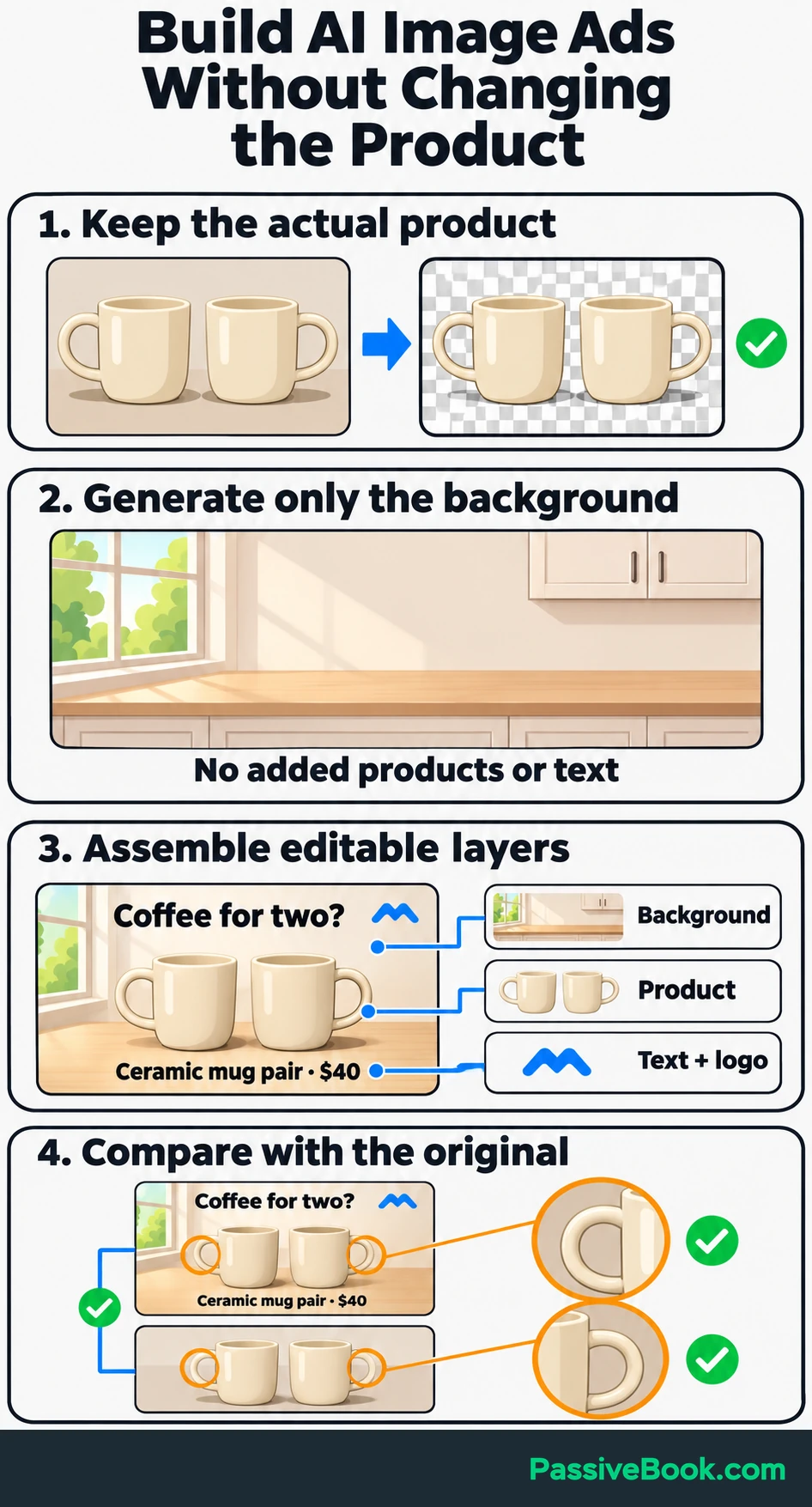
Choose a background whose lighting and viewing angle suit the product photograph. Remove the photograph’s original background, then place the product cutout over the generated scene in the editor so the pair looks naturally placed.
Add the headline, price and logo as editable elements. Generated lettering adds another thing to repair.
The finished layout should make three things easy to see:
- Product: The actual pair is the focal point.
- Message: “Coffee for two?” appears in clear space above it.
- Offer: “Ceramic mug pair · $40” is readable without zooming.
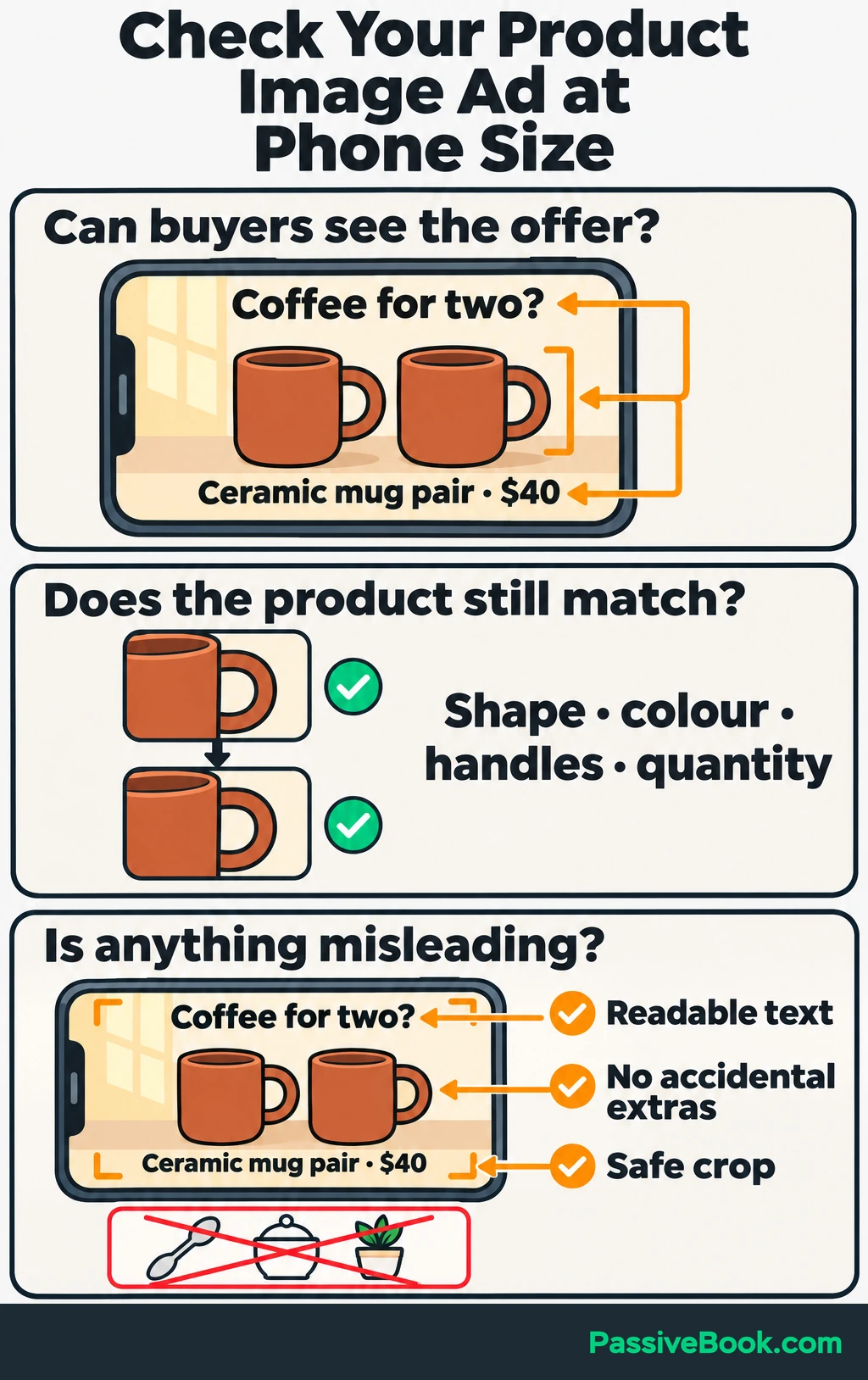
Keep the design simple enough that nearby props do not look like part of the offer.
Compare the finished image with the original photographs. Check the shape, colour, handles, quantity and any packaging. If the tool has changed the product, restore the original asset.
Export at the placement’s required dimensions and inspect the image at phone size. A headline that needs a pinch-to-zoom has missed its appointment.
Turn an Approved Concept Into a Short Video
Use the approved message to build the script. This keeps the video connected to the offer you have already checked.
Ask for a shot list based on assets you have:
Turn the approved coffee-for-two concept into a 15-second video using our product photographs and available detail footage. Provide timing, shots, on-screen text, optional narration and a closing action. Use only facts from the approved brief.
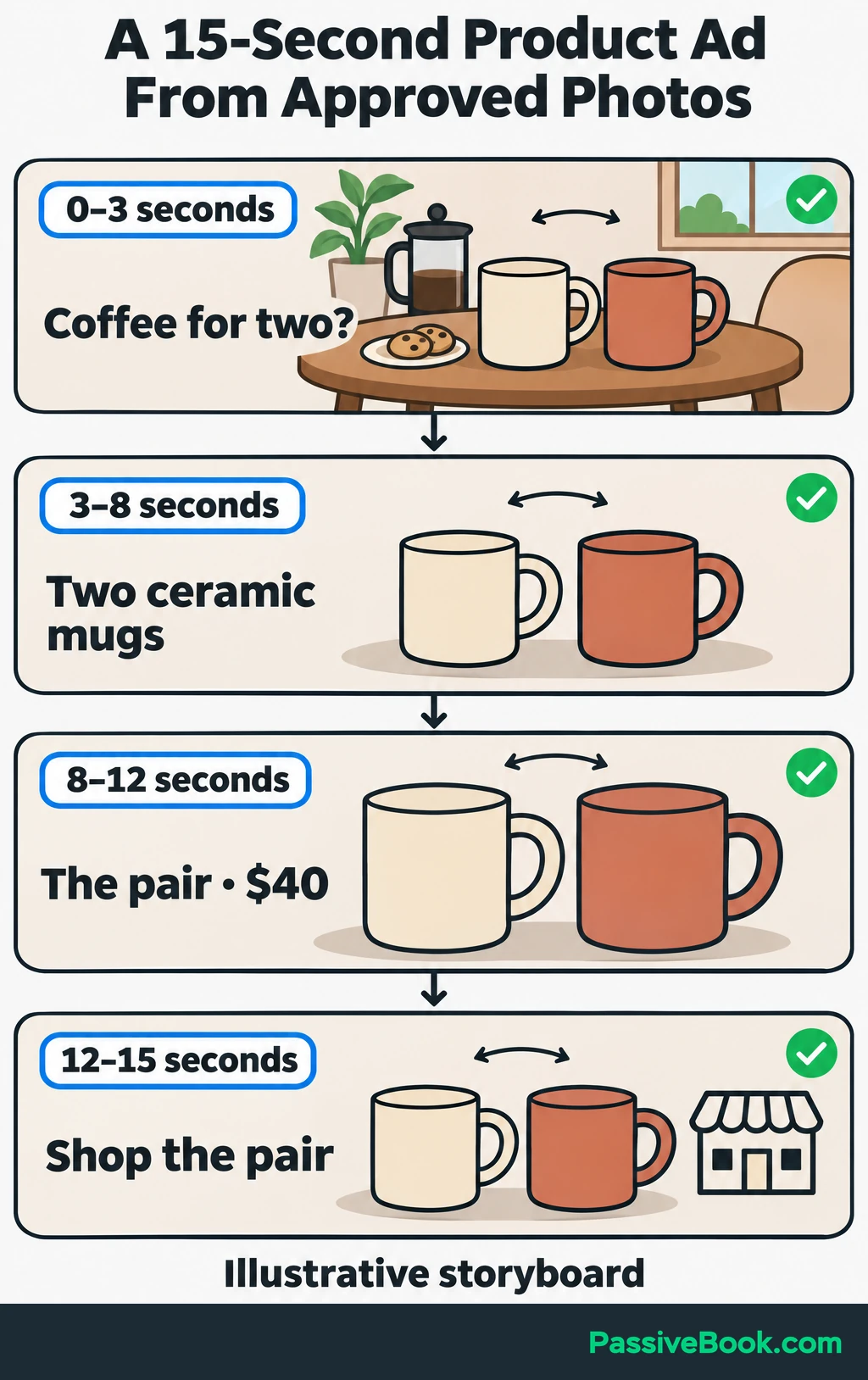
A simple version could follow this sequence:
| Timing | What Appears | On-Screen Text |
|---|---|---|
| 0–3 seconds | The actual pair in a coffee setting | Coffee for two? |
| 3–8 seconds | A clear view of both mugs | Two ceramic mugs |
| 8–12 seconds | A closer crop of the actual product photo | The pair · $40 |
| 12–15 seconds | The pair and shop identity | Shop the pair |
Still photos with gentle movement can cover this sequence. You can add your own footage later if it explains something the photos cannot.
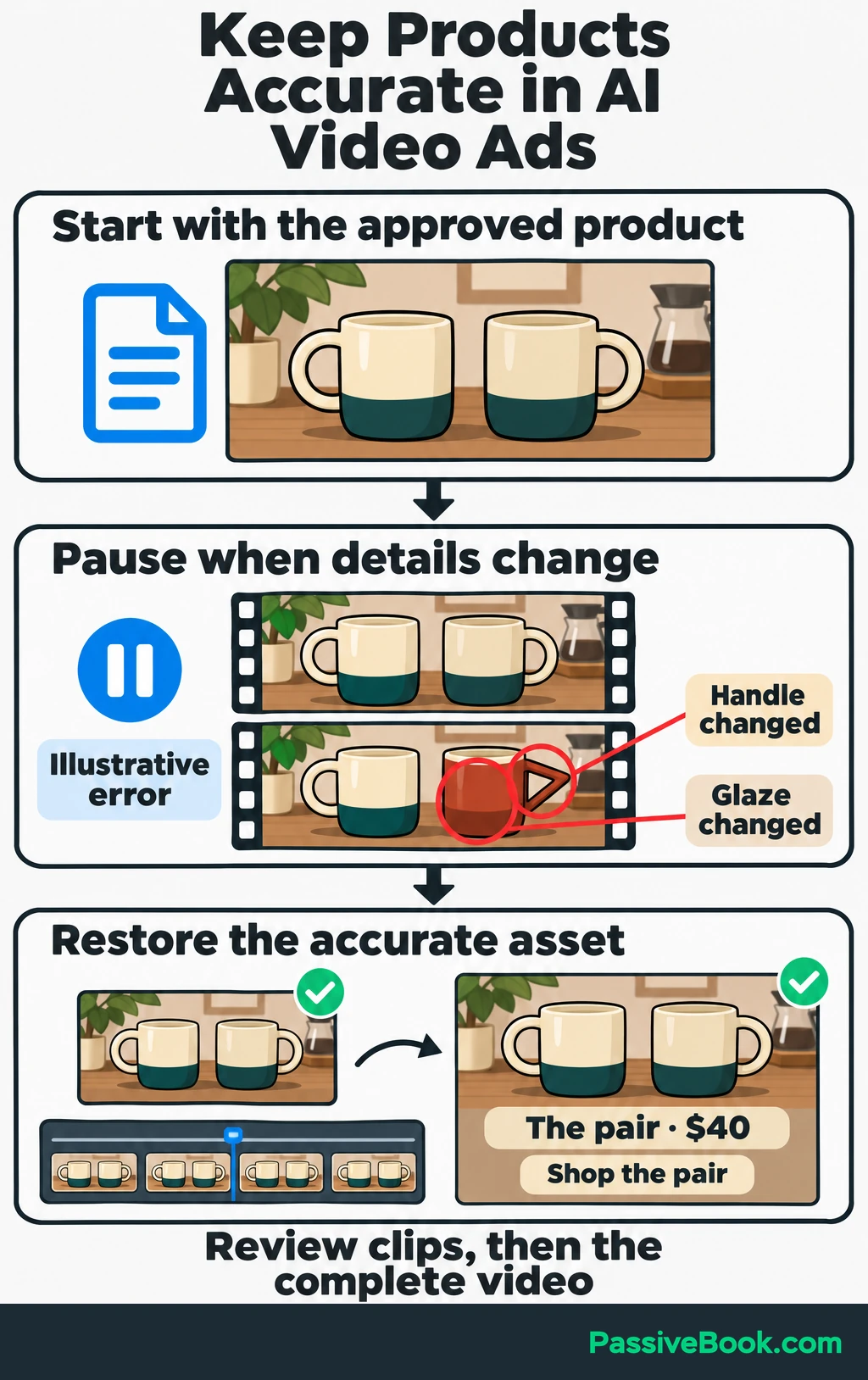
Use generated scenes only where they preserve an accurate impression of the product. A generated pouring shot might quietly change the handle, glaze or size between frames.
Review individual clips, then watch the complete video. Check product continuity, captions, narration, audio balance and the closing frame. Give viewers enough time to read the price and action.
5. Review the Finished Ad Before Publishing
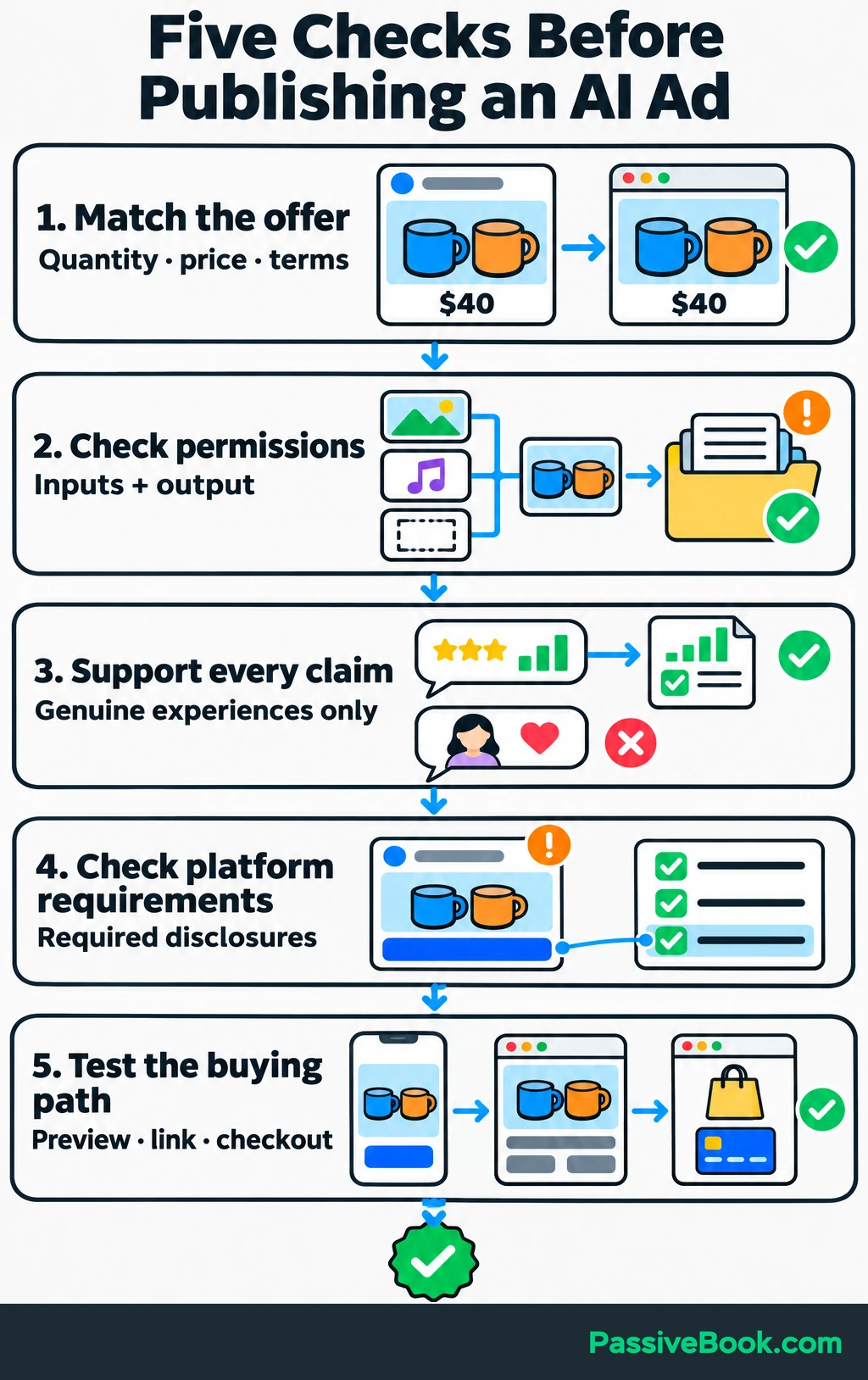
Review the finished asset beside the brief and product page. Copy and visuals can each be accurate on their own yet create a misleading offer together.
Use a short approval checklist:
- Offer Accuracy: Quantity, price, features, availability and delivery terms match the page.
- Asset Permissions: You have the necessary rights for photographs, stock media, fonts, music and any person’s likeness.
- Claims: Every promise has support, and customer experiences are genuine.
- Platform Requirements: Required disclosures are present.
- Buying Path: The link works and the advertised product can be purchased.
Commercial-use permission needs checking for both generated output and the material used to make it. Canva’s terms allow lawful use of output, but similar output may be given to other users, and incorporated library content remains subject to its licence. Keep relevant licence records with the project. See the Canva AI Product Terms.
For U.S. advertising, claims must be truthful and supported before the ad runs. That applies to the impression created by pictures as well as words. The FTC’s advertising guidance explains this standard.
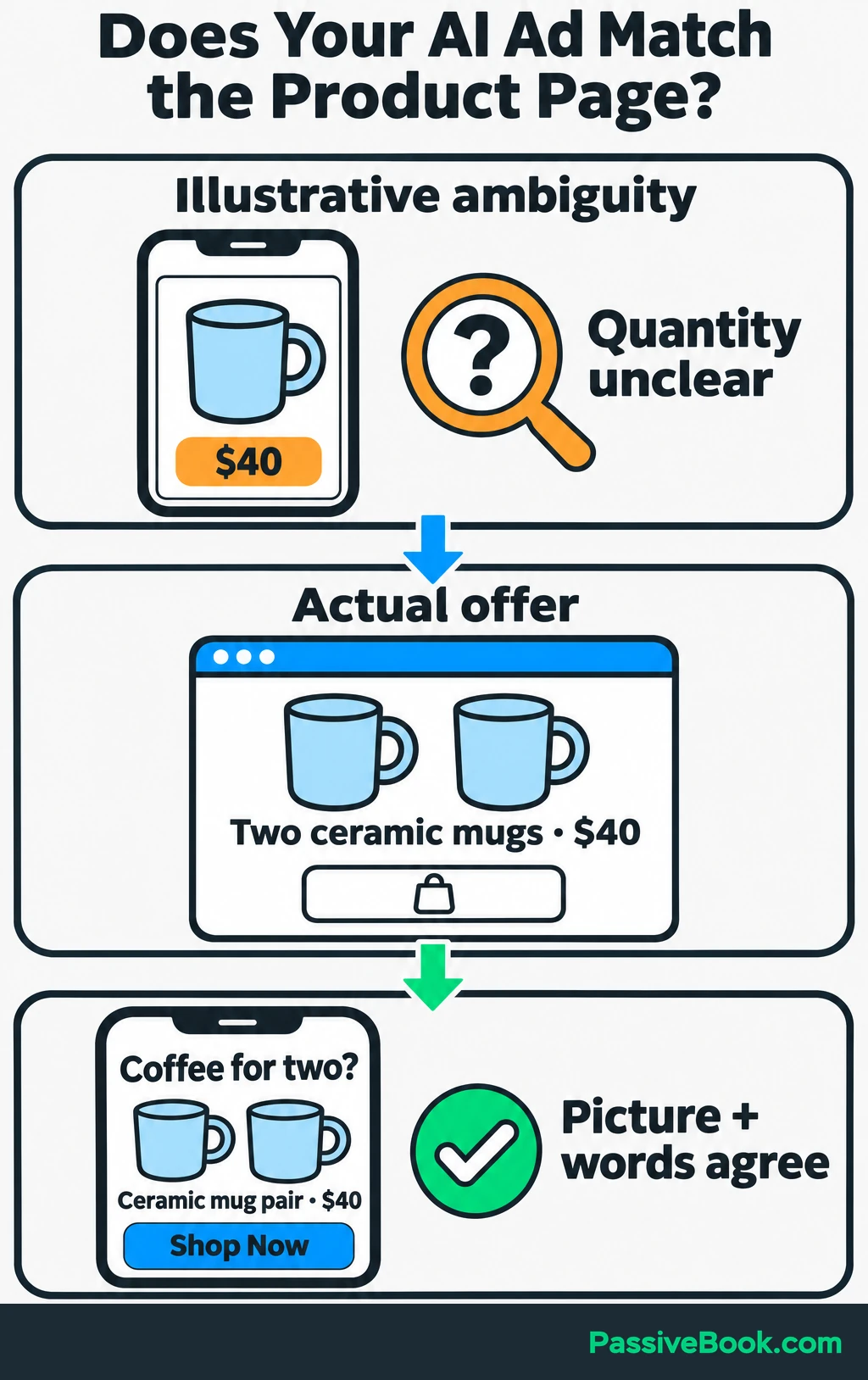
I would leave fabricated customer stories out entirely. An AI presenter saying “I bought these mugs and love them” misleads viewers when the supposed buyer and experience are invented. The FTC’s testimonial guidance addresses fake underlying testimonials, including those presented through AI avatars.
Disclosure rules also vary by platform. TikTok requires disclosure for AI-generated content and significantly edited media, while treating minor edits such as lighting changes and background removal differently. Check its edited-media policy when publishing there.
Finally, inspect the uploaded preview. Check crops, captions, overlays and any enabled automatic creative changes. Follow the link and test the buying path on your phone.
6. Launch a Test With Spending Controls
Work out how much a sale contributes before choosing an acquisition target.
Start with the selling price and subtract costs that arise with each order, such as the product, packaging, payment fees and any delivery cost you absorb.
For the illustrative mug pair:
| Item | Amount |
|---|---|
| Selling price | $40 |
| Variable costs per order | $24 |
| Amount left before advertising and fixed costs | $16 |
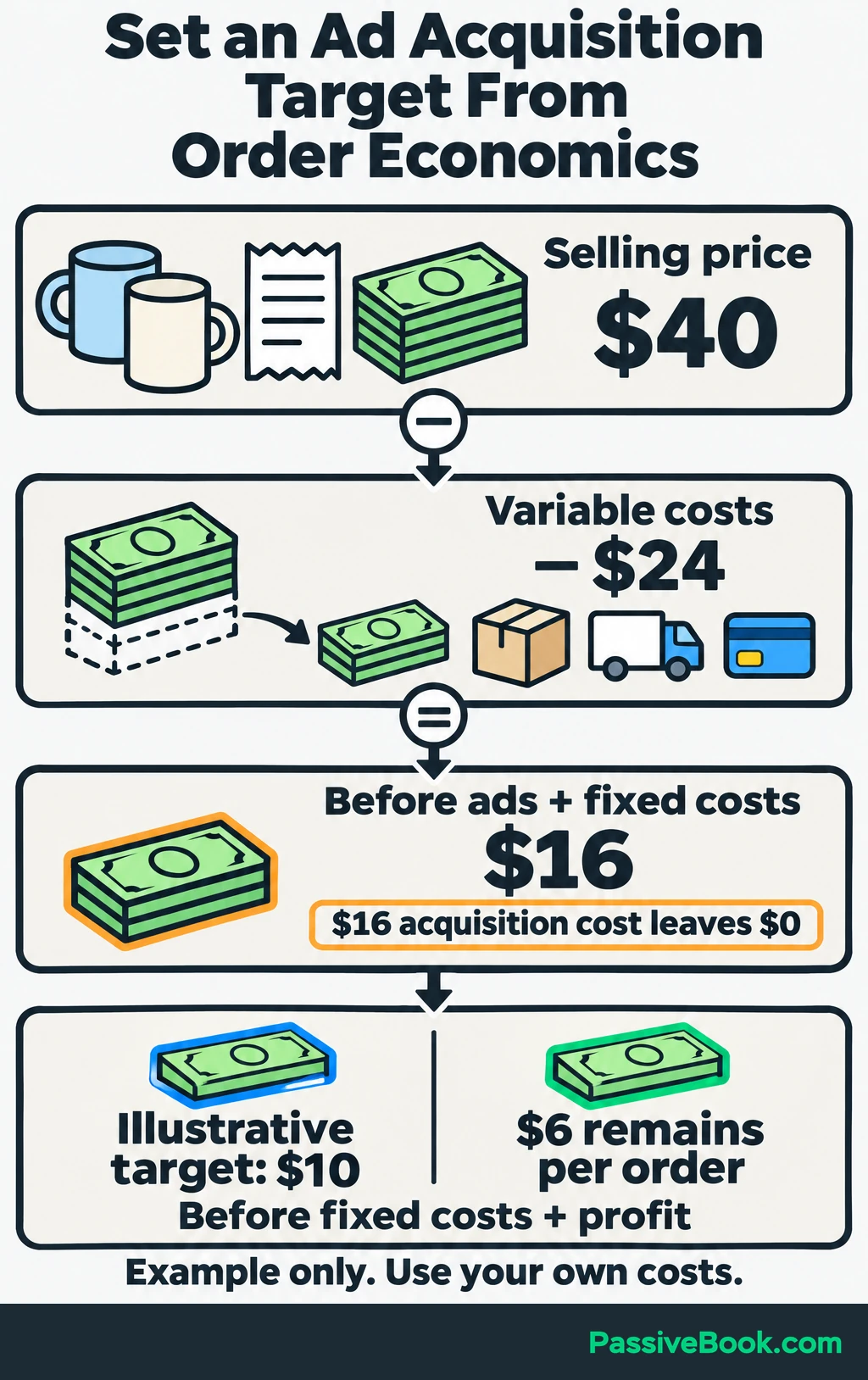
At a $16 advertising cost per purchase, nothing remains for fixed costs or profit. I might choose $10 as an initial target for this example, leaving $6 per order before those other costs. Your target should come from your own numbers.
Next, set the maximum amount you can afford to lose on the experiment. Include tool and production costs when judging the whole project.
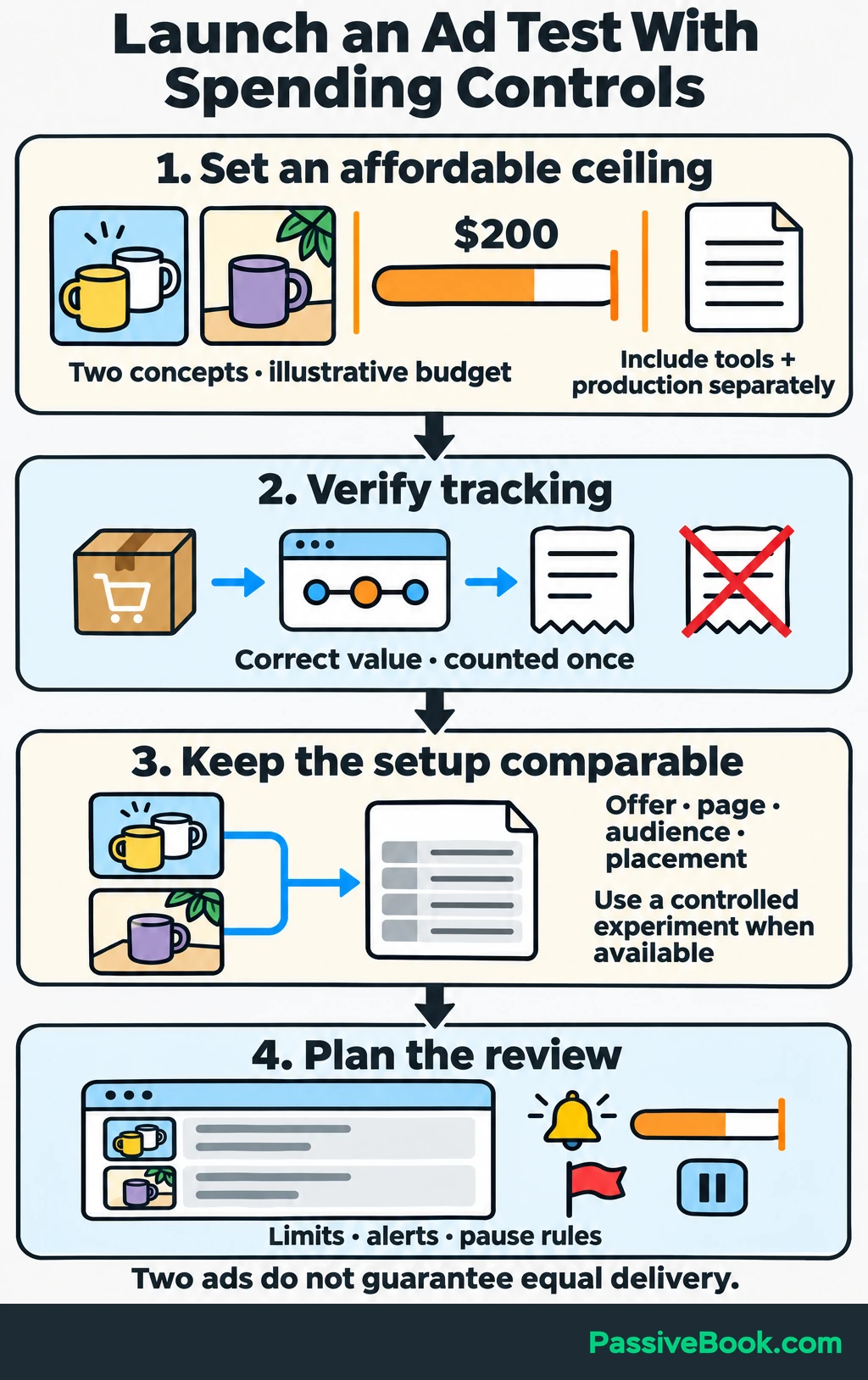
For example, a test could allow $200 in advertising across two concepts. That is an illustrative ceiling, not a recommended minimum or a promise of enough evidence.
Before delivery begins:
- Tracking: Make a test purchase and confirm that its value records correctly and the order counts once.
- Names: Use clear version names, such as
mugs-coffee-two-v1andmugs-coffee-corner-v1. - Controls: Check spending limits, the end date and alerts, and understand how the platform applies them.
- Comparison: Keep the offer, destination, audience and placement comparable.
- Review Point: Decide when you will inspect spending and results, and what would make you pause.
Use the platform’s controlled experiment feature where available. Placing two ads in a campaign does not ensure equal delivery or a clean comparison.
I would test one new concept against an existing ad. With no baseline, I would compare two distinct concepts and keep the rest of the setup as consistent as possible.
7. Use Results to Improve the Next Ads
Judge the test by the action chosen in the brief. Clicks can help explain what happened, but a purchase campaign needs purchase results.
Record each ad’s spend and the purchases credited to it over the same reporting period. Use the same rules for crediting purchases to both ads, including how long after a click or view a purchase can count. Check those purchases against actual orders and remove duplicates or test transactions.
To find cost per purchase, divide each ad’s spending by its verified attributed purchases. For an ad with no purchases, report the spend and zero purchases rather than a cost per purchase.
Here is an illustrative comparison:
| Version | Message Angle | Spend | Clicks | Verified Purchases | Cost per Purchase | Revenue | Next Action |
|---|---|---|---|---|---|---|---|
| V1 | Coffee for two | $100 | 120 | 10 | $10 | $400 | Keep as a provisional baseline |
| V2 | Coffee corner | $100 | 150 | 5 | $20 | $200 | Review message and page fit |
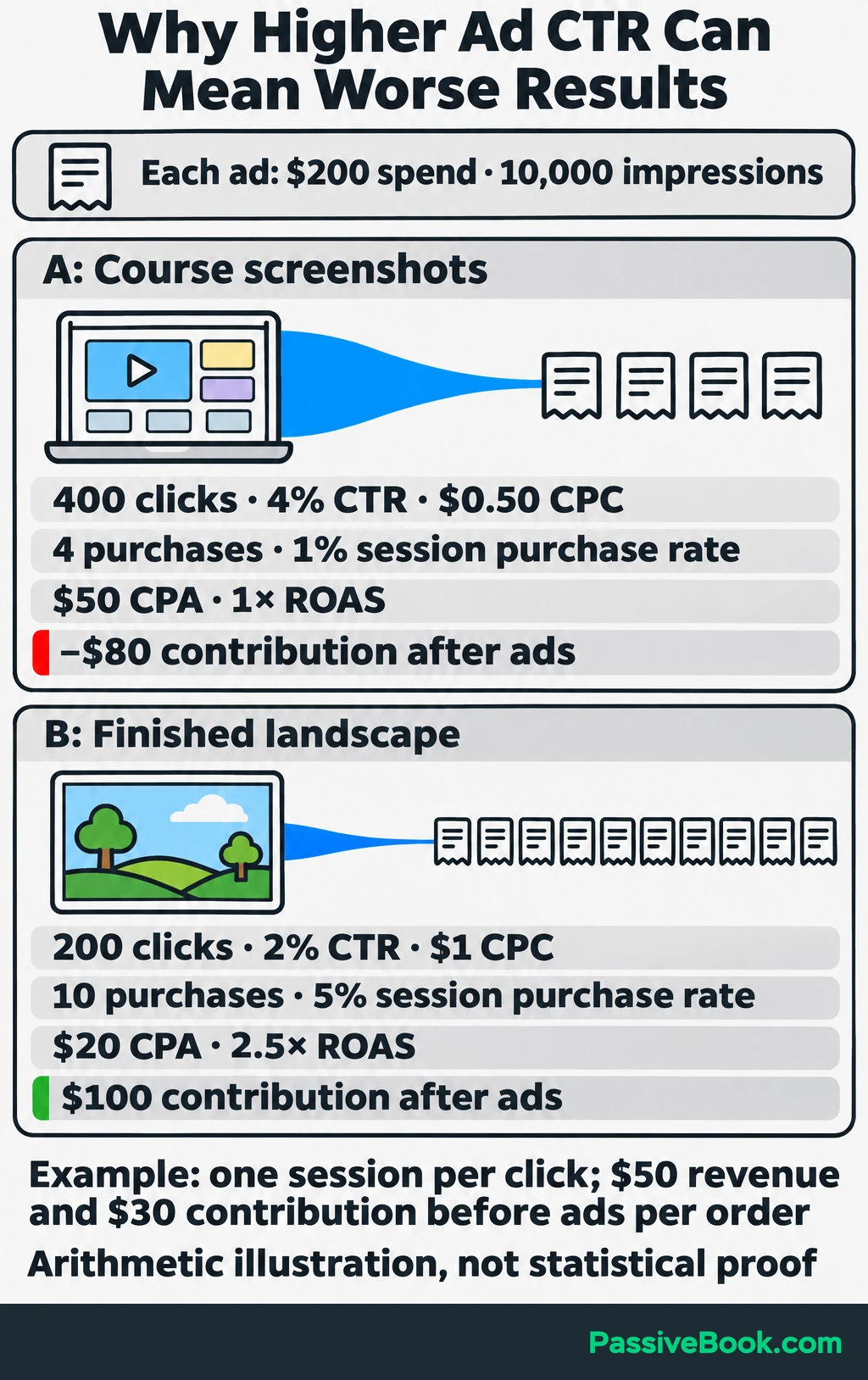
V2 attracted more clicks, but V1 produced more purchases from the same spending.
For V1, ten purchases at $40 produce $400 in revenue. Those orders carry $240 in variable costs. Subtract that and the $100 advertising spend, and $60 remains before production, tools, fixed costs and taxes.
A few purchases give you a direction to investigate. Allow for delayed conversions before deciding which ad deserves more spending.
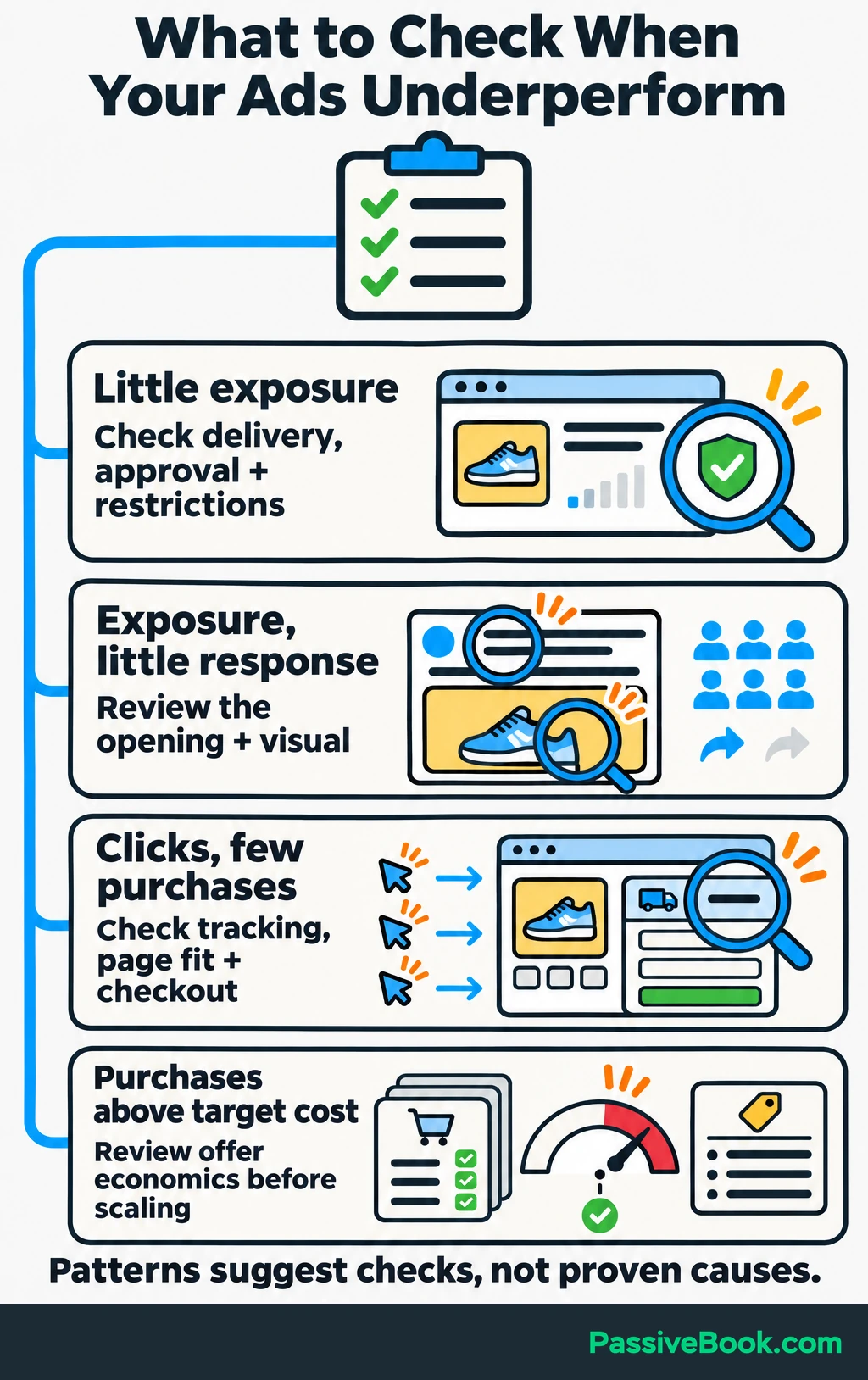
Use the pattern to choose the next check:
- Little Exposure: Inspect delivery, approval status and campaign restrictions before rewriting the ad.
- Exposure With Little Response: Review whether the opening and visual give people a relevant reason to act.
- Clicks With Few Purchases: Check tracking, page consistency, delivery charges and checkout.
- Purchases Above Your Target Cost: Review whether the offer can support paid acquisition before increasing the budget.
Give AI an anonymized results sheet and ask for a narrow analysis:
Compare these creative versions against our $10 target cost per purchase. Check the arithmetic, separate observations from possible explanations, and suggest one next creative change. State what the data cannot establish.
Verify its sums and recommendations. AI can suggest that the coffee-corner message attracts browsers, but these figures alone cannot prove why people clicked.
Also measure the production process. Record total time and outside costs per approved ad, including review and revisions. Compare that with your previous process.
Save the brief, prompts, approved copy, editable assets and findings together. Once the process works, automate repetitive preparation such as naming files or assembling reports. Keep approval before publication and spending changes.
What Next?
Choose one product and write its verified brief today. Use it to make one image ad, then review the exported version beside the product page before committing any spending.
Use the social buttons to share this workflow when a conversation about AI ads needs a practical way to judge the output.
Which part of your ad process takes the most time: choosing the message, making the creative or understanding the results? Tell me in the comments, and bring any other questions along.
Share this post with your friends & followers:

