You have enough ideas for ten videos, but which one deserves your next free Saturday? The most entertaining topic might bring viewers who will never need what you sell, and the most useful demonstration might take longer to make than you can spare.
Without a way to choose, you can spend that Saturday filming and still be unsure whether the work was worthwhile. The framework and three copyable worksheets below turn that uncertainty into a publishing plan tied to your available time and a clear business result.
1. Define the Business Outcome
Choose one main result before choosing video topics. That could be product purchases, qualified inquiries, email signups or channel revenue.
Your strategy connects useful videos to that result. Your publishing calendar gives those videos a place in the workweek. A calendar full of ideas can still leave the business going nowhere.
For your chosen result, record:
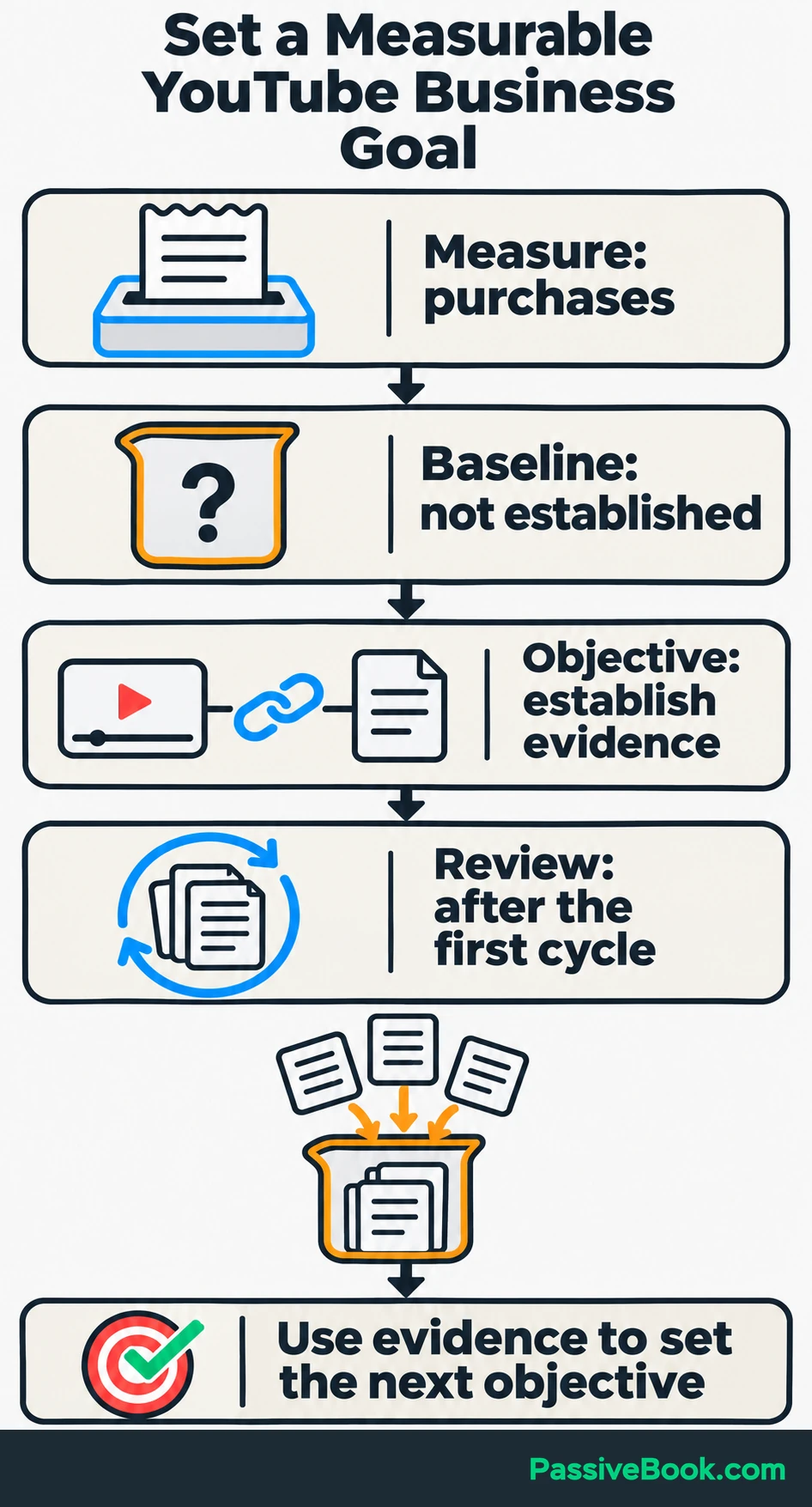
- Measure: What you will count.
- Baseline: Where you are starting.
- Objective: What you want to achieve or learn.
- Review date: When you will assess progress.
If the channel is new, use the first publishing cycle to establish a baseline. You need some evidence before a sales target becomes more than a hopeful number.
Throughout this guide, imagine you run a shop selling printable cat-sitter handover packs. Your customers are preparing for their first trip away and need to organize supplies and explain routines. The example topics, figures and schedules are illustrations.
Your viewer’s path could be:
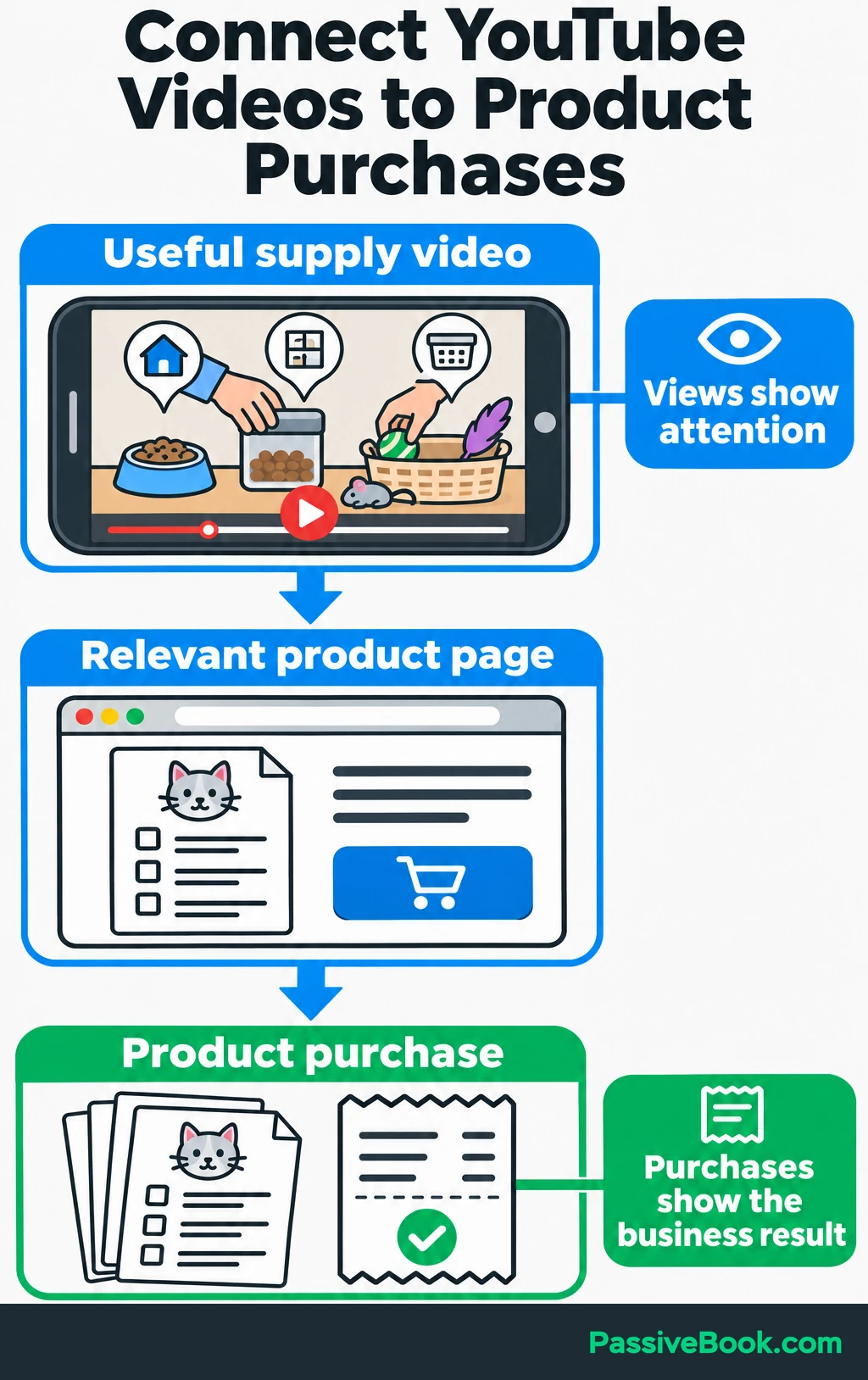
Supply-organization video → handover-pack product page → purchase.
Purchases are the business result. Relevant views and repeat viewing help you understand whether an audience is developing, but they answer a different question.
I spent six months chasing Instagram and Twitter/X followers for a side niche. I could explain which posts gained attention, but I had very little business progress to show for it. That experience is why I would put the customer action at the top of this plan.
Choose a revenue route you can support. Product sales need a useful offer and a working checkout. Service inquiries need a clear service and a way to get in touch. Advertising income requires the applicable YouTube Partner Program eligibility and channel approval, so check those requirements before including it in your budget.
For the example shop, I would start with product purchases. The offer already fits the problem the videos will solve.
2. Define Your Audience and Channel Promise
Find the Questions Worth Answering
Describe the viewer’s situation, the result they want and what gets in the way. “Pet owners” is too broad to guide your next recording session.
For the shop, a useful description is:
“A cat owner preparing for a first trip away who needs to explain household routines clearly to a sitter.”
Now collect questions from customer emails, support messages, relevant communities and comments on videos serving those viewers.
Without customers, talk to prospective viewers. Ask what they are preparing for, what they have already tried and which part still feels unclear. A specific account of getting stuck is more useful than “Would you watch a video about this?”
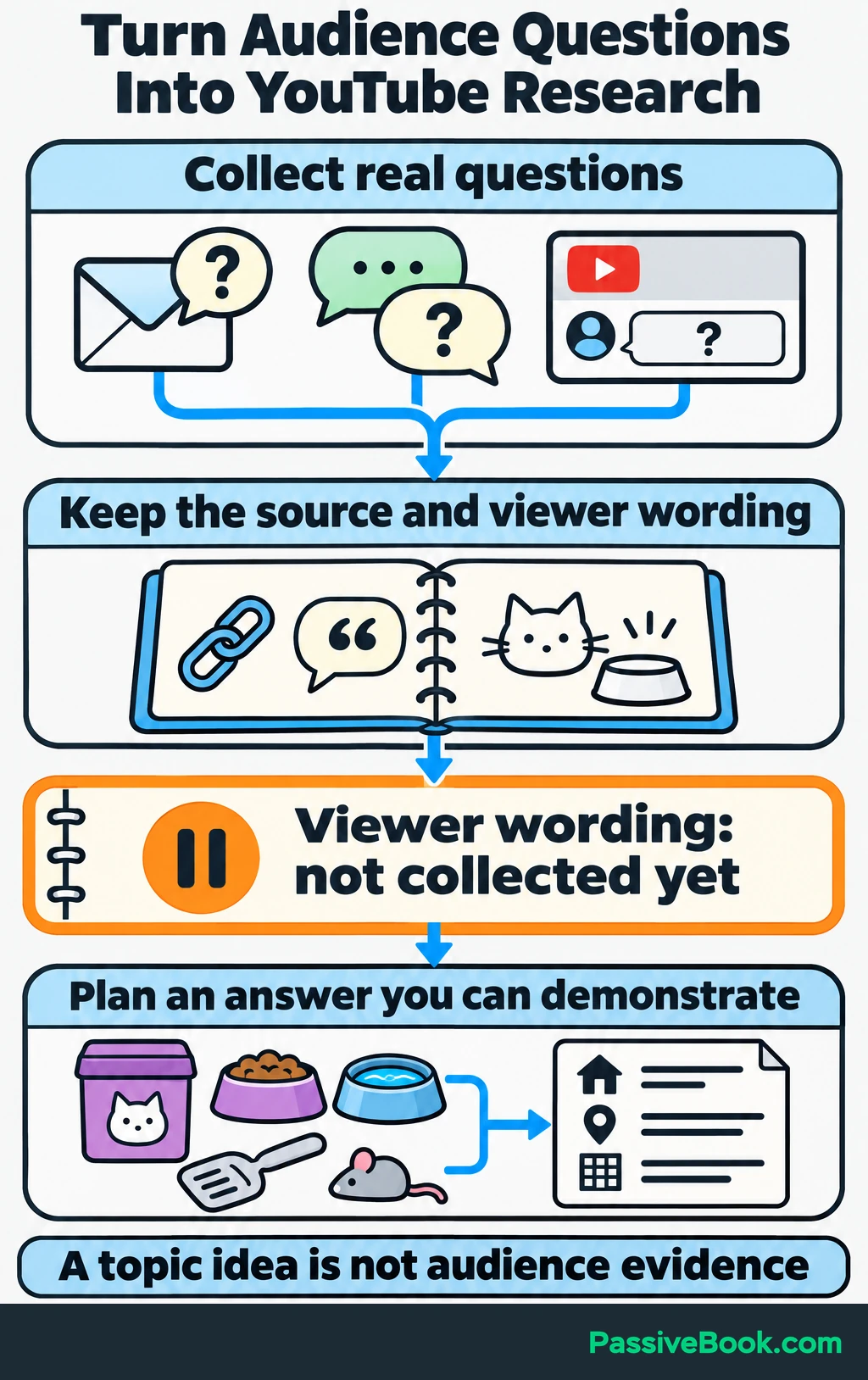
Keep a simple research log:
| Question | Where It Came From | Viewer’s Wording | Answer You Could Demonstrate |
|---|---|---|---|
| What needs explaining before a sitter arrives? | To investigate through conversations and video comments | Not collected yet | A walkthrough connecting supply locations with written instructions |
Leave missing evidence visible. An idea does not become audience research because you put it in a spreadsheet.
Search promising questions on YouTube and compare several videos. Look at what they promise, what they show and what viewers still ask afterward. You might find that existing videos list supplies but never demonstrate how to make them easy for another person to find.
Public views show attention. They do not establish that viewers want your product, so check ideas against the problems prospective customers describe.
If you already have viewers, YouTube Studio’s Audience reports can show other videos and channels they watch. Use those reports to find questions to investigate rather than copying another channel’s topics wholesale.
Write a Specific Channel Promise
Finish this sentence:
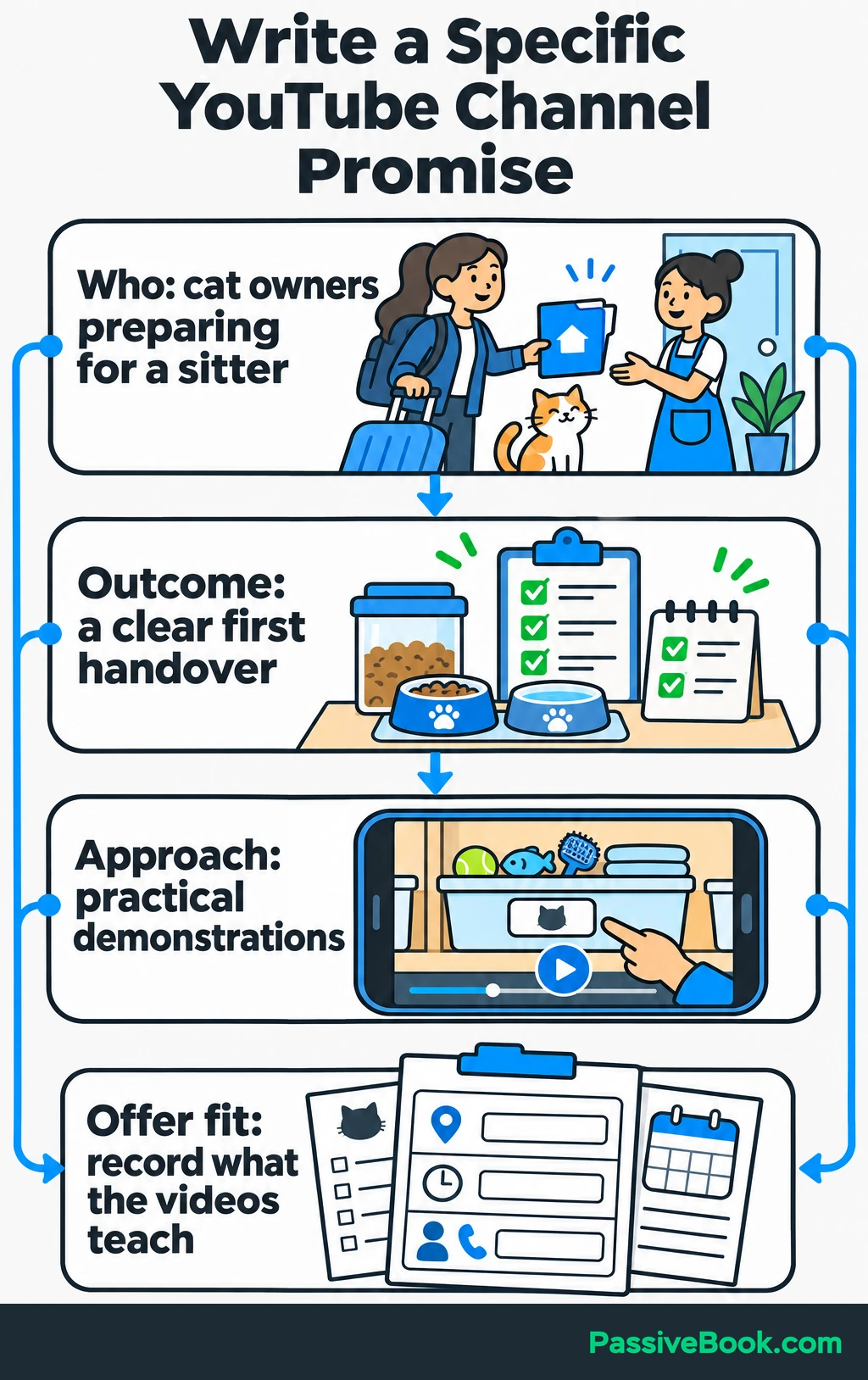
“This channel helps [viewers in a specific situation] achieve [outcome] through [recognizable approach].”
For the shop:
“This channel helps cat owners prepare for a sitter’s first visit through practical demonstrations of supply organization, routine notes and clear handovers.”
Check the connection to your offer. Would someone helped by those videos have a plausible reason to want the handover pack? Here, the product gives them somewhere to record what the videos teach.
Set boundaries too. This channel covers preparation, household organization and routine documentation. Unrelated pet entertainment and individualized veterinary advice sit outside that promise.
I would rather publish three closely related demonstrations than stretch the channel to cover every cat topic. “There are cats in it” is a weak editorial policy.
Use the promise in your channel description and feature a video that demonstrates it. A new visitor should quickly understand what help they can expect.
3. Turn Audience Problems Into Content Pillars
Content pillars are repeatable subject areas. Group questions by the task viewers need to complete, then check that each group can support several useful videos.
A pillar describes what you teach. A format describes how you teach it. “Organize supplies” is a pillar; a hands-only walkthrough is a format.
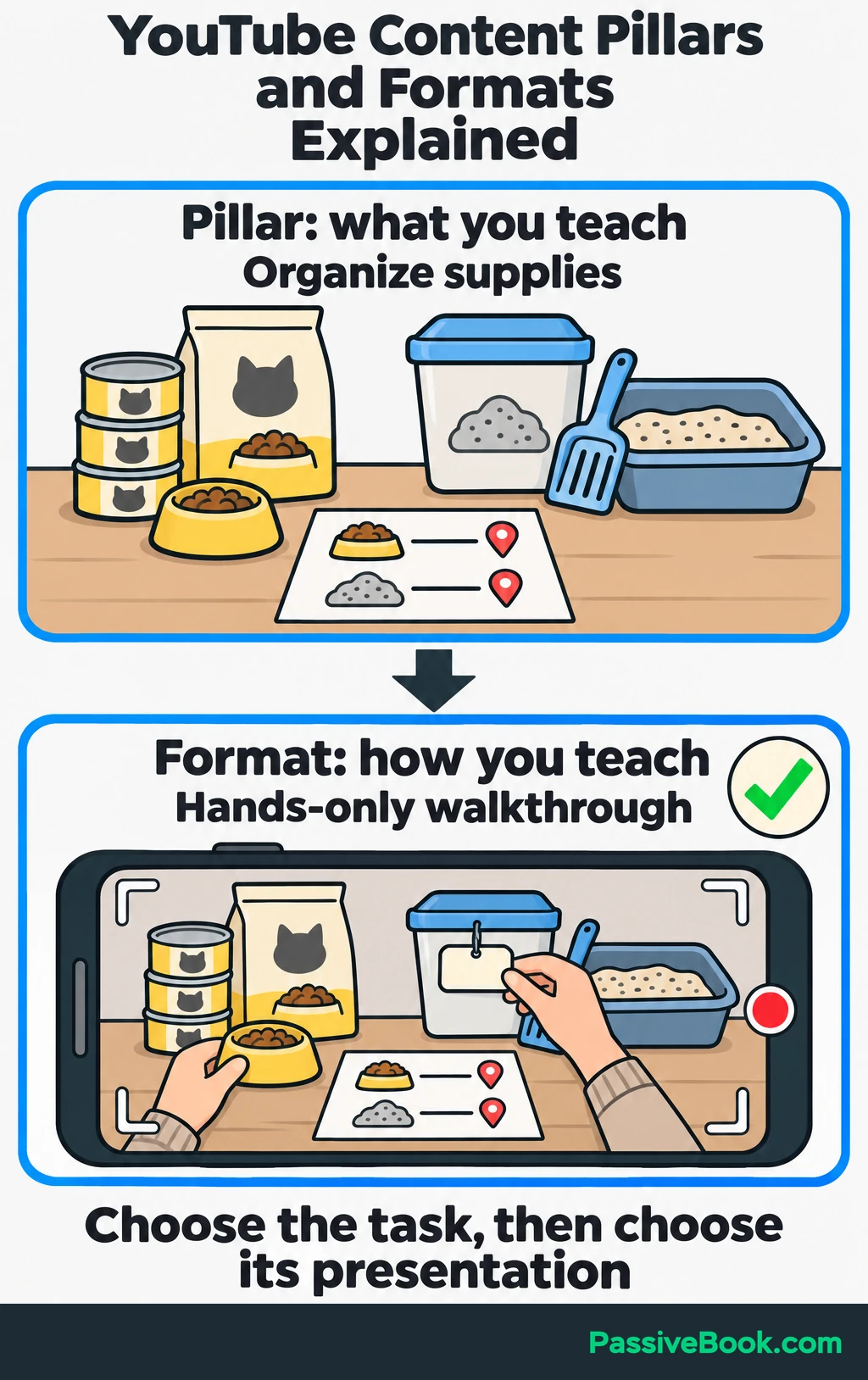
For the example shop:
| Pillar | Viewer Task | Specific Question | Possible Video | Relevant Next Step |
|---|---|---|---|---|
| Organize supplies | Make everyday items easy to find | Where should I put everything before the sitter arrives? | How to Organize Cat Supplies Before a Pet Sitter Visits | Explore the pack’s supply-location sheet |
| Document routines | Turn habits into clear instructions | How much detail should I write? | How to Write Clear Cat-Sitting Instructions | Watch a completed handover walkthrough |
| Prepare the handover | Bring notes, contacts and responsibilities together | How do I check that the instructions are complete? | What to Include in a Cat-Sitter Handover Pack | Explore the printable pack |
These pillars give the channel room to grow without changing its purpose.
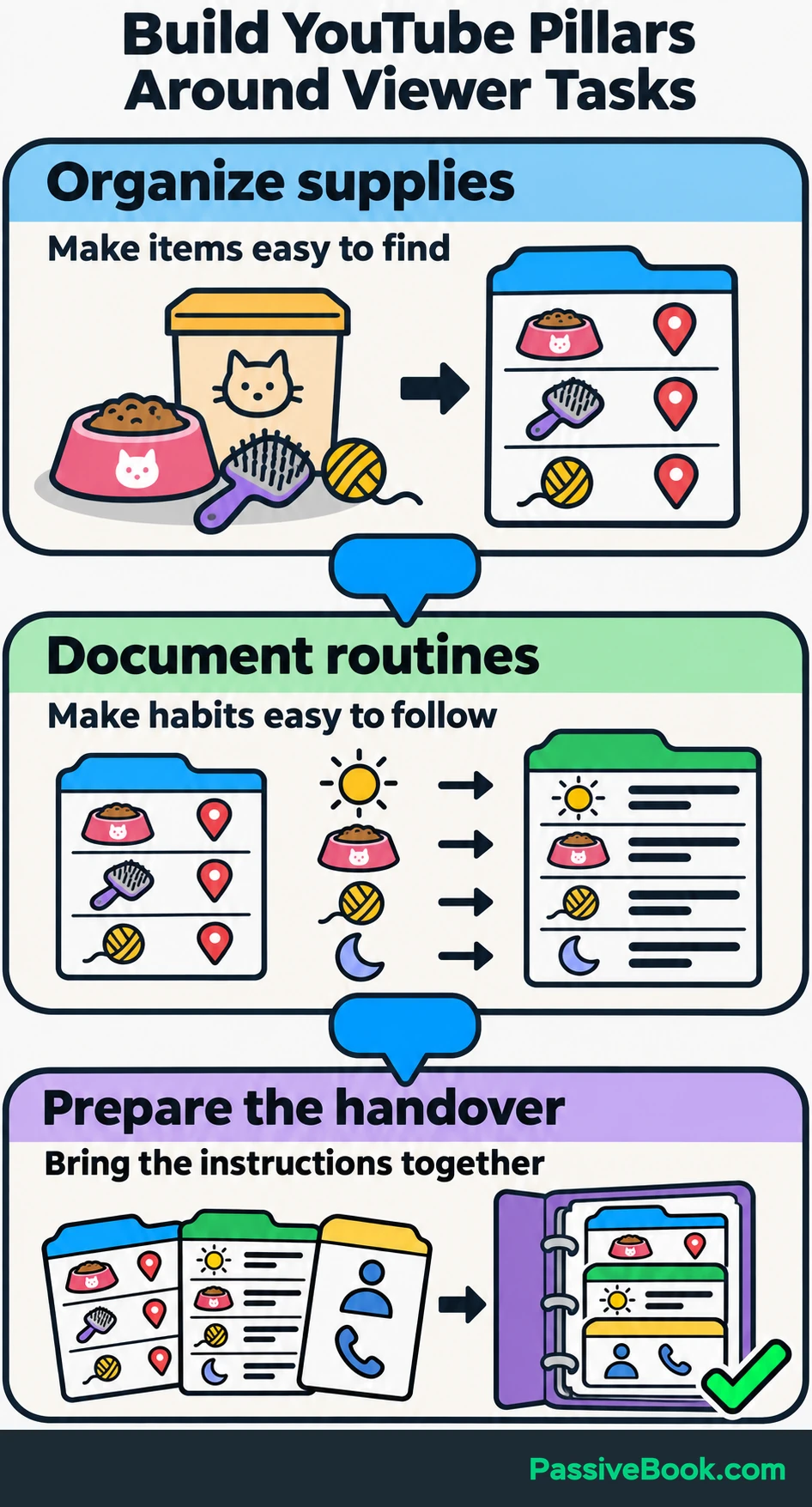
Connect videos through the viewer’s next question. Once supplies are organized, the owner needs to explain their use. Once those instructions are written, they need to bring everything together.
Name playlists around those tasks. “Prepare Your Sitter Handover” tells viewers more than “Helpful Videos.”
4. Build a Publishing Workflow You Can Sustain
Choose Formats That Serve the Explanation
Choose the presentation that makes the task easiest to understand:
- Hands-only demonstration: Show how supplies are grouped and labeled.
- Narrated screen recording: Walk through completing a handover pack.
- On-camera explanation: Use a presenter when their explanation or interaction helps the lesson.
I would start with hands-only demonstrations and narration for this shop. Viewers need to see the arrangement and read the instructions. The owner’s face adds little to that task.
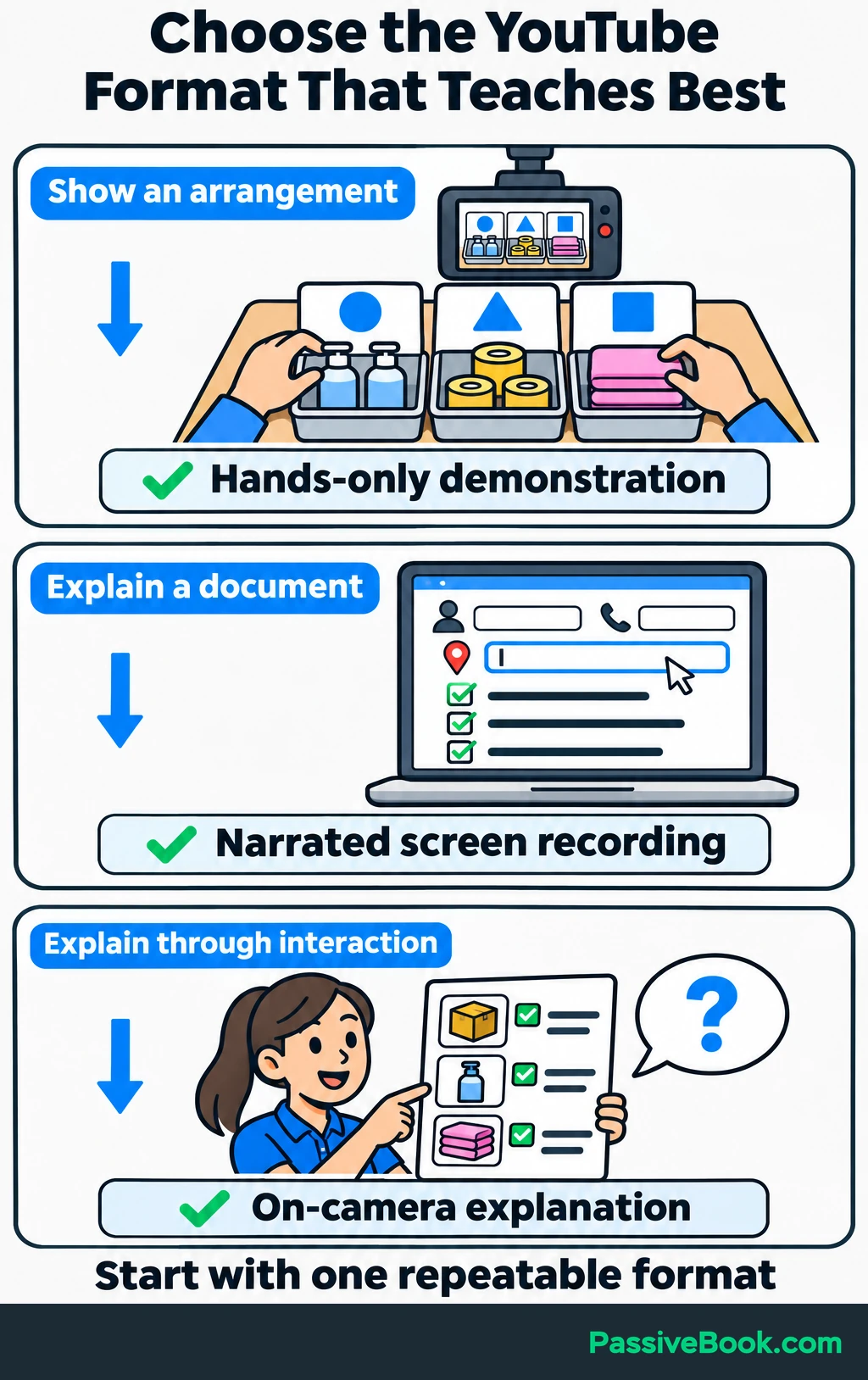
Choose one repeatable format first. Long-form videos can hold a complete walkthrough, while Shorts can answer one small question. You do not need both to begin.
Let the explanation determine the length. Keep the footage that helps viewers complete the task and cut the rest.
Start with available equipment. Check whether viewers can hear the narration, read the labels and see what your hands are doing. Fix a specific problem before buying equipment. A more expensive camera will faithfully record unreadable labels.
Set Cadence From Production Capacity
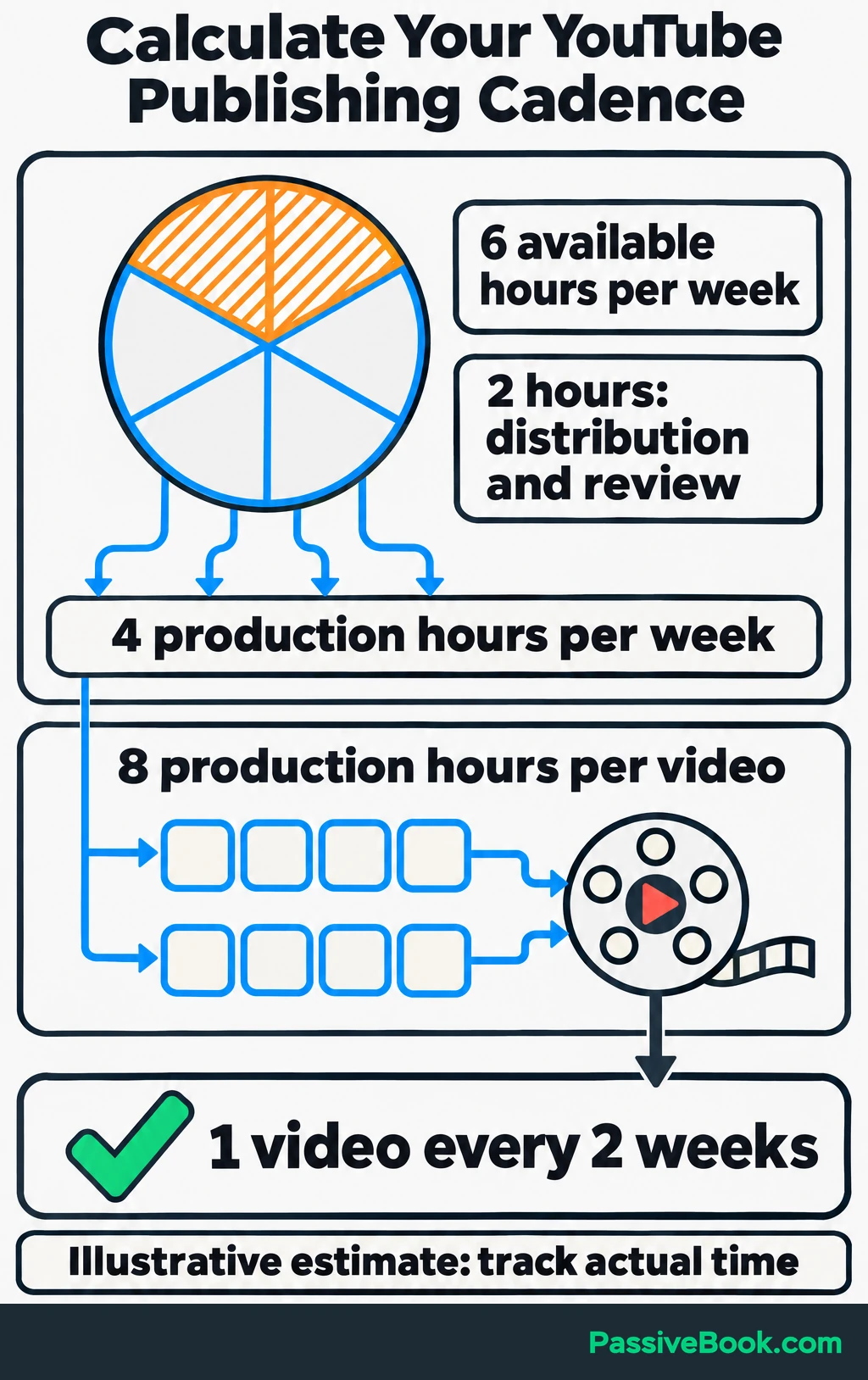
Count the time needed for research, outlining, recording, editing, the title and thumbnail, and publishing. Reserve time for distribution, comments and review before assigning the rest to production.
Suppose you have six hours each week. Two hours go to distribution and review, leaving four for production. If each video needs eight production hours, one video every two weeks fits.
That is a starting estimate. Track actual time during the first cycle and adjust.
You do not need to force daily or weekly uploads. YouTube says its analyses found no correlation between time between uploads and growth in views across uploads. I would use a schedule you can maintain while still making the explanation useful.
My membership-site attempt taught me how quickly recurring content becomes a second job. I had built a commitment to keep producing before proving that the workload fit around my day job. I would measure production time before making a public publishing promise.
Move each video through the same stages:
Selected idea → brief → outline and shot list → recording → edit → quality check → scheduled → reviewed.
Batch compatible tasks, such as recording several supply close-ups in one session. Schedule completed videos in YouTube Studio.
Before publication, check:
- Answer: The video delivers what the title and thumbnail promise.
- Clarity: Audio is understandable, demonstrations are readable and captions are corrected.
- Next step: Links work and the viewer knows why the next action helps.
Use a spreadsheet or Notion to manage this pipeline and Canva if you need thumbnail templates. Add automation after the process works. I would automate reminders and repeated data entry before handing over topic selection or factual review.
5. Plan Your Next Videos
Select a Connected First Batch
Build an idea backlog with the audience question, evidence, pillar, missing explanation, business relevance and estimated effort.
Filter for audience relevance first. Then favor ideas you can explain clearly, connect naturally to the business outcome and produce within your time budget.
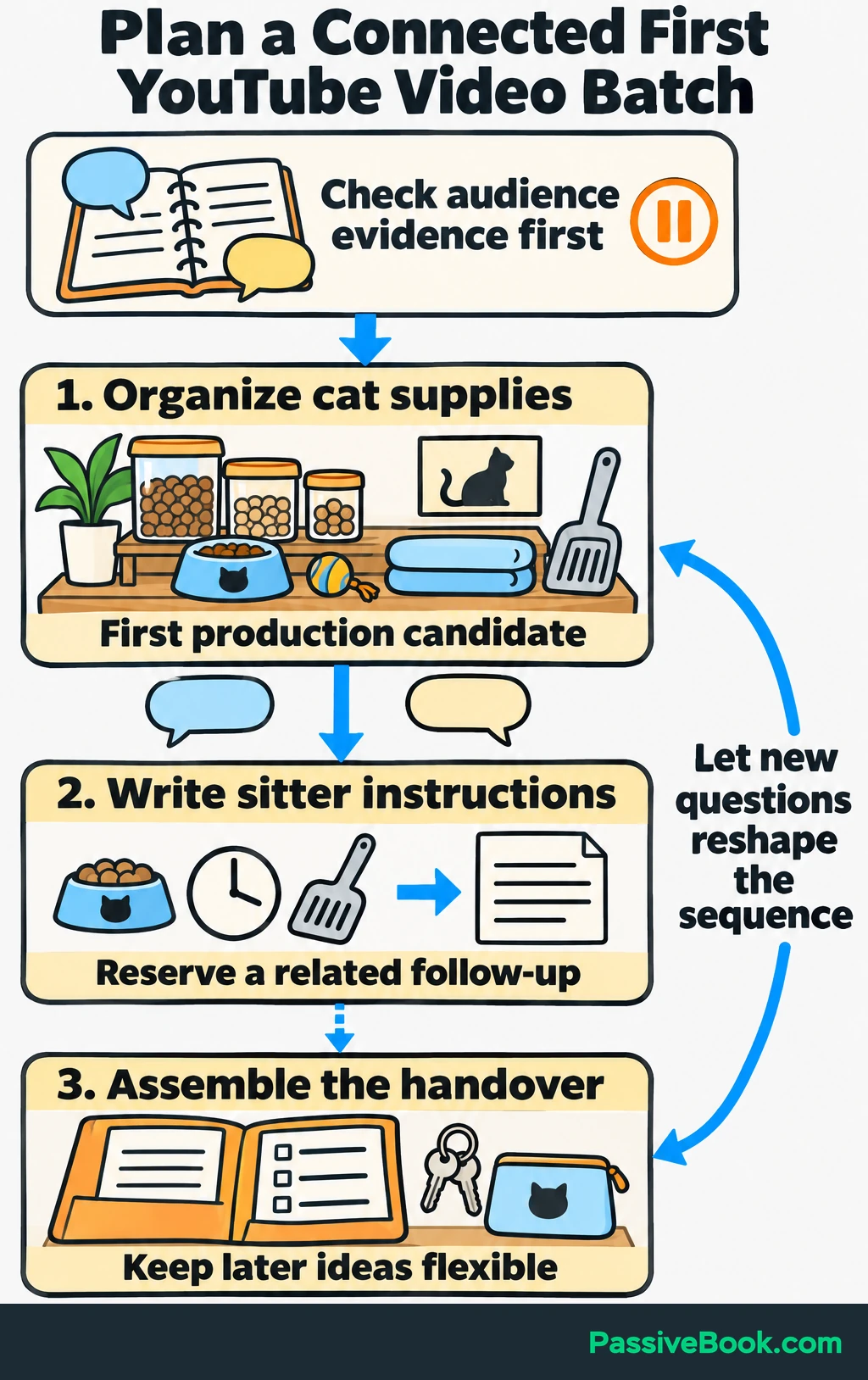
For the shop, a connected starting sequence could be:
- “How to Organize Cat Supplies Before a Pet Sitter Visits”
- “How to Write Clear Cat-Sitting Instructions”
- “What to Include in a Cat-Sitter Handover Pack”
Each video answers a useful question on its own, and the sequence builds toward a complete handover.
Commit the strongest feasible idea to production and reserve one related follow-up. Keep later ideas flexible. A recurring question beneath the first video may deserve attention before your carefully planned sixth upload.
Develop the Title and Thumbnail Before Recording
Write one sentence describing the viewer’s problem and the answer you will provide. Use it to develop the title, thumbnail and opening.
For the supply video:
“Show owners how to arrange and label everyday cat supplies so a visiting sitter can find them.”
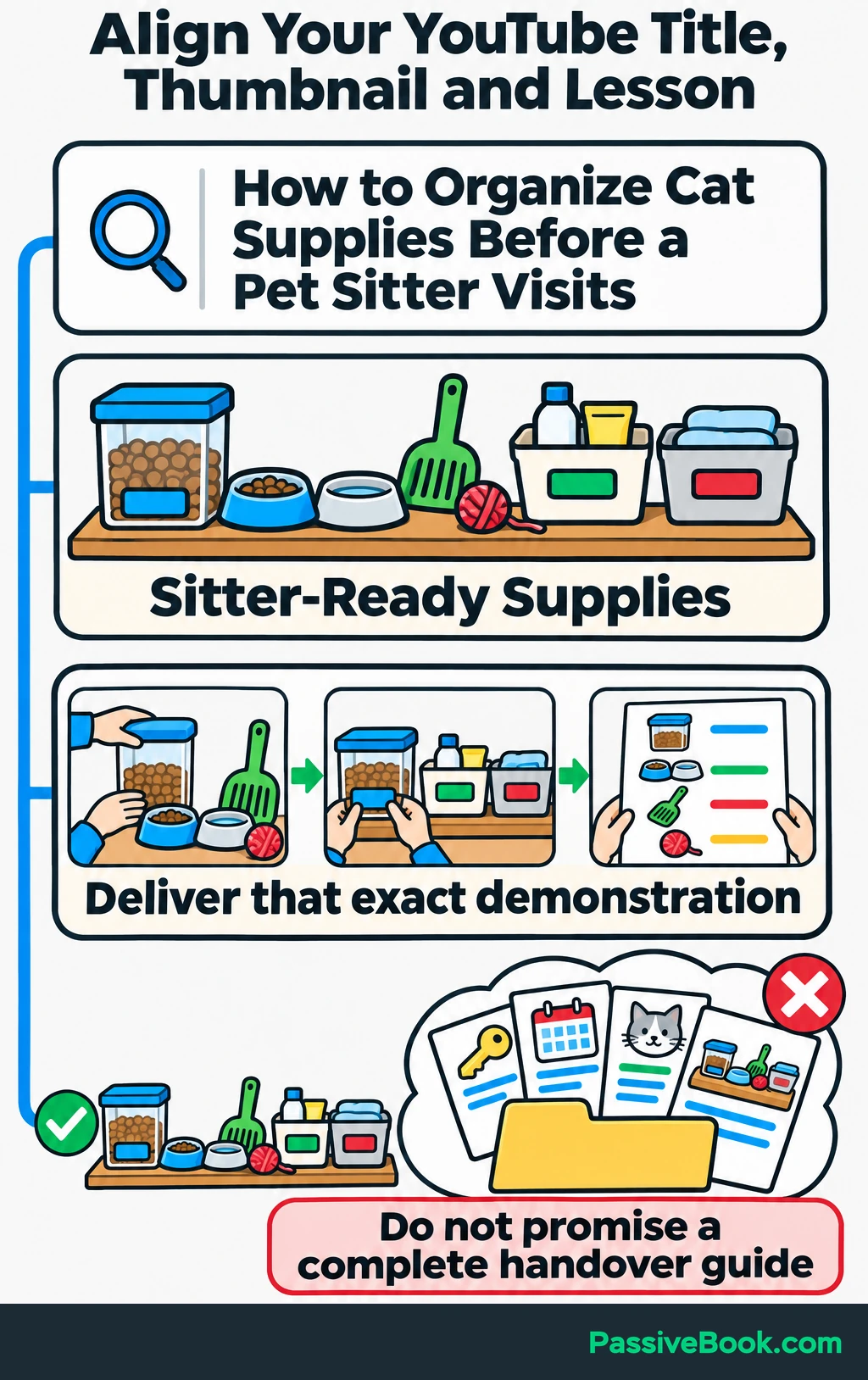
I would use a direct title for this explicit task:
“How to Organize Cat Supplies Before a Pet Sitter Visits”
The thumbnail could show the finished supply station with the short label “Sitter-Ready Supplies.” It makes the result visible while the title explains the task.
YouTube distinguishes between searchable titles and titles that spark curiosity. Choose the approach that fits how viewers might encounter the problem, and put the important words early.
The title, thumbnail and demonstration must promise the same deliverable. If the video only organizes supplies, do not package it as a complete guide to leaving a cat with a sitter.
Plan the thumbnail before recording so you can capture the image you need during the shoot.
Outline the Answer and Next Step
Start with the useful result, then begin teaching.
For the supply video, the opening could be:
“Here’s a supply station a visiting sitter can follow. I’ll show you how to group the items, label their locations and match them to your written instructions.”
Then outline the teaching points and the footage each needs. Show the finished arrangement, demonstrate the grouping and labels, and connect them to the matching instructions.
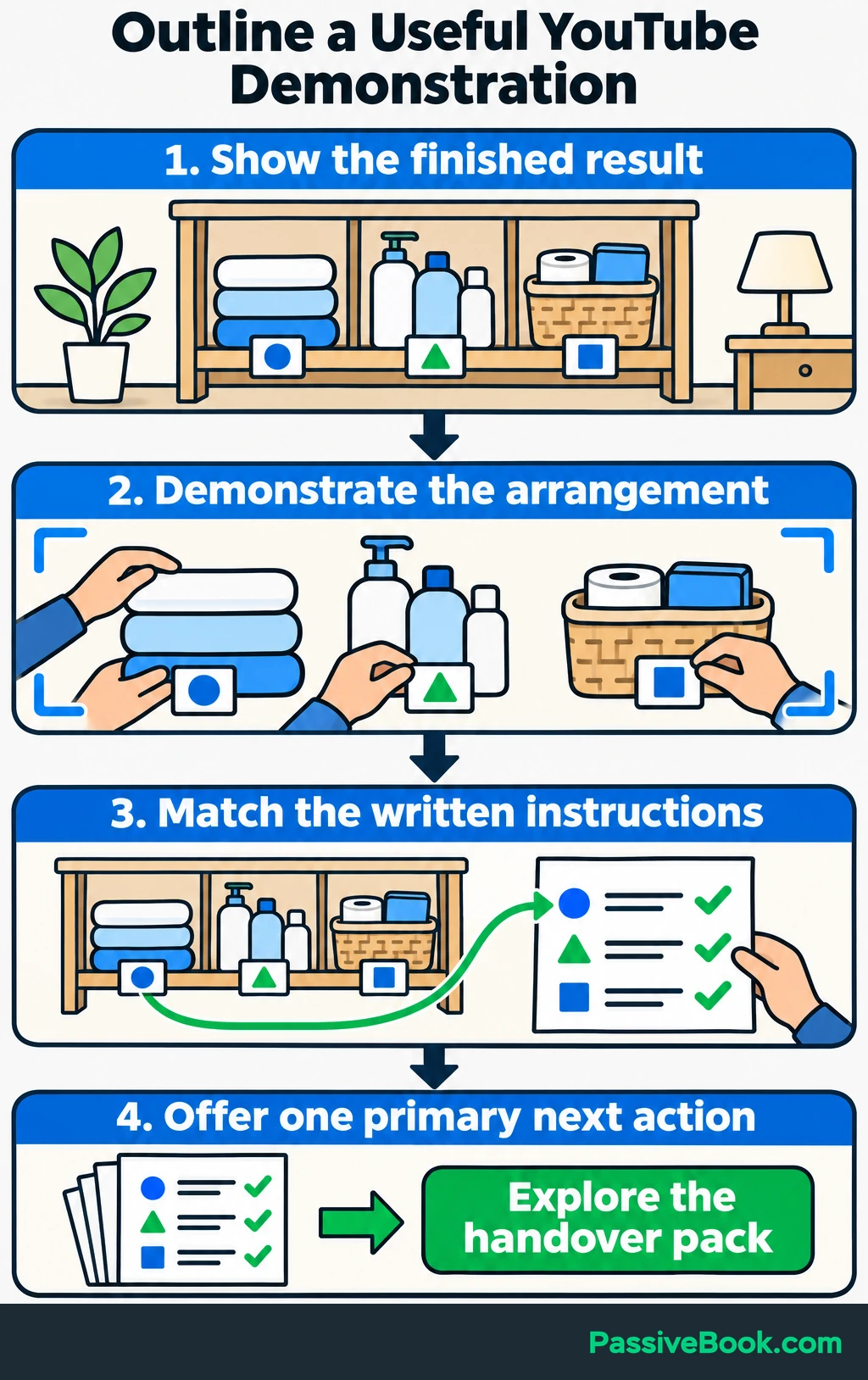
Choose one primary next action. A viewer who needs more teaching could watch the routine-writing guide. Someone ready to record their own details could explore the printable pack.
For this video, I would make the pack the primary action and offer the related lesson at the end. Both help, but the spoken invitation should make the main choice clear.
Record these decisions in a video brief—a short plan for the recording. The template below shows the supply video’s draft brief.
The example gives you a structure, but your video still needs its own words. AI Video Studio drafts a first video brief and script around your audience, offer and available production time.

Free AI Video Studio




6. Plan Discovery and the Viewer’s Next Action
Publish with a clear title, readable thumbnail, useful description and relevant playlist. The description should support the promised answer and explain the primary next step.
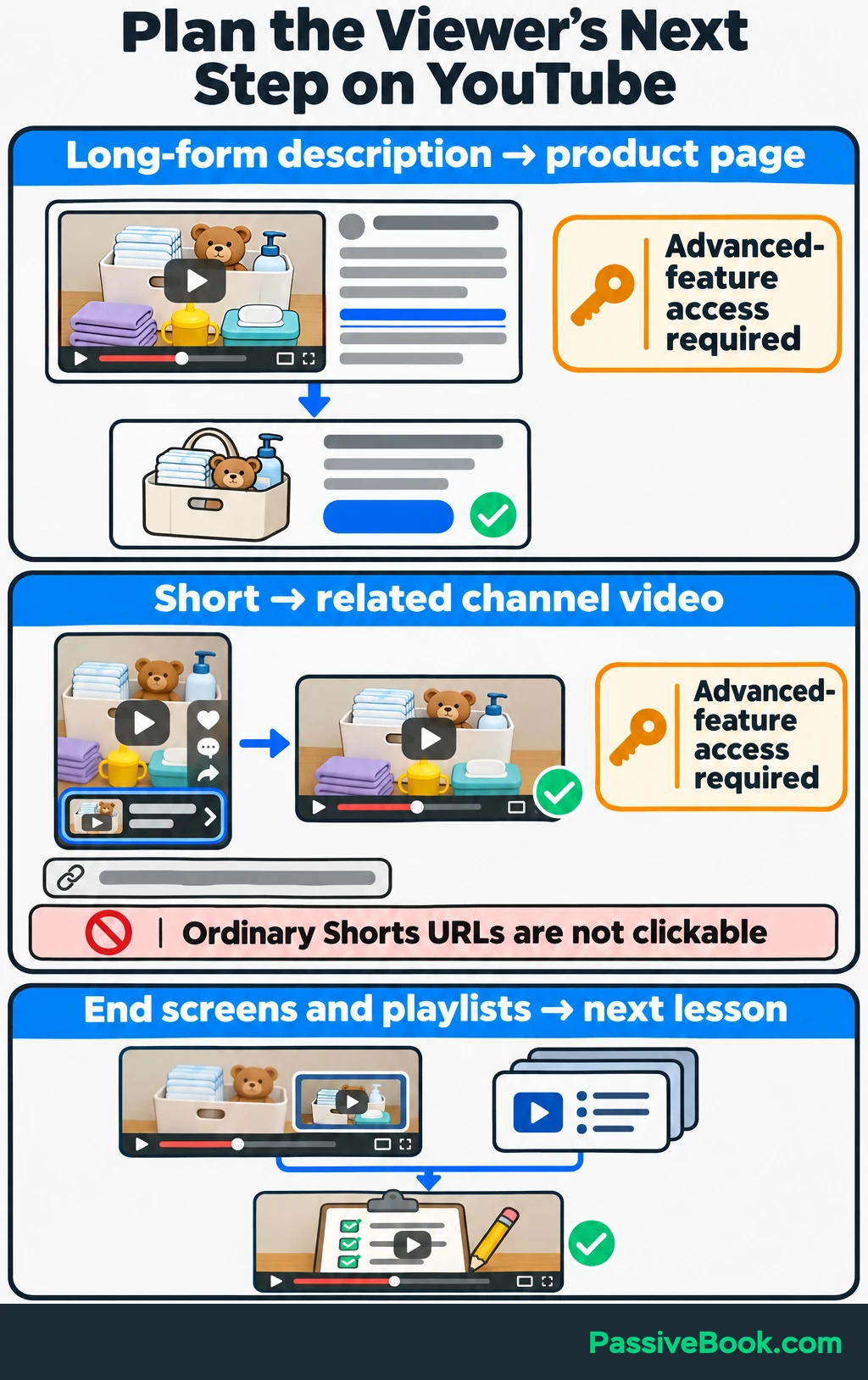
Before relying on clickable external links in long-form descriptions, enable your channel’s advanced-feature access. Ordinary URLs in Shorts descriptions and comments are not clickable under YouTube’s link rules.
If you make a Short that introduces the full demonstration, use its related-video feature to point to that video on your channel. This also requires advanced-feature access.
Connect related lessons with playlists and end screens. Explain the remaining question the next video answers:
“Your supplies now have clear locations. The next guide shows how to turn your everyday routine into instructions the sitter can follow.”
Choose distribution channels you already use. For the shop, I would embed the video in a related preparation guide and share it with email subscribers planning a sitter handover. Paid promotion would not be part of this starting plan.
Put distribution tasks in the calendar with an owner and a due date. Repurpose a clip only if it makes sense on its own and fits the available hours.
For website tracking, add video-specific labels, called UTM parameters, to your links. These help tools such as Google Analytics identify which video sent a visit. Record resulting visits and purchases through your website and store reporting.
Those are tracked outcomes, so treat them as a partial view of the channel’s contribution. A viewer may return later through another route.
Answer substantive comments and send repeated questions back to the backlog. Distribution should produce useful conversations as well as another place to post a link.
7. Use Results to Decide What to Publish Next
Track the Viewer Journey and Business Result
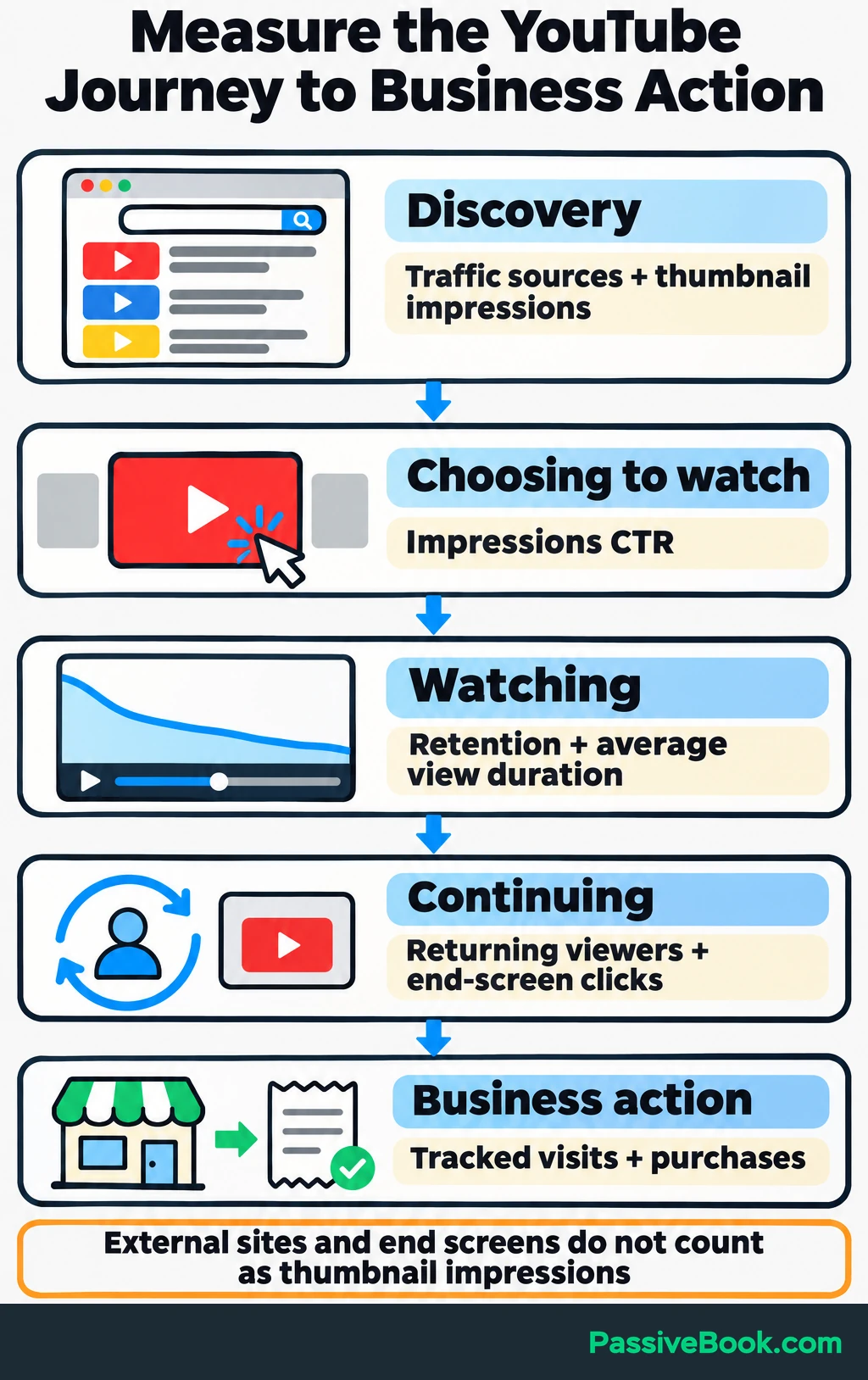
Use a compact scorecard that follows the path from discovery to action:
| Stage | What to Track | What It Helps You Assess |
|---|---|---|
| Discovery | Traffic sources and thumbnail impressions (counted thumbnail displays) | Where viewers encounter the video |
| Choosing to watch | Impressions click-through rate (CTR): the share of counted thumbnail displays that led to a view | Whether the title and thumbnail prompt viewing |
| Watching | Audience retention (viewers still watching at each point) and average view duration | Where attention holds or falls |
| Continuing | Returning viewers and end-screen element click rate (clicks as a share of times that element appeared) | Whether viewers come back or follow a related lesson |
| Business action | Tracked destination visits and purchases | Whether the viewing path supports the shop |
Check retention and end-screen clicks in the video’s Engagement report in YouTube Studio. Watch the footage around a retention change before deciding what caused it. Viewers may replay a section because it is useful, confusing or hard to read.
Compare videos with similar formats, purposes, traffic sources and time since publication. A two-day-old Short and a month-old walkthrough are poor benchmarks for each other.
External websites and end screens do not count toward thumbnail impressions. YouTube’s CTR interpretation guidance explains why audience and placement affect the rate, so compare similar traffic sources rather than using a universal pass mark.
Choose recurring review windows, such as seven and 28 days after publication. If activity is too limited to interpret, record that and review later.
Turn Each Pattern Into a Specific Action
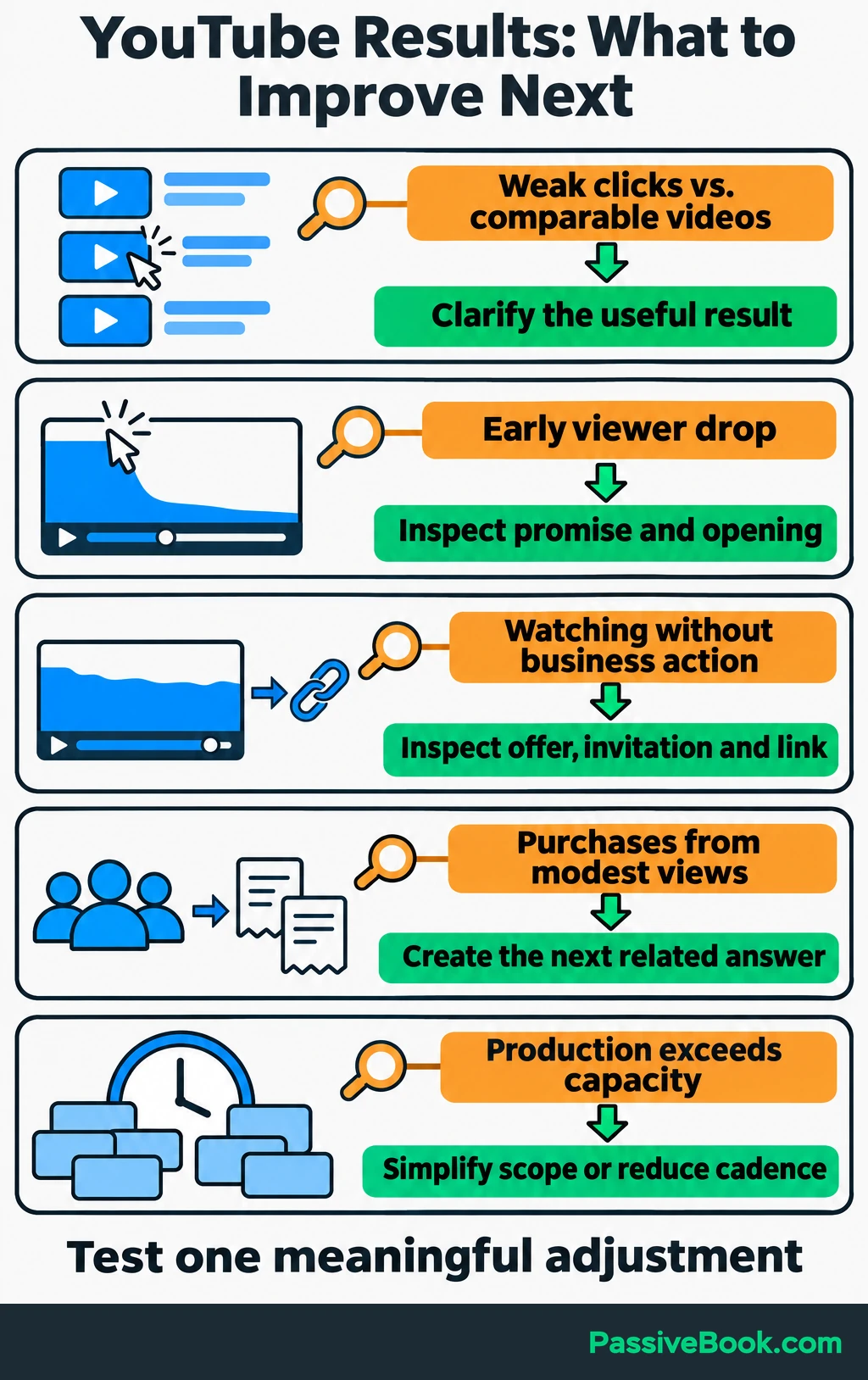
Use results to choose something to inspect and improve.
| Observed Pattern | What to Inspect | Next Action | Result to Track |
|---|---|---|---|
| Impressions but weak clicks against comparable videos | Topic fit and clarity of the title and thumbnail | Make the useful result easier to recognize | CTR within comparable traffic sources |
| Clicks followed by an early drop | Whether the opening matches the promise | Move the finished result and demonstration earlier | Retention through the opening |
| Sustained viewing but little business action | Offer fit, spoken invitation, link and product page | Clarify why the pack helps with the task just taught | Destination visits and purchases |
| Purchases from modest views | Which problem and viewer the video serves | Create the next closely related answer | Purchases and viewing of connected videos |
| Production repeatedly exceeds capacity | Editing demands, format and scope | Simplify the demonstration or publish less often | Hours per video and task clarity |
Record one meaningful adjustment, its intended effect and a follow-up date. Changing the topic, title, thumbnail, opening and offer together makes the result hard to interpret.
If the supply video brings purchases and questions about writing routines, I would prioritize the routine-writing guide.
Copy the YouTube Strategy Template
Copy these three worksheets into a document or spreadsheet. The first captures your decisions, the second turns them into production work and the third guides the next decision.
Channel Strategy Worksheet
- Business outcome: ___
- Primary measure: ___
- Baseline: ___
- Target or baseline-building objective: ___
- Review date: ___
- Viewer and situation: ___
- Priority problem: ___
- Audience evidence: ___
- Channel promise: “This channel helps ___ achieve ___ through ___.”
- Content pillars and viewer tasks: ___
- Scope boundaries: ___
- Offer and viewer path: “[Video topic] → [next action] → [business outcome].”
- Necessary prerequisites: ___
- Primary format and presentation method: ___
- Available hours per week: ___
- Hours reserved for distribution and review: ___
- Estimated production hours per video: ___
- Publishing cadence: ___
- Spending limit: ___
- Distribution channels, responsibilities and timing: ___
- Supporting viewer measures: ___
- Review schedule: ___
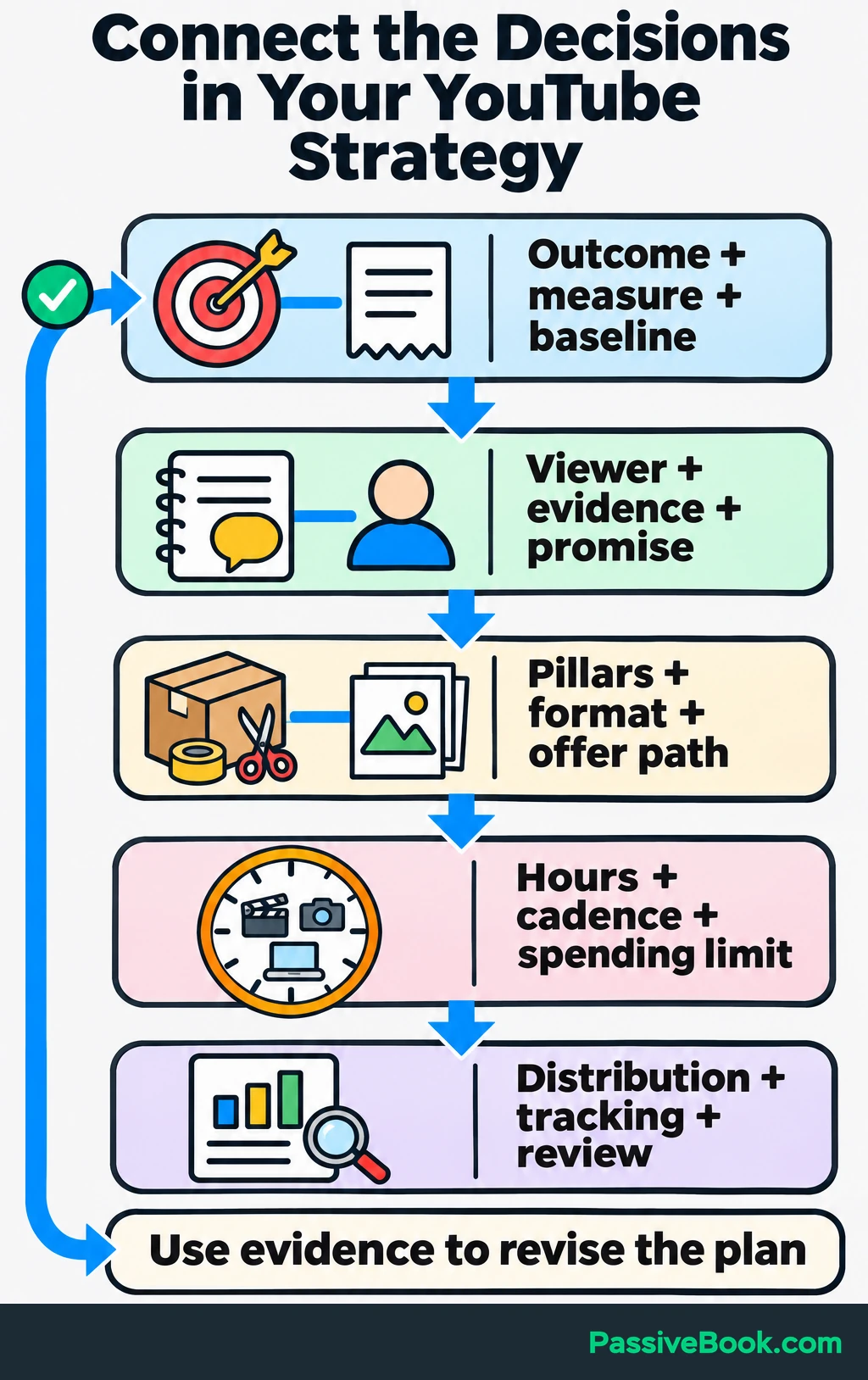
For a new channel, a useful baseline-building objective is to publish the first connected batch within your time budget, verify tracking and record the audience response. Then use that evidence to set the next objective.
Video Planning Calendar
Use one row per video in your spreadsheet. Copy these column headings:
Priority | Audience question | Audience evidence | Pillar | Useful contribution | Working title | Thumbnail concept | Opening promise | Teaching points | Required visuals | Primary next action | Related video | Estimated hours | Publication date | Owner | StatusHere is the supply video’s draft brief. Audience research is still pending, so the topic and publication date remain provisional.
| Field | Example Entry |
|---|---|
| Priority | First video |
| Audience question | How can I make cat supplies easy for a visiting sitter to find? |
| Audience evidence | Not collected yet; check this question in prospective-customer conversations before approving production |
| Pillar | Organize supplies |
| Useful contribution | Demonstrate the arrangement and its matching written instructions |
| Working title | How to Organize Cat Supplies Before a Pet Sitter Visits |
| Thumbnail concept | Finished supply station with readable labels and “Sitter-Ready Supplies” |
| Opening promise | “Here’s a supply station a visiting sitter can follow. I’ll show you how to group the items, label their locations and match them to your written instructions.” |
| Teaching points | Show the finished station; group supplies; label locations; match each location to the notes; check that the notes and arrangement agree |
| Required visuals | Wide shot of the station, close-ups of labels, matching handover-sheet entries |
| Primary next action | Explore the printable handover pack through the description link |
| Spoken invitation | “To record these locations alongside your routine notes and contact details, you can use the printable handover pack linked below.” |
| Related video | How to Write Clear Cat-Sitting Instructions; connect it once published |
| Estimated hours | Eight production hours |
| Publication date | End of week two, provided audience research supports the idea |
| Owner | Shop owner |
| Status | Research pending |
Reserve the routine-writing guide as the follow-up, but leave room to adjust its scope after reviewing questions from the first video.
Performance and Next-Action Tracker
Use one row per video and review window. Separate the measurements from your interpretation so a hunch does not become a recorded fact.
Copy these columns:
Video | Publication date | Review date | Format | Main traffic source | Impressions | Impressions CTR | Average view duration | Retention observations | End-screen element click rate | Tracked destination visits | Primary business outcomes | Production hours | Spending | Observation | Interpretation | Change to test | Related video to create | Next review date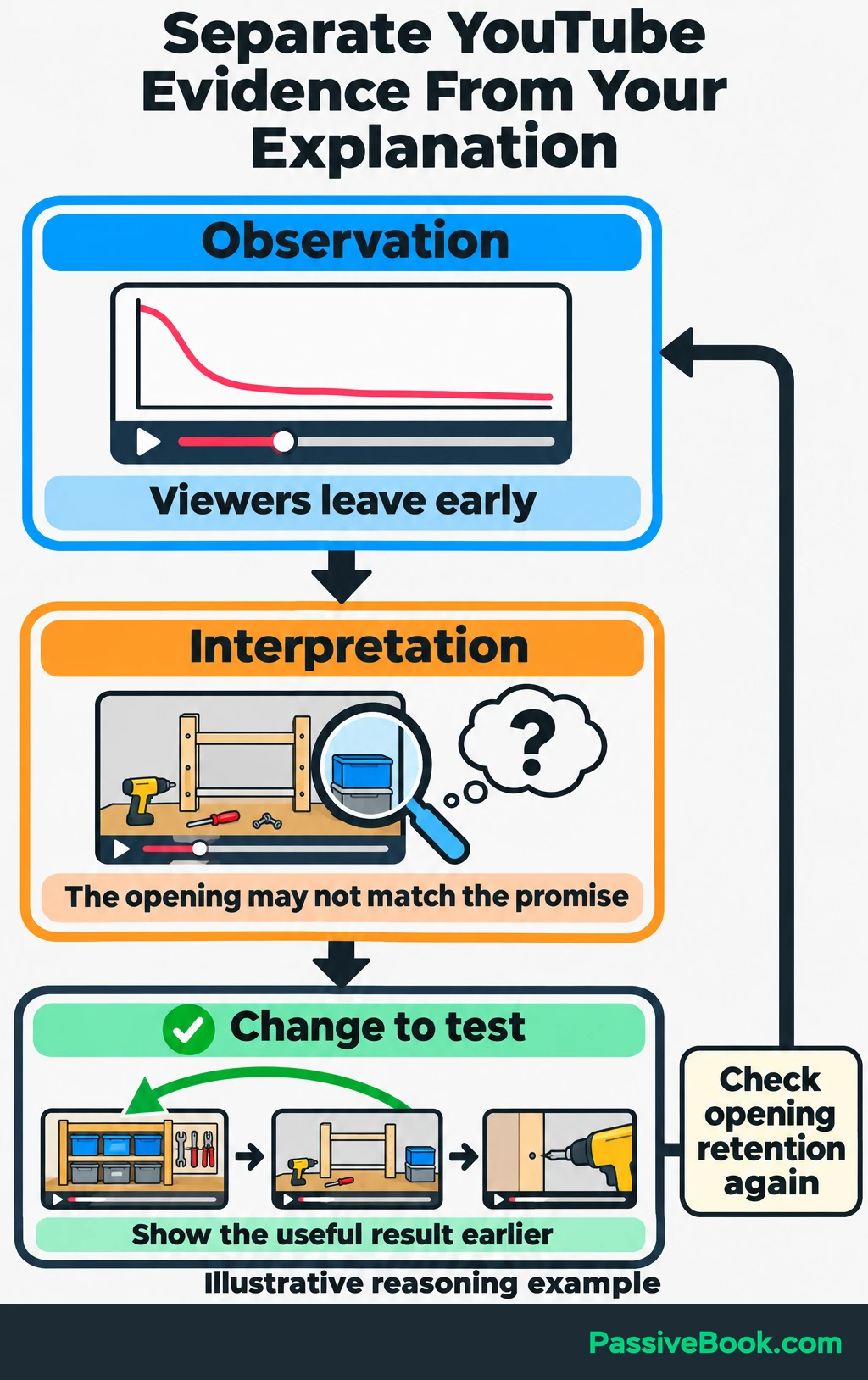
Record returning viewers separately at channel level for the same review period.
Use the decision fields this way:
- Observation: What the report or comments actually show.
- Interpretation: Your best explanation, including anything still uncertain.
- Change to test: One action and the result you expect it to affect.
- Related video to create: The next useful question supported by what you learned.
- Next review date: When you will check again.
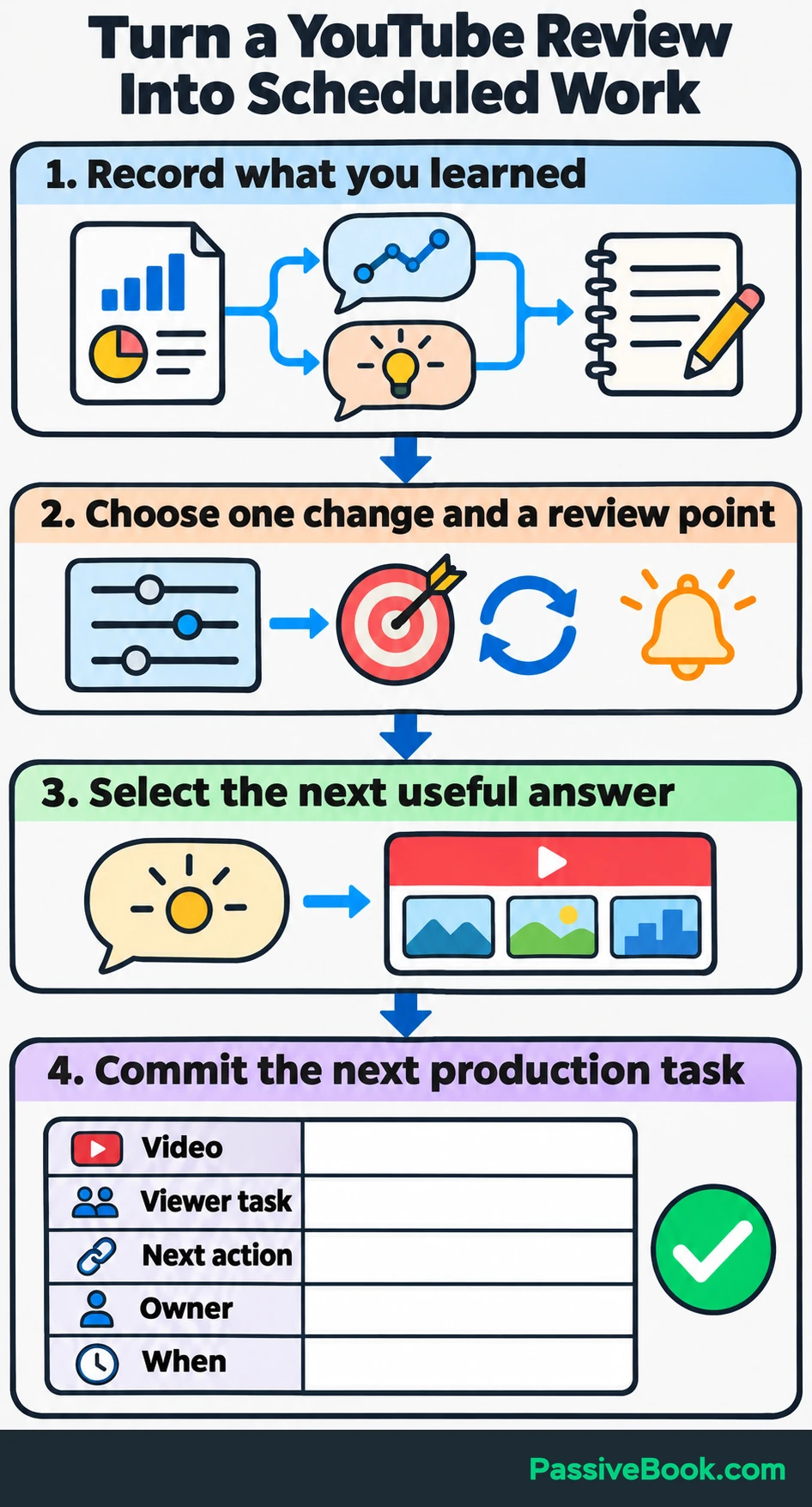
Finish each review with a production commitment:
“Our next video is ___, it helps viewers ___, its primary next action is ___, and its next production task is ___ on ___.”
That final sentence turns the review into work you can schedule.
What Next?
Write your channel promise and the viewer’s path to one business result, then choose a video you can finish within your available hours.
Use the social buttons to share this framework when your next content-planning conversation needs a clear way to connect videos with business results.
Which part of your plan is least clear right now: who the videos serve, what to publish or where viewers should go next? Tell me in the comments, and bring any other questions too.
Share this post with your friends & followers:

