You spend Saturday recording a useful demonstration, but the finished video barely gets found. Now you have another upload to maintain and no clear idea whether the problem is the topic, the title or the video itself.
With limited time, changing everything is expensive. So is recording the next video before understanding what the last one missed. This guide gives you a repeatable way to make your answer easier to find in YouTube and Google search, then use viewing data to decide what deserves your next hour.
How YouTube Search Ranks Videos
YouTube Search looks at relevance, engagement and quality. Your title, description and video content help establish relevance. Watch time for a particular search helps YouTube judge usefulness, and quality includes signals of expertise and trustworthiness. YouTube also says you cannot buy better organic search placement. YouTube’s explanation of search rankings.
Give each part of your video a clear job:
- Topic: Answer a question your intended viewers actually have.
- Title and Thumbnail: Help those viewers recognize the answer.
- Video: Deliver what the title and thumbnail promise.
- Supporting Details: Explain the content and make it easier to follow.
- Analytics: Show where the next improvement belongs.
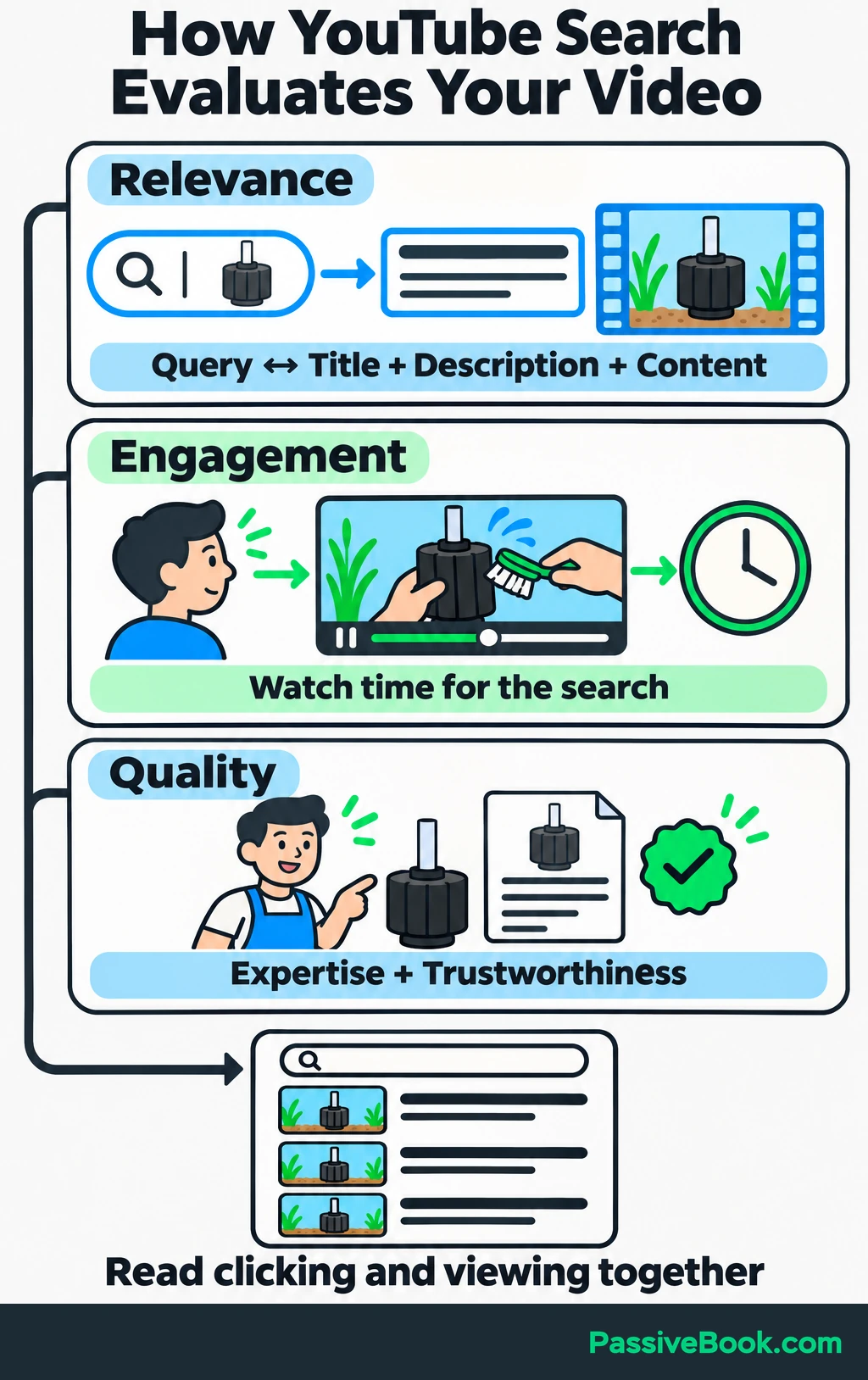
A click gets someone through the door. What happens afterward matters too, so read clicking and viewing behavior together.
Throughout this guide, imagine you run an aquarium-supply shop and want to demonstrate how to clean an aquarium sponge filter. The video will link to the demonstrated product’s maintenance guide. The example queries and copy are illustrations, not verified search opportunities.
1. Choose One Search Question Your Video Can Answer
Find the Language Viewers Use
Start by writing what someone should be able to do after watching. Make it an action you can show.
For the aquarium video:
Clean and reassemble the demonstrated sponge filter using its manufacturer’s maintenance instructions.
That outcome gives your research a boundary. You need wording about cleaning this type of filter, rather than every question about aquarium equipment.
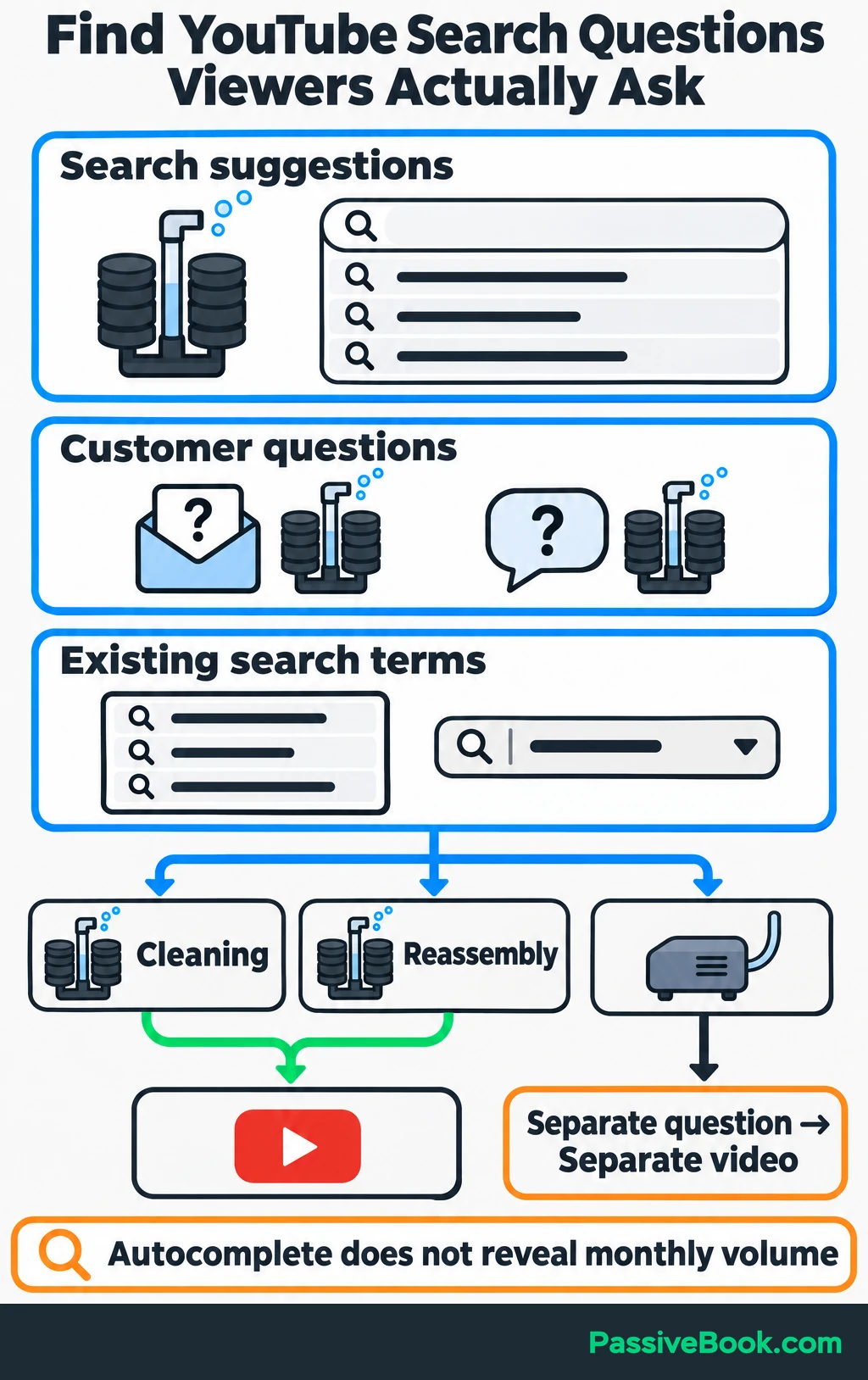
Gather phrases from three places:
- YouTube Search Suggestions: Type the task and note relevant suggestions.
- Customer Questions: Review emails, product questions and comments for wording people repeat.
- Existing Search Traffic: If you already have videos, inspect the search terms bringing viewers to them in YouTube Studio, the dashboard for managing your channel.
Autocomplete can help you find familiar wording, but it does not tell you monthly search volume. I would start with these free inputs before paying for a keyword tool.
Group phrases that need the same answer. “Clean an aquarium sponge filter” and “sponge filter cleaning and reassembly” might fit one demonstration. Choosing an air pump needs a different video.
Check What a Complete Answer Requires
Search your candidate query and watch several relevant results. Look for what viewers expect to see and where an explanation becomes hard to follow.
Ask:
- Expected Answer: Does the search call for a demonstration, comparison or troubleshooting guide?
- Essential Footage: Which actions must viewers see clearly?
- Unanswered Question: What do comments reveal about missing or confusing instructions?
- Your Contribution: Can you resolve that confusion with better footage or a clearer explanation?
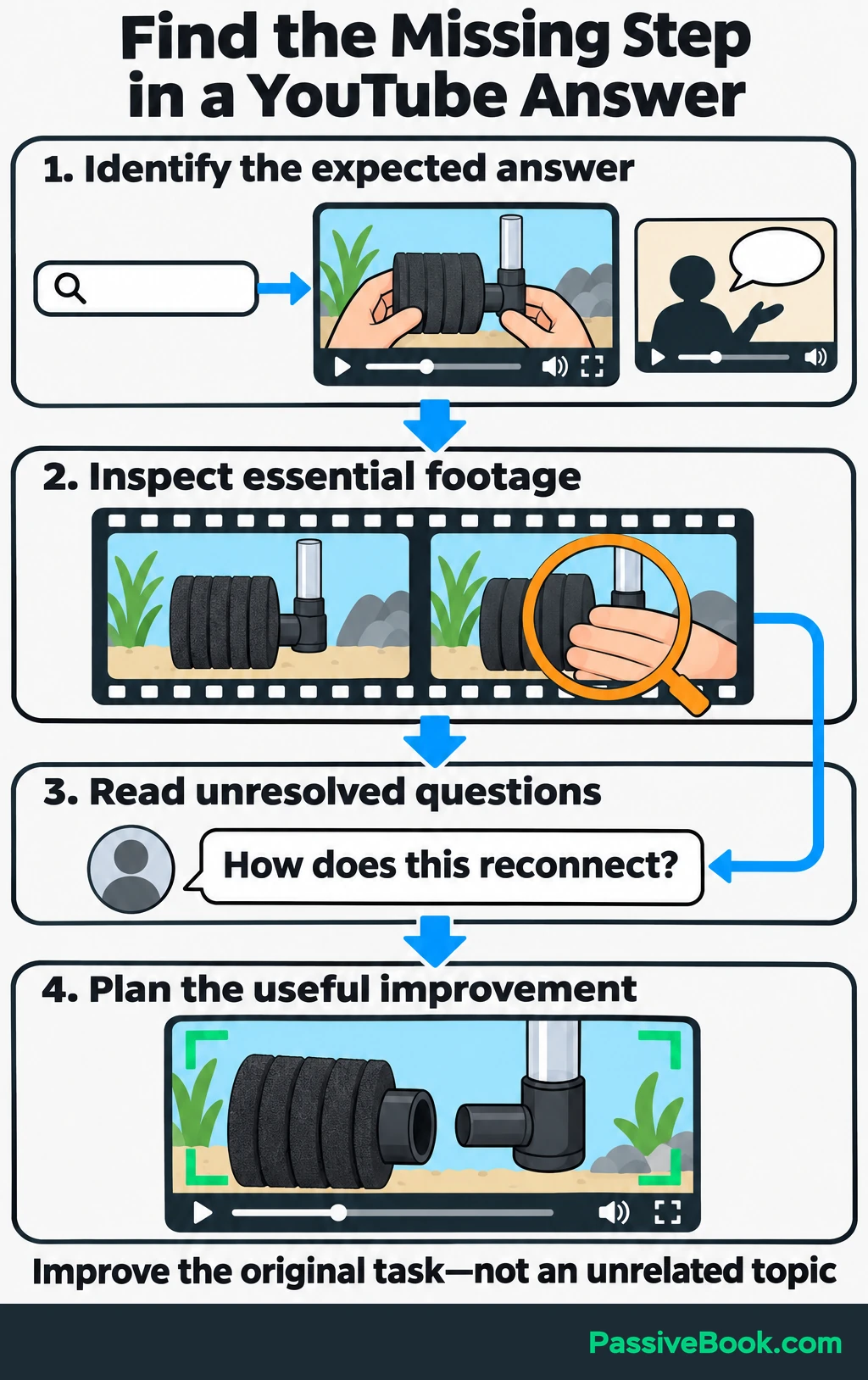
A gap matters when it helps viewers finish the original task. An unrelated question does not earn five extra minutes in your video.
For the filter demonstration, you might notice that reassembly happens too quickly to follow. Your improvement could be a close-up of that stage, supported by the product’s maintenance guide.
Choose a query you can answer credibly with the knowledge and footage available. For an existing upload, watch it before changing its target. A new title cannot supply a missing demonstration.
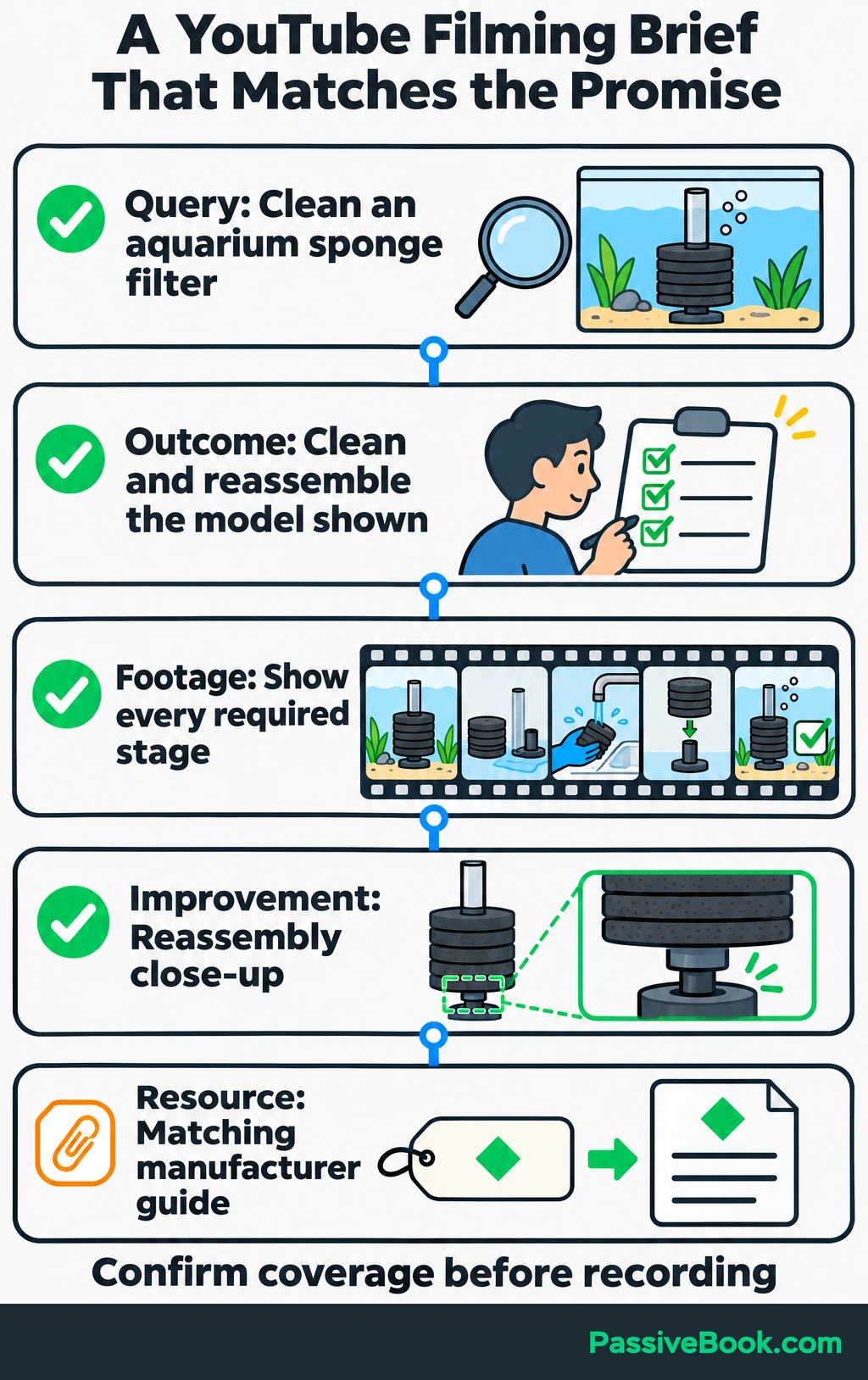
Save a short brief:
| Brief Item | Aquarium-Shop Example |
|---|---|
| Main query | How to clean an aquarium sponge filter |
| Viewer outcome | Follow the demonstrated model’s cleaning and reassembly process |
| Required footage | Product identification, preparation, cleaning, reassembly and final checks |
| Useful improvement | A clear close-up of the reassembly stage |
| Supporting resource | Not supplied here; add the manufacturer’s guide for the model shown |
I once drafted several Pinterest headlines for one blog article, then noticed that each promised a slightly different answer. I checked the article and dropped the headlines it could not support before making the graphics.
I would do that check before recording a video too: missing footage is harder to fix than a headline.
2. Build the Video Around the Promised Answer
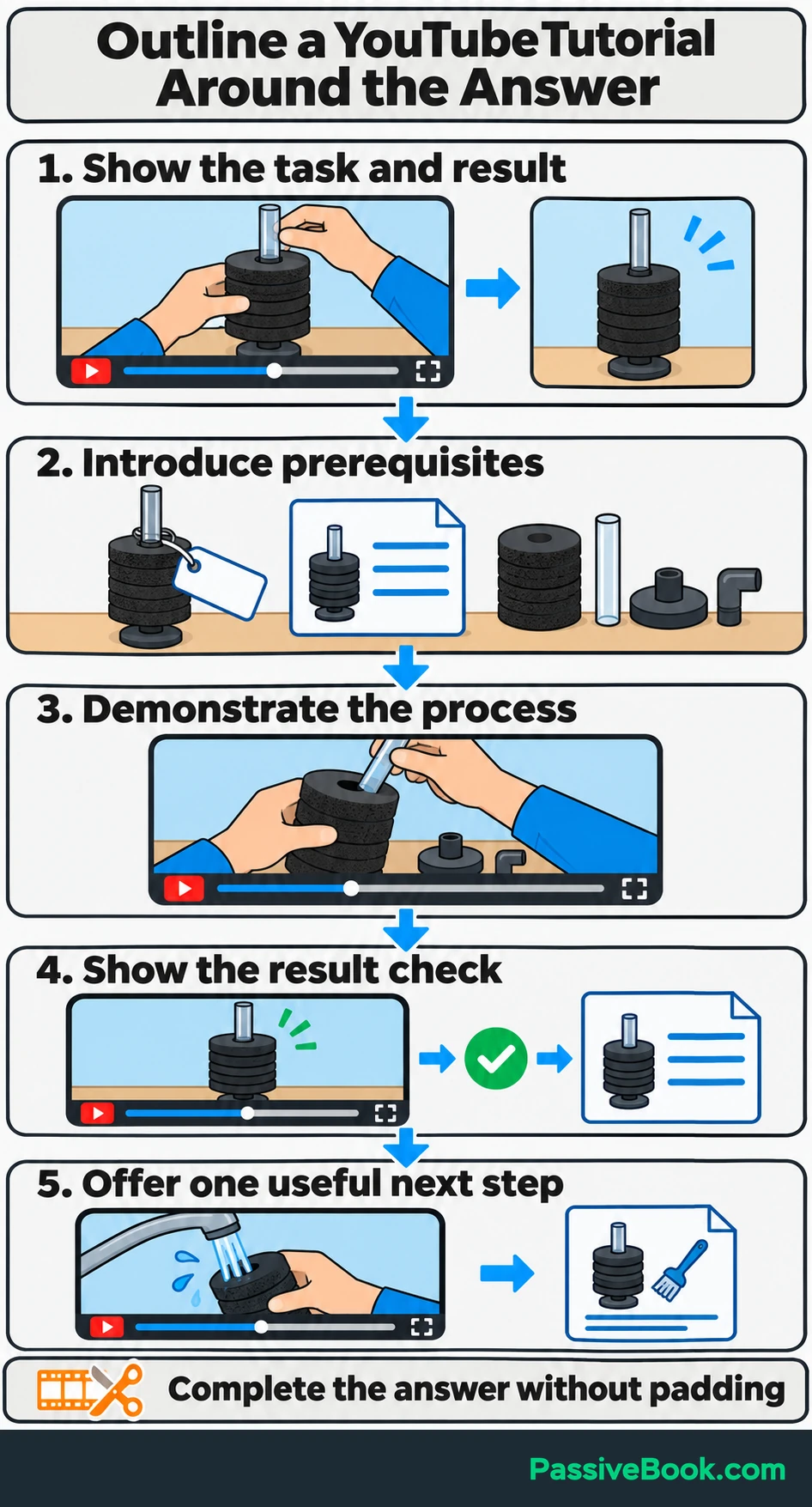
Outline the answer before you record. Put the stages in the order viewers need them:
- Show the task and the intended result.
- Introduce each prerequisite before its use.
- Demonstrate the process.
- Show how to check the result.
- Offer one useful next step.
Open with something that proves viewers are in the right place. For the filter video, show the actual product and preview the demonstration.
A short opening could be:
“This demonstration covers cleaning and reassembling this sponge filter. Here’s the model being used and the parts we’ll work through.”
Then begin. A long channel introduction makes viewers wait for the answer they selected.
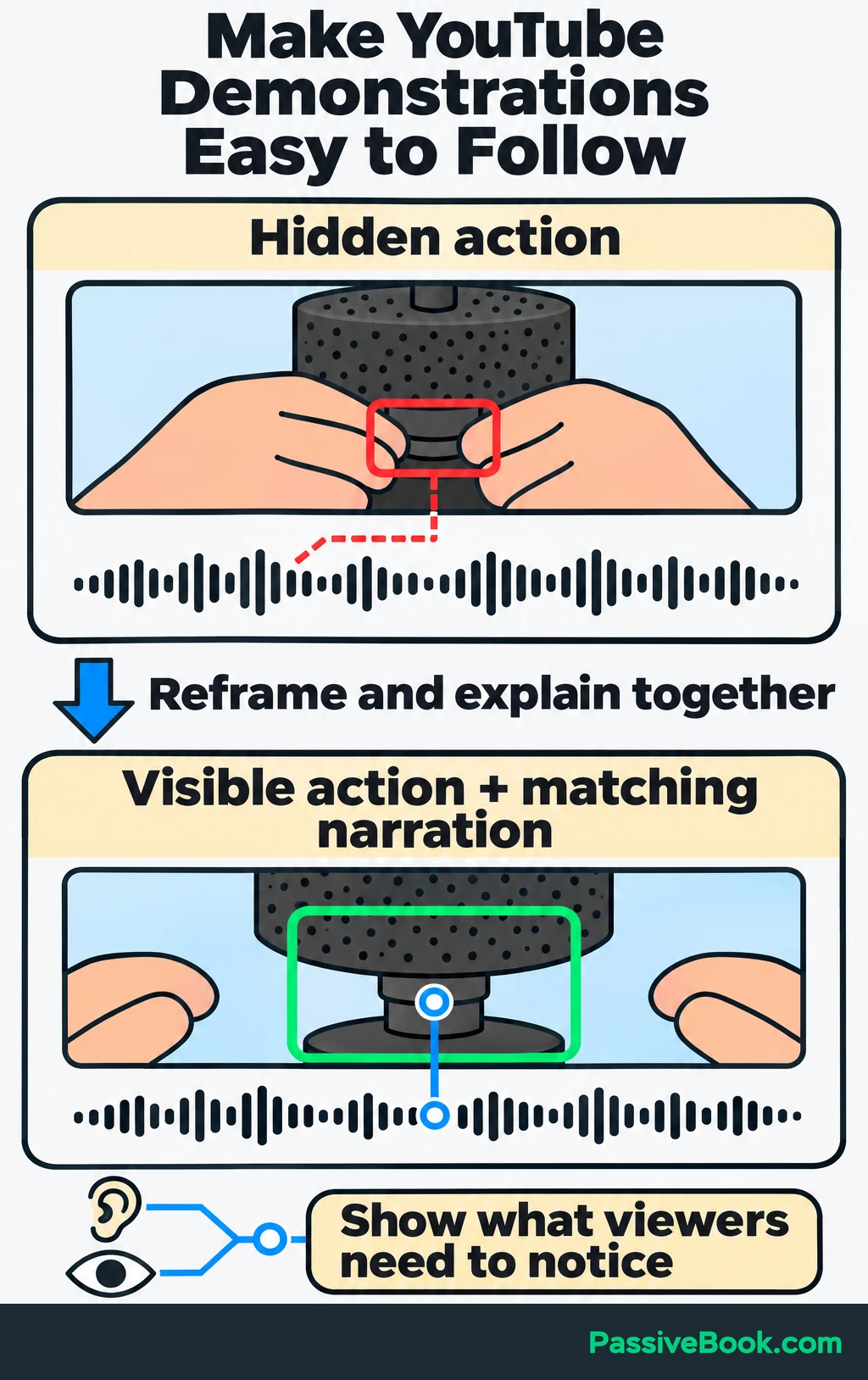
Plan close-ups before recording, especially where your hands could hide a small part. Explain what viewers should notice while the relevant action is visible. For actual cleaning methods, materials and final checks, follow the demonstrated model’s manufacturer instructions.
Say the topic naturally, and use readable labels for parts or details that are hard to distinguish. Repeating the search phrase every few sentences will make the narration painful without making the demonstration clearer.
You can record your hands and add narration without appearing on camera. Choose the format that explains the task well; YouTube says its discovery system does not favor a particular video format. YouTube’s format guidance.
During editing, prioritize clear audio, visible actions and forward movement. Remove repeated explanations, long pauses and unrelated material. Keep any detail viewers need to complete the task.
There is no useful reason to stretch a complete answer to an arbitrary length. YouTube recommends making videos an appropriate length for their content, and its search results are not simply a list of the most-viewed uploads. YouTube’s performance guidance.
After delivering the answer, point to the maintenance guide and invite questions about unclear steps. I would skip a long sales pitch here. The guide is a natural continuation of the demonstration and gives interested viewers a reason to visit the shop.
3. Make the Title and Thumbnail Communicate the Answer
Write a Clear, Searchable Title
Name the task in words a searcher can recognize. Add a clarification when it helps someone choose the video.
For the running example, consider:
- “How to Clean an Aquarium Sponge Filter: Cleaning and Reassembly”
- “Aquarium Sponge Filter Cleaning: A Close-Up Demonstration”
- “How to Clean and Reassemble a Sponge Filter”
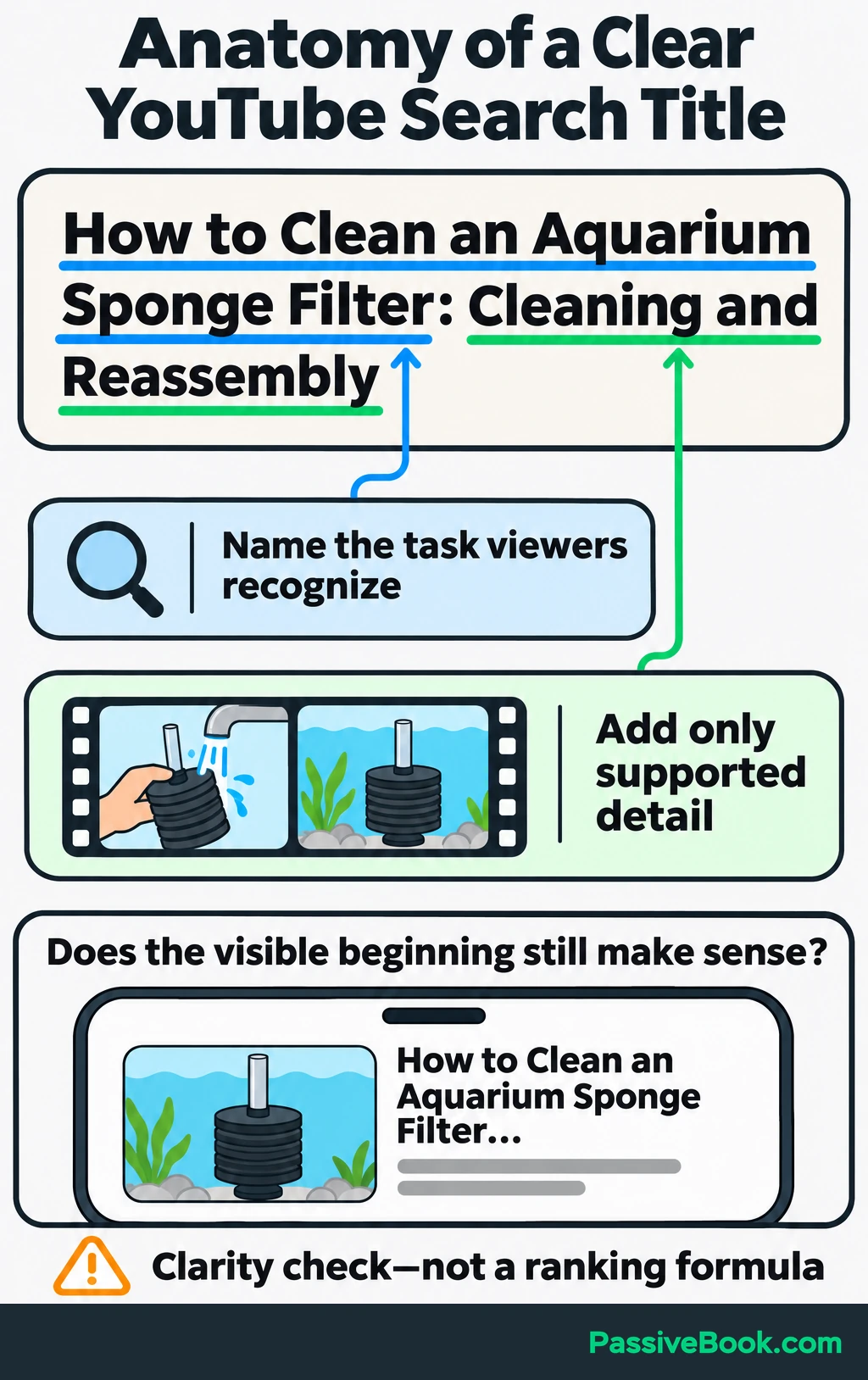
I would choose the first if the footage covers both stages clearly. If the demonstration applies only to a particular model, include that model where it helps prevent the wrong click.
Put the most useful words early and leave branding or episode numbers until the end. Preview the title at a narrow width so it still makes sense when part of it disappears.
Treat this as a clarity check. An exact keyword position or character count is not a ranking formula.
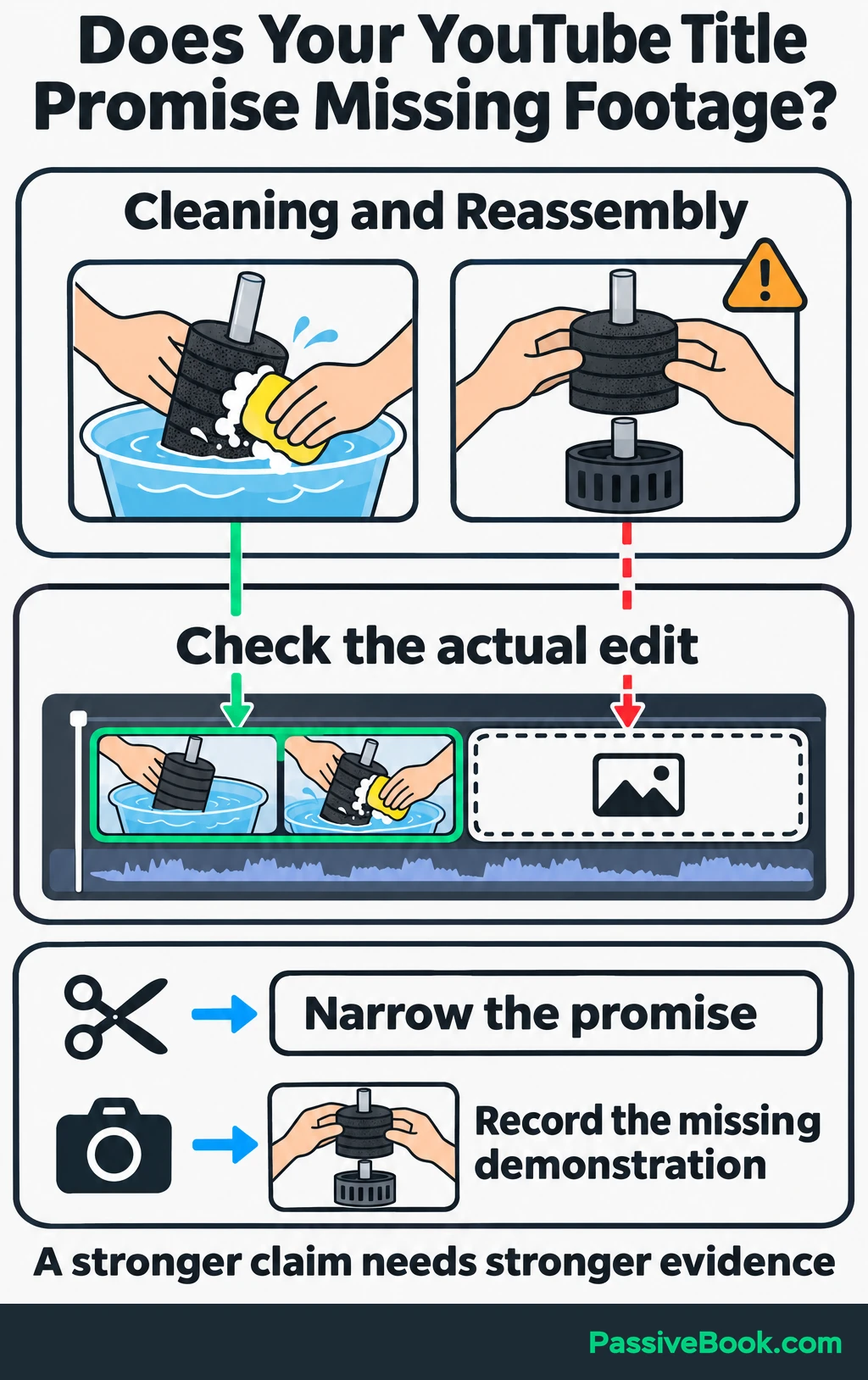
Avoid adding “best,” “fastest” or “never do this” unless the footage supports that promise. A stronger claim gives you a bigger obligation to deliver.
If you have the footage but are stuck on the wording, AI Video Studio can draft the title, thumbnail text and description together. It uses your video notes to keep those promises tied to what you actually show.
Free AI Video Studio




Create a Thumbnail That Makes the Task Recognizable
Choose one clear action or result. The thumbnail should help viewers understand the video before they read every word of the title.
For the filter video, use an original close-up from the demonstration. Keep the filter large enough to recognize, and remove background clutter.
Short text such as “Reassembly Close-Up” could add information if that is a useful feature of the video. You do not need to squeeze the entire title onto the image.
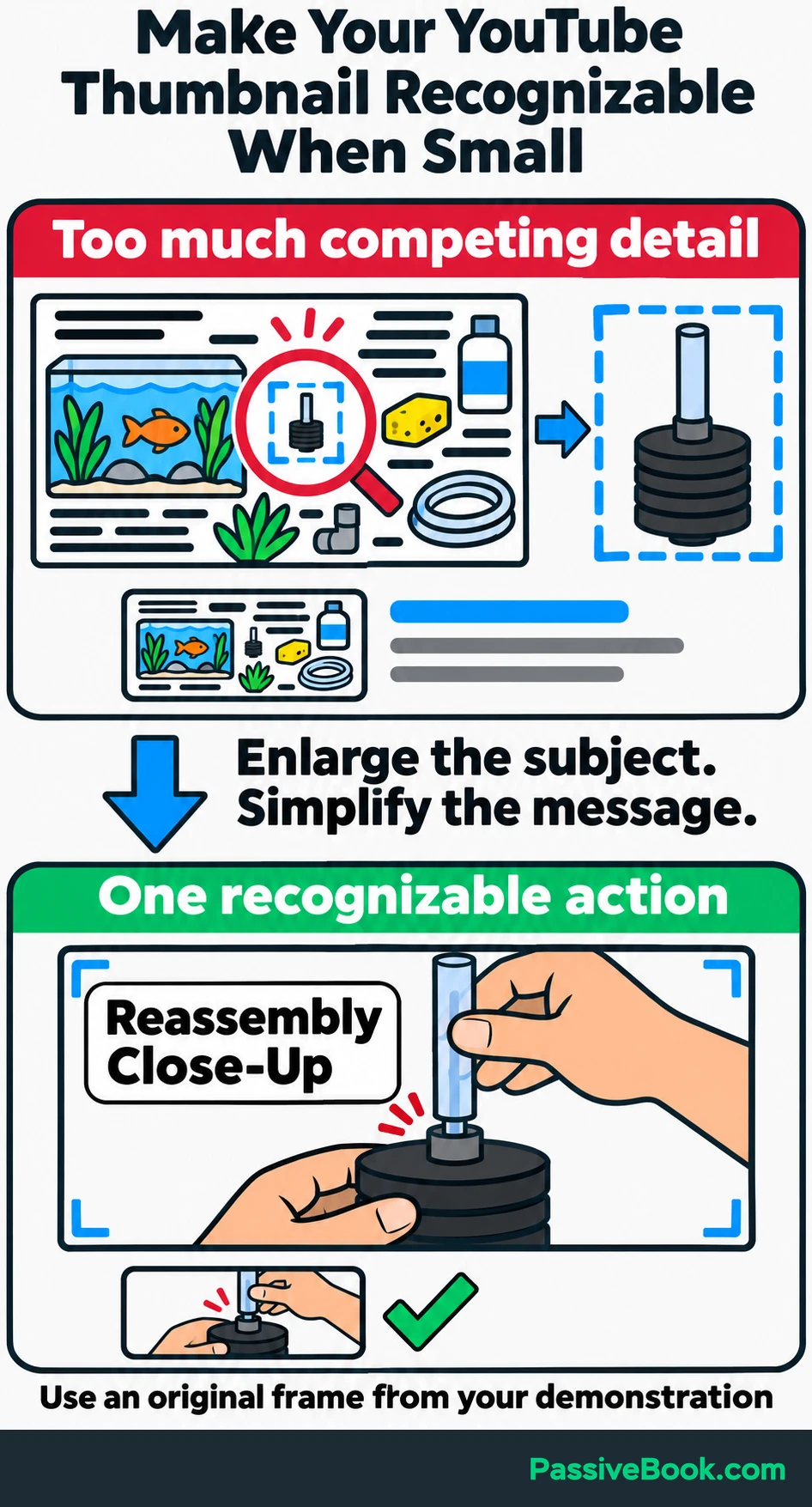
Shrink the design to roughly the size it will appear in search. Check whether you can still identify the product and action. If the detail vanishes, enlarge the subject or simplify the layout.
For a standard horizontal video, use a 16:9 JPG or PNG and verify your account before uploading a custom thumbnail.
I would save a simple layout in Canva with consistent text placement and colors. Change the image and message for each upload. That saves design time while keeping each thumbnail tied to its own video.
4. Complete the Video’s Search Details
Finish the description, captions and chapters before spending time on tags. YouTube says tags mainly help with common misspellings and otherwise play a minimal role in discovery. YouTube’s tag guidance.
Write a Useful Description
Begin with a unique summary of this video. Name the task naturally, using the same main terms as the title. Put this summary and useful links before reusable shop or channel information. YouTube’s description guidance.
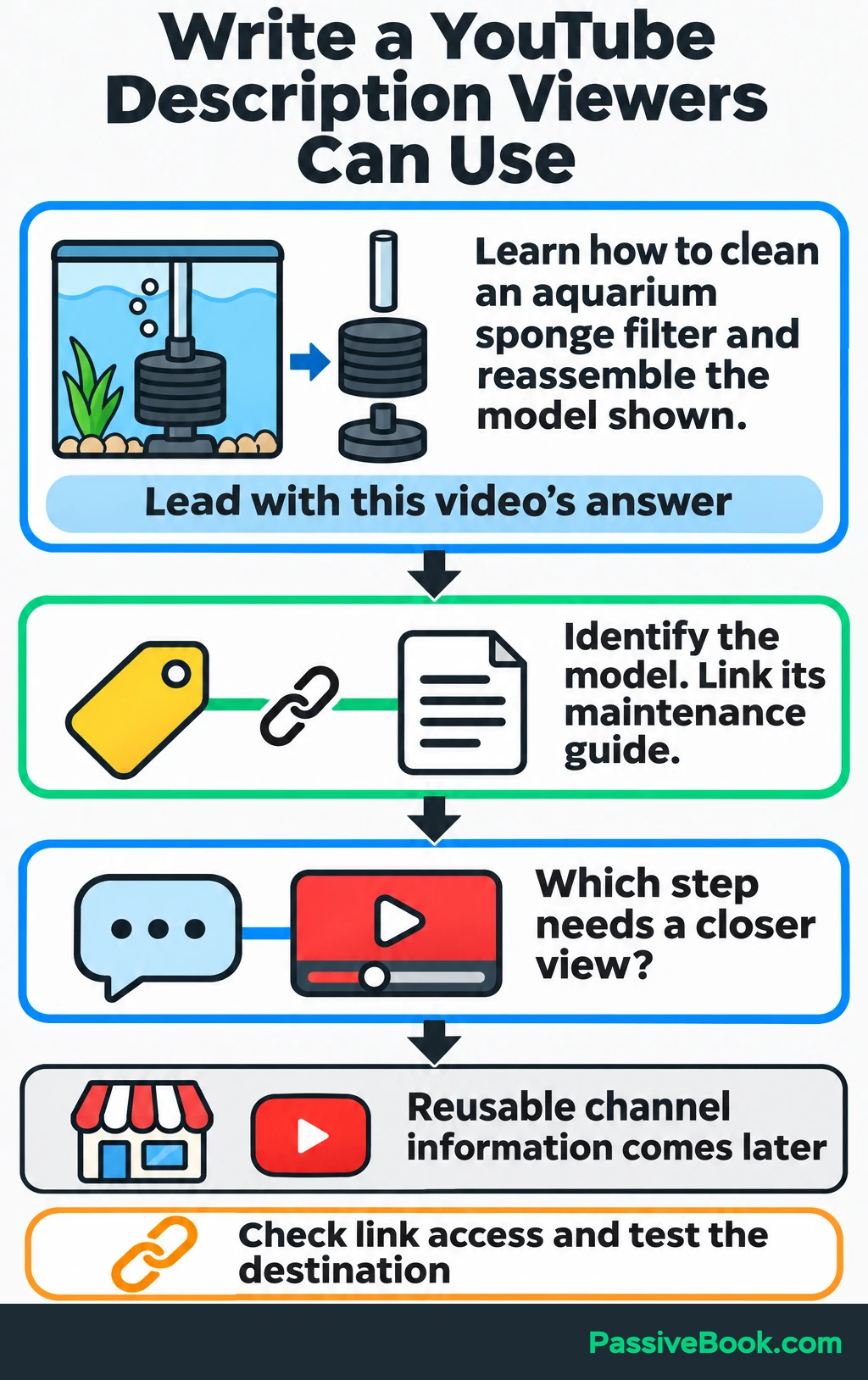
Here is a description you can adapt by inserting the actual model and guide URL:
Learn how to clean an aquarium sponge filter and reassemble
the model shown, with close-ups of each stage.

This demonstration uses [model name]. For its maintenance
instructions and product-specific checks, use the matching guide:
[maintenance-guide URL]

Which part of the demonstration needs a closer view?
Leave the step or timestamp in the comments.
For clickable external links in long-form descriptions, check advanced feature access in YouTube Studio’s Feature eligibility settings. Then test that the maintenance-guide link opens the correct resource.
Correct the Captions
Review automatic captions or upload an edited caption file. Watch the video with captions enabled and correct:
- Words: Fix transcription errors, product names and technical terms.
- Timing: Keep each caption aligned with the relevant speech.
- Meaning: Check that missing words have not changed an instruction.
Add Chapters for Meaningful Stages
Chapters let viewers return to stages such as preparation, cleaning, reassembly and final checks.
Take timestamps from the finished edit and pair them with descriptive labels. “Reassembling the Sponge Filter” tells viewers more than “Step 3.”
Start the list at 00:00, include at least three timestamps in ascending order, and make every chapter at least 10 seconds long. If chapter access is unavailable, request access to advanced features.
Once the details are complete, publish as Public for ordinary search discovery. Open the finished watch page and check the title, thumbnail, captions, links and chapter navigation together.
5. Support Discovery in Google Search
Search your target question on Google as well as YouTube. Notice whether video results appear and which part of the task they answer.
Use that information to check your coverage. If the visible results focus on a practical demonstration, a video that only discusses the task may leave the searcher unsatisfied.
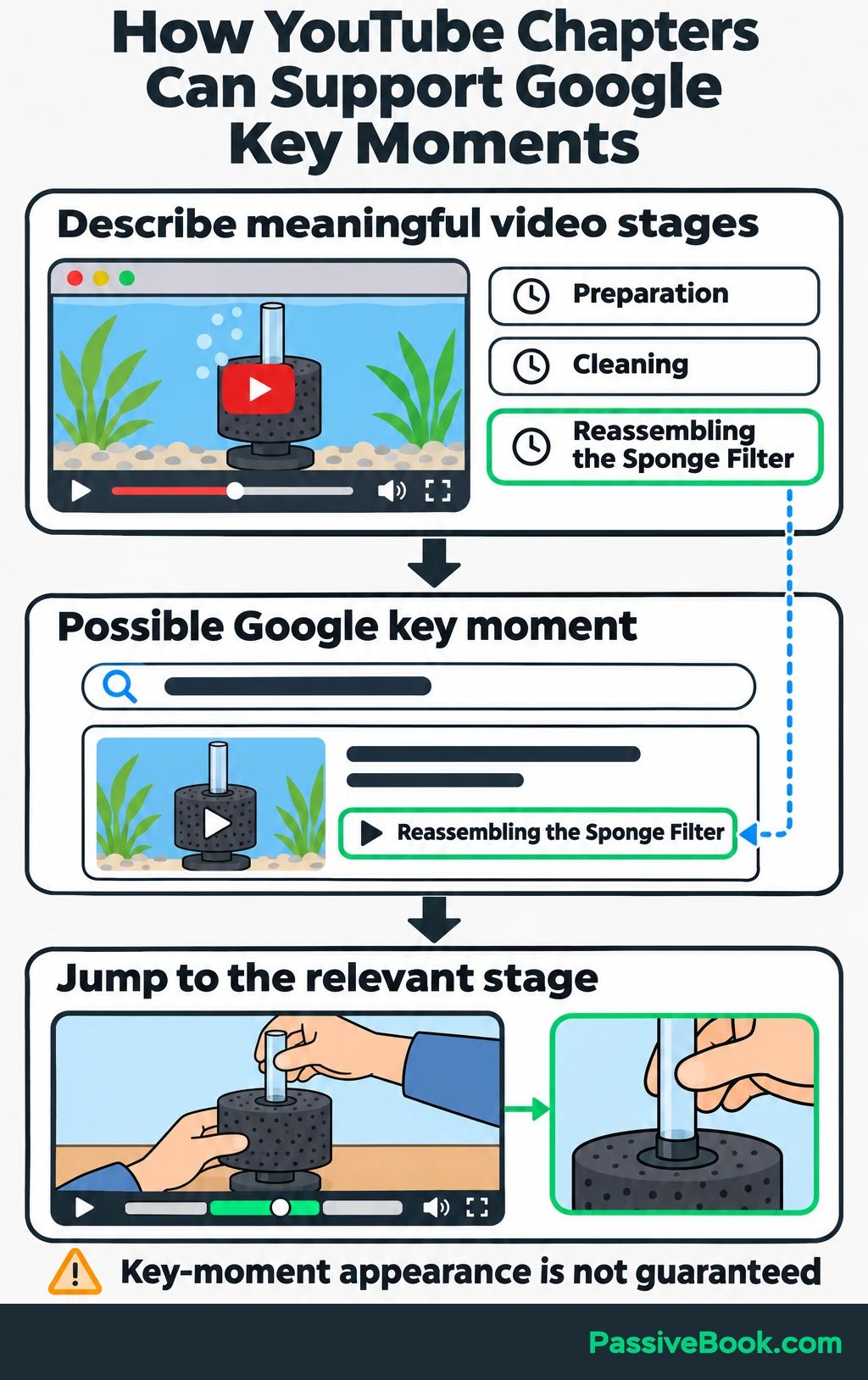
Keep the core promise consistent across the title, description and footage. Descriptive timestamps in your YouTube description can also identify segments for Google’s key moments, which let searchers jump to relevant parts of a video. They do not guarantee that appearance. Google’s key-moments guidance.
You do not need a website for Google to discover the YouTube watch page.
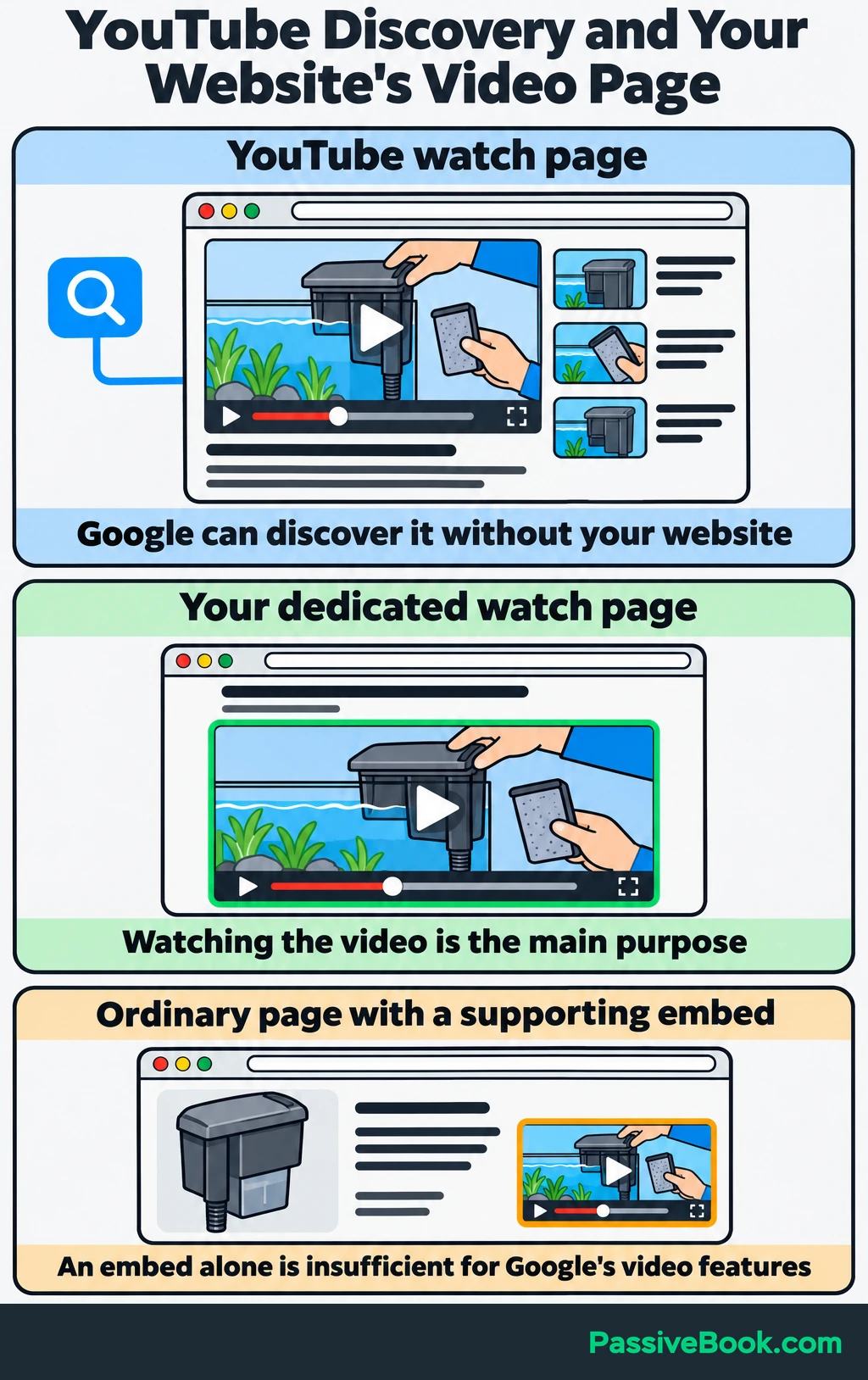
If you also want a page on your own website to qualify for Google’s video features, watching that video must be the page’s main purpose. Adding a supporting embed to an ordinary product page or article is insufficient for that purpose. Google’s watch-page guidance.
For the aquarium shop, I would start with the YouTube upload and its matching maintenance guide. Build a separate page centered on watching the demonstration when that page would help customers. A second page needs a useful job too.
6. Use Search Analytics to Choose the Next Improvement
Separate Discovery From Viewer Response
I would schedule a weekly review, but let the amount of evidence decide whether to make a change. A quiet afternoon after publishing tells you very little.
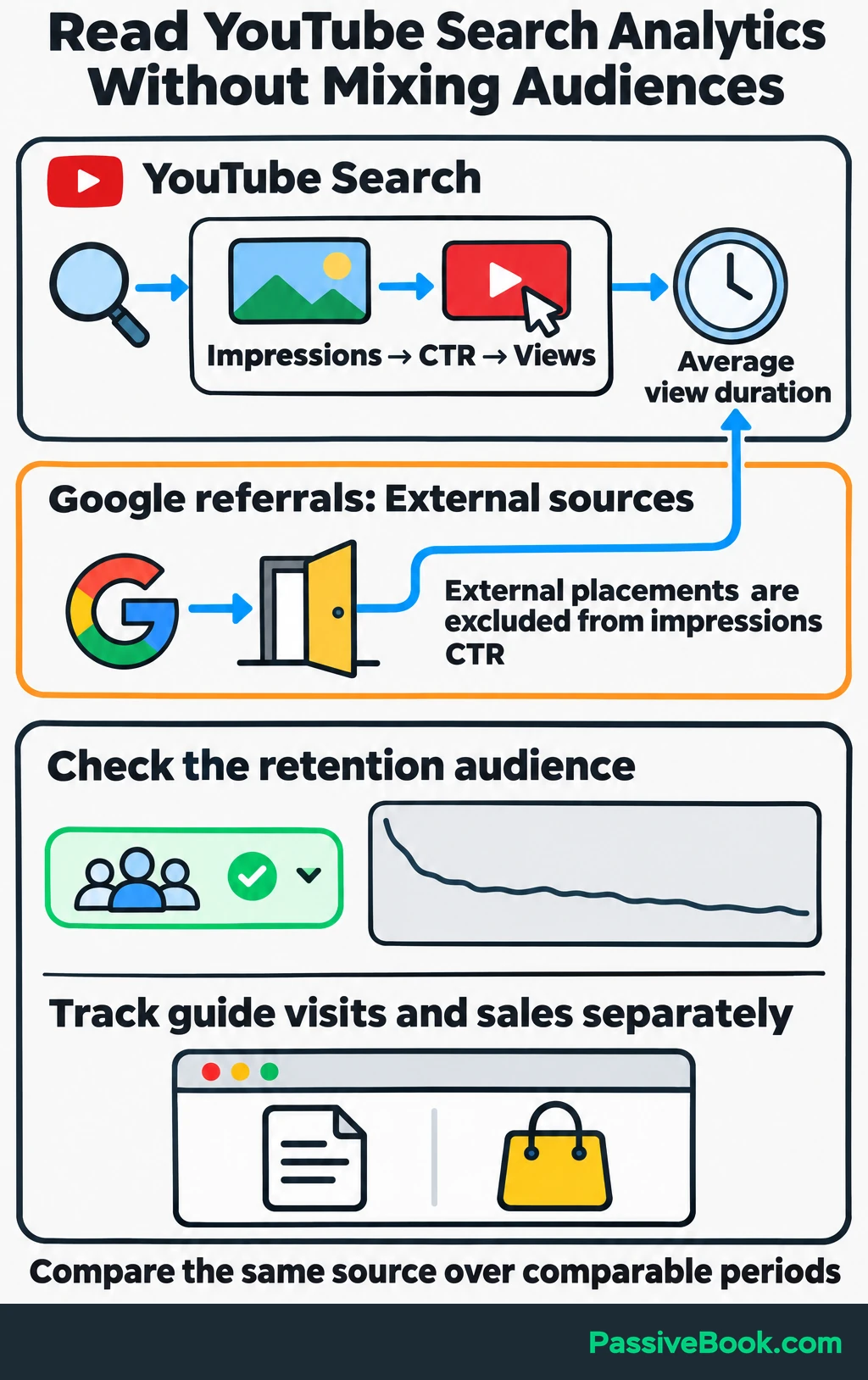
Start with the video’s YouTube Search traffic. Read the reported search terms and ask whether they match the intended task. Review Google referrals separately under external sources. YouTube Studio provides both search-term and external-source reports. YouTube’s reach-report guidance.
Then read the available measures together:
| Measure | What to Examine |
|---|---|
| Search impressions | Whether the thumbnail is receiving recorded exposure in YouTube Search |
| Impressions click-through rate | How often those recorded impressions lead to a view |
| Search views | Whether search is bringing viewers to the upload |
| Average view duration | How long viewers from that source watch on average |
| Audience retention | Where viewers leave or skip within the video |
Use search-source data where available. Inspect the retention graph separately, and check its selected audience rather than assuming every viewer arrived through search.
Compare the same traffic source over comparable periods after substantial impressions accumulate. YouTube’s impressions CTR excludes external placements, and audience differences can change the rate. A before-and-after increase alone does not prove your edit caused it. YouTube’s CTR guidance.
For the shop, keep business results alongside the viewing report. Track visits to the linked maintenance guide and any resulting sales through your website analytics. Video views and customer actions answer different questions.
Match the Revision to the Problem
Use the observed pattern to narrow your next check.
| Observed Pattern | Checks to Make | Next Action |
|---|---|---|
| Few relevant search views | Is it public, and does the footage answer a searched question? | Confirm the question before rewriting video details |
| Relevant search impressions but weak clicking | Does the title name the task and the thumbnail show it? | Test a clearer title or thumbnail |
| Early departures | Does the opening delay or miss the answer? | Trim the delay or correct the promise |
| A drop during one explanation | Are actions visible and instructions clear? | Trim repetition; improve footage in future recordings |
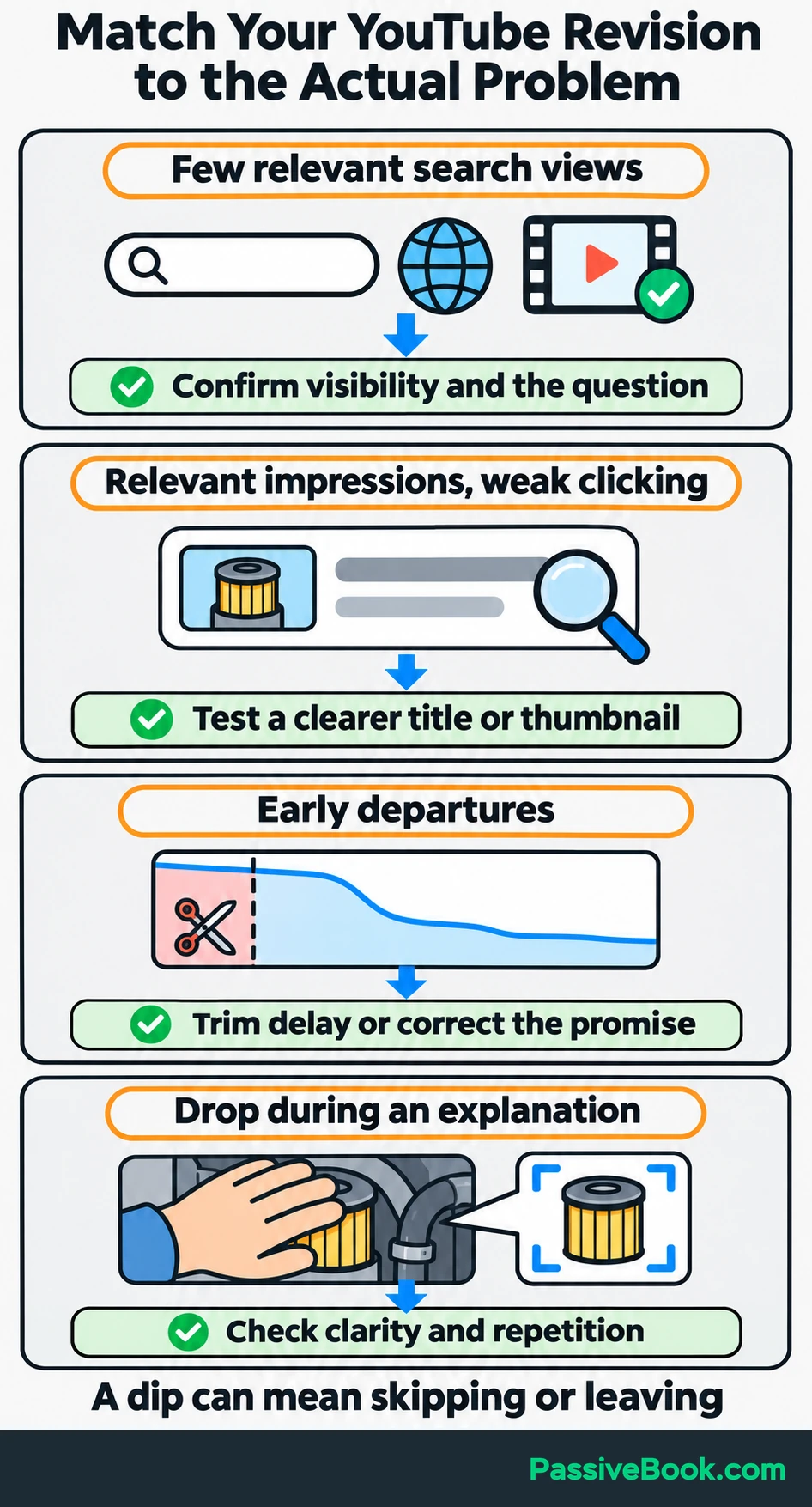
A dip can reflect skipping or leaving. YouTube’s retention guidance. For the filter video, inspect whether your hand hides the connection during reassembly before changing the title.
Test Improvements and Repeat the Workflow
When available, use YouTube Studio’s A/B testing to compare up to three titles, thumbnails or combinations. It evaluates them using watch time rather than clicks alone.
Testing requires desktop access and advanced features. Check YouTube’s A/B testing requirements for eligible videos. A test may finish without a clear winner.
For manual revisions, change one element and record the problem, date and subsequent performance over a comparable period. An increase alone does not prove the edit caused it.
Reuse your brief for the next upload. Feed in recurring questions that need a separate answer.
What Next?
Choose one existing video and write the single question its footage answers. Compare that sentence with its title and thumbnail, then fix the clearest mismatch.
Use the social buttons to share this guide when your next content-planning conversation needs a practical way to choose what to improve.
Which part of your current video is least clear: the question it targets, the promise it makes or the answer it delivers? Share your thoughts and any other questions in the comments.
Share this post with your friends & followers:

