You ask AI for a YouTube script and get a cheerful introduction, five broad tips, and an ending that asks viewers to do everything except make dinner. The draft looks complete, but you still have to turn it into something worth recording.
That cleanup can swallow the time you hoped to save, especially when the script includes claims you haven’t checked or demonstrations you can’t film. The prompts and complete short example below show how to turn that draft into natural narration, with an opening worth watching and actions your footage can actually show.
Choose an AI Scripting Workflow
Start with one writing assistant and one document for approved work. Keep the brief, source notes, outline, and latest script together so you aren’t hunting through six conversations before recording.
I prefer Claude for long-form writing and content strategy, and I use ChatGPT for brainstorming and quick tasks. Those are my working preferences, not results from a YouTube scripting comparison.
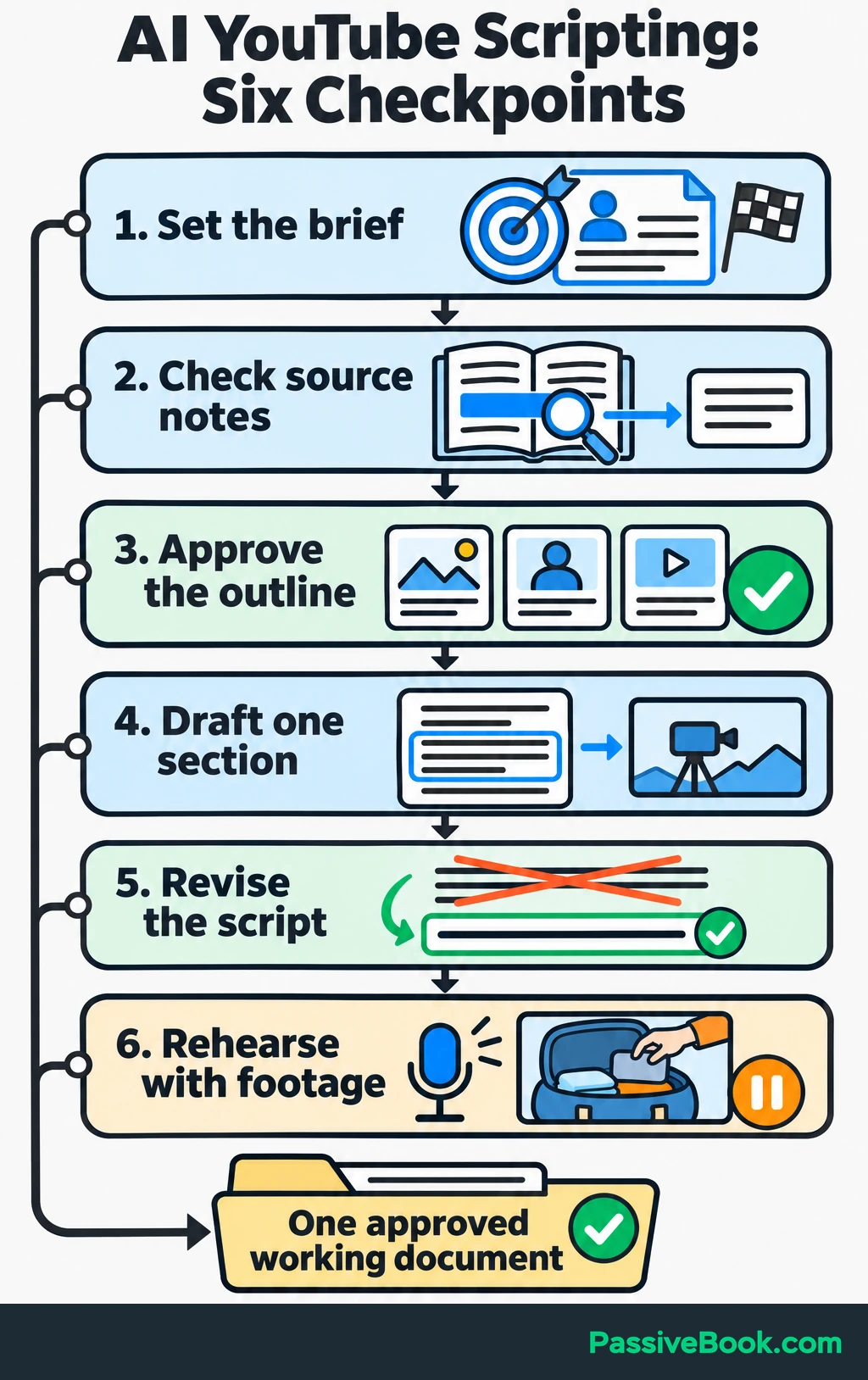
Either conversational assistant can fit this process:
- Write the brief.
- Supply checked source notes.
- Review and approve an outline.
- Draft individual sections.
- Revise the complete script.
- Rehearse with the planned footage.
Try a complete cycle before paying for another subscription. Claude has a free plan with usage limits, which gives you somewhere to start.
If you prefer a guided first draft, vidIQ’s script generator offers full scripts through a free account and supports tone and pacing changes. I would choose that route if having a draft to react to helps you get moving.
Whichever tool you choose, give it the drafting work and keep the decisions about the promise, facts, and delivery. A polished paragraph still needs to survive being spoken aloud.
Write a Brief Around One Viewer Outcome
Before asking for narration, finish this sentence:
“By the end of this video, the viewer can _____.”
Choose a result you can demonstrate. “Understand watercolor painting” is too broad. “Pack a small watercolor kit and unpack it for use” gives the video a clear finish line.
For our running example, imagine you sell printable watercolor practice sheets. You’re making a video called “How to Pack a Travel Watercolor Kit,” and you’ve prepared a matching packing checklist.
The example business, footage notes, and dialogue below are illustrations. They show the workflow rather than report an actual channel’s results.
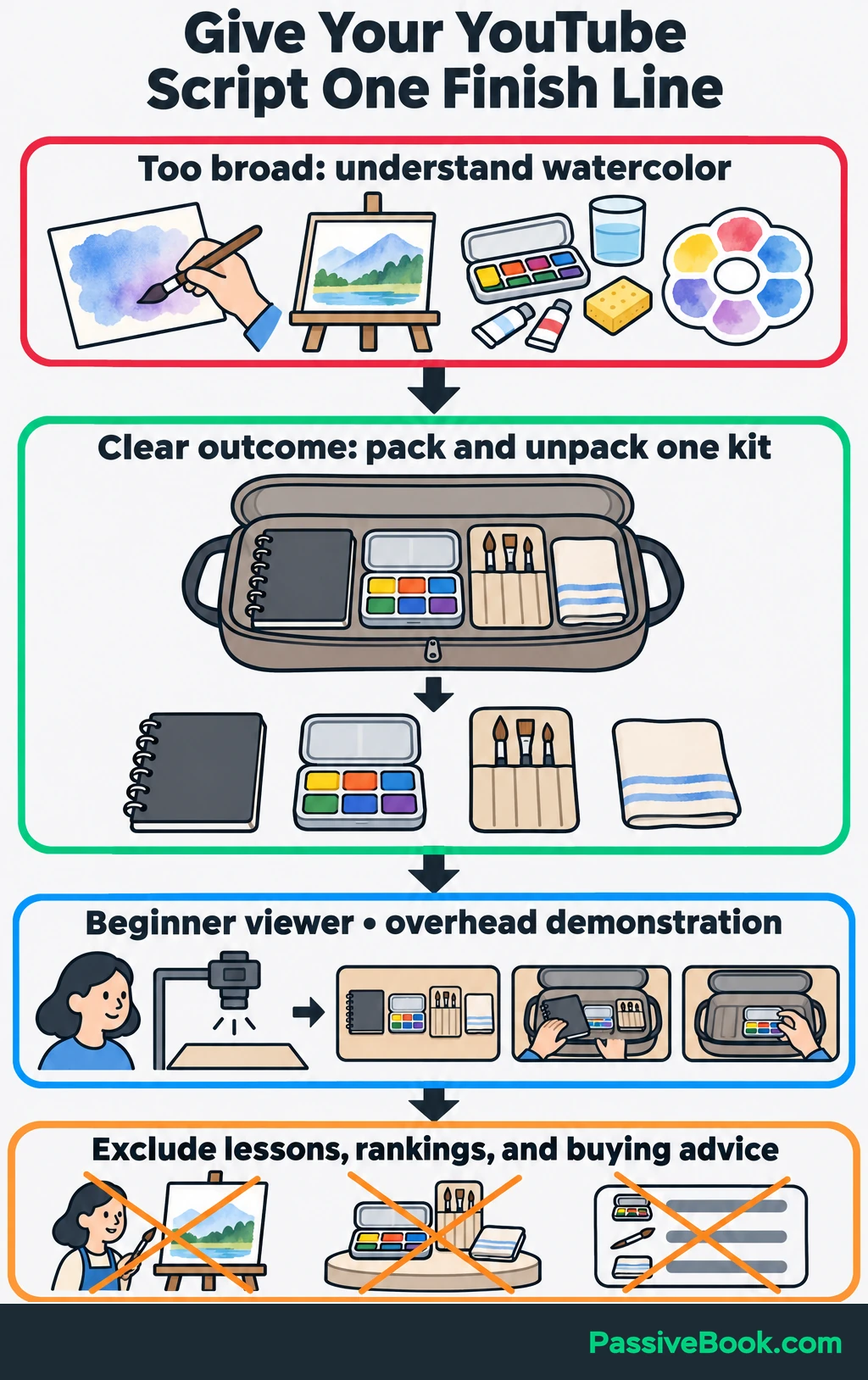
Your brief should settle these decisions:
- Viewer: A beginner who has chosen their supplies but struggles to arrange them in a small bag.
- Outcome: Pack the chosen materials and retrieve them in a useful order.
- Format: Overhead footage with voiceover; no face-to-camera introduction.
- Duration: About three minutes, including silent demonstrations.
- Available Footage: The materials laid out, the packing sequence, the closed bag, and the unpacking sequence.
- Primary CTA: Download the packing checklist—the main action you’ll ask viewers to take.
- Boundaries: No painting lesson, product rankings, or claims about the best supplies.
Choose the script format around the footage. Word-for-word narration suits a recorded voiceover. Talking points can suit a demonstration where you explain as you work. You can also script the opening and ending precisely while keeping the middle looser.
Then supply a short voice sample. A paragraph you wrote or a transcript of yourself explaining something is more useful than “make it engaging.”
Add concrete rules: use contractions, ordinary words, and sentences you can say comfortably. Avoid greetings and channel introductions if you don’t want them.
Use this brief prompt:
Help plan a YouTube video titled [title].
Viewer: [starting knowledge and immediate problem].
Outcome: [one practical result].
Format and available footage: [details].
Approximate duration: [length, including demonstrations].
Voice: [rules and a short sample].
Primary CTA: [one action].
Cover [points] and exclude [boundaries].
Summarize the brief and ask only for missing information that blocks a useful outline. Do not draft narration yet.
Check the summary yourself. If AI turns a packing demonstration into a buying guide, fix the scope now. It’s cheaper to remove a sentence from a brief than a section from an edited video.
Give AI Checked Source Notes
Gather the material needed to deliver the promise. That might include product instructions, research, your footage observations, and your own preferences.
Keep those categories distinct. “The brush pouch fits beside this sketchbook” is an observation about your demonstration. “This arrangement prevents damage” is a broader claim that needs support.
For outside claims, keep a compact source sheet. Here’s an entry for a dog-care video about finding reliable online advice:
| Claim | Source URL | Supporting Passage | Relevant Conditions | Script Section |
|---|---|---|---|---|
| Veterinary college and clinic websites are useful starting points for pet-care information. | VCA’s guide to reliable pet-care information | “Visit veterinary college websites or your clinic’s website. These sites will have good, reliable information.” | Guidance on choosing sources; not evidence for a specific diagnosis or treatment. | Where to research an online dog-care question. |
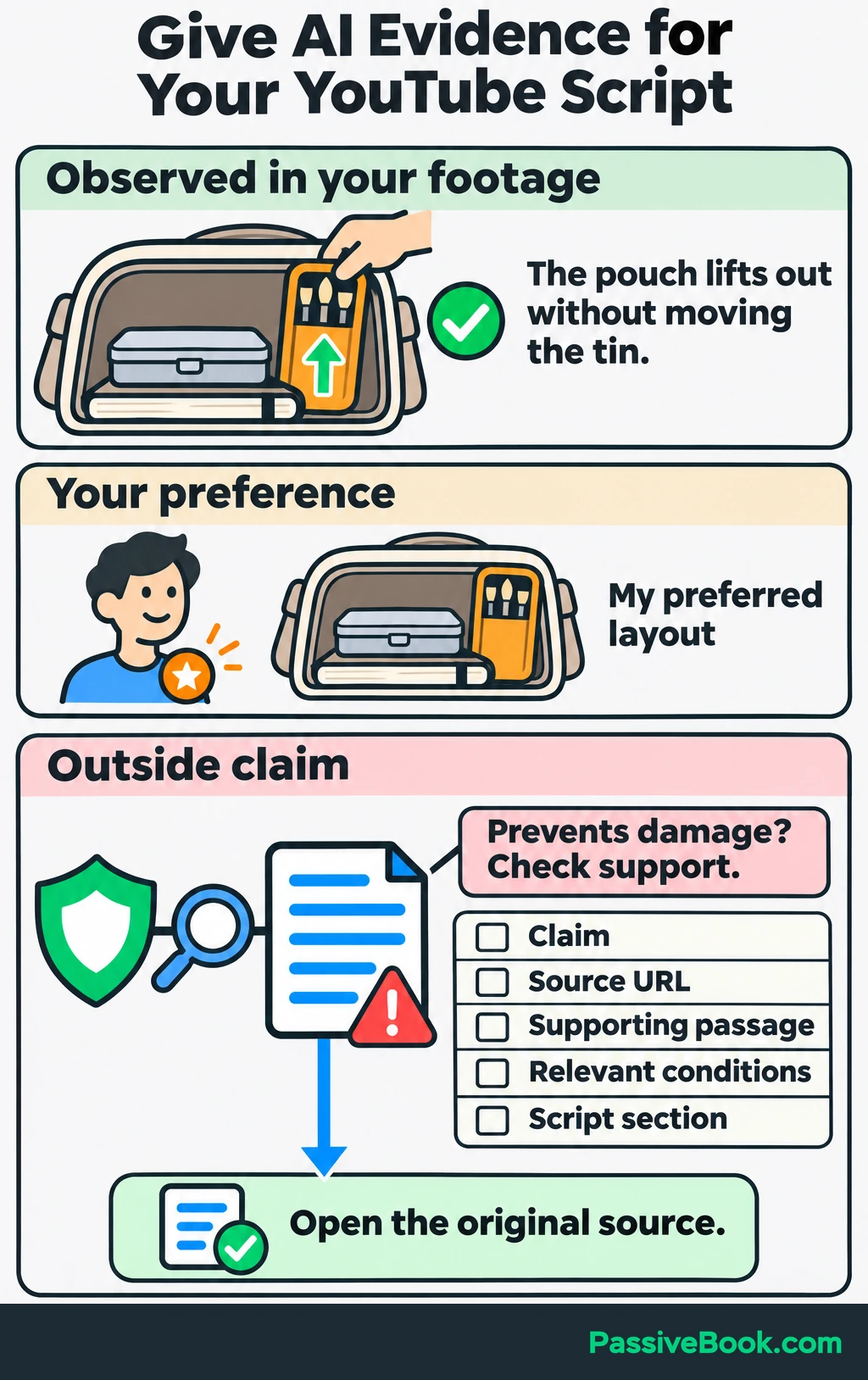
Open the original source and read the relevant passage. A search summary or a link supplied by AI isn’t enough to show that the claim is supported.
Your demonstration notes can be simpler. For the watercolor example, assume the footage shows:
- The closed sketchbook sitting flat at the bottom of the bag.
- The closed paint tin resting above it.
- The brush pouch beside the sketchbook, removable without lifting the tin.
- The folded cloth sitting on top.
Those observations give AI concrete material to describe. They don’t establish that this is the best arrangement for every bag.
Add this instruction alongside your excerpts and notes:
Use the supplied material for factual claims. Keep demonstrated observations and personal preferences distinct from general advice. List unsupported additions as
[CHECK: specific claim]outside the narration. Do not invent citations or fill gaps with plausible details.
For dog-care videos, this step needs particular care. The same VCA guidance recommends veterinary organizations and veterinarian-written resources, and warns against relying on AI for diagnosis or treatment. Use qualified sources for health claims and leave individual diagnosis and treatment decisions to veterinary professionals.
A request to “make this sound more confident” must never turn a qualified recommendation into a universal rule.
Turn the Brief Into a Video Outline
Ask for an outline before asking for a script. You want to check the teaching order while the draft is still easy to move around.
A useful sequence is:
Opening promise → essential context → ordered actions → demonstrated result → next step.
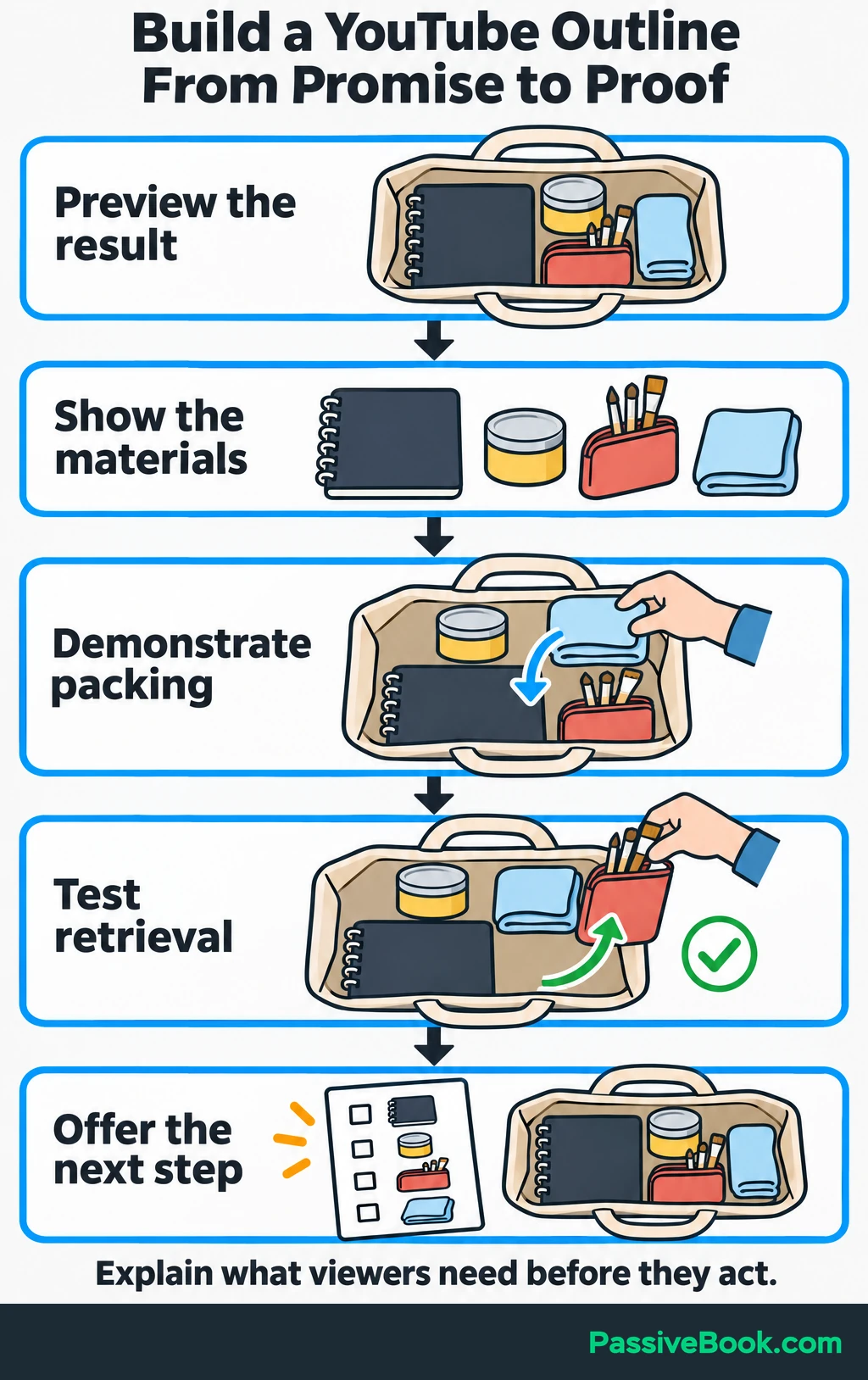
Put explanations immediately before the actions that need them. If viewers need to know which items you’re packing, show those items before placing them inside the bag.
Use this prompt:
Using the brief and source notes, propose a video outline. For each section, give its purpose, key points, supporting source or demonstration, and planned visual. Put prerequisites before dependent actions. Identify missing information. Do not draft narration yet.
For the example, I would approve something like this:
| Section | Viewer Takeaway | Supporting Material | Planned Visual |
|---|---|---|---|
| Preview the result | See what the finished arrangement looks like | Sketchbook, paint tin, brush pouch, and cloth inside the bag | Open bag viewed from above |
| Show the materials | Identify everything included in this demonstration | The same four items laid out before packing | Items laid out beside the bag |
| Pack the bag | Follow the placement of each item | Sketchbook flat; tin above it; pouch beside it; cloth on top | Close shots of each placement |
| Unpack for use | See whether items can be retrieved as described | Retrieval check: the pouch lifts out without moving the tin | Remove items in order |
| Offer the checklist | Know how to plan their own arrangement | Packing checklist assumed for this example; contents not supplied | Checklist beside the packed bag |
Most of the time belongs to packing and unpacking. The materials section only needs enough detail to make those actions clear.
I would cut a history of travel painting, even if AI writes a lovely one. The bag is still empty while we’re discussing the Renaissance.
Draft the Script in Sections
Set a rough spoken-word budget before drafting. Base it on your delivery rather than a generic reading speed.
Read a short passage naturally and time it. Count the words you actually spoke, then work out how many you deliver in a minute.
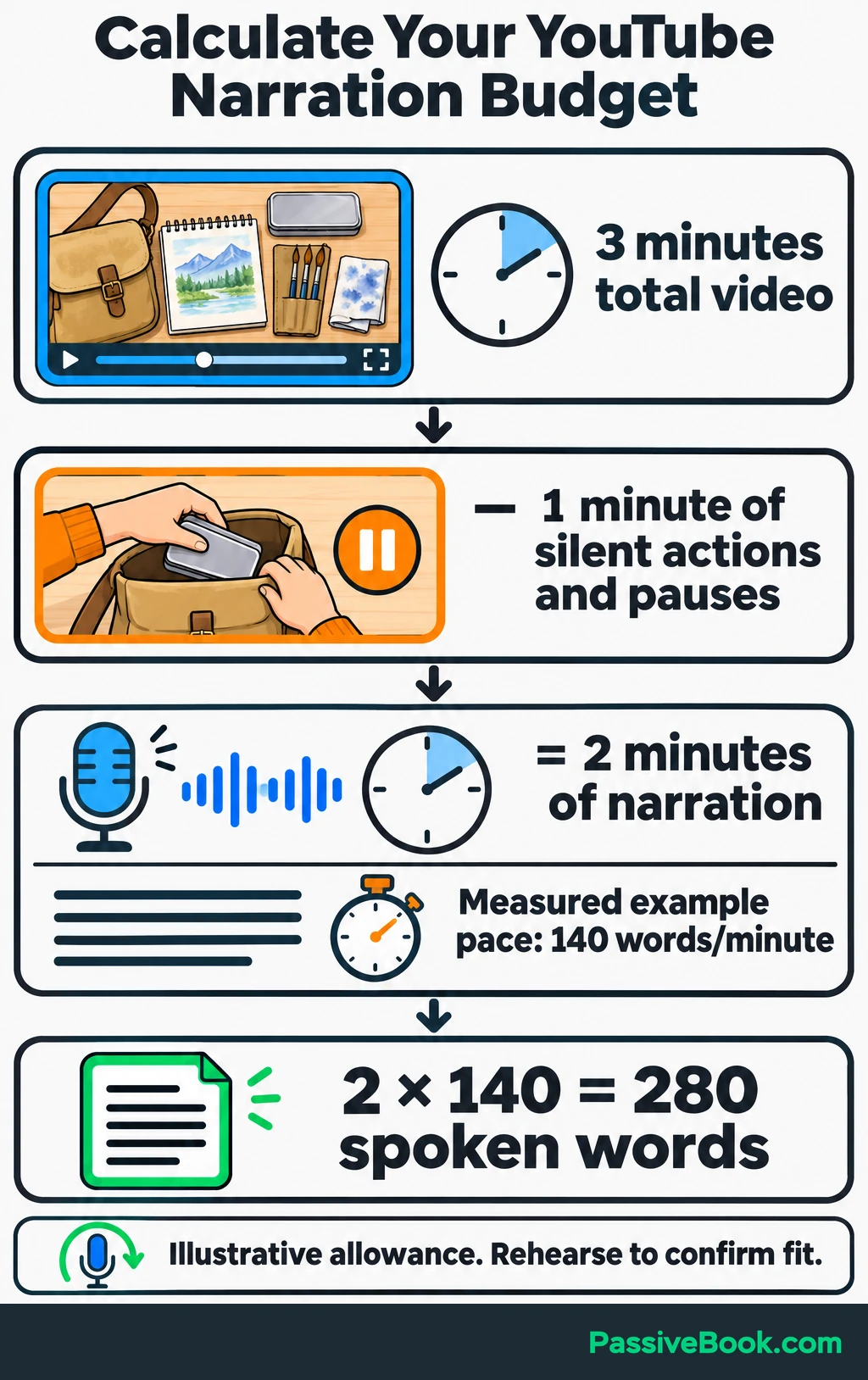
Next, count only the video time available for narration. Leave room for pauses and demonstrations that viewers need to watch.
For illustration:
- A three-minute video reserves one minute for silent actions and pauses.
- That leaves two minutes of narration.
- If your measured pace is 140 words per minute, the starting budget is 2 × 140 = 280 spoken words.
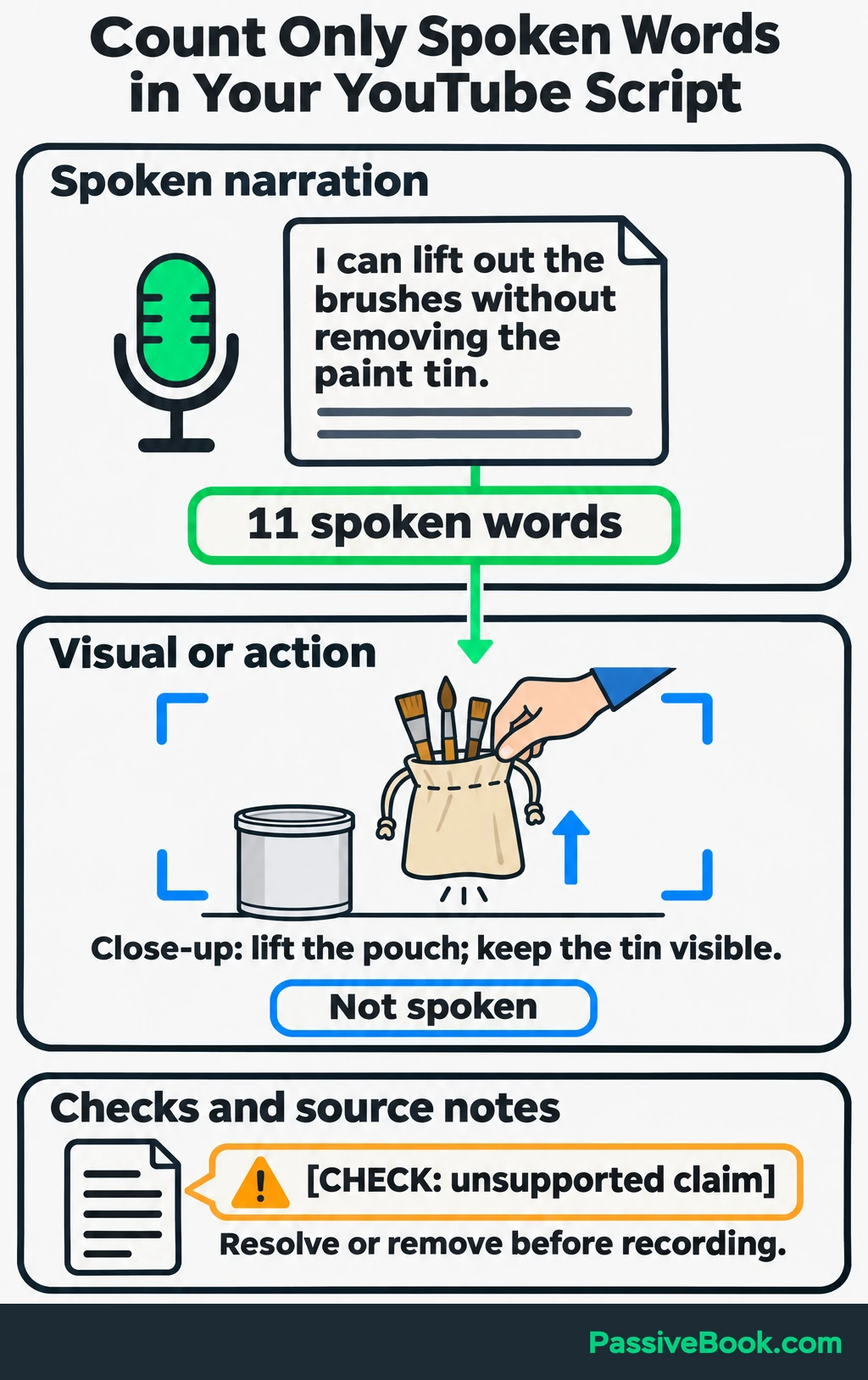
That’s a planning allowance, not a reason to rush. The rehearsal decides whether it fits.
Ask AI for a table with columns for section, spoken narration, and visual or action. Add a source-notes column when the narration uses outside claims. Count only the narration toward the word budget.
Write the Body and Transitions
Draft the teaching sections first. Give each request the approved takeaway, relevant notes, planned footage, and a word allowance.
Write [section] from the approved outline in approximately [number] spoken words. Explain [takeaway] using [source notes or demonstration]. Follow the supplied source and voice rules. Separate narration from visual directions. Put unresolved checks outside the narration.
Review each section before assembling the full script. Look for places where the narration asks the footage to prove something it doesn’t show.
For example:
“The brushes go in this narrow pouch beside the sketchbook. I can lift them out without removing the paint tin.”
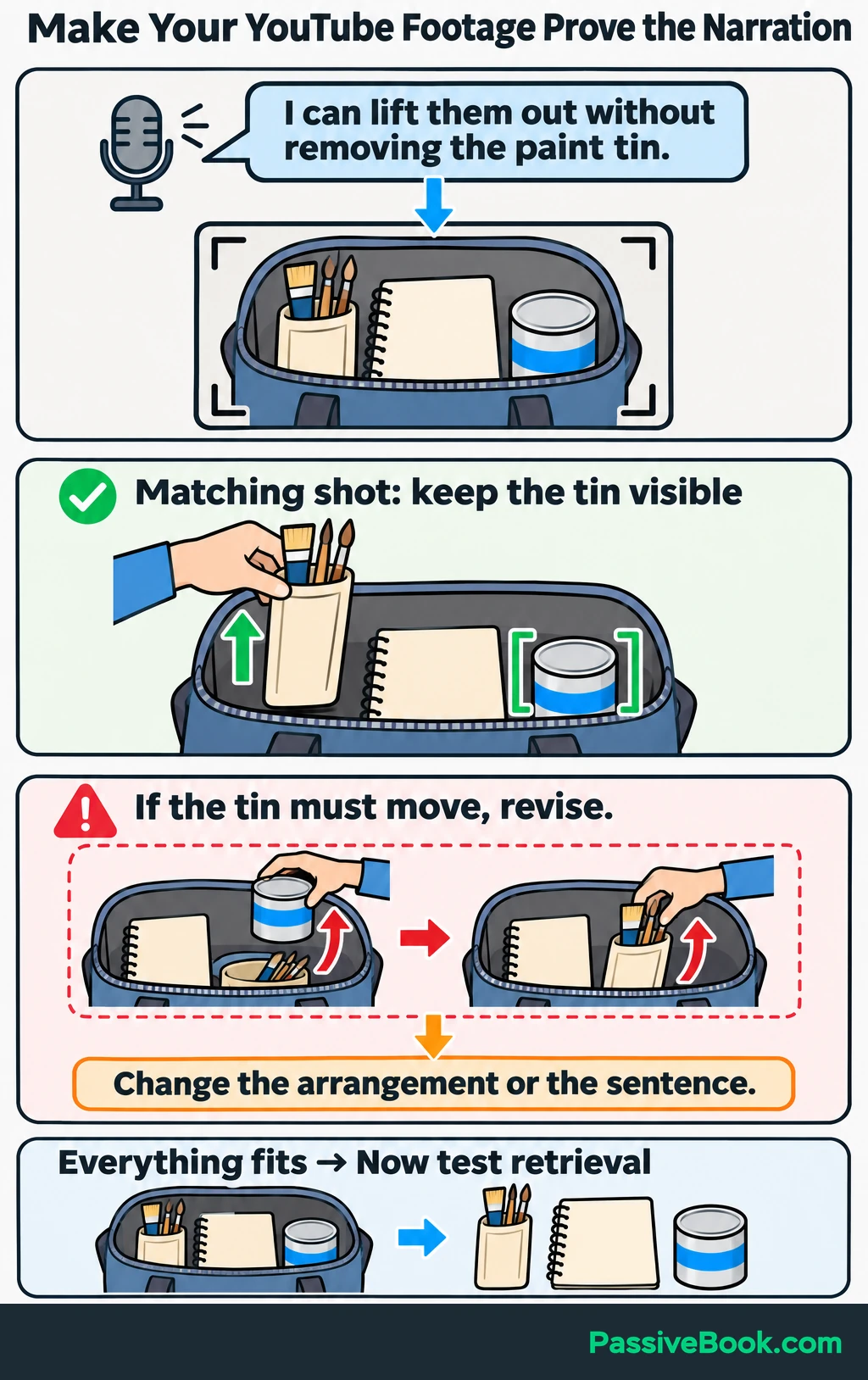
That needs a close-up showing both the placement and the removal. If the tin has to move, change the arrangement or change the sentence.
Transitions should explain why the next action follows:
“Everything fits. Now I’ll unpack it in the order I’d use it.”
That gives the next section a job. “Now let’s move on to the next important part” merely announces that time continues to exist.
Use this transition prompt:
Connect [section A] to [section B] in one natural sentence that explains why the next action follows. Remove repeated introductions.
Then read adjoining sections together. Separate drafting requests can produce repeated definitions, changing names for the same item, or two sentences that both introduce the demonstration.
Keep narration that helps viewers understand the action. Cut lines that only describe an obvious movement.
Write a Hook That Matches the Payoff
Finalize the opening after the body. You now know what the video actually delivers, so you can promise it accurately.
Ask for a few distinct options:
Write three short openings for this script: one led by the outcome, one by a recognizable frustration, and one by the opening visual. Make the practical payoff clear, connect to the first demonstration, and use only supplied facts. Avoid unsupported superlatives and artificial suspense.
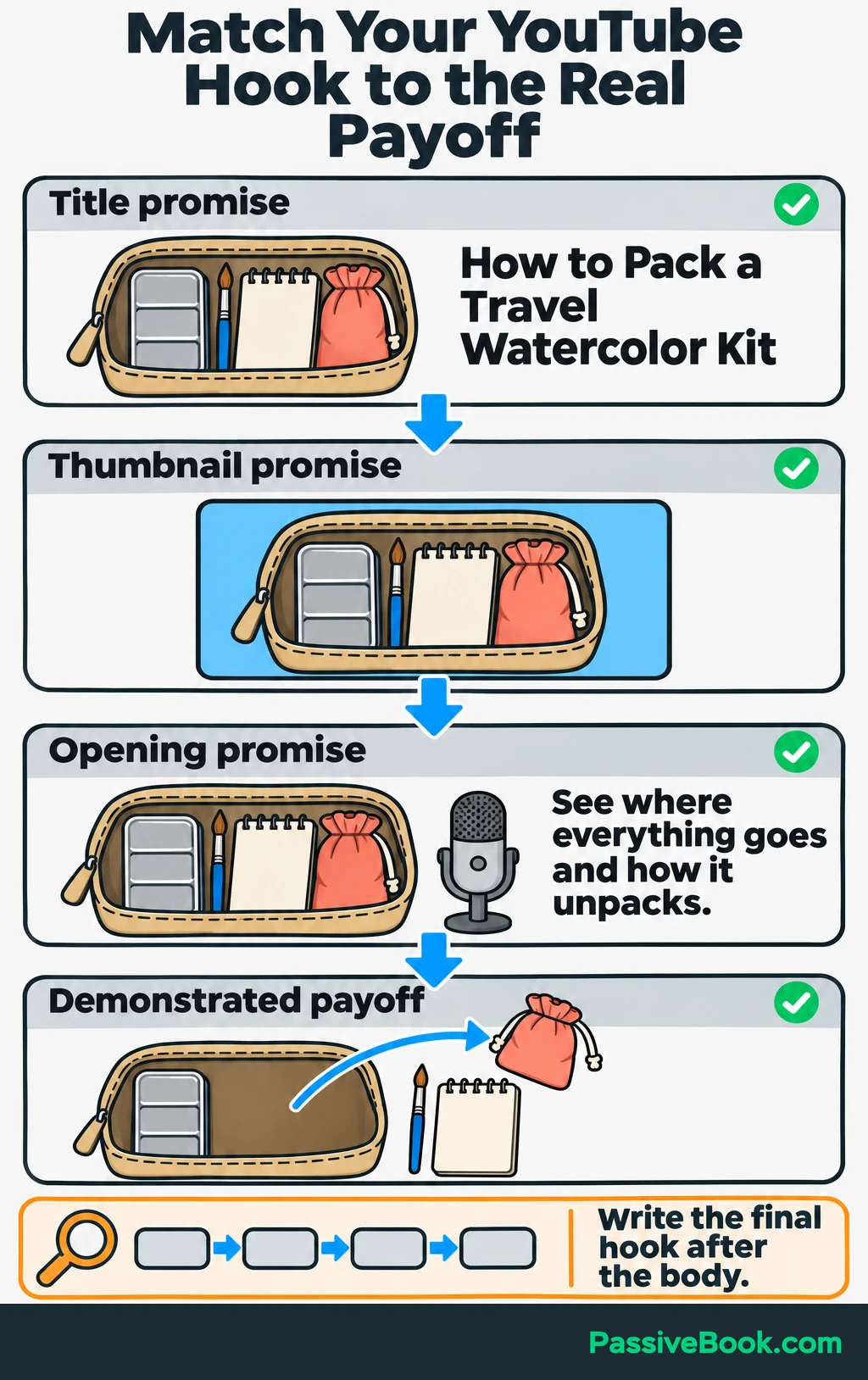
For our overhead footage, I would choose the visual opening:
“Here’s my packed watercolor kit. I’ll show you where everything goes, then unpack it so you can see how the arrangement works.”
It fits the title and gives the footage something useful to show immediately.
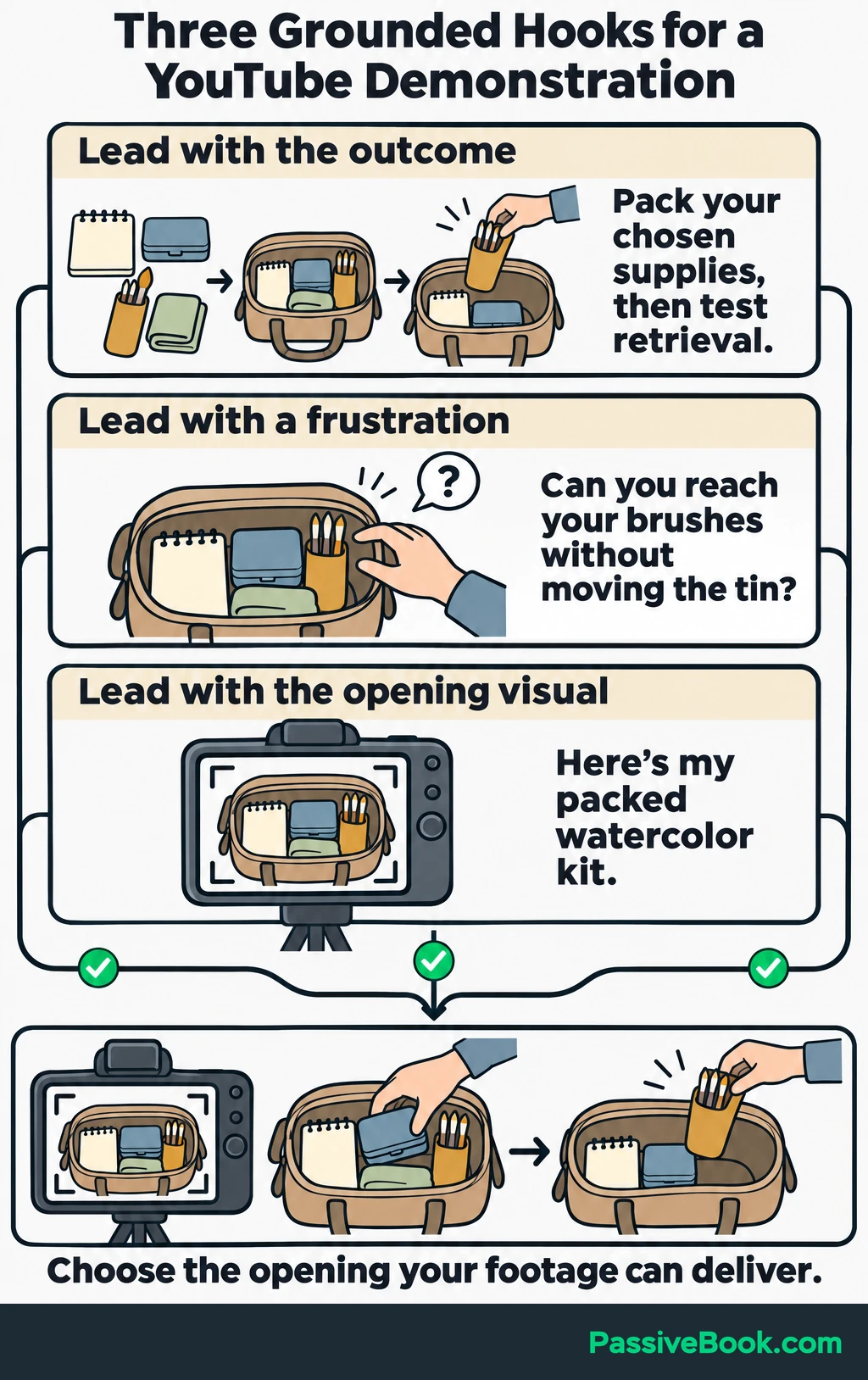
Check the thumbnail too. If it promises a tiny kit, the opening should show that kit. If it promises a comparison, the video needs a comparison.
YouTube’s retention guidance lists a match between the first 30 seconds and the title and thumbnail as one possible explanation for strong introductory retention. It isn’t a guarantee, but it’s a sensible check before recording.
Close With One Relevant Call to Action
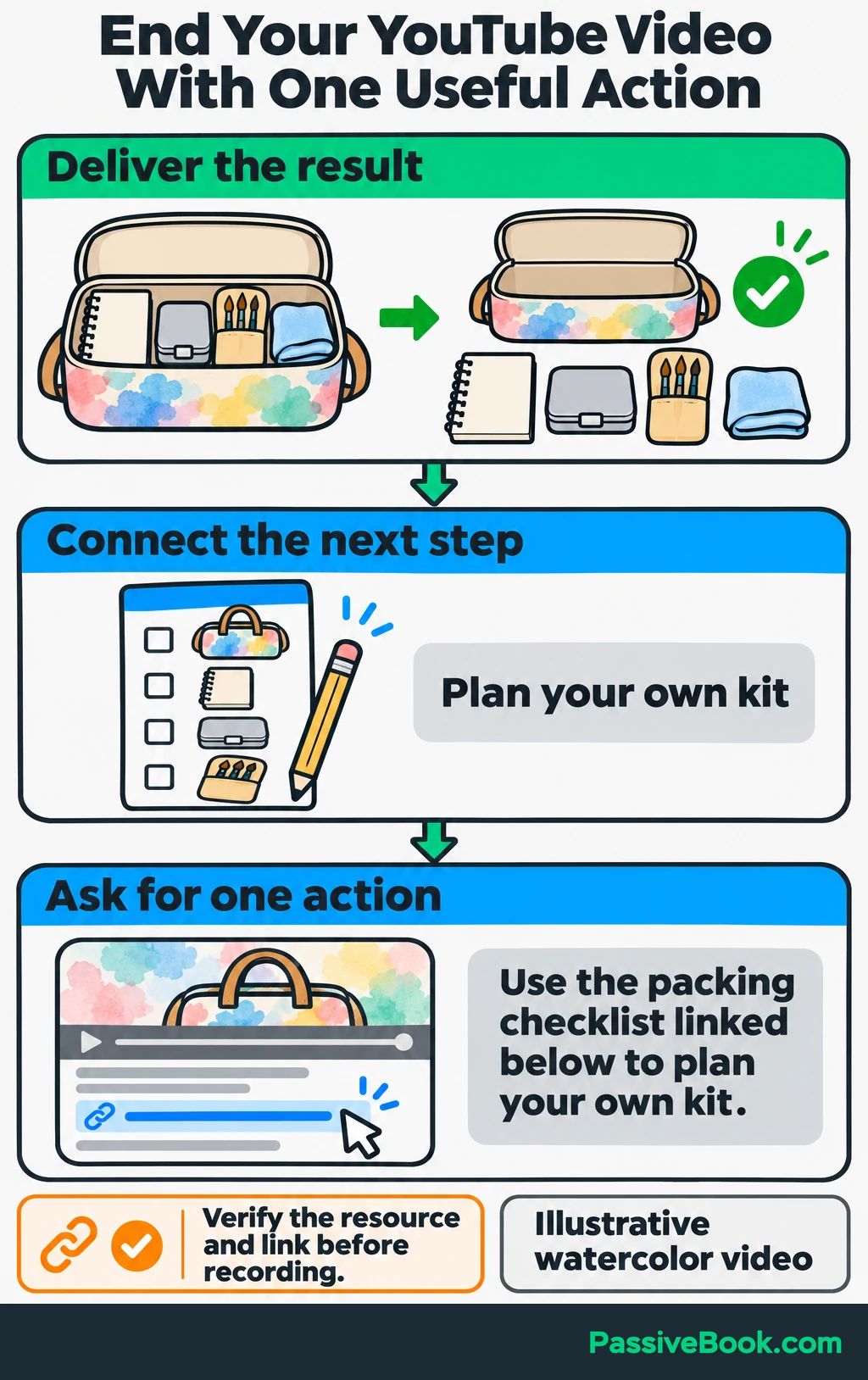
Finish the promised task before asking viewers to act.
Then choose one next step that helps them use what they learned. A packing checklist fits this demonstration. An unrelated product pitch would need a different reason to be there.
Use this prompt:
Write two brief endings that confirm the demonstrated result and lead to [next action]. Explain its value without repeating the whole video. Use one primary call to action.
For the example:
“Use the packing checklist linked below to plan your own kit.”
Only mention a resource that exists or is genuinely planned. Don’t let AI invent a free download you now have to build because the ending sounded good.
Here’s a complete short script using the illustrative footage notes. It assumes the checklist is ready and linked in the description. The narration stays below the 280-word starting allowance, leaving room to adjust during rehearsal.
| Section | Spoken Narration | Visual or Action |
|---|---|---|
| Opening | “Here’s my packed watercolor kit. I’ll show you where everything goes, then unpack it so you can see how the arrangement works. We’re arranging the supplies already chosen for this bag, so I’ll leave product comparisons for another video.” | Show the open, packed bag, then cut to the empty bag. |
| Materials | “I’ve laid everything out first: the sketchbook, closed paint tin, brush pouch, and folded cloth. Before packing, check that the items you want to bring are actually here. It’s easier to spot an empty space on the table than inside a packed bag.” | Show all four items clearly. Pause for viewers to look. |
| Packing | “The sketchbook goes flat at the bottom, with the paint tin above it. The brush pouch sits beside the sketchbook. Watch this: I can lift the pouch out without moving the tin. The folded cloth goes on top, and then I close the bag.” | Pack each item. Demonstrate removing and replacing the pouch, then close the bag. |
| Transition and Test | “Everything fits. Now I’ll unpack it in the order I’d use it. The cloth comes out first, followed by the brush pouch. Then I lift out the paint tin and sketchbook. I’ll lay them beside the bag so you can see the complete setup again.” | Open the bag and remove each item in the stated order. Leave a silent pause for the finished layout. |
| Ending | “That’s the full arrangement, from the empty bag to the unpacked kit. Your bag may need a different layout, so test both packing and taking things out. Use the packing checklist linked below to plan your own kit before your next outing.” | Show the checklist beside the materials, then return to the packed bag. |
Revise and Rehearse the Complete Script
Make the Narration Sound Like You
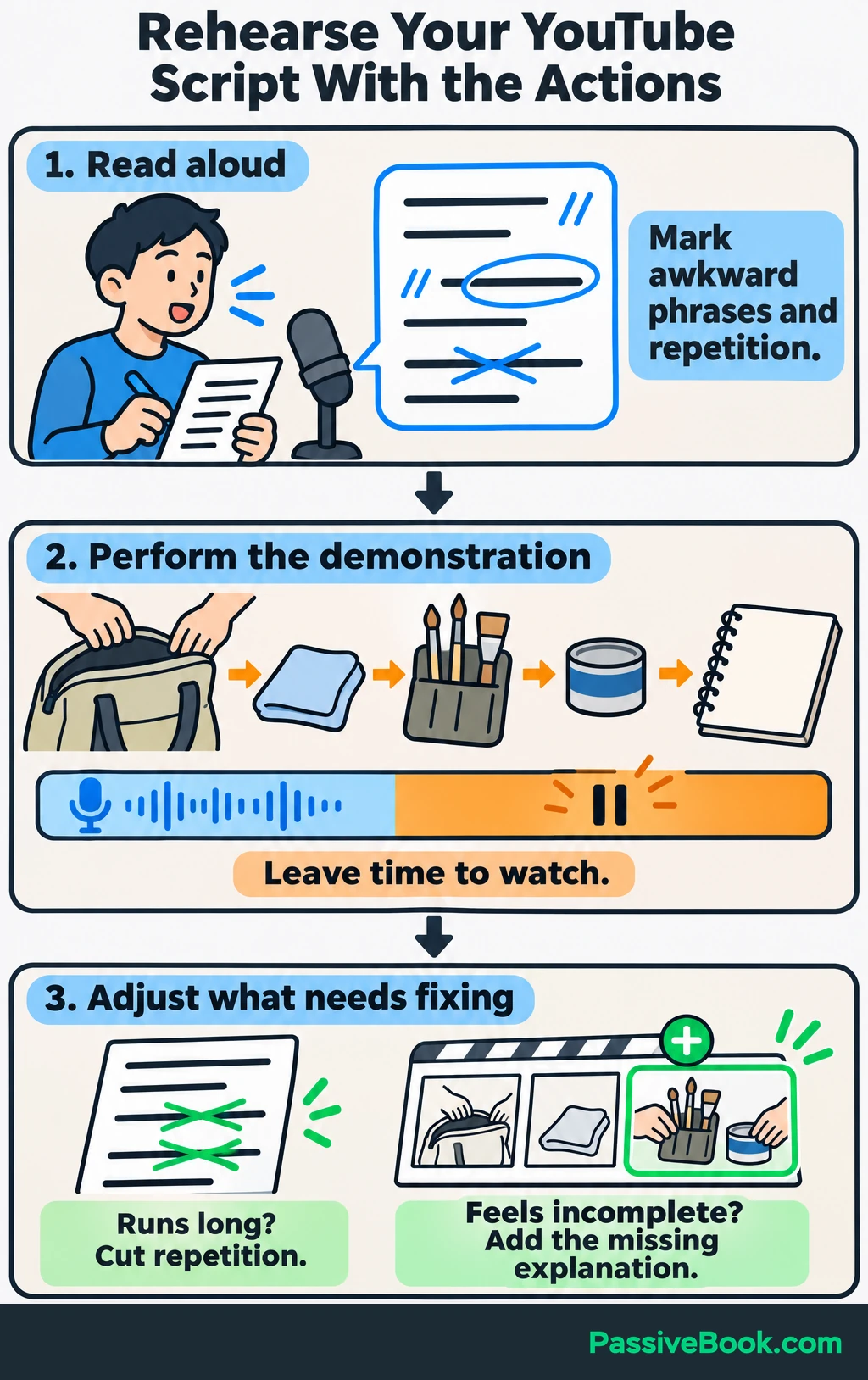
Read the assembled script aloud. Quiet proofreading won’t tell you where your mouth gets stuck.
Mark phrases you wouldn’t normally say, sentences that need an extra breath, and explanations you’ve already given.
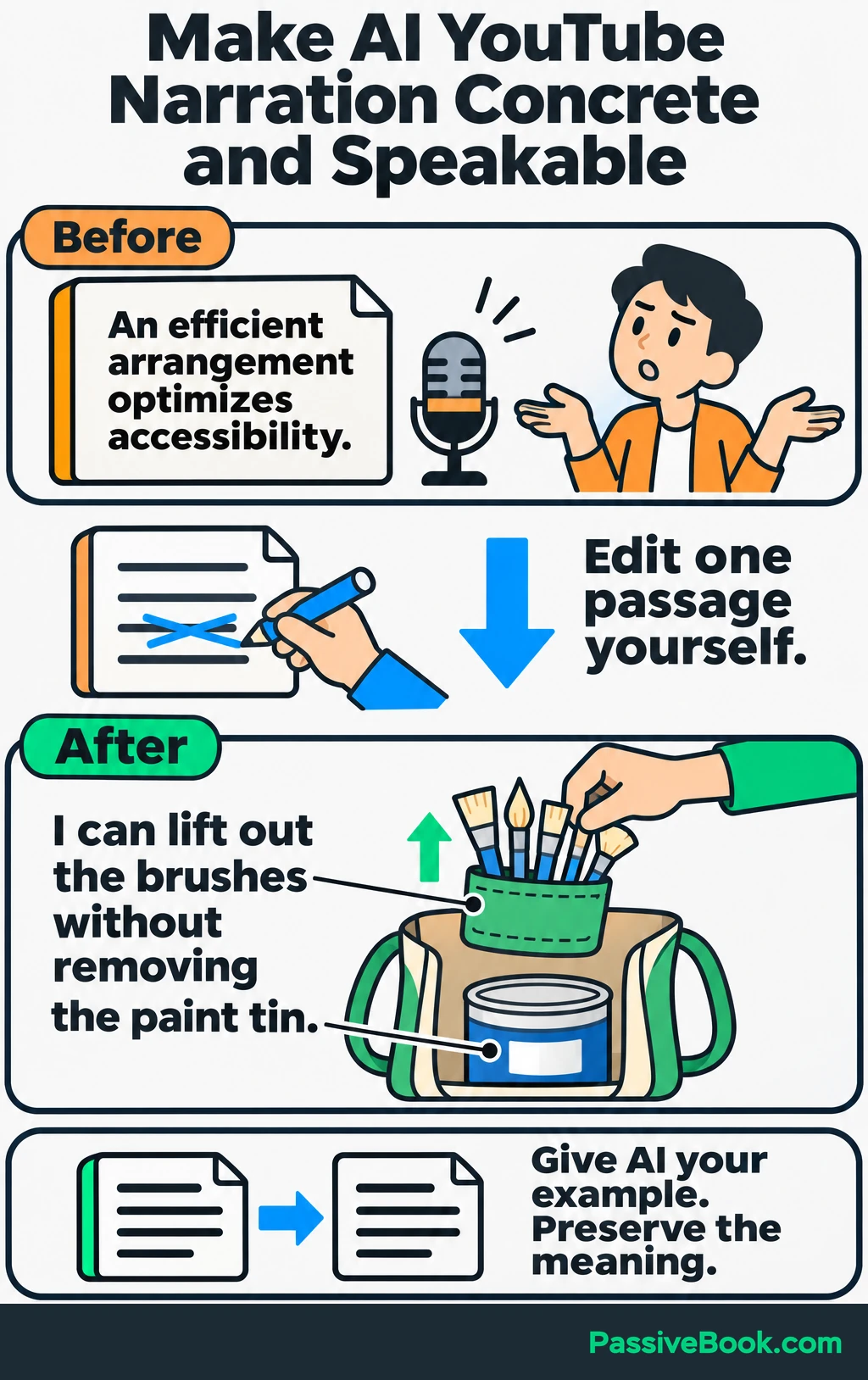
Replace vague language with the action viewers can see:
Before: “An efficient arrangement optimizes accessibility.”
After: “I can lift out the brushes without removing the paint tin.”
Edit one passage yourself before asking AI to revise the rest. That gives it a concrete model of your judgment.
Apply the changes shown in my before-and-after example to this passage. Make it easier to say aloud, preserve factual meaning and concrete demonstrations, and remove repetition. Flag missing details rather than inventing them.
I would revise awkward passages individually rather than regenerate the whole script. Once a section works, there’s little value in asking the tool to disturb it again.
Then rehearse with the actions. Open the bag, move the materials, and leave the planned pauses. A sentence that fits a stopwatch may still end before the demonstration does.
If the video runs long, cut repeated narration before increasing your speaking speed. If it feels incomplete, identify the missing explanation or demonstration rather than adding general background.
Check Facts and Production Instructions
Check the revised wording against your notes. Editing can quietly change “in this demonstration” into “always,” and that changes the claim.
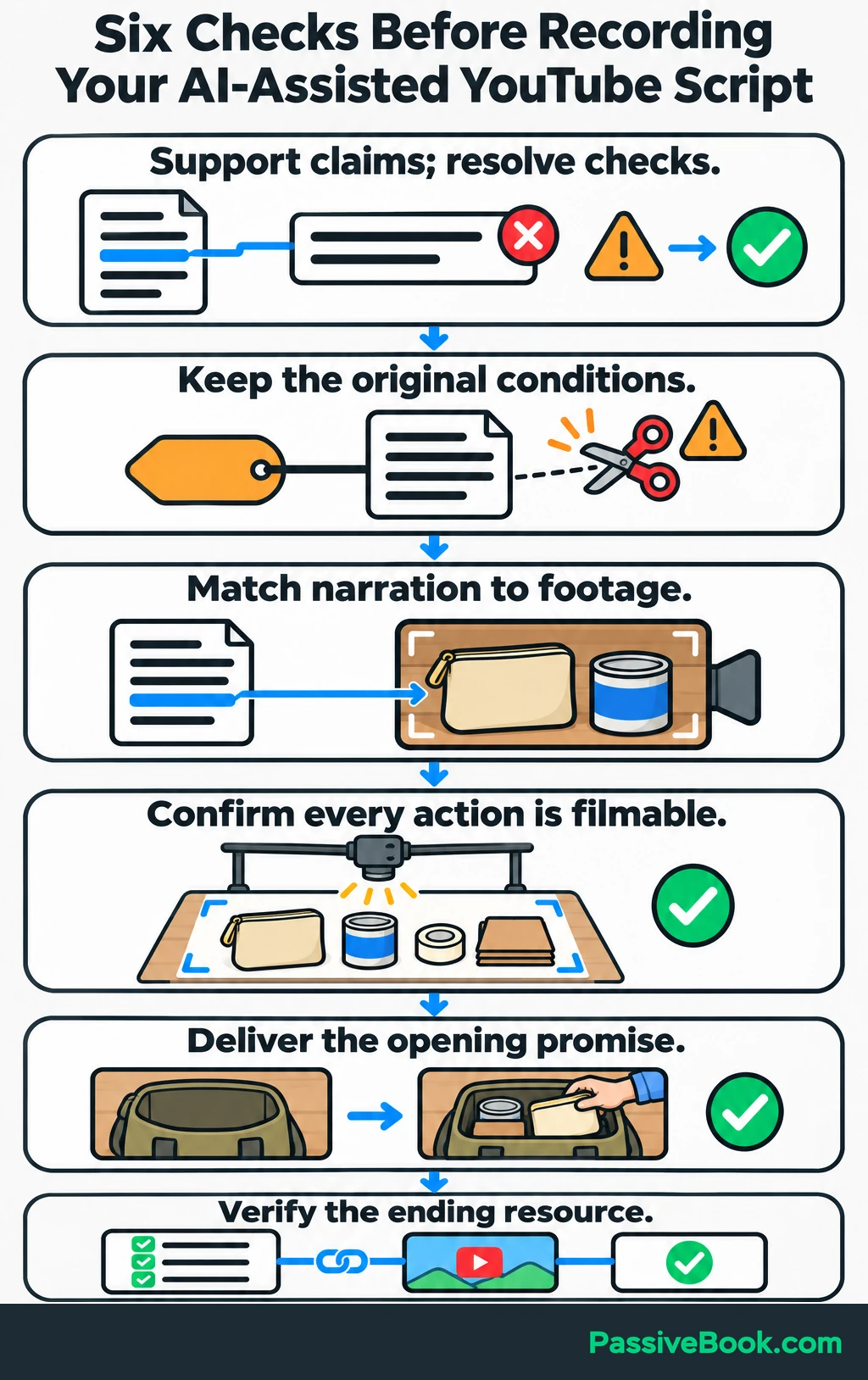
Before recording, confirm:
- Claims: Every factual statement has support, and every
[CHECK]has been resolved or removed. - Meaning: Conditions that change the advice survived the rewrite.
- Footage: The visual shows what the narration says it shows.
- Practicality: You can film each action with the materials and space available.
- Payoff: The finished video delivers the opening’s promise.
- Ending: The linked resource or next video is ready or genuinely planned.
Using AI to help write an outline or script does not itself require YouTube’s altered-content disclosure. Generated or altered audio and visuals can raise separate requirements, so check the finished video against YouTube’s disclosure rules.
Reuse the Workflow for Your Next Video
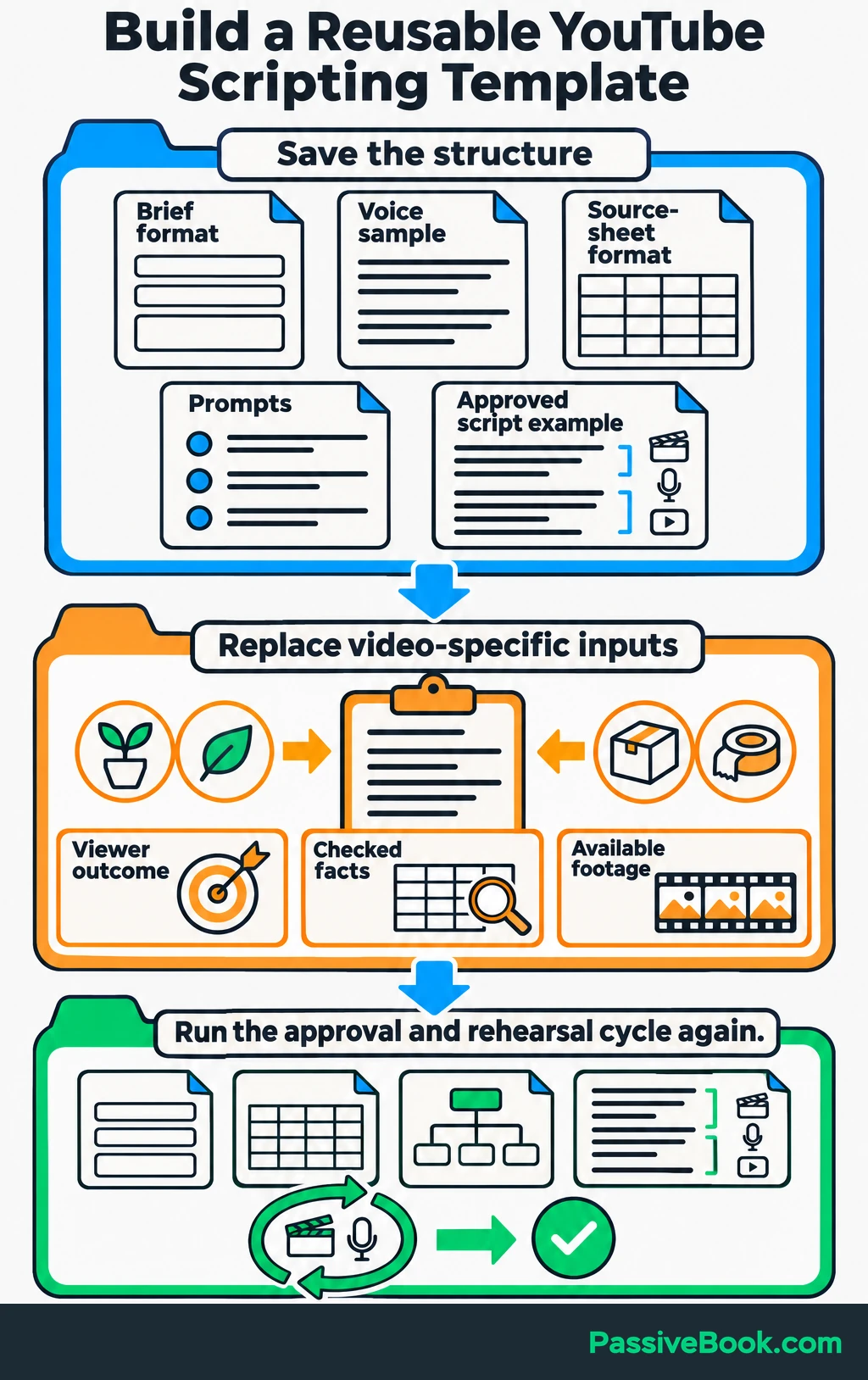
Save the brief, voice sample, source-sheet format, prompts, and approved script as templates. Replace the topic-specific facts and footage notes each time.
If you’d rather not assemble the next draft across several prompts, AI Video Studio turns your brief into narration and matching footage directions. You still review the facts and rehearse the result.
Free AI Video Studio




I reduced article production from days to hours through my AI blogging pipeline. That experience belongs to blogging, but it informs my preference here: make the decisions repeatable before adding more automation.
Track preparation, drafting, and revision time across your next few videos. If checking sources takes longest, another rewriting prompt won’t solve the bottleneck. If every draft needs the same voice correction, add a before-and-after example to the template.
After publishing, review viewer questions and retention changes alongside the script and footage.
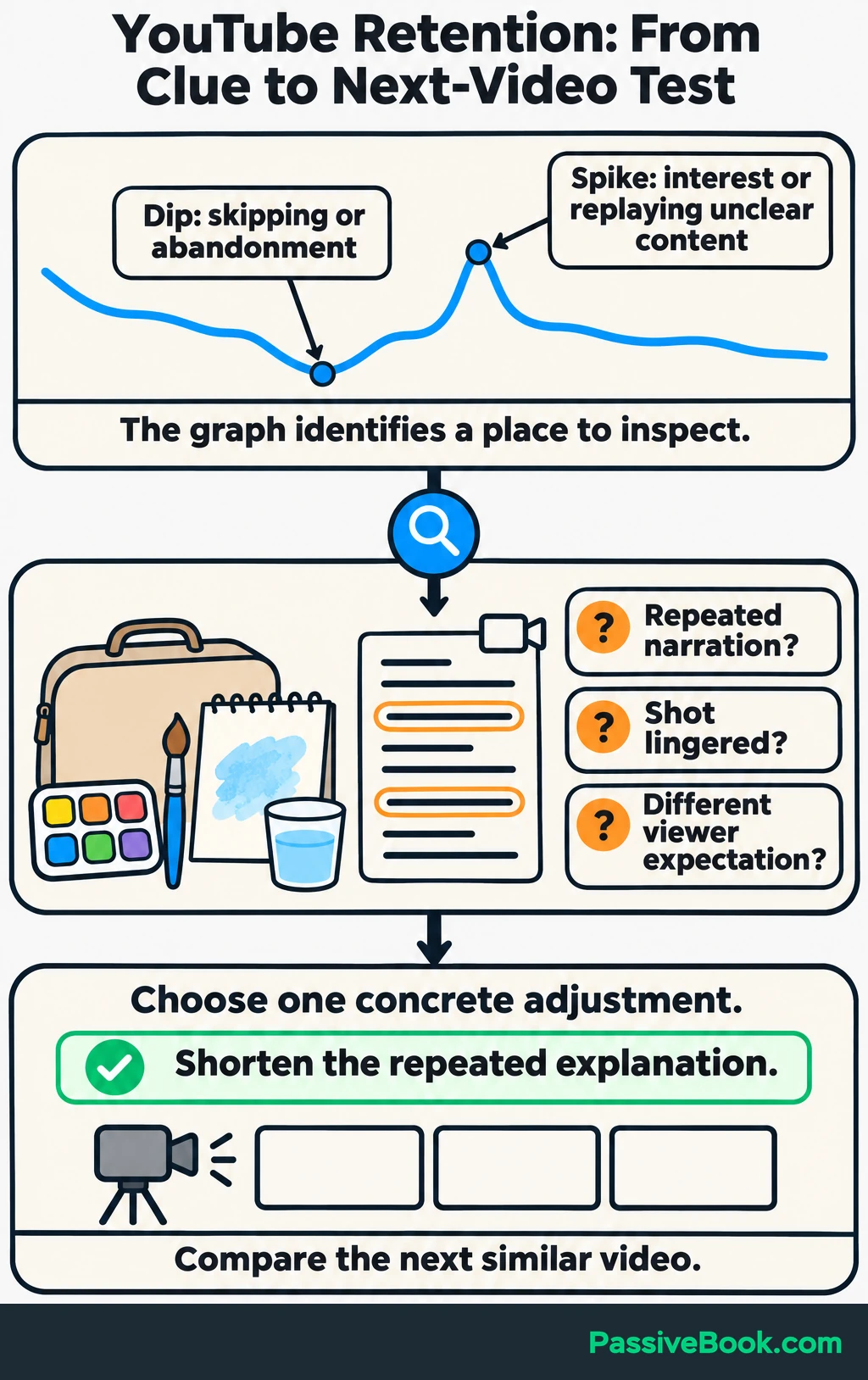
YouTube explains that dips can indicate skipping or abandonment, while spikes can reflect interest or viewers replaying something unclear. The graph shows where to look; by itself, it doesn’t establish that a particular sentence caused the change.
For the packing video, a dip during the materials section would give me a reason to inspect that passage. Did the narration repeat what viewers could already see? Did the shot linger? Did the title attract people looking for a different kind of help?
Choose one concrete adjustment for the next comparable video. Show the result sooner, shorten a repeated explanation, or add a clearer close-up. One change gives you a more useful comparison than rewriting your entire approach after every upload.
What Next?
Write the one-sentence viewer outcome for your next video, then use the brief prompt to set its boundaries before asking AI for narration.
Use the social buttons to share this workflow when a faster route from idea to recording would help your creator conversations.
Which part of scripting takes you longest: choosing the angle, checking facts, or making the words sound natural? Tell me in the comments, and bring any other questions too.
Share this post with your friends & followers:

