You can spend months making useful videos and still have no clear idea when the channel might pay. The subscriber counter moves, but the requirements, payment rules and earning options seem to belong to different conversations.
If you’re fitting filming around work, that uncertainty makes each new video a bigger decision. You need to know whether you’re moving toward income or simply adding another task to your week.
To make that decision clearer, this guide covers YouTube’s requirements and application process, then shows how a dog-focused channel can connect useful videos to a manageable paid offer.
What Are YouTube’s Monetization Requirements?
Start in YouTube Studio’s Earn area. It shows your progress toward the YouTube Partner Program (YPP), which gives approved channels access to YouTube’s earning features. It also lists the features available to your channel.
Before applying, check that you:
- Live in a country or region where YPP is available.
- Have no active Community Guidelines strikes.
- Have Google Account 2-Step Verification turned on.
- Have access to YouTube’s advanced features.
- Follow YouTube’s channel monetization policies.
- Have an active AdSense for YouTube account to link, or be ready to create one through Studio. AdSense is Google’s service for paying your YouTube earnings.
These are part of YouTube’s official eligibility requirements. Subscriber and viewing thresholds come on top of them.
For advertising payments, you must be at least 18 or have an eligible adult legal guardian handle payments through AdSense for YouTube. For fan funding, such as memberships and paid chat messages, creators must themselves be at least 18. YouTube lists these distinctions in its feature requirements.
If you are below the YPP thresholds, you can still explore an external affiliate program, sell your own offer or arrange a direct sponsorship. Those payments come from the program, customer or brand.
The Two Eligibility Tiers
YouTube offers earlier access to some earning features in expanded-YPP countries. Advertising and YouTube Premium revenue sharing require the higher tier.
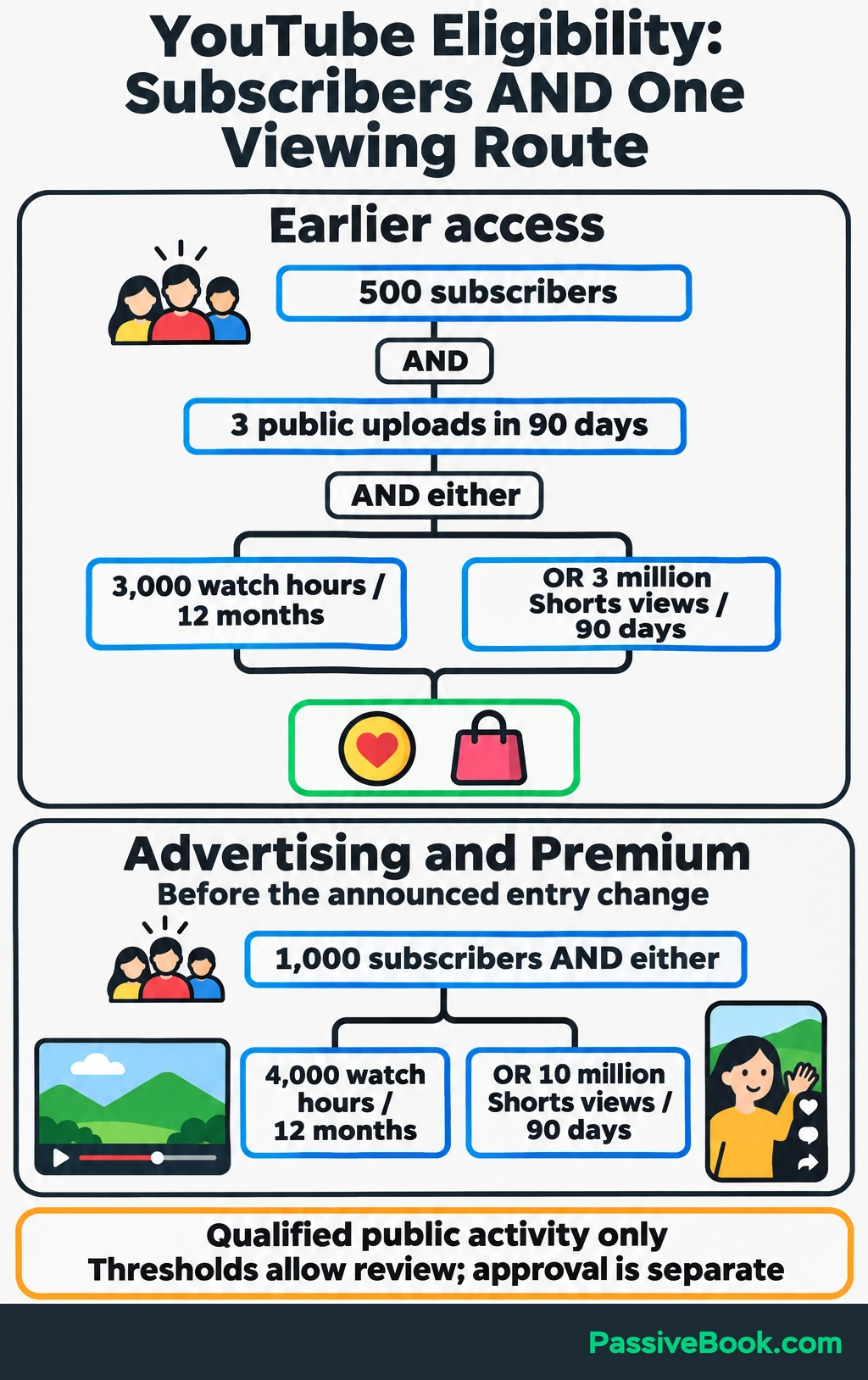
The advertising thresholds below apply before February 1, 2027.
| Access Level | Subscribers | Required Public Uploads | Watch-Hour Route | Shorts Route | Geographic Availability | Earning Features |
|---|---|---|---|---|---|---|
| Earlier access | 500 | Three valid public uploads in the past 90 days | 3,000 qualified public watch hours in the past 12 months | 3 million qualified public Shorts views in the past 90 days | Expanded-YPP countries and regions | Eligible fan-funding and Shopping features |
| Advertising and Premium access | 1,000 | No separate upload-count requirement | 4,000 qualified public watch hours in the past 12 months | 10 million qualified public Shorts views in the past 90 days | Countries and regions where YPP is available | Eligible ad and Premium revenue sharing, alongside other available features |
You need the subscriber count plus either the watch-hour route or the Shorts route. You do not need both viewing thresholds.
Earlier-access approval alone does not unlock ad revenue. Individual earning features also have their own requirements. Check YouTube’s expanded-YPP overview for availability.
Reaching a threshold gets your channel considered for review. It does not guarantee approval.
Which Watch Hours and Shorts Views Count?
Use the eligibility counters in Earn rather than your channel’s headline view total.
Qualified watch hours come from public long-form videos. Watch time from private, unlisted or deleted videos, ad campaigns and Shorts does not count toward that route. Livestreams must remain public and be converted into recordings viewers can watch afterward.
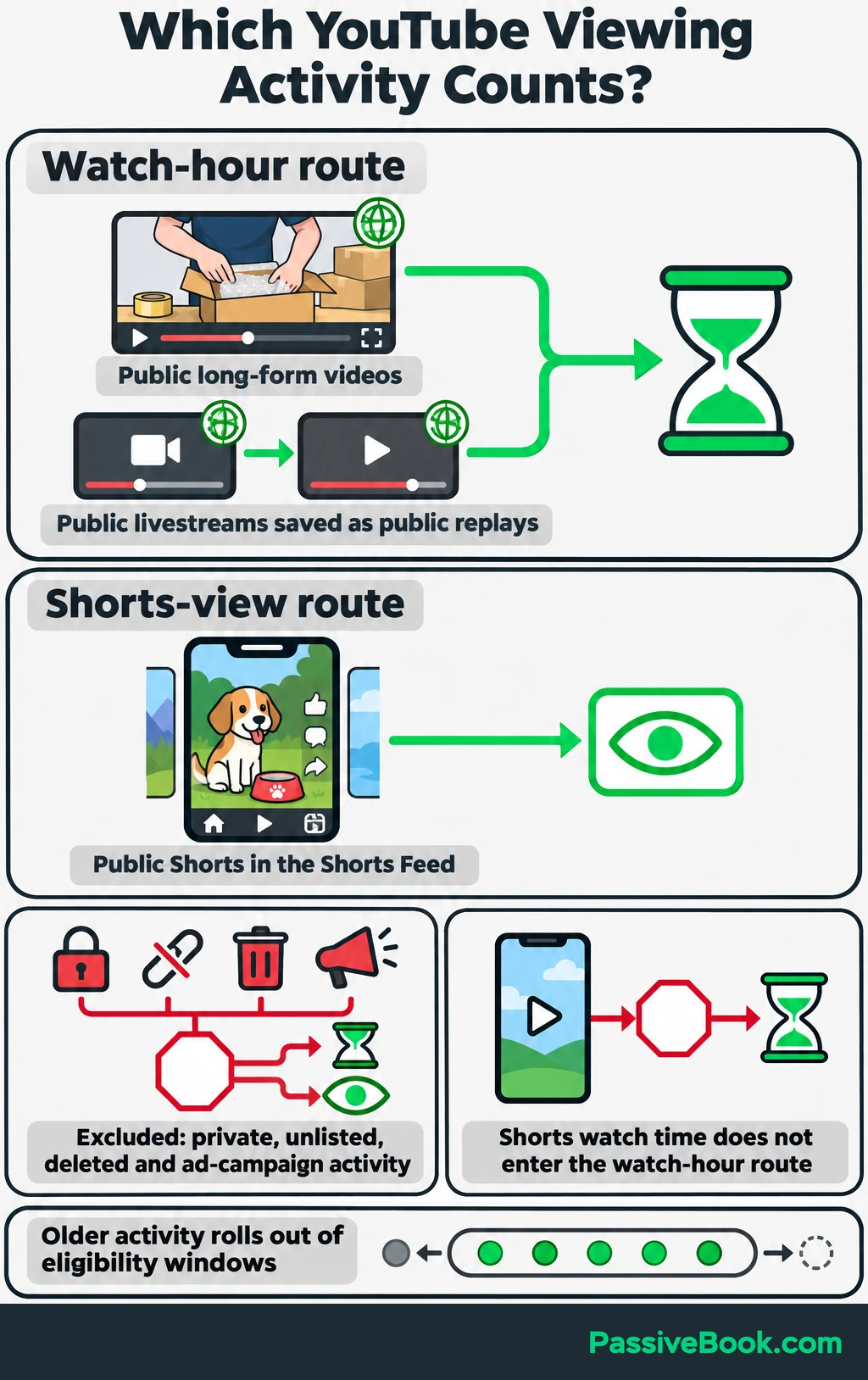
Qualified Shorts views come from public Shorts appearing in the Shorts Feed. Private, unlisted, deleted and advertising-campaign views do not count.
The eligibility windows roll forward, so older viewing activity eventually falls outside them. These distinctions are covered in the YPP eligibility rules linked above.
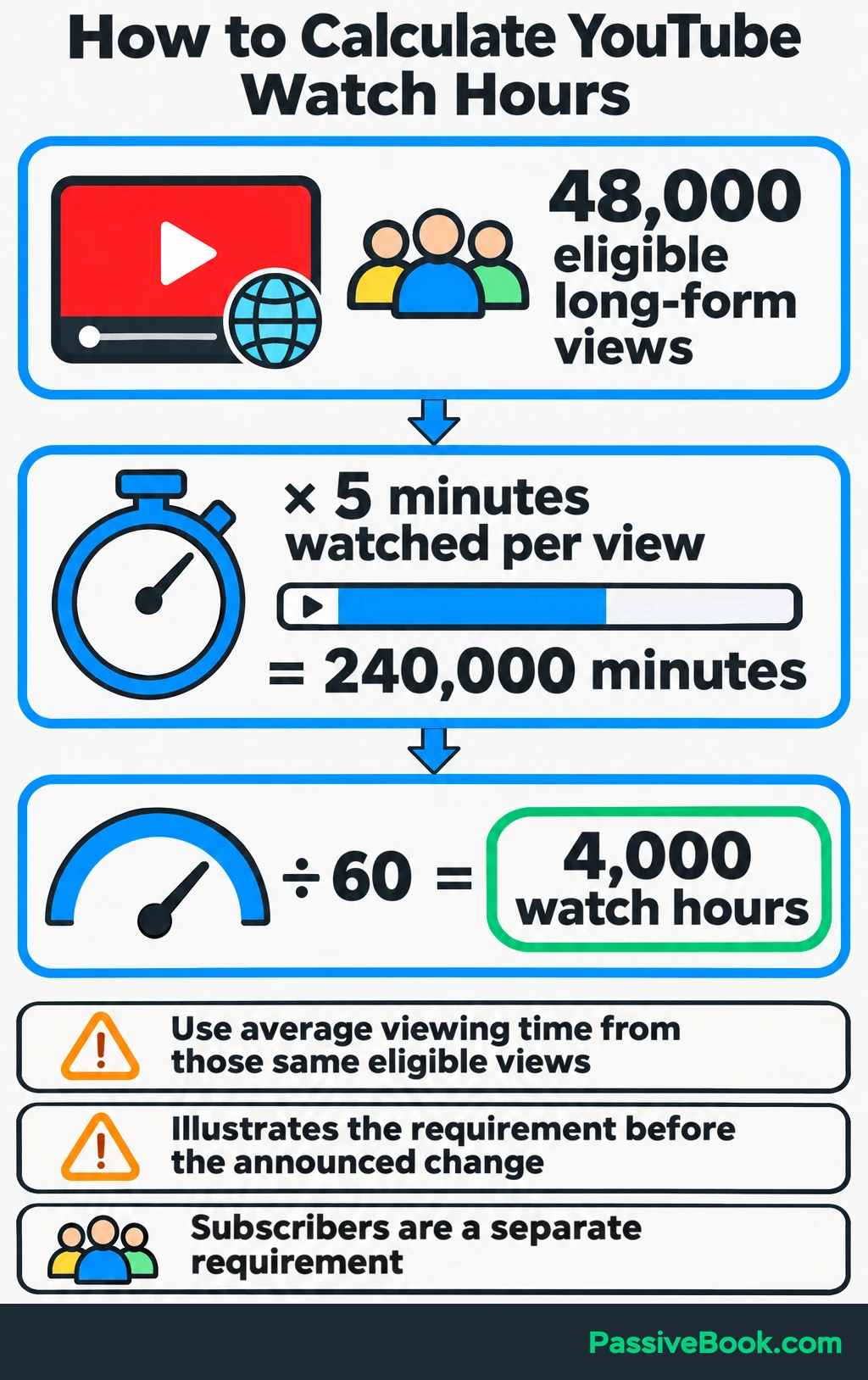
To estimate watch hours, count only eligible long-form views and the average viewing time from those same views:
48,000 eligible views × five minutes watched ÷ 60 = 4,000 watch hours.
That illustrates the watch-hour requirement before the announced change. Subscribers remain a separate requirement.
What Changes on February 1, 2027?
From February 1, 2027, new creators seeking advertising and Premium access need 1,000 subscribers plus either:
- 8,000 qualified watch hours in the past 365 days.
- 20 million qualified Shorts views in the past 90 days.
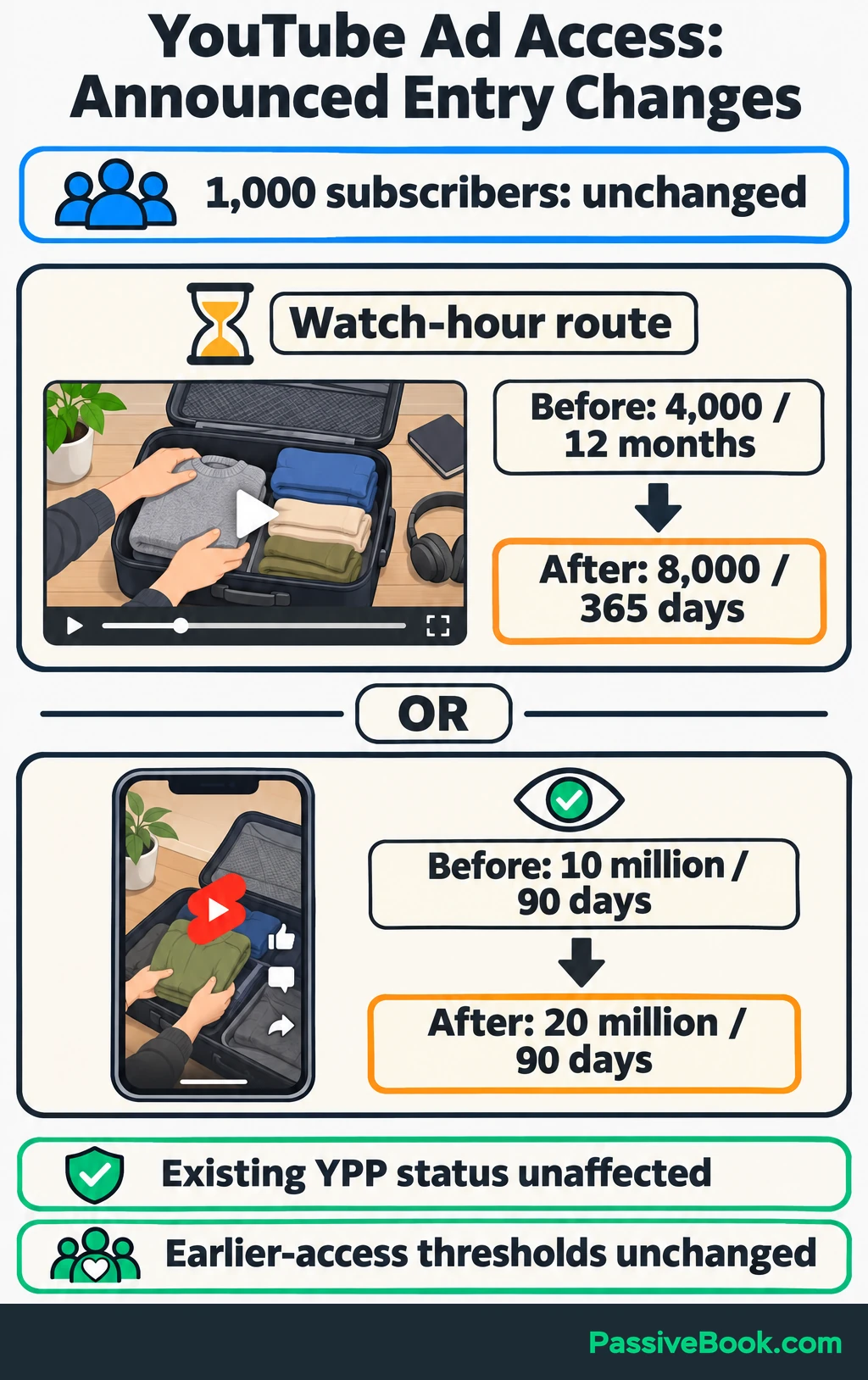
Existing YPP status is unaffected, and earlier-access thresholds remain unchanged. These are YouTube’s announced entry-threshold changes.
If you are starting from zero, plan around the requirements likely to apply when you qualify. I would still choose video topics around useful viewer questions. Stretching every demonstration to chase watch hours is an excellent way to make packing a bag feel like a documentary series.
How to Apply for the YouTube Partner Program
Submit Your Channel for Review
Before submitting, review your channel as a whole. Check your videos, titles, thumbnails and descriptions, and confirm that you have the rights to footage, music and images.
Then complete the application:
- Open Earn in YouTube Studio and select Apply Now when available.
- Review and accept the base terms.
- Link an active AdSense for YouTube account.
- Check that the review stage shows your application is in progress.
If you already have AdSense under your payee name, use that account. Create a new account only through YouTube Studio if you need one. Duplicate accounts under the same payee name are not approved.
Activate Your Earnings
Approval is followed by setup. Accept the relevant agreement modules and enable the features your channel qualifies for:
- Watch Page Monetization Module: For eligible long-form and livestream advertising and Premium earnings.
- Shorts Monetization Module: For eligible Shorts revenue sharing.
- Commerce Product Module: For eligible fan-funding features.
Check monetization on individual uploads too. Channel approval does not make every video suitable for full advertising revenue.
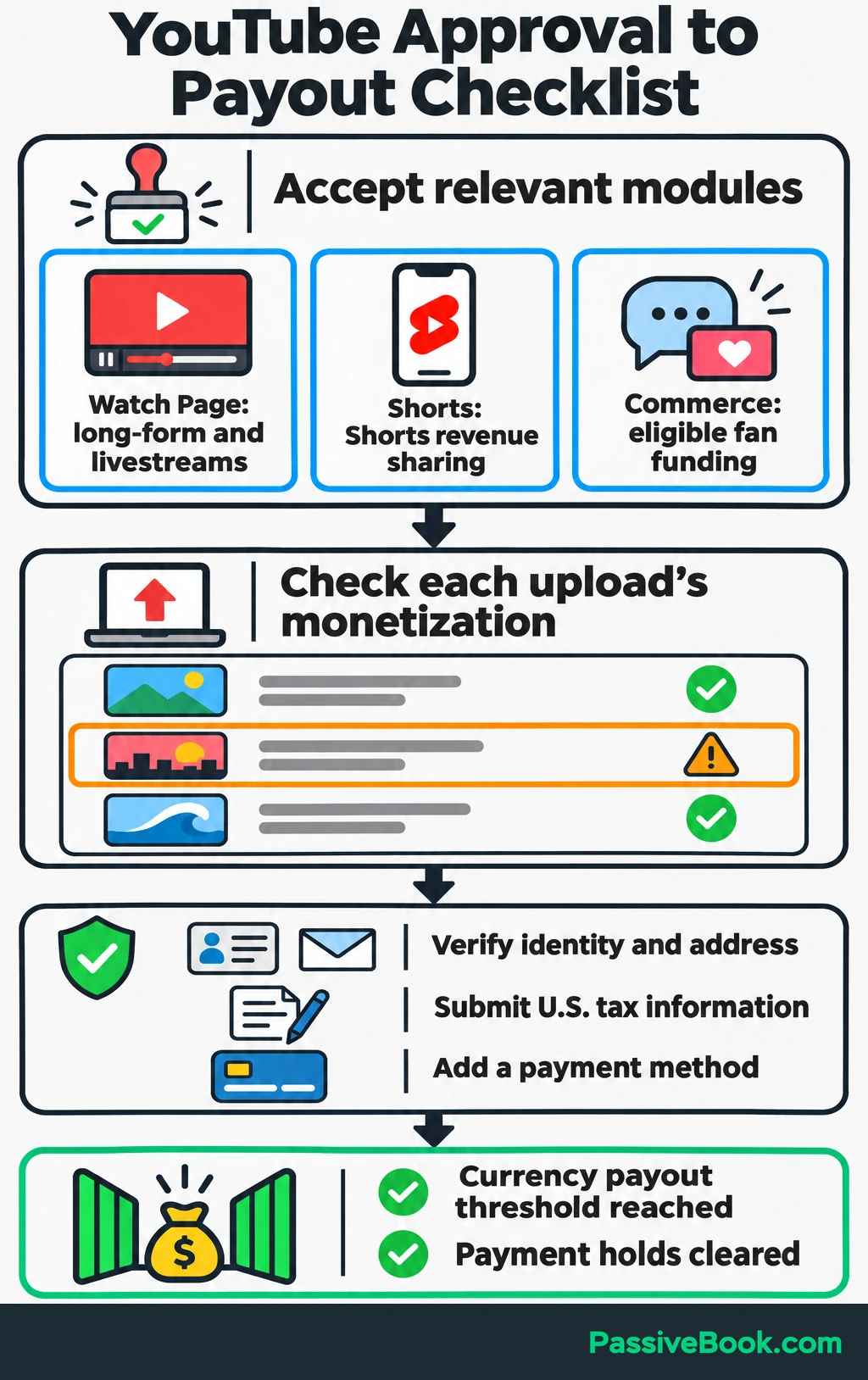
Complete the payment requests in your account, including identity and address verification, U.S. tax information and a payment method. U.S. tax information is required even if you live elsewhere. Payment also depends on reaching your account currency’s payout threshold and clearing payment holds, as explained in YouTube’s earnings and payment overview.
Accept applicable updated terms by January 31, 2027, to keep earning from those features. Missing the deadline pauses the affected earnings until you accept.
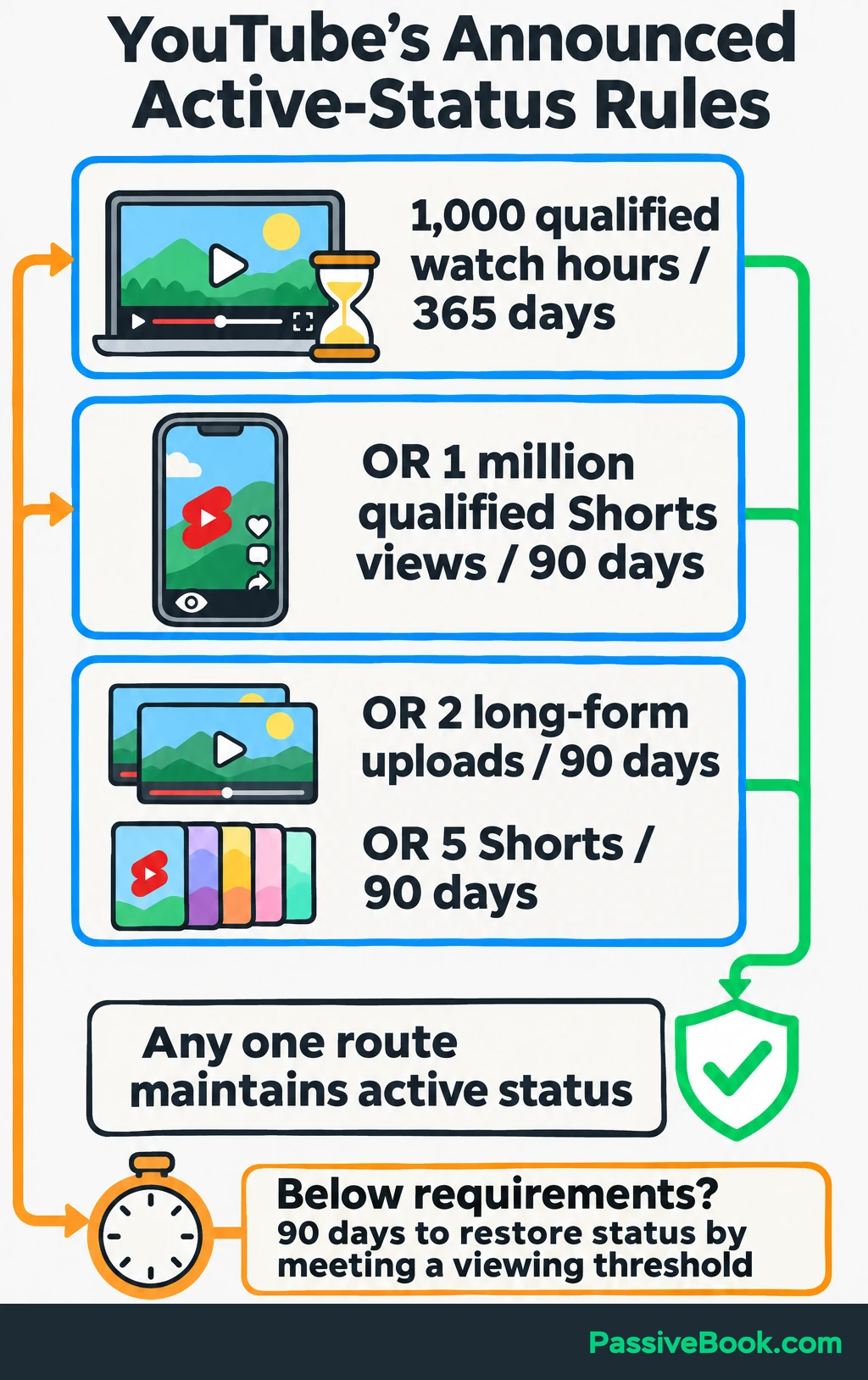
From February 1, 2027, active status requires any one of:
- 1,000 qualified watch hours in 365 days.
- 1 million qualified Shorts views in 90 days.
- Two long-form uploads or five Shorts every 90 days.
Channels below these requirements have 90 days to restore status by meeting either viewing threshold. These deadlines and activity rules are part of the announced YPP changes linked above.
What to Do If Your Application Is Rejected
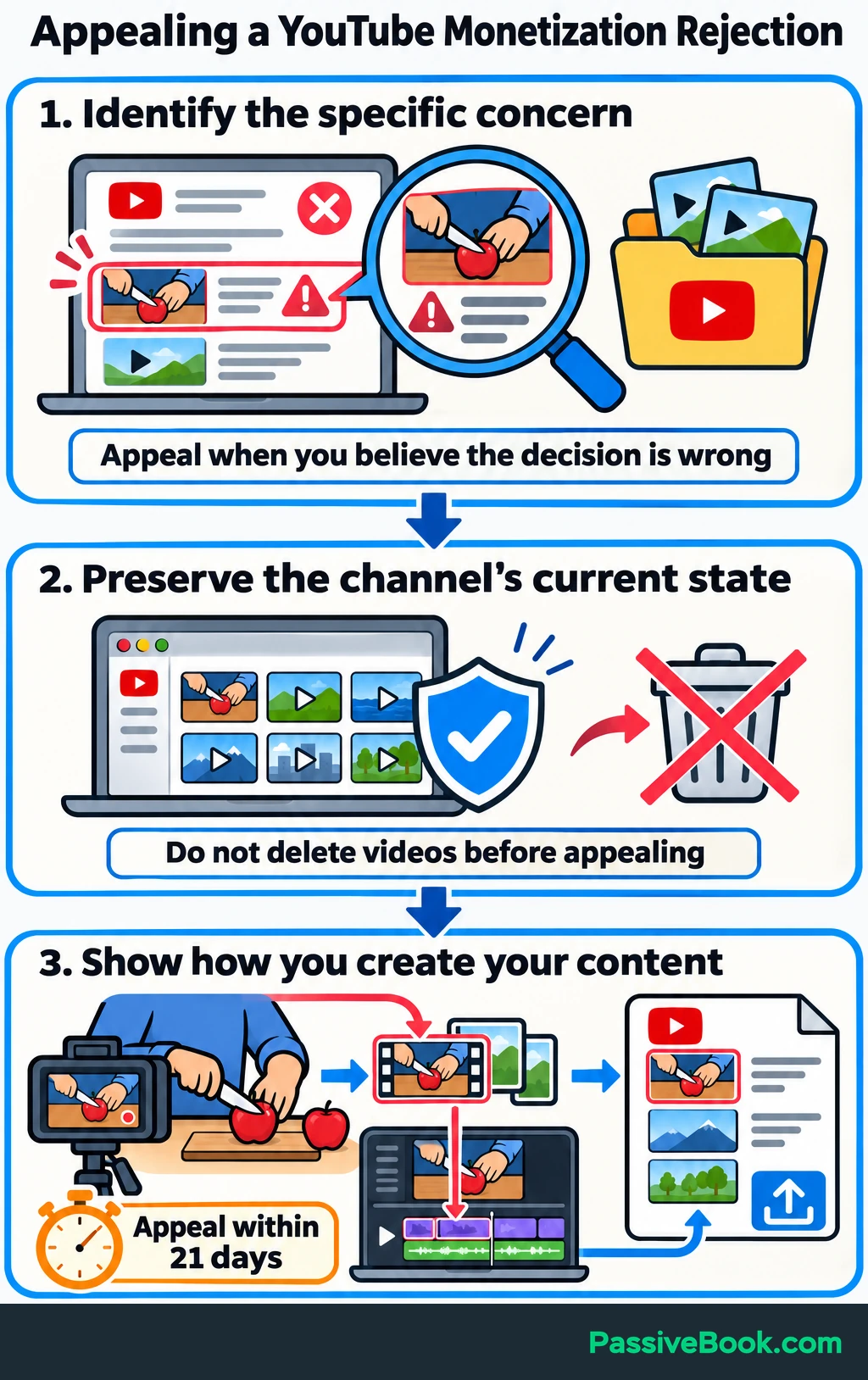
Read the rejection reason before changing anything. Then choose between appealing a mistake and fixing a genuine problem.
If you believe the rejection is wrong, you can appeal within 21 days. YouTube assesses the channel in its current state, so do not delete videos before submitting that appeal. Show how you create the content and address the specific policy concern. Follow YouTube’s appeal requirements.
If the rejection identifies a real violation, fix the problem across the channel before reapplying.
The waiting periods are:
- First rejection: Reapply after 30 days.
- Later rejection or previous reapplication: Reapply after 90 days.
- Unsuccessful appeal: Reapply 90 days after the original rejection.
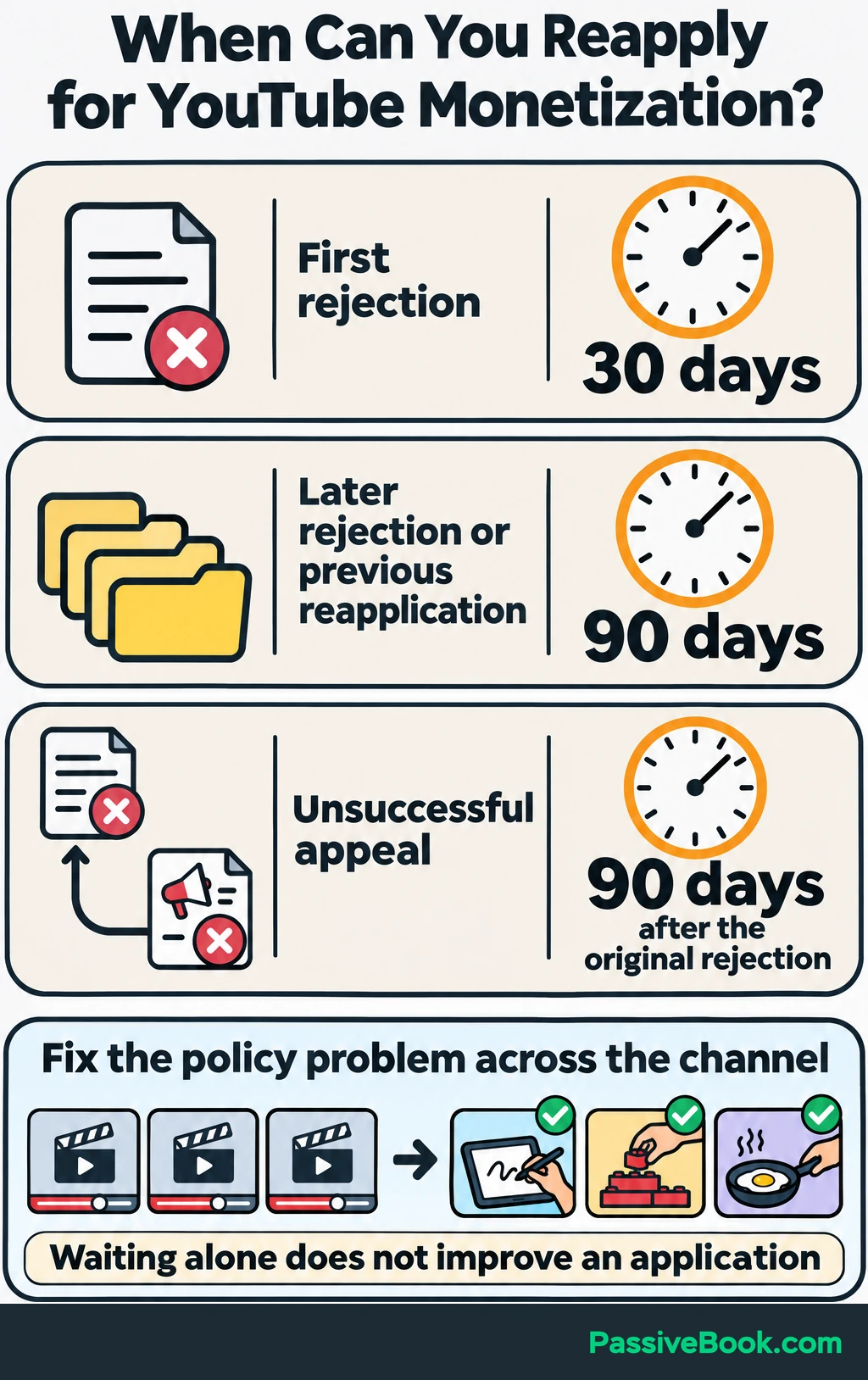
YouTube explains the first two cases in its reapplication guidance.
Waiting alone does not improve an application. If minimally edited reposts caused the rejection, another month of similar uploads leaves you with the same problem and more files.
Choose Income Streams That Fit Your Viewers
Start with one income stream you can explain and deliver well. Add others when they fit the audience and your available time.
For the examples below, imagine you run a dog-friendly day-hiking channel that supports a business selling downloadable outing planners. Its products, sample copy and figures are illustrations.
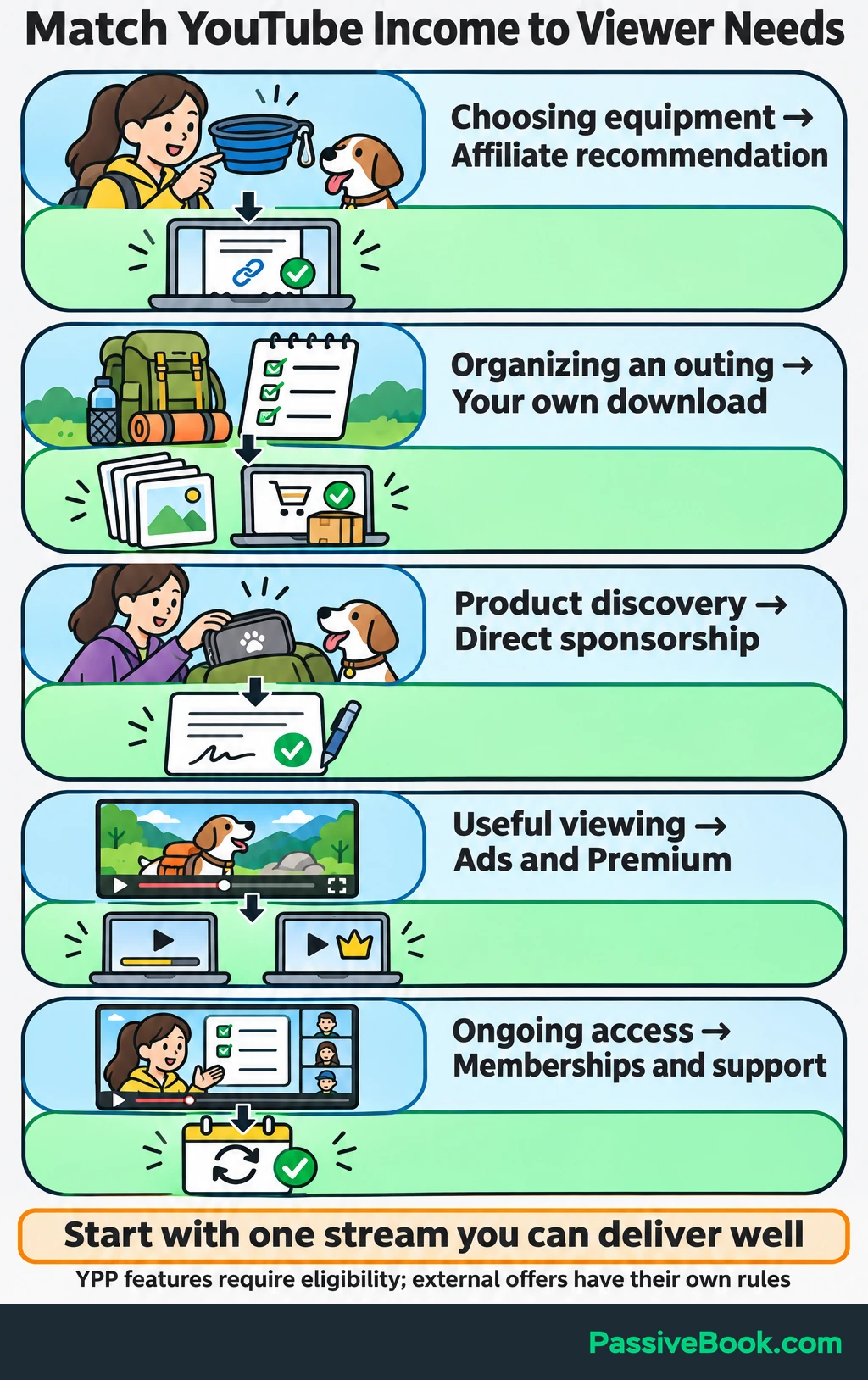
Here is how I would compare the options:
| Income Stream | Viewer Need | Entry Requirement | Starting Cost and Ongoing Work | What Triggers Earnings |
|---|---|---|---|---|
| Affiliate recommendations | Help choosing useful equipment | Approval from the affiliate program | Access to products you can assess; ongoing review and link checks | A qualifying purchase credited to your link |
| Your own download | A reusable way to organize an outing | A working product, checkout and delivery process | Product creation, payment fees, updates and support | A completed sale |
| Direct sponsorships | A relevant product demonstration | A brand willing to pay for your audience and work | Pitching, production, revisions and administration | The agreed contract terms |
| Ads and Premium | Useful or entertaining viewing | Higher YPP tier, approval and activation | Continued video production and policy compliance | Eligible advertising and Premium viewing |
| Memberships and viewer support | Ongoing access, perks or a way to support you | YPP and feature-specific eligibility | Recurring benefits for memberships; time for live events if offered | A membership payment or viewer purchase |
For a small channel, I would choose a relevant affiliate recommendation if there is no proven product demand yet. If viewers repeatedly ask for the checklist shown in your videos, a focused download becomes a sensible next test.
Affiliate Recommendations
Join an affiliate program, demonstrate a useful product and share its approved tracking link. The program’s approval and commission rules apply independently of YPP.
Choose products by the decision your viewer needs to make. A portable dog-bowl comparison could show:
- How much room each bowl takes in a packed bag.
- Its capacity and stability.
- How easily it opens, cleans and dries.
- Which drawbacks would make you leave it at home.
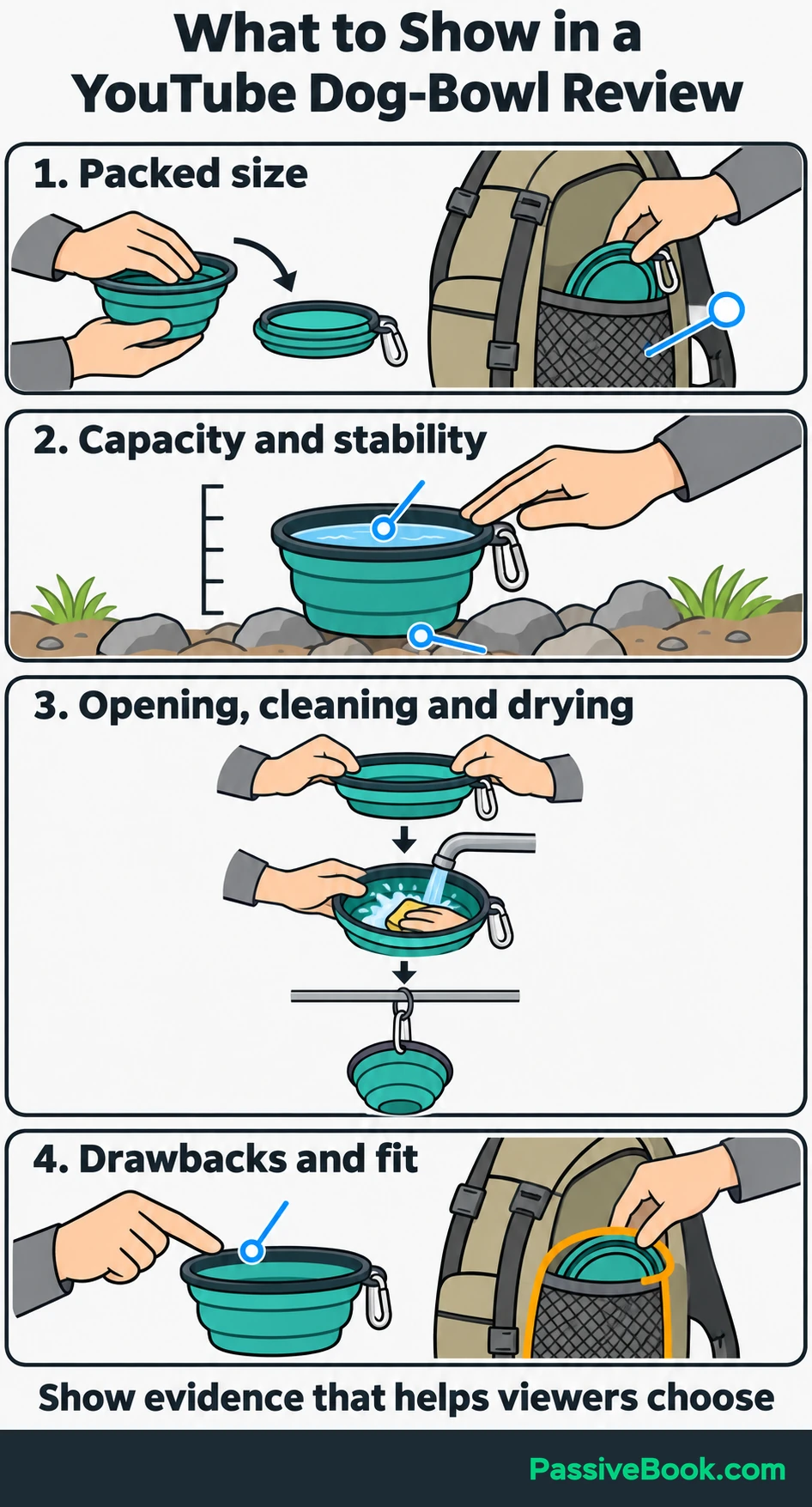
That is more useful than reading the product listing over footage of a dog.
Before joining, check which purchases earn a commission, how much you receive and how long after a click a purchase can qualify. That time limit is the attribution window. Check when the program pays and whether returns cancel commissions. A tracked sale does not always become a payable commission.
My separate affiliate work taught me this distinction between recommending and merely linking. I earned roughly $23 in my first three months chasing the wrong products. Switching to honest reviews of tools I used later brought in roughly $340 a month. Those were affiliate earnings outside YouTube.
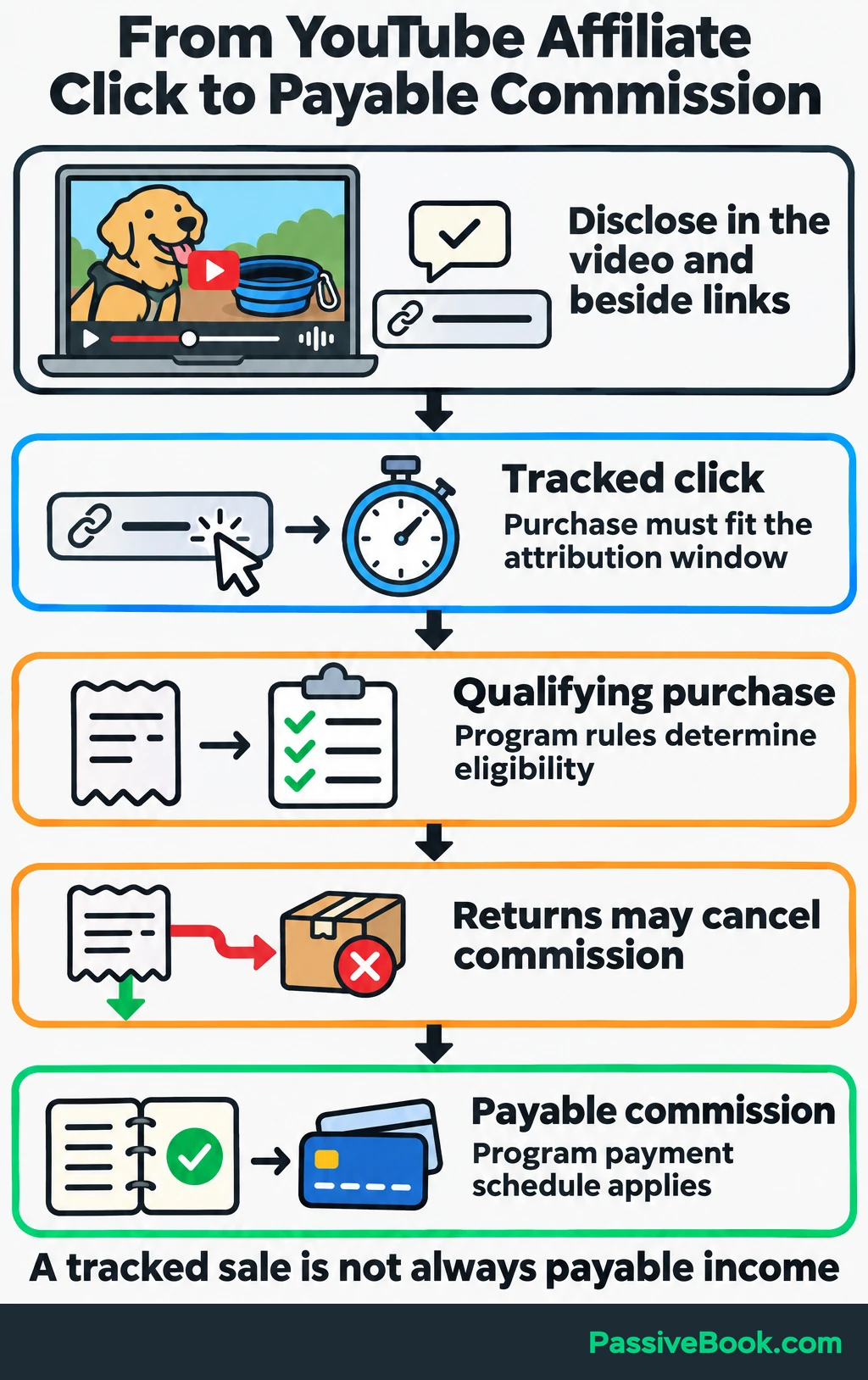
For endorsements subject to U.S. rules, disclose affiliate compensation in the video and beside the links. A description-only disclosure is insufficient, according to the FTC’s endorsement guidance.
A plain disclosure might be:
“I earn a commission if you buy through these links.”
Make it easy to hear and see when you give the recommendation.
Your Own Products and Services
Build an offer around a problem viewers already describe. Ask what they struggle with, inspect recurring comments and show a small version before making a large product.
I have caught myself polishing a download’s cover while its sales page barely showed what was inside. Putting the actual pages beside the explanation made the gap obvious: I had spent time decorating the offer before explaining its use. I now prefer a clear product demonstration before another round of design work.
For the hiking channel, show the outing planner during a packing video. Fill in its checklist and trip notes, explain what buyers receive, and state the price and download process.
You do not need a native YouTube storefront to sell through an external sales page. I would use Gumroad for a simple first download or WooCommerce if an existing WordPress site already handles sales. Keep setup small enough that you can test interest before building a complicated store.
Before promoting it, complete a test purchase. Confirm that payment, confirmation and file delivery work, and allow for fees, refunds and customer support.
A service can also earn money, but compare the delivery work honestly. Personalized help creates a new commitment for each customer. A reusable planner may suit limited evening hours better.
Sponsorships
Direct sponsorships do not require YPP membership. They require a brand that sees value in reaching your viewers.
Pitch a specific integration. For example, propose showing a pet-travel brand’s storage pouch while organizing supplies for a day hike.
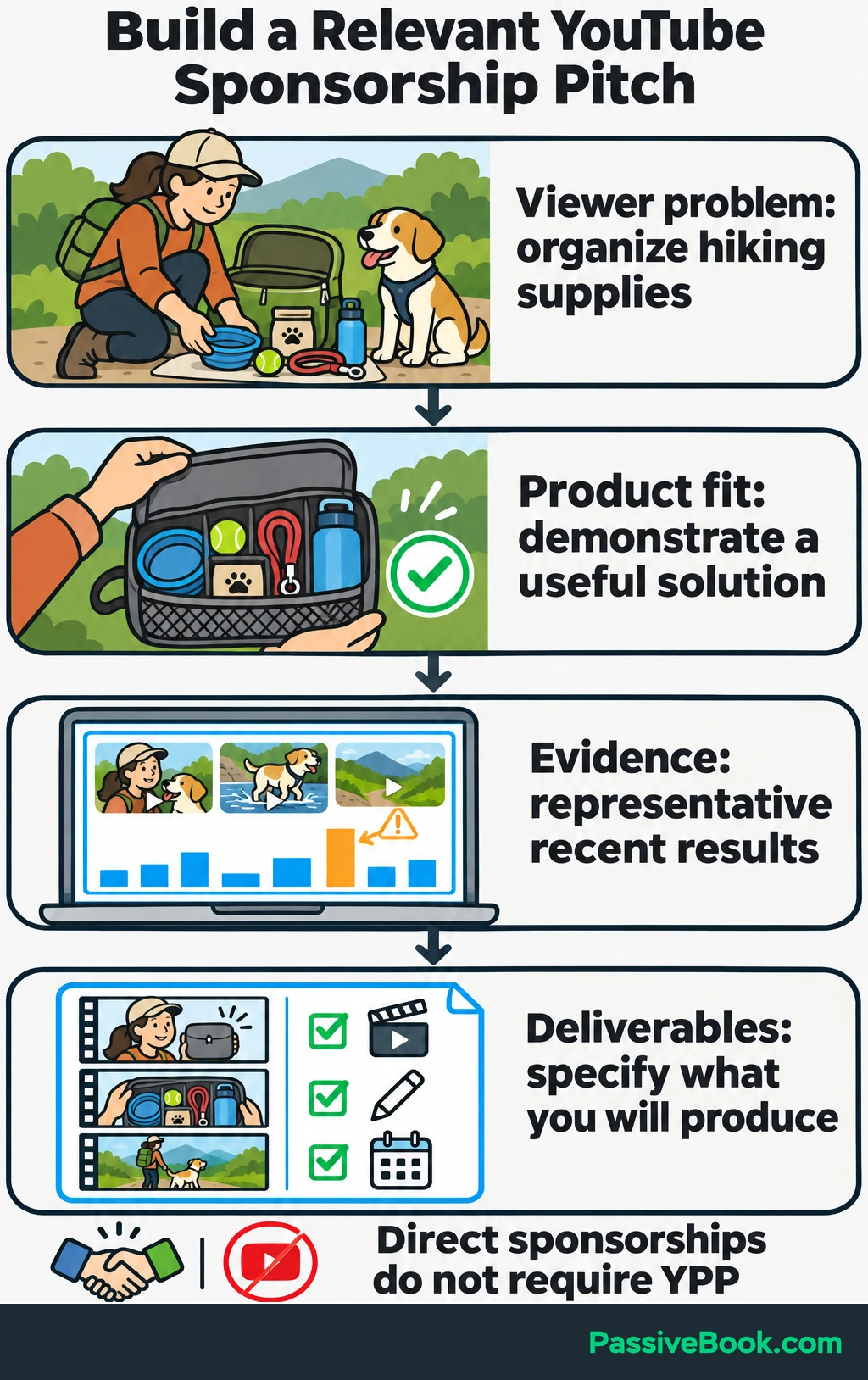
Include the viewer problem, why the product fits, representative recent video results and the deliverables. Do not build the pitch around your single best-performing upload if it gives a misleading picture of normal reach.
Before recording, agree on:
- Payment and payment timing.
- What you will produce and when.
- The number of revisions.
- Whether the brand can reuse your footage, including in ads.
- Any limits on working with competing brands.
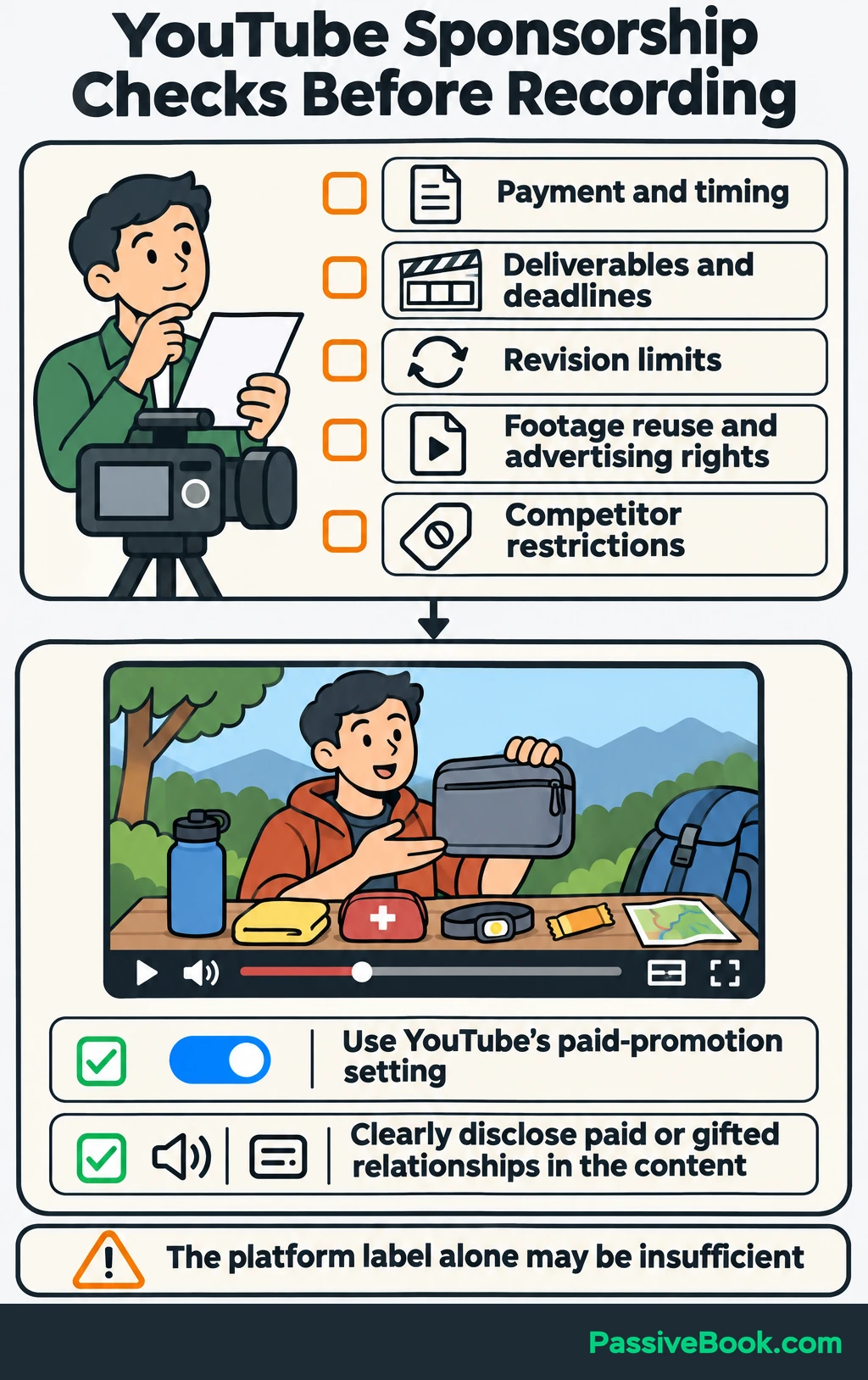
For applicable commercial relationships, use YouTube’s paid-promotion setting and clearly disclose paid or gifted relationships in the content. The platform label alone may not meet disclosure obligations. YouTube explains its requirements in its branded-content guidance.
I would skip an irrelevant sponsor even if the payment is tempting. Your next recommendation still needs to mean something.
Advertising and YouTube Premium
After qualifying, receiving approval and activating the relevant features, you can earn from eligible Watch Page ads, Shorts Feed ads and Premium viewing.
Choose the format around what the explanation needs. A complete packing demonstration may need several minutes. Showing how one bowl folds into a side pocket might work as a Short.
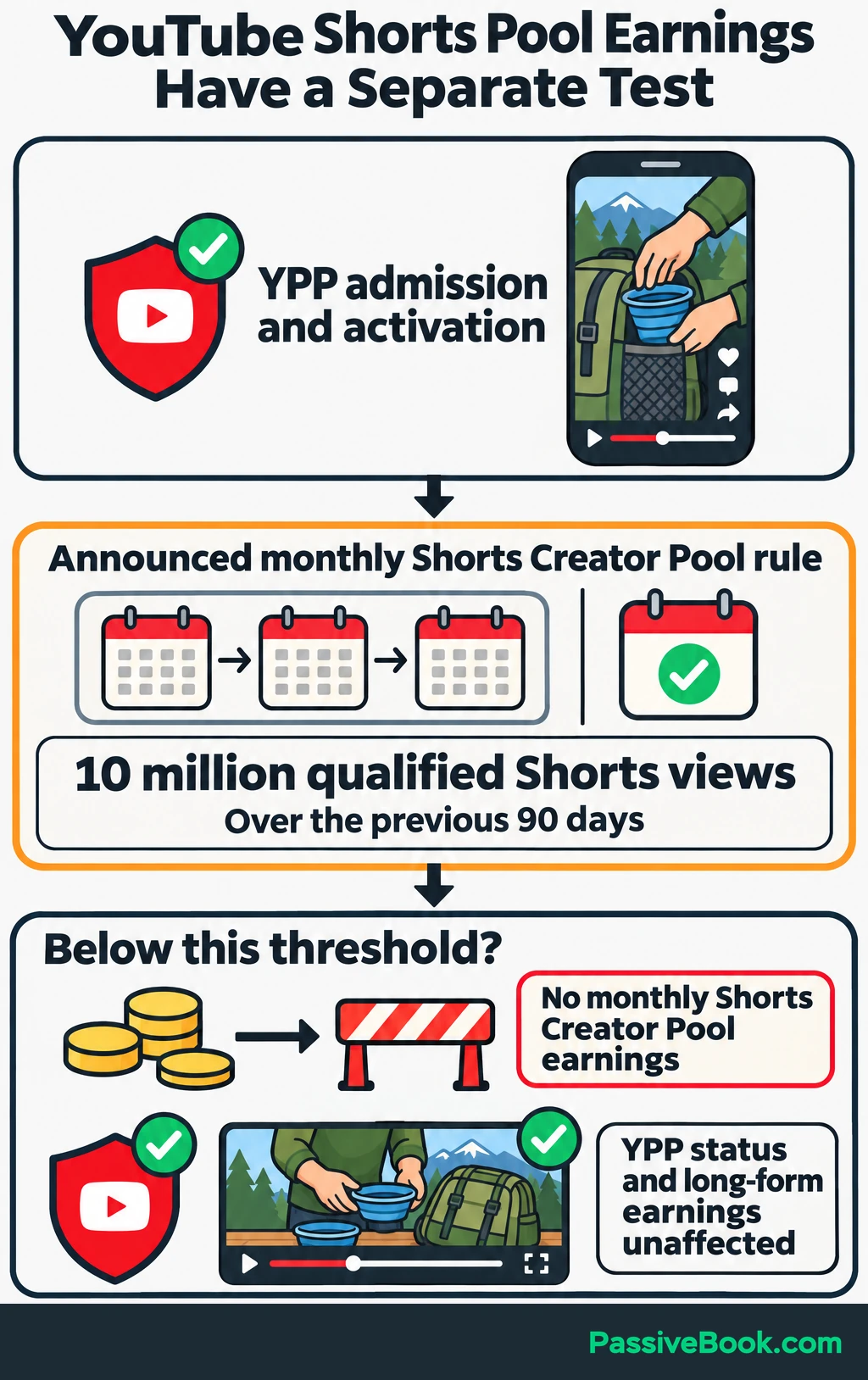
From February 1, 2027, monthly Shorts Creator Pool earnings also require 10 million qualified Shorts views over the previous 90 days. Missing that threshold does not remove YPP status or affect long-form earnings. This is separate from admission to the program and is covered in YouTube’s announced Shorts changes.
I would treat platform revenue as one part of the business. A useful video can also introduce viewers to a relevant product, so earning does not have to depend entirely on advertising.
Memberships and Viewer Support
Memberships make sense when viewers want recurring benefits you can maintain. Ask about demand before promising a private community, weekly videos and a monthly live session.
For the hiking channel, test interest in one monthly trip-planning session. Work out the preparation, delivery and follow-up time before offering it.
I abandoned a separate membership project because producing constant premium content became unsustainable alongside corporate work. That was not a YouTube membership, but the workload lesson applies: recurring payments come with recurring promises.
Viewer-support features offer other options:
- Super Chat: Paid messages highlighted in live chats.
- Super Stickers: Paid animated images in live chats.
- Super Thanks: Viewer purchases supporting eligible videos and Shorts.
These require YPP membership, supported locations and feature-specific eligibility. YouTube outlines them in its fan-funding requirements.
Turn Useful Videos Into Revenue
Match One Viewer Problem to One Offer
Choose a clear subject and collect related questions from YouTube searches, comments and conversations with potential customers.
Then connect one question to one useful next step.
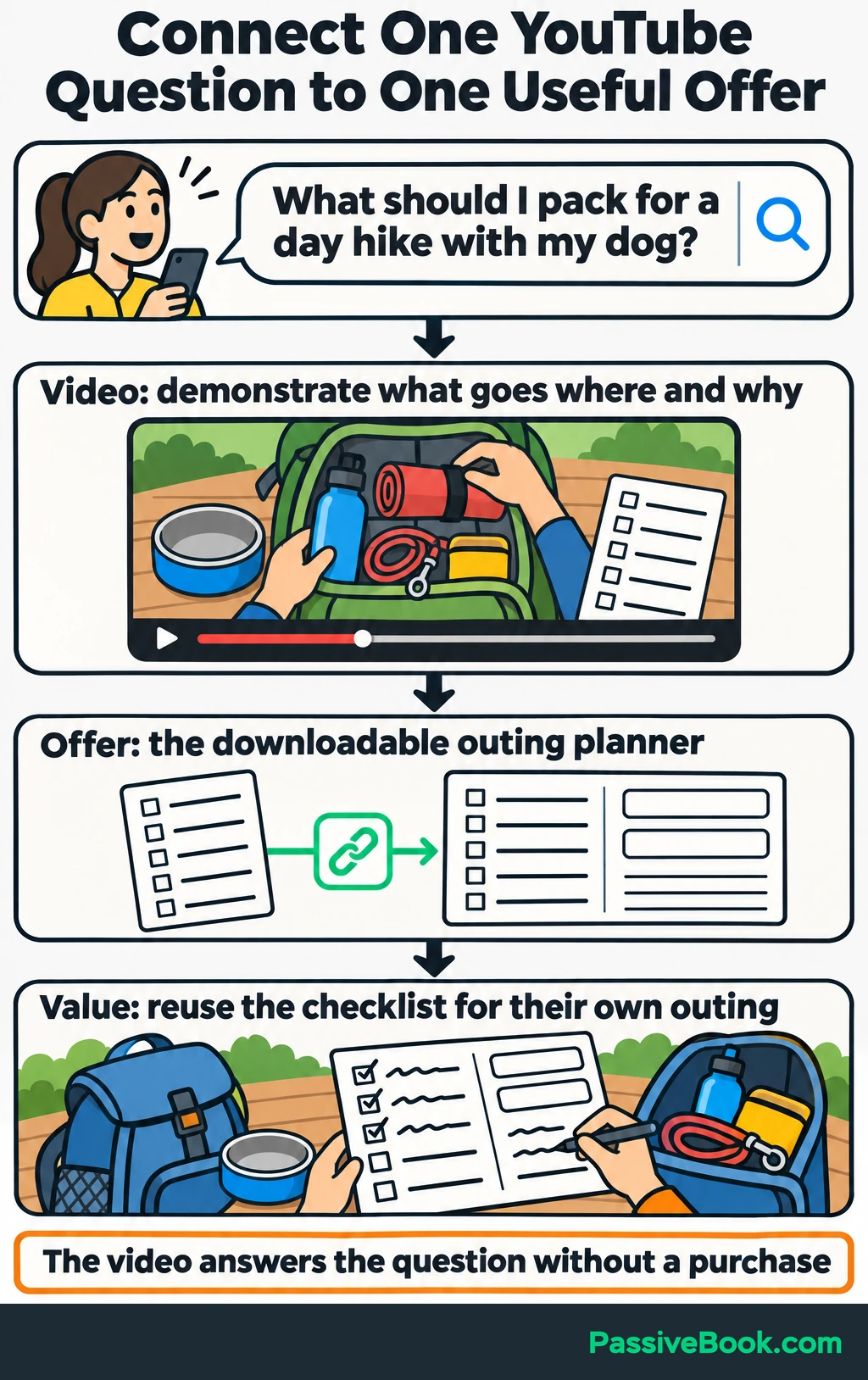
For the running example:
| Part | Practical Choice |
|---|---|
| Viewer question | “What should I pack for a day hike with my dog?” |
| Video | A packing demonstration showing what goes where and why |
| Offer | The downloadable outing planner used during the demonstration |
| Connection | Viewers can reuse the checklist and record their own trip details |
Answer the question within the video. The paid product should help viewers apply the answer, so the free explanation still works without a purchase.
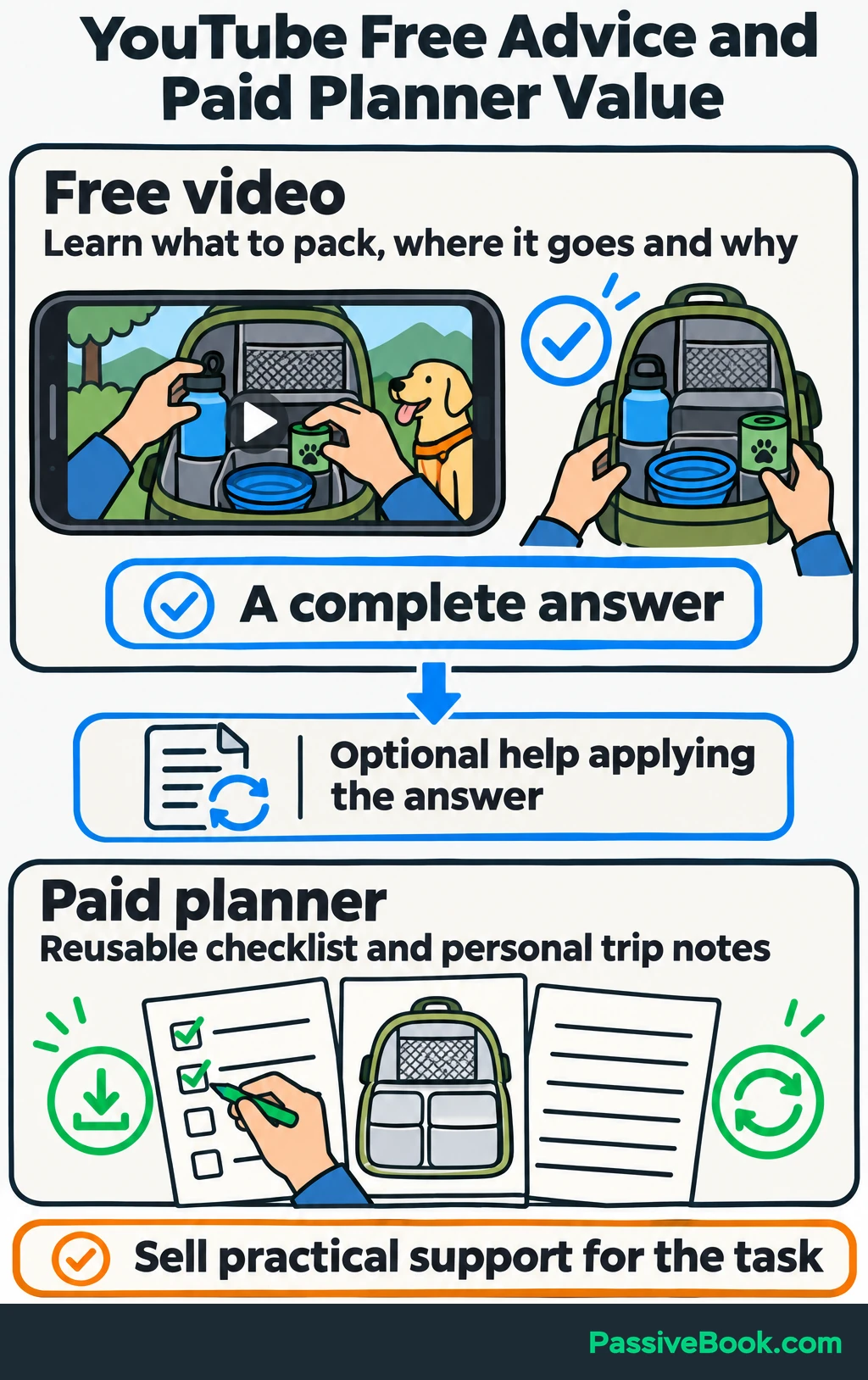
That connection matters more than mentioning the product five times.
If you know the question and the offer but are stuck on the wording, AI Video Studio can draft the connection. It gives you a script and supporting copy to review before you record.
Free AI Video Studio




Create Original Demonstrations
Start with equipment you own. Aim for understandable audio and footage that clearly shows the task.
Hands-only demonstrations with narration can show packing, bowl comparisons and planner use without an on-camera presentation. Record what the viewer needs to inspect.
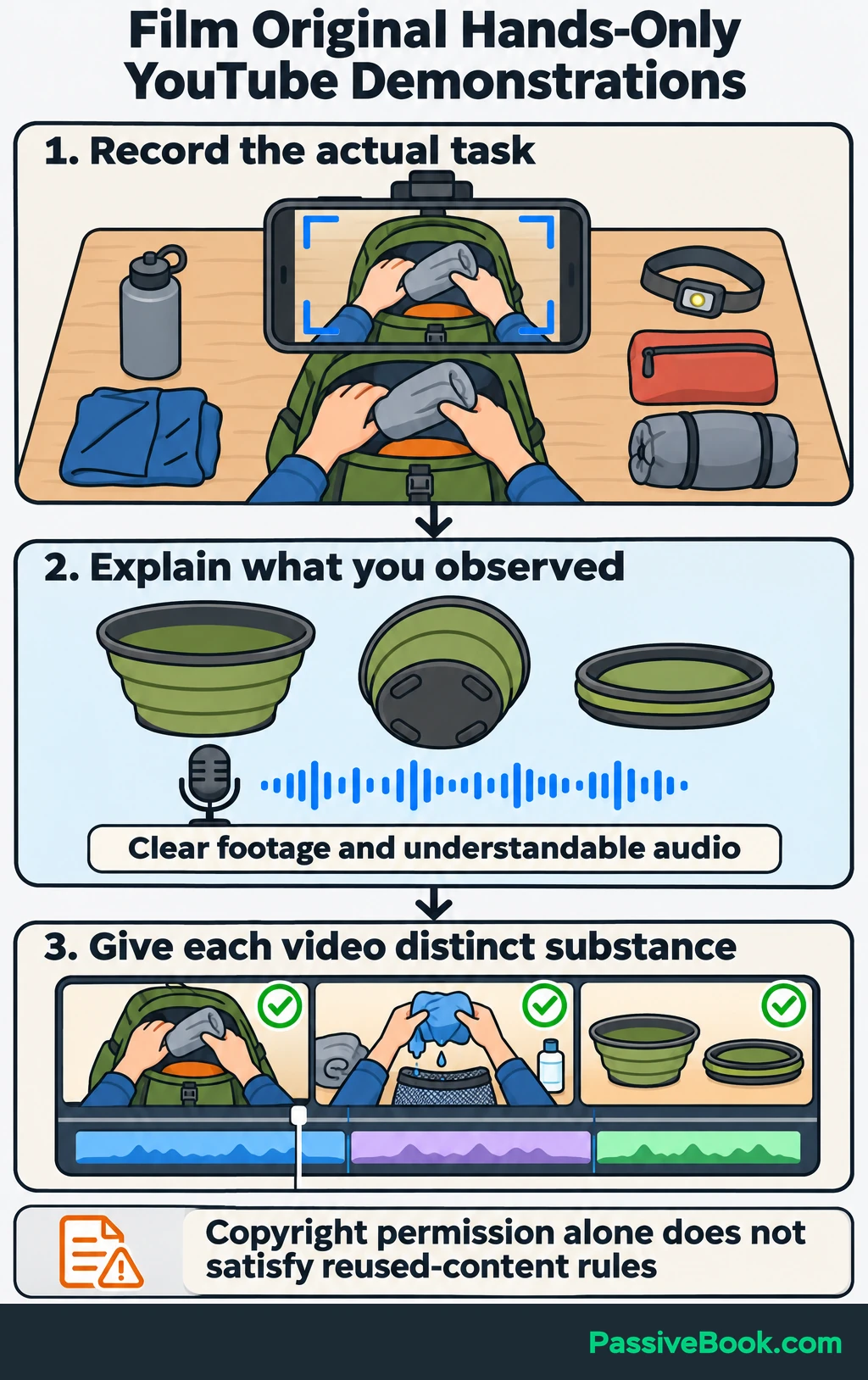
Each video should add distinct substance. Copyright permission alone does not satisfy YouTube’s reused-content rules, and minimally edited reposts or mass-produced repetitive videos can fail monetization review. These distinctions appear in YouTube’s channel monetization policies.
I would use AI to organize notes, suggest questions or draft an editing checklist. I would keep the actual product assessment and demonstration grounded in what you filmed and observed.
Build follow-up videos from real questions. A packing demonstration could lead to organizing wet supplies or comparing portable bowls. Give each title and thumbnail a clear practical outcome.
Give Viewers a Relevant Next Step
Choose one main action for each video. It might be inspecting the planner, viewing a demonstrated product or watching a related explanation.
Deliver the advice first, then make the invitation specific:
“The outing planner includes the packing checklist shown here. You’ll find it in the description.”
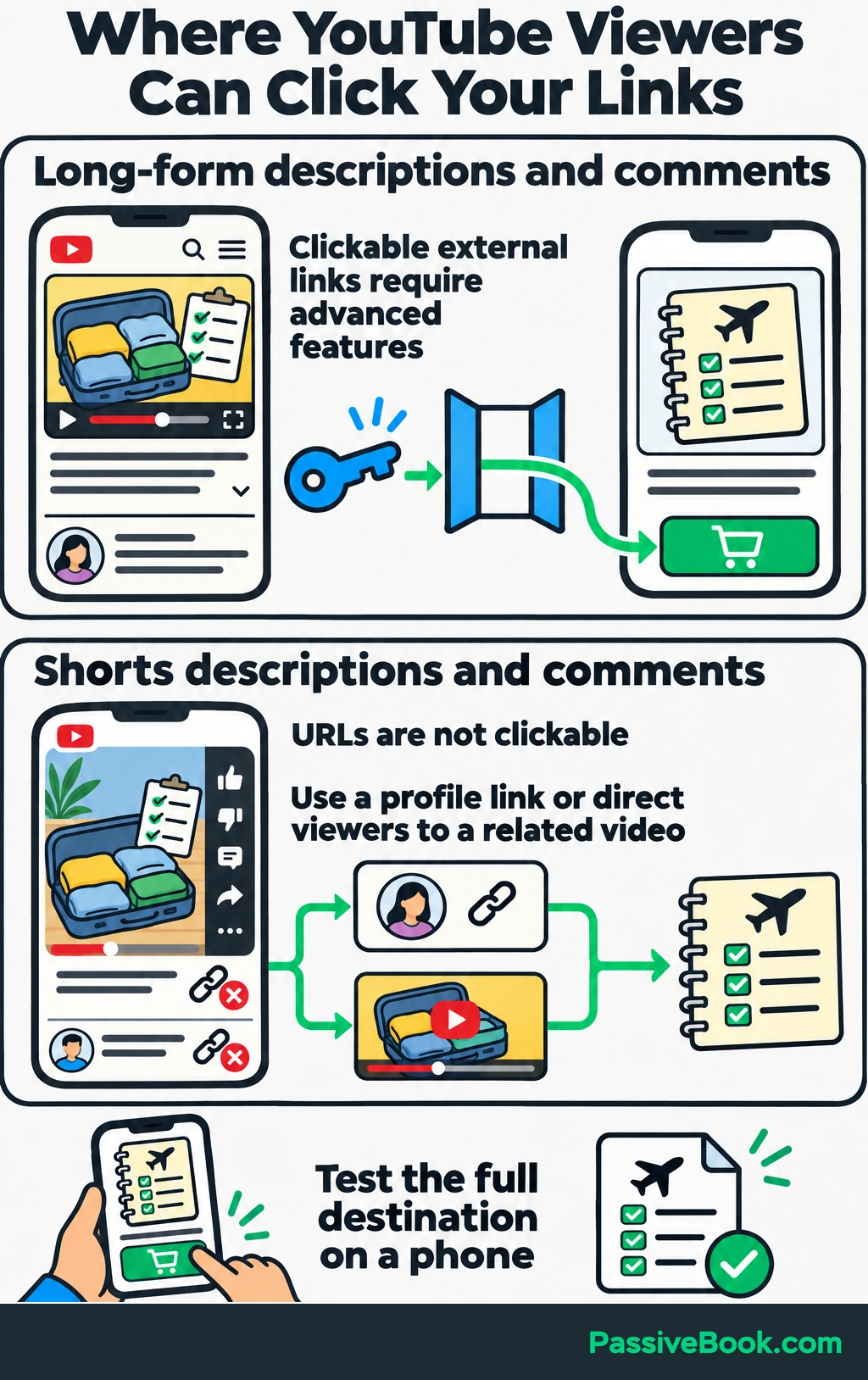
Clickable external links in long-form descriptions and comments require advanced features. URLs in Shorts descriptions and comments are not clickable, so use a channel profile link or direct viewers to a related video. These are YouTube’s link-availability rules.
Test the destination on a phone, including checkout and delivery. Then share the video with an existing relevant audience where promotion is welcome.
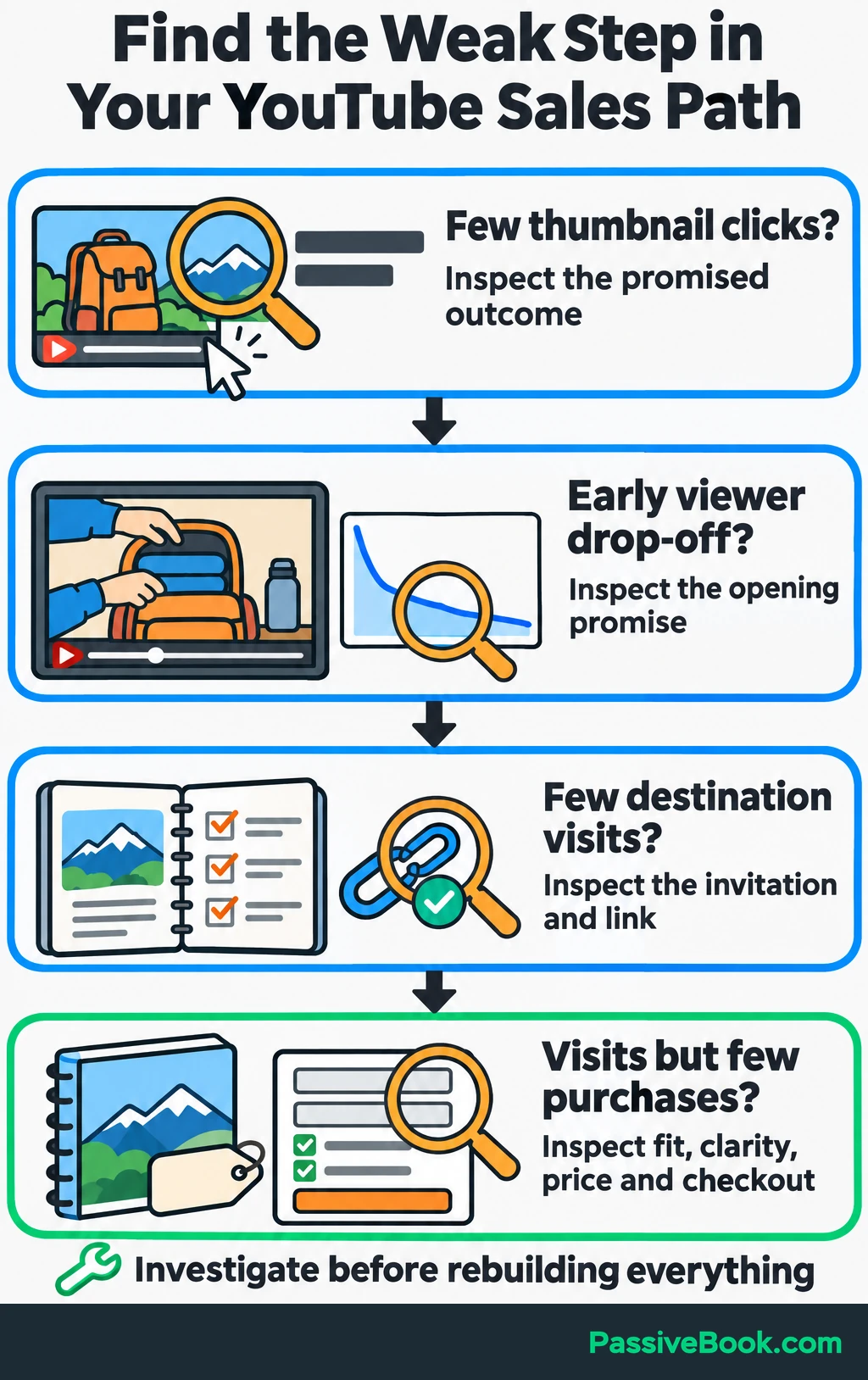
Review the path from viewing to purchase:
- Few thumbnail clicks: Check whether the title and image make the outcome clear.
- Early viewer drop-off: Check whether the opening delivers what the title promised.
- Interested viewers but few destination visits: Check the invitation and link.
- Sales-page visits but few purchases: Check product fit, clarity, price and checkout.
Treat these as places to investigate. One weak result is a reason to inspect the process, rather than rebuild everything.
How Much Can a Monetized YouTube Channel Earn?
Subscriber count alone cannot forecast income. Estimate each stream separately, using your own viewing and sales data as it becomes available.
For platform earnings, use creator RPM: revenue per 1,000 views after YouTube’s share. RPM can include several platform income sources. Long-form RPM uses video views, while Shorts RPM uses engaged views, as explained in YouTube’s RPM definitions.
Match the views, RPM and time period when estimating.
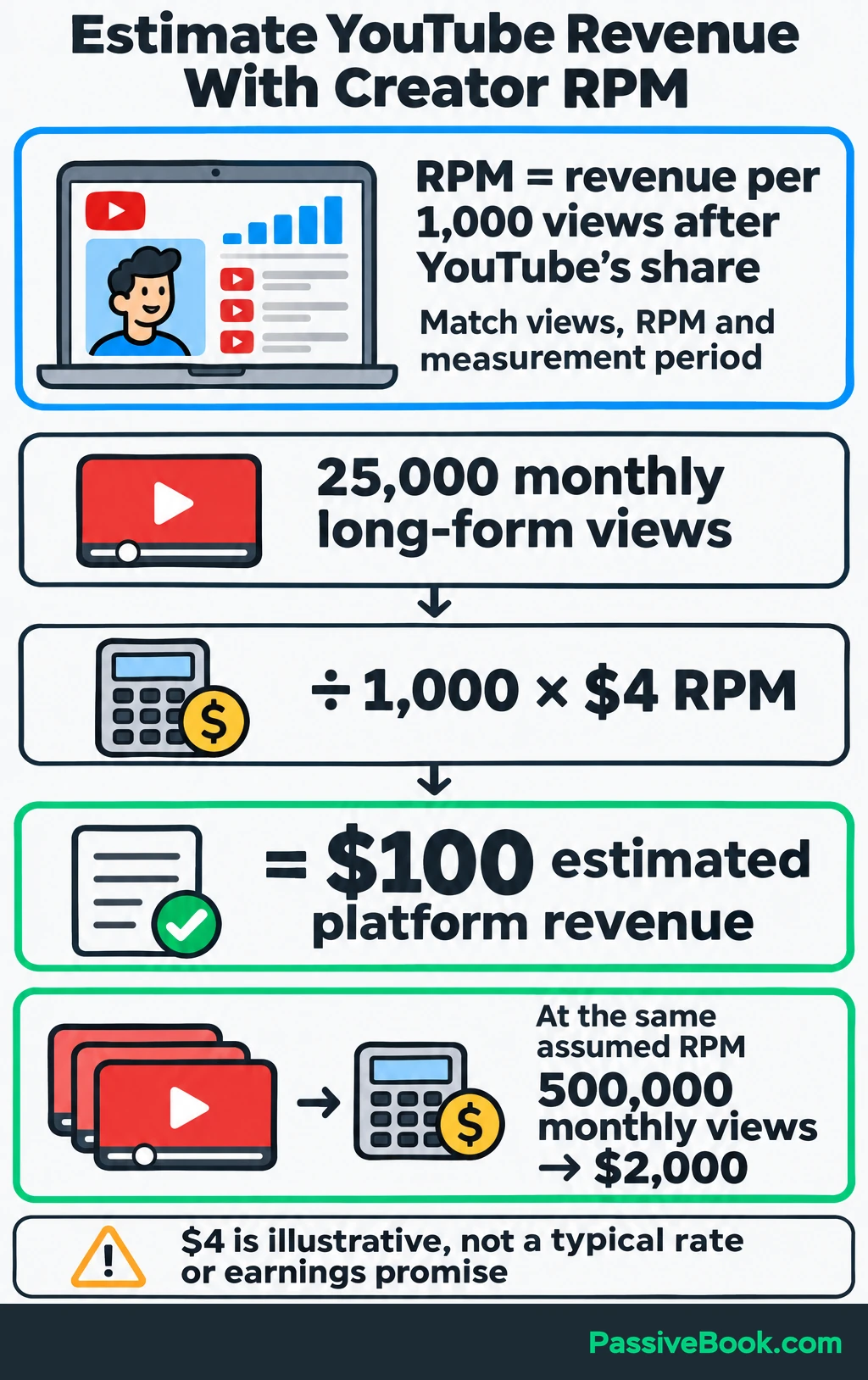
For illustration, suppose the hiking channel receives 25,000 monthly long-form views and has a $4 RPM:
25,000 ÷ 1,000 × $4 = $100 in estimated platform revenue.
At that same assumed RPM, reaching $2,000 would require 500,000 monthly long-form views. The $4 figure is an illustration, not a typical rate or earnings promise.
Product sales use a different calculation. Count visits to the planner’s sales page and purchases made by those visitors during the same measurement period.
If 100 visits produce two purchases, the purchase conversion rate is 2%. At an illustrative $9 price:
Two purchases × $9 = $18 gross product revenue.
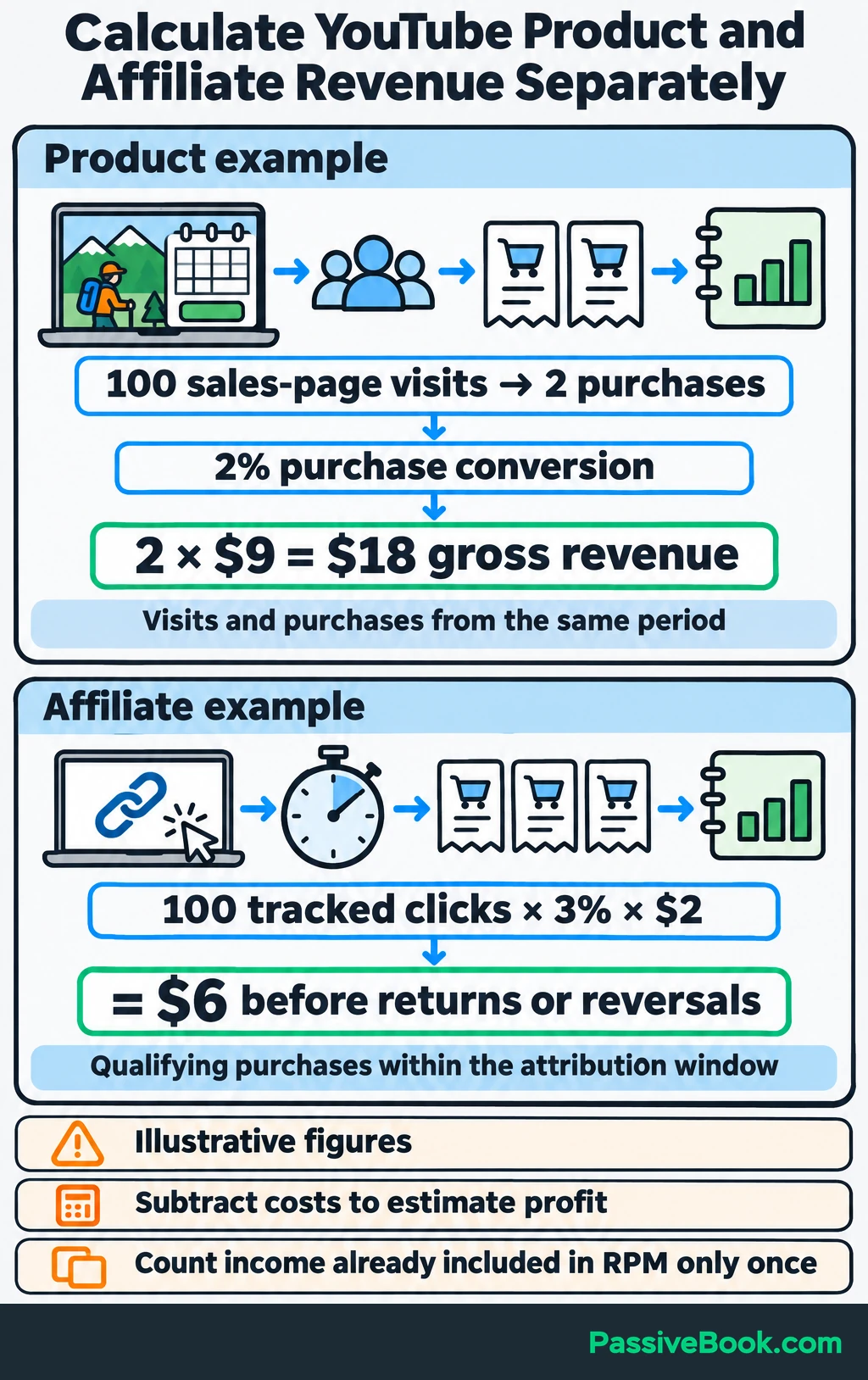
For affiliate income, count a month’s tracked clicks and the qualifying purchases credited to those clicks within the program’s attribution window. Suppose three of 100 clicks each produce one qualifying purchase, earning $2 per purchase:
100 tracked clicks × 3% purchase conversion × $2 commission = $6 before returns or reversals.
These small examples show why views and earnings need separate tracking. They also show which assumption you need to improve or verify.
Subtract production, transaction, fulfillment and support costs to work toward profit. Keep your time visible too, even when you do the work yourself.
When combining income streams, count revenue already included in RPM only once. Adding memberships separately to an RPM estimate that already includes them would overstate the result.
What Next?
Open Earn in YouTube Studio and write down your channel’s next eligibility milestone. Then choose one existing or planned video and give it one relevant earning destination that works from click to delivery.
Use the social buttons to share this guide when the conversation turns to earning before ad eligibility or choosing a manageable income stream.
Which viewer problem could your channel solve well enough to support a paid offer? Share your answer in the comments, and bring any other monetization questions with it.
Share this post with your friends & followers:

