You’ve finished a tutorial, but you’re unsure whether the background music, thumbnail, or AI narration could cause trouble. Searching for an answer brings up warnings, copyright claims, strikes, and demonetization. They sound related, yet each can require a different response.
That confusion can leave a finished video sitting unpublished or lead you to delete it before understanding your options. This guide separates the rules behind those notices so you can check an upload before publishing, understand what a penalty affects, and choose the right response when your content or income is at risk.
Which YouTube Rules Apply to Your Channel?
YouTube rules for creators apply together. Following the Community Guidelines does not settle copyright, advertising, or channel monetization requirements.
The Community Guidelines cover videos, Shorts, livestreams, thumbnails, posts, comments, and links. Private and unlisted uploads must comply too. Uploading privately gives you time to review a video, but it does not exempt it from the rules.
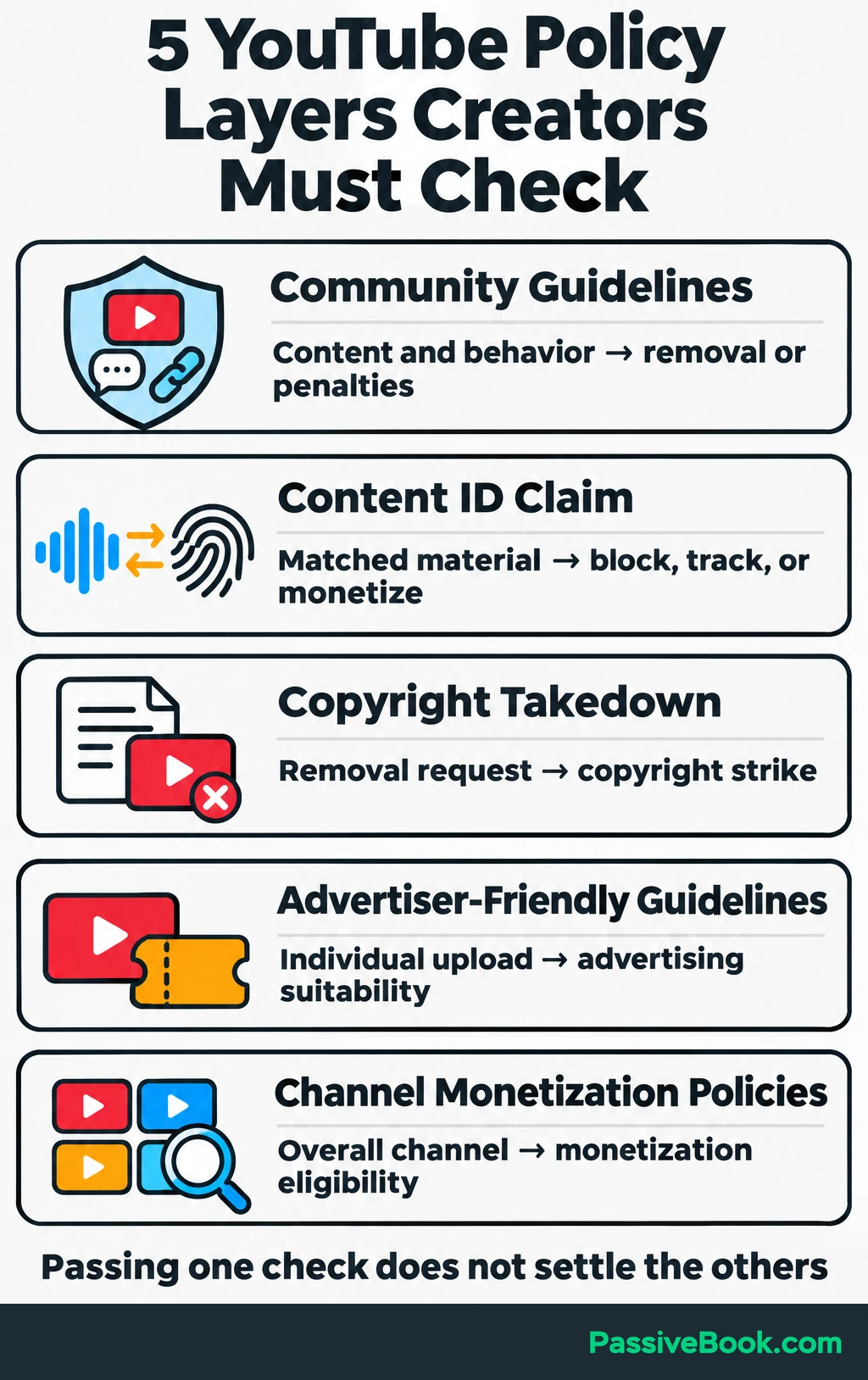
Here is how the main policy layers differ:
| Policy Layer | What It Governs | Possible Consequences |
|---|---|---|
| Community Guidelines | Permitted content and behavior across your channel activity | Content removal, warnings, strikes, feature restrictions, or termination |
| Content ID Claims | Uploaded material matched to a rights holder’s content | The rights holder may block the video, track viewing, or collect advertising revenue; a claim alone is not a strike |
| Copyright Takedowns | Legal requests to remove material that allegedly infringes copyright | Video removal and a copyright strike; repeated strikes can threaten the channel |
| Advertiser-Friendly Guidelines | Whether an individual upload is suitable for advertising | Limited or no advertising revenue |
| Channel Monetization Policies | Whether your channel’s overall output qualifies for monetization | Application rejection or channel monetization suspension |
Throughout this guide, imagine you run a beginner sewing channel that supports a business selling downloadable tote-bag patterns.
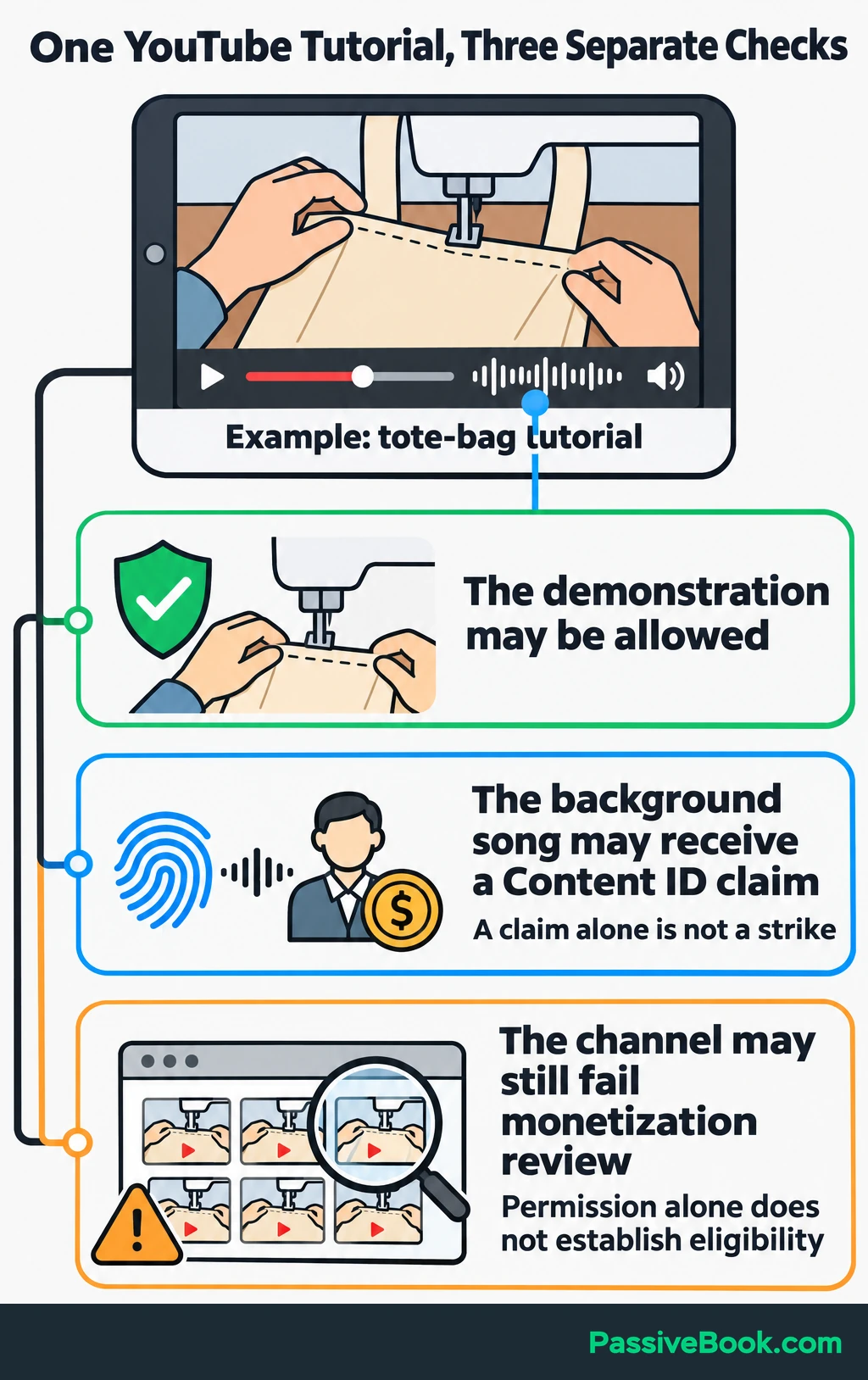
One tutorial could involve several separate checks. Your demonstration might follow the Community Guidelines, while its background song receives a copyright claim. A channel built mostly from lightly edited clips could also face monetization rejection, even with permission to use those clips.
Treat each check separately so one reassuring result does not hide another problem.
What Content Violates YouTube’s Community Guidelines?
Review the idea and script before filming, then review the finished upload before publishing.
Ask what the content shows, encourages, claims, sells, and directs viewers to do. Include borrowed clips, background audio, thumbnails, and destination pages in that review. A harmless introduction cannot fix a prohibited offer later in the video.
Spam, Scams, and Deceptive Practices
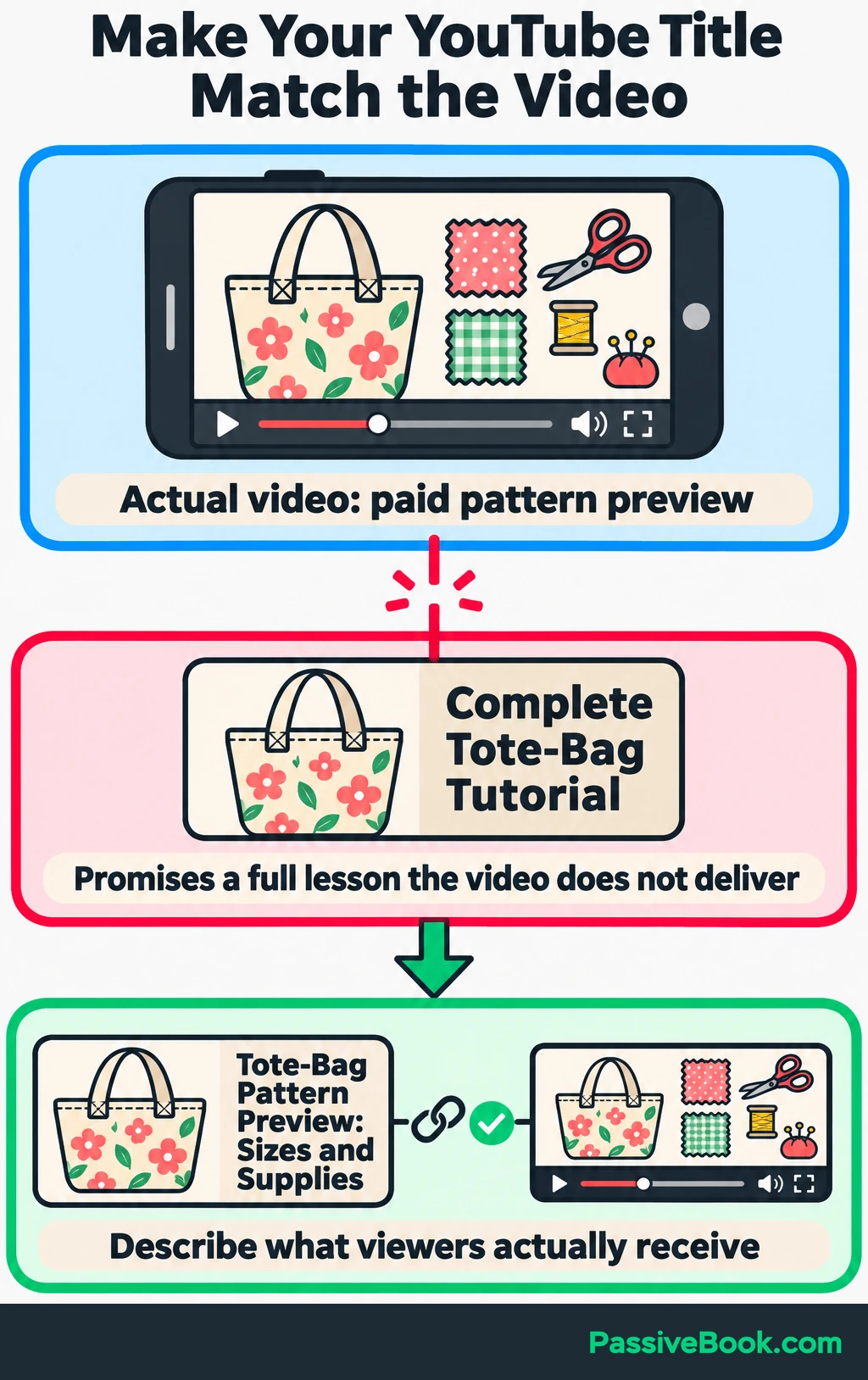
Make the title, thumbnail, and description match what viewers receive.
If your video only introduces a paid pattern, “Complete Tote-Bag Tutorial” promises more than it delivers. “Tote-Bag Pattern Preview: Sizes and Supplies” describes that upload honestly.
YouTube’s spam policy also covers scams, repetitive promotional comments, scraped uploads without meaningful additions, and automated mass production that floods the platform with barely changed content.
Automation itself is not the problem. Using it to publish large volumes of interchangeable videos can be.
Avoid bought views, engagement bots, and “sub-for-sub” arrangements. You can ask viewers to subscribe, like, or comment. Hiring a promoter does not protect you from consequences if their methods break the rules.
Use your own channel identity too. Do not copy another creator’s branding to mislead viewers or use an AI voice or likeness to falsely suggest their ownership, approval, participation, or endorsement.
A familiar face does not become your spokesperson because a tool can generate it.
Dangerous Acts and Self-harm
Remove material that encourages dangerous activities or demonstrates acts carrying a risk of serious injury or death.
For the sewing channel, I would replace a stunt involving unsafe use of a powered cutting tool with a safe demonstration. Keeping the stunt and adding “don’t try this” leaves the dangerous act at the center of the lesson.
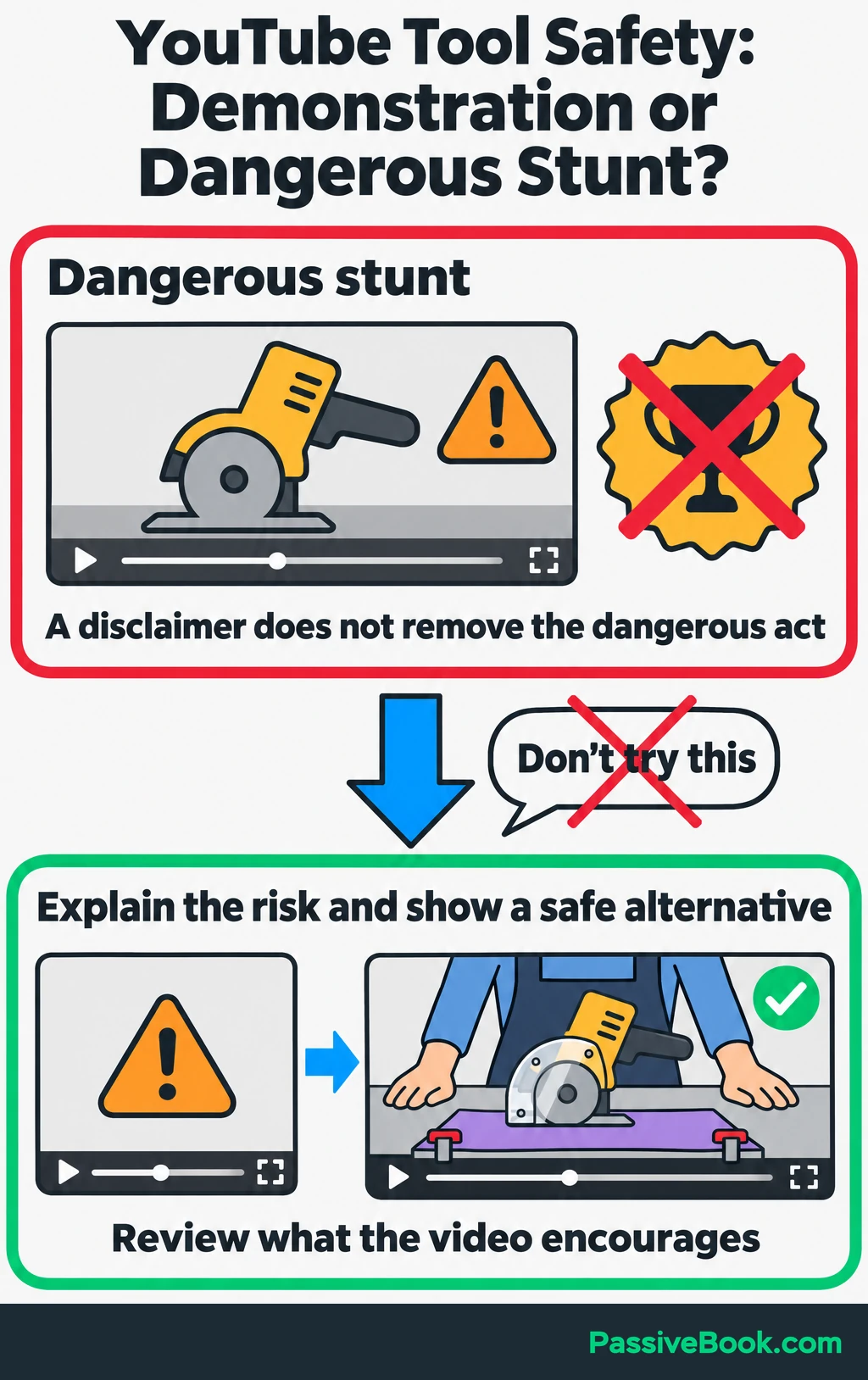
Ordinary tool use and a dangerous challenge are different. Review what the demonstration actually encourages, rather than assuming any appearance of a blade is prohibited.
YouTube also allows people to discuss mental-health experiences, but it prohibits promoting suicide, self-harm, or eating disorders and providing instructions for those behaviors. A personal account should support understanding without becoming a how-to guide.
Hate Speech, Harassment, and Graphic Violence
Critique the work or argument without threatening the person behind it.
You can explain why a sewing method produces a weak seam. Do not publish the other creator’s private information, make prohibited personal attacks, or send viewers to harass them.
YouTube prohibits promoting hatred or violence against people based on protected characteristics, including race, religion, nationality, disability, sex, gender, and sexual orientation.
Violent or gory material intended to shock or disgust, encouragement of violence, and prohibited animal abuse also cross policy boundaries.
Check what appears inside the edit. A borrowed clip, sound effect, or thumbnail can create a problem even when your narration is calm. I would skip graphic injury footage when a simple diagram can explain the safety point.
Sexual Content and Child Safety
Explicit content intended for sexual gratification is prohibited, including illustrated and animated material. Making something with AI does not change that boundary.
Child safety requires a separate review. Do not sexualize or exploit minors, place them in dangerous situations, or show prohibited physical or emotional harm.
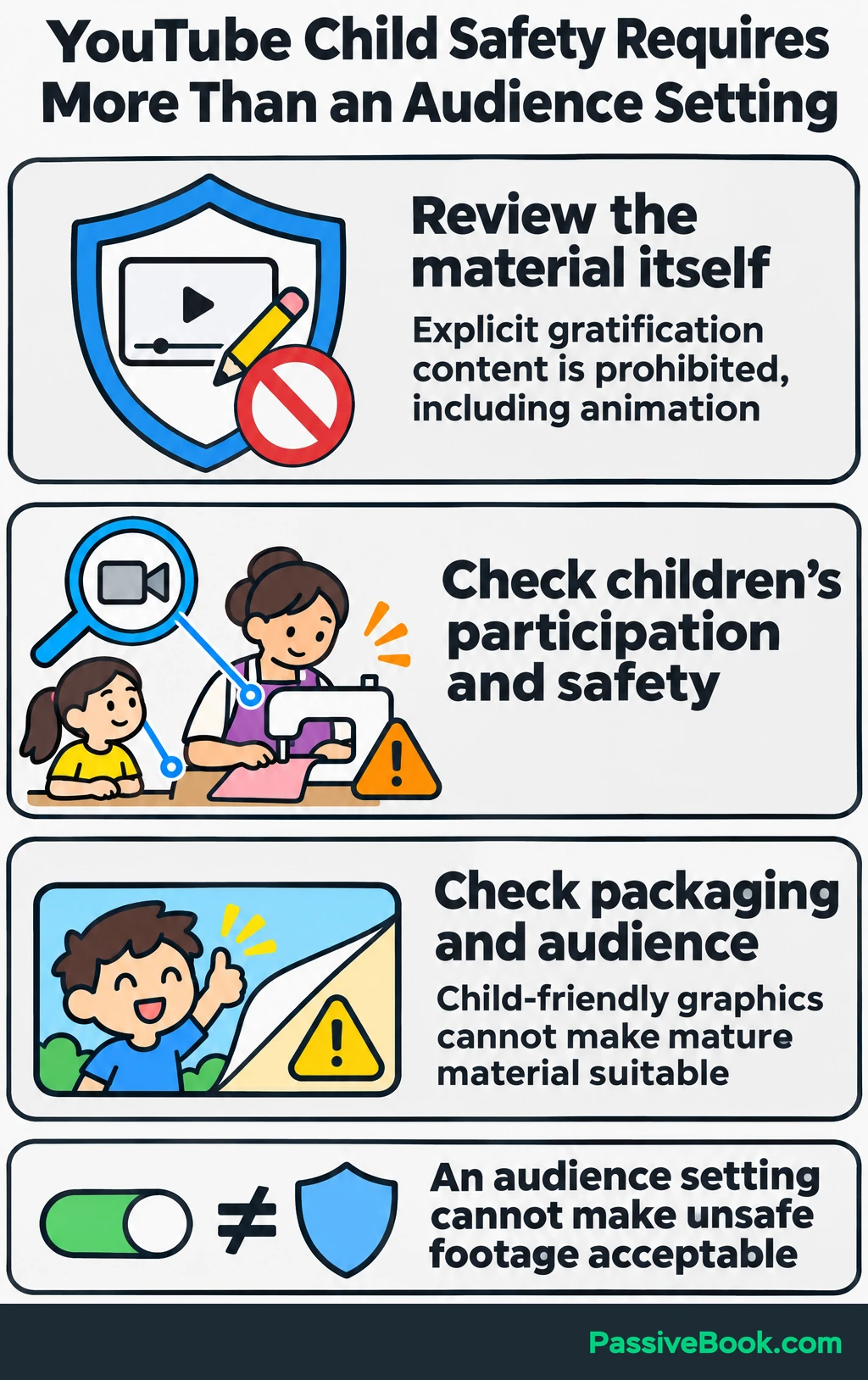
YouTube also prohibits packaging mature themes as content for young children or families. Cartoon graphics and a cheerful title do not make adult material suitable for children.
If children appear in a sewing demonstration, examine their participation and the footage itself. Choosing an audience setting cannot make an unsafe scene acceptable.
Harmful Misinformation and Prohibited Sales
YouTube’s misinformation rules address specific harmful claims. They do not treat every factual mistake as the same offense.
The medical misinformation policy prohibits certain prevention and treatment claims that contradict local health-authority guidance and pose a serious risk of harm. Its scope concerns specified conditions and substances.
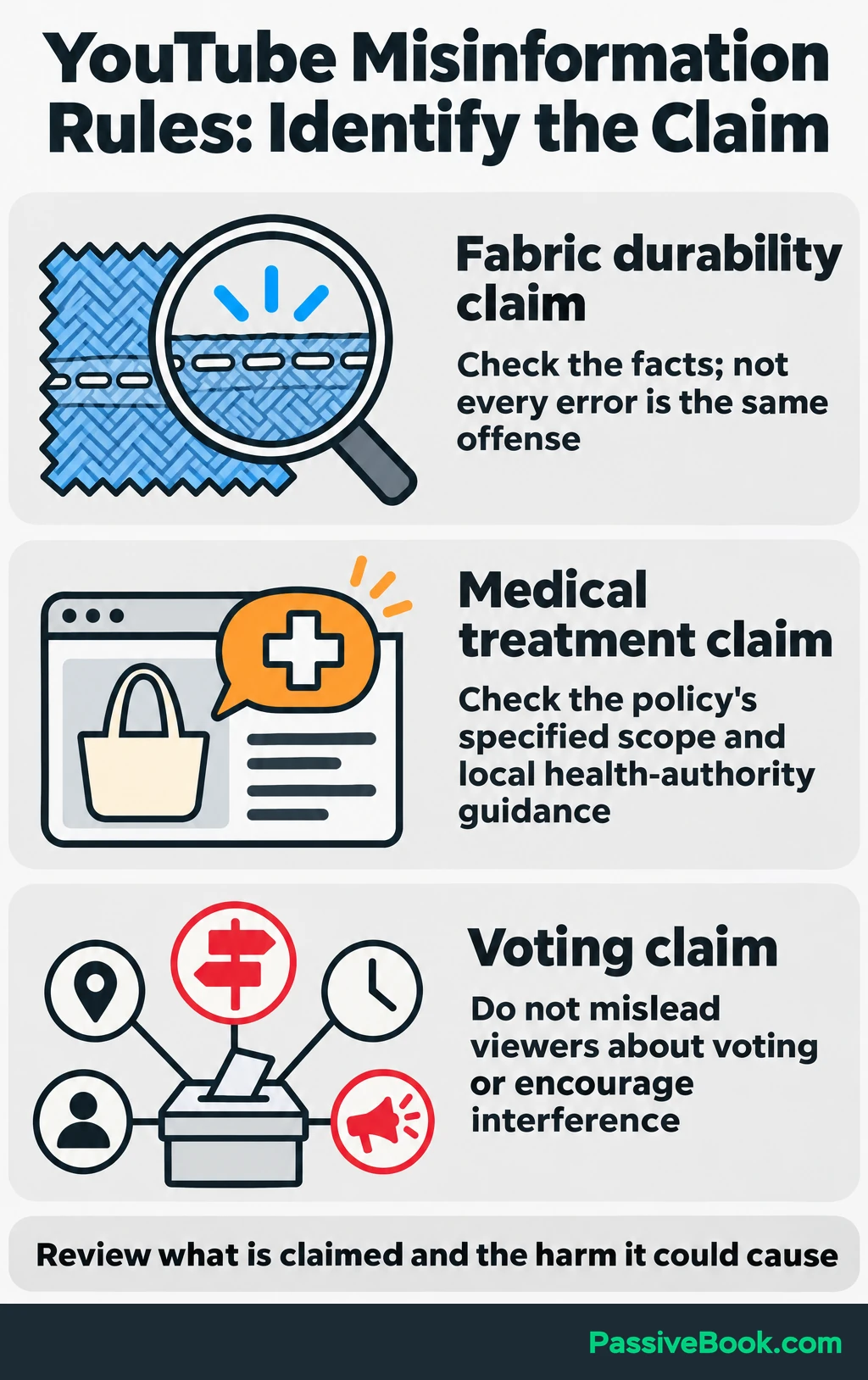
For the sewing channel, a claim that a handmade item treats a medical condition needs a different review from a claim about fabric durability. I would keep the lesson focused on what the pattern makes and avoid unsupported health promises.
Election restrictions include misleading people about when, where, or how to vote, false claims about voting eligibility, certain false claims about candidate eligibility, and encouragement to interfere with voting.
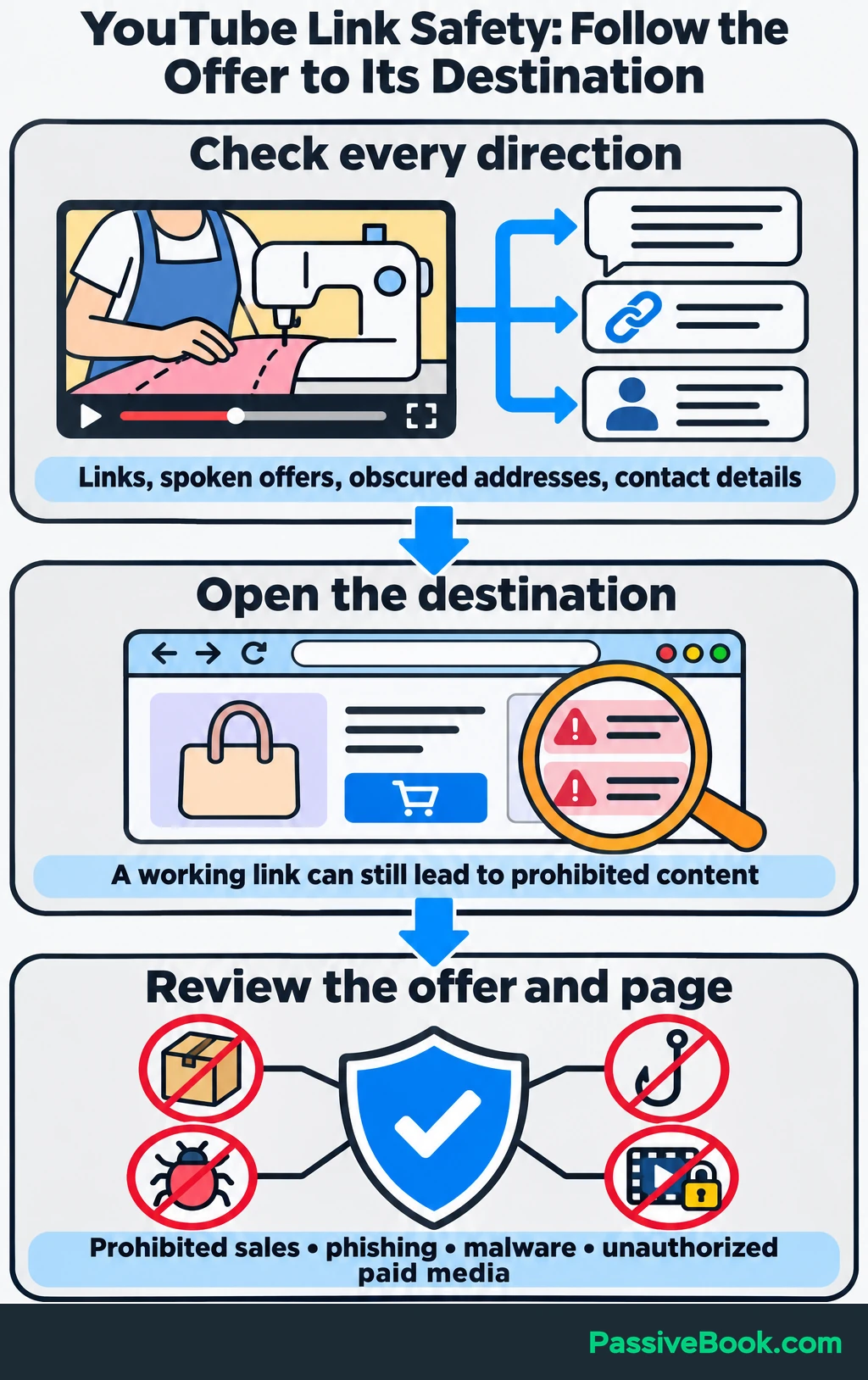
YouTube’s regulated-goods policy prohibits facilitating sales of controlled drugs or nicotine products, as well as pharmaceuticals sold without a prescription. Contact details and spoken offers count alongside purchase links.
Check destinations too. YouTube’s external links policy covers prohibited content, malware, phishing, and unauthorized access to paid media. It includes spoken directions and obscured addresses, not just clickable URLs.
Open the actual destination page. Checking that a link works tells you nothing about whether it belongs in your description.
When Educational Context Can Support an Exception
Sensitive material may sometimes remain on YouTube when it has educational, documentary, scientific, or artistic context.
Explain what viewers are seeing, why it matters, and what your video is trying to teach. Depending on the material, useful context could include facts, condemnation, opposing views, or clear discouragement of dangerous behavior.
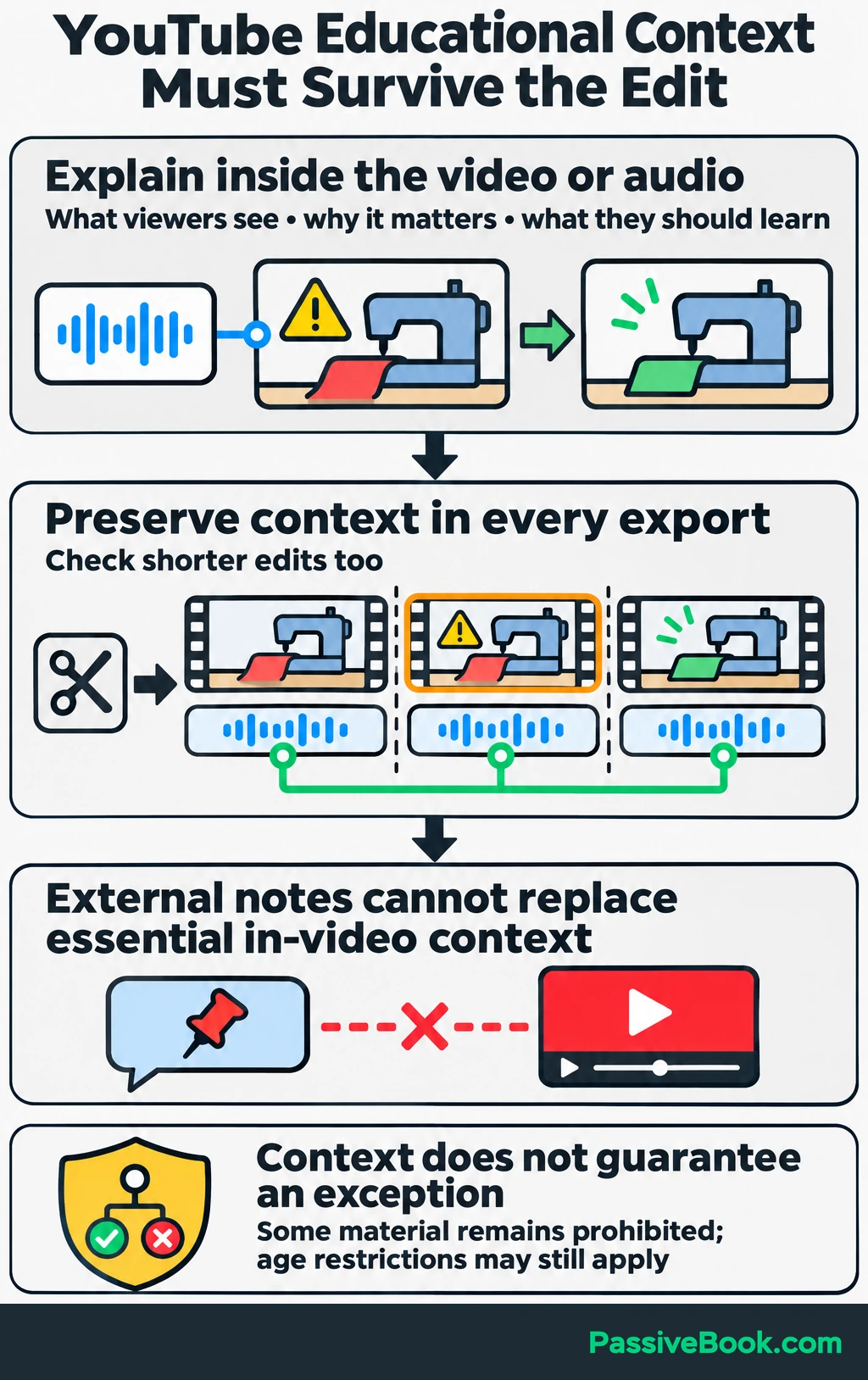
Put essential context inside the video or audio. YouTube specifically requires that placement for high-risk categories including hate speech, child safety, self-harm, and graphic violence. A pinned comment cannot reliably supply it. YouTube’s educational-context guidance
For a sewing safety lesson, explain the risk alongside the relevant footage and show the safe alternative. Check that the shorter edit preserves that explanation too.
Context does not guarantee an exception, some material remains prohibited, and permitted educational content may still receive an age restriction. I would use only the sensitive material needed to teach the point.
How Do YouTube Rules Affect Monetization?
Three questions matter here: can the upload remain on YouTube, can it carry ads, and does the channel qualify for monetization?
Those decisions overlap, but they are separate.
Allowed Videos Can Still Receive Limited or No Advertising
Advertising suitability covers the whole upload, including its language, imagery, subject, title, and thumbnail.
A video can follow the Community Guidelines and still receive limited or no advertising. For example, a permitted safety discussion might include graphic imagery that advertisers do not want beside their ads.
If advertising matters to your business, consider whether that material is necessary before production. Reshooting a thumbnail is easy. Rebuilding the entire lesson is less enjoyable.
Channel review goes further than one upload. YouTube may examine your main theme, newest and most-viewed videos, major sources of watch time, and details such as titles, thumbnails, and descriptions. One polished tutorial cannot make a library of minimally edited borrowed clips eligible for monetization.
AI-assisted and Faceless Channels Must Offer Original Value
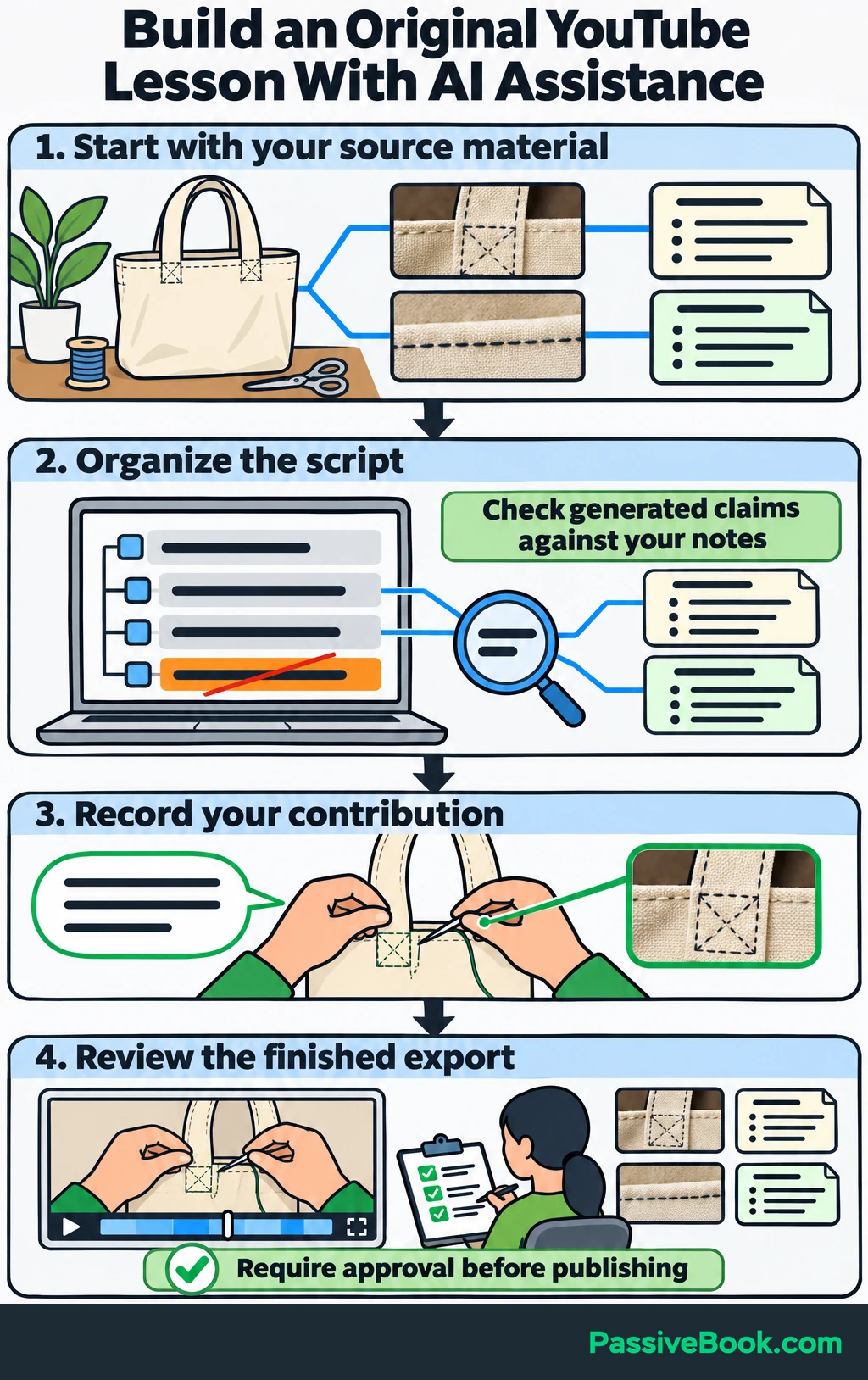
Build the video around something you contribute: a demonstration, explanation, analysis, or story.
A hands-only sewing tutorial can show how you cut fabric, choose a seam, and correct a mistake. Showing your face is unnecessary for those contributions.
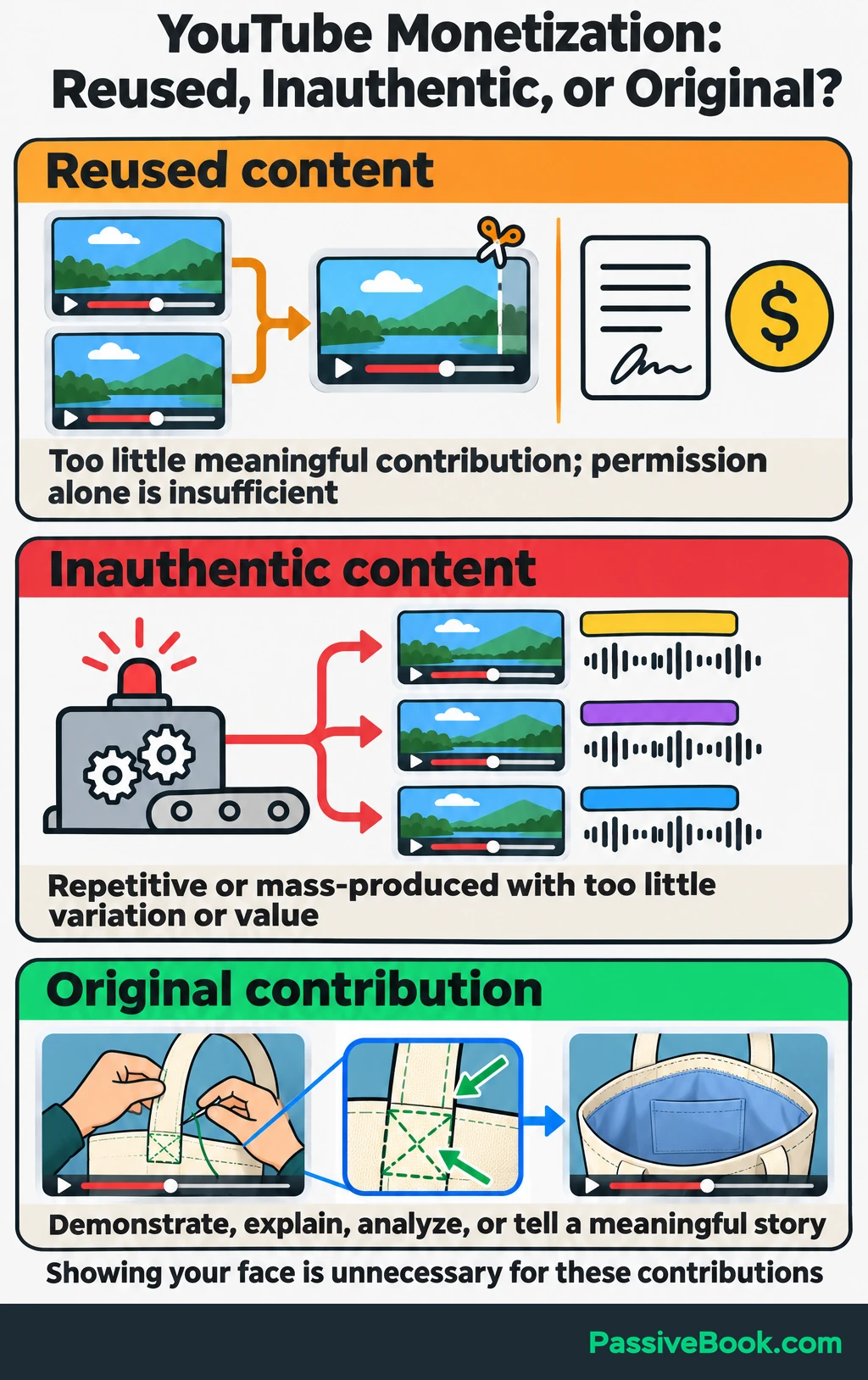
Two monetization problems need separating:
- Reused Content: Existing material repurposed without enough original commentary, meaningful changes, or educational or entertainment value. Permission does not establish monetization eligibility.
- Inauthentic Content: Repetitive or mass-produced output with too little meaningful variation or value.
For the tote-bag channel, I would use AI to help organize a script, then record the actual construction and explain the choices. A lesson on reinforcing handles should teach something different from a lesson on adding a lining.
Changing the title while repeating generic narration over stock clips gives viewers little reason to watch another upload.
YouTube also excludes from monetization channels using AI personas presented as human experts giving advice on sensitive topics such as health, law, finance, or politics. These requirements appear in its channel monetization policy linked above.
My automation experience comes from blogging and Pinterest. While building my article workflow, I caught an AI draft describing a product step that was absent from my source notes. It sounded convincing, which was precisely the problem. I added a source check before publication.
I would keep that review in a video workflow too. Automate preparation, but inspect the finished lesson before approving it.
Channel Standing Affects Partner Program Eligibility
The YouTube Partner Program, or YPP, provides access to monetization features. Joining requires more than reaching subscriber and viewing thresholds.
Requirements include policy compliance, availability in your region, account security and setup conditions, and no active Community Guidelines strikes. Meeting the thresholds lets you apply; YouTube still has to review and accept the channel.
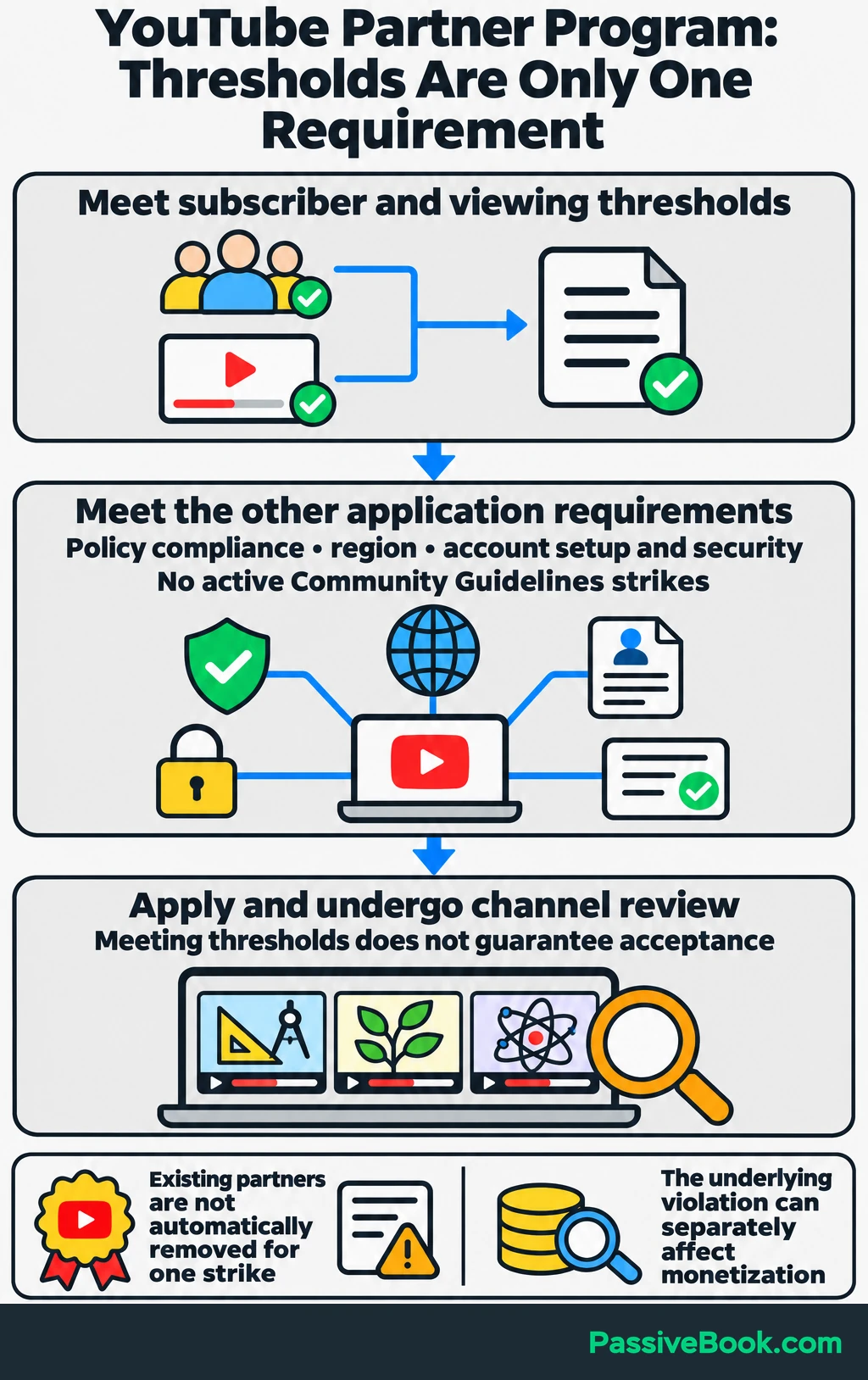
Existing partners are not automatically removed simply because they receive a Community Guidelines strike. However, the underlying policy violation can separately lead to monetization action. YouTube Partner Program eligibility
I would review the channel’s content before chasing the final eligibility milestone. More views do not fix a policy problem.
What Should You Check Before Publishing?
Review the finished export alongside everything viewers will encounter around it. Your script may be accurate while the final edit removes an explanation or the thumbnail promises a different lesson.
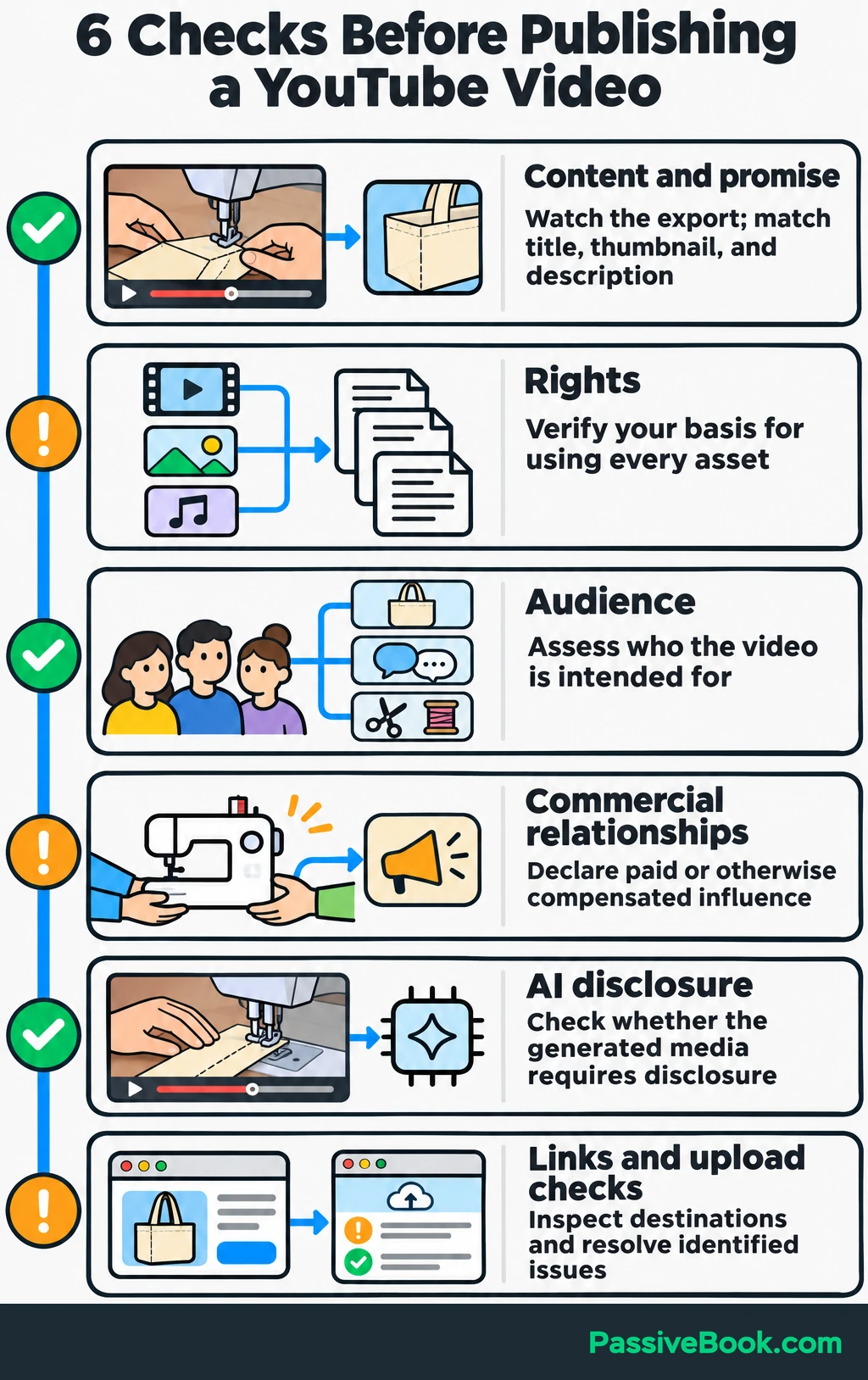
Use this checklist for every upload:
- Content and Promise: Watch the full video and compare it with the title, thumbnail, and description. Confirm that essential context survived editing and that the upload delivers what it promises.
- Rights: Verify permission or another valid basis for using footage, images, and music. Keep licenses and source files together. Content ID can block, track, or monetize matched content for a rights holder; a copyright takedown is a separate process that can produce a strike.
- Audience: Decide whether children are an intended audience by considering the subject, language, characters, activities, and how you promote the video. Content aimed at both children and adults can still count as “made for kids”; being suitable for children alone does not. A general sewing lesson and one aimed at young children need different assessments. Audience-classification guidance
- Commercial Relationships: Declare branded content influenced by a partner in exchange for payment, free products, sponsorship, or other value. For a sponsored sewing-machine review, use YouTube’s paid promotion declaration and make the relationship clear to viewers. Disclosures must also meet applicable legal requirements. Branded content policy
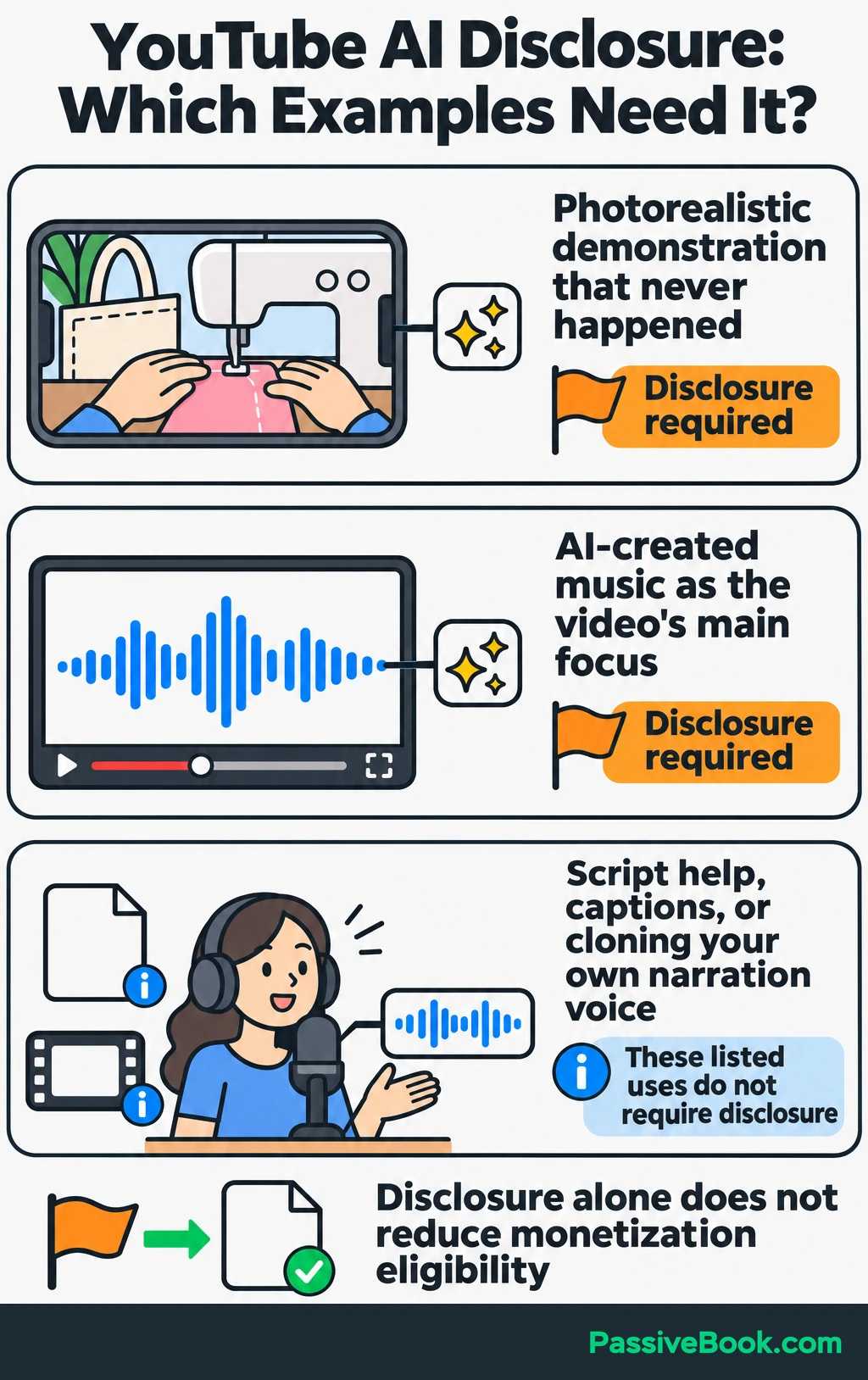
- AI Disclosure: Disclose realistic AI-generated or meaningfully altered media, such as a photorealistic sewing demonstration that never happened. YouTube also requires disclosure for AI-created music that is the video’s main focus. Script assistance, captions, and cloning your own voice for narration are listed as uses that do not require disclosure. Disclosure alone does not reduce monetization eligibility. AI disclosure requirements
- Links and Upload Checks: Open destination pages and review the checks and restrictions in YouTube Studio, your channel’s management dashboard. If YouTube asks you to rate the video’s suitability for ads, complete that questionnaire too. Resolve identified problems before publishing.
Here is how that review could work for one complete upload.
You prepare “How to Sew a Boxed Corner on a Tote Bag.” The video shows your own demonstration and explains how the corner changes the bag’s shape. Its thumbnail shows the finished corner, and the description clearly identifies the full downloadable pattern as paid.
Before scheduling, you check the music license, inspect the pattern’s sales page, and confirm that the export includes the tool-safety explanation. You assess the intended audience and whether any commercial relationship or generated media needs disclosure, then review Studio’s checks.
If your review turns up a misleading promise or missing explanation, AI Video Studio can draft replacement wording from your actual material. You’ll get usable copy, with any issues that need more than a wording change kept separate.
Free AI Video Studio




That is a repeatable publishing process. It does not need an expensive compliance tool.
For automated production, make approval of the finished upload a required step. Reviewing the workflow once cannot catch everything it produces later.
What Happens After a Community Guidelines Violation?
Read the notice to identify the actual outcome. A warning, strike, age restriction, and monetization decision have different effects.
Warnings and Strikes
The usual Community Guidelines sequence works like this:
| Action | Immediate Restriction | Expiry Conditions |
|---|---|---|
| First warning | Content removal, usually without a publishing freeze | An eligible warning expires 90 days after optional policy training is completed |
| First strike | One-week restriction on publishing and specified features, starting when acknowledged | Strike remains for 90 days from issuance |
| Second strike within the same 90-day period | Two-week posting restriction | Each strike expires 90 days after issuance |
| Three strikes within 90 days | Possible permanent channel removal | No automatic restoration after termination |
Training is not offered for every warning. A same-policy violation during the 90 days after training may prevent warning expiry and produce a strike. A different-policy violation after training receives another warning. Community Guidelines strike rules
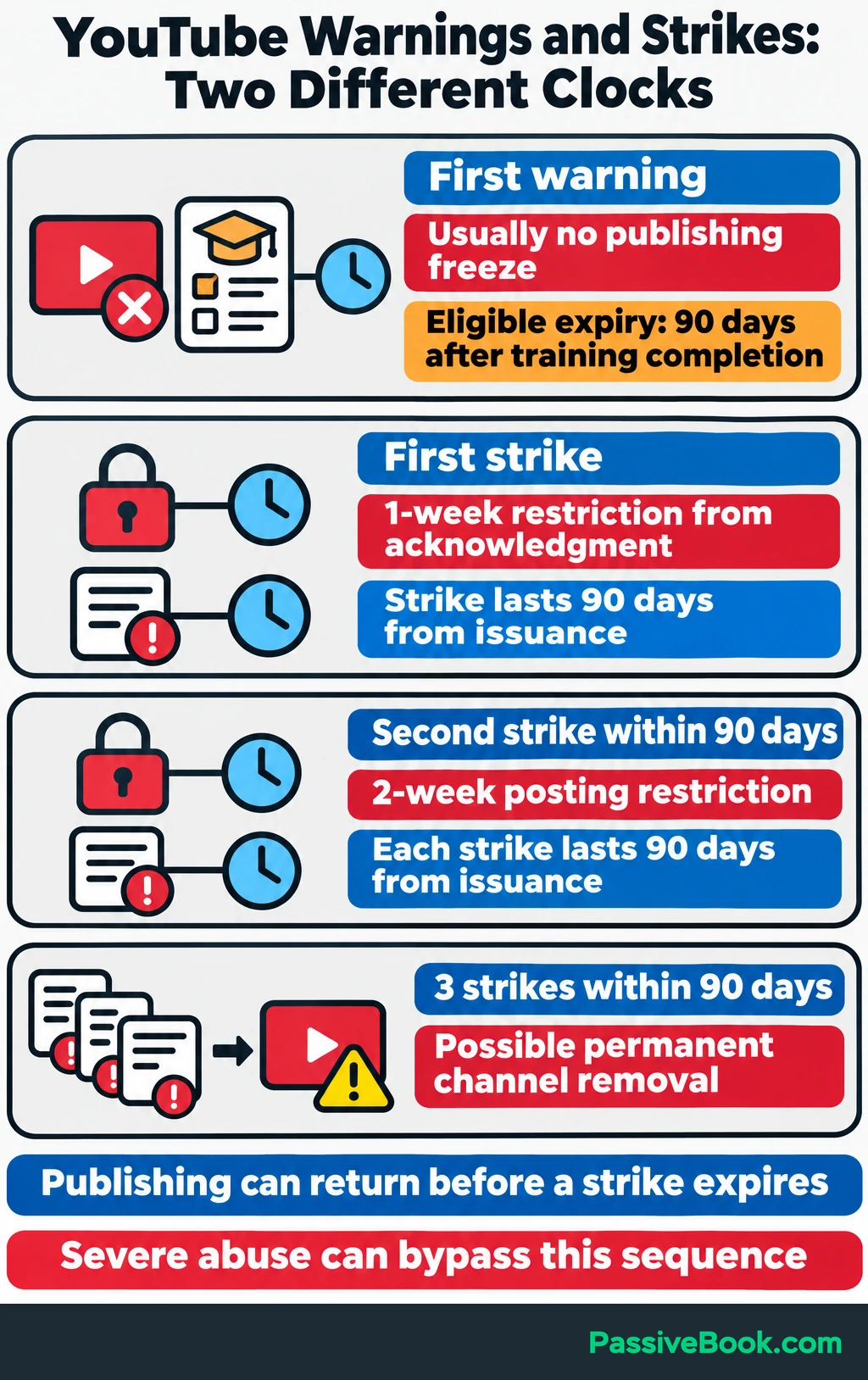
Publishing privileges returning does not mean the strike has expired.
Severe abuse can cause termination without warning, and a channel dedicated to violations can also be terminated. The warning-to-three-strikes sequence is not a guaranteed allowance.
Age Restrictions Are a Separate Outcome
An age restriction can leave a video available to signed-in adults while blocking viewers who are under 18 or signed out.
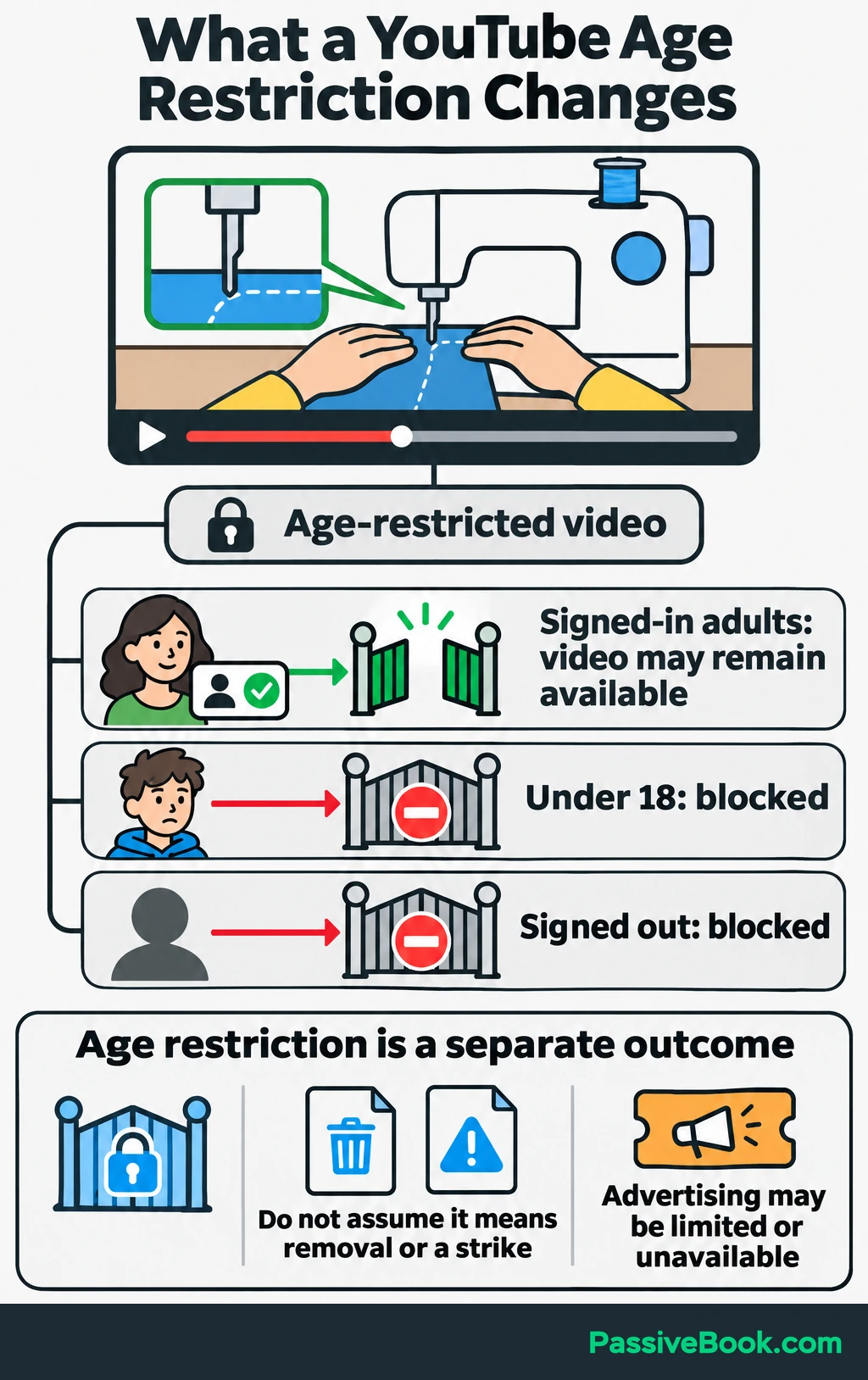
It is different from removal or a strike, although advertising may be limited or unavailable.
If your safety lesson receives an age restriction, first assess that decision against the material shown. Do not assume the notice means your channel has received a strike.
How Should You Respond to an Enforcement Notice?
Start with the decision YouTube actually made. Then use the response attached to that decision.
Identify the Decision Before Changing Anything
Read both the Studio notice and the associated email. Record:
- Affected Content: The video, thumbnail, post, comment, or link involved.
- Policy: The specific rule cited.
- Restriction: What changed for the upload or channel.
- Deadline: The last date for an available response.
- Evidence: Relevant files, licenses, script passages, and timestamps.
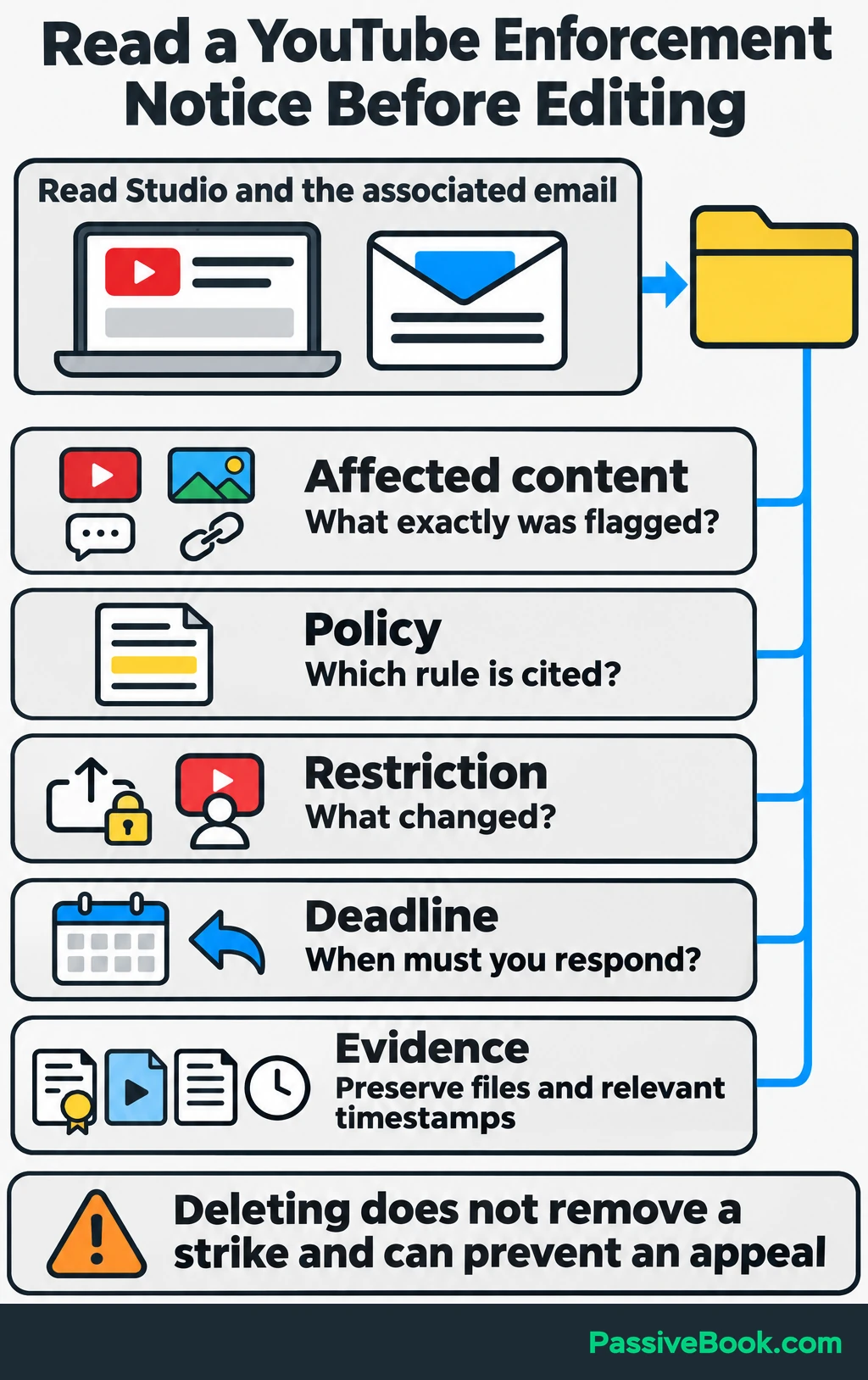
Preserve the notice and original material before editing or deleting anything.
Deleting a video does not remove a Community Guidelines strike and can prevent an appeal. Follow active restrictions too. Using another channel to bypass them can put additional channels at risk.
Appeal a Community Guidelines Decision With Specific Evidence
Appeal when you believe YouTube applied the policy incorrectly, and explain why using evidence from the upload.
If the sewing safety lesson was removed in error, identify where the video explains the danger, discourages the act, and demonstrates the safe alternative. Timestamps make those points easy to locate.
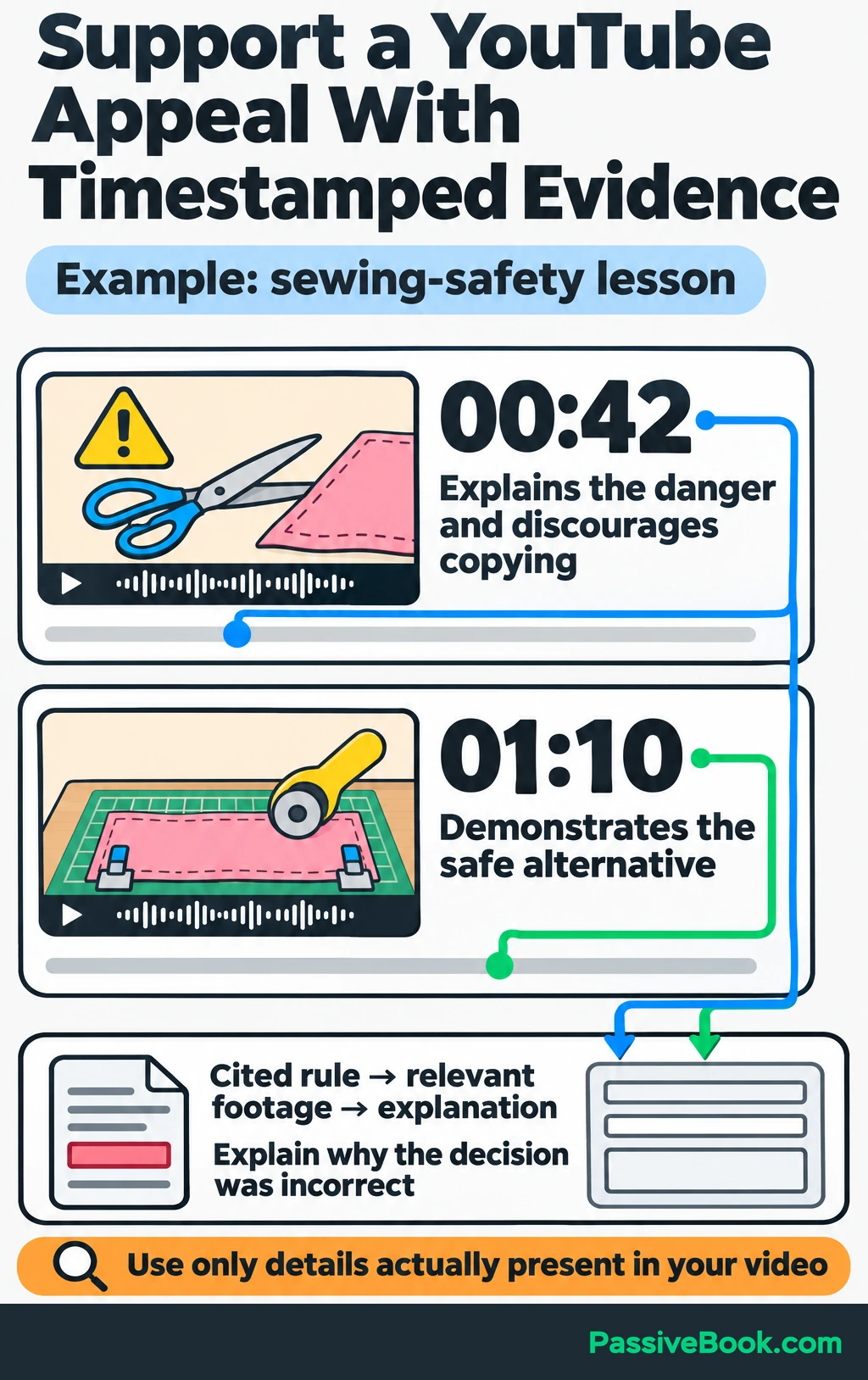
A useful excerpt might be:
“At 00:42, I explain why this handling method is unsafe and tell viewers not to copy it. At 01:10, I demonstrate the safe alternative.”
Use only details that are present in your video. A paragraph about your good intentions cannot replace missing context.
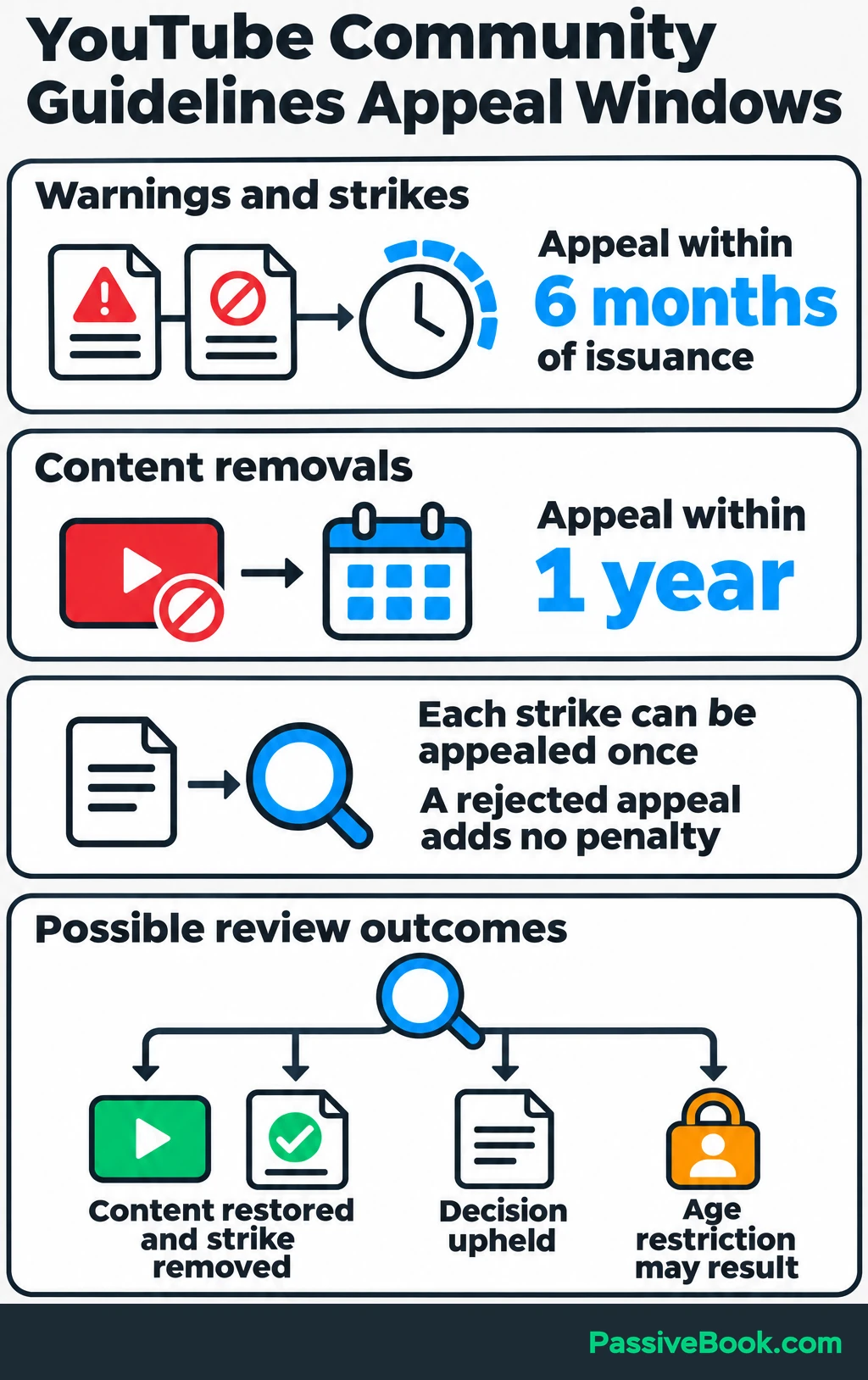
You can appeal warnings and strikes within six months of issuance, and content removals within one year. Each strike can be appealed once. A rejected appeal carries no additional penalty.
A successful review can restore the content and remove the strike. Review can also result in an age restriction. Community Guidelines appeal windows and outcomes
I would spend the appeal space on the cited rule and the evidence. The reviewer needs a reason to change the decision, not your entire business history.
Use the Separate Process for Other Decisions
Other notices require their own response:
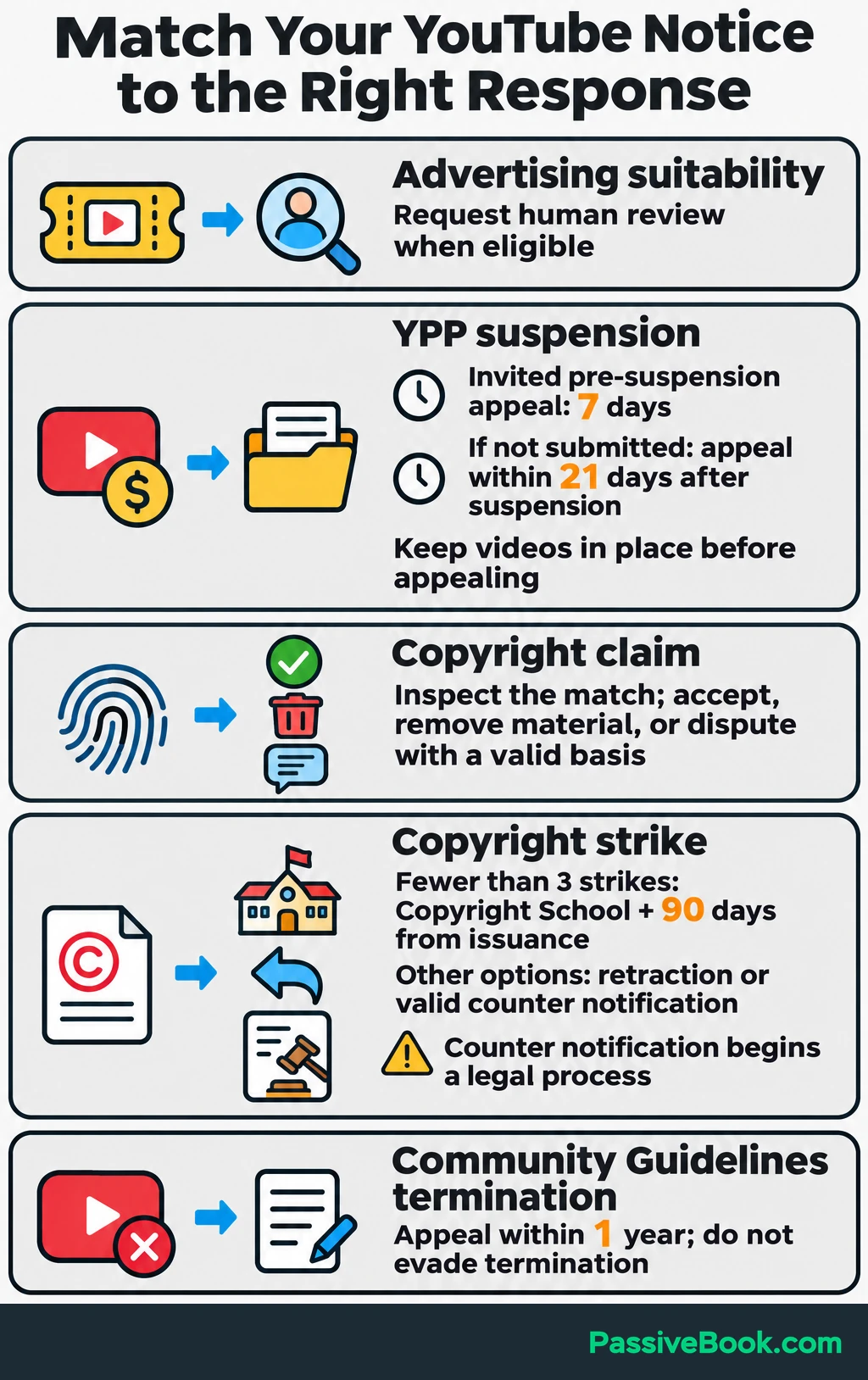
- Advertising Suitability: If an automated decision incorrectly limits advertising, request human review through the affected video’s monetization notice when eligible.
- YPP Suspension: Follow the deadline shown in Studio. An invited appeal before suspension has a seven-day window. If you did not submit that appeal, you can appeal within 21 days after suspension. Keep videos in place before appealing and show how you create the channel’s content, including filming, editing, and original contributions. YPP appeal requirements
- Copyright Claim: Inspect the matched material and claimant. Depending on the situation, you may accept the claim, remove the claimed material, or dispute it with a valid basis.
- Copyright Strike: Follow YouTube’s copyright strike rules. If your channel has fewer than three copyright strikes, complete Copyright School, YouTube’s copyright education program, and wait 90 days from issuance for expiry. Other options are asking the claimant to withdraw the removal request or submitting a valid counter notification to challenge a mistaken removal. A counter notification begins a legal process.
- Community Guidelines Termination: Use the termination appeal process within one year. Do not create or use another channel to evade termination. Termination appeal rules
After a violation, review related uploads and add a specific check to your publishing process.
If the issue was a misleading thumbnail, compare every thumbnail promise with the finished lesson. If essential safety context disappeared during editing, check that context in every export.
Revisit the relevant official policies when you change subjects, formats, or automated production methods. A new workflow can introduce problems your old checklist never needed to catch.
What Next?
Review your next upload alongside its thumbnail, description, music license, and destination links. Write down anything you cannot verify and resolve it before scheduling.
Use the social buttons to share this guide with your creator circle so enforcement notices are easier to understand and publishing checks become easier to repeat.
Which part of your current publishing process needs a stronger check? Share your answer in the comments, and bring any other questions too.
Share this post with your friends & followers:

