You have something useful to show, but turning it into a video means writing, recording, editing, and making a thumbnail. That is a lot to fit around an already full week.
AI can shorten parts of that work, but a polished script is little help when the footage cannot support it. And buying five subscriptions before finishing one episode makes the experiment expensive fast.
This guide walks through a small, affordable workflow that turns your observations into an original vlog, including a way to do it without showing your face. The aim is a video worth watching and a process you can repeat.
How AI Fits Into a YouTube Vlog
Give AI specific production jobs: organize your notes, suggest a story, draft narration, remove unwanted pauses, and prepare publishing copy.
You supply the activity, observations, and decisions that make the episode yours. Then you check the finished result.
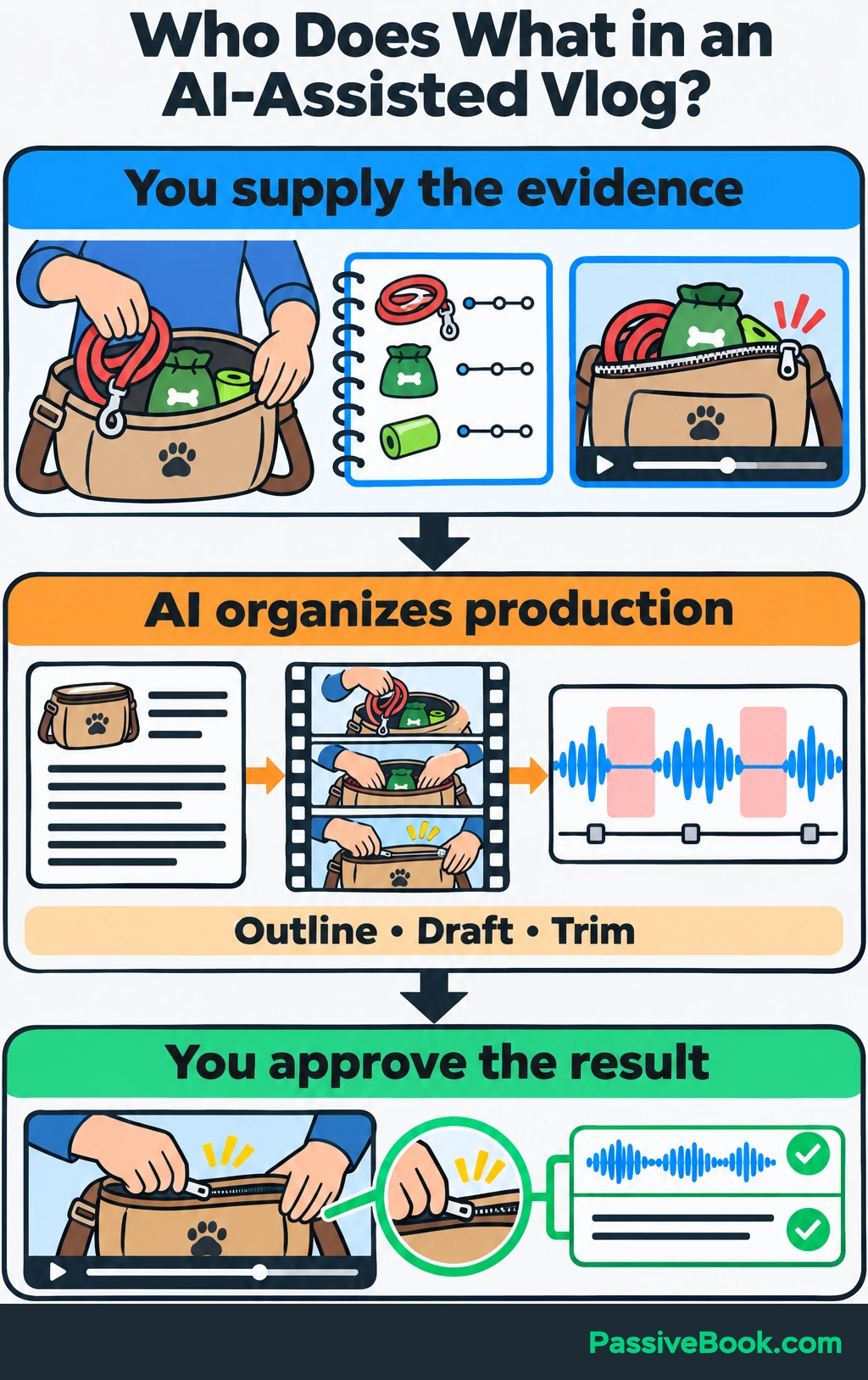
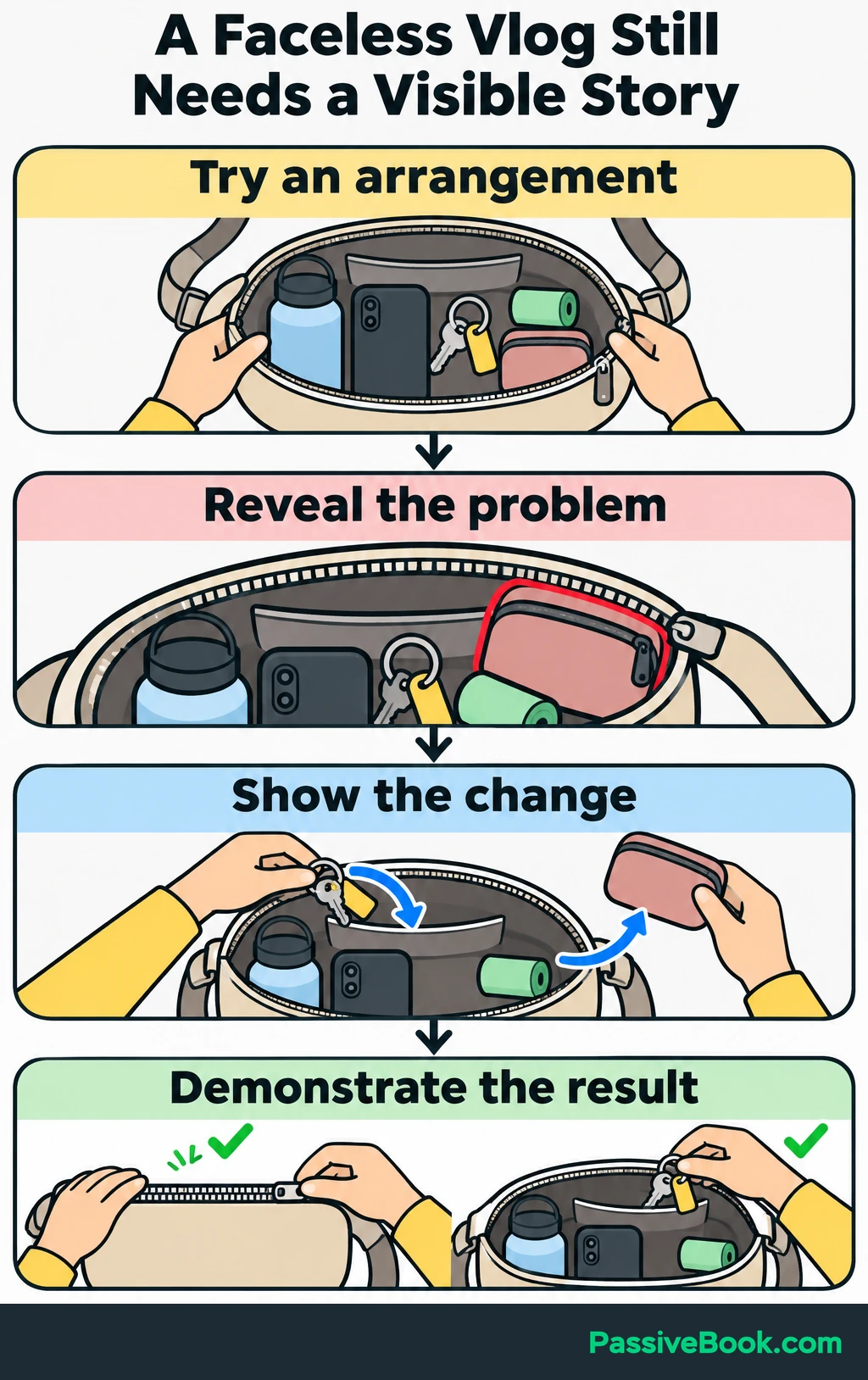
You can do this without appearing on camera. Hands-only demonstrations, footage from your viewpoint, and narration give viewers plenty to follow. The important part is that something happens: you try an arrangement, discover a problem, change it, and show the result.
Throughout this guide, imagine you run an online shop selling handmade dog-walking bags. Your episode is “Packing a Dog-Walking Bag Without Overloading It.” The shop, packing observations, footage, and sample copy are illustrations.
AI assistance does not automatically prevent monetization. YouTube assesses whether a channel’s content is original and authentic. Repetitive, mass-produced videos and reused material with little meaningful change can be ineligible. That assessment applies across the channel, so swapping a few words in the same video template is a poor foundation. YouTube’s channel monetization policies explain the distinction.
I would use AI to reduce production work while keeping the decisions and demonstrations specific to each episode.
Choose an Affordable Tool Stack
Choose your recording format before choosing software:
- On Camera: Film yourself speaking and demonstrating the activity.
- Faceless With Your Voice: Film your hands, surroundings, or screen, then add your narration.
- Faceless With AI Narration: Use original footage and a synthetic voice licensed for your intended use.
I would start with hands-only footage and your own voice. It avoids an extra subscription and gives you direct control over emphasis and pronunciation.
Start with these free tools.
| Production Task | Starter Tool | Free Features and Limits |
|---|---|---|
| Draft scripts from your notes | Claude Free | Ideas, outlines, and narration; usage limits apply |
| Edit footage and audio | Clipchamp Free | Captions, silence removal, and watermark-free exports up to 1080p; premium assets and 4K require payment |
| Design thumbnails | Canva Free | Use your photos and free design elements; some assets and tools require payment |
| Publish and review results | YouTube Studio | Free uploads, scheduling, captions, and analytics |
You can start with $0 in additional software subscriptions if you already have suitable recording equipment, a computer, internet access, and storage. Use your own media, narration, and free design elements.
Before building an episode, export a test clip with narration and captions. Check that your chosen assets do not require payment.
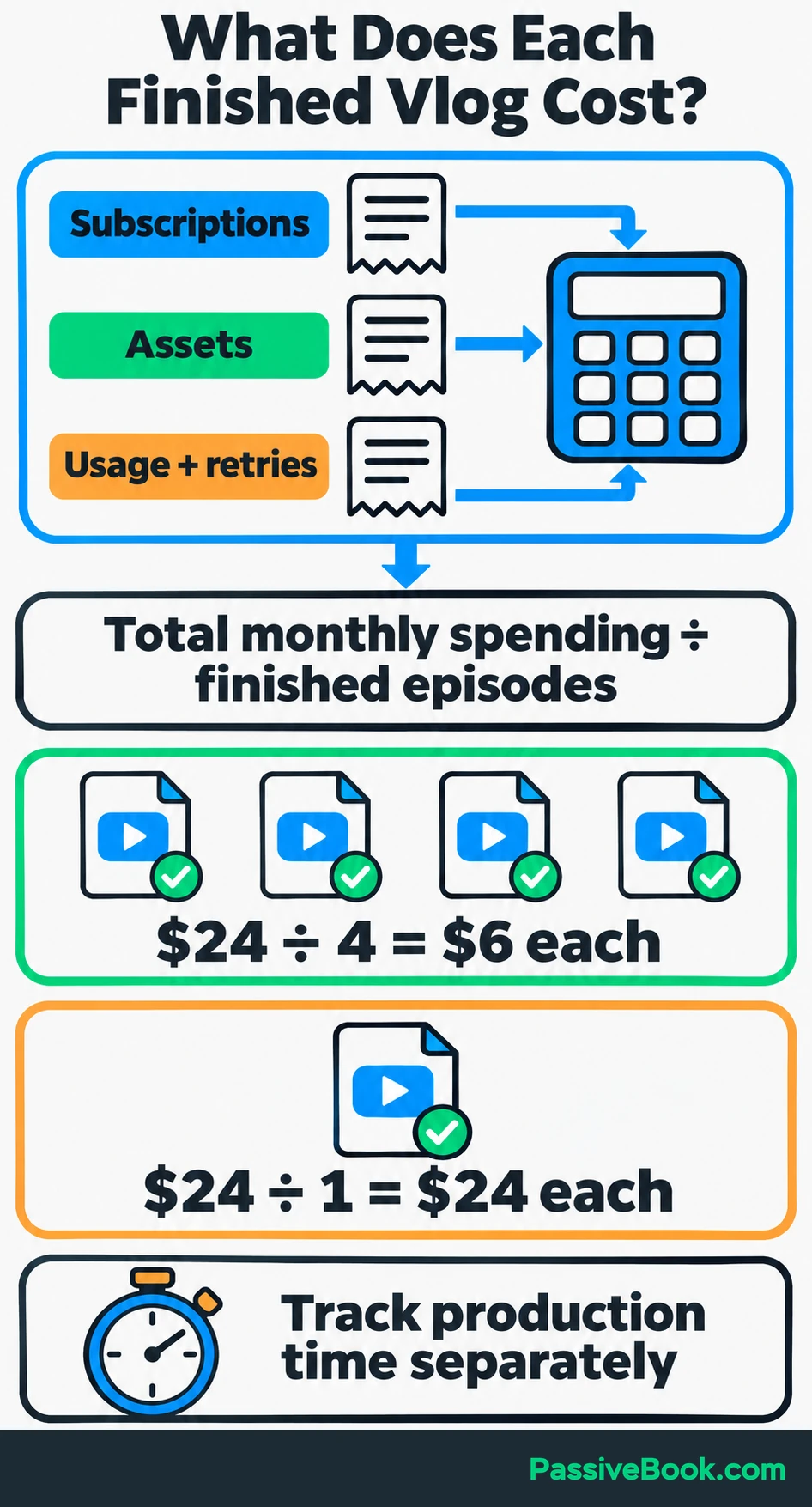
Add the month’s subscriptions, asset purchases, and usage charges, including paid regeneration attempts. Divide that spending by the number of episodes finished that month.
For example, $24 across four finished episodes is $6 each. With one finished episode, it is $24. Track your time separately so “free software” does not hide an afternoon of repairs.
Plan One Episode Around a Useful Story
Start with one viewer question and one result you can show. Then identify what happens between them.
A useful episode brief answers four things:
- Starting Point: What are you working with?
- Decision: What will you try, and why?
- Problem or Revision: What needs changing?
- Result: What can viewers see or use by the end?
For the bag episode, the question is simple: how can you pack the items you intend to carry without making the bag awkward to close?
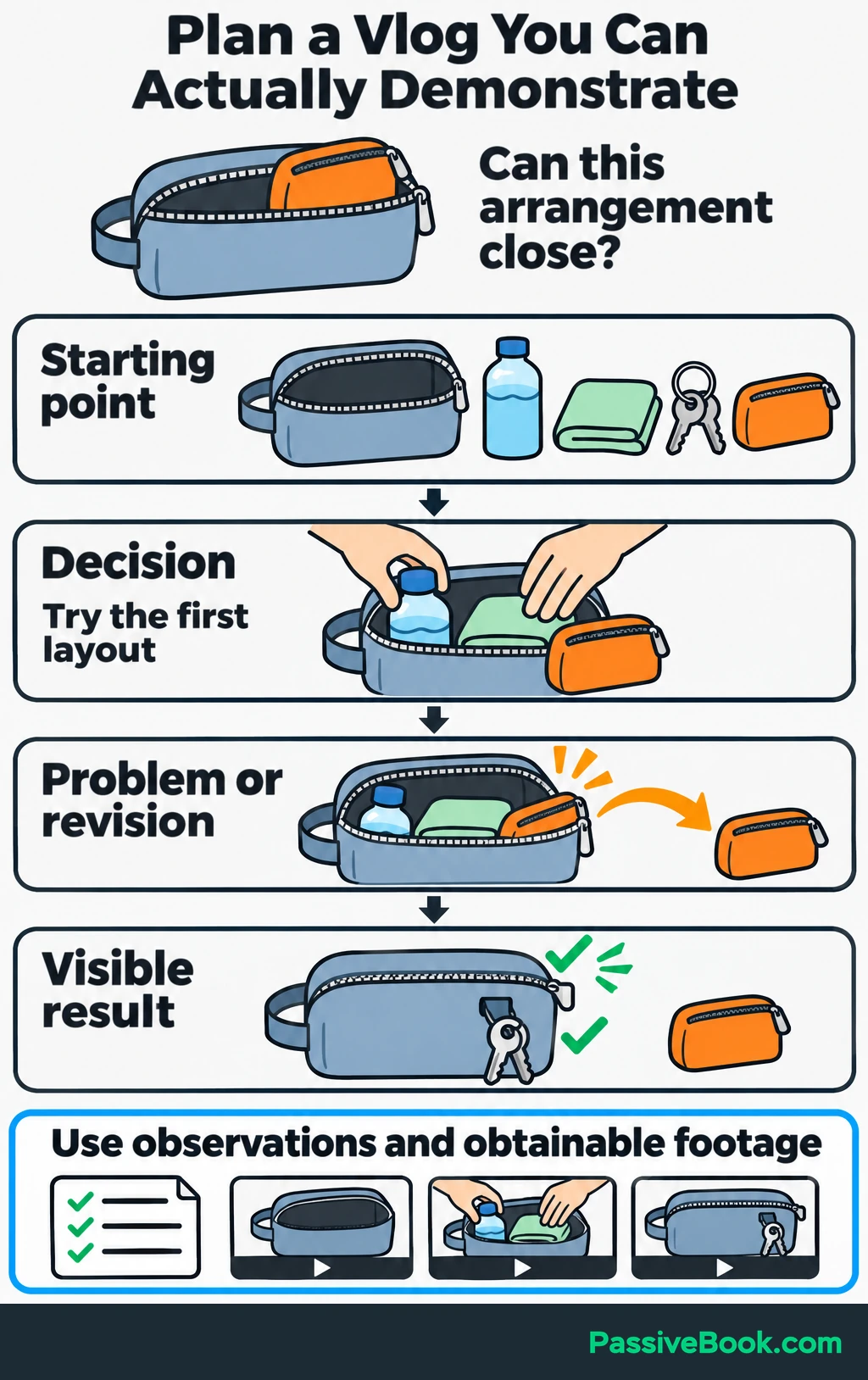
The story follows a first packing attempt, a bulky arrangement near the opening, and a revised setup. It stays about packing and organization. It does not claim that this selection of items suits every dog or outing.
Gather your notes before asking AI for ideas. Include what you observed, footage you already have, shots you can record, and facts that still need checking.
This prompt gives AI a clear boundary:
Using the notes below, suggest three vlog ideas. For each idea, give the viewer question, opening scene, actions viewers can follow, and practical takeaway. Use only the experiences supplied. Identify missing information and footage rather than inventing them.
My notes:
[Paste your observations, available clips, and filming constraints.]
Choose the idea you can demonstrate with the least missing material. A modest episode with clear evidence is easier to finish than an impressive outline that requires footage you cannot get.
Do not manufacture an obstacle because a story template asks for one. A genuine choice or comparison can carry the episode.
Turn Your Notes Into a Script and Shot List
Ask for a scene outline before requesting polished narration. This lets you check the story while changes are still cheap.
Give AI the chosen question, intended takeaway, actual observations, available clips, verified facts, and tone. Request matching footage and narration, plus a list of anything missing.
For the running example, the instruction could be:
Turn my notes into a scene-by-scene vlog about packing a dog-walking bag. Open with the closing problem, return to the items laid out, show the first attempt and revision, and finish with the completed arrangement.
Return a table with scene purpose, footage, narration, and missing material. Keep the narration conversational. Leave space for natural sound. Do not invent experiences, product results, endorsements, or events.
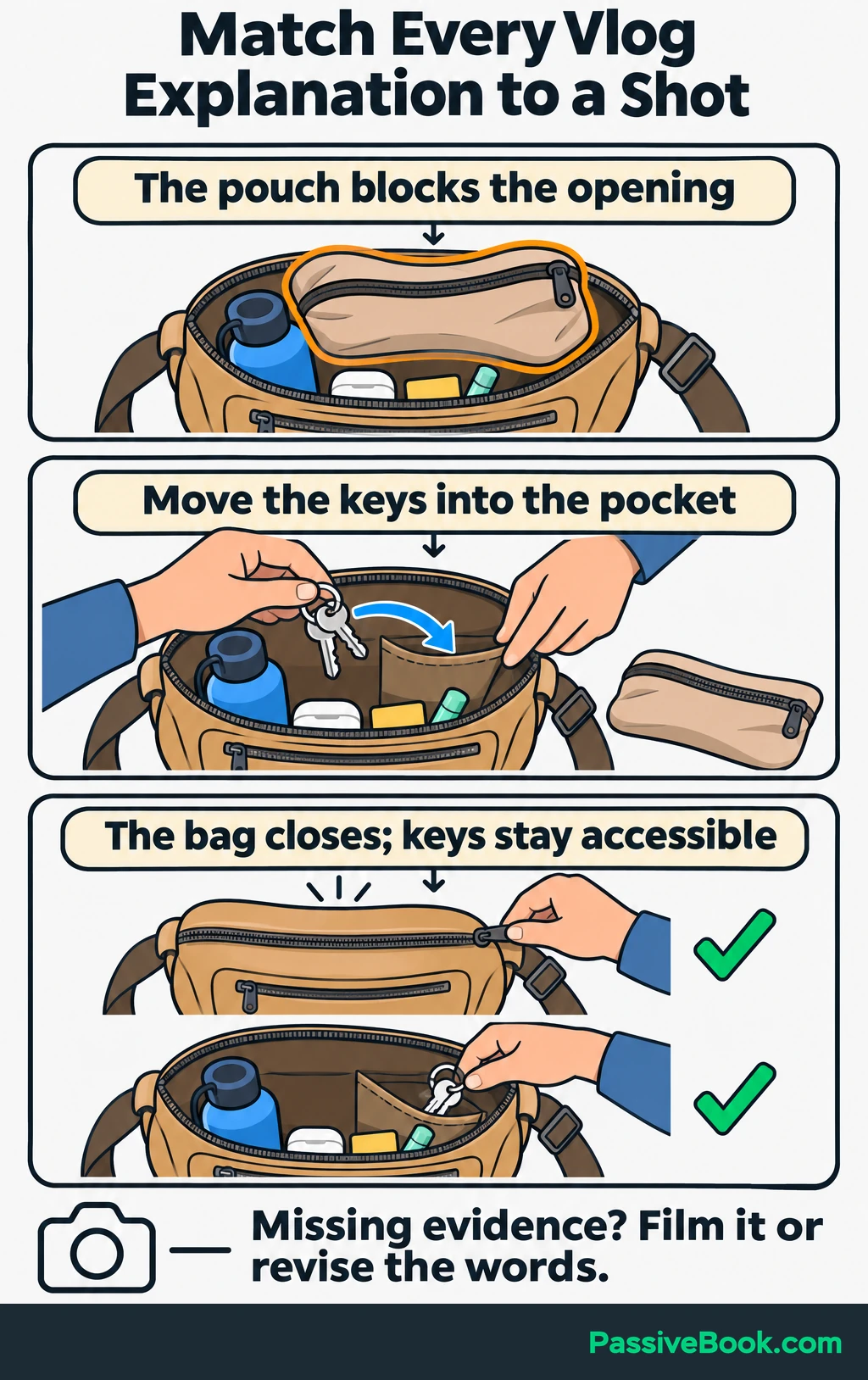
Here is a complete short sample for the imagined shop. The narration uses the shop owner’s voice and can be read from top to bottom. Replace its observations with what your own footage shows.
| Scene Purpose | Planned Footage | Narration | Missing Material to Capture |
|---|---|---|---|
| Establish the problem | Close-up of the packed bag’s opening | “Everything went in, but this bag won’t close comfortably. I make these bags, so let me show you where my packing went wrong.” | A clear view of what blocks the opening |
| Show the starting point | Empty bag beside a bottle, waste-bag roll, keys, phone, and empty spare pouch | “Here’s what I started with. I also added an empty spare pouch, even though I hadn’t decided what it was for.” | One overhead shot showing every item |
| Explain the first attempt | Recreate the first arrangement | “I packed the loose items first and left the pouch across the top. That put bulk right where the bag needed to close.” | Side view of the pouch near the zip |
| Show the revision | Remove the pouch and move the keys into the inner pocket | “I’m leaving that unused pouch out and putting the keys in this pocket. Now there’s less around the opening, and I can find the keys without moving the bottle.” | Close-up of the pocket and revised layout |
| Deliver the result | Close the bag, reopen it, and retrieve the keys | “This arrangement closes without forcing the zip, and the keys are easy to reach. Check the opening and access to small items before adding more. If you want to see the bag itself, it’s linked below.” | An uninterrupted closing and retrieval shot |
Leave the sound of the zip and handling in the edit where it helps. You do not need to talk over every movement.
Read the draft aloud and remove generic welcomes, repeated explanations, and sentences that merely announce visible actions. “I’m opening the bag” rarely earns its place.
Finalize the wording after filming. If the arrangement changes during recording, the script must change with it.
If you have notes but no usable draft yet, AI Video Studio can turn them into narration and matching shots. You can revise the wording after filming and use the approved version to draft your publishing copy.
Free AI Video Studio




Create the Visuals Your Story Needs
Film Original Footage Without Showing Your Face
A phone, steady framing, and available light are enough to start. Place the camera where the important action stays visible, then record a short test before continuing.
Capture three kinds of footage:
- Overall View: Show the workspace and the items involved.
- Main Action: Record the activity from a steady angle.
- Detail Shots: Move closer when viewers need to understand a decision or result.
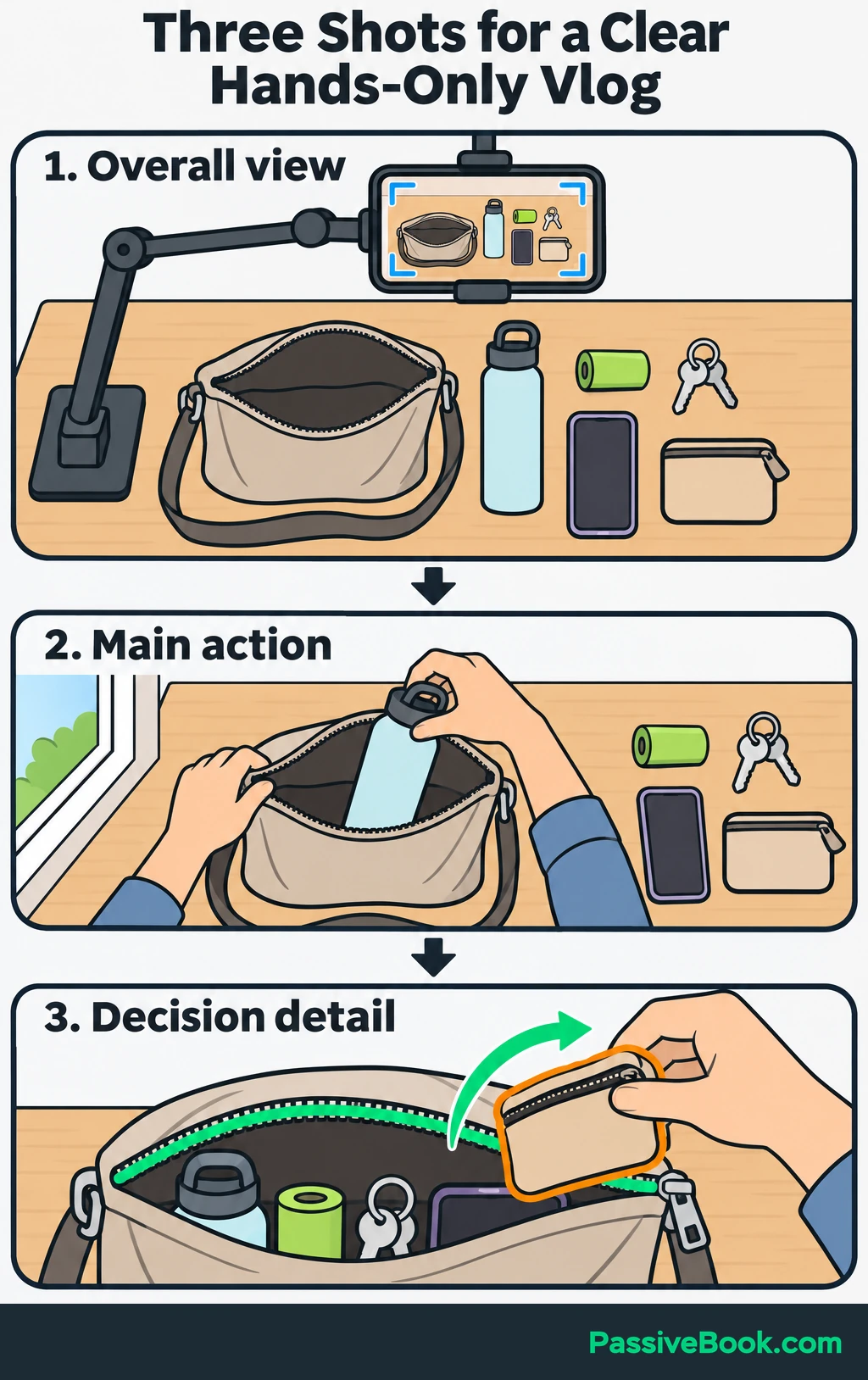
For the bag episode, record the items beside the empty bag, hands packing them, the closing problem, and the revised arrangement. Show what changed rather than hiding the change behind a cut.
Keep lighting and item positions reasonably consistent. Otherwise, viewers may struggle to tell whether you rearranged something or quietly removed it.
Record useful natural sound and take a clear photograph for the thumbnail. Name clips by scene, such as 03-first-packing-attempt, and back up the originals.
If you use outside photographs, clips, or music, keep the license and any required credit with the project. Giving credit alone does not grant permission to use copyrighted material. YouTube’s copyright guidance addresses this common mistake.
Permission to use an asset also does not establish that your finished channel meets monetization requirements.
Generate Supporting Illustrations When They Clarify a Point
Use an illustration when it explains something your footage cannot show clearly. I would skip generated visuals if a close-up already answers the question.
For instance, a simple layout drawing could help explain where items sit inside a bag. Canva’s Magic Media can generate a starting illustration:
Create a simple flat illustration of a small shoulder bag viewed from above, with three clearly separated compartments. Plain background, no text, no logos.
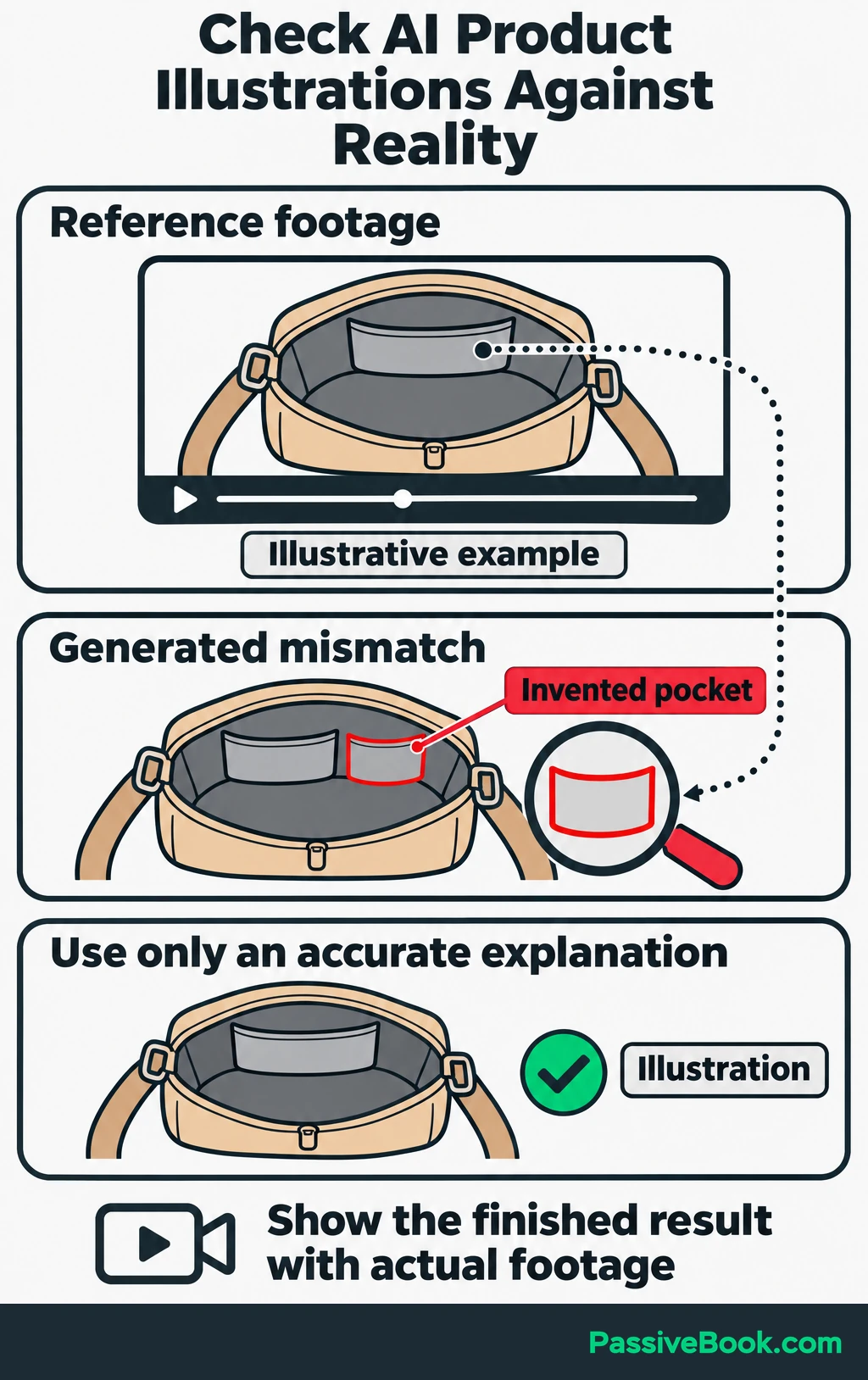
Inspect the first result before requesting variants. Check the compartment layout, proportions, and any strange details. Add accurate labels yourself.
A generated image may look convincing while showing a pocket your product does not have. That makes it useless for this explanation, however attractive it looks.
Label an imagined layout as an illustration and use actual footage to show the finished packing result.
Record or Generate the Narration
Record Your Own Voice
Record the revised script in short sections in a quiet space. Keep the microphone at a steady distance, and listen to a test through headphones before recording everything.
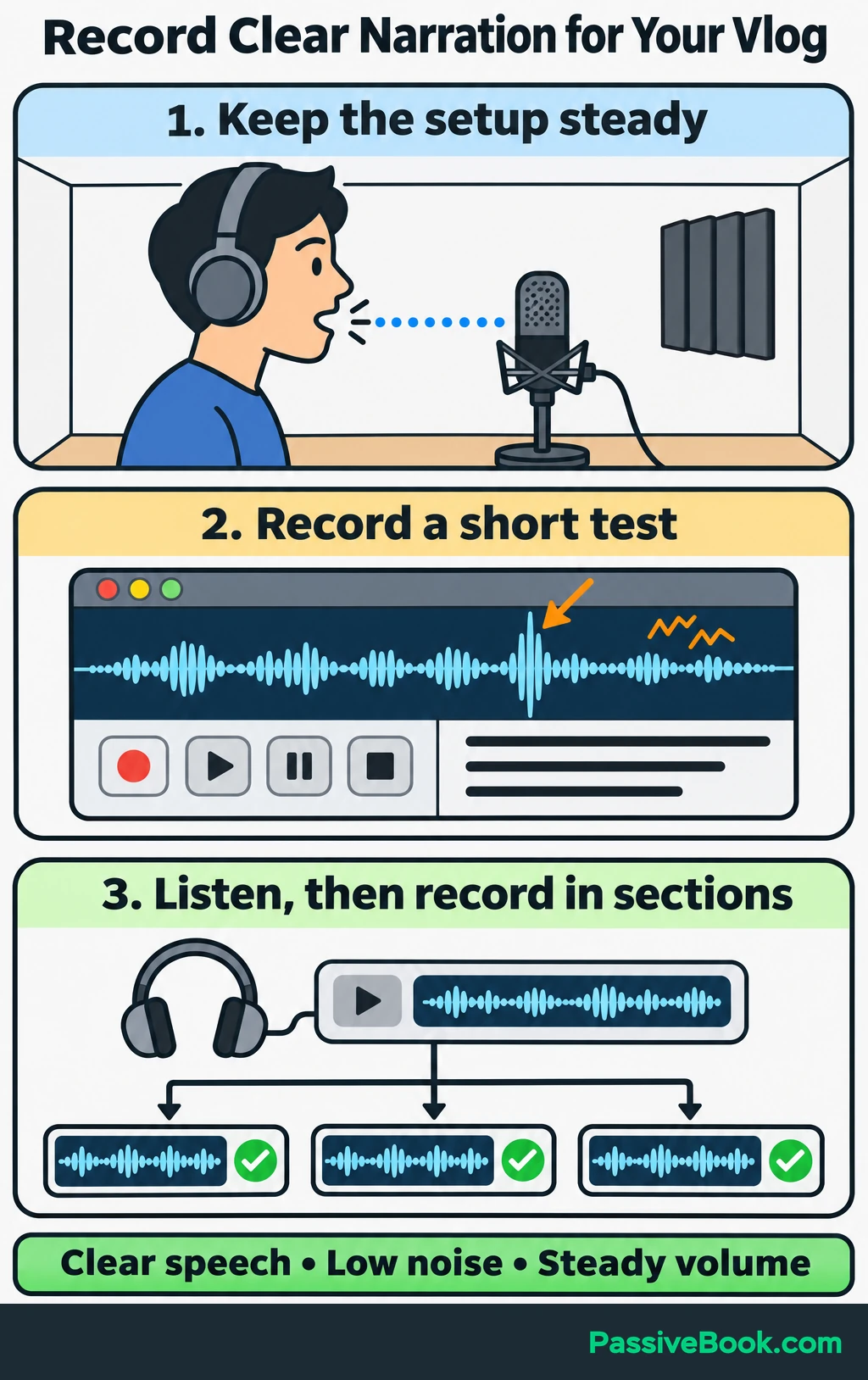
You are checking for understandable speech, distracting background noise, and changes in volume.
If a sentence keeps tripping you up, rewrite it. Ask AI:
Make this passage easier to say aloud. Keep the observation and the reason for the decision. Use familiar words and do not add claims.
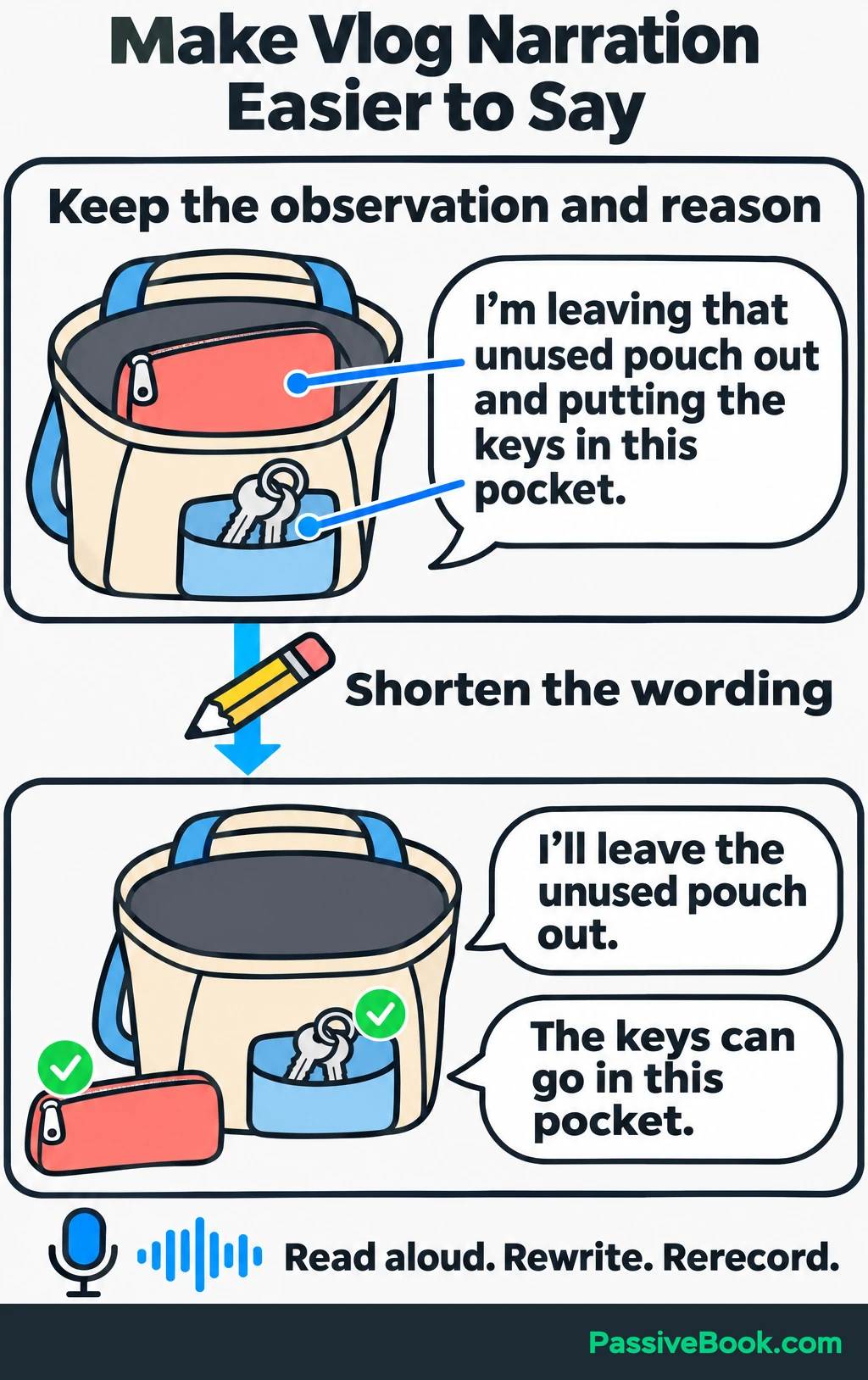
Then rerecord the passage. Your goal is a clear explanation, not an audition for a documentary about ancient empires.
Keep the details that explain your choices. In the sample, the unused pouch matters because leaving it out changes the space around the opening.
Create an AI Voiceover
Synthetic narration is an option if recording your own voice becomes a recurring obstacle. Choose a licensed library voice rather than imitating another person.
Test a paragraph containing any product names, numbers, and changes in emphasis. Adjust pronunciation, pacing, and pauses before generating the full script in sections.
ElevenLabs is one option, but its free plan does not include commercial rights. For a business channel, generate the narration during a paid subscription using an eligible, non-beta service and material you have rights to use. Upgrading later does not retroactively license free-plan output for commercial use. These distinctions are set out in ElevenLabs’ publishing and licensing rules.
Approve the wording first, generate the audio, and match it to the footage. Regenerate only weak passages and check any displayed charge before retrying.
I would pay for narration only after it solves a problem I have actually encountered.
Edit the Footage Into a Clear Story
Import your clips and approved narration, then arrange them in story order. Establish the viewer’s question immediately and keep the actions that explain the result.
For the bag episode, the opening should show the closing problem. A long logo animation can wait indefinitely.
Use AI silence removal as a first pass, then inspect its cuts. A pause while someone moves an item may be necessary viewing time. Automatic trimming cannot judge every demonstration for you.
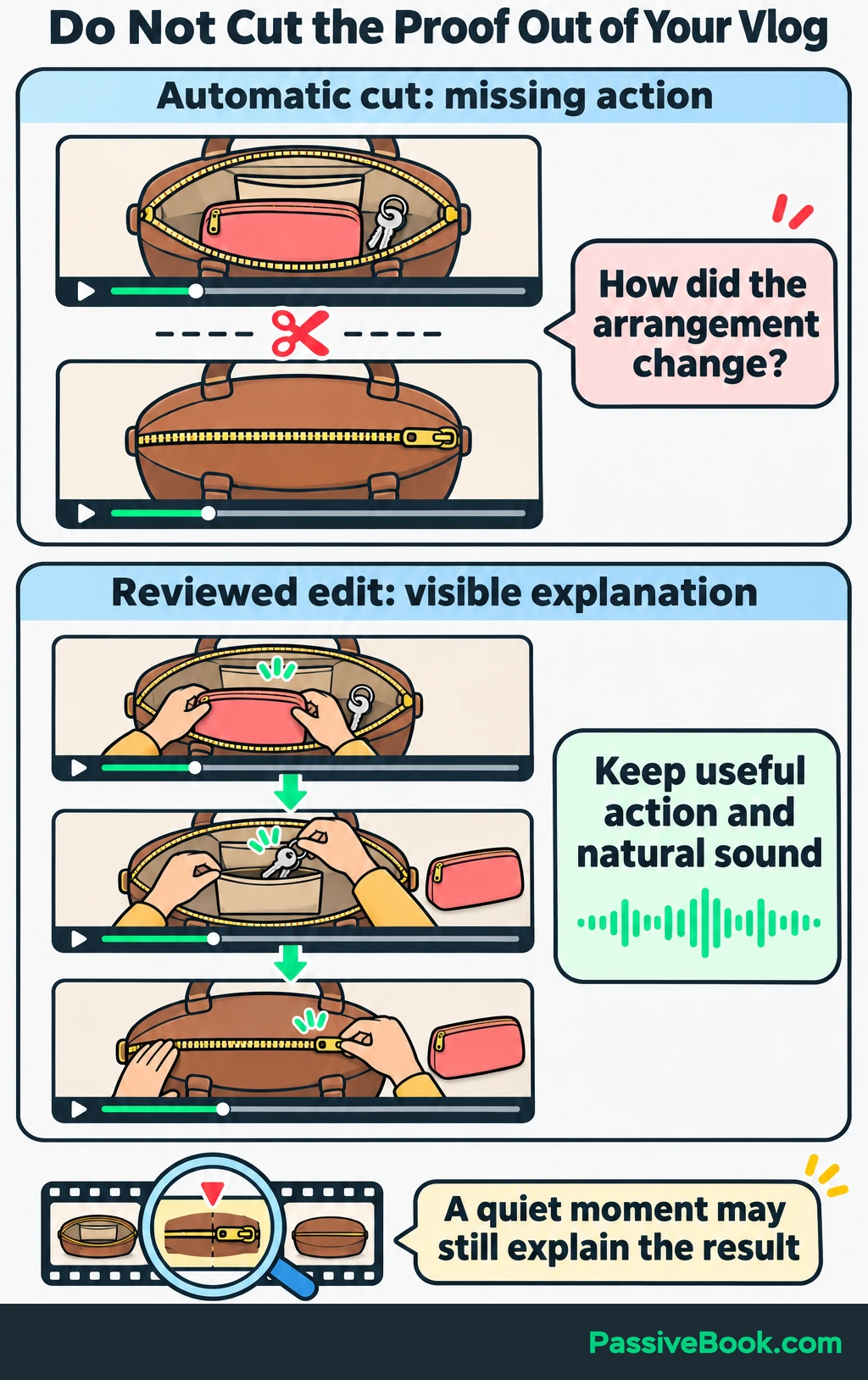
Match each explanation to the relevant action. When the narration mentions the pouch blocking the opening, show that detail. Use close-ups to cover transitions and remove repeated explanations.
Keep speech easy to hear on phone speakers. Music is optional, and I would leave it out if it competes with narration or useful handling sounds.
If you want background music, YouTube’s Audio Library offers tracks usable in monetized videos. Some require attribution, so copy the required credit into your description. YouTube’s Audio Library guidance explains the license distinction.
Generate captions and correct recognition errors, especially product names and words that change the meaning of a sentence. Check that captions remain readable and do not cover the important action.
Export the video and watch it from beginning to end. Check that:
- Story: The opening question receives a visible answer.
- Continuity: Items and actions follow a clear sequence.
- Accuracy: Narration matches the footage.
- Sound and Text: Speech is clear, captions are correct, and labels are readable.
- Generated Material: Illustrations contain no misleading details.
In the example, a zip closing proves that the shown arrangement closes. It does not prove durability, comfort on a long walk, or suitability for every customer.
Create a Title and Thumbnail That Match the Video
Give AI the final transcript and the outcome actually shown. Ask for title options that name the viewer’s question and give a specific reason to watch.
A useful instruction is:
Suggest five clear YouTube titles based on this finished transcript. Keep every promise within what the video demonstrates. Avoid invented tests, exaggerated results, and claims about everyone’s needs.
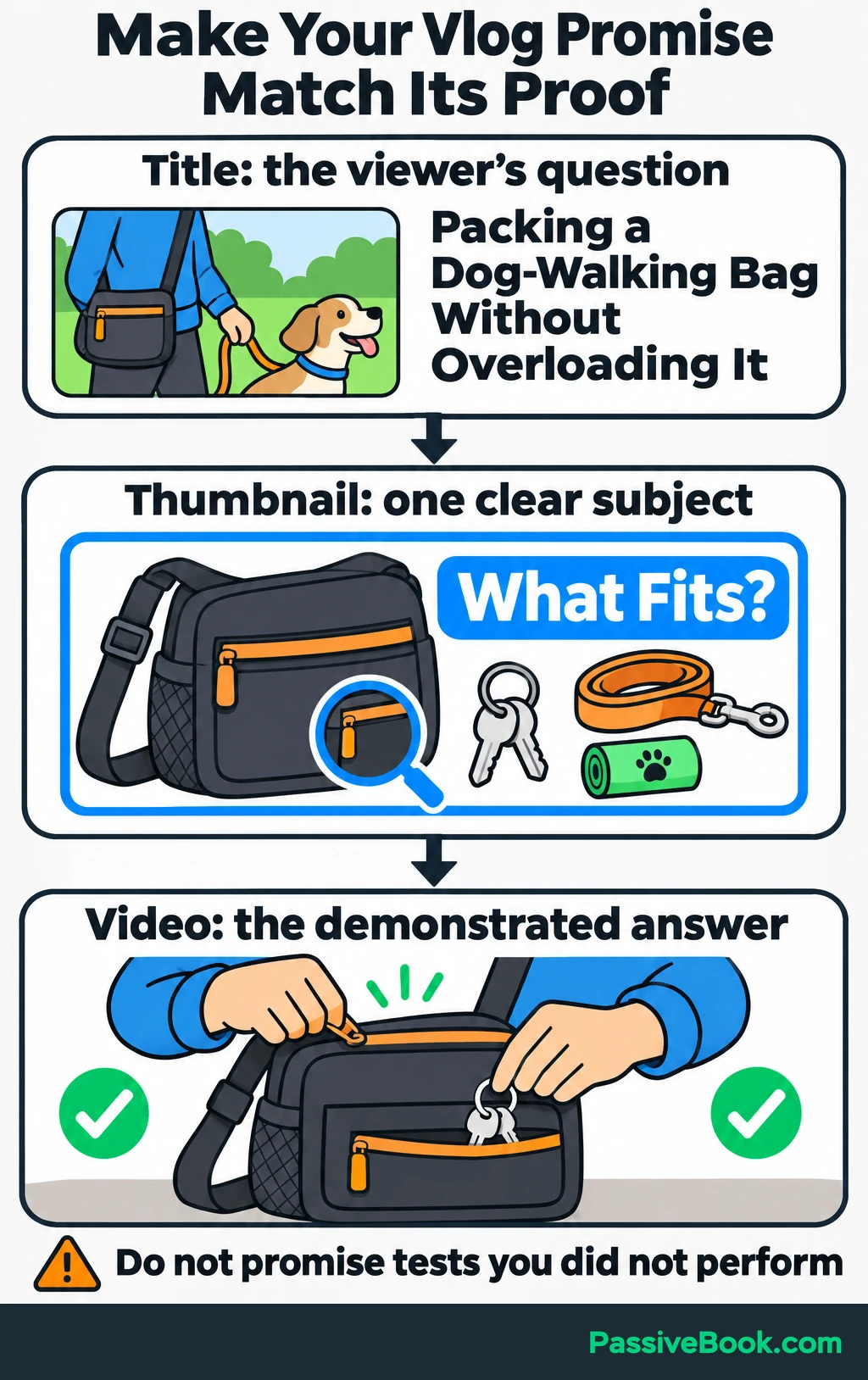
For the running example, “Packing a Dog-Walking Bag Without Overloading It” describes the episode well.
Pair it with a clear photograph of the bag and its contents. Brief thumbnail text such as “What Fits?” supports the title without repeating all of it.
View the thumbnail at a small size. The bag should remain recognizable, and the text should be easy to read. I would choose one clear subject over a collage of tiny objects.
Draft the description from the finished episode. Explain what viewers will see, include necessary sources and asset credits, and offer one relevant next step.
For the shop, that next step can be viewing the bag demonstrated. Avoid turning a useful packing video into a list of unrelated offers.
Review and Publish in YouTube Studio
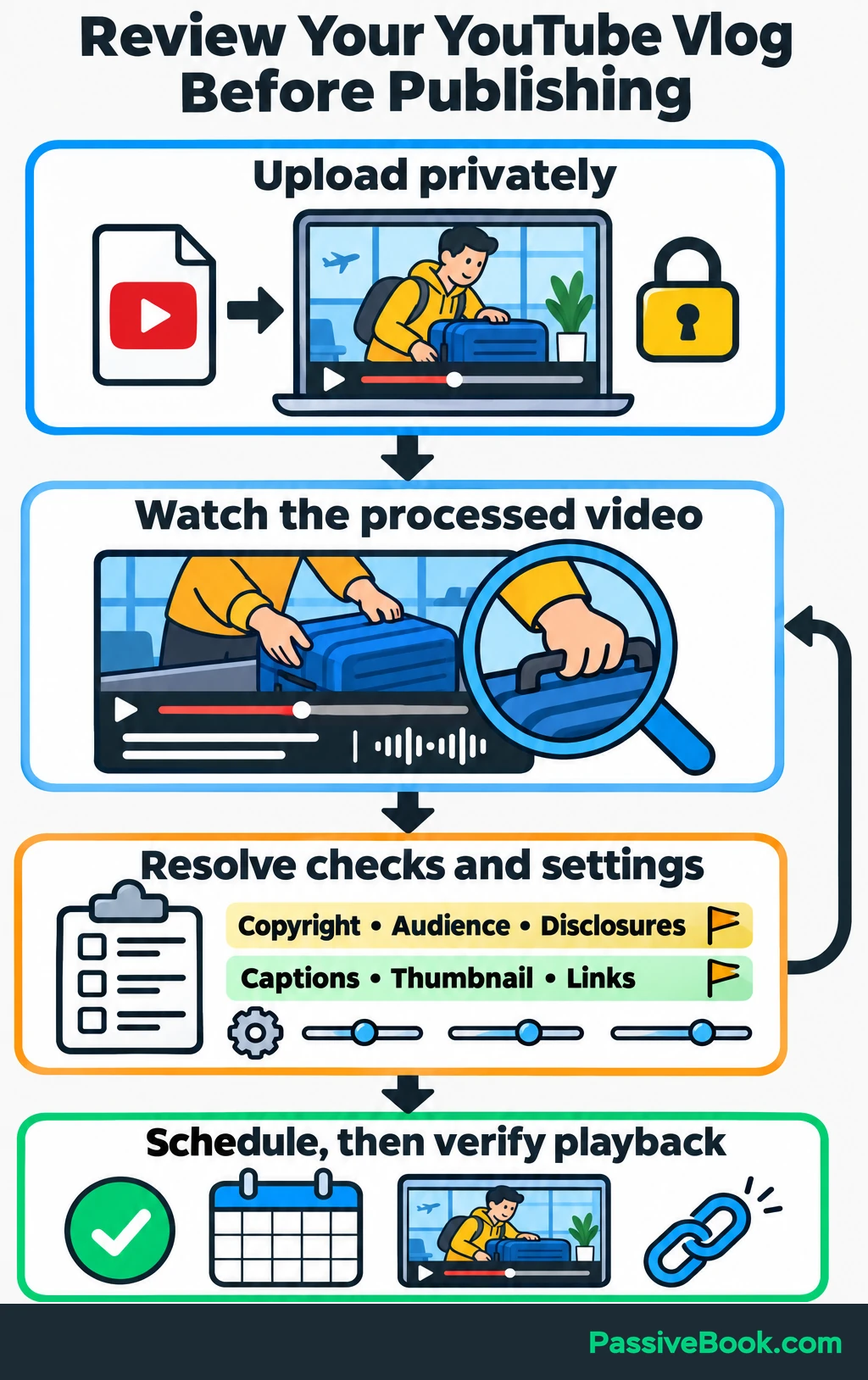
Upload the finished video privately first. Watch the processed version and review available copyright checks before scheduling.
Check the audience designation, captions, thumbnail, description, and links. Resolve flagged material rather than assuming the upload is ready because processing has finished.
YouTube requires disclosure for realistic AI-generated or meaningfully altered content, such as scenes that never happened or making a real person appear to give advice they never gave. Disclose qualifying content during upload using “AI use.”
YouTube exempts script drafting, captions, and cloning your own voice for narration. For other realistic synthetic narration, I would disclose it. Disclosure alone does not affect monetization eligibility. YouTube’s AI disclosure guidance gives further examples.
Commercial relationships need separate attention. Make sponsorships, free products, and affiliate relationships clear alongside the endorsement, including in the video when the endorsement appears there. For endorsements foreseeably affecting U.S. consumers, the FTC’s disclosure guidance applies even when posting from abroad.
Use YouTube’s paid-promotion setting for qualifying relationships as well. The platform label supplements your own disclosure; it does not replace it. See YouTube’s paid-promotion requirements.
Advertising revenue is a separate milestone. The standard eligibility routes require:
- Long-Form Route: 1,000 subscribers and 4,000 qualified public watch hours in the previous 12 months.
- Shorts Route: 1,000 subscribers and 10 million qualified public Shorts views in the previous 90 days.
Shorts Feed watch time does not count toward the 4,000-hour route. Account and regional requirements also apply, and reaching a threshold leads to channel review rather than automatic acceptance. YouTube Partner Program eligibility provides the full requirements.
Keep the original footage, project files, export, and license records together. After publication, check playback and links once more.
Make the Workflow Repeatable
Reuse Production Assets
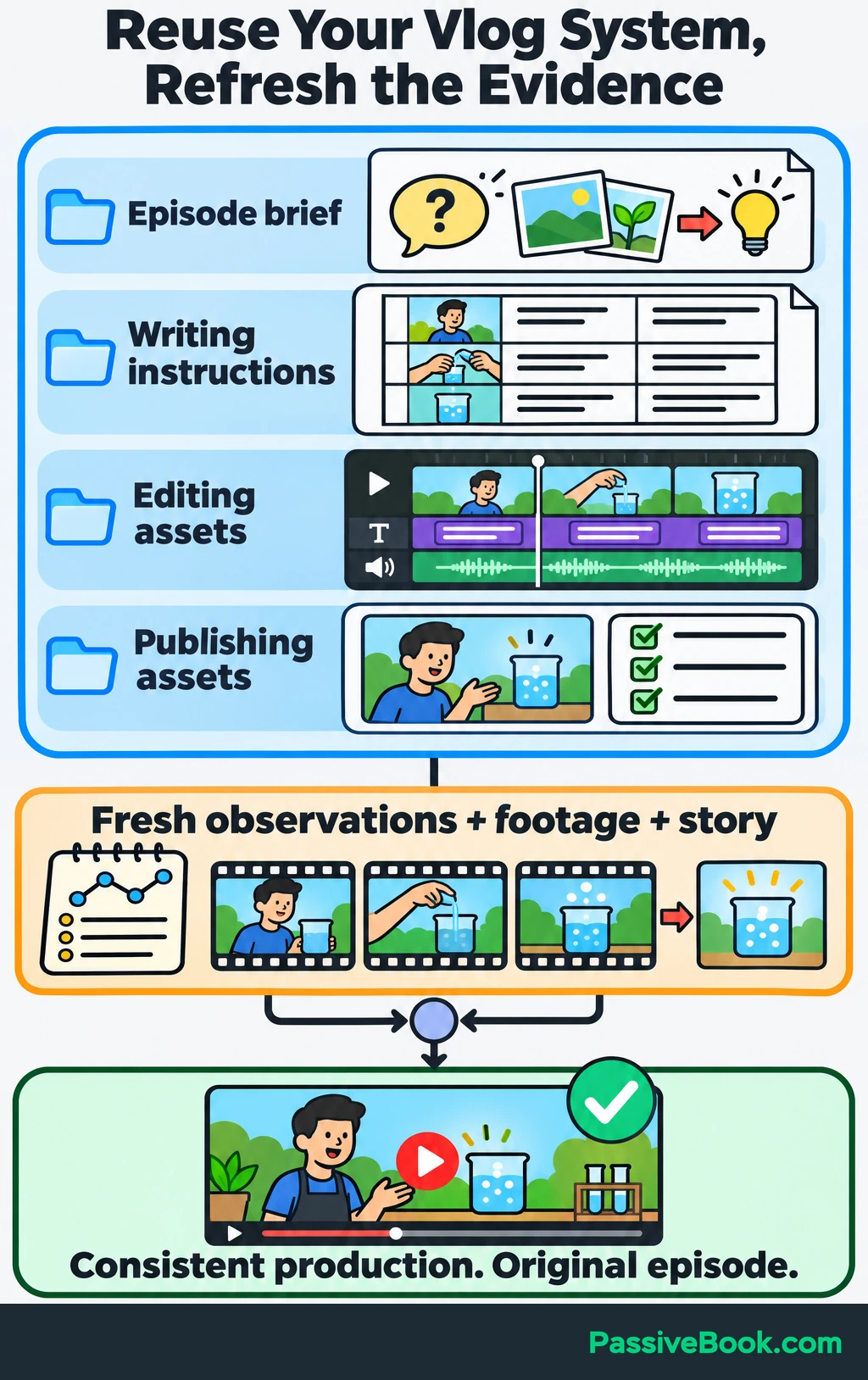
Save the parts that should remain consistent:
- Episode Brief: Viewer question, available evidence, and intended takeaway.
- Writing Instructions: Your script prompt and scene-table structure.
- Editing Assets: Caption style, audio settings, and reusable graphics.
- Publishing Assets: Thumbnail layout and final review checklist.
Each episode still needs its own observations and story. Reuse the structure rather than producing the same argument with a different object on the table.
Building my custom AI article pipeline reduced article production from days to hours. The useful lesson from that blogging work was that reusable instructions removed decisions I kept making again. I still had to judge whether the draft said something worth publishing.
That is the approach I would carry into video, without assuming the same time savings.
For a first short episode, try reserving 30 minutes for planning, 45 for filming, and 90 for editing. This is a starting allowance, and setup or reshoots may take longer.
Track what each stage actually takes, then choose a cadence you can sustain. One finished episode every two weeks gives you more useful feedback than an abandoned daily-upload plan.
Once the workflow works, batch compatible tasks. Photograph several thumbnails during one filming session or draft several briefs together.
If you keep creating episode folders, sending reminders, and preparing drafts, use n8n or Make to connect your apps and automate those tasks. Keep final approval before publication. Automating a process you are still changing mostly helps you repeat the wrong version faster.
Improve and Repurpose Each Upload
Review performance once there is enough activity to inspect. Read the signals together:
- Impressions: How often YouTube showed the thumbnail on counted surfaces.
- Click-Through Rate: How often counted impressions led to a view.
- Retention: Which parts viewers continued watching, skipped, or left.
- Comments: Questions, confusion, and requests viewers chose to share.
Compare the title’s promise with the opening and the result. A disappointing response can have several causes, so avoid letting AI declare a diagnosis from one number.
A retention dip identifies where viewers skipped or left. It does not explain their reasons. Watch that section before deciding what to change, as YouTube’s retention guidance recommends.
Give AI relevant data, the matching transcript section, and anonymized feedback:
Suggest one change to the next episode’s opening or edit. Separate what the data shows from your possible explanation. Do not infer a cause from a retention dip alone.
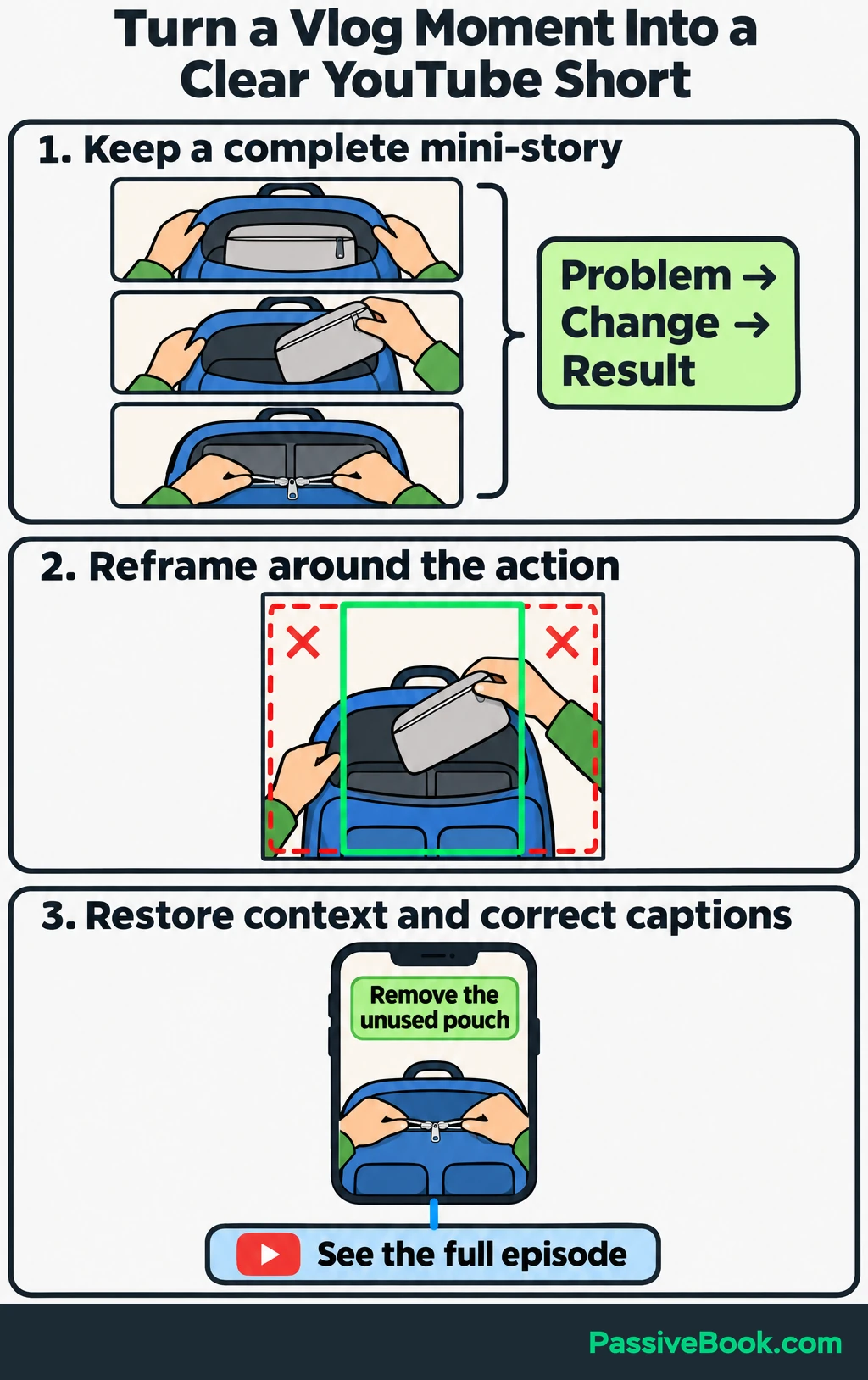
Repurpose a self-contained moment into a Short. In the bag example, show the blocked opening, the unused pouch coming out, and the revised arrangement closing.
Reframe vertically so the important action stays visible, restore enough context to make sense on its own, and correct the captions. Then point interested viewers to the full episode.
Keep tools that remove recurring bottlenecks. Track product-link visits and resulting sales separately from video views, so you can see whether the channel supports the business as well as attracting an audience.
What Next?
Choose one question you can answer with footage you can record this week. Write down the starting situation, your decision, and the result you can show, then use those notes to create a scene outline.
Use the social buttons to share this workflow if it would make planning an affordable first vlog easier.
Which part of producing a vlog would you most like to hand to AI, and which part would you keep yourself? Share your answer or any other questions in the comments.
Share this post with your friends & followers:

