You publish useful advice, but a potential customer still cannot explain what you sell or why they should choose you. More posts will give them more to read, but the buying decision remains difficult.
That gap is frustrating when you are building around a day job. You need your effort to leave behind something useful: a clear reputation, credible work, and an obvious reason to return.
You can build that through writing, graphics, and product demonstrations without turning your private life into content. This guide shows how to connect those pieces so people can understand your value, inspect your work, and take a sensible next step toward buying.
1. Choose the Customer Problem You Want to Solve
Start with a task your offer can help someone complete. “Helping people live better” gives you almost no direction. A specific problem helps you decide what to sell, what to publish, and which questions deserve your attention.
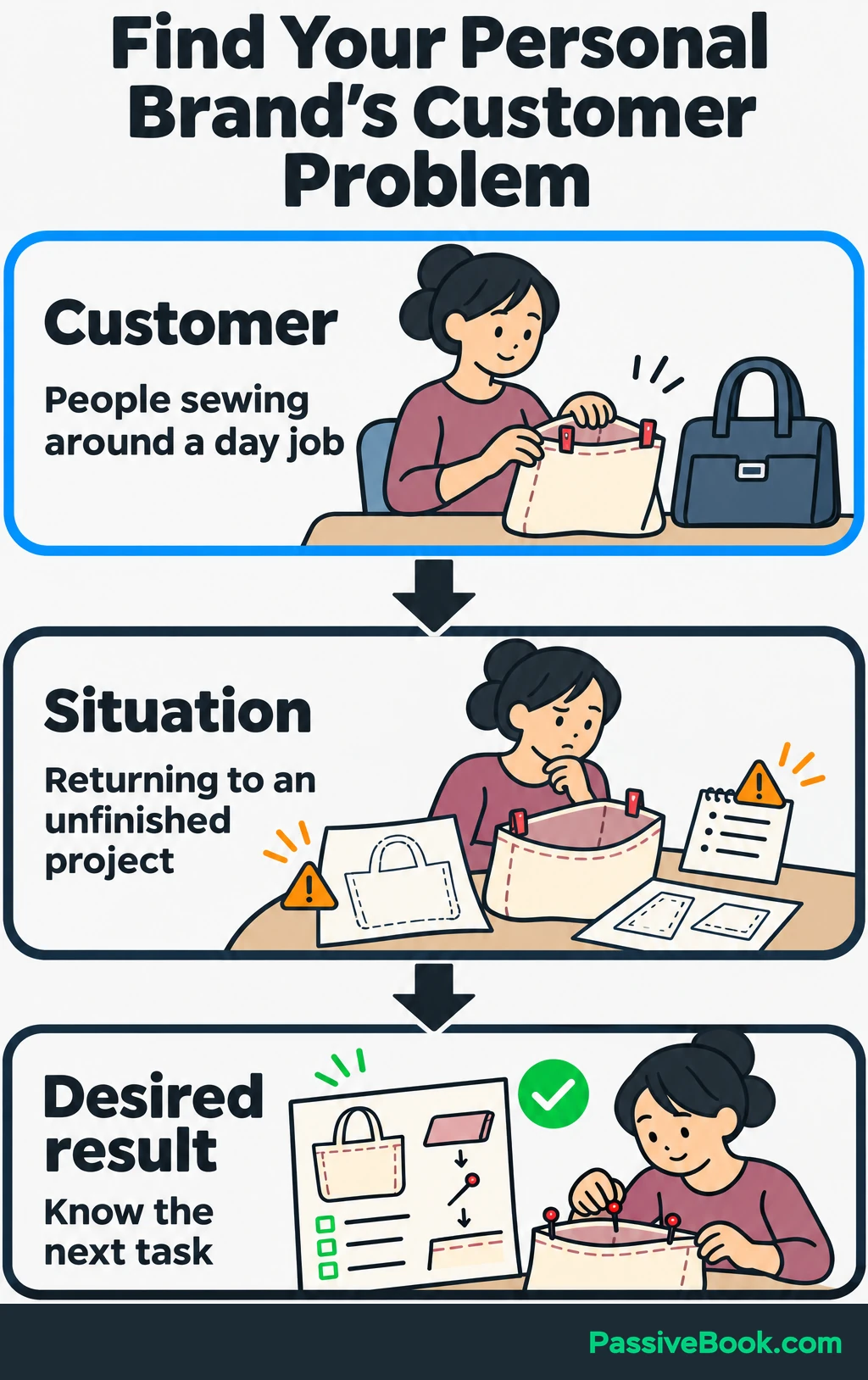
Write down three things:
- Customer: Who experiences the problem?
- Situation: When does it become difficult or urgent?
- Result: What would they like to finish, understand, or organize?
For the running example, imagine Maya sells printable sewing project planners. She sews around a day job and designs sheets for people who return to unfinished projects after several days away.
Her starting problem is concrete: someone opens a half-finished project and cannot remember where they stopped.
Before building a product around that idea, investigate it. Ask potential buyers about their last unfinished project:
- “What did you have to work out before you could continue?”
- “Where had you kept your notes?”
- “What do you currently use to keep track?”
These questions ask about actual behavior. “Would you buy my amazing planner?” mainly tests how politely someone can escape a conversation.
Read competing product reviews and relevant community discussions, too. Look for repeated difficulties and existing workarounds. Perhaps people already use notebooks, but their pattern details, fabric notes, and next steps end up on different pages.
Then check your ability to help. Maya can demonstrate how she organizes projects and test whether her sheets are readable and useful. That is a firmer starting point than claiming to teach every sewing technique.
Choose a problem you can show yourself solving competently.
2. Define What You Want to Be Known for
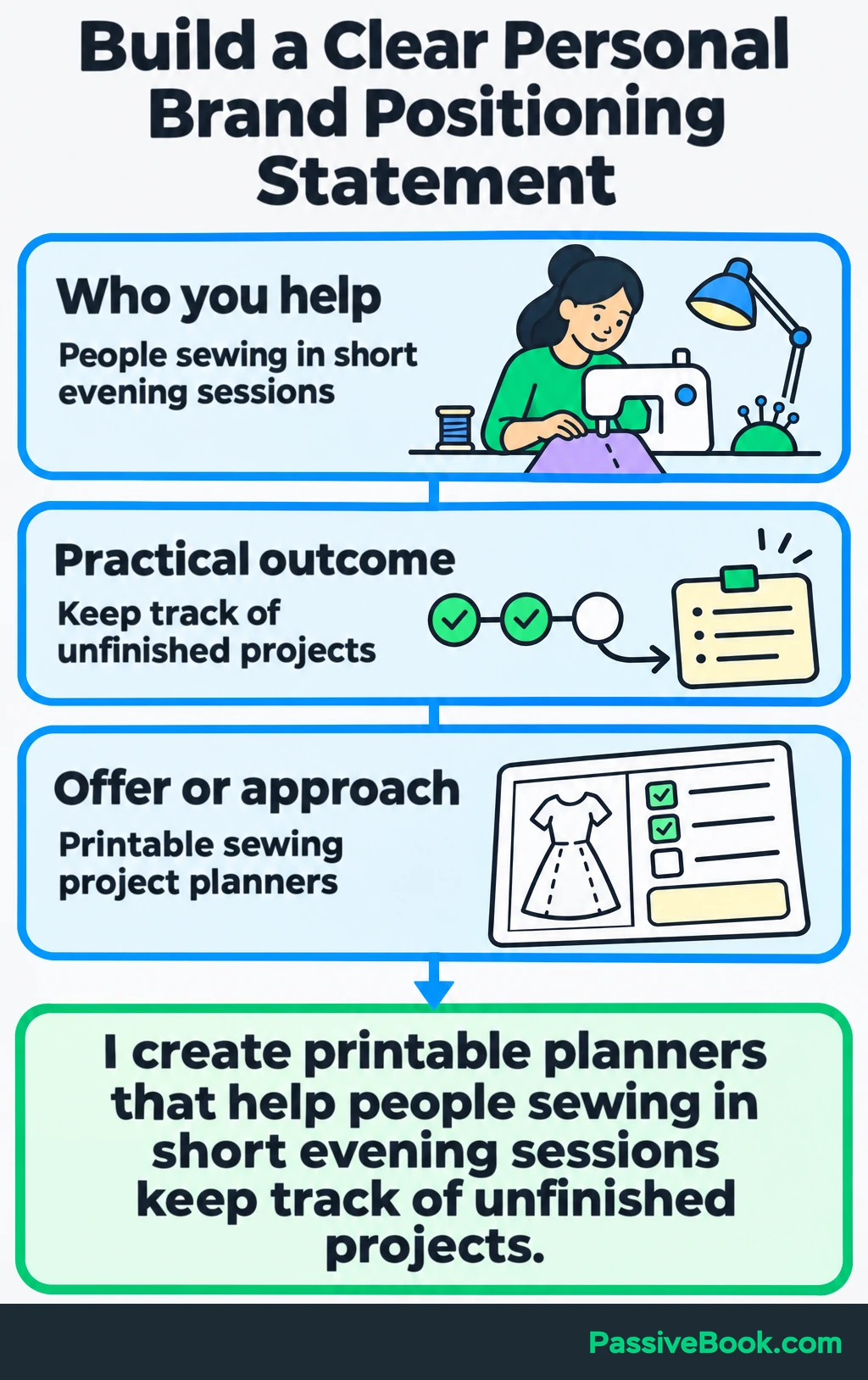
Your positioning is the short explanation of whom you help and what you provide. Try this structure:
I help [specific people] achieve [practical outcome] through [offer or approach].
Maya could write:
I create printable planners that help people sewing in short evening sessions keep track of unfinished projects.
The difference comes from the situation and product design. She does not need to claim she is the only person selling planners.
Ask someone to read your statement and explain what you sell. If their answer is vague, replace broad words with concrete ones. “Creative solutions” could mean almost anything. “Printable sewing project planners” gives them something to picture.
Your personal brand is the reputation attached to you, and your business supplies the product or service behind it. Your positioning statement gives that reputation a direction, but your work has to support it.
Carry the same promise into your public descriptions:
- Profile bio: “Maya | Printable sewing planners for projects you finish between workdays.”
- Website introduction: “Keep your pattern details, progress notes, and next step together.”
- Offer description: “A printable project-planning bundle with individual project sheets and an unfinished-project overview.”
Add a brief story when it explains a product decision. Maya’s example might be:
“I kept returning to projects without remembering where I had stopped. That is why every project sheet includes a space for the next small task.”
The story leads to something buyers can inspect.
Choose a few voice principles, too. “Calm, practical, and specific” should produce clear instructions, readable layouts, and restrained promises. Those choices matter more than repeatedly announcing your values.
If your promise still sounds different everywhere you write it, AI Copywriting Studio can help. It uses your actual offer and experience to draft descriptions that fit together.

Free AI Copywriting Studio




3. Build an Online Presence That Earns Trust
Create a Clear Home Base
Give people one place where they can understand the offer and check who is behind it. An existing business website can do this with a clear introduction and a founder or author page. You do not need a separate personal website.
I prefer self-hosted WordPress, website software you install with a hosting provider. That setup gives me control over the site and room to add features as the business grows. If you already have a working site, improve that before adding another platform.
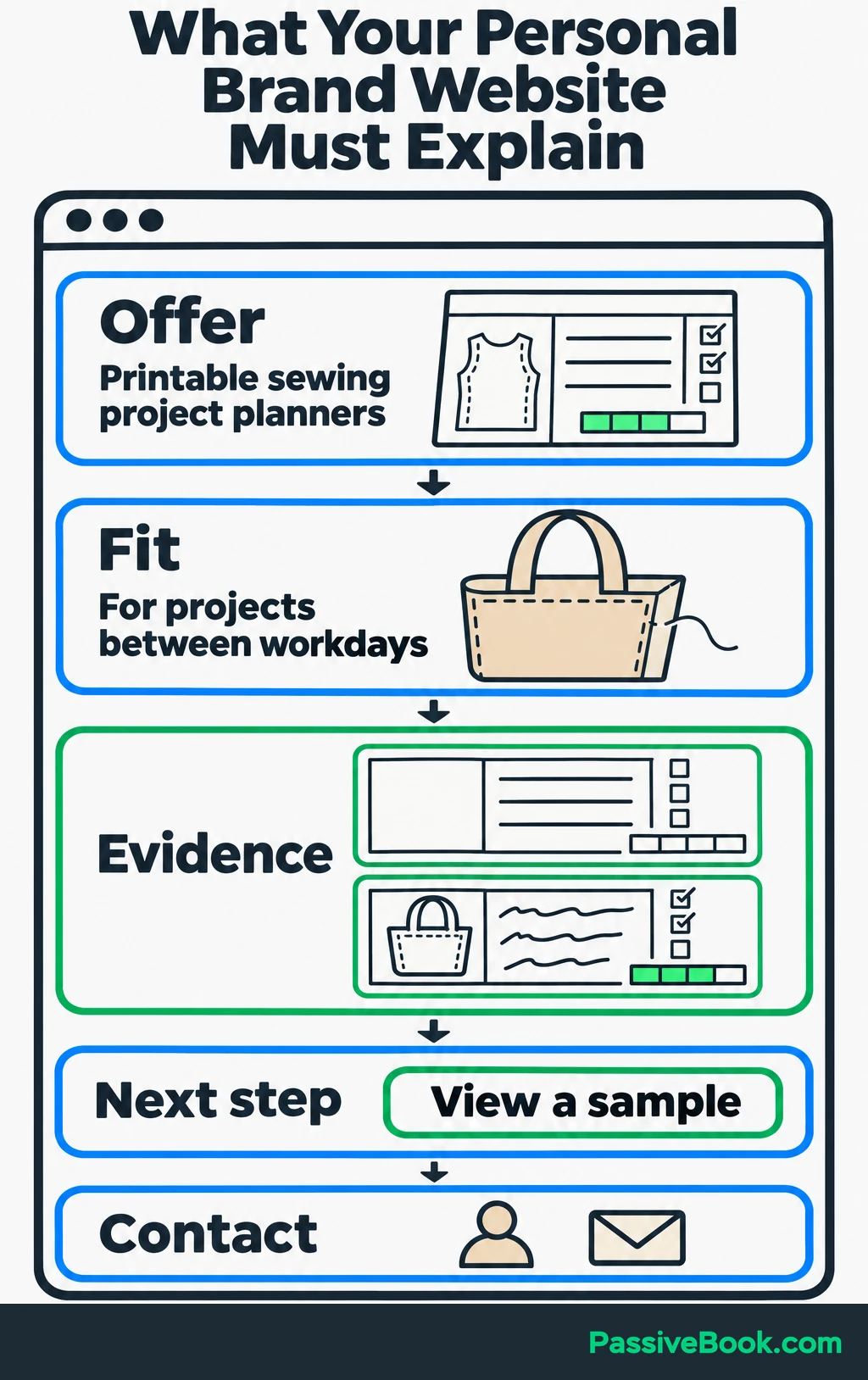
Your main page should answer:
- Offer: What can visitors get?
- Fit: Who is it designed for?
- Evidence: What can they inspect before deciding?
- Next step: Should they view a sample, inquire, or buy?
- Contact: How can they reach the person responsible?
Maya could put a filled-in planner preview beside the blank version. A visitor can then see both what arrives and how it works.
Use the same public name, business description, and recognizable visual style across your site and profiles. A few colors and readable type are enough to begin. Settle them and move on.
You can also set privacy boundaries from the start. Share your methods, relevant experience, and design decisions. You can keep family details and daily life private, and use written walkthroughs or screen demonstrations instead of appearing on camera.
Keep domain access under your control, back up your content, and retain exportable subscriber records. Search your public and business names occasionally so outdated bios do not send people toward an offer you no longer sell.
Show Evidence Before Asking for Trust
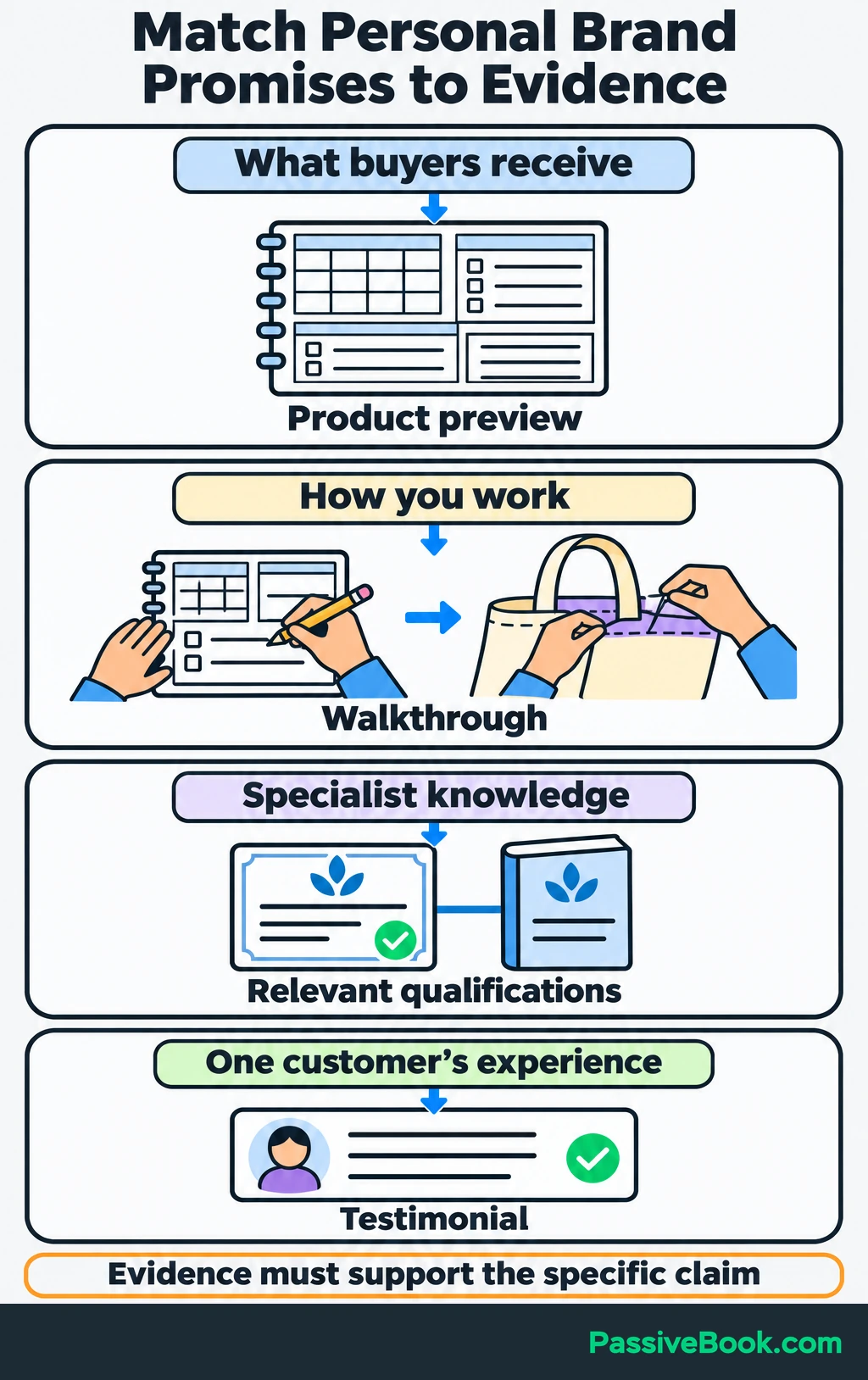
Match the evidence to the promise.
A product preview shows what buyers receive. A walkthrough shows how you work. Relevant qualifications support specialist claims. A testimonial describes one customer’s experience.
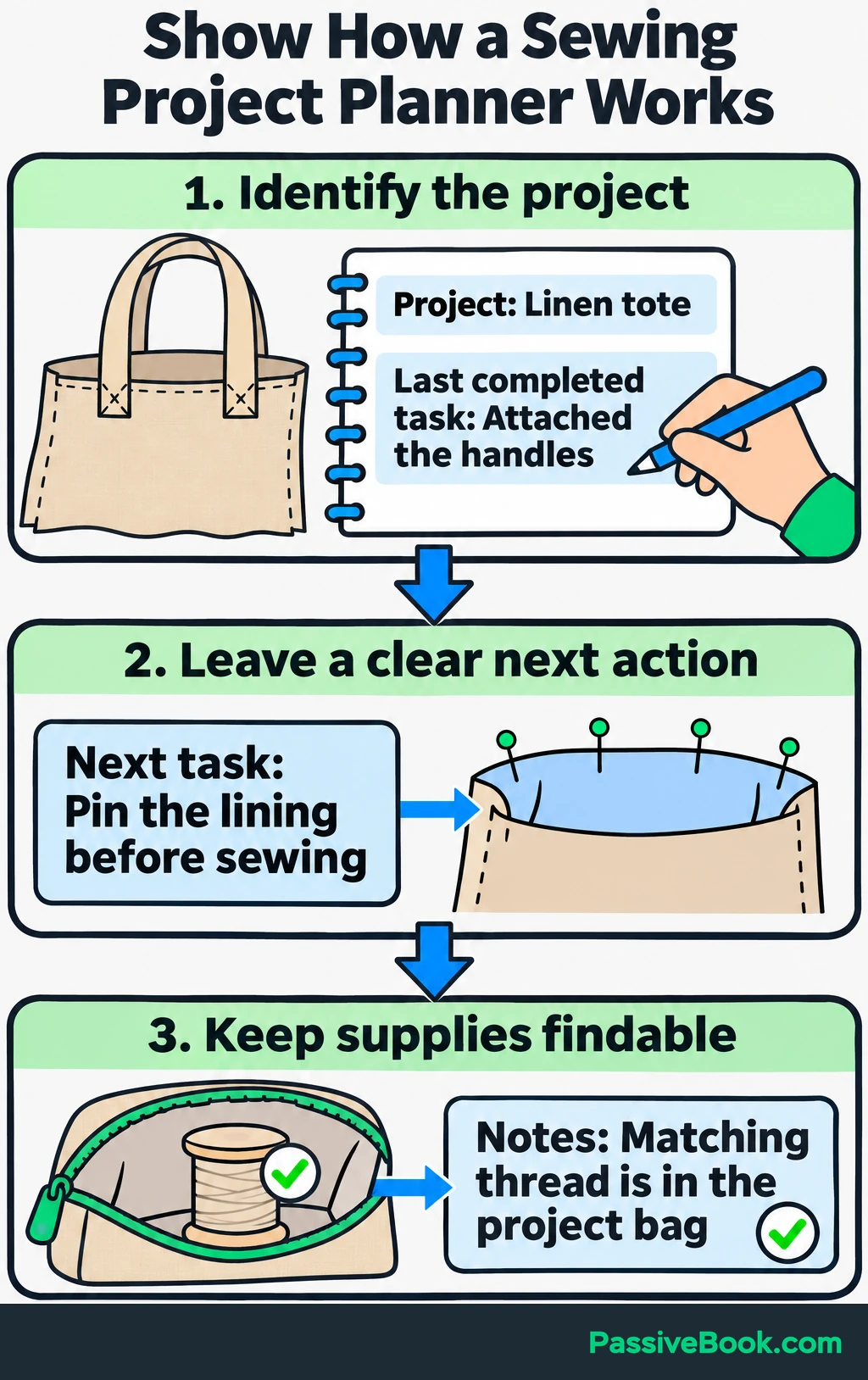
Without testimonials, start with work people can inspect. For Maya’s planner, explain the method first: record the project details, note the last completed task, and leave a clear next action. Then show a filled-in excerpt:
Project: Linen tote
Last completed task: Attached the handles
Next task: Pin the lining before sewing
Notes: Matching thread is in the project bag
This demonstrates the layout without claiming the planner guarantees finished projects.
Keep your experience accurately described. Maya can explain her own planning process without presenting herself as a professional sewing instructor. In pet-care businesses, the same distinction matters: firsthand ownership experience does not establish veterinary or behavior expertise.
As customer feedback arrives, ask permission to use it and preserve its meaning. Build case studies around the original difficulty, how the product was used, and the documented result.
For U.S.-directed endorsements, disclose unexpected connections that could affect how readers judge the recommendation, such as a free product supplied for a review. The FTC’s endorsement guidance explains that requirement.
4. Choose Where to Reach Potential Customers
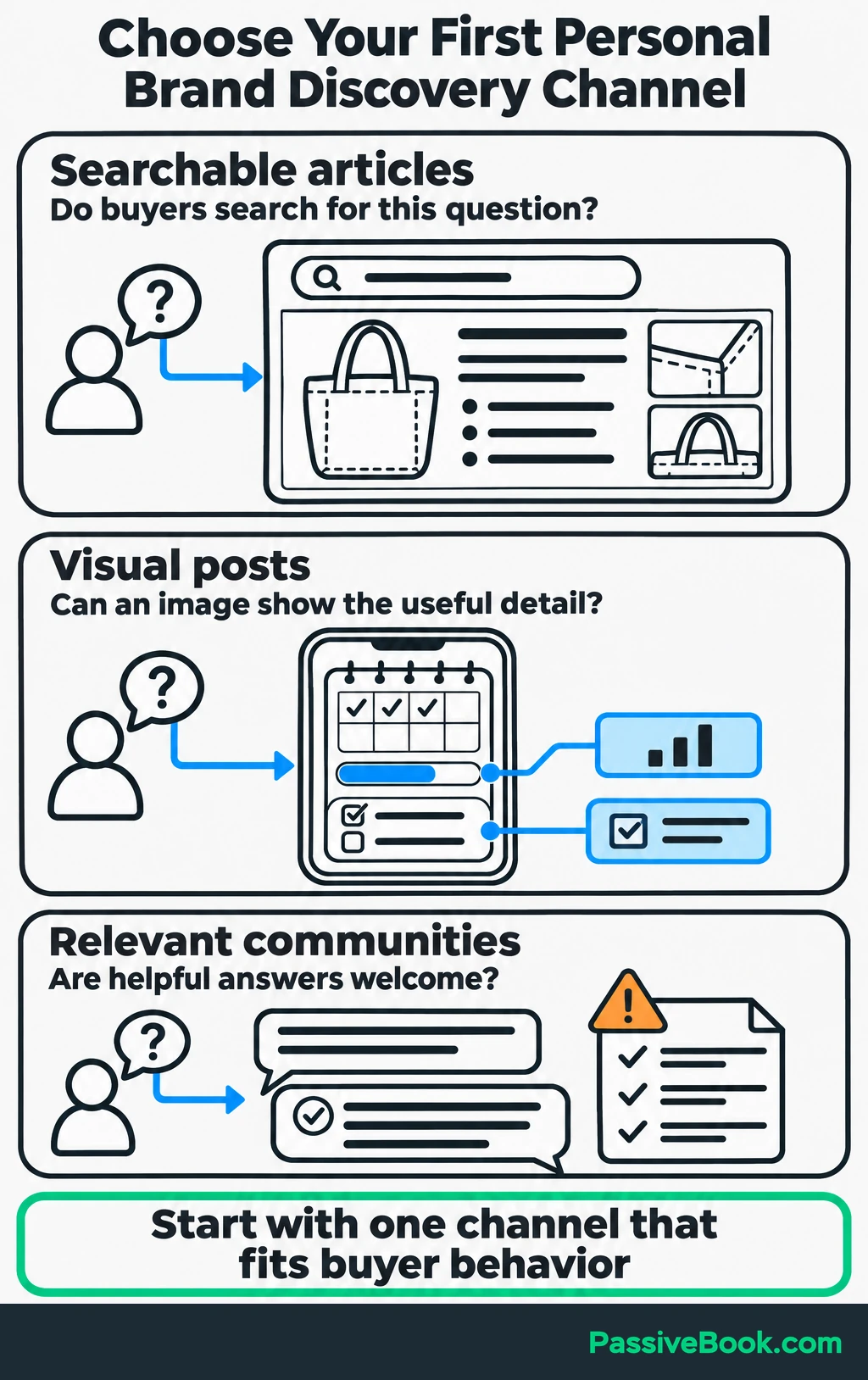
Choose one discovery channel first. Base the choice on where potential buyers seek help and which format lets you answer well.
Different channels do different jobs:
| Channel | What you can do there | What I would check first |
|---|---|---|
| Searchable articles | Explain a detailed problem and demonstrate a method | Do potential buyers search for questions your offer addresses? |
| Visual posts | Show a layout, process, or product in use | Can someone understand the useful detail from the image? |
| Relevant communities | Answer questions and learn how people describe problems | Are these conversations welcome, and what promotion rules apply? |
At Passive Book, my active channels are blogging and Pinterest. Writing gives me room to explain a process, and graphics give me another way to distribute that work. That combination suits how I work.
Choose yours from customer behavior rather than copying my setup.
Maya could investigate searches about organizing unfinished sewing projects and discussions in sewing communities. If detailed explanations and annotated planner images fit those questions, articles supported by Pinterest would be worth testing.
Start by contributing useful answers. Follow community rules and add a link only when the resource directly helps with the question. Repeatedly steering every discussion toward your shop is a quick way to become memorable for the wrong reason.
Build relationships with complementary businesses, too. Maya might offer a sewing teacher an annotated planning sheet for a resource page. A relevant, useful contribution gives that person a reason to introduce her work.
5. Publish Useful Content Consistently
Answer Questions That Connect to Your Offer
Build a question bank from customer conversations, support requests, community discussions, and purchase objections. Group the questions into a few recurring subjects.
Maya’s subjects could be starting a project, recording progress, and returning after a break. Each connects naturally to her planners.
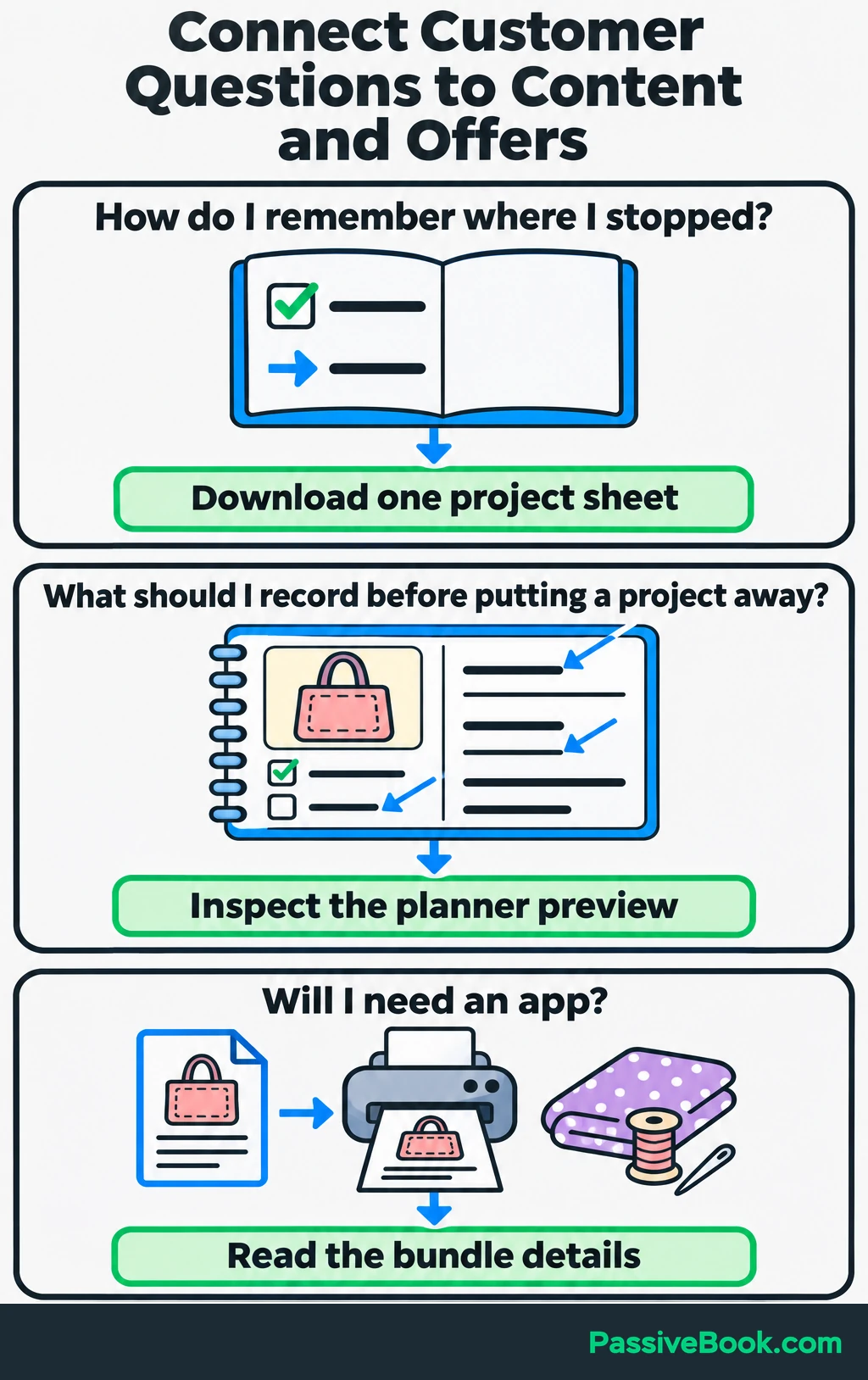
Give each piece one clear job:
| Customer question | Useful content | Relevant next step |
|---|---|---|
| “How do I remember where I stopped?” | A guide to leaving useful project notes | Download one project sheet |
| “What should I record before putting a project away?” | An annotated filled-in example | Inspect the planner preview |
| “Will I need an app to use this?” | A short demonstration of the printable files | Read the bundle details |
Teach the process before showing the product. For the first question, explain how to record the last completed task and choose the next small action. Then demonstrate where those notes go on the sheet.
Include product explanations alongside educational content. People considering a purchase need to understand file formats, printing, and what the bundle contains. Those are useful publishing topics.
Stories help when they reveal judgment. Explain why you removed a field, changed a layout, or rewrote an instruction. Give the reader a reason to care about the decision.
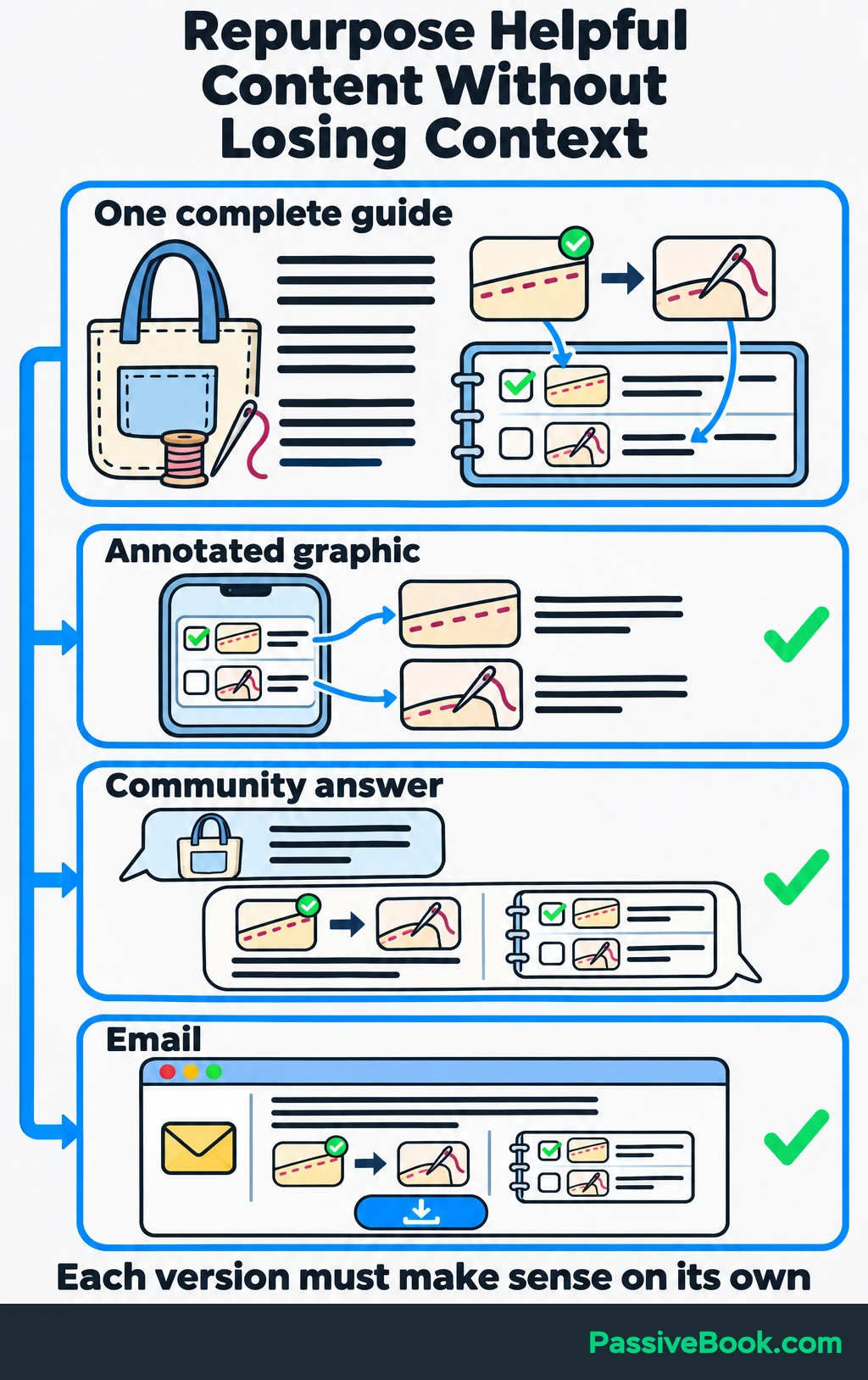
Once a guide is finished, adapt it into an annotated graphic, a short community answer, or an email. Make each version understandable on its own, with enough context to be useful where it appears.
Build a Manageable Production Workflow
Complete one publishing cycle before promising a schedule. Count the whole job: research, drafting, examples, review, publishing, distribution, and replies.
I learned this while building a membership site alongside corporate work. I had committed to an ongoing supply of premium content, and keeping that supply moving became unsustainable. The business model kept handing me another deadline.
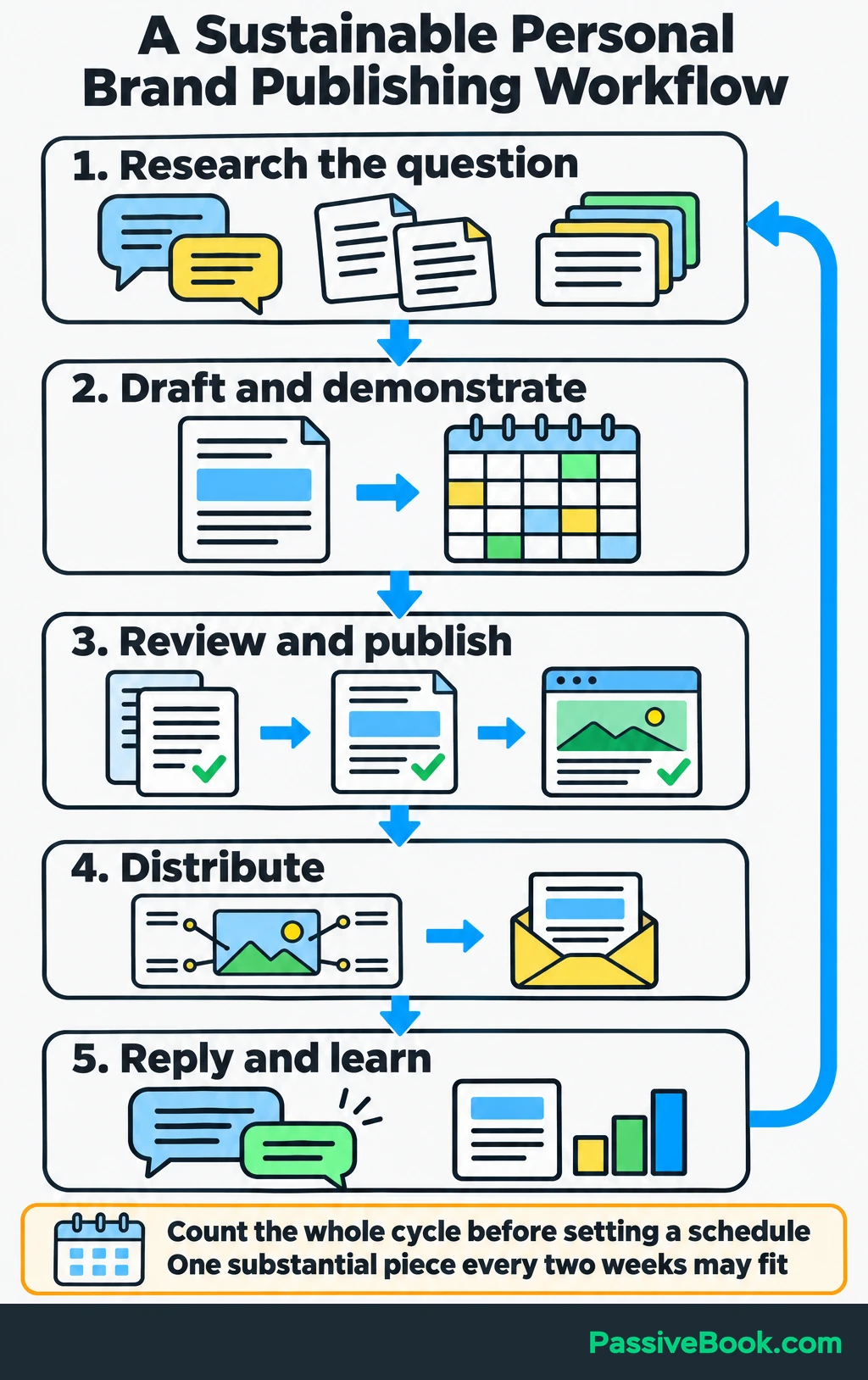
That experience shapes my advice here: choose a pace you can maintain during an ordinary busy week.
Start with one substantial piece every two weeks if that fits your available time. Keep a simple calendar recording the customer question, format, demonstration, next action, and publication date.
Batch similar tasks. Research several questions together, reuse a readable graphic layout, and prepare distribution copy after approving the main piece.
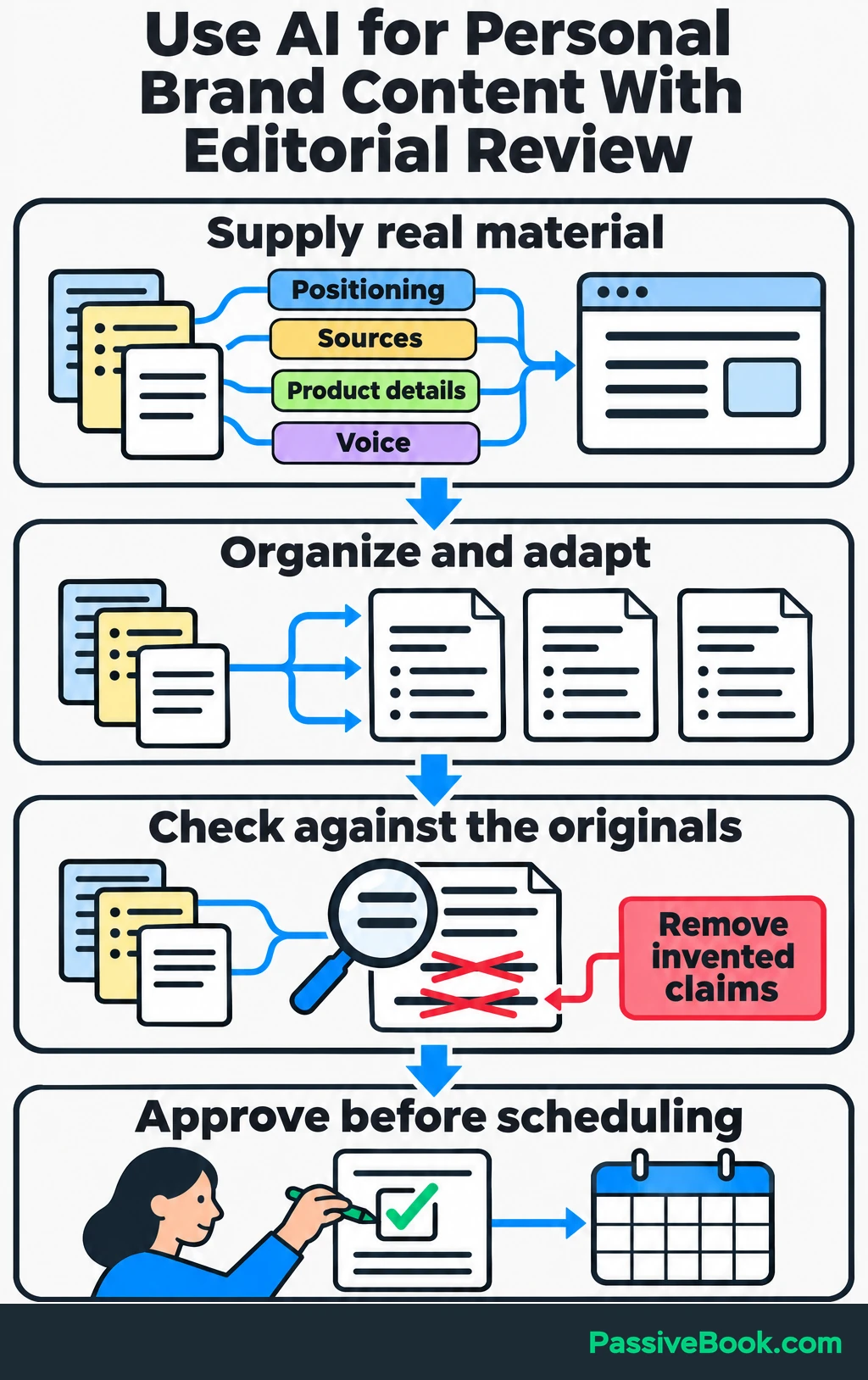
AI can help organize notes, suggest structures, edit drafts, and adapt finished work. Give it your positioning, source material, product details, and voice examples. A useful instruction might be:
Turn these planner demonstration notes into three post outlines. Focus on returning to an unfinished sewing project. Preserve the supplied details, use a calm and practical voice, and flag anything that needs more information.
Check the result against the actual product and original sources. Remove invented experience, qualifications, quotations, and customer results. Google’s guidance on generative AI content specifically calls for manual fact-checking and review before publication.
Once the process works reliably, automate scheduling and routine delivery. Keep final editorial decisions and substantive customer conversations under your supervision. Those conversations often reveal what the next useful piece should explain.
6. Give Interested People a Clear Path to Buy
Connect each piece to a relevant next action. Someone reading a beginner guide may want a sample, while someone inspecting the product may be ready to purchase.
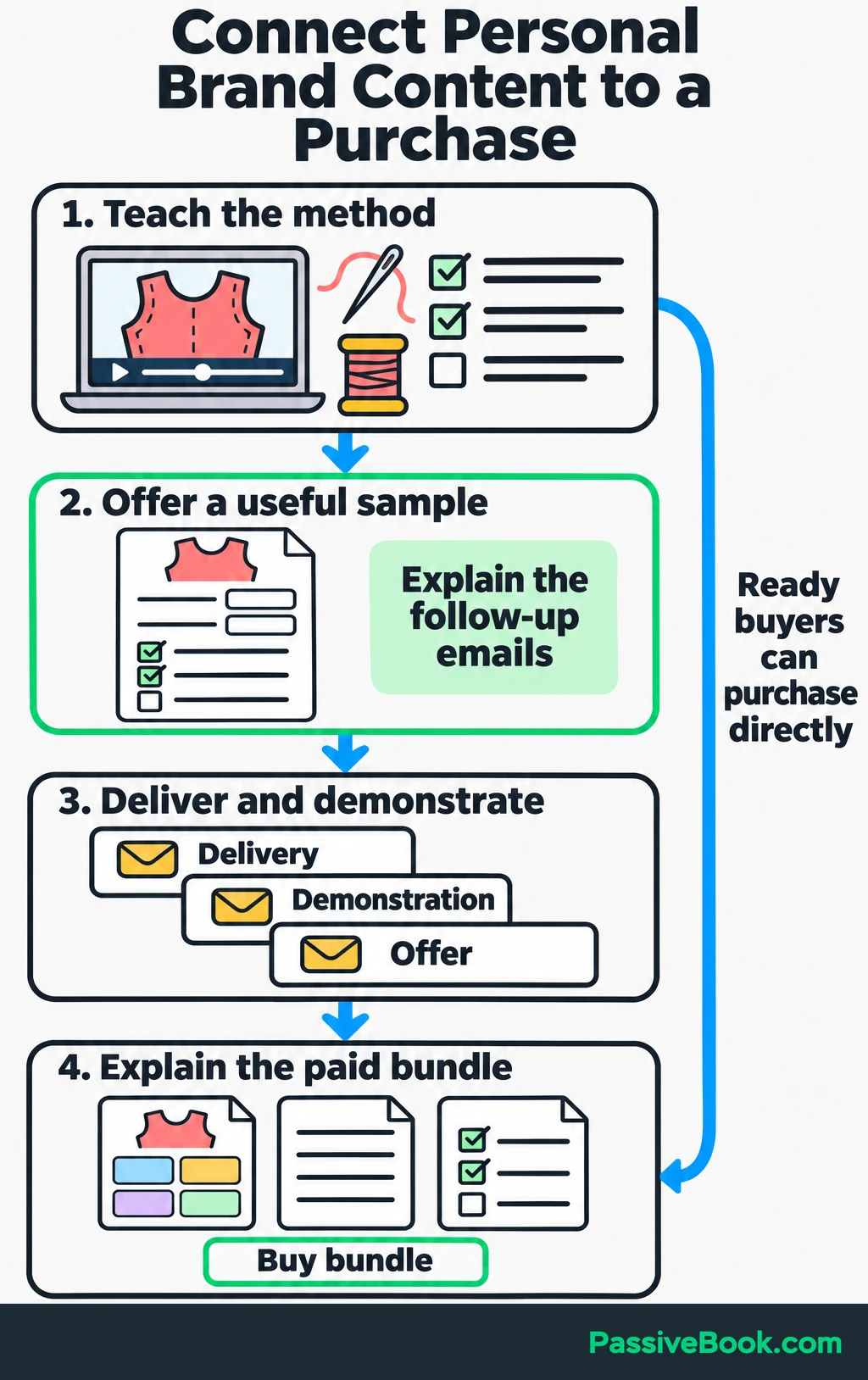
For Maya, the path could be:
- A guide explains how to record progress before putting a sewing project away.
- A free project sheet lets readers try the method.
- A short email sequence demonstrates its use and introduces the paid planning bundle.
- The product page shows the additional layouts and provides a direct purchase option.
The guide’s invitation can be simple:
Download the free project sheet to keep your progress notes and next task together.
Explain what subscribers will receive before they opt in, including the follow-up emails. Keep a direct purchase link available for visitors who already want the bundle.
The paid offer needs a clear reason to exist beyond the free sheet. In this example, that could be a project overview, individual project records, and a materials checklist.
State the file format, page sizes, whether files are editable, what instructions are included, the price, and how delivery works. Show a usable preview. A buyer should not have to email you to discover that “planner” means a printable PDF.
For follow-up emails, I would keep the sequence short:
- Delivery: Send the promised sheet and explain where to begin.
- Demonstration: Show a filled-in example and explain one useful choice.
- Offer: Present the bundle, its extra layouts, and a clear purchase link.
Add another email when a recurring buying concern deserves an answer.
For an existing WordPress business, I would consider FluentCRM to manage this sequence. It supports email campaigns and automated workflows inside WordPress. Keep a functioning email tool if it already handles the job.
Use a recognizable sender name and invite replies. For U.S. commercial emails, use accurate sender information and subject lines. Include any required advertising identification, a valid postal address, and a clear way to unsubscribe. Honor opt-out requests within 10 business days. The FTC’s CAN-SPAM guide explains the requirements.
After purchase, make the download and instructions easy to find. When customers repeatedly get stuck at the same point, improve the product or explanation. Your reputation continues to form after payment.
7. Refine Your Brand Using Customer Response
Review whether people understand your promise, take useful next steps, and buy.
I spent six months chasing Instagram and Twitter/X followers in another niche. The follower work had no useful connection to an offer, and it produced little business income.
That is why I would track the route toward a purchase alongside audience growth.
Keep a simple record of content topic, channel, production time, relevant visits, signups or inquiries, purchases, and customer feedback. Review it monthly, and avoid drawing large conclusions from a handful of visits.
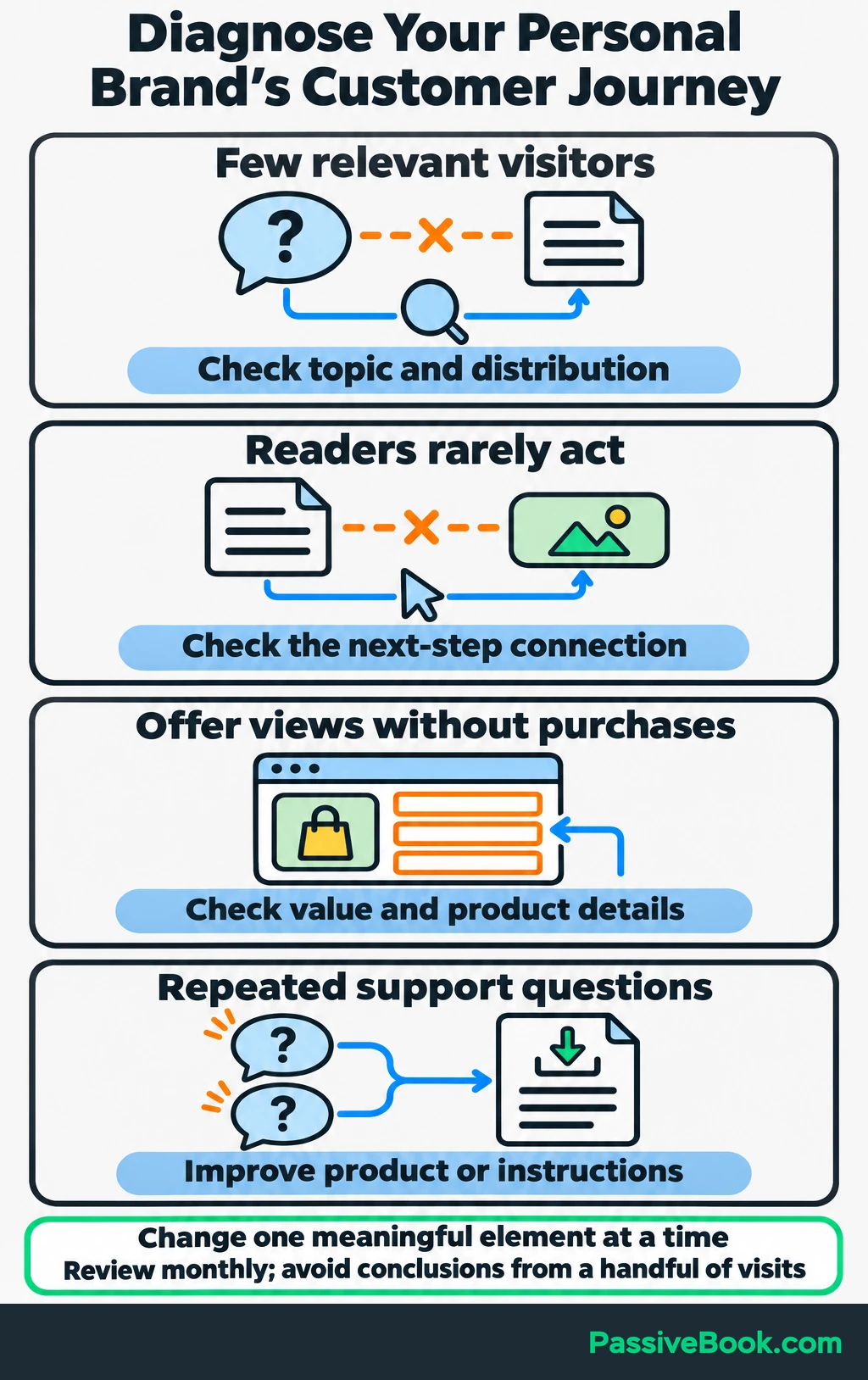
Use the problem you observe to choose the next change:
| What you observe | What I would check first |
|---|---|
| Content attracts few relevant visitors | Whether the topic matches a customer question and reaches people who have it |
| Visitors read but rarely take the next step | Whether the sample or offer follows naturally from the content |
| People inspect the offer but do not buy | Whether the value, product details, and answers to buying concerns are clear |
| Buyers repeatedly ask the same support question | Whether the product or delivery instructions need changing |
Ask buyers what brought them to you, what they associate with your name, and what helped them decide.
If Maya wants to be known for helping people resume unfinished projects, but buyers mainly mention decorative layouts, she has something to investigate. She may need to show the practical method more clearly, or learn whether customers value a different part of the offer.
Change one meaningful element at a time and record what happens. Buyer recollections and sales records reveal parts of the journey, but they cannot isolate how much personal branding contributed to a purchase.
Keep the core promise recognizable while improving how you explain and deliver it. Every disappointing month does not require a new identity.
What Next?
Write one sentence naming the customer problem you solve, then place one useful work sample beside it on your website. Ask a potential buyer to explain what they think you provide.
Use the social buttons to share this guide if it would help a business conversation move from “post more” to a clear promise, visible evidence, and a path to purchase.
What do you want customers to associate with your name, and which piece of your work supports that reputation? Share your answer in the comments, along with any other questions.
Share this post with your friends & followers:

