You need feedback by Tuesday, but your subject line says “Quick question.” The deadline is buried in the email, and the recipient has to open it just to find out what you need.
That makes a useful message harder to act on. A delivery email, newsletter, or offer can create the same problem when its subject hides the detail that matters. The examples below compare wording for those different jobs, from everyday requests to sale reminders, so you can draft a subject that fits the email without turning every message into an emergency.
How to Write an Email Subject Line
Write the email first, then use its main point to draft the subject. Name the topic and give this recipient a reason to read or respond.
For the examples, imagine you sell a beginner watercolor guide and offer a free color-mixing chart through your newsletter. The wording illustrates choices you can adapt; these are not tested campaign winners.
1. Identify the Recipient’s Reason to Read
Read your draft and finish this sentence:
The recipient needs to know ___ or do ___.
Choose one main purpose. You might be delivering a resource, requesting feedback, teaching a skill, or introducing an offer. If you cannot choose, the email itself may need a clearer focus.
Then consider what the recipient already knows. A customer waiting for a purchase needs to recognize the download email. A subscriber who has not bought needs a reason to consider the product.
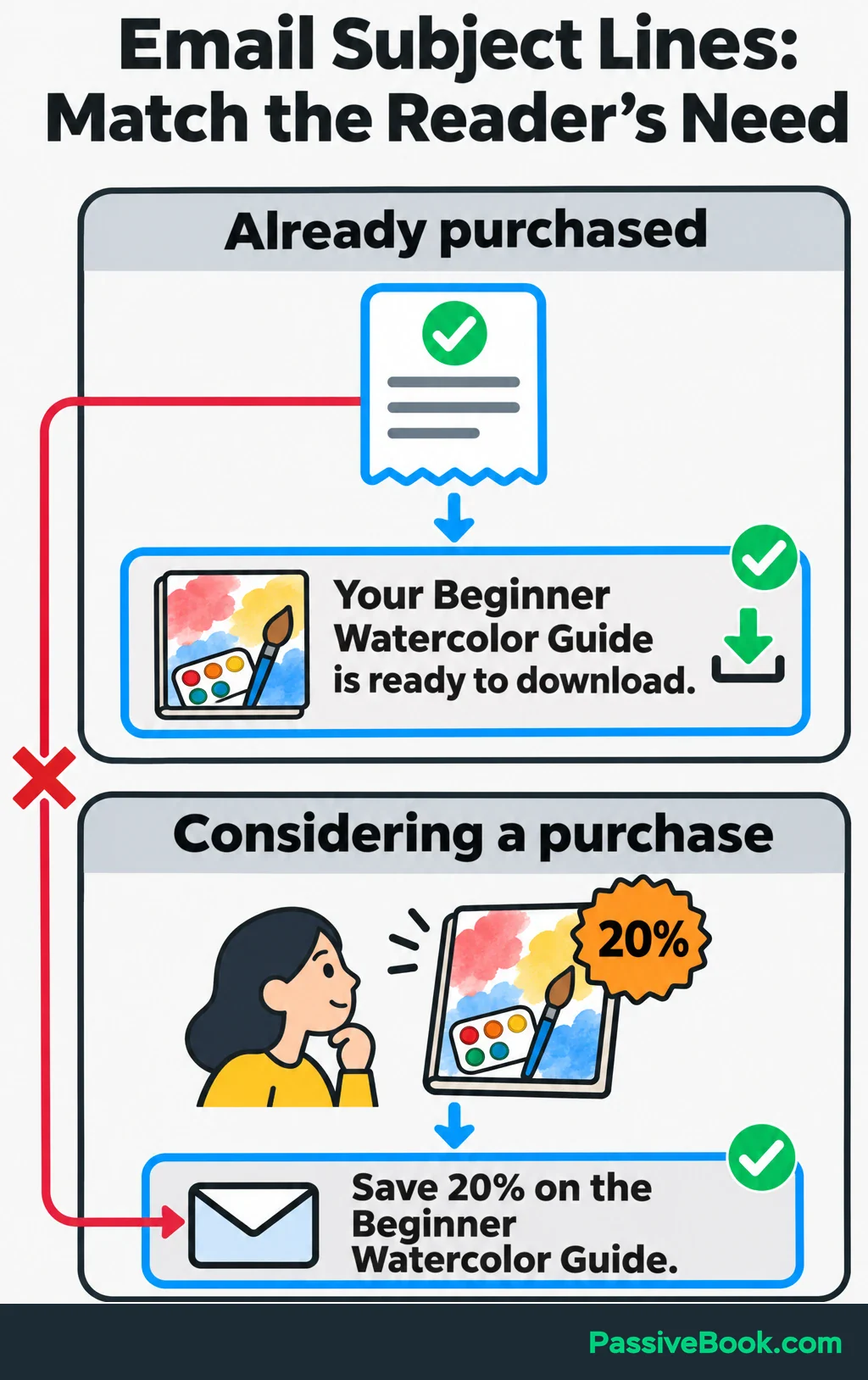
For the watercolor business, those are different messages:
- Purchase delivery: “Your Beginner Watercolor Guide is ready to download.”
- Product promotion: “Save 20% on the Beginner Watercolor Guide.”
The first confirms something expected. The second introduces a buying opportunity. Swapping them would create confusion.
For a professional request, identify the decision or task and include a useful deadline. Follow any subject instructions the recipient supplied, such as a project code. Clever wording can wait behind the identifier they need to find your message.
2. Choose a Structure That Makes the Purpose Clear
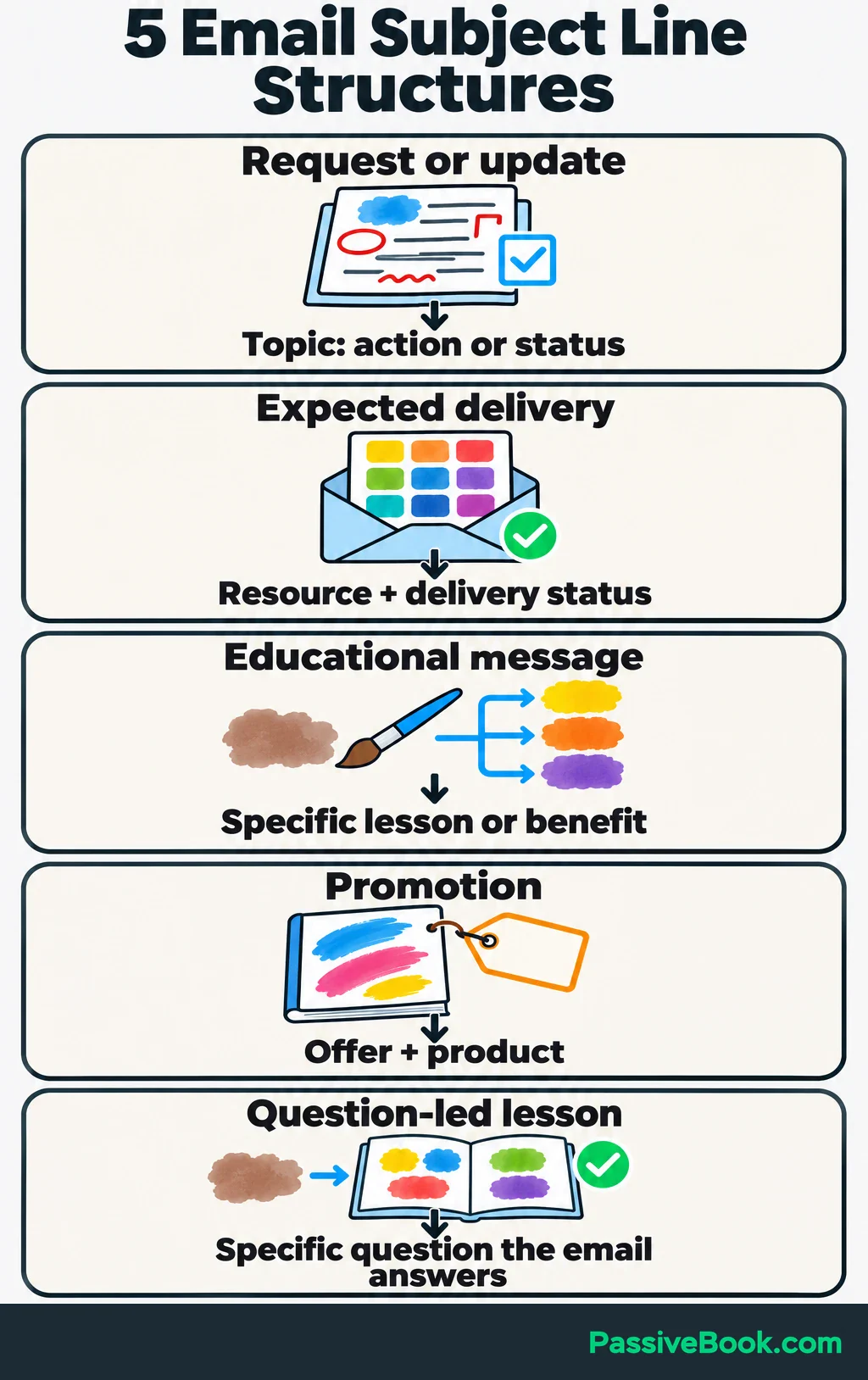
You do not need a new idea for every email. Start with a structure that fits its purpose:
- Request or update:
[Topic]: [action or status]
“Watercolor guide: Please review the mixing chapter.” - Expected delivery:
[Resource or purchase] + [delivery status]
“Your watercolor color-mixing chart is ready.” - Educational message:
[Specific lesson or benefit]
“3 ways to avoid muddy watercolor colors.” - Promotion:
[Offer] +
“Save 20% on the Beginner Watercolor Guide.” - Question-led lesson:
[Specific question the email answers]
“Why do your watercolors look muddy?”
A question works when it names a recognizable problem and the message answers it. “Can you guess?” gives the reader much less to work with.
Draft three alternatives for the same email. For a chart delivery, you might write:
Your watercolor color-mixing chart is ready
Start mixing colors with your new chart
Ready to try your first watercolor mixes?
I would choose the first. The subscriber asked for a chart, so helping them recognize its arrival matters more than adding curiosity.
3. Shorten the Line Without Losing Meaning
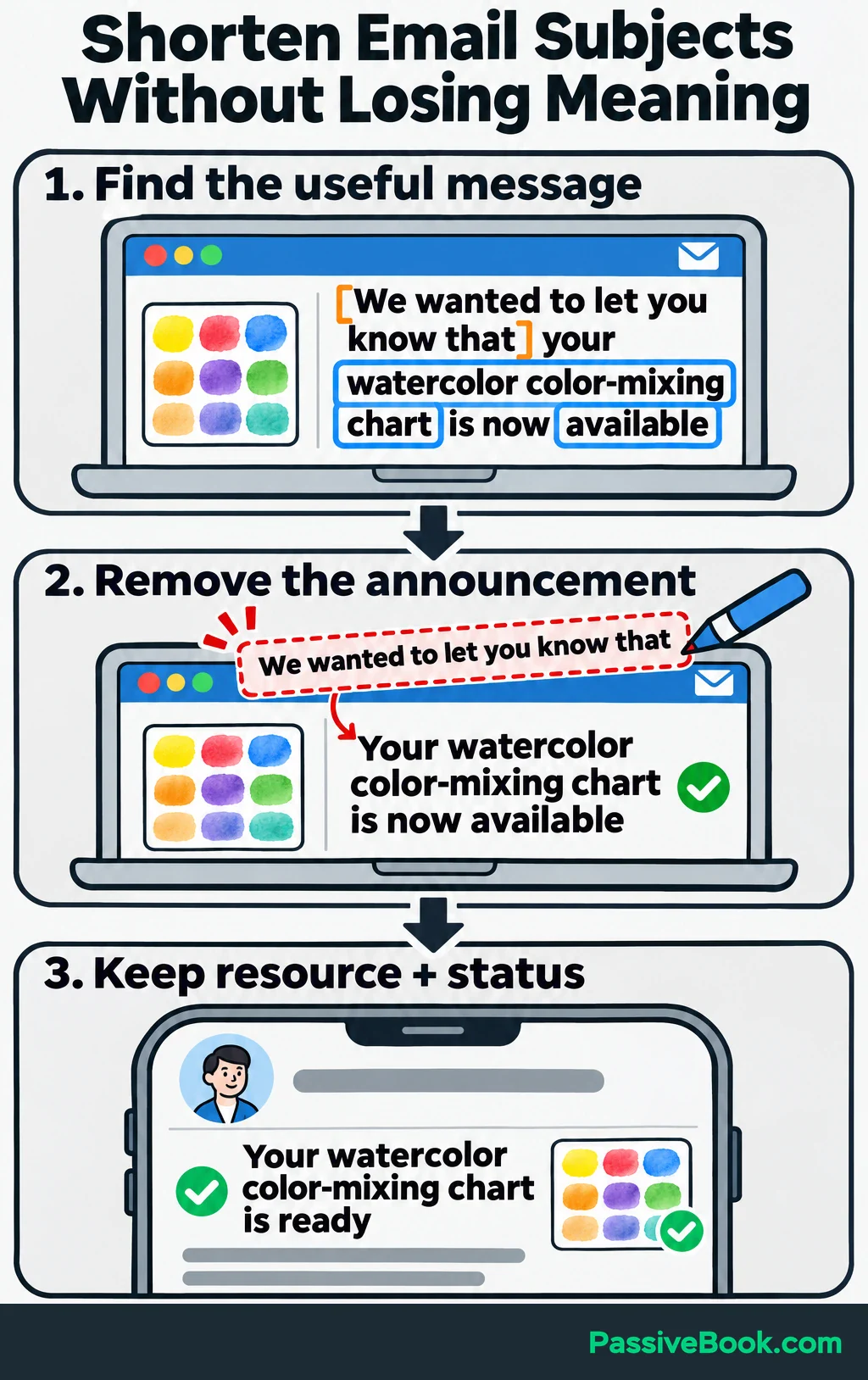
Put the topic, action, or benefit near the beginning. Then remove words that delay it.
Compare:
We wanted to let you know that your watercolor color-mixing chart is now available
With:
Your watercolor color-mixing chart is ready
The shorter version keeps the resource and its status. It drops the announcement about making an announcement.
Look for greetings, empty introductions, and adjectives that add enthusiasm without information. “An amazing new resource” tells the reader less than “Your color-mixing chart.”
Mailchimp, an email marketing platform, recommends no more than nine words and 60 characters. I would use that as an editing prompt, because a word count cannot tell you whether the important detail survived.
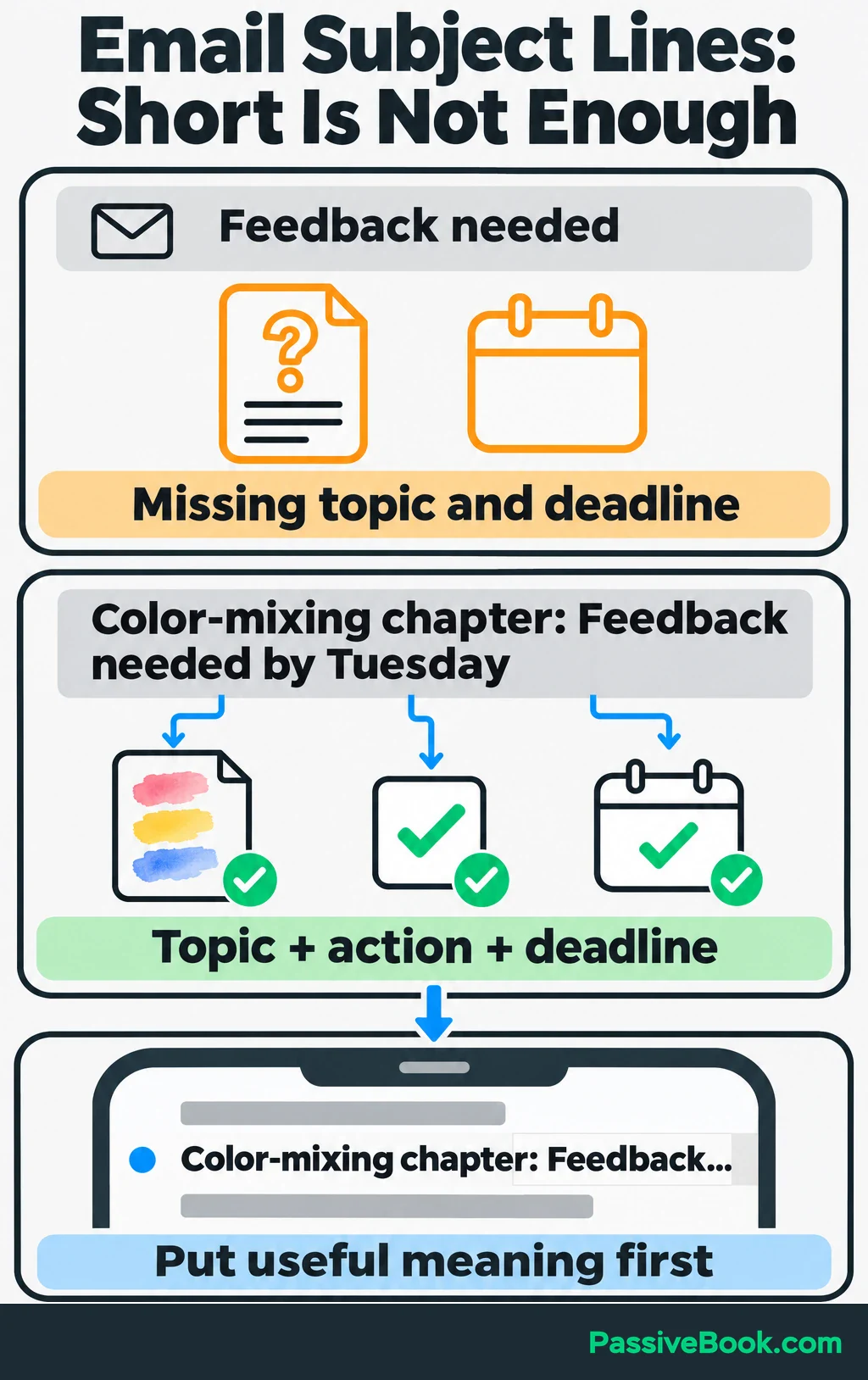
Keep essential dates and identifiers even when they make the line longer. “Feedback needed” is shorter than “Color-mixing chapter: Feedback needed by Tuesday,” but it also asks the recipient to do more detective work.
Check the result on a narrow screen. If the end gets cut off, the opening should still identify the message.
4. Match the Tone and Personalization to the Relationship
Use direct, courteous language for work requests. Established subscribers may expect something more conversational, but familiar wording should still make sense.
“IMPORTANT!!!” does not explain the importance. “Please approve the watercolor cover by Tuesday” does.
Personalization can come from context:
- Requested resource: “Your watercolor color-mixing chart is ready.”
- Purchase: “Your Beginner Watercolor Guide download.”
- Earlier discussion: “Color-mixing chapter: Updated after your feedback.”
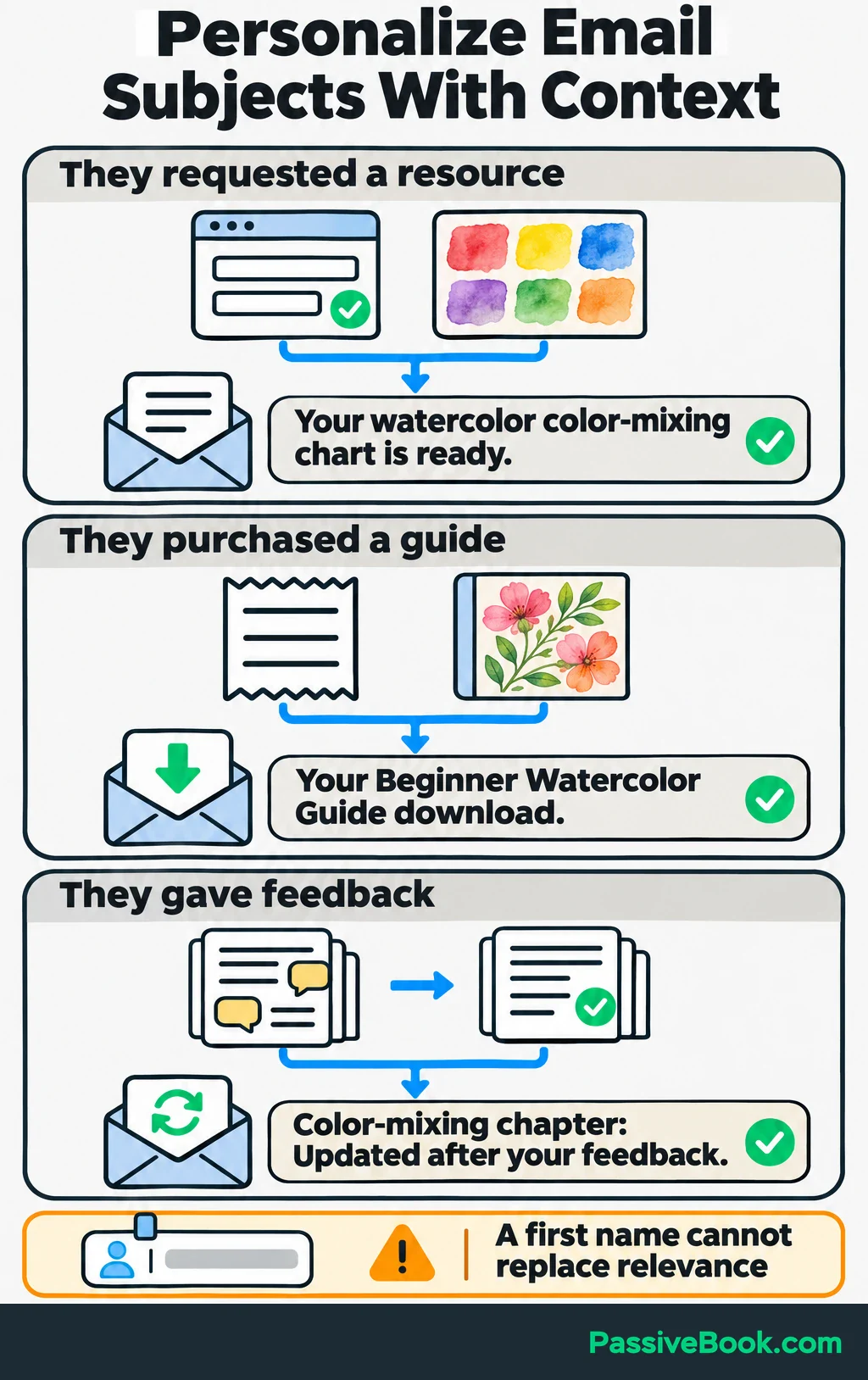
I would prioritize that context over adding a first name. A name can sound natural, but it cannot rescue a subject that says nothing.
If you use an automated name field, check what appears when the name is missing. The fallback version should read like a finished sentence.
Use normal capitalization and restrained punctuation. Emojis are optional; keep the words that carry the meaning. A paint palette symbol should not be the only clue that the email concerns watercolor.
Email Subject Line Examples for Common Situations
Use these comparisons to spot what your own draft leaves unclear. Keep the useful detail and adjust the wording to match the actual message.
In these examples, subscribers requested the chart, customers purchased the guide, and professional contacts already work with the business.
Professional Emails and Customer Messages
| Email purpose | Vague subject | Clearer rewrite | Why the revision helps |
|---|---|---|---|
| Feedback request | Quick question | Please review the color-mixing chapter by Tuesday | Names the task and requested date. |
| Meeting invitation | Let’s meet | Watercolor guide: Planning meeting Tuesday | Identifies the project and day. |
| Follow-up | Checking in | Color-mixing chapter: Feedback still needed | Makes the outstanding action clear. |
| Purchase delivery | Great news! | Your Beginner Watercolor Guide is ready to download | Identifies the purchase and next step. |
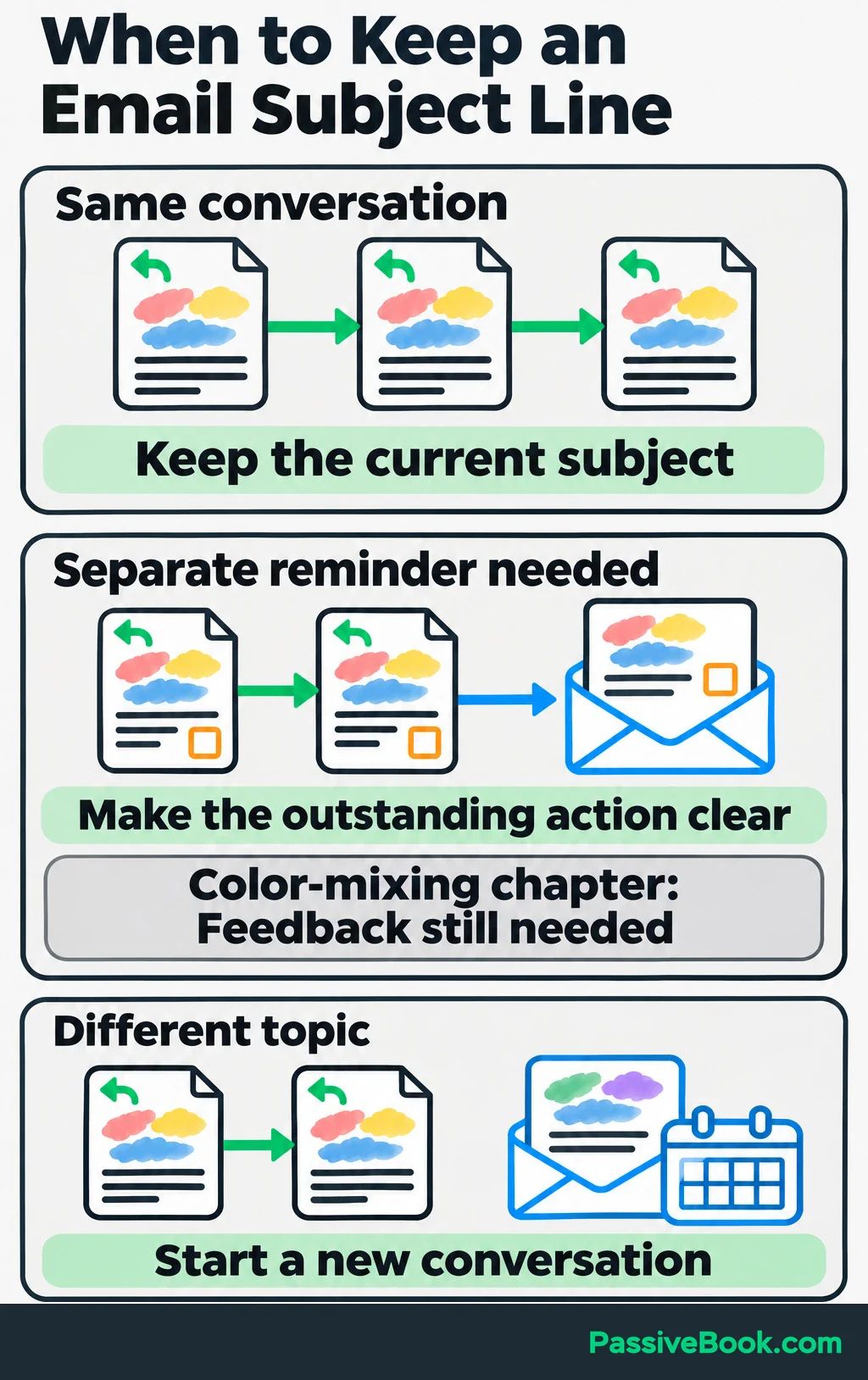
For a reply within an existing conversation, I would usually keep the current subject so the history stays together. The follow-up rewrite above fits a fresh reminder when a separate message is needed. Start a new conversation when the topic changes.
Put the remaining details in the body. A meeting subject can identify the project and day while the invitation supplies the time, time zone, and joining link.
Welcome Emails, Newsletters, and Promotions
For the promotional examples below, assume a genuine 20% discount that ends Friday at 6 p.m. Eastern Time.
| Email purpose | Vague subject | Clearer rewrite | Why the revision helps |
|---|---|---|---|
| Welcome and resource delivery | Welcome aboard! | Start here: Your watercolor color-mixing chart | Connects the welcome to the requested resource. |
| Educational newsletter | This week’s tips | 3 ways to avoid muddy watercolor colors | Names the lesson and problem it addresses. |
| Question-led lesson | You need to see this | Why do your watercolors look muddy? | Creates curiosity around a specific problem. |
| Product promotion | An amazing offer for you! | Save 20% on the Beginner Watercolor Guide | States the product and discount. |
| Deadline reminder | LAST CHANCE!!! | Watercolor guide discount ends Friday | Identifies which offer is ending and when. |
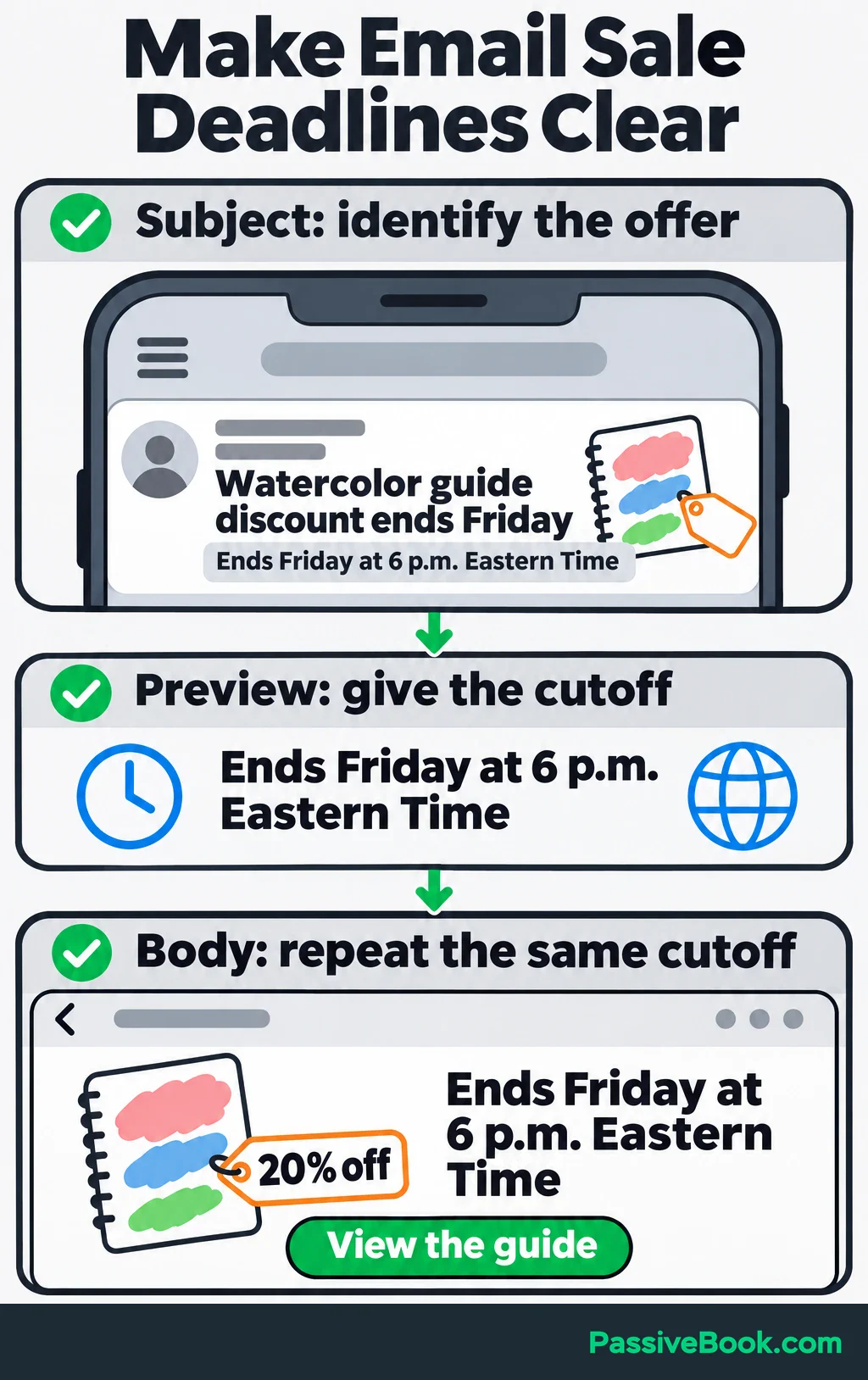
For the deadline reminder, put “Ends Friday at 6 p.m. Eastern Time” in the preview text, the short snippet shown beside or below the subject in an inbox. Repeat the cutoff in the body so readers can find it after opening.
Keep the promise inside the email just as specific. A subject offering three ways to avoid muddy colors needs to deliver three useful techniques. Curiosity earns its place when the answer is worth opening.
Check the Inbox Preview Before Sending
Read the sender name, subject, and preview text together. The sender identifies who is writing, the subject gives the main reason to read, and the preview adds useful detail.
For the chart delivery, the pair could read:
Subject: Your watercolor color-mixing chart is ready
Preview: Download the chart and try three paint mixes.
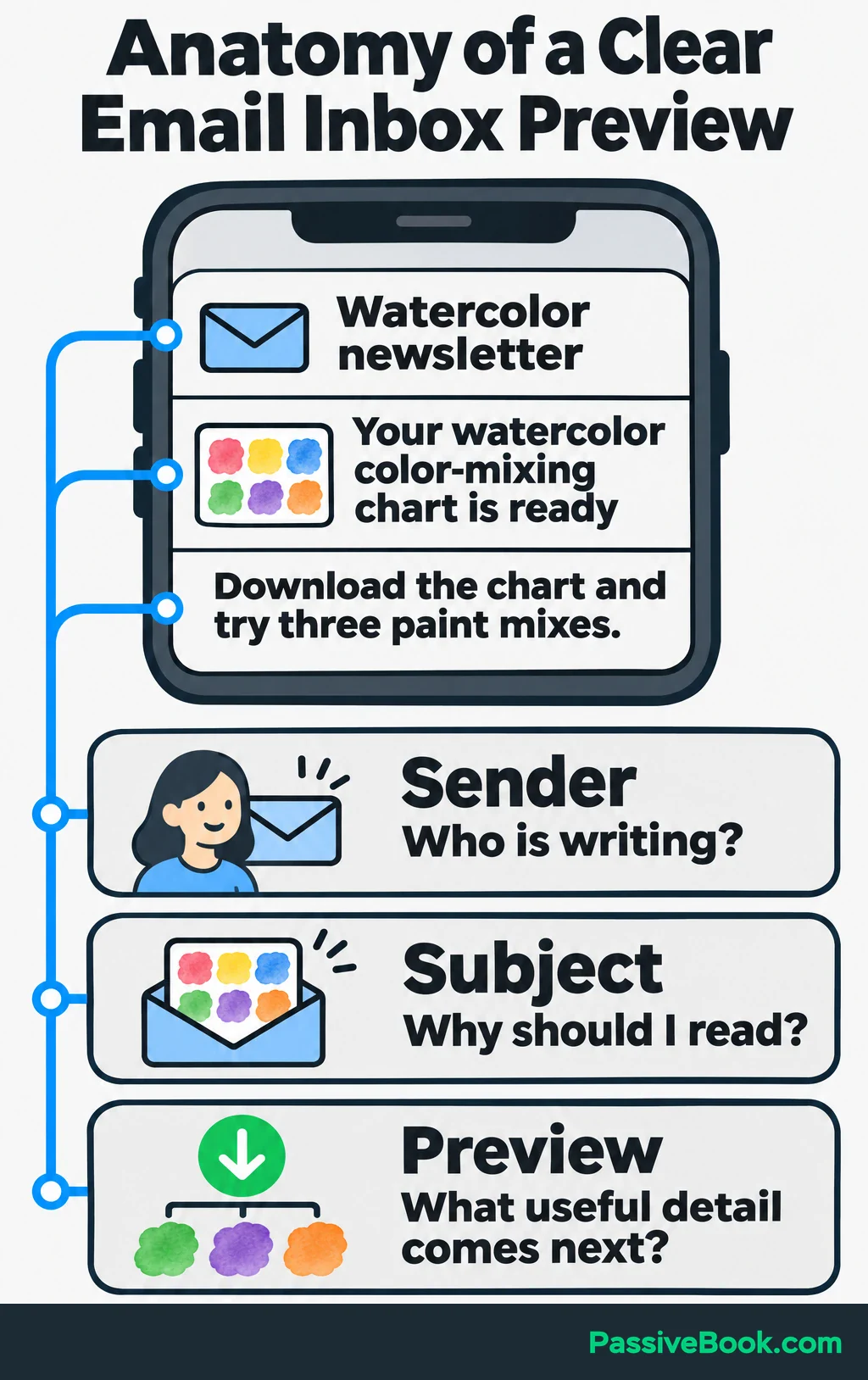
The preview moves the message forward instead of repeating the subject. Add it in your email tool, then send yourself a test.
If you have an email ready, AI Messaging Studio can draft three subject-and-preview pairs for it. That gives you wording to compare using your own message, not just the watercolor examples.
Free AI Messaging Studio




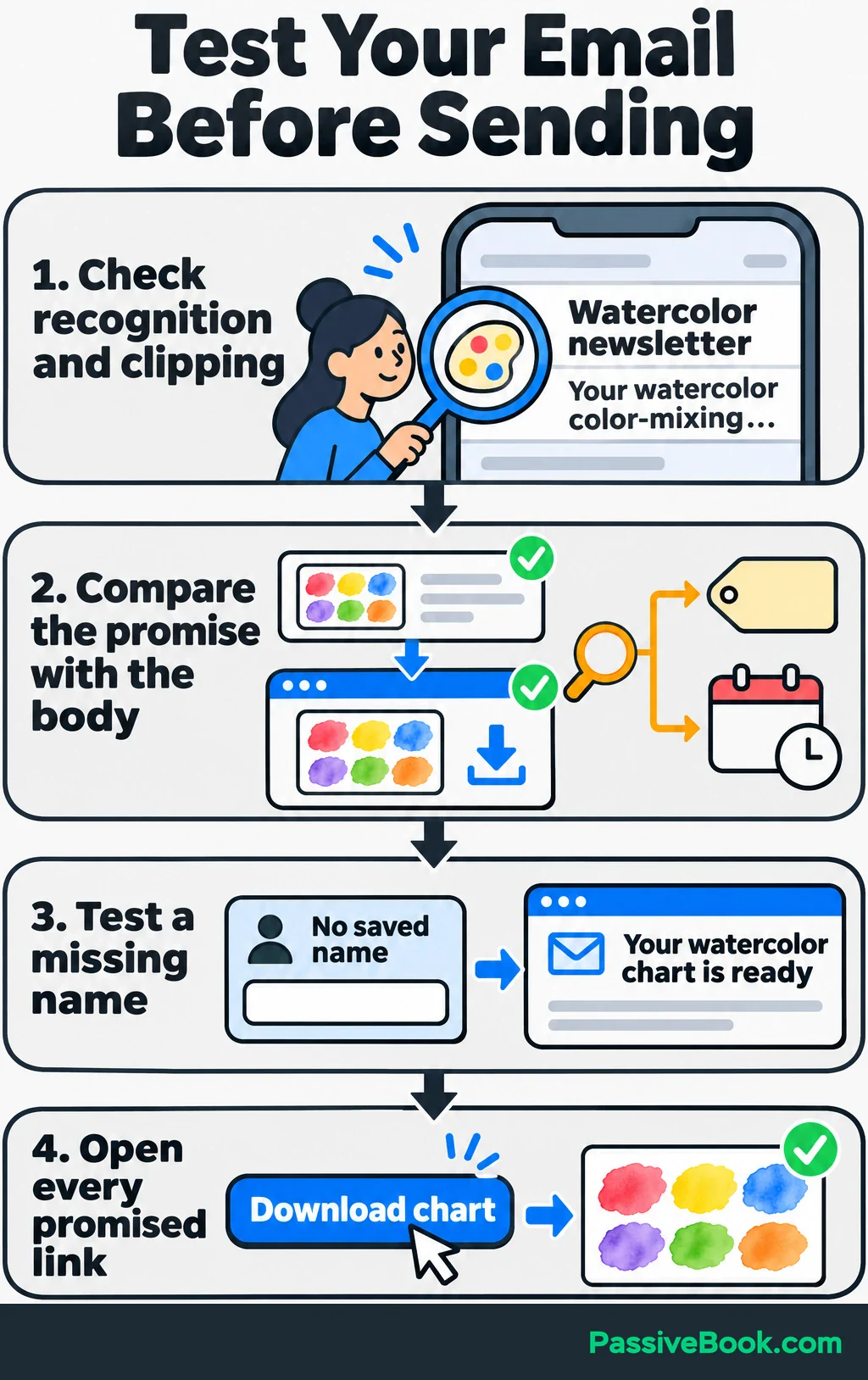
Check these details before sending:
- Recognition: Does the sender name match what the recipient expects?
- Meaning: Can you identify the message if the subject’s ending is cut off?
- Accuracy: Do names, dates, discounts, and deadlines match the body?
- Personalization: Does the version without a saved name read properly?
- Delivery: Do the promised download and other links work?
Use genuine deadlines and accurate wording. For messages sent to personal Gmail accounts, Google’s sender guidelines require subjects to represent the content accurately and prohibit misleading “Re:” or “Fwd:” prefixes. Use those prefixes only for actual replies or forwards.
Also, skip the idea that removing a few “spam words” will secure inbox placement. Spam filters assess multiple signals, including sending reputation and message content. Removing “free” from a chart delivery subject is not a complete delivery fix.
Test Subject Lines Against the Email’s Goal
Choose the outcome before comparing subjects. For a request, that might be useful replies. For a lesson, it could be clicks to the resource. For a promotion, it may be purchases.
Then compare two ways of presenting the same content:
- Version A: “3 ways to avoid muddy watercolor colors.”
- Version B: “Why do your watercolors look muddy?”
An A/B test sends different versions to randomly selected groups. Mailchimp describes this approach using one variable at a time. For a subject test, keep the sender, preview text, body, offer, and send timing consistent.
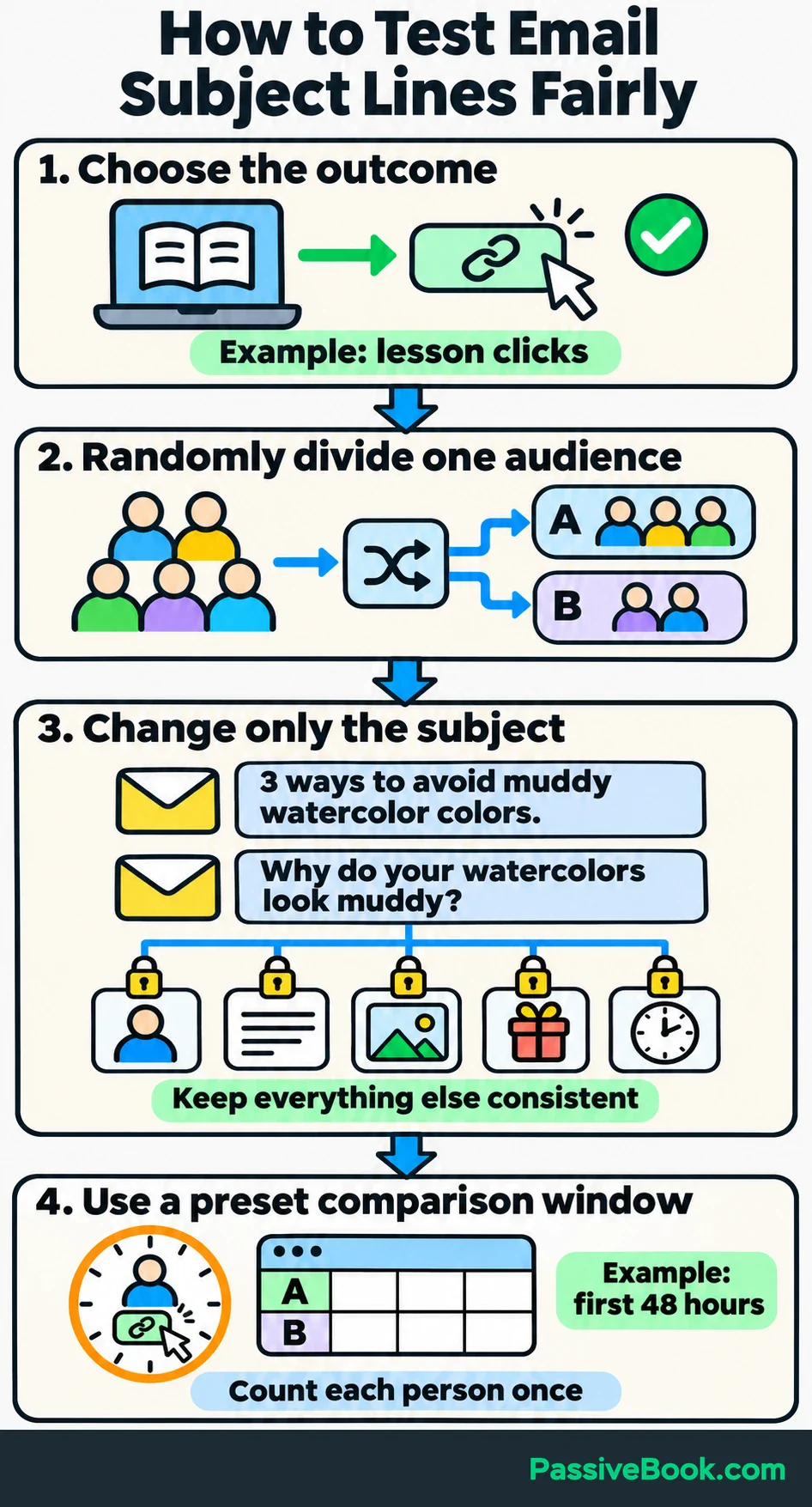
Choose recipients from the same relevant audience. Comparing customers with new subscribers would mix a wording change with a relationship difference.
Set the comparison window before sending. For example, you might compare lesson clicks during the first 48 hours after each version is sent.
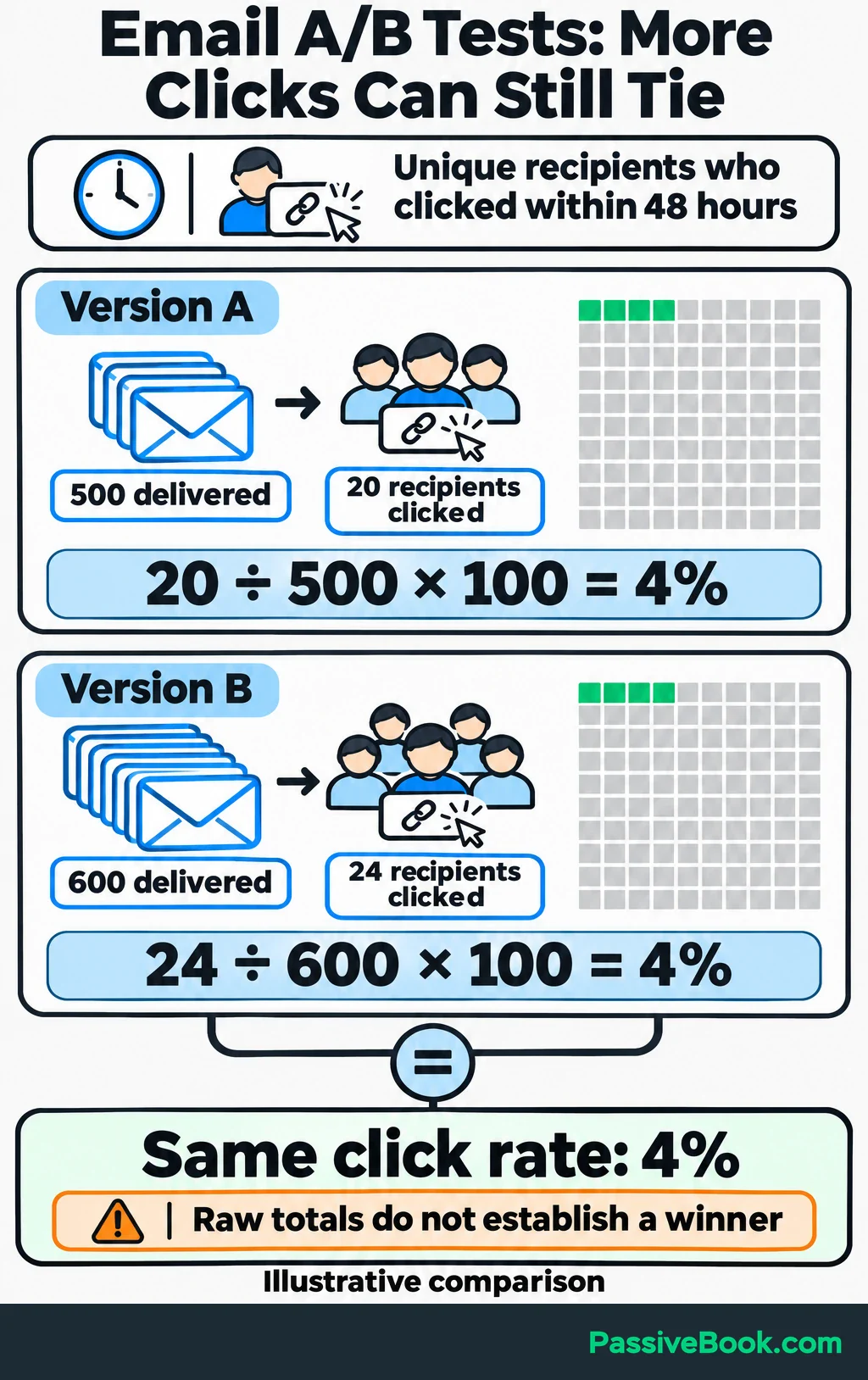
For each version, count the recipients of delivered emails who clicked the lesson link within 48 hours. Count each person once. Divide that count by the version’s delivered total and multiply by 100 to get a percentage. Here is an illustrative comparison:
| Version | Delivered emails | Recipients who clicked within 48 hours | Click rate |
|---|---|---|---|
| A | 500 | 20 | 4% |
| B | 600 | 24 | 4% |
Version B produced more clicks because its group was larger. Both reached the same share of delivered recipients, so the raw totals do not establish a better subject.
Treat recorded opens as a supporting signal. Apple’s Protect Mail Activity can download remote content in the background without the recipient engaging with the email. A recorded open therefore does not establish that someone read it.
I would choose based on the action the email was meant to produce. A subject that attracts attention but brings no useful replies, resource visits, or purchases has not finished the job.
When results are close or responses are sparse, keep the clearer wording and gather more comparable evidence. Three clicks versus two is a reason to keep learning, not declare a permanent rule.
Record the email’s purpose, recipient group, variants, delivered totals, chosen outcome, comparison window, and next test in a simple spreadsheet. For individual correspondence, use useful replies and recipient feedback to refine future subjects.
What Next?
Take one email you plan to send and write three subject lines for it. Choose the version that names the topic and makes the reason to read clearest, then check it beside the preview text.
Use the social buttons to share this guide when a campaign or shared inbox could use clearer wording.
Which part takes you longest: choosing the main point, cutting words, or matching the tone? Tell me in the comments, and bring any other subject-line questions too.
Share this post with your friends & followers:

