You’re ready to send a course promotion, but the recipient list includes people who already bought it. Meanwhile, subscribers who asked about something else are about to get the same pitch.
That leaves you with an awkward choice: send an email that doesn’t fit everyone, or spend your evening sorting contacts by hand.
The next promotion could put you back in the same position. This guide shows how subscriber groups can keep campaigns and automated follow-up relevant as people’s interests and purchases change, without rebuilding the recipient list for every send.
Choose Segmentation Criteria for Your Campaign
Start with the action you want someone to take. Then decide who needs that message.
Choosing categories first can leave you with an impressive collection of tags—labels attached to contacts—and no clear reason to use them.
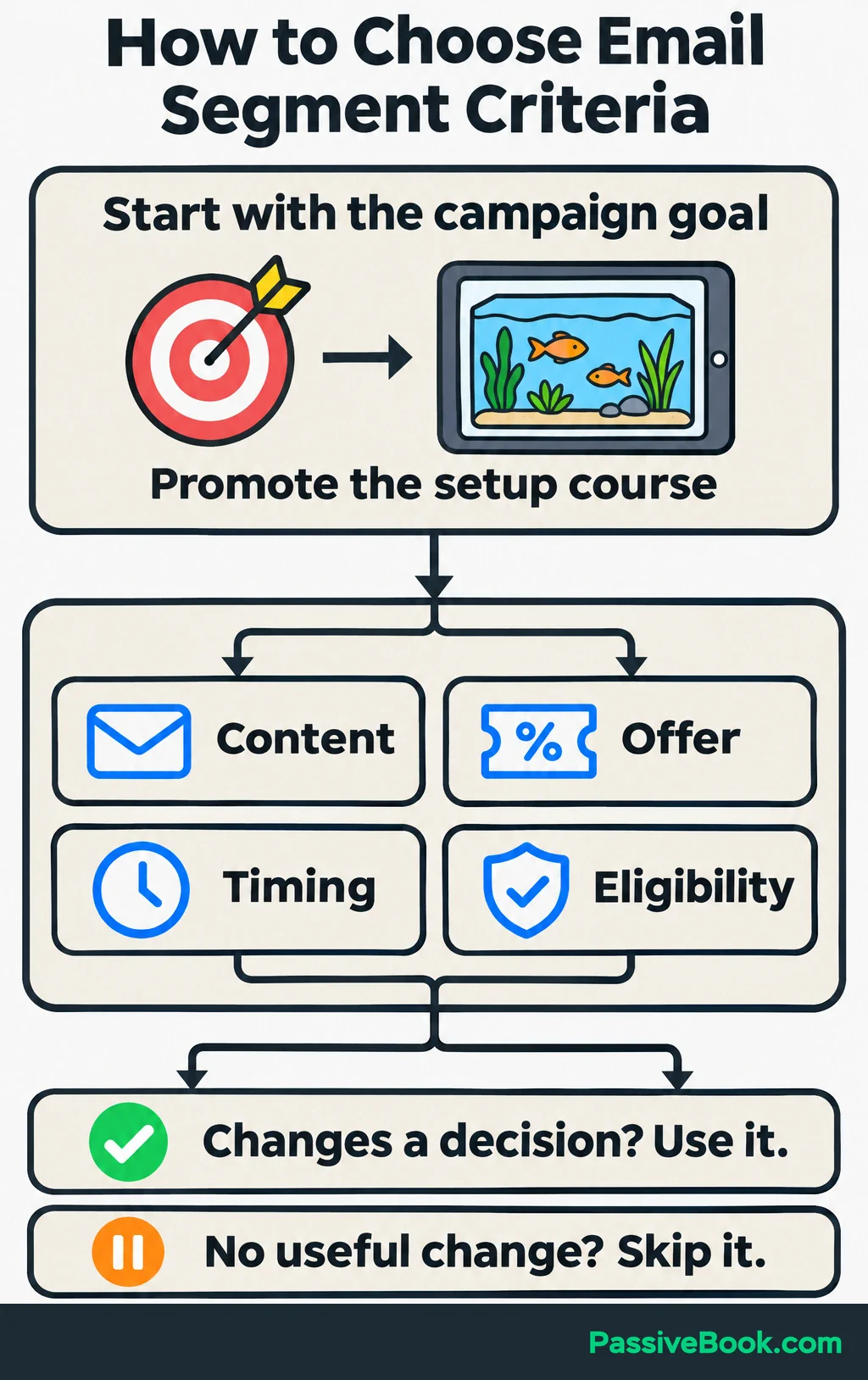
Imagine you sell a beginner freshwater aquarium setup course and offer a free first-tank checklist. For a course promotion, your audience is interested subscribers who haven’t bought that course. Owners need help getting started with their purchase.
Both groups may care about aquarium setup, but their next steps differ.
I would begin with that buyer–nonbuyer split. Add another condition only when it changes the content, offer, timing, or eligibility. Even a small list benefits from keeping owners out of the sales pitch for something they already have.
Purchase Status and Customer Stage
Track ownership of the specific product you plan to promote.
On one of my digital-product lists in another niche, I used a broad customer tag. It seemed tidy until I needed to promote a second product. The tag told me someone had bought something, but it couldn’t tell me what. I had to return to the purchase records before I could trust my exclusions.
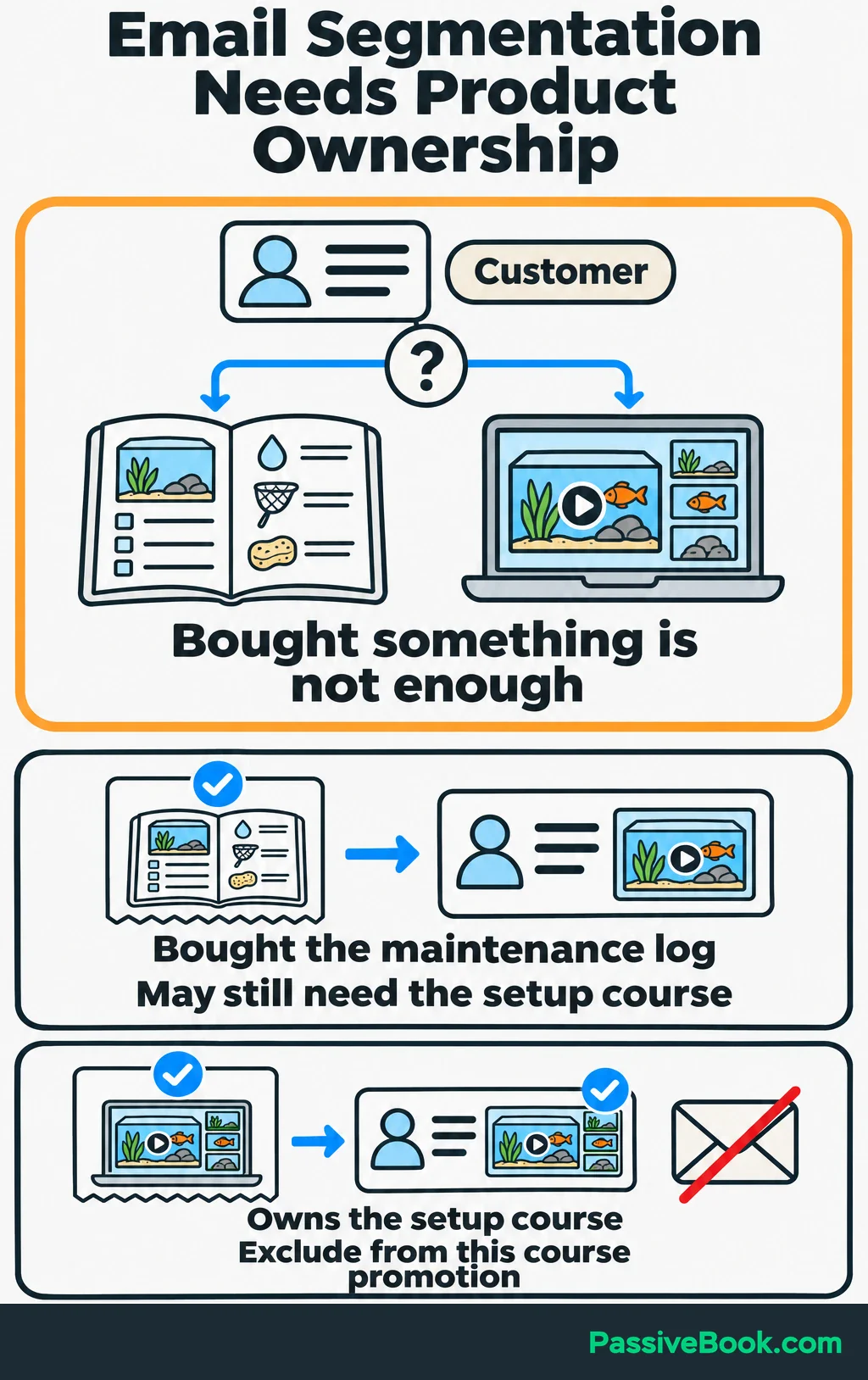
Now I keep product ownership separate from general customer status.
For the aquarium business, useful records might include:
- Course Ownership: A completed purchase of the freshwater setup course.
- Signup Date: When the subscriber joined.
- Welcome Status: Whether they are still receiving introductory emails.
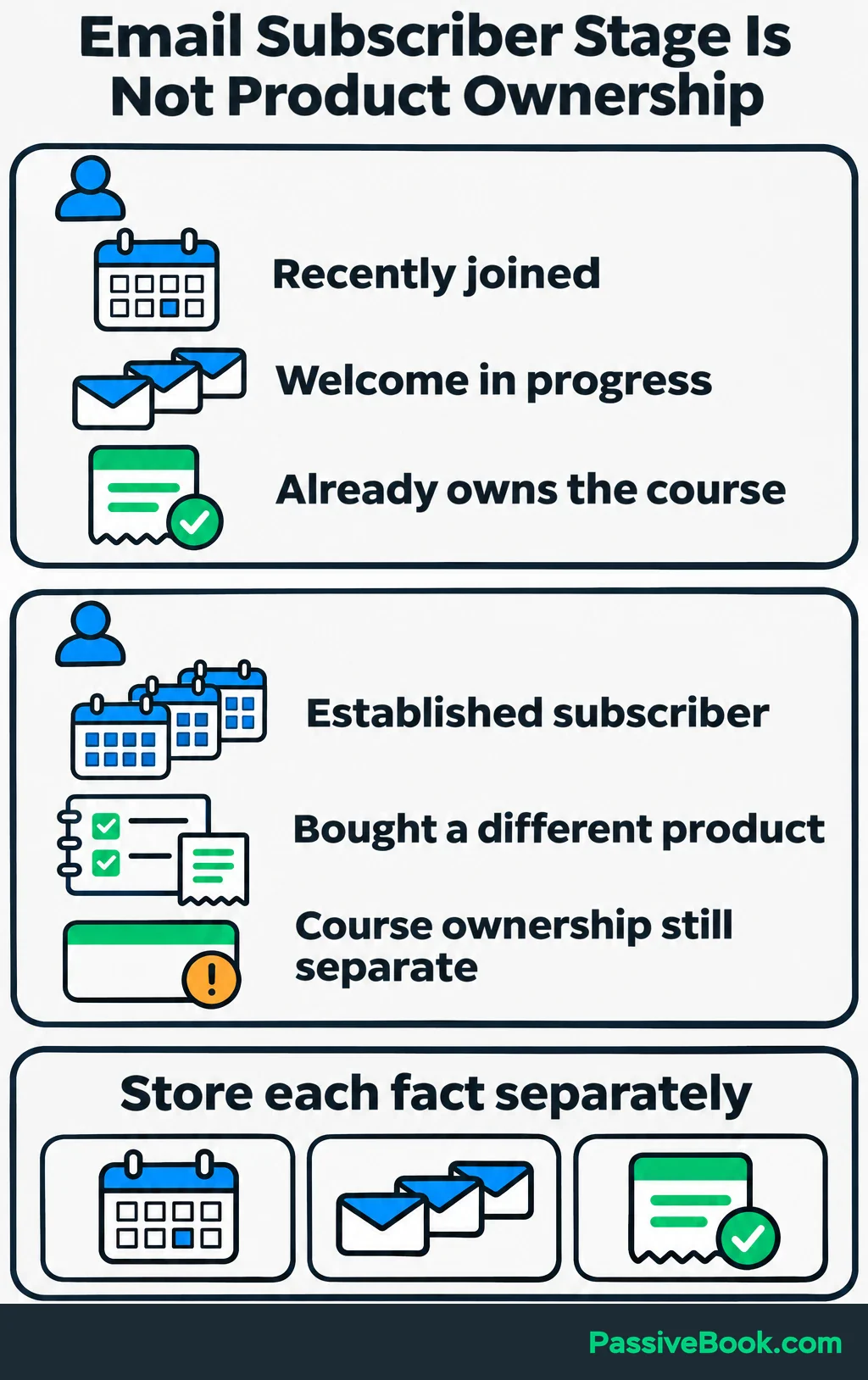
These describe different things. Someone who joined yesterday may already own the course. Someone who bought a printable maintenance log may still be a prospect for the setup course.
A completed course purchase should update ownership and remove that person from that course’s sales audience.
Interests and Signup Source
Ask people what they want to hear about, and let them choose more than one topic.
For example, a preference form could offer:
- Planning a first freshwater aquarium.
- Maintaining an established aquarium.
- Both topics.
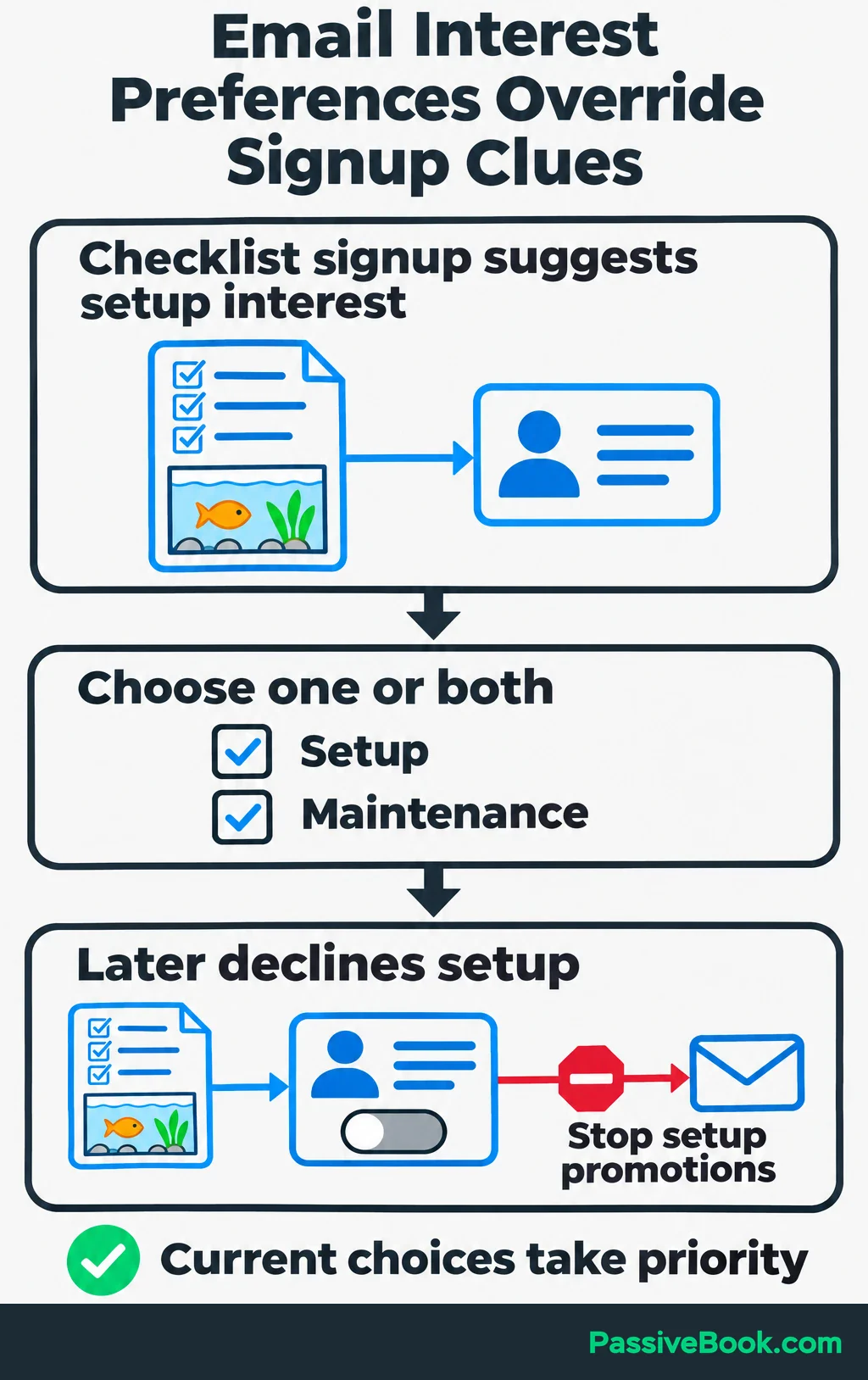
Keep those choices separate from the signup source. Downloading the first-tank checklist suggests an interest in setup, but submitting a preference gives you a direct instruction.
Current choices should take priority over older clues. If someone later declines setup emails, their original checklist signup must not keep pulling them into setup promotions.
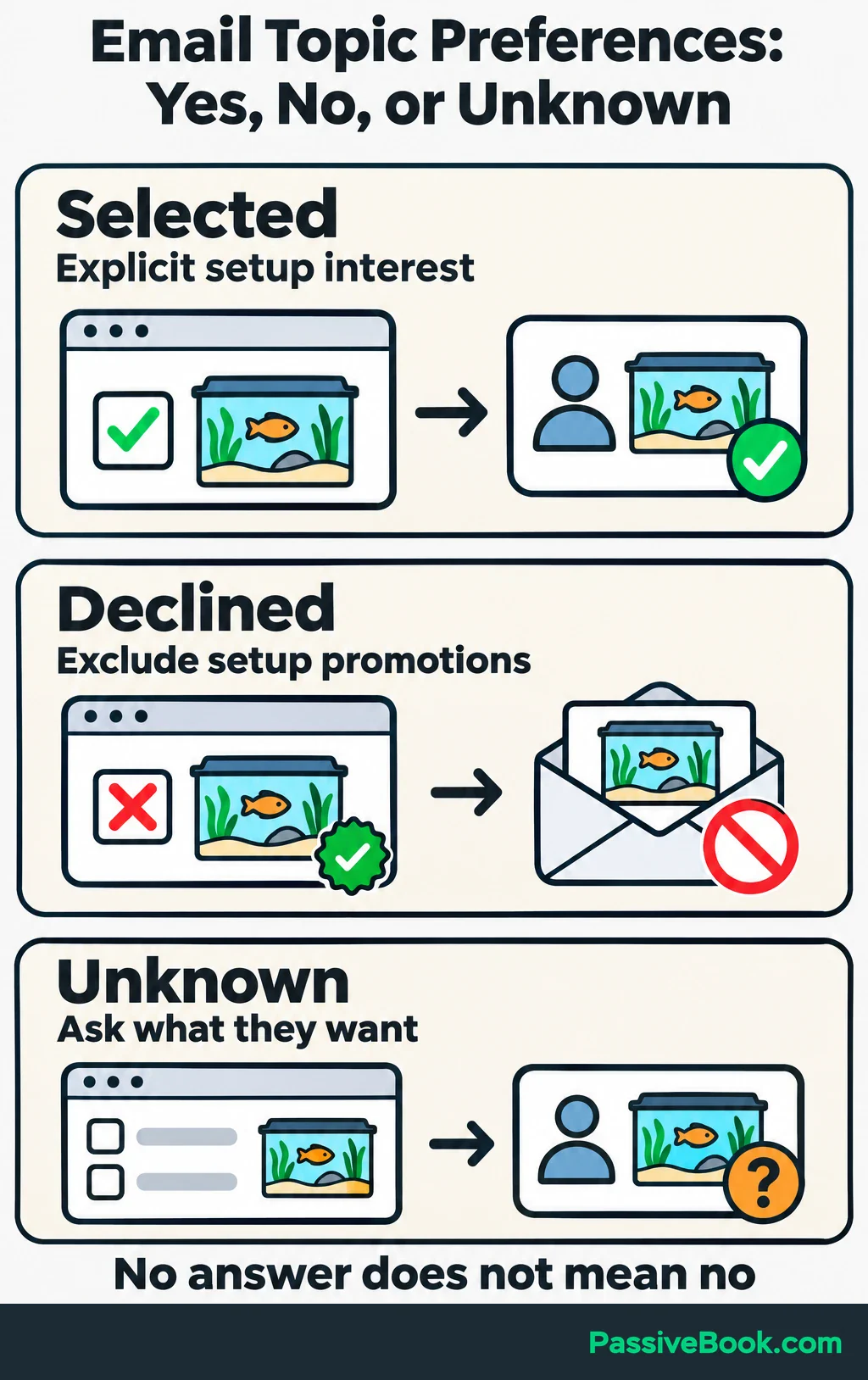
You also need to distinguish “unknown” from “no.” A subscriber who hasn’t answered your question has not rejected the topic.
Provide a preference link in your emails so people can change their choices. Interests aren’t permanent, even if your tags would prefer otherwise.
Behavior and Engagement
Use actions that help explain what someone might need next.
A relevant lesson click, a submitted preference, a reply, or a purchase can guide follow-up. Give activity rules a time window: “clicked a setup lesson within the past 30 days” is more useful than “clicked a setup lesson once.”
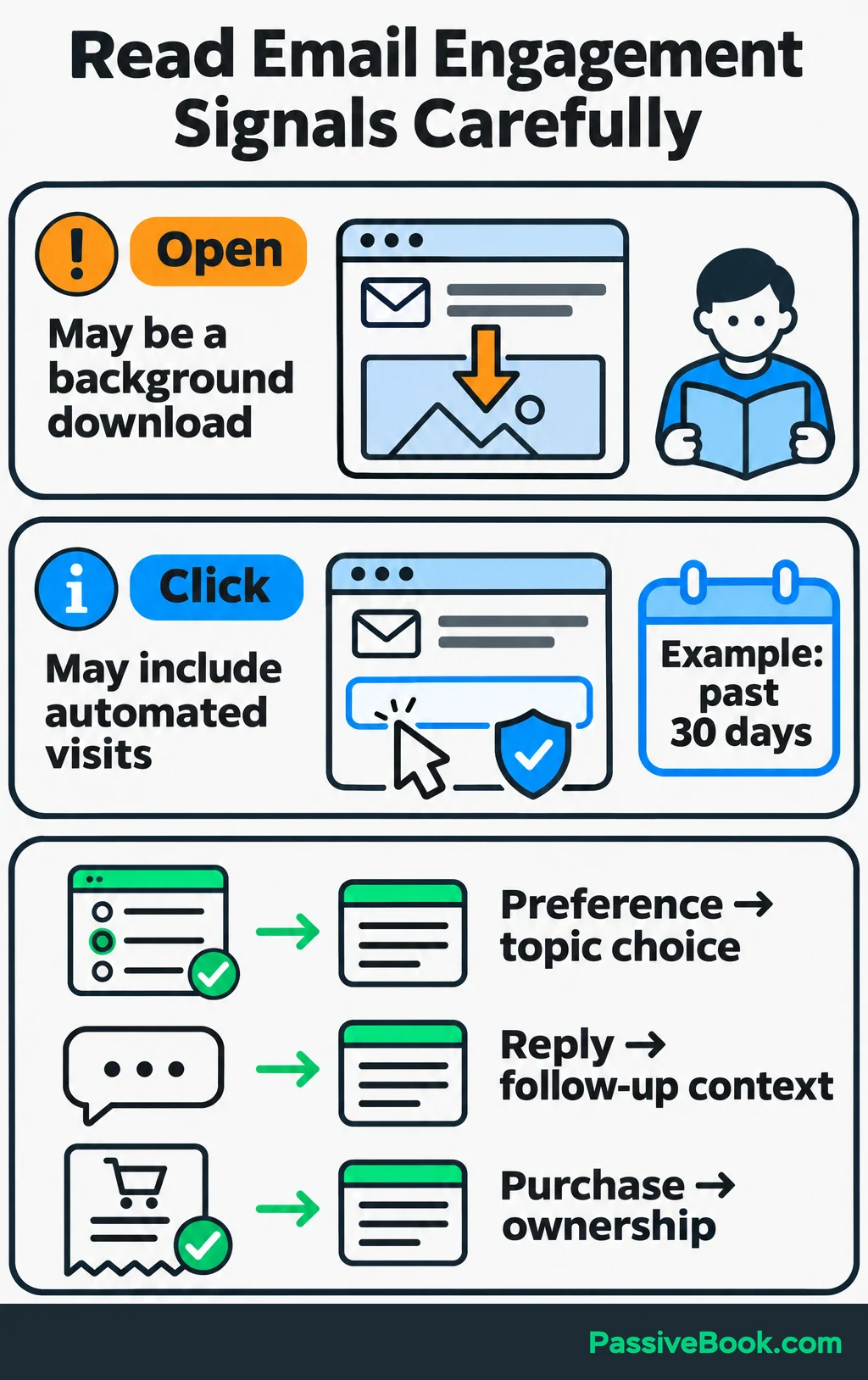
Treat opens cautiously. Apple’s Mail Privacy Protection can download remote email content in the background whether or not the recipient engages with the message, so an open is weak evidence of readership. Apple’s explanation
Clicks also need judgment because security tools can visit links automatically. I would use a submitted preference to choose a topic rather than letting one isolated click make that decision. Klaviyo’s explanation of bot clicks
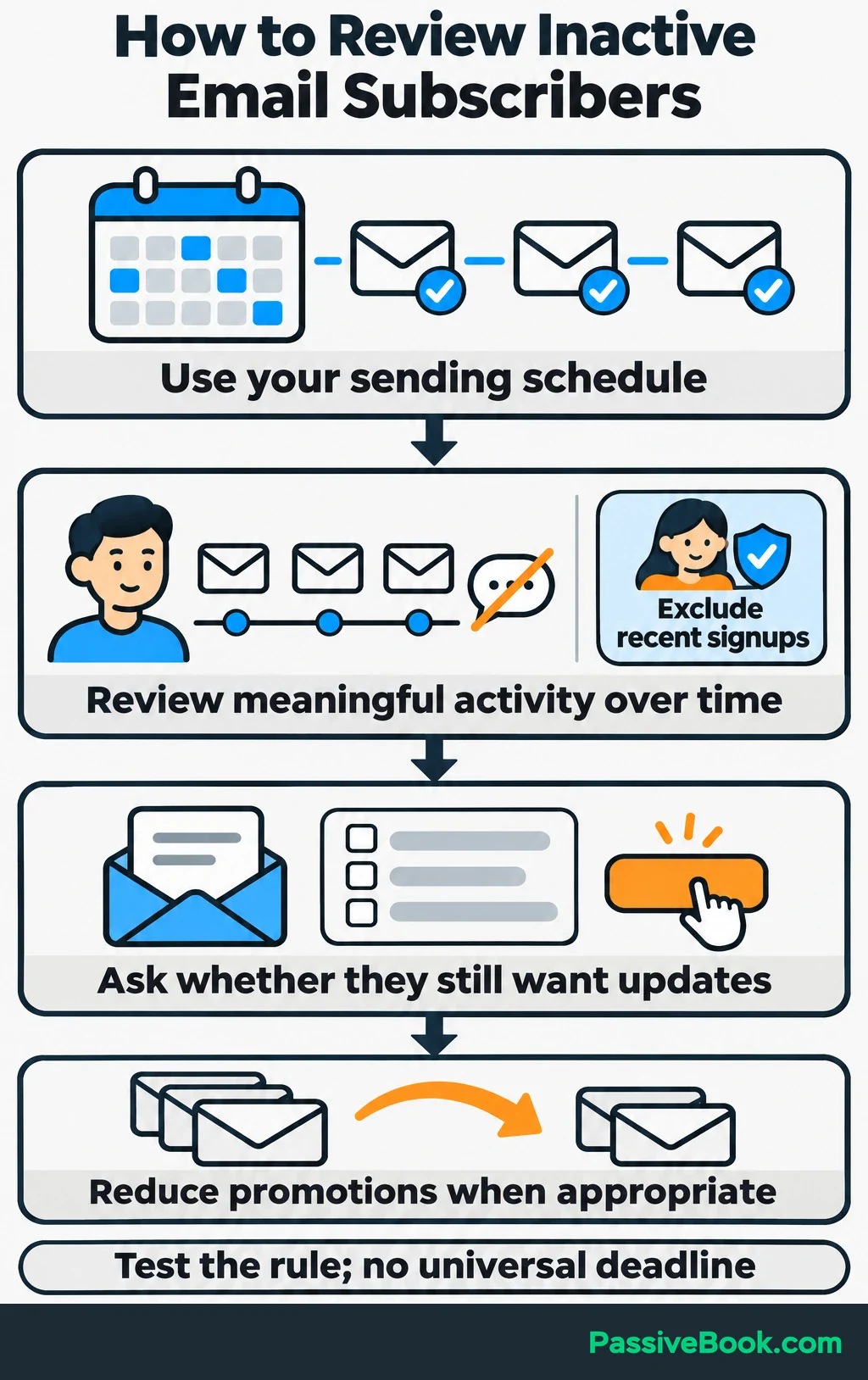
Define inactivity around your sending schedule. For a weekly newsletter, you might review established subscribers with no meaningful activity across several months of delivered emails. That is a starting rule to test, not a universal deadline.
Exclude recent signups, and offer inactive subscribers a simple preference or continued-interest check before reducing promotional sends. Don’t label someone inactive when they’ve barely had a chance to respond.
Location and Relevant Profile Details
Collect profile details only when they change the email.
Language can change the copy. A subscriber-provided time zone can help schedule a live session. Location matters when an offer is available only in certain places.
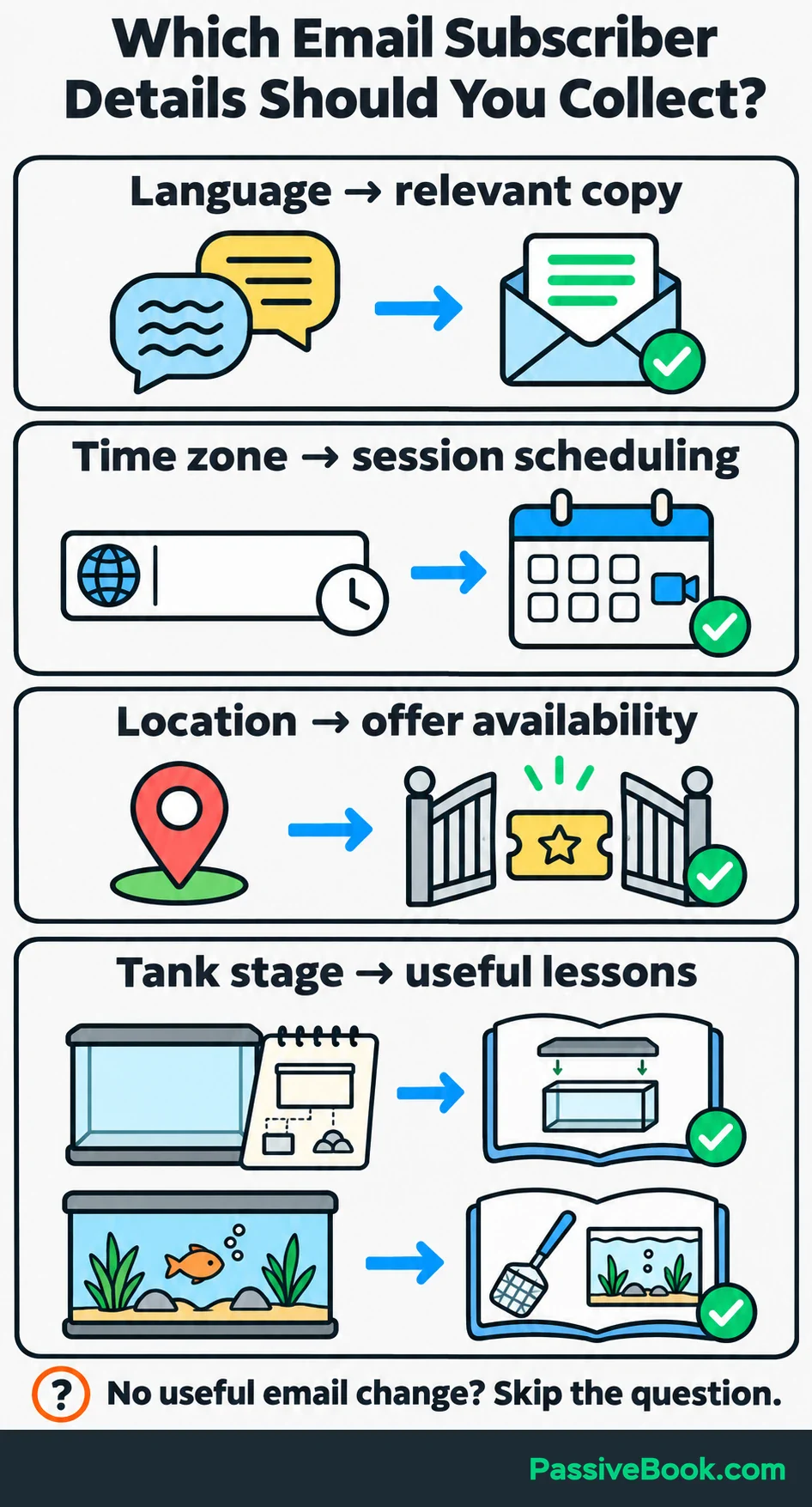
For the aquarium course, whether someone is planning a first tank or maintaining an established one is more useful than their age or income. It tells you which lesson fits.
Keep aquarium details separate from subscriber demographics. Tank stage describes their situation, not who they are.
My test is simple: “What will I do differently with this answer?” If I can’t name a useful change, I skip the question.
Collect and Organize the Data Your Segment Needs
Before adding questions, check what you already have.
Review signup forms, preference responses, completed purchases, and recent activity. The aquarium sales segment needs three reliable pieces of information: a setup-interest signal, course ownership, and permission to receive the marketing email.
Organize those records consistently:
| Record | What It Stores | Example |
|---|---|---|
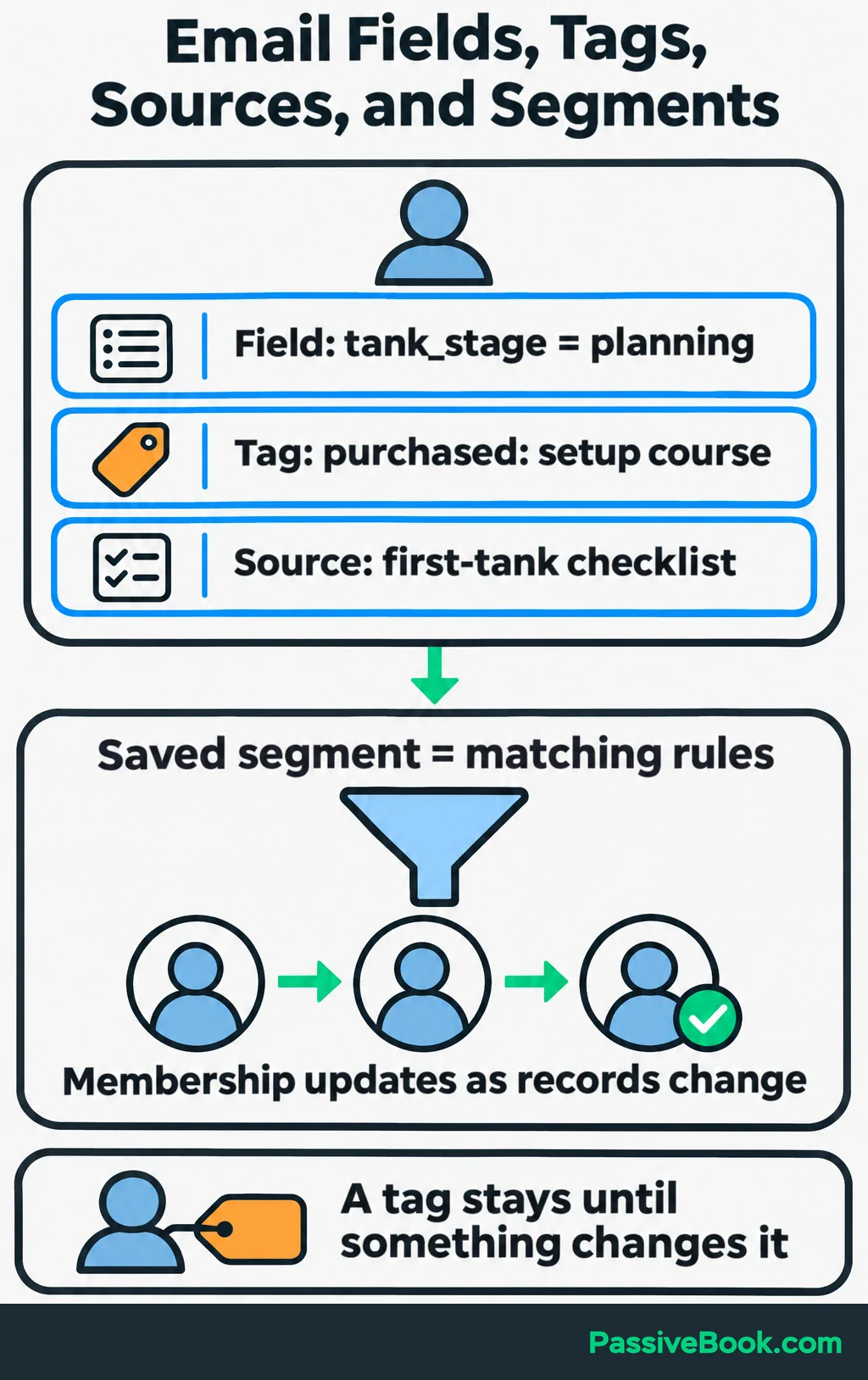
| Field | A value that can change | tank_stage = planning |
| Tag | A label applied to a contact | purchased: setup course |
| Signup Source | Where or why someone joined | First-tank checklist form |
| Saved Segment | Rules that select matching contacts | Setup prospects who do not own the course |
A dynamic segment updates as its underlying records change. A tag stays attached until a person or automation changes it. That means a tag called recently interested becomes misleading unless something removes or refreshes it.
Keep your signup form short. Deliver the promised checklist, then ask for extra preferences in the welcome email or through a preference form.
Use one naming pattern across your system. purchased: setup course is easier to understand than three labels called buyer, course_yes, and paid2.
Next, connect checkout updates to the correct contact record. Check that:
- Existing course purchases are included.
- A new completed purchase updates ownership.
- Preference changes update the same record used for sending.
- Imports preserve unsubscribes and other sending restrictions.
A purchase must not quietly turn marketing back on. Keep a clear option to stop all marketing, even if you also offer topic preferences. The FTC’s U.S. commercial-email guidance explicitly preserves that full opt-out alongside partial choices. FTC guidance
Use your existing platform if it supports the rules and purchase connection you need. For a WordPress business, I would consider FluentCRM, which supports contact tags and dynamic segments inside WordPress. FluentCRM’s feature overview
For a standalone creator business, I would consider Kit, a hosted email marketing platform. Either way, I would test the existing setup before moving the whole list. A migration is a large solution to what might be one missing purchase update.
Build and Test Your Segment Rules
Write the audience in plain words before opening the filter builder:
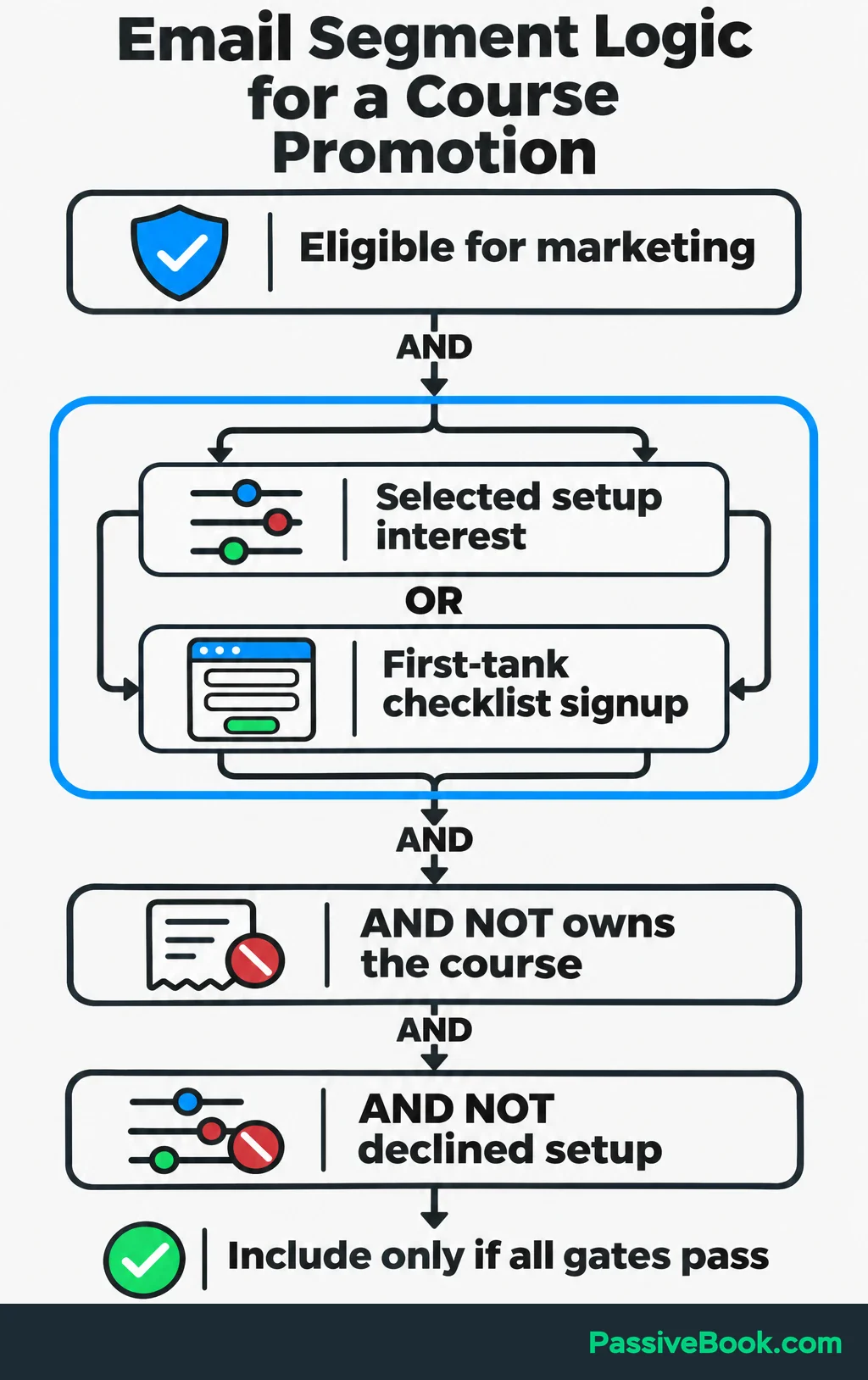
Send the course promotion to people eligible for marketing who have shown setup interest, unless they own the course or have declined setup emails.
Then translate it into rules:
Eligible for marketing
AND
(
  Selected aquarium-setup interest
  OR
  Joined through the first-tank checklist
)
AND NOT owns the setup course
AND NOT declined setup emails
Here, AND requires every condition. OR accepts either interest signal. NOT excludes someone who would otherwise qualify.
The parentheses matter. Both interest routes must sit inside the mandatory eligibility and exclusion rules. A checklist signup should never bypass an unsubscribe or buyer exclusion.
If translating your own tags into rules is where you get stuck, AI Messaging Studio can draft that definition with you. It also writes different emails for the people who need different next steps.

Free AI Messaging Studio




In your email platform, create a saved segment, name it by its purpose, and add those conditions. “Setup Course — Eligible Prospects” tells you more than “Segment 4.”
For a concrete Kit setup:
- Open the subscriber area and create a segment.
- Add an interest group set to “Matching any”: the setup-interest tag or the first-tank checklist form.
- Add an exclusion group set to “Matching none”: the course-ownership tag and the declined-setup tag.
- Require the interest and exclusion groups to apply together, and confirm the campaign sends only to eligible subscribed contacts.
- Save the segment and select it as the campaign audience.
Keep each person in one contact record wherever possible. Copying people into separate lists makes it harder to keep ownership, preferences, and unsubscribe status aligned.
Before sending, check representative contacts against the intended rules:
| Contact | Interest Signal | Course Ownership | Marketing Status | Topic Preference | Expected Membership |
|---|---|---|---|---|---|
| Maya | First-tank checklist | Does not own | Eligible | Setup selected | Include |
| Leo | Setup selected | Owns course | Eligible | Setup selected | Exclude: already owns it |
| Nina | Maintenance-log signup | Does not own | Eligible | Maintenance only; setup declined | Exclude: wrong topic |
| Omar | First-tank checklist | Does not own | Unsubscribed | Setup selected | Exclude: unsubscribed |
| Priya | First-tank checklist | Does not own | Eligible | Later declined setup | Exclude: current preference |
Inspect actual matching records as well as the total count. A plausible number can still hide the wrong people.
If the segment is empty, check spelling, stored values, and conditions that accidentally require two alternative signals. If it is unexpectedly large, check the grouping and exclusions.
Finally, use a controlled contact you own. Change its preference and purchase status, then confirm that membership updates as expected. Allow for the platform’s processing delay before assuming the rule failed.
Tailor the Email to the Segment’s Next Step
Once the audience is right, make the email fit the reason they qualified.
Changing “Hello” to “Hello, Maya” does little if Maya already owns the product you are pitching.
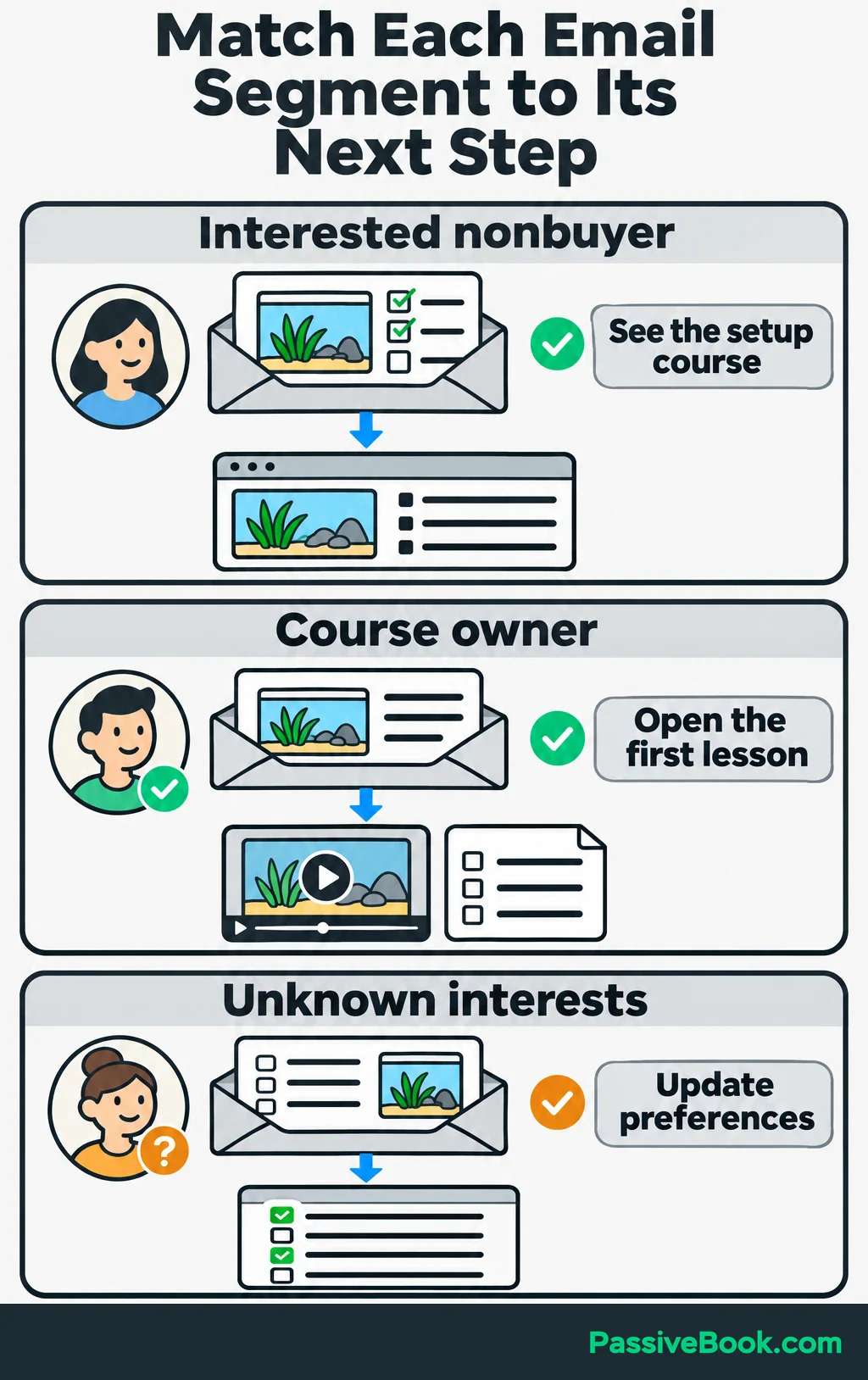
For interested nonbuyers, share a useful lesson and connect it to the course. For owners, help them use their purchase. For subscribers with unknown interests, ask what they want before assuming.
Here is how the same business could adjust its message:
| Audience | Subject | Opening Excerpt | Main Action |
|---|---|---|---|
| Interested nonbuyers | Plan your first aquarium setup | “Before buying equipment, use your checklist to put your setup decisions in order.” | See the setup course |
| Course owners | Start with your aquarium planning lesson | “Your first lesson includes a worksheet for planning your setup.” | Open the first lesson |
| Eligible subscribers with unknown interests | Which aquarium tips would help you? | “Are you planning your first tank, maintaining an established one, or interested in both?” | Update preferences |
You can reuse educational material where it helps. A planning tip may suit both prospects and owners, but the recommendation and destination link should change.
Prospects need the course information page. Owners need their lesson.
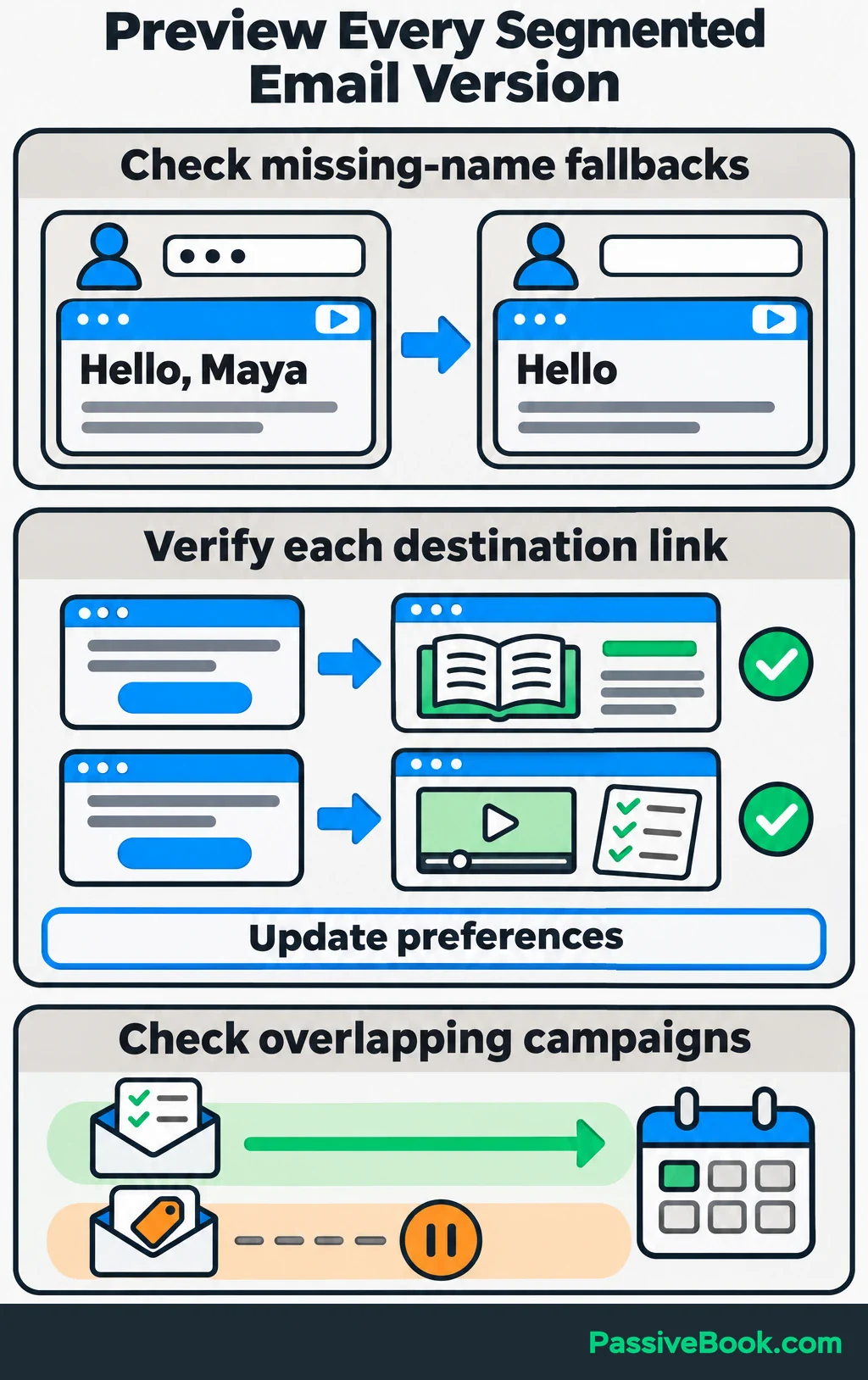
Preview each version with representative contact data. Check missing-name fallbacks, preference links, and destination links. If you use conditional content inside one email, confirm each group sees the correct version.
I would use separate emails when the messages differ substantially. One template with a maze of conditions saves little time if you have to inspect it like a tax return.
Also check overlapping campaigns. Someone can belong to several segments and receive several different emails. Give purchase guidance priority over a competing sales message, and avoid scheduling similar promotions close together.
Automate Messages When Subscriber Status Changes
Automate a follow-up after the audience rules and message have passed your checks.
A saved segment answers “Who qualifies now?” An automation also needs an event that starts it.
In Kit, adding a tag can start a Visual Automation—an automated workflow that sends messages or takes other actions. A saved segment cannot start one. Use a supported event to start the workflow, then apply your audience rules within it. Kit’s explanation of tags and segments
For the aquarium course, I would map the workflow like this:
| Part | Rule |
|---|---|
| Entry | A confirmed first-tank checklist signup starts the welcome workflow |
| Initial Delivery | Send the promised checklist |
| Topic Choice | Ask for preferences and use the answer to select relevant lessons |
| Promotion Check | Before each sales email, check marketing eligibility, setup preference, and course ownership |
| Purchase Exit | A completed course purchase stops remaining course-sales emails |
| Customer Guidance | Send appropriate purchase access and onboarding messages without restarting unsubscribed marketing |
| Re-entry | Prevent another download from restarting the same sales sequence automatically |
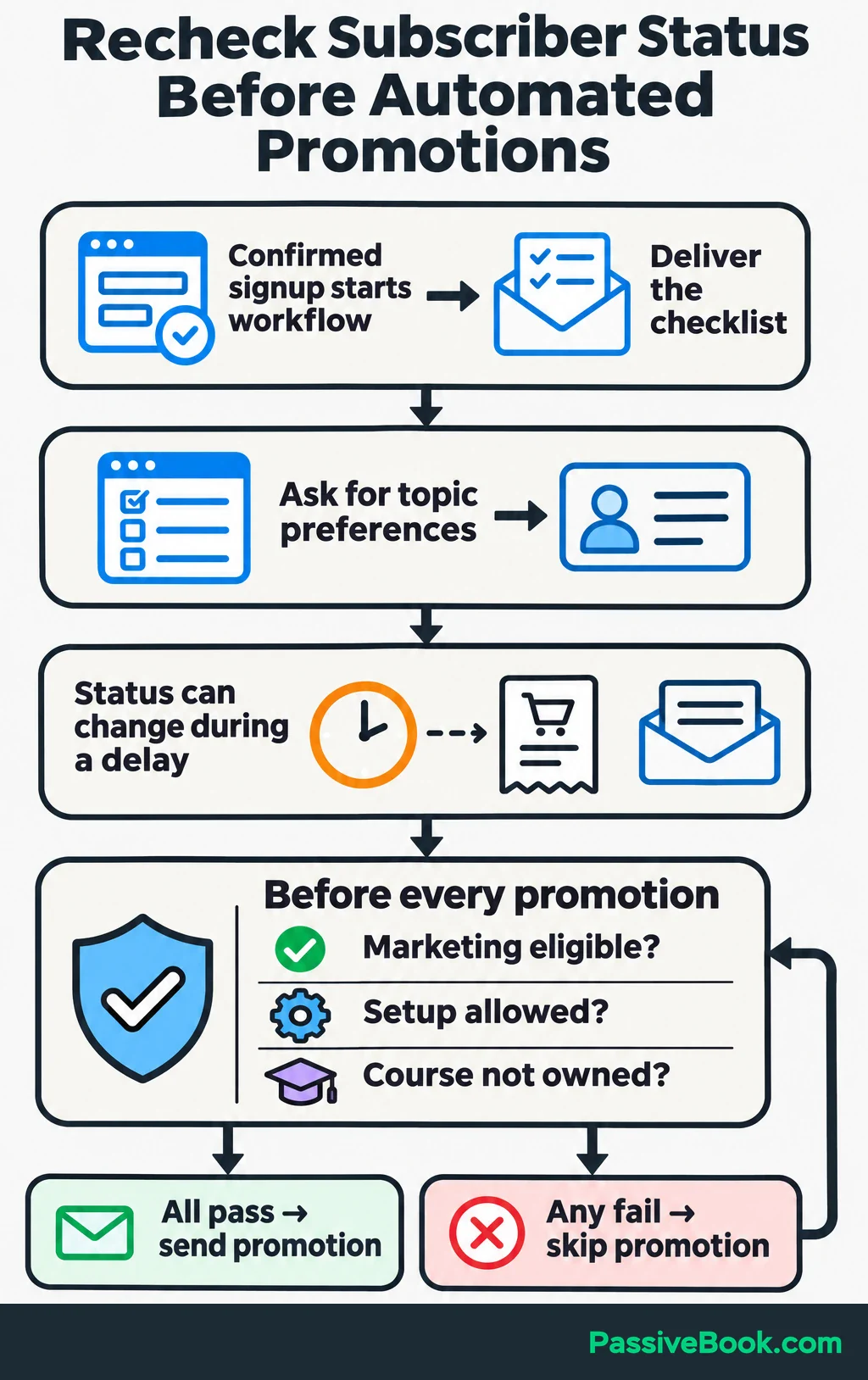
The check before each delayed promotion matters. Someone can qualify on Monday, buy on Tuesday, and still be waiting for Thursday’s sales email.
An entry check alone will miss that change.
Test the workflow with controlled contacts before enabling it:
- New Signup: The checklist arrives and the intended welcome path starts.
- Changed Preference: Declining setup stops later setup promotions.
- Purchase During a Delay: Remaining course pitches are skipped.
- Repeated Signup: Downloading again does not create duplicate follow-ups.
- Unsubscribe: Later marketing messages are suppressed.
Verify both the messages received and the messages skipped. A workflow can deliver every email successfully and still be wrong.
Keep a way to pause it, coordinate its timing with broadcasts, and review it when a form, product, or checkout connection changes. Those changes can break the assumptions behind an otherwise sensible rule.
Measure Results and Improve Your Segments
Choose the main measure from the campaign’s goal.
For a lesson email, track relevant clicks. For a course promotion, track course purchases among recipients. For onboarding, use recorded lesson completion if your course system provides it; an email click only tells you someone followed a link.
Watch unsubscribes and spam complaints alongside the main result. A sales increase deserves a closer look if complaints rise with it.
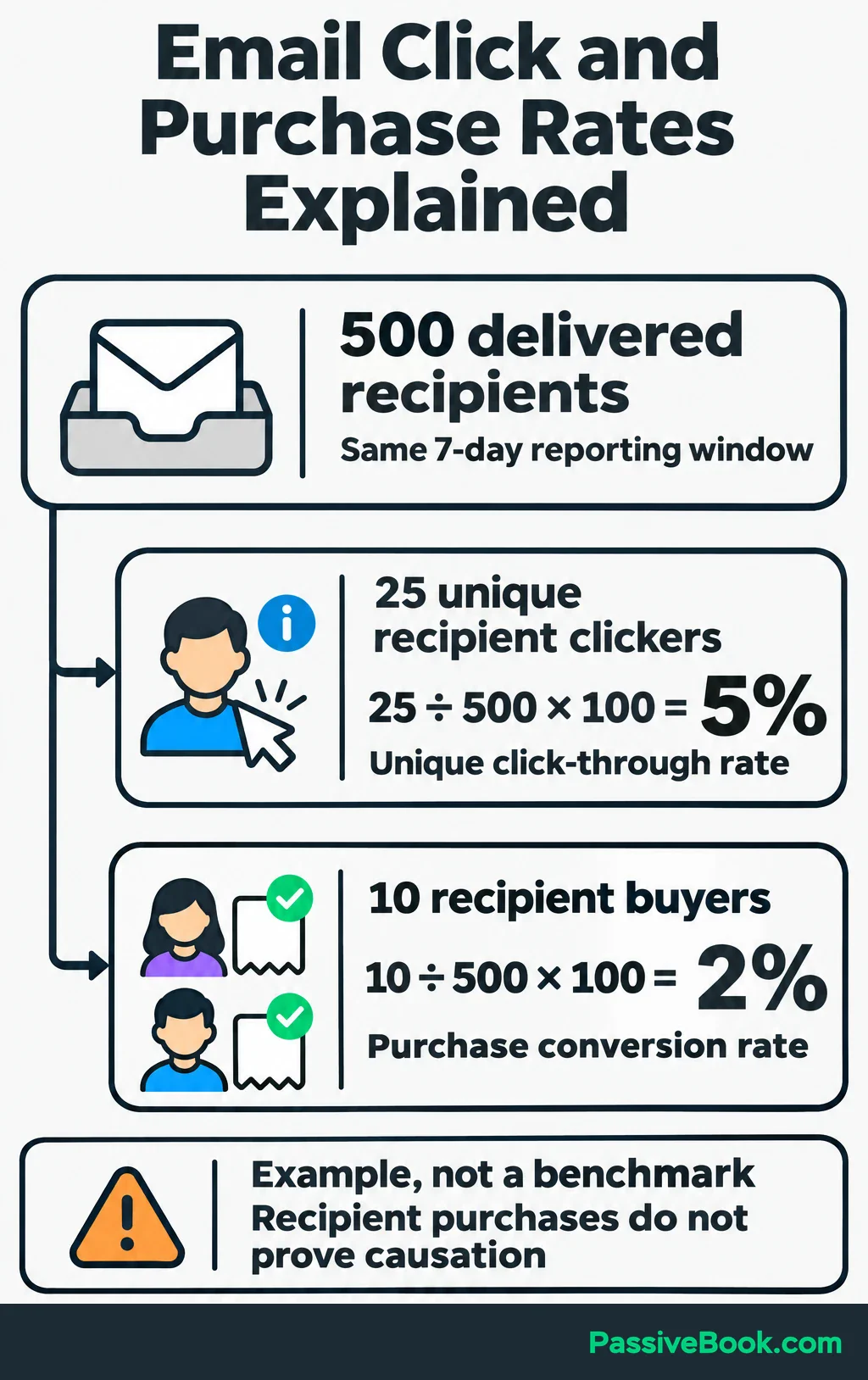
For one promotional email, count each delivered recipient once. Within a fixed reporting window, count how many of those recipients clicked a relevant link and how many bought the course.
For illustration, suppose the email reaches 500 recipients. Within seven days, 25 of those recipients click and 10 buy:
| Measure | Calculation | Result |
|---|---|---|
| Unique Click-Through Rate | 25 unique recipient clickers ÷ 500 delivered emails × 100 | 5% |
| Purchase Conversion Rate | 10 recipient buyers ÷ 500 delivered emails × 100 | 2% |
These are example calculations, not benchmarks. The purchase rate records buying among recipients; it does not prove the email caused every purchase.
Use the same reporting window and counting method when comparing campaigns.
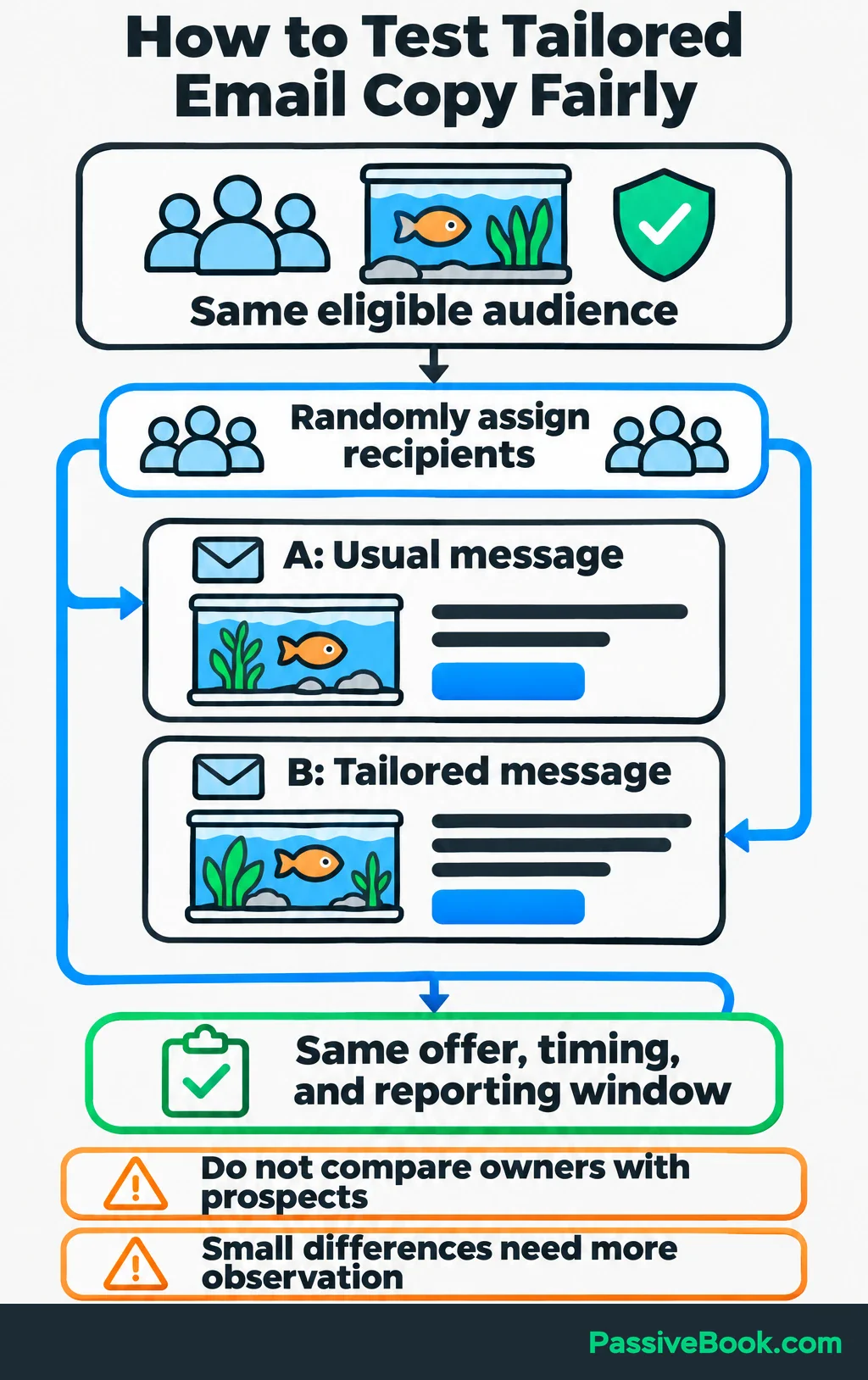
To test whether tailored copy helps, randomly split the same eligible audience. Send one group your usual message and the other the tailored version, while keeping the offer and timing comparable.
Comparing owners with prospects will not isolate the effect of the writing because they entered the campaign with different needs. And a difference of one or two responses on a small list is a reason to keep observing, not declare victory.
Let the evidence point to the next change:
- Wrong Contacts Included: Repair the data or segment rules.
- Relevant Contacts, Few Clicks: Review the promise, content, and call to action.
- Clicks Without Purchases: Check whether the offer and destination page match the email.
- Unsubscribes or Complaints Rise: Review expectations, topic fit, and send frequency.
- Several Segments Receive Identical Treatment: Merge them unless a real eligibility difference requires separation.
I would review this after each campaign before adding another segment. More groups are useful only when they help you make a better decision.
What Next?
Choose your next campaign and write one sentence describing who needs it—and who should be excluded. Build that segment, then check a buyer, a qualifying nonbuyer, and an unsubscribed contact before scheduling.
Use the social buttons to share this guide when the conversation turns to making email more relevant without adding hours of manual sorting.
Which difference between your subscribers would most change the next email you send? Tell me in the comments, and bring any setup questions with you.
Share this post with your friends & followers:

