A visitor reads your tutorial, gets an answer, and leaves. They may want more help, but there’s no clear invitation to hear from you again.
Adding “Join my newsletter” is easy. Getting someone to want another email takes more thought, especially when you have a small audience and little time to experiment.
A new form can sit on your site without attracting subscribers. This guide shows you how to turn interest in your content into a reason to subscribe, with an affordable email setup and signup and welcome copy you can adapt.
Give People a Clear Reason to Subscribe
Start with a problem your potential customers want to solve. Your signup offer should help with that problem, and your future emails should carry the work forward.
Throughout this guide, imagine you sell a beginner watercolor course through a business called First Brush. You want subscribers who need help starting their first painting. The business, copy, and figures are illustrations.
A clear subscription promise names the benefit and frequency:
Get a short watercolor lesson each week and occasional course offers. Start with a checklist for your first painting.
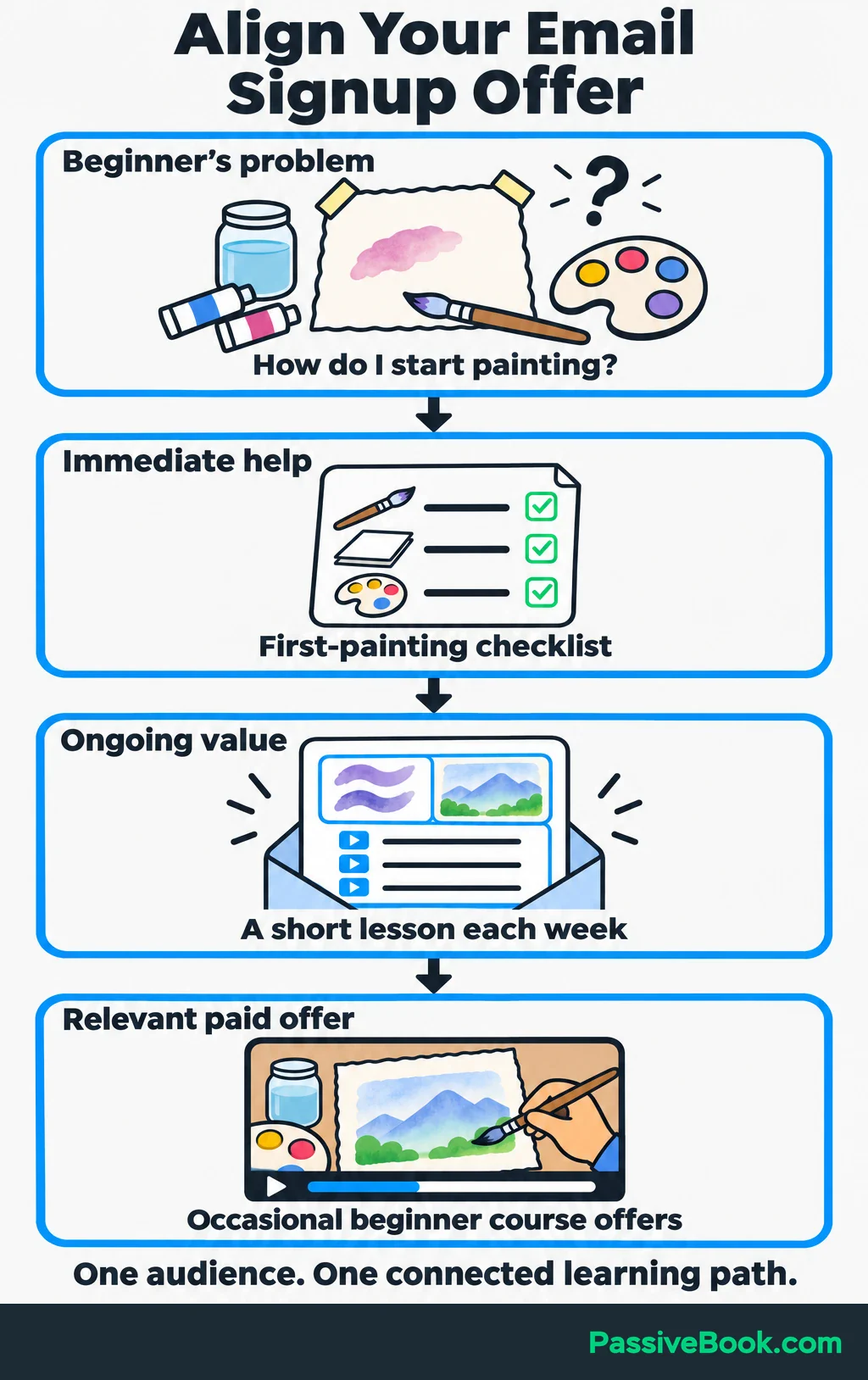
That tells people what they’re choosing. It also gives you a useful boundary: write emails that help beginners paint.
You don’t have to offer a download. A useful weekly lesson can be enough. But a small resource, often called a lead magnet, gives someone an immediate reason to subscribe.
Choose something they can use soon:
- A checklist that helps them prepare.
- A template that saves them a task.
- A sample lesson that teaches one skill.
- A buying guide that helps them choose supplies.
- A discount on something they already want.
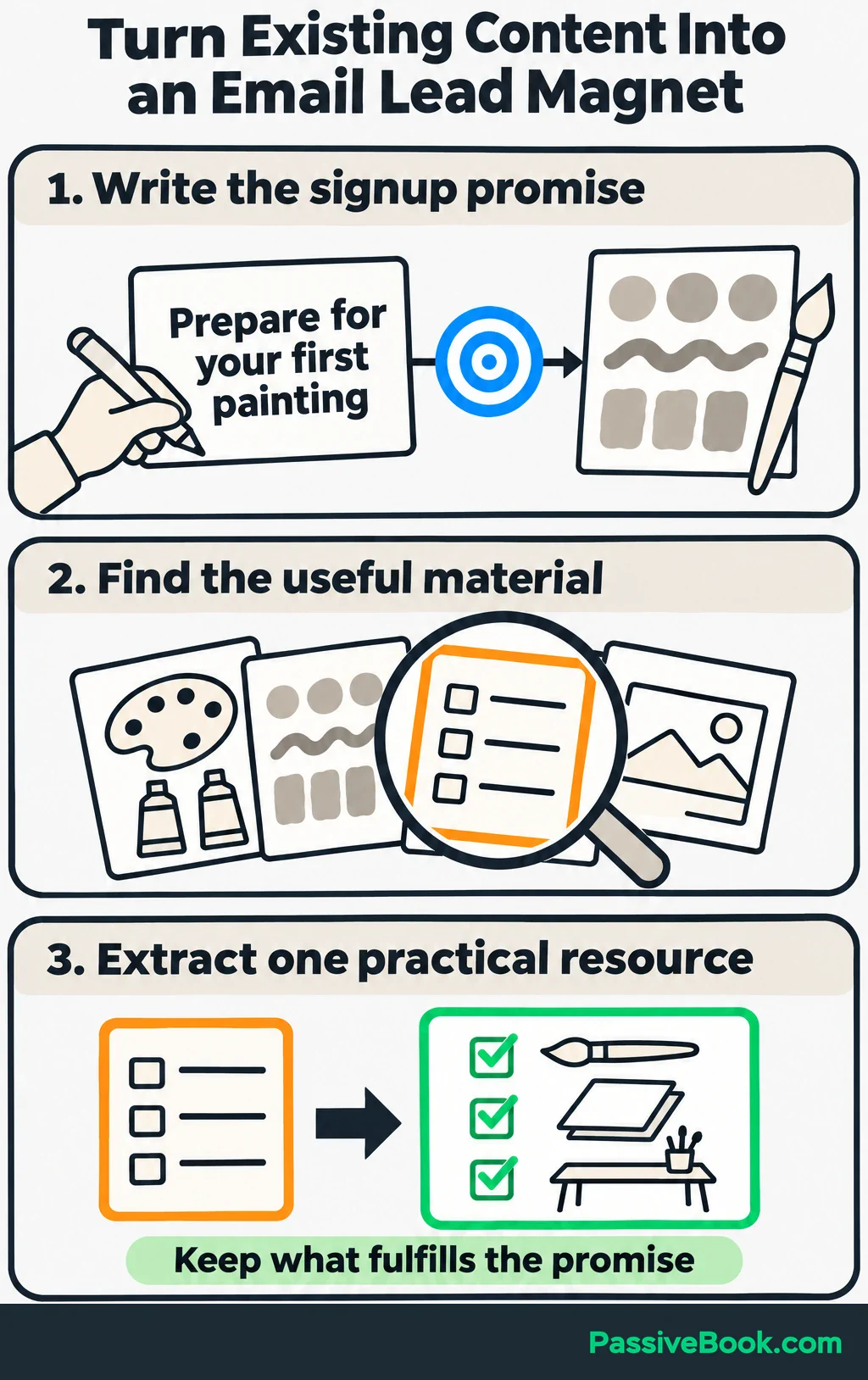
For First Brush, I would choose a one-page checklist covering essential supplies and preparation. It connects naturally to the weekly lessons and paid course.
I once drafted a long subscriber guide for a digital-product site before writing the signup promise. When I finally wrote that sentence, only one page of the guide answered the problem I was asking people to subscribe for. I used that page and shelved the rest.
That experience is why I write the promise first. Before making a new download, check whether an existing lesson, worksheet, or article already contains what you need.
Choose an Affordable Email Platform
Use an email marketing platform to collect subscriptions, send newsletters, and handle unsubscribes. Gmail and Outlook contact groups organize recipients, but they don’t provide the same subscription workflow. If you don’t have a website, look for a hosted landing page—a signup page the platform publishes for you.
Your first setup needs to do a short list of jobs: publish a signup form, deliver the resource, welcome subscribers, and send regular emails. Check that you can export subscribers and connect the platform to your site or store when needed.
These are the options I would consider:
| Platform | Starting Cost and Useful Features | When I Would Choose It |
|---|---|---|
| MailerLite | Free for up to 250 subscribers and 2,500 monthly emails, with forms, a hosted landing page, and limited automation. | You want a small list with an automated welcome email. |
| Kit | Free for up to 10,000 subscribers, with unlimited forms, landing pages, and newsletters. Automated email sequences need a paid plan. | You want room for more subscribers and can start with resource delivery plus manually scheduled newsletters. |
| FluentCRM | Runs inside WordPress. A free plugin is available; Pro starts at $129/year before discounts for one site, with no per-subscriber fee. Hosting and email delivery cost extra. | You already use WordPress and want to manage email there. |
For a new watercolor list, I would start with MailerLite because the automated welcome message handles a useful task immediately. Kit is worth considering if its larger free subscriber allowance matters more than a follow-up sequence.
I use FluentCRM on Passive Book’s WordPress site. It fits my preference for keeping tools inside WordPress, but I wouldn’t build a WordPress site just to collect your first subscribers. A hosted signup page can get you started.
Count both newsletters and automated emails when estimating sends. Sending four newsletters to 200 subscribers uses 800 sends, and welcome emails add to that total.
Before committing, compare the recurring paid cost at your expected list size. Include any domain, business mailbox, and integration costs. MailerLite locks sending when its free subscriber allowance is exceeded, so check the linked pricing pages before choosing a plan.
A large free allowance is useful. Paying for features you won’t use is still paying for features you won’t use.
Create a Signup Form That Makes Permission Clear
Build one focused signup page. Give it a clear headline, a short explanation, an email field, and a button that says what happens next.
Ask only for information you will use immediately. An email address is enough to deliver a checklist. Leave the first name optional, and save questions about experience or interests until the answers change what you send.
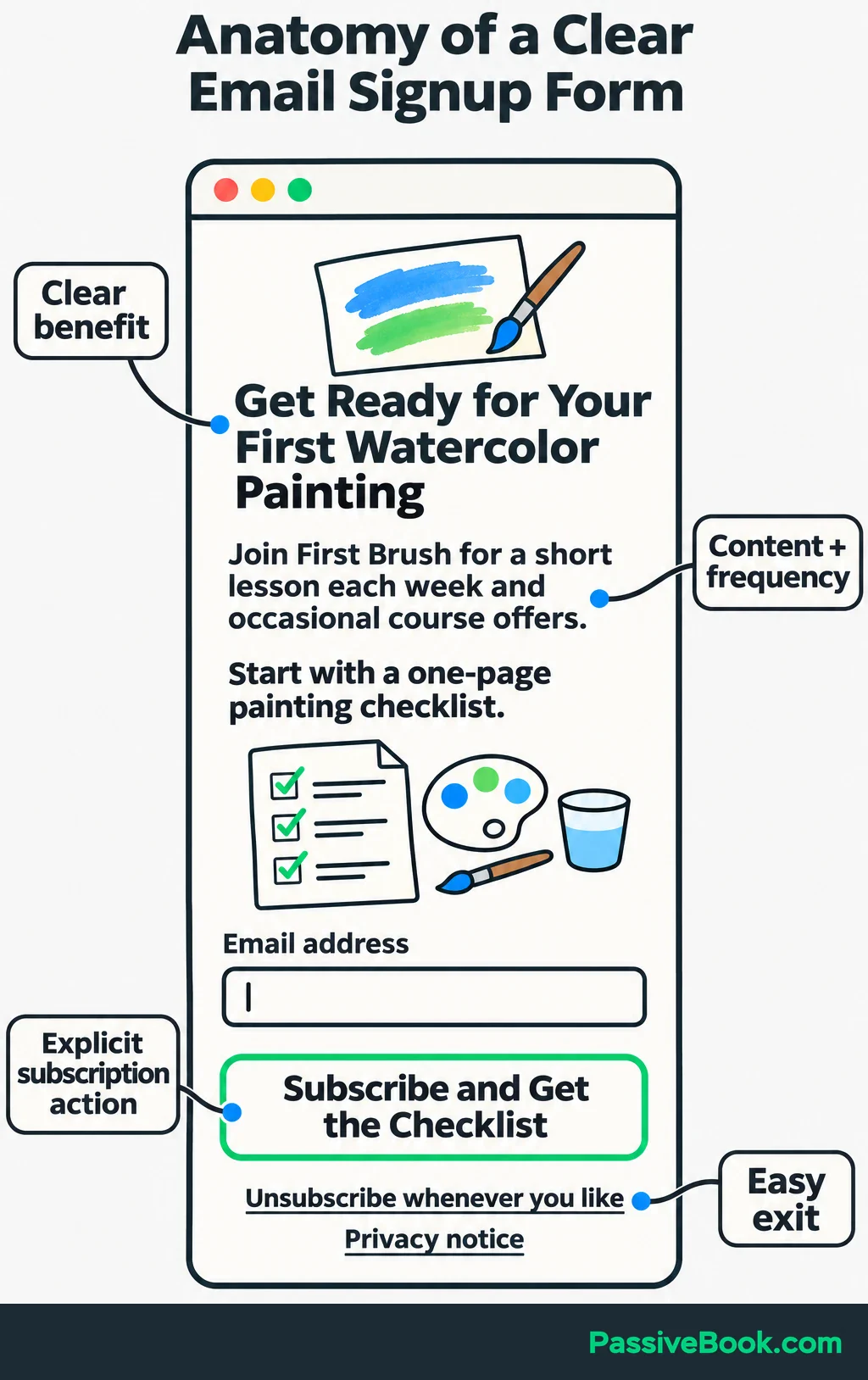
Here is complete signup copy for the running example:
### Get Ready for Your First Watercolor Painting
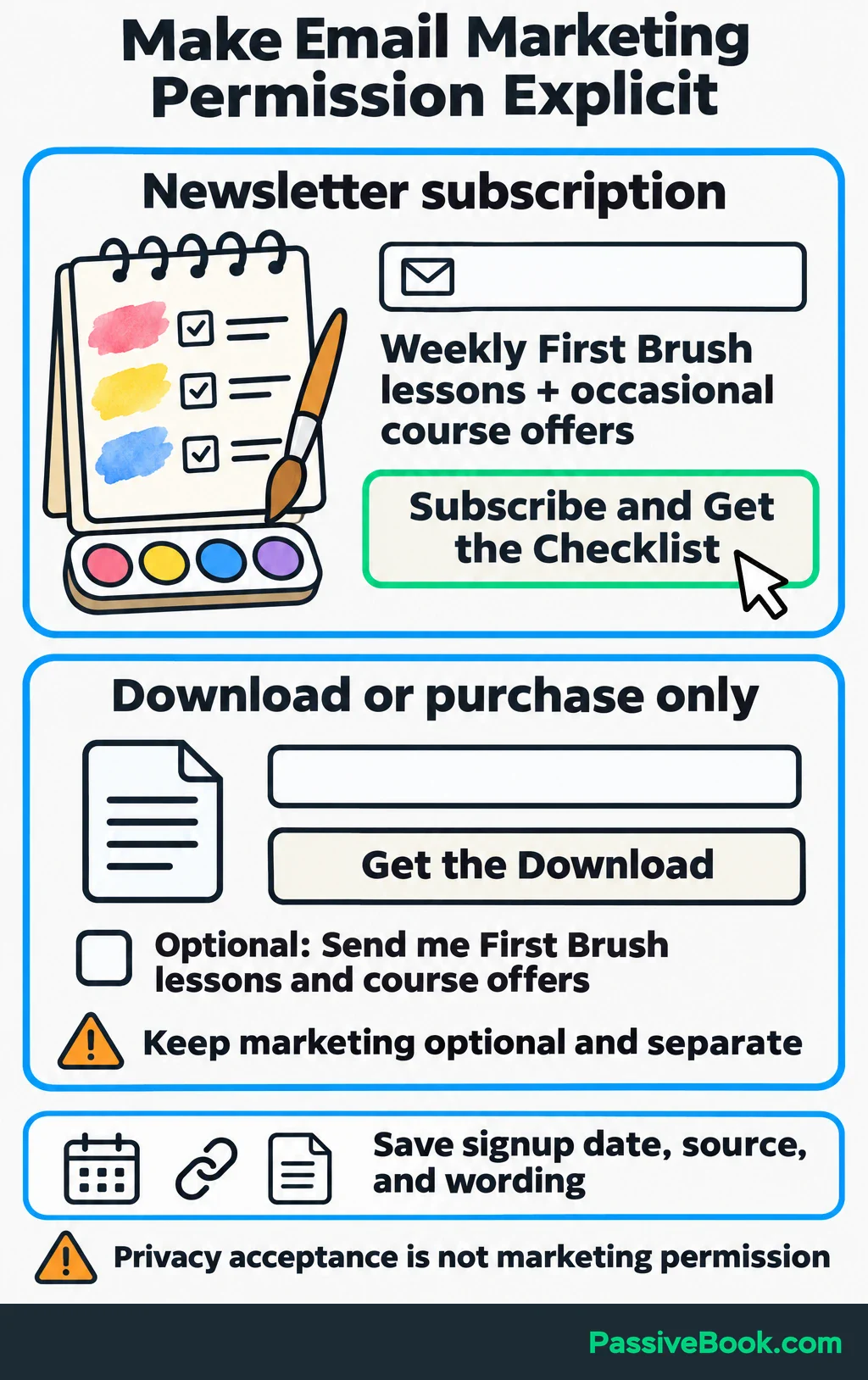
Join First Brush for a short watercolor lesson each week and occasional offers for my beginner course.
Your welcome gift is a one-page first-painting checklist covering essential supplies and preparation.
Email address: [Email field]
[Subscribe and Get the Checklist]
Unsubscribe whenever you like. Read the [privacy notice].
Replace the privacy placeholder with your actual notice before publishing. The page presents a newsletter subscription clearly, and the button confirms that choice.
The watercolor example gives you a structure, but your invitation needs to fit your own customers. This AI Skill drafts your signup wording and matching welcome messages from a few details about your business.
Free AI Messaging Studio


If someone is requesting only a download or completing a purchase, keep optional marketing permission separate. Use an unticked checkbox that names your business and the emails they’ll receive. Don’t treat accepting a privacy policy as permission to send marketing.
Keep a record of the signup date, source, and wording shown when the person subscribed. In the UK, consent for this approach must be freely given, specific, informed, and unambiguous. The ICO’s email marketing guidance explains those requirements.
I would also enable double opt-in. That means someone submits the form and then clicks a confirmation link sent to their address.
Make the next step clear on the success screen:
Check your inbox for a message from First Brush. Click the confirmation link to join the lessons and open your checklist.
Use the hosted page when linking from other channels. If you have a website, add the form directly to relevant articles using your platform’s embed code or website plugin.
Check both versions on your phone. The text should be readable, the field easy to fill, and the button easy to tap.
Keep purchased, scraped, and borrowed addresses out of this process. Your marketing list should contain people who actively chose to hear from your business.
Deliver the Offer and Welcome Each Subscriber
Set up delivery before promoting the form. You don’t want the first interested person to become your unpaid tester.
Choose a sender name people will recognize, such as “First Brush,” and use a reply address you check. Complete the platform’s sender verification and domain authentication.
Authentication uses records at your domain provider to help receiving services check that your platform is allowed to send for you. Your platform will supply the records to add. Google recommends setting up SPF, DKIM, and DMARC—the three common authentication methods—for sending domains. See its sender guidelines.
Next, connect confirmation to resource access:
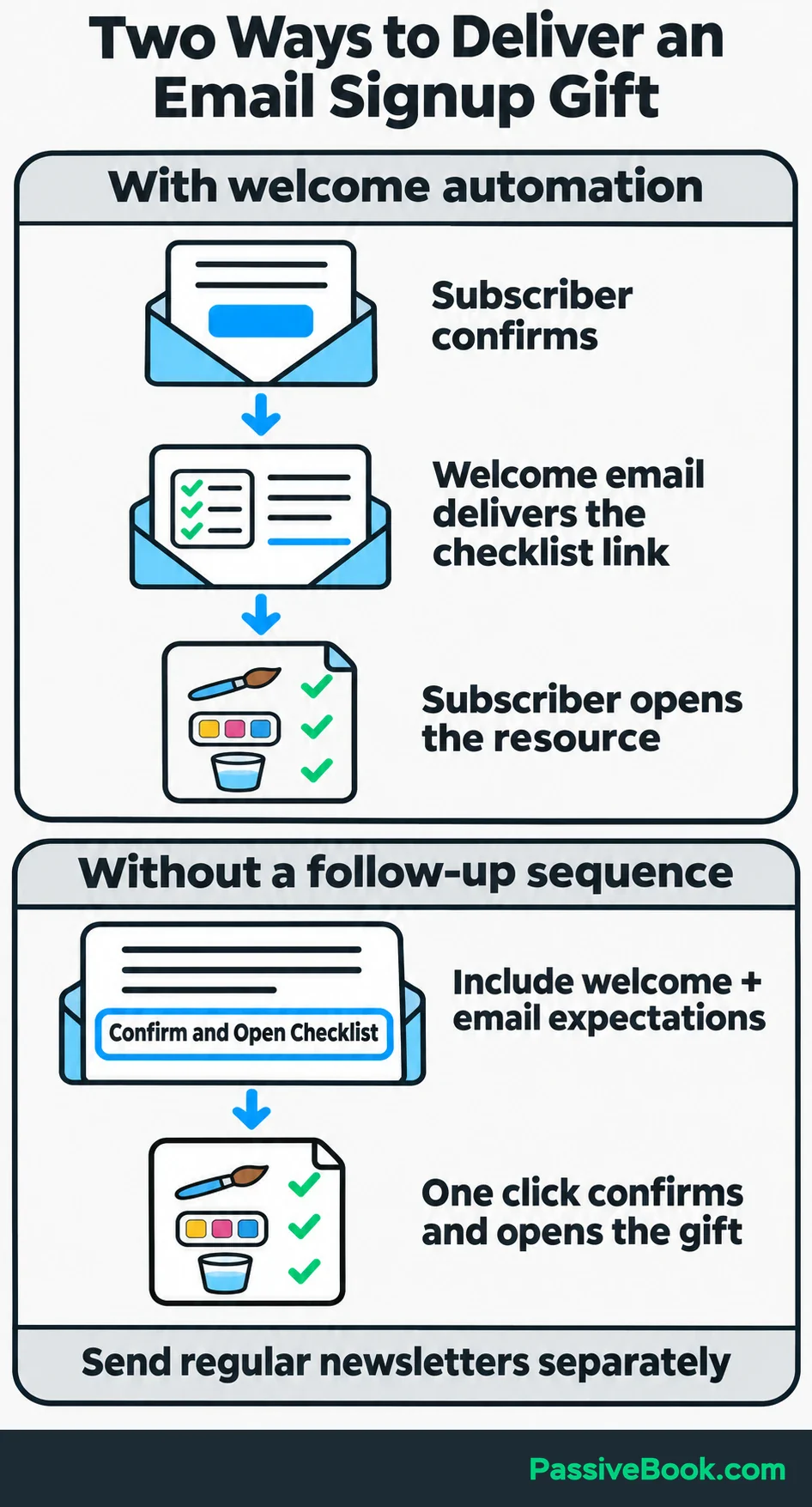
- With a welcome automation, send the checklist link after the subscriber confirms.
- With Kit’s free setup, the confirmation button can open the checklist directly. Put a brief welcome and expectations in that message, then send your regular newsletters separately.
Keep the first welcome email simple. Deliver the resource, introduce yourself briefly, explain what comes next, and suggest one useful action.
For the watercolor course owner, it could read:
Subject: Your First-Painting Checklist
Hi,
Here’s your first-painting checklist: [Open the checklist]
I’m the teacher behind First Brush. I help beginners get comfortable with watercolor, starting with simple subjects and a small set of supplies.
Before your first lesson, use the checklist to gather what you need and prepare your painting space.
I’ll send a short painting lesson each week, along with occasional offers for my beginner course.
What’s holding up your first painting: choosing supplies, picking a subject, or getting started? Hit reply and tell me.
[Your name]
First Brush
[Valid postal address]
[Unsubscribe]
For your own message, replace the bracketed text and use your platform’s working unsubscribe link. If this also serves as your confirmation email, use the confirmation button as the checklist link so subscribers confirm before the file opens.
For US commercial email, use accurate sender information and subject lines, include a valid postal address and clear opt-out route, and honor opt-outs within 10 business days. These are among the FTC’s CAN-SPAM requirements. I would let the platform process unsubscribes immediately.
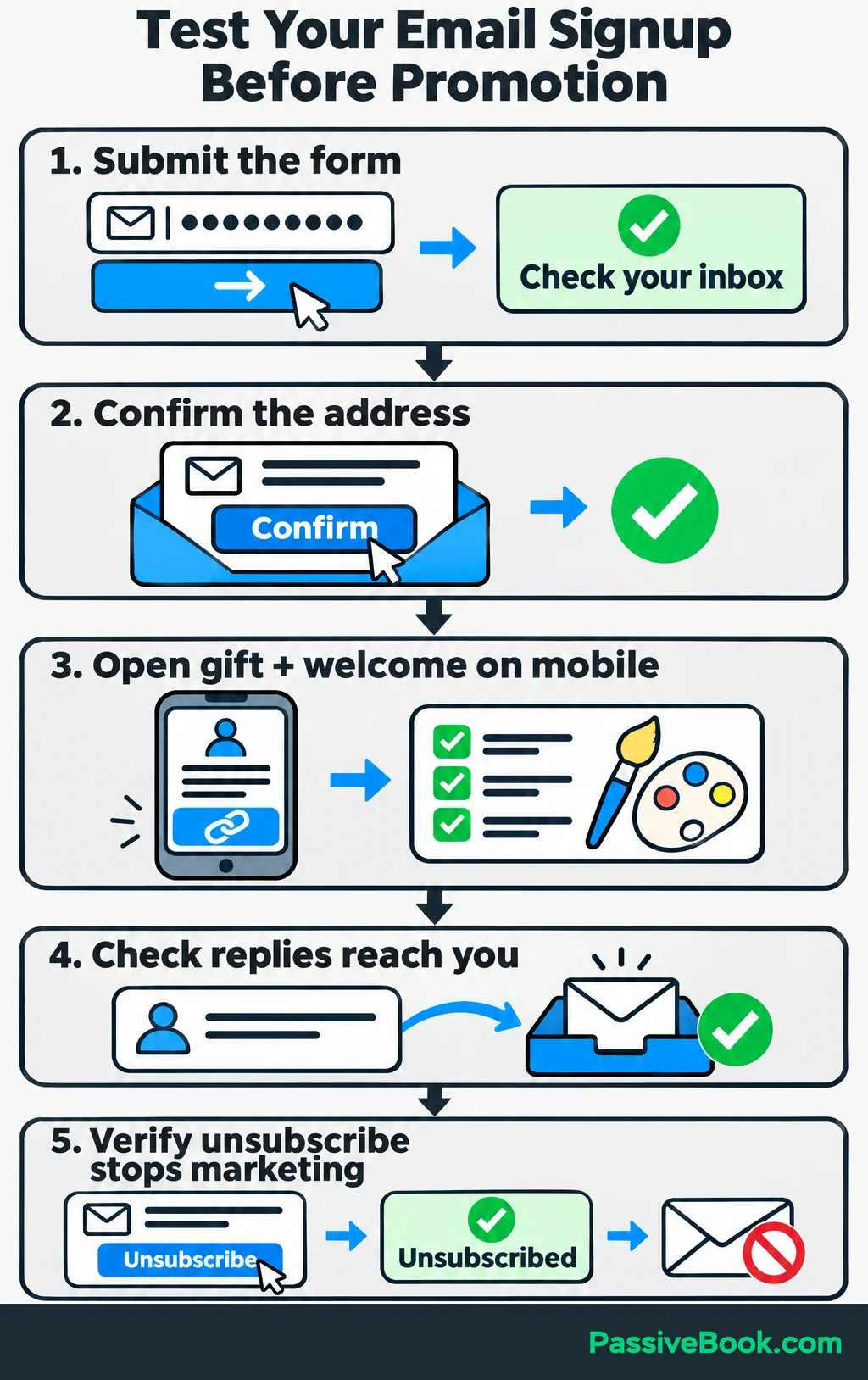
Then test the whole journey with a fresh email address:
- Submit the form and check the success message.
- Find the confirmation email and click its link.
- Open the checklist and read the welcome message on your phone.
- Reply and check that the reply reaches you.
- Unsubscribe and verify that marketing stops.
Keep writing at the frequency you promised, even when the list is small. For First Brush, the next emails might explain a simple brush exercise, answer a common beginner question, and introduce a relevant lesson from the course.
You don’t need a complicated sequence to make that useful.
Attract Subscribers Through Relevant Content and Relationships
Start with one route you can maintain. Choose it based on where people already look for help and what access you have.
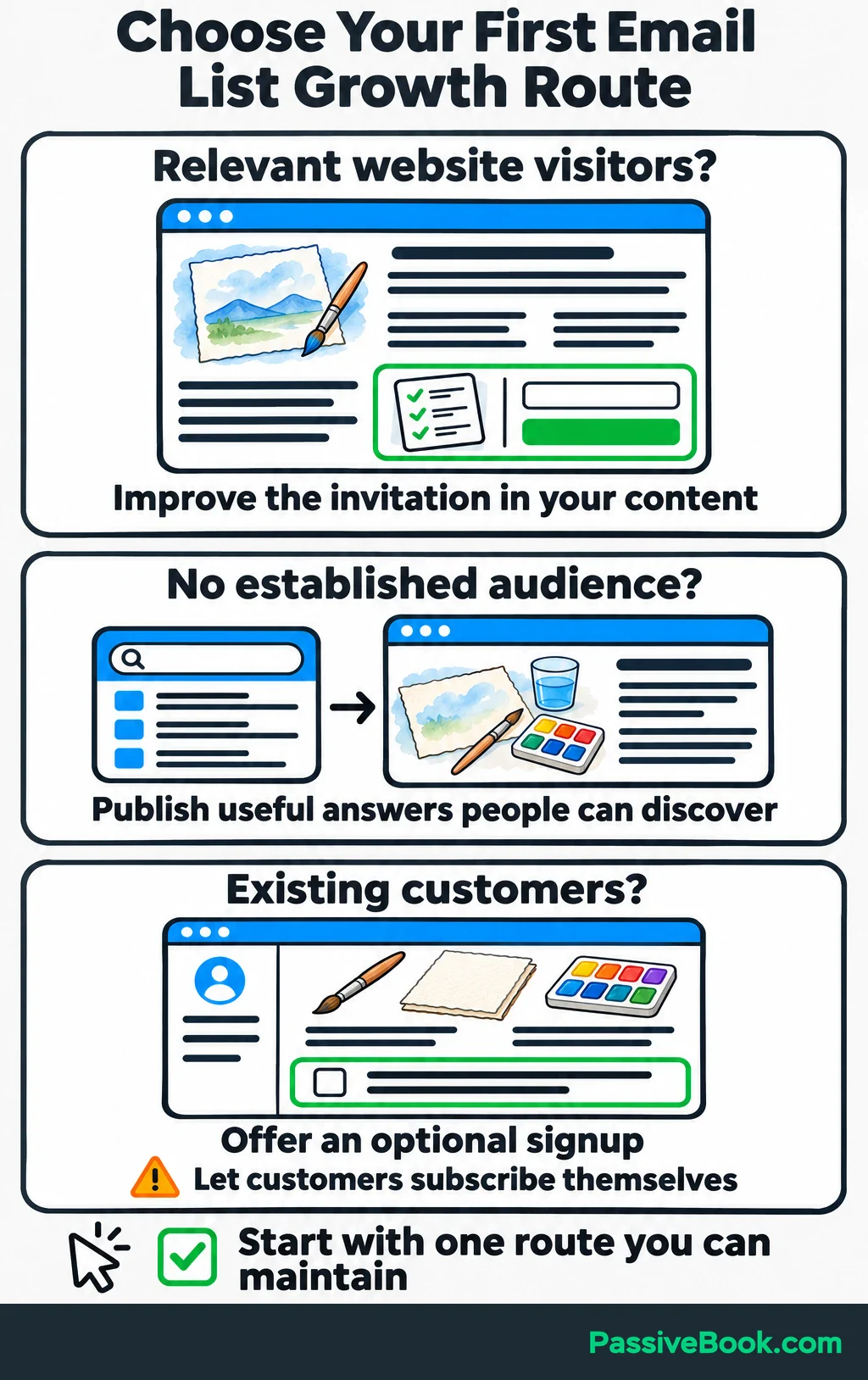
If your website gets relevant visitors, improve the invitation there first. If you’re starting without an audience, publish useful answers somewhere people can discover them.
Existing customers can also choose to join through your website, account area, or an optional checkout signup. Let them subscribe themselves rather than importing purchase details into the marketing list.
Add Signup Invitations to Existing Content
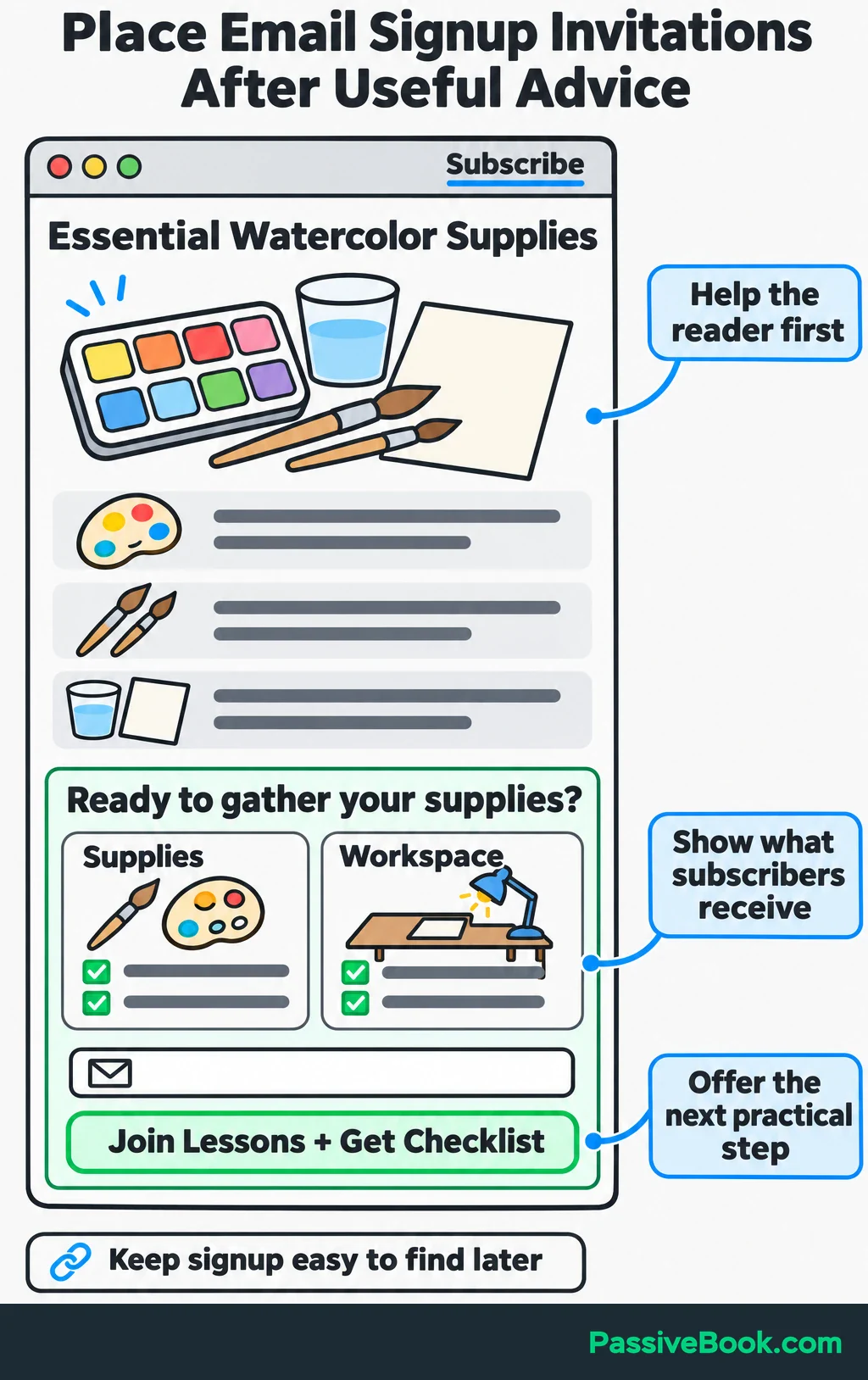
Place the invitation where your resource answers the visitor’s next question.
First, explain the topic well enough to help. Then offer the resource that makes acting on the advice easier.
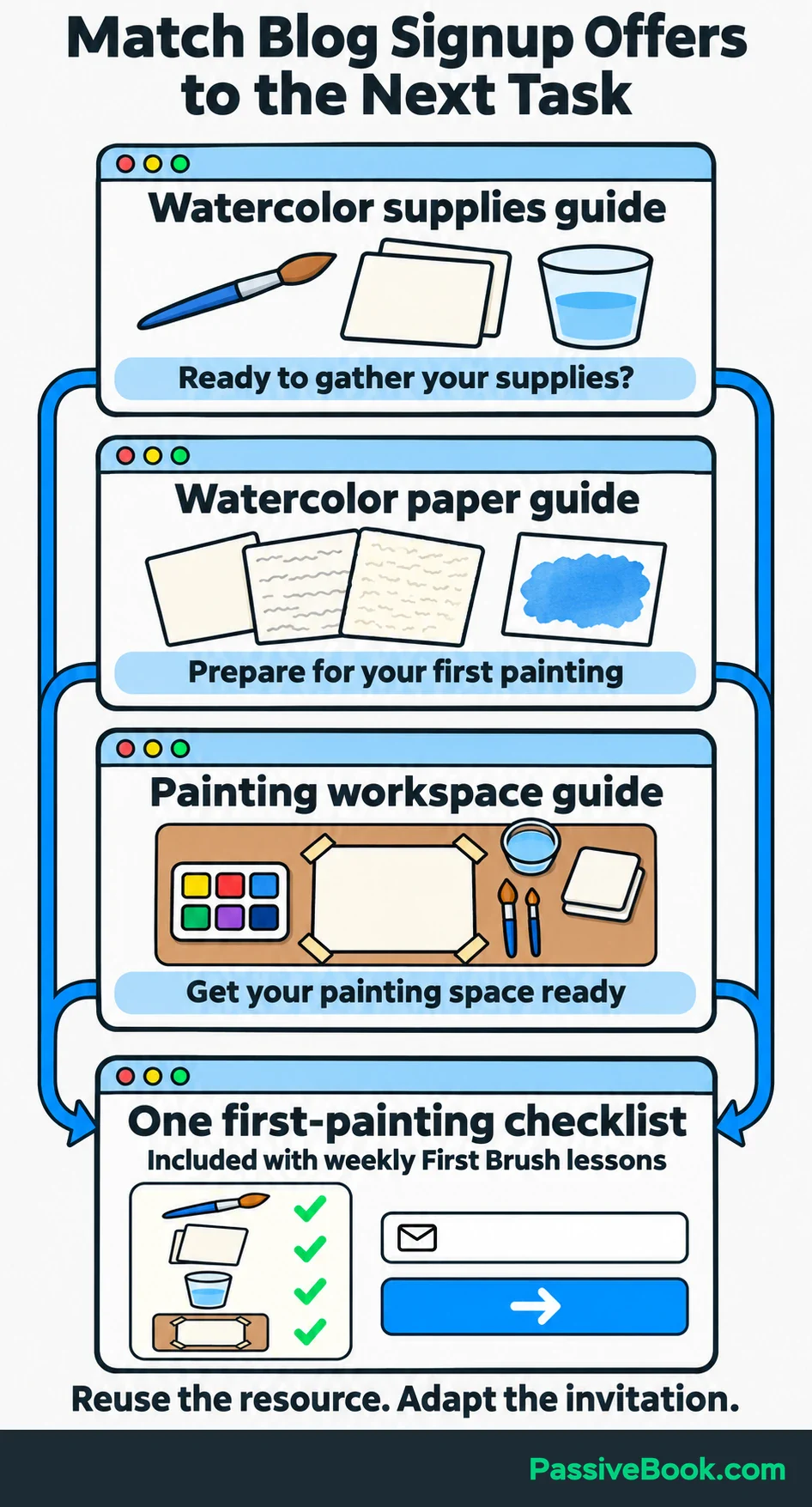
In a watercolor supplies article, the invitation could appear after the essential equipment list:
Ready to gather your supplies? Join the weekly First Brush lessons and get the first-painting checklist to help you prepare.
Show a small preview beside the form. A readable excerpt covering the workspace and supplies gives visitors something concrete to judge.
Reuse the same checklist across closely related articles. A guide to choosing paper and a guide to setting up a painting space can both lead to it, with a different sentence introducing the offer.
Also add a visible signup link to your homepage, navigation, and social profiles. Someone who decides to subscribe later should be able to find it again.
I would begin with visible forms. If you later test a popup, make it easy to dismiss and show it after visitors have had time to engage with relevant content. Compare any extra confirmed signups with the interruption it creates.
Reach Interested People Without an Established Audience
Choose a question your potential customer is already trying to answer, and publish a useful response.
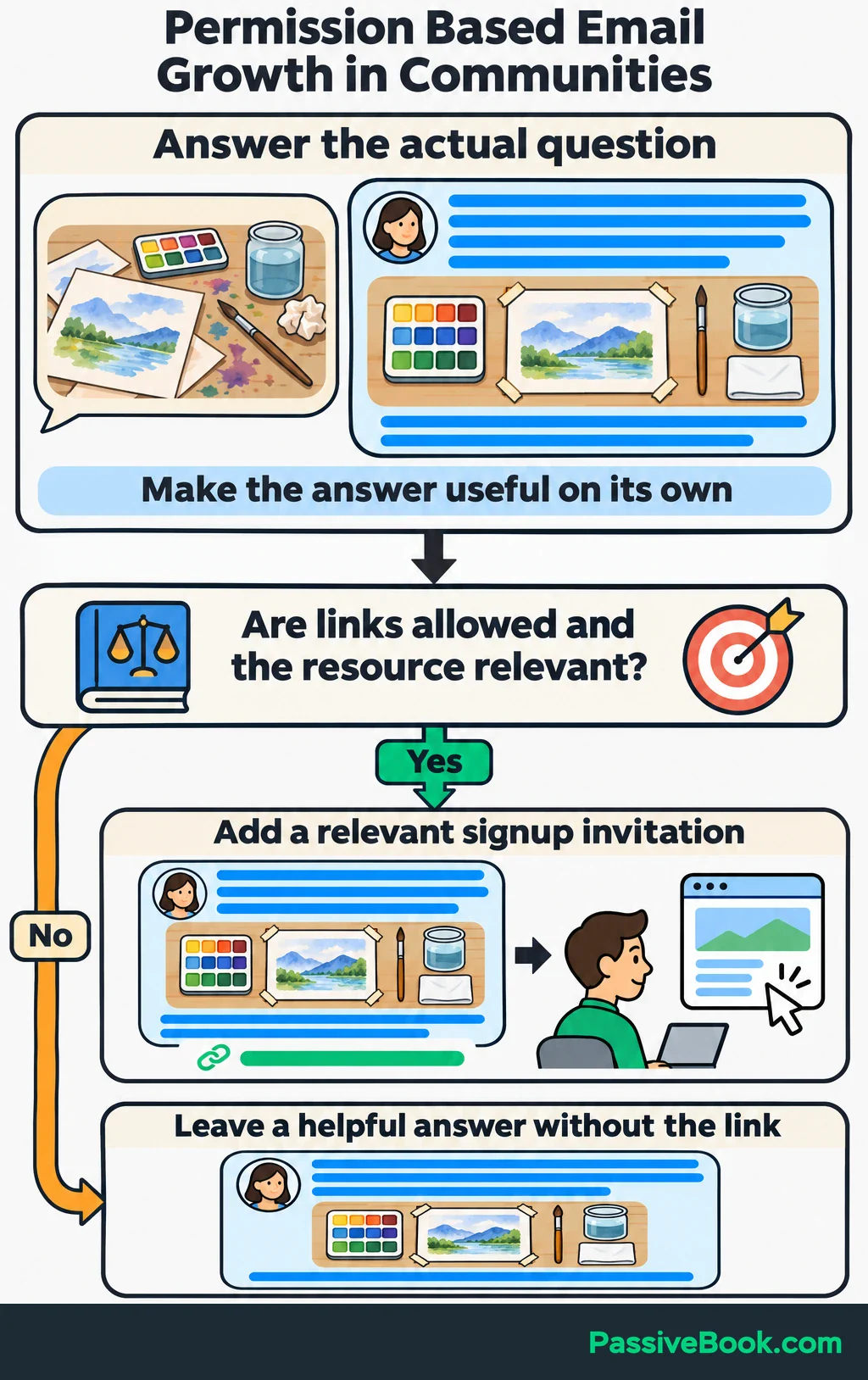
That might be a searchable article, a tutorial, or a detailed contribution to a relevant community. The answer should stand on its own. An invitation to subscribe belongs where the resource helps with the next task.
For First Brush, a tutorial about setting up a watercolor workspace could end with:
Before your next painting, use the first-painting checklist to get your supplies and workspace ready. It comes with the weekly First Brush lessons.
You can turn that tutorial into a Pinterest Pin leading to the article and its signup invitation. One useful piece of content can support more than one way of finding it.
Blogging and Pinterest are the active channels I use for Passive Book. My newsletter experience comes from other niches, but that channel experience shapes my preference here: I like publishing something useful that people can keep finding.
In communities, answer the actual question and follow the promotion rules. Share your resource when it adds something to the discussion and links are allowed. A helpful answer doesn’t need a sales pitch stapled to it.
Give one route enough attention to learn from it before adding three more.
Grow Through Partnerships and Subscriber Sharing
Look for a complementary business whose audience needs something you can teach.
Offer a specific contribution. Explain what you’ll provide, why it fits, and where interested readers can subscribe.
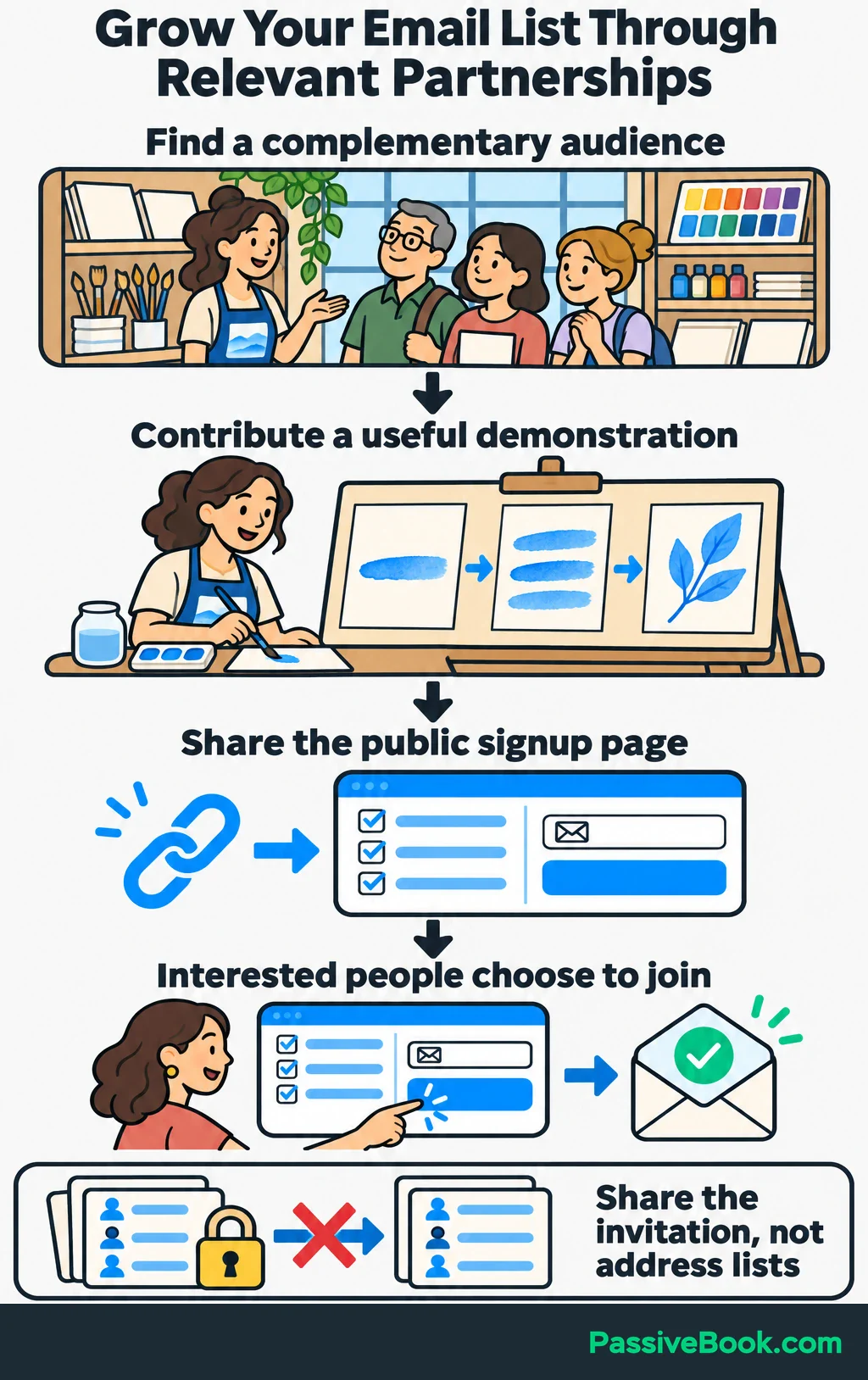
For the watercolor business, you could approach a materials shop with a beginner demonstration using a small set of supplies. The shop gets a useful lesson for its audience, and the demonstration links to your checklist signup page.
Give the partner a short description and a public link. Each business invites its own audience, and people choose whether to join. There’s no need to exchange address lists.
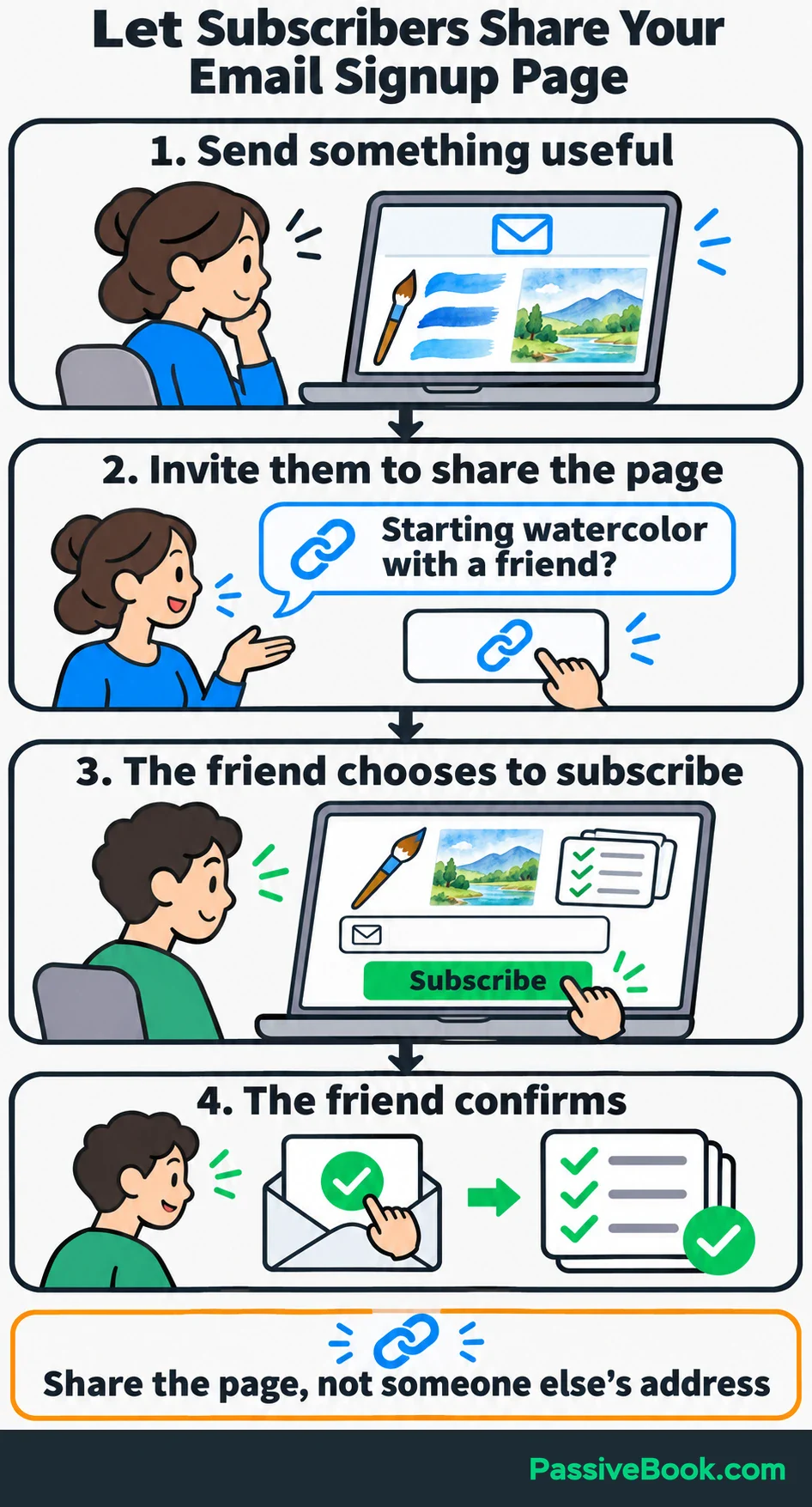
You can also ask existing subscribers to share after sending something useful:
Starting watercolor with a friend? Send them this signup page so they can get the checklist and weekly lessons too.
Share the public page rather than asking subscribers to submit other people’s addresses.
I would skip referral software until sharing becomes a channel worth managing. Put more time into partnerships that bring people who use the resource, ask relevant questions, or explore your products.
Improve the Signup Process Using Actual Results
Keep a simple weekly record of signup-page visits, confirmed new subscribers, and unsubscribes. Use distinct tracking links for promotion sources, such as Pinterest and a partner article, so you can tell them apart.
To measure the signup page, count visits in one reporting period and the new subscribers who signed up from those visits. Give each signup the same amount of time to confirm, and include only those who confirm within that window.
For illustration, suppose the page receives 200 visits and 10 new subscribers confirm from those visits:
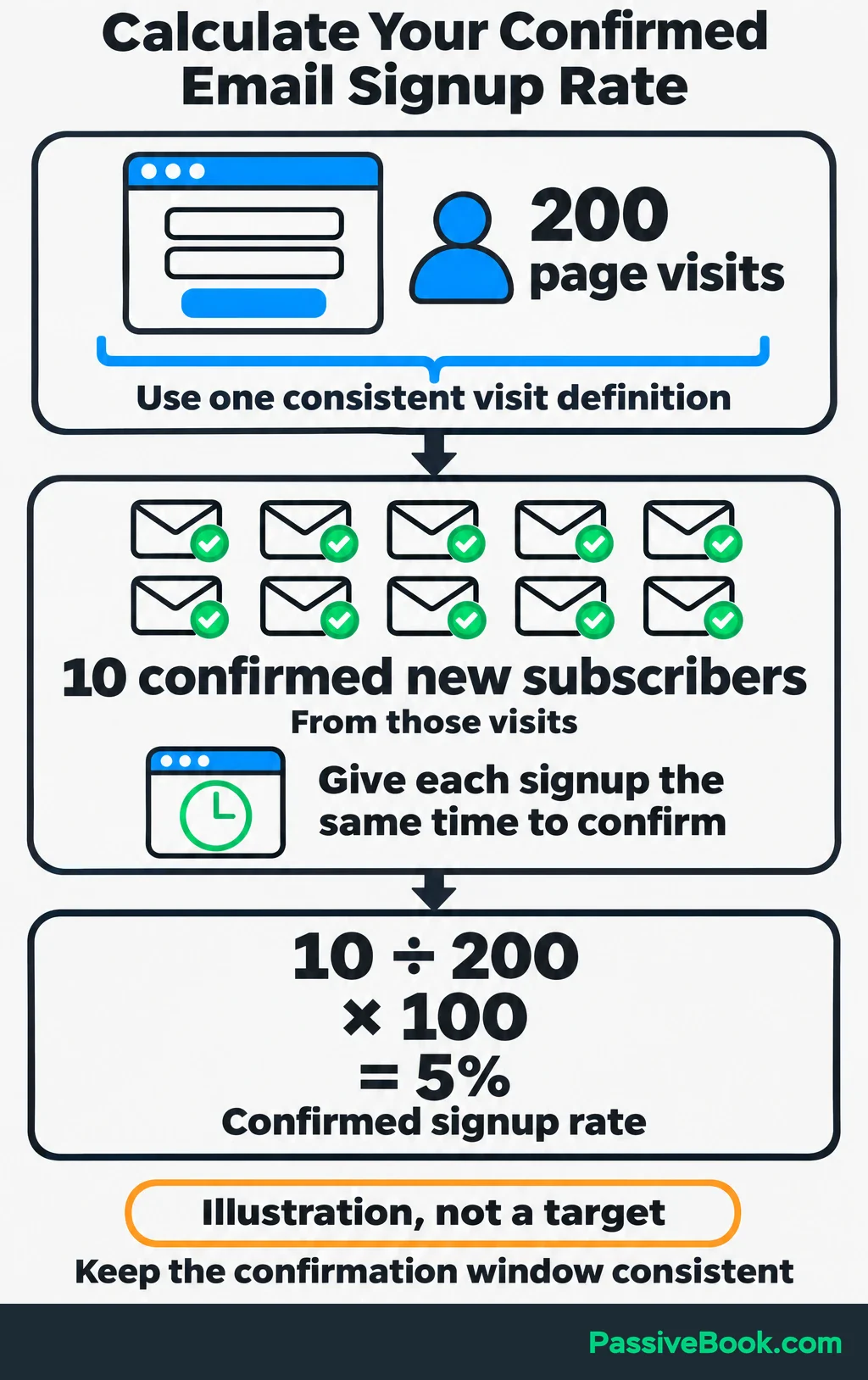
10 ÷ 200 × 100 = 5% confirmed signup rate.
That’s an example calculation, not a target. Keep the visit definition and confirmation window consistent when comparing results.
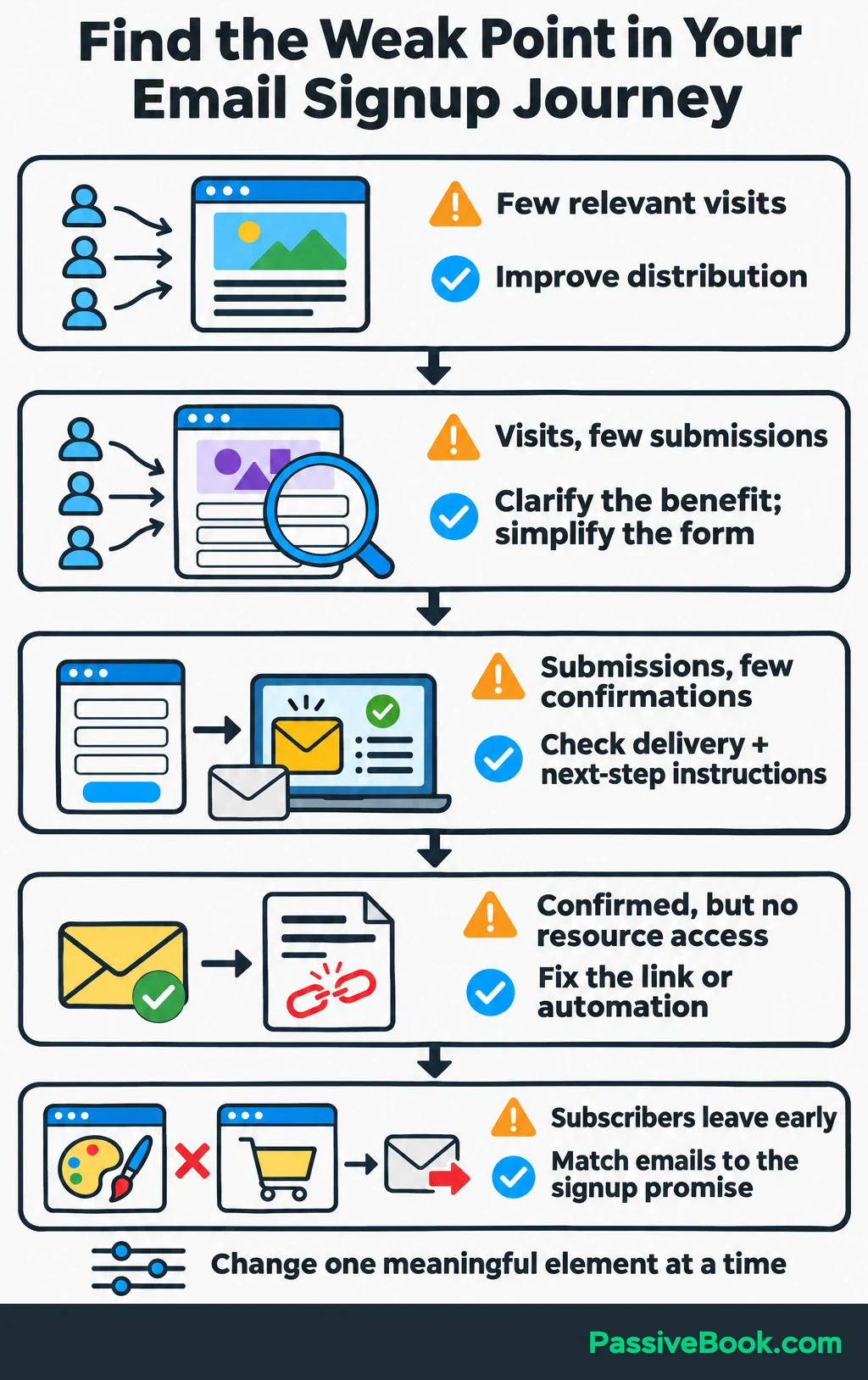
Use the numbers to choose the next job:
| What You Observe | What to Check or Change |
|---|---|
| Few relevant visits | Spend more effort distributing the article or signup invitation. |
| Visits but few form submissions | Clarify the benefit, show the resource, or remove unnecessary fields. |
| Submissions but few confirmations | Check confirmation delivery and the instructions shown after signup. |
| Confirmed subscribers can’t access the resource | Fix the download link or delivery automation. |
| Subscribers leave after the first few emails | Compare what the signup page promised with what you sent. |
Subscriber count alone won’t tell you which source deserves more work. Look for useful clicks, replies, inquiries, and purchases too.
Treat open counts cautiously. Apple’s Mail Privacy Protection can download remote email content in the background whether or not the recipient engages, so a recorded open doesn’t establish readership. Apple explains how this works.
For First Brush, a reply about completing a first painting tells you something useful. A course purchase tells you something else. Neither needs to be squeezed into an open-rate report.
Change one meaningful element at a time: the promise, form placement, or promotion source. With only a handful of visits, don’t declare a winning headline. Keep attracting relevant visitors and use subscriber questions to improve what you send.
What Next?
Write one sentence that says what subscribers will get and how often you’ll email them. Use it to build your first signup page, then test the journey through confirmation and resource delivery before sharing the link.
Use the social buttons to pass this guide along when the conversation turns to growing a business without buying a contact list.
What would make your subscription worth joining even before someone is ready to buy? Share your answer in the comments, and bring any other questions there too.
Share this post with your friends & followers: