Your pet-care article answers a reader’s question, but once they leave, you have no way to help with the next one. You want to offer a free download that gives them a reason to sign up for your emails.
Choosing what to make can eat up the time you meant to spend creating it. And a weekend spent designing a PDF is hard to justify when you don’t know whether anyone wants it. To make that weekend count, this guide pairs a focused pet-care download with automatic delivery and follow-up emails that lead to a related offer.
What Is a Lead Magnet?
A lead magnet is a free resource offered as an incentive to join an email list. It could be a checklist, worksheet, template, or short guide.
Its job is to attract people whose needs match your content and offers. A large list is less useful if most subscribers have no interest in what your business helps them do.
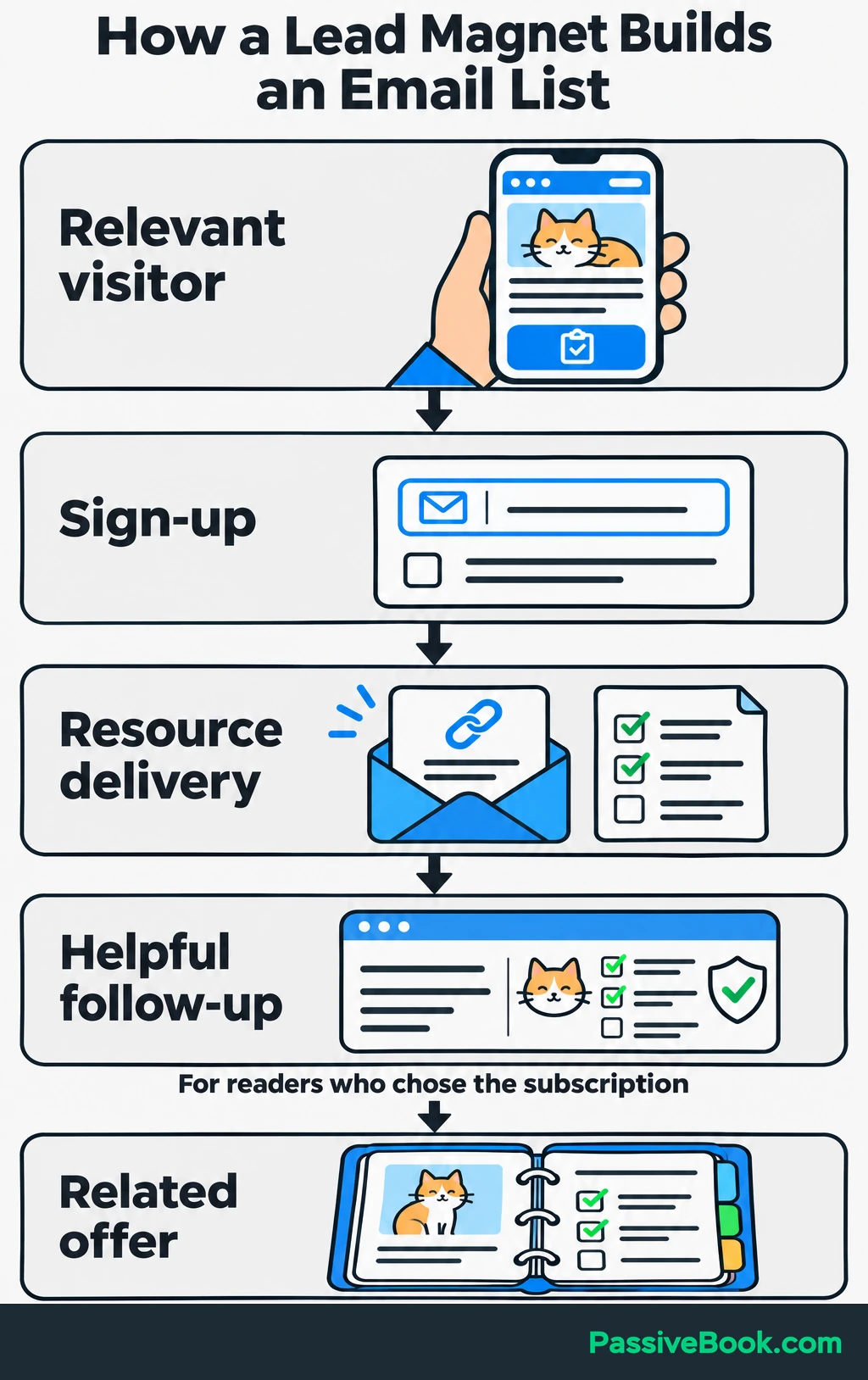
The path looks like this:
Relevant visitor → sign-up → resource delivery → helpful follow-up → related offer.
You don’t need a large audience, paid ads, or advanced design skills to build that path. You do need a useful promise and a way for relevant people to discover it.
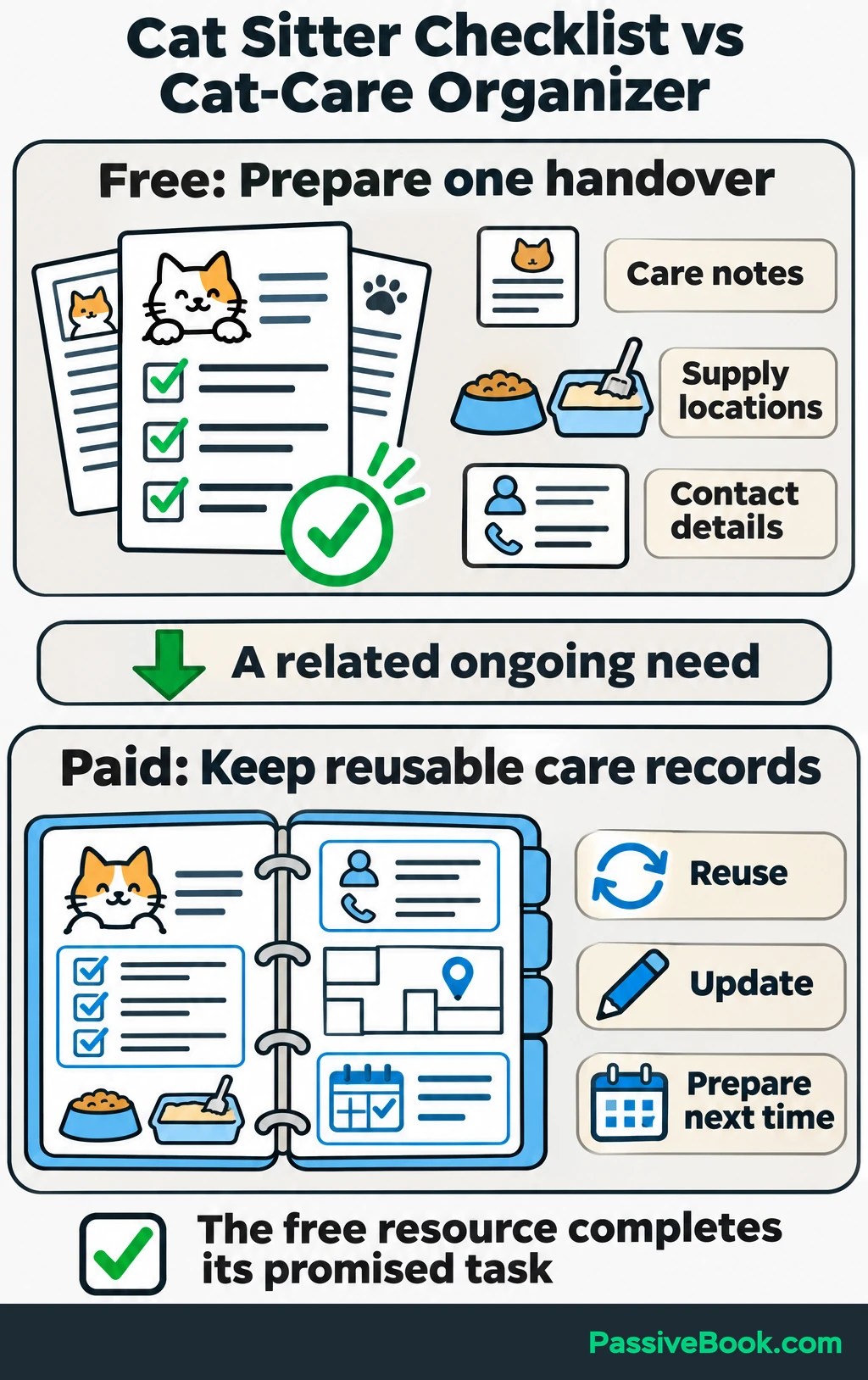
For the worked example, imagine your cat-care blog sells a printable cat-care organizer. Your free resource is a Cat Sitter Handover Checklist, which helps readers prepare care notes, supplies, and contact details before leaving. The sample copy and numbers below are illustrations.
1. Choose a Problem Your Future Customers Need Solved
Start with a situation your reader already faces. Identify what they’re trying to finish and what makes that task difficult.
Look through customer questions, comments, support messages, and relevant communities. Record the words people use, especially when they describe something confusing or easy to forget.
You’re looking for a task you can help them complete. “Learn about cat care” is broad. “Get everything ready before the sitter arrives” gives you a clear job.
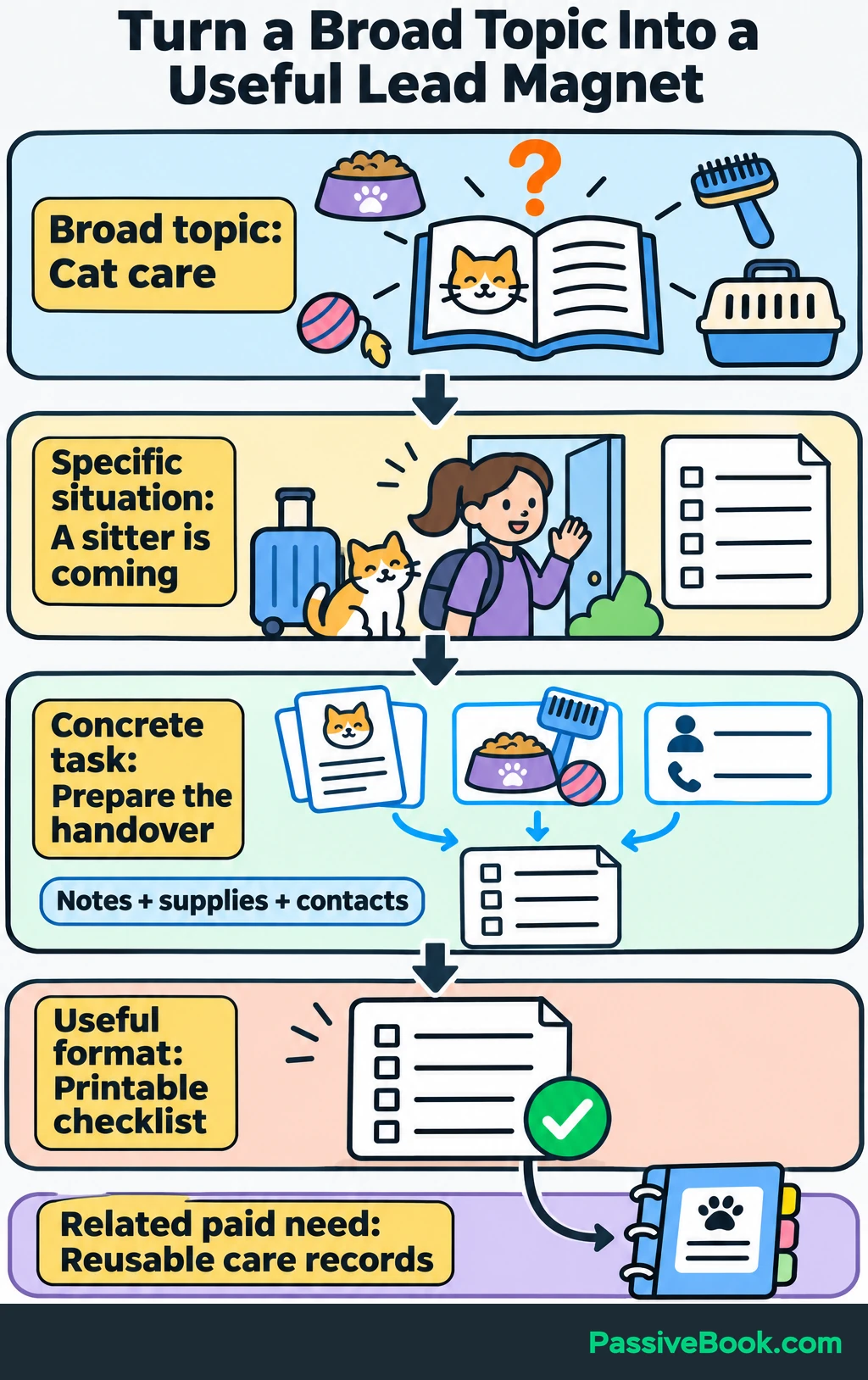
Check how that task connects to your business. Someone preparing a sitter handover may also want a reusable system for keeping care information together. That makes the checklist a sensible companion to the paid organizer.
Write your promise using this structure:
A [format] that helps [person in a specific situation] complete [concrete task].
For the example:
A printable checklist that helps cat owners prepare care notes, supplies, and contact details before a sitter visit.
You can turn that into a title:
Cat Sitter Handover Checklist: Get Your Care Notes and Supplies Ready Before You Leave.
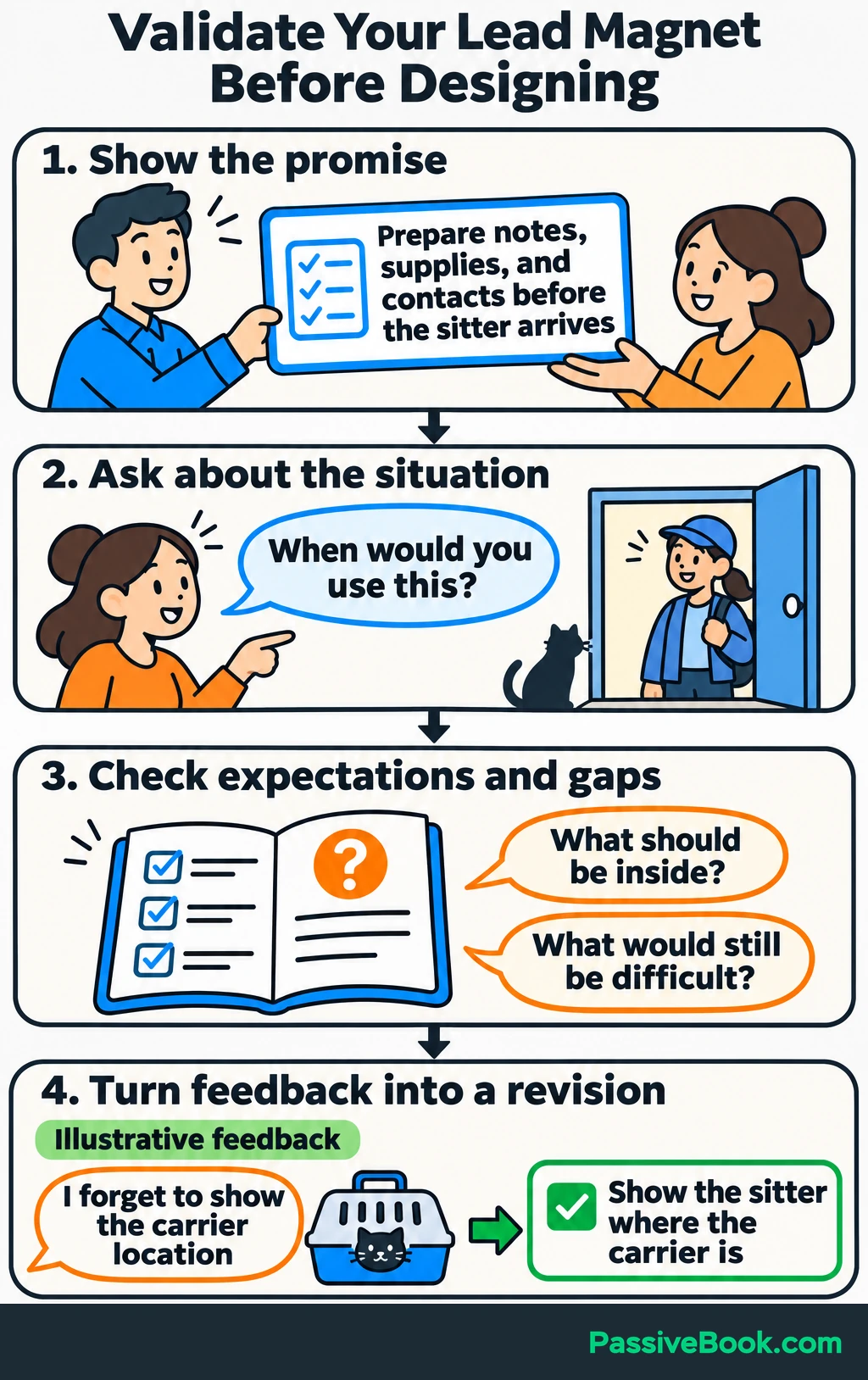
Before creating it, show the promise to a few prospective users and ask:
- When would you use this?
- What would you expect to find inside?
- What would still be difficult after using it?
Listen for specific situations and missing information. “Looks great” gives you less to work with than “I always forget to show the sitter where the carrier is.”
I learned this lesson from a rushed course I released. It received few sales and a bad review, and I took it down. That was a paid-course failure, but it informs how I approach free resources too: check the promised result before spending hours packaging it. A free download can still waste your weekend.
2. Choose the Format That Makes the Task Easiest
Choose the format around what the reader needs to do. Then consider how easily you can create and maintain it.
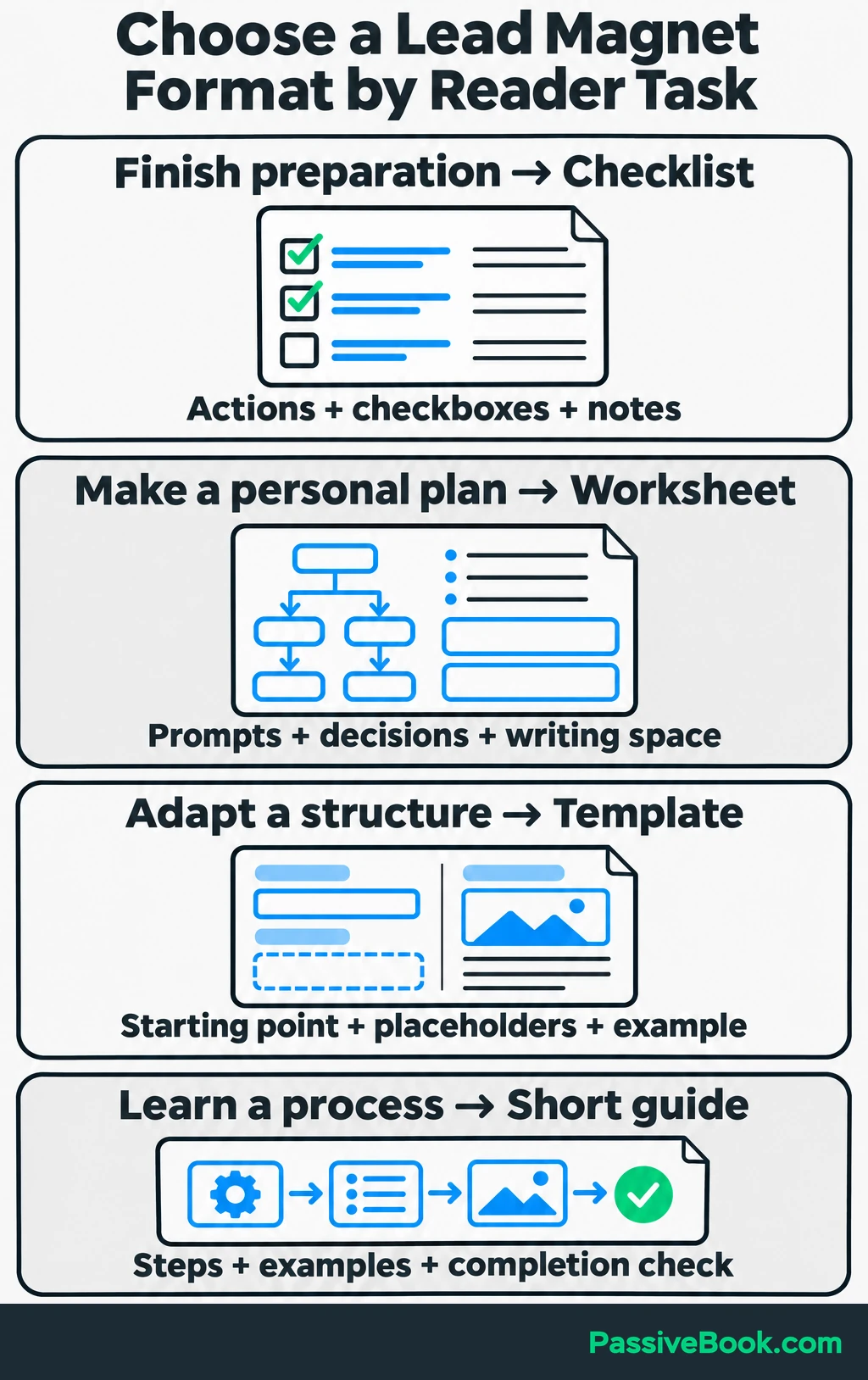
| Reader Task | Suitable Format | Essential Contents | Delivery Format |
|---|---|---|---|
| Complete several preparation tasks | Checklist | Action items, checkboxes, and space for notes | Printable PDF |
| Make a personal plan | Worksheet | Prompts, decisions, and blank spaces to fill in | Printable PDF or editable document |
| Adapt a reusable structure | Template | A usable starting point, placeholders, and a filled example | Copyable document or spreadsheet |
| Learn an unfamiliar process | Short guide | Ordered steps, examples, and a completion check | PDF or web page |
For the sitter handover, I would choose a printable checklist. Readers need to gather things, record details, and check that preparation is finished.
I would skip a video course. Someone packing for a trip probably doesn’t want another thing to watch.
Keep the resource as short as the task allows. If you already have a relevant article, turn its advice into actions, prompts, or decisions. Copying the article into a PDF gives readers another place to read the same information, but a checklist gives them something to use.
3. Create a Resource People Can Use Immediately
Write the Instructions Before Designing
Draft the useful material before opening a design tool.
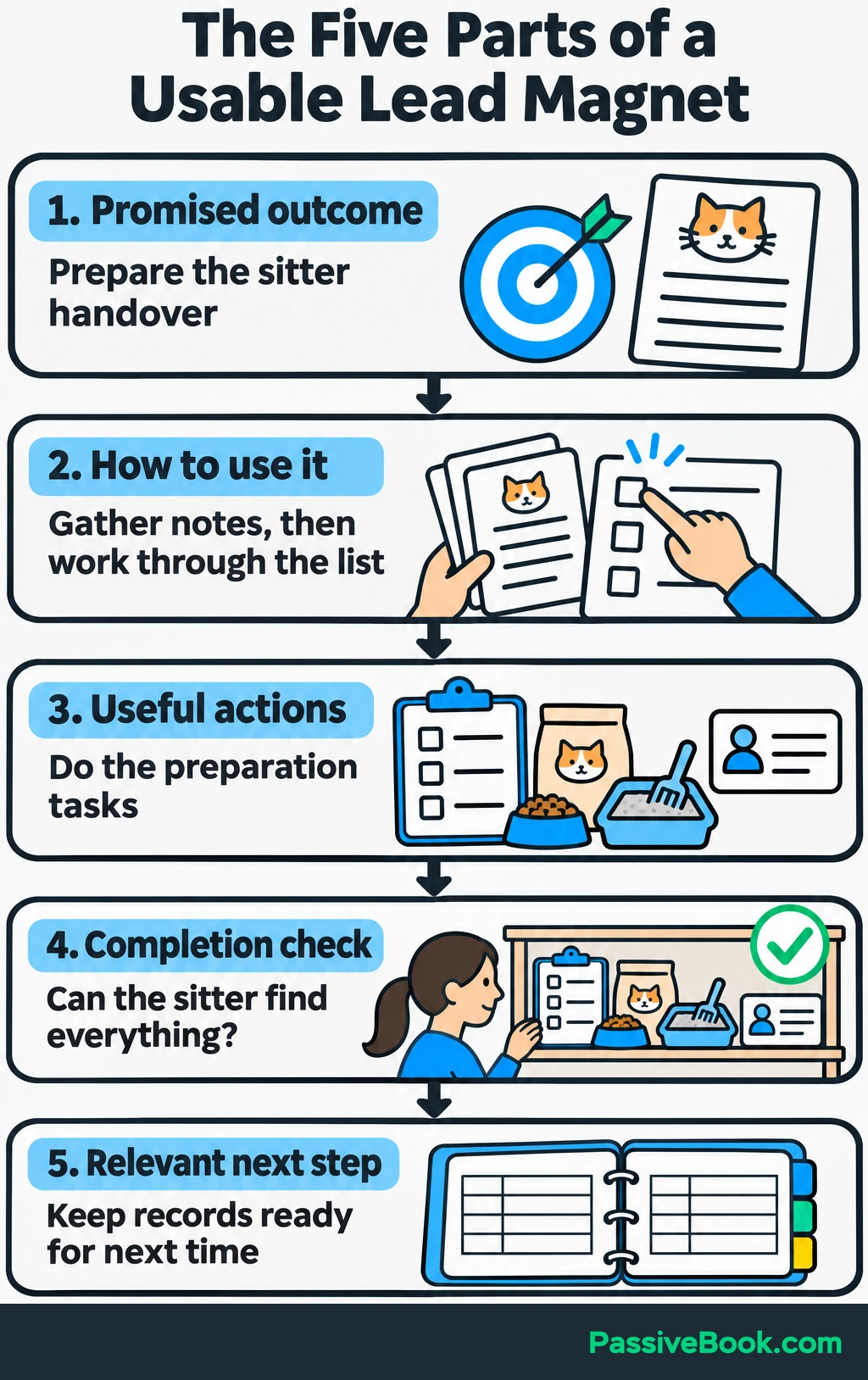
Use this structure:
- State the promised outcome.
- Explain how to use the resource.
- Provide the actions, prompts, or template.
- Show how to check that the task is complete.
- Offer a relevant next step.
The checklist could begin:
Work through this checklist before your sitter arrives. Gather your existing care instructions, put supplies in their agreed places, and walk through everything together.
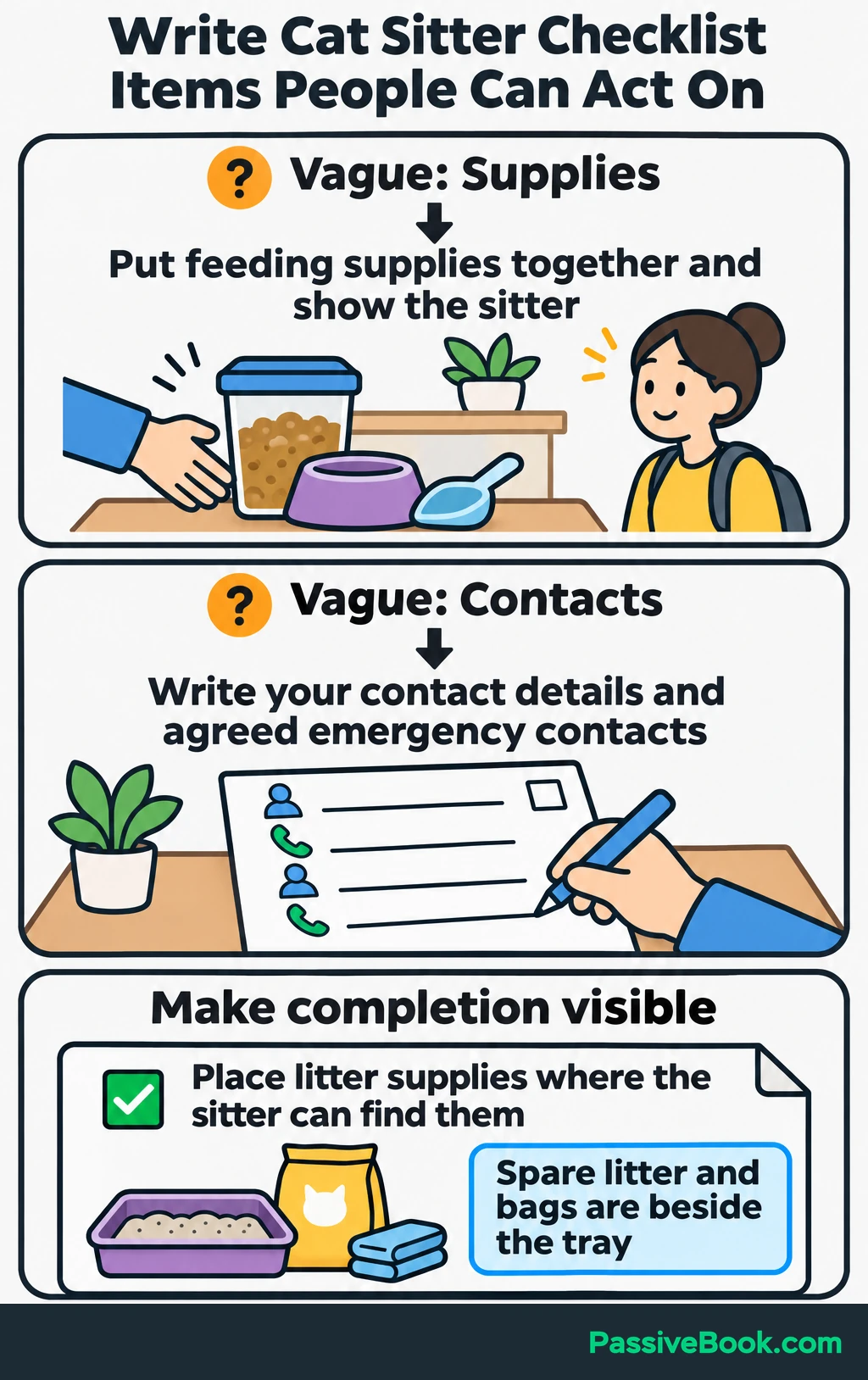
Write each item as an action. “Supplies” names a category, but it doesn’t tell anyone what to do.
Here’s a short excerpt:
| Task | Done | Notes |
|---|---|---|
| Gather your cat’s current care instructions in one place | ☐ | |
| Put feeding supplies together and show the sitter where they are | ☐ | |
| Place litter supplies where the sitter can find them | ✓ | Spare litter and bags are beside the tray |
| Write down your contact details and agreed emergency contacts | ☐ | |
| Walk through the notes and supply locations with the sitter | ☐ |
Group the full checklist into care notes, supplies, contact details, and the final handover.
Finish with a practical check:
Can your sitter find the agreed instructions, supplies, and contact details without searching through old messages?
The free resource should complete that handover task. Your paid organizer can help readers maintain reusable notes and care records over time. Don’t leave an essential part of the promised task behind a checkout button.
If you have useful notes but no usable download yet, AI Resource Builder can turn them into a first draft. Start with the resource itself, then use the same promise to draft your signup page and follow-up emails.

Free AI Resource Builder




Make the Resource Readable and Test It
A document editor is enough for the first version. Use Canva if you want more control over a printable layout.
Keep the headings clear, make the text comfortable to read, and leave enough space to write. Print a page yourself. Those generous-looking boxes can become surprisingly stingy once a pen gets involved.
Export a PDF for a fixed checklist. For a resource people need to edit, provide a copyable document and make sure they can create their own copy.
Check the file on a phone and computer, and test every link while signed out of your account. Subscribers shouldn’t have to request access.
Then ask a prospective user to complete the task without your explanation. Watch where they stop or ask questions. Fix those points before polishing the design.
4. Build an Opt-In Page Around the Promise
You need a page or embedded form, somewhere to store subscribers, and a way to send automated emails.
Use tools you already have. For a hosted service, I’d start with MailerLite for signup forms, landing pages, and automated emails. Check its current plan details for subscriber, sending, and automation limits. Your sequence needs room for delivery, delays, follow-up, and checks that stop sales messages after a purchase.
For an established WordPress site, I’d use Fluent Forms to collect signups and FluentCRM to manage subscribers and automated emails. Sending requires an email service such as Amazon SES, connected through FluentSMTP. I’d choose a hosted service if that setup would delay the launch.
Build the page around one promise:
Outcome-focused headline → situation it helps with → concrete contents → preview → form → clear button.
Here’s signup copy you can adapt:
Get Ready for Your Cat’s Next Sitter
Leaving your cat with a sitter? Use this free printable checklist to prepare your care notes, supplies, and contact details before you go.
Inside, you’ll find:
– A checklist for gathering your existing care instructions.
– Space to record supply locations and contact details.
– A final handover check to review with your sitter.
Email address: [Email field]
☐ Yes, send me two follow-up emails about using the checklist and organizing care notes, then weekly care-planning tips and occasional organizer offers from [Your site].
Button: Email Me the Checklist
The checklist is free. The email subscription is optional, and you can unsubscribe at any time.
Privacy notice: [Privacy notice link]
Place a readable preview of the checklist above the form. Let people see what they’re getting.
Ask for an email address and add other fields only when you will use the answers. Give the email field and checkbox visible labels connected to their controls, following W3C’s form-label guidance. Test whether you can complete the form using only a keyboard.
A download request alone doesn’t establish permission for ongoing marketing. For UK individual subscribers, marketing generally requires consent unless an exception applies. The ICO’s email-marketing guidance explains the requirements. In this example, keep the subscription box unticked and record the person’s choice.
5. Automate and Test Resource Delivery
Map the journey before configuring it:
Form submission → address confirmation if used → resource delivery → permitted follow-up.
Give contacts a tag or group identifying the requested resource, such as cat-sitter-checklist. Store marketing permission separately so requesting the file doesn’t automatically start the sales sequence.
If you use double opt-in, subscribers confirm their address through an email link. That checks control of the address, but it doesn’t replace marketing permission.
Make the success page explain the next step. If confirmation comes first, say:
Check your inbox for the confirmation email. Click its confirmation link, and I’ll send your checklist.
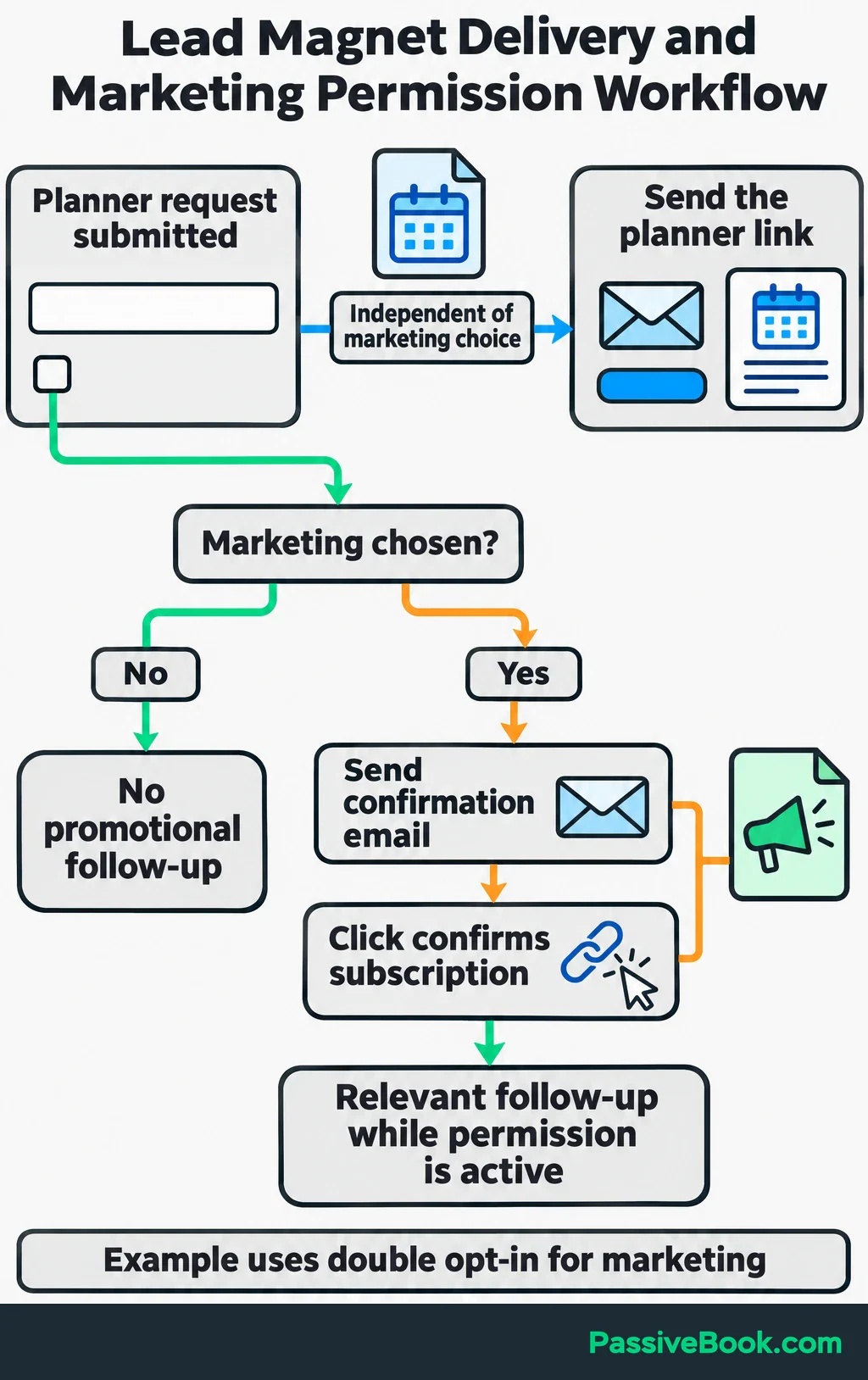
Send the delivery email immediately after signup, or after address confirmation if you use it. Replace the bracketed details in this sample:
Subject: Your Cat Sitter Handover Checklist
Hi,
Here’s your Cat Sitter Handover Checklist:
Download the checklist: [Resource URL]
Start by gathering the care notes you currently keep in different places. Then work through the checklist before your sitter arrives.
If the file won’t open, reply to this email and I’ll help.
[Your name]
[Your site]
Use a reply address you monitor, and host the file somewhere readers can open it without logging in.
Complete your provider’s sending-domain authentication checks. These help receiving services verify your mail. Google recommends setting up SPF, DKIM, and DMARC in its email sender guidelines.
For marketing emails, use accurate sender details and a working unsubscribe option. US commercial-email rules also require a valid physical postal address and honoring opt-outs within 10 business days. The FTC’s CAN-SPAM guide explains these requirements.
Before promoting the page, test the full journey:
- Submit a fresh address and check confirmation, delivery, and file access on mobile and desktop.
- Check that the correct resource tag and permission status appear.
- Leave the marketing box unticked and verify that promotional follow-up stays off.
- Request the file as an existing subscriber and check for duplicate sequences.
- Unsubscribe from a test marketing email and confirm that later marketing stops.
6. Write Follow-Up That Leads to a Relevant Next Step
Delivery starts the relationship. Follow-up should help subscribers use the resource before asking them to buy anything.
I would begin with two follow-up emails for people who chose the subscription. Give them time to act between messages.
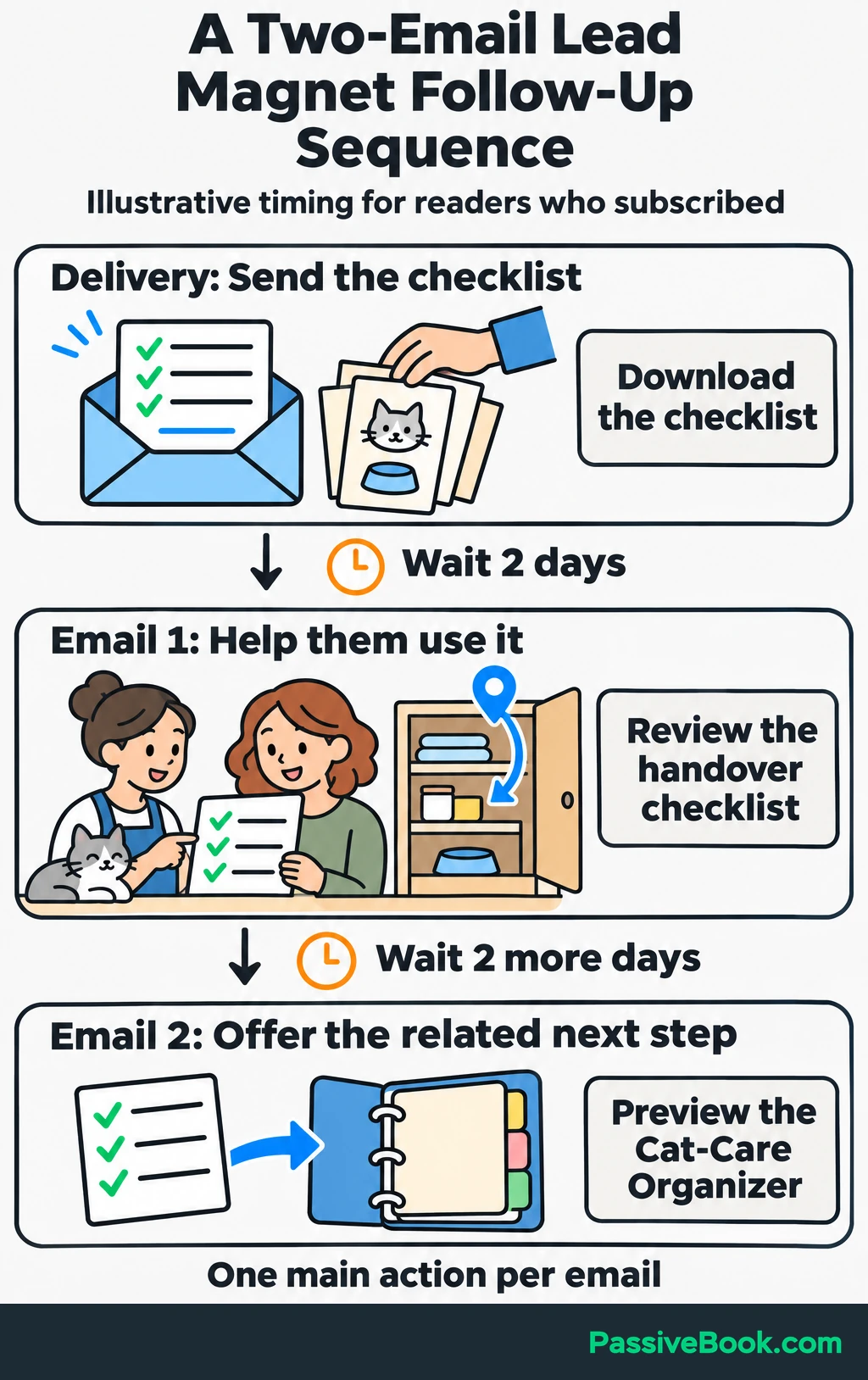
The first email can arrive two days after delivery:
Subject: Could your sitter find everything?
Hi,
Before the handover, put your completed checklist beside the care notes and supplies you’ve prepared.
Check that every location you’ve written down is clear. “In the cupboard” may make sense to you, but your sitter has several cupboards to choose from.
Walk through the checklist together and fill in anything that still needs explaining.
Open your checklist: [Resource URL]
[Your name]
[Your site] · [Postal address] · [Unsubscribe link]
Two days later, introduce what the paid product adds:
Subject: Keep your care notes ready for next time
Hi,
Your handover checklist helps you prepare for one sitter visit.
If you want a reusable place for care routines, contact details, supply locations, and updates, I made the printable Cat-Care Organizer for that job.
You can keep the pages together and update them when something changes, so you have a starting point for the next handover.
See the organizer and preview its pages: [Product URL]
[Your name]
[Your site] · [Postal address] · [Unsubscribe link]
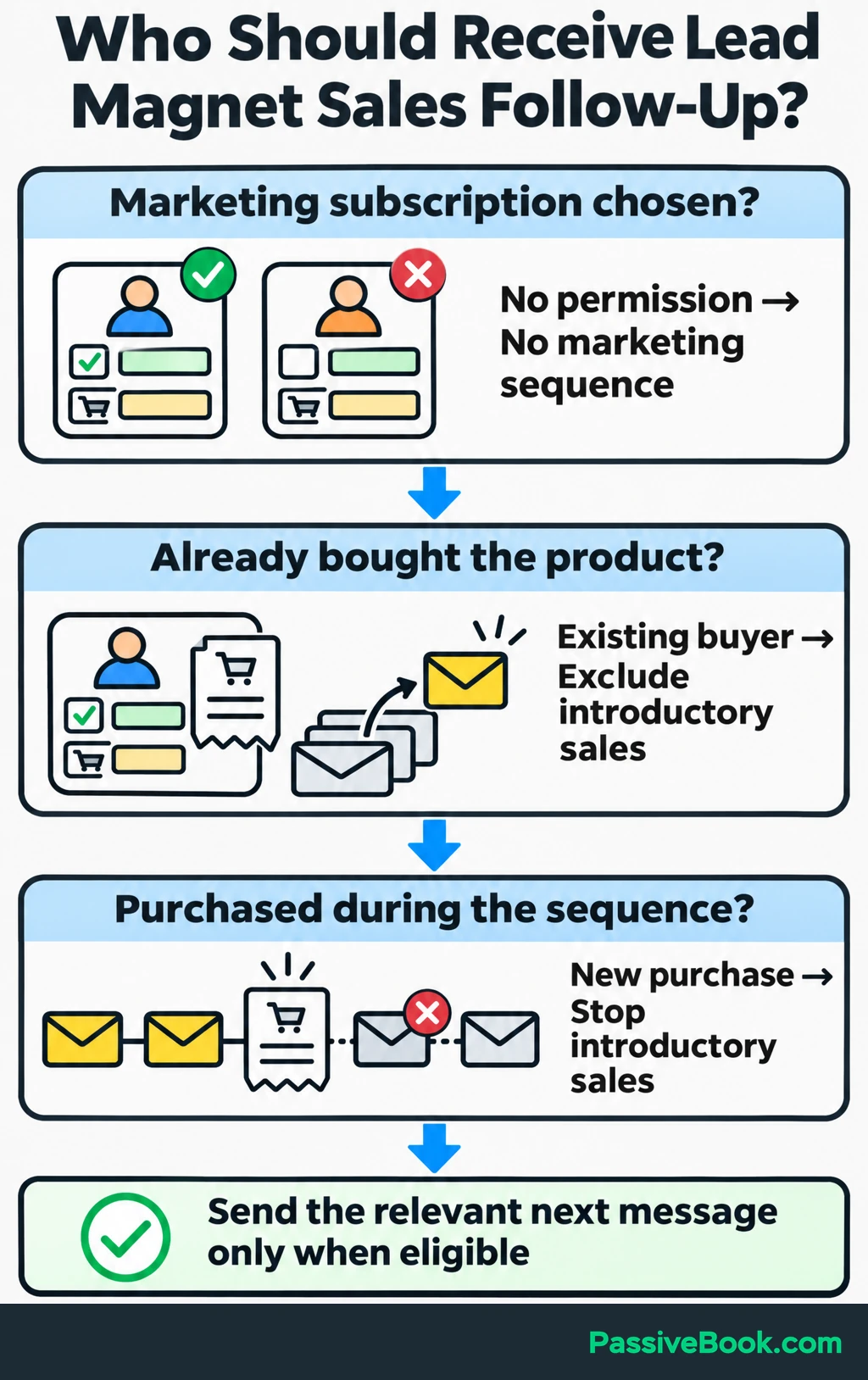
Each email has one main action. The offer follows from the completed free task, and the product description gives readers a reason to consider it.
Exclude existing buyers from introductory sales messages and stop those messages when someone purchases. If your tool can’t handle that automatically, simplify the sequence until you can manage buyer exclusions reliably.
Without a paid offer, use the final email to share relevant content or ask what readers still find difficult. Their replies can help you choose what to build next.
7. Promote the Lead Magnet Where Relevant Readers Already Look
Put the invitation where someone is already working on the problem.
For the example, an article about preparing for a cat sitter is a natural place to offer the checklist. Explain the preparation process, then invite readers to use the printable version while gathering their notes and supplies.
A short invitation could say:
Getting everything ready for your sitter? Download the free Cat Sitter Handover Checklist and keep your preparation tasks in one place.
If you don’t have relevant traffic yet, publish that focused article first. Keep the explanation public and offer the checklist as its practical companion.
Then share useful excerpts through channels you already use:
- Pinterest: Show a readable checklist preview and link to the relevant article or signup page.
- Social posts: Explain one preparation mistake and show how the checklist helps readers check it.
- Collaborations: Offer the resource to a relevant creator whose readers face the same task.
- Communities: Answer the question first and share the resource where recommendations are permitted.
Blogging and Pinterest are my active channels at Passive Book, so those are the places I would start. That’s a choice based on the work I already do, rather than a reason for you to open five new accounts.
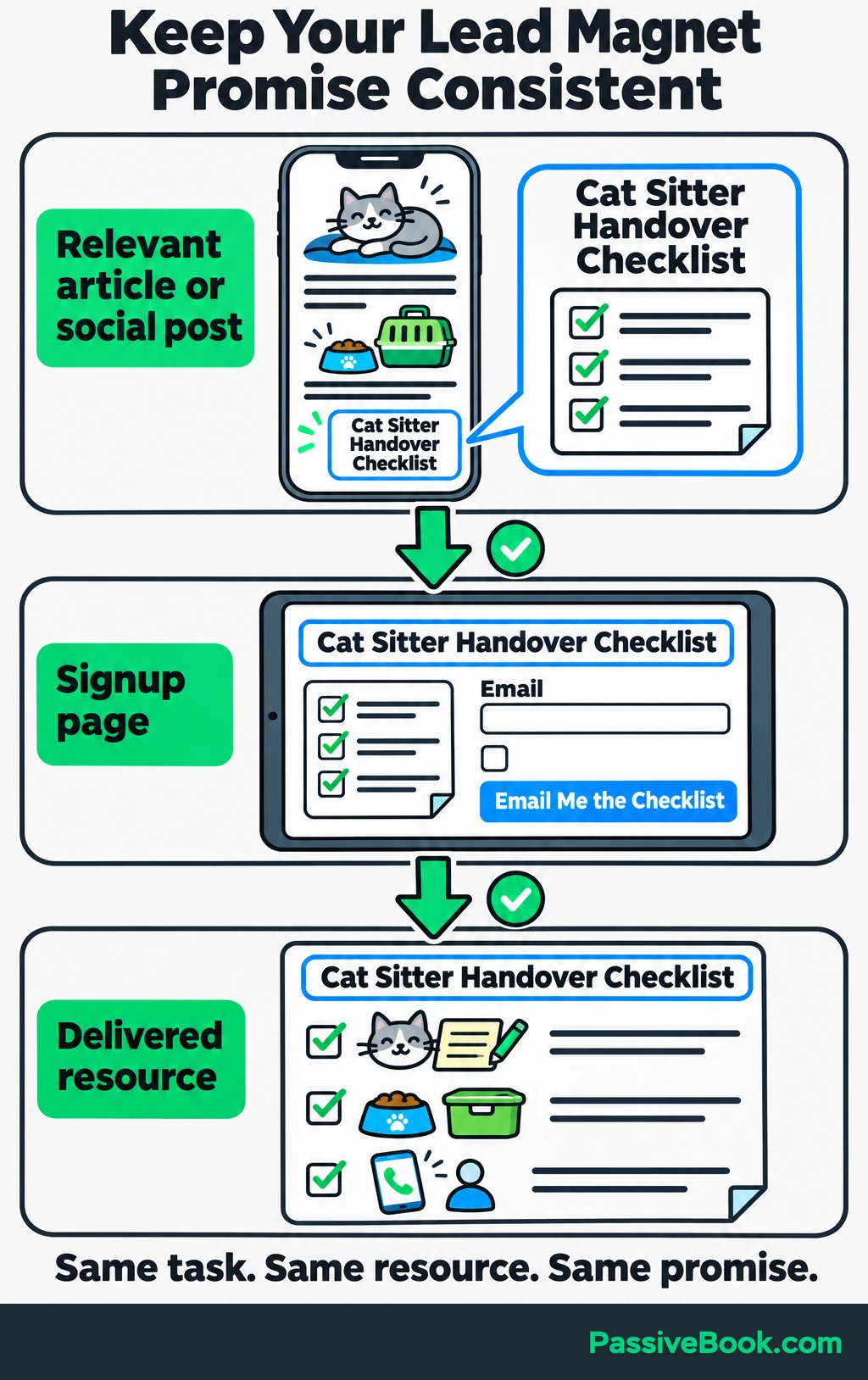
Keep the promise consistent across the promotional message, signup page, and resource. A post promising a handover checklist should lead to that checklist.
8. Improve the Weakest Part of the Journey
Track enough to see where people stop. You don’t need an elaborate dashboard to begin.
Record page visitors, new confirmed subscribers, resource-link clicks, and meaningful follow-up actions. Also watch delivery failures and unsubscribes.
To calculate confirmed opt-in rate, count new confirmed subscribers who signed up through the page and divide that number by unique visitors to the page during the same signup period. Give each group the same confirmation window before comparing results.
For example, allow seven days after signup to confirm. If 200 unique visitors produce 40 new confirmed subscribers within that window:
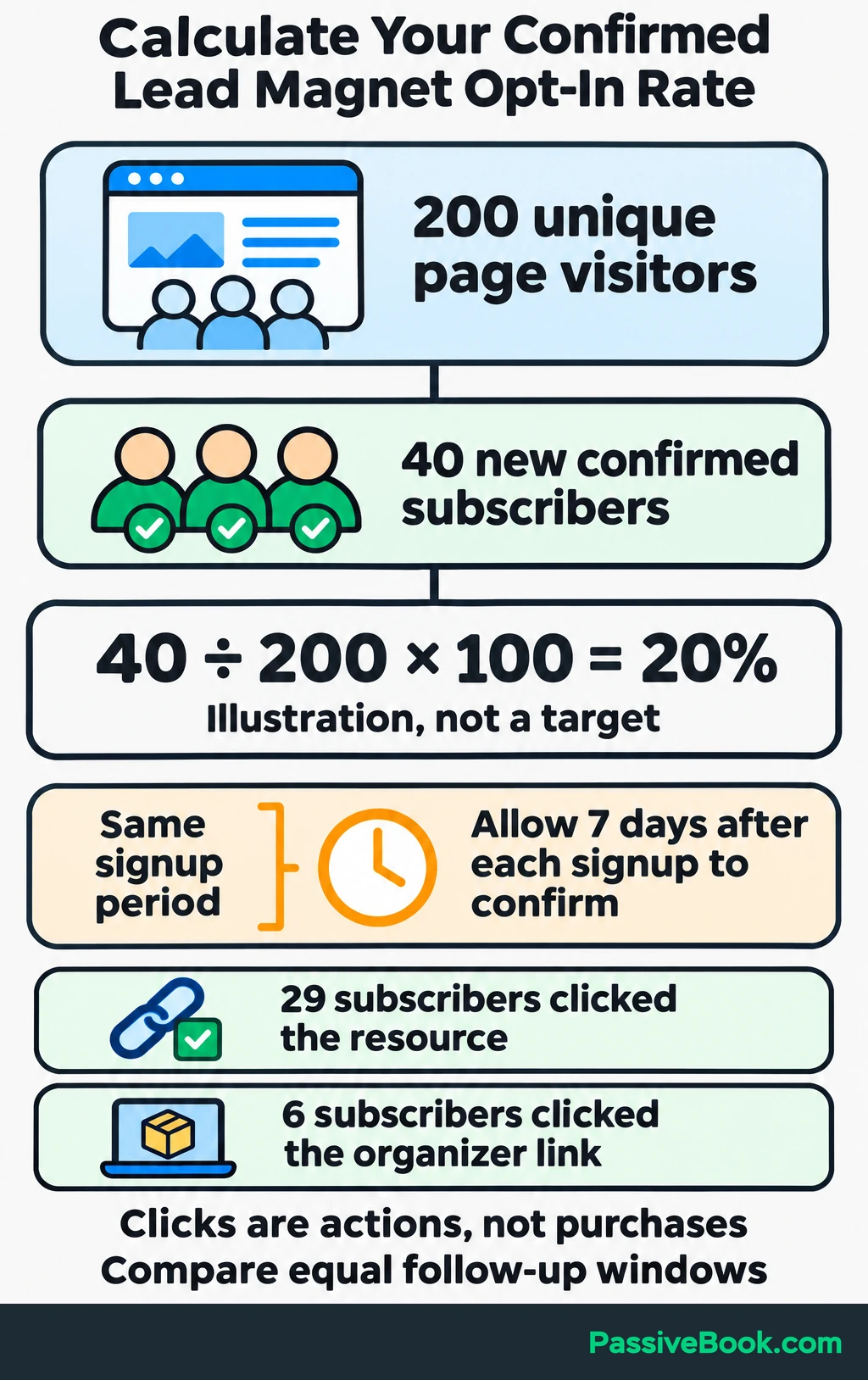
Confirmed opt-in rate = 40 ÷ 200 × 100 = 20%.
That’s an illustration, not a target your page must hit.
A simple tracking sheet could look like this:
| Date Range | Traffic Source | Page Visitors | Confirmed Subscribers | Resource Clicks | Offer Actions | Change Made |
|---|---|---|---|---|---|---|
| One full week | Cat-sitter article | 200 unique visitors | 40 new subscribers | 29 subscribers clicked | 6 subscribers clicked the organizer link | Added a readable checklist preview |
Count resource and offer actions from the same subscriber group, and allow the same follow-up time for each group you compare.
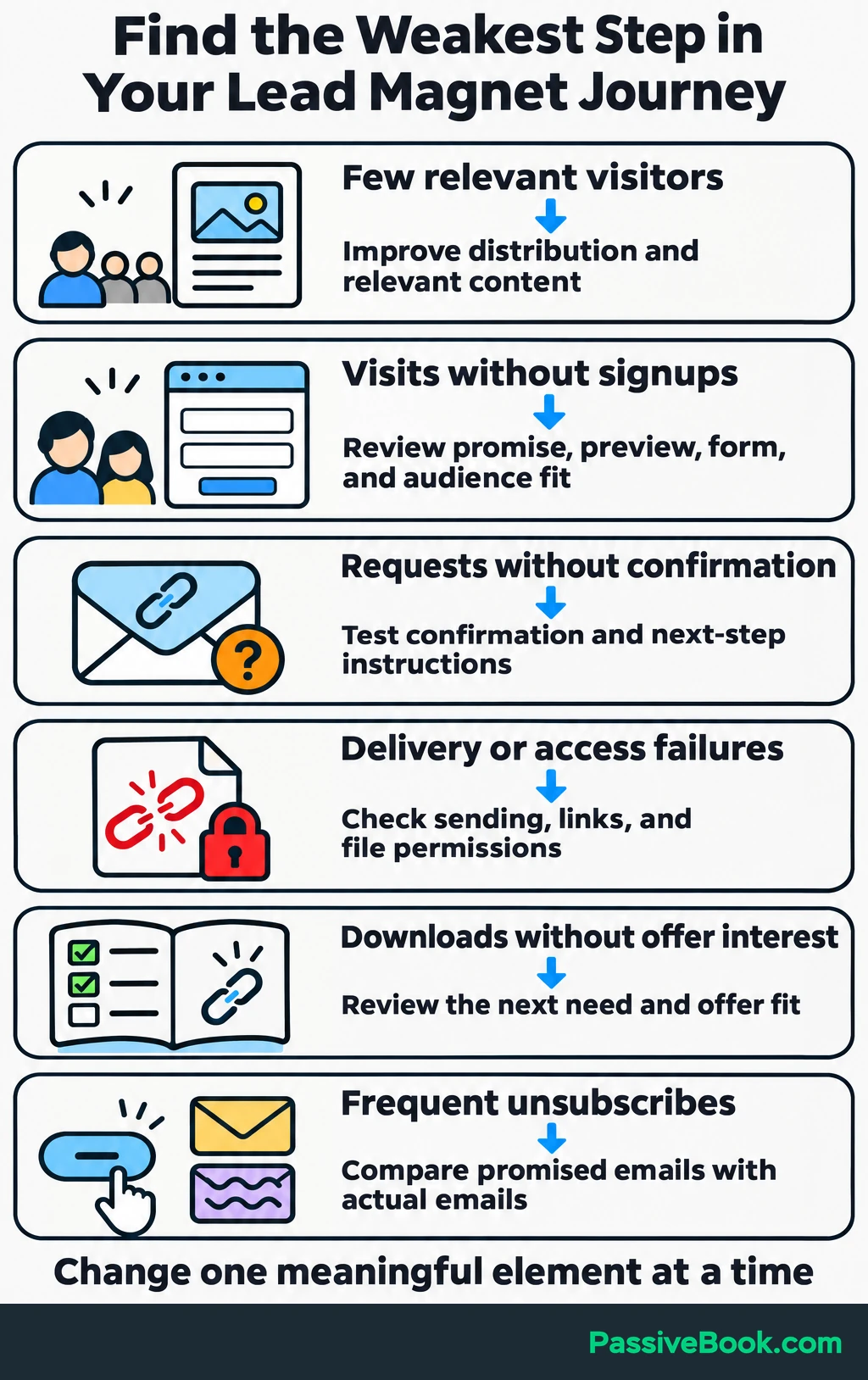
Use the numbers to choose the next job:
- Few relevant visitors: Improve distribution or publish content closer to the problem.
- Visits without signups: Review the promise, preview, form, and audience fit.
- Requests without confirmation: Test the confirmation email and success-page instructions.
- Delivery or access failures: Fix the sending setup, links, or file permissions.
- Downloads without offer interest: Review what subscribers need next and whether your offer helps with it.
- Frequent unsubscribes: Compare what the form promised with what your emails actually send.
Don’t judge the sequence by open rate alone. Apple’s Mail Privacy Protection can download remote email content whether or not the recipient engages with the message, which affects tracking. Apple explains how this works.
Clicks, replies, and purchases give you more useful clues about what people do next.
Change one meaningful element at a time and compare similar traffic sources and observation periods. A handful of visits won’t tell you much, so use subscriber feedback alongside the numbers.
I would improve the first resource before building another. Otherwise, you can end up with a folder full of downloads and the same unresolved signup problem.
What Next?
Write one sentence naming the task your lead magnet will help someone finish, then show it to a prospective user before you design anything.
Use the social buttons to share this guide if it would help turn another unfinished freebie into a working signup and delivery system.
What single task could your resource help a reader complete? Tell me in the comments, and bring any questions about creating or delivering it too.
Share this post with your friends & followers:

