You have a topic, a domain idea and an AI tool that can produce articles faster than you can check them. But you still need a reason for people to visit and a sensible way for those visits to earn money.
That gap can swallow your evenings. A growing pile of posts gives you more to maintain, even when the business behind them is unclear.
This guide shows how to build a niche website with AI, from choosing a useful focus to checking revenue, so you can judge the business before committing to a bigger publishing schedule.
Choose a Niche With Demand and a Credible Revenue Path
Start with a problem you can help people solve. AI can organize your research and draft explanations, but you need to decide what deserves a website.
Using AI is compatible with Google’s guidance. Google warns that generating many pages without adding value may violate its spam policies, and it calls for manual accuracy checks before publishing. Human review needs to improve the answer, not just approve the spelling. Google’s guidance on generative AI content.
We’ll follow one illustrative website about setting up sewing spaces in small homes. It could earn through relevant sewing-table recommendations and a downloadable workspace planner. Its search queries and financial figures below are examples, not verified opportunities or expected results.
Find a Focused Problem You Can Solve Well
List subjects where you have practical knowledge, access to products or a realistic way to gather useful evidence. Then ask AI to turn those subjects into specific reader problems.
“Sewing” is too broad for this starting point. “Setting up a sewing space in a small home” gives the site a clear job. It can help readers choose a work surface, store supplies and pack everything away when the room needs to serve another purpose.
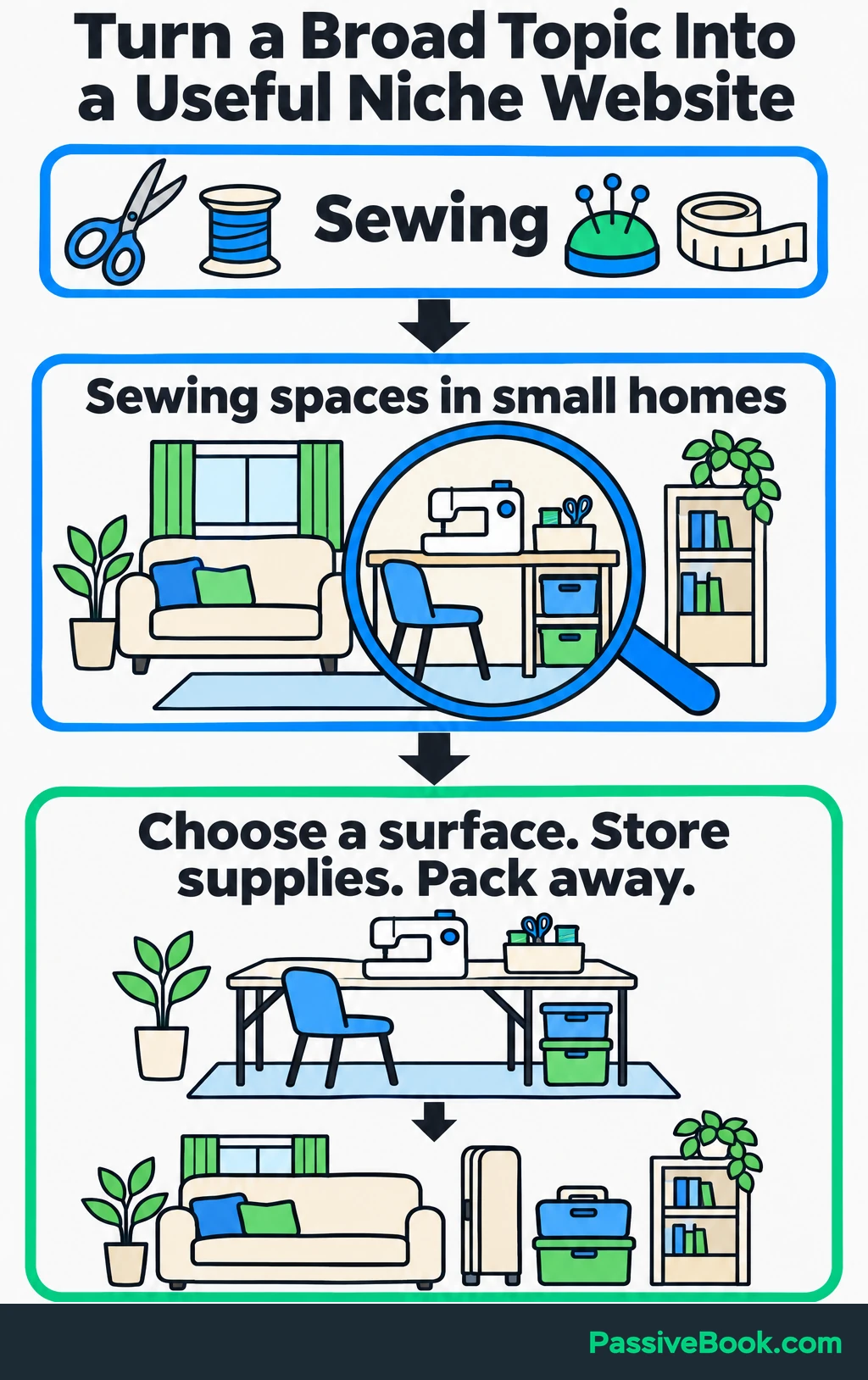
Before choosing that focus, inspect existing answers. Look for something you can improve:
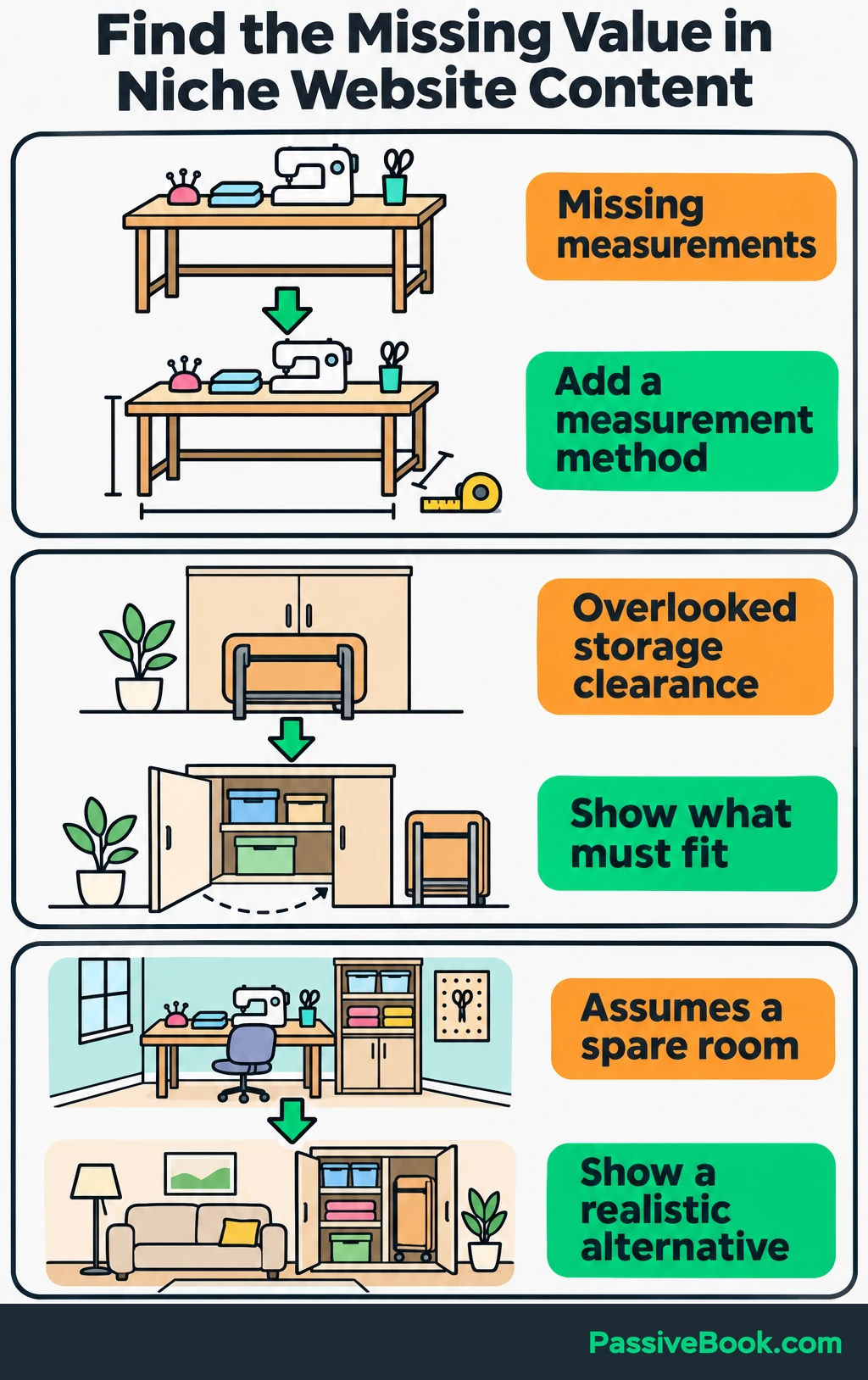
- Instructions that skip measurements you could show.
- Product comparisons that overlook storage clearance.
- Advice that assumes a spare room.
- Tutorials you could make easier with original photographs.
The useful question is: “What could I publish that would make this decision easier?”
I spent eight months publishing more than 127 posts on a productivity blog before abandoning it. The competition and monetization made it a poor fit for me. Faster drafting would have helped me publish more of the wrong material.
I now want a clear answer to two questions before committing: can I contribute something useful, and can serving this reader support an offer?
Check Real Searches and Available Offers
Collect questions from search suggestions, relevant communities and a keyword tool such as Ubersuggest. Include questions about completing a task, fixing a problem and choosing a product.
For the sewing-space site, possible research queries include:
- “How to set up a sewing corner in a small room.”
- “Folding sewing table for a small apartment.”
- “How to store sewing supplies without a craft room.”
Use AI to group the questions, then inspect the actual search results yourself. Record what readers appear to need, which page types show up and what evidence a useful answer would require.
If results are mostly shops, a general tutorial may serve the wrong purpose. If detailed guides appear, check whether you can improve their instructions rather than merely write a longer introduction.
Treat keyword volumes as estimates. Check the selected country and seasonal pattern, and don’t turn estimated searches into a traffic forecast.
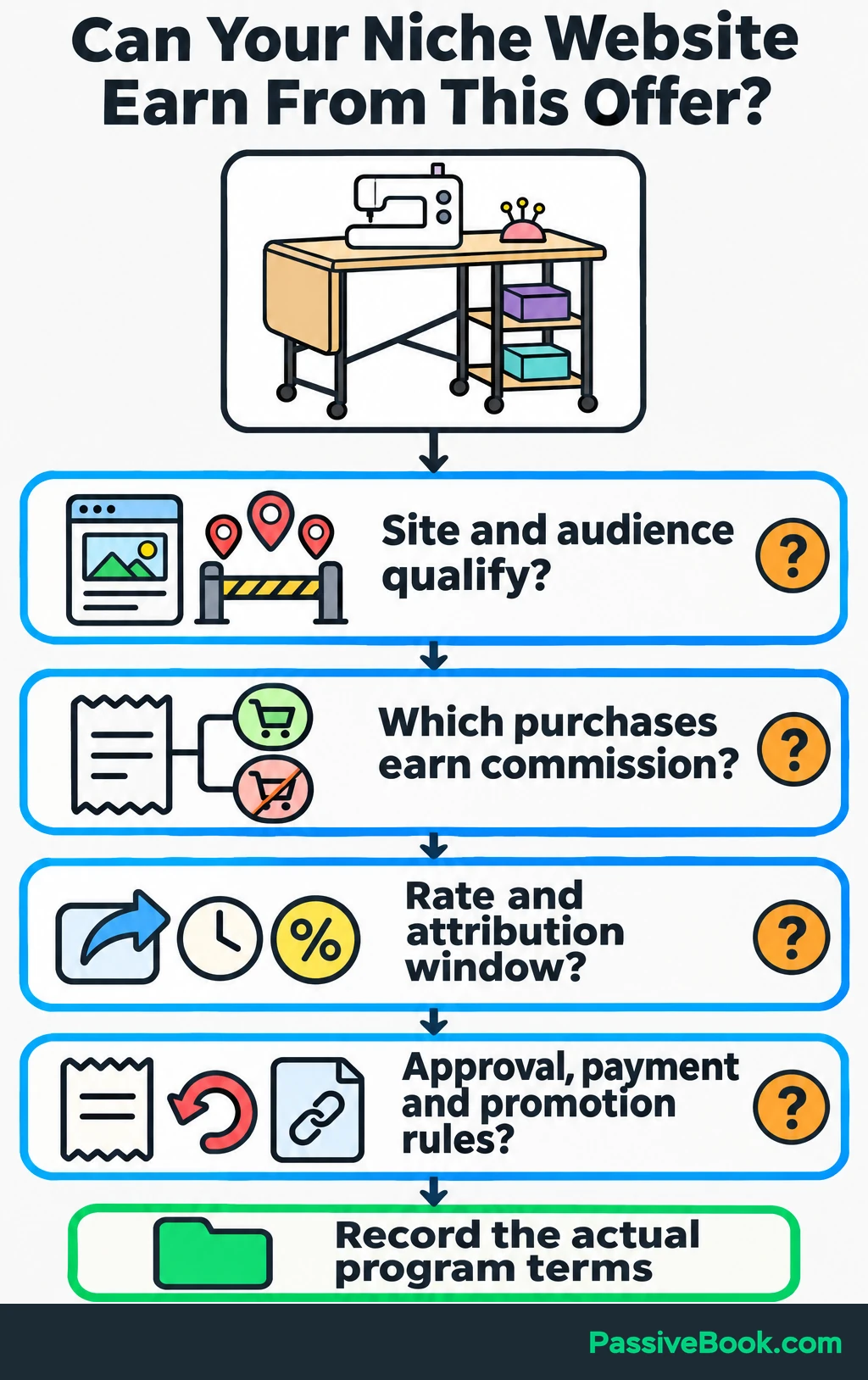
Next, inspect available offers directly. For an affiliate program, check:
- Whether your site and audience locations qualify.
- Which purchases earn commission.
- The commission rate and how long after a referral a purchase can earn it.
- Approval, refund and payment conditions.
- Restrictions on links, images and promotion.
A retailer selling suitable tables does not automatically mean you can earn from recommending them.
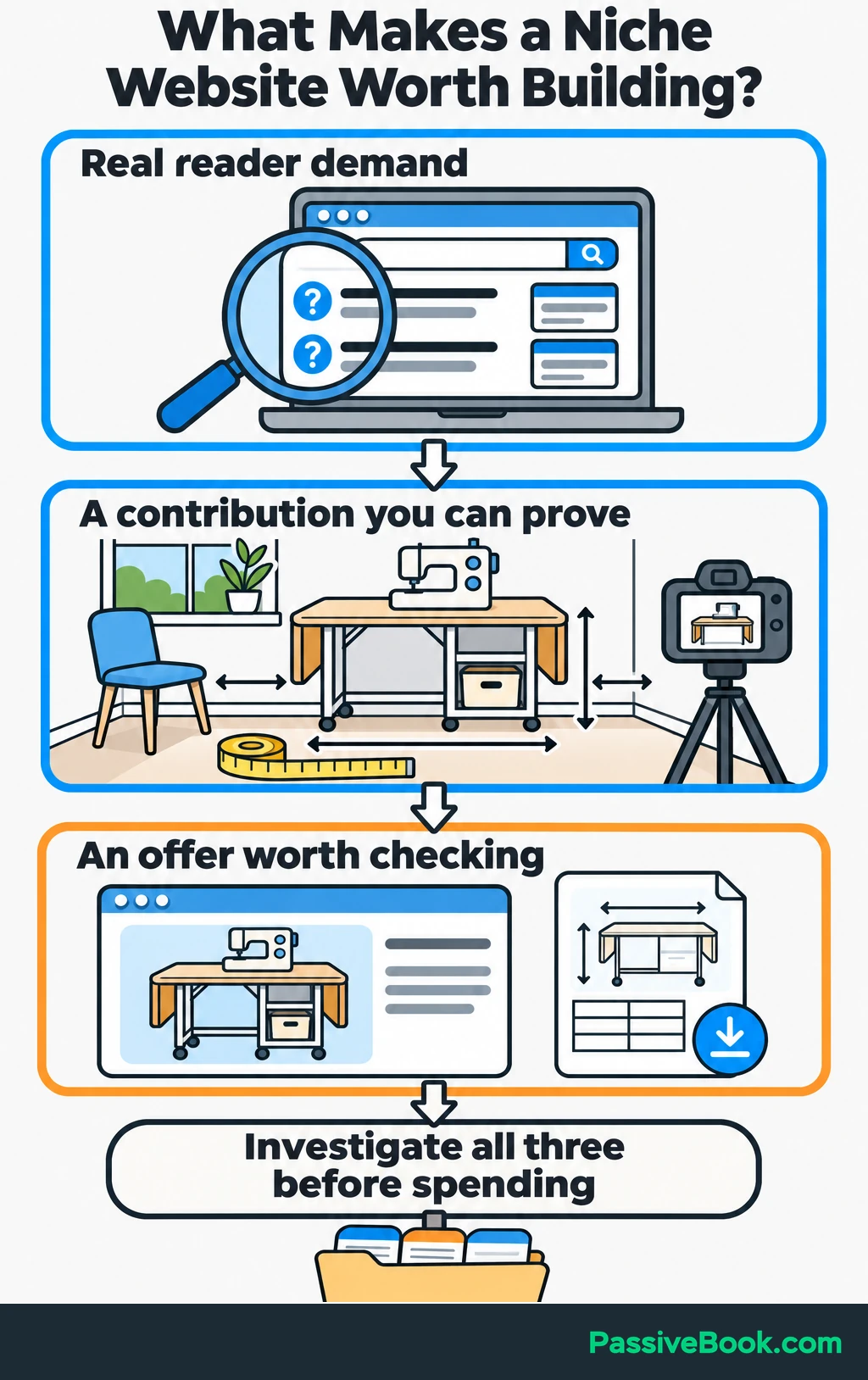
Keep a simple worksheet for each candidate niche. Record the reader problem, observed searches, existing answers, your planned contribution, available offers and likely upkeep. An empty “original contribution” or “available offers” field is a reason to investigate further before buying anything.
Check the Economics Before Buying Tools
Choose an initial revenue route before choosing your subscriptions.
Affiliate recommendations can help readers choose equipment. A paid resource can help them complete a task. For this example, I would explore both and leave advertising until there is enough traffic to assess its likely income and effect on reading.
Separate launch spending from ongoing costs. Your budget should include:
- Launch Costs: Initial setup, one-off design work and equipment bought for research.
- Ongoing Costs: Hosting, domain renewals, AI usage, essential software and continuing research.
- Owner Time: Research, editing, support and maintenance hours.
Divide annual expenses by 12 when comparing them with monthly revenue. Use renewal costs rather than judging the business on an introductory hosting offer.
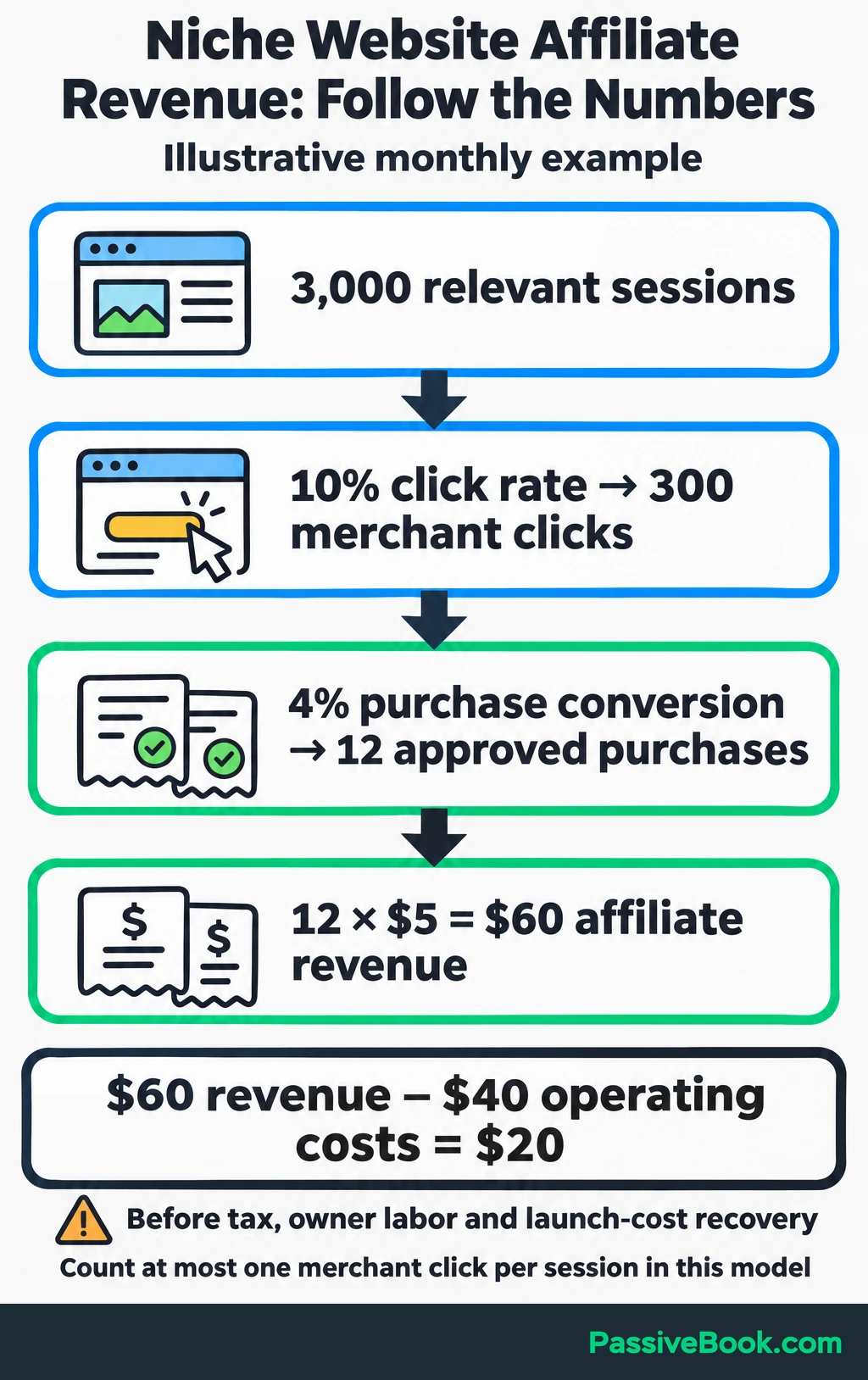
For an affiliate estimate, count visits that include pages where the recommendation fits the reader’s task. Analytics reports call these visits sessions. In this simplified model, count at most one merchant click per session. Match approved purchases to those clicks after the relevant attribution and approval periods.
The calculation is:
Relevant sessions
× merchant click rate
× purchase conversion rate
× average earned commission
= affiliate revenue
Here, merchant click rate means counted merchant clicks divided by relevant sessions. Purchase conversion means approved purchases attributed to those clicks divided by counted merchant clicks.
Suppose the sewing-space site has these illustrative results:
| Item | Assumption or Result |
|---|---|
| Relevant monthly sessions | 3,000 |
| Merchant click rate | 10%, producing 300 clicks |
| Purchase conversion rate | 4%, producing 12 approved purchases |
| Average earned commission | $5 |
| Affiliate revenue | $60 |
| Monthly operating costs | $40 |
| Remaining operating profit | $20 |
That $20 is before tax, owner labor and recovery of launch costs. It is positive, but it would not justify many hours of weekly work.
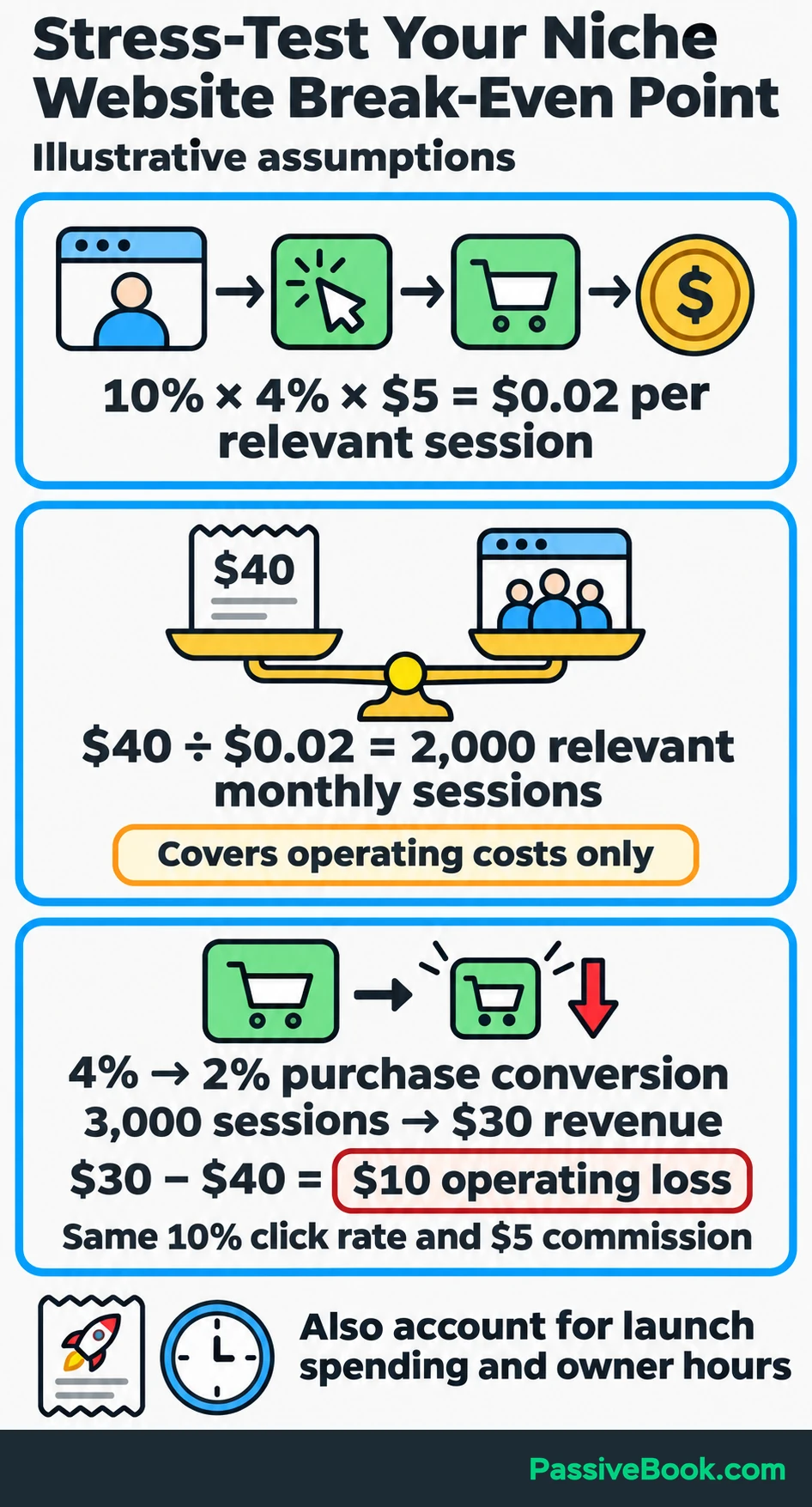
Under the same assumptions, each relevant session produces two cents in revenue:
10% × 4% × $5 = $0.02 per relevant session
$40 ÷ $0.02 = 2,000 relevant monthly sessions to cover operating costs
Halve the purchase conversion rate and revenue falls to $30, leaving a $10 operating loss. Test weaker assumptions before committing more money.
Covering hosting is different from paying for your evenings. This calculator lets you compare revenue routes and see how owner time changes the traffic your assumptions would require.
Free Audience Revenue Calculator




For paid resources, subtract transaction fees, refunds and delivery costs from sales. Track support time too.
Also distinguish repeated sales from contractual recurring revenue. Affiliate commissions and planner purchases may arrive every month, but neither creates a subscription commitment. Build your budget around money actually earned.
Map the Site Around Connected Reader Tasks
Turn your validated questions into a small set of connected pages. Each page should help readers complete one main task or make one decision.
Combine questions when one complete answer serves them. Separate them when the reader needs different instructions. “Choosing a sewing table” and “storing thread” belong to the same website, but they need different pages.
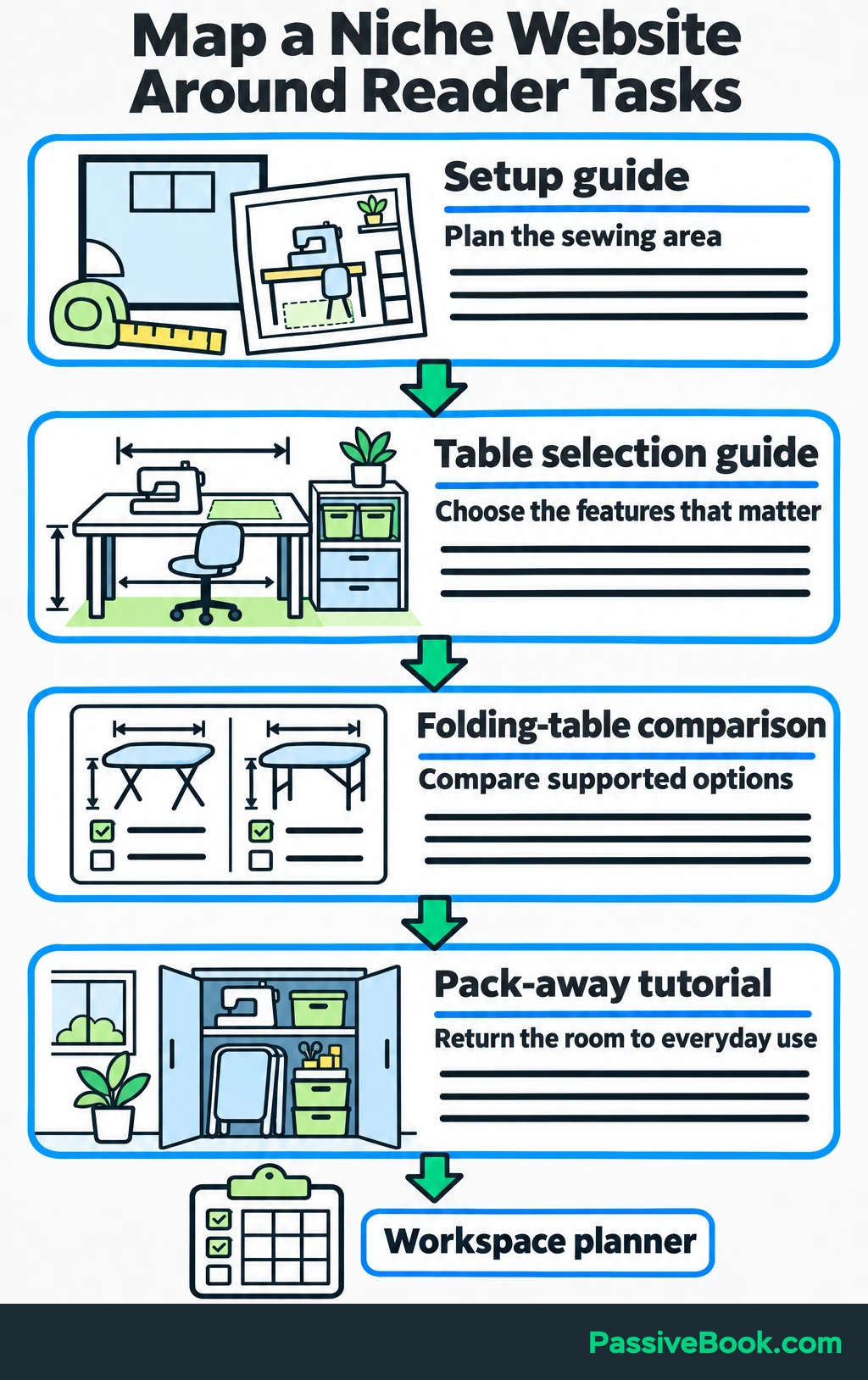
Give AI your collected questions and ask it to propose groups, page purposes and a sensible reading order. Review the result for duplicate articles and missing prerequisites.
A starting map for the sewing-space site could look like this:
| Planned Page | Main Reader Task | Contribution to Prepare | Useful Next Page |
|---|---|---|---|
| Small-Space Sewing Setup Guide | Plan a usable sewing area | Room-measuring worksheet and original layout photographs | Sewing-table selection guide |
| Sewing-Table Selection Guide | Decide which features matter | Working-space and storage checks | Folding-table comparison |
| Folding-Table Comparison | Compare a supported shortlist | Verified dimensions and documented observations | Pack-away storage tutorial |
| Pack-Away Storage Tutorial | Return the room to everyday use | Photographed sequence and checklist | Workspace planner |
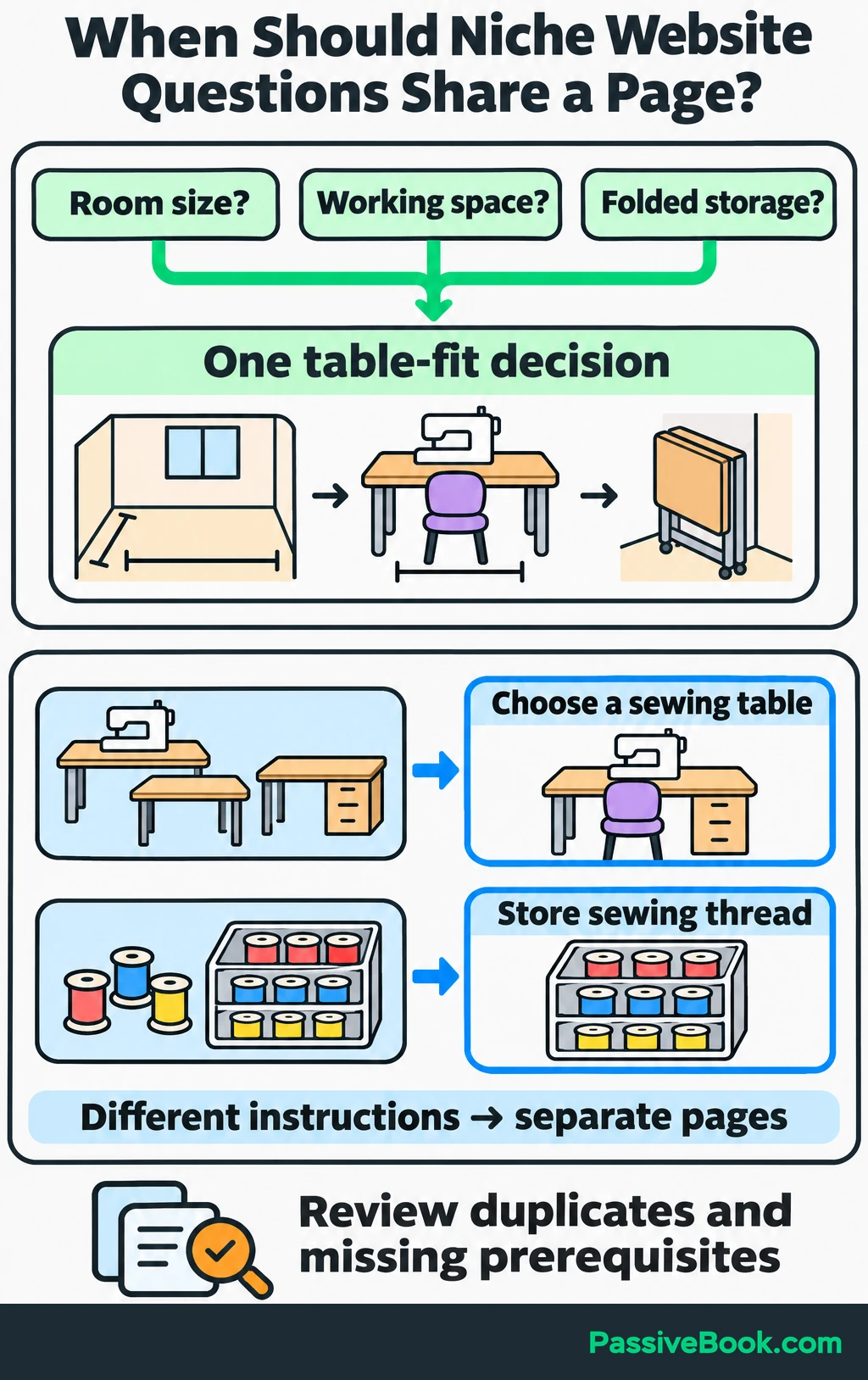
Add source links, monetization fit and status to your private planning sheet.
I would start with this connected set rather than order 50 articles. Publish each page when its evidence is ready. A small map makes it easier to spot missing steps before they become a large editing job.
Set up a Website You Can Maintain
Choose a domain that fits the niche and allows sensible expansion. A name tied to one table model would make later storage guides awkward.
Compare hosting by renewal cost, support, backups and who handles maintenance. A cheap server can become expensive if you spend your publishing time fixing it.
For this project, I would use self-hosted WordPress, which you install on hosting you choose. It gives you control over the pages, content and selling setup. Themes control the site’s design, and plugins add features such as forms and checkout. WordPress features.
My starting setup would be:
- Website: WordPress with GeneratePress for the theme and reusable article layouts.
- SEO: Rank Math for page titles, search descriptions and sitemap settings.
- AI: One assistant for planning, drafting and revision.
- Planning: A spreadsheet or Notion page containing the approved content map.
Skip extra subscriptions until a specific task justifies them.
Build a homepage that explains what the site helps people do, then add simple navigation, an About page and a contact route. Give AI the approved site map to suggest navigation labels and homepage copy, but check that every label leads somewhere useful.
Before relying on the site, enable HTTPS, protect administrator accounts, configure updates and backups, and confirm you can restore a backup.
Check the site on a phone and desktop. Use meaningful headings, labeled forms, keyboard-accessible controls and image descriptions that explain relevant visual information. These are core practices in W3C’s accessibility guidance.
Publish policies that reflect what you actually collect and sell. Keep forms short and retain only information you need. A generic policy pasted from an AI response cannot tell you what your own plugins are doing.
Create Useful Content With an AI-assisted Workflow
Gather Evidence Before Requesting a Draft
Define the article’s job in one sentence:
Help readers check whether a sewing table fits their room when open, in use and stored.
That tells you what to research. A generic request to “write about sewing tables” does not.
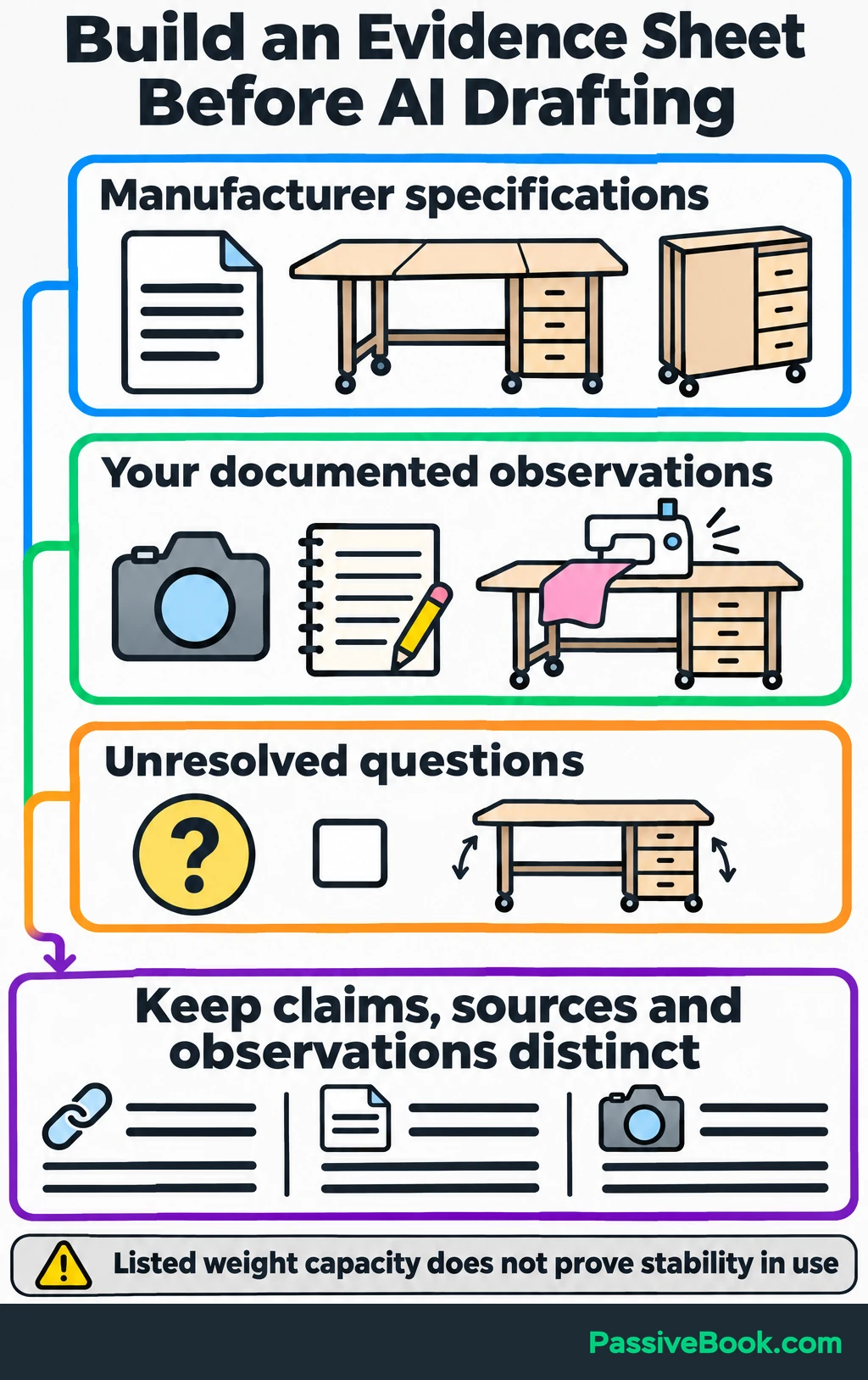
Create a compact source sheet containing important claims, their sources and your own notes. For this guide, gather:
- Manufacturer specifications for the exact models discussed.
- Open and folded dimensions.
- Room and storage measurements.
- Original photographs and observations from equipment you can examine.
- Any unresolved questions that need checking.
Keep manufacturer claims separate from your observations. A listed weight capacity does not establish how a table feels while a machine is running.
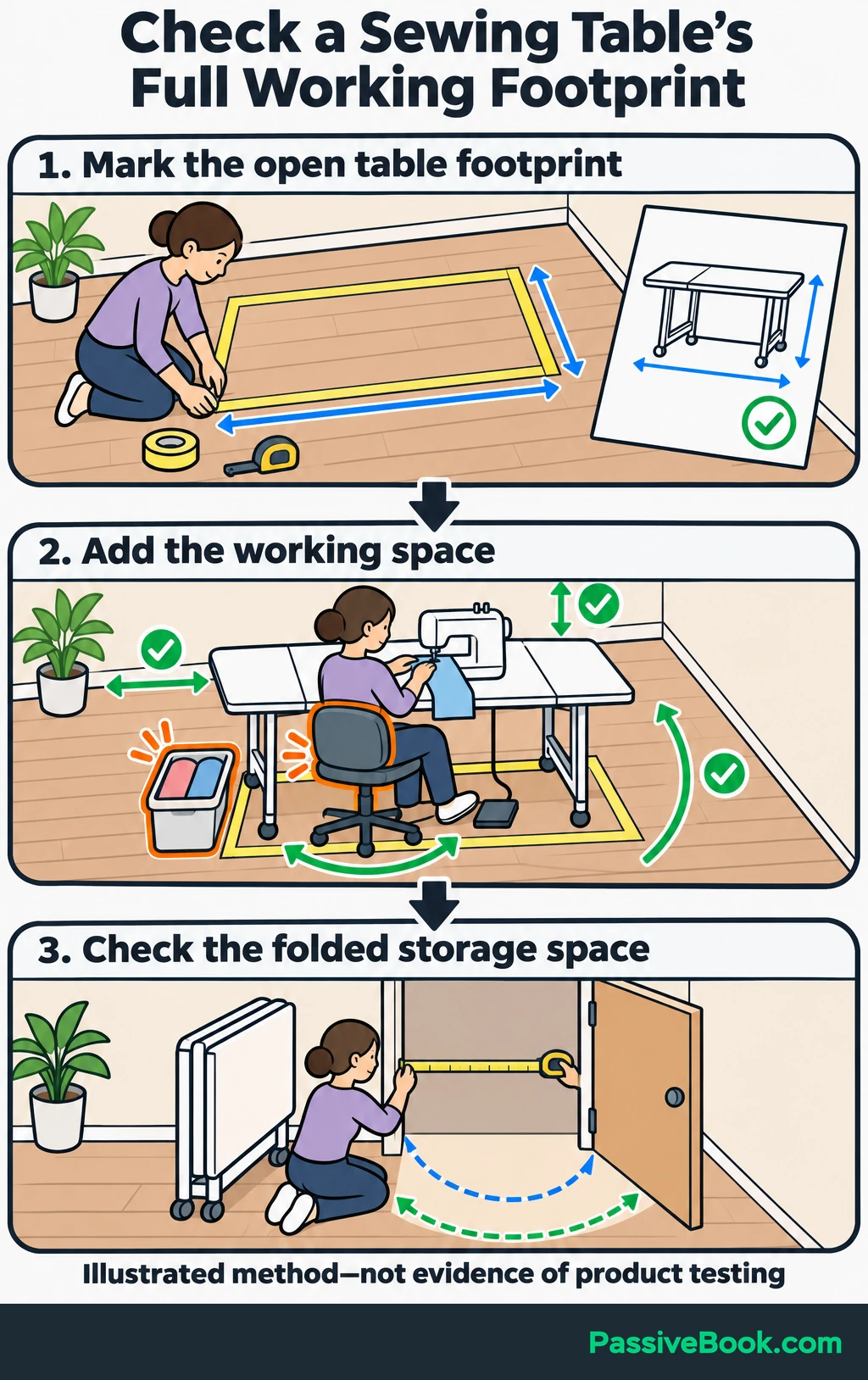
Then add something that helps the reader use the facts. For example, show how to mark a table’s working footprint on the floor and check where the chair, pedal and storage containers will go.
Google’s helpful-content guidance asks whether a page provides original information or analysis and adds substantial value beyond rewriting sources. Your measurement process is the contribution; polished wording explains it. Google’s helpful-content guidance.
Give AI a Bounded Writing Brief
I use Claude for long-form writing and content planning. For this workflow, I would keep the objective, evidence and revisions together in one assistant rather than shuffle drafts between several subscriptions.
Give it the reader’s question, source sheet, original notes and intended next step. A reusable brief can be short:
Help readers answer [question] so they can [action]. Use the attached source sheet and original notes. Propose an outline and identify missing evidence before drafting. Use only supported specifications and observations. Flag gaps instead of filling them. Do not imply that products were tested unless my notes document the test.
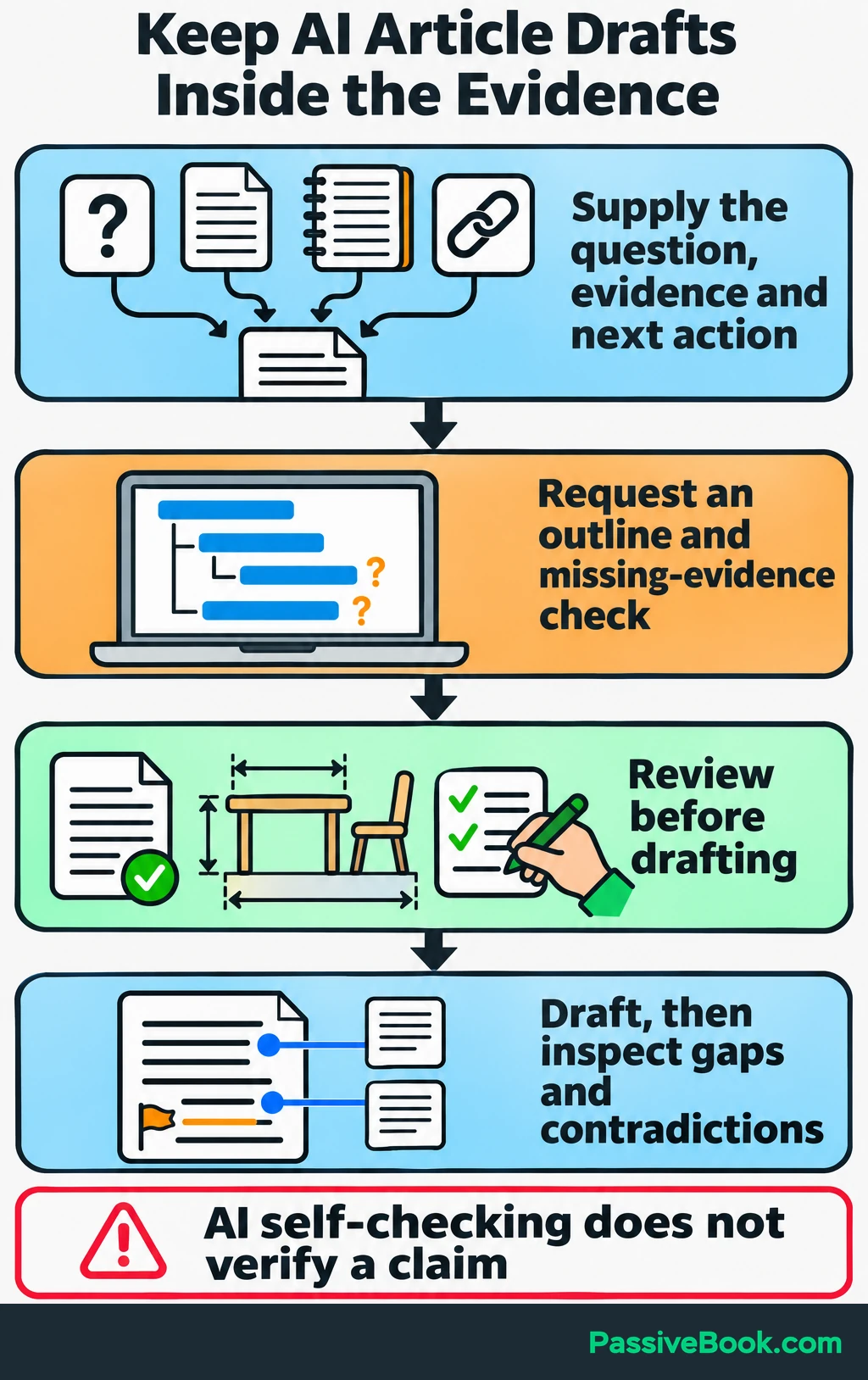
For the sewing-table guide, request sections on measuring the room, checking working space and checking folded storage. Supply the measurements first.
Review the outline before asking for prose. Does it explain what to measure? Does it account for the chair and access around the table? Does it help someone decide whether their existing desk is enough?
Once the outline works, request a draft. Then ask AI to identify missing steps, contradictions and passages a beginner might misunderstand.
Treat those suggestions as questions to check against your evidence. Asking the same assistant whether its own claim is correct does not settle the claim.
If you have a reader question and a few practical notes, AI Copywriting Studio can turn them into a working draft. It separates what your notes support from what still needs checking.

Free AI Copywriting Studio
Apply a Publication Quality Check
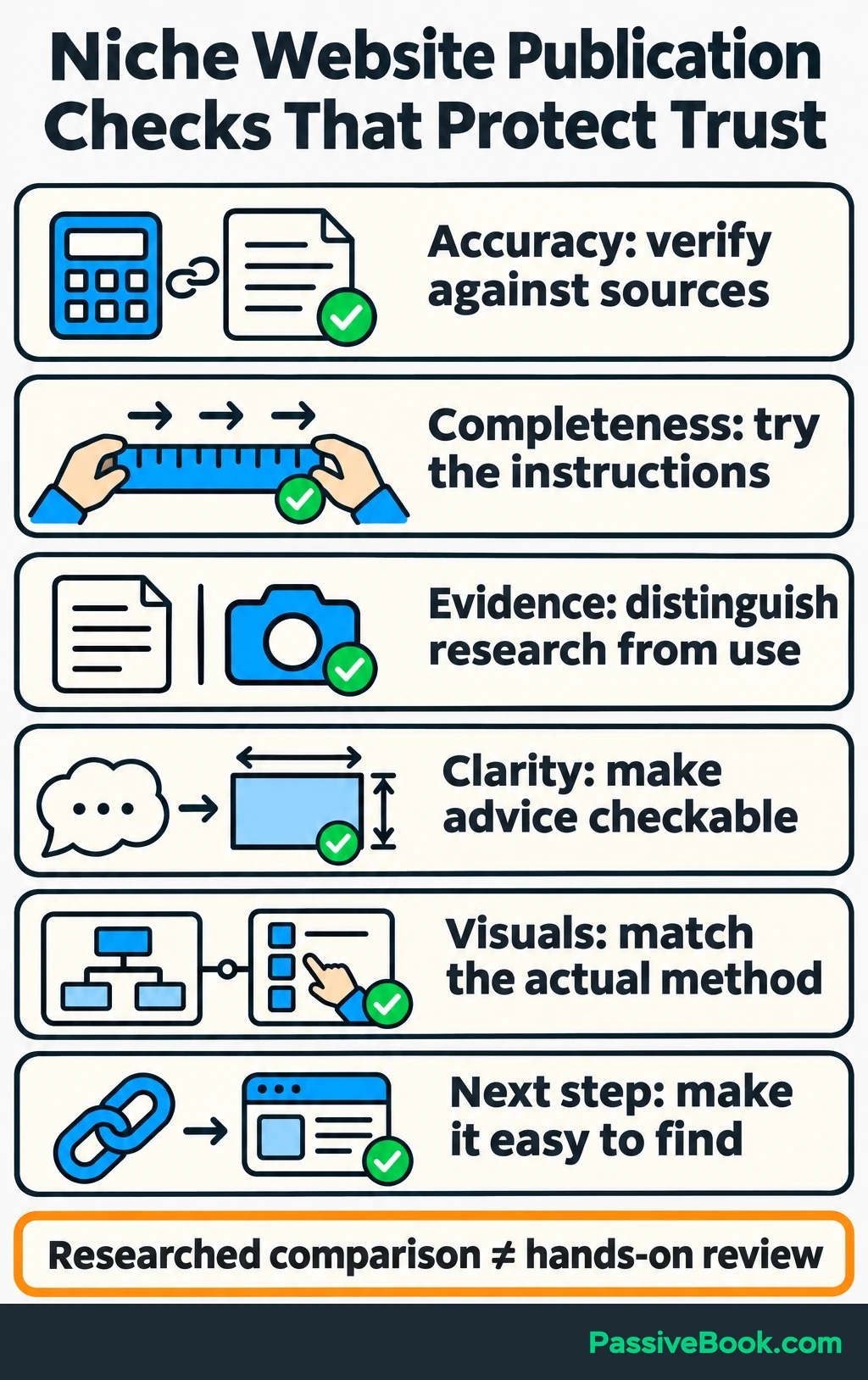
Read the draft as someone trying to complete the task. Keep the source sheet open and work through this check:
- Accuracy: Verify specifications, calculations, quotations and links against their sources.
- Completeness: Follow the instructions and fill any gap that prevents completion.
- Evidence: Identify which findings came from direct observation and which came from research.
- Clarity: Lead with the answer and replace vague advice with concrete checks.
- Visuals: Confirm that photographs, diagrams and worksheets match the instructions.
- Next Step: Make the useful follow-up page or resource easy to find.
I pay particular attention to words such as “sturdy,” “comfortable” and “compact.” They sound helpful, but each needs a basis. “Compact” tells you less than folded dimensions and a photograph showing the storage space.
For comparisons, explain the selection criteria before presenting products. Cover benefits, drawbacks and suitable uses. Google’s review guidance recommends original evidence, useful measurements and clear reasons behind recommendations. Google’s guidance for useful reviews.
If you researched specifications but did not use the products, describe the page as a researched comparison. Don’t let AI turn supplier information into a hands-on review. Generated images cannot demonstrate that a table was tested.
Optimize Each Page and Connect the Site
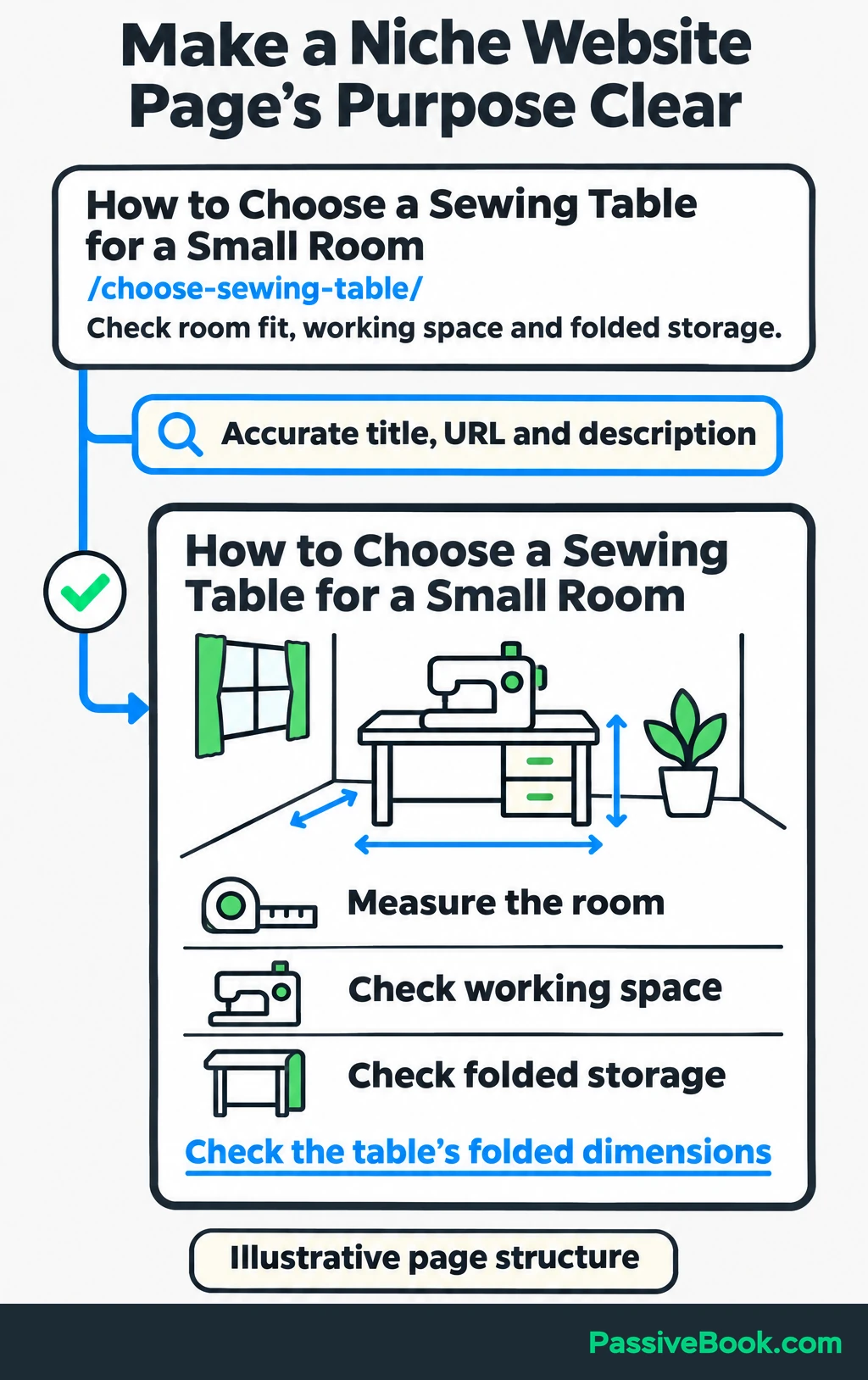
Make the page’s purpose clear in its title, opening and headings.
For the table guide, “How to Choose a Sewing Table for a Small Room” tells readers what decision it helps them make. A short URL such as /choose-sewing-table/ is enough. Write an accurate search description rather than stuffing it with related phrases.
Use the reader’s language naturally. If the page answers the question fully, you do not need to repeat the same keyword in every heading.
Then connect the next useful task:
- The setup guide links to choosing a table.
- The selection guide links to the supported folding-table comparison.
- The comparison links to pack-away storage instructions.
- The storage tutorial links back to the wider setup guide where useful.
Place links where readers need them. “Check the table’s folded dimensions” gives more context than “click here.”
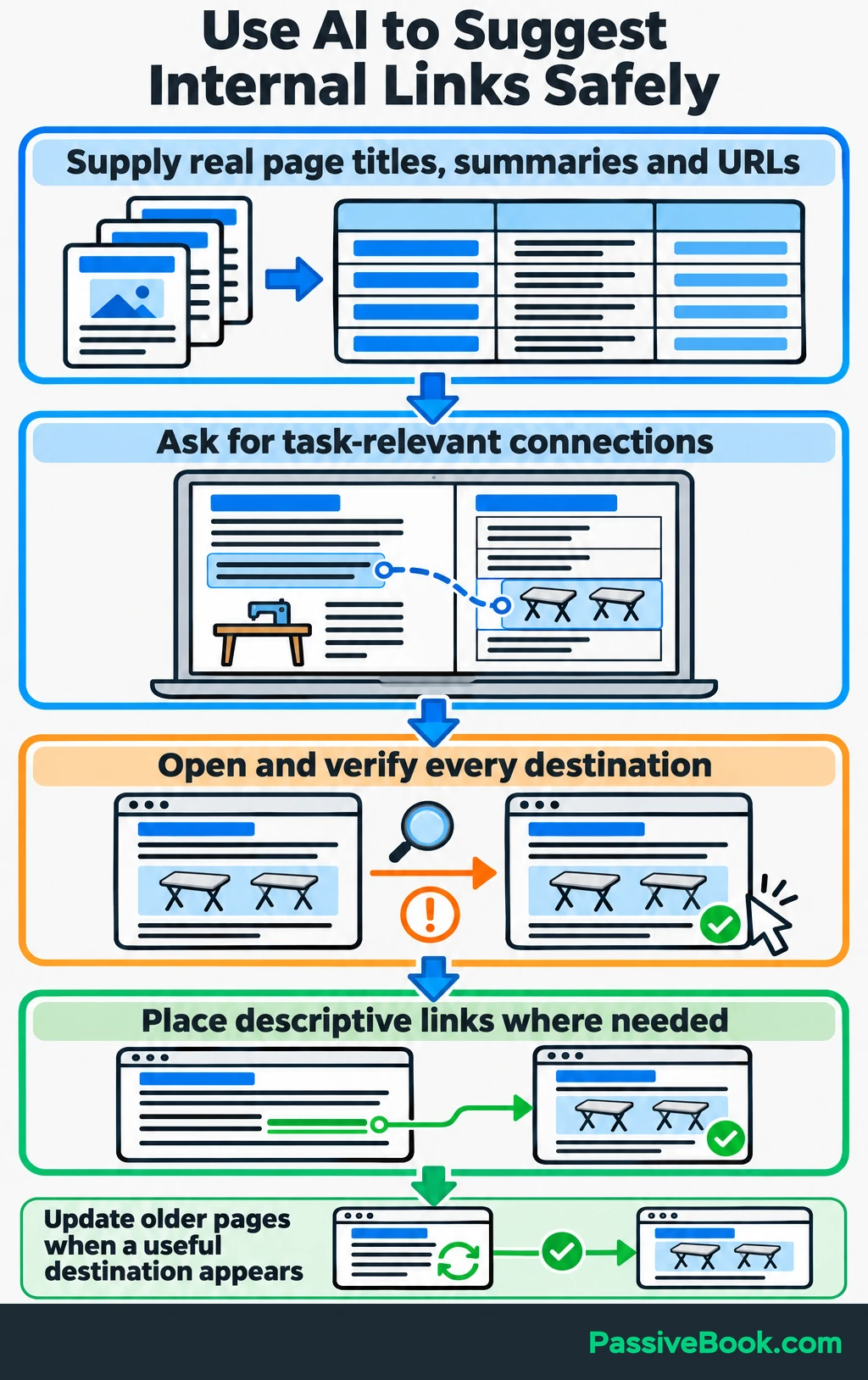
Google recommends descriptive link text and ordinary crawlable links, and it says every important page should have a link from another page on the site. Google’s internal-link guidance.
Give AI an inventory of existing page titles, summaries and real URLs to suggest connections. Check every destination before adding it.
Revisit older pages when you publish a useful new destination. Also fix broken links, resize oversized images and combine pages that have drifted into answering the same question.
Add Monetization Where It Helps the Reader
Place Affiliate Recommendations Beside Purchase Decisions
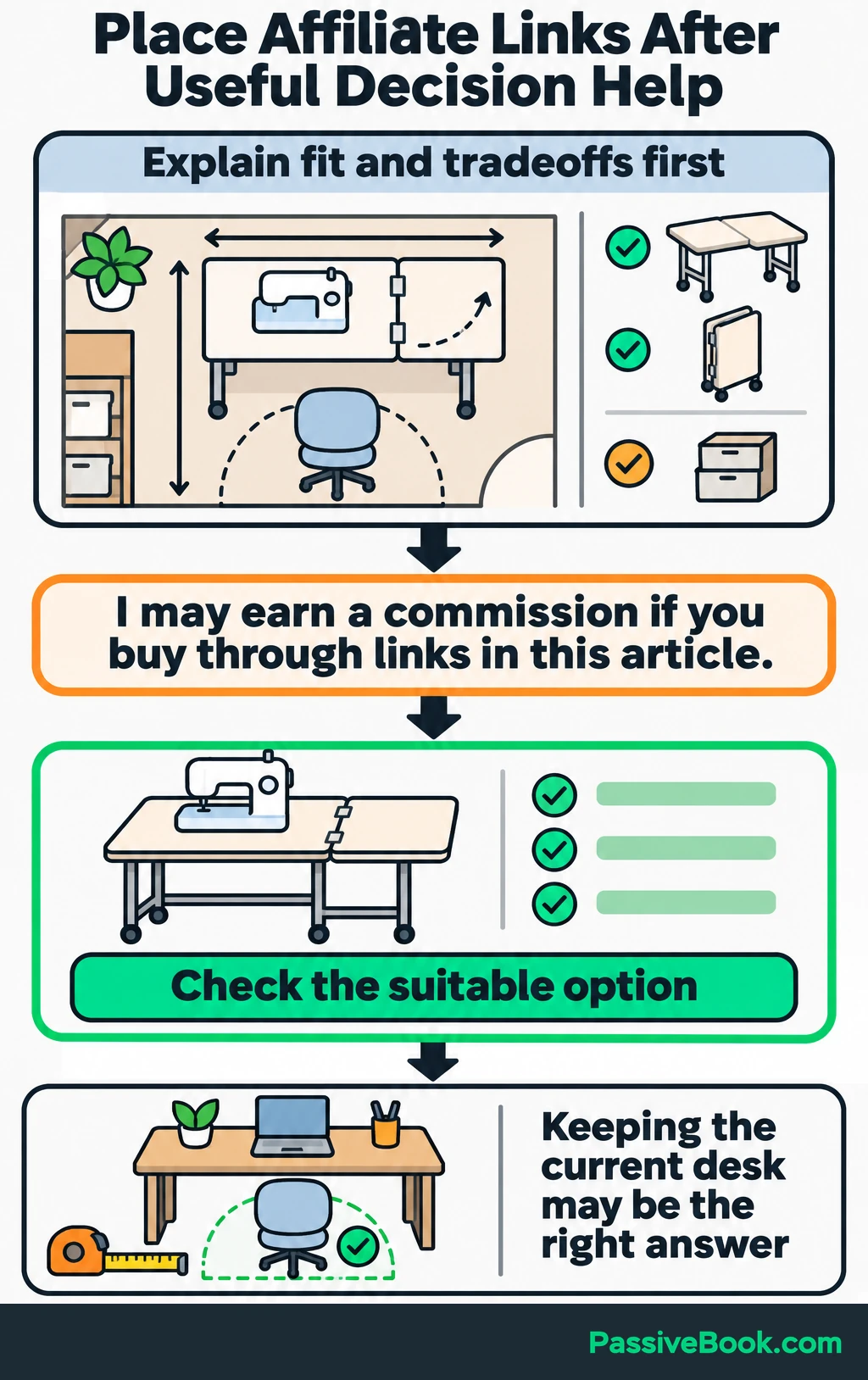
Explain how to choose before asking readers to buy.
On the sewing-table guide, establish the relevant measurements and tradeoffs first. Then recommend suitable options where your evidence supports them. Sometimes the right advice will be to keep an existing desk. That answer still serves the reader.
My first three months in affiliate marketing brought in about $23 while I chased the wrong products. Later, honest reviews of tools I actually used brought in roughly $340 a month consistently. That experience shapes my approach: I want a recommendation I can defend before I worry about its commission.
Apply to the programs you checked during validation. Use permitted links, check their destinations and confirm that readers can buy from their location.
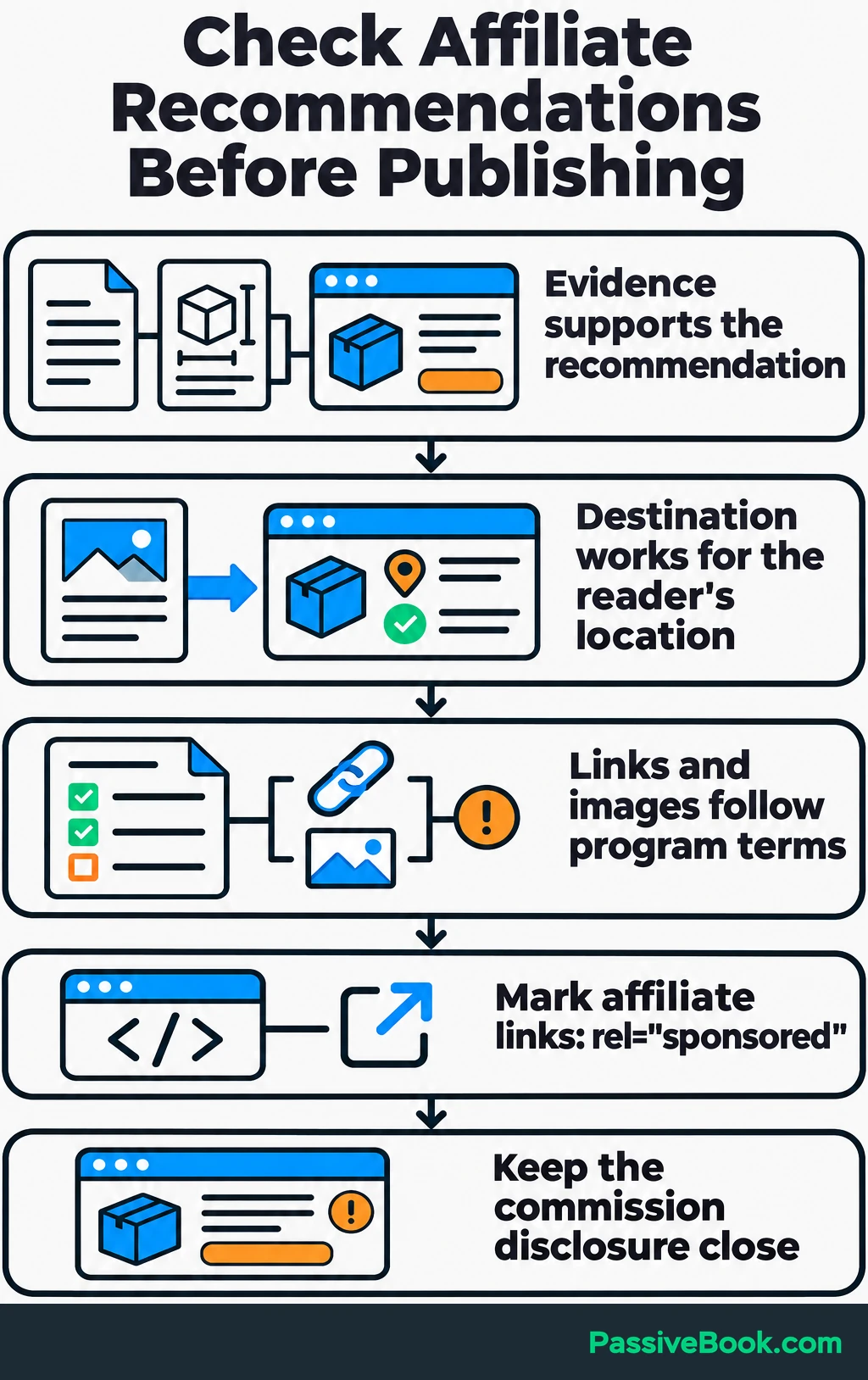
Put a plain commission disclosure close to the recommendations. For example:
I may earn a commission if you buy through links in this article.
For marketing directed at U.S. consumers, the FTC calls for clear, conspicuous disclosure of the relationship. A footer link alone can leave readers unaware of it when they see your recommendation. FTC affiliate-disclosure guidance.
Mark affiliate links with rel="sponsored". Google also accepts nofollow for paid links, but prefers sponsored. Google’s paid-link guidance.
Validate a Small Paid Resource
Look for a task readers understand but still struggle to complete.
The sewing-space articles can explain planning, while a workspace planner gives readers somewhere to record measurements, compare layouts and organize a pack-away routine.
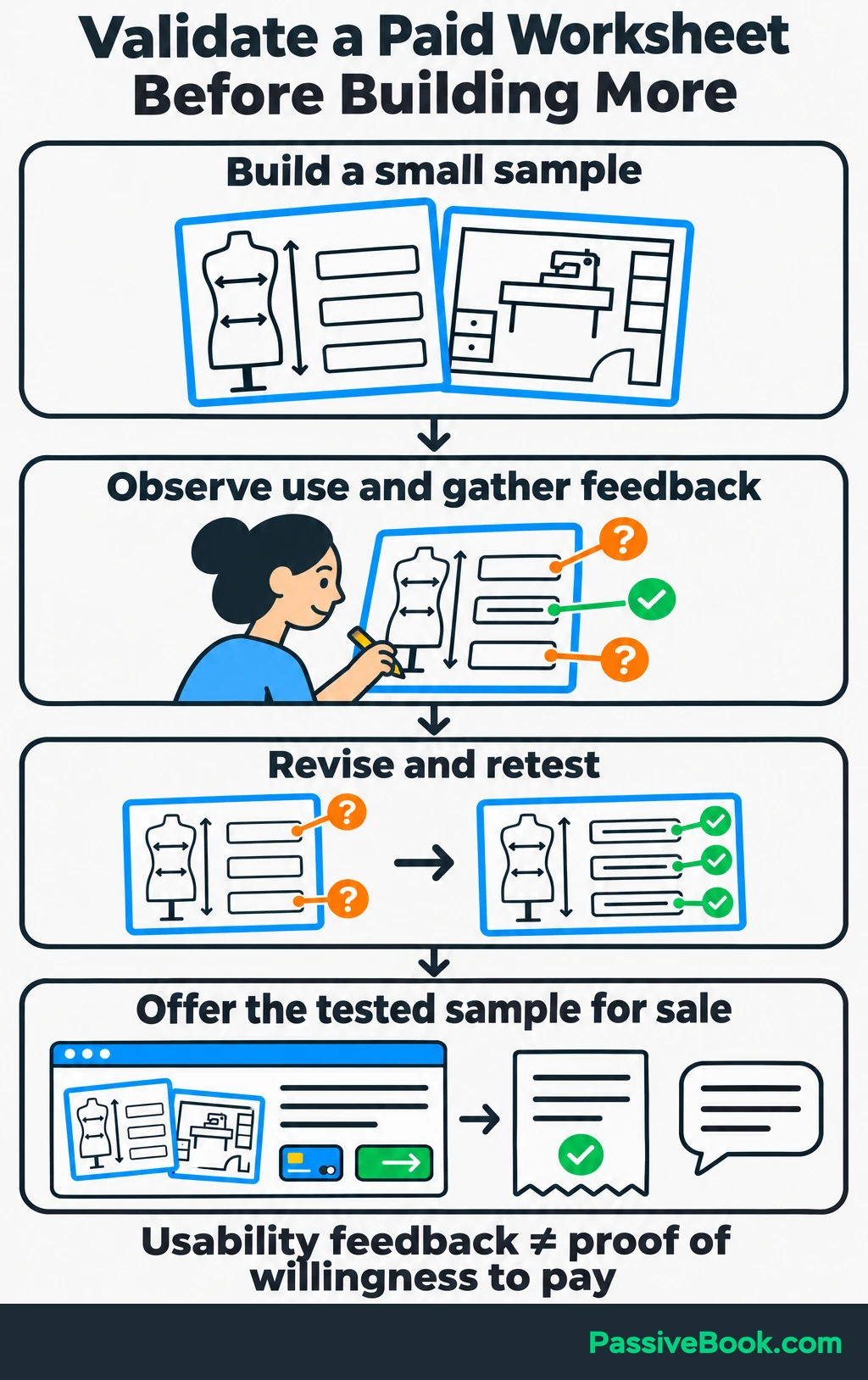
Prepare a small sample before building the full product. Show prospective users a measurement sheet and layout page, then ask:
- Where does planning your sewing space become difficult?
- Can you complete this sheet without extra explanation?
- What would you still need before deciding where everything goes?
Use the answers to revise the sample. Before building a larger planner, offer the tested sample for sale with a clear description of what buyers receive. Track purchases alongside feedback; a usable worksheet is not yet proof that people will pay for it.
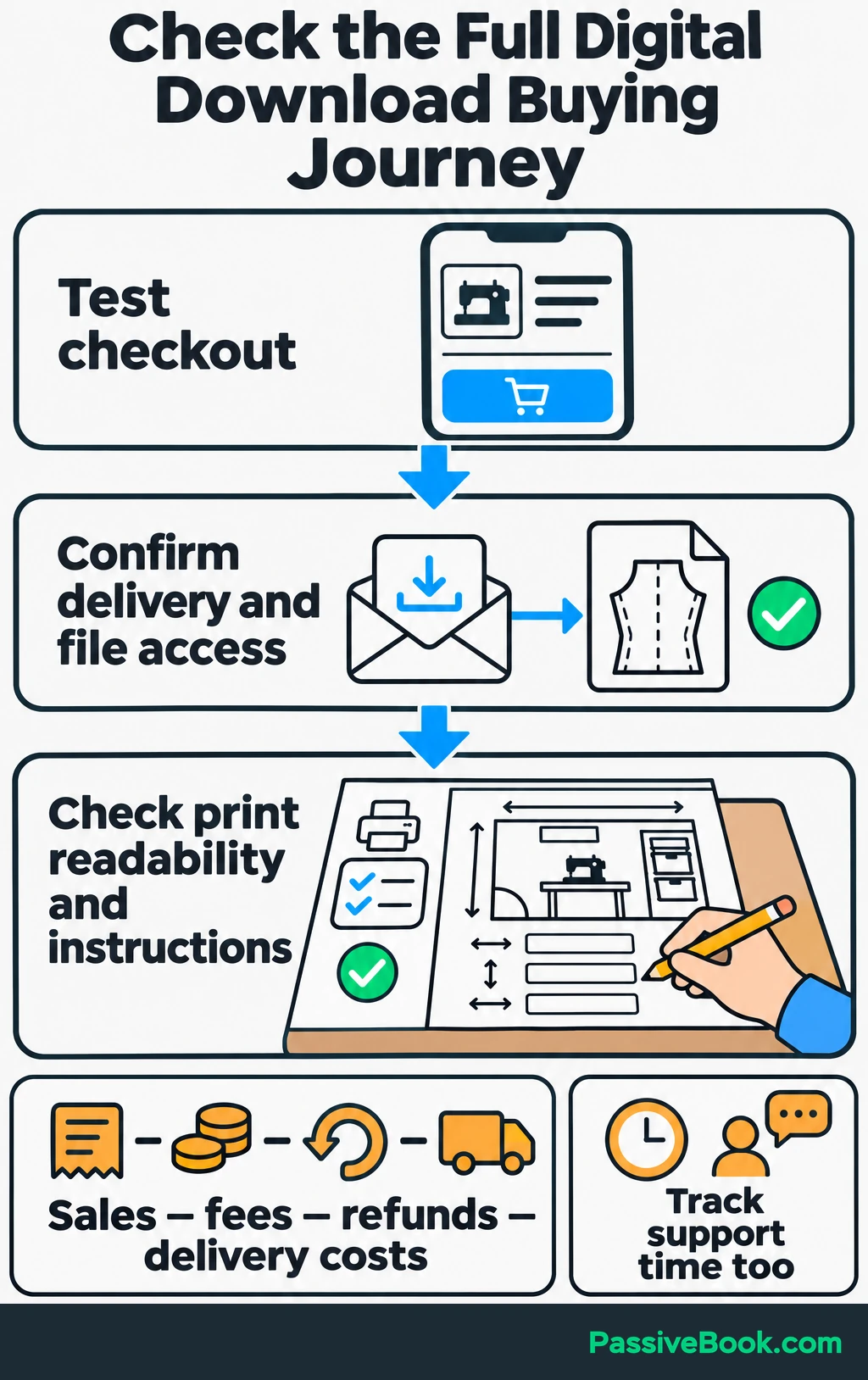
AI can organize the planner and draft instructions, but test every page yourself and with intended users. Check print readability, measurement labels and whether the steps work together.
I would start with a small download rather than a course or membership. It gives you a contained product to validate and maintain.
Offer it from articles where planning is the next useful action. Before promotion, test checkout, delivery and the download itself. Record sales, fees, refunds and support time so you can judge its contribution to profit.
Launch and Help Readers Discover the Site
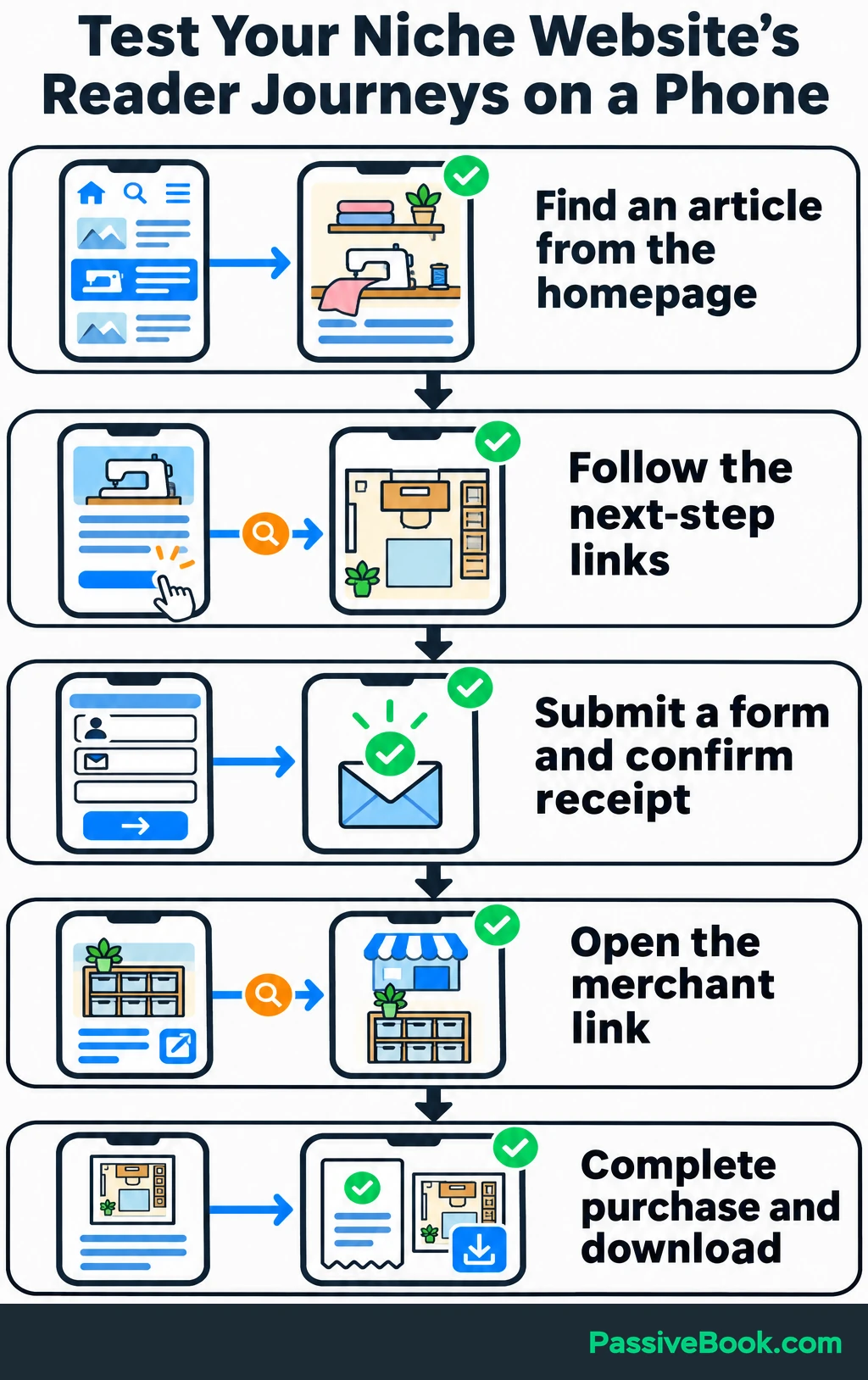
Before announcing the site, follow the main reader journeys on your phone:
- Find an article through the homepage.
- Follow its next-step links.
- Submit a form and confirm receipt.
- Open a merchant destination.
- Complete any purchase and download flow.
Then add your site to Google Search Console and verify ownership. This free tool reports search performance and whether Google has indexed your pages, making them eligible to appear in search results. Submit the sitemap, which lists the pages you want search engines to discover, and use URL Inspection to check a few published pages.
Check for accidental restrictions, such as a “discourage search engines” setting left on during setup or a noindex instruction on an article. Investigate the reported reason before changing technical settings.
Submitting a sitemap or requesting indexing does not guarantee inclusion in search results. Google explicitly makes that distinction in its recrawling guidance.
Set up analytics to record article visits, merchant clicks and completed purchases where available. Test the events yourself before relying on their reports.
For initial discovery, choose one channel you can sustain. For this sewing-space site, I would try Pinterest with original workspace photographs and useful layout diagrams, each leading to the relevant guide.
You could also answer questions in sewing communities where links are permitted. Share a resource because it solves the question, and introduce genuinely useful worksheets to relevant publishers. Keep the outreach specific to their readers.
Use Results to Improve Profit
I would start with a weekly review rather than check traffic between every other task.
Search Console shows how often links to your pages appeared in Google results (impressions) and how often people clicked them. Use analytics for actions on your site and merchant or checkout reports for revenue; search clicks alone do not establish sales. Search Console metric definitions.
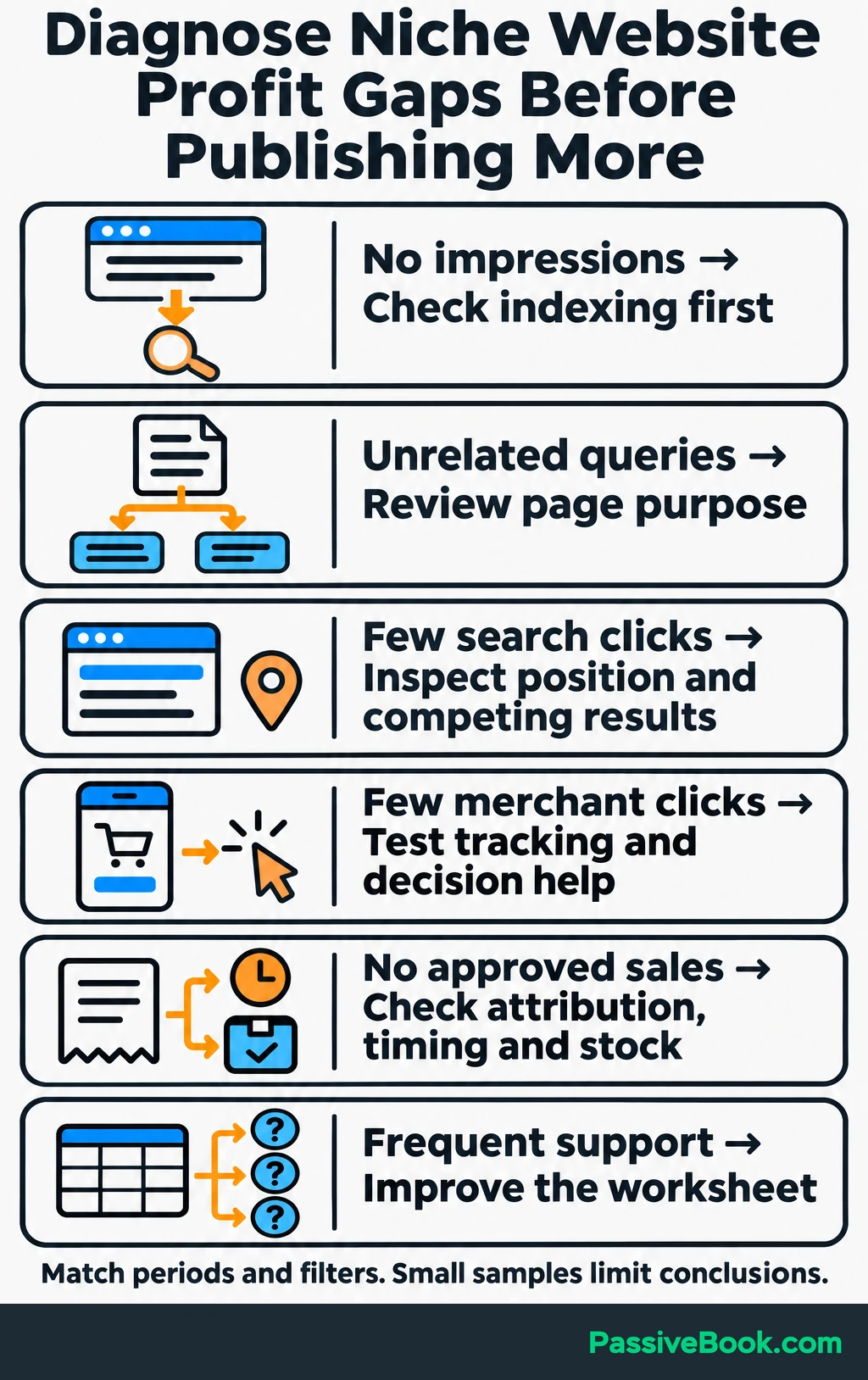
Diagnose the gap before producing more content:
| Observed Problem | Evidence to Inspect | Next Action |
|---|---|---|
| A published article has no recorded impressions | Does URL Inspection report that the page is indexed? | Investigate any exclusion; if indexed, review search demand and competing answers |
| Impressions come from unrelated searches | Do the reported queries match the task the page answers? | Clarify the page’s purpose and remove sections that distract from that task |
| Relevant impressions produce few clicks | For the same query, country and device, where does the page rank and what appears beside it? | Check whether the title fits the question and what competing results offer |
| Relevant visits produce few merchant clicks | Are clicks recorded correctly, and can phone users find a relevant recommendation? | Improve the decision help and check that links are visible and working |
| Merchant clicks produce no approved sales | Do clicks qualify under the attribution terms, have approval periods passed, and is the item available? | Check the buying path and offer before replacing it |
| Planner sales require frequent support | Which worksheet steps recur in buyer questions or refund requests? | Improve instructions or simplify the product |
Match comparison periods and filters. A handful of clicks cannot tell you much about purchase conversion.
You can give AI exported reports and ask it to summarize changes, check arithmetic and suggest investigations. Remove personal data it does not need, and inspect the affected pages before acting.
Prioritize useful updates, clearer recommendations and repaired buying paths before increasing volume.
Review revenue, operating costs, unrecovered launch spending and owner hours together. If the site earns a little but demands constant attention, simplify it. If readers use the guides but ignore the product, revisit the offer. More publishing is only one possible response.
Automate Routine Work After the Process Works
Complete and document a publishing cycle before automating it. Otherwise, you can build an elaborate workflow around instructions you have not tested.
Start with repeated handoffs: organizing notes, preparing drafts, suggesting internal links and assembling reports.
Keep the sequence controlled:
Approved brief → AI draft → verification → WordPress draft → publication approvalEach article should have a visible status and links to its evidence. Give failed steps a notification, prevent duplicate drafts, set spending limits and keep a simple way to pause the workflow.
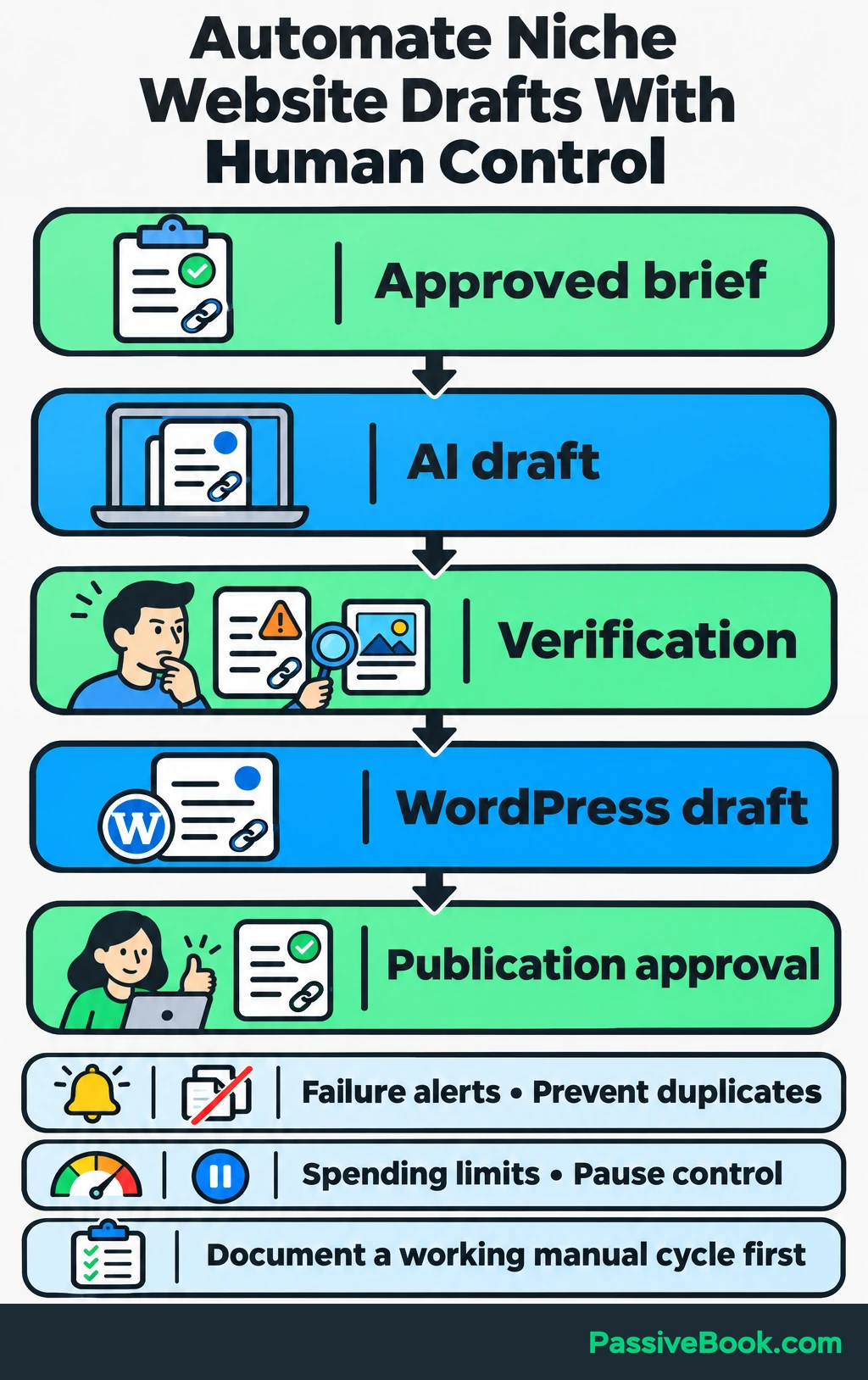
I use n8n to connect tools, and my custom AI content pipeline reduced article production from days to hours. The useful part was automating a defined process. I still need to decide whether the evidence supports what goes live.
For an early site, a checklist and manual handoffs may be enough. Add automation when the time saved exceeds the time spent setting it up and maintaining it.
Schedule checks according to what can change. Product availability may need attention sooner than an evergreen measuring tutorial. Backups, broken links, revenue and buyer support also need a place in the routine.
Increase publishing only while verification, updates and reader support remain manageable. Limited daily involvement comes from reducing repeated work and keeping the site maintainable. It does not remove the need to run it.
What Next?
Create a one-page niche worksheet with one reader problem, evidence of real searches, a contribution you can make and an offer worth checking. Leave the domain purchase until you can fill those fields.
Use the social buttons to share this guide when you want to compare niche ideas or work through the numbers with others.
Which part of your proposed site needs the most proof: demand, your contribution or the revenue path? Share your answer in the comments, and bring any other questions with it.
Share this post with your friends & followers:

