You’ve set aside a weekend to work on your blog, but you’re still comparing courses. One promises traffic, another promises income, and neither makes it clear whether you’ll learn how to publish a useful post.
It’s hard to tell whether a free course covers enough or a paid one offers something you actually need. Choosing badly costs more than tuition: your next article stays unfinished while you watch lessons that solve a problem you don’t have yet. This comparison looks at what seven free and paid courses teach, what they cost and where they fall short, so you can decide which deserves your weekend.
The Best Blogging Courses at a Glance
For most beginners, I would start with HubSpot Academy. Add Learn WordPress if operating your website is holding you back. For help choosing topics people search for and making articles easier to find, try Ahrefs Academy’s search engine optimization (SEO) training.
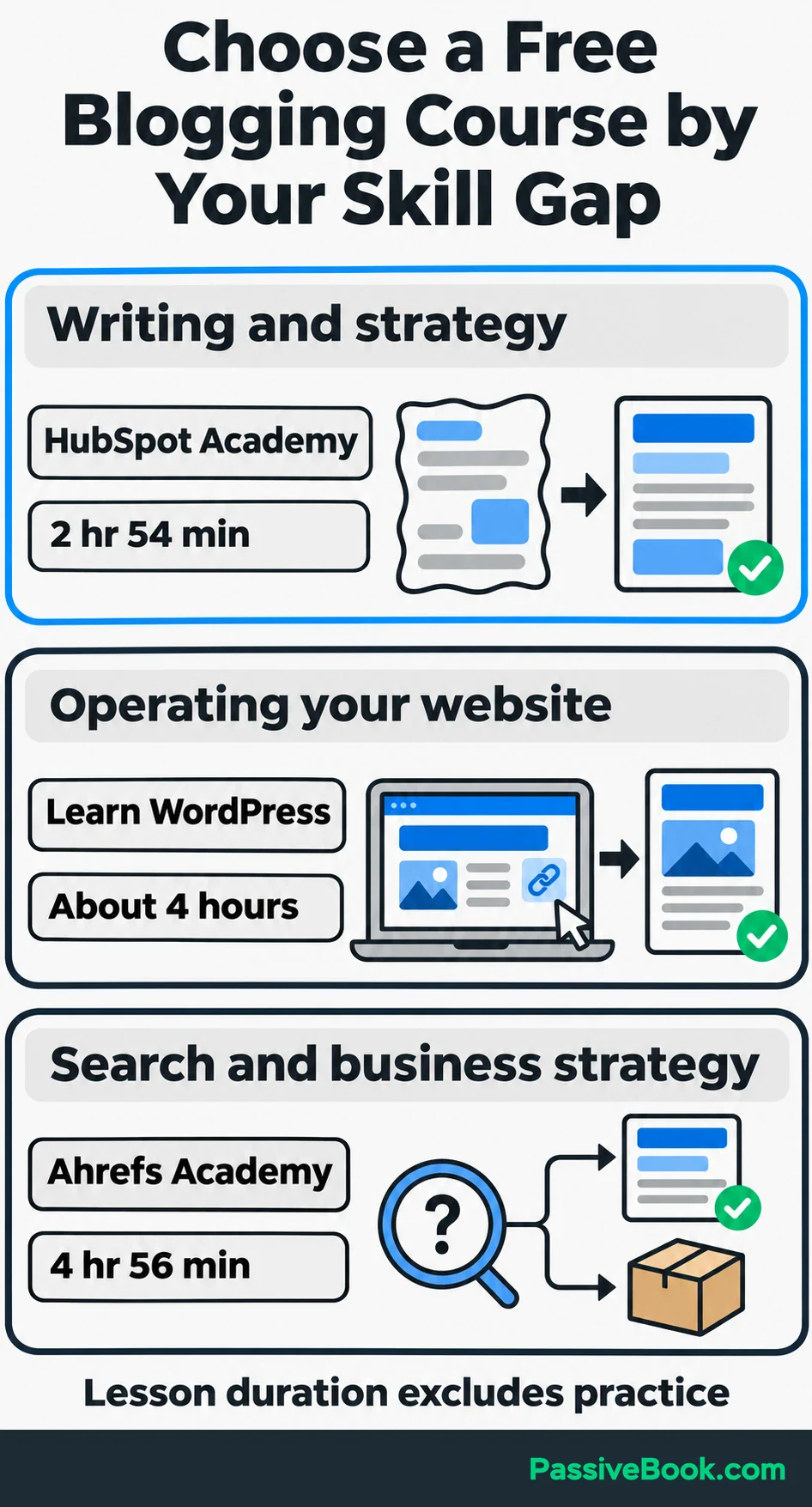
Pay when a course’s structure or specialist instruction fills a specific gap. Affiliate marketing courses, for example, teach you to earn commissions when readers buy through your recommendation links. You don’t need to buy your way through all seven.
These are editorial recommendations based on public curricula and advertised terms. The comparisons assess course coverage and buying conditions; they do not imply firsthand course completion or independently measured student results.
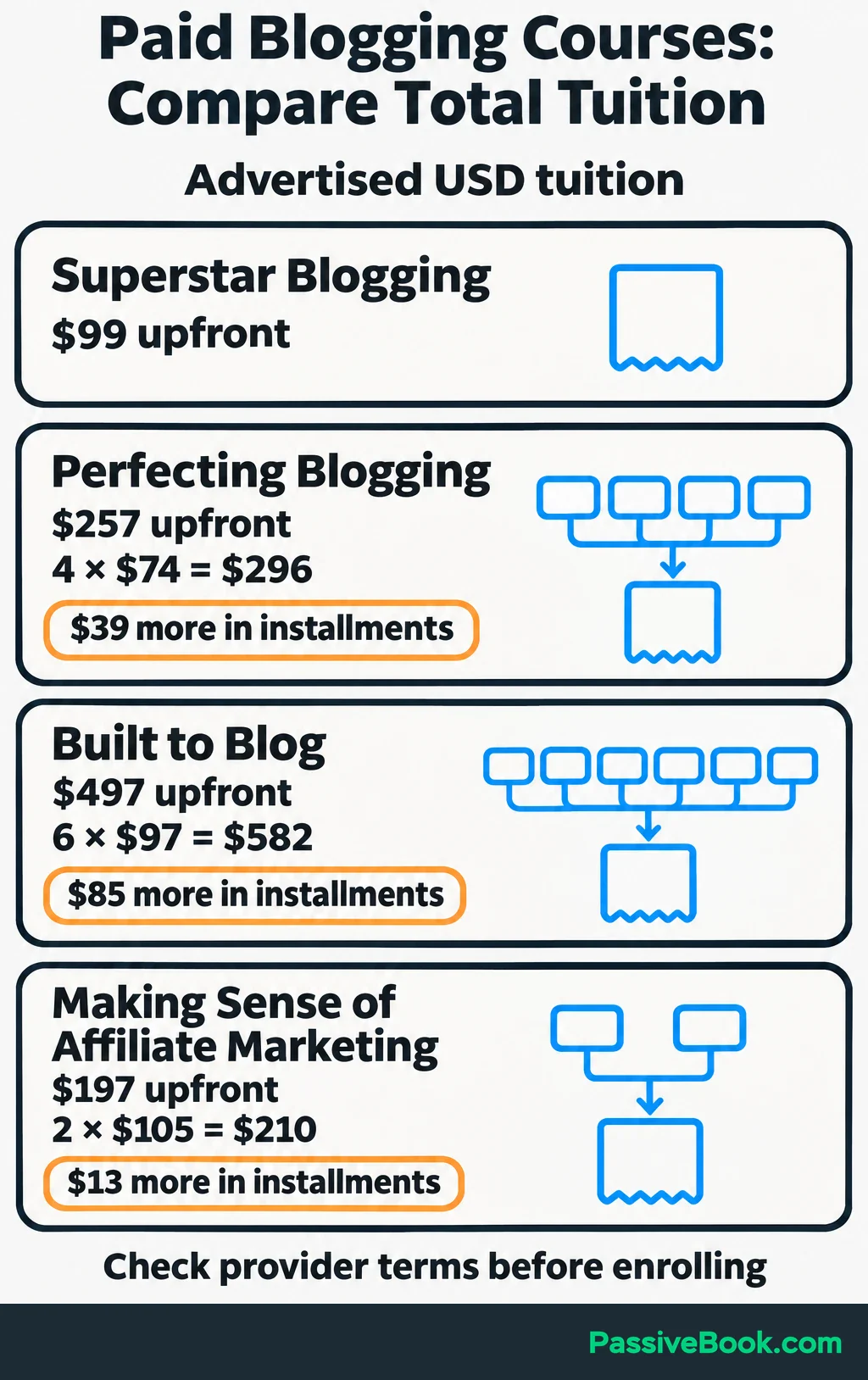
The table lists advertised USD tuition. Installment totals count every scheduled payment, and provider pages are linked in the reviews for current details.
| Course | Best Fit | Advertised USD Tuition | Format | Published Duration | Main Subjects | Main Limitation |
|---|---|---|---|---|---|---|
| HubSpot Academy Blogging Course | Learning blogging fundamentals | Free | Videos and quizzes; free account required | 2 hr 54 min | Strategy, writing, SEO basics, measurement | Limited WordPress and affiliate instruction |
| Learn WordPress Beginner WordPress User | Learning to operate your website | Free | Online lessons and private practice site | About 4 hours | Hosting, themes, plugins, publishing, security, backups | Does not provide a complete audience-growth strategy |
| Ahrefs Academy Blogging for Business | Planning content around search and business goals | Free | Video lessons; no registration required | 4 hr 56 min | Topic research, search intent, optimization, promotion | Some demonstrations use paid Ahrefs tools |
| Superstar Blogging | Broad training on a smaller budget | $99 upfront | Self-paced lessons | not published | WordPress, branding, writing, SEO, email, monetization | Examples draw heavily on travel blogging |
| Perfecting Blogging | Building a repeatable publishing process | $257 upfront; 4 × $74 = $296 | Videos, worksheets and Facebook group | not published | Niche choice, keywords, calendars, writing, introductory monetization | Limited WordPress administration training |
| Built to Blog | Learning through extensive video explanations | $497 upfront; 6 × $97 = $582 | Instructional videos and interviews | Over 9 hours of instruction plus 5 hours of interviews | Setup, writing, SEO, promotion, email, monetization | Expensive for one narrow problem |
| Making Sense of Affiliate Marketing | Improving affiliate monetization | $197 upfront; 2 × $105 = $210 | Text, PDFs, tutorials and worksheets | not published | Product selection, promotion, conversions, trust, disclosures | Does not replace publishing and traffic training |
Published duration measures the lessons, not the work on your website. A three-hour course can leave you with several evenings of research, writing and editing. That is where much of the learning happens.
How to Choose a Blogging Course
Start with the task you cannot finish. “Get better at blogging” is too vague to guide a purchase. “Publish my first useful guide” or “choose topics that support my product” gives you something to judge a syllabus against.
I learned this the expensive way with my abandoned productivity blog. I spent eight months publishing more than 127 posts before stopping because I found the niche too competitive and difficult to monetize. There was plenty of work, but the business fit was poor.
That experience shapes how I judge training. Before learning to produce more articles, I want a clear answer to who needs them and how the site could support a business.
For the examples below, imagine you run a dog-friendly weekend-travel blog. It publishes packing guides and travel-gear reviews, and you plan to sell a printable trip planner. The projects are my suggested applications of the lessons, not provider-assigned exercises.
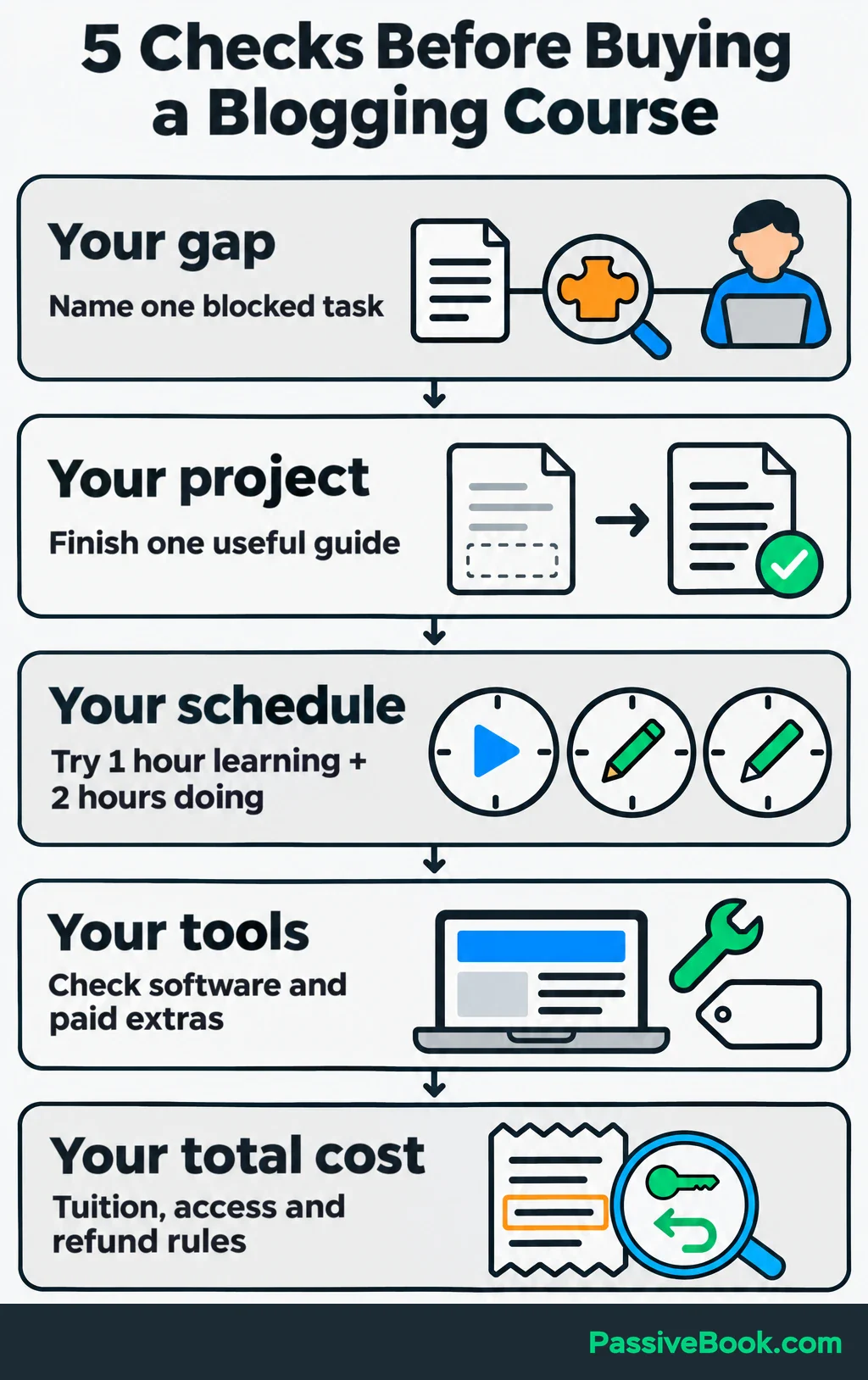
Use these checks before enrolling:
- Your Gap: Decide whether you need help with writing, WordPress, finding readers or earning from existing content. Choose focused instruction for one obstacle and a broader course for several connected problems.
- Your Project: Name an output you can finish while learning. For the travel blog, that could be a published weekend packing guide. A certificate is easier to collect, but the guide gives you something to improve.
- Your Schedule: Put lesson time and practice time on your calendar. With three hours available each week, I would try one hour of lessons and two hours of implementation, then adjust.
- Your Tools: Inspect the syllabus and available samples. Check whether technical demonstrations use the software you plan to use, and identify any paid tools needed to follow along.
- Your Total Cost: Compare upfront tuition, installment totals, access duration and refund restrictions. Budget separately for a domain and hosting when you put a live site online.
For learning the website side, I would choose self-hosted WordPress.org because I prefer control over the site and how it earns money. You can practice before committing to hosting.
I would also keep a blog’s purpose concrete: useful guides, honest comparisons and a clear next step for interested readers. For the travel example, a packing guide could lead naturally to the trip planner. That connection matters more than publishing on every possible subject involving dogs.
Don’t reject sound SEO training just because its title lacks “AI search.” Google says established SEO practices remain relevant to its generative AI search features. My takeaway is to prioritize audience needs, clear writing and a usable website over a fashionable course label. Google’s guidance on SEO and generative AI search.
Finally, judge the skills taught rather than the instructor’s earnings headline. No course can guarantee your income. The FTC flags guaranteed returns and pressure to buy as warning signs, and it cautions that testimonials may not represent typical results. FTC guidance on business coaching offers.
Lesson time is only part of the schedule. Give your next article dated tasks so research, writing and editing have a place on the calendar.
Turn Your Marketing Ideas Into a Publishing Plan
Organize content ideas, set publishing dates, and track what resonates with your audience in one calendar.
Best Free Blogging Courses
These three courses cover different jobs. Start with the one that addresses your immediate obstacle, then add another when your work exposes a new gap.
HubSpot Academy Blogging Course: Best for Blogging Fundamentals
HubSpot is my first choice when you need to understand how useful articles support a business.
Its free course includes five lessons, 17 videos and three quizzes. Instructors include Justin Champion and other HubSpot content specialists. The curriculum covers blogging strategy, topic and title selection, post structure, writing, search optimization and performance analysis. HubSpot’s published course details.
That makes it a sensible starting point if your drafts wander or your topics feel disconnected. It gives you a framework for deciding what an article should accomplish.
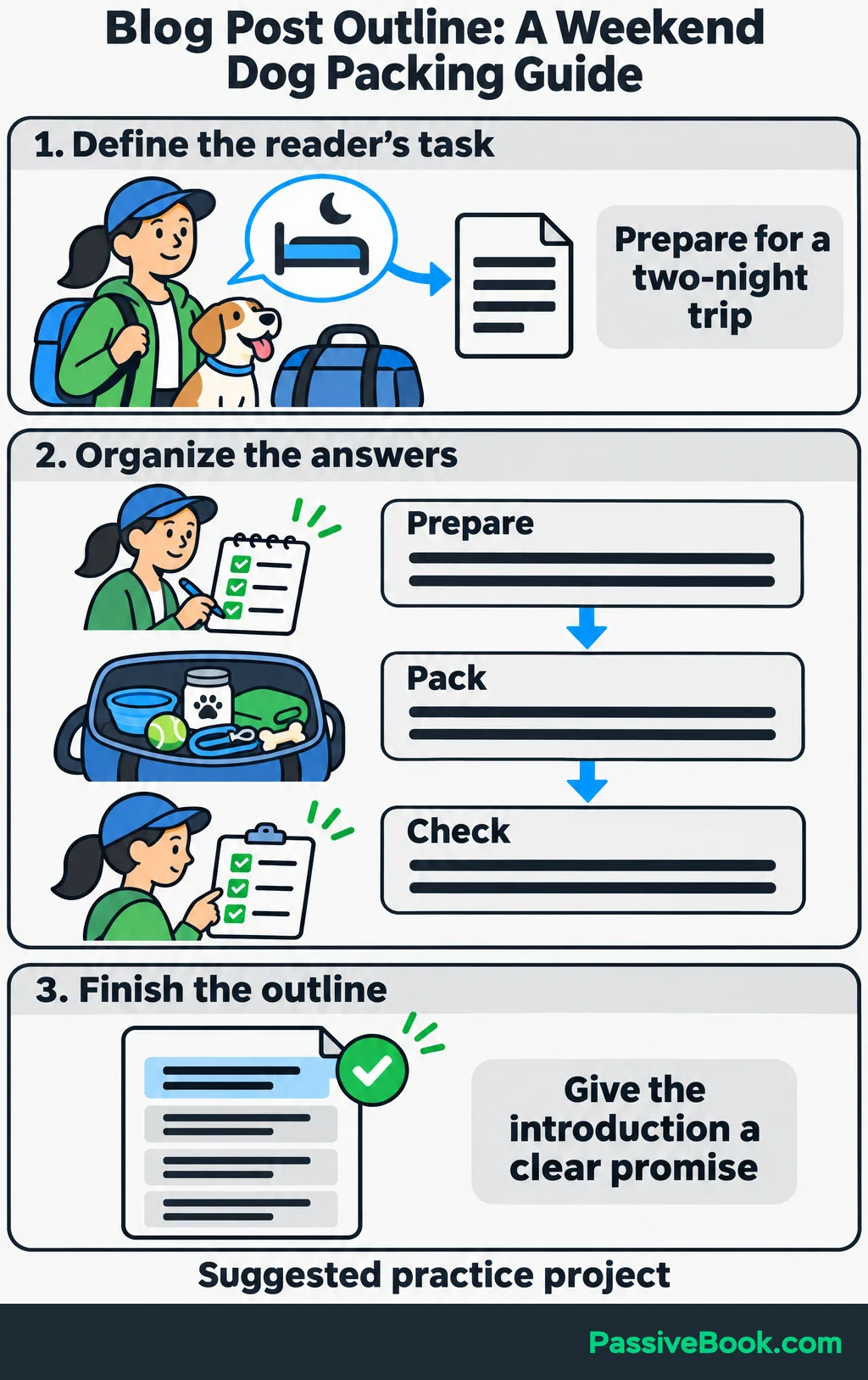
Apply the lessons to one packing guide. First, name the reader’s task: getting ready for a two-night trip with a dog. Then outline the questions the guide must answer.
A working title might be:
“What to Pack for a Weekend Away With Your Dog”
Give the introduction a clear promise and organize the article around preparing, packing and checking before departure. Finish that outline before moving to another course.
HubSpot’s main gap is technical depth. Add Learn WordPress for site management, and leave detailed affiliate training until you have relevant content to improve.
Learn WordPress Beginner WordPress User: Best for WordPress Basics
Choose this when the website itself is slowing you down.
Learn WordPress is the official WordPress training resource. Its beginner course covers domains and hosting, themes, plugins, posts and pages, the block editor, navigation, security, backups and introductory SEO. The course also links to a private demo site where you can practice. Learn WordPress’s beginner syllabus.
I would use that practice site before buying hosting if you’re unsure how publishing works. You can learn the controls without turning every mistake into a live website problem.
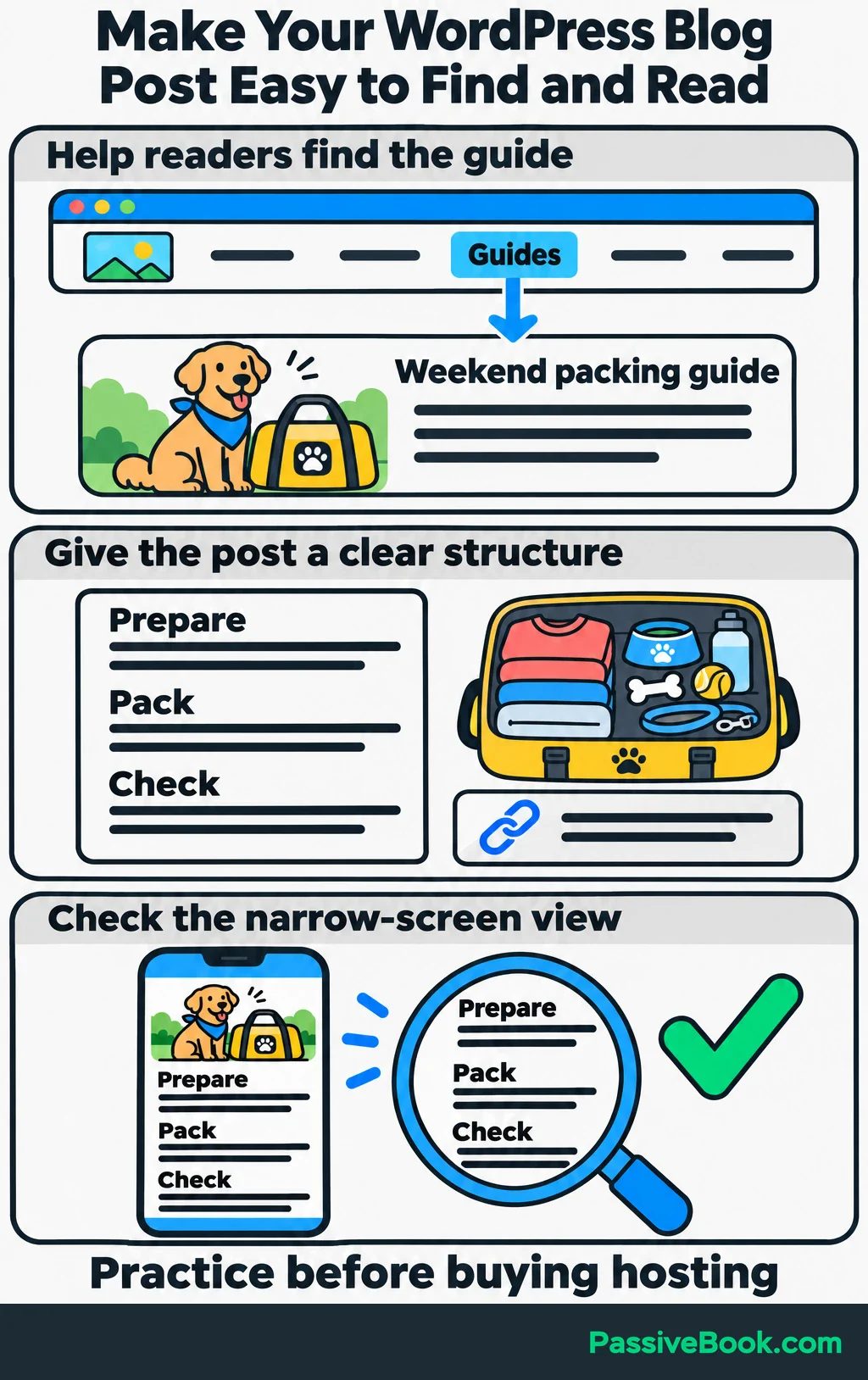
Take your packing-guide outline and build a sample post. Add headings, an image and a link, then create simple navigation so readers can find the guide again. Preview it on a narrow screen and check whether the page is easy to follow.
Keep the first version simple. A weekend spent adjusting button corners is still a weekend without a finished article.
This course teaches website operation. Pair it with writing or audience-growth training when those become your next obstacle.
Ahrefs Academy Blogging for Business: Best for SEO and Content Strategy
Ahrefs is my pick when you can publish but need a better reason for choosing one topic over another.
Tim Soulo teaches 40 lessons across 11 modules. The curriculum covers search demand, ranking difficulty, business value, search intent, article optimization and promotion. It also covers backlinks—links from other sites to yours—and contacting other publishers to earn them. You can watch without registering. Ahrefs Academy’s course curriculum.
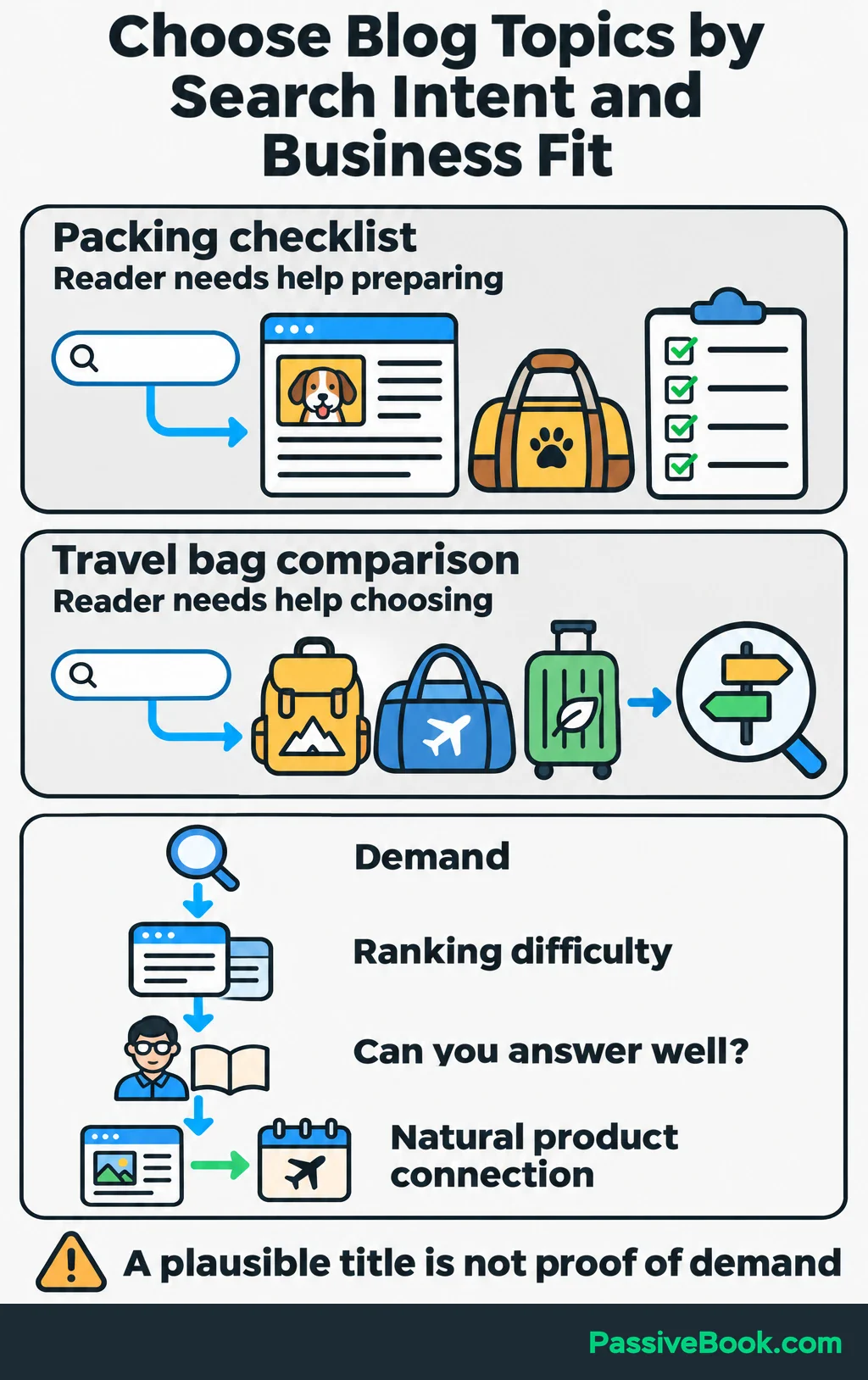
Search intent means what someone is trying to accomplish with a search. A person looking for a packing checklist needs different help from someone comparing travel bags.
Use that distinction to assess ideas for the travel blog. Investigate packing guides alongside gear reviews, and look for topics you can answer well that also connect naturally to your trip planner.
Treat those ideas as research candidates. A plausible title is not proof of demand or an easy ranking opportunity.
The lessons are free, but reproducing demonstrations that use paid Ahrefs reports requires separate software access. I would learn the selection process first and consider software only when I know what I need it to answer.
You will also need separate WordPress instruction if setup is still a problem.
Best Paid Blogging Courses
Paid training can be useful when it saves you from stitching together unrelated lessons or gives you focused instruction you will apply. I would buy one course with a defined project and review its usefulness before purchasing another.
Superstar Blogging: Best Budget All-rounder
Superstar Blogging is the paid option I would examine first when several beginner skills need work and budget matters.
Matt Kepnes’s curriculum spans eight modules and more than 50 lessons. It covers WordPress setup, niche and brand development, writing, SEO, promotion, newsletters, affiliate marketing, digital products and brand partnerships. It is self-paced. Superstar Blogging’s syllabus and terms.
Its tuition is the lowest upfront price among the paid courses here. The advertised “free trial” requires payment first, with a full-refund window of 14 days. Plan time to assess it during that window.
The travel-heavy examples make it a natural fit for our running project, though they are also its main limitation for readers who want examples closer to another niche.
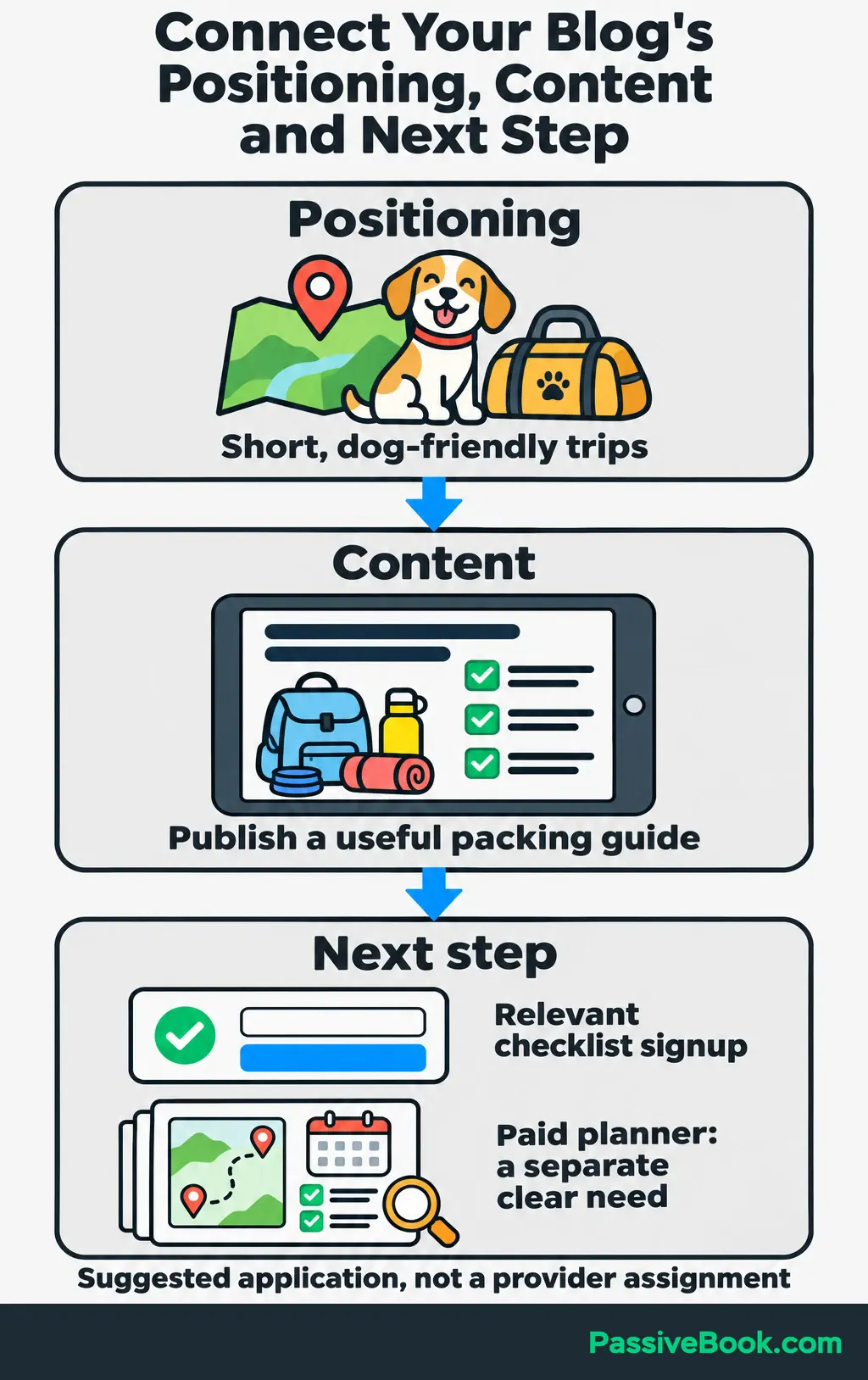
I would use the broader curriculum to connect three decisions:
- Positioning: Focus on helping readers plan short, dog-friendly trips.
- Content: Publish a useful packing guide.
- Next Step: Offer a relevant checklist signup and develop the paid trip planner around a separate, clear need.
Broad coverage is useful when those decisions are disconnected. If only your writing needs attention, start with free instruction.
Perfecting Blogging: Best for Content Planning and Production
Perfecting Blogging is the course I would consider when you keep collecting ideas but struggle to turn them into finished posts.
Sophia Lee’s curriculum covers niche selection, website presentation, keyword research, content calendars, post structure, writing and introductory monetization. It includes videos, worksheets, lifetime access, updates and a private Facebook group. Additional lessons examine her planner business and ecommerce website. Perfecting Blogging’s course details.
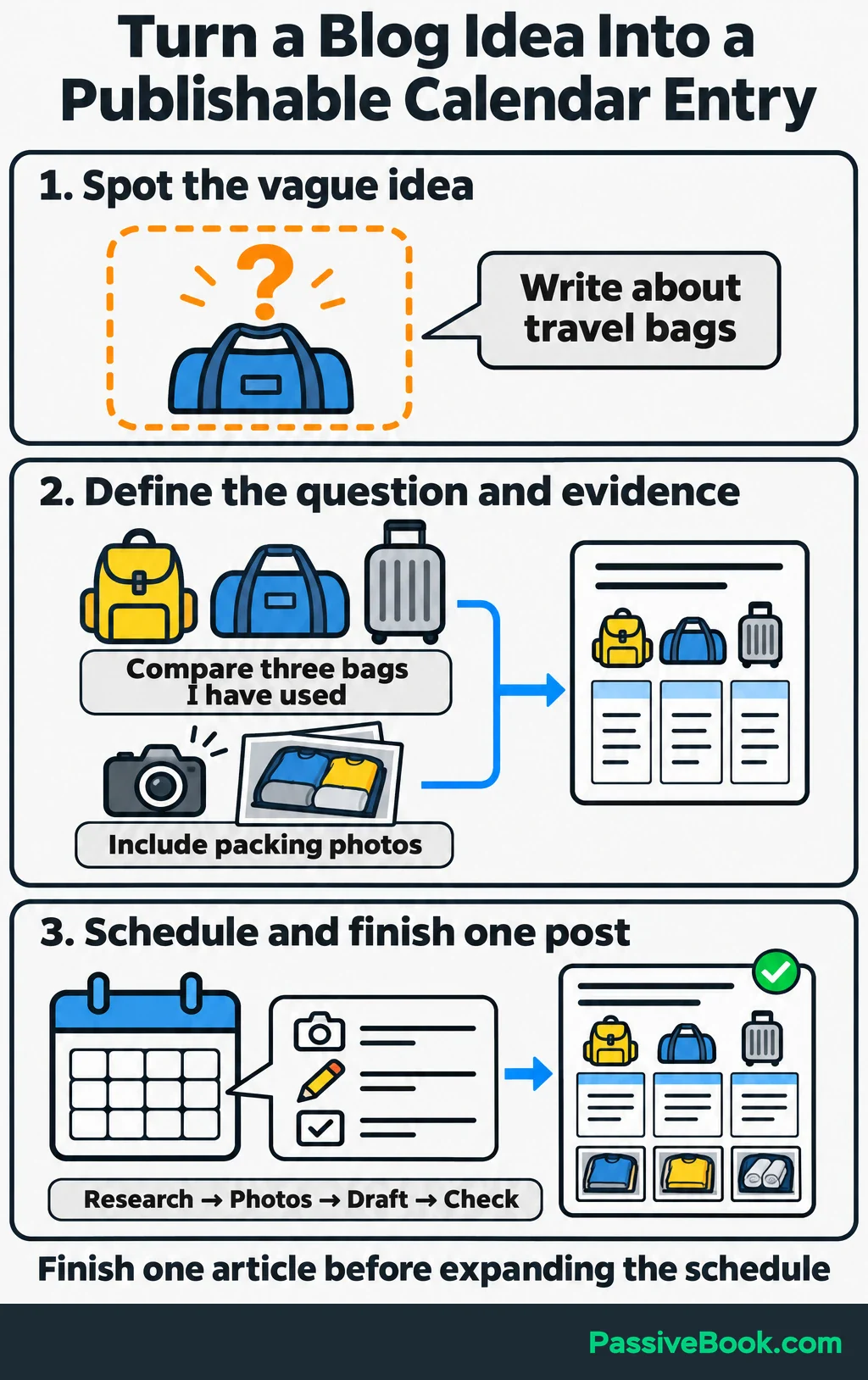
The appeal is the path from planning to publication. For the travel blog, build a small calendar that connects packing guides with gear reviews, then use the post checklist to finish one article before expanding the schedule.
A useful calendar entry names the reader’s question and the work required. “Write about travel bags” leaves too much undecided. “Compare three bags I have used for short trips, with packing photos” is something you can schedule.
The refund restriction deserves attention: you must request a refund within 30 days of enrollment and must not click past Unit 1. Opening later units ends eligibility. Perfecting Blogging’s refund policy.
I would add Learn WordPress if you also need backups, security and broader site-management instruction.
Built to Blog: Best for Extensive Video Instruction
Built to Blog suits learners who want substantial video explanations across launch, audience growth and monetization.
Ryan Robinson’s course covers niche selection, WordPress, content strategy, writing, keyword research, promotion, email-list building and several ways to earn. The provider advertises more than nine hours of instructional video plus five hours of interviews, lifetime access, future updates and a 30-day, no-questions-asked refund guarantee. Built to Blog’s curriculum and access terms.
The provider’s separate enrollment page lists the installment option shown in the comparison table. Built to Blog’s payment options.
I would choose it for connected gaps across the business, provided you prefer learning through video. Its breadth and price are harder to justify when one technical lesson would solve your problem.
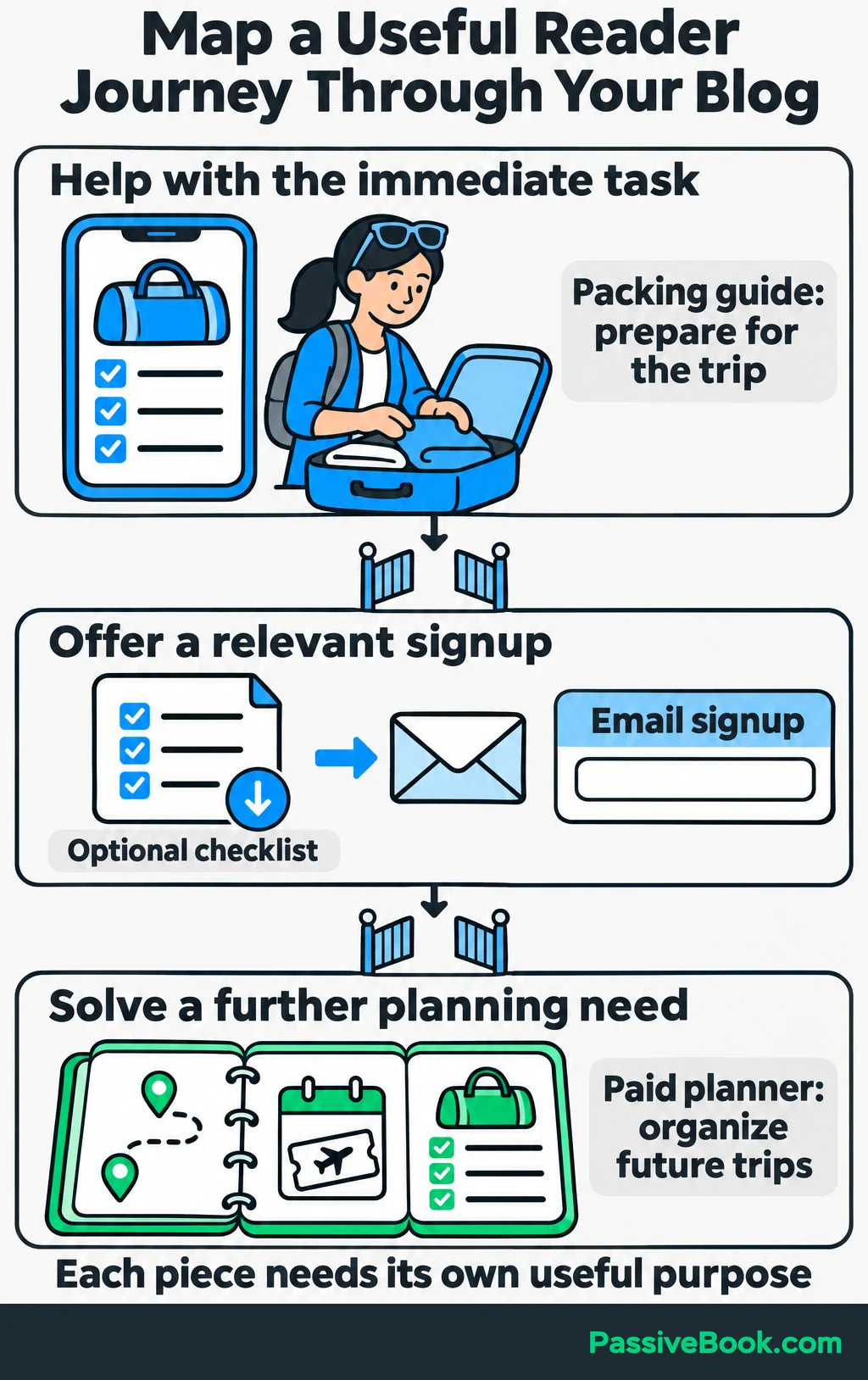
For the travel blog, map the whole reader journey: a packing guide helps someone prepare, an optional checklist earns a relevant email signup, and the paid planner helps organize future trips. Each piece needs its own useful purpose.
If WordPress or analytics demonstrations are your main reason to buy, request a recent sample first. Software instruction needs to match the work you plan to do.
Making Sense of Affiliate Marketing: Best for Affiliate Monetization
Making Sense of Affiliate Marketing is a specialist supplement I would consider once you have relevant articles to improve.
Michelle Schroeder-Gardner covers affiliate-product selection, promotion, conversions, reader trust and disclosures. Delivery is text-based, with PDFs, tutorials and worksheets. The provider includes lifetime access, updates and a 30-day refund offer. Making Sense of Affiliate Marketing’s curriculum and terms.
Having content ready is my readiness recommendation, not a formal enrollment requirement. It gives you somewhere to apply the lessons immediately.
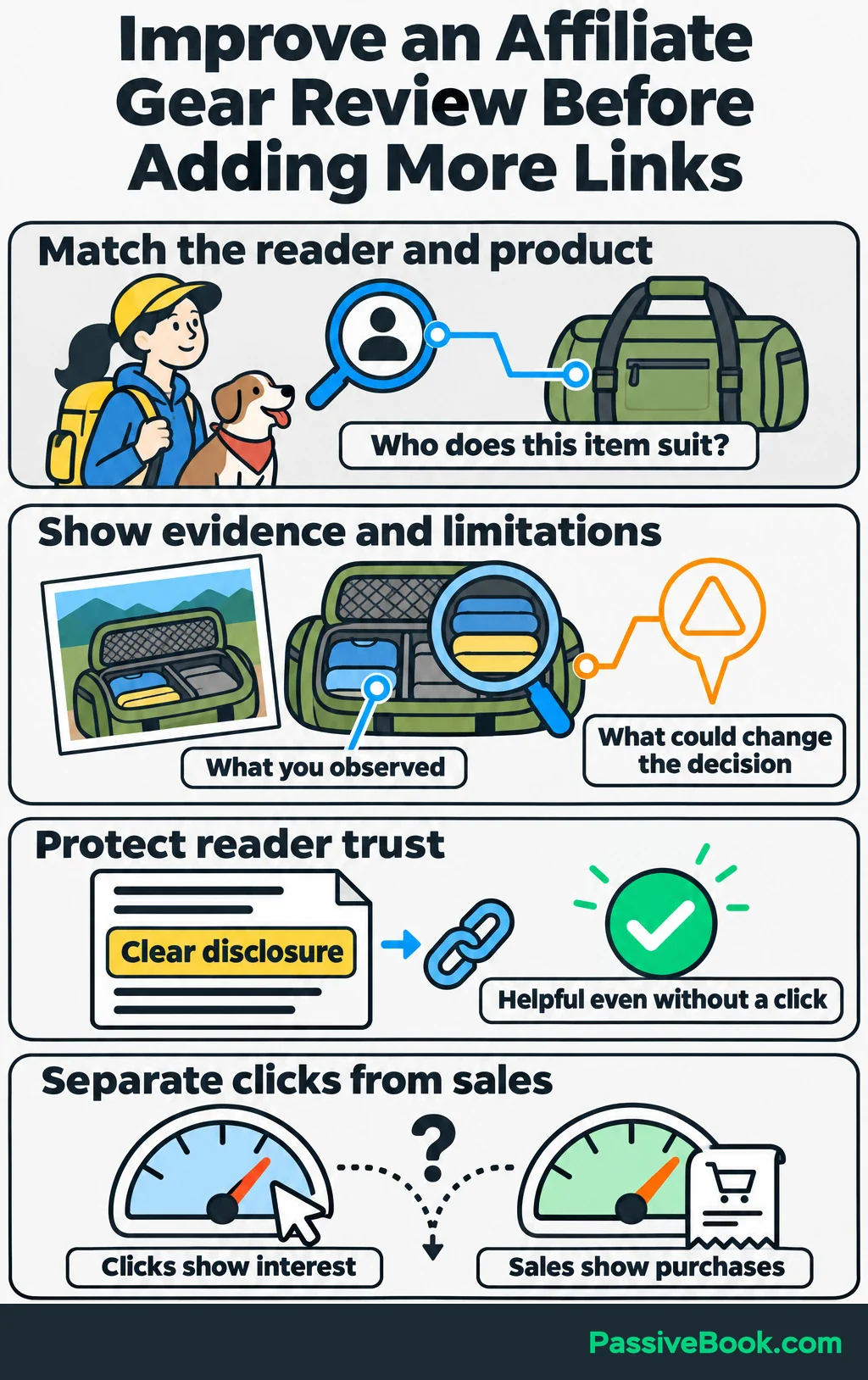
For the travel blog, start with an existing gear review. Explain who the item suits, what you actually observed and which limitations could change a buyer’s decision. A recommendation should help the reader choose even if they never click your affiliate link.
Then track clicks and resulting sales so you can distinguish interest from purchases. Adding more links is not automatically an improvement.
I would skip this purchase while basic publishing or finding relevant readers remains your main obstacle. Affiliate instruction becomes more useful when you have a clear match between the article, the reader’s need and the product.
What Next?
Write down the task you need to finish: publishing an article, finding topics readers search for or improving an existing review. Choose the course that directly helps with that work. If you’re starting from scratch, begin with HubSpot and use a single packing guide as your project.
Use the social buttons to share this comparison and make the next course decision a little less expensive.
Which skill gap is costing you the most progress on your blog? Tell me in the comments, and leave any other course questions there too.
Share this post with your friends & followers:

