An AI draft can look finished while leaving you with hours of checking. The sentences flow, but a source is missing, the advice is vague, and the introduction sounds like it belongs on every other blog.
Publishing that draft puts your name behind claims you may not have checked. Rewriting it from scratch eats into the time you hoped to save. This walkthrough follows one pet-care post from source notes to publication, with reusable AI prompts and checks for accuracy, voice, and helping readers find it in search.
1. Choose the Search Question Your Post Will Answer
Start by writing what the reader should be able to do after reading your post. This gives you a way to judge everything AI suggests.
Then choose a search phrase that describes that task. Search it yourself and open several relevant results. Look at what readers appear to expect: instructions, a comparison, a checklist, or something else.
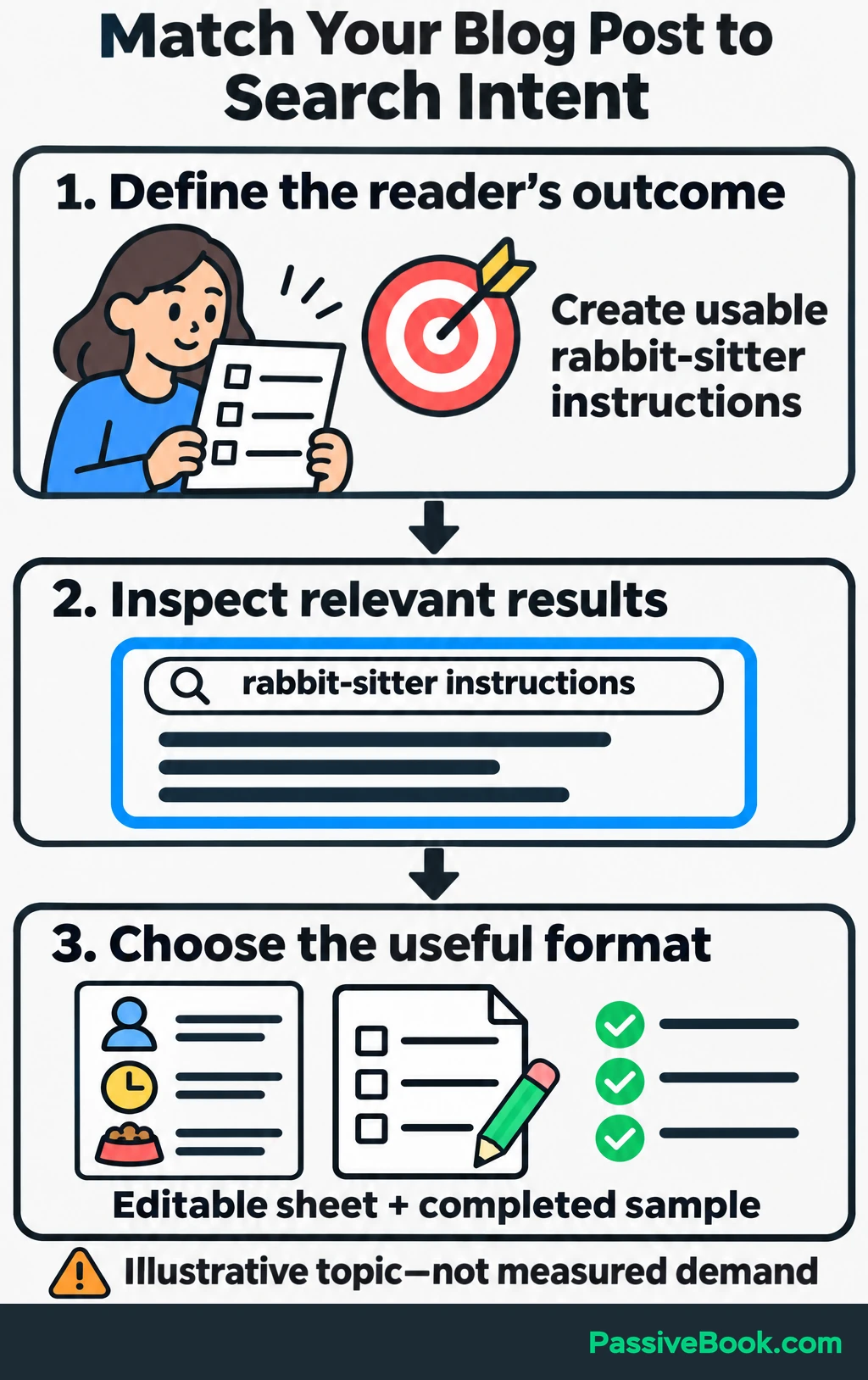
For the running example, imagine your shop sells printable rabbit-care planners. You’re preparing a post called “How to Make a Rabbit-Sitter Instruction Sheet.”
Your reader’s goal is:
Create clear instructions a sitter can use to follow the rabbits’ existing care routine.
“Rabbit-sitter instructions” is a possible search phrase to investigate. The shop, phrase, resource, and sample wording here are illustrations, with no measured demand or traffic results behind them.
As you review search results, note three things:
- Which questions the pages answer.
- What format makes the answer easiest to use.
- What useful material you could contribute.
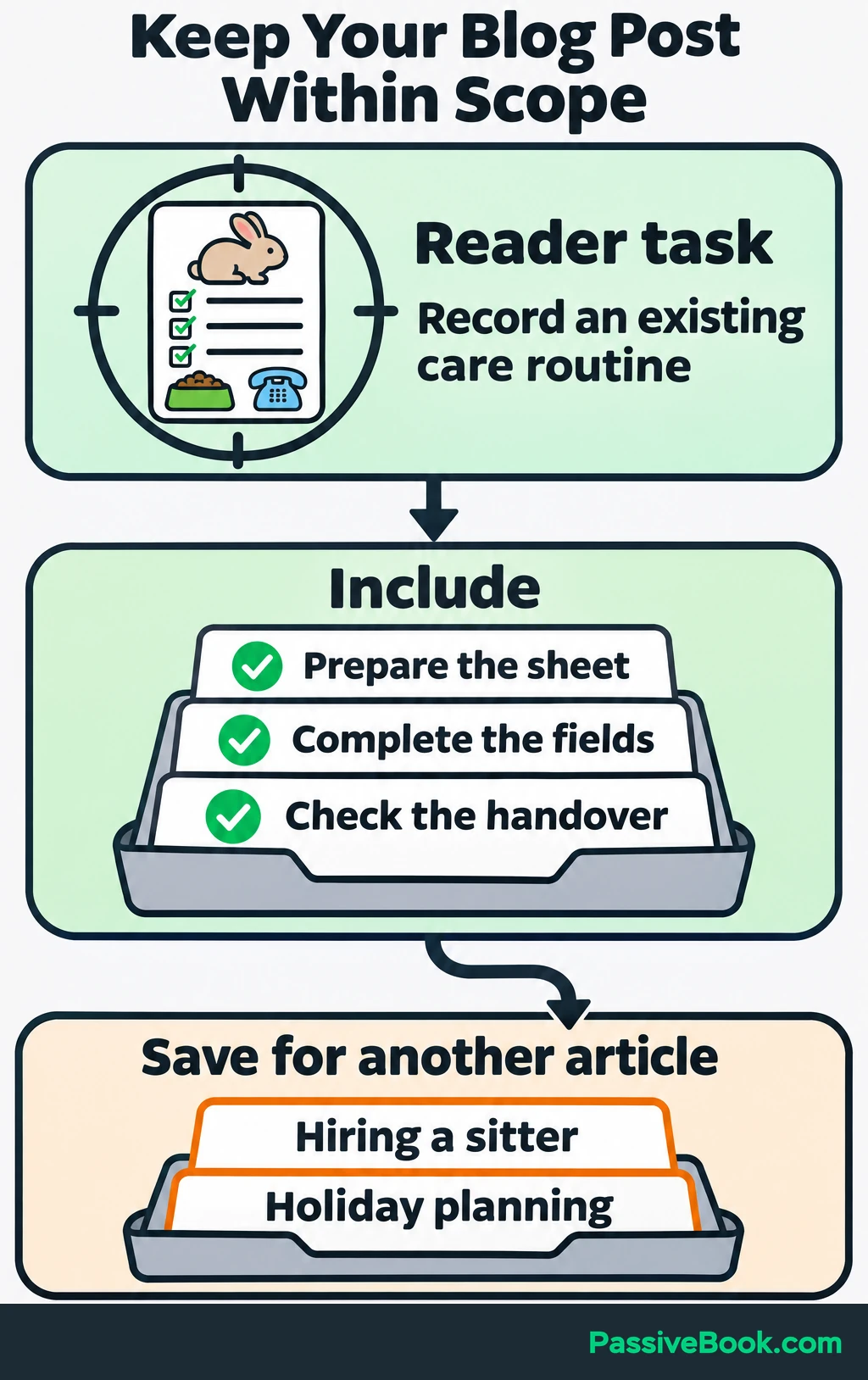
For this post, an editable sheet and a completed sample would give readers something to work with. Advice about hiring a sitter belongs in another article.
That contribution matters more than the tool you use. Google’s guidance on AI content allows useful AI assistance, but generating many pages without adding value may violate its spam policies. AI use itself offers no ranking guarantee.
2. Collect Evidence and Original Material
Open your sources before asking AI to write. Save the relevant facts and passages in a source sheet so you can find them again.
A simple spreadsheet works:
| Source Label | Claim | Supporting Passage, Paraphrased | URL | Relevant Qualification |
|---|---|---|---|---|
| S1 | A sitter handover should include the pet’s routine, feeding instructions, and emergency contacts. | The checklist includes the usual routine and food instructions, plus owner and veterinary contacts, including out-of-hours care. | RSPCA holiday checklist | General pet handover guidance; it does not set feeding amounts for an individual rabbit. |
Keep three kinds of material separate:
- Sourced facts, with their supporting passages and URLs.
- Your own observations, with enough detail to explain what you observed.
- Illustrative examples, clearly identified as examples.
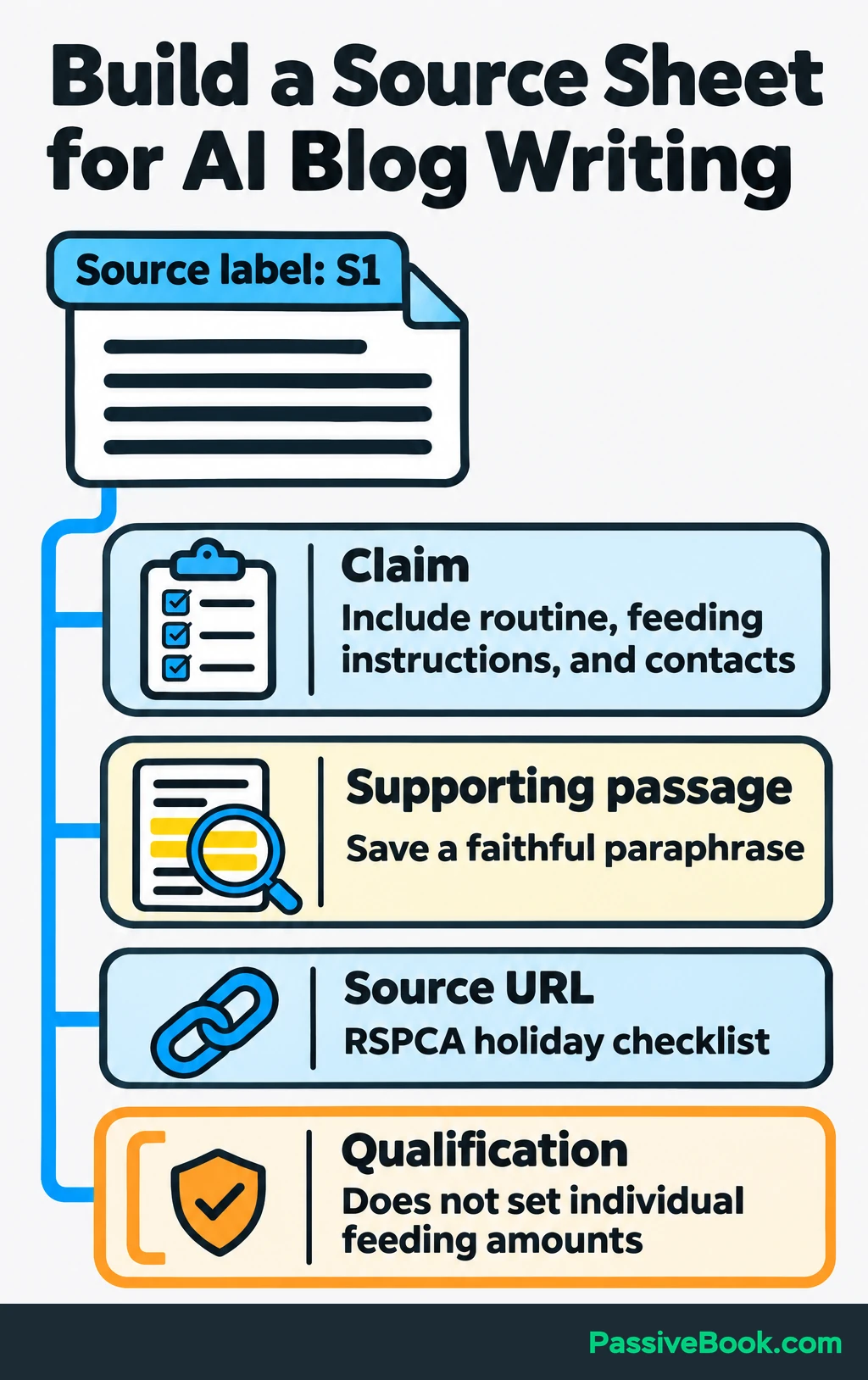
This helps you prevent a sample from turning into a factual claim during drafting.
Prepare your original material now, too. If the article promises a template, build the template before writing instructions for it. Otherwise, AI may explain fields that don’t exist.
For the rabbit-sitter post, create fields for the rabbits’ identities, usual routine, feeding instructions, supplies, existing health instructions, and emergency contacts. Fill a sample to see whether those fields are clear.
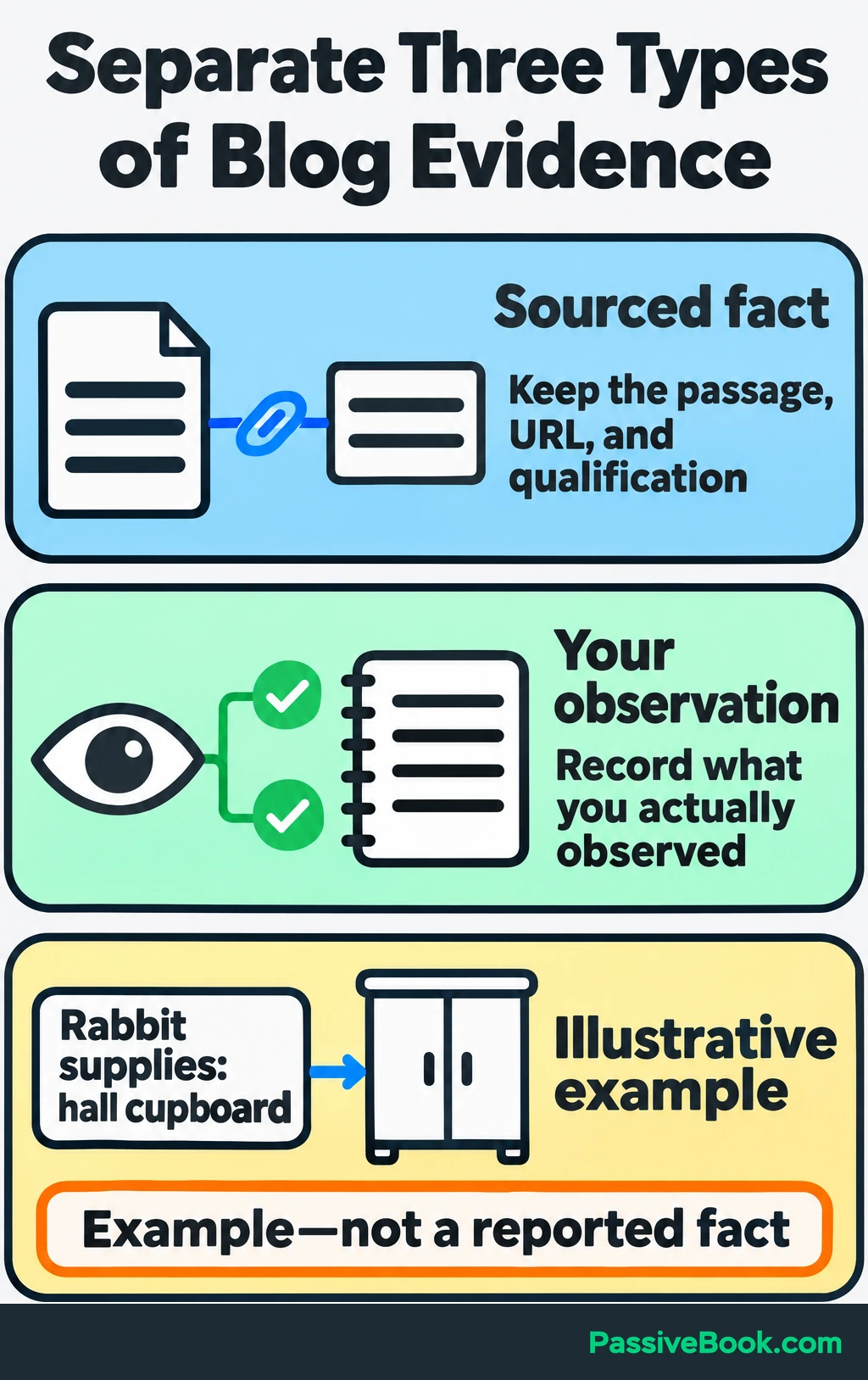
A short illustrative entry might be:
Supply location: The hall cupboard has a box labelled “Rabbit supplies.”
That shows readers the level of detail you mean.
Keep the article focused on recording existing care instructions. Advice about diagnosis or treatment needs qualified veterinary input. A writing assistant cannot supply that expertise.
3. Plan the Post With AI
Start with one writing assistant and a document editor. You don’t need a paid bundle of tools to get started.
I prefer Claude for long-form writing and content planning. Its free plan has usage limits, so I would start there and consider paying when those limits repeatedly interrupt useful work.
Use an assistant you already have if it handles the task well. Switching tools every afternoon is an excellent way to produce a very detailed folder of unfinished drafts.
Supply a Complete Writing Brief
Choose a voice sample that sounds like your normal explanations. “Write conversationally” leaves plenty of room for sentences you would never say aloud.
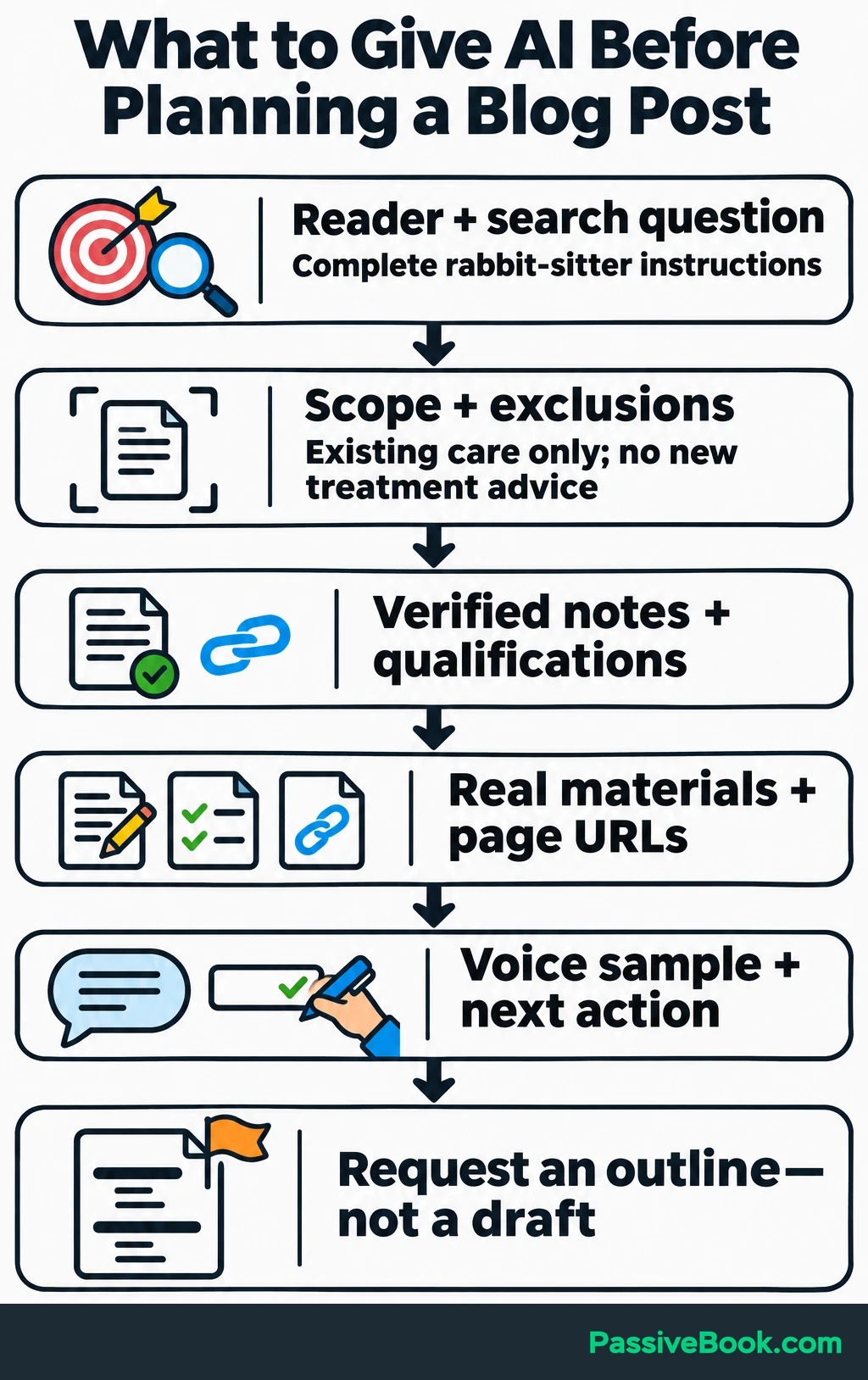
For the example, paste your sheet, completed sample, and relevant existing-page URLs after this prompt:
Plan an article titled “How to Make a Rabbit-Sitter Instruction Sheet.”
Help readers record the rabbits’ existing care routine for a sitter. Investigate the search phrase “rabbit-sitter instructions.”
Cover preparing and completing the sheet. Exclude hiring a sitter, holiday planning, and new feeding or treatment recommendations.
Verified note S1: The RSPCA holiday checklist recommends providing the pet’s usual routine, feeding instructions, and owner and veterinary contacts, including out-of-hours care. It does not set feeding amounts for an individual rabbit.
Original material: an editable sheet and completed sample covering rabbit identities, routine, feeding instructions, supplies, existing health instructions, and emergency contacts.
Voice sample: “Put the contact numbers together so the sitter can find them quickly. Check each number before handing over the sheet.”
Propose main section headings (H2) and subheadings (H3). Give each section a purpose and flag missing evidence or materials. Do not draft yet.
Follow the voice sample. Do not invent experience or credentials. The reader’s next action is to complete the sheet.
Approve the Outline Before Drafting
Read the proposed headings without the supporting notes. For the example, readers need to gather their existing care information, fill in the sheet, and check the result.
Merge headings that answer the same question, remove unrelated background, and put examples beside the steps they clarify.
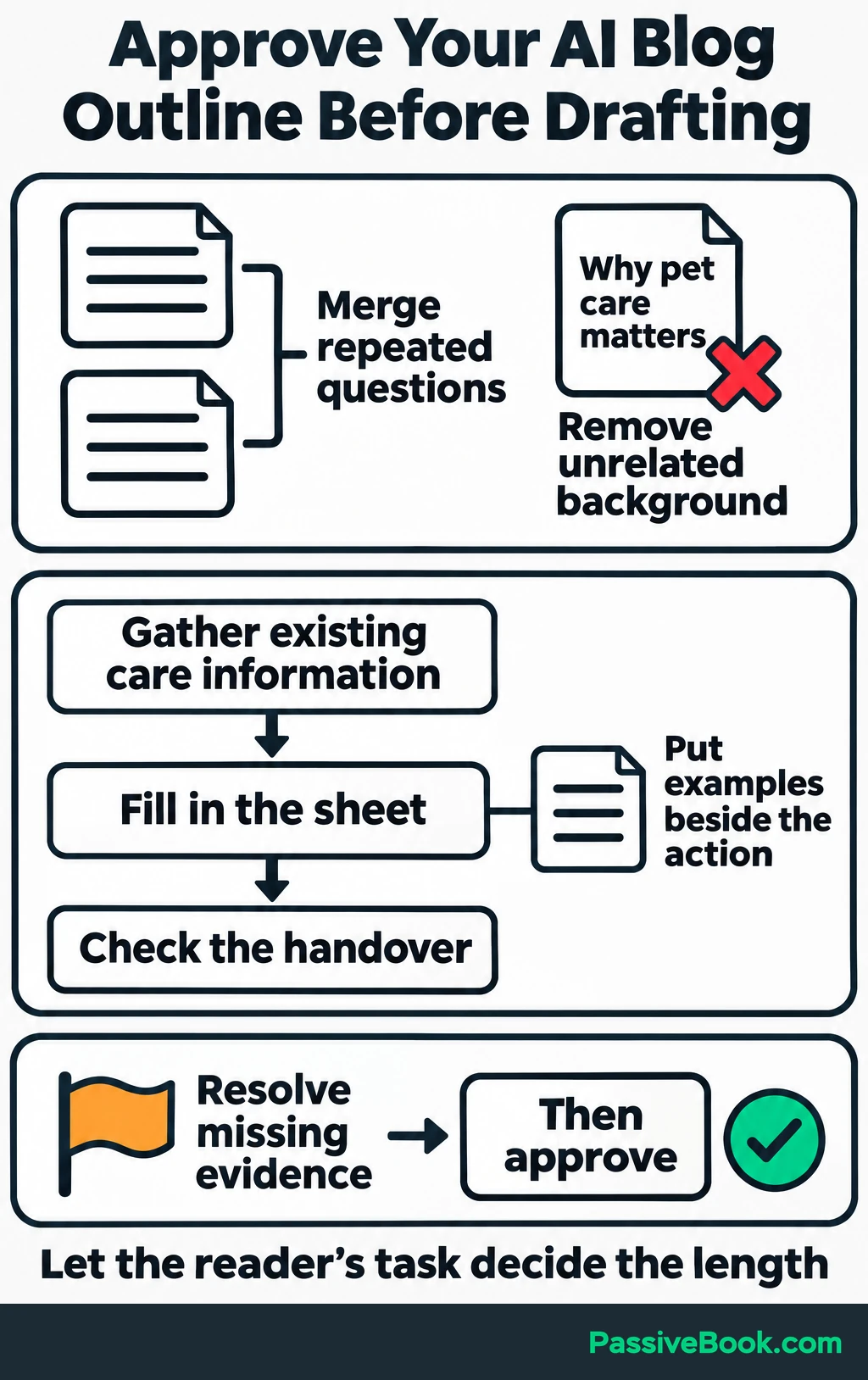
I would cut a long “Why pet care matters” section. Someone looking for sitter instructions already has a reason to care.
Let the task decide the length. Google says it has no preferred word count, so there is no reason to stretch a clear explanation to satisfy an invented target.
Resolve missing evidence before approving the affected section.
4. Draft One Section at a Time
Ask AI to draft a substantial section, review it, and then continue. This makes it easier to catch a wrong assumption before it spreads through the whole post.
For each request, provide the approved outline, the section’s purpose, relevant source notes, and your voice sample.
Use this reusable prompt:
Draft [heading] so readers can [specific action].
Follow the approved outline and supplied voice sample. Use these verified notes: [source notes].
Explain the action before illustrating it. Attach source labels to factual claims and preserve relevant qualifications. Mark unsupported details [VERIFY].
Use only the supplied original material. Avoid repeating earlier sections or inventing experience.

For the contact section in the example, supply S1 and the actual contact fields. A suitable draft sentence would be:
Record your vet’s daytime and out-of-hours numbers, plus your own emergency contact details [S1].
If the section feels thin, identify what is missing before requesting another version. “Explain where each number goes” is more useful than “Make this better.”
Correct the brief when the problem comes from missing information. Repeated drafting cannot recover a detail you never supplied.
If you’d rather not assemble each drafting request yourself, AI Copywriting Studio can turn your notes and voice sample into a section draft. It also puts the claims and unanswered questions together for your review.

Free AI Copywriting Studio




Write the introduction after the body. By then, you know what the post delivers, so you can open with the reader’s problem and make a precise promise.
Finally, read the assembled draft. Look for conflicting instructions, repeated advice, abrupt changes in voice, and references to downloads or sections that don’t exist.
5. Edit the Draft for Publication
Verify Facts and Attribution
Check every recommendation, name, number, quotation, and product detail against its original source. Follow the link and read the supporting passage.
An assistant saying “verified” is not the check.
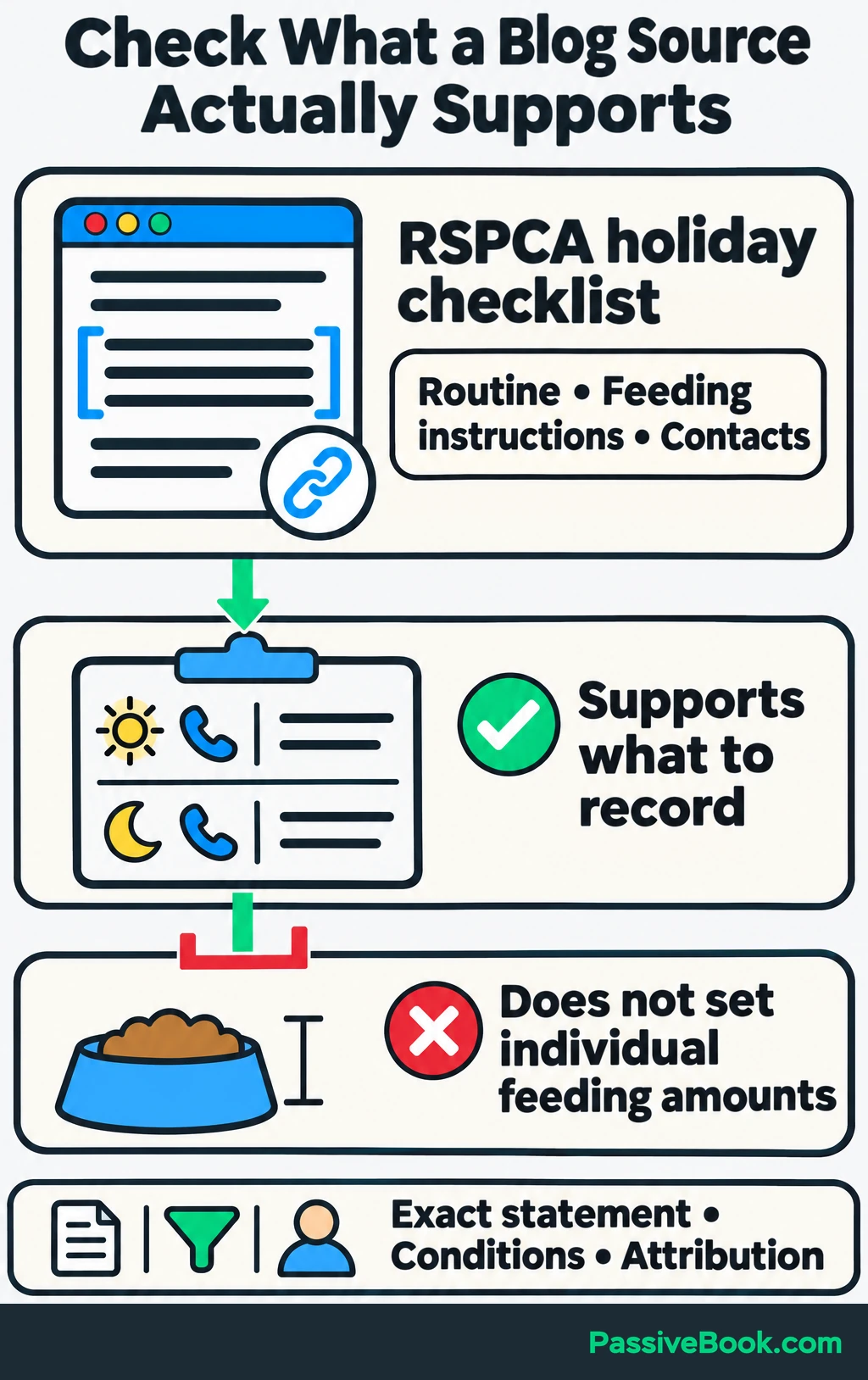
For each factual claim, confirm that:
- The source supports the exact statement.
- The wording keeps any condition that changes its meaning.
- The claim is attributed to the right person or organization.
Resolve every [VERIFY] marker. Find evidence, correct the passage, or remove it.

Compare source-dependent passages with their originals as well. Explain the ideas in your own words and credit quotations or distinctive contributions. A low similarity score does not prove that a draft is original.
In the rabbit-sitter example, check the article against the resource itself. Every instruction should point to a field readers can complete, and the completed sample should use the same structure as the blank sheet.
I would do this check with the template open beside the draft. It is easy to miss a missing field when you are only reading sentences.
Make the Writing Sound Like You
Read the draft aloud. Stiff wording becomes much easier to hear.
Replace vague advice with actions a reader can carry out. For example:
Provide comprehensive emergency information.
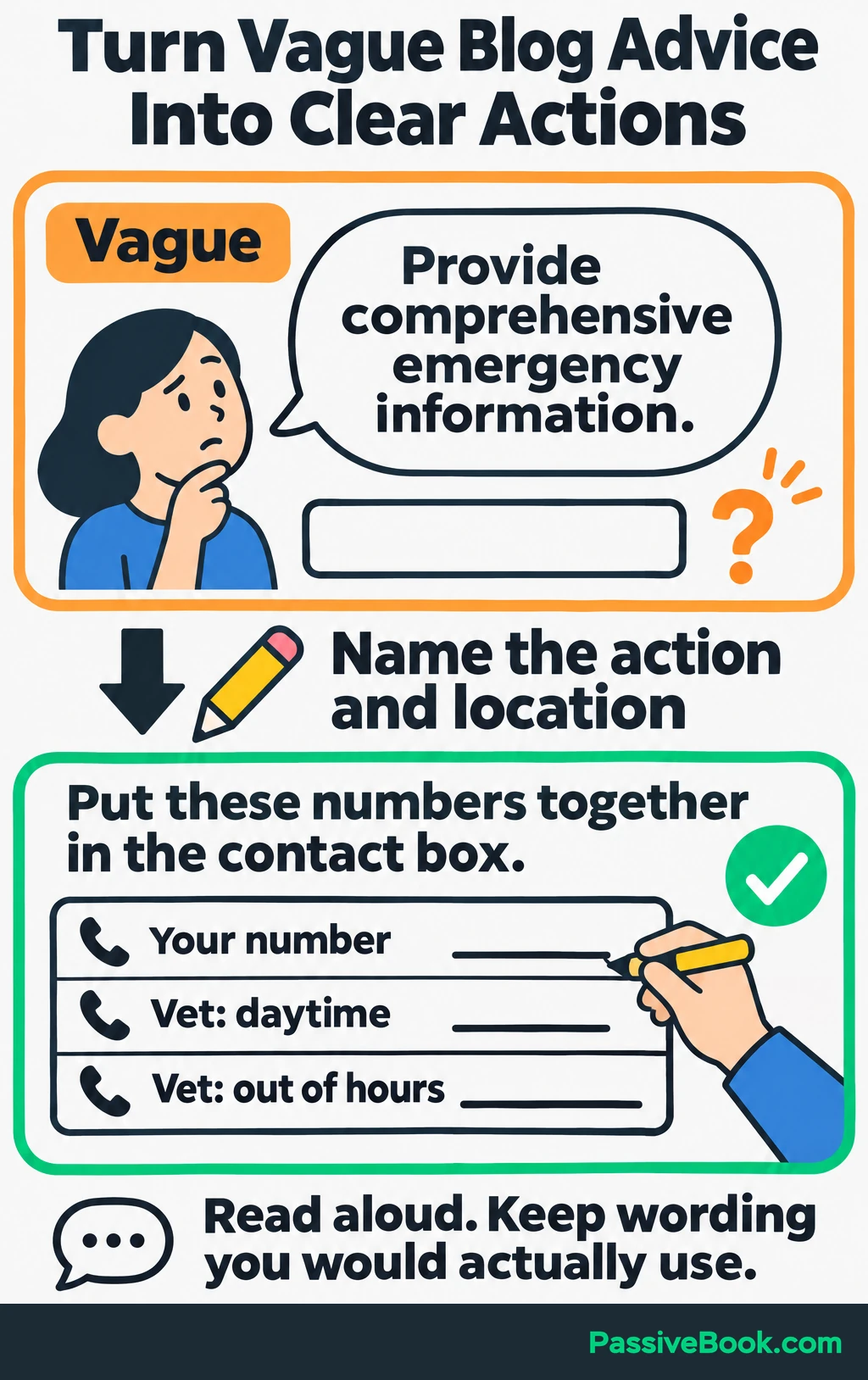
Could become:
Put your contact number and the vet’s daytime and out-of-hours numbers together in the contact box.
The second version tells readers what to enter and where it belongs.
Keep opinions and observations that help someone make a decision. Remove stock openings, unnecessary summaries, and claims of personal experience you cannot support.
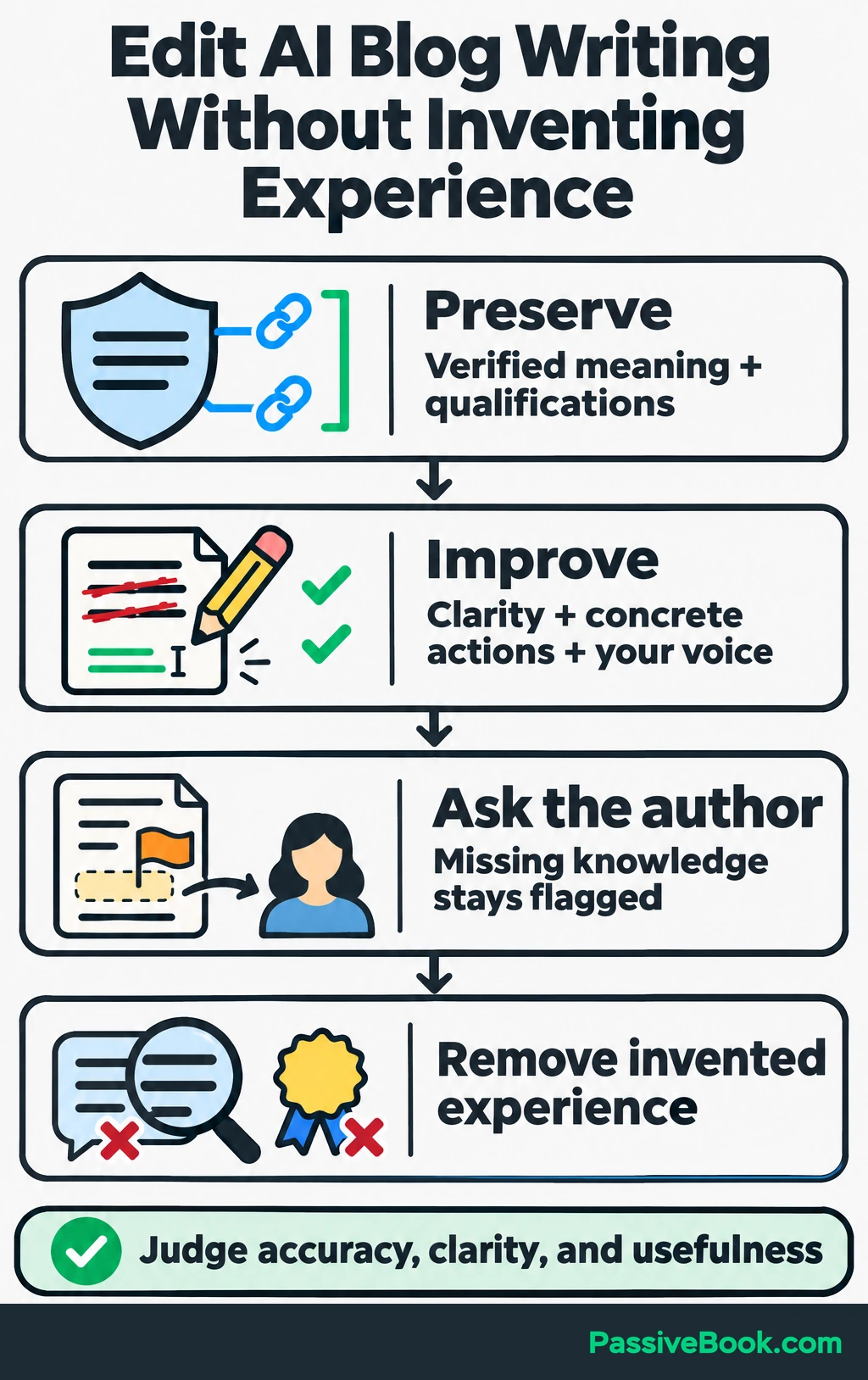
Use this editing prompt:
Keep the verified meaning and relevant qualifications. Cut repetition, replace vague advice with concrete actions, and follow my voice sample.
Preserve useful opinions and examples. Flag places where you need my knowledge. Do not invent anecdotes, results, or credentials.
Review the revision yourself. I would judge it by accuracy, clarity, and usefulness rather than an AI-detector score.
When readers would benefit from knowing how the article was made, add a brief explanation of the AI assistance and human review. Describe what actually happened. An “expert reviewed” label needs an actual expert review behind it.
6. Finish the on-page SEO
Write the Title, Headings, and Description
On-page search engine optimization (SEO) helps readers and search engines understand what your page covers. Ask AI for a few title options after the article is finished. Choose the one that describes the answer clearly and uses the main phrase naturally.
For the example, a suitable title is:
Rabbit-Sitter Instructions: Make a Clear Care Sheet
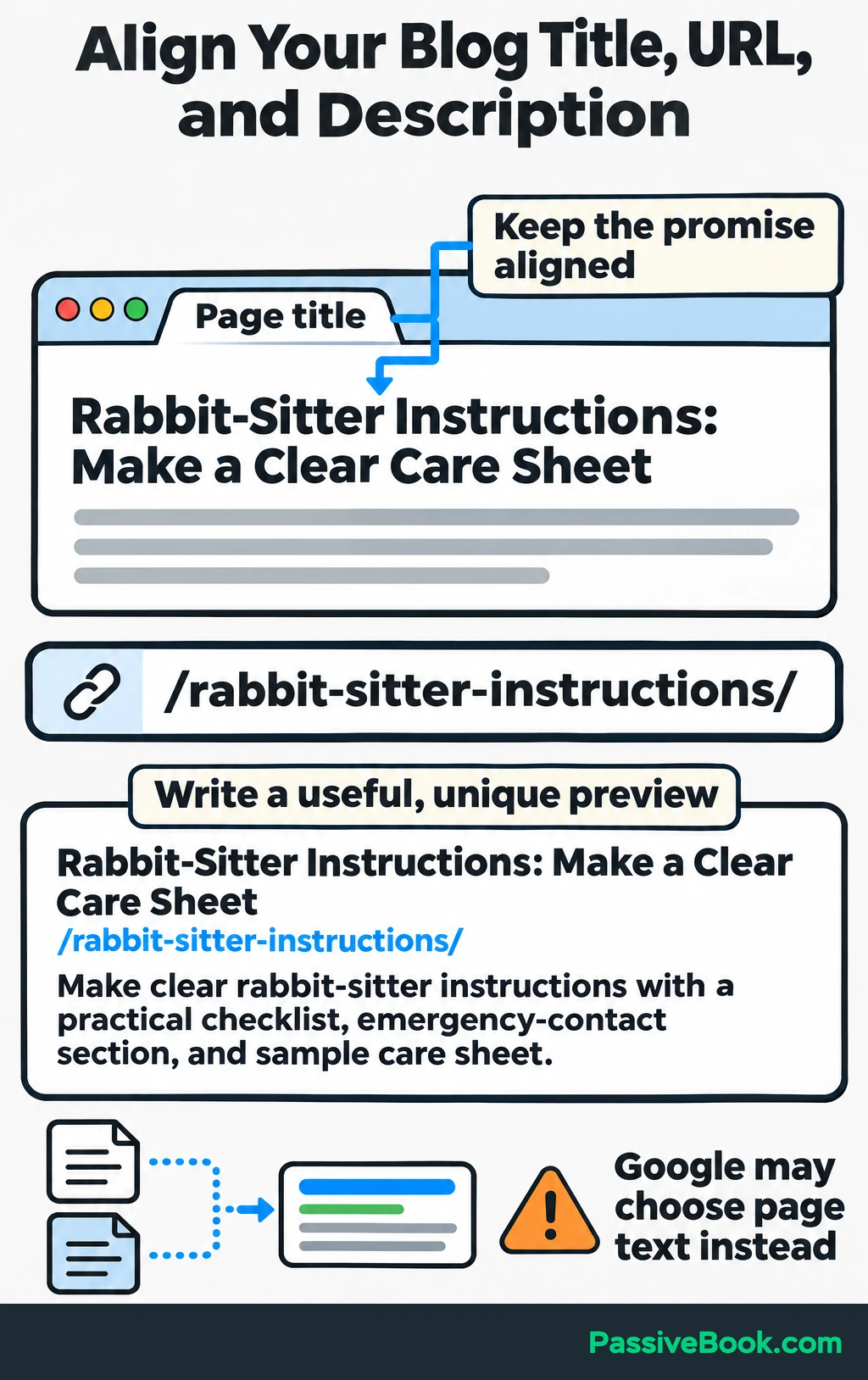
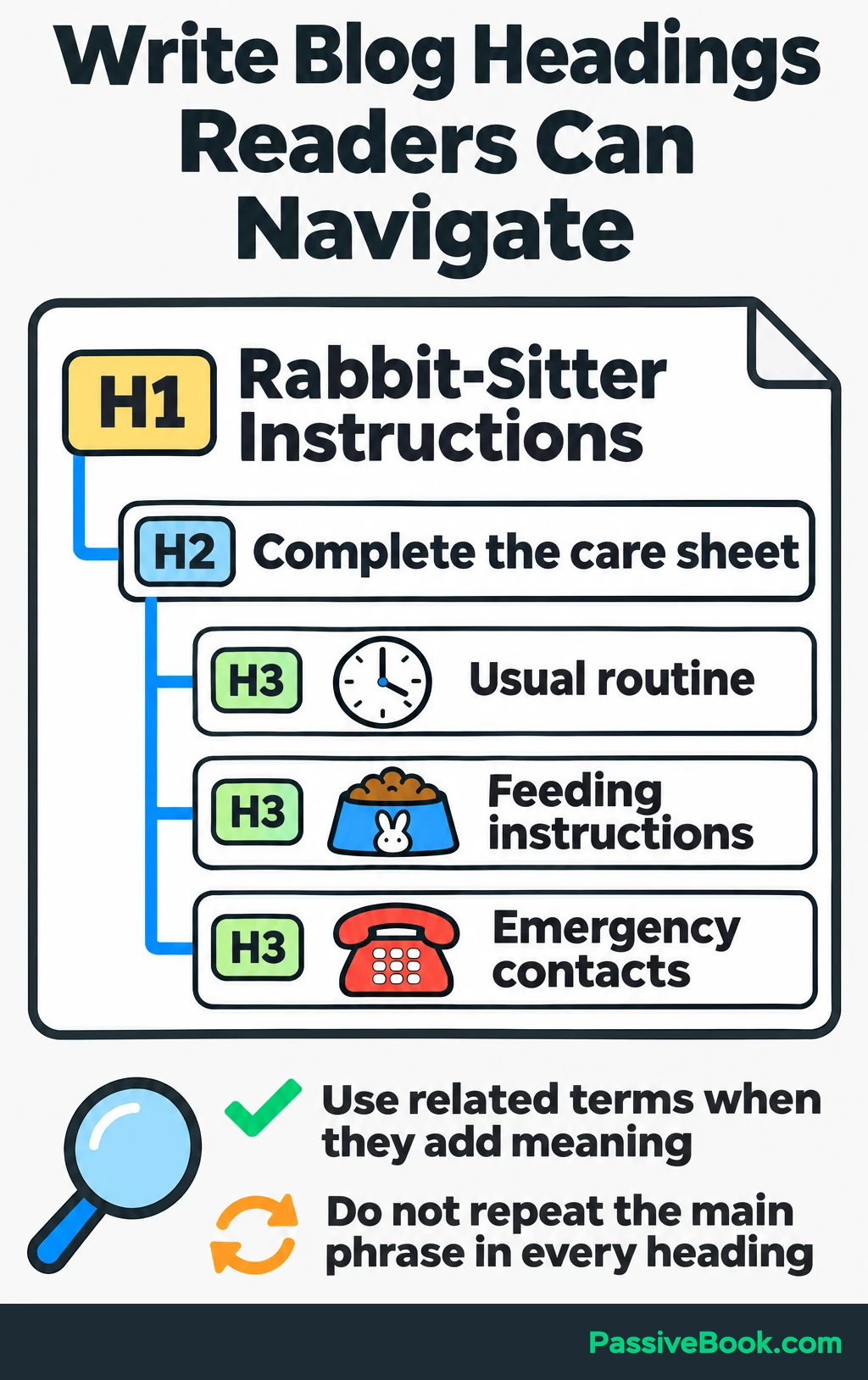
Keep the page title used in browser tabs and search results closely aligned with the main heading on the page (H1). Headings should describe the work inside each section, so readers can find what they need without decoding clever wording.
Use related terms when they add meaning. “Feeding instructions,” “usual routine,” and “emergency contacts” all belong naturally in this example. Repeating “rabbit-sitter instructions” in every heading would make it harder to read.
Choose a short URL, such as /rabbit-sitter-instructions/.
Then write a unique meta description: a short summary that search engines may show below your title. Preview the article’s contents:
Make clear rabbit-sitter instructions with a practical checklist, emergency-contact section, and sample care sheet.
Google primarily builds search snippets from page content and may use the description when it better represents the page. Your description is a useful preview, but it does not control every snippet. Google’s snippet guidance explains that distinction.
Add Useful Links and Visuals
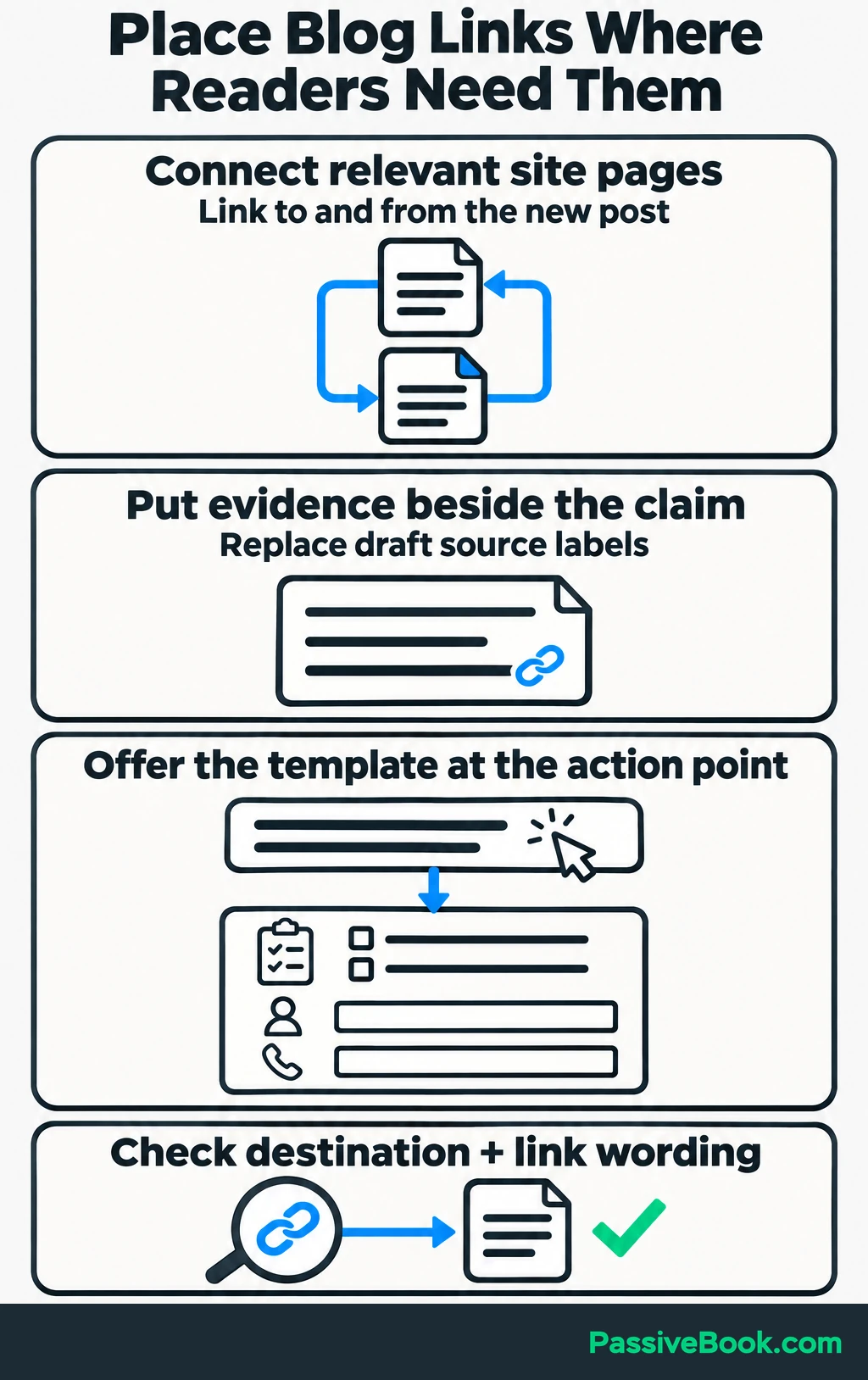
Give AI a list of real pages from your site and ask which ones would help readers at specific points. Check every suggested destination and link phrase.
For the example, an existing article about organizing rabbit-care records might be relevant if your site actually has one. Also add a link from a suitable existing page to the new post.
Replace draft source labels with descriptive links beside the claims they support. Put the template link where readers are ready to use it.
Choose visuals that explain something. An annotated screenshot of the completed sheet can show where the contact details go. A decorative rabbit photo cannot explain that step, however impressive its ears.
Compress screenshots while keeping their text readable, and keep essential instructions in the page text.
Describe informative images in their alt text, the written description screen readers use in place of an image. For purely decorative images, use empty alt text, alt="", so assistive tools can skip them. W3C’s decorative-image guidance explains why leaving the attribute out is different.
On WordPress, I prefer Rank Math for reviewing on-page SEO suggestions. Treat those suggestions as checks to consider. I would keep a clear sentence even if changing it made a plugin indicator turn green.
7. Publish After a Final Reader Check
Follow the article’s instructions from the reader’s starting point. Use only what the page provides.
For the example, open the blank instruction sheet and work through the tutorial. Check whether each step tells you what to gather, where to enter it, and how to review it.
Then preview the page on desktop and mobile. Confirm that:
- Headings follow a clear hierarchy.
- Tables and images remain readable.
- Source links open the right pages.
- The resource is available and its permissions work.
- The title and description match the finished article.
- No drafting notes or unresolved markers remain.
Publish through your existing content management system and enter the approved title and meta description.
Google Search Console is a free tool for monitoring your site in Google Search. Once you have verified your site there, use URL Inspection to see whether Google has added the published page to its search index and investigate any reported obstacles. You can request indexing, but Google does not guarantee inclusion.
8. Improve the Post and Reuse the Workflow
Once the page has search data, open Search Console’s performance report, filter to the post’s URL, and choose a date range. Review the search queries that show your post and how often it appears (impressions). Click-through rate is the percentage of those impressions that lead to clicks.
Look for questions within the article’s scope that remain unanswered. Before rewriting a title because of a low click-through rate, check the post’s average position in search and the competing results.
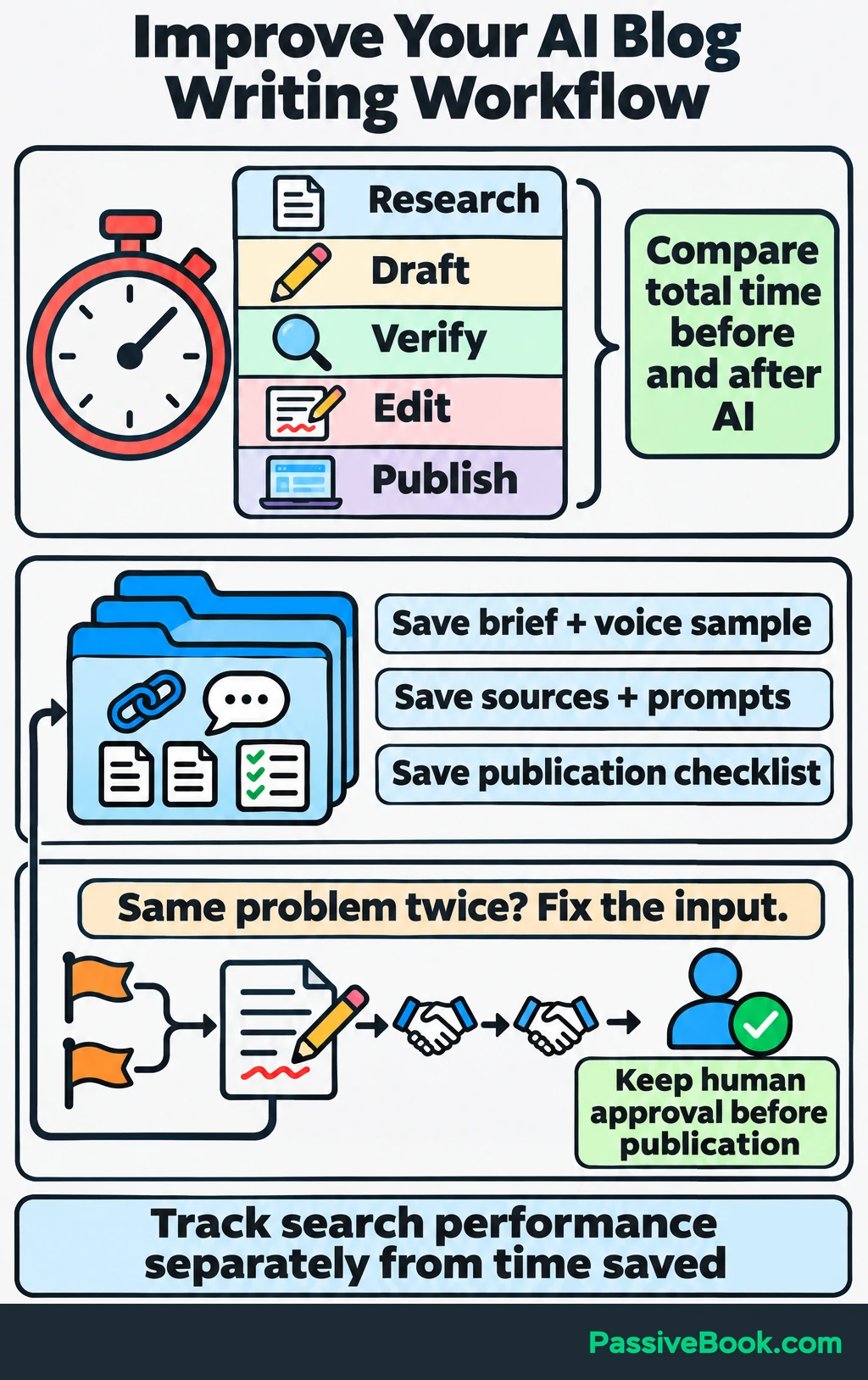
My custom AI content pipeline brought article production from days to hours, but your savings may differ. Compare the total time spent researching, drafting, verifying, editing, and publishing before and after using AI. A draft generated in minutes can still leave you with an evening of repairs.
Track search performance separately. More traffic after adopting AI does not establish that AI caused the increase.
Save the parts you can reuse:
- The writing brief and voice sample.
- The source-sheet format.
- Planning, drafting, and editing prompts.
- The publication checklist.
- Notes on corrections that keep recurring.
Improve those inputs when the same problem appears twice. Once the process works, automate the repeated handoffs and keep human approval before publication.
What Next?
Choose one post idea and write the reader’s desired outcome in a single sentence. Gather its first reliable source before asking AI for an outline.
Use the social buttons to share this workflow when a conversation about AI writing needs something practical to work through.
Which part of your writing process takes the most time right now? Tell me in the comments, and bring any other questions about using AI for your blog.
Share this post with your friends & followers:

