A small change to a course lesson can mean another recording session. You fix one instruction, stumble over the next sentence, and spend longer editing than the change deserved.
AI voice cloning offers a way to generate those updates in your own voice, but a convincing demo doesn’t tell you how much correction the finished lesson will need. You could trade another recording session for an afternoon of repairs. This guide follows one watercolor lesson from voice recording to publication, with tool comparisons, checks for natural speech, and ways to adapt the lesson for sales, support, or another language.
Start With One Repeatable Audio Task
Choose something you already record or expect to update regularly. A short tutorial, product demonstration, course lesson, or answer to a common question gives you a manageable first project.
Skip the twenty-lesson batch until one lesson works.
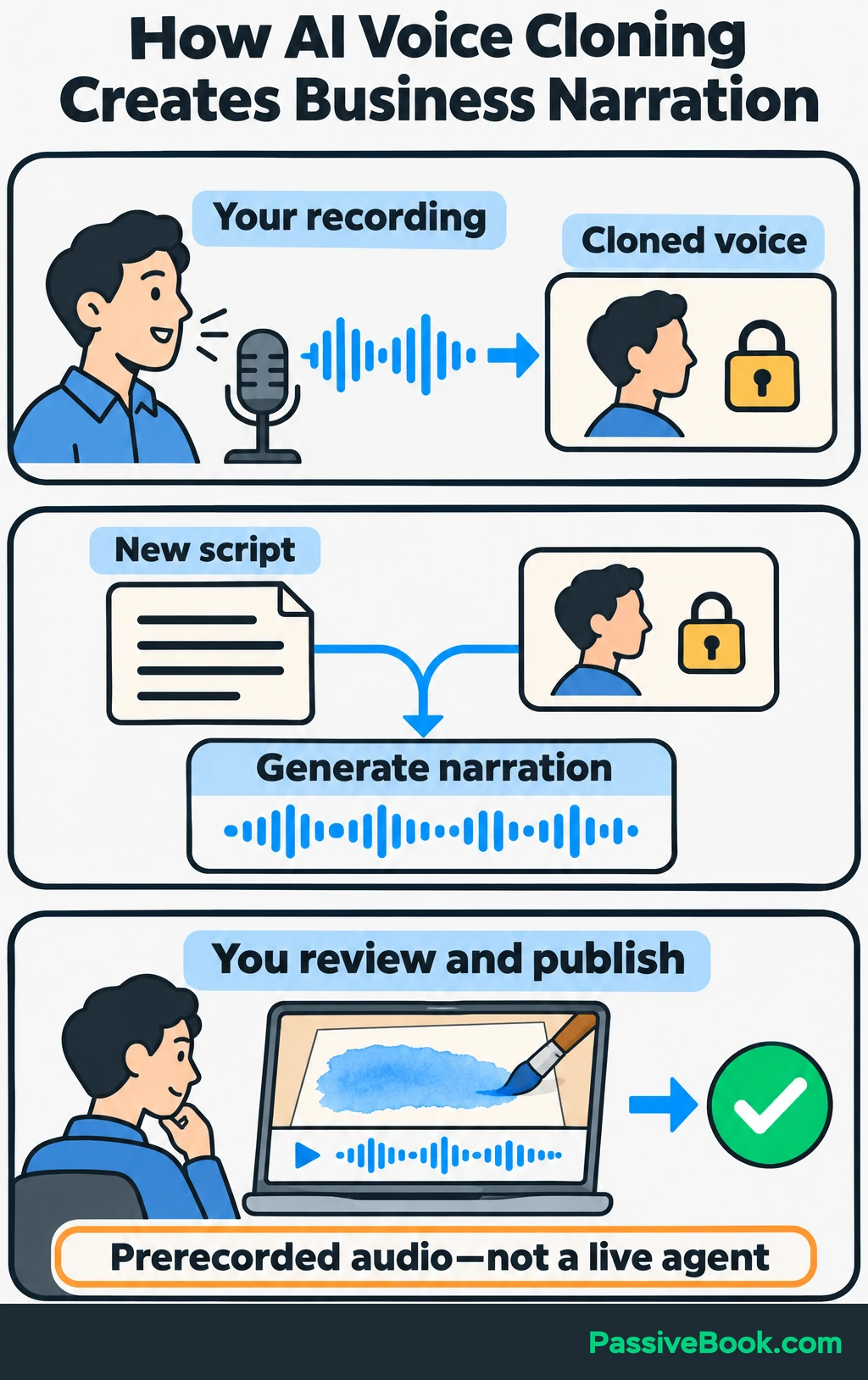
For the running example, imagine you sell First Wash, a beginner watercolor course with printable practice sheets. Your first project is the narration for a lesson on painting an even wash: a smooth area of color.
Before changing anything, time your normal process. Include recording, retakes, editing, and matching the narration to the demonstration. That gives you something useful to compare later.
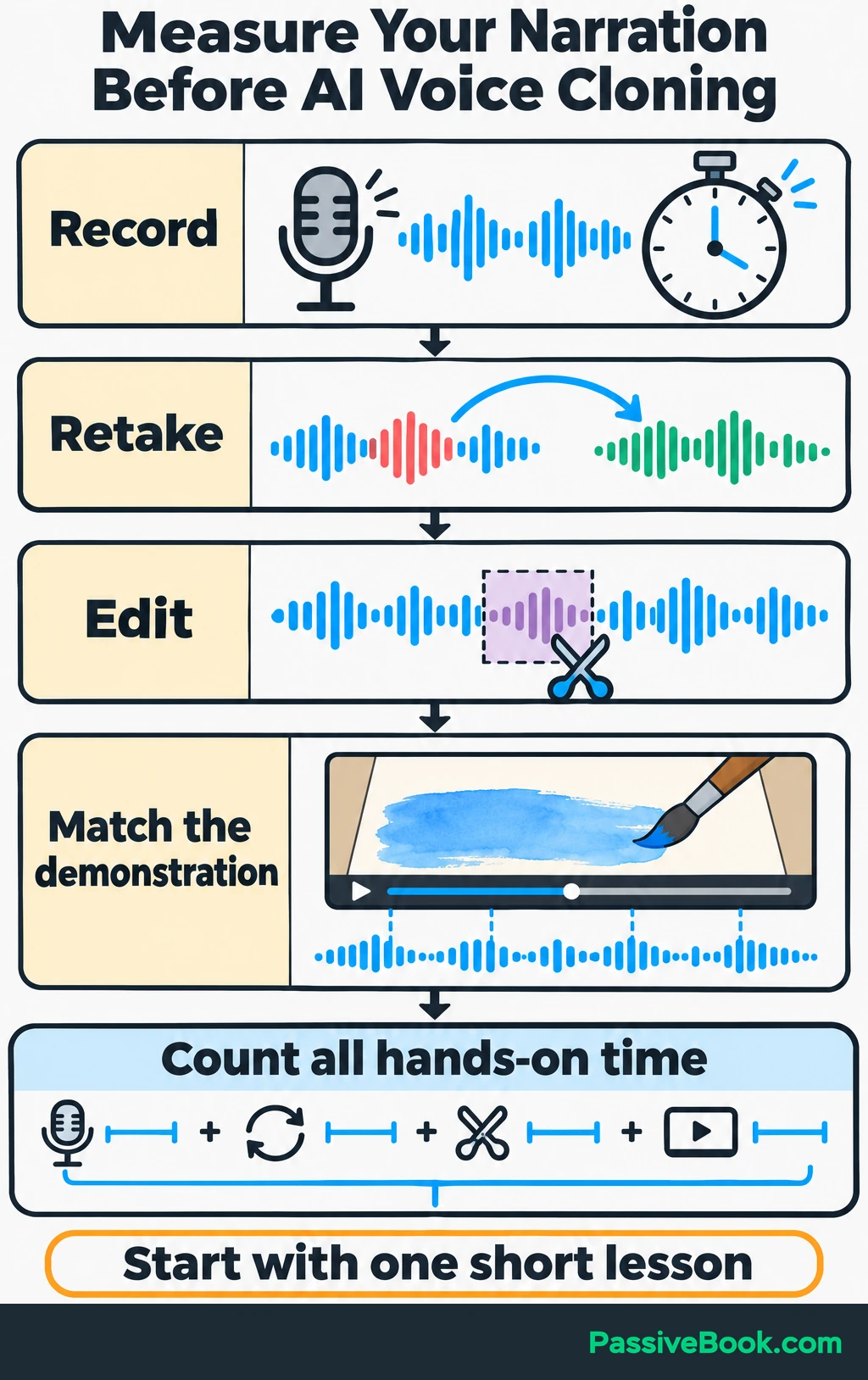
While revising one of my digital-product lessons, I found instructions that made sense only because I remembered what was on screen. The script needed fixing before the recording did. That’s where I would start here, too: make sure the lesson deserves another version.
Voice cloning creates a synthetic version of a particular speaker’s voice from recordings. Text-to-speech then uses it to read new scripts. It supplies the speech; you still supply the instructions, review, and publishing decisions.
This workflow covers prerecorded audio. An agent that answers customers live or makes calls needs additional systems.
Choose a Voice-cloning Tool With Commercial Rights
Compare Plans for Your First Asset
I would start with a monthly subscription that covers your first short asset. An annual discount is less exciting when you discover that every other sentence needs fixing.
Compare tools using your own voice and the same passage. Listen for resemblance, clear pronunciation, and natural pacing, then count how much correction each version needs.
Instant cloning uses a short voice sample; professional cloning needs longer recordings and extra training. Credits are the units each provider charges for generation.
The table below compares published plan features. It is not a tested ranking of voice quality.
| Tool and Plan | Suitable Workflow | Regular Monthly USD Price | Cloning Options | Included Credits | Commercial-use Conditions |
|---|---|---|---|---|---|
| ElevenLabs Starter | Testing short lessons, walkthroughs, and updates | $6 | Instant voice cloning | 30,000 monthly | Includes a commercial license; you still need rights to the voice and content |
| ElevenLabs Creator | Recurring narration when professional cloning is worth the recording work | $22 | Instant and professional voice cloning | 121,000 monthly | Includes a commercial license under the provider’s terms |
| Fish Audio Plus | Testing narration with a private voice | $15 | Enhanced voice cloning; ten private voice slots | 250,000 monthly | Paid commercial use is allowed, subject to its terms and your voice rights |
These are regular monthly rates before applicable taxes, excluding introductory offers and annual discounts. Use the linked pages for current details.
For this pilot, I would choose ElevenLabs Starter because it gives you instant cloning and commercial rights with the smallest subscription commitment in this comparison. I would consider Fish Audio Plus if its output needs fewer corrections on your test passage.
Fish Audio’s terms license commercial use for paid users. Use a paid plan for business output, with a voice you own or have permission to use. A voice appearing in a public library does not establish your rights to it. Fish Audio commercial-use terms
Estimate the Cost of Finished Audio
Budget for everything you generate, including rejected drafts and corrections. Your customers hear the approved version, but your account pays for the attempts along the way.
Credit counts are not directly comparable across providers or speech models, which are the systems that turn your script into audio. Track what your pilot actually consumes instead of treating a larger allowance as automatically better value.
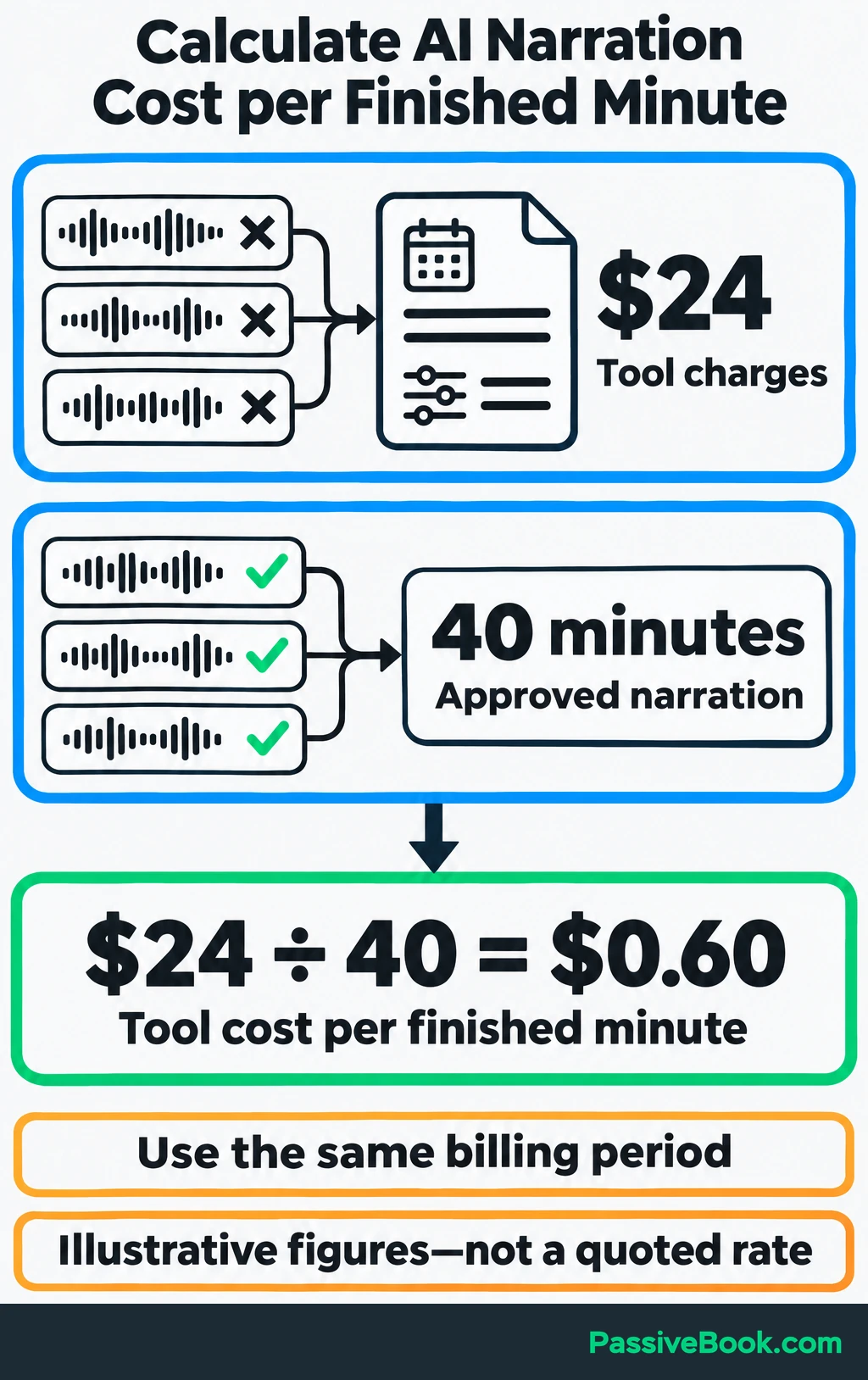
To estimate the tool cost per finished minute, count the subscription and usage charges for the period, then divide by the minutes you approved during that same period.
For illustration:
- Tool charges: $24.
- Approved narration: 40 minutes.
- Tool cost per finished minute: $24 ÷ 40 = $0.60.
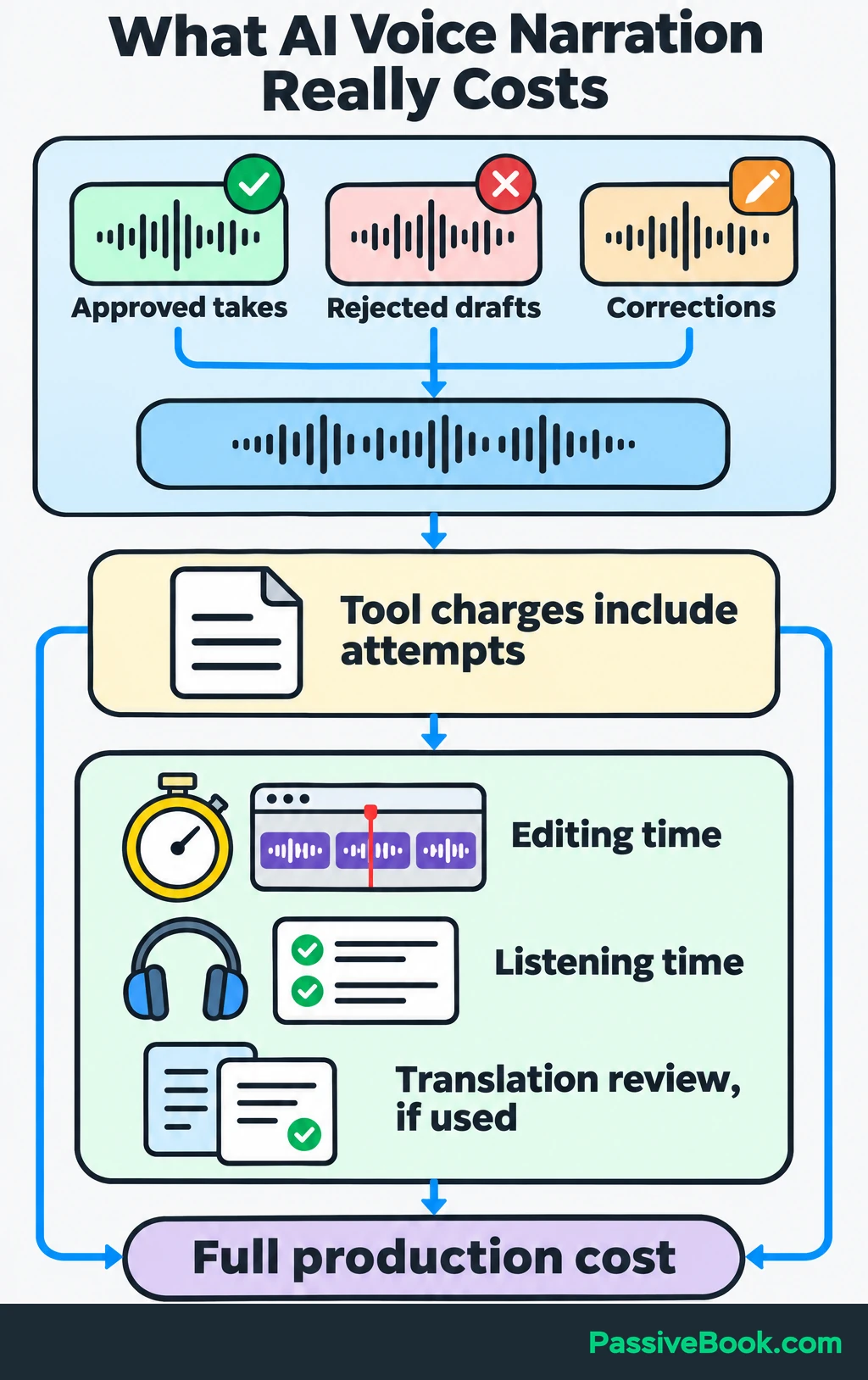
Those are example figures, not a provider’s quoted rate or a typical result.
Editing time belongs in your full production cost, too. So does translation review if you publish in another language. Cheap generation can become expensive narration when you spend an afternoon repairing it.
Record a Clean Sample of Your Own Voice
Start with your own voice and recordings you have rights to reuse. Your voice appearing in a recording does not necessarily mean you own that recording.
If another person will supply the voice, get explicit written permission for voice synthesis and the intended commercial uses. Agree on where the clone may be used, who can access it, and what happens when the arrangement ends. Then follow the provider’s rules; some cloning methods require the speaker to create and verify the voice themselves.
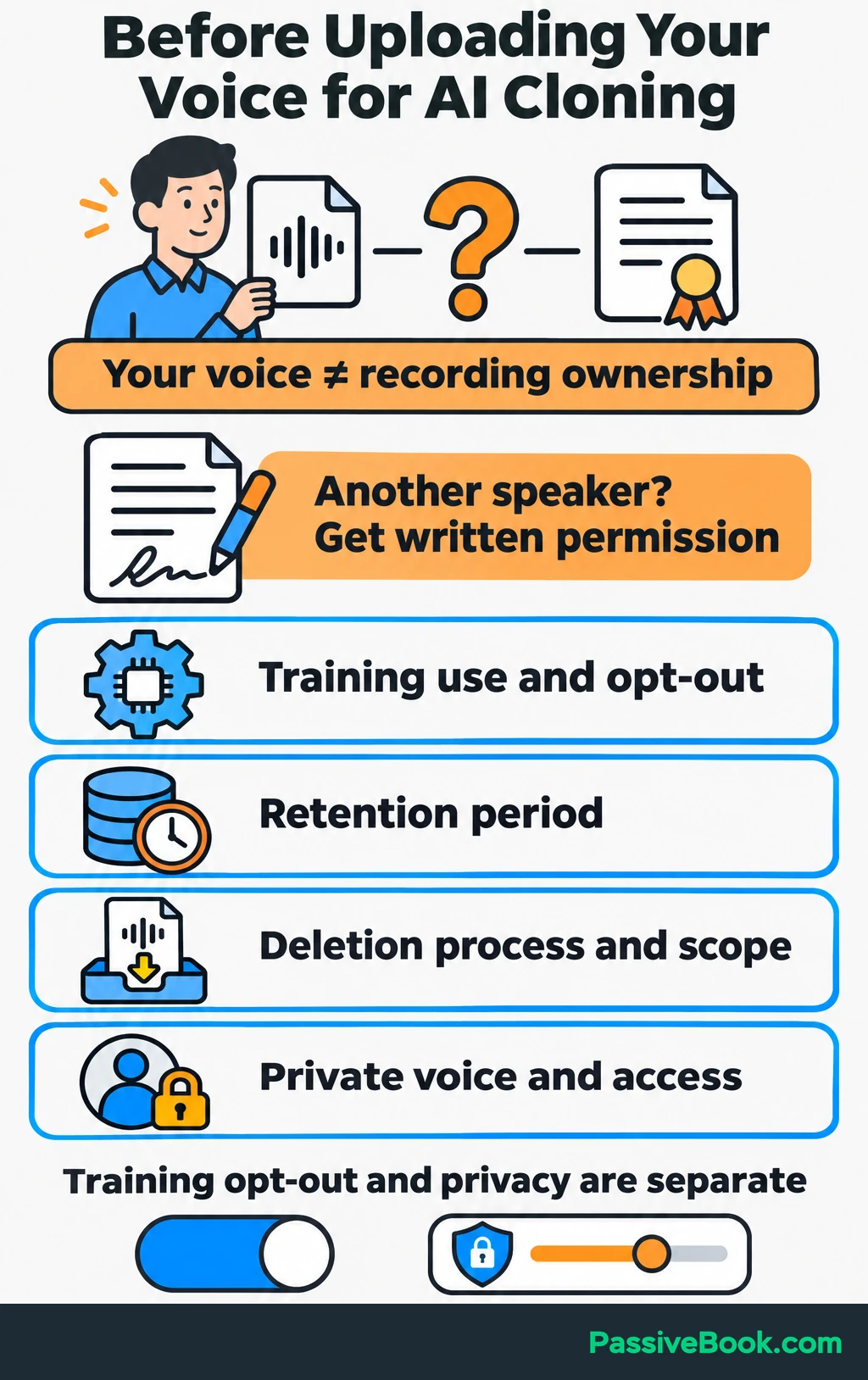
Before uploading, check four things:
- Training: Can the provider use your recordings to improve its models, and can you opt out?
- Retention: How long does it keep uploaded recordings and voice data?
- Deletion: How do you request removal, and what does removal cover?
- Sharing: Can you keep the clone private and restrict access?
With ElevenLabs, opt out of model training before uploading if you don’t want your recordings used for it. The opt-out affects training use only after you enable it. Keeping a voice private is a separate control. ElevenLabs privacy policy
Next, follow the recording requirements for your chosen cloning method. For instant cloning, ElevenLabs recommends approximately one to two minutes of clear speech and advises against exceeding three minutes. More audio is not automatically better. ElevenLabs recording guidance
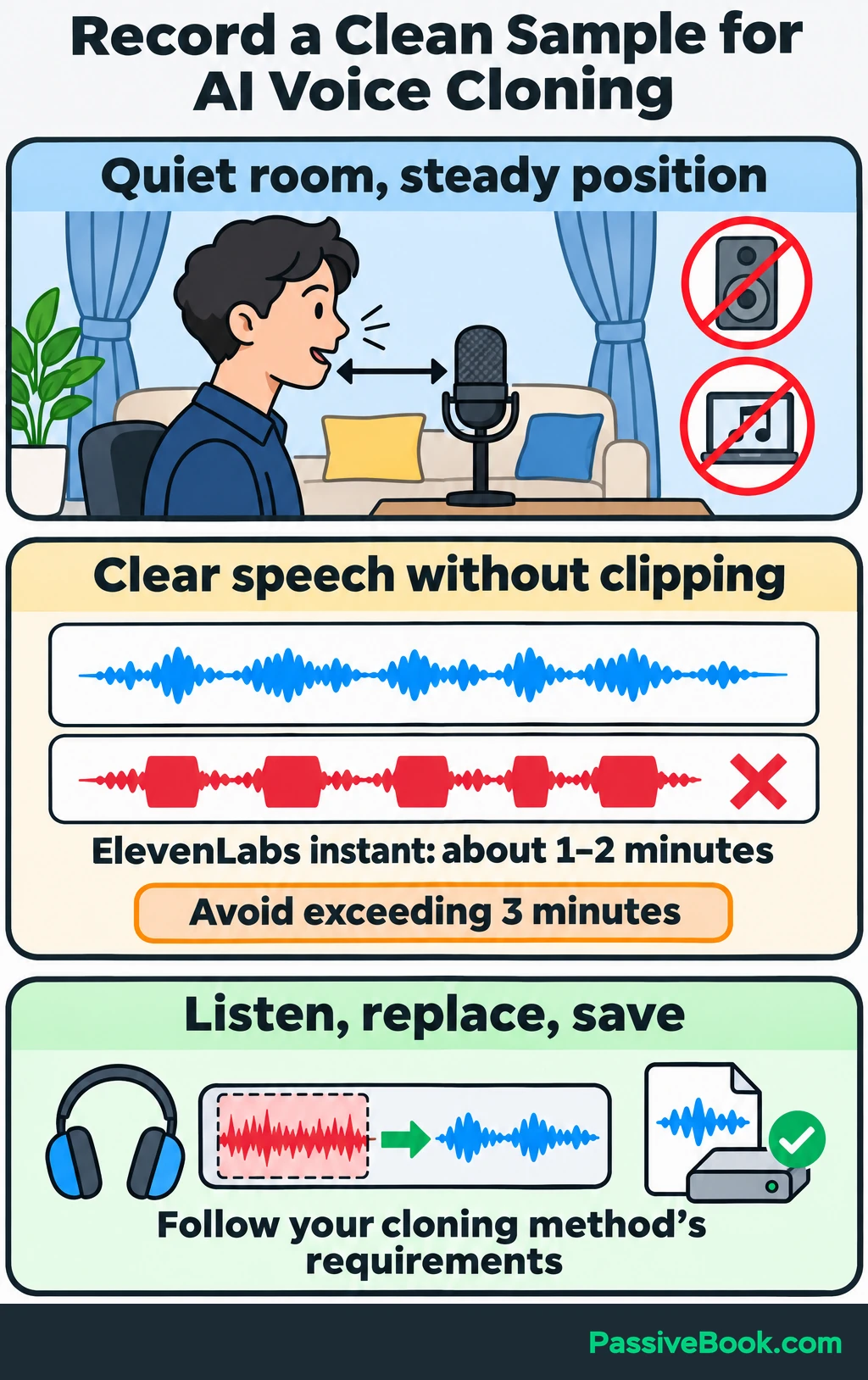
For the watercolor lesson, record in the calm teaching voice you want learners to hear.
Use a quiet room with curtains, cushions, or other soft furnishings. Keep your distance from the microphone steady, and avoid music, other speakers, echo, and clipping—the harsh distortion that happens when recording levels are too high.
Listen back before uploading. Replace noisy or unclear passages, and save the clean original somewhere you control.
Create Your Clone and Generate a First Draft
Build and Verify the Voice
Create a new voice in your chosen tool, upload the prepared sample, and give it a name you will recognize later. Complete the required permission declarations and identity checks.
Keep the voice private unless you have a clear reason to share it.
Instant cloning is the sensible starting point for this pilot. Consider professional cloning when you have recurring work and the instant version still needs too much correction.
That upgrade involves more than changing a subscription. ElevenLabs recommends substantially longer recordings for professional cloning, and the speaker must create and verify their own voice. Permission from another speaker does not let you bypass that requirement. Professional cloning requirements
Once the voice is ready, select it for speech generation. Save its name, the speech model, and any settings you use alongside the project. Otherwise, next month’s update becomes a guessing game.
Write a Script That Sounds Natural Aloud
A written lesson often needs editing before it becomes narration.
Remove page navigation, long asides, and references that listeners cannot follow. Replace “use the technique shown above” with the actual instruction, matched to the demonstration.
For example:
“Load your brush with diluted blue paint. Start at the top of the rectangle and pull the brush across the paper.”
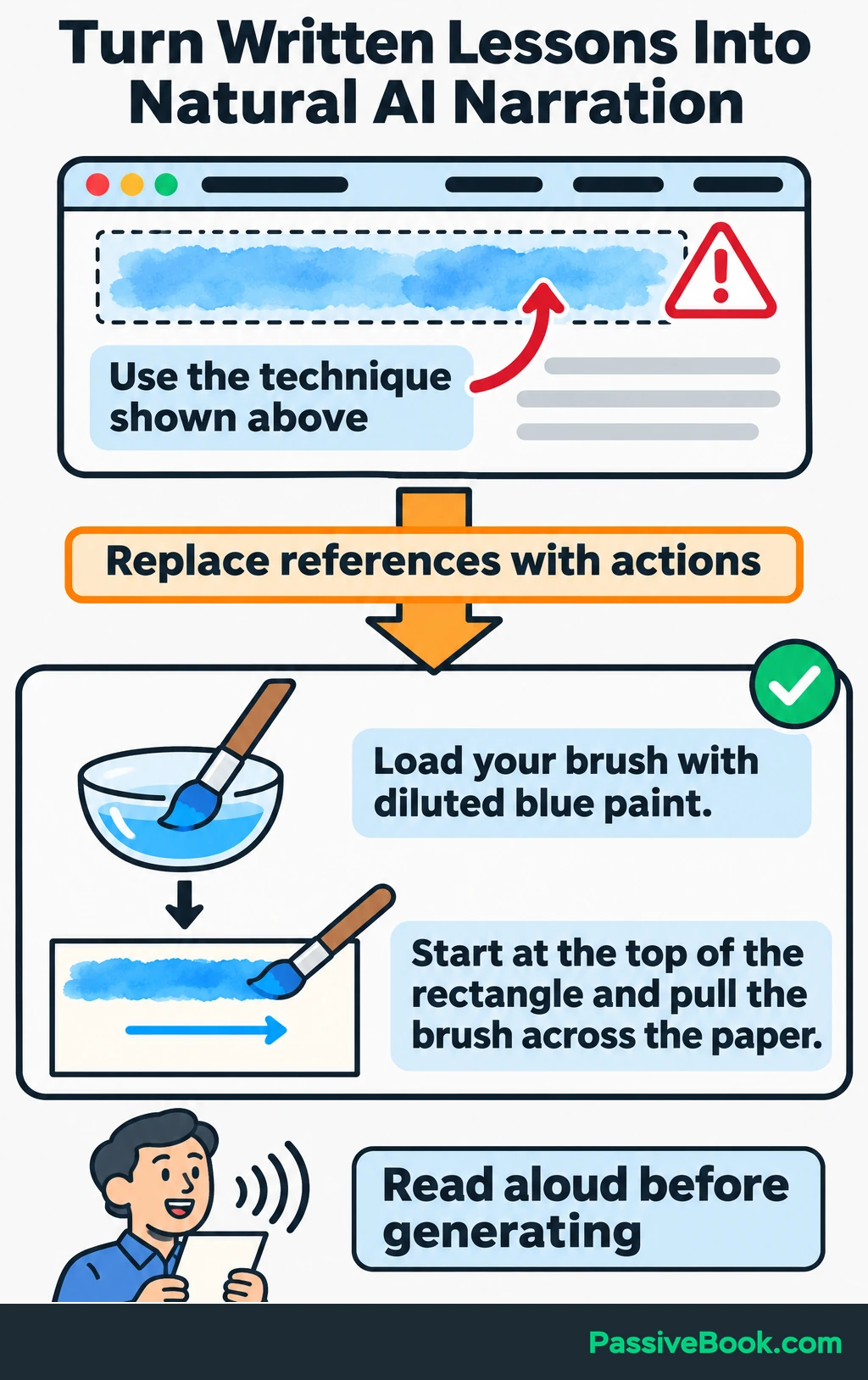
Read the script aloud yourself before generating it. If you run out of breath or lose the meaning halfway through, simplify the sentence.
If you’re starting with a written lesson or help-page answer, you don’t have to rewrite it from scratch. The AI Skill below prepares a spoken draft and keeps visual directions out of the words your clone will read.
Free AI Audio Production Studio




Write ambiguous numbers, abbreviations, and symbols as you want them spoken. “Lesson two” gives clearer direction than expecting the tool to interpret a numeral consistently.
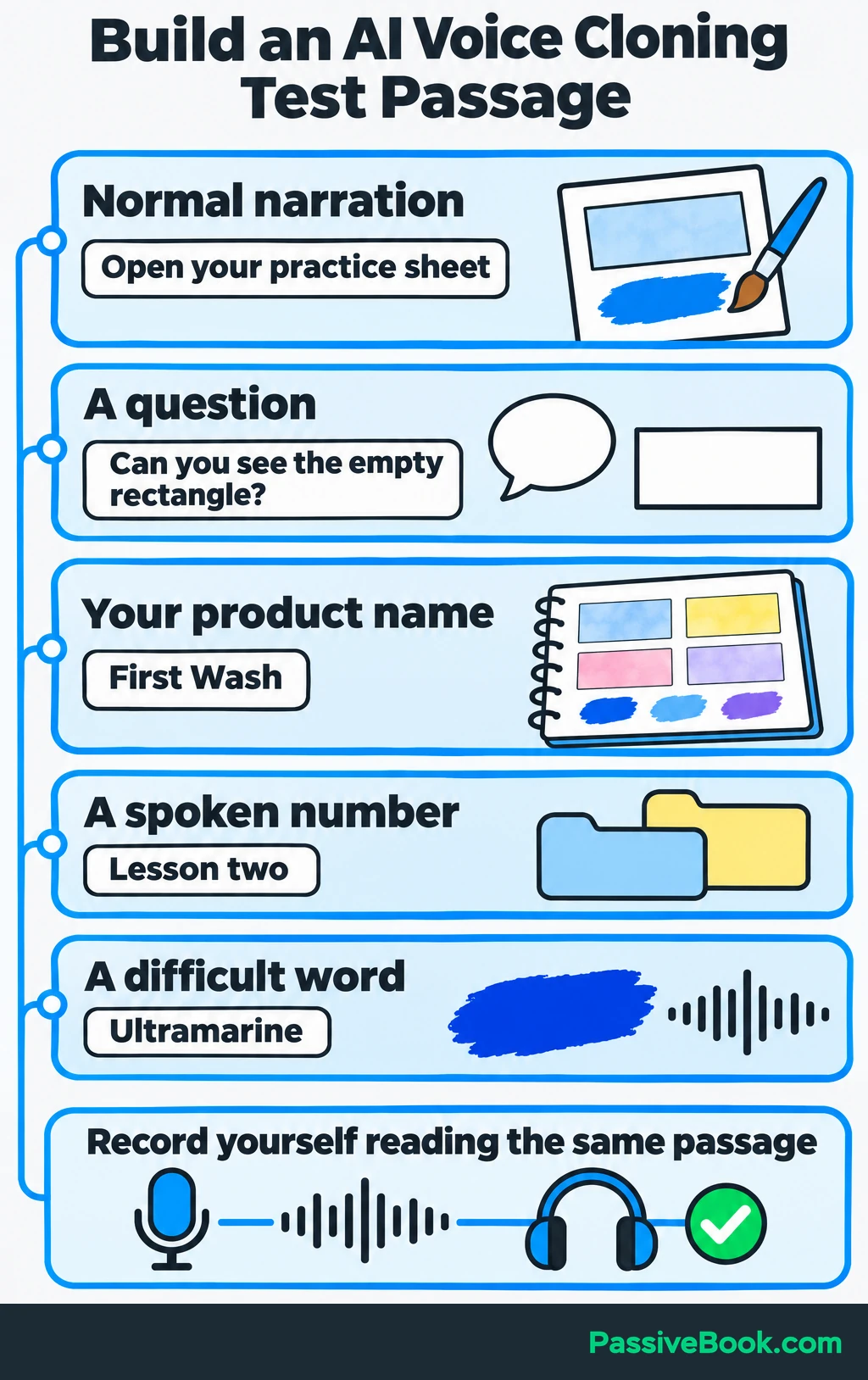
Begin with a short test passage that includes normal narration, a question, a product name, a number, and a difficult word:
“Welcome to lesson two of First Wash. Open your practice sheet and find the ultramarine swatch. Can you see the empty rectangle beside it? We’ll use two brushstrokes to begin.”
Record yourself reading that passage, too. You now have a direct reference for the review.
Once the test sounds acceptable, generate the lesson in short sections. Keep related instructions together, but avoid making one long file that must be regenerated because a single word sounds wrong.
Review and Fix the Narration
Listen to your recording and the generated test passage back to back. Familiarity with your own voice can make small differences obvious, but the main question is whether learners can follow the lesson comfortably.
Check these points:
- Word Accuracy: Every instruction, number, and product name matches the approved script.
- Voice Resemblance: It sounds recognizably like you throughout the passage.
- Pronunciation: Terms such as “ultramarine” sound clear and correct.
- Pacing: Learners have time to follow the demonstration.
- Delivery: Questions, pauses, and emphasis fit the meaning.
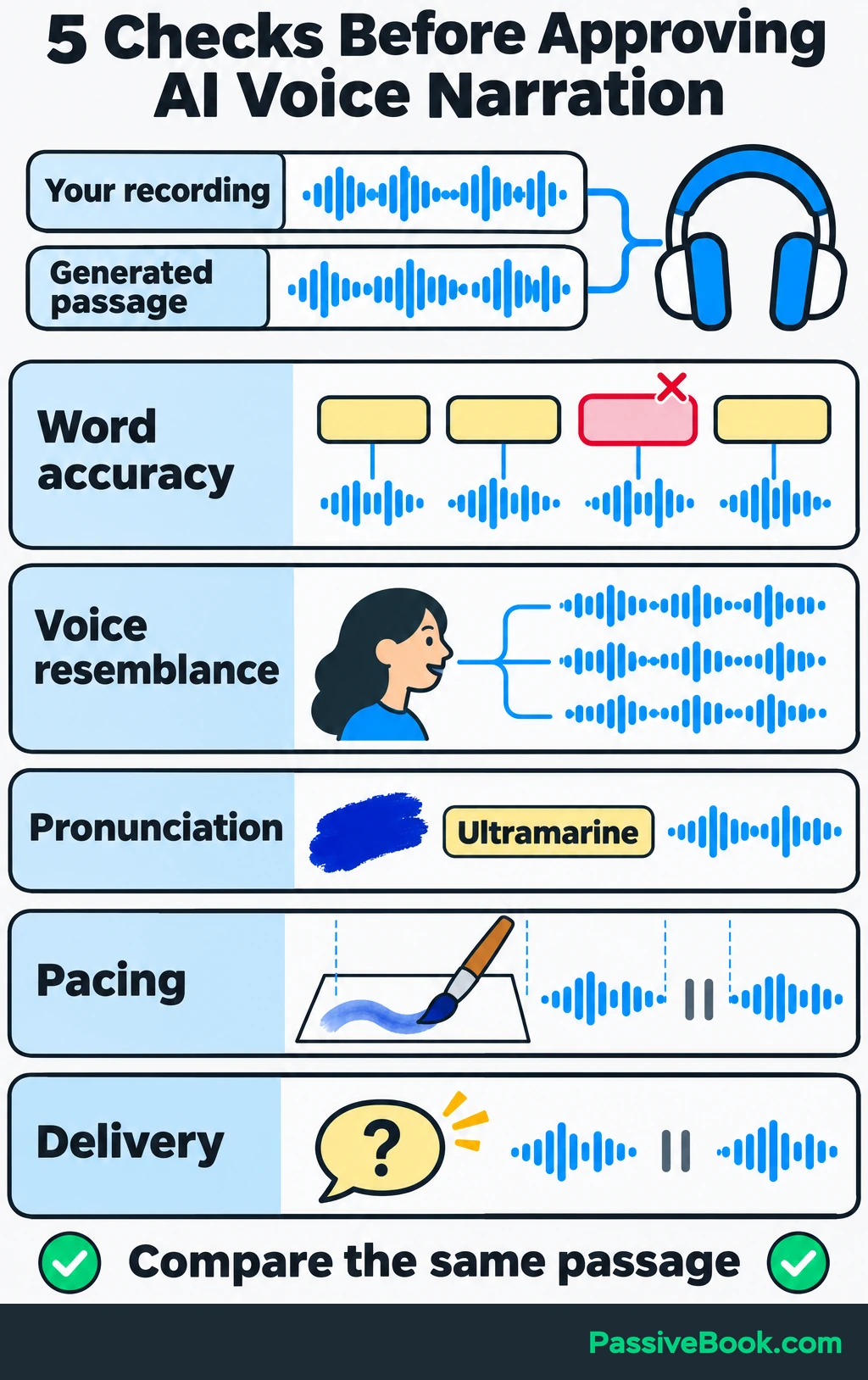
Use the same passage when comparing tools or settings. Changing both the script and the settings makes it harder to tell what helped.
Fix awkward wording first. A different sentence may solve a problem that repeated regeneration does not. For a difficult word, try the tool’s pronunciation controls or a clearer phonetic spelling in the generation script.
Keep the normal spelling in your published transcript.
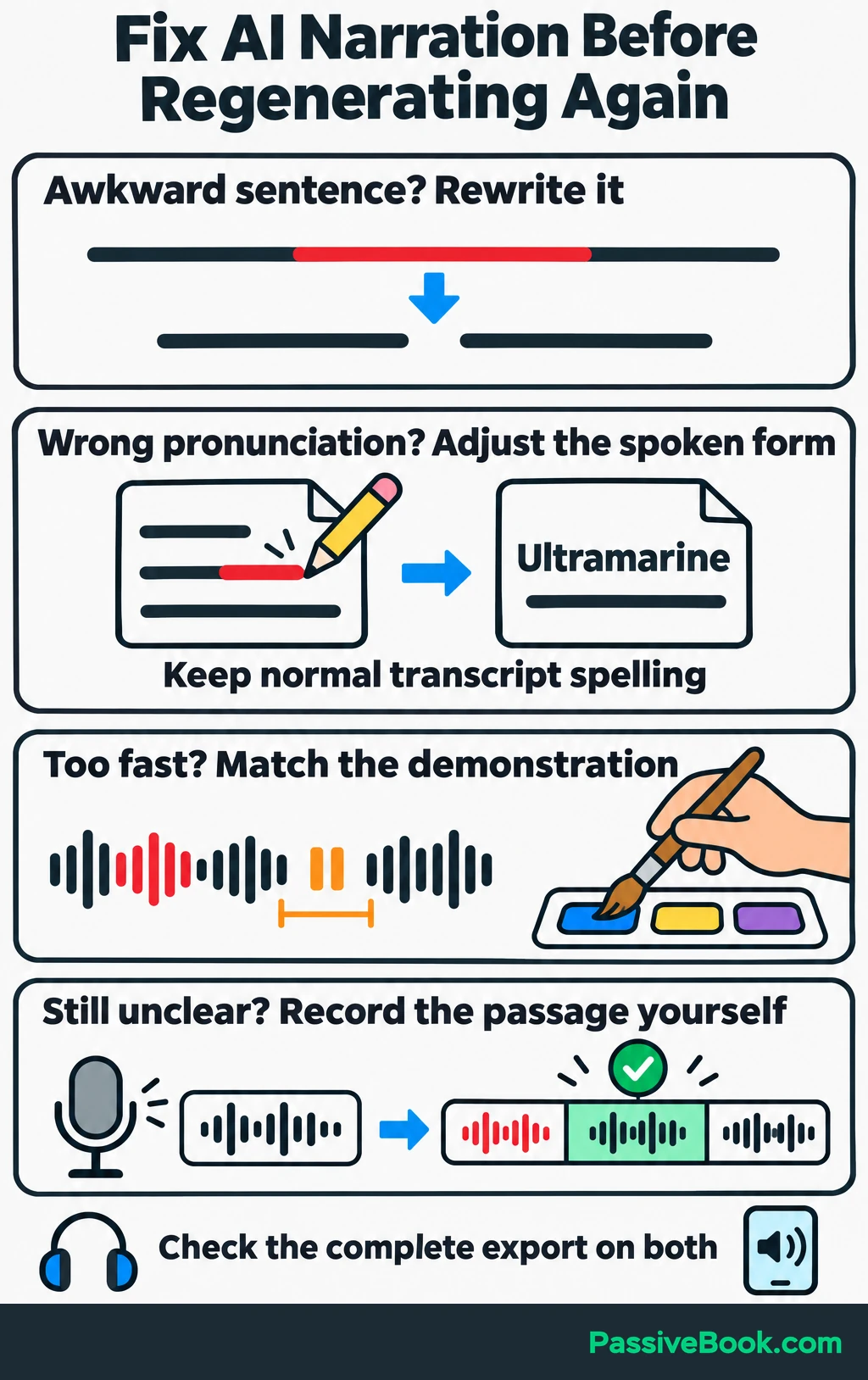
For the watercolor lesson, leave a pause after asking learners to load their brush. Listen while watching the demonstration, because a voice can sound perfectly natural while moving twice as fast as the learner’s hands.
If the clone consistently sounds unlike you, revisit the source recording. If one passage needs expression the clone cannot deliver clearly, record that passage yourself. You do not owe the software exclusive rights to the microphone.
Finally, listen to the complete export on headphones and a phone speaker. Ask another listener to flag confusing words or distracting changes in tone before you approve it.
Publish the Approved Audio in Your Business
Tell listeners when they are hearing a generated version of your voice. A plain disclosure works:
“Narrated using an AI-generated version of my voice.”
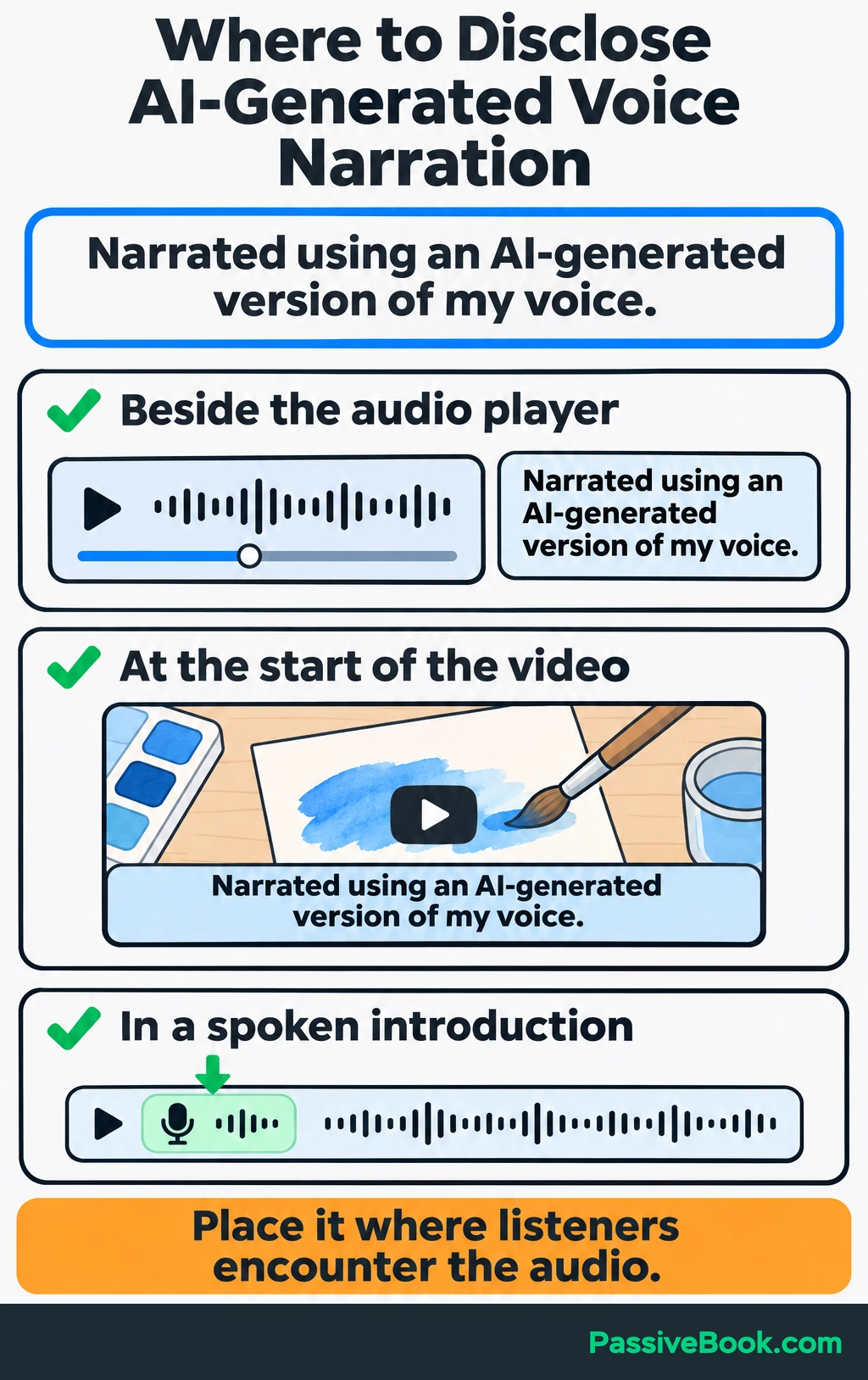
Put it where people encounter the audio: beside the player, at the start of the video, or in a short spoken introduction.
Disclosure can also be a legal requirement. Under the EU AI Act, generated audio that imitates a real person and falsely appears authentic can qualify as a deepfake. Where Article 50 applies, clearly disclose that the audio was generated or manipulated by AI no later than the listener’s first exposure. Follow the rules that apply to your audience and publishing channel. Article 50 disclosure requirements
Narrate Lessons and Content
Export the approved narration and match it to your slides, photographs, or screen recording.
For First Wash, line up each instruction with the corresponding brush movement. Review the assembled lesson before publishing, because the audio and video may work separately but disagree once combined.
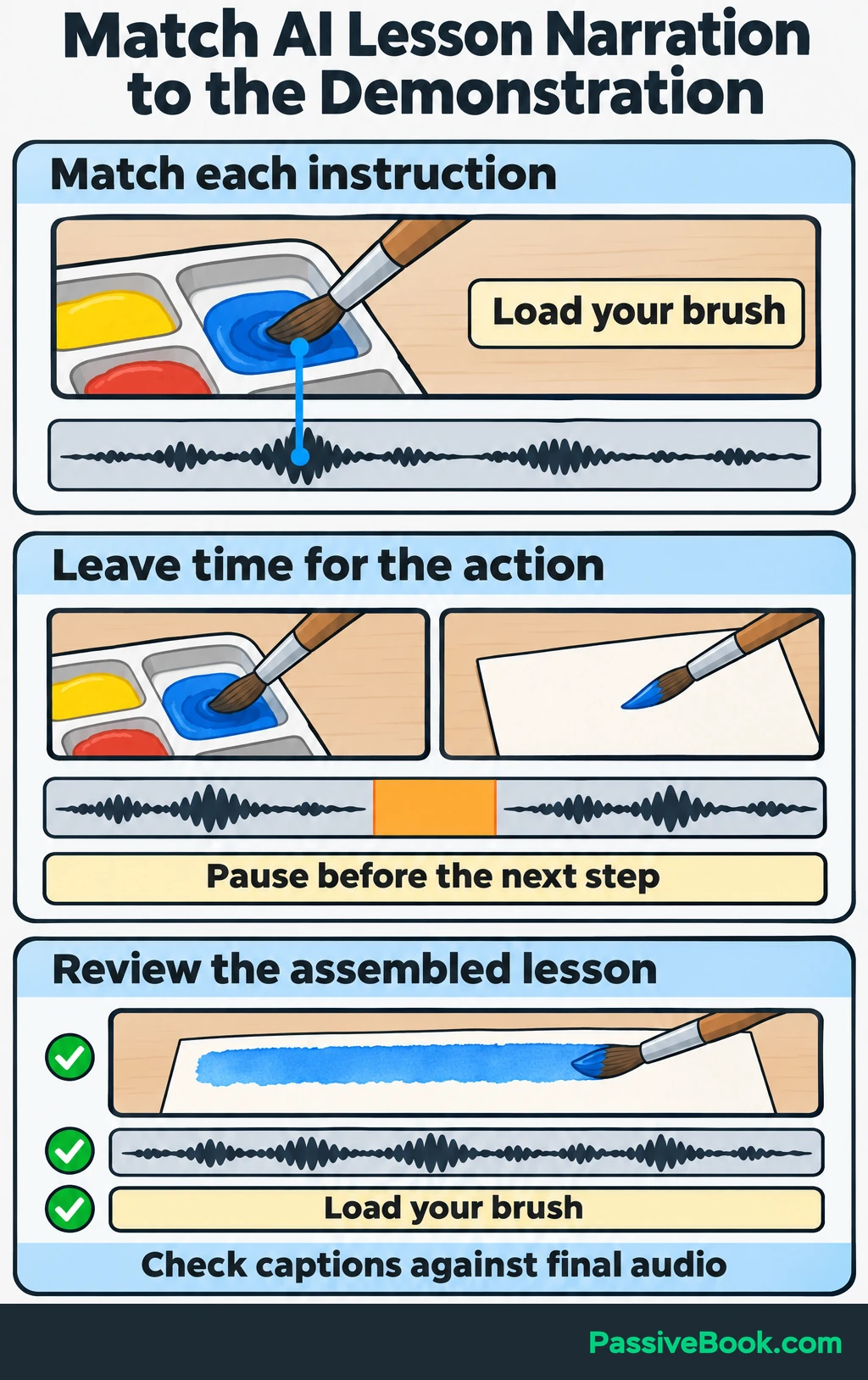
Add reviewed captions to narrated video and a transcript to standalone audio. Include meaningful non-speech sounds when they carry information, and correct automatic captions against the final audio.
Publish this lesson before expanding the process. Once it works, you can use the same approach for an audio version of a supporting article or updates to individual lesson passages.
The useful saving is being able to replace a changed explanation without rebuilding everything around it.
Create Reusable Sales and Support Explanations
An approved demonstration can become a short sales explainer. Show what the practice sheets contain, how they work with the course, and what the buyer receives.
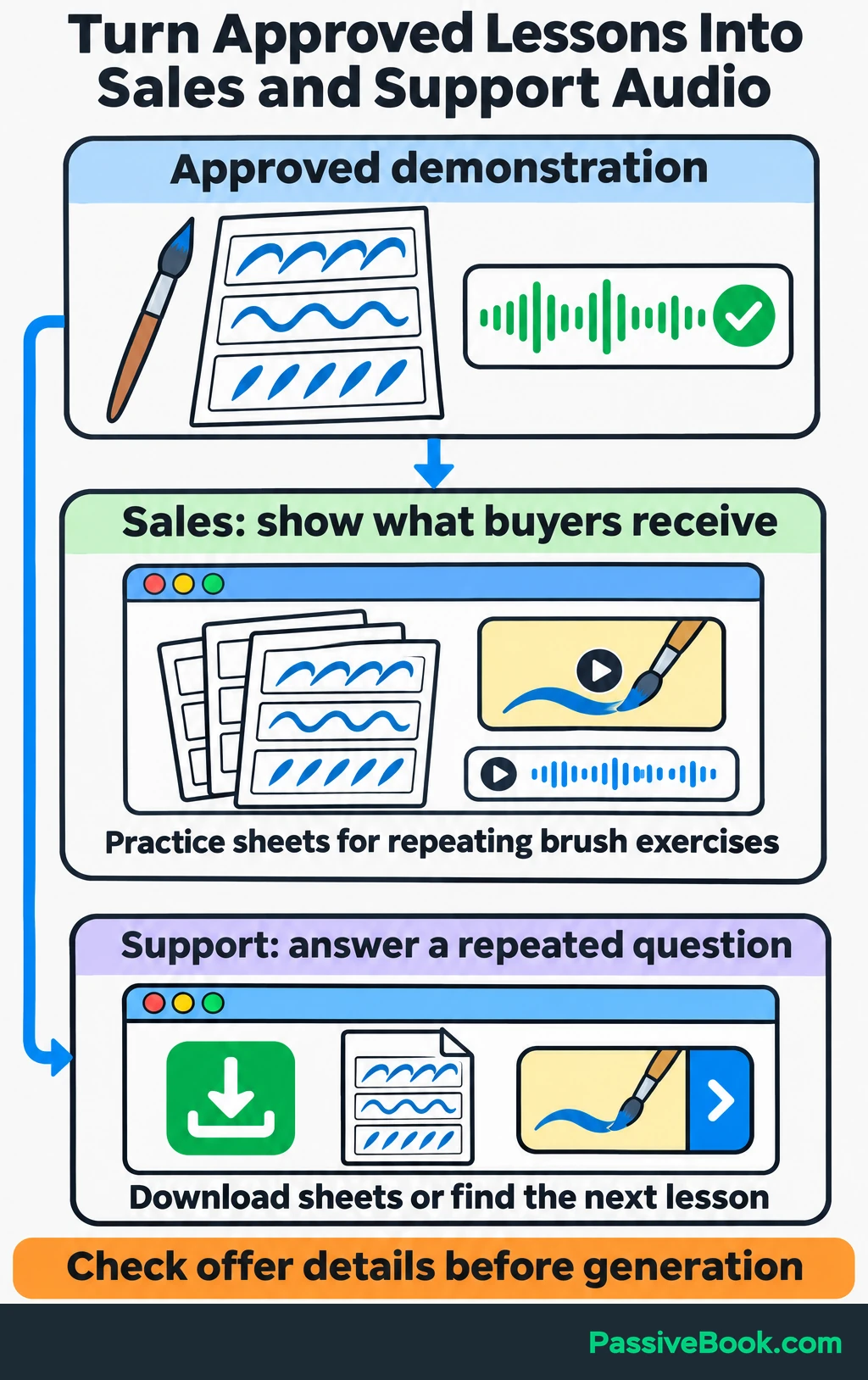
Keep the claims specific:
“The practice sheets give you outlined spaces for repeating each brush exercise alongside the lessons.”
For support, start with a question you already answer repeatedly. A short walkthrough could show how to download the sheets or locate the next lesson. Link it from the relevant help page or customer reply.
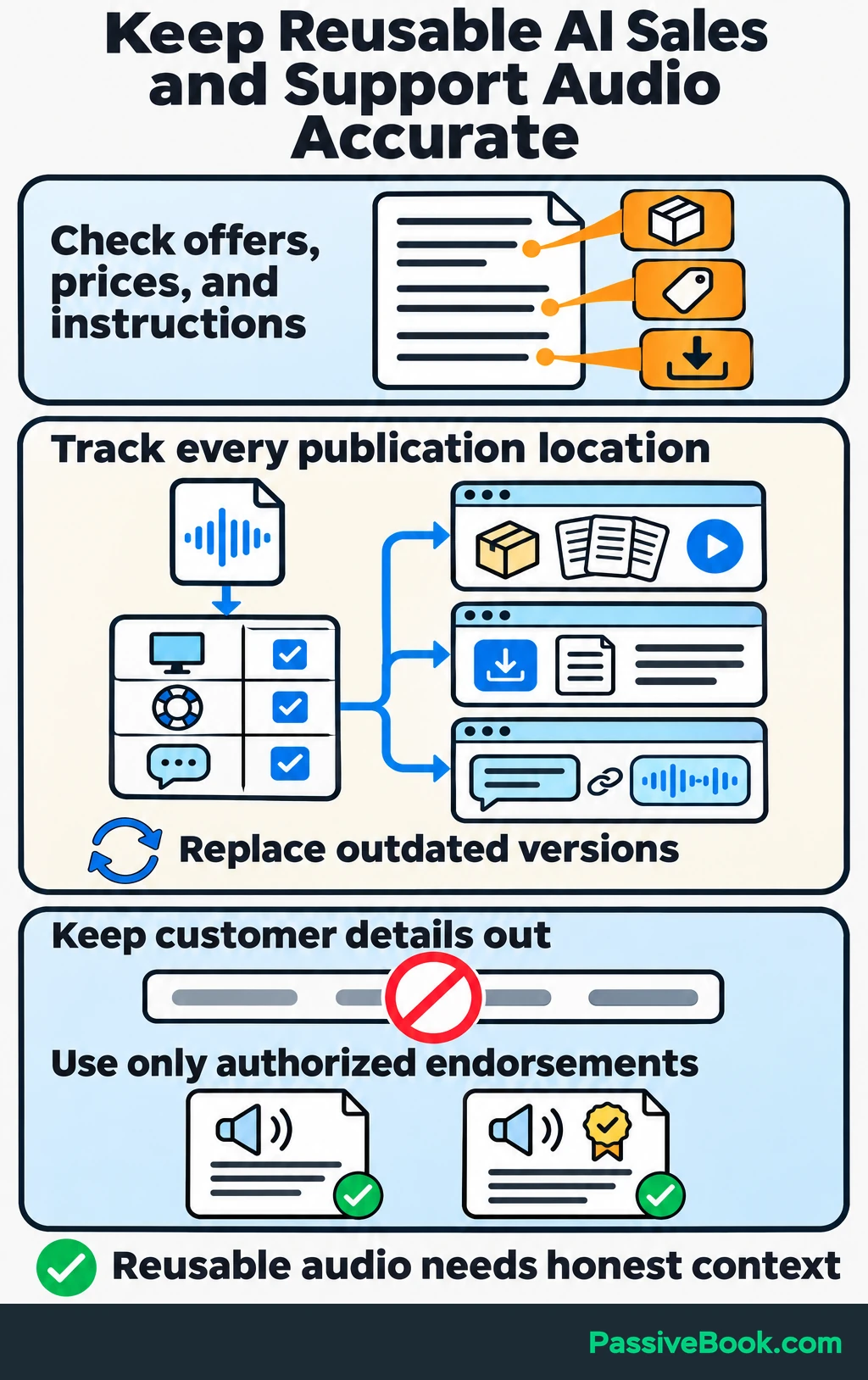
Check offer details, prices, and instructions before generating these recordings. Store where each recording appears so you can replace it when something changes.
Keep customer details out of reusable scripts. And keep the promise honest: generated narration does not mean you personally recorded a message for that customer. Testimonials and endorsements still need to reflect what the actual speaker said and authorized.
Localize an Approved Asset
Translate a lesson only after the original script and demonstration are approved. Otherwise, every later correction creates another version to repair.
Choose a speech model that supports the destination language. For example, ElevenLabs Multilingual v2 supports Spanish, making it an option for a Spanish version of First Wash. Supported languages and models
Have a fluent reviewer check the translation before generation and the spoken version afterward. Ask them to check the actual teaching instructions, product names, and measurements.
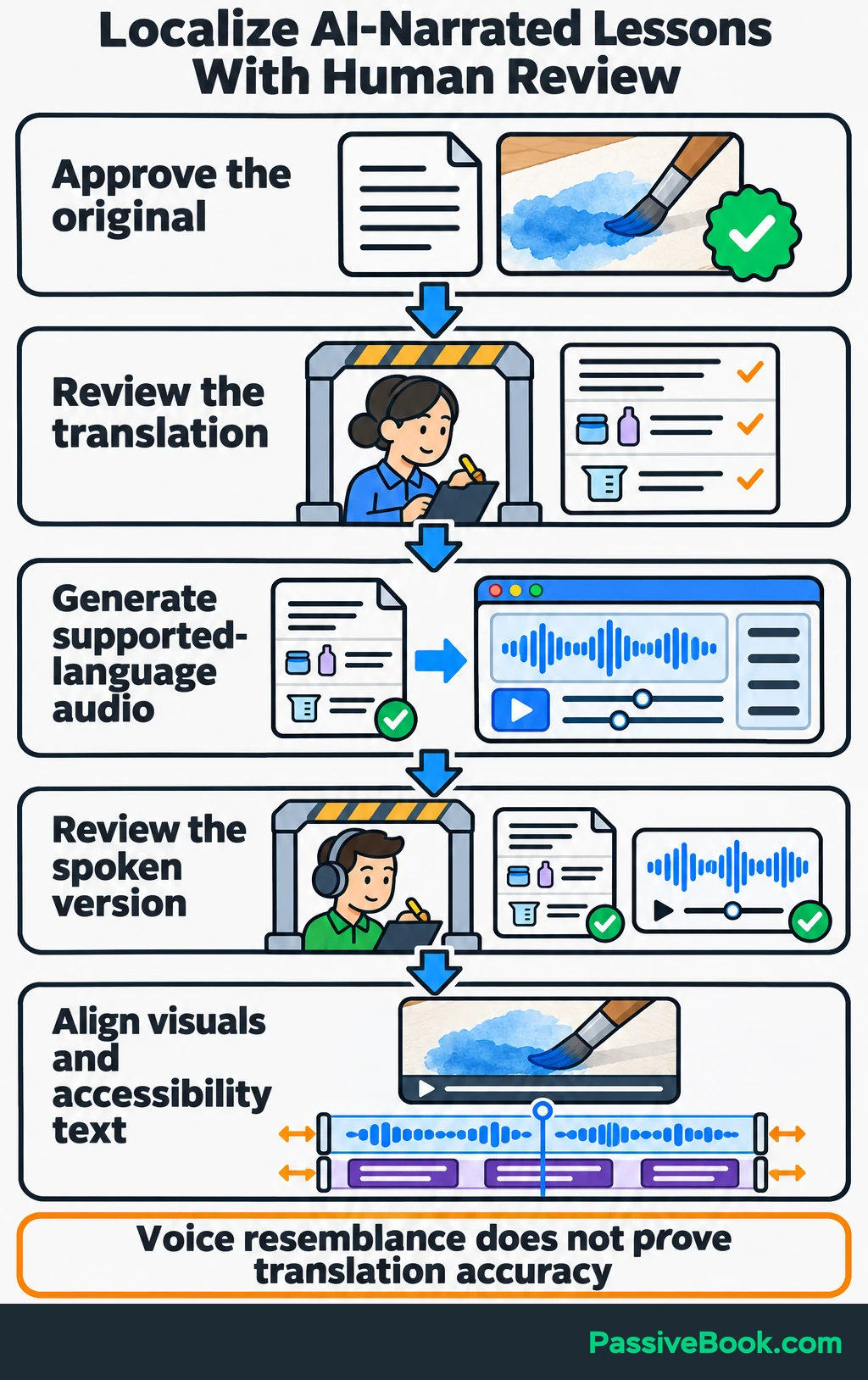
Sounding like you does not prove the translation says what you intended.
Then align the translated narration with the demonstration. Allow for different speaking lengths, and update the captions or transcript to match the approved version.
I would postpone localization until there is a clear audience for that language and someone capable of reviewing it.
Make the Workflow Repeatable When It Saves Time
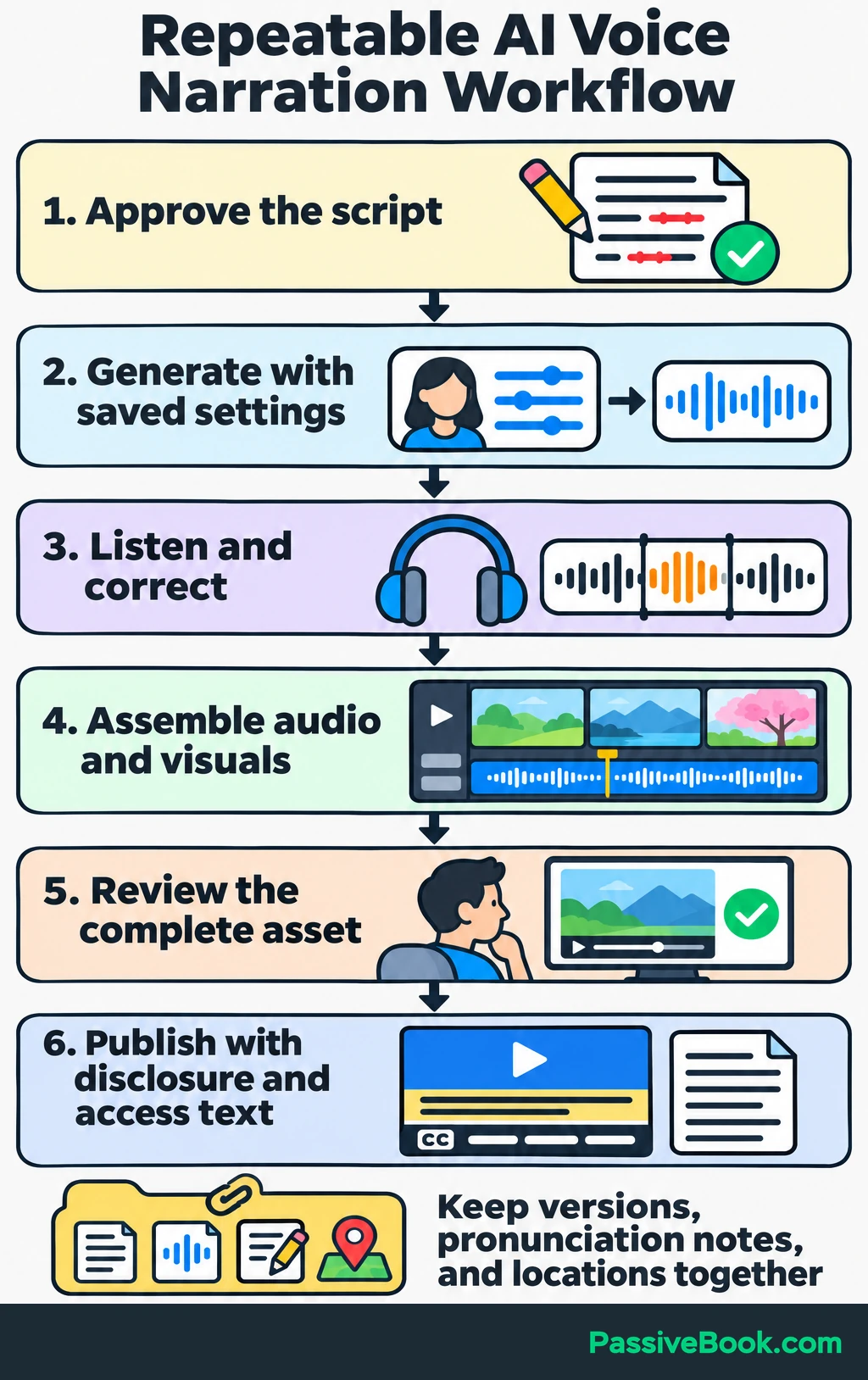
Save a short production checklist:
- Approve the script.
- Generate narration with the saved voice and settings.
- Listen and correct.
- Assemble the audio with its visuals.
- Review the complete asset.
- Publish with disclosure and accessibility text.
Keep pronunciation notes with the checklist. Store each script version, approved audio file, and publication location together so a lesson update reaches the right places.
Then compare your hands-on time for equivalent finished assets. Include generation management, listening, corrections, and assembly. Track the initial recording and setup separately so you can see both the startup effort and the recurring workload.
Here is an illustrative comparison for eight similar lessons:
| Work Counted | Manual Recording | Reviewed Cloning Workflow |
|---|---|---|
| Hands-on production per lesson | 30 minutes | 12 minutes |
| Total for eight lessons | 240 minutes | 96 minutes |
| Recurring time saved | — | 144 minutes, or 2.4 hours |
These are assumed inputs, not measured results. Replace them with your own times, and account for setup before deciding whether the first batch saved work overall.
When the process works, batch related scripts. If you later connect tools through Make or n8n, use them to pass approved scripts, request generation through an API—a connection between software tools—and organize draft files for review.
Check API access and pricing before building that connection. Fish Audio bills API usage separately from its subscriptions; the plan page linked in the comparison explains the distinction.
Set spending limits where available, flag failed jobs, and prevent automatic retries from running indefinitely. Keep human approval before publication.
I would expand only when the finished audio is clear, the total cost makes sense, and the recurring workflow saves time. Keep manual recording for passages that take longer to repair than to say aloud.
What Next?
Choose one short lesson or recurring explanation and record how long it currently takes to finish. Use that same asset for your first cloning test, including the listening and correction work.
If this gives you a useful way to judge voice cloning before buying a larger plan, use the social buttons to share the guide with your business circle.
Which recording would you most like to stop repeating, and what would make a generated version good enough to publish? Share your answer—and any other questions—in the comments.
Share this post with your friends & followers:

