You need a launch email, a content plan, or a clearer product description, and you’d rather start with something useful than explain the whole task again. But searching for prompts can become another job. There is always a larger bundle and another promise of instant results.
The hard part is choosing a template that fits your work and gives you a draft worth editing. A poor fit leaves you rewriting instructions when you meant to finish the email. This comparison helps you choose a free or paid collection for your recurring tasks, with a complete email example showing how to turn a borrowed prompt into a reusable template.
What Is an AI Prompt Library?
An AI prompt library is a collection of reusable instructions. You copy a template into a chatbot and replace its placeholders with your audience, product details, source material, and desired output.
Libraries usually take one of three forms:
- Copyable text you can edit in your preferred chatbot.
- Guided workflows that explain what to supply and how to refine the result.
- Browser extensions that put templates inside the chat interface.
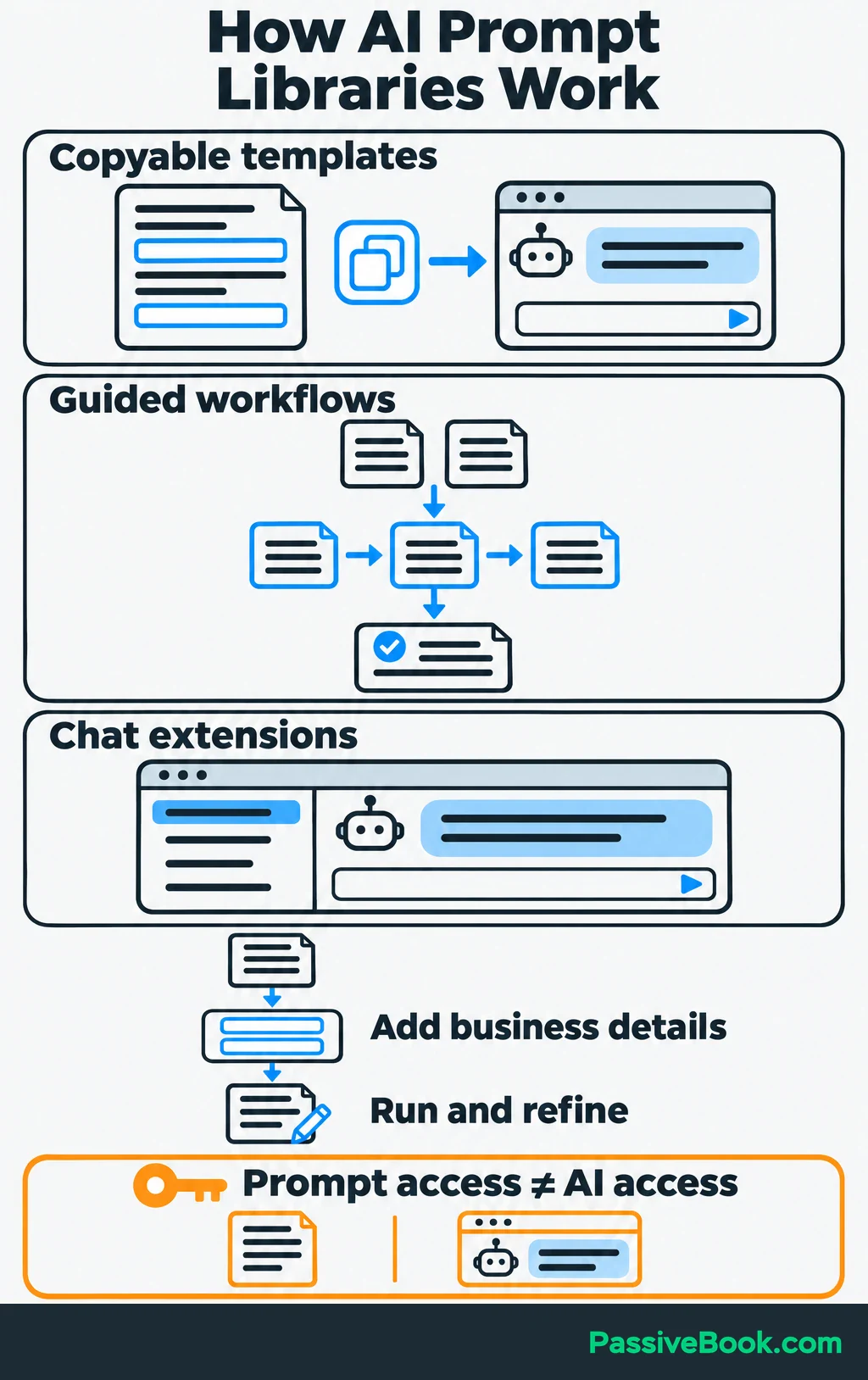
Check what access includes. Getting a prompt does not necessarily include the AI usage, file uploads, or connected applications needed to run it.
You also don’t need a perfect first prompt. Start with a relevant template, supply your details, and correct specific problems through conversation.
For the examples throughout this article, imagine you run a website selling downloadable beginner watercolor practice workbooks. Your new workbook contains brush-control drills and color-mixing exercises. The prompts and adaptations below are illustrations.
The Best AI Prompt Libraries Compared
Choose a recurring task before choosing a library. “Draft emails introducing a workbook to past customers” gives you something concrete to judge. “Find amazing AI prompts” gives you a long afternoon.
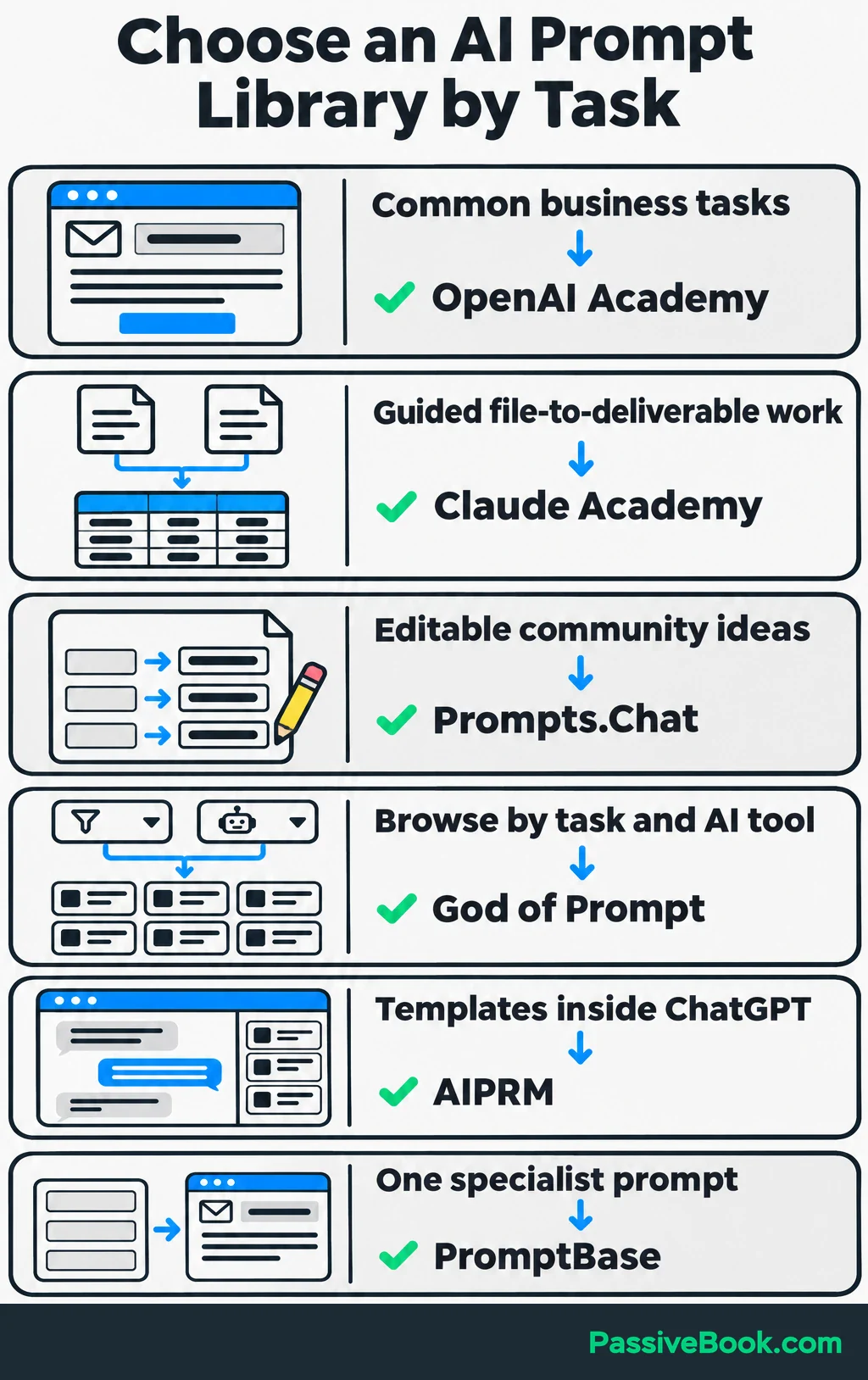
These recommendations draw on documented features and public examples. They are not a firsthand performance ranking.
| Library | Best Use | Free Access | Paid Pricing | Intended AI Tools | Customization Support | Main Tradeoff |
|---|---|---|---|---|---|---|
| OpenAI Academy | Starting with common business tasks | Business prompt pack | No charge for the pack; ChatGPT access is separate | ChatGPT | Replaceable business details and requested output formats | PDF browsing is less flexible than a searchable collection |
| Claude Academy | Following a task from source files to a deliverable | Public walkthroughs | No charge to read; required Claude features may need paid access | Claude; some workflows use additional applications | Context requirements, example outputs, and follow-up prompts | You need the files and features the workflow expects |
| Prompts.Chat | Finding editable community ideas | Free, open-source collection | No purchase needed to copy public prompts | ChatGPT, Claude, Gemini, and other compatible assistants | Editable prompt text; guidance varies by entry | You may need to rewrite substantial parts |
| God of Prompt | Browsing by business task and AI tool | Public library is free to browse and copy | Optional Complete AI Bundle: $150 once | ChatGPT, Claude, Gemini, and image tools, depending on the prompt | Structured sections and replaceable context fields | Its breadth makes filtering essential |
| AIPRM | Accessing templates inside ChatGPT | Free extension edition | See the current plan quote and terms | ChatGPT for the extension discussed here | Input fields, private prompts, and lists; controls depend on plan | Requires an extension, and paid features have plan limits |
| PromptBase | Buying a prompt for one narrow task | Free listings alongside paid listings | Individual prices vary; Select is $19/month for 10 eligible downloads and 1,000 monthly generation credits | Model specified by each listing | Listing-specific inputs, instructions, and sample outputs | Each purchase needs its own fit check |
The linked offers provide current paid details. For total cost, include any chatbot subscription or other application the task requires. Select’s generation credits apply to running prompts through PromptBase; they do not provide a separate chatbot subscription.
OpenAI Academy: Best Free Starting Point for Business Prompts
I would choose this first if you want a small, manageable collection.
The free Small Business Prompt Pack covers marketing, customer communication, planning, and operations. Its templates pair a task with business details you replace and a format for the response.
The email campaign template is a useful starting point. It asks for three emails introducing a new product or service to past customers, with a subject line, body, and call to action for each.
For the watercolor workbook, supply the product description, intended skill level, and actual contents. That gives the AI something more useful than “write persuasive emails.”
I like the pack’s limited scope for getting started. You can pick a task without sorting through unrelated image prompts and coding instructions. The tradeoff is its PDF format, which is less convenient for searching and organizing a growing collection.
Claude Academy: Best for Guided Claude Workflows
Choose Claude Academy when you want to understand the work around the prompt.
Its public walkthroughs show the task, required context, an example deliverable, and follow-up instructions. The vendor comparison walkthrough, for example, uses uploaded proposals to create a comparison spreadsheet.
You could adapt that pattern when hiring someone to lay out the watercolor workbook. Supply the proposals and ask for a comparison of deliverables, revision rounds, turnaround, and total fees.
The important part is deciding what the comparison must help you choose. A polished spreadsheet that leaves out revision fees can make one proposal look cheaper than it is.
Claude is my usual choice for long-form writing and content strategy, so this format fits how I prefer to work. Before choosing a walkthrough, check that your Claude access supports its uploads and file creation, and that you have any other applications it uses.
Prompts.Chat: Best Free Community Collection for Editable Ideas
Prompts.Chat is a free, open-source community collection. I would use it to borrow useful structures and explore different ways to describe a task.
Community prompts leave more of the adaptation to you. Read the instructions before copying them, especially when they refer to images, files, or information you haven’t supplied.
Its Product Promotion Expert entry illustrates this well: it requests a product name, reference image, and promotional scenario. For the workbook, those inputs would become the workbook’s name, cover image, and the context for a launch email.
If a template contains code-like placeholders, replace them with plain descriptions and your actual material. You don’t need to preserve someone else’s automation syntax to use the underlying idea.
I would choose this collection when you’re comfortable editing. For a task you’ve never done before, a guided walkthrough may give you a clearer starting point.
God of Prompt: Best for Browsing by Business Task and AI Tool
God of Prompt’s public library lets you browse by category, model, and role. That makes it useful when you know the business task but haven’t chosen a template.
Start with the task category and narrow it to the AI tool you use. Otherwise, you can spend your writing session admiring prompts for tools you don’t need.
The Newsletter Content Matrix Generator for Solopreneurs shows how its structured prompts work. It asks for your audience and newsletter focus, then requests ideas grouped by topic and format, such as a how-to guide or comparison.
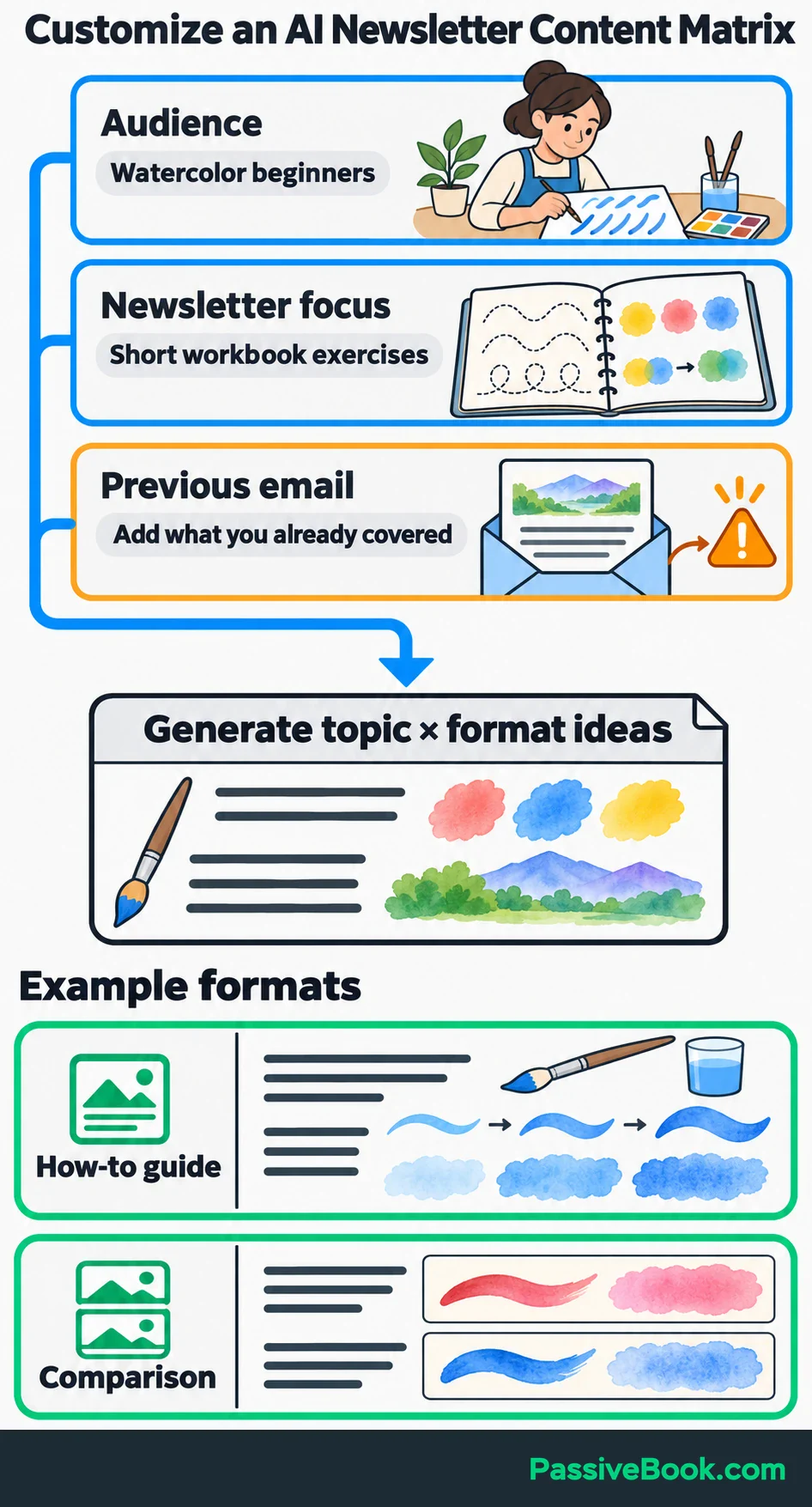
For the workbook website, those fields could be:
- Audience: beginners learning watercolor.
- Newsletter focus: short practice exercises using the workbook.
I would also add what the previous email covered so the ideas have a reason to differ.
The paid bundle includes resources beyond prompts, but copying the public library does not require buying it. Start there and judge whether the broader package contains anything you actually need.
AIPRM: Best for Accessing Templates Inside ChatGPT
AIPRM for ChatGPT is a browser extension that brings community templates into the chat interface. Its free edition lets you try that way of working before paying.
The convenience is the reason to consider it. If you regularly switch between a prompt document and ChatGPT, having templates within reach may suit your workflow.
AIPRM documents search by keyword, category, and model, along with private prompts and lists. Check the selected plan’s controls and storage allowances before relying on them for your own collection.
For the workbook website, you might start a content-planning task with “beginner watercolor exercises,” then add the audience and workbook description. Treat the resulting topics as ideas to investigate.
I would try the free edition before upgrading. AIPRM’s pricing terms, linked in the table, state that sales are non-refundable. An upgrade should solve a specific problem you found while using the free version.
PromptBase: Best for Buying One Specific Prompt
PromptBase makes more sense when you have a narrow requirement and can inspect a relevant listing.
The Customer Winback Email Generator, for example, shows inputs covering the business, purchase history, objective, available offers, and brand voice. Its public sample includes a three-email sequence.
That detail helps you judge fit before buying. Can you supply the requested information? Does the sample have the structure and tone you need? Can you use the named model?
For the workbook launch, there is an important distinction: a winback sequence targets inactive customers. It may suit buyers you haven’t heard from in a while, but recent customers may simply need a straightforward introduction to the new workbook.
I would buy one suitable prompt before considering a subscription. Select becomes worth considering when several relevant listings carry its eligibility badge. Access to a marketplace is useful, but every template still needs to earn its place.
How to Adapt a Library Prompt to Your Business
A useful template gives you a starting structure. Your business information makes the response relevant.
Choose one deliverable, supply the material needed to produce it, and review the result against the same requirements. You can use this process in ChatGPT, Claude, or another suitable chatbot.
Supply the Context the Template Needs
Before running the prompt, gather the audience, purpose, source material, tone, constraints, and output format. A short product description and a writing sample are often more useful than another paragraph telling the AI to be an expert.
Here is a complete adaptation of OpenAI Academy’s email campaign template. Replace the bracketed fields before using it.
Draft three emails introducing my new downloadable Beginner
Watercolor Practice Workbook to past customers.

Audience:
Beginners who previously bought a watercolor workbook from
my website.

Confirmed product contents:
Brush-control drills and color-mixing exercises.

Product description:
[Paste the approved product description.]

Product-page URL:
[Paste the product-page URL.]

Writing sample:
[Paste a short email that sounds like my business.]

Purpose:
Help past customers understand what this workbook contains
and decide whether it fits what they want to practice.

Give each email a different focus:
1. Introduce the workbook and its contents.
2. Explain how a reader could use the brush-control drills.
3. Explain how a reader could use the color-mixing exercises.

For each email, include a subject line and a body under
120 words. Include the product-page link once per email.

Use plain, friendly language. Draw product claims only from
the supplied material. Do not invent discounts, testimonials,
deadlines, or promised results.

Before drafting, ask for any missing information needed to
complete the task. Otherwise, produce the three drafts.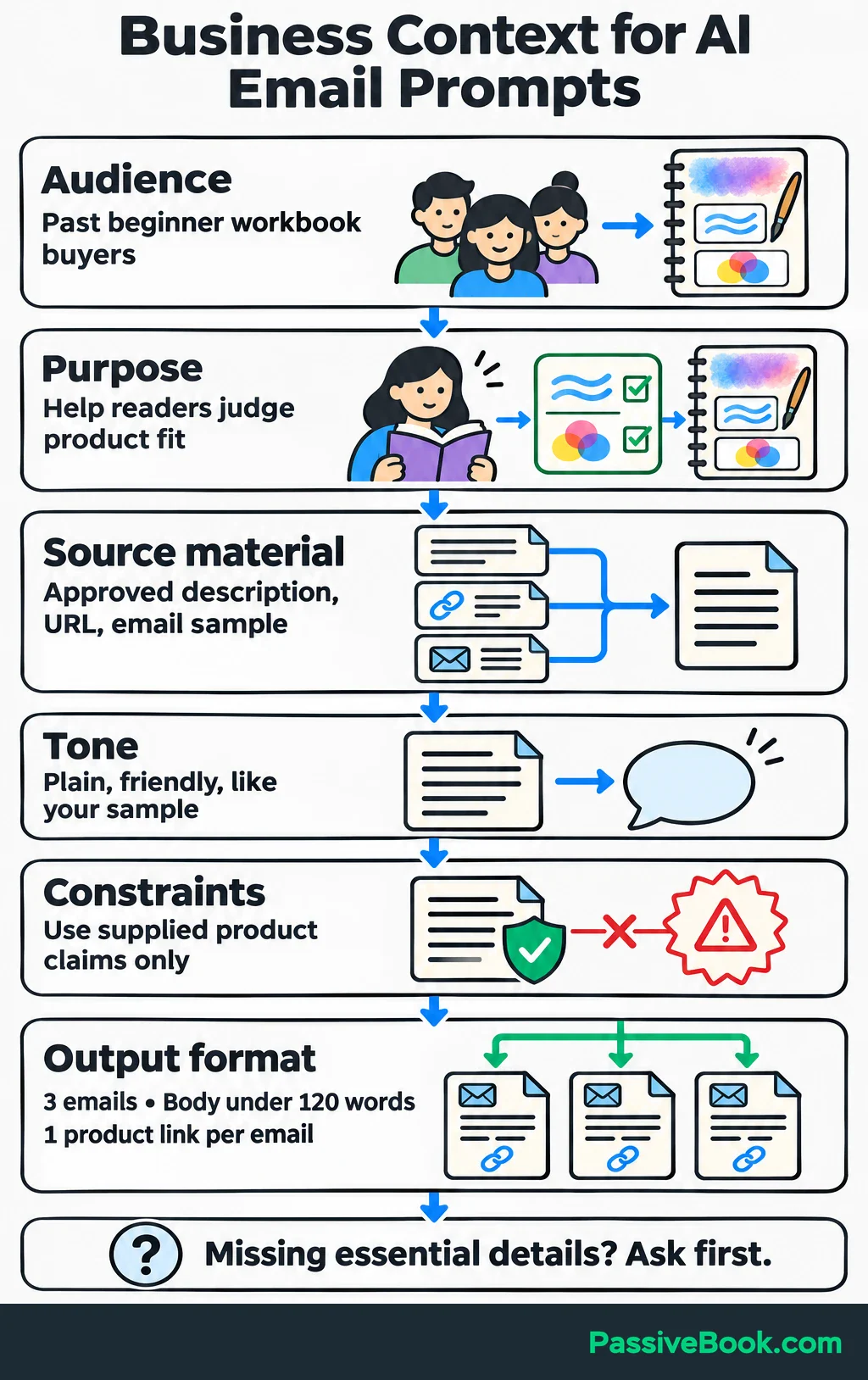
This prompt does not require customer names or individual purchase records. Share only material you are authorized to use, and leave out customer identifiers the task does not need.
If you’re unsure how to adapt a template, AI Copywriting Studio can work from your notes instead. You’ll get a draft to review and the reusable writing brief behind it.

Free AI Copywriting Studio




Test the Prompt on a Recurring Task
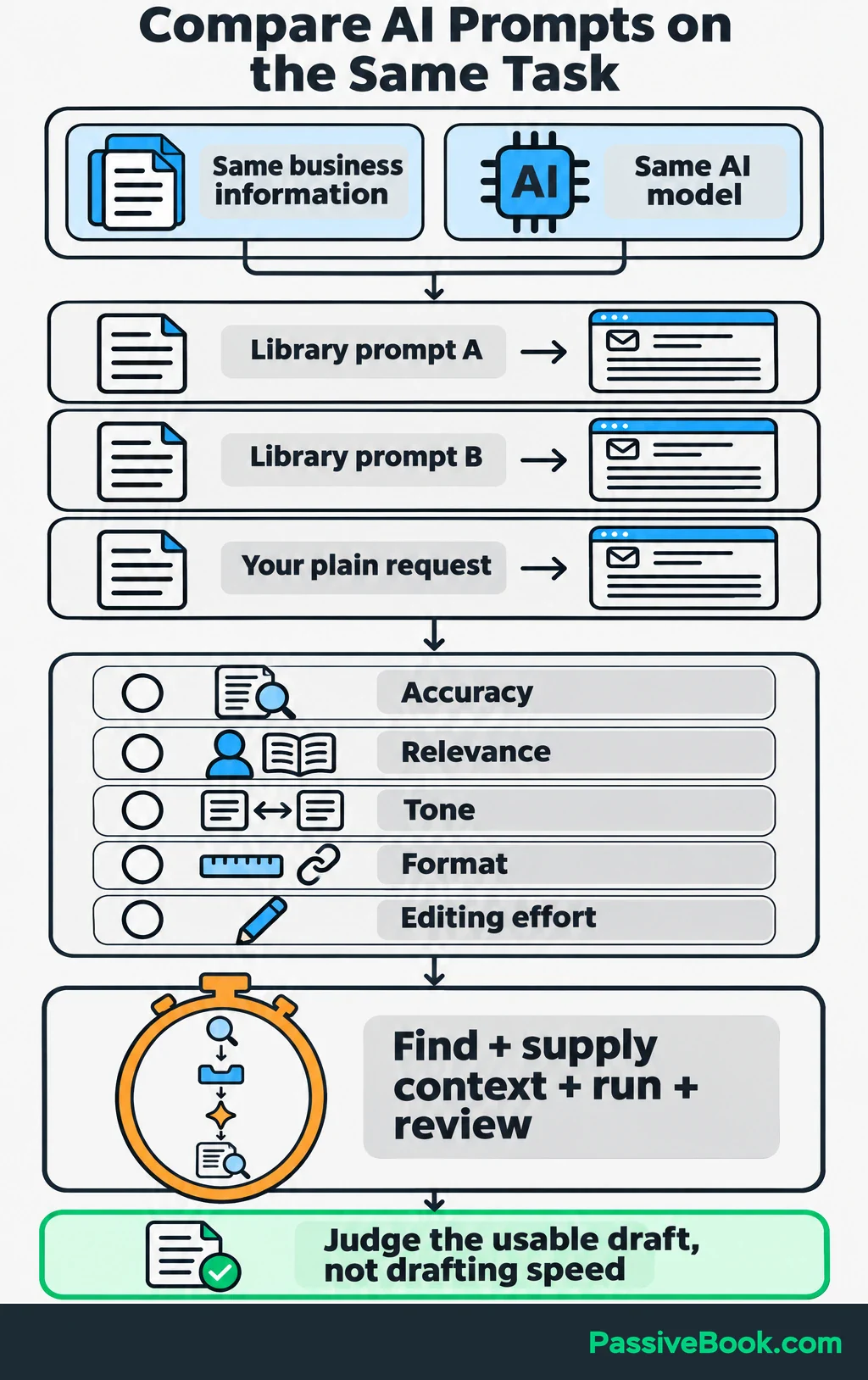
Compare shortlisted prompts using the same business information and AI model. That makes it easier to see what each template contributes.
Review the drafts against a few concrete checks:
- Accuracy: Every product claim matches the supplied description.
- Relevance: Each email gives past customers a clear reason to consider the workbook.
- Tone: The wording sounds like your writing sample.
- Format: Each email meets the length and link requirements.
- Editing: The draft needs manageable changes before you would send it.
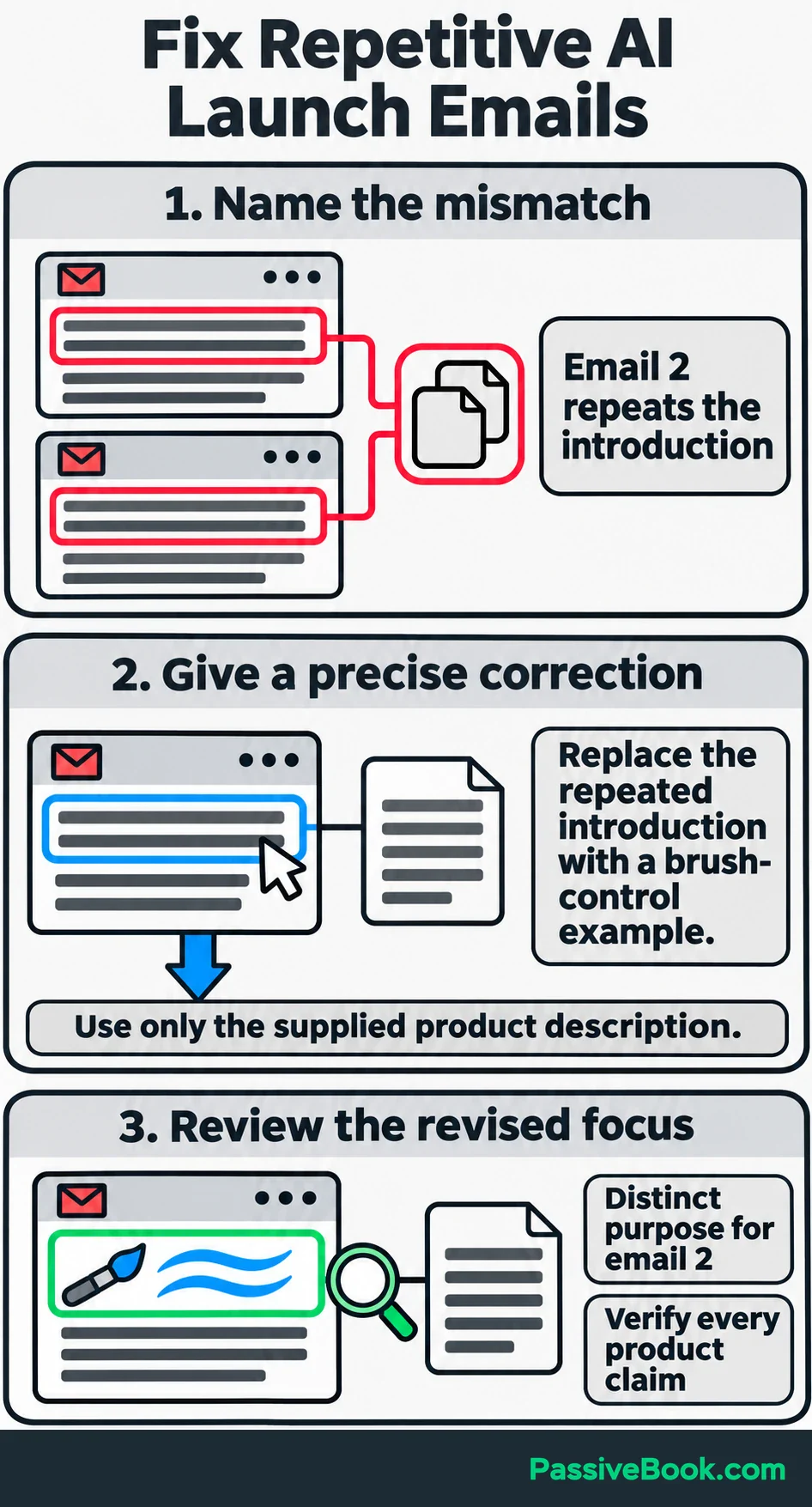
When something fails, name the mismatch. “Make it better” leaves the AI guessing.
A useful correction would be:
Email two repeats the introduction. Replace that paragraph with an example of using the brush-control drills, drawing only on the supplied product description.
Count the whole job when judging the template: finding it, supplying context, running it, and reviewing the output. A fast first draft offers little help if it takes longer to repair.
You can also compare it with a plain request you wrote yourself. If the library version adds no useful structure, keep the simpler one.
Save the Version That Works
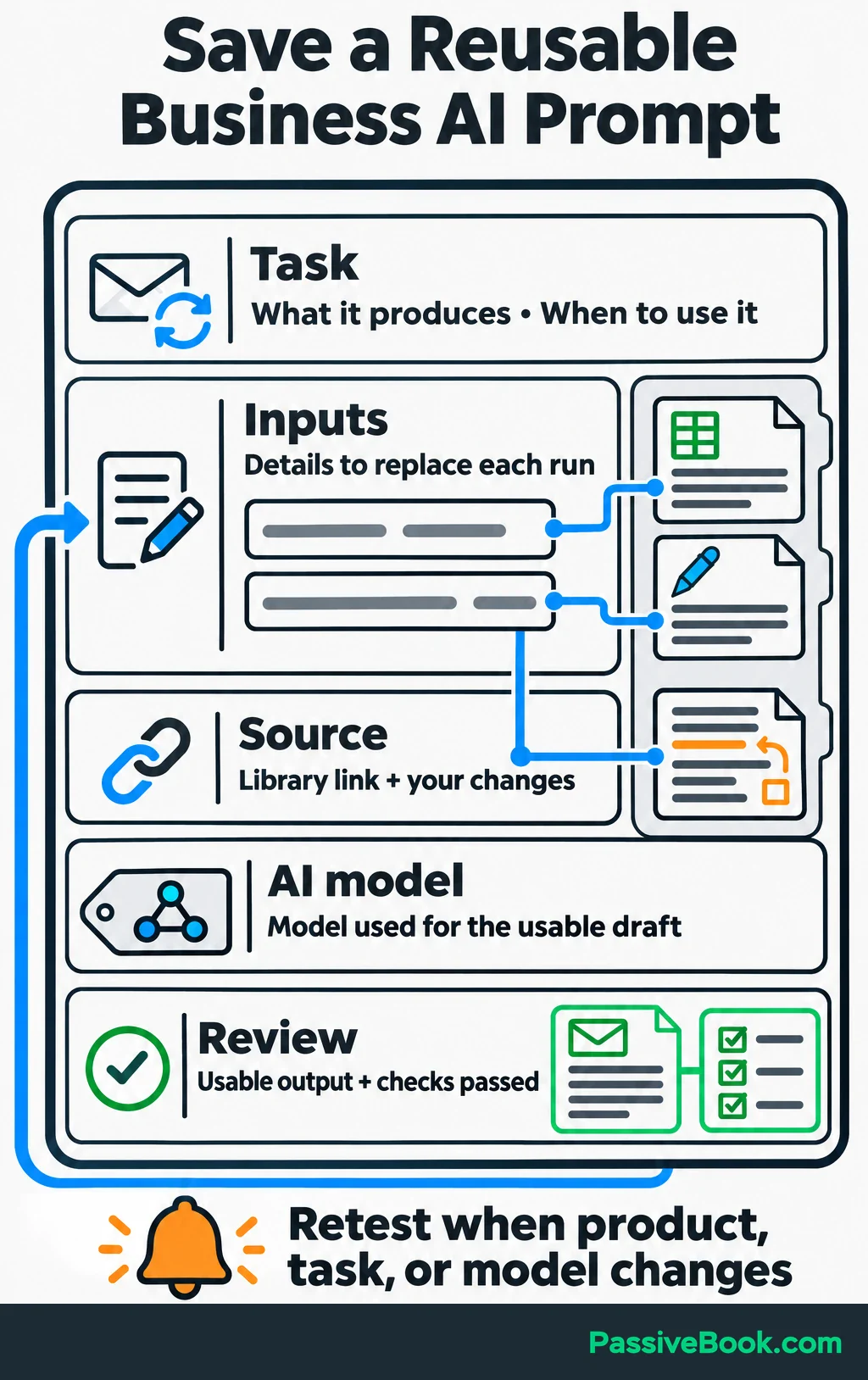
Save the adapted prompt once it produces something you would use. A document or spreadsheet is enough, and Notion works if that is already where you organize your business.
Keep these items together:
- Task: What the prompt produces and when you use it.
- Inputs: The details you replace for each run.
- Source: The original library link and your changes.
- AI Model: The model used for the approved draft.
- Review: A usable output example and the checks it passed.
While refining my own content pipeline, I caught myself saving instructions but leaving the useful context buried in old chats. Reusing the prompt still meant hunting for the material it needed. I started keeping the input fields beside the instructions so the next run had a clear starting point.
That fits how I approach automation across my websites: make repeated work easy to run again. Organize prompts by recurring task, and retest them when the product information, task, or AI model changes.
Are Paid Prompt Libraries Worth It?
Sometimes, but I would make the free version prove the need first.
Pay when a relevant prompt improves a recurring task beyond what your free options provide. Organization features can also justify a fee if they make templates you already use easier to find and maintain.
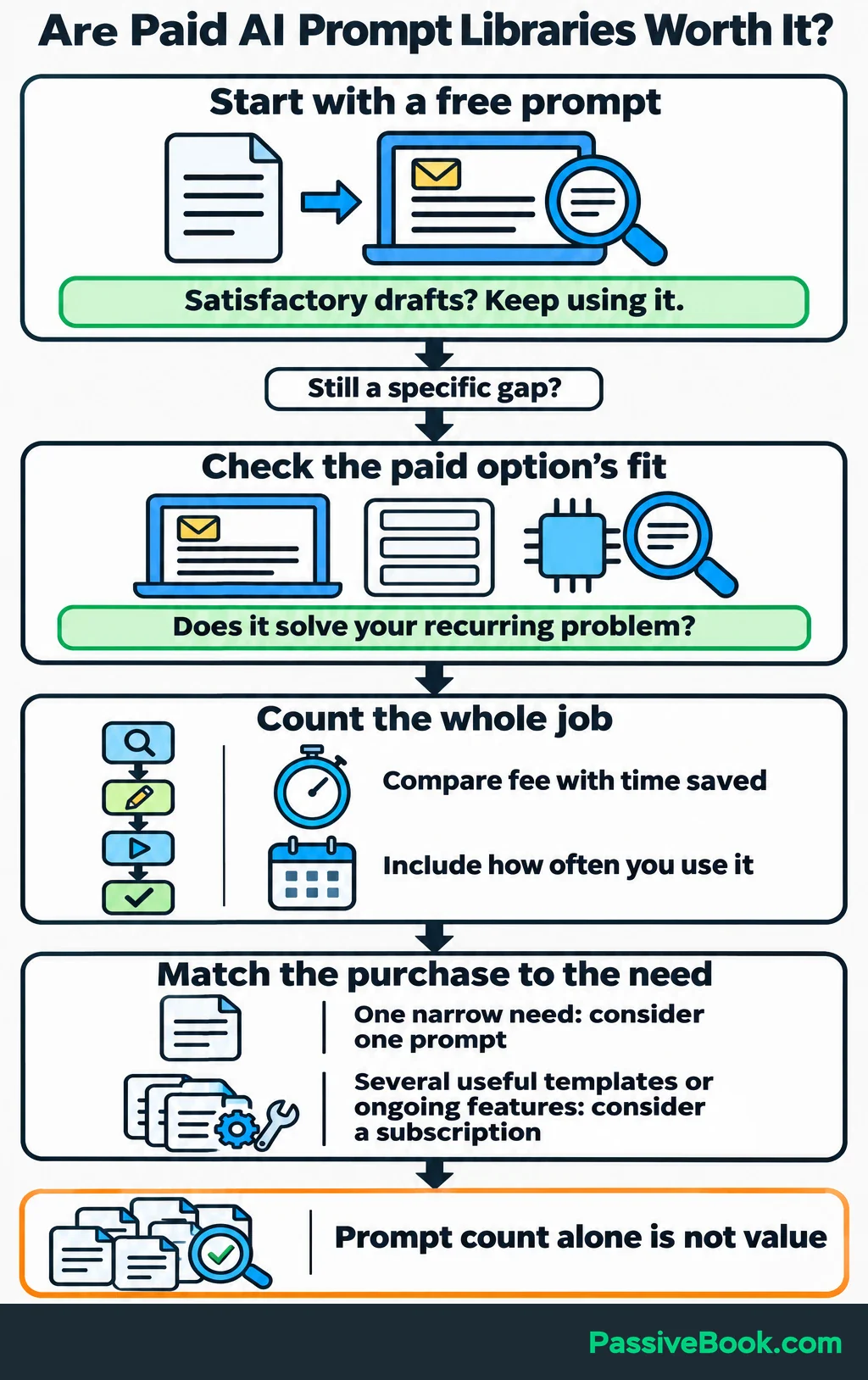
For the workbook website, a specialist email prompt might be worth buying if its sample addresses a customer situation your current template handles poorly. A subscription needs a broader reason, such as several useful templates or ongoing features you rely on.
Compare the fee with the time saved after customization and review. Also ask how often the task happens. A small improvement on weekly work may matter more than an impressive template you use once.
I would skip a giant bundle bought mainly because the prompt count looks generous. Judge the resources available now and the jobs they can help you complete. If a free collection already produces satisfactory drafts, keep using it.
What Next?
Pick one task you expect to repeat and adapt one free prompt for it. Save the business inputs, review the output, and keep the version you would willingly use again.
Use the social buttons to share this guide when a useful comparison would help cut through another mountain of prompt bundles.
Which recurring task would you most like to stop explaining from scratch? Leave your answer in the comments, and bring any other questions about choosing or adapting prompts.
Share this post with your friends & followers:

