An AI draft can sound polished and still leave you with most of the work. The email needs rewriting, the summary skips the important point, or the answer includes a fact you never supplied.
You spend another ten minutes asking for changes, then wonder whether writing it yourself would have been quicker. Another rewrite can leave you unsure whether the problem is your request or the answer. This guide follows a complete welcome-email example from the first brief to a reusable prompt, so you can see how a vague request becomes an email you can actually send.
What Is Prompt Engineering?
Prompt engineering is the process of designing, testing, and refining the instructions and context you give generative AI—tools that create text, images, or other content. The prompt is the input. Prompt engineering is the work of improving that input based on the results, as AWS’s explanation describes.
A text model generates responses using patterns learned during training and the context available to it. Your prompt supplies the assignment, relevant facts, and boundaries that shape its answer.
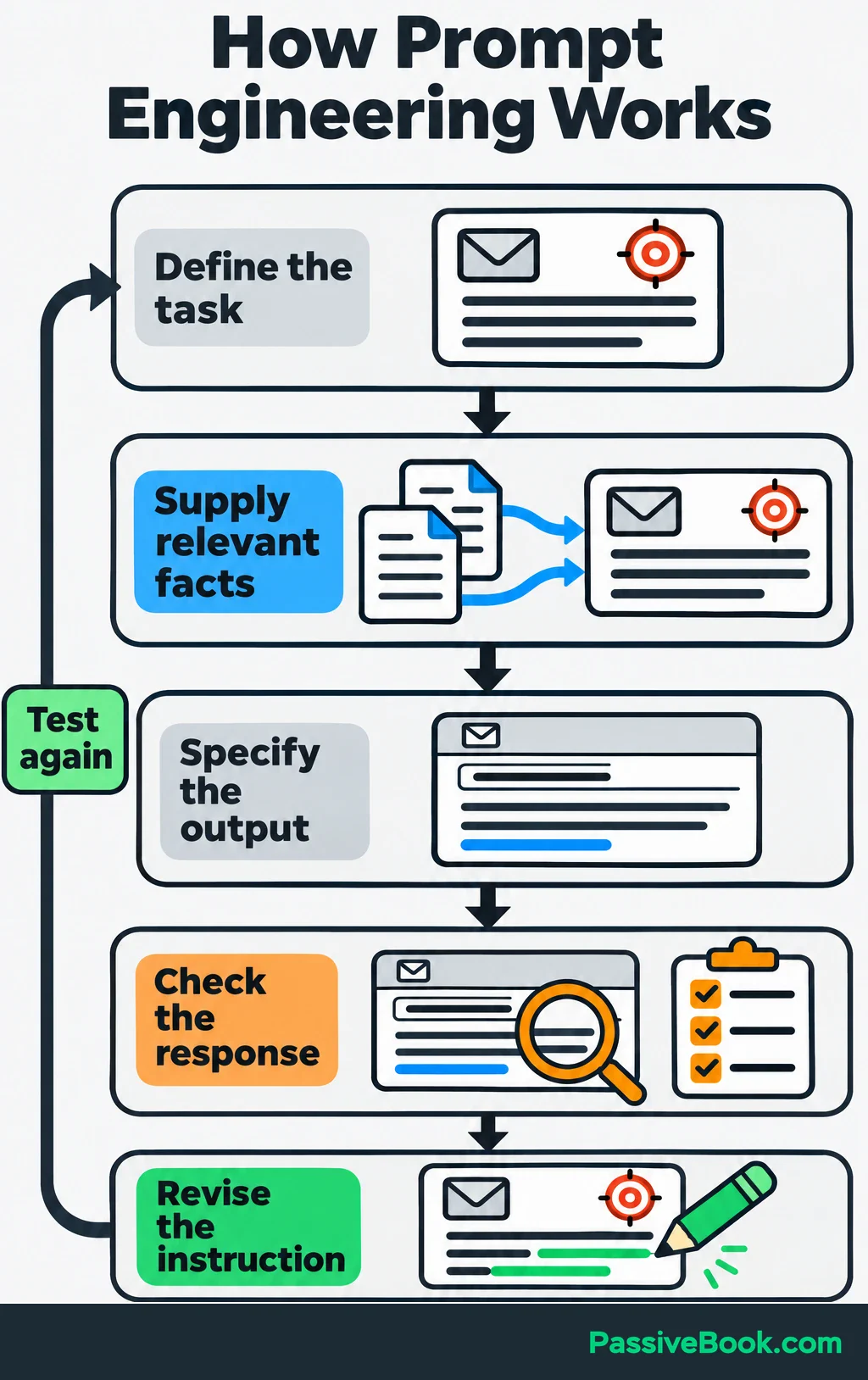
For everyday business tasks, I would start with five actions:
- Define the task.
- Supply the information needed to complete it.
- Specify the output.
- Check the response.
- Revise the instruction behind any failure.
You can practice this in a chat tool you already use. The workflow below requires no coding or paid course. Start with a task small enough that you can judge the result yourself.
How to Write a Useful AI Prompt
Define the Task and Success Criteria
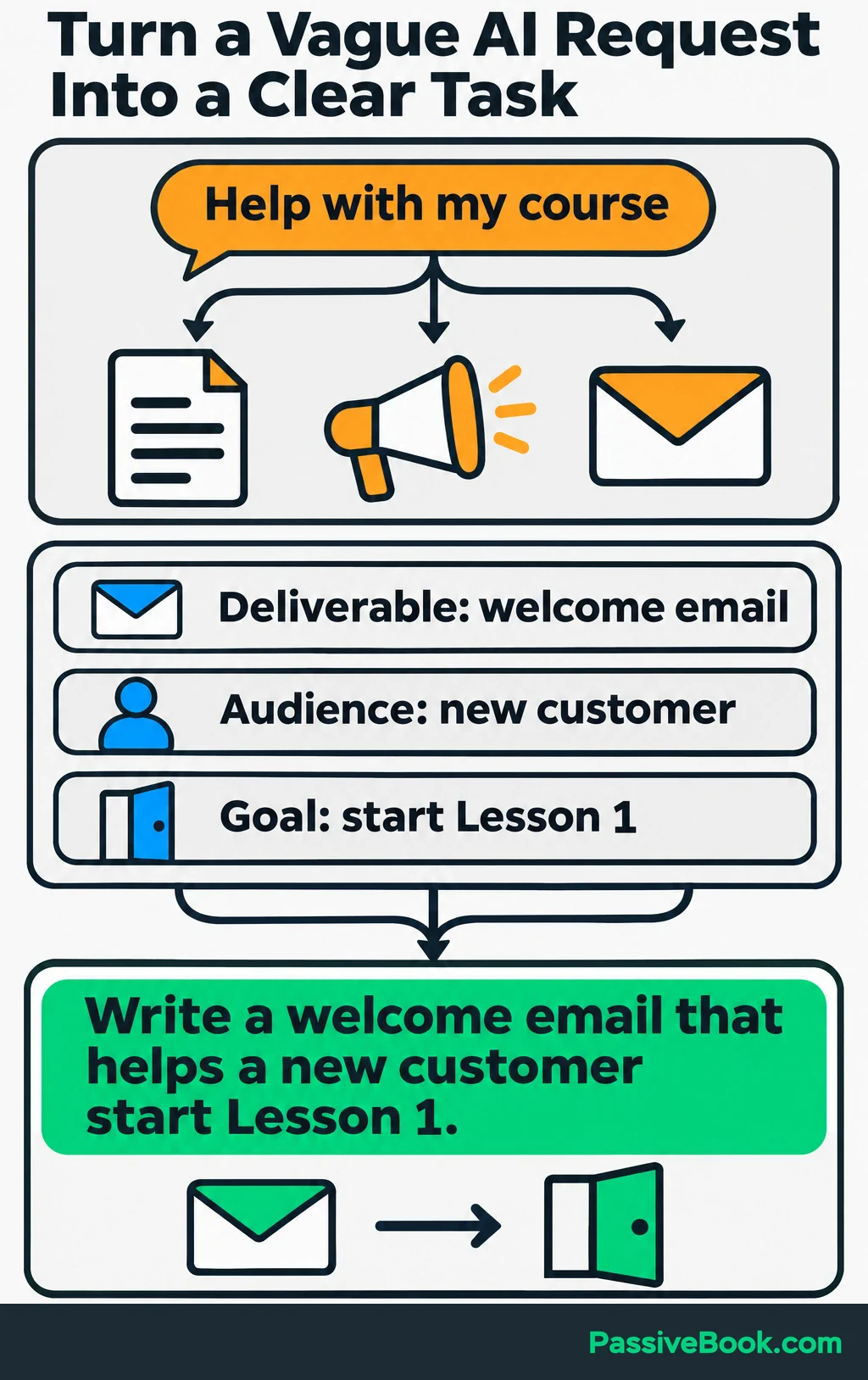
Choose one deliverable, name its audience, and explain what it should help that person do.
“Help with my course” leaves almost every decision open. “Write a welcome email that helps a new customer start Lesson 1” gives the response a purpose.
For our worked example, imagine you sell a beginner smartphone food photography course called Smartphone Food Photos. A customer has bought it, and you need a welcome email that gets them started. The course details, prompts, and sample copy below are teaching examples.
Before writing the prompt, decide what would make the email usable:
- One subject line.
- An email body under 120 words.
- The correct course name.
- An accurate description of the first exercise.
- One lesson link.
- Plain, friendly language with a clear next action.
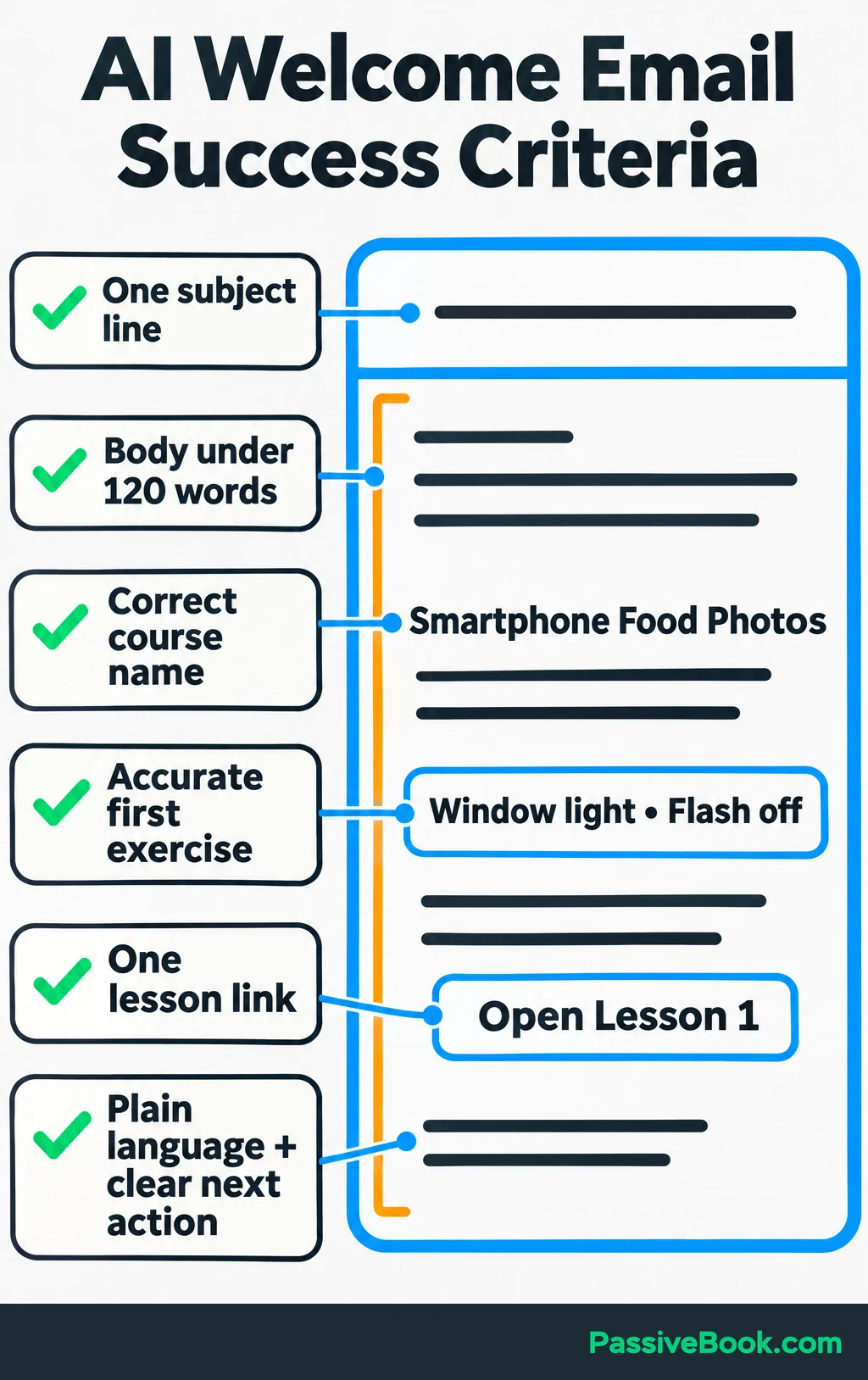
These checks turn “write a good email” into a task you can assess. That follows Anthropic’s guidance on success criteria: make requirements specific, measurable, and relevant to the task.
I would choose these checks before asking for copy. Otherwise, it is easy to accept a cheerful paragraph because it sounds finished.
Supply the Relevant Facts
Gather the information the AI needs, then separate it from your instructions with clear labels. “Task,” “Reference Facts,” and “Output Requirements” are enough for this assignment.
For the course email, the reference facts are:
| Item | Supplied Fact |
|---|---|
| Course name | Smartphone Food Photos |
| First lesson | Lesson 1 covers window light |
| First exercise | Photograph one meal beside a window with the phone’s flash off |
| Lesson destination | [lesson_url] |

The model has no reason to know your lesson content unless you provide it. Leaving it to guess could produce an email about editing apps when the actual lesson covers light.
Also decide what should happen when information is missing. My rule for this task would be:
Ask about essential gaps or conflicting facts before drafting. Omit optional details, and preserve any placeholder I explicitly provide.

That makes an absent lesson destination different from an intentional [lesson_url] placeholder. One needs a question; the other should stay in the draft for you to replace.
Keep sensitive information out of a public chatbot. For this email, the customer’s payment details and purchase record add nothing useful. Check the service’s data terms before sharing confidential material. The UK’s National Cyber Security Centre recommends excluding sensitive information from queries to public language models.
Specify the Output and Assemble the Prompt
Describe the structure, length, tone, and factual limits. Replace vague requests such as “make it engaging” with choices you can recognize: familiar words, short sentences, and one concrete next action.
Here is the complete prompt:
Task:
Write a welcome email for a new customer who bought
Smartphone Food Photos.

Goal:
Help the customer start Lesson 1.

Reference facts:
- Course name: Smartphone Food Photos
- Lesson 1 covers window light.
- The first exercise is to photograph one meal beside a window
  with the phone’s flash off.
- Lesson link: [lesson_url]

Output requirements:
- Return one subject line and an email body under 120 words.
- Name the course.
- Explain the first exercise.
- Include the lesson link once.
- Use plain, friendly language and a concrete next action.
- Use only the supplied facts for claims about the course.

Missing-information rule:
Ask before drafting if essential facts are missing or contradictory.
Omit optional details that have not been supplied.
Preserve the [lesson_url] placeholder exactly.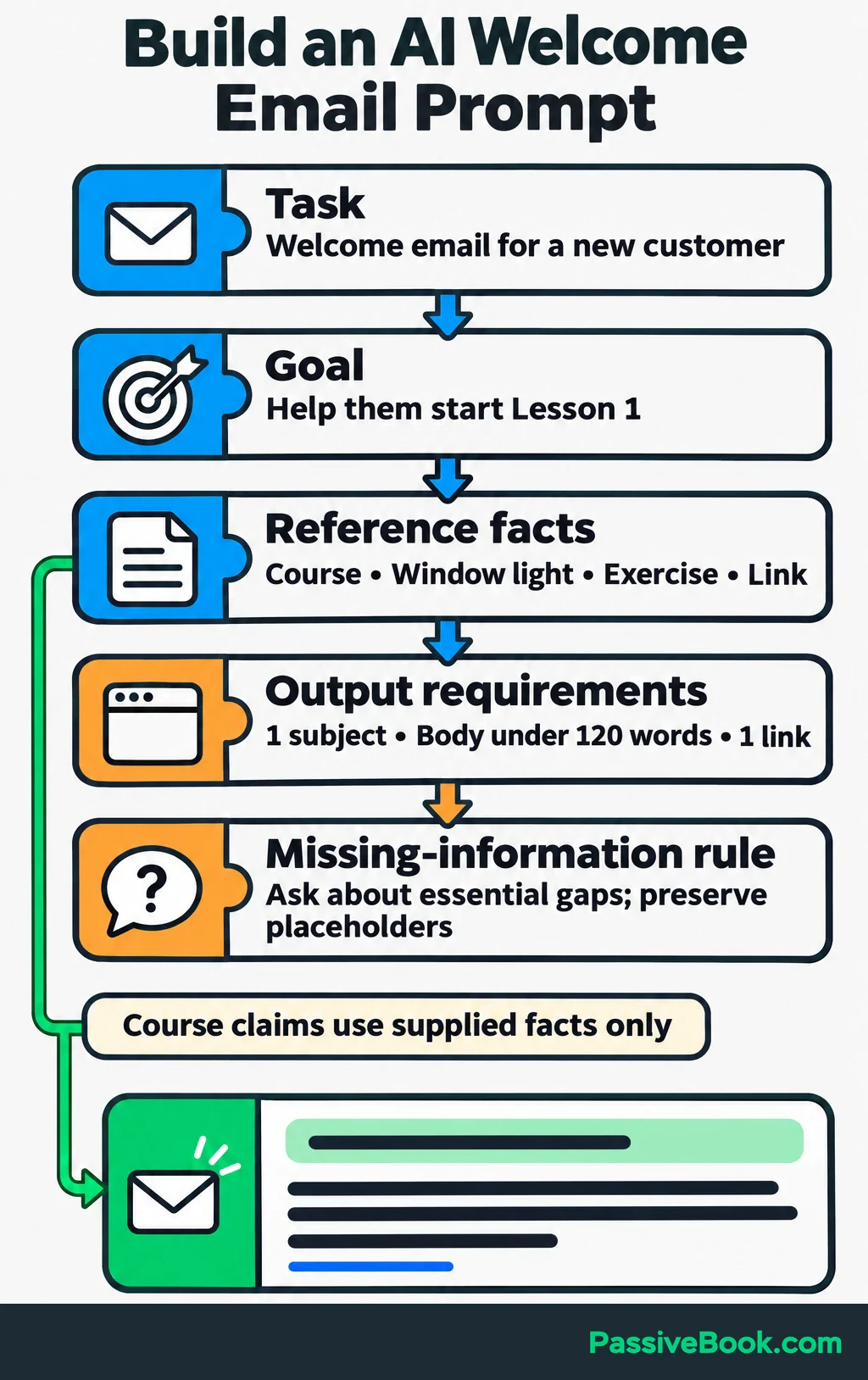
Each part settles a decision that affects the email. The prompt does not need an elaborate role description or a paragraph explaining why welcome emails matter.
Keep the instructions proportionate to the job. If you ask for a brief email and then demand five benefits, three stories, and a detailed lesson summary, resolve that conflict before generating.
How to Check an AI Response
Compare the answer with your original requirements before judging its polish.
An opening such as “Unleash your creativity and begin your photography journey” offers encouragement, but it does not tell the customer what to do.
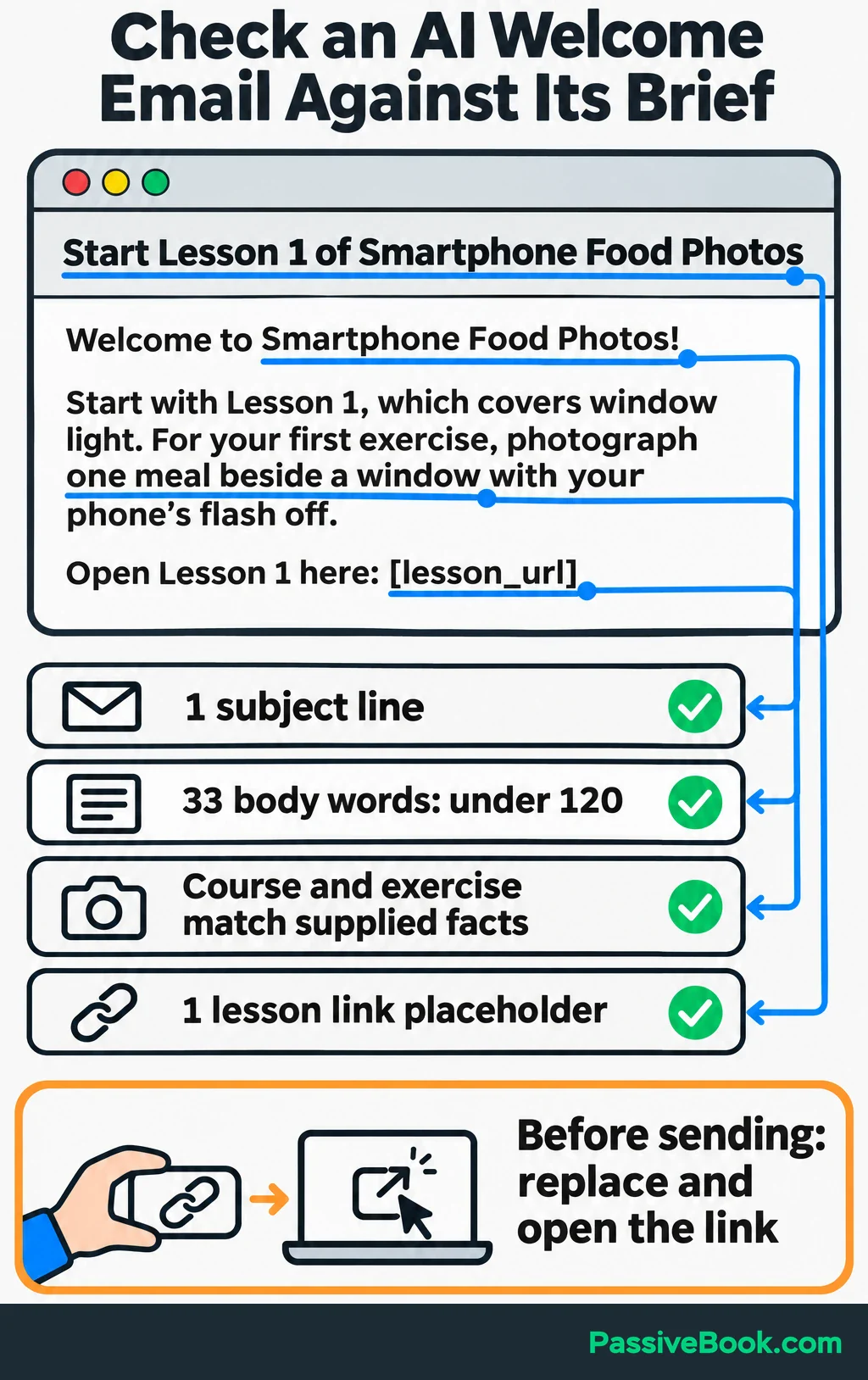
“Photograph one meal beside a window with your phone’s flash off” gives them the supplied exercise. That difference matters more than how enthusiastic the introduction sounds.
Here is a complete illustrative email you could adapt:
Subject: Start Lesson 1 of Smartphone Food Photos
Welcome to Smartphone Food Photos!
Start with Lesson 1, which covers window light. For your first exercise, photograph one meal beside a window with your phone’s flash off.
Open Lesson 1 here: [lesson_url]
Check it against the brief:
| Check | What the Sample Contains |
|---|---|
| One subject line | “Start Lesson 1 of Smartphone Food Photos” |
| Course name | Smartphone Food Photos appears in the body |
| Correct first exercise | One meal, beside a window, with the phone’s flash off |
| One lesson destination | [lesson_url] appears once |
| Body under 120 words | 33 words, counting [lesson_url] as one word |
| Practical language | “Open Lesson 1 here” directs the customer to the lesson link |
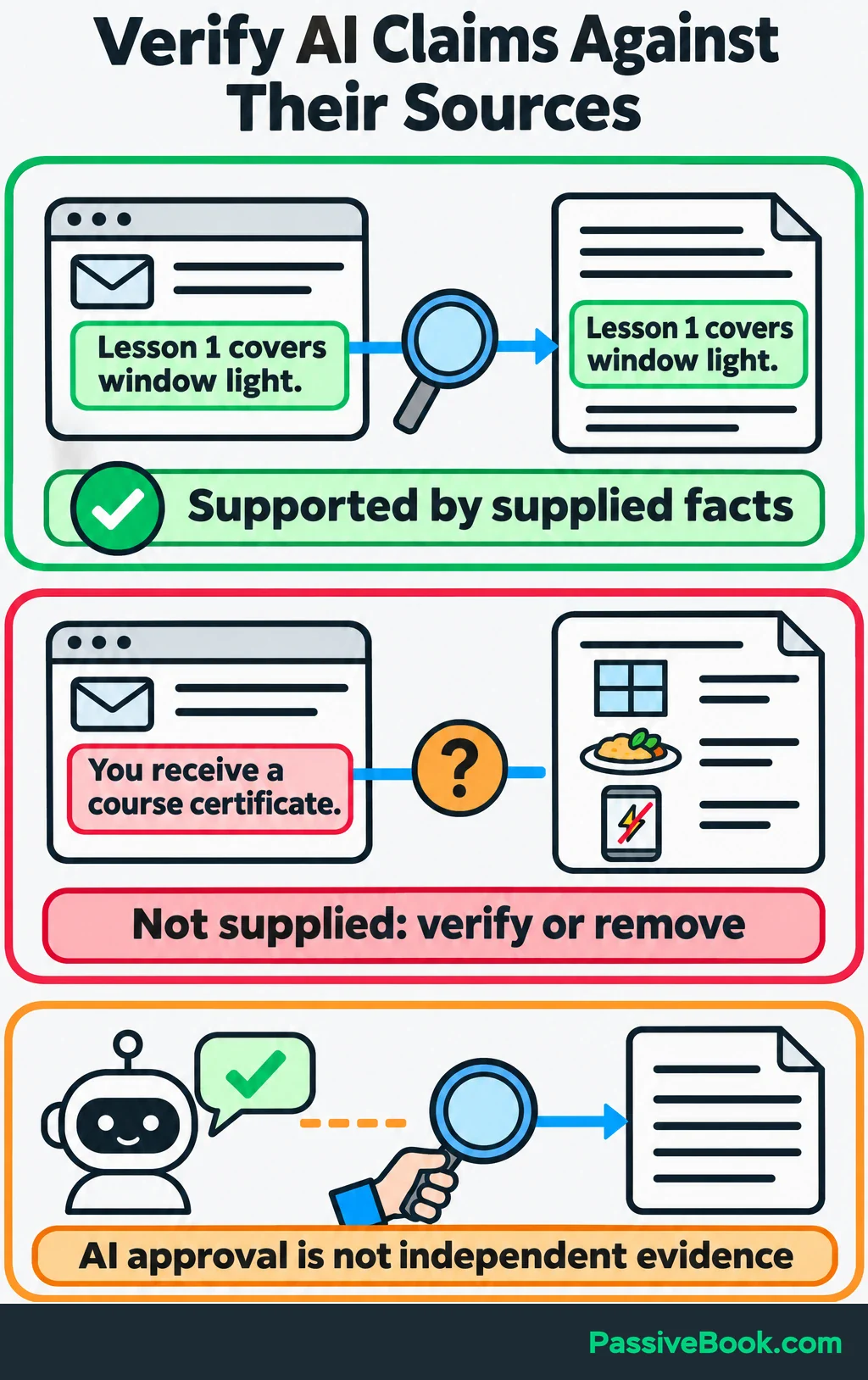
Use a word counter when a length limit matters. Before sending this email, replace [lesson_url] with the correct destination and open the link yourself.
For factual tasks, also compare claims with the supplied material or appropriate original sources. If the AI adds a course certificate, check whether that feature exists. A smooth sentence does not make it part of your product.
Anthropic’s hallucination guidance recommends making claims auditable through supporting sources. Asking the AI to review its answer can help you spot problems, but its approval does not independently establish accuracy. Follow the evidence yourself when a claim affects what you publish or decide.
How to Improve a Prompt That Falls Short
Fix the Instruction Behind the Failure
Name the failure before asking for a revision. “Try again” gives you another answer, but it leaves the underlying problem unresolved.
In my blogging workflow, I kept asking AI to “make this more useful.” It added headings and longer explanations, but the reader still had no clear action to take. I was spending time trimming the additions while keeping the same vague instruction. That experience changed what I put in the brief: the action the reader should be able to take after reading.
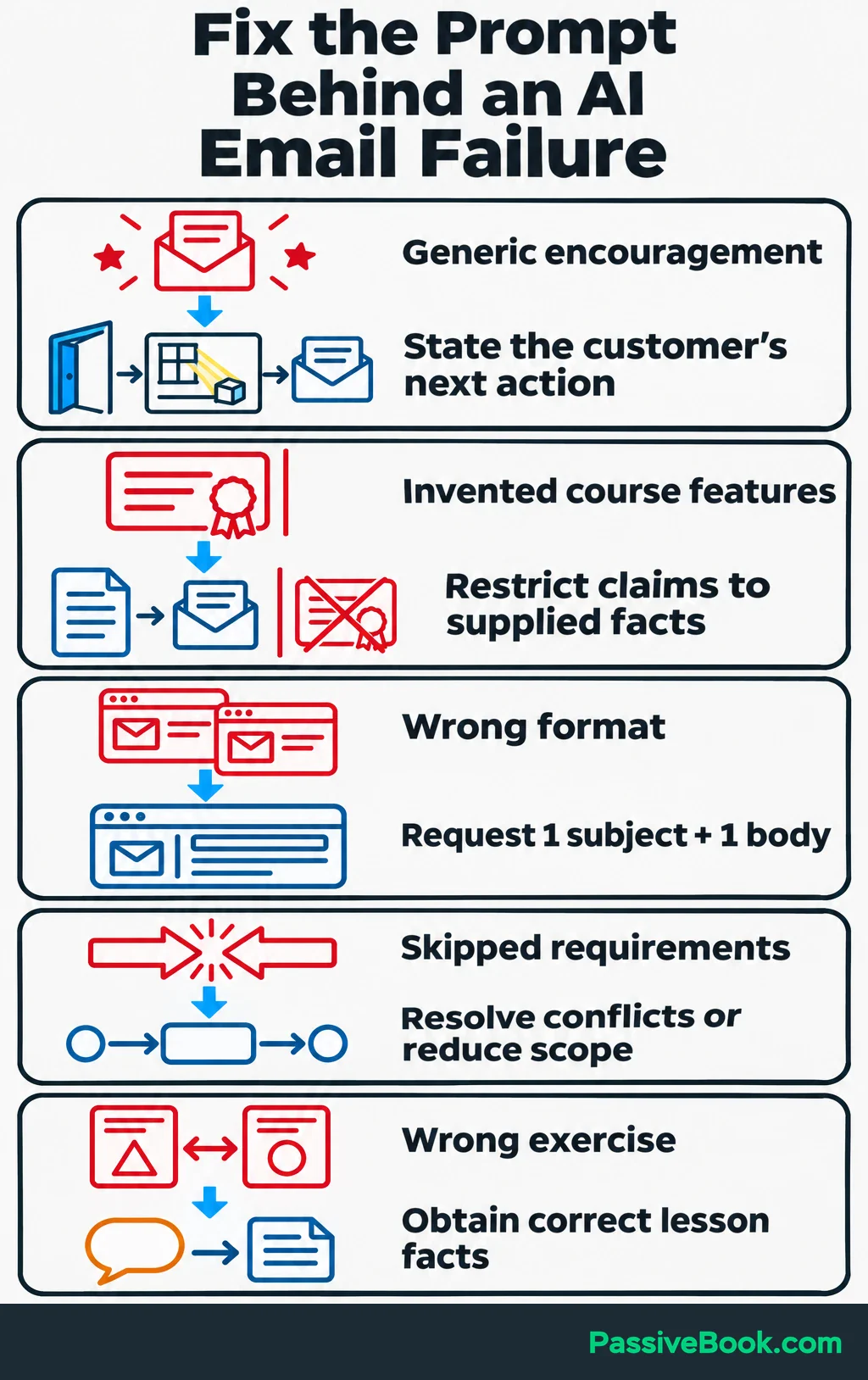
Use the same approach when checking your own responses:
| Output Problem | What to Check | Correction |
|---|---|---|
| Generic encouragement | Does the prompt state the reader’s next action? | Specify that the customer should open Lesson 1 and try the exercise |
| Invented course features | Were those features supplied anywhere? | Provide the facts and restrict course claims to them |
| Wrong format | Are structure instructions missing or competing? | Request one subject line followed by one email body |
| Skipped requirements | Is the task overloaded or contradictory? | Resolve the conflict or reduce the scope |
| Wrong exercise | Is the reference material incomplete or inconsistent? | Obtain the correct lesson details before drafting again |
For the welcome email, useful feedback would be:
Replace the abstract encouragement with the supplied window-light exercise. Keep one lesson link and the body under 120 words.
Fix the reusable prompt too. Removing an invented certificate fixes that draft. To reduce the chance of the same error in future emails, clarify in the saved prompt where course claims must come from.
If you can spot what is wrong with an answer but are unsure how to change the instructions, AI Prompt Builder can help. Bring your prompt and response to get a revised version you can try on the same task.
Free AI Prompt Builder




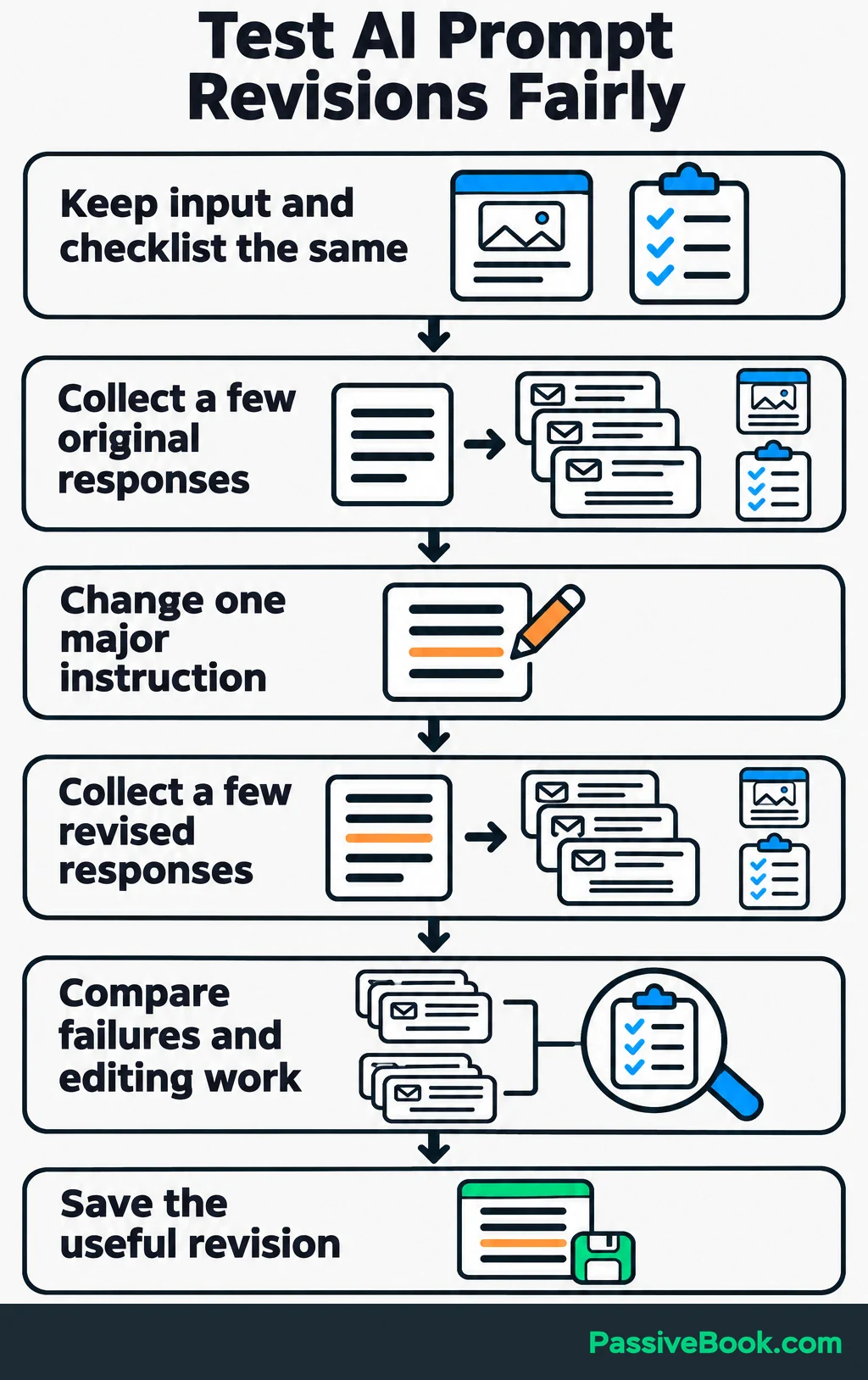
Change one major instruction at a time, then compare a few responses from each version using the same input and checklist. I would begin with the failure creating the most editing work.
If essential facts are absent, get them. More forceful wording cannot supply your actual lesson content. If the prompt is clear and the model still struggles, compare another model using the same requirements. Anthropic’s prompting overview also distinguishes problems suited to prompt changes from those better addressed elsewhere in the setup.
Show Examples When Style or Format Is Unclear
Start with direct instructions. If the response still misses the style or structure, show a short example of what you want.
A prompt without demonstrations is called a zero-shot prompt. A prompt with a few demonstrations is called a few-shot prompt. These examples help show patterns in wording, scope, and format, as explained in Google’s prompting guidance.
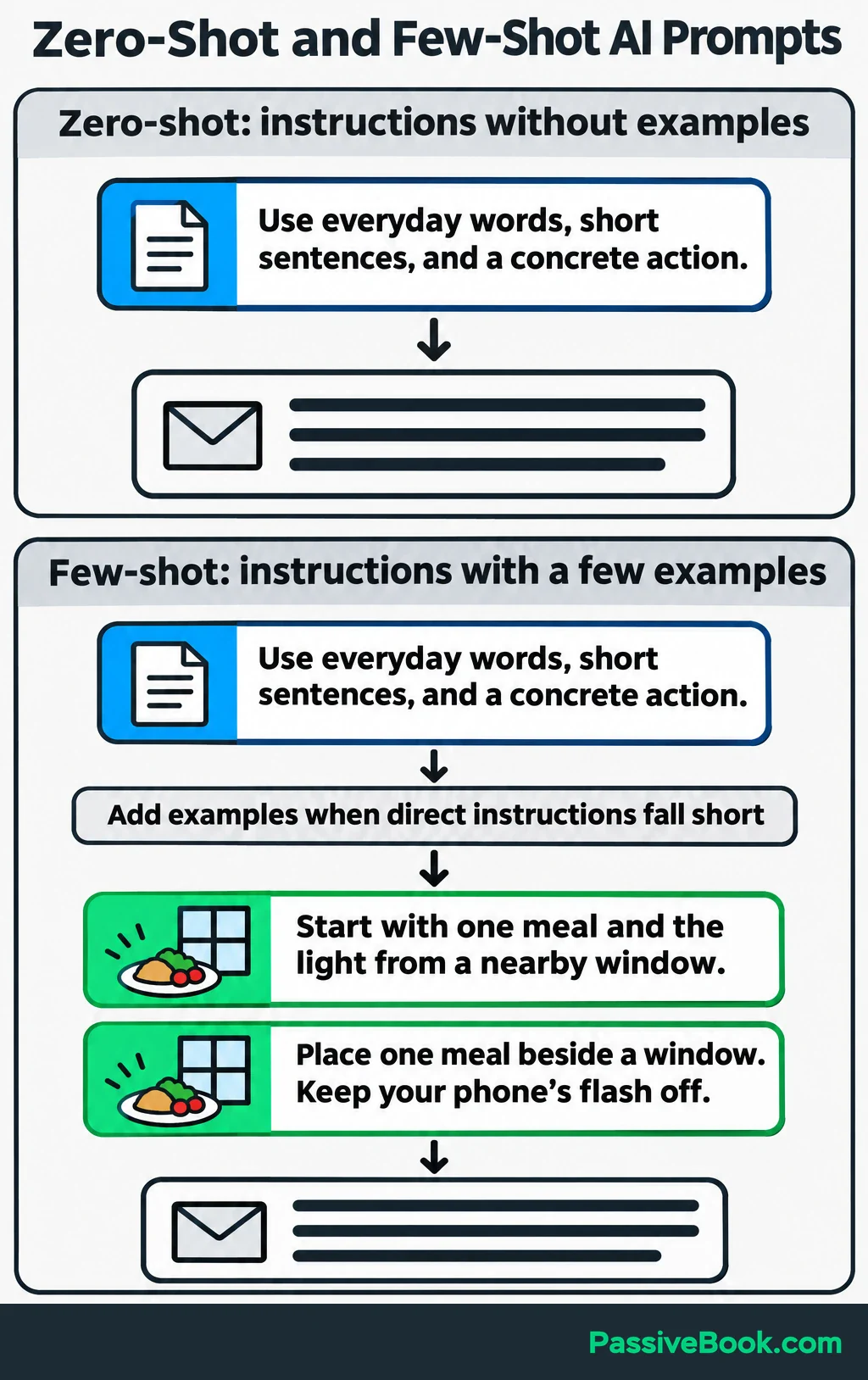
For the course email, you could add:
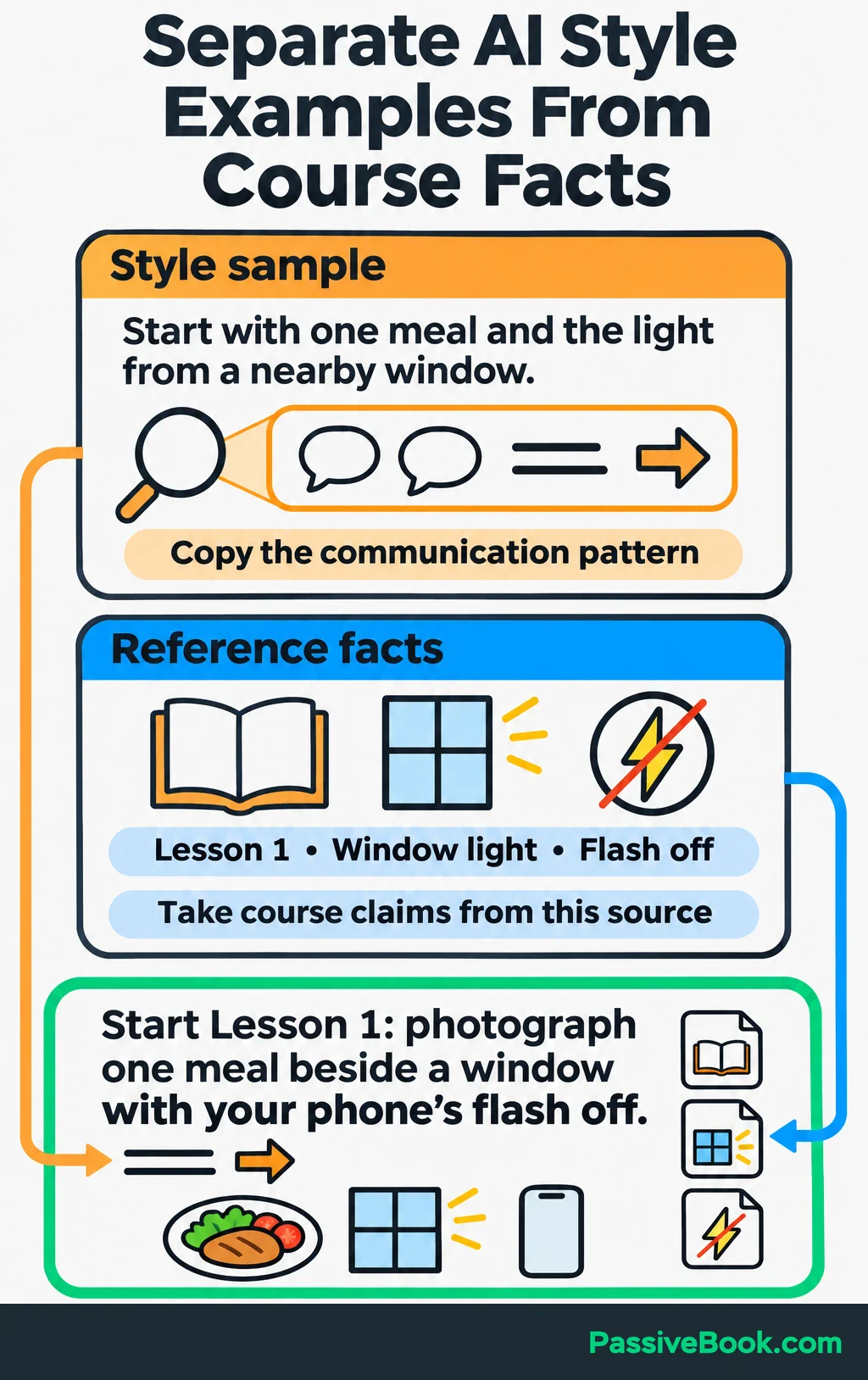
Style sample: “Start with one meal and the light from a nearby window.”
Follow the sample’s everyday words, short sentences, and concrete action. Take all course facts from the reference material.
That final sentence separates style from information. You want the AI to copy how the sample communicates while using the correct facts for the assignment.
If you provide several examples, keep their structure consistent. A collection of conflicting examples gives the model another set of decisions to make.
I would skip a long library of samples for this short email. Add an example when it solves an observed problem.
Split Complex Tasks at Useful Review Points
Separate a task when the next stage depends on a decision you need to review.
One welcome email can stay in one request. A full course onboarding sequence has more decisions: what each email should accomplish, which lesson it should reference, and whether the messages repeat themselves.
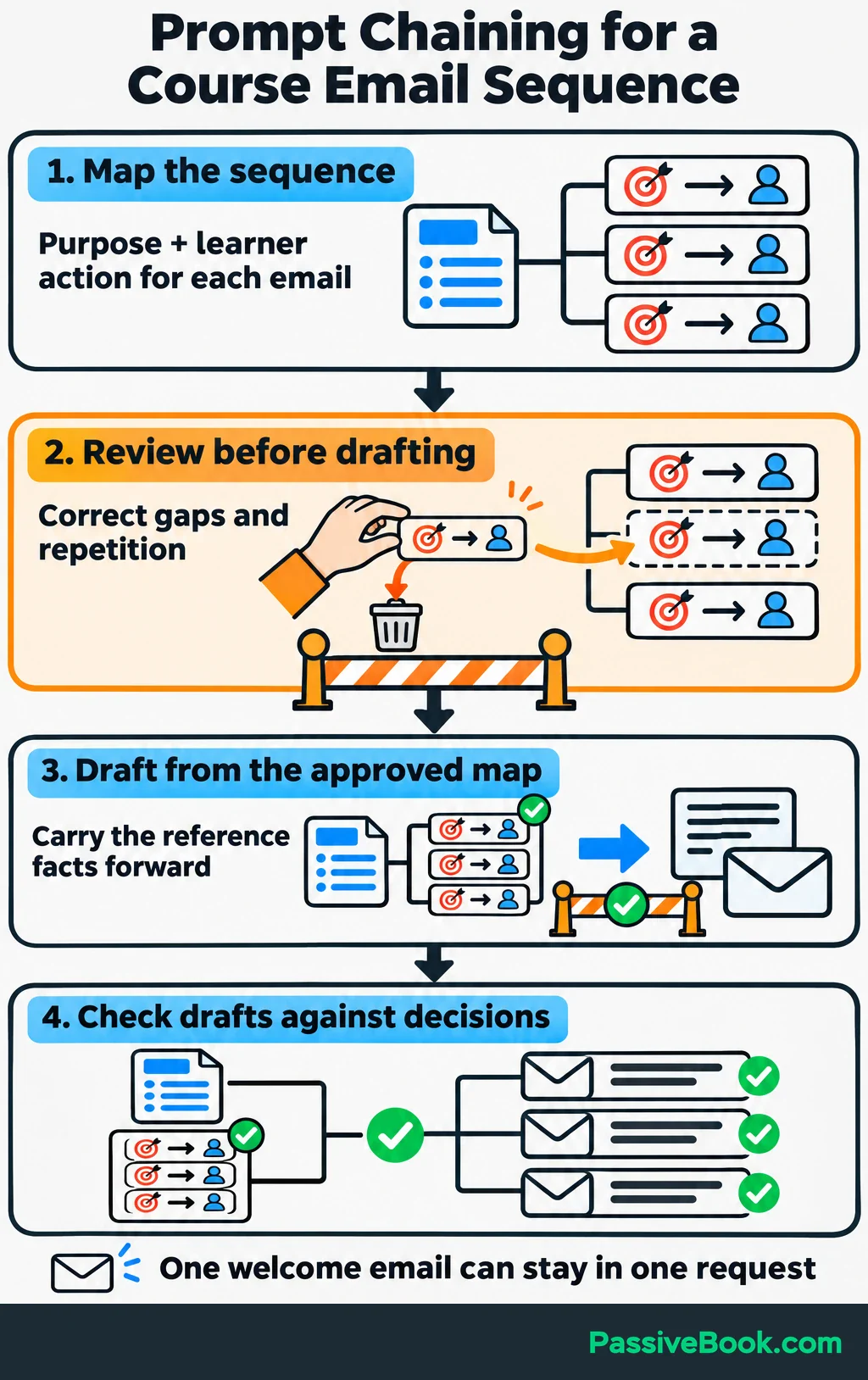
For that larger assignment:
- Supply the lesson facts and ask for a map of each email’s purpose and learner action.
- Review the map and correct gaps or repetition.
- Carry the approved map and reference facts into the drafting prompt.
- Check the drafts against those decisions.
This creates a useful pause before the AI writes several emails around a weak plan. Passing one stage’s output into a separate request for the next stage is called prompt chaining. Anthropic’s guidance on prompt chaining identifies inspecting intermediate outputs as a reason to separate stages.
Turn a Working Prompt Into a Reusable Template
Once a prompt works, separate the stable instructions from the information that changes.
This general structure is a useful starting point:
Create [deliverable] for [audience] to accomplish [goal].

Reference material:
[relevant facts or source material]

Include:
[required content]

Constraints:
[length, tone, factual boundaries, and exclusions]

Return:
[output structure]

Missing information:
[what to ask about, what to omit, and which placeholders to preserve]
For the course email, make the course name, lesson topic, exercise, and lesson URL replaceable fields. Keep the length, structure, and missing-information rules in the saved instructions.

For a product description, supply verified product features and check that the draft adds no unsupported claims. For a report summary, supply the report and ask for each main finding to point to its supporting passage or table.
Save the acceptance checklist and an approved output example beside the template. I want to know how to judge the result when I return to a prompt, without having to reconstruct the original task.
Before relying on it, try these inputs:
| Test Input | Expected Behavior |
|---|---|
| Complete lesson facts and a real destination | Draft an email that meets the checklist |
Complete lesson facts and an explicit [lesson_url] placeholder | Draft the email and preserve the placeholder |
| Lesson destination entirely absent | Ask for the destination before drafting |
| Two conflicting descriptions of the first exercise | Ask which exercise is correct |

These tests check the rules that matter for reuse. A prompt that works once with a perfect brief may still fail when a field is empty.
Record the prompt version and model used, and retest after changing the model, requirements, or template. Also compare the full effort with doing the task manually. Include gathering facts, writing the prompt, reviewing the answer, and editing it.
In my own work, article production went from days to hours after I built a custom AI content pipeline. That improvement came from the pipeline as a whole. A saved prompt earns its place by reducing the preparation and editing a task needs.
I would rather keep a small set of prompts that survive real work than collect hundreds I have never tested.
What Next?
Pick one AI response you recently had to rewrite and list three checks that would have made it usable. Revise the prompt around those checks, run it again, and save the version that needs less editing.
Use the social buttons to share this guide when your next AI discussion turns into a hunt for the perfect prompt. The welcome-email example gives you a concrete task to test together.
Which recurring task would you most like AI to handle with less correction? Tell me in the comments, and bring any other questions about writing or checking prompts.
Share this post with your friends & followers:

