You have three hours this weekend to learn AI, and every course promises to change how you work. One teaches prompting. Another teaches automation. A third costs enough to deserve its own budget meeting.
Choose poorly and you can finish the lessons with a certificate, but still spend Monday answering the same customer questions by hand. The comparison below weighs six courses by cost, study time and practical work, then shows how to use the lessons to improve one recurring task like those replies.
How to Choose an AI Course for Your Business
Start with a task you want to improve. “Learn AI” gives you little basis for choosing a course. “Draft accurate answers to common product questions” gives you something to check against the syllabus.
Imagine you run an online shop selling downloadable beginner watercolor practice guides. You answer questions about supplies, write promotional emails and review sales records. Those jobs call for different skills, so the best AI courses for business owners won’t all serve the same purpose.
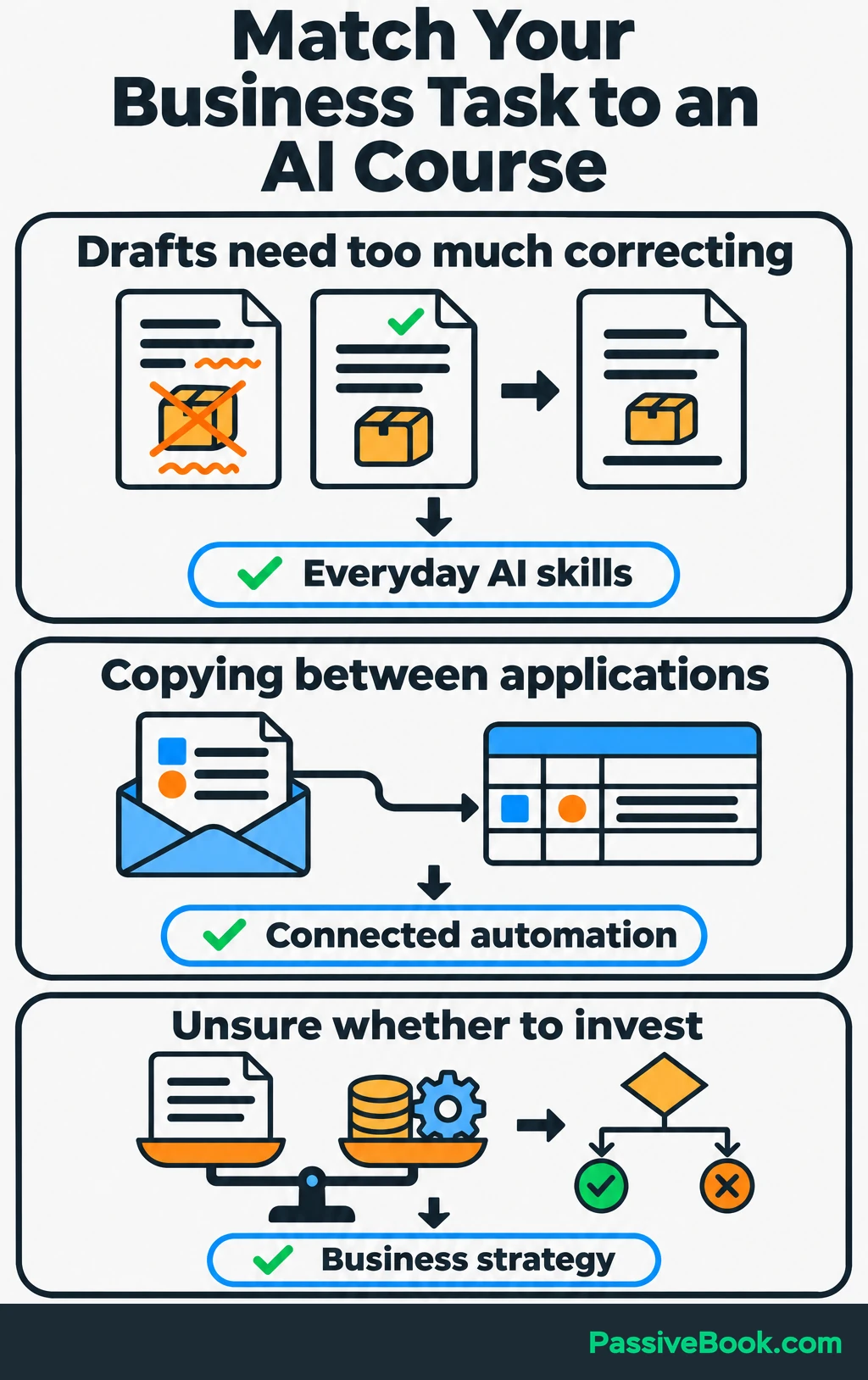
Match the course to the work:
- Everyday AI use: Learn to give clear instructions, provide useful context and check the result. Choose this when drafts need too much correcting.
- Connected automation: Learn to move information between applications and control what happens next. Choose this when copying, pasting and updating records consume your time.
- Business strategy: Learn to assess costs, benefits and implementation choices. Choose this when you’re deciding whether a larger AI project deserves investment.
Check the required software before paying. A lesson can be easy to follow and still require accounts or licenses you don’t have.
Then compare the full commitment. Count tuition, software charges, study time and time spent practicing. For a monthly subscription, multiply the monthly fee by the billing months you expect to need. A short course that sits unfinished can become an expensive browser bookmark.
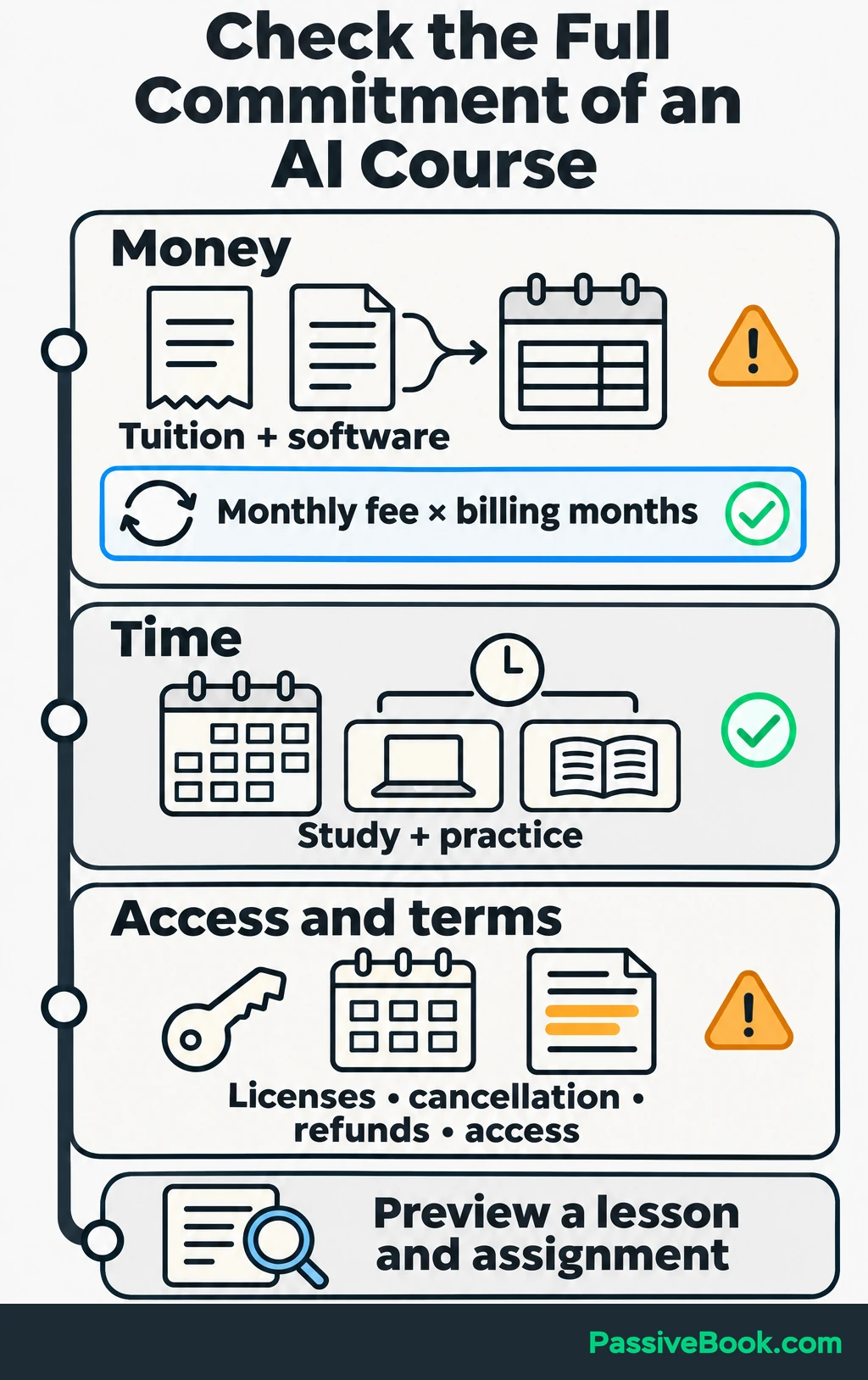
I would also preview a lesson and inspect an assignment where possible. Can you follow the explanation? Does the exercise resemble work you need to do? In learner reviews, look for specific comments about teaching clarity, exercises and support. A glowing review that says “great course” doesn’t answer those questions.
Before enrolling, check cancellation, refund and access terms. Self-paced study still needs a place in your week.
Finally, decide whether the credential matters. A completion certificate or badge records finished learning. Microsoft’s certification below requires a separate exam. For improving your own operations, I would put a useful project ahead of a certificate unless a client, employer or contract gives that credential a clear purpose.
The 6 Best AI Courses for Small Business Owners
These are my editorial choices based on published curricula and enrollment terms. They aren’t claims that I completed each course or measured business returns from them.
Choose one starting point. Foundations, automation and strategy teach different skills, and you don’t need to complete all six.
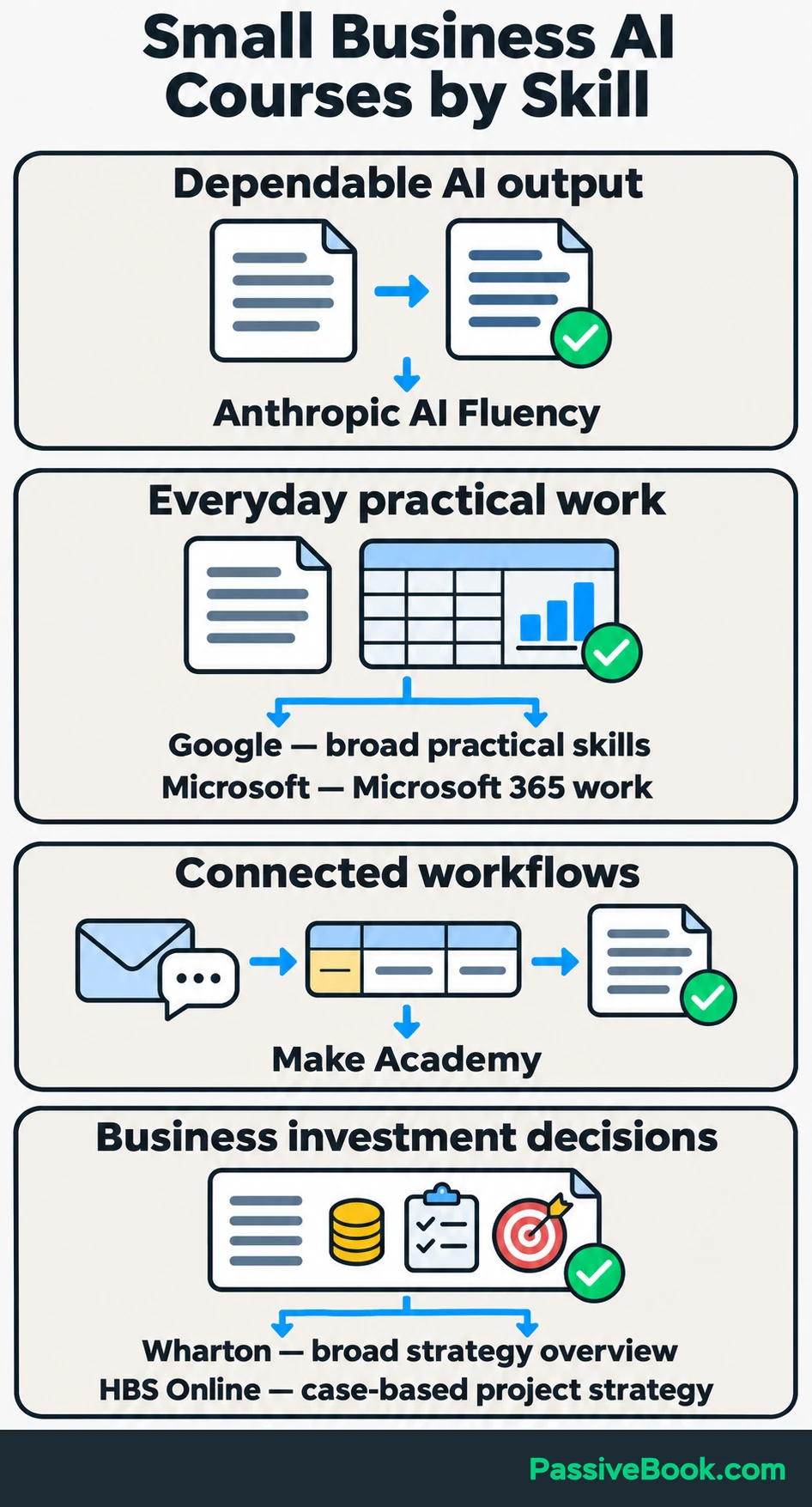
The table puts tuition and access details in one place. Study estimates describe the published learning commitment; leave extra room to apply the material. Follow the linked pages for current terms.
| Course | Best-fit task | Practical work and prerequisites | Format and study commitment | Tuition and software costs | Credential and access limits |
|---|---|---|---|---|---|
| Anthropic AI Fluency for Small Businesses | Decide what to delegate and check AI’s work | Apply its framework to business tasks. Bring a chatbot; the earlier foundations course is recommended for deeper preparation. | Self-paced; eight lessons, one quiz; 3.5 hours | Free training through Claude Academy. Chatbot costs depend on your choice. | Completion badge; no fixed completion window stated on the course page |
| Google AI Professional Certificate | Improve writing, research, content and analysis | More than 20 activities across eight courses; no AI or coding experience required | Self-paced; individual course estimates total 13 hours, despite the eight-hour program headline | $49/month in the U.S. and Canada; local pricing varies. Some activities require Google’s paid AI plan, Google AI Pro; trial terms below. | Google certificate after all eight courses; paid materials and assessments use subscription access |
| Make Academy Automation to AI Agents: Foundation | Connect applications and automate repeated work | Build workflows with AI steps and agents that can choose actions; labeled suitable for learners new to Make | Self-paced; six courses and one assessment; 2–3.5 hours | Free training. Workflow usage and connected services have separate costs. | AI Automation Explorer badge; renewable course access, explained below |
| Microsoft Transform Business Workflows With Generative AI | Apply AI within Microsoft 365 | Beginner, no-code scenarios covering content, analysis, meetings and collaboration | One-day course listing; self-paced study also available | Free Microsoft Learn self-study; instructor-led prices vary. Product licenses are separate. | Microsoft Certified: AI Business Professional requires the separate AB-730 exam; exam fees vary by region |
| Wharton AI for Business Specialization | Assess AI across business functions | Beginner level; assessments include peer review in two courses; no prior experience required | Four self-paced courses; advertised as four weeks at ten hours per week | Paid access; included in Coursera Plus, whose standard U.S. monthly option is $59. Local pricing varies. | Shareable certificate; course access follows the subscription or enrollment purchased |
| HBS Online AI Essentials for Business | Evaluate a substantial AI investment | Cases and exercises on use cases, project proposals and readiness; aimed at business decisions | On demand; 16–24 hours | $1,949 tuition; check the course requirements before enrolling | HBS Online Certificate of Completion; finish within 90 days of enrollment |
The watercolor-shop projects below are my suggested applications of the material. They aren’t descriptions of exact course assignments.
Anthropic AI Fluency for Small Businesses: Best Free Business-focused Foundation
This is where I would start if you can use a chatbot but struggle to get dependable work from it.
The course uses four ideas: Delegation, Description, Discernment and Diligence. In plain words, you decide what AI should handle, explain the job, judge the result and take responsibility for how it gets used. The curriculum draws on input from small-business operators.
Demonstrations use Claude, but you can practice with another chatbot. Anthropic recommends its earlier AI Fluency: Framework & Foundations course for deeper preparation.
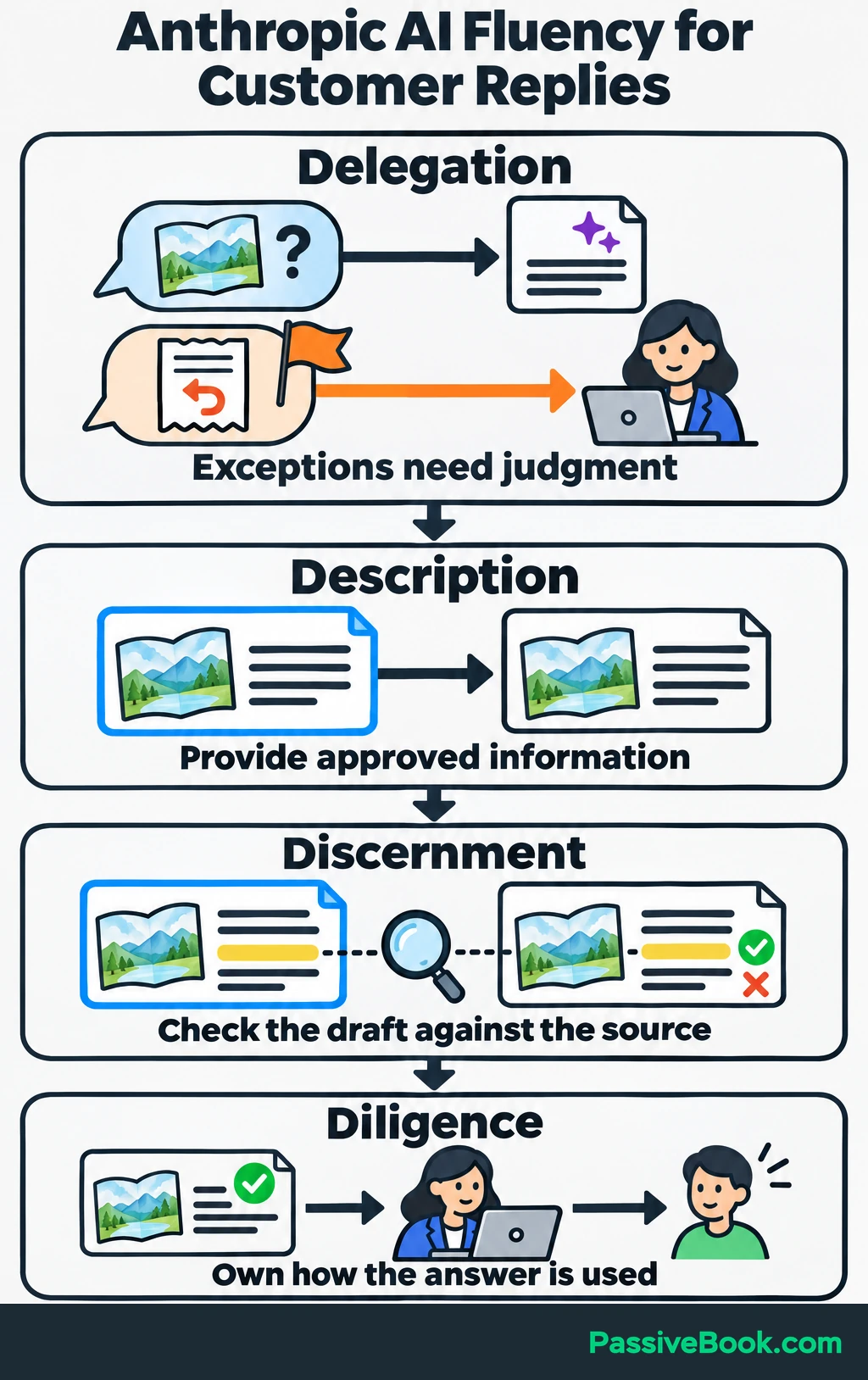
For the watercolor shop, start by deciding which product questions AI can help answer. A question about what a download contains can use approved product information. A request for a refund exception needs your judgment.
Then practice providing that information and checking the draft against it. A fluent answer is useful only if it describes the product you actually sell.
I would choose this before automation training when the main problem is unreliable output. Moving a weak answer between three applications doesn’t improve the answer.
Google AI Professional Certificate: Best for Broad Practical AI Skills
Google is my choice when several everyday tasks need attention and you want guided practice across them.
Google experts teach research, communication, content creation, data analysis and simple app development. You practice with Gemini, Google’s AI assistant, and its features in Google Workspace apps such as Docs and Sheets.
Google’s program page says some activities require Google AI Pro. Enrollment currently includes three months of access, subject to offer terms. Check eligibility and renewal charges before claiming the trial.
For planning, I would use the longer workload in the table. The individual course estimates add up to 13 hours, and applying the lessons to your own business will take more time.
You could use the writing material to draft a watercolor-guide launch email, then use the analysis material to clean a sales spreadsheet. Check product claims in the email and compare spreadsheet totals with the original records.
The breadth is the reason to choose it. If your only problem is transferring inquiries into a tracker, I would go straight to Make instead.
Make Academy Automation to AI Agents: Foundation: Best for Connected Automation
Choose Make when you already know what should happen, but you’re doing the handoffs yourself.
Make is a visual tool for connecting applications. This learning path introduces AI concepts, shows how to add AI steps to a workflow and guides you through building an agent—a system that can choose which action to take next.
For the watercolor shop, a useful practice project would route a product inquiry into a tracker and prepare a reply for review. Keep sending under your control while you test the process.
I would begin with fixed rules wherever they do the job. Recording an email address in a row doesn’t need an AI agent. Understanding a loosely worded question might.
Training access and operating costs are separate. Each course enrollment provides six months of access, and you can re-enroll with progress retained. Make Academy’s access terms.
Make’s free plan includes 1,000 credits per month, but some AI actions consume more than one credit. Connected services may also charge, so price the workflow you intend to run. Make’s pricing and credit rules.
Microsoft Transform Business Workflows With Generative AI: Best for Microsoft 365 Users
I would choose this when Microsoft 365 already holds much of your daily work.
The course starts with instructions for Copilot Chat, Microsoft’s AI assistant, then applies Copilot to content, analysis, meetings and collaboration. Learning inside familiar applications can reduce the extra setup between a lesson and a useful result.
For practice, you could turn approved watercolor-guide information into a presentation or review sales in a spreadsheet. Pick a task you already perform in those applications.
Check your licenses first. Copilot Chat and the fuller licensed Copilot experience provide different access, so free training doesn’t mean every demonstrated feature is available through your account. Microsoft’s explanation of Copilot access.
The course also supports preparation for Microsoft Certified: AI Business Professional. Earning that certification requires passing the separate AB-730 exam. I would pursue it when the credential serves a clear business or career purpose. Microsoft’s certification requirements.
Wharton AI for Business Specialization: Best for a University-led Strategy Overview
Wharton is the better fit when you want to understand where AI belongs across a business before choosing a project.
The University of Pennsylvania’s specialization covers applications in marketing, finance, people management and strategy. Its assessments ask you to apply concepts, but the emphasis is broader than learning a particular chatbot workflow.
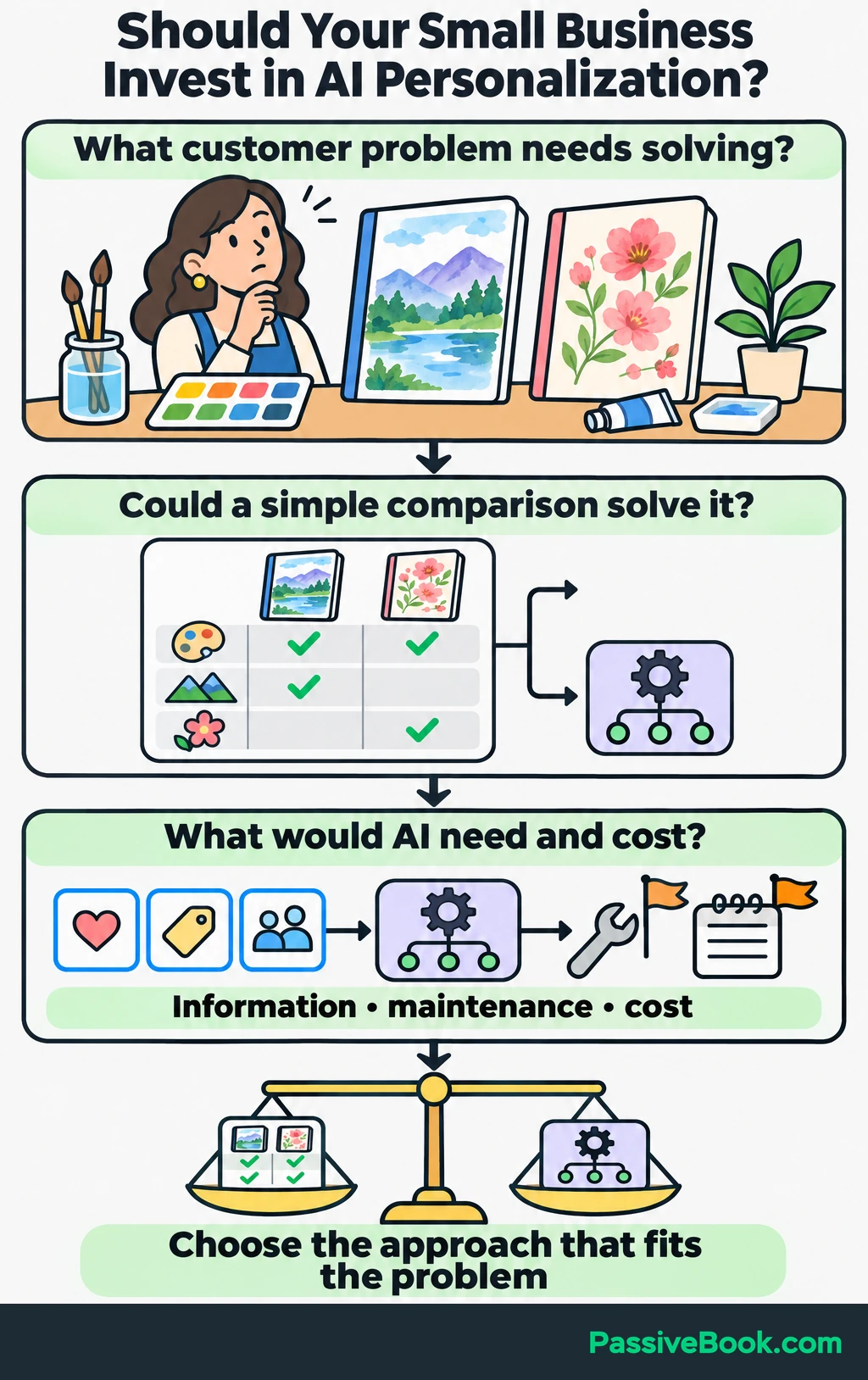
For the watercolor shop, use it to examine whether product personalization deserves investment. What information would recommendations need? Could a simple product comparison solve the same customer problem? What would maintaining the system cost?
Those are useful questions when you’re assessing an opportunity. They are a long route to drafting next week’s promotional email.
I would choose Wharton for that broader view and take a shorter practical course when a specific task is waiting. The university name should support the decision, not make it for you.
HBS Online AI Essentials for Business: Best for Premium Case-based Strategy Training
This is the premium option I would consider for a substantial decision involving several business processes.
Karim R. Lakhani and Marco Iansiti teach through cases and exercises covering AI opportunities, business models and organizational change. The practical work includes identifying use cases, proposing an AI project and assessing readiness.
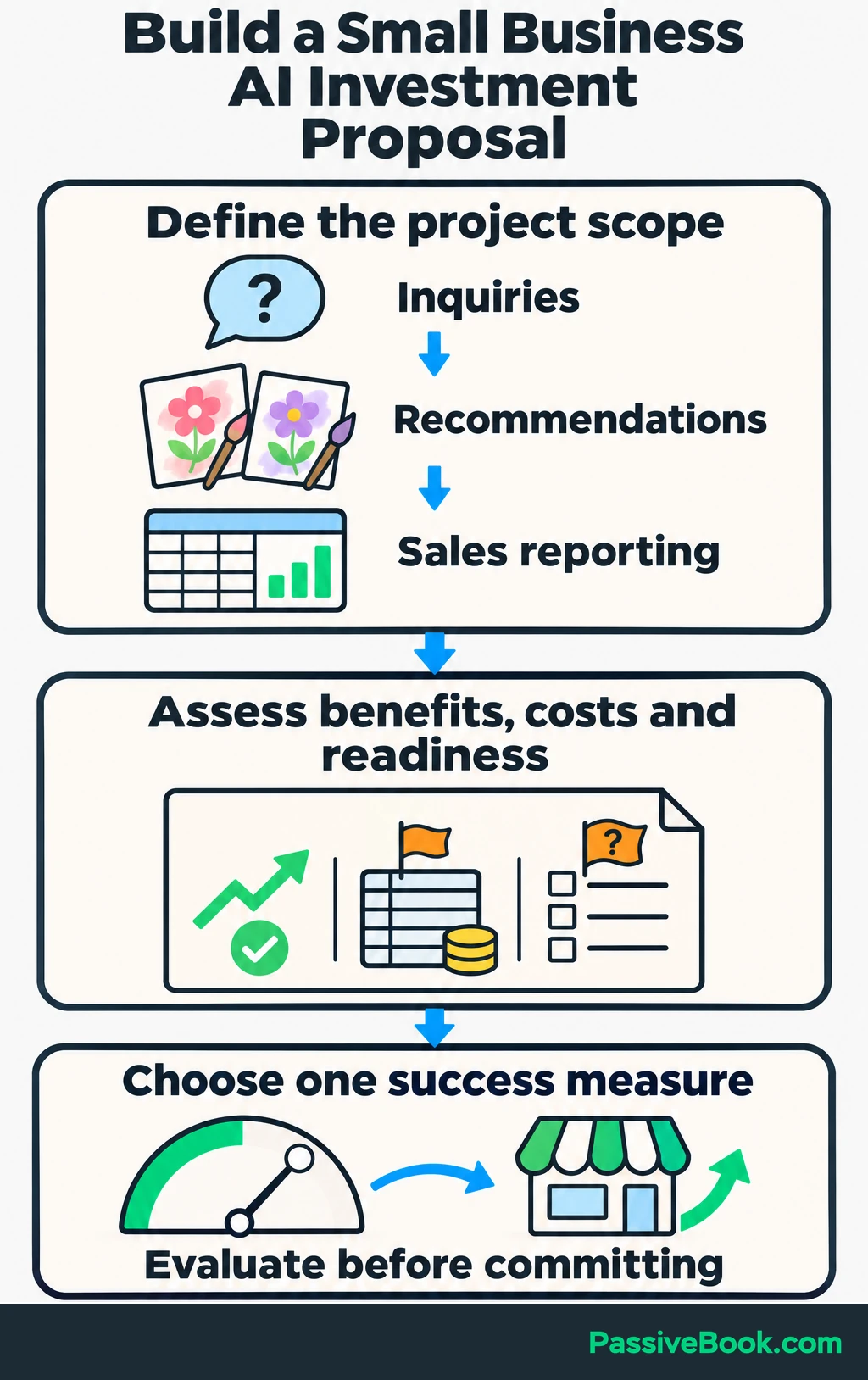
For the watercolor shop, I would turn that work into a proposal with expected benefits, implementation costs and one clear success measure. For example, assess a proposed system spanning customer inquiries, product recommendations and sales reporting before committing to it.
The tuition and access window make this a deliberate purchase. I would want a meaningful investment decision to justify it.
If you’re still learning how to give a chatbot useful instructions, start with the free foundation. A premium course deserves a problem large enough to make its depth useful.
Put Your First Course to Work
Before starting the lessons, choose one recurring task and record how you handle it now. Include the checking and corrections, because those are part of the work.
I favor applied learning because of my experience building a custom AI content pipeline. Article production went from days to hours. That experience informs how I judge training: I want something I can put into a repeated process. It doesn’t establish what any course here will deliver for you.
For your first project, keep the scope small enough to finish while studying.
In the watercolor shop, I would start with draft replies to common product questions. First, define what an acceptable reply must do:
- Accuracy: Describe only what appears in the approved product information.
- Usefulness: Answer the customer’s question without adding unrelated advice.
- Boundaries: Leave exceptions and missing information for your review.
- Tone: Sound clear and helpful without promising results the guide cannot guarantee.
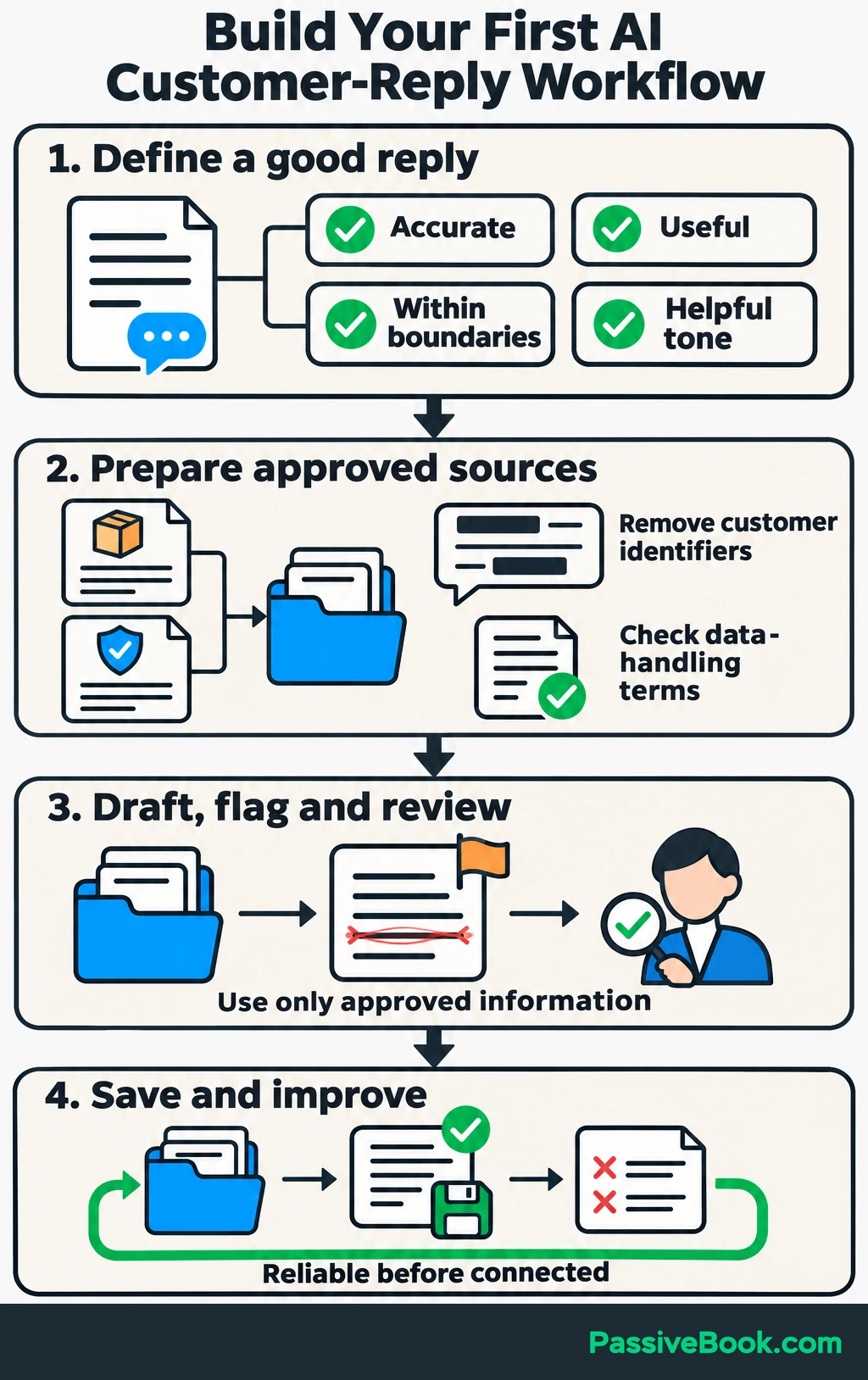
Next, gather an approved product description, relevant policies and sample customer questions for practice. Remove identifying details from any customer messages you use, and check the tool’s data-handling terms before introducing live customer records.
You don’t need to write every practice prompt from scratch. Start with a ready-made workflow, then use your approved information to draft and check the reply.
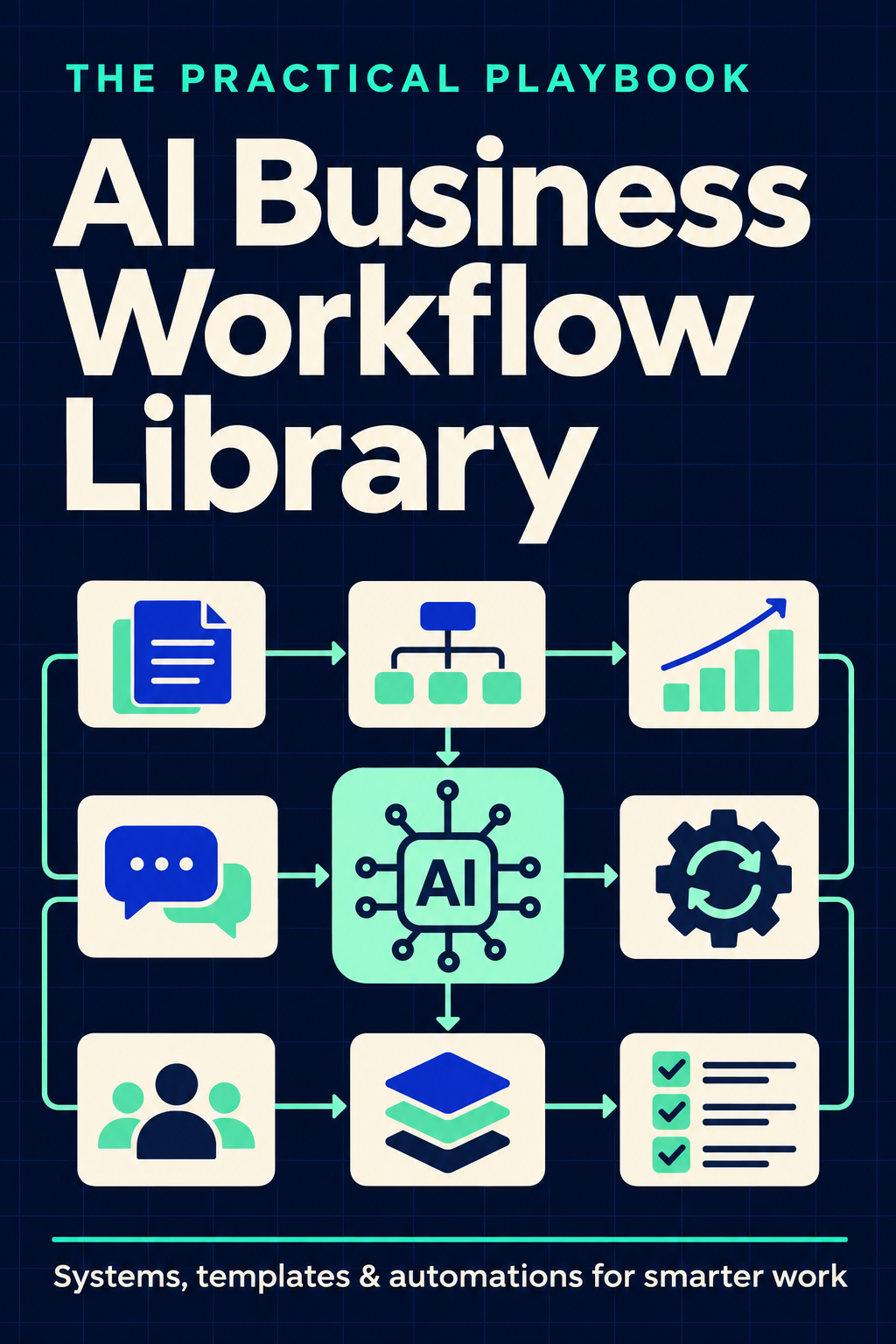
Free AI Business Workflow Library




Give the tool a narrow job. A useful instruction excerpt might be:
Draft a short reply using only the product information below. If the information does not answer the question, flag what I need to check before replying.
Review the output against your acceptance rules. Save the instructions that work and note the errors you still need to catch. You now have a repeatable task to improve as the course introduces new ideas.
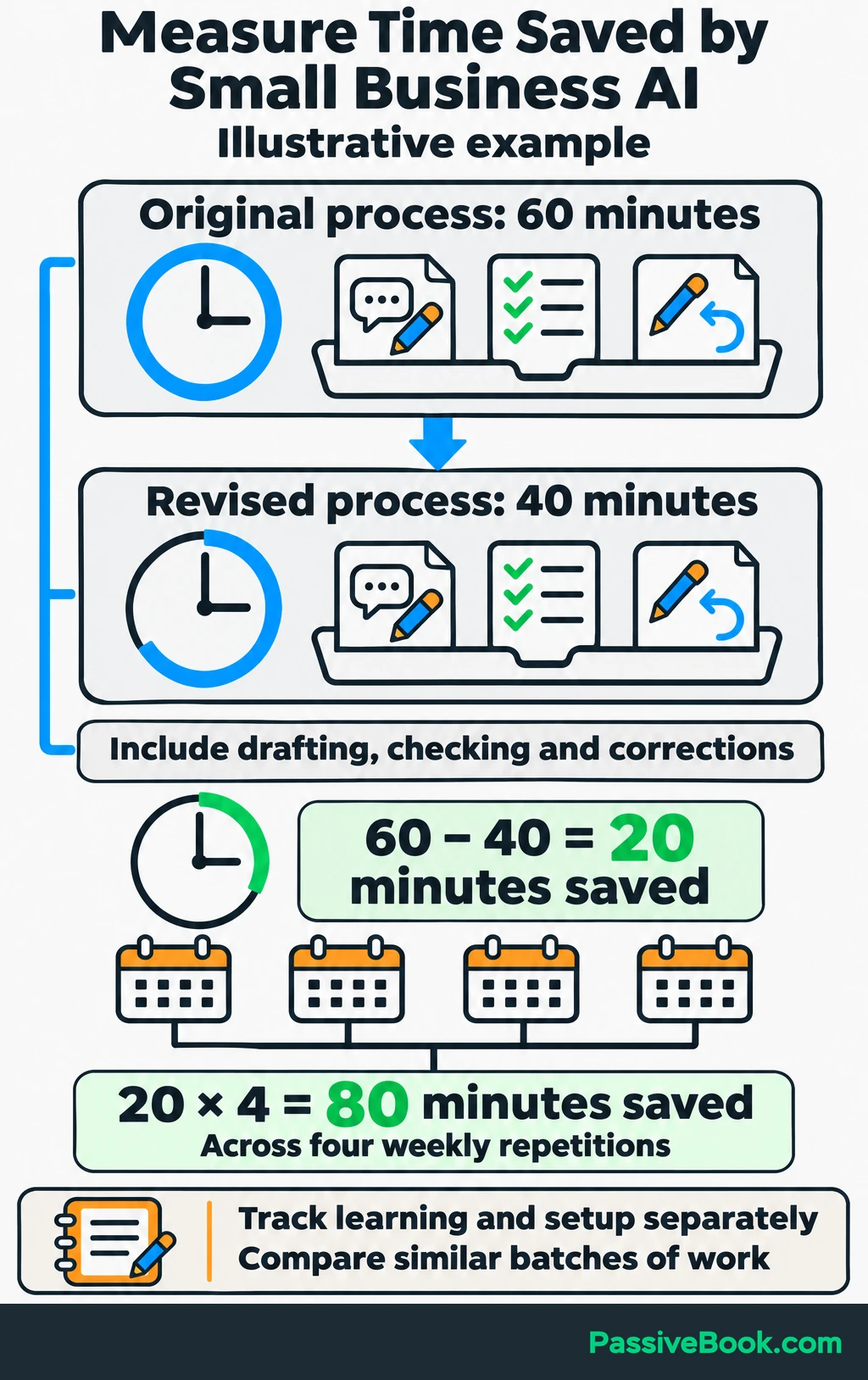
Then compare the old and revised processes over similar batches of work. Count drafting, checking and corrections in both.
For illustration, suppose the weekly task originally took 60 minutes and now takes 40 minutes, including review. You save 20 minutes per repetition, or 80 minutes across four weekly repetitions. Track learning and setup time separately so you can see how long those savings take to repay the initial effort.
If the new process takes just as long because every reply needs rewriting, return to the instructions, source material or task choice. That result helps you decide what to fix.
Only connect more applications once the small process works reliably. Otherwise, you can spend an evening building an automation that delivers mistakes with impressive punctuality.
What Next?
Choose one recurring task and write down what a good result looks like before enrolling. Then select the course that teaches the skill standing between your current process and that result.
If this comparison helped you narrow the options, use the social buttons to share a more practical way to choose AI training.
Which task would make an AI course worth your time? Leave your answer in the comments, and bring any other questions about choosing or applying the training.
Share this post with your friends & followers:

