You need three product FAQs, but your notes only cover the file type and what’s inside. An AI tool can write the answers quickly. The harder part is spotting any printing instructions it added without evidence.
That checking takes time, and a polished answer can still leave you unsure whether it belongs in your shop. To make that decision easier, we’ll follow one FAQ task through Kimi, Moonshot AI’s chat assistant, and look at the API option for repeating it. The walkthrough covers access, prompts, costs and the checks a draft needs before it reaches customers.
Choose Between Kimi Chat and the Moonshot AI API
Moonshot AI develops the models behind Kimi. Kimi is its AI assistant, and the API lets other applications send work to those models. A model name identifies the version handling your request. Kimi membership and general-purpose API usage have separate bills, so paying for chat does not fund your API calls. Official product and billing comparison
Choose your route based on what you need to do:
| Route | Use it when | What you handle |
|---|---|---|
| Kimi chat | You want to draft copy, ask questions about documents or research a topic | Paste instructions, review the answer and request changes |
| Moonshot AI API | Another application needs to repeat a task | Supply instructions and source material, handle errors and decide where answers go |
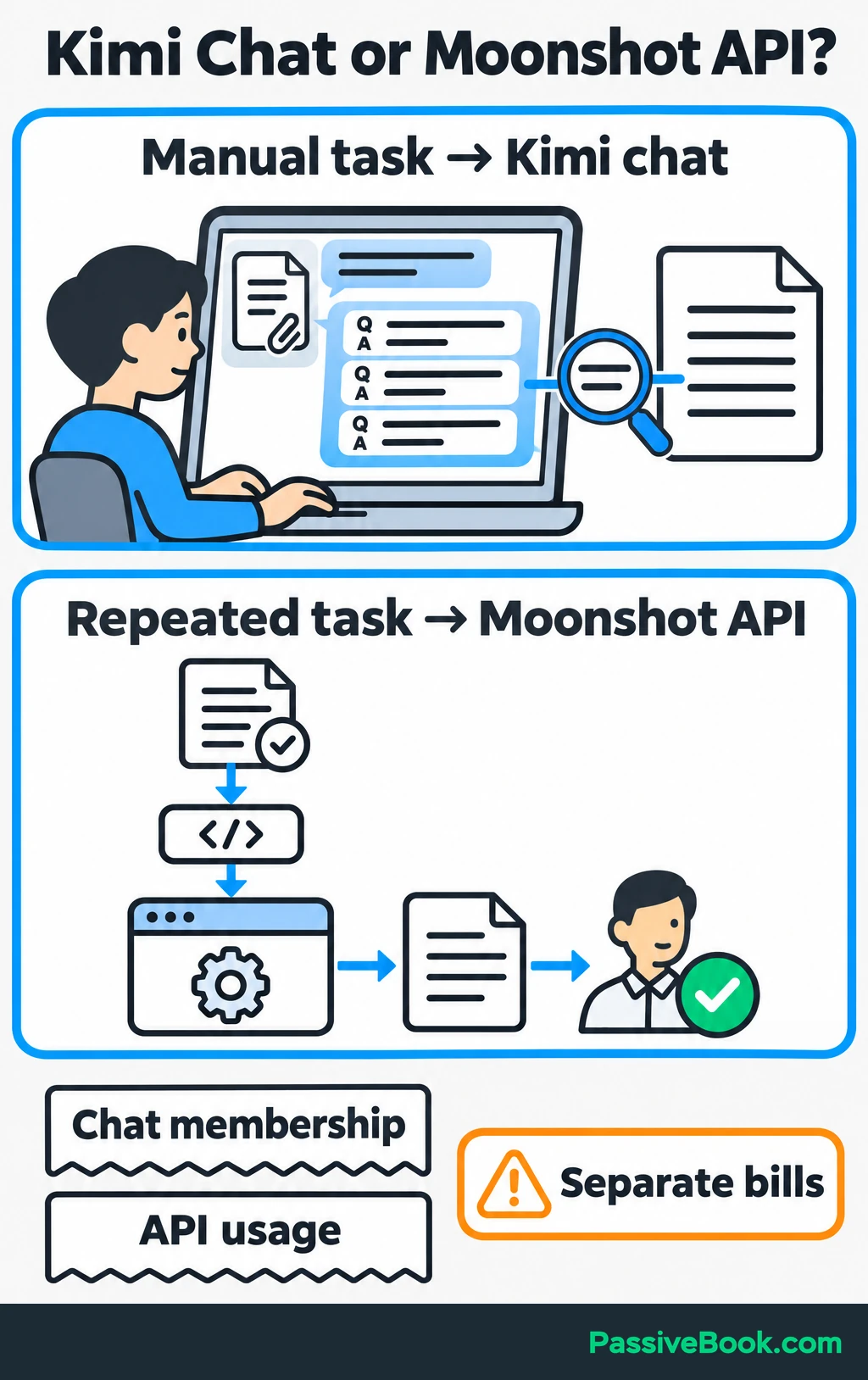
I would start in chat. You can discover what the task needs before adding credentials, billing and automation.
For the walkthrough, imagine your shop sells printable sewing project planners. You want three FAQs covering the file format, included pages and printing requirements. The shop, sample answers and later token quantities are illustrations.
Sign in to Kimi and Check Your Allowance
Open Kimi’s official website and choose an available sign-in method. Complete the login prompts, then start a new chat.
Before sending a large document or starting a complex task:
- Check your available credits in Settings, under Subscription.
- Choose an available chat model.
- Send a small request and review the result.
Use your free allowance first. If you run out, check the available upgrade options. Extra Usage top-ups are restricted to subscribers, so a free account cannot buy those top-ups without upgrading. Official Extra Usage rules
For a short trial, I would choose monthly billing over an annual commitment. International Plus is listed at $19 with monthly billing; the advertised $15 monthly equivalent requires a $180 annual payment upfront. Check the current offer and renewal terms before buying. Official membership pricing
Complete Your First Useful Task in Kimi
Prepare the Source Material
Decide what a successful answer must contain before writing the prompt. For this exercise, that means three short FAQs with facts you can trace to your product records.
Gather the approved notes in one place. Our example starts with:
A downloadable A4 PDF containing six printable pages for recording fabric choices, measurements and project notes.
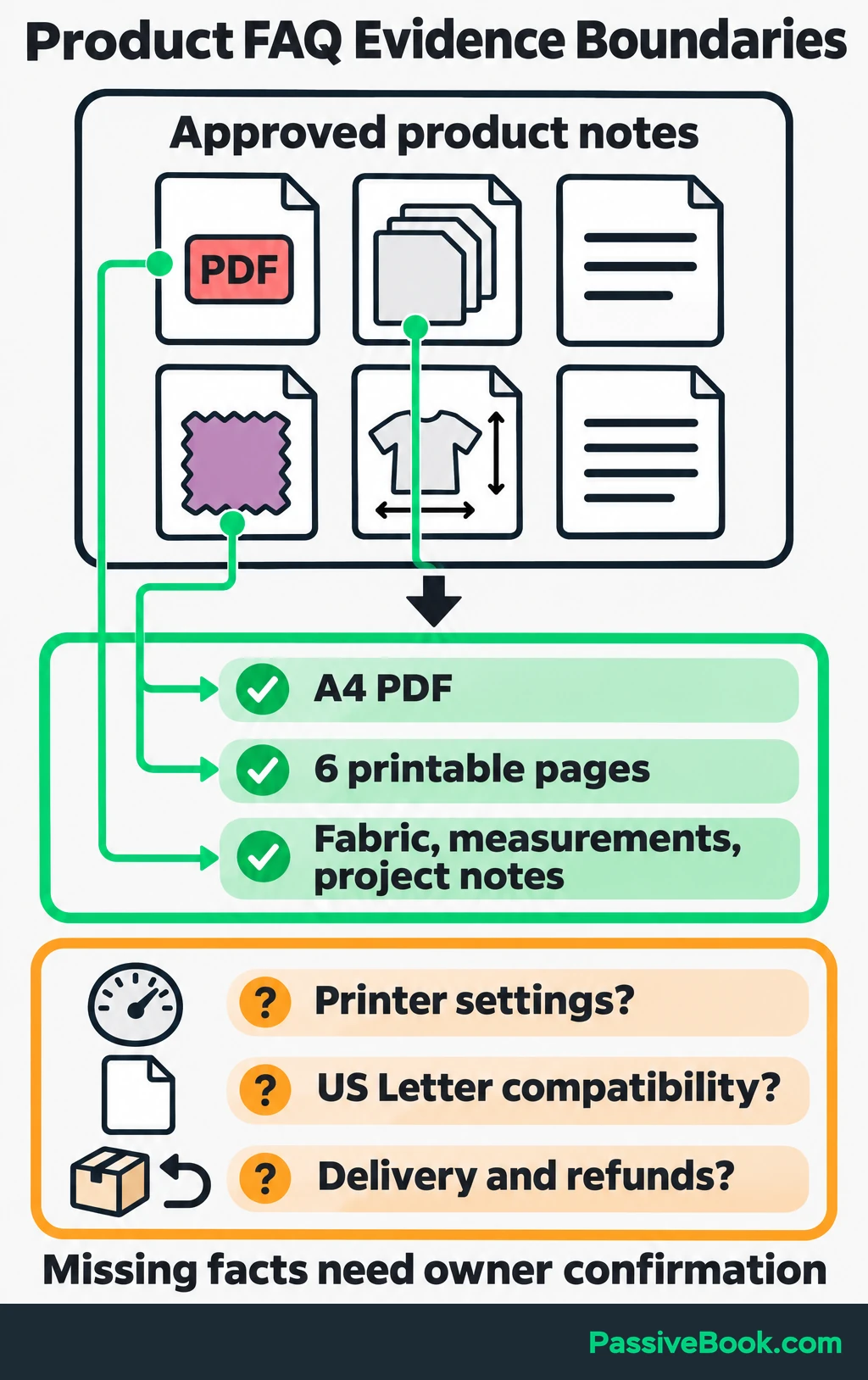
That gives you the format, page count and purpose. It does not establish printer settings, US Letter compatibility, delivery timing or refund terms.
Paste short notes directly into the chat. With a longer document, upload it and ask Kimi to extract the relevant facts before drafting. Compare that extraction with the original, especially when the document contains tables or footnotes.
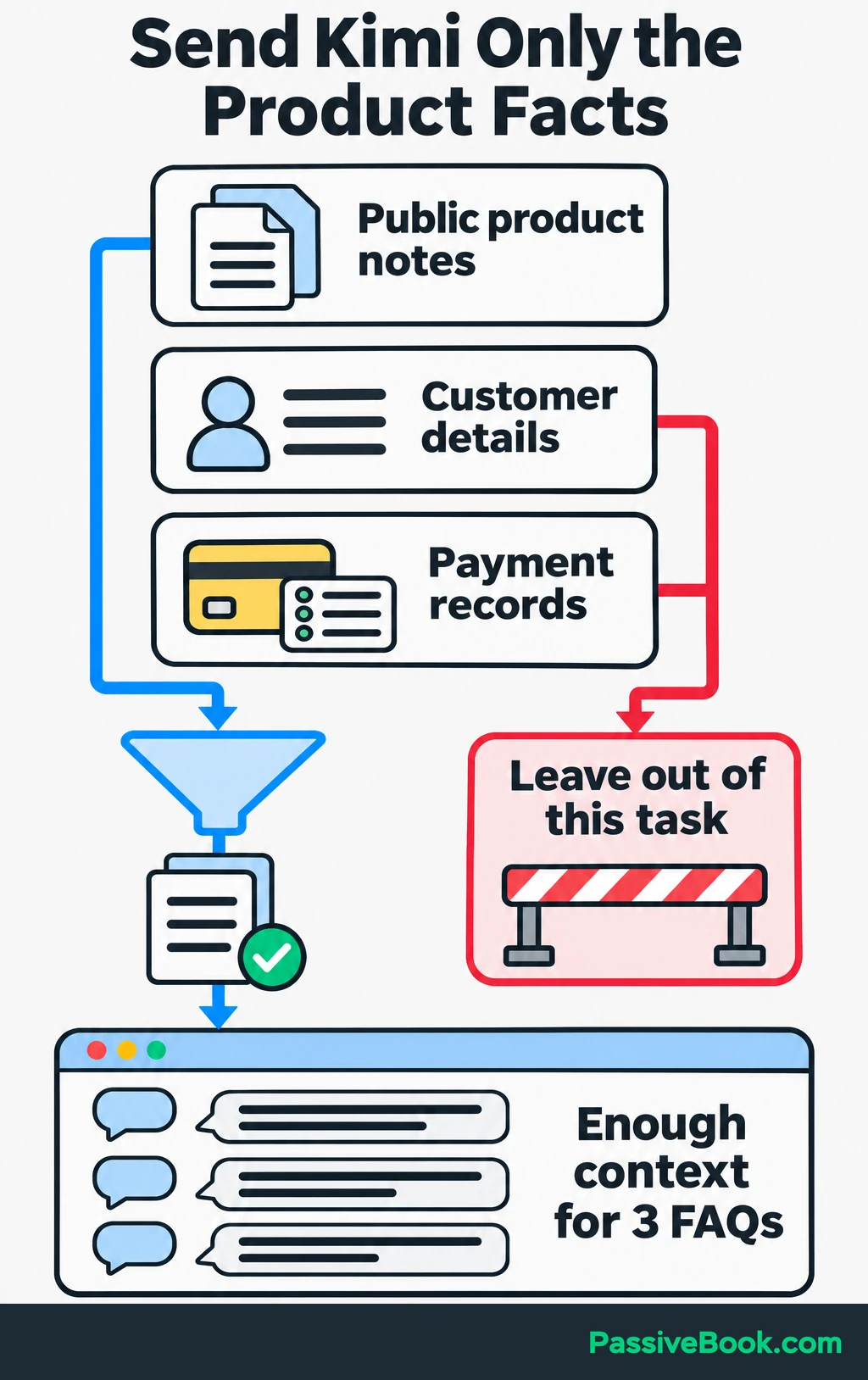
Use public product information for your first test. Leave out customer names, payment details and confidential records. Kimi’s privacy policy allows input and output content to be used for model improvement under its stated encryption and de-identification conditions. It also describes a training opt-out request through customer service after identity verification. Kimi privacy policy
You do not need a customer database to write three product FAQs. Give the tool the information the task requires.
Write a Prompt With Clear Boundaries
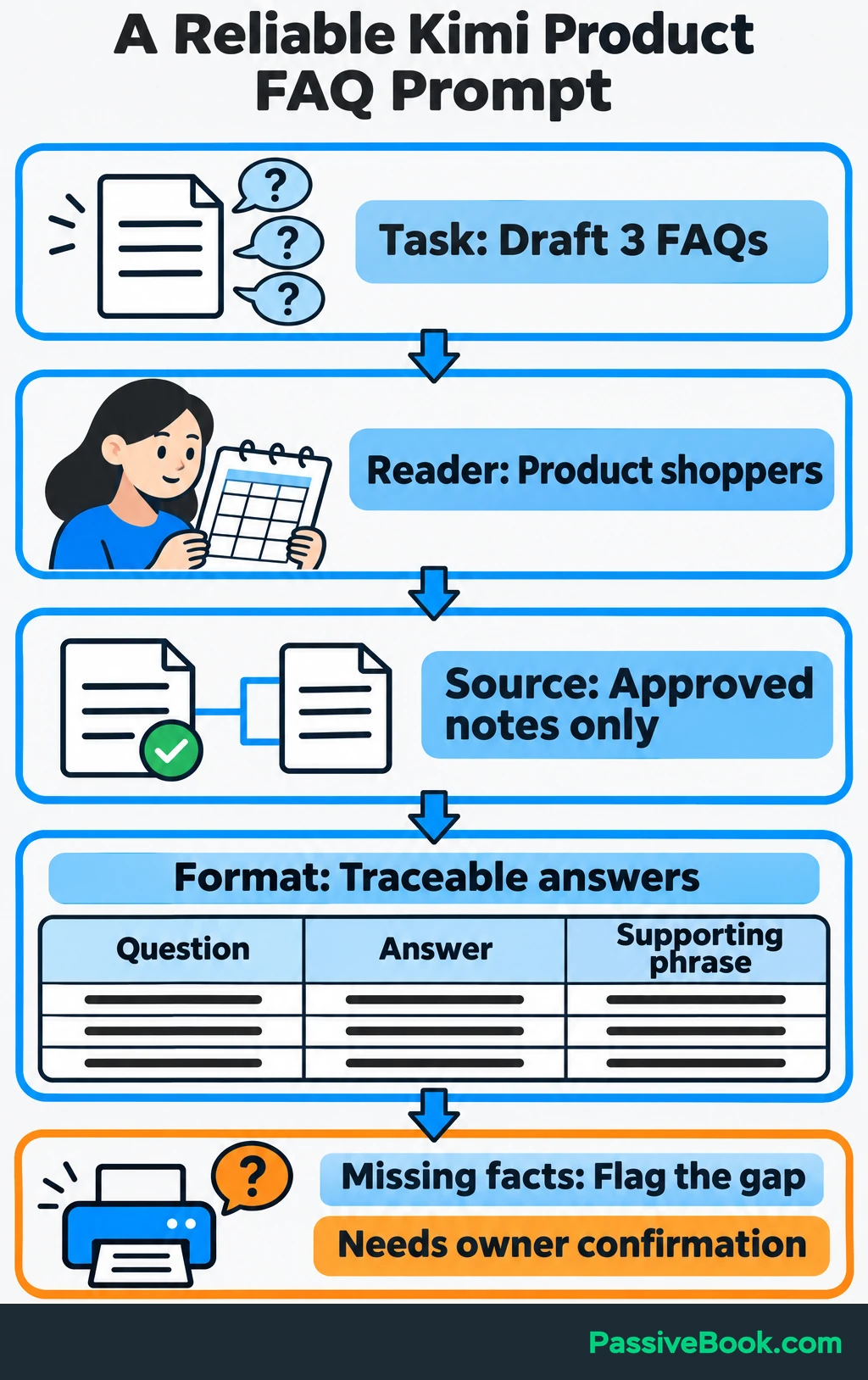
A useful prompt tells Kimi five things:
- Task: What to produce.
- Reader: Who will use the answer.
- Source Material: Which facts it may use.
- Output Format: How to arrange the answer.
- Missing Information: What to do when the notes do not support a claim.
Here is a complete prompt you can adapt:
Draft three FAQs for shoppers considering a printable sewing project planner.

Cover:
1. File format
2. Included pages
3. Printing requirements

Use only the product notes below. Write in plain, friendly language.
Keep each answer to no more than two sentences.

Return a table with these columns:
Question | Answer | Supporting phrase from the notes

If the notes do not support an answer, write "Needs owner confirmation"
and put "None supplied" in the supporting-phrase column.

Do not invent printer settings, paper compatibility, delivery terms,
refund policies or product benefits.

PRODUCT NOTES:
A downloadable A4 PDF containing six printable pages for recording
fabric choices, measurements and project notes.
The supporting phrase gives you something concrete to check. It also makes unsupported details easier to spot.
You can use the same approach beyond FAQs without rebuilding every prompt. The AI Business Workflow Library includes ready-to-run workflows for product copy, customer replies, emails, summaries and procedures.
Free AI Business Workflow Library




For work that needs current information, ask Kimi to search the web and provide links to original sources. Kimi includes web search and webpage retrieval, but you should open the sources and check that they support the answer. Official chat capabilities
For pet-care research, adapt the task: “Summarize this veterinary article in five plain-language points. Give a supporting passage for each point and list questions I should ask my vet.” Supply the article, then compare each point with the original. Keep diagnosis and medication decisions out of an unattended content workflow.
Check and Improve the Answer
Read the answer beside your notes. Good wording is useful, but factual support decides whether the draft is ready.
Your review might look like this:
| Question | Illustrative answer | Evidence and review decision |
|---|---|---|
| What file format will I receive? | You receive a downloadable A4 PDF. | Matches “A downloadable A4 PDF” in the notes. |
| What does the planner include? | It contains six printable pages for recording fabric choices, measurements and project notes. | Matches “six printable pages for recording fabric choices, measurements and project notes”. |
| What printer settings should I use? | Needs owner confirmation. | No printer settings supplied; confirm them before publishing. |
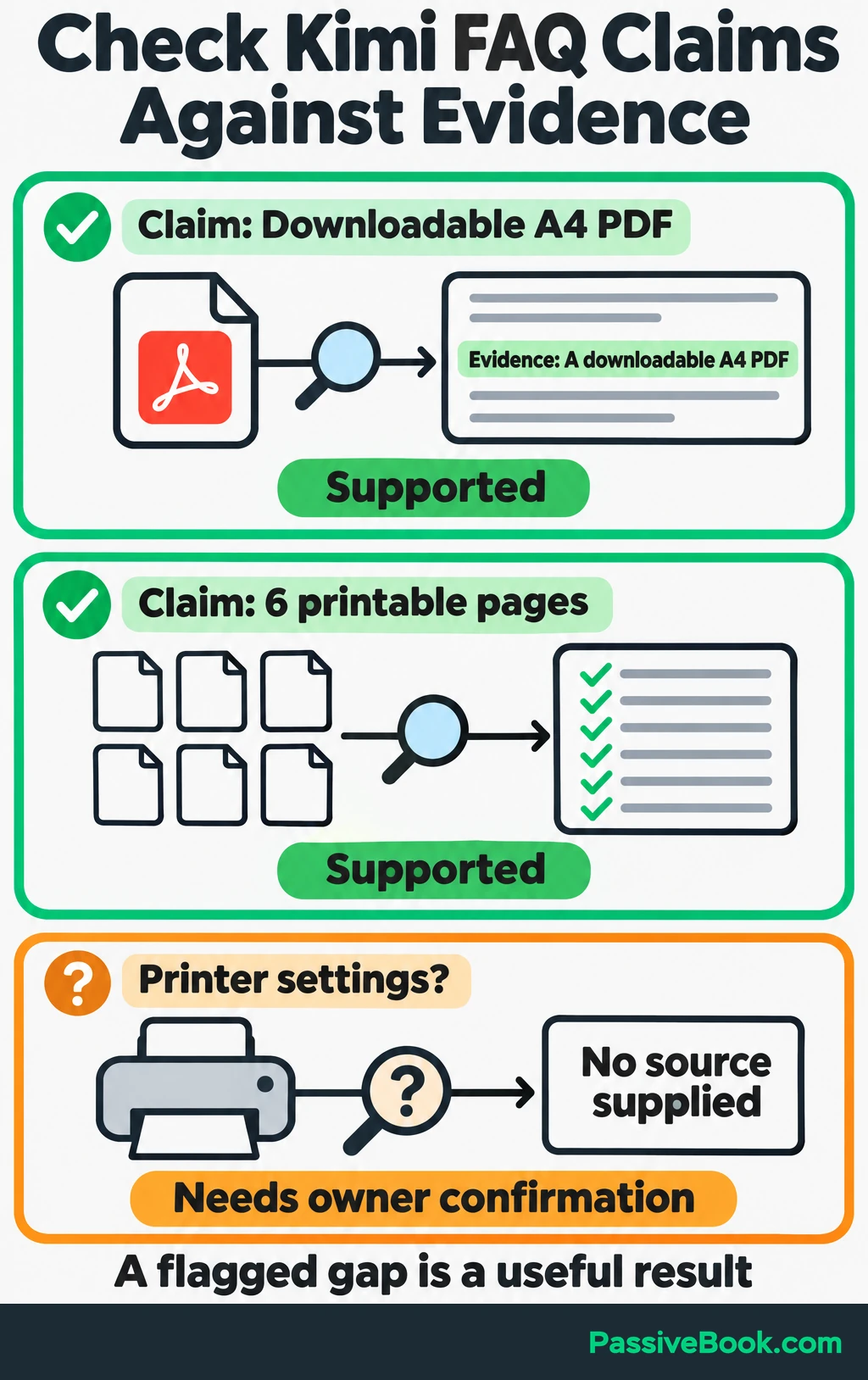
The third answer is doing its job. It has found a gap in your product information.
If Kimi supplies an unsupported claim, correct that claim directly:
Remove the claim that the planner prints correctly on US Letter paper. Keep the verified facts and mark missing printing instructions “Needs owner confirmation.”
Asking again does not create missing evidence. Check your actual product file, confirm the printing instructions and add those facts to the source notes before requesting a revision.
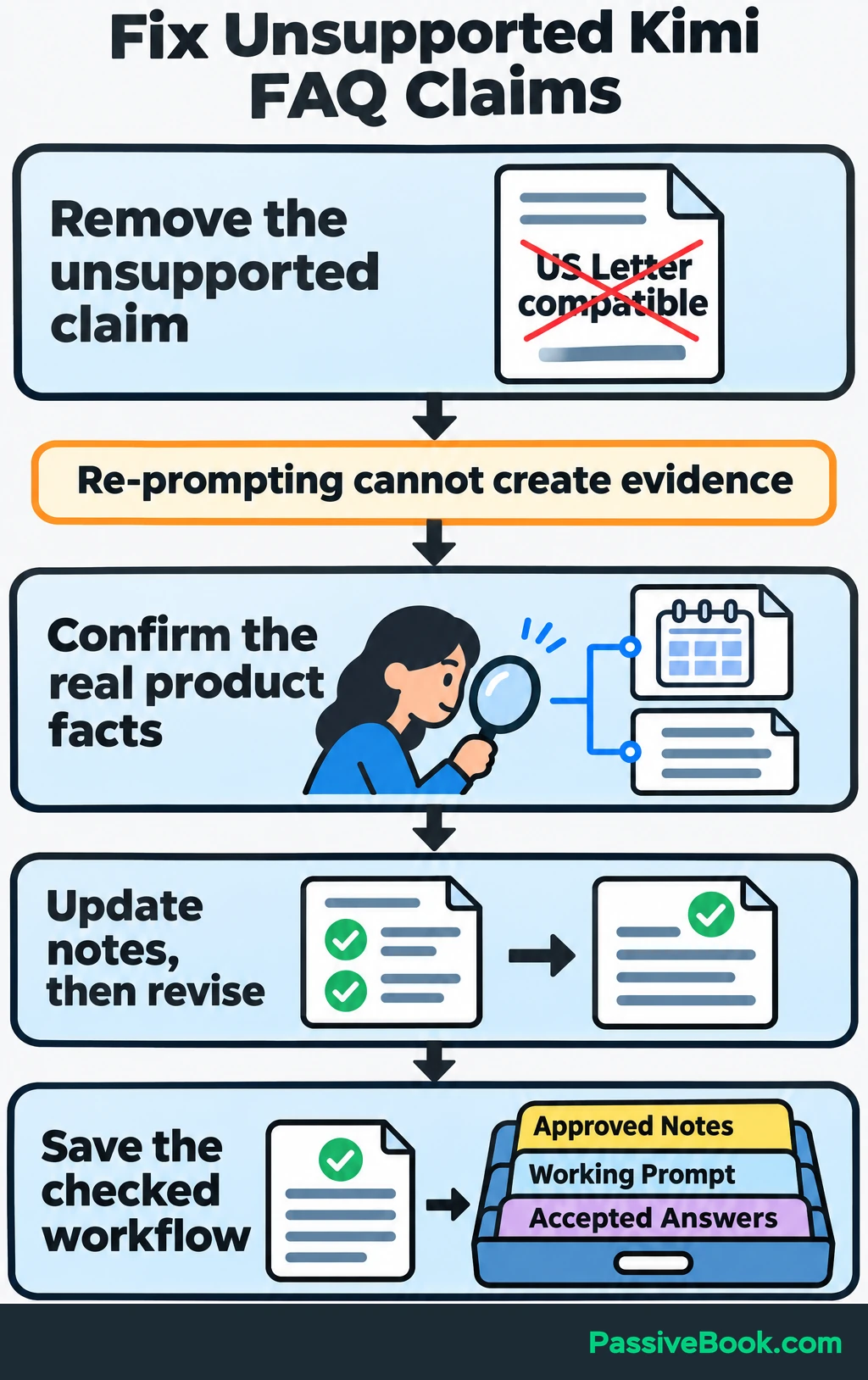
Keep supporting phrases and unresolved questions in the review copy. Once you have checked the claims and filled the gaps, remove those review notes from the customer-facing version.
Save three things together:
- Approved Notes: The facts behind the copy.
- Working Prompt: The instructions that produced a useful draft.
- Accepted Answers: The version you checked and approved.
When the product changes, update the notes and repeat the checks. That is a reusable workflow you can test before spending time on an integration.
Use the Moonshot AI API When the Task Repeats
Estimate the Cost Before Funding Access
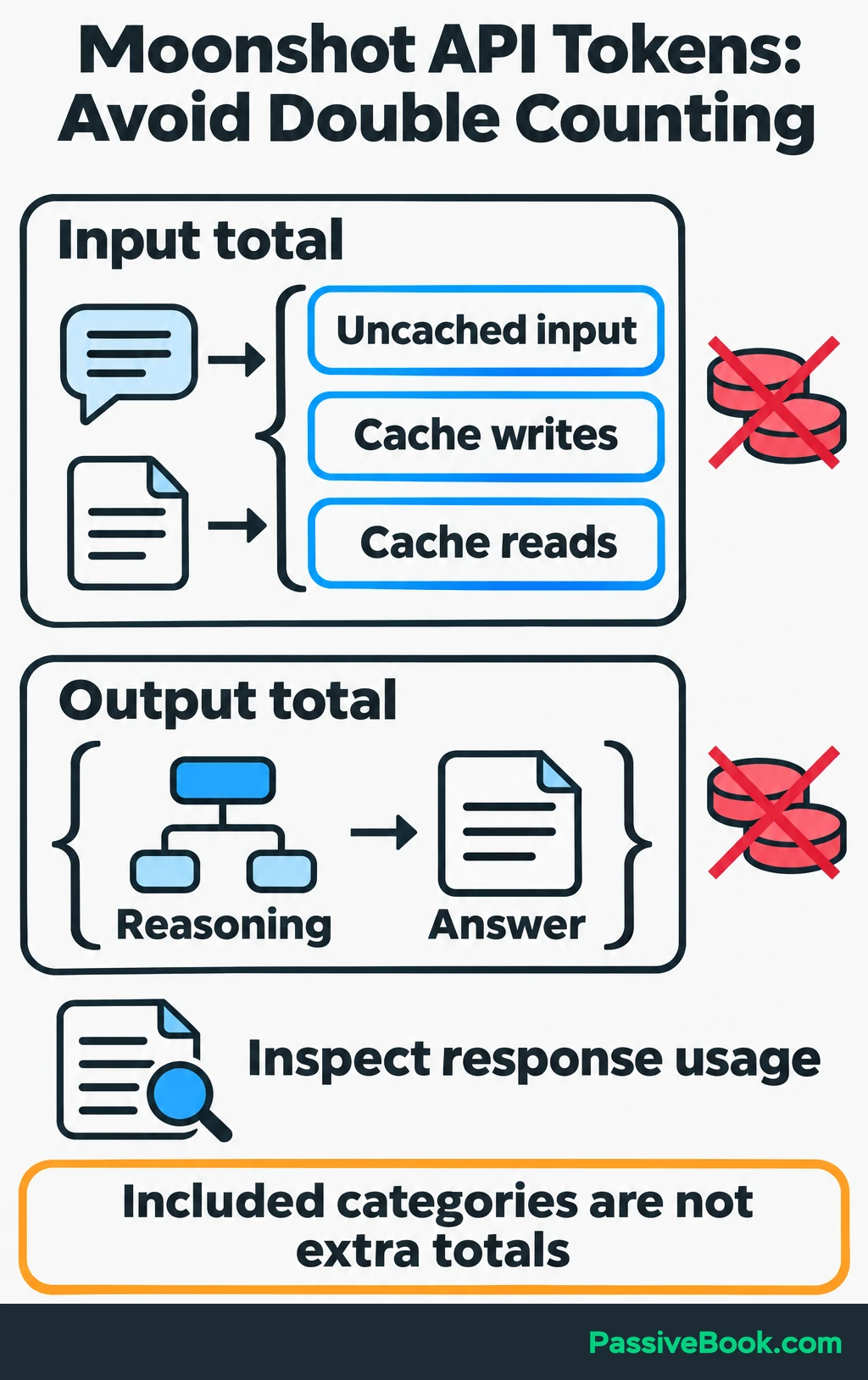
API charges count tokens, or pieces of text. Your instructions and notes are input; the model’s reasoning and answer are output. Caching reuses earlier input.
For kimi-k3.1-pro, used below, the listed rates are:
| Billable category | Price per million tokens |
|---|---|
| Uncached input | $2 |
| Default five-minute cache writes | $2 |
| Cache hits | $0.20 |
| Output | $10 |
Check the official rate card before funding a test.
For an illustrative calculation, count 10,000 input tokens with no cache hits and default cache settings, plus 1,000 billable output tokens:
Input:  10,000 ÷ 1,000,000 × $2  = $0.02
Output:  1,000 ÷ 1,000,000 × $10 = $0.01
Total:                              $0.03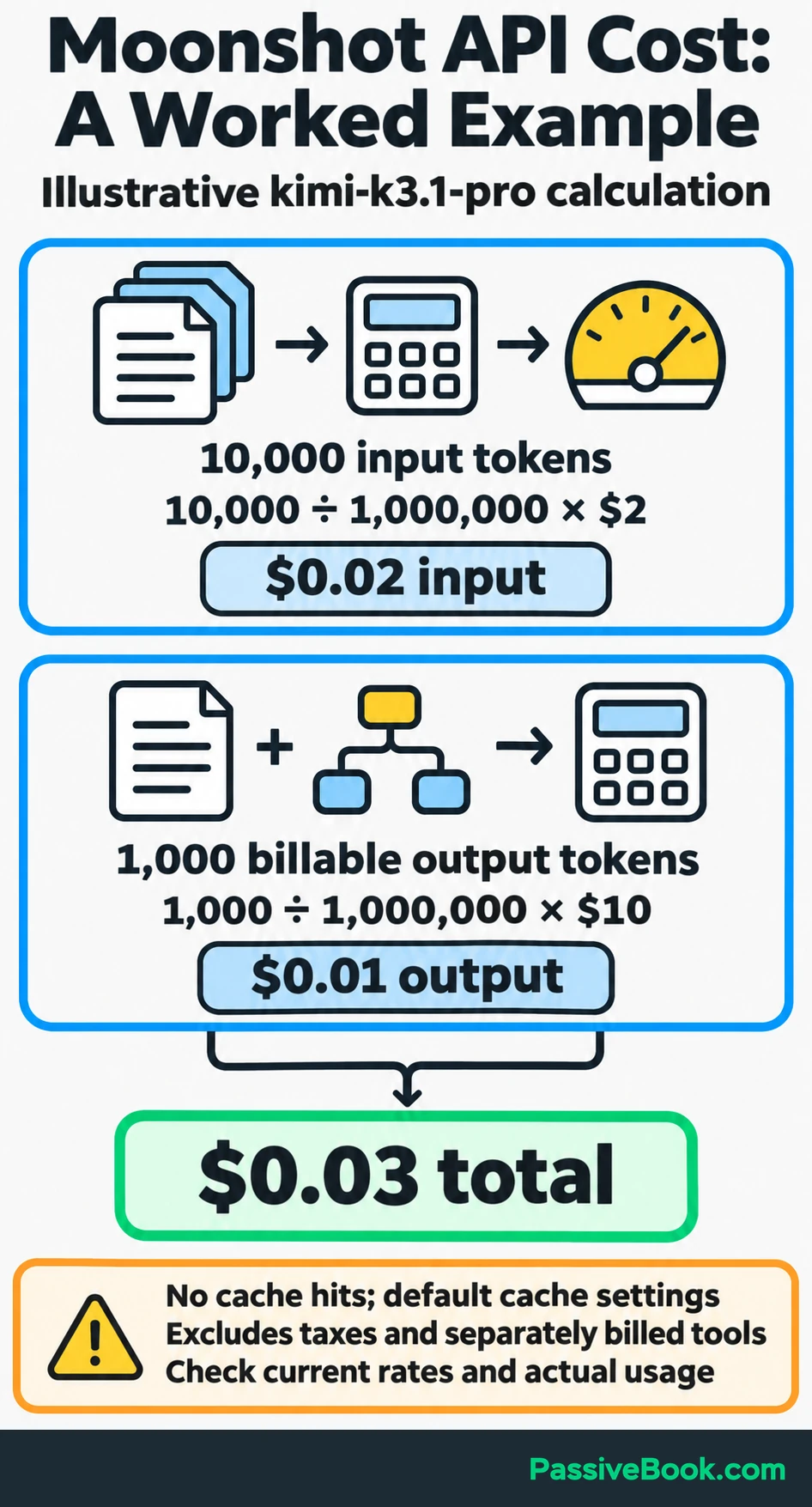
The example excludes applicable taxes and separately billed tools; it does not predict the FAQ prompt’s cost.
For actual costs, use the response’s usage breakdown. Cache reads and writes are included in input totals; reasoning is included in output totals. Do not count them again. Official usage accounting
Set a small trial budget and check actual charges before increasing volume. Limit runs and retries, and use max_completion_tokens to cap output per request.
Create and Protect an API Key
Sign in to the Kimi API Platform, review billing, then create and copy a key under API Keys. The platform requires a minimum $1 top-up to begin API usage. Official funding requirement
An API key lets your application make requests against your account. Treat it like a password.
Store it in your automation tool’s saved credentials or an environment variable, a named value commands can read. For the commands below, name the variable MOONSHOT_API_KEY. Keep the key out of public code, shared documents and browser-side scripts. Replace it if exposed.
The commands below require Bash, a tool for running typed commands. Enter the key without displaying it:
read -r -s -p "Kimi API key: " MOONSHOT_API_KEY
export MOONSHOT_API_KEY
printf '\n'
The next command will read the key from that variable.
Send and Inspect One Request
Save the request below as request.json. It uses JSON, a structured text format. To send it, you’ll need cURL installed—a tool for making web requests from a terminal:
{
  "model": "kimi-k3.1-pro",
  "reasoning_effort": "low",
  "max_completion_tokens": 4096,
  "messages": [
    {
      "role": "user",
      "content": "Draft three FAQs for shoppers considering a printable sewing project planner. Cover file format, included pages and printing requirements. Use only the product notes below. Keep each answer to no more than two sentences. Return a table with Question, Answer and Supporting phrase columns. Mark unsupported answers Needs owner confirmation and their supporting phrase None supplied. Do not invent printer settings, paper compatibility, delivery terms, refunds or benefits.\n\nPRODUCT NOTES:\nA downloadable A4 PDF containing six printable pages for recording fabric choices, measurements and project notes."
    }
  ]
}
Then run this command from the folder containing that file:
curl --request POST \
  'https://api.moonshot.ai/v1/chat/completions' \
  --header "Authorization: Bearer $MOONSHOT_API_KEY" \
  --header "Content-Type: application/json" \
  --data @request.json
This sends the instructions to the model and prints its response. The endpoint, authorization method and model configuration follow the official API quickstart.

The response also uses JSON. Look for:
- Answer:
choices[0].message.content - Usage:
usage, including input and output token counts - Completion Status:
choices[0].finish_reason
A completion status of "length" means generation reached its limit. The answer may be incomplete, so inspect it before raising the limit and trying again.
Include the source notes in every independent request. This call does not inherit your Kimi browser conversation or automatically search the web. Apply the same checks you used in chat.
Connect the Checked Request to an Existing Tool
Once the request works, connect it to a draft destination:
Approved product notes
→ API request
→ FAQ draft
→ Human review
→ Saved approved copy
I use n8n for broader automation work because it lets me connect steps without building a whole application. For this task, I would begin with a manual trigger and an HTTP Request node, which sends a request to an external service.
Configure that node to:
- Send a
POSTrequest to the endpoint shown above. - Read the Bearer key from stored credentials.
- Send the request body as JSON.
- Pass the returned answer to a document or draft record for review.
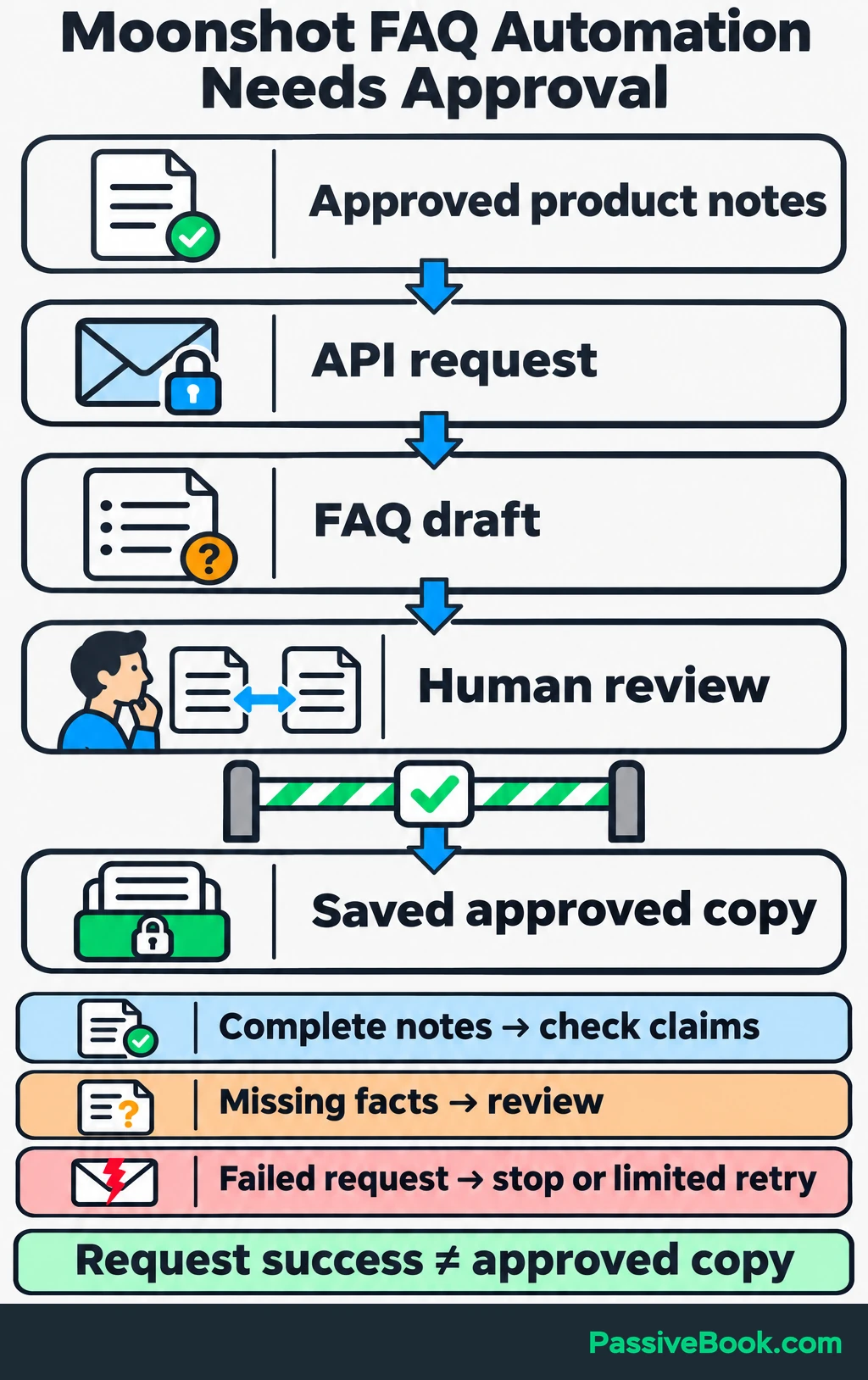
In one of my broader n8n workflows, an AI draft reached the saved-copy step while it still contained an unresolved question. The request had succeeded, so the workflow treated the job as done. I added a review step because a successful request said nothing about whether the copy was usable.
I would apply that lesson to this Moonshot integration. Before adding a schedule, test three cases:
| Test | What should happen |
|---|---|
| Complete approved notes | Produce a draft whose claims match the notes |
| Missing printing information | Flag the gap and send the draft for review |
| Failed API request | Record the error and stop or use a limited retry |
Require approval before changing published FAQs. Keep the prompt and source notes separate from the connection settings so you can revise them or try another provider without rebuilding the whole process.
Fix Common Problems
For vague answers, specify the deliverable and format. “Write three FAQs with answers under two sentences” gives you a clearer result to assess than “improve my product page.”
For incorrect document answers, inspect the extracted facts first. If an important passage was missed, paste that passage directly and ask for a revision based on it.
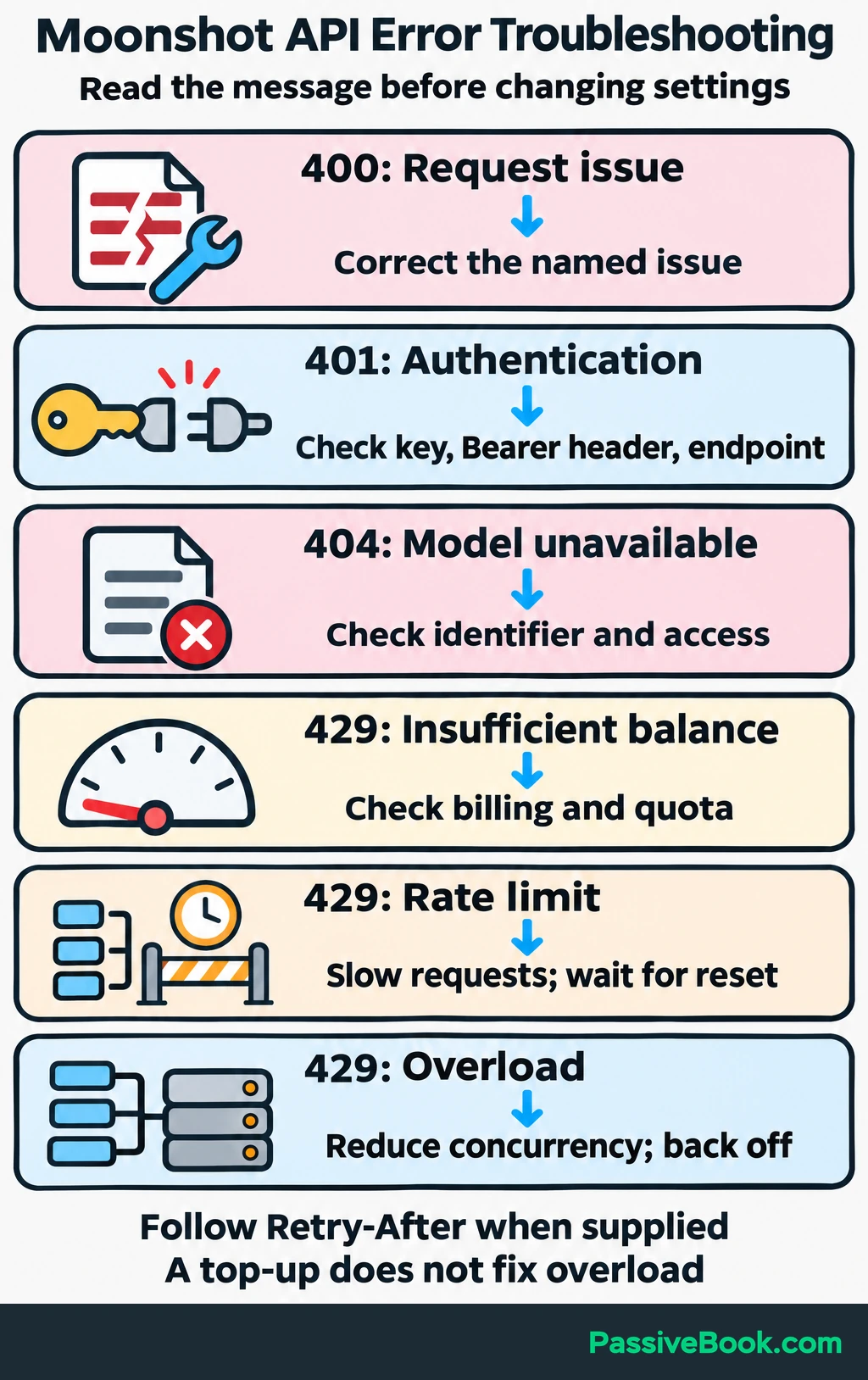
API failures need a different check. Read the returned error message before changing anything:
| Problem | Likely cause | Next action |
|---|---|---|
| 400 error | Invalid request format or parameters; the message may also identify a content restriction | Check the error details and correct the named issue |
| 401 error | Missing or invalid key, malformed authorization header or a key from another regional platform | Check the key, Bearer header and matching endpoint |
| 404 error | Model name is wrong or unavailable to your account | Confirm the exact model identifier and your account’s access |
| 429 with insufficient balance | Billing or quota problem | Check balance and account status |
| 429 with a rate-limit message | Too many requests or tokens within the allowed period | Slow requests and wait for the indicated reset |
| 429 with an overload message | Server capacity is under pressure | Wait, reduce simultaneous requests and retry with increasing delays |
Follow Retry-After when the response supplies it. A top-up does not fix server overload, so identify which kind of 429 you received before spending more. Official API error guidance
Decide Whether Kimi Fits Your Workflow
Test Kimi against the AI tool you already use. Give both the same product notes, prompt and review rules.
Record the things that affect the work:
- Factual Errors: Which claims lacked support?
- Required Edits: What did you have to correct or rewrite?
- Completion Time: How long did it take to reach an approved draft?
- Actual Cost: What did the test consume or charge?
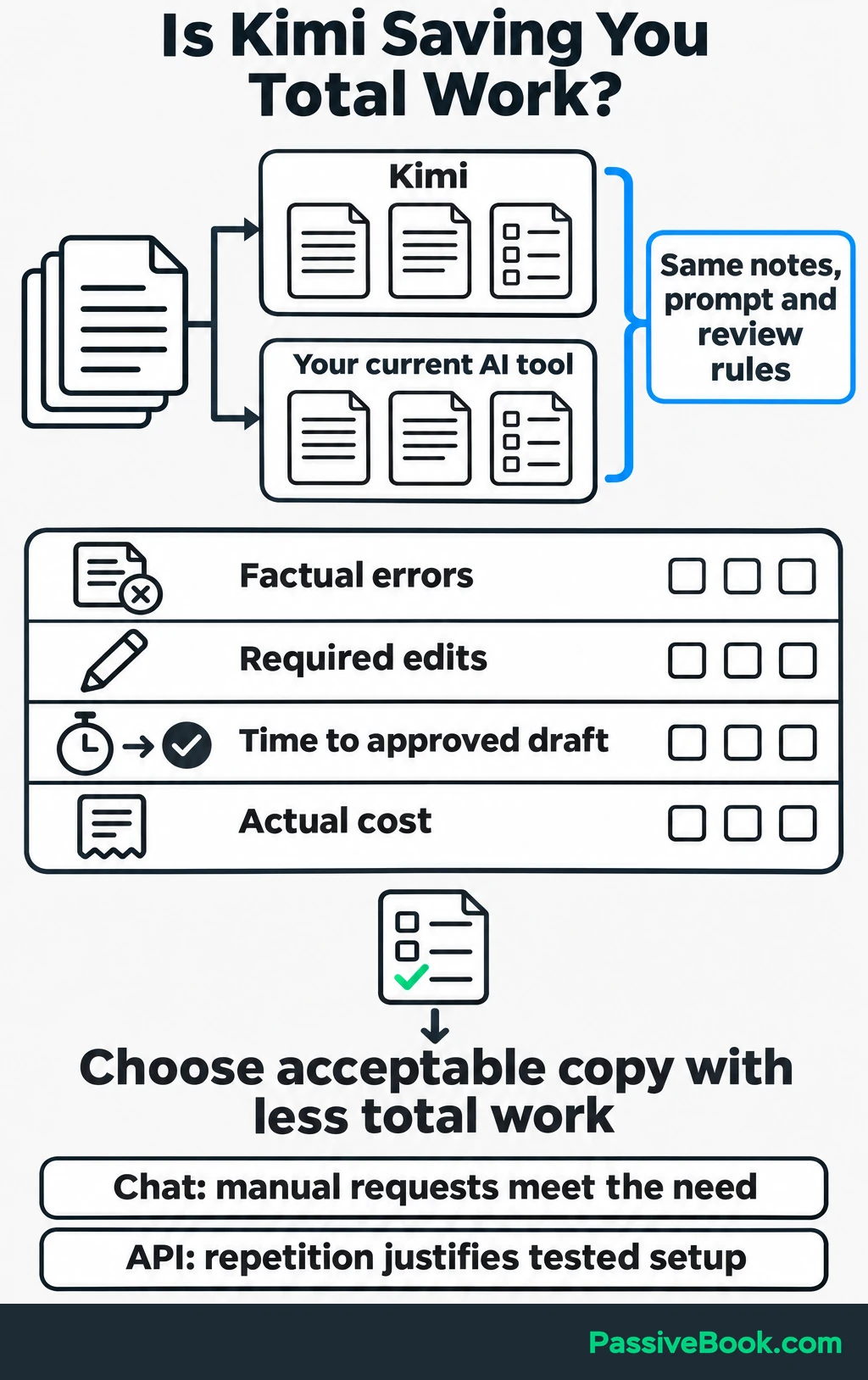
I would choose the tool that produces acceptable copy with the least total work. A cheap answer loses its appeal if you spend the evening removing invented details.
Keep using chat when manual requests meet your needs. Move to the API when repetition justifies setup and your reviewed tests handle complete notes, missing facts and failures within budget.
You can also keep Kimi for one narrow task while using your existing tools elsewhere. There is no prize for rebuilding a working business around a new model.
What Next?
Choose one product and gather its approved notes. Run the three-FAQ prompt in Kimi, then check every answer against those notes before considering automation.
Use the social buttons to share this guide when a practical first test would help cut through the AI-tool comparison noise.
Which repeated task would be worth automating if you could trust the result? Tell me in the comments, and bring any setup questions too.
Share this post with your friends & followers:

