A model writes a decent product description, but can it handle the support emails waiting behind it? And will connecting it to your shop cost more than the work it saves?
A cheap answer can need expensive editing, so a low price doesn’t tell you how much work the model will save.
Even a useful chat app can leave you doing all the copying and pasting. This guide compares Claude, GPT, Gemini, and downloadable models by task, cost, and the work needed to connect them to your business.
Which AI Model Should You Choose?
Choose the model that completes your main business task with acceptable quality, cost, and review effort.
My starting preference is Claude for long-form writing and content strategy. I use ChatGPT for general assistance and brainstorming, and Gemini for research and fact-checking. Those are personal workflow choices. They don’t establish a winner for your work.
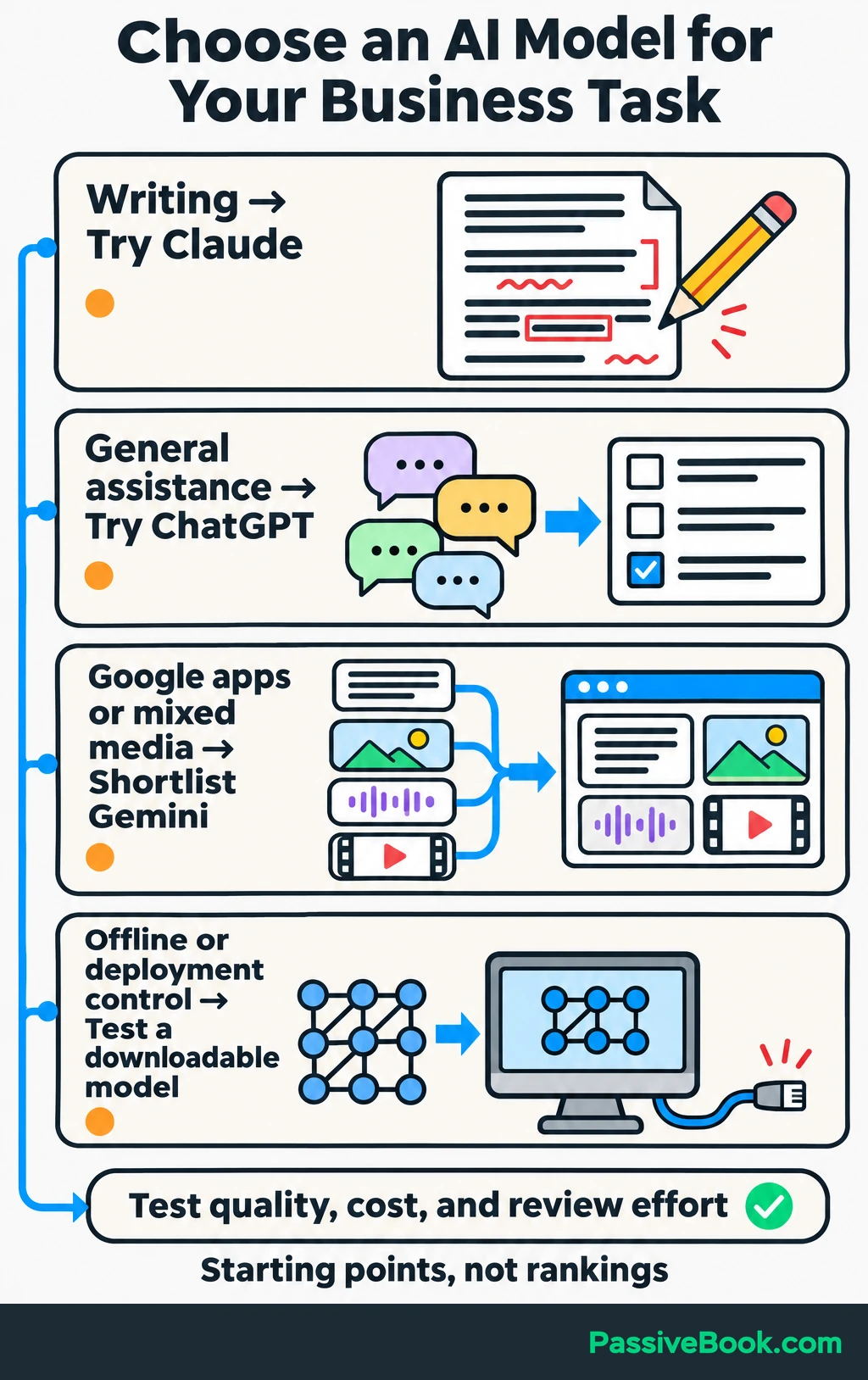
If you’re starting from scratch, I would choose:
- Writing-led work: Try Claude first.
- General assistance: Try ChatGPT first.
- Work centered on Google apps or mixed media: Put Gemini on the shortlist.
- Offline operation or control over deployment: Test a specific downloadable model.
Start with one primary option. Add another when the same problem keeps appearing and the second tool solves it. Collecting subscriptions is a surprisingly easy way to automate your expenses.
For the examples below, imagine you sell beginner clothing-mending guides and printable repair logs through a shop supported by a blog. The prompts, workloads, and calculations are illustrations.
Models, Apps, and Openness
First, decide what you’re buying.
GPT is a model family, and ChatGPT is an application that provides models alongside tools and other features. Claude and Gemini are names used for both models and applications.
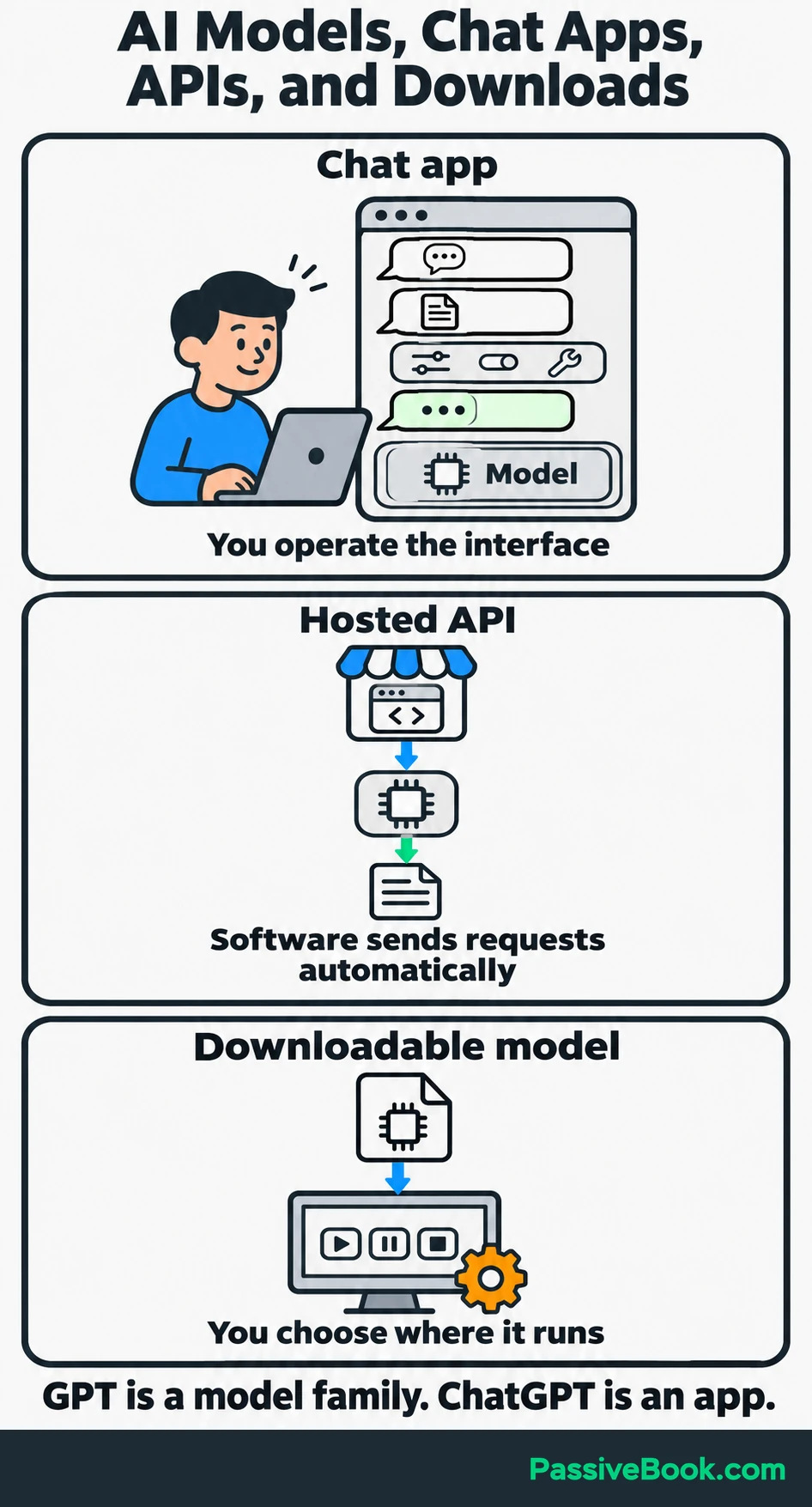
That distinction changes how you compare them:
| Access Method | Choose It When | What You Need to Evaluate |
|---|---|---|
| Chat application | You want to ask questions, upload material, and review answers yourself | The whole app, including its tools, allowances, and file handling |
| Hosted API | You want software to send requests and receive answers automatically | The specific model version, usage charges, and work needed to connect it |
| Downloadable model | You need to manage where the model runs | Output quality, license, hardware, and maintenance |
An API is a connection that lets software use the model. Your shop could use one to draft a reply when a buyer reports a download problem.
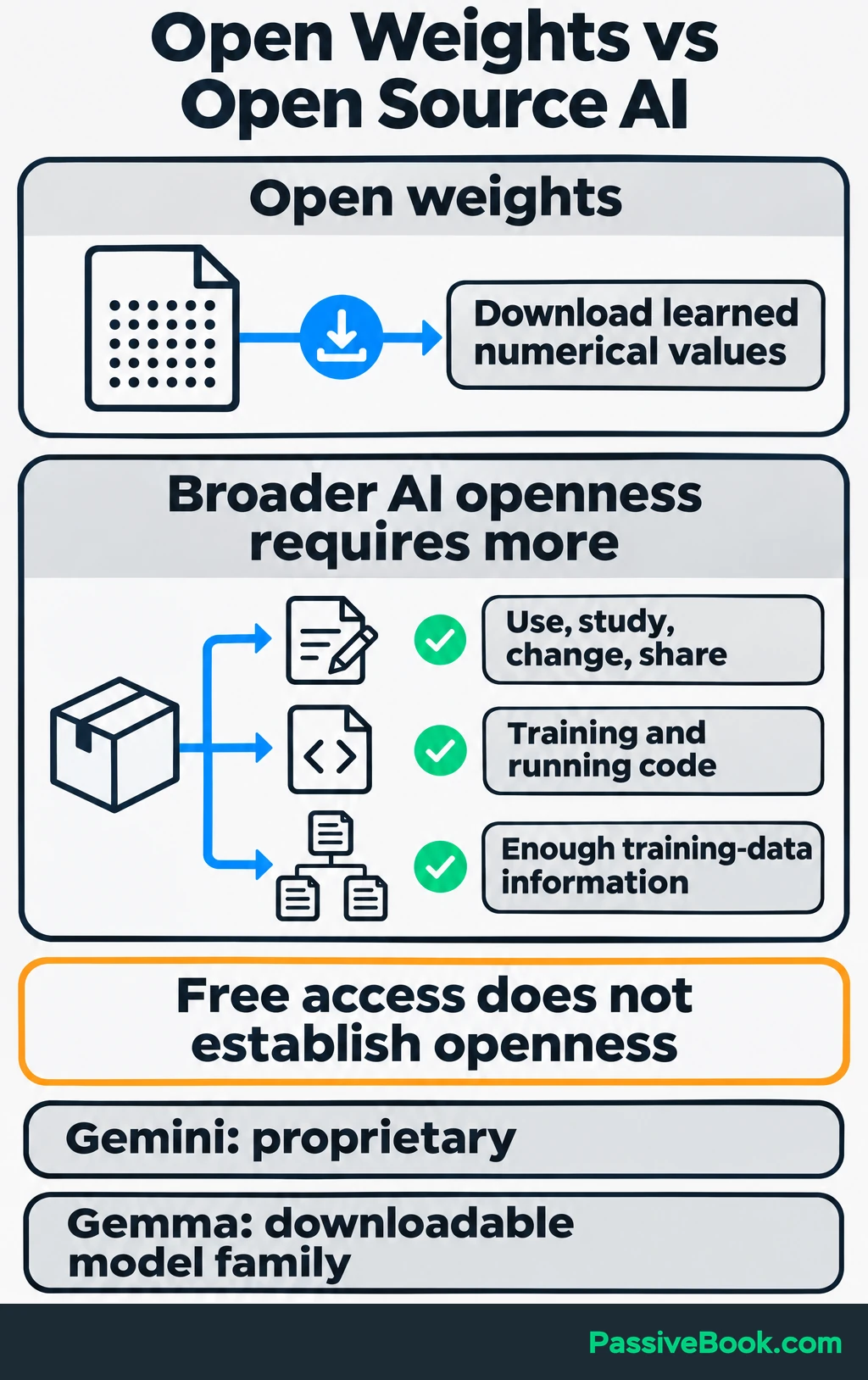
A downloadable model can run on your own equipment or through a hosting provider. Downloading it gives you another deployment choice, but it doesn’t automatically make the whole AI system open source.
“Open weights” means you can download the numerical values a model learned during training. The Open Source Initiative’s definition also requires rights to use, study, change, and share the system, the code used to train and run it, and enough training-data information to build a substantially equivalent system. Weights alone don’t establish that broader openness. Open Source AI Definition 1.0
Free access doesn’t make a model open source. Gemini remains proprietary; Google’s separate downloadable model family is Gemma. Google’s Gemma overview
Claude, GPT, Gemini, and Open Models at a Glance
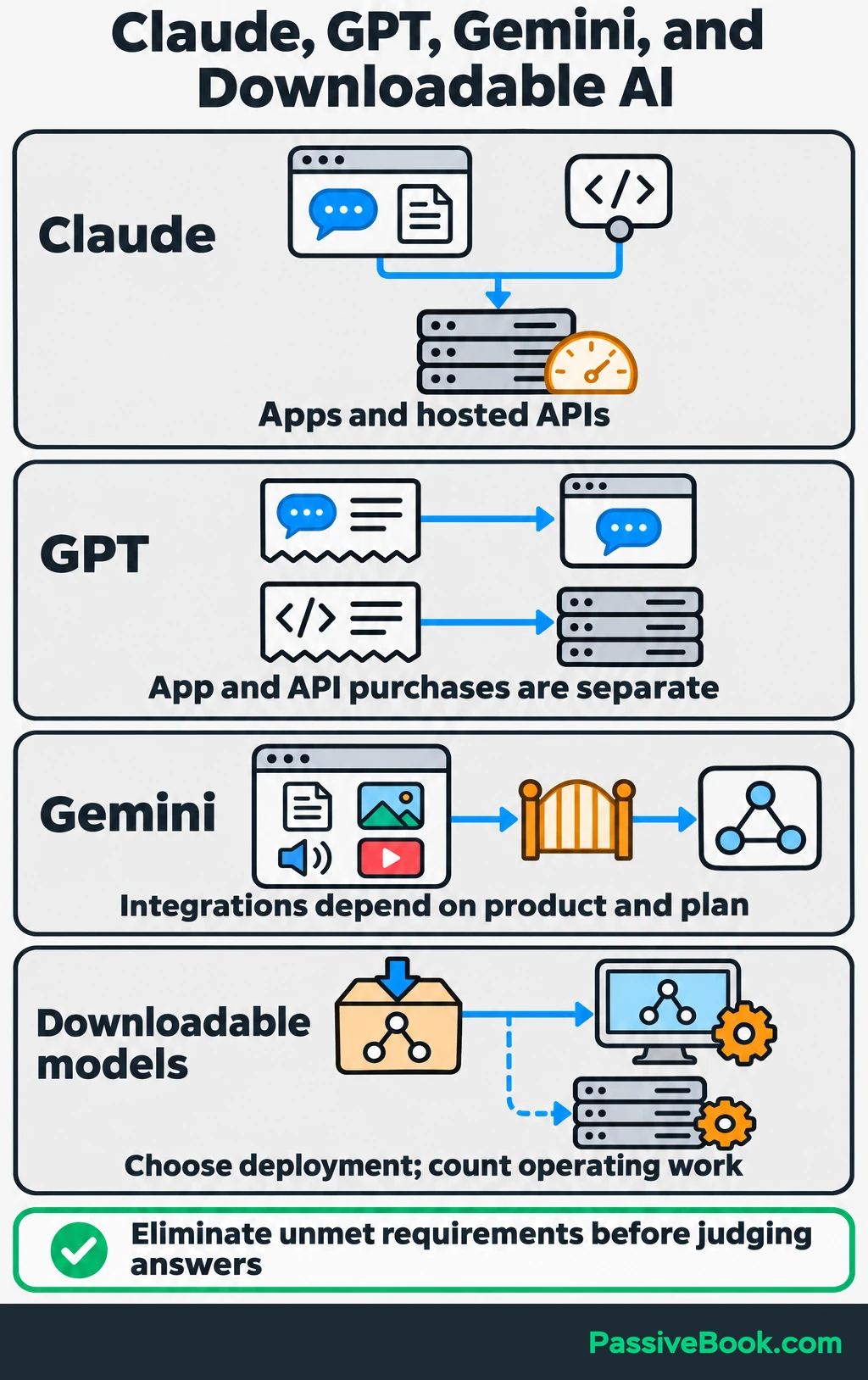
Eliminate options that cannot meet a required condition before judging their answers. If a workflow must operate offline, a hosted-only service fails that requirement regardless of how well it writes.
These are practical shortlists based on documented capabilities and my preferences. They aren’t results from an independent head-to-head test.
| Option | Representative Models | Reason to Shortlist | Access Method | Main Tradeoff |
|---|---|---|---|---|
| Claude | Sonnet 5.5, Opus 5.5, Haiku 5.5 | Start with Sonnet for writing, document work, and coding; compare Opus for harder work and Haiku for routine sorting or extraction | Apps and hosted APIs | Little infrastructure work, but availability and usage allowances remain with the provider |
| GPT | GPT-6.1 Sol and GPT-6.1 Terra; ChatGPT for manual work | General assistance in ChatGPT; Sol for complex coding and professional tasks; Terra for concise writing and scoped fixes | ChatGPT and hosted APIs | App access and API access are separate purchasing decisions |
| Gemini | Gemini 3.8 Flash and Gemini 4 Argon | Google-centered workflows, mixed media, and demanding reasoning | Apps, AI Studio, and hosted APIs | Useful integrations depend on the selected product and plan |
| Open models | Qwen3-8B and gpt-oss-20b | Downloadable weights and a choice of where to run them | Local software, your own server, or a hosting provider | You must evaluate the exact release, and self-hosting adds operating work |
Anthropic documents Sonnet’s balance of speed and capability and Haiku’s role in classification, extraction, and routing. OpenAI positions Sol for complex work and Terra for concise writing and scoped fixes. These descriptions help build a shortlist; your own tasks decide what stays. Claude model overview, OpenAI model-selection guidance
Gemini 3.8 Flash accepts text, images, audio, video, and PDFs, while Argon provides another reasoning option. That makes Gemini worth testing when your source material goes beyond text. Gemini model catalog
What Will Your AI Setup Cost?
Separate manual work from automated work. A chat subscription can be a sensible purchase even when an API would be cheaper per request, because the application also handles the interface and tools.
For automation, estimate usage charges and the work needed to turn an answer into something you can use.
Chat Subscriptions for Manual Work
These selected individual plans have similar US monthly prices:
| Plan | Monthly Price in US Dollars | What to Compare Before Paying |
|---|---|---|
| ChatGPT Plus | $20 | The models, tools, and usable allowances needed for your workload |
| Claude Pro | $20 when billed monthly | Document handling, writing workflow, coding access, and usage allowances |
| Google AI Pro | $19.99 on its US page | Whether its Gemini access and Google app integrations save you meaningful work |
Check the linked pages for current details and your local checkout total. These aren’t necessarily each provider’s cheapest paid plans, and paid access still has limits. ChatGPT Plus, Claude pricing, Google AI plans
I would begin with free access for an initial trial. Pay when a required feature or higher allowance helps you finish your actual workload.
Keep automation in a separate budget. ChatGPT Plus excludes separately billed API usage. Other plans may include credits, so check the exact subscription before counting them toward your automation costs.
API Usage for Automated Work
API providers commonly meter input and output in tokens, which are small units of text. Input includes your instructions and supplied material. Billable output can include tokens generated for internal reasoning as well as the visible answer.
For a basic text estimate, count both sides:
Input tokens ÷ 1,000,000 × input rate
+ billable output tokens ÷ 1,000,000 × output rate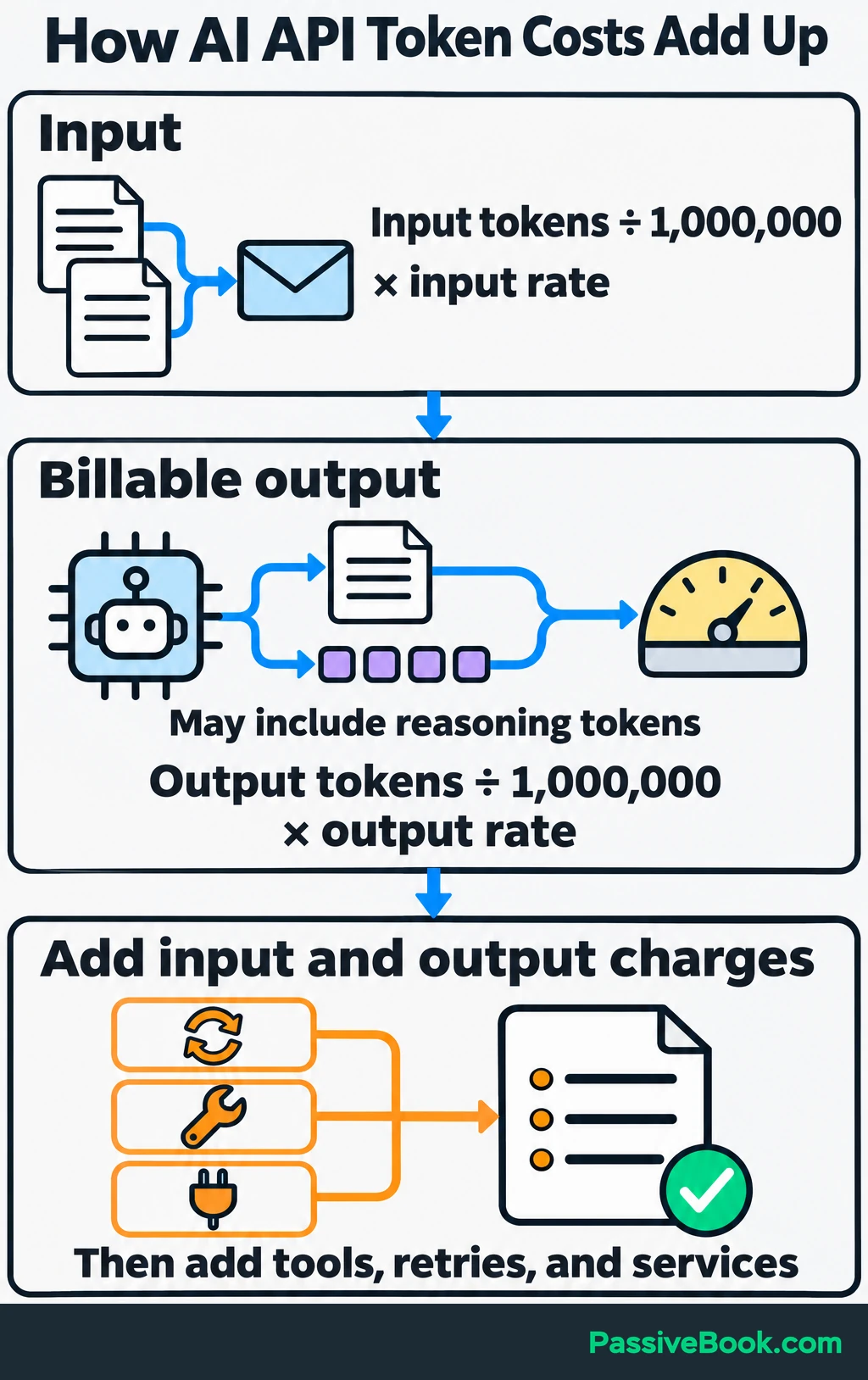
Then add tools, retries, and connected services.
| Exact Model | Standard Uncached Input per Million Tokens | Output per Million Tokens | Conditions Affecting This Example |
|---|---|---|---|
| Claude Sonnet 5.5 | $2 | $10 | Standard processing; caching and other services excluded |
| GPT-6.1 Sol | $2 | $10 | Count all billable output, including reasoning where applicable |
| Gemini 3.8 Flash | $0.75 through December 31, 2026; $1.50 from January 1, 2027 | $3.75 through December 31, 2026; $7.50 from January 1, 2027 | Output includes thinking tokens; uses standard processing |
These rates come from the providers’ pricing pages, where you can also check tool charges and other billing conditions. Anthropic API pricing, GPT-6.1 Sol pricing, Gemini API pricing
Suppose the mending-guide shop needs 1,000 download-support drafts. Each request uses 2,000 input tokens and 500 total billable output tokens.
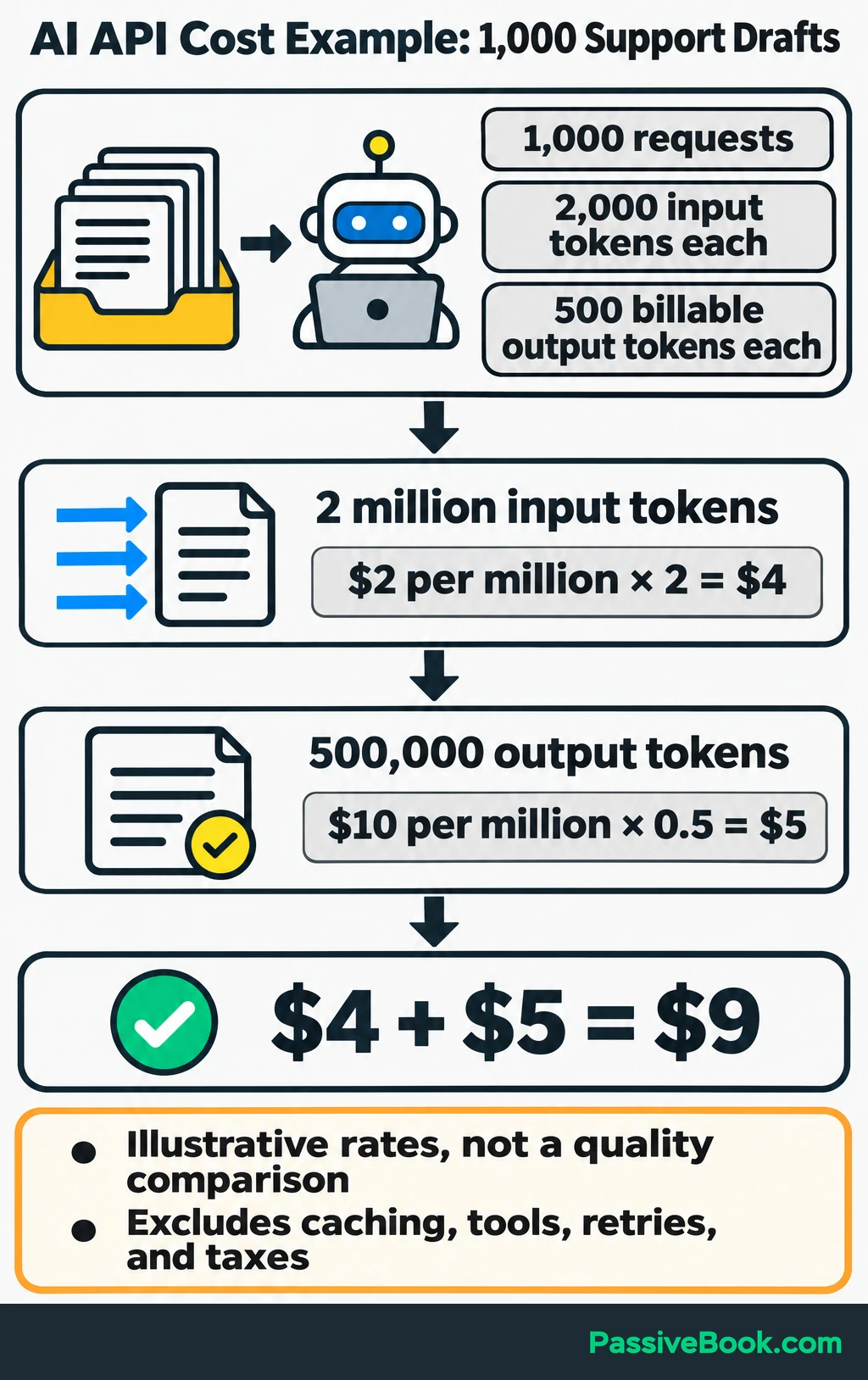
Across the batch, that is 2 million input tokens and 500,000 output tokens:
| Model and Applicable Rates | Input Cost | Output Cost | Batch Total |
|---|---|---|---|
| Sonnet 5.5 | $4.00 | $5.00 | $9.00 |
| GPT-6.1 Sol | $4.00 | $5.00 | $9.00 |
| Flash through December 31, 2026 | $1.50 | $1.875 | $3.38, rounded |
| Flash from January 1, 2027 | $3.00 | $3.75 | $6.75 |
This is equal-token arithmetic, not a quality comparison or observed usage. It excludes caching, tools, retries, and taxes. Different models can consume different numbers of tokens for the same job.
The calculation gives you a starting budget. The next question is how many drafts you can accept.
Total Cost per Usable Result
Count the charges and review work for the whole batch, including failed attempts. Then divide by the number of results that meet your standard.
Total cost per usable result =
(model charges + infrastructure + valued review and repair time)
÷ accepted results
Value your time consistently across candidates. If one draft needs a quick check and another needs a rewrite, that difference belongs in the comparison.
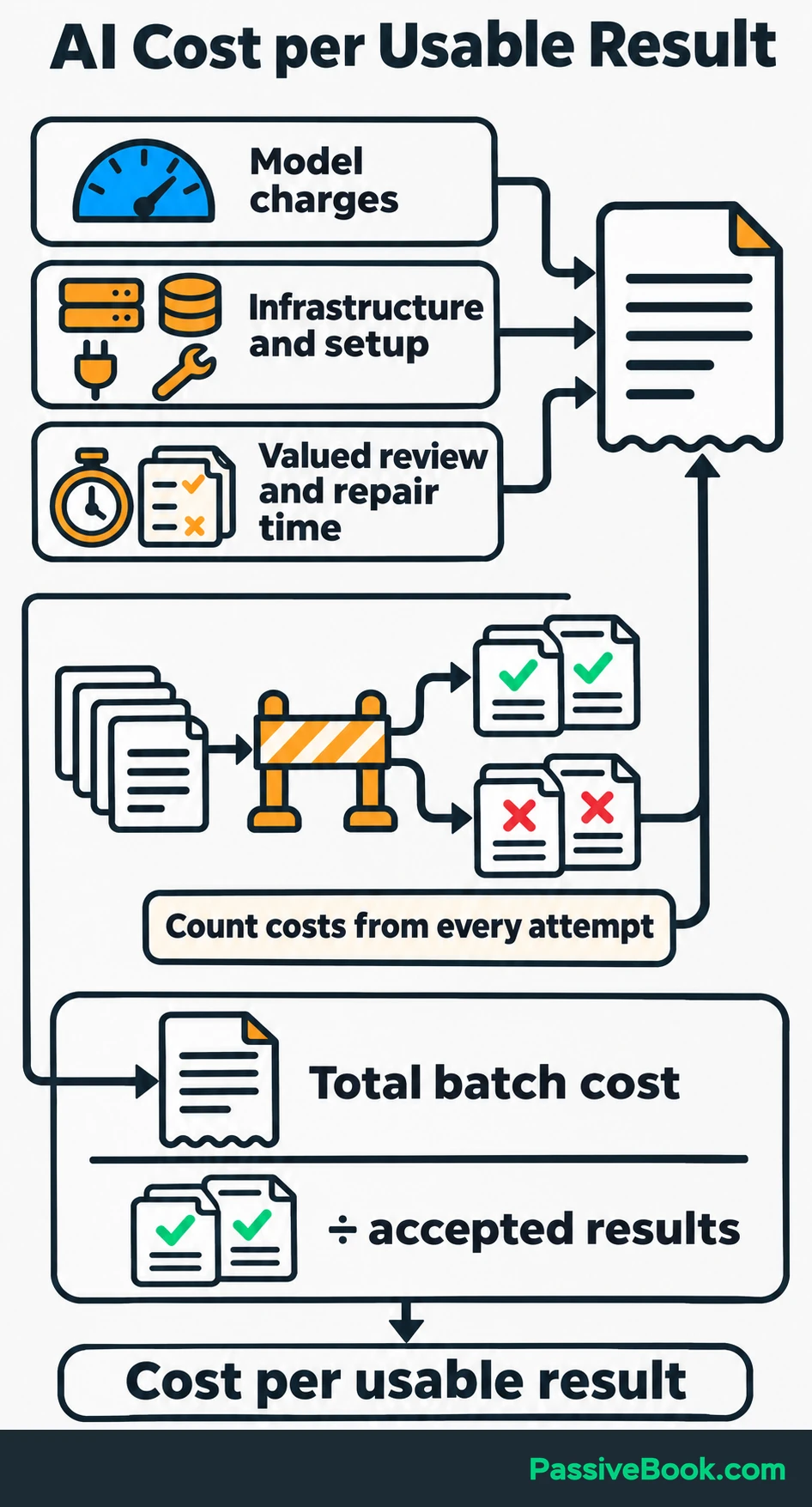
For self-hosting, include hardware purchase or rental, electricity, storage, hosting, maintenance, and setup time. Free weights don’t remove those costs.
I’m happy to pay slightly more for an answer that needs less repair. A low API bill is less impressive when I become the unpaid finishing department.
Which Model Fits Your Main Task?
Use the same task, source material, and acceptance rules for each candidate. Otherwise, you may be comparing a strong brief with a weak one.
The four jobs below give you compact tests you can adapt. None belongs exclusively to one provider.
Writing and Editing
I would start by comparing Claude Sonnet 5.5 with GPT-6.1 Terra. Include Gemini if keeping the work inside your existing documents saves enough handling to matter.
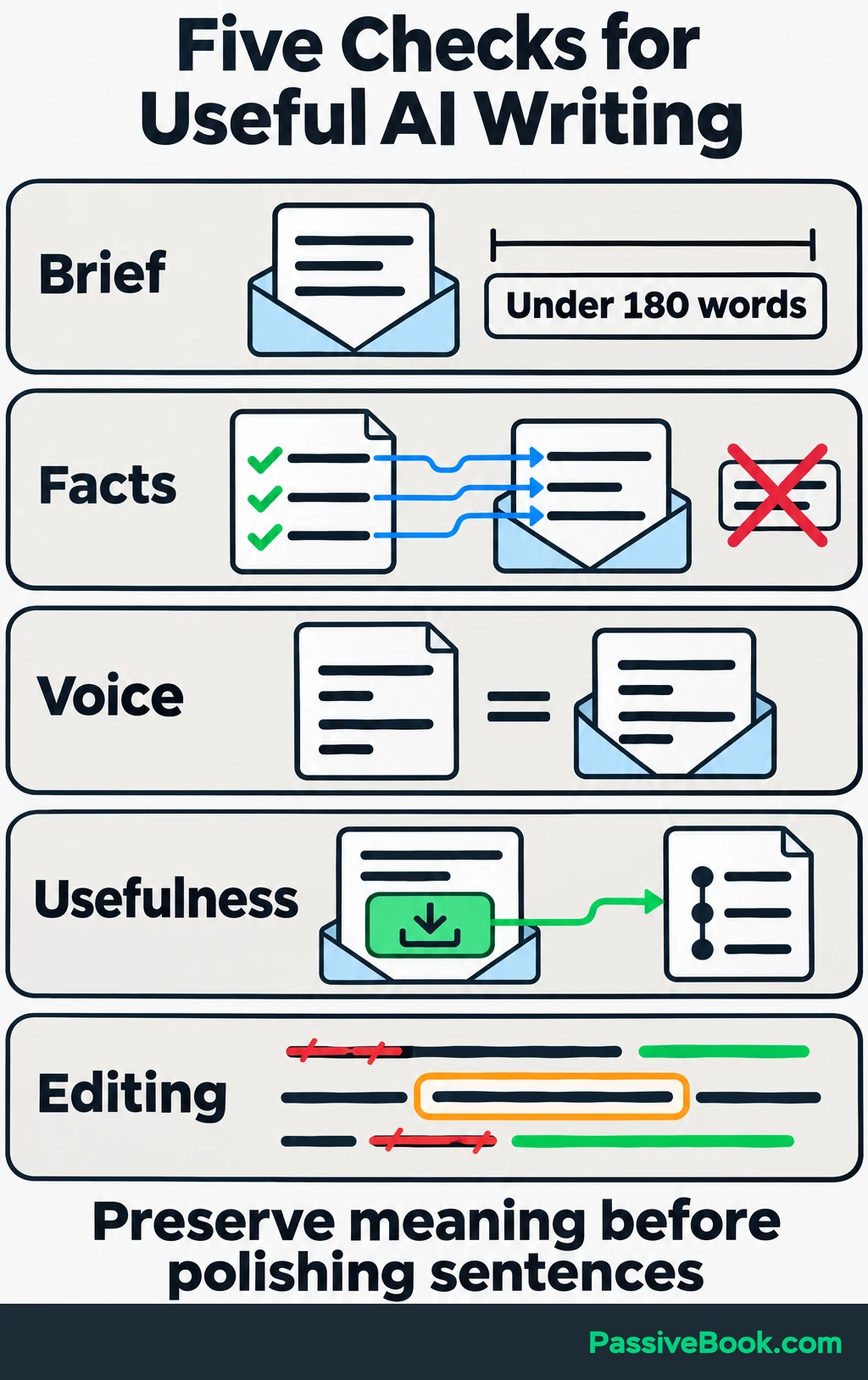
Judge the result on five things:
- Brief: Does it follow the requested length, format, and purpose?
- Facts: Does it preserve supplied details without adding promises?
- Voice: Does it sound like your business?
- Usefulness: Does it give the reader enough information to act?
- Editing: How much substantive correction remains?
For the mending-guide shop, give both candidates the same product description, approved download instructions, and writing sample. Then use a short brief:
Write a welcome email under 180 words. Explain what the guide contains, use only the supplied product facts, and invite the buyer to download it. Include one clear next step.
Reject invented contents, unsupported guarantees, and download instructions that differ from the supplied process. Attractive wording doesn’t compensate for sending buyers to the wrong place.
In my own publishing work, I once asked AI to tighten a passage and got a cleaner paragraph that had quietly lost the condition explaining when the advice applied. It sounded better and meant something different. Since then, preserving meaning has come before polishing sentences.
Claude remains my primary choice for long-form writing and content strategy. My Python content pipeline, built with help from Claude Code, Anthropic’s coding assistant, reduced production from days to hours. That experience supports using a system around the model; it doesn’t prove Claude wins every writing task.
Coding and Website Changes
For implementation work, I would compare Claude Sonnet 5.5 and GPT-6.1 Sol. Include Gemini 3.8 Flash when its capabilities and pricing fit the project.
Evaluate the coding environment alongside the model. Access to your files, the ability to edit them, and a way to run the code determine how much work comes back to you.
A useful test for the shop is a script that checks public product-download links. Define the expected behavior before asking for code:
| Test Case | Expected Behavior |
|---|---|
| Working file | Reports the link as available |
| Missing file | Reports a failure and preserves the status information |
| Redirect | Follows the redirect and records the final destination |
| Timeout | Stops after the chosen timeout and records the problem |
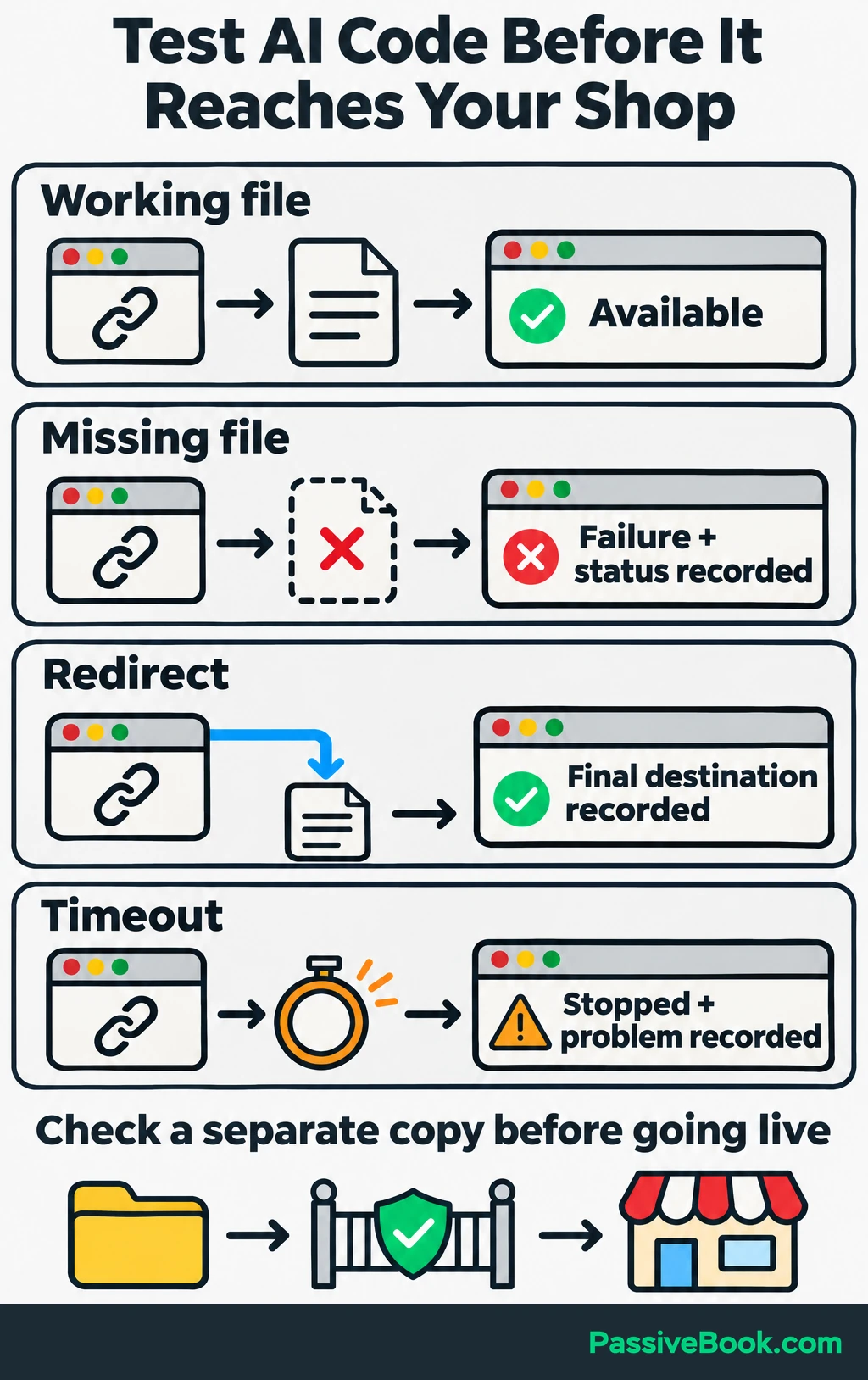
Run the script against controlled examples. Compare correct behavior, repair effort, and whether you can understand the result well enough to maintain it.
For a coding task, I would choose working code with clear output over a longer explanation wrapped around a broken script.
Review website changes in a separate copy before applying them to the live shop. Ask for a short account of what changed and how it was checked. That gives you something concrete to review even if you didn’t write the code.
Research and Source Checking
Choose the information access the task requires.
Changing facts need current sources. Questions about your own guide need access to that guide. A recorded demonstration needs a workflow that can handle the recording.
I use Gemini for research and fact-checking, so it would be on my shortlist here. Gemini 3.8 Flash supports audio and video inputs and Google Search grounding, which lets the API use search results when producing an answer. Compare it with Claude or ChatGPT workflows that have equivalent access. Flash’s supported inputs and tools
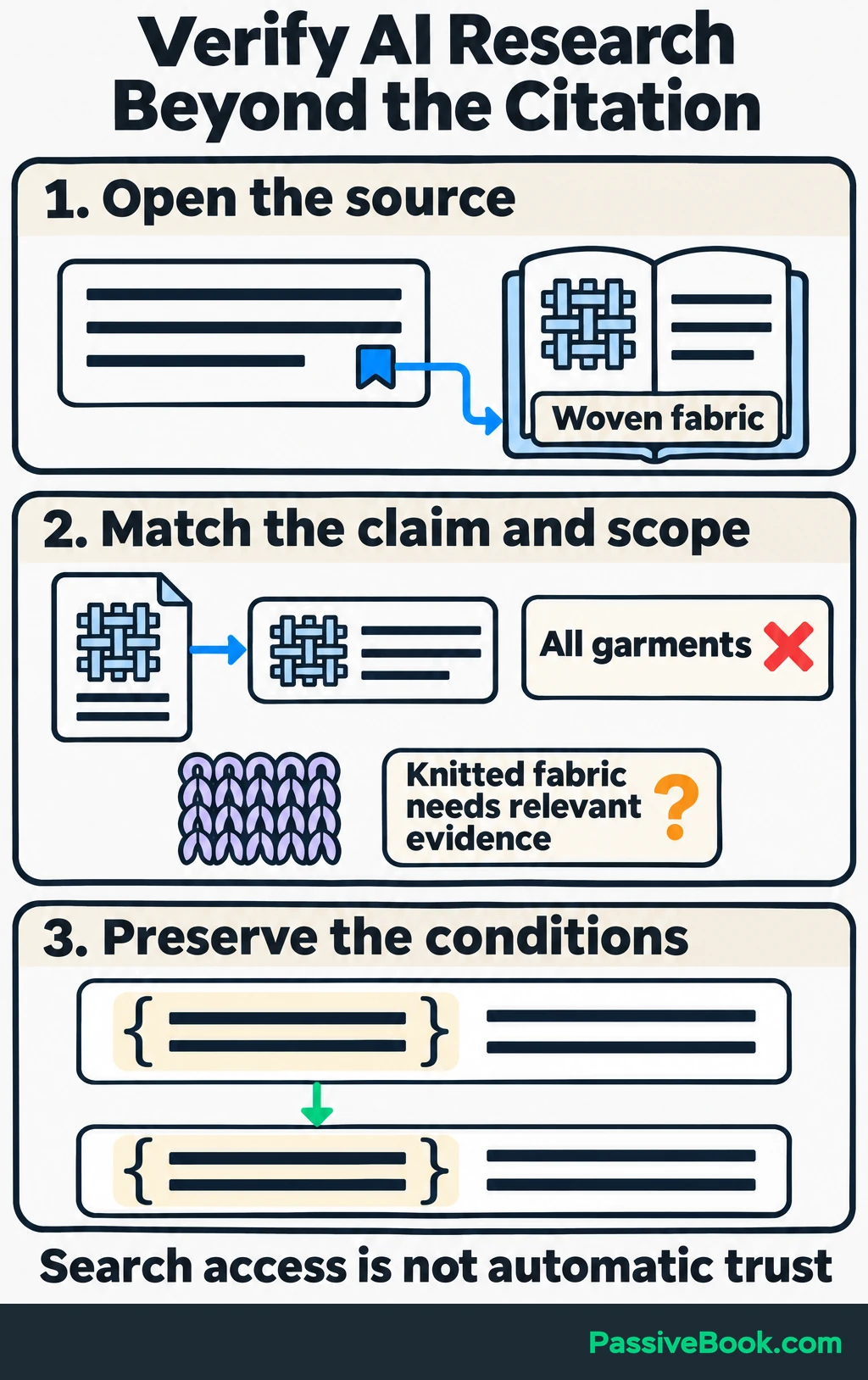
For the shop, test an update comparing repair methods for woven and knitted fabrics:
Find original textile or educational sources explaining how repair advice differs for woven and knitted fabrics. Cite the relevant pages and explain which conditions change the recommendation.
Open the important citations. Check whether each source supports the attached claim and whether the answer preserves the conditions.
A source about one fabric or repair method doesn’t automatically support advice about every garment. Prefer the workflow that finds relevant evidence and connects it accurately to the answer.
Search access earns a place in the test. It doesn’t earn automatic trust.
Routine Operations and Structured Outputs
Routine sorting and extraction are good places to test a lower-cost model.
For example, compare Claude Haiku 5.5 with a downloadable candidate such as gpt-oss-20b when deployment control matters. Use the shop’s actual categories and policies as the test material.
Each support result could require:
- Category: Download problem, product question, refund request, or other.
- Order Reference: The supplied reference, or an empty value if missing.
- Suggested Reply: A draft based only on the approved policy.
- Review Flag: Whether a person needs to handle the case.
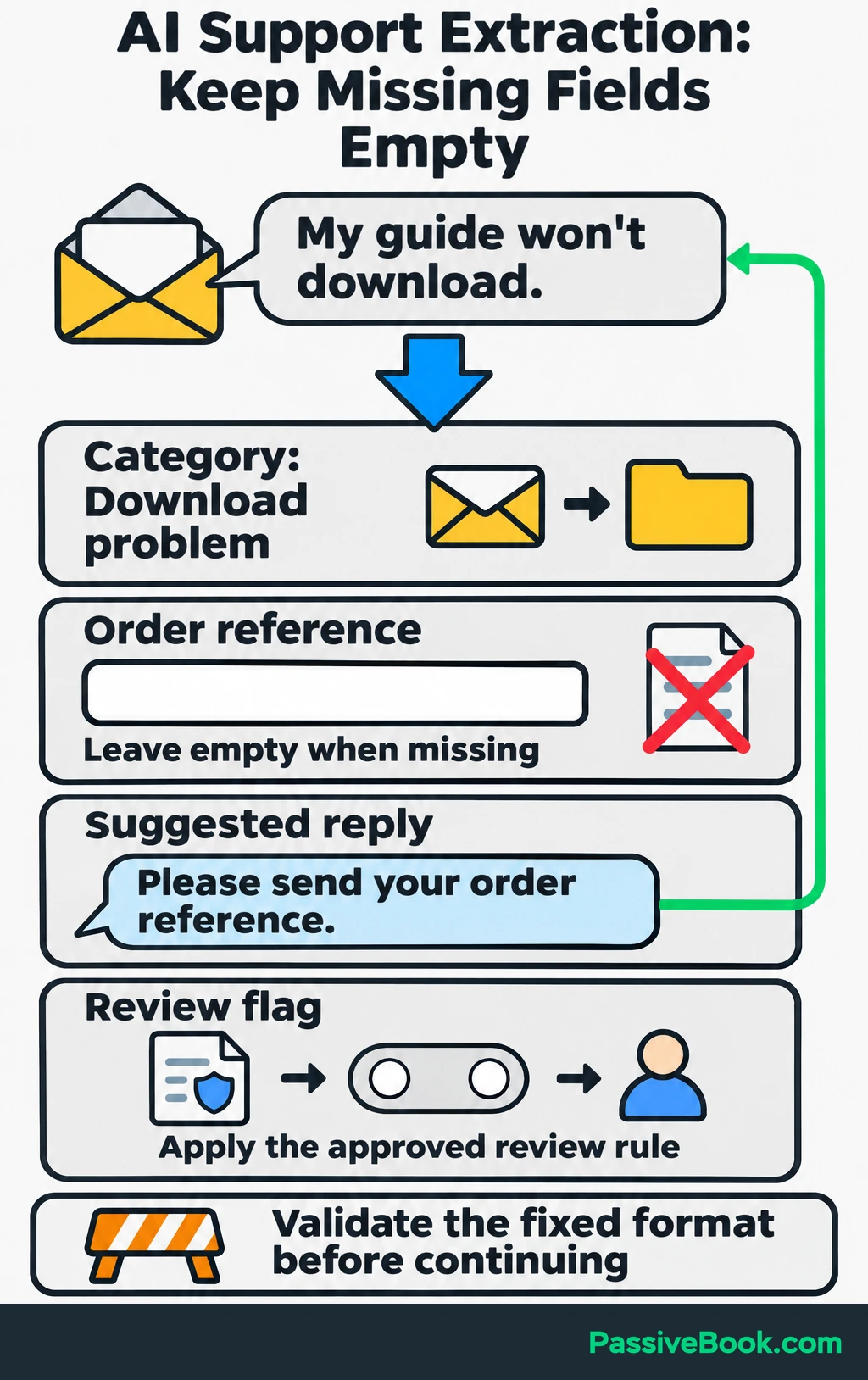
Include incomplete messages and requests outside the policy. A model that confidently fills every field can be worse than one that recognizes missing information.
For a message saying, “My guide won’t download,” the order reference should remain empty. The reply should request the information needed to investigate, and it should avoid pretending the order has already been checked.
If software will process the result, require a fixed format and validate it before continuing. Route difficult cases to a stronger model or a person, and include that extra work in the cost.
Use spreadsheet formulas or executed code for sales totals. Then ask the model to explain the verified figures.
When Does an Open Model Make Sense?
I would choose self-hosting when it satisfies a concrete requirement: offline operation, control over where model execution happens, or customization that your hosted options cannot provide.
I would skip it when the main attraction is avoiding a modest subscription and nobody has counted the maintenance.
Openness and task quality are separate questions. A model can provide extensive access to its training process and still be a poor fit for your support replies.
Ai2’s Olmo 3 is a useful example of broader openness because its release includes training data, code, weights, and checkpoints. Those materials matter when inspecting or changing the training process is part of the job. Ai2’s Olmo 3 release
For the mending-guide shop, a simpler first trial would be Qwen3-8B or gpt-oss-20b on a small batch of support messages.
Qwen3-8B and gpt-oss use Apache 2.0 licensing, but check the exact release’s terms before building on it. OpenAI also reports that gpt-oss-20b can run with 16 GB of memory. Treat that as a starting point for a trial, and measure memory use and response time on your intended workload before buying equipment. Qwen3-8B model card, OpenAI’s gpt-oss release and hardware guidance
The gpt-oss releases are separate from OpenAI’s proprietary GPT offerings. Choosing one doesn’t mean you have downloaded the model behind your ChatGPT experience.
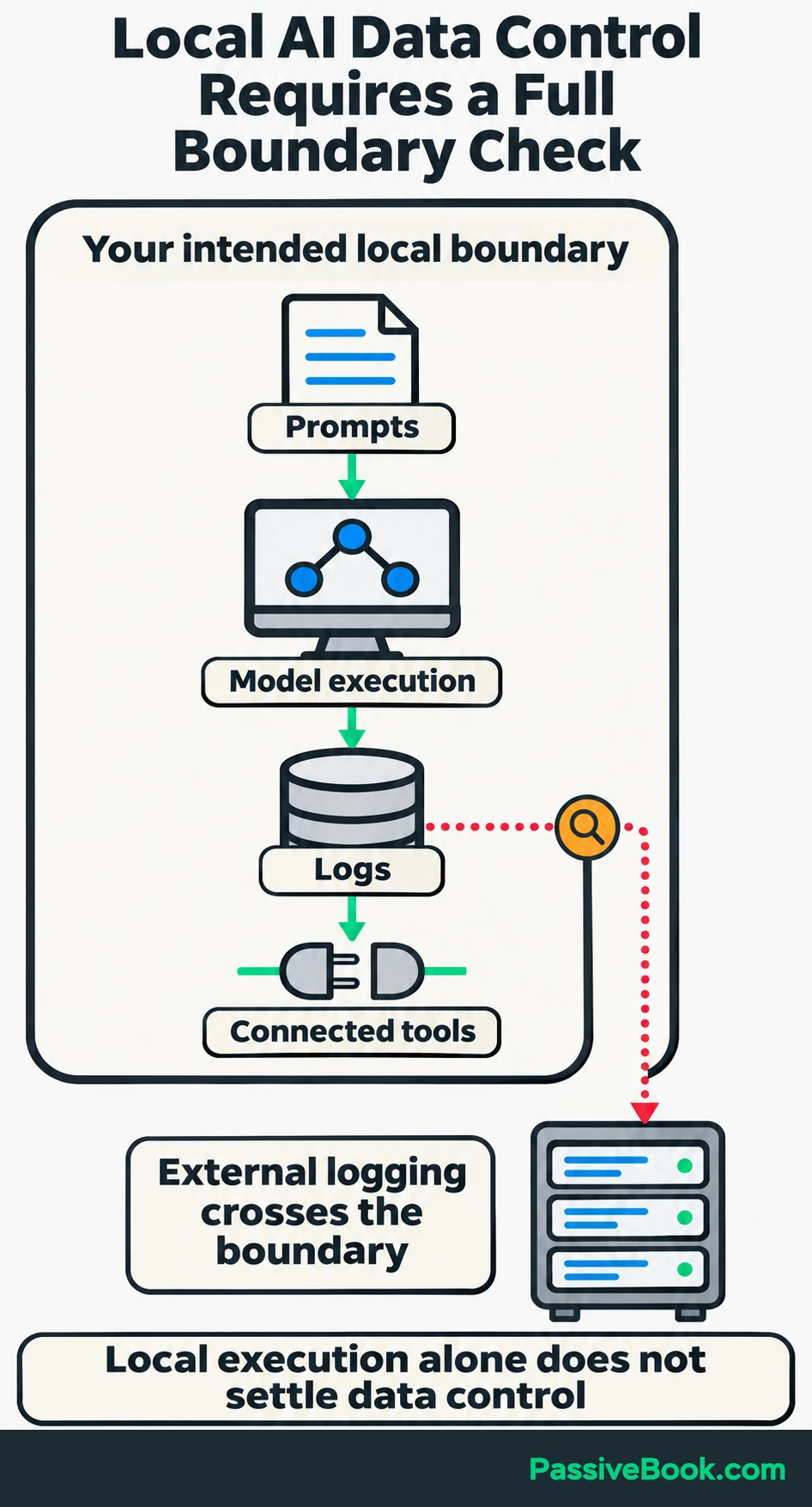
Deployment also determines data handling. A hosted open-model API still sends work to the host. Running locally keeps model execution local, but prompts, logs, and connected tools must also stay within your intended boundary.
If a local model sends its logs to an outside service, the word “local” hasn’t settled your data-control question.
Test Two Candidates Before Committing
Choose one recurring job and write down what an acceptable result looks like before testing.
You can do this in a document and spreadsheet. You don’t need a testing platform or a large budget to learn which candidate deserves more attention.
For the shop’s download-support drafts, I would use this acceptance standard:
- Accuracy: Follows the supplied download policy.
- Missing Information: Requests details needed to resolve the problem.
- Critical Errors: Invents no order references, completed actions, or policy exceptions.
- Format: Produces the fields your workflow requires.
- Review Effort: Fits the time you can spend checking each reply.
- Speed: Returns soon enough for the intended workflow.
Choose two candidates that already meet your access, deployment, and budget requirements.
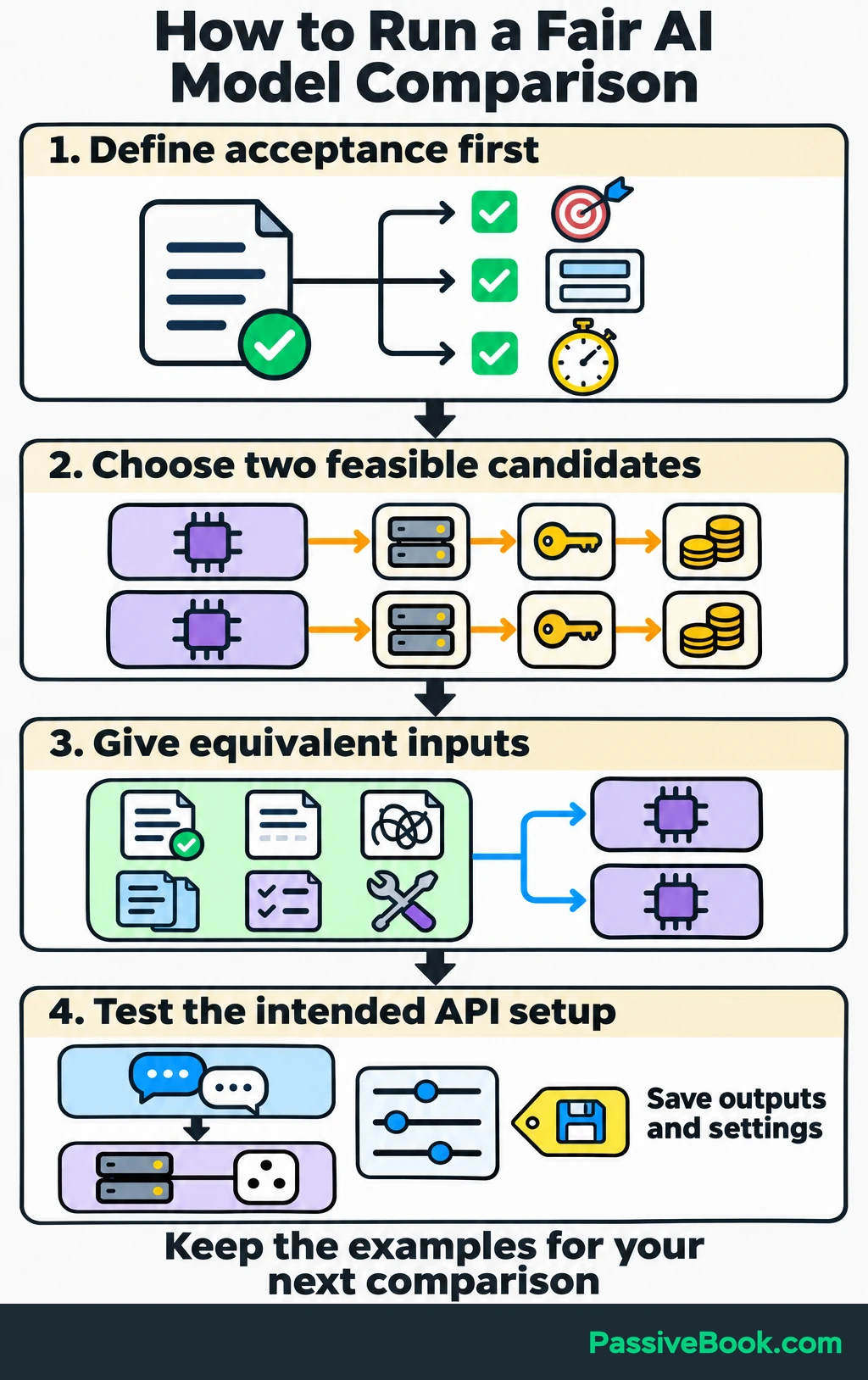
Begin manually if that makes the first comparison easier. Before committing to automation, test through the API and settings you intend to use. A successful app trial doesn’t tell you the API’s actual cost or integration behavior.
Use anonymized examples. Before submitting customer records, check training use, retention, and connected services under the exact product and account terms. “Not used for training” and “not stored” are different questions.
Give both candidates equivalent instructions, source material, and tools. Record the model version, app or API used, settings, and test date so you can repeat the comparison.
If writing the test cases is where you get stuck, the AI Evaluation Studio can draft them from your task and approved material. You’ll get the same ready-to-run cases for both candidates, including cases designed to expose missing information and unsupported claims.

Free AI Evaluation Studio




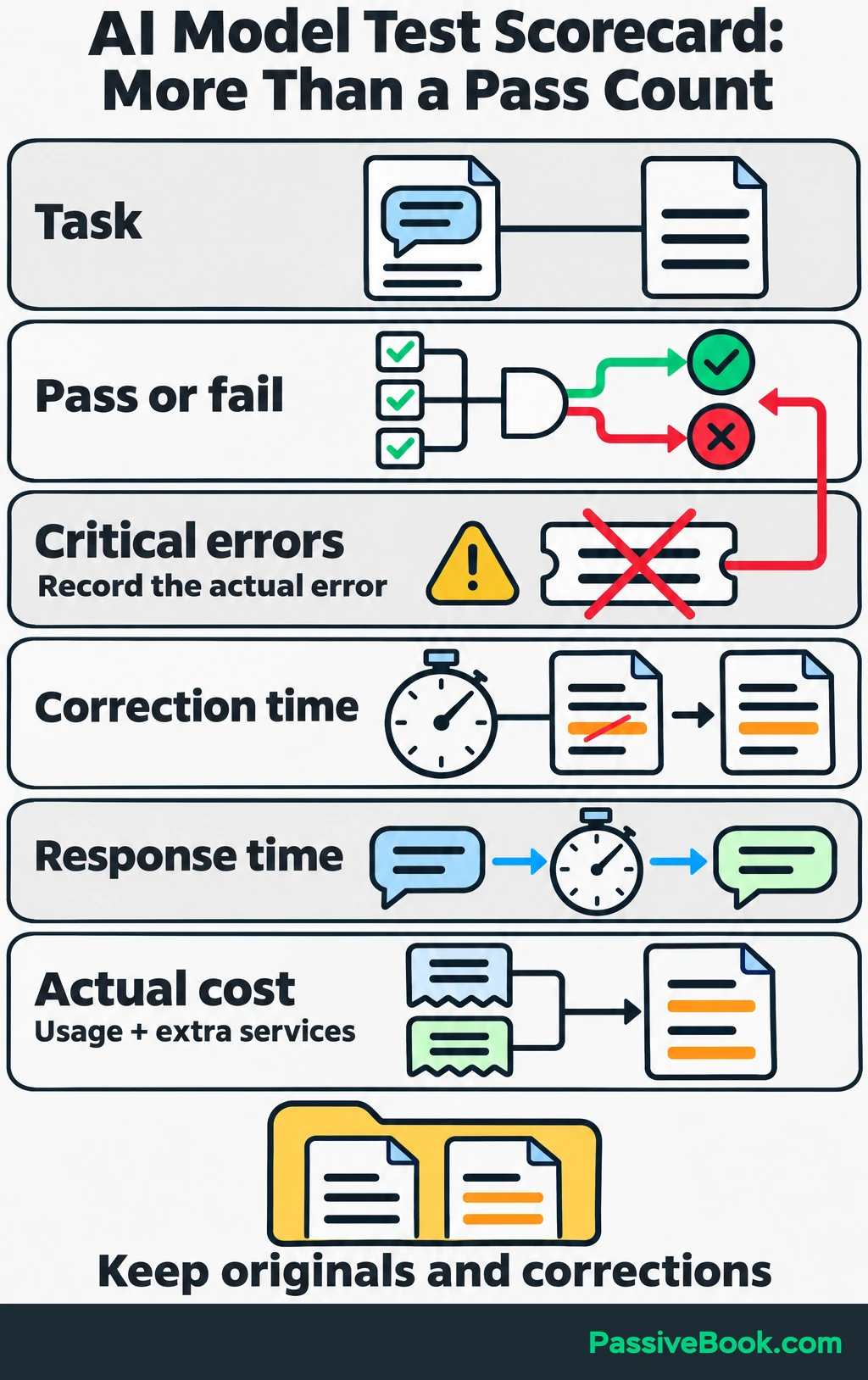
Start with a small batch covering ordinary requests, incomplete information, and difficult cases. Your scorecard should record:
| Scorecard Field | What to Record |
|---|---|
| Task | The support message or test-case reference |
| Pass or fail | Whether the answer meets every required condition |
| Critical errors | The actual error, such as an invented order reference |
| Correction time | Time spent making the answer acceptable |
| Response time | Time from sending the request to receiving the result |
| Actual cost | Recorded usage charges and any extra services |
Keep original outputs alongside your corrections. A simple pass count can hide the difference between a harmless wording change and an invented refund promise.
Repeat inconsistent or business-critical cases. Choose the lowest-total-cost candidate that meets the standard, and favor simpler integration and maintenance when results are close.
Save the examples and accepted answers. They become a reusable test when you consider another model.
Keep Your Workflow Portable
Keep prompts, editorial rules, source documents, approved outputs, and test examples in files you control.
For automated work, separate the model call from the business rules. The model can suggest a support category and draft a reply. Order lookup, policy checks, and delivery should remain separate steps.
For the mending-guide shop, the flow could be:
Support message
→ retrieve permitted order and policy information
→ request a draft
→ validate required fields
→ review when needed
→ deliver the approved reply
You can connect apps and automate these steps with n8n or Make, or build them in code. I use n8n, but the useful design choice is keeping the model replaceable.
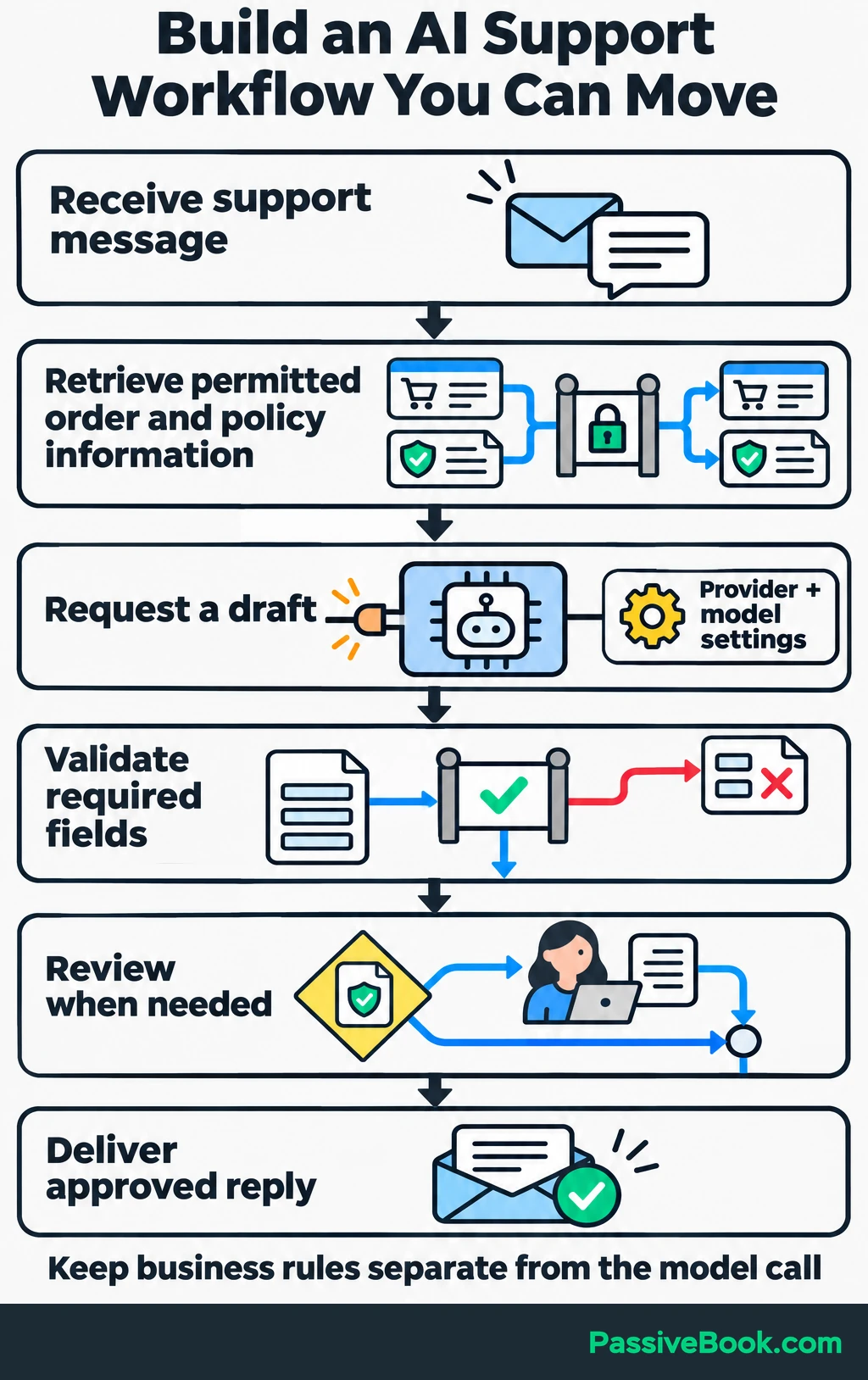
Put the provider and model name in settings you can change without rebuilding the workflow. Keep the same required fields for requests and replies, adding provider-specific settings where needed. Providers handle tools, files, and conversations differently, so switching may still need adjustments.
Record the exact version used and monitor retirement notices. Choosing a fixed model version helps make results more repeatable, but providers can still retire that version or shut down its API access. OpenAI API deprecation notices
Test a backup for essential work before you need it. Reconsider your choice when quality, cost, limits, or availability changes enough to affect the business.
A new model announcement alone wouldn’t make me rebuild a working system. A replacement that passes my saved checks and solves a recurring problem might.
What Next?
Pick one job you repeated this week and write a short acceptance checklist for it. Give the same material to two candidates, then record what each answer costs you in corrections as well as money.
Use the social buttons to share this guide when the next model debate needs a practical way to choose.
Which task would a model need to handle reliably before you trusted it with more of your business? Leave your answer in the comments, along with any other questions.
Share this post with your friends & followers:

