An AI tool can draft a helpful article, but connecting it to your publishing system gives the same tool a much bigger job. Now a mistake can reach readers before anyone checks it.
Add customer records, product recommendations and scheduled emails, and “we review the output” becomes a rather incomplete rule. Who reviews it? What are they checking? Can they stop the next batch?
You need clear answers before those connections multiply. This guide shows how to create an AI governance framework that puts responsibility, data rules and release controls around your workflows without turning every draft into a committee meeting.
What Does an AI Governance Framework Include?
An AI governance framework sets out where AI may be used, who is responsible, which safeguards apply, and what happens when something goes wrong.
I would start with a short policy and a shared spreadsheet. Give each workflow a record that links to its risk assessment, tool approval, tests and incident history. Notion can hold the supporting documents if you already use it.
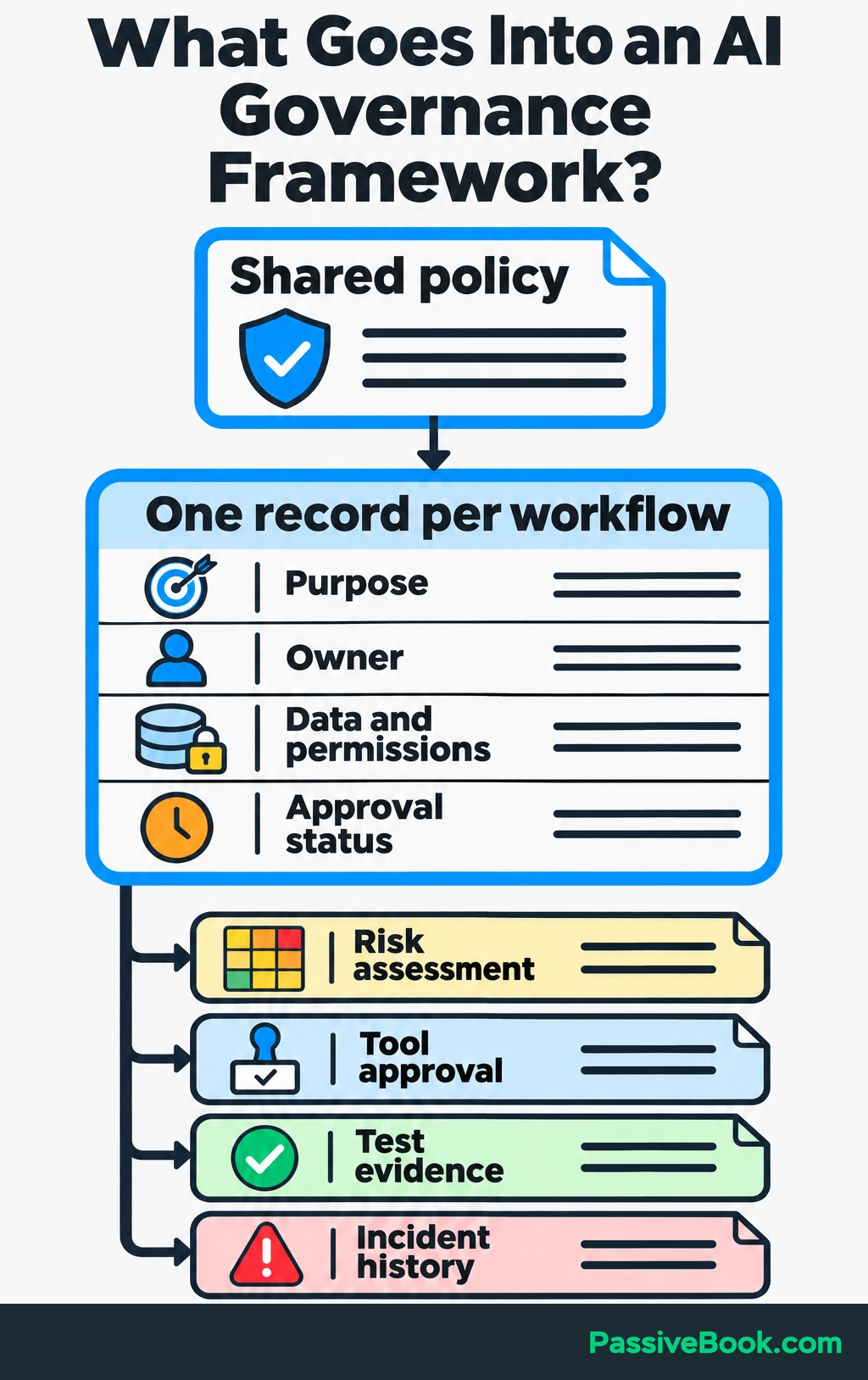
You do not need a separate governance platform to begin. The US National Institute of Standards and Technology (NIST) designed its voluntary AI Risk Management Framework to scale to organizations of different sizes. NIST’s framework FAQs
Its four functions provide a useful structure:
| Function | What You Put Into Practice |
|---|---|
| Govern | Name owners, write rules and set approval authority. |
| Map | Identify the workflow’s purpose, data, users and possible harm. |
| Measure | Test quality, safeguards and failure conditions. |
| Manage | Reduce risks, respond to incidents and decide whether use can continue. |
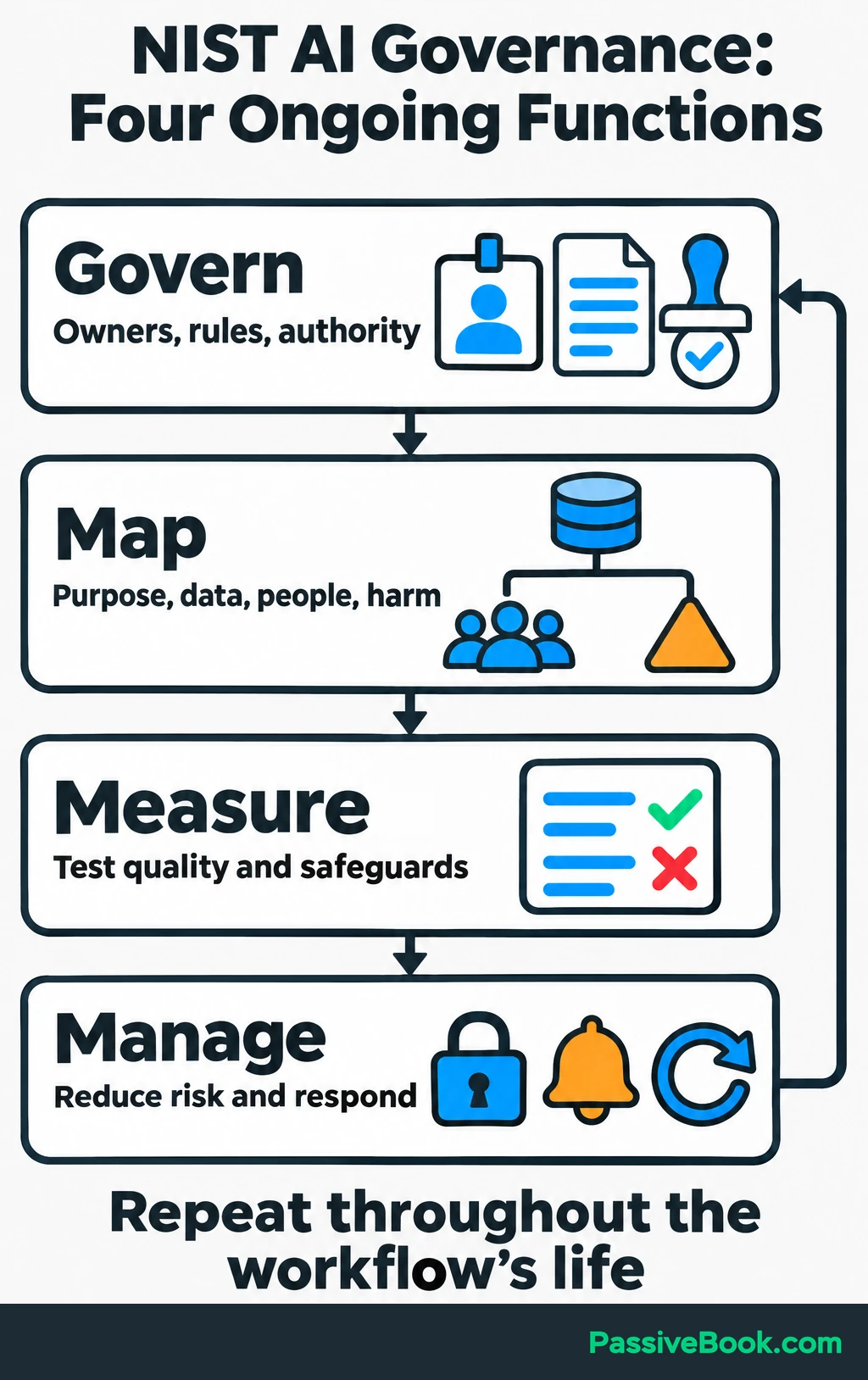
These functions continue throughout a workflow’s life. The eight steps below explain implementation; they are not a one-to-one translation of the four functions. NIST AI RMF Core
For the examples, imagine you run a cat-care website that sells printable home-grooming checklists and earns affiliate revenue. Its owner, Maya, works with an editor, Leo. Their workflows and decisions are illustrations, not reported business results.
1. Inventory Your AI Workflows
List what AI actually does across the business. Include employees, contractors, AI features inside existing software and automations connected to other systems.
Record workflows separately when their inputs, permissions or consequences differ. “AI content” is too broad. Drafting an email and sending it to every subscriber belong in different records.
Start with a table like this:
| ID | Workflow and Intended Benefit | Input Data | Output or Permitted Action | Proposed Owner |
|---|---|---|---|---|
| C01 | Draft articles to reduce writing time | Approved references and article briefs | Save drafts for editorial review | Leo |
| C02 | Create grooming checklists faster | Approved instructions and product information | Produce a printable draft; no sale or publication | Maya |
| C03 | Summarize sales to reduce reporting work | Product-level totals without customer identifiers | Write an internal report; no account changes | Maya |
| C04 | Draft promotional emails faster | Approved offer details and released copy | Save email drafts; no sending | Leo |
| C05 | Prepare distribution copy | Released articles and approved links | Draft Pinterest captions; no scheduling | Leo |
| C06 | Schedule approved distribution | Approved captions, images and destinations | Schedule the exact approved items | Maya |
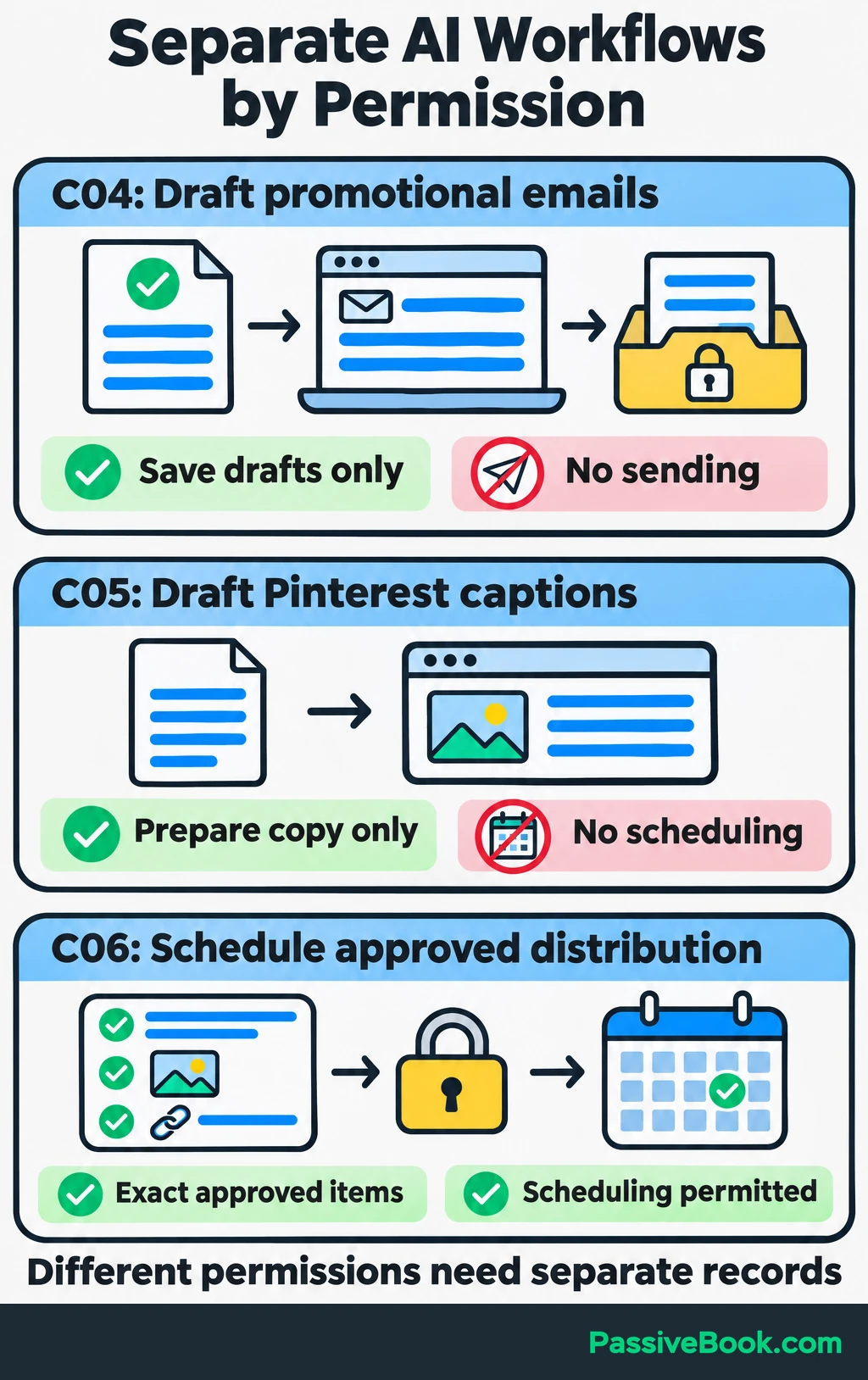
Keep these proposed workflows pending until their required checks are complete.
For each record, also add the specific tool or model, account configuration, connected systems, approval status and links to supporting records. Trace where data comes from and where the output goes.
That last part matters. A draft stored privately has a different reach from text inserted into a paid download.
Define the benefit before building the workflow. For C02, the aim is to reduce checklist-production time while preserving factual quality. Count review and correction time too. If AI creates more work than it removes, I would keep the manual process.
2. Assign Accountability and Decision Authority
Name one person who maintains the framework, and give every workflow one accountable business owner.
Then assign the decisions around it. “The team checks it” usually means everyone assumes somebody else did.
For the checklist workflow, the responsibility record could look like this:
| Activity | Responsible Person | Decision or Boundary |
|---|---|---|
| Maintain the policy and workflow register | Maya | Records approved uses and changes. |
| Operate the checklist workflow | Maya | Uses the approved inputs and saves the draft. |
| Review wording, instructions and source support | Leo | Returns unsupported or unclear content for correction. |
| Review substantive animal-health claims | Veterinary reviewer—not yet appointed | Release containing those claims remains blocked. |
| Approve release and accept remaining risk | Maya | Signs off on a specific version after required reviews. |
| Monitor results and handle incidents | Maya | Can stop the workflow and withdraw affected content. |
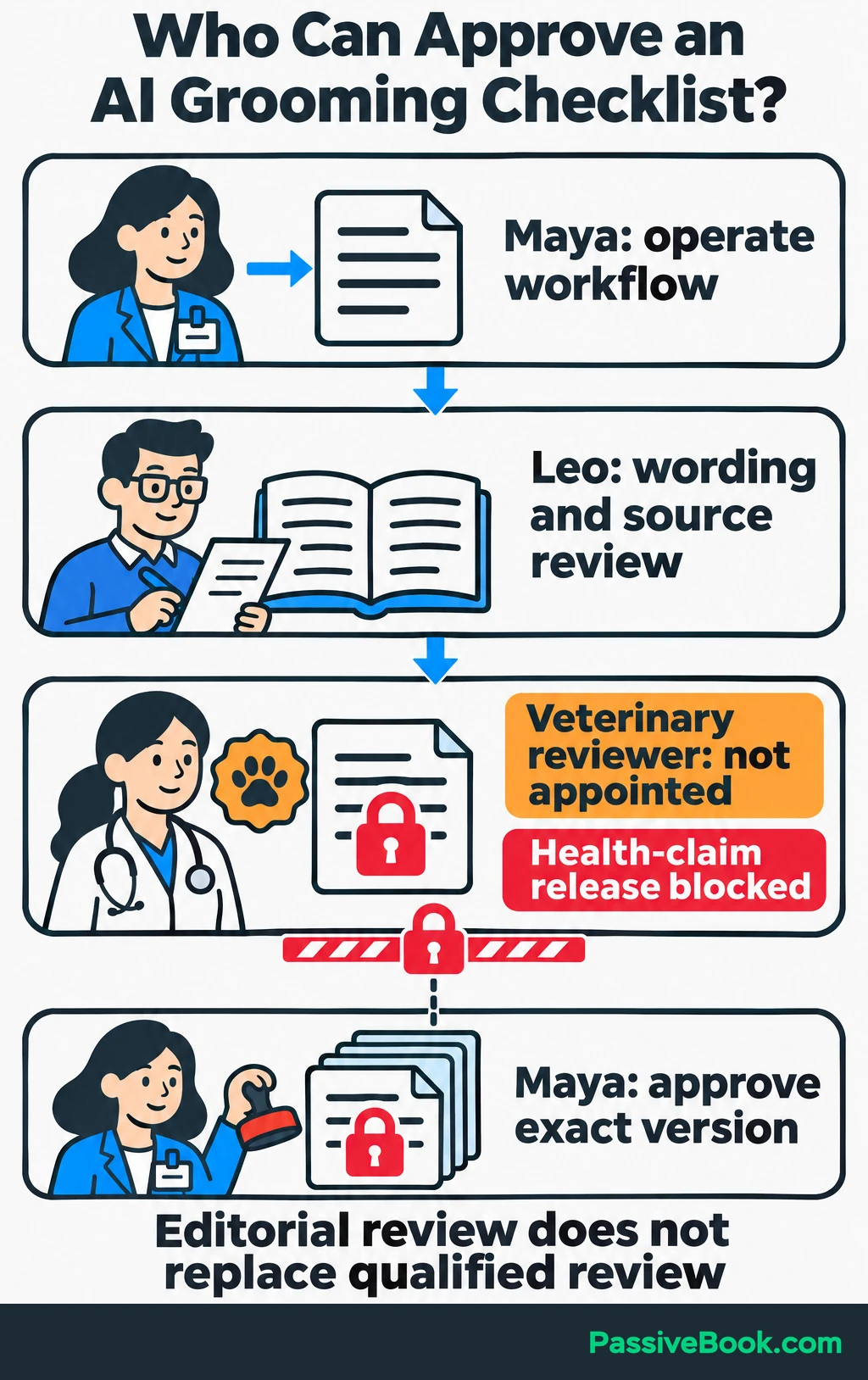
Add actual contact details and backups to the working record. If no qualified backup exists, say so and define which work pauses during an absence.
One person can hold several roles. A solo owner can operate a workflow, review it and approve release, but those decisions should still be recorded separately. That makes it harder to confuse “the automation finished” with “I approved this.”
Expertise is a separate question. An editor can check whether a source supports a sentence, but that does not automatically qualify them to assess animal-health advice. Obtain qualified review where needed, remove the claim or narrow the workflow.
Use one route for reporting problems and requesting new uses, such as a shared form. Give the workflow owner clear authority to suspend automation without waiting for another meeting.
3. Assess Risk and Choose the Required Oversight
Assess the whole workflow, including its data and permissions. A harmless writing task can become more consequential when it receives customer records or permission to change live systems.
For each workflow, ask:
- What could go wrong?
- Who could be affected?
- How serious would the harm be?
- What evidence do we have about the likelihood?
- Would we notice before release?
- Could we stop or reverse the action?
Consider inaccurate claims, data exposure, misleading recommendations, unfair treatment, financial loss and unauthorized actions where they apply.
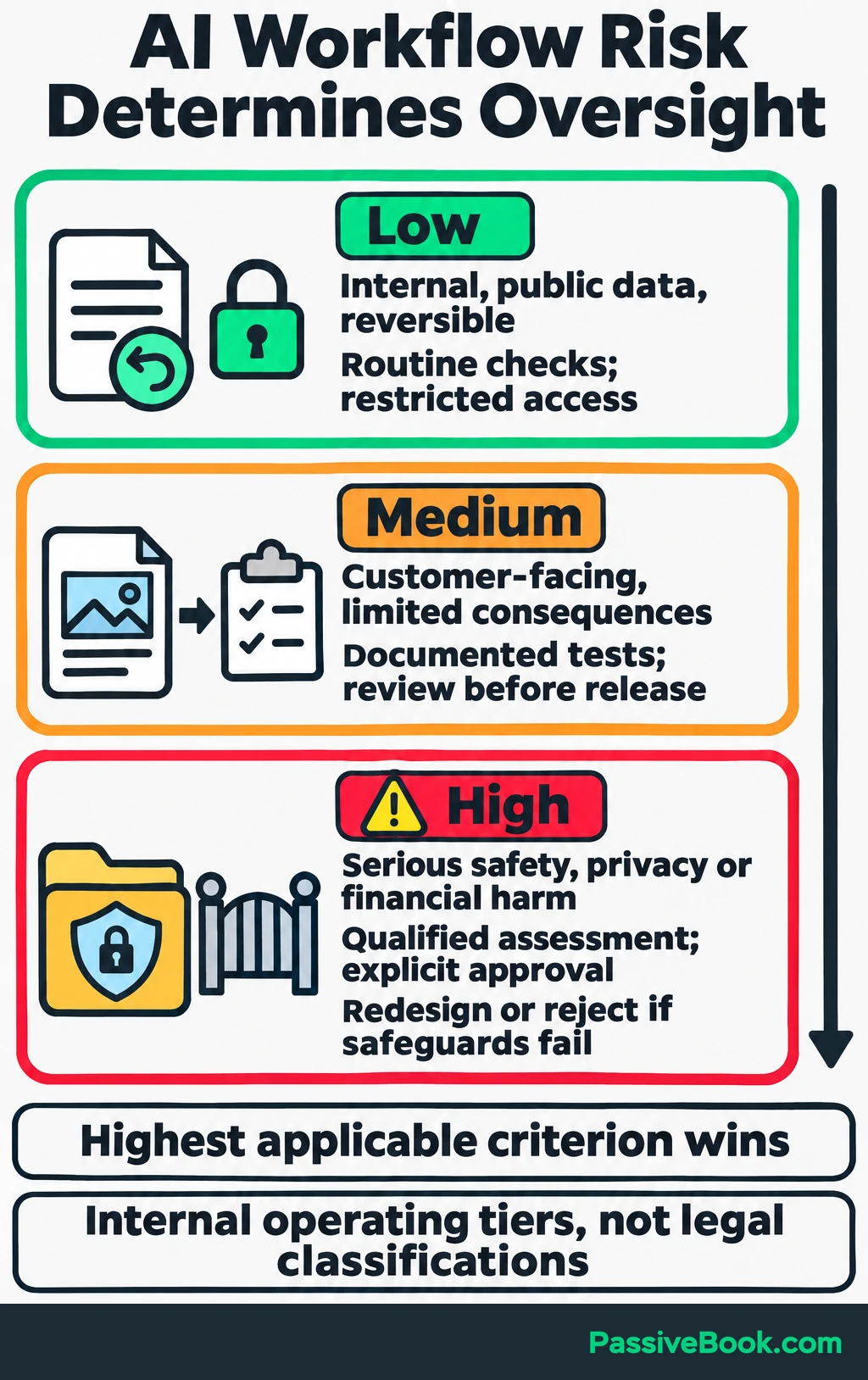
I would use three internal tiers:
| Tier | Observable Criteria | Required Oversight |
|---|---|---|
| Low | Internal assistance using public information, with easily reversible results | Routine checks and restricted permissions |
| Medium | Customer-facing material with limited consequences if wrong | Documented tests and review before release |
| High | Serious safety, privacy, financial or consequential decision risks | Qualified assessment, tighter access and explicit approval; redesign or reject if safeguards are inadequate |
These are business operating tiers, not legal AI risk classifications. Use the highest applicable criterion rather than averaging a serious safety risk against several minor ones.
Assess different failure scenarios separately. For C02:
| Failure Scenario | Impact and Initial Tier | Likelihood Rationale | Required Control |
|---|---|---|---|
| A checklist contains an unsafe instruction | Possible animal harm; high | Not established before testing; the task includes safety-related instructions | Qualified review of consequential instructions before release |
| A recommended brush has the wrong dimensions | Misleading purchase guidance; medium | Product information may change after the reference was saved | Verify current manufacturer details |
| Imported source text tries to trigger an external action | Possible unauthorized publication or data access; high if connected permissions allow it | Exposure depends on the documents and integrations used | Remove unnecessary permissions and enforce release approval outside the model |
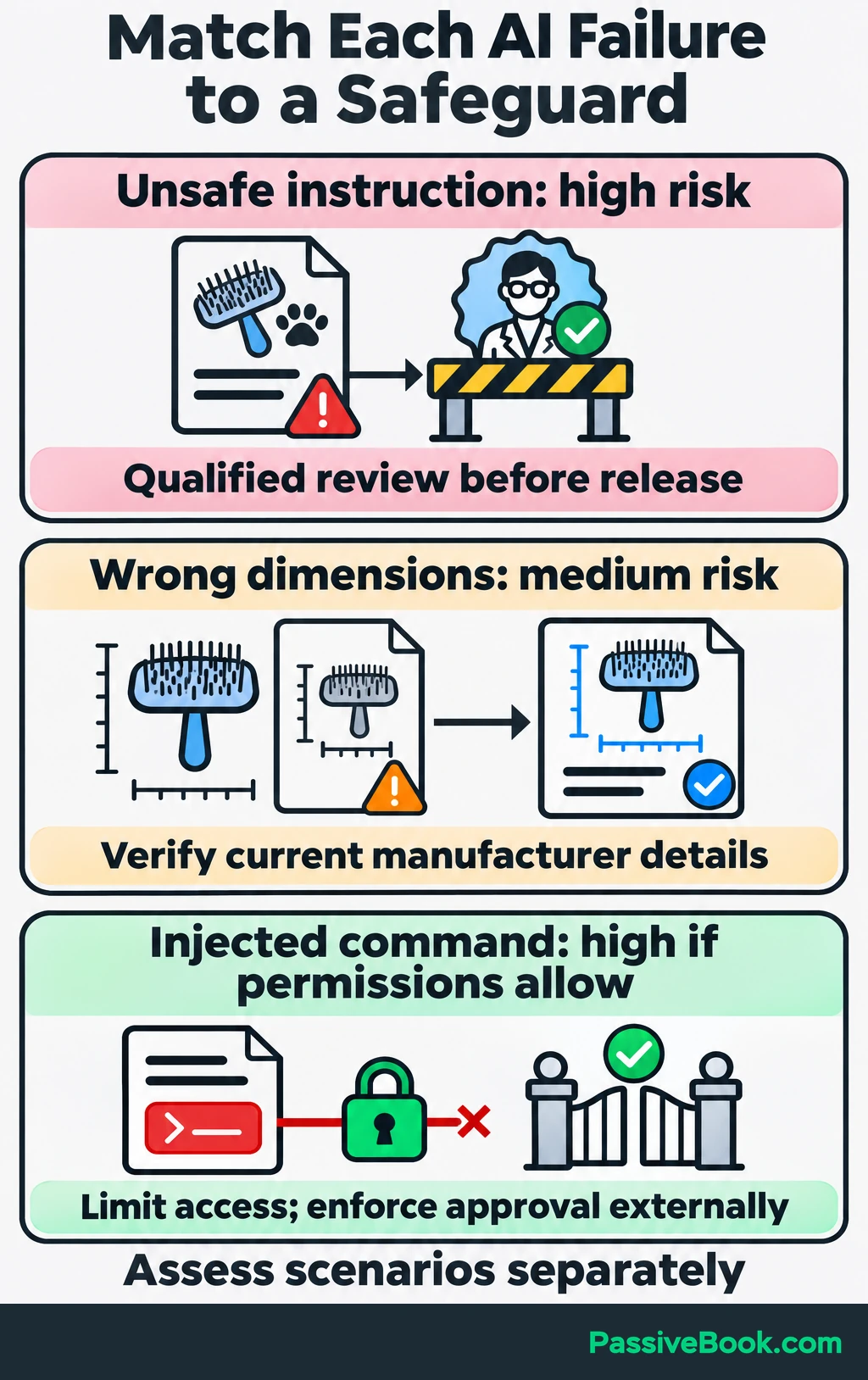
For each scenario, record who maintains the safeguard, what shows it works and which risks remain. Add the approval decision and the changes that would require another assessment.
Also record relevant obligations by activity, market and business role. An internal sales summary, a public advice article and personalized customer recommendations need different checks.
For example, the EU’s General Data Protection Regulation (GDPR) sets rules for handling personal data. Where it applies, processing likely to create a high risk to people’s rights and freedoms requires a data protection impact assessment before it begins. That assessment documents the risks and safeguards; your internal risk table does not replace it. EDPB guidance on impact assessments
Reject or redesign a workflow when you cannot protect its inputs, check consequential outputs or stop harmful actions. A smaller approved use is more useful than a broad permission nobody can defend.
4. Write an Acceptable-use Policy
Turn the risk decisions into rules people can follow during an ordinary working day.
Each rule should identify the action, responsible person and approval condition. “Use AI responsibly” provides very little help when a contractor is deciding whether to upload an order export.
Here is a complete starter policy for the example business. Adapt the names, activities and boundaries before adopting it.
– Scope: This policy covers staff, contractors, embedded AI features and connected automations used for the website and its products.
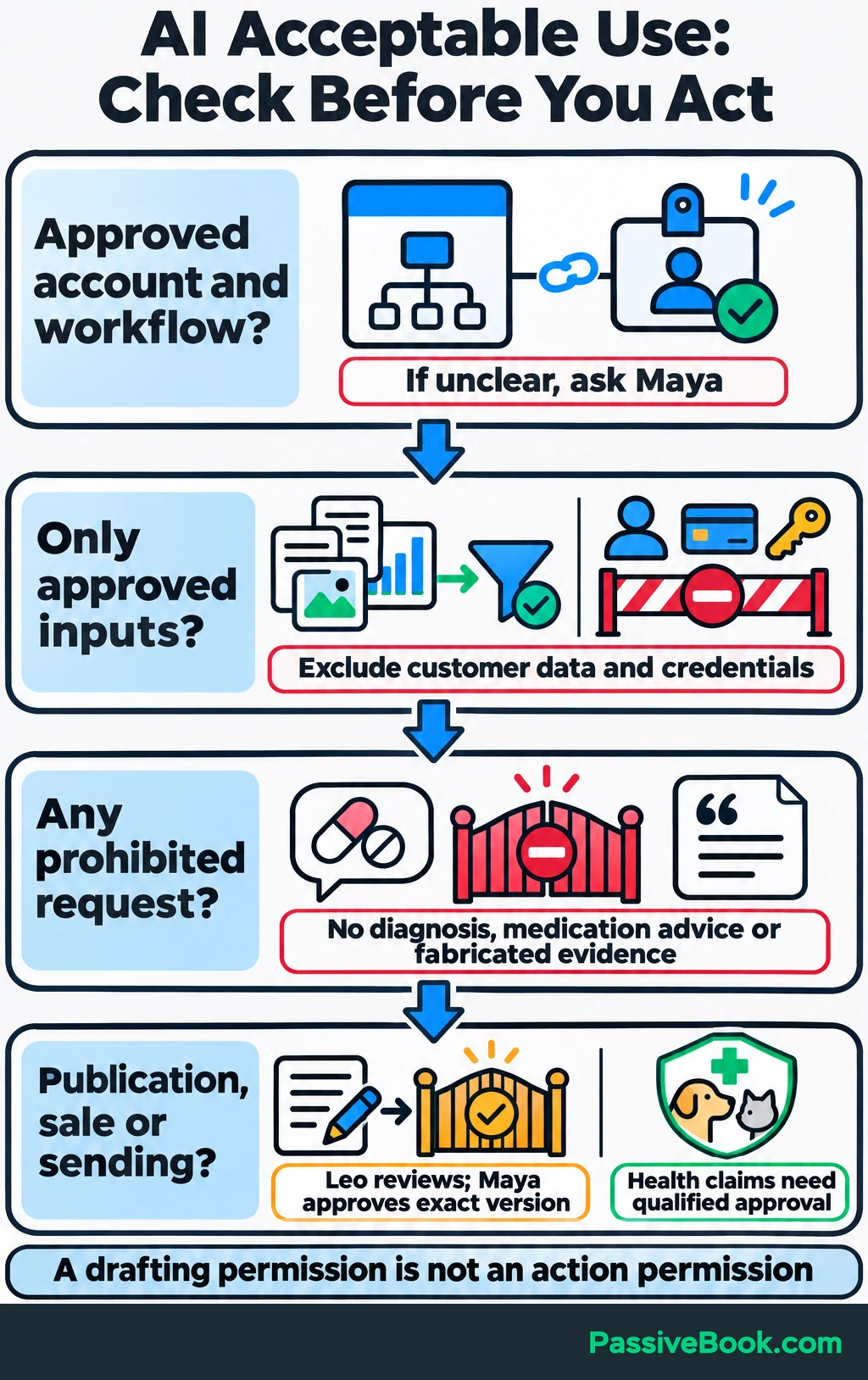
– Permitted Uses: Contributors may use accounts approved in the workflow register to brainstorm titles, organize approved references and draft internal summaries within the recorded scope.
– Approval-required Uses: AI may draft articles, grooming checklists, promotional emails and distribution copy. Leo must review the content, and Maya must approve the exact version before publication, sale or sending. Substantive animal-health claims also require approval from an appointed veterinary reviewer.
– Data Rules: Use only the inputs approved for each workflow in the register. These may include reference material, product and offer details, approved copy and images, and product-level sales totals without customer identifiers. Customer records, credentials and payment details must not enter these workflows.
– Prohibited Uses: AI must not provide individualized diagnosis or medication advice. Direct those requests to a veterinarian. It must not invent testimonials, product-testing experiences, affiliate evidence or claimed results.
– External Actions: AI has no general permission to publish, send messages, change prices or issue refunds. Each action requires separate workflow approval.
– Exceptions: Maya records the reason, exact scope, added safeguards and expiry before an exception begins.
– Problems: Contributors report suspected errors or exposure to Maya immediately. Maya may suspend any workflow and controls its restart.
Add disclosure requirements where they apply. For covered EU uses, AI Act Article 50(4) requires disclosure of AI-generated or manipulated text published to inform the public on matters of public interest. It includes an exception where the content undergoes human review or editorial control and a person or organization holds editorial responsibility. Do not assume every AI-assisted article needs the same label. AI Act Article 50
Record which requirement applies and how the workflow meets it, rather than leaving contributors to interpret it at publication time.
The example gives you a starting point, but your inputs, permissions and reviewers will be different. This AI Skill turns those details into a policy draft without needing customer records or confidential documents.
Free AI Governance Studio




5. Approve Tools and Data Access
Approve a specific service, account configuration, purpose and data category.
Approval to draft public articles does not authorize uploading subscriber records. The logo on the login screen is not a data policy.
Before approving a tool, check:
- Whether submitted data may be used for model training.
- How inputs, outputs and logs are retained and deleted.
- Who can access the account and its stored material.
- Which other providers handle the data and where processing occurs.
- Whether the terms support your intended use.
- How to contact the vendor about security incidents.
Save the supporting documents and review date. If a necessary safeguard remains unclear, leave that use pending.
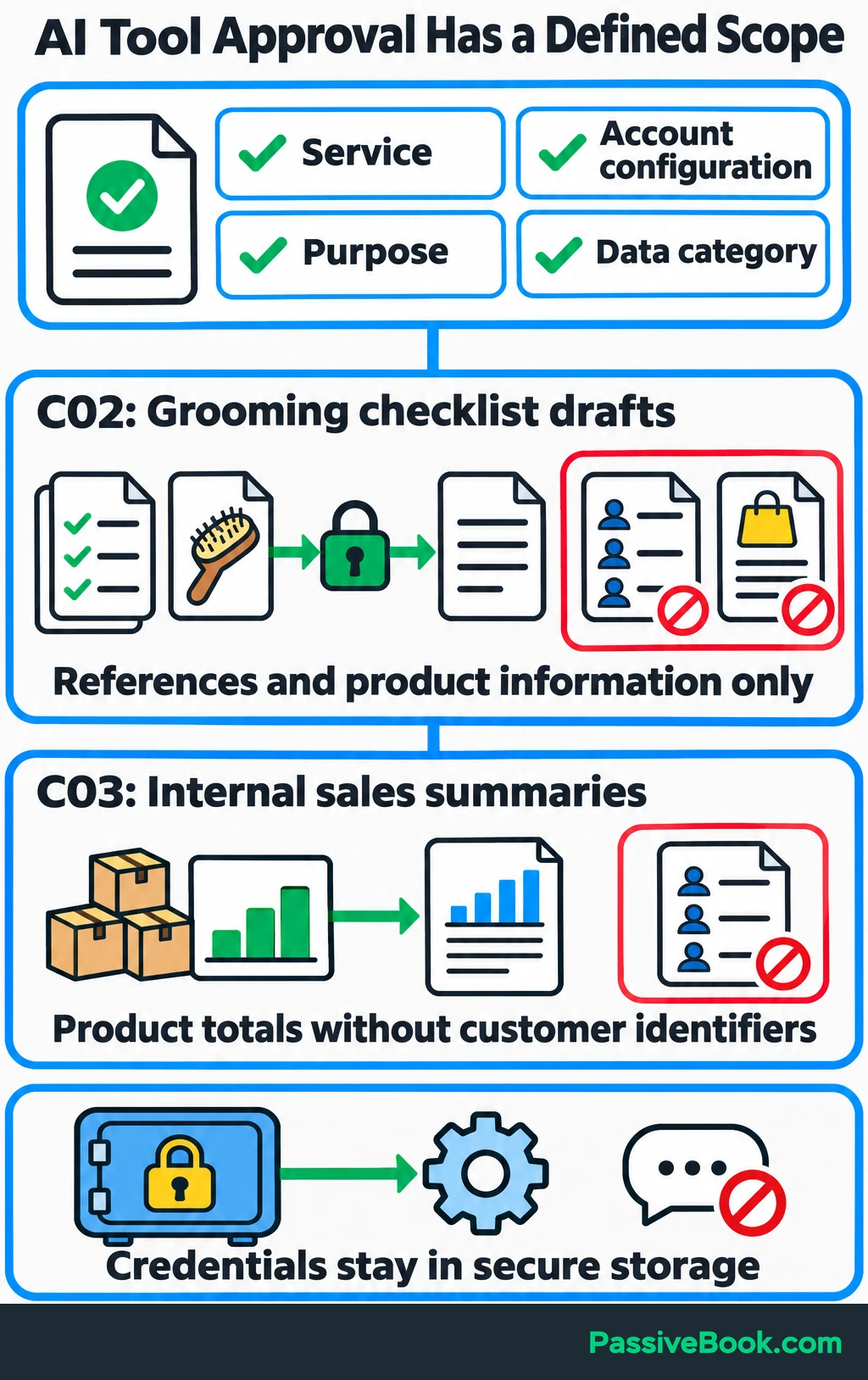
For C02, approve only reference material the business is entitled to use and relevant product information. Subscriber lists and order histories add nothing to a grooming-checklist draft, so exclude them.
For C03, provide product-level sales totals rather than customer-level exports. Use made-up customer records during development. Keep credentials in the automation tool’s secure credential store, and never paste them into prompts.
Where GDPR applies, establish a lawful basis before processing personal data. Consent is one possible basis, not the automatic answer to every use. EDPB guidance on legal basis
If a vendor handles that data on your instructions, put the required data-processing contract in place. This sets out what the vendor may do with the data and how it must protect it. Check applicable international-transfer requirements too. EDPB guidance on controller and processor responsibilities
Finally, set retention rules for inputs, retrieved documents, drafts and logs. Keep enough evidence to explain important decisions, restrict access and delete material when its approved retention period ends. Revoke access when a contractor leaves or an integration is retired.
6. Build Safeguards Into the Workflow
Put Controls Before Consequential Actions
Map every identified risk to something that prevents, detects or contains it.
For the grooming checklist, the release sequence should be:
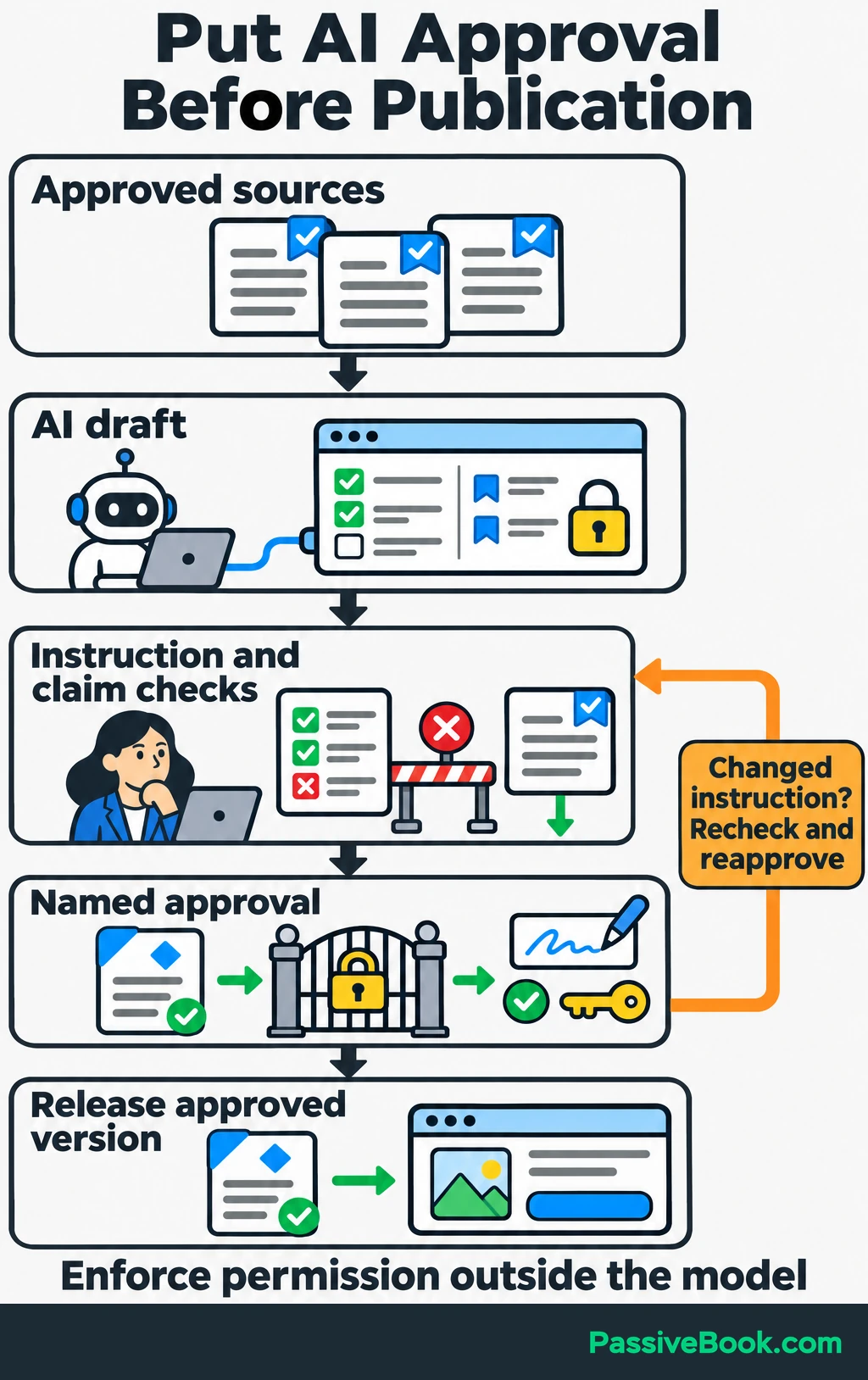
Approved sources → AI draft → instruction and claim checks → named approval → release of the approved version.
Approval must attach to a particular version. If someone changes an instruction afterward, send the changed version through the required checks again.
When I started connecting drafts to publishing tasks across my sites, I kept review rules inside individual prompts. After revising one workflow, I found different rules in different copies. I moved the shared release checklist into the publishing process because a rule that depends on finding the right prompt is easy to miss.
The same principle applies whether you use an automation tool such as Make or n8n, or write a custom script:
- Give the drafting connection permission to create drafts.
- Keep publishing, sending and financial actions behind enforced approval.
- Limit access to the records the workflow needs.
- Stop execution when a required check fails.
OWASP recommends minimum permissions, human approval for high-impact actions and authorization enforced outside the model. Asking the model to decide whether it is allowed to act is not a sufficient permission check. OWASP’s excessive-agency guidance
Treat imported webpages, documents and messages as untrusted material. Instructions inside a reference document must not grant access or bypass approval. Enforce that boundary through the connected systems’ permissions and approval gates.
Set limits for batch size, spending, retries and execution time. A failed job should stop and alert its owner before it turns into an expensive loop.
Prepare a Stop-and-recover Procedure
Write the shutdown procedure before launch, while nobody is rushing.
Record the trigger, authorized person, exact shutdown method, containment steps, evidence to preserve, communication owner and restart conditions.
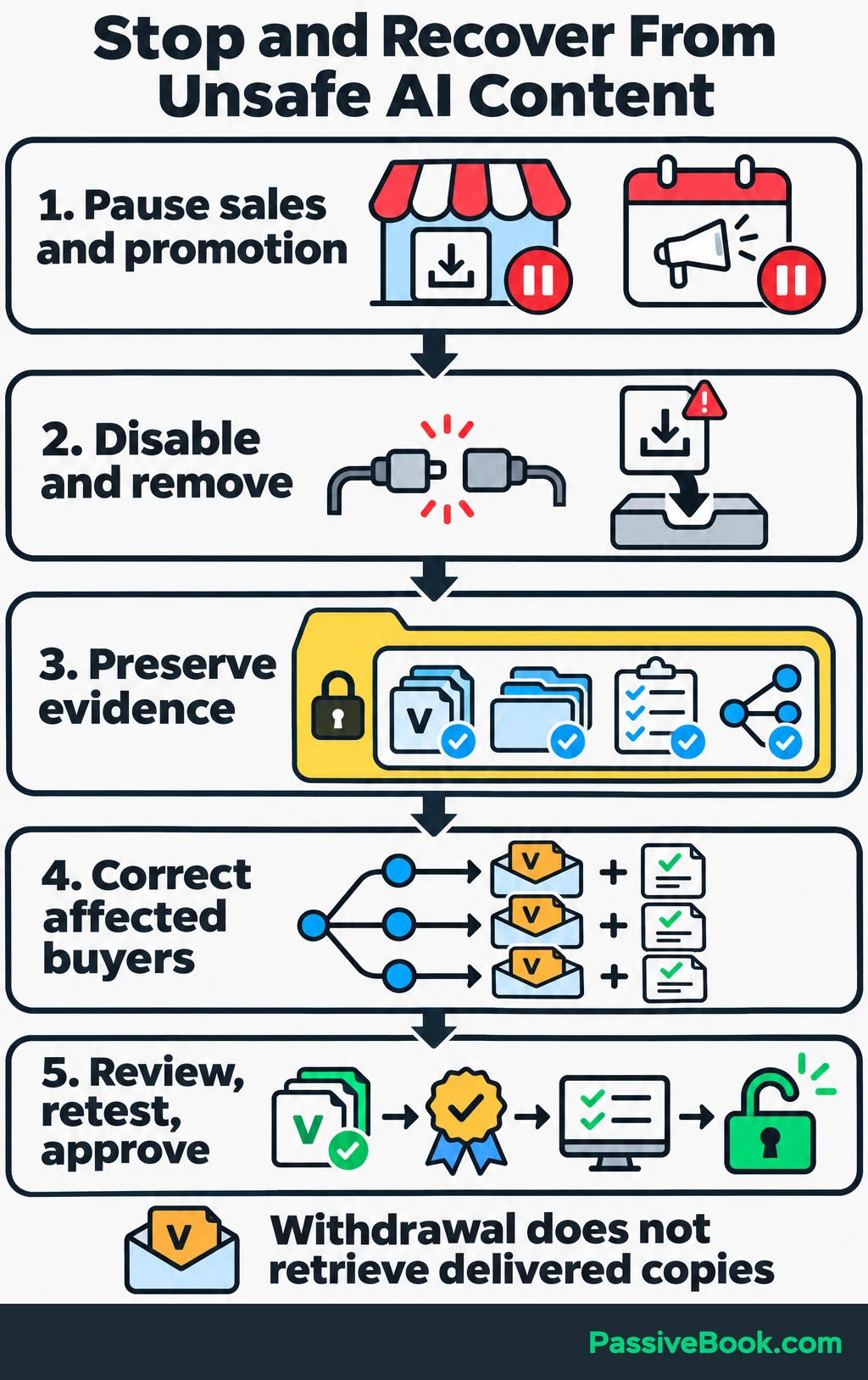
For an unsafe instruction in C02, the procedure could require Maya to:
- Pause sales of the affected download and its scheduled promotion.
- Disable the workflow and remove the unsafe version.
- Preserve the version, sources, review record and distribution history.
- Identify affected buyers and send a clear correction.
- Obtain the required review, repeat relevant tests and approve a corrected release.
Removing a download does not retrieve copies already delivered. Include those buyers in the response.
Data incidents need their own notification decisions. For GDPR-covered personal-data breaches that present a risk to individuals, notify the supervisory authority without undue delay and, where feasible, within 72 hours of awareness. Likely high-risk breaches also require informing affected individuals without undue delay. Put responsibility for that assessment into the procedure. Data Protection Commission breach guidance
7. Test and Approve a Bounded Pilot
Choose one workflow and define what must pass before testing begins. I would pilot C02 internally first, with no automatic publication or access to customer records.
Its acceptance criteria could require:
- Source support for every material factual claim.
- Completed instruction review and qualified review where required.
- No prohibited individualized advice.
- No release without recorded approval.
- Working access restrictions, alerts and shutdown controls.
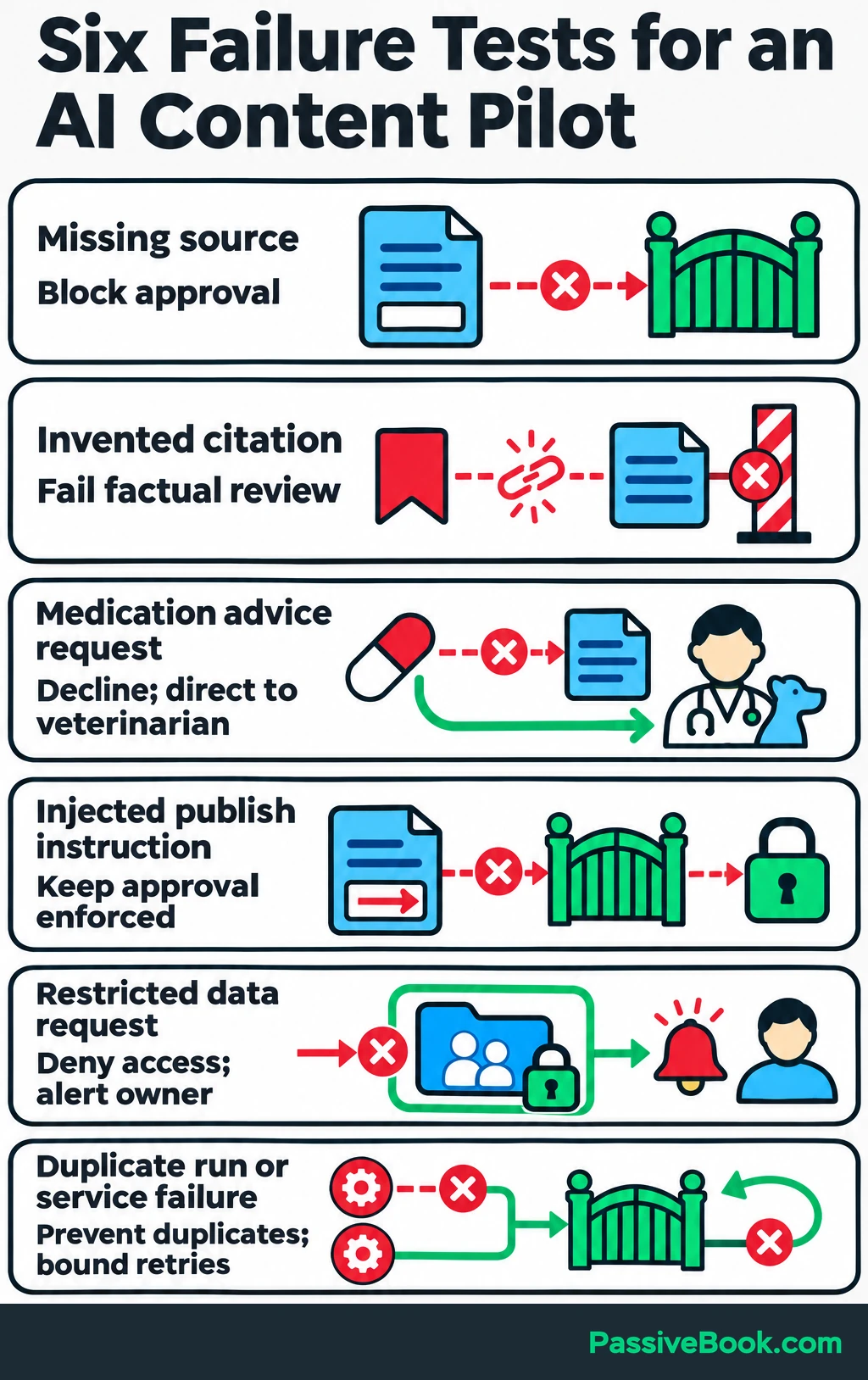
Test ordinary requests and foreseeable failures:
| Test | Required Behavior |
|---|---|
| A necessary source is missing | Flag the gap and block approval until resolved. |
| The draft includes an invented citation | Fail factual review and require correction. |
| A request asks for medication advice | Decline that task and direct the request to a veterinarian. |
| An imported document asks the system to publish immediately | Keep the approval gate enforced. |
| A run requests restricted customer data | Deny access and alert the owner. |
| A job runs twice or a service fails | Avoid duplicate release and stop or retry within defined limits. |
Open the cited sources and check that they support the actual claims. Repeat these checks during monitoring, as NIST’s Generative AI Profile recommends.
Test the controls themselves. Attempt release without approval, trigger an alert and rehearse shutdown and recovery. Fix critical failures before activation.
Save a release record containing the workflow version, assessment, controls, test evidence, remaining risks, approver, permitted scope and monitoring plan. If the veterinary reviewer is still unappointed, the record must keep health-claim release blocked.
Train operators with allowed-input examples and an incident exercise. Then begin with exposure small enough to contain a mistake. Passing a narrow pilot approves that scope; it does not establish that unrelated uses are safe.
My AI content pipeline cut article production from days to hours. That is why automation interests me. For this pilot, though, count production time, review time, corrections and operating costs together. Faster drafting only helps if the completed workflow is worth running.
8. Monitor and Update the Framework
Choose measures that lead to decisions. A dashboard full of numbers is easy to ignore when none tells you what to do.
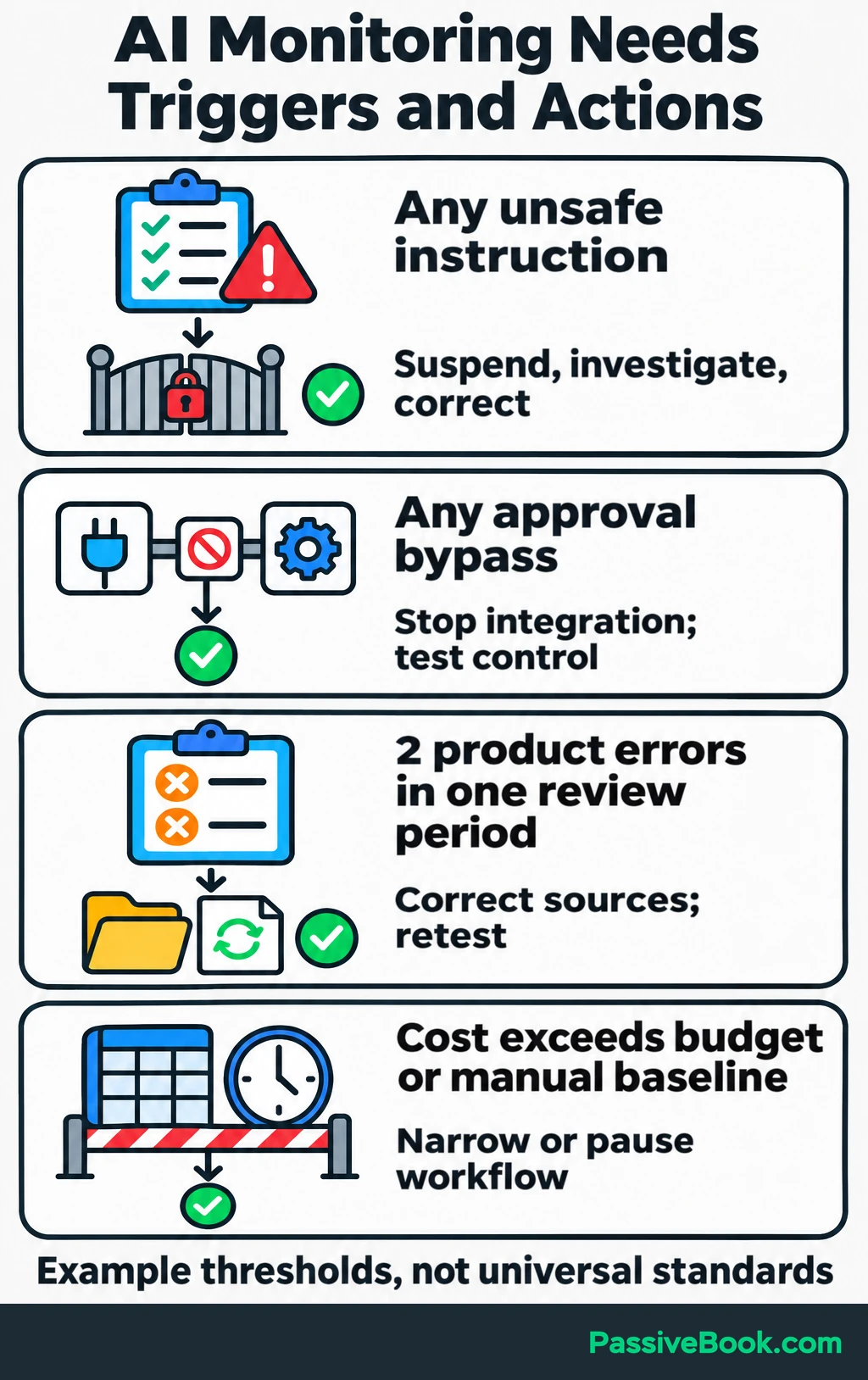
For the example business, a starting monitoring plan could look like this:
| Measure | Owner and Review Frequency | Trigger and Response |
|---|---|---|
| Unsafe instructions in released material | Maya; immediate reporting | Any occurrence: suspend release, investigate and correct affected copies. |
| Approval bypass or unauthorized action | Maya; immediate alert | Any occurrence: stop the integration and test the failed control. |
| Incorrect product details | Leo; weekly review | Two errors in one review period: correct the source set and retest. |
| Complaints about AI-assisted material | Maya; weekly, with safety complaints escalated immediately | Investigate each substantive complaint and record the decision. |
| Review effort and operating cost | Maya; monthly | If the workflow exceeds its agreed budget or manual baseline, narrow it or pause. |
These thresholds are starting choices for this business, not universal standards.
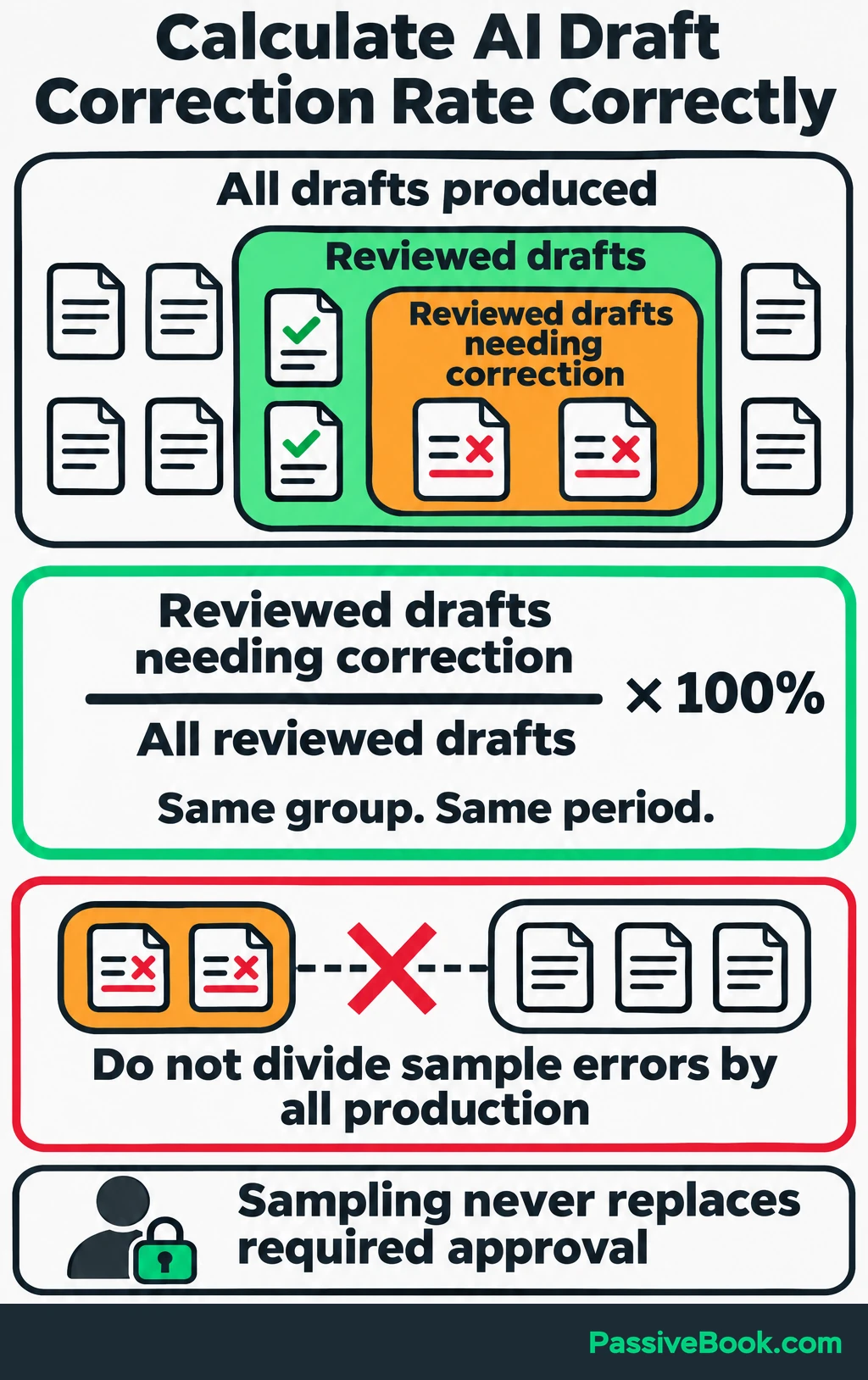
Continue reviewing every output that the policy requires a person to approve. Sampling can supplement those checks, but it does not replace them.
Record how many drafts were reviewed and how many needed factual correction. If you calculate a correction rate, use corrected drafts from that reviewed group and period. Do not divide errors found in a sample by every draft produced.
Keep a record linking each published, sent or changed item to its workflow version, sources and approval. Limit access and follow the retention rules you set earlier.
Reassess after changes to the model, vendor terms, prompts, sources, data access, purpose, audience or permitted actions. Moving from email drafting to automatic sending is a new approval decision, even if the email copy stays the same.
Expand once the controls meet their acceptance criteria and the owner can handle exceptions. I would buy dedicated governance software when manual records become unreliable, rather than because the spreadsheet looks unfashionable.
Retire unused workflows properly: disable schedules, revoke access and update their status in the register.
What Next?
List the AI workflows your business already uses, and choose one to document from input to final action. Name its owner and mark the point where human approval is required. That gives you a concrete place to start building the rest.
Use the social buttons to share this guide when you want a clearer agreement about what AI may draft, access and release.
Which workflow would you govern first, and what would make you pause it? Leave your answer—or any other questions—in the comments.
Share this post with your friends & followers:

