You ask how to keep your cat busy indoors, but the useful guide is called “Indoor Enrichment Games.” The wording differs, even though the need is much the same.
That gap matters when you use an AI search tool or add one to your website. You want it to find relevant information, and you need to know whether its answer deserves your trust.
Embeddings help explain how those matches happen. Understanding their role also makes it easier to choose between better search, a chatbot and the tools you already have.
What Are Embeddings in AI?
An embedding represents information as a list of numbers. Those numbers capture learned patterns that help software compare text, images, audio or other inputs.
The list is called a vector. Each position in it is a dimension, or coordinate. For example:
[0.2, -0.5, 0.1]This made-up vector has three dimensions because it contains three numbers. You don’t need to interpret each number yourself. The useful part is how one vector compares with another.

Imagine you run an indoor-cat activity website with free guides and printable play cards. A visitor searches:
“How can I keep my cat busy inside?”
You have a guide titled:
“Indoor Enrichment Games for Cats”
An embedding model turns text into vectors. Search software could compare the question’s vector with the guide’s vector to recognize their relationship despite the different wording. Throughout this article, the website and proposed matches are illustrations, not tested results.
You can use a model that has already been trained to create embeddings. You don’t have to collect a training dataset or build a model from scratch.
How Do Embeddings Represent Meaning?
Models Learn Relationships From Examples
During training, a text embedding model learns patterns from examples. Depending on its training task, those examples might teach it to recognize similar sentences or match questions with useful passages.
Once trained, it can produce vectors for new text. The Sentence-BERT research, for example, describes adapting a language model to produce sentence embeddings that can be compared for similarity.
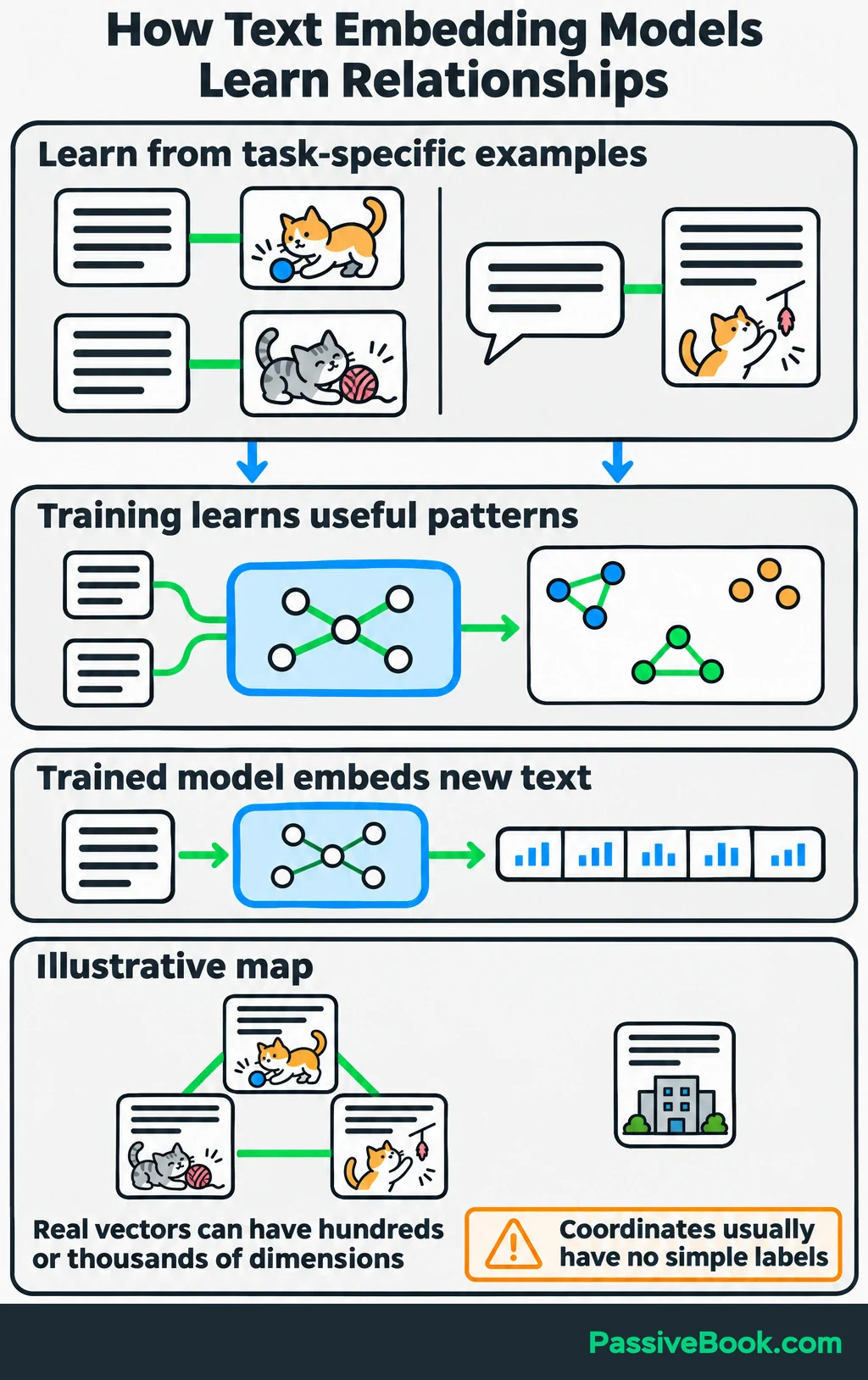
Think of the result as a map. Related items tend to occupy nearby positions, while unrelated items sit farther apart.
Real embeddings can have hundreds or thousands of dimensions, so this isn’t a map you could unfold on a table. And the coordinates generally don’t have neat labels such as “cat,” “play” and “indoors.” They work together to represent patterns. Google’s explanation of embedding spaces shows why these relationships can be useful even when the individual coordinates are hard to interpret.
The unit of text matters too. A word embedding represents a word, while a passage embedding represents a larger piece of text. For website search, comparing a visitor’s question with a useful passage is often more helpful than comparing isolated words.
Similarity Makes the Vectors Useful
Software turns those representations into matches by calculating a similarity score.
One common method is cosine similarity, which compares the directions of two vectors. You don’t need to calculate it manually. The search software does that and uses the scores to rank candidates.
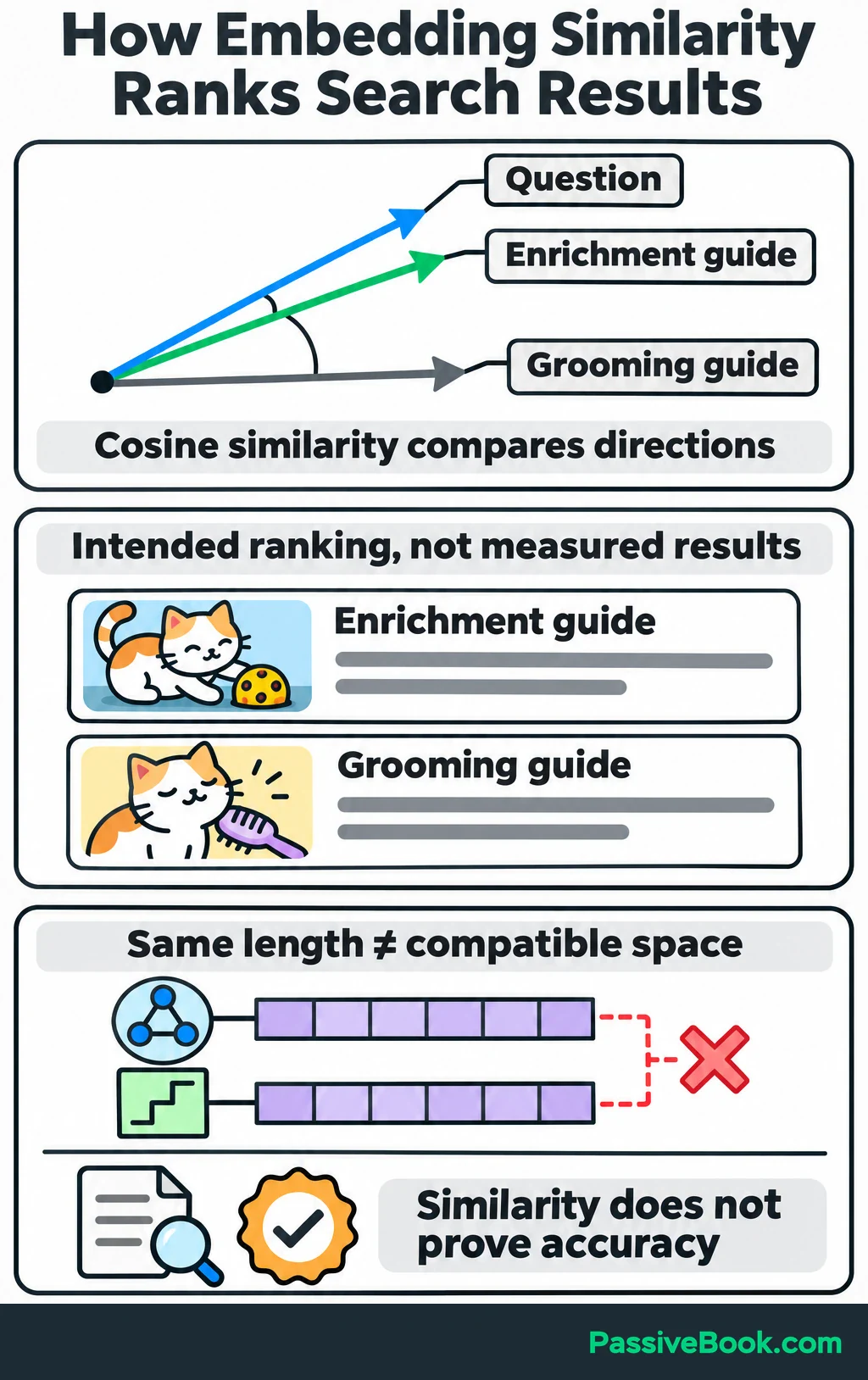
For the cat website, the intended result is straightforward: the indoor-activity question should rank the enrichment guide above a grooming guide.
But similarity reflects the model’s learned relationships. It does not prove that a passage is correct, useful or suitable for a particular animal. A closely related page can still contain bad advice.
The question and content also need compatible representations. Follow the model’s instructions for turning questions and documents into vectors, since the steps can differ for each. Two vectors having the same number of dimensions does not make them compatible. The Sentence Transformers search guidance explains this distinction.
How Are Embedding Models Different From LLMs?
An embedding is the numerical representation. An embedding model produces it.
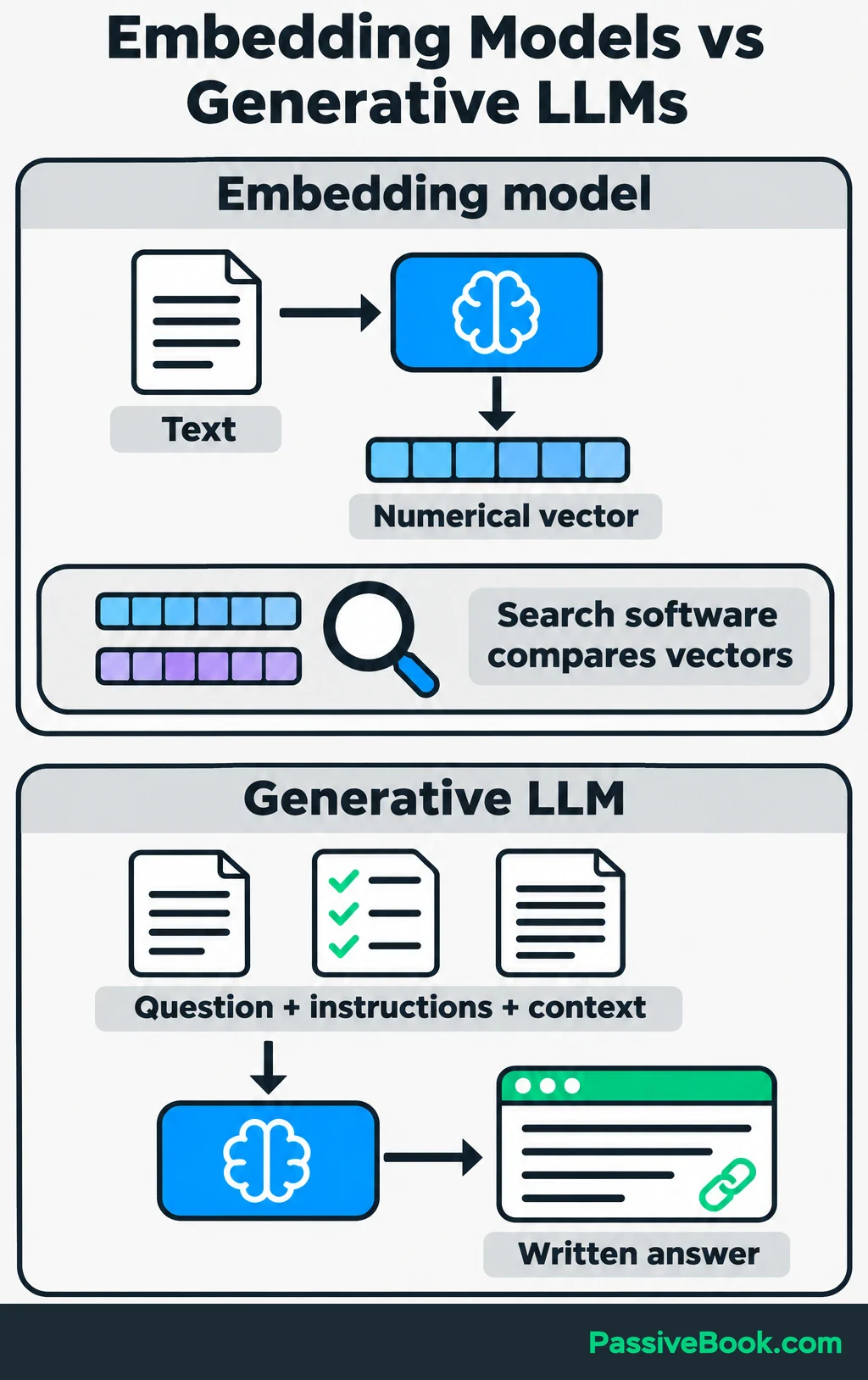
A generative large language model, or LLM, produces responses such as explanations, summaries and answers. These tools can share underlying technology, but they serve different jobs in a workflow.
| Model Type | Input | Output | Main Job | Website Example |
|---|---|---|---|---|
| Embedding model | A visitor’s question or a guide passage | A numerical vector | Represent information so software can compare it | Produces vectors used to find the indoor-enrichment guide |
| Generative LLM | A question, instructions and supplied guide text | A written response | Compose an answer from the available context | Explains the relevant activities using the retrieved guide |
The embedding model doesn’t usually select the page by itself. Search software compares its vectors and retrieves the matching text.
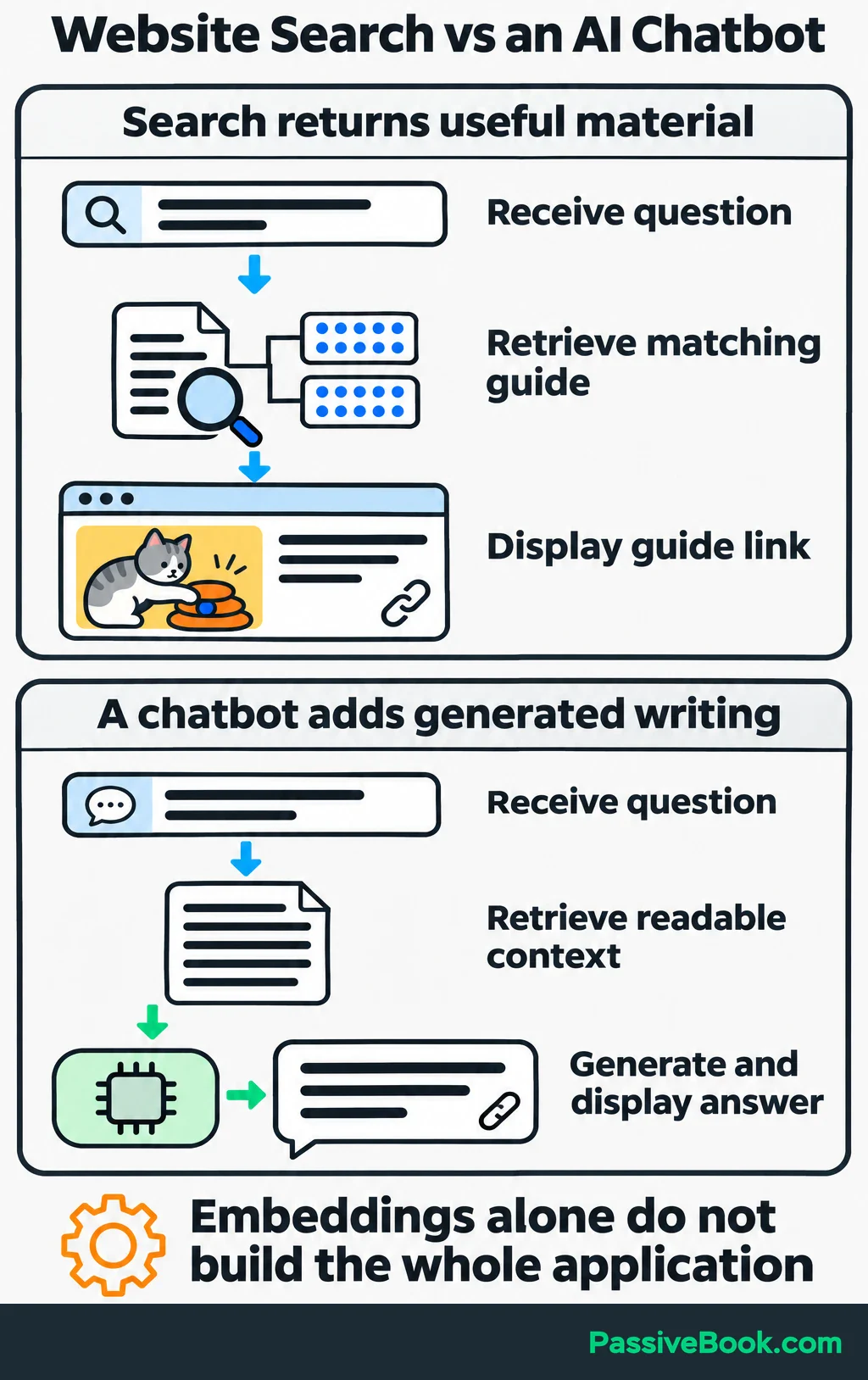
Likewise, producing embeddings alone doesn’t create a chatbot. You still need a way to receive questions, search the collection and display results. A chatbot that writes answers adds a generative model to that process.
I find it useful to separate two questions: “What material should the system use?” and “What should it write from that material?” Better writing instructions won’t rescue an answer built from the wrong source.
What Are Embeddings Used for?
Semantic Search
Semantic search looks for related meaning rather than relying only on matching words.
A basic embedding-based search works like this:
- Create embeddings for your content and store them.
- Create an embedding for each incoming question.
- Compare the question vector with the stored vectors.
- Return the relevant pages or passages.
On the cat website, that could connect “keep my cat busy” with “indoor enrichment.”
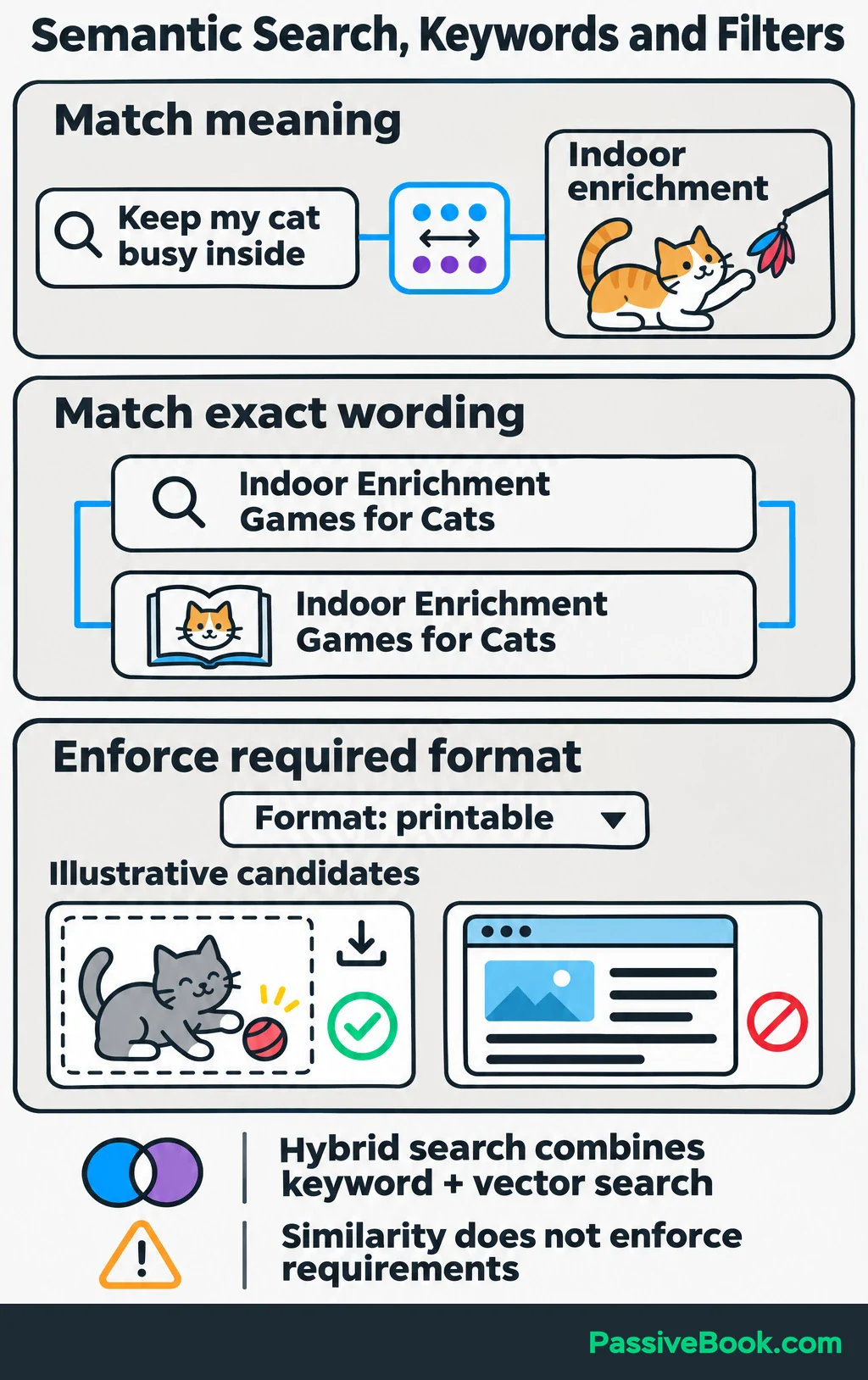
You can stop at a useful search result. If the visitor needs a guide, returning the guide may solve the problem without generating an answer.
I would also keep keyword matching for exact product names and identifiers. Hybrid search combines keyword and vector search, so a system can use both approaches. Microsoft’s hybrid-search explanation describes how these strengths work together.
Explicit requirements need filters too. If a visitor requests printable cards, filter by product format rather than hoping semantic similarity enforces the requirement.
Related-content and Product Recommendations
Embeddings can help find resources related to the page someone is viewing.
Compare the page’s embedding with embeddings of other articles or product descriptions, then use the closest matches as recommendation candidates.
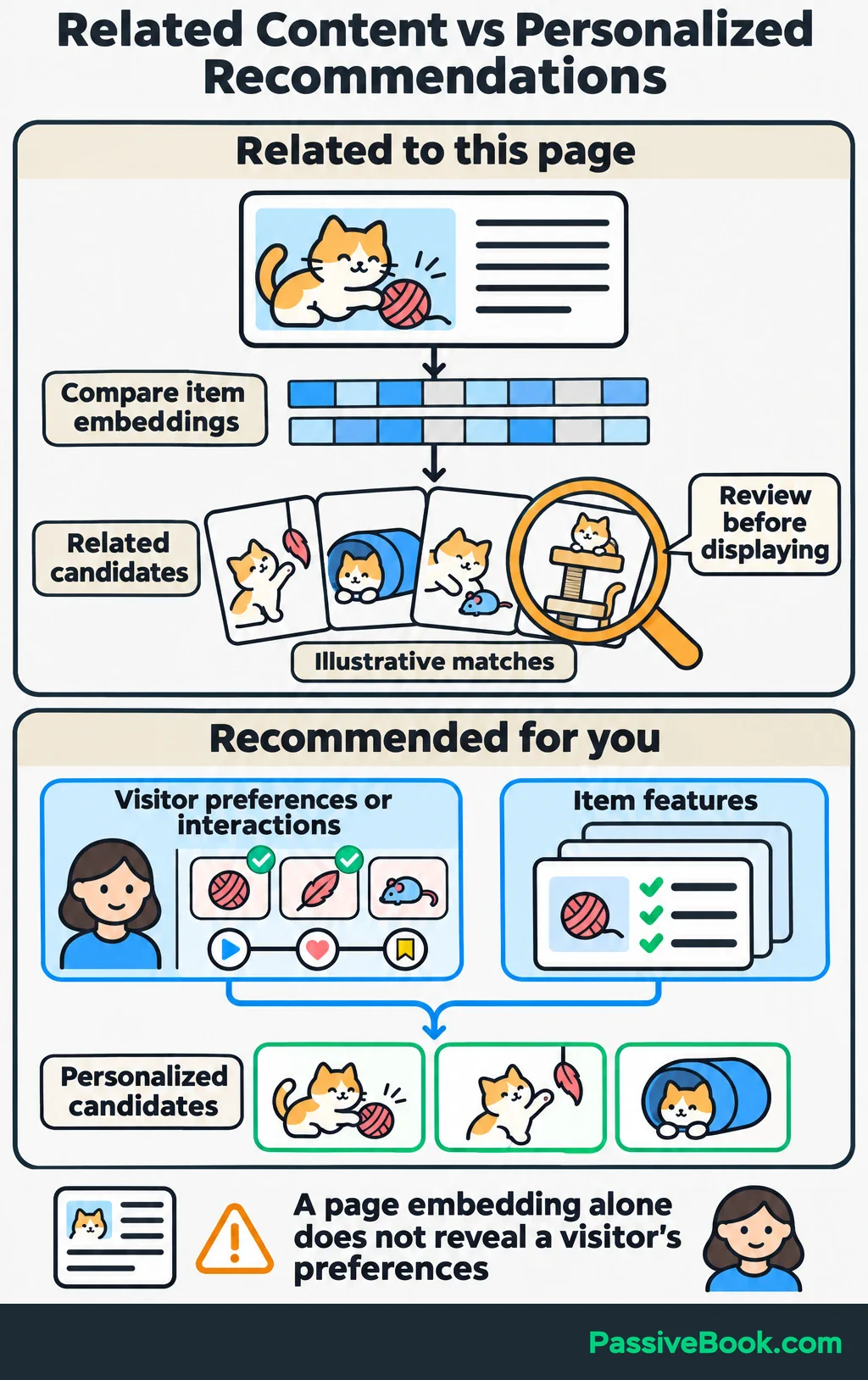
For example, the enrichment guide could suggest printable play cards covering similar activities. I would review those matches before displaying them automatically, especially in a small catalog where choosing useful companions by hand may be quicker.
“Related to this page” is also different from “recommended for you.”
Personal recommendations need information about the visitor, such as stated interests or previous interactions. Google’s content-based recommendation guide describes using those preferences alongside item features. A page embedding alone doesn’t tell you what an individual wants.
Grouping and Classifying Information
Embeddings can also provide the numerical inputs for grouping or labeling text.
Clustering groups similar items without requiring you to name every group first. Classification assigns predefined labels, such as “product question” or “guide request.” Both require an additional method beyond producing the embeddings.
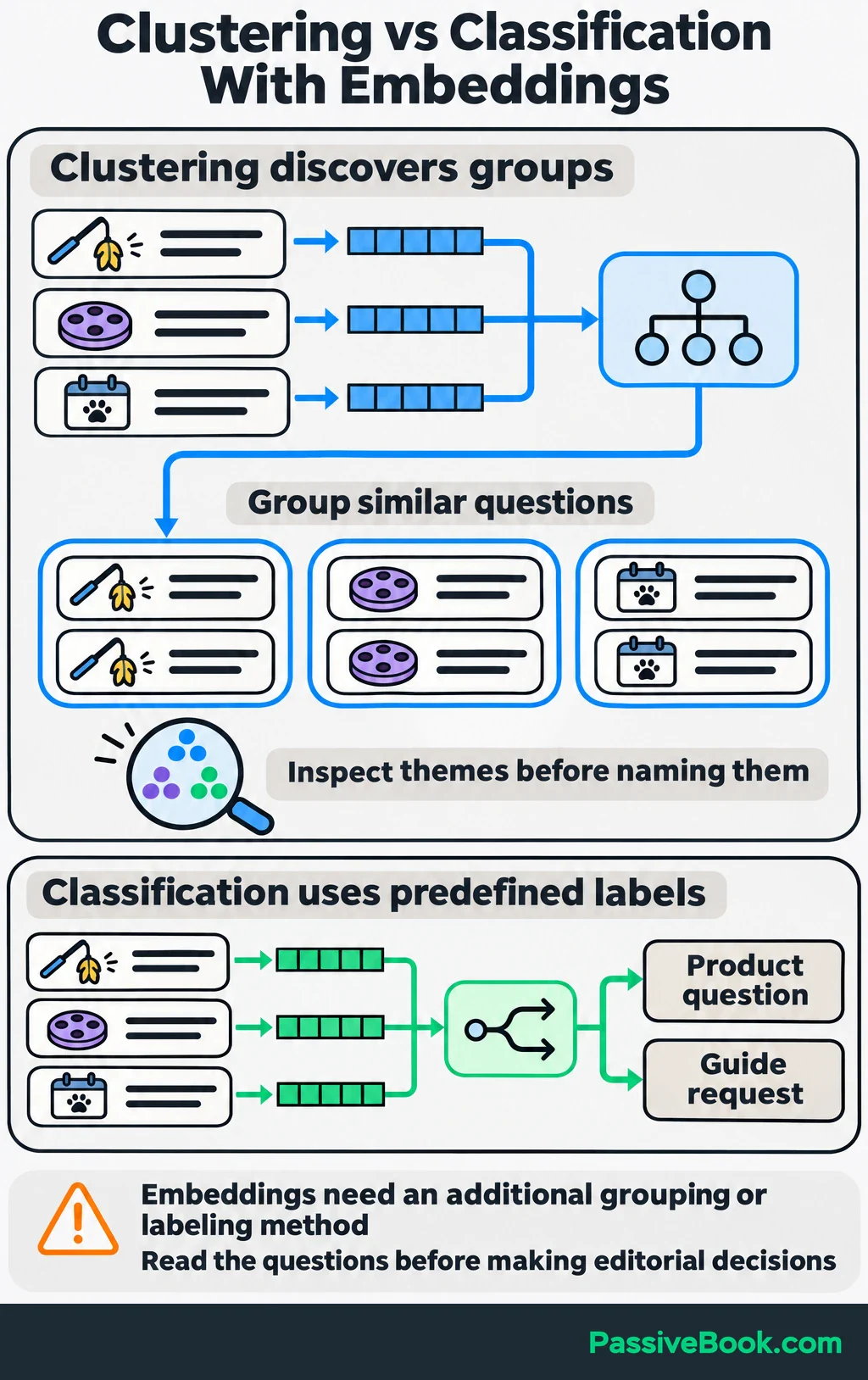
For the cat website, you could group visitor questions into themes such as interactive play, puzzle toys and activity planning. Then inspect the groups to decide which guide needs clearer navigation or more coverage.
I would treat those groups as a sorting aid. Read the questions before deciding what they mean. A tidy cluster isn’t automatically a useful editorial decision.
Image and Cross-modal Search
Embeddings can connect different kinds of information, such as a text description and an image. This is called cross-modal search.
Suppose your website’s photo library contains hundreds of files with names like IMG_4821.jpg. You want to find a photo showing:
“Cat batting a toy”
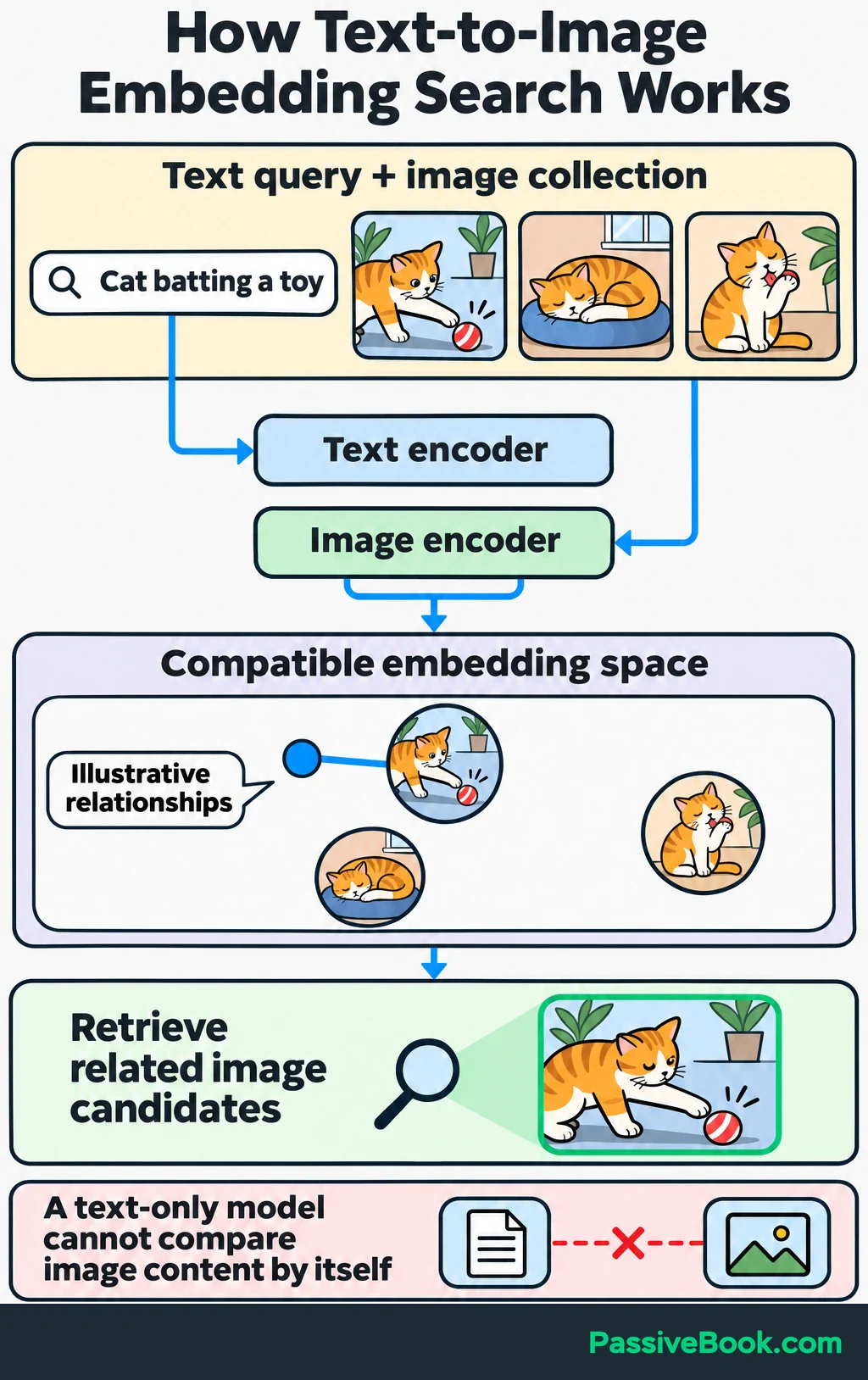
A suitable model can represent the description and images in a compatible space so the system can compare them. The CLIP research demonstrates learning related image and text representations.
A text-only embedding model cannot compare that description directly with image content by itself. If searching photos is your goal, check that the tool supports text-to-image matching before buying it.
How Do Embeddings Work With an LLM in RAG?
Retrieval-augmented generation, or RAG, retrieves relevant information and supplies it to a generative model before it writes an answer.
Embeddings are one way to retrieve that information. RAG can also use keyword search or other retrieval methods; vectors are not a requirement.
For an embedding-based setup, prepare the collection before accepting questions:
- Split guides into meaningful passages, keeping related instructions together.
- Generate an embedding for each passage.
- Store each vector alongside its original text and source link.
When a question arrives, the system embeds it and searches for relevant passages. It then sends the retrieved text, the question and instructions to the LLM. Google Cloud’s RAG overview describes this preparation, retrieval and generation process.
Here is the flow for the running example:
“How can I keep my cat busy inside?”
    ↓
Embed the question and search the guide collection
    ↓
Retrieve relevant passages from the enrichment guide
    ↓
Give those passages and the question to the LLM
    ↓
Display a written answer with links to the source guide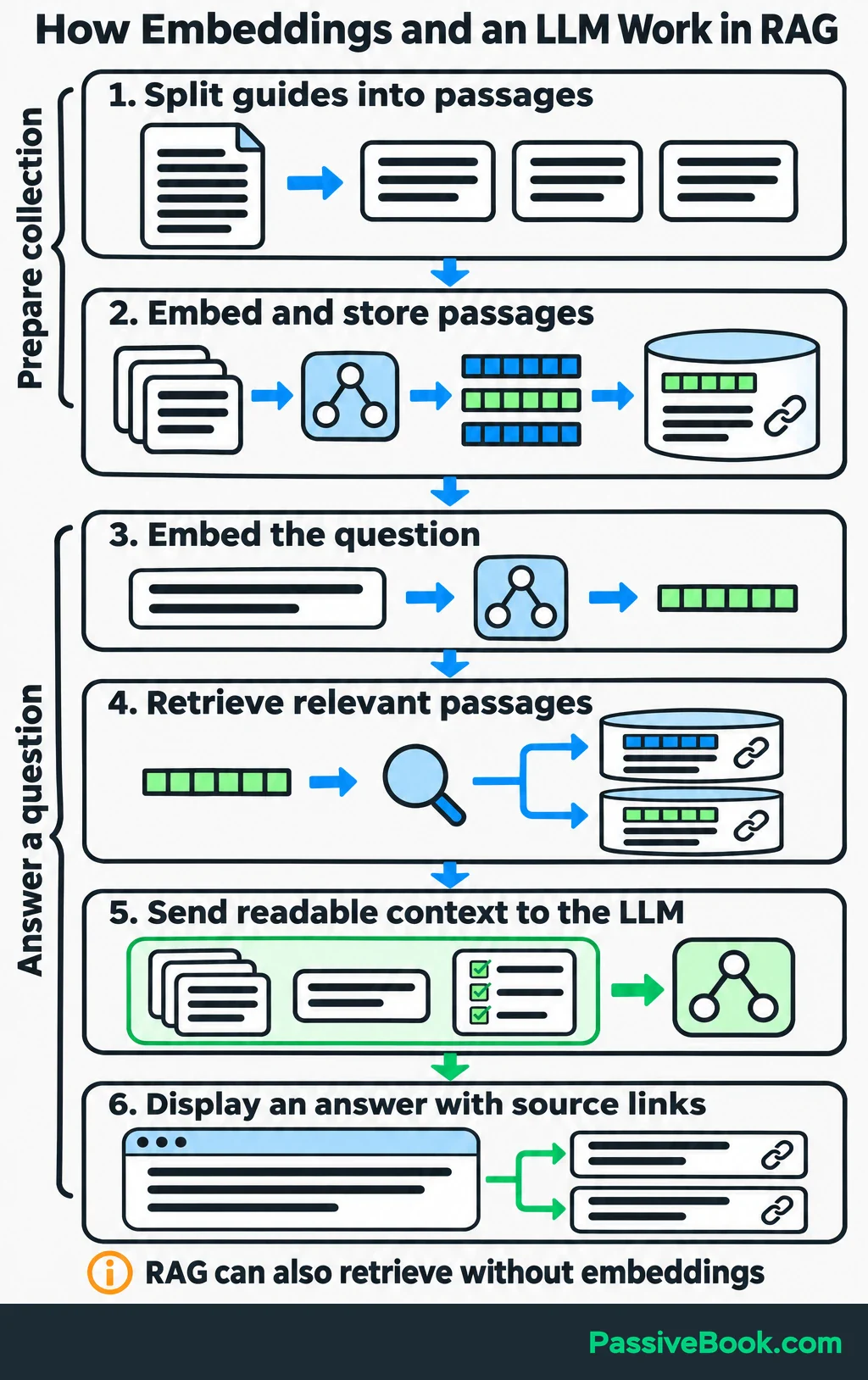
The vectors help select the passages. The LLM receives their readable text.
Suppose the retrieved passages describe rotating available activities and using a printable planning sheet. The answer should explain those points and link to the guide. It should not invent extra instructions because they sound plausible.
Updating the searchable collection changes what the LLM can receive as context without retraining the LLM.
In my content pipeline, I once tried to fix a source-selection problem by changing the writing instructions. The draft sounded smoother, but it still drew on the wrong material. I now inspect the selected sources before spending time polishing the answer.
That same check belongs in a RAG workflow. Verify that the system retrieves suitable passages, then check whether the answer follows them. When the collection cannot answer, provide a clear fallback such as:
“I couldn’t find an answer in these guides. Try browsing the activity categories.”
RAG can still produce incorrect answers, so a source link is useful evidence to inspect, not a guarantee.
When Are Embeddings Worth Using?
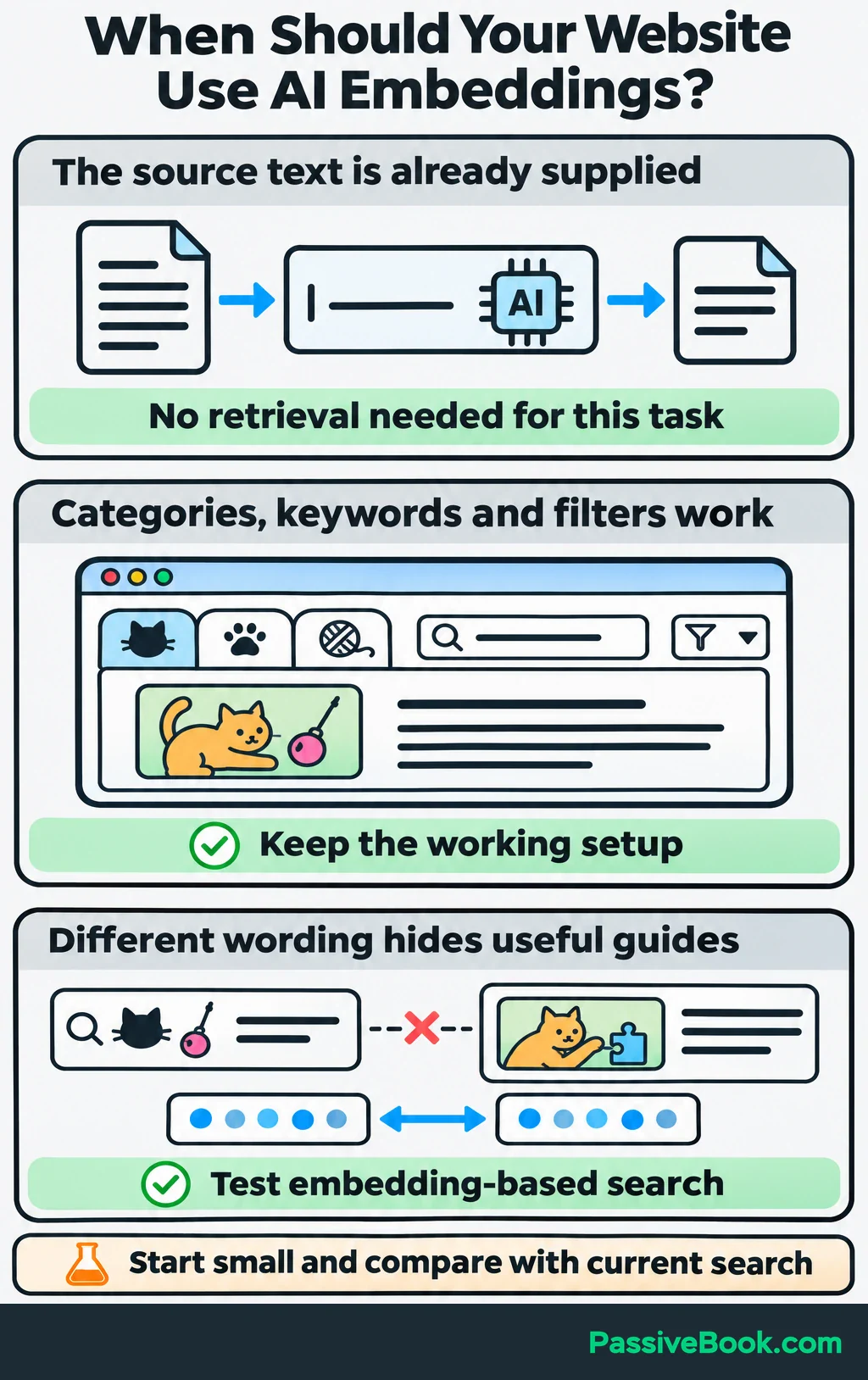
Use embeddings when matching by meaning solves a problem you can point to.
Good candidates include visitors missing guides because they use different wording, related resources remaining hard to find, or repeated questions taking too long to organize.
If clear categories, keyword search and filters already work, I would keep them. A vector database stores vectors and helps search for similar ones. A small website does not owe anyone that extra setup.
The same rule applies to writing tasks. If you supply an article and ask an LLM to summarize it, the material is already there. Retrieval becomes useful when the system must first choose relevant material from a collection.
For a first test, I would make these decisions:
- Task: Choose one job, such as finding existing activity guides. Leave generated answers for a later test.
- Model: Use a pretrained model suited to your content’s language and format, and to matching short questions with longer passages.
- Setup: Start small. You can compare stored vectors directly without a dedicated vector database.
- Success Check: Compare the leading results with your current search and decide whether they answer the visitor’s need.
The Sentence Transformers pretrained-model documentation includes models intended for different tasks and stresses testing them on your own material. I would choose based on that test rather than a leaderboard position alone.
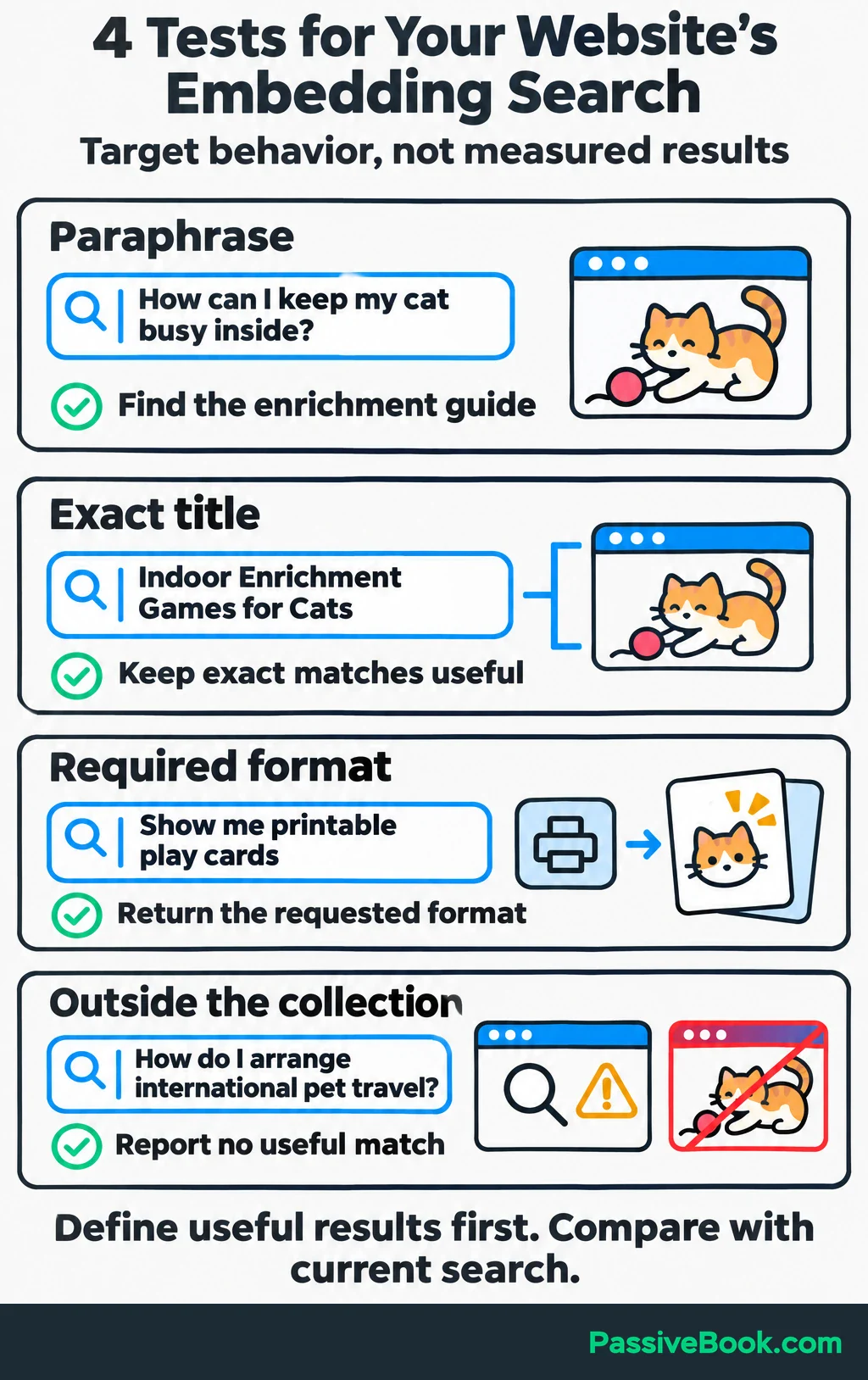
Build a small set of questions that exposes different problems:
| Test Question | What to Check |
|---|---|
| “How can I keep my cat busy inside?” | Does it find the enrichment guide despite different wording? |
| “Indoor Enrichment Games for Cats” | Can it still find an exact title? |
| “Show me printable play cards” | Does it return the requested format? |
| “How do I arrange international pet travel?” | Does it report no useful match rather than suggest an activity guide? |
For each question, decide which result would be useful before comparing systems. Don’t judge success by whether the tool returns something. Search systems are often quite willing to return something.
If you later add generated answers, assess retrieval and writing separately. A poor passage match needs a search fix; an answer that misuses a good passage needs a generation fix.
Before adding written answers, define what they should say when the source material is useful, incomplete or conflicting. A small test pack gives you specific behaviors to check instead of judging whether an answer sounds convincing.

Free AI Evaluation Studio


Finally, compare the full cost: embedding the initial collection, embedding updates and incoming questions, storing and searching vectors, and optionally generating answers with an LLM.
Reuse embeddings for unchanged passages. If you move to a model with an incompatible embedding space, plan to re-embed the collection.
For the example website, I would improve search over the existing guides first. Add a chatbot only when a written answer offers something useful beyond a clear link to the right page.
What Next?
Write down five questions your current search should answer, including one paraphrase, one exact title and one question your content doesn’t cover. Check the results before choosing another tool.
Use the social buttons to share this guide when a conversation about AI tools gets stuck on vectors and chatbots. Knowing which part finds the information makes those choices easier.
Where would matching by meaning help you most: finding guides, suggesting resources or sorting questions? Share your answer in the comments, and bring any other questions about embeddings too.
Share this post with your friends & followers: