You have a useful task for AI: turn rough notes into a plan, check a document, or draft answers to common questions. But before you get anything done, you’re choosing whether to open a chat app, connect another tool, or download a model.
That setup can eat the time you hoped to save, and a polished answer can still contain facts you never supplied. This guide works through a practical FAQ task in DeepSeek so you can judge the effort and the result before committing to chat, automation, or a local installation.
Choose Between Chat, API, and Local Use
If you’re learning how to use DeepSeek AI, I would start with browser chat. It lets you test a real task without installing software or writing code.
The other routes solve different problems:
| Route | Suitable Tasks | Setup | Cost | Where Prompts Are Processed |
|---|---|---|---|---|
| Browser or mobile chat | Draft text, organize plans, summarize files, and research questions | Sign in and start a conversation | Free official assistant | On remote servers |
| API | Let software submit requests and receive answers automatically | Create an API key and connect an application | Separate usage charges | On remote servers |
| Local model | Work offline with a downloaded model | Install a model runner and download a suitable model | Your hardware, storage, and electricity | On your computer when using a local model |
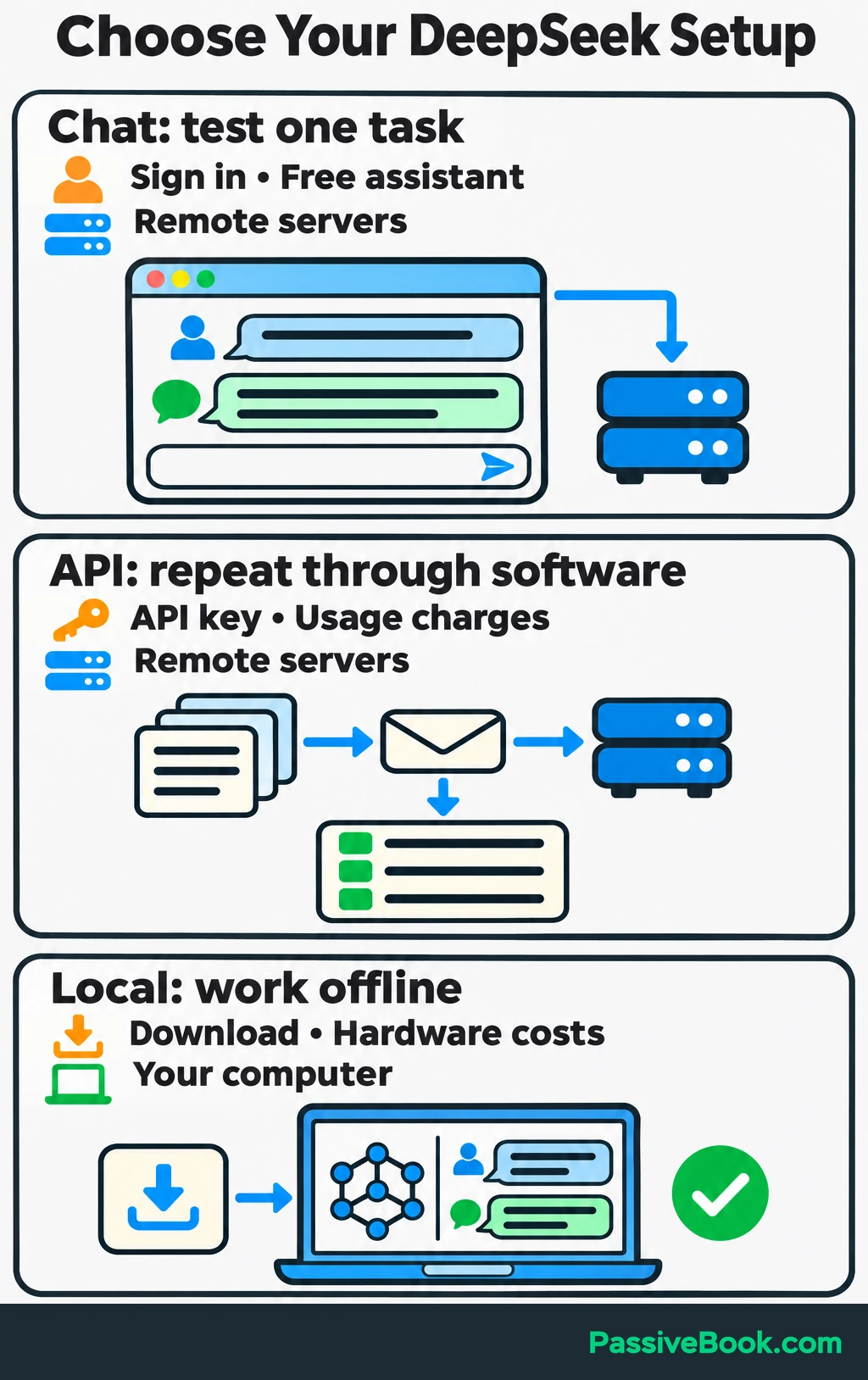
DeepSeek describes its official assistant as free to use. That access is separate from API billing.
Follow the five chat steps first. The API and local sections are optional routes, and you can use more than one.
Throughout this guide, imagine your small shop sells a printable aquarium-maintenance log. The product facts, prompts, and answer excerpts are teaching examples.
Step 1: Open the Official DeepSeek Chat
Open DeepSeek Chat in your browser. On a phone, use the store links from DeepSeek’s official download page to find the app.
Create an account or sign in using an option shown on the page. Complete any requested verification, then open a new conversation and find the message box.
You can start with an ordinary sentence. There’s no special command language to learn.
Before sending it, decide what finished work would look like. “Help with my shop” leaves plenty of room for wandering. “Write five FAQs using these product facts” gives you something you can check.
Step 2: Write a Prompt With a Clear Outcome
A prompt is the instruction you send to the AI. A useful one usually contains four parts:
- Task: What you want DeepSeek to produce.
- Facts: The information it must use and preserve.
- Constraints: What it must avoid, including unsupported claims.
- Format: The length, structure, and tone you need.
In my digital-product work, a vague brief usually comes back as editing work. Asking for “better copy” leaves the model to decide what better means. Giving it the facts and boundaries makes the draft easier to judge.
Before pasting anything, remove customer names, email addresses, passwords, payment details, and confidential material. DeepSeek’s privacy policy says it collects prompts and uploads and processes personal data in China.
To opt out of having your prompts and answers used to improve the service, turn off “Improve the model for everyone” in your account settings. DeepSeek describes the control in its terms. Your prompts still go to its servers.
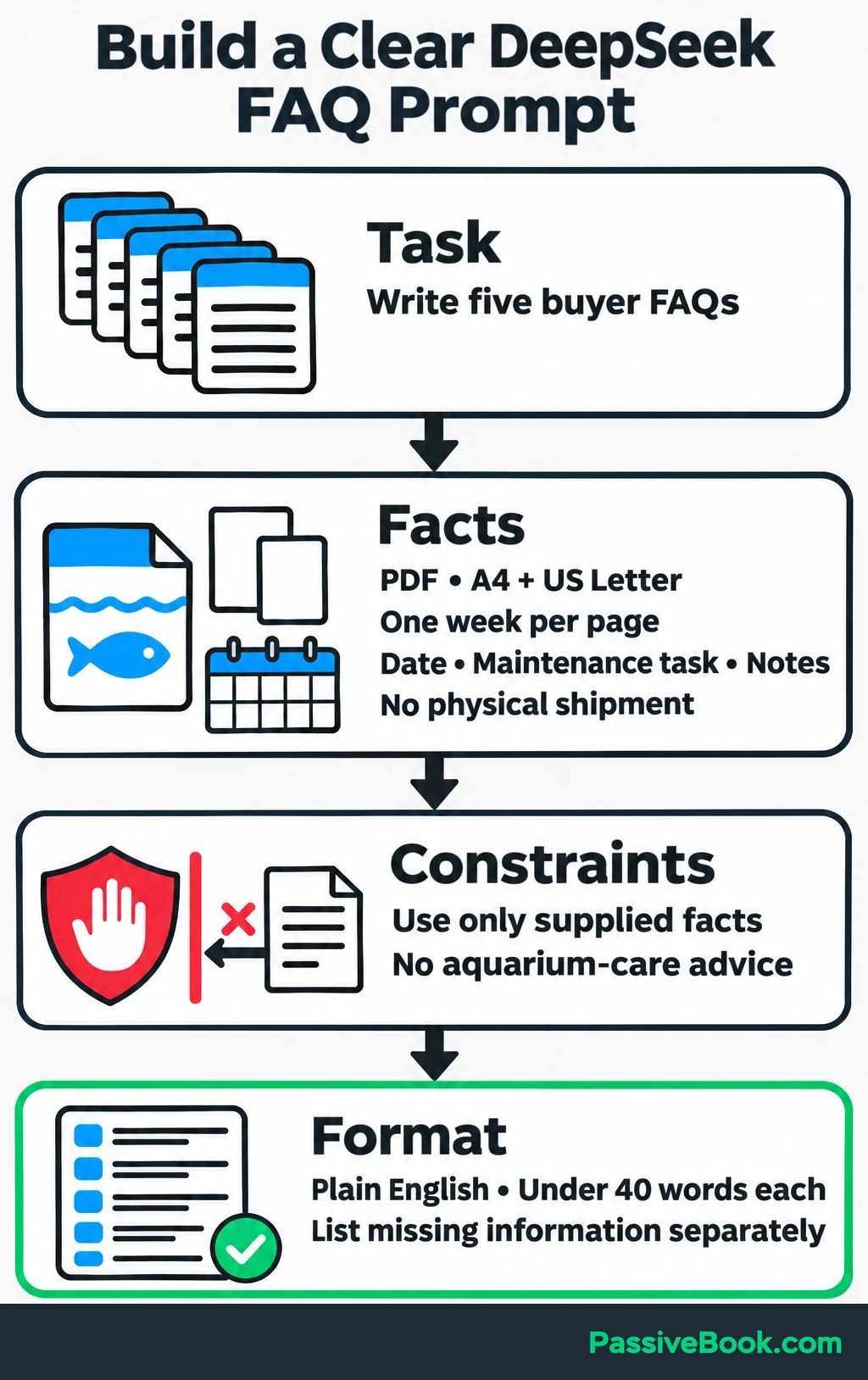
For your first task, paste this complete prompt:
I sell a printable aquarium-maintenance log.
Product facts:
– Downloadable PDF.
– A4 and US Letter sizes.
– One week per page.
– Fields for date, maintenance task, and notes.
– No physical shipment.
Write five buyer FAQs in plain English, each answer under 40 words. Use only these facts. List missing information separately. Do not add aquarium-care recommendations.
Send it, then check whether DeepSeek followed the brief. You should receive five concise FAQs and a separate list of unanswered questions.
An acceptable answer might look like this:
What will I receive?
A downloadable PDF aquarium-maintenance log in A4 and US Letter sizes. No physical item is shipped.
A refund policy belongs in the missing-information list because you haven’t supplied one. “Refunds available within 30 days” would be an invented business promise, however helpful it sounds.
Step 3: Refine the Answer With Follow-up Prompts
Keep related revisions in the same conversation so DeepSeek can use the earlier facts.
Ask for a specific change. “Try again” gives little direction, but this tells it what needs fixing:
Shorten each answer to 25 words, remove repeated points, and make clear that the buyer receives a printable PDF.
You can also correct one answer without replacing the whole draft:
Revise only the delivery answer. Say that no physical item is shipped. Do not add a download time.
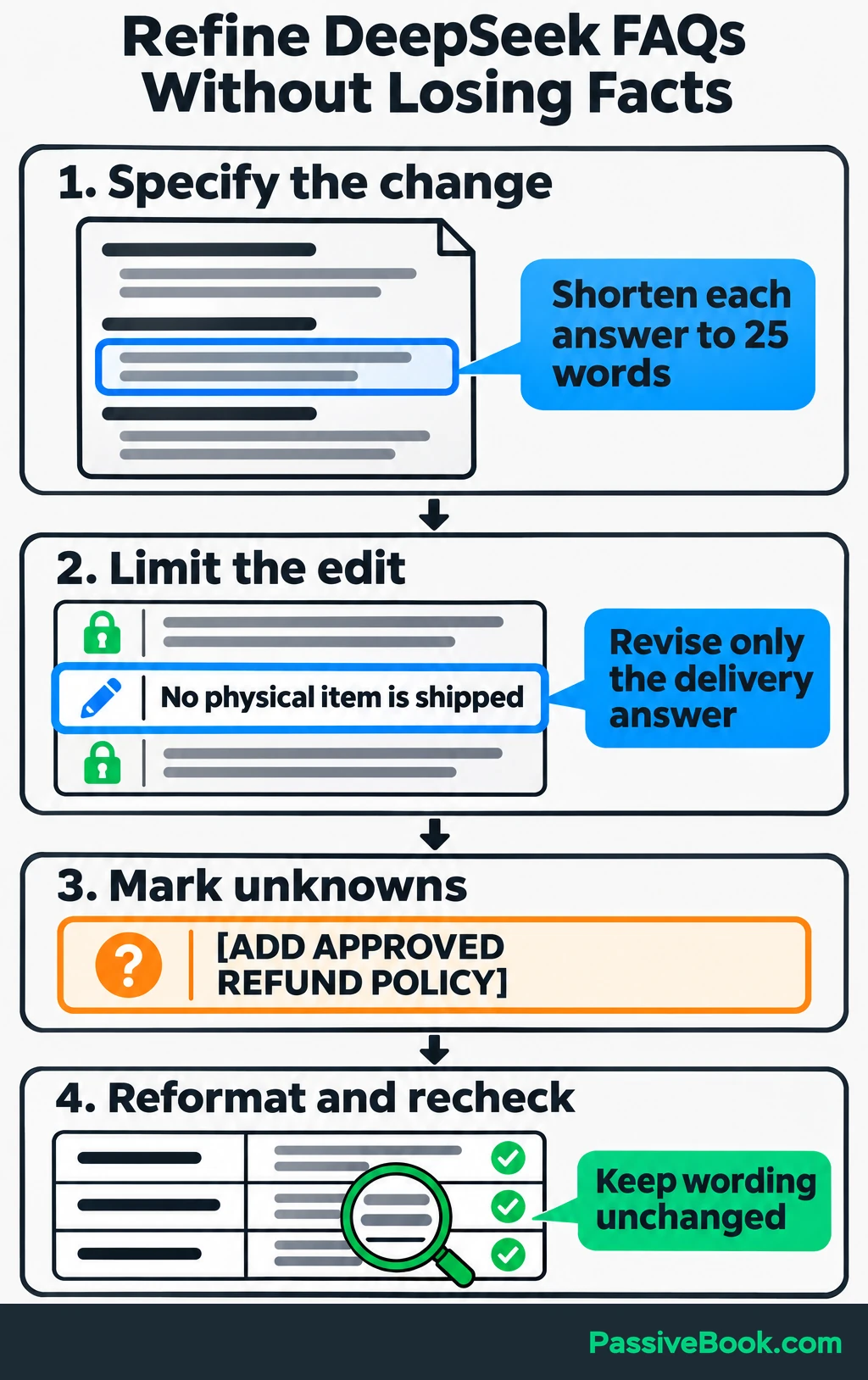
When information is missing, supply it before asking for another version. If you haven’t decided your refund policy, use a visible placeholder:
Leave “[ADD APPROVED REFUND POLICY]” wherever refund information is needed. Do not suggest a policy.
Once the wording is close, change the format to make review easier:
Put the questions and answers into a two-column table. Keep the wording unchanged.
Read the revised version again. A request to shorten an answer can accidentally remove an important detail.
If your next task isn’t an FAQ, you don’t need to build the brief from scratch. The AI Business Workflow Library below gives you prompts for common business tasks, with examples that show which details belong in the draft and which should stay unanswered.

Free AI Business Workflow Library




For an unrelated task, start a new conversation and provide fresh context. Your next request shouldn’t have to fight its way through twenty messages about aquarium logs.
Step 4: Add Features When the Task Needs Them
A plain chat is enough for the FAQ draft because you supplied all the necessary facts. Add search, files, or more detailed analysis when they help answer a specific question.
Search for Current Information
Turn on Search when you need current information or external sources. DeepSeek includes web search among its documented chat features.
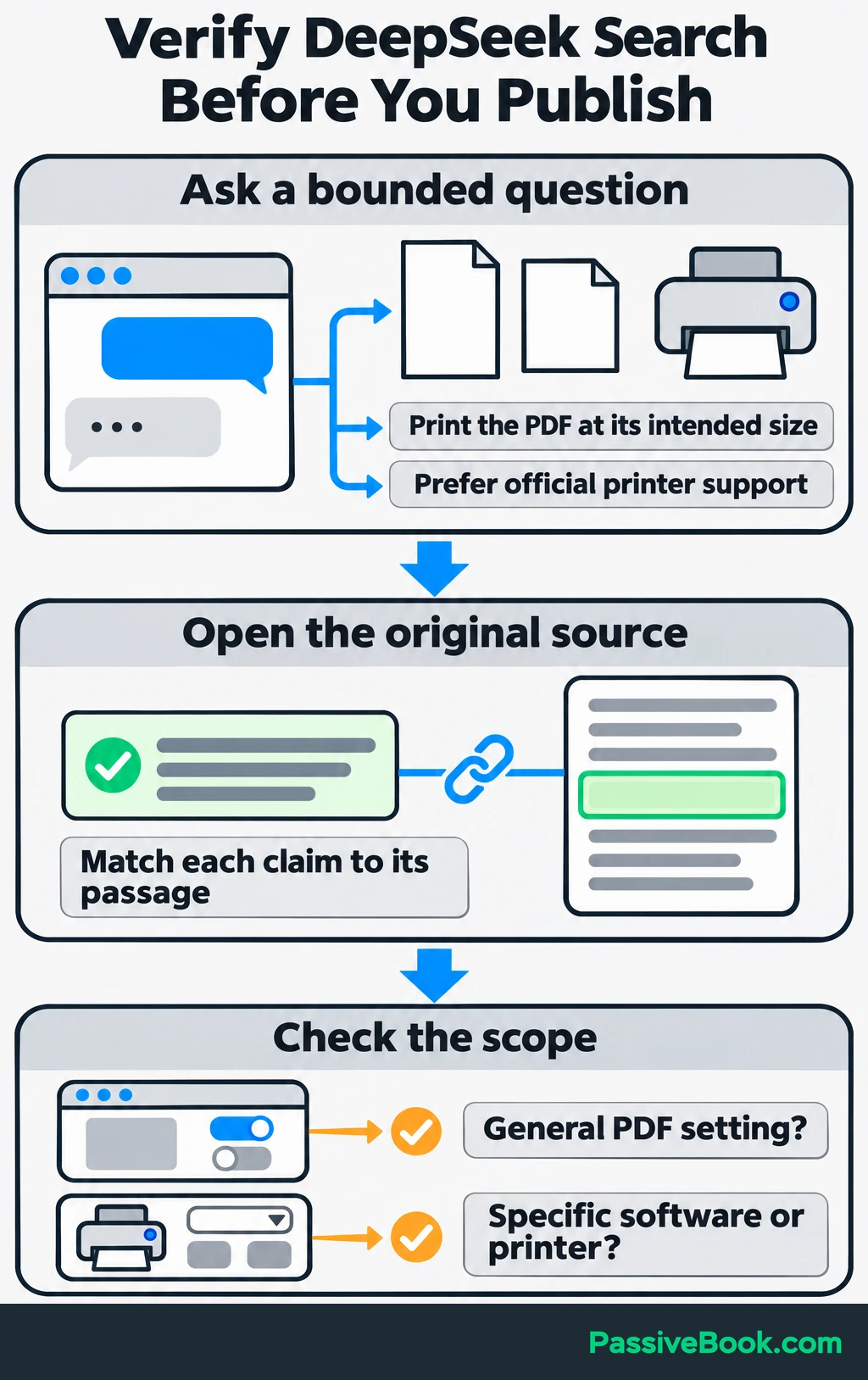
First, state what you need to establish and which sources would be useful. For printing instructions, try:
Find official printer-support sources explaining how to print an A4 or US Letter PDF at its intended size. Summarize the relevant instructions and put source links beside the claims. Distinguish general PDF settings from printer-specific steps.
Open the linked sources before adding the instructions to your product. Check whether they apply to the software and printer settings being discussed.
If DeepSeek cannot retrieve a particular page, paste the relevant passage and ask it to summarize that text. Make the boundary clear:
Summarize only the passage below. Flag anything it does not explain.
I would leave Search off for a simple rewrite of supplied facts. The FAQ task needs your product details, and extra web material could introduce features your product doesn’t have.
Ask Questions About a Document or Image
Use an attachment when the answer depends on material inside a file. DeepSeek supports file uploads and text extraction, and its official app release notes also describe image support.
Attach the draft aquarium log and wait for processing to finish. Then give the file a specific job:
Identify repeated labels and unclear instructions. Quote each one, name its page or heading, and suggest a shorter replacement. Do not add maintenance advice or remove any fields.
For an image of a page, ask about visible wording and layout. For a document, ask it to locate and quote the passages behind its suggestions.
Compare those quotations with the original. If it misreads a label, correct that first. Otherwise, you may spend time improving words that were never on the page.
Request Deeper Analysis for Complex Tasks
A task becomes harder when several requirements must stay true at once. Explain those requirements and ask DeepSeek to show how its recommendation meets them.
For the log’s layout, try:
Review this aquarium-log layout. Preserve the date, maintenance task, and notes fields, and keep one week per page. Identify duplicated instructions and propose a simpler arrangement. Explain how your arrangement meets each requirement.
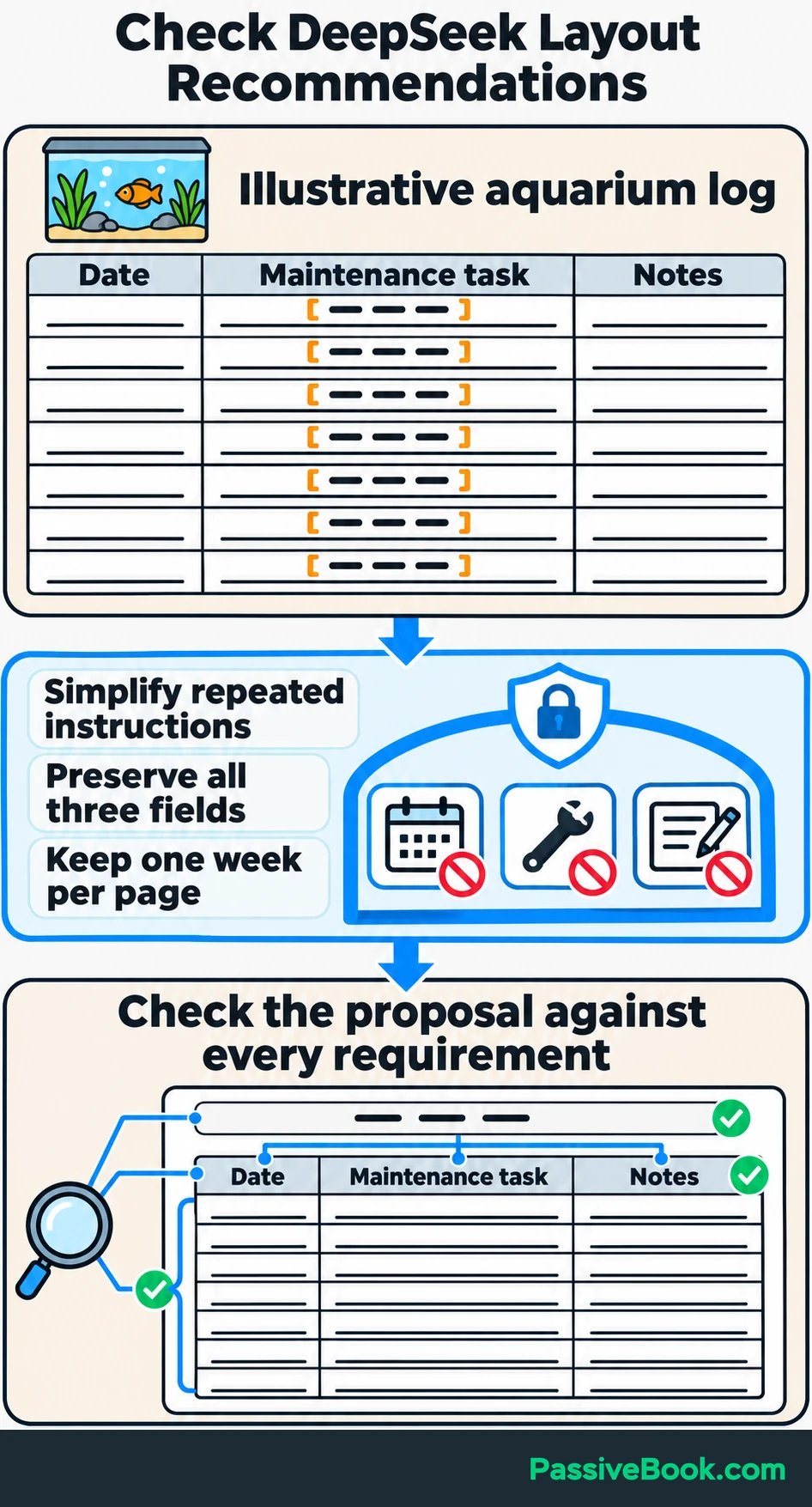
This gives you a proposal you can inspect. “Make the layout better” doesn’t tell you what the model might sacrifice.
The mobile app combines modes that older guides describe separately, so request the analysis in the conversation rather than hunting for an old mode name.
I would use this approach when requirements conflict. A short FAQ rewrite rarely needs a long explanation of every wording choice.
Step 5: Check and Save the Finished Result
Check the answer against the information you supplied before judging how well it reads.
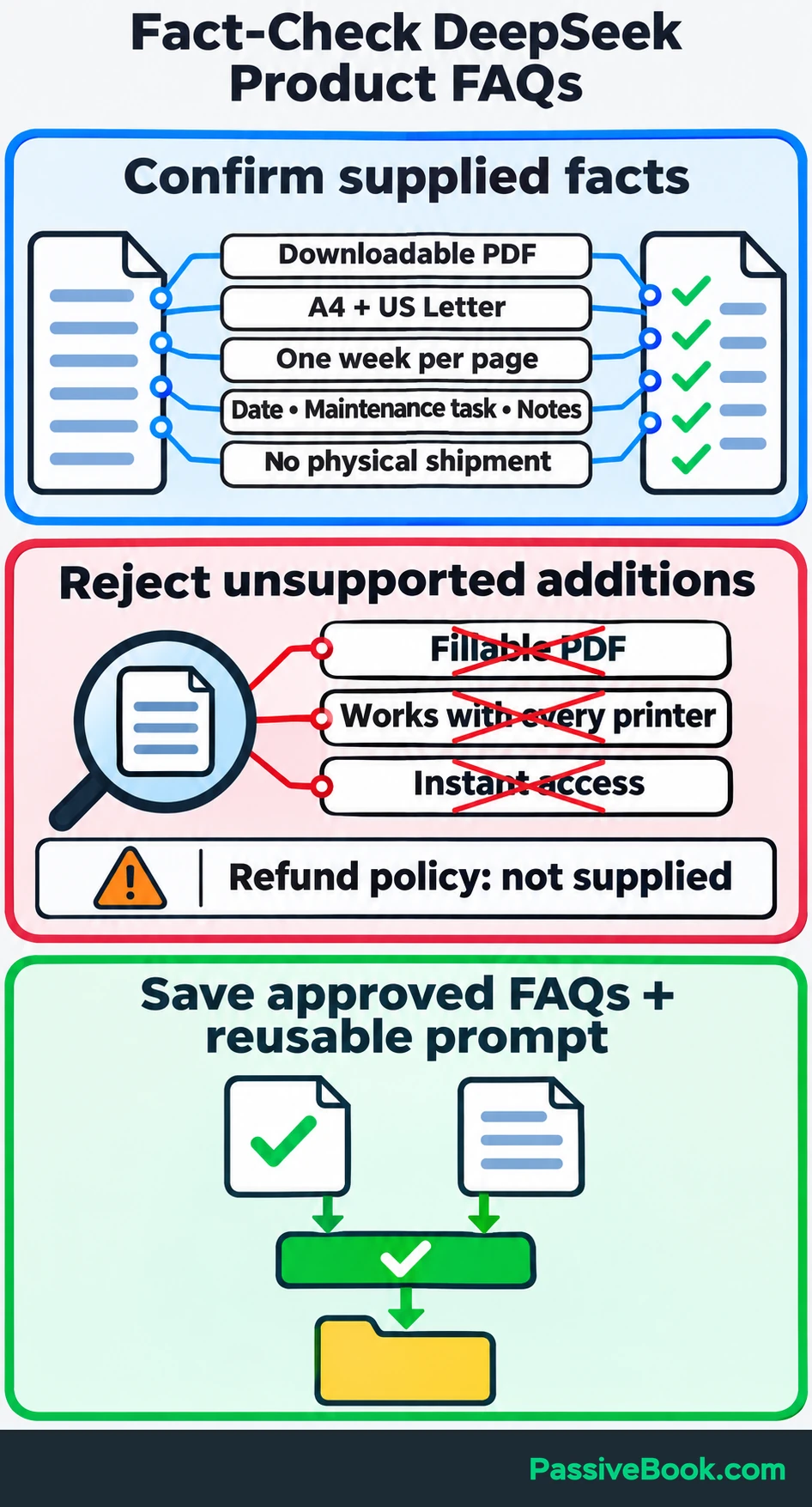
For the aquarium-log FAQs, review these points:
- Product format: It describes a downloadable PDF.
- Page sizes: It preserves A4 and US Letter.
- Page structure: It keeps one week per page and the three supplied fields.
- Delivery: It makes no promise about a physical shipment or an unconfirmed download process.
- Missing details: It leaves policies and other unknowns unanswered or clearly marked.
Watch for believable additions such as “fillable PDF,” “works with every printer,” or “instant access.” None of those facts appeared in the prompt.
For researched answers, open the original sources and check the relevant passages. Recalculate important numbers. Citations and a visible explanation do not establish that an answer is correct.
For pet-care questions, use DeepSeek to organize information and prepare questions for a veterinarian. Take diagnosis, medication, and treatment decisions to the veterinarian.
DeepSeek’s terms warn that outputs can contain errors. They also require you to verify published outputs and clearly identify their AI-generated origin. Review those accuracy and publication requirements before using generated material publicly.
Save the approved FAQs in your working document, then save a reusable version of the prompt:
Using only [PRODUCT FACTS], write [NUMBER] buyer FAQs. Keep each answer under [WORD LIMIT] words and use a [TONE] tone. Preserve every supplied fact. List missing information separately and do not invent features or policies.
That saved brief is useful across tools.
I use ChatGPT for brainstorming and quick, general-purpose tasks. To decide whether DeepSeek fits your work better, give both tools the same facts and instructions. Compare:
- Accuracy: Which draft preserves the facts and leaves unknowns unanswered?
- Editing effort: Which needs fewer corrections before use?
- Features: Can it handle the files, research, or connections your task requires?
- Data handling: Are you comfortable submitting the material under its terms?
- Cost: What would your actual chat or API workflow cost?
I would choose the tool that produces dependable work with less repair. A free draft that takes an afternoon to fix has found another way to charge you.
Use the DeepSeek API for Repeatable Tasks
An API lets software send prompts to DeepSeek and receive answers automatically. Use it once the manual FAQ task works reliably and you need drafts for multiple product records. Automation will happily repeat a bad brief.
Create an API Key and Estimate Costs
Create an API key in the DeepSeek API platform, and add enough balance for testing. Treat the key as a password for API access.
Store the key in a secrets store or an environment variable named DEEPSEEK_API_KEY. An environment variable lets your program read the key without putting it directly in the request file.
Keep it out of public repositories, browser-side code, and shared screenshots.
API usage is measured in tokens, which are small pieces of text. You pay for the input the model processes and the output it generates.
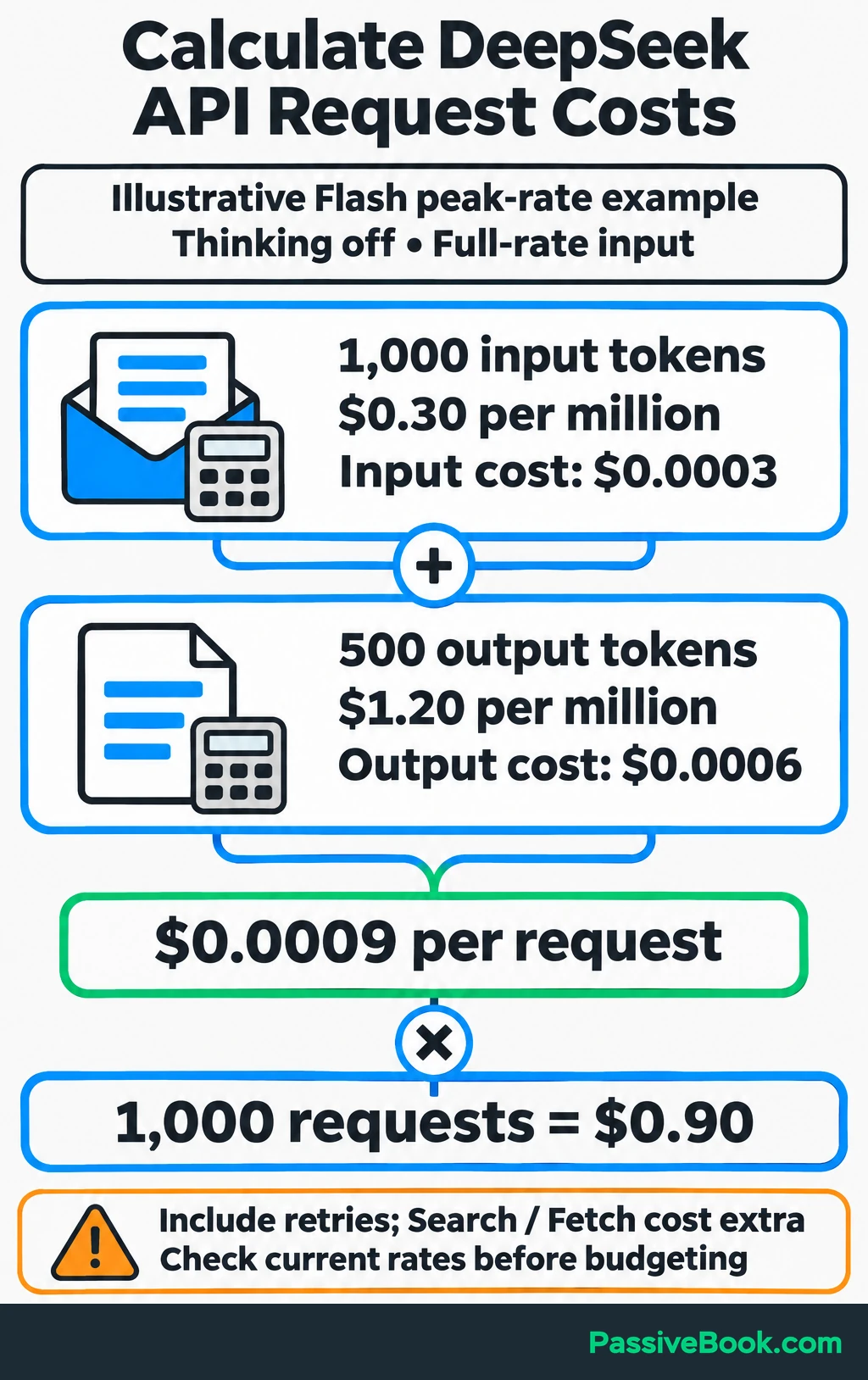
Estimate input and output charges separately, add them, then multiply by expected requests, including retries.
Using Flash’s peak rates, a request with thinking disabled, 1,000 input tokens at the full rate, and 500 output tokens would cost:
Input:  1,000 ÷ 1,000,000 × $0.30 = $0.0003
Output:   500 ÷ 1,000,000 × $1.20 = $0.0006
Total:                              $0.0009
That would be $0.90 for 1,000 requests with the same token counts, before any separately billed Search or Fetch calls. Off-peak rates are half the peak rates. Use the current pricing and billing rules for your estimate, including the applicable peak schedule.
Send One Test Request
Use cURL, a command-line tool for sending web requests. In a Bash terminal on macOS or Linux, set your key:
export DEEPSEEK_API_KEY='replace-with-your-api-key'Then run:
curl --request POST https://api.deepseek.com/chat/completions \
  --header "Content-Type: application/json" \
  --header "Authorization: Bearer ${DEEPSEEK_API_KEY}" \
  --data '{
    "model": "deepseek-flash",
    "messages": [
      {
        "role": "user",
        "content": "I sell a printable aquarium-maintenance log. Product facts: downloadable PDF, A4 and US Letter sizes, one week per page, fields for date, maintenance task, and notes; no physical shipment. Write five buyer FAQs in plain English, each answer under 40 words. Use only these facts. List missing information separately. Do not add aquarium-care recommendations."
      }
    ],
    "thinking": {"type": "disabled"},
    "stream": false
  }'
This uses DeepSeek’s chat API request format. The last two settings disable extra reasoning and return the complete answer at once.
The response is structured data. Find the generated answer at choices[0].message.content, then inspect the usage section for token counts.

Apply the same product-fact checks you used in chat. A successful request confirms that the connection works; it doesn’t approve the copy.
Once that test works, build a small workflow:
Approved product details
→ Saved prompt
→ DeepSeek draft
→ Human review
I use n8n to connect tools and Python for content work. I’d use a system you already maintain before buying another subscription.
Test one product record, set a retry limit, and monitor usage before increasing volume.
Run a DeepSeek Model Locally
Local use means downloading a model and running it on your own hardware. It can suit offline work, but installation and performance become your responsibility.
If you need local processing or want to experiment, I would try this route. Free browser chat is the easier starting point for occasional tasks.
Choose a Model That Fits Your Computer
Check your operating-system support, available memory, and free storage before installing anything. Leave room for both the runner and the model, plus memory for the conversation.
Ollama is a program that downloads and runs models. A small installation test is deepseek-r1:1.5b, whose listed download is about 1.1 GB.
That file size is not the total memory or storage requirement. Ollama itself needs space, and running the model needs working memory.
This is a smaller distilled R1 model, trained using outputs from a larger model. It is separate from the current hosted assistant, so don’t expect the same answers or features.
Use the approved FAQ task to judge whether it meets your needs. Check factual accuracy and usefulness before moving to a larger download.
Install Ollama and Test Offline Execution
Download Ollama for your operating system, check its installation requirements, and install it.
Start Ollama, open a terminal, and run:
ollama run deepseek-r1:1.5bThe first run downloads the model, so it requires an internet connection. Once the conversation opens, enter the aquarium-log FAQ prompt from Step 2.
For local-only operation, disable Ollama’s cloud features. Add this setting to ~/.ollama/server.json, preserving any existing settings:
{
  "disable_ollama_cloud": true
}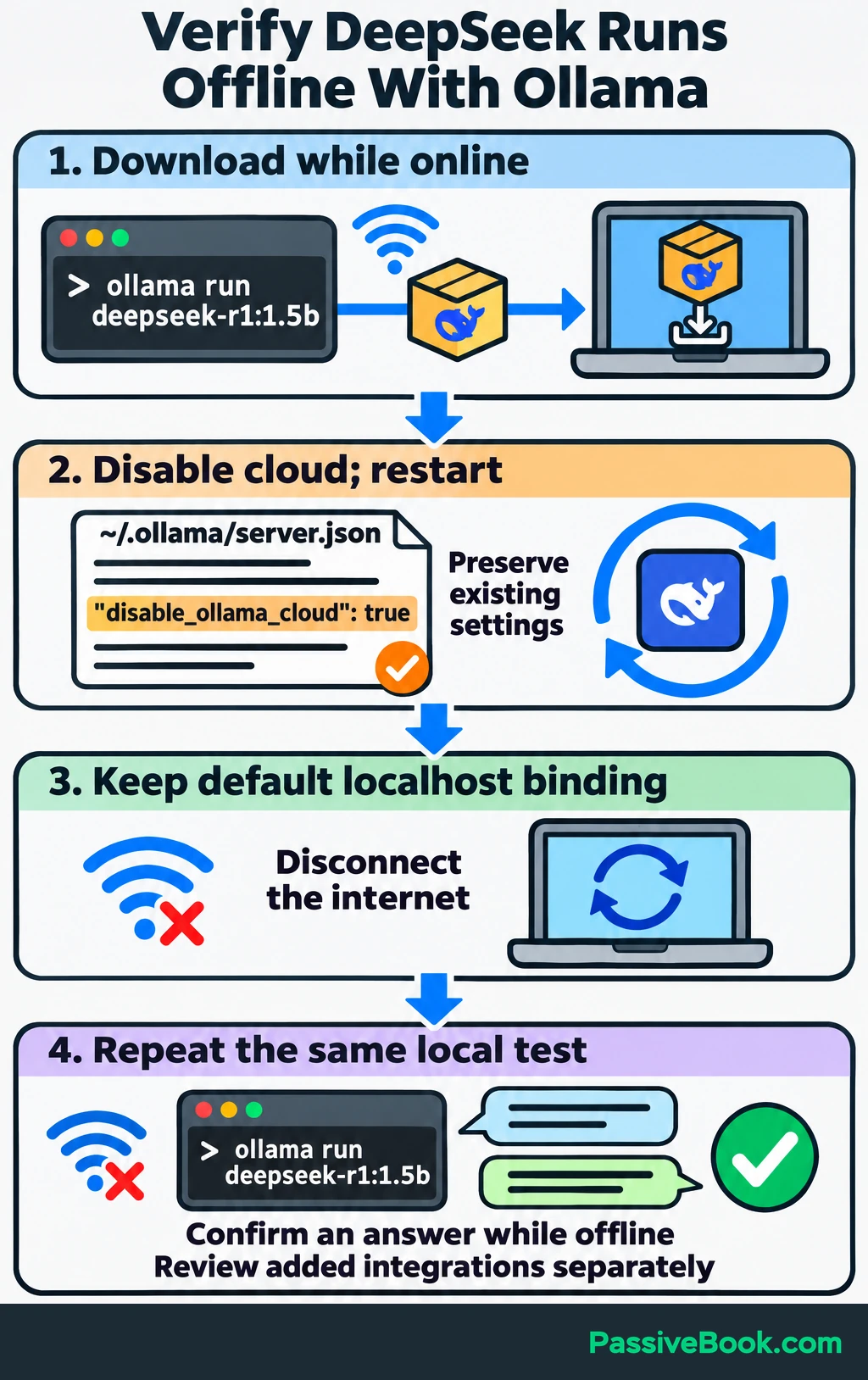
Here, ~ means the home directory of the account running Ollama. Restart Ollama after changing the file.
Keep its default localhost network binding, which makes the server listen on your own computer. These settings follow Ollama’s cloud and networking controls.
After the download finishes, disconnect from the internet and run the same model again. Repeat the prompt to confirm that it works offline.
Review any extra interface or integration before adding it. A local model can still be connected to software that sends information elsewhere.
Fix Common DeepSeek Problems
Match the fix to the symptom. Rewriting a prompt won’t repair an empty API balance.
| Problem | What to Try |
|---|---|
| Chat fails or reports busy servers | Save your prompt, check DeepSeek’s service status, and retry after the temporary problem clears. |
| The answer is vague | Supply the missing facts, name the output format, or split the task into smaller requests. |
| The draft invents details | Point out the unsupported claims and ask for a revision using only your supplied facts. |
| An upload is unreadable | Use a clearer file or paste the relevant text, then ask DeepSeek to quote what it extracted. |
| A local model fails to load or runs slowly | Close competing applications, shorten the conversation, or try a smaller model before buying hardware. |
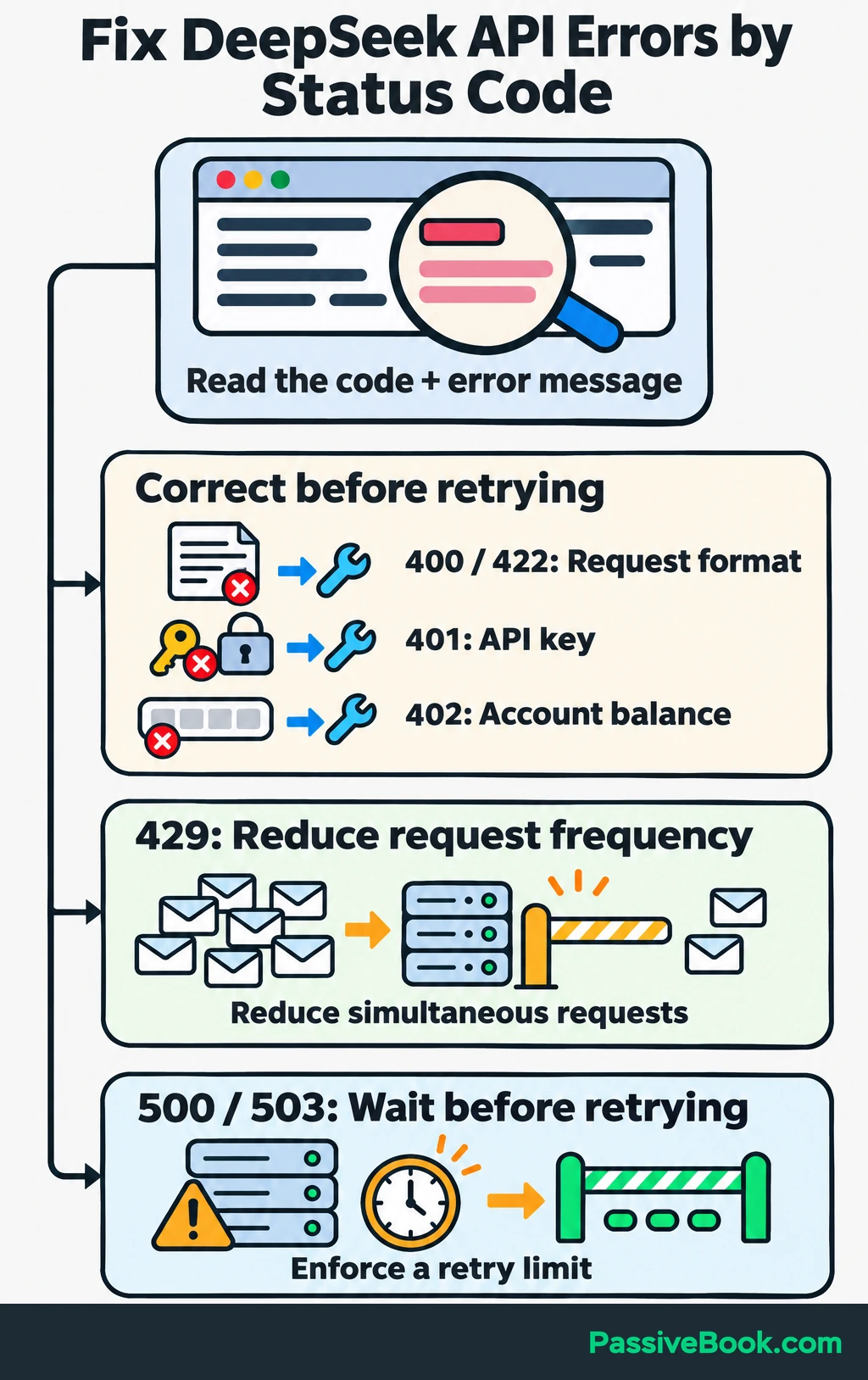
For API errors, read the returned message alongside the status code:
| Code | What to Check |
|---|---|
400 or 422 | Correct the request format or invalid parameters. |
401 | Check that the API key is valid and reaches the application. |
402 | Check the account balance. |
429 | Reduce request frequency and simultaneous requests. |
500 or 503 | Wait before retrying and enforce a retry limit. |
These remedies follow DeepSeek’s API error guidance. I would fix request and authentication errors before retrying; sending the same broken request faster rarely improves its mood.
What Next?
Open a new chat and use the FAQ prompt with a short list of facts you can verify. Refine the result once, check it, and save the useful version before adding another feature.
Use the social buttons to share this guide when a group chat needs a practical way to try DeepSeek without getting stuck in setup.
Which task would you trust DeepSeek to draft, and what would you still check yourself? Share your answer in the comments, and bring any other questions too.
Share this post with your friends & followers:

