Answering “Do you cover my area?” takes a minute. Answering it again while you’re trying to finish paid work is where the irritation starts.
You want help with those conversations, but an assistant that invents availability or promises a refund gives you another job: repairing its answers.
A useful assistant should reduce that repair work along with the routine replies. This guide shows how to build and judge a small workflow that answers service questions and gets suitable customers to a booking request, while leaving decisions that need your attention with you.
What Can Conversational AI Do for Your Business?
Conversational AI responds to questions through text or voice. With the right business information and connections, it can explain services, collect details, and complete permitted tasks.
A useful business workflow follows a simple pattern:
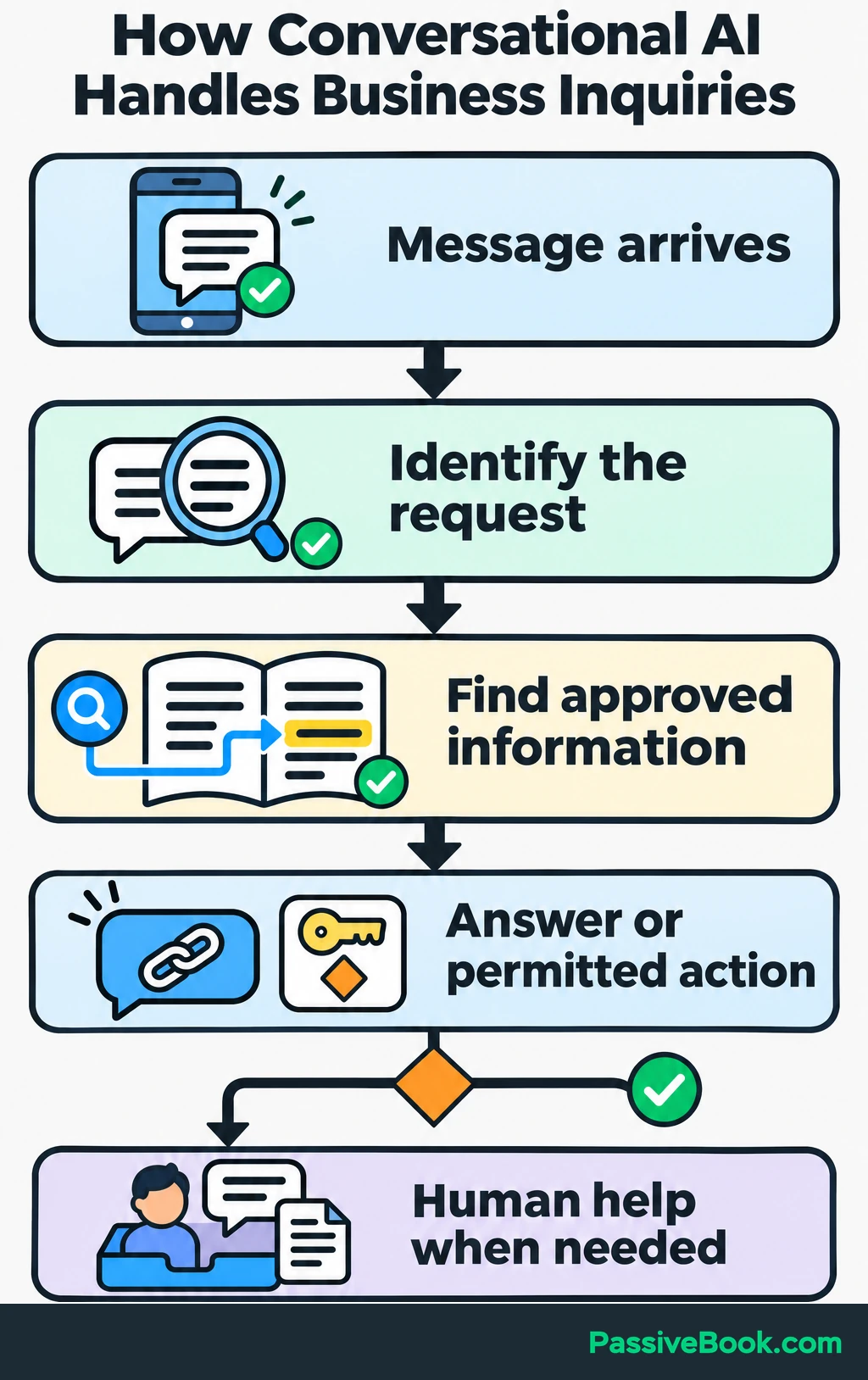
Message arrives → identify the request → find approved information → answer or take an allowed action → involve a person when needed.
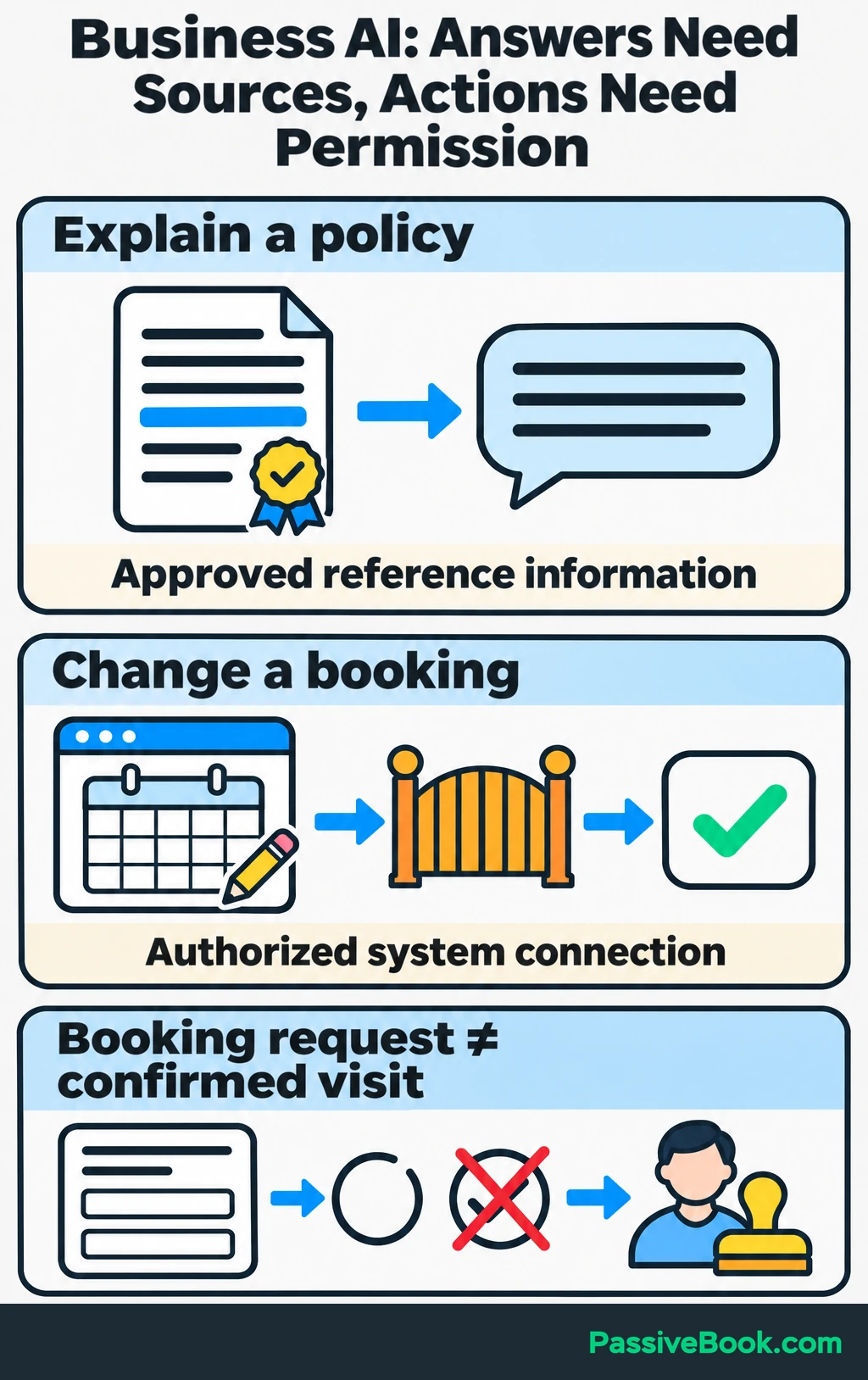
The distinction between an answer and an action matters. Explaining your cancellation policy needs accurate reference information. Changing a customer’s booking needs an authorized connection to your booking system.
Throughout this guide, imagine you run Willow Cat Sitting and take inquiries and booking requests online. Its service details, conversations, and financial figures are illustrations.
The first workflow will answer questions about services and coverage, then help suitable customers request a booking. It will leave availability checks, exceptions, and final confirmation with the owner.
1. Choose One Conversation Worth Automating
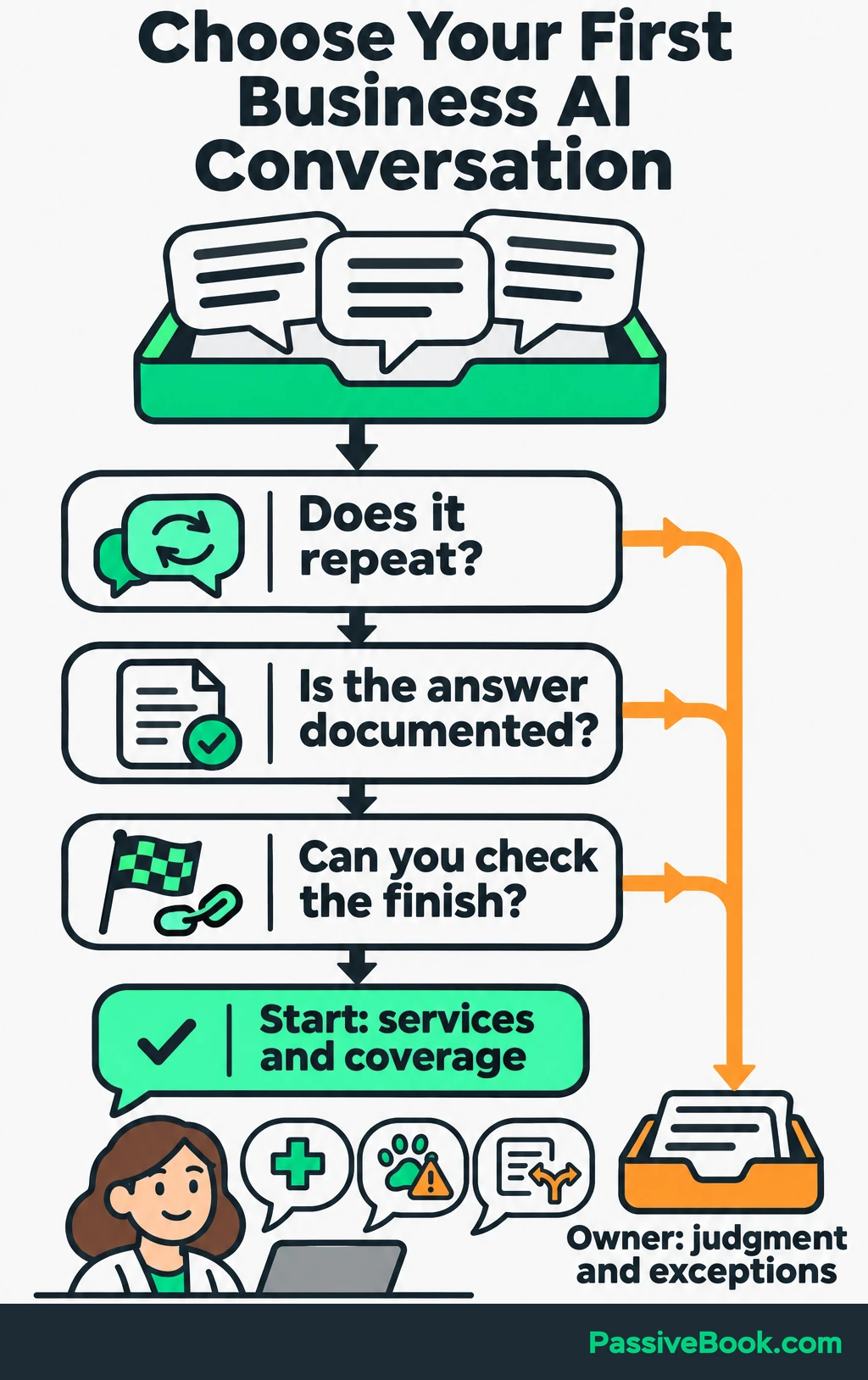
Start with your inbox. Review a manageable batch of recent inquiries and note which questions repeat, how long they take, and what finishes each conversation.
Choose something whose result you can check. “Help customers” is too broad. “Explain our published visit options and provide the right booking link” gives you something you can test.
Here are four possible uses for Willow:
| Business Task | Example Conversation | Required Information | Successful Outcome |
|---|---|---|---|
| Support | Customer: “What should I prepare before the first visit?” | Approved checklist of what customers should prepare before a visit | Customer receives the checklist or gets help with an exception |
| Sales | Customer: “Can I request two visits a day?” | Published option allowing two daily visits | Customer understands that two daily visits can be requested and gets the booking link |
| Booking | Customer: “How do I request visits for my trip?” | Booking page for date requests requiring owner confirmation | Customer submits a request without mistaking it for confirmation |
| Internal assistance | Owner or sitter: “Where is our first-visit preparation procedure?” | Approved staff instructions for preparing a first visit | Owner or sitter retrieves the preparation steps |
I would begin with pre-booking questions about services and coverage. These have a clear finish, and the answers should already exist in your business information.
Medical questions, unusual care needs, and policy exceptions go to the owner.
Choose one primary goal, such as reducing human handling time, and pair it with a quality requirement: every service answer must match approved information.
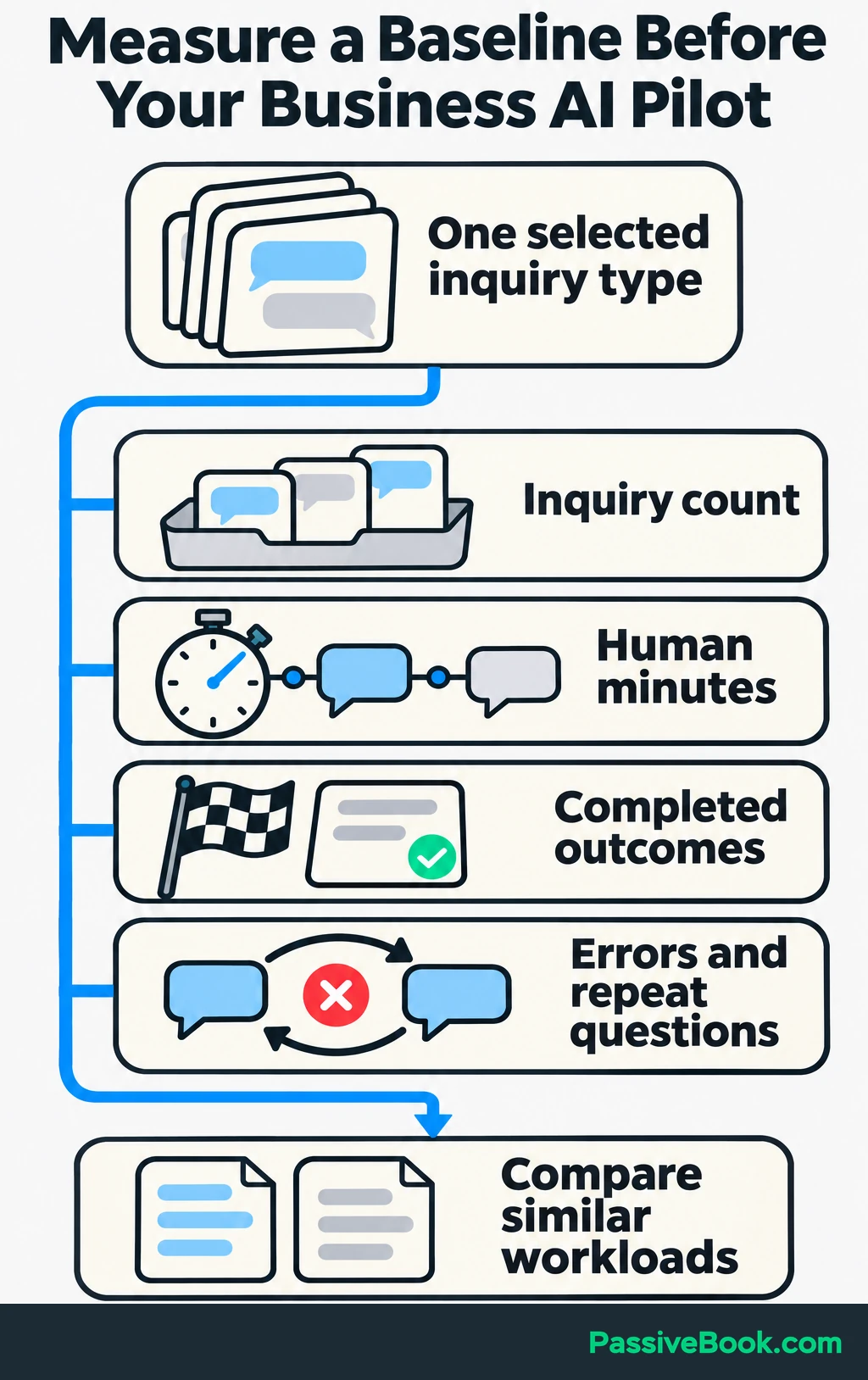
Before changing anything, record:
- How many selected inquiries arrive.
- How many human minutes they take.
- How often they reach their intended finish.
- Which errors or repeat questions occur.
That gives you a baseline. Otherwise, “it seems faster” becomes your entire business case.
2. Design the Conversation and Human Handoff
Write the conversation flow before choosing software. Include what starts it, what information is needed, and what counts as finished.
For Willow, the flow is:
Inquiry arrives → clarify the service or area if necessary → check approved information → answer → offer the booking link or transfer the conversation.
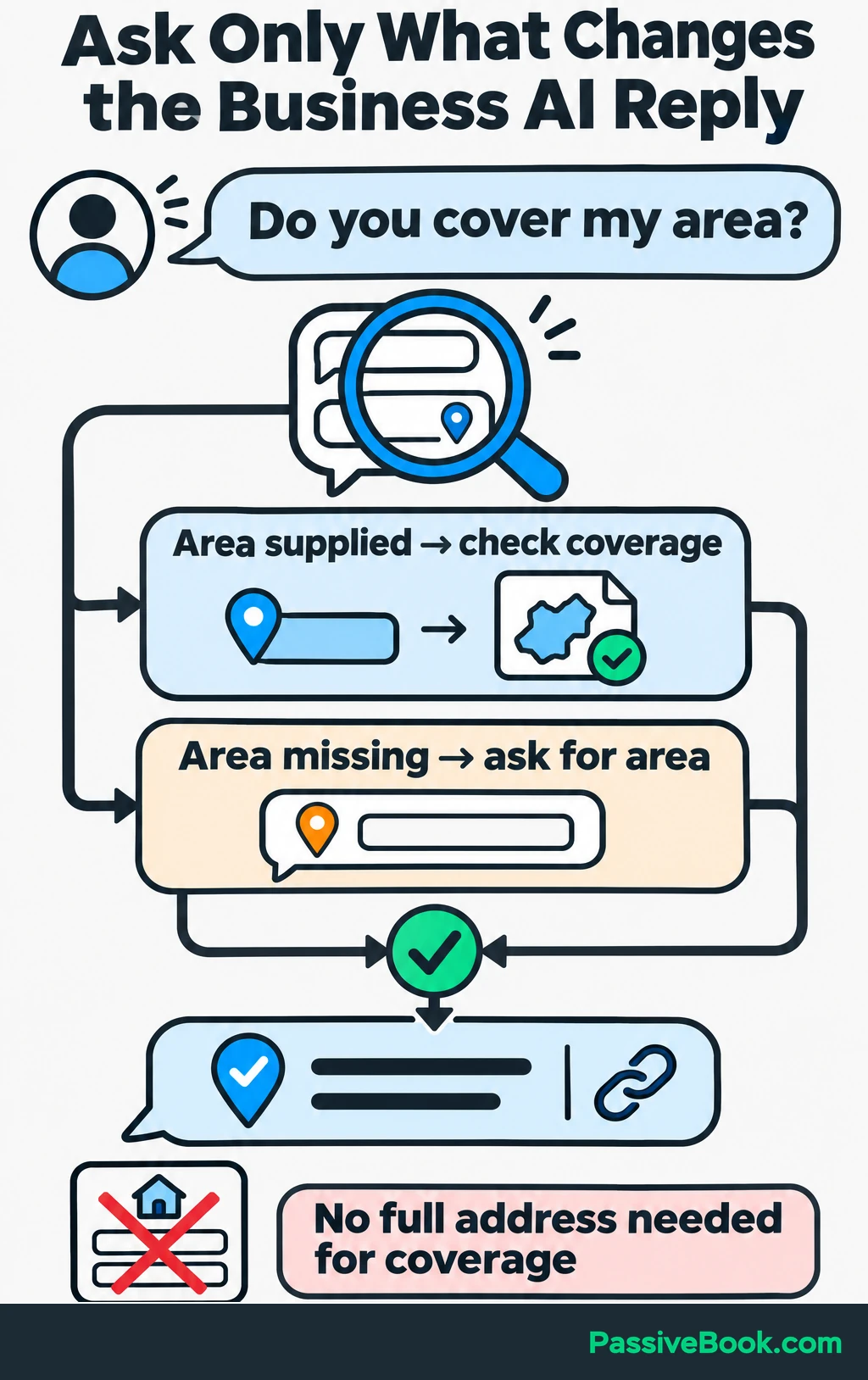
Ask only questions that change the next step. An area name may be enough to check coverage; you do not need a full home address for that.
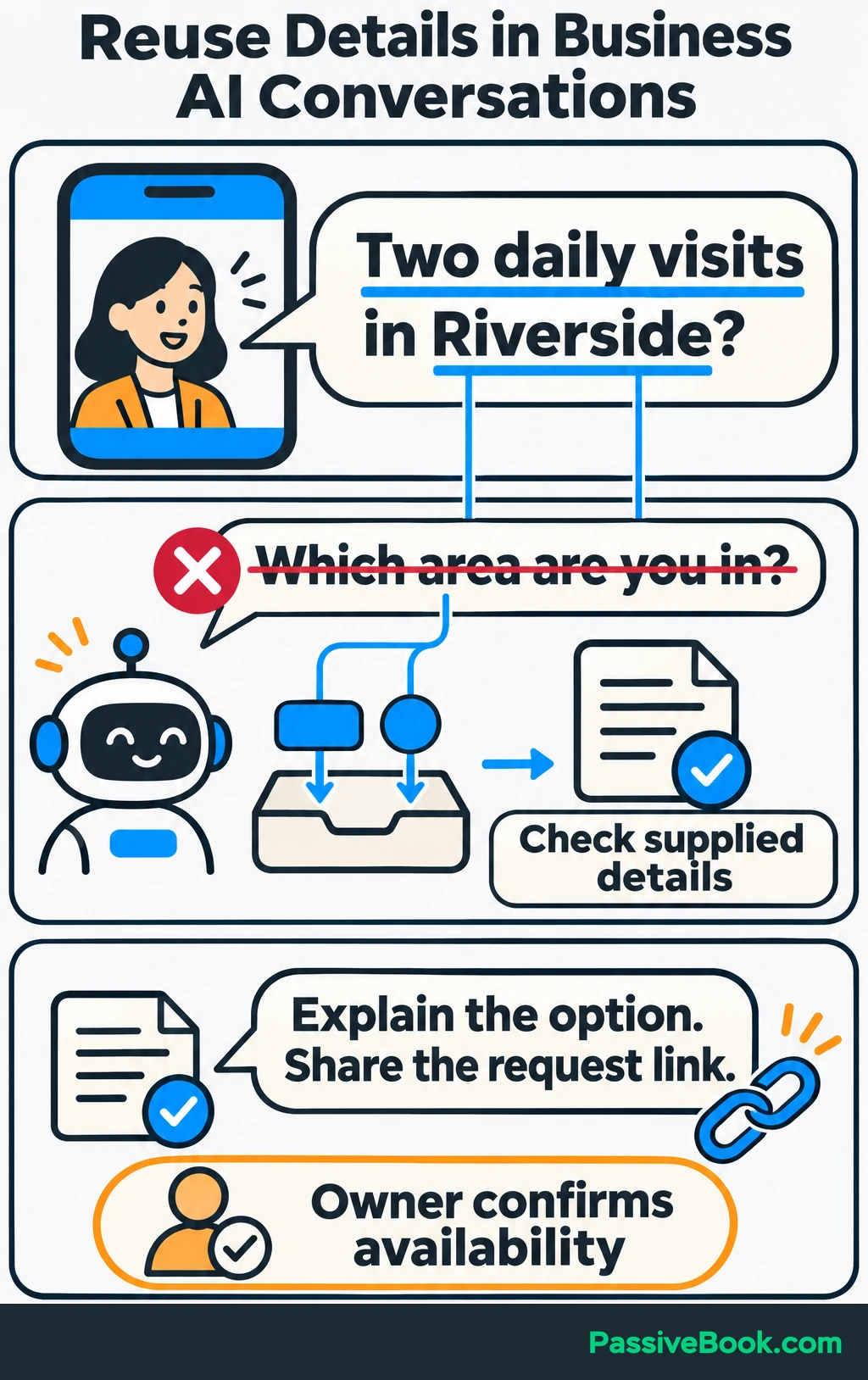
Reuse details the customer has already supplied. If they say they want two daily visits in Riverside, asking “Which area are you in?” makes the conversation feel careless.
Keep each reply focused on the current question and its next step. A customer asking about visit length does not need the company’s entire service brochure.
Define When a Person Takes Over
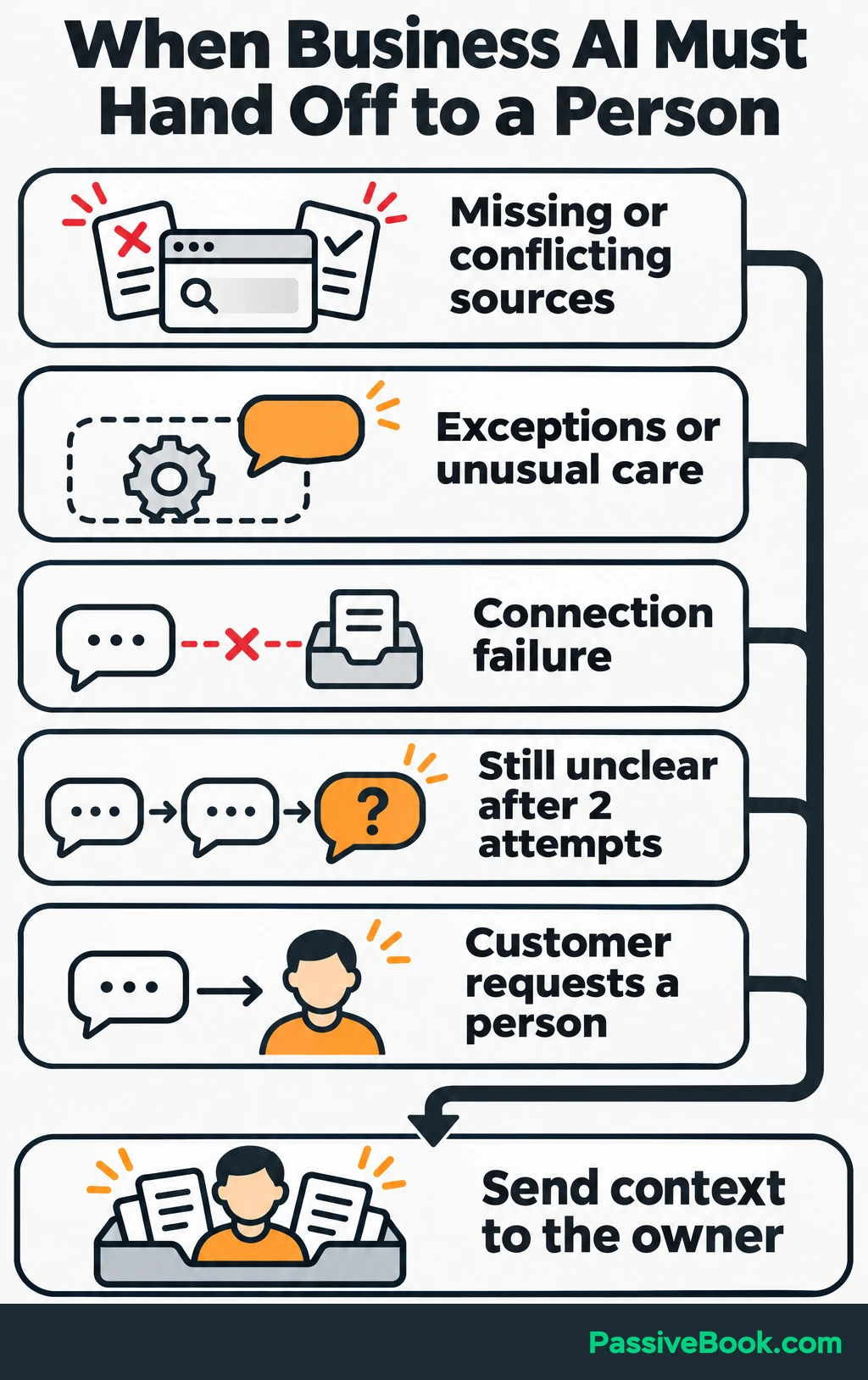
Write specific handoff rules. For this workflow, transfer the conversation when:
- Approved information does not answer the question or sources conflict.
- The customer requests an exception or unusual care.
- A connection fails.
- Two clarification attempts still leave the request unclear.
- The customer asks for a person.
Assign a destination that someone actually checks. For Willow, that could be the owner’s support inbox, with the owner responsible for following up.
Send the conversation summary, relevant details already collected, actions attempted, and unresolved question. The customer should not have to start again.
Once a person takes over, pause automated replies in that conversation. Two voices answering at once is rarely an upgrade.
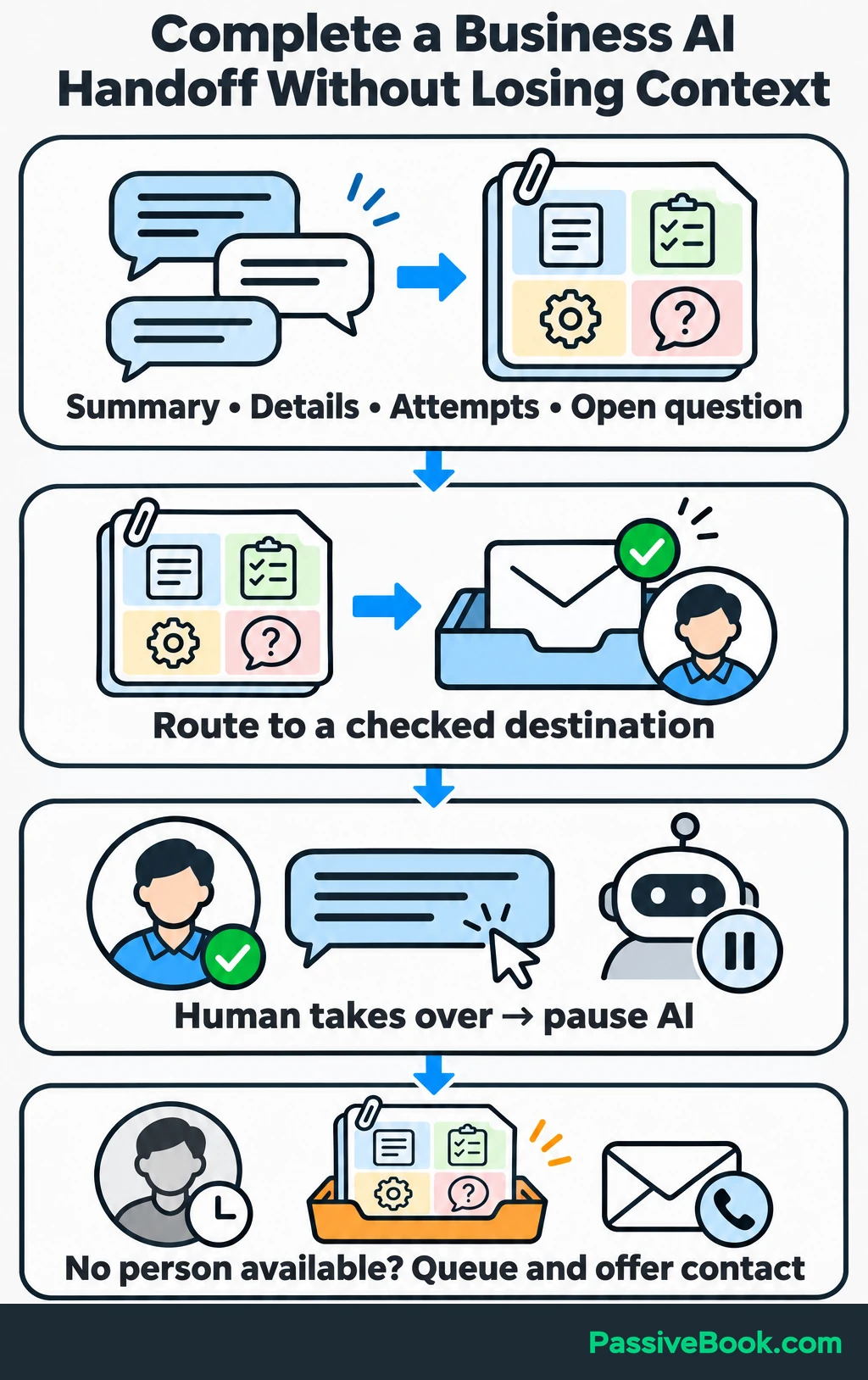
If nobody is available, queue the request and offer a working contact method. State a response window only if you can meet it.
Keep booking language precise throughout: sharing a link or submitting a request does not confirm a visit.
3. Choose the Simplest Implementation That Fits
Begin where these conversations already happen. If most arrive by email, test email assistance before adding a website chat box.
Your first choice is who sends the answer.
| Who Sends the Reply | Suitable Workflow | Setup Effort | Required Capabilities | Cost Drivers |
|---|---|---|---|---|
| A person reviews and sends an AI draft | Email inquiries or requests needing judgment | Low for a manual trial; higher with inbox integration | Approved reference material, editable drafts, clear review responsibility | Subscription, usage, and review time |
| An AI assistant replies directly | Narrow service FAQs with reliable human transfer | More setup and testing before launch | Selected channel, approved-source search, conversation history, takeover, and disable control | Conversations or messages, channel fees, usage, and maintenance |
Either approach can use business-tool connections. A drafting assistant might look up a booking record, while a customer-facing assistant might only answer FAQs and share a link.
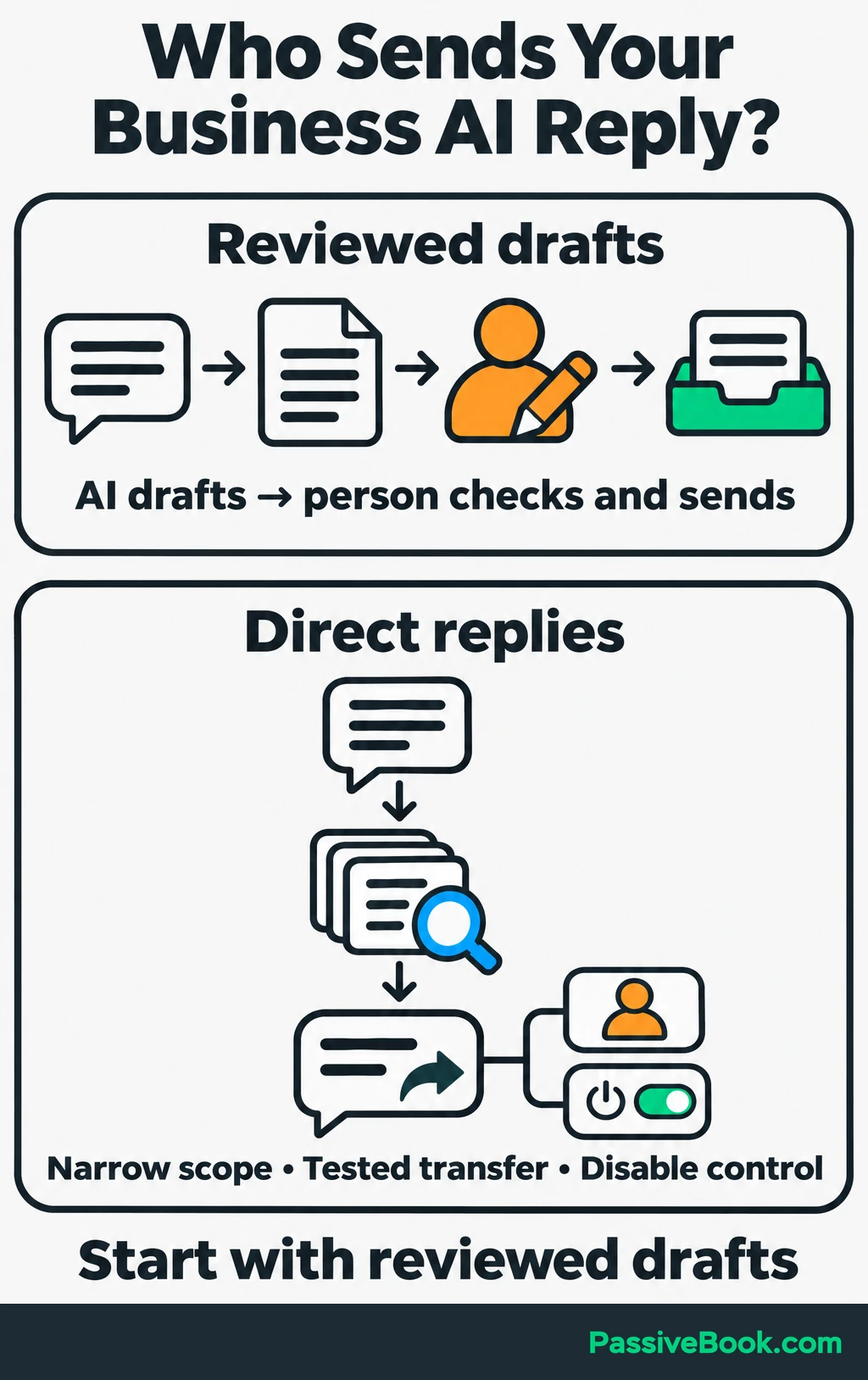
I would start with reviewed drafts. You can learn which answers need correction before customers receive them automatically. For a manual trial, paste an anonymized inquiry and the relevant approved information into an AI assistant. Use the instructions in Step 5 to draft a reply, then check it and send it yourself.
There is evidence for that approach. Generative AI at Work studied 5,172 support agents serving one software company and found about 15% more issues resolved per hour with AI assistance. Agents could edit or ignore suggestions. That finding supports testing reviewed assistance; it does not predict the results of an autonomous chatbot. Read the original research.
For a direct-reply assistant, evaluate tools using the same sample conversations. Check whether each one can:
- Answer correctly from your sources and reflect source updates.
- Transfer a conversation and stop replying after takeover.
- Support your existing channel and required integrations.
- Let you inspect and export conversations.
- Handle missing information without guessing.
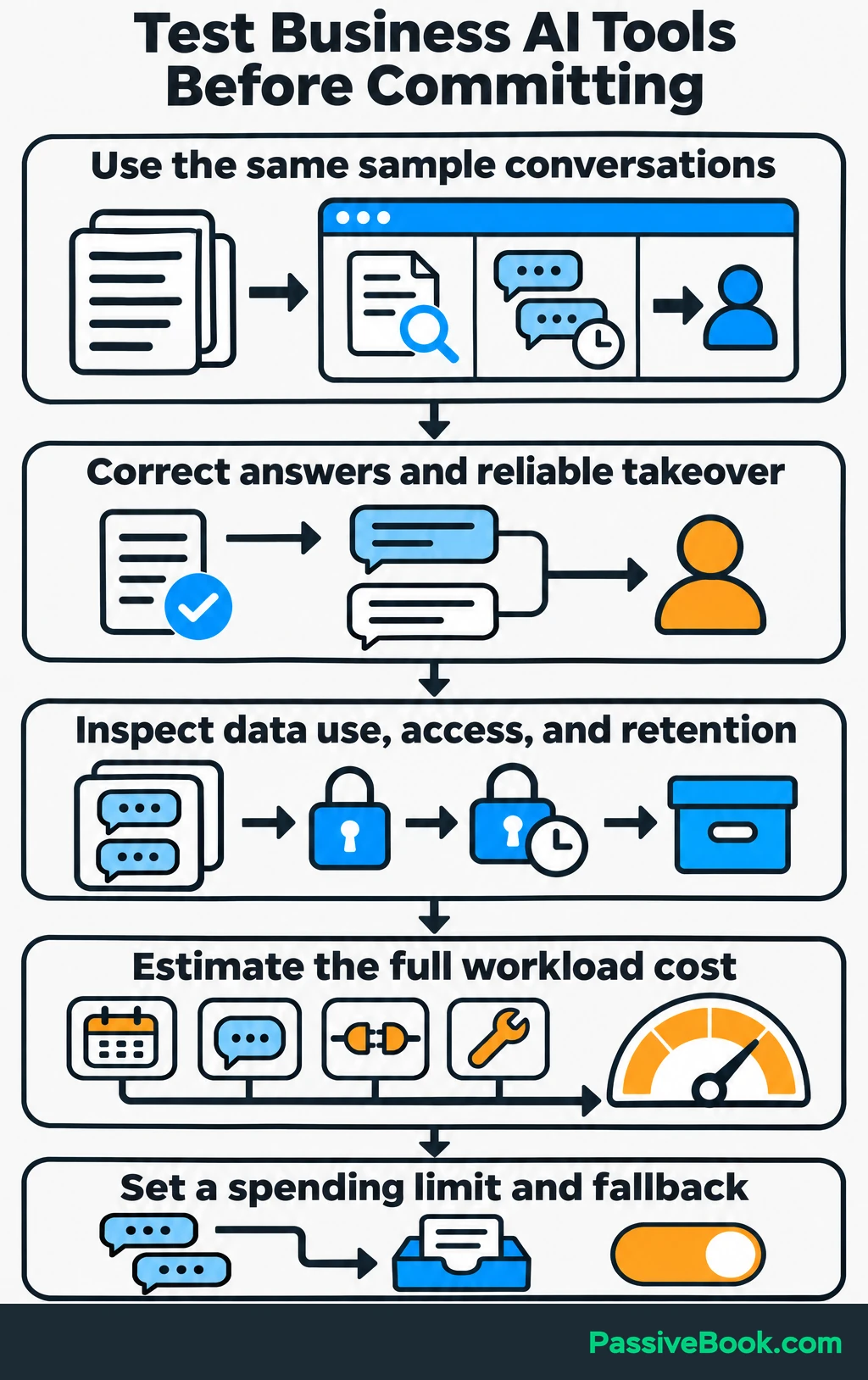
Before supplying customer information, check the provider’s data-use and model-training terms, retention, deletion, and access controls.
Estimate the full cost at your expected volume. Include setup, subscriptions, usage, connections, channel charges, and maintenance. Check what the provider calls a billable conversation, message, resolution, or action.
Set a spending limit and a fallback, such as returning inquiries to the normal inbox. I would skip custom development unless an essential requirement cannot be met by available tools.
4. Prepare Approved Business Information
Gather only what the selected workflow needs. You do not need to upload every document your business has ever produced.
For Willow’s pre-booking assistant, prepare:
- Service descriptions and published visit options.
- Coverage areas.
- Current prices and booking links.
- Visit-preparation instructions.
- Cancellation policy.
- Contact details and handoff rules.
Remove outdated pages and resolve contradictions before connecting them. If one document says visits last 30 minutes and another says 45, the assistant has been given a guessing exercise.
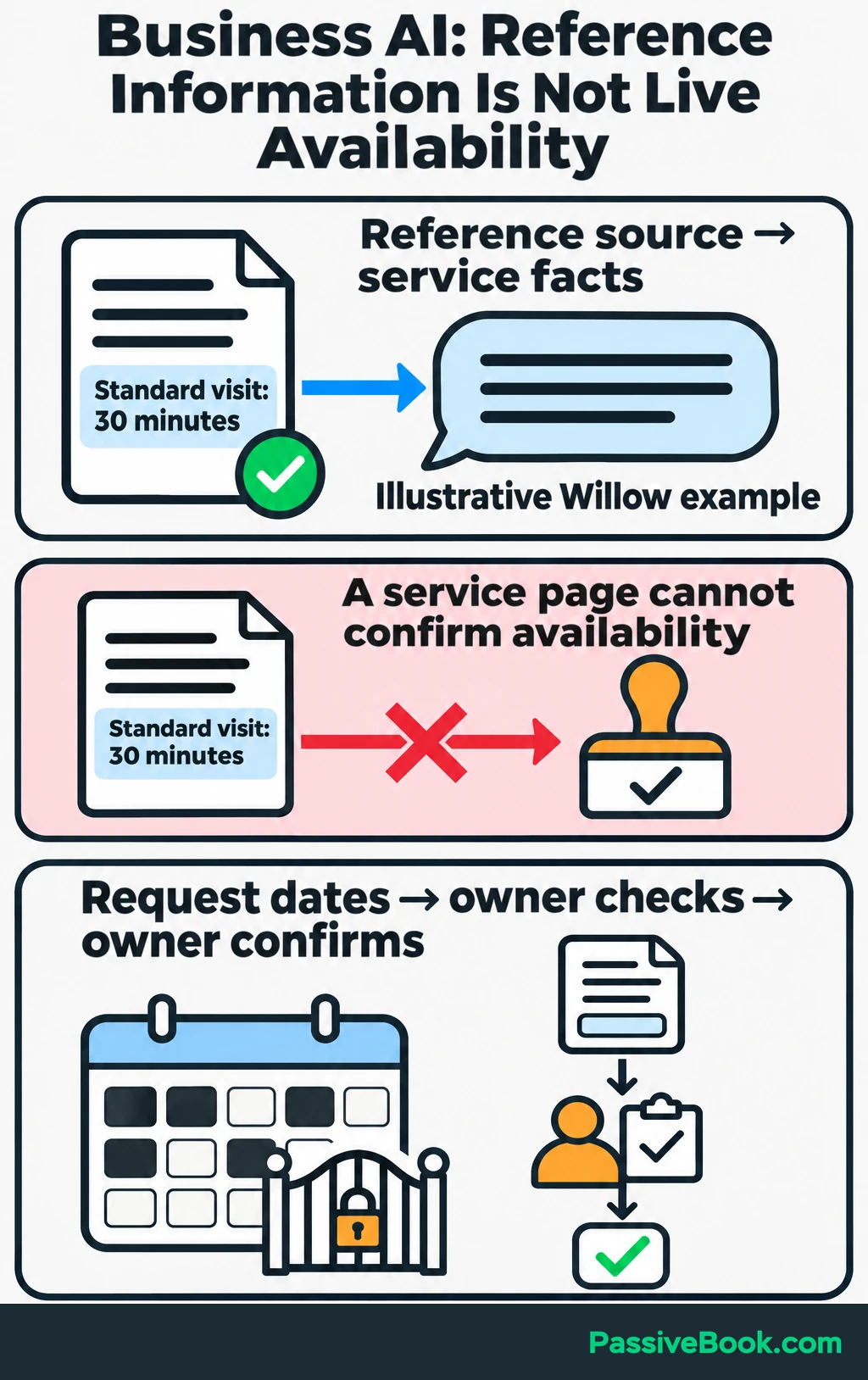
Keep exact policy wording in one approved source and make someone responsible for updates. After changing a source, check that the assistant can use the new version.
Configure it to search that material before answering. This is often called retrieval: finding relevant information when a question arrives, rather than training a model from scratch. Google’s data-store documentation describes this search-and-summary approach.
Separate reference information from live records. A service page can explain visit length. It cannot establish whether next Tuesday is available or whether a particular customer’s booking is confirmed.
Use anonymized inquiries during setup and collect only details needed for the next step. Restrict access to conversations and decide when records should be deleted. These practices follow the principles of data minimization, limited access, and secure disposal in the FTC’s business guidance.
For Willow, keep home-entry codes, passwords, and payment-card details out of ordinary chat. Those belong in an appropriate secure process.
5. Write Clear Instructions and Examples
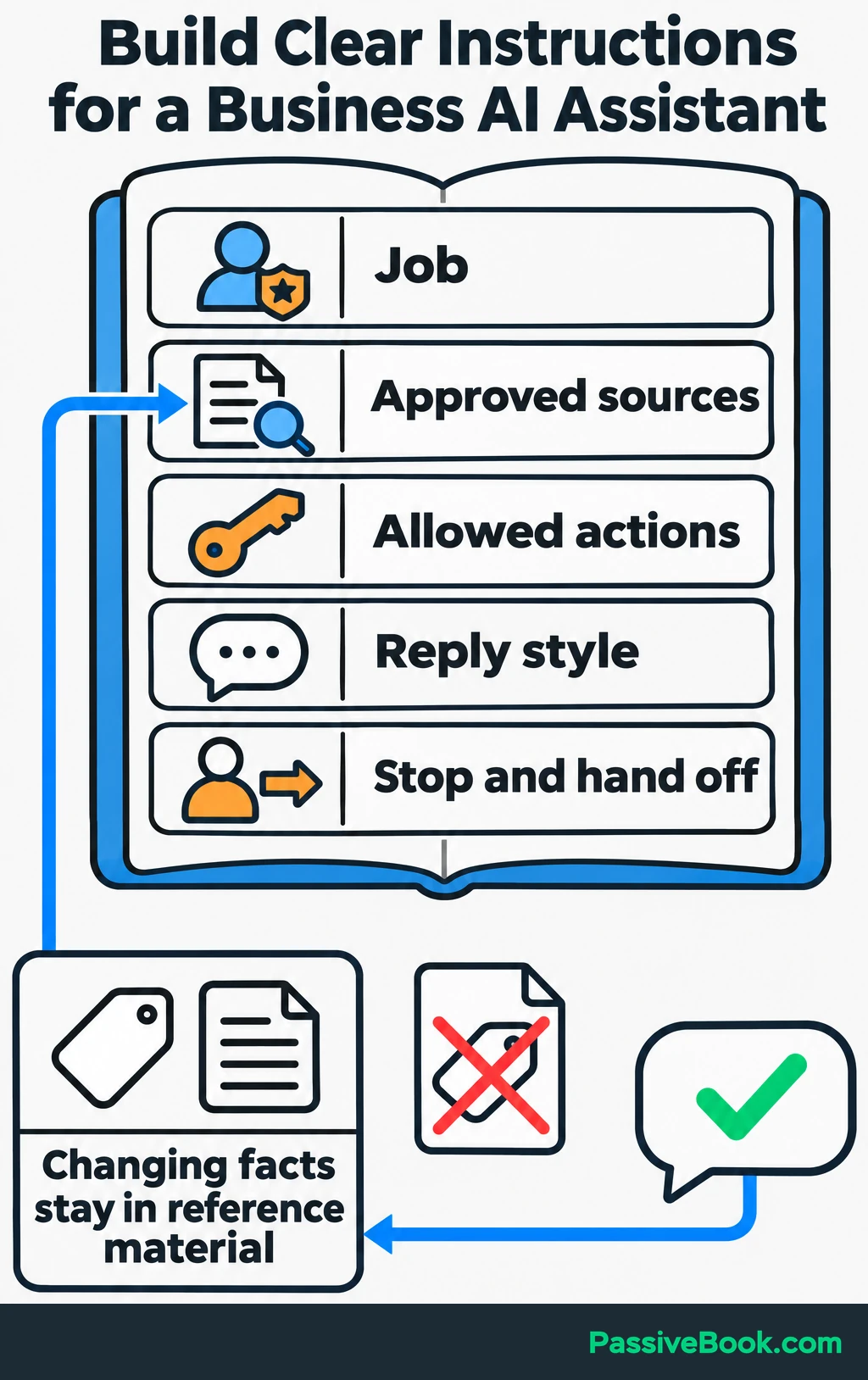
Your instructions should explain the assistant’s job, its sources, what it may do, how it should reply, and when it must stop. For reviewed drafts, also tell it to write a reply for you to check and send.
Keep changing prices and policies in the reference material. Copying them into several prompts creates several places to forget an update.
Here is a compact instruction set for Willow:
You are Willow Cat Sitting’s AI assistant. Help visitors understand our services using only approved business information. Ask for missing details only when they change the answer or next step, and reuse information already supplied.
Keep replies brief, friendly, and specific. Provide the relevant booking link when appropriate. Do not claim availability or confirm a visit.
Route unsupported questions, conflicting information, medical questions, unusual care needs, policy exceptions, and requests for a person to the owner. Include the conversation context. Say a transfer succeeded only after delivery is confirmed.
Never invent prices, discounts, policies, testimonials, or care commitments.
Add short examples showing the behavior you want.
For an ordinary question:
Customer: “How long is a visit?”
Assistant: “Our standard visit lasts 30 minutes. The service page explains what it includes: [service link].”
That answer is acceptable only because the example’s approved service description says 30 minutes.
For an unclear request:
Customer: “Can you come twice?”
Assistant: “Do you mean twice a day or two visits during your trip?”
The clarification changes which published option the assistant explains.
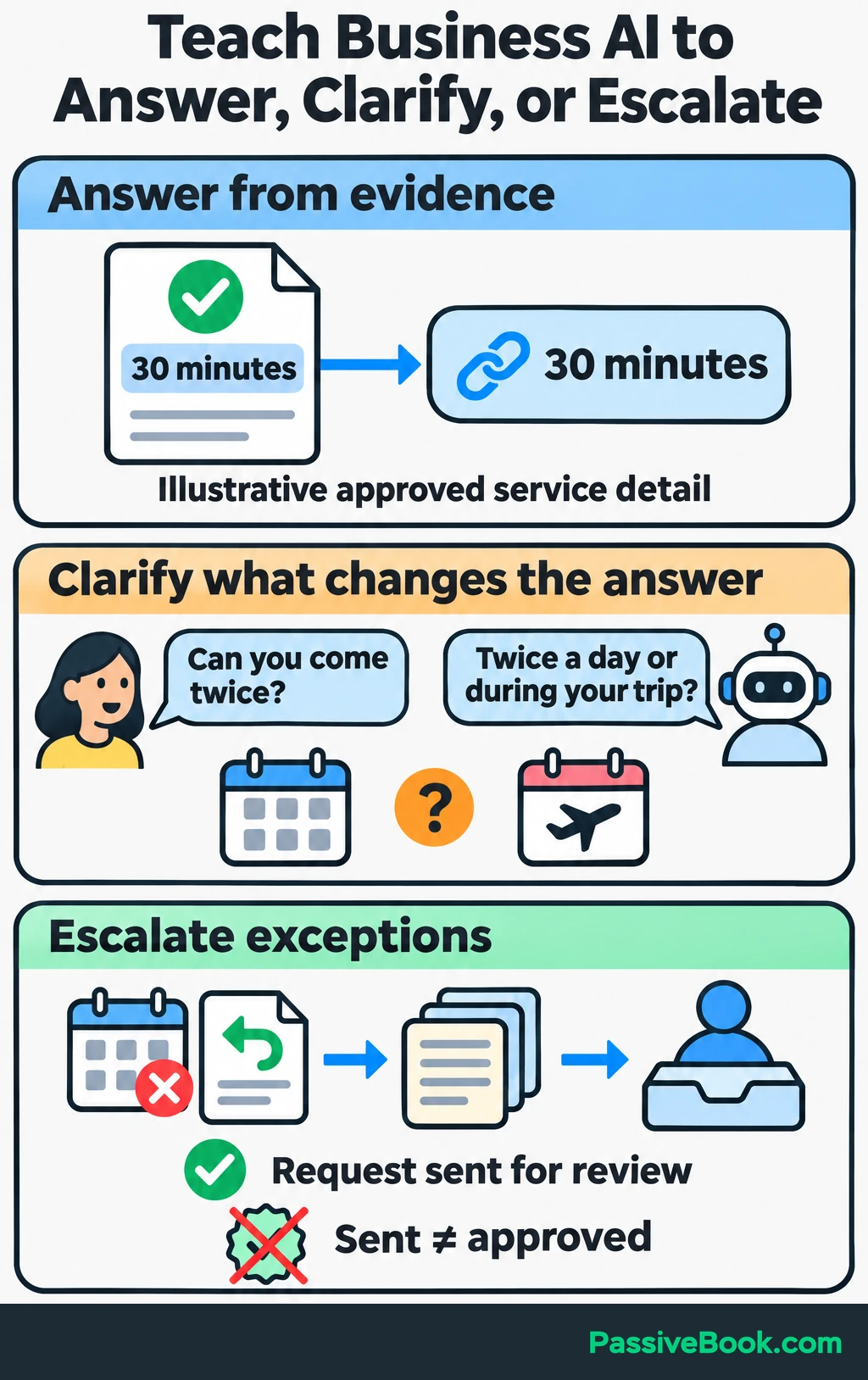
For a policy exception:
Customer: “Can you refund my late cancellation?”
Assistant: “I can send your request to the owner for review.”
The handoff should carry the request and relevant conversation context. After successful delivery, the assistant can confirm that it was sent without implying approval.
Identify the assistant as AI when the conversation starts and keep the route to a person visible. A friendly tone helps, but it cannot compensate for a made-up answer.
You can use the AI Skill below to turn your approved business information into instructions and example replies. It also drafts an answer to one anonymized inquiry so you have something concrete to review.
Free AI Prompt Builder




6. Connect Only the Tools the Workflow Needs
Map each necessary transfer before adding connections.
Willow’s first workflow needs approved sources for answers, a booking page for requests, and an inbox for owner handoffs. A booking link may complete the job without giving the assistant access to the booking system.
Direct booking is a larger task. It requires live availability, agreed dates and visit times, customer confirmation, and a successful response from the booking system.
Use built-in integrations first. If you need to move information between tools, I would try Make’s visual workflow builder for a straightforward connection.
I use n8n to connect tools in my own business workflows. When passing a draft from one tool to another, I initially checked only whether the automation ran. I later added a check of the draft in the receiving tool because a completed run did not tell me whether it arrived ready to use.
Apply that lesson here: verify that the owner receives the right conversation, not merely that an automation step turns green.
n8n can also be self-hosted, but that brings responsibility for maintaining the installation. I would choose it when that control serves a real need, rather than making server upkeep part of a first pilot.
Give each connection only the access it needs. The connected system must verify who the customer is, restrict which records they can access, and require approval before making consequential changes. A prompt saying “only show this customer’s records” is not an access control. OWASP’s excessive-agency guidance explains these safeguards.
If an action fails, preserve the request, notify the owner, and check whether it already succeeded before retrying. This prevents duplicate submissions after an uncertain response.
Confirm completion only when the destination system reports success.
7. Pilot the Complete Workflow
Test Conversations Through to Their Finish
Create a test sheet with these columns:
Customer request | Expected answer or action | Approved source | Actual result | Pass/fail reason
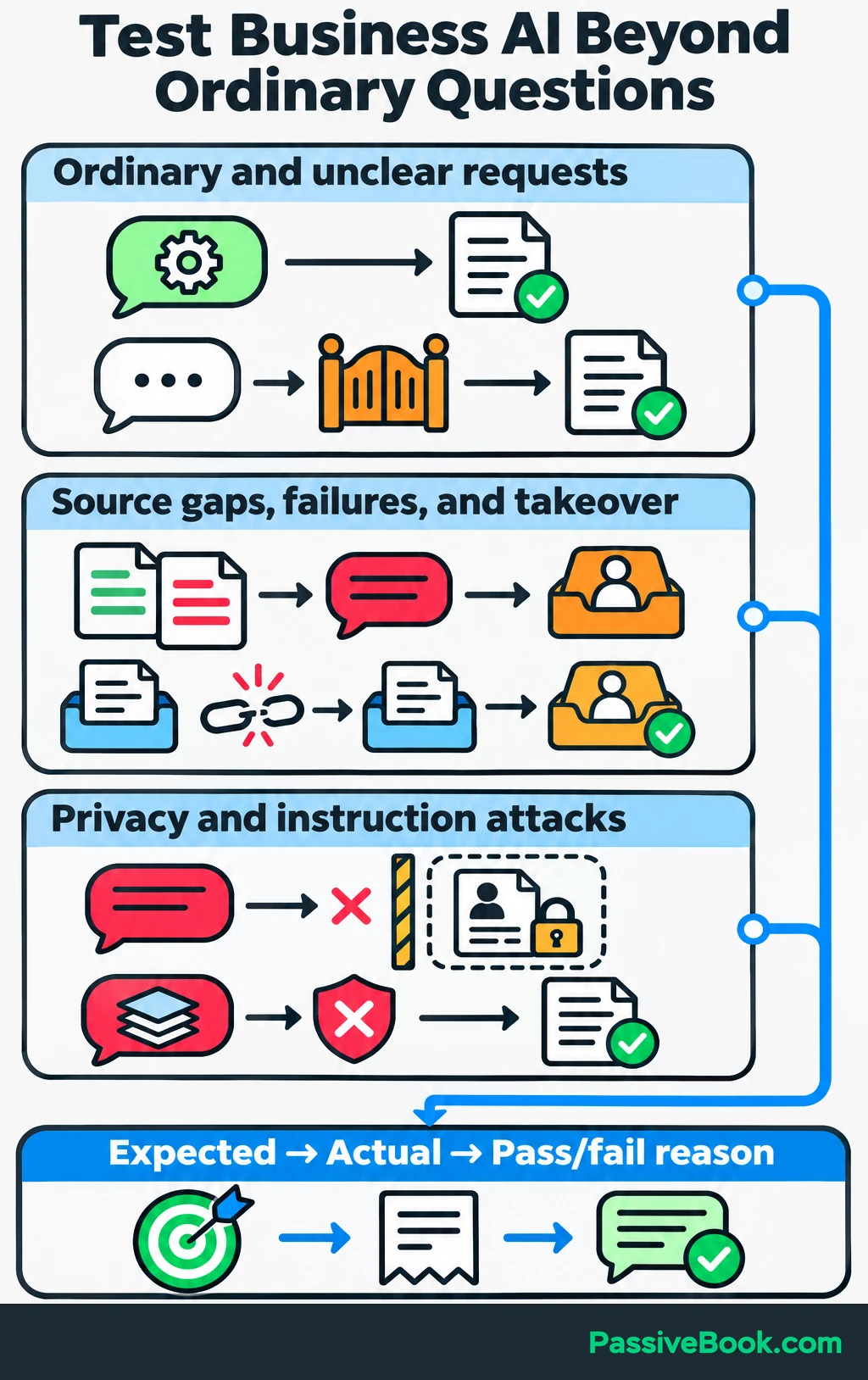
Include ordinary questions, unclear requests, contradictory sources, unsupported requests, failed connections, and human takeover. Also try requests to reveal another customer’s details or ignore the assistant’s instructions.
For Willow, a complete test conversation might look like this:
Assistant: “Hi, I’m Willow’s AI assistant. I can help with service questions or connect you with the owner.”
Customer: “Do you cover Riverside, and how long is a visit?”
Assistant: “Yes, Riverside is in our service area. Our standard visit lasts 30 minutes. Here’s what it includes: [service link].”
Customer: “Can I request two visits a day next week?”
Assistant: “Yes, two daily visits are a published option. You can request your dates here: [booking link]. The owner will check availability before confirming.”
This test assumes Riverside coverage and two daily visits are in the approved information.
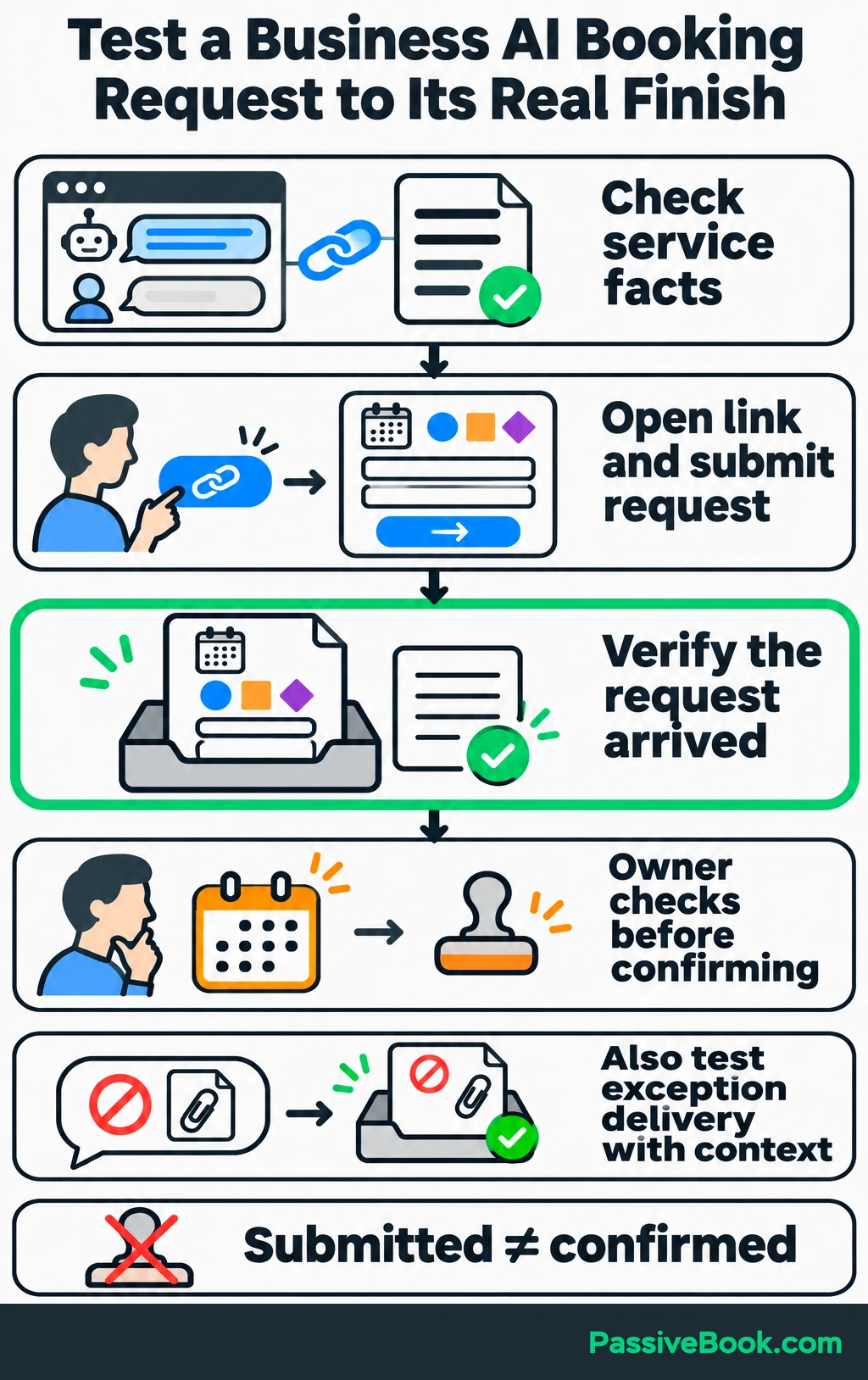
Continue through the booking page and check that the request arrives. Then test a separate cancellation exception and verify that the owner receives its context.
Set acceptance rules before launch. I would require correct service details, working links, and successful handoffs in every relevant test.
Fix any privacy disclosure, invented policy, false confirmation, or blocked handoff before allowing automatic replies. Those failures can create work and commitments that a faster response does not justify.
Release With Supervision
Begin with reviewed replies or one limited entry point that someone can monitor. For Willow, that could be the service-inquiry form rather than every customer channel.
Assign an owner for corrections and keep a quick way to disable automatic replies while preserving ordinary contact options.
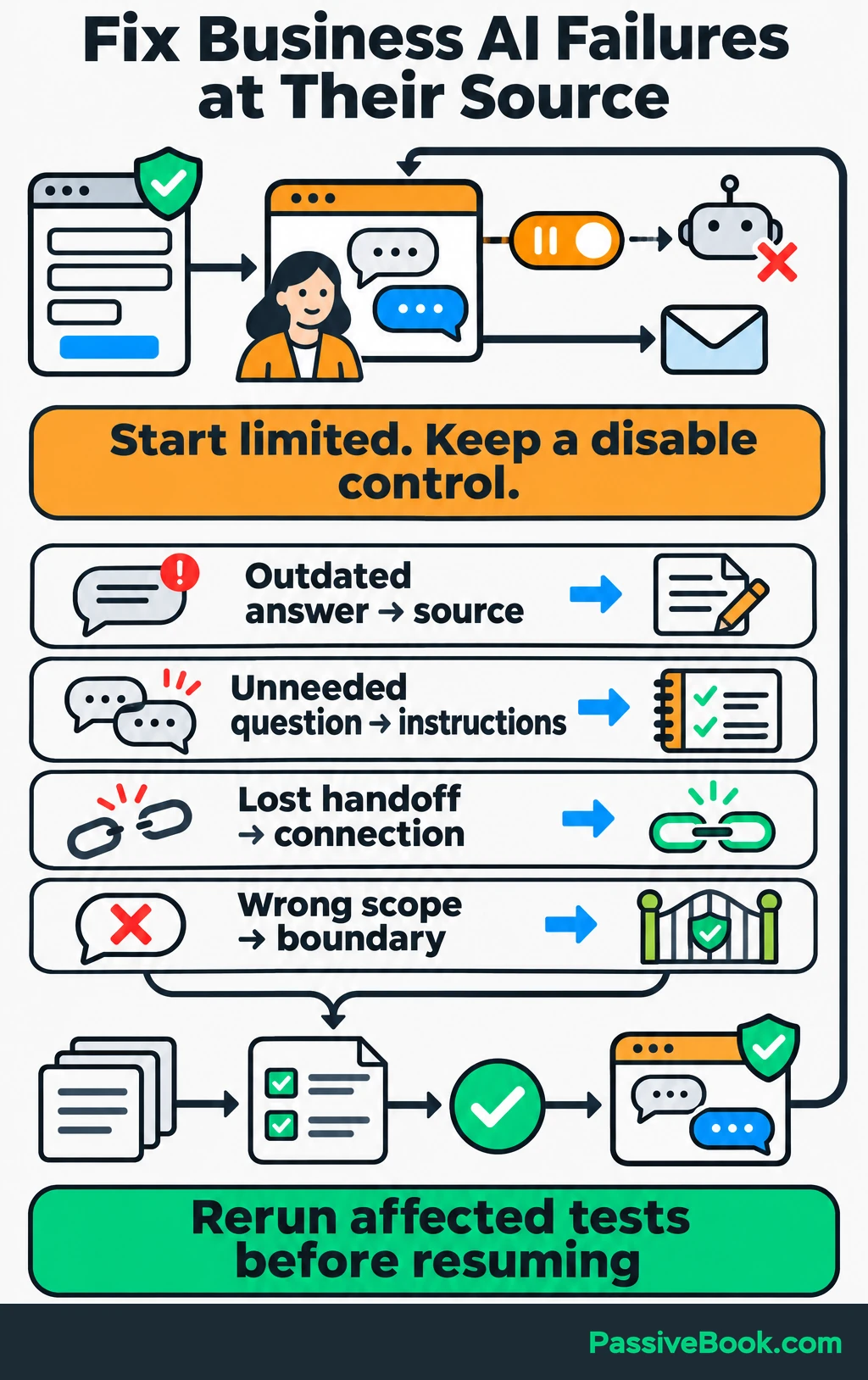
When something fails, find the cause:
- An outdated answer needs a source correction.
- An unnecessary question needs better instructions.
- A missing handoff needs a connection fix.
- A request outside the workflow needs a clearer boundary.
Rerun affected tests after each fix and after changes to services or policies. Editing the latest reply alone leaves the next customer exposed to the same problem.
8. Measure Whether the Workflow Pays Off
Track Quality and Completed Outcomes
Compare similar inquiry types and workloads with your baseline. Keep counts beside percentages so a change based on two conversations does not look like a business transformation.
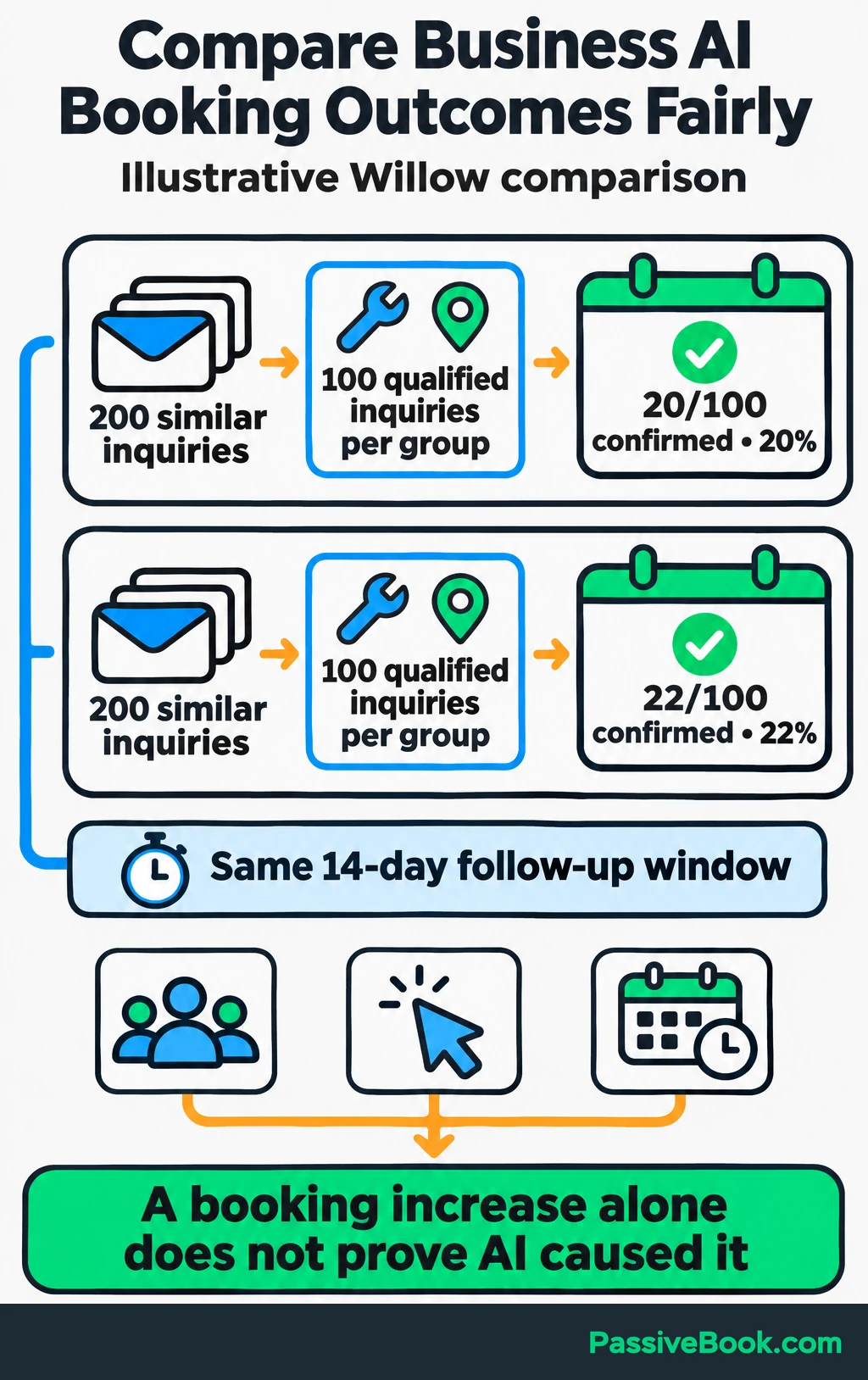
The table below illustrates a comparison of two monthly periods, each containing 200 similar inquiries. For booking tracking, a qualified inquiry means someone requesting a published service in the coverage area. Count bookings confirmed within 14 days of each inquiry, so both groups get the same follow-up window.
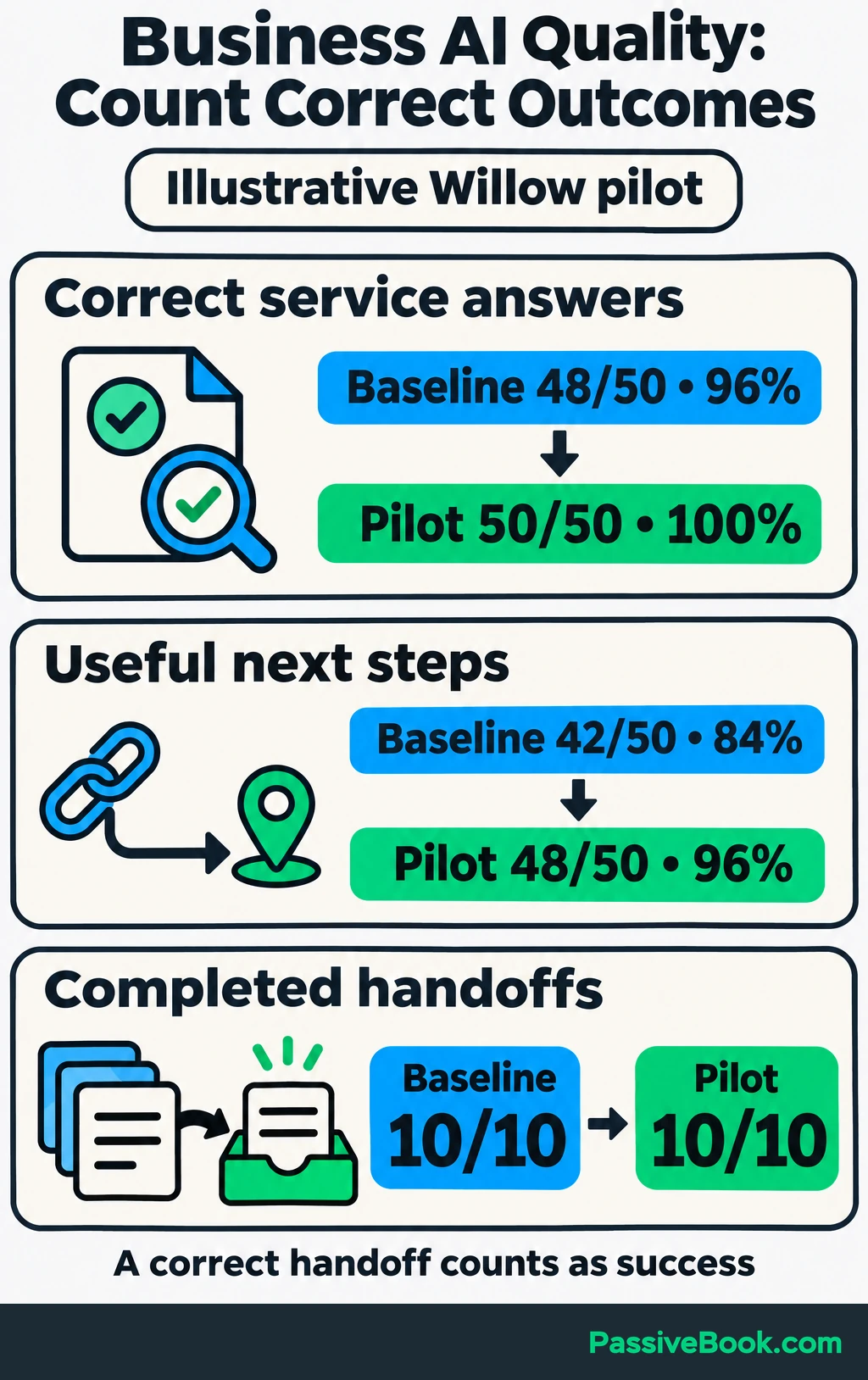
These figures and thresholds are examples, not measured results.
| Metric | Definition | Baseline | Pilot Result | Decision Threshold |
|---|---|---|---|---|
| Correct service answers | Checked factual answers matching approved sources | 48/50, or 96% | 50/50, or 100% | All checked answers correct; no critical errors |
| Useful next steps | Reviewed inquiries receiving the appropriate link or handoff | 42/50, or 84% | 48/50, or 96% | At least 48/50 |
| Completed handoffs | Requests needing owner review that arrive with context | 10/10 | 10/10 | Every required handoff delivered |
| Human handling and review | Time spent on the same 200-inquiry workload | 20 hours | 8 hours | Under 12 hours, with quality requirements met |
| Confirmed bookings | Qualified inquiries resulting in confirmation within 14 days | 20/100, or 20% | 22/100, or 22% | Track further; this increase alone does not justify expansion |
Count a proper handoff as a successful outcome. An assistant should not be penalized for recognizing a decision that belongs with you.
For support, also track repeat contacts about the same issue within a fixed window, such as seven days. Review complaints and customer feedback alongside the numbers.
Messages sent and contact details collected are activity measures. Completed requests, useful answers, and confirmed bookings tell you more.
A booking increase alone does not show that AI caused it. Changes in demand, traffic, and availability can also affect the result.
Calculate Time Saved and ROI
Count all human time required for the selected workload. That includes remaining replies, review, corrections, handoffs, and maintenance.
In Willow’s illustration, 200 monthly conversations previously required six human minutes each:
200 × 6 minutes ÷ 60 = 20 hours
After introducing the workflow, assume handling, review, corrections, and handoffs take eight hours, while maintenance takes another two.
20 − 8 − 2 = 10 net hours saved
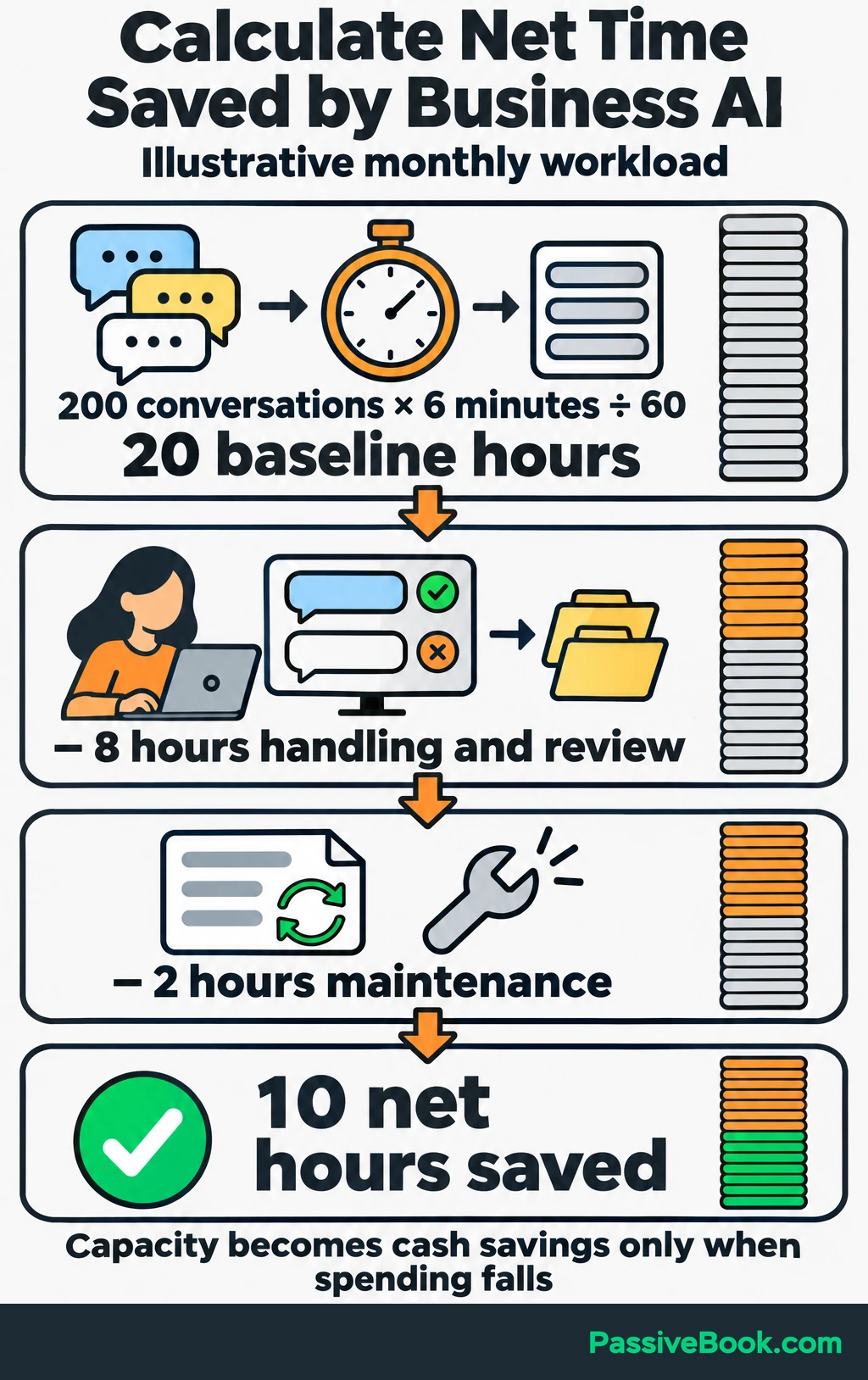
Those hours create capacity. They become cash savings only if actual spending falls.
For a capacity-based estimate, suppose Willow values owner time at $20 per hour. The ten saved hours are worth $200. Monthly operating costs are $80, and an allocated share of setup costs adds $20.
| Monthly Item | Illustrative Value |
|---|---|
| Capacity value from ten saved hours | $200 |
| Operating costs | $80 |
| Allocated setup costs | $20 |
| Net estimated value | $100 |
The owner’s maintenance time is already deducted from hours saved. Do not charge it again in the cost calculation.
For a consistent period, estimated ROI is:
(time value + additional contribution profit − total costs) ÷ total costs × 100
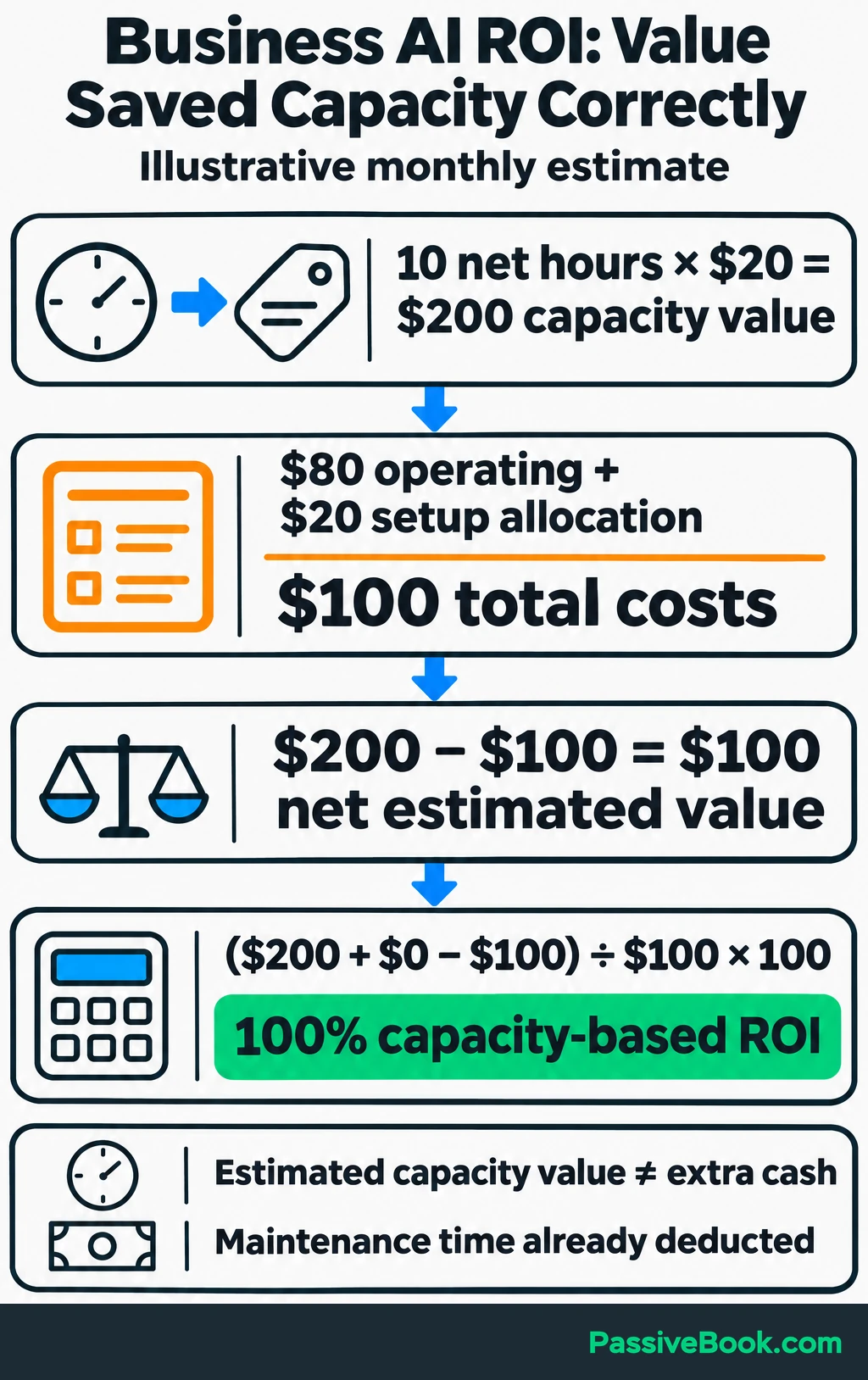
There is no additional sales benefit included here, so:
($200 + $0 − $100) ÷ $100 × 100 = 100%
That is a 100% capacity-based ROI under these assumptions, not $100 of extra cash in the bank.
If you later include additional sales, use attributable contribution profit after the costs of fulfilling those sales. Count each labor benefit once.
Fix the weakest step before expanding. If answers are correct but handoffs disappear, repair delivery. If review consumes the time you expected to save, simplify the workflow.
Add another question type, action, or channel only when quality and economics meet your thresholds. A workflow that does not earn its upkeep can be narrowed or stopped.
What Next?
Pick one repeated inquiry from your inbox and write down its approved answer, successful finish, and handoff trigger. Then test it with anonymized messages before paying for a larger setup.
Use the social buttons to share this guide when you want to compare ideas for removing repetitive replies without creating more repair work.
Which conversation would you take off your plate first, and what would make you comfortable handing it over? Tell me in the comments, and bring any other questions too.
Share this post with your friends & followers:

