You have a newsletter to finish, customer messages to sort, and a sales dip to explain. AI might help with all three, but each job needs a different capability.
That makes choosing software harder than it looks. A tool that writes useful drafts may do little for your sales forecasts, and another subscription adds another bill and another setup job. Before taking on that cost, compare nine AI capabilities through one online shop’s everyday work, with a practical test to judge whether a workflow earns its place.
What’s the Difference Between an AI Type, a Tool, and a Use Case?
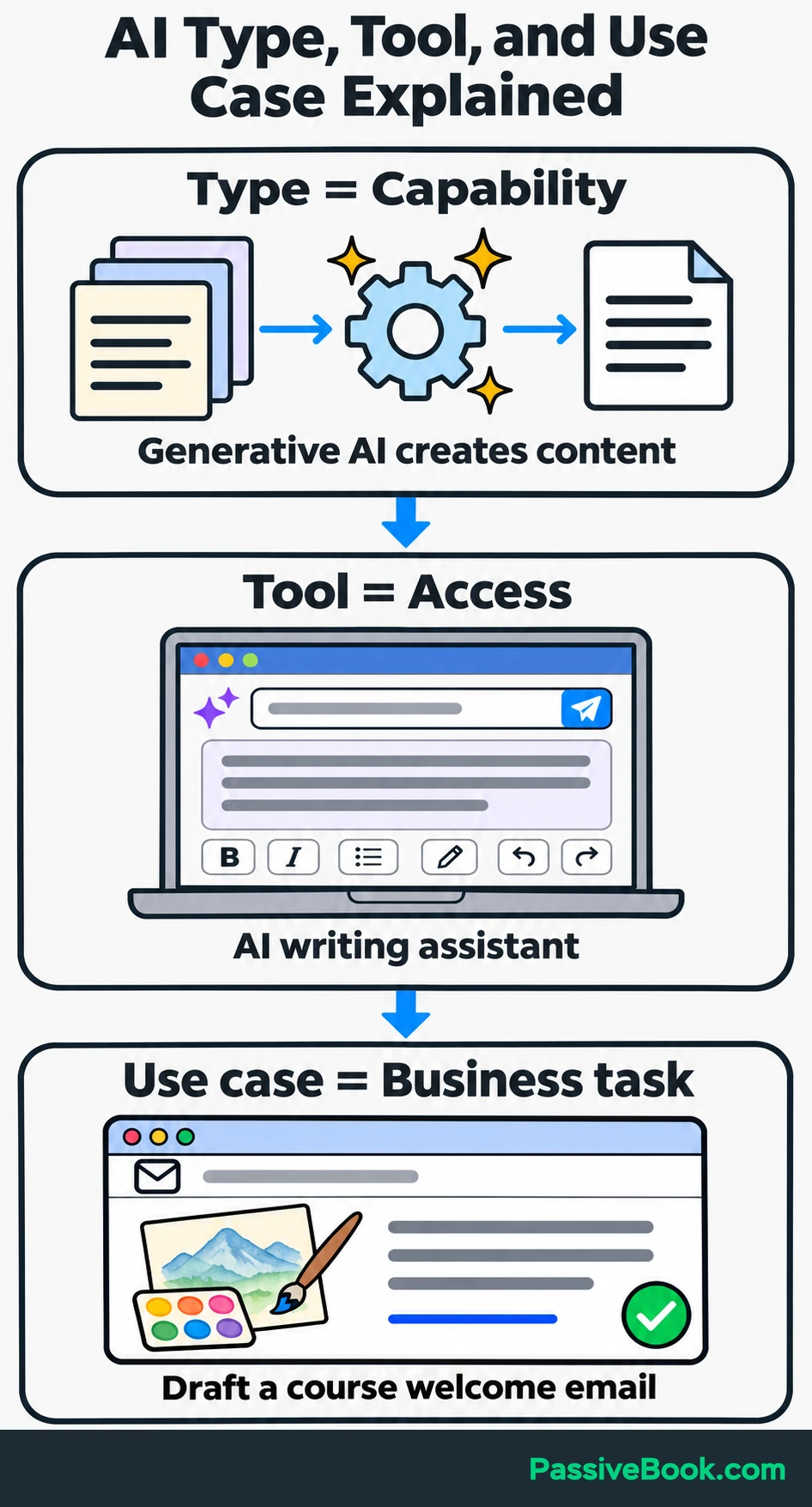
An AI type describes a capability. A tool gives you access to that capability, and a use case is the business task you apply it to.
For example:
- AI type: Generative AI creates content.
- Tool: An AI writing assistant provides a place to request and edit drafts.
- Use case: You use it to draft a welcome email for a course.
These nine types of AI for business are practical, overlapping groups. They aren’t a universal classification or a ranking of what you should buy. One tool can provide several capabilities, and one workflow can combine them.
You’ll also see the terms machine learning and deep learning. Machine learning uses data to learn patterns. Deep learning is a form of machine learning that uses many layers of connected calculations, called a neural network. These describe underlying methods rather than separate business jobs.
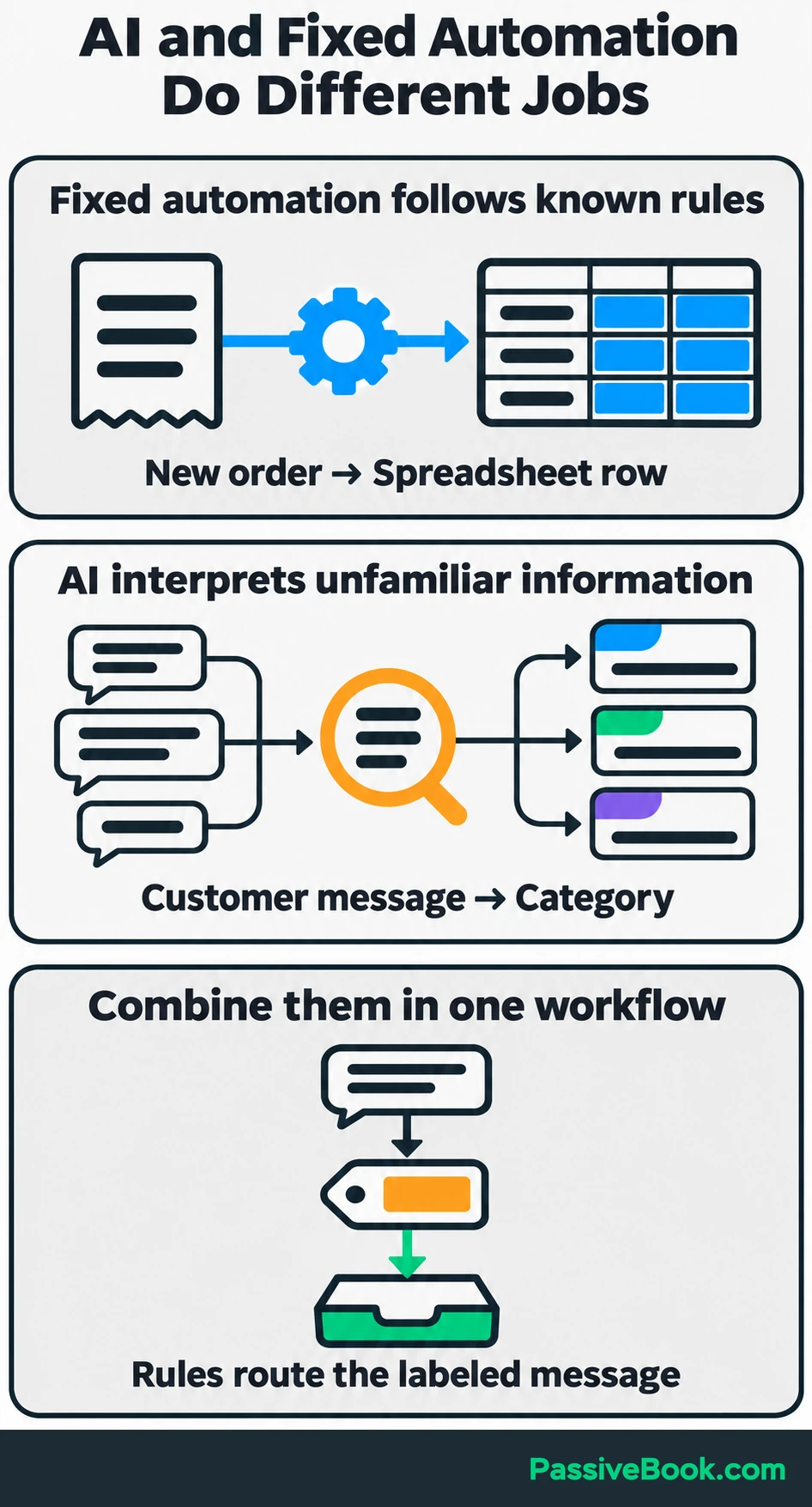
AI also differs from fixed automation. Copying each new order into a spreadsheet follows known rules. Interpreting an unfamiliar customer message adds an AI capability. You can combine both in the same workflow.
Throughout this article, imagine you run an online shop selling beginner watercolor courses and printable practice sheets. Its workflows and figures are illustrations.
Here’s how the nine capabilities could fit that shop:
| AI type | Main output | Business function | Watercolor-shop example | Required inputs |
|---|---|---|---|---|
| Generative AI | New content or code | Marketing and production | Draft an email from a color-mixing lesson | Approved lesson, audience, purpose, format |
| Natural language processing | Labels and extracted details | Support organization | Sort course-access and billing messages | Messages, category definitions, labeled examples |
| Conversational AI | Replies across a dialogue | Customer support and sales | Help a visitor find the right course information | Approved answers, conversation history, handoff rules |
| Speech AI | Transcripts or spoken audio | Lesson production | Create caption drafts from demonstrations | Recordings or an approved script |
| Computer vision | Image labels or extracted text | Asset organization and document processing | Tag reference photos and digitize scanned notes | Images, scans, required labels or fields |
| Predictive AI | Estimates and likelihoods | Business planning | Forecast next month’s enrollments | Consistent purchase and promotion history |
| Recommendation systems | Ranked suggestions | Product discovery and retention | Suggest a relevant practice sheet | Product descriptions, interests, lesson activity |
| Anomaly detection | Alerts about unusual results | Business monitoring | Flag an unexpected purchase drop | Metric history and current observations |
| Agentic AI | Selected actions and task results | Support and operations | Investigate a missing-download complaint | Customer request, permitted tools, relevant records |
1. Generative AI: Create Content and Code
Generative AI produces text, images, audio, video, or code from learned patterns and the context you provide. It can help with marketing drafts, product materials, design ideas, and software tasks.
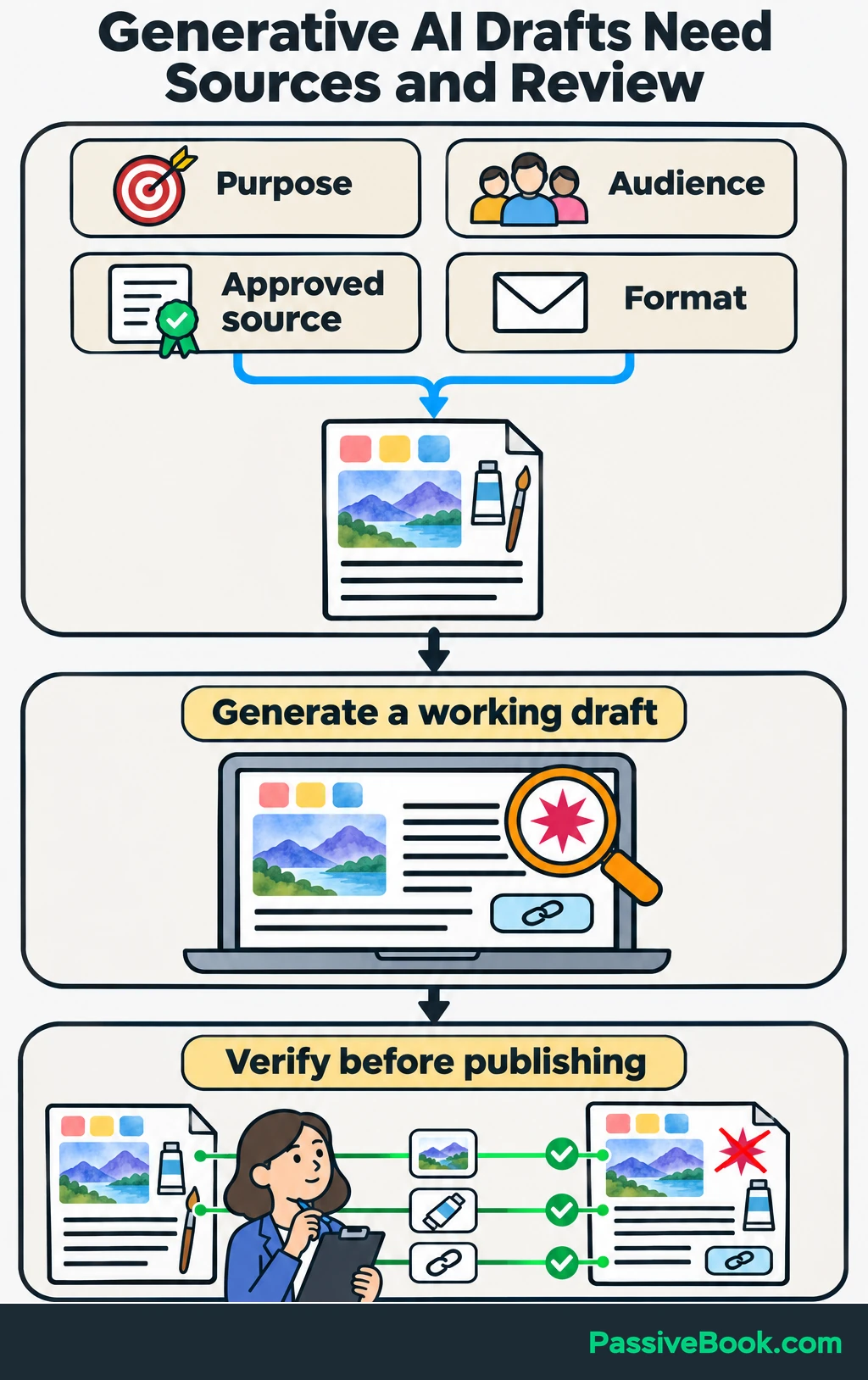
Start by supplying four things: the purpose, the audience, approved source material, and the required format. Then review the draft against that source.
For the watercolor shop, you could turn one approved color-mixing lesson into a newsletter draft, a product description, and Pinterest descriptions.
A useful instruction might begin:
“Use this lesson to draft an email for beginners. Introduce one exercise and link to the practice sheet. Keep the materials and instructions consistent with the lesson.”
That gives the AI something concrete to work from.
While building my content pipeline, I found that some drafts read smoothly but took too long to check. I kept jumping between notes and generated text. Reviewing each section beside its source made unsupported additions easier to spot. The full pipeline took article production from days to hours, and organizing the review mattered alongside generating the words.
There’s evidence that assistance can improve output in a defined workflow. A study of 5,172 customer-support agents at one Fortune 500 business-software company found that access to a generative conversational assistant increased issues resolved per hour by 15% on average. Human agents could edit or ignore its suggestions. That supports testing assisted work; it doesn’t predict your writing savings.
I would choose generative AI when drafting takes substantial time and you can judge the result. Check teaching instructions, product details, and factual claims before publishing.
2. Natural Language Processing: Organize and Extract Information From Text
Natural language processing, or NLP, helps software process human language. Useful tasks include identifying what a message is about, assigning categories, and extracting details.
Generative language models can also do this work. You may already have a suitable tool.
Before processing messages, define the categories and fields you need. Otherwise, you can end up with tidy labels that serve no practical purpose.
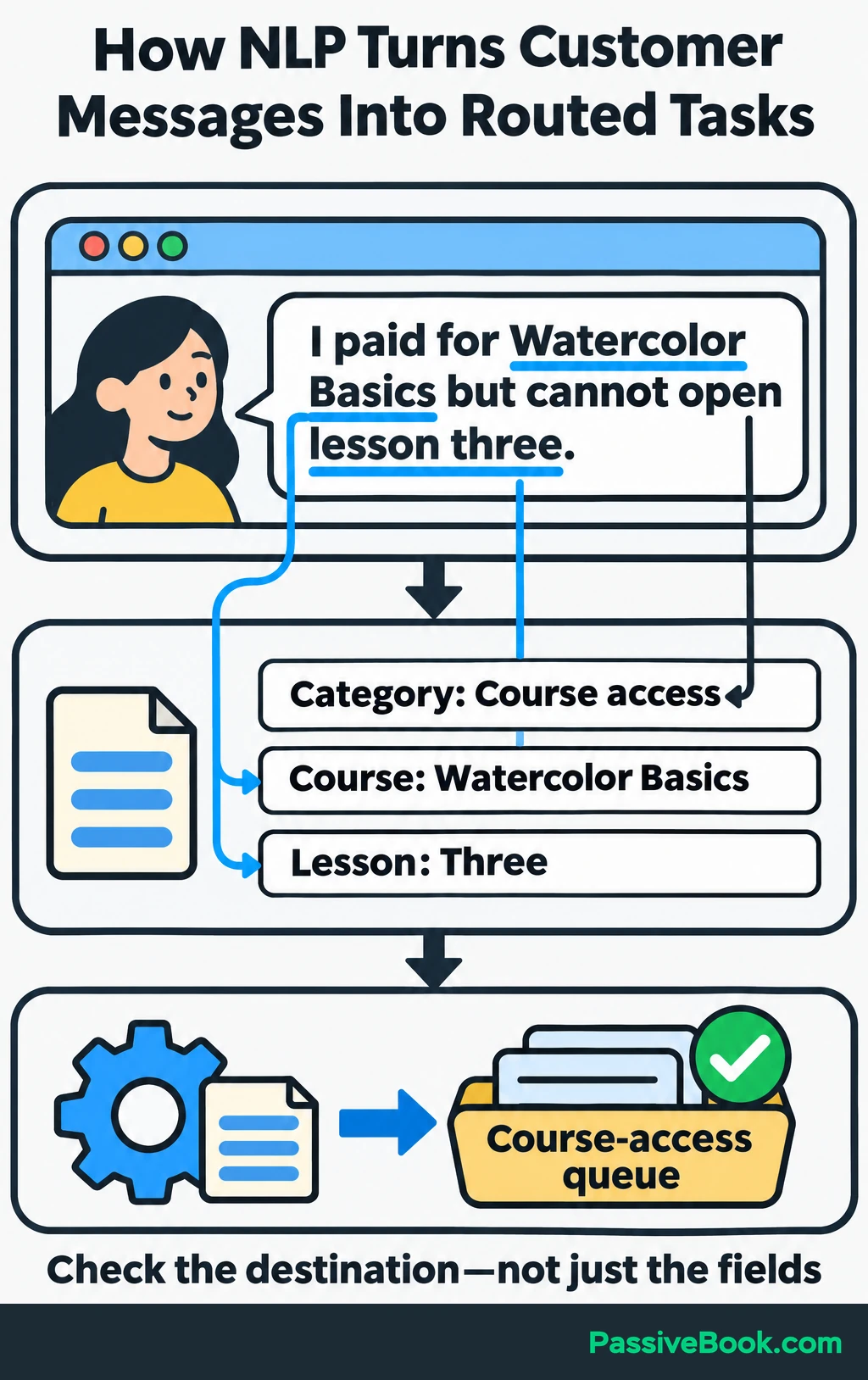
For the watercolor shop, useful categories might be course access, billing, and painting questions. Useful fields could include the course name and lesson number.
A customer writes:
“I paid for Watercolor Basics but cannot open lesson three.”
The desired result is:
- Category: Course access
- Course: Watercolor Basics
- Lesson: Three
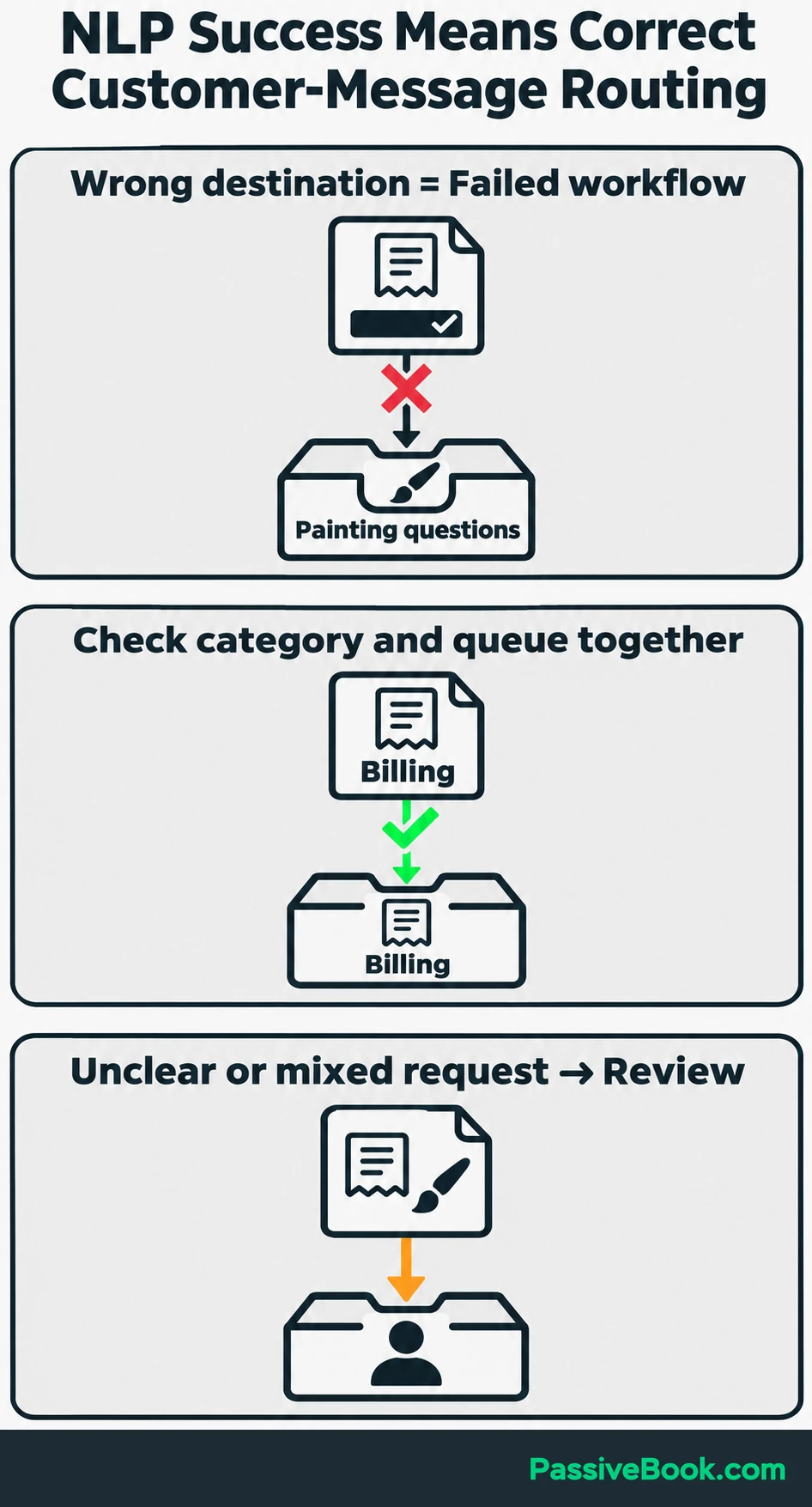
A fixed rule can then send that categorized message to the right queue.
Check the final destination as well as the label. If a billing question lands among painting questions, the workflow has failed even if the extracted course name is correct. Send unclear or mixed requests for review.
NLP fits a backlog of language that needs organizing. It doesn’t require a customer-facing chatbot.
3. Conversational AI: Answer Questions Through Dialogue
Conversational AI handles exchanges through text or voice. It interprets a request, responds, and uses follow-up messages to continue the conversation. It may combine language processing, generative AI, and speech capabilities.
The reason to choose it is the back-and-forth. A customer may need to clarify their question before a useful answer is possible.
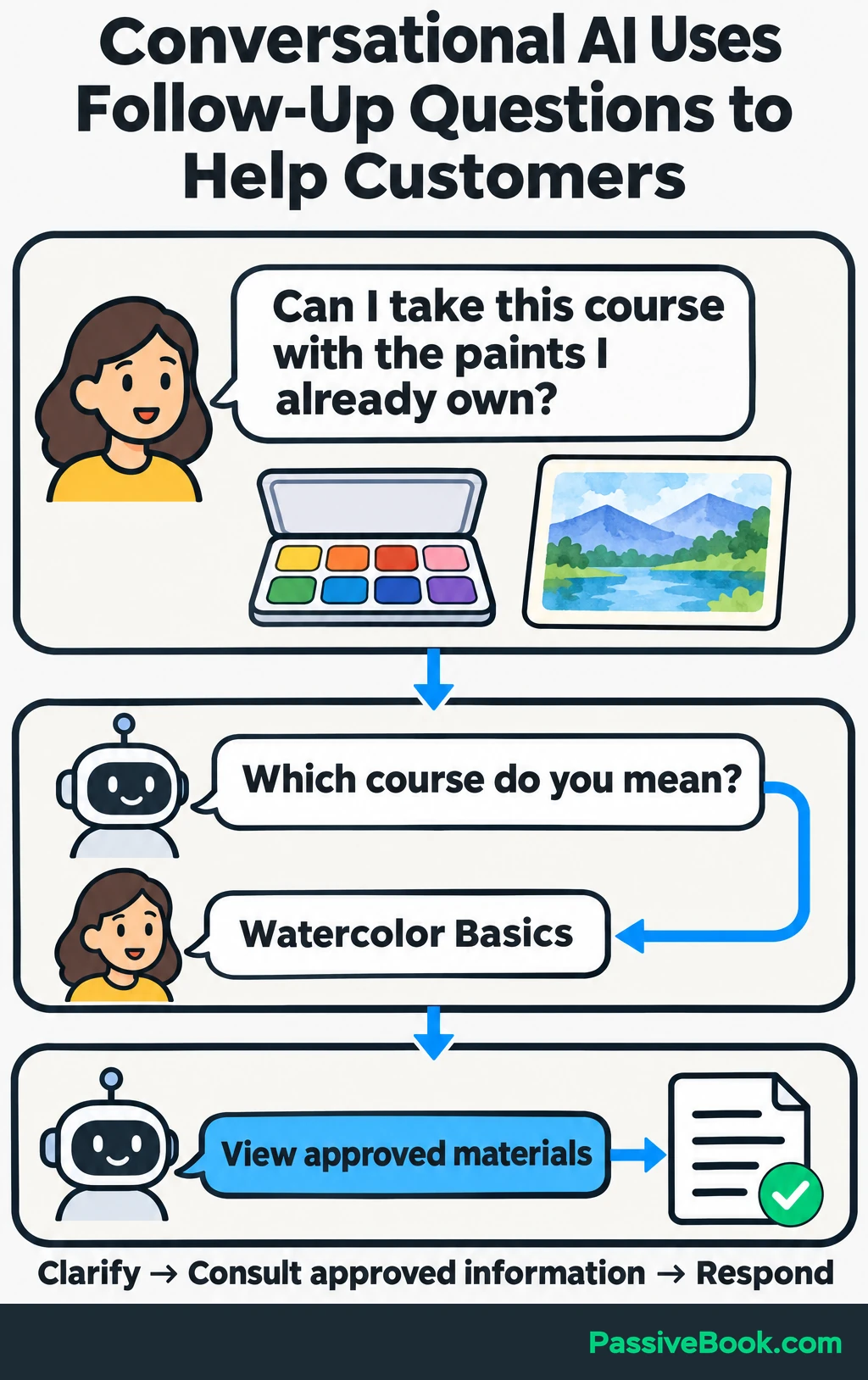
Start with a narrow scope, approved information, and a clear handoff point.
For the watercolor shop, a visitor might ask:
“Can I take this course with the paints I already own?”
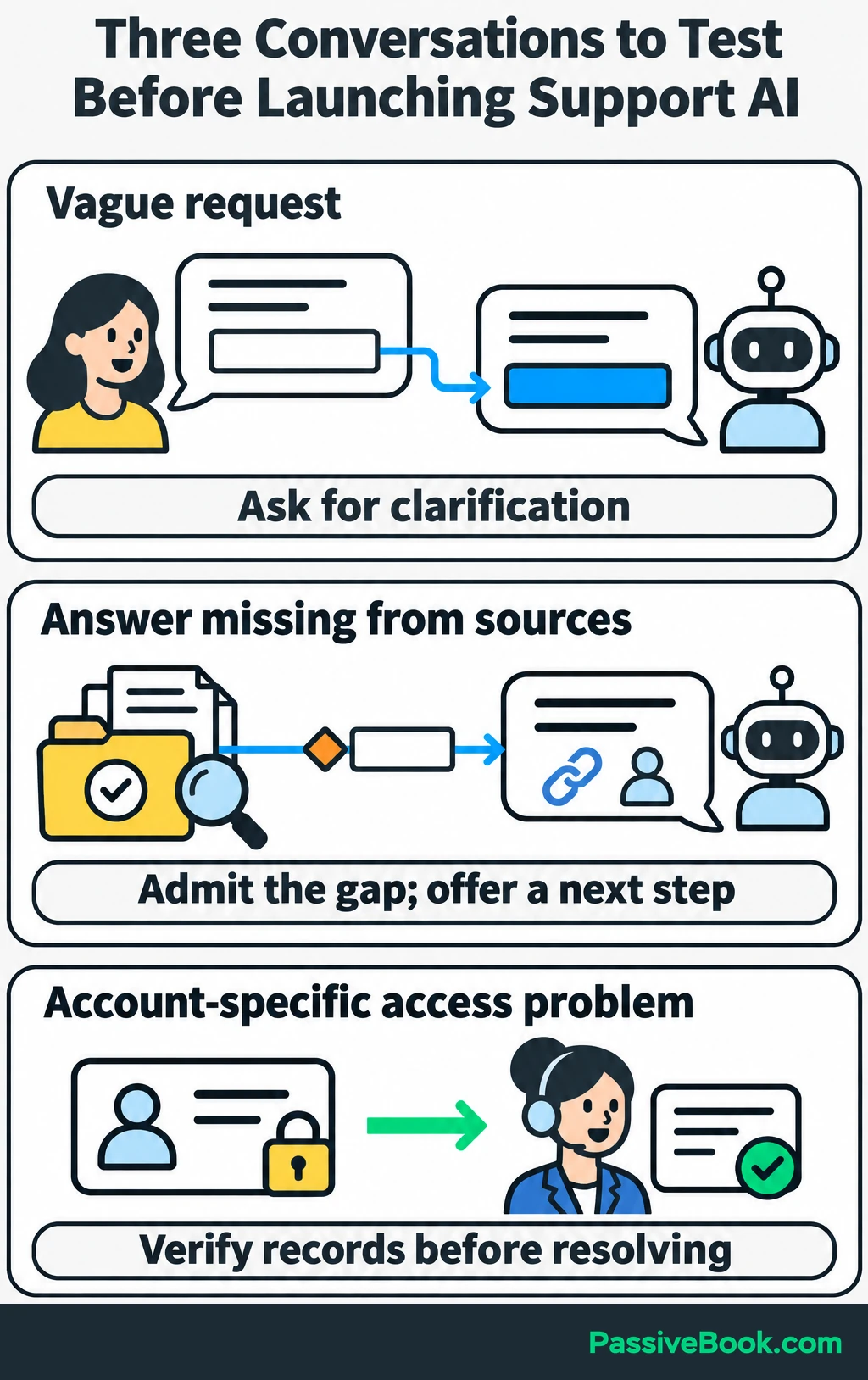
The assistant could ask which course they mean, then point them to its approved materials list. It should leave account-specific access problems to a person or a system that can verify the customer’s records.
Test complete conversations, including vague requests and questions your material cannot answer. Check whether it admits the gap and offers a useful next step.
I would keep a searchable help page if most questions have one fixed answer. Add conversation when follow-up questions help customers get somewhere the page alone cannot.
4. Speech AI: Convert Between Speech and Text
Speech recognition turns spoken audio into text. Speech synthesis works in the other direction, turning text into spoken audio. Synthesis can overlap with generative AI.
Choose the output you need before choosing the feature. A transcript, a set of captions, and an audio recap serve different purposes.
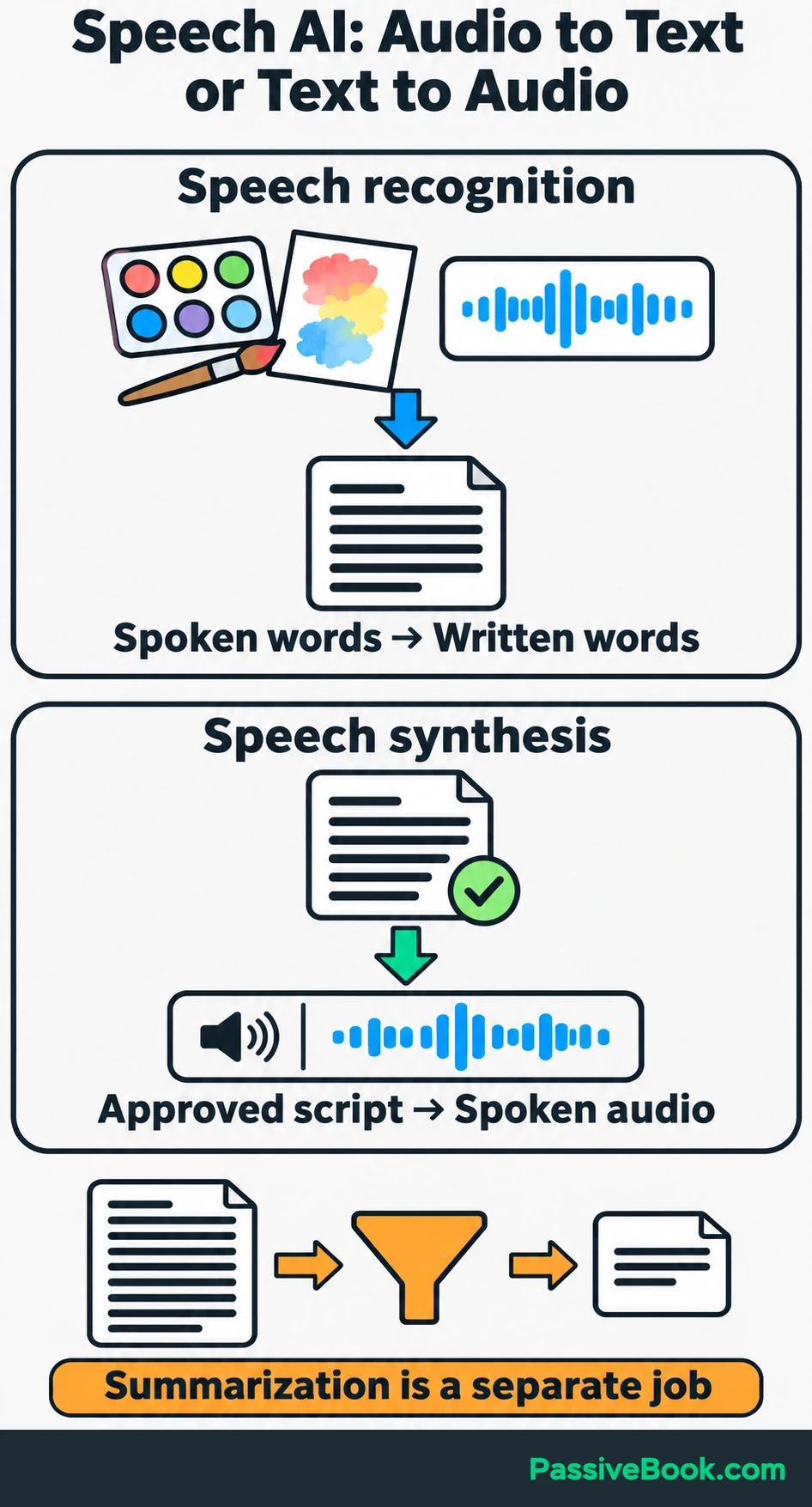
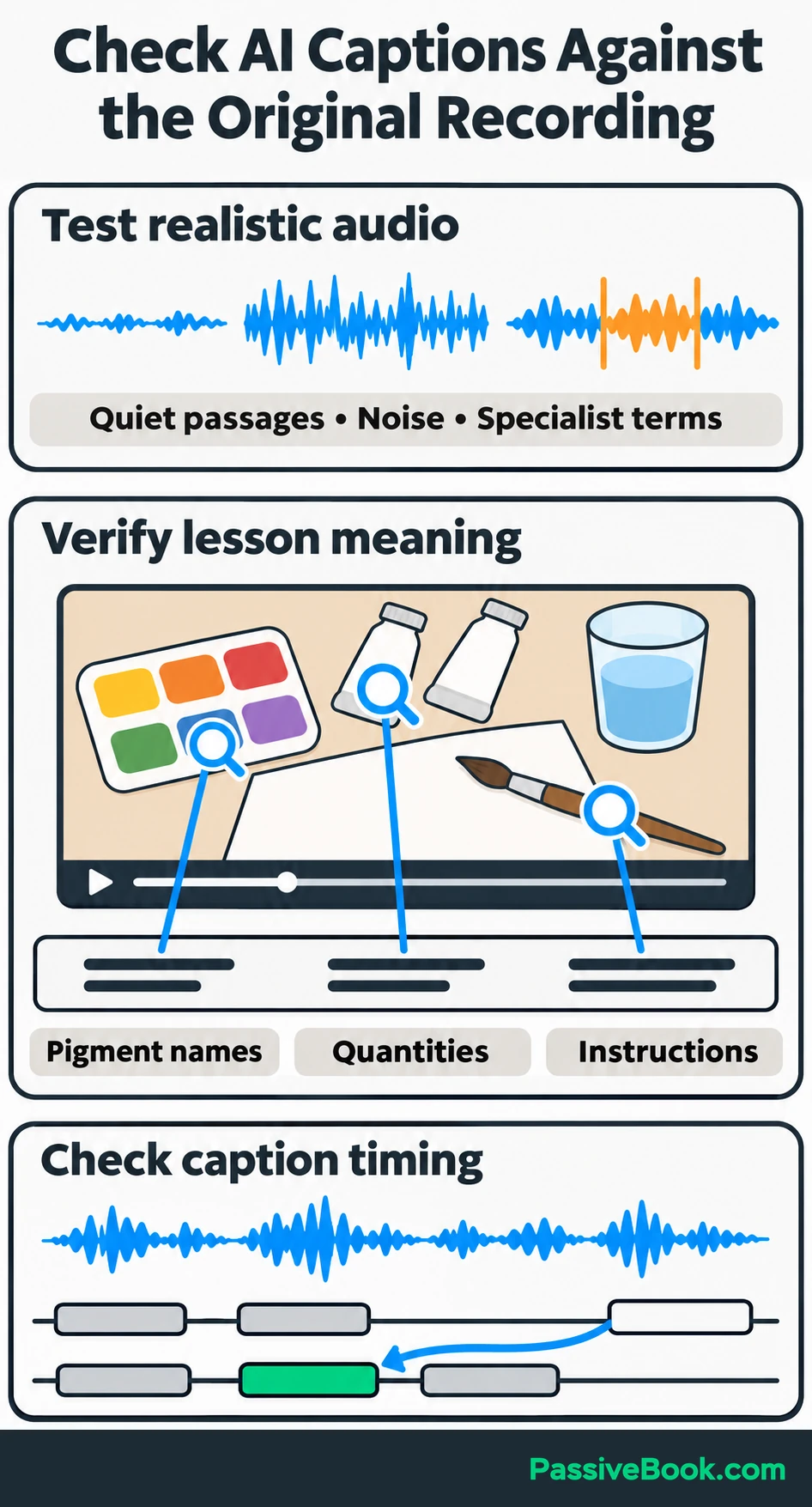
For the watercolor shop, recorded demonstrations could become caption drafts and searchable lesson transcripts. An approved materials-and-preparation script could also become a spoken recap.
Test recordings that resemble your actual lessons. Include quiet passages, background noise, and the specialist terms you use. Review pigment names, quantities, and instructions against the recording. For captions, check timing too.
Transcription and summarization are separate jobs. Speech recognition captures the words. Turning those words into a shorter lesson summary adds another capability and another review decision.
I would begin with transcription when recordings already exist. It gives you a concrete output to check without creating an entirely new content format.
5. Computer Vision: Interpret Images and Documents
Computer vision extracts information from visual material. It can identify objects, suggest image labels, and read text in images.
That last task is called optical character recognition, or OCR. It can read printed text and handwriting in images or scanned documents.
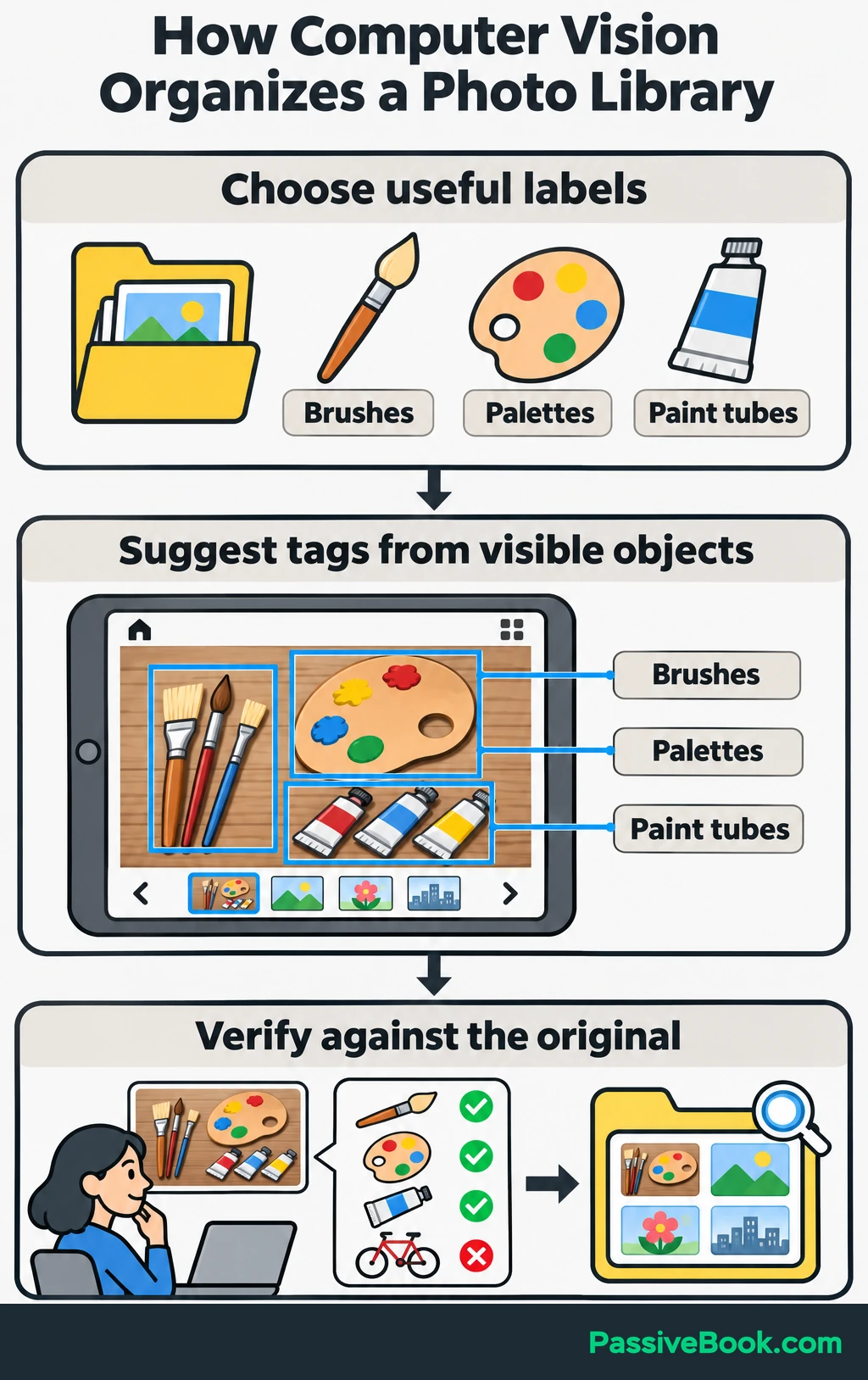
First decide which labels or details will make the material useful. Then compare the output with the original.
For the watercolor shop, you could suggest tags such as “brushes,” “palettes,” and “paint tubes” for a reference-photo library. OCR could turn scanned lesson notes into editable text.
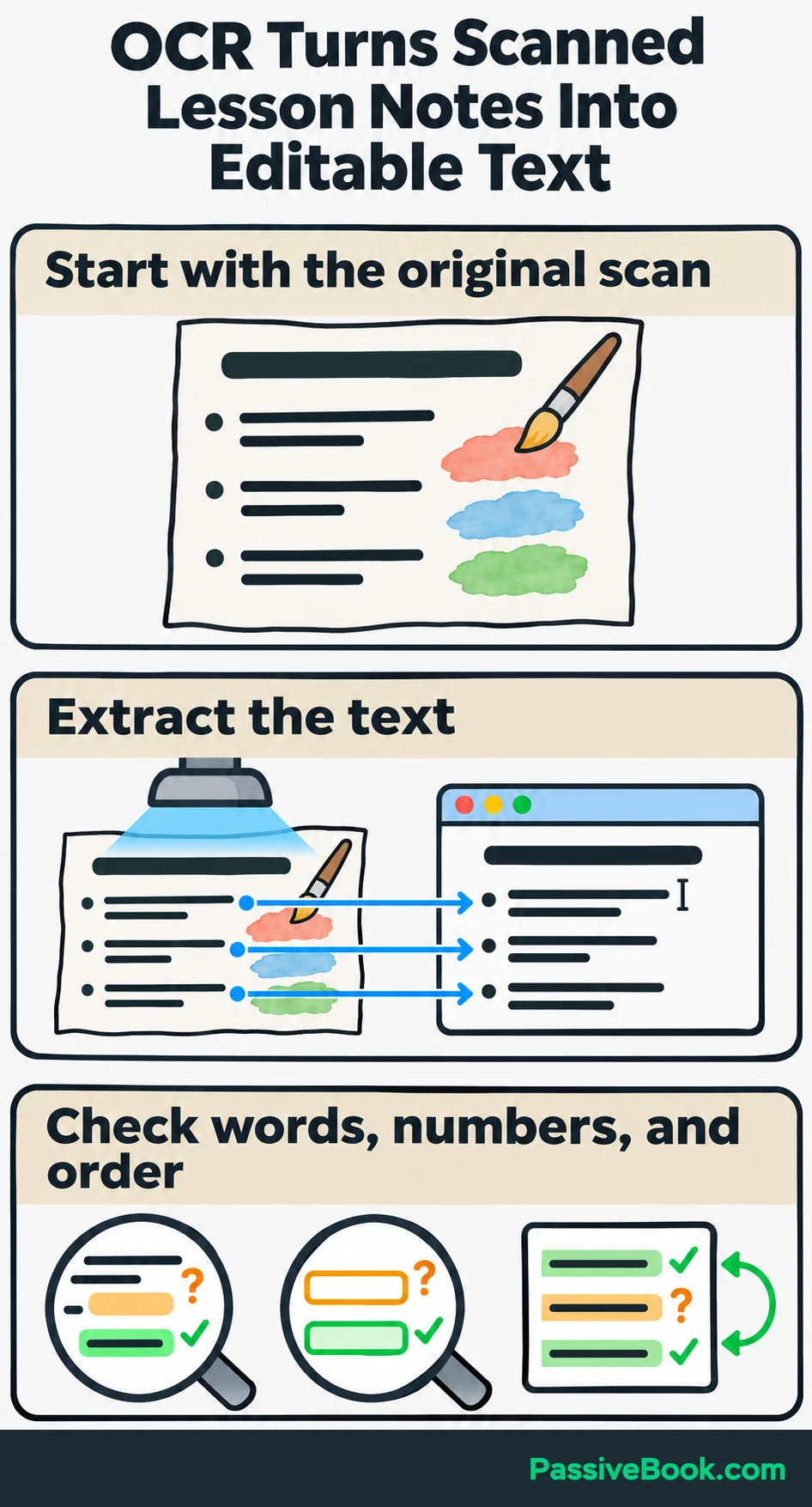
The checks differ slightly. Photo tags need to describe what is visible. Extracted notes need to preserve the words, numbers, and order that matter to the lesson.
Interpreting an existing image also differs from generating a new one. A tool might offer both features, but the work is different.
I would use vision for a recurring image or document backlog. Running a few already-organized photos through another tool would just give them a more elaborate afternoon.
6. Predictive AI: Estimate Outcomes and Likelihoods
Predictive AI uses patterns in historical data to estimate outcomes. Business uses include sales forecasts and estimates of how likely a customer is to cancel.
Begin with the decision the prediction will support. Specify what you want to estimate and the period it covers.
For the watercolor shop, that might mean estimating next month’s enrollments so you can plan support time. Relevant inputs could include past enrollments, promotion dates, and seasonal patterns.
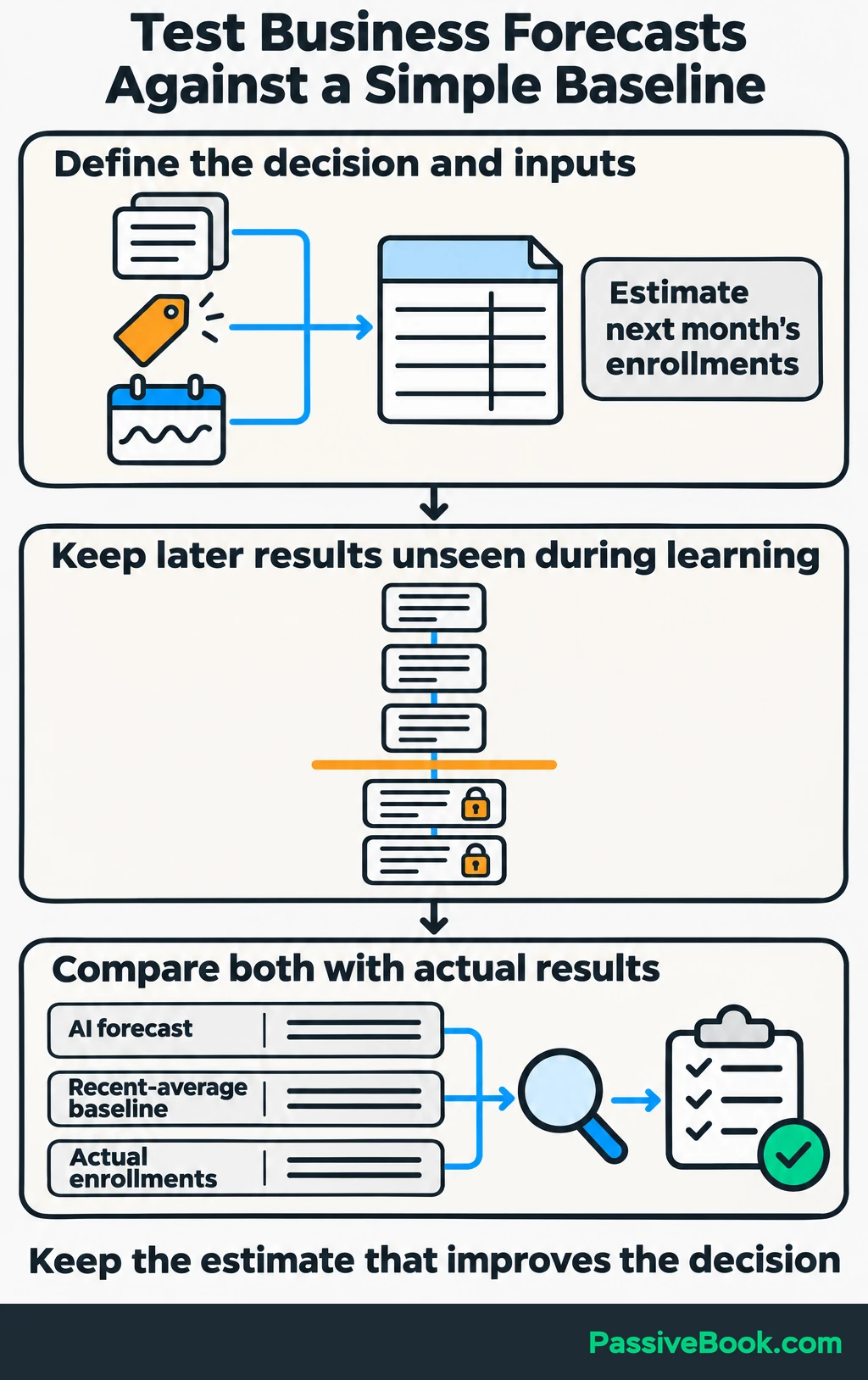
Compare the prediction with something simple, such as recent average enrollments. Then compare both with actual results as they arrive. Check performance on later periods the model did not use to learn.
A forecast that misses a planned promotion may be less useful than a basic estimate that accounts for it.
I would skip a custom model when relevant history is thin. Use a planning range and improve the records first. Predictive AI earns its place when its estimates improve a decision enough to justify the work and cost.
7. Recommendation Systems: Suggest Relevant Products or Content
Recommendation systems select or rank options for a person or a particular context. They can use item characteristics, past behavior, or both.
Start with clear product descriptions and categories. Add interaction history when it helps distinguish what people need.
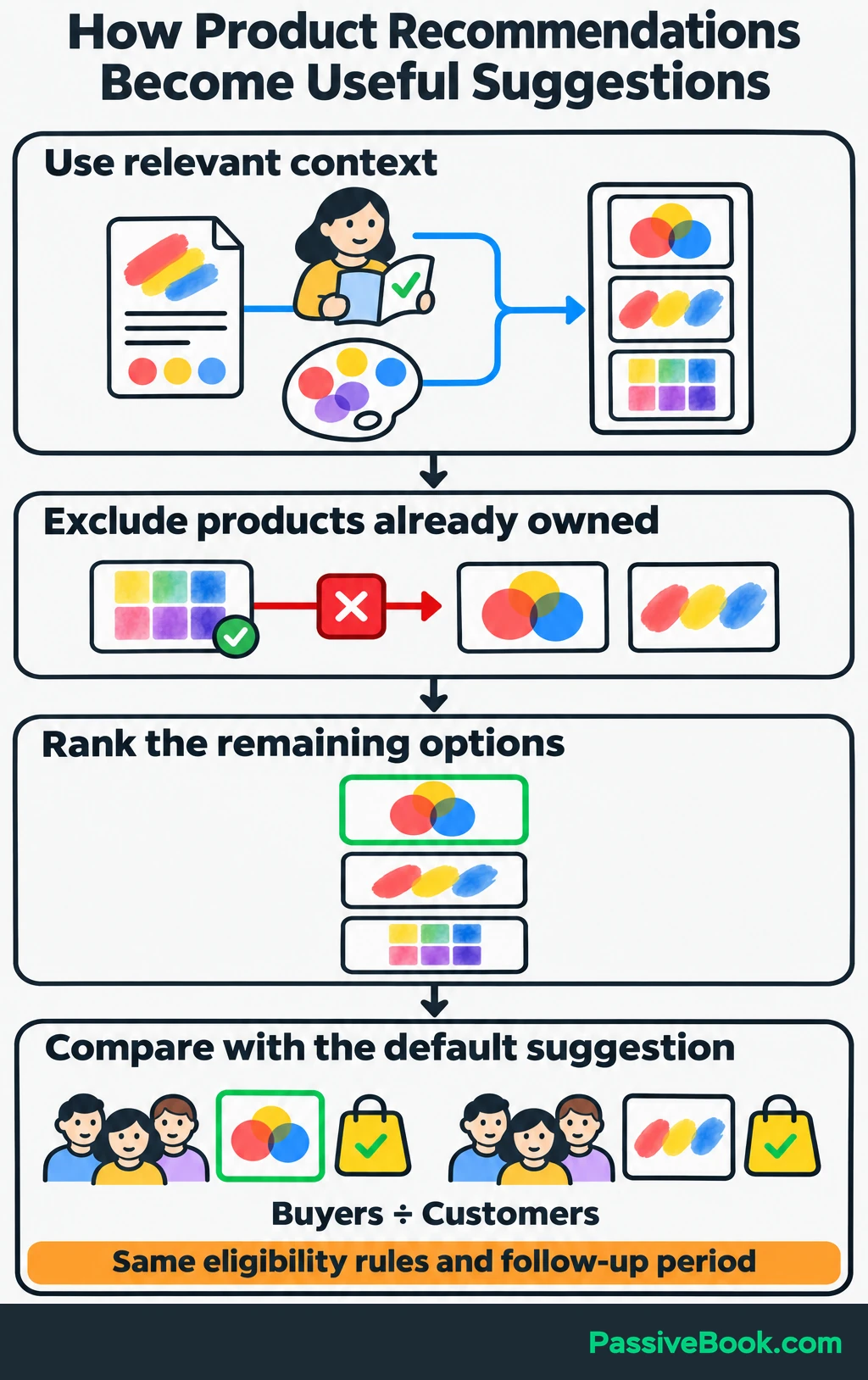
For the watercolor shop, someone who has completed an introductory lesson and shown interest in color mixing might receive a relevant practice-sheet suggestion. Purchase suggestions should exclude products they already own.
Compare AI suggestions with the existing default suggestion. For learning suggestions, compare the share of customers shown each version who complete the suggested lesson. For product suggestions, compare the share who buy the suggested item. Use the same eligibility rules and follow-up period for both versions.
With a small catalog, I would manually choose the next useful lesson first. A fixed rule such as “show this practice sheet after lesson three” needs no AI. A recommendation system becomes more useful when there are enough options and differences in customer needs to make that selection difficult.
8. Anomaly Detection: Flag Unusual Business Activity
Anomaly detection flags observations that differ from an expected pattern. It helps you decide where to investigate.
For example, Google Analytics uses historical data to estimate an expected metric range and flags observations outside it.
Pick a metric that matters, check how much history the detector requires, and decide who will investigate its alerts. For a one-person business, that person is probably you, so keep the alert list useful.
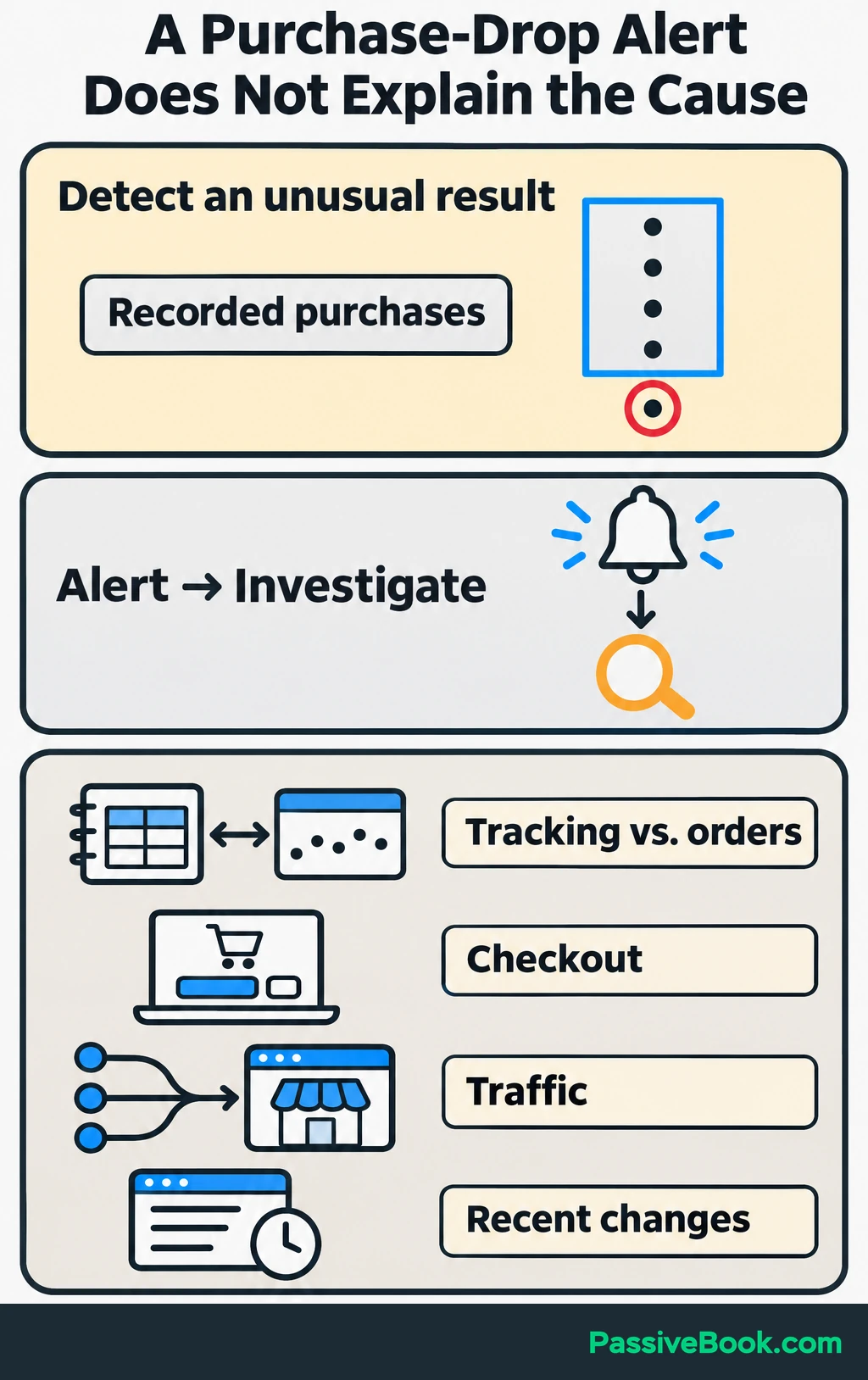
The watercolor shop could monitor recorded purchases for an unexpected drop. An alert would prompt checks of:
- Purchase tracking against actual order records.
- Checkout availability.
- Traffic reaching the shop.
- Recent changes to promotions or the website.
The alert identifies an unusual result. It doesn’t establish the cause.
Compare a learned detector with a simple threshold alert. “Tell me when recorded purchases fall below this level” may be enough for your situation.
I would keep the option that catches useful problems without producing a stream of alerts you learn to ignore. An unread warning has very limited ambition.
9. Agentic AI: Choose Actions to Complete Multistep Tasks
An AI agent uses a model to choose actions and tools while working toward a goal.
The distinction is who determines the next step. Anthropic separates predefined workflows from agents that dynamically direct their own processes and tool use.
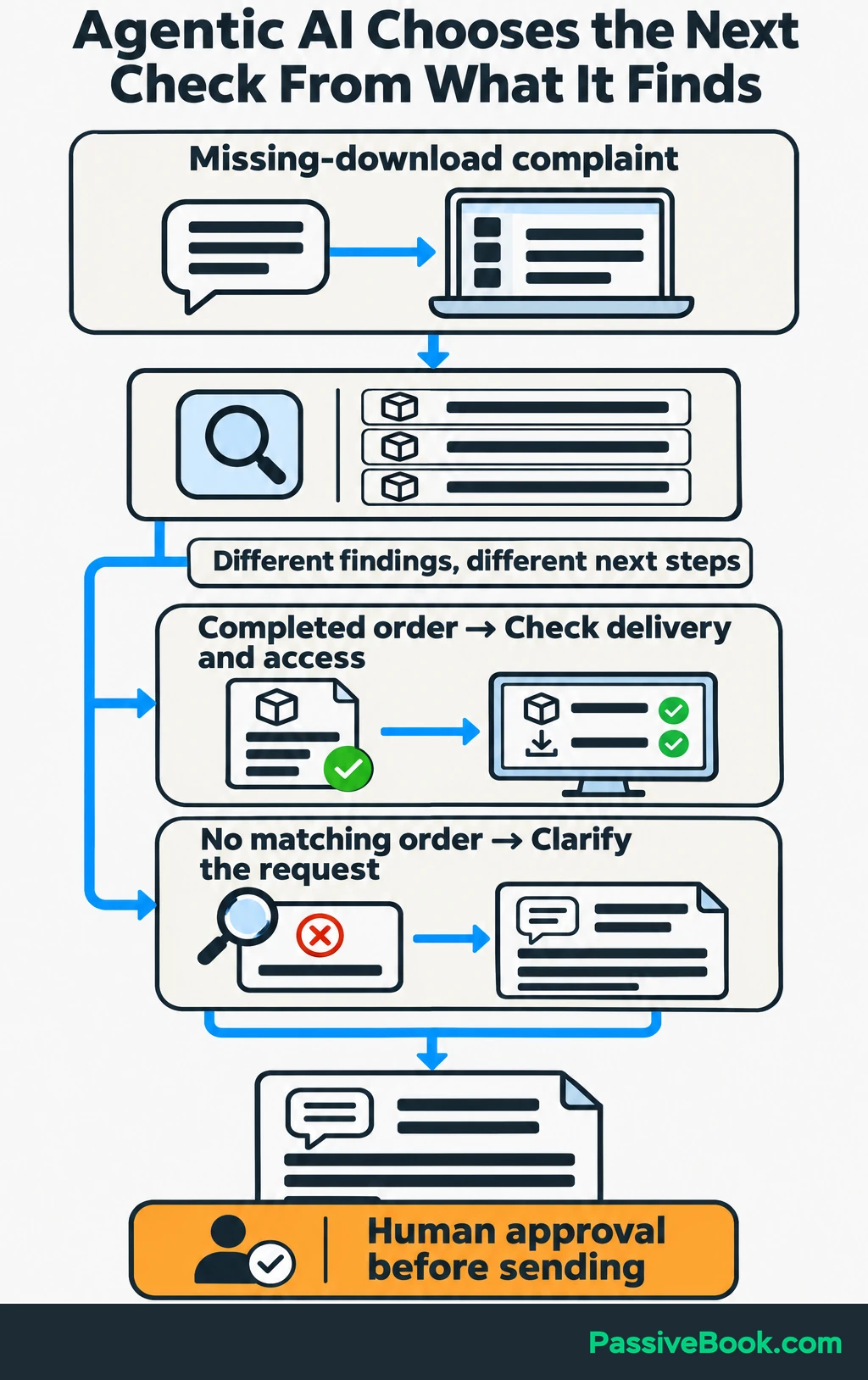
Consider a missing-download complaint at the watercolor shop. An agent could find the order, check access records, and prepare a response. What it checks next depends on what it finds.
A completed order with a failed delivery needs different handling from a request with no matching order. That variation can make an agent useful.
If every case follows the same sequence, I would use fixed automation or an AI-assisted workflow with known branches. There is little value in making software reconsider a sequence you already trust.
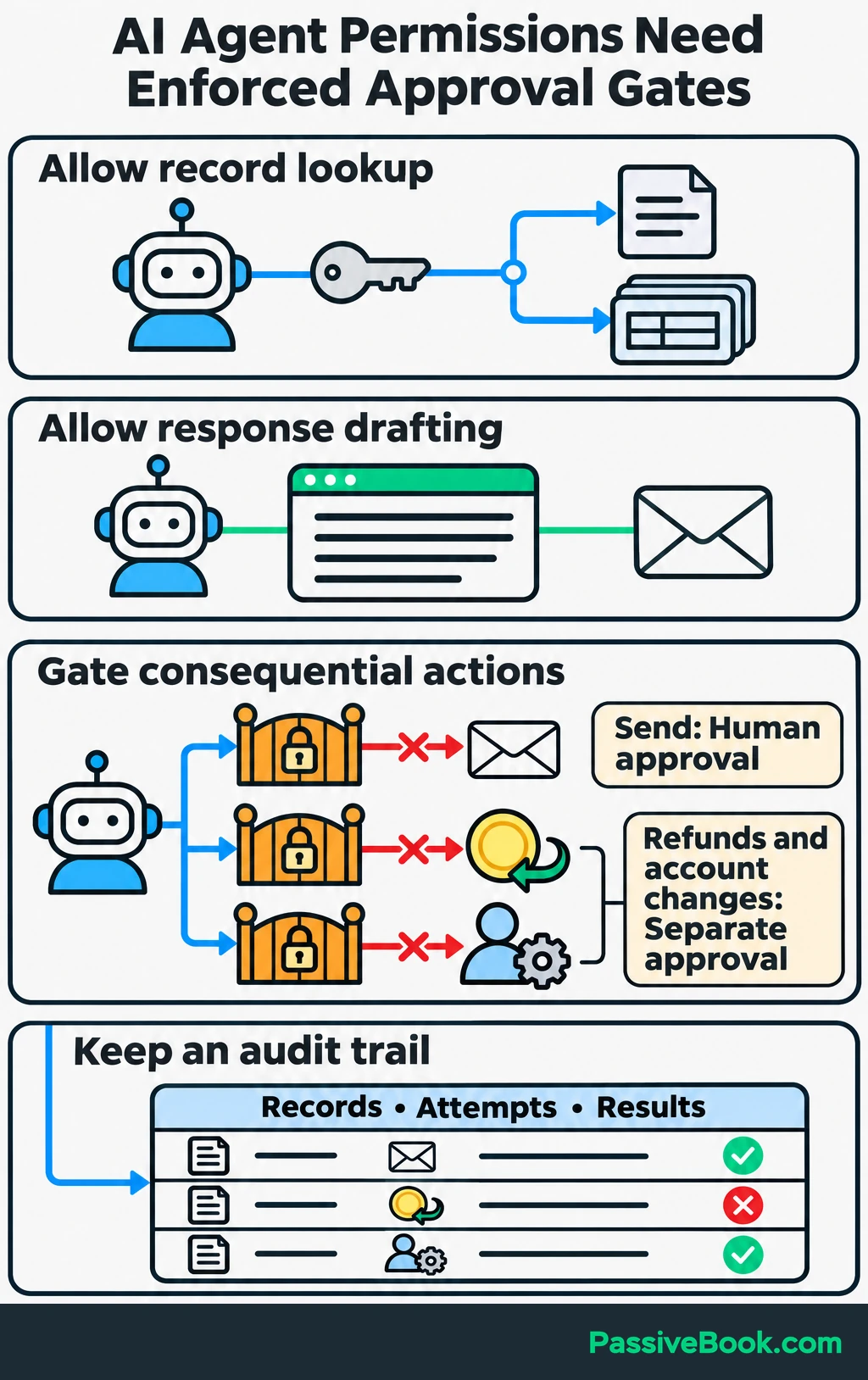
For an initial agent, I would allow record lookup and response drafting, with human approval before sending. Keep refunds and account changes behind separate approval gates.
Enforce those limits through the connected tools and account permissions. A sentence telling the model to be careful is insufficient. OWASP’s excessive-agency guidance recommends limiting available functions and permissions, with human approval for high-impact actions.
Retain logs of the records consulted, actions attempted, and results. You need to be able to check what happened when a case goes wrong.
Which Type of AI Should You Use First?
If you regularly draft from approved material or sort incoming messages, I would test one of those tasks before forecasting or autonomous actions.
Match the Capability to One Recurring Bottleneck
Write down the task before comparing software. Include what arrives, what you do, and what a finished result looks like.
For example:
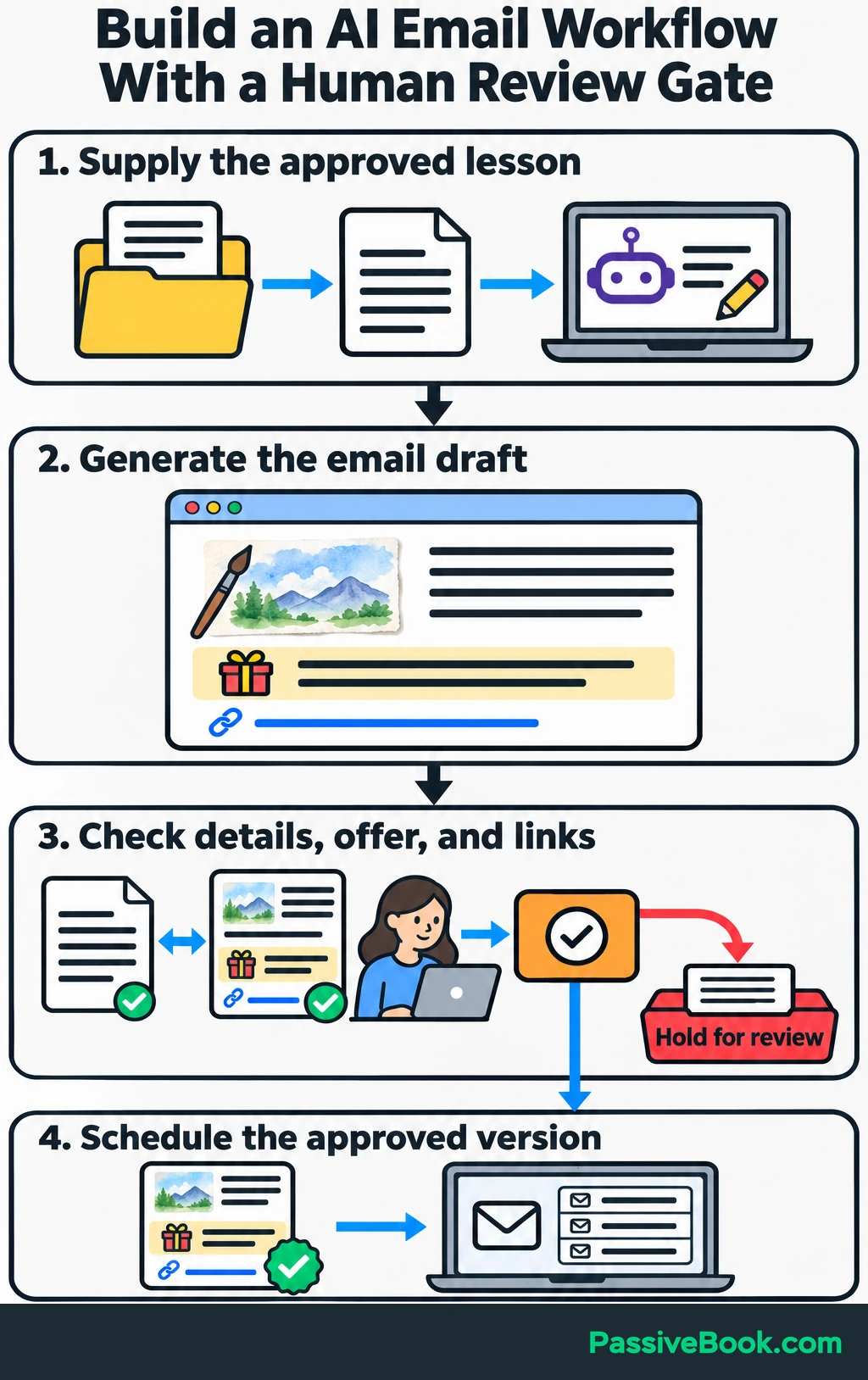
“Each week, I turn an approved watercolor lesson into an email draft, then check the instructions and links before scheduling it.”
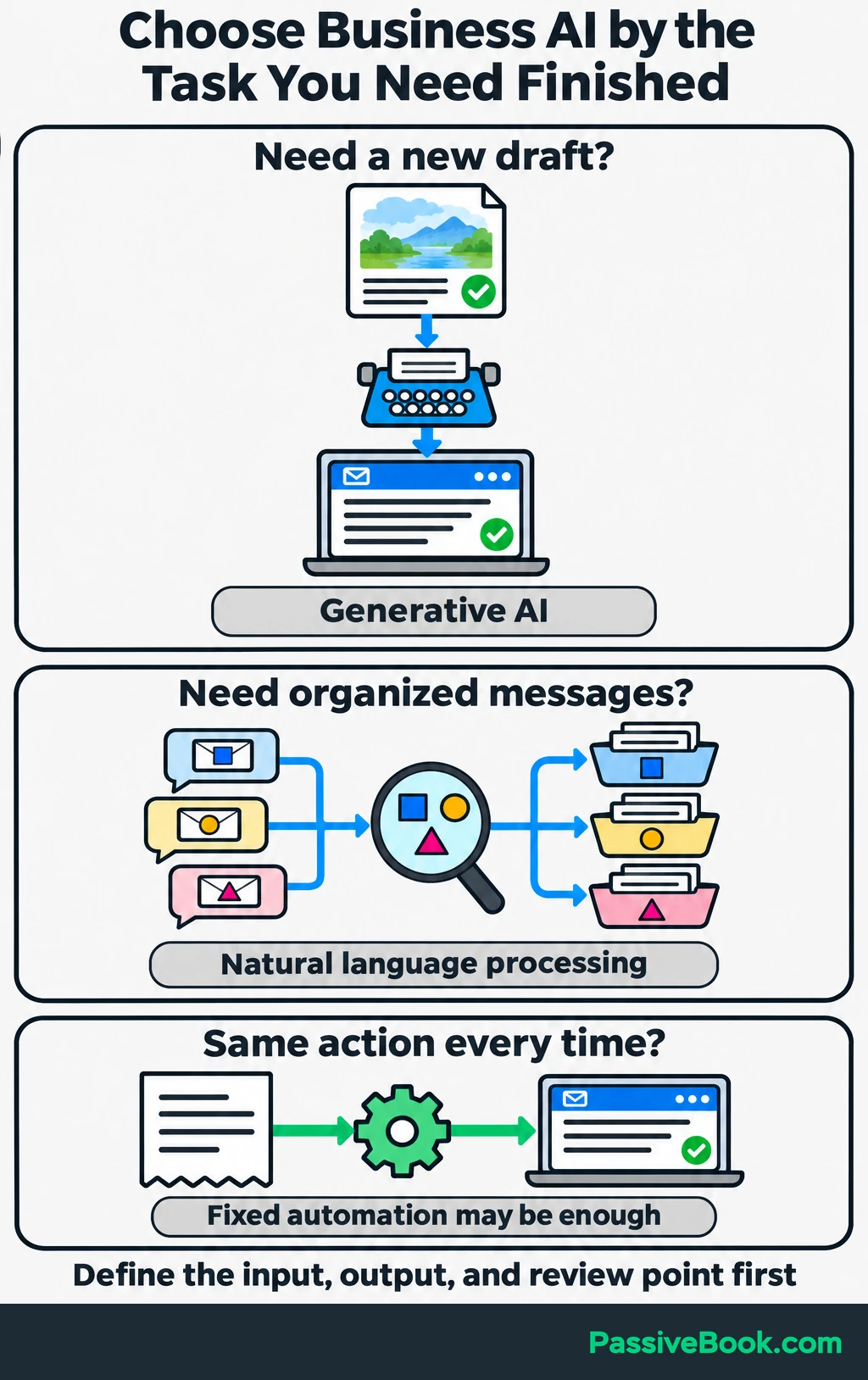
That points to generative AI. If the recurring problem is sorting customer messages by subject, it points to NLP.
You can try a small piece of the work before connecting any apps. This AI Skill uses your own material to produce a draft or sorted result, with two tailored tests beside it.
Free AI Prompt Builder




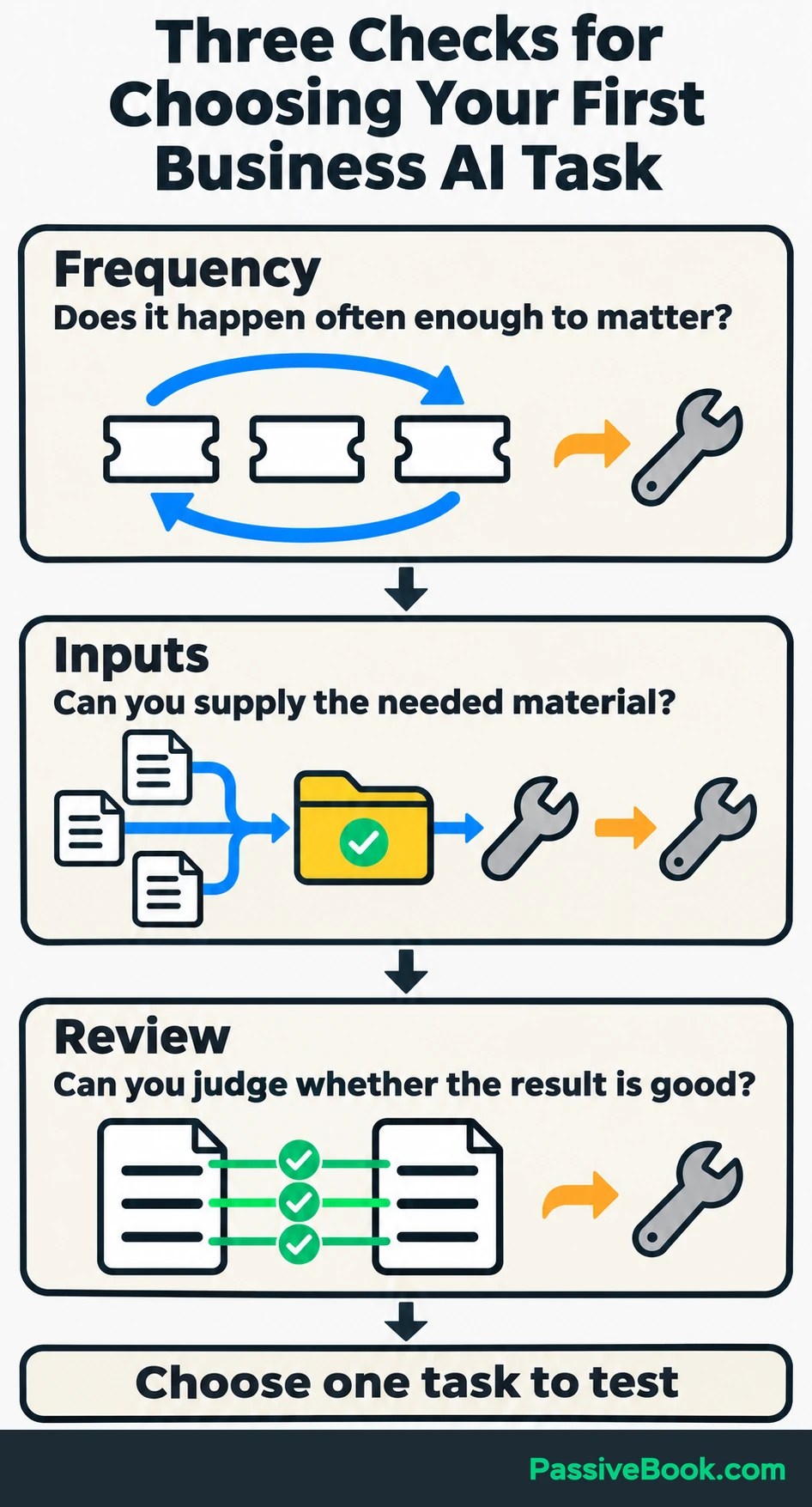
Use three questions to choose a first task:
- Frequency: Does it happen often enough for a better process to matter?
- Inputs: Can you provide the material needed without hunting through scattered files?
- Review: Can you tell whether the output meets the standard?
I would also try a template, formula, or fixed automation when the work follows stable rules. If every purchase requires the same delivery email, your email software can send it.
Combining capabilities later does not mean buying a separate subscription for each one. One assistant may handle both drafting and message classification.
Check Existing Software Before Adding Tools
Inspect the software you already use. An existing transcription, support, or analytics feature may cover the task with less setup.
Compare an integrated feature with a standalone tool on the work required to get an acceptable result:
| What to compare | What to check in a trial |
|---|---|
| Output quality | Does it preserve lesson instructions and product details? |
| Input access | Can it use the approved material without repeated copying? |
| Integration effort | How does the result reach your draft folder, support queue, or report? |
| Review work | How much checking and correction does each result need? |
| Total cost | Include subscriptions, usage charges, setup, and maintenance |
| Recovery | Can you see failures and finish the task manually? |
Claude is my starting point for long-form writing, but I would test an assistant you already have before adding another subscription. For connecting apps, I use n8n. I would consider Make when I wanted a visual builder without managing hosting.
Use ready-made capabilities before considering model training.
Before connecting customer records, check data retention, training use, deletion, and access terms. Share only what the task needs. OWASP’s sensitive-information guidance explains why business and customer information needs care when used with language-model applications.
Test the Value of the Complete Workflow
For the watercolor email workflow, an acceptable draft might need to preserve the exercise, use the correct practice-sheet link, and avoid adding teaching claims absent from the lesson.
Test representative tasks, including awkward inputs. Count preparation, prompting, corrections, review, and failed attempts. Compare work that meets the same quality standard.
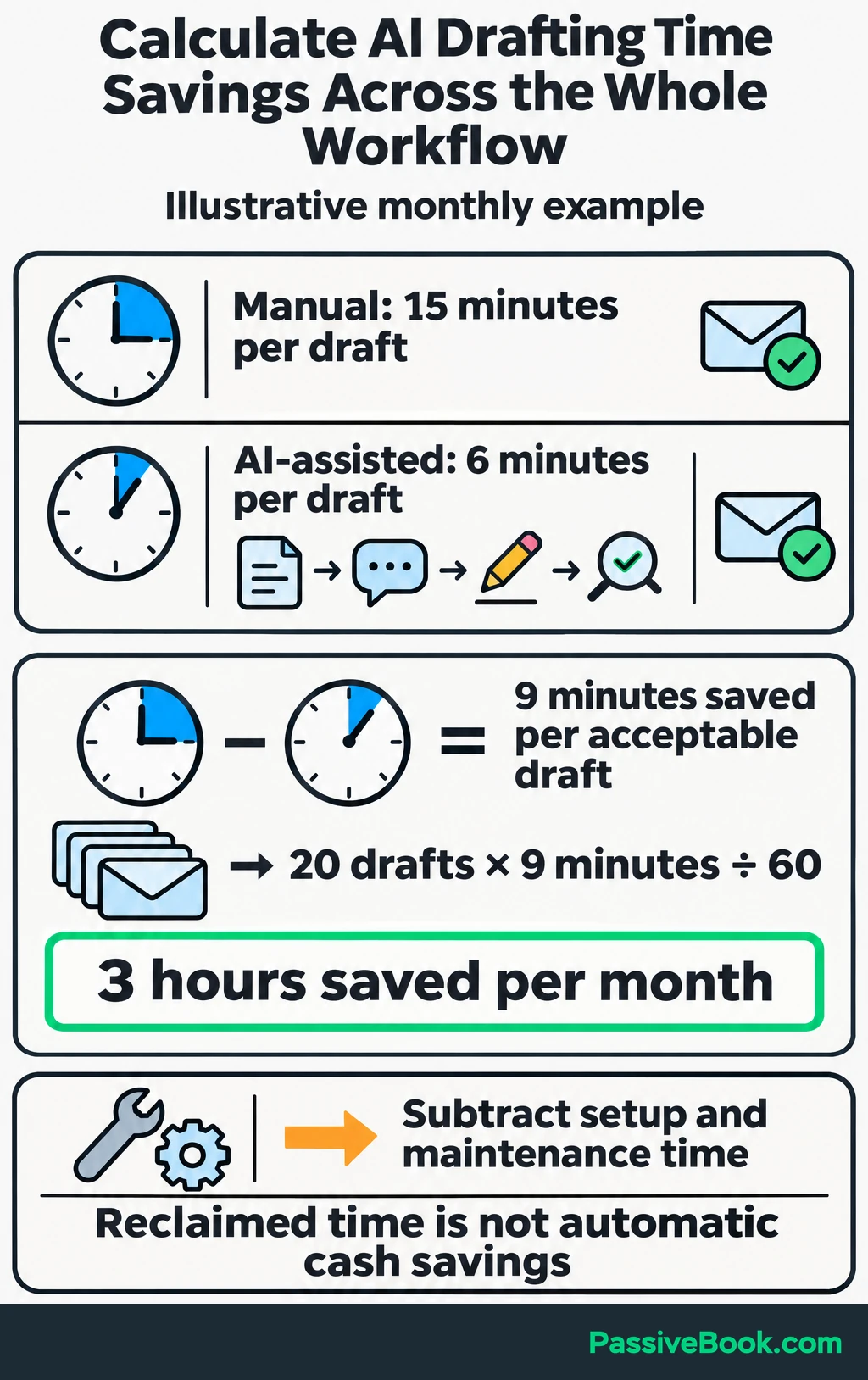
Here’s an illustrative monthly calculation. Suppose you need 20 promotional drafts. Each takes 15 minutes manually, while AI-assisted handling takes six minutes, including preparation and review. That saves nine minutes for each acceptable draft.
20 drafts × 9 minutes saved ÷ 60 = 3 hours saved per month
Setup and maintenance still need to come out of that benefit. Three reclaimed hours also do not automatically become cash savings or sales.
Keep the workflow if it meets your quality standard and the time or other value gained justifies its cost.
Once it does, connect the known handoffs:
- An approved lesson enters the drafting task.
- Generative AI produces the email draft.
- You check the lesson details, offer, and links.
- Your email software schedules the approved version.
Keep an authoritative source for lessons and customer records so connected tools work from the same information. If a step fails, hold the item for review rather than letting an incomplete result continue.
What Next?
Choose one task you repeated this week and write down its input, required output, and review point. Match it to a capability above, then test it with software you already have.
Use the social buttons to share this guide when the next AI-tool discussion needs a clearer way to compare options.
Which recurring task would you test first, and what would make the result worth keeping? Share your answer in the comments, and bring any other questions too.
Share this post with your friends & followers:

