You can draft an article with AI in minutes and still spend the evening moving files, fixing links, and checking whether a customer received their download.
Each tool handles its little job, but you remain the connection between them. Add a few subscriptions and you can end up paying more while keeping the same workload.
I’ve built content pipelines across my websites, and the awkward work often sits between the tools. This guide brings those handoffs into view so you can choose a stack that carries useful work from an idea through to a delivered product and a recorded sale.
The Best Starting Stack for a One-person Online Business
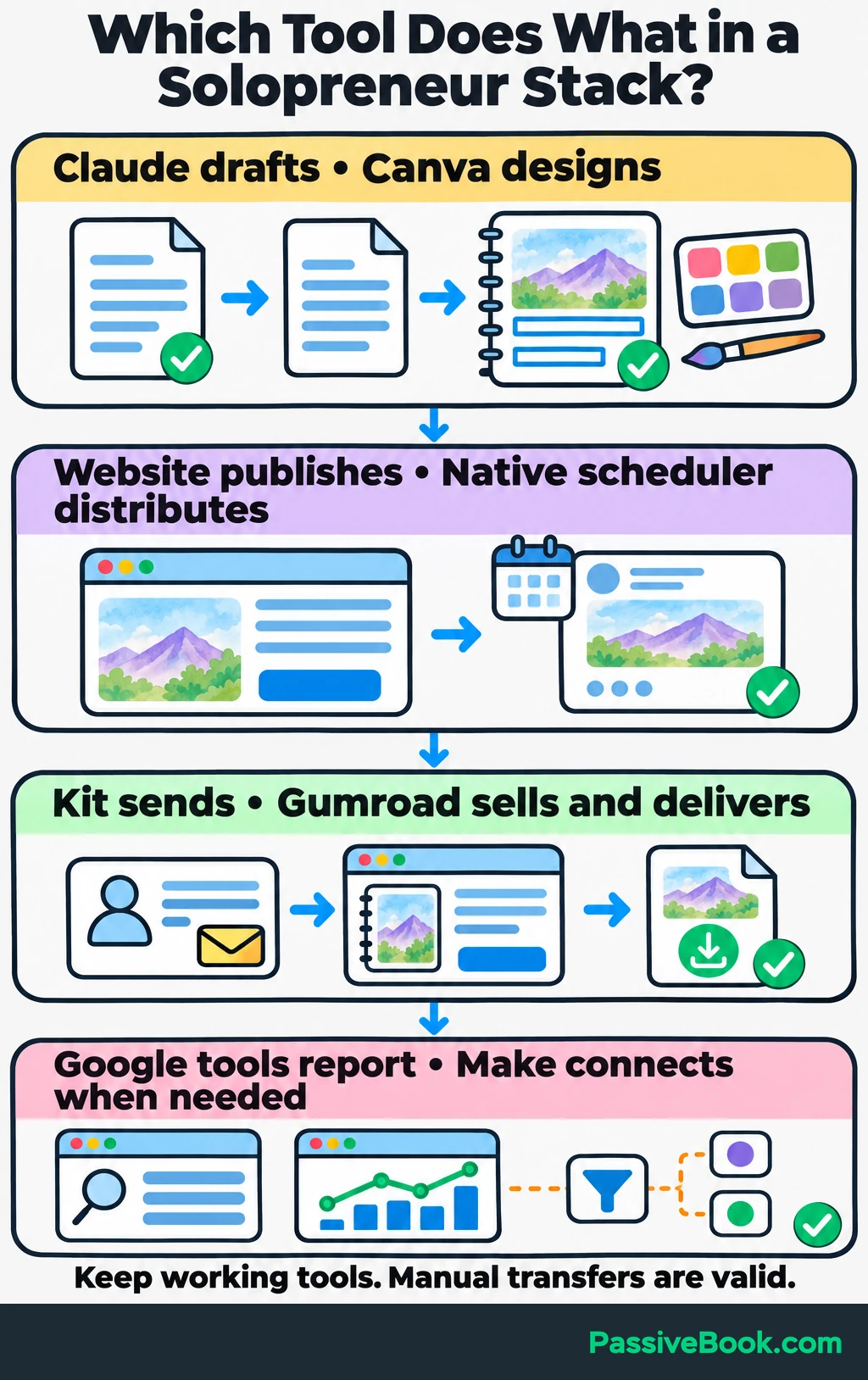
My starting recommendation is Claude, Canva, your existing website or WordPress, Kit, Gumroad, native scheduling, and Google’s reporting tools. Add Make when a recurring handoff earns its place.
These are complementary tools. Claude helps produce drafts and examine information, while the other tools publish, send, sell, deliver, and record what happened. Some file transfers can stay manual.
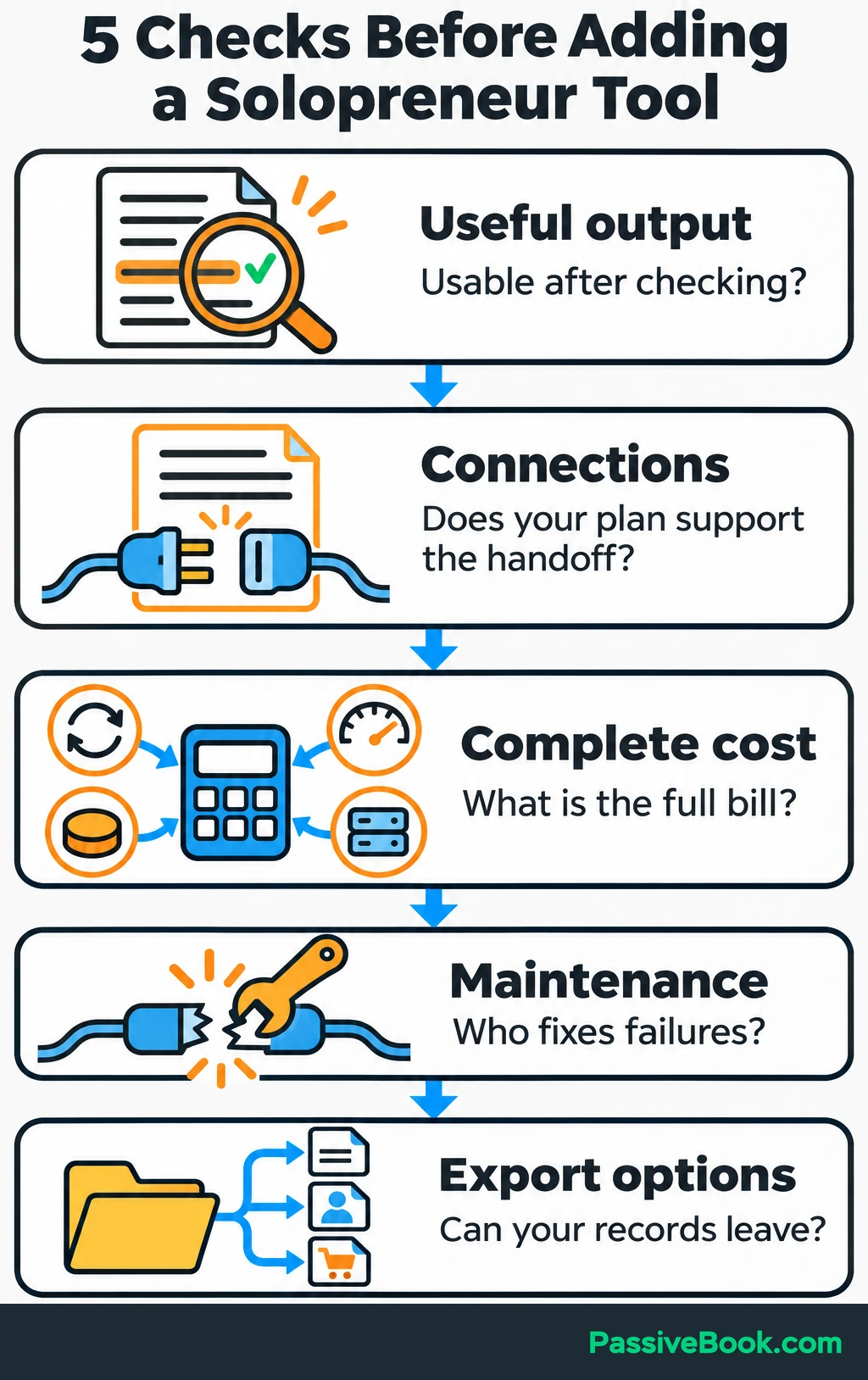
When comparing AI tool stacks for solopreneurs, I would judge each component by five things:
- Useful Output: Does it produce something you can use after a reasonable amount of checking?
- Connections: Does your chosen plan support the handoff you need?
- Complete Cost: What will subscriptions, usage, selling fees, and infrastructure cost together?
- Maintenance: Who fixes a failed connection, and how much work does that take?
- Export Options: Can you take your content, customer records, and sales data elsewhere?
Here is the combination I would start with.
| Business Function | Recommended Tool | Input | Output | Upgrade Trigger |
|---|---|---|---|---|
| Content and analysis | Claude | Approved notes, customer questions, summarized reports | Drafts, product instructions, questions to investigate | Access limits regularly interrupt work |
| Design | Canva | Approved copy, photographs, design template | Images, promotional graphics, product PDFs | Repeated design tasks take enough time to justify paid features |
| Publishing | Existing website or WordPress | Approved article and assets | Published page with signup and offer links | Your current site cannot support the required pages or forms |
| Distribution | Native channel scheduler | Approved graphic, caption, destination URL | Scheduled post or Pin | Queue limits obstruct your publishing schedule |
| Kit | Signup details, permission, approved messages | Subscriber records, broadcasts, paid-plan sequences | You need automatic welcome or sales follow-up | |
| Digital sales | Gumroad | Product file, description, checkout details | Checkout, purchase record, file access | Selling fees or product requirements justify another checkout |
| Reporting | Search Console and Google Analytics | Search and website activity | Reports for content and customer actions | A specific unanswered question needs more reporting |
| Optional handoffs | Make | An event and the information attached to it | A filtered transfer or record update | Repeated copying becomes worth automating |
Keep an existing tool that already does its job. Moving a working email list because an article recommends another platform creates work before it saves any.
For illustration, imagine you run a beginner watercolor website. You publish tutorials, offer a free color-mixing chart, and sell a downloadable practice workbook. We’ll follow that business through the stack. The connections below are proposed workflows based on documented capabilities, rather than a tested installation or an earnings forecast.
If you sell services, use Claude to draft proposals from your approved scope and pricing, and keep inquiries, bookings, and payments in your existing tools. Connect a confirmed booking or payment to your client follow-up and sales record. For physical products, draft descriptions from verified product details and keep orders, inventory, and fulfillment in your storefront. Connect completed orders to reporting and relevant follow-up. The selling tool changes, but content, distribution, email, and reporting still need to work together.
Choose a Tool for Each Essential Job
Claude for Content, Product Drafts, and Analysis
I prefer Claude for long-form writing and content strategy based on my own use.
Start with one assistant and give it a reusable brief containing:
- Reader’s Question: What does this person need help doing?
- Source Material: Which notes, examples, or records should the draft use?
- Offer: What relevant product or next step can you mention?
- Writing Examples: What should the finished work sound like?
- Required Output: Do you need an outline, email, instructions, or analysis?
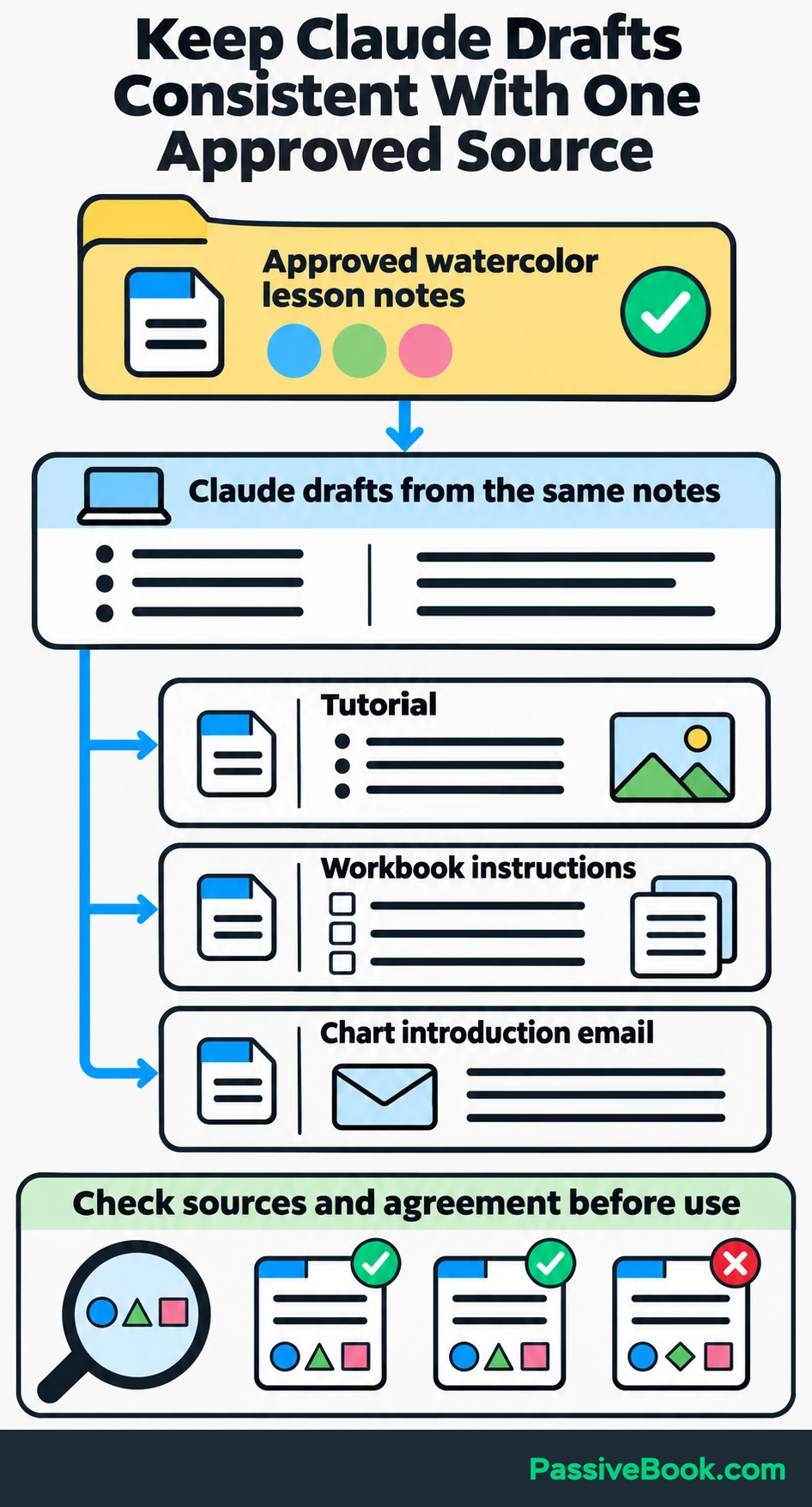
On one digital-product site, I revised a lesson but left older instructions in an email draft. Both pieces sounded fine, but they disagreed. I now keep approved source material together and use it for each related asset. That reduces the chance of producing several polished versions of different advice.
For the watercolor website, the same lesson notes can support a tutorial, workbook instructions, and an email introducing the chart:
Using these approved lesson notes, outline a beginner tutorial and draft a short email linking to the color-mixing chart. Flag anything the notes do not explain.
Open cited sources and check the output before using it. A confident sentence still needs support.
Begin with Free and upgrade when access limits interrupt recurring work. If ChatGPT already gives you usable results, keep it. Familiarity has value, especially when you only have an evening to finish something.
Canva for Graphics and Product Layouts
Use Canva to turn approved material into reusable designs: article images, promotional graphics, product covers, and workbook pages.
I would create a small set of templates first. Replacing a heading and photograph is much easier than making every image from scratch.
For the watercolor workbook, use actual painted examples where the lesson depends on showing a real result. AI-generated design options can help with layout, but check anything presented as instruction.
Start with Free. Consider Pro when repeated resizing, background removal, or brand-management features would remove enough work to justify paying. The Canva plan comparison shows which features each plan includes.
Export approved graphics for the website and scheduler, and export the workbook as a PDF. Keep these transfers manual until you have a repeated process worth connecting.
WordPress and Native Scheduling for Publishing and Distribution
Keep your existing website if it supports your articles, signup forms, and offers.
For a content-led business that needs control over its site, I recommend self-hosted WordPress. You will need hosting, updates, and backups, so include that work in the decision. A site you can maintain is more useful than one you keep postponing repairs on.
Blogging and Pinterest are Passive Book’s active channels. I would also consider Pinterest for the watercolor example because the material lends itself to useful visual demonstrations.
Publish the tutorial first, then schedule a graphic linking to that page. Check the destination before adding it to the queue.
Start with the channel’s own scheduler. Buy a separate scheduler when queue capacity or repeated publishing work becomes a clear constraint. Paying another company to hold a few scheduled posts needs a reason.
Kit for Subscriber Records and Email Follow-up
Your email platform should hold subscriber interests, permission to send marketing, broadcasts, and follow-up. Claude can draft the messages, and Kit handles sending them.
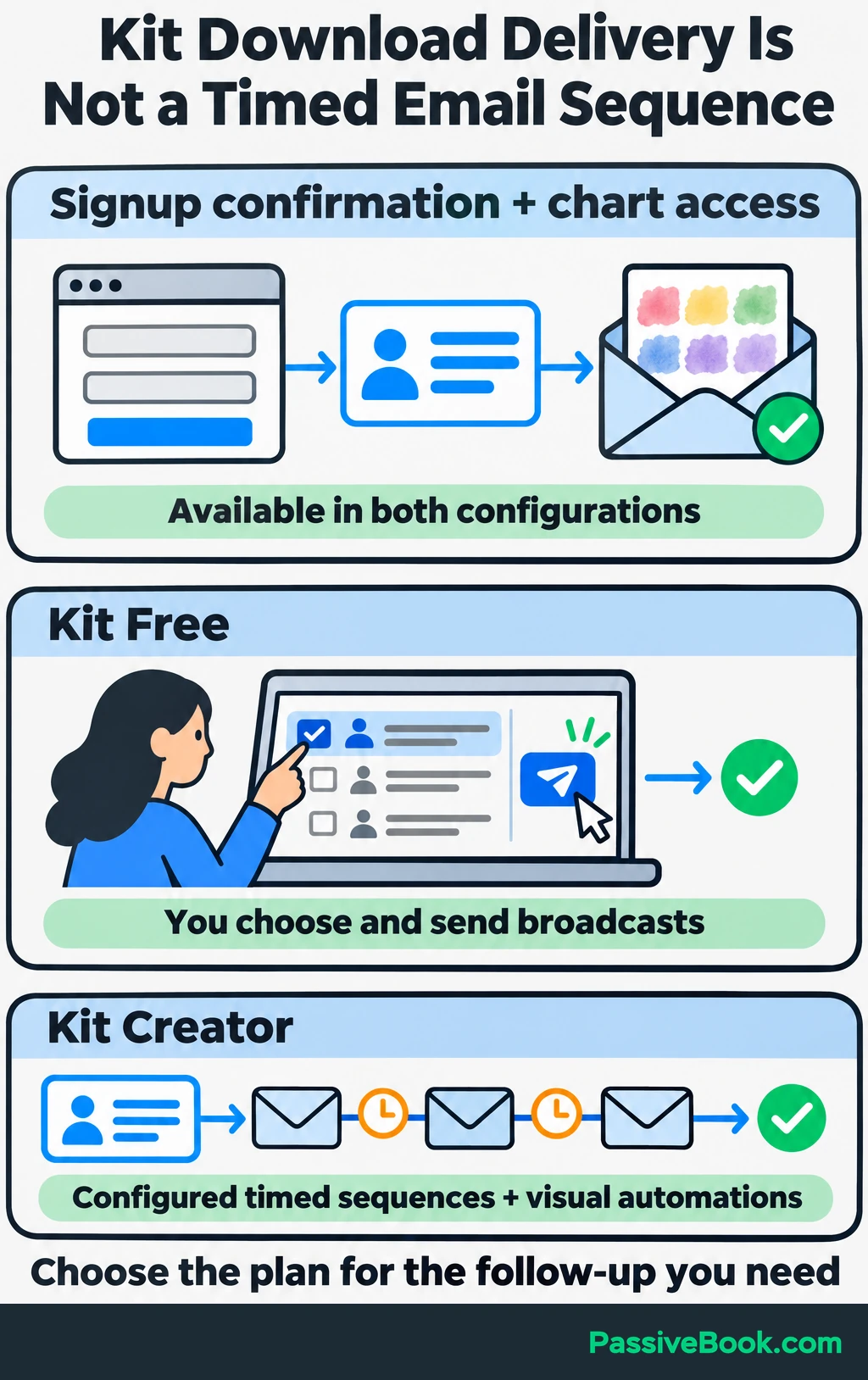
Kit is my hosted starting recommendation when simplicity matters. Its Free plan supports forms and broadcasts, while sequences and visual automations require a paid plan. The cost section below separates those configurations.
That distinction matters for the watercolor chart. Delivering a signup download and sending a timed series of helpful lessons are separate jobs. Choose a plan that supports the follow-up you intend to run.
If automatic follow-up needs to start without a subscription, I would consider MailerLite instead. The cost section below lists its Free-plan limits so you can check whether your intended sequence fits.
For a business already running inside WordPress, FluentCRM deserves a closer look. It is my preferred WordPress option, but it also means maintaining email delivery. Its licenses are priced by website count rather than subscriber count, and the sending service can charge separately. Include both delivery and hosting when comparing FluentCRM’s costs.
Choose one email home and keep it tidy. Splitting subscriber records across several tools creates another reconciliation job.
Gumroad for Digital Checkout and Delivery
I would start with Gumroad when avoiding a recurring storefront subscription matters more than getting the lowest transaction fee.
Upload the workbook, write a clear product description, and link to the checkout from your website and emails. Gumroad handles checkout and gives buyers access to their purchased files, so delivery does not need a separate Make workflow.
Before committing, confirm that you can receive payouts in your country. Gumroad’s pricing and payout overview explains its model and notes that payout methods vary by country.
If your current checkout already collects payment, delivers the product, and supports customer follow-up, keep it.
The practical goal is a completed purchase and accessible file. Another checkout account is useful only if it improves that process.
Make for Handoffs That Native Connections Cannot Complete
Use a direct connection between tools first. Add Make when you need to filter information, change its format, or update another record.
Make is a visual workflow builder. You connect actions such as “receive a sale,” “find an existing spreadsheet row,” and “update that row.” A workflow can contain several actions, so one sale may consume several credits.
Start with a narrow task. For the watercolor business, that might be recording workbook orders in a spreadsheet once copying them becomes a recurring chore.
I use n8n, and I also built a custom Python content pipeline with Claude Code that reduced my article production from days to hours. That result belongs to my custom pipeline. It does not tell you what this starting stack will save.
For someone who wants a quick start without managing a server, I would choose Make. Self-hosted n8n makes sense when control justifies maintaining infrastructure, updates, backups, and troubleshooting. Its Community edition has no software subscription charge, but operating it still uses resources. The n8n deployment guide explains those choices.
Search Console and Google Analytics for Business Decisions
Use the reports to decide where to spend your next hour.
Search Console shows which pages and queries attract Google search traffic. That helps you find tutorials worth improving or related questions worth answering. Google explains these views in its Search Console performance report guide.
Google Analytics helps you examine website traffic sources and customer actions you have configured it to record. Its traffic acquisition report can help you compare visits from search, Pinterest, and email.
For the watercolor business, I would ask:
- Which tutorials bring relevant visitors?
- Which pages lead people to request the chart?
- Which emails send people toward the workbook?
- Which orders actually appear in the checkout records?
Keep checkout records as the authority for completed sales, fees, and refunds. A spreadsheet can bring together campaign names, signups, orders, and tool spending.
Give Claude summarized or anonymized exports and ask it to suggest questions worth investigating. Check its conclusions against the underlying records before changing the business.
What Does This Stack Cost?
Count subscriptions and infrastructure first, then add usage charges and selling fees. Include domain registration, hosting, email delivery, and applicable taxes.
The subscription subtotals below are in USD. Every row includes Canva Free, Gumroad, native scheduling, and free Google reporting tools. Hosting, domain registration, email delivery, selling fees, taxes, paid Make capacity, and automated AI usage are extra.
| Claude Plan | Kit Plan | Monthly Subscription Subtotal | Email Follow-up |
|---|---|---|---|
| Free | Free | $0 | You choose recipients and send broadcasts |
| Pro, billed monthly | Free | $20 | You choose recipients and send broadcasts |
| Pro, billed monthly | Creator, up to 1,000 subscribers | $59 | Configured timed sequences and visual automations |
Every configuration can handle signup confirmation and download access, purchase receipts and file access, and scheduled posts once you set them up. You still draft and check content, assemble designs, publish pages, fill the queue, and review reports.
Claude Pro is $20 on monthly billing. Annual billing requires $200 upfront, which works out to about $16.67 a month. Higher access can help you finish work, but the subscription does not automatically connect your publishing process. See Claude’s pricing.
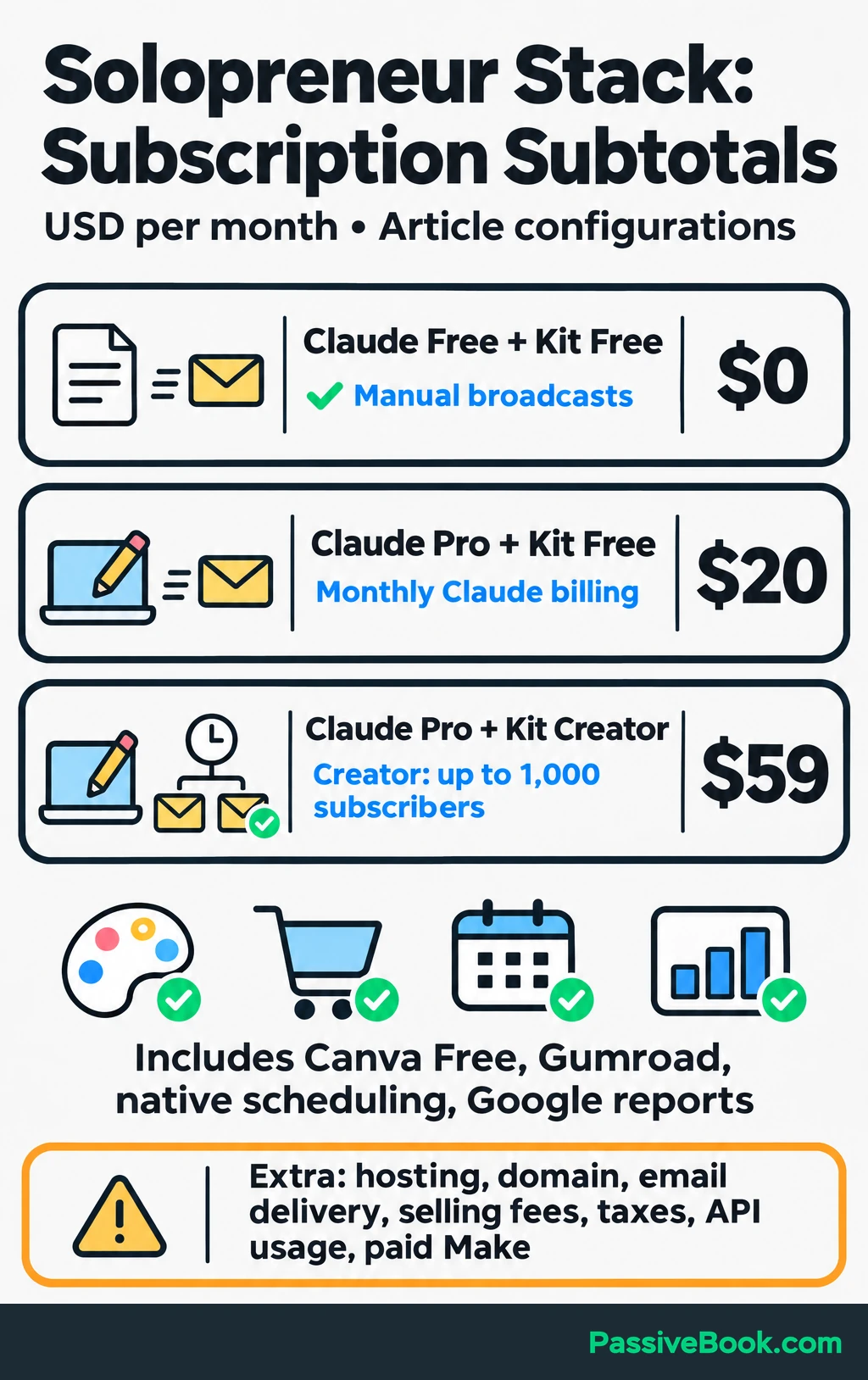
Kit Free supports up to 10,000 subscribers and broadcasts, but excludes email sequences and visual automations. Creator starts at $39 a month for up to 1,000 subscribers, and pricing rises with list size. Check Kit’s Free-plan boundaries and paid-plan comparison before choosing.
MailerLite Free allows 250 subscribers, 2,500 monthly emails, and three active automations with five steps each. Those limits can support a small follow-up test without a subscription. Check MailerLite’s plan comparison against the sequence you want to build.
Make is optional in every row. Its Free plan includes 1,000 monthly credits, so a small workflow may fit without adding a subscription. Check the Make pricing page for the allowance and paid options.
Budget automated AI work separately. Claude Pro does not include credits for API requests, which let other software send tasks to Claude. In Make, you may pay for AI usage through Make credits or a separate bill from your AI provider, depending on the connection. Check Make’s credit accounting before activating AI steps.
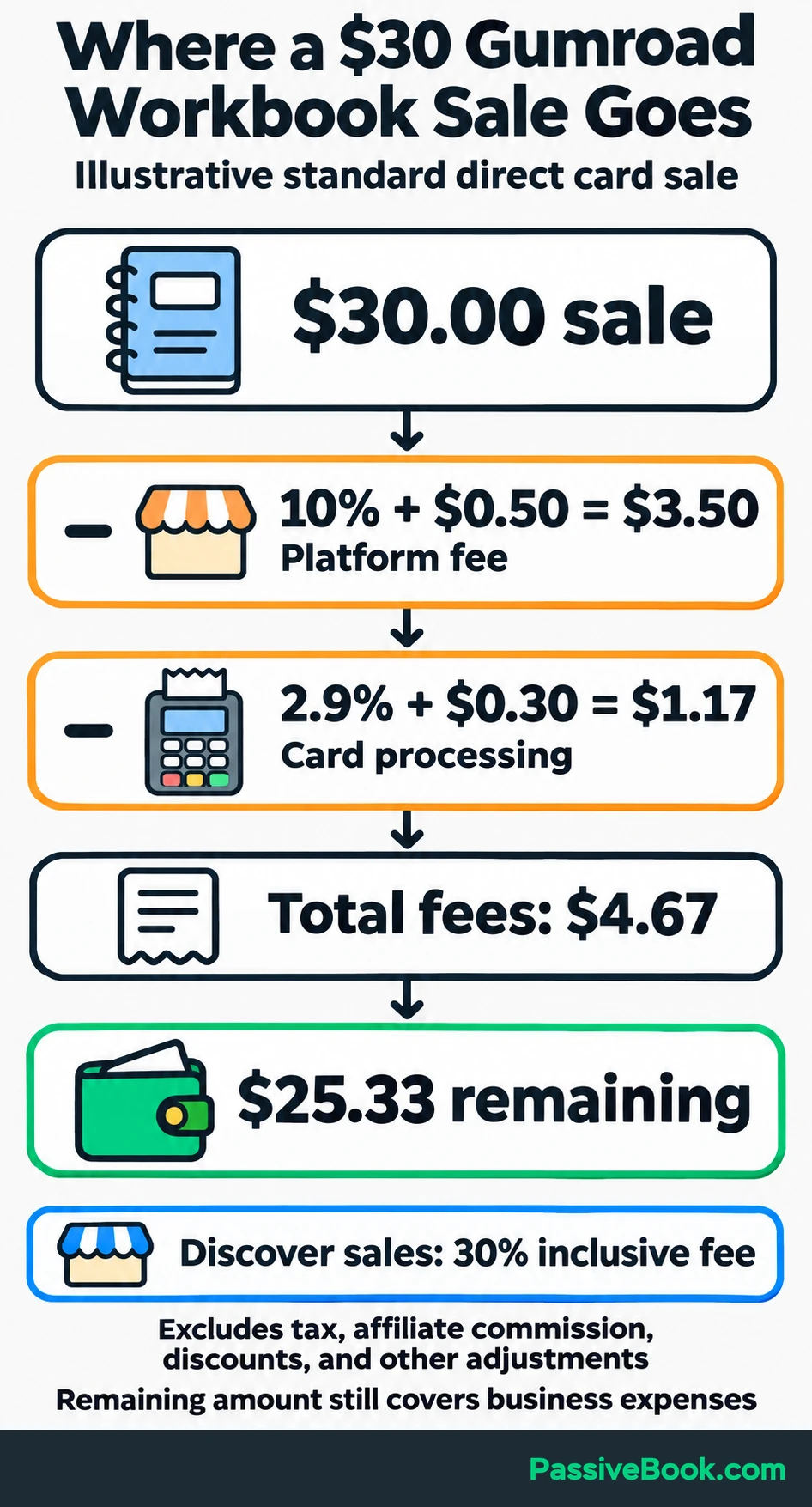
Selling fees also sit outside the subscription subtotal. For a standard direct card sale, Gumroad lists a platform fee of 10% plus $0.50, with card processing of 2.9% plus $0.30 additional. Discover marketplace sales carry an inclusive 30% fee. See Gumroad’s fee breakdown.
For an illustrative $30 workbook sale, count both the platform fee and card-processing fee:
| Item | Calculation | Amount |
|---|---|---|
| Platform fee | 10% of $30, plus $0.50 | $3.50 |
| Card processing | 2.9% of $30, plus $0.30 | $1.17 |
| Total fees | $3.50 + $1.17 | $4.67 |
| Amount remaining | $30 − $4.67 | $25.33 |
This assumes no tax, affiliate commission, discount, or other adjustment. The remaining amount still needs to cover your other business expenses.
I would begin with monthly billing for tools I’m still evaluating. An annual discount becomes useful once the tool has earned a continuing job.
A lower subscription price can hide higher selling fees or a larger upfront payment. Use the Software Cost Comparator to compare two setups with your own numbers before committing.

Free Software Cost Comparator




Connect the Stack Around One Customer Journey
Map the customer’s path before connecting apps:
Approved tutorial → distribution → website visit → chart signup → useful emails → workbook purchase → delivery → reporting
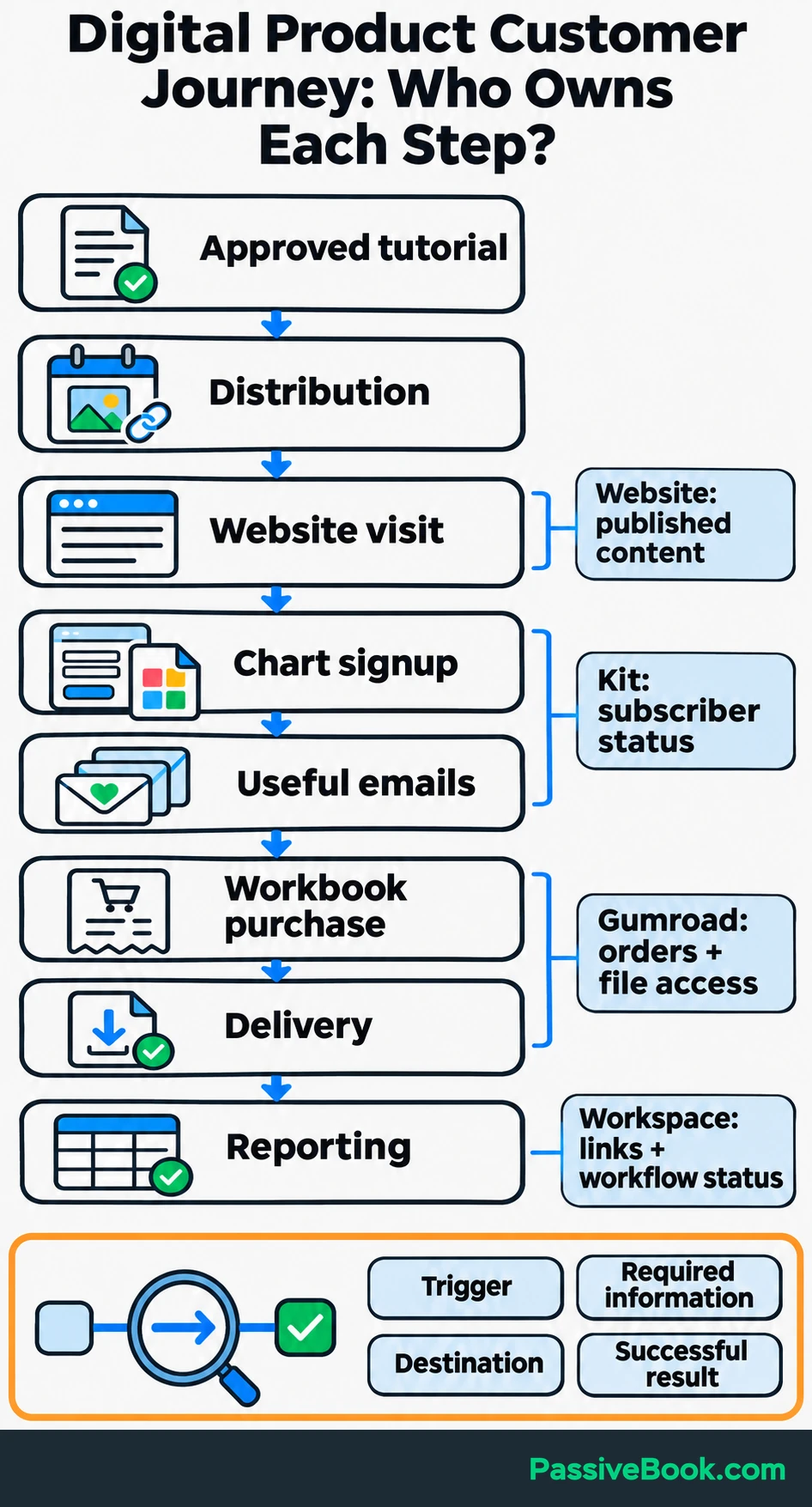
Give each record a clear home. The website holds published content, Kit holds subscriber status, and Gumroad holds orders and product access. Keep asset links and workflow status in one spreadsheet or your existing workspace.
For every handoff, identify the trigger, required information, destination, and successful result. Complete the process manually first so you understand what the automation must preserve.
Turn Approved Source Material Into Published Assets
Start with source material you trust. Draft the related assets from that material, approve the wording, assemble the visuals, and publish.
For the watercolor business, one reviewed lesson can support:
- Tutorial: A beginner guide to mixing a small set of colors.
- Free Download: A chart readers can print and fill in.
- Product Material: Instructions and practice pages for the workbook.
- Promotion: A graphic and caption pointing to the tutorial.
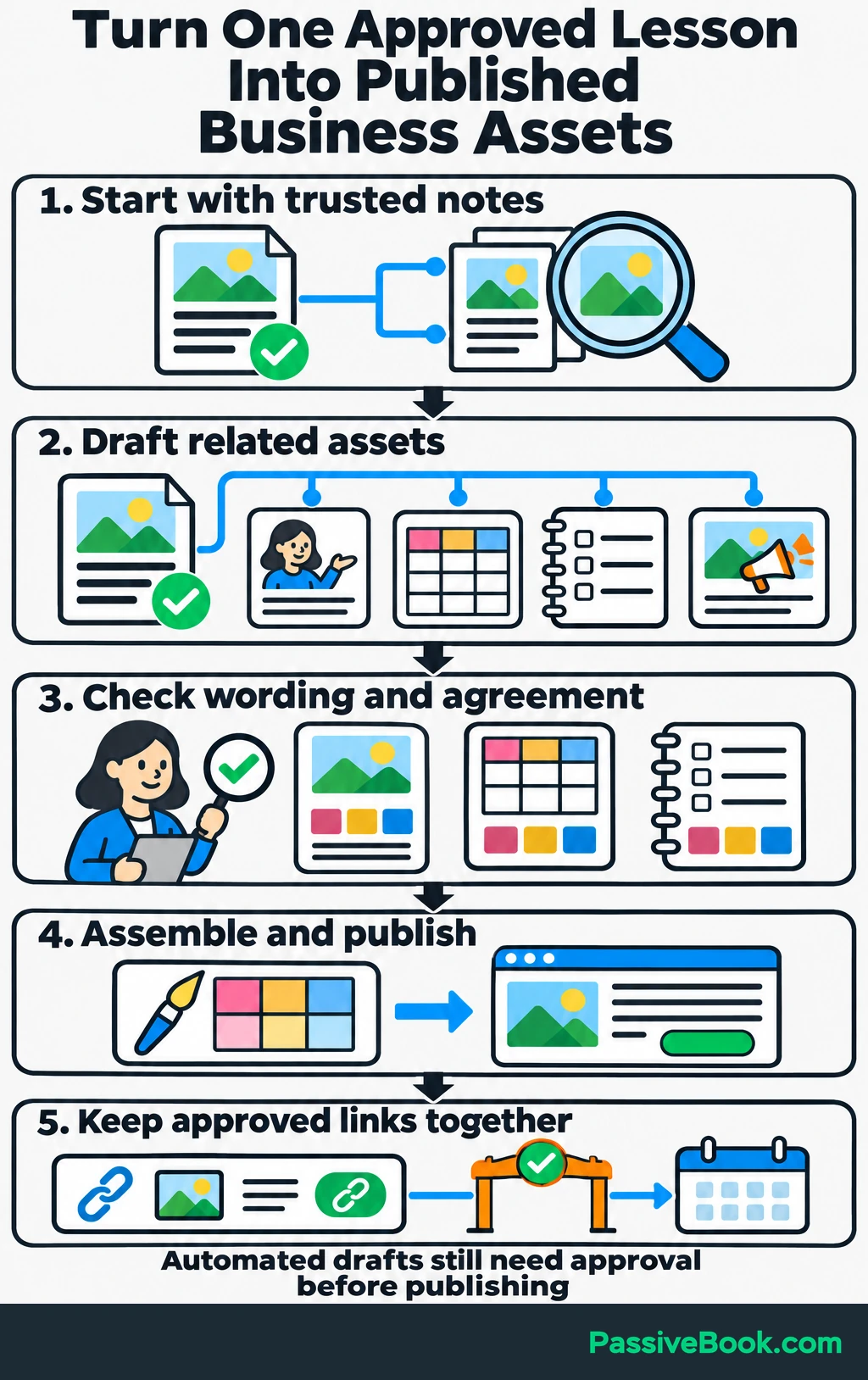
Keep the published URL, approved images, captions, and signup destination together. That makes it harder to schedule a graphic with an old link or promote a download you have already replaced.
Use short excerpts to check consistency. If the tutorial says “start with the three colors shown,” the chart and workbook should identify those same colors.
Once this process works, you can automate promotional drafts. Send generated material to an approval queue before publishing or emailing it. Reviewing a small batch is manageable; hunting down an inaccurate claim across several channels is considerably less pleasant.
Connect Signup to Email Follow-up
Set up sending-domain authentication before activating campaigns. This verifies that your email platform is allowed to send using your domain.
Then connect the website signup to a Kit form and configure the confirmation email to provide the chart download. Test the actual form on the published page.
On Creator, connect confirmed signups to a sequence that helps readers use the chart and introduces the workbook. I would give each message a clear job:
- Help the subscriber begin using the chart.
- Address a common difficulty they may encounter.
- Explain how the workbook provides further practice.
In the Free configuration, send ongoing follow-up through broadcasts. That requires you to choose the audience and send each message, so include it in your weekly workload.
Keep email sending inside Kit. Routing individual messages through Make adds another connection to maintain.
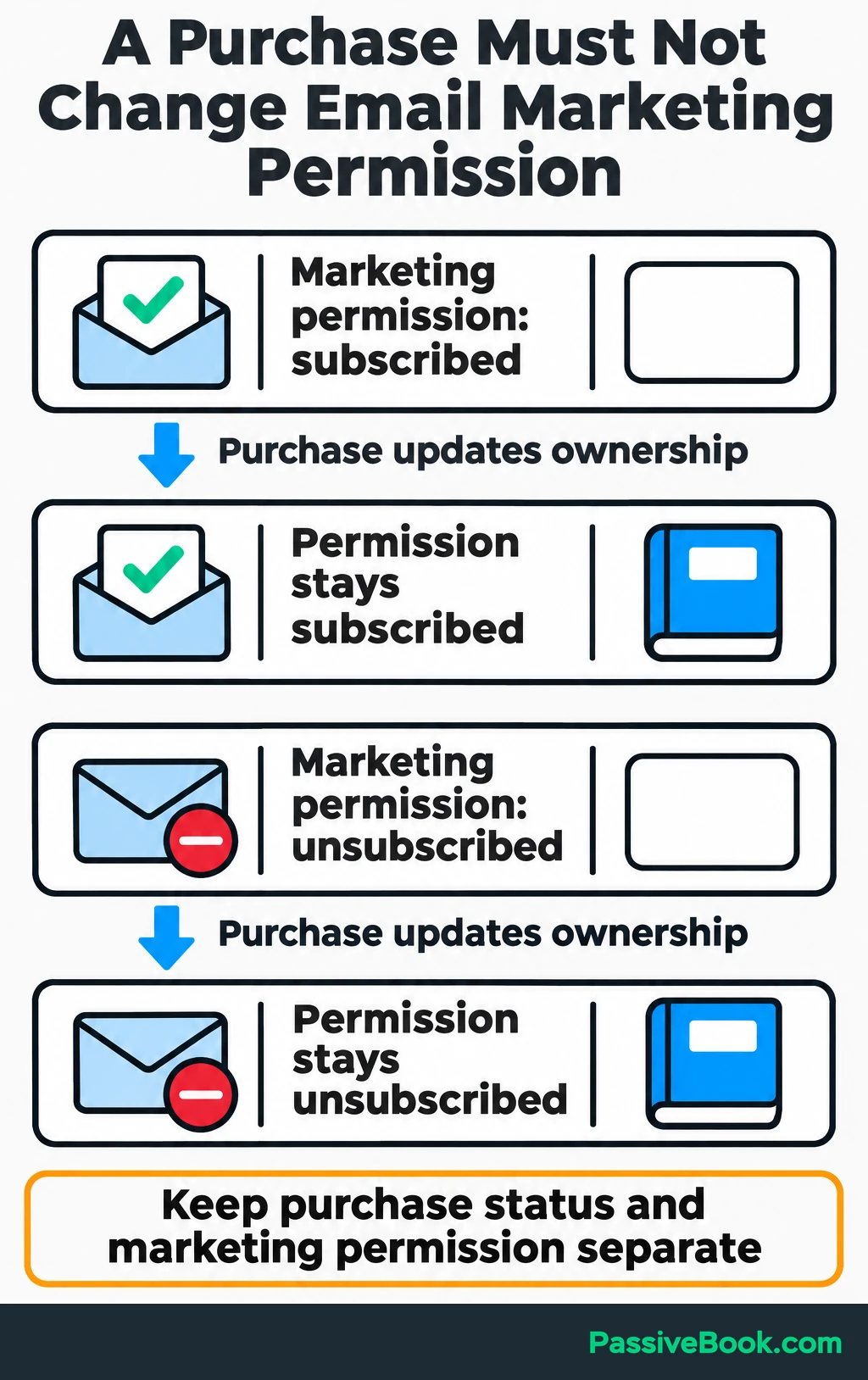
Also keep marketing permission separate from purchase status. A purchase should update what someone owns without silently changing whether they have agreed to receive marketing. Preserve unsubscribed status when records change.
Connect Purchases to Follow-up and Reporting
First, bring purchase information into the email platform.
Kit’s native Gumroad integration transfers purchase information and supports excluding purchasers from relevant promotions. On Creator, configure the workbook sequence to exclude buyers, then test that behavior.
Match purchases to the correct subscriber record. If someone signs up with one address and buys with another, investigate the mismatch before assuming the exclusion is broken.
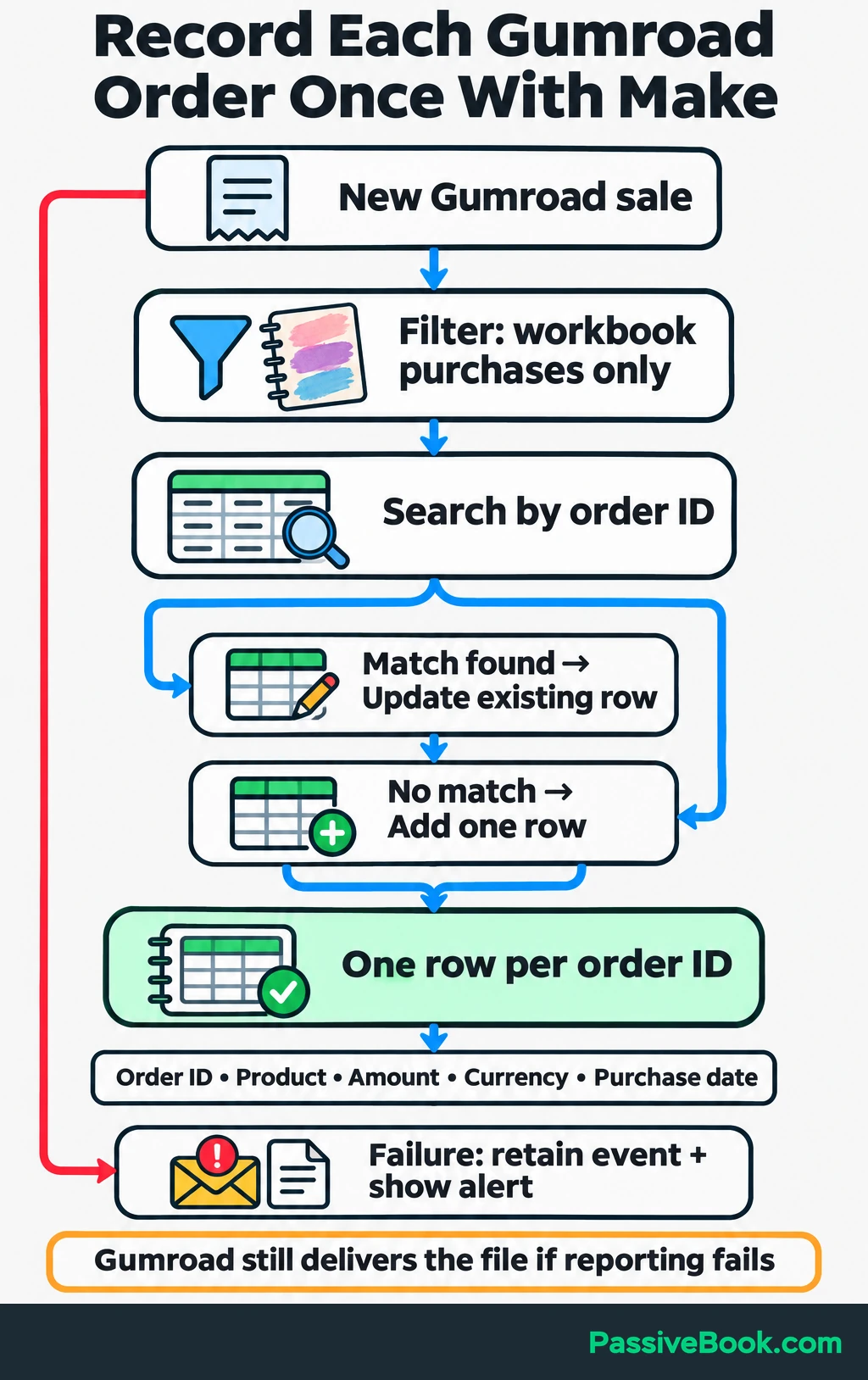
Add Make when a separate sales log would remove repeated copying. Its Gumroad connection includes a new-sale trigger that can start the workflow.
For this example, I would define the handoff like this:
| Handoff Detail | Proposed Setup |
|---|---|
| Trigger | A new watercolor workbook sale arrives from Gumroad |
| Required information | Order ID, product, amount, currency, purchase date |
| Destination | The workbook orders sheet |
| Success | One row exists for that order ID |
| Repeated event | Update the existing row instead of creating another |
| Failure | Retain the event details and send a visible failure alert |
In Make, filter incoming sales so only workbook purchases continue to the orders sheet. Search the sheet for the order ID. Update the matching row if one exists, or add a row if it doesn’t. An email address alone cannot distinguish two separate purchases by the same customer.
Keep product delivery in Gumroad. A failed reporting connection should leave the buyer’s file access intact.
Test the Complete Customer Experience
Run the journey as a customer would experience it, starting on the published page.
Check these outcomes:
- Signup: The form records the intended permission and subscriber details.
- Chart Delivery: The confirmation link opens the correct download.
- Follow-up: The subscriber enters the intended sequence, if your plan supports one.
- Checkout: The description, product, and destination are correct.
- Workbook Access: The purchased file opens and contains the approved version.
- Purchaser Exclusion: A matching buyer stops receiving the workbook promotion.
- Sales Recording: The order appears once, with the correct amount and currency.
- Recovery: A failed connection produces a visible alert and can be retried.
Use Gumroad’s built-in test purchase for checking checkout and file access. Verify connected handoffs separately; seeing a download work does not establish that the buyer exclusion or reporting step also ran.
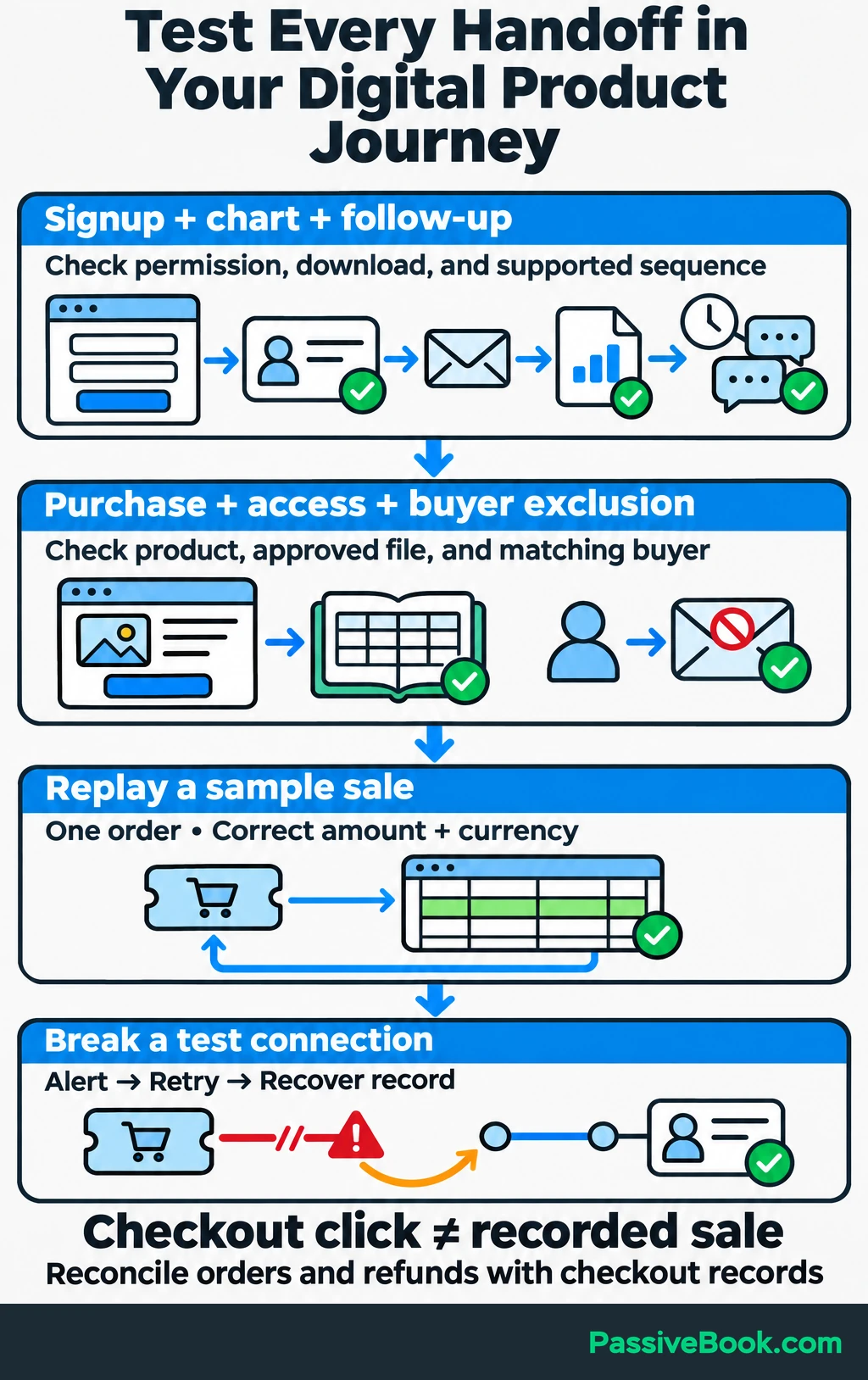
Replay a sample sale event to check for duplicates. Temporarily break a connection in your test workflow and confirm that you can recover the record.
Finally, use consistent campaign tags on distribution and email links. These are labels added to links so reports can identify where a visit came from. A name such as color_chart can connect the tutorial campaign across your records.
Count a click to the external checkout as a click until an order is recorded. Reconcile the reporting sheet against checkout records, including refunds, rather than treating every checkout visit as revenue.
When Is Another Subscription Worth Paying for?
Name the constraint before upgrading.
“I keep hitting the assistant limit while preparing weekly content” is useful. “I should probably have more AI tools” is an expensive mood.
Check whether an existing tool can solve the problem, then measure what a paid option would remove. Include editing, checking, maintenance, and time spent recovering failures.
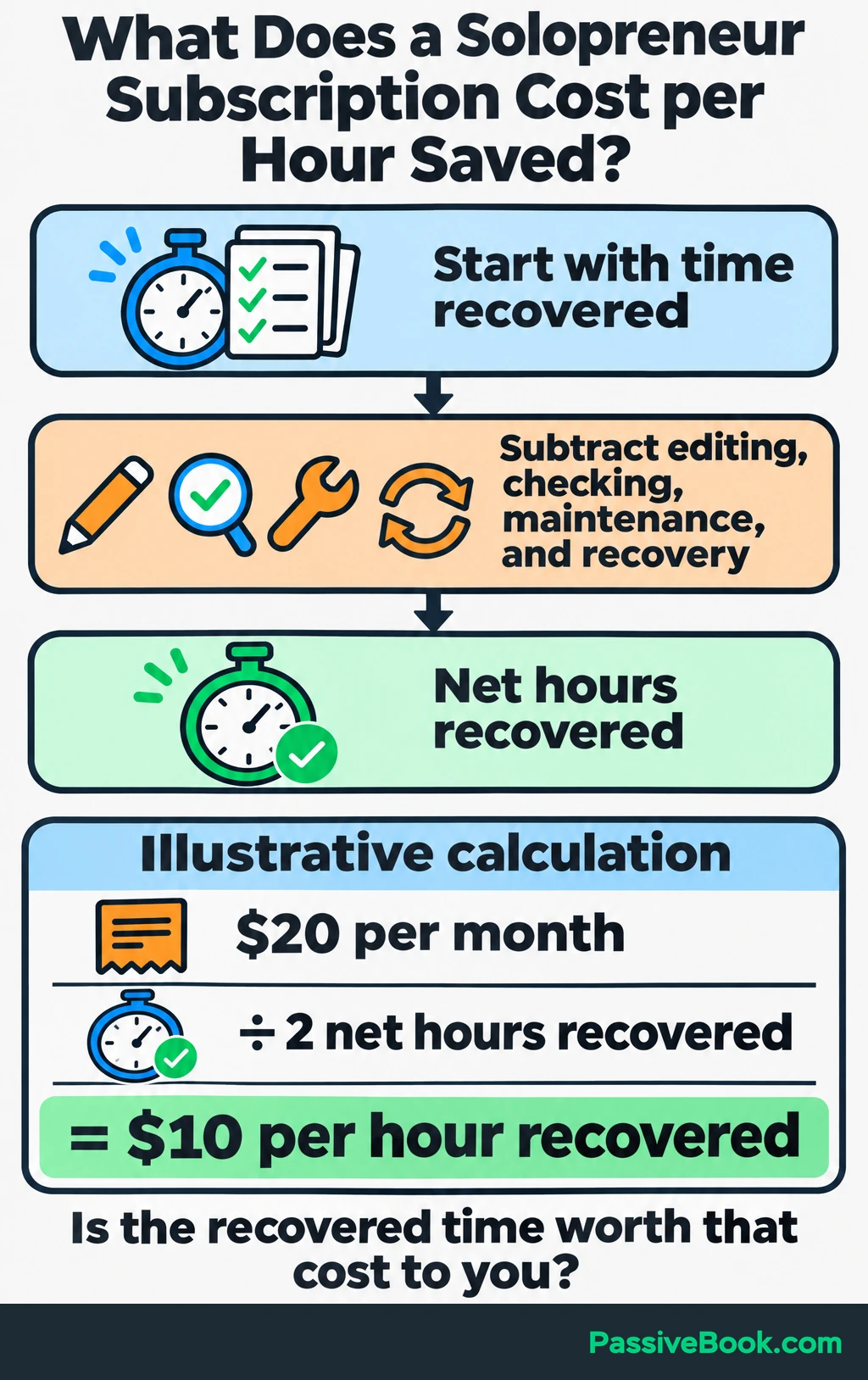
For a simple comparison, count the net hours recovered each month. If an illustrative $20 subscription saves two hours after those tasks, you are paying $10 for each hour recovered.
That may be worthwhile. But an hour saved drafting is less useful if you spend another hour correcting the output.
I would review the stack monthly and look at these together:
- Completed Work: What reached readers or customers?
- Customer Actions: Which signups and recorded purchases followed?
- Failed Handoffs: What broke, and was anything missed?
- Spending: What did subscriptions, usage, and fees cost?
- Maintenance: How much attention did the system require?
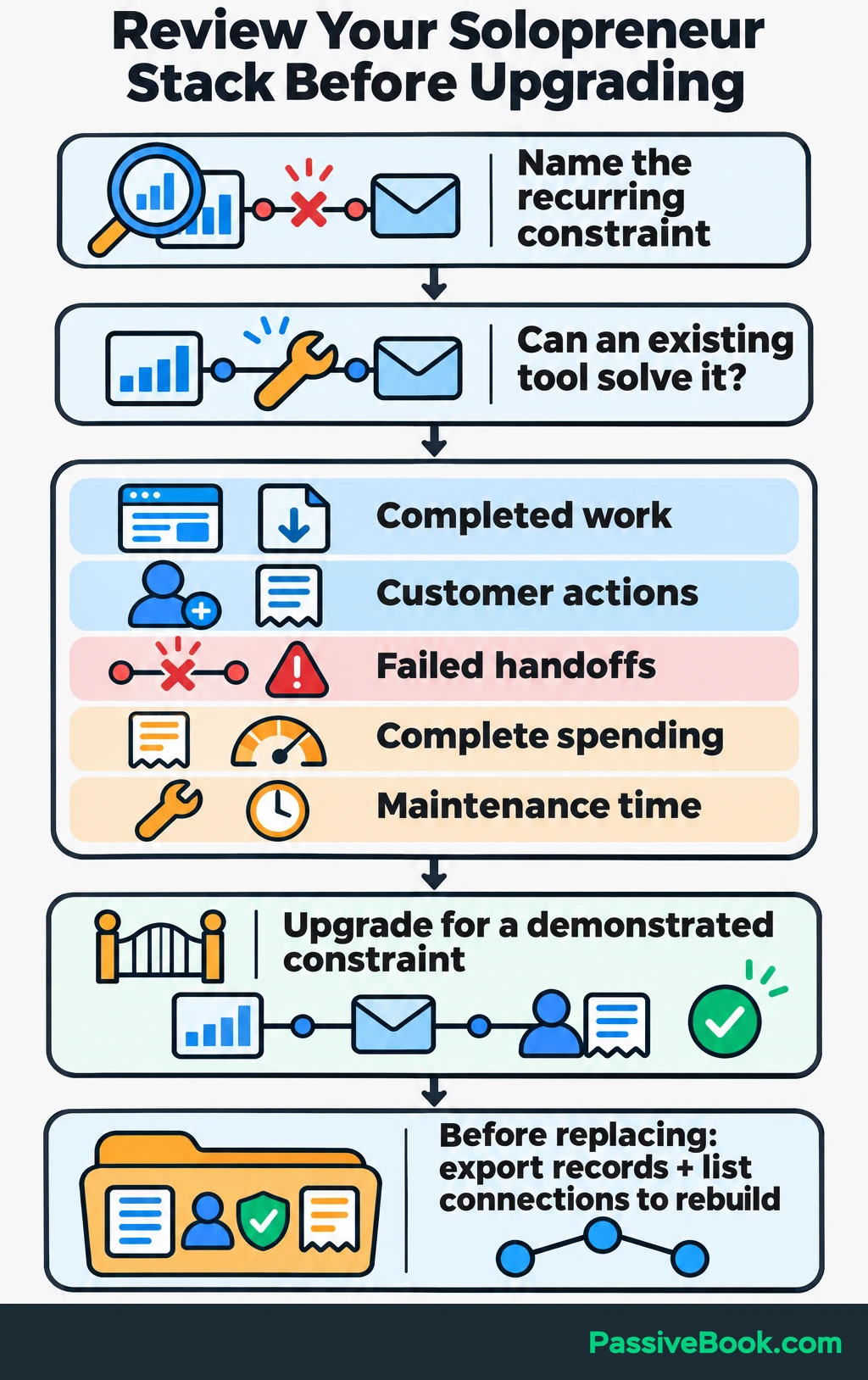
More generated content alone does not tell you whether the stack is helping.
For the watercolor business, fix a broken chart-to-email connection before buying another writing assistant. That repair restores a customer journey you already intended to run.
Replace a tool when its limitations or complete cost justify moving. Before switching, export the essential content, subscriber records, permissions, and sales data, and list the connections you will need to rebuild.
I would expand this stack one recurring problem at a time. A clear trigger, a useful action, and a visible result are enough to automate meaningful work without turning your evenings into software maintenance.
What Next?
Write down one customer journey and put the tool responsible beside each step. Then test the path from the published page to the delivered product before adding another subscription.
Use the social buttons to share this guide when the conversation turns to choosing tools that can work together.
Which handoff currently takes the most attention in your business? Tell me in the comments, and bring any other questions about choosing or connecting your stack.
Share this post with your friends & followers:

