A prospect asks whether your package covers ongoing updates, and you spend your evening digging through old messages before replying. Another inquiry waits while you turn yesterday’s call notes into a proposal.
AI can help with that work, but a fast reply is expensive if it promises something you never agreed to deliver. A draft that needs constant corrections can also eat up the time you hoped to save. This guide follows a small agency’s sales process from research to follow-up so you can judge where AI fits and test its value before paying for more tools.
How Does AI for Sales Work?
AI for sales helps you research prospects, assess fit, draft messages, answer buying questions and organize follow-ups. You give it relevant information and instructions, check the result, and move approved work into your sales process.
Different tasks need different inputs:
- Generative AI: Creates drafts and summaries from material such as customer inquiries, meeting notes and your offer details.
- Predictive AI: Uses patterns in historical records to estimate outcomes, such as which leads are more likely to buy. It needs suitable sales data and evaluation against actual results.
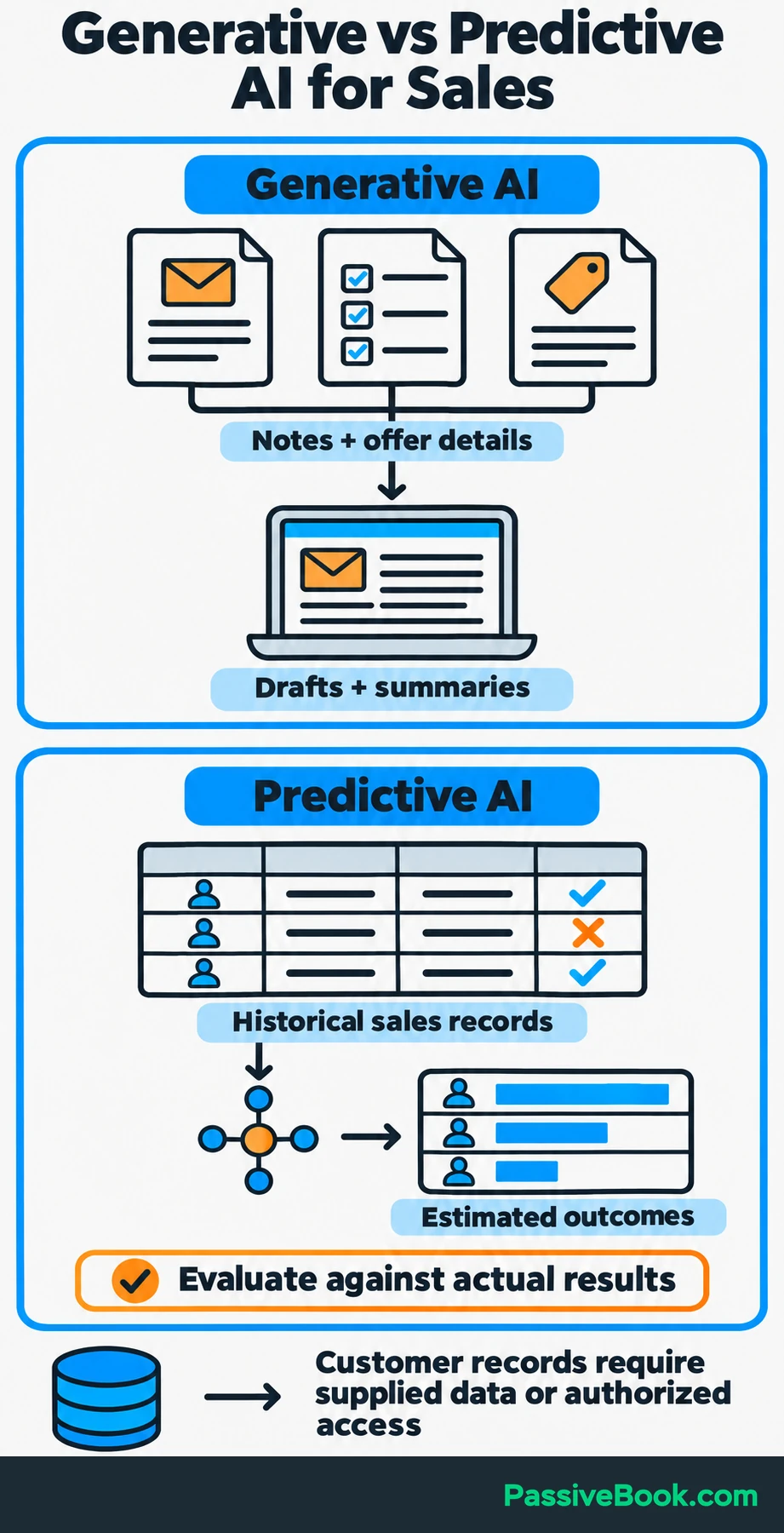
A writing assistant can start with a few notes you paste into it. It cannot read your customer records unless you supply them or connect a tool with access.
AI also differs from ordinary automation. A reminder follows a rule: remind me on Friday. AI can interpret an email and suggest what needs a reminder. You still need a rule or confirmed date to schedule it.
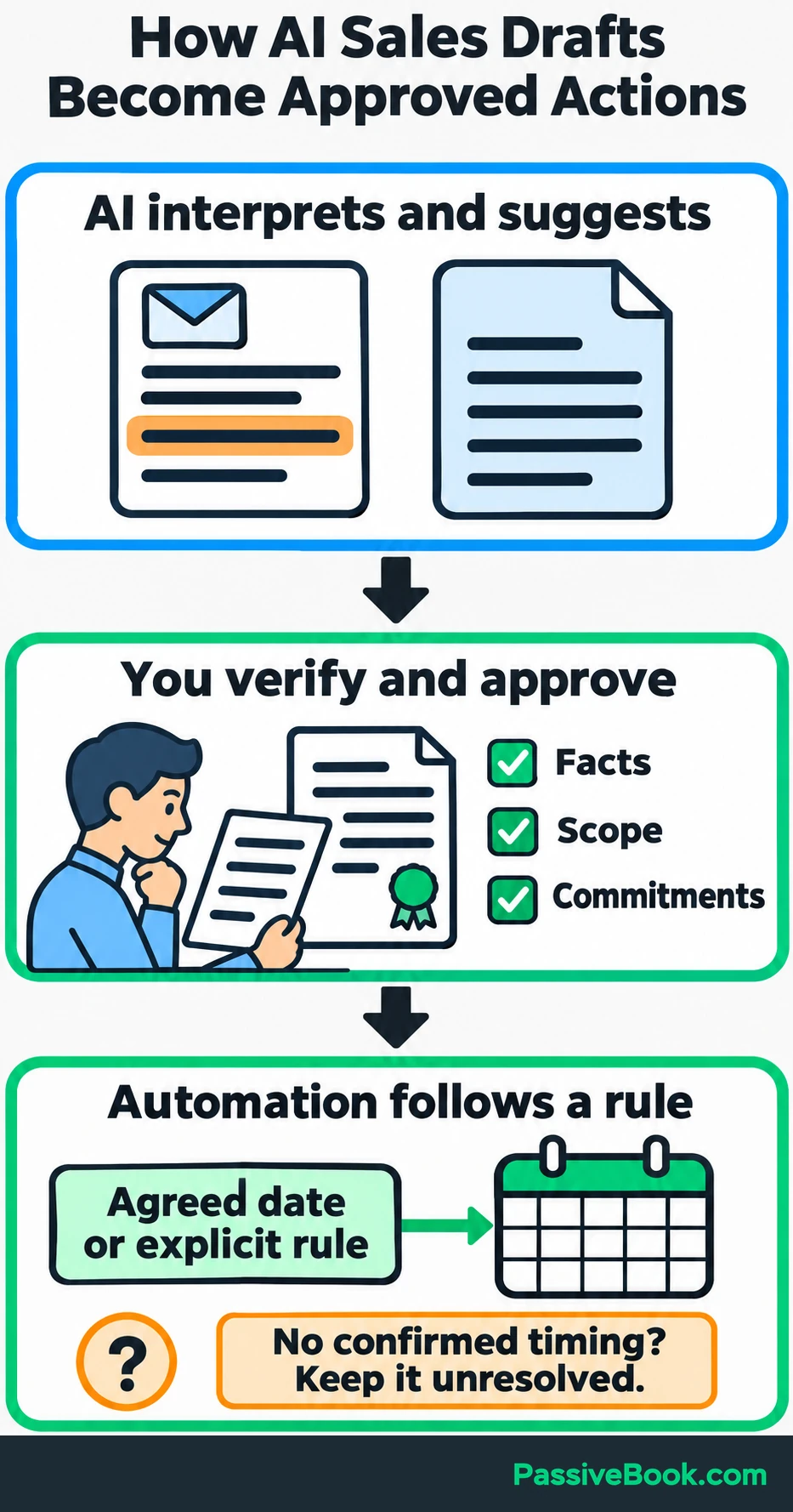
The main catch is that fluent writing can contain false information. NIST, the U.S. standards agency, calls this “confabulation”: confidently generating incorrect content. Check customer facts, package details and commitments against their sources. A convincing paragraph is not evidence. NIST’s explanation of confabulation
I would begin with a draft you can inspect before anyone else sees it. Understanding the buyer, negotiating and approving promises remain your job, and you can start without building custom integrations.
Practical AI Use Cases Across the Sales Process
Imagine you run a small agency offering website refreshes to independent garden centers. We’ll use that agency’s offer to work through each sales task.
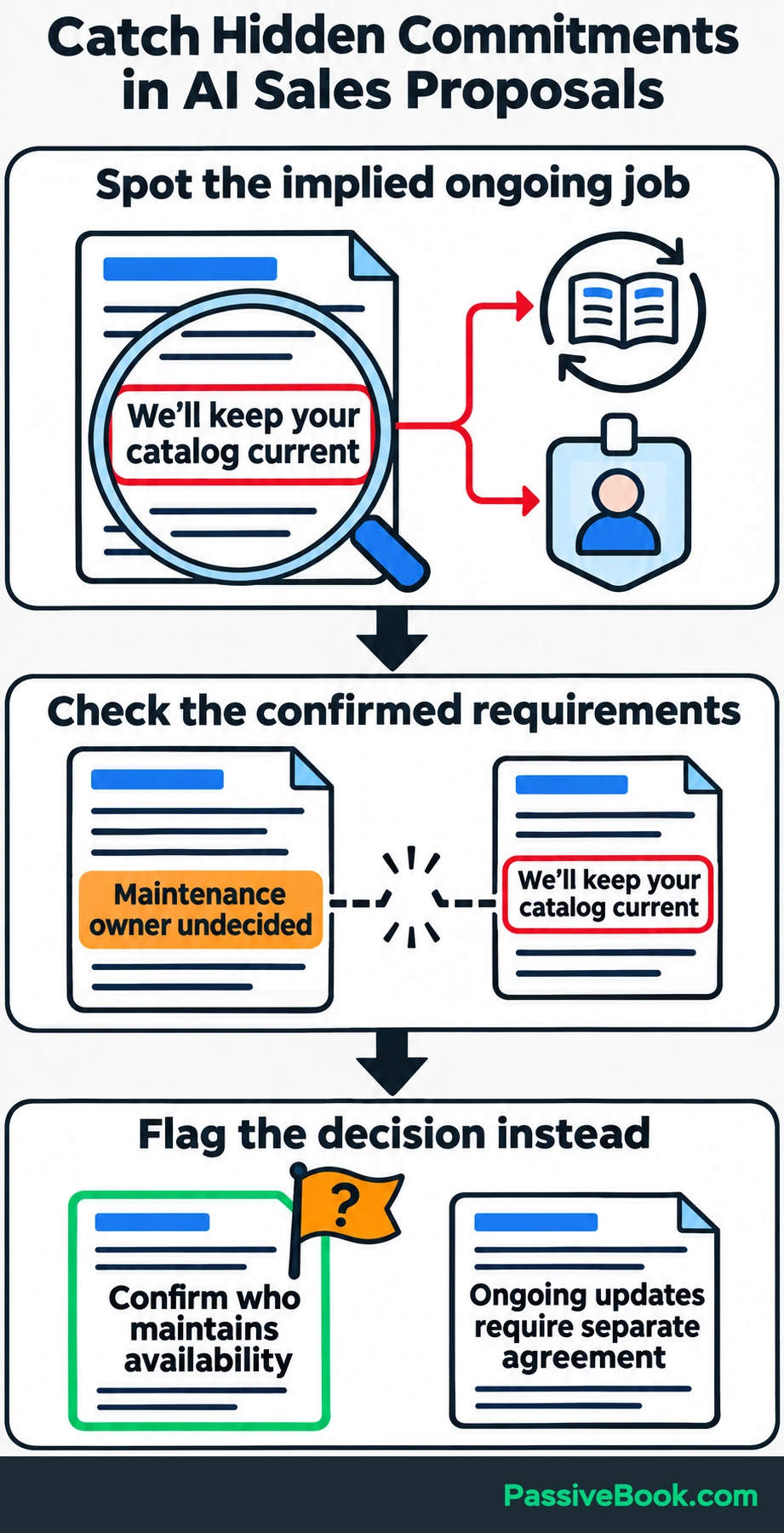
For the example, your standard offer includes a website refresh and a catalog page. Ongoing availability updates and inventory integrations need separate agreement.
Research and Qualify Prospects
Define a worthwhile prospect before asking AI to find one. Otherwise, you get a tidy list of businesses with no clear reason to contact them.
Write down:
- The problem your offer solves.
- The businesses you can serve.
- The conditions that make a conversation worthwhile.
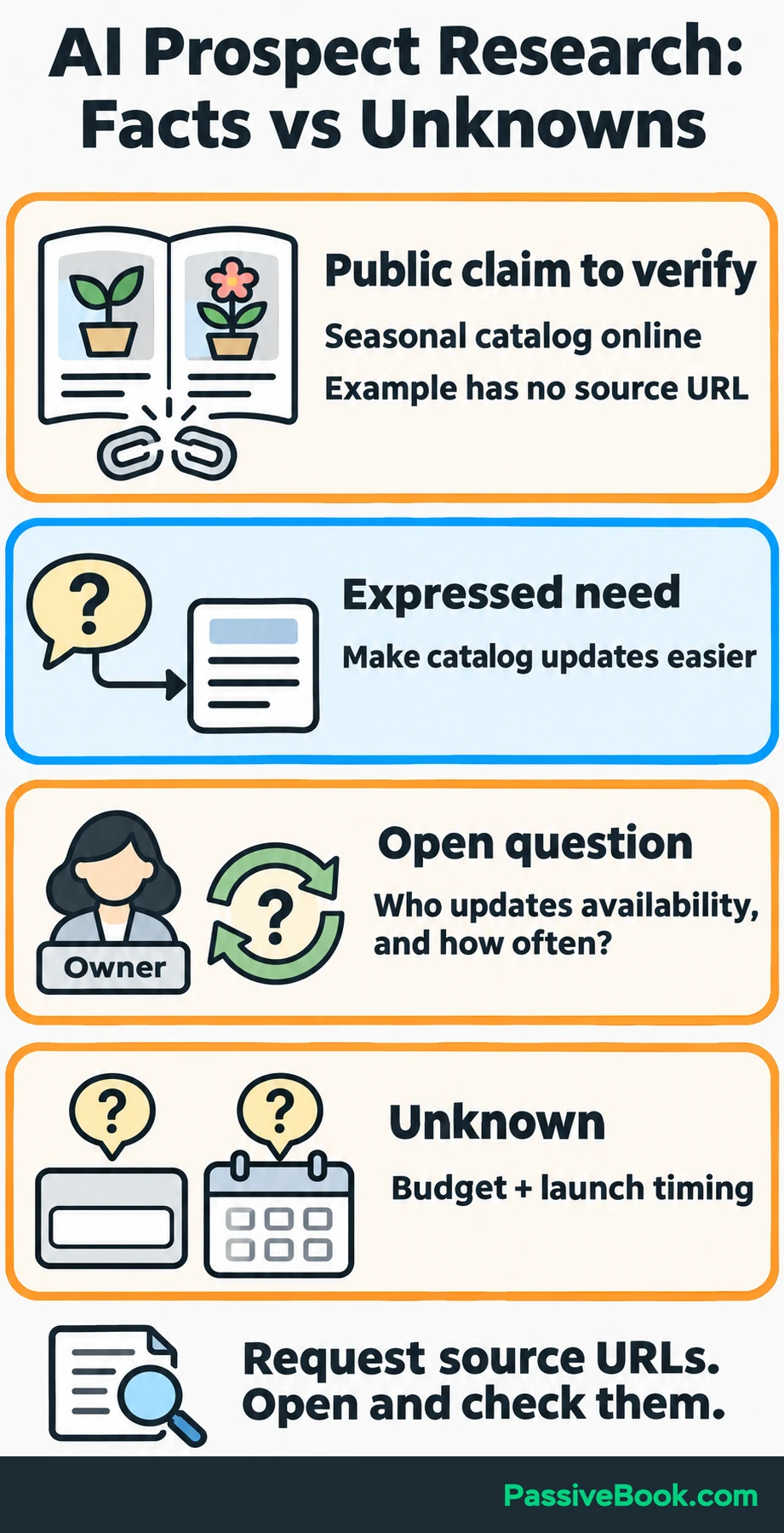
For your agency, that might mean independent garden centers that need help presenting their seasonal catalog online. A request for help is a stronger reason to talk than your opinion that their website looks dated.
Supply website text, public announcements or relevant inquiries. Ask AI to separate what the sources establish from what you still need to ask.
| Item | Example Research Note |
|---|---|
| Published fact | The garden center has a seasonal plant catalog on its website; no source URL is supplied in this example. |
| Expressed need | Its inquiry asks about making catalog updates easier. |
| Open question | Who maintains availability, and how often does it change? |
| Unknown | Budget and preferred launch timing have not been provided. |
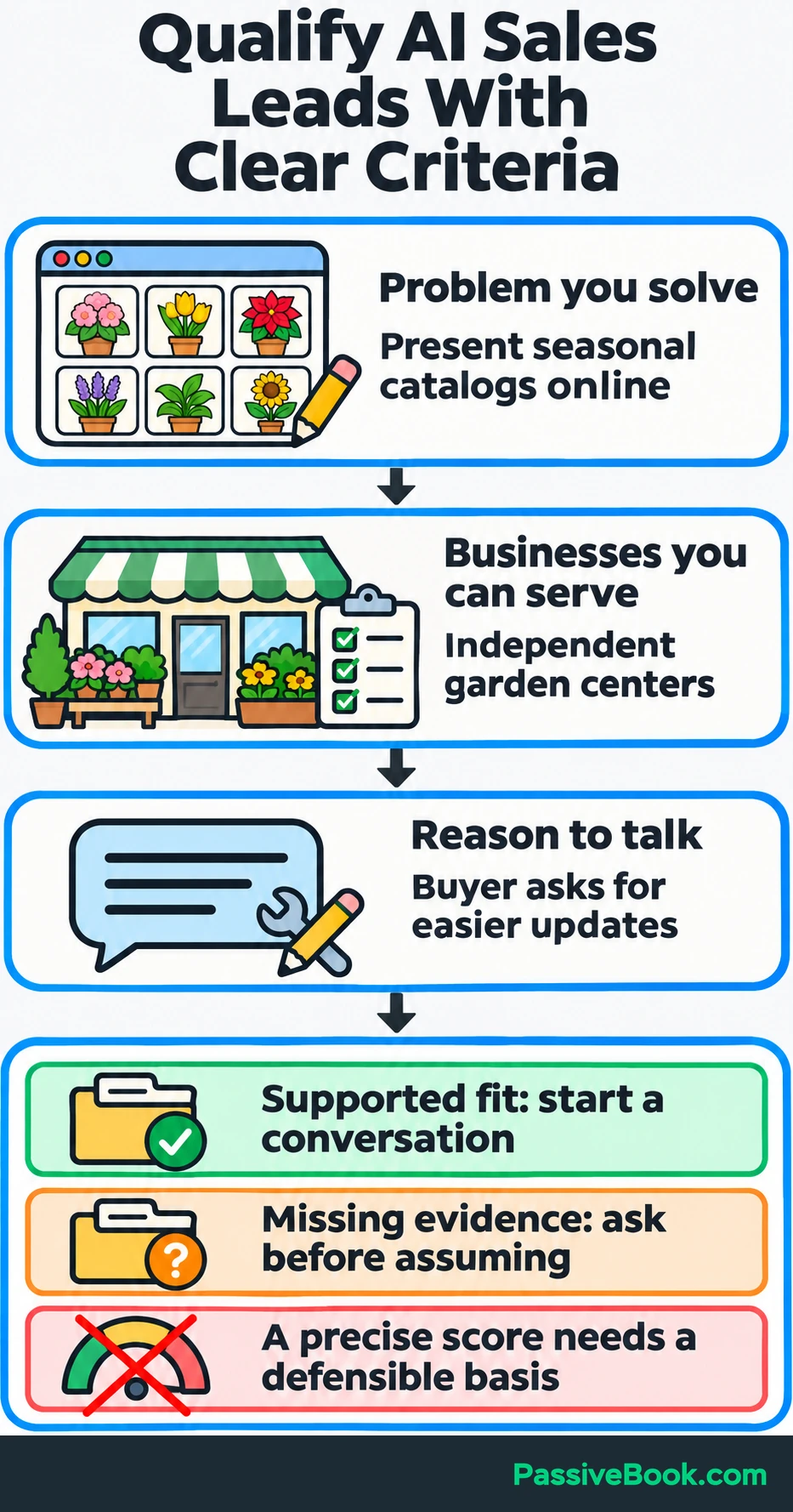
Ask for a source URL beside each public fact, then open the source yourself. Generated links need checking too.
Without a useful history of won and lost sales, I would use this criteria-based sorting. A score of “87% likely to buy” adds nothing if you cannot explain where it came from.
Personalize Outreach Around a Relevant Reason to Talk
Useful personalization connects something you verified to a problem your offer addresses.
Give AI one relevant prospect fact, your offer details and one desired next action. Ask for a short message linking them.
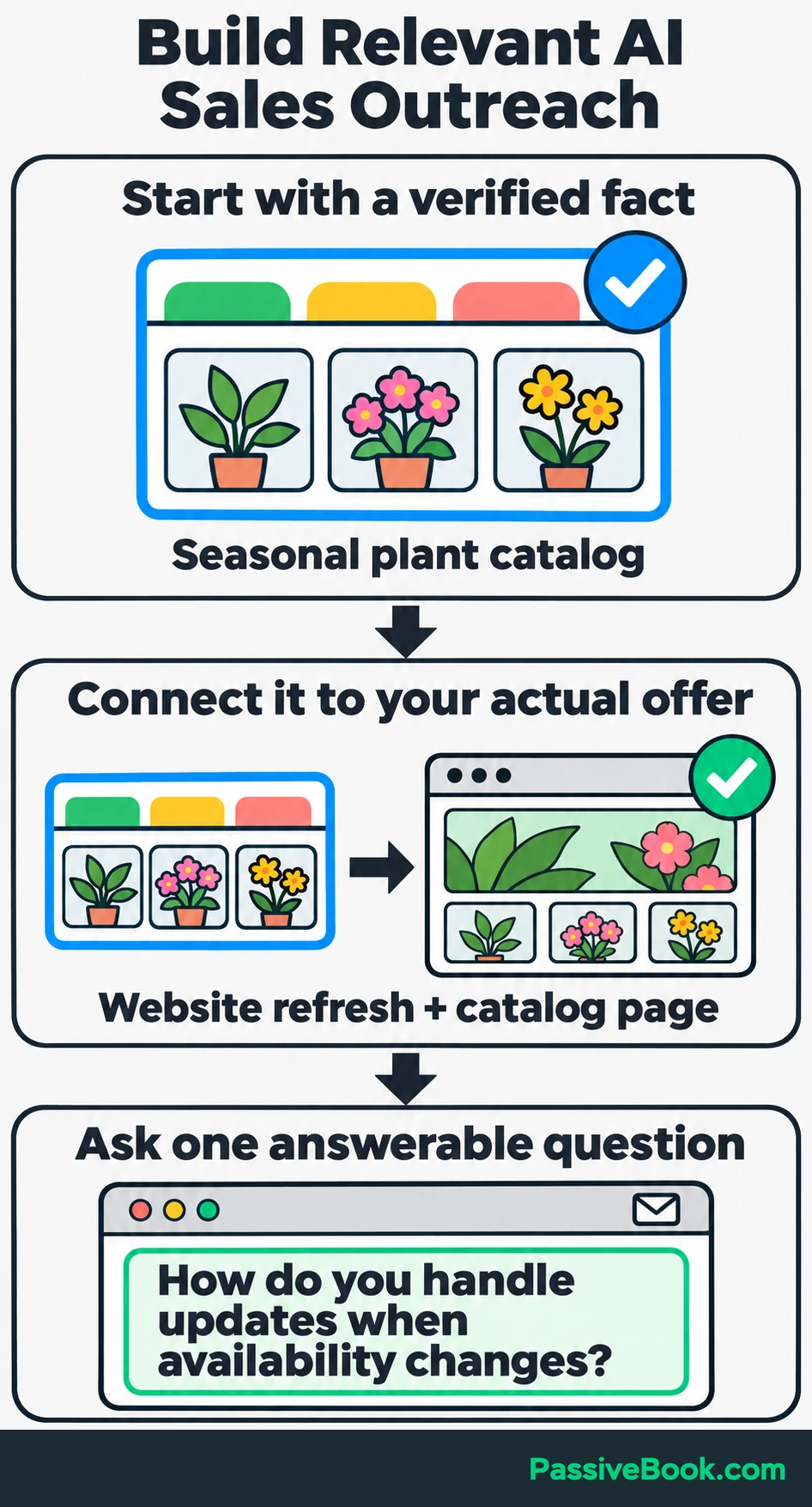
For the garden center, an opening could be:
I saw your seasonal plant catalog. How do you handle updates when availability changes?
That gives the recipient a clear question to answer. “I was blown away by your incredible business” gives them a reason to suspect a mail merge.
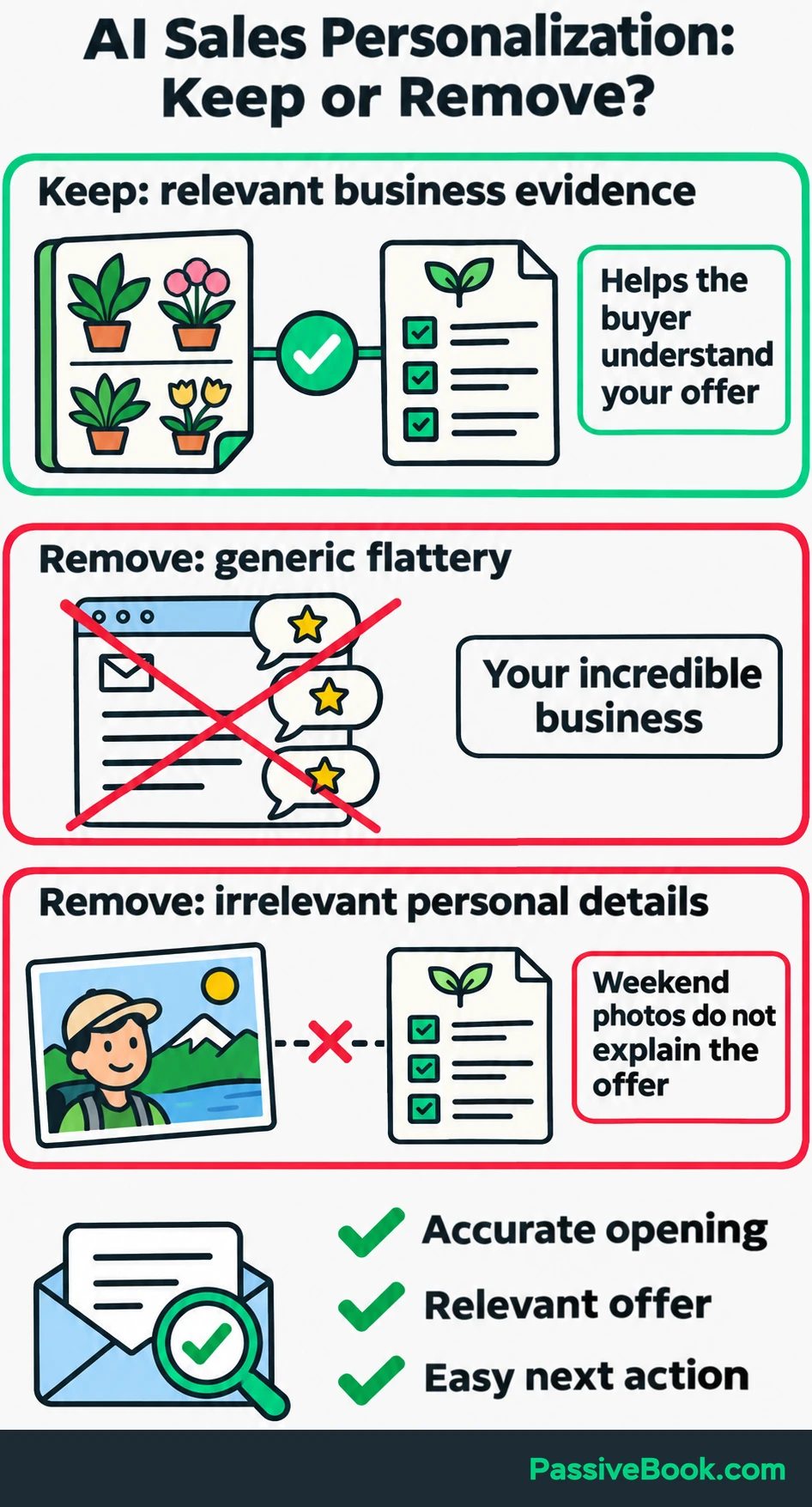
Review three things before using the draft:
- Opening: Is the business fact accurate?
- Relevance: Does the message connect that fact to work you actually offer?
- Next action: Can the recipient answer without doing homework?
Remove personal details that do not help the buyer judge your offer. A business catalog can explain why you contacted them. Their weekend photos probably cannot.
Follow the rules that apply to your outreach. For U.S. commercial email, the FTC requires accurate sender details and subject lines, clear advertising identification, a valid postal address and an opt-out method. Opt-outs must be honored within 10 business days. Other jurisdictions may require consent before contact, so check the rules for your recipients. FTC commercial-email guidance
Answer Routine Presales Questions
AI can draft answers to questions buyers ask before agreeing to work with you. It needs an approved reference covering what you sell, what is excluded, pricing rules and delivery expectations.
For your agency, that reference should explain whether the catalog page is included and who handles later updates.
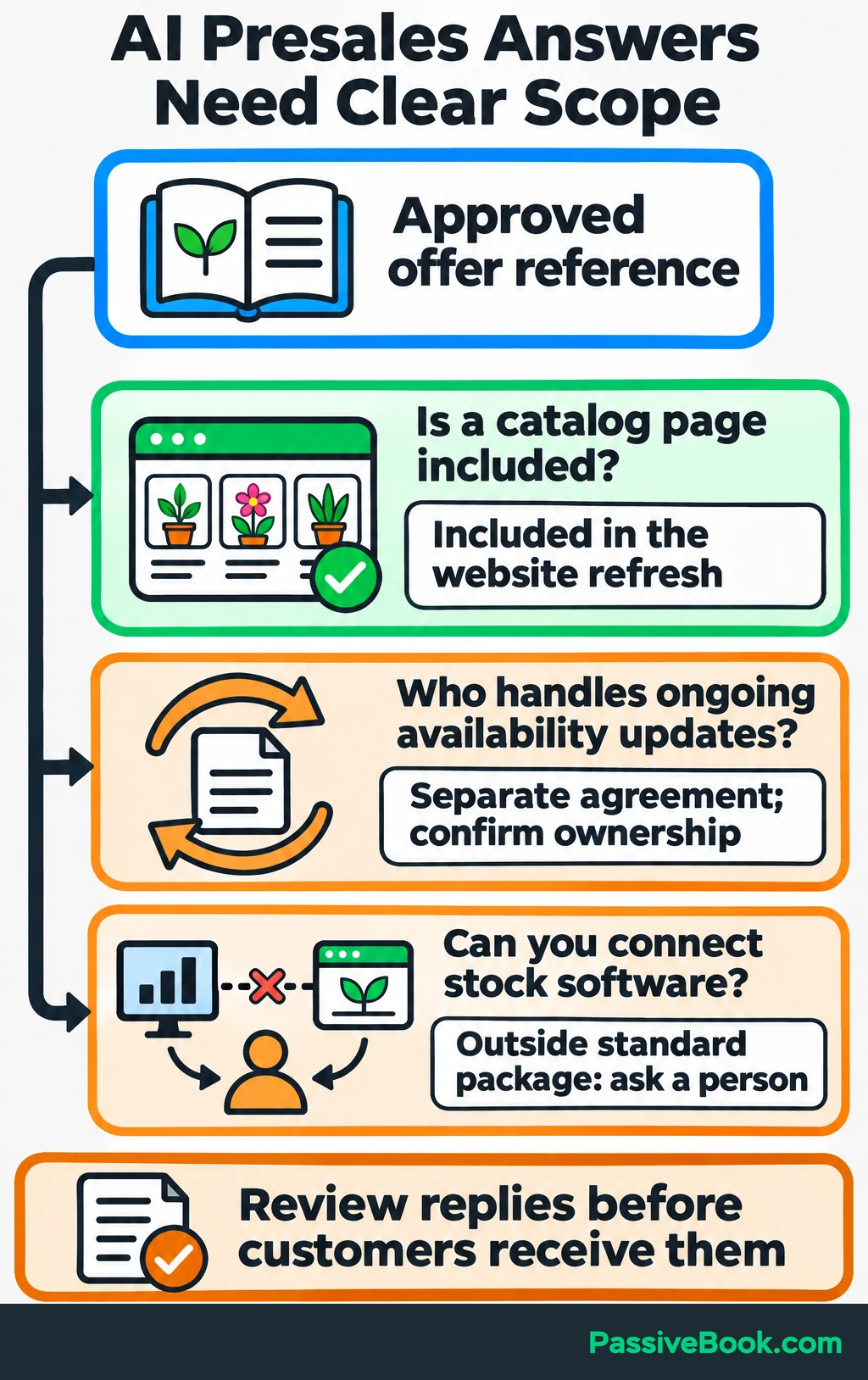
A reply excerpt might say:
The website refresh includes a catalog page. Ongoing availability updates need a separate agreement, so we would confirm who will maintain them before finalizing the scope.
Questions about connecting stock software should go to you because that work sits outside the standard package.
I would start with reviewed replies. A customer-facing assistant becomes worth considering when enough questions repeat to justify maintaining its answers and providing a dependable human handoff.
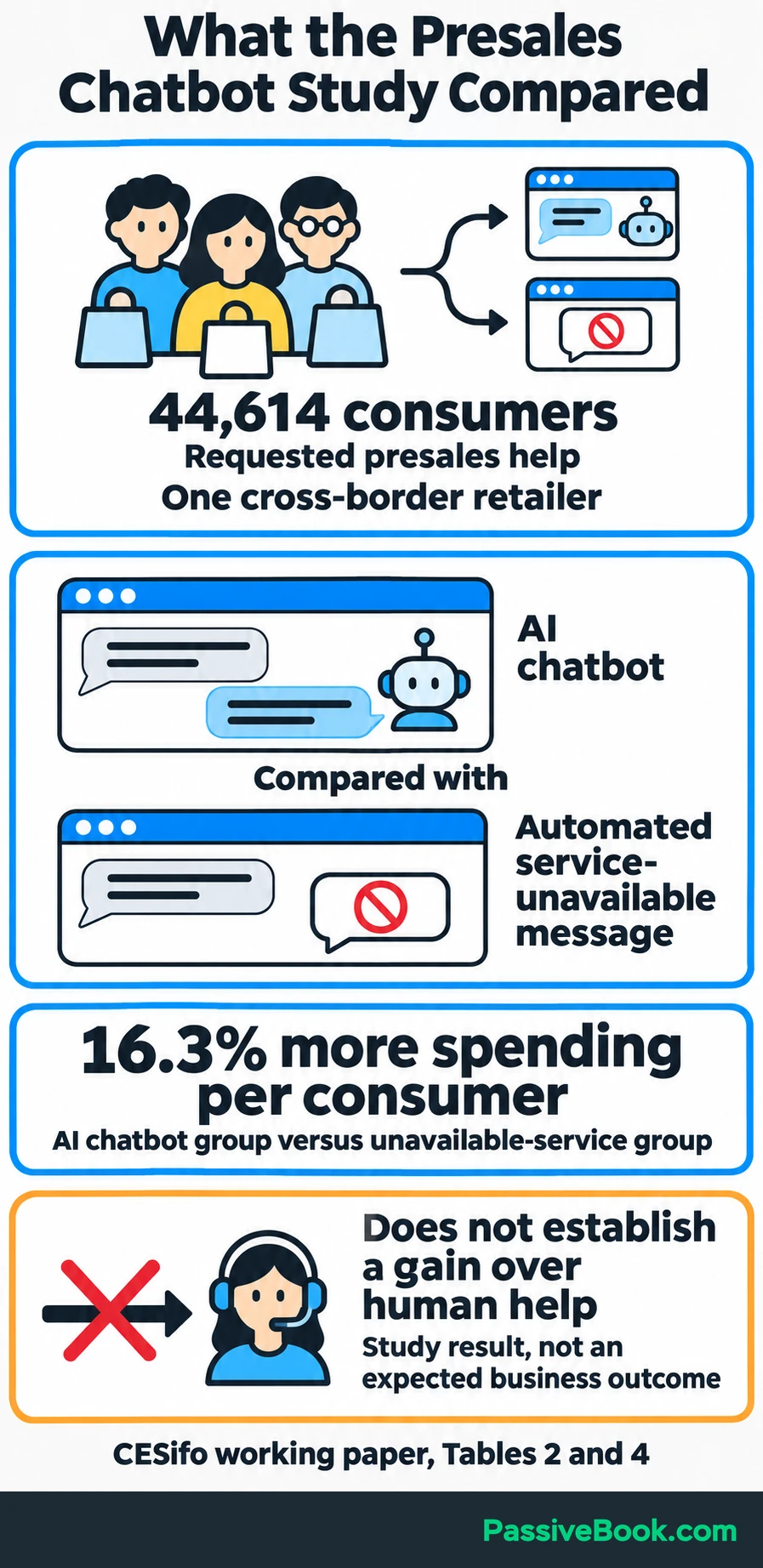
In a randomized experiment, 44,614 consumers who requested presales help at one cross-border retailer received either an AI chatbot or an automated service-unavailable message. The chatbot group spent 16.3% more per consumer during the experiment. The result, reported in a CESifo working paper, compares AI assistance with unanswered questions; it does not establish a gain over human help. Presales chatbot study, Tables 2 and 4
My application of that finding is simple: look for useful buying questions that currently go unanswered before buying a chatbot to replace replies you already handle well.
Prepare for Sales Conversations
Before a call, ask AI to turn the inquiry, earlier correspondence and offer details into a short brief.
The brief should cover the buyer’s stated priorities, unanswered questions and points you need to clarify before recommending work.
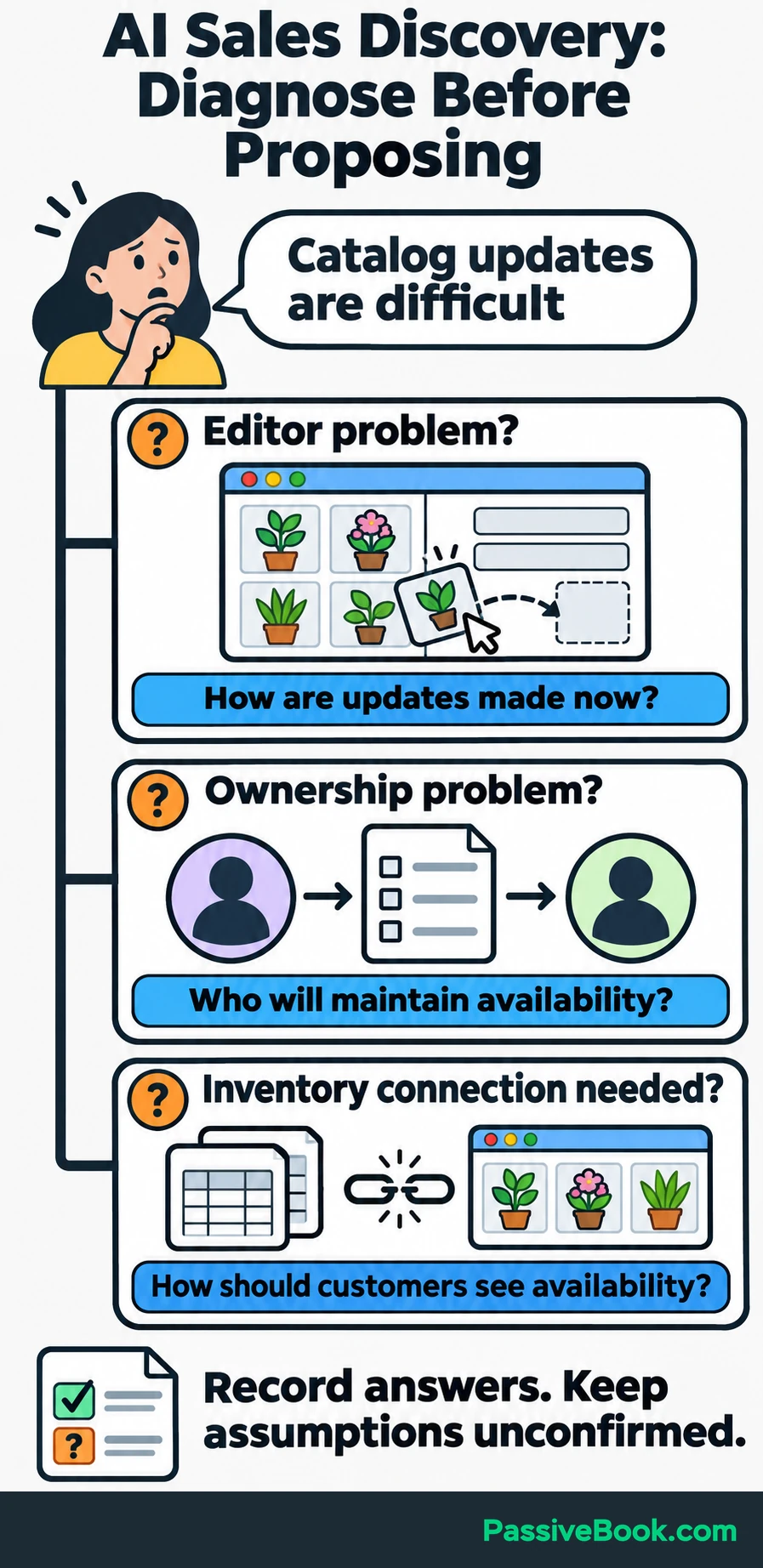
For the garden center, useful discovery questions include:
- Who updates the catalog now?
- How do customers find out whether a listed plant is available?
- What should visitors be able to do on the refreshed website?
- Who would maintain availability after launch?
Ask these questions before deciding what to sell. “Catalog updates are difficult” could mean the page editor is awkward, nobody owns the task, or the buyer needs an inventory connection.
Those are different jobs. Record the buyer’s answers and keep unconfirmed assumptions separate.
Draft Proposals From Confirmed Requirements
Once you understand the work, AI can organize confirmed requirements into a proposal.
Supply the agreed needs, package details, exclusions, approved prices and delivery rules. Ask it to flag unresolved decisions rather than quietly settle them.
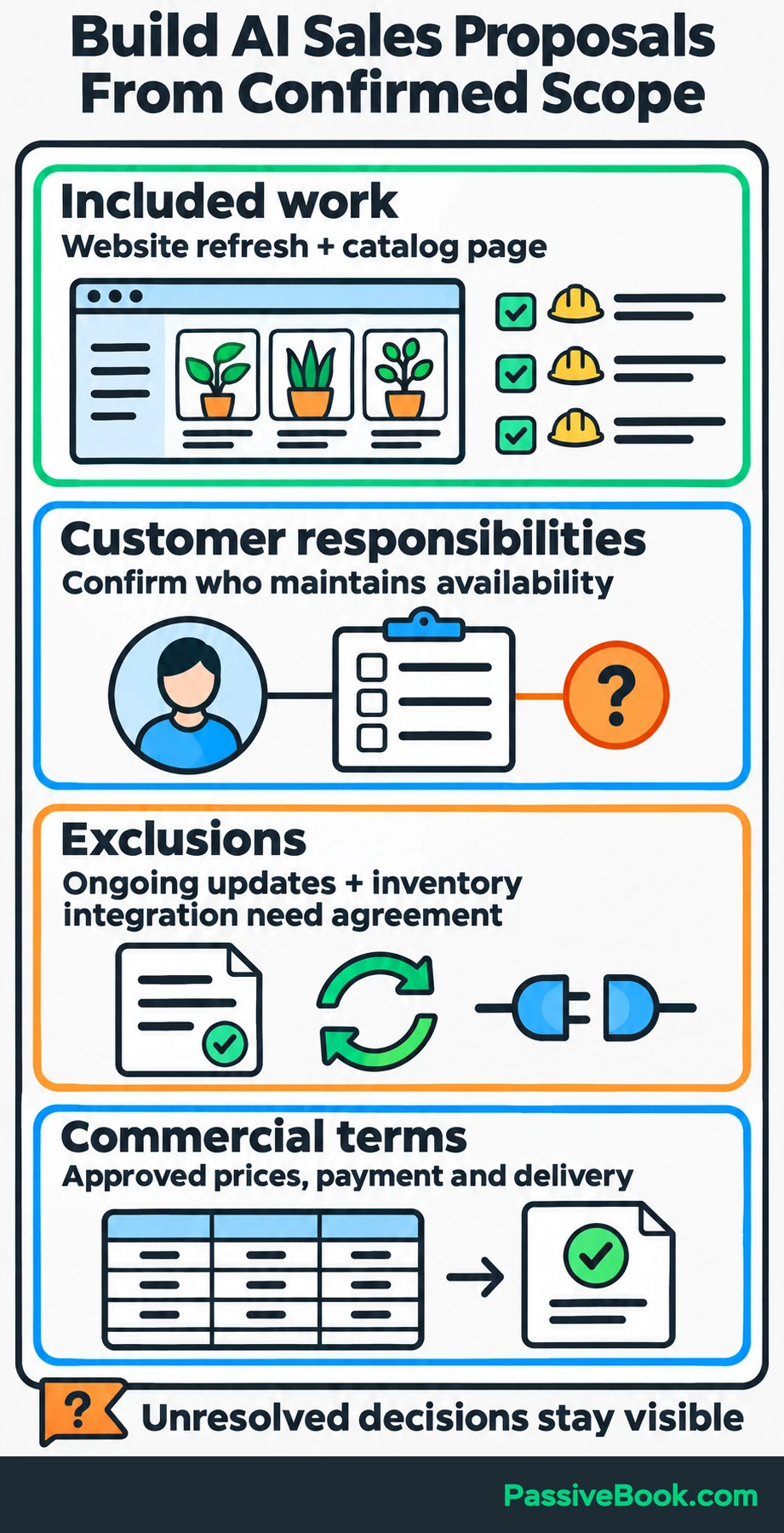
For the garden center, the proposal should explain how the catalog page will work and who will update availability. If that responsibility remains undecided, the draft should mark it as unresolved.
A useful proposal makes these points easy to find:
- Included work: What you will build or change.
- Customer responsibilities: What the buyer must supply or maintain.
- Exclusions: Work that requires a separate agreement.
- Commercial terms: Approved prices, payment terms and delivery commitments.
Calculate totals and discounts in a spreadsheet or quoting system, then insert the approved figures.
Read the proposal for promises as well as mistakes. “We’ll keep your catalog current” sounds harmless until you realize you have just volunteered for an ongoing job.
Turn Conversations Into Follow-ups
Follow-ups are a good first test because you can compare the draft directly with your notes.
Ask AI to extract the customer’s priorities, unresolved questions, agreed actions, owners and dates. Then have it draft the message.
A reusable instruction is:
Using only these notes and approved offer details, draft a brief follow-up with the agreed next step. Do not add deadlines or commitments. List missing information separately from the customer message.
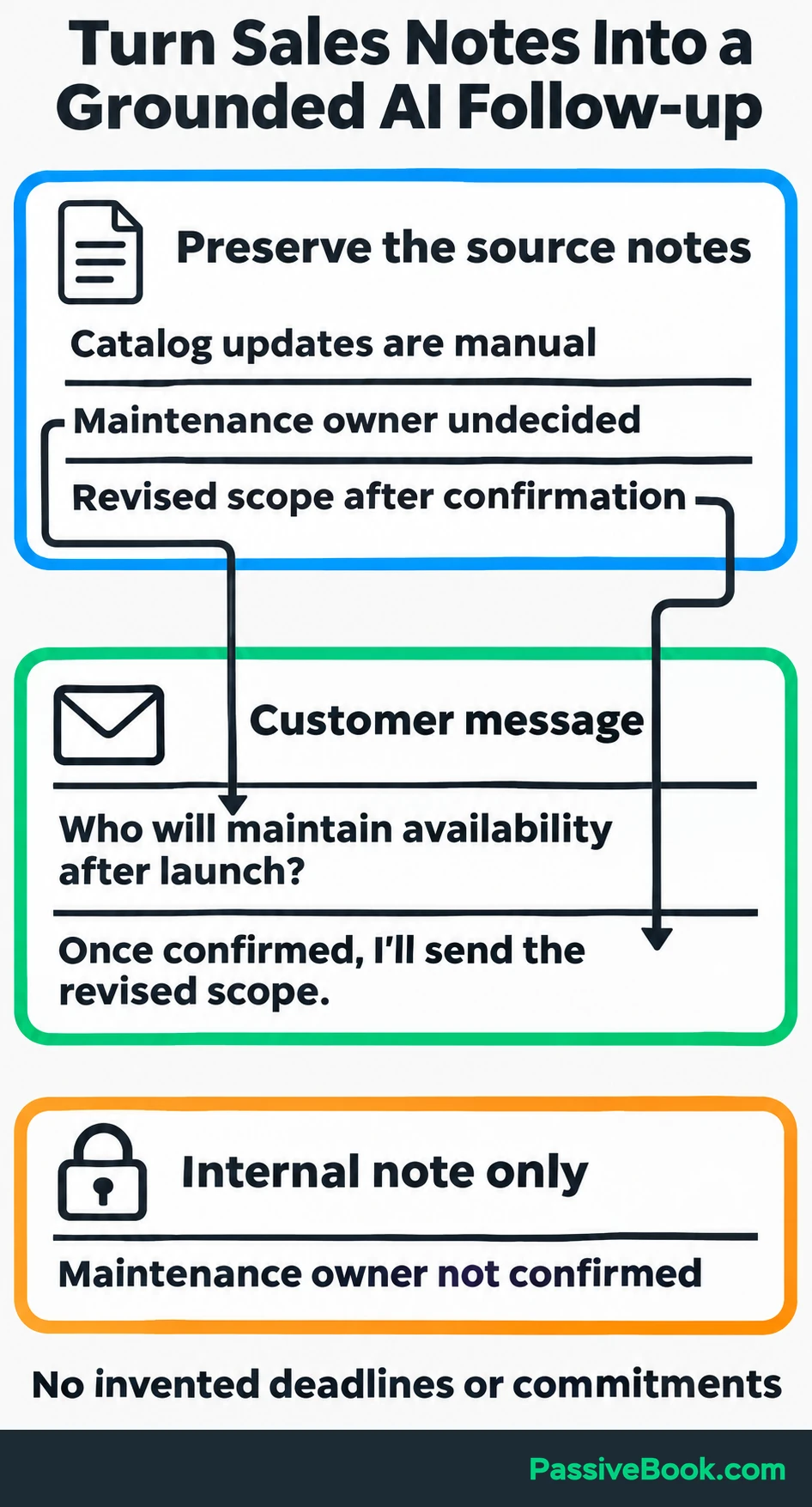
Suppose your discovery notes say:
Catalog updates are manual. Maintenance owner undecided. Send revised scope after confirmation.
Here is a complete follow-up you can adapt by replacing the bracketed details:
Subject: Catalog refresh — next step
Hi [Name],
Thanks for discussing the website refresh. We talked about simplifying catalog updates, and the remaining question is who will maintain availability after launch.
Would your team handle those updates, or should we discuss a separate maintenance agreement?
Once that’s confirmed, I’ll send the revised scope.
Thanks,
[Your name]
[Agency name]
Sales follow-up from [Agency name], [valid postal address]. To stop sales emails, reply “stop.”
The internal missing-information note should stay outside the email: “Maintenance owner not confirmed.”
Before sending, check that the draft reflects the conversation and your normal business signature and email requirements.
You can use AI Sales Conversation Coach to turn your own notes and offer details into a first draft. It also separates out the gaps and commitments that need your attention before you use the copy.
Free AI Sales Conversation Coach




You can also ask AI to suggest updates to your lead tracker: stage, unresolved question, next action and due date. Preserve the original notes so you can check the summary later.
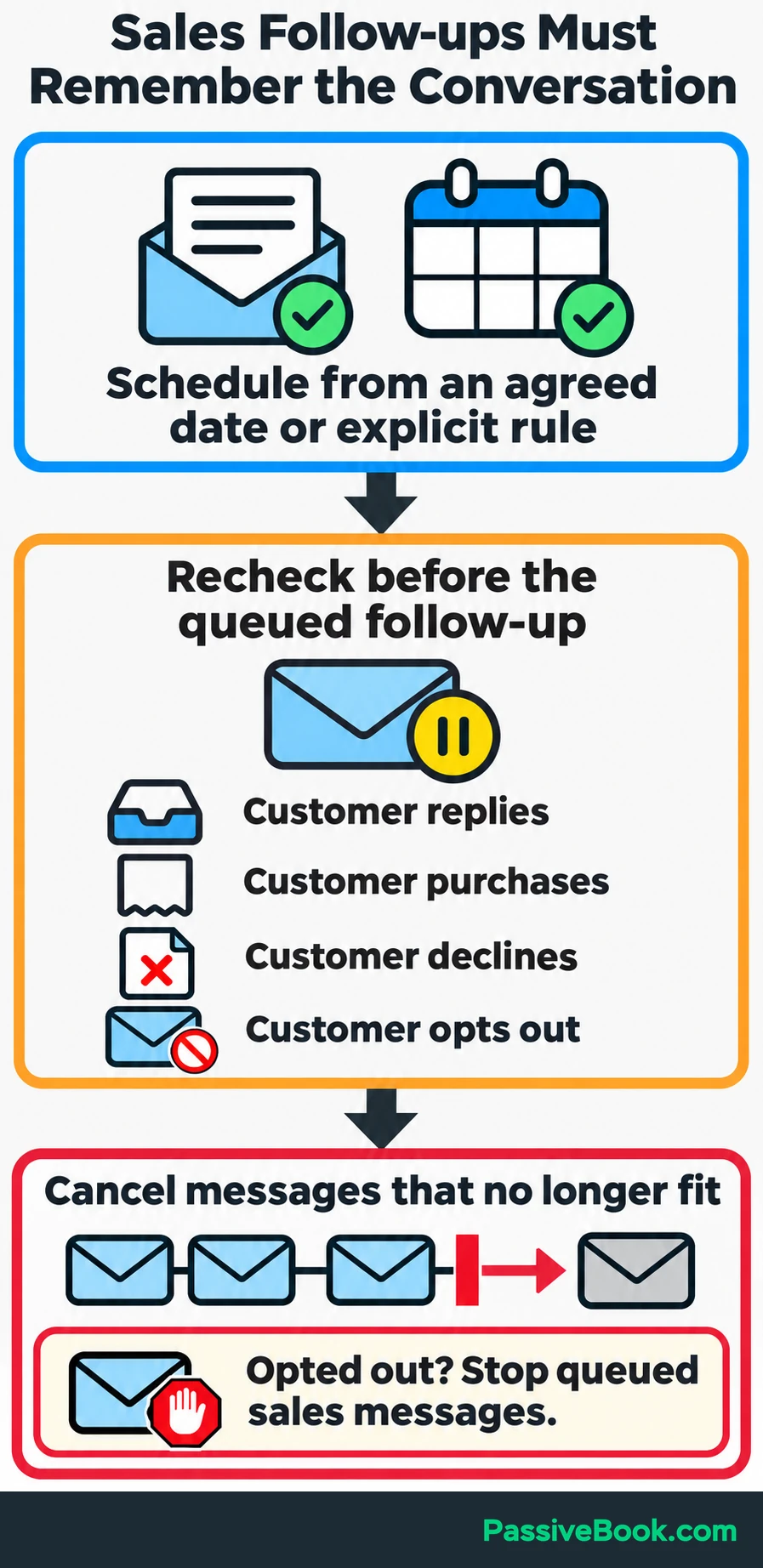
Schedule the next follow-up using an agreed date or an explicit rule. If the buyer replies, purchases, declines or opts out, cancel queued messages that no longer fit. A follow-up should remember the conversation.
Which AI Sales Tools Do You Need?
Choose tools around the task, the information required and where the result needs to go. Check what your existing software can do before adding another subscription.
I use Claude for long-form writing and n8n to connect tools without code. For a first sales test, I would use a general-purpose assistant with manually supplied notes and keep my existing lead tracker.
These tools do different jobs:
| Tool Category | Suitable Sales Tasks | Required Information or Access | Approval Controls | Cost Drivers |
|---|---|---|---|---|
| General-purpose assistant, such as Claude | Draft replies, summarize research and prepare briefs | Supplied notes, source material and offer details | Review the draft before copying it into email | Subscription or usage, plus editing time |
| Spreadsheet or customer relationship management system (CRM) | Store lead status, notes and next actions | Customer records and sales activity | Review proposed changes before saving | Seats, storage, setup and upkeep |
| Built-in CRM or meeting AI | Summarize conversations and reduce repeated copying | Authorized correspondence, notes or recordings | Check whether summaries and updates can remain drafts | Feature tier, seats, recording or AI usage |
| Automation connector, such as Make or n8n | Move approved information between apps | App permissions and defined workflow rules | Pause before sending messages or changing records | Hosting or execution usage, setup and maintenance |
An assistant drafts. A CRM remembers the customer record. A connector moves information. Buying one does not automatically give you the other two.
Consider built-in features when copying becomes the bottleneck. For connected workflows, confirm that approval happens before the action. For example, you can configure n8n to pause for approval before an AI workflow sends a message or changes a record. n8n’s approval controls
I would choose the smallest combination that completes the task reliably. Subscription cost matters, but so do setup, maintenance and the time you spend checking output.
How to Test AI in Your Existing Sales Workflow
Choose One Task and Define a Useful Result
Pick a recurring task with clear inputs and an output you can inspect. For the agency, start with turning discovery notes into a follow-up draft.
Measure how long that task currently takes. Include reading the notes, writing the message and checking it before sending.
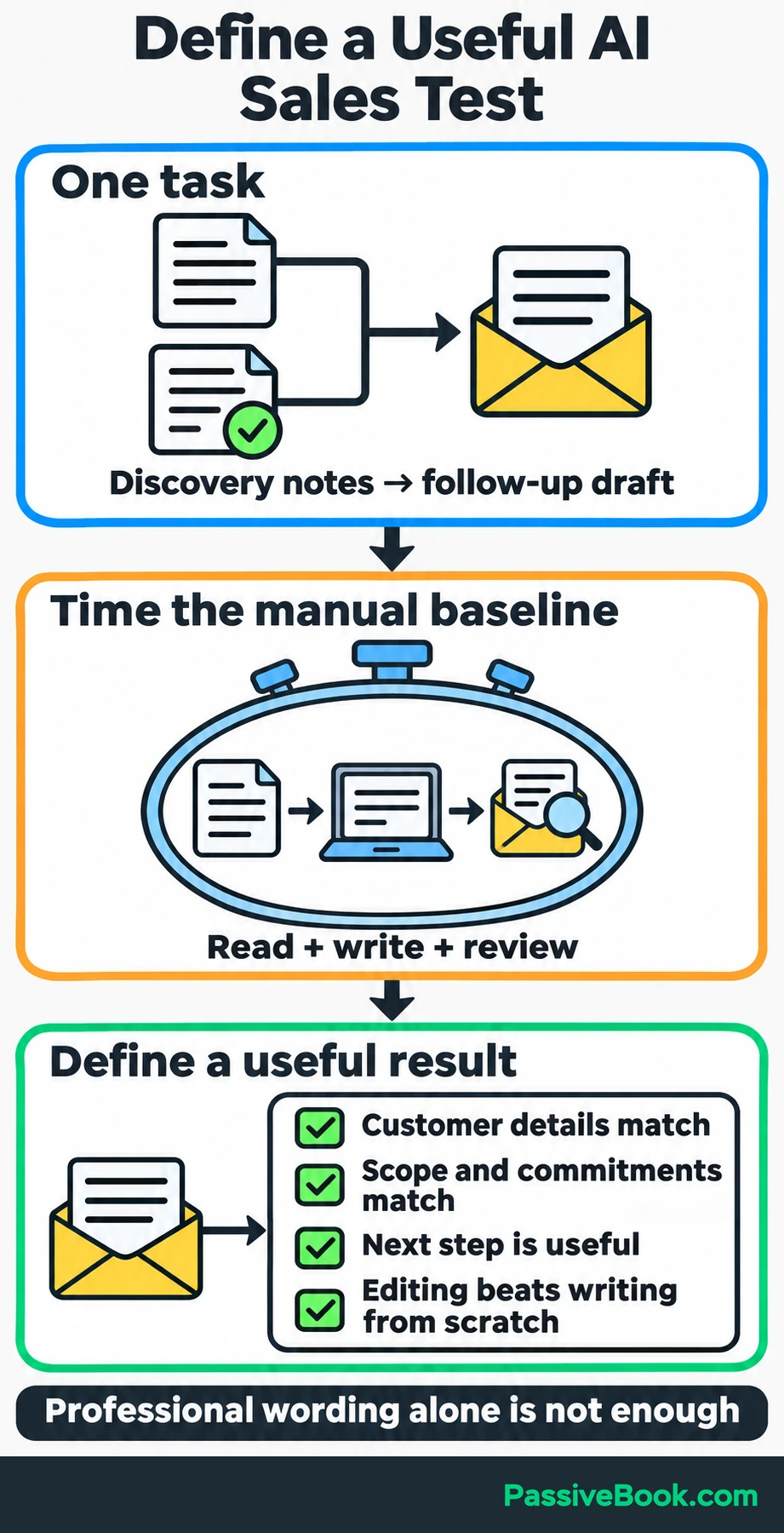
Then define an acceptable result:
- Customer details match the notes.
- Scope and commitments match your offer.
- The message asks for a useful next step.
- Editing takes less effort than writing from scratch.
“Sounds professional” is too weak. A polished message can still ask the wrong question.
Prepare the Reference Material
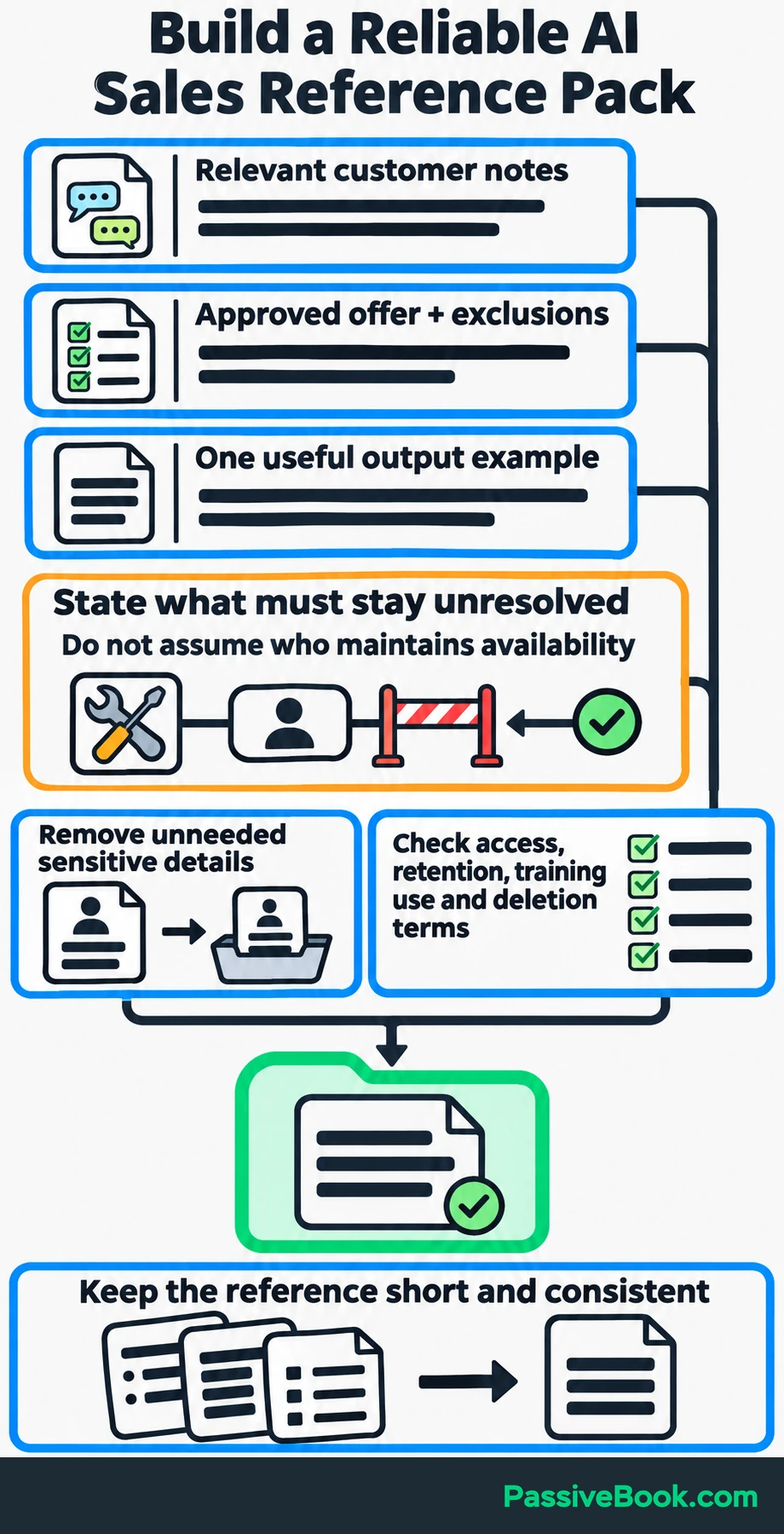
Collect the customer notes, relevant offer details and one example of the kind of output you want. Tell the assistant to leave missing information unresolved.
Keep this reference short enough to maintain. For your agency, a clear page explaining catalog work and maintenance boundaries is more useful than a folder of conflicting old proposals.
In my content pipeline, I kept editing the same kind of paragraph after each draft. I had explained what I wanted written but left out what the draft should leave alone. Adding those boundaries to the reference helped more than another clever prompt. I would make the same correction before connecting sales drafts to other tools.
Before uploading customer material, check the provider’s terms for access, retention, training use and deletion. Remove personal or confidential information the task does not need. NIST identifies exposure and inference of sensitive information as risks of generative AI. NIST’s data privacy discussion
Test Drafts Before Connecting Actions
Run a small set of representative examples manually. Include an incomplete inquiry, because missing information is where you need to see how the assistant behaves.
For your agency, try notes that mention a catalog refresh but say nothing about maintenance ownership. Does the draft ask who will maintain it, or promise that your agency will?
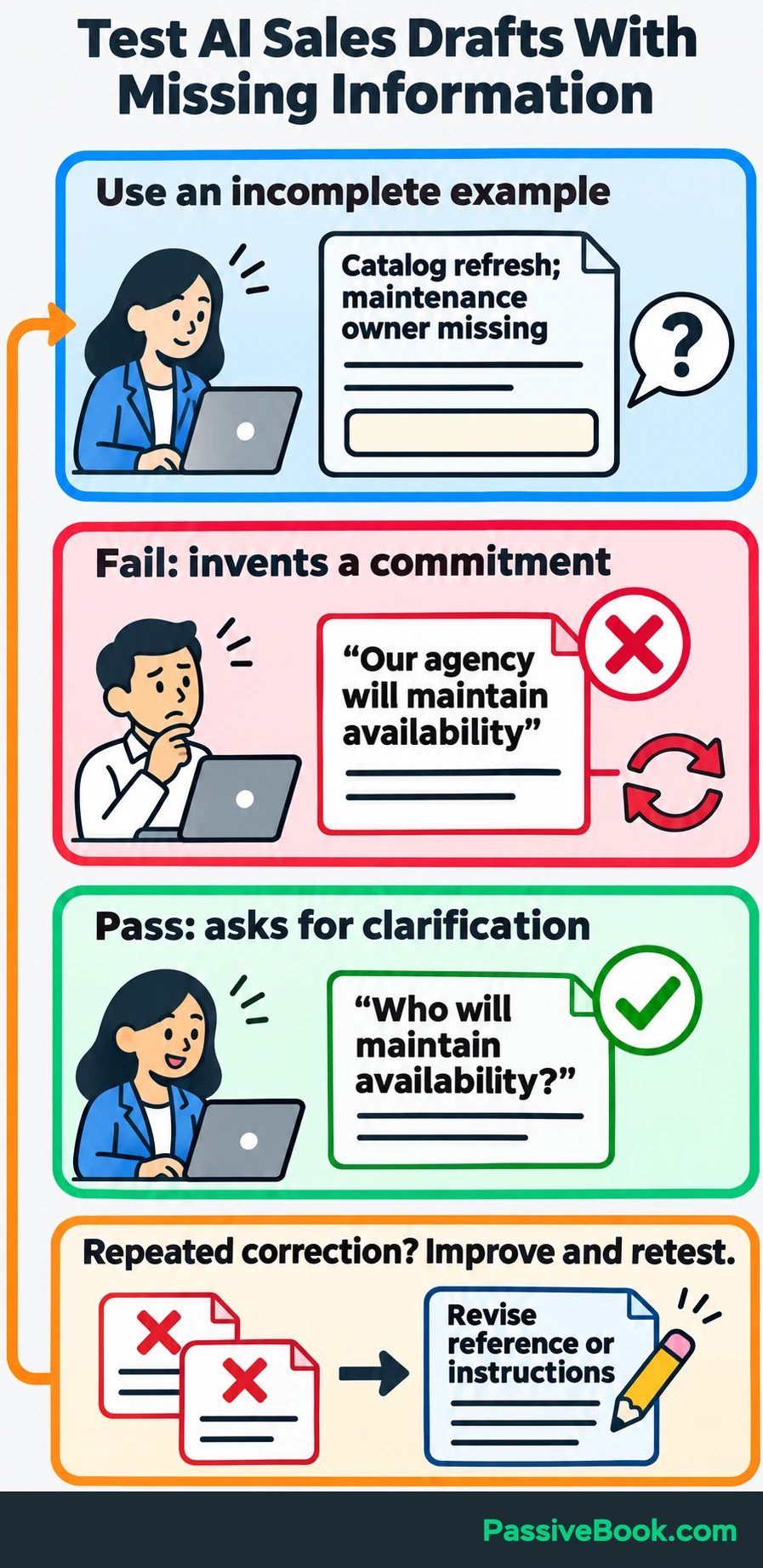
Check for factual errors, missing questions and invented commitments. When the same correction keeps appearing, improve the reference or instructions.
Once drafting works reliably, add automated handoffs where they save useful effort. Keep approval immediately before customer messages are sent or customer records change.
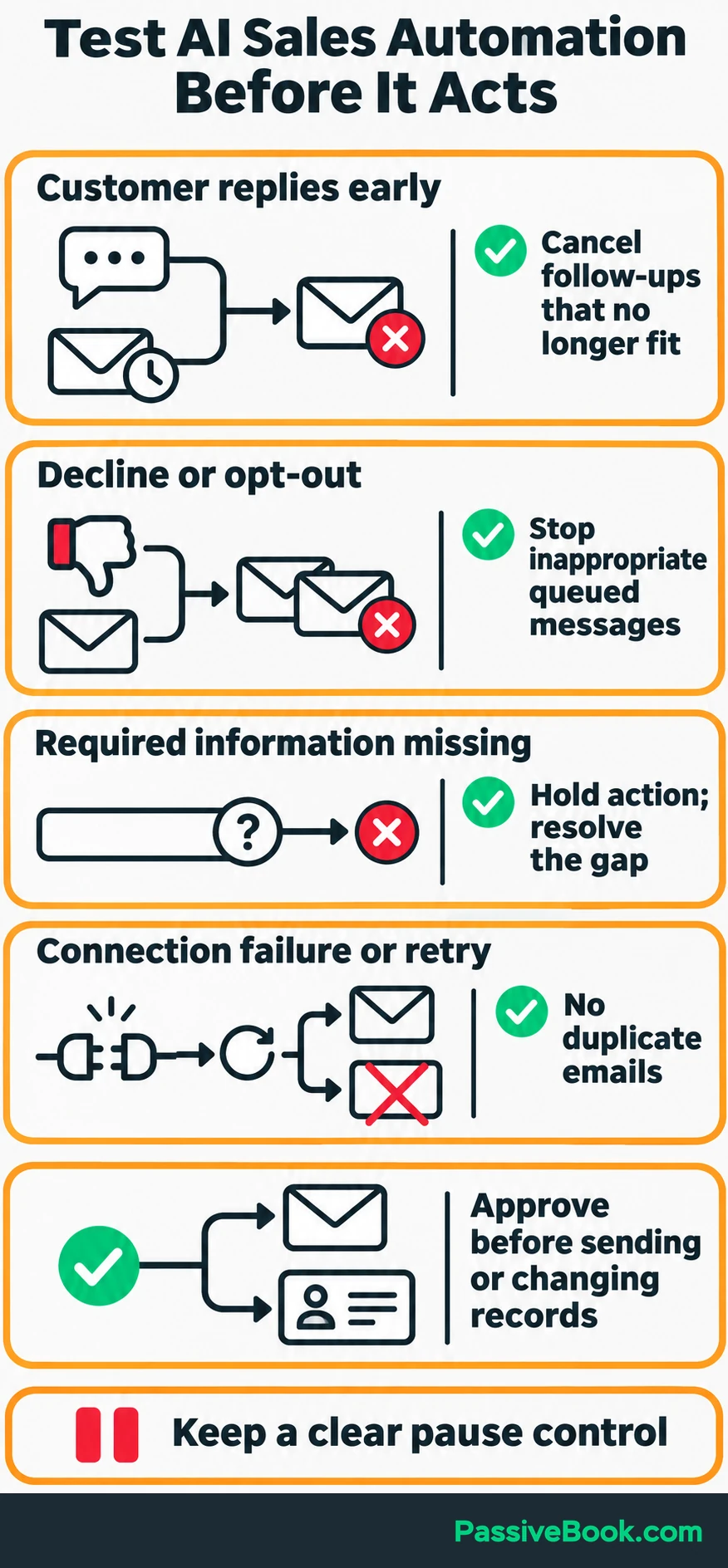
Test what happens when:
- A customer replies before a scheduled follow-up.
- Someone declines or opts out.
- Required information is missing.
- An app connection fails or retries a step.
A failed connection should not create duplicate emails. Keep a clear way to pause the workflow while you fix it.
Measure the Benefit After Review and Costs
Count all the time needed to finish the work. That includes preparing inputs, generating drafts, checking them, making corrections, and handling setup and maintenance.
Here is an illustration for the same batch of ten follow-ups:
| Method | Time Counted | Total |
|---|---|---|
| Manual | Ten follow-ups at 12 minutes each | 120 minutes |
| AI-assisted | Ten follow-ups at eight minutes each for preparation, generation and review, plus 20 minutes of shared setup and maintenance | 100 minutes |
| Net time saved | Manual time minus all AI-assisted time | 20 minutes |
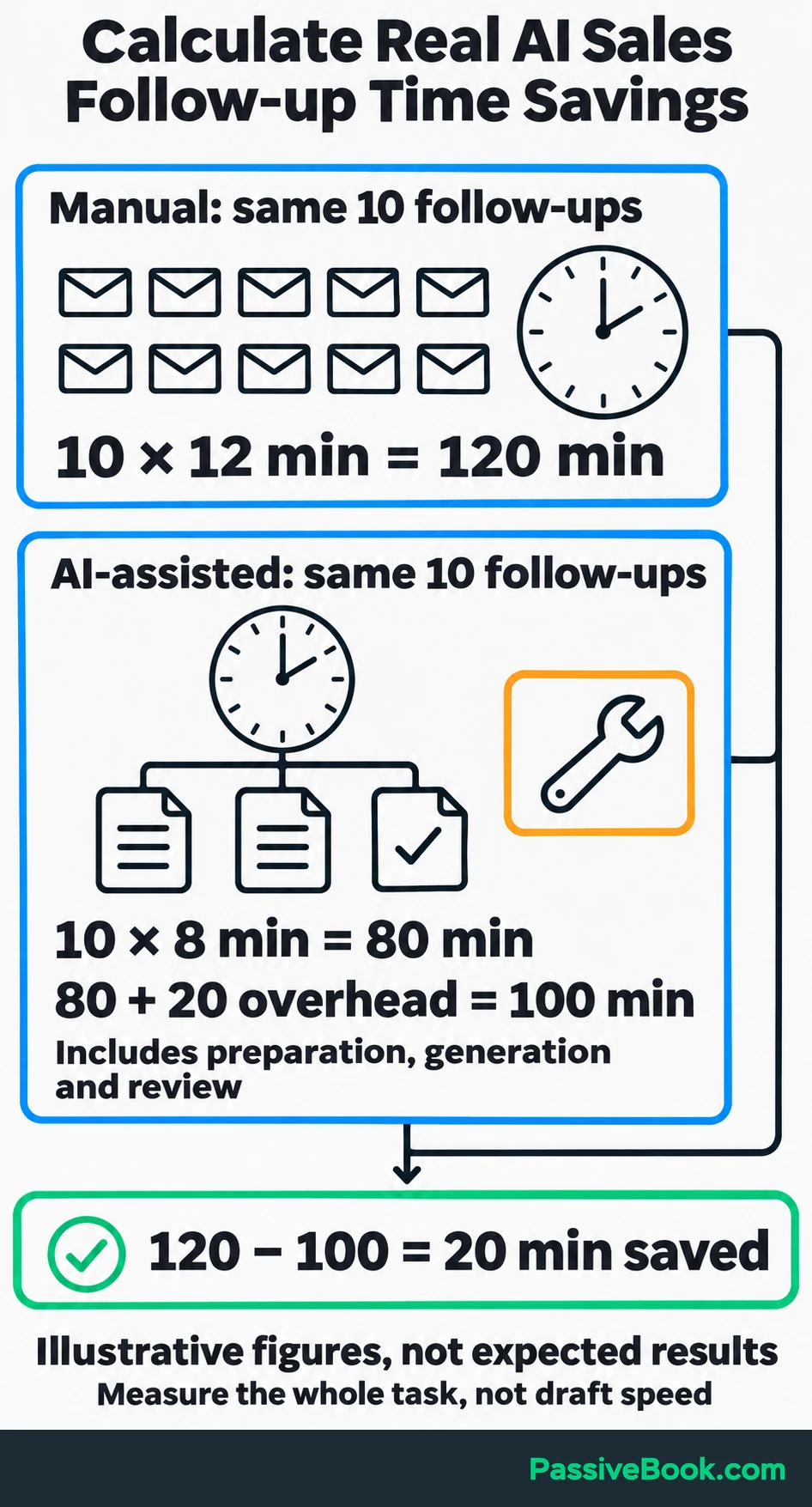
These are example figures, not expected results. They show why “the draft appeared in ten seconds” tells you very little about the time saved.
Track substantial corrections separately. A wrong commitment matters even if you catch it quickly.
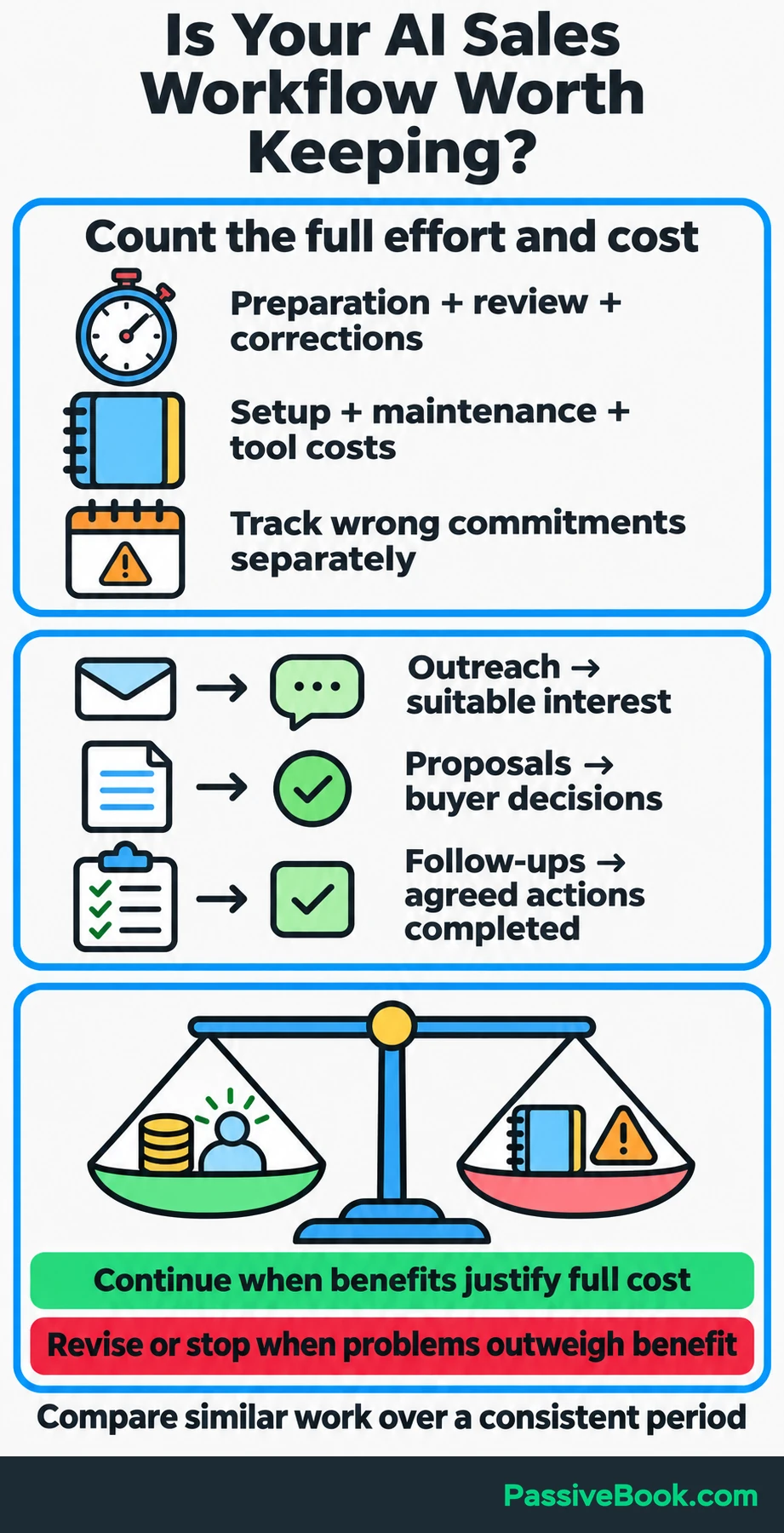
Also watch the customer result that fits the task:
- Outreach: Are suitable prospects replying with relevant interest?
- Proposals: Are buyers moving toward a decision?
- Follow-ups: Are agreed next actions getting completed?
Compare similar work over a consistent period. Faster drafting alone does not prove more sales.
Continue when useful time savings and customer outcomes justify the full cost. Revise or stop when checking effort, errors or complaints outweigh the benefit. Canceling a tool that creates work is a perfectly respectable automation strategy.
What Next?
Take one recent sales conversation and turn its notes into a follow-up draft using your approved offer details. Time the whole task, including review, and compare it with writing the message yourself.
If this gives you a practical way to test AI before buying more software, pass the article along using the social buttons.
Which sales task would you trust AI to draft while keeping approval yourself? Share your choice in the comments, and bring any other questions too.
Share this post with your friends & followers:

