Your launch list says “finish the product,” but the file still needs approval, the sales page promises an unfinished feature, and nobody has tested the download. A long task list can hide a surprising amount of unfinished work.
When you’re fitting a business around a day job, finding those gaps late means spending your next free evening untangling them. This guide shows how to use AI to plan a small launch, spot unfinished work before it holds up release, and reduce manual coordination while you keep control of deadlines and customer promises.
What Can AI Do for Project Management?
AI is useful when project work involves reading information and turning it into something clearer. You can ask it to:
- Break a goal into tasks with clear completion criteria.
- Pull commitments and unanswered questions from notes.
- Suggest a schedule using your available hours.
- Summarize progress and flag conflicting updates.
- Compare ways to handle delays or reduce scope.
You still decide what matters, who takes responsibility, and whether the work is good enough. Changes to deadlines, assignments, spending, or customer promises need your approval.
Ordinary automation handles fixed rules. An overdue task can trigger a reminder without AI. But interpreting “the revised cover needs another look” requires context: is that a blocker, a new task, or a suggestion?
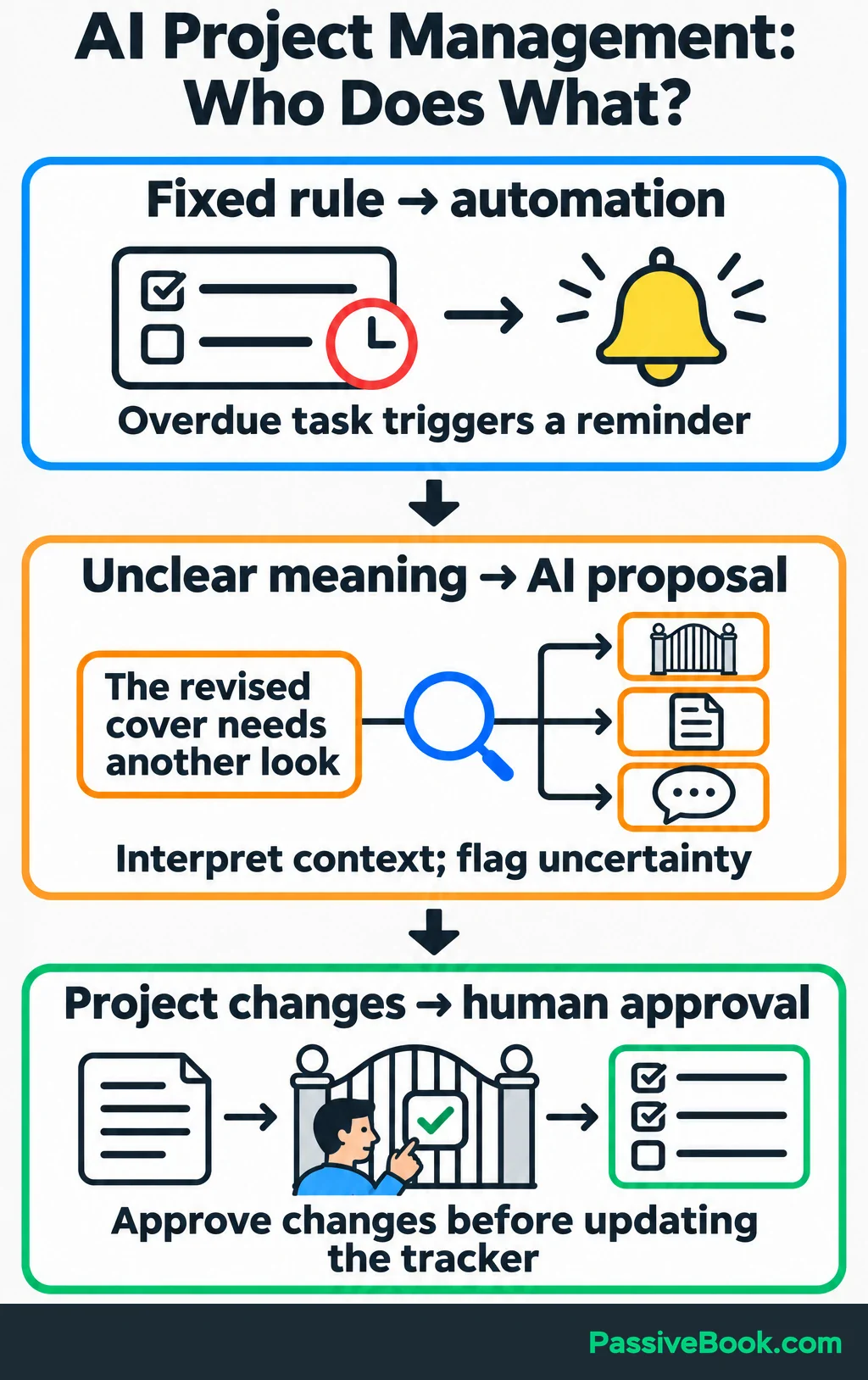
Learning how to use AI for project management starts with that distinction. Use it to interpret information and propose changes, then keep approved decisions in one tracker.
For the examples, imagine you run a digital-download shop launching a printable pet-sitter handover pack. The launch needs an approved PDF, a published product page, and a tested purchase-and-download process. The project details, figures, and outcomes below are illustrative.
I would start with one recurring job, such as turning review notes into proposed task updates. Time yourself doing it manually before introducing AI. Otherwise, “this feels faster” becomes your entire measurement system.
Choose a Simple Tool Setup
Keep your existing spreadsheet or project board. Add one AI assistant, supply the relevant information, and manually transfer the changes you approve.
These tools serve different roles:
| Role | Tool Examples | Purpose | When to Add It |
|---|---|---|---|
| Approved project record | A spreadsheet or Notion | Store tasks, owners, dates, decisions, and completion evidence | Use from the start |
| Drafting and analysis | Claude | Turn briefs and current records into proposed plans, summaries, and options | Start with one activity you can inspect |
| Connections between tools | Make or n8n | Pass selected notes to AI and route proposals for review | Add after the manual process works reliably |
I use Notion for planning and n8n for automation. For a beginner connecting a few apps, I would choose Make first because I prefer its visual setup for a small pilot. I’d skip an automation platform entirely until copying information becomes a recurring burden.
If you compare assistants, give each the same non-sensitive brief. Judge the result by how much is usable, how long corrections take, and whether you can trace claims back to the supplied records. A polished answer that needs twenty minutes of repair is expensive entertainment.
Count the whole cost: subscriptions, required seats, automation usage, AI usage, and maintenance. Claude’s API—the connection software uses to send requests—is billed separately from its chat subscription, though some plans include API credits. Check the billing explanation before budgeting for connected workflows.
Turn Your Goal Into an Approved Task Plan
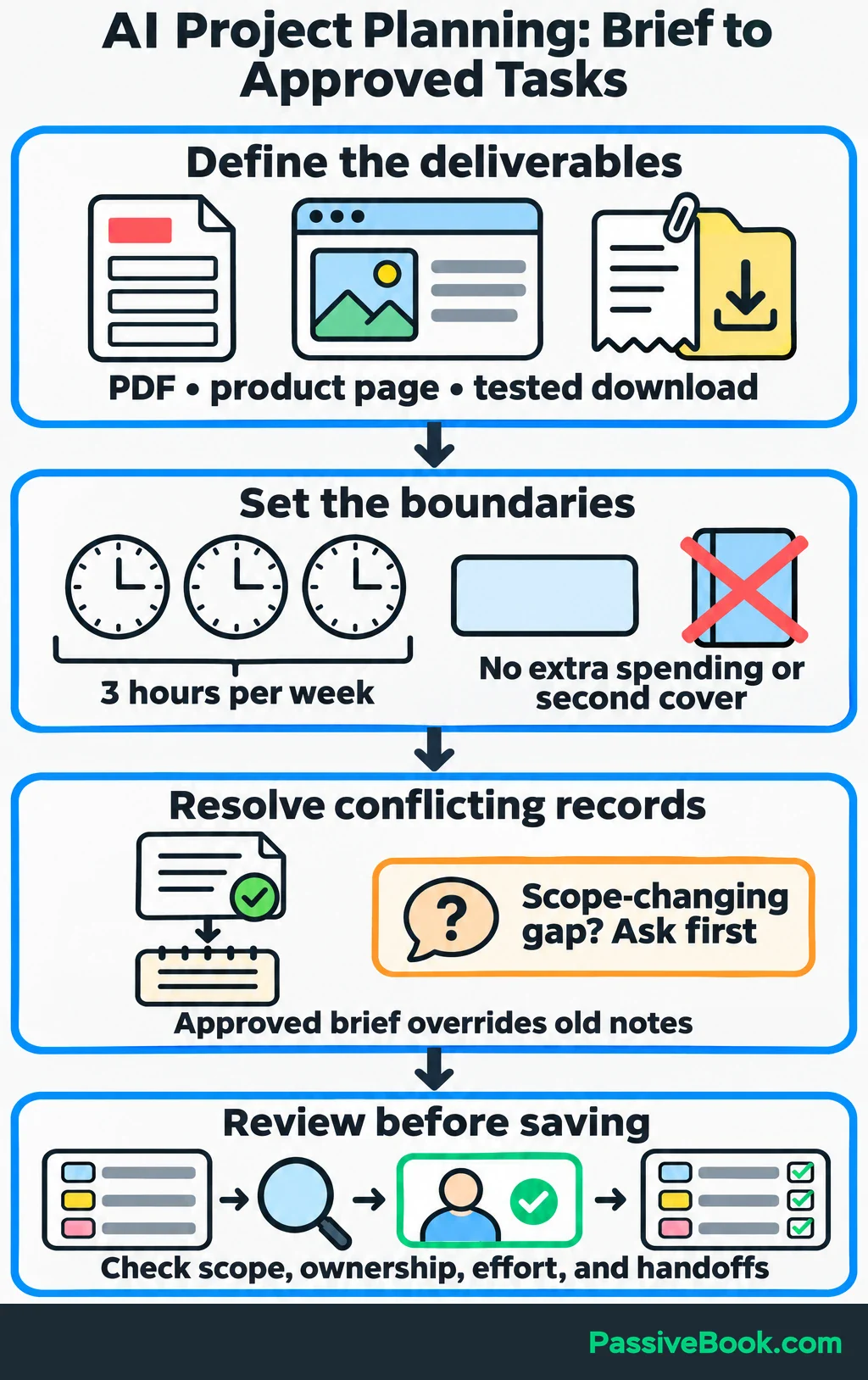
Write a brief before asking for tasks. Include the outcome, deliverables, completion criteria, exclusions, available time, spending limits, and fixed dates. If one task must finish before another can start, record that dependency too.
Also identify which document wins when records disagree. An approved product brief should take precedence over an old brainstorming note. Add revision dates so the assistant can tell them apart.
Before uploading anything, remove unnecessary customer details and credentials. This project needs blank handover forms, not a customer’s address, door code, or completed pet-care record.
Confirm that you have permission to share the material and check your account’s data controls. Claude’s consumer data-use terms and commercial data-use terms differ, so a paid account alone does not tell you which terms apply.
Here is a complete planning prompt you can adapt:
Help me prepare a project plan using only the brief below.

First, identify missing requirements. If an unanswered question
would materially change the scope, stop and ask it before drafting.

Otherwise, propose tasks with:
- Task ID and deliverable
- Observable completion criterion
- Proposed owner role
- Effort estimate
- Dependencies
- Approval needed

Separate supplied facts, assumptions, and proposals.
Do not invent commitments or dates.

Brief:
I run a digital-download shop and want to launch a printable
pet-sitter handover pack.

Required deliverables:
1. An approved PDF with blank sections for contacts, routines,
   supplies, and owner-provided instructions.
2. A published product page that accurately describes the file.
3. A successful test purchase and download of the correct PDF.

Completion criteria:
The PDF has been proofread and test-printed.
The product page matches the approved PDF.
The purchase test confirms checkout, download access, and that
the downloaded file opens.

Excluded:
Custom versions, a second cover, and additional products.

Capacity:
One owner working three hours per week.
No outside help or additional spending is approved.

Timing:
The preferred launch is at the end of Week 4.
This is an internal target, not a public commitment.

Dependencies:
The approved PDF must be uploaded before the final download test.
Launch approval requires all three deliverables.

Record priority:
This brief overrides earlier brainstorming notes.
Check the response against the brief. AI can contradict information you supplied. Anthropic’s guidance on reducing inaccurate output recommends grounding responses in source material and making claims easy to verify. For project work, I ask for supporting excerpts beside any disputed requirement.
Then review the plan for missing handoffs, duplicate tasks, unnecessary scope, unrealistic estimates, and unclear ownership.
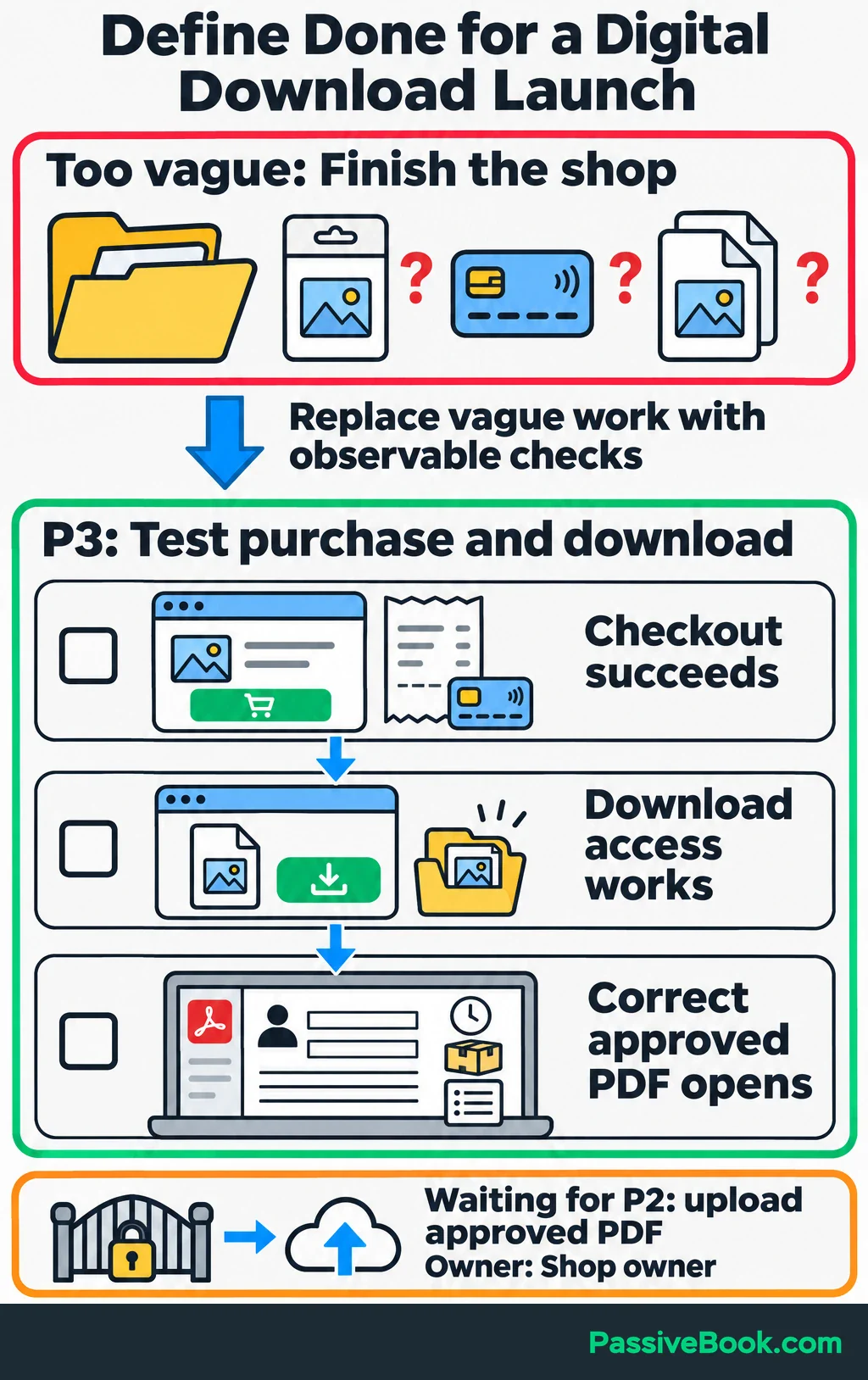
“Finish the shop” fails this check. “Upload the approved PDF” and “verify that the purchased file downloads and opens” describe work you can accept.
If your project is still scattered across notes, this AI Skill can turn them into a draft you can review. It shows what needs your approval and keeps proposed work separate from commitments you have actually made.
Free AI Action Planner




Use a reusable task table in your tracker. Here is what one row’s fields might contain:
| Field | Example Entry |
|---|---|
| Task ID | P3 |
| Task | Test purchase and download |
| Completion criterion | Checkout succeeds; download access works; downloaded file is the approved PDF and opens |
| Owner | Shop owner |
| Remaining effort | One hour, to be revised after testing |
| Dependency | P2: upload the approved PDF |
| Due date | Set after checking capacity and PDF approval timing |
| Status | Waiting for P2 |
| Last update | Approved file has not yet been uploaded |
The estimated hour is a planning assumption. Replace it with actual experience as you work. Save the reviewed plan in your tracker so the next AI request starts from approved records.
Build a Schedule Around Dependencies and Capacity
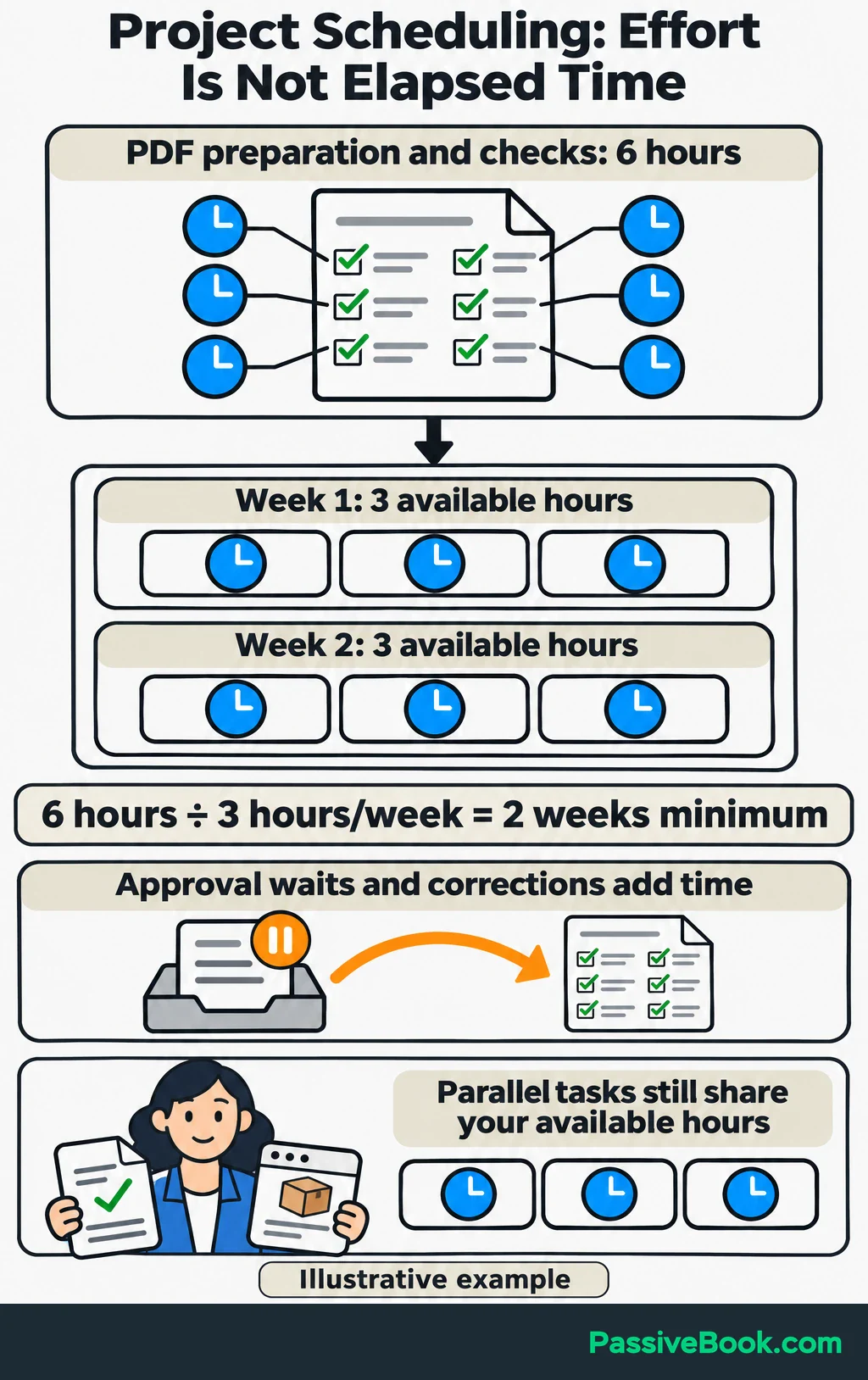
Dates need more than a task list. Supply actual working availability, required skills, existing commitments, remaining effort, and the time needed for approval.
Separate effort from waiting. An hour of proofreading may sit in someone’s inbox for three days.
I learned the cost of ignoring capacity while building my membership site alongside corporate work. The ongoing content load became unsustainable. Now I want a plan to show what fits into my week before it tells me how much I could launch.
Use this scheduling prompt:
Schedule these approved tasks using the supplied availability, skills, dependencies, and fixed dates. Show overloaded periods and blocked handoffs. Flag unsupported dates and propose changes to scope, sequence, ownership, or deadlines for review. Include review and correction time.
If preparing and checking the PDF needs six working hours, three available hours per week means at least two weeks of capacity. Approval delays and corrections come on top.
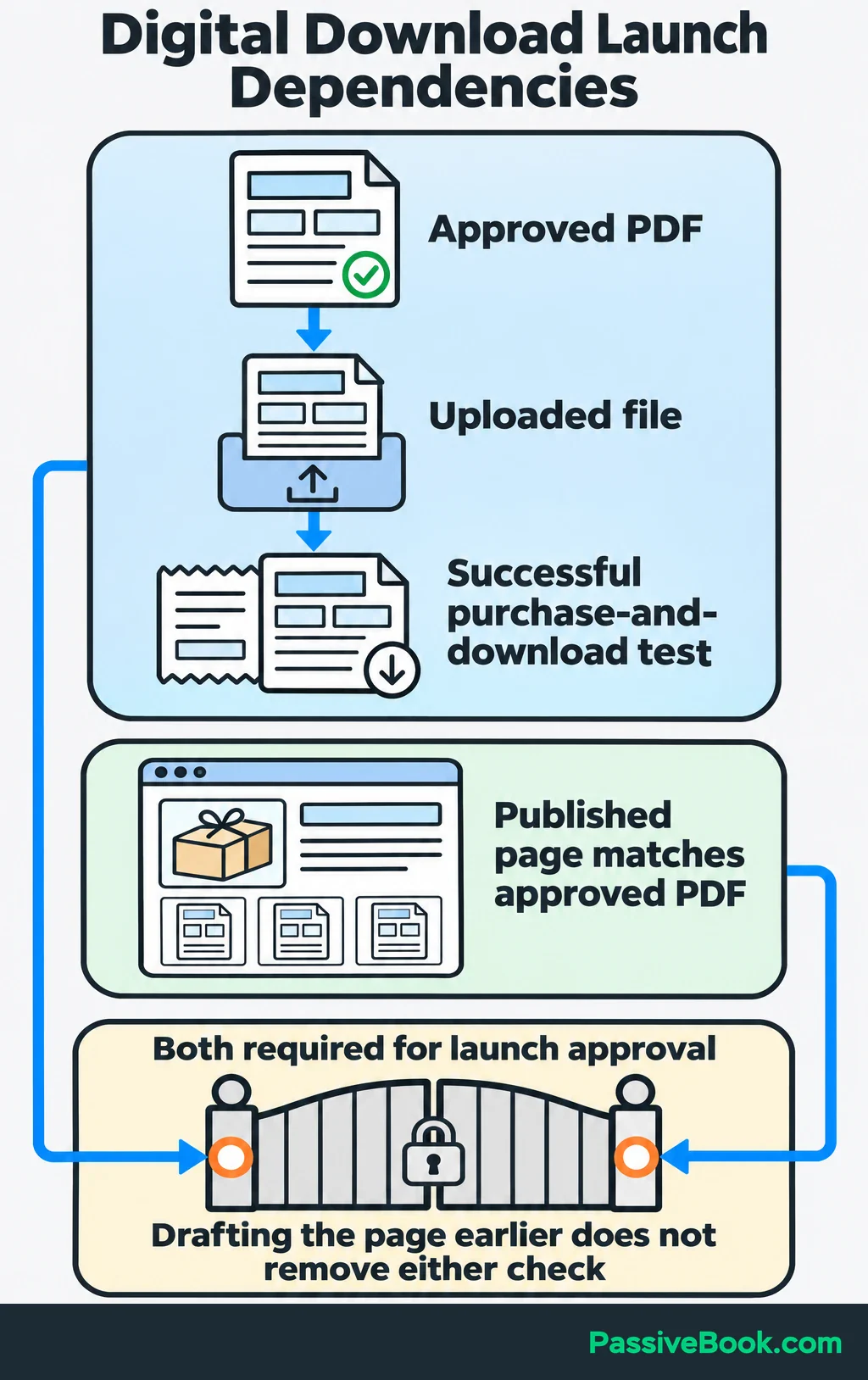
For the handover pack, the main chain is:
Approved PDF → uploaded file → successful purchase-and-download test → launch approval.
The product page must also be published before launch approval. You can draft it earlier, but its final description and screenshots must match the approved file.
Working on the page “in parallel” does not create more hours when you do both jobs yourself. It only gives you something useful to do while another task waits.
When the schedule is overloaded, choose a real adjustment:
- If extras have entered the plan, remove them. The second cover is already excluded.
- Change the order of tasks that can move.
- Move the launch date.
- Assign work to someone whose skills and availability are confirmed.
Ask AI to compare those options, then save the schedule you approve. A date becomes useful when the work and capacity support it.
Keep Tasks and Progress Reports Current
A good plan becomes less useful as soon as the records stop matching the work. Update the tracker when a task changes, gets blocked, or meets its completion criterion.
AI can help process those changes, but it needs the current task list alongside the new information.
Extract Actions From Project Notes
Ask AI to separate four things: decisions, explicit commitments, unresolved questions, and suggested actions.
Try this prompt:
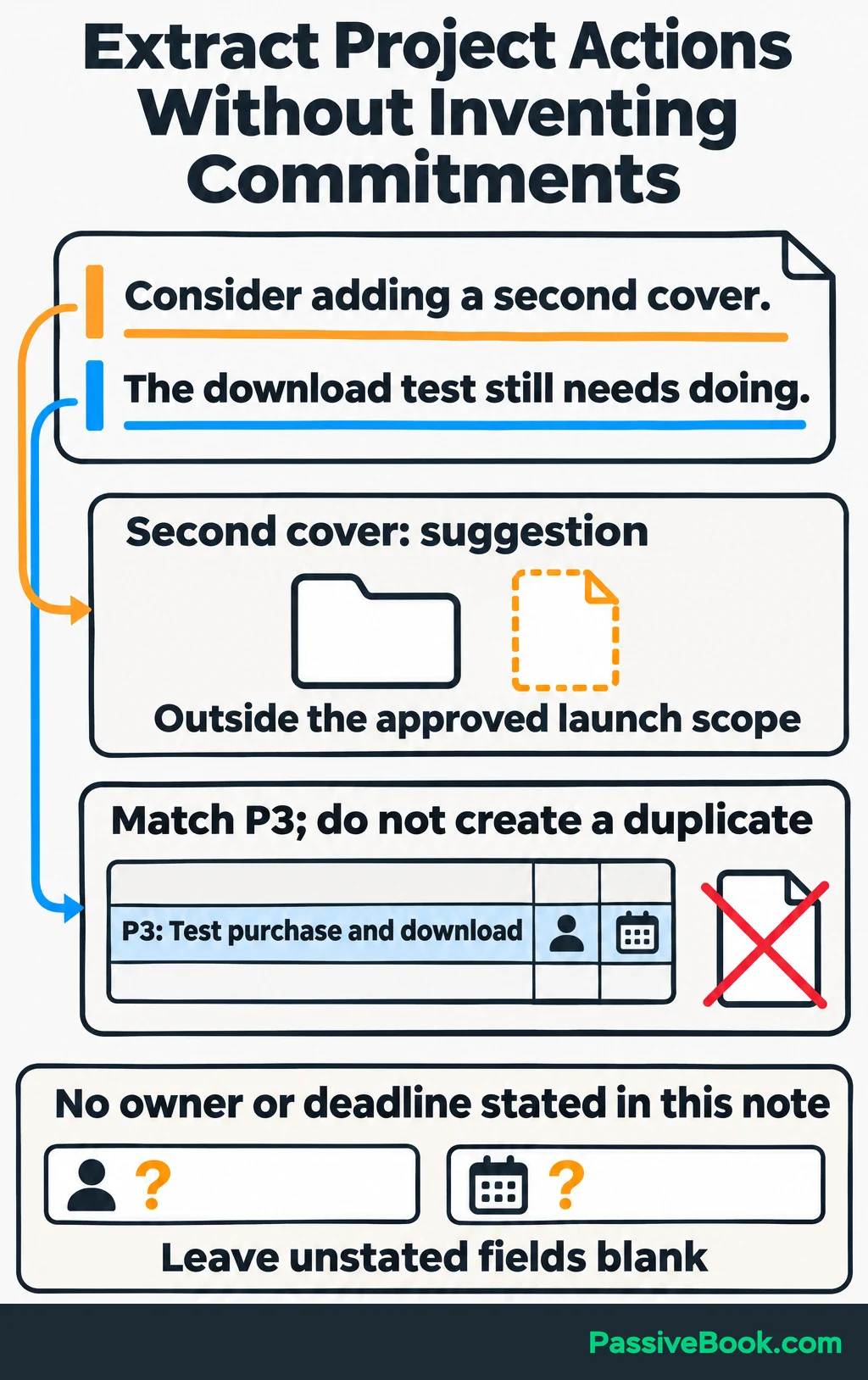
Extract each commitment with its task description, owner, deadline, and supporting excerpt. Leave unmentioned owners and dates blank. Match existing task IDs before proposing new tasks. Keep suggestions and unanswered questions separate.
Suppose a review note says:
“Consider adding a second cover. The download test still needs doing.”
The second cover remains a suggestion. The download test should match existing task P3 rather than become a duplicate task.
Neither sentence assigns a new owner or deadline. A neat table should not turn missing information into invented commitments.
Confirm anything ambiguous before updating the tracker. This is also where you reject scope that sounds useful but does not belong in the launch.
Draft Status Updates From the Tracker
Before requesting a report, refresh remaining effort, blockers, and completion evidence. Mark the download test complete only after recording what happened.
Then use:
Summarize this project snapshot as of [date]. Show accepted deliverables, changes since the previous update, upcoming milestones, blockers, and decisions needed. Reference task IDs. Include known owners and next actions, and flag missing or conflicting updates.
A useful update might read:
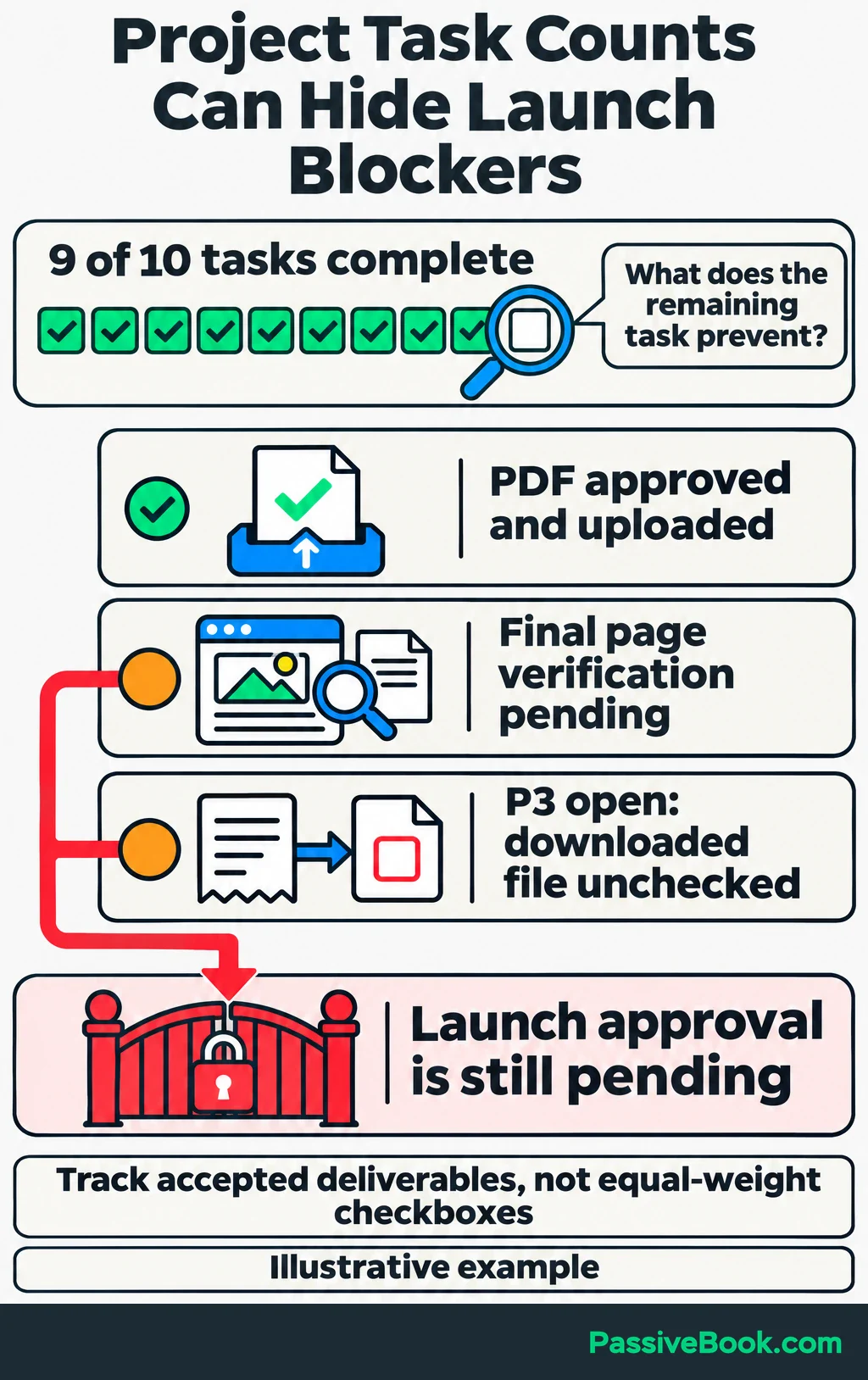
“The PDF is approved and uploaded. P3 remains open because the downloaded file has not been checked. Launch approval is pending that test and final product-page verification.”
That tells you what prevents launch. “Nine of ten tasks complete” may hide the same problem.
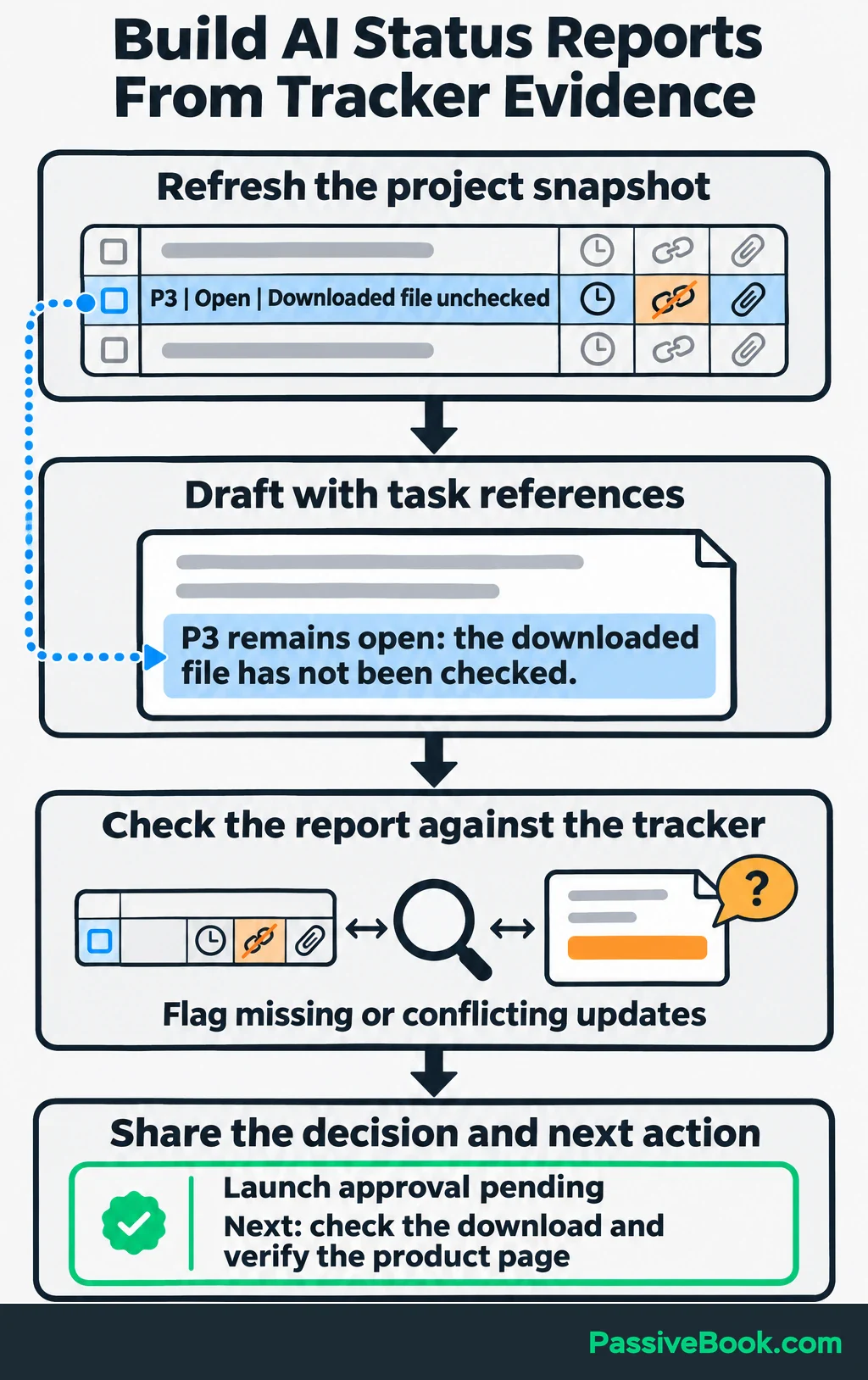
Track accepted deliverables instead of treating every checkbox as an equal share of progress. Renaming a file and proving that a customer can receive it do not carry the same weight.
Check the report against the tracker before sharing it. If information is missing, ask the responsible person for an update. Send collaborators the decisions and actions they need, rather than making everyone read the full project history.
Use Risk Checks to Compare Your Options
Give AI the approved plan, current blockers, remaining capacity, actual spending, and unresolved dependencies. Ask it to identify possible delivery problems and point to the records supporting each one.
Keep a small risk log:
| Risk | Supporting Task or Update | Warning Sign | Likely Consequence | Response | Owner |
|---|---|---|---|---|---|
| PDF approval arrives too late for testing | P1 approval is required before P2 upload and P3 test | Review is still unfinished when the reserved test session approaches | Launch may need to move | Reserve testing time; move launch if approval slips | Shop owner |
| Product page describes an old file version | Page draft predates PDF approval | Screenshots or listed sections differ from the final PDF | Buyers receive something different from the description | Compare the page with the approved file before publishing | Shop owner |
A risk is a possible future problem. If the test has already failed, that is an issue to fix, with a task and an owner.
Use AI to compare responses:
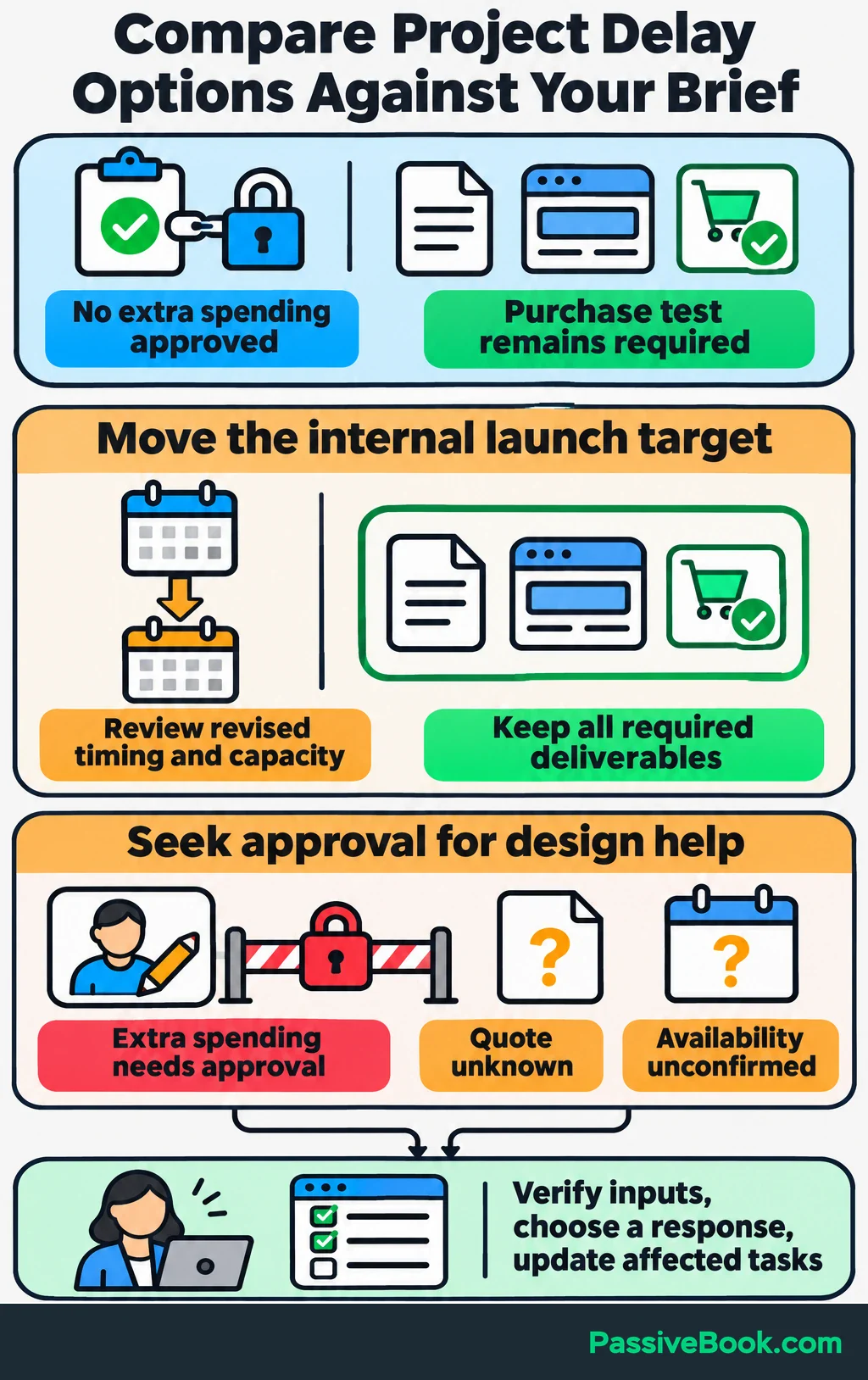
Compare moving the launch date with seeking approval for design help. Show effects on remaining effort, cost, dependencies, and completion criteria using the supplied records. Identify missing inputs that could change the decision.
If design help has no confirmed quote or availability, the comparison should say so. “Hire a designer” is not yet a usable schedule.
Check cost and capacity calculations in your spreadsheet. Then record the chosen response against the affected tasks.
For this launch, I would move the internal launch target before paying for help or skipping the purchase test. The brief allows no extra spending, and the test is one of the three required deliverables. Selling a download nobody has downloaded is an avoidable adventure.
Automate a Workflow After It Works Manually
Once a recurring handoff works with manual review, automate the transfer of information.
For this project, keep the workflow narrow:
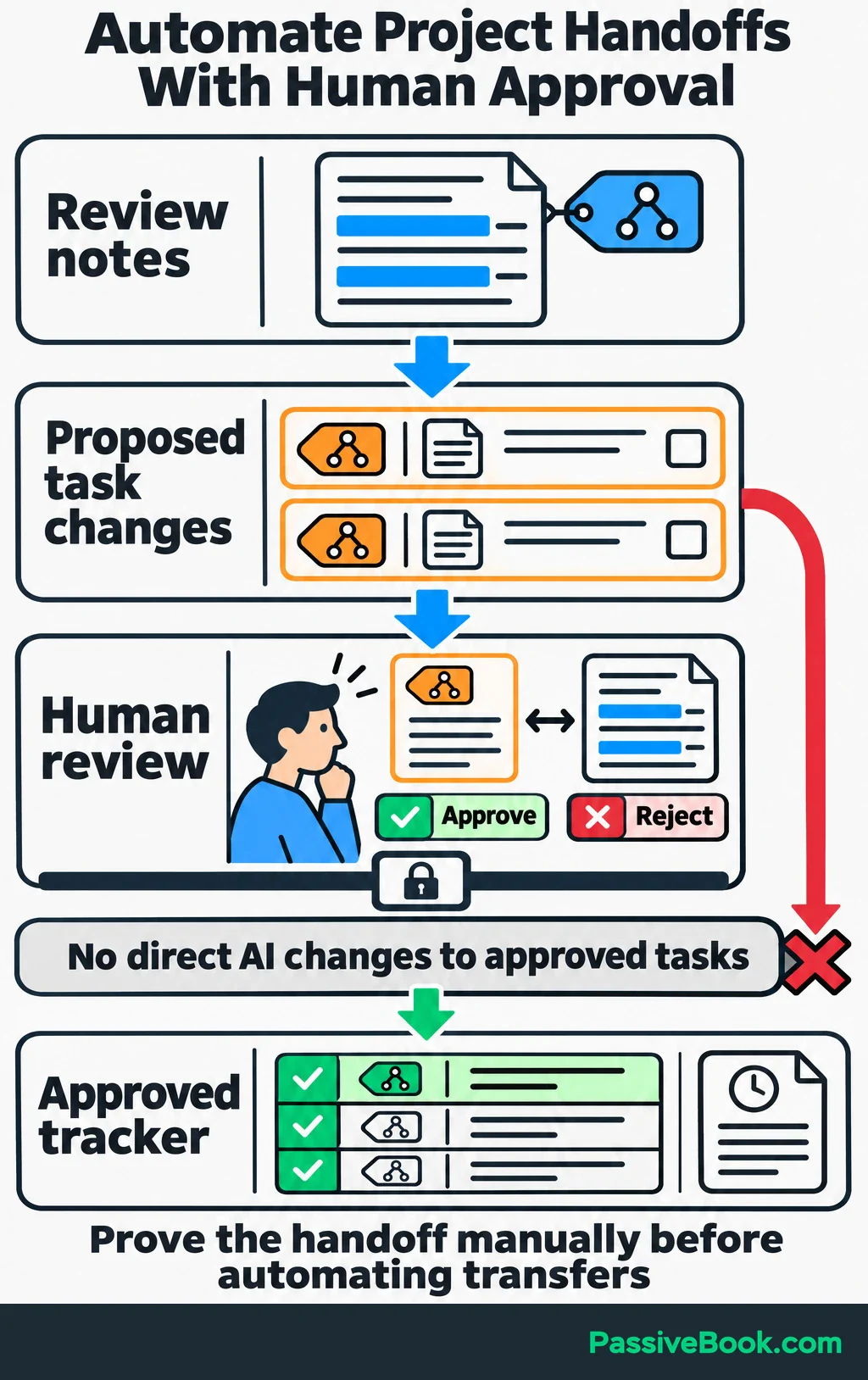
Review notes → proposed task changes → human review → approved tracker.
The first automation should save handling time while preserving the approval step you already use.
Connect Inputs to a Review Queue
Here is one implementation using Notion, Claude’s API, and Make. Make supports Notion records and page contents, and its Claude integration can send prompts through an API connection.
- Create a notes database with a project identifier and a processing status. Only notes marked “Ready for review” are eligible.
- Create a separate review database for AI proposals. Keep it apart from approved tasks.
- Connect Make to the required Notion pages and store the Claude API key in Make’s connection settings.
- Build a workflow that reads an eligible note’s contents and retrieves the current tasks for that project.
- Send both to Claude with the action-extraction instructions.
- Save valid proposals in the review database for a person to inspect.
Request structured output: a fixed set of fields the workflow can check before saving anything. Each proposal should contain:
- Source-note ID and revision.
- Existing task ID, or a clear “proposed new task” marker.
- Proposed change.
- Supporting excerpt.
- Owner and deadline, left blank when unstated.
- Missing information requiring review.
Check that referenced tasks belong to the project. Reject incomplete responses rather than guessing how to repair them.
During the pilot, approve or reject proposals in the queue and manually transfer accepted changes. Give the connection access only to the pages it needs, and keep credentials out of prompts and notes.
Test Failures Before Enabling Recurring Runs
Test the workflow on a project copy. Include a normal note, duplicate input, an unknown task ID, an ambiguous deadline, a malformed AI response, and a failed connection.
Each failure should leave approved tasks untouched and produce something the workflow owner can act on.
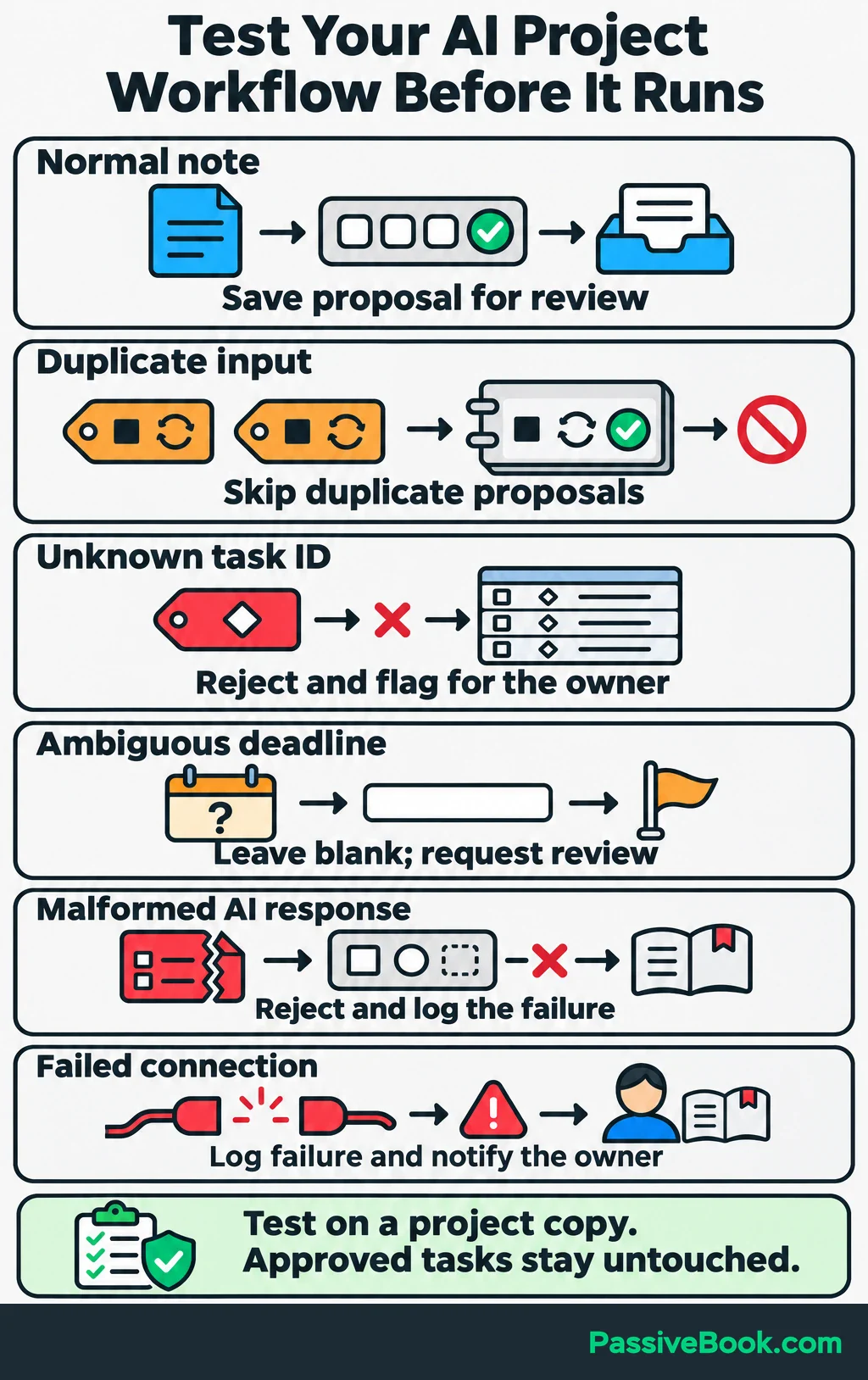
Track the source-note ID together with its revision. Before creating proposals, check whether that version has already been processed. This helps prevent a retry from filling the queue with duplicates.
Also keep a log of proposals, approval decisions, and applied changes. If a note changes after review, treat the revision as new input and preserve the earlier decision.
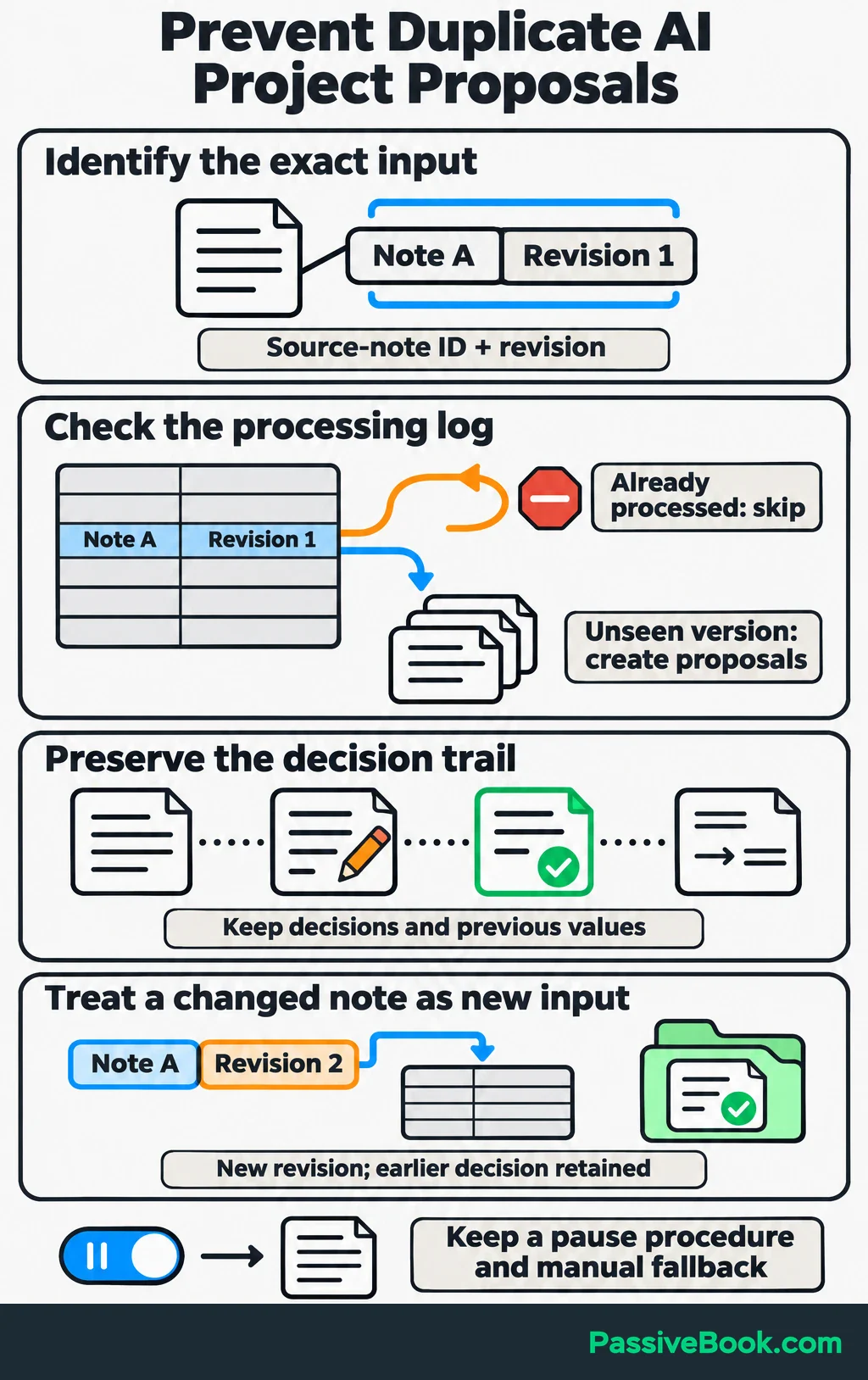
Before enabling recurring runs:
- Set usage limits and route failures to the workflow owner.
- Document how to pause the workflow.
- Keep previous values for any changes you apply.
- Write down how to continue the same process manually.
I would keep approval manual until several representative runs produce useful proposals with little repair. Automatic processing is valuable when it removes repetitive work; a growing review backlog is a sign to simplify.
Measure Time Saved Before Expanding
Compare the same kind of work before and after adoption. Include input preparation, AI drafting, review, corrections, and ongoing maintenance in the assisted time.
For an illustrative handover-pack status report, count all the working time needed to produce a checked report:
| Activity | Time |
|---|---|
| Manual report baseline | 40 minutes |
| Assisted preparation and AI drafting | 8 minutes |
| Assisted review and corrections | 7 minutes |
| Average maintenance allocated to each report | 5 minutes |
| Total assisted time | 20 minutes |
Net time saved per report is the manual baseline minus the total assisted time:
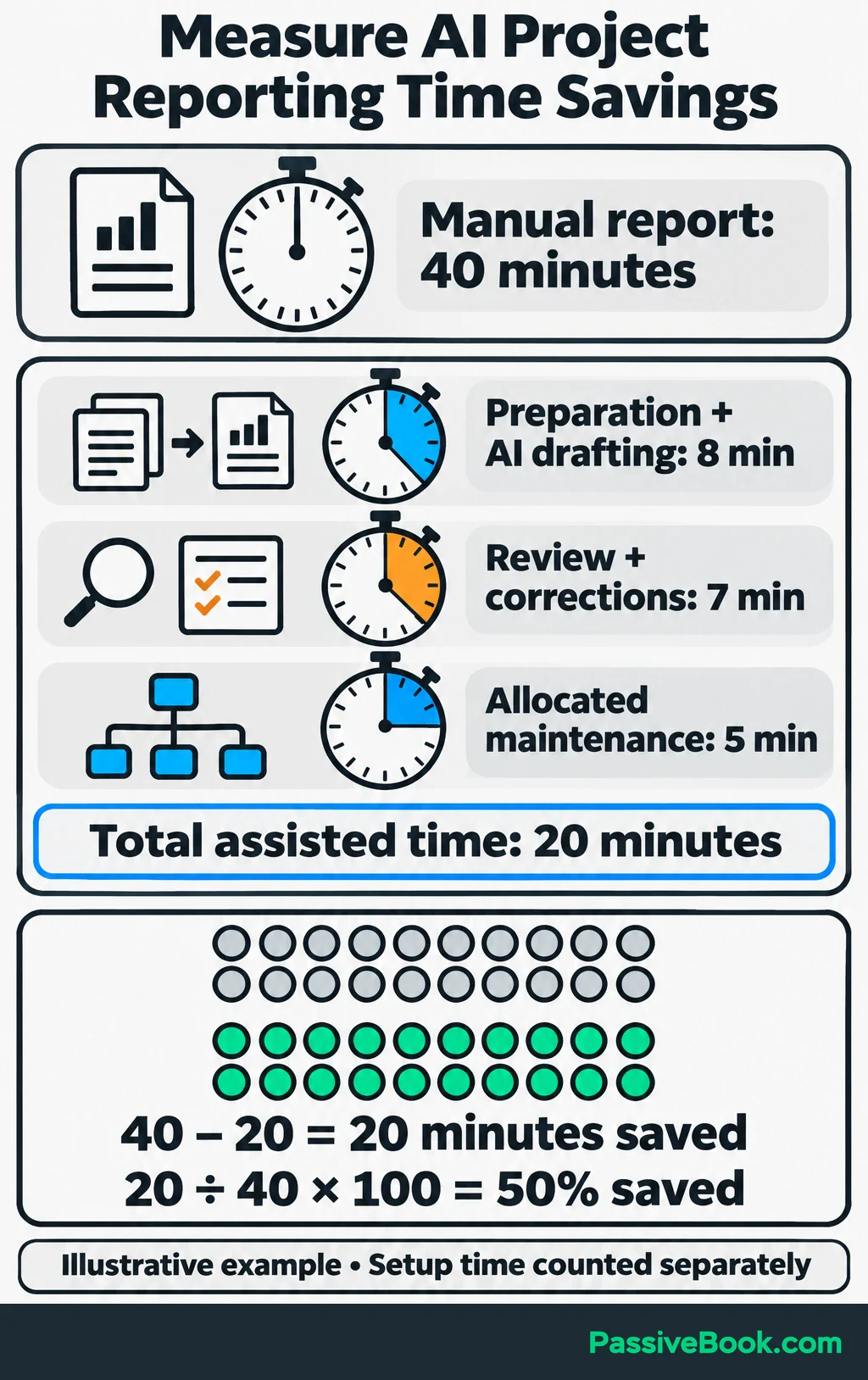
40 − 20 = 20 minutes saved.
To find the percentage saved, divide those 20 minutes by the 40-minute baseline and multiply by 100. That gives a 50% saving for this example.
Keep setup time separate. Four comparable reports save 80 minutes in recurring work. If setup took 60 minutes, the initial period saves 20 minutes overall.
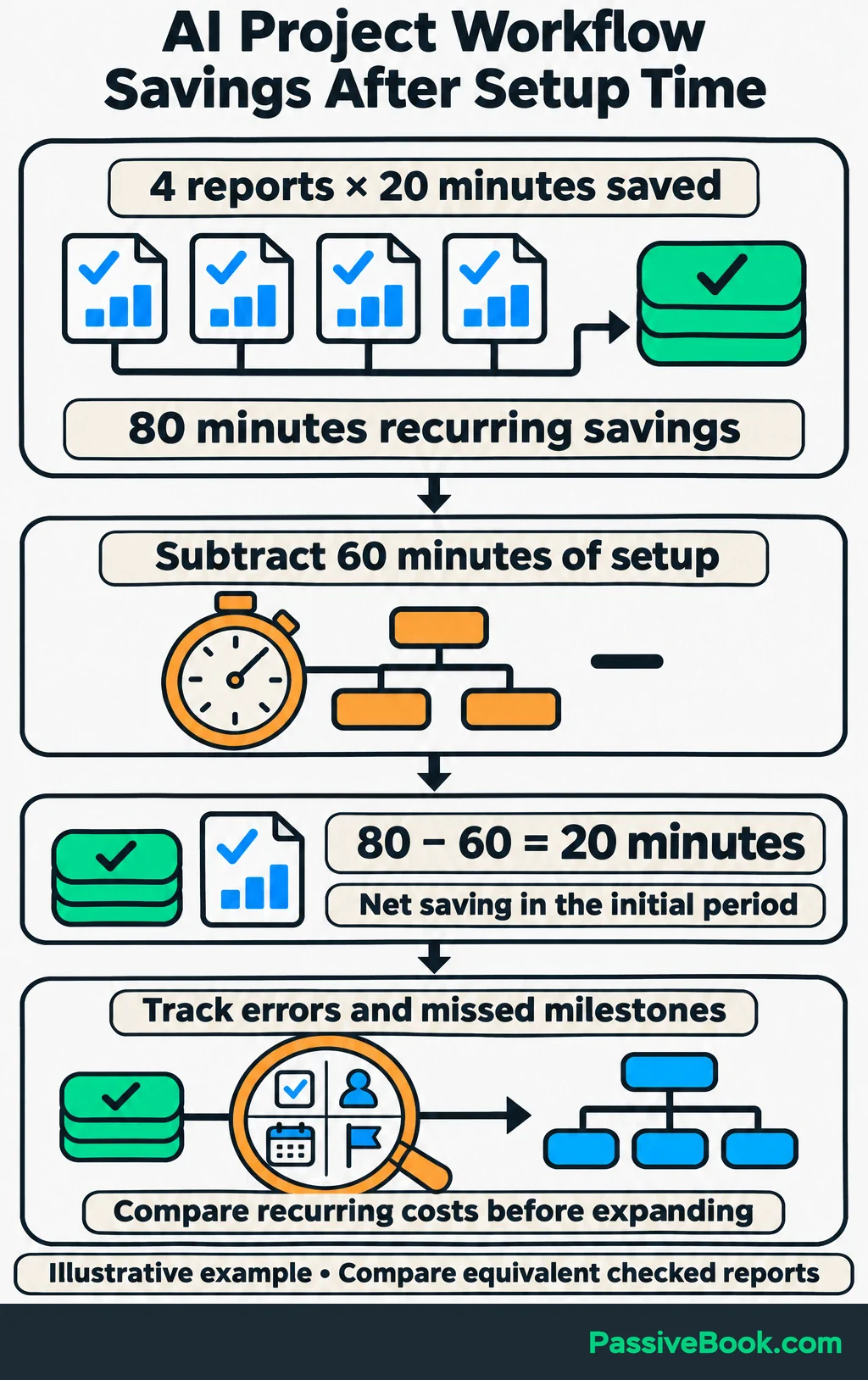
Then compare recurring tool costs with the value of that recovered time. Saving a few minutes does not justify another subscription by itself.
Speed also needs a quality check. Track missed actions, incorrect owners or dates, reopened tasks, and missed milestones across comparable work. If corrections eat the savings, simplify the prompt or return that step to manual handling.
Save useful prompts, approved report examples, and actual task durations for the next release. Expand one recurring activity at a time so you can tell which change helped.
What Next?
Choose one live project and write down its deliverables and completion criteria. Then time your next manual status update before asking AI to draft one from the same records.
If this gives you a clearer way to manage your next launch, use the social buttons to share the guide and bring that approach into your next project conversation.
Which recurring project task takes more coordination than it should? Tell me in the comments, and bring any other questions about setting up the workflow.
Share this post with your friends & followers:

