You have a product idea, but the work around it keeps growing: customer research, page layouts, test versions, instructions and a launch plan. AI can help with each task, but a polished draft still leaves the hardest question unanswered: does this solve a problem people care about?
That gap can swallow your spare evenings and your budget. You can finish the product before discovering that buyers prefer their existing workaround. To reduce that risk, this guide follows a printable pet-care product from research through launch, showing where AI helps, which tools fit each task and how to adapt the work for software or physical products.
Choose AI Tools for Your Next Development Task
Start with the task holding you up. “Organize these interview notes and show the evidence behind each theme” gives you something to check. “Develop my product” leaves too many decisions unstated.
My starting choice would be Claude and the editor you already use. Add another tool when you can name the missing capability, such as testing an interactive screen or exploring a physical design.
These tools serve different jobs. You do not need subscriptions to all of them.
| Development Task | Suitable Tool | Useful Output | Required Human Check |
|---|---|---|---|
| Organize supplied research and draft a brief | Claude | Research summaries, product briefs and working documents | Compare findings with the original notes and remove unsupported conclusions |
| Investigate existing solutions | Gemini Deep Research | A sourced comparison using web research and uploaded material | Open sources supporting claims that affect your decision |
| Assemble a printable sample | Canva | Editable layouts and AI-generated design elements | Inspect text, writing space and the exported PDF |
| Explore a digital workflow | Figma Make | An interactive prototype or web app generated from prompts or designs | Try the actual interactions and check the generated behavior |
| Build custom software | Claude Code | Changes to a codebase and execution of development commands | Review, test and maintain the implementation |
| Explore a physical product’s appearance | Vizcom | Rendered concepts and visual variations from sketches | Check dimensions, materials and function through engineering and physical samples |
| Connect recurring tasks | n8n | Workflows connecting apps, with approval before selected AI actions | Check records, failed runs and proposed actions |
When comparing tools that do the same job, give them the same sample input. Judge how much correction each output needs, whether you can export usable files, how your data is handled and whether usage limits interrupt the work. Count subscriptions, usage charges, hosting and maintenance in the total cost.
I would choose the tool that produces work I can use with fewer corrections. A dazzling demonstration is pleasant, but you cannot ship the demonstration.
For the running example, imagine you sell a printable sitter handoff kit for households with two cats. It contains separate profiles, routine sheets and instructions completed by the owner.
1. Find a Customer Problem Worth Solving
Gather Evidence From Real Customers
Before asking AI what to build, collect evidence of what people already struggle with.
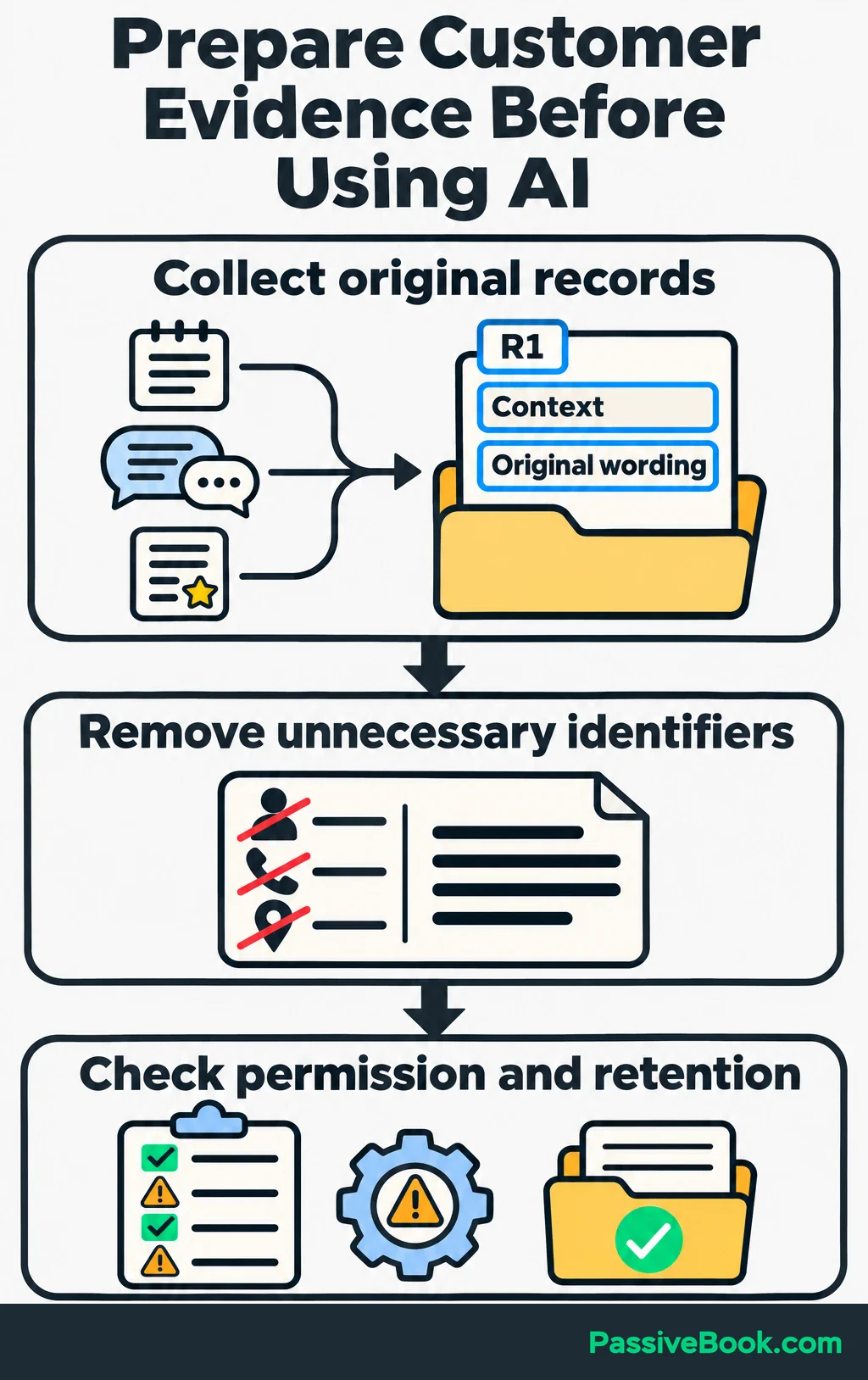
Useful material includes customer interviews, support questions, reviews of existing products, refund explanations and examples of current workarounds. Give each record an ID and keep its date, context and original wording.
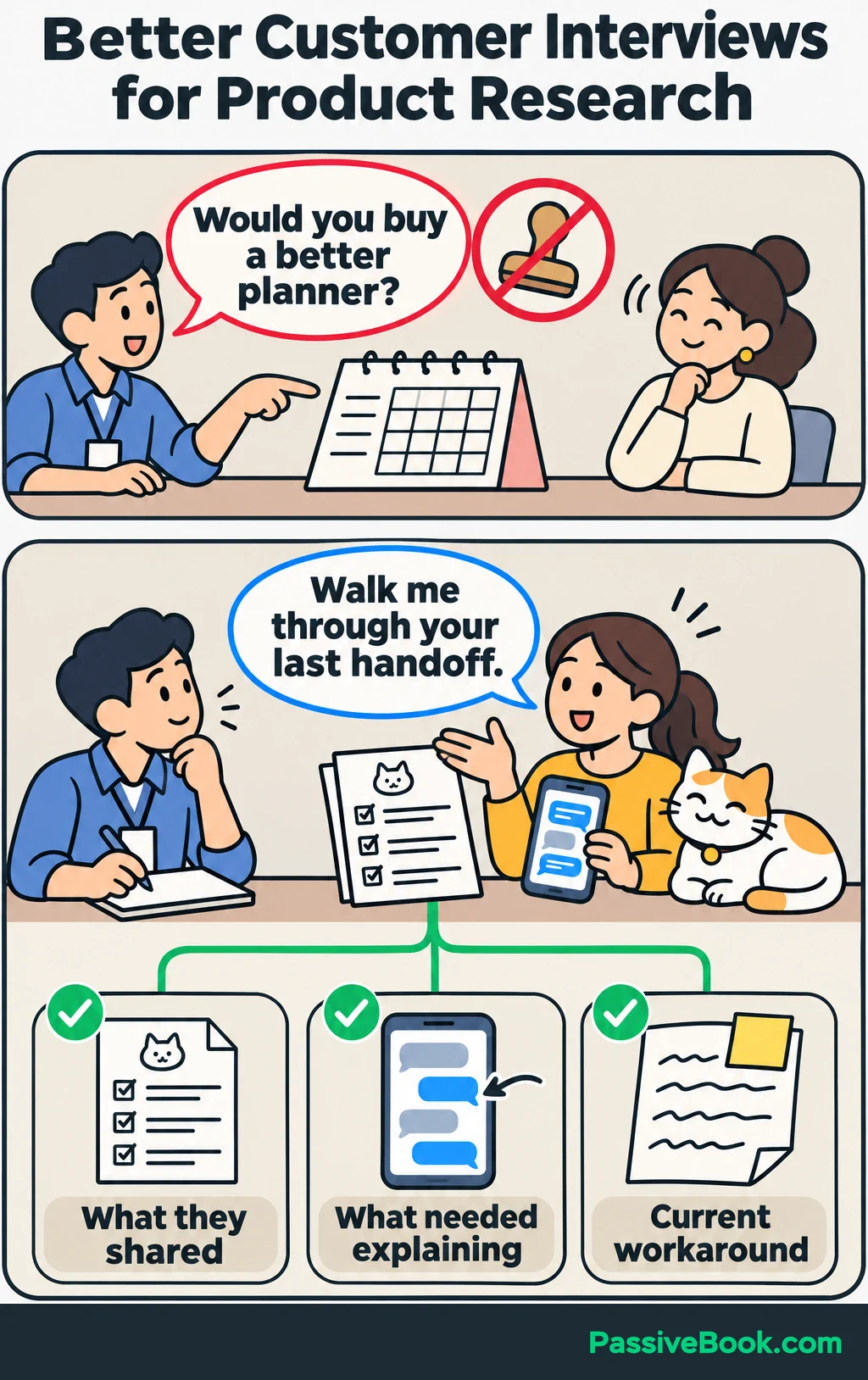
For the handoff kit, speak with owners who have recently arranged care and people who have provided it. Ask AI to draft neutral interview questions, then remove questions that push people toward your idea.
A useful opening is:
“Walk me through the last time you prepared instructions for someone looking after your cats.”
Follow the account. Ask what they shared, what the sitter asked afterward and what they had to explain twice. “Would you buy a better planner?” tells you much less about the actual problem.
I skipped market research when I started my online jewellery store. I bought inventory, ended up with unsold stock and lost most of my investment. Having something ready to sell did not mean I had a reason to expect people to buy it.
Web research can help you compare existing solutions and spot complaints to investigate. Check the original listing or review before letting an AI summary shape your product.
Before uploading customer material, remove unnecessary names, addresses, contact details and other identifying information. Check that you have permission to use the material and understand the provider’s retention settings. The assistant needs the problem, not somebody’s front-door code.
Turn Observations Into a Problem Statement
Ask AI to organize the evidence before it proposes solutions. Keep problems, workarounds, desired outcomes and unanswered questions separate.
Try this prompt:
“Using only these notes, group customer problems. For each, return supporting excerpts and source IDs, the current workaround, and unanswered questions. Separate observations from interpretations. Include contradictory feedback.”
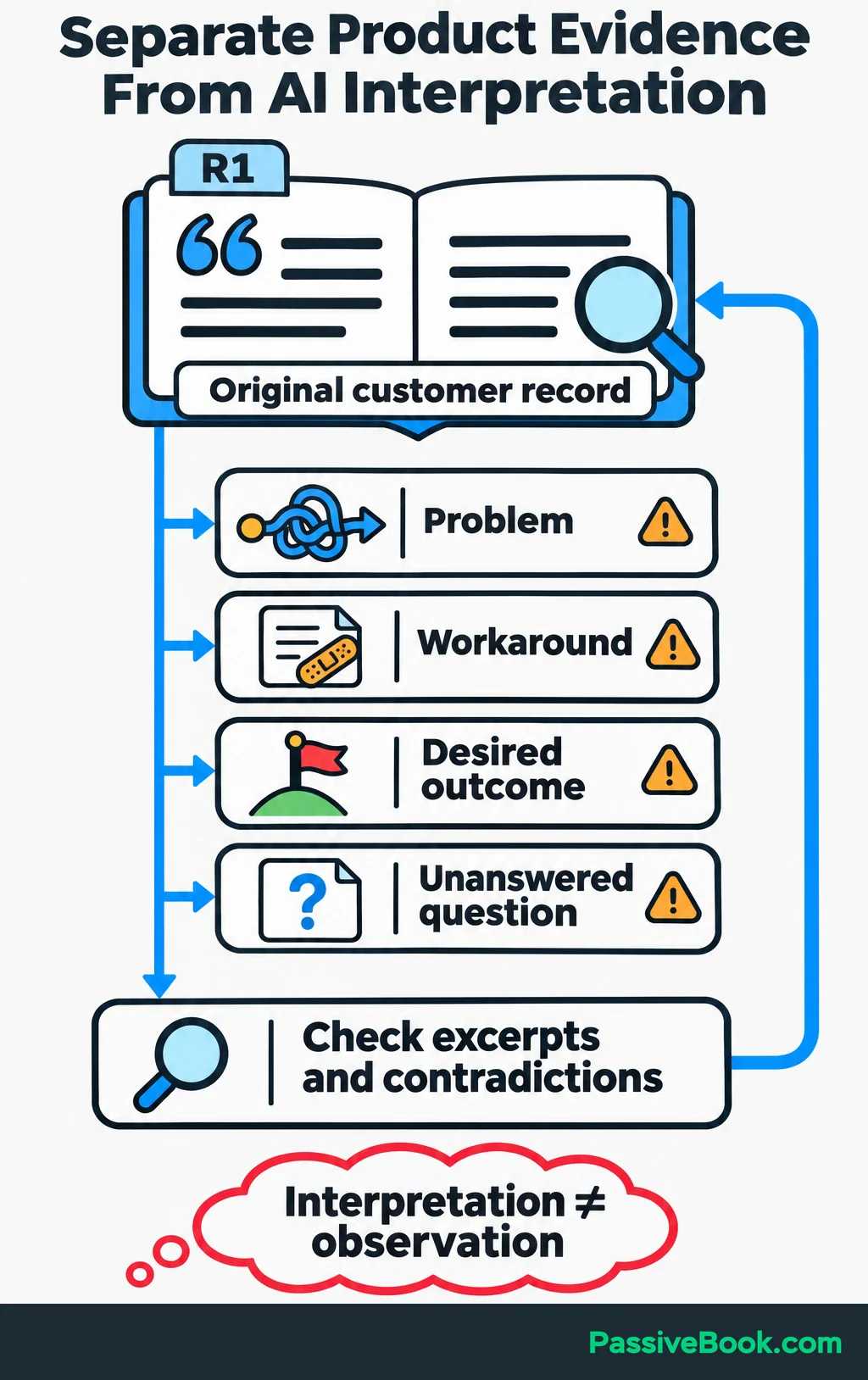
Then check the strongest themes against the source records. A confident summary can hide a weak connection.
Write a problem statement that names the person, situation, difficulty and desired outcome. For the kit, a candidate to investigate would be:
“When handing over care for two cats, owners need to make each cat’s routine easy to identify so the sitter can find the right instruction without asking for clarification.”
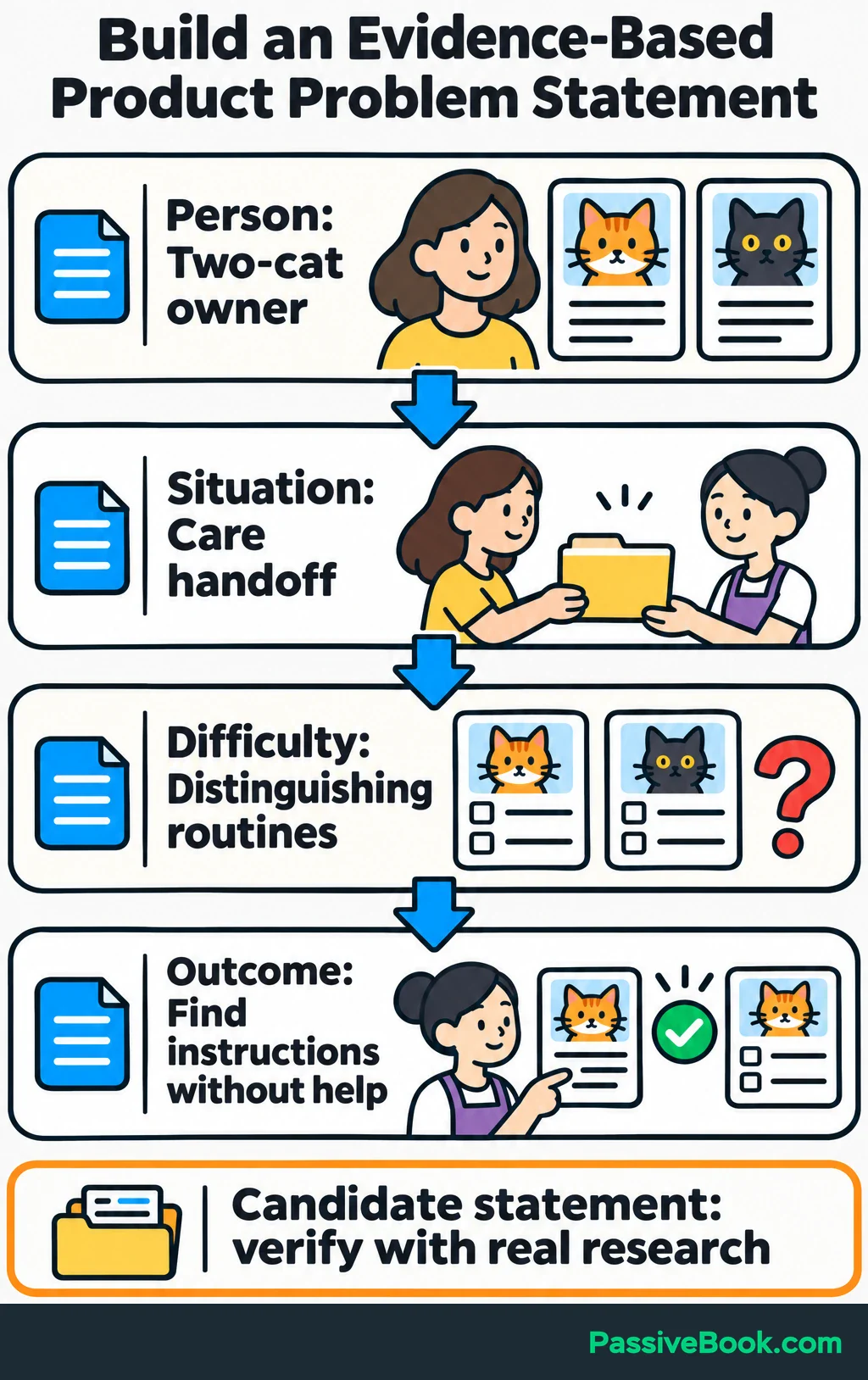
That statement becomes useful only if your research supports it. Owners might instead struggle with updating instructions, sharing access or remembering what to include.
AI can invent customer profiles or simulate interviews to suggest questions. Those outputs cannot establish that real people have the problem or will pay to solve it.
2. Turn the Problem Into a Focused Product Brief
Compare Solutions to the Same Problem
Once you have evidence of a problem, ask AI for several ways to solve it. Include an improvement to the customer’s current workaround.
For the handoff problem, you could compare:
| Possible Solution | Main Benefit to Test | Effort or Cost to Consider | Hardest Assumption |
|---|---|---|---|
| Printable kit | Instructions stay available beside the care supplies | Layout, print testing and file delivery | Owners will complete it and sitters can find the right information |
| Shared document | Owners can update instructions without reprinting | Formatting and access support | Everyone can open and navigate it when needed |
| Mobile planner | Instructions can be organized into a guided workflow | Development, hosting and ongoing maintenance | The extra functionality justifies another tool |
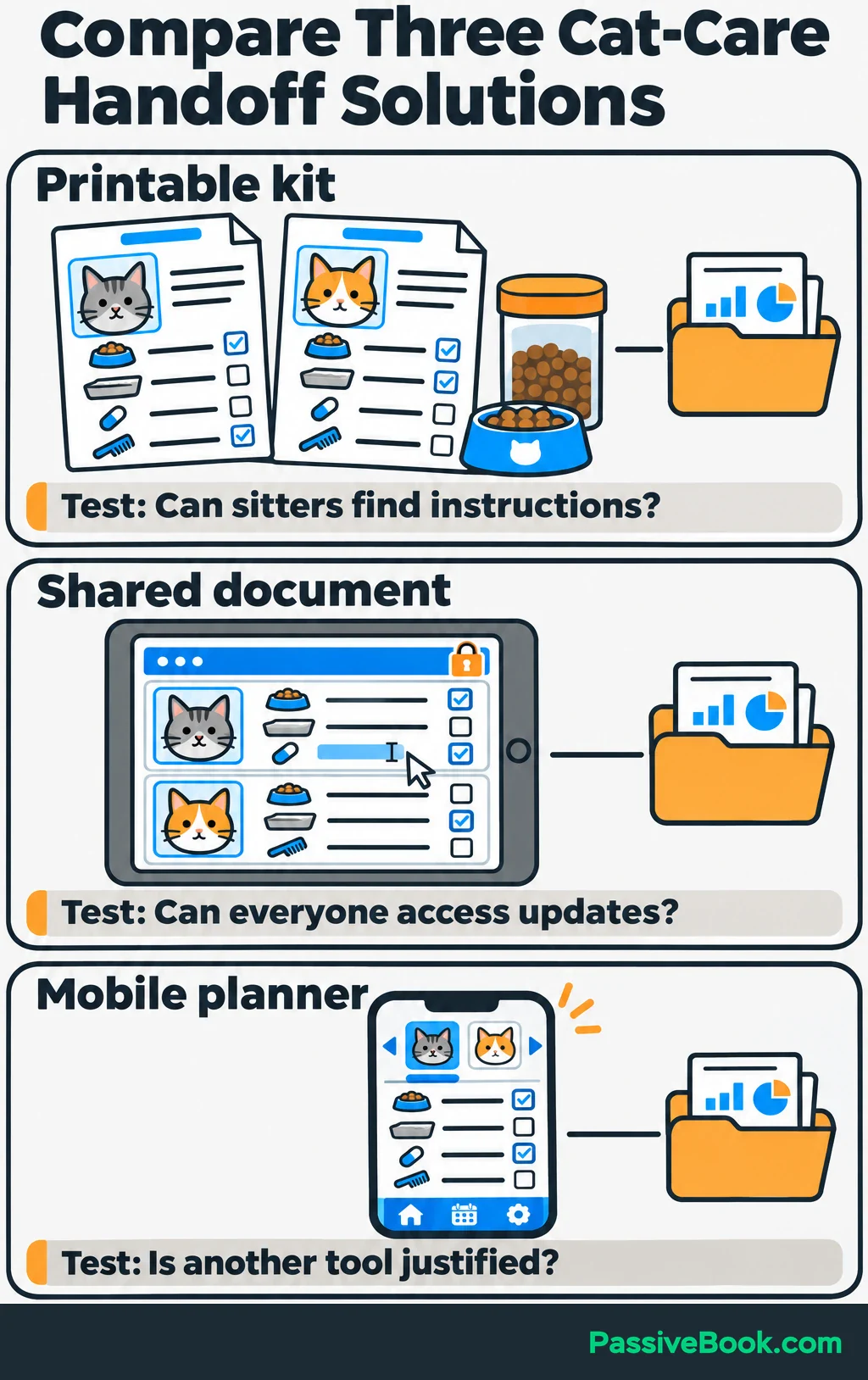
Ask the assistant to connect each concept to your research. Then give it a less comfortable task:
“Explain why the customer’s existing workaround might outperform my preferred solution.”
I would test the printable version first if the evidence points to finding instructions on paper. If remote updates are the central problem, a shared document deserves the first test instead.
There is credible evidence that AI can support this early thinking. A randomized P&G experiment analyzing 776 professionals found that individuals using an AI tool after one hour of training produced concepts with expert-rated quality comparable to two-person teams without AI. It was a one-day virtual workshop studying early concepts, so the finding does not establish commercial launch success. Read the original Cybernetic Teammate report.
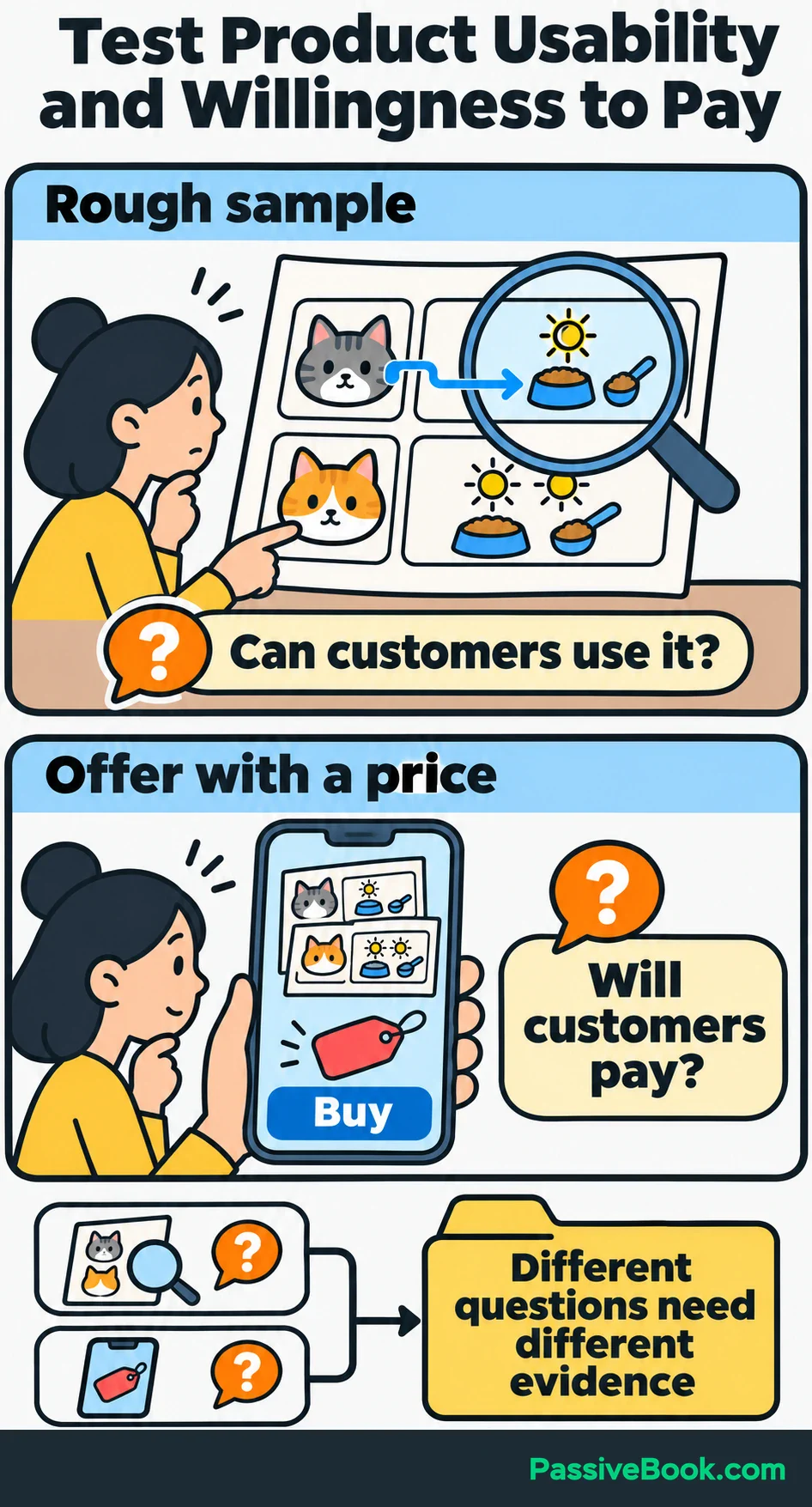
Your next move is still a small test. Use a rough sample to investigate whether people can use the solution, and present a concrete offer with a price to investigate willingness to pay.
I once rushed a course into production without validating it. It got few sales and a bad review, and I took it down. That experience is why I would test the core offer before asking AI to expand it into a bundle.
Define the First Version’s Essential Behavior
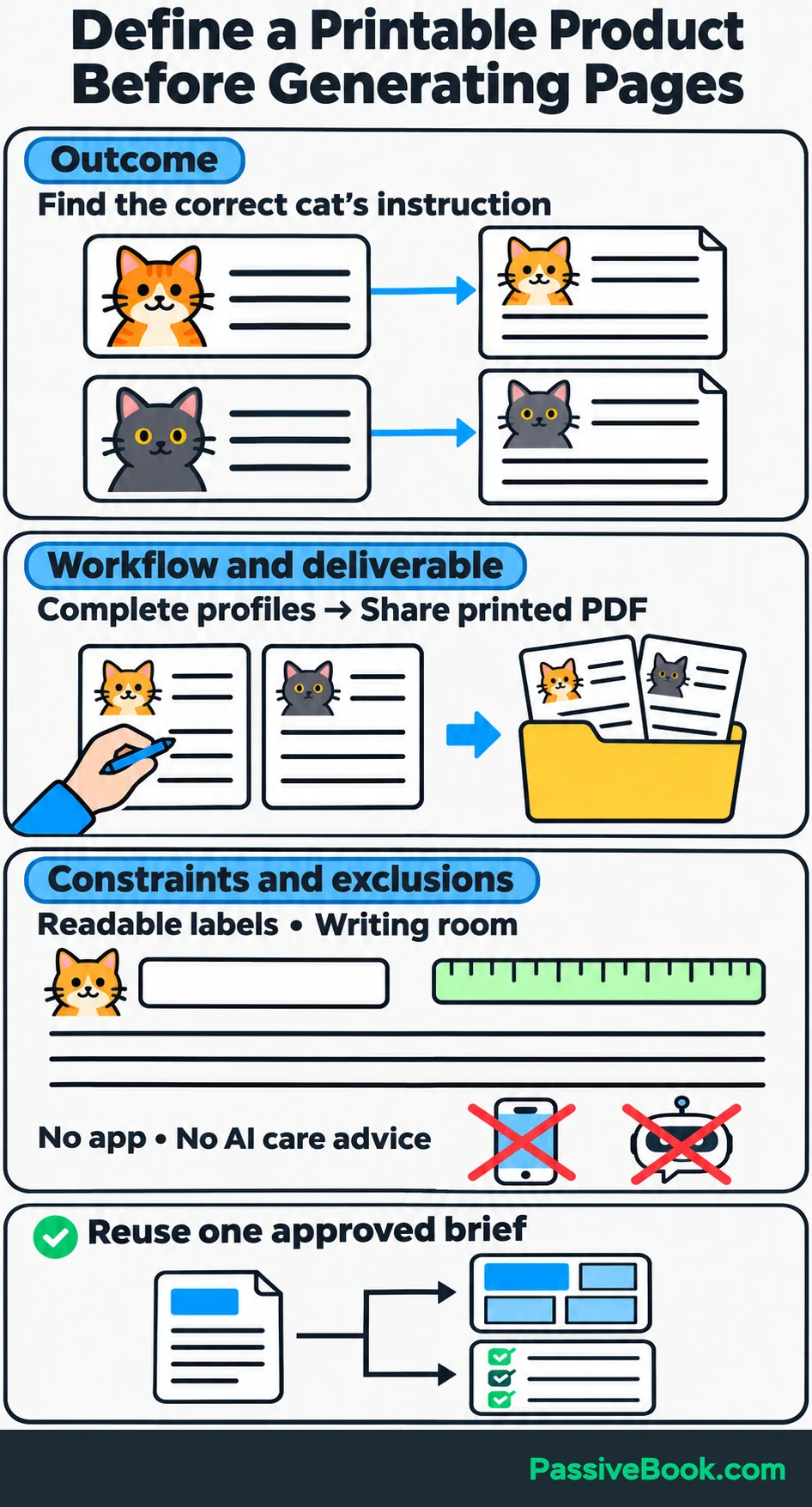
Create a short product brief before generating pages, screens or code. It should make the first version clear enough that you can reject work that misses the point.
For the kit, the brief could contain:
| Brief Item | First-Version Decision |
|---|---|
| Customer problem | Keep two cats’ care instructions distinct during a handoff |
| Intended outcome | A sitter finds the correct cat’s owner-written instruction without clarification |
| Essential workflow | Owner completes separate profiles and routine sheets, then shares the printed kit |
| Deliverable | A printable PDF |
| Constraints | Clear labels, readable text and enough room for handwritten entries |
| Exclusions | No app, automatic reminders or AI-written care advice |
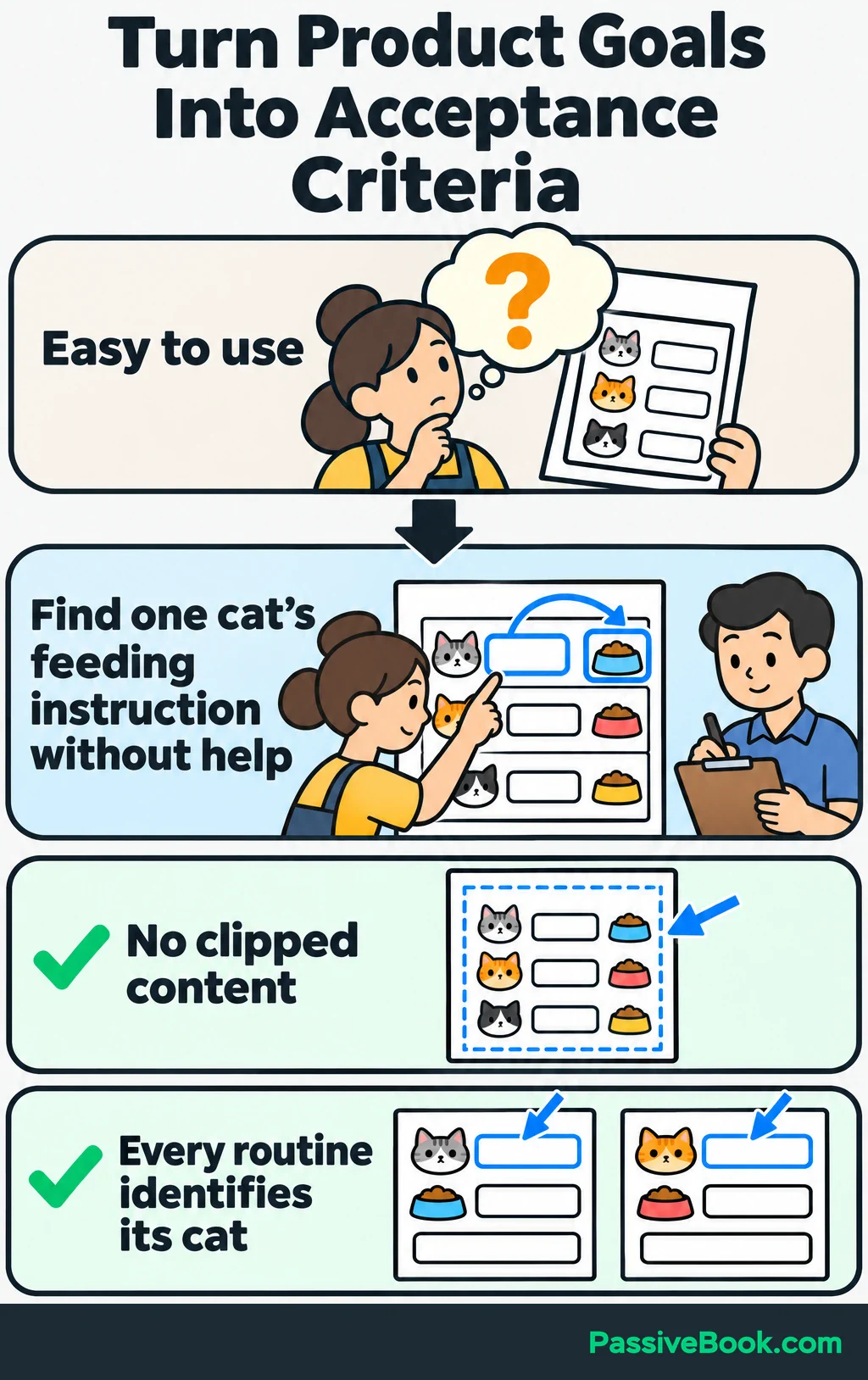
| Acceptance criteria | Each routine clearly belongs to one cat, pages print without clipped content, and the sitter can locate the requested instruction |
Acceptance criteria are the conditions you will check before calling the version ready.
Keep them observable. “Easy to use” is a hope. “The sitter can find one cat’s feeding instruction without help” gives you a task to test.
Reuse the approved brief whenever AI drafts content, layouts or tests. Ask it to identify missing decisions before adding requirements of its own.
If your idea is still a paragraph of possibilities, AI Product Development Studio can turn it into a first-version brief. It also separates assumptions from supplied evidence so you can see what still needs testing.
Free AI Product Development Studio




3. Build the Smallest Useful Prototype
Choose a prototype that answers your biggest remaining question.
A rough page tests whether the information makes sense. An interactive screen tests navigation. A working version tests whether the function actually works.
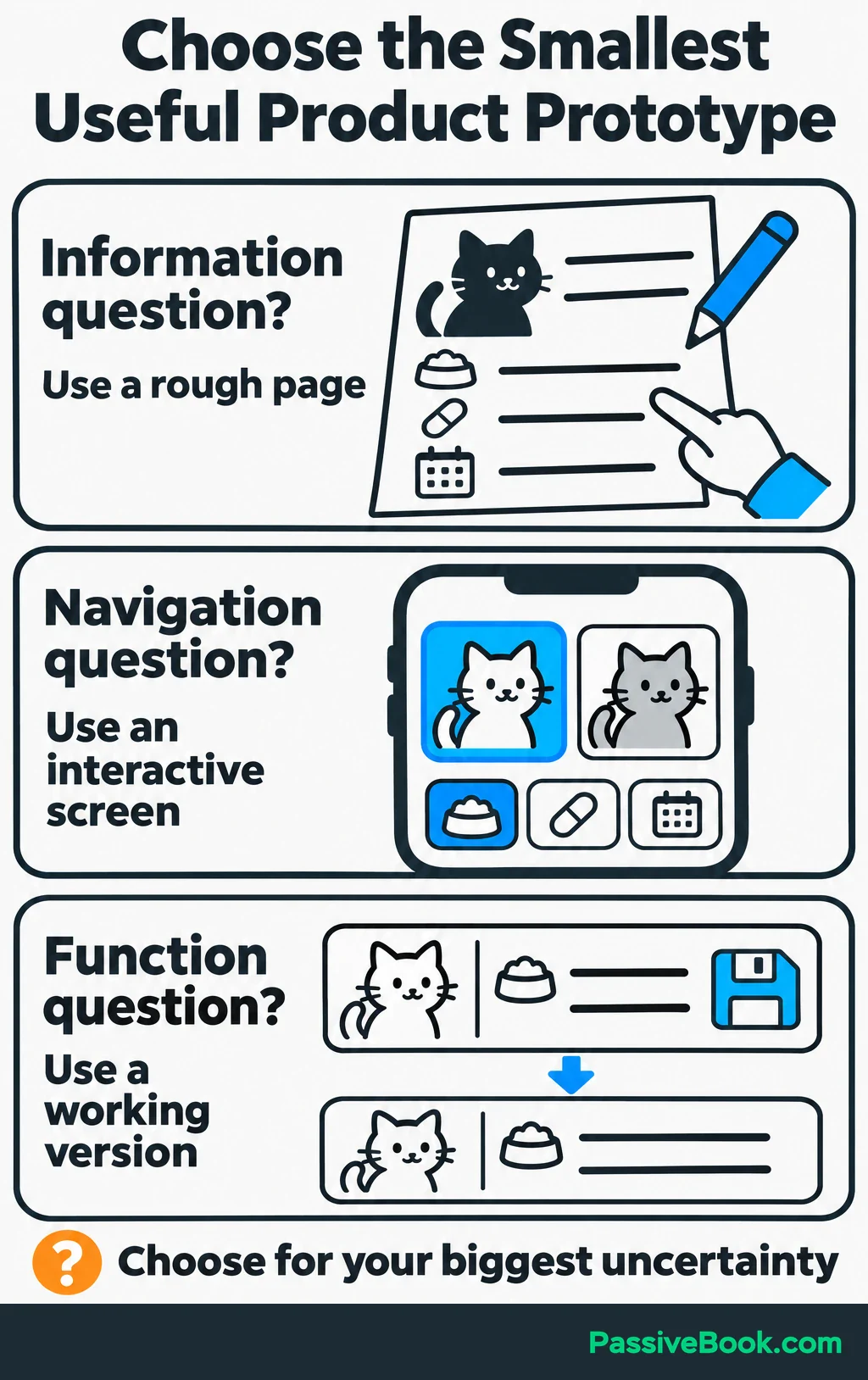
You do not need to build all three.
When prompting, supply the customer task, relevant evidence, required behavior, constraints and output format. Include the acceptance criteria so the assistant has a clear target.
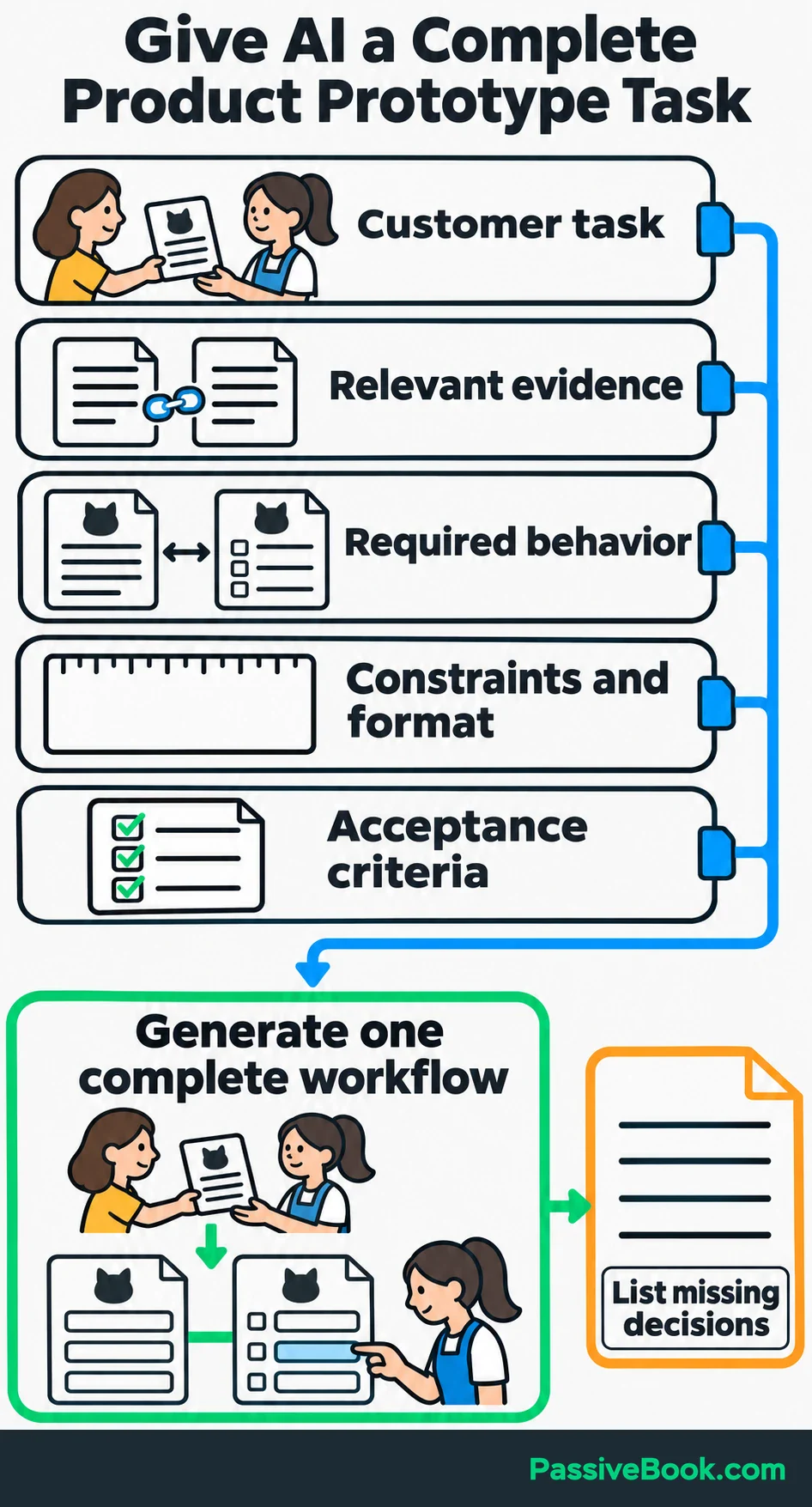
For the kit:
“Using the attached brief, draft a printable two-cat handoff sample. Give each cat a separate profile and routine sheet with consistent labels and room for handwritten entries. Leave care instructions blank for the owner. Return page content and layout notes, then list decisions the brief leaves unresolved.”
Request one complete workflow at a time. A working handoff teaches you more than a folder of unrelated feature ideas.
Downloadable Products
Use AI to draft the page structure, field labels, short instructions and layout alternatives. Then assemble an actual sample in Canva or your existing editor.
For the kit, start with the profiles and routine sheets. A small excerpt might read:
Cat’s name: __________
How to identify this cat: __________
Feeding instructions provided by owner: __________
Where supplies are kept: __________
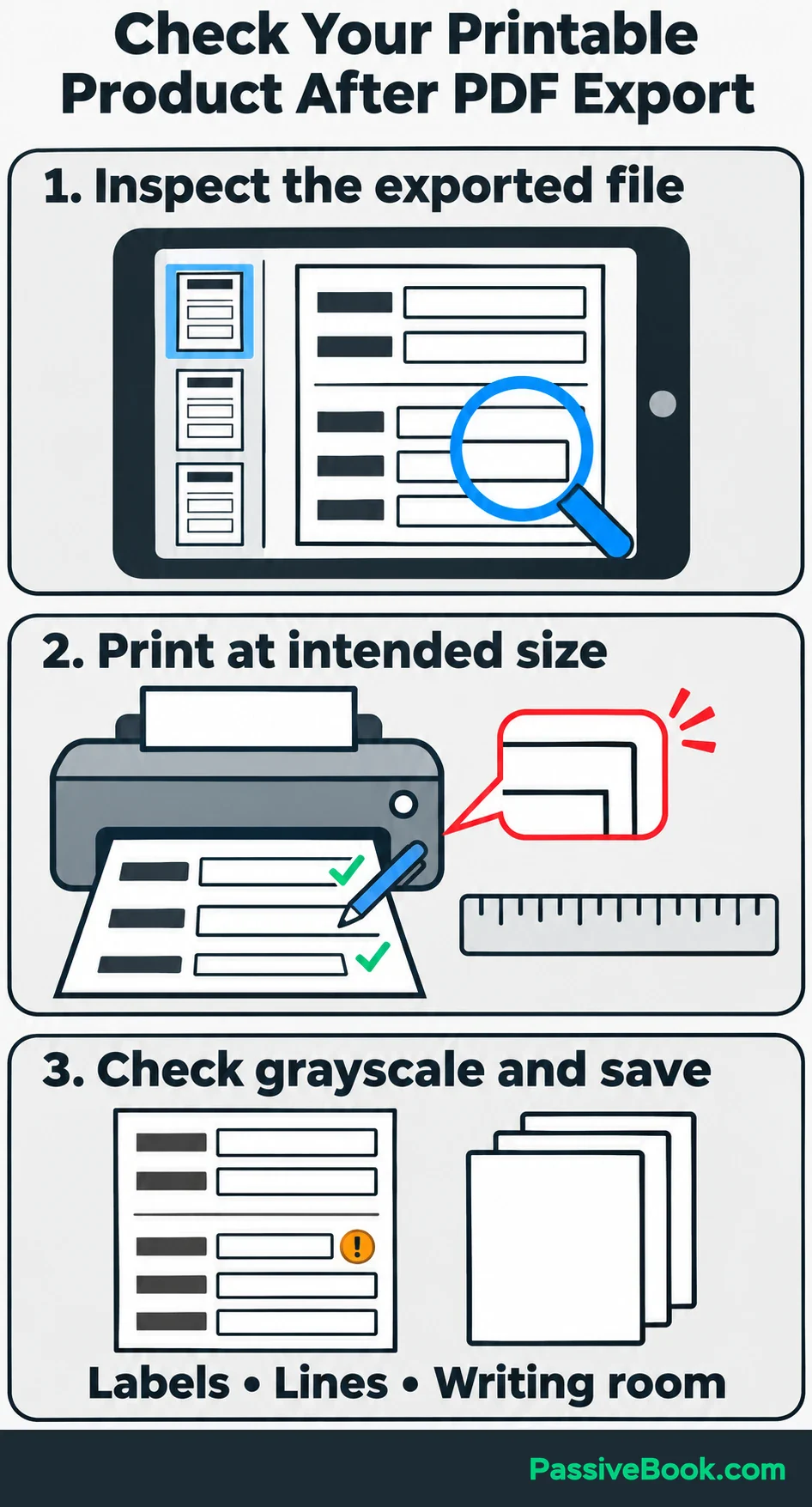
Keep the same labels on both cats’ pages and repeat the cat’s name where pages could become separated. Use clearly fictional entries in the test copy.
I would skip decorative pages until the handoff works. A lovely cover does very little when the sitter cannot tell which sheet belongs to which cat.
Export the PDF and inspect that file. Check it on screen and print it at its intended size. Look for clipped text, faint lines, cramped writing areas and labels that become unclear in black and white.
Save the working version before making substantial changes. You need to know which file people tested.
Software Products
For a digital version of the same handoff, begin with the essential flow: create two profiles, enter routines and open the sitter’s view.
An interactive prototype can help you test that flow before adding accounts, payments or reminders. Use fictional data until real data is necessary for the test.
Build in small steps:
- Specify one behavior and its expected result.
- Generate or revise the implementation.
- Run it and compare the behavior with the brief.
- Fix problems before adding the next feature.
Once you add saved information, check where it is stored, who can access it and what happens when saving fails. A success message is not enough; reopen the record and inspect the saved data.
Get developer review before releasing software you cannot assess or maintain. Include access permissions, backups and recovery from failed actions in the implementation work.
Using AI to develop a product does not require putting AI inside the finished product. A dependable form may serve the customer better than a chat window.
Physical Products
If the same handoff problem leads you toward a reusable write-on board, AI-rendered concepts can help you explore its appearance.
Use those images to discuss layout, form and finish. Then move to dimensioned designs and physical samples.
Ask AI to prepare questions for a designer, engineer or manufacturer about:
- Materials and cleaning.
- Dimensions and writing space.
- Assembly and durability.
- Manufacturing tolerances: how much dimensions can vary without affecting fit or function.
- Unit cost and sample costs.
Get specialist checks and supplier quotations before committing to production. A rendering cannot establish that a material performs as intended or that the product can be manufactured safely.
Identify applicable safety requirements early. For US consumer products within its jurisdiction, CPSC’s Regulatory Robot helps identify requirements to review before manufacturing or importing.
4. Test the Prototype Against Real Tasks
Observe Customers Using It
Recruit people who encounter the problem, then give them a realistic task without explaining the route through your design.
For the printable kit, ask an owner to complete the two profiles. Then give a sitter the completed test copy and ask:
“You are preparing the evening feed. Find the owner’s feeding instructions for Miso.”
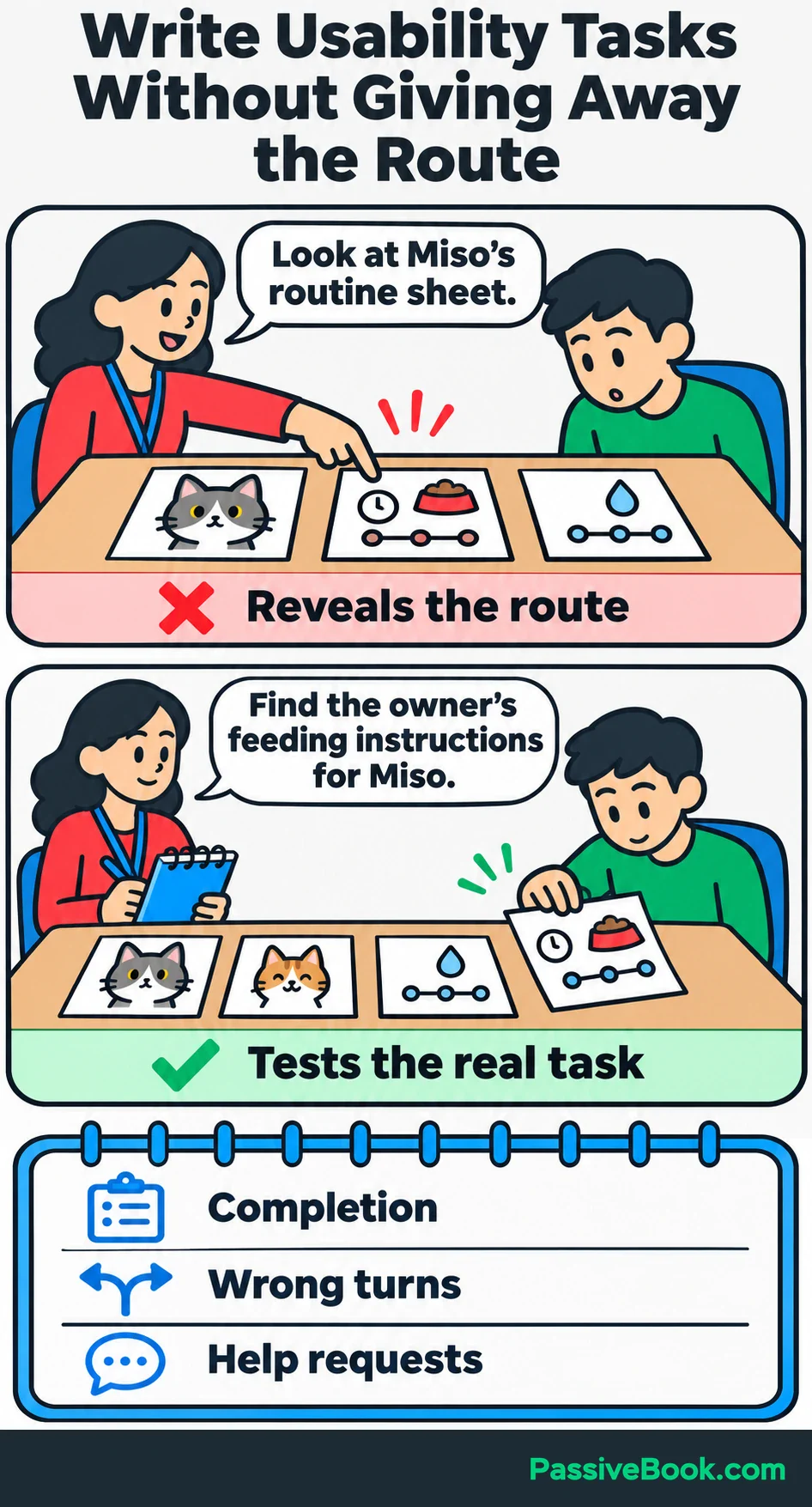
Do not say, “Look at Miso’s routine sheet.” That supplies part of the answer you are trying to test.
Watch what happens before explaining. Record:
- Whether the person completes the task.
- Wrong turns or mistakes.
- Requests for help.
- Information they misunderstand.
- The page or field involved.
Give each session an ID. AI can group the observations by task and severity, but require session references so you can check its summary.
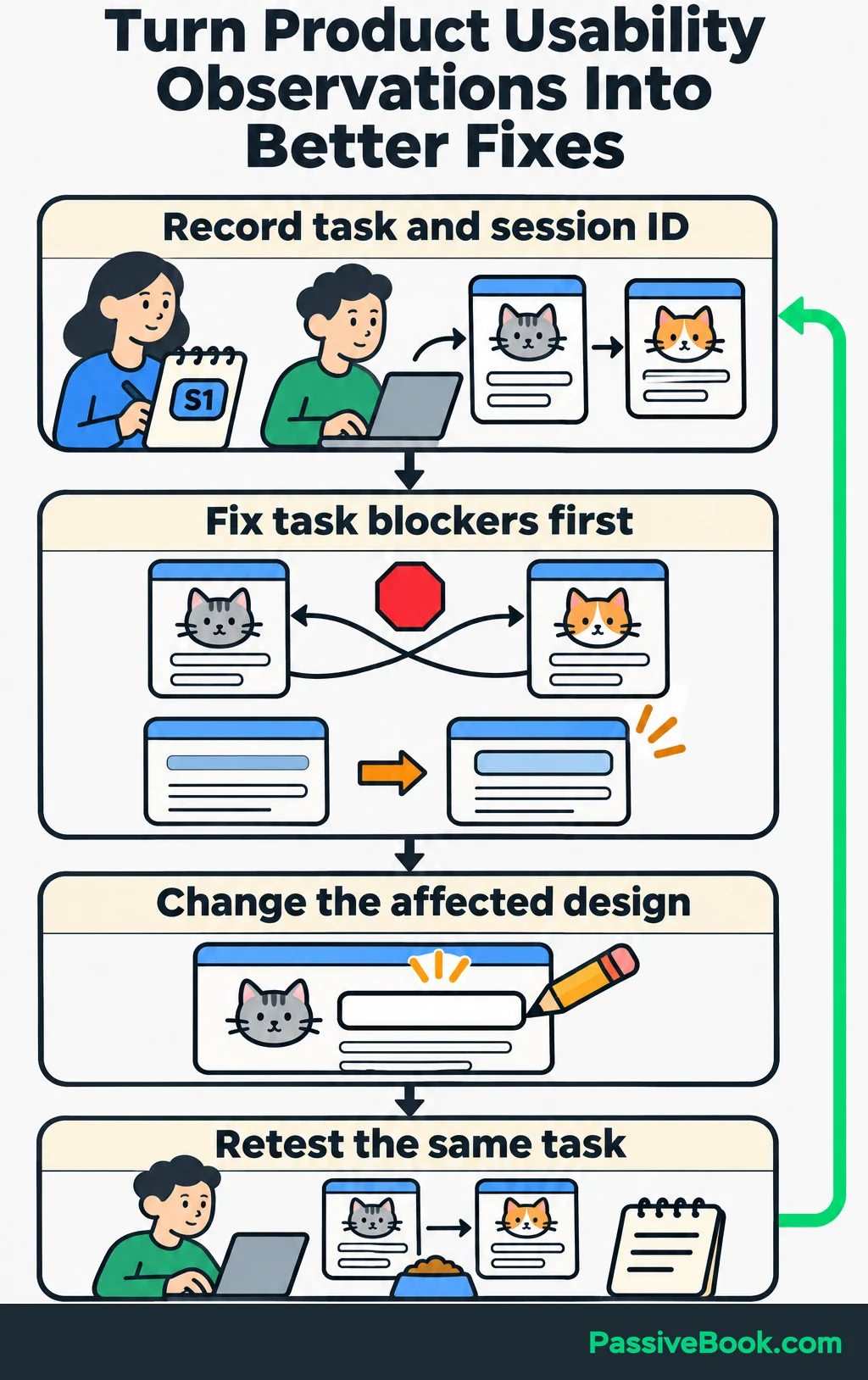
Compare the kit with the person’s current method where possible. Your product needs to earn the change.
I would fix confusion between the two cats before adjusting spacing around a heading. Both are layout issues, but only one blocks the handoff.
Retest the affected task after making the change.
Check the Delivered Product Against the Brief
Customer testing and product checks answer different questions. People may understand the layout while the exported PDF still has a missing page.
Ask AI to draft test cases from your acceptance criteria, including missing information and likely mistakes. Define the expected results yourself.
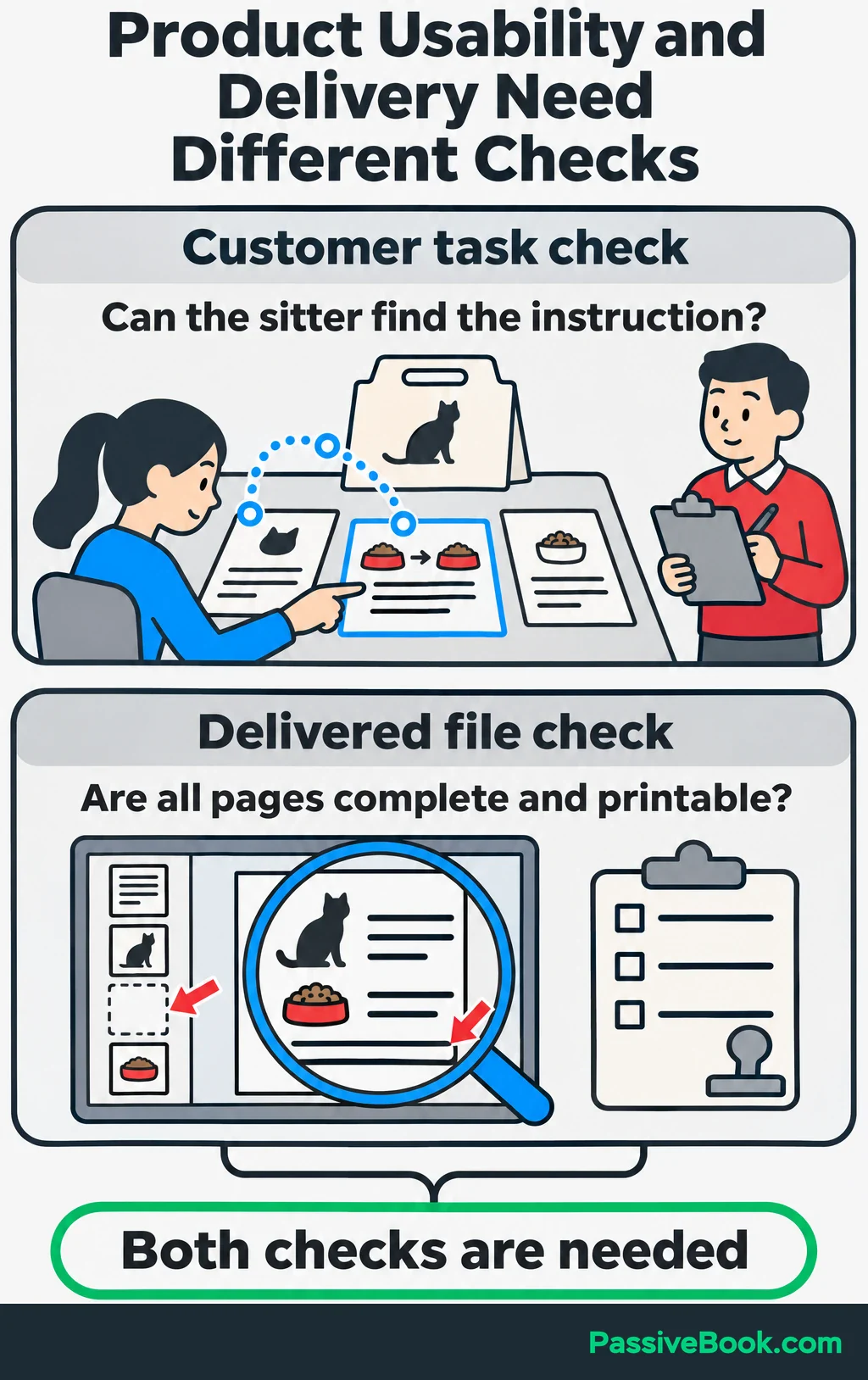
For the kit, check that:
- Each cat has a complete profile and routine sheet.
- Names and labels stay consistent.
- Instructions remain understandable if pages are separated.
- The PDF contains every intended page.
- Text and writing areas remain usable when printed.
For software, also test saved data, access permissions, repeated actions, failed actions and the devices customers will use.
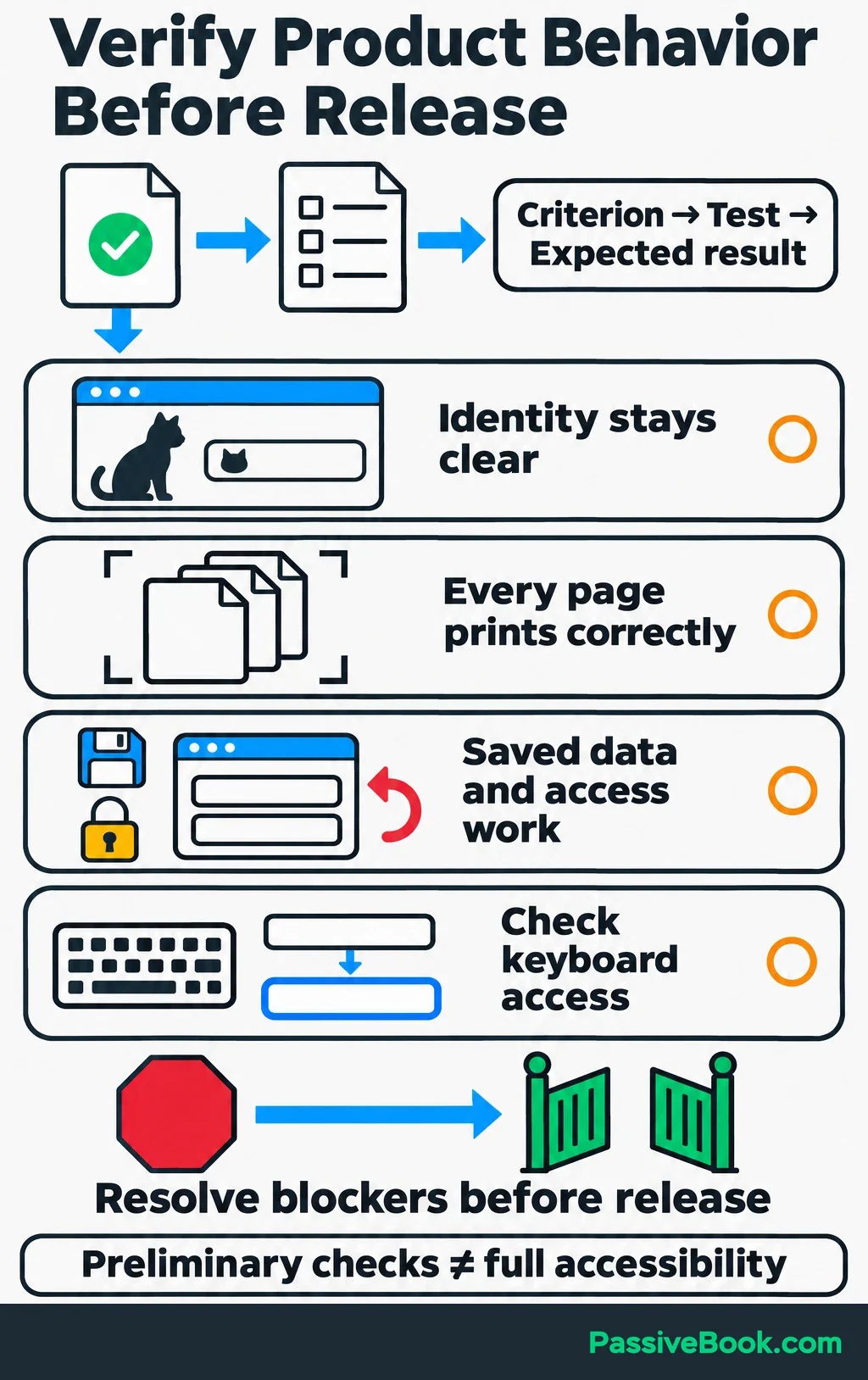
Include accessibility checks. For web products, check that people can navigate with a keyboard and see which link, button or field is selected. Check form labels, text contrast and text descriptions for images that convey information. W3C’s preliminary accessibility checks provide a useful starting point, but passing them does not establish full accessibility.
Release when the essential task works, blocking defects are resolved and the delivered product matches its description. AI-generated tests help you look for problems; they do not certify quality.
5. Launch a Limited Version
Before release, write down what you need the launch to answer: will relevant customers buy, complete the core task and find the product useful?
Keep the first release small enough that you can observe those things and respond to problems.
Ask AI to draft the product description, demonstration, setup instructions and support answers from the tested brief. Check every promise against what the product actually does.
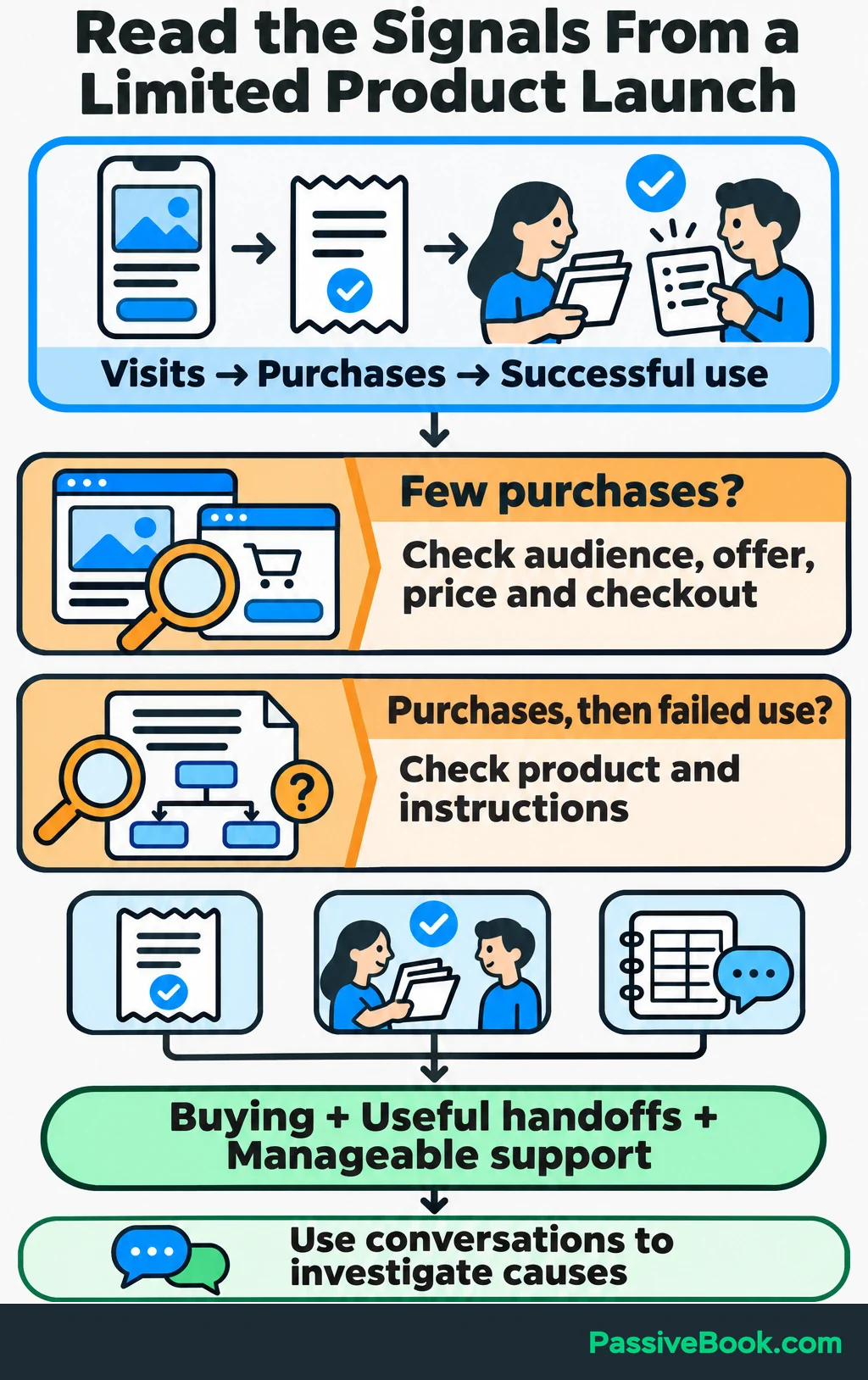
For the kit, demonstrate an owner completing the pages and a sitter finding an instruction. Describe it as a printable organizational aid with owner-completed fields. Keep claims within that function.
Use your existing storefront if you have one. I would use WooCommerce on an established WordPress site or Gumroad for a simple standalone download. A new checkout project should not become a prerequisite for testing a small product.
Track a few useful signals:
| Signal | What to Record | Decision It Helps Inform |
|---|---|---|
| Product-page interest | Visits and where visitors came from | Whether relevant people are reaching the offer |
| Purchases | Orders, price and the version sold | Whether the offer attracts actual buying behavior |
| First use | Whether buyers complete the handoff and where they need help | Whether the product delivers its core outcome |
| Refunds and support | Reasons, questions and time spent resolving them | What needs fixing and whether delivery effort is sustainable |
| Costs | Payment fees, delivery costs and ongoing support | Whether expanding sales makes financial sense |
Set continuation criteria before reviewing results. For this kit, I would require evidence of buying, successful handoffs and manageable support effort before expanding the range.
Ask AI to organize the results into questions to investigate. Low purchases call for checking the audience, positioning, price and checkout. Purchases followed by failed use point toward the product or its instructions.
Use follow-up conversations to understand the cause. A spreadsheet can show where something happened without explaining why.
6. Use Feedback to Choose the Next Improvement
Bring support questions, test observations, refund reasons and feature requests into one evidence sheet. Keep a link or reference to each original record.
Ask AI to summarize recurring problems and suggest improvements ranked by:
- Impact on the core task.
- Strength of the supporting evidence.
- Effort to build and maintain the change.
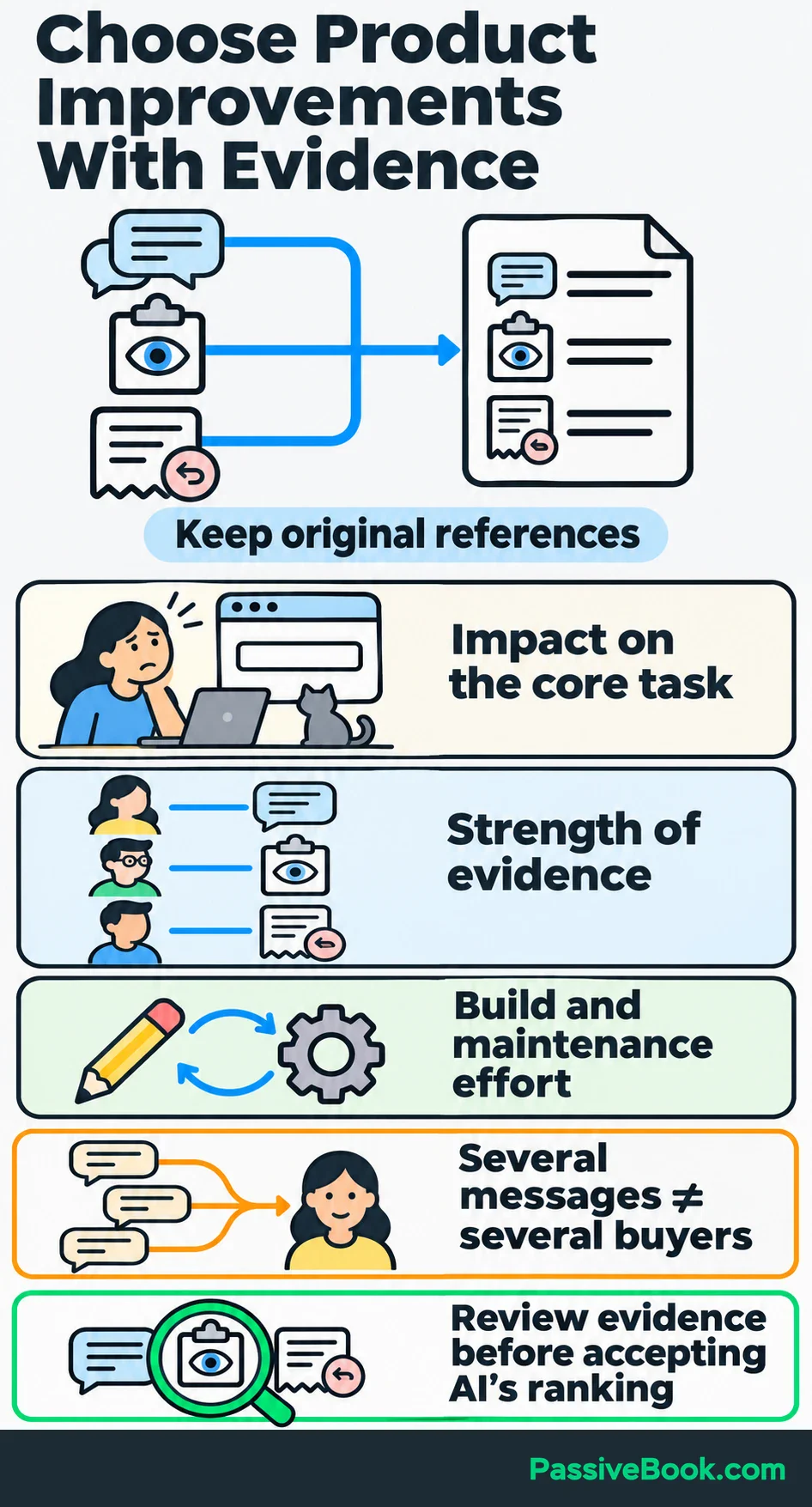
Read the underlying records before accepting the order. Several messages from one buyer are still one buyer’s experience.
For the kit, repeated confusion about a field should trigger a wording or layout review before you add more pages. If sitters keep missing the cat’s name, a larger label may be more useful than a bonus checklist.
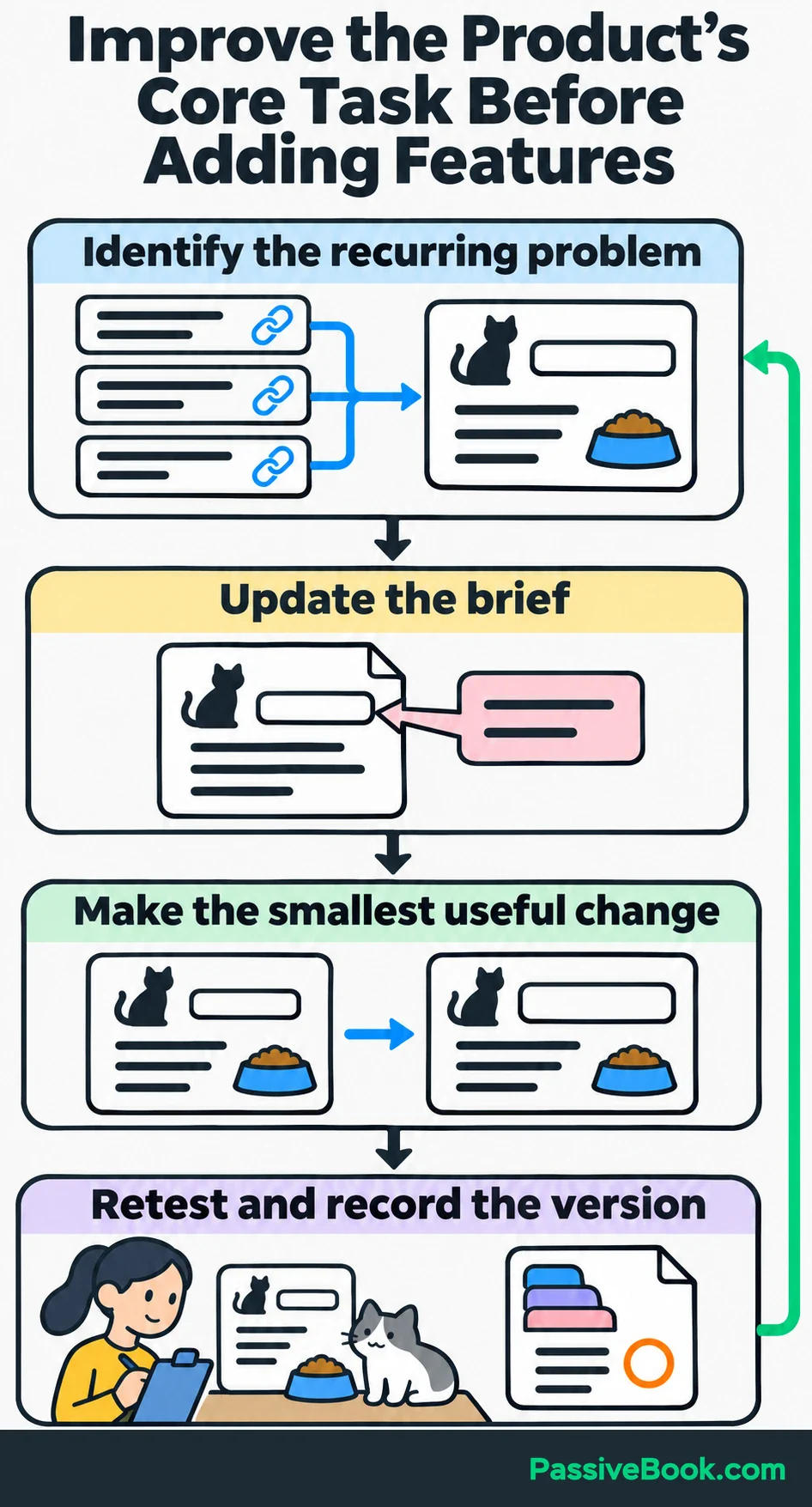
Update the brief, make the smallest useful change and retest the task that failed. Record which version resolved the issue, if it did.
For an existing product, start here with its unresolved problem. You do not need to repeat every development stage just because you have started using AI.
7. Automate Development Work That Already Works Manually
Automate after you understand what a good result looks like.
Document the task’s input, prompt, expected output, review standard and destination. Then connect the steps.
A useful first workflow for the kit would be:
- New feedback enters a sheet.
- AI proposes a category and short summary.
- The proposal includes the original feedback and record ID.
- You review it before it becomes an approved development task.
n8n can connect those steps. Make is another visual workflow builder. Choose one rather than rebuilding the same automation in both.
Add duplicate handling, failure alerts and a manual fallback. Keep review before an automation publishes a new product version or commits spending.
My AI content pipeline reduced article production from days to hours. That experience explains my preference for repeatable workflows, but it does not tell you how much time your product-development process will save. Measure your own work.
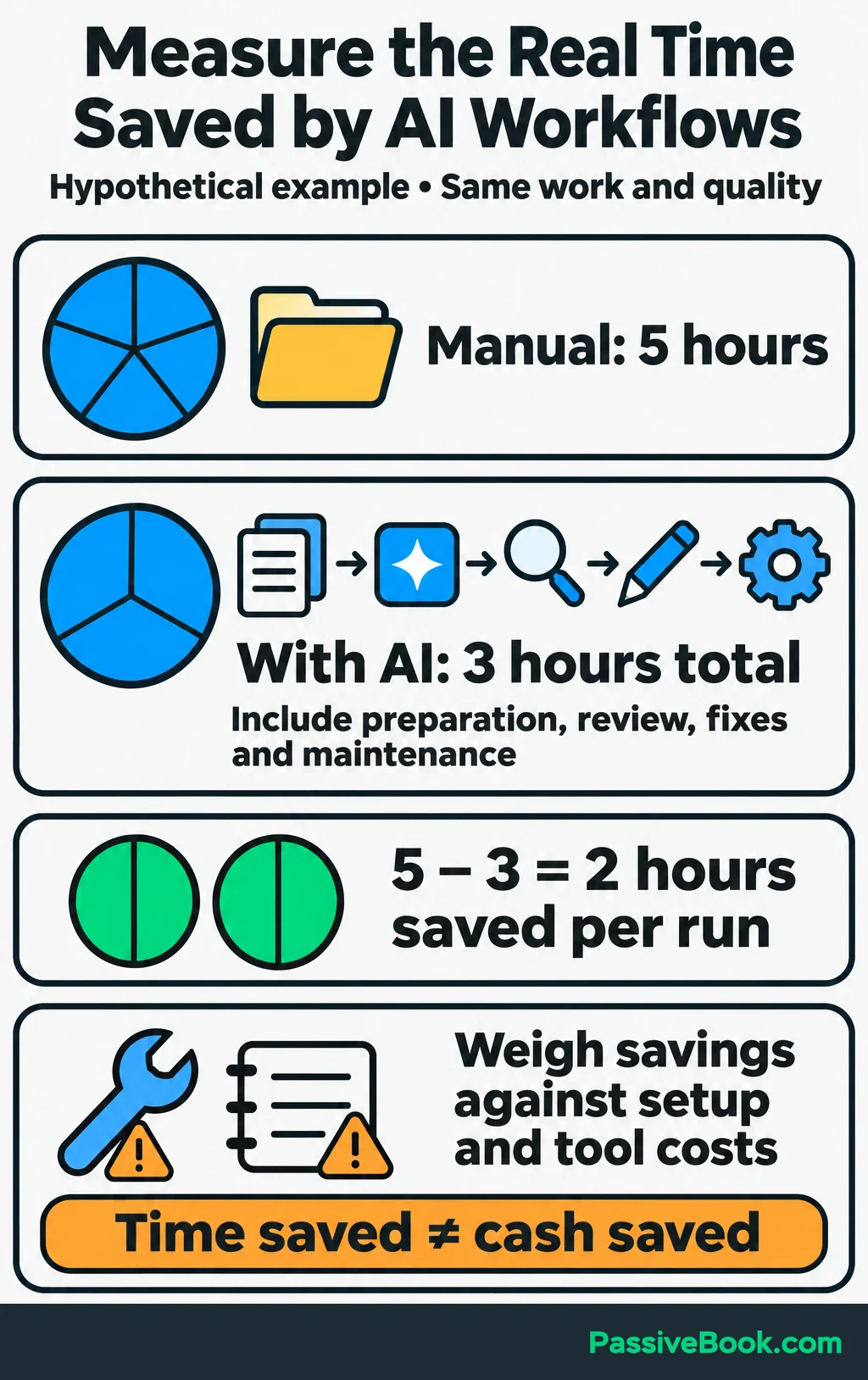
Count all the time needed to complete equivalent work at the same quality: preparation, generation, review, corrections and routine maintenance.
Suppose a recurring task takes five hours manually and three hours with AI, including those checks. That hypothetical saving is two hours per run. Weigh it against setup effort and tool costs. Saved time becomes a cash saving only when expenditure actually falls.
If corrections consume the benefit, simplify the task or keep it manual.
What Next?
Choose one unresolved customer problem and collect the evidence you already have. Ask AI to organize it with source references, then check whether you have enough support to build a small test version.
Use the social buttons to share this guide when a product discussion needs a clearer route from promising idea to tested offer.
Which assumption about your product most needs testing before you build more? Share it in the comments, and bring any other questions about the process too.
Share this post with your friends & followers:

